«Deploying generative neural networks in visual marketing demands strict control over output quality, content rights and layout reproducibility. AI accelerates the first draft, but the final decision and the audit always stay with a human.»
Last updated: 2026 · Reviewed for: design leads, marketers, event producers, print production managers, AI governance and model-risk owners.
Executive summary
- What it is.An AI poster generator turns a text prompt, a reference image, or even a document into a complete poster layout: composition, palette, typography zones, all in seconds. No fixed template to fill in.
- Where it wins.Fast concept exploration, 3–4 parallel variants, wide stylistic range for marketing, events, civic campaigns and art. Where a human is still required: exact copy, logos, legal disclaimers, brand colour accuracy.
- Production reality.Print needs 300 DPI at final size, CMYK, 3 mm bleed and PDF/X export. Digital needs 72–150 DPI and platform-exact pixel sizes. Ready-made pixel grids sit in the tables below.
- Legal and security reality.Pure AI output without substantial human authorship is not protected by copyright in the US. Commercial use is granted by the platform's Terms of Service, not by copyright. For corporate work, check SOC 2 / ISO 27001, zero-data-retention and IP indemnification before you paste a brand book into a public tool.
What this page covers: what an AI poster generator is, poster types (marketing, events, civic and political, art), the step-by-step workflow, prompt methodology, formats and print prep, free plans and pricing, how to choose a tool including enterprise criteria, FAQ, and a compliance checklist.
What an AI poster generator is, and how it differs from an ordinary poster maker
An AI poster generator is an interactive tool built on diffusion neural networks. It creates a coherent poster design from a text description (a prompt) or a source image in seconds. Unlike a standard editor, the network itself builds the composition, the colour relationships and the visual hierarchy of elements.
An ordinary poster maker offers fixed templates in which you manually swap text blocks and graphics. A modern ai poster generator relies on generative models that synthesise a unique visual from scratch, which removes the hunt for a template that fits a narrow niche. If you are still deciding between engines, start from our overview of the best AI image generators.
- ai poster generator
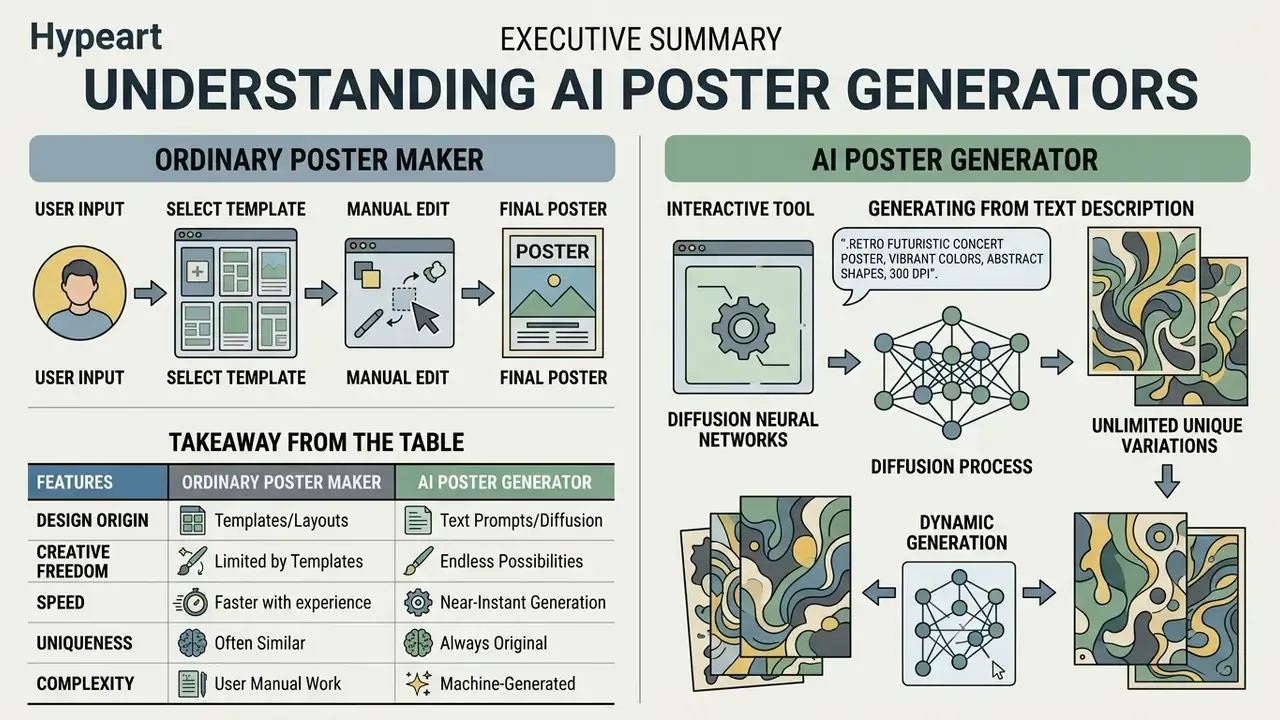
«An AI poster generator is a system that automatically creates a design from text or a document through generative models rather than fixed templates». PosterGen, arXiv:2508.17188 (2025). https://arxiv.org/abs/2508.17188
Research on graphic generation pipelines gives a concrete sense of scale behind the quality jump.
«The CGL-Dataset V2 contains 60,548 training and 1,035 test advertising poster layouts, on which diffusion models outperform baseline methods in composition accuracy and element alignment». Relation-Aware Diffusion Model (RADM), ACM CIKM (2023). https://arxiv.org/abs/2306.09086
In practice this means the resulting AI-generated poster keeps a balanced structure between text and background imagery, instead of dropping a headline onto visual noise. Vendor documentation describes the same loop: a prompt produces a poster template, then branding, colours, imagery and messaging get customised before export.
Generating a poster from a text description
Text-to-poster generation maps a textual query into visual space through a controllable diffusion model, that is, a prompt-conditioned diffusion pipeline. The algorithm parses the topic, the style and the text hierarchy, then assembles a finished layout in roughly 5–10 seconds.
The initial prompt is the main control parameter. The more precisely you describe the object, the lighting, the materials and the text accents, the closer the final poster design lands to your intent.
«Detailed prompts specifying style, subject and colour constraints increase semantic alignment between image and text and improve aesthetic scores compared with baseline queries». Promptist, arXiv:2212.09611 (2023). https://arxiv.org/abs/2212.09611
A useful ordering convention, confirmed by current vendor prompt guides, runs: background or scene, then subject, then key details, then constraints and exclusions. Materials, framing, viewpoint and lighting go into the "details" slot. Anything you do not want in the frame goes into "constraints".
Generation speed depends on the number of sampling steps (inference steps). Use reduced detail for a quick concept check and full resolution for the final layout. Low-quality modes are noticeably faster; high-quality modes trade latency for fidelity. Using a dedicated ai generator for poster work lets you test hypotheses quickly and cheaply, which matters when a campaign brief changes twice a week.
AI-generated poster, template, or manual design
The key difference between an AI-generated poster and a template is the uniqueness of the composition and the speed of variation. Template editors constrain you to a rigid grid. Designing manually from scratch requires substantial time.
Comparative analysis shows templates lose flexibility as soon as the format changes. Manual design delivers full control over every detail, but the cost of a single iteration stays high. AI generation sits in between: a fast draft that a human then refines.
«User studies show AI-generated posters are frequently preferred over template-based baselines for informational completeness and structural clarity». PosterForest, arXiv:2508.21720 (2025). https://arxiv.org/abs/2508.21720
Table 1. Three poster production approaches compared by speed, uniqueness, flexibility and effort
| Criterion | AI-generated poster | Ready-made template | Manual design from scratch |
|---|---|---|---|
| Creation time | 5–15 seconds | 10–30 minutes | 2–8 hours |
| Visual uniqueness | High (unique generative layer) | Low (reused by other users) | Absolute (fully authored work) |
| Change flexibility | High through prompt iterations | Limited by template structure | Full at vector-layer level |
| Labour intensity | Minimal | Medium | High |
| Creative control | Directed, needs human curation | Constrained by library | Maximum |
Takeaway from the table: AI wins on speed and variation, templates on predictability, manual design on control. Academic reviews of poster generation stress the same caveat: these systems still need human supervision for curation and editing, and controllability remains the core limitation that newer frameworks are built to solve.
To evaluate generative networks against classic editors, explore our dedicated AI Media Comparison section. If budget is the binding constraint, compare the free AI image generators first.
What kinds of posters you can create with AI
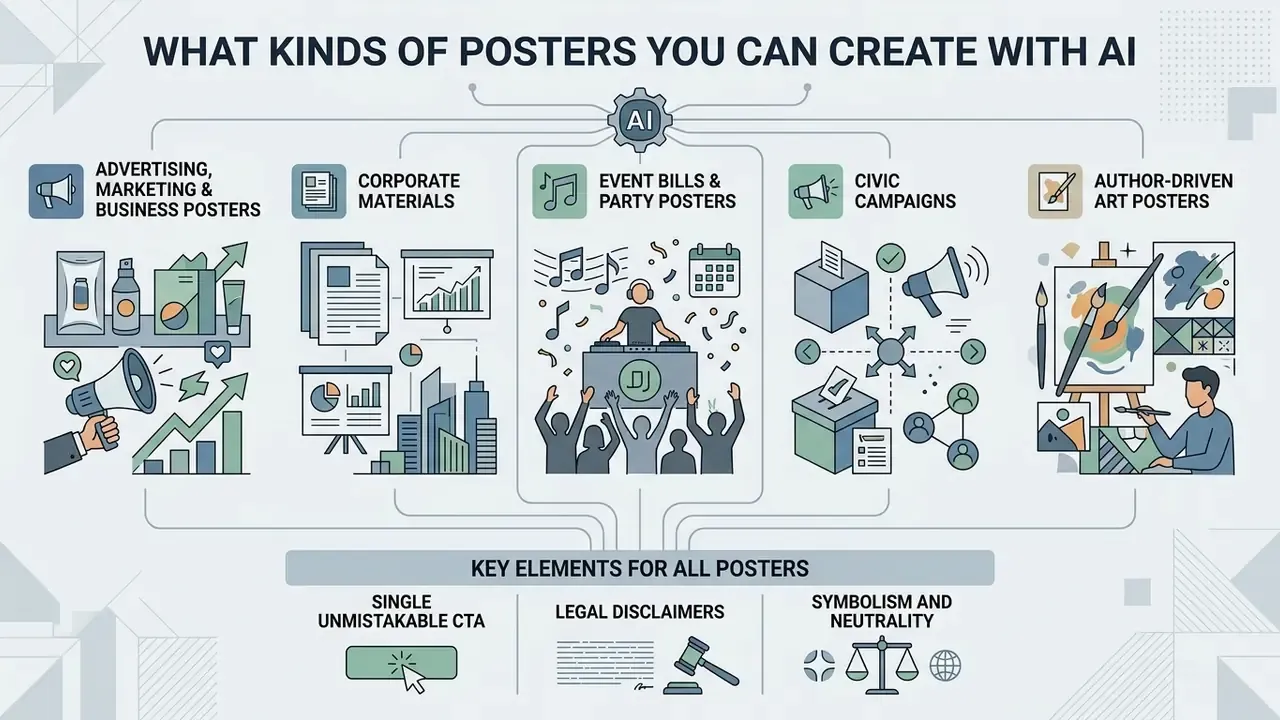
A modern ai poster generator supports a wide range of scenarios: commercial advertising, corporate materials, event bills, civic campaigns and author-driven art posters. The tool adapts visual style and structure to the target audience and the distribution channel.
«59% of professionals with a design education already use AI tools to create static images, predominantly in graphic design, product design and web design». «Exploring the Impact of AI-generated Image Tools on Professional and Non-professional Users», ACM (2024). https://dl.acm.org/doi/10.1145/3613904.3642824
Across the sourced practitioner guidance, four broad classes dominate: scientific and conference posters generated from a paper or abstract; event and marketing posters; internal corporate posters (recruiting, onboarding, policy reminders); and awareness or public-health posters distributed through social media, classrooms and printed boards. An ai poster board generator scenario, in other words, is not exotic; it is one of the most common day-one use cases in universities.
Advertising, marketing and business posters
For marketing and sales teams, an ai ad poster maker produces promo visuals with an integrated logo, brand colours and an explicit call to action (CTA). That accelerates hypothesis testing in ad campaigns without engaging an outside agency for every variant.
«Among designers using AI tools, 50% apply them to graphic design, including marketing and promotional materials». «Exploring the Impact of AI-generated Image Tools on Professional and Non-professional Users», ACM (2024). https://dl.acm.org/doi/10.1145/3613904.3642824
In practice, retail and e-commerce teams use generative drafts to run rapid A/B tests. Instead of waiting for a designer's schedule, they feed product features and promotional messaging into an ai advertisement poster generator and get holiday-promo, product-launch or clearance layouts that match the brand tone. Vendor guidance is consistent about what belongs in such a prompt: audience, key message, campaign goal, layout, brand colours, logo placement and the CTA, including a QR code slot where needed.
For corporate layouts, use an ai business poster generator that respects a strict corporate style. Integrating the corporate palette and logo keeps brand recognition intact at international trade shows and in board presentations. Before you launch a paid campaign, verify the rules for commercial use of AI image generators. If your stack is Canva-based, our breakdown of the Canva AI Generator's licensing and export options covers the fine print.
Posters for events, parties and campaigns
Event and promo posters demand a clear text hierarchy: the event name first, then date, time and venue. The network distributes text blocks so the poster reads easily on a smartphone and on a printed sheet. University extension guidance is blunt about it. Event name, date, time and location are the four elements that must survive any stylistic experiment, with date and time set bold and placed adjacent to the venue.
With an ai event poster generator you can produce concert, webinar and sports-tournament bills in one consistent visual language. For club nights and festivals, an ai party poster generator fits better, producing vivid neon and dynamic visuals.
When preparing large-scale promotions, an ai campaign poster generator helps hold a single visual code across every channel. That simplifies adapting the artwork for printed placards and digital billboards: keep the same hierarchy, export PDF with bleed for print and screen-optimised PNG or JPG for feeds and stories.
Political advertising, election and civic campaigns
Posters for public initiatives, student elections and social causes need a strict information hierarchy and legibility from a distance: in a hallway, on a community board, at a rally.
When generating civic and pre-election materials, apply these rules:
- A single unmistakable CTA. The main slogan should occupy no less than roughly 30% of the canvas area. The supporting line, date, website and action step follow it in descending weight.
- Legal disclaimers. Reserve a fixed strip in the lower part of the poster, about 10–15% of the height, with high contrast, for the organiser's name, funding-source statement and any legally required wording.
- Symbolism and neutrality. Use widely understood graphic symbols (ballot box, voting tick, raised hands, institutional colours) and avoid real-party branding when the poster is nonpartisan or made for a student election.
- Accessibility. Ask explicitly for high contrast, large type, plain-language wording and reduced visual clutter, because public-space posters are read in two or three seconds.
- Exact wording is non-negotiable. Supply candidate names, roles, dates, URLs and disclaimers verbatim, then correct placement, contrast and size in an editing pass rather than hoping the model re-renders them correctly.
Prompt example: «A nonpartisan civic awareness poster, headline 'REGISTER TO VOTE', supporting line 'Check your deadline today', ballot box icon, bold typography, high contrast red white and blue color scheme, official public service announcement style, clear space at bottom for website URL and disclaimer».
The same pattern covers voter-registration graphics, public-meeting notices, advocacy posters, fundraising appeals and community awareness designs. All of them export to vertical print, feed posts, stories, slides or event signage without losing the message.
Art posters, social content and personal ideas
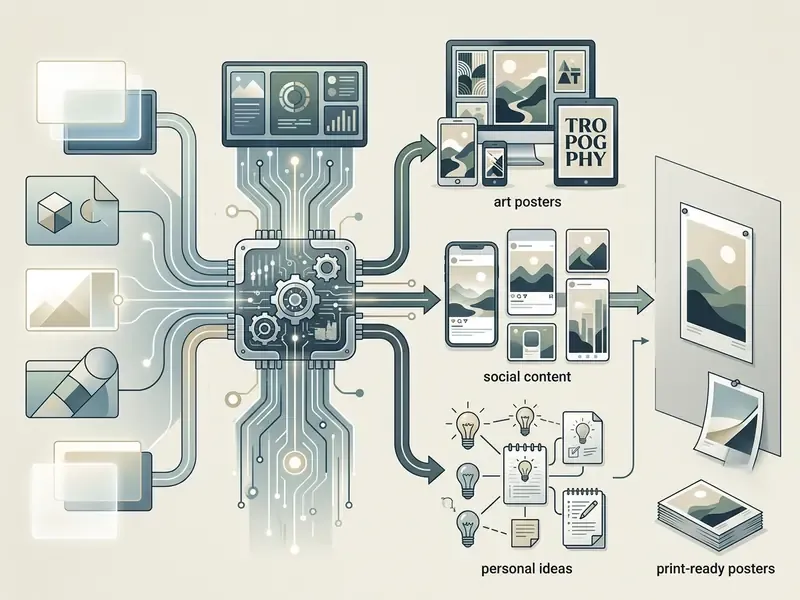
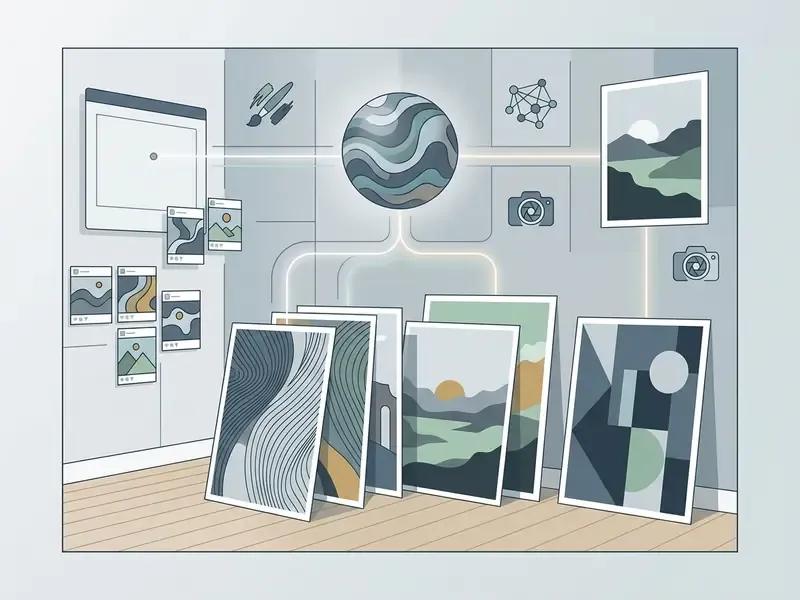
Creating art posters and social-media visuals with AI relies on image stylisation plus the author's creative concept. The network generates original illustrations from a description of atmosphere, mood and artistic style.
«NeuroPrompts lets users specify stylistic constraints, such as "watercolor", "cyberpunk" or "vintage poster", and automatically enhances the prompt to obtain higher-quality images». NeuroPrompts, arXiv:2311.12229 (2024). https://arxiv.org/abs/2311.12229
With an ai poster art generator, artists and designers get fast concept art for interior décor or a digital gallery. For stylised character illustrations, apply an ai illustration generator. For broader stylistic experiments, our guide to AI art generators explains how model choice changes the output.
Personal ideas convert into finished ai poster art without deep knowledge of graphics software. You can set a direction from impressionism to cyberpunk and get a professional designed result in a few clicks. Bloggers, podcast hosts and newsletter authors use exactly this route to build a unique cover for every episode or article, and, over time, a recognisable personal style.
How to create a poster with AI: from idea to finished file
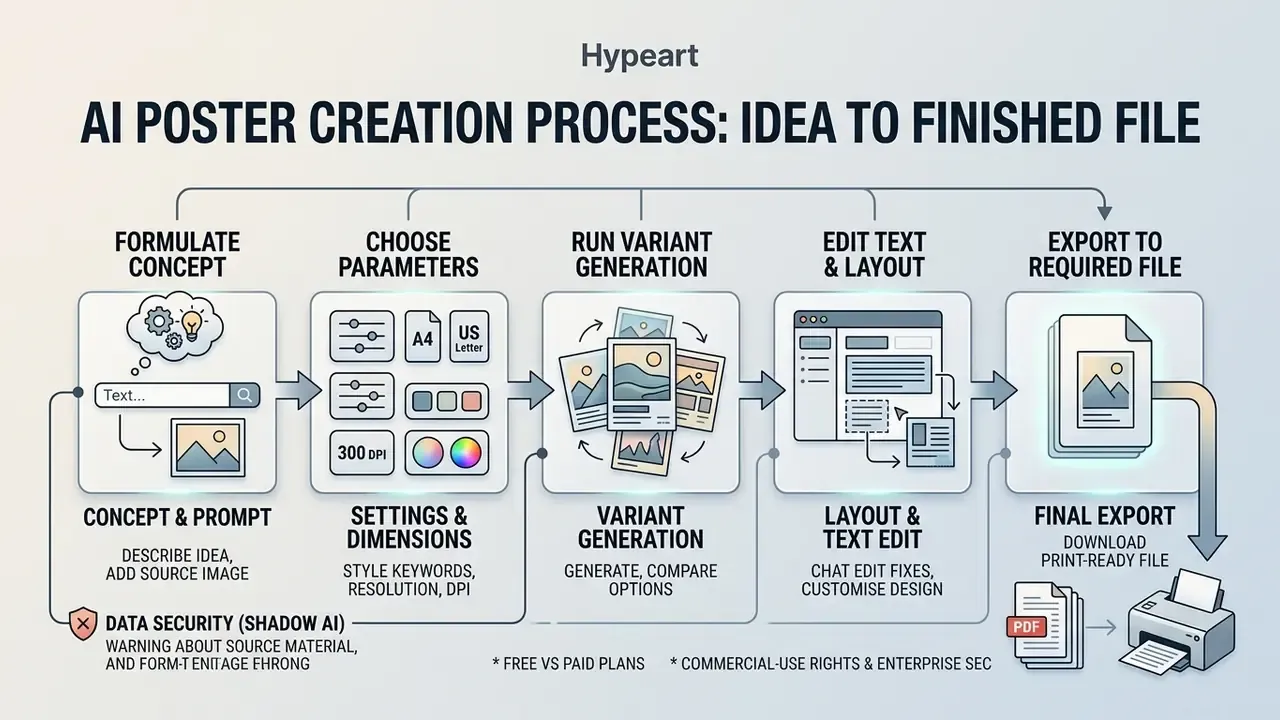
To ai create a poster end to end takes five sequential steps: formulate the concept, choose parameters, run variant generation, edit the text and layout, export to the required format. Before you start, compare the best AI image generators so the engine matches your output requirements.
Describe the idea in a prompt, or add a source image
Input can be a text query or an uploaded reference image in image-to-image mode. For the best result, the prompt should contain the object, the environment, the style and the colour constraints.
Structure the description as: object, then context or background, then artistic style, then lighting and palette. When you need new creative angles, use an ai idea generator. If you feed several references at once, index them explicitly, for example "apply Image 2's style to Image 1", instead of assuming the model will infer the roles.
Uploading a reference preserves the composition or the colour solution of an existing layout. In this mode the network uses the source photo as a skeleton and overlays new stylistic elements.
Generate variants and pick the right design
Parallel generation gives you 3–4 layouts at once, so you can compare composition, palette and style side by side. The chosen layout then goes into iterative refinement. A practical loop: pick a winner, then combine v2's palette with v3's layout.
Compare drafts by headline legibility, background contrast and overall balance. If none of them fully works, adjust the query and generate again. Structured colour reviews help here: research frames colour design as three separate decision spaces, purpose, palette and prototype, so check the function first, the scheme second, the specific instance last.
«Automated ranking systems trained with DPO can select the optimal prompt and image among several candidates, outperforming ChatGPT-4o in matching the specified requirements». Automated Prompt Generation for Creative and Counterfactual Text-to-Image Synthesis, arXiv:2509.21375 (2025). https://arxiv.org/abs/2509.21375
Customise the poster and download the final version
Final post-processing of a generated poster covers editing text blocks, fine-tuning brand colours and exporting at high resolution.
Use the built-in graphic editor for precise adjustments. Add the vector company logo, then check margins and text alignment. To generate unique icons for infographics, apply an ai icon generator. For retouching, colour grading and cleanup passes, our overview of AI photo editors lists what each class of tool actually does.
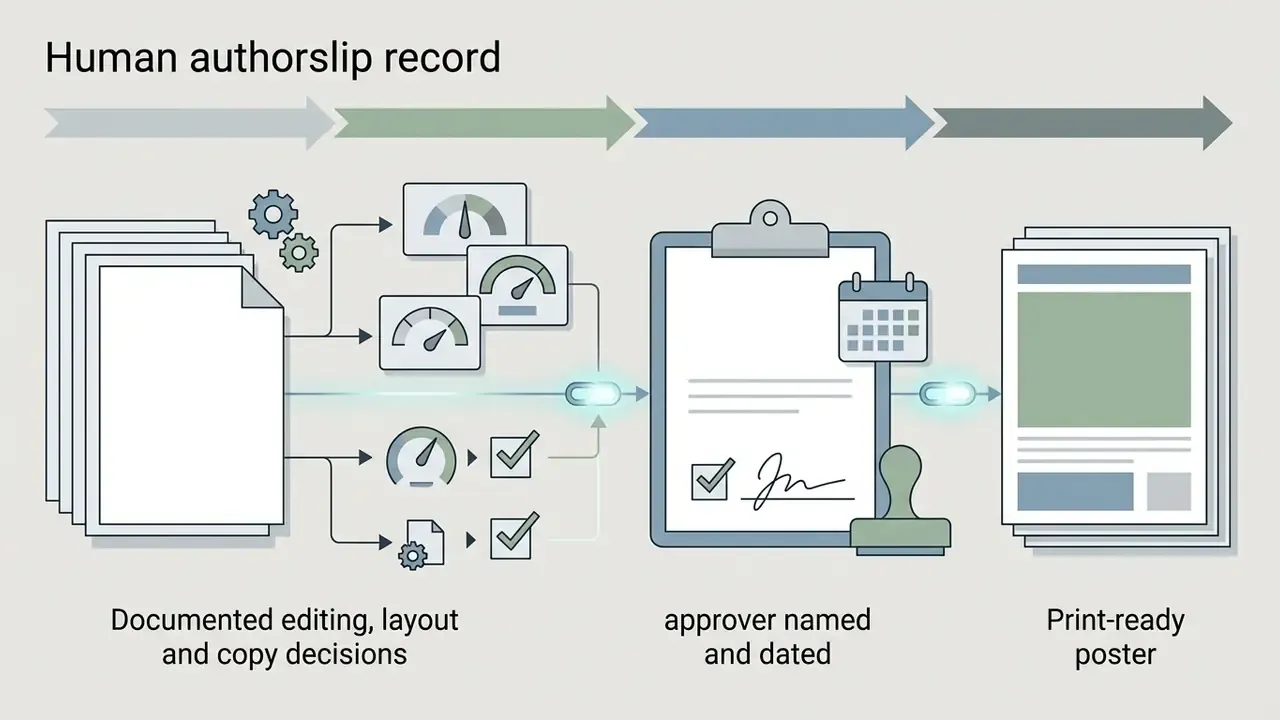
Before release, add one explicit control gate: a legal and model-risk sign-off. For any poster leaving the organisation, whether a print run, paid media or a public board, record who approved the copy, who verified rights on uploaded references and fonts, and which platform licence covers the output. Human-in-the-loop review is not only a compliance formality. It is also what turns "pure AI output" into a work with documented human authorship, which is the part that survives an audit.
The finished file downloads as PNG or JPG for web publication, or as a high-resolution PDF for commercial printing.
How to write prompts for high-quality AI poster design
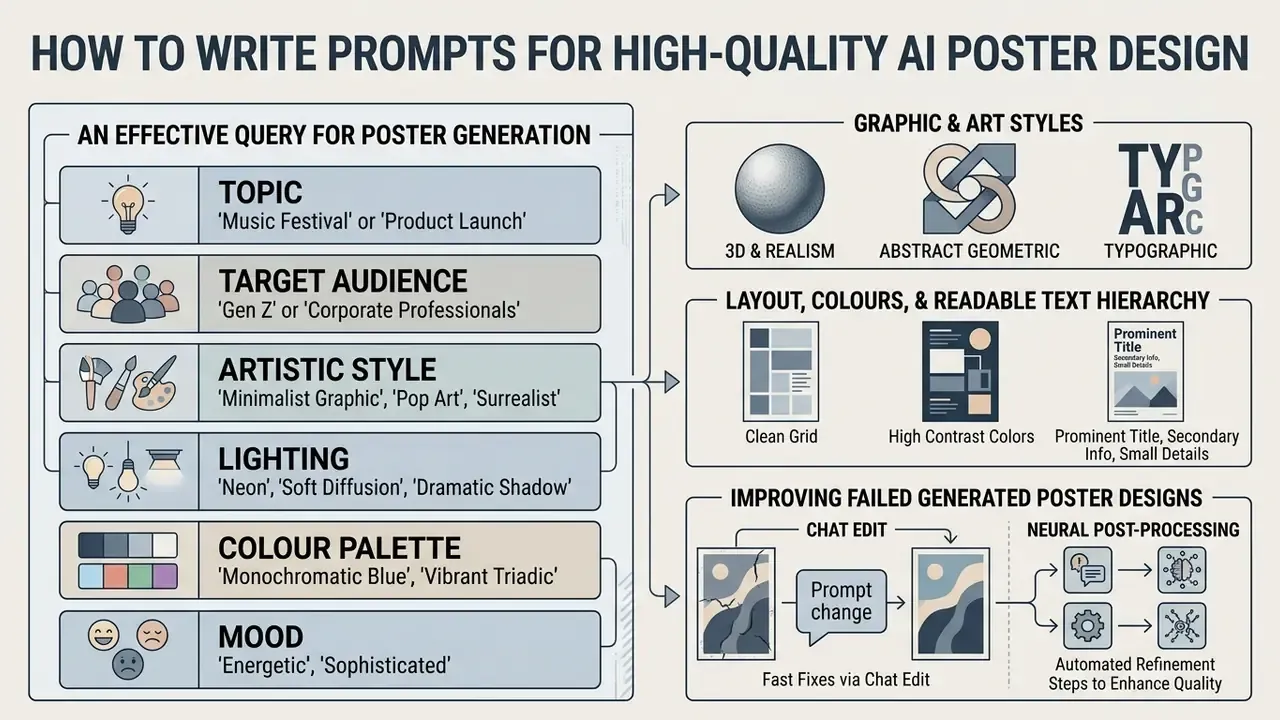
An effective query for poster generation usually contains six components: topic, target audience, artistic style, lighting, colour palette and mood. Miss two of them and the model fills the gap with its own defaults.
«SSP shows that adding camera-viewpoint descriptions to a prompt improves semantic consistency by roughly 16% on average and text-image alignment by 5%». SSP (Simple and Safe Prompt Engineering), arXiv:2401.01128 (2024). https://arxiv.org/abs/2401.01128
What to specify in a prompt: topic, audience, style and visuals
A clear definition of the topic and the audience sets the visual tone and helps the network choose a relevant composition. Name the audience explicitly, for example "families", "enterprise buyers", "first-year students", rather than leaving it implicit.
Specify concrete styles: "minimalist vector art", "photorealistic 8k", "vintage 70s poster". For atmosphere, use keywords such as "energetic", "professional", "premium", "playful".
To pin the visual language down precisely, work from a proven style library:
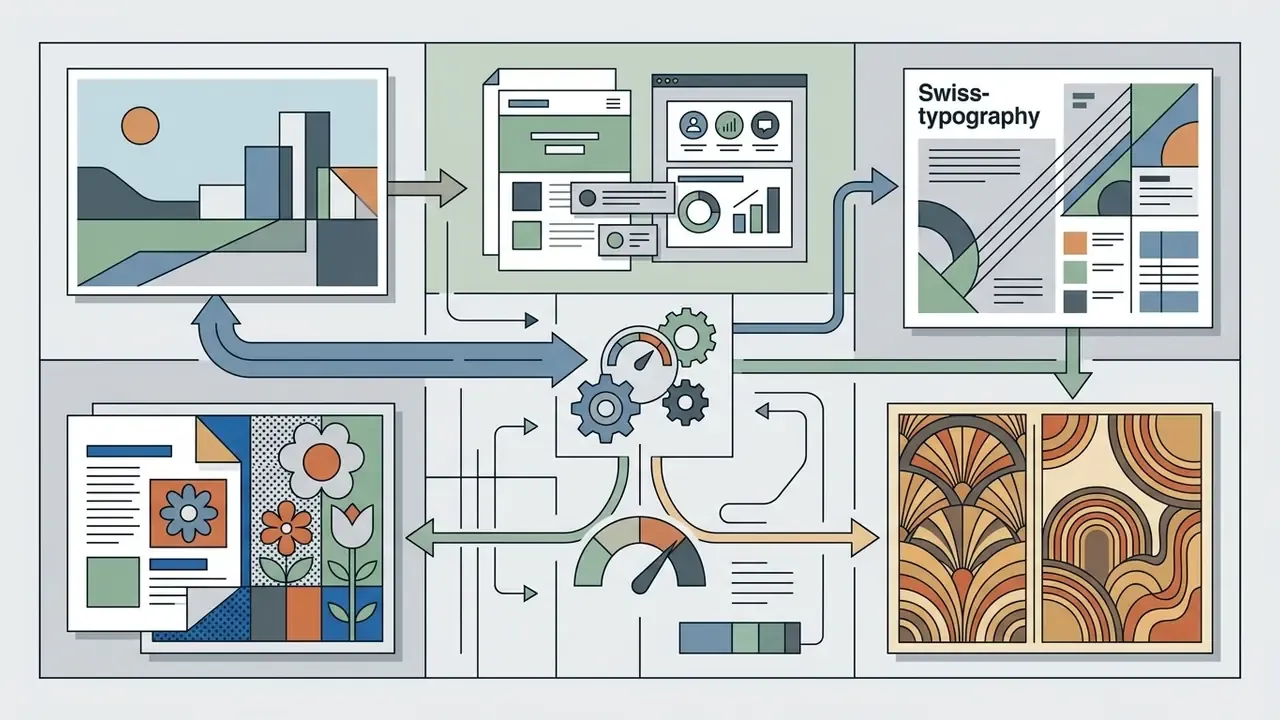
minimalist vector art, flat design, swiss style typography, bauhaus poster, pop art, art deco, vintage 70s retro, editorial magazine layout.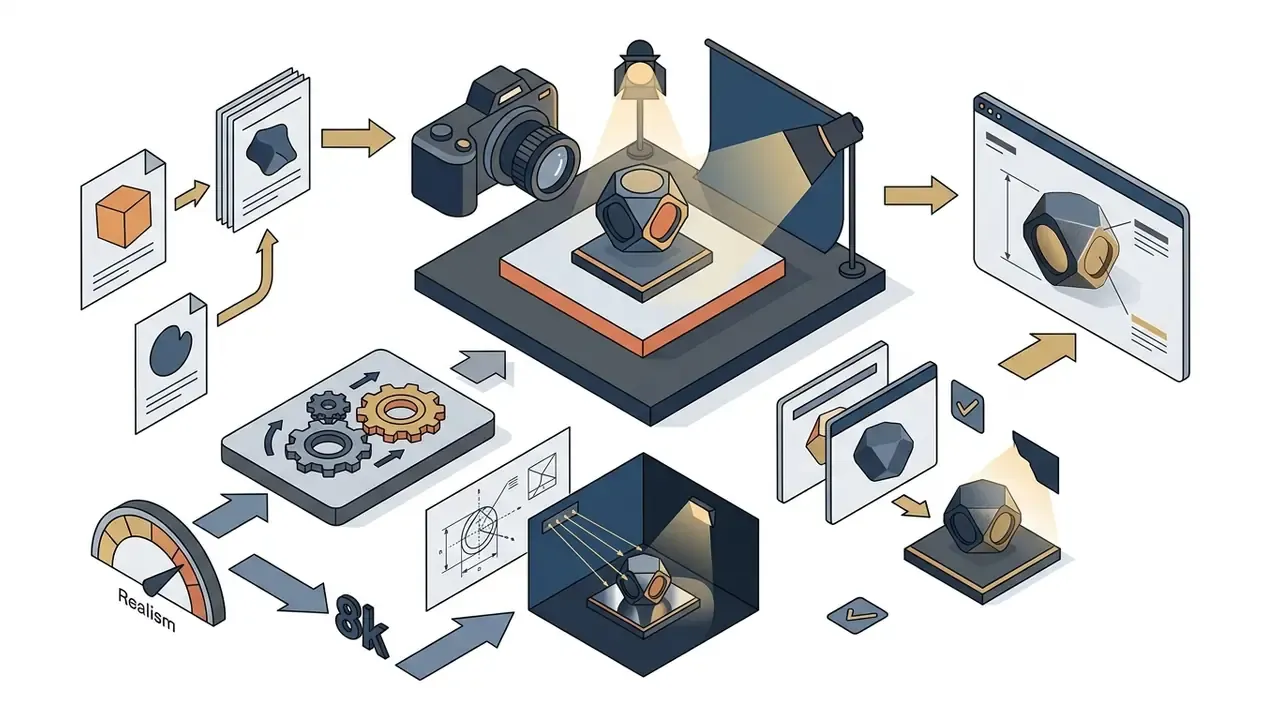
photorealistic 8k, 3D isometric render, octane render, cinematic studio lighting, product hero shot.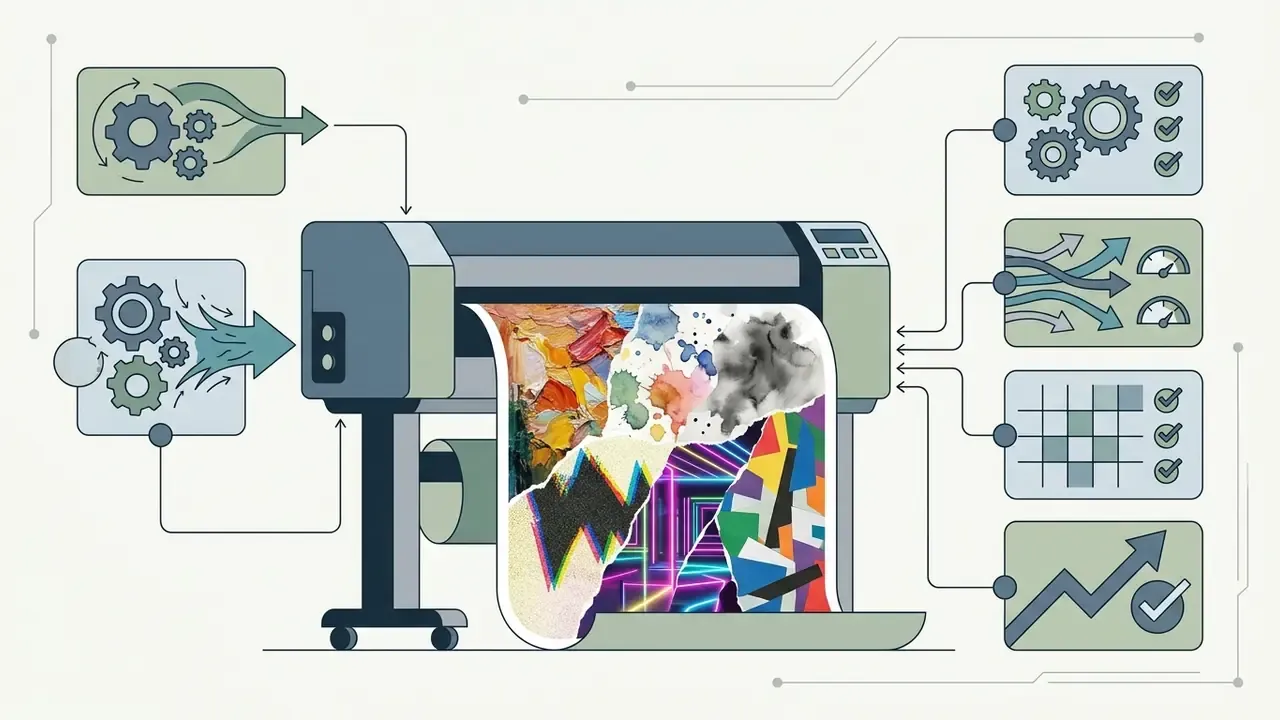
oil painting texture, watercolor splatter, ink wash style, risograph print, cyberpunk neon glow, collage cut-paper.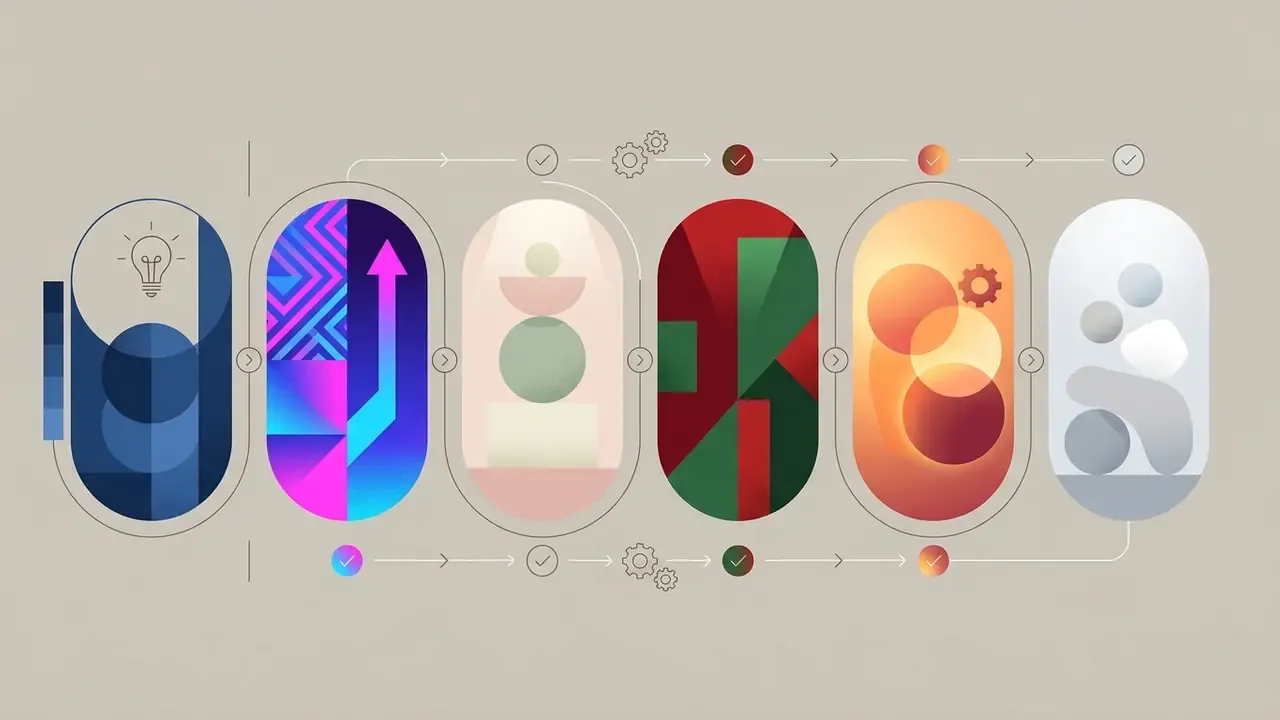
monochromatic, duotone neon, pastel muted tones, high-contrast complementary, warm golden hour lighting, soft diffused daylight.«Promptist demonstrates that automatically adapted prompts with detailed stylistic descriptors surpass manual queries in aesthetic scores and user preference, especially for unconventional topics». Promptist, arXiv:2212.09611 (2023). https://arxiv.org/abs/2212.09611
Example of an effective prompt: "A promotional poster for a tech conference, minimalist corporate style, dark blue and gold color palette, bold headline area at top, studio lighting, clean visual composition".
How to define layout, colours and a readable text hierarchy
Controlling layout and legibility through a prompt comes down to keywords that set contrast, negative space and colour constraints.
To avoid visual chaos, specify element distribution: "negative space at the top for typography, centered subject, high-contrast text layout". Avoid a single dominant hue with no accent colour. One-note palettes are, in my experience, the most common reason a generated poster looks amateur. Document-design literature reduces hierarchy to two levers, contrast (weight, size, typeface) and grouping (bullets, white space, boxes). Prompt for both.
«The RADM model learns geometric relationships between poster elements, positions, sizes and adjacency, ensuring correct visual hierarchy in automatic layout». Relation-Aware Diffusion Model (RADM), ACM CIKM (2023). https://arxiv.org/abs/2306.09086
Use spatial anchors when building the hierarchy. That is what keeps the main headline off the key image, and keeps date and venue lines in a predictable zone across variants.
How to improve failed generated poster designs
The routine for fixing a failed generation is local editing through inpainting: mask the problem area, regenerate only that area, leave the rest alone.
If the network distorted text or a single object, lock the successful regions and regenerate the selected fragment. This preserves the overall composition and style of the placard. Current model documentation frames the same rule from the other side: instruct the model to change only the specified element and keep style, lighting and composition unchanged.
When you modify the prompt, fix the seed parameter. That lets you make surgical changes to palette or lighting without altering the geometry of the layout.
«Optimising prompt embeddings via gradient descent between image and text space allows individual quality parameters to be corrected without changing the overall layout geometry». Prompt Embedding Optimization, arXiv:2308.12059 (2023). https://arxiv.org/abs/2308.12059
Fast fixes via Chat Edit and neural post-processing
To adjust a finished layout without regenerating the whole canvas, use conversational Chat Edit mode. It applies targeted changes through plain text commands:
- Tone and appeal "make the headline more formal", "make the message more urgent", "increase text contrast against the background", "make it more student-friendly".
- Text-block correction "replace the date with 25 October", "add a legal disclaimer in small type at the bottom of the layout", "shorten the supporting line to five words".
- Format transfer "keep the same message but rebuild it for a 9:16 story", "produce a landscape version for event signage".
- One-click automatic post-processing. For final artwork, apply isolated AI modules:
The advantage of a closed-loop platform is simple. Generation, retouching, background work, upscaling and layout stay in one place, with no file round-trips between applications, and with one audit trail instead of five.


Formats, sizes and editing of AI-generated posters
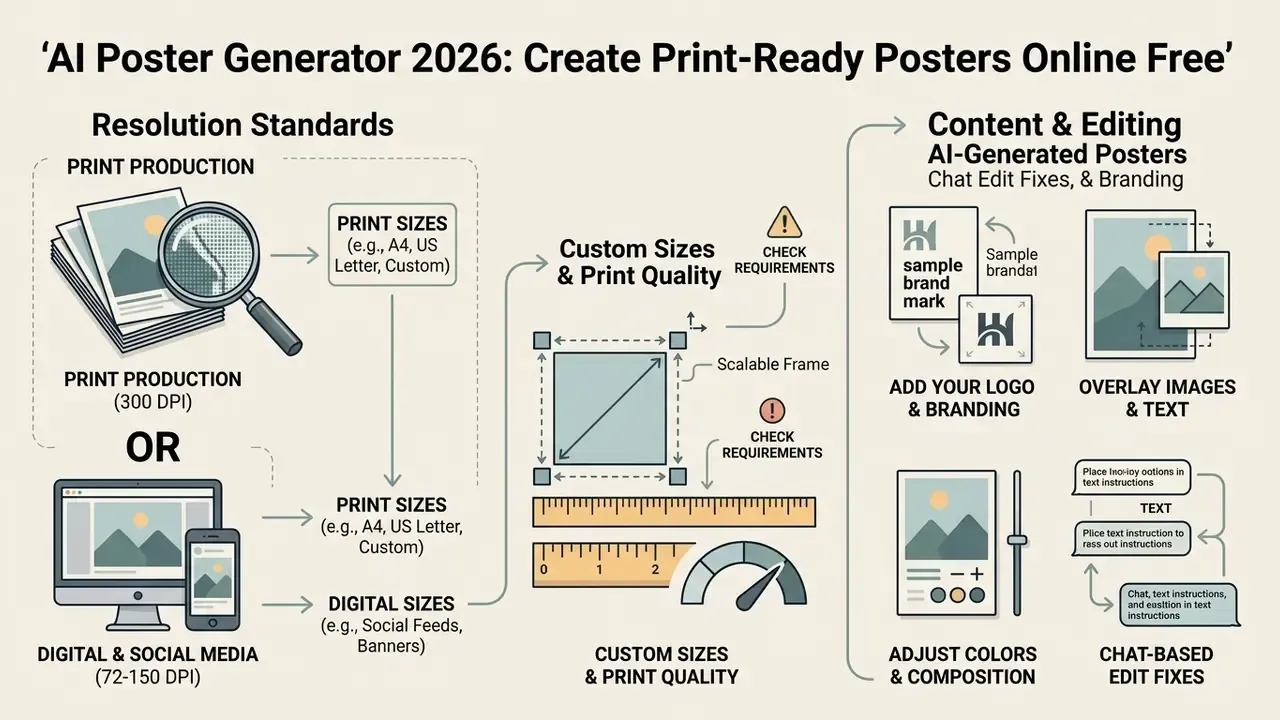
Technical preparation of AI posters means respecting resolution standards: 300 DPI for print production, 72–150 DPI for digital screens and social media. These figures are industry practice rather than a single legal standard. Poster guidance from universities and print shops ranges from 150 DPI for very large formats viewed from a distance to 240–400 DPI for close-viewed work.
Aspect ratio, custom sizes and print quality
Separating aspect ratio (the shape) from exact custom size (the precise physical or pixel dimensions) is critical when preparing a file for commercial printing with 3 mm bleed. Two files can share a 4:5 ratio while one is 1080 × 1350 px and the other 4000 × 5000 px. Only the second is usable in print.
For placard printing, the standard is 300 DPI at final size, for example A2 or 24 × 36 in. For digital media, 72–150 DPI at a 1:1 or 9:16 ratio is enough. Keep body copy readable at distance: poster guidelines commonly recommend 24–30 pt body text, legible from around three feet.
«GlyphDraw-3M, a dataset of 3 million image-text pairs with OCR annotations and resolutions above 1024 pixels, enables accurate text rendering on complex backgrounds for high-quality posters». GlyphDraw2 (2024). https://arxiv.org/abs/2407.02252
Table 2. Poster formats: physical size, aspect ratio, exact pixel canvas at 300 DPI, export preparation
| Format / purpose | Physical size | Aspect ratio | Exact resolution (300 DPI) | Export preparation |
|---|---|---|---|---|
| Small print / small placard | 11 × 17 in (279 × 432 mm) | 11:17 | 3300 × 5100 px | PDF/X-4, CMYK, 3 mm bleed |
| Medium print / medium poster | 18 × 24 in (457 × 610 mm) | 3:4 | 5400 × 7200 px | PDF Print, 300 DPI, embedded fonts |
| Large print / standard poster | 24 × 36 in (610 × 914 mm) | 2:3 | 7200 × 10800 px | TIFF or PDF/X-1a, 300 DPI |
| A2 standard | 420 × 594 mm | 1:√2 (≈5:7) | 4961 × 7016 px | PDF/X-1a, CMYK |
| A1 standard | 594 × 841 mm | 1:√2 (≈5:7) | 7016 × 9933 px | PDF/X-1a, CMYK, 3 mm bleed |
| Movie one-sheet | 27 × 40 in (686 × 1016 mm) | 27:40 | 8100 × 12000 px | High-resolution PDF Print |
| Instagram portrait post | not applicable | 4:5 | 1080 × 1350 px | PNG or JPG, sRGB, 72–150 DPI |
| Story / vertical digital poster | not applicable | 9:16 | 1080 × 1920 px | PNG or JPG, sRGB, 72–150 DPI |
Takeaway from the table: decide the physical output first, derive the pixel canvas (inches multiplied by 300), and only then pick the export container. PDF/X-1a when the printer converts everything to a single CMYK destination, PDF/X-4 when you need transparency and live effects preserved.
Table 3. Poster scenarios: format, design priorities, export preparation
| Use scenario | Format / aspect ratio | Design priorities | Export preparation |
|---|---|---|---|
| Printed event poster | 11 × 17 in, 24 × 36 in (2:3 / 3:4) | Legible date and venue, contrasting CTA | PDF/X-1a or PDF/X-4, 300 DPI, CMYK, 3 mm bleed |
| Marketing placard | A2, A3 (1:√2) | Product focus, brand colours | High-resolution PDF, embedded fonts |
| Social media post or story | 1080 × 1080, 1080 × 1920 (1:1 / 9:16) | Bold visual, short headline | PNG or JPG, RGB, 72–150 DPI |
| Interior art poster | 18 × 24 in, 36 × 48 in (3:4) | High detail, artistic style | PDF Print or TIFF, 300 DPI |
| Civic or political poster | 11 × 17 in print plus 1080 × 1350 digital | Slogan dominance, disclaimer strip, high contrast | PDF Print for boards, PNG for feeds |
An ai digital poster maker and an ai image generator for posters are often the same engine with different export presets. The difference lives in the file, not in the model.
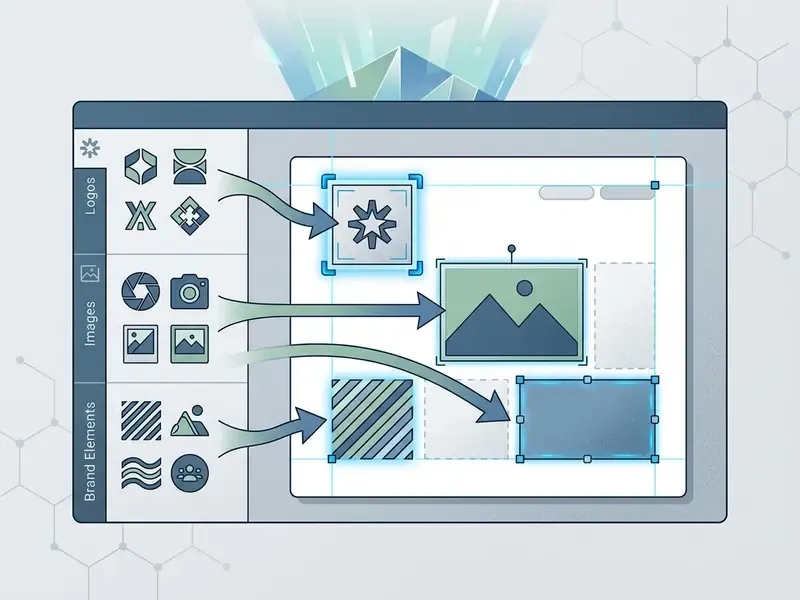
How to add a logo, images and brand elements
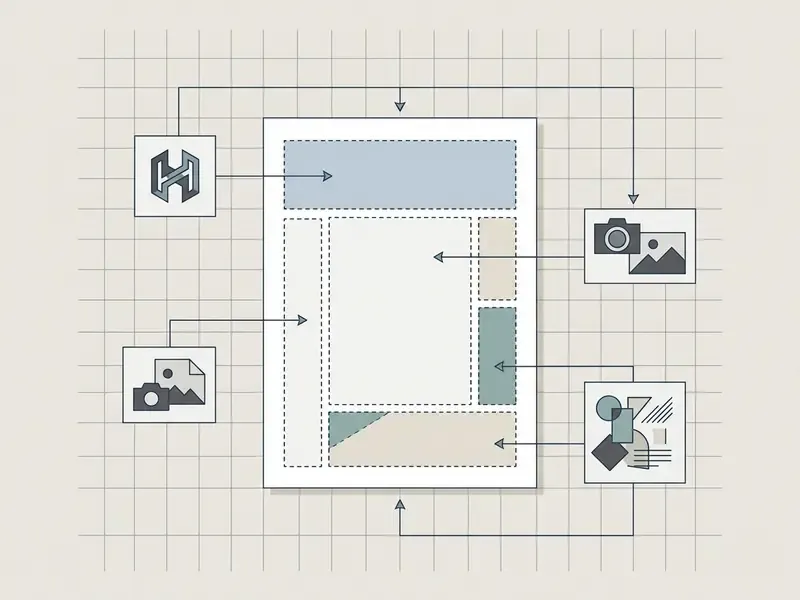
Brand integration means overlaying a vector logo (SVG or EPS) and matching colours exactly to the corporate guideline (HEX, CMYK, Pantone). Brand systems normally publish those values explicitly, per colour, so there is no reason to eyeball them. If you also need to create or adapt the mark itself, see our guide to AI logo generators.
Do not upload low-quality raster logos into the generator. Add them at the final layout stage, on top of the generated background, to keep edges crisp. Use master logo files rather than converting EPS straight to JPEG, which shifts colour.
«Designers report inconsistent colour palettes and difficulty integrating AI outputs into existing brand books as the main obstacles to direct use in client projects». «Designing Participatory AI: Creative Professionals' Worries and Expectations», CHI (2023). https://dl.acm.org/doi/10.1145/3544549.3585657
If the layout needs photographs of people, an ai human generator can create unique models and avoid model-release headaches. For dynamic promo materials, try transforming the poster with an ai image to video generator; note that content policies differ sharply between vendors, and restricted categories such as ai image to video generator nsfw tooling are normally out of scope for any corporate brand account.
Free AI poster generator, pricing plans and commercial use
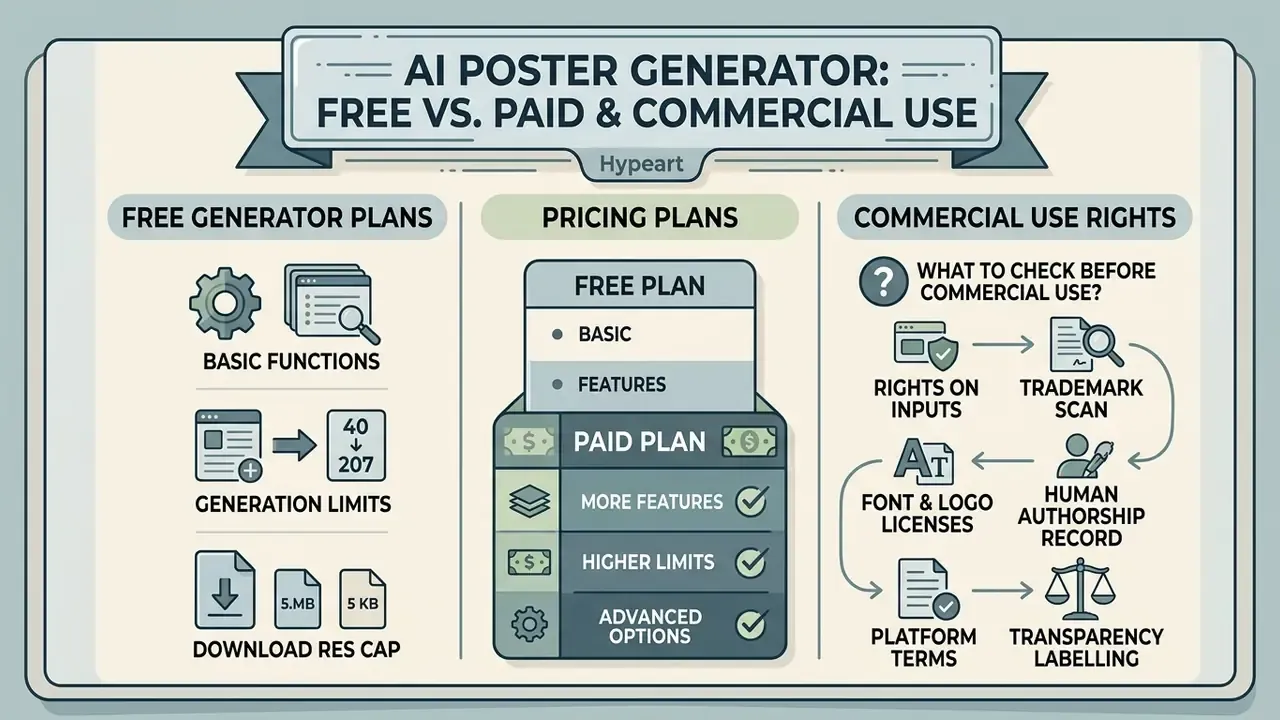
Most AI poster generators run on a freemium model: basic functions for free, with a generation limit and a download-resolution cap. Observed patterns differ sharply. Some tools require no sign-up and add no watermark. Others grant a few credits per day and watermark free downloads. A third group allows watermark-free exports but caps resolution between 720p and 4K. If you want to test without a barrier, start from our list of free AI generators with no sign-up.
What a free poster generator usually includes
An ai free poster generator tier typically includes a starter credit pack, basic styles and web-resolution export, with or without watermarks. Typical published limits look like 60 AI credits per month with one credit per poster, or three credits per day with a watermark on free downloads.
A free poster maker suits personal projects, learning and hypothesis testing. It usually restricts 300 DPI print-quality downloads, and vector export is normally reserved for paid tiers. You can review all available plans in our pricing hub, and model the cost per campaign asset with our AI cost calculators before committing to a seat count.
What to check before using a poster commercially
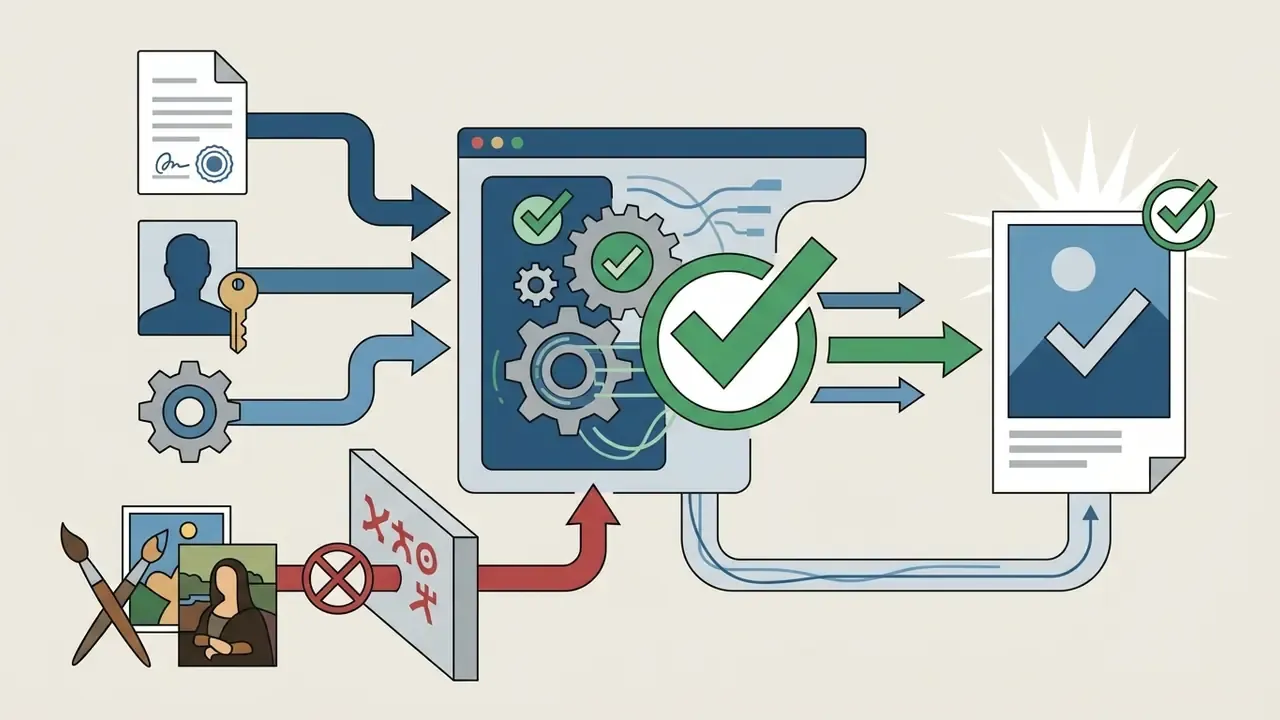
Before using a generated poster commercially, verify the service's licensing terms, the absence of third-party rights in uploaded references, and the licensing of the fonts.
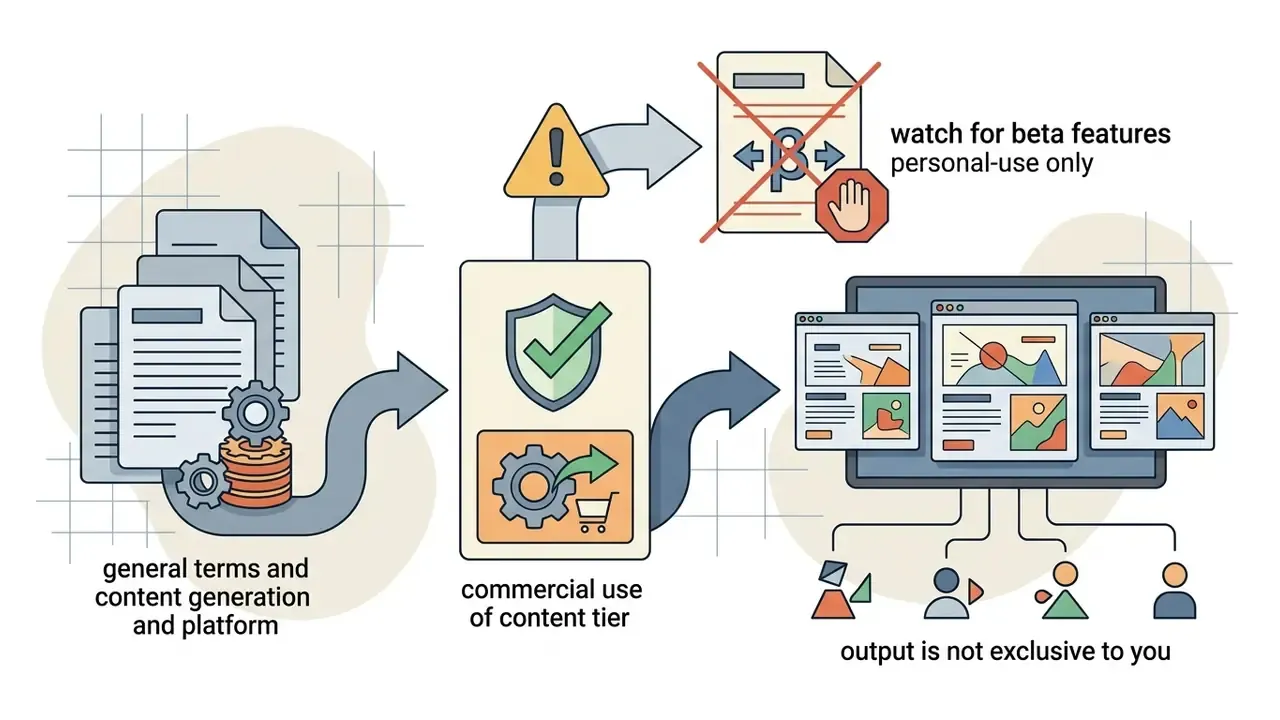
According to the US Copyright Office, pure AI content without substantial human authorship is not protected by copyright; protection extends only to human-authored contributions. What you receive is a commercial licence to use the output under the platform's Terms of Service. That is a contractual permission, not copyright ownership. Check the details for your tool in our hub on commercial use of AI image generators.
«Generative AI systems can automate the entire creative process with minimal human involvement, which calls into question the applicability of traditional incentive theories of copyright to algorithmically produced works». «Beyond Incentives: Copyright in the Age of Algorithmic Production», SSRN (2024). https://papers.ssrn.com/sol3/papers.cfm?abstract_id=4755014
There is a second risk class that poster teams routinely underestimate: trademark and third-party content infringement. A diffusion model can reproduce a recognisable third-party logo, a protected character, a distinctive product silhouette or a copyrighted photograph inside the background. Vendor policies increasingly prohibit reference images containing third-party copyrighted content and require rights clearance before commercial submission. Fonts and logos carry their own licences; the AI output does not grant them.
For contested legal questions, review precedent in our AI Litigation and Case Timelines section.

When professional poster design requires a paid plan
Paid subscriptions become necessary for commercial projects that need 300 DPI print quality, vector export (SVG or PDF), removal of usage restrictions and access to a Brand Kit. Published Pro tiers illustrate the pattern: exports up to 10,800 px at 300 DPI, SVG and PDF vector output, and a commercial licence bounded by a copy count.
A paid plan also unlocks priority generation speed, larger storage and collaboration tools. That matters for marketing agencies and in-house design departments running multi-channel campaigns with several approvers. If output fidelity rather than volume is your bottleneck, compare dedicated AI image enhancers before upgrading a whole design suite.
How to choose the best AI poster generator for your task
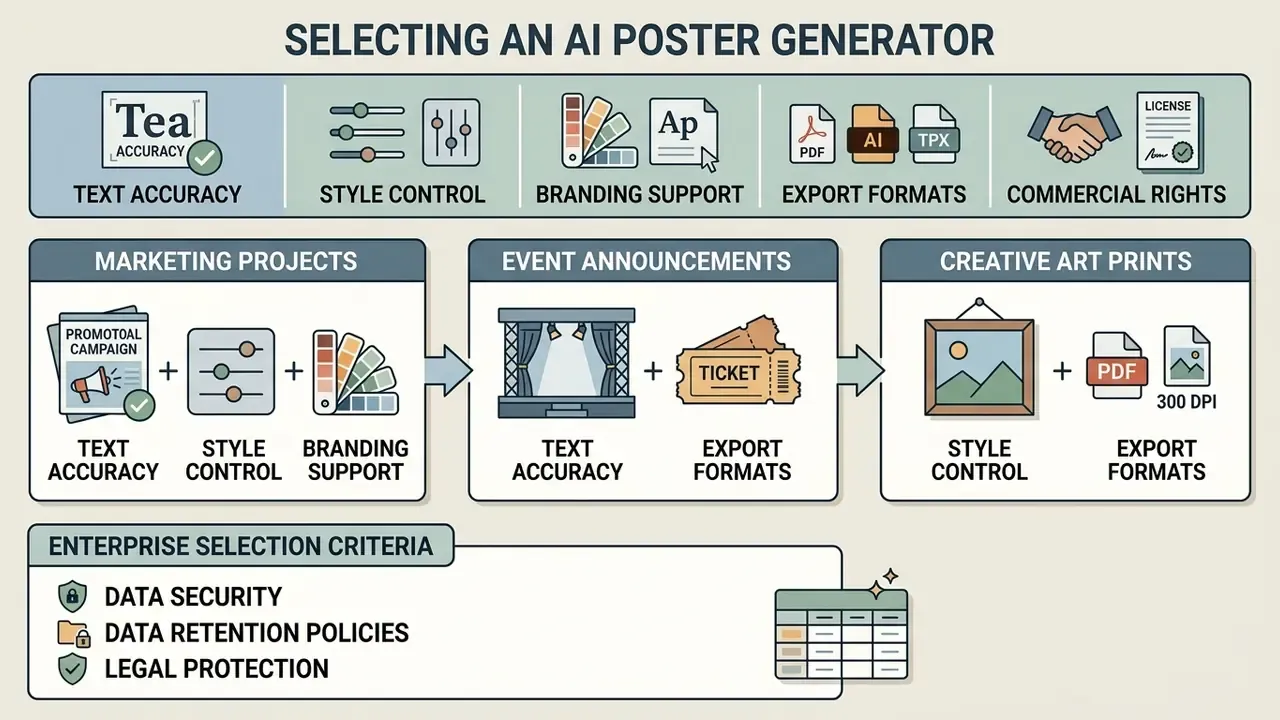
Choosing a poster generation service comes down to five criteria: text-rendering accuracy, level of style control, branding support, export formats and commercial rights. Feature lists are easy to skim; these five are the ones that break a project late.
«Design professionals expect AI tools to be transparent, controllable and co-created with designers, to support rather than replace human creativity». «Designing Participatory AI: Creative Professionals' Worries and Expectations», CHI (2023). https://dl.acm.org/doi/10.1145/3544549.3585657
Selection criteria for marketing, event and art projects
Evaluating an ai generated poster maker means mapping project requirements onto tool specifics. Marketing needs a Brand Kit. Events need reliable text layout. Art projects need stylistic flexibility. For creative work, compare the best AI art generators; for a category-wide decision, use our comparison of AI image generators.
Run the evaluation in four blocks:
An ai graphic poster generator that nails style but mangles a phone number will still cost you a reprint. Test the boring things first.
Enterprise criteria: security, data retention and legal protection
Feature parity is not enough for regulated or brand-sensitive organisations. Add a procurement layer to the shortlist.
Table 4. Enterprise selection criteria for an AI poster generator
| Criterion | What to verify | Why it matters |
|---|---|---|
| Security certification | SOC 2 Type II, ISO/IEC 27001, penetration-test summary | Baseline evidence of controls over your uploaded brand and campaign assets |
| Zero data retention, no training | Contractual commitment that prompts and uploads are not used to train models and are deleted on a defined schedule | Prevents leakage of unreleased products, pricing and creative strategy |
| IP indemnification | Written indemnity covering third-party IP claims arising from generated output | Transfers part of the infringement risk from your organisation to the vendor |
| Deployment model | Private tenant, regional data residency, VPC or on-premise option | Required where data cannot leave a jurisdiction or a corporate network |
| Shadow AI control | SSO and SCIM, role-based access, audit log of generations and downloads | Replaces unmanaged personal accounts with a traceable, approved workflow |
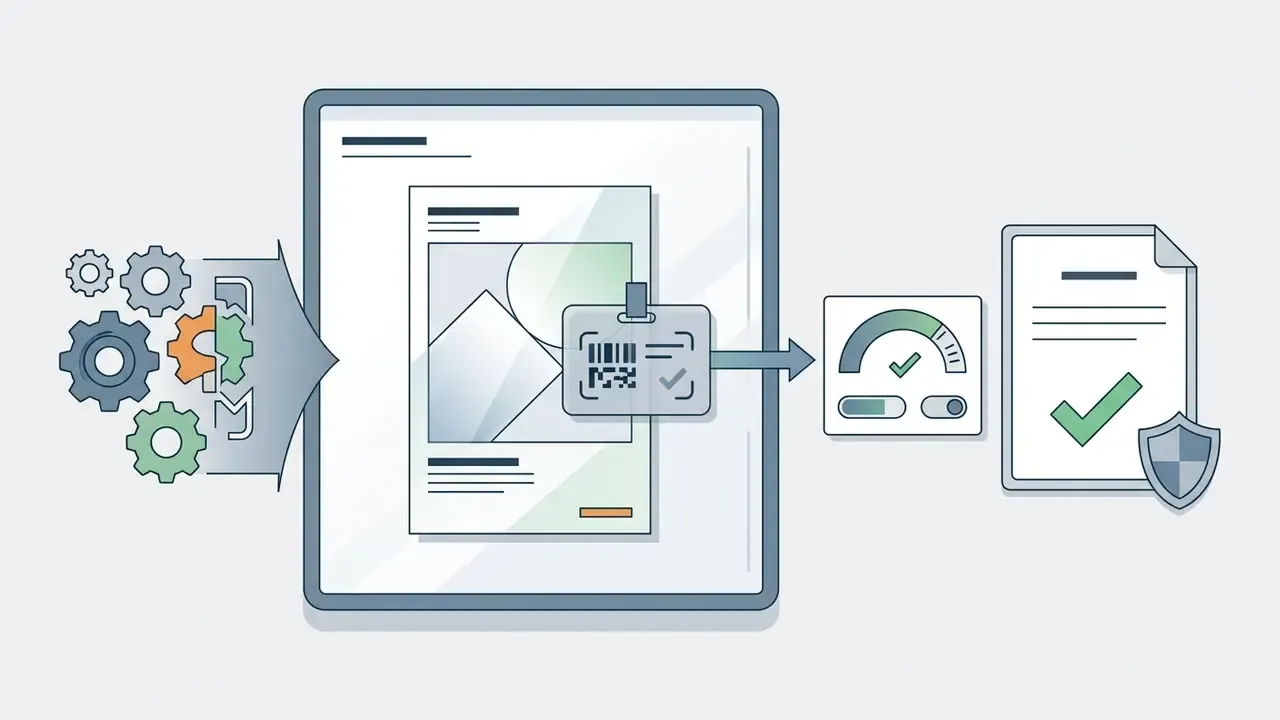
| Transparency tooling | Machine-readable AI-content marking and provenance metadata | Supports disclosure obligations for AI-generated visual content |
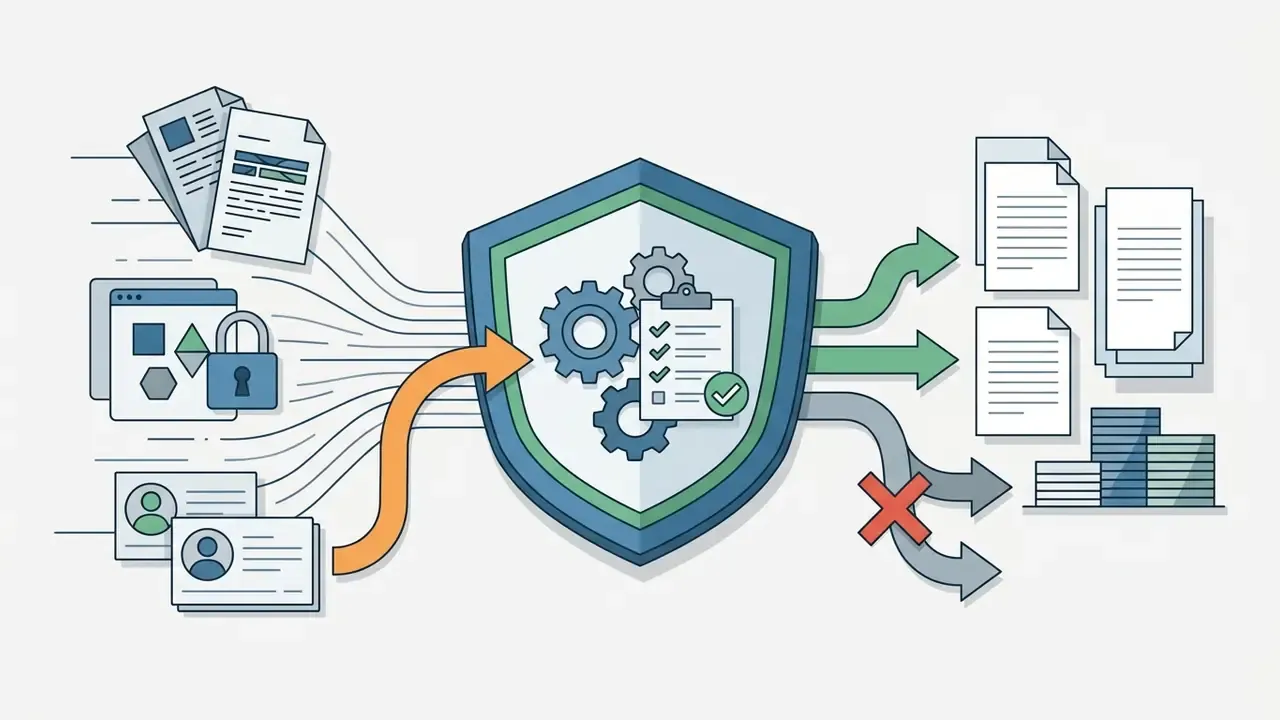
Takeaway from the table: treat an ai generator for posters as a data processor, not just a design app. The questions that decide enterprise fit are retention, indemnity, residency and auditability.
If you need setup help or a technical consultation on service capabilities, go to our support centre. To integrate generative functions into your own IT systems, read the API integration guide; developer-side cost planning for generative media is covered in our Google Veo implementation guide.
All commercial terms and graphics-usage rules sit in one place: commercial use of AI media.
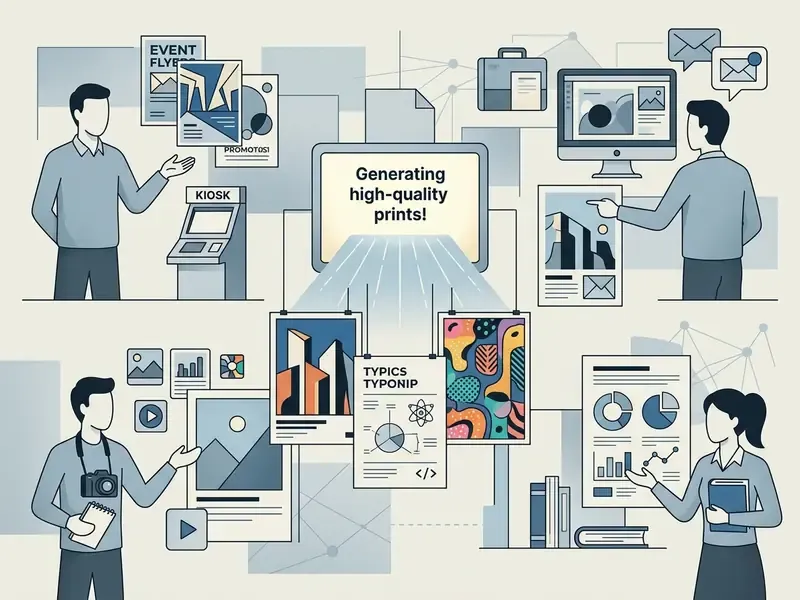
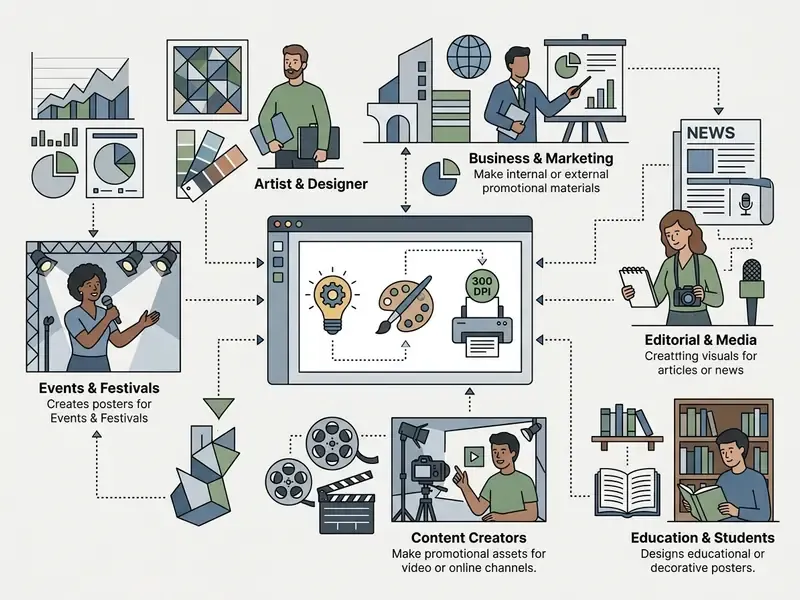
Who benefits from an AI poster maker
- Marketers and business owners. Promotional posters for sales, launches and brand-awareness campaigns, produced without waiting on a design queue, with visual identity intact.
- Event organisers. From local gigs to major conferences: layouts that hold up on a printed board and in a social feed, in one visual language.
- Content creators and influencers. Cohesive cover art and post visuals for blogs, podcasts and channels, generated at publishing frequency.
- Civic and campaign teams. Voter-registration graphics, student-election posters, public-meeting notices and advocacy materials with exact wording and disclaimers.
- Educators and students. Teaching aids, scientific and conference posters built from an abstract or a paper, plus visual materials for presentations.
- Small print shops and production managers. Fast concept drafts that still meet 300 DPI, CMYK and bleed requirements for a press-ready file.
Frequently asked questions (FAQ)
Structured for JSON-LD FAQPage markup.
Can AI-generated posters be used commercially?
Yes, provided you comply with the platform's Terms of Service and contribute substantial human input: layout editing, brand typography, logos, copywriting. Under US Copyright Office guidance, pure AI art is not protected by copyright, but you do receive a commercial licence to use it in advertising and merchandising. Watch two exceptions: beta features are often marked personal-use only, and rights on uploaded references, fonts and logos must be cleared separately.
How does an AI poster generator differ from templates in Canva or Adobe Express?
Template editors give you a fixed grid in which you swap elements manually. An AI poster generator synthesises a unique composition, colour solution and visual from scratch through diffusion models, which removes the risk of shipping the same design as a competitor. In practice the two converge: most modern suites generate the first draft with AI, then let you edit it in a drag-and-drop editor.
Do generators support prompts in languages other than English?
Most current models are optimised for English. For the most accurate composition, and to avoid semantic drift, write the primary prompt in English or use a built-in prompt translator. Interface localisation and multilingual poster copy are separate features: a tool can render Cyrillic or CJK text in the layout while still reasoning best in English.
How do I add exact text and a logo without AI distortion?
Generative models still distort small type. Generate the background image and the composition concept with AI, then overlay final headlines, dates, contact details and vector logos (SVG or EPS) in the integrated editor, on top of the generated layer. For short edits, Chat Edit is faster than regenerating. For surgical fixes, mask the region and inpaint it with a fixed seed.
Are free AI poster generators enough for printing?
Usually not for commercial printing. Free tiers commonly cap resolution, apply watermarks or block 300 DPI and vector export. They are excellent for concept testing. Move to a paid tier when you need press-ready PDF/X, CMYK conversion, bleed and a documented commercial licence.
What resolution should I generate at for a 24 × 36 in poster?
7200 × 10800 px at 300 DPI. If your model caps output below that, generate at the maximum available canvas in the correct 2:3 ratio, then use an AI upscaler to reach the target pixel count. Verify sharpness at 100% zoom before sending the file to print.
Is it safe to upload our brand book to a public AI poster tool?
Only if the vendor's terms and settings prevent your uploads from being used for model training, and only inside an approved corporate account. Otherwise treat it as Shadow AI: unreleased assets, pricing and strategy can leak. The enterprise controls worth insisting on are zero data retention, SSO, audit logs and regional data residency.
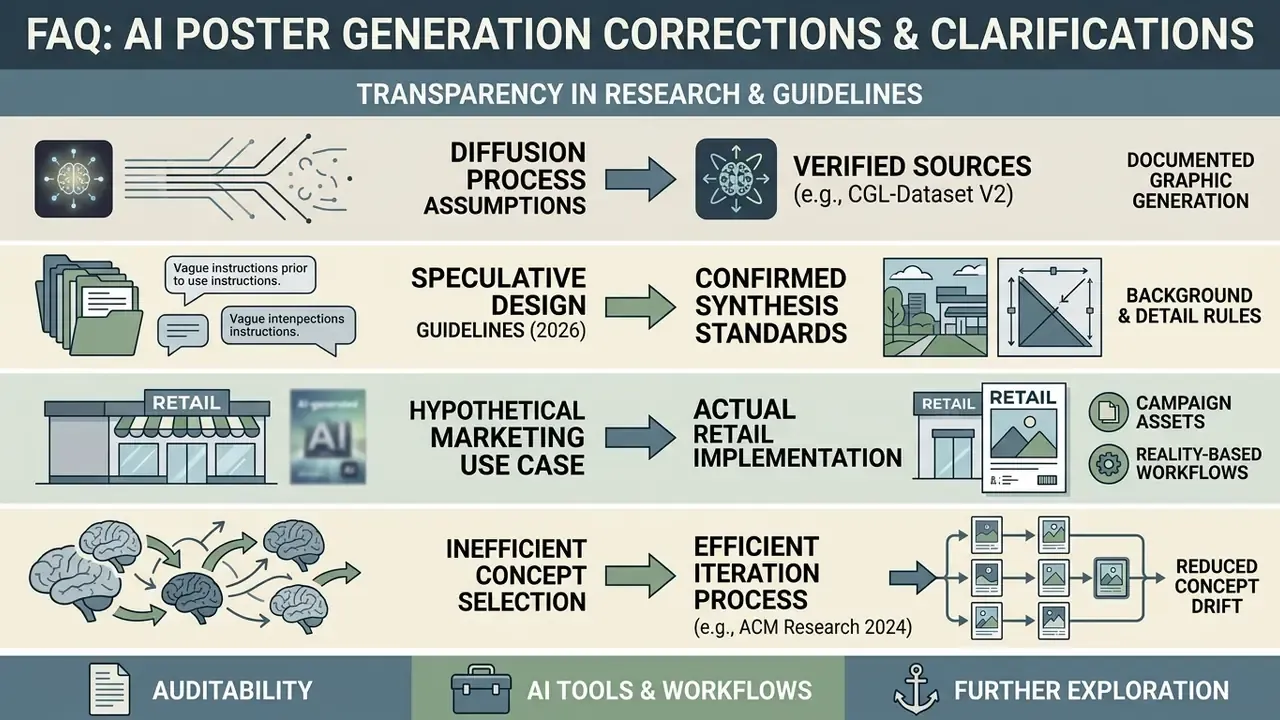
Appendix A. Corrections log (transparency)
Review record and open questions
Additional materials
Reference materials and adjacent topics are collected in the main registry: AI media glossary. For hands-on comparisons of adjacent tooling, see our guides to online photo editors and free photo editors.