Why This Matters to a Financial-Services Decision-Maker
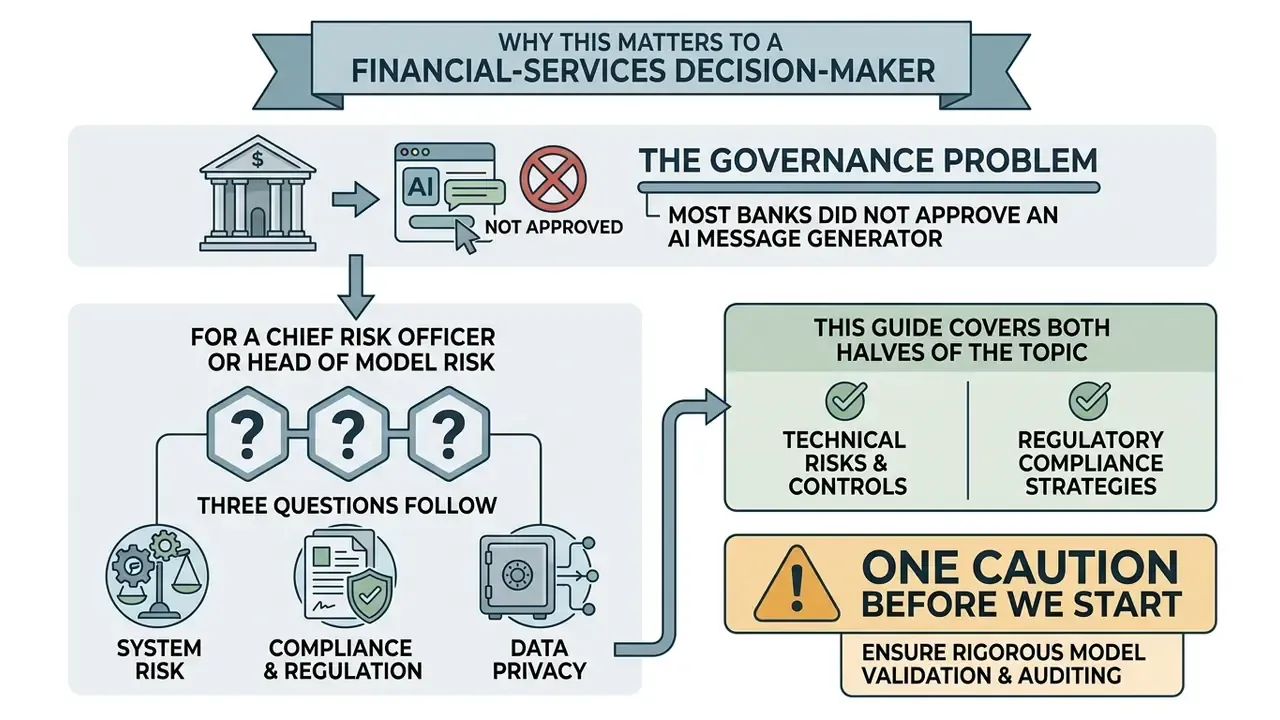
Most banks did not approve an AI message generator. Their staff simply started using one.
That is the governance problem in a single sentence. A browser tab, a client name, a pasted account detail, and suddenly an unapproved model is processing regulated data outside any inventory, any validation cycle, and any retention agreement. Nothing about the interface signals risk. It looks like a text box.
For a Chief Risk Officer or Head of Model Risk, three questions follow. Who owns the tool? What data classes can it touch? And can you reproduce, months later, exactly how a customer-facing sentence was produced? If the answer to the third question is "we still have the email", you have a record, not evidence.
This guide covers both halves of the topic. The practical half: how AI writing tools draft business, chat and social text, what prompts work, and where free tiers stop being appropriate. The control half: inventory, model risk mapping, human-in-the-loop thresholds, audit logging, and risk-adjusted ROI that includes the cost of oversight. Teams that need to compare licensing regimes across categories can also explore the hub for commercial-use terms.
One caution before we start. Audience assumptions in this article remain hypotheses until confirmed by your own analytics, interviews, or CRM data.
What Is an AI Message Generator?
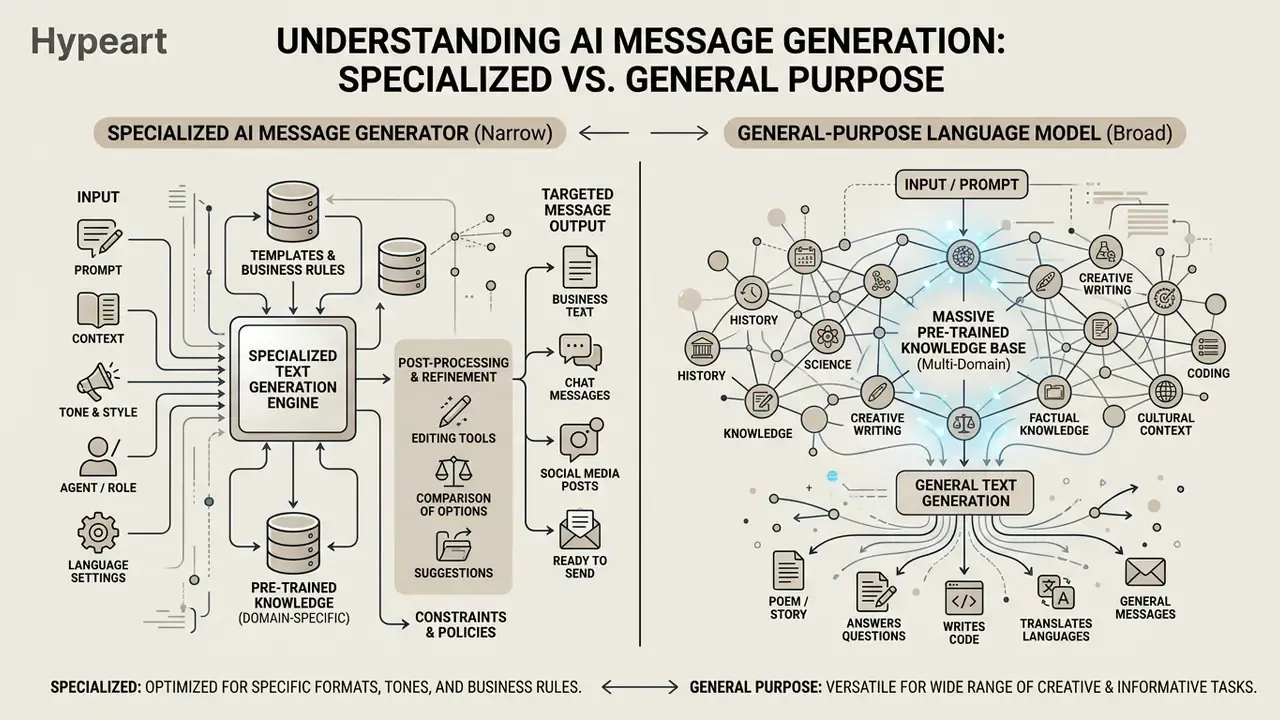
An AI message generator is a specialized software tool driven by large language models (LLMs) that produces short-form, channel-specific text based on structured user instructions. It automates the drafting of emails, quick chat responses, comments, and outreach messages while maintaining specific tone, language, and character constraints.
Unlike broad content tools built for long-form essays, an AI message generator focuses on targeted micro-communications. By processing a user prompt, the AI generator message engine analyzes the context, target audience, and desired outcome to output structured text in seconds.
Modern deployments embed an AI text generator directly into business communication channels, such as email clients or customer service desks. Academic reviews of AI writing tools stress that fluency is not the same as readiness to send:
«AI writing assistants produce fluent, readable content, yet outputs remain generic and display noticeable "AI mannerisms", requiring human editing.»
Consequently, an AI generated text generator serves as a first-draft engine. It accelerates AI writing workflows while relying on human oversight for final authorization. In governance language: the tool is a drafting accelerator, not an approval authority. That distinction decides which controls you owe it.
AI Message Generator vs AI Text Generator
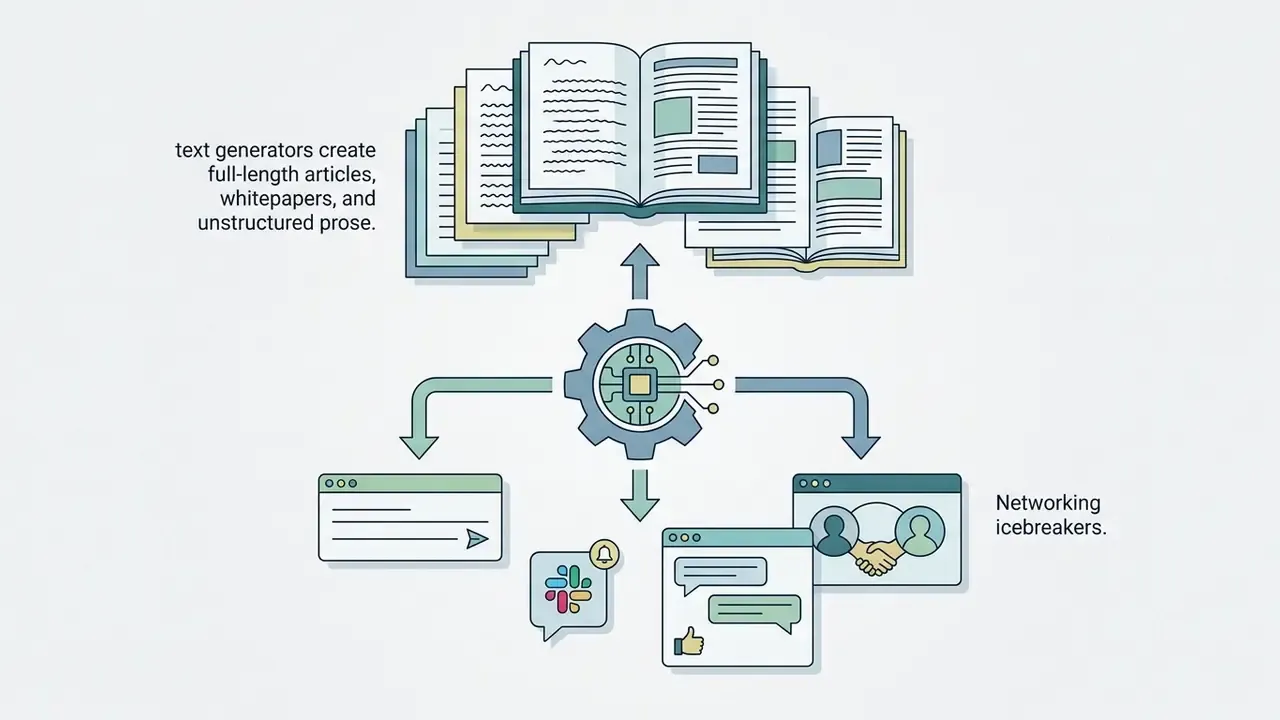
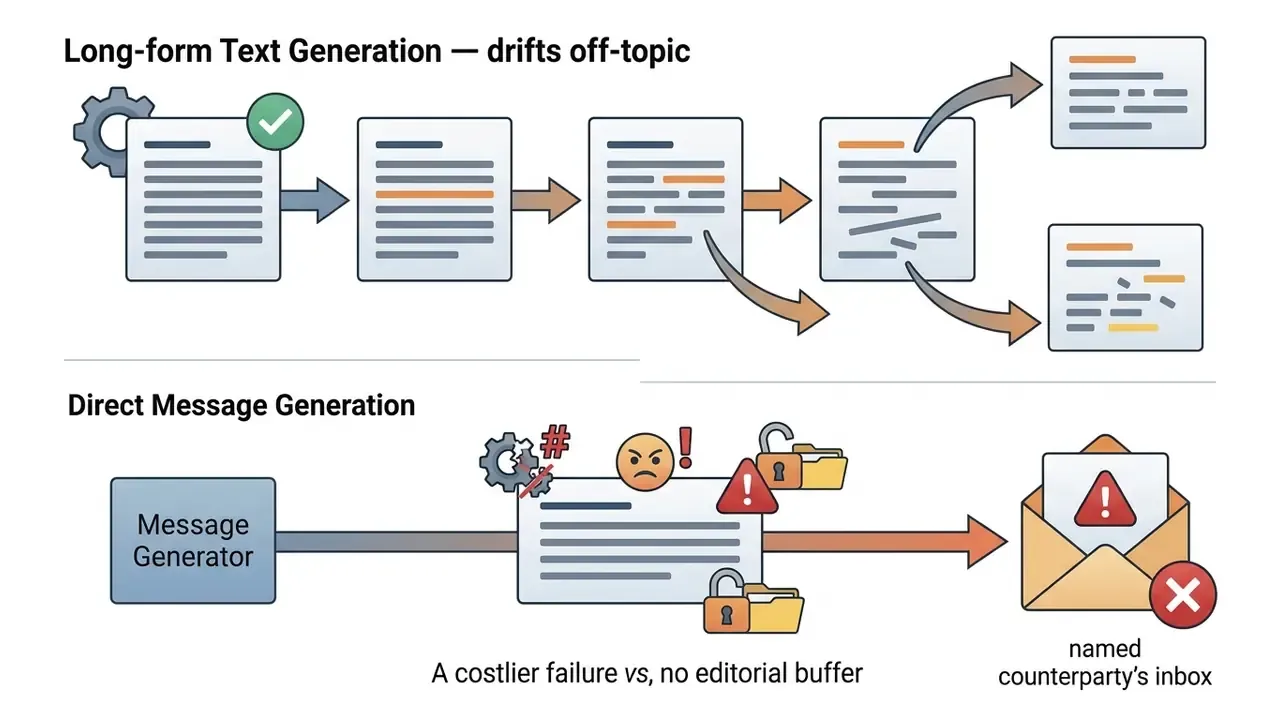
An AI message generator is optimized for short-turn, context-dense microcopy. A general AI text generator is designed for open-ended, long-form content creation. Same engine, different guardrails.
Both classes share the underlying mechanic: the model relies on probabilistic sequence modeling, calculating the most contextually appropriate continuation token by token. The operational difference is how that probability engine is bounded, budgeted, and surfaced in the interface.
An AI generator text generator marketed as "universal" is usually the long-form class with a shorter output slider attached. Ask how context is pruned, and the answer tells you which class you are buying.
What an AI Generator Can Create
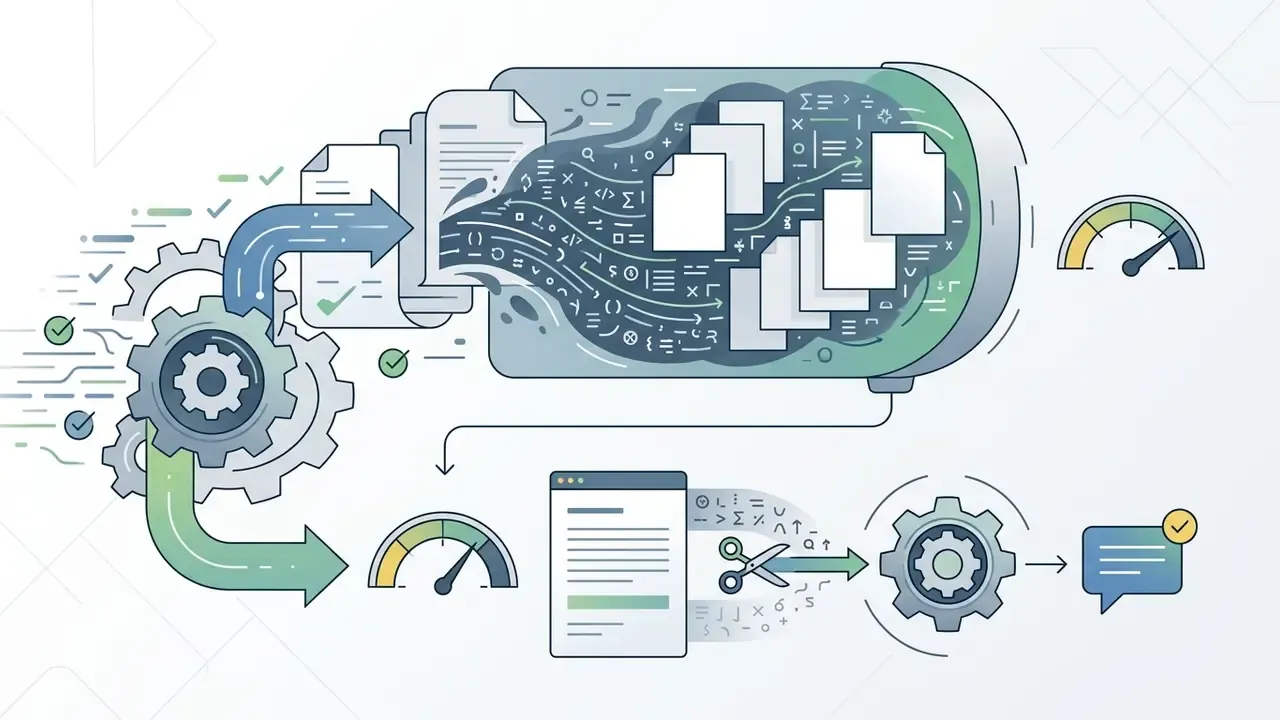
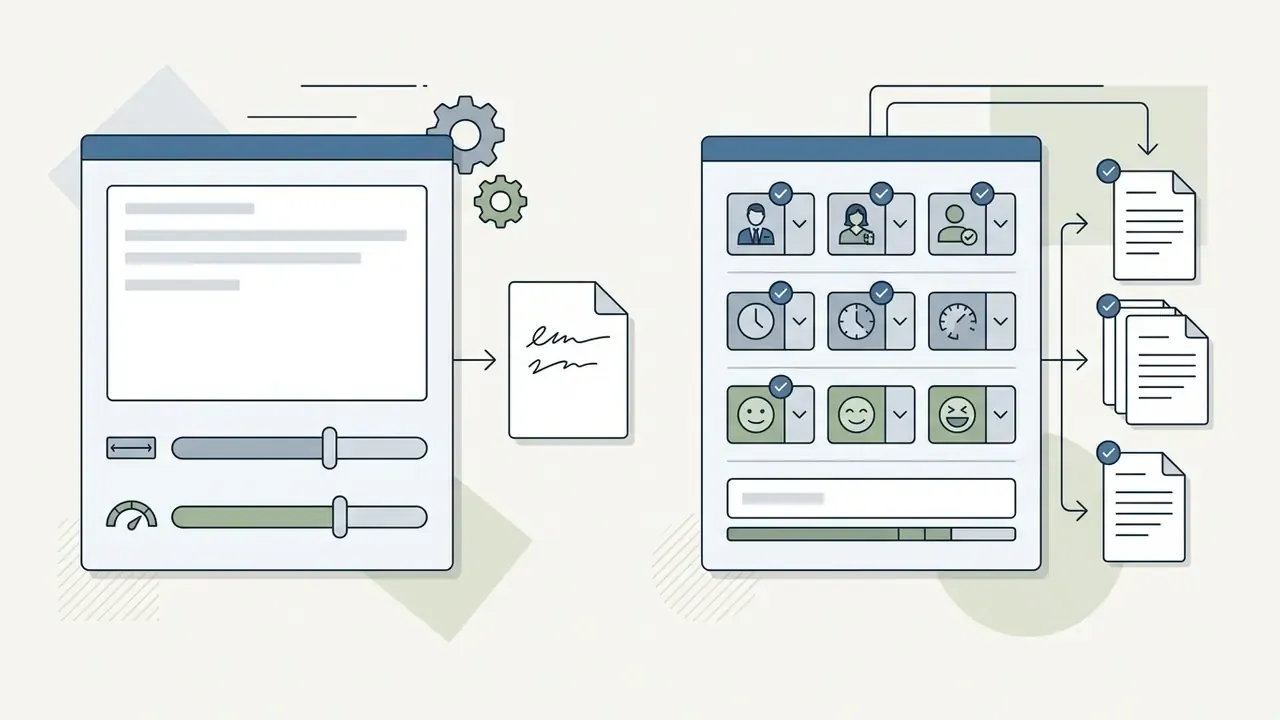
An AI message engine turns raw operational facts into structured communication across multiple business and personal formats.
When users instruct the system to create a message or create text, the AI generator type determines how the output is formatted. Modern systems reliably generate text for the following core communication tasks:
- Business Correspondence Professional emails, vendor inquiry follow-ups, internal team updates, and meeting summaries.
- Conversational Chat Real-time customer support replies, team chat responses, and instant messaging updates using an AI chat generator text workflow.
- Outreach Icebreakers Personalized first contact messages (an AI first message generator use case) for sales prospecting or professional networking.
- Social Microcopy Short social media posts, platform comments produced by an AI comment generator, and engaging marketing copy tailored for specific channels.
- Transactional Notices Appointment reminders, delivery windows, billing corrections, and status updates that must fit inside strict SMS or push-notification limits.
- Reference Summaries Internal knowledge snippets, where the tool acts as an AI information generator that condenses approved documentation rather than inventing facts.
Types of Messages You Can Create With AI
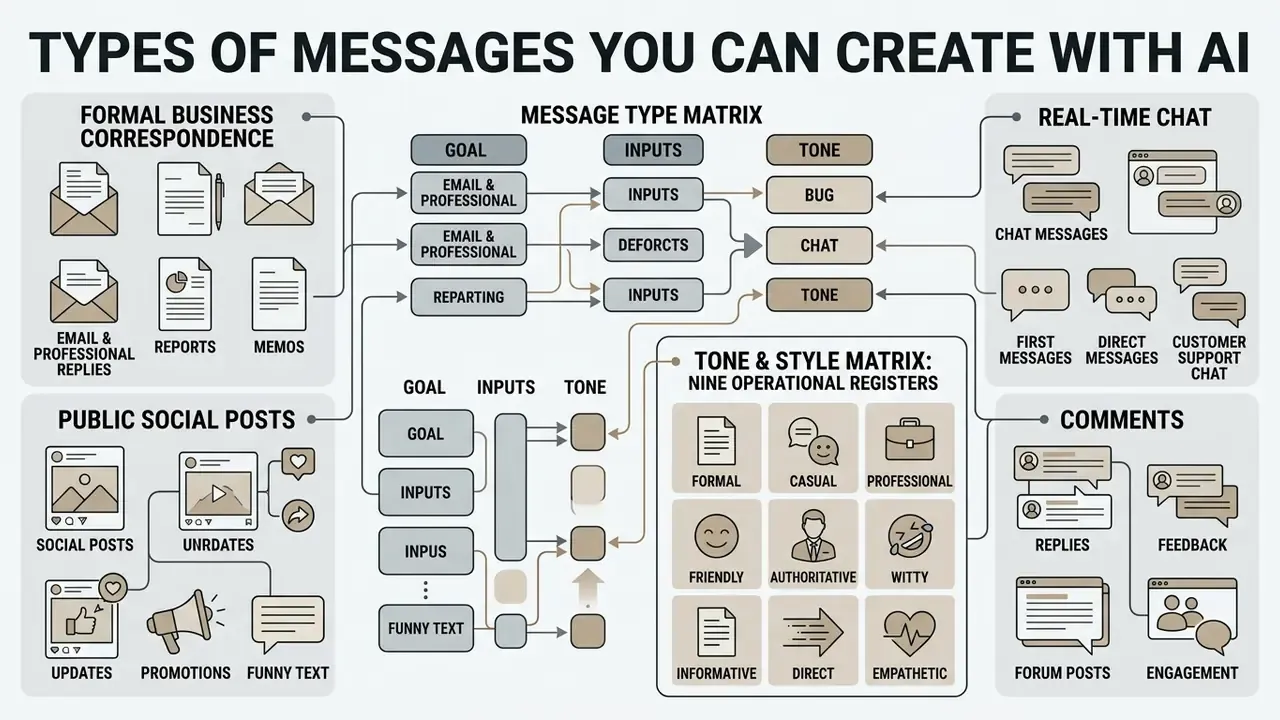
Organizations and individual operators deploy an AI generator for messages across four primary communication categories: formal business correspondence, real-time chat, public social interaction, and promotional text.
Each message type demands distinct structural constraints, tone parameters, and review protocols to protect communication effectiveness and brand safety.
Business Messages, Email and Professional Replies
An AI business message generator automates routine corporate communication, vendor outreach, and client email management while enforcing organizational tone-of-voice rules.
In enterprise settings, deployment of an AI business text generator reduces administrative drafting time and standardizes communication quality.
«7,137 workers across 66 firms cut Outlook time by 1.4 hours per week (−12%) when using Copilot in months 4–6 of the trial.»
That multi-firm randomized controlled trial of Microsoft 365 Copilot across 7,137 knowledge workers found that integrated AI message drafting reduced weekly email processing time by roughly 12% to 17%. Worth noting: the largest effects appeared after the onboarding months, not in week one. Pilots measured at 30 days tend to understate the benefit and overstate the friction.
Chat Messages and First Messages
An AI chat message generator, or an AI first message generator, drafts immediate context-aware dialogue openers and conversational replies for instant messaging platforms and professional networks.
First-contact outreach lives or dies on brevity and relevance. Peer-reviewed analysis of mobile conversation openers found that first messages averaged 8 words and 42 characters, and 89.4% of reciprocal conversations received a reply after a single initial message (peer-reviewed study of mobile conversation openers, 2022; figures reported as message length and reply-rate distributions). One short, specific opener beats a long pitch. Later work on conversational agents formalizes "icebreakers" as a distinct first-message generation task, aimed at breaking the initial barrier rather than sustaining a long exchange. An AI creator text tool can therefore synthesize prospect background into a concise, tailored icebreaker in seconds, provided the prompt supplies the shared context worth referencing.
For customer-facing chat, pairing a retrieval-augmented generation (RAG) system with an AI generator text message engine lets automated agents resolve routine inquiries, such as account status or pricing checks, far faster than manual drafting:
«A RAG agent handled routine customer requests 8–31× faster than human operators while retaining answer quality sufficient for production deployment.»
Read that range carefully. An 8x to 31x spread means the result depends heavily on request type and knowledge-base quality, not on the model alone.
Prompts That Improve AI-Generated Messages
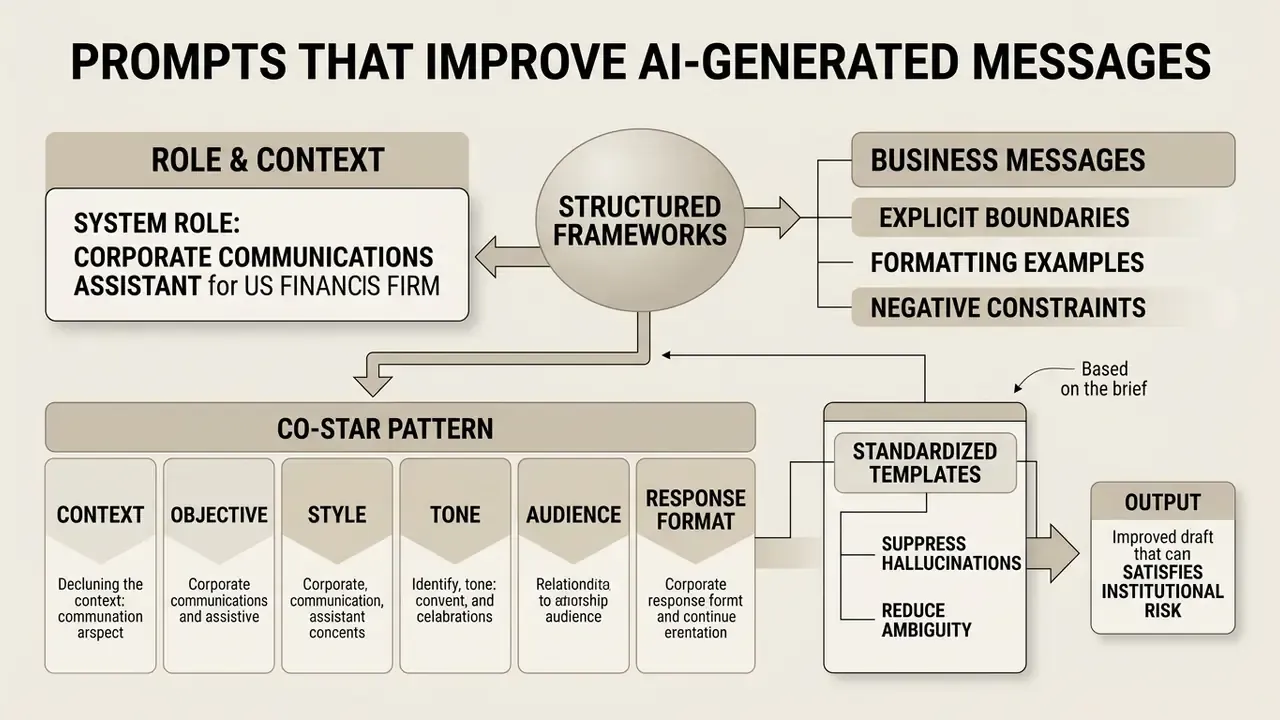
High-performing message prompts rely on structured frameworks that remove ambiguity, set explicit boundaries, and supply formatting examples. Read this section before the step-by-step workflow, because prompt design is the highest-leverage control in the whole pipeline.
Standardized templates suppress hallucinations and keep an AI generated text generator producing professional-grade microcopy consistently. Published prompt-engineering guidance converges on four structural elements: a clear instruction placed first, separated context, an explicit output format and length, and worked examples.
«Prompt taxonomies identify role-based, constraint-based and example-based strategies as the most effective for producing functional business messages.»
Prompt Structure for Business and Marketing Text
«Mercari's email-title prompt specified technical parameters, content structure, tone, CTA rules and forbidden phrasings, supported by few-shot examples.»
Applied this way, an instruction to AI create text yields a draft that satisfies institutional risk standards and business objectives. Public-sector messaging frameworks add one field worth copying: define the action you want, and the audience self-interest that motivates it, before writing a single sentence.
The FORBIDDEN line does more work than the TONE line. In practice, it is the closest thing a prompt has to a control.
How to Use an AI Message Generator
A controlled message workflow runs in six steps: define the operational goal, provide context, set tone parameters, generate the draft, run human review, then copy the approved output.
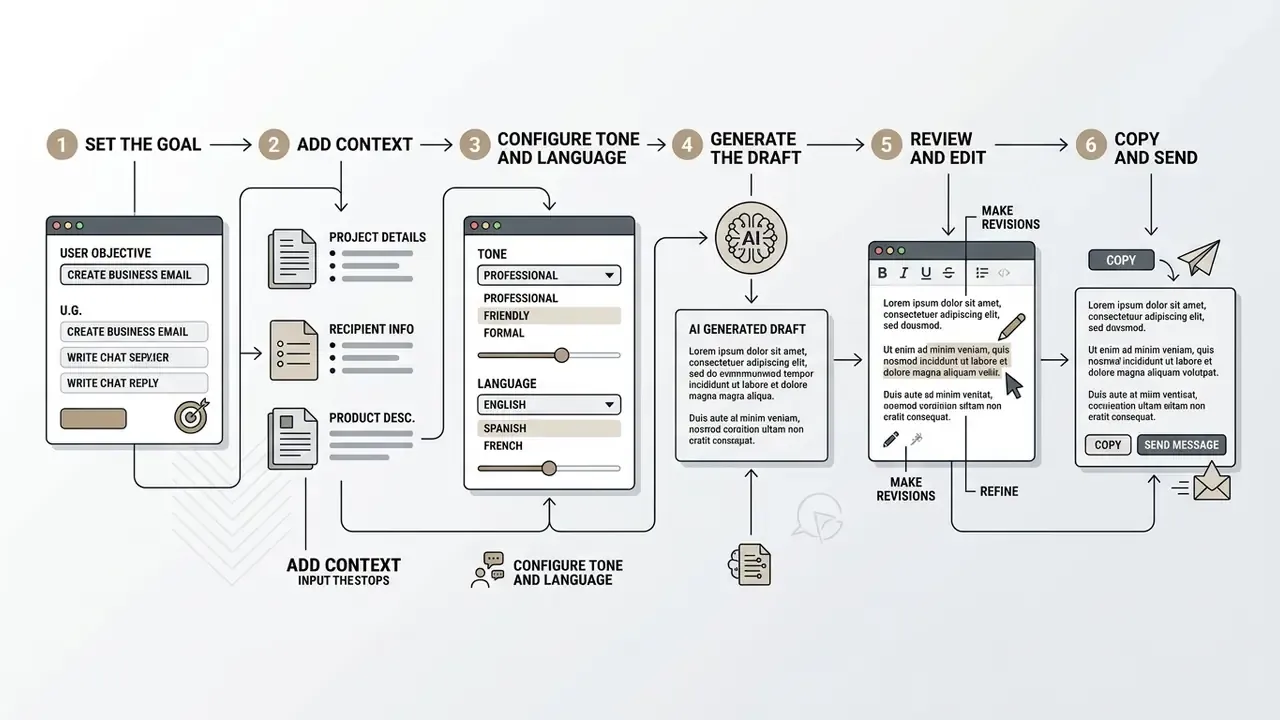
Following a systematic method keeps the output aligned with operational requirements and safety rules, whether you AI create a message from scratch or AI create message variants for A/B testing.
Step 1. Describe the Message Content and Goal
Step 2. Choose Tone, Language and Creativity
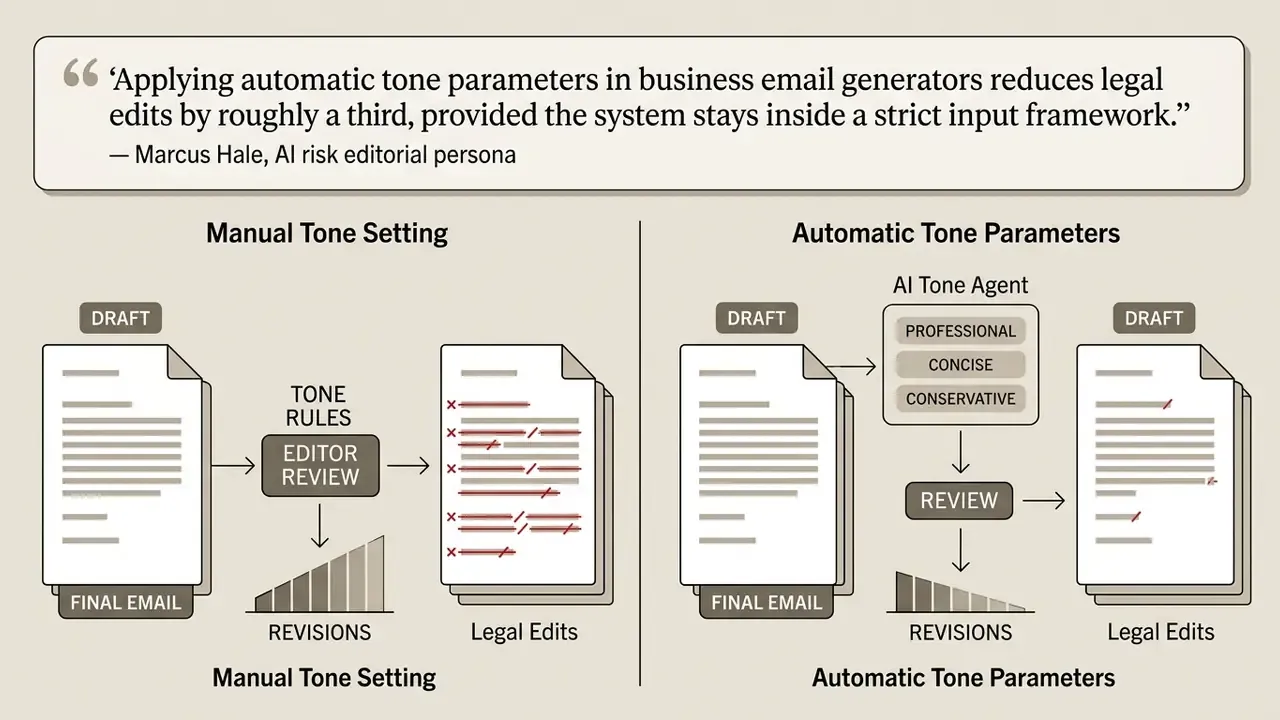
Tone, target language, and the creativity parameter drive message quality and recipient response more than model choice does.
- Tone Selection: Field experiments show measurable engagement shifts.
«In a field experiment on 16,880 workplace emails, positive tone raised open odds 2.05× and reply odds 3.32× (p<0.001).» Playful AI in Professional Email: A Field Experiment on Tone and Recipient Engagement (2026). https://arxiv.org
Read those multipliers as directional evidence from one experimental corpus, not a guaranteed uplift for your book of business.
- Language Settings: An AI generator language setting enables multilingual drafting, and an AI generator English configuration usually remains the strongest path. Cross-lingual research indicates English output achieves high completeness and actionability, while non-English output may need heavier human editing due to training disparities.
«With 480 participants, AI assistance improved email quality for English writers but reduced actionability and creativity for Arabic and Chinese writers.» Li et al., Cross-Lingual Effects of AI-Generated Content (2025). https://arxiv.org
Practical implication: budget native-speaker review for every non-English channel, and never let a reviewer sign off on a language they do not read professionally.
- Creativity (Temperature): For business and legal correspondence, use low settings (0.1 to 0.3) for deterministic, fact-bound text. For social posts or marketing brainstorming, 0.7 to 0.8 encourages structural novelty. One limit worth knowing: a 2026 PNAS Nexus study reports that LLMs stay "homogeneously creative" across baseline, "more creative", "very creative" and "not creative" system prompts. Variety usually has to be engineered through examples, not adjectives.
Step 3. Generate, Edit and Copy the Final Text
Post-processing is a mandatory human-in-the-loop stage. Drafts get verified, refined, and authorized before delivery. Not after.
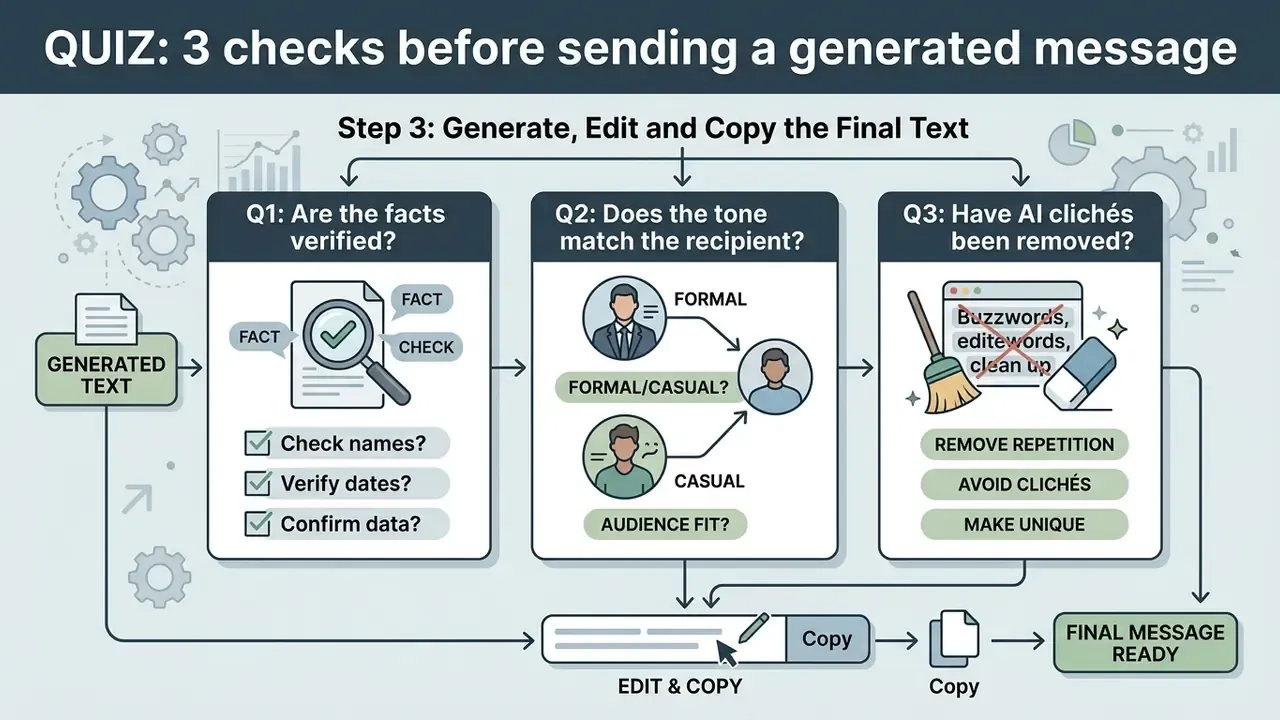
Never send raw AI output. Review time is not wasted time, and task-level measurement shows exactly where drafting assistance pays off and where it barely moves:
«In a randomized trial with 63 participants, the AI assistant accelerated email writing by only 3.3%, while summarization improved 69%.»
Editing also protects the author's sense of ownership, which quietly shapes adoption:
- Updated (review mandate)
- rather than attributing a single "LLM review guideline", rely on the documented pattern shared across public-sector and regulator guidance. The U.S. Department of Education's AI guide instructs users to cross-reference AI output with trusted sources, and EMA's guidance on LLM use instructs staff to review output for trustworthiness, cross-check it against other sources, and redact content that creates legal or copyright exposure. Both converge on the same three-part review:
- Fact Verification
- Cross-reference dates, monetary values, names, and regulatory references against primary source documents.
- Tone Adjustment
- Strip overly formal or artificial phrasing (the familiar "AI mannerisms") so the cadence reads human.
- Policy Compliance
- Confirm that no confidential internal data or protected customer information leaked into the draft.
«The more AI suggestions users accepted, the lower their sense of control, an effect neutralized when users felt highly included in the process.»
Once verified, copy the finalized text into your email client, messaging app, or social media management system and send. If a message ever becomes evidence in a dispute, the litigation trail depends on what you logged at this exact step.
Real-World Text Transformation Examples
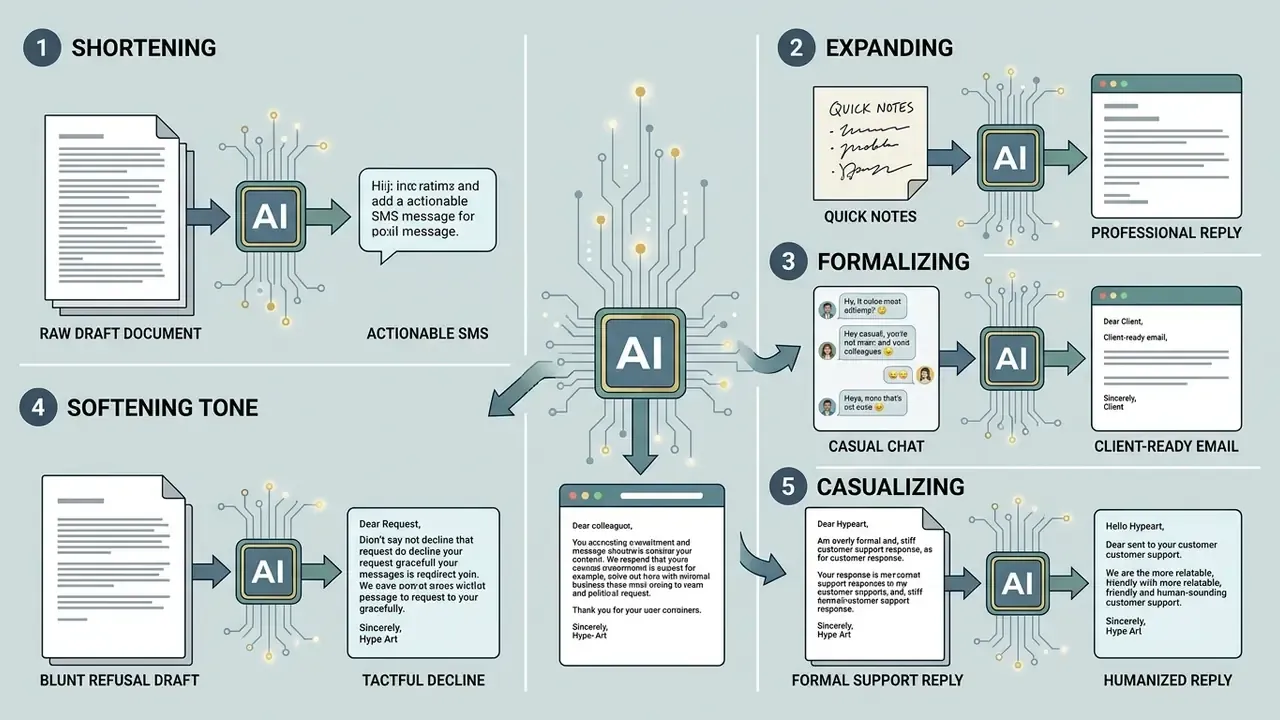
The highest-value use of AI for text creation is rarely a blank page. It is reframing: changing length and formal register on text you already own. Five transformations cover most day-to-day business rewrites.
1. Shortening (Compressing Long Documentation into Actionable SMS)
- Raw Draft: "To ensure your account verification goes smoothly, please navigate to your security settings page, upload a clear photo of your government-issued ID, and confirm your secondary phone number before Friday at 5 PM EST."
- AI Generated Message: "Please upload your ID and verify your phone number in Security Settings by Friday, 5 PM EST to keep your account active."
2. Expanding (Converting Quick Notes into Professional Replies)
- Raw Draft "Can't make 3 PM. Sending report tomorrow morning instead."
- AI Generated Message "Thank you for the update. Unfortunately, I am unable to attend our scheduled 3:00 PM sync today. I am finalizing the project report and will share it via email tomorrow morning."
3. Formalizing (Converting Casual Chat to Client-Ready Email)
- Raw Draft "Hey, totally forgot to add the file. Here it is. LMK if it works."
- AI Generated Message "Please accept my apologies for omitting the attachment in my previous email. I have attached the requested document to this message. Please let me know if you require any further information."
4. Softening Tone / Refusal (Tactfully Declining Requests)
- Raw Draft "We can't lower the price for your team. Our rate is fixed."
- AI Generated Message "We appreciate your interest in our platform. While we are unable to adjust our standard pricing tier, we can explore custom feature packaging to help maximize your budget."
5. Casualizing (Humanizing Over-Formal Support Replies)
- Raw Draft "Thank you for contacting us in regards to this issue. I would be pleased to provide assistance."
- AI Generated Message "Hi there, thanks for getting in touch. Happy to help with this."
Editorial rule for every transformation: when a message is expanded, verify that the added context is factually true; when it is shortened, verify that no legally required disclosure, deadline, or condition disappeared. Compression is where compliance risk concentrates. A dropped "by 5 PM EST" is not a style edit.
Free AI Message Generator: Limits, Pricing and Access
Evaluating free AI text generators means reading usage quotas, functional restrictions, and commercial licensing terms before anyone touches client data.
Free platforms are genuinely useful for basic drafting. Commercial use cases, especially regulated ones, generally require paid enterprise tiers.
What to Check in a Free AI Text Generator
When assessing an AI create text free or AI language generator free tool, audit the structural parameters first and the output quality second.
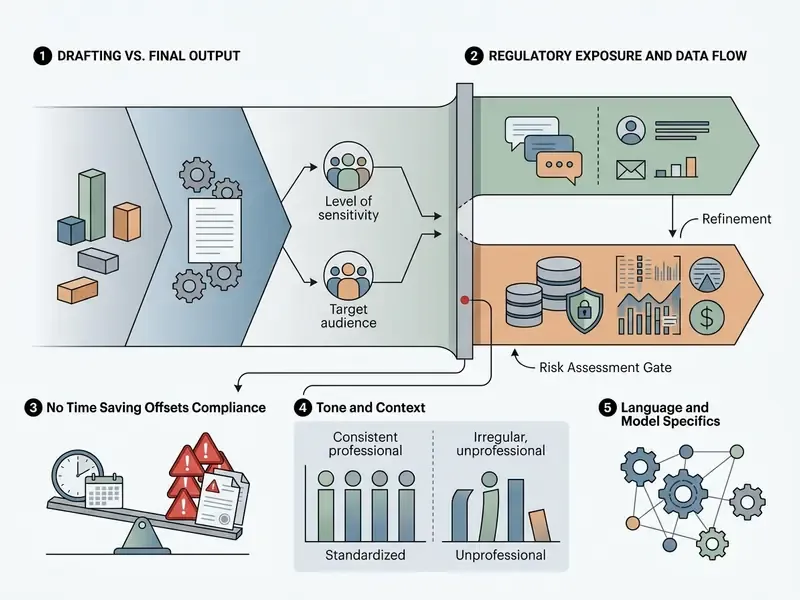
Key features to analyze in any free AI offering:
- Character and Token Limits: Most free tiers enforce monthly or daily caps. Published examples include 10,000 characters per month with a single supported language and tone matching disabled, or a fixed one-off token allowance valid for 12 months. The same pattern repeats across adjacent categories, from writing assistants to free AI video generators and free photo editors, where quotas and export restrictions define real usability. If you need to model throughput cost, browse the hub of calculators before committing to a plan.
- Model Capability: Free plans often run smaller, previous-generation models with weaker reasoning and higher error rates outside English. The gap is measurable:
«llama-4-maverick filled 16 of 29 form fields (94% of optimum), while smaller models completed only 10, confirming quality depends on model tier.» Email as the Interface to Generative AI Models (2026). https://arxiv.org
- Tone and Customization Controls
- Advanced tone matching, custom brand voice templates, and multi-tone comparisons usually sit behind paid tiers.
- Data Privacy & Training
- Free tools frequently retain prompts and outputs to train public models, which creates a direct leak path for proprietary information. Some consumer generators advertise "100% free, no sign-up" access while publishing no retention policy at all. For client data, that is disqualifying, full stop.
- Rate Architecture
- Consumer free tiers cap by messages or requests. Developer APIs cap by requests per minute (RPM) and tokens per minute (TPM). Compare both before promising throughput to a business unit; teams building automated pipelines should browse the hub of API documentation for the specific ceilings.
Pricing Confidence for Business Use
| Feature Parameter | Standard Free Access | Paid / Enterprise Tier |
|---|---|---|
| Model Engine | Earlier-generation or smaller models | State-of-the-art frontier LLMs |
| Usage Allowance | Daily or monthly character caps, low credit limits | High-volume quotas or custom token and credit billing |
| Language & Tone Controls | Basic single-language output, standard tone presets | Multi-language templates, custom brand voice, persona tuning |
| Commercial License | Personal use only, attribution often required | Full commercial ownership, IP indemnity options |
| Data Privacy & Security | Prompts may be used for model training | Zero-data-retention terms, SOC 2 Type II, data isolation |
| Integrations | Web interface only (copy-paste workflow) | Direct API access, email client plugins, CRM and GRC integration |
| Audit Trail | None, or session-only history | Prompt, output and edit logging with export for audit |
| Support Path | Community forum or help center only | Named support, SLA response windows, incident escalation |
Risk-Adjusted ROI for AI Messaging Deployments
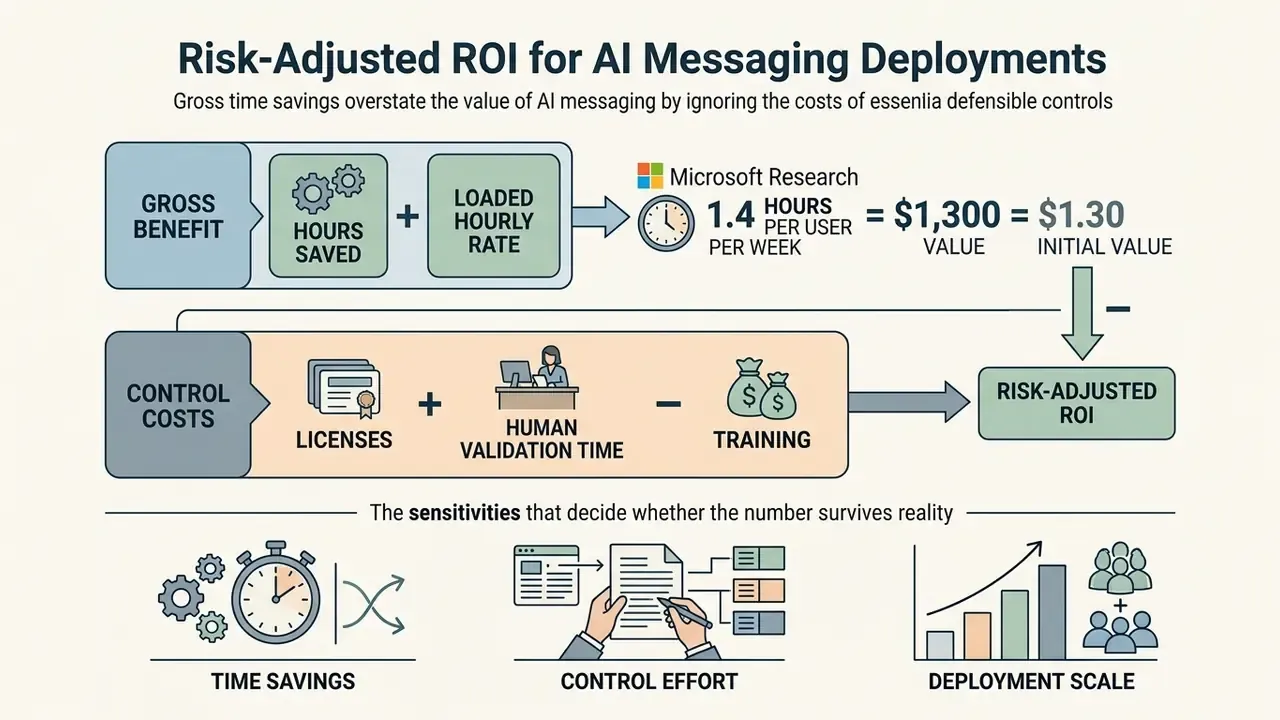
Gross time savings overstate the value of AI messaging, because they ignore the cost of the controls that make the deployment defensible. Risk-adjusted ROI corrects that.
Formula
Gross Benefit      = Hours Saved × Loaded Hourly Rate
Control Costs      = Licences + Human Validation Time + Training + Tooling/Logging + Residual Risk Reserve
Risk-Adjusted ROI  = (Gross Benefit − Control Costs) ÷ Control Costs
Worked example (illustrative, using the Microsoft Research saving of 1.4 hours per user per week):
| Component | Calculation | Value |
|---|---|---|
| Hours saved | 40 users × 1.4 h × 46 working weeks | 2,576 h |
| Gross benefit | 2,576 h × $55 loaded rate | $141,680 |
| Licences | 40 seats × $30 × 12 months | $14,400 |
| Human validation | 4 h/week reviewer × 46 weeks × $75 | $13,800 |
| Training & enablement | One-off programme | $6,000 |
| Residual risk reserve | 5% of gross benefit | $7,084 |
| Total control cost | Sum of the above | $41,284 |
| Risk-adjusted ROI | ($141,680 − $41,284) ÷ $41,284 | ≈ 243% |
Three sensitivities decide whether that number survives contact with reality. First, if reviewers must verify every message rather than a sample, validation cost can triple. Second, if the workflow is email drafting only, expect single-digit percentage gains rather than double-digit, per the Trane Technologies trial. Third, if outputs are non-English, add native-speaker review hours per the cross-lingual findings above. Model all three before a savings figure reaches a business case, because the version without control costs is the one that gets challenged in committee.
How to Choose the Best AI Tool for Message Creation
Selecting a message platform means matching capability to your primary use case, integration surface, and compliance obligations.
Functional criteria prevent procurement misalignment and protect long-term operational ROI. Public-sector and vendor evaluation frameworks converge on a common gate list: task fit, output quality, safety and compliance, integration depth, latency, scalability, and total cost, with higher-risk use cases demanding proportionally more rigorous evaluation. If you prefer side-by-side reviews, compare categories before shortlisting.
Dedicated Message Generator, AI Writer or AI Chatbot
Confusing these three classes is the most common cause of a stalled rollout.
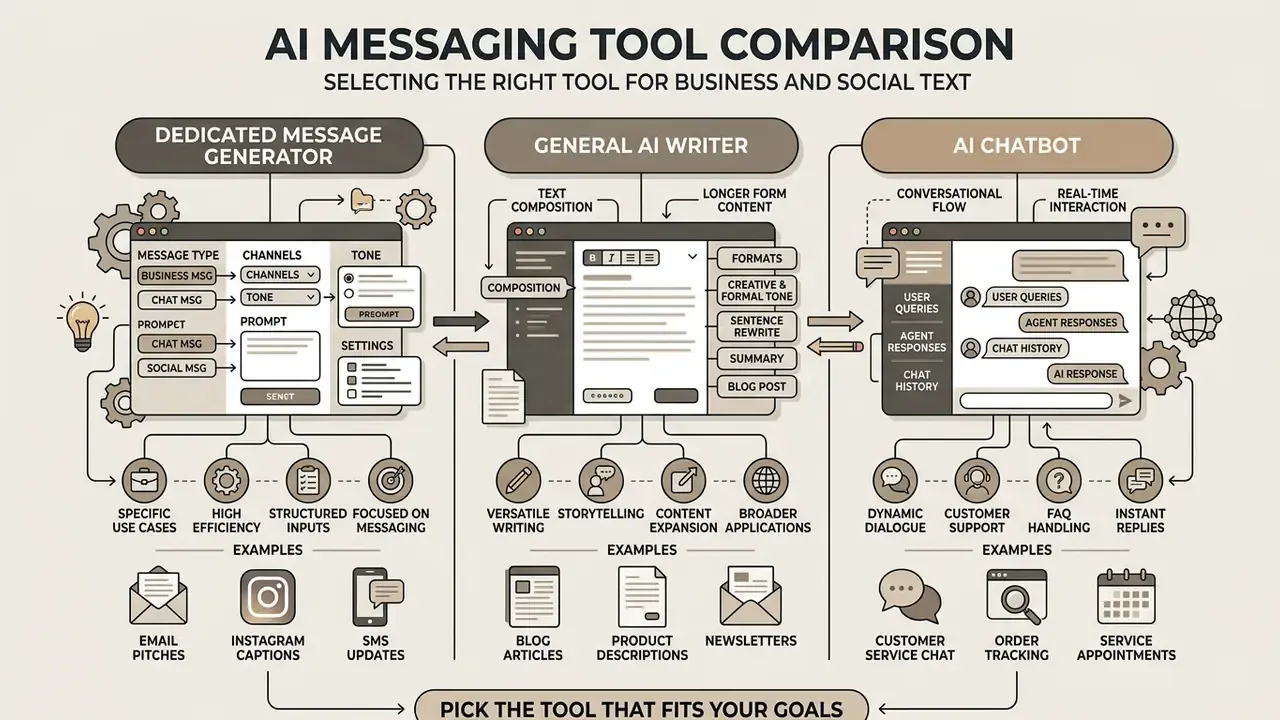
Features to Compare Before Choosing a Tool
Before procuring any tools AI solution for message creation, governance teams and operational leads should work through this checklist:
- Multi-Language Support & Control (updated): Verify whether the tool offers instruction-driven language selection per template in addition to system-managed selection, plus script handling and pre-release language testing. Salesforce's Prompt Builder documentation (Salesforce Help, 2026) treats these as two distinct modes, and multilingual prompt-engineering research adds language detection, cross-lingual translation and script handling as separate template variables.
- API & Workflow Integration: Confirm native integration with your existing stack (Outlook, Slack, Salesforce, Zendesk) through documented APIs.
- Prompt & Template Customization: Administrators should be able to lock core system prompts, set strict character boundaries, and publish reusable organizational templates.
- Audit Trail & Logging: In regulated industries, the system must log prompt inputs, model outputs, and human edits to support a reproducible audit trail.
- Vendor Security Standards: Check SOC 2 Type II certification, ISO 27001 alignment, and contractual commitments on data isolation and intellectual property.
- Operational Support: Confirm escalation paths and incident handling; teams often underestimate this until the first outage, which is why AI Media Support and Troubleshooting resources belong in the evaluation, not the appendix.
- Adoption Fit: Prioritize workflows where users actually want help.
«In a factorial experiment with 50 participants, email composition difficulty (ρ=0.597) was the main predictor of willingness to use AI, while urgency showed no effect (ρ≈0).» Preferences for AI Drafting Assistance in Email Scenarios, arXiv (2024). https://arxiv.org
That last finding deserves a pause. Difficulty predicts adoption; urgency does not. Rolling the tool out to your fastest-moving team may be the least effective place to start.
Governance: AI Inventory, Model Risk Rules and Audit Evidence
Autonomous AI Messaging Agents vs. Manual Generators
Enterprise messaging has moved past single-turn prompting. Organizations now deploy autonomous AI messaging agents directly into customer channels to handle recurring workflows:
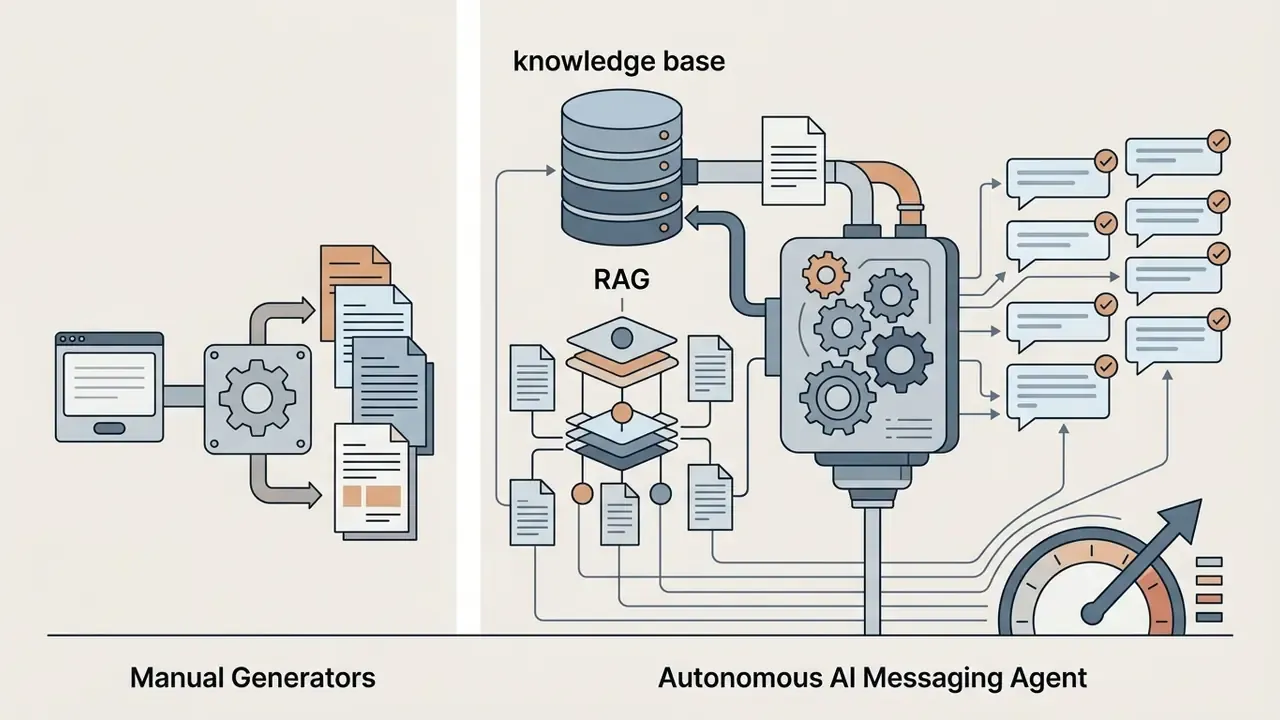
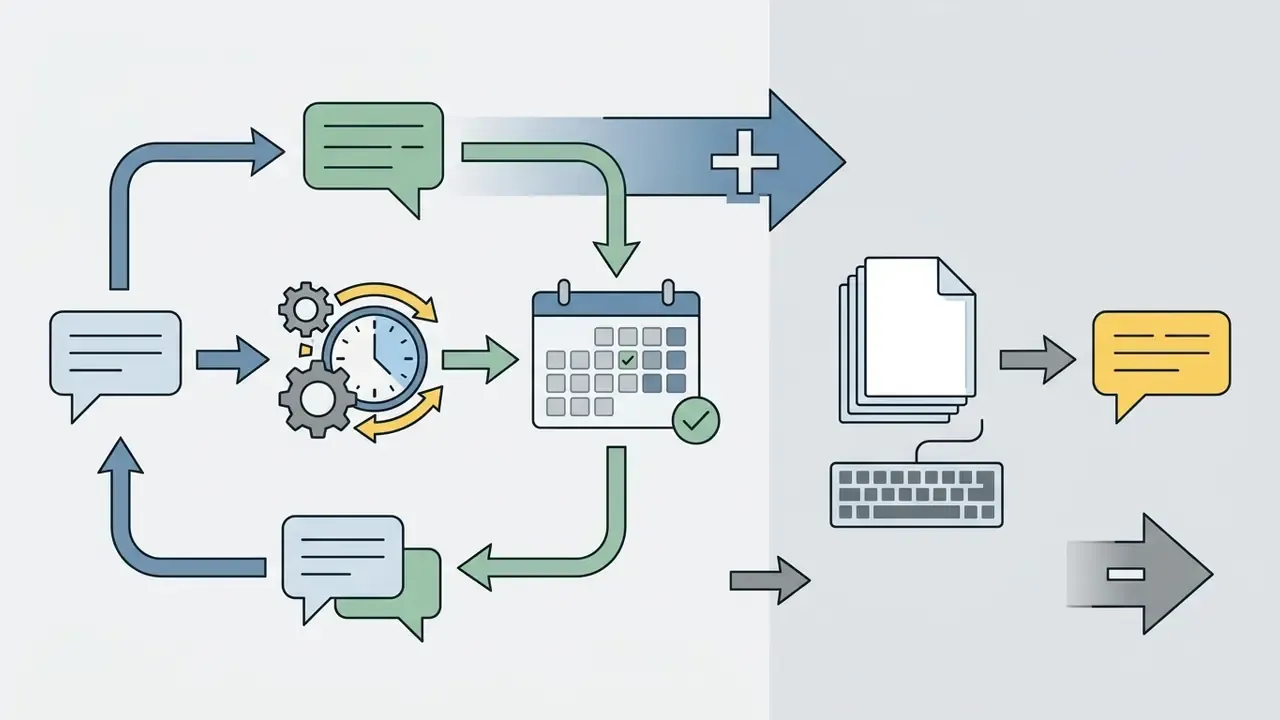
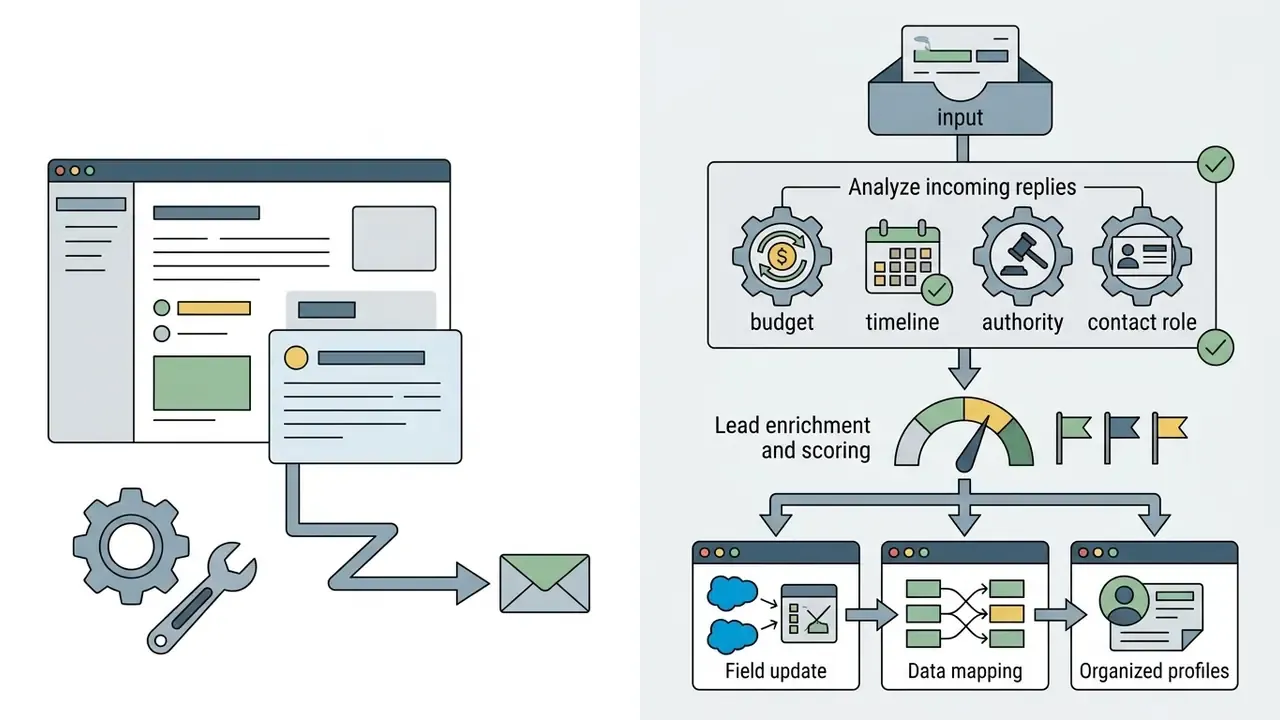
Governance delta: a manual generator produces a draft that a human sends; an agent sends on its own. That single difference moves the tool from "productivity software" to "automated decision channel" and triggers stricter requirements: approved-answer-only knowledge bases, mandatory source citation, escalation rules, kill switches, and full conversation logging. Inventory agents at a higher risk rating than drafting assistants performing the same nominal task. No evidence, no autonomy.
Channel Character & Format Reference Guide
Length is not a style preference. It is a delivery constraint with billing and readability consequences.
- SMS / Business Texting Keep the core message under 160 characters to avoid multi-part GSM segmentation charges. Put the primary CTA or link inside the first 100 characters. One instruction per message.
- Slack / Microsoft Teams Limit updates to 2 to 3 short paragraphs. Bold the action items and tag owners explicitly, because unassigned updates get ignored.
- LinkedIn Messaging Aim for 50 to 125 words. Close with a single low-friction question rather than a hard pitch; the empirical evidence on openers favours one short, specific ask.
- Cold B2B Email Restrict body copy to 75 to 125 words with one goal per email (sales-engagement benchmark, not a certified standard).
- Push Notification Target under 40 characters for the title and under 100 for the body, front-loading the verb.
- Social Comment 2 to 3 sentences, one hashtag maximum on professional networks, zero emojis in regulated contexts.
Limitations and Unresolved Questions
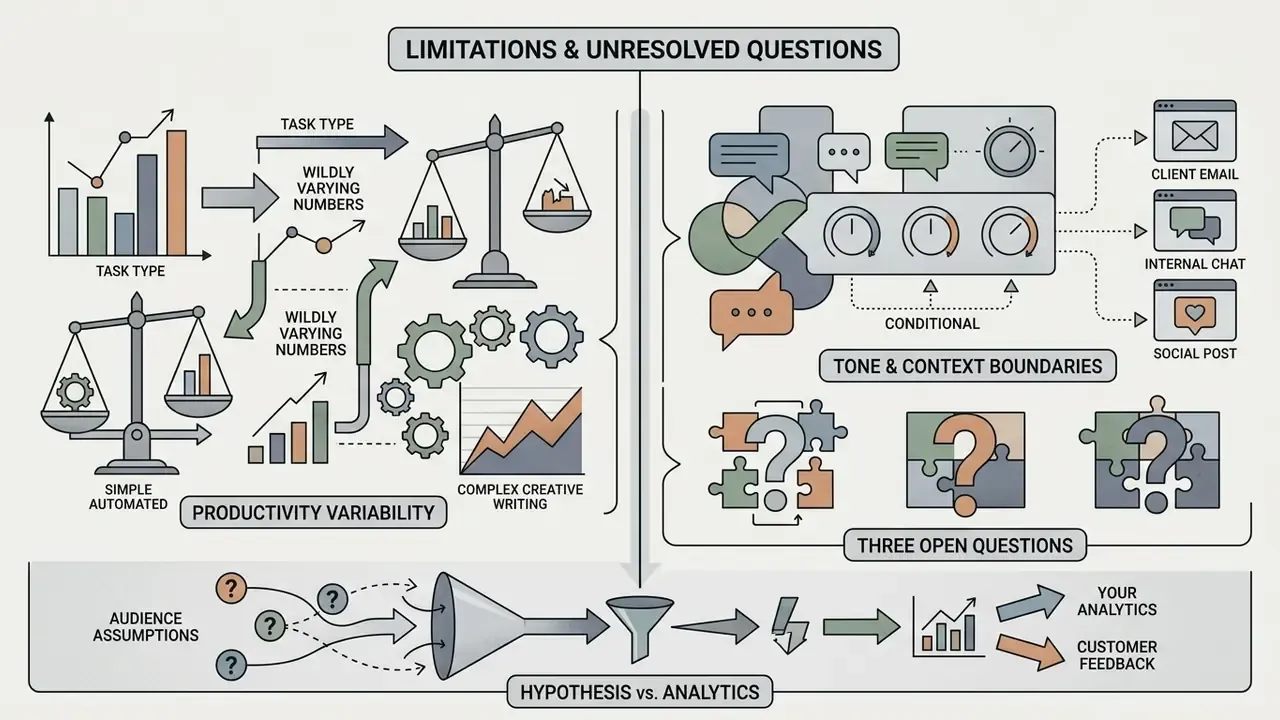
Honest reporting requires naming what the evidence does not yet settle.
Productivity numbers vary wildly by task. The Microsoft trial reports 1.4 hours saved weekly on email handling; the Trane Technologies trial reports a 3.3% gain on email composition specifically. Both can be true, because "email time" and "email drafting" are different measurements. Before you promise a number, define the task boundary.
Tone effects are also context-bound. A 2.05x open-rate lift observed in one workplace corpus tells you tone matters, not how much it will matter to your commercial clients in a credit-review conversation. Run your own holdout test.
Three questions remain genuinely open. How should model version changes be handled when a vendor silently upgrades the underlying LLM mid-contract? What validation depth is proportionate for a drafting assistant that never sends autonomously? And how do you evidence non-English review quality when your reviewer pool is thin? None of these has a settled industry answer in 2026. Anyone who tells you otherwise is selling something.
Every audience assumption in this article stays labeled as a hypothesis until your own analytics, customer interviews, or CRM data support it.
Frequently Asked Questions (FAQ)
What is the main difference between an AI message generator and an AI chatbot?
An AI message generator is optimized for single-turn, targeted microcopy (emails, social comments, outreach icebreakers) with built-in tone and character constraints. An AI chatbot is designed for open-ended, multi-turn dialogue across broad topics. The generator fits a workflow; the chatbot fits an exploration.
Can I use a free AI message generator for commercial business emails?
Most free AI text tools operate under terms that restrict commercial usage rights and may use your inputs to train public models. For commercial email involving sensitive customer or company data, use paid enterprise plans that guarantee data privacy, zero data retention, and commercial licensing. Check the terms page, then record the date you checked.
How do I stop an AI message generator from sounding generic or artificial?
Provide structured prompts with specific factual background, clear operational constraints, audience details, and explicit tone rules. Add two or three worked examples of your own past messages (few-shot prompting), forbid hype adjectives outright, and always run human editorial review to refine style and verify facts before sending.
Is AI-generated text detectable by recipients?
AI-generated text often shows recognizable patterns: over-used formal transitions, oddly enthusiastic adjectives, symmetrical paragraph openings. Editing the draft into personal or brand-specific phrasing removes those mannerisms. Detection tools remain unreliable, so disclosure policy should follow channel rules and regulation, not detectability.
Does an AI message generator create new messages or only rewrite my draft?
Both modes exist. Rewriters take a pasted draft and shorten, expand, formalize or casualize it. Generators produce a first draft from a structured prompt. Rewriting keeps you in control of the facts, which usually makes it the safer default for client-facing text.
What character limit should I use for SMS marketing and reminders?
Keep the message under 160 characters to stay inside a single GSM segment and avoid split-message billing, and place the link or CTA early in the message.
Do AI messaging agents need different controls than drafting tools?
Yes. Agents that send messages autonomously require approved knowledge sources, source citation, escalation and handoff rules, conversation logging, and a documented kill switch. A drafting assistant does not need those, because a human authorizes every send.
Can I use an AI message generator for personal messages?
Yes. Casual and friendly tone presets suit birthday wishes, group-chat replies, and family messages. Personal use is also where free tiers make the most sense, since no client or employer data is involved.
Comprehensive Summary & Strategic Checklist
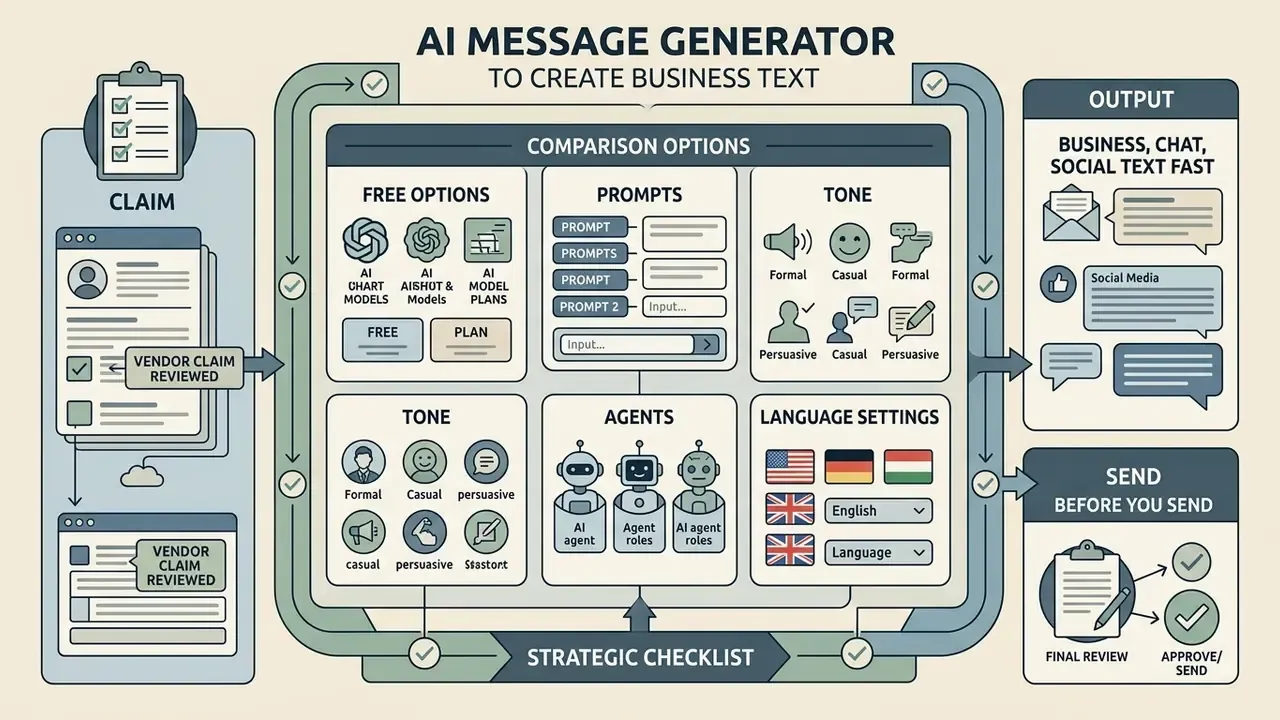
Deployed carefully, an AI message generator turns routine drafting into a fast, controlled workflow. To capture efficiency while containing risk, work through this execution checklist:
Checklist0 / 11
A safe next step, if you are early: pick one low-risk internal channel, log everything for 60 days, and only then decide what deserves production status.
Comments, Social Posts and Funny Text
Tools such as an AI comment generator, a free AI comment generator, or an AI funny text generator create public engagement copy, social replies, and lighthearted content designed for audience interaction.
Controlled experiments show that AI-generated social content can match or exceed human-written text in perceived emotional resonance and engagement on platforms like Facebook and LinkedIn.
However, researchers note a slow cost: heavy reliance on unedited outputs erodes perceived brand authenticity over time. The advantage also narrows on terser formats. Platform-comparison studies report the strongest AI gains on Facebook and LinkedIn-style copy, and weaker gains on very short X/Twitter and Instagram formats, where human phrasing carries more signal. A 2025 experimental study found something similar: generative AI can raise volume and engagement in social discussions while lowering perceived quality and authenticity. That trade-off deserves measurement before you scale it.
Humour needs boundaries. Because LLMs lack innate cultural awareness, prompts for an AI funny text generator must include explicit "do not cross" parameters to prevent off-tone output in a professional setting. Dry workplace humour, fine. Anything touching customer hardship, absolutely not.
Message Type Matrix: Goal, Inputs and Tone
Tone & Style Matrix: Nine Operational Registers
Generic presets ("professional", "casual", "energetic") are not enough for regulated or high-stakes correspondence. The matrix below maps communicative intent to concrete prompt constraints, so one generator can serve legal notices and Slack updates without blurring registers.
Consumer-grade generators expose extra registers too: grateful, inspiring, feedback-oriented, announcement, career, creative, humorous. Useful for personal and community messaging. In regulated environments, lock them behind an approval workflow.