«In evaluating generative video tools, the fundamental rule remains: no evidence, no autonomy. Free AI video generators offer remarkable prototyping speed, but enterprise-grade control requires explicit data lineage, audit trails, and risk-adjusted decision frameworks before models reach production.»
Marcus Hale, author
Executive Summary
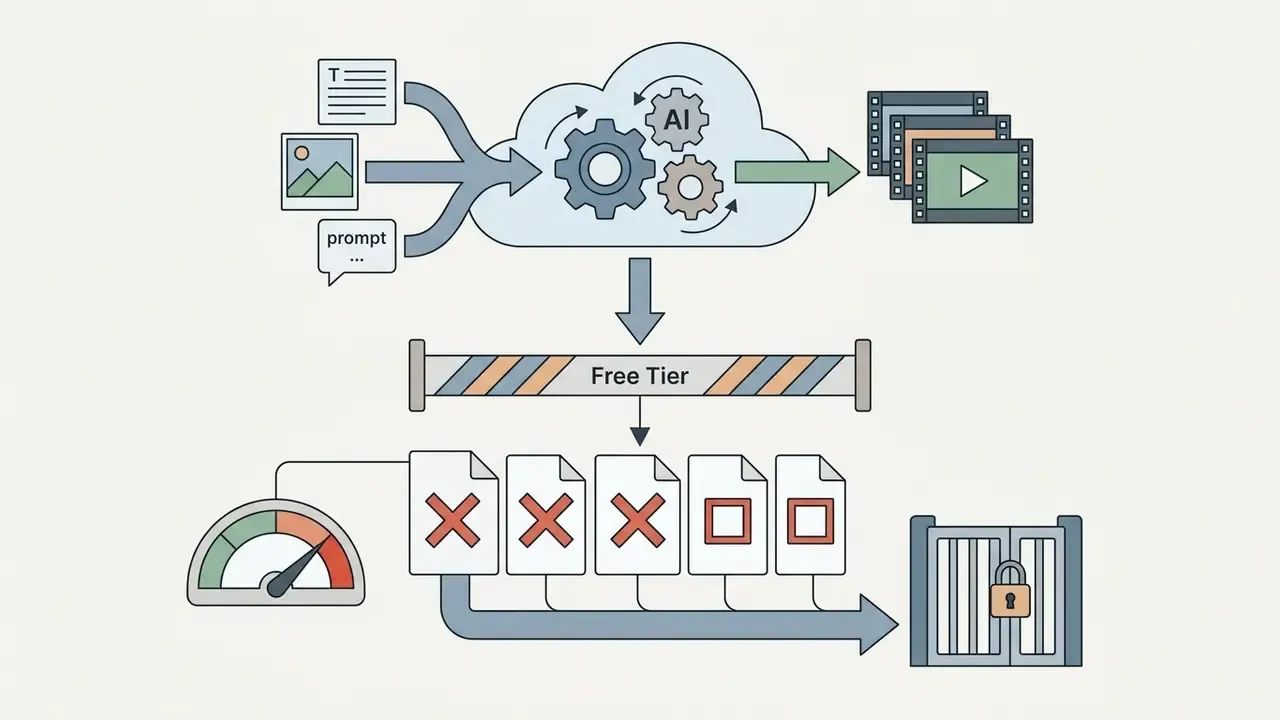
- Free tiers are prototyping sandboxes, not production pipelines. Every major platform (Runway, Pika, Adobe Firefly, Kling, WayinVideo, InVideo, VEED) rate-limits free generation through credits, resolution caps of 480p to 720p, and clip ceilings of 4 to 15 seconds. Unlimited free AI video generation does not exist, because a single 5-second 1080p render still consumes meaningful GPU time.
- Commercial rights differ sharply by vendor, so verify before you publish. Runway grants full ownership of outputs on every plan, including Free. InVideo prohibits commercial monetization on free accounts. Kling and WayinVideo allow commercial use but keep watermarks until you upgrade.
- Model choice is a risk decision, not only a creative one. Veo 3.1 for prompt fidelity and native audio, Sora for long temporal coherence, Kling 3.0 for camera physics and 4K, Seedance 2.0 for multi-modal references, Aleph 2.0 for surgical in-frame edits, Hailuo 2.3 for fast 10-second social hooks, and Fabric 1.0 for continuous clips up to 60 seconds.
- Governance is the real bottleneck in regulated industries. Before a pilot moves to production, log seeds, prompt versions, model checkpoints, and guidance-scale settings. Confirm the data-retention policy. Then price the full cost of ownership, including audit and review overhead, not just the subscription line.
Scope, Evidence Basis and How to Read This Guide
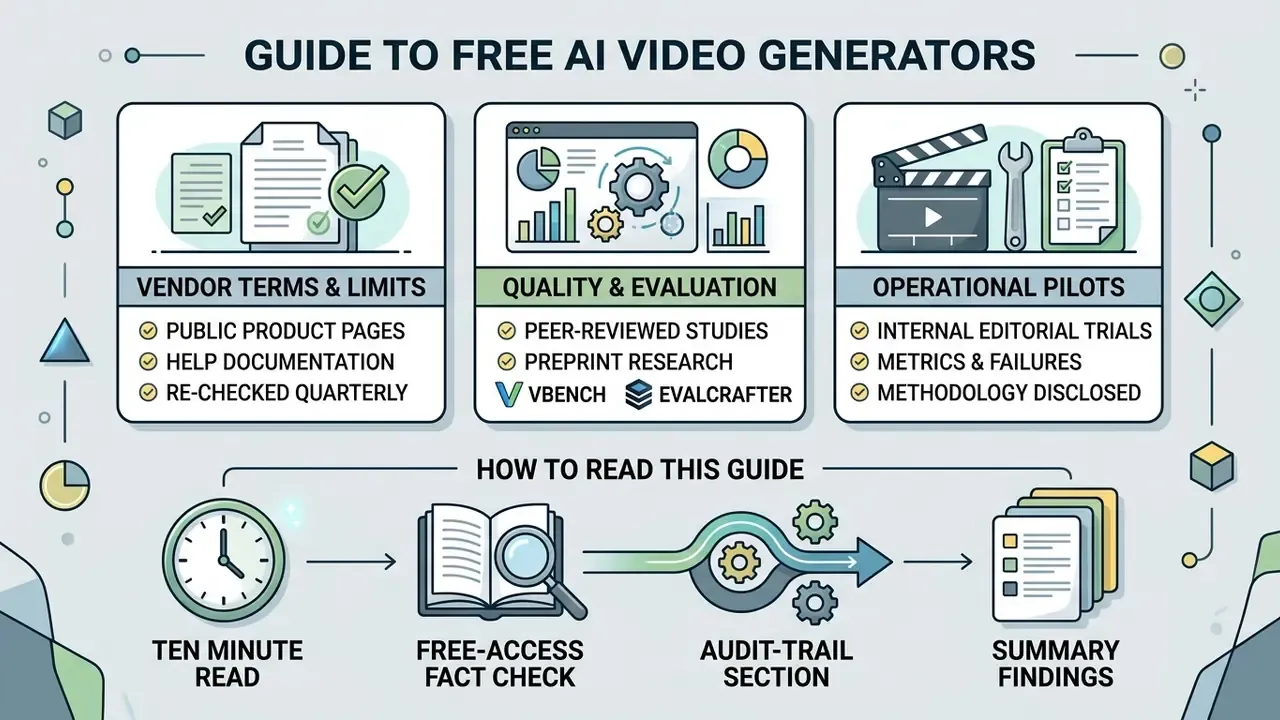
This guide mixes three kinds of information, and it is worth separating them before you act on any number here.
Vendor terms and free-tier limits come from public product pages and help documentation, re-checked in Q1 2026. They change often. Treat every figure as a snapshot rather than a contract.
Quality and failure-rate claims come from peer-reviewed or preprint evaluation work: VBench, EvalCrafter, VideoPhy, T2VQA-DB. Those benchmarks disagree with each other in places, which is useful, because it tells you the category is not settled.
Operational observations from internal editorial pilots are labelled as such, with methodology disclosed. They are directional. They are not benchmarks, and no controlled comparison was run.
If you only have ten minutes, read the free-access fact check, the audit-trail section, and the risk-adjusted total cost of ownership formula. Those three decide whether a pilot survives review.
What a Free AI Video Generator Is and What Free Access Actually Includes
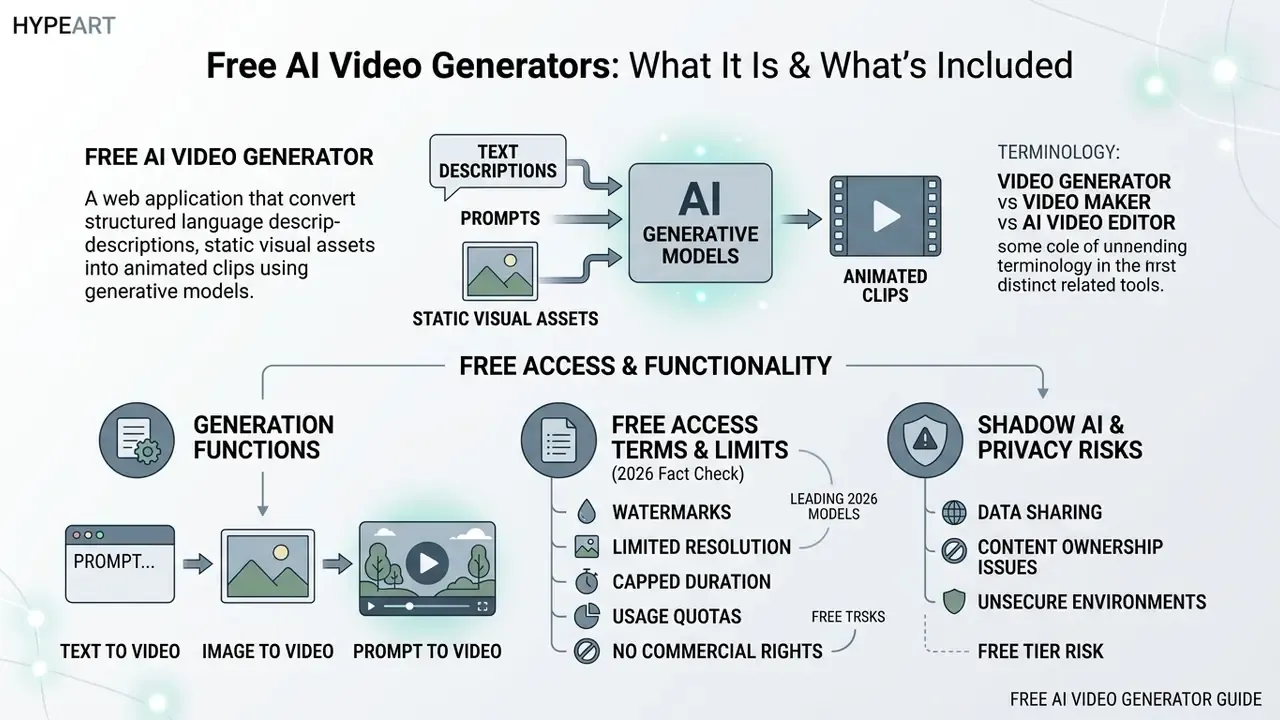
A free ai video generator is a web application that turns structured natural language descriptions or static visual assets into animated clips using trained generative models. On a complimentary access tier, an a ai video generator provides basic compute access, letting creators, marketers, and technical teams evaluate core synthesis capability before committing budget.
«Diffusion models have become the de facto standard for text-to-video generation and occupy a central position in contemporary video research.»
Understanding the architectural distinction matters. A pure a video generator synthesizes raw visual frames from noise. An a ai video maker wraps generation in timeline editing, template assembly, and asset compositing. Pick the wrong category and you will fight the tool for a week.
Text to Video, Image to Video and Generation From a Prompt
In generative media workflows, text to video and image to video are two distinct conditional pathways. Text-to-video systems parse structured prompts to synthesize subject, environment, background aesthetics, and motion directly from noise. Readers new to the category can review the fundamentals of text-to-video AI tools before choosing a platform. Conversely, image-to-video generation uses a source image, such as a product photo, a portrait, or a stylized design, as a spatial anchor. It applies motion vectors while trying to preserve visual fidelity and character appearance. Users chasing a specific aesthetic often start with a line art generator to create minimalist vector-style inputs, then push them through an ai art generator video free interface.
When you operate an a free ai video generator, the prompt is the steering wheel. Models map input tokens against learned visual representations to decide camera angles, lighting, and subject actions across consecutive frames. Whether you use a1 video generator architectures or hunt for aai video generator options, input precision decides whether the output stays temporally stable or dissolves into artifacts.
The practical difference is one of conditioning. In text-first generation, the model invents both appearance and motion. In image-conditioned generation, appearance and composition are already fixed by the uploaded frame. So the prompt should describe only movement, timing, continuity, and what must stay unchanged. That last clause is the one most people forget.
Free Access, Export Options and Available Video Generator Functions
Free access structures for an actual free ai video generator generally rely on daily or monthly credit allocations rather than unrestricted rendering.
«Generating a 5-second 1080p video takes 41.4 seconds on a single NVIDIA L20 GPU.»
Shadow AI and Data Privacy Risk on Free Tiers
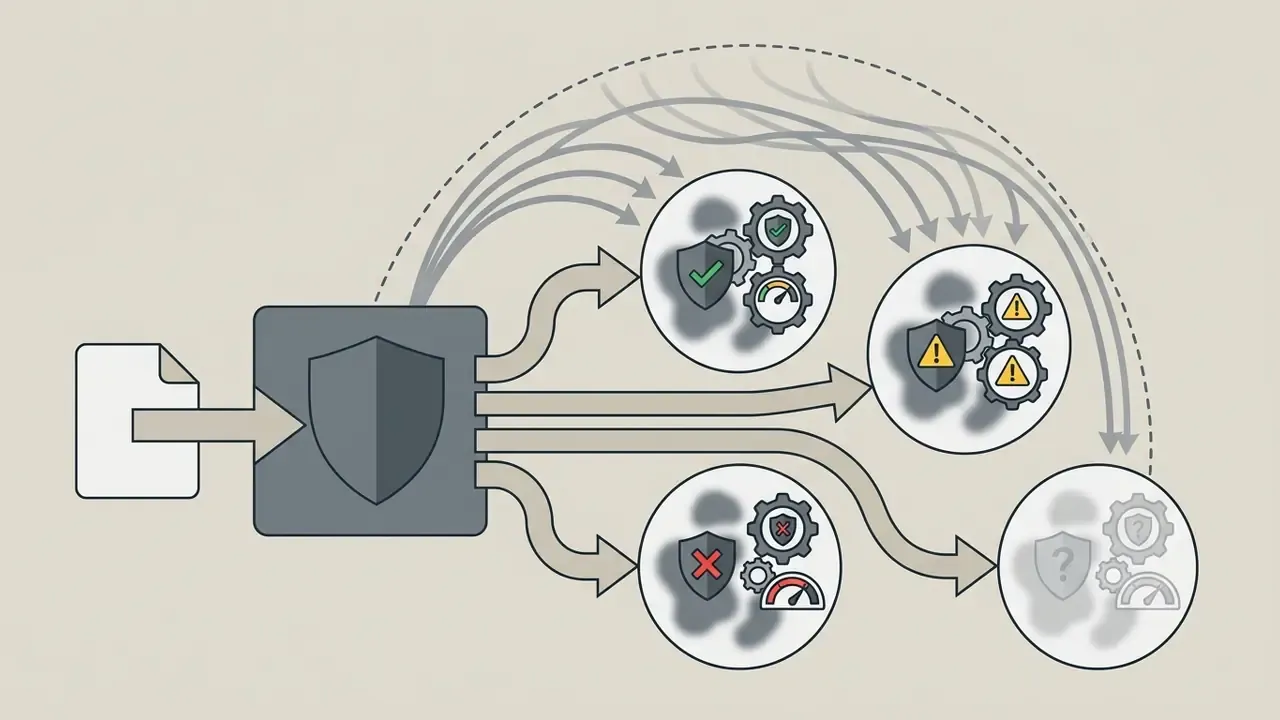
Free tiers are the primary vector for Shadow AI inside regulated organizations. An employee who uploads an internal product mockup, an unreleased pricing screen, or a customer-facing script into a consumer video generator has moved proprietary data into an environment with no contractual processing guarantees. No DPA, no attestation, no recourse.
Four risk categories deserve explicit review before any free-tier pilot.
Practical mitigation for pilots. Restrict free-tier experimentation to synthetic, public, or already-published assets. Prohibit uploads of customer data, unreleased roadmap visuals, and identifiable employee likenesses. Route all sanctioned generation through one approved workspace so usage stays observable. And document the exception in your model inventory, rather than pretending the pilot does not exist. It always exists.
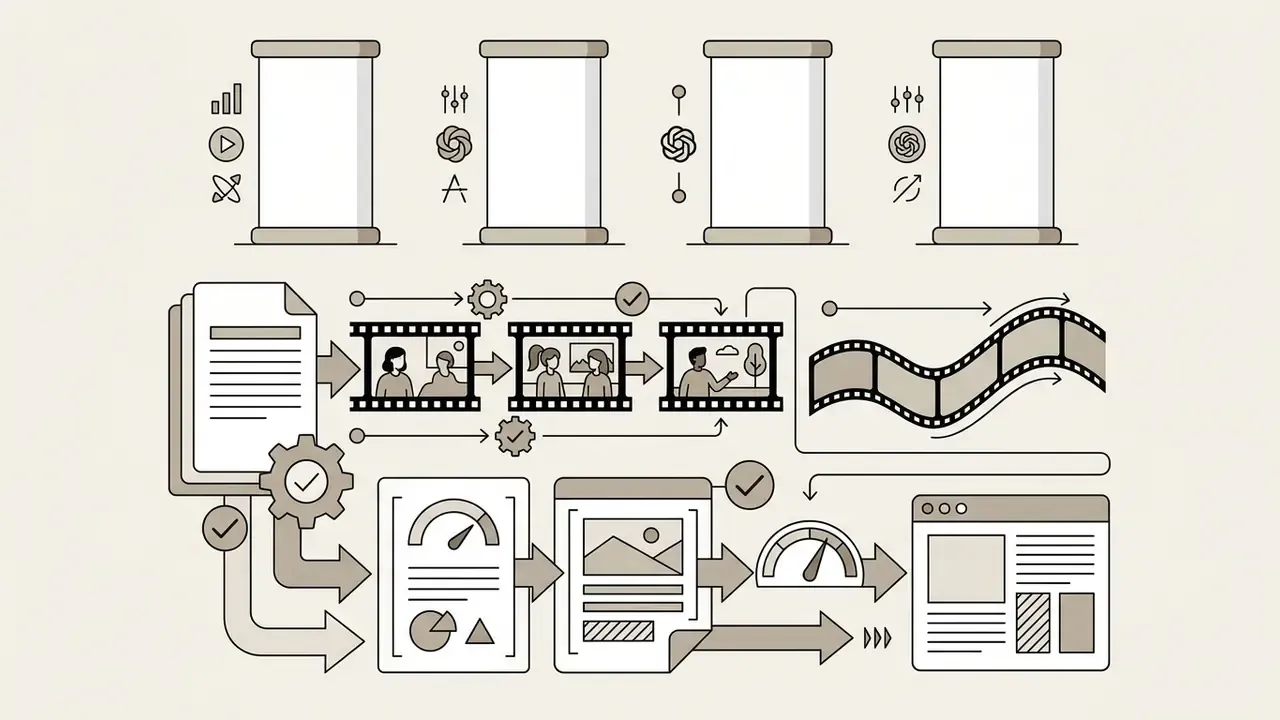
How to Create an AI Video: From Prompt to Export
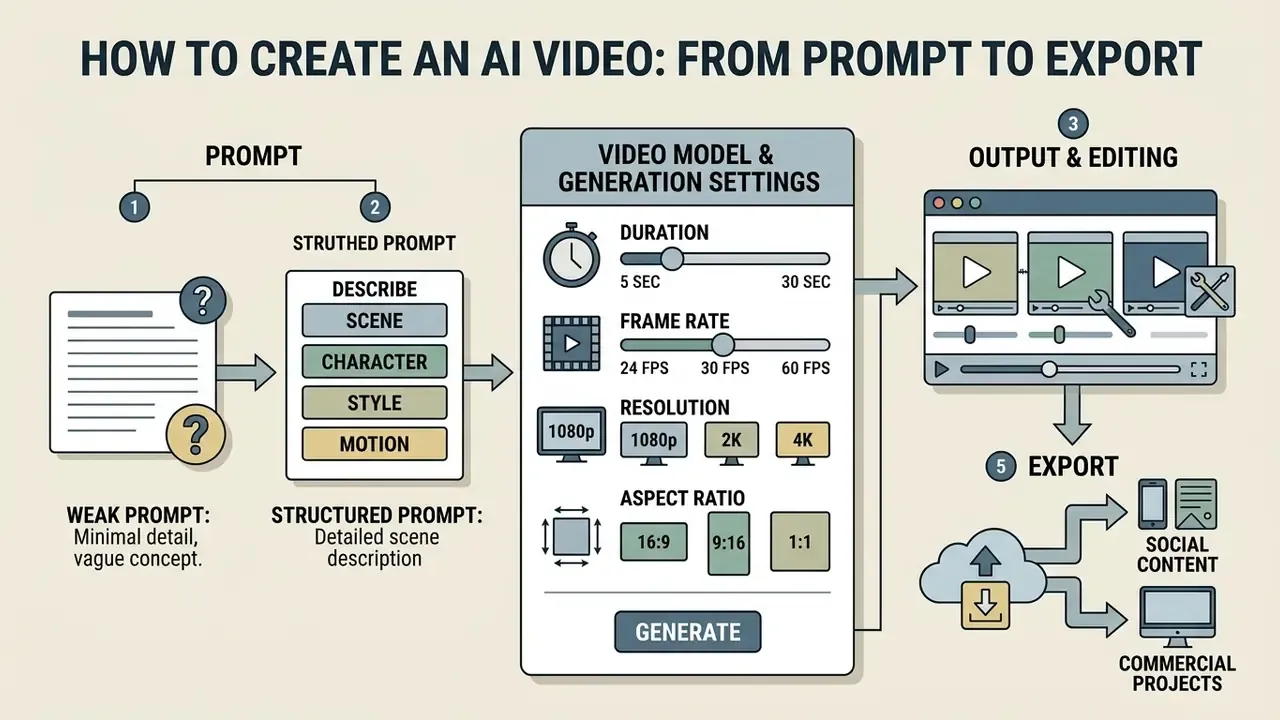
High-quality synthetic video needs a structured, multi-stage workflow. A disciplined method prevents wasted credit spend on ai apps that generate videos for free and keeps final clips inside quality and compliance limits.
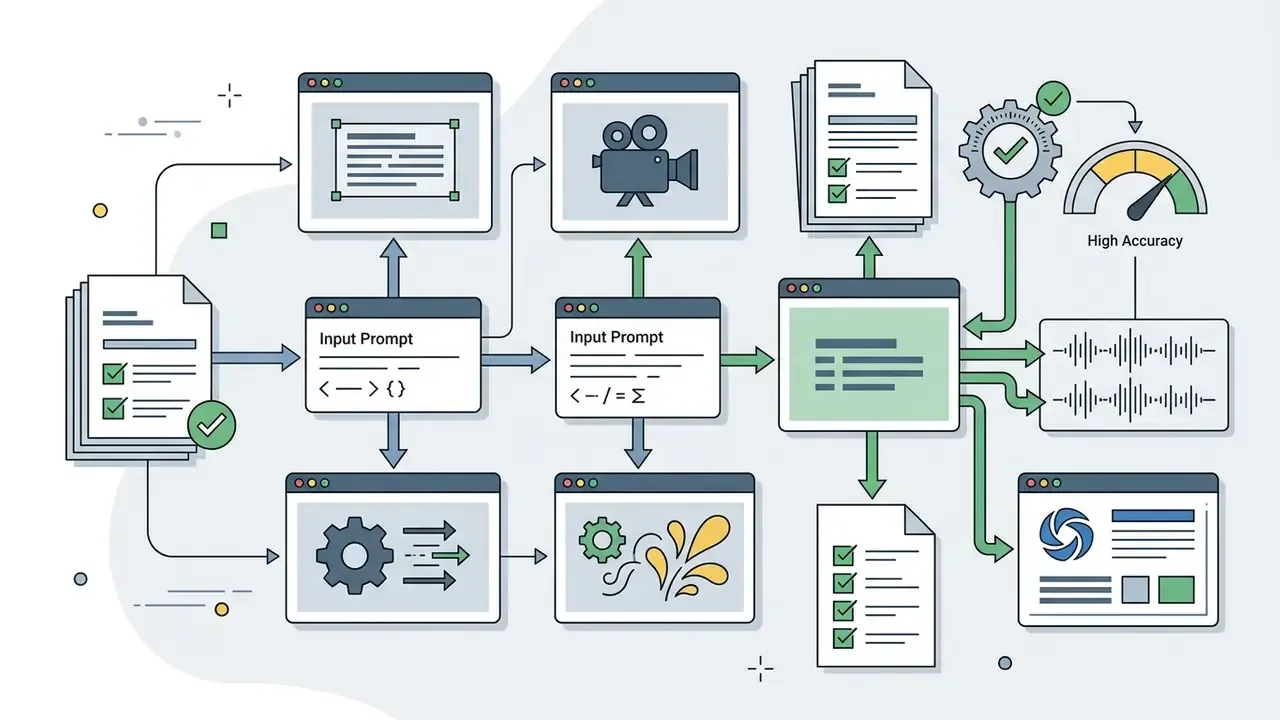
- Draft and refine the input prompt or image.Define the scene, subject behaviour, shot composition, lighting, and camera motion in a structured prompt, or upload a clean reference image as the initial frame (t0).
- Select the video model and generation settings.Choose a model based on motion complexity, set the resolution preset (720p or 1080p), pick the aspect ratio (16:9 or 9:16), and set clip duration between 5 and 10 seconds.
- Synthesize and evaluate iterative previews.Trigger generation, inspect for spatial distortion or temporal flicker, and adjust prompt parameters when physical plausibility or subject consistency degrades.
- Edit clips and export final media.Apply text-based edits, layer synchronized audio or AI voiceovers, trim transitions, and export MP4 for social distribution or commercial integration.
Describe the Scene, Character, Style and Motion in the Prompt
To maximize visual alignment, prompts should follow a standard compositional frame: [cinematography / shot type] + [subject and character details] + [action / motion] + [environment / context] + [lighting and style aesthetics]. Specifying exact camera behaviour (pan, tilt, zoom, dolly, tracking) stops the model from producing static shots or unpredictable jitter.
When you build a prompt for a commercial concept, describe attire, expression, background elements, and atmospheric lighting explicitly. Character definitions should include age, hairstyle, clothing, and distinguishing features. Camera instructions should state when a move happens and how the subject should look once the move completes.
«Structured prompts built from cinematography, subject, action, context, and style significantly improve semantic adherence compared with unstructured descriptions.»
Worked example, before and after.
- Weak prompt "a car driving fast."
- Structured prompt "Cinematic low-angle tracking shot, a sleek black sedan with rain-beaded paint, driving steadily down a wet city street at dusk, neon signage reflecting on asphalt, shallow depth of field, 35mm anamorphic film aesthetic, 24 fps."
Same subject. Very different render.
Choose a Video Model and Generation Settings
Choosing a generative model means balancing rendering speed, motion realism, and prompt adherence. Platforms with multiple backend models let you pick a specialized architecture depending on whether the asset needs hyper-realistic human motion, abstract animation, or complex camera work.
Key configuration parameters include:
- Duration usually fixed at 5 or 10 seconds per pass; extended models reach 15 to 60 seconds.
- Frame rate 24 frames per second for cinematic output.
- Resolution 480p or 720p on standard free tiers, 1080p or 4K on paid systems. Iterate at 1280x720, then re-render finals at 1920x1080 to conserve credits.
- Aspect ratio 16:9 for landscape, 9:16 for vertical social formats, 1:1 for feed placements.
- Guidance or adherence scale higher values increase prompt literalism at the cost of natural motion.
«VBench evaluates video generation across 16 disaggregated dimensions, including motion smoothness, background consistency, and text-video alignment, revealing substantial differences between models.»
Using a dimension-level benchmark instead of one aggregate score matters operationally. A model that wins on aesthetic quality can lose badly on temporal flicker or subject consistency, and those are exactly the axes that break brand-facing content.
Edit Clips and Prepare the Video for Export
Once raw clips exist, post-generation refinement gets them ready to publish. Editors stitch clips, adjust pacing, layer background music, and add automated captions or voice tracks. Lock the edit first, balance audio to platform loudness targets second, then export platform-specific variants. Teams that publish at volume can consult our YouTube video editing and publishing guide for detailed post-production strategy.
Final files should use universal containers such as H.264 MP4 to keep compatibility across social platforms, web embeds, and enterprise content management systems. Where upload speed and playback quality must be balanced, adaptive high-bitrate presets matched to source frame size remain the safest default. Heavily compressed masters can be re-encoded later with a video compressor instead of re-generated at credit cost.
Audit Trail: Reproducible Generation for Model Risk
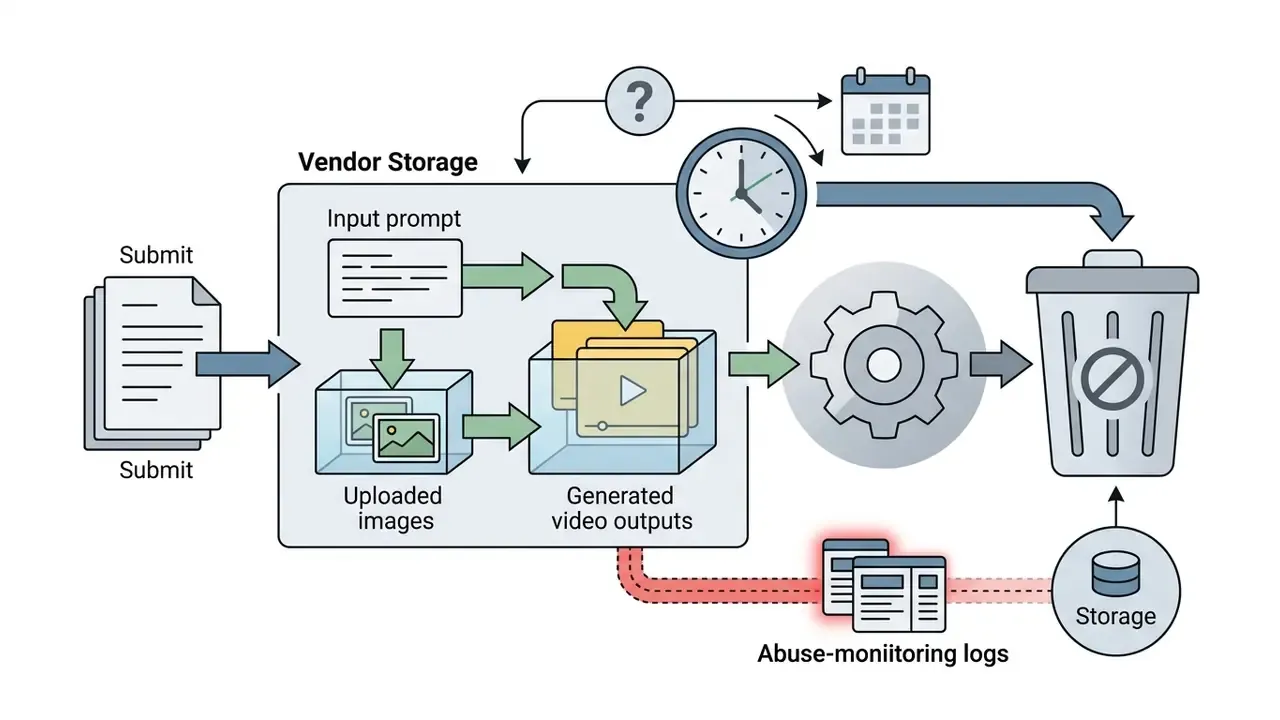
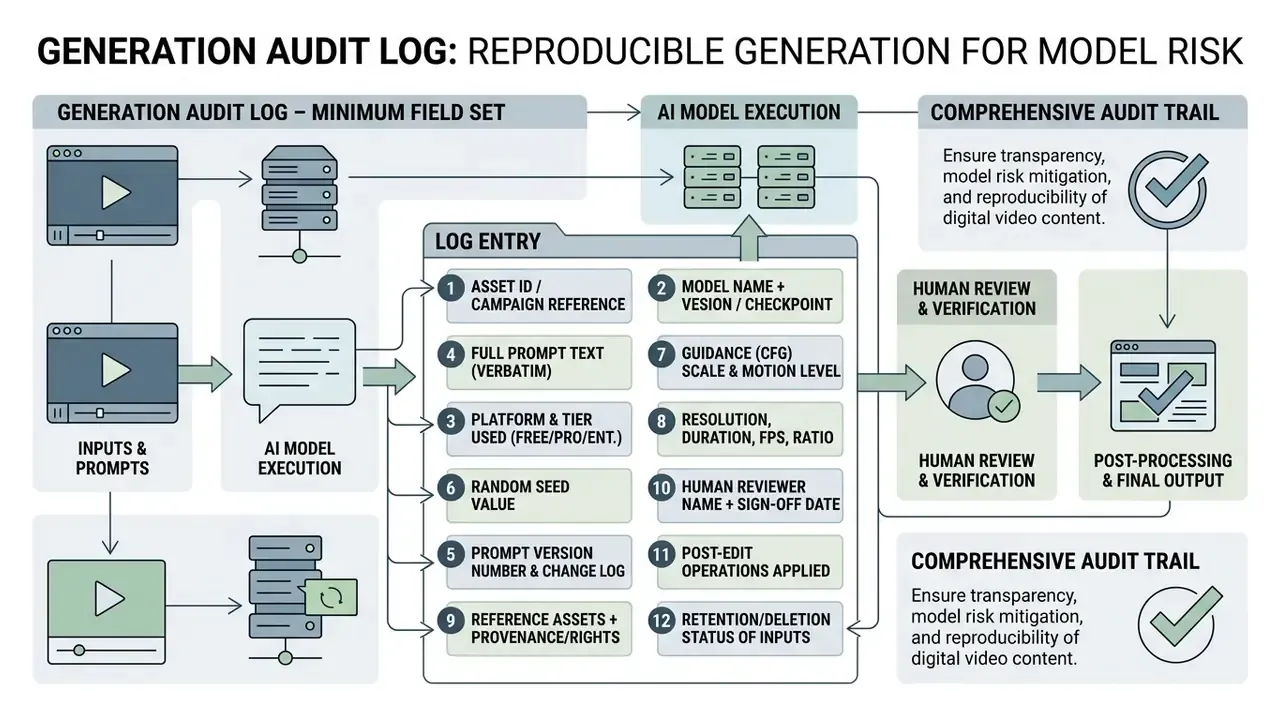
Regulated teams cannot defend a generative asset they cannot reproduce. Before a pilot leaves the sandbox, define a minimum logging schema so any published clip can be regenerated and explained on request.
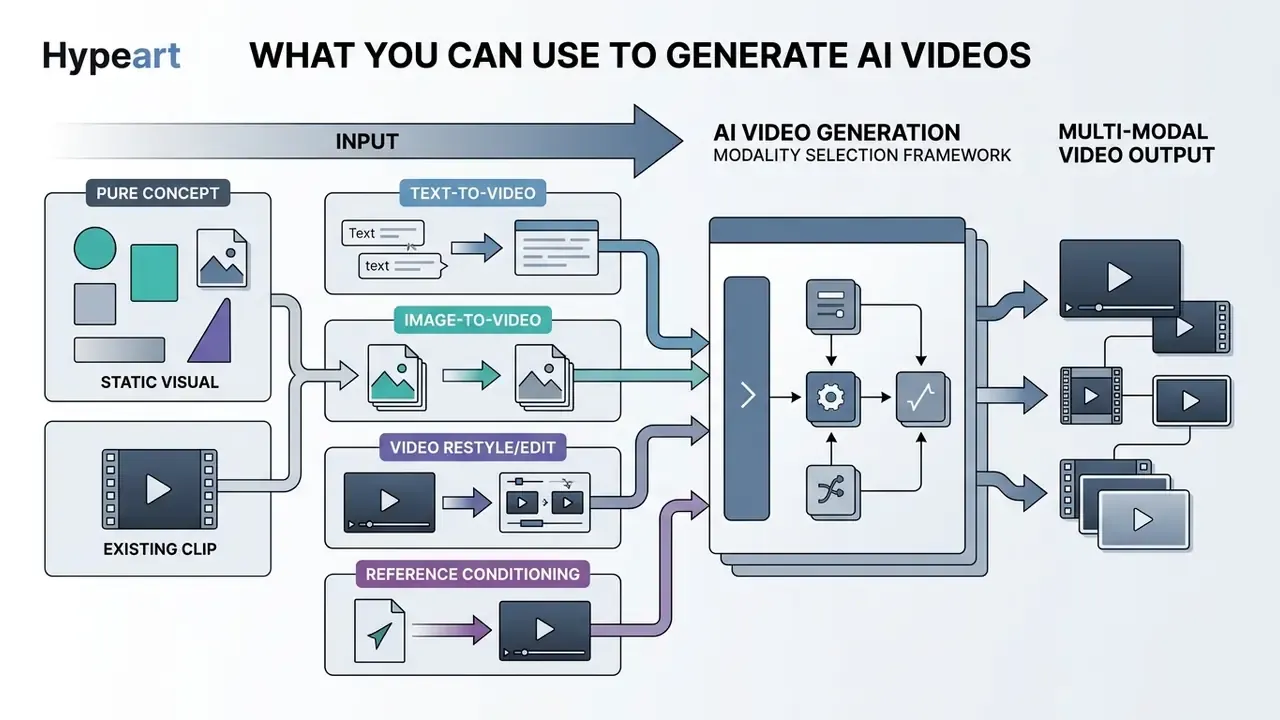
What You Can Use to Generate AI Videos
Modern video diffusion systems accept several input modalities. You can generate ai videos from natural language prompts, static images, reference video clips, or pre-recorded audio. Multi-modal frameworks treat these inputs as conditioning signals, aligning the synthetic output with spatial, temporal, or auditory constraints. Readers who want a category-level primer can start with our overview of AI video generators.


How an AI App Generates Video From a Text Prompt
When an ai app generate video from text prompt receives an instruction, it tokenizes the text and maps it against visual features learned in training. To get predictable results, an ai app generate video from prompt needs explicit structural direction: scene framing (wide shot, extreme close-up), subject actions, environmental context, lighting characteristics, and camera movement.
An ai app that can generate videos handles descriptive language far better than ambiguous instructions. Instead of "a car driving fast," an ai app video generator free tier yields noticeably higher quality when you supply a cinematographically explicit prompt. The gap between the two is measurable, not aesthetic taste.
«Mean opinion scores collected from 27 subjects on the T2VQA-DB benchmark show wide quality dispersion across models in text-video alignment and visual fidelity.»
How to Animate Images, Photos and AI Art
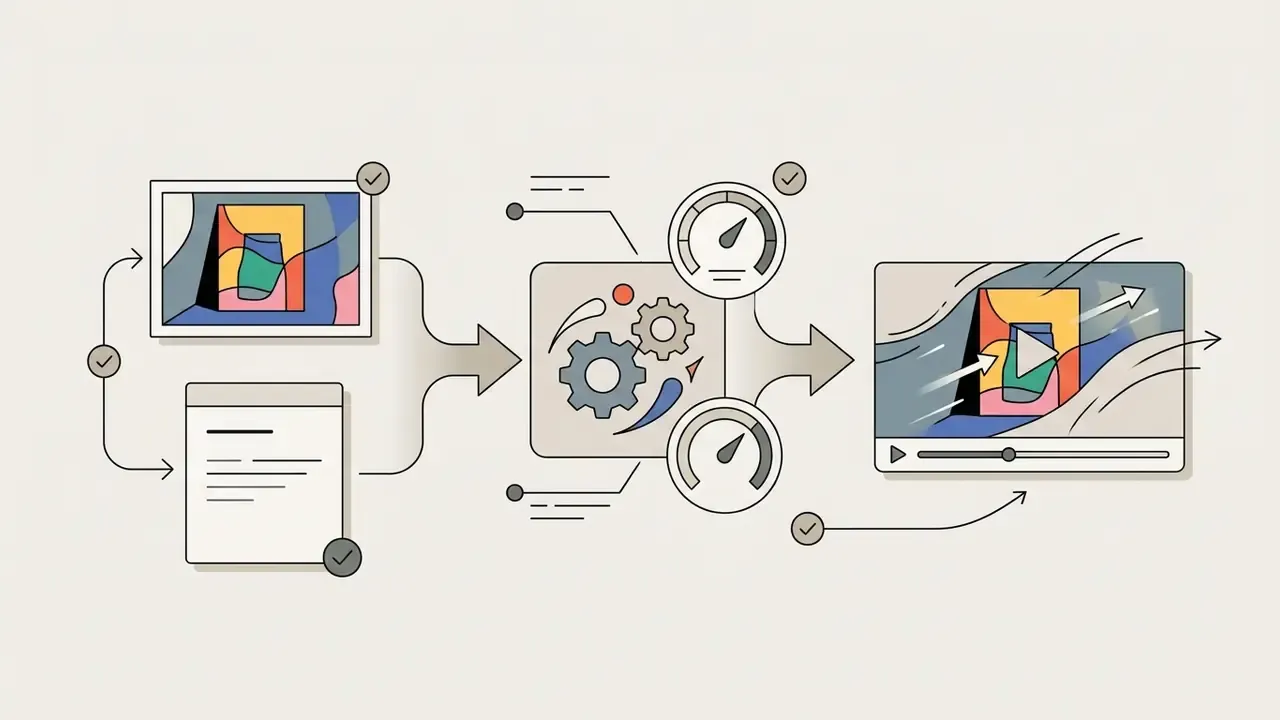
To animate stills and digital artwork, an a i video creator treats the uploaded graphic as the initial frame (t0) of a temporal sequence. Image-to-video algorithms analyse spatial elements inside the picture to infer plausible motion trajectories, preserving key visual properties while generating frame-to-frame transitions.
«The best-performing tested model adheres to both the caption and physical laws in only 39.6% of cases.»
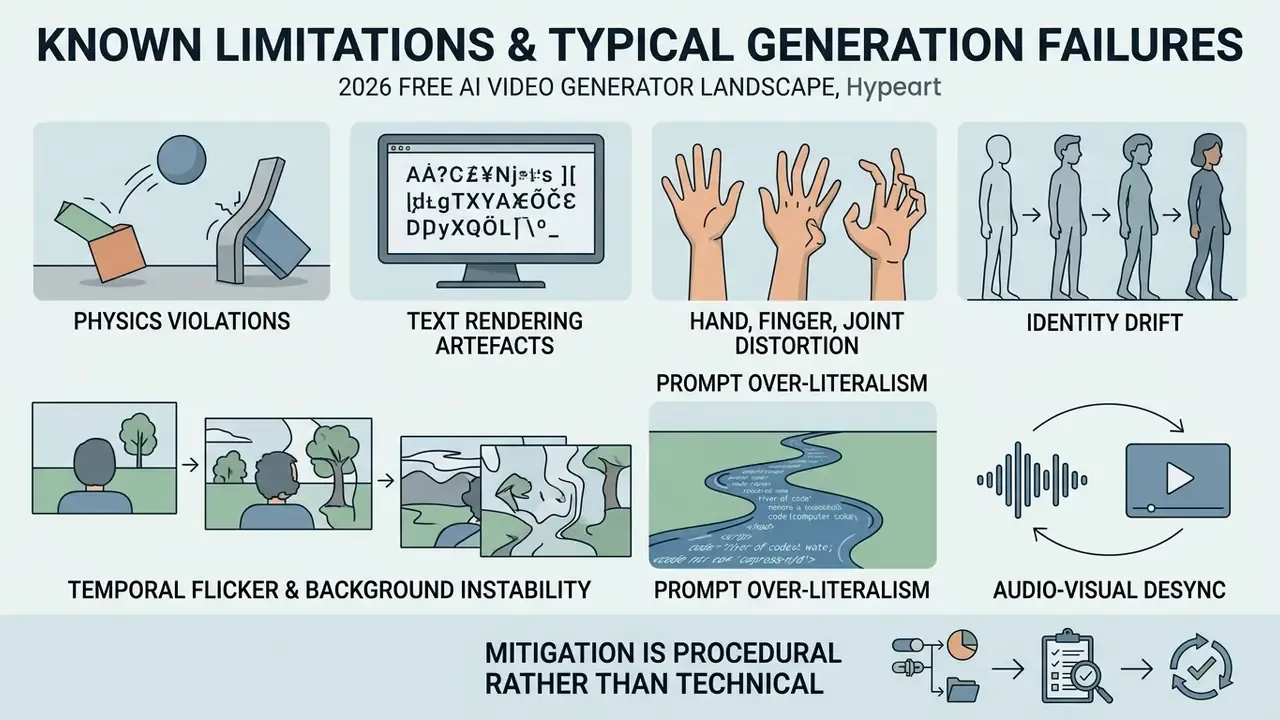
That number is the single most important constraint for commercial product demos. Physically implausible motion, liquid pouring upward, glass bending instead of shattering, a hand passing through a handle, is the default failure mode rather than an outlier. Plan on human review of every physics-bearing shot. Every one.
Creators frequently upload illustrations or assets built in design apps to add subtle environmental movement, such as drifting fog or shifting light reflections. Plug-and-play animation modules like AnimateDiff (ICLR 2024) show the underlying principle: a motion module can convert a large family of existing image models into animation generators without per-model retraining.
Internal pilot observation, methodology disclosed. In one internal editorial evaluation, a financial-software team converted static product interface mockups into dynamic 6-second explainer clips and produced 15 ad variations inside a single two-hour session. Cost savings were estimated against a prior external vendor quote for equivalent deliverables. Those figures reflect one team's briefing conditions, prompt library, and vendor baseline. They are directional rather than benchmark data, and no controlled comparison was run. Measure your own baseline cost per finished second before projecting savings. Static CAD drawings and high-resolution product photography respond well to this workflow, and adjacent motion tooling is covered in our guide to animation maker tools.
How to Use Reference Video, Audio and Clips
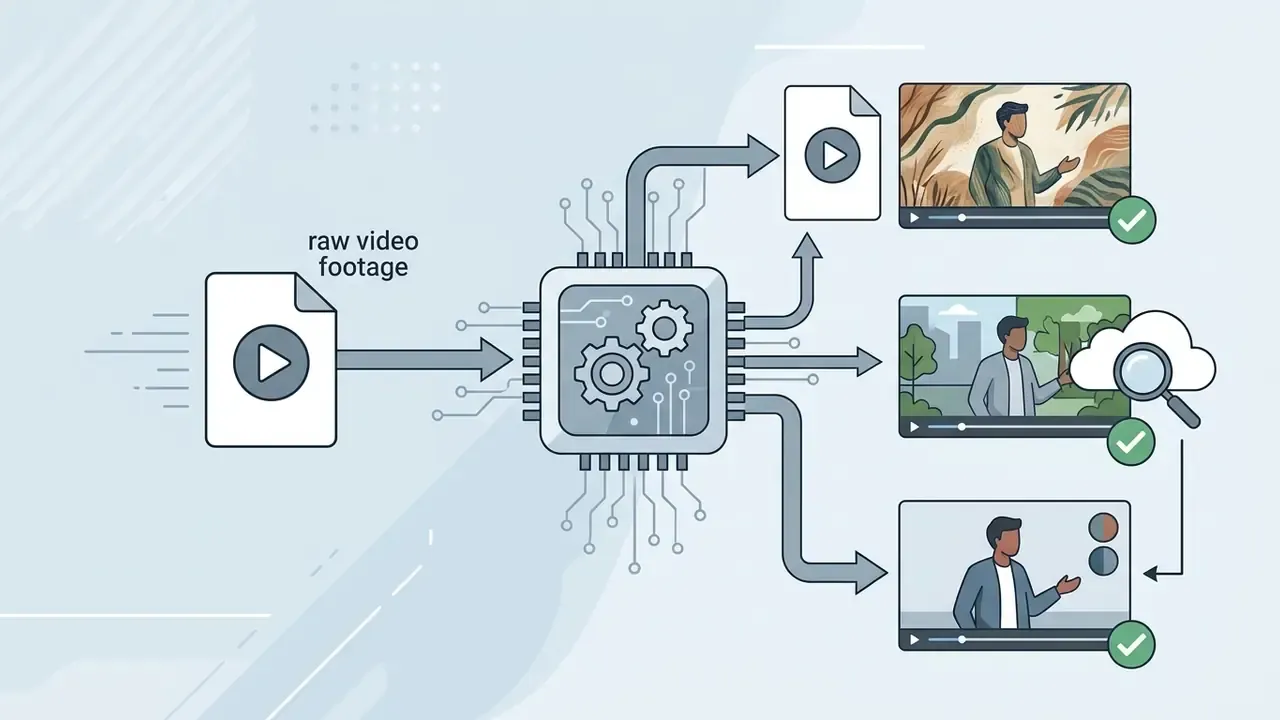
Reference videos, audio tracks, and source clips give generative models explicit temporal and structural guidance. When a user uploads a reference clip to an ai app video generator free service, the model extracts motion vectors or structural poses and applies them to new synthetic subjects while keeping cinematic timing. Reference-to-video features on platforms such as Vidu and Kling extend this to multi-shot sequences, where one reference set governs several consecutive shots.
Audio inputs act as synchronization signals for dialogue, music beats, and ambient sound. Advanced systems process audio latents alongside video latents, so generated cuts or mouth movements line up with sound triggers. Teams that want implementation detail can review our Google Veo API integration guide to see how multi-modal reference inputs are structured programmatically, or browse the wider api reference set.
Video Models and Creative Control for AI-Generated Videos
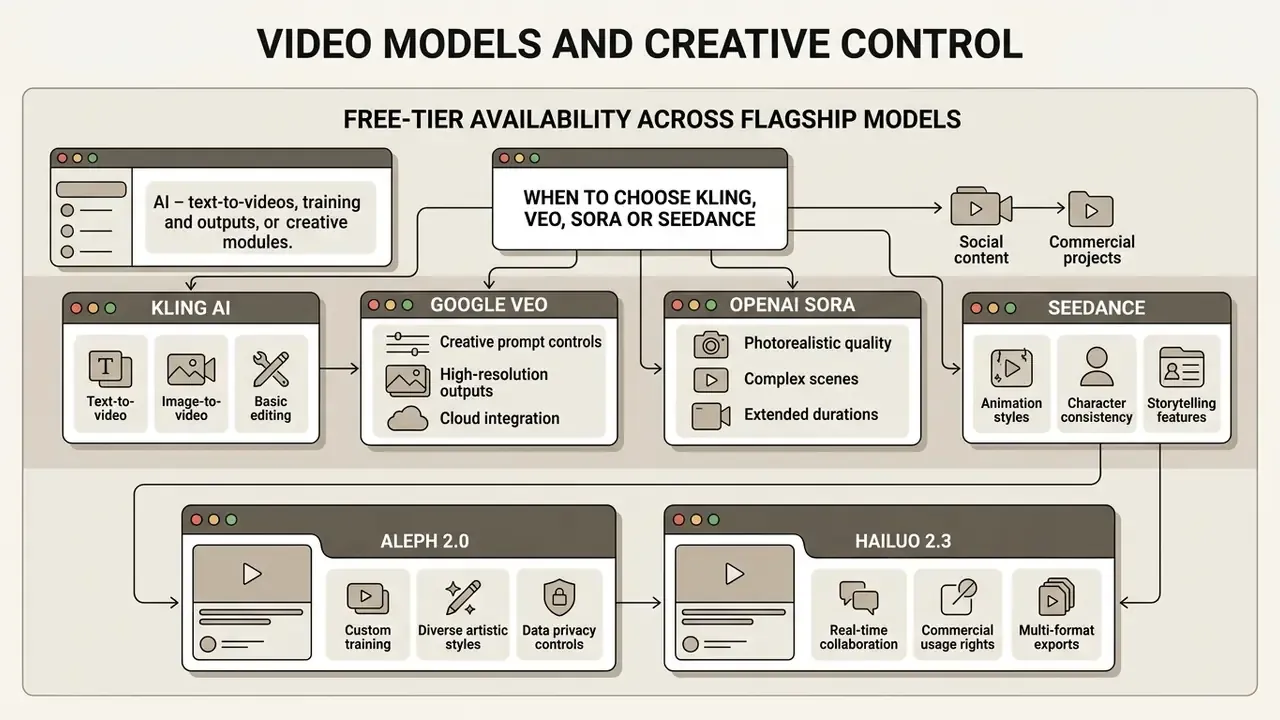
The architecture behind an a i video generator free platform dictates visual realism, motion fluidity, and temporal stability. Leading video foundation models make distinct trade-offs between prompt fidelity, physical simulation accuracy, and multi-modal reference flexibility.
| Model architecture | Max native resolution | Standard duration | Primary operational strength | Recommended commercial use case |
|---|---|---|---|---|
| Google Veo 3.1 | 1080p | 8 seconds | High prompt fidelity, native synchronized audio | Enterprise advertising, structured brand storytelling |
| OpenAI Sora | 1080p | Up to 20 to 60 seconds (product-dependent) | Extended temporal coherence across long scenes | Narrative concept prototyping, high-definition assets |
| Kling AI 3.0 | 1080p / 4K | 10 to 15 seconds | Precise camera control, fluid physics, native audio and lip-sync | Action-heavy social clips, cinematic commercial work |
| Seedance 2.0 | 720p / 1080p | 4 to 15 seconds | Broad multi-modal reference support (text, image, audio, video) | Rapid multi-shot marketing variants, agile iteration |
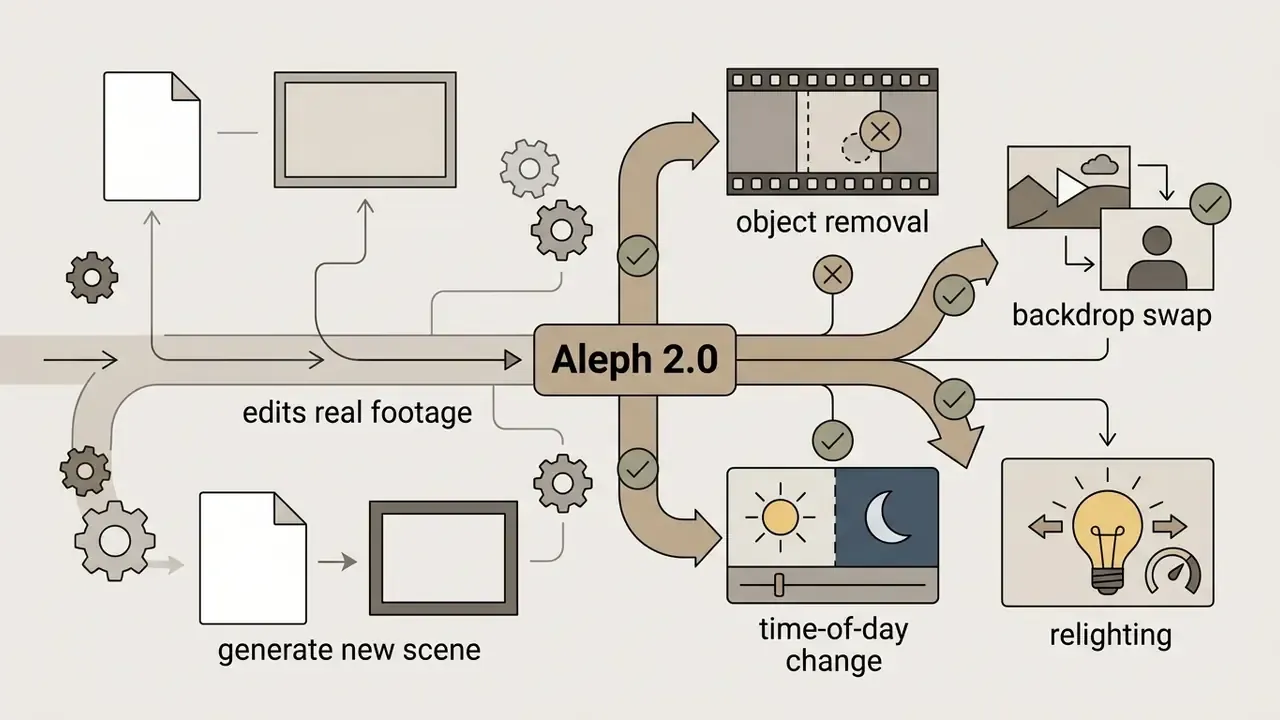
| Aleph 2.0 | 1080p | 5 to 10 seconds | Background swapping and in-frame relighting without masking | Post-production, object removal and addition |
| Hailuo 2.3 | 1080p | 10 seconds | Fast dynamic motion, natural physical collisions | Short-form social clips, action hooks for video ads |
| Fabric 1.0 | 720p / 1080p | Up to 60 seconds | Long continuous coherence in a single pass, talking-character animation | Long explainers, background loops, UGC talking heads |
Free-Tier Availability Across Flagship Models
Flagship models are rarely offered on free plans under the same terms as paid ones. The table below maps typical free exposure as of Q1 2026. Re-verify before you rely on it, because vendors reprice constantly.
| Model | Typical free-tier access route | Free resolution and duration | Watermark on free output | Notes |
|---|---|---|---|---|
| Google Veo 3.1 | Adobe Firefly daily credits, aggregator free quotas | Up to 720p or 1080p, 5 to 8 s per pass | Vendor-dependent | Daily allotment resets; partner-model access can differ from first-party |
| OpenAI Sora | Aggregator interfaces (for example 12 s presets) with limited quota | Commonly capped below native maximum | Usually yes | Direct product access is subscription-gated |
| Kling AI 3.0 | Native Kling free tier | 1080p export, 10 s standard | Yes (memberships are watermark-free) | 4K reserved for Pro |
| Seedance 2.0 / 2.5 | Third-party platforms and model wrappers | Frequently 720p, shorter clips | Platform-dependent | Multi-modal references may be quota-limited |
| Aleph 2.0 | Runway paid tiers | Not included on Free | n/a | Free plan excludes the newest editing models |
| Hailuo 2.3 | Aggregator free quotas | About 10 s, 720p to 1080p | Usually yes | Fast turnaround, credit-cheap |
| Fabric 1.0 | VEED free Gen-AI Studio quota (about 12 s per month) | 720p export on Free | Yes | Up to 60 s on paid credits |
Detailed positioning by output quality and task fit is expanded in our comparison of AI video generators by quality and task.
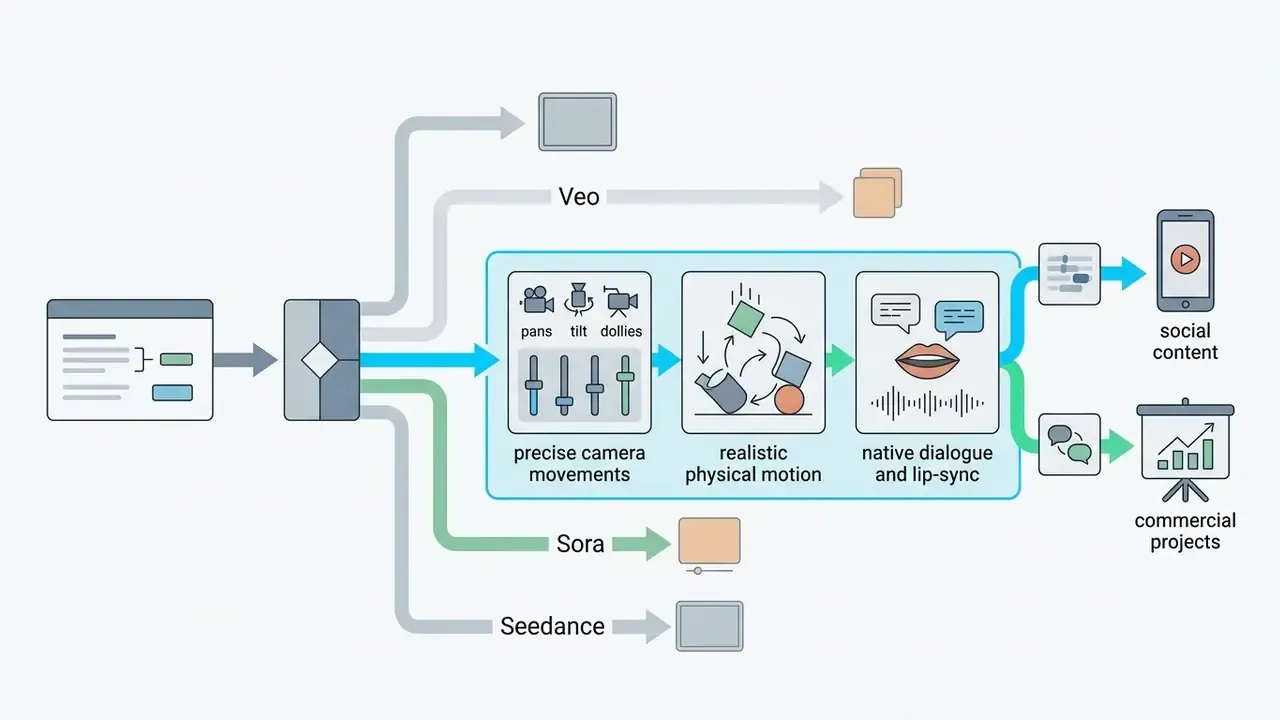
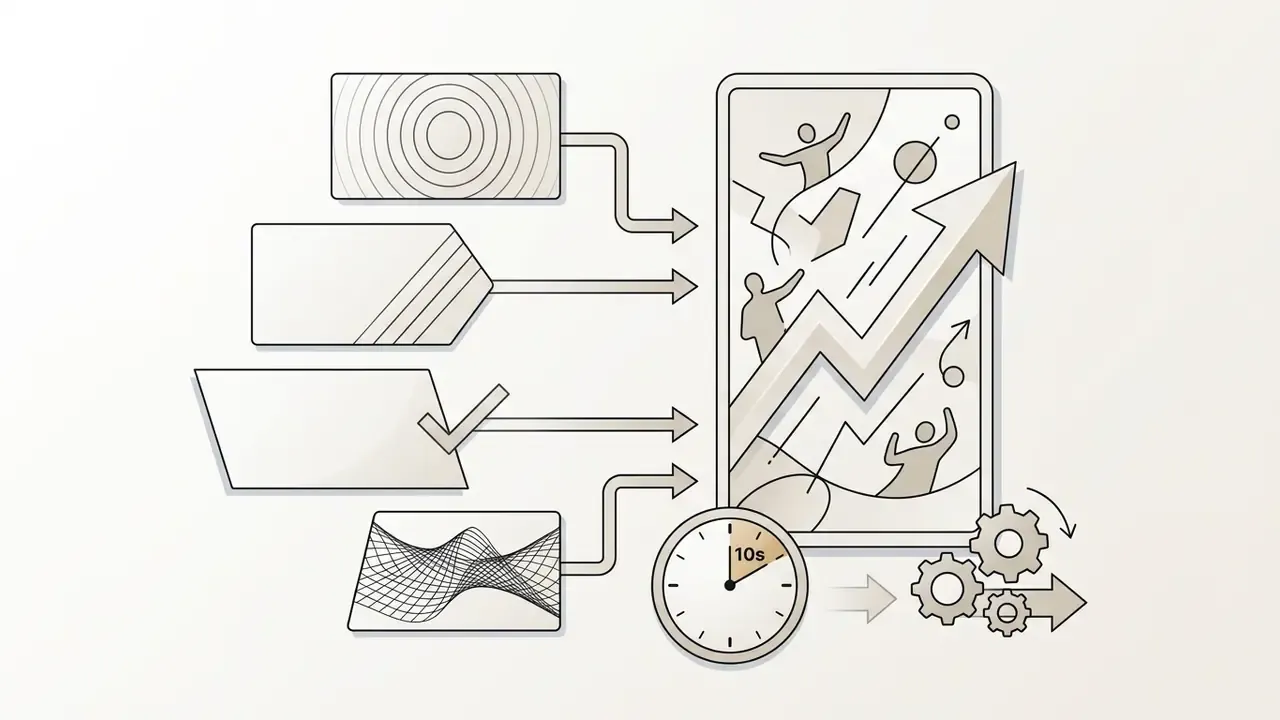
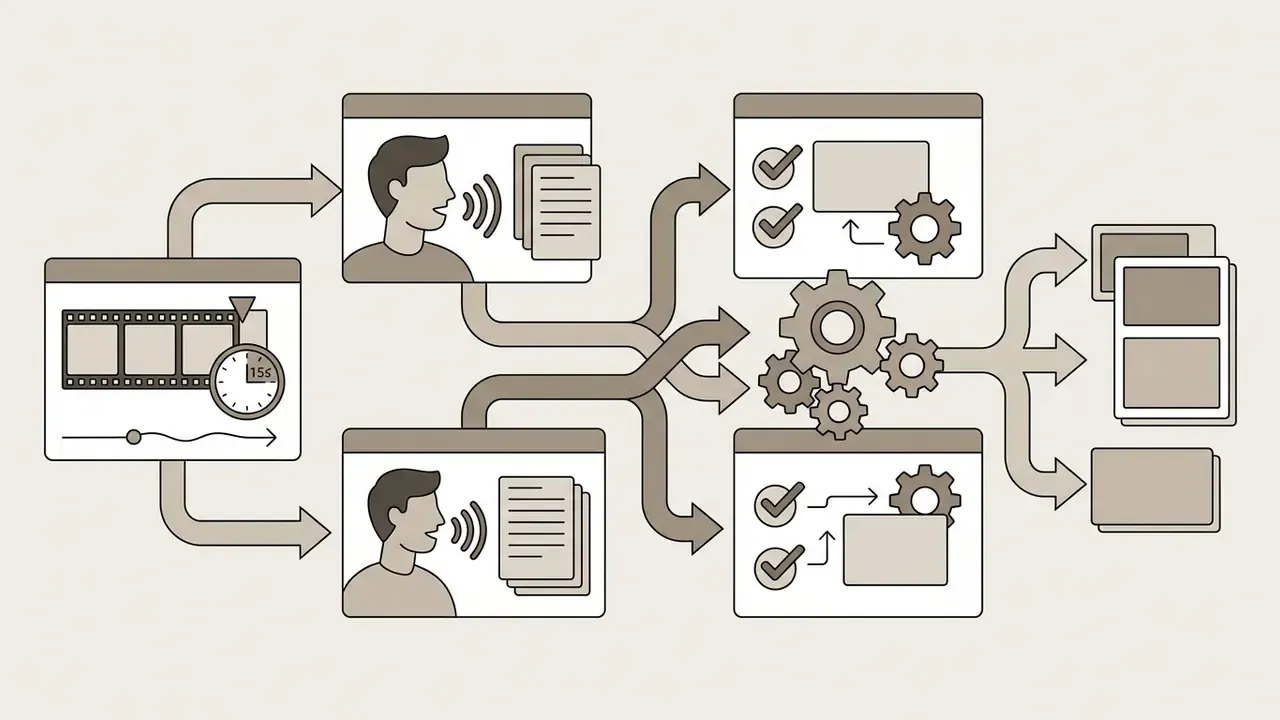
When to Choose Kling, Veo, Sora or Seedance
Model selection depends on the job, not on leaderboard bragging rights.

Motion, Camera, Style and Cinematic Control
Precise creative control means mastering physical and camera settings. Advanced interfaces expose parameters for camera direction (pan left or right, tilt up or down, zoom in or out), movement speed, and rig behaviour such as handheld or Steadicam simulation. Vendor documentation recommends stating both the move type and its timing. For example: "slow dolly-in over 3 seconds, then hold."
Lens descriptors matter too. Terms like "shallow depth of field," "f/1.8 aperture," or "50mm prime lens aesthetic" tell the model to isolate subjects against blurred backgrounds. Consistent lighting language ("golden hour side-lighting," "soft studio softbox illumination") prevents jarring shifts between consecutive scenes. Frame rate reads as genre: 24 fps feels cinematic, higher rates feel broadcast or hyper-real.
Some platforms also support motion transfer, where movement extracted from a reference clip is applied to a target character. It is effectively a software analogue of a hardware motion-control rig, which in traditional production is a robotic arm prized for precision and repeatability.
Character Consistency and References Across Multiple Scenes
Keeping a character's appearance stable across several generated scenes is still one of the hardest problems in generative video. Without explicit guidance, diffusion models alter facial structure, clothing, and proportions between prompt runs.
Five techniques help.
- Structured character identifiers.
- Define characters with precise, immutable descriptions, for example "a 35-year-old female architect with short dark hair, wearing a navy blue wool blazer," and repeat that exact string in every pass. Keep the prompt order fixed: character first, scene second, style last.
- Master reference images.
- Upload a high-resolution portrait keyframe as the image-to-video anchor for all scene variations, and reuse the same seed wherever the platform exposes it.
- Attention query injection.
- Use platforms that implement feature-sharing algorithms to preserve facial geometry and identity vectors across separate generations.
«Video Storyboarding injects attention queries to preserve character identity while retaining motion dynamics across scenes.»
- Multi-angle keyframing.Instead of one still, leading models including Kling 3.0 accept a short reference clip or a set of photographs from several angles (front, profile, three-quarter). That builds a richer, quasi-three-dimensional map of facial geometry and largely removes the "AI morphing" drift that shows up during sharp head turns, occlusion, and fast camera moves.
- Narrative-graph prompting.For multi-scene sequences, name characters, settings, and props explicitly and identically in every prompt, and carry one stable style directive through the whole set. Consistency failures are usually vocabulary failures.
Editing AI Videos: Text Prompts, Audio and Lip-Sync
Post-generation tools let creators modify AI clips with natural language commands or audio tracks, which removes the need for traditional timeline editing in many workflows.
How to Edit Video With a Text Prompt
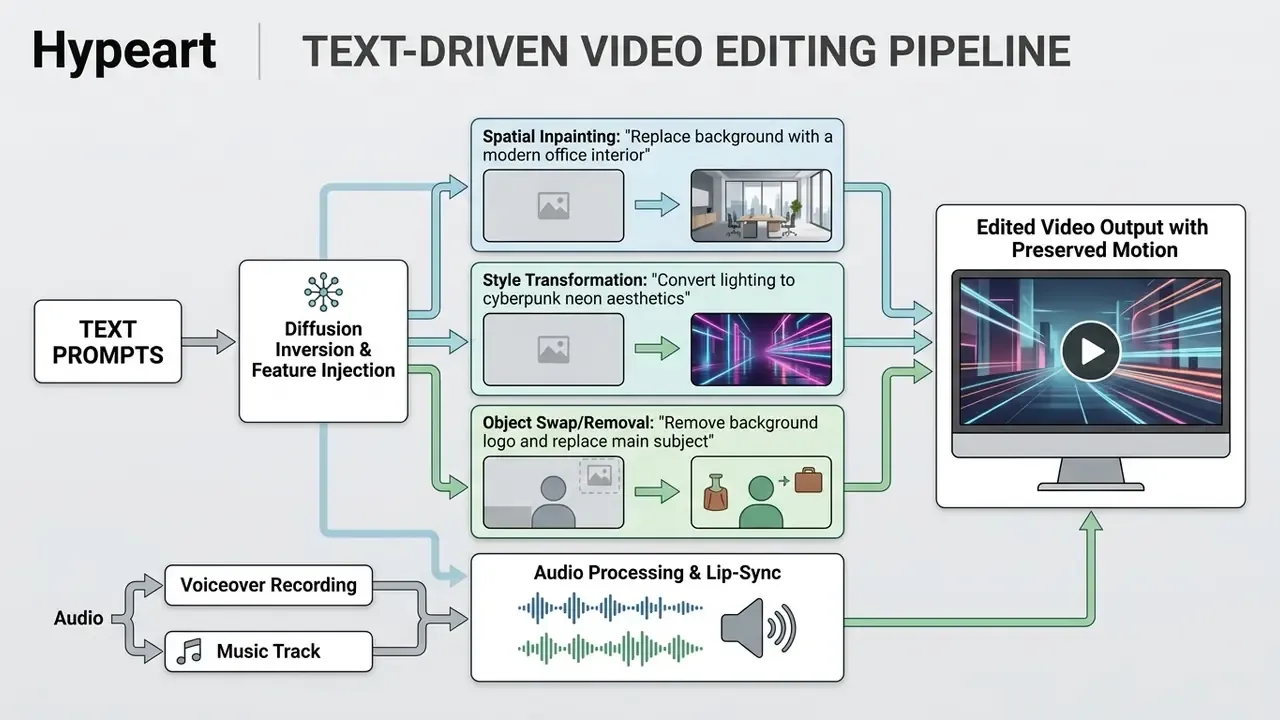
Text-based editing uses diffusion inversion mechanisms, such as DDPM inversion or spatial feature injection, to modify existing frames while preserving underlying motion trajectories. With a natural language command you can perform complex modifications without manual masking or rotoscoping. Teams building a hybrid pipeline can pair these systems with conventional video editing tools for trimming, colour matching, and final assembly.
Common text-driven operations include:
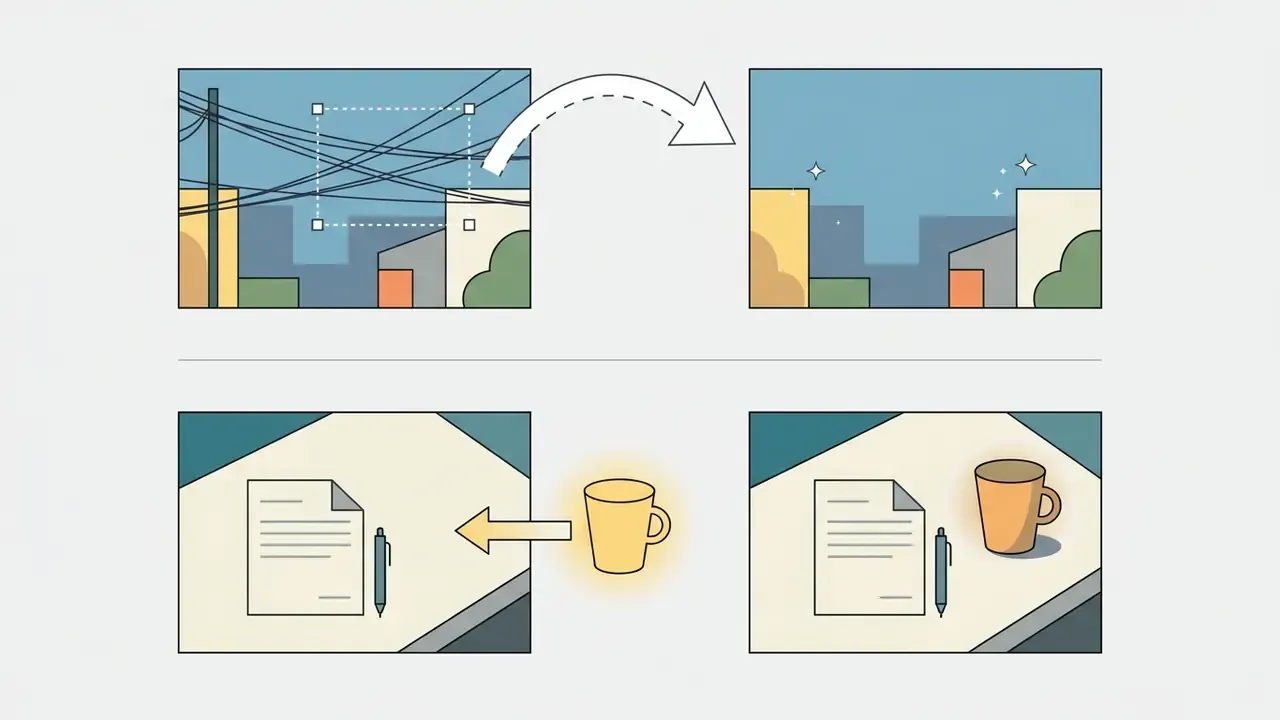
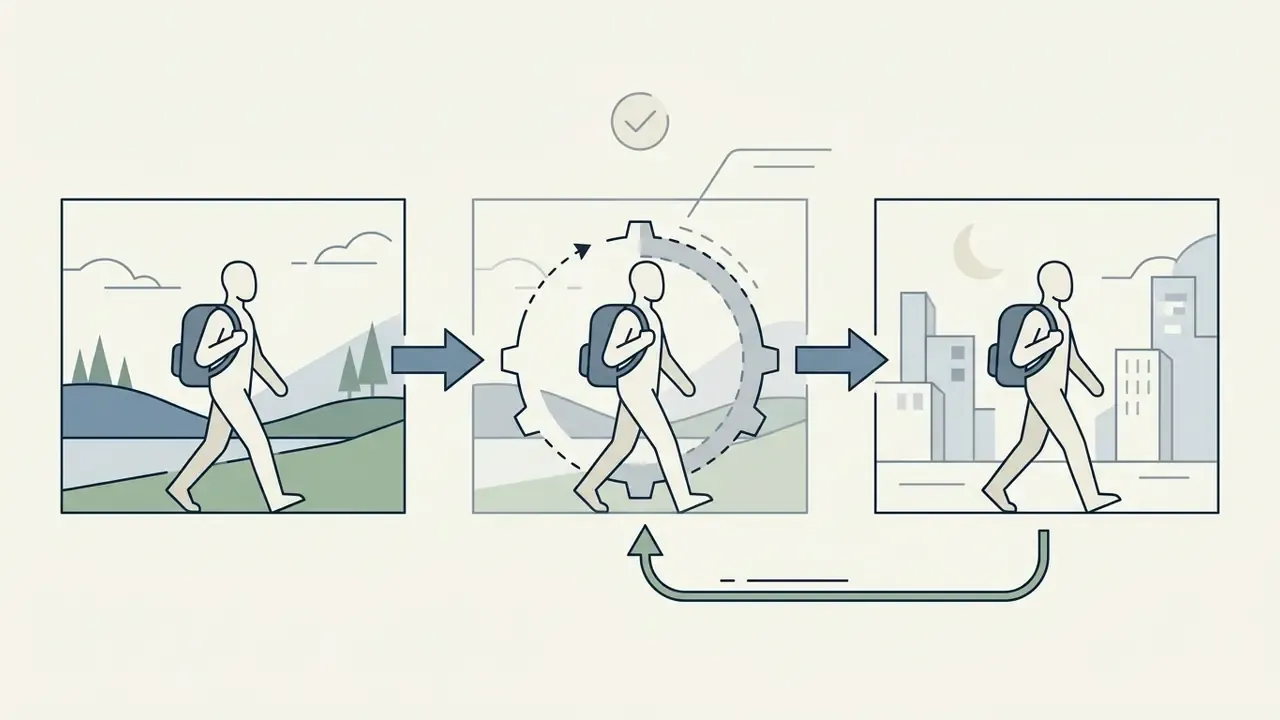

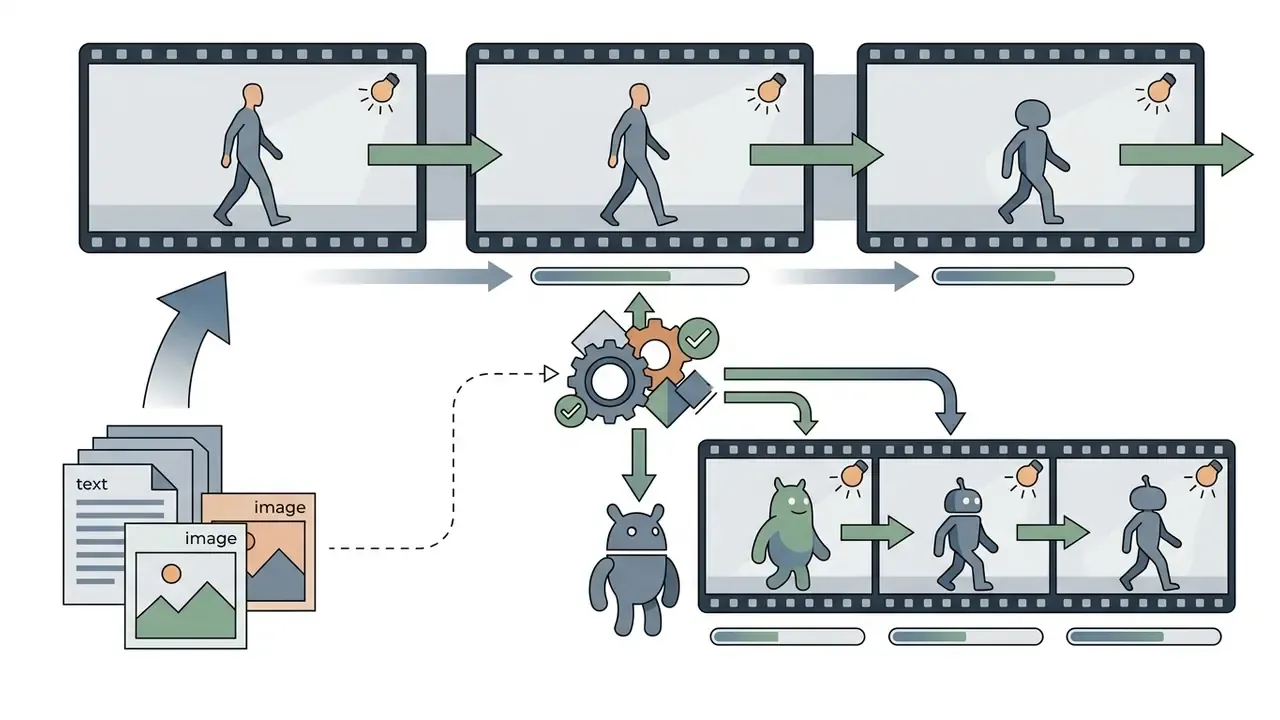
«EffiVED produces high-quality edited videos from text instructions without per-video fine-tuning, using a conditional 3D U-Net architecture.»
Everyday Editing Command Cheat Sheet
Not every edit needs technical vocabulary. Consumer-facing "magic box" interfaces accept plain instructions, and that is often faster than re-generating a clip from scratch.
| Edit category | Example command prompt | What the model returns |
|---|---|---|
| Location swap | "Change background to a rainy Tokyo street at night, neon lights" | Preserves subject motion while replacing the surrounding environment |
| Audio adjustment | "Change voiceover accent to British English and add calm ambient lo-fi music" | Re-generates narration with the new accent and layers a music bed |
| Object modification | "Remove the mug from the table and replace it with a futuristic tablet" | Swaps a specific entity, matching scene lighting and shadow direction |
| Timing change | "Delete the first 2 seconds and add a fast-paced energetic intro" | Trims frames and synthesizes an opening consistent with the existing style |
| Time of day | "Change the time of day to golden hour, warmer grade" | Relights the entire frame without masking |
| Structural edit | "Delete scene 3 and shorten the outro to 4 seconds" | Removes a scene and re-times the sequence |
If you prefer browser-based editing, our review of kapwing ai video editor features covers a comparable command-driven workflow.
How to Add Audio, Music, Dialogue and Voices
Clear audio, ambient sound, and synchronized speech separate a usable asset from a demo reel. Modern platforms generate synthetic speech from text scripts using AI voice synthesis, aligning waveforms to video timing automatically. Licensing terms for synthetic voices differ from those for imagery, so review our guide to AI voice generators and commercial licensing before shipping a branded voiceover.
For lip-sync work, dedicated engines process the spoken track and re-animate mouth movement frame by frame. Vendor documentation usually exposes two modes: fast for drafts, precision for final delivery. Clean source audio without music or background noise materially improves alignment, so generate speech first and layer music afterwards.
«Seedance 2.0 supports up to three reference video clips, nine images, and three audio files simultaneously for multi-modal audio-video generation.»
This also enables localisation. Swap the speech file, keep the visual performance, and one clip serves several markets with natural facial movement.
AI Avatars, Talking Heads and Post-Processing Tooling
Talking-head video is a separate class of generative task, where classical diffusion combines with dedicated lip-sync engines rather than replacing them.
Presenter Animation and AI Avatars
For training courses, product walkthroughs, and UGC-style ad reads, you can upload a still portrait or select a preset digital human, then drive it with an audio file or a text script.
- Photo-to-talking-avatar conversion.The system analyses facial landmarks and generates mouth, jaw, and micro-expression movement matched to the phonemes of the target language. Models such as Fabric 1.0 support this for clips up to roughly 60 seconds, using an uploaded character image or a preset character.
- Multilingual localisation.Replacing the audio track re-animates articulation, so speech clips can be re-voiced across dozens of languages without re-shooting the presenter. Enterprise avatar platforms extend this with brand-locked outfits, backgrounds, and approved script libraries.
- Custom avatar creation.Some platforms convert a consented recording of a real presenter into a reusable avatar. This is the highest-risk configuration from a privacy standpoint. Biometric likeness and voice are personal data in most jurisdictions, so written consent and a defined revocation path should exist before the first generation, not after the campaign ships.
Automatic Clean-Up and Post-Processing Tools
Preparing a synthesized clip for publication usually involves a short finalisation stack.
- Eye contact correction redirects the presenter's gaze toward the lens, even when the original speaker or avatar looked off-centre. A documented conversion lever in UGC-style paid social.
- AI noise reduction and audio enhancement removes background noise and normalises loudness toward broadcast-style targets, commonly around minus 14 LUFS for streaming platforms.
- Auto-subtitles and translation generates and styles captions with high speech-recognition accuracy and burns them into vertical formats. Important, because a large share of short-form viewers watch feeds with sound off.
- Upscaling and frame interpolation raises a 720p draft to a delivery-grade master and smooths motion, avoiding a second full-cost generation pass.
How to Choose a Free AI Video Generator for Commercial Use
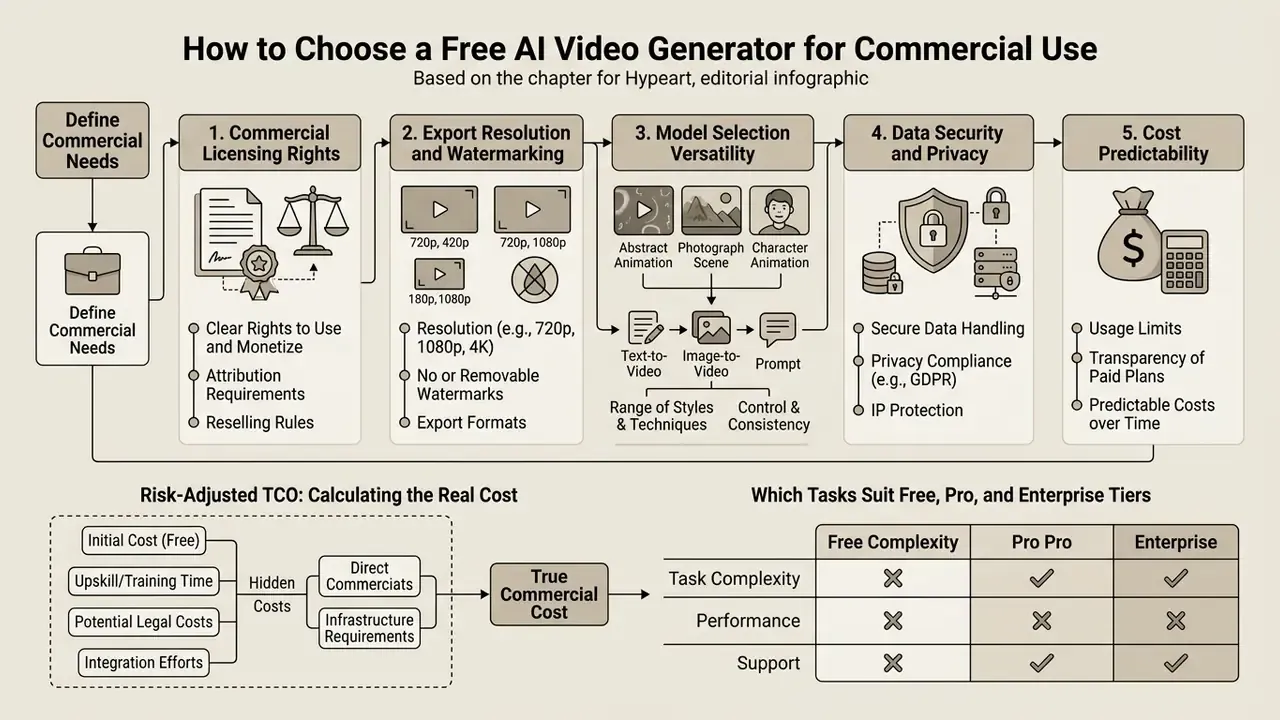
Picking an a1 video maker or generator for commercial projects means evaluating licensing terms, export quality limits, data security guarantees, and total cost of ownership. The order matters: rights before pixels.
What to Compare Before Choosing an AI Video Maker
When running an accurate ai video generator comparison, procurement teams and creative directors should score tools on five operational criteria.
- Commercial licensing rights.Verify whether the free or paid tier grants full commercial rights for paid advertising, client deliverables, and broadcast distribution, and whether that grant extends to third-party stock assets used inside the tool, not only the generated frames.
- Export resolution and watermarking.Confirm that exports are free of platform logos and available at 1080p or better.
- Model selection versatility.Check whether the platform supports several backend models or locks you to a single proprietary architecture.
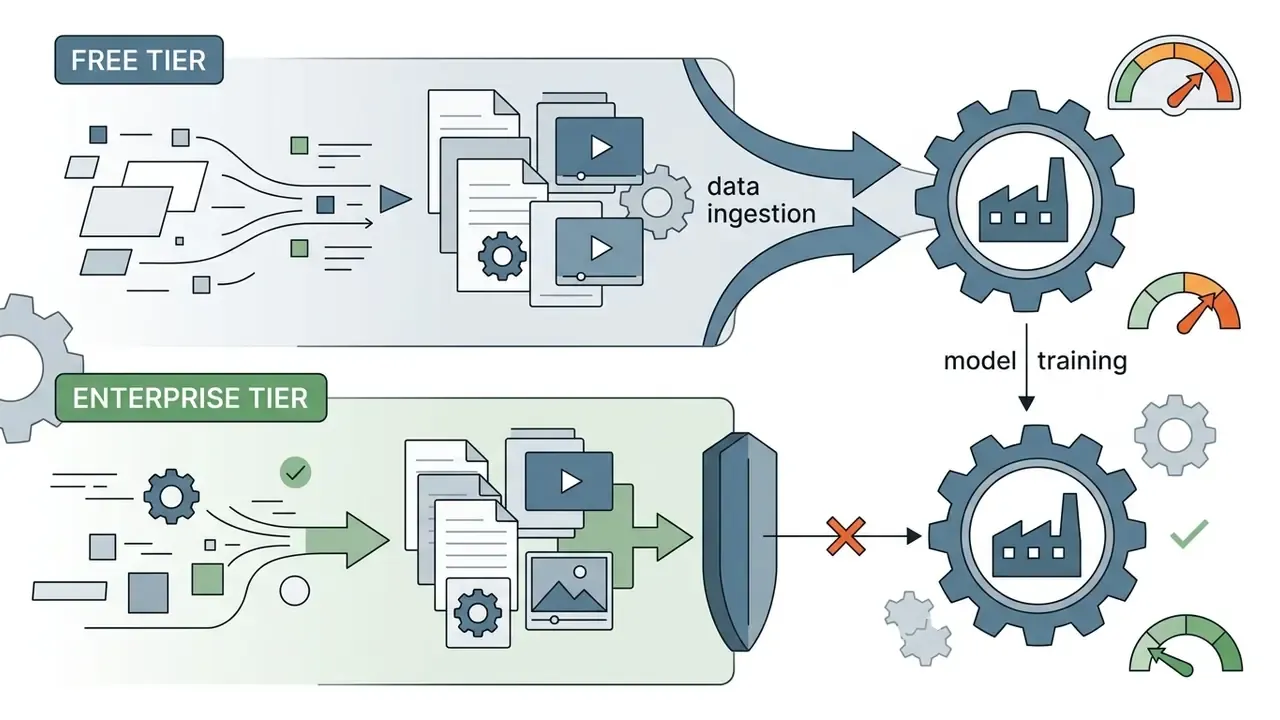
- Data security and privacy.Confirm that uploaded corporate assets, product photos, and internal scripts are not ingested to train public foundation models.
- Cost predictability.Review subscription scaling paths with our AI Media Calculators to estimate credit burn during full-scale campaigns.
«Structured prompts, multiple video models, and explicit commercial-use terms are the three axes on which tool selection actually turns. Quality dimensions come from evaluation literature, rights come from vendor terms, and they measure different things.»
«EvalCrafter evaluates models across 17 objective metrics on 700 prompts derived from real user queries; a weighted combination of metrics correlates better with human preference than simple averaging.» Liu et al., EvalCrafter: Benchmarking and Evaluating Large Video Generation Models, arXiv (2024)
Organizations comparing specialized visual generation platforms can review our AI Media Comparison Matrices for side-by-side feature breakdowns.
Risk-Adjusted TCO: Calculating the Real Cost
Subscription price is the smallest line item in a governed deployment. A defensible model looks closer to this:
TCO(annual) = Software/seat costs
            + Credit & compute overage
            + Human review & QA hours (physics, brand, factual accuracy)
            + Legal/IP clearance & rights documentation
            + Governance overhead (model inventory, audit logging, DPIA)
            + Rework cost (failed generations x cost per retry)
            + Residual risk reserve (takedown, reshoot, reputational remediation)
Two rules follow. First, measure cost per approved finished second, not cost per generation. A 30% approval rate triples your effective cost, quietly. Second, treat review hours as a fixed multiplier per physics-bearing or person-bearing shot, since those categories fail human inspection most often.
For teams weighing adjacent visual-asset rights, our analysis of commercial use for AI images and video covers overlapping licensing questions.
Which Tasks Suit Free, Pro and Enterprise Tiers
Different tiers serve different operational needs across creators, agencies, and corporate teams.
+-----------------------------------------------------------------------------------+
|                  ENTERPRISE MODEL RISK & GOVERNANCE CHECKLIST                     |
+-----------------------------------------------------------------------------------+
[ ] 1. Data Lineage & IP Verification: Are training sets documented and legally cleared?
[ ] 2. Commercial License Grant: Does the plan explicitly grant commercial rights?
[ ] 3. Watermark & Branding Removal: Are exports free of vendor logos and stock tags?
[ ] 4. Regulatory & Compliance Alignment: Does platform handle data protection (GDPR/SOC2)?
[ ] 5. Reproducible Audit Trails: Are prompts, seeds, and model versions logged?
[ ] 6. Data Retention & Training Opt-Out: Can uploads be excluded from model training?
[ ] 7. Disclosure & Labelling: Is AI-generated content identifiable to end audiences?
[ ] 8. Framework Mapping: Is use mapped to internal MRM policy and applicable AI rules?
[ ] 9. Human-in-the-Loop Sign-Off: Is a named reviewer accountable per published asset?
[ ] 10. Vendor Exit & Continuity: Are assets exportable if the model is deprecated?
+-----------------------------------------------------------------------------------+
Two governance notes for regulated buyers. Generative video used in customer-facing marketing usually falls under existing model-risk expectations for documentation, validation, and ongoing monitoring. Platform terms increasingly require that AI-generated content be clearly identifiable to audiences. Where synthetic likenesses or voices appear, rights, licences, and permissions must be secured in advance, and outputs must comply with intellectual-property and data-protection obligations.
Where to Use an AI Video Generator: Social, Marketing and Product Videos
Generative video tools let organizations scale visual production across social channels, advertising, e-commerce storefronts, and internal training.
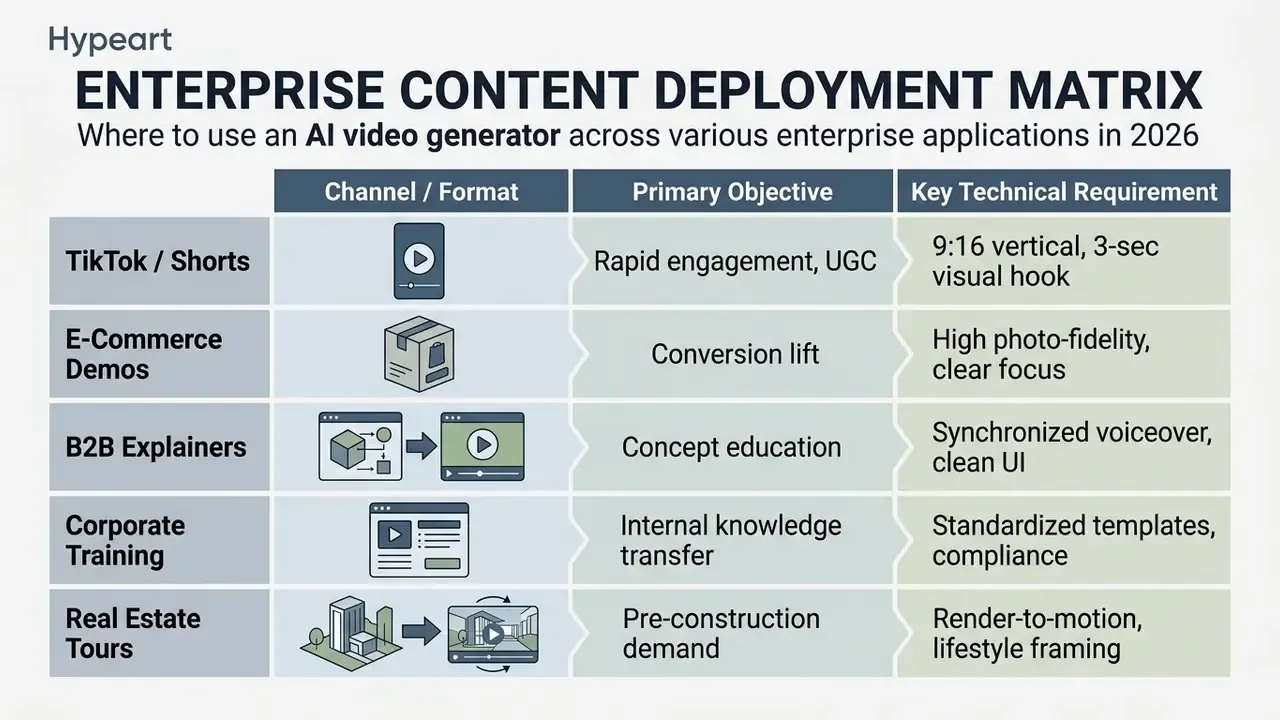
TikTok, Reels, YouTube Shorts and UGC Content
Vertical short-form video in 9:16 dominates engagement on TikTok, Instagram Reels, and YouTube Shorts. The practical baseline is 15 to 60 seconds, a hook inside the first three seconds, and burned-in captions. Marketing teams use an ai assistant can create video workflow to produce UGC-style ad creatives quickly, testing dozens of hooks and script variants at low cost. Vertical-first tools such as PixVerse AI for vertical content support the same pattern.
A repeatable UGC prompt structure is hook, then problem, then product moment, then demo, then call to action, rendered in 9:16 with a selfie-framed AI presenter.
Internal pilot observation, methodology disclosed. In one internal editorial evaluation, a fintech team generated 20 vertical variations with AI presenters and synthetic voice tracks, identified its three strongest hooks within 48 hours, and reported a materially lower cost per acquisition against its previous agency-produced baseline. That reduction reflects the team's media buying conditions, audience, and prior baseline. It was not produced under a controlled experiment and should not be read as a benchmark. Independent verification would need a documented holdout test with fixed budget and audience parameters.
Creators chasing distinctive visual styles for social channels can explore our guide to line art generator tools, or review stylized graphic workflows in our breakdown of Ghibli-style AI image generators.
Marketing, Product Demos, Explainers and Education
Generative video shortens production timelines for corporate marketing, B2B demos, explainers, and courseware.
- Product demos animate static CAD drawings or high-resolution product photos to show functional features without a studio shoot. Product URLs, photo sets, and scripts convert into narrated demo and launch videos with editable scenes and captions.
- Marketing and advertising generate localized ad variations for global markets by updating voice tracks and background visuals, including several campaign variants derived from one brief or landing page.
- Explainer and training video turn technical documentation or corporate PDFs into narrated visual modules, and repurpose decks and screenshots into platform-ready short clips.
- Real estate and pre-construction convert architectural renderings into lifestyle walkthroughs for paid social and website launches before a property physically exists.
- Documented outcomes published case material spans viral short-form campaigns built on AI voiceover, enterprise localisation programmes, and pre-construction property marketing. Most public examples remain vendor case studies rather than independent evaluations, so treat published metrics as illustrative.
Organizations reviewing branding and document standards can read our guides on letterhead examples and letterhead examples with logo. For teams tracking regulatory and intellectual property exposure around synthetic media, our analytical review of AI Litigation and Case Timelines provides risk management context.
Known Limitations and Typical Generation Failures
FAQ: Free AI Video Generator Questions
Do genuinely unlimited free AI video generators exist?
Most free AI video generators run freemium models with daily or monthly credit limits, resolution caps such as 480p or 720p, and platform watermarks. Truly unlimited generation without cost or compute restriction does not exist, because video diffusion is GPU-expensive. A single 5-second 1080p render occupies a data-centre GPU for tens of seconds.
Can videos created on a free tier be used commercially?
Commercial rights depend strictly on each platform's policy.
- Full ownership on the free plan: Runway states explicitly that what you create is yours and that you own your work on every plan, including Free.
- Restricted rights and prohibited monetisation: InVideo prohibits commercial monetisation of content created on free accounts.
- Conditional rights with watermarks: Kling AI and WayinVideo permit commercial use of free generations, but service watermarks must remain unless you upgrade to remove them. Always confirm whether the grant also covers third-party stock assets and AI voices embedded in your export, and review our broader guidance on commercial use.
What is the difference between text-to-video and image-to-video?
Text-to-video synthesizes a sequence entirely from natural language. Image-to-video uses an uploaded photograph or illustration as the initial structural frame (t0), animating motion while preserving the visual identity and composition of the source. In image-conditioned mode, write prompts about movement and continuity, not appearance.
How do I keep character appearance consistent across videos?
Use exact, highly descriptive character prompts in a fixed order across all generations. Anchor scenes with a master reference image and a reused seed. Upload multi-angle references or a short reference clip, the Kling 3.0 approach, to remove morphing. And prefer platforms with attention query sharing, which preserves facial geometry across scenes.
Which file formats and resolutions are available on export?
Free tiers usually limit exports to 480p or 720p in standard MP4 (H.264). Paid plans unlock 1080p Full HD and 4K, higher frame rates up to 60 fps, longer durations, and higher-bitrate presets suitable for broadcast and professional post-production.
Which models produce the longest clips?
As of Q1 2026: Fabric 1.0 supports generation up to roughly 60 seconds, Sora reaches 20 seconds or more depending on the product surface, Kling 3.0 delivers 10 to 15 seconds of multi-shot continuous output, Hailuo 2.3 delivers 10 seconds, and Veo 3.1 delivers 8 seconds. For anything longer, chain generations with extend or stitch workflows and hold consistency with references.
Which model suits talking-head video best?
Talking-head and UGC-style explainer content is better served by avatar-and-lip-sync pipelines than by pure scene generators. Fabric 1.0 handles character-image animation with realistic lip-sync for up to about 60 seconds. Kling 3.0 offers native multi-language dialogue with per-character speaker assignment in multi-character scenes.
Do free platforms train on my uploaded data?
It depends on the vendor and the tier. Consumer and free plans more often reserve rights to use inputs for model improvement, while business and enterprise agreements usually disable training on customer data. Verify the opt-out mechanism, the retention window, and the sub-processor list before uploading anything confidential. During free-tier evaluation, prefer synthetic or already-public assets.
What must be logged for a generation to pass internal audit?
At minimum: model name and version, the verbatim prompt with a version number, the seed, guidance and motion settings, resolution, duration, fps, all reference assets with provenance and rights basis, the named human reviewer, and post-edit operations applied. Without a seed and a pinned model version, an output is not reproducible and should be labelled that way in your inventory.
Conclusion
Free AI video generators are useful for prototyping visual concepts, scaling social production, and testing what generative media can and cannot do. Enterprise adoption is a different problem. It requires balancing creative speed against model risk management, clear intellectual property licensing, and defensible data protection.
«Sora does not accurately model the physics of many basic interactions, for example glass shattering.»
When the developers of a frontier model state its physical limits that plainly, the operational conclusion follows. Generative video is a drafting and iteration technology first, and a final-delivery technology only under human review with documented sign-off.
Nothing here demands urgency. A pilot that waits two weeks for a data-retention answer is cheaper than a takedown.
To explore technical terminology, platform breakdowns, and generative AI frameworks, visit our AI Media Glossary and our focused directory of free AI video generators.

Appendix A: Correction Log and Superseded Statements
For transparency, the following statements from earlier revisions were superseded. Original wording is preserved here, and corrected versions appear in the main text.
- Superseded (commercial rights, FAQ)"Certain providers permit commercial use on free accounts provided attribution or watermarks remain, whereas others explicitly restrict commercial monetization to paid Pro or Enterprise subscriptions." This generalisation omitted Runway's explicit grant of full ownership on every plan, including Free. Corrected version: see the three-tier rights breakdown in the FAQ.
- Superseded (prompt research citation)"Research indicates that structured prompts significantly improve semantic adherence compared to unstructured text descriptions (Source: Google Cloud Veo 3.1 Prompting Guide, 2025)." Cited without a resolvable URL. Corrected version: direct quotation with a link to the Google Cloud Veo 3.1 prompting documentation.
- Superseded (character consistency citation)"Attention Query Injection... (Source: arXiv Research Review on Multi-Shot Character Consistency, 2024)." Vague attribution without a paper title. Corrected version: named quotation from the multi-shot character consistency work on arXiv (2024).
- Superseded (case metrics, image animation)"cutting external production vendor costs by 65%" presented without methodology. Corrected version: reframed as a single internal pilot observation with disclosed limitations.
- Superseded (case metrics, UGC)"achieved a 42% reduction in Cost Per Acquisition (CPA)" presented without methodology or holdout comparison. Corrected version: reframed as a directional internal observation with disclosed limitations.
- Superseded (model duration, Sora)"Up to 60 seconds" listed without qualification. Corrected version: "Up to 20 to 60 seconds (product-dependent)," reflecting the 20-second figure in official product documentation and shorter caps inside third-party interfaces.
Appendix B: Verification and Update Policy
Free-tier terms in this category change faster than most software markets, so this guide follows a fixed refresh rhythm.
Pricing, credit allowances, watermark rules, and duration ceilings are re-checked quarterly against first-party vendor documentation, and the review date appears near the top of the page. Model capability claims are refreshed whenever a major version ships, for example a move from Kling 2.x to 3.0, or a Seedance point release. Benchmark citations are refreshed annually or when a superseding paper appears.
Where a vendor page and a vendor help article disagree, the more restrictive statement is recorded, and the discrepancy is noted in the correction log. Where a claim cannot be verified from public documentation, it is either labelled as an internal observation with disclosed methodology or removed. That policy is deliberately conservative. In a governed environment, an unverifiable number is a liability, not an asset.