"AI video credits are non-monetary, prepaid operational units used by generative media platforms to meter compute consumption across distinct AI models, output resolutions, and clip durations," notes Marcus Hale, AI Governance and Operational Risk Specialist. "Because generative video processing creates variable GPU infrastructure loads, credits establish a unified metering layer between fixed financial subscriptions and dynamic compute costs."
Author note: Marcus Hale writes about AI governance and model risk for this publication.
Executive Summary (30-second read)
- What a credit is a prepaid internal unit that meters GPU inference, not a licence per user seat. Subscriptions define the money; credits define the compute.
- What drives cost model tier, resolution, duration and auxiliary features (lip-sync, dubbing, upscaling). On most engines the jump from 720p to 1080p costs more than adding a few seconds of runtime.
- Real spread between models the same 10-second 1080p clip can cost 25 credits (about $1.25) on an efficiency-tuned engine, or 90 to 100 credits ($4.50 to $5.00) on a frontier cinematic engine. That is a gap of roughly 300 to 400%.
- The hidden cost centre is retries, not renders. Real cost per finished clip = credit cost per generation × average attempts to a usable result. Character drift in recurring characters is the single largest generator of failed attempts.
- Budget formula
Runs × (1 + Retry Rate) × Duration × Rate_model + Extras. Use a 20 to 50% retry margin for complex creative prompts. - Expiration reality monthly subscription credits are overwhelmingly "use-it-or-lose-it". Separately purchased top-up packs usually survive longer (30 days to 12 months, depending on vendor) and often survive cancellation.
- 2026 market shift a growing set of platforms replaces credits with concurrency-limited unlimited plans. Unlimited generations, but one active render per format at a time. That changes the math entirely for iteration-heavy workflows.
- Governance angle centralised credit pools, RBAC spend limits, exportable transaction logs, and blocking personal-card purchases are the four controls that prevent Shadow AI and untracked model usage.
What Are AI Video Credits?
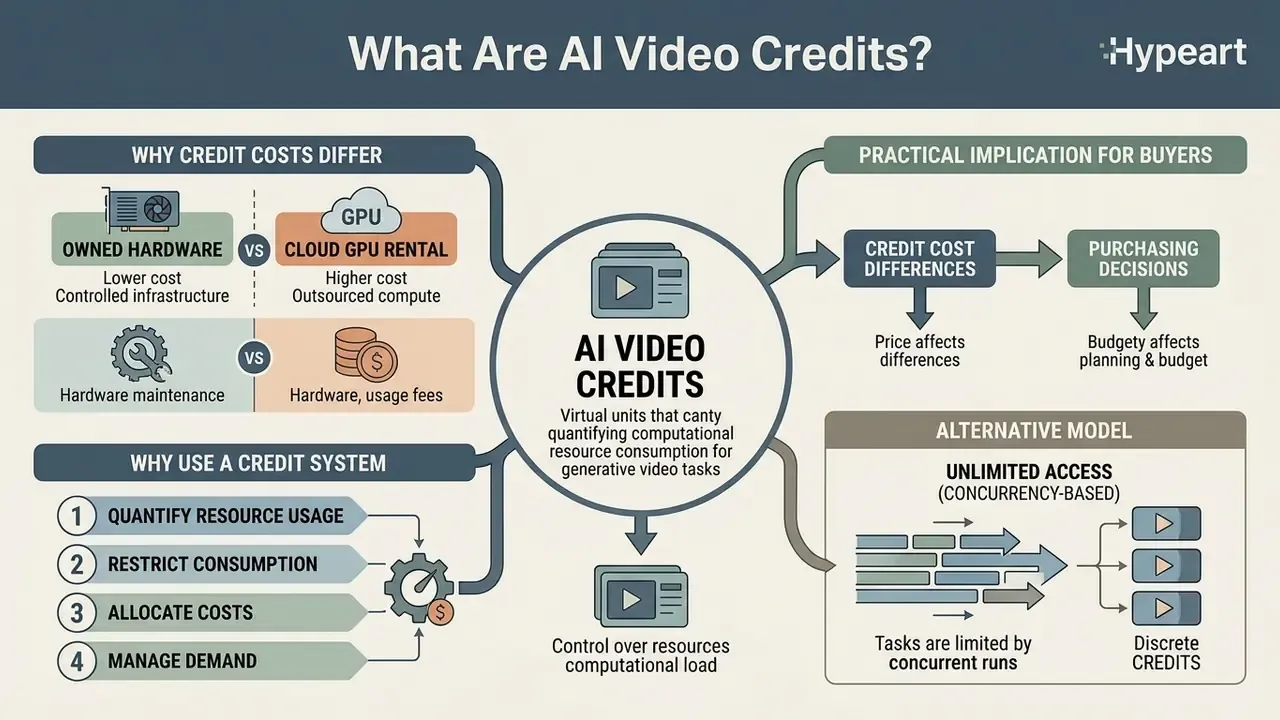
AI video credits are virtual units of account that quantify and restrict the computational resource consumption required to process generative video tasks. Rather than charging a flat rate per rendering request, platforms use these credits to meter usage across distinct algorithmic features, output durations, and hardware workloads.
An AI video credit serves as a standardized metering mechanism across heterogeneous processing tasks within generative media platforms. Legacy video software licensed a seat or counted exports. Generative video architectures rely instead on high-performance compute clusters (NVIDIA A100 or H100 class GPUs) where operational costs vary dynamically with inference duration, frame rate and model parameter size. Most AI video generators therefore expose a credit balance rather than an export counter.
So what is the definition worth writing into a policy document? The subscription plan is the recurring monetary billing agreement. The credit is the internal currency debited whenever a user executes an AI generation job. One is finance; the other is telemetry.
«Token-based pricing has become the dominant mechanism for allocating compute across every major provider, including OpenAI, Anthropic, Google and xAI.»
Vendor documentation shows how differently that metering layer can be denominated:
- Per uploaded minute: Vizard charges 1 credit per minute of source video processed, and debits a project once even when both clipping and transcription run on the same file.
- Per output second: AI Studios bills 0.4 to 3.5 credits per second of generated video, scaling with the selected model.
- Per fixed increment: Creatify bills in blocks, 5 credits per 30 seconds for certain outputs, 0.5 credits per second on its fast engine.
- Per completed clip: orchestration platforms such as Relay publish flat per-output rates, for example 2,000 AI credits for an 8-second Veo 3.1 Fast clip versus 1,333 credits for an 8-second Sora 2 clip. Explicit model-level price discrimination.
"Without a granular credit structure, platforms cannot align variable GPU inference costs with predictable subscription tiers without overcharging low-volume users or incurring losses on high-end rendering." — AI Governance & Compute Architecture Review
Why the cost of a credit differs between services: owned hardware vs cloud GPU rental
The unit economics behind a single credit depend directly on how the vendor sources compute. Platforms that rent capacity from cloud providers (AWS, Google Cloud, Lambda Labs and similar) must pass dynamic hourly GPU rental prices through to users. That is why those vendors enforce rigid tiers, aggressive expiration of unused balances, and surcharges for premium models. Published per-second GPU rate cards illustrate the spread a renting platform absorbs: an A100 40 GB instance is priced around $0.000583 per second, while a top-tier B300 instance reaches roughly $0.001972 per second on the same provider. A 3.4× difference for the identical workload class.
Vendors that own their GPU clusters outright pay electricity, cooling and amortisation instead of a rental margin, and can cut effective per-generation cost sharply. That is exactly how some 2026 entrants fund permanently free tiers or sub-cent per-image pricing. One provider that retired credits entirely in April 2026 stated it could only do so "because it runs on owned hardware rather than renting cloud GPU time," and pointed to the resulting price stability: owned infrastructure is insulated from GPU rental market fluctuations.
Practical implication for buyers: when comparing two plans with identical credit counts, ask whether the vendor owns or rents its accelerators. Renters are structurally more likely to reprice credits mid-contract. Owners are structurally more likely to offer unlimited or high-cap tiers. Put the answer in the vendor file, not in an email thread.
Why AI video platforms use a credit system
AI video platforms adopt credit systems to balance heterogeneous computational infrastructure costs with predictable commercial pricing menus. Because foundation models exhibit non-uniform computational complexity during inference, flat subscription models fail to reflect actual GPU time and memory utilization.
A single platform may offer light text-to-image creation, fast video draft generation, and full-resolution generative video rendering. Each of these workflows consumes vastly different computational resources. Foundation-model economics research is explicit on why a single flat rate is unsustainable:
«Output decoding tokens and frame diffusion steps carry materially higher marginal cost than input prompt parsing, which makes a single uniform rate economically unviable.»
Academic work on generation complexity supports the same conclusion from the modelling side: complexity is not uniform across models and prompts ("Uniform Complexity for Text Generation", 2022), so flat pricing systematically overcharges light users and loses money on heavy ones. Some vendors separate the two cost centres explicitly in their rate cards, for example billing $0.50 per million inference tokens while charging $1 per tuning step per GPU for fine-tuning, with linear scaling as GPUs are added.
By establishing a credit system, platform operators create a flexible internal economy. Users draw down from a centralized account balance whether they generate a brief avatar clip, translate voice tracks, or upscale a finished file to 4K resolution. One balance, many AI features.
Alternative model: concurrency-based unlimited access
Through 2026, a meaningful share of platforms has moved away from credit metering altogether. In these systems the binding constraint is not the quantity of available units but concurrency, the number of simultaneous renders. The user pays a fixed subscription and may generate an unlimited number of clips, subject to something like one active generation per format at any moment. As one vendor operating this model puts it:
«The tradeoff is concurrency, not quantity: 1 generation per format at a time, shared across every model. Regenerating the same shot five times to nail a camera movement still costs nothing, it just happens sequentially rather than in parallel.»
What this means for a budget: credit models are efficient for infrequent but massively parallel production, hundreds of finished clips rendered simultaneously against a deadline. Concurrency-limited unlimited plans are efficient for creative exploration and prompt polishing, because dozens of discarded regenerations never touch a balance. Two caveats travel with these plans. Eligibility is usually limited to a defined set of models, and anything outside the list still consumes credits. The zero-cost window may also be time-boxed, for example a one-time 365-day inclusion that does not roll over, plus shorter 1 to 7 day promotional windows, and it is often restricted to the web application rather than API, CLI or plugin access.
How AI Video Credits Work When You Generate a Video
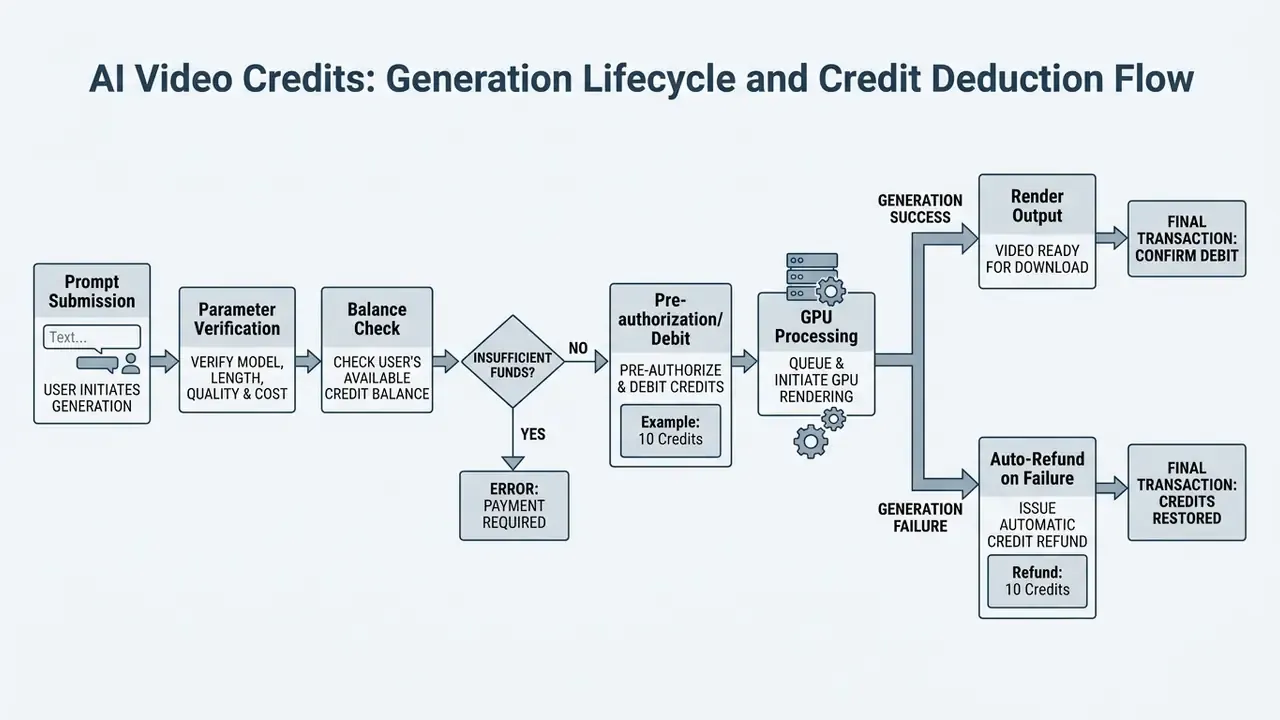
AI video credits work by deducting a predetermined quantity of units from an account balance whenever a generation job is processed by an underlying AI model. The system evaluates parameter inputs (clip duration, output resolution, model complexity, supplementary audio features) to calculate the total credit debit prior to or immediately following job execution.
When credits are deducted from your account balance
Credits are typically deducted at the point of generation request dispatch, or immediately upon successful job completion, depending on platform architecture. Standard operational policies credit back lost balance if a technical system failure occurs. Completed renders that yield undesirable creative outcomes remain non-refundable.
When an operator submits a video generation job, the platform verifies available account balance against estimated consumption. On platforms like Runway and Synthesia, credits are consumed per generation attempt, including clips the user ultimately discards, because computational work was completed by the GPU cluster. Kling AI, by contrast, enforces a success-only debit policy: account balances are reduced only after a job completes without technical error.
Three distinct debit architectures dominate published policies:
| Debit architecture | Trigger point | Failed-render handling | Typical vendor language |
|---|---|---|---|
| Dispatch debit | Credits leave the balance when the job is handed to the model provider | Auto-returned if the job errors before producing output | "Credits are debited only when a generation actually dispatches to a model provider" |
| Post-execution debit | Balance reduced after a successful render | Nothing charged for technical failures | "Failed generations due to technical error are automatically refunded" |
| Reservation / settle | Credits are reserved (held) pre-render and settled on success | Reservation released on failure | Common on enterprise API queues |
Image and audio generators follow the same logic. OpenAI's help documentation for DALL·E states that no credit is charged when the system cannot successfully generate an image; only successful requests are billed. Similar patterns apply to AI voice generators bundled inside video suites, where a failed synthesis pass should not consume balance.
Enterprise control and audit trails
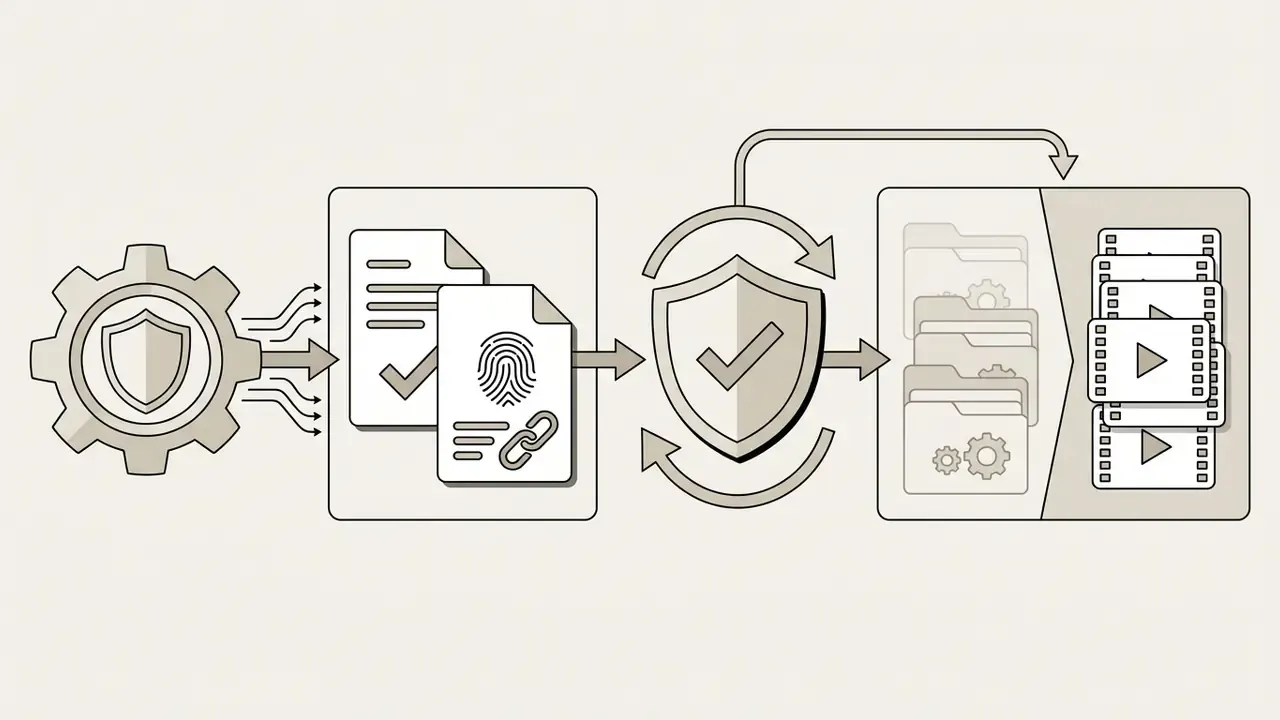
In enterprise environments, credit accounting systems maintain an explicit audit log tracking transaction timestamps, user IDs, parameter inputs, and remaining balance, which keeps financial controls intact across shared workgroups. For regulated buyers, the minimum viable log schema per transaction is: timestamp (UTC), actor identity (SSO subject), workspace or project ID, model and version, resolution and duration parameters, credits reserved, credits settled, job outcome (success, technical failure, cancelled), and closing balance.
That schema is what makes credit spend reconcilable against invoices and reviewable under third-party model-risk procedures. Without it, you have a number on a dashboard and no evidence behind it. Access-control mechanics, spend caps and log export are covered in the administration FAQ further down.
Why one video generation can use more credits than another
One video generation consumes more credits than another because rendering cost correlates directly with video duration, resolution, frame rate, model parameter scale, and advanced features like lip-sync or audio synthesis. Higher-tier models require more intensive diffusion processing per frame, which drives up unit costs.
Generating a short, low-resolution draft clip using a fast model consumes far fewer resources than rendering a high-fidelity production clip on a frontier foundation model. Platform pricing schedules reflect these hardware demands openly:
| AI Feature Type | Generation Format | Key Credit Consumption Drivers | Example Credit Calculation Principle Per Run |
|---|---|---|---|
| Text-to-video AI (Baseline) | 5-second draft clip (480p to 720p) | Duration, standard model tier, low frame rate | Fixed base rate (e.g., 5 to 10 credits per second of output). |
| Text-to-Video (Frontier) | 10-second production clip (1080p/4K) | Extended duration, high resolution, frontier model | Multiplied rate (e.g., Runway Gen-4.5 at 12 credits/sec plus 2 credits/sec for 4K upscaling). |
| Draft / Fast Modes | Rapid preview clips | Reduced sampling steps, lower parameter model | Discounted rate (e.g., Gen-4 Turbo at about 6 credits/sec). |
| Avatar / Presenter Video | Scripted digital human video | Avatar rendering tier, motion complexity, duration | Duration-based tiering (e.g., HeyGen Avatar V at 48 credits/min vs Avatar III at 4 credits/min). |
| Video Translation & Dubbing | Multilingual audio plus lip-sync | Duration, lip-sync alignment precision, audio processing | Per-minute fee (e.g., Synthesia AI Dubbing with lip-sync at 240 credits/min vs 120 credits/min without). |
| Custom Model Training | Fine-tuning custom avatars or brand styles | One-off dataset training run, GPU allocation time | Flat fee per training event (e.g., 60 credits per avatar training session). |
| Image Asset Generation | Text-to-image storyboard assets | Output resolution (1K/2K vs 4K), model version | Fixed per-image cost (e.g., 3 to 11 credits per image generated). |
Direct model-to-model benchmarks: what one clip actually costs
When choosing an engine, the spend gap between an efficiency-tuned architecture and a frontier cinematic model at identical runtime can reach 400%. The table below compares the cost of a single clip by resolution and engine:
| Model / engine | Clip parameters | Credit cost | Approx. USD equivalent | Key characteristic |
|---|---|---|---|---|
| Wan 2.7 (Fast) | 5 s, 720p 10 s, 1080p | 8 credits 25 credits | $0.40 $1.25 | Lowest cost per attempt; ideal for draft motion and blocking tests. |
| Kling 3.0 | 5 s, 720p 10 s, 1080p | 10 credits 25 credits | $0.50 $1.25 | Balanced motion dynamics against resource draw. |
| Seedance 2.0 | 5 s, 720p 10 s, 1080p | 23 credits 90 credits | $1.15 $4.50 | Complex physics simulation; roughly 2× price step when moving to 1080p. |
| Cinema Studio (Frontier) | 5 s, 720p 10 s, 1080p | 25 credits 100 credits | $1.25 $5.00 | Maximum generation control and cinematic physical modelling. |
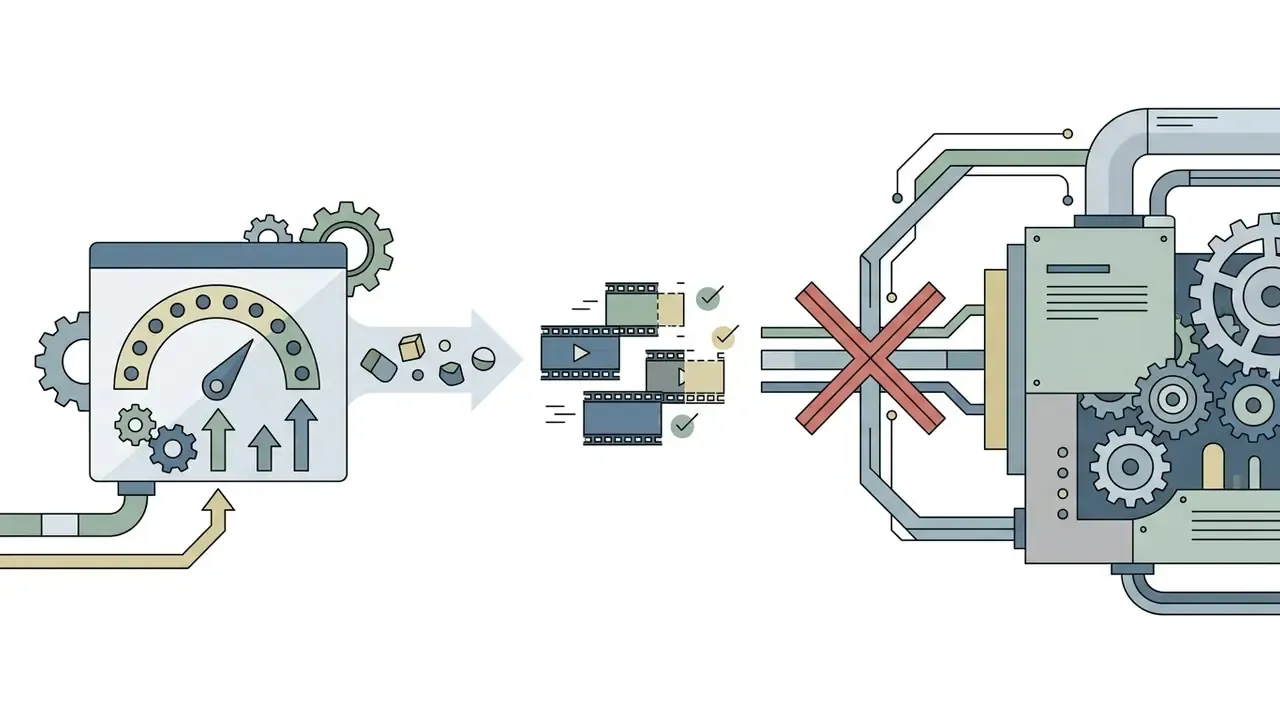
Two structural lessons follow from this grid. First, resolution is usually a bigger multiplier than duration: on several engines the 720p to 1080p jump costs more than adding a few extra seconds at the same resolution. Second, a cheaper model is not automatically a cheaper finished clip. An engine with a low per-generation rate but a high failure rate can exceed the total cost of a pricier model that lands the shot in fewer attempts.
Specialised rate footnote: feature toggles reprice the same engine. Running Veo 3 without audio is billed at 3 credits per second, while enabling native background audio and effects raises it to 5 credits per second, a 66% step. Lightweight engines are cheaper again; ByteDance-based generation is commonly billed at roughly 3 credits per 2 seconds of video. Runway's own documentation shows the same pattern across model tiers: Gen-4 at 12 credits per second versus Gen-4 Turbo at 5 credits per second, so a 10-second clip is 120 versus 50 credits. Developers pricing an API pipeline can compare per-second rates in the Google Veo implementation guide, where 4 s, 6 s and 8 s durations and 1080p/4K availability are constrained at model level rather than by credit rate alone.
Underlying hardware economics explain the spread:
«An SVD model on an RTX 4090 generates a 4-second 576×1024 clip at roughly $0.38 per minute of video; a Hunyuan-class model on an A100 80 GB costs about $3.13 per minute.»
An enterprise video team evaluating AI workflows ran a trial comparing draft-mode iteration against full-resolution generation. By requiring editors to lock storyboards in draft mode before rendering final takes, the team cut monthly credit consumption by 42% while increasing total finished video output. (Internal client engagement, single-team sample; treat as directional benchmark rather than a published industry average. Methodology and sample size are documented in Appendix A.)
How Many AI Credits Are Included in Free and Paid Plans?
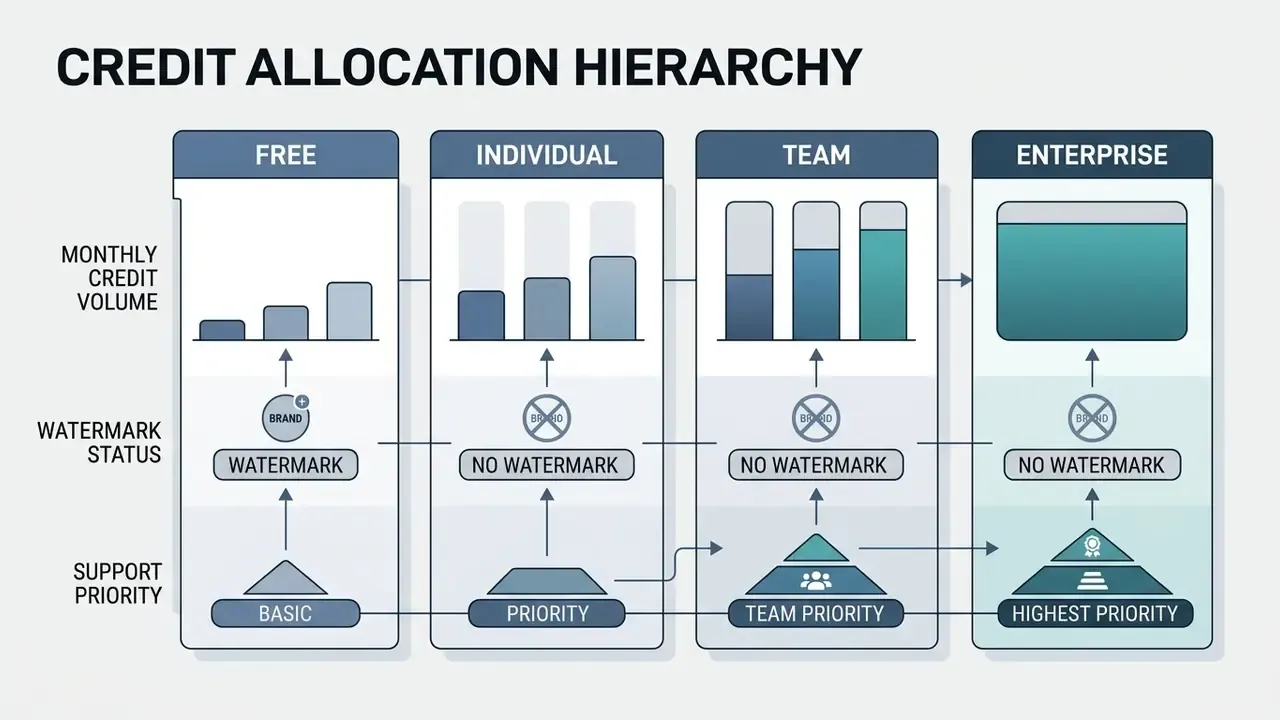
Free plans typically provide small, one-time credit allocations intended solely for platform evaluation. Paid subscription and enterprise plans grant recurring monthly or annual credit pools designed for active production. Reviewing published allowances before running the budget formula matters, because the per-second rate in your calculation must come from a real vendor rate card.
Free credits and monthly credit allotments
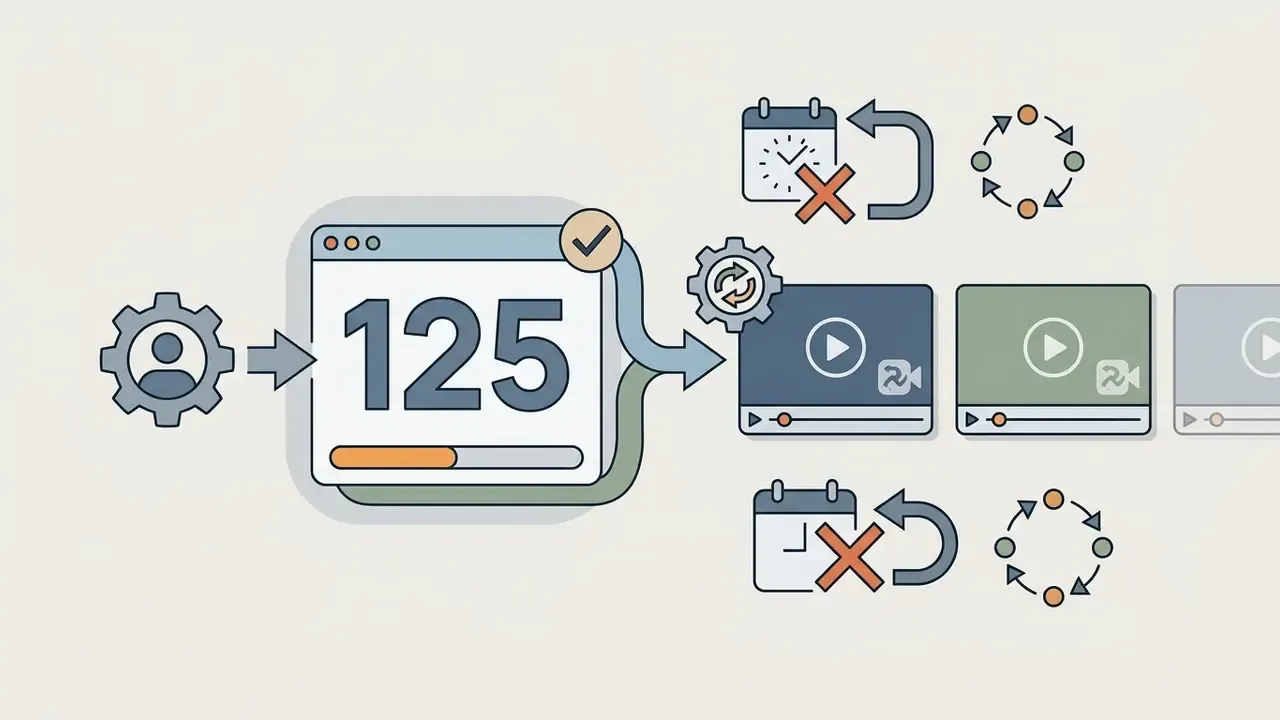
Free tier offerings grant a minimal credit allowance, often 10 to 125 one-time credits, that does not renew monthly. These trial credits allow users to test prompt responses and interfaces, but they are restricted by watermarked outputs, queue deprioritization, and locked enterprise features.
According to platform documentation across major generative video vendors, free credit allowances serve strictly as evaluation mechanisms:
Market-wide, the free-tier landscape is broad but shallow:


«As of July 2026, 162 providers offered a free tier and 82 offered free API credit options; most impose dynamic limits and do not allow unused balances to accumulate.»
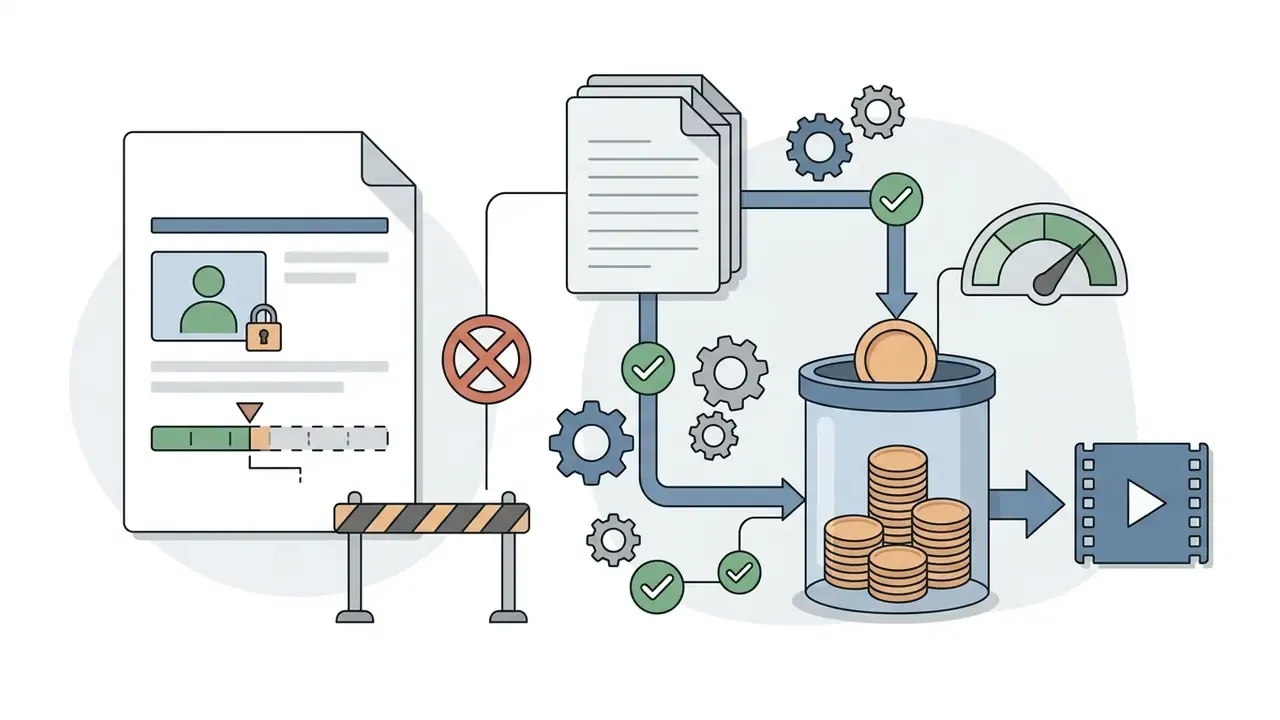
Free-tier model access is also gated, not just metered. Vendor rate-limit documentation shows advanced models flagged "Free: Not supported" for requests-per-minute, tokens-per-minute and batch queues, while some providers define the free tier by a monthly dollar cap (for example $100 per month for eligible geographies) rather than a credit count. In practice, a free tier can rarely be used to benchmark the frontier model you would actually buy. Worth remembering before a procurement committee treats a trial as a pilot.
Paid, enterprise and subscription plan access
Paid subscriptions structure credit access into predictable monthly or annual tiers, with higher plans delivering lower effective costs per credit alongside elevated queue priority, expanded storage, and advanced team administrative controls.
| Platform | Plan Category | Monthly Credit Allowance | Included AI Capabilities | Rollover & Billing Terms |
|---|---|---|---|---|
| Runway | Standard / Pro / Max | Standard: 625 Pro: 2,250 Max: 9,500 | Gen-4.5 video, Gen-4 Turbo, 1080p image generation, motion brush | Reset monthly; top-up credits available in blocks of 1,000. |
| InVideo AI | Plus / Max / Generative / Elite | Plus: 75 Max: 390 Generative: 800 Elite: 4,250 | Access to 200+ video/audio models, voice cloning, stock assembly | Resets on billing anniversary; unused credits expire at cycle end. |
| HeyGen | Creator / Pro / Business | Creator: 600 Pro: 1,000+ Business: 1,500/seat | Studio avatars, voice translation, custom avatar training | Business tier permits add-on credit blocks at $0.05/credit. |
| Synthesia | Starter / Creator | Starter: 1,200 Creator: 3,600 | 2 credits/sec base video, AI dubbing, API integration | Monthly or annual credit allowances; resets per billing terms. |
| Sora (OpenAI) | ChatGPT Plus / Pro | Plus: ~1,000 Pro: ~10,000 | Priority video generation (480p to 1080p), relaxed mode access | Resets monthly at midnight; zero rollover of unused credits. |
| Storyblocks (AI Toolkit) | Essentials / Unlimited All Access / Small Business / Enterprise | 3,000 / 4,500 / 6,000 / custom | AI video editing, AI voiceover, AI video and image generation | Credits renew monthly and do not roll over; extra credits purchasable in-profile. |
| Powtoon (Imagine) | Lite / Professional / Advanced | Lite: 150 (mo) / 300 (yr) Professional: 350 / 500 Advanced: 800 / 1,200 | AI avatars, text-to-speech, text-to-image, text-to-video (Veo 3, ByteDance) | Credits expire when the subscription ends; packs at 125/$49, 300/$99, 450/$149. |
| Concurrency-unlimited tiers | Entry / Mid / Top | Entry: ~120 credits Mid: ~1,000 Top: ~3,000 plus unlimited set | Image testing, then video models; unlimited set on higher tiers | Unlimited sets are time-boxed (e.g. 365 days), do not roll over, web app only. |
Raw credit counts are only meaningful once converted into output units:
AI Video Credits Calculator: Estimate Credits Needed
Calculating how many credits you need means multiplying the total number of planned video runs by the target clip duration, the model's base per-second rate, and an estimated retry rate multiplier. An accurate usage estimate prevents mid-project production freezes and informs plan selection. Run it after you have pulled a real per-second rate from the vendor tables above, so that Rate_model reflects a published figure rather than an assumption. Teams still shortlisting tools can cross-check rates against the comparison of the best AI video generators before committing budget.

To forecast total monthly credit requirements (), use the following standardized operational formula:
Where:
- is the number of planned unique video clips.
- is the percentage of expected re-renders, typically 0.20 to 0.50 for complex creative prompts.
- is the length of each clip in seconds or minutes.
- is the platform's published credit cost per second or minute for the selected quality tier.
- is a multimodality coefficient applied when a single deliverable simultaneously consumes video, speech synthesis and lip-sync budgets. Commonly 1.2 to 1.7, in line with the 66% step observed when native audio is enabled on Veo 3.
- represents fixed charges for custom avatar training, voice dubbing, or high-resolution upscaling.
That last term is the one most models omit. Skip it, and your ROI case quietly excludes the cost of control.
The economic logic underneath the credit layer is the same token accounting used by foundation-model providers:
«Workflow cost can be expressed as C = p_I(T^I + T^C + T^R) + p_O·T^O + p_H·T^H, where p_I, p_O and p_H price input, output and hidden tokens.»
For teams that prefer measurement-first modelling, note that standardised video-evaluation methodologies (IETF RFC 8761 for codec evaluation and RFC 9317 for streaming QoE) treat clip duration and repeated runs as explicit measurement variables. The same logic applies here: duration and run count belong to the methodology, while the price coefficient belongs to the commercial rate card.
Inputs to include in a credit usage estimate
A complete credit usage estimate must include clip count, average duration, model quality tier, target export resolution, supplementary audio or lip-sync requirements, and a realistic retry margin. Omit retry iterations or upscaling fees and the budget will be wrong, usually by a wide margin.
When auditing production pipelines, teams should systematically catalog six key inputs:
- Planned render volume: the total number of distinct video assets required.
- Average output length: exact clip duration in seconds.
- Selected model tier: draft models (lower credit cost) versus flagship frontier models (higher credit cost).
- Resolution requirements: standard 720p/1080p outputs versus 4K upscaling passes.
- Auxiliary AI features: AI voiceovers, precision lip-syncing, or automated multi-language translation.
- Historical retry rate: the multiplier accounting for discarded renders, prompt adjustments, and client revisions.
Two further inputs are frequently missed and materially change the total. Reference media first: some platforms bill input or reference video, images and audio references separately from output video. Preview and prompt-enhancer toggles second, which several vendors document as independent cost variables alongside duration and resolution. Where a pipeline also compresses or re-encodes finished renders, price the non-generative steps separately; a video compressor consumes no generative credits at all.
How to compare estimated usage with your plan
Compare calculated credit requirements directly against a subscription plan's monthly allocation to determine whether base tiers cover production demands or higher enterprise tiers are necessary. Account for non-rollover policies so monthly allocations match peak production cycles rather than annual averages.
If estimated monthly usage exceeds a tier's baseline allowance, evaluate whether standalone credit top-ups or an upgrade to a higher plan tier offers superior unit economics. For sustained operations, higher plan tiers generally provide a lower cost per credit. Sporadic volume spikes, on the other hand, are often better managed via one-time credit top-ups, which avoids committing to elevated recurring subscription fees.
A disciplined overrun-forecasting routine mirrors standard credit-limit practice:
- Point-in-time headroomavailable credits = assigned allowance minus utilised allowance, checked at least weekly during active production.
- Burn-rate projectiondivide credits consumed to date by days elapsed, multiply by days remaining in the billing cycle, and compare against headroom.
- Cycle-close checkoverrun is realised at the cycle boundary, so decide to top up or upgrade at least 3 to 5 days before the renewal date, while proration is still favourable.
- Threshold alertsconfigure notifications at 50%, 75% and 90% of allowance. Near-real-time balance monitoring standards in telecom billing (IETF RFC 8506) and enterprise billing platforms treat threshold breaches as the trigger for automated action, with market guidance recommending notification latency of no more than five minutes from the booked transaction.
Additional Credits, Rollover and Credit Expiration Rules
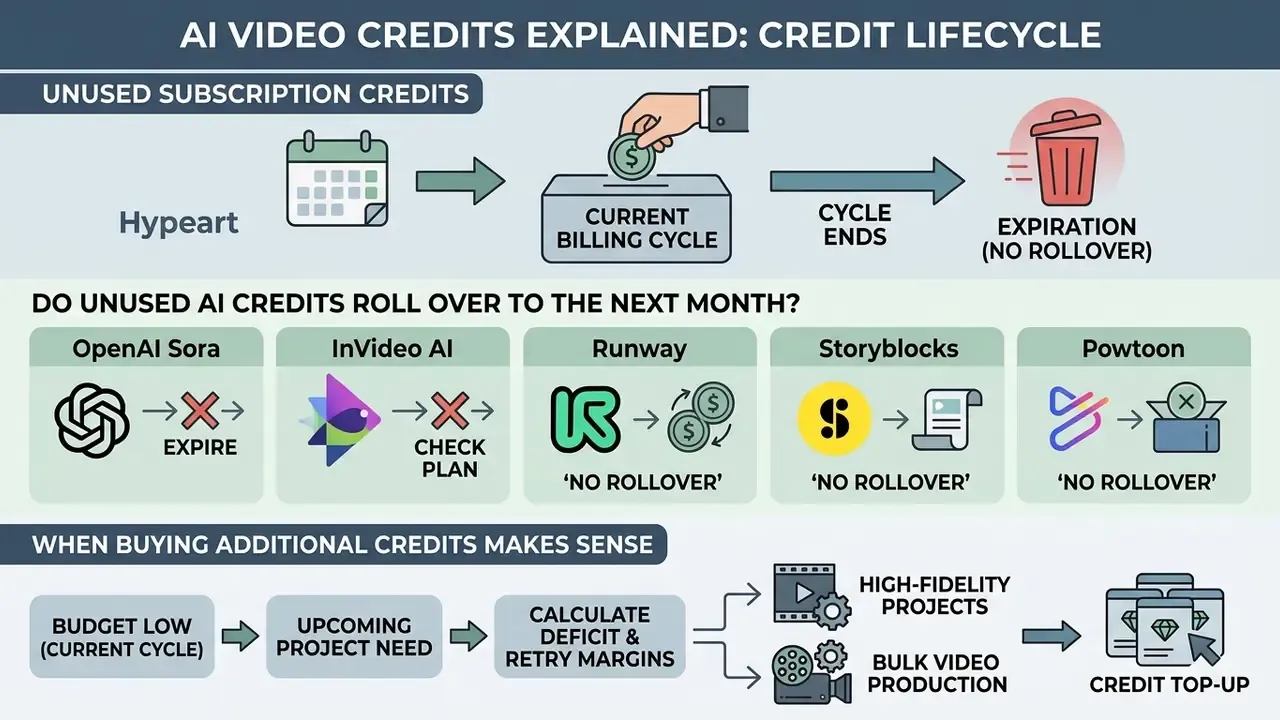
Unused subscription credits typically expire at the end of each billing cycle without rolling over. Separately purchased credit top-up packs frequently remain valid for extended periods, or until account cancellation.
Do unused AI credits roll over to the next month?
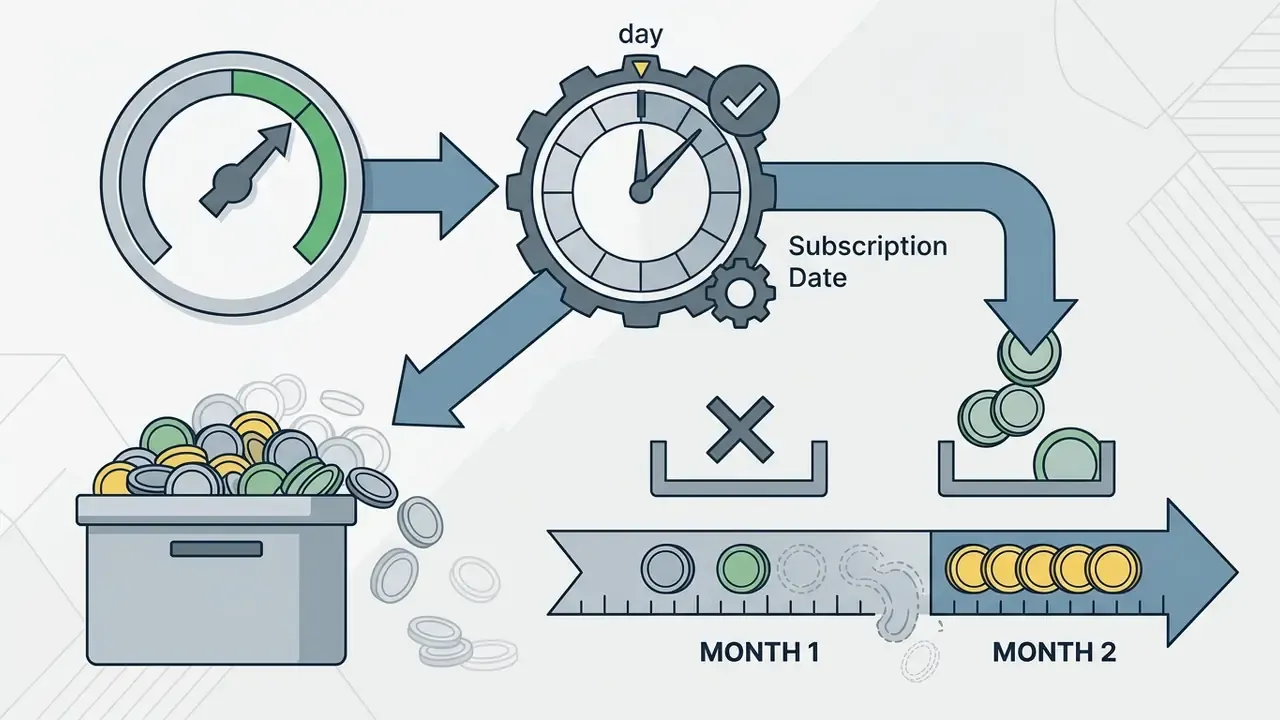
On most generative video platforms, unused monthly subscription credits do not roll over to the next billing cycle. Subscription balances operate on a "use-it-or-lose-it" policy, resetting to the plan's baseline allocation on the monthly renewal date. The same convention applies across most credit-based AI video platforms, including avatar and animation tools that bundle generative features into a wider editor.
Official platform billing documentation confirms strict expiration schedules across leading tools:
- OpenAI Sora: monthly credit allowances reset at midnight on the billing anniversary; unused credits are forfeited without rollover.
«ChatGPT Plus and Pro grant between 1,000 and 10,000 credits, which reset monthly at midnight with no carry-over of the remaining balance.»
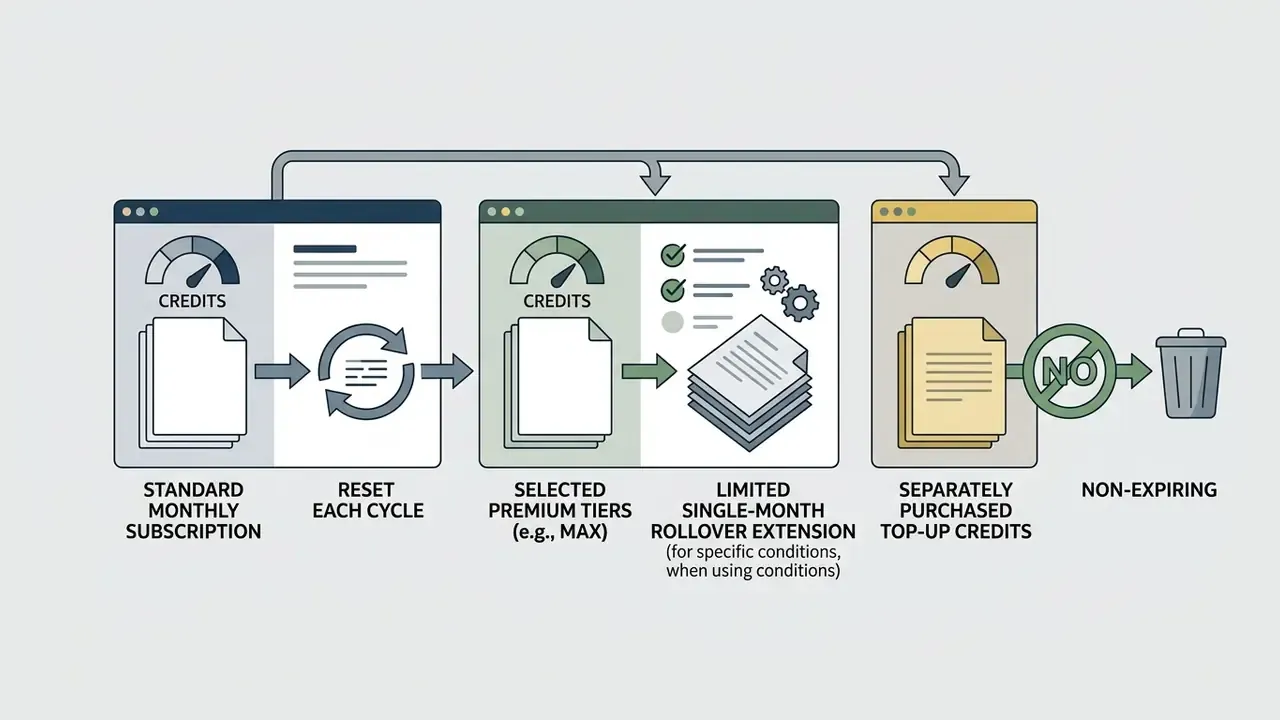

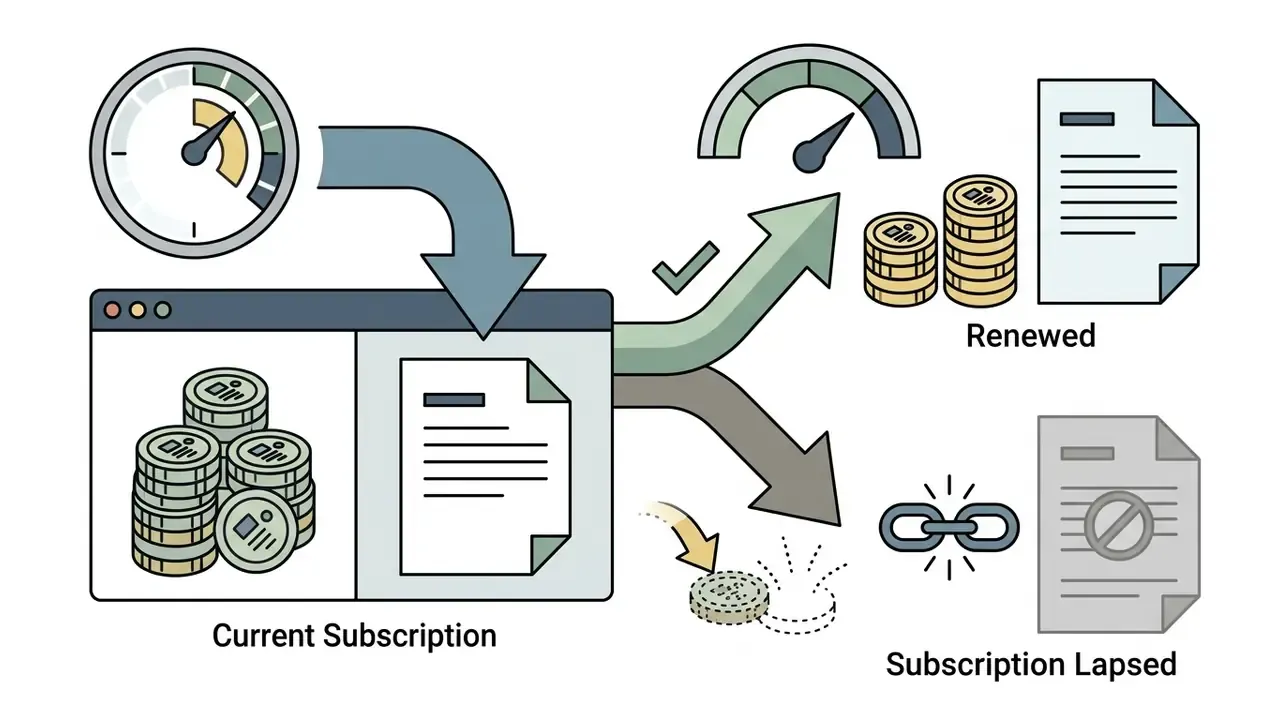
Purchased packs follow different clocks, and the spread is wide enough to affect procurement timing:
| Policy pattern | Subscription credits | Purchased pack credits | Behaviour on cancellation |
|---|---|---|---|
| Strict monthly reset | Expire at cycle end | Often 30 days to 12 months validity | Subscription credits invalidated at period end |
| Tier-gated rollover | Rollover only on top tiers (1 month, or up to 12 months) | Separate validity window | Rollover lost once subscription lapses |
| Pack-preserving | Expire at cycle end | Retain original expiry timer (e.g. 90 days) | Pack credits survive cancellation |
| Non-expiring packs | Follow plan terms | Never expire | Pack balance retained |
Documented examples of each: subscription credits invalidated at the end of the billing period after cancellation (remove.bg); subscription credits expiring per cycle while credit-pack credits keep a 90-day timer and survive cancellation (Higgsfield); credit-pack credits remaining valid to their original expiry date post-cancellation (Morphic); pack credits that never expire (Wave); rollover for up to 12 months on the top tier only (Sudowrite); rollover of one additional month on plans at or above a 5,000-credit threshold (Netlify); enterprise credits renewing annually with no rollover, and paid non-enterprise credits expiring 30 days after grant (Vimeo); monthly credits expiring at the subscription anniversary while credit-pack add-ons expire one year after purchase (Zoom); and carry-forward capped at 3× the monthly allowance (Captions).
When buying additional credits makes sense
Buying additional credit top-up packs makes sense during short-term production spikes, where temporary usage exceeds base plan limits but sustained monthly volume does not justify a permanent plan tier upgrade.
When evaluating whether to purchase top-up packs or upgrade subscription tiers, perform a marginal cost comparison:
- Calculate the unit price per credit under the top-up pack ().
- Calculate the incremental cost per additional credit achieved by upgrading to the next subscription plan ().
- If the temporary volume surge spans less than two consecutive billing cycles, top-up packs prevent lock-in to higher recurring subscription costs. If high volume persists beyond two cycles, upgrading tiers delivers superior unit economics.
«HeyGen Business allows top-ups at $0.05 per credit in blocks of 100, which is cheaper than the plan's own baseline credit cost of $0.099.»
Two mechanics complete the calculation. First, top-up pricing is not always a premium. Some vendors sell top-ups above the plan rate (Powtoon's 125-credit pack at $49 works out near $0.39 per credit), while others price them below it, as in the HeyGen example, or at a flat $0.01 per credit with a 1,000-credit minimum. Second, mid-cycle upgrades are prorated: the unused portion of the old plan is credited and the new plan is charged for the remaining days. A published worked example shows a $124.50 charge offset by a $49.50 credit, producing an immediate net charge of $75 when 15 days remain in a 30-day cycle. Vendor guidance is blunt about the signal. Repeated top-up purchases in consecutive cycles mean the higher plan is already cheaper per credit.
To analyze subscription plans and determine total cost structures across platforms, review the detailed AI Video Pricing Guide.
How to Use AI Video Credits More Efficiently
Using AI video credits efficiently requires pre-render prompt refinement, drafting storyboards in lower-cost modes or resolutions, locking still keyframes before animating, and establishing real-time operational balance alerts.
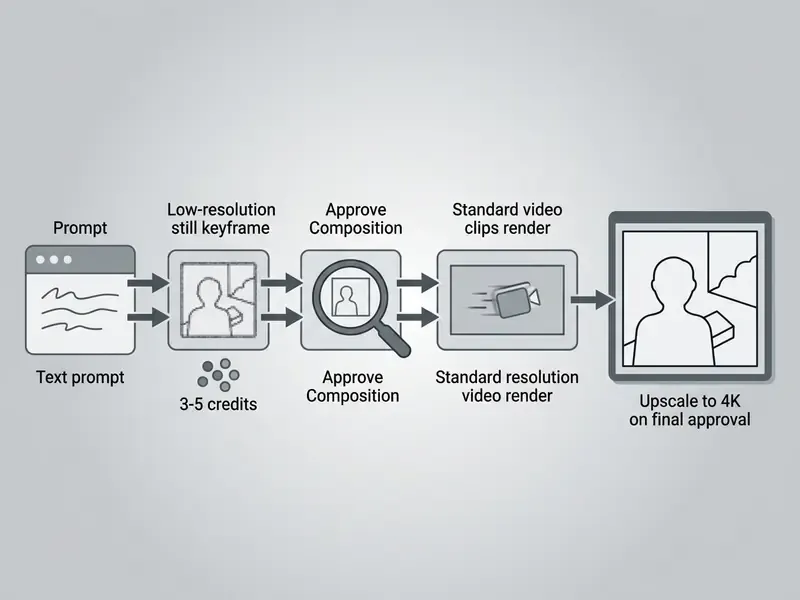
Plan prompts and generation settings before running AI
Plan prompt structures and verify generation settings before submitting render requests. Testing character consistency and framing via inexpensive image generation or draft video modes prevents costly re-renders in full production modes.
Operational best practices for pre-render planning include:
- Lock keyframes first spend low-cost image credits (3 to 5 credits) to approve visual composition, lighting and character details before committing high-cost video credits (80 to 160 credits per minute).
- Draft in low resolution render initial motion tests at 720p or in Fast/Turbo modes to confirm camera movement before executing 1080p or 4K final renders. Non-generative trimming, captions and colour passes can be handled in a conventional editor, see the YouTube video editing workflow guide, so that credits are reserved strictly for generation.
- Batch test short sequences generate 3 to 5 second test segments rather than full 15-second sequences when experimenting with novel motion prompts. Vendor guidance recommends batches of about five clips, so failures surface before the whole run is paid for.
- Refine prompt modifiers avoid vague prompts that cause stochastic drift and force multiple expensive retries to achieve the desired subject positioning. Where a platform exposes camera movement and lighting as explicit settings, use them instead of prose. A described camera move is reinterpreted on every attempt; a set parameter is not.
- Use trained character identities (custom model or avatar training) describing a recurring character's face and wardrobe purely through text on every run produces character drift, and fixing appearance can absorb a very large share of a project's credit budget. Train the identity or style once for a fixed fee, for example 60 credits per avatar training session. That removes an entire category of failed attempts and typically pays for itself within 5 to 7 generations. As one vendor's guidance states: "A face described fresh in every prompt drifts between generations, and each fix-it attempt is a paid regeneration. Training it once removes that entire category of failed attempts."
- Test multiple seeds deliberately prompt-engineering research recommends generating 3 to 9 seeds to characterise how a prompt behaves under stochastic sampling, and using short 100 to 500 iteration passes for early exploration rather than full-quality rerolls (CHI 2022 study on prompt iteration).
- Request a pre-flight breakdown ask the platform to estimate reference sheets, image generations and video clips before committing, so the total is visible in advance.
Draft-mode discipline is quantifiable:
A related tactic is switching modality. Animating an approved still through image-to-video generation often reaches an acceptable result in fewer attempts than text-to-video, because composition is already fixed before any motion credits are spent.
Check credit usage and balance during production
Monitor account credit balances in real time during active video production to track consumption rates against project budgets and prevent unexpected workflow interruptions.
Pre-Flight AI Video Generation Settings Checklist
Checklist0 / 9
«Kling AI displays a precise cost estimate before each run, and the account is debited only when the generation completes successfully.»
Where the balance itself lives differs by product. Some vendors surface remaining credits in a central account or usage page, others only inside the generation app's profile area, and others in a settings-level usage tab. Document the location for each tool in your stack, so producers are not forced to guess mid-shoot.
To model exact credit requirements and test custom video production scenarios before committing budget, use the interactive AI Video Credit Calculator.
AI Video Credits FAQ
AI video credit administration involves specific account permissions, user allocation rules, and billing transaction policies across individual and corporate team accounts. The same permission logic applies to adjacent generative tooling, including AI image generators that share the credit pool inside a suite.
Are AI credits shared across users in one account?
In team and corporate accounts, AI credits are typically pooled into a centralized organization balance managed by account administrators, though seat-based plans may assign individual credit allocations per user. On enterprise platforms like Anthropic, OpenAI Enterprise and HeyGen Business, administrators can set role-based access controls (RBAC) and spend limits per user or workgroup, which stops one team member from exhausting a shared credit pool. Published enterprise documentation describes both patterns explicitly: shared organisation-level credit pools that all seat types draw from with group-scoped spend controls, and per-member limits where one user hitting a cap does not reduce another member's allowance. Some suites go further and state that credits are not pooled on team or enterprise plans at all, offering shared credits only under negotiated agreements. On standard multi-seat subscription plans, credits are often assigned as fixed monthly allowances per seat (for example 160 credits per seat), where unconsumed credits on one seat cannot automatically be used by another seat unless the account owner configures it.
«InVideo Team Standard allocates 160 credits per seat and Team Premium 1,600 credits per seat; unused credits on one seat do not transfer automatically to another.» InVideo AI Pricing Documentation (verified July 2026). https://invideo.io/pricing Governance controls that matter for regulated organisations. Credit administration is where AI usage becomes auditable, so treat the credit ledger as a control surface, not a billing detail:
- Eliminate Shadow AI at the payment layer. The most common leakage path is an employee buying credits on a personal card and uploading internal footage, scripts or customer data to an unmanaged account. Controls: block generative-media merchant categories on corporate cards, require SSO-only provisioning, and reconcile expense claims against the approved vendor list each quarter.
- Enforce RBAC by cost tier, not just by feature. Grant frontier models, 4K upscaling and dubbing to a small approver role; leave draft and Turbo tiers open to producers. This caps the maximum spend a single mis-click can cause.
- Export transaction logs to SIEM. Require the vendor to expose an API or scheduled export of the credit ledger (timestamp, actor, model, parameters, credits settled, outcome) so generation events can be correlated with data-loss-prevention and access logs. Retention should match your internal model-inventory policy.
- Set organisation and per-user spend limits. Where the platform supports it, cap monthly spend per group so a runaway automation cannot drain a shared pool before the alert threshold triggers.
- Register the tool in the model inventory. Third-party generative services used in customer-facing output fall within the scope of model-risk and AI-management frameworks, for example NIST AI RMF, and supervisory expectations for model risk management such as SR 11-7 in US banking. Credit logs are the practical evidence that usage was scoped, approved and monitored.
- Restrict finalisation rights. Because the expensive step is usually the final high-resolution pass, limit 4K rendering and export to a named role. That converts an uncontrolled cost into an approval gate. One honest caveat: none of these six controls is a substitute for a data-processing review. They govern spend and traceability, not lawfulness of the inputs.
Can AI credits be refunded or transferred?
Disclaimer: This information is general in nature and does not replace advice from a qualified legal or financial professional. Refund and transfer conditions are governed by each platform's individual user agreement and by the consumer-protection rules of your jurisdiction. AI credits are generally non-refundable and non-transferable between separate user accounts under standard vendor terms of service. Technical rendering failures caused by platform outages are usually credited back to the account balance, whereas completed generations that yield unsatisfactory artistic results are not eligible for recovery. «Kling AI debits credits only when a generation completes successfully; technically failed runs are not billed.» Kling AI Pricing Documentation (2026). https://klingai.com/pricing Several vendors state the opposite for creative outcomes: cost is charged at the point of generation regardless of whether the result is kept, with no automatic refund mechanism for output that misses the brief. Vimeo's AI credit documentation, for example, states that AI credits are non-refundable and non-transferable outright. Federal consumer finance standards and commercial billing guidelines dictate that disputes regarding technical software failures must be submitted to vendor support within established billing windows, typically 30 to 60 days. Under US Truth in Lending materials, billing-error disputes must be sent to the billing-inquiries address within 60 days of the first statement showing the error, and a credit-balance refund must be issued within 7 business days of a written request. UK consumer-credit guidance provides for a 14-day withdrawal right on certain agreements and a right to request a statement of account no more than once a month. While platforms do not permit transferring credits between distinct commercial entities, enterprise organizations undergoing administrative restructuring can request account-level credit reallocations through vendor enterprise support channels. Cloud precedent is instructive: transfers are typically permitted only to another payments account with the same product, currency and legal entity, subject to review. Tax-administration practice similarly requires a written request from the party entitled to the credit.
What happens when the credit balance reaches zero?
Hitting zero suspends new generations but not account access. Past renders, project files and prompt histories remain available on essentially every platform reviewed. From there, three paths exist: wait for the scheduled reset (daily on some free tiers, monthly on subscriptions), purchase a top-up pack for immediate capacity, or upgrade the plan tier with proration. On concurrency-limited unlimited plans the failure mode is different. Instead of a hard stop, additional jobs queue behind the single active render per format, so throughput degrades rather than production halting.
Does spending credits mean sending data to external GPUs?
In most cases, yes. A credit debit corresponds to an inference job executed on the vendor's accelerators, or the vendor's cloud provider's, which means prompts, reference images, scripts and uploaded footage leave your environment. For regulated workloads, verify four points before allocating budget: the processing region and whether data residency can be pinned; whether inputs and outputs are retained for model training, and whether opt-out is contractual rather than a UI toggle; whether a private deployment, VPC peering or single-tenant queue is available, and how it reprices credits; and whether subprocessors are disclosed, since a platform renting third-party GPU capacity introduces an additional processor into your data map. Where footage contains customer or employee likenesses, treat avatar and lip-sync features as biometric-adjacent processing and route them through your standard privacy review. Non-generative steps such as trimming, compression and colour work should stay in local or self-hosted tooling to reduce both cost and data exposure. See the guides to free photo and video editing tools for on-device alternatives.
How do I know my real cost per finished clip?
Multiply the credit cost of one generation by the average number of attempts your team needs to reach a usable result, then divide the plan cost by that figure. A model at 25 credits per clip with a three-attempt average costs 75 credits per deliverable, more than a 40-credit model that lands in a single attempt. Track attempts-per-approved-clip for at least two weeks per model before locking a vendor decision. It is the single most predictive metric for annual spend, and it is the number vendor rate cards never show.
Limitations and Open Questions
Three gaps in this analysis deserve explicit acknowledgement. First, the model-by-model credit rates reflect published rate cards on the verification dates listed above, and vendors reprice unilaterally, sometimes mid-contract. Second, the retry-rate assumption (20 to 50%) is drawn from small engagement samples rather than a representative industry survey, so treat it as a starting parameter to be replaced by your own telemetry within one billing cycle. Third, the market is mid-transition: whether concurrency-limited unlimited plans persist beyond promotional periods is genuinely unresolved, and a governance framework built on credit ledgers will need a parallel evidence path if metering disappears from the product entirely.
A reasonable next step is modest, not sweeping. Pull one month of credit-ledger exports from every generative tool already in use, reconcile it against invoices and against your model inventory, and see how much of the spend has a named owner. That single exercise usually reveals more about AI exposure than a new policy document would.
Appendix A: Editorial notes and superseded fragments