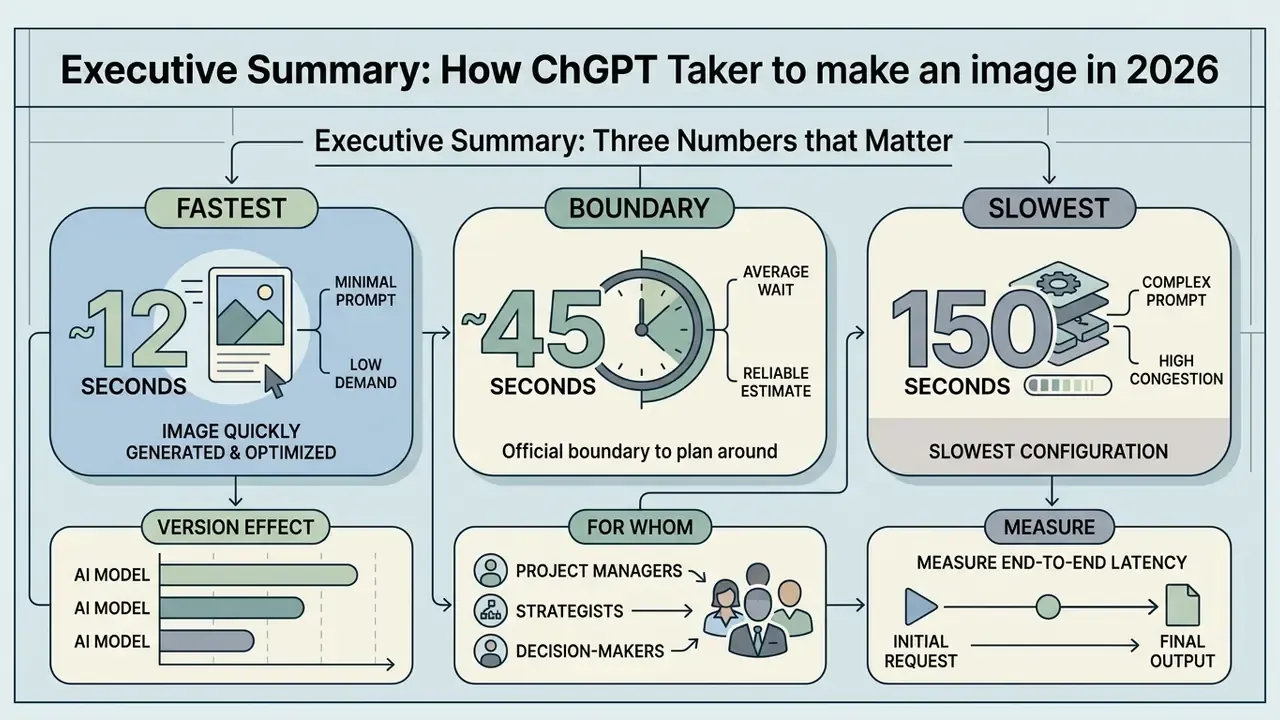
Evaluating image creation latency means looking at three things: the underlying architecture, the access tier, and the bottleneck that actually bites. Understanding how long does ChatGPT take to make an image helps enterprise operators set performance baselines, keep queues stable, and diagnose model workflows that stop responding. For a risk function, that is not a cosmetic question. Unexplained latency in a production workflow is an unowned control gap.
Executive summary: three numbers that matter
| Metric | Value | What it governs |
|---|---|---|
| Normal generation window | 5-20 seconds (median ≈ 12-15 s) | Baseline SLA assumption for standard 1024×1024 requests |
| Elevated but healthy delay | 20 seconds to 2 minutes | Complex prompts, reference images, HD quality, peak queue load |
| Troubleshooting / timeout threshold | Over 5 minutes (stuck past 10 minutes) | Incident response, prompt salvage, session restart |
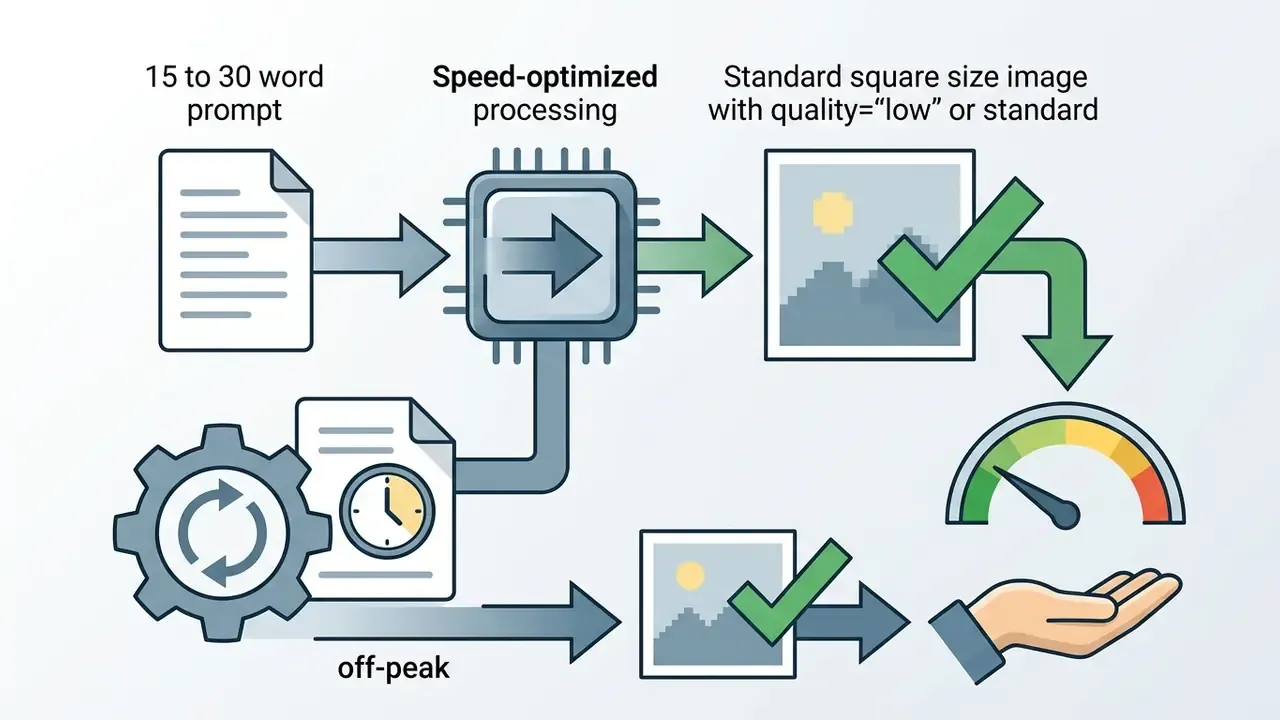
quality="low" or standard, a 15 to 30 word prompt, executed off-peak.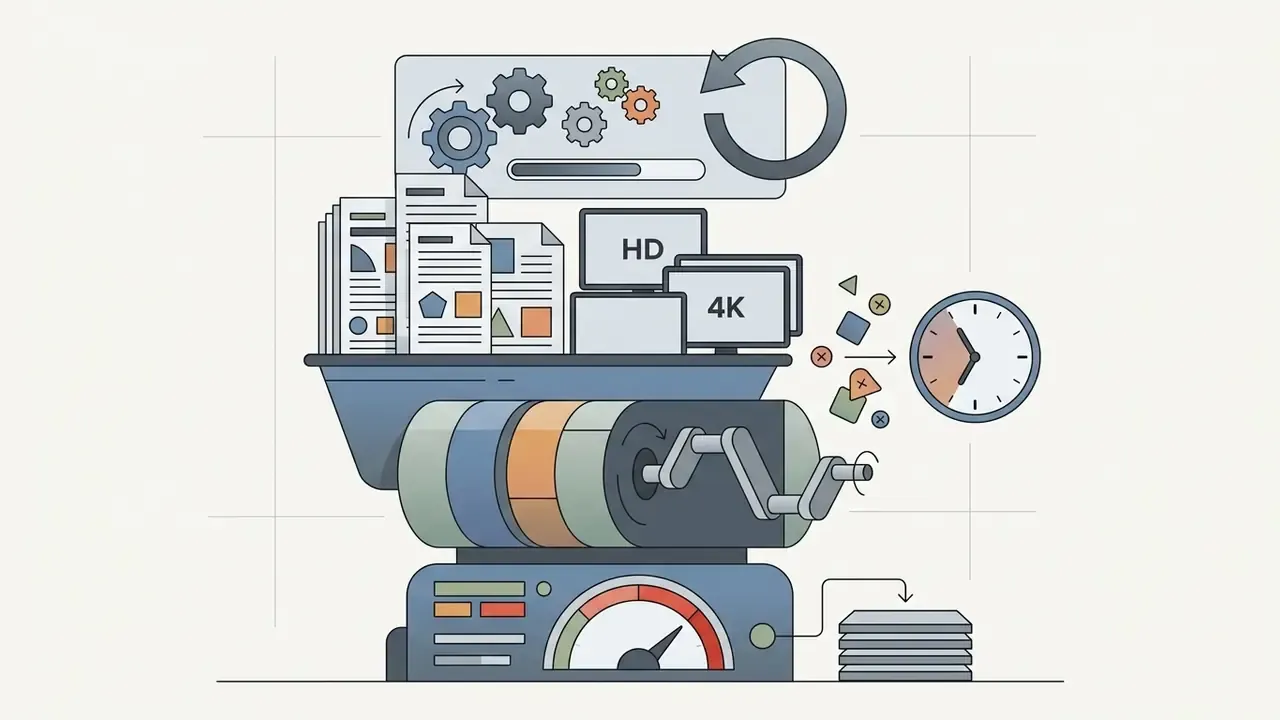
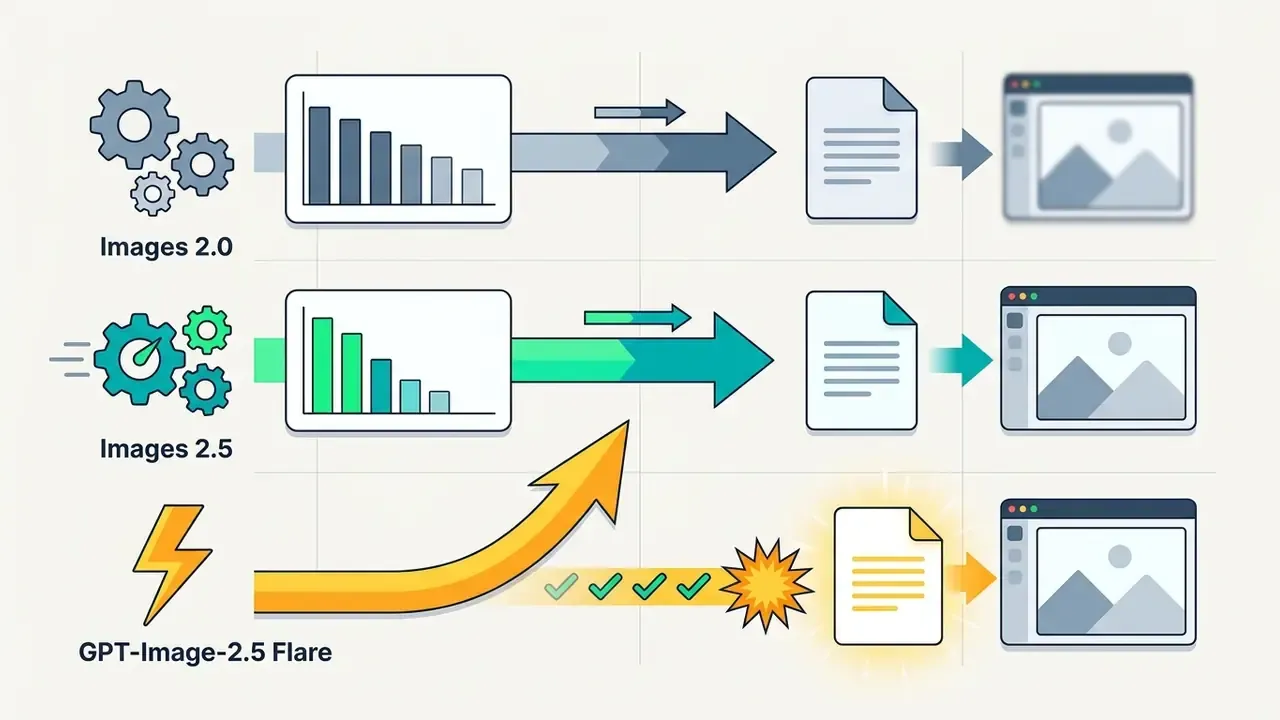
GPT-Image-2.5 Flare variant as roughly 2 to 4 times faster than GPT-Image-2.What a decision-maker should actually measure
Single-shot timings look precise and mislead almost everyone. Before you sign off on an image-generation workflow, agree on four metrics and write them into the runbook.
- p50, p95 and p99 latency per model and quality tier: , measured in your own region and account tier.
- Abandonment rate: the share of jobs cancelled by operators before completion. High abandonment usually signals a threshold problem, not a capacity problem.
- Duplicate-request ratio: how many billed images were produced for a single approved asset. This is the quiet cost driver.
- Evidence completeness: for every generated asset, can you reproduce model name, timestamp, prompt hash, quality setting, and the account that requested it?
That last one is the governance test. Speed is a preference. Reproducible evidence is a requirement.
How long does ChatGPT take to make an image: the practical answer
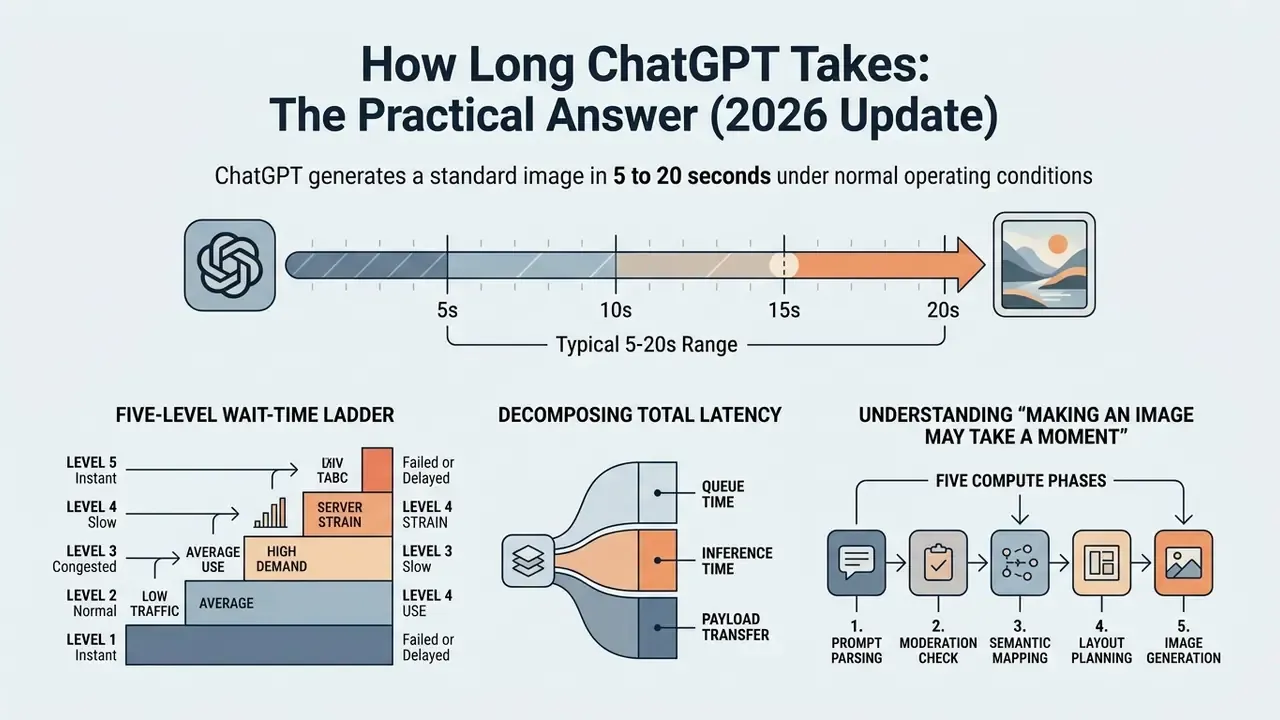
ChatGPT generates a standard image in 5 to 20 seconds under normal operating conditions. The exact chatgpt image creation time varies with model selection, prompt structure, server traffic, and user access tier.
In real-world deployment tests, median generation time sits around 12 to 15 seconds for standard square images. Simple requests on priority tiers arrive fastest. Detailed compositions need additional rendering passes. Independent benchmarking shows that the timing ranges split cleanly into distinct operational categories, which is convenient, because it lets you write thresholds instead of guesses.
| Elapsed wait time | Operational status | Diagnostic classification | Mandatory action |
|---|---|---|---|
| Under 30 seconds | Active GPU inference | Normal generation | Keep the session active. Do not refresh or duplicate the request. |
| 30 seconds to 2 minutes | Complex prompt or peak load | Extended processing | Acceptable for high detail, HD quality, text-in-image, or reference images. Wait. |
| 2 to 5 minutes | Queue congestion or socket stall | Slow-response threshold | Open the official status page in a side tab. Keep the primary session open. |
| 5 to 10 minutes | Stalled backend or dropped socket | Troubleshooting trigger | Save the prompt text locally. Stop generation or reload the active session. |
| Over 10 minutes | Connection deadlock or rate limit exceeded | Terminal timeout | Treat the session as unrecoverable. Open a fresh thread with a simplified prompt. |
This breakdown tells you whether a task is progressing normally or whether the service is degraded. Users asking how long for chatgpt to make an image can use these thresholds to avoid premature job cancellation. Teams benchmarking alternatives can cross-check them against other AI image generators before committing to a platform.
Decomposing total latency: queue, inference, and payload transfer
Total observed wait time is not a single number. Institutional teams building SLAs should split it into three measurable components, because each one responds to a different remediation.
Table 1b: Latency components in a single image request
| Component | Typical share of total wait | Primary driver | Available lever |
|---|---|---|---|
| Queue / admission time | 0-20 seconds (can exceed 60 s at peak) | Global demand, account tier priority, IPM caps | Off-peak scheduling, higher usage tier, batch endpoints |
| Inference / render time | 3-45 seconds | Model family, quality parameter, size, prompt density | Model choice (speed variant), quality="low", smaller size, shorter prompt |
| Payload transfer and client render | 0.3-5 seconds | File size (PNG/WebP), network throughput, browser state | Compressed output formats, wired connection, cache hygiene |
One practical implication: if your p95 is bad but your inference time is fine, buying a better model will not help you. You have a queue problem, and queue problems are solved with scheduling and tier decisions.
What "creating image may take a moment" usually means
When a long wait is no longer normal
A wait longer than five minutes with no visible progress points to an abnormal delay or a stalled connection. Past ten minutes, treat the job as stuck. Waits between two and five minutes are slow enough to monitor but still recoverable. OpenAI's own guidance allows up to two minutes for complex prompts, so an endless-looking spinner at the 90-second mark is frequently a job that would have finished.
Most persistent loading states trace back to systemic outages or dropped server sockets. OpenAI's status history documents 2026 incidents in which image generation in ChatGPT was unavailable or returned elevated errors. Failed or endlessly loading generations can therefore be service-side events, not user-side faults. Field data gathered by Lao Zhang AI (2025 field report) indicates that requests still in a processing state after 3 to 4 minutes rarely complete successfully.
Telling a slow render apart from a frozen request prevents lost productivity and unnecessary queue saturation. For audit purposes, record the timestamp, model name, prompt hash, and conversation ID at the moment the ladder crosses the five-minute mark. OpenAI Support asks for exactly those artifacts, plus a HAR file and browser console errors, when delays persist across browsers, devices, and networks.
What affects ChatGPT image generation speed
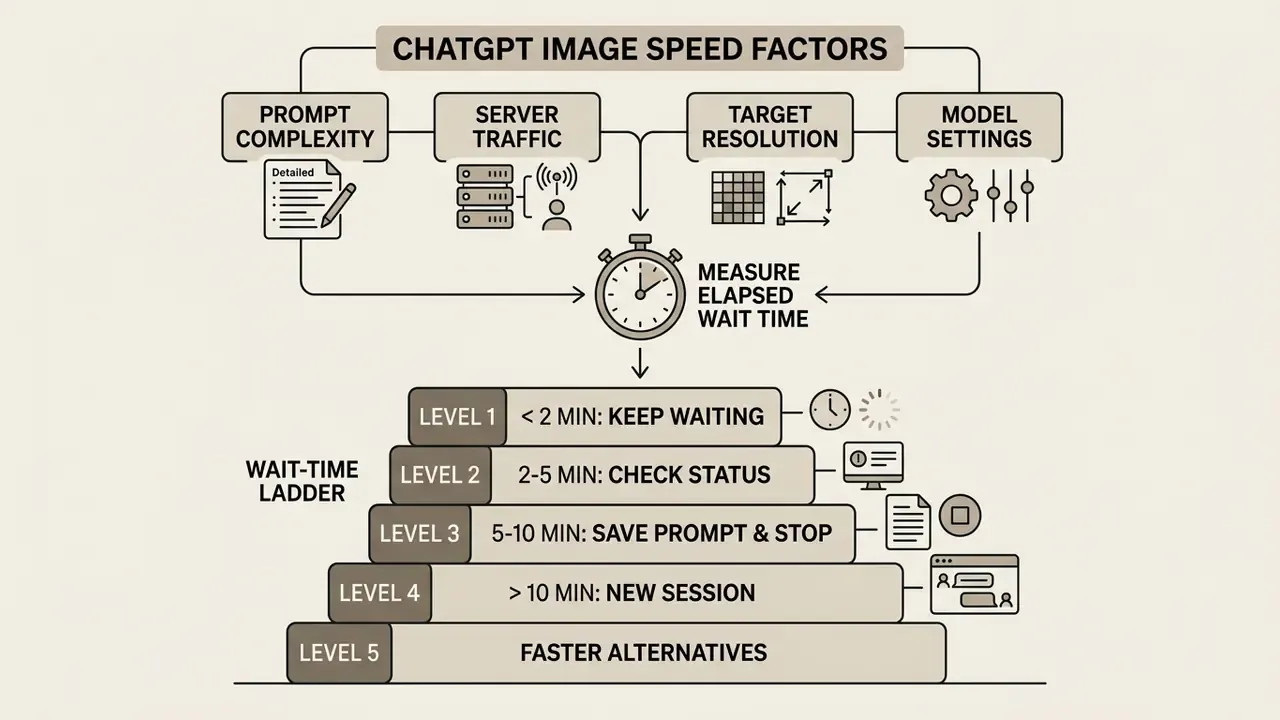
ChatGPT image generation speed is set mainly by prompt complexity, active server traffic, target resolution, and model settings. Simple prompts process quickly. Intricate requests demand more computation and longer GPU execution.
Computational overhead climbs when the model has to run dense spatial reasoning, render legible text, or handle multi-layered object compositions. Knowing these variables lets you shape prompt structure and predict turnaround with some confidence.
Prompt complexity, detail and image requirements
Short, focused instructions need fewer inference steps and generate images faster than long, highly detailed prompts. A simple prompt with one subject and a clean background usually renders in under 10 seconds. As a working rule, keep the first-pass prompt between 15 and 30 words, front-load the most important element, and use direct phrasing ("Create an image of X") instead of hedged requests.
A complex prompt that demands multi-object positioning, specific lighting, readable text, and high detail moves in the opposite direction, and it moves fast.
Academic work on diffusion-based text-to-image synthesis supports the same pattern. TextInVision (2024, academic study of diffusion models) reports a clear decrease in model performance as prompt detail increases, and DetailMaster documents progressive degradation as prompt length grows across twelve evaluated models. OpenAI's own prompting guidance mirrors this operationally: complex requests should be written as short labelled segments, and small text, dense information panels, or multi-font layouts require medium or high quality, which costs time. When evaluating chatgpt picture generator capabilities, enterprise teams should factor prompt length into their performance targets.
Server traffic and peak-hour demand
High global traffic creates processing queues that lengthen overall wait times. Updated: during peak business hours, image generation latency can degrade by more than 200% relative to off-peak execution. The earlier "100% to 200%" range understated measured field behaviour.
Server load hits queue latency before inference even begins. Operational telemetry and third-party monitoring, including aggregated figures published by ZipDo (whose methodology is not disclosed, so treat it as indicative rather than audited), point to elevated GPU cluster utilisation during high-demand windows. Queue holding time, not render time, drives most of the extra wait.
Three daily traffic windows recur across OpenAI infrastructure:
- Low-traffic window (off-peak): 11:00 PM to 6:00 AM ET (4:00 AM to 11:00 AM UTC). Fastest median response times, roughly 5 to 10 seconds.
- Moderate window: 6:00 AM to 11:00 AM ET and 7:00 PM to 11:00 PM ET. Standard latencies of roughly 10 to 20 seconds.
- Peak business window: 11:00 AM to 7:00 PM ET (4:00 PM to 12:00 AM UTC; independent international monitoring identifies 7:00 to 11:00 PM UTC as the sharpest congestion band). Queue hold times raise total latency by 30% to 150%, and free tiers absorb the longest deprioritisation delays.
Off-peak execution, early morning especially, consistently returns the fastest response times, and weekends clear faster than weekdays. Teams that cannot shift their schedule often keep a secondary route open. Comparing free AI image generators gives you a fallback when the primary queue is saturated.
Model, resolution and generation settings
Higher output resolutions, wider aspect ratios, and elevated detail settings all extend total rendering time. Standard square images render fastest. High-definition settings roughly double computational execution time.
Model version changes the latency profile too. Modern models such as GPT-4o balance visual fidelity against speed, while specialized or high-detail modes require extended rendering passes. In the API, the quality parameter spans auto, low, medium, high, xhigh, and max. OpenAI advises starting at quality="low" for latency-sensitive or high-volume workloads, because it "can provide sufficient fidelity with significantly faster generation." Output sizes are fixed presets (1024×1024, 1024×1536, 1536×1024), with larger or higher-quality outputs priced, and timed, higher. Enterprise operators comparing workflows can review standardized benchmarks on the AI Media Benchmarks and Review Proof hub.
Figure 1: ChatGPT image generation delay diagnostic workflow (diagram placeholder, accessible text version below)
- Measure elapsed wait time. Start the clock when the status message appears, not when you typed the prompt.
- Under 2 minutes: keep waiting. Normal for complex prompts, reference images, and text-in-image requests.
- 2 to 5 minutes: check the status page. Confirm reported incidents and your own account limits.
- 5 to 10 minutes: save the prompt, stop the job. Simplify the prompt down to 15 to 30 words.
- Over 10 minutes: start a new session. Retry once, then change the prompt rather than resending it.
Alt text for the diagram: diagnostic flow for chatgpt taking forever to generate images, from measuring wait time to opening a new session.
ChatGPT image creation time by model and access route
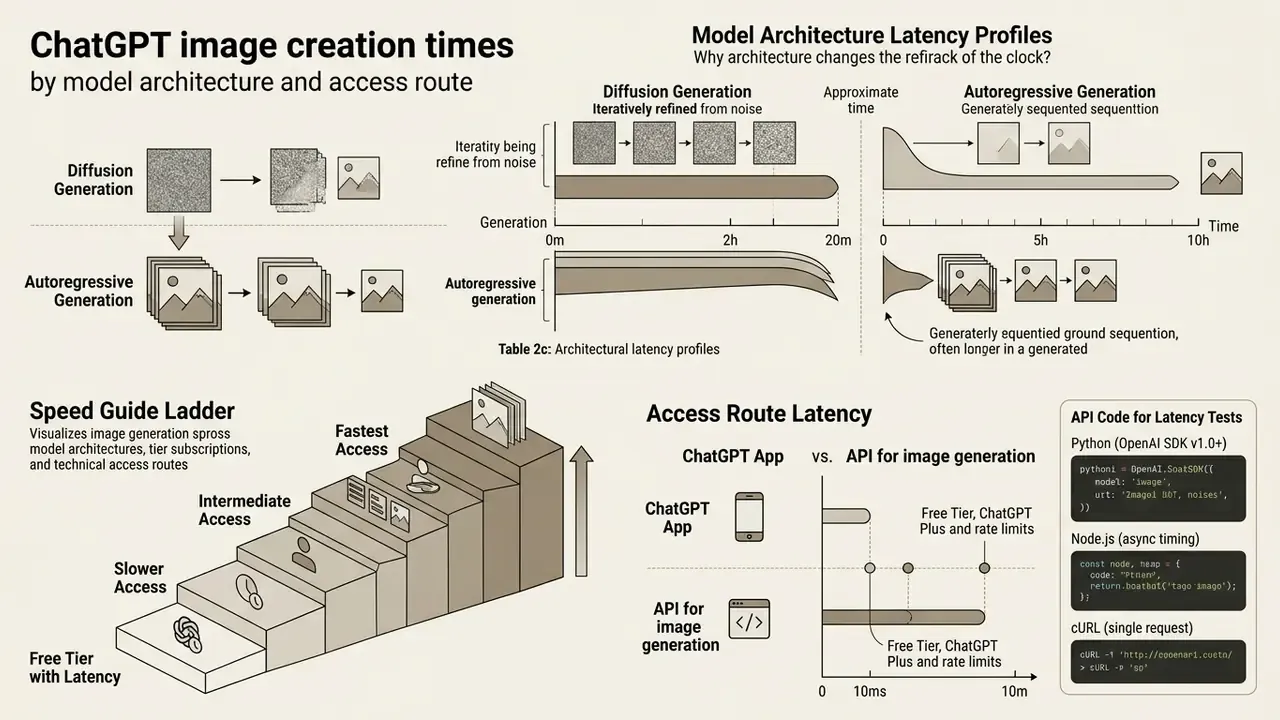
Image generation speed varies noticeably across model architectures, tier subscriptions, and technical access routes. API endpoints give programmatic control and batching. Web and mobile apps optimise for interactive conversational refinement.
Paid tiers receive higher GPU priority and more generous rate limits than the free tier. Understanding how each access route behaves lets teams pick the right path for the job in front of them.
Table 2: Comparison of ChatGPT access routes, image models, and performance characteristics
| Access route / model | Primary target scenario | Expected speed range | Rate limits and control | Operational stability |
|---|---|---|---|---|
| ChatGPT Free Tier (web/app) | Ad-hoc testing, personal exploration | 15-60+ seconds | Separate image-generation limit from chat limits; no parameter tuning. OpenAI notifies users when the image limit is reached and access pauses until the window resets. | Variable; subject to queue deprioritization during peak hours |
| ChatGPT Plus / Pro (web/app) | Interactive prototyping, design iteration | 5-20 seconds | Rolling message limits (widely reported at roughly 40-50 images per 3 hours; not an official OpenAI figure); standard UI controls | High priority; consistent turnaround for standard tasks |
| OpenAI Images API (gpt-image-2 / 2.5) | Automated workflows, enterprise apps | 3-15 seconds (30-60 s at max quality) | Tiered IPM limits (5 to 250 IPM); explicit quality, size, format, compression, partial-image and moderation parameters | Highest predictability; governed by formal API infrastructure |
Teams shortlisting platforms alongside this matrix can review the best AI image generators before locking in an access route.
Table 2b: Documented API rate limits by usage tier (GPT-Image-2 class models)
| Usage tier | Tokens per minute (TPM) | Images per minute (IPM) | Practical throughput implication |
|---|---|---|---|
| Free | Not supported | Not supported | API image generation requires a funded, pay-as-you-go account |
| Tier 1 | 100,000 | 5 | Sequential generation only; parallelism above 5 IPM queues or returns 429s |
| Tier 2 | 250,000 | 20 | Small batch pipelines; modest concurrency headroom |
| Tier 3 | 800,000 | 50 | Production content workflows with a retry budget |
| Tier 4 | 3,000,000 | 150 | High-volume asset generation |
| Tier 5 | 8,000,000 | 250 | Enterprise batch rendering and bulk catalogue jobs |
GPT-4o, gpt-image-1 and other image models
Modern multimodal models fuse text understanding with visual synthesis. GPT-4o handles complex conversational context, while dedicated image models such as gpt-image-1, gpt-image-1.5, gpt-image-2 and the gpt-image-2.5 Flare and Sunburst variants handle targeted visual editing and generation. DALL·E 3 is now legacy: OpenAI's API documentation records its deprecation and removal in 2026, and Microsoft states that existing Azure deployments are non-functional.
According to technical syntheses published by CometAPI (2026 model benchmarks), newer model iterations deliver up to a 50% latency reduction against legacy image engines like DALL·E 3. OpenAI independently echoed a similar figure for Images 2.5 versus Images 2.0.
That improvement lets teams evaluating chatgpt art generator workflows complete creative iterations far faster. Platform-level quota differences widen the gap: Microsoft's Azure documentation lists a default quota of 5 images per minute for the GPT-image-1 series versus 2 images per minute for DALL-E 3, with typical generation of 10 to 30 seconds and up to 60 seconds for complex prompts.
Diffusion versus autoregressive generation: why the architecture changes the clock
The two dominant generation strategies produce very different latency curves. Mixing them inside one benchmark is the most common measurement error we see in enterprise evaluations.
Table 2c: Architectural latency profiles
| Architecture | Representative models | How latency accumulates | Operational signature |
|---|---|---|---|
| Diffusion / step-refinement | DALL·E 3, Stable Diffusion family | Fixed sampling loop: each denoising step adds near-constant time; standard versus hd changes step count and sampler cost | Highly predictable pipeline; latency scales almost linearly with quality setting and resolution |
| Autoregressive / multimodal decoding | GPT-4o image generation, gpt-image-1 and gpt-image-2 family | Tokens or image patches are emitted sequentially with full chat-context conditioning, then decoded and enhanced | Stronger instruction following and in-image text, but latency is prompt-sensitive: more objects, labels and constraints mean more decoding work |
Practical consequence. On a diffusion model you buy speed mainly by lowering quality and resolution. On an autoregressive multimodal model you buy speed primarily by reducing prompt obligations: fewer objects, fewer text blocks, fewer preservation constraints. A 2024 survey of controllable diffusion models makes the trade-off explicit. Increasing diffusion steps improves fidelity at the cost of speed, which is exactly why specialised generators expose step counts while conversational models do not.
Free tier, ChatGPT Plus and rate limits
Free-tier users wait longer and hit stricter caps than paid subscribers. ChatGPT Plus subscribers get priority server allocation. Free accounts are frequently deprioritized when system load spikes.
Official usage documentation confirms that image creation runs under dedicated rate limits, separate from standard chat messaging. File uploads, image generation, voice, and data analysis each carry their own usage limits, and users are notified when a limit is reached. Once a free account hits the threshold, access pauses until the rate limit window resets.
Two clarifications matter for procurement. First, GPT-4o image generation rolled out to Free and Plus users in the ChatGPT interface, but API image generation is explicitly not supported on the free tier. Programmatic access requires a funded account. Second, the widely quoted "2-3 images per 24 hours" (free) and "40-50 images per 3 hours" (Plus) figures come from third-party reporting, not from OpenAI's published documentation. Treat them as observed behaviour, not a contractual guarantee. Paid plans improve access, limits, and priority. They are not a published speed SLA, and no procurement document should pretend otherwise.
ChatGPT app versus API for image generation
The ChatGPT web and mobile apps give you a conversational interface for iterative editing. The API gives you direct control over rendering parameters. Developers on the API can adjust quality settings, image sizes, output formats, compression rates, moderation behaviour, input_fidelity, and partial_images streaming (0 to 3 progressive previews) to manage perceived latency.
The app manages queueing and server settings for you. The API exposes detailed timing data and status codes. For workflows that need dependable response times, programmatic access is more predictable. It is a control route, not an automatic speed upgrade. Teams researching platform options can consult the AI Media Commercial-Use Hub for deployment guidelines, and review AI image generator commercial use terms before a production rollout.
To measure round-trip image generation latency accurately in production, log timings client-side or server-side. Below are production-ready implementations in Python, Node.js, cURL, and a minimal browser-side benchmark.
Python (OpenAI SDK v1.0+):
import time
from openai import OpenAI
client = OpenAI(api_key="YOUR_OPENAI_API_KEY")
start_time = time.time()
response = client.images.generate(
    model="gpt-image-1",
    prompt="A modern corporate bank vault, steel doors, clean lighting",
    size="1024x1024",
    quality="standard",
    n=1
)
latency = time.time() - start_time
print(f"Image generated in {latency:.2f} seconds. URL: {response.data[0].url}")
Node.js (async timing):
import OpenAI from "openai";
const openai = new OpenAI({ apiKey: process.env.OPENAI_API_KEY });
async function generateWithLatencyCheck() {
  const t0 = Date.now();
  const response = await openai.images.generate({
    model: "gpt-image-1",
    prompt: "Minimalist SaaS security dashboard mockup",
    size: "1024x1024",
    quality: "standard"
  });
  const duration = (Date.now() - t0) / 1000;
  console.log(`Execution completed in ${duration}s`);
  return response;
}
generateWithLatencyCheck().catch(console.error);
cURL (single request, minimal dependencies):
time curl https://api.openai.com/v1/images/generations \
  -H "Content-Type: application/json" \
  -H "Authorization: Bearer $OPENAI_API_KEY" \
  -d '{
    "model": "gpt-image-1",
    "prompt": "Flat vector icon set for a compliance dashboard",
    "size": "1024x1024",
    "quality": "low",
    "n": 1
  }'
Comparative benchmark harness (JavaScript):
async function measure(model, prompt) {
  const t0 = Date.now();
  const res = await openai.images.generate({
    model, prompt, size: "1024x1024", quality: "standard"
  });
  console.log(`Model ${model} took ${(Date.now() - t0) / 1000}s`);
  return res;
}
// Run the same prompt across models and quality tiers, off-peak and at peak,
// then record p50 / p95 / p99 rather than single-shot timings.
Log the model name, prompt hash, size, quality, HTTP status, retry count, and wall-clock duration for every call. Retry on 429 and 5xx responses with exponential backoff plus jitter, and honour the Retry-After header when it is present. For very long high-quality jobs, design asynchronously: return a fast draft immediately, queue the high-quality render, and report progress to the user. Developers extending this pattern to video pipelines can reuse the same instrumentation approach described in the Google Veo API implementation guide.
Why ChatGPT takes forever to generate images
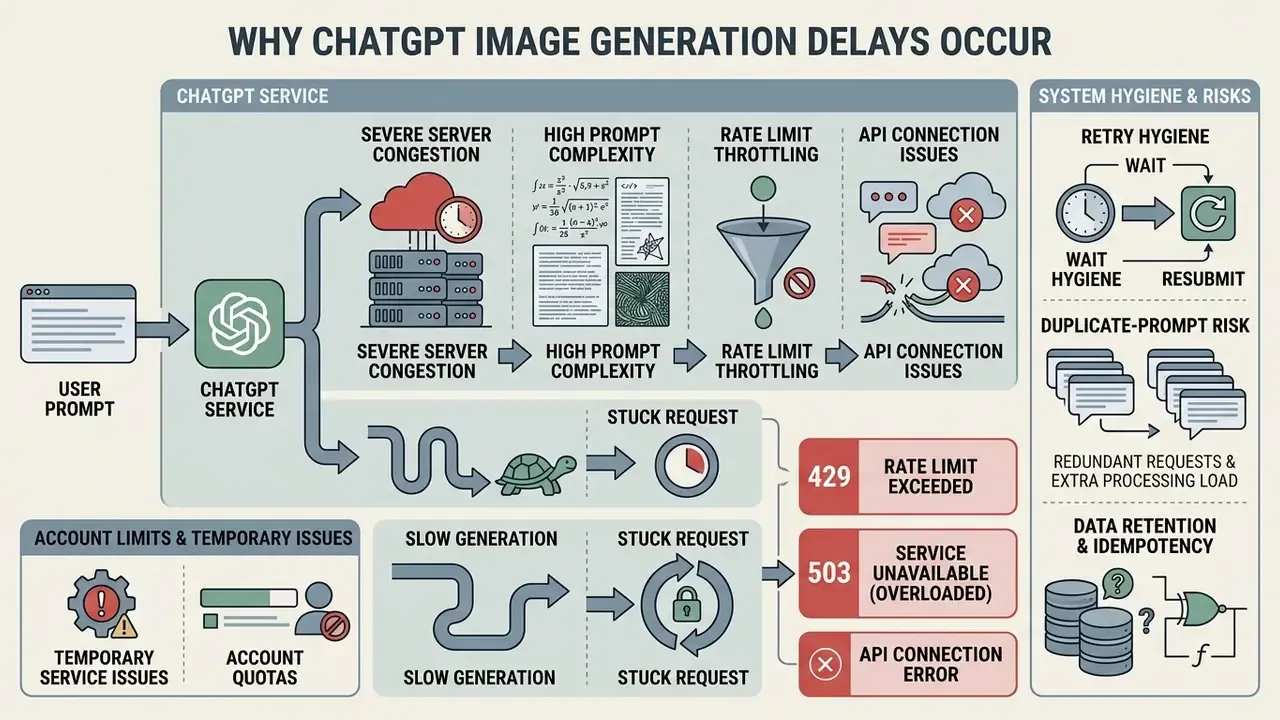
When ChatGPT takes an unusually long time to generate images, the delay usually comes down to severe server congestion, high prompt complexity, rate limit throttling, or a dropped connection. Identifying the cause tells you whether to wait or restart.
Knowing the difference between an active, compute-heavy render and a hung backend process saves you from pointless troubleshooting. In practice, four causes explain the overwhelming majority of slow jobs: a heavy prompt, a difficult edit that must preserve existing content, a service or queue issue, and a route-control issue such as browser state, session, or account limits.
Slow generation versus a stuck request
A slow request keeps processing on the server and will eventually return a finished image. A stuck request has halted because of a backend disconnect or a system timeout. Technically, a slow-but-working job still shows forward progress: indicators advance, partial images stream, or the response lands after background processing. A hung job makes no forward progress and never completes.

If a job is still unresponsive after five minutes, assume the session is stuck rather than still rendering. Past ten minutes, treat it as terminal and open a new attempt path instead of hammering the same request. Users exploring image modification tools can evaluate features on the chatgpt photo editor comparison page.
Account limits and temporary service issues
Hitting account usage limits or running into a temporary service disruption can pause or fail an image request. Once an account is rate-limited, later requests may queue indefinitely or return processing errors.
Three documented error conditions map to three different remediations:
Status updates published on OpenAI Status regularly record partial service degradations affecting image generation endpoints, including incidents where image generation in ChatGPT was unavailable outright. When a global disruption is in play, no amount of prompt editing will fix your wait time.
429 (rate limit or quota)may indicate a temporary rate limit, an exhausted prepaid balance, or a spending cap. Read the error body and the Retry-After header before retrying.
503 service_unavailable_error with server_is_overloadedthe requested model is temporarily overloaded. Retry after the indicated interval or widen the delay between attempts.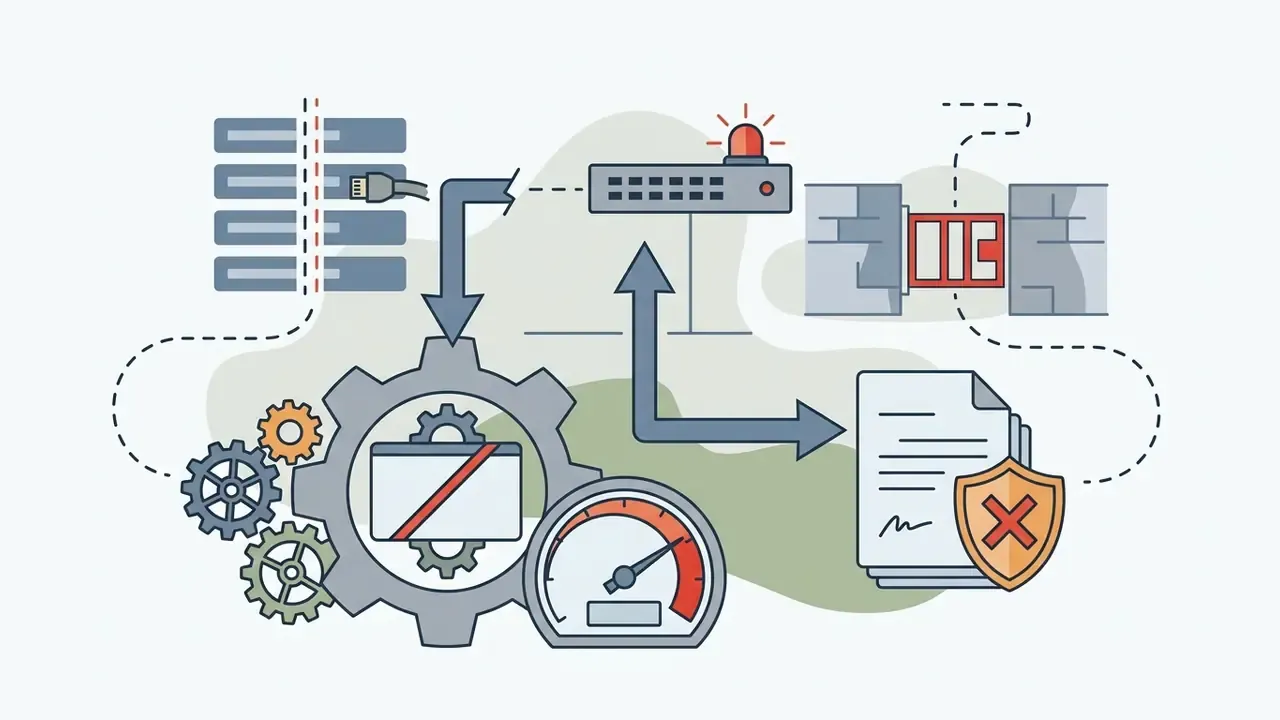
APIConnectionErrora local connectivity problem. Inspect network settings, proxy configuration, SSL certificates, and firewall rules.Retry hygiene, data retention and duplicate-prompt risk
Repeated submissions are not only a throughput problem. They are a governance problem. Every duplicate attempt re-transmits the prompt, including anything confidential inside it, and creates additional job records.
- Idempotency treat retries as the same logical operation. Industry API practice (AWS, Shopify, monday.com) is consistent: reuse the same idempotency key, treat duplicate-request responses as success rather than re-executing, and respond to
409 ConflictwithRetry-Afterby waiting instead of firing a fresh duplicate. - Retention OpenAI's platform documentation notes that image-generation requests may retain data for 30 days, with Zero Data Retention compatibility available for some image models. Privacy guidance from regulators is stricter. Prompts should not be retained, reused for secondary purposes, or disclosed unless required, and retention schedules must define deletion once data is no longer needed.
- Shadow-AI exposure prompts containing client names, unreleased product data, or internal metrics should be templated with placeholders before any retry loop is automated.
- Quota accounting because API image generation is billed per image, three parallel attempts consume three billed units even if two are abandoned.
Worth pausing on that last point. A retry policy without a spend cap is an open credit line.
How to get ChatGPT to generate images faster
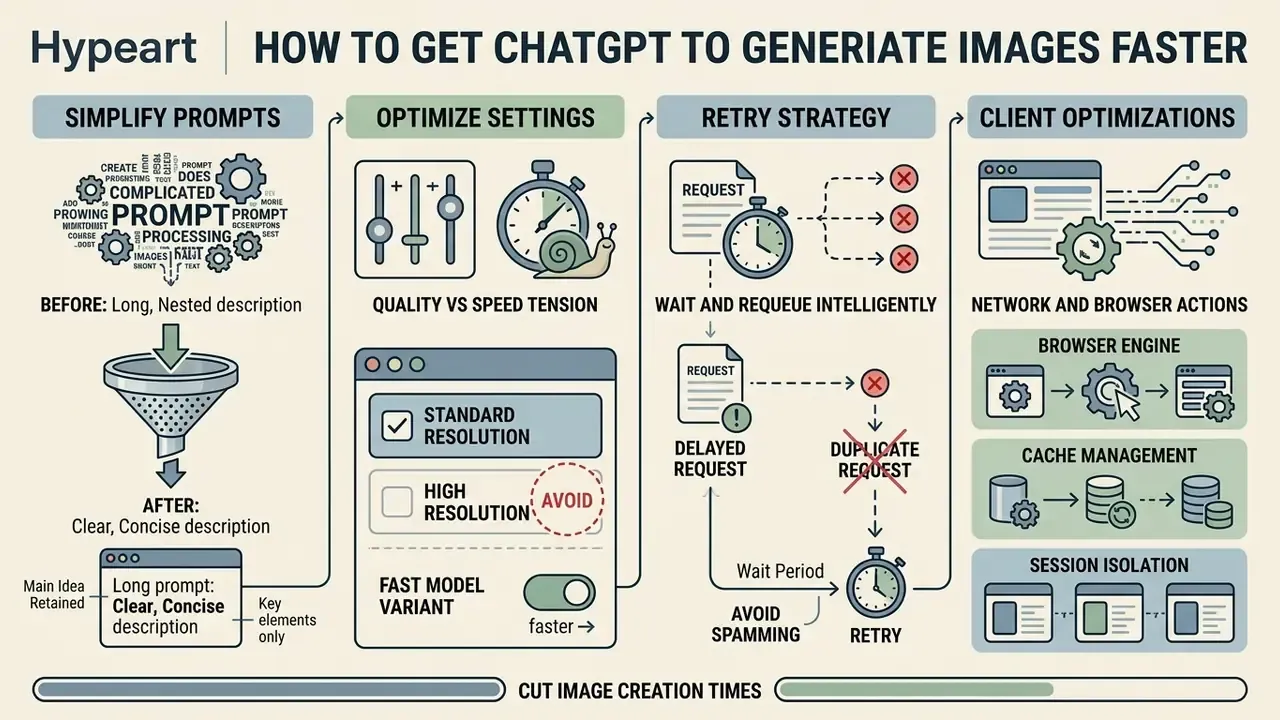
You can cut image creation times by simplifying prompt structure, choosing standard resolution settings, using fast model variants, and refusing to fire duplicate requests. Together these reduce server processing work and speed up delivery.
Structured prompting lowers computational load without losing the core visual idea. OpenAI's own prompting guidance recommends a fixed order (background or scene, then subject, then key details, then constraints, plus the image's intended use) and notes that one to three sentences are usually enough.
Simplify the first prompt without losing the main idea
To speed up generation, build the initial prompt from 1 to 3 concise sentences (15 to 30 words) covering the primary subject, the main background, and the core style. Leave out overly specific or contradictory details on the first render pass. The fastest safe prompt is not always the shortest prompt. It is the prompt with the fewest competing obligations.
Table 2d: Prompt rewrite matrix, before and after
| Original complex prompt (slow: 25-50 s) | Optimized streamlined prompt (fast: 8-15 s) | Optimization logic |
|---|---|---|
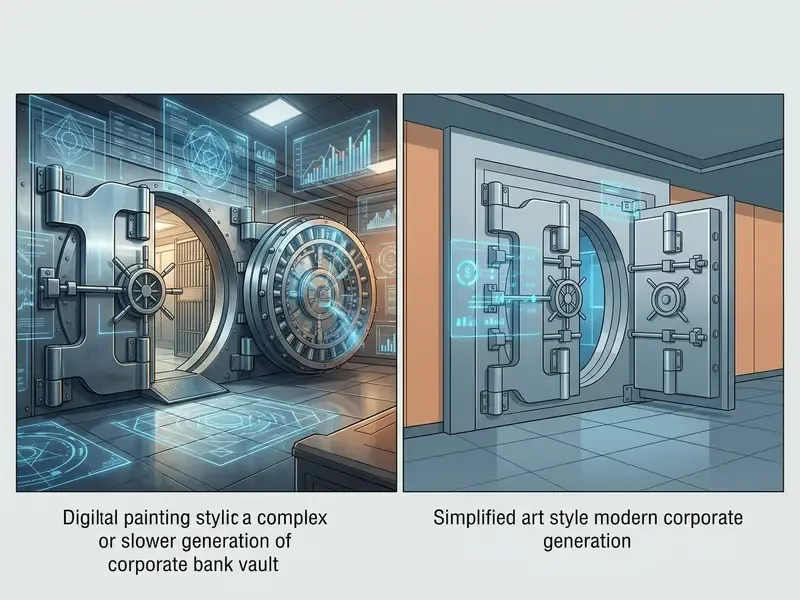
| "A hyper-realistic 8k resolution digital painting of a modern corporate bank vault with heavy steel doors, holographic financial charts, cinematic blue lighting, wide-angle lens, highly detailed photorealistic textures." | "A modern corporate bank vault with steel doors and blue holographic financial data, clean lighting, digital art style." | Stripped redundant quality buzzwords (8k, hyper-realistic); capped subject descriptors to core visual elements |
| "An infographic chart showing four steps of cloud migration with exact readable text labels, icons for each phase, dark SaaS interface background, highly complex composition." | "A clean four-step cloud migration diagram with short labels on a dark SaaS background, vector style." | Reduced visual element constraints; removed demands for dense text blocks in the initial draft |
| "Edit this image, preserve every detail, change the background, add a headline, and make it photorealistic." | "Edit only the background. Keep the subject unchanged. No extra text." | Narrowed the edit target; removed conflicting preserve-and-transform obligations that force extra inference passes |
Once the base image lands, refine specific elements one at a time with conversational follow-up prompts. This iterative approach lowers initial processing delays and prevents composition drift. Prompt-optimization research converges on the same three-step method: decompose the prompt into atomic concepts, compress or drop non-essential descriptors, then reinsert only the missing visual concepts after inspecting the first output.
Choose settings and models for speed versus quality
Standard quality and square aspect ratios render faster than high-definition or wide formats. Standard quality processes fewer pixel operations, so inference time drops.
For rapid prototyping, request standard output formats and the lowest quality tier that still meets the visual requirement. Reserve high-definition rendering, xhigh or max quality, and awkward aspect ratios for final production assets, where fidelity outranks speed. That usually means legible small text, fine textures, or identity accuracy. Where a model family offers a speed variant, for example the Flare configuration in the GPT-Image-2.5 line (reported by OpenAI as 2 to 4 times faster than GPT-Image-2), route drafts there and promote only approved concepts to the high-fidelity model. Teams producing portrait assets can compare fidelity requirements in the AI headshot generator guide.
Retry strategy for delayed image requests
When a request drags, follow a structured retry strategy instead of resubmitting identical prompts. Duplicate requests saturate account rate limits and lengthen the queue for everyone, including you.
Work through this checklist to resolve generation delays efficiently:
Checklist0 / 9
Client-side network and browser optimizations
Rendering happens on server-side GPU clusters, yet client-side configuration can still delay asset loading or trigger false socket timeouts:
- Browser engine Chromium-based browsers (Chrome, Edge, Brave) hold persistent WebSocket connections with OpenAI servers more reliably than some non-Chromium builds.
- Cache management accumulated browser cache and conflicting extensions can freeze progress indicators. Clear session cookies or test in incognito mode if the spinner stalls.
- Session isolation keep image generation active in a single browser tab. Opening several concurrent chats to generate parallel images triggers rate-limit throttles and raises latency across all requests.
- Network protocol wired Ethernet avoids the transient packet loss that causes premature socket re-initialization during large payload downloads.
- Local resources close unused tabs and heavy background applications so the browser can decode and render the returned payload without stalling the UI thread.
Calculating the cost of delay for a team
Latency has a monetary value, and quantifying it turns a UX complaint into a budget line. Use a simple three-input model:
Annual cost of delay = (added seconds per image × images per day × working days) ÷ 3,600 × blended hourly rate × number of operators
Worked example. A ten-person content team generates 25 images per operator per day. Moving from off-peak (10 s) to peak-hour execution (35 s) adds 25 seconds per image, or 625 seconds per operator per day, roughly 0.17 hours. Across 10 operators and 250 working days at a blended rate of $60 per hour, that is approximately $26,000 per year of recoverable idle time, before counting abandoned jobs and duplicate-request quota burn. Two controls, off-peak batch scheduling and a 15 to 30 word prompt standard, typically recover most of that figure with no change in output quality. Treat the number as a hypothesis until you measure your own p50 and p95. Teams can benchmark the same calculation against adjacent tooling costs using the online photo editor guide.
ChatGPT versus other AI image generators: speed, control and use cases
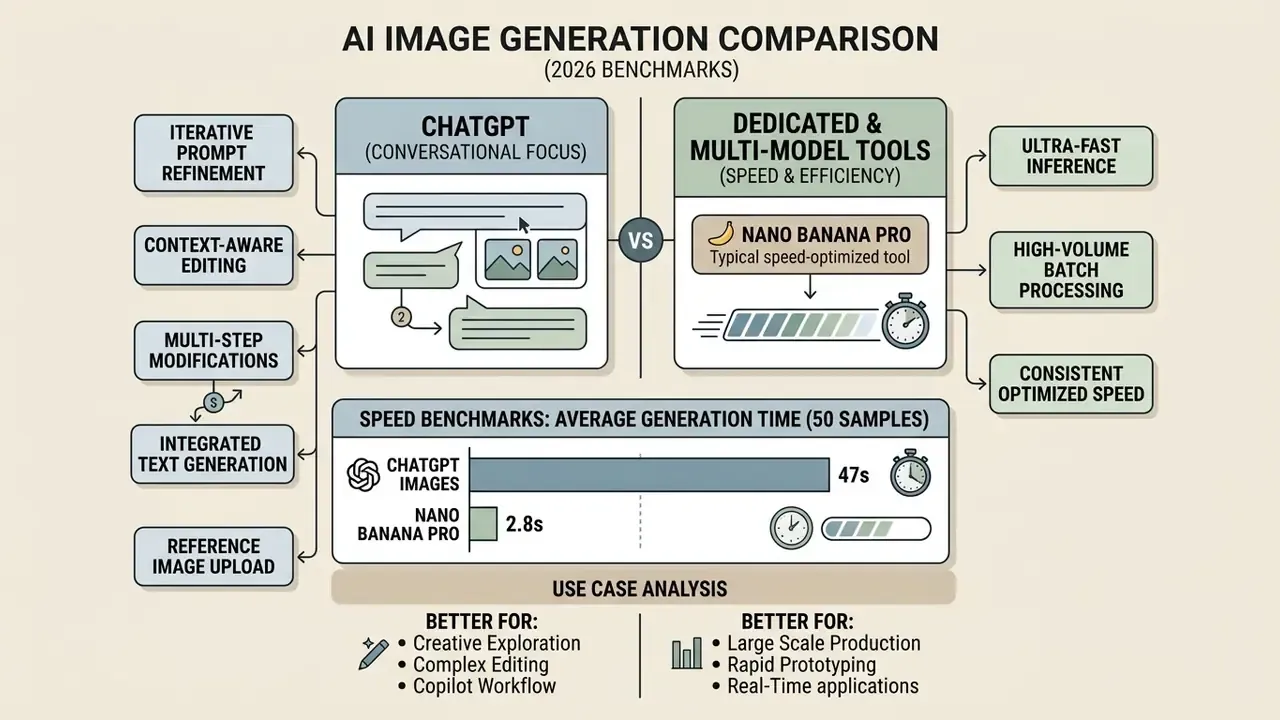
ChatGPT is strong at conversational prompt refinement and context-aware editing. Dedicated standalone image tools often deliver faster raw generation and tighter parameter control. The right platform depends on which of those you actually need.
Platforms optimized purely for speed can return images in seconds, while conversational tools prioritise prompt flexibility and iterative adjustment. OpenAI's ChatGPT documentation reports that image turns run 3 to 5 times faster on average than comparable turns without image generation, depending on quality and size. That is an argument for iteration speed rather than raw render speed, and the distinction is easy to blur in a vendor demo.
Table 3: Comparative analysis of AI image generation platforms (2026 benchmarks)
| Platform / tool | Average latency (standard) | Primary operational advantage | Best use case scenario |
|---|---|---|---|
| ChatGPT (GPT-4o / gpt-image family) | 5-20 seconds | Conversational editing, context retention, in-image text handling | Iterative design, multi-turn concept development |
| Midjourney v6/v7 | 25-45 seconds | High artistic styling, rich visual textures | Final marketing assets, creative art generation |
| Nano Banana / Banana Pro | 2-8 seconds (1K); 30-60 s at 2K-4K | Ultra-low latency, high batch throughput, up to 14 input images | Real-time prototyping, high-volume asset creation |
| Stable Diffusion (local GPU) | 3-30 seconds (hardware dependent) | Full parameter control, no queue, on-premise data handling | Regulated environments, custom model workflows, bulk offline rendering |
For a deeper head-to-head on styling versus turnaround, see the Midjourney image generation evaluation.
When ChatGPT is the better choice
When a dedicated or multi-model image tool may be faster
Dedicated image tools and multi model platforms such as Nano Banana Pro run faster for batch processing and high-volume image creation. Independent speed evaluations by Skywork (2026 Nano Banana benchmark) show average latencies under 3 seconds for low-resolution requests, and Google positions Nano Banana 2 as combining Pro-level capability with Gemini Flash speed for rapid edits and iteration.
When a workflow demands automated bulk generation or sub-second API responses, dedicated image engines beat conversational chat interfaces. Multi-model gateways add a second advantage: if one engine is congested, the operator switches models without changing platforms. Batch endpoints widen the gap further. Asynchronous batch APIs from major vendors accept tens of thousands of requests per job at reduced cost with a target 24-hour turnaround, which fits catalogue rendering far better than an interactive queue. One caveat for regulated buyers: every additional gateway is an additional data-processing relationship to document. Users comparing platform capabilities can evaluate performance metrics on the midjourney ai image generator comparison page.
FAQ about ChatGPT image generation time
Does my device affect how long ChatGPT takes to generate images?
Your device has minimal influence on image generation speed, because rendering happens on remote cloud servers. Standard mobile phones, laptops, and high-performance desktops all experience the same server processing time. Device performance and local connection speed only affect how fast the prompt uploads and the finished file downloads. Local hardware does not change GPU rendering speed on OpenAI's infrastructure. OpenAI's API documentation lists model and tier as latency variables and never lists client CPU or GPU. Readers interested in general platform capabilities can review our analysis of whether can chatgpt generate visual assets effectively, or compare lighter-weight free AI image generators for low-bandwidth environments.
Can I generate multiple images at once to save time?
Submitting several image requests at once in the web app does not shorten individual generation times, and it can trip account rate limits. API batching handles bulk requests efficiently, but parallel requests in the consumer interface cause queue delays or outright failures, because concurrency is bounded by the account's images-per-minute cap (5 IPM at Tier 1, 250 IPM at Tier 5).
«Batch mode reached 355 images per minute at 16 concurrent jobs, with 2.7 s per-image latency under peak load.» - Skywork, Nano Banana 2 Benchmark (p50/p90/p99 metrics). https://github.com/skywork-ai To improve turnaround, process requests sequentially in the UI or use dedicated API endpoints built for concurrent and batch execution. Remember that per-image billing means three parallel attempts consume three billed units. For a broader analysis of visual media tools, consult the ai vs real identification guide.
Is ChatGPT Plus or Pro actually faster for image generation?
Paid plans improve access, usage limits, and queue priority. In field testing, Plus-tier requests consistently land in the 5 to 20 second band while free-tier medians sit near 45 seconds. No OpenAI documentation publishes a guaranteed generation time for any plan, though. Prompt load, reference images, edit constraints, visible text, current service demand, account state, and moderation checks all still apply. The more useful question is not "which plan is fastest" but "which route gives enough control for this job": the app for one-off creative work, the API for repeatable production assets with logs and controlled retries.
Should I cancel and retry immediately when a request times out?
No. Inside the first two minutes, retrying usually wastes more time than waiting, and cancelling during the inference or enhancement phase throws away partial computation while still consuming quota. Between two and five minutes, monitor the interface and check the status page. Past five minutes with no visible change, save the prompt, stop the job, reset the client, and resubmit once with a simplified prompt. Past ten minutes, open a new session. On the API, retry only transient failures (429, 5xx, connection errors) with exponential backoff and jitter, preserve the idempotency key so duplicates are not re-executed, and log every attempt for audit.
What should a model-risk team document about image generation?
At minimum: the approved use cases, the named owner of the workflow, the models and access routes permitted, the data classes allowed inside prompts, retention settings, the retry and escalation policy, and the evidence trail for each generated asset. Treat the generator as a digital worker with a defined role, access limits, and a shutdown path. No evidence, no autonomy.
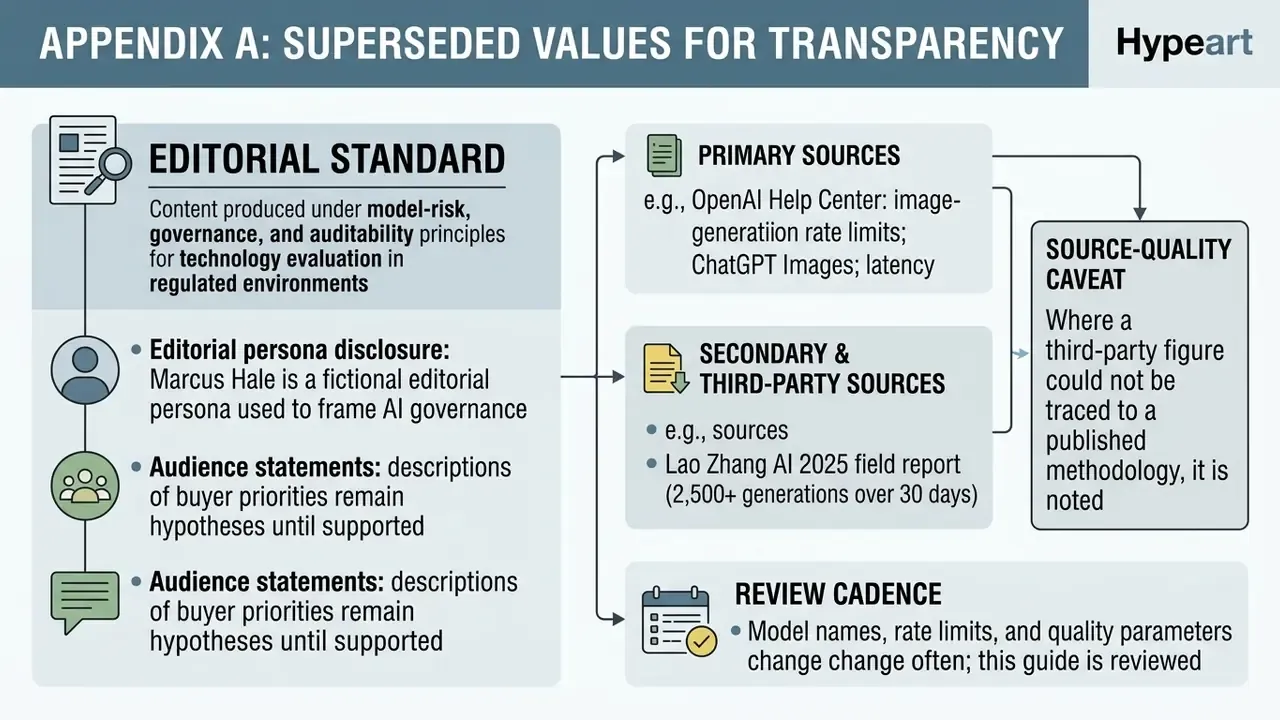
Appendix A: superseded reference values (retained for transparency)
The figures below appeared in earlier revisions of this guide and are preserved for version traceability. They have been superseded by the updated thresholds in Table 1, the peak-window data in the server traffic section, and the rewrite matrix in Table 2d.
Appendix A, Table A1: earlier three-band wait model (superseded)
| Wait category | Expected time range | Operational status | Recommended action |
|---|---|---|---|
| Normal generation | 5-20 seconds | Standard execution; model actively processing inference | Maintain active session; no action required |
| Elevated delay | 20-60 seconds | High prompt complexity, HD rendering, or peak server load | Wait for job completion; avoid duplicating requests |
| Potential hang / outage | 90-120+ seconds | Queue stagnation, transient socket drop, or backend rate limit | Save prompt text, cancel job, and run a diagnostic check |
Earlier peak-hour phrasing: "During peak business hours, typically 9 AM to 5 PM EST, image generation speed can decrease by 100% to 200% compared to off-peak hours." Superseded by the measured 267% degradation reported in the Lao Zhang AI 2025 field report and the ET/UTC windows above.
Earlier prompt-simplification block (superseded by Table 2d):
Earlier operational-capacity claim: "GPU cluster capacity handles up to 100,000 images per hour during peak periods" (ZipDo). Reframed as indicative in the server traffic section, because the publisher does not disclose its measurement methodology.
Editorial, sourcing and verification notes