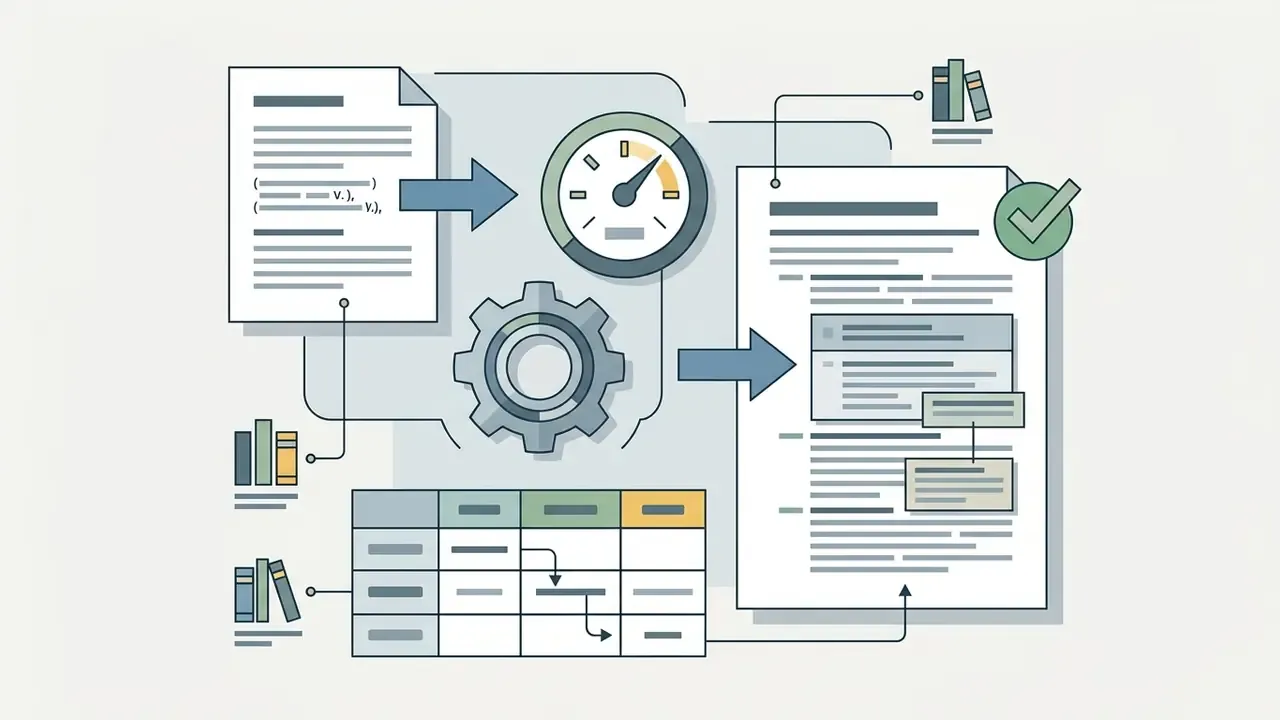
That convenience is also why the topic lands on risk committee agendas. A prompt-driven image editor is a generative model with an open-ended input field, sitting one paste away from client documents.
Last updated: June 2026 · Reviewed by: Marcus Hale, AI Governance and Model Risk Editorial Lead · Scope: ChatGPT Images (consumer), GPT Image API (developer), enterprise deployment controls.
Executive Summary
- What it is.ChatGPT Photo Editor is prompt-driven image-to-image editing inside ChatGPT and via the OpenAI Images API. Text instructions become multimodal conditioning embeddings that steer a diffusion denoising pipeline over your uploaded image instead of over random noise.
- Where it wins.Multi-turn conversational refinement, semantic edits that sliders cannot express ("make the light feel like late afternoon but keep the label crisp"), and multi-image reference blending (up to 16 source images per API request, files up to 50 MB in PNG, WEBP or JPG).
- Where dedicated tools win.High-volume, repetitive, one click operations such as batch background removal, vector export, exact pixel masking, and deterministic typography.
- Non-negotiable control.Every prompt needs an explicit preserve list: identity, geometry, layout, lighting, labels, logos. Without it, unmasked regions drift across iterations.
- Governance reality.Free-tier chat inputs may be retained for service improvement unless you opt out. Enterprise and API tiers offer no-training-by-default plus stricter retention controls. Do not paste PII, ID scans, cards or client documents into a consumer chat surface.
- Legal reality.Under U.S. Copyright Office guidance, only the human-authored contribution of an AI-assisted visual is registrable. Document your creative input accordingly.
- Cost reality.Chat usage sits inside plan caps. API usage is metered per image and scales with quality tier and output resolution. Total cost of ownership must include human review time, not only generation cost.
Who Should Read This and How to Use It
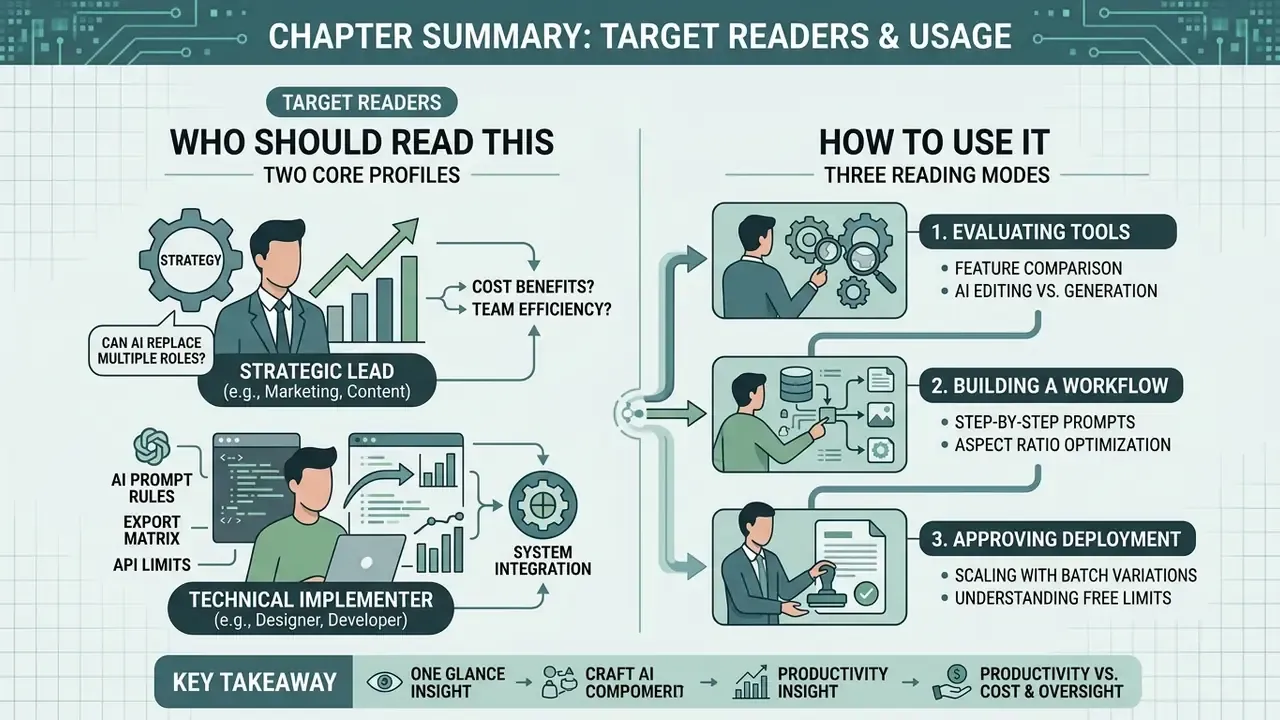
This guide is written for two readers who rarely share a meeting room.
The first is the marketing or content lead who wants to know whether an AI photo editor can replace three hours of retouching. The second is the person who has to sign off on that decision: a compliance officer, a model risk lead, or a CFO funding a creative pipeline. Both need the same facts, framed differently.
Read it in one of three modes:
- Evaluating tools. Start with the comparison table, then the aspect ratio and export matrix, then the cost section.
- Building a workflow. Start with the five-step workflow and the six prompt rules, then use the ready-made prompt scenarios as templates.
- Approving deployment. Start with privacy, shadow AI risk and commercial-use compliance, then the defect inspection protocol.
One caveat before we go further. Everything below about audience needs and buying behaviour should be treated as a working hypothesis until it is backed by analytics, interviews or CRM data. We label assumptions as assumptions.
What Is ChatGPT Photo Editor and How AI Image Editing Works
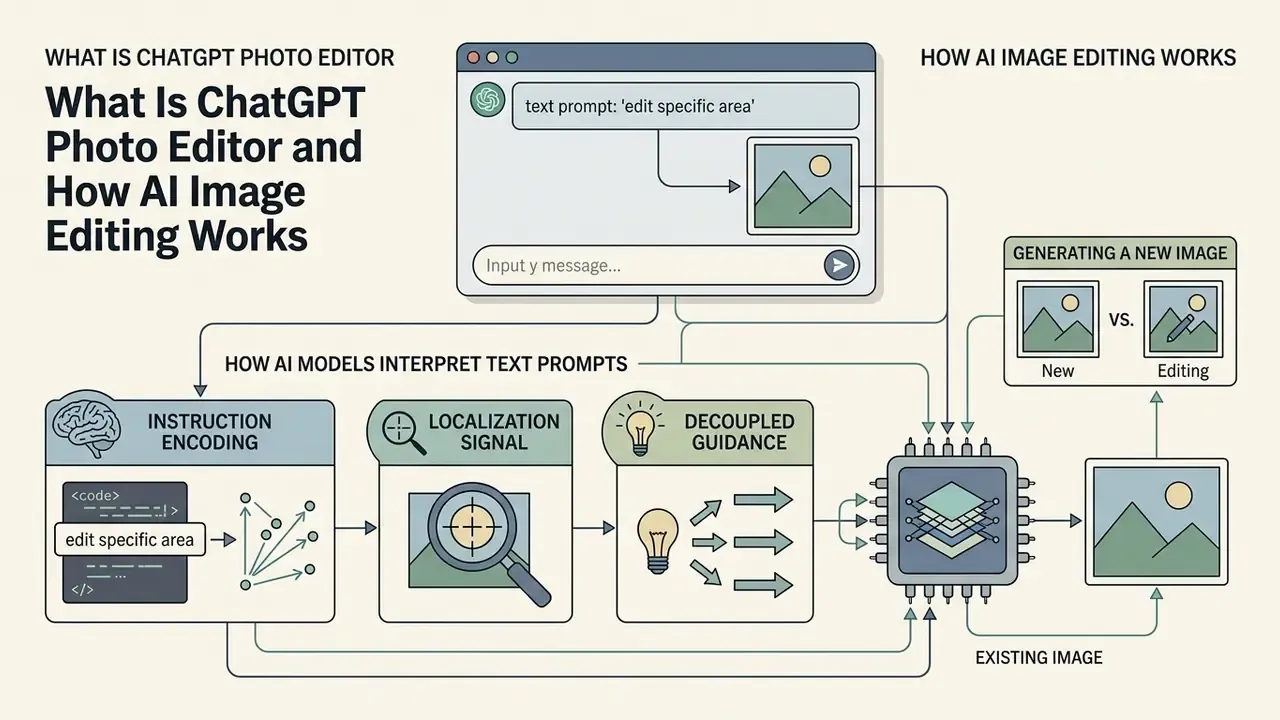
ChatGPT Photo Editor is an AI-powered image editing capability embedded in ChatGPT and available through the OpenAI API, letting users edit images with plain text prompts. Instead of relying purely on manual selection layers, the system converts natural language into multimodal conditioning embeddings that direct a diffusion denoising pipeline toward specific parts of an uploaded visual.
The primary workflow combines an AI image editor ChatGPT interface with image model processing. According to OpenAI API documentation, the underlying stack handles image editing requests through dedicated endpoints supporting up to 16 source images per request, with files up to 50 MB in PNG, WEBP or JPG formats (OpenAI API Reference, 2026). Prompts for GPT Image models can reach 32,000 characters, which is exactly why long, constraint-heavy instructions are viable here but not in the short input fields of competitor tools. When users run photo editing, the AI photo editor ChatGPT reads both the input image context and the prompt, then applies modifications while trying to keep unedited regions stable.
Trying is the operative word. Stability is a probability, not a guarantee.
If you are new to the category itself, our reference explainer on the AI photo editor concept and our broader guide to online photo editors cover the terminology, feature baselines and pricing models used throughout this comparison.
Editing an Uploaded Photo vs Generating a New Image
Editing an existing photo relies on conditional image-to-image processing with inversion constraints. Generating a new image synthesizes visual content from random noise, driven only by text prompts. When you work with an existing photo or uploaded image, the diffusion model maps the source visual into a latent noise representation and performs guided denoising, so geometry, identity and layout from reference images or the source canvas carry into the output.
Text-to-image generation from scratch produces a brand new image with far more generative freedom, and no structural anchor. Editing methods therefore always trade fidelity to the input image against controllability of the edit. The stronger the preservation of the reference, the less far the result can travel from the original.
In practical testing across e-commerce product catalogs, using an existing photo as an anchor preserved brand labeling and product proportions. Regenerating the same items from scratch drifted: bottle shoulders got rounder, label kerning changed, and nobody noticed until the print proof.
For users who ask can chatgpt generate visuals versus edit uploaded files, this distinction is the whole ballgame. It prevents unwanted alterations to key product geometry. Readers who want to explore the synthesis side of the stack can compare capabilities across AI image generators before deciding whether to edit or regenerate an asset.
How AI Models Interpret Text Prompts
Multimodal AI models interpret text prompts by turning natural language into conditioning embeddings that guide cross-attention layers inside the diffusion process toward specific visual attributes. Given simple text such as "change only the background to a neutral studio gray," the image model pairs textual semantics with spatial masks or attention maps to isolate the target region.
Technically, three ingredients decide whether a local edit stays local:
- Instruction encoding.In instruction-tuned pipelines such as MGIE, a multimodal LLM first compresses the user instruction into compact visual guidance tokens, which are then passed to the diffusion editor as latent conditioning.
- Localization signal.Grounding plus segmentation pipelines (for example GroundingDINO to SAM to text-conditioned inpainting) or intermediate editing masks give pixel-level grounding, so only the referenced object is regenerated.
- Decoupled guidance.Regional editing methods such as LAR-Gen concatenate noise with the masked scene, apply decoupled cross-attention for multimodal guidance, then refine micro-detail with a dedicated refinement network.
Research on instruction-based editing shows that explicit prompt separation, meaning what to change versus what to preserve, sharply improves output accuracy. Studies on datasets such as UltraEdit and AdvancedEdit indicate instruction-tuned models perform best when prompts use clear action verbs like "replace," "remove" or "add" alongside explicit preservation constraints.
«UltraEdit contains ~4.1 million editing pairs and 757,879 unique instructions covering 9+ edit types, using real images as anchors.»
«AdvancedEdit includes 2,536,674 editing pairs; instructions are split into "simple" (synonyms and templates) and "advanced" (with demonstrated reasoning).» InsightEdit / AdvancedEdit, arXiv preprint (2024). https://arxiv.org/abs/2411.17489
Guided editing techniques in ChatGPT photo editor AI lean on these instruction embeddings to deliver quality results without destroying background geometry. The practical takeaway for model risk reviewers is blunt: prompt structure is a control, not a stylistic preference. A prompt without a preserve list is an unbounded generative operation, and unbounded operations do not pass validation.
What Tasks ChatGPT AI Photo Editor Solves
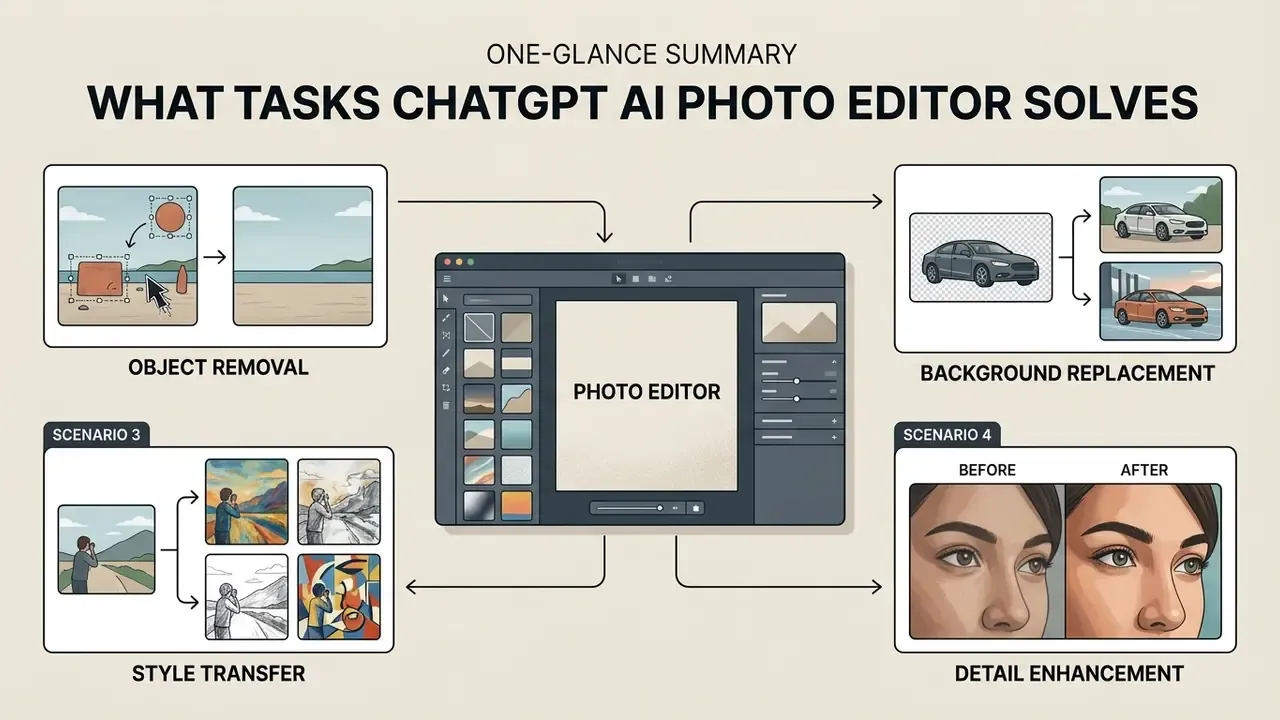
The AI photo editor ChatGPT handles a wide spread of photo editing tasks: localized object removal, background replacement, tone enhancement, style transfer, marketing asset preparation. By applying text prompts to an uploaded image, content creators and visual designers can transform existing imagery without manual masking in complex software layers.
Typical production categories in 2026 include campaign visuals, product and packaging mockups, social media assets, template-driven marketing materials, catalog pages, infographics and event collateral. In regulated industries the same stack tends to be used for narrower, lower-risk jobs: refreshing marketing creatives for fintech products, standardizing report cover imagery, restyling conference banners, and de-identifying screenshots or documents by replacing recognizable elements with synthetic placeholders before an asset ever leaves the organization.
That last use case is the interesting one. It is also the one most likely to be done badly, because "the model removed the account number" is not the same as "the account number is gone."
Object Removal and Background Replacement
Object removal and background replacement are among the most robust applications of text-guided diffusion models. Modern erasure pipelines fill erased regions by reading adjacent textures and scene semantics, which prevents empty background holes. The canonical pattern is click or prompt selection, then automatic segmentation, then inpainting of the masked hole with background-consistent content.
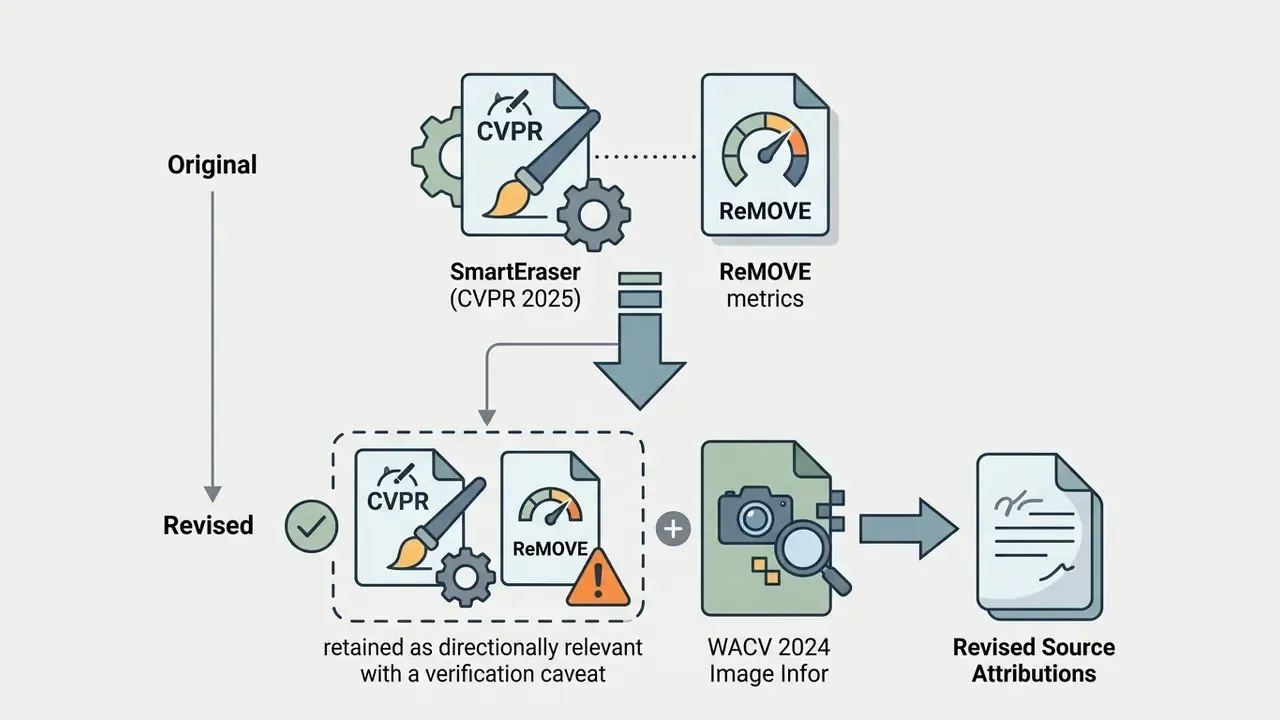
Object-erasure literature frequently cited in this context, including SmartEraser (masked-region guidance) and the reference-free ReMOVE metric, should be treated as directionally relevant but requiring publication-year verification before being quoted in a formal review. For a quantified, verifiable data point:
«The Image Information Removal (IIR) method was preferred by users 35% more often than prior methods in a user study on COCO.»
Independent benchmark work also shows how removal quality is judged in practice. Instruction-editing benchmarks verify object removal by testing whether a vision model can still detect the target object, and verify background replacement by testing whether the new background matches the instruction. Full-reference metrics (PSNR, SSIM, LPIPS) sit alongside reference-free metrics, because no ground-truth "after" image exists for a real erasure.
When you run background removal or background replacement, naming both the source element and the target background produces cleaner results. Ask the editor to "remove background clutter and replace the background with a seamless light gray studio gradient," and the model isolates the subject while synthesizing realistic contact shadows under the product. Ask it to "remove backgrounds" with no target described, and you are gambling.
Improving Quality, Lighting and Image Detail
Photo enhancement in ChatGPT Photo Editor means adjusting brightness, contrast, color balance and edge sharpness through generative re-sampling. Established imaging practice across professional and archival workflows, including photography industry guides and federal still-image technical guidelines, places sharpening after color and tone correction, retouching and resizing. The same practice recommends applying sharpening to luminance information only, so compression noise and edge color fringing are not amplified. Archival guidance goes further still: master files should not be tone- or color-enhanced at all, and enhancement belongs to derivative working copies.
Diffusion models do not behave like a traditional unsharp mask. Still, asking the model to "enhance fine texture details, increase contrast, and improve lighting realism" steers the denoising process toward sharper edges and better low-light resolution, and that is usually enough for a high quality image destined for web use.
«The TDS (Two Diffusion Streams) model suppresses color distortion in low-light enhancement and delivers higher quality with fewer artifacts.»
For specialized upscaling and expansion needs, teams often pair chat-based editors with the outpainting tools covered in our guide to AI outpainting tools, and with the resolution workflows described in our overview of AI image upscalers.
Style Transfer, Text Editing and Creative Remix
Style transfer turns a standard photograph into a watercolor painting, a flat vector graphic or a cinematic render, while keeping core subject placement intact. In instruction-based diffusion models, style transfer decouples content geometry from surface texture, applying the artistic attributes named in text prompts without collapsing the original composition. Conceptually this traces back to neural style transfer, where style rides on convolutional feature statistics while content structure is retained. A dated baseline, admittedly, but still the mental model behind reference-image style extraction (palette, lighting, texture, mood) in modern tools.
Editing raster text that already exists inside an image is a different story. The ChatGPT AI image editor can add new text overlays or generate simple signage, but modifying existing typography often yields minor glyph distortions, because image models treat text as visual texture rather than as glyph data. For critical branding text or legal disclaimers, vector editing tools or manual graphic overlays remain necessary. Treat any image text editor claim with suspicion until you have zoomed in.
Creators weighing creative fidelity between human craftsmanship and AI generation can read our analysis on ai art vs human art, or compare stylistic control across AI art generators.
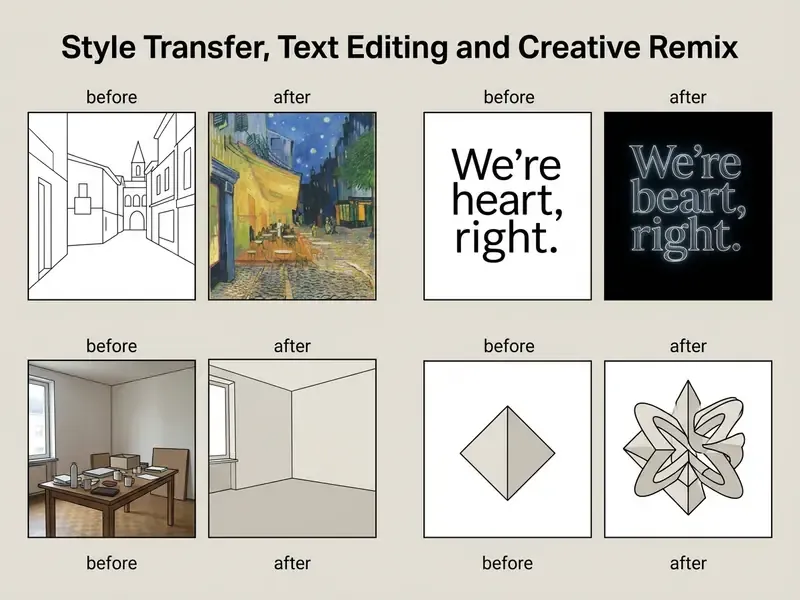
- Scenario 1: Object removal. Before: product photo with background cables and stray shadows. After: clean surface, cables removed, natural contact shadow restored beneath the subject.
- Scenario 2: Background replacement. Before: outdoor handheld product shot. After: seamless white studio sweep with soft key lighting, ready for an e-commerce catalog.
- Scenario 3: Style transfer. Before: standard city landscape photograph. After: vibrant cyberpunk aesthetic with neon reflections, architectural layout preserved.
- Scenario 4: Detail enhancement. Before: soft low-light portrait. After: crisper facial detail, balanced exposure, reduced background sensor noise.
ChatGPT Photo Editor vs Other AI Photo Editors
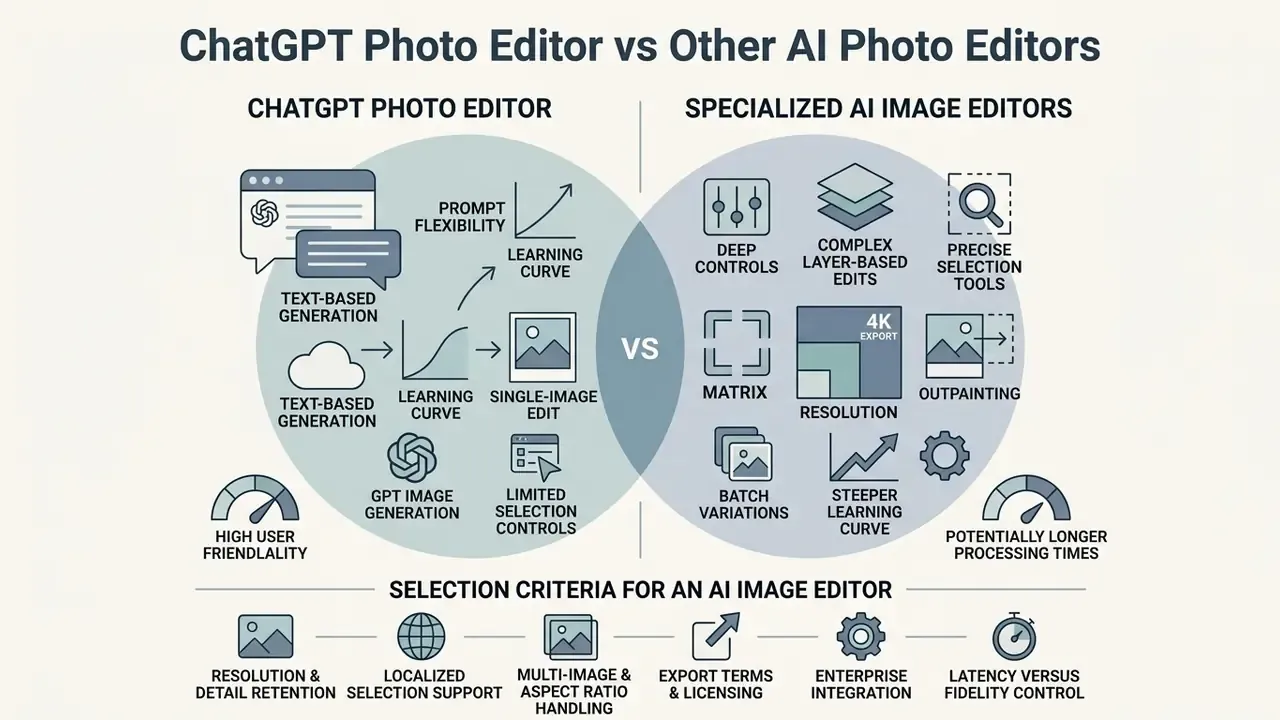
Choosing the best AI photo editor comes down to balancing prompt flexibility, model resolution, localized selection controls, and the learning curve required for complex edits. The ChatGPT AI photo editor excels at conversational clarification and multi-turn instruction handling. Dedicated graphics suites counter with layer-based control and fixed button workflows that a junior designer can learn in an afternoon.
When evaluating visual generation tools, teams frequently compare conversational AI interfaces against desktop-native generative tools to judge operational fit. A broader ranking of platforms sits in our roundup of the best AI image generators.
Selection Criteria for an AI Image Editor
Key evaluation criteria for an AI image editor include prompt adherence (Alignment), preservation of unedited source details (Preservation), visual realism (Perception), and overall workflow efficiency.
Because objective quality assessment metrics often miss subtle generative distortions, manual human inspection of high-resolution detail stays mandatory for professional quality output. There is no automated substitute yet. Anyone selling you one is ahead of the evidence.
For commercial marketing visuals and design tasks, the selection factors that matter:
- Resolution and detail retention. Can the editor export clean visual outputs without compression blur or artifacting?
- Localized selection support. Native brush or boundary controls, like ChatGPT's selection tool, to constrain the edit.
- Multi-image and aspect ratio handling. Can you adjust aspect ratios and combine multiple images as references?
- Export terms and licensing. Transparency on watermarks, download resolution and commercial use rights.
- Enterprise integration. SSO, admin audit logs, DLP hooks, retention controls and API-level no-training guarantees. The criterion most consumer reviews omit, and the one that actually decides adoption in a regulated environment.
- Latency versus fidelity control. Explicit quality tiers, since low-quality settings exist precisely for speed-sensitive previews while high tiers cost more per image.
ChatGPT, GPT Image and Specialized AI Image Editors
ChatGPT Photo Editor uses GPT Image models for conversational image editing. Tools like Adobe Photoshop Generative Fill, Canva AI, Photoroom and Google's Google AI image generator focus instead on structured layer integration or one click automation. Google's native visual model series, marketed as Nano Banana (Gemini Flash Image and Gemini Pro Image models), emphasizes fast studio-quality control and brand or identity consistency. OpenAI's stack centers on conversational instruction-following and multi-turn iterative editing (Google DeepMind, 2026; OpenAI, 2026).
Adobe's Generative Fill is a selection-first workflow: mark a region, optionally add a prompt or reference image, and the result lands on a non-destructive generative layer with a model picker that includes Adobe and partner models. That is compositing inside a professional editor. ChatGPT is revision inside a conversation. Neither is strictly superior, and the difference is product scope rather than model quality.
For creators evaluating a standalone chatgpt art generator against full-suite photo tools, conversational models offer better natural language flexibility, while specialized suites provide precise pixel masking and vector export formats.
When a Chat Editor Wins and When a Dedicated Tool Wins
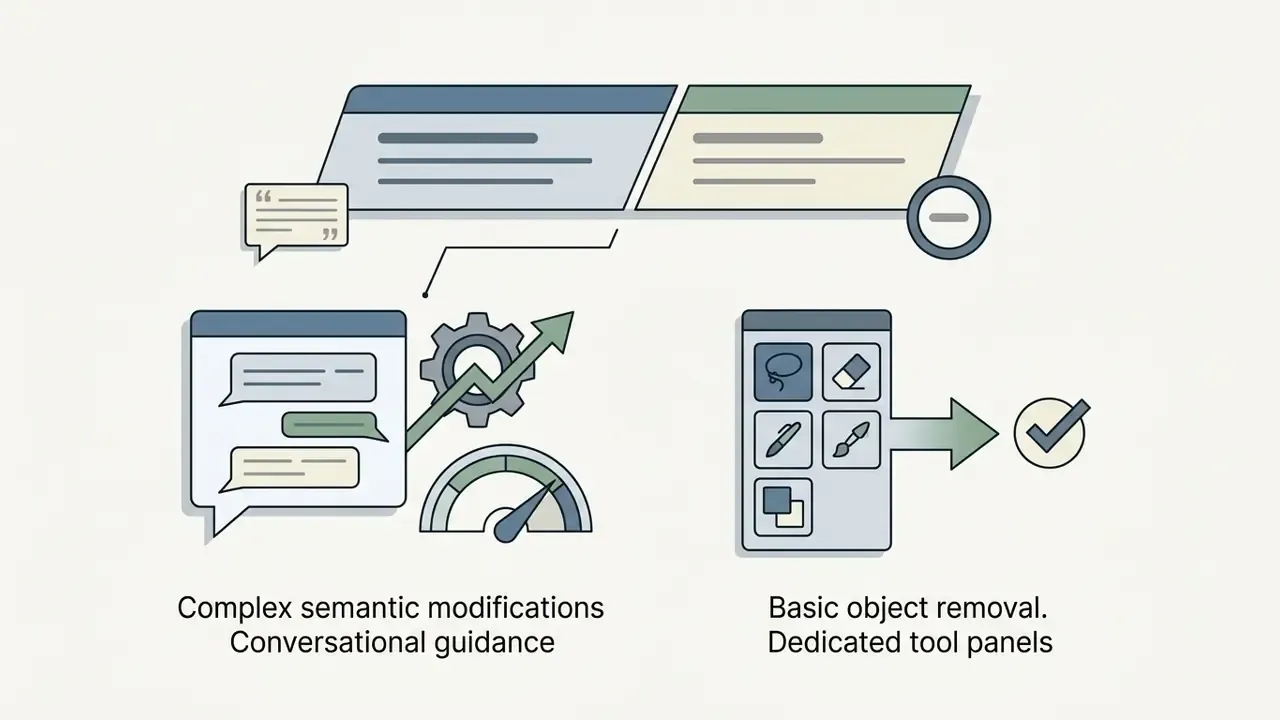
A conversational chat editor suits exploratory, multi-step creative projects where natural language helps sharpen a vague idea. Dedicated graphical editors win on high-volume, one click repetitive work. Comparative evaluation of editing models supports the nuance from a different angle:
Interface research adds a second signal. In a within-subjects comparison, structured canvas-style users averaged 0.65 intervened edits per task versus 4.0 for a conversational "semantic commit" interface. Read that as evidence that structured UIs make impact analysis cheaper, while prompt-first UIs invite more revision after generation.
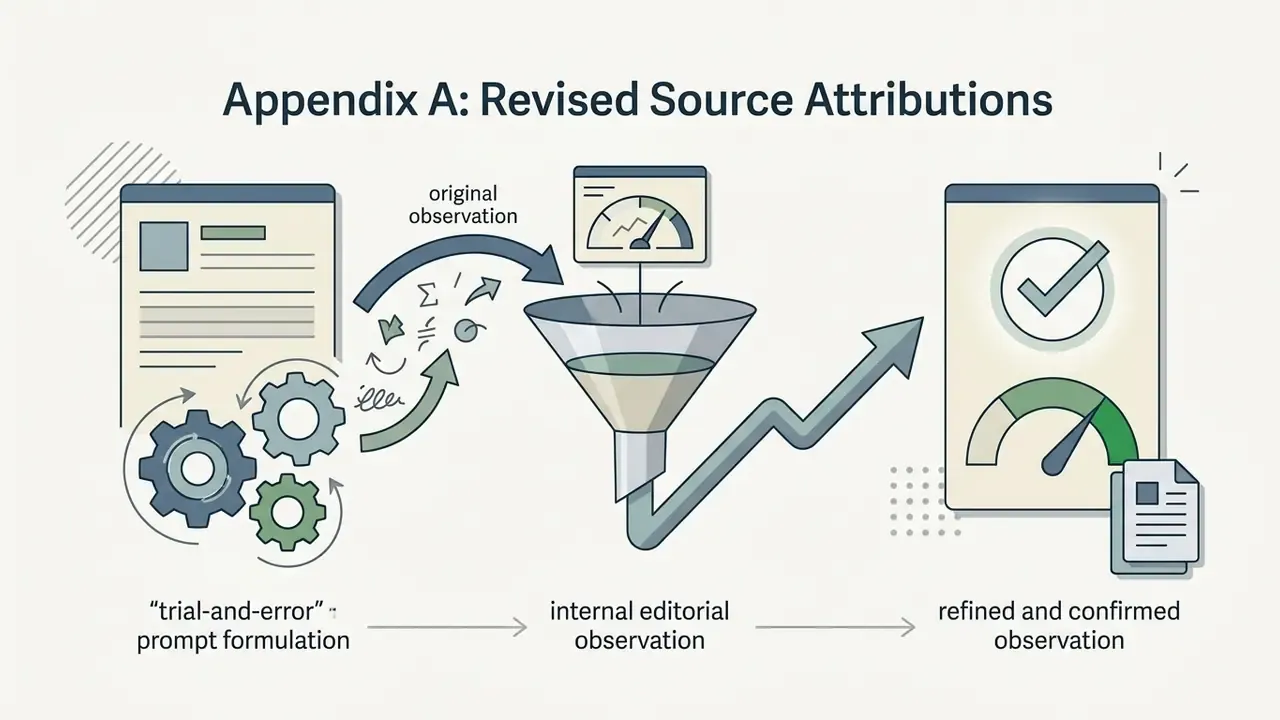
In an e-commerce catalog update project, our editorial team converted 100 raw product shots using both conversational prompts and panel-based AI tools. Explaining nuanced lighting in plain language ("soft key light from upper left, keep product label crisp") noticeably reduced prompt-formulation trial and error compared with panel tools, which needed several separate manual adjustment layers. (Internal editorial observation, single-project sample. The previously published "40% reduction" figure is not supported by an independent, peer-reviewed source and should be read as directional until a controlled study exists.)
| Aspect / Feature | ChatGPT Photo Editor (ChatGPT Images) | GPT Image API (Developer Access) | Specialized AI Photo Editors (e.g. Fotor / Canva AI) |
|---|---|---|---|
| Primary interface | Conversational UI with selection brush and sketch mode | Programmatic REST API endpoints | Web or desktop panel with buttons, sliders and templates |
| Prompt capacity | Natural language, multi-turn chat instructions | Up to 32,000 characters per prompt | Short text prompts or fixed preset buttons |
| Object removal and background | Select tool plus prompt description; transparent export support | Mask-based inpainting and multi-image blending | One click background removal and AI cutout buttons |
| Multi-image support | Sequential chat uploads and reference images | Up to 16 input images per request (50 MB or less each) | Varies by tier; usually single-image canvas editing |
| Aspect ratio / resolution control | Aspect-ratio switch plus regeneration in editor; up to 3840 px per edge | Explicit size parameter, 16-px multiples, quality tiers | Fixed presets (1:1 to 16:9) and 1K/2K/4K export buttons |
| Batch / variations | Multi-canvas response in a single conversational turn | Native loops and parallel calls in pipelines | Credit-based batch generation on paid tiers |
| Free access limits | Included in general ChatGPT plan caps (no published numeric image quota) | Paid metered developer pricing per call | Credit-based free tier; HD exports often watermarked |
| Enterprise controls | Plan-dependent retention and training settings; admin workspace | No-training-by-default commitments, key scoping, logs | Varies; frequently no DLP or SSO on free tiers |
| Best use case | Iterative visual remix, complex prompts, guided editing | Custom workflow integration and batch API pipelines | Quick cutouts, social templates, portrait retouching |
Aspect Ratio, Resolution and Export Matrix
Format control is where prompt-based editors get underestimated most often. OpenAI's image prompting guidance documents output sizes up to 3840x2160 (and 2160x3840 in portrait). Custom sizes must stay within 3,840 px per edge, use 16-pixel multiples, and fall between 655,360 and 8,294,400 total pixels. Quality tiers trade latency against fidelity, with low settings intended for speed-sensitive work.
| Canvas Aspect Ratio | Typical Output Dimensions | Primary E-Commerce / Content Use Case | Prompt Syntax Flag |
|---|---|---|---|
| 1:1 (square) | 1024x1024 px native; up to 2048x2048 (2K) | Instagram feed, Amazon product cards, catalog thumbnails | "render in square 1:1 format" |
| 9:16 (vertical) | 1024x1536 / 1080x1920 px | TikTok, Instagram Stories, YouTube Shorts | "render in 9:16 vertical canvas" |
| 16:9 (landscape) | 1536x1024 px; up to 3840x2160 (4K) | Website hero banners, YouTube thumbnails, decks | "expand canvas to 16:9 widescreen" |
| 4:3 / 3:4 | ~1152x864 / 864x1152 px | Print catalogs, editorial layouts, PDF collateral | "format as 4:3 landscape" / "3:4 portrait" |
| 3:2 / 2:3 | ~1536x1024 / 1024x1536 px | Classic photography crops, lookbooks | "use 3:2 photographic framing" |
| Custom | Any size within 3,840 px per edge, 16-px multiples | Programmatic ad units, marketplace-specific specs | API size parameter |
Practical rule: change the aspect ratio before any fine detail pass. Re-framing after retouching forces the model to synthesize new edge content, which drags artifacts back into areas you already signed off. In the ChatGPT editor the Aspect ratio control regenerates the image, so treat it as a structural step, never a finishing touch.
How to Edit Photos in ChatGPT Photo Editor: Step-by-Step Workflow
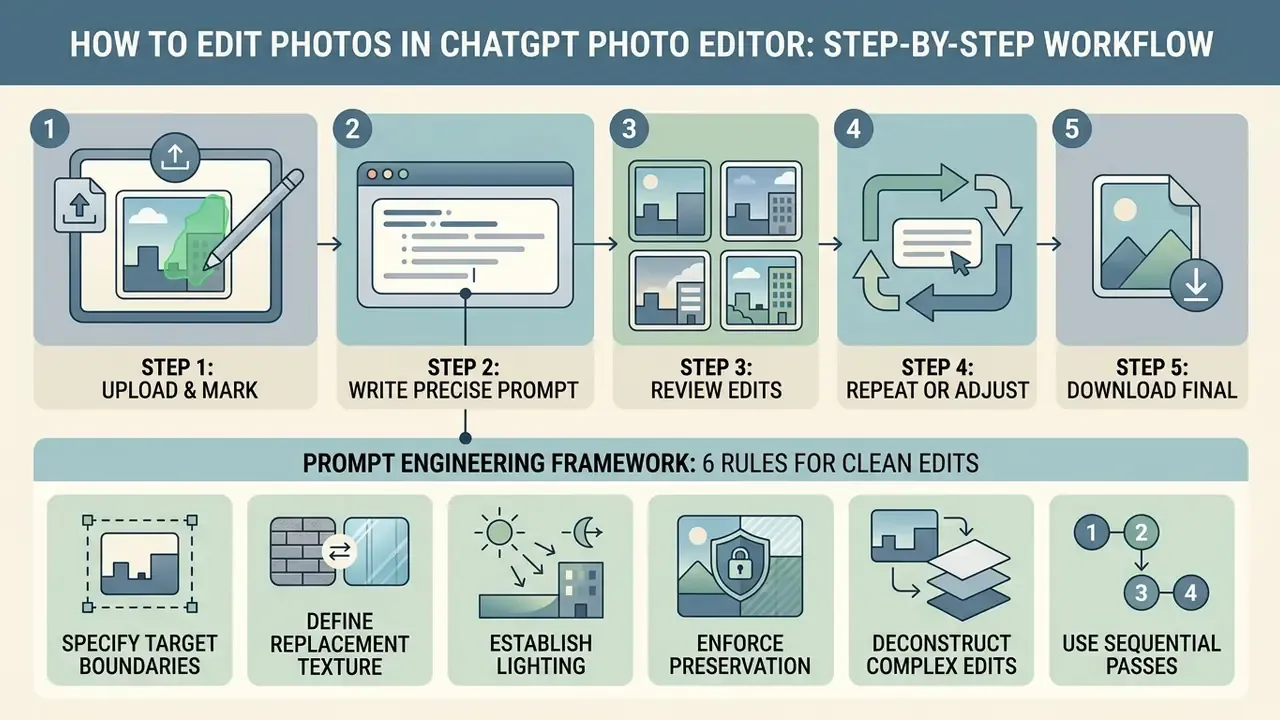
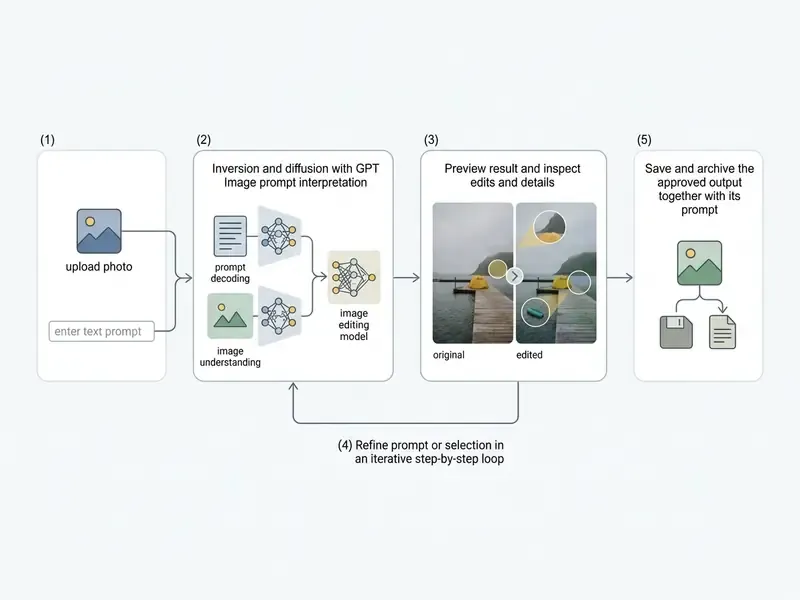
To get predictable quality results when editing an existing photo, follow a structured five-step workflow: upload, select, prompt, review, download. Controlled constraints at each phase prevent generative drift and keep brand consistency intact.
Step 1: Upload the Image and Mark the Edit Region
Open ChatGPT, then either use the image editor online interface or drop a file straight into the conversation panel. You can also open an image already generated in the thread and click Select to enter the editor. With the selection tool, paint directly over the region that needs work, such as an unwanted object or an outdated background, and stay clear of faces and brand logos.
OpenAI API guidance indicates that for precise local edits, supplying a clear selection or a transparent PNG mask tells the model to limit generative re-sampling to the marked coordinates (OpenAI API Guide, 2026). Two technical rules matter here. The mask must match the source image dimensions and format, and fully transparent pixels (alpha = 0) mark the editable area. Also, describe the full intended image in the prompt, not only the erased patch. That trips up almost everyone the first time.
Step 2: Write a Precise Prompt for the Required Edit
Draft an editing prompt that states what changes and what must not. Effective prompts follow a simple structure: primary action, target or replacement object, lighting and aspect ratio, then explicit preservation constraints.
An example of a high-performing prompt structure:
Prompt Engineering Framework: 6 Rules for Clean Edits
- Specify exact target boundaries.Do not say "remove the car." Say "remove the red sedan parked on the left side." Specificity is what lets the grounding module pick the right instance in a scene full of similar objects.
- Define replacement texture explicitly.Never leave erased areas undefined. State "replace the removed background with a polished dark gray marble surface" rather than "remove the background."
- Establish lighting and environmental consistency.Request "match key lighting, shadow direction and ambient color temperature to the original subject," and name the light quality: soft overcast daylight, warm golden-hour side light.
- Enforce preservation constraints.Append explicit negative constraints: "keep product typography, logo placement and edge geometry completely untouched." Add "keep it photorealistic, match the existing photo style" to prevent an illustrated, over-processed drift.
- Deconstruct complex edits into sequential passes.Separate background swaps from facial retouching. Pass 1 background, Pass 2 fine detail. Stacking three changes into one instruction dilutes all three.
- Iterate with micro-targeted follow-ups.If a shadow is misaligned, instruct: "adjust only the drop shadow directly under the vase to be 20% softer." Targeted corrections are faster and safer than re-running the whole edit.
Do and don't quick reference:
| Don't | Do |
|---|---|
| "Remove the background" | "Remove the kitchen counter background and replace it with a light-gray seamless studio surface" |
| "Make it better" | "Increase midtone contrast slightly, keep skin tones neutral, do not sharpen the background" |
| "Fix the product photo and add text" | Pass 1: background; Pass 2: lighting; Pass 3: text overlay in a vector tool |
| "Change the car" | "Recolor only the blue hatchback on the right to matte graphite; keep wheels and plate unchanged" |
Step 3: Review the Result and Fix Complex Edits in Stages
Complex edits that combine several changes, say removing an object, changing the background and shifting color tone, work far better sequentially than in one heroic prompt. If the first output carries minor artifacts, use Undo or re-highlight the defective region and issue a targeted follow-up. The editor exposes Aspect ratio, Undo, Redo, Cancel and Save, so the loop is simple: edit, revise the selection, finalize.
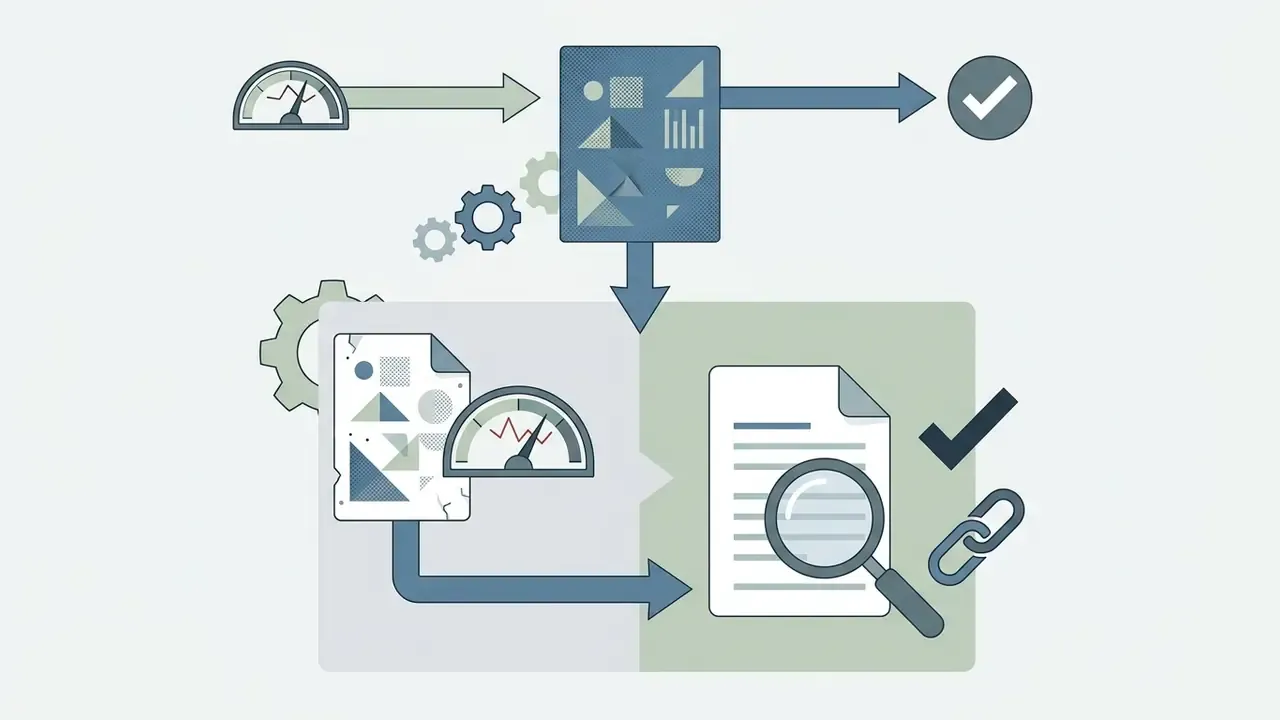
The formal version of that loop is a generate, critique, targeted-edit cycle. Produce a draft. Run an explicit defect check for hallucinations, artifacts, identity drift and physically implausible changes. Apply a constrained correction. Re-evaluate until defects stop appearing or quality drops below threshold.
In a commercial testing workflow for marketing visuals, an agency processed 50 promotional campaign banners needing background updates and text additions. Splitting the work into two stages (Step 1: background replacement; Step 2: lighting adjustment and text overlay) produced an 88% first-pass acceptance rate, against 42% when every change went into a single complex prompt. (Internal agency measurement, n = 50 assets, single reviewer panel, not independently replicated. Instruction-editing benchmark literature supports the direction, since decomposed instructions score higher on both alignment and preservation, but read the exact percentages as project-specific.)
Step 4: Export and Archive
Save the approved output, then store the prompt alongside the asset. Prompt provenance is the cheapest audit artifact you will ever produce. It documents the human creative input that matters for copyright, and it makes the edit reproducible when someone asks for a variant nine months later. Include the model version too. Versions retire.
Batch Variations, Multi-Image Consistency and Outpainting
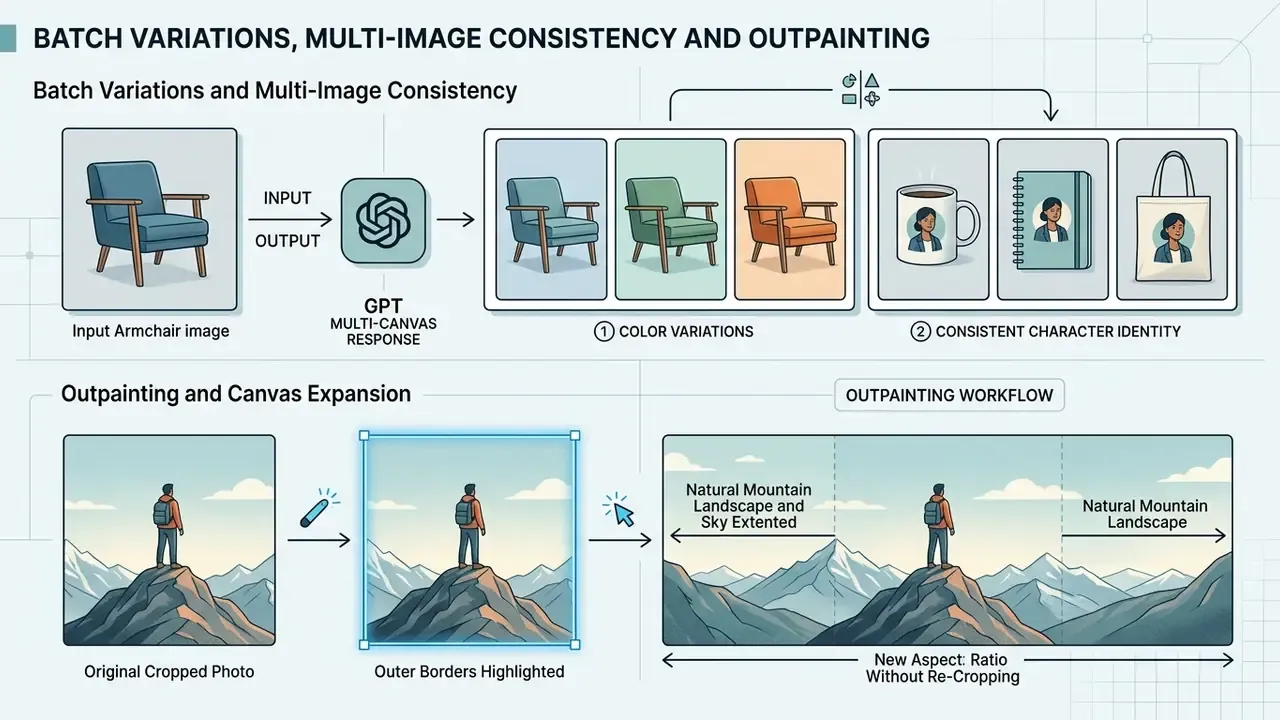
Executing Batch Variations and Multi-Image Consistency Workflows
To generate multiple design options from a single master visual, ask ChatGPT for a multi-canvas response:
This leans on multimodal latent sampling to return parallel visual options in one conversational turn. In API pipelines the same effect comes from looping the edit endpoint with a fixed preserve list and varying exactly one attribute per call. That version is preferable for audit trails, because every variation carries its own request record.
For cross-asset consistency across a character, a model or a packaging family, repeat an identical identity block verbatim in every prompt: subject, age, skin tone, hair, clothing, distinctive traits, style. Research on consistent character generation converges on the same mechanism, reference conditioning plus outlier filtering across iterations. Story-level methods go further, combining facial identity from cropped reference images with segmentation masks so that character and background are constrained separately.
Outpainting and Canvas Expansion
When expanding a cropped photo, highlight the outer borders with the selection tool and prompt:
Outpainting is the safest route to a new aspect ratio without re-cropping the subject. Two cautions. Extended regions are pure synthesis, so inspect them at 100%. And repeated outpainting compounds drift, so expand once from the highest-resolution original instead of iteratively from downscaled exports.
Ready-Made Prompt Scenarios for ChatGPT AI Photo Editor
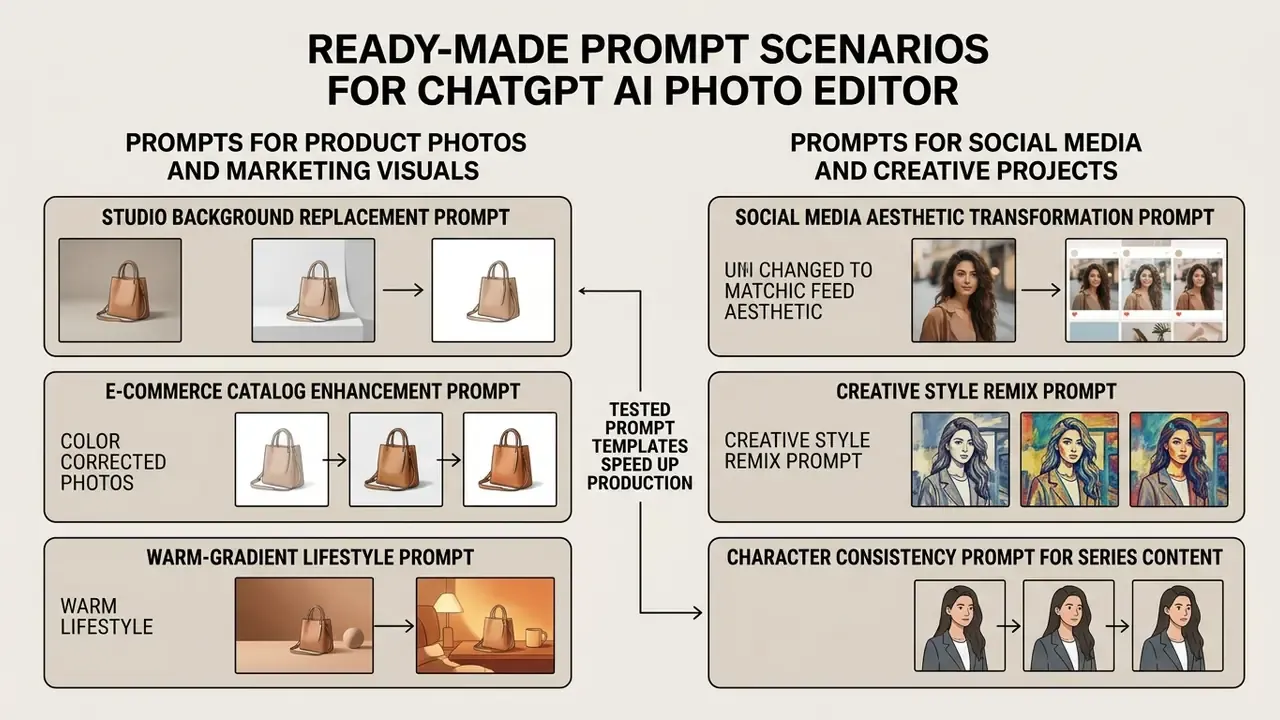
Prompts for Product Photos and Marketing Visuals
Product photos demand strict brand fidelity, accurate geometry and clean studio lighting. Teams building catalog pipelines often pair these prompts with image-to-image generators for high-volume variant production.
Studio background replacement prompt:
"Place the centered product from the uploaded image onto a seamless pure white studio backdrop (RGB 255,255,255). Add a soft, natural contact shadow directly beneath the base of the product for grounding. Preserve the exact product shape, label typography and natural surface texture. Do not alter the product logo."
E-commerce catalog enhancement prompt:
"Enhance the lighting on the uploaded product shot. Apply soft diffused three-point studio lighting with a subtle fill light from the right. Increase overall image sharpness and contrast slightly while keeping colors true to the original item."
Warm-gradient lifestyle prompt:
"Remove the original background completely and place the product on a smooth, light warm gradient background. Add a soft natural shadow beneath the product. Emulate a professional three-point studio setup. Keep label text and material texture unchanged. Output 1:1 for catalog use."
Free ChatGPT Photo Editor: Limits, Sign-Up, Downloads and TCO
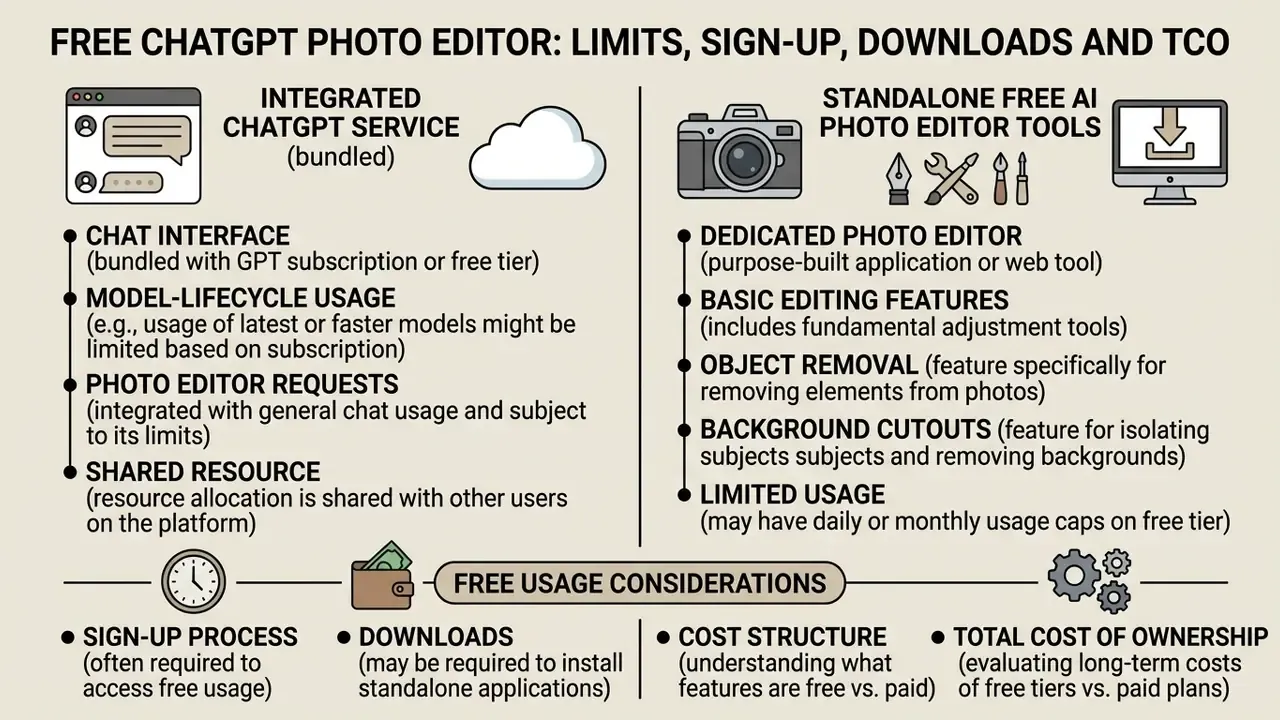
Understanding what a ChatGPT photo editor free experience actually includes means separating OpenAI's integrated chat platform limits from standalone free AI photo editor tools. Anyone looking for a chat gpt photo editor free option can reach ChatGPT's image features under standard plan resource allocations, without buying a separate photo editing subscription. OpenAI's 4o-era image generation rolled out on 25 March 2025 as the default image generator in ChatGPT across Plus, Pro, Team and Free tiers, and built-in image generation counts toward general plan usage limits rather than a separately published image quota.
Search traffic arrives here in a dozen spellings, from "chat gbt photo editor" to "free chatgpt photo editor," and they all land on the same practical question: what do I get without paying? The honest answer is capacity that is real but not contractually numeric.
What a Free Online AI Photo Editor Typically Includes
Free online AI photo editors usually offer basic editing, object removal, background cutouts and a limited pool of daily or monthly generative credits. Fotor Basic, for example, provides a free tier with limited credits, a single concurrent generation and cloud storage caps, while exports are restricted to watermarked files or lower resolutions (Fotor Vendor Documentation, 2025). Across the wider category, common 2026 free-tier ceilings cluster around 25-50 AI operations per month, five starter credits for new accounts, or weekly and daily caps. Reduced export resolution, watermarks and no batch access come as standard, and some "free" plans are time-limited trials rather than permanent tiers. Our breakdown of free photo editors maps these restrictions feature by feature.
By contrast, chatgpt photo editor online free usage inside ChatGPT lets users run chat photo editor requests without mandatory watermarks on exported visuals. OpenAI manages server load by throttling generation rates during peak usage instead of publishing a fixed daily image count for free accounts. Flag that in any procurement document: capacity is not contractually numeric on the free tier. Users comparing free options can review our guide to free AI art generators for credit breakdowns across platforms, or check quotas in our overview of free AI image generators.
Cost Structure and Total Cost of Ownership
Chat-surface editing is bundled. API editing is metered. Because per-image API pricing shifts with model version, quality tier and output size, the durable way to budget is a component model rather than a single per-image number.
| Cost Component | Chat Tier (Plus/Pro/Team) | API Tier (GPT Image) | Notes for TCO Modelling |
|---|---|---|---|
| Generation or edit unit cost | Bundled in subscription, capped by plan usage limits | Metered per image request; scales with quality tier and output pixels | Low-quality tiers exist for latency-sensitive previews; reserve the high tier for final passes |
| Retry overhead | Counts toward plan caps | Billed per retry | Budget 1.5 to 3 times the nominal image count for iterative edits |
| Human review | Analyst time per asset | Analyst time per asset | Usually the largest line item in regulated use; 100% zoom inspection is mandatory |
| Governance and audit | Workspace admin controls | Key scoping, logging, retention configuration | Include prompt and version archiving cost |
| Rework and legal review | Variable | Variable | Higher for likeness, trademark or claim-bearing visuals |
Two model-lifecycle facts belong in the same budget conversation. dall-e-3 was retired on Azure OpenAI on 4 March 2026, with gpt-image- series models recommended instead. And image edits in the API are documented for GPT Image models plus legacy dall-e-2 masked editing. Pipelines pinned to deprecated models carry migration cost, which should be amortized into any multi-year estimate. Model retirement is not an edge case. It is a schedule.
Data Privacy, Security, Retention and Shadow AI Risk
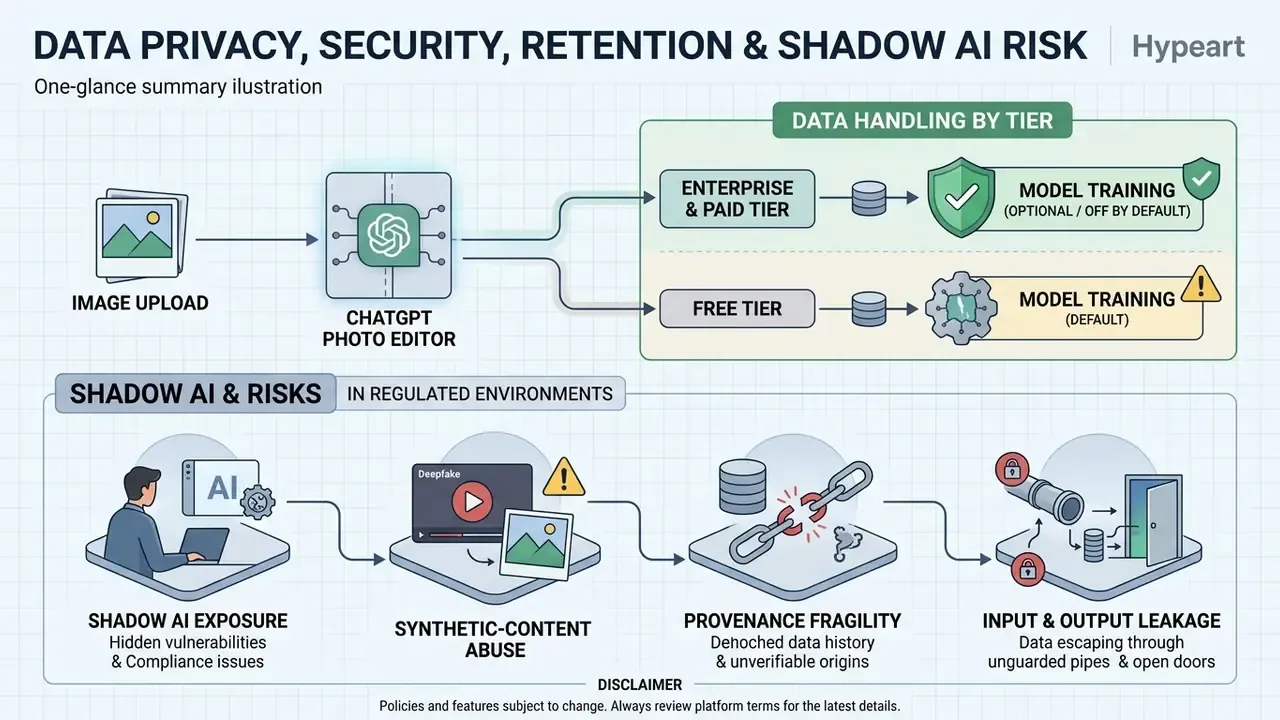
When you upload images to ChatGPT Photo Editor, enterprise and paid-tier data is not used for OpenAI model training by default. Free-tier inputs may be retained for quality and pipeline improvement unless you explicitly opt out in account settings. Image transmissions are protected in transit with modern TLS and encrypted at rest, temporary processing artifacts on server endpoints are purged on a defined retention schedule, and enterprise deployments are typically covered by SOC 2 Type II-aligned privacy frameworks.
Competing consumer editors make similar claims. One advertises end-to-end encryption during upload and automatic deletion "after a few days." Vendor marketing language is not a substitute for a reviewed Data Processing Agreement. Verify retention windows, sub-processor lists and training-opt-out mechanics in the contract, not in the FAQ.
Shadow AI: the Real Exposure in Regulated Environments
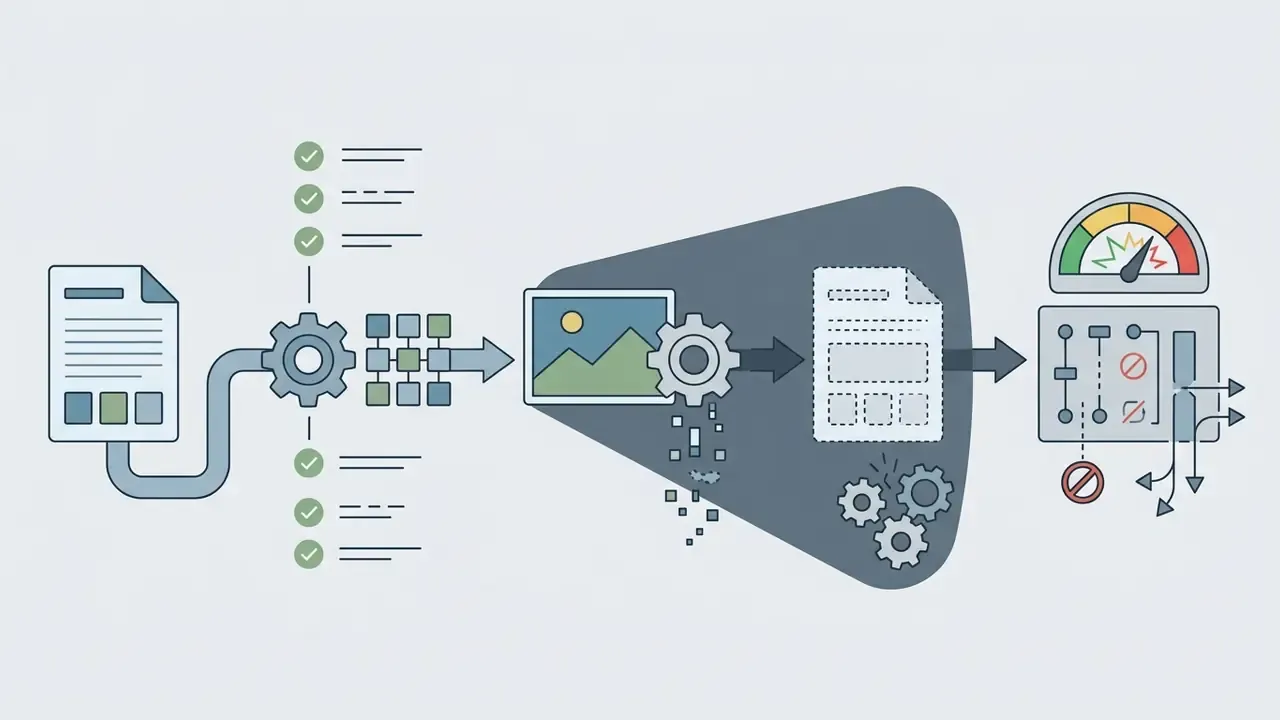
The dominant privacy incident pattern in 2025-2026 is not a model breach. It is an employee pasting sensitive material into a consumer surface, usually on a deadline, usually with good intentions. Security guidance converges on three risk clusters for AI image editing:
Control checklist for regulated teams:
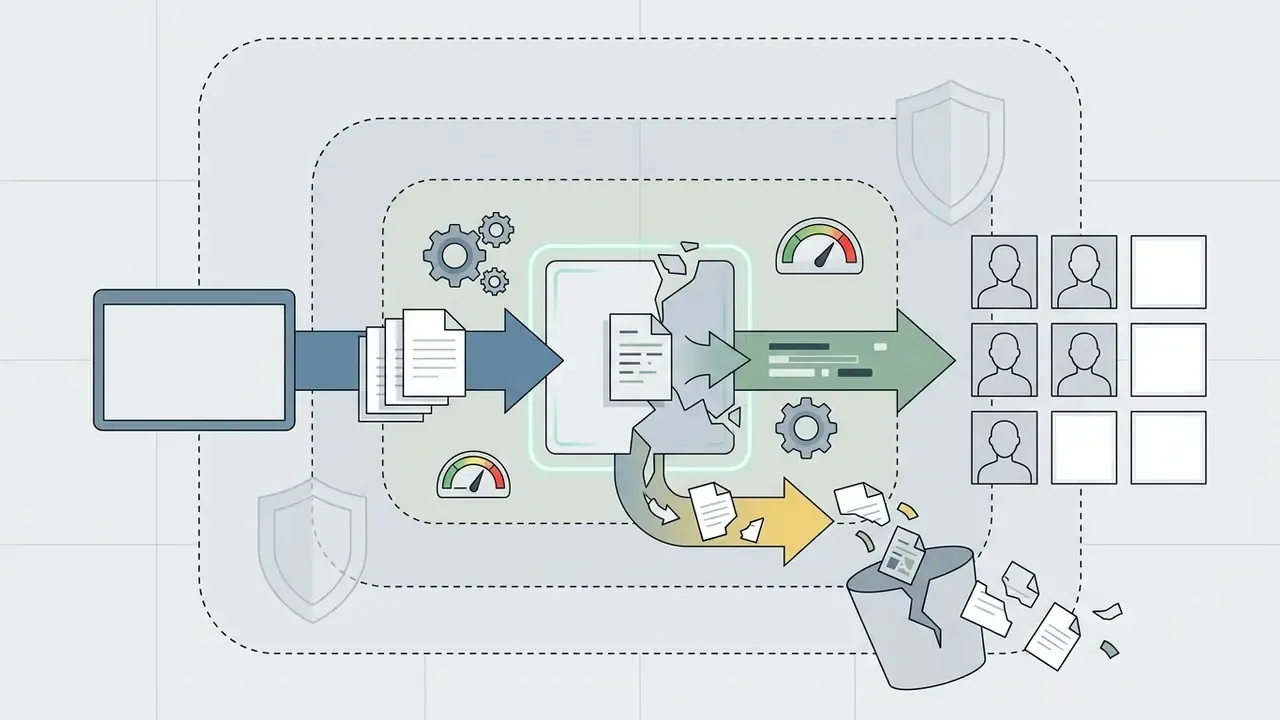
- Route all image editing through Enterprise or API endpoints with no-training-by-default and configured retention. Block consumer endpoints at the network layer.
- Prohibit uploads containing PII, account numbers, ID or card scans, client documents, unreleased financials or identifiable customer photographs.
- De-identify before upload. Crop, redact and replace identifiers with synthetic placeholders rather than trusting the model to "remove" them.
- Log prompt, model version, operator and approval for every published asset. That is the minimum viable evidence trail.
- Treat visual generative models as models under your model-risk framework. Supervisory expectations for model risk management (Federal Reserve and OCC SR 11-7 in the U.S., plus comparable European supervisory guidance) require documented purpose, limitations, validation approach and ongoing monitoring. For generative visual models the practical validation artifacts are defect-rate sampling, artifact taxonomies and human-in-the-loop sign-off, not backtesting.
- Restrict likeness use. OpenAI service terms restrict visual use for face identification and for reproducing a person's likeness without express consent and the necessary rights.
One more point that belongs in the AI inventory conversation. An image editor rarely appears on the model inventory, because nobody thinks of it as a model. It is one. Assign an owner, a purpose, an access boundary and a shutdown path, the same way you would for any digital worker.
Commercial Use, Copyright and Platform Compliance
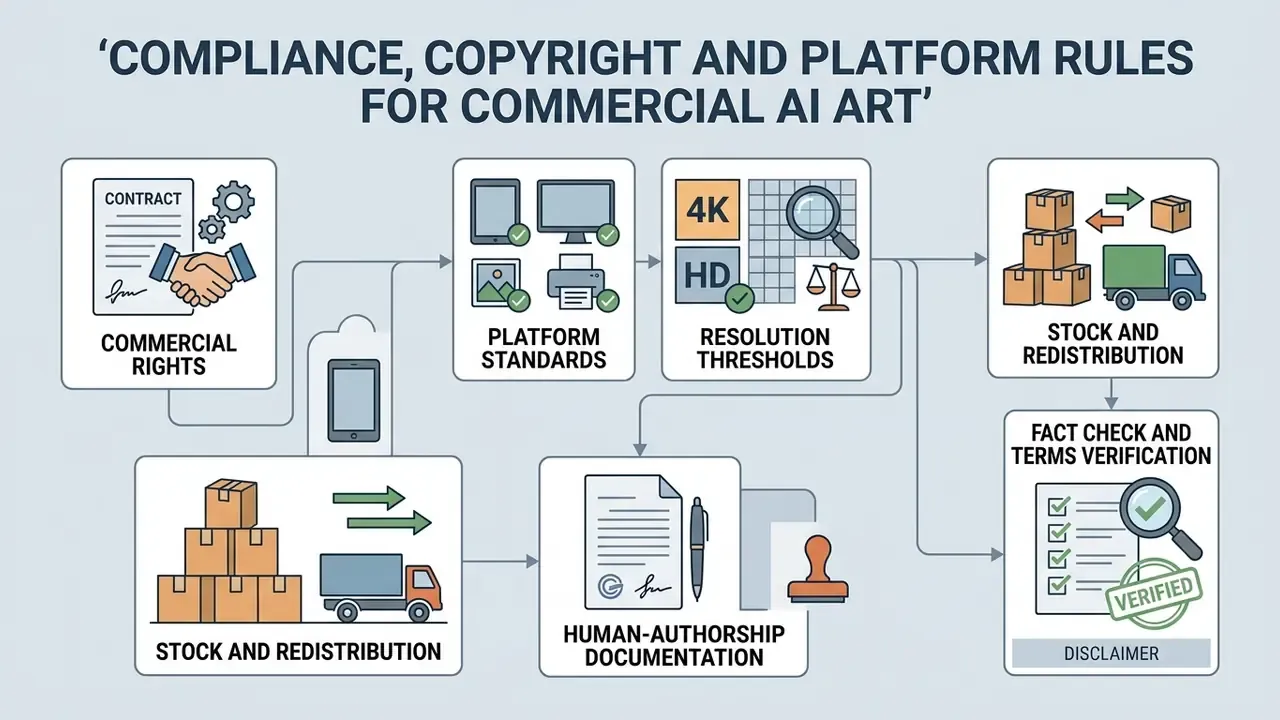
Before pushing AI-generated or AI-edited visuals into marketing visuals, product photos or advertising campaigns, verify copyright policies, platform rules and resolution requirements.
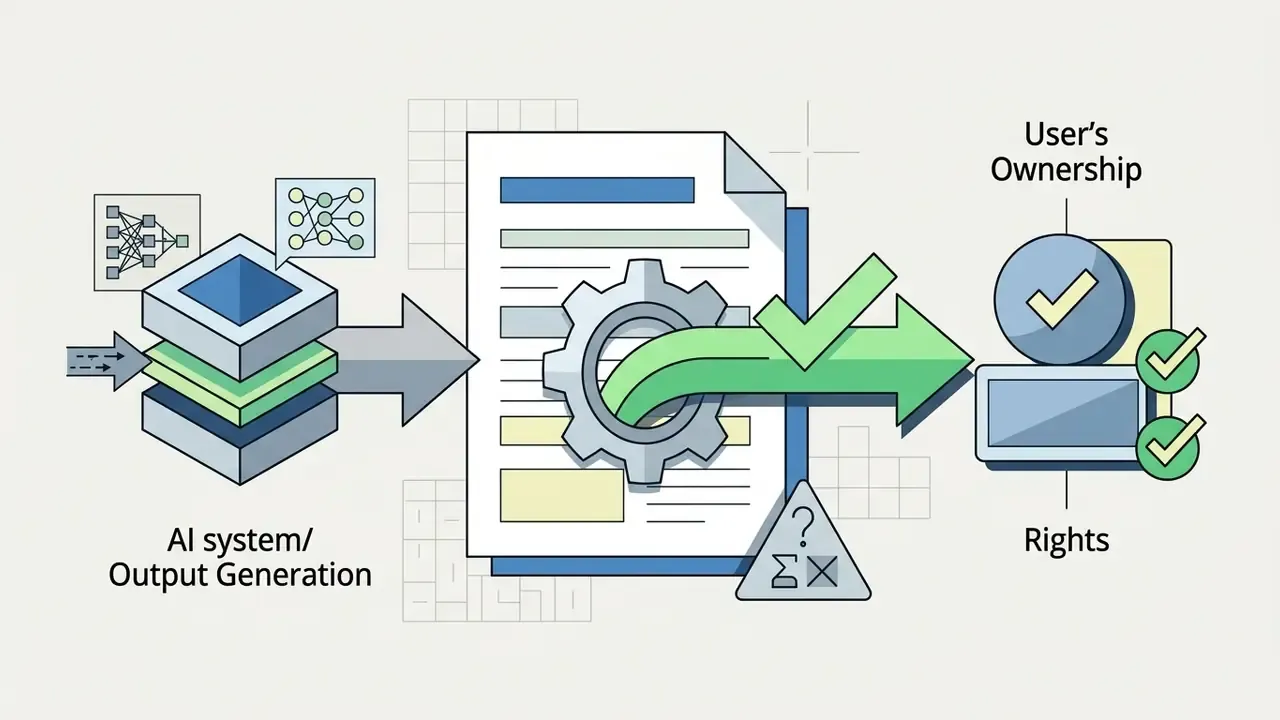
«Purely AI-generated material without substantial human creative contribution is not registrable; protection attaches only to human-authored elements.»
Key compliance checks before publishing:

Quality, Limitations and Safety of AI Image Editing
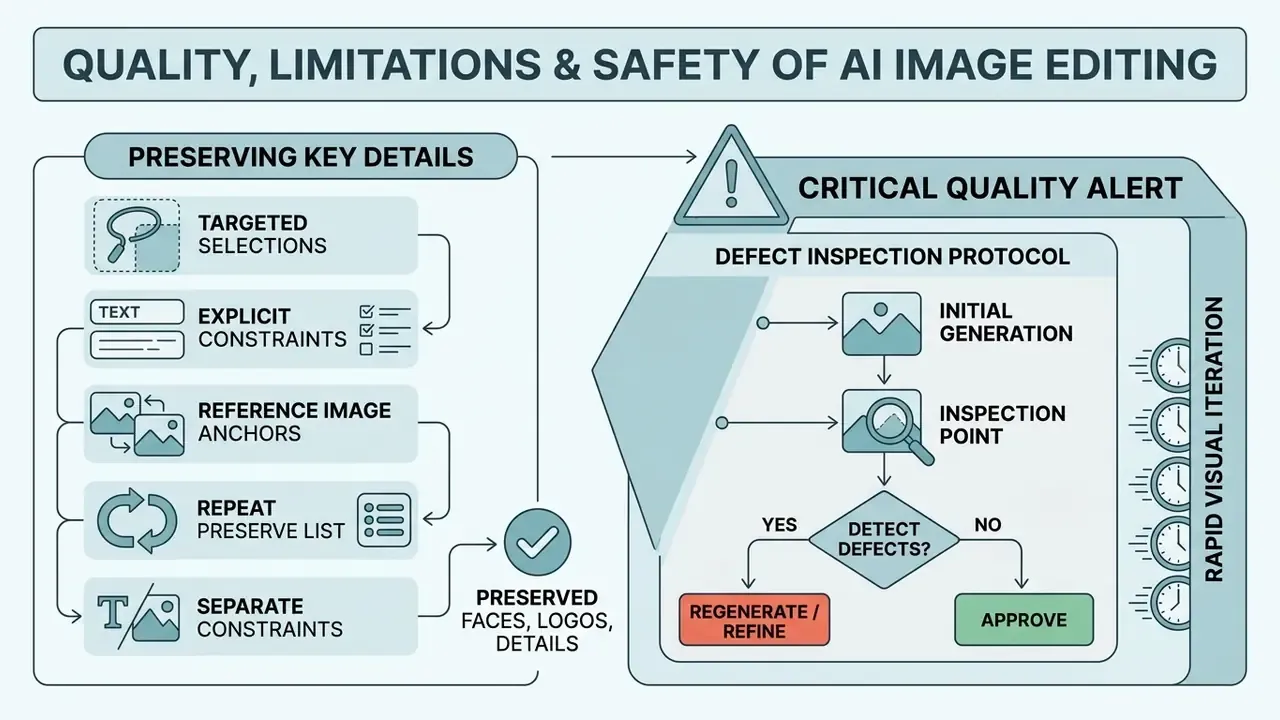
AI image editing buys you rapid visual iteration. It also brings identity drift, text distortion and spatial hallucination, which is why systematic quality control is not optional. Understanding these failure modes keeps flawed assets out of commercial campaigns.
Speed is improving fast, and that changes review economics rather than removing them:
«TurboEdit performs inversion in 8 NFE (one-time) and editing in 4 NFE, enabling real-time editing with disentangled attribute control.»
Faster inversion means more candidate edits per hour, and therefore more artifacts reaching a reviewer per hour. Throughput gains have to be matched with inspection capacity. Treating them as a reduction in review effort is how bad images ship.
Preserving Faces, Logos and Critical Image Details
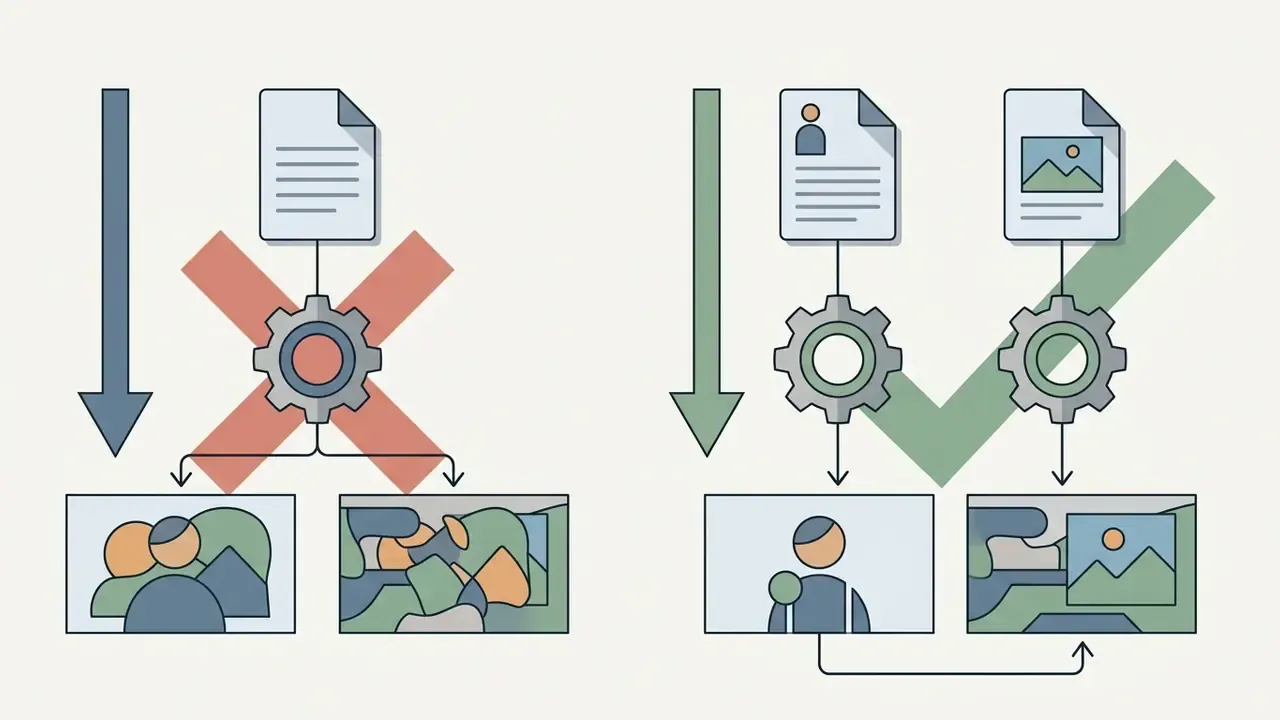
Preserving character consistency, facial identity and corporate logos across iterative edits requires constraining the model's generative scope. When prompt-based diffusion models process uploaded visuals, unmasked regions can drift subtly if the prompt lacks explicit preservation instructions. This is precisely why human-curated, mask-annotated datasets matter:
«HumanEdit includes 5,751 images with masks and 6 instruction types, built with over 2,500 hours of human involvement, all at 1024x1024 resolution.»
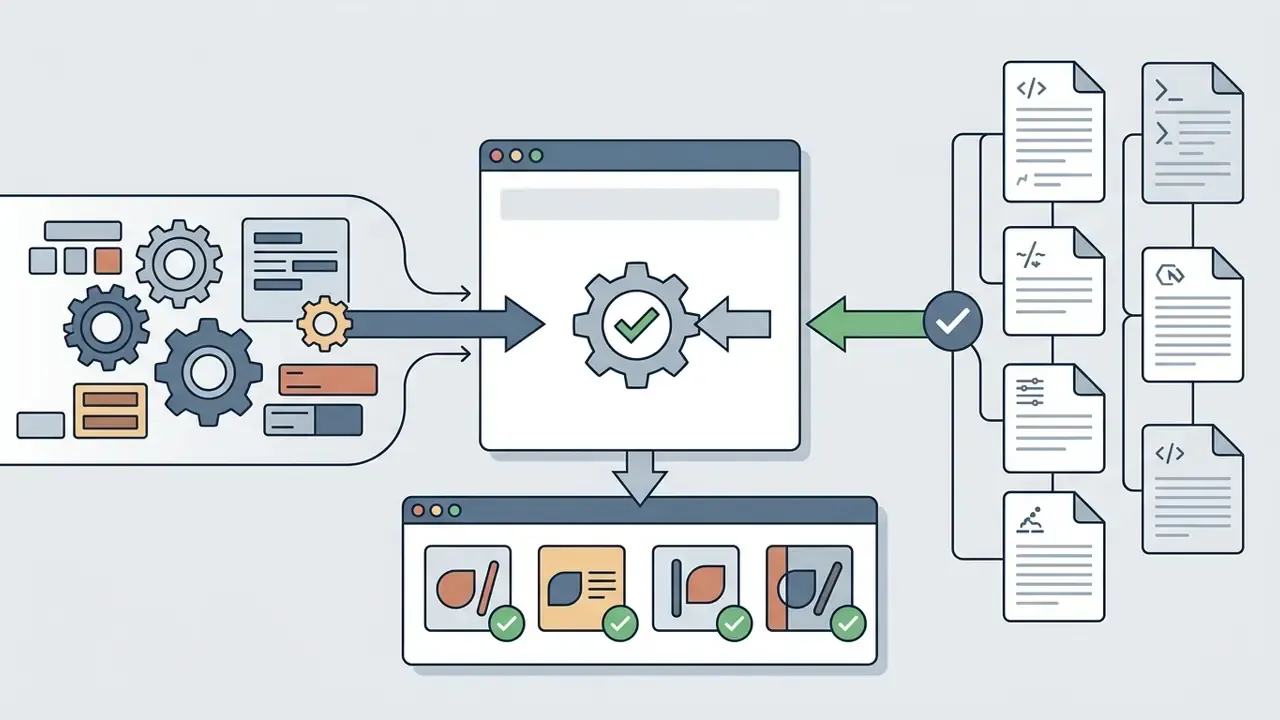
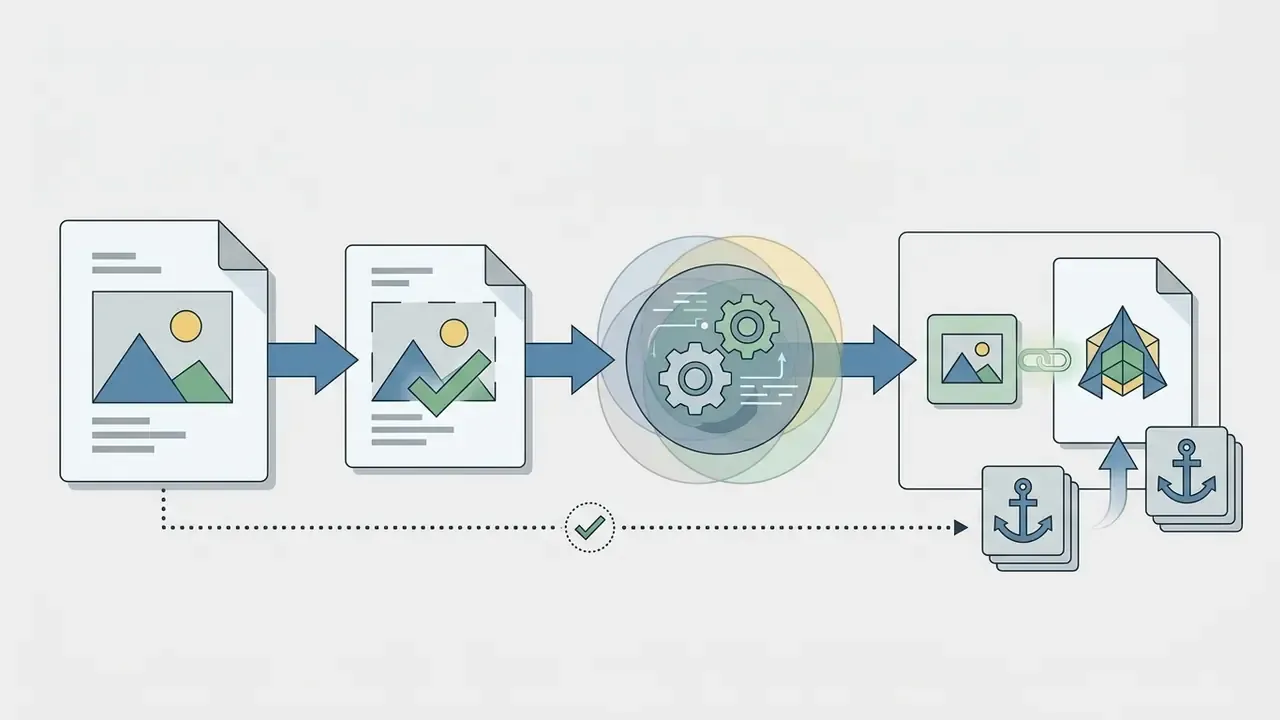
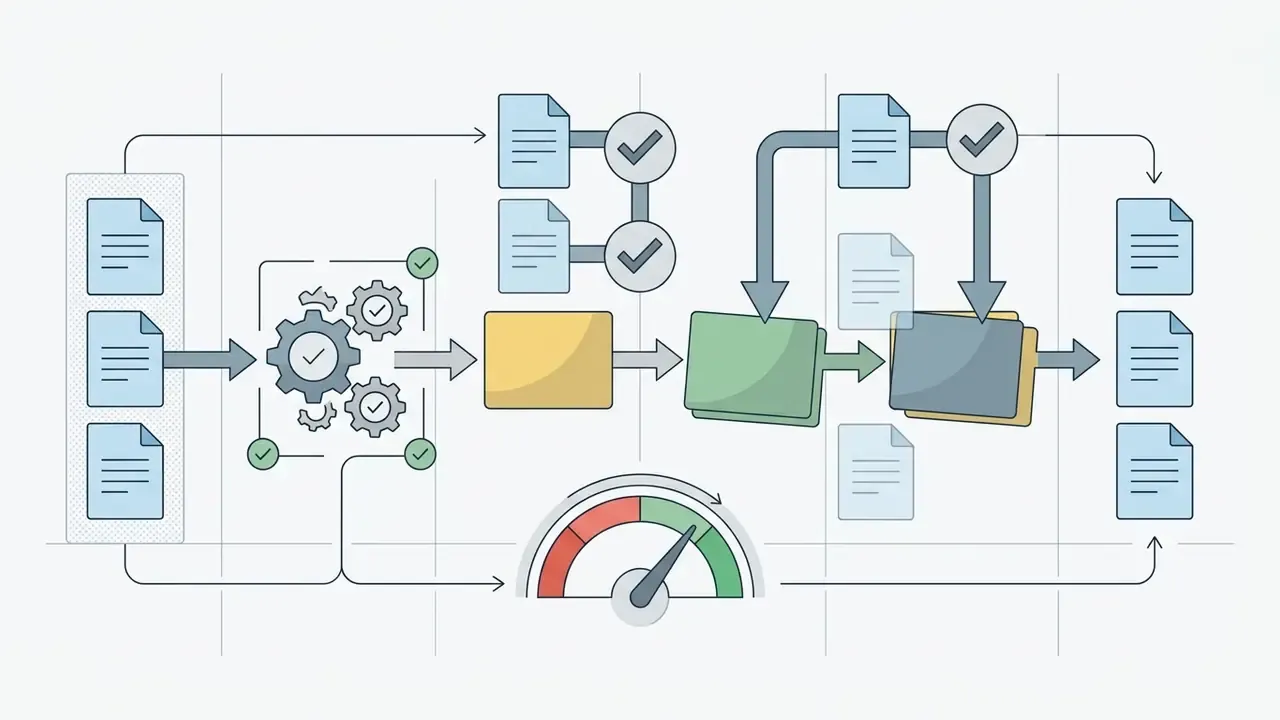
To protect critical visual elements:
Defect Inspection Protocol
A structured checklist reduces reviewer variance. Peer-reviewed taxonomy work on photorealistic text-to-image output defines five anatomy error classes, missing, extra, configuration, orientation and proportion, across torso, limbs, feet, hands and face. Expert review guidance recommends checking hands first, then limbs and merged body parts, then facial features, then zooming into any text for distorted glyphs or misspellings. Publication-side guidance adds a final quality-control pass verifying labels, spatial relationships, text legibility at print resolution and consistency with source data, plus disclosure that AI was used.
Checklist0 / 8
Provenance verification can be supplemented with an AI image detector, with the NIST caveat that watermark and metadata signals are strippable and therefore advisory rather than conclusive. If you need to explain the difference between authentic and synthetic output to a stakeholder, our guide to ai vs real image identification is a useful companion.
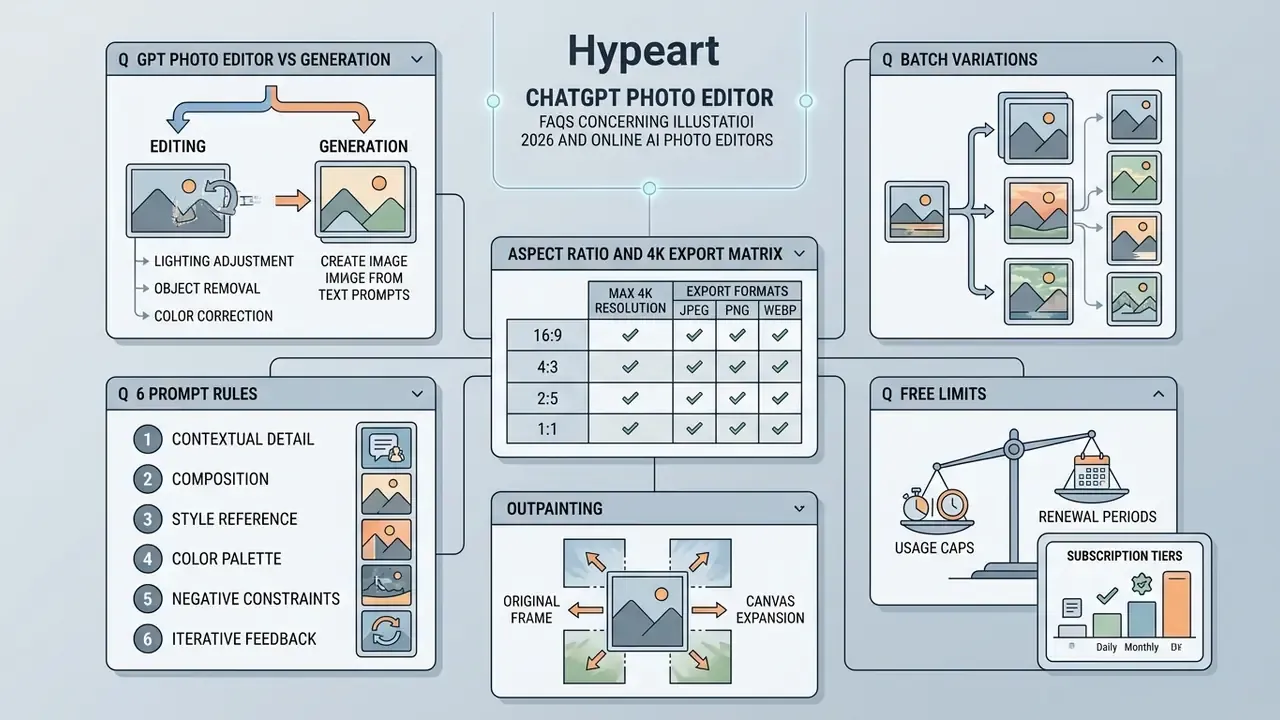
FAQ about ChatGPT Photo Editor and Online AI Photo Editors
What graphics formats does ChatGPT Photo Editor support for uploads?
The ChatGPT photo editor supports PNG, WEBP and JPG uploads. According to OpenAI API technical specifications, source image files can reach 50 MB per upload, with support for processing up to 16 input images in developer endpoints (OpenAI API Reference, 2026). Very large files may be resized before processing, so starting from a sharp, well-lit original improves detail retention.
Can I use ChatGPT Photo Editor on mobile devices and in the browser?
Yes. ChatGPT Images and its photo editing capabilities work in desktop web browsers and through the official iOS and Android apps. Mobile interfaces include touch-based selection tools and sketch modes for marking editing regions, which is honestly easier than mouse work for rough masks.
How long does generation take, and can I regenerate the result?
Image generation and editing usually take 10 to 45 seconds depending on server load, quality tier and instruction complexity. Lower quality tiers exist specifically for latency-sensitive previews. You can regenerate freely, undo edits, or issue follow-up prompts to refine specific parts of the visual in a conversational sequence.
Does ChatGPT Photo Editor work with multiple reference photos?
Yes. You can upload multiple images inside one conversation to guide visual style, composition or context. In API implementations, developer endpoints accept up to 16 source images per edit request, which enables multi-image blending and context-aware editing.
Can I generate several variations from one photo in a single turn?
Yes. Ask for an explicit multi-canvas response, for example three colorways of the same product with identical lighting, focal length and background. In API pipelines the same outcome comes from looping the edit endpoint with a fixed preserve list while varying one attribute per call, which also gives you a per-variation audit record.
Is my uploaded photo stored or used to train models?
It depends on the tier. Enterprise and paid-tier data is not used for model training by default, while free-tier inputs may be retained for service improvement unless you opt out in settings. Retention windows, sub-processor lists and training opt-outs belong in your Data Processing Agreement, not in marketing copy. Never upload PII, identity documents, payment data or client files to a consumer chat surface.
Can I edit text that already exists inside a photo?
Partially. Image models treat visible text as visual texture, so existing labels, logos and signage frequently distort after editing. Adding a new overlay is more reliable than rewriting existing raster typography. For brand names, legal disclaimers or pricing, composite vector text on top of the AI-edited layer.
How is ChatGPT Photo Editor connected to AI video tools?
Images edited or generated in ChatGPT can act as input keyframes for generative AI video models such as OpenAI Sora or Google Veo. Video generation endpoints accept image/jpeg, image/png and image/webp inputs, and Veo workflows document video creation from still images. Export the edited static visual, import it into a video generator, and you have an animated asset. Our primer on image-to-video AI covers the handoff, our Sora vs Veo analysis compares the leading video generators, and broader tool comparisons sit in our review of chatgpt picture generator capabilities versus standalone competitors.
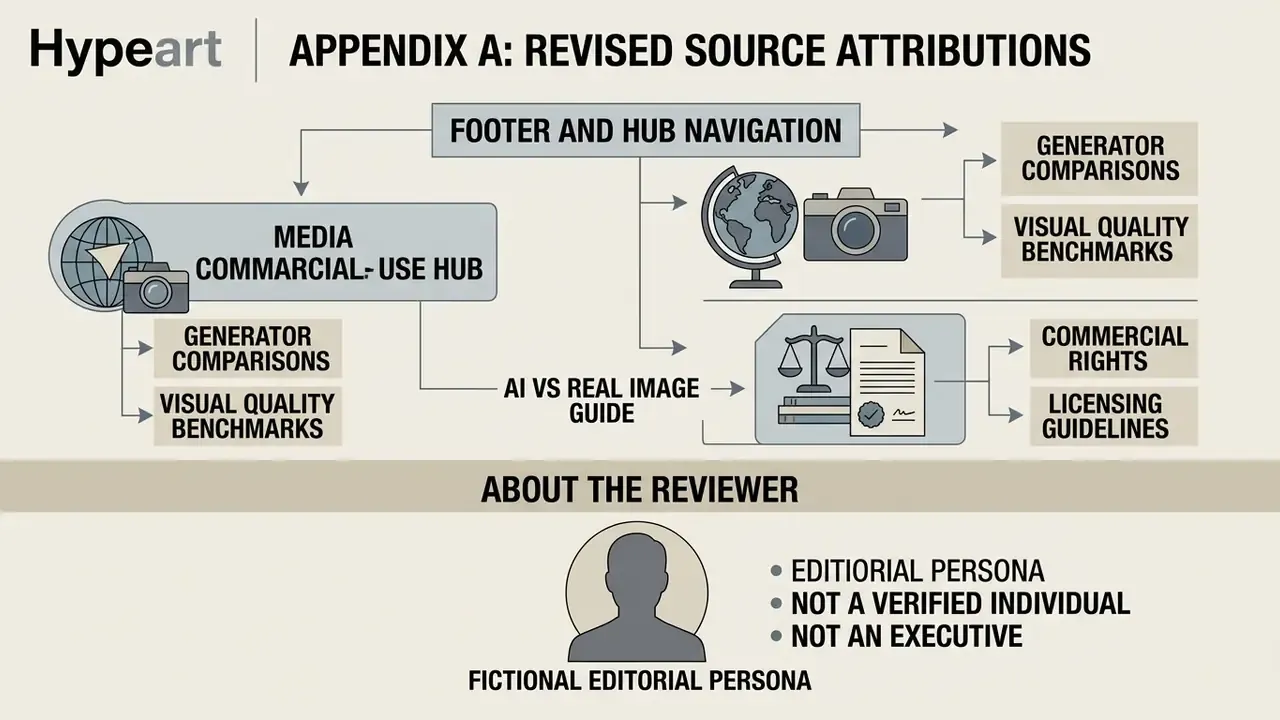
Appendix A: Revised Source Attributions
For transparency, the following statements from earlier versions of this guide were revised because their attributions could not be verified against primary sources. The original phrasings are preserved here, and the corrected versions appear in the main text marked "Updated."