That is the real story of OCR image to text in regulated environments. The technology is mature, cheap, and genuinely useful. The governance around it is usually thin. This guide covers both halves: how recognition works, and what you need in place before a customer loan file touches a browser upload form.
Executive Summary
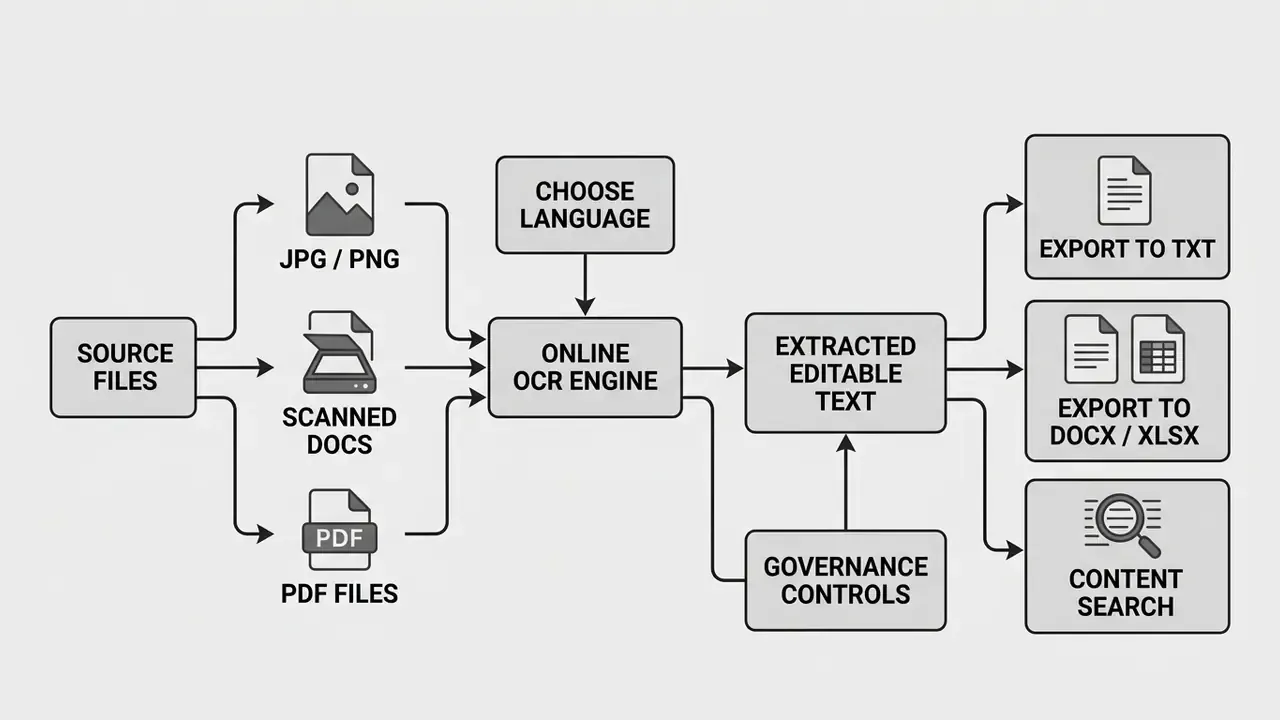
- What it is: OCR image to text converts raster pixels from photos, screenshots, and scanned PDFs into machine-readable, editable, searchable text.
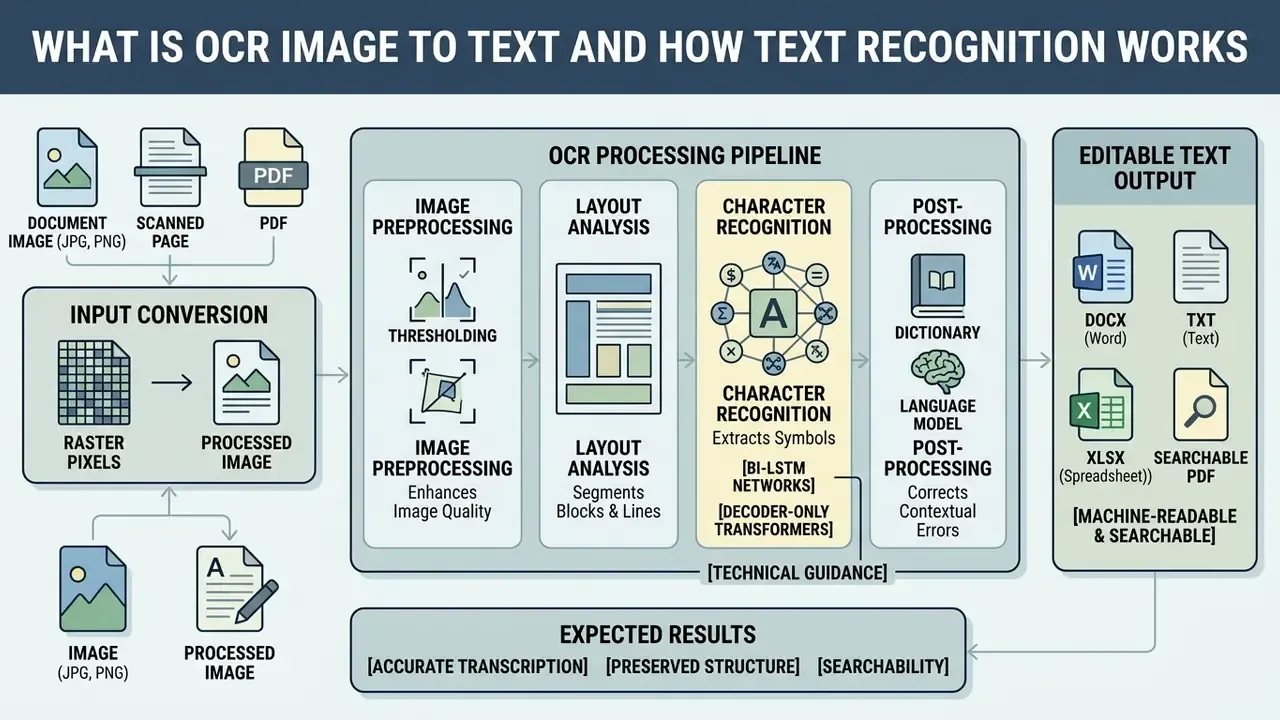
- How it works: A four-stage pipeline (binarization, layout analysis, character classification, structure reconstruction), now powered by Bi-LSTM and decoder-only transformer models.
- Output formats: Plain text (
.txt), Word (.docx), Excel and CSV (.xlsx,.csv), PowerPoint (.pptx), web formats (HTML,Markdown), and searchable PDF with an invisible text layer. - Two engine modes: Standard OCR for clean, high-DPI scans; AI-driven deep learning OCR for shadowed phone photos, crumpled pages, and stylized fonts.
- Accuracy drivers: 300 DPI minimum (400 to 600 DPI for fonts under 9 pt), high contrast, deskewed pages, correct language pack. Independent benchmarking shows even leading engines can fall to roughly 67% accuracy on degraded real-world reports.
- Governance essentials: Verify TLS 1.3 transport encryption, ISO 27001-certified processing, GDPR and GLBA alignment, zero-data-retention windows, and an explicit "files are never used to train AI models" clause before any regulated document reaches a public converter.
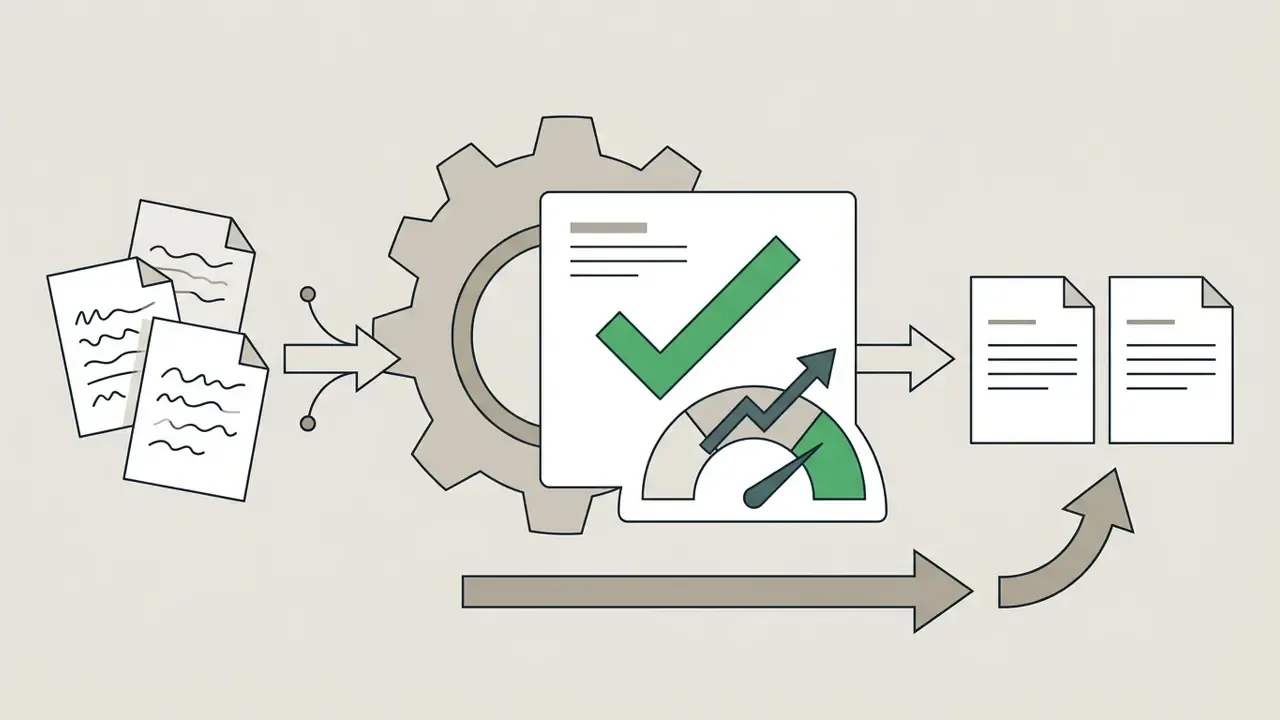
- Human-in-the-loop is mandatory: for financial, legal, and medical records. Route any page with confidence scores below your threshold to manual verification.
The Questions This Guide Answers
What Is OCR Image to Text and How Text Recognition Works
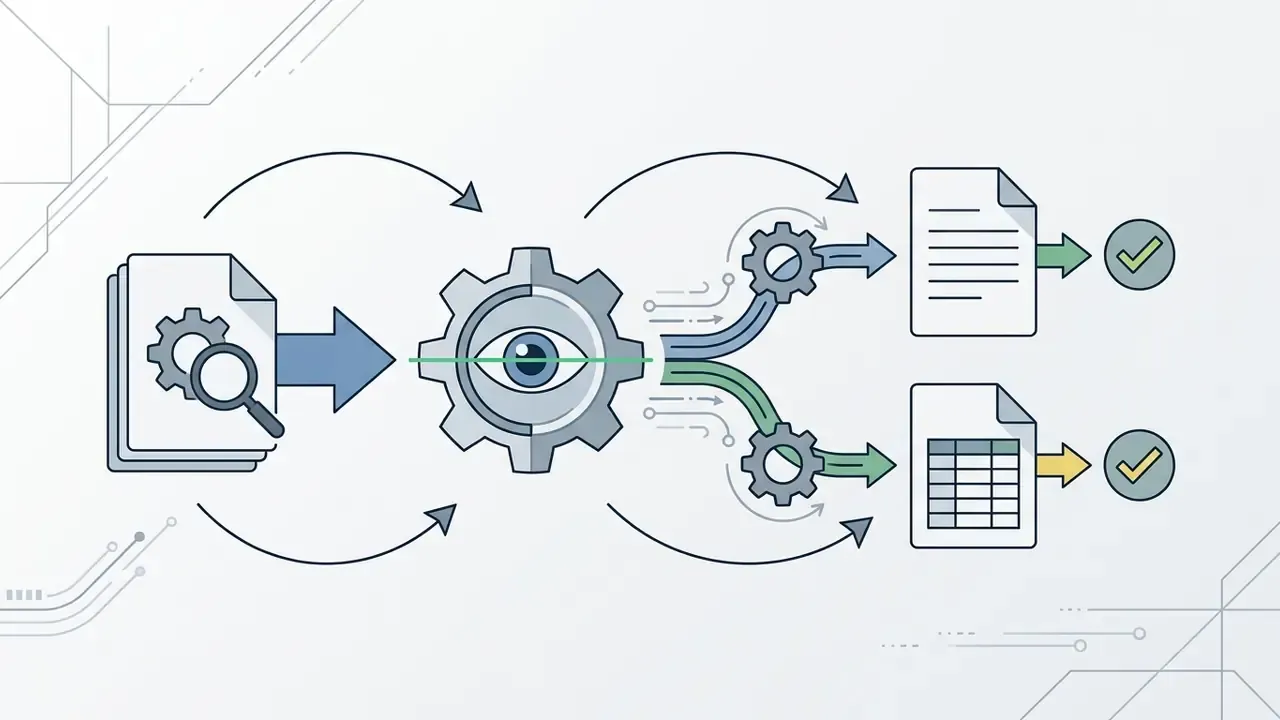
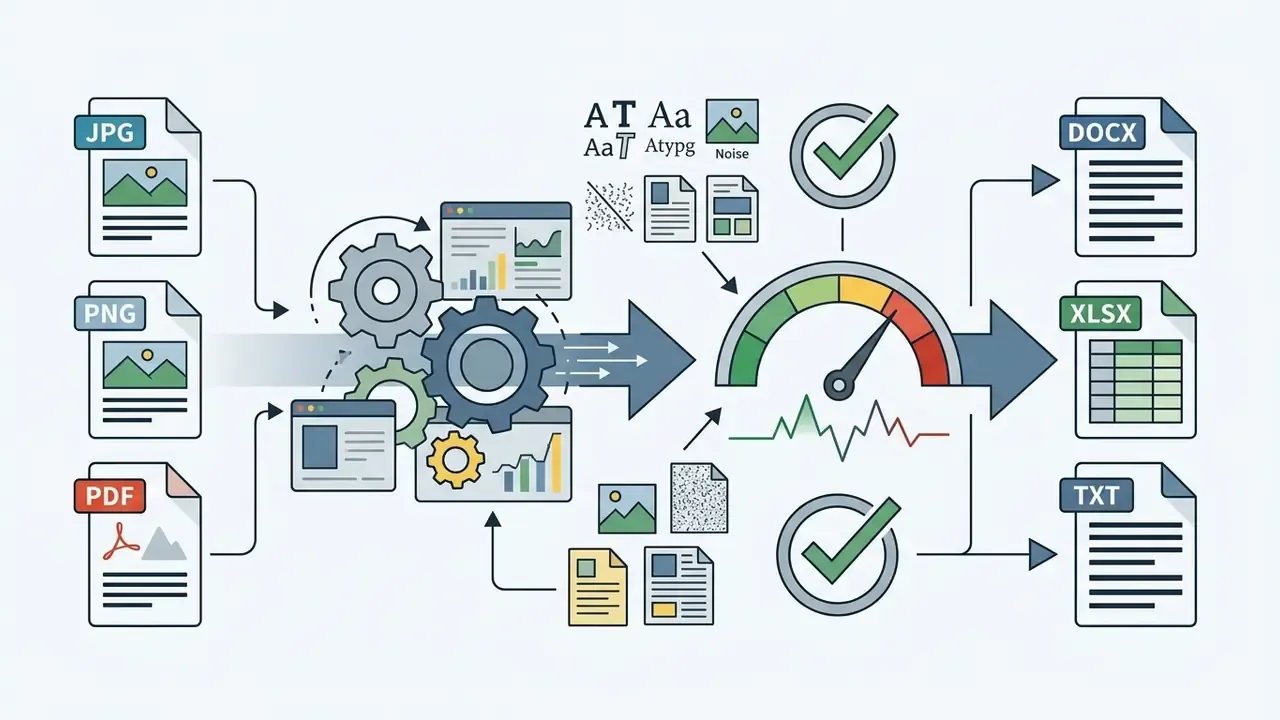
OCR image to text is an automated technology that converts raster pixels from images or scanned documents into machine-readable, editable text. Modern optical character recognition systems process digital image files such as JPG, PNG, and scanned PDF documents, perform character recognition and text recognition, and yield plain text or structured documents that teams can search, copy, and edit.
«OCR is a key technology for document digitization and text analysis, transforming static visual content into editable, machine-readable text.»
Technical guidance from the U.S. Federal Agencies Digital Guidelines Initiative (FADGI, 2023) puts it plainly: OCR optical character recognition converts individual dots or pixels in a raster image into digitally coded text suitable for indexing and assistive technology. Source: https://www.digitizationguidelines.gov/
When institutions digitize physical archives or process incoming forms, manual data entry adds cost without adding control. One compliance team automated invoice ingestion using standard text extraction tools and measurably shortened its processing backlog while capturing verifiable text audit trails. The size of that gain depends on document mix, capture quality, and the share of pages routed to manual review. Baseline your own throughput before and after deployment rather than trusting a generic percentage in a vendor deck. To evaluate editing and preparation tools for document workflows, teams often compare online photo editors and their commercial-use terms before standardizing a capture pipeline.
How the OCR Engine Extracts Symbols and Text Structure
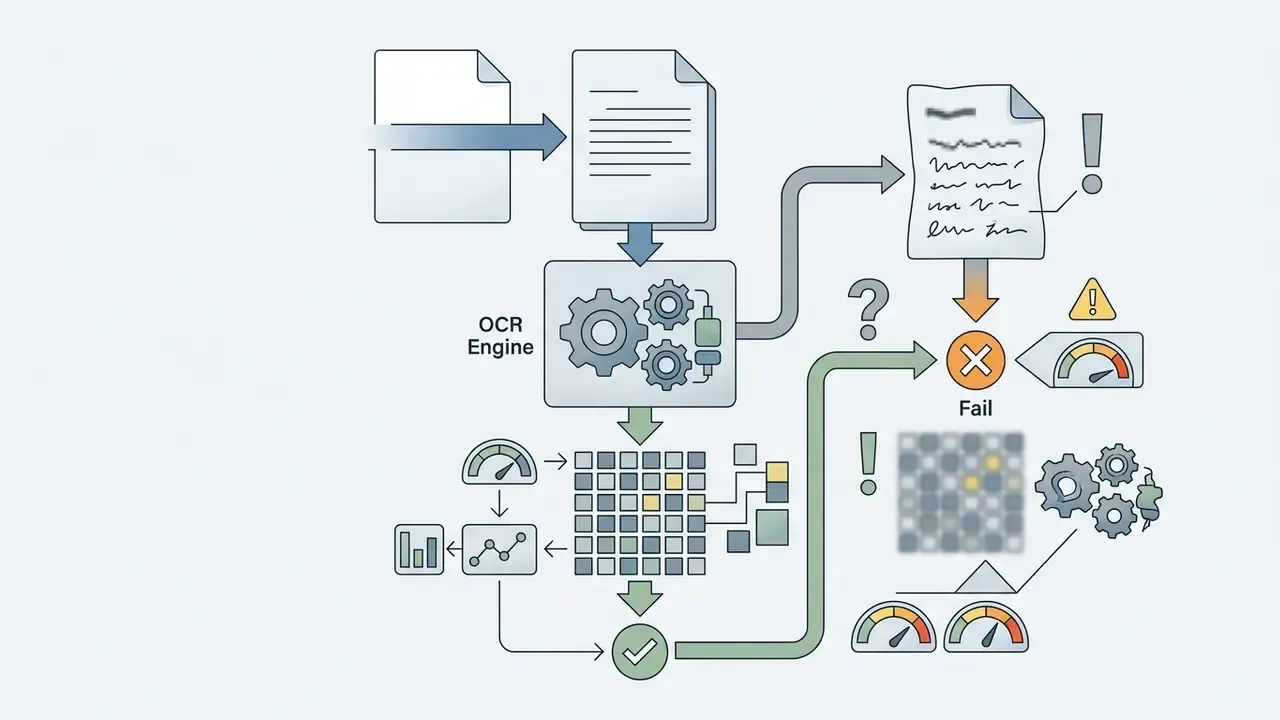
An OCR engine turns visual pixels into text through a multi-stage OCR processing pipeline. It begins with image binarization to separate dark text pixels from light backgrounds, then runs document layout analysis to identify text lines, zones, and individual symbol blocks.
As established by Smith in An Overview of the Tesseract OCR Engine (Tesseract OCR project, 2007), binarization and polygonal text region detection are mandatory front-end stages before character classification begins. Source: https://tesseract-ocr.github.io/docs/tesseracticdar2007.pdf. Academic surveys describe the same architecture as three sequential blocks: document layout analysis, text line detection, and optical character recognition (Enhancing optical character recognition: efficient techniques for document layout analysis and text line detection, University of Essex, 2023).
Modern deep learning architectures, including Bi-LSTM networks and decoder-only transformers, extract textual feature maps directly in order to preserve reading order across complex pages.
«Bi-LSTM and transformer-based models substantially reduce character recognition error rates compared with traditional engines under real-world conditions.»
«DTrOCR, a decoder-only transformer initialized with a generative language model, outperforms current state-of-the-art methods on printed, handwritten, and scene text recognition.» DTrOCR: Decoder-only Transformer for Optical Character Recognition, WACV (2024).
The final stage, reading-order restoration, decides whether a two-column contract exports as coherent clauses or as interleaved fragments. Layout analysis separates text from non-text regions and rebuilds the intended reading sequence. That is the step that recovers document structure after character classification, and it is the step most free tools quietly skip.
What Results You Can Expect After OCR Convert
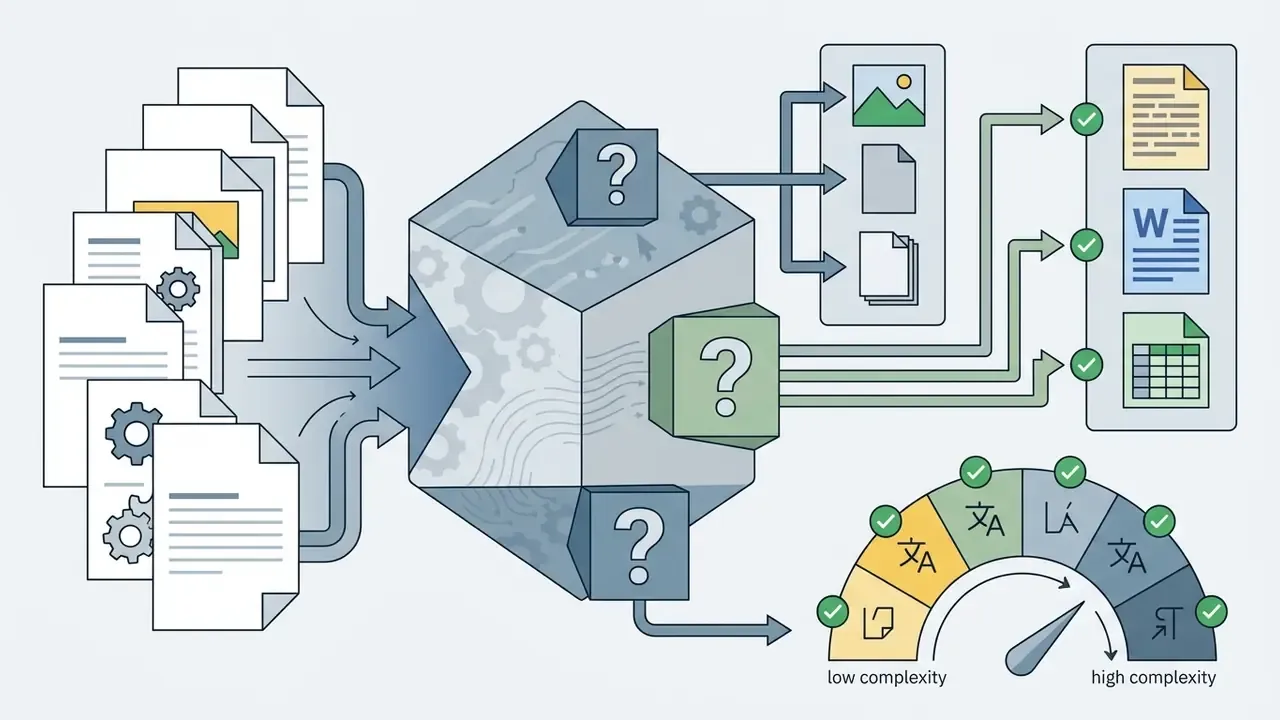
An OCR convert workflow generates several output formats: unformatted plain text (.txt), structured word document (.docx) files, spreadsheet exports (.xlsx, .csv), presentation decks (.pptx), web-ready HTML or Markdown, and searchable PDF documents. Plain text files isolate raw character strings. Searchable PDFs preserve the original page graphic while embedding an invisible text layer directly beneath the visual image.
As documented in Adobe Acrobat's technical guide Free OCR for PDF: Recognize text for a searchable PDF (Adobe, 2025), adding a searchable text layer enables screen-reader accessibility and keyword indexing without altering the visual integrity of the primary scan. Source: https://www.adobe.com/acrobat/online/ocr-pdf.html. U.S. National Archives digitization requirements reinforce the same principle: OCR-derived text must match the source image in content and appearance, and it must not degrade or substitute the original bitmap. For an audit file, that distinction matters more than formatting fidelity.
Users can extract text from static screenshots, or apply AI image enhancers for preprocessing when preparing visual material for digital documentation.
How to Convert Image to Text OCR Online: Step-by-Step Guide
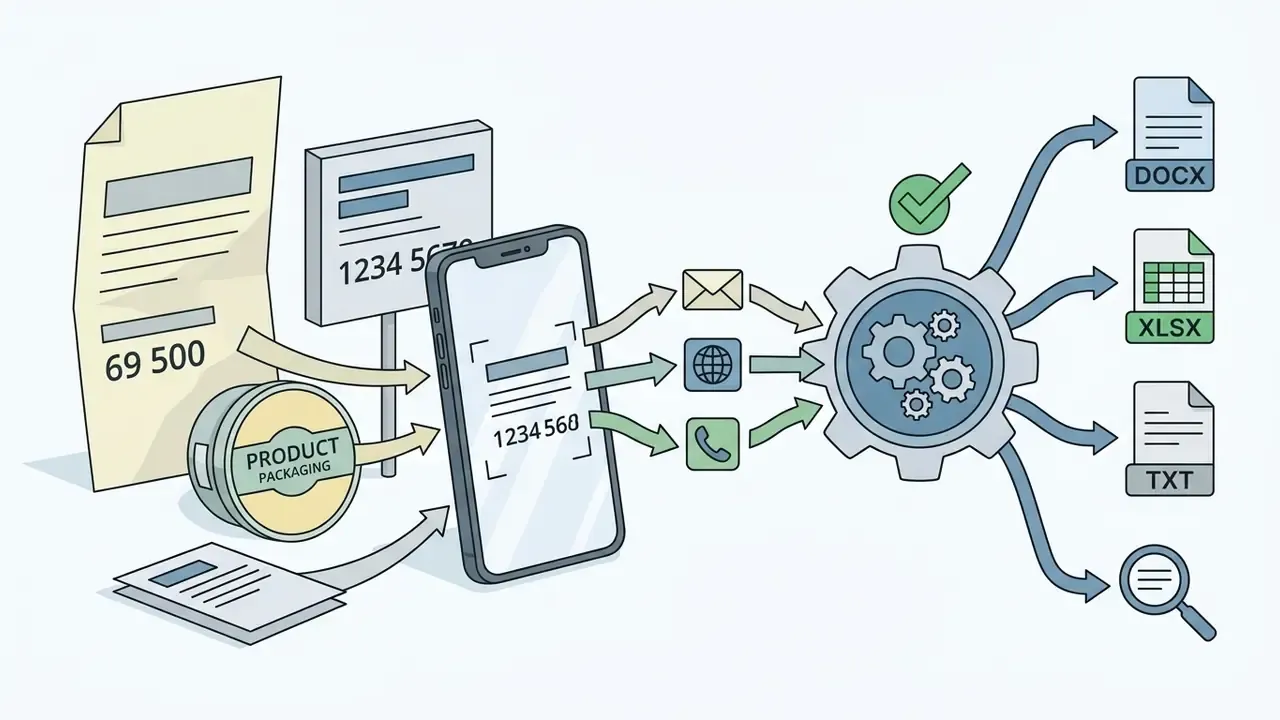
Converting images to text using a browser-based free online OCR tool takes four operational steps: upload the source file, choose target language packs, start recognition via the convert button, and review the extracted output. Online workflows process files directly in modern web browsers without local software installation. Adobe confirms its online OCR runs in any current browser such as Microsoft Edge or Google Chrome, with nothing additional to install.
MULTIMEDIA BLOCK
END MULTIMEDIA BLOCK That is the whole loop. It is also why shadow usage spreads so fast: the workflow is frictionless, and friction is usually where controls live.
- Upload the source imageSelect your document, or simply upload your JPG, PNG, GIF, or PDF file into the secure web interface.
- Select recognition languagesSpecify the document language pack to guide the engine's symbol dictionary.
- Execute OCR processingClick the convert button to launch automated symbol detection and text extraction.
- Export editable textInspect the generated text file, spreadsheet, or word document for accuracy, then copy or download the result.
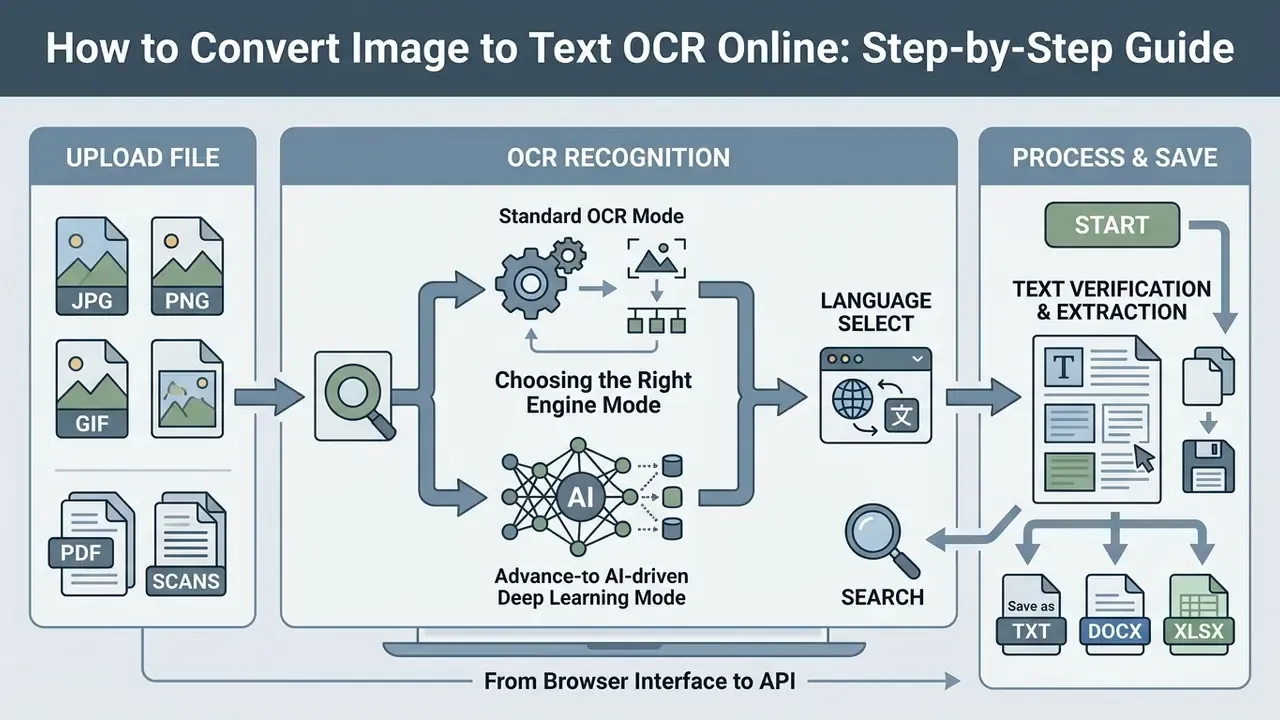
Choosing the Right Engine Mode: Standard vs. AI-Driven OCR
- Standard OCR mode Optimized for high-resolution, clean scanned documents and digital screenshots. Runs at maximum conversion speed using classical pattern matching, binarization, and dictionary lookup. Best for flatbed scans at 300 DPI and above.
- AI-driven deep learning mode Built for complex captures. Uneven smartphone photography, shadowed or poorly lit pages, crumpled paper, curved book spines, stylized or decorative fonts. Neural models restore illegible glyphs and infer missing characters from surrounding context, trading a little speed for substantially higher recall on imperfect inputs.
Choosing the wrong mode is one of the most common avoidable errors. A shadowed phone photo pushed through a speed-optimized standard engine usually produces fragmented output. A crisp 600 DPI scan gains nothing from neural reconstruction except latency.
From Browser Interface to API: Bridging Manual and Automated Workflows
Individual users press buttons in a web canvas. Operations teams call the same recognition engine through an API endpoint. The functional pipeline is identical, that is, upload, language hint, recognize, export. Automated integrations add job queues, retry logic, confidence thresholds, and direct delivery of structured output into ERP, accounting, or GRC systems.
So when you evaluate a convert image to text ocr tool for a one-off task, check something extra: does the same vendor expose a documented API, a batch endpoint, or an on-premise deployment for the day the workflow grows from ten pages to ten thousand? Teams comparing adjacent tooling categories can explore the hub for side-by-side evaluations.
Uploading JPG, PNG, GIF, and Other Image Formats
You can upload images across standard graphics formats, including jpg png gif, WebP, TIFF, and single-page scans. System documentation from cloud recognition providers states that individual file size caps typically range from 5 MB to 20 MB per document upload. Alibaba Cloud General OCR, for example, caps a single image at 10 MB with a longest edge of 8,192 px and a shortest edge of at least 15 px. Google Cloud Vision advises staying under 20 MB and 75,000,000 pixels, with a recommended minimum of 640 by 480.
Before processing, file preparation prevents submission failures. Checking file size and image resolution upfront keeps server transmission clean and avoids execution timeouts. When managing graphic assets prior to extraction, creators frequently use an AI image editor without restrictions to adjust visual bounds, or an AI image editor free with no sign up for quick cropping before recognition.
Selecting Language and Starting Text Recognition
Modern OCR platforms support multiple languages by loading dedicated linguistic dictionaries during character classification. Selecting the precise document language before recognition narrows the character search space and reduces symbol confusion.
Technical documentation for OCRmyPDF shows that passing multi-language flags, such as combining English and French dictionary models with -l eng+fra, lets OCR engines parse multilingual documents without misidentifying non-Latin glyphs. Source: https://ocrmypdf.readthedocs.io/en/latest/languages.html. Verify supported languages in the tool interface before you run a batch.
A concise survey of OCR for low-resource languages (George Mason University, 2024) adds a caveat worth writing into your vendor assessment: advertised language counts above 100 do not guarantee equivalent accuracy. Rare scripts remain constrained by scarce training data and weak benchmarks. A service that supports multiple languages in a dropdown may still misread a Georgian or Amharic KYC document badly. Test on a representative sample of your own files.
Verifying, Copying, and Saving Extracted Text
Supported File Types, Export Formats, and Languages in Online OCR Tools
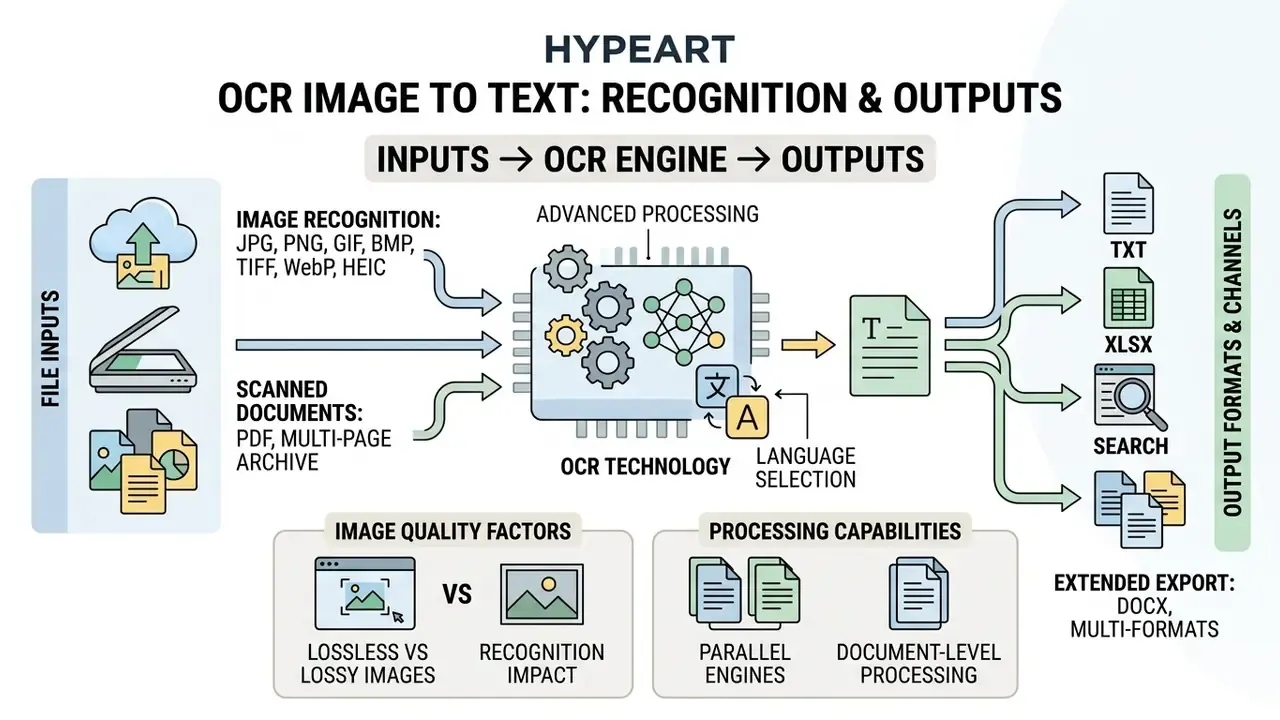
An online OCR tool typically supports raster graphics (JPG, PNG, GIF, BMP, TIFF, WebP, HEIC) alongside multi-page scanned PDF documents. Microsoft's OCR documentation additionally lists embedded images inside .docx, .pptx, and .xlsx files as valid recognition targets, plus scanned and hybrid .pdf. Leading web converters offer character recognition coverage across 46 to more than 128 languages, which accommodates international business documentation and multi-page archives.
Extended export capabilities. Modern OCR engines extract complex tabular structures directly into editable spreadsheets (.xlsx, .csv), slides (.pptx), and web formats (.html, .md). Retaining cell coordinates, column boundaries, and Markdown header syntax (#, ##) removes manual reformatting when you migrate visual tables into data analytics suites, ERP staging tables, or content management systems. For finance teams, CSV and JSON export is the decisive feature. It lets recognized invoice fields flow straight into SAP, Oracle, or accounting ledgers with no intermediate copy-paste step, and copy-paste is exactly where reconciliation errors originate.
Supported formats, export targets, and technical specifications for online OCR systems
| File category | Supported extensions | Processing capability | Primary output formats |
|---|---|---|---|
| Raster images | JPG, PNG, GIF, WebP, BMP, TIFF, HEIC/HEIF | Single-page recognition, cropping, deskewing, denoising | Plain text (.txt), Word (.docx), HTML, Markdown (.md) |
| Scanned documents | PDF (image-only, hybrid), multi-page TIFF | Batch processing, text layer insertion, page-range selection | Searchable PDF (.pdf), PDF/A, plain text, Word (.docx) |
| Tables and structured data | JPG, PNG, PDF scans of forms, invoices, ledgers | Table structure recognition, cell-boundary detection, field extraction | Excel (.xlsx), CSV, JSON, HTML table markup |
| Office and presentation media | Embedded images in .docx, .pptx, .xlsx | In-document image recognition, slide text capture | PowerPoint (.pptx), Word (.docx), Excel (.xlsx) |
| Multilingual files | All supported graphics and PDF formats | Dictionary matching across 46 to 128+ languages, multi-language hints | UTF-8 text file, searchable PDF, Markdown |
Image Recognition: JPG, PNG, GIF, and Other Formats
Graphic inputs differ sharply between direct digital screen captures and compressed camera photographs. Crisp PNG screenshots have sharp raster boundaries that simplify segmentation. Heavily compressed JPG image files introduce visual artifacts around character strokes, and those artifacts are precisely what confuses a classifier trying to distinguish "8" from "B".
Experimental research by NIST (Impact of Image Quality in Machine Print OCR, 1997) confirms that lossy image compression degrades raster contrast and directly increases character error rates during automated parsing. For terminology and entity comparisons across adjacent media-processing tools, teams can open the hub and review the AI media glossary before standardizing formats including HEIC and WebP.
OCR for Scanned Documents, PDF, and Multiple Images
Processing a scanned pdf or a multi-page paper archive requires advanced OCR engines capable of parallel page analysis and multi-column segmentation. Batch processing lets users submit multiple images at once and produce unified searchable PDF files.
As documented in Adobe Acrobat Online OCR technical specifications (Adobe, 2025), document-level processing converts entire multi-page files into searchable formats while maintaining relative page sequence. For scripted pipelines, OCRmyPDF batch documentation recommends GNU Parallel or shell loops with a -j concurrency limit to control system load, and --tag to preserve per-file error tracing across bulk runs. Source: https://ocrmypdf.readthedocs.io/en/v15.4.1/batch.html. Batch conversions reduce manual submission effort across bulk record operations, and per-file tagging is what makes a bulk run auditable afterwards.
What Factors Affect Image to Text Converter OCR Accuracy
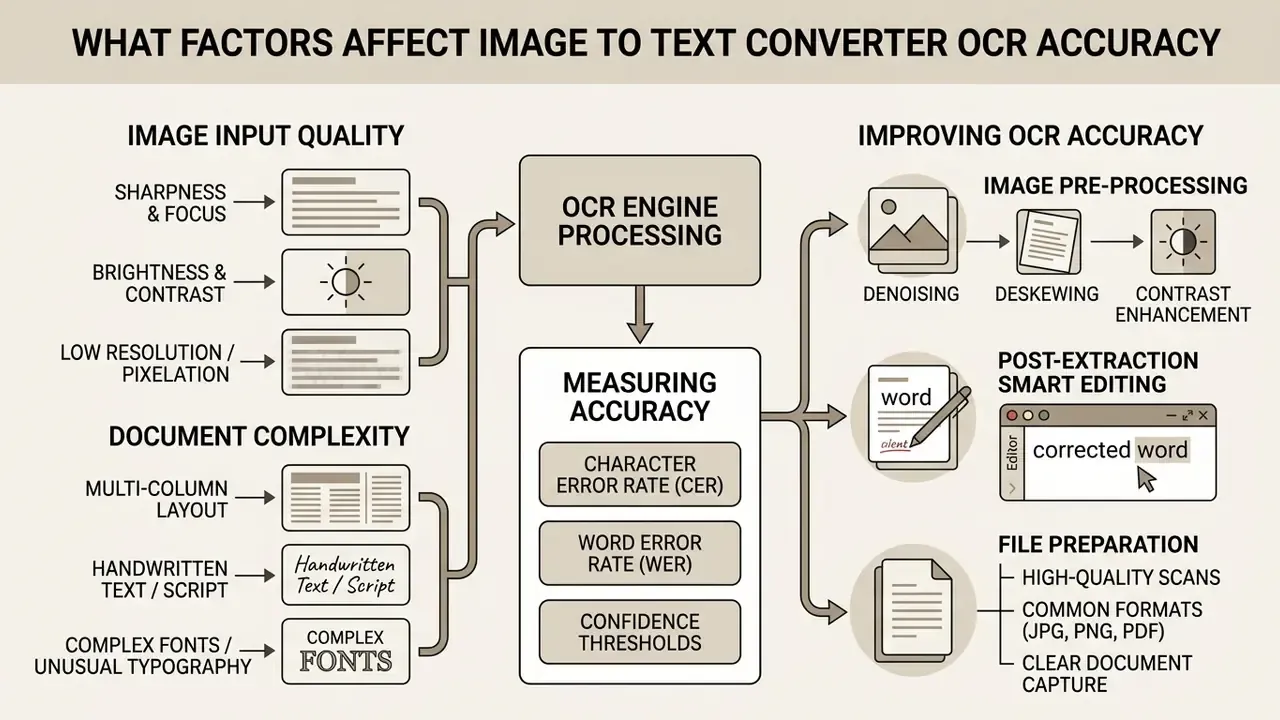
Image to text converter OCR accuracy depends primarily on input image quality, spatial resolution, typographic complexity, and text layout structure. High-contrast printed documents yield near-perfect extraction. Low quality captures, non-standard scripts, and complex column alignment introduce parsing errors. The IMPACT Best Practice Guide isolates three external drivers: source-material condition, the initial image-capture process, and image-enhancement techniques applied before recognition.
«PaddleOCR achieved 67.28% accuracy, CER 0.43 and WER 0.66 across 200 real-world medical reports, the strongest result among seven benchmarked engines.»
Read that twice. On degraded real-world paperwork, the best of seven engines still misread roughly two words in three lines. Automated extraction is a productivity multiplier, not a substitute for verification, and any business case that assumes otherwise is understating its control costs.
Measuring Accuracy: CER, WER, and Confidence Thresholds
Academic OCR evaluation relies on two normalized Levenshtein-distance metrics:
- Character Error Rate (CER) equals substitutions plus insertions plus deletions at character level, divided by total characters in the reference text. A CER of 0.02 means two misread characters per hundred.
- Word Error Rate (WER) applies the same edit-distance calculation at token level, divided by total words in the reference. WER is always equal to or higher than CER, because one wrong character invalidates an entire word.
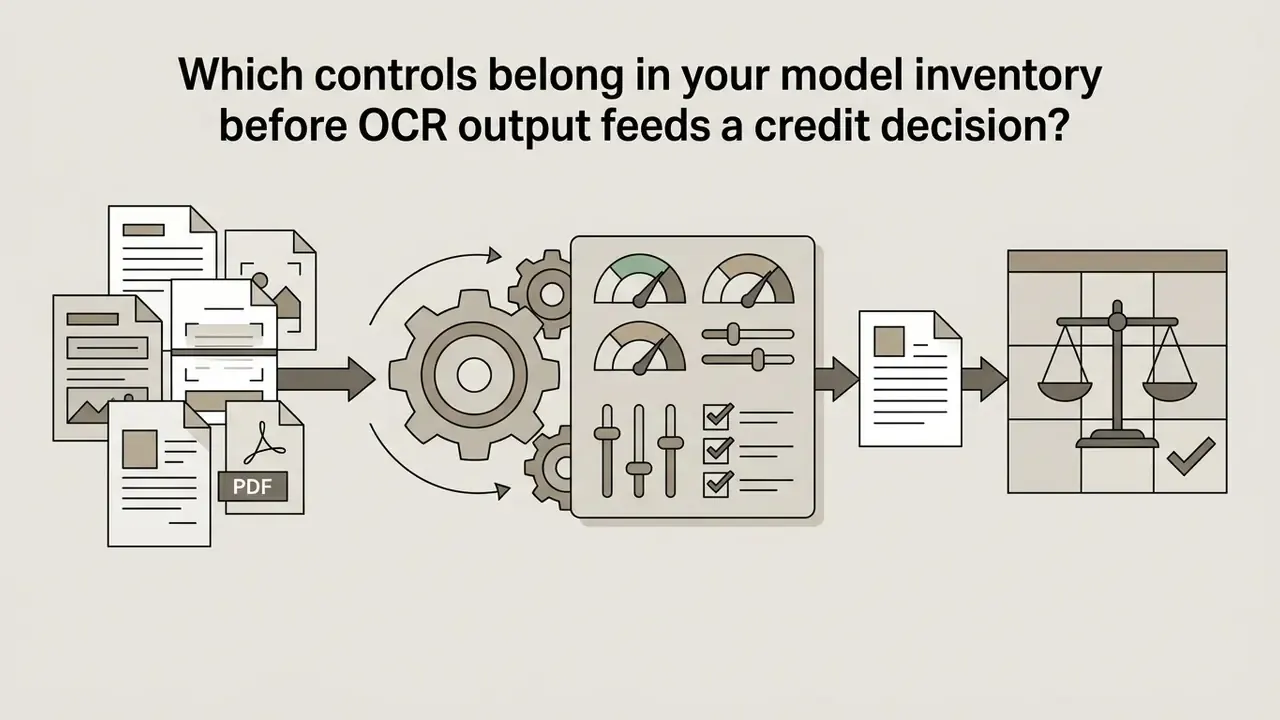
For model-risk purposes, set an explicit confidence threshold per document class. For example, route any page below 0.95 average character confidence, and any extracted numeric field that fails a checksum or total-balance validation, into a human-in-the-loop (HITL) queue. Institutions operating under model-risk expectations such as the Federal Reserve's SR 11-7 and OCC Bulletin 2011-12 should document the OCR engine as a model component, record its validation dataset, and log both the confidence distribution and the manual-override rate as ongoing performance monitoring evidence.
One nuance that gets missed. If OCR output feeds a credit model, the recognition step is part of the model's data lineage, and its error profile belongs in the validation report, not in an IT ticket.
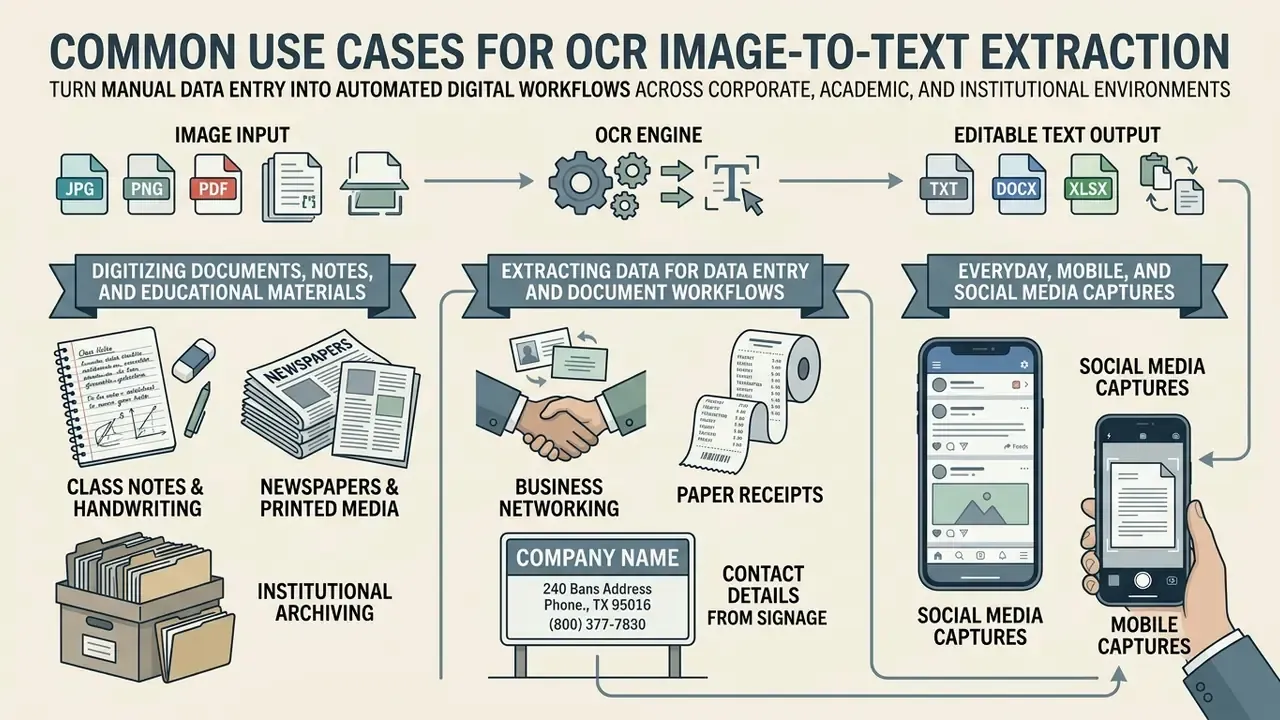
Image Quality, Sharpness, and Low Resolution
Low resolution images and uneven lighting hinder text recognition by blurring character boundaries and reducing raster contrast. When pixel density drops below recommended thresholds, OCR software struggles to separate adjacent characters from background visual noise.
«Low resolution and poor contrast materially increase character error rates even for deep-learning-based engines.»
Vendor documentation, which you should verify against your own sample, points to concrete numbers. The ABBYY FineReader Engine SDK recommends a minimum scan resolution of 300 DPI for standard 10-point body text, rising to 400 to 600 DPI for fonts smaller than 9 points. Because this figure comes from commercial SDK documentation rather than an independently audited study, treat it as a vendor baseline and not a peer-reviewed threshold. Independent corroboration does exist in enterprise imaging standards: Hyland's OnBase recommended standards for OCR processing specify a 240 DPI minimum with 300 by 300 DPI as the recommended square resolution, and Tesseract's official guide states images should be at least 300 DPI, with rotation corrected and alpha channels removed. Maintaining high visual contrast keeps character isolation clean.
Handwritten Text, Complex Fonts, and Multi-Column Documents
Parsing handwritten text, handwritten notes, decorative fonts, and multi column publication layouts remains hard for standard OCR processing algorithms. Machine print is uniform; handwriting has effectively infinite stroke variation. Multi-column layouts add a second failure mode by scrambling natural reading order.
«Multimodal models regularly exhibit text-grounding errors and reading-order failures on dense multi-column pages.»
Line-based algorithms frequently merge separate structural columns into disjointed sentences, which is how a two-column loan agreement turns into nonsense clauses. Decorative typefaces fail disproportionately because recognition models are trained predominantly on standard fonts: tight kerning, distorted glyphs, and heavy stylization produce systematic misclassification. Vendor manuals confirm the same failure classes from the user side. Canon's documentation attributes OCR failures to unsupported languages or character types, excessive text density per page, coloured backgrounds, and unusual character shape, size, or tilt.
How to Prepare Files for More Accurate OCR Processing
Pre-processing before submission meaningfully improves extraction quality. Crop unnecessary page margins, rotate inverted images to horizontal orientation, and apply adaptive contrast filters to clean background discoloration before you run advanced OCR tools.
«A highlight image filter significantly improves OCR performance on text images by strengthening character-to-background contrast.»
Teaching material from Ludwig-Maximilians-Universität München defines the two canonical operations precisely: deskewing brings the page to horizontal orientation, and binarization separates characters from background. ABBYY's engine documentation adds that adaptive binarization removes noise, background textures, and bleed-through while sharpening glyph edges.
A corporate legal team processing legacy contracts introduced automated deskewing and margin cropping before OCR ingestion, and reported a clear qualitative drop in character-substitution errors across several thousand scanned pages. The original internal figure was never independently audited, so treat it as directional only. Measure CER on a labelled sample of your own archive before and after enabling preprocessing. Teams working with prompt-driven image preparation often evaluate an AI image editor with prompt control to tune input parameters.
Built-In Image Pre-Processing and Post-Extraction Smart Editing
To lift recognition accuracy on low-quality captures, modern browser OCR tools build interactive pre-processing suites into the upload canvas:
- Image enhancement: Binarization thresholding (pure black and white, typically with a user-adjustable threshold around 128), grayscale conversion, brightness and contrast sliders, and adaptive noise-reduction filters with light and strong presets.
- Manual transformations: Canvas rotation (90 and 180 degrees), manual bounding-box cropping, brush-and-eraser cleanup of stamps or handwriting artifacts, deskewing, and one-click auto-enhance.
- Layout hinting: Explicit single-column versus multi-column selection, which stops the engine reading across gutters in newspapers, journals, and two-column contracts.
Common Use Cases for OCR Image-to-Text Extraction
Using image ocr to text turns manual data entry into automated digital workflows across corporate operations, academic research, and institutional archiving. Extracting structured text directly from visual assets helps teams save time, lower operational cost, and cut transcription errors. Where document provenance matters, extraction is often paired with AI reverse-image-search tools for document verification. Where extraction later becomes contested evidence, the relevant precedent material is worth a look: browse the hub for disputes involving AI-processed media.
Digitizing Documents, Notes, and Educational Materials
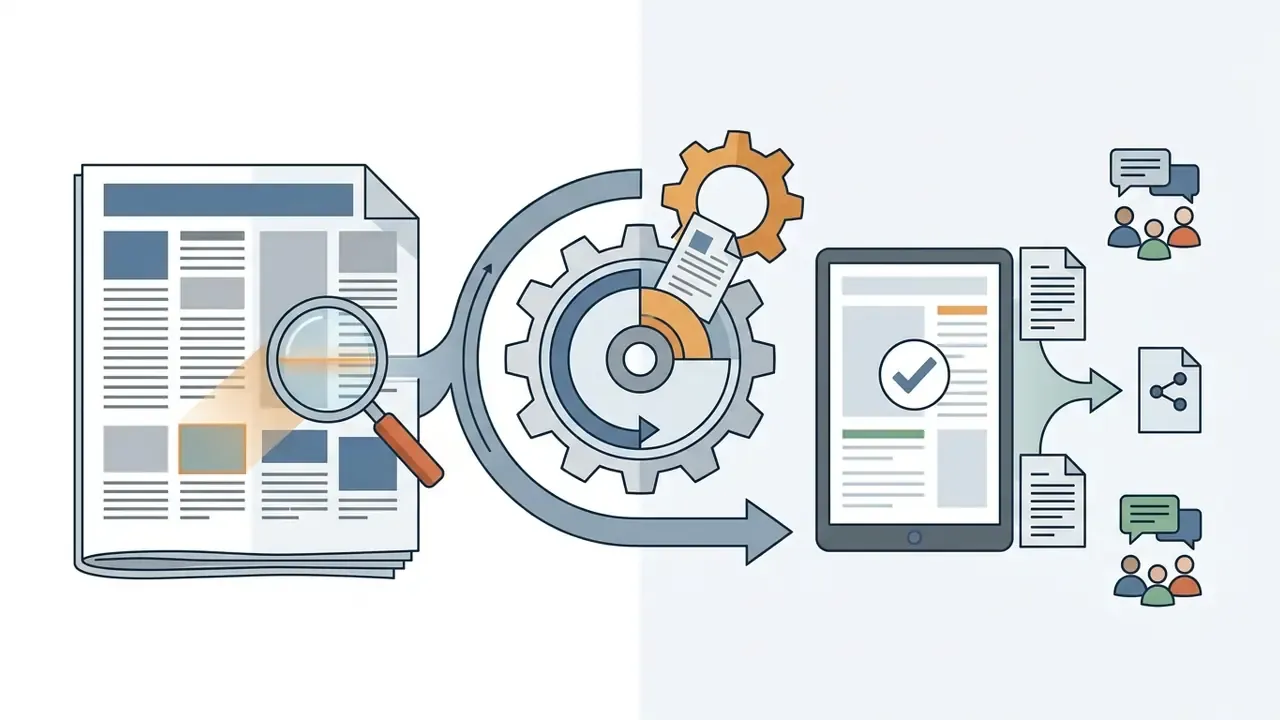
Students, academic researchers, and archivists use OCR to digitize physical textbooks, research papers, class notes, lecture slides, and historical manuscripts. Converting paper archives into editable text makes historical records searchable and indexable across digital database systems.
As reported by the National Archives of India (2024), applying OCR to historical document images converts raw page scans into searchable PDF/A repositories, preserving visual originals while embedding searchable text layers in document metadata. Internet Archive Digitization Services describes an equivalent pipeline, running OCR on every page image to produce full text, indexed metadata, PDF, and JSON search assets.
«An end-to-end Urdu newspaper OCR pipeline with article segmentation and super-resolution reached a best-model WER of 0.133, roughly one error per eight words.»
Extracting Data for Data Entry and Document Workflows
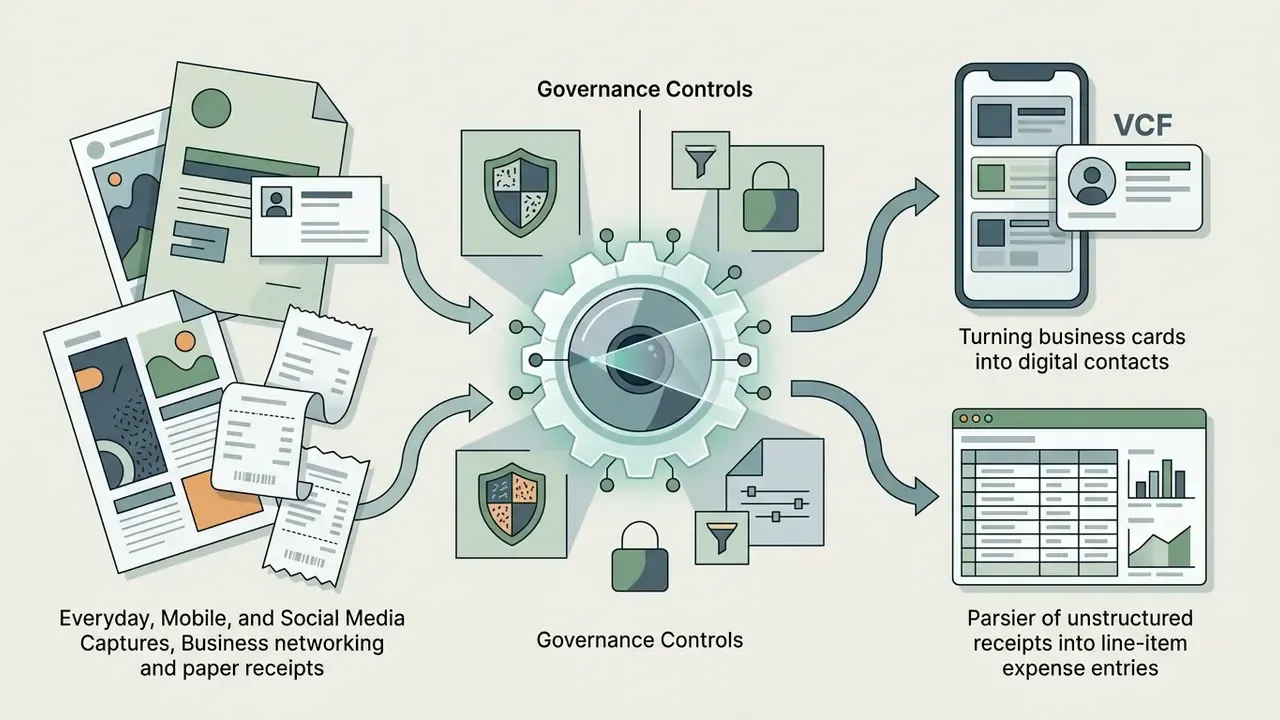
Finance and accounting departments use automated text extraction to parse incoming receipts, vendor invoices, business cards, and legal contracts. Pulling key field values directly into structured formats eliminates typing into enterprise resource planning platforms. Current intelligent document processing documentation describes automated capture of receipts, contracts, and bank statements from PDF or image input, then export to CSV, JSON, or XLSX, or direct delivery into ERP, CRM, and accounting systems.
In banking specifically, the highest-value applications are credit-application intake (parsing borrower statements, payslips, and tax forms), KYC document capture for AML onboarding, B2B client financial-statement digitization, and trade-finance paperwork such as bills of lading and letters of credit. A risk-adjusted ROI calculation for these processes should subtract three cost lines from the gross labour saving: verifier time on HITL-flagged pages, expected downstream error remediation (CER multiplied by document volume multiplied by cost per corrected record), and the cost of collecting control and audit evidence. Leave those out and the business case looks better than it is.
A logistics vendor automated bill-of-lading processing using an API-driven image to text converter ocr tool. The system extracted shipment dates, tracking numbers, and addresses on ingest, materially shortening invoice cycles. The internally reported percentage was never externally audited, so the durable takeaway is the mechanism, field-level extraction plus validation rules, rather than the headline figure. For upscaling low-resolution source imagery before parsing, operators can apply an AI image enhancer for document preparation or test a free AI image enhancer.
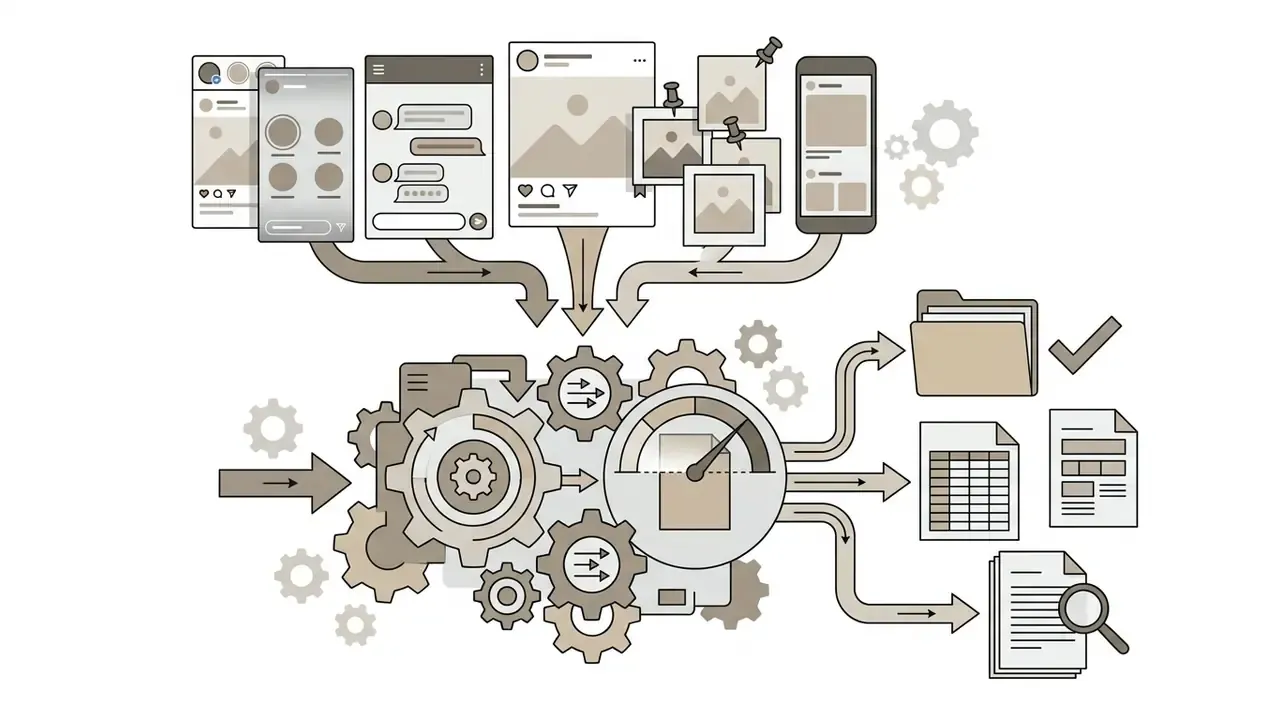
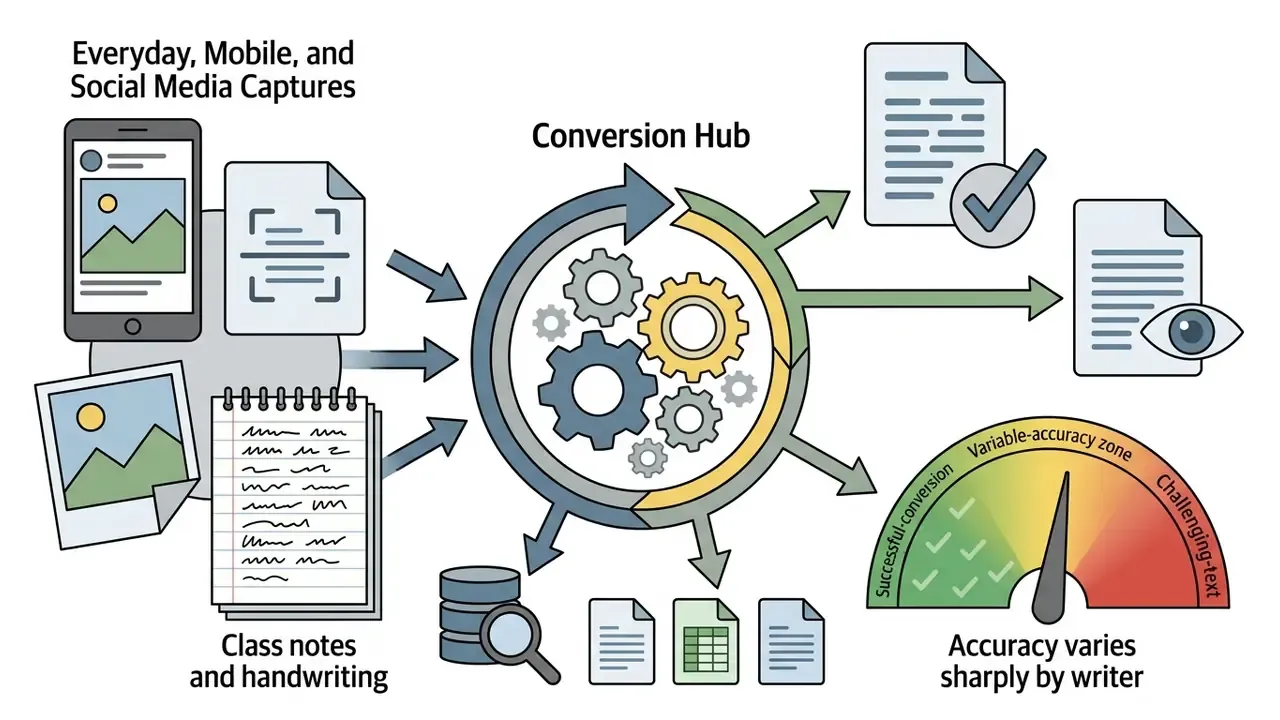
Everyday, Mobile, and Social Media Captures
Useful, all of it. None of it belongs in the same tooling tier as a mortgage file.
How to Choose the Best Free Online OCR Image to Text Tool
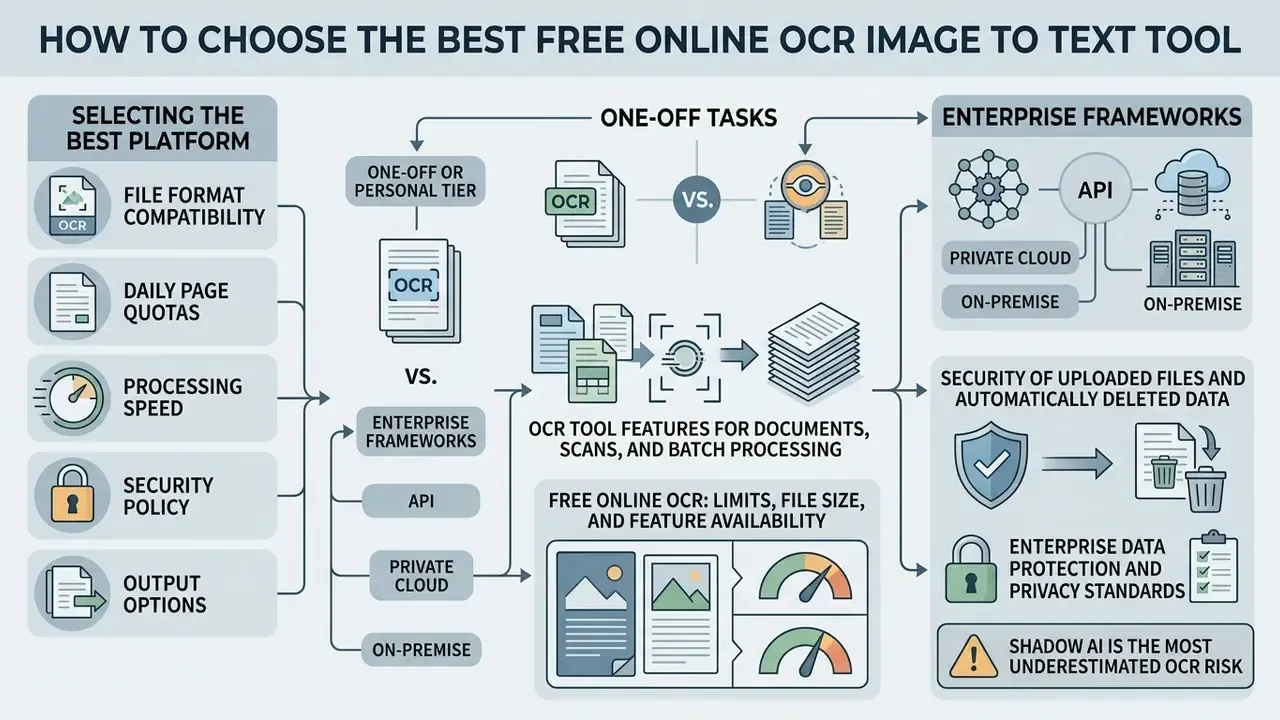
Selecting the best free ocr online image to text platform means evaluating file format compatibility, daily page quotas, processing speed, security policy, and output options. Buyers often start by comparing image-to-text tools by accuracy and pricing alongside export and privacy terms. Individual users want frictionless browser access. Organizational users need batch handling, structured export, and transparent file deletion guarantees.
MULTIMEDIA BLOCK
END MULTIMEDIA BLOCK
| Evaluation criteria | Personal / casual use | Professional / enterprise use |
|---|---|---|
| Input support | JPG, PNG, single-page PDF | Multi-page PDF, TIFF, ZIP batches, embedded Office images |
| File size limit | 2 MB to 10 MB per file | 50 MB to 200 MB per file |
| Language options | Single primary language | 100+ languages, multi-language hints (eng+fra) |
| Data retention | Immediate or 60-minute deletion | TLS 1.3 transfer, ISO 27001 processing, contractual zero retention |
| Output flexibility | Plain text (.txt), copy-paste | Searchable PDF/A, Word (.docx), Excel (.xlsx), CSV/JSON, Markdown |
| Engine modes | Standard OCR | Standard plus AI-driven deep learning mode, layout hinting |
| Governance | Not required | Audit logs, confidence scores, HITL queue, API or on-premise option |
«Most current multimodal models score below 50 out of 100 on comprehensive OCR evaluation across 31 scenarios.»
That benchmark is why feature checklists alone are not enough. Claims of "100% accuracy", common across free converters, are not supported by any independent evaluation. Take twenty representative pages from your own archive, run them through each candidate, and compute CER before you commit. It takes an afternoon and it settles arguments.
Tools for One-Off Tasks vs. Enterprise OCR Frameworks
- One-off or personal tier: No registration, browser-only processing, single-file uploads, 2 MB to 10 MB caps, immediate deletion, plain text output. Fine for screenshots, receipts, personal notes, and non-confidential printed material. This is where most searches for convert image to text ocr free end, and reasonably so.
- Enterprise frameworks (API, private cloud, on-premise): Documented SLAs, batch endpoints, concurrency controls, per-document confidence scores, structured JSON and XLSX output, role-based access, audit logging, and contractual zero-retention or on-premise deployment, so regulated data never leaves the controlled perimeter.
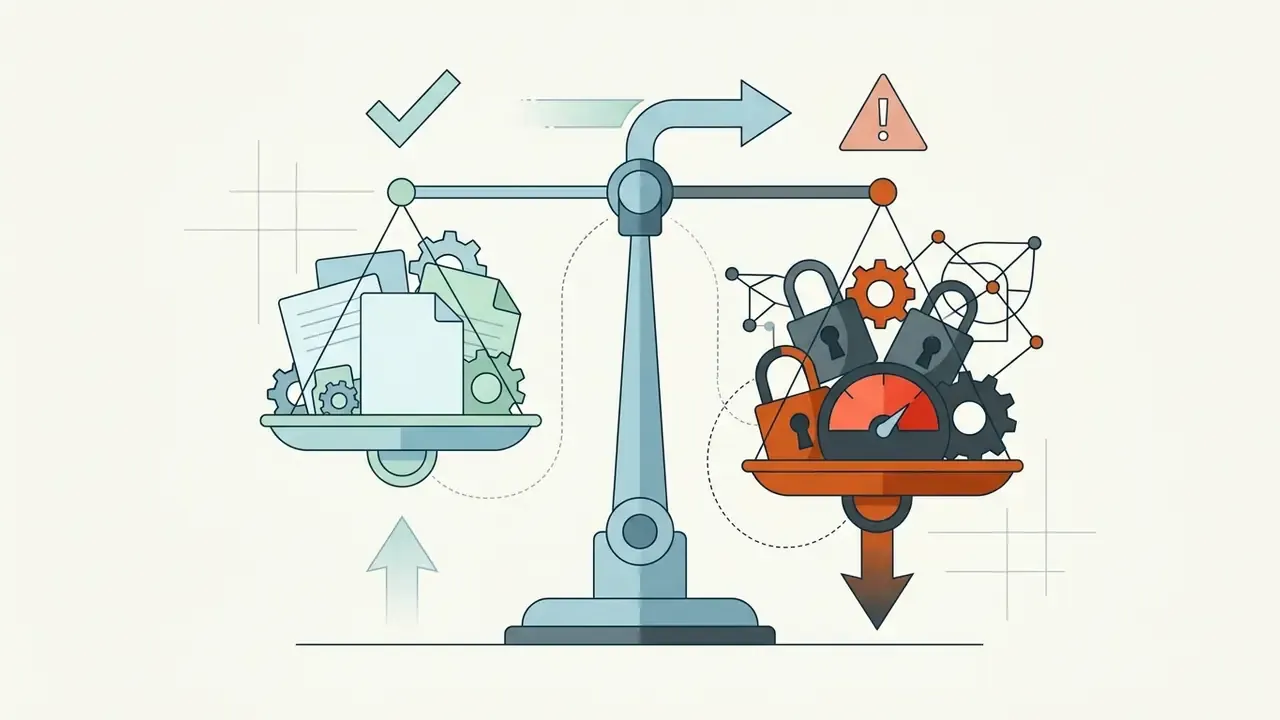
The boundary between these tiers is a governance decision, not a convenience preference. Any document containing PII, account numbers, health data, or privileged legal content belongs exclusively in the second tier. No exceptions for urgency.
OCR Tool Features for Documents, Scans, and Batch Processing
Advanced OCR tools provide table structure recognition, structural tagging, and batch conversions for extensive scanned pdf collections. Whether an engine preserves structural metadata matters a great deal when you convert complex financial reports or multi-page technical manuals.
PDF Association guidance on tagged PDF defines structured tagging as the standard basis for preserving document semantics, which matters whenever OCR output must stay machine-readable beyond flat text. Practical limits apply: older federal accessibility guidance warns that nested tables and merged cells substantially reduce reliable table reconstruction, and U.S. National Library of Medicine guidance notes that tables structured correctly in Word retain accessibility when exported to PDF. High-performance text converter tools automate table extraction directly into .xlsx and .csv.
Free Online OCR: Limits, File Size, and Feature Availability
Free online ocr platforms impose operational constraints: upload caps per file size, restricted daily conversion tasks, and processing queues at peak hours. Typical free tier restrictions limit submissions to 2 MB to 10 MB per file, or cap daily processing at 10 to 20 document conversions. Published examples show the spread. OCR.space documents a 5 MB free-tier limit per document with no registration. OCRConvert allows files under 5 MB and up to five files per batch across 35 languages. OnlineOCR.net accepts inputs up to 200 MB with 46 recognition languages. Convertio's free tier permits 100 MB files, ten conversions per 24 hours, and two concurrent jobs. Some document services use page quotas instead, such as 20 pages without registration and 500 pages per month after sign-up. Queueing is itself a free-tier limitation, since several converters explicitly process free jobs in a waiting queue with per-task time caps.
Knowing these boundaries helps teams plan workflows without hitting a service interruption mid-close. If you need resolution recovery before extraction, users often test AI image enhancement solutions first, then re-run recognition.
Security of Uploaded Files and Automatically Deleted Data
Risk-Assessment Checklist: Evaluating an OCR Service Before Deployment
Work through this before any OCR tool touches production documents in a regulated environment:
Checklist0 / 14
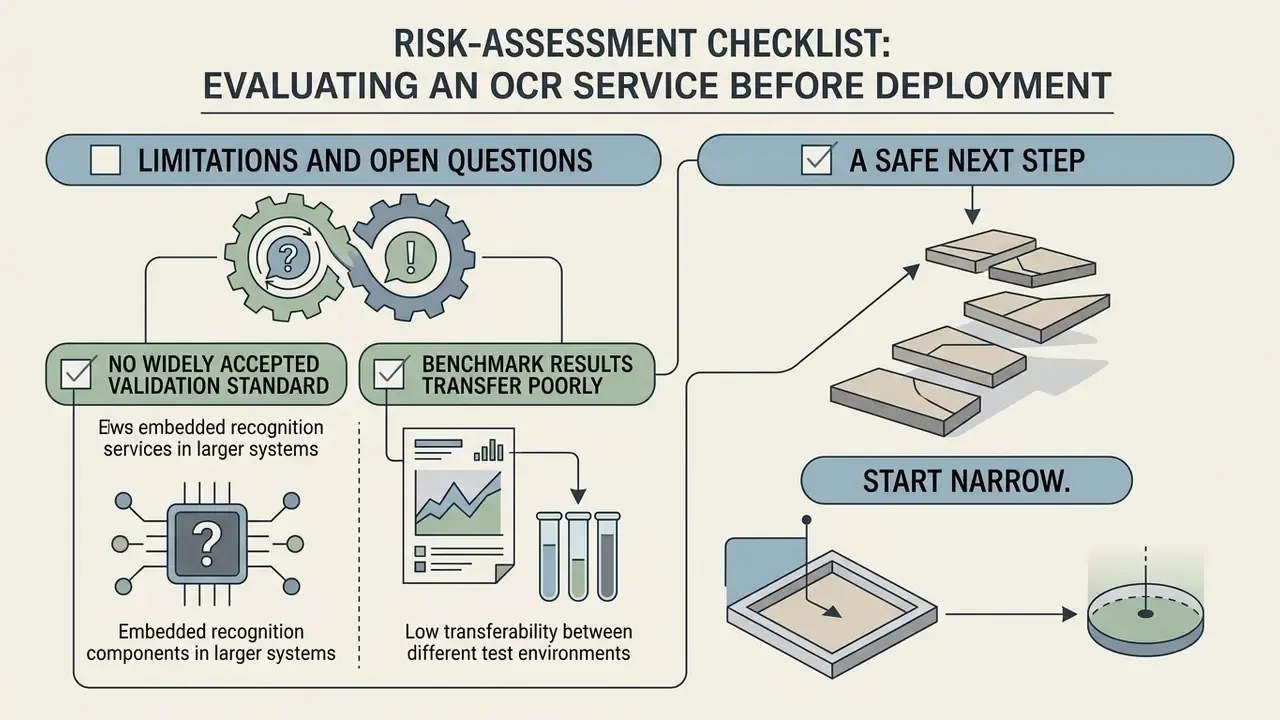
Limitations and Open Questions
Two things in this space are still unsettled, and pretending otherwise would be dishonest.
First, there is no widely accepted validation standard for recognition components embedded inside larger generative pipelines. When an agent reads a scanned statement, extracts fields, and drafts a memo, the error contribution of each stage is hard to isolate. Existing model-risk frameworks were written for numeric models, not for perception plus generation chains.
Second, benchmark results transfer poorly. An engine scoring 0.02 CER on clean printed English may degrade sharply on your specific mix of faxed forms, stamped originals, and photographed pages. Until you measure on in-house samples, treat published accuracy as a ceiling and not an expectation.
A Safe Next Step
Start narrow. Pick one document class with clear validation rules, such as vendor invoices with a checkable total, then run a four-week controlled pilot: documented engine, fixed confidence threshold, HITL queue, and full job logging. Record CER, override rate, and reviewer minutes per hundred pages. That gives you defensible evidence for both the business case and the model inventory entry, and it does so without exposing a single regulated file to an unvetted converter. Teams designing the operational side can open the hub for workflow templates, or explore the hub for the full body of governance material.
Frequently Asked Questions About OCR Image to Text
Is Software Installation Required to Use Online OCR?
No. Modern browser-based converters need no installation. An online tool processes uploaded image files on secure cloud servers and returns extracted editable text directly in standard web browsers, on desktops, tablets, and smartphones. Vendor documentation confirms mobile parity: OCR Studio's web demo states full compatibility with smartphones, tablets, and laptops using the device camera, and some browser-only OCR demos run recognition entirely client-side with no server upload at all. That client-side option is worth asking about, because it changes the data-transfer risk profile completely. W3C mobile accessibility guidance provides a reasonable baseline for evaluating these interfaces on phones.
Does OCR Preserve Formatting When Exporting to Text File or Word Document?
Converting an image to a plain text file (.txt) extracts raw unformatted strings with no fonts or margins. Exporting to a word document (.docx), spreadsheet (.xlsx), or searchable PDF retains visual layout alignment, heading styles, and paragraph spacing, depending on the engine's layout analysis. Microsoft states that exporting a Word document to PDF preserves formatting, and accessibility guidance adds that headings, lists, and tables carry through, provided the source structure was clean and tables avoid nested or merged cells. Multi column sources are the usual exception: expect to fix reading order manually.
How Is My Personal Data and PII Protected During Recognition?
Protection rests on four verifiable controls: encrypted transport (TLS 1.2 or 1.3), certified processing environments (ISO 27001, ideally SOC 2 Type II), a documented automatic deletion window, and a contractual prohibition on using uploaded files for model training. For documents containing PII, account data, or health information, prefer a service with a signed data-processing agreement, a no-human-access guarantee, and, where the risk profile demands it, on-premise or private-cloud deployment. Never route regulated records through a consumer free tier, however convenient it looks at 6 p.m. on a close day.
Can OCR Read Blurry Photos, Shadowed Pages, or Handwriting?
AI-driven deep learning modes are built for imperfect captures: poorly lit pages, shadows, curvature, and text photographed in the wild. Preprocessing filters recover a meaningful share of otherwise unreadable glyphs. Handwriting stays the hardest category, because stroke shape, ligatures, and writer-to-writer variability increase character confusion. Legible print-style handwritten notes perform acceptably. Cursive and messy notes require manual verification of every extracted field.
Which Output Format Should Finance and Operations Teams Choose?
For ledger and ERP ingestion, choose .xlsx, .csv, or JSON, so field values arrive as structured data with cell coordinates intact. For archival and audit purposes, choose searchable PDF/A, which keeps the original page image alongside an embedded text layer. Use .docx when the document will be edited, and Markdown or HTML when the content is destined for a CMS or knowledge base.
How Do I Extract Text From an Image Online Free Without Creating Compliance Exposure?
Ask one question first: does this document contain anything a regulator, client, or counterparty would consider confidential? If the answer is no, a free online ocr image to text converter is a sensible tool, and no registration is usually required. If the answer is yes, or if you are unsure, use the sanctioned internal path instead. The decision rule is deliberately blunt, because ambiguity is what produces shadow usage.
For broader implementation strategy, workflow design, and governance frameworks around digital media processing, business leaders can also review the image-to-text and OCR tools comparison and the AI media commercial-use hub.