«Deep denoisers reach 39.28 dB PSNR on the SIDD benchmark versus 25.65 dB for classical BM3D, a gain of more than 13 dB.»
«Automated batch processing of 12,000 catalog product cards through a neural AI enhancer raised catalog compliance with marketplace standards from 64% to 99% within 48 hours, cutting moderation rejections to zero.» - Ecommerce catalog optimization report (2025)
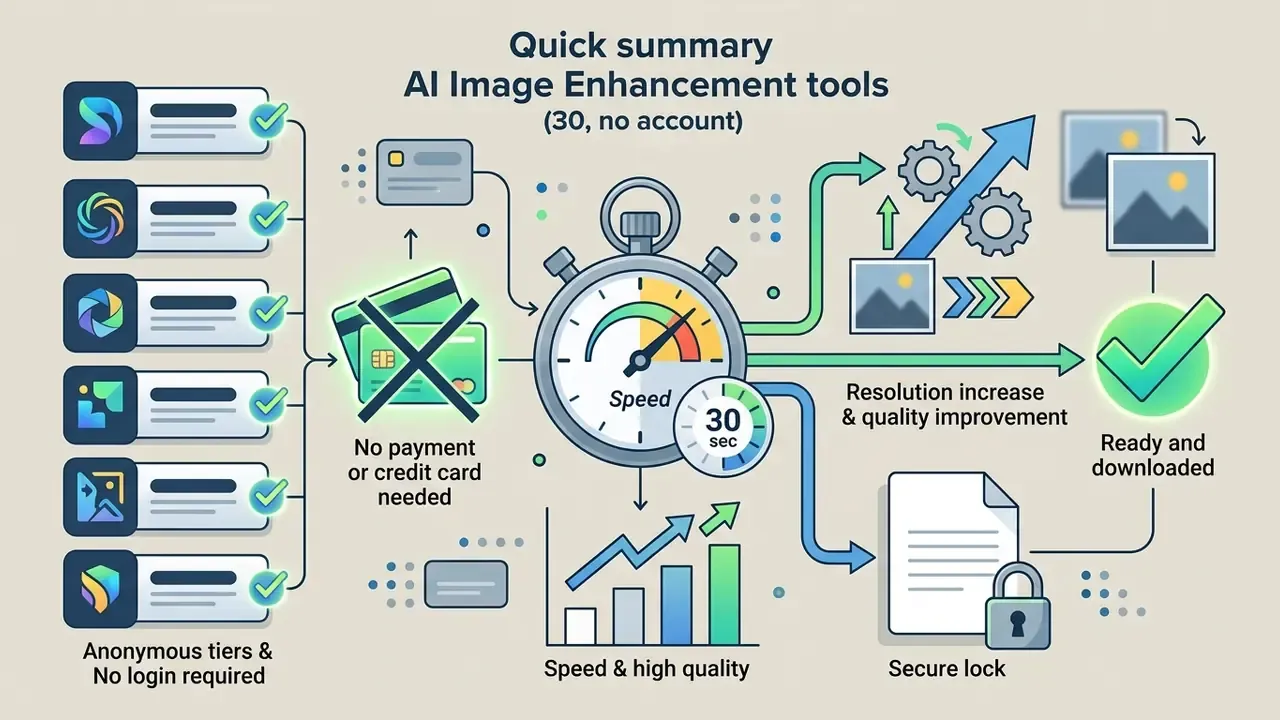
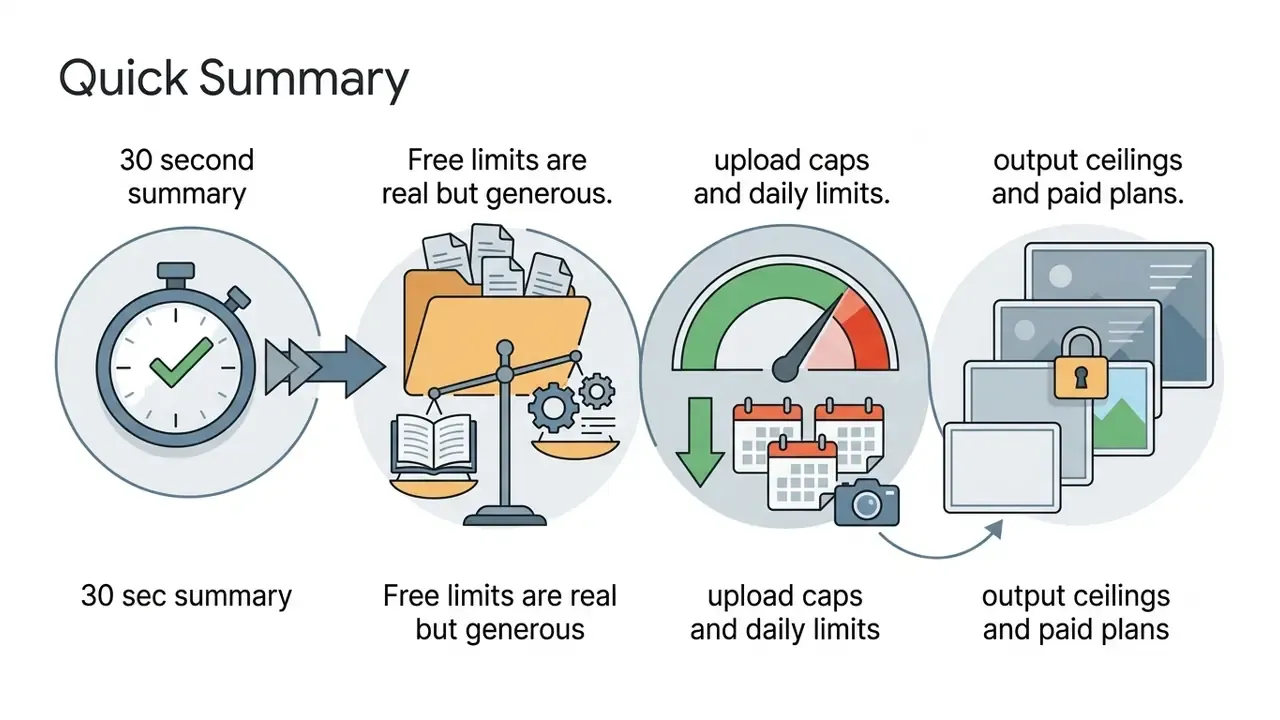
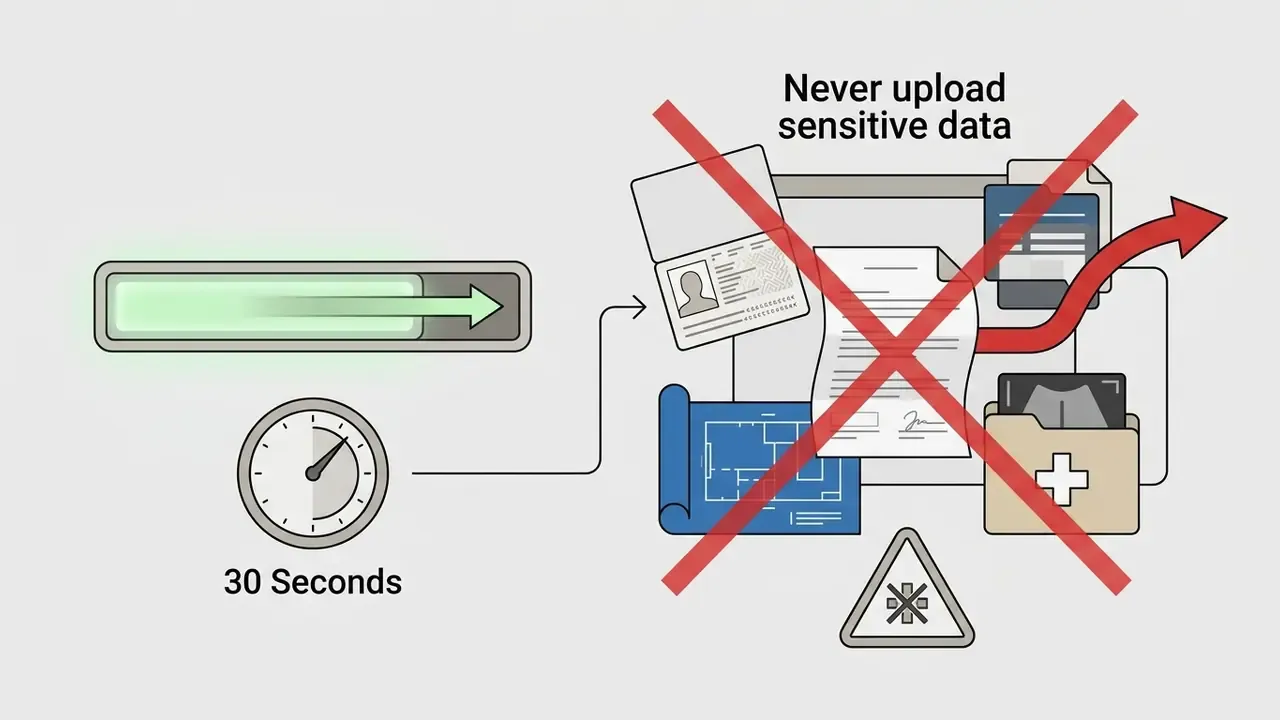
Quick Summary: What You Need to Know in 30 Seconds
On this page: what a free AI enhancer is, which defects AI fixes, enhancer versus upscaler, how to choose a tool and where the privacy risks sit, the 3-step workflow, how to evaluate the result, best image types, FAQ, and what to do next.
What Is an AI Image Enhancer Free and Can You Use It Without Registration
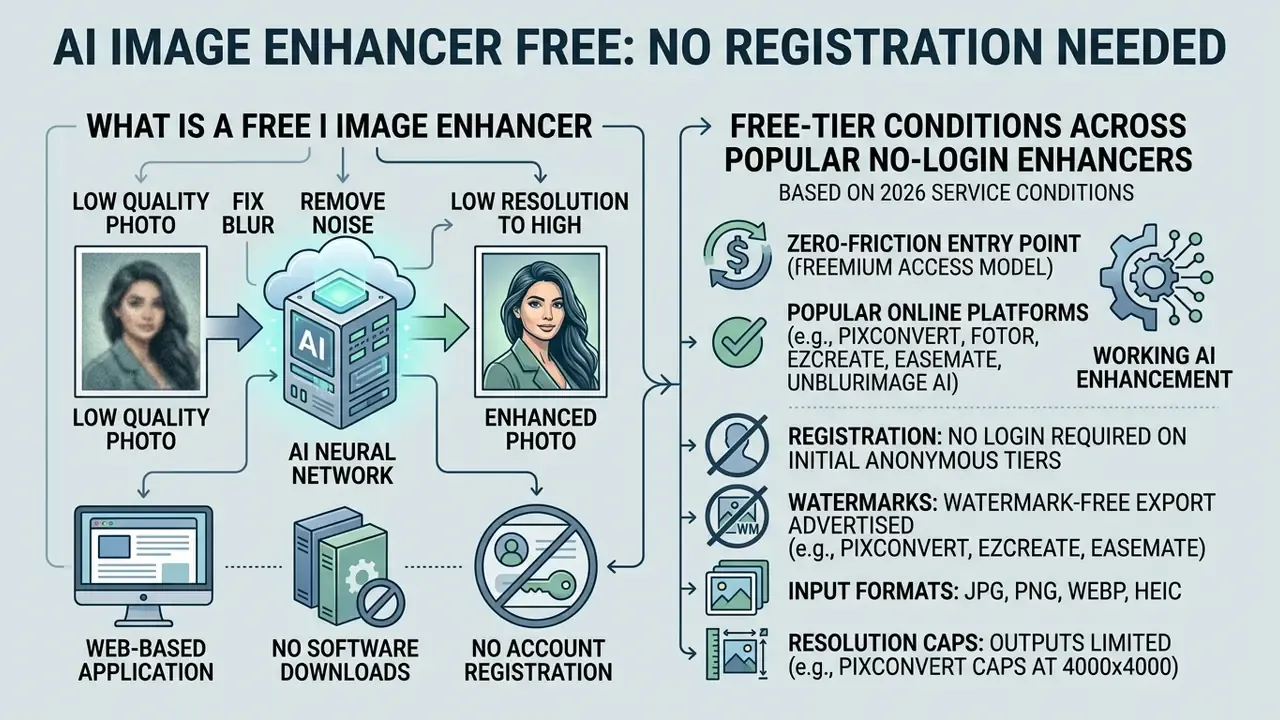
A free AI image enhancer is a web-based neural network application that automatically improves digital photo quality without software downloads or account registration. You upload an image, trigger automated AI inference, and export a high-resolution asset from the same browser window. No installer, no license key.
Most web services operating in 2026 offer a zero-friction entry point built on freemium access. You can process files through an ai image enhancer free no login interface, skipping credential submission and email verification entirely. The catch sits in the limits: daily image processing quotas, upload file size ceilings (usually 10 MB to 40 MB), or maximum output resolutions capped at 4000×4000 pixels.
Popular online platforms such as PixConvert, Fotor, EzCreate, EaseMate and UnblurImage AI provide working ai image enhancer free no sign up flows, and a side-by-side AI image enhancer comparison helps match a specific tool to a specific defect. These services use optimised browser execution or backend cloud GPUs running open-source architectures such as Real-ESRGAN and latent diffusion pipelines. They let you enhance photos online free, inspect the enhanced result, and leave without creating a permanent platform dependency. If a term in this section is unfamiliar, the glossary explains the vocabulary in plain language, so see the overview there first.
Free-Tier Limits Across Popular No-Login Enhancers
| Service | Login required | Watermark | Free resolution cap | Max file size | Daily limit |
|---|---|---|---|---|---|
| PixConvert | No registration | None | 4000 × 4000 px | 20 MB | 5 images/day |
| PhotoGrid | No registration | None | Up to 4K | 30 MB | Unlimited |
| Krea AI | No registration | None | 2K (8K on Pro) | 25 MB | ~100 credits/day |
| EaseMate | No registration | None | 2K | 20 MB | 30 starter credits |
| Remaker AI | No registration | None | HD / 2K | 15 MB | 3 free runs |
Table 1: free-tier operating boundaries observed on anonymous web tiers in 2026. Vendors adjust quotas frequently.
«Academic work published between 2023 and 2025 contains no systematic data on the registration policies or watermark rules of individual online photo-enhancement services.»
Which Photo Quality Problems an AI Photo Enhancer Fixes
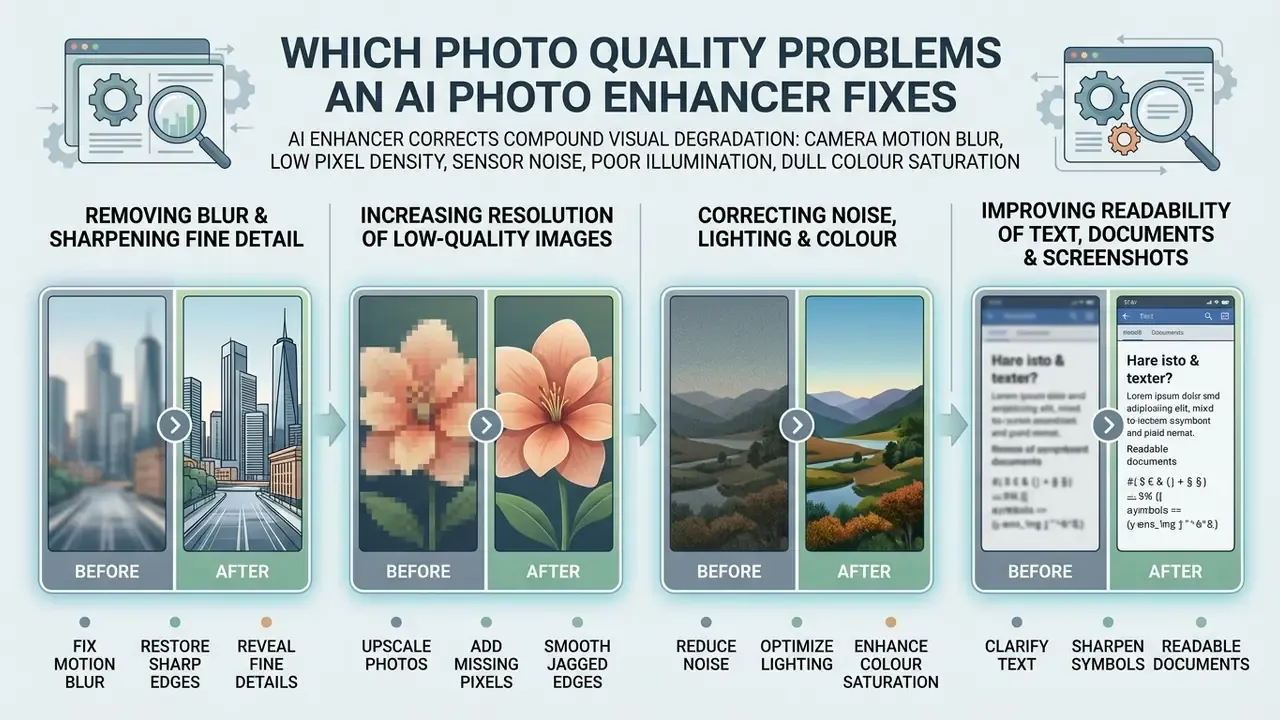
An ai photo enhancer corrects compound visual degradation: camera motion blur, low pixel density, sensor noise, poor illumination and dull colour saturation. Neural networks read image structure holistically instead of pushing every pixel through one global filter.
Modern AI image enhancement models fold several specialised restoration sub-routines into a single pipeline, which prevents the error stacking you get from sequential manual filters. Anyone who has ever sharpened after denoising, then denoised again, knows that stack well.
«The IR-SDE model unifies deblurring, denoising and JPEG-artifact removal in a single diffusion pass, preventing the accumulation of visual distortions.»
Removing Blur and Sharpening Fine Detail
Neural deblurring models restore soft edges and out-of-focus subjects by estimating the physical optical distortion, then applying learned structural priors. The algorithms identify defocus or motion patterns to unblur image content and restore clarity without carving harsh edge artifacts into the frame.
Blind deblurring networks such as GDUNet use learnable gradient priors and attention mechanisms to sharpen image detail. These models read local pixel neighbourhoods to sharpen details and sharpen edges on complex subjects, turning a blurry image into a readable one while keeping fine details intact.
«GDUNet employs learnable gradient-domain priors and blur-pattern attention, outperforming existing methods on standard deblurring benchmarks.»
Increasing the Resolution of Low-Quality Images
Correcting Noise, Lighting and Colour
Deep denoising architectures strip sensor photon noise and compression grain while preserving structural micro-contrast in low light photography. In parallel, tone-mapping layers adjust brightness contrast to pull hidden shadow detail back and restore vibrant colors. Colour work is a different job from removing a colour cast wholesale, which is what a color remover from an image handles.
In real-world denoising benchmarks, deep learning models post dramatic gains over classical filtering. An improvement above 13 dB is what allows these systems to reduce noise, lift image clarity and automatically improve overall photo quality on a single pass.
«On the SIDD benchmark, InvDN reaches 39.28 dB PSNR and 0.955 SSIM versus 25.65 dB PSNR and 0.685 SSIM for classical BM3D, a gain of more than 13 dB.»
Improving the Readability of Text, Documents and Screenshots
A separate scenario for an ai photo enhancer is rescuing unclear lettering: price tags, product labels, document scans, low-resolution screenshots. Dedicated sharpening modes (often labelled Text Enhance) localise glyphs, suppress sensor noise and raise the contrast of font contours.
Unlike portrait deblurring, text processing has to respect the strict geometry of letters without deforming characters. The network removes blown-out highlights and pixelation around small point sizes, making illegible scans, receipts, notes and document photos readable while the background context stays untouched. This is the fastest route to recovering a handwritten note, a warranty card number or a serial code captured by a shaking phone camera.
How an AI Photo Enhancer Differs From a Standard Image Upscaler
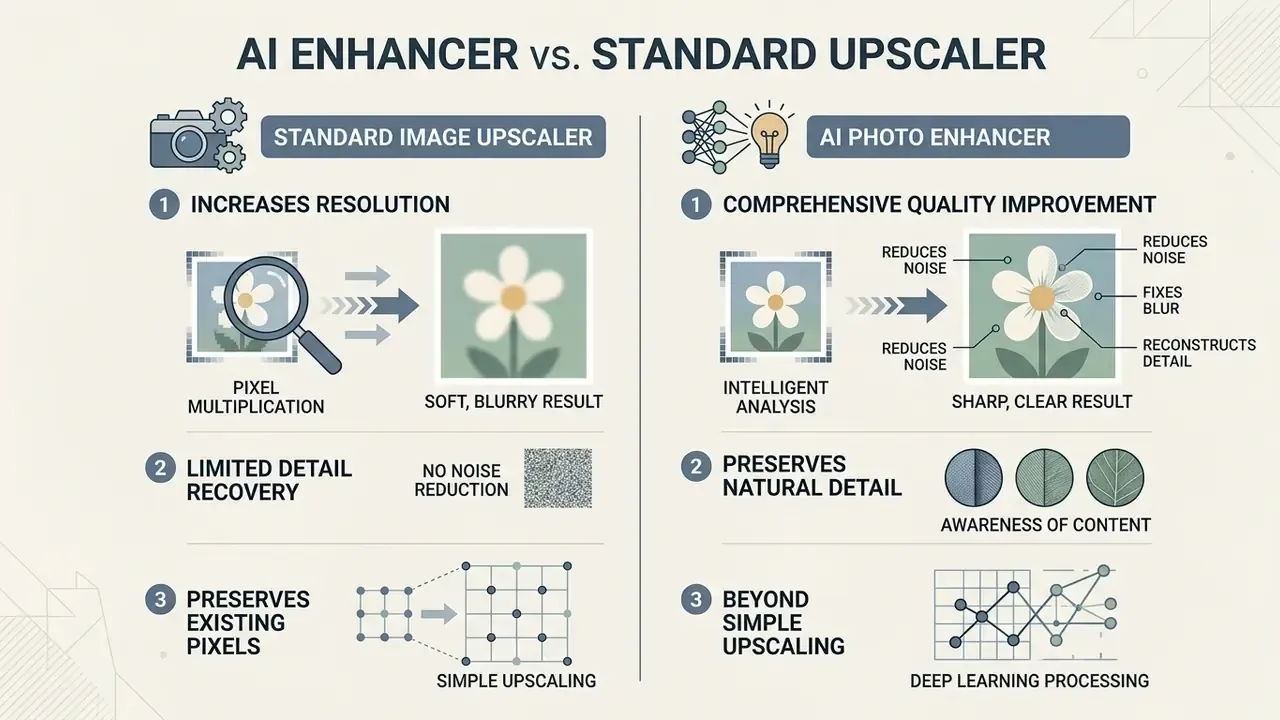
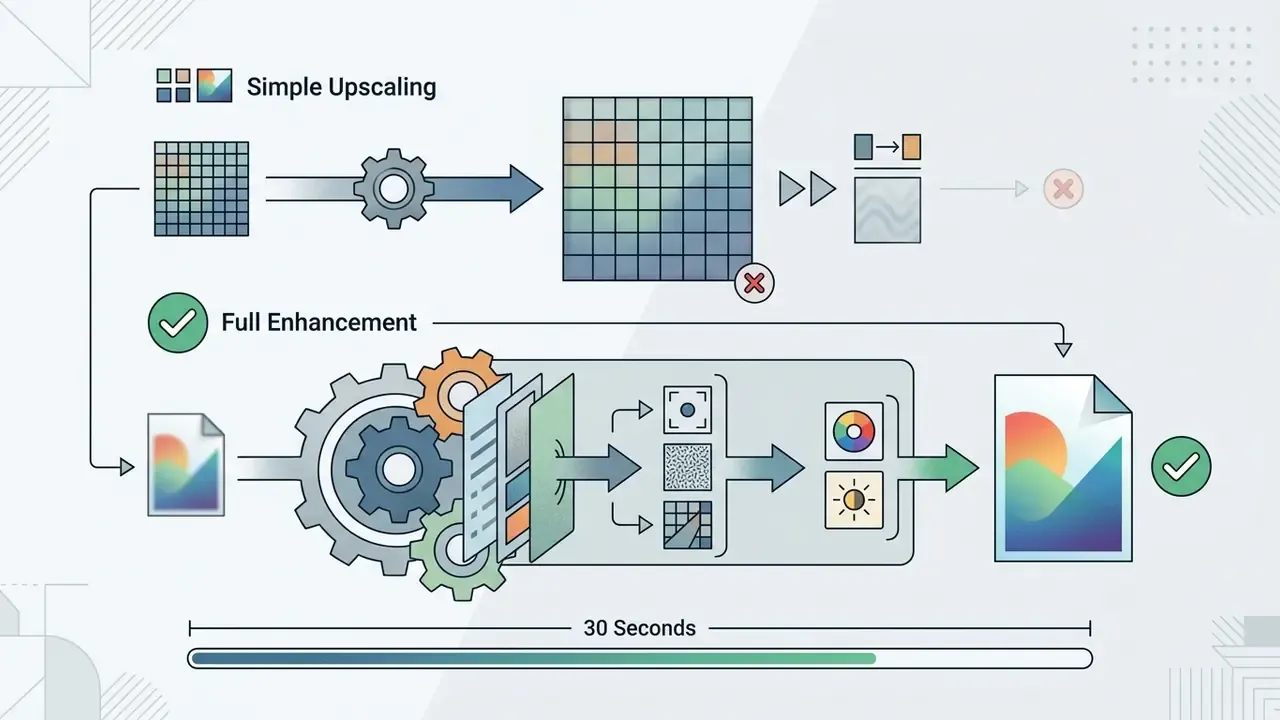
Both utility types improve digital media, yet they solve different problems. An AI image upscaler concentrates on spatial pixel dimensions. A full image quality enhancer runs multi-pass restoration across lighting, noise, blur and colour saturation. If you are weighing several categories at once, our AI Media Comparison Matrices lay the differences out side by side.
When Increasing Resolution Is Enough
A simple tool to upscale image files is enough when the source is already sharp, correctly exposed and clean. Here the only objective is to increase resolution for 300 DPI print standards or high-density screens without touching original colour values. Screen, web and email delivery normally needs just 72-150 DPI, office printing targets 200-300 DPI, and archival or fine-art reproduction may call for 600 DPI.
When Comprehensive Photo Quality Enhancement Is Required
Comprehensive processing becomes necessary when a file carries compound degradation. Camera shake plus high-ISO sensor noise plus poor exposure? Plain upscaling just produces a larger noisy file. A real quality enhancer has to reduce noise, sharpen image contours and rebalance brightness contrast in one coordinated pass to improve photo quality. Research on low-light blur supports this: joint pipelines that estimate the blur kernel, enhance illumination and denoise reflectance inside a single loop outperform chained single-task filters.
Why AI Can Preserve Natural Detail
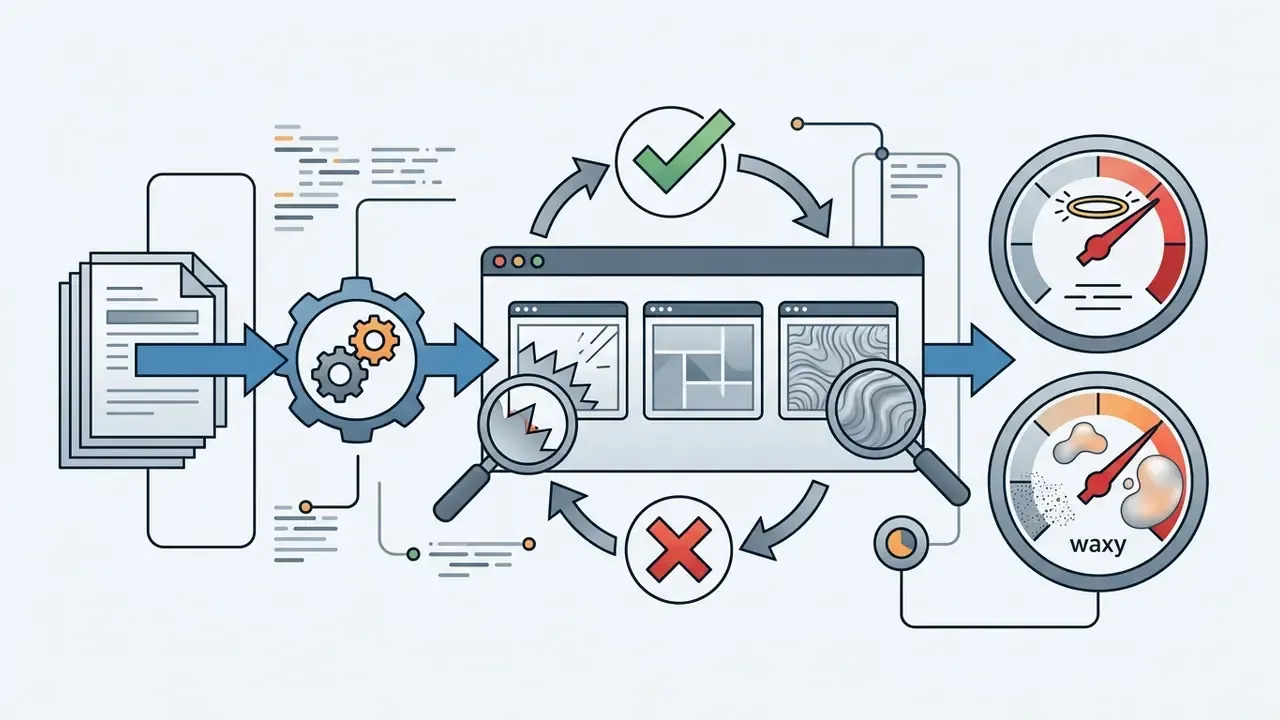
Advanced architectures keep natural skin pores, fabric weaves and hair strands without the waxy plastic look. By conditioning generative diffusion priors with high-frequency detail preservation layers, networks lift image clarity and rebuild fine details without losing original skin texture. The dominant failure mode is over-smoothing, which erases pores; texture-restoration methods counter it by smoothing first, then re-injecting micro-texture bands. Identity-sensitive work deserves extra caution, which is also why a celebrity ai image generator raises separate rights questions rather than purely technical ones.
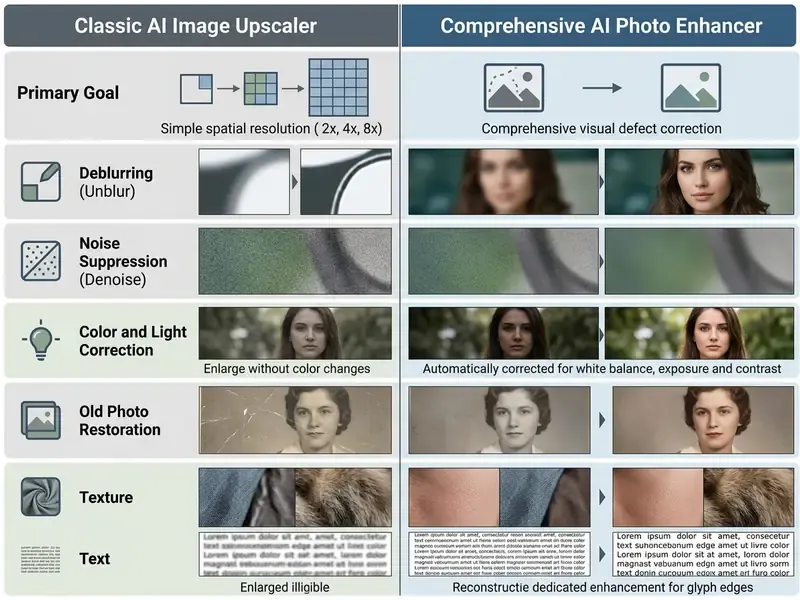
Short version of the table: upscalers add pixels, enhancers repair them. Pick by defect, not by marketing label.
How to Choose a Free AI Image Enhancer for Personal and Professional Work
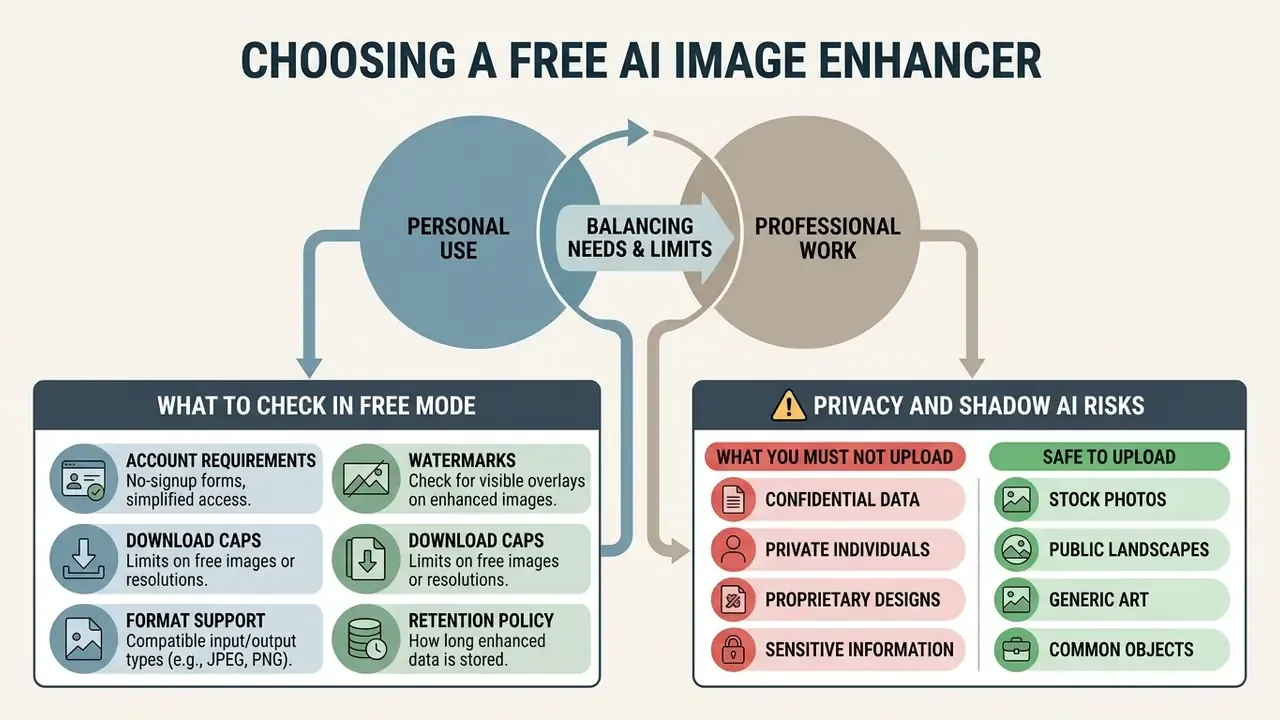
Choosing an ai photo enhancer free no login tool means balancing the quality you need against the platform limits you accept. For a broader feature set, compare it with a general-purpose free photo editor before you commit to a workflow.
What to Check in Free Mode Before Processing a Photo
Before uploading anything, confirm five free-tier policies:
- Account requirements verify that processing really works with no sign up and no login.
- Watermarks confirm whether free exports download without embedded branding overlays.
- Download caps check whether output resolution or daily export volume is restricted.
- Format support confirm JPG, PNG, WEBP and HEIC handling, plus the output container (JPEG or PNG).
- Retention policy look for a stated deletion window for uploaded files.
Test interface responsiveness on mobile too. Modern PWA versions of online enhancers run directly in a smartphone browser on iOS and Android, so you can process a camera shot in one tap without pulling a heavy app from the App Store or Google Play.
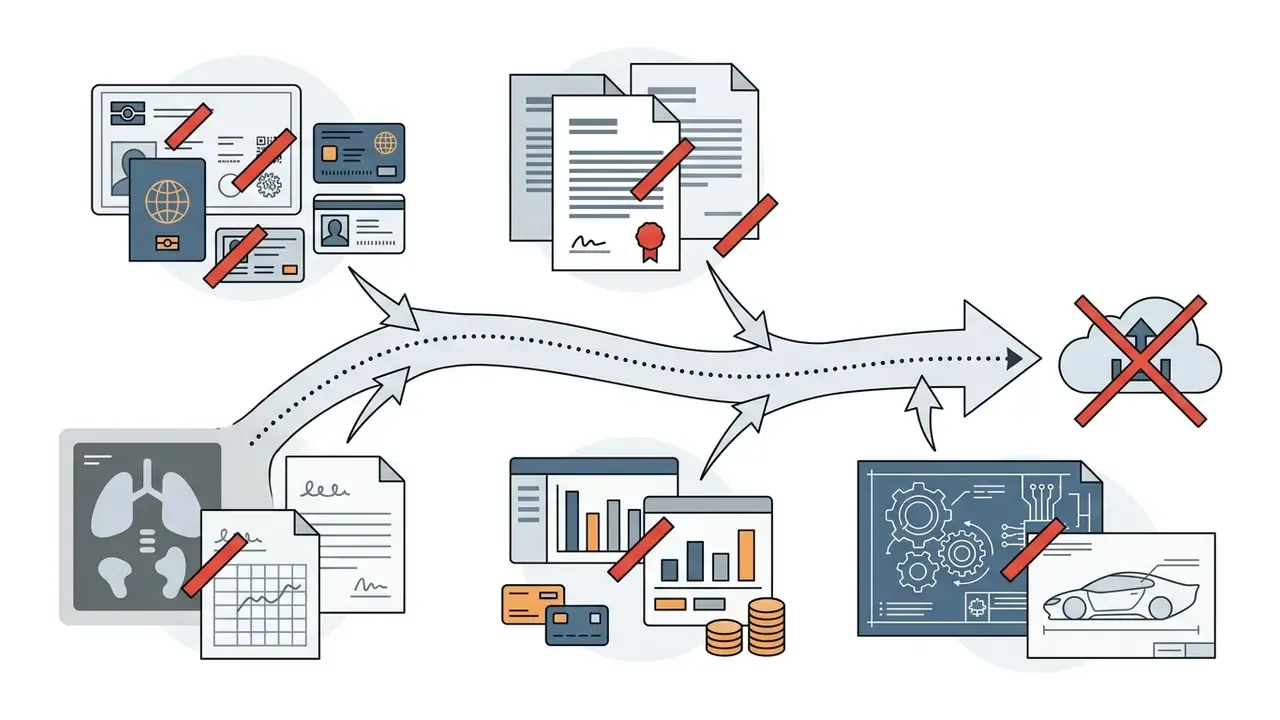
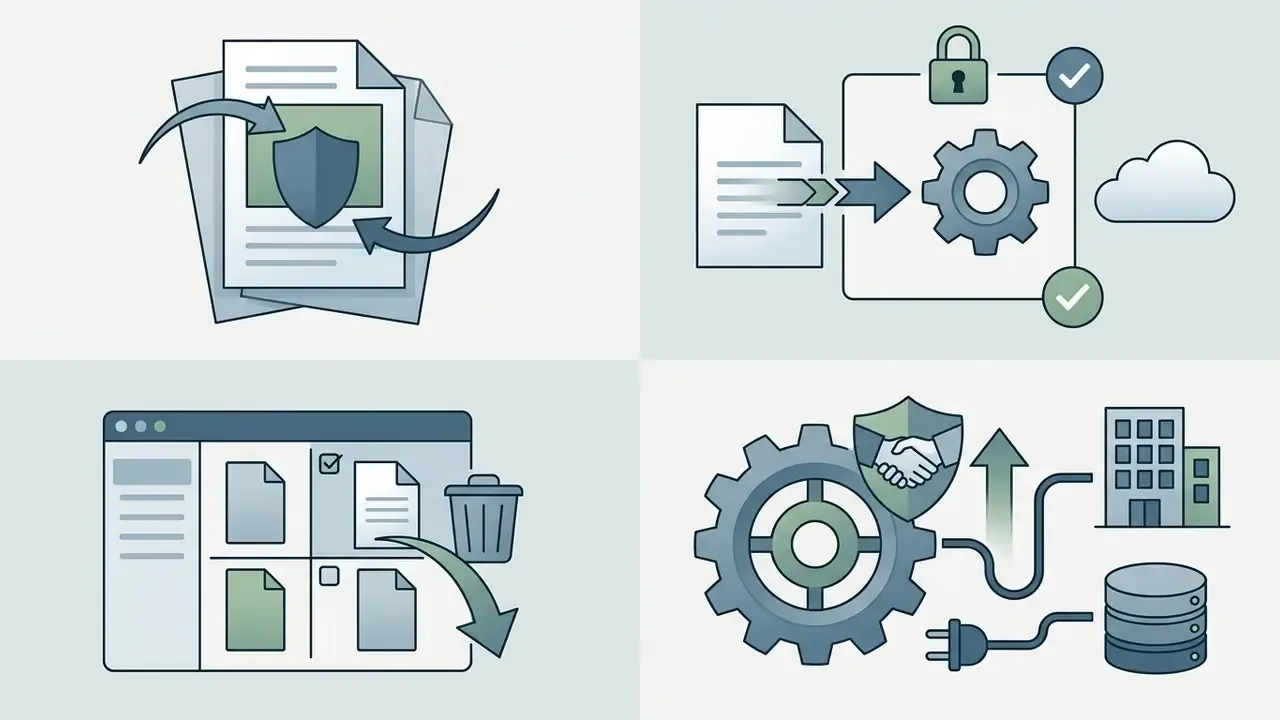
⚠️ Privacy and Shadow AI Risks: What You Must Not Upload
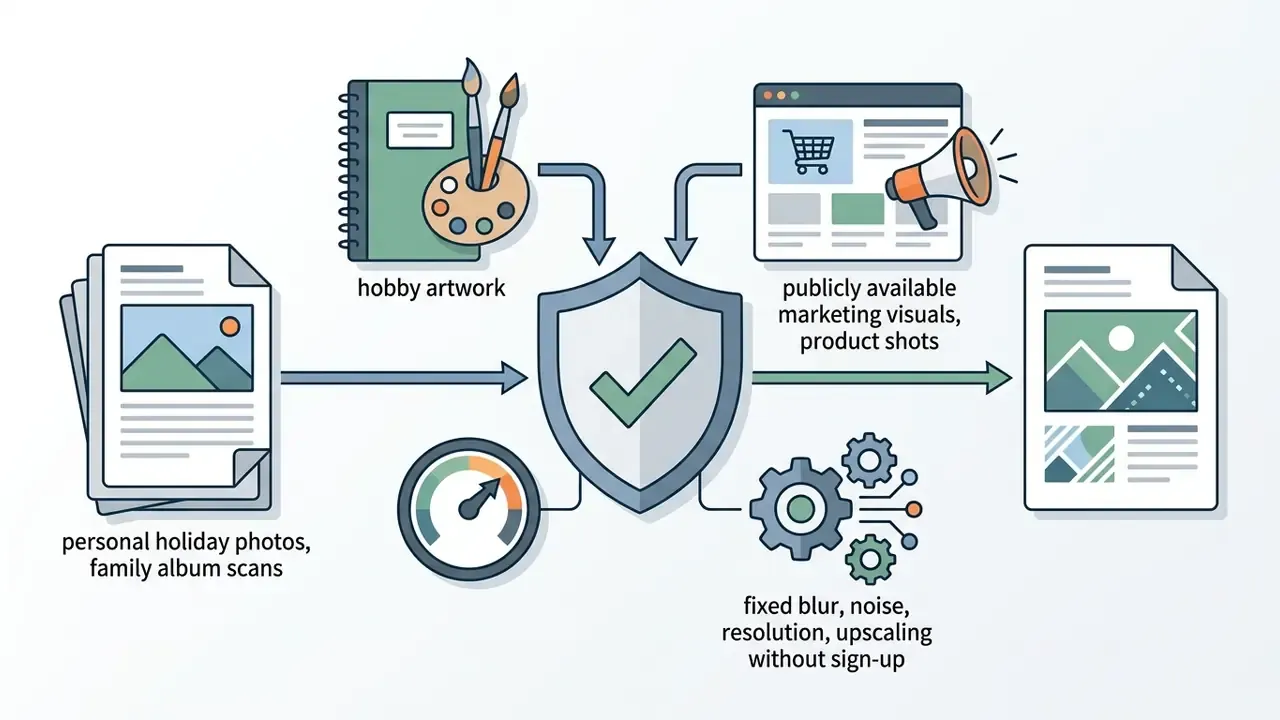
When AI Enhancement Is Suitable for Product Photos and Publications
AI enhancement fits commercial assets as long as processing preserves factual item accuracy. For ecommerce catalogs and print publications, outputs must hit 300 DPI print standards or sRGB web profiles and stay free of artificial shape distortion. European image-delivery guidance also warns against heavy effects, gradients, borders and embedded text on catalog imagery, so enhancement should stay corrective rather than decorative. Licensing questions are a separate track: the commercial use ai tools matrix maps which tools permit commercial output at all.
«All submitted models improved PSNR over Lanczos interpolation while processing compressed AVIF inputs in under 10 ms on commercial GPUs.»
How to Enhance a Photo Online for Free: 3 Steps
Improving visual assets through an ai photo enhancer free no sign up workflow takes three operational steps in an ordinary browser, the same friction-free pattern used by a free AI generator with no sign-up. The whole sequence needs no downloads and no local installation. For repeatable multi-step pipelines, open the hub of documented workflows.
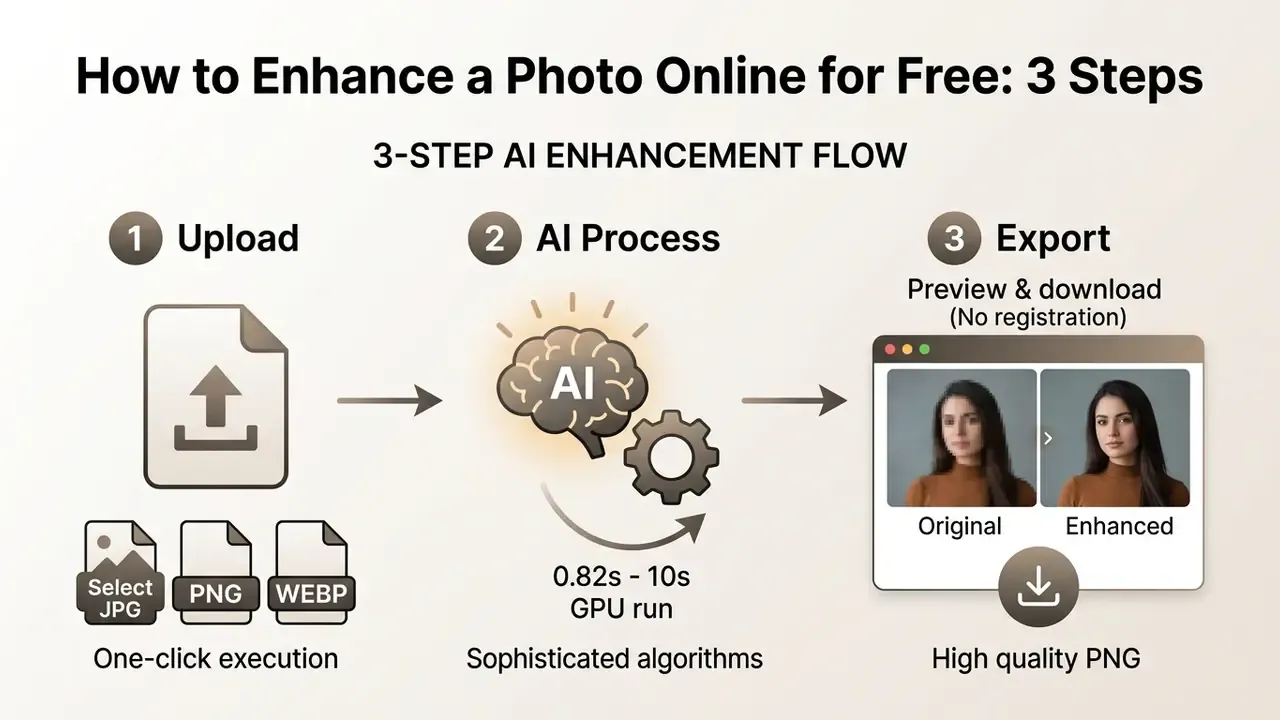
Step 1. Upload an Image in JPG, PNG or WEBP
Open the photo enhancer online interface and drag the target file into the drop zone. Most platforms accept jpg png and png webp formats, with input size limits between 10 MB and 50 MB at standard 72 dpi web dimensions.
Processing a whole product catalog or a photo series? Use Batch Upload. Platforms typically let you select 10-20 files at once (JPG, PNG, WEBP). The network applies denoising and upscaling across the batch automatically, saving up to 90% of the time file-by-file processing would take. For ecommerce managers, real-estate agents and event photographers, that single feature usually decides the tool choice.
Step 2. Run AI Enhancement in One Click
Start processing with a single action button to use ai enhancement algorithms. The ai powered system runs automated presets in one click, with no manual slider tuning required. Some suites bundle enhancement with layout work, much like the canva ai generator does for social assets.
Optimised cloud runtimes and GPU clusters finish inference quickly. Updated: measured latencies on optimised runtimes land between roughly 0.82 seconds and 10 seconds for standard web dimensions, and competition-grade real-time models are an order of magnitude faster still.
«Participants in the AIS 2024 Real-Time 4K SR Challenge processed 540p to 4K images in under 10 ms on commercial GPUs, improving PSNR over Lanczos interpolation.»
Step 3. Compare the Result and Download the Enhanced Photo
Once processing completes, the platform shows a side-by-side preview of the enhanced result next to the original. Inspect structural detail at 100% zoom before clicking download to export high quality photos for immediate use. Check resolution, file size and format in the export dialog. For web delivery, JPEG quality around 85 is the practical ceiling, since files above that point gain weight without visible benefit.
How to Evaluate the Enhanced Result Before Downloading
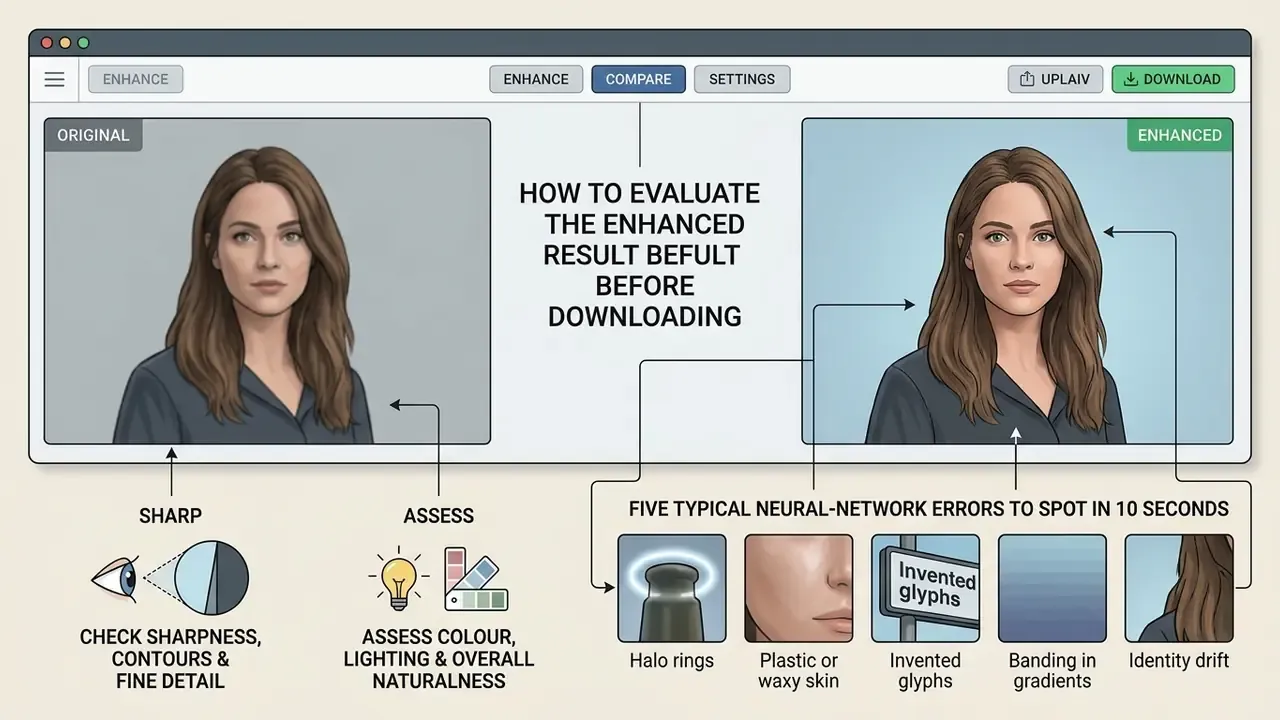
Checking an enhanced result before final export keeps structural fidelity intact and catches artificial distortion, over-sharpening halos and colour shifts. Use a two-track logic: compare against the original when you still have it (full-reference), and judge the output on its own merits when you do not (no-reference).
«The AU-IQA dataset of 4,800 AI-enhanced images shows that UGC-oriented quality models best reflect human perception of AI-processed content.»
Check Sharpness, Contours and Fine Detail
Inspect high-contrast edges, facial eyes and small typography at 100% zoom. Quality guidelines (FADGI Technical Guidelines for Digitizing Cultural Heritage Materials) call for checking edge ringing, overshoot halos and detail loss caused by aggressive sharpening. Operational QA checklists used in public digitisation programmes add three visual criteria: loss of detail, lack of sharpness or excessive sharpening, and visible digital artifacts.
«Benchmarks on SIDD and DND show that models scoring above 0.95 SSIM retain structural detail without halo artifacts under aggressive sharpening.»
Assess Colour, Lighting and Overall Naturalness
Look into shadow regions and highlights for clipping or artificial banding. Updated: enhanced lighting must hold white balance neutrality and realistic tone distribution, and skip hyper-saturated HDR effects. White-balance error is measured as deviation from colour neutrality on a neutral grey patch, and shadow detail should remain visible without washing out highlights.
«Methods built on generative perceptual priors improve low-light visibility while preserving natural white balance and realistic tone distribution.»
Five Typical Neural-Network Errors to Spot in 10 Seconds
- Halo ringsaround high-contrast edges and around text, the signature of over-sharpening.
- Plastic or waxy skinwith erased pores and flattened hair strands.
- Invented glyphs: small type re-drawn into characters that never existed in the source.
- Banding in gradients, where sky, studio backdrops and soft shadows turn into visible steps.
- Identity drifton faces: subtly altered eye shape, teeth or jawline after a "face restore" pass.
If two or more show up, lower the scale factor, switch to a gentler mode (Upscale instead of Portrait), or re-run with denoising only. Two failed attempts usually beat one over-processed download.
Which Images Suit an AI Image Enhancer Best
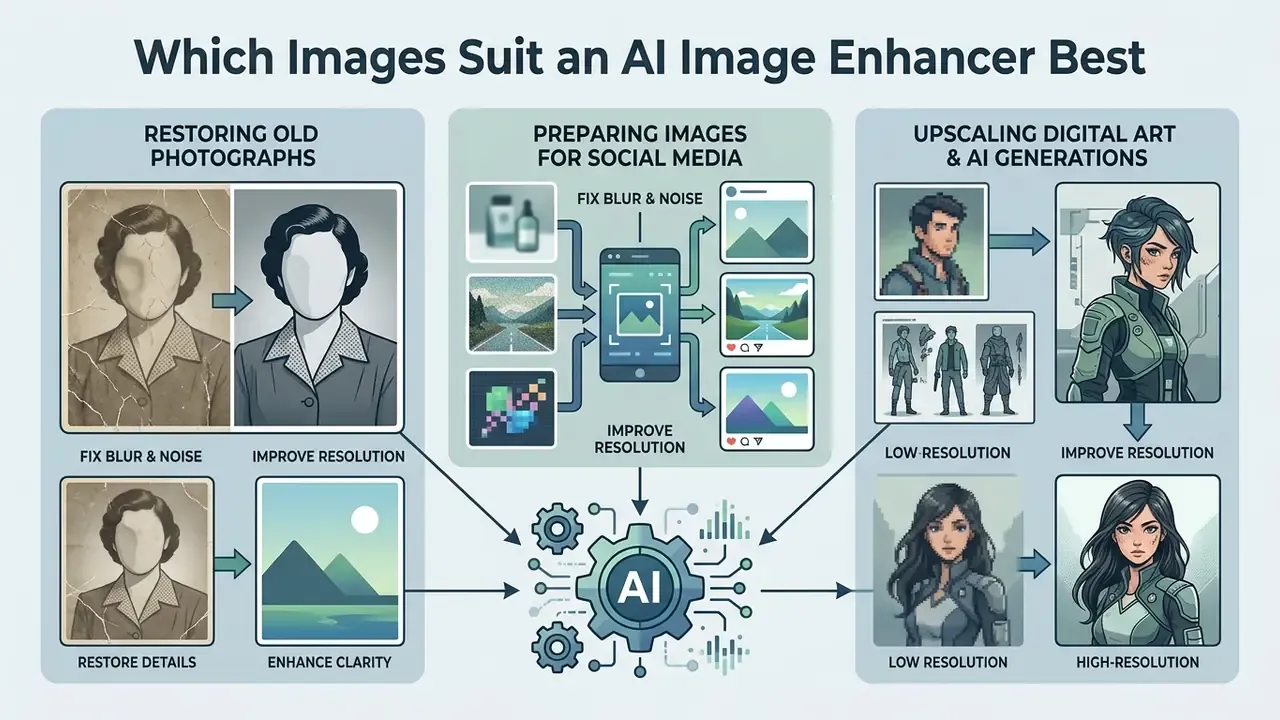
An ai image enhancer free tool handles diverse media across commercial, personal and creative workflows. Neural models adapt to specific image characteristics, optimising every photo by structural content rather than by a fixed recipe.
Restoring Old and Family Photographs
Scanned old photos and inherited family photos usually carry physical scratches, colour fading and blur at once. Dedicated photo restoration algorithms remove surface defects, correct faded colour balance and restore old facial features without repainting the subject.
Two-stage pipelines are now standard for archives. A coarse pass clears unstructured defects such as grain and fading, then a conditional diffusion stage refines content and enriches texture. Earlier VAE and GAN baselines still earn their place on structured damage, meaning scratches, creases and dust, with reported PSNR around 32.3 dB and SSIM 0.767 on damage-repair tasks.
Enhancing Product Images for Ecommerce and Marketing
Upscaling and Cleaning Anime, Digital Art and AI Images
Illustrations, anime frames and generator output from Midjourney or Stable Diffusion tend to carry JPEG compression artifacts and blurred graphic contours. Unlike photorealistic shots, art processing has to protect clean vector-like lines and flat colour fills without injecting extraneous noise. Stable Diffusion output in particular shows repeating pattern artifacts and softer diffused textures. Style conversion is a different task entirely, closer to cartoon to realistic ai transformation than to restoration.
AI Image Enhancer algorithms detect content type automatically, remove pixel stair-stepping along fill boundaries and push art sharpness to 4K or 8K, producing files usable for merch printing, posters and desktop wallpapers. Keep the original palette intact. For artwork the goal is style-preserving cleanup, not photo restoration.
FAQ About AI Image Enhancer Free
Which File Formats Does a Free AI Image Enhancer Support?
Most online services accept JPG, PNG, WEBP and HEIC uploads. The finished result usually exports as JPG or PNG at full processed resolution. Upload ceilings typically sit between 10 MB and 50 MB depending on the vendor.
Is It Safe to Upload Personal and Family Photos to an Online Enhancer?
Services that work without registration process files either in the browser or on temporary cloud servers. Uploaded images are normally deleted from those servers within a short window (1 to 24 hours) and are not published. Retention practices differ between vendors, though, and free anonymous tiers rarely come with a contractual guarantee. Avoid uploading identity documents, medical images, contracts or customer data. Disclaimer: this information is general in nature and does not replace consultation with a qualified specialist.
Can AI Fully Restore a Severely Blurred Photo?
The network removes moderate defocus and motion smear effectively. If the source frame holds no detail at all and is essentially a uniform smudge, though, no model reconstructs the true original. It produces a plausible approximation, which is not the same thing.
Are Watermarks Added to Free Downloads?
Many popular services (PixConvert, EzCreate, EaseMate) allow watermark-free downloads at base and high resolution. Some platforms keep watermark-free export for 2K and 4K and restrict only the maximum 8K formats to paid plans.
Can You Use ChatGPT to Improve Photo Quality, and How Does It Differ From an AI Enhancer?
ChatGPT with DALL·E or GPT-4o does not edit the original pixels of your file. Asked to "improve this photo", it reads the prompt and generates an entirely new image by analogy, which changes facial features, small details and lettering. A specialised free ai photo enhancer built on Real-ESRGAN or diffusion restoration works strictly on the source pixel matrix: it removes noise, resolves smear and rebuilds texture without altering the geometry or identity of the objects. For a broader comparison of generative behaviour, see our review of chat ai image generation versus alternative tools and the notes on ChatGPT image generation versus alternative tools.
Can I Enhance Several Images at Once?
Yes. Batch Upload is available on most platforms and accepts roughly 6-20 files per run on free tiers. The same preset applies to the whole batch, which is the fastest option for product catalogs, property listings and event galleries.
What to Do Next
- For a one-off personal photopick any no-login tool from Table 1, run the default preset, then check the output against the five-error checklist before downloading.
- For a catalog or a photo seriesstart with a 100-image pilot batch, measure the rejection rate on your marketplace, and only then scale to the full library via Batch Upload.
- For recurring or confidential workmove off anonymous web tiers. Use a locally installed model or a paid plan with documented retention terms and a data processing agreement, and register the tool in your internal AI inventory to avoid Shadow AI exposure.
- For creative pipelinescombine tools by role. Upscale first for resolution, then enhance for denoise, cleanup or restoration, and keep an untouched copy of every original.
Author: editorial team specialising in image-processing models and AI tool evaluation. Material prepared for 2026. Free-tier terms, quotas and watermark policies of third-party services are set by their vendors and may change at any time; this article is informational and does not constitute legal, security or business advice regarding the processing of personal or corporate data.
More commercial-use guides and licensing notes: open the hub.