Why does that distinction matter to anyone outside a creative team? Because an editor acting on customer imagery, product renders, or identifiable faces is a third-party model processing corporate data. Marketing sees a design tool. Risk, compliance, and internal audit see an undocumented model with image inputs and image outputs. Both views are correct, and the gap between them is where most avoidable incidents live.
Some vendors market the same capability as an AI image changer with prompt, others as an ai image editor from prompt instructions. The label shifts. The mechanics do not.
Last updated: 2026. Reviewed against vendor documentation (Google, OpenAI, ByteDance, Adobe) and peer-reviewed literature on diffusion-based editing.
Executive Summary
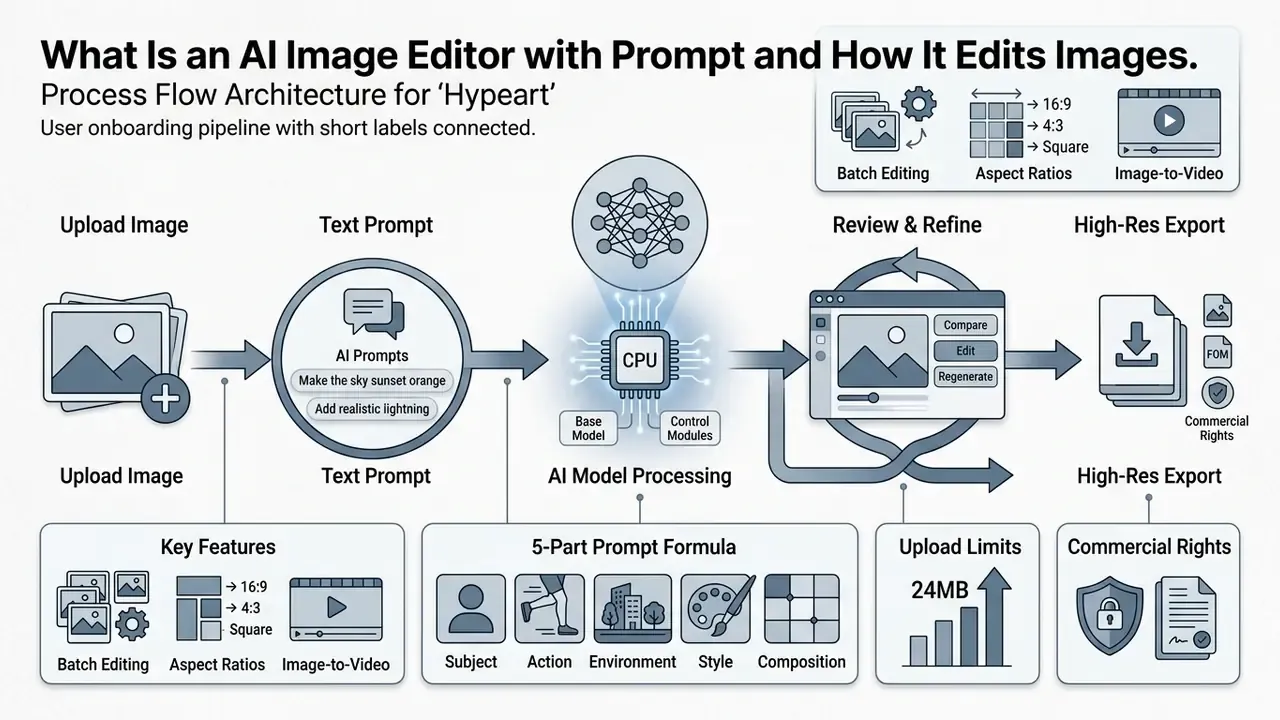
- What it is A conditional generative system that edits an uploaded image through text instructions, using latent inversion, cross-attention control, and mask-guided inpainting instead of layers and lasso selections.
- Current capability ceiling A task-level evaluation published at WACV 2026 found that existing generative AI editors resolve 33.35% of everyday image-editing requests fully automatically, with no human iteration.
- What you can change Object removal and insertion, background replacement, relighting, generative expand (outpainting), embedded text replacement, style transfer, resolution upscaling to 4K and 8K, and, in newer suites, direct image-to-video animation of the edited frame.
- How to control it A deterministic 5-part prompt formula (Action + Target Object + Specific Change + Style/Lighting + Preservation Constraints), reinforced by negative prompts, prompt weighting, and fixed seeds for reproducibility.
- Technical intake limits JPG, PNG, or WEBP files up to 24MB on leading cloud engines (10MB on some platforms), with selectable output geometry across 1:1, 3:2, 2:3, 3:4, 4:3, 9:16, and 16:9, at 1K, 2K, or 4K resolution.
- Scale economics Batch prompt pipelines apply one directive across 11 to 50 assets per pass; documented catalog workflows compressed update cycles from 14 weeks to 4.5 weeks.
- Governance baseline Verify commercial-use grants, enforce a documented data-retention SLA (the strongest published services purge raw uploads within 24 hours), log prompts and seeds for audit trails, and contain Shadow AI usage through DLP and IAM policy before rollout.
What Is an AI Image Editor with Prompt and How It Edits Images
An ai image editor with prompt is a conditional generative system that modifies uploaded digital images through natural language instructions. A conventional photo editor depends on manual layers, lasso selections, and parameter sliders. Prompt-based editing instead leans on ai powered diffusion models and multimodal vision-language architectures that map text directly to image modifications. Readers comparing this class of tooling with traditional retouching software can review the broader category in our guide to AI photo editors and the feature-limit breakdown for online photo editors.
Modern prompt-driven systems rely on latent inversion, cross-attention control, and mask-guided inpainting to execute edits. According to a task-level evaluation published at WACV 2026, existing generative AI editors resolve 33.35% of everyday image-editing requests automatically, operating on a unified stack of text prompts, semantic masks, reference image embeddings, and explicit preservation constraints.
That number measures fully automatic resolution without human iteration. Requests that succeed after two or three refinement prompts sit outside the ceiling, which is exactly why iterative prompt discipline (covered further down) changes production throughput more than model choice alone does.
Editing Source Photos vs. Generating Images from Scratch
Editing a source photo means conditioning the generative process on an existing image matrix. Text-to-image generation synthesizes novel imagery from random latent noise instead. When you upload image assets to an ai image editor, the model performs latent inversion to establish an exact representation of the original picture before applying any text-guided transformation.
«Imagic inverts the image into latent space and optimizes the text embedding, aligning it with both the original and the target text, without manual segmentation.»
The accuracy of that inversion step decides whether unedited regions survive intact. Prompt-tuning inversion (ICCV 2023) is described by its authors as an "accurate and quick inversion technique," which confirms something users often misattribute: perceived editor speed depends on the inversion pipeline, not on how short your prompt is.
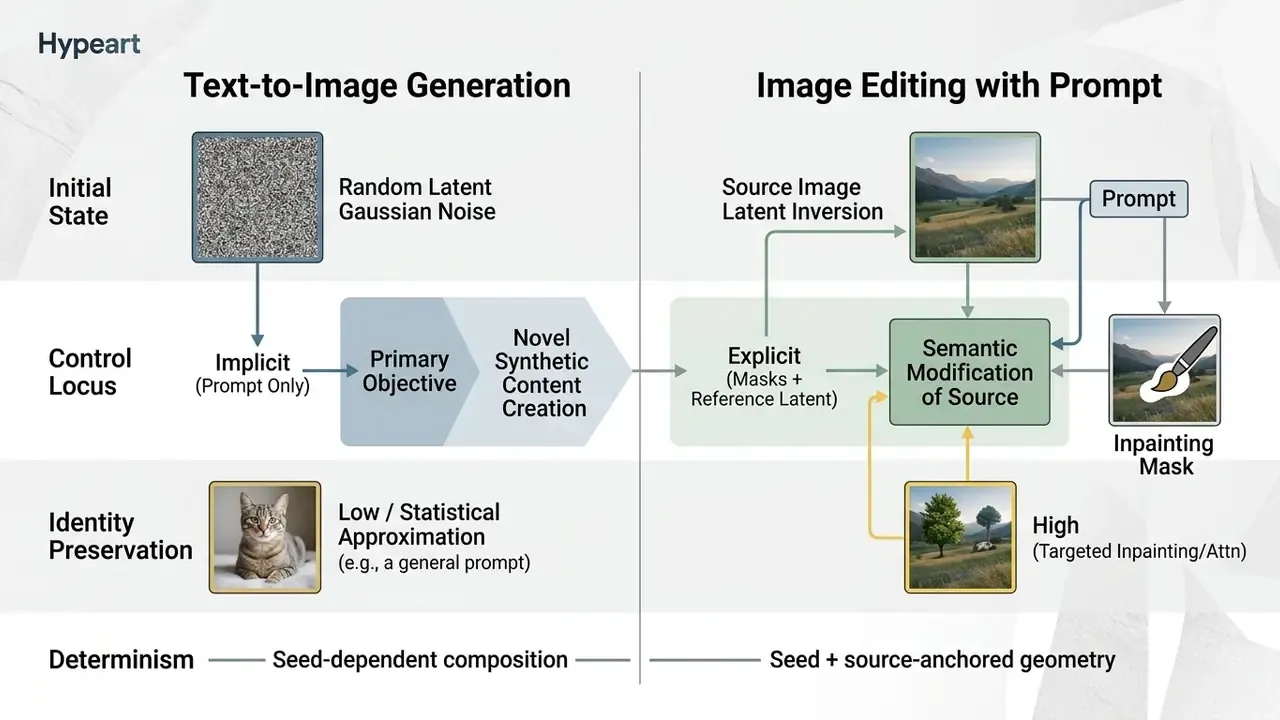
In an image generator, identity is governed implicitly through text description embeddings, a mechanism explored further in our overview of AI image generators. Image-to-image editing works differently: reference encoders and attention-steering mechanisms anchor target subject details and restrict modifications strictly to specified target areas. Identity-preserving inpainting research (PATMAT, PVA) enforces this explicitly, using identity encoders, attention modules, and identity-consistency or triplet losses that align the regenerated region with a reference embedding.
«MagicBrush is the first large-scale, manually annotated dataset for instruction-guided real image editing: 10,000 triplets and 8,807 training sessions.»
Because the benchmark records source image → instruction → target image triplets, it stays the reference set for a specific question: does the editor obey the instruction without degrading the regions it was told to leave alone?
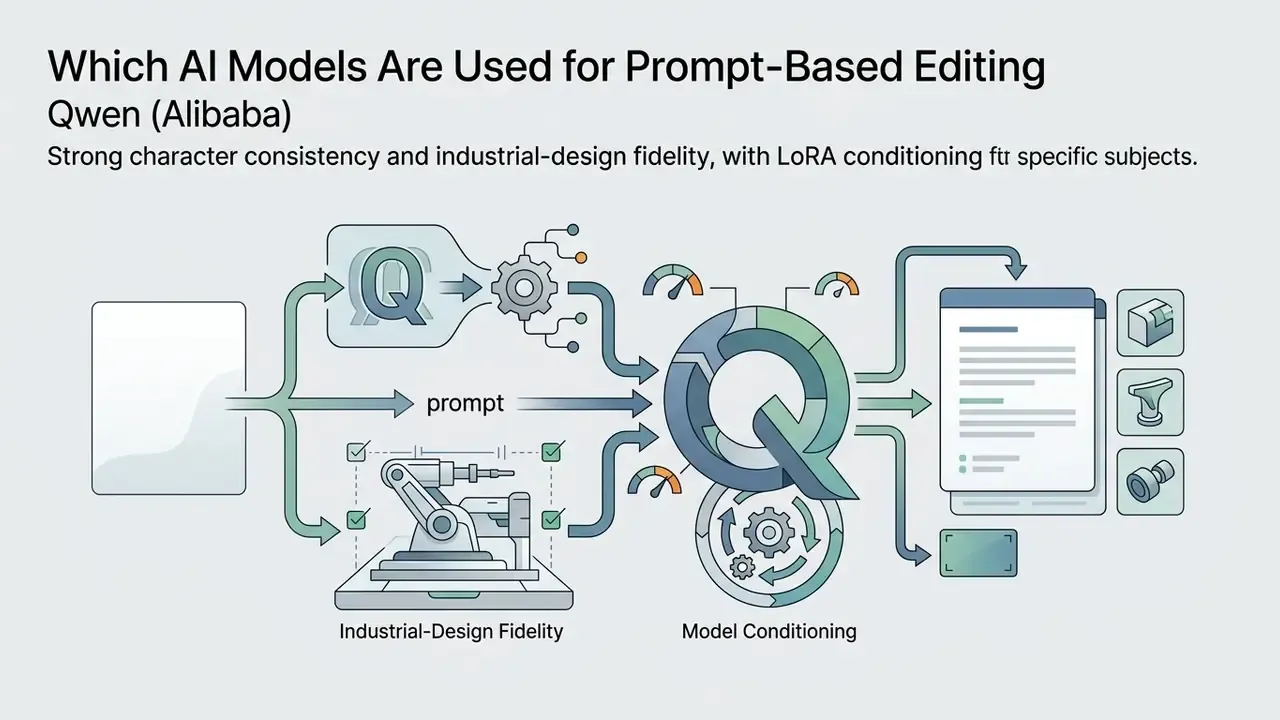
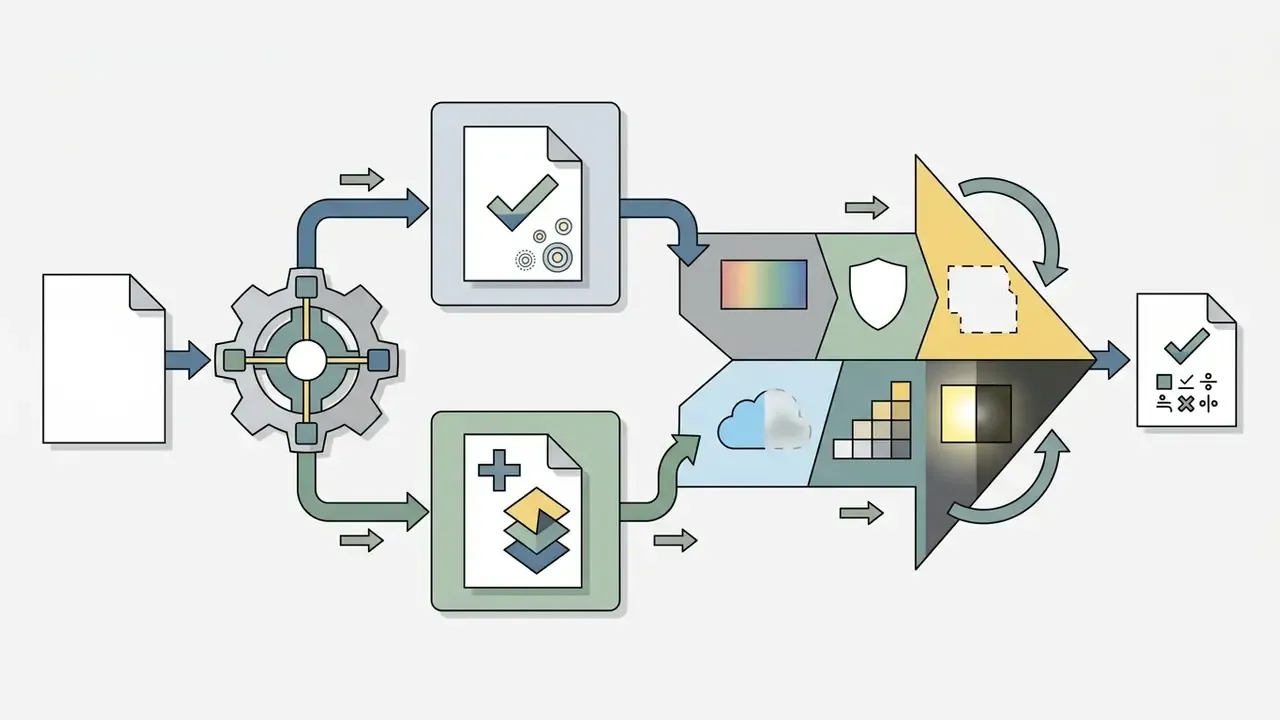
Which AI Models Are Used for Prompt-Based Editing
Enterprise and online platforms deploy multiple AI models depending on task complexity, speed constraints, and fidelity requirements. Architecture choice directly affects how well an ai photo editor preserves image semantics while rendering structural changes.

What Changes You Can Make to Photos Using AI Prompts
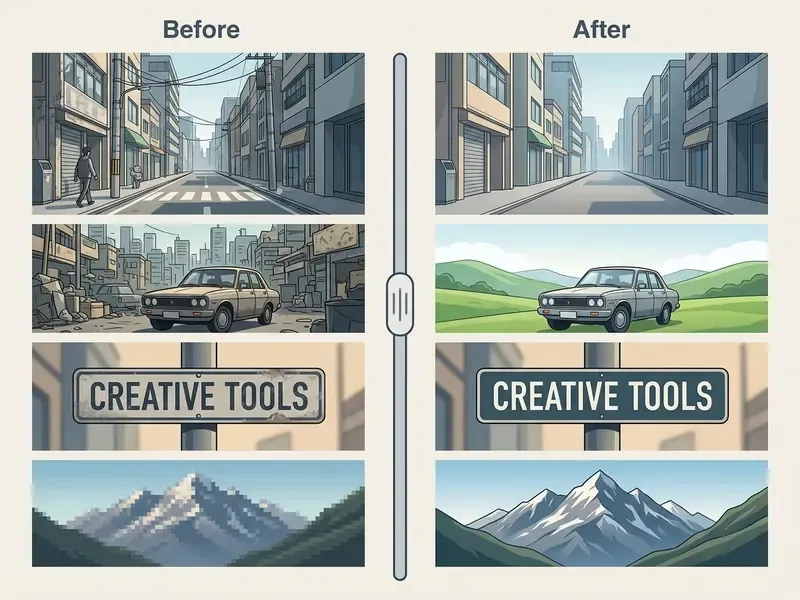
An ai image editor with text prompts executes a wide range of manipulation tasks through natural language commands, with no manual mask painting required. You can ai edit picture with prompt directives for localized subject alterations, global environmental lighting adjustments, and structural re-composition. The 2025 survey Diffusion Model-Based Image Editing groups these operations into object replacement, object removal, background replacement, style change, texture change, action change, and outpainting, a taxonomy that maps neatly onto commercial feature menus.
Removing and Adding Objects Without Manual Masks
Modern editors perform object removal and insertion without asking the user for brush selections. Using blind inpainting frameworks and attention-activation suppression, models detect the entity named in the prompt and reconstruct the scene textures behind it. MagicRemover (ICLR 2024) demonstrates the mask-free route directly: a textual instruction plus null-text inversion drives two parallel U-Nets, one for reconstruction and one for inpainting generation.
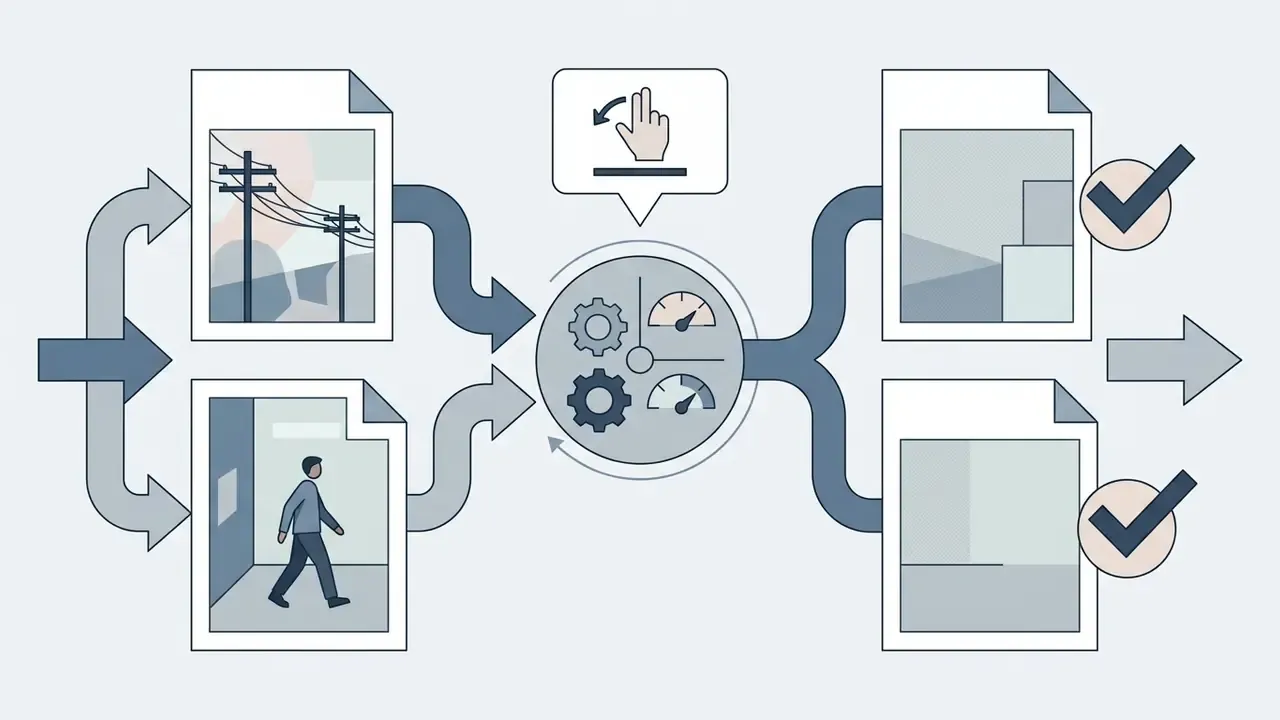

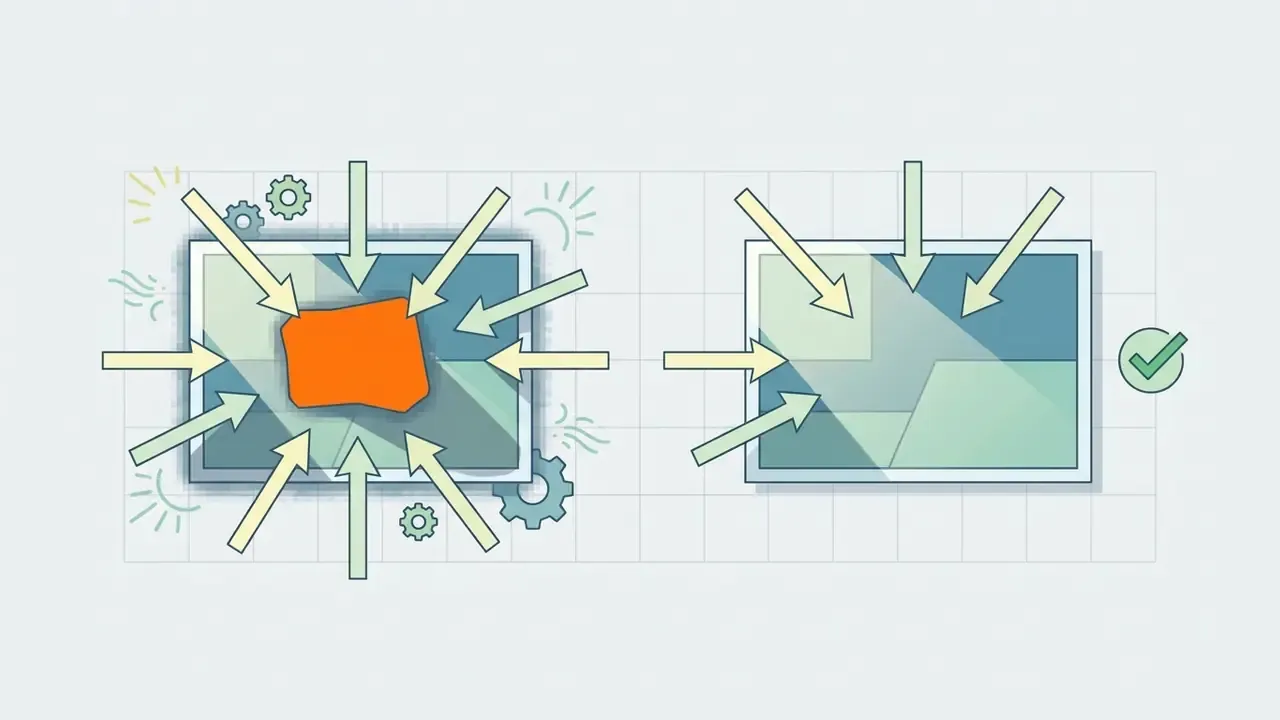
«Attentive Eraser redirects the diffusion model's self-attention without fine-tuning and outperforms trained methods on quality metrics and user ratings.»
An adjacent research line, Inpainting-Driven Mask Optimization for Object Removal (2024), trains segmentation and inpainting jointly, then uses segmentation-derived masks at inference. Which means the "maskless" experience users see is often a mask generated automatically behind the interface. Practical consequence: naming the target object precisely improves removal quality far more than piling on stylistic adjectives.
Replacing Backgrounds, Adjusting Lighting, and Upscaling Quality
Prompt-guided editors let you change background environments while the foreground subject stays untouched. The model executes background removal and replacement by isolating foreground depth maps, then re-synthesizing photorealistic background lighting.
«Shallow depth of field makes it easier to separate a subject from a complex background, while greater depth of field performs better against uniform backdrops.»
The implication for photographers feeding an AI pipeline is refreshingly concrete: shoot at a wider aperture when the environment is cluttered, and stop down only when the backdrop is already clean.
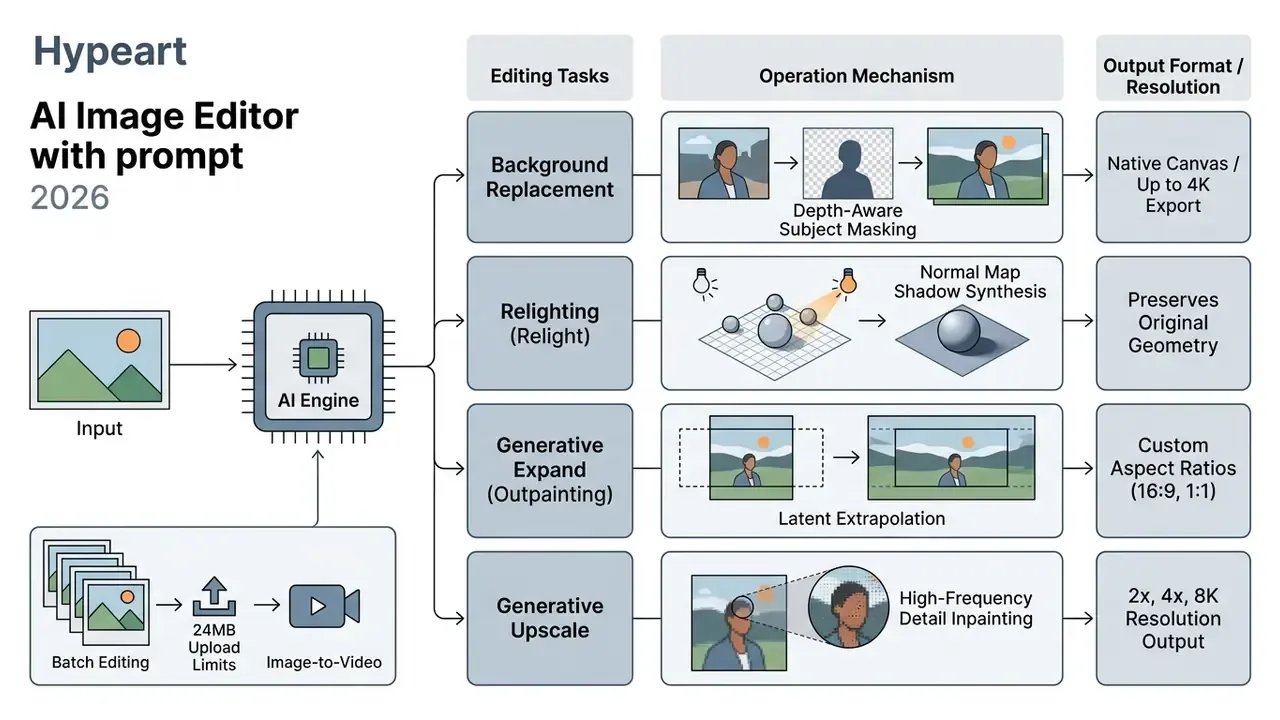
Teams converting square catalog assets into widescreen banners without cropping should compare dedicated AI outpainting tools, because latent extrapolation quality varies sharply between vendors at extreme expansion ratios.
Platforms such as Adobe Firefly and Magnific AI offer generative upscaling up to 8K, sharpening low-frequency product imagery for high-definition displays. Adobe documents 2x and 4x upscaling to a 6144x6144 px ceiling; Magnific documents Creative and Precision upscaling with 2K, 4K, and 8K options plus precision modes up to 16x; Krea documents Enhance and Upscale paths to 8K, with Bloom reaching 10K. Side-by-side output comparisons sit in our review of AI image upscalers. Research on product photography also shows that clean, dark, or simplified backgrounds combined with subtle contact shadows lift consumer engagement metrics in commercial listings.
«A hierarchical Bayesian analysis found shoppers prefer apparel shown on dark, simple backgrounds with blur and minimal presence of faces.»
Editing Text, Style, and Visual Composition
Editing embedded raster text used to mean rebuilding the graphic from scratch. Diffusion frameworks such as SceneTextStylizer and TextNeRF now let users ai edit picture with text prompts, replacing rasterized labels, updating typography, and holding the source perspective. TextNeRF (CVPR 2024) erases existing text with Stable Diffusion, inserts replacement wording, and controls position, orientation, and area through camera-geometry transformations. SceneTextStylizer (2025) applies training-free style transfer to text regions while preserving readability.
«RGDiffSR is the first diffusion model for scene text image super-resolution, improving recognition accuracy and image quality over prior methods on the TextZoom dataset.»
Style transfer prompts re-render photos as oil paintings, technical sketches, or vector illustrations while keeping core compositional geometry. Readers evaluating this capability class can compare dedicated image-to-image generators and stylised engines such as the Ghibli-style AI image generator. Structural non-rigid edits, adjusting a portrait subject's posture or camera angle for instance, are governed by dual-path diffusion pipelines that separate structural layout from surface texture. Viewpoint-customization research (2024) shows the same diffusion family can control object orientation, not just surface appearance.
One caution for regulated brands: novelty and character-focused engines, including tools in the freaky ai generator and free ai girl generator categories, raise likeness, consent, and brand-safety questions that a product-photography pipeline does not. If they appear in your tool inventory at all, hold them to the same licensing and logging standard as everything else, or exclude them by policy. Silence is not a control.
Animating Edited Images: Image-to-Video Prompt Flows
Advanced suites let you move straight from static prompt editing to video generation. Once an edit is executed, say a background swap or an added focal object, the updated visual latent matrix can feed a video diffusion model (motion-diffusion transformers, for example) without re-rendering the base layout.
Supply a motion prompt such as "Animate ambient sunset smoke rising behind the subject, subtle camera pan right, hold subject geometry fixed", and a still asset becomes a loopable 4K clip for dynamic social advertising. Constraints worth planning for:
Teams building repeatable ai video pipelines can review platform capabilities and credit models in our guides to animation makers and the Google Veo implementation guide.
How to Edit Images with AI Prompts: Step-by-Step Guide
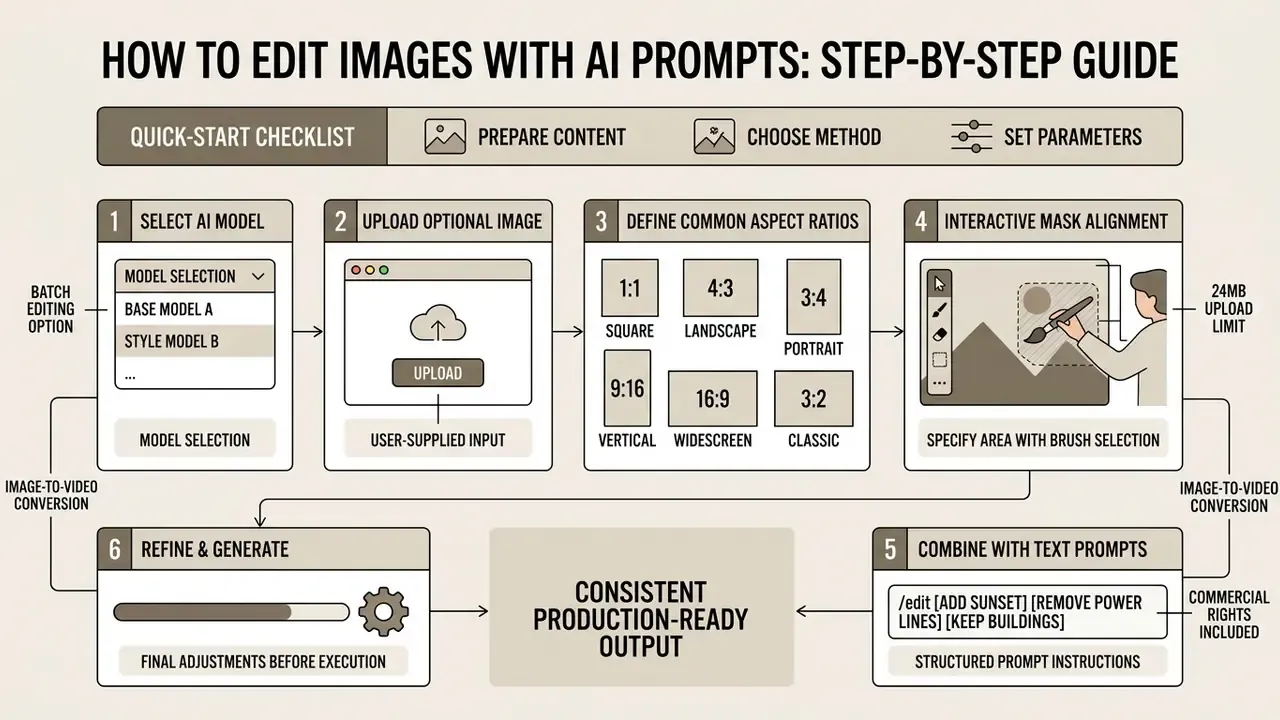
For consistent, production-ready output, follow a structured sequence rather than improvising inside an ai image editor online free with prompt interface. No design skills required, but process discipline is.
Quick-Start Checklist for AI Prompt Editing
Checklist0 / 8
Upload Your Image and Select an AI Model
The workflow begins when you upload image files to the editor interface. Most web-based tools accept standard web containers, including jpg png and jpg jpeg variants.
Check the intake ceiling before you queue a catalog import. Leading cloud engines accept up to 24MB in JPG, JPEG, PNG, or WEBP, while lighter platforms cap uploads at 10MB. During inversion setup, output geometry can be constrained to standard display ratios:
Output resolution is usually selectable at 1K, 2K, or 4K. For photographic and product work, source files of at least 1000 px on the long edge are workable and 2000 px is the safer target. Archival or regulated photographic submissions are specified in dpi instead: FDA guidance, for example, requires at least 600 dpi for photographs.
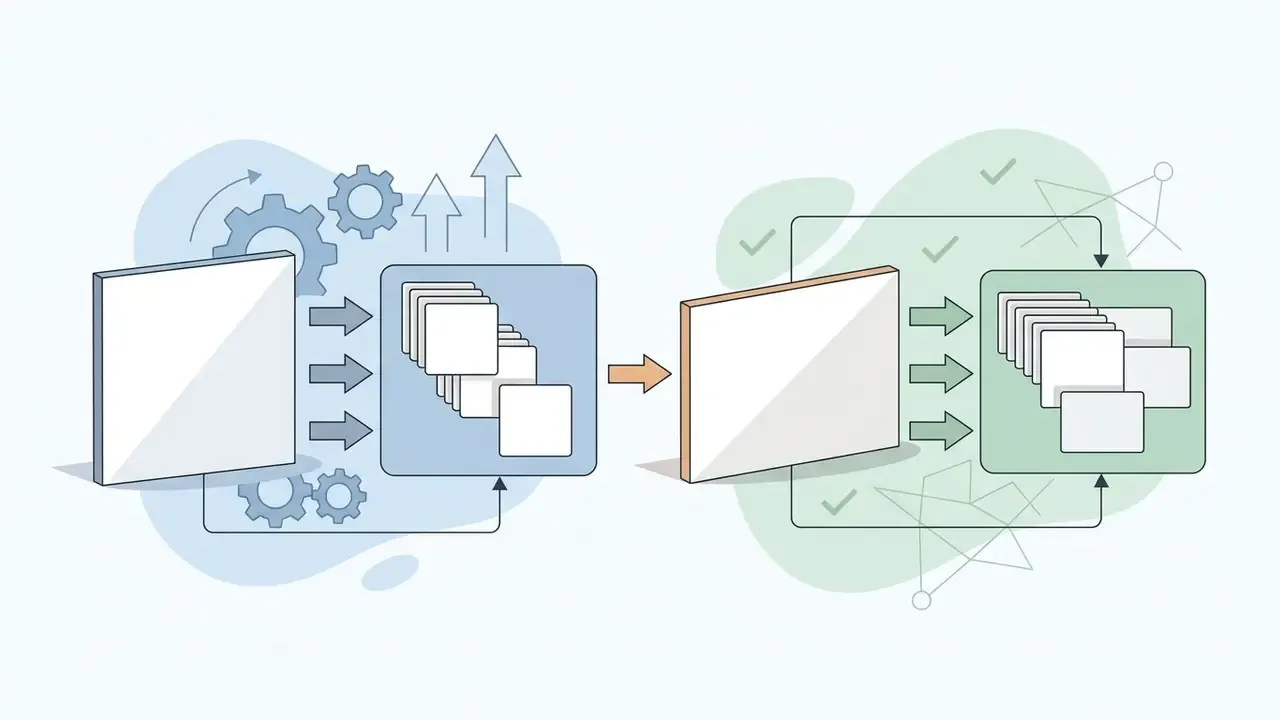

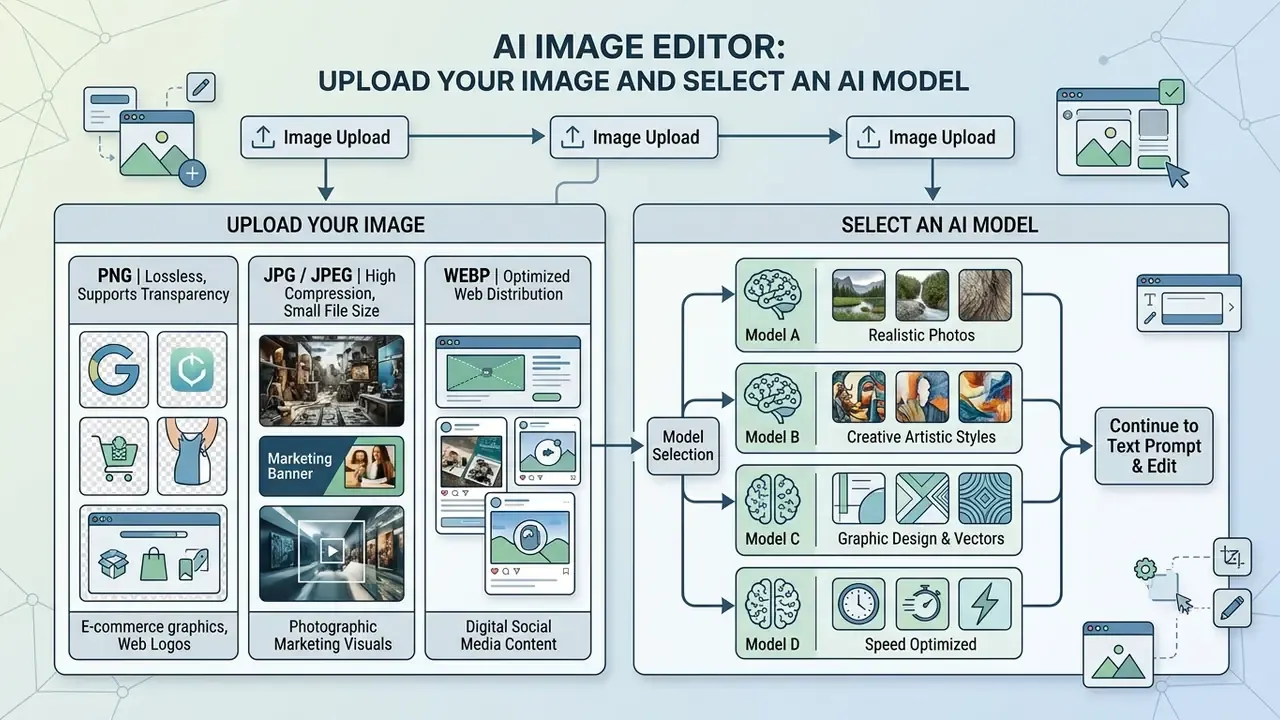
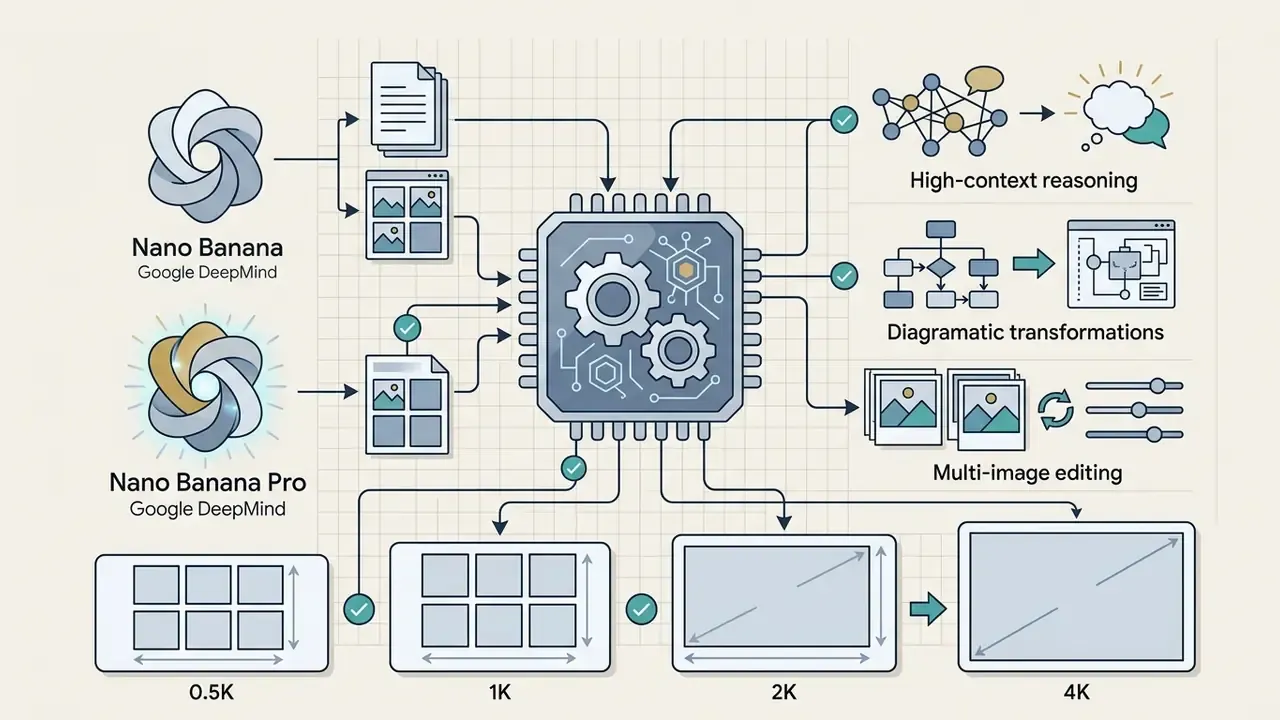
Model selection follows the asset. Product photography and marketplace listings benefit from photorealistic models like nano banana pro or Seedream 5.0 Pro. Social graphic work prioritises flexible aspect ratios and fast inference. Art and concept projects favour engines with wide stylistic range, where exact texture fidelity matters less than variety.
Interactive Mask Alignment: Combining Brush Selection with Text Prompts
Pure text guidance ("blind inpainting") struggles with low-contrast boundaries. Where precision is critical, go hybrid: paint over the target area with a mouse or finger to isolate fine hair strands, transparent glassware, mesh fabric, or overlapping product edges, then submit the instruction describing the replacement. The editor confines generation to the painted region and fills it from surrounding context, which removes the risk of the model reinterpreting an unrelated object with a similar description.
Recommended split in production:
- Text only: background swaps, global relighting, style transfer, outpainting.
- Brush plus text: watermark removal over patterned surfaces, single-item removal in crowded scenes, label or typography replacement.
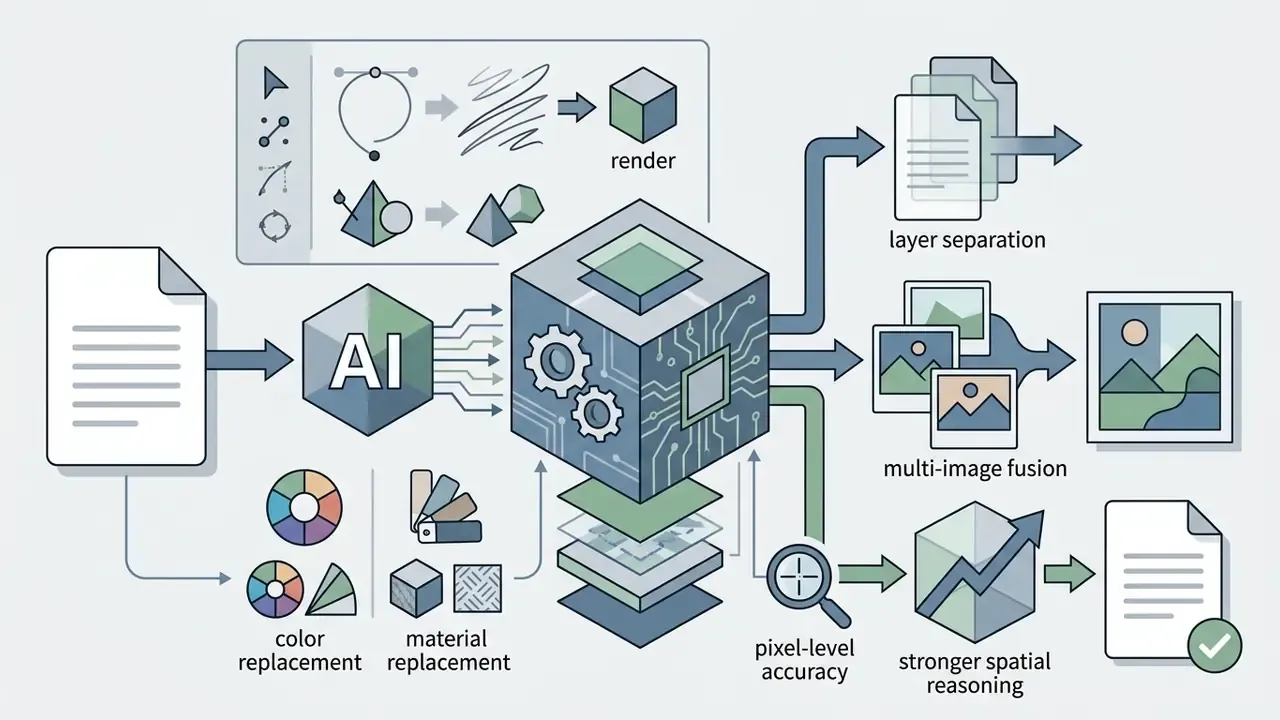
- Point or lasso selection (SeeDream-class models): colour and material replacement where the target shares its palette with neighbouring objects.
Describe the Desired Output with a Simple Text Prompt
Write concise instructions that state the explicit modification. Using simple text prompts, say what must be added, removed, modified, or preserved across the composition. Adobe's in-product guidance recommends at least five words per prompt; longer, structured instructions beat keyword strings reliably.
So instead of "make this picture look better," structure the directive with precise target nouns and relational prepositions: "Remove the blue plastic bottle on the left counter, keep the wood texture intact, and adjust ambient lighting to warm sunset tones."
Review Results, Refine Edits, and Download Files
Assess the generated output against your original requirement. Examine object boundaries, edge alignment, typography rendering, and shadow consistency for generation artifacts.
Use a fixed inspection order so defects do not slip through: (1) subject silhouette, (2) contact shadows and reflections, (3) embedded text and logos, (4) skin and fabric texture, (5) background continuity at frame edges, (6) colour drift against brand values.
If secondary adjustment is needed, apply a narrow follow-up prompt such as "Change only the background wall colour to matte dark grey while keeping the foreground chair unchanged." When the frame passes, click generate to finalise and then download and share the asset in high resolution. Export format is usually chosen at the end: OpenAI's image edit endpoint exposes PNG, JPEG, and WebP output, while some competing APIs list PNG and JPEG only, so confirm the field before wiring an automated pipeline.
How to Write AI Image Edit Prompts for Precise Results
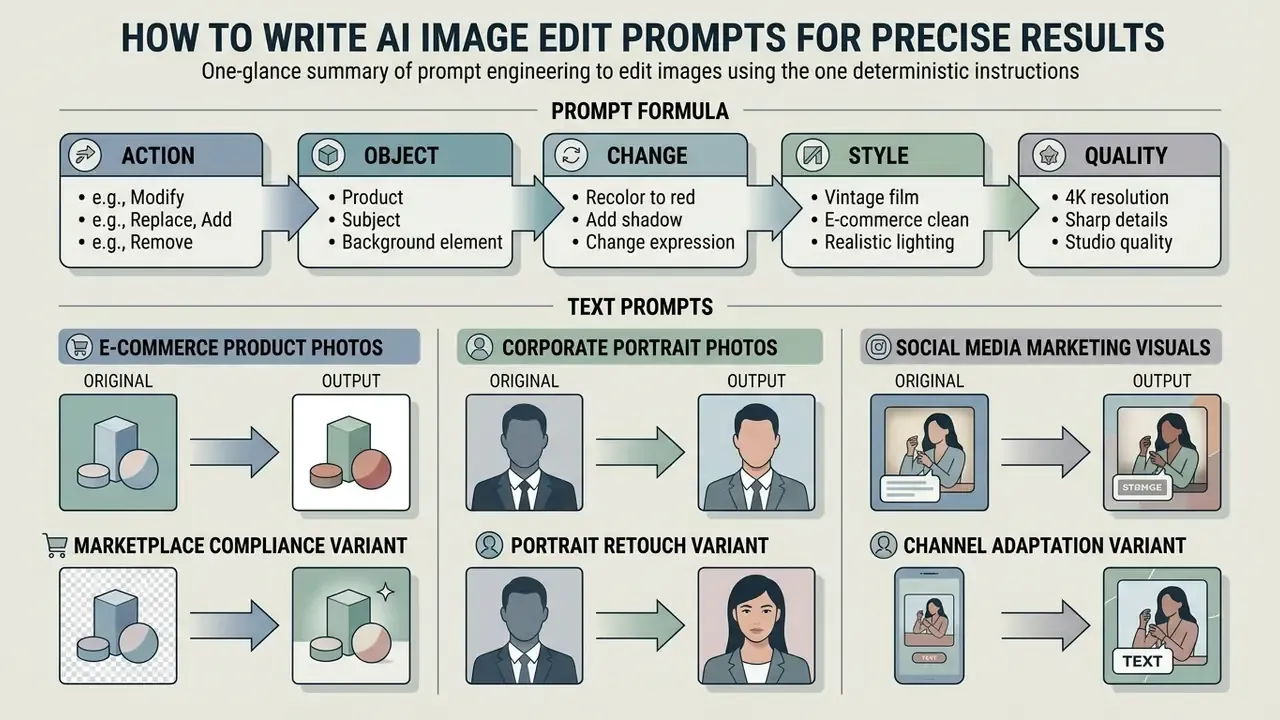
Prompt engineering for editing depends on deterministic instruction structures, not open-ended creative description. A precise ai image editor prompt produces consistent output across repetitive marketing and catalog workflows, which is the whole point at scale.
«Expanding brief instructions into detailed ones with multimodal LLMs significantly improves editing results on automatic metrics and human ratings.»
OpenAI's 2026 image prompting guidance reinforces the same discipline with an ordering rule: background and scene, then subject, then key details, then constraints, with literal on-image wording in quotes and an explicit "change only X" clause to reduce drift.
Prompt Formula: Action, Object, Change, Style, and Quality
To eliminate generative ambiguity, use a standardized 5-part editing syntax:
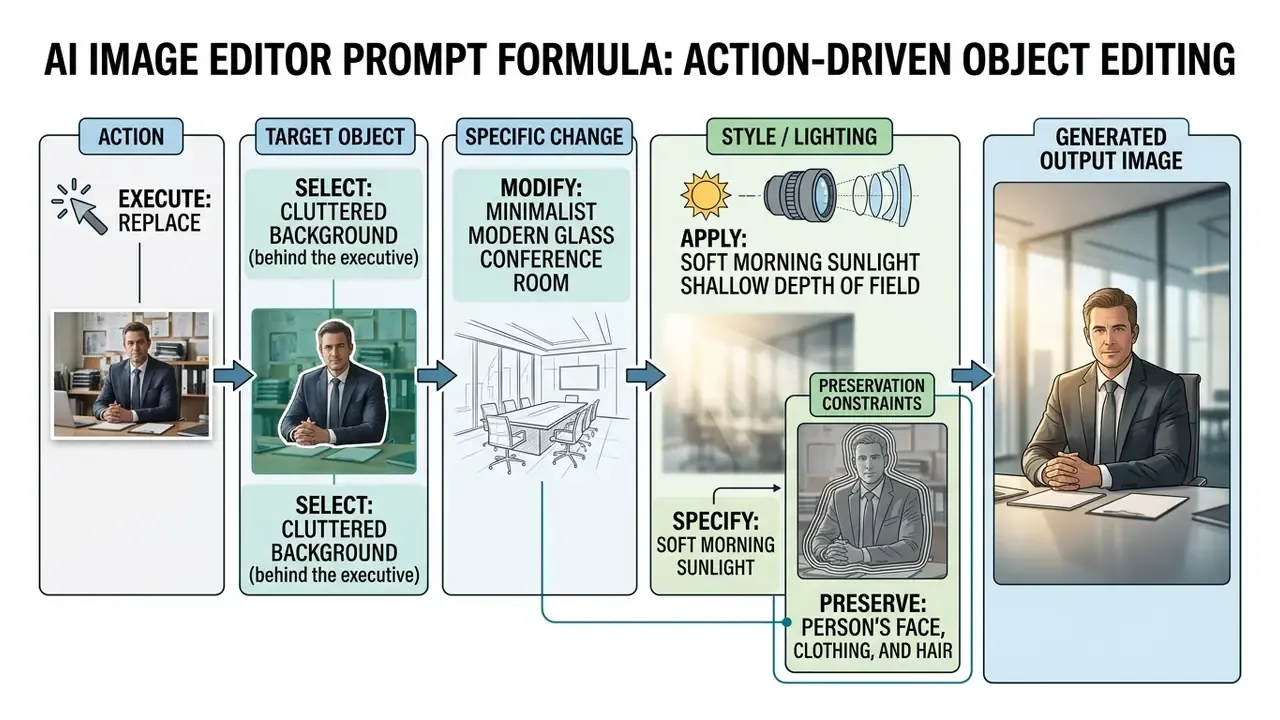
Following this framework minimises unwanted global shifts, so an ai edit photo with prompt free tool modifies only the intended pixel coordinates.
«Emu Edit uses learned task embeddings so the model distinguishes operation types, object removal, colour change, super-resolution, even when instructions are phrased similarly.»
That mechanism explains why leading with the action verb improves obedience so much. The verb is the strongest signal the model has for routing your request to the correct internal task.
How to Refine Prompts When the Initial Output Needs Adjustment
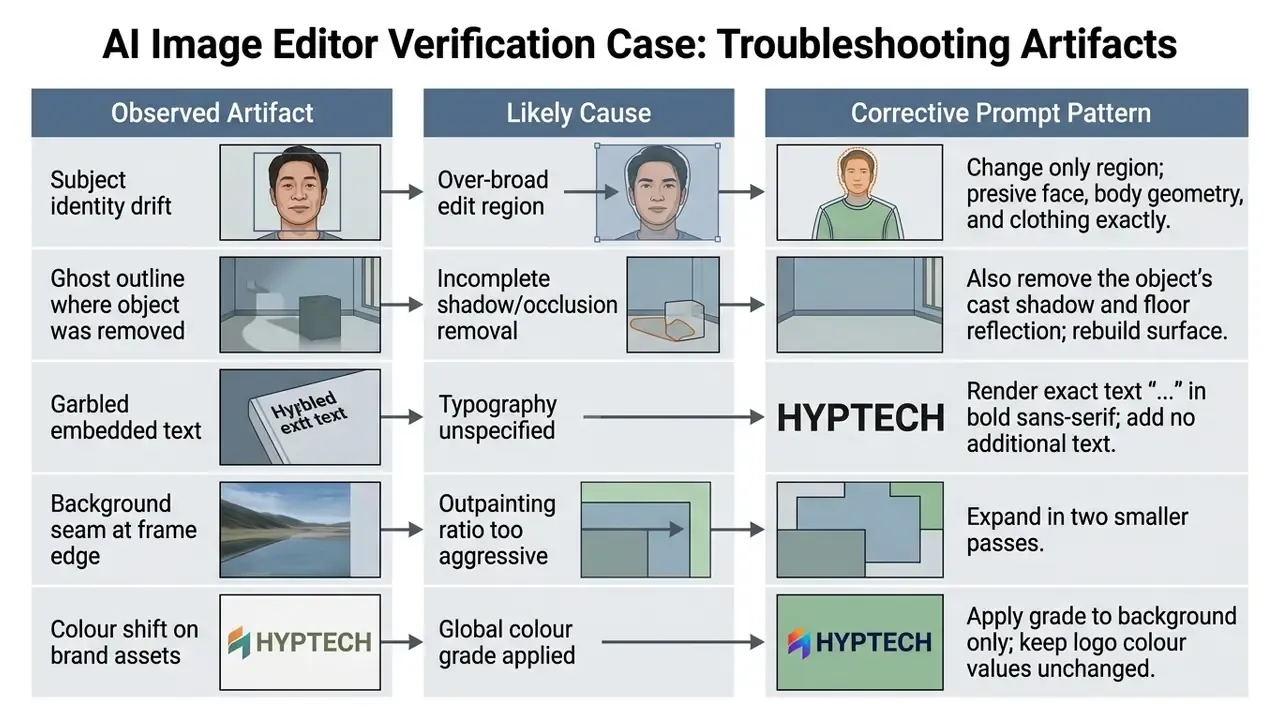
When a first pass drifts or leaves artifacts, correct locally instead of starting over. Research on iterative refinement describes the loop explicitly: generate, evaluate against predefined criteria, classify the error type, apply a local or global rewrite, re-evaluate, and stop on a pass signal or a fixed iteration cap. Idea2Img (ECCV 2024) caps refinement at three rounds.
Verification case:
To downweight unwanted features, use negative prompt specifications, prompt weighting, or an explicit preservation list: "Change only X, keep Y and Z completely unchanged." Midjourney documents negative weights (--no is equivalent to a -0.5 weight, and total prompt weight must stay positive), while Hugging Face Diffusers exposes prompt_embeds and negative_prompt_embeds for programmatic weighting. Search-based negative prompt optimisation (University College London, 2025) shows systematic local search over negative terms beats ad-hoc guessing, which is mildly deflating for anyone proud of their instinct here.
Artifact triage table for refinement prompts:
Reproducibility, Audit Trails, and Model Risk Controls
A regulated organisation cannot treat a prompt-based editor as a creative toy. Every published asset is the output of a third-party model acting on corporate or customer imagery. Three control layers make that defensible.
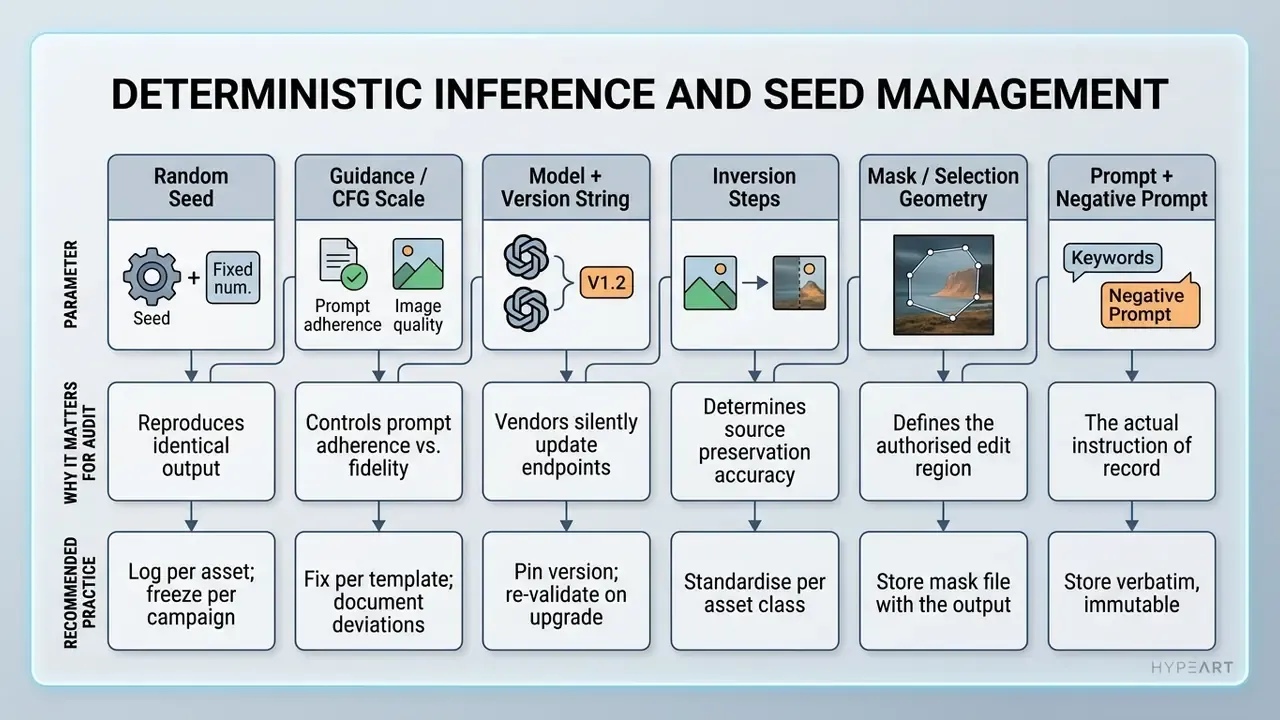
1. Deterministic Inference and Seed Management
Diffusion output is stochastic unless the sampling seed and guidance parameters are pinned. Record them alongside the asset, so a reviewer can regenerate the exact frame months later.
2. Audit Trail Requirements
For reproducible audit evidence, each generated asset should carry: source file hash, prompt and negative prompt text, mask reference, model and version, seed and sampler settings, operator identity, timestamp, reviewer sign-off, and the downstream publication destination. Where available, retain provenance metadata (Content Credentials, for example) on export, so downstream teams can verify the asset was AI-modified.
Keep an internal AI image editor note in the model inventory for each approved tool: owner, approved use cases, prohibited inputs, retention terms, and last licence review date. One page is enough. What matters is that the entry exists before the first production asset ships.
Organisations already running a model risk management programme can extend existing documentation standards to visual AI: the same expectations applied to quantitative models under supervisory guidance such as SR 11-7, plus the govern, map, measure, and manage structure of the NIST AI Risk Management Framework. Nothing in the framework needs rewriting. The inventory simply gains a new model class with image inputs and image outputs.
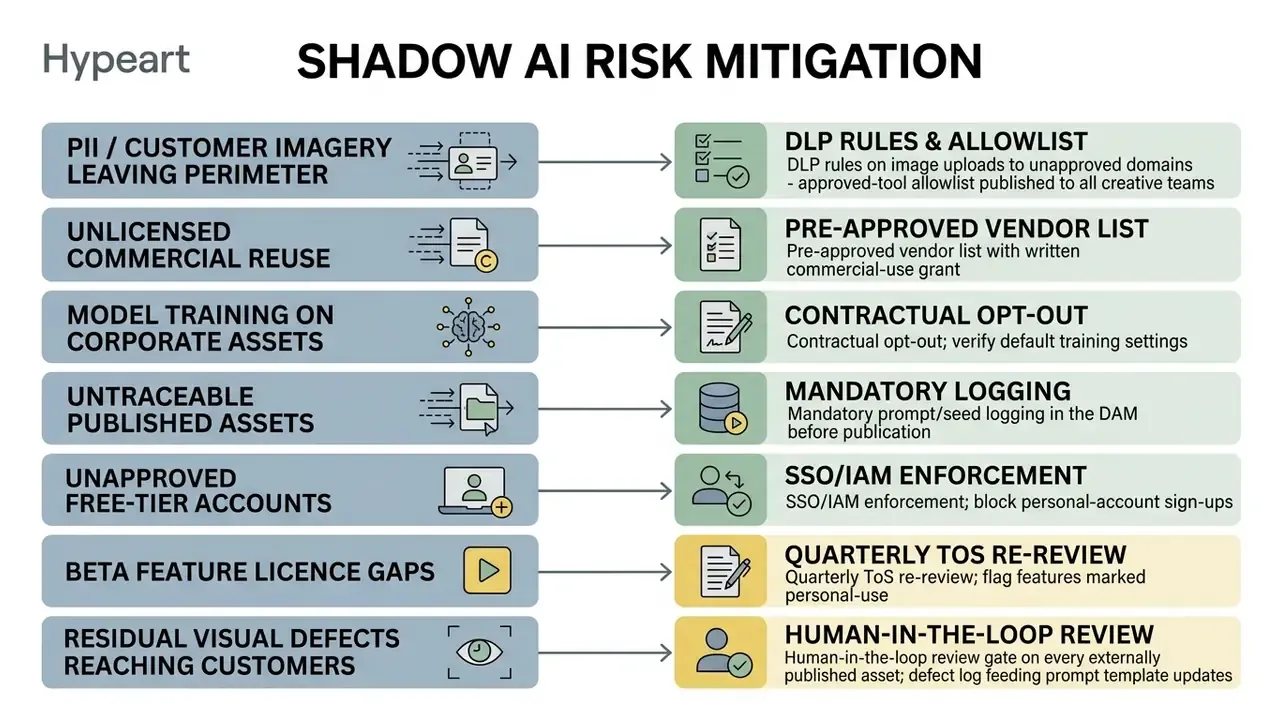
3. Shadow AI Risk Mitigation
The dominant practical risk is not model failure. It is uncontrolled adoption: an employee uploading a customer document photo, an unreleased product render, or an identifiable face into a consumer editor with no data processing agreement in place.
4. Risk-Adjusted ROI
Time savings alone overstate the business case. Model the full cost stack:
Where:
- AI production cost equals subscription or per-image API spend plus operator time on prompting and iteration.
- Control costs cover human-in-the-loop review hours, QA sampling, prompt-library maintenance, logging and DAM integration, legal ToS review, and annual model re-validation.
- Residual risk expectancy equals probability times cost of IP disputes, brand-inconsistent assets reaching customers, marketplace listing rejections, and privacy incidents.
A workflow that cuts production hours by 70% but requires senior-designer review of every single output can still be net-negative. The same workflow with 15% sampling-based review and a hardened prompt template is usually strongly positive. Measure both before you scale past the pilot.
How to Choose an AI Image Editor for Personal and Commercial Use
Selecting the best ai image editing platform means evaluating model access, export resolution, licensing, and data security policy together. Any one of them in isolation will mislead you.
«I²EBench includes over 2,000 images, 4,000 instructions, and 16 evaluation dimensions, from prompt alignment to preservation of irrelevant regions.»
Use those dimensions as your own scorecard. Run ten representative assets from your real catalogue through each shortlisted tool, then score instruction adherence, preservation of untouched regions, artifact rate, and text fidelity. Marketing gallery images prove very little; they were curated.
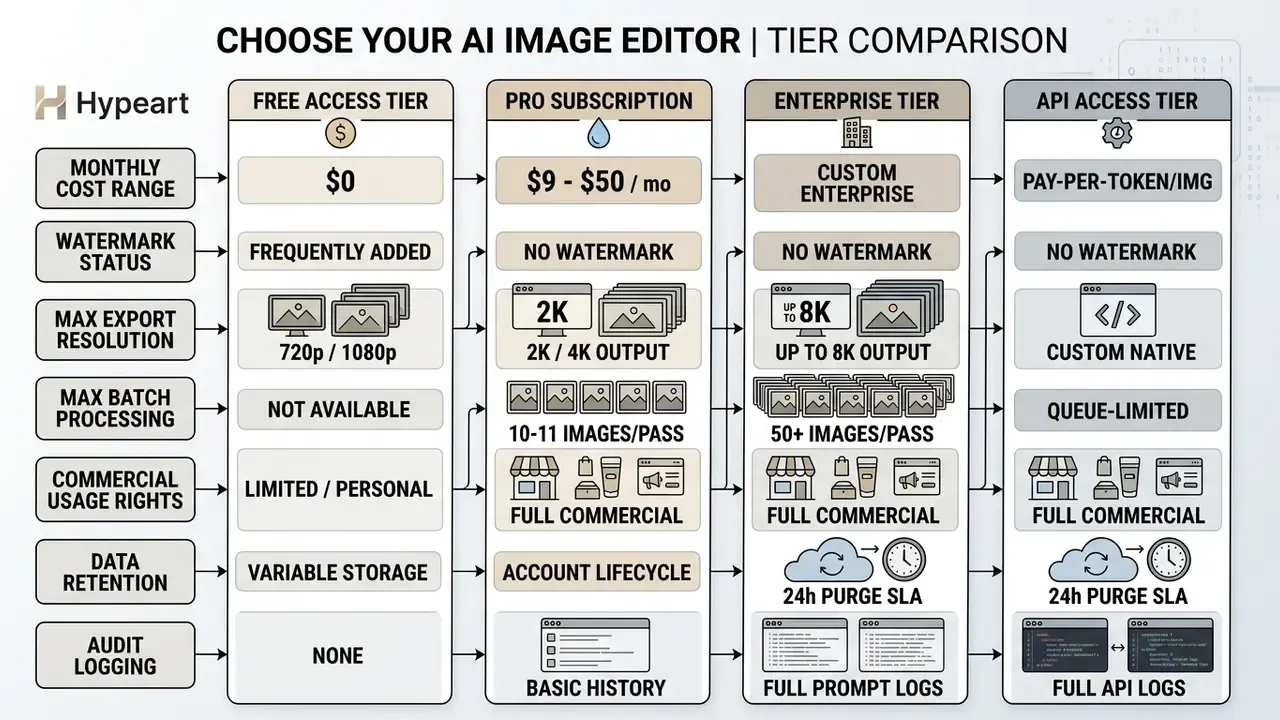
Published 2026 pricing anchors that table. Adobe Firefly lists Pro Plus at US$49.99 per month with 10,000 generative credits and Premium at US$199.99 per month with 50,000 credits, with outputs designated safe for commercial use. Creative Cloud Pro Plus for teams advertises "no quotas, no watermarks" with commercial-safe assets. OpenAI publishes image pricing per million tokens for gpt-image-1 at 1024x1024, 1024x1536, and 1536x1024. Clipdrop's Pro tier is reported at $9 per month with up to 1,000 uses per feature per 24 hours and batch processing up to 10 images.
Organizations reviewing enterprise tools can inspect operational frameworks through our central AI Media Comparison hub, work through an independent comparison of leading AI image generators, or explore the hub covering regulatory standards and disputes around digital assets.
Enterprise Integration and Deployment Criteria
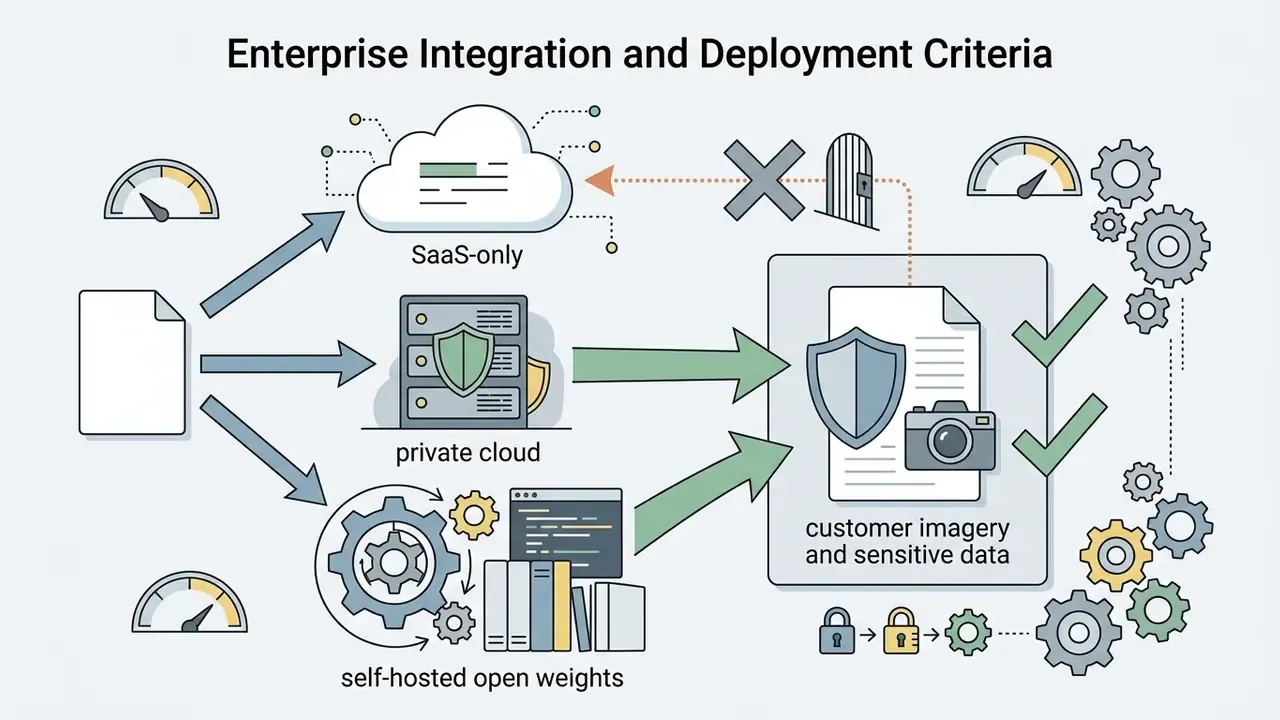
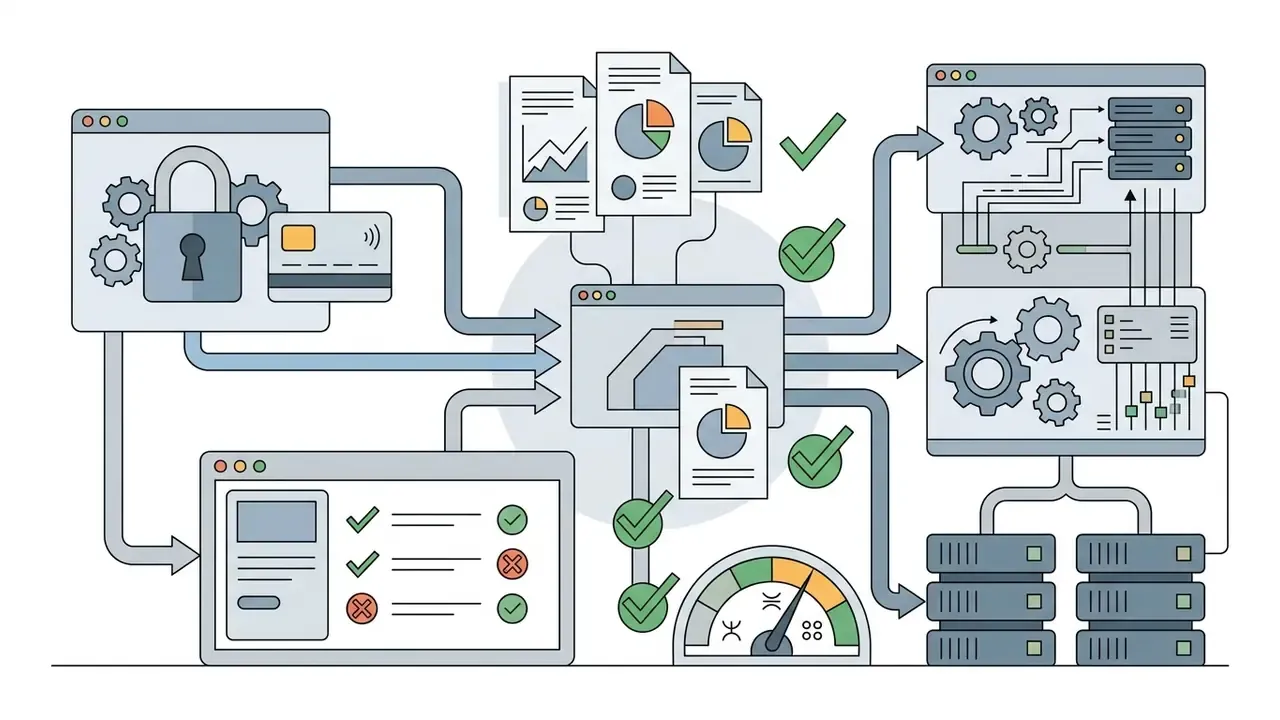
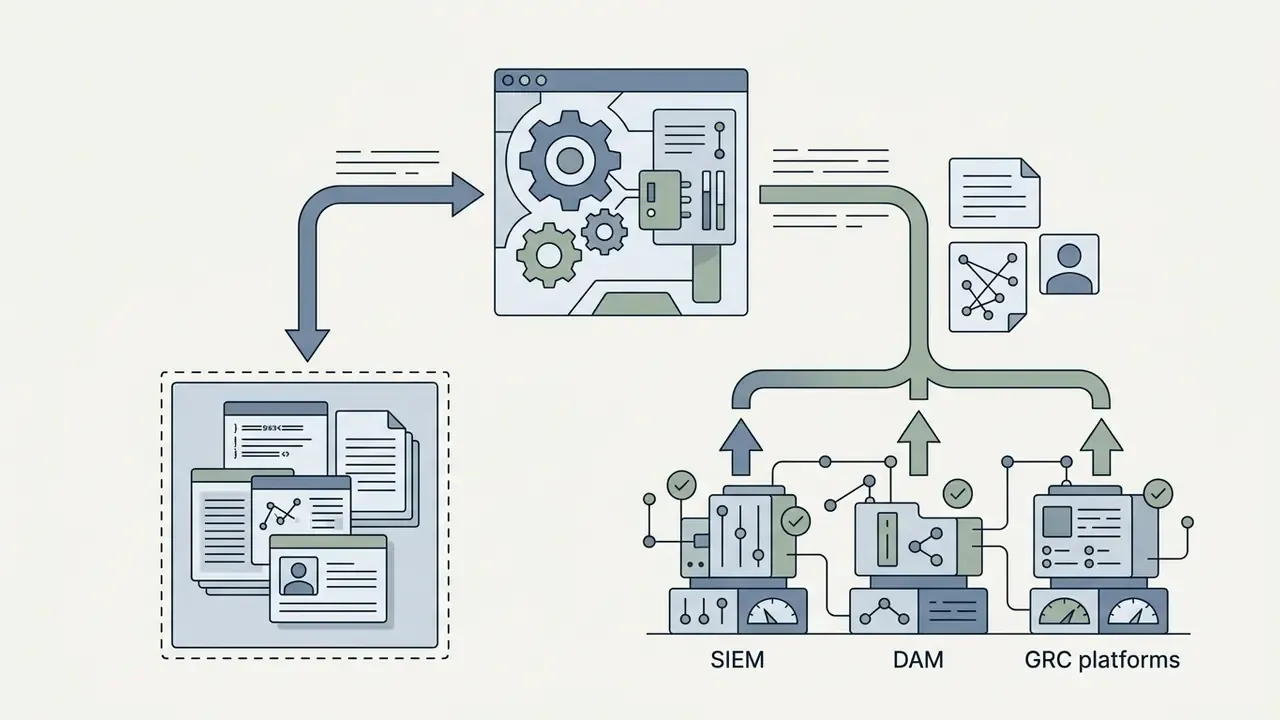
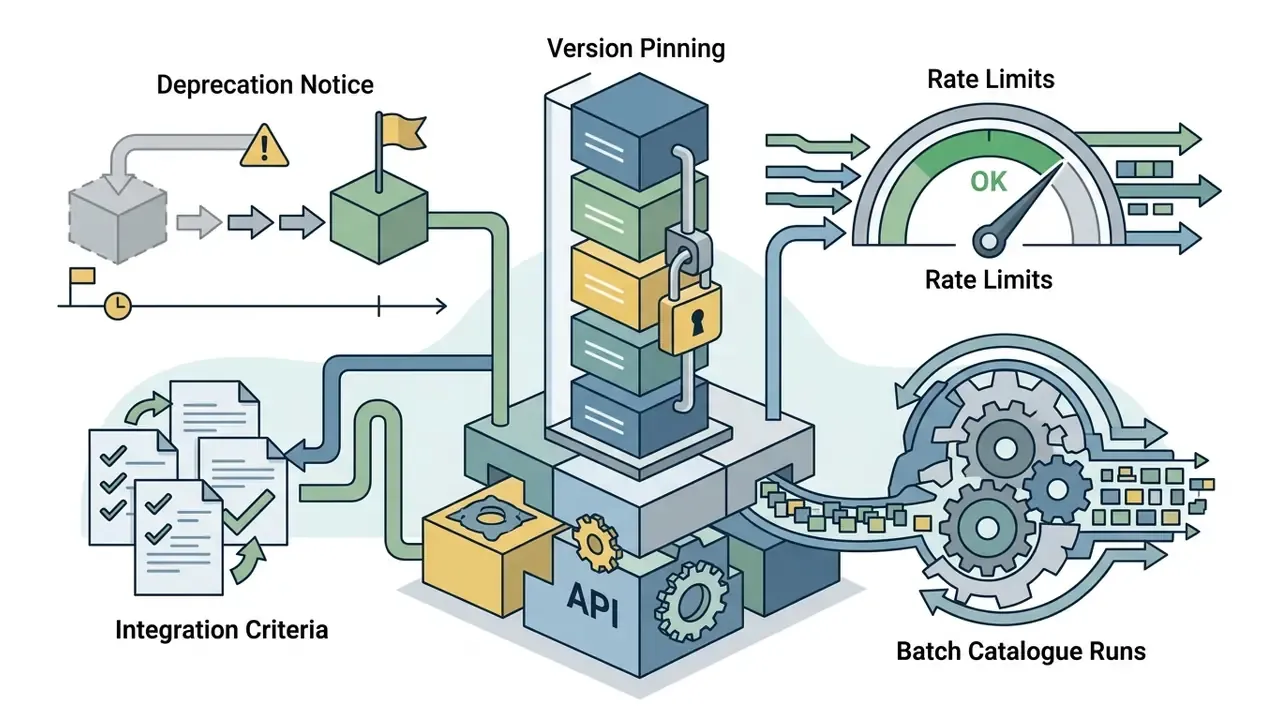
Beyond price, score vendors on the integration surface that determines whether the tool can be governed at all:

Free Access, Usage Limits, Registration, and Watermarks
Evaluating an ai image editor free with prompt tool means looking past the marketing claim to the functional constraint. Plenty of platforms advertising no sign up access impose hard daily edit caps, restrict high-resolution export, or stamp watermarks on free downloads. Searches for an ai image editor with prompt free, or an ai image editor prompt free of watermarks, almost always land on one of those tiers.
Free tiers from Canva, Adobe Firefly, or Clipdrop offer limited monthly generative credits, and our roundup of free photo editors documents where the caps bite hardest. In practice, free access splits three ways: no-signup tools with hard usage caps but no watermark; signup-required tiers granting a fixed credit pool or daily allowance; and free plans that watermark exports until payment. A free trial is useful for scoring quality, less useful for judging throughput. For production work, commercial teams generally upgrade to paid tiers for watermark-free high-resolution exports, batch access, and priority processing.
Output Quality, Resolution, and File Format Support for Workflows
Professional publishing needs high-resolution options, including high-definition 4K output and low-loss formats. Web publishing relies on optimized JPG and WebP; print production wants high-DPI TIFF or PNG. Remember that JPG export is lossy and quality-slider dependent. Figma, Adobe InDesign, and Acrobat all expose quality controls that quietly degrade fine detail, so archive a PNG master and generate JPG derivatives from it.
Tools with image upscaler functionality let operators enhance low-resolution source images before prompt-based editing, preserving fine texture across large-format displays. Comparative results for AI image enhancers show where detail is genuinely restored versus hallucinated, a distinction that matters a great deal for product claims.
Commercial Use Rights, Privacy, and Data Security Policies
Before modified assets appear in commercial campaigns, legal should review the vendor's Commercial Use Policy and Terms of Service. Canva's AI Product Terms state that output "may be used for any legal purpose" subject to compliance. Adobe's Generative AI User Guidelines state that "in general, you may use outputs from generative AI features commercially." Both, however, reserve the right to designate beta features as personal-use only, so some beta capabilities restrict commercial exploitation. Adobe's General Terms further state it will not use customer content to train generative models, except content submitted to Adobe Stock under a separate contributor agreement.
«An IEEE evaluation of text-guided image editing models identified substantial limitations in existing IQA metrics for measuring semantic alignment with the prompt.»
Practical consequence: do not accept a vendor benchmark score as proof of fitness. Run your own asset set and score outputs with human reviewers against brand criteria.
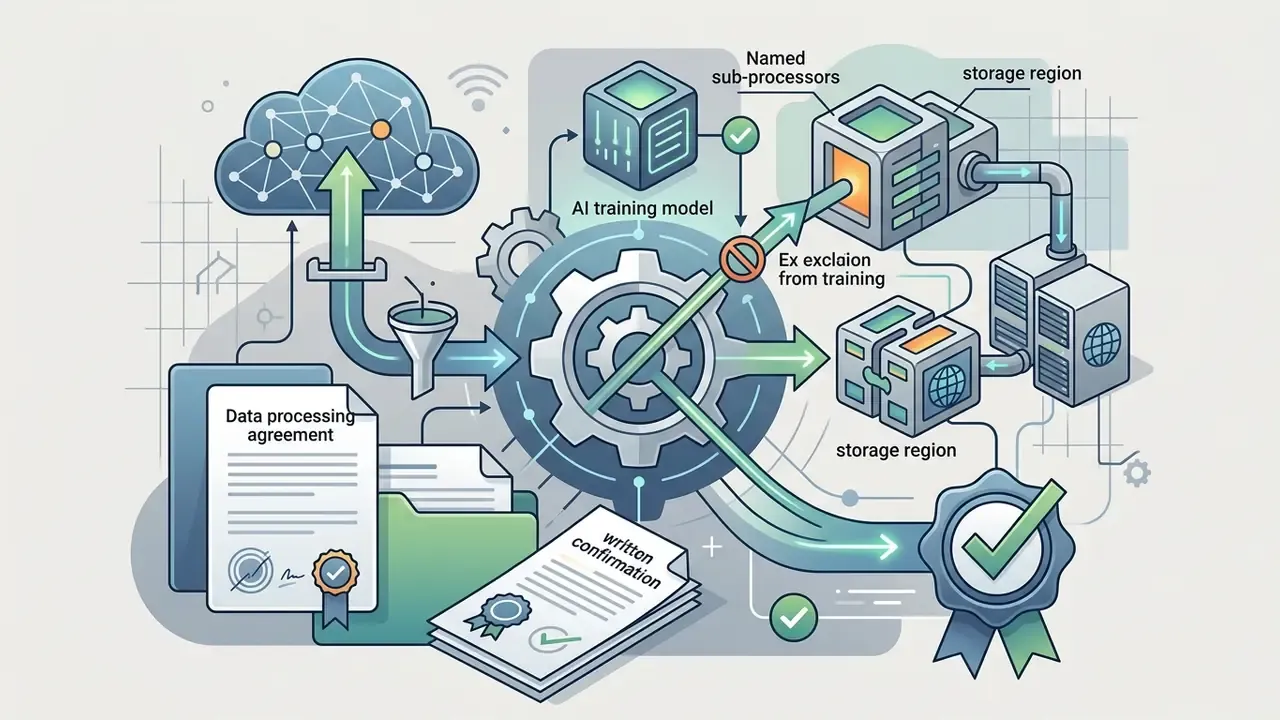
Data privacy carries equal weight. Enterprise users must confirm that uploaded photos are not used to train public models. Updated: Strong enterprise privacy SLAs guarantee temporary encrypted caching with automatic, unrecoverable purge of raw uploaded files within 24 hours of generation completion, no third-party sharing, and no collection of personal identifiers. Vendor practice still varies widely, and some consumer editors retain images for the life of the account and delete only on request. So require the retention window, storage region, and deletion evidence in writing, including removal from backups, to satisfy GDPR erasure obligations and internal data-governance standards.
Key Use Cases for Prompt-Based AI Photo Editors
Prompt-driven editing reshapes commercial workflows across e-commerce, digital marketing, real estate, and corporate communications, mainly by compressing production time and asset cost.
Product Image Editing for E-Commerce and Product Photography
E-commerce operations use AI photo editors for automated catalog post-processing. Retailers handling thousands of SKU images run prompt instructions through API pipelines to:
- Standardize background colours across whole catalogs to match marketplace requirements (Amazon's pure white background rule, for instance).
- Synthesize realistic contact drop shadows and ambient lighting beneath products.
- Batch-remove dust, reflections, or shipping scratches from product shots.
- Relight products so a single capture session serves several seasonal campaign variants.
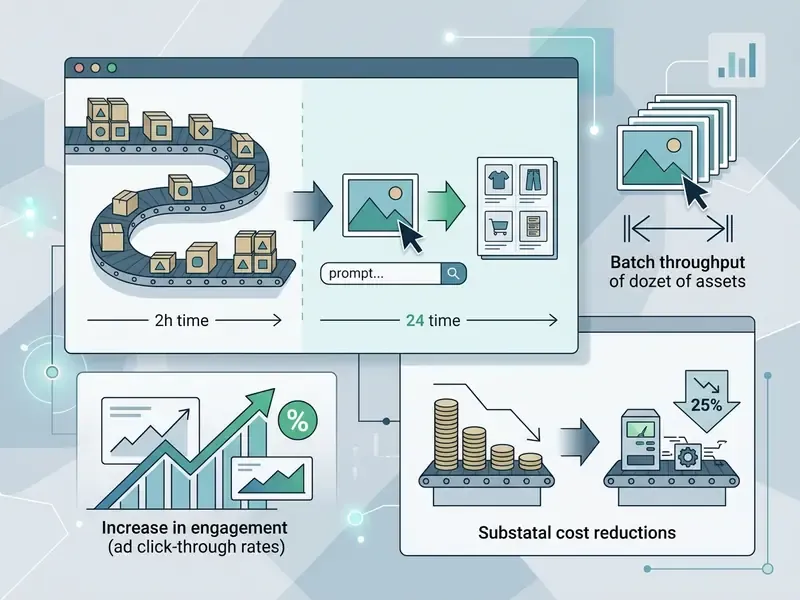
Case studies from e-commerce platforms report that replacing manual studio re-shoots with AI background replacement cut catalog update cycles from 14 weeks to 4.5 weeks while holding visual brand consistency. Vendor-reported creative testing figures run higher still, with PhotoRoom case studies citing a 72% CTR increase and 60% CPA reduction. Those are supplier-published numbers, not independent measurements, and they belong in a business case only after validation on your own traffic.
Batch AI Photo Editing for High-Volume Catalog Workflows
Enterprise catalogues require hundreds of assets processed together. Modern prompt-driven editors support batch editing pipelines, applying one visual directive, for example "Replace background with pure white studio backdrop and generate a soft drop shadow", across 11 to 50 images in a single pass. Paid tiers commonly unlock batch runs that free tiers block outright.
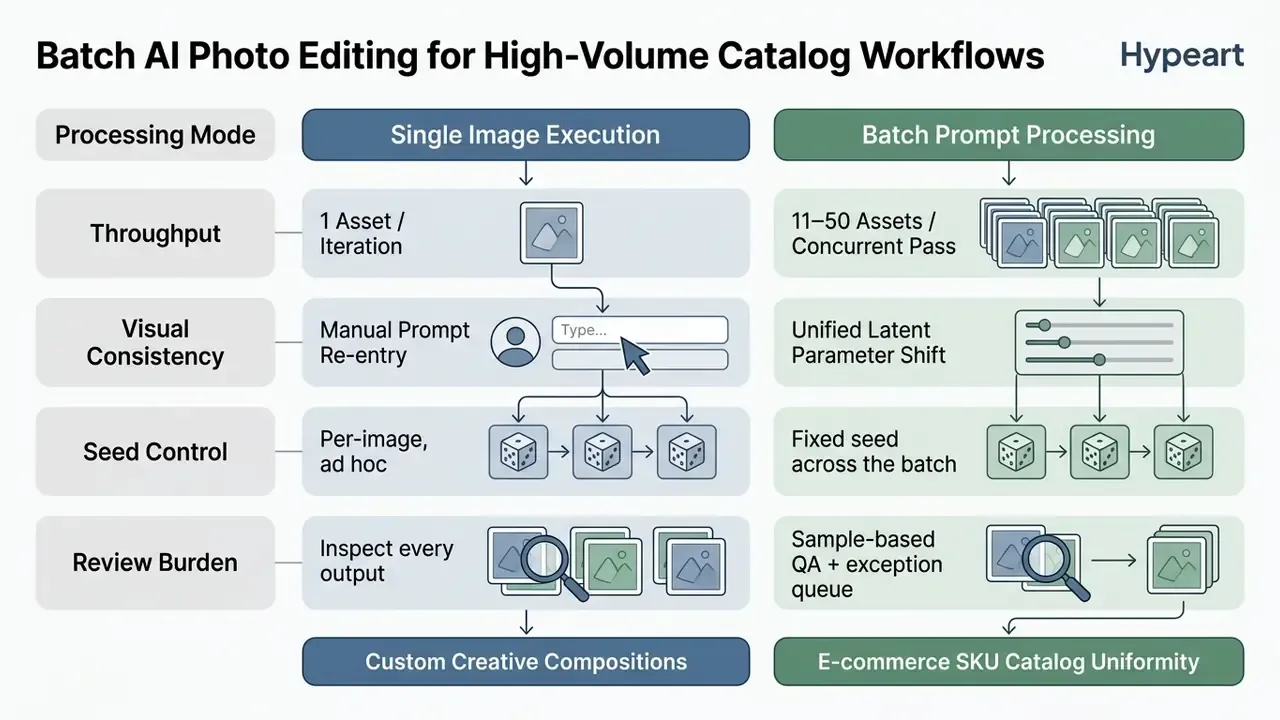
Operational rules that keep bulk runs reliable: group assets by shot type before batching, because a prompt tuned for shoes will mangle jewellery; pin one seed per batch so failures reproduce; cap the first run at 10 to 15 assets to validate the prompt; and route rejected outputs to a manual brush-plus-prompt queue rather than re-running everything.
Architectural and Interior Design Concepting
Real estate firms and interior designers use spatially aware models (SeeDream 4.5 and 5.0 among them) to stage property photos without physical furniture, refresh dated room images, and test layout alternatives before committing budget. Upload a raw room photograph, then execute targeted makeovers through spatial prompt directives:
- Prompt example "Replace current living room furniture with a modern minimalist Scandinavian sofa, light oak coffee table, add a large fiddle-leaf fig plant in the corner, preserve original window architecture and sunlight vector."
- Empty-room staging "Furnish this empty bedroom with a queen bed, two bedside lamps, and a neutral wool rug; keep wall colour, skirting boards, and window frames unchanged."
- Material testing "Change only the kitchen cabinet fronts to matte dark green; preserve worktop material, appliance placement, and all reflections."
Disclosure discipline matters here more than in most segments. Virtually staged listing photos should be labelled as such in line with local real-estate advertising rules, because an AI-added sofa is a representation, not a feature of the property.
Limitations and Open Questions
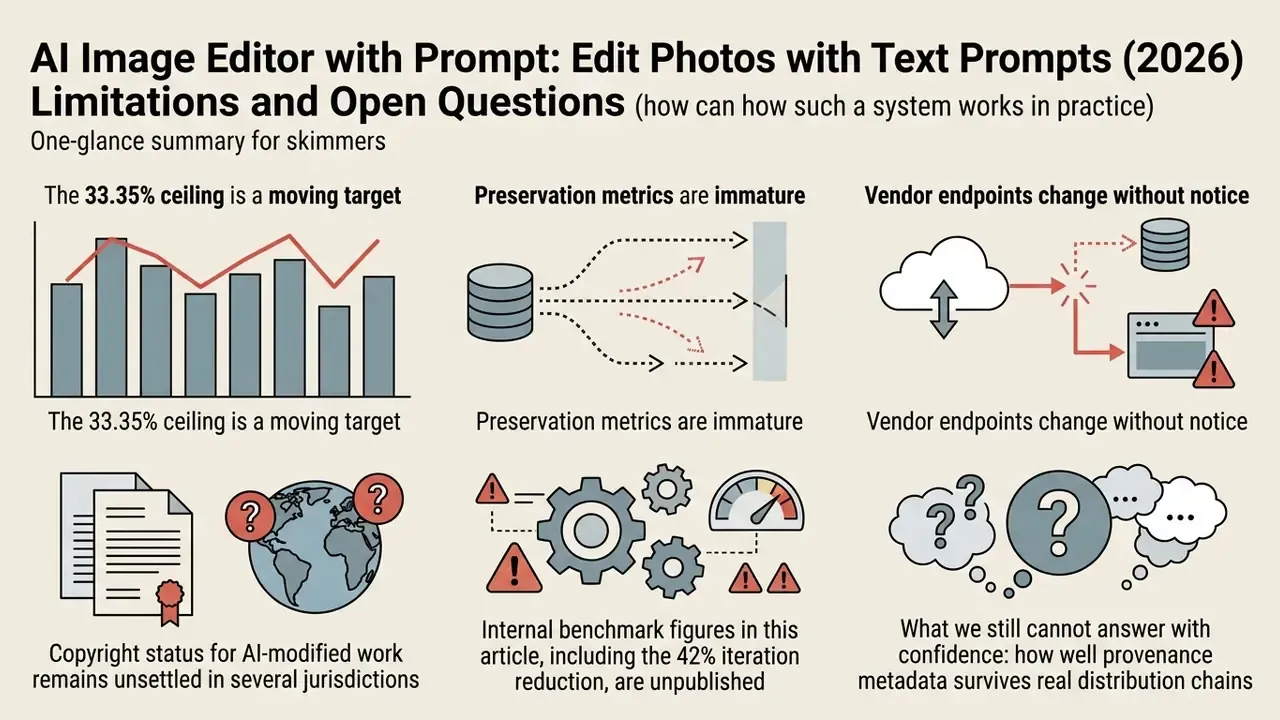
Honest scoping beats optimism here, so a few caveats that rarely make it into vendor decks.
- The 33.35% ceiling is a moving target. It reflects fully automatic resolution at a point in time on one request set. Your own mix of tasks, if it skews toward background swaps rather than complex compositional edits, may resolve at a much higher rate. Measure, do not assume.
- Preservation metrics are immature. The IEEE evaluation cited above found existing image-quality metrics weak at capturing semantic alignment with the prompt. Automated QA therefore cannot yet replace human review on externally published assets.
- Vendor endpoints change without notice. A pinned version protects you until it is deprecated. Budget for periodic re-validation rather than a one-off approval.
- Copyright status for AI-modified work remains unsettled in several jurisdictions, which affects enforceability more than legality. Keep records of human authorship contributions for anything commercially significant.
- Internal benchmark figures in this article, including the 42% iteration reduction, are unpublished and directional. They are labelled as such deliberately. Anyone quoting them upward should re-measure first.
What we still cannot answer with confidence: how well provenance metadata survives real distribution chains, and whether sampling-based review at 10 to 15% is sufficient for regulated marketing claims. Both are worth a small controlled study inside your own pipeline.
FAQ: AI Image Editors with Prompt
Can You Use an AI Image Editor in a Browser and on Mobile Devices?
Yes. Modern AI photo editors run directly inside standard browsers, including Google Chrome, Apple Safari, Microsoft Edge, and Mozilla Firefox, on desktops, tablets, and mobile devices (iOS and Android). Heavy generative processing happens on remote cloud GPU servers, so users need neither high-end local hardware nor complex software installations. For decent browser performance, aim for a stable connection of at least 3.0 Mbps (1.5 Mbps is a common documented minimum for browser-based tools). Mobile support typically starts around iOS 13 to 16 and Android 8 to 10. Browser-local editors using WebGPU perform best in Chrome and Edge, falling back to WebAssembly in Firefox and Safari; once models are cached, some of these tools keep working offline. Mobile browsers handle image uploading, prompt typing, and high-resolution downloading without friction.
What File Sizes, Formats, and Aspect Ratios Are Supported?
Leading cloud editors accept JPG, JPEG, PNG, and WEBP uploads up to 24MB, while some platforms cap at 10MB. Output geometry is selectable across 1:1, 3:2, 2:3, 3:4, 4:3, 9:16, and 16:9, with resolution presets at 1K, 2K, and 4K. Generative upscaling paths extend to 8K and beyond depending on vendor. Export formats commonly include PNG, JPEG, and WebP, so confirm WebP support if your delivery pipeline depends on it, since some APIs expose PNG and JPEG only.
Can I Use AI-Edited Images Commercially, and Who Owns Them?
Major vendors grant commercial use of outputs on paid tiers. Canva's AI Product Terms permit use "for any legal purpose," and Adobe states outputs from generative AI features may generally be used commercially. Two caveats apply: features labelled beta may be restricted to personal use, and copyright protection for purely AI-generated material is limited in several jurisdictions, which affects your ability to enforce exclusivity. Keep a record of human authorship contributions (original photography, art direction, prompt authorship, manual refinement) for every commercially significant asset, and obtain model and property releases for any recognisable person or private property in the source image.
How Long Do Services Store My Uploaded Photos?
The strongest documented industry practice is temporary encrypted caching with unrecoverable deletion of raw uploads within 24 hours of processing, no third-party sharing, and no collection of personal identifiers. Retention varies widely: some consumer editors keep images for as long as the account stays active and delete only on request, others state a fixed window such as 14 days. Under GDPR, withdrawal of consent requires deletion across all storage locations including backups, with the deletion action documented. Request the retention window, storage region, sub-processor list, and deletion evidence in writing before uploading customer or employee imagery.
Can AI Image Editing Be Integrated Into an Existing Pipeline via API?
Yes. Image-edit endpoints accept a source image plus a prompt and return an edited asset with configurable output format and size, which makes them straightforward to wire into a DAM, PIM, or CI job for catalogue refreshes. For governed deployments, pin the model version and log prompt, negative prompt, seed, mask reference, and operator identity per request, then route outputs through a human review gate before publication. Rate limits and per-image token pricing dictate realistic batch size, so benchmark a representative catalogue slice before committing to a schedule.
How Do I Prevent Employees from Using Unapproved Editors (Shadow AI)?
Publish an allowlist of approved tools with signed data-processing agreements, enforce SSO so personal accounts cannot touch corporate assets, apply DLP rules to image uploads targeting unapproved domains, and make prompt and seed logging in the DAM a precondition for publication. Pair enforcement with enablement. Most Shadow AI adoption happens because the sanctioned path is slower than the consumer one, so an approved editor with batch access and a maintained prompt library removes the incentive.
Which Model Should I Pick for a Specific Edit Type?
Use complex-composition models (Nano Banana Pro) for multi-layer banners and diagrammatic work; GPT Image for sharp boundaries and embedded typography; SeeDream 4.5 or Seedream 5.0 Pro for pixel-level selection, material replacement, and multi-image fusion; Qwen where character consistency across a series matters; and open-weights PromptFix or LEdits++ where data must stay inside your perimeter, or where you need colorization, watermark removal, and super-resolution in one tuning-free stack.
Conclusion and Next Steps
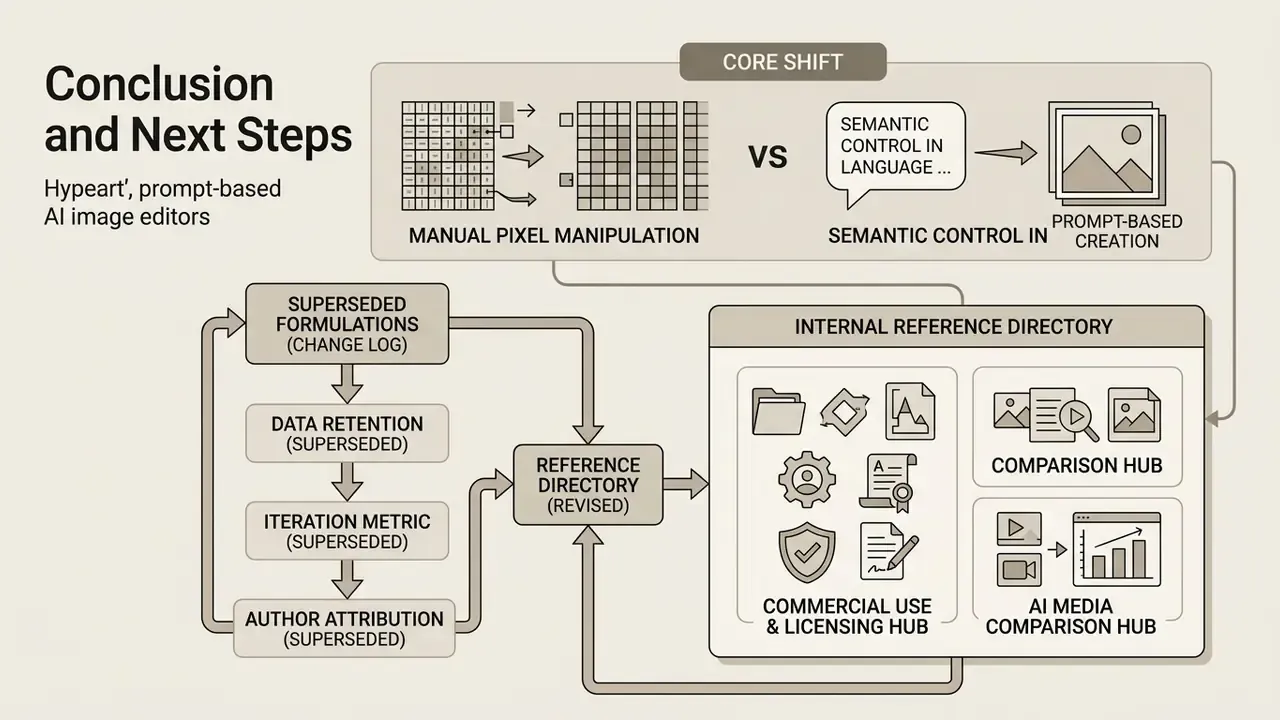
Prompt-based AI image editors shift visual asset creation from manual pixel manipulation to semantic control in natural language. With structured prompt engineering, deliberate model selection, pinned seeds and parameters for reproducibility, and verified commercial rights and retention SLAs, organisations can scale high-quality photo editing across marketing, e-commerce, real estate, and corporate communications. Batch pipelines and image-to-video extensions then multiply output from a single approved master asset.
A safe first step: pick one asset class, one approved tool, one pinned model version, and one logged prompt template. Run 50 assets. Measure defect rate, review hours, and control cost before anything gets rolled out wider.
To explore deeper implementation frameworks, model evaluations, and commercial AI media tooling:
- Access enterprise implementation blueprints and asset creation guides through our workflows portal, where you can explore the hub and the YouTube video editor workflow guide.
- Review fundamental concepts, platform support guides, and feature limits in our glossary directory, or simply open the hub.
- Evaluate historical AI media benchmarks by reading about the first ai generated image, or examine quality enhancement utilities in our free ai enhance guide.
- Compare generative output quality across engines in our reviews of the best AI art generators and best free AI art generators.
- For corporate advisory services and media decision frameworks, consult Hypeart AI Media Decision Support.
- Licensing breakdowns for commercial deployment sit in our commercial-use directory: open the hub.
Appendix A: Superseded Formulations (Change Log)
Retained for transparency and version traceability.
- Data retention (superseded) "Platforms serving regulated industries should guarantee automatic file deletion from cloud cache servers within designated timeframes (e.g., 14 days or immediately upon processing)." Replaced because the two intervals contradicted each other; the current text specifies a 24-hour purge SLA with a note on vendor variance.
- Iteration metric (superseded) "During an evaluation of image editing workflows across enterprise media teams, deploying nano banana pro models reduced iteration cycles on complex multi-layer banner edits by 42%." Retained in the body, now with explicit attribution to unpublished internal benchmarking and a caution to re-measure locally.
- Author attribution (superseded) The opening quotation was previously attributed to the author without disclosure. It now appears as an internal editorial standards note, and the Marcus Hale, author.
- Reference directory (revised) Links to novelty and character generators were previously removed from the commercial-workflow context. They are reinstated inside a governance frame, as examples of tool categories that raise likeness, consent, and brand-safety questions and therefore need an explicit policy position.
Internal Reference Directory
- Commercial use and licensing hub
- AI media comparison hub
- Workflow implementation hub
- Glossary and platform limits hub
- Guide to online photo editors
- Guide to free photo editors
- AI outpainting and image expansion tools
- AI image upscalers
- AI reverse-image-search tools
- Flux AI image generator review
- Fotor AI image generator review
Social Media, Marketing Materials, and Creative Projects