An AI coloring page generator is an automated digital tool that converts descriptive text prompts or uploaded photographs into clean, high-contrast black-and-white line art. Parents, educators and commercial publishers use it to produce single custom sheets or full printable coloring books without manual tracing. No lightbox, no pencil, no ten-hour cleanup.
Key Takeaways at a Glance
- Clean line art means pure black strokes (#000000) on pure white (#FFFFFF), closed contours, no gray midtones, no gradients. All of it enforced through negative prompts.
- Export PNG at 300+ DPI for single digital sheets, print-ready PDF for books, with 0.125-inch bleed and 0.375-inch gutter margins for Amazon KDP interiors of 24 to 150 pages.
- Free tiers usually give you a handful of daily credits, watermarks and personal-use-only licenses. Commercial publishing needs a paid tier with an explicit commercial license.
How to read this guide. The sections move from definition to production, and each one closes a specific question. If you only need prompts, jump to the text-to-coloring library. If you already have 40 raw images and a deadline, start at the batch-audit checklist.
- What is this thing, and who actually uses it? Definition, user scenarios, tool comparison.
- How do I make one page? Text prompts, name sheets, photo conversion.
- Why does my line art look muddy? Stroke weights, closed contours, complexity by age.
- How do I turn 30 pages into a book? Style locking, storybook sequences, batch QA.
- Which file do I send to the printer? PNG versus print-ready PDF, KDP margins, preflight.
- Can I sell these? Free versus paid tiers, licensing, trademark exposure, disclosure rules.
What an AI Coloring Page Generator Is and What It Is For
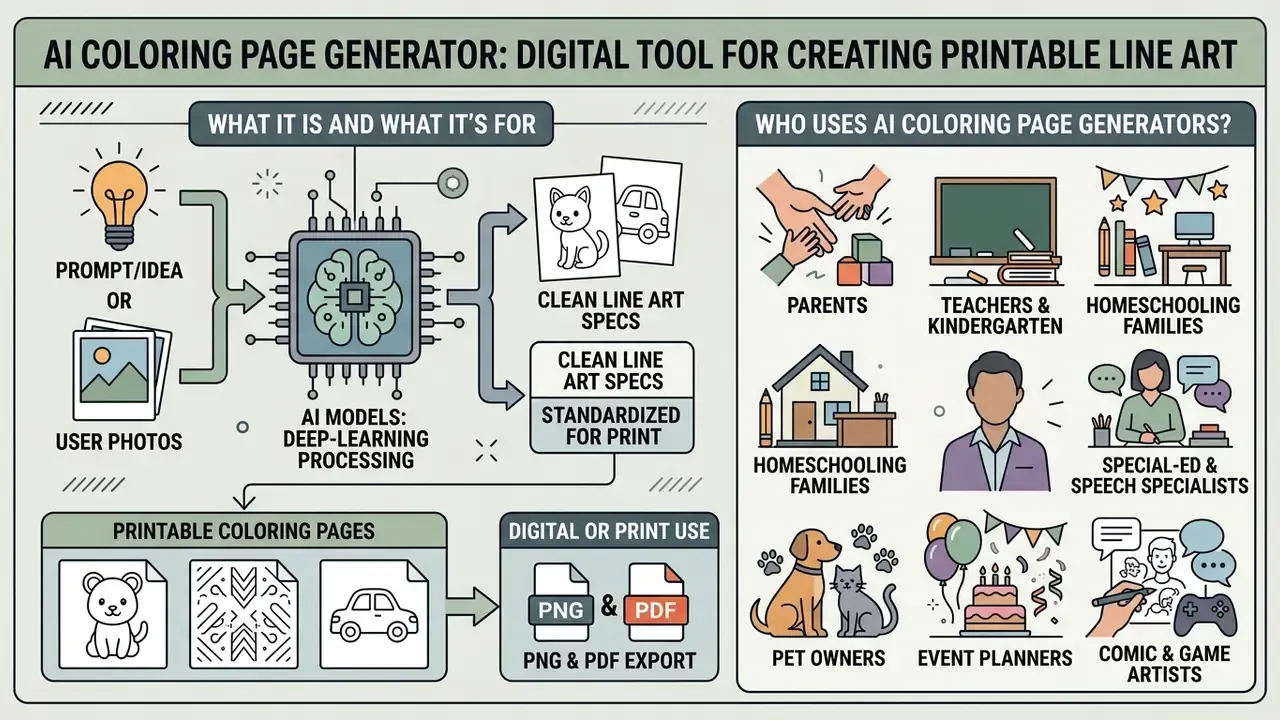
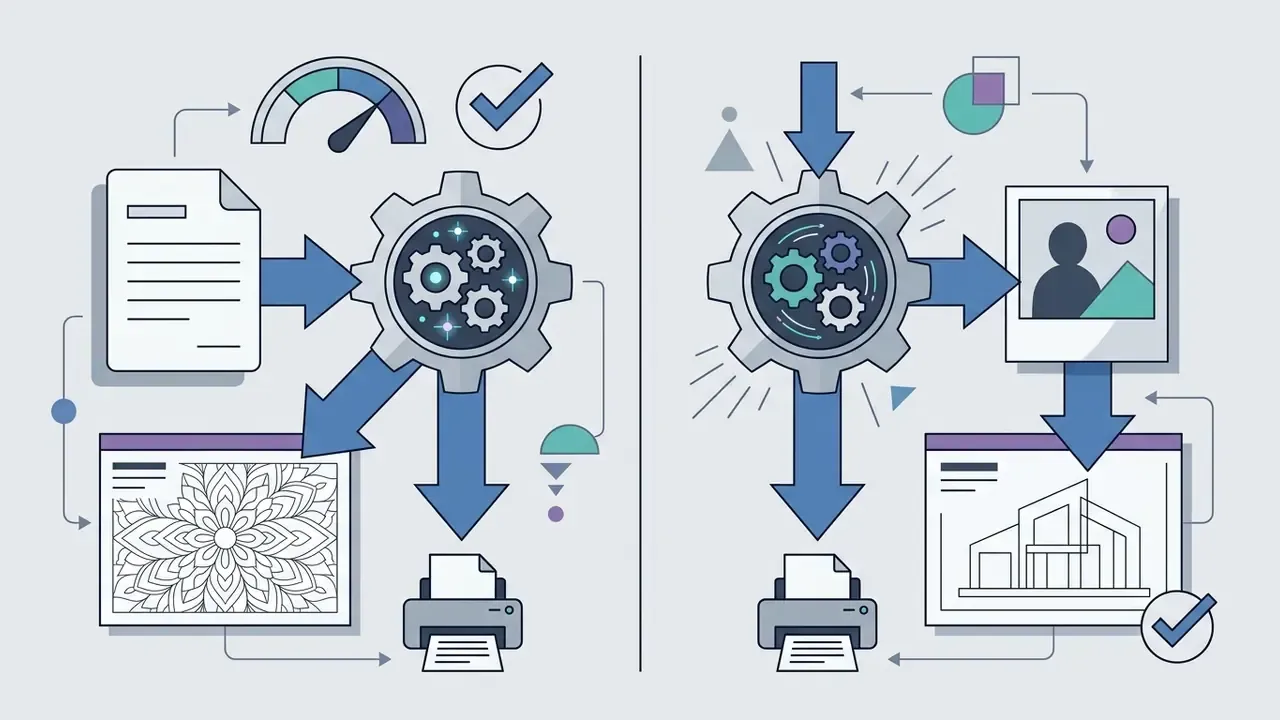
An AI coloring page generator processes visual or textual data through specialized deep-learning models to produce standardized line art for printing or digital coloring. The system automates edge isolation and contour extraction, delivering ready-to-print media for home, classroom and commercial publishing projects.
An automated coloring page generator compresses content production for very different user groups. Parents and educators generate tailored materials that reinforce basic motor skills and cognitive recognition. Independent publishers, meanwhile, build complete coloring book interiors for Amazon KDP and Etsy from the same pipeline.
Empirical research supports the value of structured coloring content. A 2023 controlled experimental study by Masganti Sitorus et al. with children aged 4 to 6 (n = 50) reported statistically significant improvements in memory, spatial problem-solving and basic concept recognition after structured drawing and coloring interventions (Didaktik: Jurnal Ilmiah PGSD STKIP Subang, 2023).
«The experimental group showed significant gains in memory, spatial reasoning and basic concept comprehension compared with the control group.»
One caveat worth stating plainly: exact p-values and effect sizes are not reported in the published abstract. The authors assert statistical significance without publishing the underlying coefficients. The same paper also records qualitative observations, where teachers noticed children inventing their own color combinations and narrative scenes, but those creativity gains were described rather than measured with a validated instrument. Generating tailored ai coloring pages lets creators align visual complexity with a specific learning objective, provided expectations stay proportional to the evidence.
Who Actually Uses AI Coloring Page Generators
The audience is wider than "parents and publishers". Field usage in 2026 clusters into a handful of repeatable scenarios:
- Parents build birthday, holiday and rainy-day activity sheets from family photos.
- Teachers and kindergarten educators produce lesson-ready sheets on animals, letters, numbers, science and seasonal themes, cutting prep from an evening to minutes.
- Homeschooling families match pages week by week to the current curriculum topic.
- Special-education and speech specialists need simplified, high-contrast line art that supports focus and fine-motor practice.
- Pet owners convert pet portraits into keepsake outlines. This is still the single most common photo request in consumer tools.
- Event planners print themed sheets and mini-booklets for weddings, baby showers and birthday tables.
- Comic and game artists release clean line versions of panels or character concepts as fan coloring bonuses.
- KDP, Etsy and print-on-demand sellers publish full interiors, bundles and printable sets under a commercial license.
- Art therapists, counselors and senior-care staff run structured relaxation sessions on mandala and botanical sheets.
Independent creators should lean on verified general-purpose AI platforms or specialized line-art engines rather than unknown wrappers. For broader definitions of synthetic media tooling, consult the AI Media Glossary, and compare licensing conditions across engines in our review of AI art generators for commercial projects.
Comparison of Popular Coloring Page Generators
There is no universally "best" engine, only the best fit for your page volume, budget and target style. The table below summarizes how the most frequently used ai coloring book generator tools behave in practical line-art testing.
| Tool | Key strength | Contour quality | Best suited for | Watch for |
|---|---|---|---|---|
| Book Bolt | Built-in KDP layout and project setup (trim, page count, margins) | High | Complete books for Amazon KDP | Occasional anatomy errors (extra legs) |
| LitPal | Bulk generation, 10 to 30 images per run | Medium, highly consistent | Mass production of interiors | Prompt-length limits |
| Gemini (Nano-class models) | Strongest anatomy accuracy and linework | Excellent | Complex single illustrations, small batches | Paid plan required |
| Canva Magic Media | Templates, text placement, ready layouts | Medium | Fast kids' cards and classroom printables | Limited control without paid add-ons |
| Dzine / OpenArt | Wide style variety (bold and easy, whimsical, line art) | Variable | Style testing and experimentation | Cropped limbs, crowded framing |
| Adobe Firefly / Express | Line Drawing, Ink and Sketch effects plus multi-page PDF export | High | Print-ready pages and book assembly | Subscription for full resolution |
If you already live inside a design suite, the fastest route is usually the one you know. See how template-driven generation behaves in our breakdown of the Canva AI generator, or compare general-purpose engines in the Google AI image generator overview. For a wider matrix of engines and formats, the AI Media Comparison hub tracks the same criteria across categories.
Coloring Pages for Children, Adults and Creative Projects
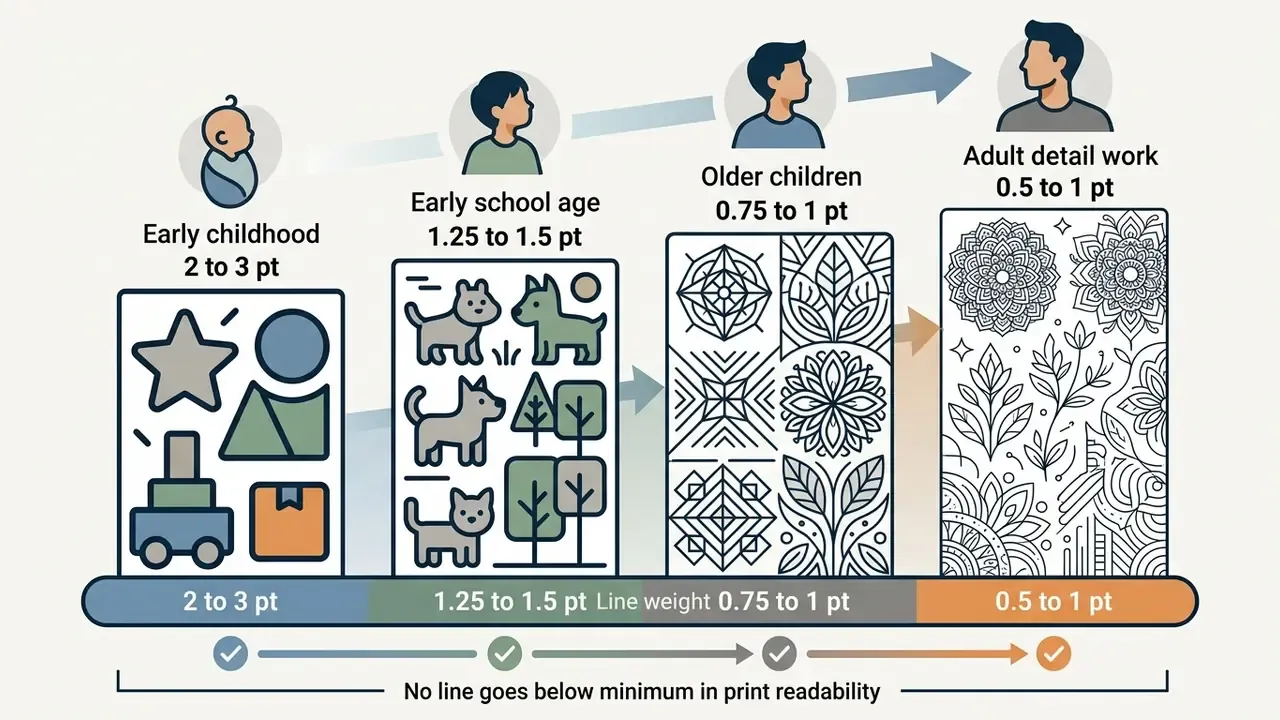
AI generators adjust stroke weight, detail density and shape complexity to match the developmental or therapeutic needs of each age group. Children need large shapes and bold outlines. Adult projects demand intricate geometric patterns and mandalas.
The psychological effect of tailored ai art coloring material extends well beyond early childhood. A 2024 longitudinal study by Palmer, Seneviratne and Woodford evaluated a two-week mindful coloring intervention among university students (n = 140, repeated measures). Researchers recorded significant reductions in perceived stress (Cohen's d = 0.57, p = 0.004) and depressive symptoms (d = 0.40, p < 0.001), alongside measurable increases in dispositional mindfulness (p < 0.001).
«Two weeks of regular coloring reduced perceived stress (Cohen's d = 0.57) and depressive symptoms among university students.»
A 2024 systematic review and meta-analysis of randomized controlled trials by Zhang et al. found that mandala-based art interventions in adults aged 55 and older produced a large pooled reduction in anxiety symptoms (Standardized Mean Difference = −0.95, p < 0.0001).
«A meta-analysis of 9 RCTs (n = 648, ages 55+) also recorded reduced depressive symptoms: SMD = −1.21 (95% CI: −1.86 to −0.56), p = 0.0002.»
An ai color book generator produces these therapeutic mandala designs at scale, which is one reason counseling centers and senior-care programs now print their own session material instead of buying stock booklets.
One Page or a Full AI Coloring Book
Creating a single coloring page means generating one isolated visual concept. Compiling a complete AI coloring book means holding a unified artistic style, uniform line thickness and thematic continuity across dozens of pages. Single-page generation suits a targeted activity. Multi-page compilation demands systematic control over prompts and seed parameters.
Publishing a collection requires strict visual governance. Standardize aspect ratios, line weights and character proportions across every sheet. Specialized tools such as an ai coloring book creator or ai coloring book maker then arrange those pages into standardized PDF interiors suitable for commercial printing, including front matter, single-sided interiors and a separate cover file.
How to Create a Coloring Page from Text or an Image
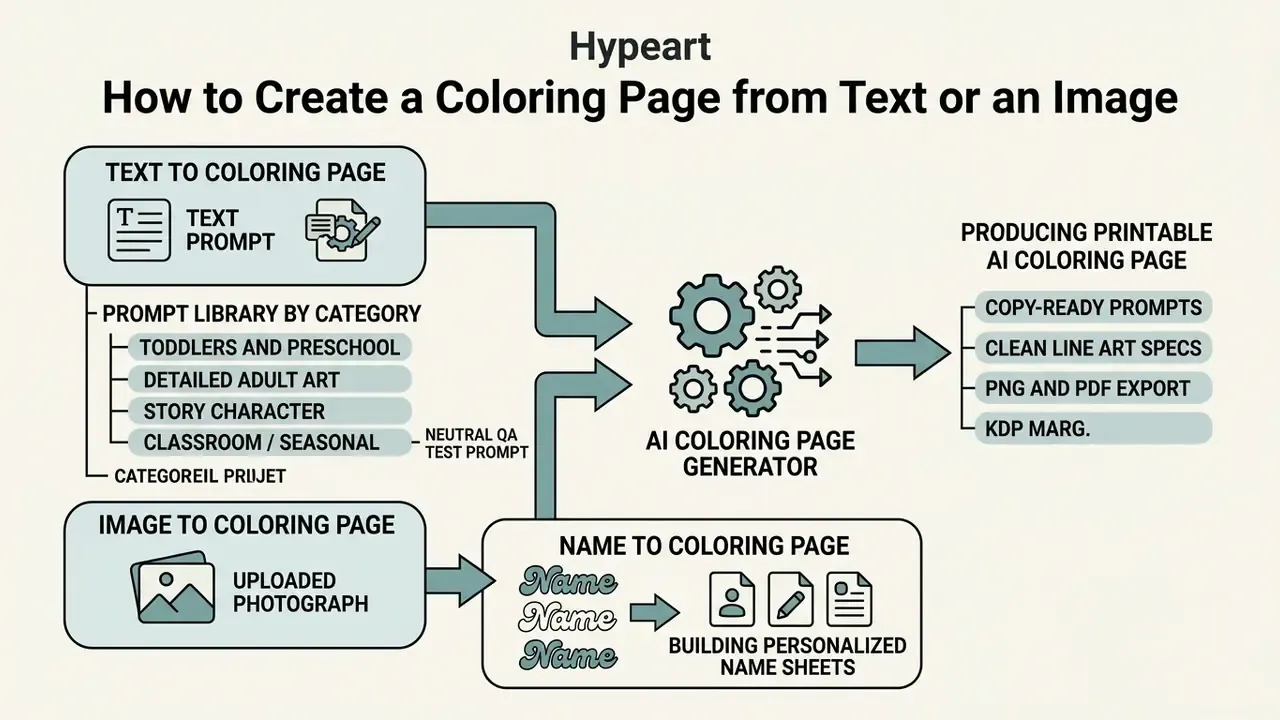
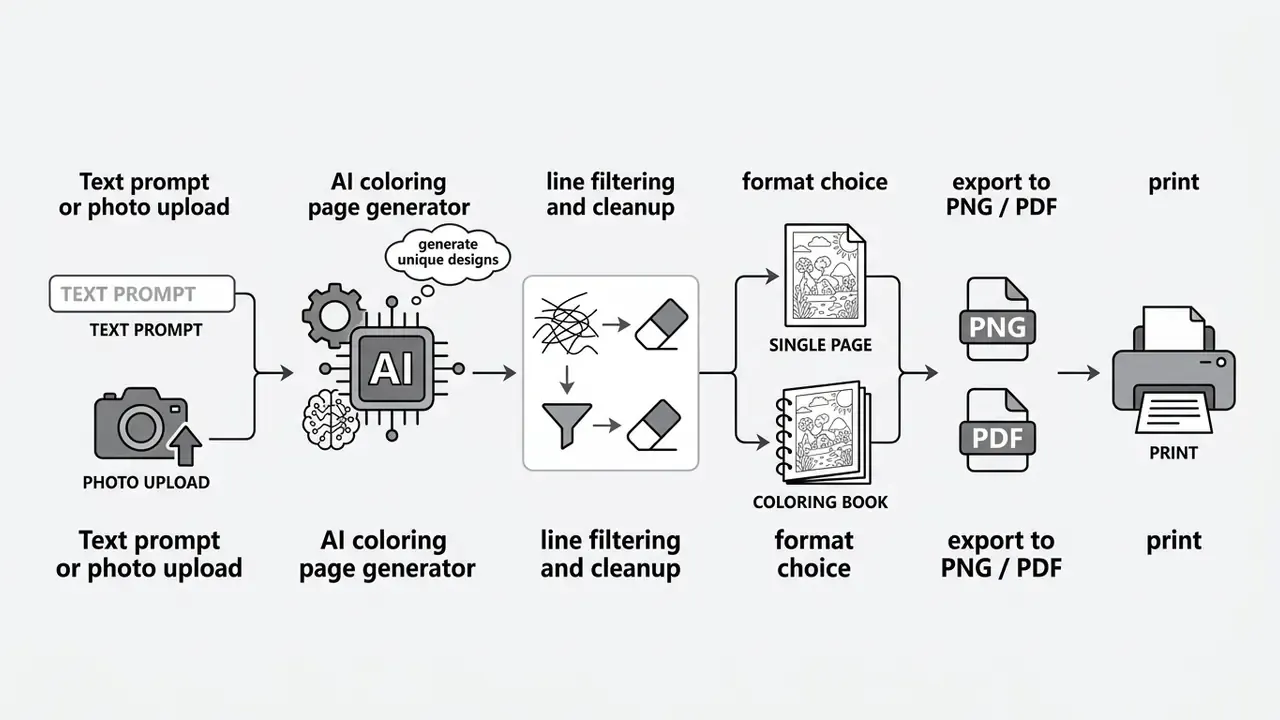
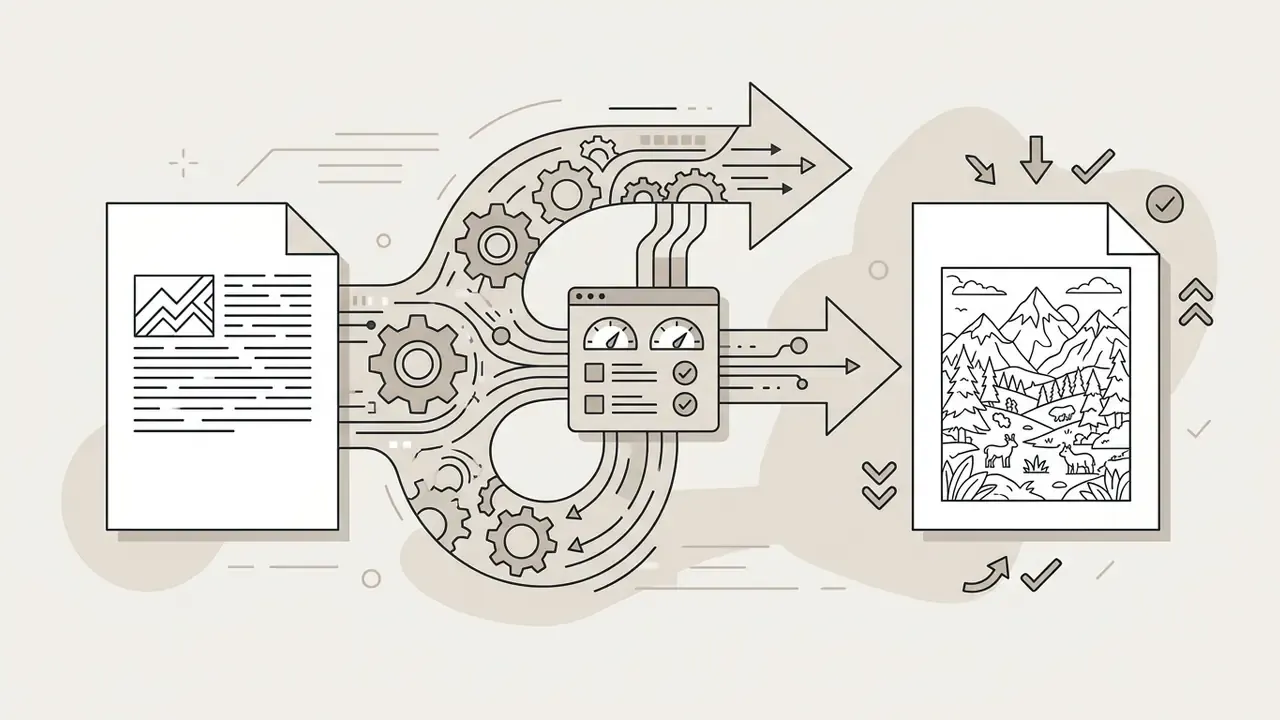
Producing a printable ai coloring page relies on two workflows: converting descriptive text prompts (text-to-coloring) or processing uploaded photographs into vector-like outlines (photo-to-coloring). Both paths run specialized algorithms that output clean black-and-white line drawings.
Which one you choose depends on the project, not on fashion. Text prompts offer unlimited creative freedom for imaginary characters and abstract patterns. Photo uploads convert real family portraits, pets or landscapes into colorable outlines. To weigh engines before committing to a workflow, review our comparison of AI image generators.
Text to Coloring Page: How to Describe the Sheet You Want
An effective text prompt defines the primary subject, specifies a simplified background and enforces line-art constraints explicitly. Include strict phrases such as "clean line art", "crisp black and white outline" and "bold clean strokes".
To stop the model from adding shading or color fills, use negative prompts. Keywords like "no shading, no gradients, no grayscale, no color fill, no 3D rendering" do most of the work. Specifying "white background" keeps the subject fully isolated and ready for physical coloring.
Copy-ready prompt library by category:
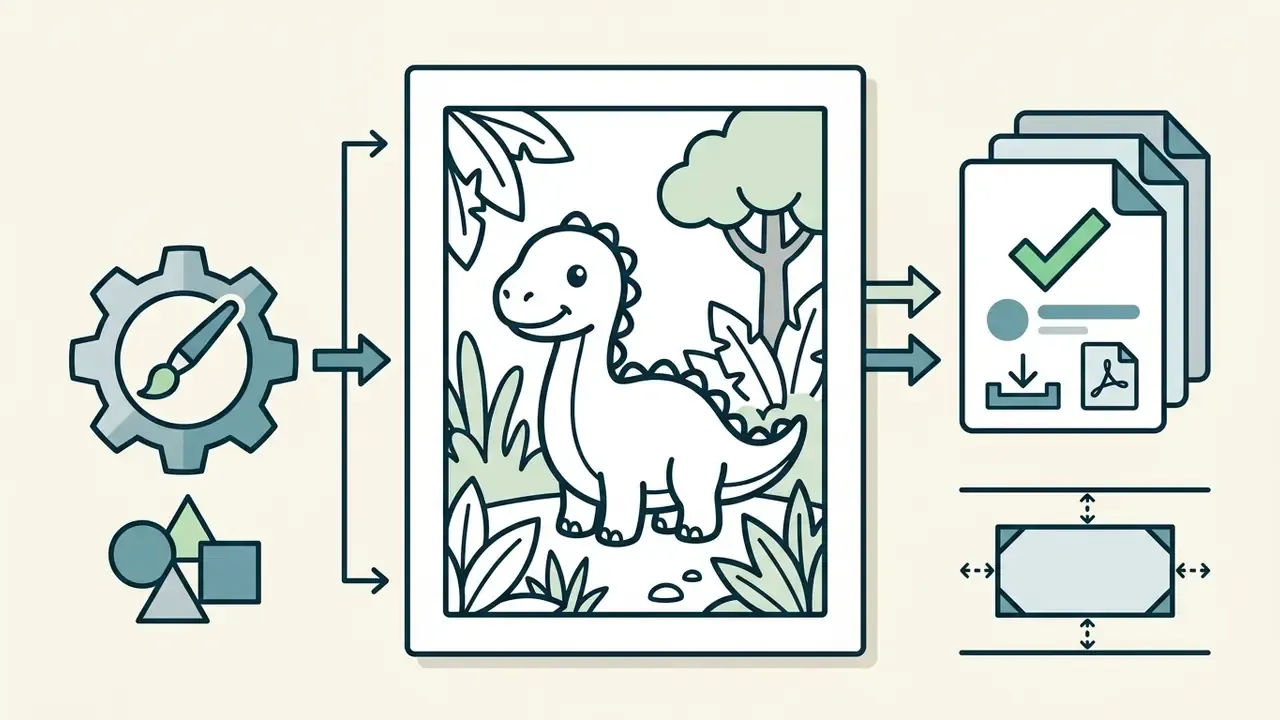
Simple kid coloring page, cute baby dinosaur in a jungle, thick bold lines, simple shapes, white background, no shading --no color, grayscale, realistic details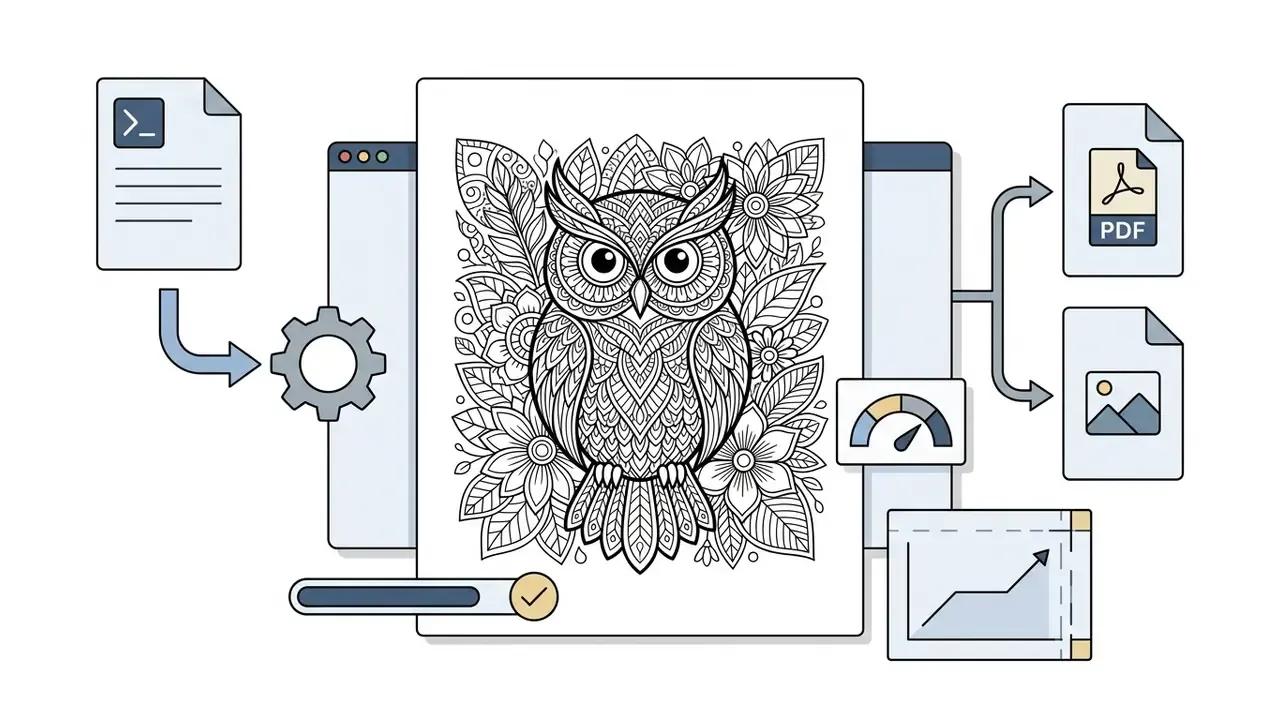
Intricate adult coloring page, detailed mandala style owl surrounded by botanical flowers, crisp black lines, highly detailed, white background --no shading, zero gradients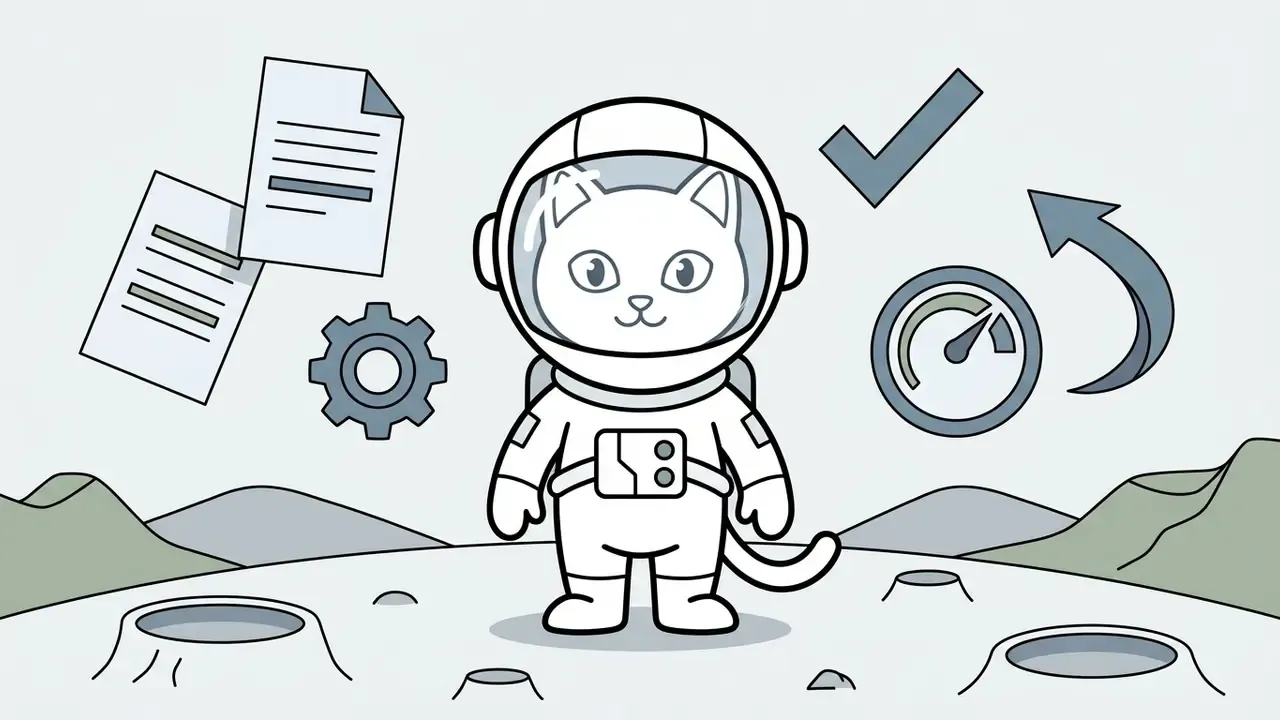
Full body cartoon style cute astronaut cat on the moon, clean vector outlines, bold stroke, printable coloring sheet --no dark background, gray fill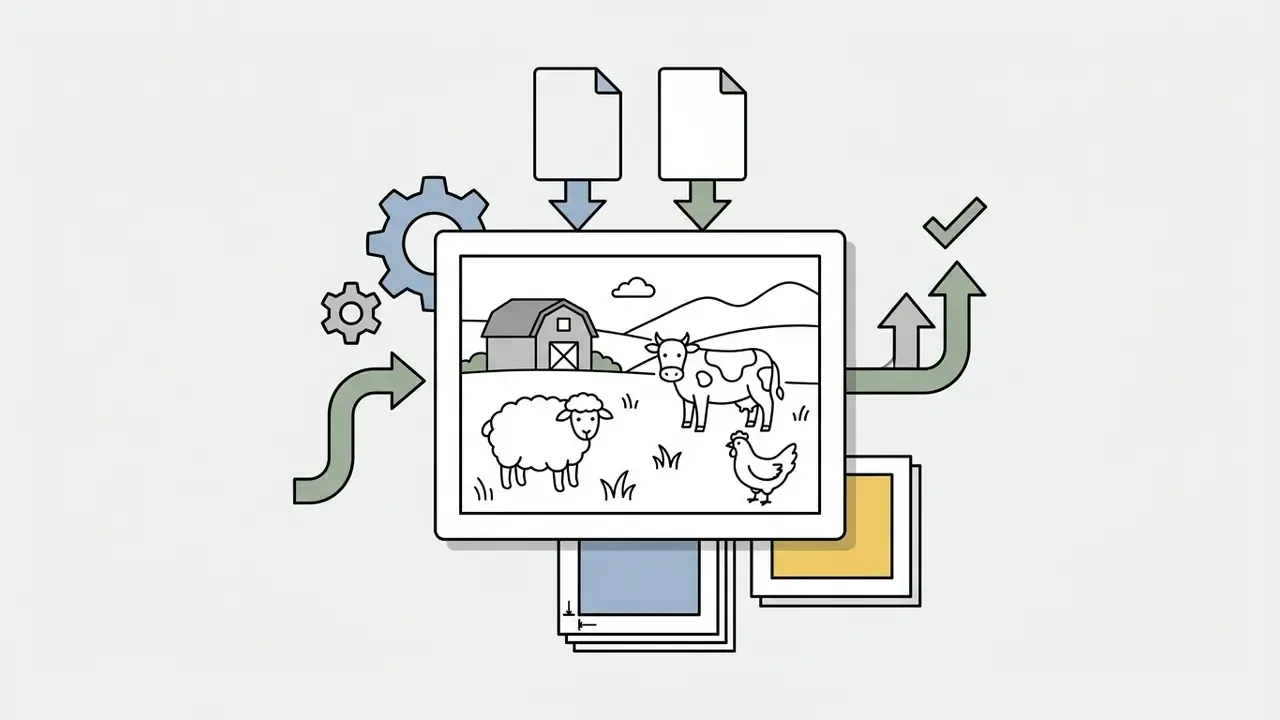
Educational coloring page, three farm animals in a simple meadow scene, uniform 1.5 pt black outlines, closed shapes, plain white background --no shading, no texture, no text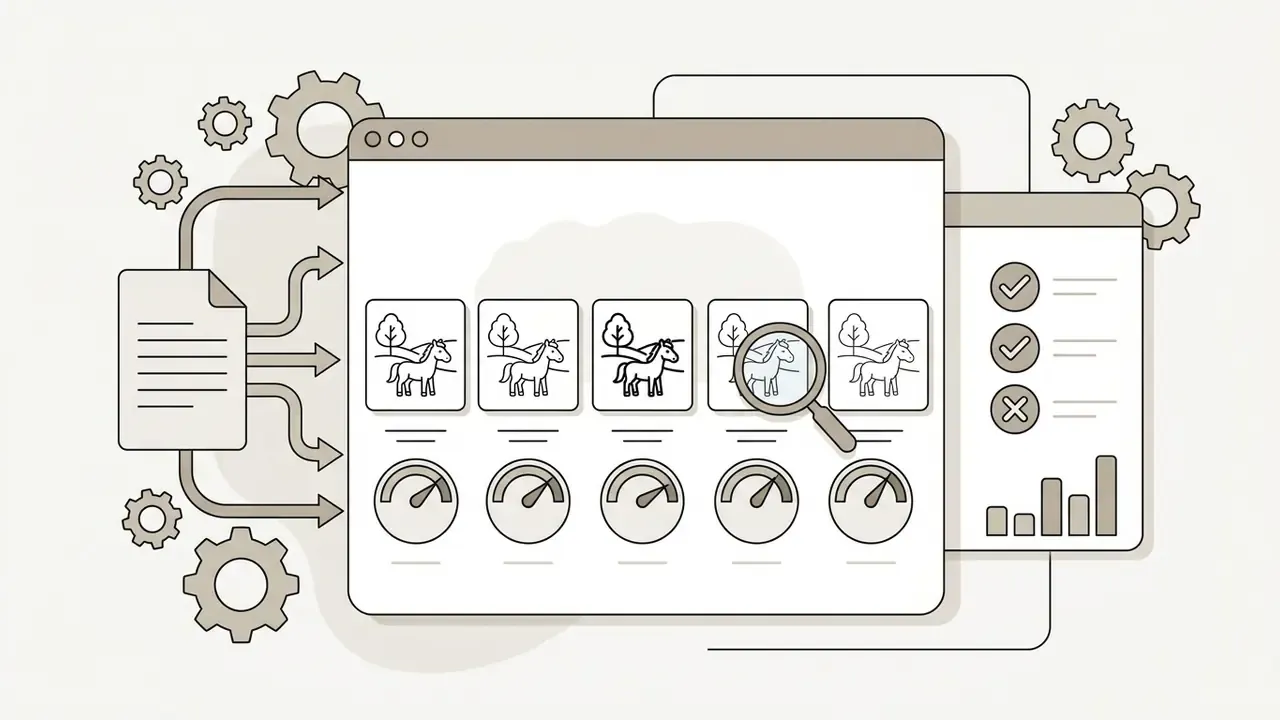
Black and white line art, horses in a field, no shading, no grayscale, no color, no text, simple subject. Run this identical prompt across tools to benchmark line quality, closed shapes and anatomy.One illustrative example from production practice: an educational publishing team needed 50 uniform animal illustrations for a kindergarten activity book. By freezing a prompt structure with "bold black outlines, 3pt line weight, white background, no shading" plus strict negative constraints, they produced 50 print-ready sheets in under two hours with no manual cleanup. Well, almost none. Two pages were re-rolled for cropped tails.
Name to Coloring Page: Building Personalized Name Sheets
A distinct and very popular scenario is the personalized name card for children, classrooms and parties. Typography remains the weak point of most diffusion models, so the prompt must isolate one short word and force chunky, closed letterforms:
Educational coloring sheet for kids, the name "SOPHIA" in large bold bubble letters in the center, surrounded by simple stars and hearts outlines, thick vector lines, white background
Practical rules that raise the success rate:
- Keep the name to one word in ALL CAPS and wrap it in quotation marks inside the prompt.
- Specify a letter style explicitly: bubble letters, block letters, balloon letters or outlined script.
- Add the decorative theme separately ("surrounded by simple dinosaur outlines", "framed by flower outlines") so the model does not merge decoration into the glyphs.
- Proofread the rendered spelling letter by letter before printing. Misspelled names are the number one defect in this category, and the one parents notice instantly.
Photo to Coloring Page: Turning a Photo into Line Art
An ai coloring page generator from image converts uploaded photographs into clean line art through edge detection, foreground segmentation and contour simplification. The system filters visual noise, isolates the primary subject and translates photographic gradients into discrete black outlines.
Technical research into deep vectorization shows how models turn raster graphics into vector primitives. A landmark study by Egiazarian et al. established multi-stage architectures performing background noise removal, edge estimation and path optimization to reconstruct clean vector line drawings from raster sources (Deep Vectorization of Technical Drawings, 2020).
«The method combines a deep-learning-based cleaning stage, a transformer-based vector primitive estimation network, and a final line configuration optimization.»
The classical computer-vision chain behind these products is well documented: Gaussian blur for denoising, Sobel, Prewitt or Canny edge detection, thresholding and binarization, then Ramer-Douglas-Peucker polygonal approximation to simplify contours into smooth printable paths. Modern ai coloring image generator and ai coloring book image generator software runs comparable pipelines to turn personal photos into clear printable artwork. When source photos need cropping, straightening or background cleanup first, a standard online photo editor beats re-prompting the model.
Input quality drives output quality, and there is no prompt that fixes a bad photo. Front-facing subjects, even lighting, visible shoulders or full body, and resolution close to the target print size sharply reduce broken contours. Very small or motion-blurred photos almost always produce mushy outlines.
6 steps to generate a coloring page online
Checklist0 / 6
How to Get Clean Line Art That Is Comfortable to Color
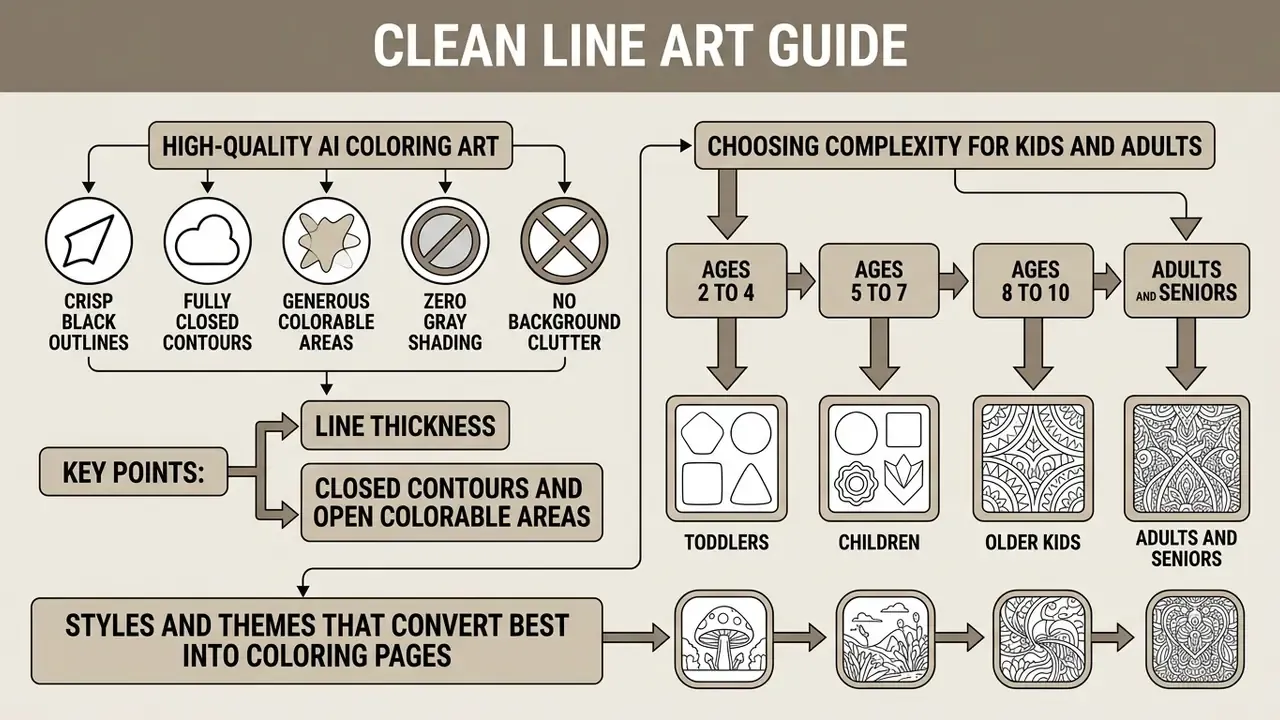
High-quality ai coloring art needs crisp, fully closed black outlines, generous colorable areas and zero gray shading or background clutter. Clean line art is what lets a crayon or a digital bucket-fill tool behave predictably, without color bleeding across a gap nobody noticed.
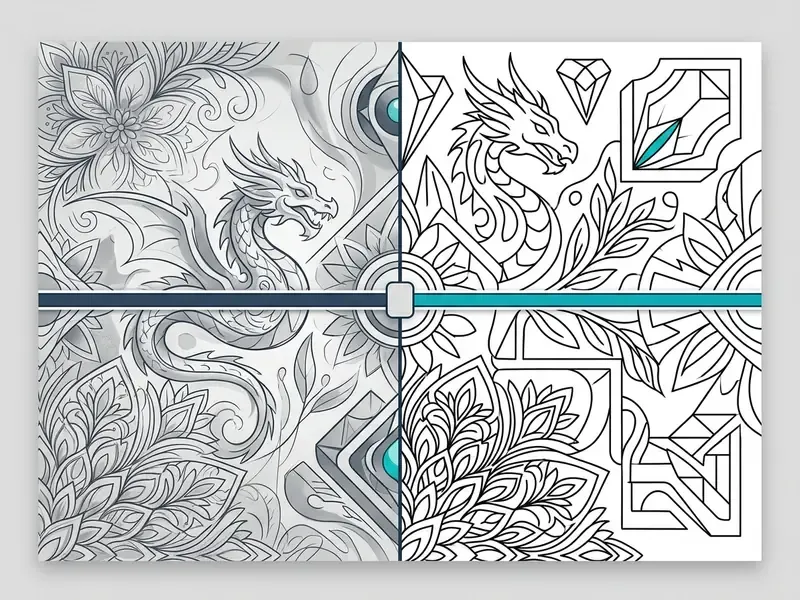
Weak AI output usually shows the same three defects: broken lines, gray midtones and stray background artifacts. Eliminating them at the generation stage means setting sensible thresholds and applying binarization filters. Residual noise can then be cleaned with a raster photo editing tool before export. A dedicated ai color sheet generator enforces these parameters automatically to protect print legibility.
Line Thickness, Closed Contours and Open Colorable Areas
Closed outlines matter technically because unclosed gaps let digital fill tools leak across boundaries, which ruins the digital coloring experience in one tap. Line thickness should never drop below 0.25 pt, with 0.5 pt to 1.5 pt preferred, so strokes do not break or vanish during high-speed printing. These thresholds come from commercial prepress guidance rather than peer-reviewed research: production standards for line art consistently warn that hairlines below roughly 0.25 to 0.3 pt may not reproduce reliably, and recommend vector formats (EPS, AI, PDF) or 1200 ppi scans for fine detail. Treat the numbers as industry practice, then confirm the minimum stroke width supported by your specific printer or print-on-demand service.
Continuous black lines on a solid white background (#FFFFFF) create distinct colorable regions. Keeping clutter minimal keeps the subject dominant, which prevents visual confusion for young children and novice colorists alike.
Choosing Complexity for Kids and Adults
The target demographic sets stroke weight and element density. Young children need thick outlines and broad shapes. Adults want intricate detail and higher visual density. The figures below aggregate published coloring-book design guidance (DesignKompanie, 2026; KDP Easy, 2025) rather than clinical studies. They are production conventions, not certified standards, so validate them with a test print on your actual paper stock.
Creators comparing engines by style control and detail ceiling can review feature trade-offs in our overview of the best AI art generators.
Styles and Themes That Convert Best into Coloring Pages
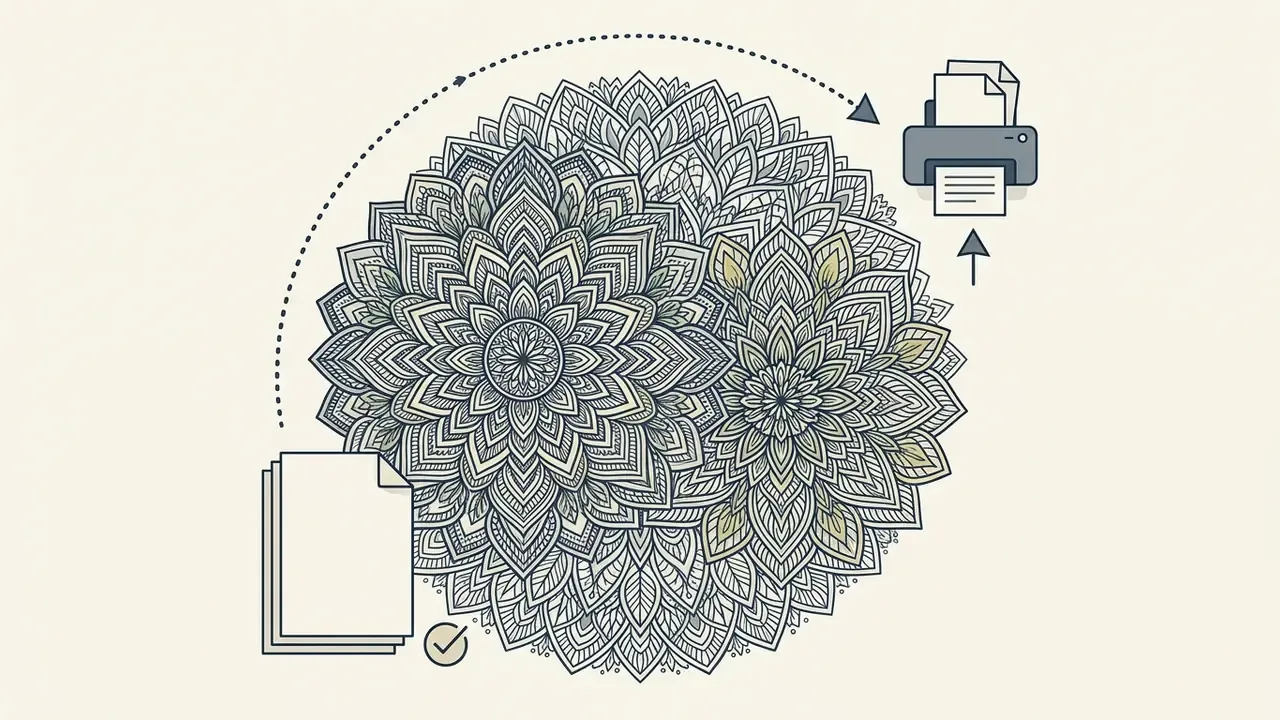
Cartoon, doodle and mandala styles adapt most reliably to line-art conversion because they already carry structural boundaries the model can read. Stylized illustration families behave predictably too. See how a specific aesthetic holds up under line extraction in our review of Ghibli-style AI image generators.
Popular thematic categories: animals, seasonal holidays, fantasy creatures, botanical florals. Mandala collections travel well across sub-themes such as animal mandalas or holiday mandalas, while doodle and cartoon styles dominate the easy-to-color children's segment. A consistent artistic style across those subjects is what turns loose sheets into a marketable collection from an ai adult coloring book generator.
How to Build a Multi-Page AI Coloring Book
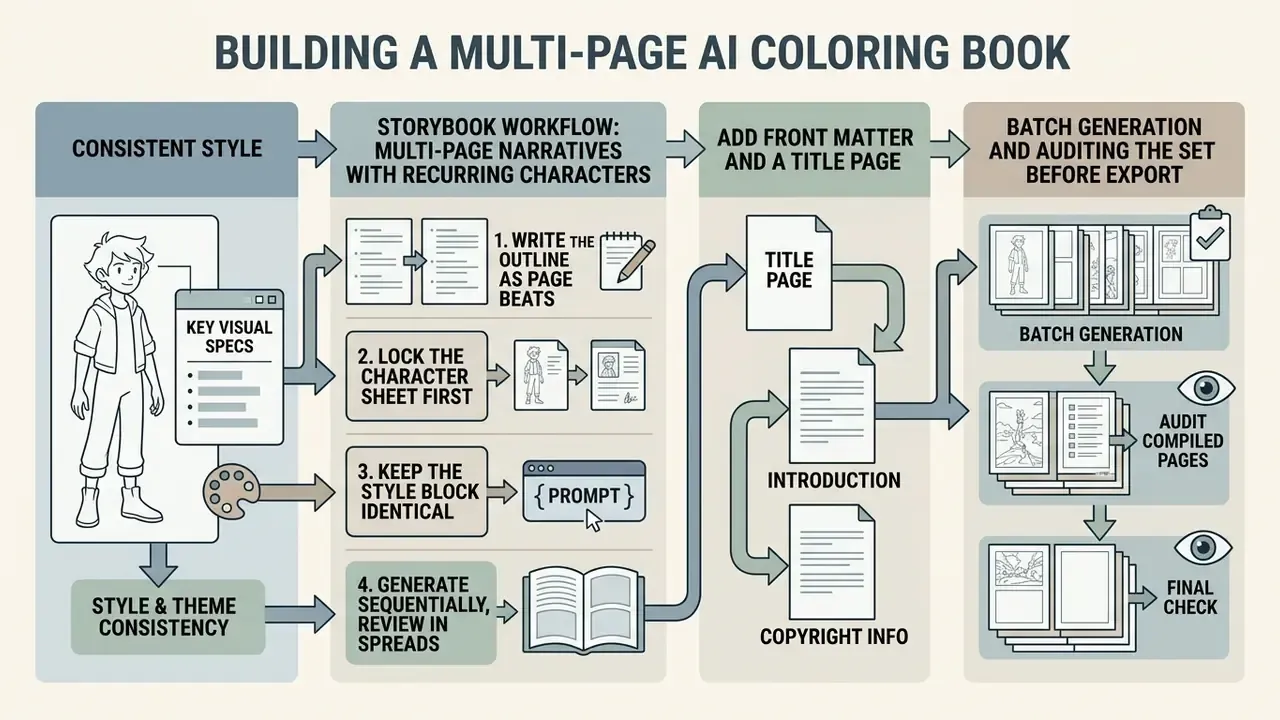
Building a complete ai coloring book requires visual consistency, controlled batch generation and an audit of the compiled pages before print formatting. Merging individual outputs into a product is planning work, not prompting work.
An ai coloring book creator or ai coloring book maker speeds up multi-page production by preserving character proportions and stroke weights across generations. You can push out thematic series, jungle animals or holiday patterns, while every page holds identical production standards from trim size to 300 DPI raster resolution. When individual pages land below the required resolution, an image expansion and upscaling workflow can rebuild the canvas for print without re-generating the whole set.
Consistent Style, Theme and Page Sequence
Style continuity across a book comes from freezing a core prompt structure, locking seed numbers or feeding reference images. That is what prevents "style drift", where line thickness or character geometry wanders from page to page. Practitioners call it a style spine, or a style lock: the first approved page becomes the reference anchor for everything after it, and the repeated style block (line weight, framing, background density, character proportions) never changes mid-project. Research on set-level consistency supports the same principle at model level. Style Aligned Image Generation via Shared Attention (2025) shows that sharing attention across a batch keeps style interpretation stable across generated images.
A well-structured coloring book alternates complex pages with moderately detailed ones. That variation manages cognitive fatigue and keeps a colorist engaged to the last page.
Storybook Workflow: Multi-Page Narratives with Recurring Characters
Beyond thematic sets, the strongest 2026 workflow is the storybook coloring book: one narrative told across sequential pages with the same recurring characters. Modern engines can expand a character sheet plus a short outline into a coherent sequence of up to 200 pages in a single job.
A practical narrative pipeline:
- Write the outline as page beats. One sentence per page. For a "Tortoise and the Hare" set: (1) small tortoise beside the proud hare, (2) both at the race start, (3) hare sprints ahead, (4) hare sleeps under a tree while the tortoise passes, (5) tortoise wins, hare realizes defeat.
- Lock the character sheet first. Generate and approve one canonical view of each character, then feed it as a reference image to every later beat.
- Keep the style block identical across all beats. Only the action description changes.
- Generate sequentially, review in spreads, and re-run any page where proportions, ears or clothing shift.
- Add front matter and a title page, then export the sequence as a single print-ready interior PDF.
Storybook sets tend to outsell random assortments, because the narrative gives buyers a reason to finish every page. It is the same logic picture-book publishers use when they bundle bonus coloring sheets with a story.
Batch Generation and Auditing the Set Before Export
Batch features in an ai coloring book generator tool process multiple prompt variations at once, and bulk-oriented engines return 10 to 30 images per run. Automation, though, demands a strict manual audit to filter defective outputs. In production terms: each sheet is generated as its own file, rejected sheets are pulled from the publish set and re-run, and only approved parts get merged into the final interior.
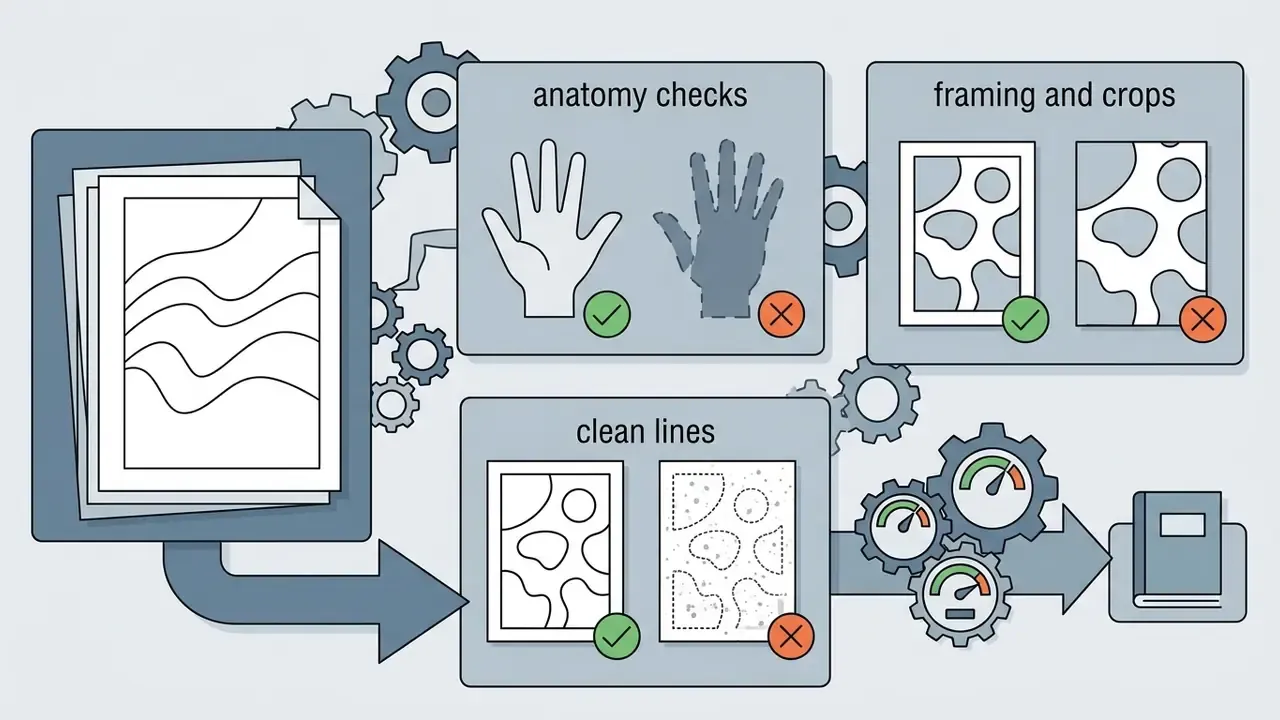
Inspect every sheet for open contours, accidental gray shading and duplicate compositions. Reject defective pages and re-generate them individually before compiling the document.
Anatomy and geometry QA checklist for AI line art:
- Creature anatomycount fingers, paws and limbs. Models routinely output five or six fingers, or an extra pair of legs on animals. Horses and dogs are the worst offenders.
- Object fusionconfirm that small background details do not grow into the silhouette of the main character, creating unfillable hybrid shapes.
- Framing and croppingverify that ears, tails, wings and outer elements are not sliced by the canvas edge or pushed into the trim area.
- Closed shapeszoom to 400% along every outline and close any gap that would let digital fill leak.
- Grayscale bleed-throughreject any page that arrived with soft shading, halftone texture or a tinted background.
- Duplicate detectioncompare thumbnails as a contact sheet. Batch runs often deliver near-identical compositions that look lazy once printed.
No AI tool replaces human quality control. Line quality, closed shapes, anatomy and page-level review stay the publisher's responsibility, and that responsibility should have a named owner before the first batch runs. For a side-by-side view of how engines differ on batch consistency and prompt adherence, see our comparison of AI tools for batch generation.
PNG and PDF Formats: How to Download and Print a Coloring Page
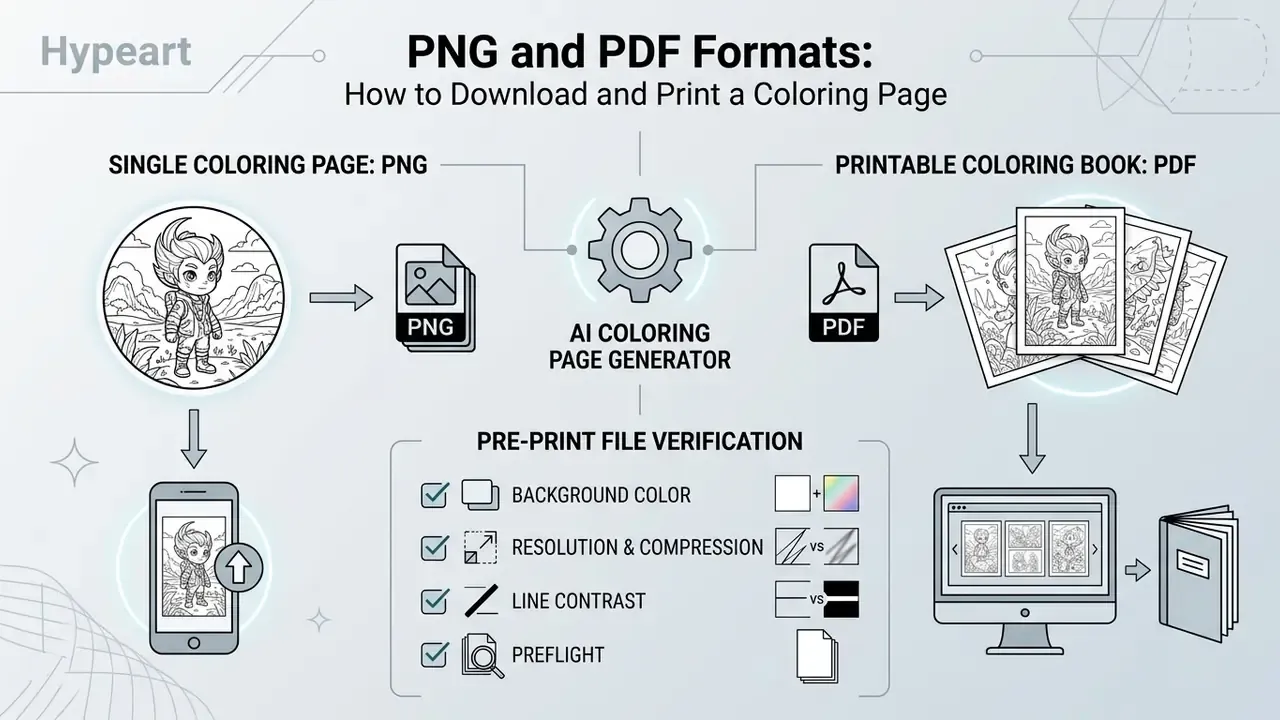
Format choice follows destination: tablet coloring or physical printing. PNG is the preferred container for single raster images. Multi-page PDF is mandatory for print production.
| Format | Recommended resolution | Primary use case | Key technical advantage |
|---|---|---|---|
| PNG | 300 DPI | Single digital sheet, tablet apps | Lossless compression, alpha transparency layer |
| 300 DPI (CMYK or RGB) | Multi-page coloring book, physical print | Embedded vector elements, bleed and margin control |
When to Choose PNG for a Single Coloring Page
PNG is ideal for individual digital coloring pages headed for tablet apps such as Procreate or GoodNotes. The W3C PNG specification defines lossless compression and per-pixel alpha transparency, where an alpha value of zero is fully transparent and the maximum value fully opaque, so digital brushes can lay color underneath the black line layer. Because PNG filters are strictly lossless, repeated saves never bake JPEG-style artifacts into clean outlines.
Exporting single sheets at 300+ DPI keeps line reproduction crisp and preserves individual raster assets for web preview galleries. If contrast or edge sharpness looks weak after export, an AI image enhancement pass or a manual levels adjustment restores solid blacks before printing.
When PDF Is Better for Printing a Coloring Book
PDF is the required standard for multi-page manufacturing and print-on-demand services such as Amazon KDP. A print-ready PDF preserves page order, embeds metadata and holds exact physical trim dimensions. Prepress workflows commonly rely on PDF/X-1a (flattened, maximum compatibility) or PDF/X-4 (live transparency, modern output), and vendor exporters typically separate a 96 dpi "PDF Standard" digital preset from a 300 dpi "PDF Print" preset with bleed and crop marks.
KDP paperback interiors carry specific layout tolerances. Pages with full-page artwork need a 0.125-inch (3.2 mm) bleed allowance along top, bottom and outer edges, so a 6 by 9-inch trim becomes 6.125 by 9.25 inches. Inside gutter margins must measure at least 0.375 inches for books of 24 to 150 pages, otherwise artwork disappears into the binding, with outside margins of at least 0.25 inches without bleed and 0.375 inches with bleed. Coloring-book interiors are normally printed single-sided at 8.5 by 11 inches, 300 DPI, with identical page settings across the whole book.
Pre-Print File Verification
Pre-print verification audits three properties: canvas color, resolution and stroke contrast. Five minutes here prevents a rejected upload and a reprint invoice.
- Background colorconfirm the canvas is pure white (#FFFFFF) with no underlying gray noise, and that no background color or image is set to print unintentionally.
- Resolution and compressionverify raster resolution meets or exceeds 300 DPI without aggressive JPEG artifacts, and that fonts are embedded rather than exported as a compressed web-style PDF.
- Line contrastcheck that all outlines hold solid black (#000000) so lines do not break during high-speed printing, including when viewed in pure grayscale.
- Preflightrun a preflight check in Acrobat Pro or your prepress tool to catch color space, transparency and trim-box issues before upload.
Publishers assessing rights before they upload can review platform-level licensing in our guide to commercial use of AI image generators.
Free AI Coloring Page Generators, Pricing Tiers and Commercial Use
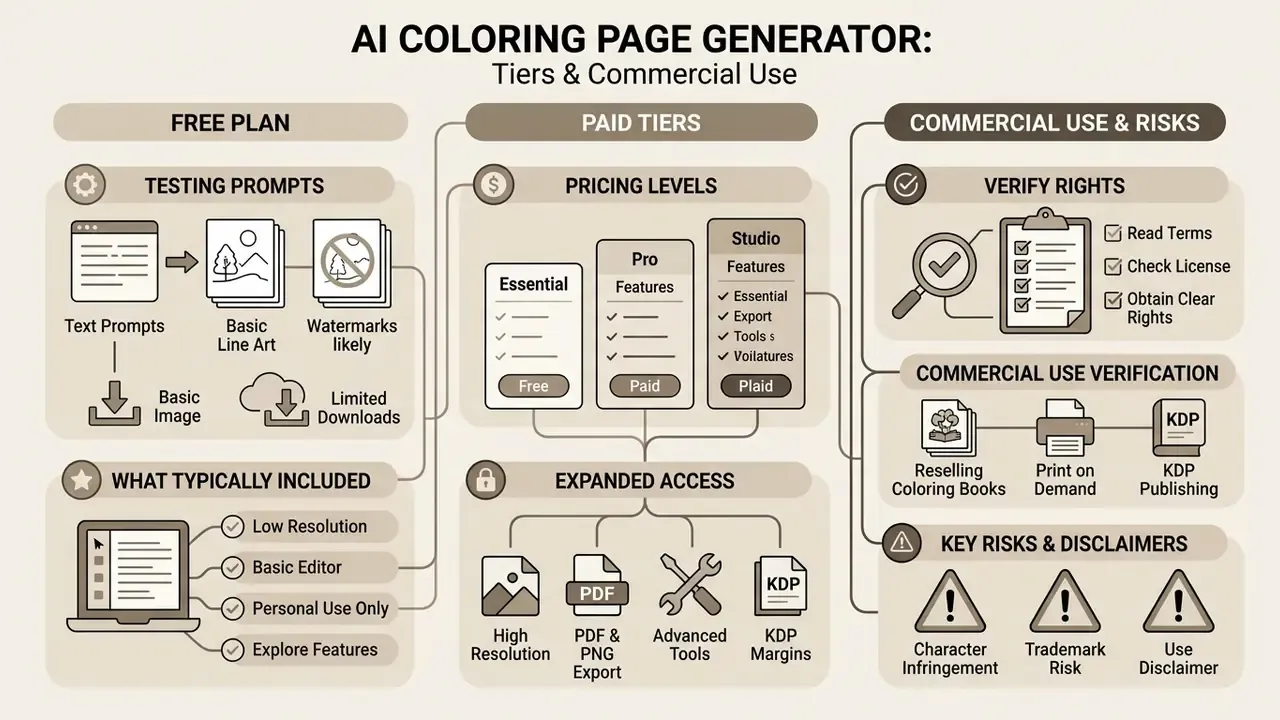
An ai coloring page generator free plan is a fine entry point for testing prompts. Commercial publishing normally requires a paid tier with explicit commercial licensing. Understanding account restrictions is cheaper than untangling a copyright dispute later.
Subscription pricing for an ai coloring book generator tool generally runs from roughly $9.99 to $49.99 per month at the consumer end, with business tiers reaching $69.99 per month for 5,000 pages. These figures come from published vendor pricing pages observed in 2026 (for example, tiered plans at $9.9, $19.9 and $39.9 per month, and $12.99, $27.99 and $69.99 monthly tiers on coloring-specific platforms) rather than independent market research. Prices move fast, so verify the current plan page before you budget. Free tiers cap daily credits, apply brand watermarks and restrict outputs to non-commercial personal use.
What a Free AI Coloring Page Generator Typically Includes
An ai coloring page generator free online service usually grants a small allowance, commonly between 1 and 8 generations per day or around 4 credits per month depending on the vendor, plus single-page PNG downloads and basic line styles. Those numbers come from vendor plan pages, not audited data, and shared free pools are often throttled at peak hours. Batch mode, watermark removal, upscaling and high-resolution print-ready PDF export sit behind paid tiers almost everywhere.
An ai coloring book generator free tier also tends to attach visible watermarks or embedded brand metadata to exported files, and some platforms add provenance metadata that survives cropping. Removing those markers means subscribing. To explore no-login options and an honest read of their limits, including which ai coloring book generator online free offers actually export at print resolution, see our comparison of free AI generators without sign-up.
| Feature / parameter | Free plan | Paid / Pro plan |
|---|---|---|
| Generation limit | 2 to 8 credits per day (or ~4 per month on some tools) | 100 to 5,000+ pages per month |
| Available formats | PNG (standard resolution) | PNG (300+ DPI), print-ready PDF |
| Batch mode | Unavailable | Supported (10 to 50 pages per run) |
| Book builder | Unavailable or up to ~10 pages | Up to 200-page coloring book generator |
| Watermark | Present | Absent (clean line art) |
| Commercial rights | Personal use only | Full commercial license |
How to Verify Commercial Use Rights
Commercial rights live in the platform Terms of Service. Legal analyses of generative AI terms show that providers systematically reserve broad rights over user inputs while varying output ownership by subscription tier (Newman et al., The Terms and Conditions of Generative AI, 2026).
«Most services grant providers non-exclusive licenses over any material uploaded by the user, including the right to reuse and adapt it.»
Terms diverge sharply between vendors. Some assign output rights outright: one major provider states that users "may use Content for any purpose, including commercial purposes such as sale or publication", and assigns all right, title and interest in the Output to the user. Others confine commercial use to specific plans. Coloring-specific platforms commonly declare that default and free output is non-commercial, that commercial use requires an artist or enterprise plan, and that resale or redistribution of raw files is prohibited even on paid tiers.
The U.S. Copyright Office states plainly that purely AI-generated artwork lacking human authorship cannot be copyrighted (2026). Prompting alone is not sufficient expressive authorship.
«Generative AI providers position themselves as neutral intermediaries, which allows them to apply broad licensing clauses that limit liability.»
FAQ About AI Coloring Page Generators
Can I use an AI coloring page generator on PC and mobile?
Yes. Modern web-based tools run across desktops, tablets and smartphones through responsive browsers, and most vendors now ship an ai coloring page generator app wrapper as well. Desktop gives better visibility for complex prompt editing, longer prompts and page-by-page auditing. Mobile wins on touch navigation and quick uploads. Cloud sync lets you start a project on a phone and finish formatting on a PC, and export functionality (PNG or PDF, watermark-free downloads) is generally identical across devices.
Is it safe to upload photos to an AI coloring generator?
Uploading personal photos is reasonably safe if the platform complies with standard data privacy regulations such as GDPR or CCPA. Under European Data Protection Board guidance, a photograph is personal data, and while a photo is not automatically biometric data, biometric data can be extracted from it by specific technical means. Publishing a photo publicly does not make that extracted data public. Reputable services process uploads in temporary server memory solely for line extraction and purge originals afterwards. Before uploading identifiable media, verify five concrete controls:
- Transport encryption: uploads and downloads served strictly over TLS (HTTPS), with no mixed-content warnings.
- Retention window: a stated deletion period for source files and generated results, ideally hours rather than indefinitely.
- Training opt-out: an explicit setting or contractual clause confirming your uploads are not used to train or fine-tune models. On many consumer tiers this is available only on paid plans.
- Metadata handling: EXIF data (GPS coordinates, device ID, timestamps) should be stripped on upload. Strip it yourself first if the policy stays silent.
- Children's images: apply the strictest setting available. EDPB guidance requires children's pictures be retained only for the necessary period and deleted immediately afterwards. Always read the Privacy Policy and Data Processing Addendum before uploading identifiable personal media. And avoid consumer "shadow AI" tools for anything covered by an organizational data policy.
What should I do if the generation fails or the result is unusable?
If the line art comes back blurry, shaded or cluttered, work through these steps in order:
- Refine prompt constraints. Add explicit negative terms such as "no shading, no gray fill, no gradients, pure white background", plus "no watermark, no extra text".
- Change only one variable per iteration. Prompt-engineering guidance for image models recommends "change only X" and "keep everything else the same", repeating the preserve list on each pass, instead of overloading a single rewrite.
- Adjust the source photo. For photo-to-line-art, re-upload a higher-contrast, front-facing image with clear lighting, visible shoulders and an aspect ratio close to the target output. Small images produce blurry contours, every time.
- Simplify subject detail. Reduce a busy scene description to a single central subject so the model can resolve clean outer contours.
- Re-roll the seed. If anatomy fails repeatedly on the same seed, change the seed before rewriting the prompt. Many "bad prompt" problems are just single-sample failures.
- Fix locally instead of re-generating. Small gaps, stray dots and residual gray clean up in minutes in a raster or vector editor, without burning credits.
Can AI colorize a black-and-white outline in reverse?
Yes. AI Colorize tools take an uploaded coloring page and apply color from a text description, for instance "flat color style, pastel palette", or crayon, watercolor, impasto, marker and colored-pencil emulation. Two uses dominate: colored cover art and marketplace previews for a book whose interior stays black-and-white, and palette references for colorists before they start. Quality depends on closed contours. The same enclosure that matters for bucket fill matters for AI colorization.
Do I have to disclose that pages were made with AI?
On Amazon KDP, yes. AI-generated text, images or translations must be declared at upload, even after heavy editing. On Etsy, AI use in the creative process is allowed but must be disclosed in the listing description. Policies elsewhere vary and change, so re-check the marketplace's current content guidelines before each launch.
Which generator should I start with?
Match the tool to volume. Bulk interiors favor batch-oriented engines. High-quality single illustrations favor models with strong anatomy accuracy. KDP formatting favors tools with built-in interior layout. All-in-one design workflows favor template suites. Then compare candidates with one identical neutral prompt, which is the fastest honest way to see real differences in line quality, closed shapes and anatomy.
Appendix A: Editorial and Verification Notes