An ai notes generator uses natural language processing and large language models to transform unstructured source materials (document files, recorded lectures, slide decks, notebook photos, and raw text) into structured summaries, outlines, flashcards, and review guides. By automating the extraction of key concepts and topic hierarchies, an ai note generator reduces manual processing time while helping users evaluate complex information faster. Controlled automation in note generation is not about eliminating human reading. It is about establishing a verifiable evidence chain from raw source documents to structured knowledge outputs.
Executive Summary
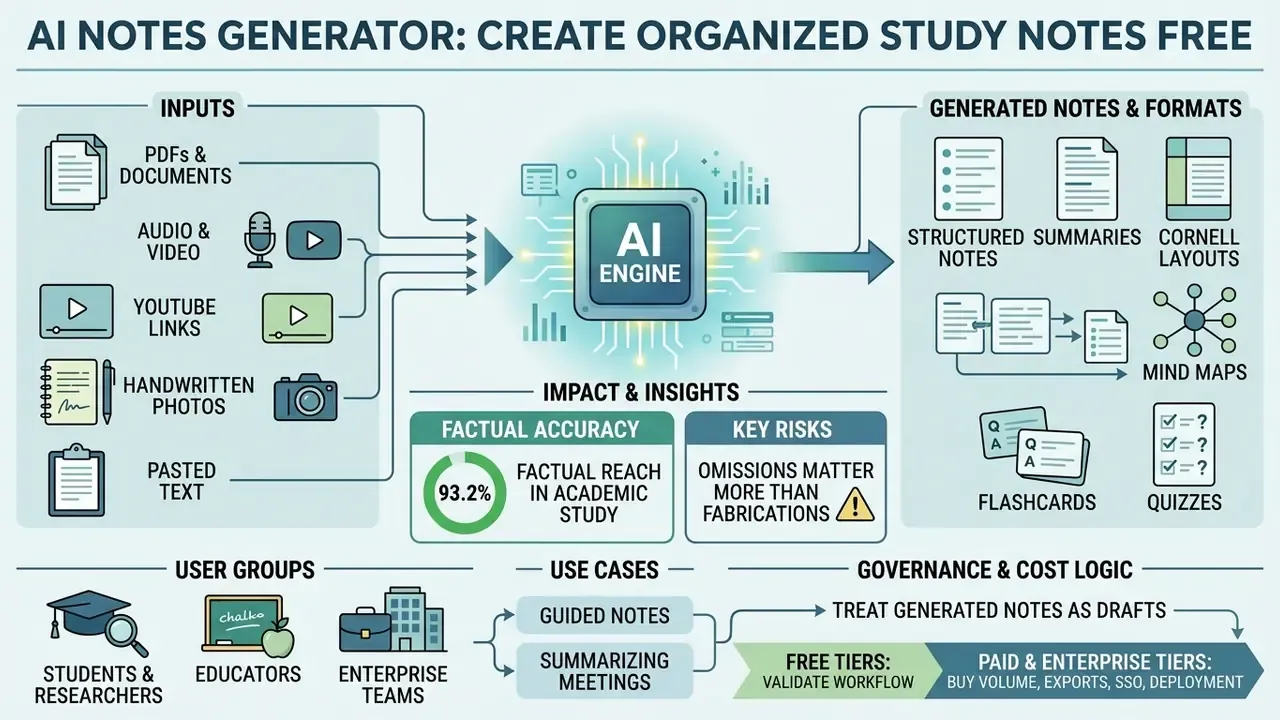
Why this matters beyond study desks. The same summarization stack that condenses a biology lecture also condenses a credit policy, a KYC file review, or an audit response. Once a note tool touches regulated content, it stops being stationery and starts behaving like a model: it has inputs, assumptions, failure modes, and an owner. That is the frame this guide keeps returning to, because the productivity story and the control story are not separable.
What Is an AI Notes Generator and Who Is It For?
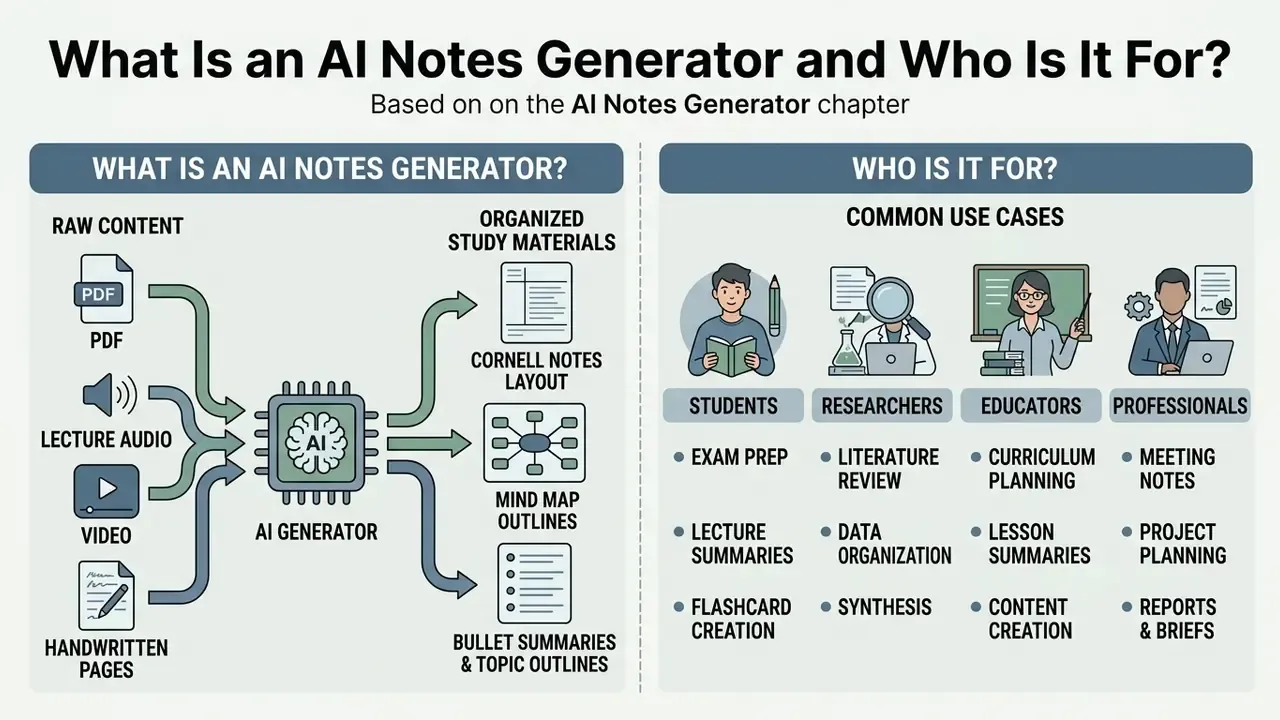
An ai notes generator is an automated software tool designed to ingest unstructured content and convert it into structured, clear, actionable study materials. The primary objective of an ai note maker is to eliminate manual transcript filtering and preliminary outlining, so users move directly to critical review and active recall.
Unlike traditional manual note taking, which requires continuous synthesis during live lectures or reading sessions, an ai generator notes system automatically detects structural hierarchies, highlights core definitions, and builds concise summaries in seconds. The functional difference is one of division of labour: the model handles capture, transcription, structuring, and condensation, while the human retains selection, verification, and judgement.
From Raw Content to Organized Notes
An ai to create notes workflow converts unstructured text into organized notes by parsing document syntax, extracting primary themes, and filtering out non-essential narrative filler. Advanced model architectures execute multi-pass analysis: first identifying major section headings, then pulling underlying key points, and finally mapping supporting data into bulleted summaries.
Cornell Notes, Mind Maps, and Structured Outlines
A capable ai note creator should not force one layout on every subject. Mature tools now generate three distinct structural families:
- Cornell Notes layout The output is split into a narrow cue column (key terms and recall questions), a wide note body (detailed lecture content and worked examples), and a bottom summary block condensing the page into two or three sentences. That separation is what makes the Cornell system usable for self-testing rather than passive rereading.
- Mind map outlines Long-form hierarchical text converts into a single-click radial or tree map, exposing relationships between parent concepts, subordinate mechanisms, and cross-links that linear notes hide. Mind maps are strongest for process-heavy material: metabolic pathways, litigation timelines, system architectures.
- Bullet summaries and topic outlines Compressed executive layers for triage, with three to seven lead-ins per section, each carrying a definition, a supporting data point, and an exception.
Selecting the structure before generation is faster than reformatting afterwards, because the model organizes extraction around the target template rather than producing generic prose you then re-cut by hand.
Students, Researchers, Educators, and Professionals: Common Use Cases
The primary operational scenarios for an ai note creator span four distinct user groups:
- Students Uploading course materials, textbook excerpts, and recorded lectures to generate comprehensive study notes, unit outlines, and exam review guides.
- Researchers Processing multi-page journal articles, research papers, and technical reports to extract methodologies, core hypotheses, and citations without manual transcript skimming.
- Educators and instructional designers Generating guided notes templates, meaning lesson outlines with blanked key terms, active recall prompts, and space for worked examples, for distribution during live lectures. A guided notes generator for teachers turns one source deck into a student handout, an answer key, and a quiz bank in a single pass.
- Professionals Converting business reports, briefing documents, and meeting recordings into searchable action items, executive summaries, and meeting minutes with owners and deadlines attached.
What Content Can an AI Notes Generator Turn into Notes?
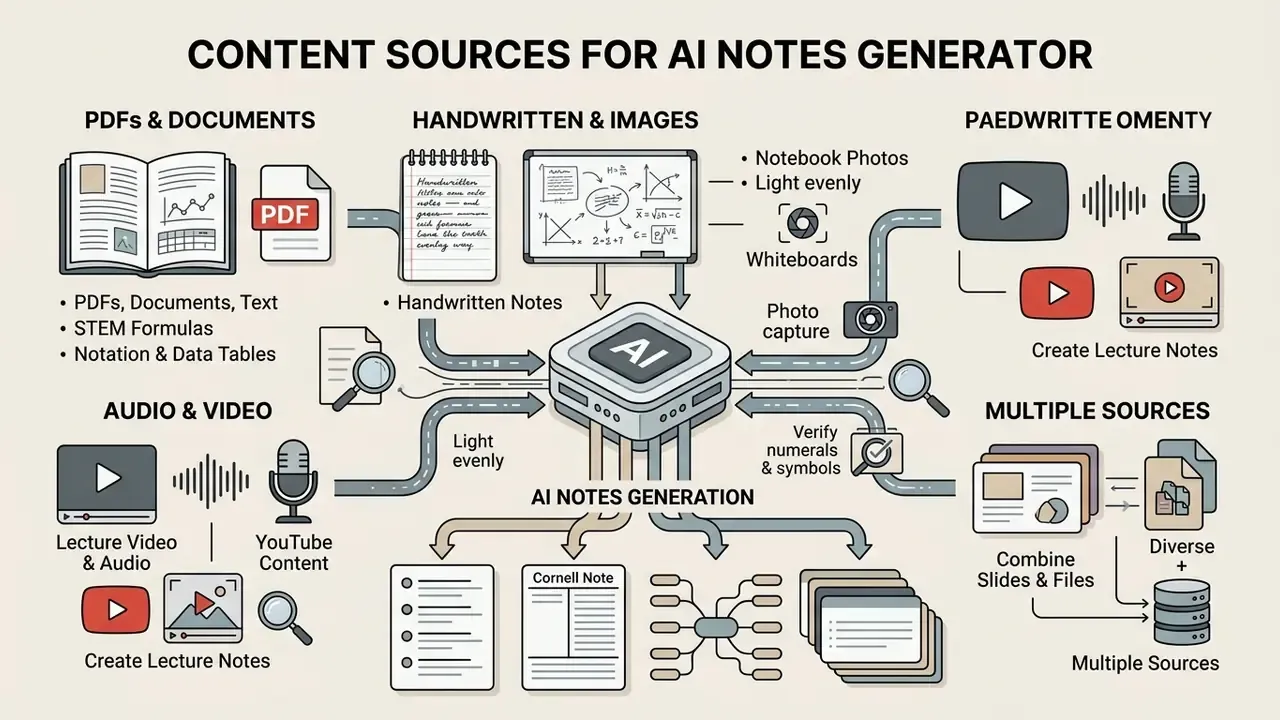
Modern AI note tools accept a wide variety of input formats, enabling conversion across text, audio, visual, handwritten, and document-based data sources.
| Source Format | Example Inputs | Primary AI-Generated Output | Typical Processing Workflow |
|---|---|---|---|
| PDFs & Documents | Academic papers, reports, scanned PDFs, regulatory filings | Hierarchical summaries, study guides, key points, LaTeX-preserved formulas | Text extraction via OCR, semantic parsing, bullet condensation |
| Plain Text | Pasted notes, raw transcriptions, TXT/Markdown files | Organized notes, key definitions, flashcard items | Immediate tokenization, thematic extraction, sectioning |
| Video & Audio | MP3/WAV/M4A files, recorded lectures, podcasts, MP4 | Lecture notes, chronological outlines, key topic lists | Automated speech recognition (ASR), transcript segmentation, text summarization |
| YouTube | Public YouTube URLs, video links | Sectional study notes, timestamped topic summaries | Transcript retrieval, video text extraction, key idea synthesis |
| Slides & Files | PPTX decks, image-based slides, multi-file sets | Consolidated topic maps, merged outline guides | Multimodal visual entity recognition, slide-to-text alignment, multi-source fusion |
| Handwritten Notes & Photos | Whiteboard photos, handwritten notebooks, mobile camera scans, marked-up printouts | Structured digital summaries, searchable plain text, flashcards | Advanced vision-OCR, handwritten text segmentation, topic normalization |
Readers building adjacent media pipelines can compare capabilities in the AI video generator overview, which covers how generative video systems handle timeline and transcript metadata.
Generate Notes from PDFs, Documents, and Text
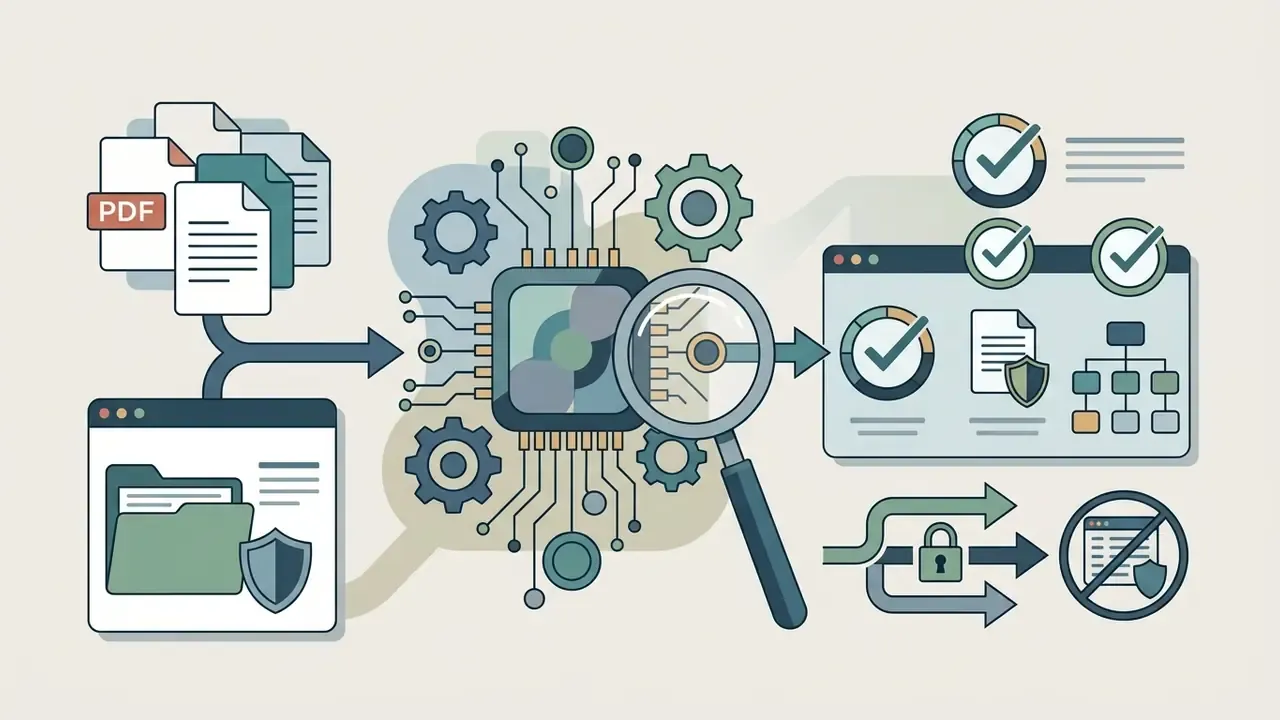
Processing static text files and PDFs remains a fundamental capability of any robust ai study notes generator. When handling complex PDF documents, systems use Optical Character Recognition (OCR) to convert scanned pages into machine-readable text before executing NLP extraction algorithms. That pipeline is documented in commercial PDF summarization tooling, where OCR output feeds a structured summary containing bullet key findings, action items, and page citations (Adobe Acrobat AI Summary, 2025). https://www.adobe.com/. Readers who want to evaluate the extraction layer itself can study image-to-text and OCR tools in more depth.
This ingestion pipeline ensures that key findings, numerical data, and structural headers are identified accurately. Users can create ai notes directly from dense regulatory filings or academic texts while preserving critical source context. Federal documentation guidance is blunt about the failure mode: PDFs complicate automated data and metadata understanding, and OCR extraction can itself introduce errors. That is why text-searchable, single-column source files consistently outperform scanned multi-column layouts.
Preserving STEM Formulas, Notation, and Data Tables
For technical disciplines, structural fidelity matters more than prose polish. A strong latex note generator isolates complex mathematical equations and renders them as clean LaTeX syntax rather than mangled inline text. Scientific notation, chemical reaction arrows, matrix expressions, unit-bearing constants, and multi-column raw data tables are preserved in dedicated structural output blocks, so layout does not collapse mid-derivation.
Practical implications for STEM users:
- Equations stay editable and re-renderable, so derivations can be extended inside the notes rather than retyped.
- Tables keep column headers and units, which prevents the classic error of summarizing a figure without its measurement scale.
- Symbol glossaries can be generated automatically: every variable used in the source appears once with its definition and dimension.
Convert Handwritten Notes, Whiteboards, and Notebook Photos
A handwritten notes to ai workflow closes the gap between analogue capture and digital review. Photograph a notebook page, a lecture whiteboard, or an annotated printout, and vision-OCR segments the handwriting, normalizes inconsistent spacing, separates marginalia from body text, and outputs searchable text plus a structured summary.
Three practical rules improve accuracy substantially:
- Light evenly, shoot square.Angled photos and hard shadows are the dominant cause of segmentation errors.
- One page per capture.Multi-page composites confuse hierarchy detection and merge unrelated headings.
- Verify numerals and symbols first.Digits, minus signs, and superscripts carry the highest handwriting error rate; check them before trusting derived flashcards.
Create Lecture Notes from Video, Audio, and YouTube
Using an ai lecture notes generator free tool lets learners turn spoken content from recorded lectures, podcasts, and YouTube video URLs into clean written study materials. The tool first converts spoken audio into text using Automatic Speech Recognition (ASR) engines, then segments the raw transcript into logical sub-topics.
Academic speech summarization benchmarks show that while short lecture and broadcast segments achieve high summary fidelity (ROUGE-L scores up to 66.5%), long-form or noisy classroom recordings require careful transcript structuring to prevent topic drift. Reported word error rates climb steeply on multi-hour, noisy recordings, which is why chunked processing beats single-pass ingestion.
High factual fidelity plus a measurable time reduction: that pairing is the strongest quantitative case for an ai study note maker in lecture-heavy programmes. It also sets the expectation. Audio files become searchable, organized notes rather than unwieldy text dumps, but the residual 6.8% error surface is exactly where human review belongs.
Combine Slides, Files, and Multiple Sources
Advanced note engines can ingest heterogeneous file sets, combining PowerPoint slides, PDF documents, and audio tracks into a single unified study guide. Systems parse slide visual structures alongside audio timestamps, so slide titles align with the spoken explanation topics that accompany them.
Multi-source fusion prevents disjointed record-keeping across complex academic courses or interdisciplinary research projects. Practically, fusion works best when the sources genuinely describe the same unit of content: one lecture recording, its slide deck, and its assigned reading. Merge four unrelated weeks into one request and hierarchy detection degrades while omission risk rises. Teams handling large media assets alongside documents may also find the video compressor guide useful for keeping upload sizes inside platform limits.
How to Create Notes with AI Step by Step
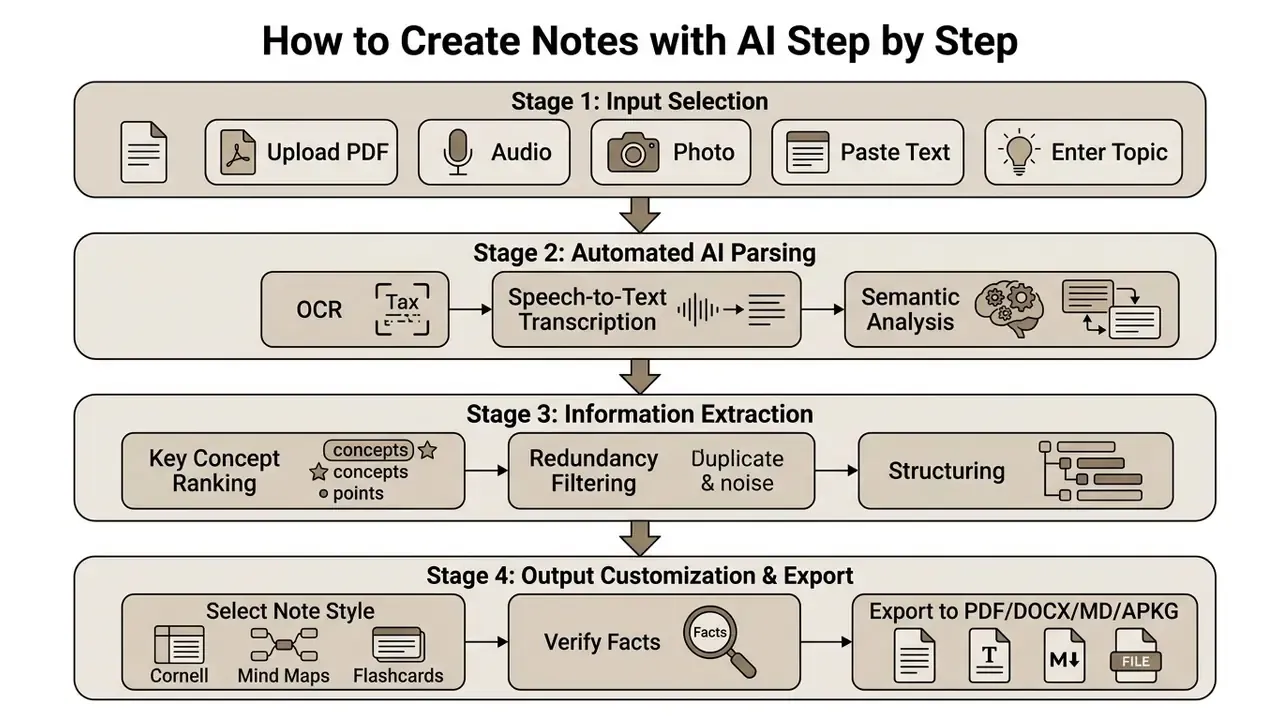
Generating structured materials through an ai notes creator follows a straightforward four-stage operating sequence designed to turn raw inputs into refined study artifacts.
Upload a File, Paste Text, or Enter a Topic
The workflow begins when the user provides source materials by uploading a file, pasting raw text, or specifying a target topic prompt. Input preparation is the highest-leverage, lowest-effort quality control available: strip extraneous visual noise, correct raw transcription typos, apply OCR to scanned pages, avoid multi-column PDF layouts, and split very long documents into coherent chunks that respect chapter boundaries.
To create notes ai outputs effectively, upload clean, focused single-subject documents rather than mixed-topic files. Prompt specificity matters as much as file hygiene: "cell division stages including mitosis and meiosis with key differences" produces a usable hierarchy, while "biology" produces a generic encyclopedia entry. Those mapping the wider tool landscape can review the AI media glossary for adjacent formats and terminology.
How AI Analyzes Content and Extracts Key Points
Once uploaded, the ai generator notes system executes natural language processing to tokenize text, identify sentence boundaries, and score information salience. Extractive summarization algorithms rank sentences by topical relevance, while abstractive models paraphrase complex ideas into clear bullet points. The standard evaluation criteria for the result are informativeness, non-redundancy, coherence, and fluency.
That finding is a practical warning, not a footnote. Abstractive rewriting decides what counts as important, and those decisions can systematically privilege some content patterns over others. Where fairness or completeness is contractual, in grading, compliance, HR, or clinical documentation, extractive summaries with verbatim citations are the safer default, with abstractive layers added only above a verified extraction base. During this phase, secondary narrative details and duplicate statements get filtered out, leaving primary thesis points, supporting evidence, and essential terminology.
Multilingual Note Generation and Translation
Multilingual capability is now a core selection criterion rather than a bonus. A competitive multilingual ai notes engine processes source materials in a dozen or more languages and converts outputs into the user's primary study language, or matches the source automatically.
Typical patterns:
- Read in one language, study in another. Ingest a native-language lecture and receive structured, simplified study notes in English, or the reverse.
- Parallel outputs. Generate the same note set in two languages side by side, which helps international students map discipline-specific terminology.
- Terminology locking. Keep technical terms, statute names, chemical nomenclature, or drug names in the original language while translating the surrounding explanation. This is what prevents mistranslation of controlled vocabulary.
- Academic register simplification. Translate dense academic phrasing into plain language without discarding the qualifiers that carry the argument.
For non-native speakers this is often the single largest measured benefit. Comprehension improves not because the content changes, but because the syntactic load drops.
Choose a Note Style and Export the Result
The final step lets users customize the output format for their immediate goal, choosing styles such as:
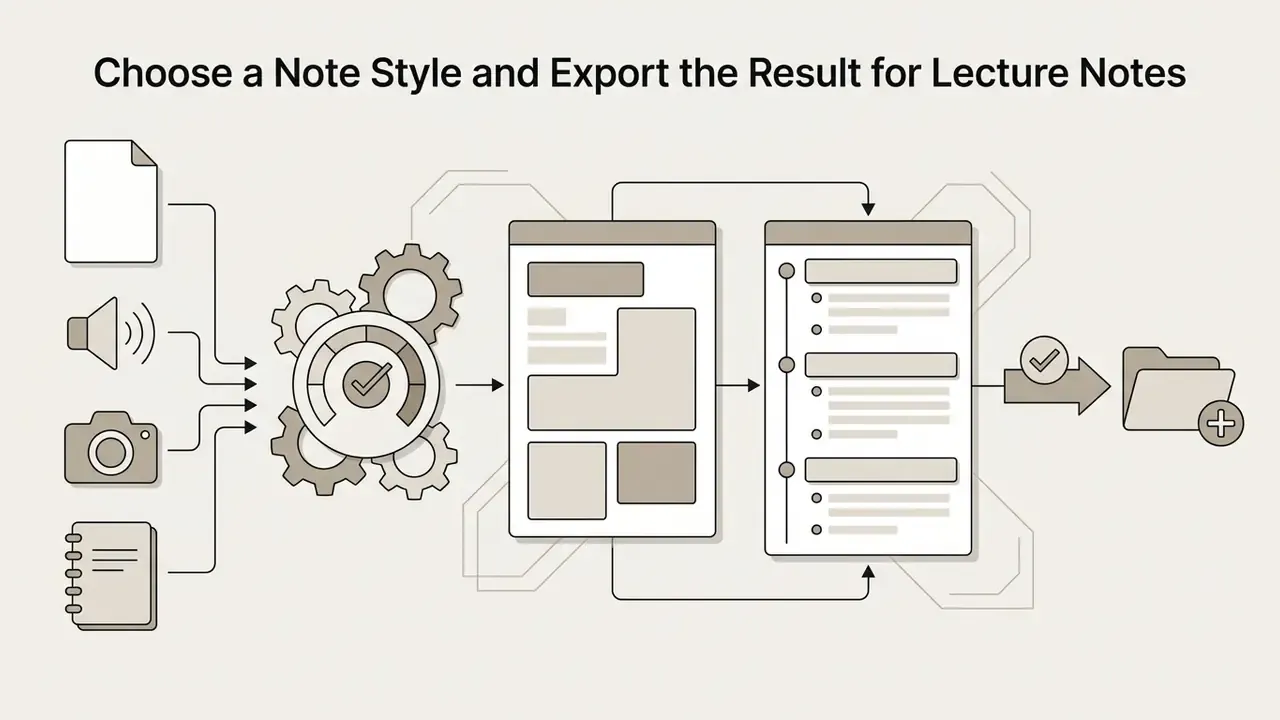
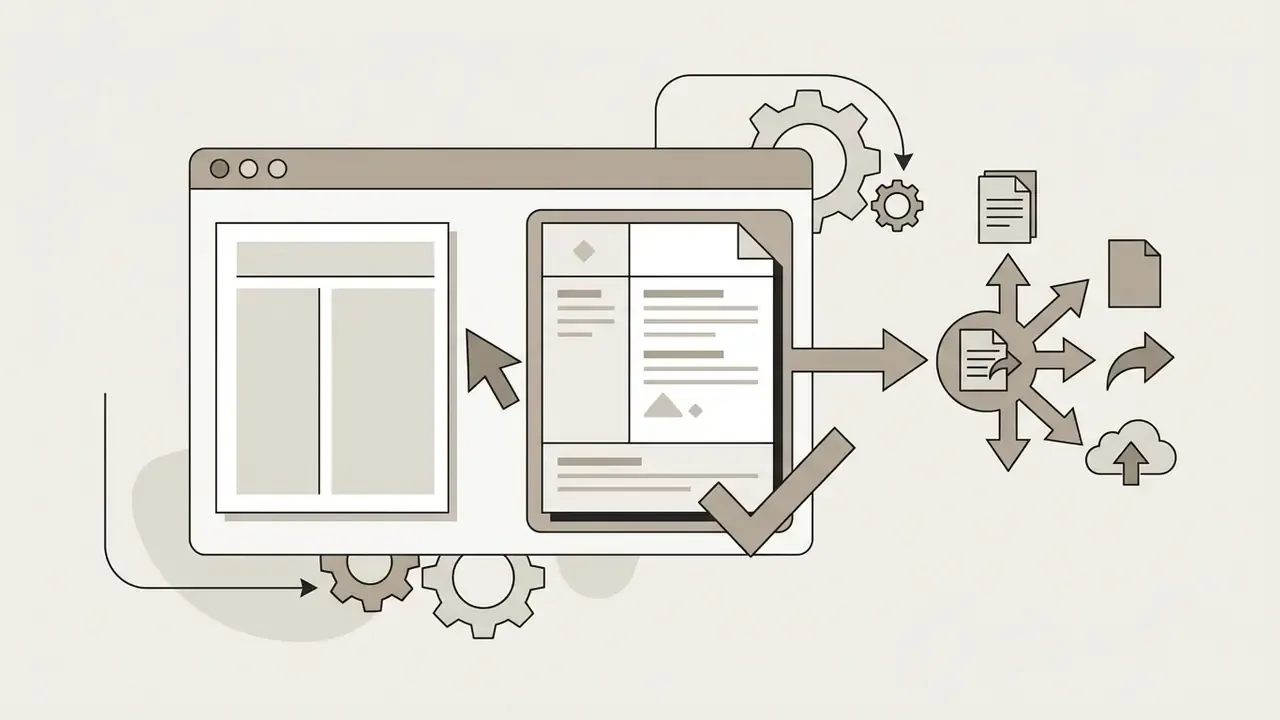
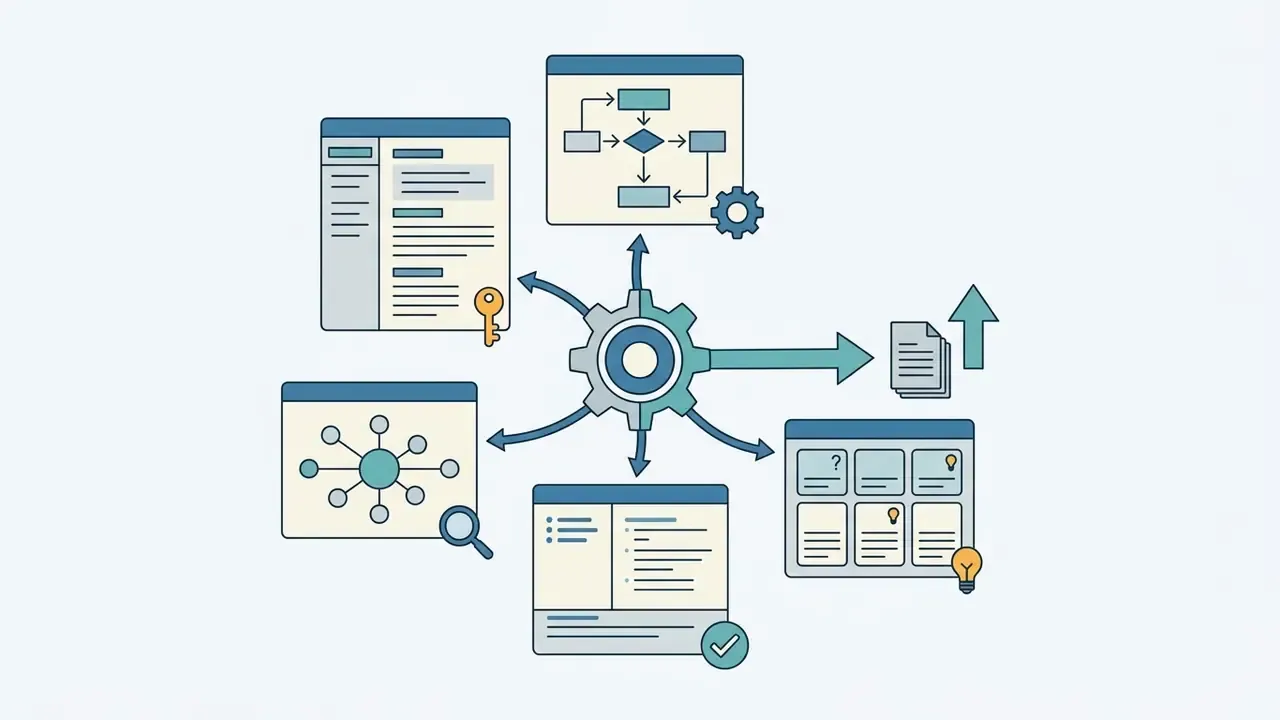
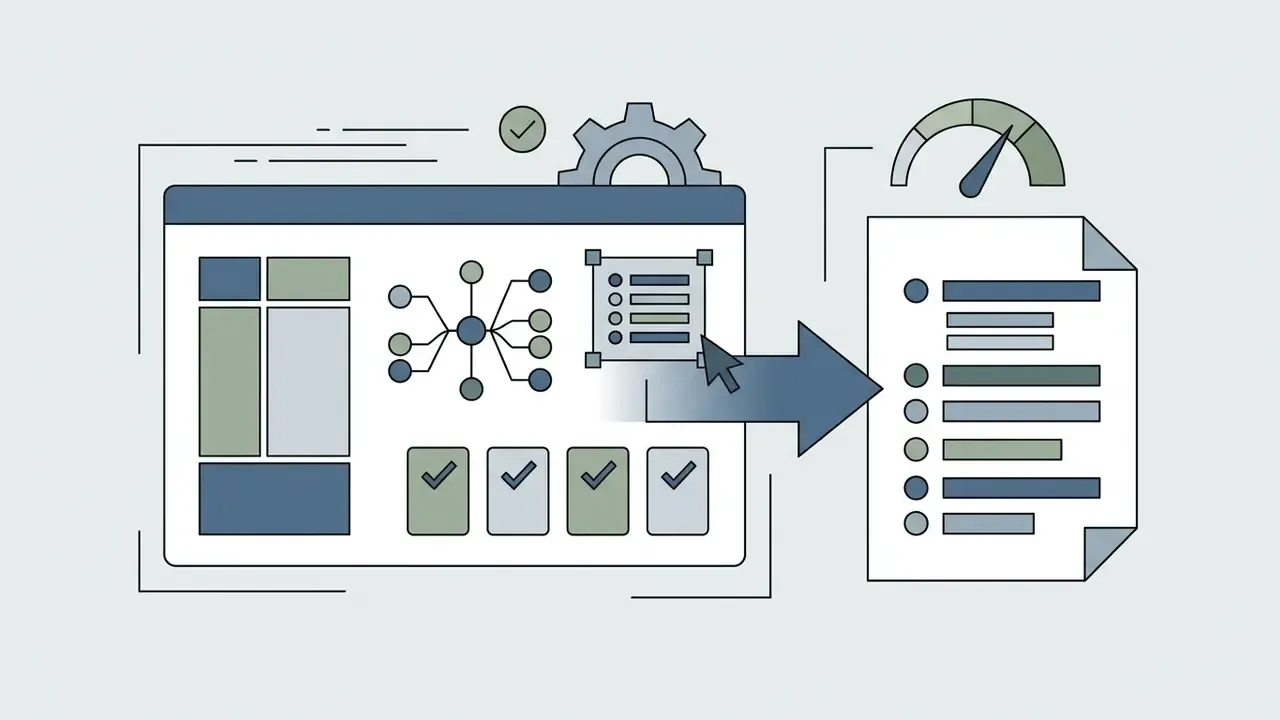
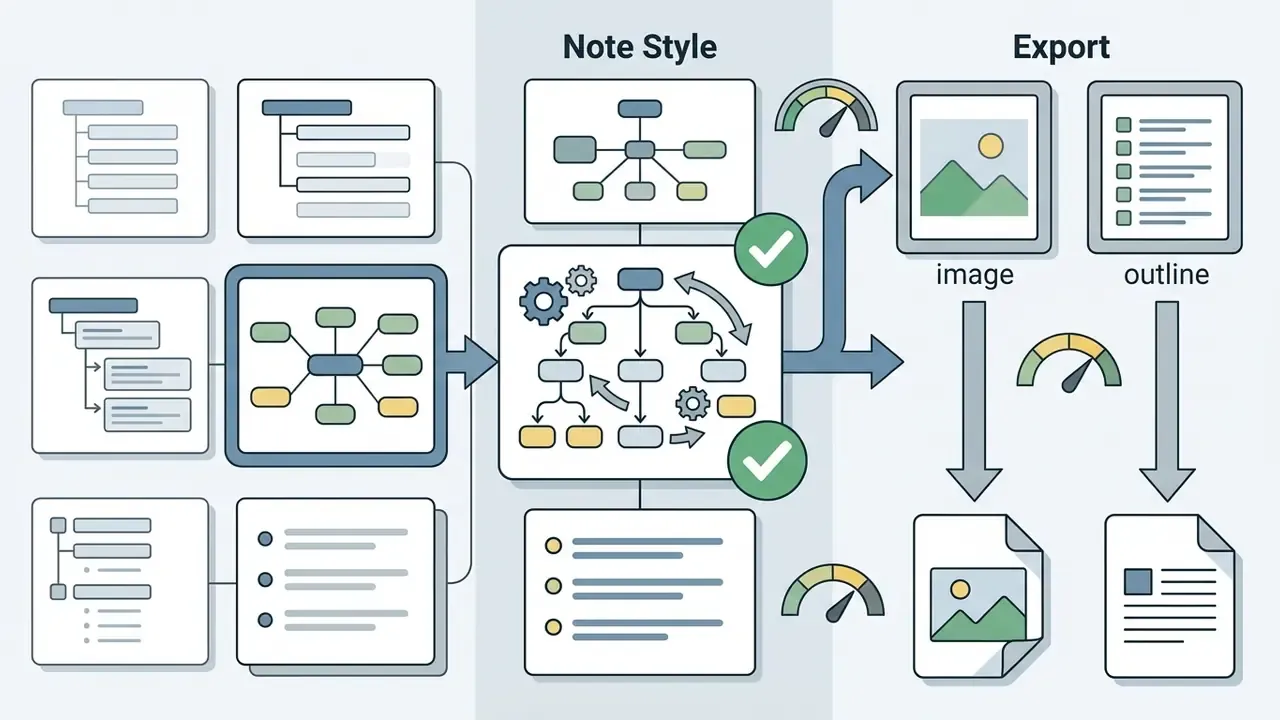
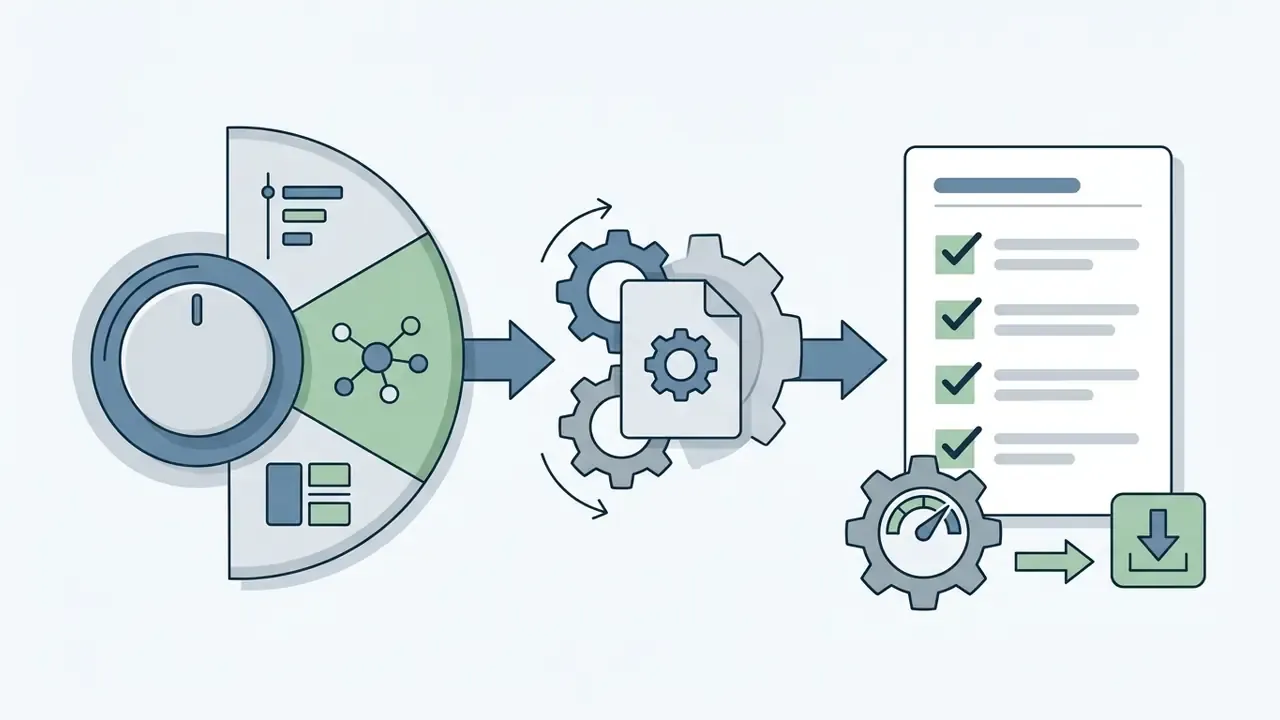
Once generated, outputs export into standard file formats including PDF, Microsoft Word (DOCX), Markdown (.md), Anki decks (.apkg), and CSV for spreadsheet or Quizlet import. Users working primarily from recorded video lectures may also want to review video editors for YouTube workflows to trim source recordings before transcription. For detailed analysis on output management and content policy standards, readers can view the guide.
What You Get: Study Notes, Summaries, Questions, and Flashcards
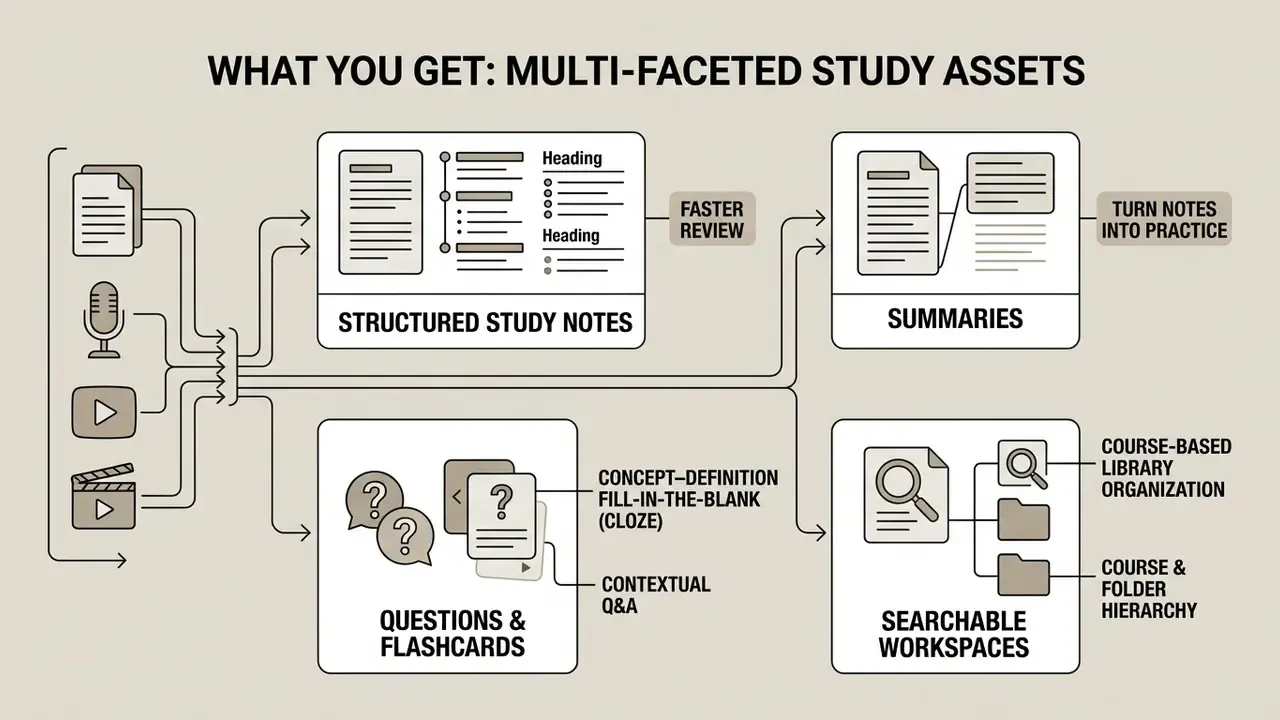
An ai study note generator yields multi-faceted study assets beyond static textual summaries, turning passive reading materials into active learning tools.
Structured Study Notes for Faster Review
Structured ai-generated notes organize complex course materials into clear hierarchical sections using bold lead-ins, bullet lists, and summary callouts. Following the Cornell Note-Taking System, these formats separate primary cues from detailed explanations, enabling rapid scanning before exams or executive briefings.
By consolidating 50-page reading assignments into crisp 3-page review notes, users can re-verify core concepts in minutes.
Turn Notes into Practice Questions and Flashcards
Many ai study notes generator free systems automatically parse generated notes into interactive practice items: flashcards, multiple-choice questions, and fill-in-the-blank quizzes. Outputs export into spaced-repetition formats (.apkg for Anki, CSV for Quizlet), and the model typically categorizes cards into three learning types:
- Concept–Definitionterm on the front, precise definition and one discriminating example on the back.
- Fill-in-the-Blank (cloze)a single high-value token removed from a sentence, forcing retrieval of the operative word rather than recognition of the sentence.
- Contextual Q&Aan applied question requiring you to combine two facts from the notes, which is what most exams actually test.
Cognitive science trials caution that automated flashcards often lack explanatory depth compared with manually crafted cards, making direct human review essential before major exams:
«Students using AI-optimized flashcards scored 12% higher on immediate tests but 9% lower on final exams eight weeks later.»
The operational takeaway is precise: use generated cards for rapid coverage, then rewrite the 20% of cards covering concepts you will be examined on in depth. Rewriting is itself an encoding activity, which is part of why manual cards outperform at eight weeks. Users comparing alternative study and media software can browse the hub before standardizing on one stack.
Course-Based Library Organization and Searchable Workspaces
Generation is only half the value. Retrieval is the other half. A serious note workspace groups outputs into subject folders, semester courses, and tagged topics, so material created in week 1 stays contextually linked during final exam review in week 12.
Features worth checking:
- Course and folder hierarchy with a source attached to every note, so a claim can be traced back to the exact upload.
- Full-text search across notes, transcripts, and flashcards, including handwritten pages converted by OCR.
- Version history, which distinguishes the original AI draft from the human-verified version. That distinction is a requirement for any audited workflow.
- Cross-note linking, connecting a definition generated in one lecture to its application in another.
How Accurate Are AI-Generated Notes?
This section provides general information and does not replace professional source verification when AI-generated notes are used in medical, legal, or financial contexts.
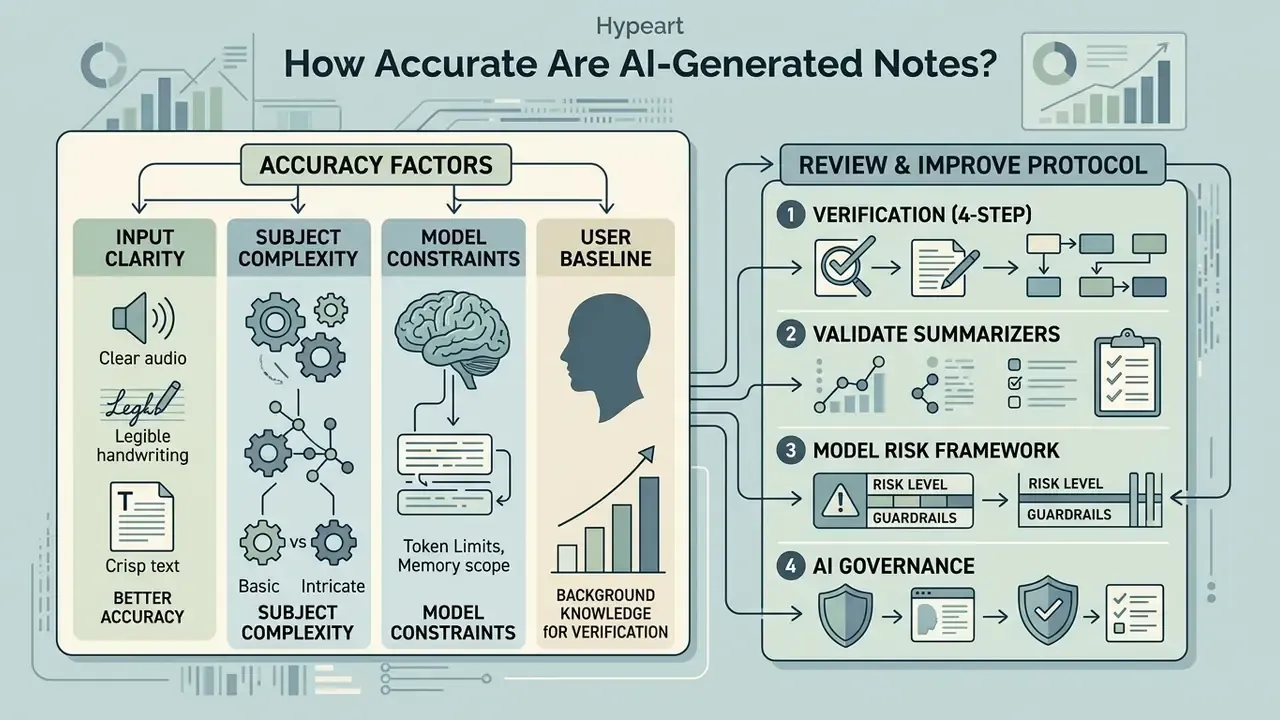
An ai notes generator accelerates study preparation. Factual precision, though, depends heavily on input quality, document complexity, and the baseline capabilities of the underlying language model.
What Affects the Quality of Generated Notes
Multiple technical factors govern the fidelity of ai notes:
- Source Input ClarityClean, text-searchable files yield higher factual accuracy than noisy, un-segmented audio transcriptions or angled photos of handwriting. Readers interested in the broader question of verifying machine-generated content can review AI image detectors as a parallel case in provenance checking.
- Subject Domain ComplexityHighly specialized fields such as clinical medicine, legal compliance, and advanced econometrics show higher error rates during abstractive summarization, because terminology density and contextual dependency both rise.
- Model Context ConstraintsProcessing multi-document inputs simultaneously increases the probability that minor secondary details get omitted. Measured hallucination rates in multi-document summarization studies rise substantially versus single-document tasks, and errors cluster toward the end of long outputs.
- User Baseline Abilitythe effect of the tool is not uniform across users.
That asymmetry carries direct governance consequences. An AI note layer is a scaffold for people who struggle with dense source text, and a potential shortcut that suppresses deep processing for people who do not. Clinical summarization benchmarks reinforce the pattern that omission, not fabrication, is the dominant failure mode: hallucinated sentences measured near 1.47% of note sentences in a controlled 2024 clinical study, while omitted source sentences exceeded 3.45%, with roughly one in six omissions rated major. So high-stakes decisions require structured human oversight.
How to Review and Improve AI Notes Before Using Them
To maintain data integrity, users need a structured manual fact-checking protocol before relying on ai study outputs for exams or professional evaluations.
Institutional library guidance converges on the same method: split the output into individual claims, verify each claim against multiple credible sources, and check every cited source directly, because AI outputs should be treated as preliminary drafts rather than authoritative sources.
Readability parity is precisely why verification is non-negotiable. A fluent, well-structured summary reads as authoritative whether or not the underlying facts survived compression. Users facing platform-specific issues can visit AI Media Support and Troubleshooting for technical assistance.
Validating AI Summarizers Under Model Risk and AI Governance Frameworks
Two reference frameworks are commonly used to structure this work: the U.S. federal model risk management supervisory guidance familiar to banking institutions (development, implementation, use; validation; governance and controls), and the NIST AI Risk Management Framework with its generative-AI profile, whose documentation guidance explicitly requires recording preprocessing transformations such as curation, cleaning, filtering, formatting, and normalization. Mapping a summarizer's controls onto both frameworks is what converts an informal tool into an auditable one. Teams sizing that control effort against expected savings can browse the hub for supporting estimation models.
Free AI Notes Generator vs Paid Plans: What to Choose
Choosing between a free ai note generator, a premium individual plan, and an enterprise deployment depends on processing volume, source formats, security posture, and whether outputs must be auditable.
| Evaluation Feature | Free Tier Capabilities | Premium Tier Capabilities |
|---|---|---|
| Input File Limits | 1 to 3 files; typical 3MB–8MB file caps | Unlimited file uploads; up to 300MB–1GB per file |
| Supported Formats | Pasted plain text, basic short PDFs | Full PDF/OCR, DOCX, PPTX, MP3/WAV/M4A audio, MP4 video, YouTube URLs, notebook photos |
| Document Page Caps | First 20 to 32 pages per document | Up to 1,000 pages per document |
| Transcription Minutes | Roughly 120–300 minutes per month, with per-session caps | 1,200–6,000 minutes per month or unlimited imports, depending on vendor |
| Output Capabilities | Standard text notes, bullet summaries | Notes, Cornell layouts, mind maps, flashcards, practice quizzes |
| Export Formats | On-screen viewing, basic copy/paste | Markdown (.md), PDF, DOCX, Anki (.apkg), Quizlet CSV |
| Languages | Usually source-language output only | 11–15+ output languages with source/target mismatch supported |
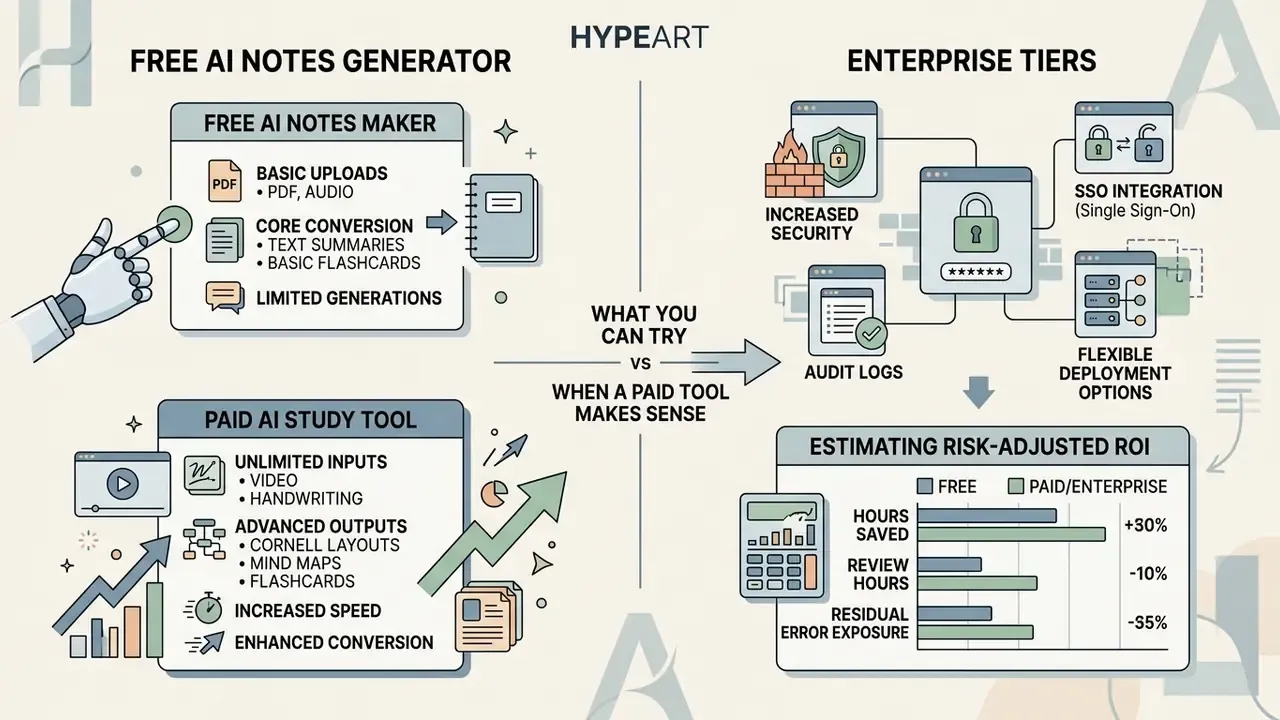
What You Can Try with a Free AI Notes Maker
A free ai note generator tier typically covers individual students or occasional users processing short text excerpts and basic notes. Free versions let you test core summarization without upfront financial commitment. Published free tiers include monthly transcription allowances in the low hundreds of minutes and ad-free basic note AI with summaries, outlines, and to-do extraction (Notta, 2026, https://www.notta.ai/; Zoho Notebook, 2026, https://www.zoho.com/notebook/). Readers benchmarking free AI tooling more broadly can compare the best free AI image generators as a reference point for how vendors structure no-cost limits.
Free plans are usually enough when the need is limited to short lectures, single-source PDFs under thirty pages, basic transcription, and on-screen review. An ai note maker free tier stops being enough the moment you need exports, multi-hour audio, multi-source fusion, or a second output language. Users evaluating cost structures across creative AI tools can also review the AI Media Commercial-Use hub for broader rights considerations.
When a Paid AI Study Tool Makes Sense
Upgrading becomes rational during intensive study periods, large-scale academic research projects, or recurring operational workflows. Premium subscriptions remove file size restrictions, unlock multi-hour audio transcription, enable multi-source document fusion, add language options, and provide direct export integrations to spaced-repetition platforms such as Anki and Quizlet.
Those four functions map neatly onto upgrade triggers: orientation needs page volume, clarification needs iterative regeneration, translation needs multilingual output, and cross-checking needs citation-linked exports.
Updated (pattern, not an attributed client case): in high-volume financial documentation workflows, a multi-format note pipeline applied across a large back-catalogue of earnings transcripts reduces transcript mapping overhead while establishing verified citation links for quarterly figures. The economics only hold when residual error cost is priced in, which is what the ROI structure below makes explicit.
Enterprise Tiers: Security, SSO, Audit Logs, and Deployment Options
| Enterprise Selection Criterion | Why It Matters | What to Require in Writing |
|---|---|---|
| SOC 2 Type II | Independent assurance over security controls, not vendor self-assertion | Current report plus bridge letter |
| GDPR / regional privacy | Lawful basis, data-subject rights, cross-border transfers | DPA with Standard Contractual Clauses; documented sub-processors |
| Sector rules (e.g., HIPAA) | Determines whether regulated content may be uploaded at all | BAA or explicit prohibition documented in policy |
| Deployment isolation | Limits blast radius of vendor incidents | Dedicated tenant, VPC, or on-premise option |
| Training-data exclusion | Prevents proprietary text entering model training corpora | Contractual "no training on customer data" clause |
| SSO / SCIM | Removes orphaned accounts and enforces identity policy | SAML or OIDC plus automated deprovisioning |
| Audit logs & export | Reconstructs who summarized what, when, and from which source | Immutable logs, retention window, SIEM export |
| Retention controls | Aligns vendor storage with internal record schedules | Configurable retention and verified deletion |
| Availability SLA & support | Determines dependency risk for recurring reporting cycles | Uptime commitment, incident notification window |
| GRC / workflow integration | Keeps summaries inside the evidence chain | API access, webhooks, document-management connectors |
Estimating Risk-Adjusted ROI
A defensible business case subtracts control costs from raw time savings rather than reporting the gross figure:
Risk-Adjusted ROI = [ (Hours saved × Loaded hourly rate)
                      − Review hours × Loaded hourly rate
                      − Licence cost
                      − Integration & validation cost (amortized)
                      − Residual error exposure ]
                    ÷ Total cost of ownership
Where:
- Hours saved derives from measured baselines, not vendor claims. For example, a 43.9% reduction in note-writing time observed under controlled study conditions.
- Review hours are mandatory in regulated use; assume every material obligation is checked, not sampled, until monitoring data justifies sampling.
- Residual error exposure is the expected cost of an omission surviving review, priced against the documented omission rate for your document class.
- Integration & validation cost includes gold-set construction, initial validation, and re-validation after model version changes.
Run this calculation per document class. Summarizing internal training material and summarizing regulatory filings produce completely different results from identical software.
Privacy, Files, and Control of Your Study Materials
This section provides general information and does not replace advice from a data protection specialist or legal counsel when handling confidential material.
Uploading proprietary business reports, unpublished academic papers, or confidential lecture materials into an ai note generator introduces data privacy and governance considerations that deserve formal evaluation.
What to Check Before Uploading PDFs and Lecture Files
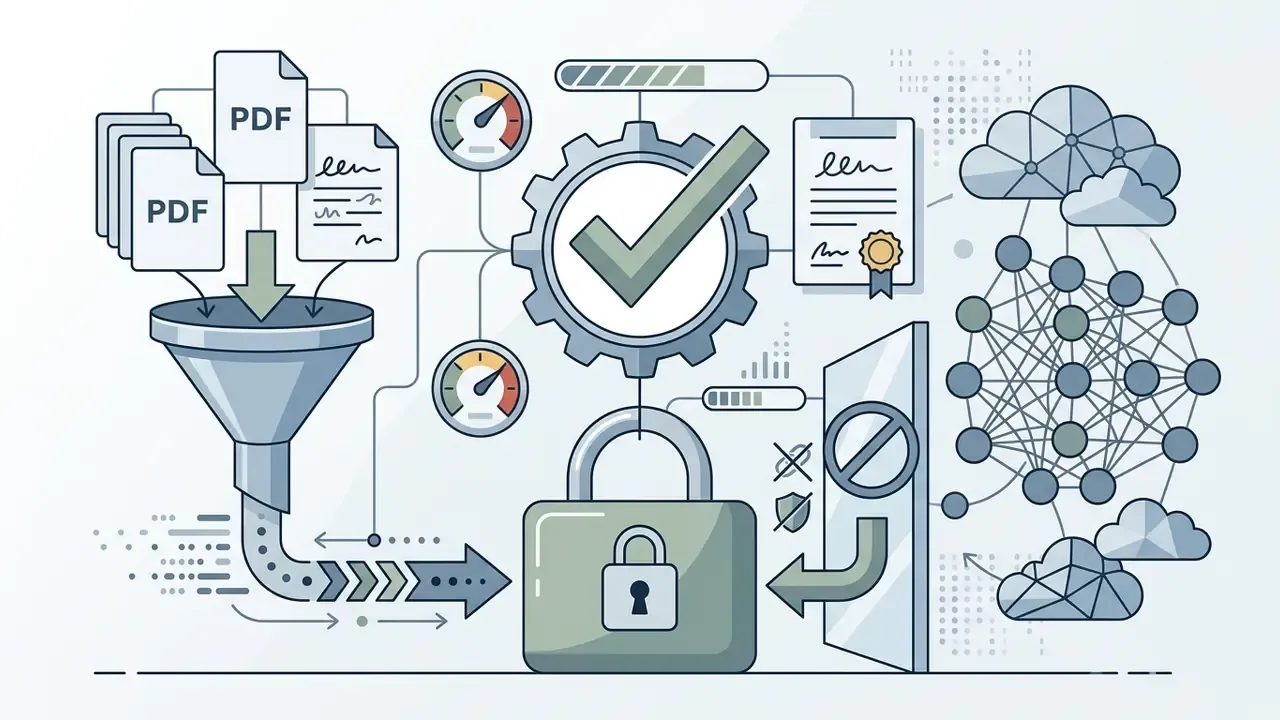
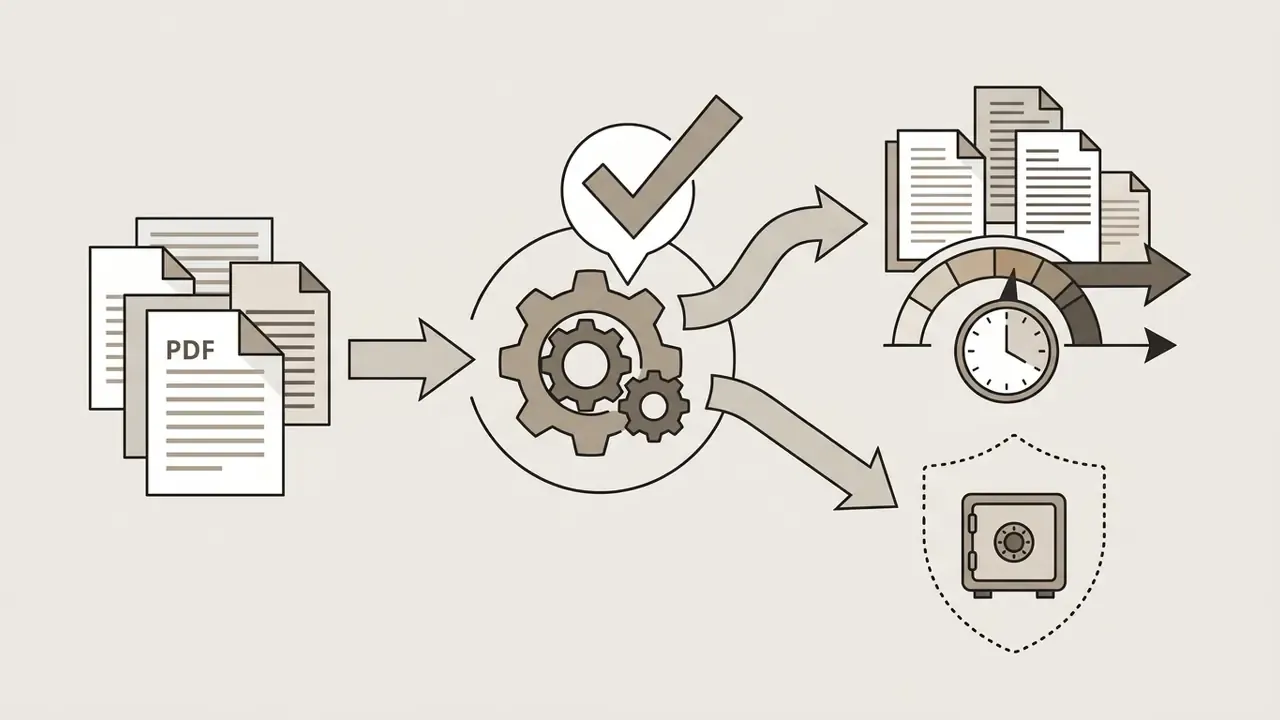
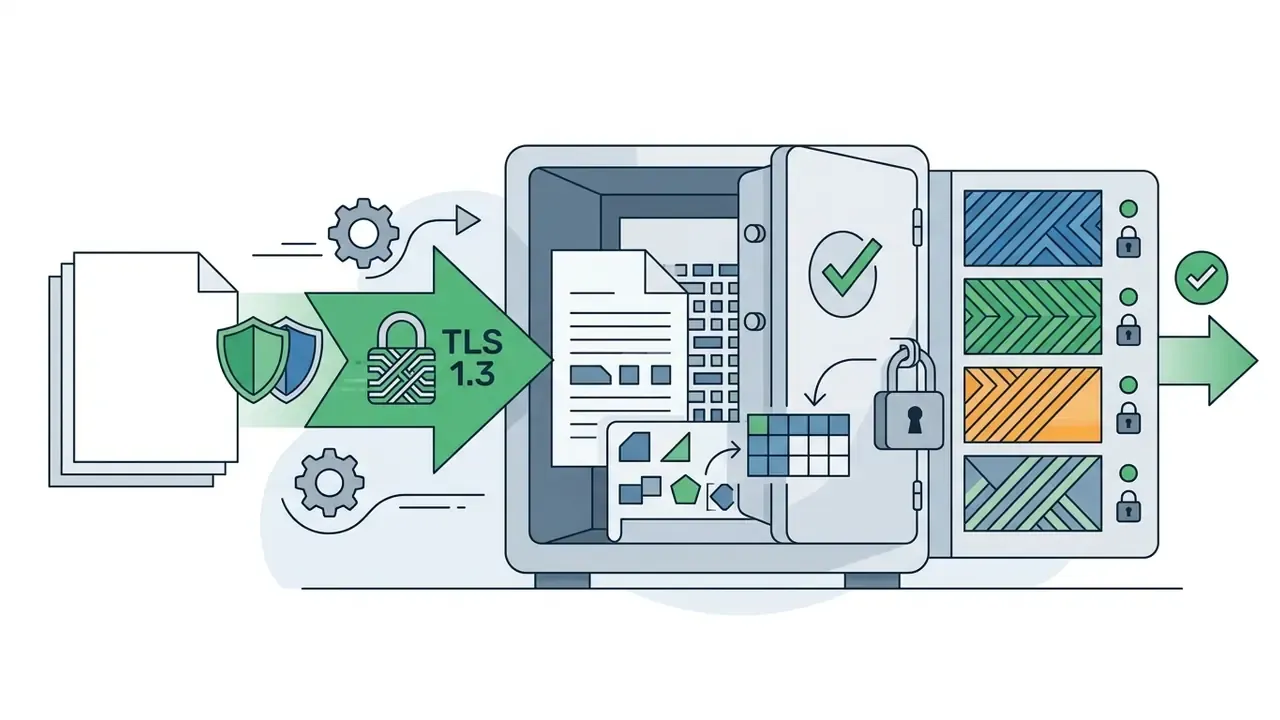
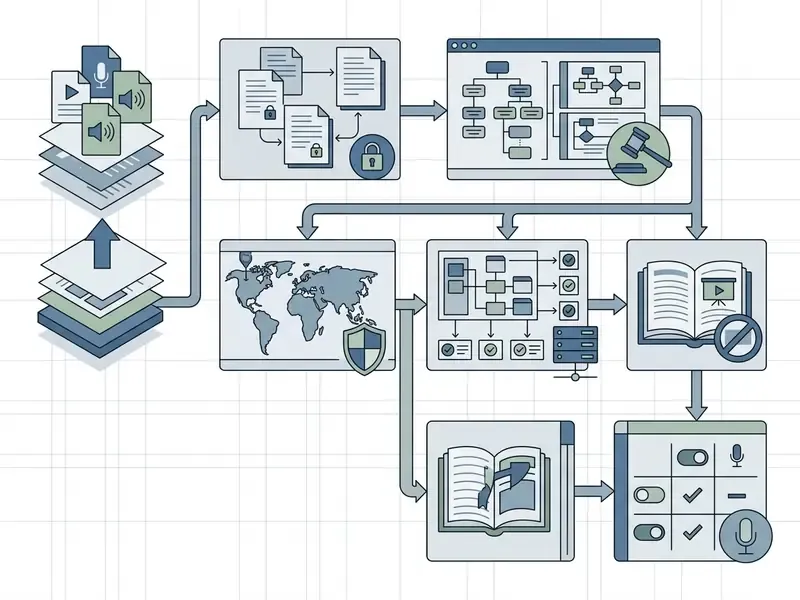
Before uploading documents to an ai notes maker free or paid service, users and institutional administrators should review the provider's legal terms across five criteria:
Shadow AI and Corporate Data Leakage: A Governance Checklist
The dominant enterprise risk is not the approved tool. It is the unapproved one. Employees paste draft filings, customer records, or privileged analysis into consumer note generators because the friction is zero and the productivity gain is immediate.
Controls that measurably reduce that exposure:
Checklist0 / 9
FAQ: Frequently Asked Questions About AI Notes Generators
Can a Teacher Detect AI-Generated Notes?
Current AI detection software is calibrated primarily for formal long-form prose, meaning essays and term papers, rather than informal bulleted personal study notes. Standard detection tools therefore cannot reliably determine whether personal review notes came from an ai notes generator for students.
«Research has identified no reliable method for detecting AI-generated personal notes; detection tools are calibrated for essays and extended written assignments.» Literature review on AI detection and academic integrity in higher education, 2024–2026. https://liu.se/
Detection reliability is also a documented fairness problem. Teaching-centre guidance warns that AI detectors falsely flag human writing, particularly from non-native English writers, and can be evaded. The operative rule is therefore policy, not detection. Using an ai study note generator for personal review and exam preparation is widely permitted, while submitting AI-generated notes or summaries as graded coursework without permission is an academic integrity violation. Institutional guidance further limits redistribution: AI-generated class notes are commonly restricted to the individual student's personal educational use and may not be republished or resold. Always check the course syllabus for local boundaries.
Can an AI Notes Generator Convert Handwritten Class Notes?
Yes. Vision-OCR pipelines accept notebook photos, whiteboard captures, and scanned handwriting, segment the strokes into text, then run standard summarization to produce searchable notes, definitions, and flashcards. Accuracy depends on even lighting, a square camera angle, one page per capture, and consistent letter spacing. Verify digits, symbols, and formulas manually, since handwritten numerals carry the highest recognition error rate.
Can Teachers Use This Tool to Generate Guided Notes?
Yes. A guided notes generator takes a lecture deck or reading and outputs a student handout with headings, key terms blanked for completion, recall prompts in the margin, and space for worked examples, plus a matching answer key. Educators typically pair the handout with an auto-generated quiz bank, so one source produces both the in-class artefact and the assessment. Review the generated blanks to confirm the removed terms are the assessable ones rather than incidental vocabulary.
Can an AI Notes Generator Handle Math and LaTeX Formulas?
Capable tools isolate equations and render them as clean LaTeX, preserving scientific notation, chemical reactions, matrices, and units, and keep multi-column data tables as structured blocks. Two caveats: OCR on handwritten derivations degrades faster than on typeset PDFs, and subscript or superscript errors are the most common silent failure. Always re-check any formula you intend to memorize against the source.
Can I Generate Notes in a Language Different from the Source?
Yes. Mainstream tools support roughly 11 to 15 output languages and allow source and target languages to differ, so a lecture delivered in one language can produce study notes in another, or parallel notes in both. For technical subjects, enable terminology locking so controlled vocabulary such as statutes, chemical names, and drug names stays in the original language while the surrounding explanation is translated.
Is a Free AI Notes Generator Enough for Exam Prep?
For a single course with short, text-searchable readings, usually yes. It stops being sufficient when you need multi-hour lecture transcription, documents beyond 30 pages, multi-source fusion across a semester, exports to Anki or Quizlet, or a second output language. Test the workflow free first, then upgrade against a specific blocked capability rather than a general feeling of scarcity.
How Should Regulated Teams Validate an AI Note Tool?
Treat it as a model. Document intended use and limitations, benchmark it against a human-labelled gold set of your own documents, measure omission of material obligations rather than generic summary scores, require reviewer sign-off for defined output classes, retain the full evidence chain (source hash, model version, template, draft, edits, approval), and re-validate after each vendor model update.