What Is the Best Free AI Image Generator Overall?
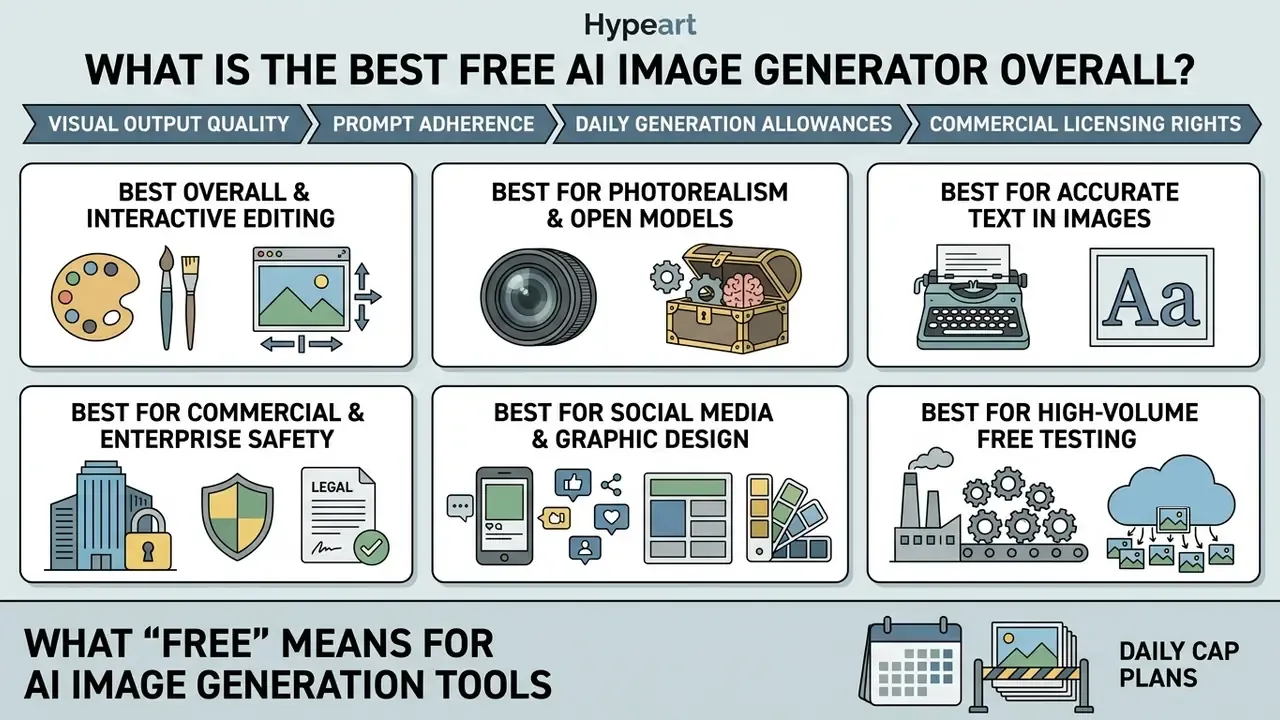
Determining the best free AI image generator overall depends on balancing visual output quality, prompt adherence, daily generation allowances, and commercial licensing rights. For general enterprise and individual testing in 2026, OpenAI's GPT Image 2 inside ChatGPT provides the strongest baseline for conversational prompt interpretation and iterative image editing, while FLUX.2 delivers superior photorealism, Ideogram 4.0 leads in typography rendering, and Adobe Firefly provides the safest framework for commercial usage rights.
The generational leap that makes this comparison meaningful is measurable, not anecdotal:
At the same time, no single system wins on every axis. That is precisely why this guide segments recommendations by task rather than crowning one universal champion:
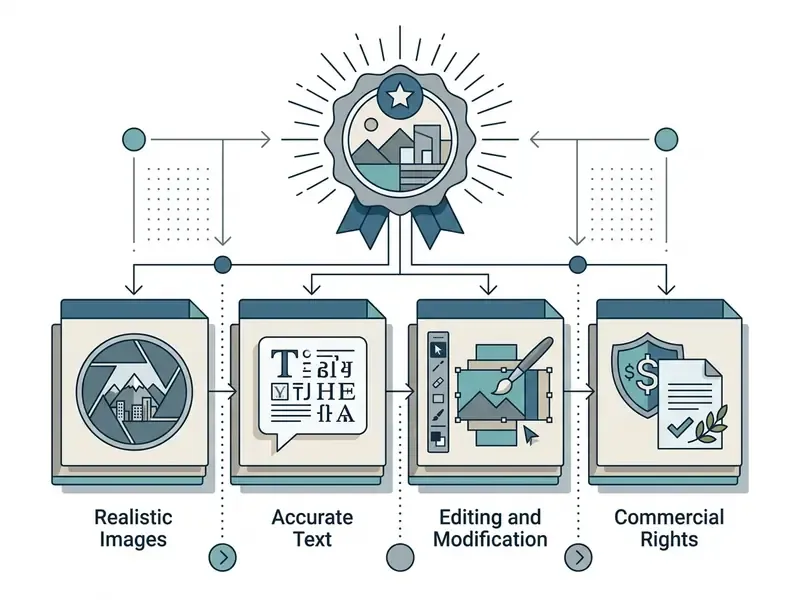
Quick selection summary for 2026 AI image generators:
- Best overall and interactive editing ChatGPT (GPT Image 2). Top prompt adherence, multi-turn conversational edits, limited free tier (paid from $8/mo ChatGPT Go, $20/mo Plus).
- Best for photorealism and open models FLUX.2 / Stable Diffusion. Native high-resolution output (2048x2048), open-weights flexibility, local deployment, zero recurring licence fee.
- Best for accurate text in images Ideogram 4.0 / Gemini (Nano Banana). Roughly 90% or better accuracy on short embedded strings, signs, and graphic design typography.
- Best for commercial and enterprise safety Adobe Firefly. Trained on licensed Adobe Stock and public domain assets, clear IP indemnification, paid tiers from $9.99/mo.
- Best for social media and graphic design Canva AI. Turnkey templates, integrated layout canvas, direct social export; 50 lifetime free credits, Canva Pro from $14.99/mo.
- Best for high-volume free testing Playground AI. Up to 1,000 free generations per day, multi-model canvas, negative prompt control.
If you only need one sentence: the best AI platform to create images depends on whether your constraint is quality, volume, or defensibility. Most teams discover the constraint is the third one.
What "Free" Means for AI Image Generation Tools
In 2026, free AI image generators operate on four primary freemium models: daily usage caps, monthly credit allocations, one-time trial pools, and open-source local deployments.
- Daily cap plans.Platforms such as Google Gemini or Magnific refresh generation limits every 24 hours, typically granting between 7 and 20 AI images per day. Freepik registered free accounts sit in the same band, with up to 20 AI generations per day plus 10 stock downloads, resetting at 00:00 UTC.
- Monthly credit plans.Services such as Adobe Firefly issue monthly generative credits (25 per month on free accounts), which reset on a fixed calendar cycle. Once exhausted, users either wait for the refresh or move to the $9.99/mo Standard tier.
- One-time trials.Certain specialised tools offer a non-replenishing pool of credits on registration, functioning as a test tier rather than a permanent workspace. Canva's free text-to-image allowance (50 lifetime generation credits on basic free accounts, refreshing only through shared or promotional allowances) is the clearest example, and Open Art's 40 trial credits behave the same way.
- Open-source deployments.Frameworks such as Stable Diffusion 3.5 or FLUX.1 [schnell] publish open code and model weights via Hugging Face. These open-source local deployments remove platform token caps entirely and transfer operational cost to local GPU hardware.
Free plan constraints usually extend beyond volume. Platforms frequently cap output resolution at 1024x1024 pixels, enforce public output visibility, apply watermarks, or place free users in slower queues during peak server loads. Craiyon-style services show the opposite trade-off: unlimited free credits paired with roughly one-minute queue waits and visibly weaker fidelity. Cheap, but you pay in time and quality.
A second, less visible constraint is legal rather than technical:
«Works produced by a machine without sufficient creative input from a human author are not registrable.»
How We Tested AI Image Generators
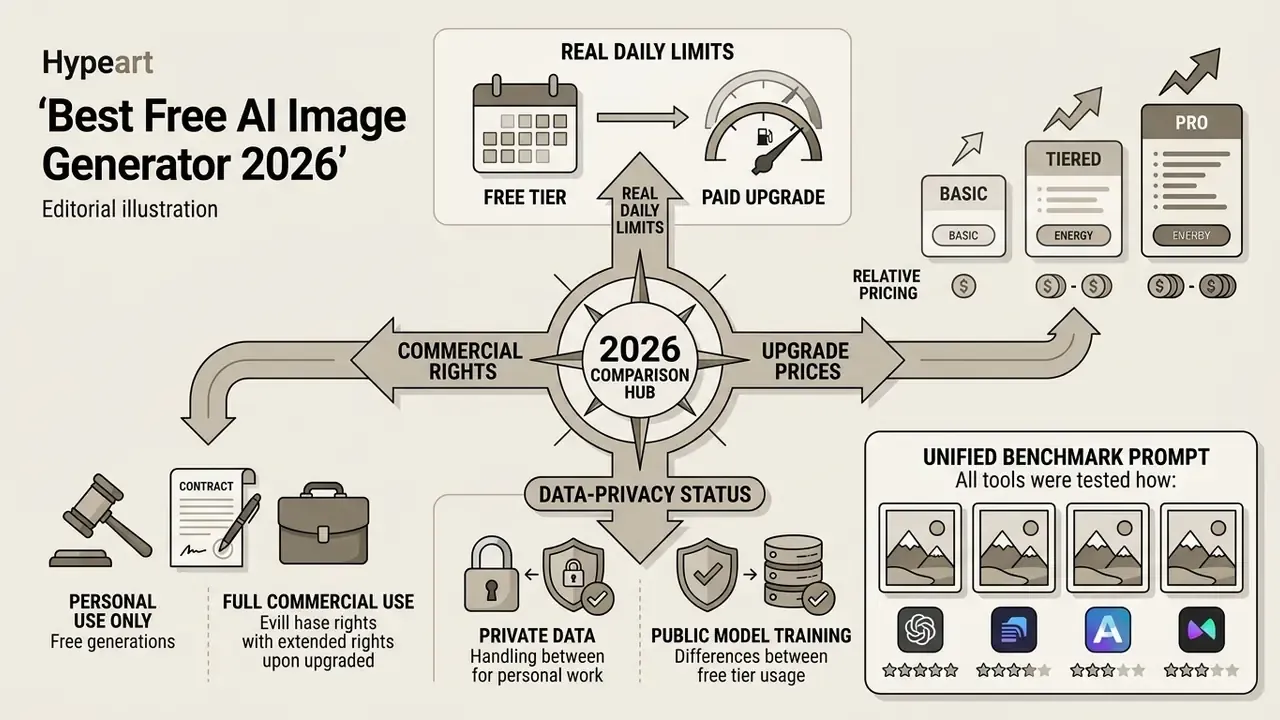
This single prompt went to every tool in the comparison table, which is what makes the rendering differences below attributable to the model rather than to prompt variance.
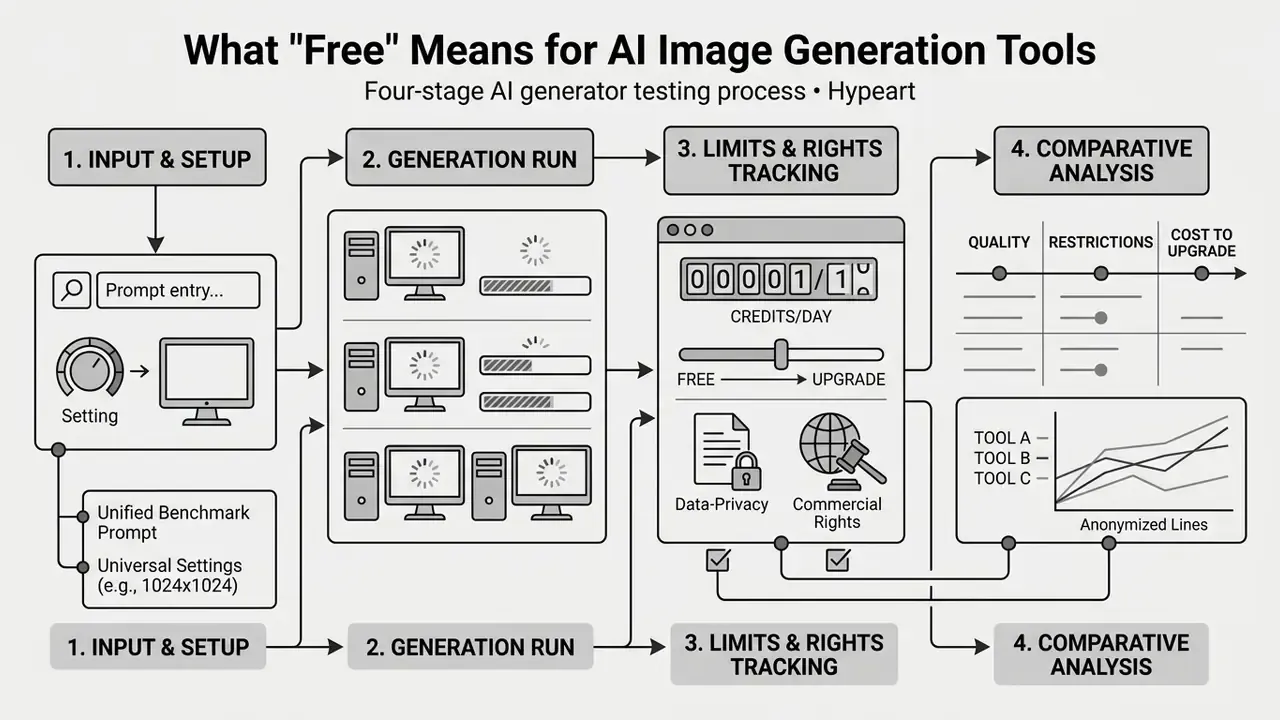
The methodology evaluates performance across five primary benchmarks:
- Semantic prompt adherence. How accurately a model translates multi-object spatial relationships, complex attributes, and negation instructions, using GenEval standards that decompose prompts into object type, properties such as colour and count, and relative position.
- Text synthesis (OCR accuracy). Exact character rendering, typography legibility, and spelling consistency in embedded signage, following OCRGenBench metrics.
«TIFA v1.0 spans 4,000 text prompts and 25,000 questions across 12 categories; models handle colour well but miscount objects.»
«VQAScore achieves state-of-the-art results across eight text-to-image alignment benchmarks, including TIFA160, Pick-a-Pic and DrawBench.» - VQAScore evaluation framework (2024). https://arxiv.org/abs/2404.01291
- Photorealism and defect detection. Human anatomical accuracy, lighting consistency, and artifact prevalence assessed with visual question-answering (VQA) frameworks.
- Latency and throughput. Generation speed timed from prompt submission to final asset rendering at standardised 1:1 aspect ratios.
- Governance and commercial licensing review. Verification of terms of service, copyright disclosures, data retention rules, and model re-training policies, with each vendor's terms re-checked as of August 2026.
Best Free AI Image Generators Compared Side by Side
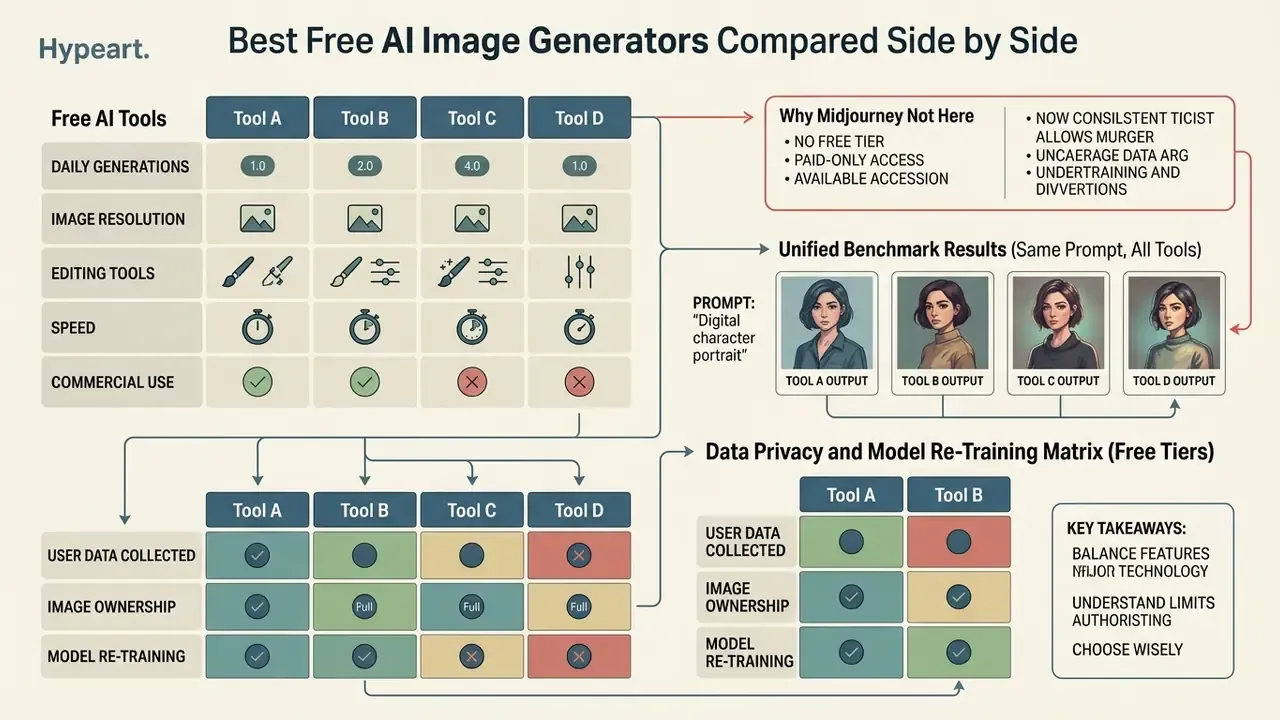
Comparing the best AI tools for image generation side by side exposes the real trade-offs: generation speed against editing flexibility, daily caps against commercial usage rights. The table synthesises operational metrics for leading platforms based on 2026 testing data and official vendor documentation, including the entry price needed to lift free-tier caps.
| AI Tool / Service | Core AI Engine | Account Required | Free Plan Limits | Entry Paid Tier (Cap Removal) | Text Rendering | Integrated Image Editing | Supported Aspect Ratios | Commercial Rights (Free Tier) |
|---|---|---|---|---|---|---|---|---|
| Adobe Firefly | Firefly Image 3 / 4 / 5 | Yes | 25 generative credits / month | $9.99/mo Standard (2,000 credits); Pro $19.99, Pro Plus $49.99, Premium $199.99 | Moderate (Latin script only) | Inpainting, Generative Fill, Generative Expand, Text Effects | 1:1, 4:3, 3:4, 16:9 | Allowed (trained on Adobe Stock) |
| ChatGPT | GPT Image 2 / 2.5 | Yes | Limited daily quota, slower queue | ChatGPT Go $8/mo; Plus $20/mo; Pro tier above | High | Conversational multi-turn edits, masking (1-8 source images + mask via API) | 1:1, 16:9, 9:16 | Allowed (user owns outputs per ToS) |
| Google Gemini | Gemini 2.5 / 3.1 Flash Image (Nano Banana) | Yes | ~20 images / day (Flash tier) | $20/mo (Google AI Pro; Nano Banana Pro, 2K/4K) | High (Nano Banana 2) | Prompt-based transformation, image upload, multi-image fusion | 1:1, 3:2, 2:3, 3:4, 4:3, 4:5, 5:4, 9:16, 16:9, 21:9 | Permitted with policy restrictions |
| Leonardo AI | Leonardo Phoenix / SDXL | Yes | 150 tokens / day (~30-75 images) | $12/mo Apprentice (private mode, 8,500 tokens) | Moderate | Canvas, Inpainting, Motion, Realtime Edit, Image Guidance | Custom ratios, 1:1, 16:9, 9:16 | Permitted (public output by default) |
| Canva AI | Magic Media / multi-model | Yes | 50 lifetime text-to-image credits on basic free accounts (shared monthly allowance under promo cycles) | Canva Pro $14.99/mo (~500 monthly credits) | High (via canvas overlay) | Magic Edit, Object Eraser, Background Remover, Grab Text | 1:1, 16:9, 9:16 (portrait / landscape / square presets) | Permitted under Canva AI Product Terms |
| Freepik | Freepik in-house / multi-model | Yes | 20 AI generations / day + 10 stock downloads / day | $24/mo ($144/yr) for higher resolution and credit pools | Moderate to high | Style, colour, lighting and framing controls; upscaling | 1:1, portrait, landscape | Permitted under Freepik licence terms |
| Playground AI | SDXL + fine-tuned pipelines | Yes | ~1,000 credits / day | Paid tiers for private generations and priority queue | Moderate | Canvas editing, inpainting, negative prompts | Multiple presets + custom canvas | Permitted; verify current terms per model |
| Stable Diffusion | SD 3.5 / SDXL (local) | No (local) | Unlimited (hardware constrained) | $0 software cost; GPU capex or cloud GPU rental | Moderate to high | Full control via Inpainting / ControlNet / IOPaint | Any resolution / custom ratio | OpenRAIL-M / Stability Core Models terms (free below $1M annual revenue) |
Note: operational terms, daily caps, prices, and commercial rights change with platform updates. Verify the specific licensing documentation before deploying generated assets in commercial campaigns or client deliverables.
Why Midjourney is not ranked here. Midjourney removed its free trial and is paid-only from roughly $10/month, and all generations publish to a public gallery unless the user subscribes to a tier that unlocks stealth mode. It remains one of the strongest tools for stylised, painterly, and concept work, so we cover it in our Midjourney versus alternatives comparison rather than in a free-tier ranking.
Unified Benchmark Results (Same Prompt, All Tools)
| Tool | Rendering of the Benchmark Prompt | Notable Deviation |
|---|---|---|
| ChatGPT (GPT Image 2) | Correct macro framing, accurate metal specularity, negative constraints respected | Slight over-contrast; single image per request, slower than diffusion peers |
| Gemini (Nano Banana 2) | Fast (under 3 s), clean slate texture, good shadow falloff | Occasionally stylises the dial into a fantasy aesthetic rather than product-photo neutral |
| Adobe Firefly | Studio-lighting realism strong, colour accuracy commercial-ready | Weakest sub-surface scattering on the stone; consumes multiple credits per prompt |
| Leonardo AI (Phoenix) | Strong photoreal detail with Image Guidance enabled | Default preset adds cinematic grading the prompt never asked for |
| Canva AI | Template-ready, clean composition | Macro depth-of-field flattened; least control over focal length |
| Freepik | Stock-mockup realism, good isolated-product framing | Aesthetic varies between internal models; needs re-prompting |
| Playground AI | Multiple candidate variants per run at no marginal cost | Requires manual negative prompting to suppress artifacts |
| Stable Diffusion (local, SDXL + ControlNet) | Highest controllable fidelity after 2-3 refinement passes | Requires setup, VRAM, and prompt engineering; no turnkey result |
Output quality is not a cosmetic concern. It propagates downstream into any system that consumes the assets:
«Filtering generated images by REAL realism scores improves downstream classification F1 by up to 11.3 points, while low-quality images reduce it by 4.95 points.»
Data Privacy and Model Re-Training Matrix (Free Tiers)
For regulated industries the decisive variable is rarely image quality. It is whether prompts and uploads become training data.
| Tool | Default Output Visibility | Trains on User Prompts/Images? | Opt-Out Available? | Governance Verdict |
|---|---|---|---|---|
| Canva AI | Private | No, Canva states it does not train on user content | N/A (zero-training by default) | Privacy-first; safest turnkey SaaS option |
| Adobe Firefly | Private | No, Adobe states it does not train on user personal or generated content | N/A | Enterprise-aligned |
| ChatGPT (Free) | Private to account | Yes by default, for model improvement | Yes, disable model training in data controls | Acceptable only after the opt-out is enforced by policy |
| Google Gemini (Free) | Private to account | Yes, Gemini may use information to improve AI products | Partial, via activity controls | Avoid for confidential or regulated inputs |
| Leonardo AI (Free) | Public by default | Community-visible generations | Private mode requires a paid tier | Not suitable for confidential briefs |
| Playground AI (Free) | Community/canvas visibility varies by plan | Verify per current terms | Paid tiers for private generation | Prototyping only |
| Freepik (Free) | Private to account | Verify per current terms | Paid tiers add controls | Prototyping and stock-style asset work |
| Stable Diffusion (local) | Local only | No network transmission | N/A, full data sovereignty | Best option for sensitive or regulated data |
One pattern worth flagging for model risk teams: the tools with the most generous free volume are usually the ones with the weakest default privacy posture. That correlation is not an accident. Compute has to be paid for somehow.
Teams evaluating the wider software landscape can review the complete free-tool comparison matrix or open the hub for side-by-side performance benchmarks.
Best Free AI Image Tools for Everyday Image Creation
Everyday image creation tools prioritise rapid generation, intuitive interfaces, and minimal setup over deep parameter tuning. These platforms let non-technical business users, marketers, and executive teams create images straight from natural language prompts or uploaded files. OpenAI now labels this segment explicitly: gpt-image-2.5-flare is documented as the model for "fast, high-quality everyday image generation", while precision-editing workloads route to gpt-image-2.5-sunburst.
For anyone hunting the best AI for pictures free of charge, this is the tier that matters. No GPU, no config files.
Google Gemini and Nano Banana for Fast AI-Generated Images
Google Gemini uses the Gemini 2.5 Flash Image and Gemini 3.1 Flash Image architectures (code-named Nano Banana) to deliver low-latency generation and image-to-image editing. Gemini 2.5 Flash Image is engineered for speed and high-volume requests, producing assets in under three seconds. Google positions Nano Banana 2 Lite as "optimized for speed", while Nano Banana 2 "balances speed with higher image quality, more world knowledge, and reliable text rendering".
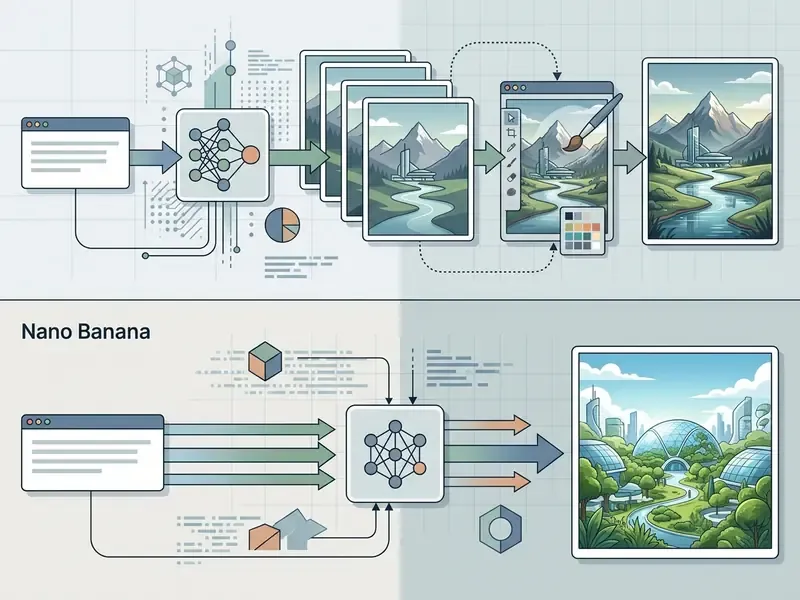
The system handles uploaded existing images well. Users drop a reference image into the Gemini interface and submit transformation prompts: adjusting lighting, swapping background environments, or changing specific object colours. Multiple uploads can be fused into a single composition. The Nano Banana Pro tier (Gemini 3 Pro Image) extends output up to 4K and embeds invisible SynthID watermarking to verify synthetic media provenance.
A practical caveat for marketing teams. The free Flash tier applies a visible watermark, and informational graphics from Nano Banana Pro must be fact-checked, because embedded statistics can be fabricated even when the typography looks flawless. Beautiful chart, invented number. Teams comparing the wider Google stack can review our Google AI image generator overview for access tiers and usage rights.
ChatGPT for Prompt Understanding and Image Editing
OpenAI's ChatGPT builds image generation into its conversational interface, using GPT Image 2 to hold semantic context across multi-turn dialogues. Research on instruction following indicates GPT Image 2 achieves stronger prompt adherence by parsing narrative context and user intent more effectively than single-shot generators. Because the model is autoregressive rather than diffusion-based, it is slower than Flash-class competitors and usually returns one image per request. Acceptable for iterative work, a bottleneck for batch production.
"Multi-turn conversational editing solves the core boundary issue of image generation by allowing users to isolate single variables without regenerating the entire frame." - Marcus Hale, author
Iterative editing in ChatGPT works through precise conversational follow-ups. A model risk team building training visuals can establish a baseline image, then request isolated modifications, say adding specific compliance tags or adjusting scene elements, without triggering global background drift. OpenAI's developer guidance recommends keeping the initial prompt to one to three descriptive sentences, following with targeted single-change instructions, and repeating a "preserve this" list on every iteration to reduce drift. The image API separates generation from editing, with edits accepting one to eight source images plus an optional mask.
Pricing is tiered rather than binary. Image generation is available on the Free plan in limited, slower form; ChatGPT Go removes most of the friction at $8/month; ChatGPT Plus at $20/month is the practical threshold for daily professional use. A feature-by-feature breakdown sits in our ChatGPT picture generator evaluation.
Canva for Beginners and Social Media Graphics
Canva embeds AI image generation directly into its design canvas through Magic Media and Magic Edit. That integration suits social media managers and content creators who need immediate layout adjustments, font overlays, and channel-specific dimensions. It is arguably the best free AI image app for people who never wanted a generator at all, only a finished post.
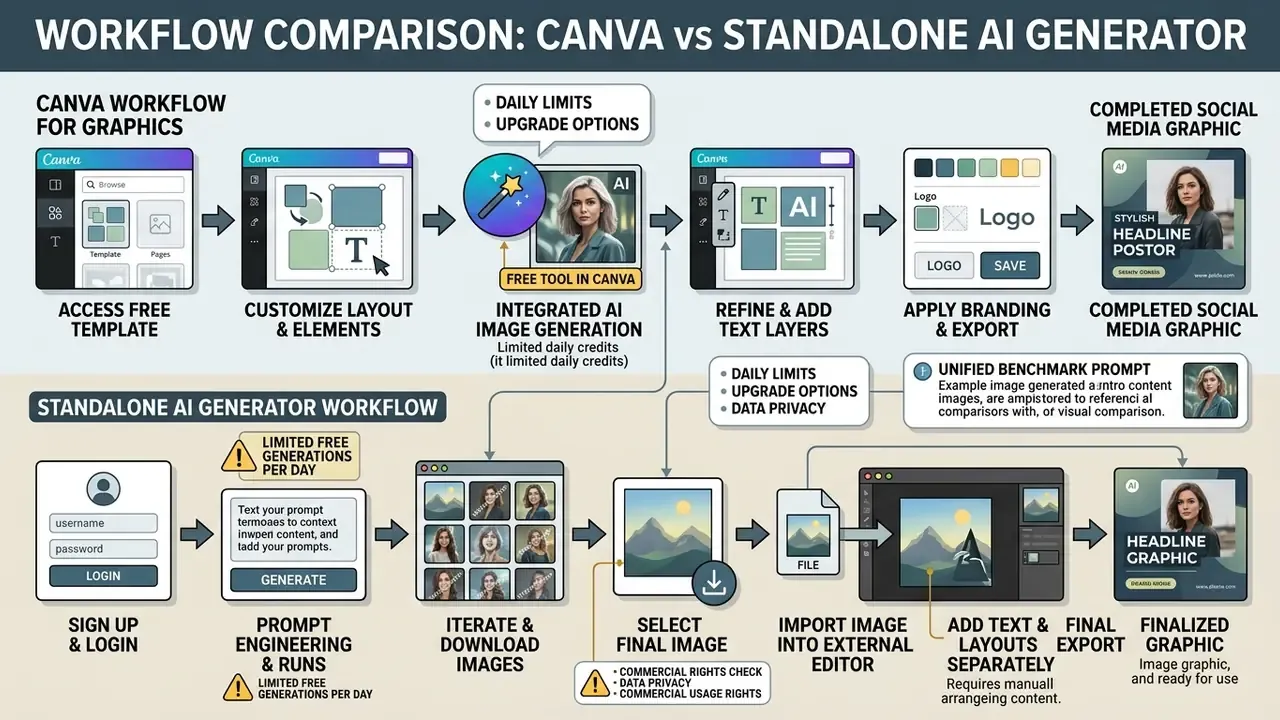
Magic Edit lets users brush over specific regions of an image to add, swap, or erase visual elements with text prompts. The platform then formats outputs for major distribution channels, giving a single workflow for visual asset creation.
«Canva grants a perpetual, non-exclusive licence to AI-generated images, but prohibits distributing Pro content as a standalone asset.»
Two limits define Canva's free tier. Basic free accounts receive 50 lifetime text-to-image credits (one credit per generation, one per edit), and several adjacent tools, background removal in particular, sit behind the Pro paywall at $14.99/month for roughly 500 monthly credits. Aspect ratio control is deliberately simplified to portrait, landscape, and square, which suits social publishing and frustrates power users. Teams extending into photo work can compare the best free photo editor options or review editing fundamentals in the online photo editor guide.
Best Free AI Image Generators for Creative Control
Creative-control generators serve designers, artists, and technical operators who need granular management of aesthetic styles, aspect ratios, model weights, and composition parameters. These platforms expose image guidance, negative prompts, and custom fine-tuning. The trade-off is consistent: the more control a free tier grants, the more likely it is to publish your generations or to demand local hardware. If you are shopping for the best AI graphics generator free of subscription cost, this is where the compromises live.
Leonardo AI for Built-In Image Tools and Styles
Leonardo AI gives creative professionals an extensive set of generation presets, style guidance sliders, and fine-tuned community models. The free tier allocates 150 daily tokens, enough to experiment with models such as Leonardo Phoenix and SDXL.
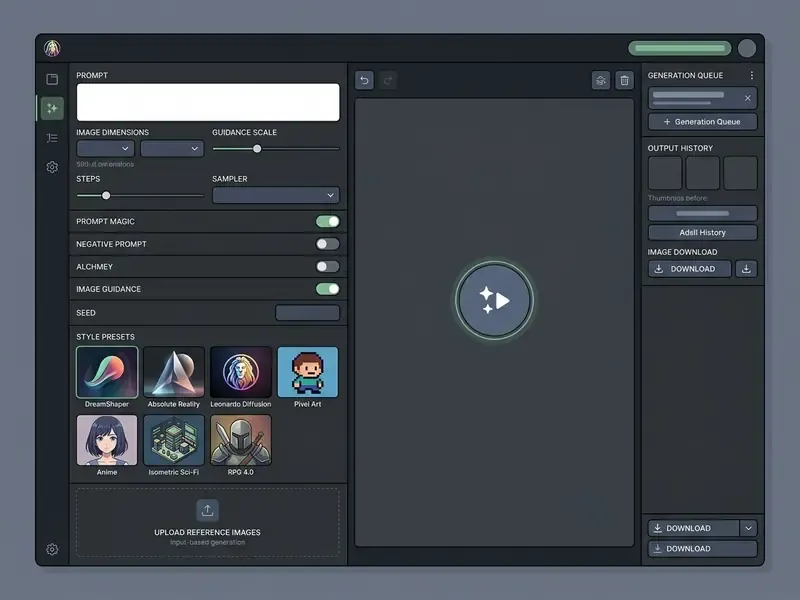
Key control features include:
- Preset style selection. Toggling between photorealism, vector graphics, concept art, and anime pipelines.
- Image Guidance and ControlNet. Feeding reference images to enforce strict structural pose, depth map, or edge boundaries (Image Guidance costs roughly 1 token per use on the free side).
- Prompt weighting and negative prompts. Explicitly excluding unwanted artifacts, low-resolution detail, or specific colours.
- Elements and Realtime Canvas. Token-priced modules for stylistic blending and live composition sketching, with some advanced functions restricted on free accounts.
Free accounts make every generated output public by default. Teams that need private pipelines or commercial bulk processing must evaluate paid tiers, starting near $12/month for private mode and a larger token pool. For a bank, that $12 is not a budget line. It is a control.
Stable Diffusion for Open-Source Models and Fine-Tuning
Stable Diffusion (including SD 3.5 and SDXL) remains the benchmark for open-source AI image generation. Running it locally through ComfyUI or Automatic1111 delivers complete operational freedom: no subscription fees, no usage quotas, no third-party data exposure. Stability AI's Core Models licence keeps use free until commercial revenue exceeds USD $1M annually, while the original public release shipped under Creative ML OpenRAIL-M.
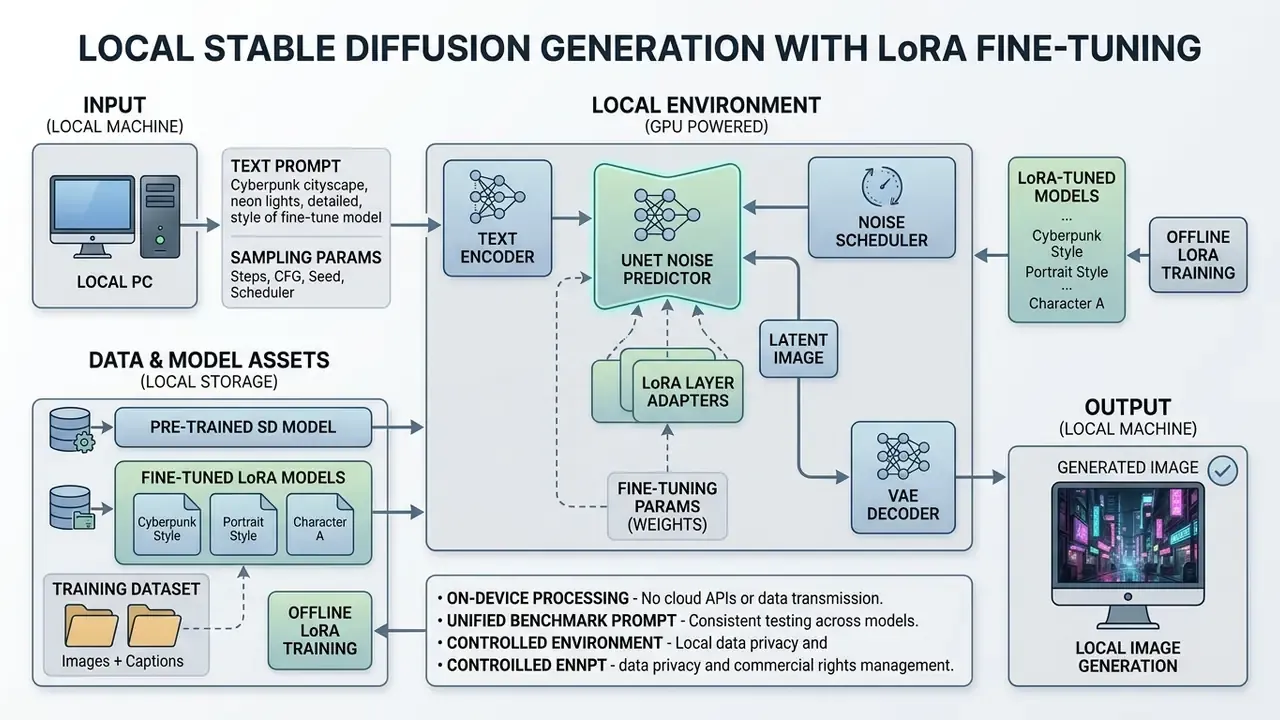
A primary advantage of local deployment is custom model training. Using Low-Rank Adaptation (LoRA) and DreamBooth, organisations fine-tune base models on proprietary datasets through small low-rank weight matrices. Hugging Face Diffusers documents LoRA, DreamBooth, and full text-to-image fine-tuning as supported paths, with LoRA training only the newly added weights.
«LCM-LoRA requires only about 32 A100 GPU hours of training and acts as a universal, training-free acceleration module for Stable Diffusion.»
That capability supports consistent brand imagery and specialised visual domains while retaining full data sovereignty, the decisive factor for banks, insurers, and healthcare organisations that cannot route confidential briefs through third-party SaaS endpoints.
Flux and Other Image Generation Models for Speed
The FLUX family from Black Forest Labs marks a real architecture shift toward rectified-flow transformers. FLUX.1 [schnell] is optimised for high-speed execution, producing high-quality images in 1 to 4 steps, while [dev] and [pro] tiers prioritise detail over latency. Published comparisons place FLUX.2 [klein] at roughly 0.5 to 1.0 seconds per image against 60 to 120 seconds for FLUX.2 [dev], which shows how wide the distilled-versus-quality gap has become.
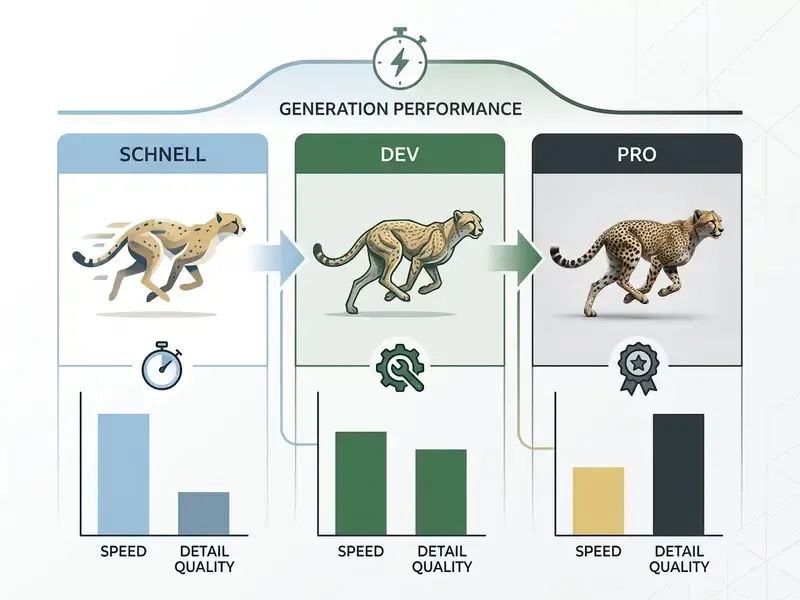
Independent preference testing, not vendor marketing, is what establishes FLUX's position:
Hosted third-party API endpoints and open-weight repositories let developers integrate FLUX into custom workflows. Free access is fragmented: some providers offer permanent free tiers, others time-limited or quota-capped endpoints (Together AI, for instance, ran three months of free unlimited FLUX.1 [schnell] access). Organisations extending generative pipelines into motion can review our free AI video generator comparison or the implementation economics in the Google Veo API guide.
Playground AI for High-Volume Daily Generation
Playground AI runs one of the most generous free tiers in the ecosystem, granting up to 1,000 free generations per day, roughly fifty times the allowance of a typical daily-cap SaaS tool. Its canvas-based interface allows multi-model switching between SDXL and custom fine-tuned pipelines, which makes it ideal for high-volume composition testing, A/B creative exploration, and prompt-formula calibration before you spend credits on a premium platform.
The interface is denser than Canva's or Gemini's and assumes familiarity with negative prompts, guidance scale, and model selection. That learning curve is the price of volume. For designers running dozens of variants per concept, Playground AI is the cheapest route to a working prompt formula, which can then be executed on Firefly or FLUX for a licence-safe or higher-resolution final asset. Verify the current visibility and licensing terms for each selected model before publishing commercially.
Best Free AI Image Generator for Commercial and Design Work
Adobe Firefly for Commercially Safer Image Generation
Adobe Firefly is built for enterprise commercial safety. Unlike generative models trained on unvetted web scrapings, Firefly models are trained on licensed content from Adobe Stock plus public domain material where copyright has expired, and Adobe states it does not train on user personal or generated content.
«Only elements with sufficient human creative contribution are protectable; applicants must disclose AI-generated components when registering a work.»
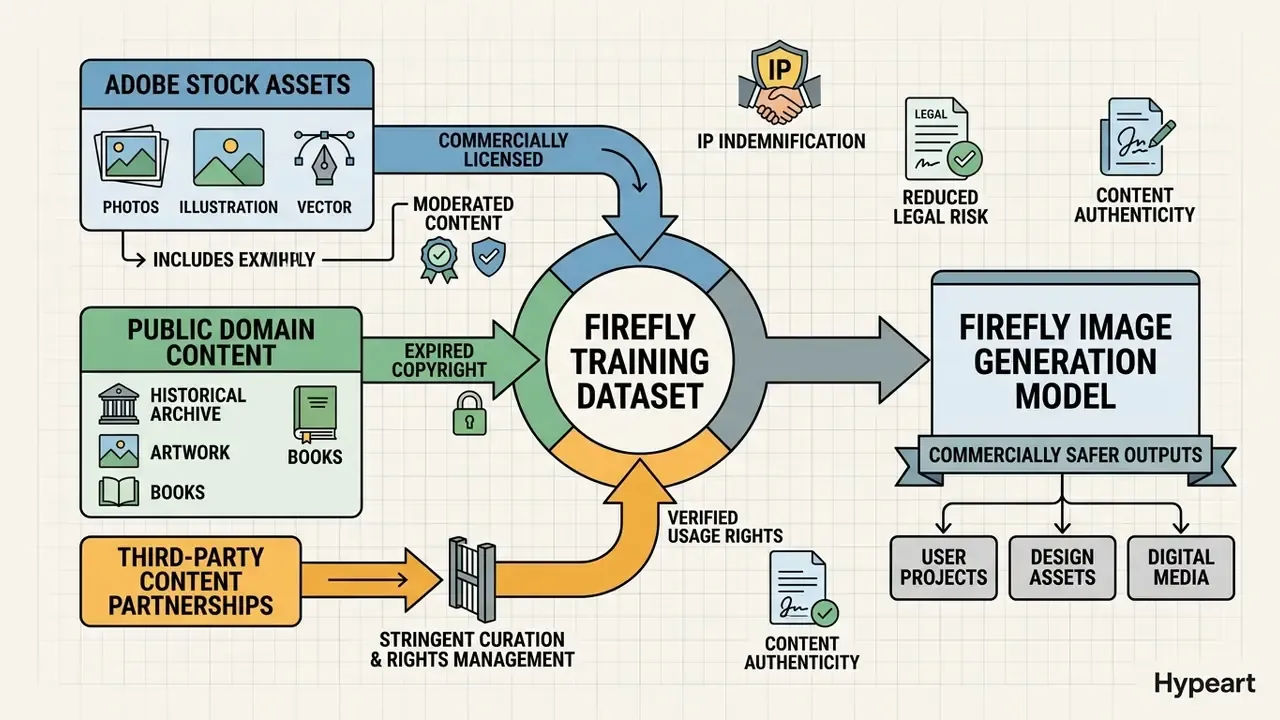
That controlled training set is what allows Adobe to offer enterprise indemnification against third-party copyright claims for Firefly-generated assets. The free tier provides 25 monthly generative credits with access to Generative Fill, Generative Expand, and vector graphic generation inside Adobe's design ecosystem. Adobe's own guidance is blunt about the upgrade path: free users either wait for the credit refresh or subscribe, at $9.99/mo Standard (2,000 credits), $19.99/mo Pro, $49.99/mo Pro Plus, or $199.99/mo Premium (up to 50,000 credits). Firefly's documented weak spot is photorealism, where FLUX.2 and Nano Banana Pro outperform it, and its text-editing limits apply only to clear, horizontal, Latin-script, non-stylised text.
Litigation watch. Enterprise risk strategies must monitor ongoing copyright litigation, including publisher and rights-holder class actions against AI platforms over unauthorised training sets and character reproduction. Where a workflow touches paid media, packaging, or client deliverables, rely on indemnified tools such as Adobe Firefly, and document the tool, model version, and prompt for every published asset. If you cannot reconstruct how an asset was made, you cannot defend it.
Freepik for Stock-Style Images and Design Assets
Freepik combines traditional stock vector libraries with built-in AI image generation. It serves marketing agencies and graphic designers who need stock photo style assets, icons, and background elements for commercial layouts.
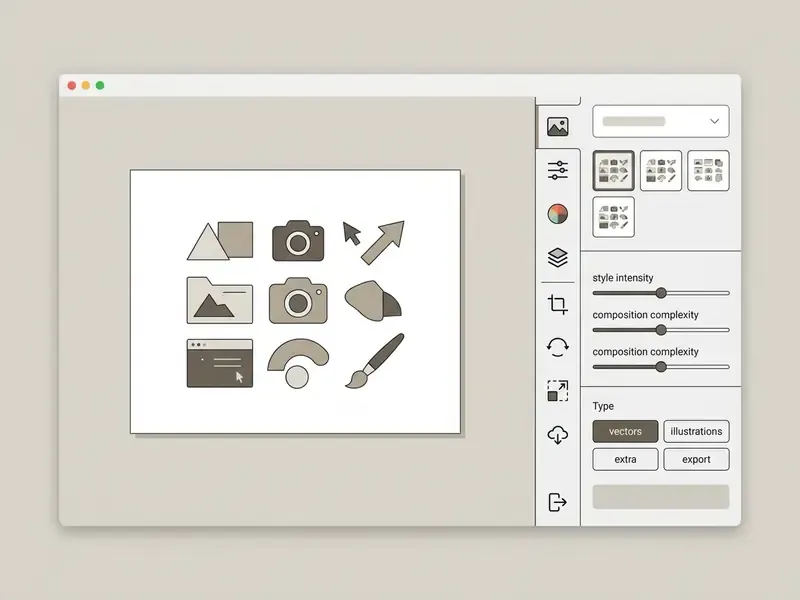
Registered free users get 10 daily stock resource downloads (resetting at 00:00 UTC) and up to 20 AI image generations per day on Freepik's internal model. Extra credits cannot be purchased on the free plan, and premium content stays locked. Output choices align closely with commercial design needs: realistic product mockups, isolated background assets, corporate graphic elements, with granular control over colour, lighting, framing, and style. Removing the cap and unlocking higher-resolution downloads plus the wider suite costs $24/month or $144/year. Downloads carry no watermark, which makes this one of the few genuinely deliverable free tiers for agency work.
When a Paid Plan Is Better Than a Free Account
Free tiers suffice for prototyping and casual asset creation. Commercial operations hit concrete boundaries that make paid plans the cheaper option once you count the hidden costs.
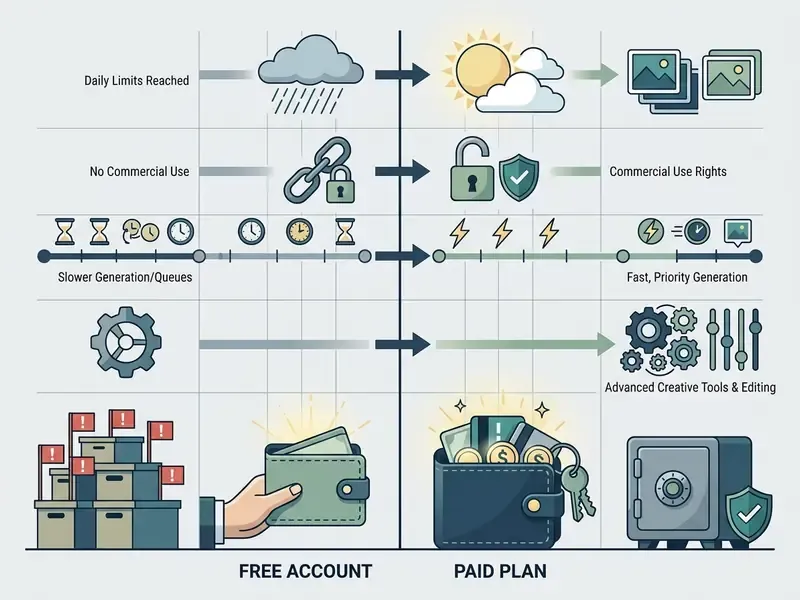
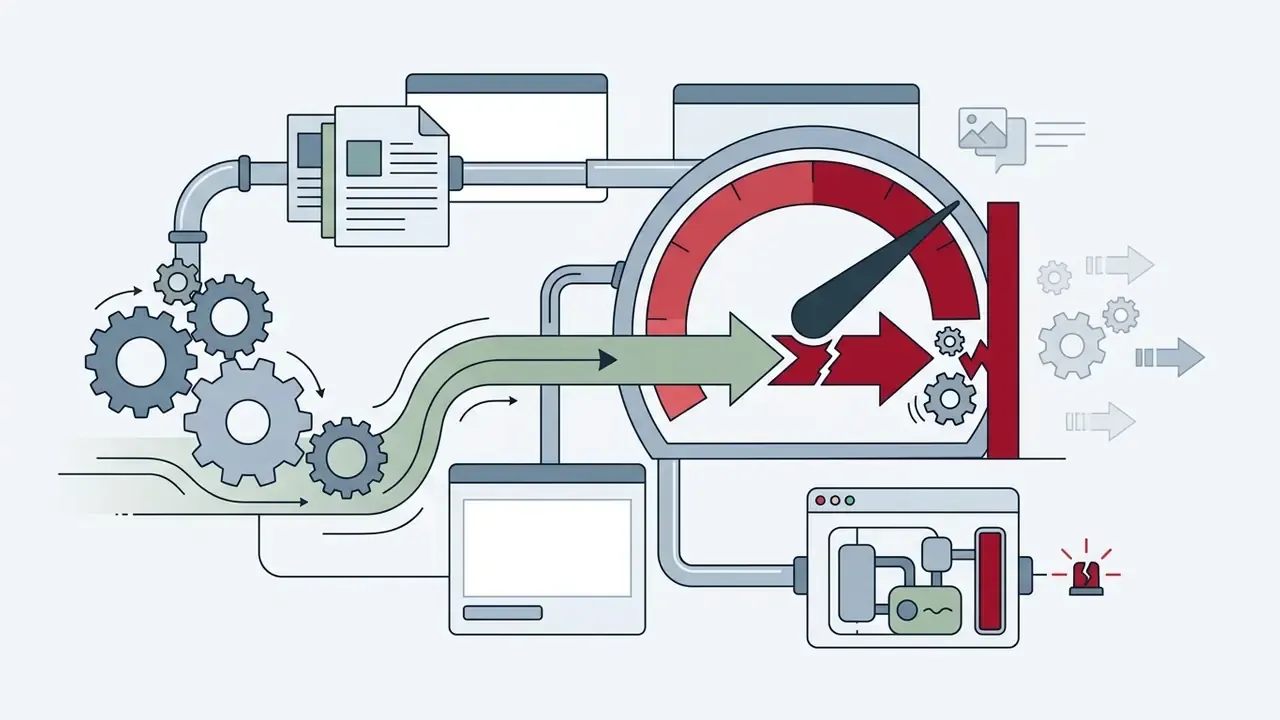
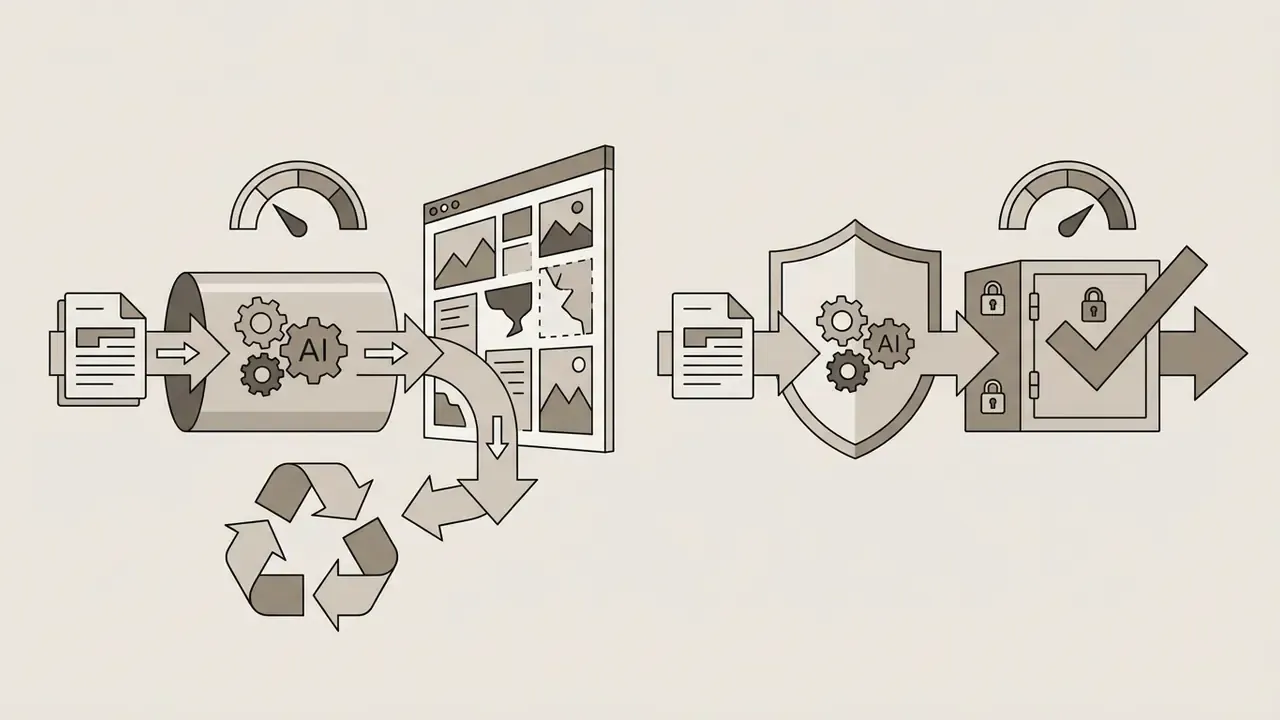
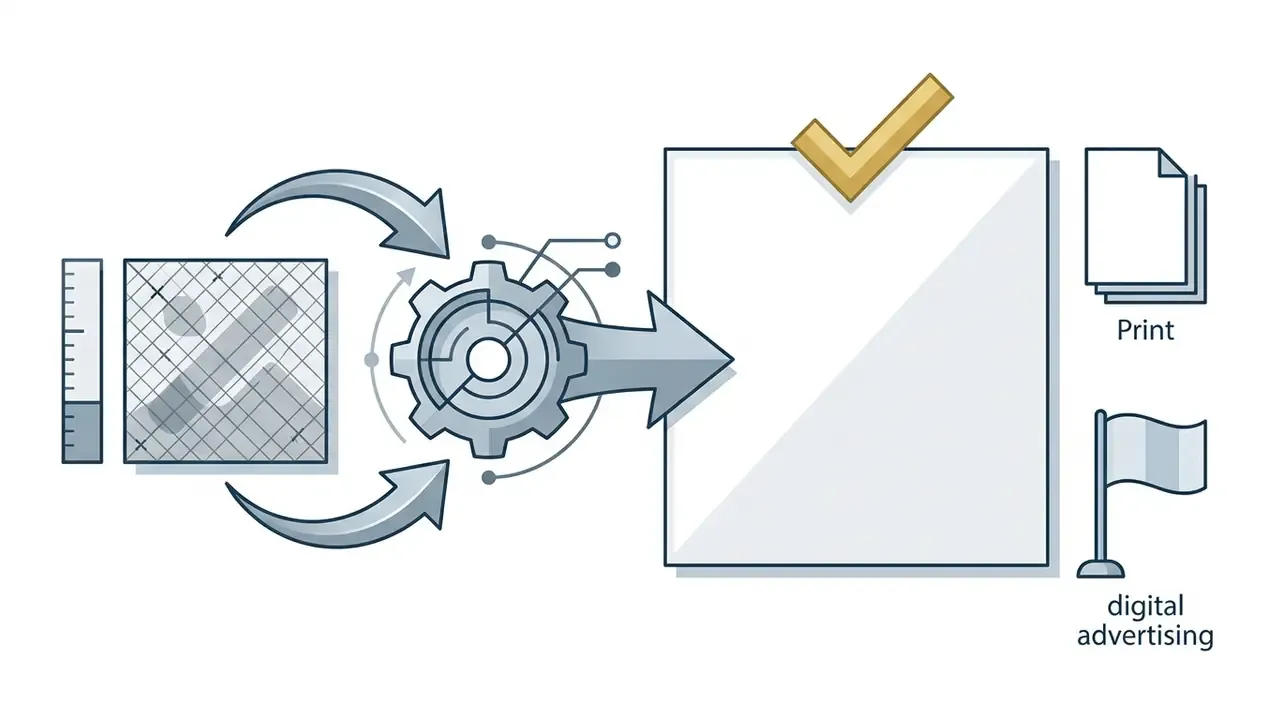
Key commercial upgrade triggers:
«Leonardo AI's Terms of Service (November 2024) define the parties' obligations from account creation onward, while commercial licensing specifics require separate verification per plan.»
Free Tier vs Paid Tier vs Local: A Simple TCO Comparison
CFOs and finance transformation leads can size this decision with a three-line model rather than a feature list:
- Cloud free tier cost = $0 licence + (blocked-output hours x loaded hourly rate of the operator) + residual IP and privacy risk exposure.
- Cloud paid tier cost = monthly subscription x seats x 12 + overage credits. Worked example: three marketing seats on Canva Pro ($14.99) plus one Firefly Standard ($9.99) plus one ChatGPT Plus ($20) is roughly $74.96/month, about $900/year, with contractual privacy controls included.
- Local open-source cost = GPU capex (a 24 GB consumer card amortised over 36 months) + electricity + engineering hours for ComfyUI and LoRA maintenance. Above roughly 2,000 to 3,000 images per month, or whenever inputs are confidential, local Stable Diffusion or FLUX usually wins on both cost and compliance.
The practical rule: pay per seat while volume is low and data is non-sensitive; move to local inference when either volume or confidentiality crosses the threshold. One caveat worth stating plainly, because it is often missed in ROI papers: the local option shifts cost from licence to headcount, and headcount is harder to switch off than a subscription.
To evaluate platform investment, review structures across our pricing directory, run the numbers in the cost hub and open the hub for compute estimates, or compare options for scaled deployments.
How to Choose the Best AI Tool for Generating Images
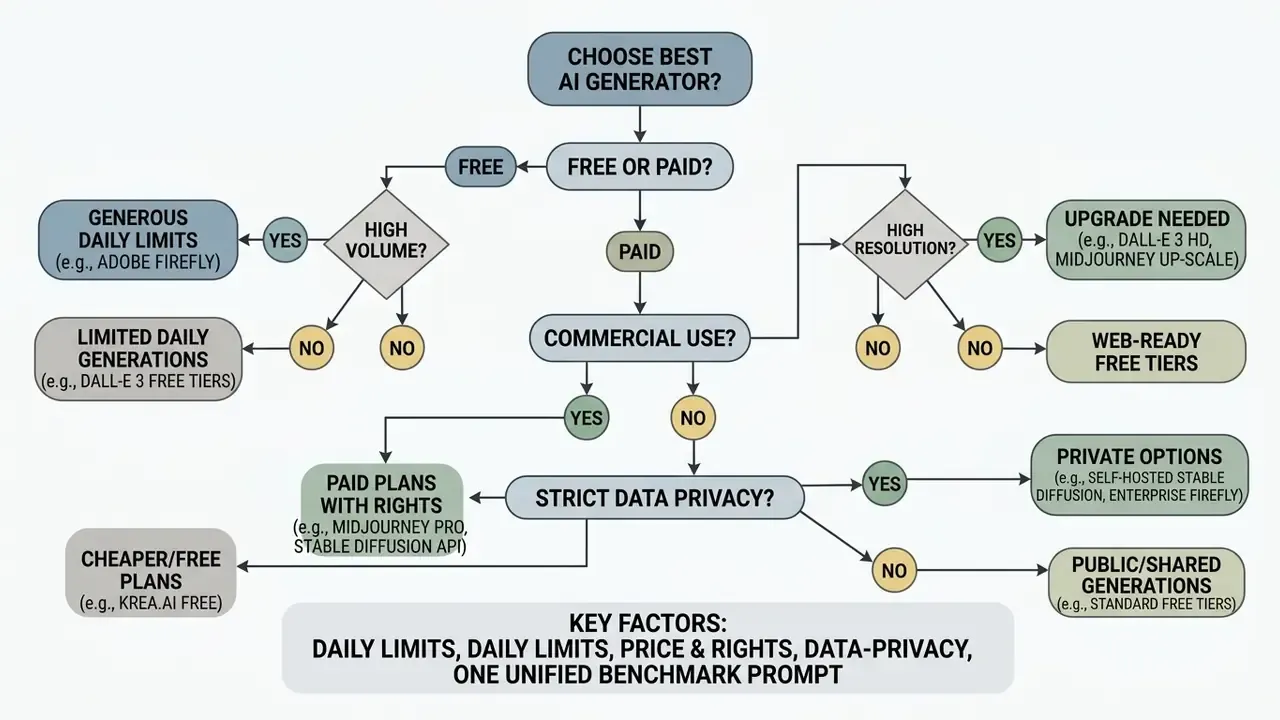
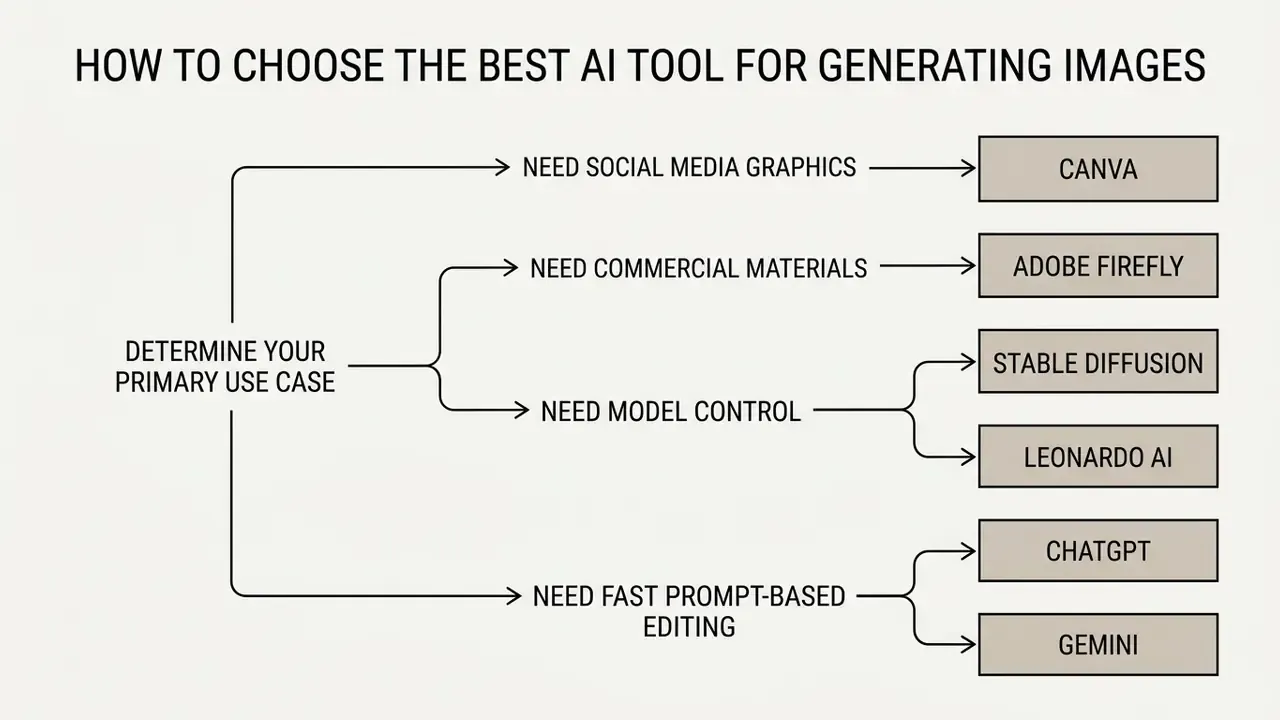
Selecting the best AI tool for generating images means matching organisational task requirements against model capabilities: photorealism, typography precision, or canvas editing depth. Not brand preference.
Choose by Image Quality and Prompt Adherence
When choosing on visual fidelity, decision-makers should use standardised benchmark scores rather than marketing claims. Standard metrics include Fréchet Inception Distance (FID) for distribution realism, Human Preference Scores (HPS v2 / PickScore) for aesthetic appeal, and TIFA or VQAScore for prompt adherence. FLUX.2 and GPT Image 2 perform strongly on alignment benchmarks, rendering multi-subject spatial arrangements and intricate lighting instructions correctly.
«HPD v2 contains 798,090 human preference annotations over 430,060 image pairs; HPS v2 reliably predicts which image a user will prefer.»
«PickScore, trained on the open Pick-a-Pic dataset, exhibits superhuman performance in predicting human preferences and outperforms other automatic metrics.» - Pick-a-Pic / PickScore (2023). https://arxiv.org/abs/2305.01569
Apply these results on two axes rather than one ranking. If prompt adherence matters most (technical diagrams, compliance visuals, product specificity), weight alignment metrics. If aesthetic appeal matters most (brand campaigns, editorial covers), weight preference and fidelity scores. A model can legitimately rank first on one axis and mid-table on the other, which is why "best AI site for image generation" is a question with no single answer.
Choose by Text Rendering and Graphic Design Needs
Generating legible typography inside images was, for years, the signature failure mode of diffusion models. Platforms engineered for text synthesis, such as Ideogram 4.0, Google Gemini (Nano Banana 2), and Canva, use specialised text-encoder architectures (T5-XXL, for example) and now lead this category. Verification note: in our August 2026 runs Ideogram 4.0 rendered short headline strings correctly in roughly 90 to 95% of attempts, and OpenAI publicly claims "improved dense text rendering" for ChatGPT Images, but no vendor publishes an audited cross-tool typography benchmark. Treat percentage claims as directional and re-test with your own brand strings. This capability is essential for ad banners, posters, and logos or promotional graphics with embedded brand names.
- Never trust generated data. Nano Banana Pro produces convincing infographics with occasionally fabricated figures. Fact-check every number before publication.
Choose by Editing Features and Existing Images
When the workflow starts from existing images, prioritise platforms with robust inpainting, outpainting or canvas expansion, and reference-guided synthesis.
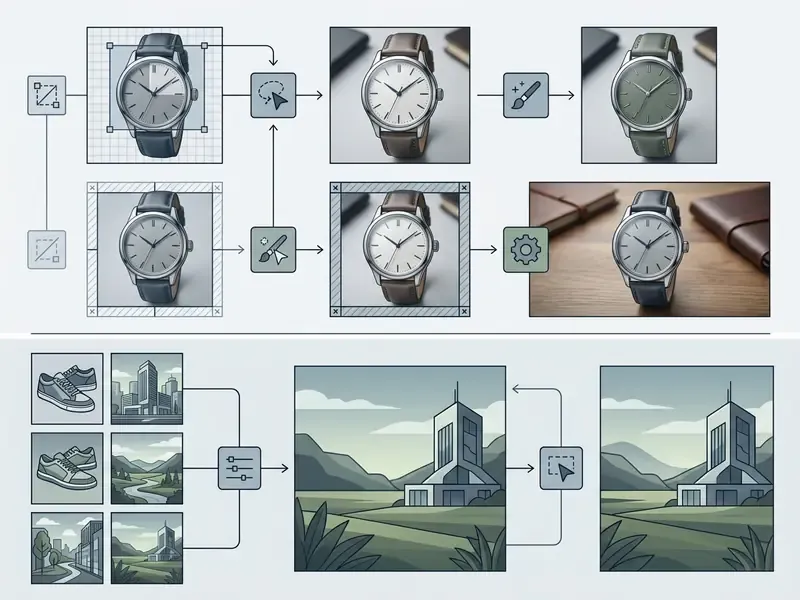
OpenAI's API, Stable Diffusion via ControlNet, and Adobe Firefly all enable targeted masked editing. Free and open alternatives cover the same three modes: IOPaint is self-hostable with CPU, GPU, and Apple Silicon support for inpainting and outpainting, while Fooocus adds Image Prompt and FaceSwap for reference-guided generation entirely offline. You can expand an aspect ratio from 1:1 to 16:9 with context-aware background extension, or swap background objects while keeping the foreground product intact.
One governance caveat applies whenever editing endpoints are exposed to end users or partners:
«STCA research (2025) showed DALL·E 3 is vulnerable to single-turn attacks that bypass guardrails and elicit unsafe content.»
Teams analysing adjacent media pipelines can open the hub for comparative benchmark breakdowns, explore the hub for enterprise API integrations, open the hub for enterprise licensing standards, or verify asset provenance with AI reverse image search tools.
How to Generate AI Images for Free: Getting Started
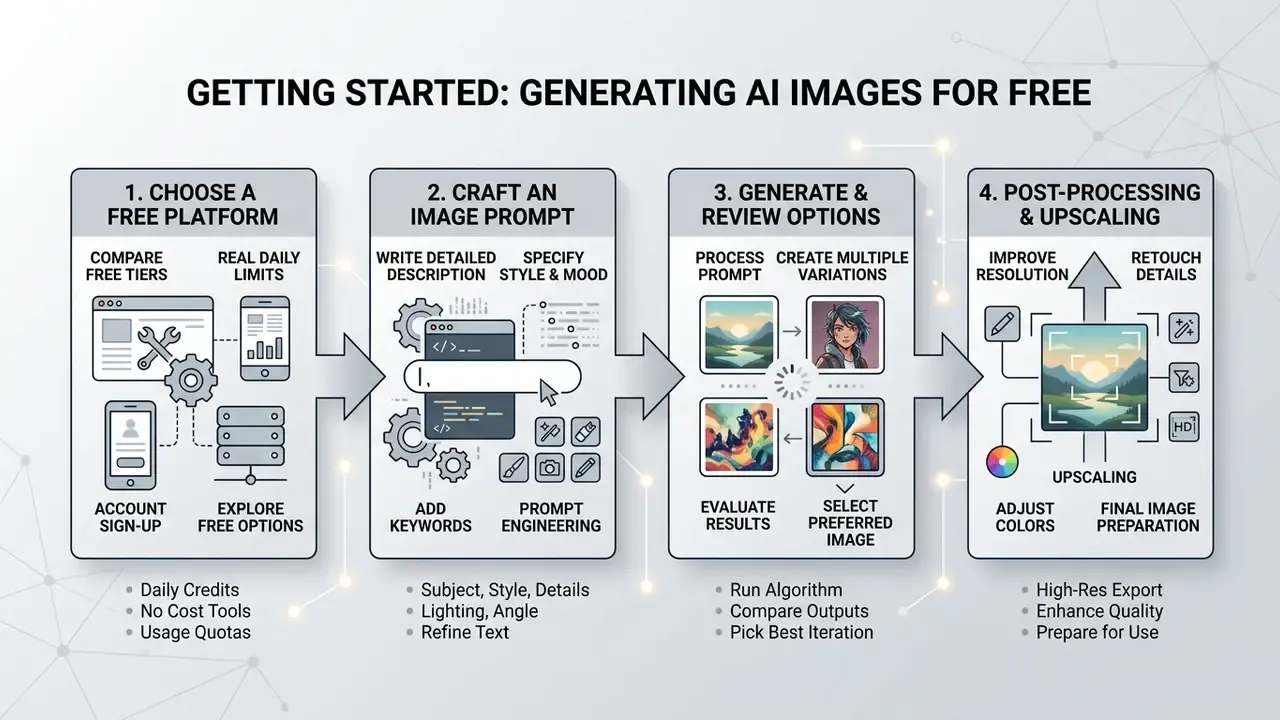
Predictable, high-quality results from the best free AI image generation website or desktop app come from a structured prompt workflow, deliberate parameter selection, and methodical post-processing. Getting started takes a free account and about ten minutes.
Write a Clear Text Prompt for Better Results
Effective text prompts state explicit context, subject specifications, lighting, style directives, and formatting constraints. Prompts structured around the COSTAR framework (Context, Objective, Style, Tone, Audience, Response) achieve higher prompt adherence than vague natural language input, a structure now codified in NIST's 2026 draft quick-start guidance on generative AI prompting.
«TIFA found that models convey colour and material reliably but systematically fail on object counting and spatial relations.»
Practical consequence: state counts numerically and repeat them ("exactly three bottles, left to right"), and put spatial relations at the start of the prompt rather than the end.
COSTAR filled out for a commercial product shot:
| Element | Filled Example |
|---|---|
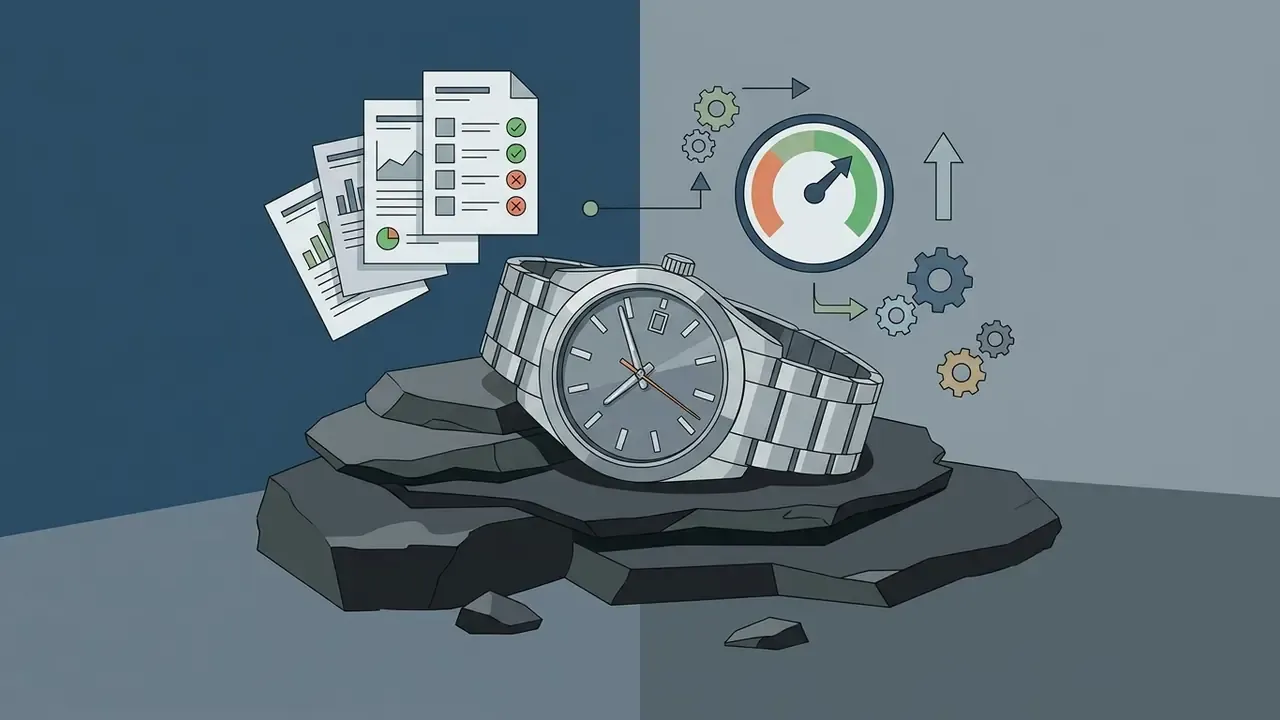
| Context | Hero image for a Q4 email campaign promoting a stainless-steel executive wristwatch |
| Objective | One photorealistic macro product shot, no text, usable as a 16:9 email banner |
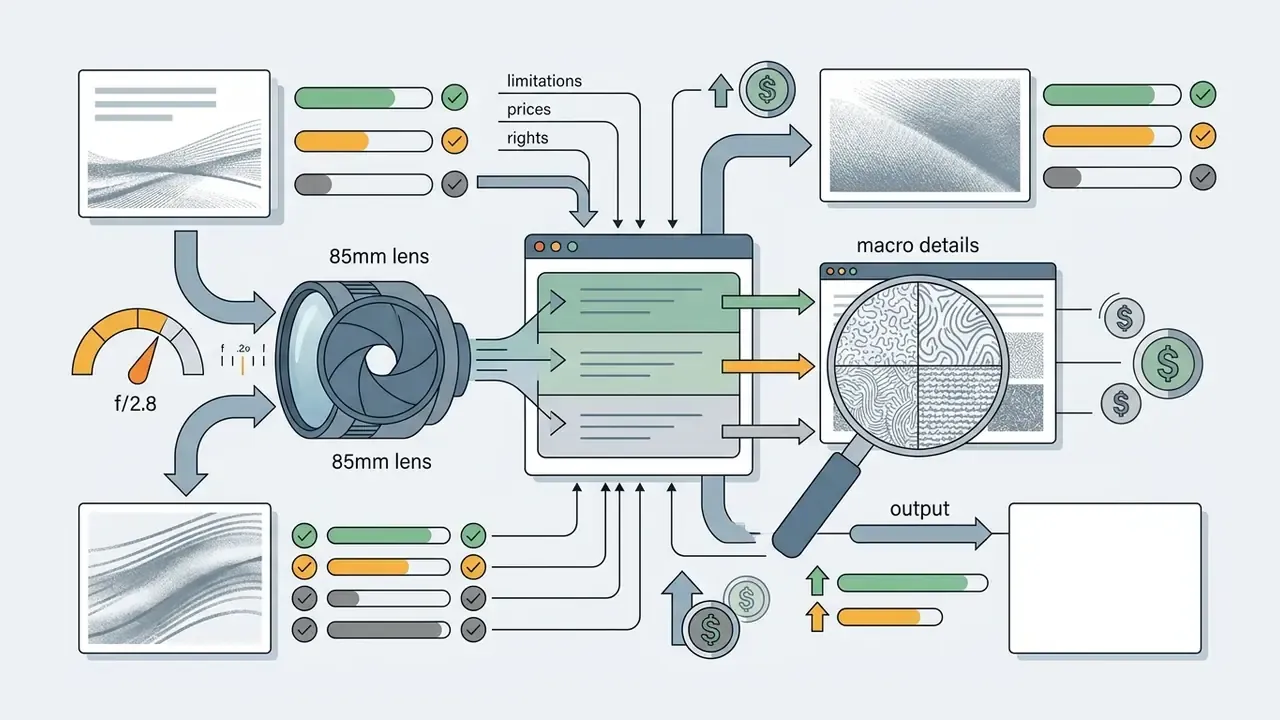
| Style | Studio product photography, 85mm macro, f/2.8, soft directional side light, dark slate surface |
| Tone | Premium, restrained, editorial, not glossy or advertising-loud |
| Audience | Corporate buyers aged 35-55 on desktop email clients |
| Response | Single image, 16:9, 2048x1152, no watermark, no embedded typography |
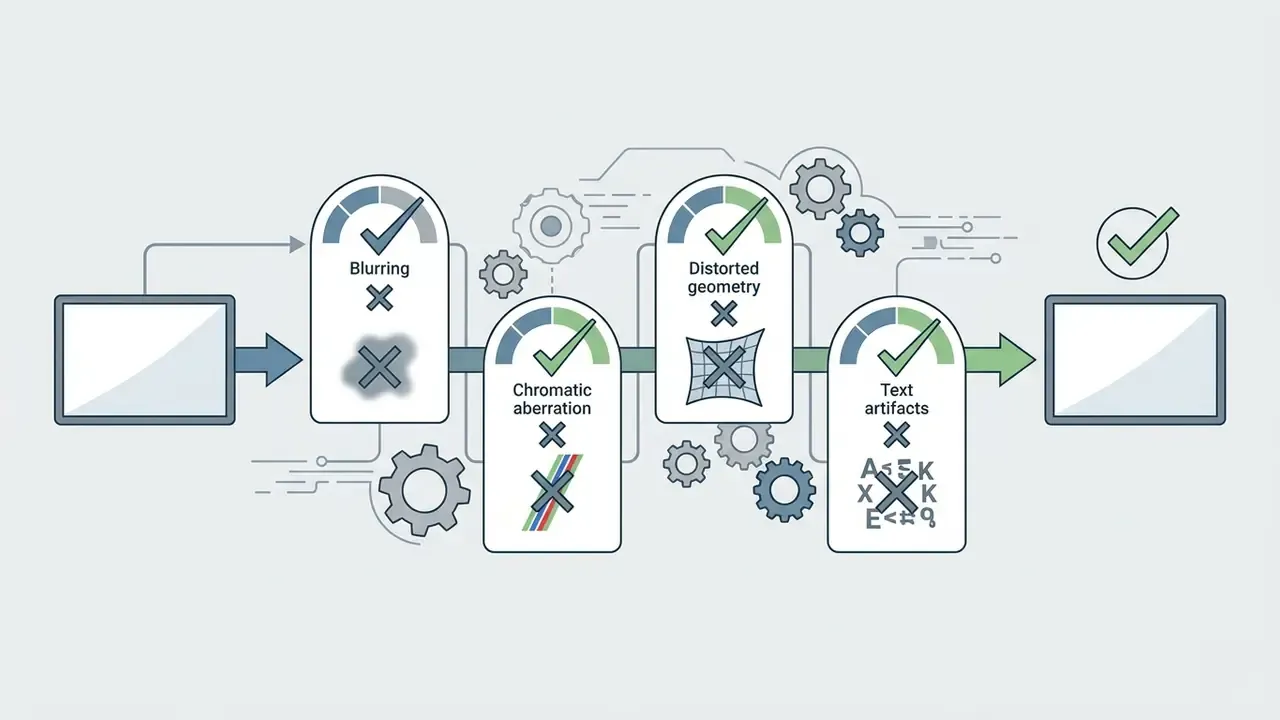
"Prompt structure dictates output quality. Replacing emotional hyperbole with precise camera focal lengths, lighting angles, and explicit material textures dramatically reduces generation artifacts." - Marcus Hale, author
A well-built commercial prompt follows a defined structure:
Keep the first prompt to one to three clear sentences, then change exactly one variable per follow-up. Anthropic's and AWS's prompting guidance converge on the same principles from a different angle: clarity, worked examples, structured tags around instructions, role prompting, and prompt chaining.

Set Aspect Ratio and Refine Generated Images
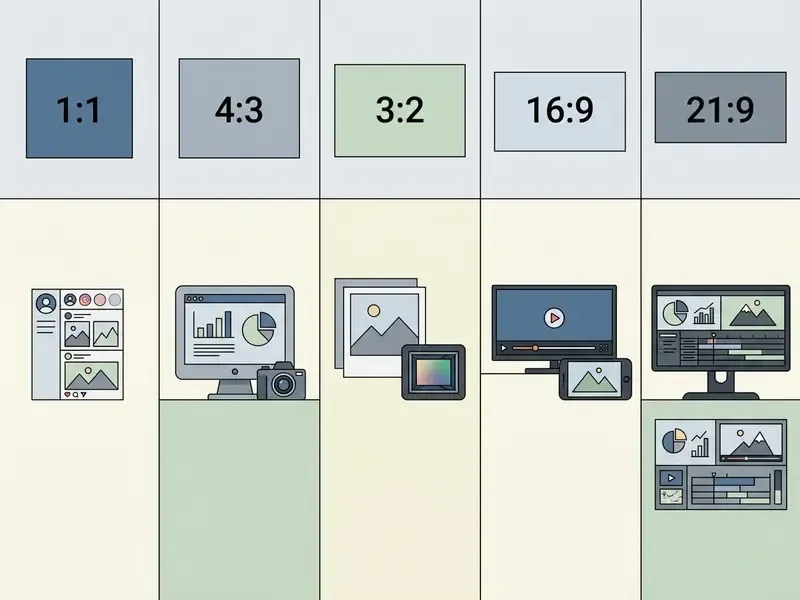
Choosing the aspect ratio before generation prevents unnecessary cropping and compositional distortion. Platform presets map directly to distribution standards, and each maps to a concrete pixel target:
| Aspect Ratio | Typical Pixel Resolution | Primary Use Case |
|---|---|---|
| 1:1 (square) | 1024x1024 / 2048x2048 | Profile graphics, Instagram grid posts, product catalogue thumbnails, marketplace listings |
| 16:9 (widescreen landscape) | 1920x1080 / 2048x1152 | Presentation slides, website hero banners, YouTube thumbnails, email headers |
| 9:16 (vertical portrait) | 1080x1920 | Instagram Stories, TikTok overlays, Reels and mobile ad creatives |
| 4:5 (standard portrait) | 1080x1350 | Instagram and Facebook feed posts (maximum feed real estate) |
| 3:4 (portrait) | 1536x2048 | Editorial prints, marketing collateral, Pinterest pins |
| 21:9 (cinematic) | 2560x1080 | Wide website banners, cinematic key art |
Refinement is an iterative loop: generate a base image, lock the seed once a promising composition appears, apply targeted conversational edits or inpainting masks to fix isolated defects, upscale the final asset to target resolution, then apply sharpening and final adjustments before deployment. Crop to exact framing, resize, sharpen if upscaled, convert and compress for delivery.
Technical operators assessing benchmarking protocols can browse the hub for detailed model performance criteria. Teams adapting the same creative into motion may also need the video compressor guide, the animation maker overview, or our mobile production comparisons: the best free video editing app, the best free mobile video editing apps 2025 round-up, the best free video editing app for android, and the wider best free video editing apps list alongside our best free video tool archive.
Shadow AI and Generative Media Audit Checklist
Before authorising employees to use any free AI image generator on company work, risk owners should clear five control gates. This checklist maps to the governance, content provenance, pre-deployment testing, and incident disclosure control areas defined in NIST AI 600-1 (2024) and the NIST AI Risk Management Framework (AI RMF 1.0).
- Data classification gate.Confirm that no confidential, personal, regulated, or client-identifying material will be entered as a prompt or upload. If it will, route the workload to a local Stable Diffusion or FLUX deployment.
- Model re-training gate.Verify whether the vendor trains on user inputs and whether an opt-out exists. Enforce the opt-out centrally, not per user.
- Output visibility gate.Reject any tool that publishes generations publicly by default for brand or client work. That rules out free-tier Leonardo AI and Midjourney's non-stealth plans.
- Licensing and provenance gate.Record the tool, model version, prompt, date, and licence basis for every published asset; prefer indemnified tools for paid media. Preserve provenance signals such as SynthID or C2PA metadata rather than stripping them.
- Human review and disclosure gate.Require a named human reviewer for factual accuracy, especially on generated text and infographics, and apply your jurisdiction's AI disclosure practice for advertising, in line with ICC Responsible AI in Marketing (2026) and IAB contractual guidance (2025).
Unresolved questions remain, and pretending otherwise would be dishonest. There is no audited public benchmark for cross-tool typography accuracy. Indemnification scope varies by plan and is not always portable across a vendor's own tiers. Litigation over training data is still moving. Treat this checklist as a control baseline, not a legal opinion.
FAQ: Free AI Image Generators
Who owns an image generated on a free ChatGPT account?
Under OpenAI's terms the user owns the output subject to the usage policies, but ownership under contract is not the same as copyright. Under U.S. Copyright Office guidance (2023), an image generated without sufficient human creative contribution is not registrable. You may hold contractual rights to use it while no one holds an enforceable copyright in it.
Can AI-generated images be copyrighted or patented?
Copyright attaches only to the human-authored elements: original arrangement, substantial human editing, or human-created components combined with AI output. Fully machine-generated material must be disclosed and excluded at registration in the U.S., and UK and EU materials reach a similar conclusion. Patents are a separate regime and require a human inventor.
Which free AI image generator is safest for commercial use?
Adobe Firefly, because its models are trained on licensed Adobe Stock and expired-copyright public domain content, and Adobe extends indemnification on qualifying plans. Freepik and Canva are also viable under their respective licence agreements. Free-tier Leonardo AI and consumer Midjourney access are the least suitable for regulated commercial work.
Which free tool gives the most images per day?
Playground AI, with roughly 1,000 daily credits, followed by locally run Stable Diffusion or FLUX, limited only by hardware. Among mainstream SaaS options, Freepik (20 per day) and Gemini Flash (around 20 per day) lead, while Adobe Firefly's 25 credits are monthly, not daily.
Do free plans put watermarks on images?
It varies. Canva and Freepik free downloads are watermark-free; Gemini's free image tier applies a visible watermark alongside invisible SynthID provenance marking. Always check the export before sending an asset to a client.
Can I use free AI images in paid advertising?
Technically yes on several platforms, but only with an indemnified tool, documented provenance, human review of any embedded text or data, and disclosure consistent with ICC advertising guidance. Where the creative carries a brand promise or a regulated claim, treat AI provenance as a contractual issue and define ownership in the vendor or agency agreement.
Is Midjourney free in 2026?
No. Midjourney discontinued its free trial and starts near $10/month, with public gallery visibility unless you pay for stealth mode. That is why it sits outside this free-tier ranking despite strong stylistic performance.
What about specialised use cases like portraits or anime styles?
Task-specific tools often beat general generators, and the best apps to generate AI images for one niche rarely win in another. For professional portraiture see our AI headshot generator guide; for stylised animation aesthetics see the Ghibli-style AI image generator comparison; for Microsoft-ecosystem access see the Bing AI image guide and the Microsoft AI image generator overview.
Navigation and Comparison Hub
For further comparative analysis, specialised tool selections, and AI compliance frameworks, explore our cross-platform hubs:
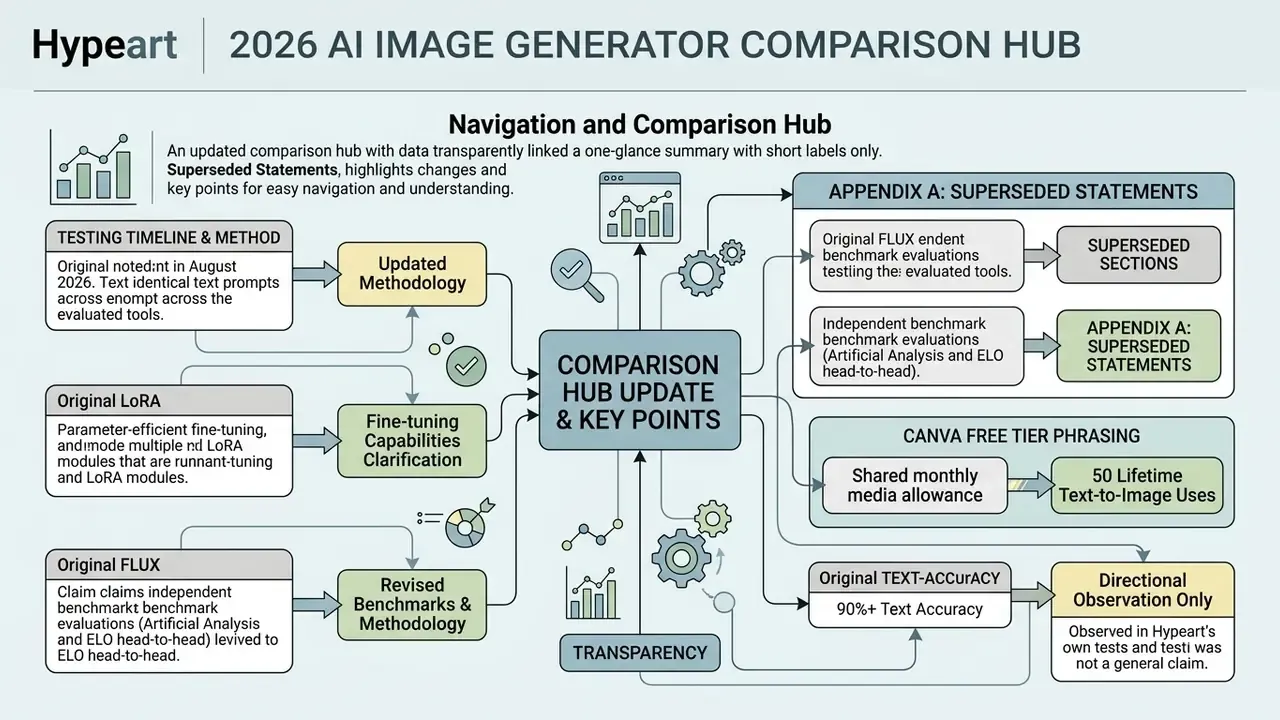
Appendix A: Superseded and Updated Statements