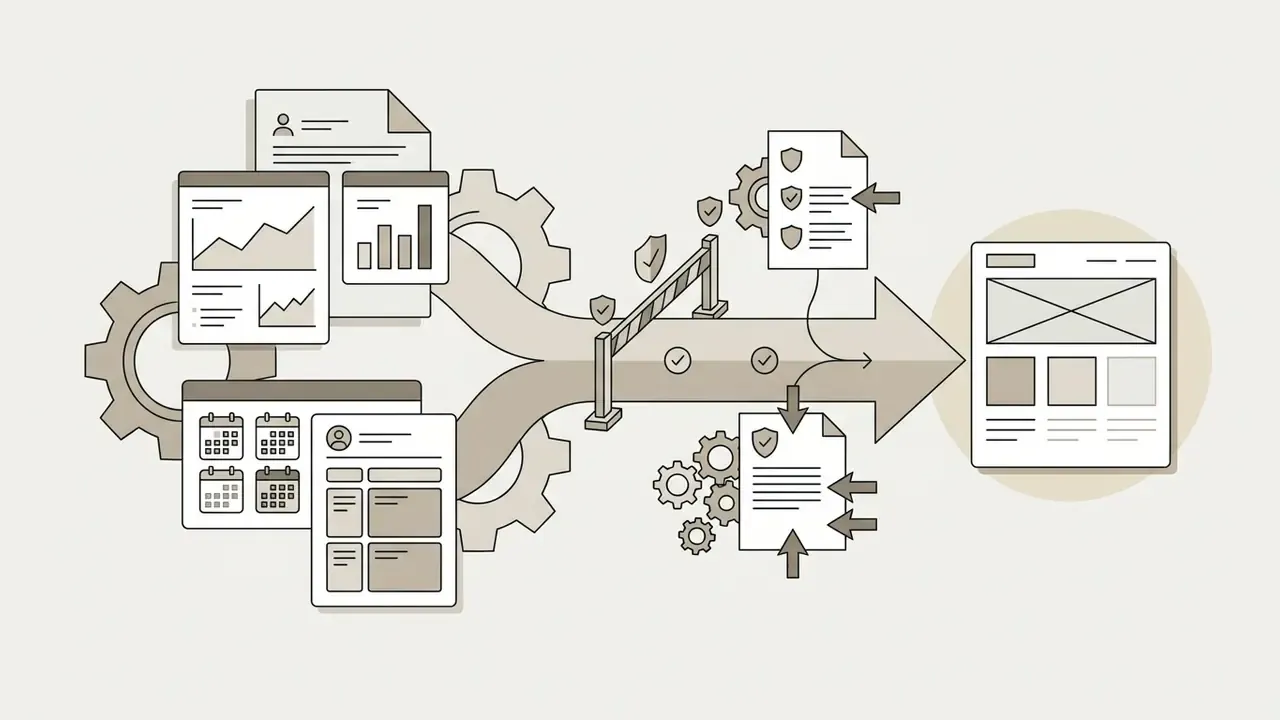
«In enterprise product governance, no automation model receives autonomy without explicit structural controls. AI wireframing accelerates initial layout synthesis, but human validation must remain the decision authority.»
What Is an AI Wireframe Generator and What Problems Does It Solve?
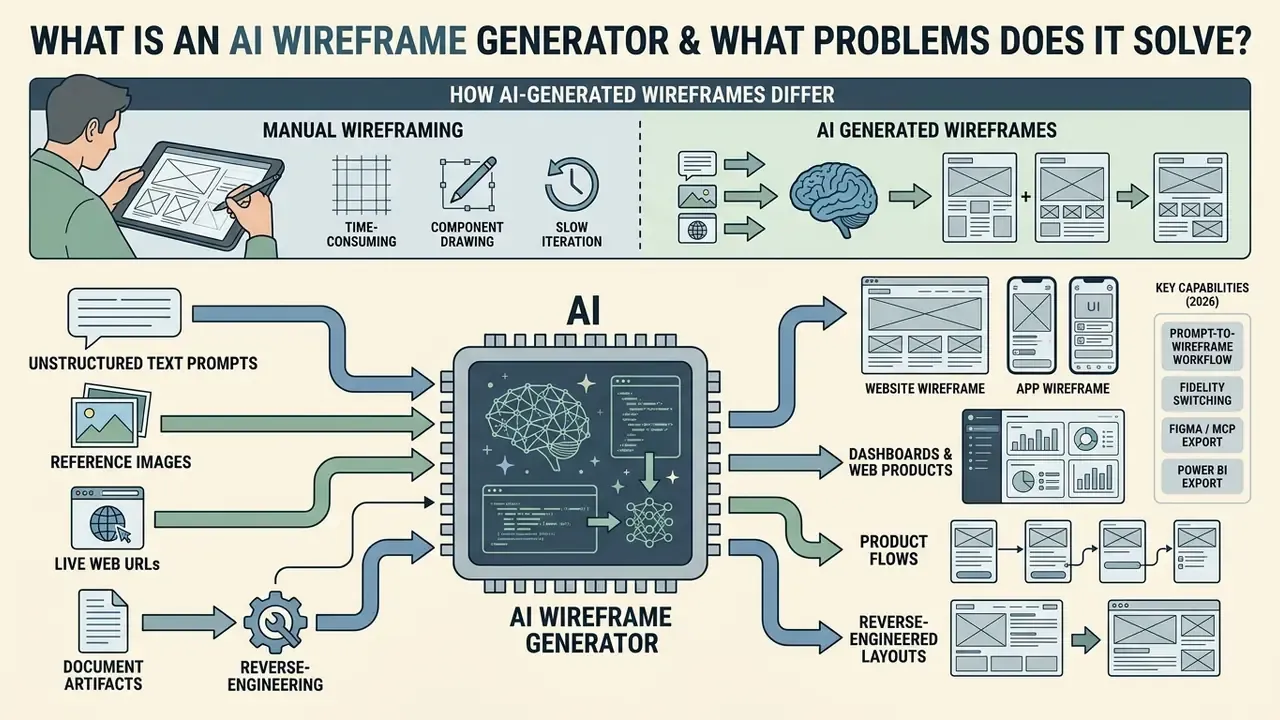
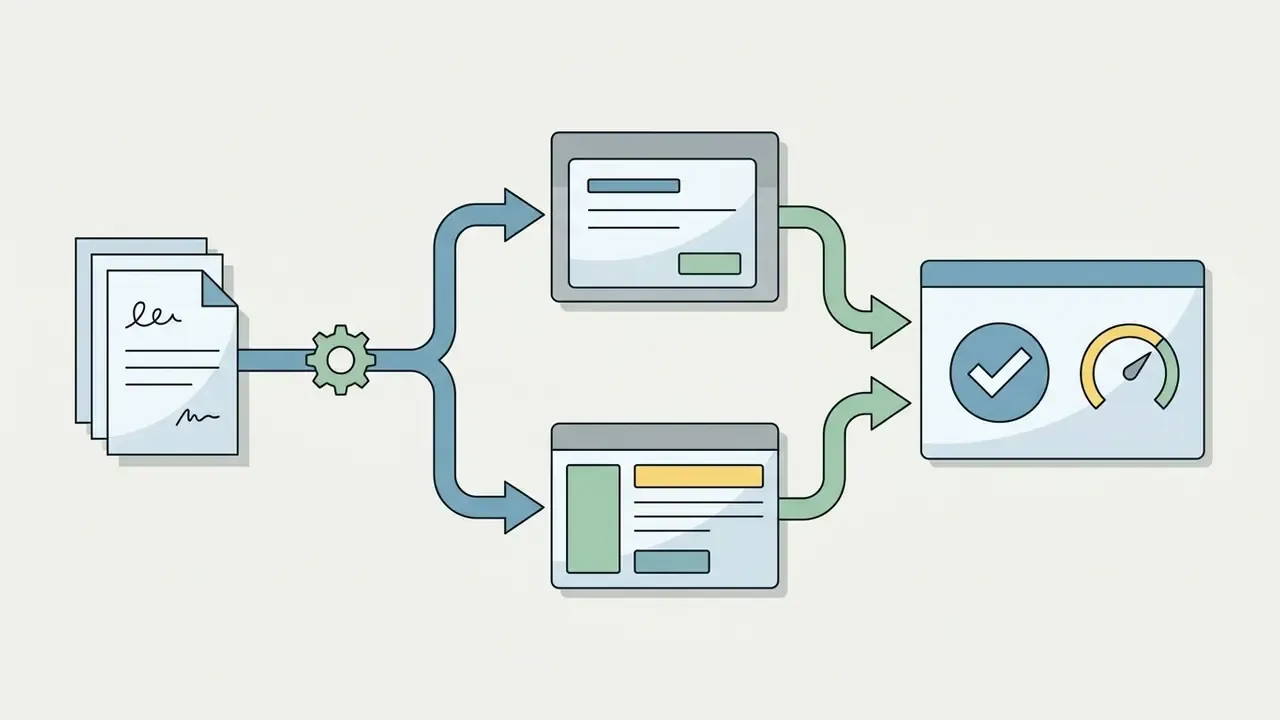
An AI wireframe generator is an automated design tool that turns unstructured text prompts, reference images, live web URLs, or document artifacts into editable low- to mid-fidelity screen layouts. It solves the cold-start problem in software design by translating conceptual user flows into structured UI components, responsive layout grids, and visual hierarchies within seconds.
Modern AI wireframing tools handle structural arrangement, content placement, and navigation logic automatically. According to a systematic review of large language models in interface design, generative models cut early-stage exploration time by building initial screen frameworks straight from functional descriptions.
«Between 2022 and 2025 the number of peer-reviewed studies on LLMs in UI/UX grew from 1 to 38, with GPT-4 the most frequently used model for structured UI layout generation.»
That growth curve matters for procurement. The category moved from academic novelty to standard product tooling in roughly three years, which is faster than most enterprise design-tool review cycles run end to end. If your vendor assessment takes nine months, the market has already shifted twice.
For digital products, an AI based wireframe generator supports both website wireframe and app wireframe workflows. Whether you are establishing a multi-page web architecture or mapping complex mobile onboarding screens, these tools construct generated wireframes that serve as the single source of truth for cross-functional design reviews. Vendor documentation frames the output consistently: Figma describes prompt-to-clickable-layout generation (Figma AI Wireframe Generator, 2026), while UX Pilot describes structured, editable wireframes generated from text, uploaded files, or a pasted URL (UX Pilot, 2026).
How AI-Generated Wireframes Differ from Manual Wireframing
AI generated wireframes appear as complete UI layouts from natural language or visual inputs, almost instantly. Traditional wireframing requires manual component drag-and-drop drafting. The primary difference sits in the workflow: AI tools automate layout composition, while classic wireframing tools rely entirely on manual construction.
In classic UX practice, building a mid-fidelity screen or dashboard takes hours of positioning, nudging, and re-aligning. Using an ai tool to create wireframes, teams can create wireframe drafts in under a minute, producing an editable wireframe that can be refined with follow-up prompts or manual adjustments. Research on generative UI frameworks highlights something subtler than speed: automated layout synthesis widens design-space exploration, offering several layout variants that human teams can compare before committing to production detail.
«Quickly obtaining a first interface draft was reported as the single most significant benefit of generative UI.»
This shifts the role of product teams. Product managers and designers move from manual layout drafters toward prompt engineers, systems architects, and governance reviewers who judge usability, accessibility, and compliance. Empirical field research is blunt about the limits of that shift: practitioners report using generative AI as a reflection and communication partner rather than an autonomous designer, and they consistently flag trust gaps and unexplained layout errors (Generative AI in User Experience Design, 2024).
A useful framing for risk owners. The model produces a hypothesis about structure, not an approved design artifact. Approval stays a human control point with a named owner, a date, and a record.
What Types of Wireframes Can You Create with AI?
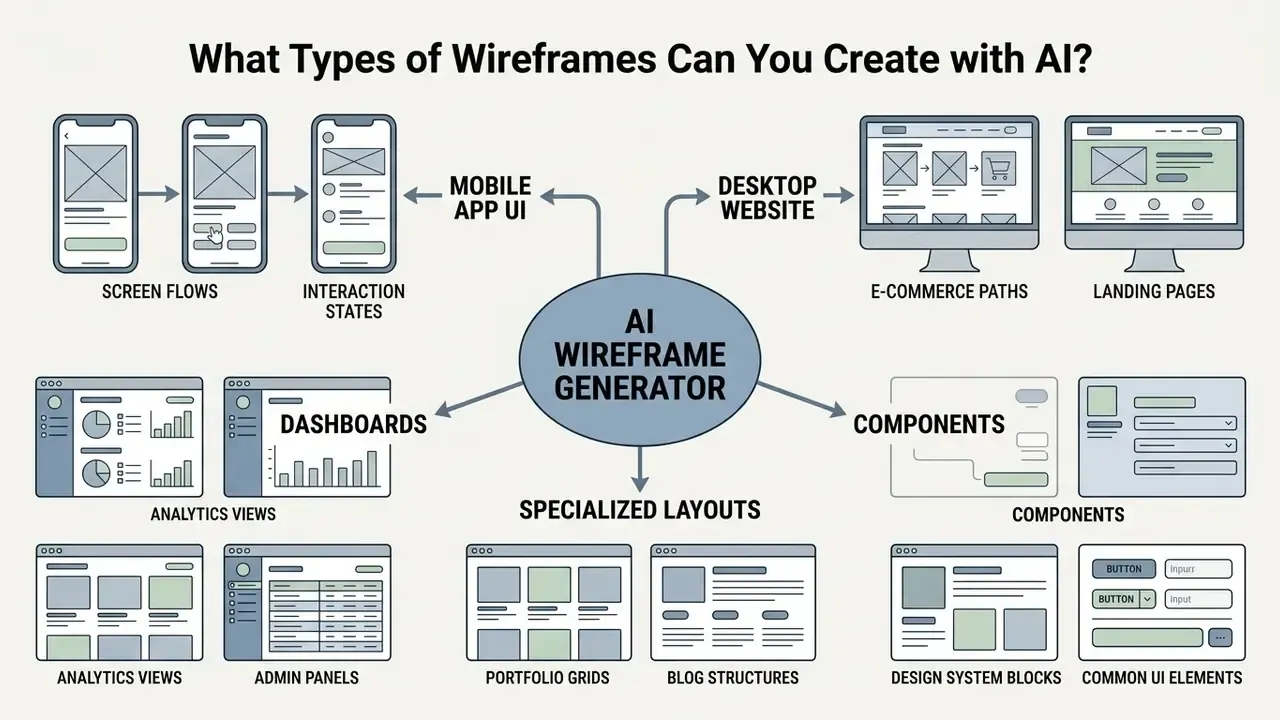
An ai ui wireframe generator can construct interface layouts ranging from a single marketing landing page to complex enterprise dashboards and multi-screen mobile app flows. Outputs span low-fidelity structural sketches, mid-fidelity UI schemas, and high-fidelity clickable mockups. Teams assembling a wider generative stack often evaluate wireframing alongside AI art and image generation tools, since asset production and layout production increasingly land in the same procurement review.
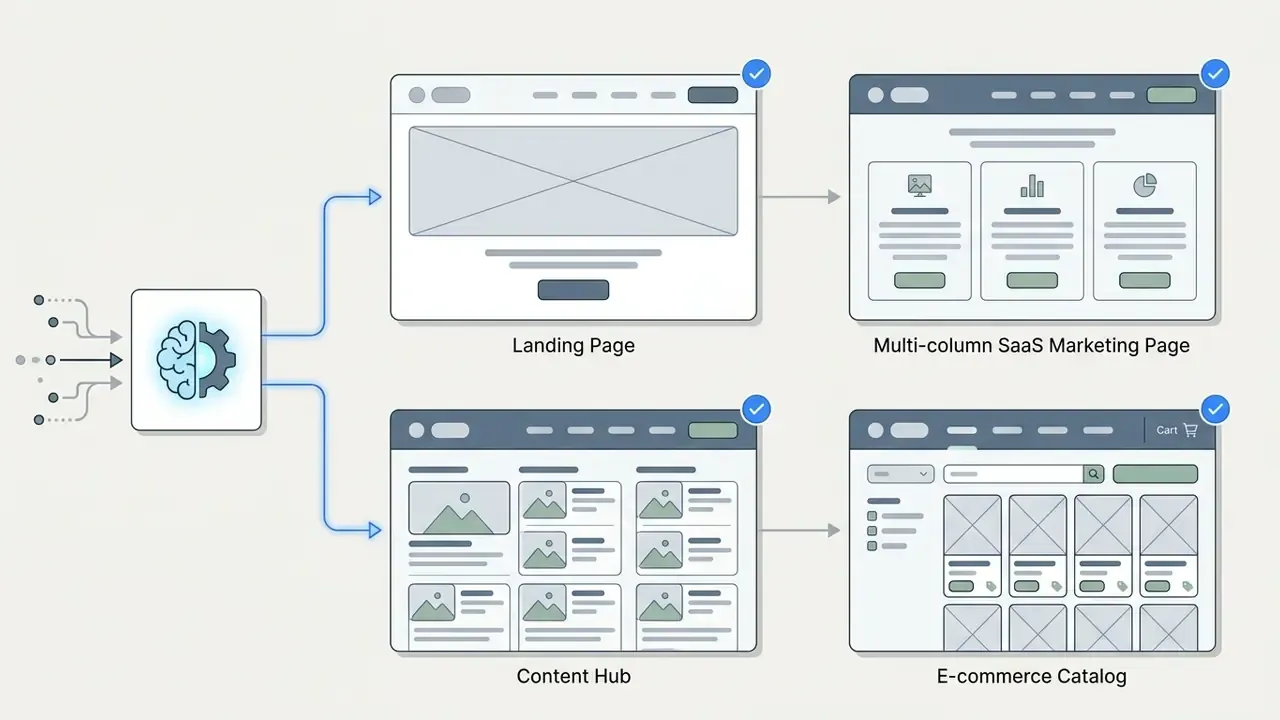
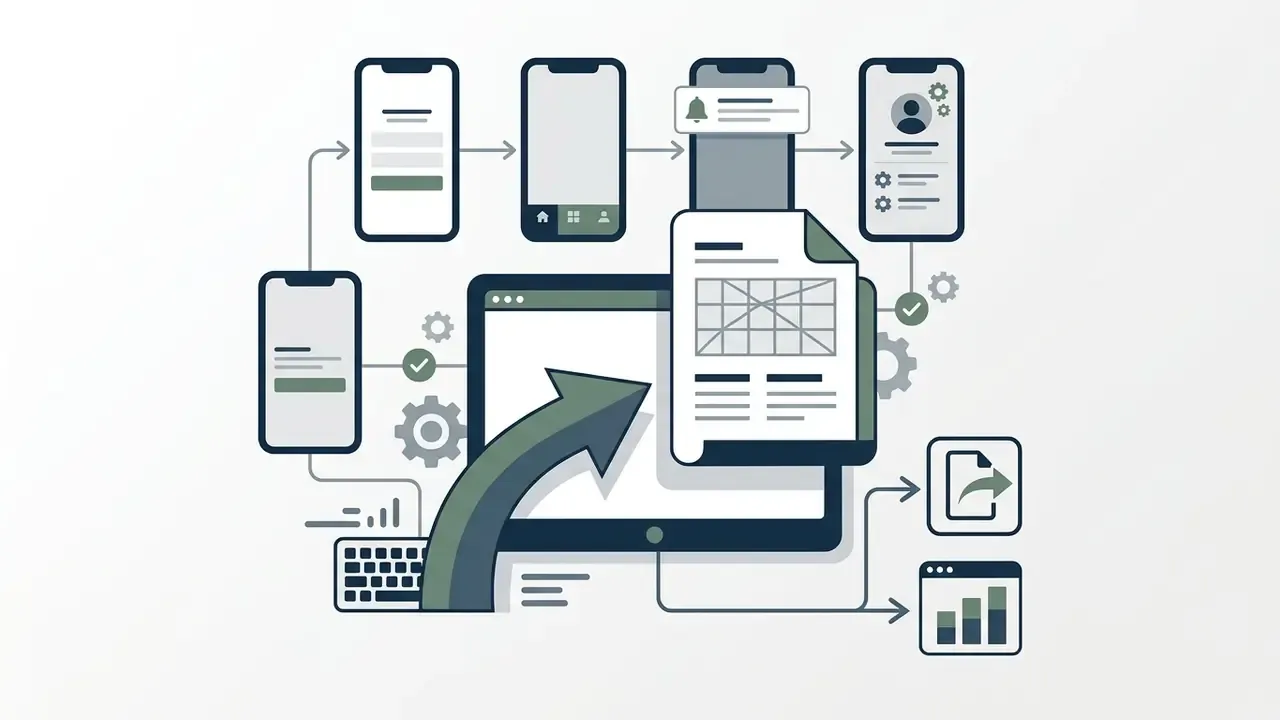
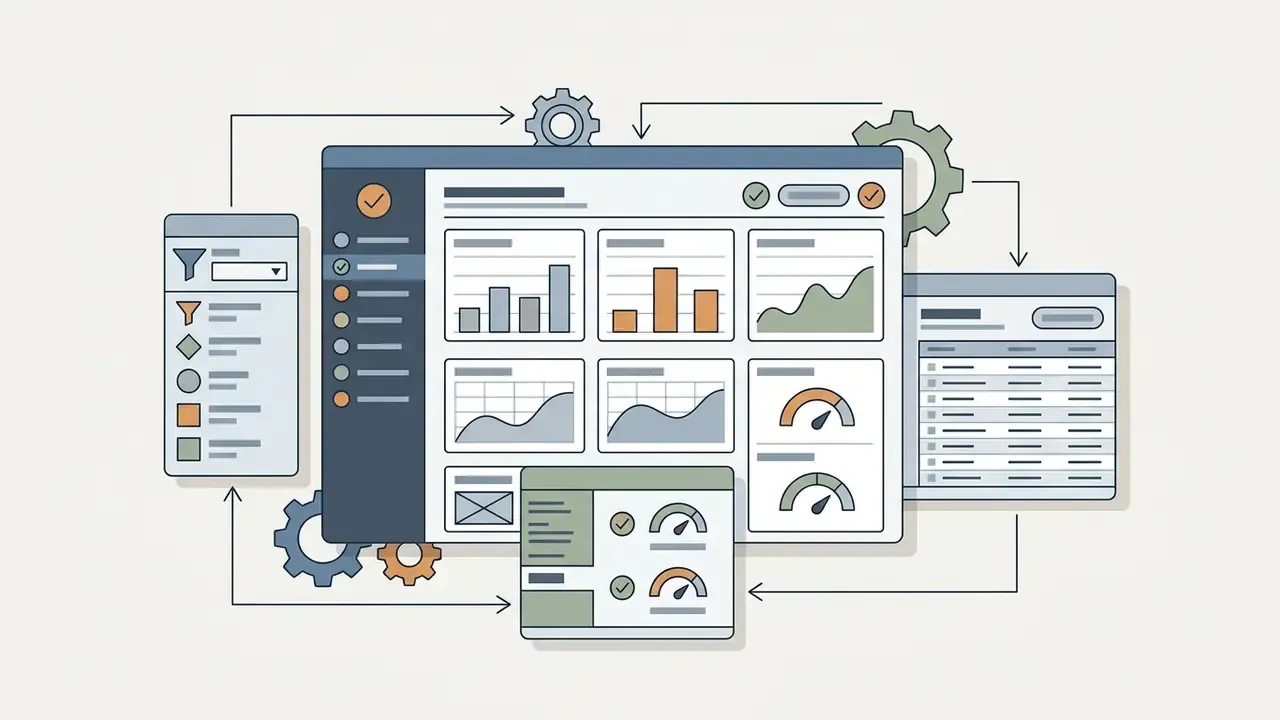
Fidelity levels map to distinct review purposes. Low-fidelity uses basic shapes and placeholder text to test structure and navigation. Mid-fidelity fixes spacing, hierarchy, and recognizable components. High-fidelity introduces near-real content, typography, branding, and component states for usability testing and handoff. Picking the wrong level wastes a meeting: brand debates hijack architecture reviews, and nobody notices the missing error state.
To see how design software and adjacent assets fit enterprise budgeting, teams frequently reference specialized AI Media Pricing Guides alongside technical tooling specifications.
How to Create a Wireframe Using AI: From Text Prompt to Prototype
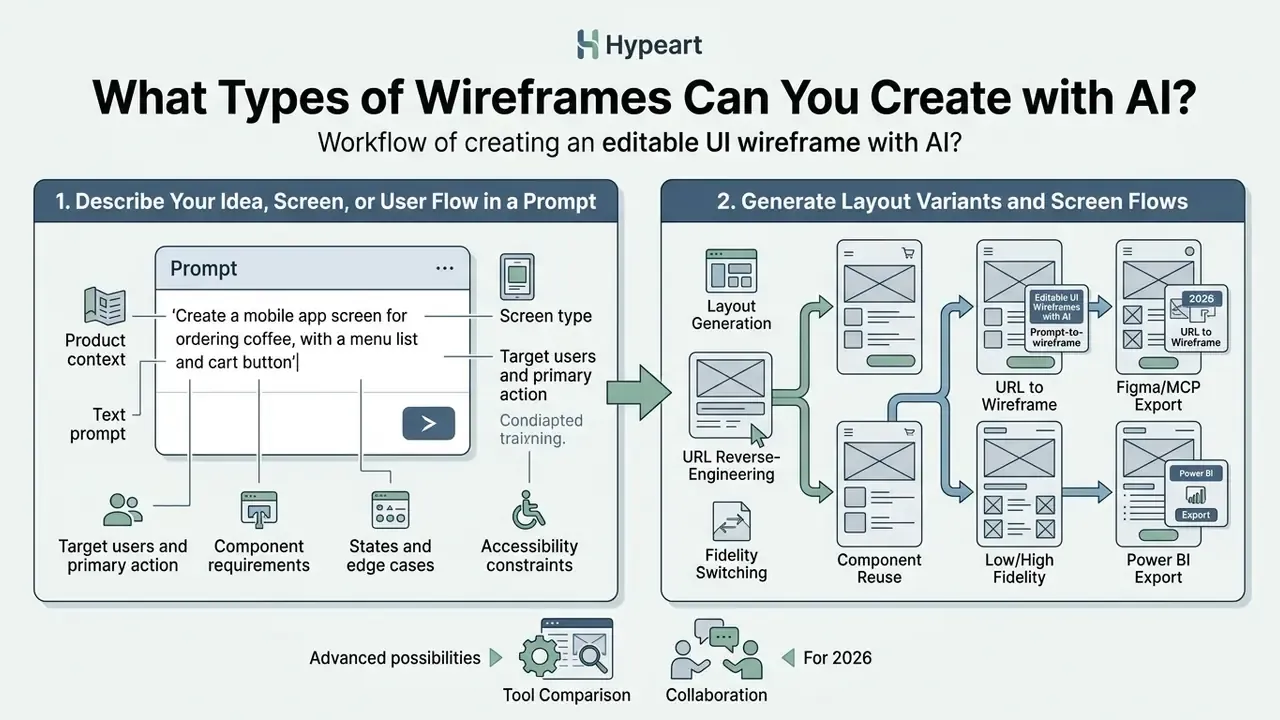
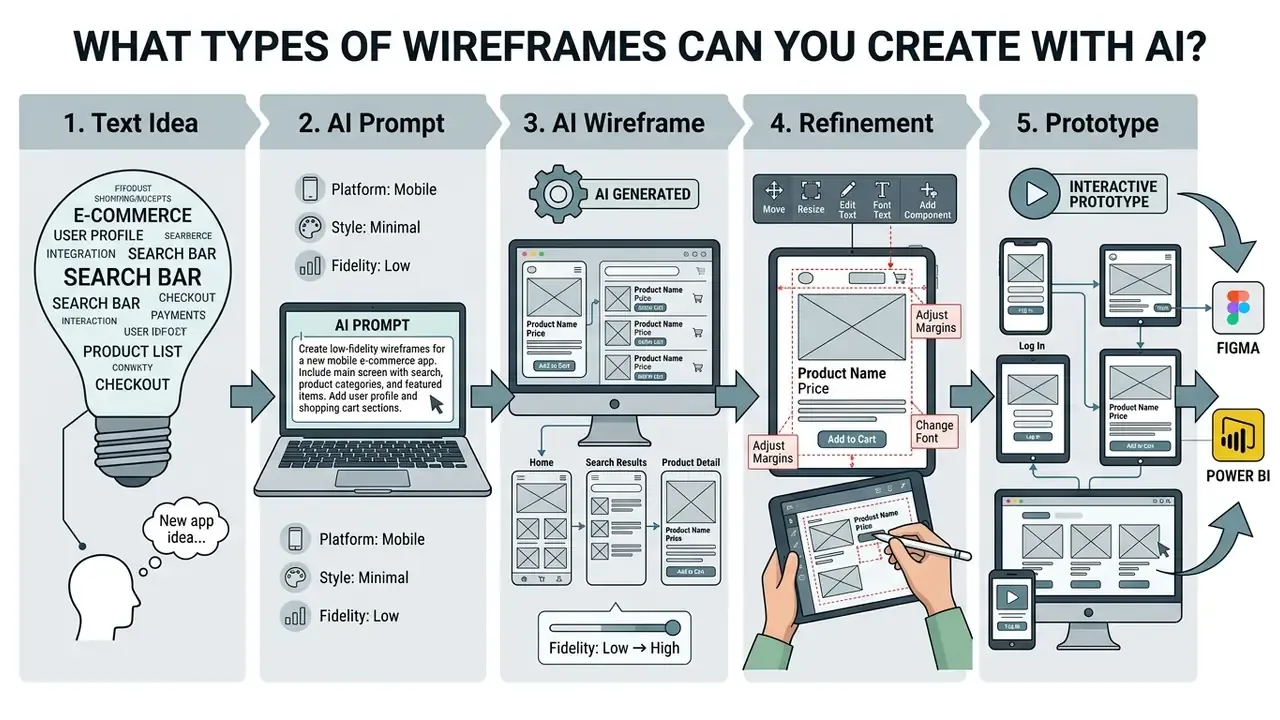
1. Describe Your Idea, Screen, or User Flow in a Prompt
Effective prompt formulation specifies product context, target platform, visual hierarchy, key user actions, and required UI components. Concise operational detail prevents generic, context-unaware screens.
Academic work on semantic guidance for UI generation shows that layered, explicitly scoped prompts materially improve the structural accuracy of generated mockups.
«A four-level hierarchy of Product, Design System, Feature, Component reduces prompt ambiguity and increases the predictability of generated layouts.»
Vendor prompting guidance converges on the same principle from the operational side: write prompts that are clear and specific but concise, include table and navigation detail, version your prompt revisions, and validate outputs against test cases.
Key elements to include in an ai wireframe generator from text prompt:
Data-handling note. Never paste customer PII, account data, internal credentials, or confidential PRD passages into a consumer-tier generator. Redact before prompting, or restrict prompting to tenants with contractual zero-retention terms. This single rule prevents most of the Shadow AI incidents that design teams create by accident.
2. Generate Layout Variants and Screen Flows
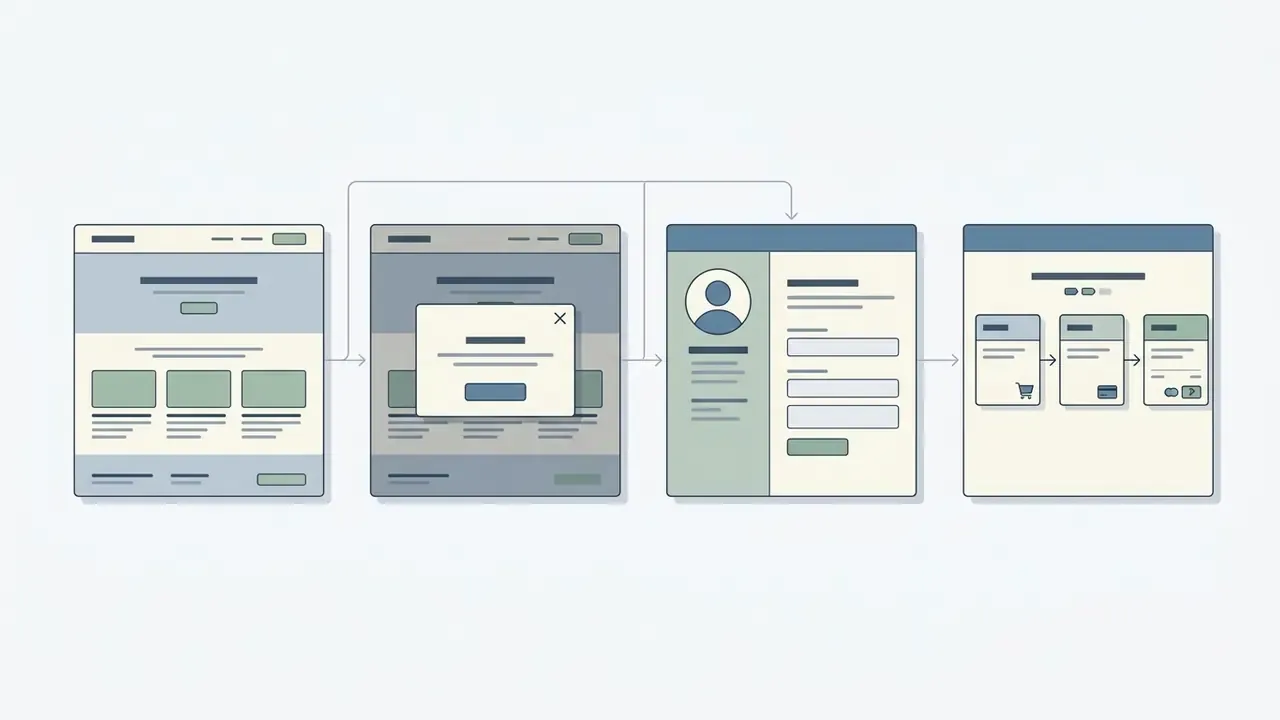
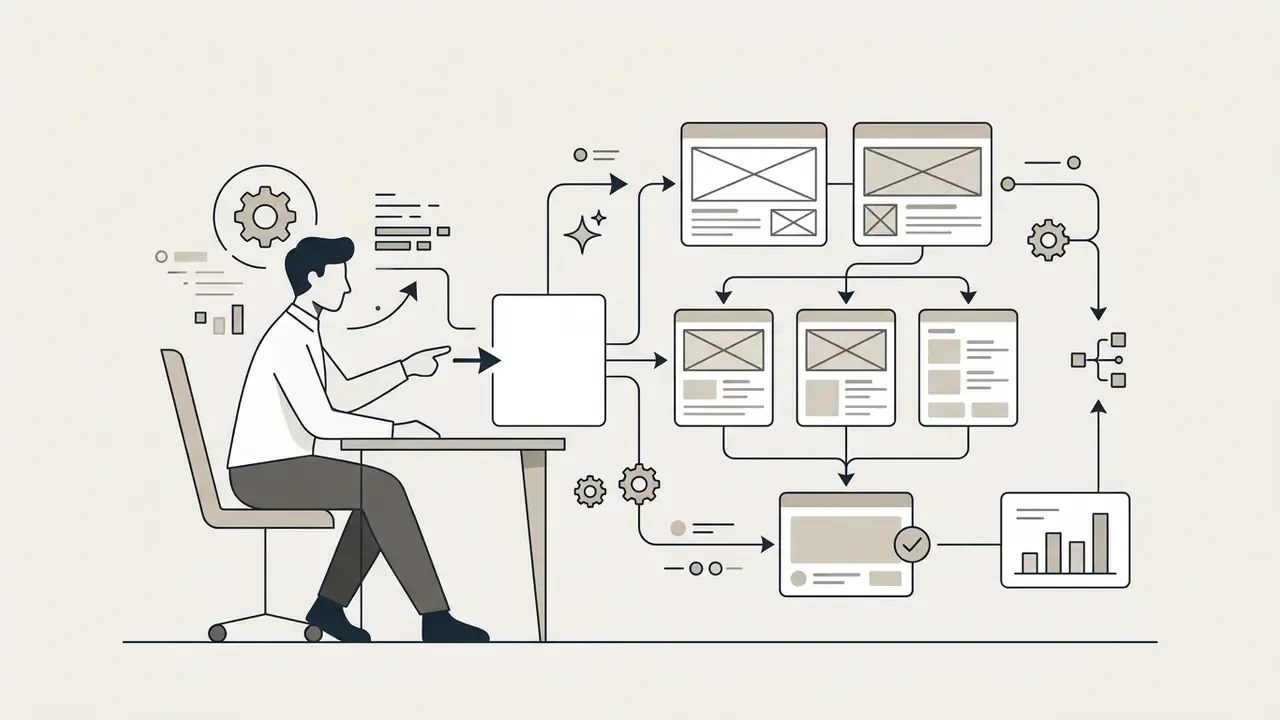
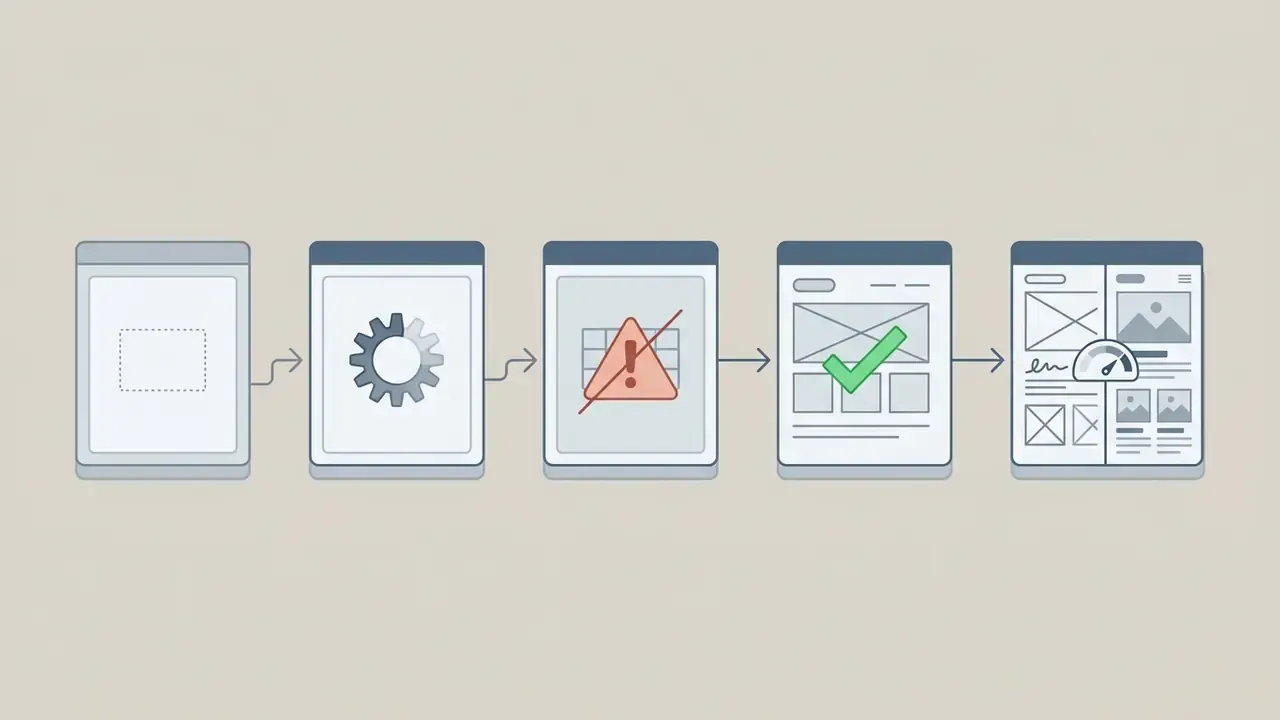
After you submit the prompt, the ai wireframe creator processes the text schema and returns candidate layouts plus screen variants. Most modern generators let you request several side-by-side variations to compare structural options.
Multi-screen generation is documented directly in product docs. Flowstep states that a single prompt can generate one screen or up to ten screens, with follow-up prompts changing layout, colors, or content (Flowstep Docs, 2026). Superdesign states that one prompt can generate several screens of a flow together, and any screen can be branched into side-by-side variants without overwriting prior versions (Superdesign AI UI Generator, 2026). FlutterFlow's Designer generates an editable storyboard from one main prompt and offers a "More Like This" action for further variations in the selected style (FlutterFlow Documentation, 2026). Miro's prototype generator produces initial flows and screen variations from short text prompts (Miro AI Prototype Generator, 2026).
The practical payoff: product leaders inspect parallel user flows (success, error, empty data) at the same time. Selecting from generated variants keeps the chosen layout aligned with human-centered UX requirements before anyone spends a week on high-fidelity design.
3. Refine Layouts, Conduct Reviews, and Build Interactive Prototypes
Once the first ai generated wireframes render, teams refine component layout through follow-up text prompts or direct canvas editing. This phase absorbs stakeholder feedback, validates accessibility, and prepares assets for developer handoff.
A structured wireframe review checks visual hierarchy, component spacing, and content clarity. Requirements-engineering practice adds two procedural rules worth importing into AI workflows: pick reviewers who genuinely represent each stakeholder and user category, and match the prototype's interaction level to the review's purpose. Resolved decisions should be annotated on the wireframe itself, so the artifact carries its own decision history instead of scattering it across chat threads.
«UX practitioners use generative AI as a partner for reflection and communication, while explicitly flagging risks of over-trust and unexplained layout errors.»
After review, wireframes can be linked into clickable prototypes or exported to design systems for engineering implementation. Iterative refinement is not optional. It is the mechanism that resolves structural edge cases and removes AI layout hallucinations (LLMs in UI/UX Design: A Systematic Review, 2025). If you need a narrated walkthrough for executive review, a lightweight slideshow video maker is usually enough; heavier edits can move to a shotcut video editor workflow.
- Define product contextapplication domain, business goal, and compliance context.
- Specify screen and platformweb desktop, mobile iOS/Android, or responsive grid canvas.
- Identify target user and core CTAprimary user objective and the key interaction button.
- List required UI componentsnavigation, tables, inputs, and modal states.
- Set fidelity levellow-fi sketch, mid-fi layout, or hi-fi UI output.
- Declare data sensitivityconfirm no PII, account data, or confidential PRD text enters the prompt.
- Determine export formatFigma vector sync, static image, MCP transfer, or production HTML/CSS code export.
Core AI Wireframe Generator Features for Product Teams
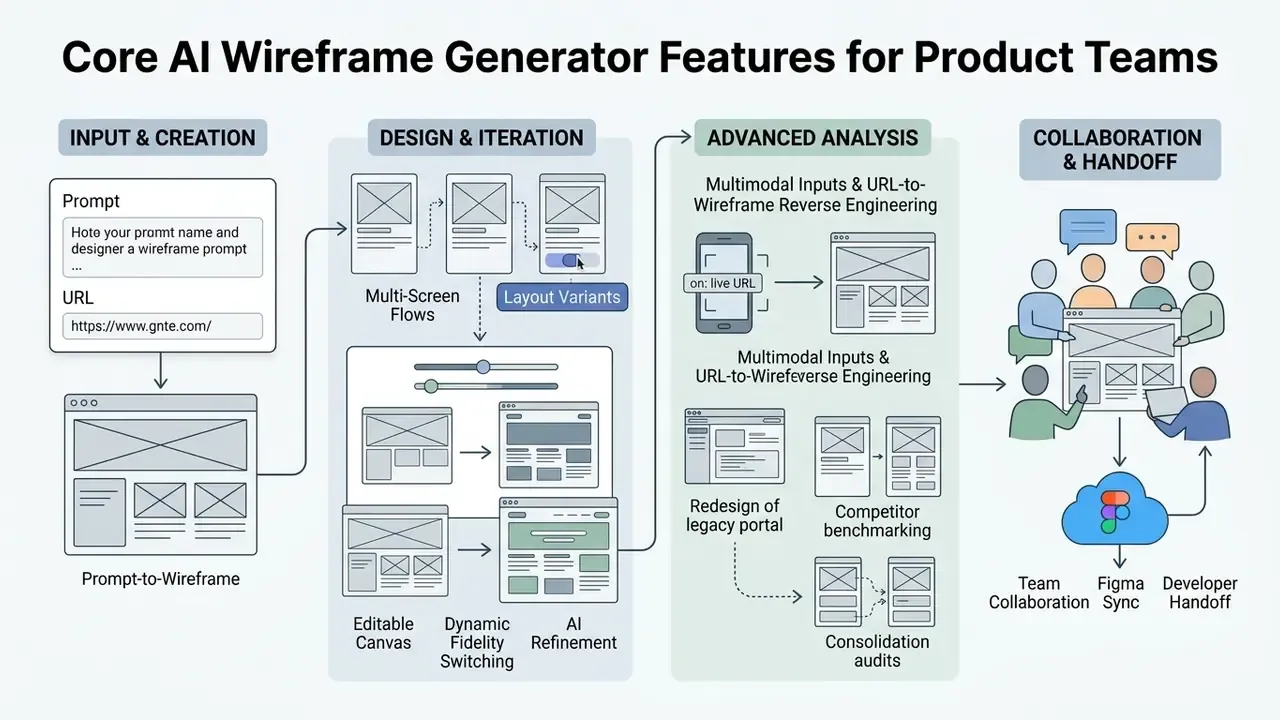
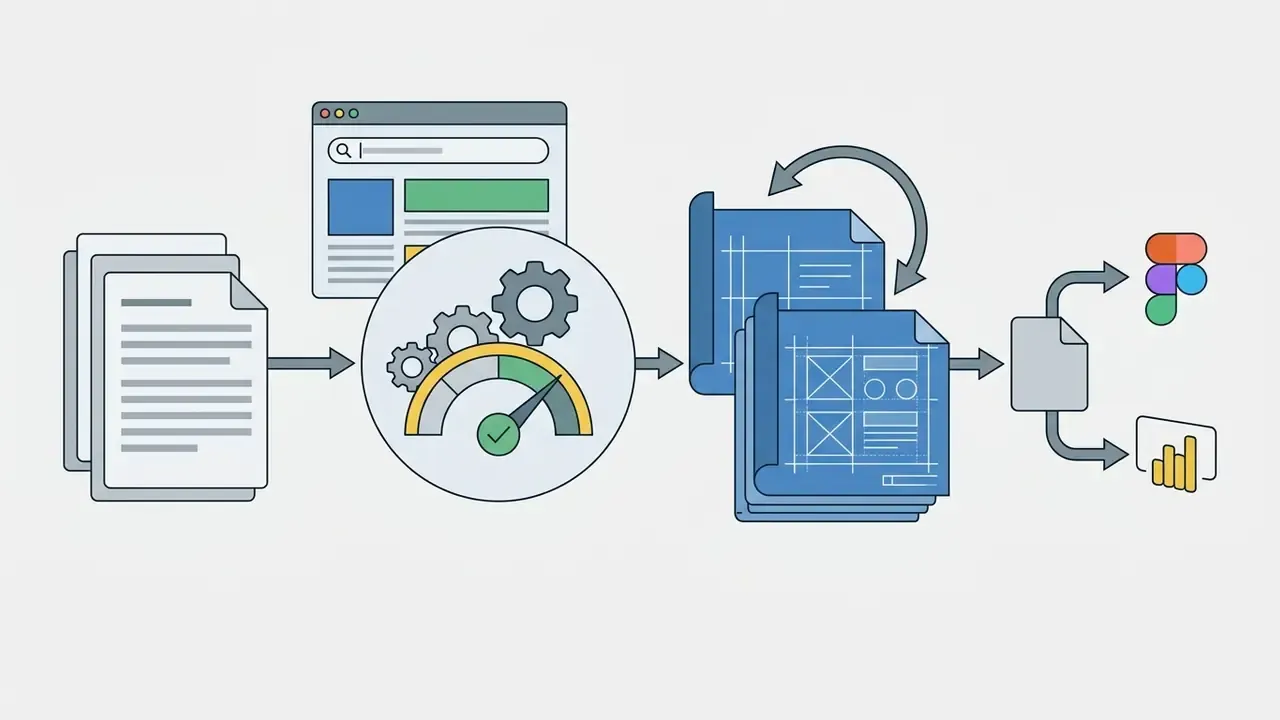
The core ai wireframe generator features in professional tools include natural language prompt-to-layout generation, multimodal input scanning (live URLs included), real-time collaboration, and direct vector, BI, or code export. Together they decide whether generated layouts enter the production design pipeline or stay disposable sketches. Teams building a broader creative pipeline frequently pair wireframing with adjacent tooling such as AI voice generation for prototype walkthroughs.
| Feature Category | Description | Primary Business Value |
|---|---|---|
| Prompt-to-wireframe | Generates layout grids, navigation, and components from text or PRDs. | Cuts screen drafting time from hours to seconds. |
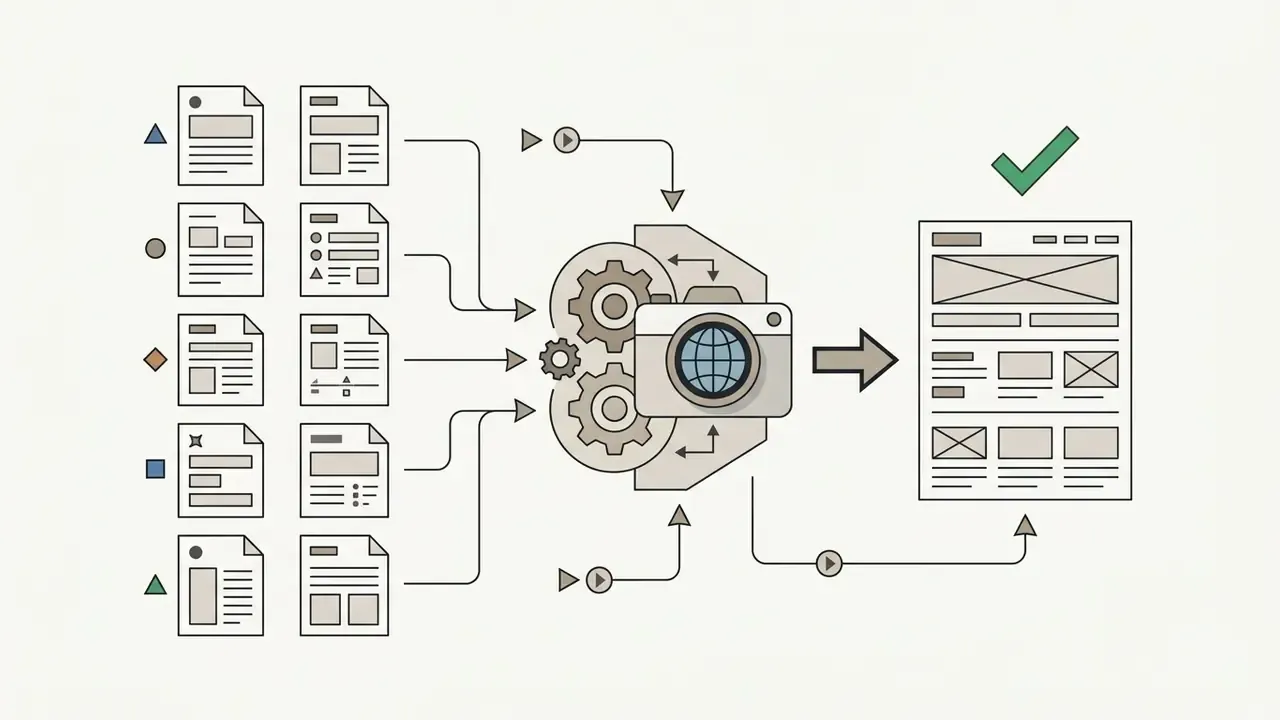
| Multimodal inputs | Accepts hand-drawn sketches, reference screenshots, PDFs, and PRDs. | Converts legacy or offline assets into editable digital wireframes. |
| URL reverse-engineering | Converts live website URLs into structured, editable vector wireframes. | Accelerates competitor benchmarking and redesign workflows. |
| Fidelity switching | Toggles between grayscale structural low-fi and styled hi-fi mockups. | Separates structural logic review from visual brand decisions. |
| Real-time collaboration | Shared multi-user canvas with live comments and version history. | Aligns product managers, designers, and business stakeholders. |
| Figma, code and MCP export | Syncs vector layers to Figma, exports HTML/React, or transfers state via Model Context Protocol. | Streamlines technical handoff to front-end developers and agents. |
| BI dashboard export | Pushes dashboard wireframes into Power BI or Tableau with dummy data. | Validates data density and decision logic before BI development. |
Prompt-to-Wireframe, Multi-Screen Flows, and Layout Variants
Prompt-to-wireframe technology converts natural-language text into structured UI layouts and screen sequences. Non-design stakeholders can turn functional requirements into visual assets without opening a vector editor.
In enterprise workflows, these ai tools accept feature briefs, Jira user stories, or full PRDs as input. Academic evaluations of LLM-based layout generation confirm that structured semantic inputs, defining product, feature, and component parameters, improve layout predictability and reduce component misalignment (Bridging Gulfs in UI Generation through Semantic Guidance, 2026).
Nielsen Norman Group formalizes an intermediate artifact worth adopting in governed environments: the promptframe, a wireframe-plus-prompt deliverable that documents content goals and functional requirements before generation, then evolves into a prototype. In an audited pipeline the promptframe becomes the record of what was requested, which is exactly what a validator needs when reconstructing why a layout was approved six months later.
Editable Canvas, Dynamic Fidelity Switching, and AI Refinement
An editable wireframe lets designers modify individual UI elements, adjust grid spacing, and rewrite text fields on the canvas after generation. Dynamic fidelity switching lets teams alternate between grayscale structural views and high-fidelity presentation, and convert desktop layouts to mobile and back.
Low-fidelity wireframes keep stakeholder attention on content hierarchy and navigation, without the distraction of custom typography or brand colors.
«Diffusion-based GUI generation produces galleries of low-fidelity sketches from combined inputs: a prompt, an existing wireframe, and a visual flow direction.»
Practical guidance: choose fidelity by audience. Low-fi for internal structure debates. Mid-fi for cross-functional sign-off on hierarchy and component inventory. Hi-fi for usability testing, executive approval, and developer handoff. Enable high-fidelity modes once structural decisions are frozen. It sounds procedural, but the sequencing is what keeps architecture reviews from turning into color arguments.
Multimodal Inputs and URL-to-Wireframe Reverse Engineering
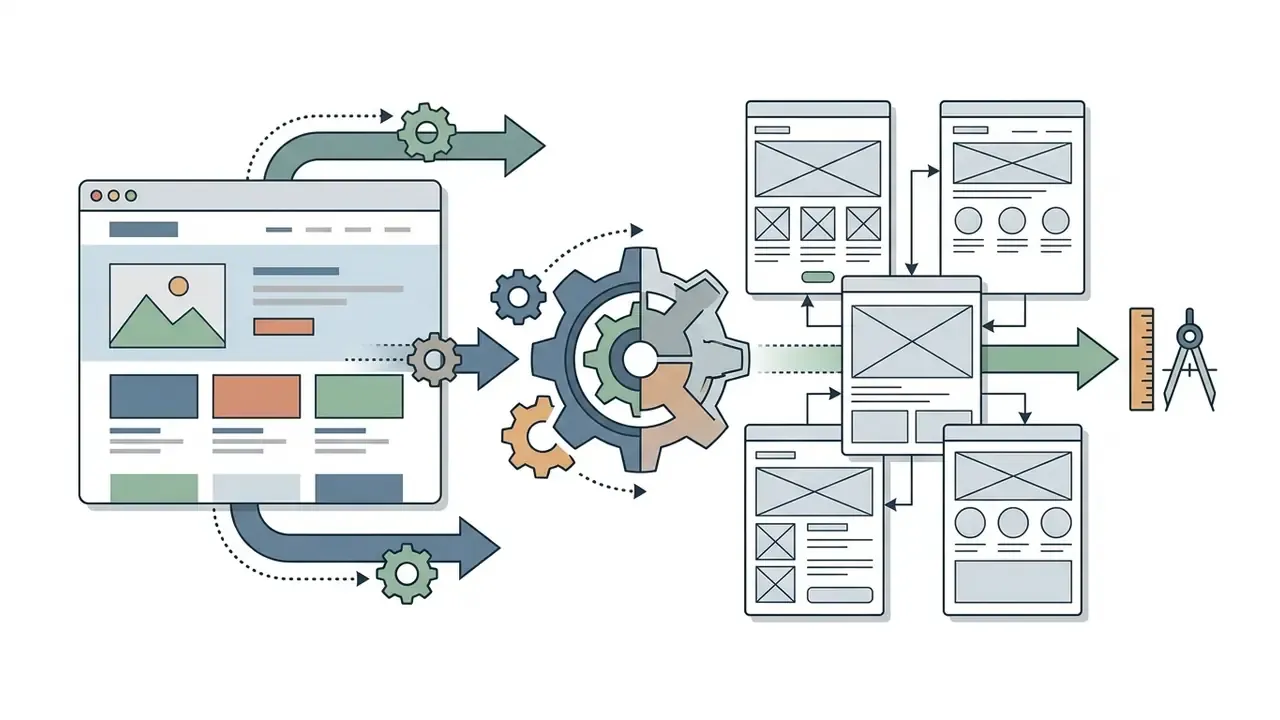
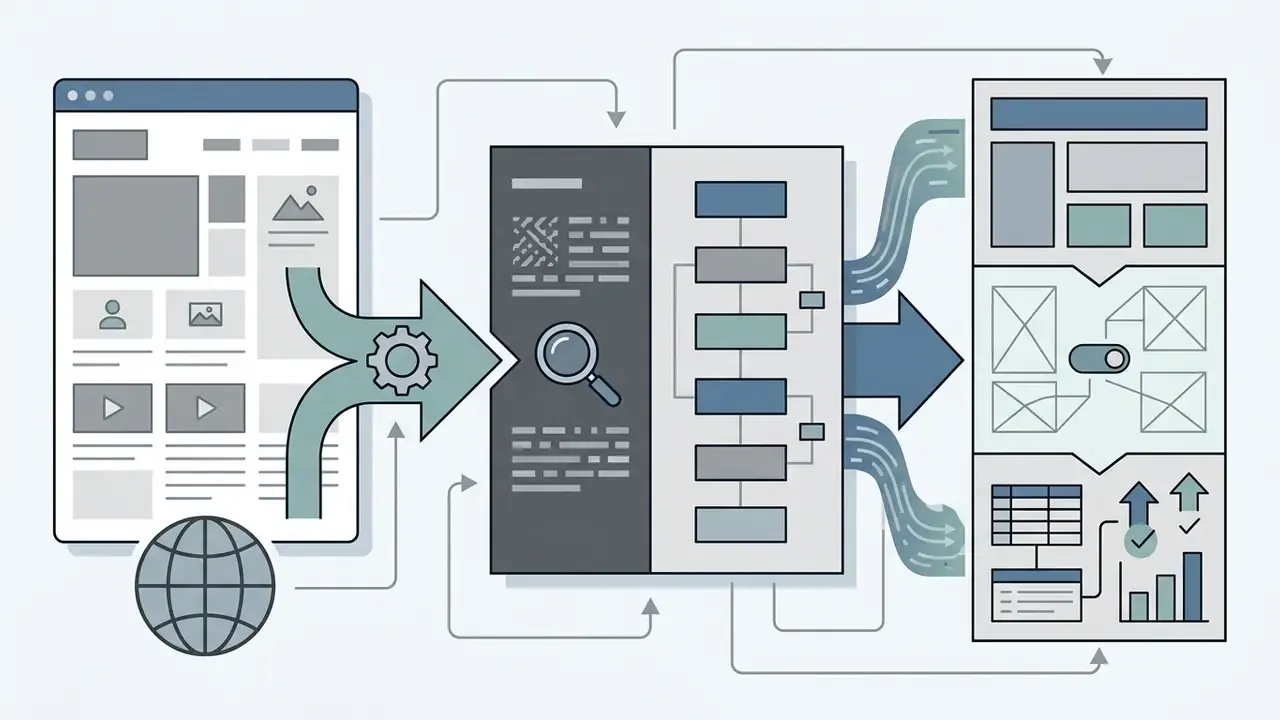
URL-to-wireframe reverse engineering is the fastest-growing input mode in the category. Generators such as UX Pilot and Visily accept any live web URL; the AI analyzes DOM structure and rendered visual hierarchy, converting legacy pages into fully editable vector layouts for competitive benchmarking and site redesigns.
Three concrete scenarios where this input beats prompting:
UX Pilot documents this explicitly: paste a URL and the tool reverse-engineers page structure into an editable wireframe, useful for redesigns, benchmarking, and pitching a direction against a real reference (UX Pilot, 2026). Screenshot and sketch scanning stay complementary. Uizard's Help Center documents wireframe-sketch and screenshot scanning as a metered feature, and Visily documents converting screenshots into editable wireframes on a shared canvas (Visily AI Design, 2026).
Governance caution. Reconstructing a competitor's layout gives you a structural reference, not a license to copy protected visual identity, proprietary iconography, or copy. Route benchmarking outputs through the same legal review you would apply to any competitive asset.
Team Collaboration, Figma Sync, and Developer Handoff
https://www.banani.co/
AI Website Wireframe Generator vs. AI App Wireframe Generator
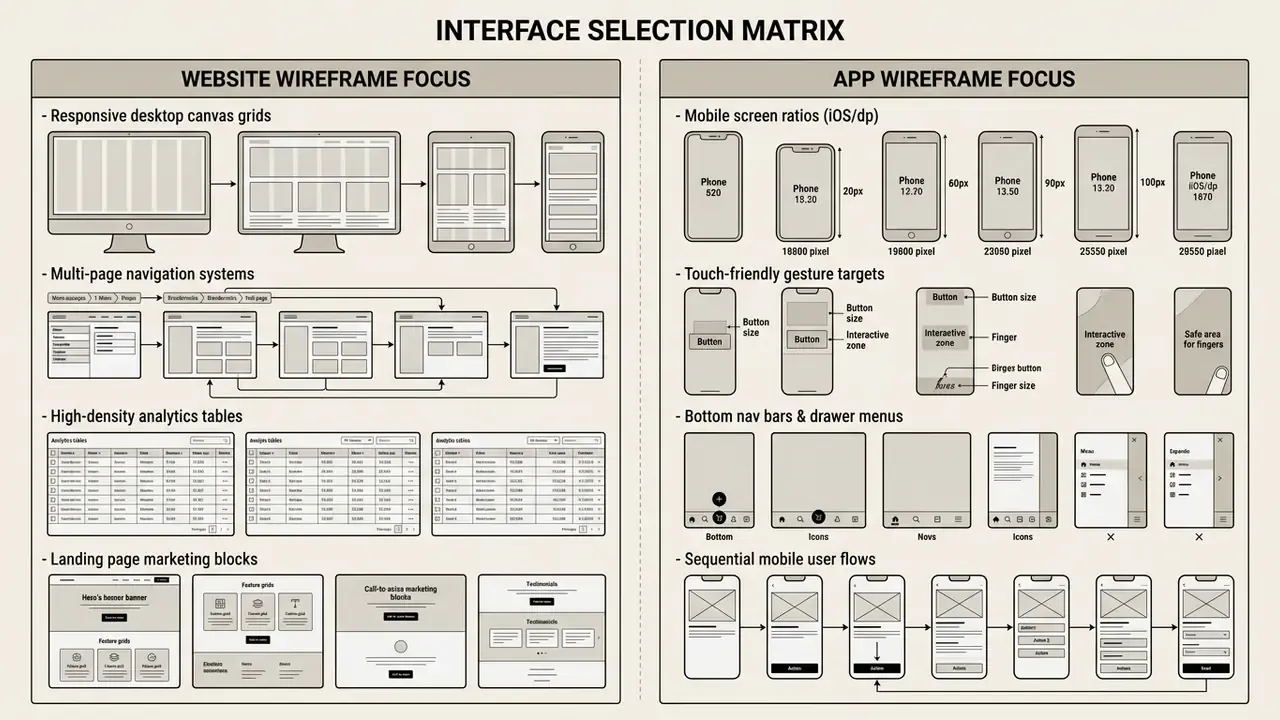
An ai website wireframe generator optimizes layout for wide desktop screens, multi-page site structures, and high data density. An ai app wireframe generator focuses on mobile-first interaction patterns, touch targets, and sequential screen flows. The real distinction is granularity: websites are generated as pages and sections, apps as screens and flows.
Interface modality itself is now an evidence-backed decision, not a stylistic preference.
«In controlled experiments, generative interfaces outperformed conversational interfaces, improving user preference by up to 72%.»
Website Wireframes for Landing Pages, Web Apps, and Dashboards
A website wireframe structures large-format desktop screens, corporate portals, web apps, and analytical dashboards.
For landing pages and dense dashboards, layout generators have to enforce clear visual hierarchy and accessibility standards. Public-sector and vendor accessibility guidance converges on an inverted-pyramid dashboard structure: the most important summary metrics first, detail pushed into secondary tabs or drill-downs, plus descriptive page titles, visualization titles, legends, text alternatives, keyboard-reachable interactive elements, and contrast ratios of at least 3:1 for visualization items and 4.5:1 for text. Accessible-visualization guidance also recommends splitting multi-dimensional data into separate views and providing data tables alongside charts.
Business intelligence and dashboard exporting. For data-heavy products, specialized generators support direct schema export into BI platforms such as Power BI and Tableau. Mokkup.ai documents one-click export of dashboard wireframes into Power BI or Tableau with dummy data included, so teams can test interactions and layout before development; the vendor reports teams producing dashboard mockups in roughly 30 minutes and cutting BI development time by up to 80% (vendor-reported figures, Mokkup.ai, 2026). Embedding auto-generated dummy data into charts, KPIs, and filters lets product analysts validate data density and decision logic before frontend or semantic-model work begins.
Practical sequence for a BI wireframe:
- Prompt for the dashboard's decision question, not its chart list. "Which regions are missing quota this month" beats "add three bar charts".
- Generate with dummy data at realistic cardinality. Ten rows hides density problems that ten thousand rows expose.
- Validate filter interaction order and drill-down depth with the actual analyst audience.
- Export to Power BI or Tableau and confirm the layout survives real semantic-model constraints.
- Re-check accessibility: contrast, non-color encoding, keyboard traversal, and a text summary for each view.
Large media and reporting stacks often hit delivery constraints beyond layout. Teams shipping heavy visual assets alongside dashboards may also need video compression tooling for embedded walkthroughs, and occasionally a slow motion video pass to demonstrate a micro-interaction clearly.
App Wireframes for Mobile Flows and Mobile-First Prototyping
An app wireframe targets mobile viewport constraints, platform navigation guidelines (Apple's Human Interface Guidelines and Android Material Design 3), and touch interaction.
Mobile generation demands adherence to platform standards. Apple's Human Interface Guidelines remain the official iOS design source and organize guidance by patterns, components, inputs, and technologies. Material Design 3 defines navigation and layout patterns with density-independent sizing. Implementation guidance commonly cited alongside these standards sets iOS units in pt with a 375x812 pt starting canvas and Android in dp with a 360x640 dp canvas, and distinguishes placement conventions: iOS bottom-left back and top-right add action versus Android top-left back and bottom-right floating action button (FAB). Treat the exact numbers as implementation guidance rather than platform mandate, and verify against current official documentation.
«GPT-4 experiments grounded in an explicit UI grammar produced high-quality mobile layouts in a one-shot learning setting.»
An ai app wireframe generator applies many of these interaction rules automatically during initial generation. Automatic application is not verified compliance, though. Persistent versus transient primary navigation, gesture conflicts, and accessibility focus order still need manual review by someone accountable for the result.
Best AI Wireframe Generator Tools: Feature Comparison
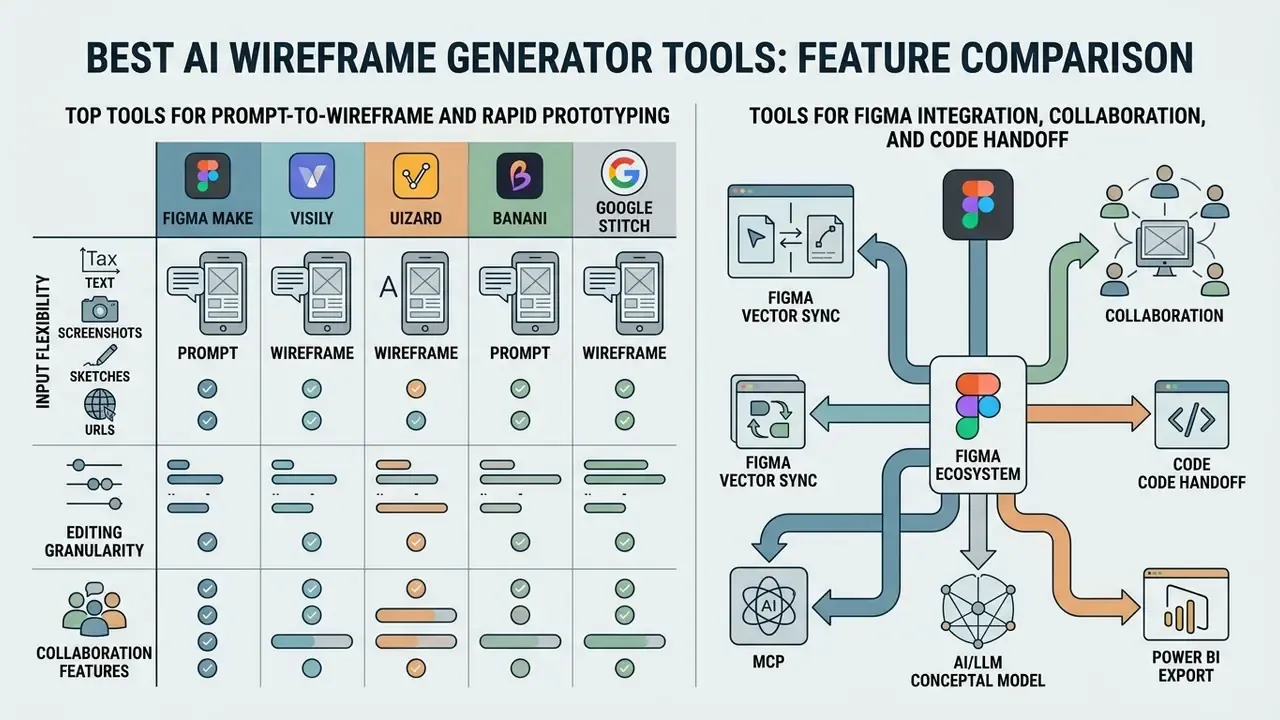
Choosing the best ai wireframe generator means evaluating input flexibility (text, screenshots, sketches, URLs), editing granularity, collaboration features, Figma vector sync, BI export, and code export quality.
Industry roundups indicate that 78% of design teams already use AI to build initial wireframe drafts, cutting pre-design preparation time by roughly half, with BI-specific workflows reporting up to 80% less dashboard rework (vendor-cited industry survey, Mokkup.ai, 2026). These are vendor-reported aggregates. Validate them against your own cycle-time baseline before they reach a board slide.
| Tool Name | Key Capabilities | Best For | Figma Sync & Code Export | Free Plan Tier |
|---|---|---|---|---|
| Figma Make / Figma AI | Native prompt-to-layout, design system integration, interactive prototypes. | Design teams embedded in Figma | Native vector; Dev Mode CSS/iOS/Android snippets | Paid plans (reported ~150 daily AI credits in 2026 vendor snapshots; verify current limits) |
| Visily | Screenshot-to-wireframe, text prompts, diagram input, shared canvas. | PMs, BAs, cross-functional teams | Direct Figma export; export-to-code listed on pricing | Free Starter plan available |
| Uizard | Hand-drawn sketch scanning, multi-screen Autodesigner flow generation. | Rapid mobile prototyping, non-designers | Via export | Free: 2 projects, 5 screens, 3 text generations/mo, 3 scans/mo |
| Miro AI | Board wireframing, user journey maps, ~60 UI element library. | Agile workshop ideation and planning | Via plugin | Free (3 editable boards at a time) |
| Google Stitch | AI-native design canvas, text and image inputs, high-fidelity UI to frontend code. | Rapid frontend prototyping | HTML and Figma export | Free tier / beta |
| UX Pilot | Multimodal inputs (URL, PDF, sketch), Autoflow multi-screen, predictive heatmaps, Nodey Figma agent. | Enterprise UX research and prototyping | Two-way Figma sync; production-ready HTML | Free tier with credits |
| Banani | Prompt-to-wireframe, flows and variants, screen-size and fidelity switching. | PM-led fast concepting | Figma paste, HTML/CSS, transfer via MCP | Generous free tier (~170 generations/mo, vendor-reported) |
| Galileo AI | Natural-language text-to-UI generation for mobile and web app screens. | Mobile product designers | Export support | Free trial / paid from ~$19/mo (roundup-reported) |
| Mokkup.ai | Dashboard-centric prompt generator, direct Power BI and Tableau export with dummy data. | BI analysts and data PMs | Via BI export | Free tier available |
| Flowstep | Prompt-to-multi-screen (up to 10 screens), design-to-code focus. | Multi-screen product flows | Code-oriented export | Paid from ~$15/mo (roundup-reported) |
| Whimsical AI | Wireframes plus diagrams on an infinite canvas. | Mixed diagram and wireframe work | Export | Paid from ~$10/editor/mo (roundup-reported) |
Pricing, free-tier credits, and feature labels differ across 2026 roundups because reviewers used different test dates and vendor plan snapshots. Always confirm against the vendor's current pricing page and order form before procurement sign-off. Teams standardizing a wider creative stack sometimes review adjacent categories such as online photo editors in the same vendor cycle.
Top Tools for Prompt-to-Wireframe and Rapid Prototyping
Tools optimized for instant text-to-layout generation let product managers and founders turn rough concepts into reviewable screen flows within seconds.
- Figma Make generates editable frames, connected flows, and interactive components inside the native Figma canvas, using existing design system libraries; refinement happens through follow-up prompts or direct canvas edits in the same workspace.
- Visily converts plain text, reference URLs, screenshots, or architecture diagrams into structured, editable web and app wireframes on a collaborative canvas, with fidelity set conversationally.
- Uizard features Autodesigner for multi-screen prompts (documented 300-character prompt limit per generation) and scanning of analog hand-drawn sketches into digital layouts.
- Banani prompt- and reference-driven generation with explicit flow and variant modes, plus screen-size conversion between desktop and mobile.
- Google Stitch repositioned by Google Labs in March 2026 as an AI-native design canvas that converts prompts, screenshots, sketches, and wireframes into high-fidelity UI and frontend code (Google Blog, 2026; Google Developers Blog, 2025).
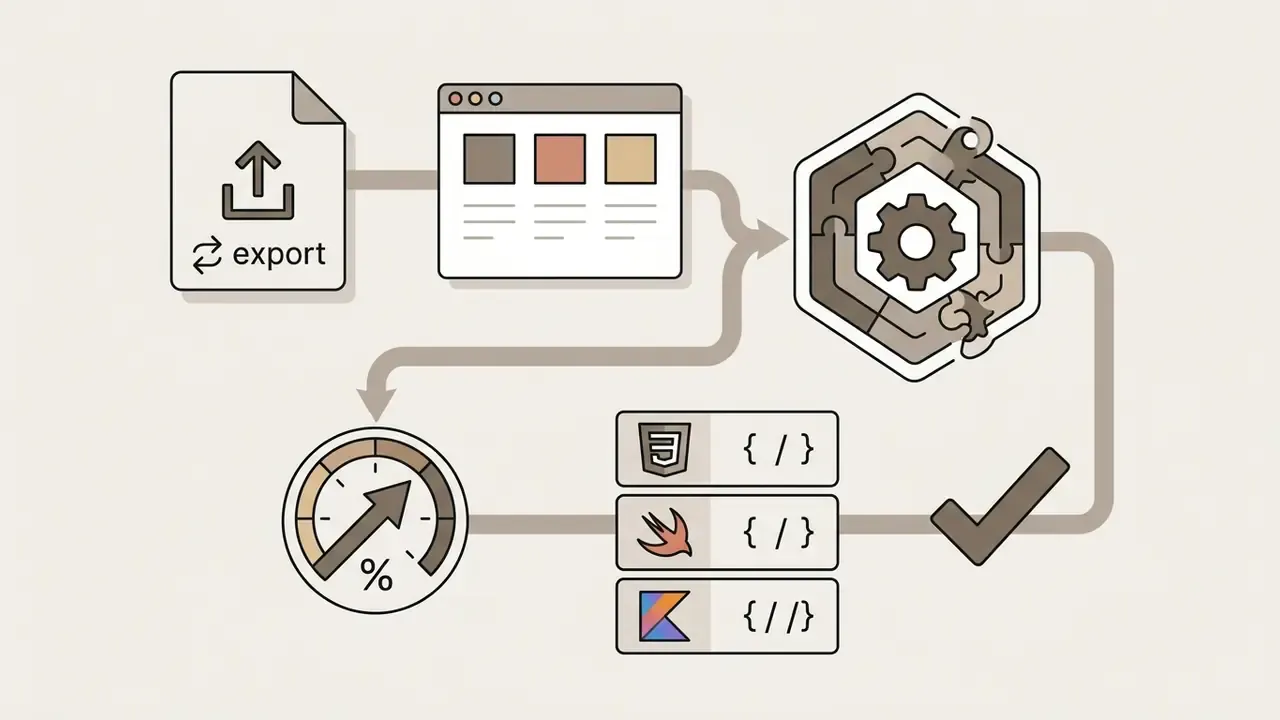
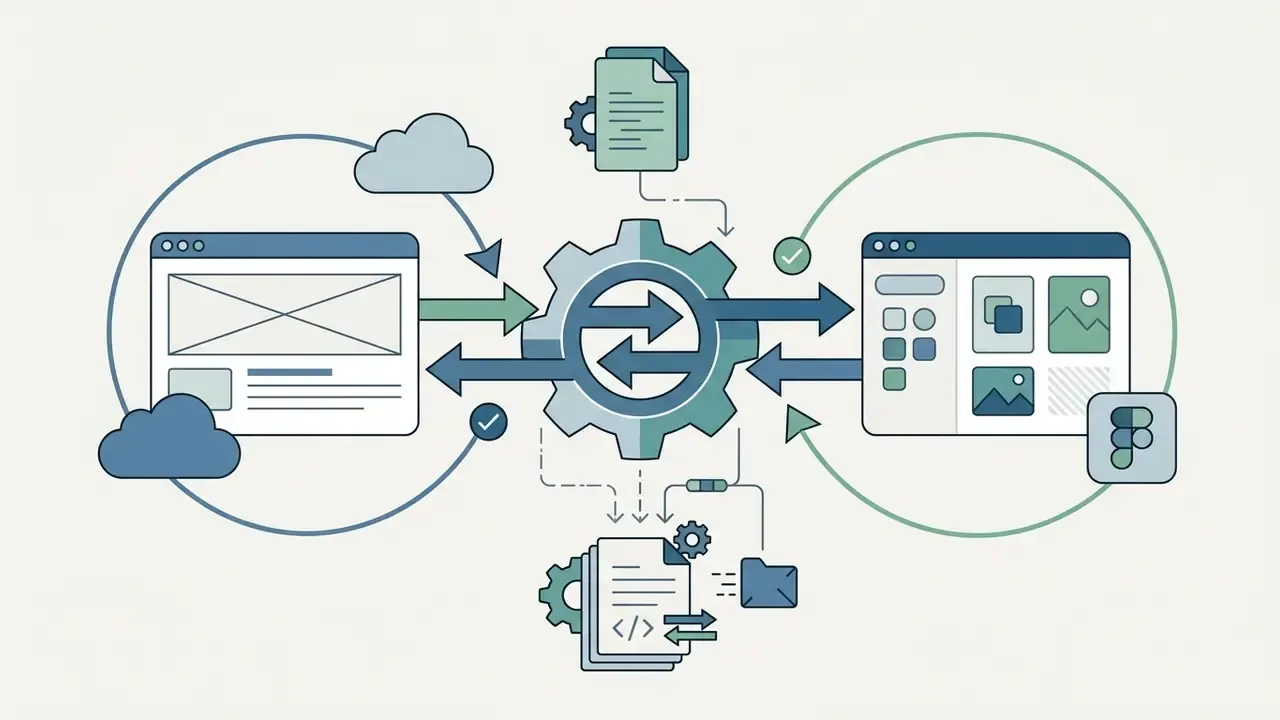
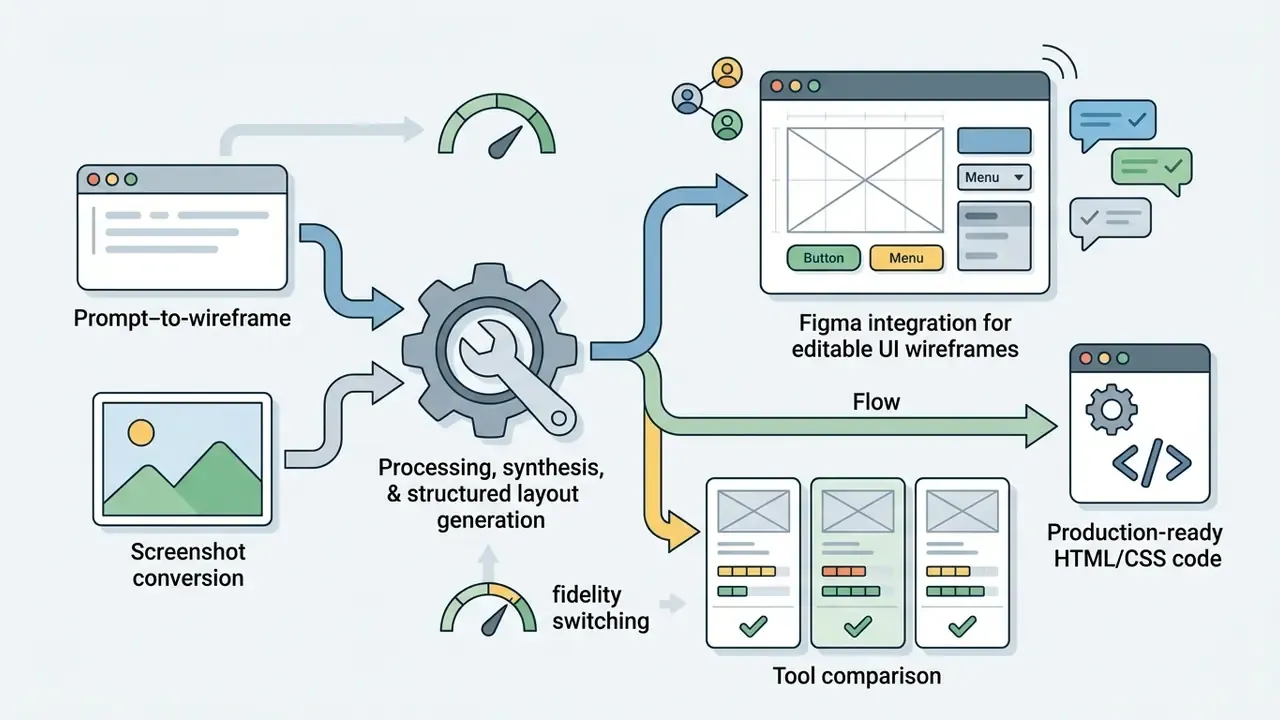
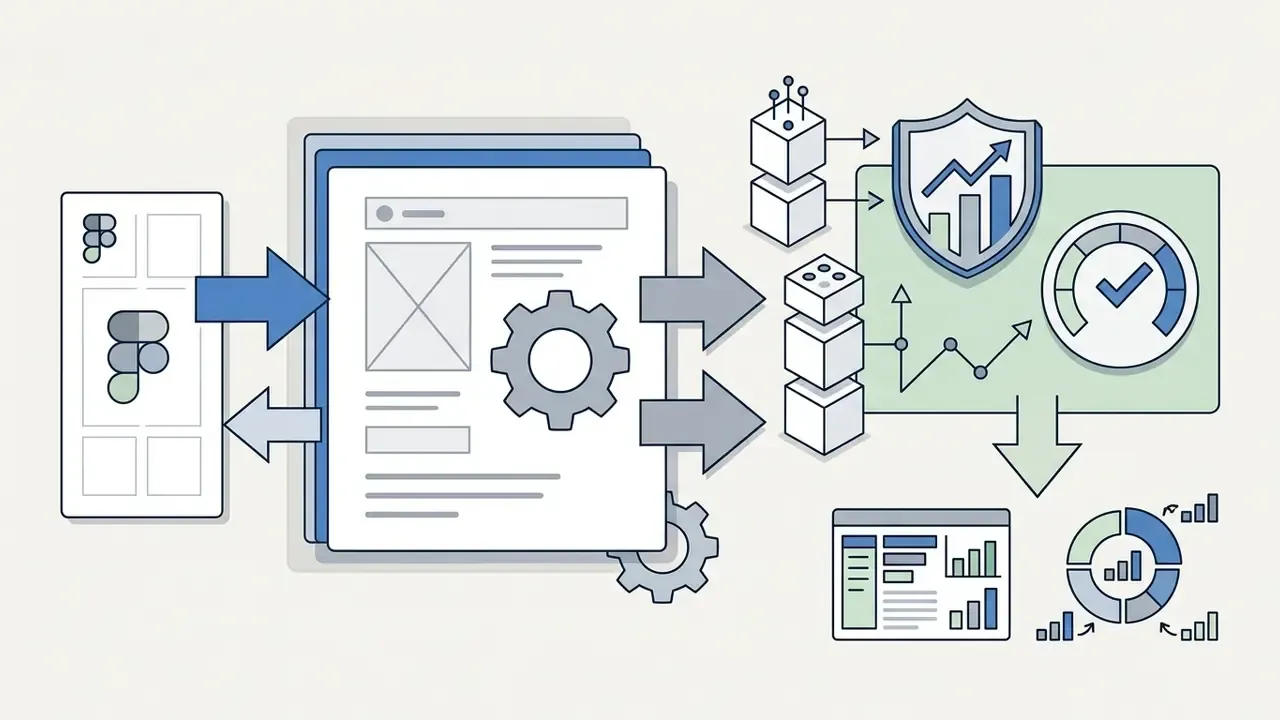
Tools for Figma Integration, Collaboration, and Code Handoff
For engineering and enterprise design teams, integration into established design tools and code repositories decides adoption.
Enterprise Security and Compliance Comparison Criteria
Feature parity rarely decides anything in regulated environments. Control parity does. Score every shortlisted vendor against the same matrix before a pilot starts, not after.
| Evaluation Axis | What to Verify | Why It Matters |
|---|---|---|
| Attestations | SOC 2 Type II report, ISO 27001 certificate, current audit period, exceptions list | Establishes an independently tested control environment |
| Data retention | Zero-retention option, retention window, deletion SLA, sub-processor list | Limits exposure of PRDs and screenshots carrying confidential roadmap data |
| Model training terms | Explicit contractual exclusion of your inputs and outputs from model training | Prevents proprietary product logic leaking into shared model weights |
| Tenancy and residency | Single-tenant or private-cloud option, region pinning, encryption at rest and in transit | Supports data-residency and sectoral obligations |
| Identity | SSO/SAML, SCIM provisioning, MFA enforcement, RBAC granularity, guest-link expiry | Prevents orphaned access and uncontrolled external sharing |
| Auditability | Prompt and version logging, activity log export, immutable approval records | Enables reconstruction of who approved which layout and why |
| Licensing | Commercial usage rights by plan tier, indemnification, output ownership | Determines whether generated assets can ship in a commercial product |
| Accessibility | Documented WCAG support, contrast and focus-order behavior in exports | Supports ADA and WCAG 2.1 AA obligations for customer-facing interfaces |
For teams building custom system integrations, the AI Media API Guides provide reference standards for automated software workflows, and licensing questions are covered in the commercial use policy guidelines.
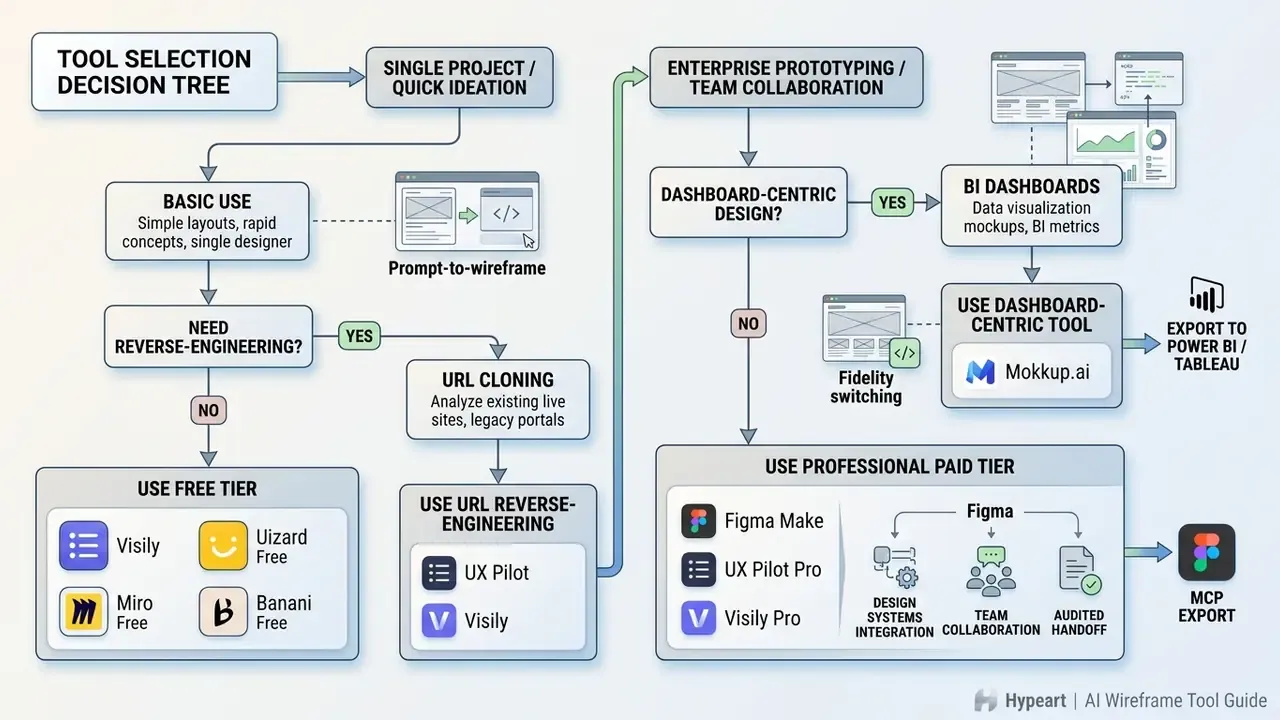
How to Choose Free vs. Professional Enterprise AI Wireframe Tools
An ai wireframe generator free version suits proof-of-concept testing. Professional enterprise selection is a different exercise: SOC 2 evidence, Figma vector compatibility, identity controls, and commercial usage rights all have to check out before a team standardizes on the tool.
When a Free AI Wireframe Generator Online Is Enough
An ai wireframe generator free online service works for individual creators, early-stage startup ideation, and single-screen concept reviews.
Free tiers typically include basic prompt-to-wireframe models, pre-built layout templates, and public board sharing. Documented constraints are concrete rather than theoretical. Figma's Starter plan limits users to one team, one project, and three design files, with advanced prototyping and variables reserved for paid plans. Miro's free wireframe tier allows unlimited members but only three editable boards at a time, after which extra boards become view-only. Reviews of free wireframing tools record further caps: single-page-only wireframes, blocked PNG/PDF export, no clickable prototypes, six-sheet limits, two-user limits, or 10 MB storage ceilings (10 Free-to-Use Wireframing Tools, Interaction Design Foundation, 2026).
Commercial tools including Visily and Uizard do offer editable wireframes on a shared canvas in their free tiers, but the specific limits shift often. Verify against current vendor documentation rather than a secondary roundup (Visily AI Design, 2026). Free plans also frequently exclude commercial usage rights and private generation, a pattern documented across adjacent generative tools where free tiers are explicitly personal-use only while paid tiers from roughly $10 to $15 per month unlock commercial rights.
For basic free wireframe drafting, these tiers let teams test software performance before committing capital. They remain validation instruments, not production environments for regulated products. That distinction is worth stating out loud in policy, because in practice nobody reads the plan terms twice.
Enterprise Checklist: Security, Licensing, and Vector Handoff
Enterprise adoption of an ai wireframe generator tool requires verification of security standards, collaboration features, data retention policies, and downstream handoff quality.
Before rollout, verify:
- Commercial rights and data privacyinputs and generated UI assets must not train public LLMs without enterprise consent; confirm output ownership in writing.
- Vector and code handoff qualitycheck whether exported Figma files contain structured vector layers and Auto Layout properties rather than flattened images.
- Role-based access control (RBAC)confirm workspace administration supports secure guest access, expiring share links, SSO/SAML, and SCIM deprovisioning.
- Data residency and retentionconfirm storage regions, retention windows, deletion SLAs, and the full sub-processor chain.
- Sensitive input controlsestablish redaction rules so PII, account data, and confidential roadmap content never enter prompts.
- Audit loggingrequire exportable logs of prompts, generations, versions, and approvals.
- Exit pathconfirm you can export all assets in open formats if the contract ends.
This information is general in nature and does not replace legal or technical advice from a qualified specialist on data-security compliance and software licensing. AI-generated layouts do not constitute an accessibility assessment either: customer-facing interfaces still require independent verification against WCAG 2.1 AA and applicable legislation such as the ADA.
Governance, Shadow AI Controls, and Auditable Human Review
The largest practical risk in this category is not a bad layout. It is an ungoverned one. When a free generator is faster than the approved one, teams adopt it quietly, and confidential PRDs drift into consumer tenants with no retention guarantees. That is Shadow AI, and design tooling is one of its most common entry points, mostly because the tools look harmless.
A workable control model has four layers.
- Approved-tool registry. Publish one short list of sanctioned generators with tier, permitted data classes, and a named owner. Anything unlisted is prohibited for work product. Pair the registry with egress controls or CASB rules that flag unsanctioned design domains.
- Data classification at the prompt boundary. Define which classes may be pasted into which tier. Public marketing copy and generic UI descriptions sit far away from internal credit-decision logic. Provide a redaction template so compliance becomes the low-effort path.
- Human-in-the-loop with named decision ownership. Every generated layout advancing toward production needs a recorded reviewer, a review date, and a decision. Annotate resolved decisions on the wireframe itself, following review practice that matches the reviewer set to stakeholder and user categories.
- Audit trail and escalation. Log the prompt, model or tool version, generation timestamp, reviewer, and approval. Route anything touching regulated customer journeys, disclosure text, or accessibility-critical flows to a defined escalation path before build.
Frameworks worth mapping these controls against include the NIST AI Risk Management Framework, which structures governance around govern, map, measure, and manage functions, and, for US banking institutions, existing model-risk and third-party-risk supervisory expectations, which already require inventory, documentation, and independent validation of consequential tooling. Collaboration-platform hardening guidance from Microsoft supplies the concrete access levers: guest access policy, private teams, shared channels, sensitivity labels, and file-sharing restrictions.
Escalation triggers to define in advance:
- The generated layout touches regulated disclosures, consent, or fee presentation.
- The prompt contained, or may have contained, customer data.
- The output will ship to production without a separate design review.
- The vendor changed retention or training terms mid-contract.
Regulatory and litigation context for generative tooling keeps moving; teams tracking exposure can review AI Litigation and Case Timelines alongside internal policy updates.
ROI and Total Cost of Ownership Including Validation Overhead
"Design time dropped 60%" is not a business case. A defensible model nets savings against the control costs those savings create.
Annual Benefit  = (hours saved per screen x screens per year x blended design rate)
                + (avoided rework hours x engineering rate)
Annual Cost     = license cost (seats x tier x 12)
                + validation & review hours x reviewer rate
                + security/vendor assessment cost (one-time, amortized)
                + accessibility audit delta
                + residual risk provision
Net ROI (%)     = (Annual Benefit - Annual Cost) / Annual Cost x 100
Three cost lines teams routinely omit:
- Validation labor. Faster drafting multiplies the artifacts requiring human review. Volume growth is a cost, not only a benefit.
- Vendor assessment. Security review, contract negotiation, and annual re-attestation consume real hours from scarce reviewers.
- Residual risk provision. A budgeted allowance for remediation when a generated layout ships with an accessibility or disclosure defect.
Use the AI Media Calculators as a starting point for modeling seat and usage costs, then adjust with your own validation-hour assumptions. A pilot reporting a 40% net gain after these deductions is far more credible to a CFO than an 80% gross claim. Credibility compounds; inflated numbers do not.
A Safe Next Step
If you are early, do not standardize yet. Run one bounded pilot: a single non-regulated product surface, two named reviewers, a documented prompt template, and a 30-day measurement window on drafting hours plus review hours. Record every prompt and approval. At the end you will hold two things procurement actually needs: a control record and a cycle-time baseline. Everything else, tier selection, MCP handoff, BI export, becomes an easier argument after that.
FAQ About AI Wireframing Tools
Can ChatGPT Create a Wireframe?
ChatGPT cannot render native visual design files in its standard chat interface, but it can produce structured UI layouts as text wireframe briefs, Markdown tables, Mermaid.js flow diagrams, and raw HTML/SVG code. With a structured prompt you can instruct it to output SVG markup or Mermaid UI schemas, then paste them into an external editor or render them in a browser. Academic review of the category documents GPT-4 as the most frequently used model for structured UI layout generation (LLMs in UI/UX Design: A Systematic Review, 2025). Two supported integration paths exist today: the Mermaid Chart GPT generates Mermaid diagrams from prompts and hands them to the Mermaid Chart Editor for continued editing (Mermaid Chart, 2026), and the Apps SDK provides design guidelines and examples for embedding interactive UI alongside conversation (Introducing apps in ChatGPT, OpenAI, 2025).
Can Claude Create Wireframes?
Yes, within limits. Claude can create interactive, rendered single-page wireframes and functional UI prototypes through its Artifacts feature. When prompted to build an interface, it renders live React components, HTML screens, SVG mockups, and diagrams in a side-by-side preview panel, updated in place during the session. Anthropic's documentation is explicit that an Artifact is a snapshot rather than an application: single-file and self-contained, no backend, no stored form input, no multiple routes. Note also that no peer-reviewed studies specifically evaluating Claude for wireframing appear in the 2022 to 2025 academic corpus surveyed by the systematic review above. Vendor documentation is a normative primary source, not independent research.
Do You Need Design or Coding Skills to Use an AI Wireframe Generator?
No. Professional design or coding skills are not required to generate initial wireframes with modern ai tools to create wireframes. Natural language interfaces let product managers, business analysts, and founders ai create wireframes from text descriptions; vendor documentation from Figma and UX Pilot states plainly that no coding or design skills are needed for a first draft.
Basic design literacy still matters. Understanding navigation logic, visual hierarchy, and accessibility standards is what makes review meaningful before anything ships.
«UX practitioners apply generative AI for shared reflection and communication while retaining responsibility for evaluating usability and standards conformance.» Generative AI in User Experience Design (2024)
Coding skill becomes relevant one step later: when generated HTML or React gets customized, integrated into an existing component library, or hardened for accessibility.
Can an AI Wireframe Generator Export Designs Directly to Production Code?
Yes. Platforms such as Google Stitch, UX Pilot, and Banani support front-end export to HTML, CSS, Tailwind, and React components, and Banani additionally supports programmatic transfer via MCP. Generated code should still pass front-end engineering review for alignment with internal codebases, security, and accessibility conformance. Figma's documentation notes that browser-rendered export accuracy is not guaranteed across browsers and operating systems, so visual parity checks stay necessary. See also the AI Media Comparison Matrices for adjacent tool evaluations.
Can an AI Wireframe Generator Export Dashboards to Power BI or Tableau?
Yes, with dashboard-specialized tools. Mokkup.ai documents one-click export of dashboard wireframes into Power BI and Tableau with dummy data included, so teams can validate KPI placement, filter interaction, and data density before BI development starts. General-purpose generators usually stop at Figma or image export and require manual reconstruction in the BI layer.
Can AI Convert an Existing Live Website into an Editable Wireframe?
Yes. URL reverse-engineering is documented by UX Pilot and available in Visily-class tools: paste a live URL and the generator reconstructs page structure into an editable wireframe. It is most valuable for redesigns of undocumented legacy portals, competitor benchmarking, and normalizing divergent variants of the same journey. Benchmarking outputs should still pass legal review before they inform shipped design.
Are AI-Generated Wireframes Safe for Commercial Software Applications?
Yes, provided the tool's terms of service explicitly grant commercial usage rights on the plan you hold. Many free tiers are personal-use only, and commercial rights typically unlock on paid tiers starting around $10 to $15 per month across the wider generative-tool market. Teams must also verify that inputs, including confidential PRDs, screenshots, and internal URLs, are contractually excluded from public model training datasets.
How Do AI Wireframe Tools Handle Complex Enterprise Design Systems?
Advanced tools such as Figma Make sync with enterprise Figma libraries, mapping generated layout blocks to existing brand components, variables, and Auto Layout structures. UX Pilot's Figma agent supports two-way round-trip sync so component updates propagate in both directions. Predictable code output depends on file hygiene: components, Code Connect, variables, semantic layer names, and annotations. Sloppy files produce sloppy code, with or without AI.
What Is MCP and Why Does It Matter for Wireframe Handoff?
Model Context Protocol (MCP) is a transfer mechanism that lets an external agent or IDE consume design context programmatically instead of parsing a static exported file. Banani lists MCP transfer alongside PNG/JPG export, Figma paste, and one-click HTML/CSS. For agent-assisted engineering pipelines, MCP removes the manual translation step between approved wireframe and generated implementation, which also means the approval record must exist before transfer, not after.
Appendix A: Editorial Corrections and Source Verification Log
For transparency, the following claims from earlier versions of this guide were revised. Superseded wording is preserved alongside its replacement.
| Superseded Claim | Status | Replacement |
|---|---|---|
| "According to frontend prompting research by OpenAI… (OpenAI Frontend Guidance, 2026)" | Source not independently verifiable in the reviewed corpus | Replaced with Bridging Gulfs in UI Generation through Semantic Guidance (2026) and vendor prompting documentation |
| "A 2026 study in UI design methodology… (Springer UI Wireframing Chapter, 2026)" | Source not verifiable as cited | Replaced with Controllable GUI Exploration (2025) plus fidelity-selection guidance |
| "(Interaction Design Foundation Free Wireframing Tools Review, 2026)", generic free-tier limits | Reframed with named, checkable limits | Replaced with documented Figma Starter and Miro free-tier caps via the IxDF free-tools review |
| "(UK Civil Service Accessibility & Dashboard Guidance, 2026)" | Reframed as general accessibility guidance rather than a single citable document | Replaced with consolidated accessible-dashboard guidance (inverted pyramid, 3:1 / 4.5:1 contrast, keyboard operability) |
| "(Apple Human Interface Guidelines, 2026)" as sole basis for mobile specs | Retained as normative primary source, qualified | Supplemented with UI Grammar and LLM-Guided Mobile Layout Generation (2023); canvas dimensions marked as implementation guidance |
| "reduced initial design sprint overhead by 60%" | Unverified single-engagement figure | Retained but labeled self-reported, with excluded downstream compliance hours disclosed |
| "Figma Make provides 150 daily AI credits" | Vendor limits change frequently | Retained with an "as of 2026 vendor snapshots, verify current limits" qualifier |
| "(OpenAI ChatGPT Documentation, 2026)" / "(Anthropic Claude Support Documentation, 2026)" | Reframed | Vendor docs cited as normative primary sources, not research; absence of peer-reviewed Claude wireframing studies disclosed |