An art ideas generator is an automated tool that produces randomized prompts, visual topics and technical constraints so a creator can start work immediately. By supplying an external concept, an art idea prompt generator lowers starting friction. It removes the small, exhausting hesitation that arrives with a blank canvas.
That sounds like a creative topic only. It is not. Any team that runs generators inside a company also inherits licensing, data and record-keeping questions, which is where the second half of this guide goes.
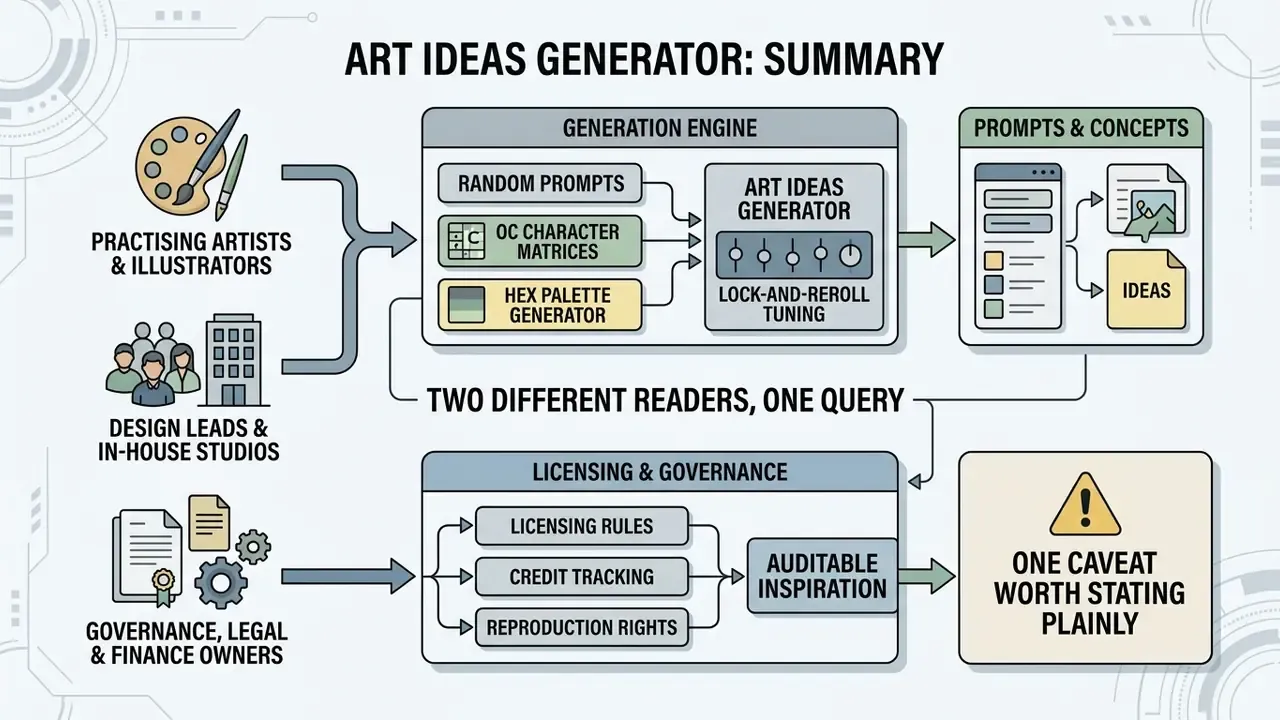
Executive summary
- For artists: run the generator once, lock the parts you like, reroll only the parts you do not, then fix a medium, a canvas size and a timer before your first mark. Three sentences of setup replace two hours of scrolling.
- For team and studio leads: structured prompts remove decision paralysis and shorten ideation in a way you can measure. A meta-analysis of 111 studies found a statistically significant positive effect of constraints on creative output, and a controlled design experiment recorded 1.67 times more ideas per session when generative tooling supported the group.
- For risk, legal and governance owners: a prompt is an unprotectable idea. Copyright attaches only to human-authored expressive execution. Licensing rights come from the platform agreement, not from copyright law. Every generator used inside an organisation should be logged (tool, prompt text, seed, model version, date) so the creative pipeline stays reproducible and never drifts into Shadow AI.
Who this guide is for, and what we are treating as a hypothesis
What is an art ideas generator and how does it beat art block?
An art ideas generator is a software system or a structured word database that outputs randomized subjects, style constraints and scenarios to trigger production. It beats art block by replacing open-ended choice with one concrete directive. Fewer decisions before the first mark, less anxiety about starting.
When artists stall, the obstacle is rarely skill. It is decision paralysis produced by infinite options. An art block generator narrows the field by sampling parameters (characters, settings, lighting, palettes) from a predefined pool or from a model's sampling space. A meta-analysis on constraints and creativity in the Journal of Organizational Behavior (Medeiros et al., 2024) reports a statistically significant positive effect of structured limitation on creative output (β_ρ = 0.28).
By fixing an external stimulus, an art inspiration generator converts the process from passive brainstorming into active problem-solving. Artists who want to carry a prompt through to a finished render can pair this workflow with the tools reviewed in our comparison of AI art generators.
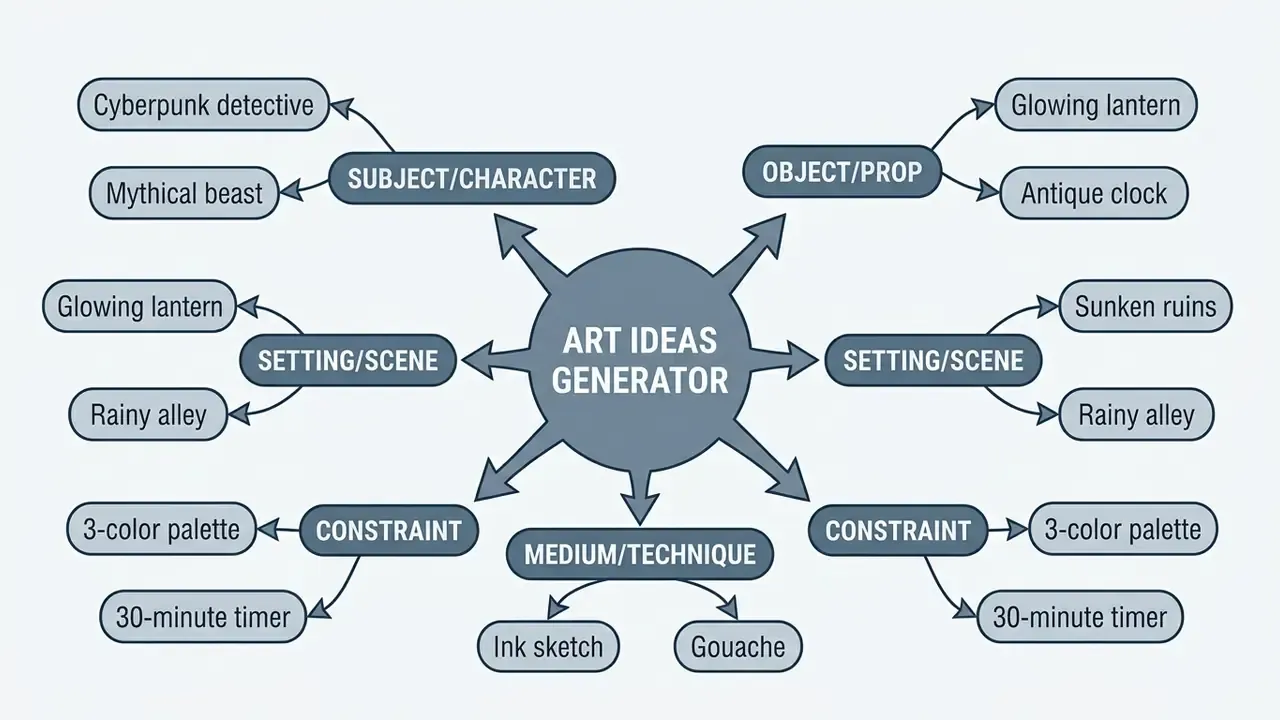
Figure 1: how an art ideas generator combines independent parameters into a single actionable prompt.
Solo case (illustrative). A studio illustrator working on editorial graphics fell behind after a burnout stretch. She adopted a random idea generator art routine: one prompt, one 15-minute thumbnail, no rerolling. Twenty viable concept sketches in two days, and the client milestone held.
Team case (illustrative). The same protocol scales. A four-person in-house design team assigned one shared primary theme per sprint, for example trust, then let each designer reroll only the secondary and tertiary layers. Three thumbnails in ten minutes, then critique. The first review round showed a wider spread of directions and far fewer "nothing to show yet" standups. In a controlled study, a team supported by a generative assistant produced 1.67 times more ideas in the same session length, though most concepts still needed expert refinement. Generators widen the funnel. They do not raise the quality bar for you.
«A team using ChatGPT generated 1.67× more ideas in the same time, yet most required substantial refinement and expert evaluation.»
Art prompt, drawing idea or art topic: what the generator can create
An art prompt gives a complete multi-layered instruction. A drawing idea defines the visual subject. An art topic sets the thematic domain. A strong art generator idea fuses all three levels into one specification, which is exactly what separates a usable brief from a single loose word.
- Art topic a broad category such as oceanic exploration, dark fantasy or urban decay. This is what an art topic generator hands you first.
- Drawing idea a specific subject inside that topic, such as a mechanical whale swimming through clouds.
- Art prompt a fully specified directive with style, angle and technique, such as "Draw a mechanical whale in clouds, pen and ink cross-hatching, dramatic low-angle perspective."
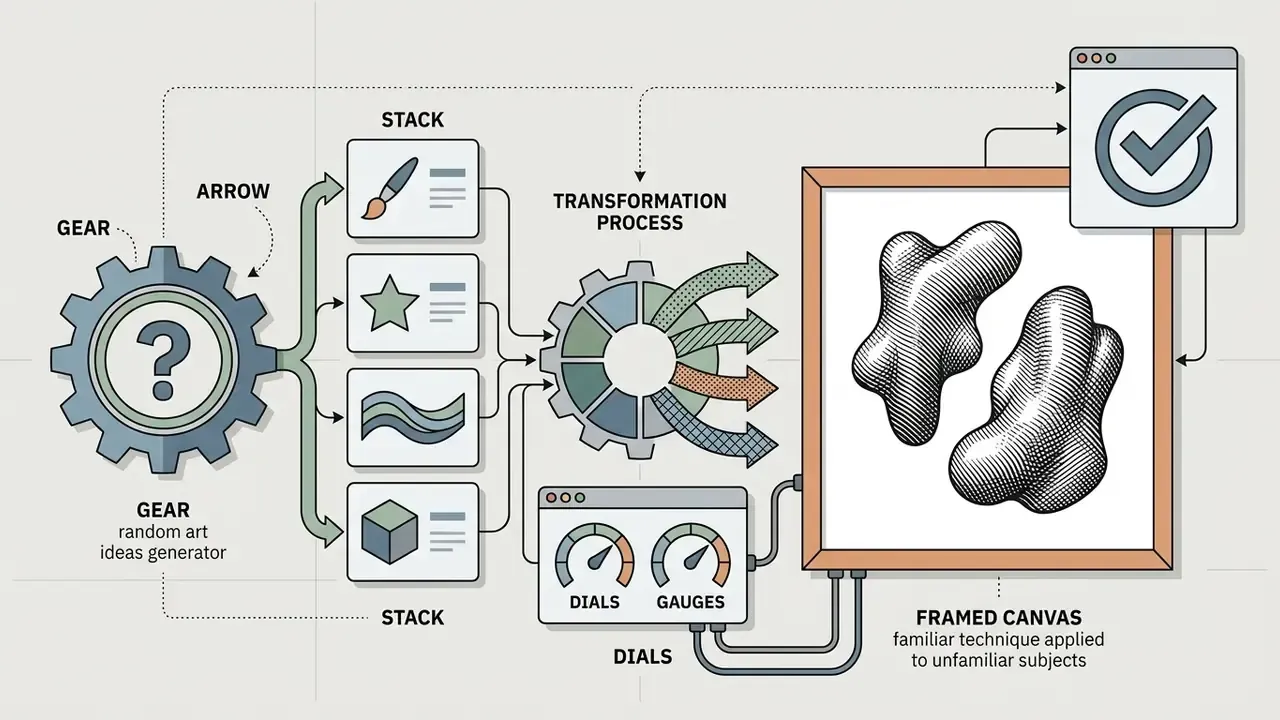
Stacking them is simple. The topic sets the frame, the drawing idea supplies the scene, the prompt adds viewpoint, medium or a hard limit: "Nature topic + waterfall drawing idea + close-up, ink sketch, two values only." Handled this way, an art block idea generator balances direction against freedom. You start sketching at once, and interpretation is still yours.
When to use a random art inspiration generator
A random art inspiration generator earns its place in three moments: warm-up routines, acute art block and structured skill drills. Using random art prompts externalizes the choice, which is what you want when internal inspiration is flat.
Art block usually arrives in four shapes. Too many options with no ranking rule. Perfectionism about the first mark. Fatigue from repeating one subject. A vague idea with no execution path. A randomized directive hits the first, third and fourth head on. Research on low-stakes drafting, reported in How "Shitty First Drafts" Encourage and Enable Student Composition (University of Hawai'i, 2018), shows that permitting a deliberately rough first attempt reduces the shame attached to a blank page.
Artists reach for a random art subject generator in three operational scenarios:
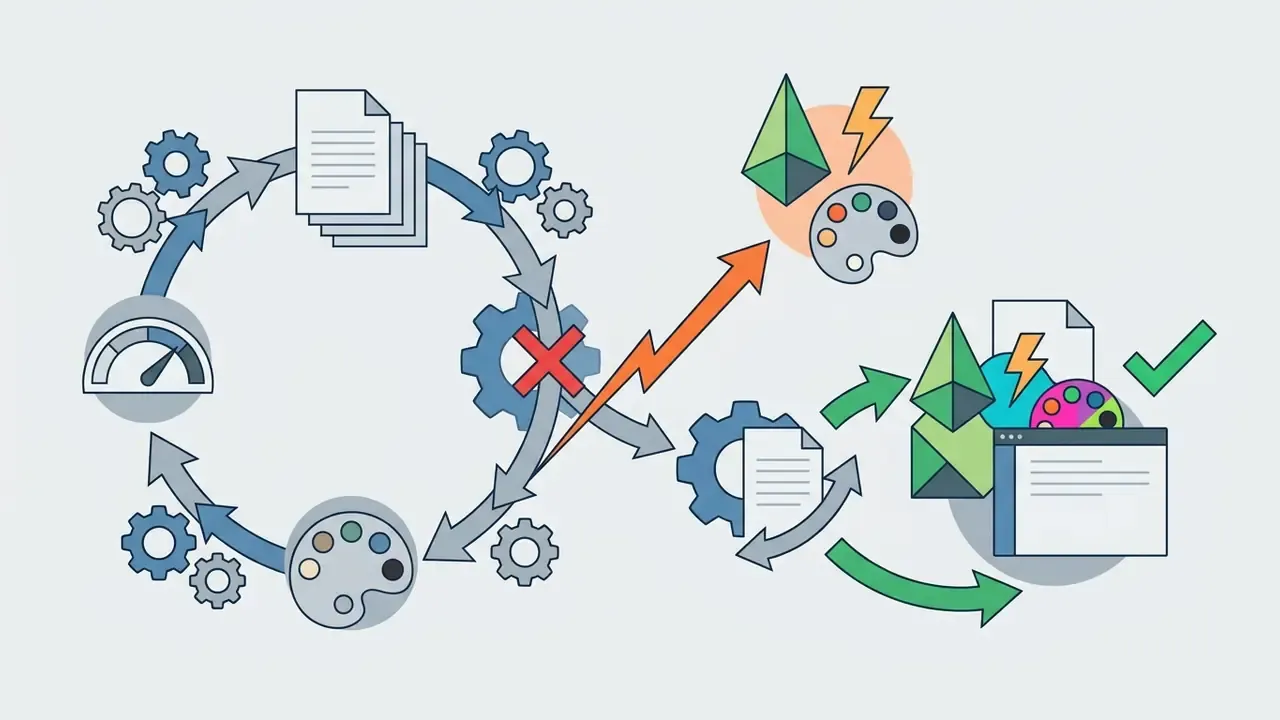
Analog and automatic drawing triggers, no screen required
Digital prompts are one branch only. Traditional artists can manufacture the same effect with physical randomness, and honestly it often works faster.
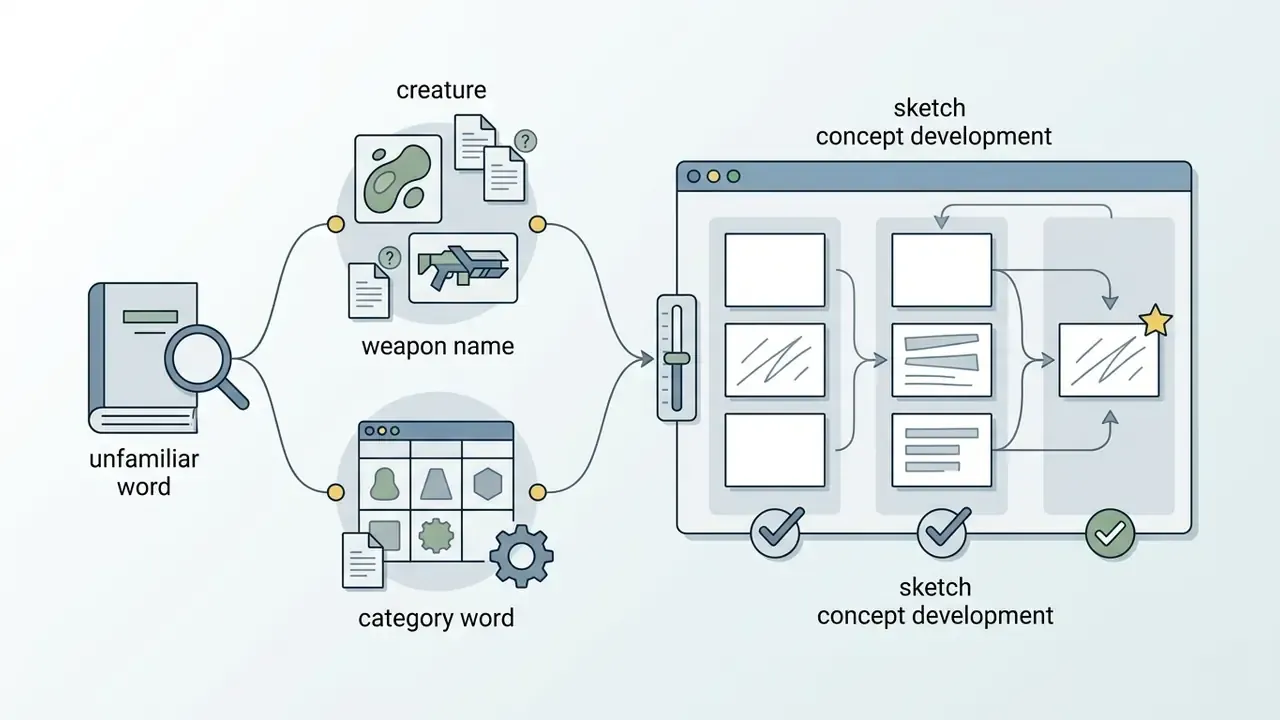
- The random book method.Pull any book off the shelf, turn to the page matching today's date, count down as many lines as the month number, and read the word at that position. Answer that single word visually. Artists using this method report a full page of drawings inside ten minutes; one documented session produced roughly ten drawings and dissolved the block completely (Artist's Block? Try Idea Generator No 1: Automatic Drawing, kelise72.com).
- Surrealist automatism.Move a pen continuously for five minutes with no plan. Then hunt the tangle for a silhouette: a plant with feet, a face, a machine. Render what you found. Miró, Dalí, Arp and Breton all used the device to unstick a stalled session.
- Unconventional physical media.Change the surface rather than the subject. Aluminium foil, denim (doodle on the jeans you are wearing), brown packing paper, newsprint, cardboard, ceramic tile, india ink applied with a stick. Odd media appear deliberately in some long-running prompt engines, because they force you to make art out of whatever is on the table.
- Object lottery.Twelve household objects in a bag, draw three blind, build one composition holding all three at different scales.
Prompt adaptation: fantasy versus real-world settings
Not every generated attribute suits every genre. Filter before you commit.
- Real-world settings drop Creature Type and Superpower entirely. If the roll returns neon hair, swap it for a natural shade and keep the pose, wardrobe logic and personality trait. Occupations, physical traits and props transfer untouched.
- Fantasy and sci-fi use every field at once. Stack the contradictions on purpose (barbarian healer + ice magic + antique lantern) instead of rerolling the mismatch. The friction is the exercise.
- Non-human creatures some fields quietly break. A slime has no eyebrows, a stone construct has no hair colour. Decide per creature which attributes mean anything, then translate the rest: "hair colour" becomes "moss colour" or "emission colour".
Categories of random drawing ideas, with IP-risk levels
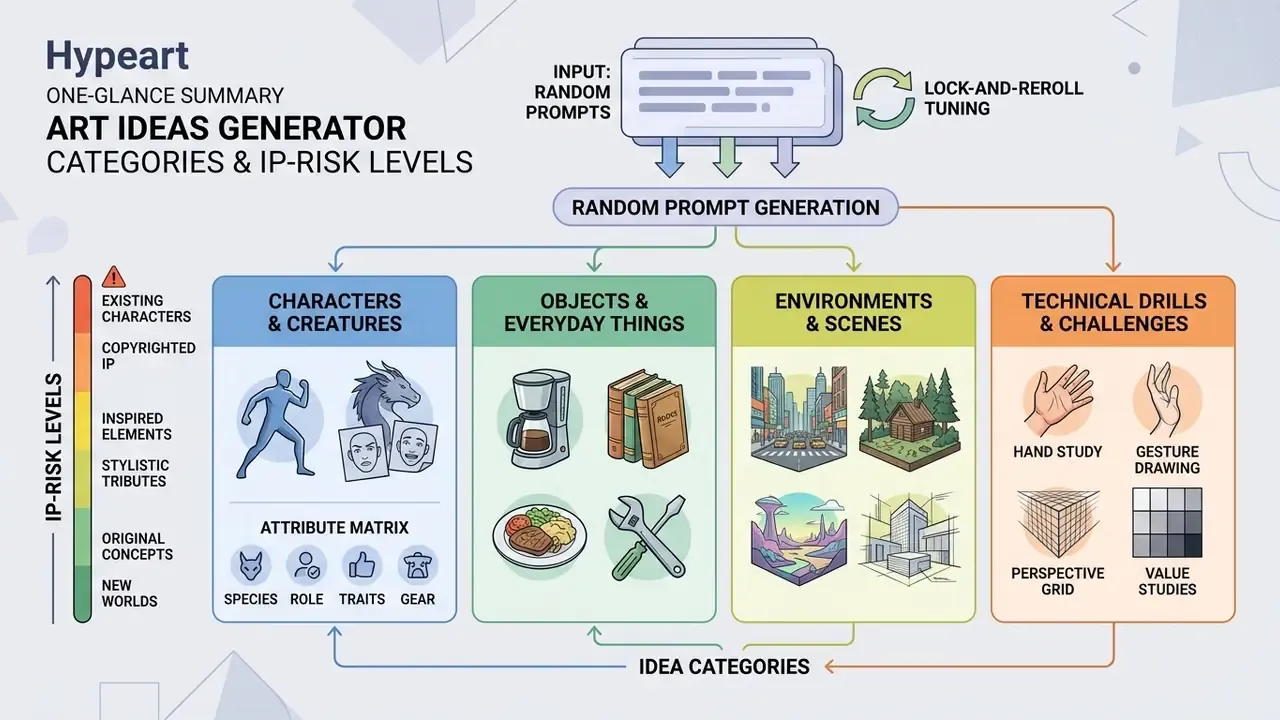
Categories in a random art generator ideas tool split prompts into distinct subjects: characters, environments, everyday objects, technical drills. Sorting by category lets artists target a specific skill gap. For teams it does something else too. It flags which categories carry higher intellectual-property exposure before anything reaches a client deck.
| Category | Primary prompt output | Target skill or objective | IP-risk level |
|---|---|---|---|
| Characters and creatures | Humanoids, fantasy beasts, mashup figures | Character design, anatomy, narrative expression | Medium to high (resemblance to existing IP; never brief "in the look of" a named franchise) |
| Objects and still life | Everyday items, food, machinery, props | Shape language, material texture, lighting | Low (watch trademarked product shapes and logos) |
| Scenes and environments | Landscapes, urban architecture, interiors | Perspective, composition, mood, background scale | Low to medium (recognisable buildings and signage) |
| Challenges and techniques | Time-limited drills, palette limits, style shifts | Speed, colour theory, stylistic range; see also AI art generators for style tests | Medium (avoid prompts naming a living artist's style) |
Picking one focused domain inside a digital art ideas generator simplifies planning, whether you are building a concept art portfolio or doing casual daily practice. Studios comparing tool families before committing budget usually start from our AI Media Comparison Matrices.
Characters, people and creatures
Character prompts push anatomy, clothing, posture and personality. They form the backbone of any concept art prompt generator.
The strongest results come from colliding archetypes with contrasting roles, for instance a futuristic medic tending an ancient stone golem. Effective character sheets pin the visual anchors: silhouette, costume details, props, palette, focal lighting. Do that, and the same figure stays recognisable across front, side and back views.
Constructing Original Characters: the attribute matrix
An OC generator works best when each attribute is treated as an independent layer, generated one at a time. The reveal keeps its small thrill, and you can stop the moment the character is already interesting. Roll one row, or roll the whole sheet.
| Layer | Field | Example outputs |
|---|---|---|
| 1 | Character type / role | Doctor, dark witch, mad scientist, futuristic medic, disgraced knight, courier |
| 2 | Talents and skills | Boxing, acting, origami, lockpicking, beast-taming, field surgery |
| 3 | Personality trait | Patient, driven, sneaky, over-apologetic, ruthlessly literal |
| 4 | Physical trait | Extremely tall, large eyes, bushy eyebrows, burn-scarred hands, mechanical glowing eye |
| 5 | Hair colour (with HEX) | LemonChiffon #FFFACD, Pink #FFC0CB, Slate #556B70 |
| 6 | Eye colour (with HEX) | Amber #FFBF00, Teal #008080, Pale grey #CFD8DC |
| 7 | Creature type | Ghoul, mermaid, tarasque, moth-folk, stone construct |
| 8 | Weapon / signature prop | Boomerang, two-handed sword, kunai, antique lantern, surgical kit |
| 9 | Superpower | Flight, gravity manipulation, shadow-stepping, hair used as a weapon, sound-shaping |
Objects, food and everyday things
Object prompts use household items, dishes and mechanical props to drill foundational rendering through random drawing.
Drop a mundane item into an impossible context, say a glowing lightbulb holding a miniature ocean ecosystem, and you study realistic texture while practising imaginative composition. A repeatable recipe for surrealism: one ordinary object, one impossible context, one scale shift, one material or background change (melting, floating, oversized, made of glass).
«Six visual artists reported that generative AI was most valuable during ideation and exploration, especially when studying object and lighting variations.»
Object studies are still the fastest route to confidence with light and material, because the subject sits there, static, and can be relit endlessly. For cleanup before publication, a general-purpose photo editor is usually enough.
Scenes, challenges and techniques
Scene and technique prompts move the focus from a single object to environmental storytelling, composition and execution limits.
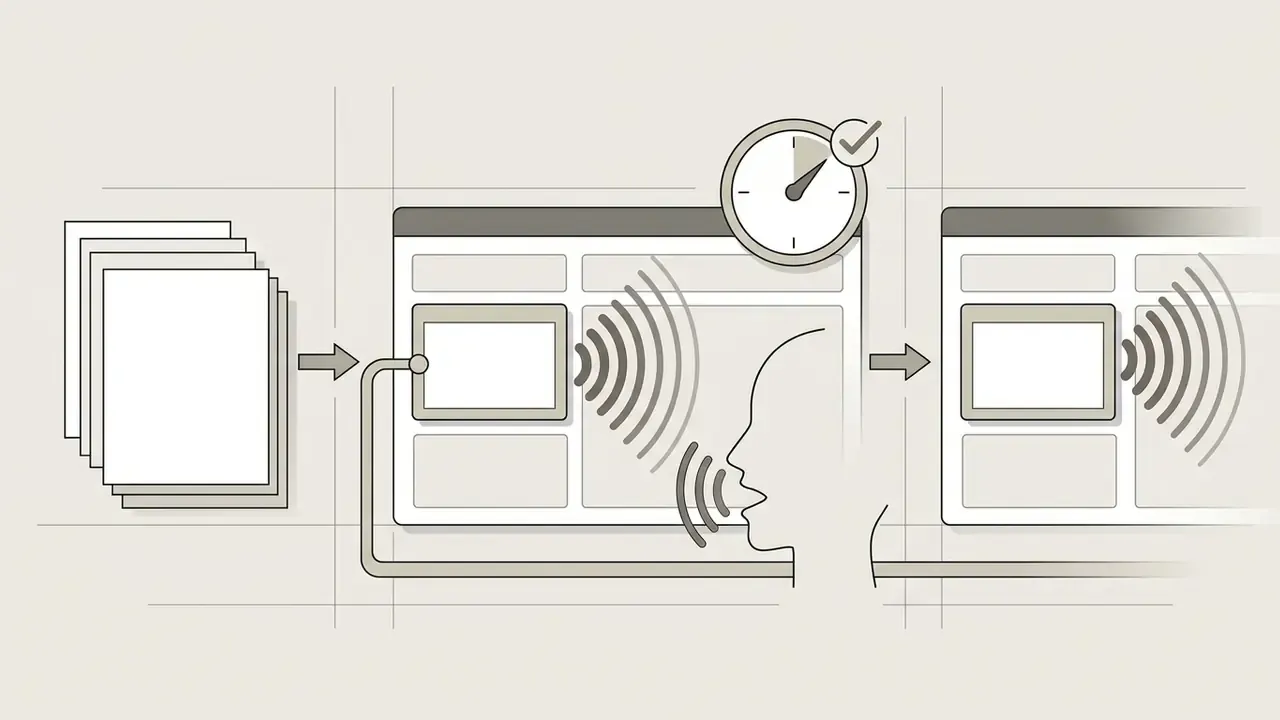
Narrative scenarios (a quiet train station at 3:00 AM under neon rain, or a character finds a strange object) train perspective, sequencing and atmosphere. Technical constraints do the opposite job: a three-colour limit, a 15-minute timer, one object drawn from six angles, 30-second gesture intervals. They reduce friction by deleting choices.
«Teams working under resource constraints generated 64% more ideas; teams using "reverse ideas" produced twice as many innovative solutions.»
Generate a random art prompt in three steps
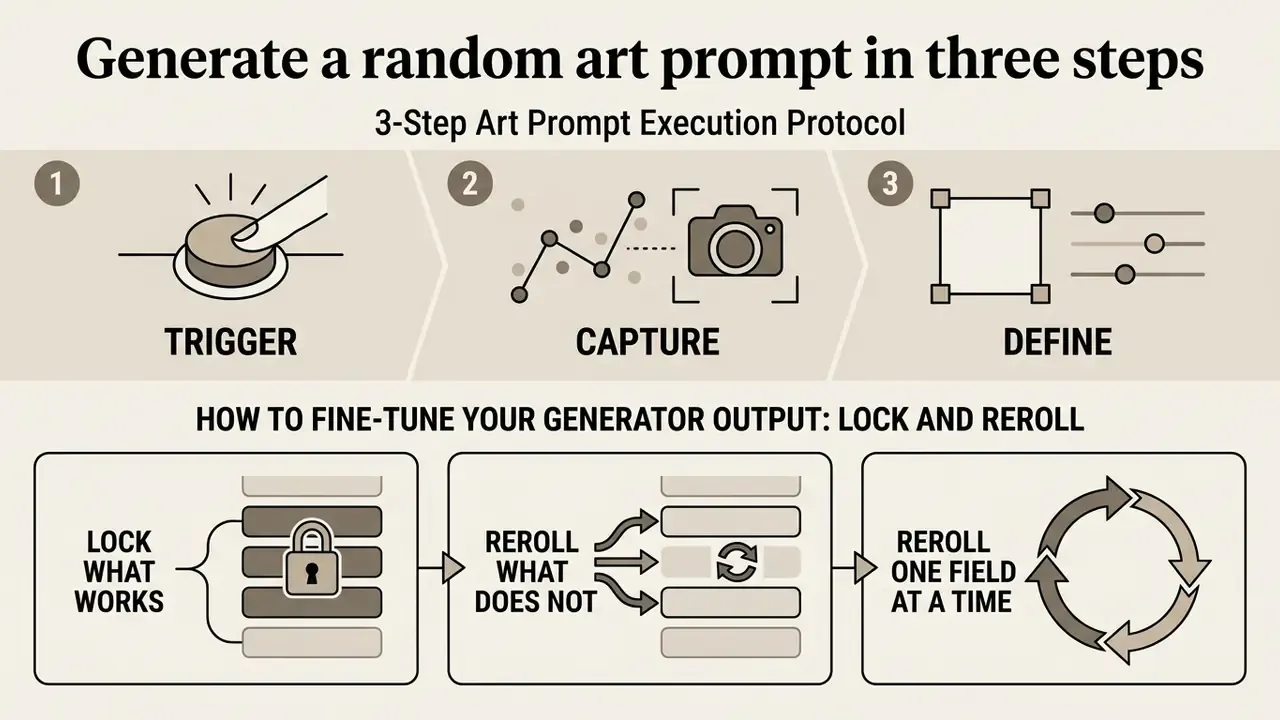
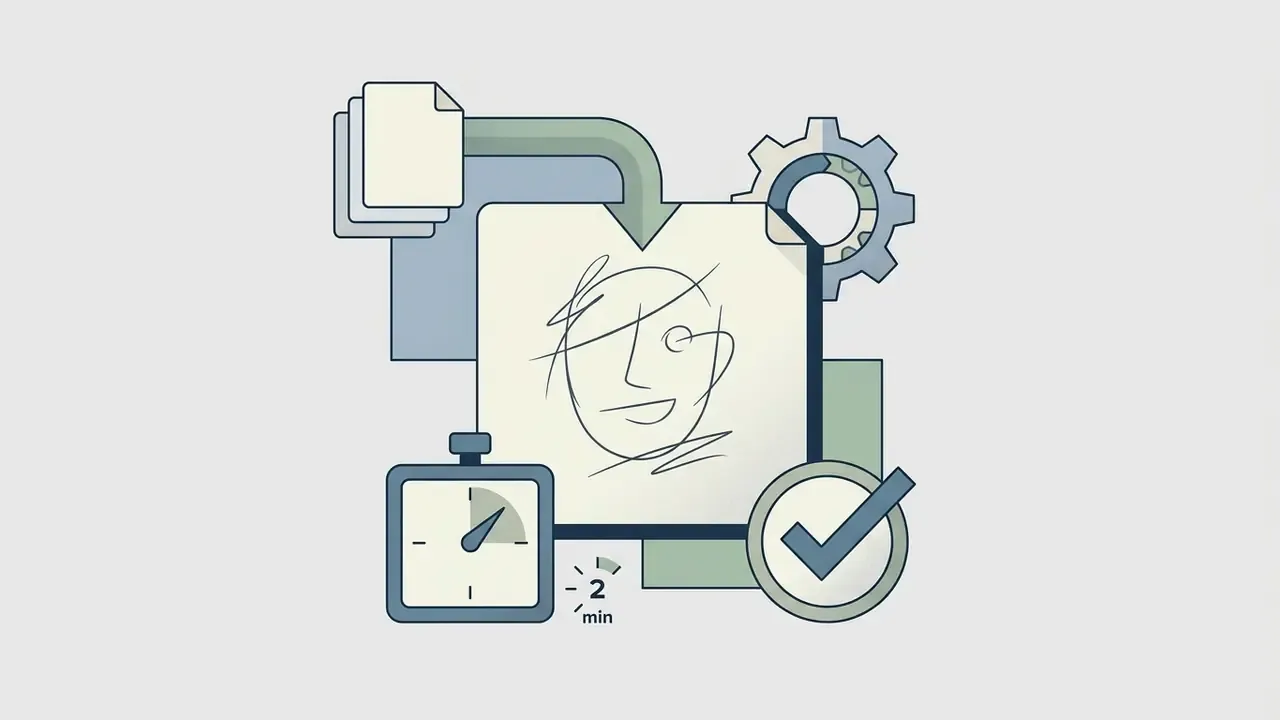
Generating a usable prompt takes three moves: trigger the generator random function, capture the exact parameters, then define execution bounds immediately. A structured protocol prevents endless rerolling and gets you from prompt to sketch fast.
3-Step Art Prompt Execution Protocol
Checklist0 / 3
Set a retry cap before you begin. One or two rerolls, then execute whatever you hold. A hard cap of k ≤ 2 is the thing that stops a session turning into infinite sampling.
Approach a drawing idea generator with an execution-first mindset. Prompt engineering documentation from OpenAI recommends stating the task, the context and the expected output format before generation, then iterating across turns rather than restarting. The same discipline transfers to a paper sketchbook: decide the format first, sketch second.
«Optimal results come from clear inputs and structured questions: state the goal, supply context, and iterate over multiple turns.»
How to fine-tune your generator output: lock and reroll
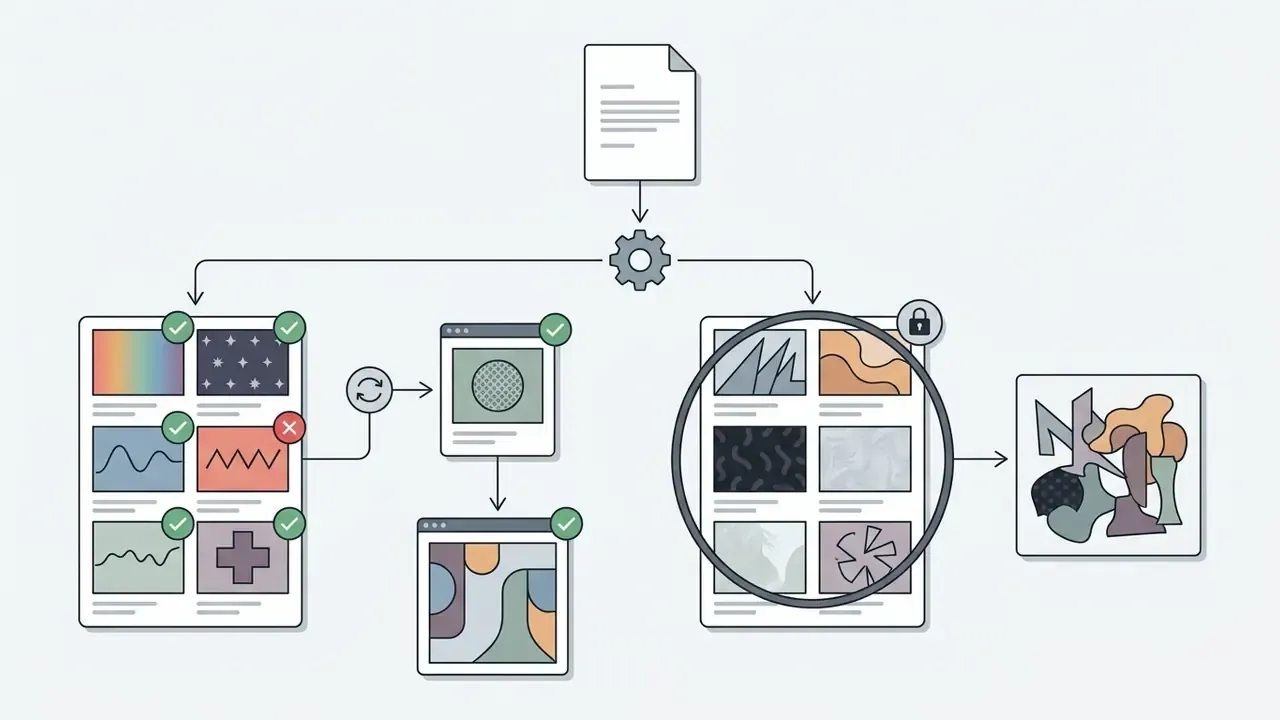
The biggest workflow upgrade is granular control. Instead of dumping a whole prompt because one field is wrong, treat each field as a chip you can freeze or refresh.
- Lock what works.Excellent subject, say
[Character: Cyberpunk Detective]? Press Lock. Locked chips survive every later roll. - Reroll what does not.Hit the reroll arrow next to
[Lighting]alone. The detective stays, only the light changes. Core concept preserved, environment tuned. - Reroll one field at a time.Swap two at once and you cannot tell which change helped.
- Add a twist.After three or four chips are locked, add one wildcard modifier (a material, a weather condition, a camera angle) instead of regenerating everything.
- Copy the prompt.Export the final chip combination as plain text before starting. It is your brief, and for teams it doubles as an audit record.
Rule of thumb: lock the subject first, then setting, then lighting, then style. That order keeps the narrative stable while atmosphere shifts.
How to turn one prompt into a finished art project
To convert a text prompt into a completed art project generator deliverable, work in a hierarchy. Primary subject first. Supporting background second. Stylistic constraints last.
- Identify the focal point.Isolate the main character or object handed over by the idea generator for art.
- Establish composition.Block primary shapes and camera angle in thumbnails before any detail.
- Apply constraints.Restrict colour or line style as the prompt dictates, which is what holds visual unity together.
Cap prompt length at core visual descriptors. Six to twelve meaningful words or phrases is a workable ceiling. Work on generative prompt design in TAS '24 (Chung et al., 2024) shows that overloaded prompts add confusion, not depth, while focused prompts improve creative depth and speed. An experiment across 64 prompt templates found the same pattern: stacking techniques degraded idea quality against single clear methods, heavy contextualisation reduced novelty, and explicit evaluation criteria increased it (The More Is Not the Merrier, 2023). For final cropping and export, an AI photo editor handles the last mile.
What to do if the generated idea does not fit
If a concept feels unworkable, adapt one parameter rather than discarding everything. The habit of refusing to reject the first usable concept builds discipline and ends the option hunt.
«Participants intuitively adapted mismatched ideas to make them more coherent, which raised the assessed creativity of the result.»
The repair sequence is short: keep the framework, change one variable. If an art idea prompt generator returns a subject outside your comfort zone, a complex vehicle for example, keep setting and lighting but swap the vehicle for an organic subject. The exercise survives, the execution becomes feasible. Prompt guidance from MIT Sloan's teaching technologies group makes the same three points (provide context, be specific, build on the conversation), which frames a weak prompt as a first draft to repair rather than a failure to delete. Microsoft's model guidance adds a useful trick: give the tool an explicit fallback instruction, so a partly unusable answer still returns something workable. When a tool misbehaves rather than the prompt, our AI Media Support and Troubleshooting notes cover the usual failure modes.
Custom themes, generation modes and colour palettes with HEX codes
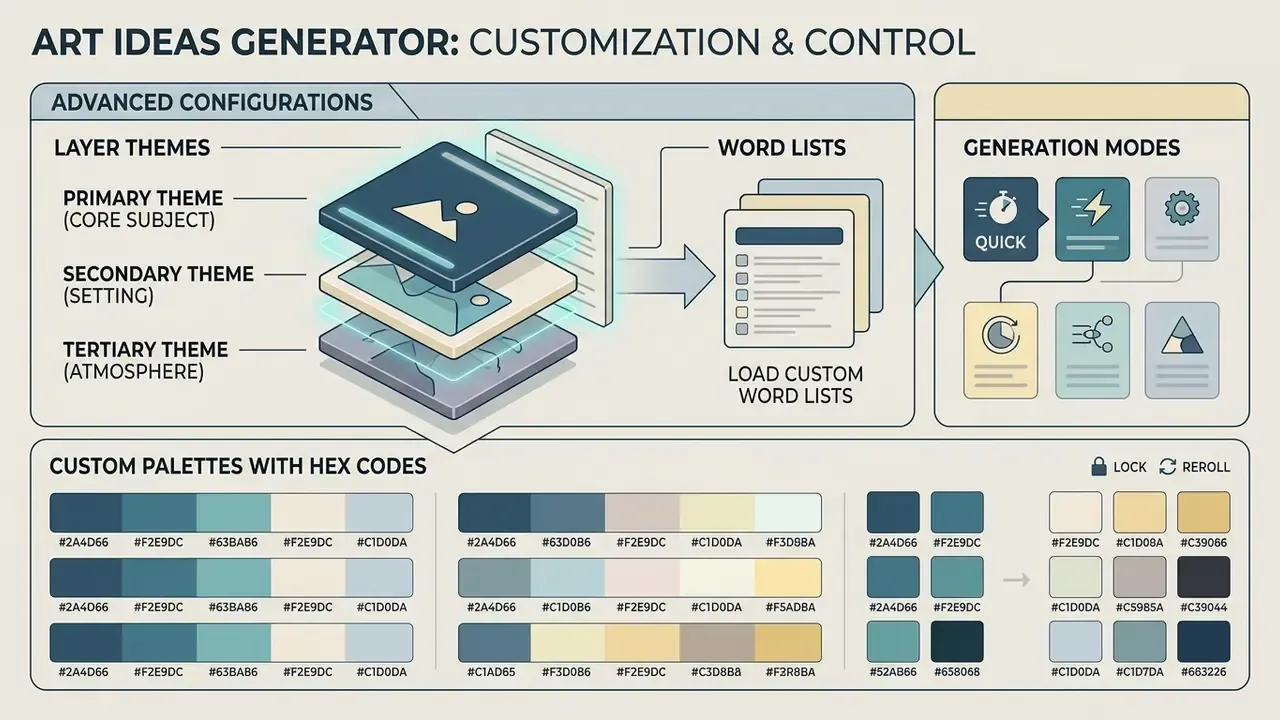
Advanced configurations let artists layer primary, secondary and tertiary themes alongside custom palettes. Stacked parameters turn a basic art inspiration ideas generator into a tailored brief tool.
Combine primary, secondary and tertiary themes
Layering sets a visual hierarchy, so the core idea stays dominant while supporting detail adds depth.
- Primary theme (core subject) the main focus, such as a solitary knight.
- Secondary theme (setting) the context, such as an overgrown abandoned greenhouse.
- Tertiary theme (atmosphere) the mood or lighting, such as bioluminescent fog.
Because all three layers usually draw from the same pool, the secondary or tertiary result sometimes excites you more than the primary. Two valid moves: promote it to first position, or keep the hierarchy as a challenge and treat it strictly as a sub-theme. Either way, structured layering prevents clutter and holds compositional focus through execution.
Load your own word lists and switch generation modes
Advanced users should not stay inside the built-in pool.
- Custom themes.Paste your list into the Custom Themes field, one theme per line, close the panel, press Generate. Clearing the field restores the default list. Custom lists are usually not saved between sessions, so copy yours into a note first.
- Choose a modeto bias the whole roll:
- Combine mode plus custom list. A client-specific word list run in Cozy mode produces on-brand ideas. The same list in Weird mode produces the outlier concepts your pitch deck needs.
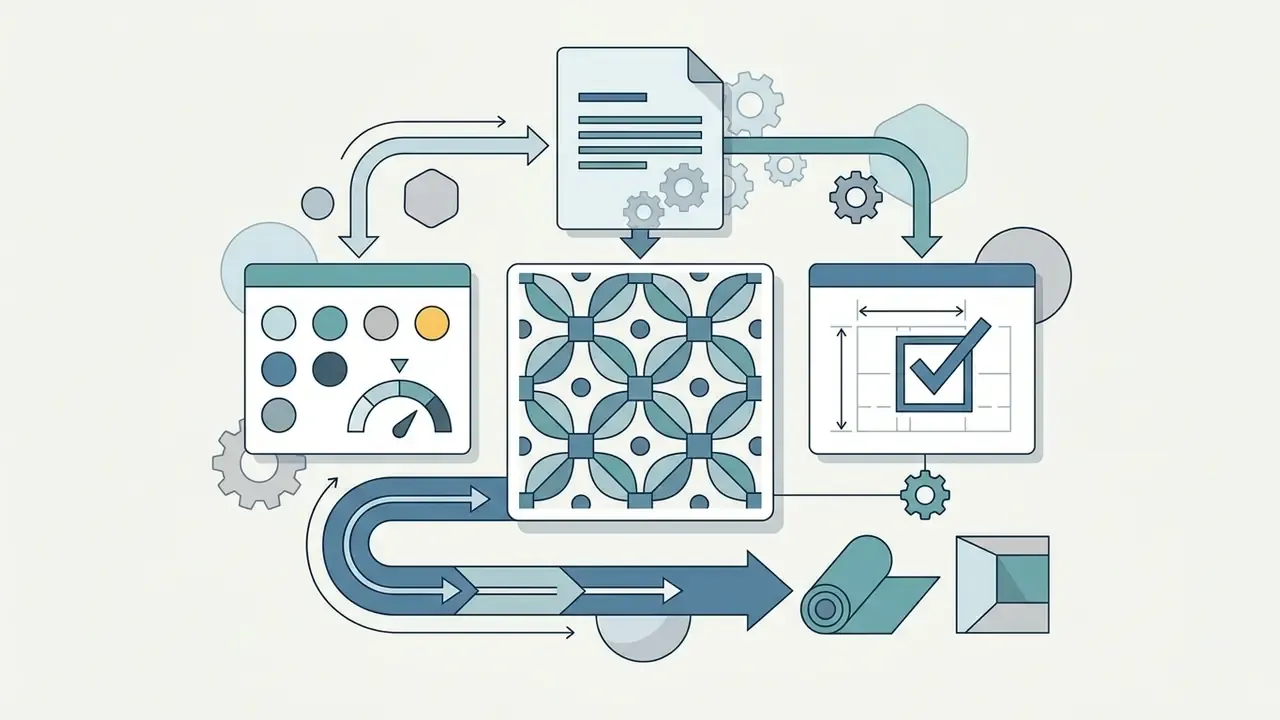
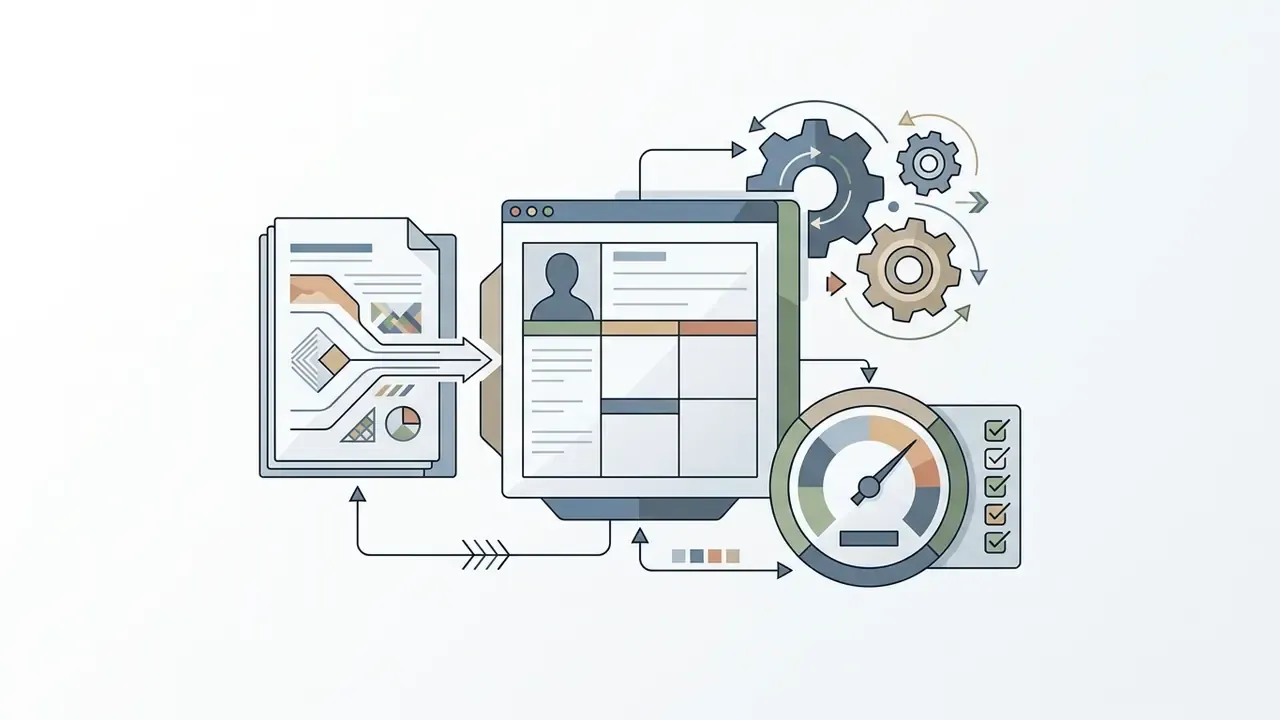
Use a colour palette and constraints with the prompt
Restricted palettes and structural rules raise visual quality, because they force deliberate contrast and harmony decisions.
Limiting colour (complementary hues only, or a strict three-value range) cuts rendering time and improves atmospheric consistency. Palette-design research describes the same workflow in three steps: choose the focal object, choose the palette, assign the palette to the composition (CoColor: Interactive Exploration of Color Designs, Aalto University, 2025). Building those rules into an art project generator means every sketch tests a specific principle, and it pairs neatly with image-to-image style transformation when you want the same palette tested across variants.
«Resource constraints in design thinking increased idea counts by 64%, pushing teams to search outside habitual patterns.»
Ready-to-use limited palettes, copy the HEX values:
| Palette | HEX codes | Best used for |
|---|---|---|
| Cyberpunk Neon | #00F0FF, #FF007F, #7B2CBF, #0A0E17 | High-contrast lighting, night exteriors |
| Pastel Meadow | #E2F0CB, #FFDAC1, #B5EAD7, #C7CEEA | Soft illustration, botanicals, children's books |
| Muted Earth | #2B2D42, #8D99AE, #D8F3DC, #B7B7A4 | Atmospheric landscapes, concept art |
| Ink and Rust | #1B1B1E, #F2E8CF, #BC4B51, #5B8E7D | Two-value ink work with a single accent |
| Cold Fog | #0B132B, #1C2541, #3A506B, #5BC0BE | Depth-by-value studies, underwater scenes |
| Warm Bakery | #FFFACD, #F4A261, #E76F51, #6D4C41 | Food illustration, cozy interiors |
In practice: hover a swatch to copy its HEX straight into your painting app, or screenshot the strip and sample it with the colour picker. For traditional media, mix the closest four tubes you own, then put the caps away.
How prompt generation algorithms work, and how to make them auditable
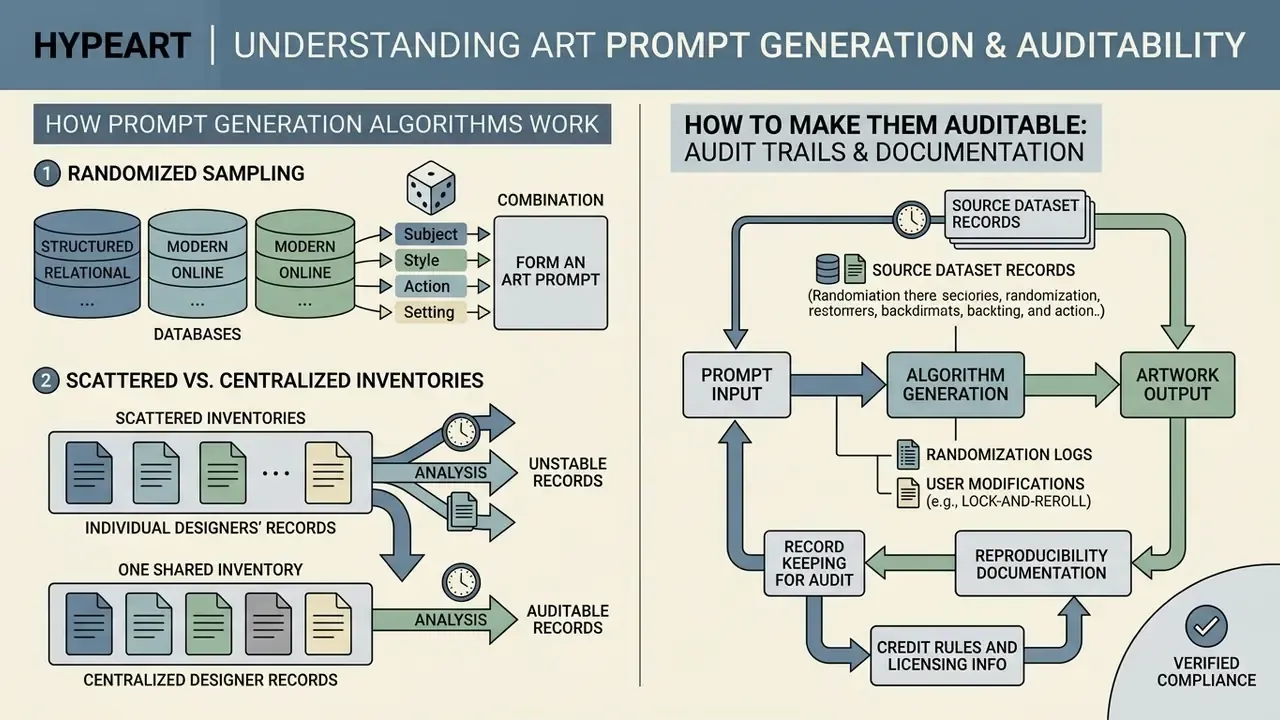
Fact check: how art prompt generation algorithms function
Reproducibility and audit trail. Randomness is a feature for artists and a headache for auditors. Once a generator sits inside a commercial pipeline, the output is defensible only when it can be reproduced. Record, per asset:
| Field to log | Why it matters |
|---|---|
| Tool name, version, URL | Establishes which licence applies |
| Full prompt text and any locked chips | Demonstrates the human creative direction |
| Seed value | The only way to reproduce a stochastic output |
| Model or database version, date | Outputs drift as pools and models update |
| Temperature, guidance, resolution | Explains variance between runs |
| Human edits made after generation | Evidence of human-authored expressive contribution |
Keeping these records in one shared inventory, rather than scattered across individual designers' screenshots, is what separates a governed workflow from Shadow AI, where teams quietly run unapproved tools. Two more controls deserve naming. Data privacy: never paste confidential product descriptions, unreleased campaign names or customer data into a public generator. Framework alignment: map the fields above to your existing controls, whether that is NIST AI RMF or ISO/IEC 42001.
One nuance that gets missed. A purely random word engine, with no model and no data transmission beyond the page, carries materially lower privacy exposure than an AI-backed service. That is a legitimate reason to prefer it for sensitive briefs, and it costs nothing to make the choice explicit in policy. If you are modelling the cost of control alongside licence spend, the AI Media Calculators and AI Media Pricing Guides are the practical starting points.
Can you use generated art ideas commercially, and do you need to credit the generator?
Text-based art prompts and ideas are non-copyrightable concepts. You can use them in commercial projects with no mandatory attribution to the generator. Commercial rights for AI-generated visual output are a separate matter, resting on human authorship and specific platform terms.
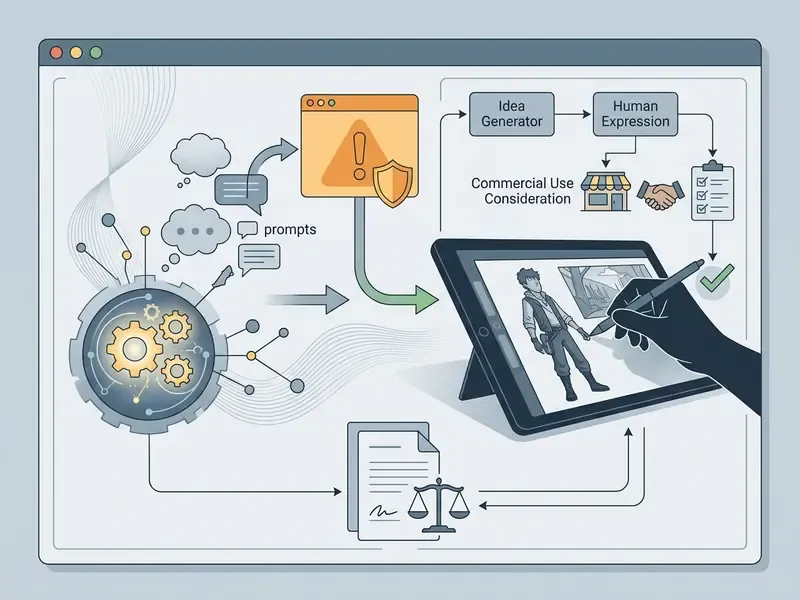
Official reports from the U.S. Copyright Office, including Copyright and Artificial Intelligence, Part 2: Copyrightability (2025), confirm that text prompts alone do not grant ownership over generated output, because prompts "convey unprotectible ideas." Protection requires sufficient human-authored expressive control in the final artwork. Creative selection, arrangement or substantial modification can qualify, and at registration the applicant must identify and disclaim the AI-generated portions.
Three practical consequences:
- Ideas are free to reuse. No credit is owed to a prompt generator for sparking a concept. The resulting drawing is yours.
- Rights to a generated image come from the licence, not from copyright. Review the platform agreement, for example the Canva Content License Agreement, which grants a perpetual, non-exclusive licence to AI content subject to its AI Sharing and Publication Policy. Our guides to the commercial use of AI image generators and the Microsoft AI image generator document the current terms, and the broader AI Media Commercial-Use Hub tracks the rest.
- Check indemnification and attribution separately. Some vendors offer commercial indemnity on enterprise tiers only. Some require attribution for exports on free plans. Neither obligation comes from copyright law; both come from the contract you accepted. Where the underlying training-data questions are still moving, our AI Litigation and Case Timelines show what remains unsettled in 2026.
More generators to try when you need a different idea
When one engine stops surprising you, other generators offer different prompt frameworks for different genres and workflows.
Artists who want non-AI, purely randomized engines often use WannaDraw by AudityDraws, which advertises over 100,000 silly and character-driven combinations and states plainly that it is only an idea generator: no AI, no drawing tools inside (Audity Arts, Inc., 2026). Magatsu Generator Central takes a different look, offering structured multi-axis prompts across subject, mood, style, medium and theme, with a choice between simple and complex prompts for fuller storytelling briefs. Earlier generators, originally based on hand-coded word lists, remain useful precisely because their media lists include the unusual (aluminium foil, jeans, found paper), and because curated human-written theme pools behave nothing like model output. If you want to find more generators of that vintage, the maintainers' index pages and Dreamwidth profile pages are usually where the older links still live.
«With 36 participants, ChatGPT produced more homogeneous ideas, while Oblique Strategies-style cards yielded more diverse and distinctive results.»
That finding is the strongest argument for keeping one non-AI generator in rotation. Randomness from a curated human list diverges; model output converges. For creators weighing digital workflows, detailed tool matrices help: our comparison of free AI art generators, the head-to-head on Midjourney versus alternative image generators, and implementation notes in the Google Veo API guide. Motion-focused creators can extend a still prompt into a short loop with an animation maker. For foundational terminology, start at the main glossary hub.
FAQ: art prompts, licensing and reproducibility
Do I need to credit the generator?
No. A prompt conveys an unprotectable idea, so the thought becomes yours the moment you draw it. Crediting is a courtesy, not an obligation, although sharing the link is how these free tools survive.
Can I sell artwork made from a random prompt?
Yes, if the final piece is your own execution. If an AI tool produced part of the visual output, your commercial rights come from that platform's licence, and copyright registration covers only your human-authored contribution.
Is my custom theme list saved?
Usually not. Copy your list into a note before closing the tab. One lost list teaches this faster than any warning.
Does the generator use AI?
It depends on the tool. Curated hand-coded engines sample from a human-written list and transmit nothing. AI-backed generators call a model and may log your input. For confidential briefs, prefer the former.
What if the prompt is impossible to draw?
Keep the framework, change one variable. Cap rerolls at two, then execute. The impossible version is frequently the more memorable drawing.
How do I make prompts reproducible for a client or an audit?
Log the tool, the full prompt, the seed, the model version and the human edits made afterwards. That single record is both your reproducibility evidence and your authorship evidence.
Limitations and open questions
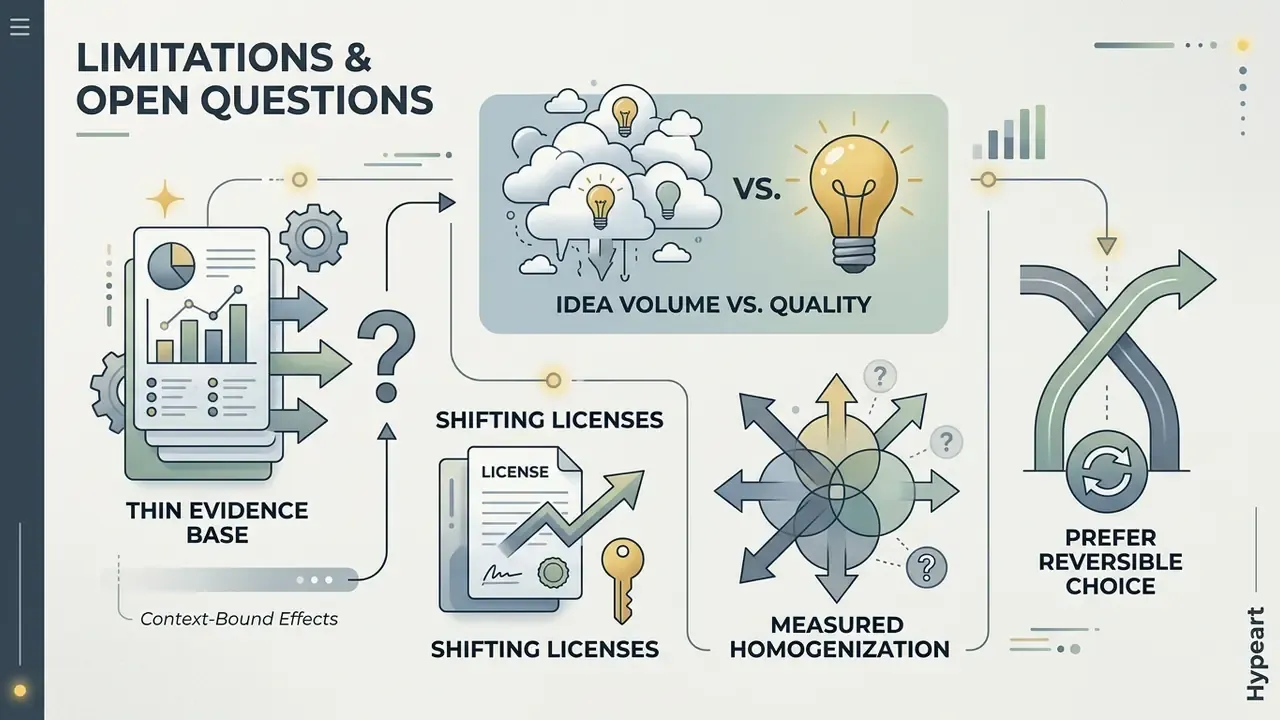
Worth saying out loud: the evidence base here is thinner than the confident tone of most tool marketing suggests.
- Effect sizes are context-bound. The constraint meta-analysis and the 1.67× idea-count result come from specific study settings. They do not promise the same lift inside your studio or sprint cadence.
- Idea volume is not idea quality. Every study cited notes that expert refinement remained necessary. Treat generator output as funnel width only.
- Licence terms move. Any platform clause described in this guide can change without notice, which is why the log matters more than the summary.
- Homogenization is measured, but not fully explained. We know model output converges relative to curated card decks. Why, and under which prompting conditions, is still unresolved.
Where evidence is incomplete, prefer the reversible choice. That is the whole governance argument in one line.
Next steps
- Run one prompt, lock two chips, reroll one, set a 15-minute timer. Today, not next week.
- Copy one palette from the table above and finish a study using only those four HEX values.
- If you generate for a team or a client, start a one-row-per-asset log (tool, prompt, seed, edits) and audit which generators are already circulating across the group, before they quietly become Shadow AI.