Quick summary
- A twitter video downloader online is a browser tool that pulls MP4 video, GIF loops, MP3 audio, archived Live broadcasts, and high-resolution images out of public X posts.
- Workflow: copy the tweet link, paste it into the input field, pick quality (360p / 480p / 720p / 1080p), save the file.
- Fastest route: type x2 before
twitter.comorx.comin the address bar to jump straight to the extraction page.
- Works on Android (
Internal storage/Download), iOS 13+ (Files, then Photos), legacy iOS 12 (Documents by Readdle), and every desktop browser.
- 1080p is the realistic ceiling, because X re-encodes every upload. Claims of 4K or 8K Twitter downloads are marketing, not engineering.
- Private accounts stay inaccessible by design, and re-publishing downloaded media without permission carries copyright risk.
This guide moves in a straight line: what the tool actually is, the three-step download, format choices (MP4, GIF, MP3, original JPG/PNG), whether "free" holds up under scrutiny, a two-minute safety check, device-specific save paths, the legal boundaries, and a short FAQ. Read the safety part even if you skip everything else. It is the section most people regret ignoring.
What Is a Twitter Video Downloader Online?
A twitter video downloader online is a browser-based utility that extracts embedded video and animated GIF streams from public X (formerly Twitter) posts and renders them as downloadable files. You save media straight to local storage using a web browser. No third-party software, no mobile app, no browser extension.
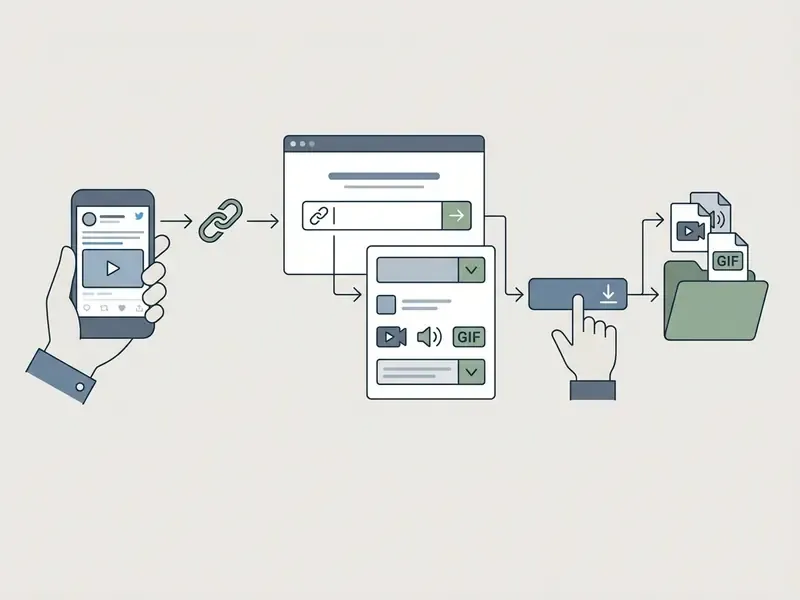
These tools parse the unique URL structure of a tweet containing media, retrieve the underlying media endpoints hosted on X's content delivery networks, and present accessible MP4 download links. Browser-based extraction runs remotely: server-side scripts identify media manifests without asking you to authenticate. Convenient, yes. Also a category with measurable risk, which is exactly why tool selection matters as much as tool usage.
«Free content websites are 19 times more likely to be malicious at the page level than premium counterparts: 38% versus 2%.»
That number does not mean every downloader is dangerous. It means the category deserves verification before you paste anything. Practical safeguards sit in the safety section further down this page.
Worth noting: search demand for this tool is strongly multilingual. Queries such as baixar vídeo do Twitter online, baixar video twitter online and descargar video Twitter online arrive from Brazilian and Spanish-speaking users looking for the same browser-only workflow described here. The mechanics do not change with the language of the query; only the interface labels do.
Videos, GIFs, Live Streams, Images, and Tweet Links Supported
How an Online Video Downloader Processes a Public Tweet
Processing starts when you submit a public tweet URL into the input field. The web server extracts the status ID, queries public media endpoints or page metadata, and retrieves the available resolution manifests.
During that pass, the service identifies every available bitrate and resolution, from standard definition (480p) up to 720p or 1080p, and generates a direct download button for each variant.
«Free content websites use expired SSL certificates about 4.5 times more often than premium platforms.»
How to Download Twitter Videos Online in 3 Steps
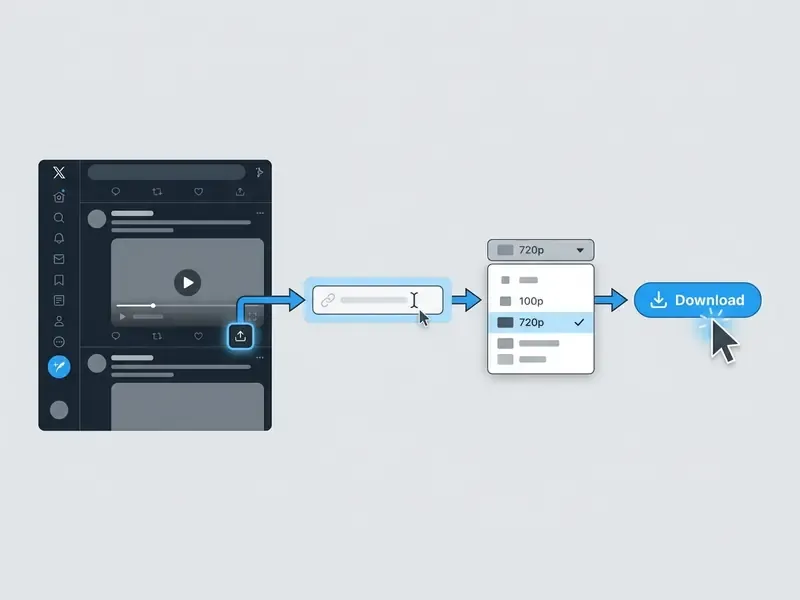
Three actions. Copy the tweet URL, paste it into the online tool, choose the file quality. These simple steps work identically across desktop browsers and mobile devices, and nothing gets installed.
Copy the Tweet URL from Twitter or X
Open the specific tweet containing the video or GIF you want to save. On mobile, tap the Share icon beneath the post and choose Copy link to Post.
Alternatively, click the three horizontal dots (...) at the top-right corner of the tweet container and pick Copy link to Tweet. That second path helps when the share icon is hidden by a narrow viewport, or when you are working inside an embedded timeline widget.
On desktop, click the Share icon under the tweet or copy the full web address straight from the browser address bar. The resulting URL must point at the individual status post (for example https://x.com/username/status/123456789) so the extraction engine can read the associated media metadata. One small thing that trips people up: X ignores trailing periods and commas when parsing URL entities, so a stray punctuation mark at the end of a pasted link is a common and easily fixed cause of failure.
Paste the Link and Press Download
Open your browser, visit the best twitter video downloader online site you have verified, and find the primary URL input field. Right-click or long-tap inside it, select Paste, and drop in the copied tweet URL.
Then click or tap the main Download button next to the input box. The download online twitter video tool analyses the link, talks to the media delivery servers, and renders a preview of the video alongside the available resolution options. Usually a couple of seconds. Sometimes five, if the service is busy.
Select Video Quality and Save the File
When processing finishes, the screen shows resolution options: 360p, 480p, 720p (HD), or 1080p (Full HD), depending on the original upload quality. Quick reference: SD is 640×480, HD quality is 1280×720, Full HD is 1920×1080.
Click the Download button beside the video quality you want. Your browser starts the download file transfer and saves the MP4 or GIF into the default download folder or file manager. If the file is too heavy for email or a messaging app, run it through a video compressor instead of re-downloading a lower-resolution variant. That way you keep the higher-quality master on disk and only the copy gets smaller.
Convert Twitter Video to MP4, GIF, and MP3
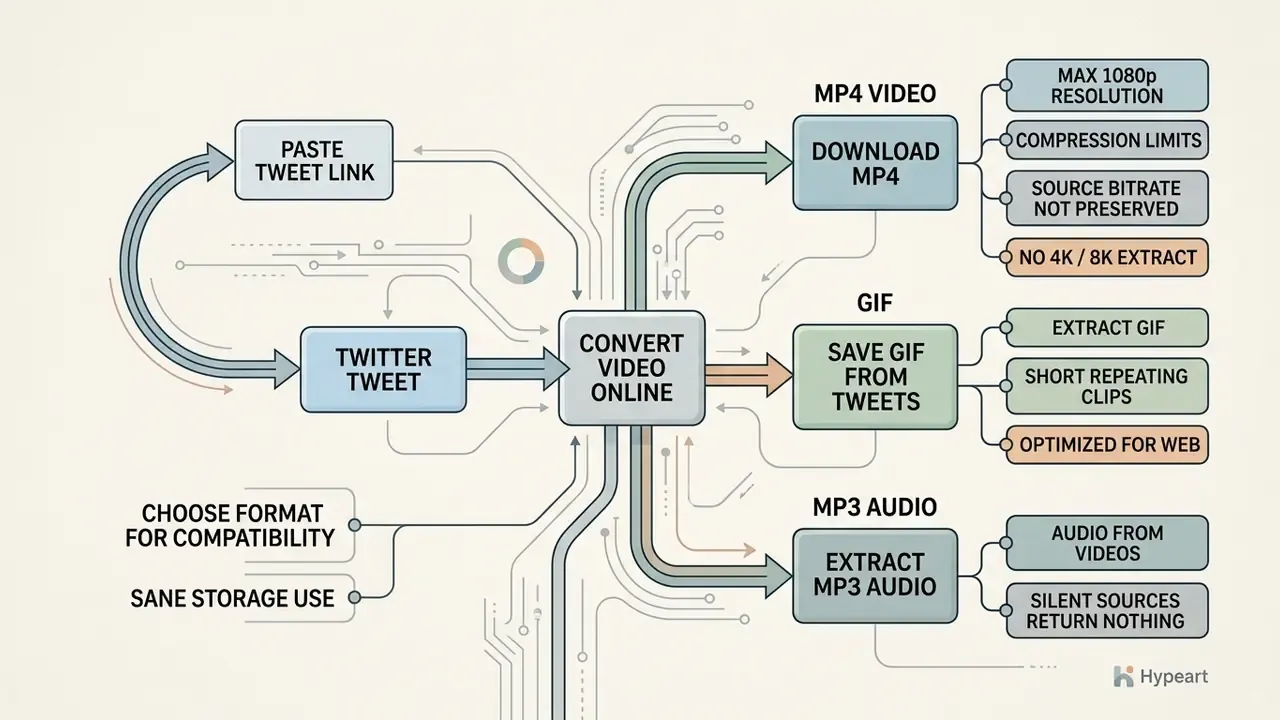
Picking the right format protects playback compatibility and keeps storage sane. Most people convert twitter video to mp4 online for universal playback, while choosing to download twitter gif assets as lightweight animations for messaging apps. A growing share want audio only.
Download Twitter Video in MP4 Format
MP4 is the global standard for digital video: efficient H.264 compression, reliable audio sync, and cross-platform support everywhere. Saving in mp4 format preserves high-definition quality while keeping the mp4 file at a reasonable size.
X API media guidelines describe uploads encoded across multiple bitrate tiers for adaptive streaming, with H.264 High Profile as the recommended codec and a recommended minimum source bitrate around 5,000 kbps. A dedicated twitter video downloader online tool lets you select the highest available MP4 stream, up to 1080p on eligible uploads, so the downloaded video keeps its crisp visual clarity and audio track for offline playback.
Why X Caps Quality at 1080p (Platform Compression Limits)
Understanding the encoding ceiling prevents disappointment later. X re-encodes every upload for adaptive streaming, then serves it through an HLS manifest (.m3u8) that switches resolution and bitrate according to the viewer's connection. Per X's own media documentation, unsubscribed accounts get 720p playback, while subscribed (Premium) accounts can upload and play back 1080p.
Three consequences follow:
- Source bitrate is never preserved end to end.X states plainly that it may modify the original video for distribution and change resolution and bitrate during streaming.
- There is no 2K, 4K, or 8K Twitter stream to extract.Any service advertising 8K downloads from X is describing its upscaler, or simply its marketing copy, not the CDN manifest. The honest ceiling for standard video posts is 1080p Full HD.
- Downscaling is irreversible.If the author published a 480p clip, no downloader reconstructs the missing pixels. Resolution is the pixel dimension recorded in the file, not a switch you flip after compression.
Save Twitter GIFs from Tweets
Animations on X look like looping GIFs, but the platform converts every user-uploaded GIF into a silent MP4 on posting to conserve bandwidth. A specialised twitter gif downloader extracts those assets and lets you save them either as native MP4 loops or re-encoded .gif files.
Save the asset as a native MP4 loop and you keep maximum colour fidelity at a smaller file size. Convert it back into a true .gif container and you gain compatibility with instant messaging apps and forums, at the cost of a palette capped at 256 colours under the standard 8-bit indexed GIF specification. The Library of Congress Recommended Formats Statement treats GIF and MP4 as separate preservation categories, image versus video, which is a useful reminder: a platform-re-encoded MP4 is not archivally identical to the creator's original GIF. And if you need editable, brand-controlled loops rather than salvaged ones, an animation maker produces cleaner source assets than any re-encode ever will.
Extract MP3 Audio from Twitter Videos
Need only the audio, say a podcast clip, a speech, an interview segment, or a live music performance? Convert the video straight into MP3. The extraction engine strips the H.264 video stream and encodes the underlying audio into a 320 kbps or 128 kbps MP3 container, keeping sound clarity while cutting file size by up to 90% against an HD video file.
Practical notes for MP3 extraction:
- Silent sources return nothing usable. Because X stores GIF-style loops as silent MP4, converting a GIF post to MP3 gives you an empty or near-empty track.
- Choose the bitrate by purpose. 320 kbps suits music and archival listening. 128 kbps is plenty for speech, transcription, and mobile storage economy.
- Audio quality is inherited, never improved. The MP3 cannot exceed the fidelity of the AAC track X served. Conversion preserves, it does not enhance. When you need broadcast-grade narration instead of salvaged audio, an AI voice generator is the right production tool.
| Property | MP4 Video | Animated GIF | MP3 Audio |
|---|---|---|---|
| Primary purpose | Full video playback with synchronised audio | Short, silent looping animations and memes | Audio-only listening, podcasts, transcription |
| Compression standard | Modern lossy video codecs (H.264 / AAC) | 8-bit indexed colour palette (256 colours max) | Lossy audio encoding at 128 to 320 kbps |
| File size efficiency | Highly efficient; small size for long durations | Larger file size for longer or detailed clips | Smallest; up to 90% lighter than HD video |
| Audio support | Yes (stereo / multi-channel) | No (format carries no audio stream) | Audio only (no visual track) |
| Device compatibility | Native on iOS, Android, Windows, macOS | Universal native image support across web and apps | Universal across players, cars, smart speakers |
Read the table in one line: MP4 for anything you plan to watch or edit, GIF for silent loops that must play anywhere, MP3 when only the words or the music matter.
Is a Free Twitter Video Downloader Online Really Free?
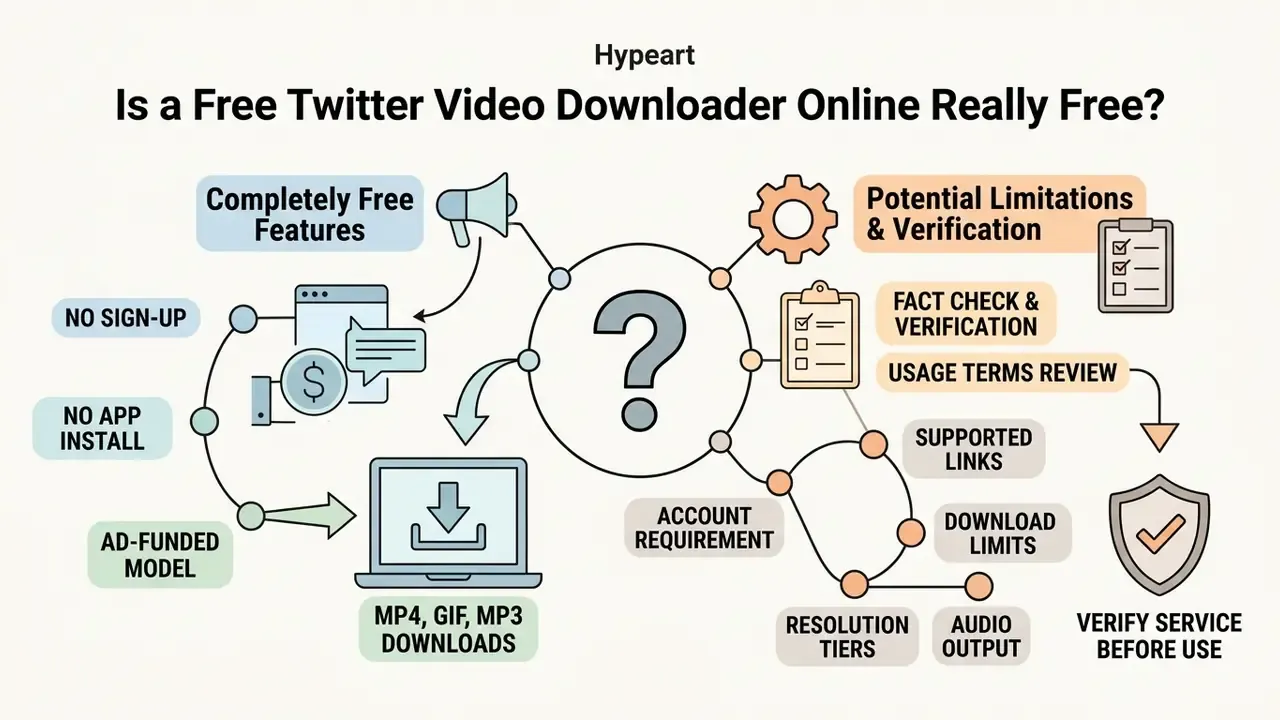
Most online extraction utilities are completely free to use and funded by web advertising. You process public tweets without an account, without card details, without a subscription. The "non-intrusive ads" label many of these sites apply to their own ad stacks, though, is a self-reported claim, not a verified fact. Independent measurement of the free content web points the other way, as the figures below show.
No Sign-Up and No App Installation
The operational advantage of a free online twitter video downloader is frictionless access. Processing happens on remote servers over standard web protocols, so there is nothing to register and nothing to install. No sign-up also means no password creation, no email verification, no account-recovery overhead. And a browser-only online tool still works on managed or shared devices where installing software is blocked outright, which is often the deciding factor on a corporate laptop.
Skipping registration lowers the volume of personal data you hand over. It does not grant anonymity. Plenty of free services still log submitted URLs, IP addresses, and referrer data server-side. Treat "no sign-up" as less data collected, not no data collected.
Avoiding executables and extensions also reduces exposure to malware and background data collection commonly tied to unverified installers.
«45% of free content websites contain at least one malicious component, compared with 17% of premium services.»
Download Limits, Cooldowns, and Available Quality Options
Many platforms advertise unlimited daily downloads, but operational constraints apply depending on server bandwidth and source availability. Free services typically give full access to standard definition (480p) and high definition (720p/1080p) streams. Reported free-tier policies vary a lot: some tools claim genuinely uncapped access, while certain desktop applications cap free users at roughly 30 videos per day.
To keep automated scrapers from swamping the service, free extraction sites often apply a temporary 5 to 10 second cooldown between consecutive requests. That delay is not a paywall trick. It preserves bandwidth and processing speed for everyone active at the same moment, and it is the single most common reason a download button looks briefly unresponsive.
Higher quality tiers, meaning source-level 4K or original uncompressed bitrates, depend entirely on what the creator uploaded, and they are constrained further by X's platform-side re-encoding described above. Under heavy load, download speeds or batch extraction rates may be throttled on fully free tiers. If you are modelling the cost of doing this at volume, or through an API rather than by hand, the AI Media Calculators and AI Media API Guides sections cover the per-asset arithmetic in more depth.
Fact check and verification of usage terms
For a broader view of how free tiers, credits, and paid plans compare across media tools, the AI Media Pricing Guides hub keeps the numbers in one place.
How to Verify the Safety of a Web-Based Downloader
Convenience and risk travel together here. A two-minute check before pasting a URL is cheap insurance, especially on a work device or a managed corporate network.
Checklist0 / 6
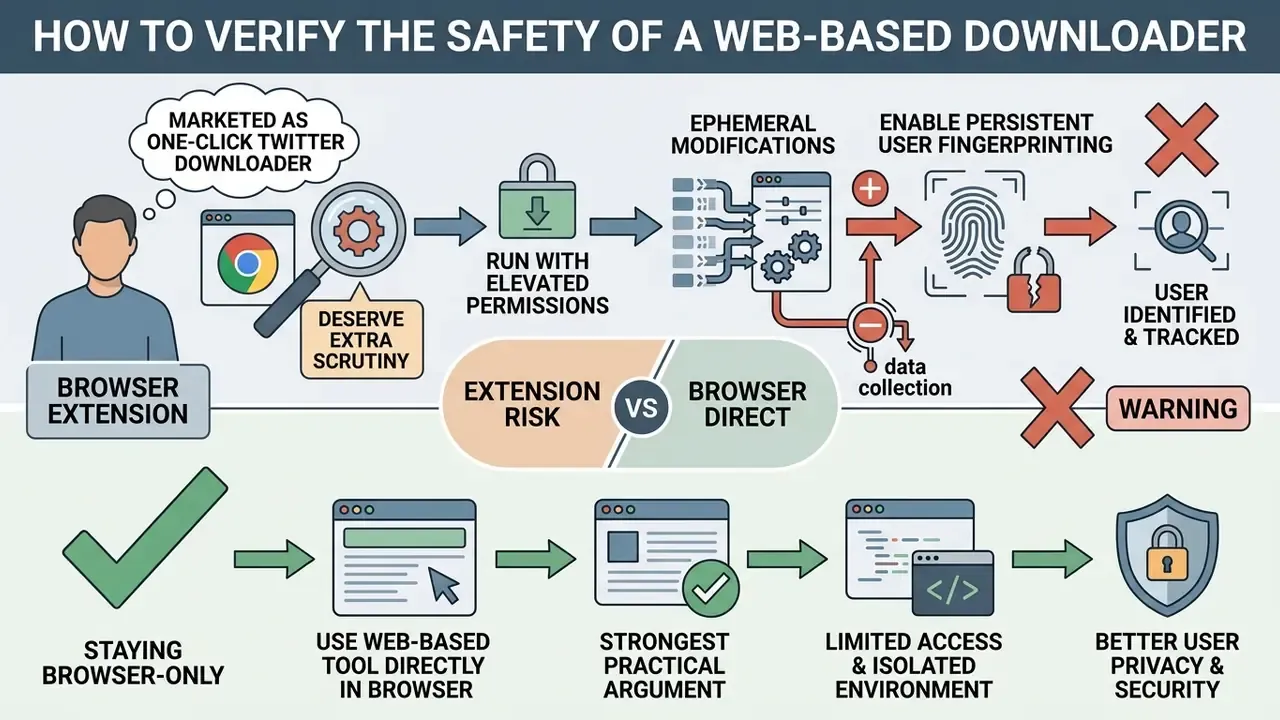
«Attackers publish content on video platforms offering free software, steering users toward executable files carrying malicious code.»
Browser extensions marketed as one-click Twitter downloaders deserve extra scrutiny, because they run with persistent page-level privileges instead of a single-session web request.
«A large-scale audit of 47,200 Chrome extensions identified 820 extensions producing 1,290 data flows inconsistent with their own privacy policies.»
«Ephemeral modifications introduced by browser extensions enable persistent user fingerprinting that bypasses standard anti-tracking defences.» Escaping the Confines of Time: Continuous Browser Extension Fingerprinting Through Ephemeral Modifications (2024).
That is the strongest practical argument for staying browser-only. A single-session page visit leaves a far smaller attack and tracking surface than a permanently installed extension with read access to every page you open. If something does go sideways, mid-download failures, corrupted files, blocked scripts, the AI Media Support and Troubleshooting section walks through the usual diagnostics.
Download Twitter Videos on Mobile and Desktop
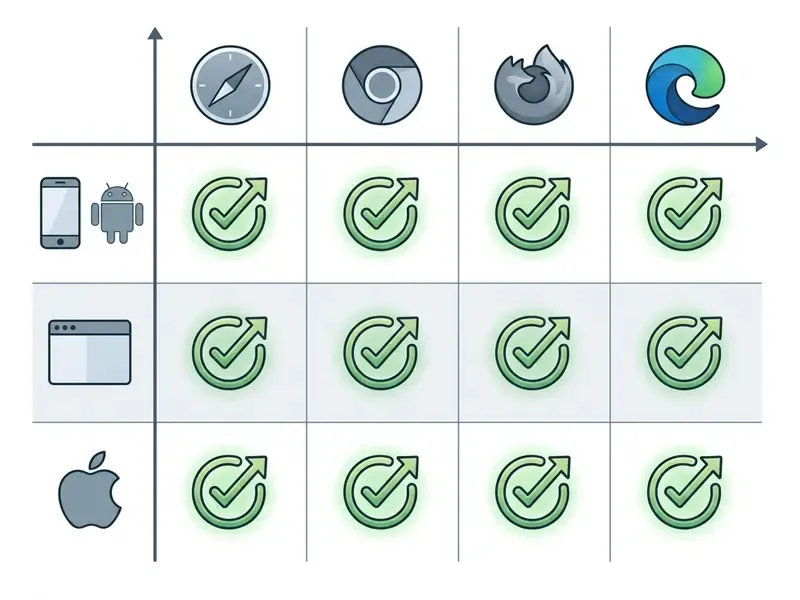
Online Twitter video downloaders are platform-agnostic: any modern web browser, any mainstream operating system. The workflow is identical everywhere. Only the save destination changes.
Download Twitter Videos on Android
To use a download twitter video tool online on Android, open the X app, find the post, tap the Share icon, and choose Copy link.
Then open Chrome or any mobile web browser, visit the download video twitter online site, paste the link into the input box, and tap Download. Android writes the MP4 into Internal storage/Download, where your Files or Gallery app can open it immediately. If the clip does not surface in Gallery straight away, the media scanner simply has not indexed it yet. Opening it once from Files by Google forces indexing, and Chrome's Downloads screen always keeps a direct link to it.
Save Twitter Videos on iPhone and iPad
Download Twitter Videos on Desktop Browsers
On Windows, macOS, Linux, or ChromeOS, saving media is near-instant through Chrome, Firefox, Edge, or Safari. Copy the tweet link from the address bar, paste it into the tool's URL field, and choose your quality tier.
Clicking download triggers the browser's native save dialog. The file goes to your local Downloads directory, ready for editing, offline viewing, or archival storage, with no native software installed. If the clip is headed for a public channel rather than a private archive, plan the edit before you publish. A YouTube video editor workflow handles trimming, captions, and aspect-ratio conversion far better than re-uploading a raw salvaged MP4.
Privacy, Public Tweets, and Legal Use of Downloaded Videos
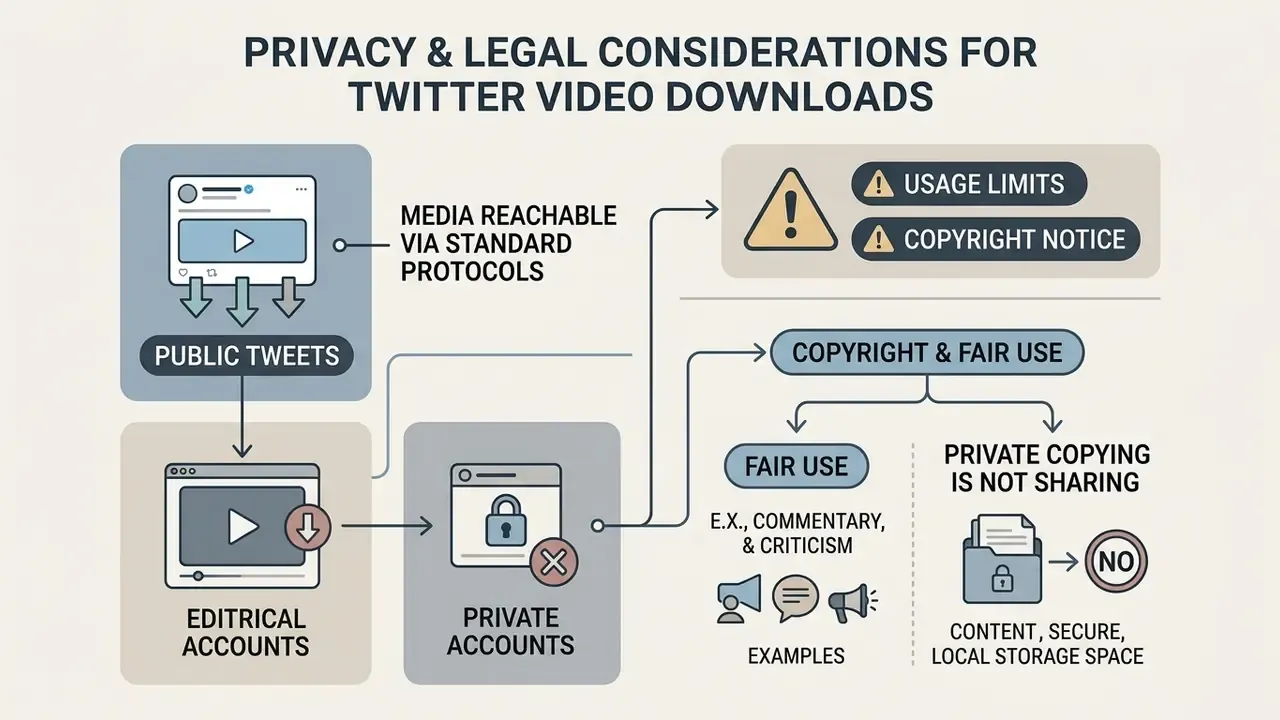
Online Twitter video downloaders are built around content from public X accounts, where media manifests are openly reachable over standard web protocols. That accessibility is what lets extraction tools retrieve stream links for personal viewing. It is not a licence to redistribute. Implementations differ between services, so treat "public-only by design" as the intended scope of legitimate tools rather than a universal guarantee about every site in the category.
⚠️ ALERT: usage limits and copyright notice
Two further points are worth keeping in mind. First, X's copyright policy states that the platform responds to complaints about unauthorised use of copyrighted video uploaded through its media hosting services, and may remove or restrict access to reported material. A reposted download can therefore be taken down long before any legal letter arrives. Second, X's Terms of Service grant X a broad licence to host and distribute user content, but that licence runs to X, not to third parties. It confers no reuse rights on you.
When you need to establish provenance or original ownership of a clip or still before reusing it, an AI reverse-image-search tool is a faster first check than manual attribution hunting. For commercial reuse questions more broadly, start with the AI Media Commercial-Use Hub; for how disputes over AI and platform media have actually played out, the AI Litigation and case notes are the practical companion read.
«Free content websites are hosted predominantly in medium-sized networks, which show the highest concentration of malicious resources.»
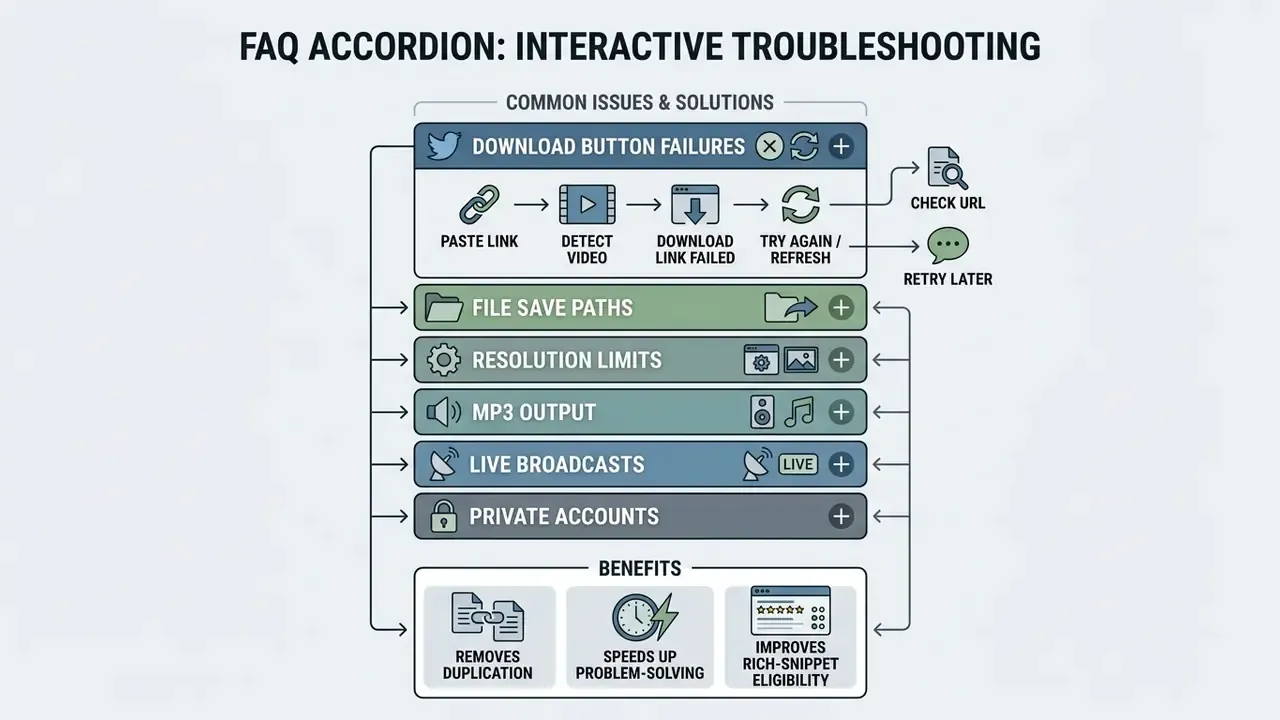
FAQ: Frequently Asked Questions About Twitter Video Downloads
Where Can I Find the Downloaded Video File?
On Windows or macOS, files land in the system default Downloads directory, reachable through File Explorer or Finder. Small tip for Windows: searching from inside the Downloads folder returns results much faster than a system-wide search from This PC.
On Android, look in the system Downloads folder (Internal storage/Download), in Files by Google, or in your browser's download history. On iPhone and iPad, the file first saves into the Files app under Downloads, from where you can move it to Photos with the "Save Video" share action.
Why Is the Original Video Quality Not Available?
Available download quality is capped by the resolution and bitrate of whatever the author uploaded to X. If the post was 480p, no online downloader can invent 1080p or 4K out of it.
X also applies automatic compression on upload to optimise streaming bandwidth, then adapts resolution and bitrate dynamically during playback based on connection speed. That compression permanently lowers the original bitrate, so the maximum downloadable quality matches X's compressed distribution file, not the raw camera recording. If your project genuinely needs high-resolution footage rather than a salvaged 720p stream, generating new material with a free AI video generator gives you a clean, rights-clear master instead of a re-compressed one.
Can I Download a Twitter Live Stream or Broadcast?
Archived broadcasts, yes. In-progress live streams, generally no. Once a live session ends and stays published as a public post, its recorded MP4 can be parsed and extracted like any other video tweet. While the broadcast is still running, the HLS manifest is incomplete, so most tools either fail outright or hand back a truncated fragment. Wait for the archive.
Can I Extract Only the Audio as MP3?
Yes, provided the source post has an audio track. Choose the MP3 output instead of MP4; the tool discards the video stream and encodes the audio at 128 kbps or 320 kbps. GIF-style loops carry no audio on X, so MP3 extraction from them returns nothing useful.
Is Downloading Twitter Videos Legal?
Downloading a public video for private, offline viewing is generally permissible in many jurisdictions, and X publishes a fair-use policy acknowledging that some copyrighted uses in the United States do not require permission. Republishing, monetising, or distributing that file without the rights holder's consent is a different act entirely, and it carries real exposure. See the privacy and legal section above for specifics, and talk to a lawyer before any commercial use.
What to Do Next
Explore more definitions and workflows in the AI Media Glossary.