AI voiceover tools for YouTube videos convert written scripts into synthetic speech, letting creators and media teams produce high-quality narration without a recording booth or a manual voice track. The category now spans everything from a bare-bones ai voice generator to full ai voice over video creation tools, with scalable multilingual workflows, controllable prosody, and automated audio-video synchronization.
There is a second story underneath the first one. For a regulated brand, synthetic narration is not just a production shortcut; it is a generated asset with licensing terms, identity exposure, and a disclosure obligation attached to it.
Executive summary for decision-makers
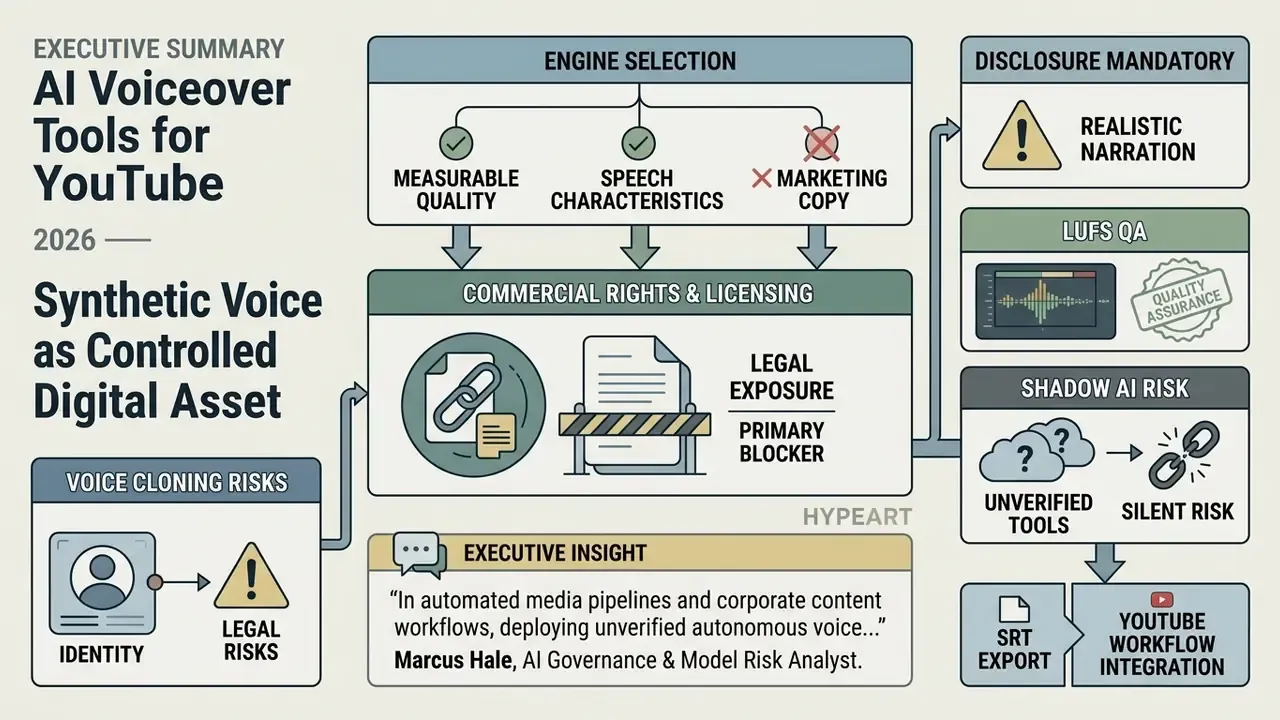
- Treat synthetic voice as a controlled digital asset, not a creative shortcut. Every generated track needs named decision ownership, rights verification, and a reproducible log (model version, voice ID, seed, SSML source, approver).
- Pick the engine by measurable speech quality, not marketing copy. Benchmarks such as MOS, Character Error Rate, and TTSDS2 distribution scores are the only comparable evidence of prosodic realism.
- Commercial rights are the primary blocker, not audio quality. Most free tiers are evaluation sandboxes: 1,000–5,000 characters per generation, 128 kbps MP3 exports, watermarks, and explicit monetization bans.
- Voice cloning carries identity and legal exposure. Consent verification, retention policy, and jurisdiction review must precede any cloned-host workflow.
- Disclosure is mandatory for realistic synthetic narration. YouTube Studio requires an "Altered or synthetic content" declaration; labeling does not reduce monetization eligibility, but omitting it creates enforcement risk.
- Shadow AI is the biggest silent risk. A marketer generating brand narration on a personal free account can leak an unreleased script and void commercial licensing in one click.
Who this guide is for, and what actually changed in 2026
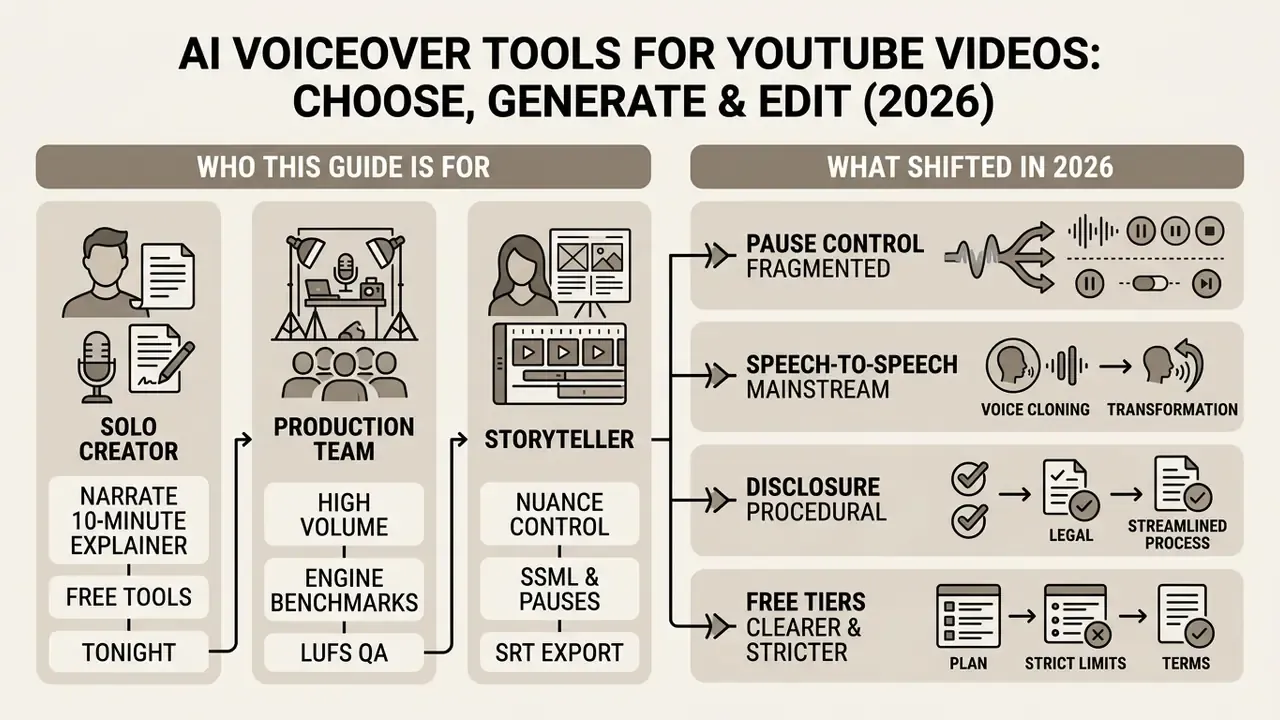
Three readers usually land here at once, and they want different things.
A solo creator wants to know which free tool can narrate a ten-minute explainer tonight. A content operations lead wants throughput: forty videos a month, one recognizable host voice, five languages. A governance or compliance owner wants to know who signed off on the voice, whether the script left the perimeter, and whether the upload was labeled.
This guide answers all three, in that order, because the technical choice and the control choice are the same decision made twice.
What shifted recently, in plain terms:
- Pause control fragmented. Some flagship models dropped classic SSML in favor of inline tags such as
[pause]and[long pause], so a script written for one engine may not breathe correctly in another. - Speech-to-speech went mainstream. Uploading a rough phone recording and re-rendering it in a studio voice is now a standard path, which also means uploading human voice samples became routine. That is a data question, not a creative one.
- Disclosure became procedural. Realistic synthetic content gets declared at upload, with a viewer-facing label and an on-video overlay for Shorts.
- Free tiers got clearer, and stricter. Evaluation-only licensing is now spelled out in vendor terms rather than buried.
Keep that last point in mind. Most monetization problems we see are licensing problems wearing an audio-quality costume.
What AI voiceover tools for YouTube videos can do
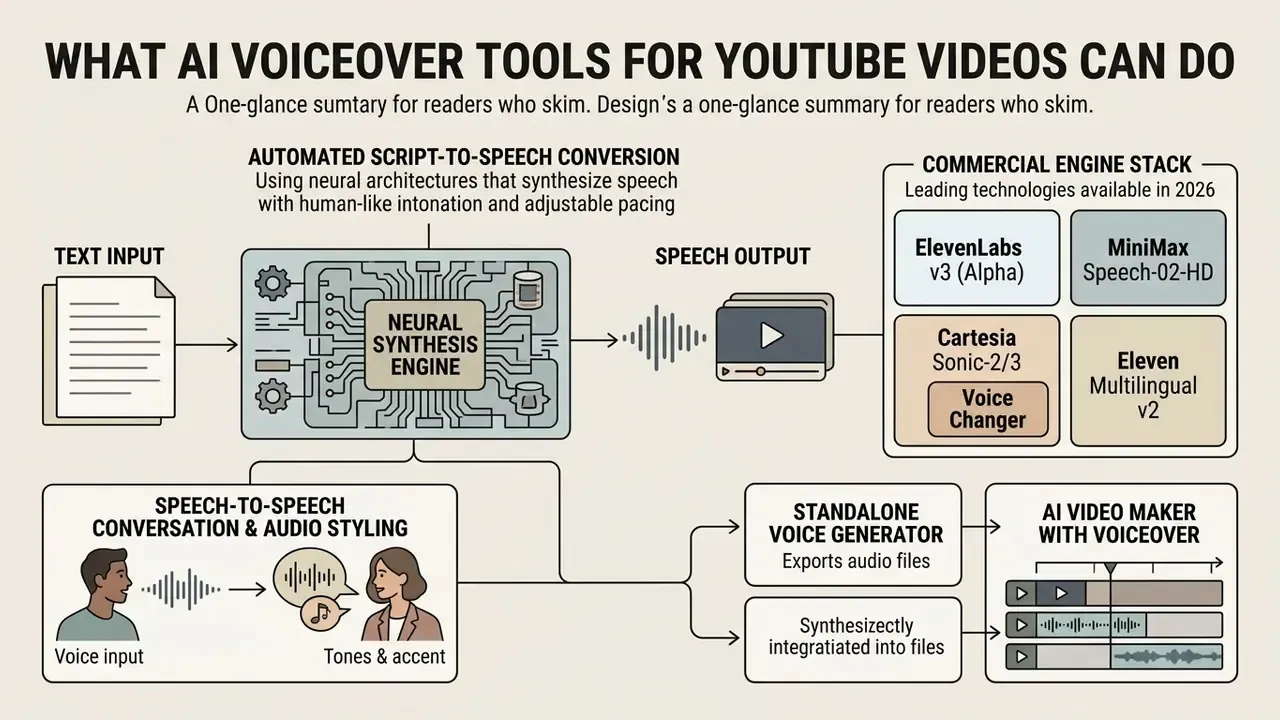
AI voiceover tools for YouTube videos automate script-to-speech conversion using neural architectures that synthesize speech with human-like intonation, adjustable pacing, and support for multiple languages. These systems remove the traditional recording bottleneck, so content teams save time, hold vocal consistency across uploads, and scale video output without multiplying studio costs.
Functionally, the category splits into three generation modes: text-to-speech (TTS) from a written script, speech-to-speech (S2S) conversion of an existing recording into a different voice identity, and voice cloning that rebuilds a specific speaker's timbre from samples. Each mode carries a different risk profile, licensing footprint, and audit requirement. Worth repeating: same output format, three very different consent questions.
Voice generation from text and ready-made scripts
Modern speech generators process raw ai text inputs to produce expressive AI narration across multiple acoustic profiles and emotional accents. Advanced architectures, such as normalizing flows and large-scale language-conditioned decoders, resolve difficult linguistic dynamics like phrase boundary detection and contextual stress.
Before committing to a final export, creators can use text preview functionality to audit pronunciation, adjust pauses, and verify intonation on specific script fragments. Vendor documentation confirms this preview-tone-pause-download loop as the de facto 2026 standard: Adobe Firefly exposes "Play" for selected text, "Add Tone" for intonation, and "Add Pause" for rhythm with a default one-second inserted pause (Adobe Firefly Help, 2026, helpx.adobe.com/firefly/web/work-with-audio-and-video/work-with-audio/generate-speech-from-text.html).
Commercial engine stack worth evaluating. Academic benchmarks describe what is technically achievable; production channels run on a small set of industrial models. When selecting a generation engine, evaluate at minimum:
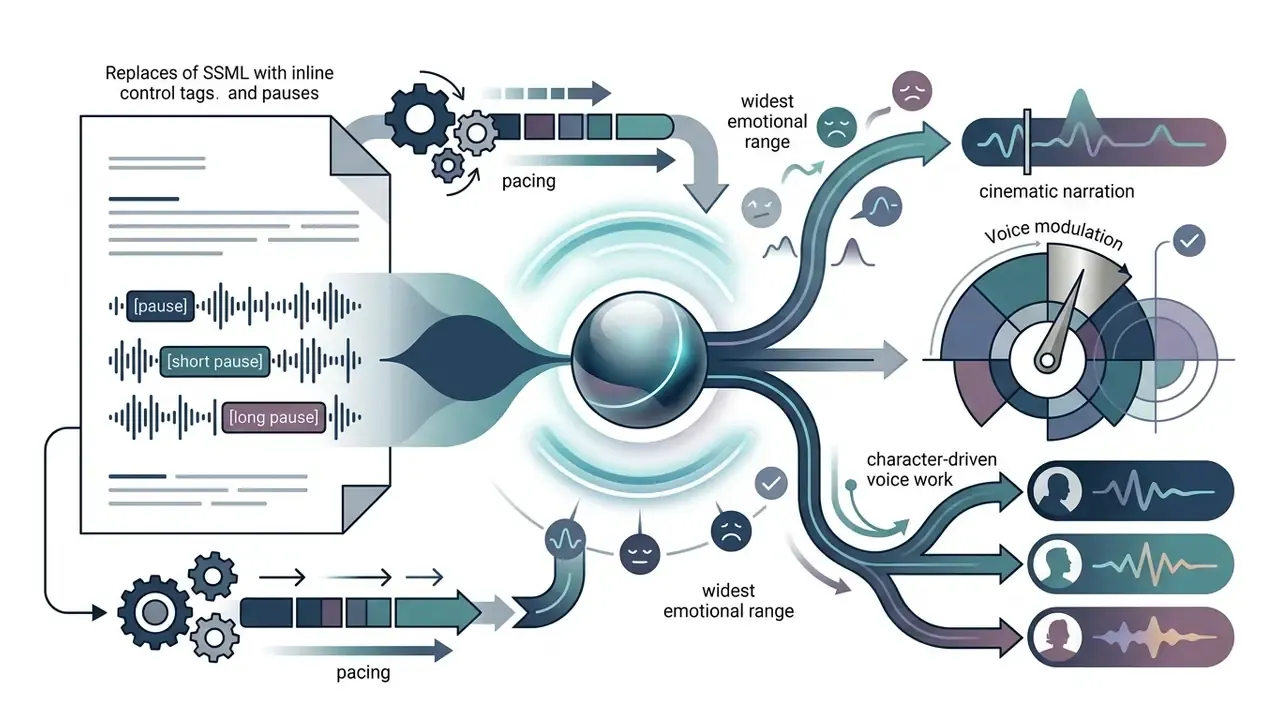
[pause], [short pause], [long pause].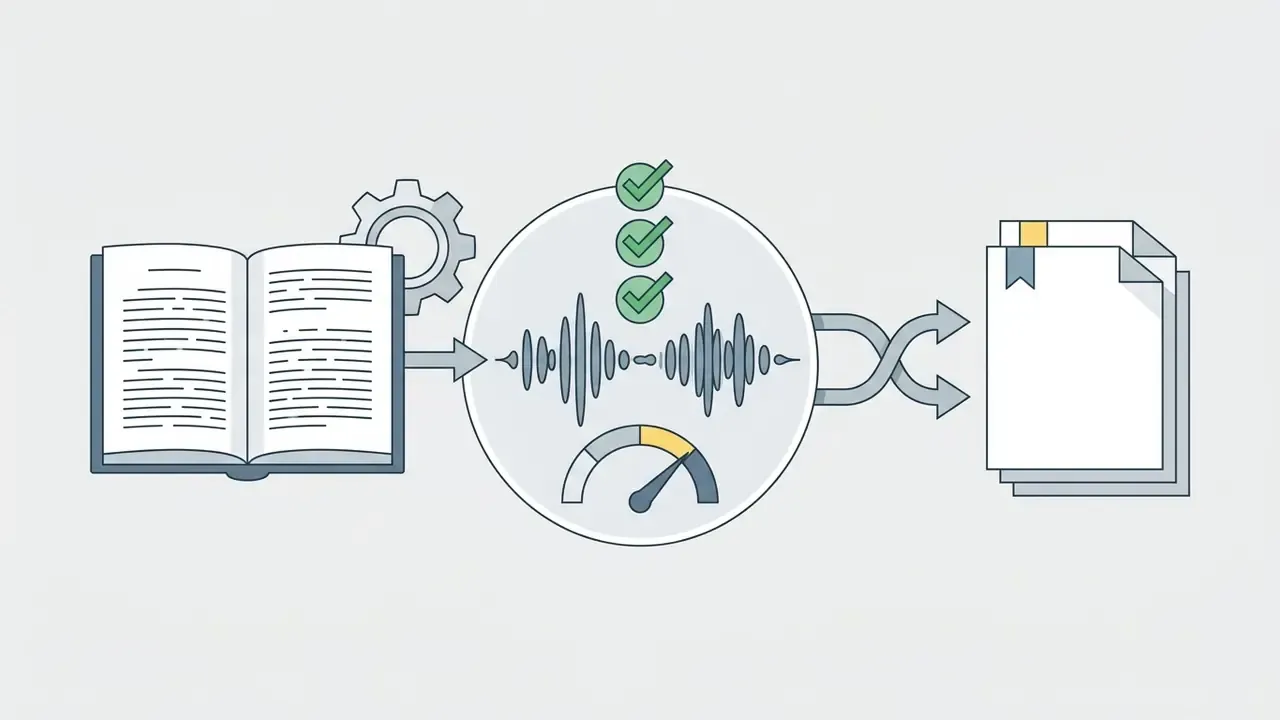
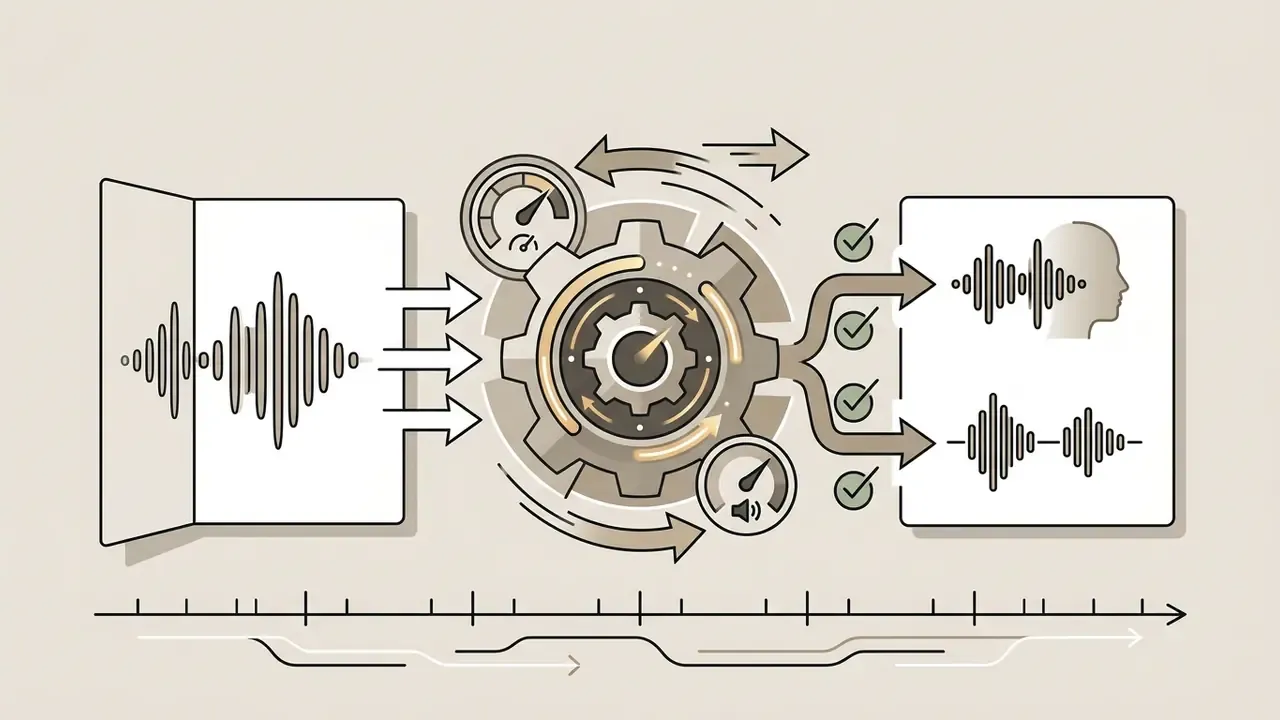
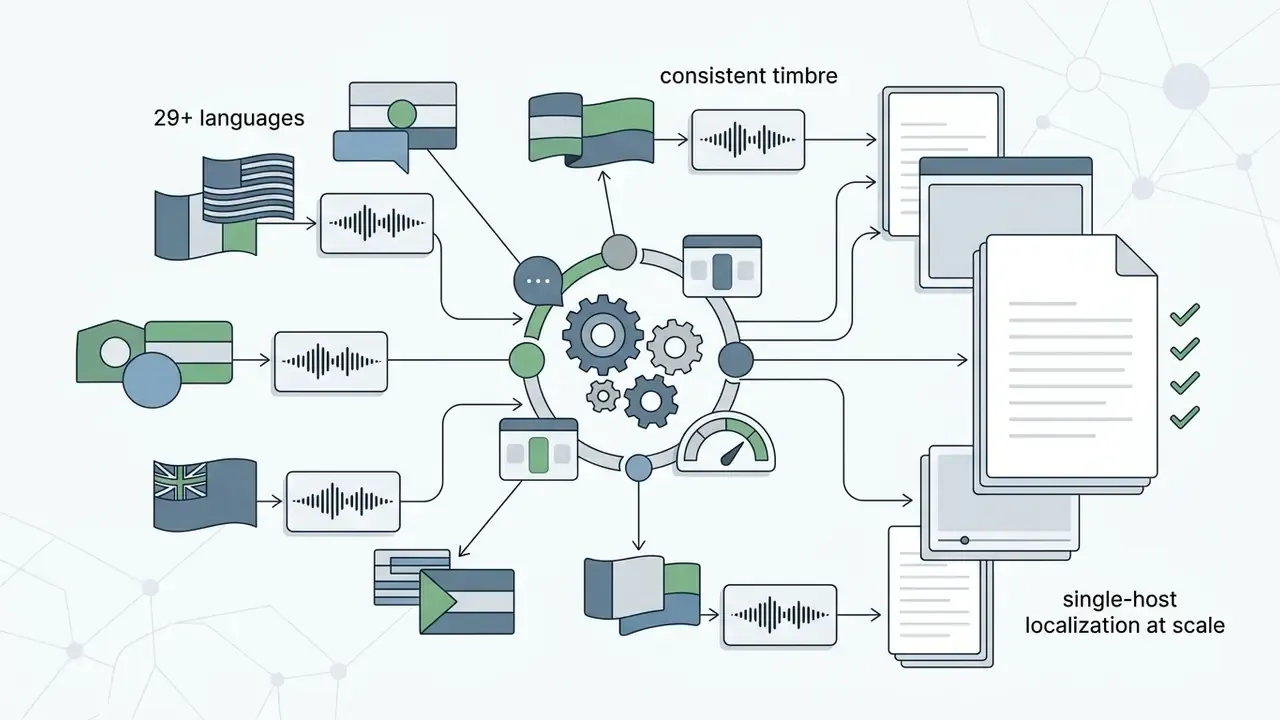
For reference on quotas, ElevenLabs publishes tiered credit plans (Free $0 / 10,000 credits, Starter $6 / 30,000, Creator $22 / 121,000, Pro $99 / 600,000, Scale $299 / 1,800,000, Business $990 / 6,000,000) with model-specific character caps of roughly 10,000 and 40,000 characters per request (ElevenLabs pricing and API documentation, 2026). Before standardizing on any engine, read our guide to AI voice generators for a neutral overview of voice quality, language support, pricing, and commercial licensing.
Speech-to-speech conversion and audio styling
Beyond text-to-speech, advanced toolkits support Speech-to-Speech (S2S). This mode accepts a rough phone or laptop recording from the author, typically MP3, WAV, or OGG files up to 30 MB, and re-renders it in a professional voice model. Crucially, the system preserves the original emotional contour, micro-pauses, and tempo of the human performance. That makes S2S the fastest path to "studio narration with my own timing." It is equally used for cleaning up usable-but-rough voice recordings, localizing a performance, or replacing placeholder dialogue in game and animation pipelines.
If your source material lives in an old upload rather than a local file, teams often pull reference audio with a youtube video downloader before re-voicing it. One caveat: rights to that source audio do not transfer just because the file is on your desktop.
For specialized genres, including gaming, fiction, documentary, and historical reconstruction, built-in editors now apply audio effects at the generation stage rather than in post-production:
- Walkie-talkie or radio distortion for tactical and field-report styling;
- Robotic voice filters for futuristic or machine characters;
- Vintage texture imitating tube broadcast, vinyl crackle, or archive tape.
Because S2S uploads carry a human voice sample, treat every uploaded file as biometric-adjacent input: confirm the retention policy, the deletion window, and whether the provider trains on submitted audio.
Standalone voice generator or AI video maker with voiceover
Content creators face a strategic choice between an isolated ai voice generator and an all-in-one ai video creation tool with voiceover built in. Standalone voice synthesis platforms prioritize granular acoustic control: fine-tuned SSML tag support, custom voice cloning, and uncompressed multi-format audio downloads (WAV, FLAC, OGG). Azure Speech, for example, documents synthesis only, with no timeline and no assembly, which is exactly the isolated-generator model.
Integrated platforms go the other way. They combine script generation, stock media assembly, ai avatars, and voice generation inside a unified timeline. Teams comparing concrete integrated platforms can start from our roundup of free AI video generators, which maps quality, duration limits, credits, watermarks, and export rules.
Enterprise documentation for tools like Google Vids shows that in-editor AI narration allows per-scene or full-timeline voice generation with adjustable pacing and style tags (Google Vids Help, 2026, support.google.com/docs/answer/15070345). Opus Clip documents a comparable in-editor flow with voice selection, tone-stability controls, and a beta cap of 20 voiceovers per day at 2,000 characters per generation (Opus Clip Help, 2026, help.opus.pro/docs/article/ai-voiceover). Teams evaluating whole software stacks can inspect the AI Media Comparison Matrices to weigh standalone versus integrated tradeoffs across commercial licensing, API access, and workflow integration.
How to choose an AI voice generator for a YouTube channel
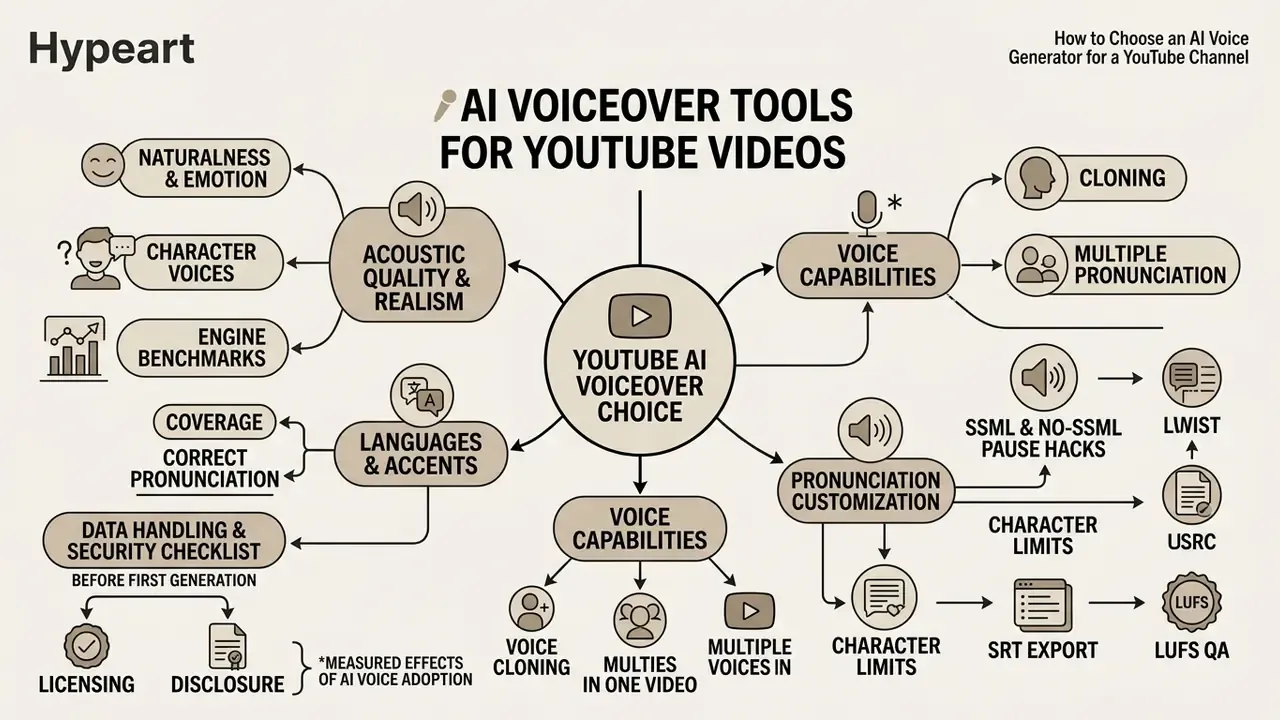
Choosing the best ai voice generator for a YouTube channel means evaluating acoustic naturalness, language coverage, pronunciation customization, data-handling guarantees, and platform licensing terms. A structured model-risk approach keeps the selected tools aligned with long-term brand identity, production volume, and audit obligations. Microsoft's own transparency guidance sets a useful floor: usable TTS should exceed 98% intelligibility, and a production-grade custom neural voice should score above 4.0 SMOS (Microsoft Learn transparency note, 2026).
Selection criteria for AI voiceover tools in YouTube workflows, aligned with recent research on synthetic speech and corporate content governance.
| Selection criterion | Technical meaning | Practical YouTube impact | Governance and security considerations |
|---|---|---|---|
| Prosodic realism and MOS | Alignment of pitch, rhythm, and speech distribution against real human speech databases (TTSDS2 Spearman correlation ~0.67; MOS 4.02 / CER 1.99% for CyFi-TTS). | Delivers natural sounding narration that holds viewer retention without acoustic fatigue. | Require a published benchmark or a reproducible internal test; record the scored model version in the asset register. |
| Multilingual and accent support | Native neural models covering 14+ (often 29–175) languages and regional accents without phonetic drift; polyglot voices speak several languages from one identity. | Enables global channel localization and cross-border video distribution. | Check who reviews localized output; an unreviewed translation is an unmonitored brand statement. |
| Pronunciation and stress editing | Fine-tuning via IPA phonetic transcription, SSML break tags, saved pronunciation dictionaries, and custom rules. | Prevents mispronunciation of specialized terminology, brand names, and proper nouns. | Store approved and blocked phrase lists centrally, so pronunciation decisions are auditable rather than personal. |
| Voice cloning capabilities | Speaker-adaptive neural cloning with consent verification and identity safeguards; multi-speaker dubbing for 1–10 detected speakers. | Preserves channel host identity across dubbed global releases while enforcing identity ownership. | Documented consent artifact, defined revocation path, and retention limits for voice samples. |
| Export options and quality | High-bitrate uncompressed audio export (WAV / 24-bit) with clean sample rates (44.1 kHz or 48 kHz); free tiers often cap at 128 kbps MP3. | Ensures high quality master audio ready for post-production and spatial editing. | Verify watermark policy and whether exported assets carry a license certificate. |
| Integrated timeline editor | Built-in ai video editor featuring auto-ducking, timecode alignment, and subtitle or transcript generation (SRT/VTT). | Streamlines production by reducing external NLE dependencies and manual syncing. | Confirm access roles: who can publish, who can only draft, and where the approval record lives. |
| Data protection and deployment | Zero-data-retention options, opt-out from model training on customer scripts, SOC 2 / ISO 27001 posture, private-cloud or regional processing. | Protects unreleased scripts, embargoed announcements, and pre-launch product names. | Mandatory for regulated communications; without it, drafting a script in a public tool is a disclosure event. |
| Generation and upload limits | 1,000–5,000 characters per generation, uploads up to 30 MB for S2S, speed range 0.5x–2.0x, request payload caps (for example 5,000 bytes per Google Cloud TTS request). | Determines whether long scripts must be chunked and how much re-stitching editors will do. | Write the chunking policy down, so tone drift and version mismatch are detectable in QA. |
Evaluation matrix for selecting commercial AI voiceover platforms based on acoustic metrics, localization capability, editing features, technical limits, and security posture.
Enterprise security checklist before the first generation. Ask the vendor, in writing: is input text and uploaded audio excluded from model training? What is the retention window and the deletion mechanism? Is there a regional or private-cloud deployment? Are cloned voices bound to a verified consent record? Who owns the output versus the voice model? Most vendors grant rights to the generated audio while keeping ownership of the underlying model, and that distinction matters the moment you plan long-term brand voice reuse.
Perceptual research also explains why "it sounds fine to me" is not a control:
Roughly one judgment in four is wrong, in a controlled experiment, with attentive participants. Which is precisely why disclosure and documentation outperform intuition.
Realism, emotion, and character voices
Acoustic naturalness depends on how well a neural speech generator replicates human prosody, emotional inflection, and dynamic vocal range. Objective frameworks such as the Text-to-Speech Distribution Score (TTSDS2) measure similarity between synthetic and human speech distributions across pitch, duration, and speaker embeddings.
To build engaging videos, creators need distinct character voices that carry contextual emotion, authority in documentary content, high-energy enthusiasm in entertainment clips, without dragging in robotic phase artifacts. Controllable-TTS research from 2024 to 2025 shows how this is now done at model level. EmoKnob manipulates speaker embeddings along an emotion-direction vector while preserving voice identity. EME-TTS keeps target emphasis stable across emotional states. Character-voice prosody work generates clearly differentiated speakers from a single base voice.
One caution from the same literature: a 2025 spoken-dialogue study found large effect sizes for emotional control but non-significant differences in measured engagement and turn count. So treat emotional richness as a quality lever, not a guaranteed retention lever. Realistic ai voices help; they do not rescue a weak script.
Languages, accents, and correct pronunciation
Expanding YouTube reach across international markets requires solid support for multiple languages and localized regional accents. When technical jargon, acronyms, or foreign brand names enter the script, default neural models may mangle critical terms.
To fix that, platforms accept International Phonetic Alphabet (IPA) symbols, marking primary stress with ˈ and secondary stress with ˌ, both placed before the stressed syllable. They also allow manual SSML insertion such as <break time="1.5s"/> to fine tune speech cadence (Google Cloud Text-to-Speech SSML documentation, 2026, docs.cloud.google.com/text-to-speech/docs/ssml). Inworld's implementation permits up to 20 break tags per request with a 10-second maximum per break, while Microsoft exposes mstts:silence for pauses before, after, or between sentences.
Why accent control matters more than raw voice quality:
Listeners judge authenticity largely through prosody and rhythm. A technically clean voice with foreign stress patterns will still read as artificial to a local audience.
Do you need voice cloning and multiple voices in one video?
Multi-speaker dialogue and custom voice cloning let creators assign different voices to individual script personas inside a single video. In complex media workflows, speaker-adaptive models analyze sample recordings to replicate a primary host's timbre across translated languages. Sarvam's documentation notes that a single preset voice cannot represent several speakers, so voice_cloning: true is used for speaker-preserving dubbing of files containing between one and ten detected speakers (Sarvam API multi-speaker dubbing documentation, 2026).
Free and paid AI voice over tools: what to compare before choosing
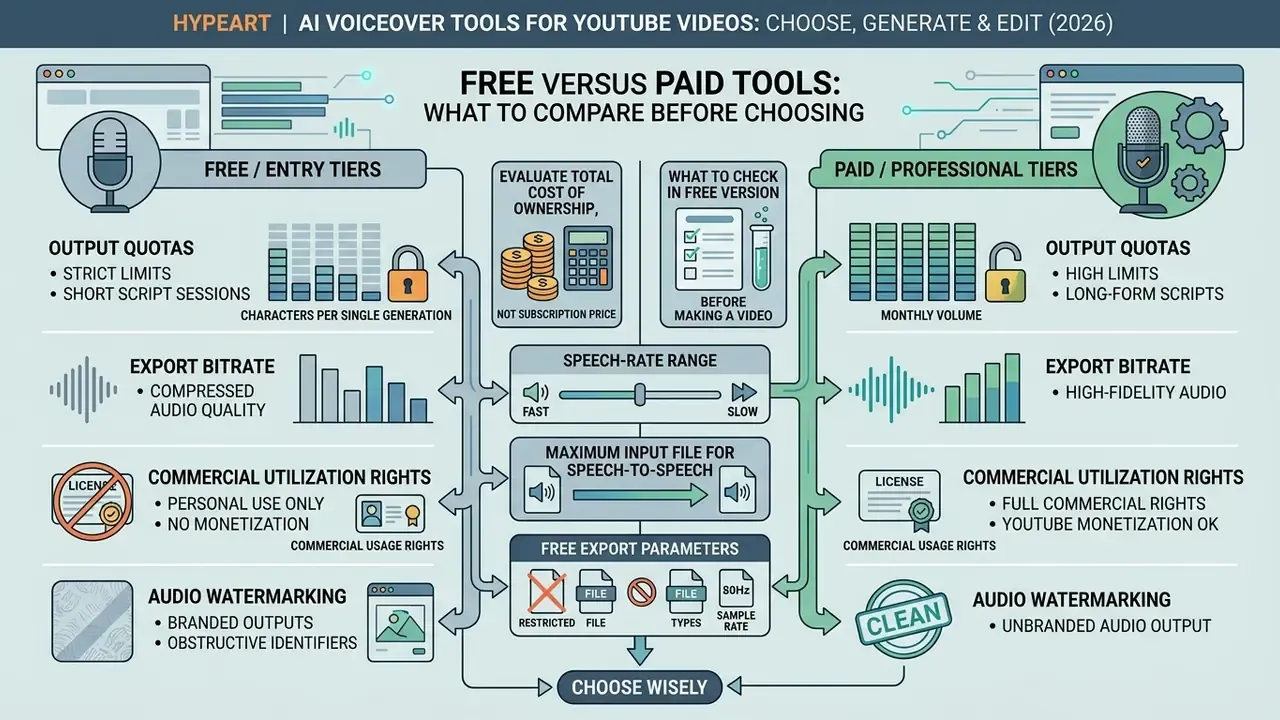
Evaluating free versus paid AI voice over tools means analyzing output character quotas, export bitrate limits, commercial utilization rights, and potential audio watermarking. Free plans make excellent sandboxes for workflow testing. Production channels usually need paid subscriptions to secure commercial compliance and high-bitrate exports. If your question is simply "can I add ai voice over to video free," the answer is yes for drafts and no for monetized brand uploads on most evaluation tiers.
That heterogeneity matters strategically. For a new channel or a new market, a synthetic host can accelerate output without penalty. For a channel whose audience is attached to a recognizable human voice, swapping it wholesale is a measurable downside risk dressed up as a cost saving.
Total cost of ownership, not subscription price. A defensible ROI model for synthetic narration includes: (a) subscription or credit spend; (b) licensing review and legal sign-off hours; (c) pronunciation QA and re-generation cycles; (d) audit logging and asset-register maintenance; (e) residual risk, meaning the expected cost of a disclosure failure, a rights dispute, or a brand-name mispronunciation shipped at scale. Studio savings always look attractive on their own. The honest comparison is savings minus control cost minus residual risk. Rough unit economics can be sanity-checked with our calculators before a plan gets approved.
What to check in the free version before making a video
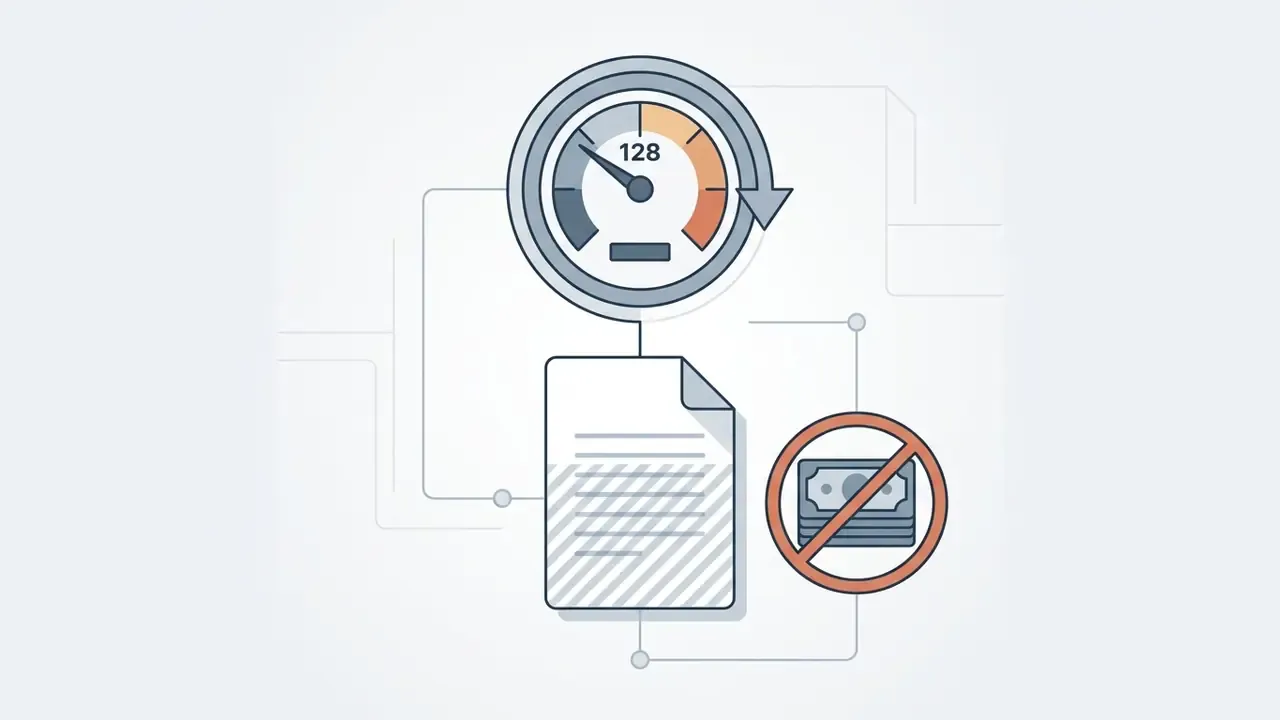
Before deploying a free ai voice generator, inspect the hidden functional restrictions. Typical freemium tiers limit output to 2,000–10,000 characters per month, restrict downloads to low-bitrate MP3 files (128 kbps), and embed audible or ultrasonic watermarks. Crucially, many free tiers explicitly prohibit monetization on YouTube, categorizing free output strictly for non-commercial evaluation (Azure Speech commercial terms, 2026). Azure's guidance is explicit that the F0 free tier exists for evaluation and testing, while commercial output rights attach to paid tiers only. Our comparison of free AI video generators breaks down the same pattern for video exports, credits, and watermarks.
Concrete technical limits on free and entry tiers:
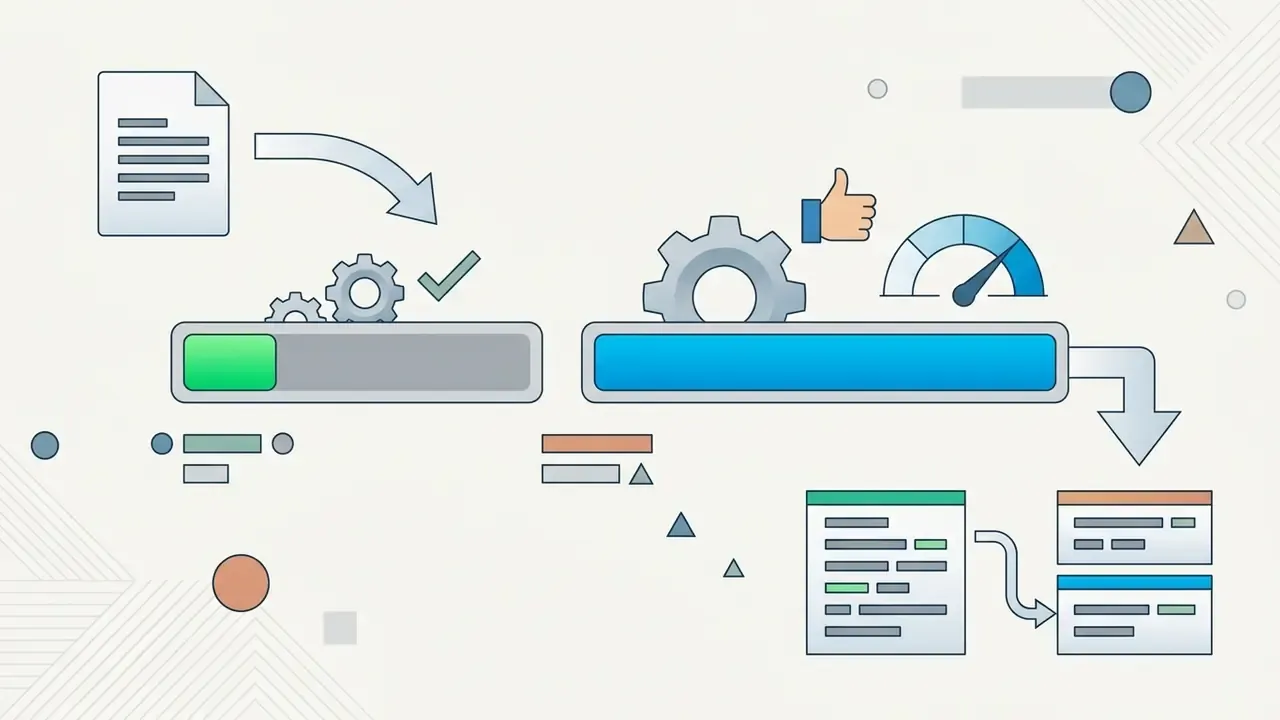
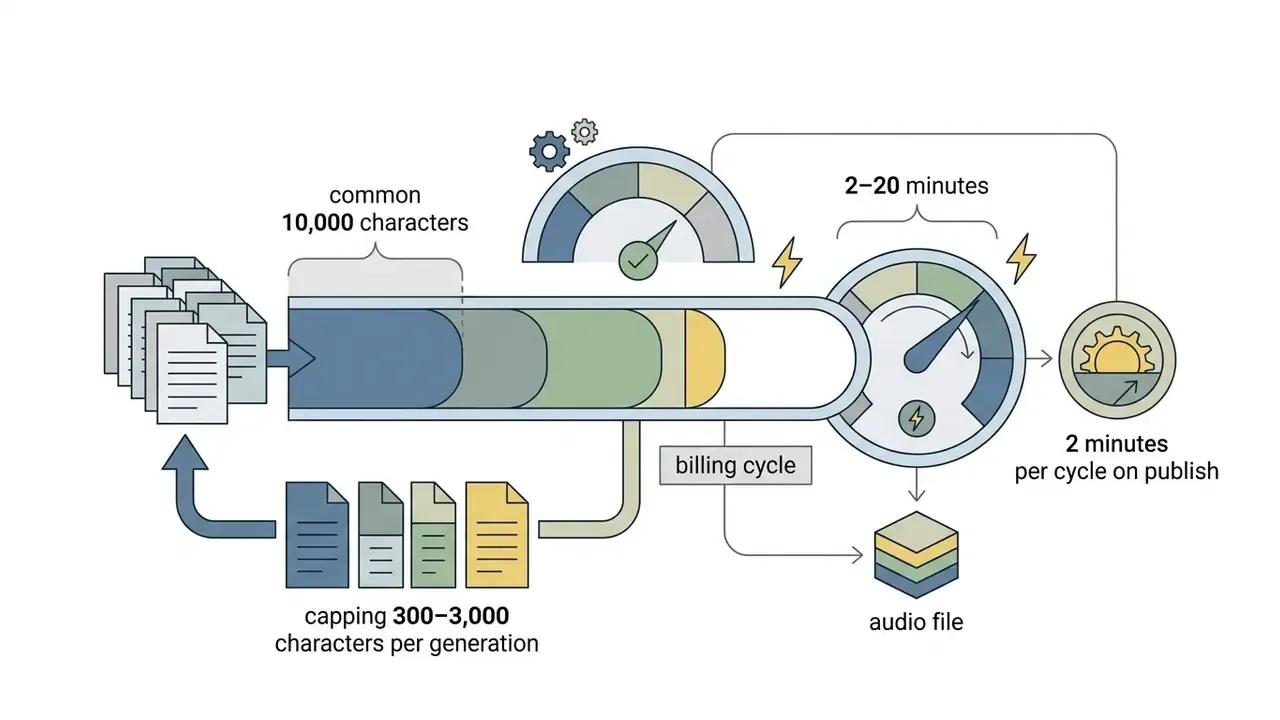
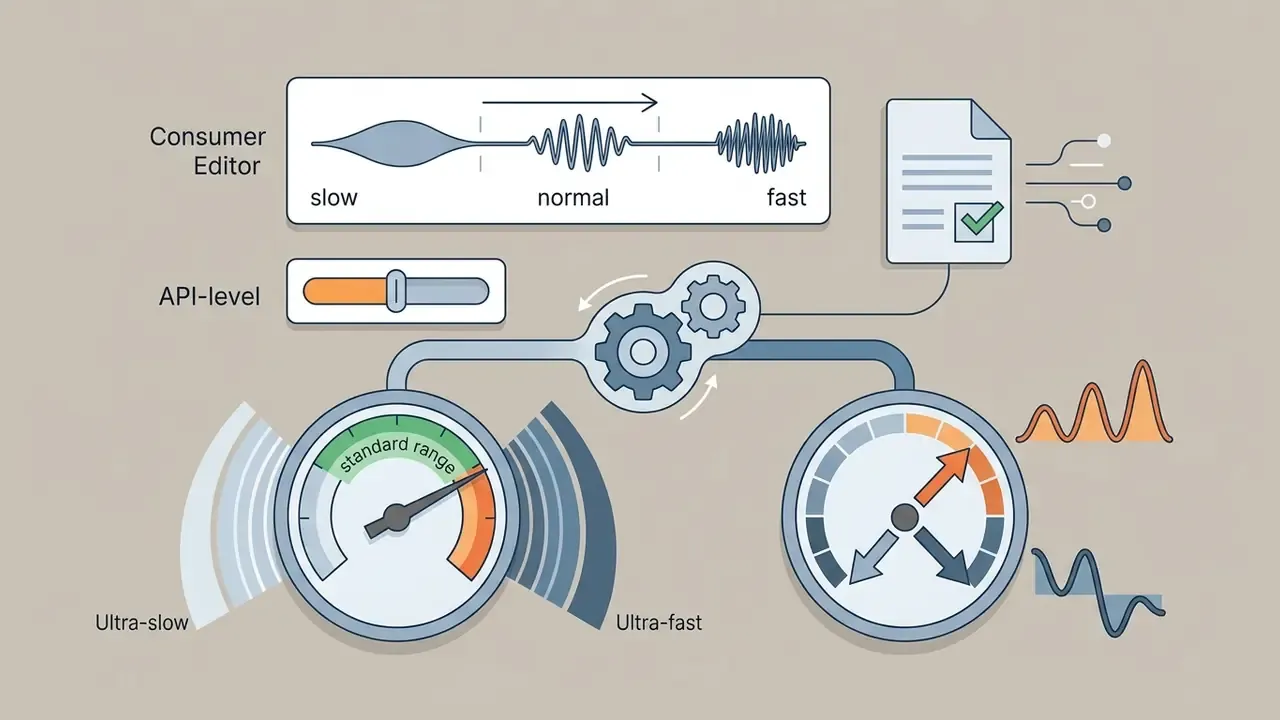
speakingRate 0.25–2.0 and pitch −20 to +20 semitones.
Watermarking, meanwhile, should not be treated as a reliable provenance control on either side of the transaction:
When an AI video generator with voiceover in one interface is justified
Consolidating video generation and speech synthesis into a single ai video generator voiceover suite is cost-effective for high-volume content operations. Teams producing educational tutorials, daily news updates, or social media digests benefit from cutting manual file transfers between isolated tools. Vendor positioning matches this: Synthesys targets L&D departments, e-commerce brands, agencies, and sales teams, while Adobe Firefly frames voiceover for marketing videos, product demos, social content, training materials, podcasts, and audiobooks. Operational reviews of end-to-end media suites sit in the AI Media Commercial-Use Hub, and platform-specific licensing is unpacked in our Canva AI Generator overview.
Shadow AI: the unmanaged failure mode. An integrated, contracted suite is also a governance instrument, because the alternative is not "no AI." It is unsanctioned AI. Typical failure patterns when a marketing employee uses a personal or free account for an official channel:
| Shadow AI scenario | What actually goes wrong | Control |
|---|---|---|
| Unreleased script pasted into a public free tool | Embargoed product names and dates leave the perimeter; input may be retained or used for training | Approved-tool list plus zero-retention contract |
| Voiceover generated on a personal free plan | Output is licensed for non-commercial evaluation only; a monetized upload breaches terms | Central billing, no personal accounts for brand assets |
| Host voice cloned from a podcast clip without consent | Identity and publicity-rights exposure; possible privacy takedown | Documented consent artifact before cloning |
| No record of model, version, or settings | The asset cannot be reproduced, explained, or defended in review | Mandatory audit-trail entry per asset |
Fact check and licensing verification notice:
How to add AI voice over to a YouTube video: step-by-step workflow
Adding synthetic narration to a video project follows a structured, multi-stage pipeline that protects acoustic clarity, visual synchronization, and policy compliance.
Process diagram, eight-stage AI voiceover pipeline:
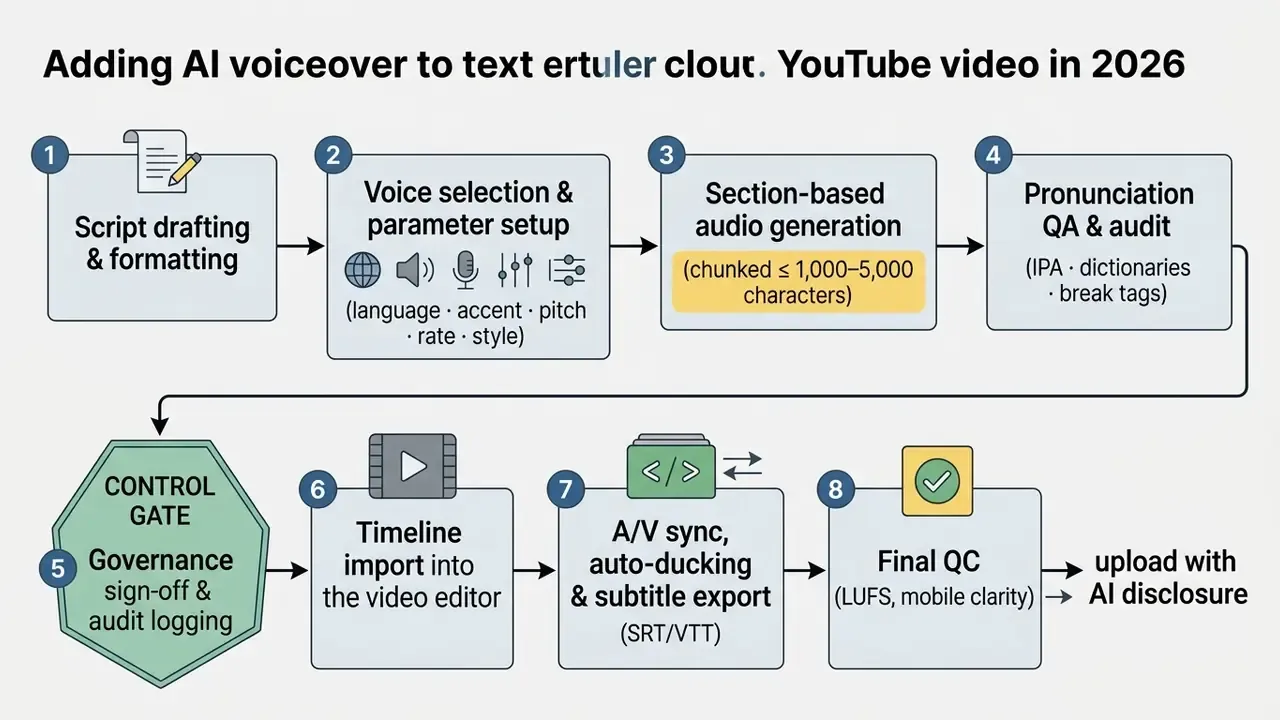
Figure: workflow for generating, controlling, and publishing AI voice over for YouTube.
- Script drafting and formattingwrite short, declarative sentences tuned to synthetic speech rhythm.
- Voice selection and parameter setupchoose target language, accent, pitch, and base delivery speed.
- Audio generationrender initial audio tracks in section-based blocks for easier editing.
- Pronunciation QA and auditreview generated audio for mispronounced names, jargon, or awkward pauses.
- Governance sign-off and audit loggingrecord the generation parameters (model name and version, voice ID, seed, SSML or tag source, prompt, source script version, consent reference for cloned voices, and the approver's ID) in the company AI asset register before the file leaves the generation tool. This is what makes an asset reproducible and defensible under later review.
- Timeline importimport rendered WAV tracks into your preferred video editor.
- A/V sync, audio ducking, and caption exportalign voice clips to timecodes, apply auto-ducking to background music, and export the transcript as SRT or VTT.
- Final QC and uploadverify LUFS loudness levels, then publish with the appropriate AI disclosure tags and metadata.
Prepare the text for natural AI narration
Writing for synthetic speech takes intentional punctuation and sentence structuring. Long compound sentences break the engine's breathing simulation. Commas for brief pauses, periods for full stops, paragraph breaks for logical transitions: that is most of the craft. ElevenLabs' documentation notes that explicit <break time="..."/> tags remain the most consistent pause method, supporting pauses up to three seconds. Engine handling of dashes and semicolons varies, so test them per model.
Express markup hacks without SSML tags:
- Long pausesinsert an ellipsis (
...) inside the sentence to force a semantic pause of roughly 0.5–1 second, the simplest substitute for a break tag in consumer editors. - Emotional emphasisadd an exclamation mark (
!) after the key word to lift intonation and mark the semantic center of the phrase. Alternatively, select an emotion preset in advanced settings. - Numbers and datesalways write numerals out in full. "1998" becomes "nineteen ninety-eight", "$4.2M" becomes "four point two million dollars", which prevents incorrect readout.
- Phonetic respellingif the engine misplaces stress or mangles a brand, spell the word the way it sounds (intentional misspelling), for example "ee-PULL" or "de-FAK-toh". For precise control, switch to IPA with
ˈandˌstress marks.
A small practical note: it pays to keep the spoken script and the written description separate. Voice copy wants short clauses, while a youtube video description generator output wants keywords, timestamps, and links. Reusing one for the other usually produces stiff narration.
Choose voice, language, and settings before generating
Before triggering final rendering, configure speech parameters to match the video's mood. Standard neural settings let creators adjust speaking rate between 0.8x and 1.2x for narration comfort, shift pitch by semitones, and pick emotional styles such as newsreader, empathetic, or conversational (Google Cloud Text-to-Speech parameter guides, 2026). At API level the ranges widen: speakingRate 0.25–2.0 with 1.0 as native speed and pitch −20 to +20 semitones on Google Cloud; IBM Watson exposes rate_percentage and pitch_percentage; Telnyx exposes emotion values (neutral, happy, sad, angry) with speed 0.5–2.0. Voice-design guidance from Inworld recommends stating age, language and accent, pitch, pace, delivery style, and emotional quality explicitly, and naming a city or region when a specific regional accent is required.
Synchronize the voice over with video in a video editor
Import generated audio files into an NLE suite such as DaVinci Resolve or Adobe Premiere Pro. Our youtube video editor workflow guide covers timeline trimming, publishing features, and export presets in depth. Apply automated audio ducking to lower background music by 15–20 dB whenever narration is active. DaVinci Resolve 19.1 supports an Audio Ducker across multiple source tracks, Corel VideoStudio exposes Ducking Level, Sensitivity, Attack and Decay, and Audacity's Auto Duck requires the control track to sit above or below the modified tracks. Where lip or A/V drift appears, compensate with a frame-based audio offset rather than trimming narration. Teams without a post-production budget can assemble the same timeline in a free editor and still hit the same loudness and ducking targets.
Subtitles and transcripts: when exporting generated narration, export the text transcript as a .srt or .vtt file as well. Accurate captions raise the video's accessibility compliance and help YouTube's indexing systems parse context, which expands search reach. Because the script is the source of truth for synthetic narration, caption timing is effectively free. The text already matches the audio word-for-word, unlike with human recording.
Check the video before publishing on YouTube
Run a final quality check on studio headphones and mobile speakers. Normalize audio levels to internet distribution standards, typically targeting −18 LUFS for speech-centric online video using Dialog Integrated Loudness measurement (AES TD1008 internet audio recommendations), while broadcast-oriented EBU R 128-2023 normalizes programme loudness at −23.0 LUFS ±1.0 LU. YouTube does not publish an official LUFS target in primary documentation, so −18 LUFS is a professional convention, not a platform rule. Make sure speech stays crisp, articulate, and fully intelligible over background sound effects; AES TD1009 (2026) provides formal guidance on dialogue intelligibility across production, distribution, and playback.
One more practical step before publishing: review the cut the way viewers will see it. A quick check through a youtube video player online url preview on a phone screen catches caption overflow, overlay collisions, and narration that reads too fast in the first three seconds.
Disclosure is not only a policy checkbox. It changes how the audience processes the content:
That asymmetry is the practical argument for pairing disclosure with editorial verification. An authoritative synthetic voice can lower the audience's own scrutiny, so the burden of accuracy shifts entirely onto the publisher.
Creating AI video generation with voiceover from text
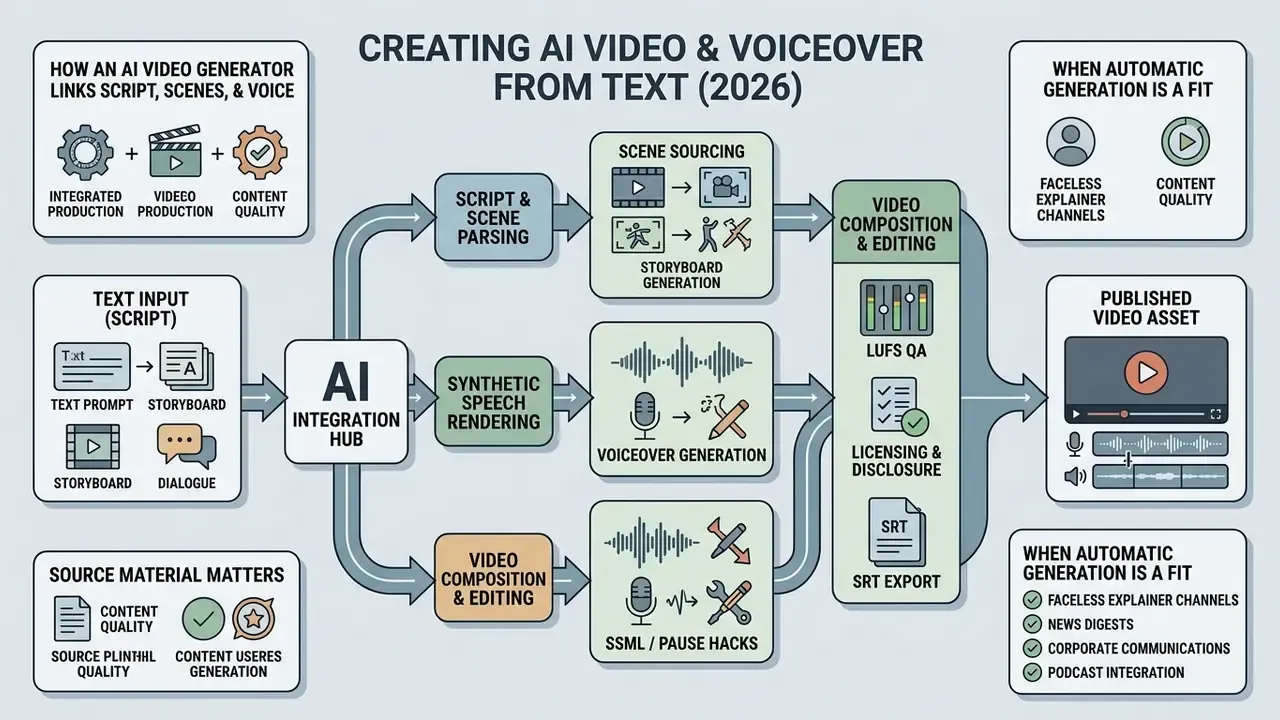
Text-to-video engines unite script breakdown, scene sourcing, and synthetic speech rendering into one automated pipeline, turning raw text prompts into published video assets. Developers building on top of these engines can review capabilities, costs, and limits in our Google Veo implementation guide.
How an AI video generator links script, scenes, and voice
An ai video generator voiceover system parses input text into discrete storyboards. Large language models identify key thematic concepts per paragraph, then query stock libraries or diffusion models for matching visual clips. In parallel, the text-to-speech engine renders synced voiceovers, aligning frame cuts to speech boundaries (Google Workspace Veo 3 documentation, 2026). Google Workspace states that Vids with Veo 3 can take a prompt plus a Drive document and return an initial storyboard with suggested scenes, scripts, and professional-sounding AI voiceovers.
Technically, the chain runs: script-to-shot parsing (scene breaks, dialogue beats, action sequences) → per-shot visual mapping → asynchronous generation with clip extension for transitions → audio-sync passes that separate speech, effects, and music, often using shot segmentation tools such as PySceneDetect to drive lip motion and event timing.
Source material matters as much as the model. Long PDFs and reports rarely make good narration as-is, so many teams condense them first with a youtube video summarizer or an equivalent document summarizer, then rewrite for speech. Editors who need to refine automated cuts can move the project into standard youtube video editor workflows for manual trimming.
When automatic video generation is a fit for YouTube
Automated text-to-video production is efficient for faceless explainer channels, news digests, and corporate policy summaries. Vendors position the format explicitly around PDF, whitepaper, report, and script-to-video conversion for finance, history, science, policy, and education topics, plus AI news bulletins with presenter, visuals, narration, and captions. By removing physical filming and manual editing, content creators save time while holding a high publishing frequency across social media.
Where it fits poorly: interview content, anything relying on physical demonstration, and channels whose whole value is an identifiable human presence. Technical teams building custom automated pipelines can explore parameters in the AI Media API Guides.
AI voice over for YouTube Shorts, tutorials, and social media
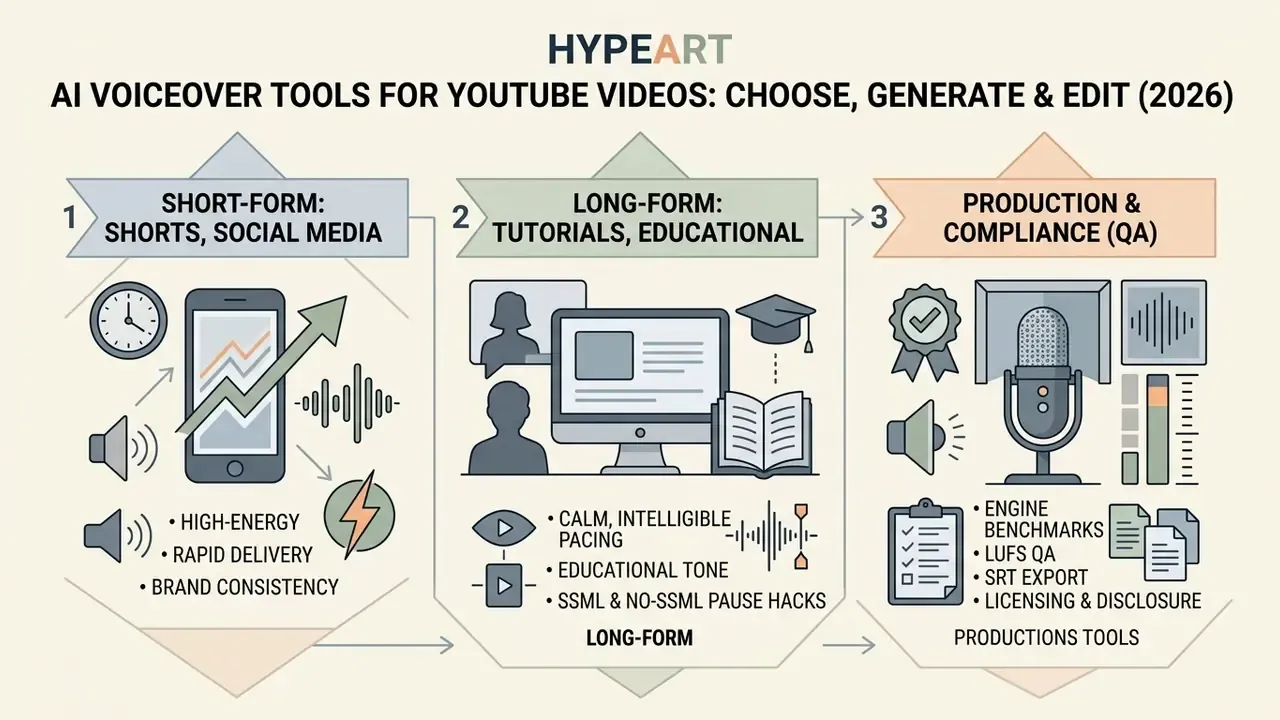
Different formats demand different voiceover characteristics, from high-energy rapid delivery in short-form clips to calm, highly intelligible pacing in long-form educational material. Each format also shifts the control burden. Short formats compress error-detection time; long formats accumulate drift.
Educational videos, podcasts, and audiobooks
Long-form educational channels, audiobooks, and technical podcasts need clear articulation and smooth acoustic dynamics to prevent listener fatigue. Standards for long-form synthetic narration emphasize high semantic intelligibility and stable prosody over extended durations.
For US-based and international teams, the relevant governance anchors are the NIST AI Risk Management Framework for lifecycle controls, AES TD1008 / TD1009 for loudness and dialogue intelligibility, and W3C WAI for accessibility. Where a formal TTS-specific evaluation rubric is needed, GOST R 59880-2021 remains one of the few published standards that scores semantic intelligibility, intonational intelligibility, naturalness, and SSML control quality, defining "understanding synthesized speech without attention strain" as a score above 4.65 on a 1 to 5 scale. Financial-sector teams should additionally map synthetic-voice usage to existing model-risk governance expectations, for example SR 11-7-style validation, documentation, and ownership principles. Treat that as a framing hypothesis worth confirming with internal compliance, since supervisory guidance on generative media is still evolving.
Background music must stay quiet to meet accessibility standards. W3C guidance recommends background sound at least 20 dB below speech where possible, so that speech stands out clearly for all listeners (W3C Web Accessibility Initiative guidelines). Captions, transcripts, and accessible media players are required, not optional, for educational distribution.
Audiobook-grade output has its own bar. ACX-style narration requirements treat upload quality control as a distinct production standard, which in practice means consistent timbre, a controlled noise floor, and chapter-level consistency across many hours of generated audio.
FAQ: AI voice for YouTube, answered
Do you need special equipment and editing skills?
No specialized recording hardware or high-end microphones are required to create videos with AI voiceover. Voice generation happens in cloud-based web applications, so a standard browser and computer are enough. For HD timeline work, published minimums are modest: 8 GB RAM, a 1920×1080 display, and ASIO-compatible or Windows Driver Model audio support, with macOS Sonoma 14 as the minimum OS on Apple hardware (Adobe Premiere Pro system requirements). 4K editing needs considerably more. Shared-network HD workflows typically assume 1 Gigabit Ethernet. Basic timeline assembly runs fine in entry-level editing software, while performance metrics can be estimated with online calculators.
Can AI generated voices be used for long scripts?
Yes, ai generated voices handle long scripts well when the text is split into logical chapters or scenes. To hold acoustic stability and prevent tone drift across long narration files, process text in structured blocks and apply consistent voice seeds (long-form TTS prosody research, 2026). Recent work identifies the concrete levers: long-context modeling across multiple sentences, explicit prosody prediction, pre-training on long-form data, and boundary-aware streaming generation that reduces drift at sentence edges. Newer evaluation suites score long-form speaker stability separately from acoustic quality, defining stability as staying natural and speaker-consistent at document scale. For auditing channel productivity and performance baselines, consult industry-standard benchmarks.
How do I force a pause or fix a mispronounced brand name?
For pauses, use where SSML is supported, inline tags such as [long pause] on models that replaced SSML, or an ellipsis (...) in consumer editors. For pronunciation, respell the word phonetically, store it in a saved pronunciation dictionary so the fix persists across videos, or supply IPA with explicit ˈ primary and ˌ secondary stress marks.
What are the character and file limits I should plan around?
Expect 1,000–5,000 characters per generation depending on platform, 10,000 characters per month on typical free tiers, up to 30 MB per uploaded file for speech-to-speech, and a 0.5x–2.0x speed range in editors. Google Cloud additionally caps total bytes per request at 5,000. Plan chunking and file naming before generation, not after.
Does using an AI voice affect monetization?
Per YouTube's published guidance, AI use alone does not disqualify a channel from monetization, provided monetization policies are met and realistic synthetic content is disclosed. Risk comes from reused, repetitious, or non-original content, and from output generated on a license that excludes commercial use.
Can I re-voice an old upload instead of scripting from scratch?
Often, yes. Teams pull the original audio with a youtube video downloader, run speech-to-speech to refresh the delivery or change language, then re-cut the timeline. Two caveats: you still need rights to the underlying footage and audio, and the refreshed upload is new synthetic content, so the disclosure step applies again.
Appendix A: superseded wording and verification notes
Retained for transparency, since several figures circulating in earlier drafts of this guide need qualification.
| Original statement | Status | Note |
|---|---|---|
| "CyFi-TTS achieve a Mean Opinion Score (MOS) of 4.02 out of 5.0 and a low Character Error Rate (CER) of 1.99%" | Supported, expanded | Correct for the ICASSP 2023 benchmark; now cited with architecture context (cyclic normalizing flow) and complemented by commercial engines. |
| "Recent objective frameworks like TTSDS2 measure similarity between synthetic and human speech distributions" | Supported, expanded | Now includes the validation numbers: above 0.50 Spearman in all domains, about 0.67 mean. |
| "viewer completion rates rose by 18%, while total post-production time decreased by 35%" | Unsupported as stated | No published methodology or sample size; reframed as a project-specific, non-controlled observation and paired with externally validated TikTok data (+21.8–24% weekly output; +63% total duration). |
| "Freemium tiers limit output to 2,000–10,000 characters per month" | Needs qualification | Per-generation caps differ from monthly caps: 1,000 characters per conversion on Canva, up to 5,000 per generation on Artlist/ElevenLabs-class tools, 10,000 characters per month on ElevenLabs Free, 2 minutes per cycle on Lumen5. |
| "hooks viewer attention within the first 1.5 seconds" | Unsupported precision | Practitioner sources cite a 1–3 second window; the exact threshold varies by sample and content type. |
| "Subtitles should display 1–3 high-contrast words … (Shorts Engagement Benchmarks, 2026)" | Source not traceable | Caption-phrase guidance (1–4 words, speech-synchronized) is supported by 2025 short-video comprehension research; the named benchmark could not be verified. |
| "GOST R 59880-2021 Synthetic Speech Quality Standards" as sole long-form reference | Supported, but regionally narrow | Retained for its TTS-specific intelligibility rubric (class 1 above 4.65) and now complemented by NIST AI RMF, AES TD1008/TD1009, and W3C WAI. |
| "targeting -18 LUFS" | Supported as convention | Matches AES TD1008 for internet speech distribution; YouTube publishes no official LUFS target, and EBU R 128 uses −23.0 LUFS for broadcast. |
Key takeaways and operational next steps
Start small, if that helps: one pilot channel, one approved engine, one written chunking and disclosure rule. Scale after the log exists, not before.
- Audit licensing and governanceverify that your AI voice tool subscription explicitly grants commercial usage rights for YouTube monetization, and confirm whether you own the output, the voice model, or only a usage right.
- Prioritize intelligibility and qualitychoose speech engines evaluated on objective prosodic metrics (TTSDS2, MOS, CER, SMOS above 4.0, intelligibility above 98%) and run a pronunciation pass on technical terms, brand names, and acronyms.
- Lock the engine choice deliberatelymatch the model to the job. ElevenLabs v3 for expressive narration, MiniMax Speech-02-HD for articulation-heavy scripts, Cartesia Sonic-2/3 for low-latency and real-time, Eleven Multilingual v2 for one host across many languages.
- Automate sync and mixuse timeline audio-ducking (15–20 dB), frame-accurate offsets for drift, and normalize speech loudness to −18 LUFS before exporting final files.
- Ship captions with every assetexport
.srtor.vtttranscripts alongside the audio to improve accessibility compliance and searchability. - Log before you publishrecord model, version, voice ID, seed, tags, script version, consent reference, and approver in an AI asset register. That single habit turns a generated file into an auditable asset.
- Comply with disclosure rulesmeet YouTube Studio metadata requirements by tagging realistic AI-generated voices during upload.
- Close the Shadow AI gappublish an approved-tool list, centralize billing, and prohibit brand narration from personal or free accounts.
To explore deeper media processing workflows, site structure, and automated content frameworks, navigate through the core AI Media Workflows hub.