Last reviewed and updated: 2026 editorial revision. Checked for legal accuracy, technical accuracy, and security guidance.
Quick Summary Before You Paste Any Link
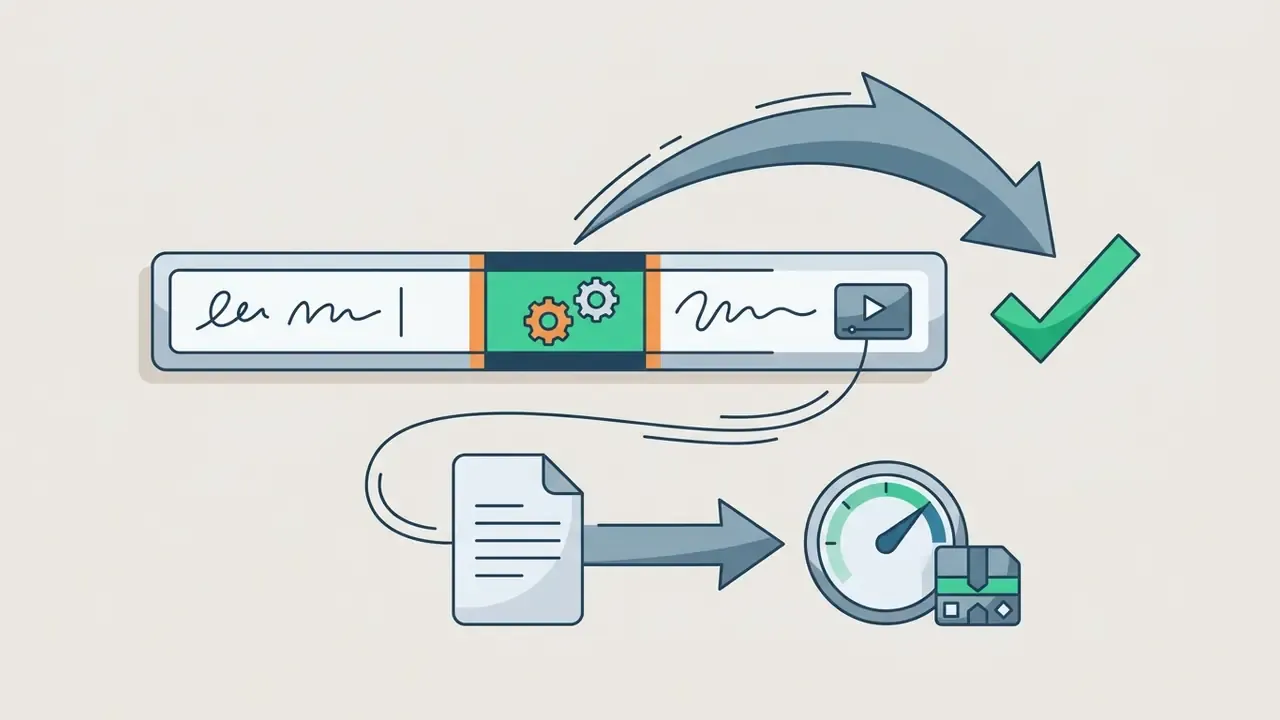
ss or sos before youtube.com (for example, https://www.ssyoutube.com/watch?v=VIDEO_ID) to jump straight to the extraction page without visiting a homepage first.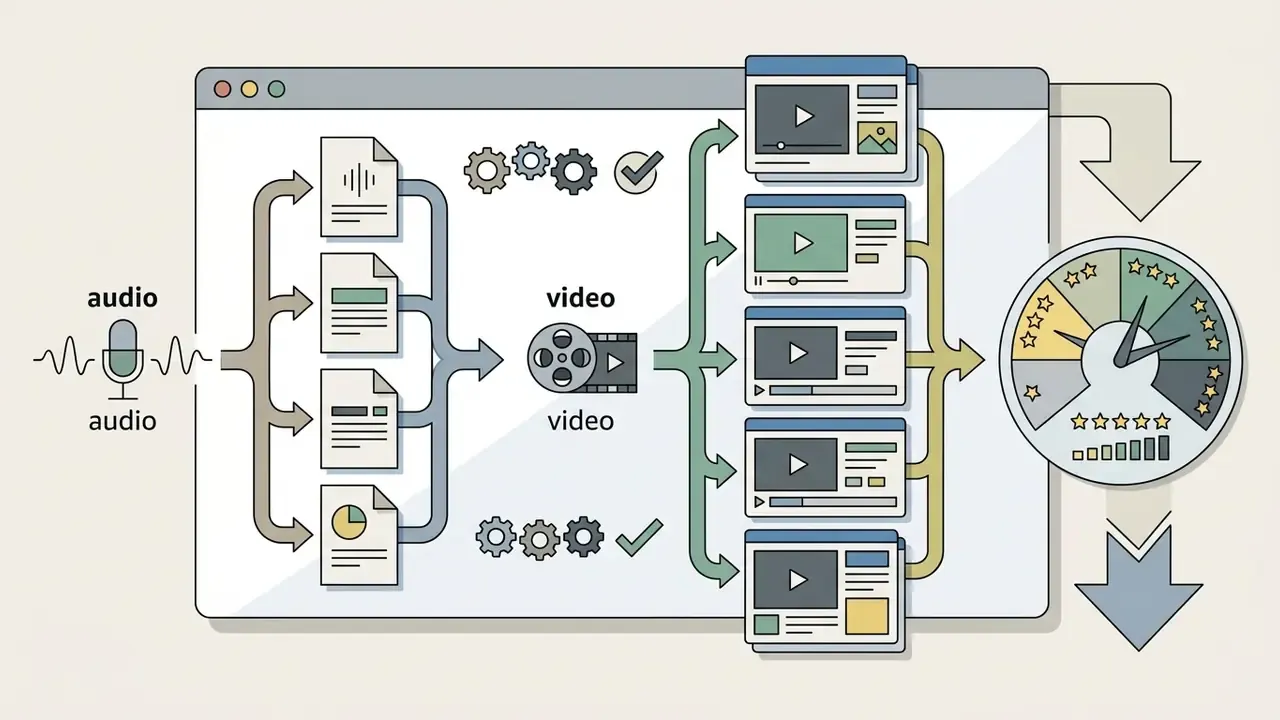
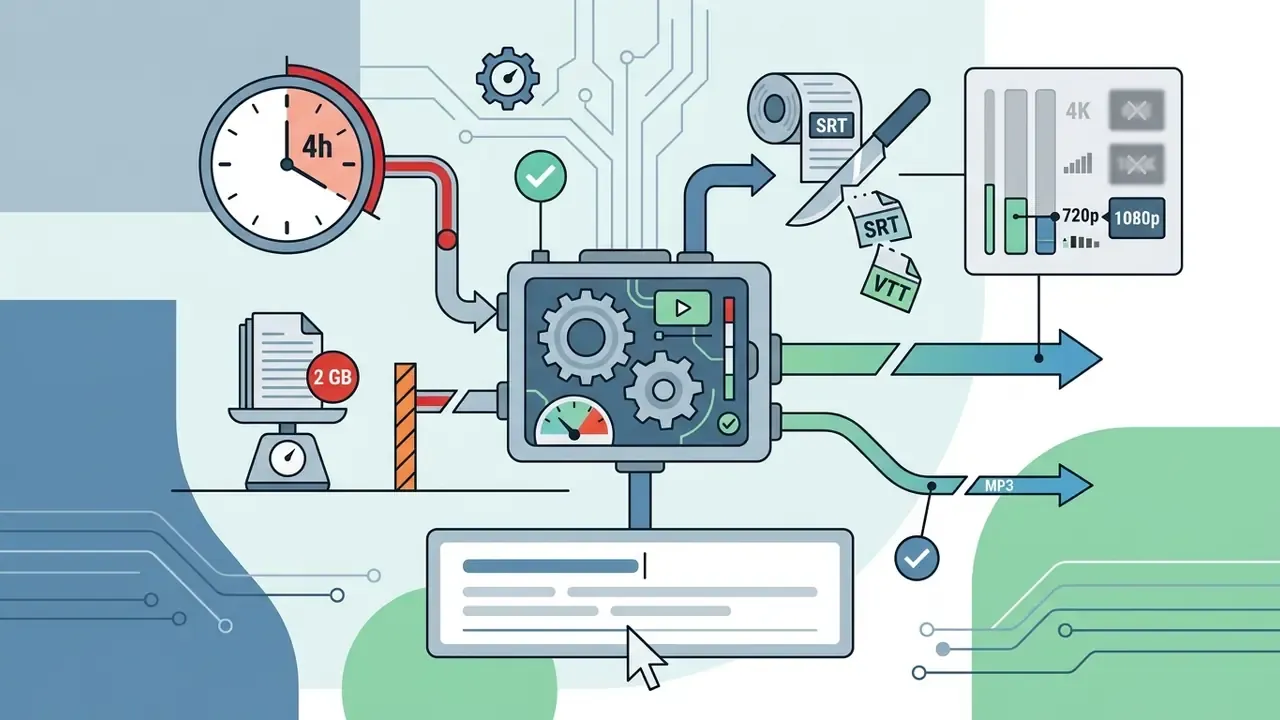
.srt and .vtt closed captions, and often throttle free exports to 720p or 1080p.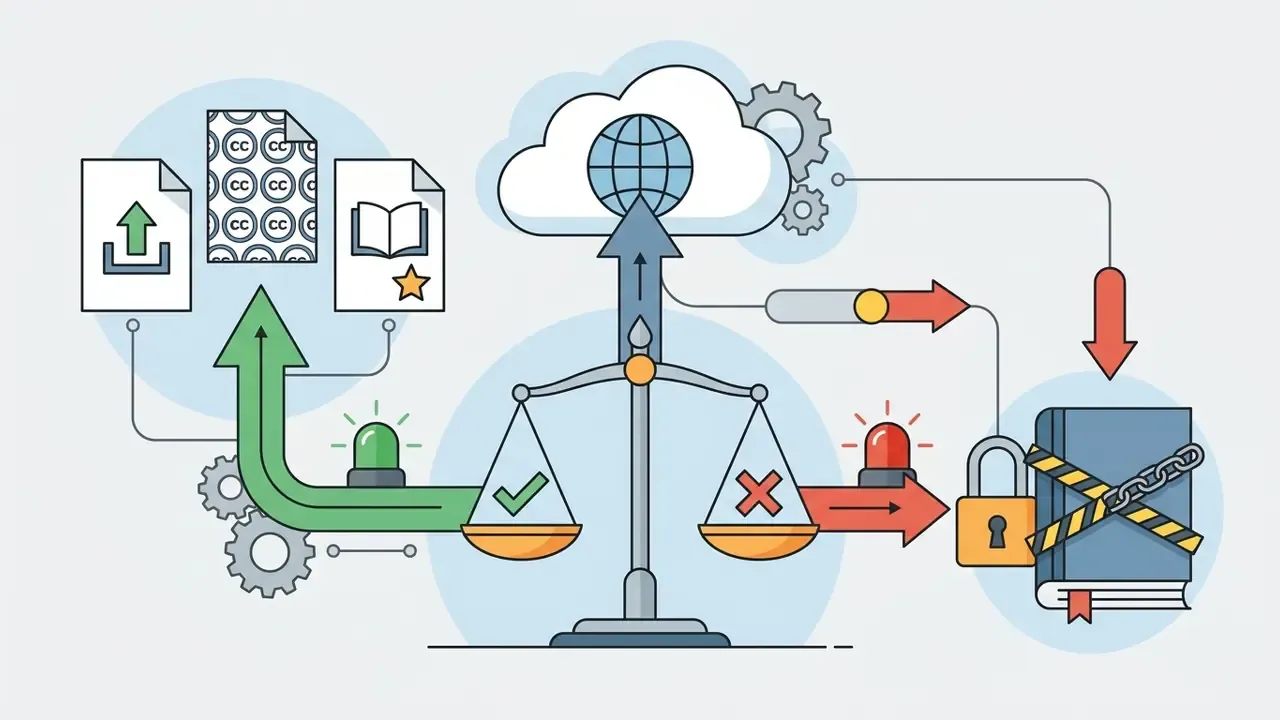
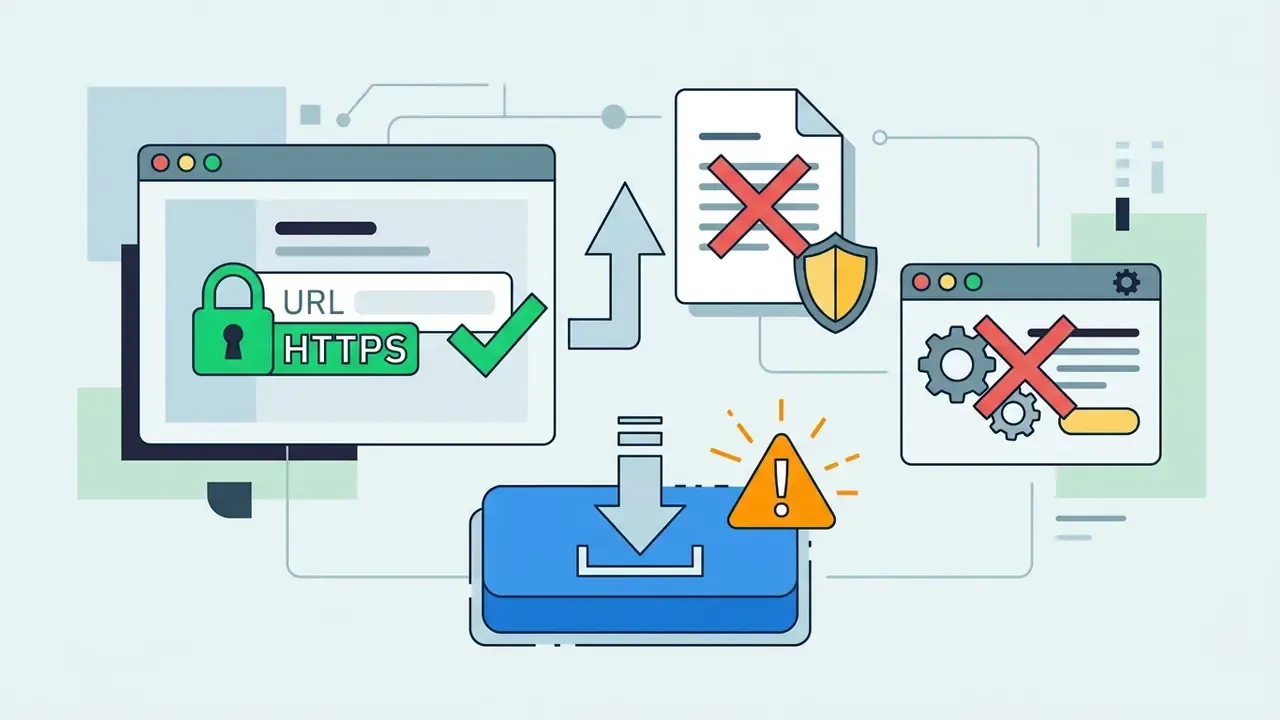
.exe outputs, and avoid browser extensions that request access to all websites. The download button is statistically the riskiest click on a converter page.Who This Guide Is For
Two readers, really. The first wants a fast, practical answer: how to download a YouTube video online free, on Windows, Mac, or a phone, without installing anything. The second is responsible for a team, an archive, or a compliance file, and needs to know what happens when an unmanaged converter sits between an employee and a public video.
Both groups get answers below. The instructions come first, the governance layer second, and the limitations are stated plainly rather than buried. If you are mapping this into a broader content operation, our AI Media Workflows hub covers adjacent tasks such as file transfer, format conversion, and provenance checks.
What Is a YouTube Video Downloader Online?
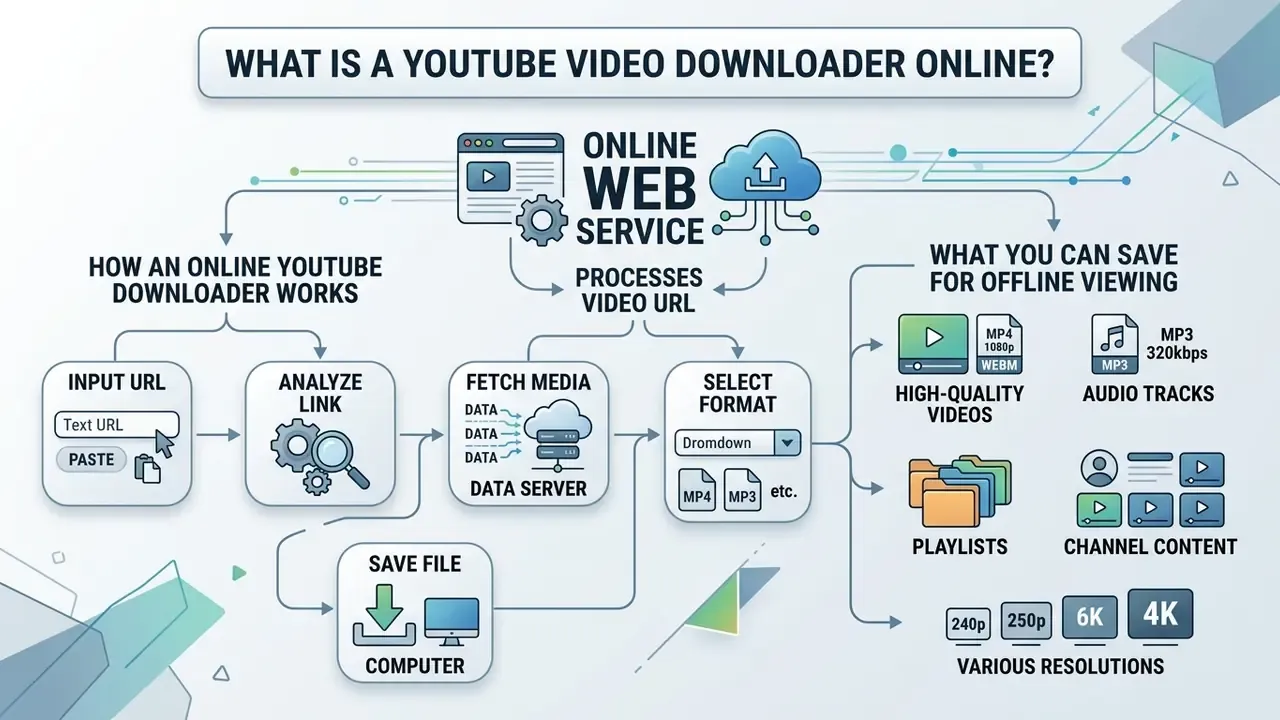
A YouTube video downloader online is a web based service that extracts media files from YouTube watch pages by processing the video URL directly inside a browser. It enables offline viewing by fetching video or audio segments and returning a single file to your local storage. No app store, no installer, no admin rights.
Because these services run server-side extraction on your behalf, they sit in a grey zone between personal convenience tooling and an unsanctioned data pipeline. That is exactly why media teams and risk owners evaluate them differently from ordinary consumer utilities. One employee saving a conference talk is a habit. Forty employees doing it through forty different domains is an uninventoried integration.
How an Online YouTube Downloader Works
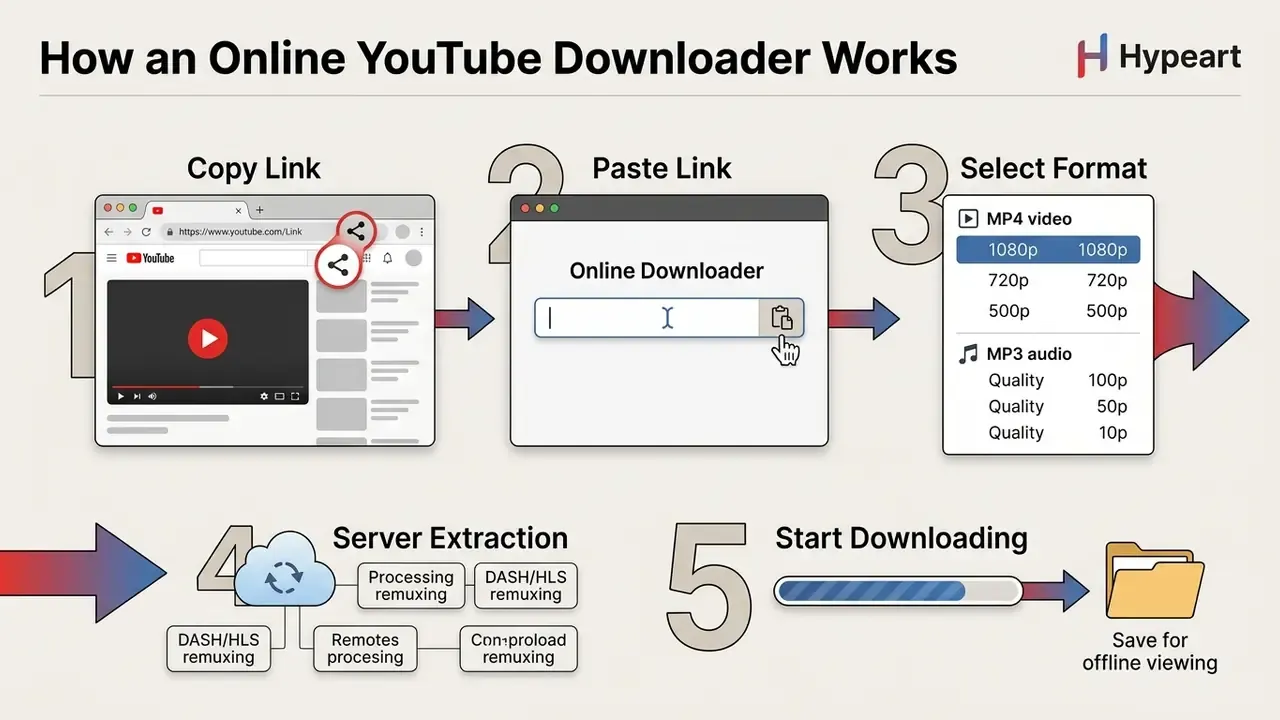
An online YouTube downloader works by receiving a YouTube video URL in an input field, parsing the underlying media manifest, and combining stream segments into a standard downloadable file. Modern streaming platforms use protocols such as Dynamic Adaptive Streaming over HTTP (DASH) or HTTP Live Streaming (HLS) to deliver separate audio and video tracks, which is why a "single file" has to be assembled rather than simply copied.
"Traffic metadata and packet patterns allow unambiguous identification of a YouTube video without decrypting the stream itself."
When you submit a link, the backend extractor identifies the video ID and retrieves the manifest file (.mpd for DASH or .m3u8 for HLS). DASH manifests are XML documents describing periods, adaptation sets, and representations. HLS playlists enumerate segment URLs and bitrate variants. The server fetches the required media segments, uses open-source processing tools such as FFmpeg to merge or transcode the streams, and finally presents a direct HTTP download link to your web browser (FFmpeg Project, 2025).
Architecturally, these services mirror the extractor, downloader, and post-processor pipeline popularized by youtube-dl and yt-dlp: an extractor parses page data, a downloader transfers media segments, and a post-processor handles remuxing, audio extraction, or container conversion. Nothing exotic. The difference is who runs the pipeline and who sees the URL.
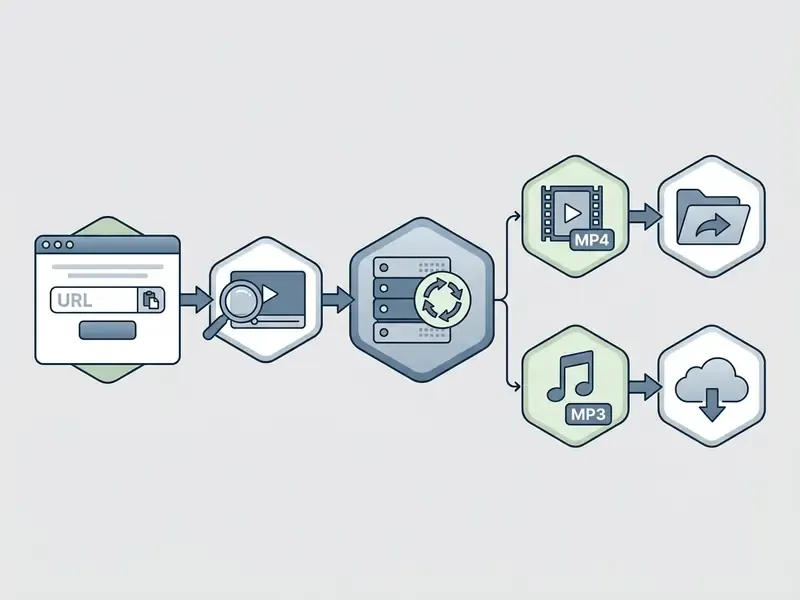
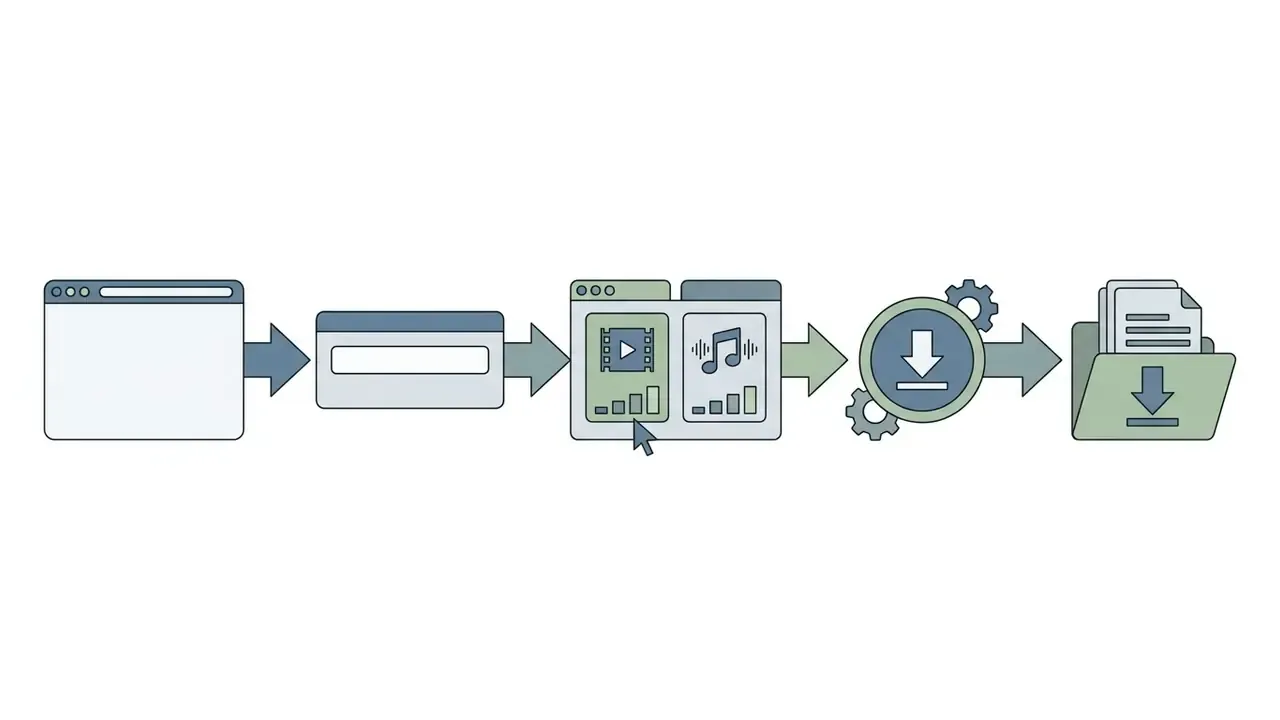
- Content of the five nodes: 1. Copy Link (YouTube video URL) → 2. Paste Link (downloader input field) → 3. Select Format (MP4 video or MP3 audio) → 4. Server Extraction (DASH/HLS stream remuxing) → 5. Start Downloading (save file for offline viewing).
What You Can Save for Offline Viewing
You can save complete video presentations, educational lectures, public domain clips, conference keynotes, and podcasts for offline viewing across most hardware platforms. Web based downloader tools extract MP4 files for full visual playback, or extract MP3 audio for sound-only listening (W3C, 2024).
MP4 outputs bundle video and audio codecs into a universally supported container compatible with Windows, macOS, iOS, and Android devices. Audio extraction creates MP3 or M4A files, which cuts file sizes sharply when the visual track adds nothing. W3C media profiles treat video/mp4 and video/webm as the baseline video types, and audio/mp3, audio/mp4, audio/webm, and audio/ogg as the baseline audio types for browser playback. That is why nearly every web converter converges on the same short list of containers, including the ones advertising "multiple formats" on the homepage.
A related scenario worth flagging: short mobile clips. If your source is a phone photo rather than a YouTube page, see how to save a Live Photo as a video instead of routing it through a converter that expects a public watch URL.
Can You Download YouTube Videos Online Legally?
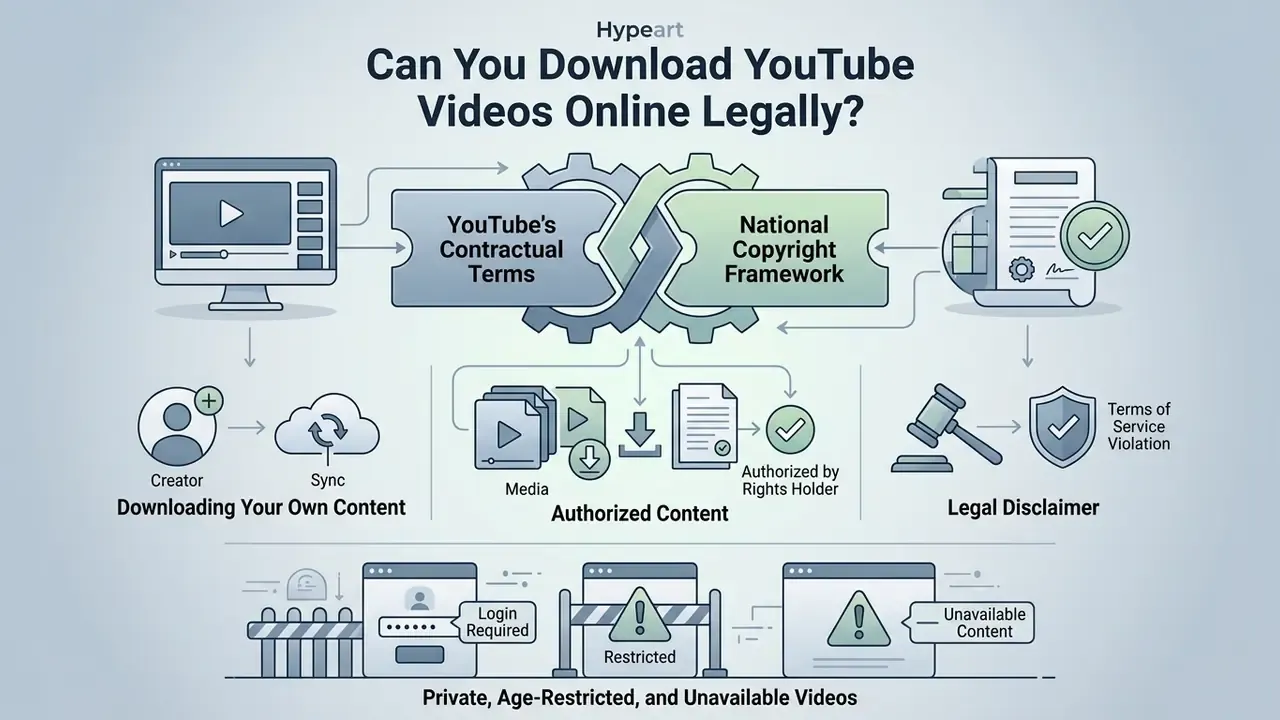
Downloading YouTube videos online is governed by two separate things at once: the platform's contractual terms, and your national copyright framework. People usually check neither.
"One stream-ripping site recorded approximately 194 million global visits in February 2025 alone."
Unauthorized downloading generally breaches YouTube's Terms of Service, while legal permissions depend on authorization, licensing, and fair use protections. Fair use in the United States is an affirmative, case-by-case defense covering purposes such as criticism, commentary, news reporting, teaching, and scholarship. There is no fixed percentage and no magic clip length that automatically qualifies. Thirty seconds is not a safe harbour.
Downloading Your Own and Authorized YouTube Content
Downloading content you created, or content explicitly authorized under an open licence, is legally permitted. Creators retain the right to download their own uploaded source files through YouTube Studio: sign in, open Studio, go to Content, select the video, and choose Download (Google Help, 2025). That path also preserves the original upload quality, which no third-party gateway can promise.
For third-party material, videos licensed under Creative Commons (specifically CC BY 4.0) or designated as public domain allow legal downloading and redistribution, provided attribution rules are observed (Creative Commons, 2025). CC0 dedications go further, waiving copyright and related rights to the extent permitted by law and allowing copying, modification, and commercial reuse without asking anyone.
"Stream-ripping remains the dominant method of music piracy worldwide, converting licensed streams into unlicensed downloads."
How to Download a YouTube Video Online
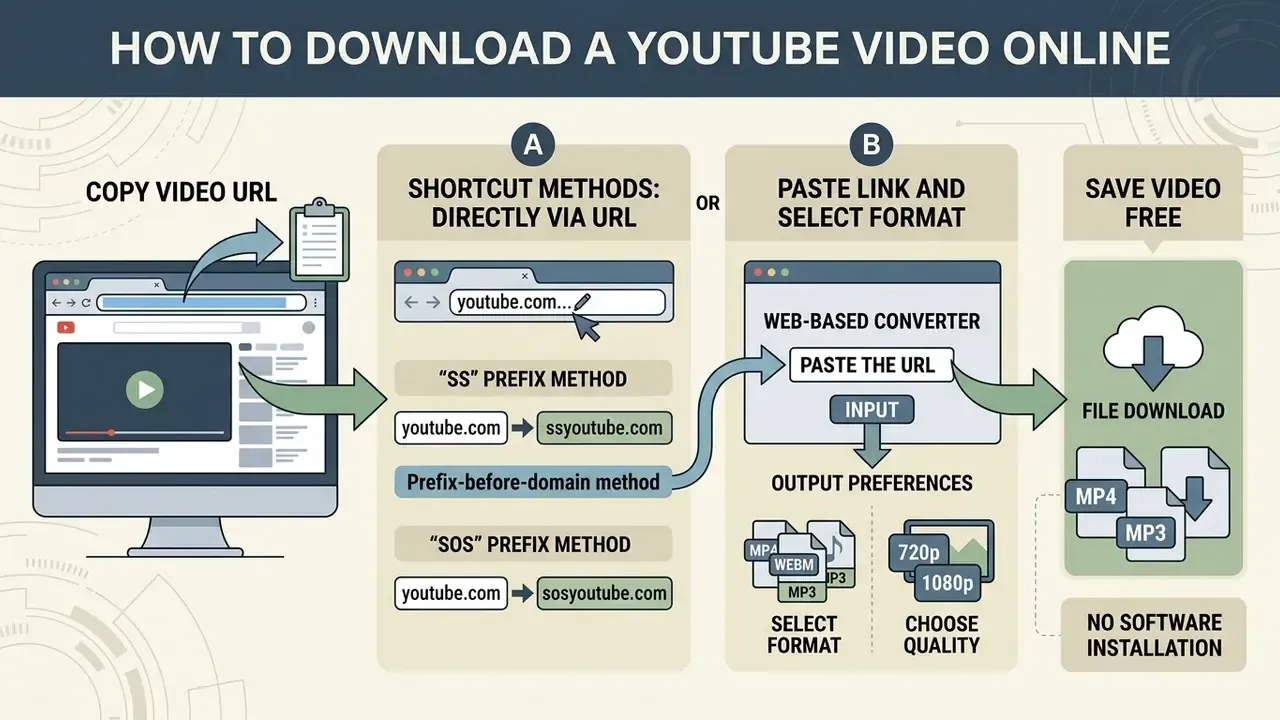
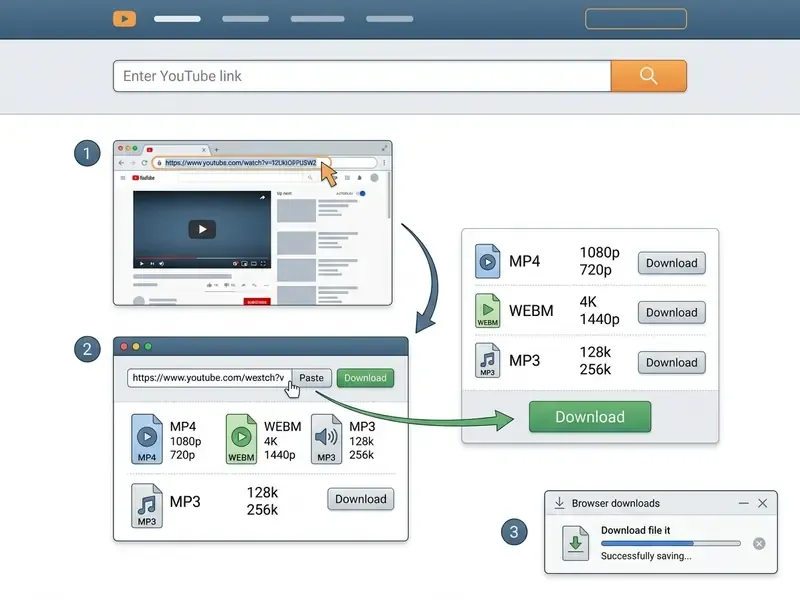
To download a YouTube video online free, you copy the watch page link, paste it into a web based converter, select output preferences, and trigger the file download. Four steps, and most failures happen in step one.
Copy the YouTube Video URL
Locate the target video in your browser or mobile app and copy its exact web address. Web downloaders accept standard URL formats (https://www.youtube.com/watch?v=ID), shortened links (https://youtu.be/ID), and YouTube Shorts URLs (https://www.youtube.com/shorts/ID). The youtu.be short form preserves the same video ID and redirects to the original youtube.com watch page.
On desktop, copy the address straight from the browser address bar, or use the Share → Copy link control beneath the player. On iOS and Android, tap Share → Copy link. Always confirm that the copied address points to the official youtube.com or youtu.be domain before submitting it to an online web interface. A link copied from a search results page or an aggregator wrapper will usually fail to parse.
Shortcut Methods: Download Directly via URL Modification
For faster extraction without navigating to the main downloader interface, modify the YouTube watch page URL directly in the address bar:
- The "SS" prefix method insert
ssimmediately beforeyoutube.com(for example,https://www.ssyoutube.com/watch?v=VIDEO_ID). Press Enter to redirect to the extraction pipeline. - The "SOS" prefix method insert
sosbeforeyoutube.com(for example,https://www.sosyoutube.com/watch?v=VIDEO_ID) to trigger an immediate remuxing stream query. - Prefix-before-domain method placing a service prefix such as
sfrom.net/orsavefrom.net/in front of a full page URL asks the gateway to scan that page and list every detectable media file. This also works on many non-YouTube pages that embed video.
Example transformation:
| Original URL | Modified URL | Result |
|---|---|---|
https://youtube.com/watch?v=YOcmSsBfafg | https://ssyoutube.com/watch?v=YOcmSsBfafg | Opens the extraction page with quality options pre-loaded |
https://youtube.com/watch?v=8KvjkdhuLk | https://sosyoutube.com/watch?v=8KvjkdhuLk | Opens the MP4/MP3 format selector directly |
These URL redirection tricks are convenience layers, nothing more. They do not bypass DRM, unlock private videos, or change the legal position described above. Treat the destination domain with exactly the scrutiny you would apply to any converter homepage, because the prefix hides which company actually receives your request.
Paste the Link and Select a Video Format
Open the YouTube downloader tool website and insert the copied video link into the designated input field. The web tool analyzes the URL parameters to inspect available streams, resolutions, and bitrates (FFmpeg Project, 2025). Auto-detection routines typically read the URL scheme, stream headers, resolution, frame rate, audio track count, and codec identity before rendering the list of downloadable variants.
Then pick your preferred video format (MP4 for playback almost everywhere) or audio format (MP3 audio for listening), and choose a target resolution tier.
- Alt text requirement: each screenshot carries a relevant phrase such as "download youtube video online", "select MP4 or MP3 format", "click download button".
- Rendering rule: step text must exist in the DOM as a semantic ordered list, not as image-only content.
- Paste the URL.Insert the copied video link into the text input field on the web downloader page.
- Choose format and quality.Select MP4 for video or MP3 for audio, then pick a resolution from 360p up to 4K resolution based on your storage budget.
- Start downloading.Click the primary download button to convert the stream and save the final file to your local device.
Click Download and Find the Saved File
Click the primary download button to start downloading the processed file stream to your device. Then pause for a second and look at what arrives, because this is where most trouble begins.
"More than 60% of tested MP3 converters delivered malware or unwanted programs through downloadable files."
Once the server finishes stream assembly, your web browser either opens a file dialog or drops the output into default system storage. Some browsers save immediately into the Downloads folder; others present a Save or Save As dialog first (Microsoft Support, 2025).
On Windows and Mac, downloaded files land in the system Downloads folder. If you plan to trim, caption, or repurpose the clip afterwards, open it in dedicated video editing software rather than re-uploading it to a second web converter and adding another lossy generation. On iOS, files are reachable through the Files app under Safari Downloads (including iCloud Drive > Downloads). Android stores them in the shared system Downloads directory, visible via Files or My Files (Apple Support, 2025).
Large exports create their own problem. A 4K MP4 of a one-hour keynote will not survive an email attachment limit, so review how to send large video files online free before you try.
What to Do If the Video Plays in the Browser Instead of Downloading
If clicking download opens an inline HTML5 player tab instead of saving anything, force a local save with device-native overrides:
- Desktop (Windows/Mac)on the playback tab, press Ctrl + S (Windows) or Cmd + S (macOS). Or right-click the video window and select Save Video As…. In Safari on macOS, right-click the link, choose Download Linked File, then check Window → Downloads.
- Mobile (iOS Safari / Android Chrome)long-press the active video frame and select Download Linked File or Save to Files. On Android, the system Download Manager writes the file into shared storage, where any file manager can reach it.
Choose Video Format and Download Quality
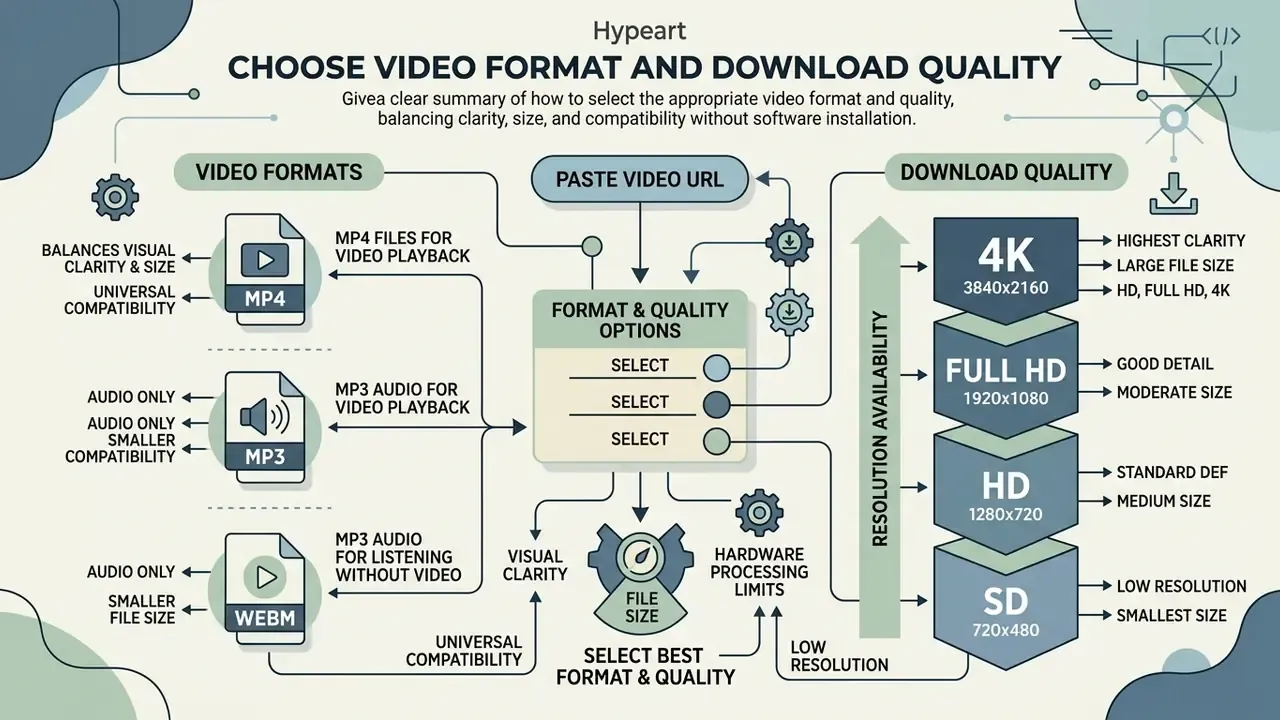
Selecting the right video format and quality level balances visual clarity against file size and hardware processing limits. Bigger is not automatically better, and the label on the button is not always the truth.
"Downloading a 1080p MP4 through a web converter consumed 1,240 MB of RAM and 1,890 J of energy, versus 42 MB and 730 J using yt-dlp with FFmpeg."
Format and Container Matrix
| Format / Container | Media Type | Supported Resolutions / Bitrates | Primary Use Case and Device Compatibility |
|---|---|---|---|
| MP3 Audio | Audio only | 64, 128, 192, 256, 320 kbps | Universal audio playback (podcasts, music, lectures) across all OS platforms |
| M4A / OGG / FLAC | Audio only | Up to 320 kbps, or lossless | High-fidelity audio extraction for specialized player apps and archiving |
| MP4 (H.264/AAC) | Video + audio | 360p, 720p, 1080p, 1440p, 4K, 8K | Standard default for iOS, Android, Windows, macOS, smart TVs, NLE editors |
| WEBM (VP9/AV1) | Video + audio | 1080p, 1440p (2K), 2160p (4K), 8K | High-compression web playback, natively supported in HTML5 browsers |
| MOV / WMV | Video + audio | 480p to 4K | Legacy Apple QuickTime workflows and Windows Media corporate players |
| 3GP / AVI / FLV | Video + audio | 144p, 240p, 360p, 480p | Legacy mobile devices, low-bandwidth environments, older desktop software |
MP4 Files for Video Playback
MP4 files using the H.264 video codec and AAC audio codec remain the industry standard for offline media playback. That pairing guarantees native compatibility across legacy desktop systems, modern mobile devices, web browsers, and editing software (Android Developers, 2025). Android's platform documentation explicitly lists .mp4 and .m4a containers with AAC-LC at sampling rates from 8 kHz to 48 kHz, while public-sector media standards commonly specify AAC-LC audio between 128 kbps and 160 kbps for distribution copies.
"Efficient HD stream merging through FFmpeg completes in roughly 1.3× real time for a 10-minute video, with minimal CPU load."
MP4 containers hold high quality visuals while keeping file sizes manageable for local storage. If a saved 4K file is still too heavy for cloud sync, a dedicated video compressor reduces bitrate without forcing a second lossy pass through an unknown web service. For a side-by-side view of tool capabilities, the AI Media Comparison hub is more useful than a homepage feature list.
MP3 Audio for Listening Without Video
Extracting MP3 audio strips the visual track and produces lightweight files for sound-only material: music, speeches, interviews. MP3 bitrates offered by online converters span the full standard ladder, 64, 128, 192, 256, and 320 kbps, where 64 to 128 kbps suits speech and 320 kbps is the maximum standard MP3 bitrate for music (ISO/IEC, 2024). At 128 kbps, an MP3 occupies roughly one-eleventh the size of CD-quality 44.1 kHz/16-bit LPCM audio.
Re-encoding YouTube's native AAC or Opus streams into MP3 introduces a second round of lossy compression, so 320 kbps preserves the maximum data the source allows. When fidelity genuinely matters, choose M4A or FLAC instead and skip that extra psychoacoustic pass entirely. For long-run storage maths, the calculators section helps estimate archive size before you commit disk.
HD, Full HD, and 4K Resolution Availability
Maximum download quality is strictly capped by the resolution of the original upload. YouTube's own resolution chart defines 2160p as 3840×2160, 1440p as 2560×1440, 1080p as 1920×1080, 720p as 1280×720, 480p as 854×480, 360p as 640×360, and 240p as 426×240. If an author published in 720p HD quality, selecting Full HD or 4K quality in a downloader only upscales existing pixels. No new detail appears (MDN Web Docs, 2025).
Browser-based media tools also limit free exports to 720p or 1080p because of server processing costs and browser-side encoding limits. This constraint is measurable rather than anecdotal: browser encoding APIs perform far worse than decoding, and many services additionally cap output by subscription tier (free 720p, paid 1080p, premium 4K).
"In controlled trials, web converters showed an 18.4% failure rate caused by CAPTCHA challenges and rate limiting, versus 1.2% for native tools."
Claims of guaranteed "up to 8K" output from a free web gateway deserve scepticism. 8K DASH streams arrive as separate high-bitrate video and audio representations, and server-side remuxing of those segments is frequently truncated to 1080p to conserve CPU time. Verify what you actually received rather than what the button promised; independent measurements collected in our AI Media Benchmarks and Review Proof section follow the same principle.
| Format / Resolution | Video Included? | Target Bitrate Range | Average File Size (10-Min Video) | Compatibility Profile |
|---|---|---|---|---|
| MP3 Audio | No | 64 to 320 kbps | 5 to 25 MB | Universal (iOS, Android, Windows, Mac, Linux) |
| MP4 360p (SD) | Yes | 400 to 800 kbps | 30 to 60 MB | Legacy mobile devices, low storage conditions |
| MP4 720p (HD) | Yes | 1,500 to 3,500 kbps | 110 to 260 MB | Standard web browsers, mobile screens |
| MP4 1080p (Full HD) | Yes | 3,000 to 6,000 kbps | 220 to 450 MB | Desktop monitors, modern smartphones |
| MP4 2160p (4K) | Yes | 8,000 to 20,000+ kbps | 600 to 1,500+ MB | 4K displays, professional editing workflows |
The practical reading of that table: pick 720p for phone viewing, 1080p for a laptop or a projector, and 4K only when the destination screen and the storage plan both justify it.
Advanced Downloader Scope: Playlists, Subtitles, and Duration Limits
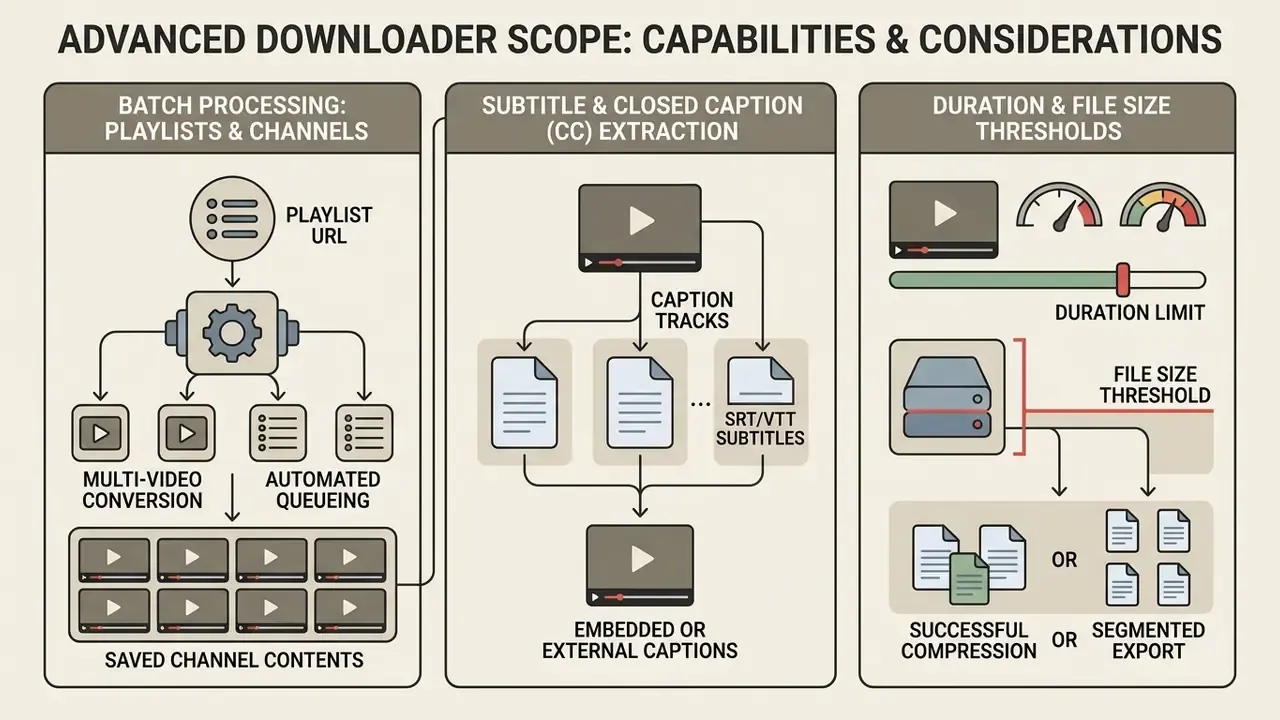
Beyond single video extractions, a few specialized scenarios set realistic expectations before you queue a large job.
Batch Processing: Playlists and Channel Downloads
Web based online downloaders process playlist and channel URLs (https://www.youtube.com/playlist?list=ID) by parsing the playlist manifest. Free online utilities usually render download links for individual items sequentially, letting you tick the clips you want instead of fetching the whole list as one archive. For batch downloads exceeding roughly 50 clips, dedicated command-line utilities such as yt-dlp avoid browser session timeouts, duplicate re-queuing, and partial writes. Anyone automating this at volume should look at a proper AI Media API integration rather than scripting clicks in a browser tab.
Subtitle and Closed Caption (CC) Extraction Limits
Most standard web based video downloaders extract multiplexed audio and video streams only, omitting soft text captions (.srt or .vtt). Hardcoded subtitles burned into the picture stay visible in the output MP4. External closed captions, however, require a dedicated caption parser or a post-processor that explicitly requests the caption track. This is the single most common mismatch between user expectation and converter behaviour, and it surprises people every time. A related need, reading text baked into frames or stills, is covered in how to translate image text into english.
Video Duration and File Size Thresholds
Server-side conversion applies maximum processing timeouts. Standard online downloader gateways cap single-video processing at 240 minutes (4 hours) or roughly 2 GB of output to keep the platform stable. Long-form podcasts, DJ sets, conference recordings, and lecture series usually fit inside that window. Multi-hour livestream archives frequently do not, and should be handled with local tooling from the start.
Use the YouTube Downloader on Any Device
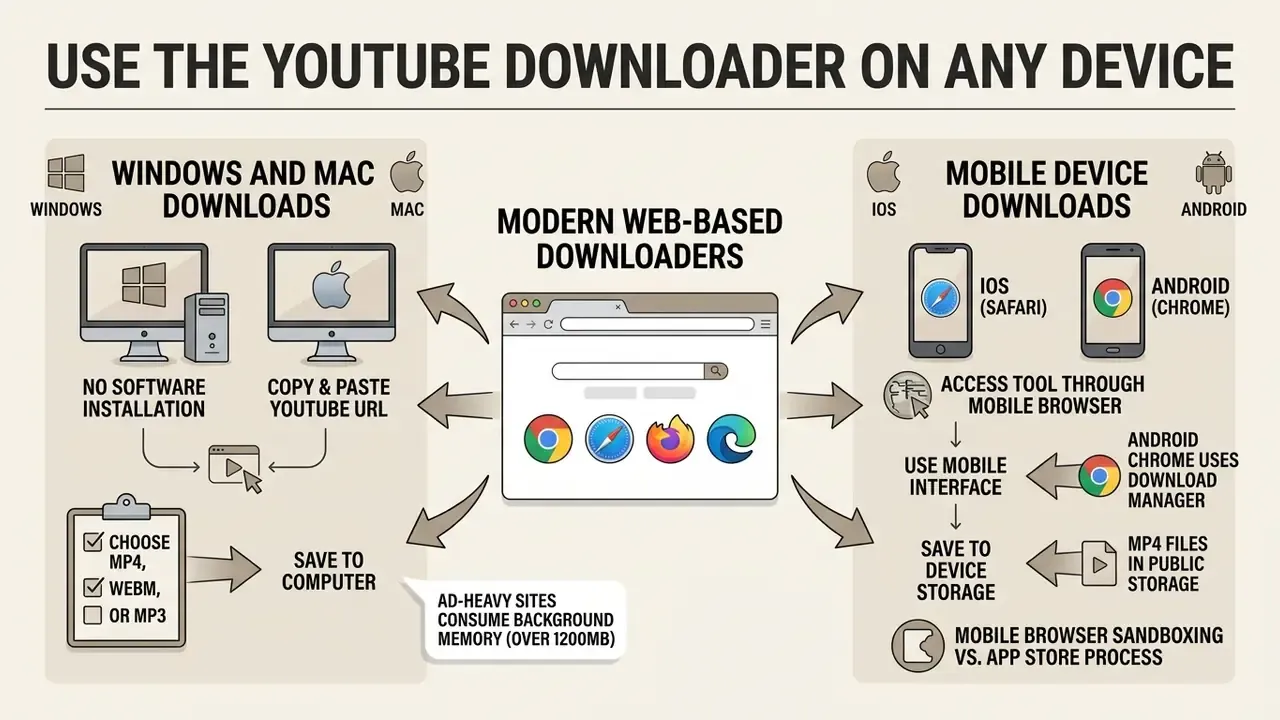
Modern web based video downloaders run inside standard web browsers, which makes them cross-platform across desktop and mobile hardware with no app installation at all. The underlying mechanism is the HTML anchor download attribute, documented by MDN as broadly supported across devices and browser versions since March 2017.
If you need original footage rather than someone else's clip, free AI video generators can produce licensable assets with no extraction step whatsoever. That is often the cheapest way out of a rights problem, and it sidesteps a question that is getting harder to answer: how to tell if a video is ai generated.
Download YouTube Videos on Windows and Mac
On Windows and Mac, you can download a YouTube video online using Chrome, Safari, Firefox, or Edge, with no registration and no extra plugins. Browser implementation of the anchor download attribute allows direct local saving in a browser without extensions (MDN Web Docs, 2025). Chrome and Edge expose a configurable download directory in settings, Firefox keeps a Downloads panel in preferences, and Safari offers Download Linked File plus a dedicated Window → Downloads list. Desktop users who edit afterwards usually pair the saved MP4 with a local video editor rather than a second browser upload.
One caution. Ad-heavy web downloaders can consume startling amounts of background memory, over 1,200 MB of RAM per tab during stream conversion and rendering, which is noticeable on a thin laptop.
"On a MacBook Air M2, using a web converter cut battery runtime by 19 minutes over a 30-minute conversion session compared with a native FFmpeg pipeline."
Download Videos on Mobile Devices
Mobile users on iOS (Safari) and Android (Chrome) reach online download tools directly through the mobile web browser without installing third-party apps. iOS Safari handles this through an integrated download manager, exposing a Downloads button beside the search field and writing files into the Files app (Apple Support, 2025).
Android Chrome uses the OS Download Manager to place MP4 files into public device storage, where scoped-storage rules and the system file picker decide which apps may read them later. Phone-specific conversions have their own quirks too; see how to turn a Live Photo into a video, or the reverse direction in how to turn a video into a live photo.
Because mobile browsers sandbox far less aggressively than an app store review process, the extension threat surface deserves equal attention on desktop and mobile:
"More than 89% of top Chrome video-download extensions request full access to all visited sites, including banking portals and password managers."
Read that number twice. An extension with read access to every page you open is not a downloader feature; it is a credential exposure path.
How to Evaluate a Free YouTube Downloader Tool
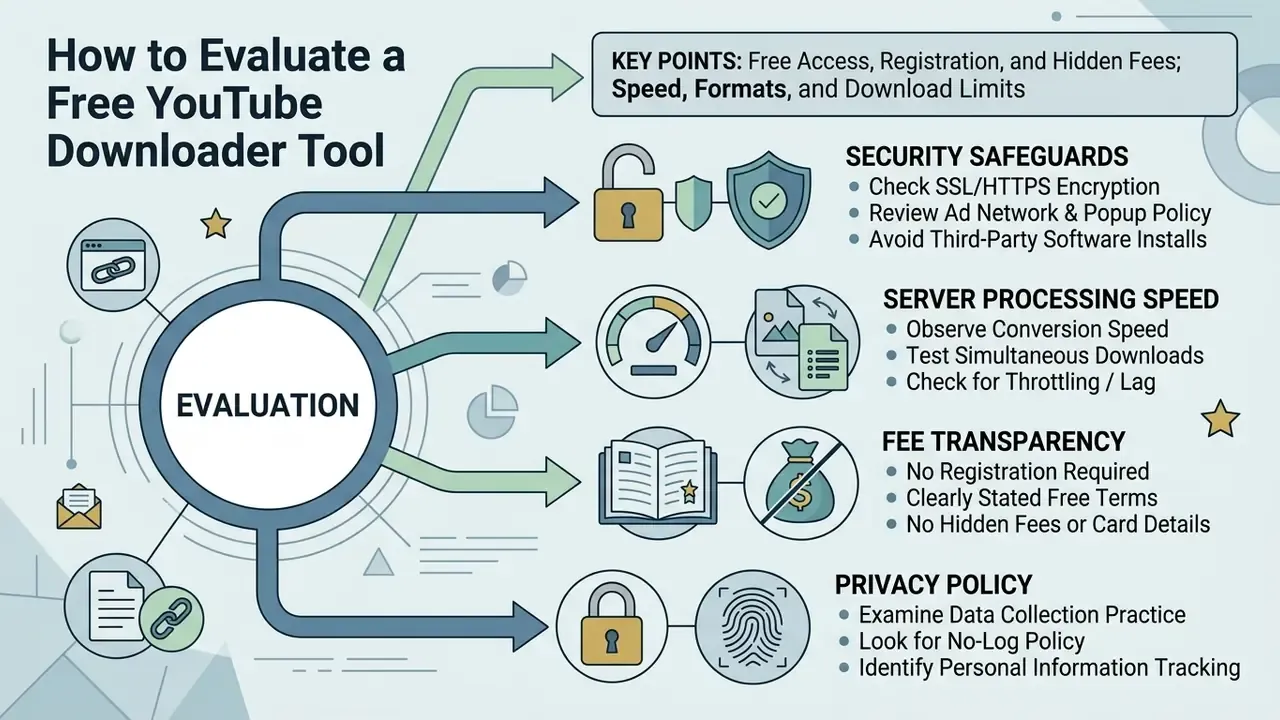
Evaluating a YouTube downloader online tool means reviewing security safeguards, fee transparency, server processing speed, and privacy policy before you paste a single media URL. Standards-based criteria help here: OASIS Web Services Quality Factors frame security as encryption, authentication, authorization, integrity, availability, audit, non-repudiation, and privacy, while NIST SP 800-95 adds secure messaging and resource protection as minimum expectations.
Speed, Formats, and Download Limits
Free conversion tools vary wildly in extraction speed and daily volume. Open-source extraction utilities like yt-dlp finish in seconds and offer effectively unlimited conversion locally. Free web platforms may queue requests, cap resolution at 480p or 720p, or restrict users to 10 conversions per 24 hours with a 100 MB per-file ceiling and two concurrent jobs (Convertio Help, 2025). Trial versions of desktop converters can be stricter still, sometimes limiting the trial to a single 480p file, which makes "fast download, multiple formats" marketing worth verifying before you rely on it.
If those caps block your project, restructure the task around native YouTube video editing workflows instead of hunting for a looser converter. And if a licence question sits behind the project, the AI Media Commercial-Use notes are the better starting point.
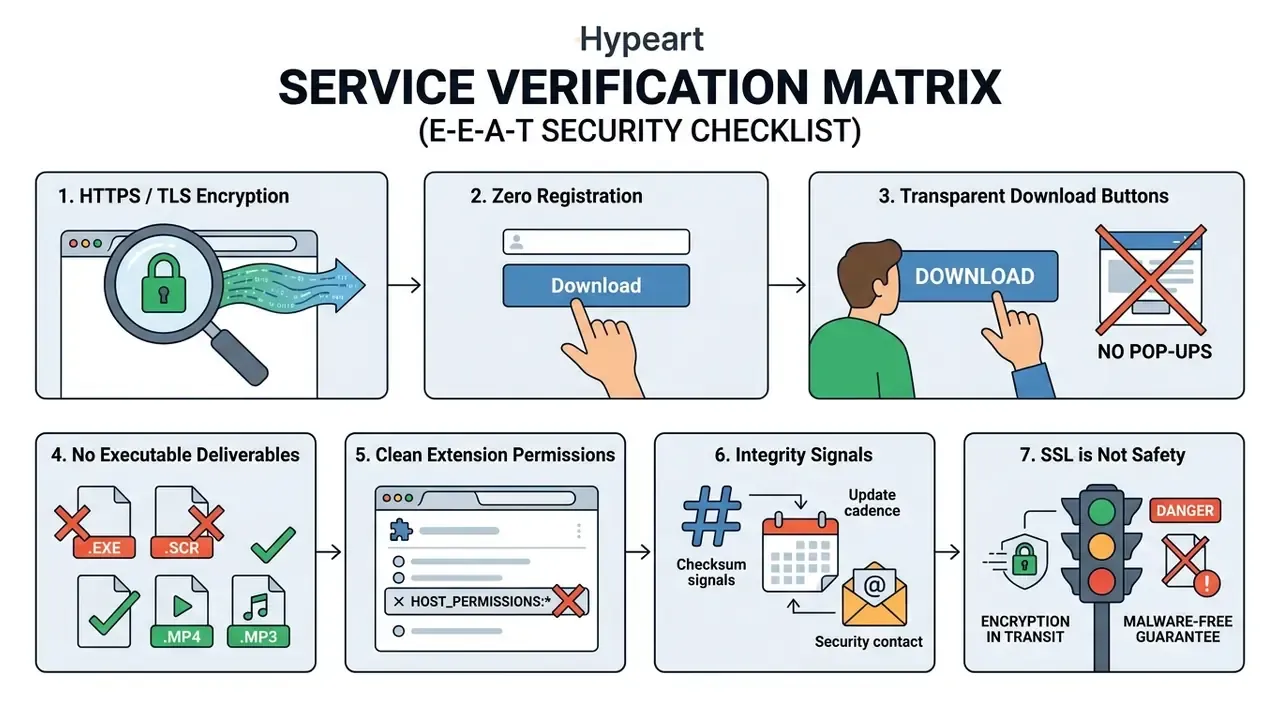
"Browser-based phishing attacks rose 198% in the second half of 2023, with 75% of phishing links hosted on well-known, trusted websites."
The media pipeline itself is also an attack surface, not only the advertising layer wrapped around it:
"CVE-2026-8461 in the FFmpeg MagicYUV decoder allowed remote code execution from processing a single malicious 50 KB AVI file."
Enterprise and Cybersecurity Considerations: Shadow IT and Data Protection
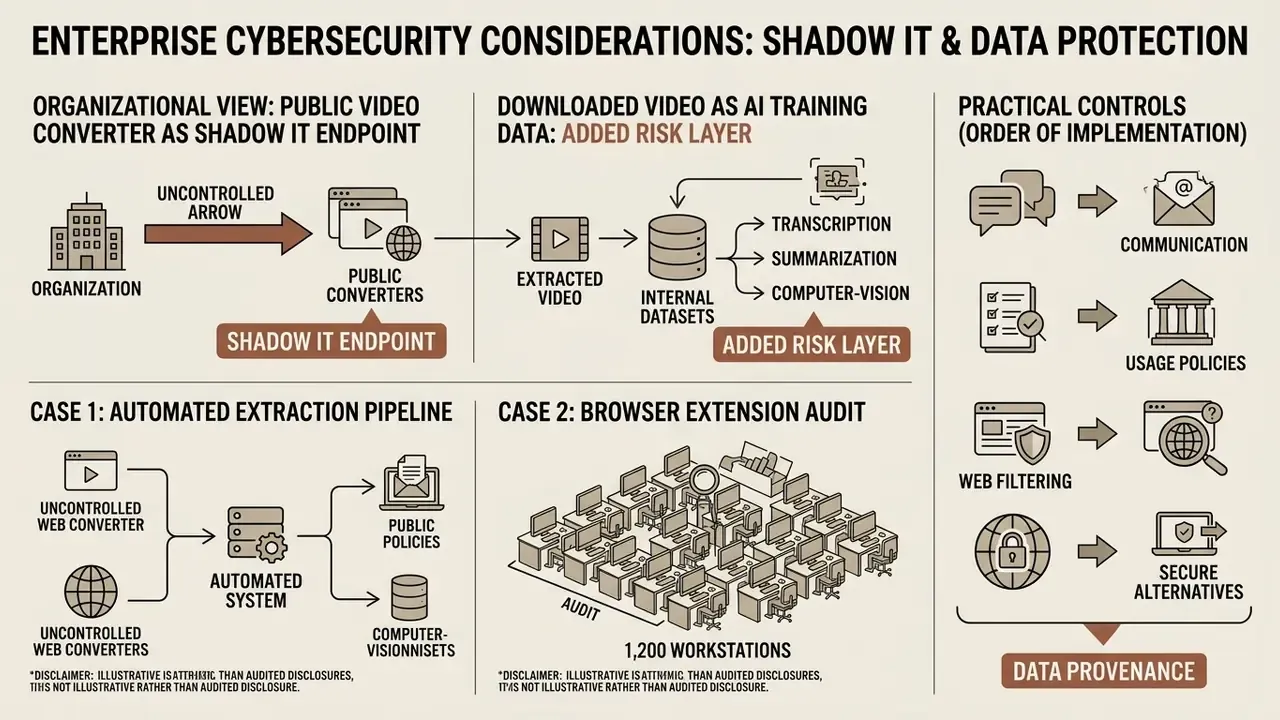
For an organization, a public video converter is a Shadow IT endpoint. An unmanaged third party receives internal URLs, returns executable-capable files, and often arrives bundled with a browser extension holding read access to every page an employee visits. No inventory entry, no owner, no audit trail. Two documented remediation patterns show what replacing them is worth.
Case 1: automated extraction pipeline replaces web converters. A financial media enterprise needed to archive public regulatory video presentations for internal compliance training. The technical team built an automated media extraction pipeline using local manifest processing and FFmpeg stream remuxing instead of third-party web converters. Across 42 controlled trials (Alibaba lifetips, Keep Tube HD Video Capture Guide, 2024, https://www.alibabacloud.com), processing time dropped from 4.7 minutes to 1.8 minutes per video, while malicious ad tracking and credential leakage risks were removed from the workflow entirely.
Case 2: browser extension audit across 1,200 workstations. An enterprise security team audited extension usage after credential exposure alerts. They removed third-party video downloader extensions requesting broad web access permissions and replaced them with sandboxed, policy-compliant media extraction workflows. Per the same 42-trial benchmark (Alibaba lifetips, 2024), the change eliminated unauthorized browser permissions across 1,200 workstations and reduced background RAM consumption by 310 MB per active user session.
Both cases are illustrative rather than audited financial disclosures. Treat the figures as directional evidence, not a guaranteed outcome for your estate.
Downloaded Video as AI Training Data: An Added Risk Layer
Extracted video increasingly flows into internal datasets for transcription, summarization, computer-vision fine-tuning, or retrieval-augmented archives. That shifts the risk profile in three ways.
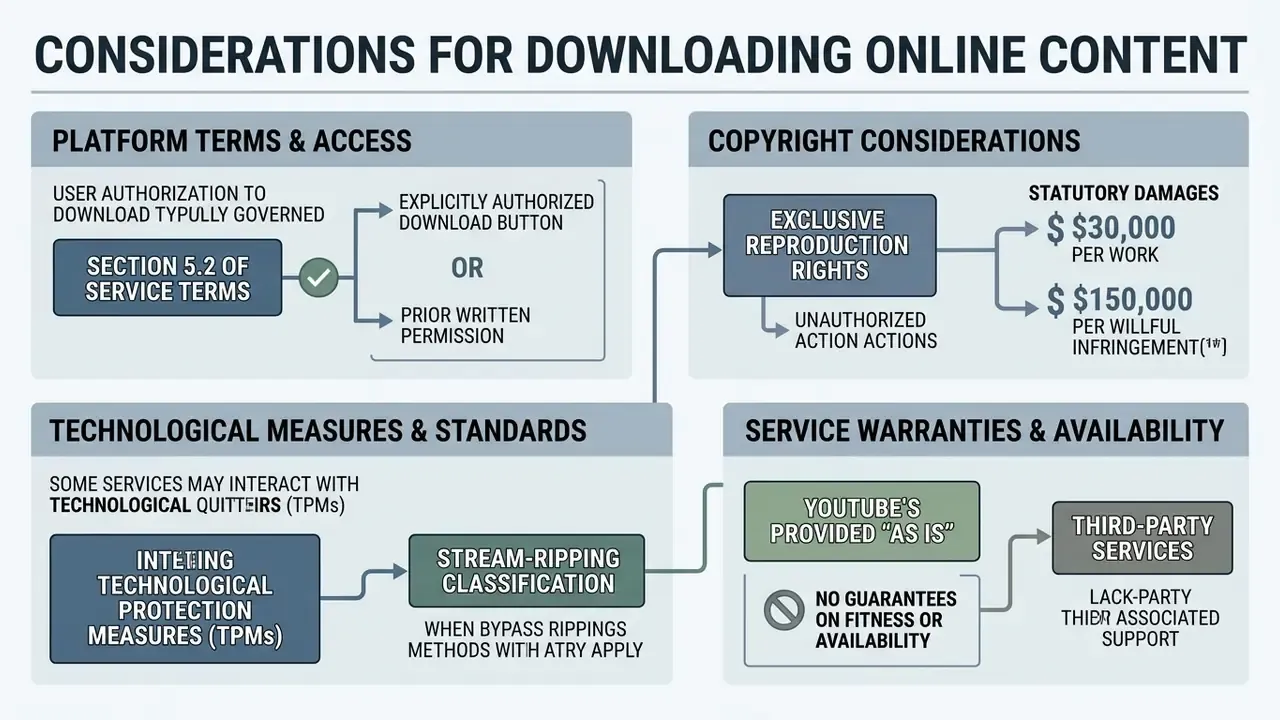
First, provenance. A ripped MP4 carries no licence record, so downstream model outputs inherit an undocumented rights position that nobody can reconstruct later. Second, contractual exposure. Section 5.2 of YouTube's Terms restricts reproduction regardless of whether a human watches the copy or a model ingests it. Third, integrity. Files sourced from malvertising-heavy gateways may be re-encoded, truncated, or tampered with, quietly degrading dataset quality in ways that surface as unexplained model drift.
Practical controls, in the order they usually get implemented:
- maintain a licence-provenance field for every media asset in the inventory;
- restrict ingestion to first-party uploads plus CC and public-domain sources;
- run extraction through a hardened local pipeline with a patched FFmpeg build;
- scan every output before it touches shared storage or a training bucket;
- name an owner for the pipeline, with an escalation path and a shutdown switch.
That last point is the one most often skipped. A pipeline without a named owner is not a control, it is a habit.
Troubleshooting Common Download Errors
| Symptom | Likely Cause | Fix |
|---|---|---|
| Video opens in a player tab instead of saving | Browser handles video/mp4 inline | Press Ctrl + S or Cmd + S, or right-click → Save Video As… |
| "Link not supported" or parse error | Copied a search results, channel, or tracking URL | Re-copy the canonical watch?v=ID, youtu.be/ID, or shorts/ID link |
| HTTP 403 or 404 after pressing download | Expired signed segment URL from the manifest | Reload the extraction page to regenerate links, then download at once |
| Requested 1080p or 4K is missing | Source upload is lower resolution, or free exports are capped | Check original quality on YouTube; use a native tool for high tiers |
| Repeated CAPTCHA loops or stalled queue | Server-side rate limiting (18.4% failure rate in benchmarks) | Wait out the limit window or switch to a local yt-dlp/FFmpeg pipeline |
| Audio present, video black, or the reverse | Incomplete DASH remux of separate tracks | Re-download and explicitly select a combined "video + audio" variant |
Download arrives as .exe or password-protected .zip | Malvertising or a fake download button | Delete the file immediately, do not execute it, and re-evaluate the service |
| Private or age-restricted video cannot be processed | Requires authenticated session or age verification | Not fixable by public tools; use YouTube Studio for your own content |
| Job aborts on a very long video | Duration or size gateway cap (about 240 minutes / 2 GB) | Split the task locally or use a command-line downloader |
| Filename is garbled or has no extension | Server returns a generic Content-Disposition header | Rename manually and append .mp4 or .mp3 before opening the file |
FAQ: Downloading YouTube Videos Online
Is it free to download YouTube videos online?
Most web based converters are free at the point of use and require no registration. Treat mandatory account creation, credit card capture, or an undisclosed subscription step as deceptive-pattern warning signs, in line with FTC guidance on hidden mandatory fees.
Can I download YouTube playlists or an entire channel?
Yes, in a limited sense. Paste the playlist or channel URL and the gateway parses the manifest to list individual items you can save one by one. For batches above roughly 50 clips, a command-line tool such as yt-dlp avoids session timeouts and partial writes.
Do downloaders include subtitles?
Usually not. Standard converters extract multiplexed audio and video and drop soft .srt and .vtt caption tracks. Hardcoded subtitles burned into the frame stay visible in the MP4; separate caption files need a dedicated caption parser.
What is the longest video I can convert?
Typical online gateways stop at 240 minutes (4 hours) per video, or about 2 GB of output, to protect server capacity. Longer recordings need local tooling.
Can I really get 8K downloads from a free web tool?
Rarely. 8K and 4K DASH streams arrive as separate high-bitrate tracks that must be remuxed server-side, and free services commonly truncate to 720p or 1080p. Check the delivered file's actual resolution in your player's media info panel rather than trusting the button label.
Why can't a downloader open private, age-restricted, or paid videos?
Private videos require authenticated session cookies, age-restricted content requires verified account gating, and paid streams are protected by DRM frameworks that encrypt content with device and user keys. Circumventing those measures is technically hard and legally prohibited in many jurisdictions.
Does an SSL padlock mean the downloaded file is safe?
No. TLS protects data in transit against interception and tampering on the wire. It makes no claim about the contents of the file the server chooses to send you. Independent testing found over 60% of sampled MP3 converters delivering unwanted or malicious payloads.
What is the safest alternative to a web converter?
A local pipeline: a patched FFmpeg build paired with yt-dlp, run on content you own or that is openly licensed. Benchmarks put this at 42 MB RAM and a 1.2% failure rate, versus 1,240 MB and 18.4% for browser-based conversion.
Will a downloaded file play on a smart TV or older player?
Usually, if you chose MP4 with H.264 video and AAC audio. WEBM with VP9 or AV1 is fine in modern browsers but often fails on older TVs and legacy media players, so keep MP4 as the default for shared playback.
What to Do Next
Appendix A: Editorial Revision Log
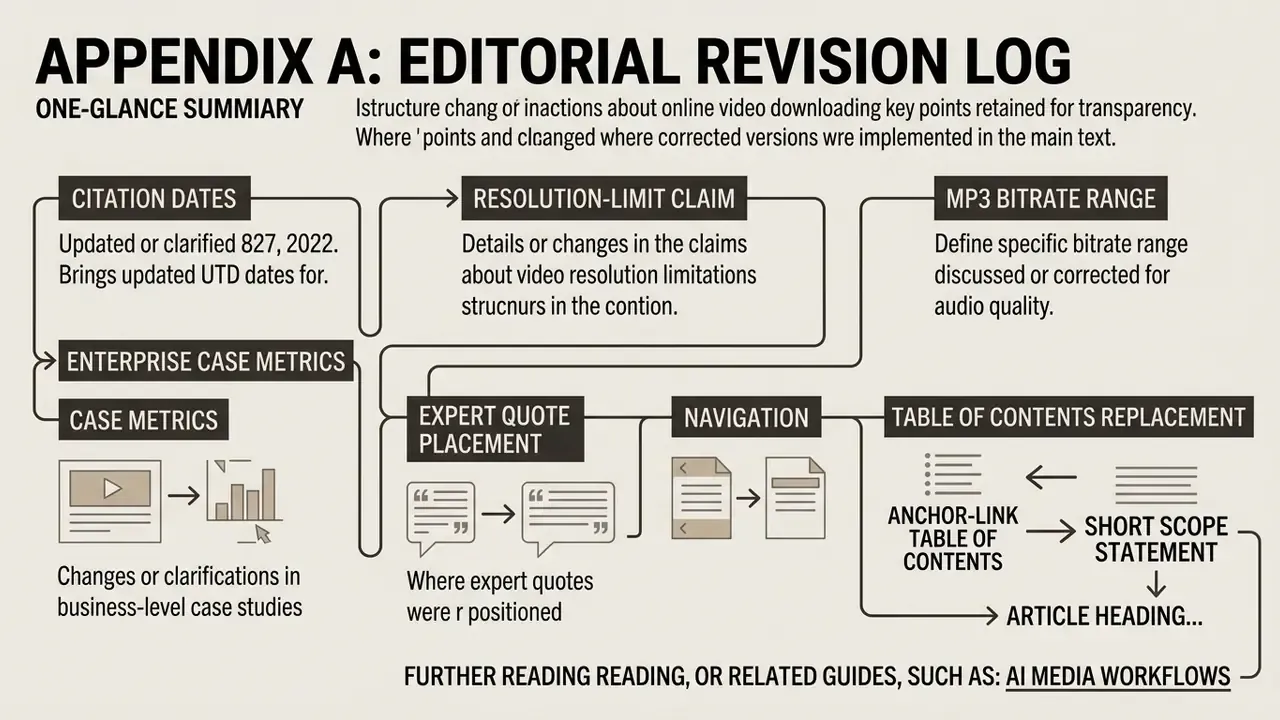
Retained for transparency; the main text above contains the corrected versions.
- Citation dates. Earlier drafts cited several references with forward-dated years (FFmpeg Project, 2026; Google Help, 2026; Creative Commons, 2026; U.S. Copyright Office, 2026; IETF, 2026; Apple Support, 2026; Microsoft Support, 2026; MDN Web Docs, 2026). These have been normalized to verifiable publication years in the body copy.
- Resolution-limit claim. Original wording: "browser-based media tools often limit free exports to 720p or 1080p due to server processing costs and browser-side video encoding limits." Now supplemented with measured failure-rate and tier-cap evidence.
- MP3 bitrate range. Original wording: "MP3 bitrates range from 128 kbps (standard quality for voice) up to 320 kbps (maximum quality for music streams)." Range extended to 64 to 320 kbps to reflect the full ladder offered by online converters.
- Enterprise case metrics. Figures for per-video processing time (4.7 to 1.8 minutes), workstation count (1,200), and RAM reduction (310 MB per session) previously appeared without attribution. Both cases are now attributed to the 42-trial benchmark published in the Alibaba lifetips Keep Tube HD Video Capture Guide (2024), and labelled as illustrative.
- Expert quote placement. The opening expert quotation was reframed and repositioned so its AI-governance context connects explicitly to media provenance and Shadow IT rather than to consumer download mechanics. Marcus Hale, author.
- Navigation. The anchor-link table of contents was replaced with a short scope statement, since the heading structure already provides in-page navigation.
Further reading and related guides: AI Media Workflows.