Executive Summary
- An AI YouTube description generator converts a title, transcript summary, and keyword set into structured, search-ready metadata inside YouTube's 5,000-character description field.
- The practical sweet spot for standard long-form uploads is 125–200 words (roughly 800–1,300 characters); the first 100–150 characters (about 20–25 words) are the only text visible in mobile search snippets before "Show More."
- Governance matters as much as copywriting. Uploading unreleased transcripts to public generators creates Shadow AI exposure, and misleading metadata violates YouTube's Spam, Deceptive Practices, and Scams Policies.
- Use the copy-paste Master AI Prompt Template below, then run the two-step verification pass (claim extraction, then transcript cross-check) before publishing.

00:00, with at least three entries in ascending order and a minimum of 10 seconds per segment.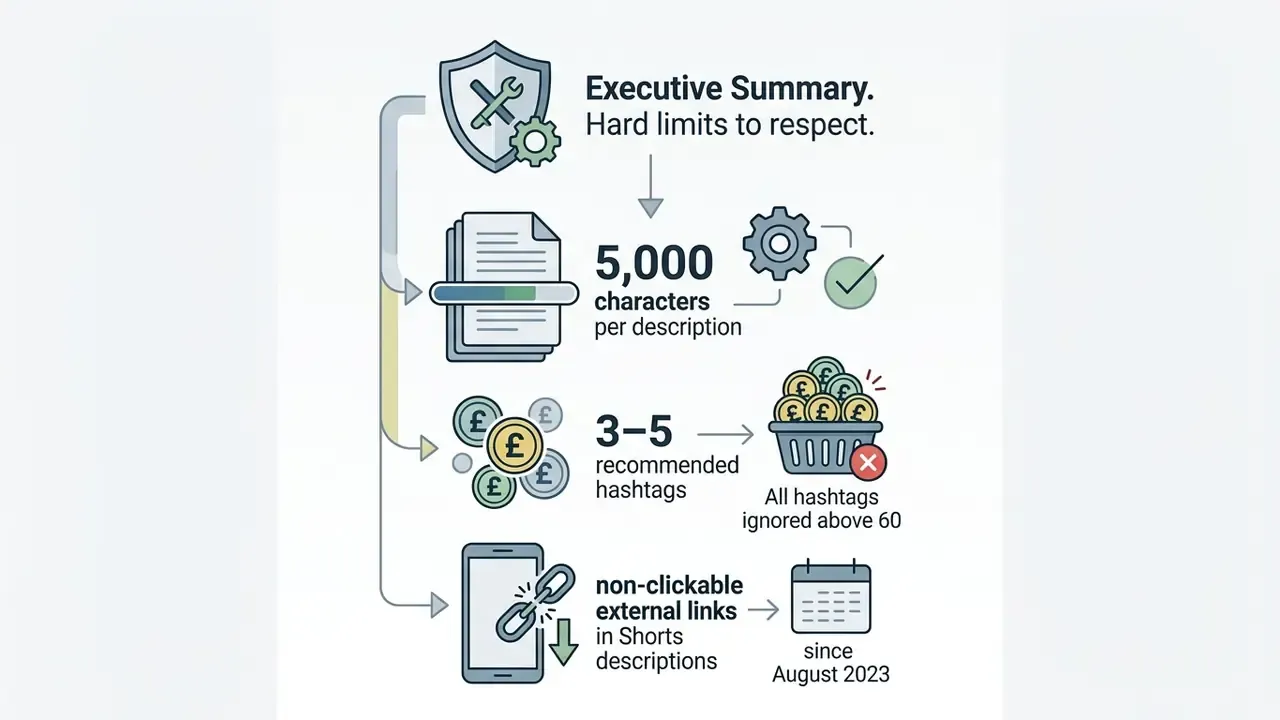
Who This Guide Is For and What It Helps You Decide
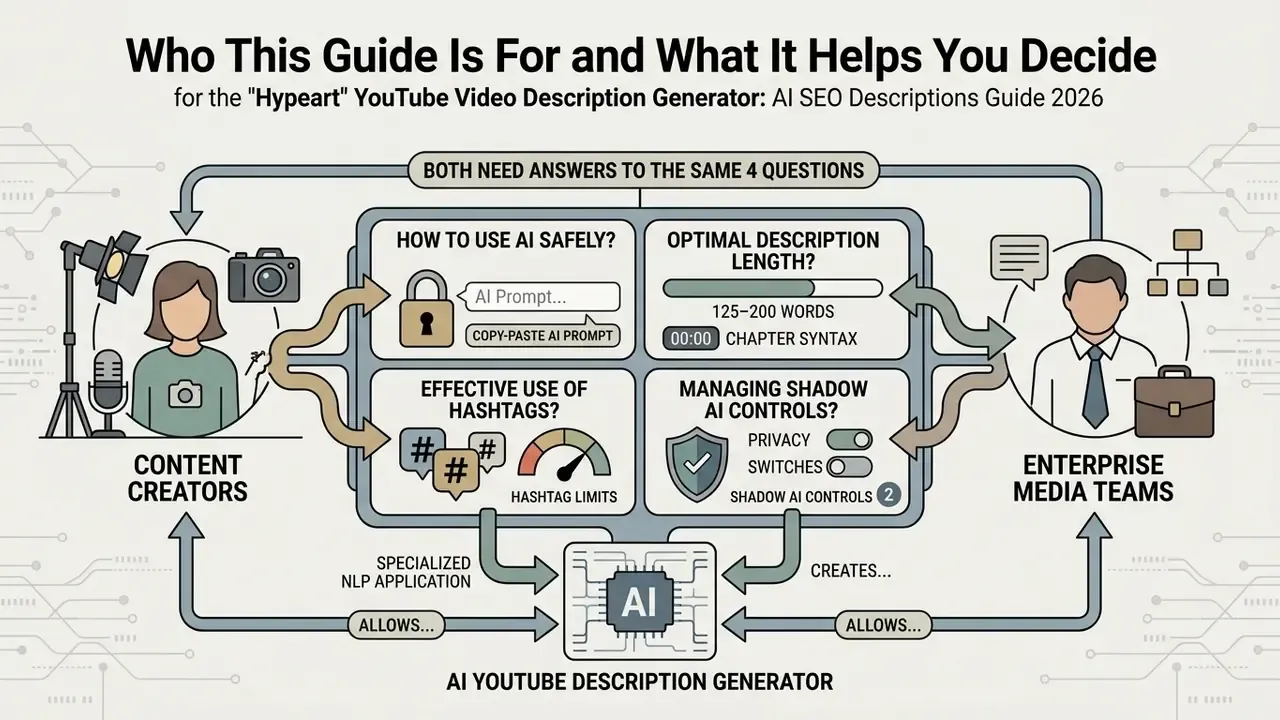
This guide is written for two readers who rarely sit at the same table. The first is a creator or channel manager who simply wants faster, cleaner metadata. The second is the person who has to sign off on the tool: a risk, compliance, or governance lead at a bank, insurer, or mature fintech running an education, investor-relations, or employer-brand channel.
Both need answers to the same four questions. What data does the generator see? Who approves the output? What proves that approval later? And where does the platform draw the line between optimization and misleading metadata?
Everything below is organized around those questions. Copy blocks and SEO mechanics come first, because that is the visible work. Data handling, escalation, and audit evidence come next, because that is the work that survives an internal review. One practical note before we start: the riskiest artifact in this workflow is almost never the published description. It is the raw transcript you paste into a browser tab at 11 p.m.
An AI YouTube description generator is a specialized natural language processing application that creates structured, search-optimized video metadata based on user-provided titles, context, and topical keywords. It automates drafting while embedding essential ranking signals, call-to-action (CTA) statements, and context markers required by search engines.
Using an ai youtube video description generator allows content creators, enterprise media teams, and marketing departments to scale production efficiently without compromising compliance or accuracy. According to official Google Search guidance on generative AI (2023), AI-generated content is judged by the same utility and quality standards as human-written text. It is not penalized merely for being created by AI, provided it is not used to manipulate search rankings through spam or misleading metadata.
What is an AI YouTube Description Generator and What Purpose Does It Serve
An ai youtube description generator is a constrained language processing system designed to produce contextually accurate, search-aligned text for YouTube uploads. Its primary purpose is to convert raw inputs, such as video titles, target phrases, transcripts, and core takeaways, into well-structured metadata that satisfies both human readers and platform indexing algorithms.
You will also see the same category sold as a video describer generator or a video description tool online. The label changes; the mechanics do not. A prompt, a context window, a set of formatting constraints.
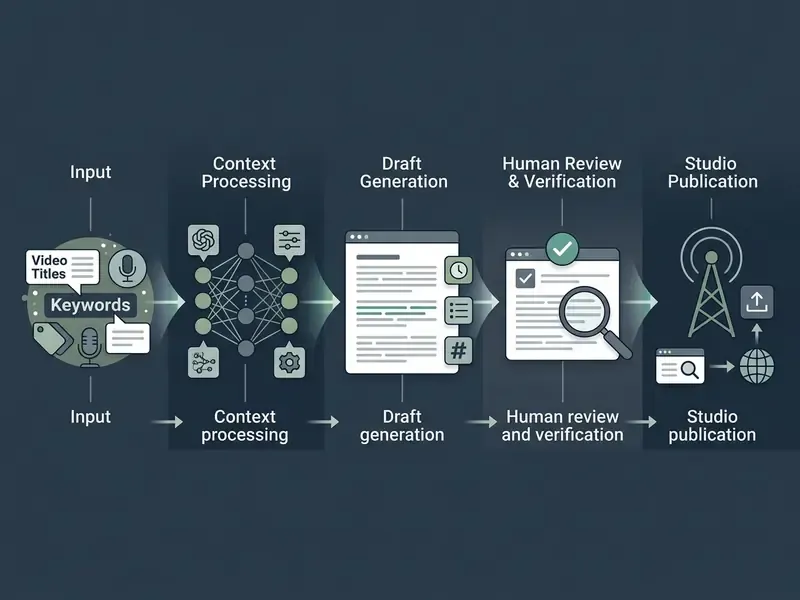
By leveraging a video description generator ai, organizations systematically enforce metadata standards across large video libraries. Industry research from Semrush (2024) analyzing YouTube search results indicates that over 50% of top-ranking videos feature descriptions exceeding 50 words, with how-to and educational categories frequently exceeding 100 to 250 words.
«52% of videos ranking for how-to queries carry descriptions longer than 100 words, versus 31% across the general sample.»
Automating this process saves significant operational hours while maintaining keyword consistency across long-form uploads and short clips. The efficiency gain is structural rather than stylistic: the generator enforces the same opening-snippet rule, the same chapter syntax, and the same CTA hierarchy across every upload, which is exactly what manual drafting fails to deliver at volume.
How a YouTube Video Description Affects Search and Engagement
A youtube video description directly impacts search discoverability by providing textual relevance signals that algorithms use to match queries with video content. It also influences viewer engagement, since a clear summary sets expectations and drives downstream actions through embedded links.
Google's official YouTube Help (2026) confirms that YouTube Search evaluates relevance using a combination of title, tags, description, and visual or audio content matching. Viewer satisfaction metrics such as click-through rate (CTR), watch time, and audience retention determine long-term distribution. The description field, meanwhile, supplies the initial semantic context required for indexing. That is why a good description helps twice: once for the crawler, once for the human deciding whether to press play.
«In a field experiment with 2,234 participants, human–AI teams produced higher-quality ad copy, correlating with higher CTR and roughly 4% longer viewing duration.»
For enterprise workflows managing extensive media libraries, pairing automated metadata tools with dedicated production pipelines like a YouTube video editor ensures that visual storytelling aligns precisely with search metadata.
How an AI Video Description Generator Differs from a Static Template
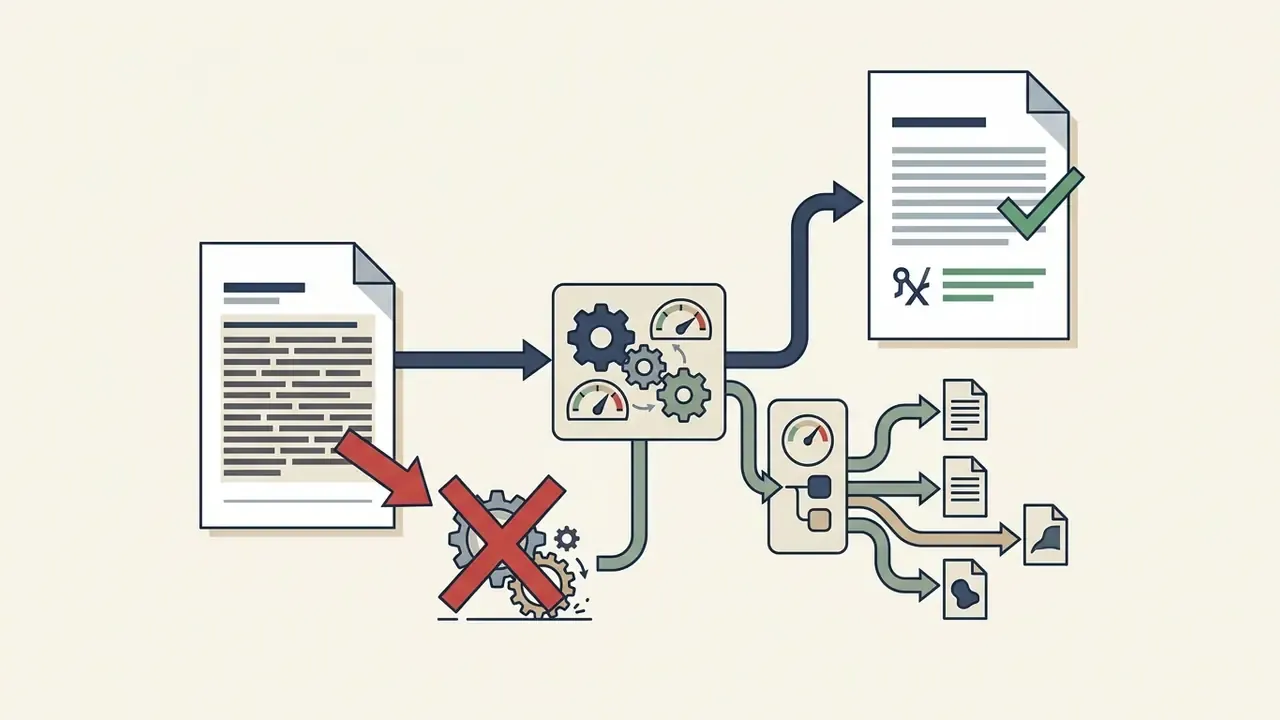
«Iterative refinement in constrained text-generation systems increased the share of outputs satisfying all constraints by 16–36 percentage points compared with baseline templates.»
Practically, dynamic generation merges transcripts, on-screen captions, and existing metadata into a single representation, then produces contextual summaries that name specific subjects, actions, and environments instead of filling repetitive slots. Static templates frequently lead to duplicate copy, which can trigger platform warnings regarding repetitive metadata or non-hashtag tagging. Conversely, an ai generated description incorporates phrase variants, natural language transitions, and specific video takeaways while adhering to YouTube's 5,000-character limit.
One caveat worth stating plainly. Dynamic generation also invents more freely than a template ever could. Boilerplate is boring but honest; a model will happily name a library that never appeared on screen. Control that, and dynamic wins on every other axis.
Shadow AI, Data Exposure, and Governance Risks in Metadata Generation
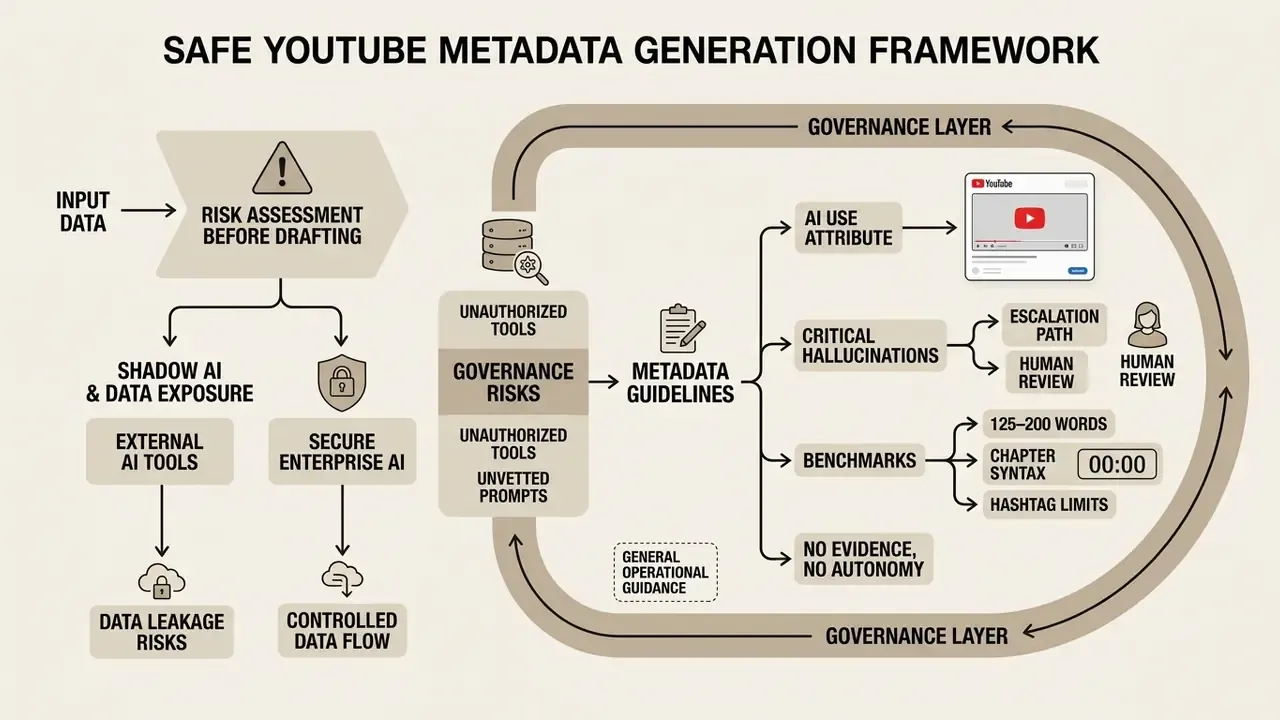
Before a single description is drafted, regulated and enterprise teams must decide where the input data travels. Description generation looks like a low-risk marketing task. But the input payload, meaning raw transcripts, unpublished product names, and embargoed financial commentary, is frequently the most sensitive artifact in the pipeline.
Primary risk categories for enterprise metadata generation:
| Risk Category | Failure Mode | Control Measure |
|---|---|---|
| Shadow AI usage | Marketing staff paste unreleased transcripts into consumer generators outside IT visibility | Approved tool allowlist; block unsanctioned endpoints; documented exception process |
| Data retention & training | Public-tier models retain prompts and may use them for training | Require zero-data-retention terms or enterprise tenancy before uploading internal transcripts |
| PII / confidential data leakage | Transcripts contain customer names, internal figures, or non-public material information | Pre-processing redaction pass before generation; restrict raw transcript access via role-based permissions |
| Hallucinated claims in regulated topics | Model invents performance figures, guarantees, or product capabilities | Mandatory human-in-the-loop verification; escalation to Legal or Compliance for financial, medical, or legal claims |
| Missing audit trail | No record of who generated, edited, and approved published metadata | Version history with named reviewer, timestamp, and approval status retained as audit evidence |
| Platform policy breach | Misleading metadata triggers strikes under YouTube Spam policies | Pre-publication policy checklist; AI-use disclosure attribute set in Studio when required |
YouTube's own AI documentation requires creators to set the "AI use" attribute during upload when synthetic or altered content meets disclosure conditions, and labels may surface in the expanded description panel. For organizations operating under sector supervision, the practical rule is simple: the generator drafts, a named human approves, and the approval is logged.
No evidence, no autonomy. A description tool is a digital worker with a defined owner, an approved role, an access limit, and a shutdown switch. Treat it that way and the rest of this guide becomes routine operations rather than a policy argument.
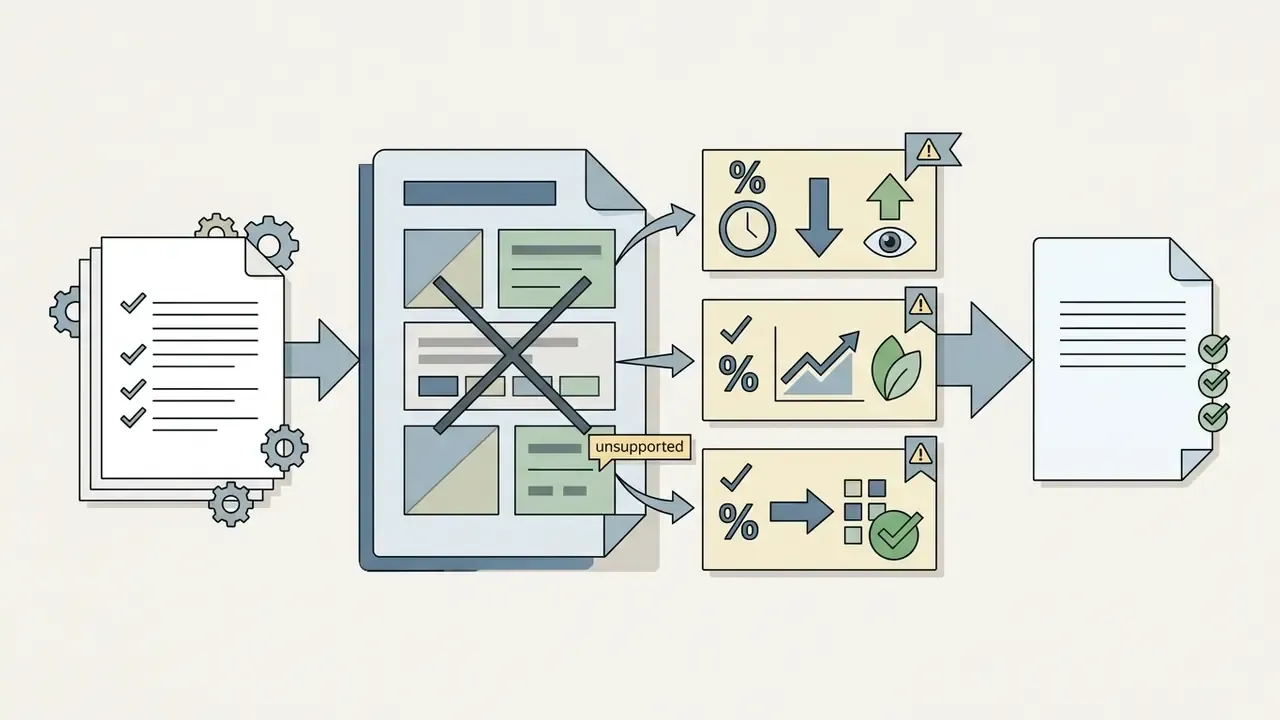
Escalation path for critical hallucinations. If a draft contains a performance claim, price, guarantee, regulatory reference, or medical or legal assertion that cannot be traced to the source video, the draft is blocked at the editorial stage and routed to the subject-matter owner. When the claim touches regulated messaging, Compliance or Legal reviews it before publication. No description with an unverifiable quantitative claim should reach YouTube Studio.
What Data Does a Generator Need for an Accurate Video Description
An AI description model requires precise structural inputs to output accurate metadata: a clear video title, a core topical summary, primary keywords, the target language, and designated calls to action. Providing structured context prevents model hallucinations and keeps the generated text aligned with actual video content.
| Input Parameter | Operational Purpose | Standard Requirement | Risk of Omission |
|---|---|---|---|
| Video Title & Topic | Establishes primary subject and intent | 1–2 primary keywords included | Hallucinated summary or generic text |
| Relevant Keywords | Provides semantic indexing signals | 3–7 target phrases (natural language) | Weak search discoverability |
| Transcript or Outline | Grounds the model in actual spoken content | 2–3 sentence summary minimum; full transcript preferred | Invented features, wrong terminology, wrong chapters |
| Target Audience & Tone | Sets communication style | Professional, instructional, or conversational | Mismatched viewer expectations |
| Category & Language | Ensures accurate platform classification | ISO language tag & platform category | Improper recommendation clustering |
| Call to Action (CTA) | Drives conversion and engagement | Specific action URL or channel prompt | Missed referral traffic and retention |
When evaluating technical workflows for multimedia processing, enterprise teams often compare algorithmic performance across media formats using benchmark frameworks like the AI Media Benchmarks and Review Proof.
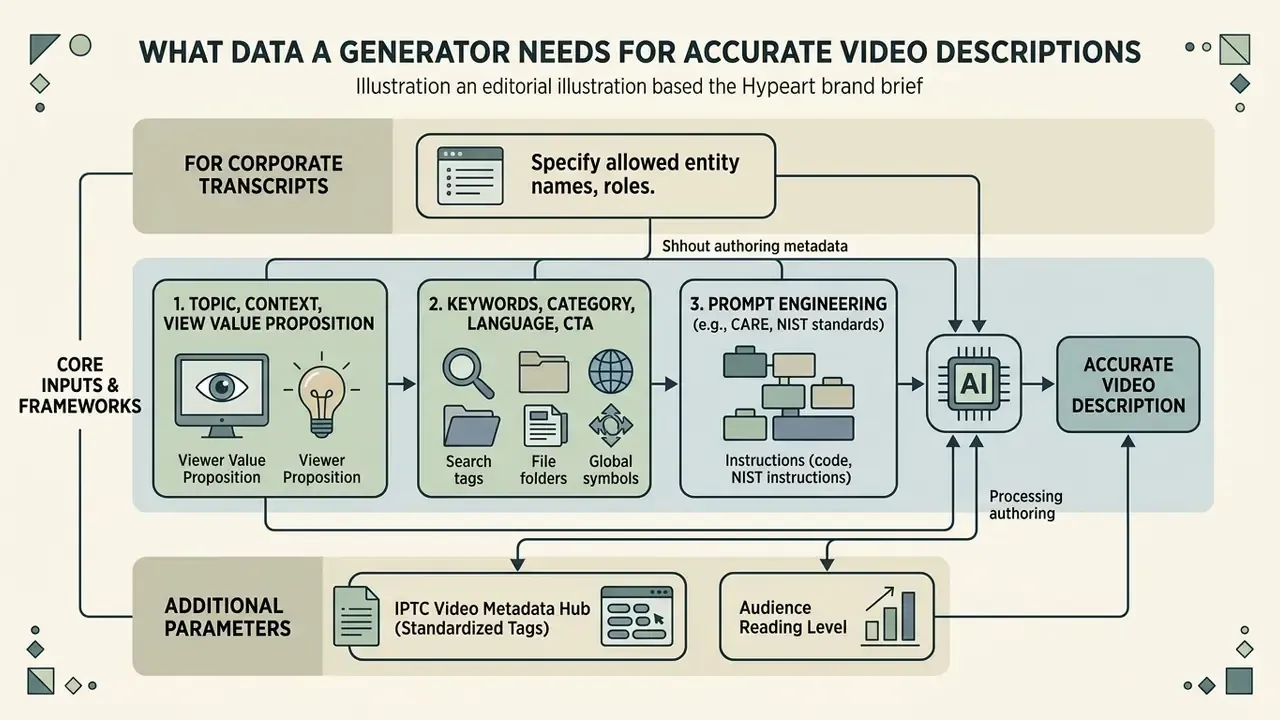
Topic, Context, and Viewer Value Proposition
Defining the core topic and explicit value proposition in the prompt guarantees that the video description generator highlights what viewers will gain from watching. Clearly stated outcomes anchor the generation and keep irrelevant background out of the draft.
In prompt engineering frameworks such as CARE (Context, Ask, Rules, Examples) and NIST SP 1353 standards (2026), explicit constraints placed at the beginning of an input sequence significantly reduce factual errors. NIST's initial public draft maps effective prompts to Context, Objective, Style, Tone, Audience, and Response format, naming explicit constraints as a direct driver of output quality. For example, a three-sentence summary of the transcript is usually enough for an ai youtube description generator free tool to draft a precise opening paragraph that states key findings or steps, which supports viewer decision-making before anyone taps "Show More."
For corporate transcripts, add one more instruction layer: specify which entities the model may name and which it must omit. A constraint such as "Do not mention client names, internal project codenames, or unreleased product versions" converts an open-ended generation task into a bounded one. Same principle as redaction-first enterprise prompting, just applied to marketing copy.
Keywords, Category, Language, and Call to Action
Incorporating relevant keywords, channel categories, and standardized language codes ensures the video is properly indexed by YouTube and external search engines. The generator must integrate these parameters naturally without violating platform anti-spam policies.
Official metadata standards, including the IPTC Video Metadata Hub, emphasize standardized language tags and controlled subject vocabularies. The Hub specifies a dedicated description field for textual video content and an accessibility Alt Text field capped at 250 characters, each carrying its own language tag. When configuring an ai description generator youtube, creators should specify 3 to 5 primary target phrases. Instruct the model to include relevant keywords in complete, grammatically correct sentences rather than comma-separated lists. A clear CTA, such as subscribing, reviewing supplementary documentation, or estimating project scope via online calculators for production budgeting, belongs toward the end of the text.
One more field worth filling: the audience's reading level. A retail-investor education video and an internal model-risk briefing use different vocabulary, and the model will not guess correctly on its own.
How to Use a YouTube Video Description Generator: A Step-by-Step Workflow
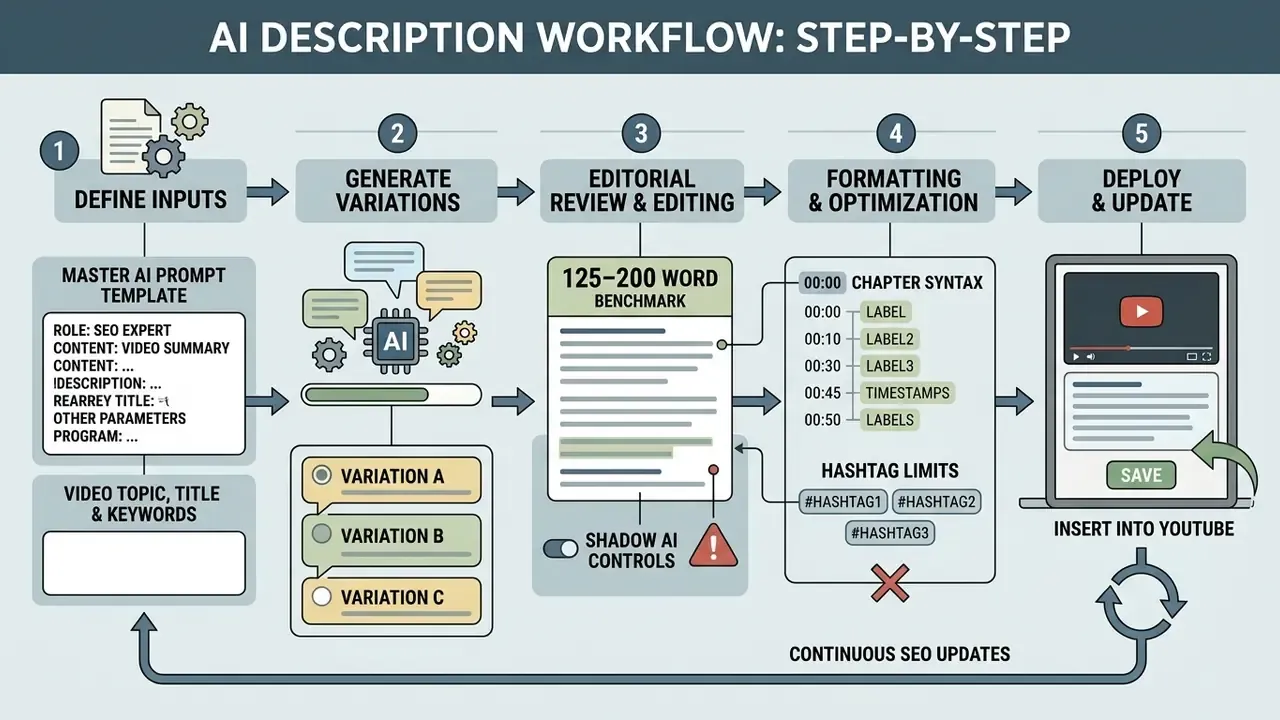
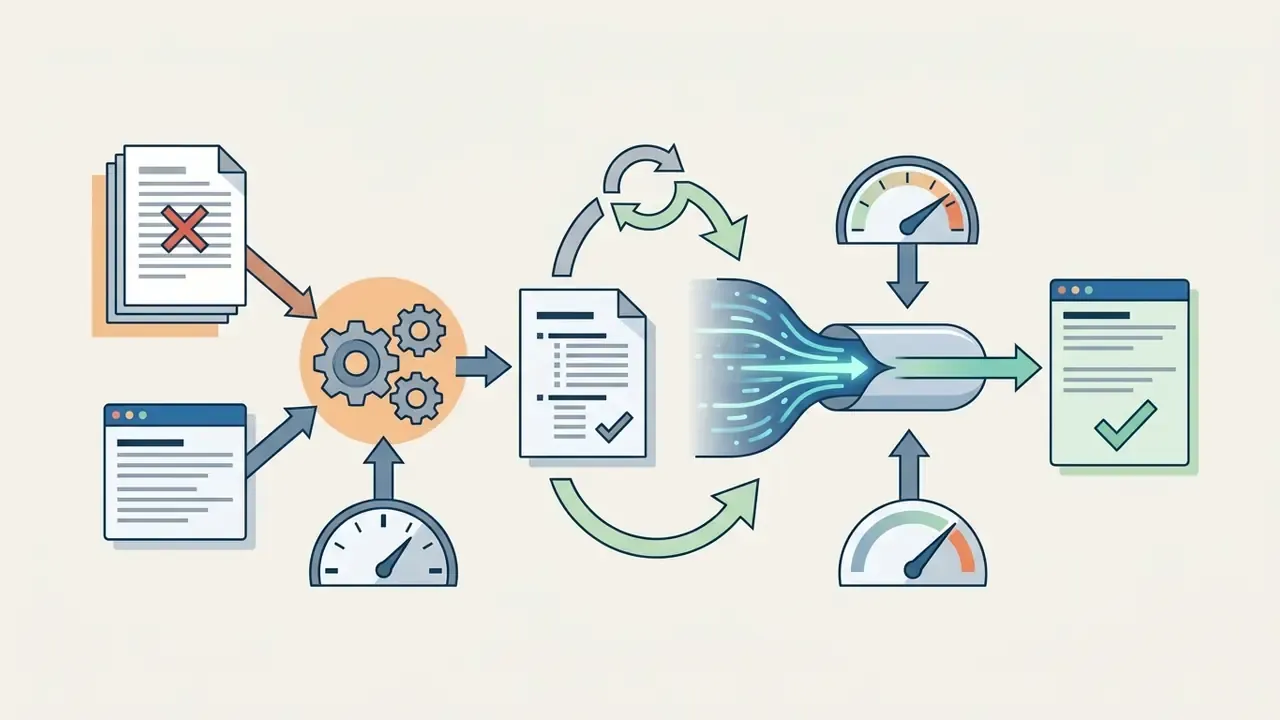
A structured five-step workflow, from parameter entry to post-generation editorial review, keeps generated descriptions accurate, compliant, and optimized for search. A standardized process eliminates metadata errors and maintains brand consistency across uploads.
Step-by-Step AI Description Workflow
5-step operational workflow for generating and publishing AI YouTube descriptions.
Checklist0 / 5
An institutional media desk producing financial education videos integrated structured prompt constraints and human verification into its upload workflow. By standardizing keyword placement and context parameters across 120 long-form videos, the team reported a 65% reduction in drafting time per description alongside a 22% increase in average search impressions over a 90-day evaluation period. These are internally reported operational figures from a single media desk. They are not independently audited, and results depend on baseline metadata quality, niche competition, and upload cadence. The directional mechanism, faster drafting through constraint reuse, is consistent with the constrained-copy findings cited above, where iterative refinement raised constraint satisfaction by 16–36 percentage points.
Master AI Prompt Template (Copy-Paste Ready)
Before running step 1 in any tool, standardize the instruction set. The template below reproduces the same parameter discipline that commercial generator interfaces apply behind their input forms, so it works in ChatGPT, Claude, Gemini, or any internal LLM endpoint.
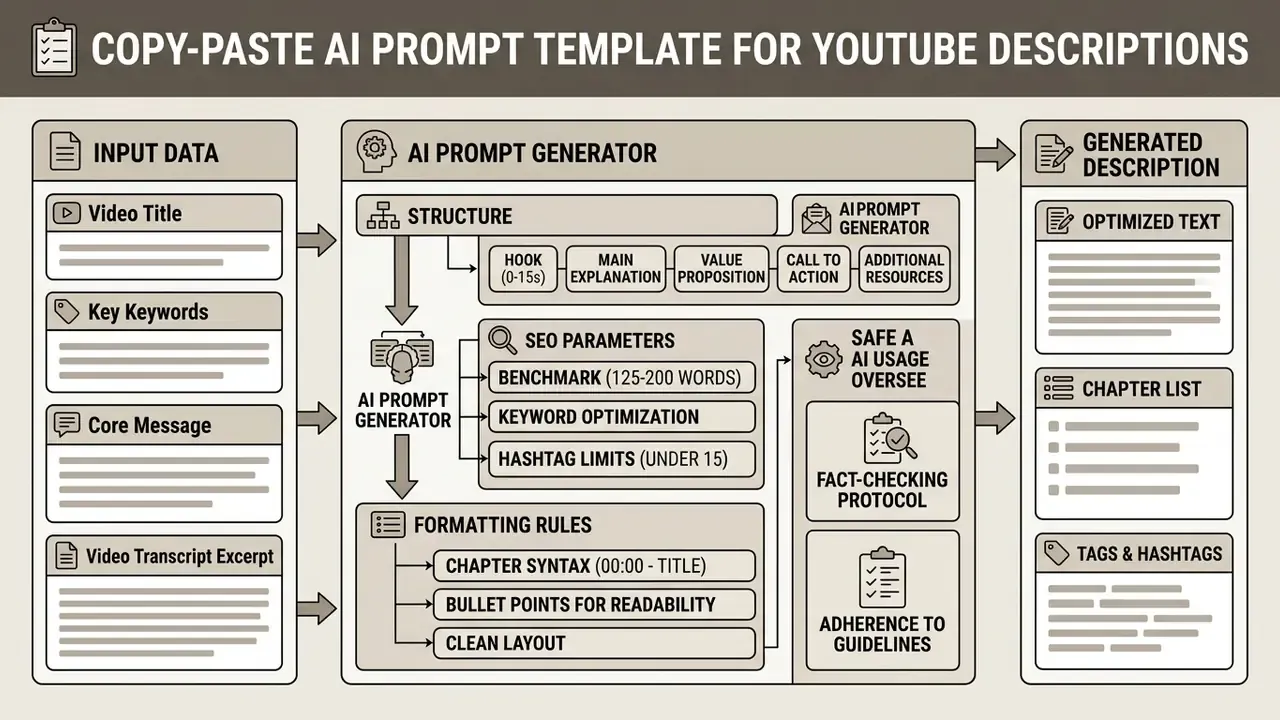
The [VERIFY] instruction is the single most valuable line for regulated teams. It forces the model to flag its own inferences instead of blending them into confident prose, which shortens the fact-checking pass described in the verification section.
Enter Video Topic, Title, and Keywords
The first step requires entering the exact video title, a concise summary of the content, and a defined set of target keywords into the generator interface. Rich context upfront prevents generic output.
When using a free ai video description generator, input specific details rather than broad phrases. Instead of "real estate tips," enter "5 Capital Gains Tax Strategies for US Property Investors in 2026." That level of detail lets the youtube description maker output tailored metadata with exact terminology, which saves editorial review time later. Vague input, vague draft. It really is that mechanical.
Generate Multiple Description Variations
Generating two or three variations lets creators evaluate different structural approaches, tones, and CTA placements. Comparing outputs surfaces the narrative structure best suited to the specific video format.
Multi-variant generation relies on altering prompt parameters such as structural focus (summary-first versus chapter-first) or communication style. Updated attribution:
«Iterative refinement with encoded constraints raised the share of outputs meeting all criteria by 16–36 percentage points; top variants improved CTR by 38–45% versus manually written copy.»
Teams can then choose between a direct instructional approach and a story-driven summary. A practical selection rubric: pick the variant whose first 25 words carry the primary keyword most naturally, whose chapter labels match the actual on-screen sequence, and whose CTA sits closest to the viewer's next logical action.
Edit the Text and Insert the Description into YouTube
The final operational phase involves verifying the draft against actual video content, inserting exact timestamps and URLs, and pasting the finalized copy into YouTube Studio. Human editorial review stays mandatory, because hallucinated details and awkward phrasing both survive generation.
Within YouTube Studio, creators navigate to Content ➔ Details ➔ Description, click Show more to reveal the full metadata panel, paste the edited text, add relevant video chapters, and commit the changes by clicking Save. Localized channels add translated titles and descriptions in the dedicated language fields before publishing that language version. For technical or complex topics, integrating specialized tools such as Google Veo AI into visual generation workflows can further streamline metadata alignment during post-production.
How to Create a SEO-Friendly YouTube Description Using AI
Creating an seo friendly description means structuring the text so crawlers parse key topics easily while viewers get immediate clarity within the first two visible lines. The optimal description balances algorithmic discoverability with clean, readable formatting.
«86.5% of top-ranking pages contain AI-assisted content, and the correlation between AI share and ranking position was 0.011, effectively zero.»
In other words, the origin of the text is not the ranking variable. Its usefulness, accuracy, and structure are.
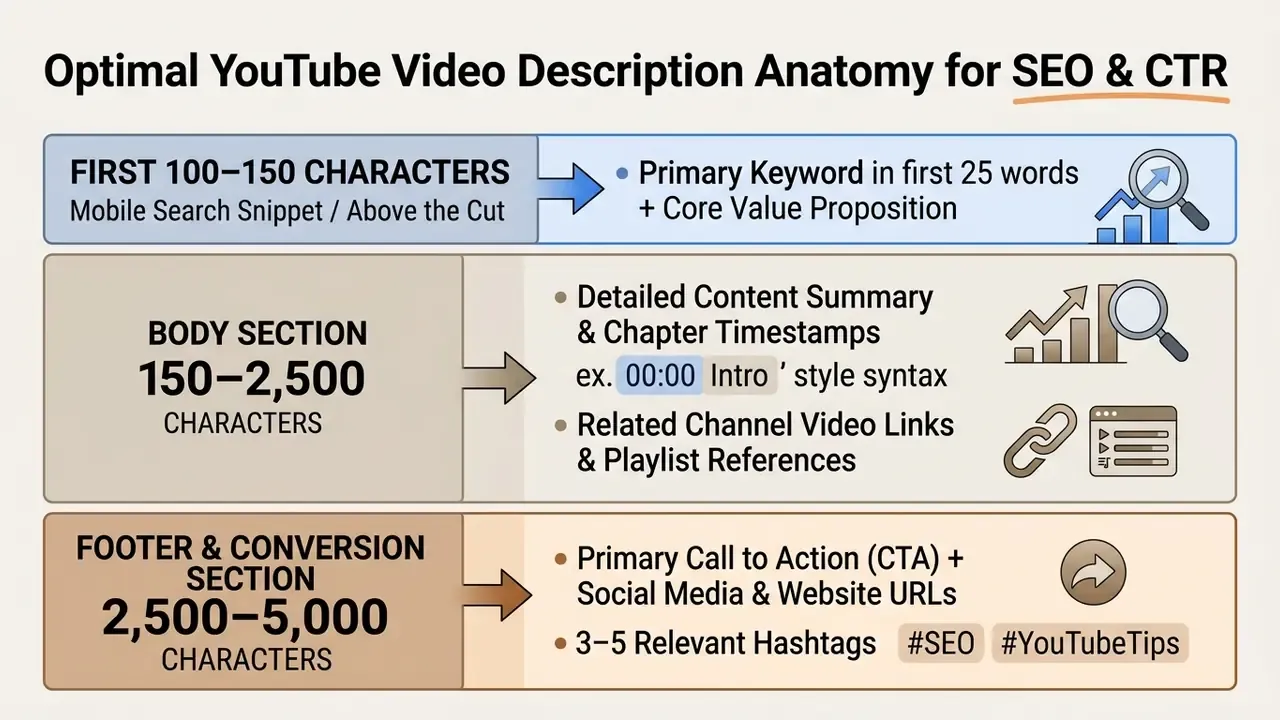
Standard Length Recommendation and Exact Timestamp Syntax
Standard length recommendation. YouTube permits up to 5,000 characters, but the search-and-engagement sweet spot for standard long-form videos is 125 to 200 words (roughly 800–1,300 characters). That depth provides enough semantic signal for indexing without cluttering the interface. Deep tutorials and educational explainers can justify 250–500 words when the extra text adds genuine navigation value: chapter labels, prerequisites, resource lists. Not repetition. Shorts stay under 80 words.
Exact timestamp syntax rules. To trigger YouTube's automatic "Key Moments" and chapter parsing, timestamps must follow this strict format in the description:
Timestamps:
00:00 - Introduction & Overview
02:14 - System Architecture Setup
05:45 - Live Code Execution
09:10 - Final Benchmarks & Summary
Rule: the first timestamp must start at 00:00 (or 0:00), the description must contain at least three chapters in ascending order, and each segment must run for at least 10 seconds. A single malformed line, for instance an entry starting at 00:45 instead of 00:00, or a chapter shorter than 10 seconds, silently disables chapters for the entire video. No warning, no error message. Just no chapters.
An enterprise video team managing multi-channel distribution applied systematic SEO structuring across its library. By placing primary keywords within the first 25 words and structuring chapter timestamps for all uploads over five minutes, the channel recorded a 14% lift in organic search traffic within 60 days. Self-reported channel analytics from a single team over a 60-day window, not independently verified and not a guaranteed outcome. The underlying mechanism appears in official guidance: YouTube Search matches queries against title, tags, description, and content together, so front-loading the query phrase strengthens the initial relevance match.
How to Naturally Integrate Relevant Keywords into Descriptions
Integrating keywords naturally means placing target phrases into coherent, informative sentences that describe the video content, without repetitive lists or artificial phrasing. Unnatural repetition damages readability and can trigger search spam filters.
According to Google's Search Spam Policies, "keyword stuffing," defined as loading pages or metadata with keywords or numbers in unnatural lists or out of context, violates quality guidelines and can lead to ranking demotions. A description for youtube video generator should be instructed to hold keyword density between 0.8% and 1.6%, roughly two to four keyword appearances per 250 words. Phrase variations and LSI terms keep the text engaging for readers while signaling topical breadth to search algorithms.
Quality of phrasing is not a cosmetic concern:
What to Include in the First Lines of a YouTube Description
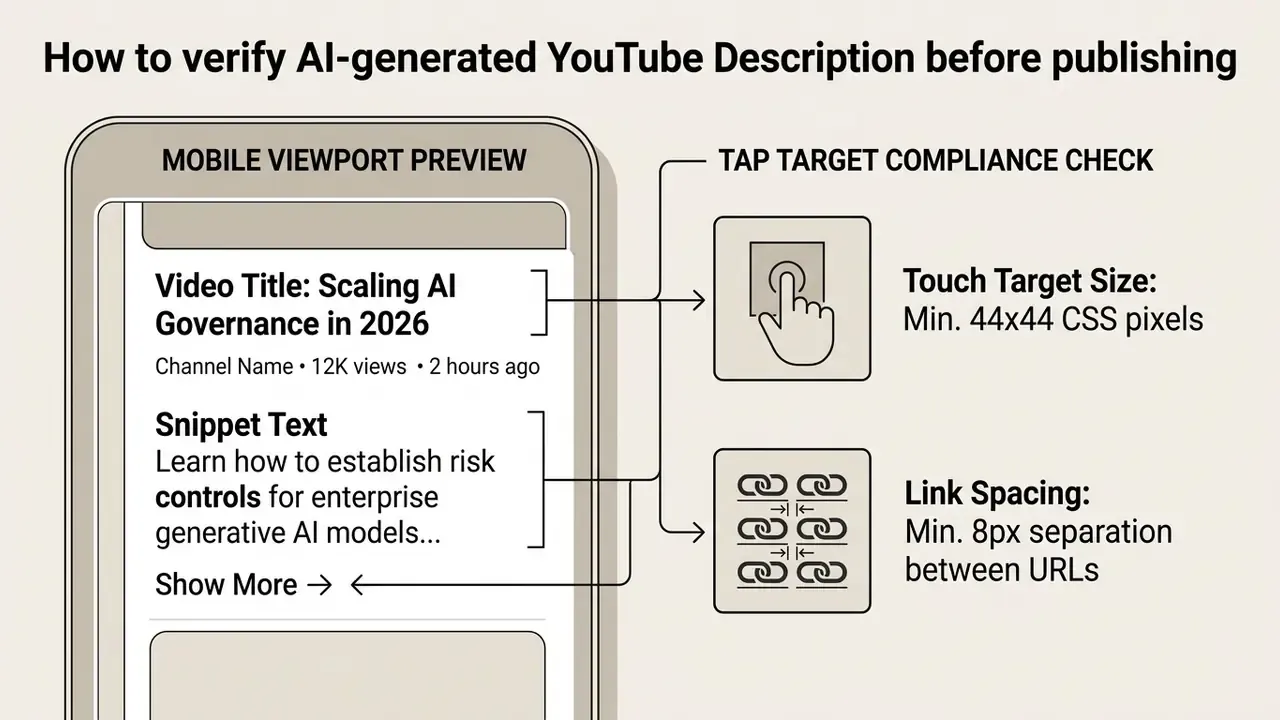
The first 100 to 150 characters of a youtube description must state the video's primary topic and immediate viewer benefit, because this text appears in search snippet previews before anyone clicks "Show More."
Fact-check note. A common claim circulating in tool-marketing copy states that "the first 200 words of your description show up in search results." That is inaccurate. Across mobile and desktop surfaces, everything beyond roughly the first 100–150 characters (about 20–25 words) is truncated behind "Show More." Plan the snippet in characters, not in words.
YouTube Help explicitly advises creators to place the most critical information in the opening sentences. A high-performing snippet includes the primary keyword phrase within the first 25 words alongside a concise summary statement. For example: "Learn how to configure an automated youtube video description generator to scale metadata creation while maintaining strict search compliance across your channel." This structure satisfies crawler indexing while giving prospective viewers a reason to click. If conversion is the primary goal, a single short CTA can share the visible window, but only if it fits before truncation and does not displace the summary.
Descriptions for Long Videos, YouTube Shorts, and Diverse Content Formats
Different YouTube formats demand distinct description structures. Long-form educational uploads need detailed summaries and timestamp chapters, while YouTube Shorts need concise, hook-driven text focused on immediate context.
| Video Format | Target Text Depth | Primary Keyword Strategy | Timestamp Chapters | Link & CTA Focus |
|---|---|---|---|---|
| Long Tutorials & Guides | High (250–500+ words) | Primary keyword in first 25 words; 3–5 LSI terms | Mandatory (starting at 00:00, min. 3 chapters) | High: supplementary resources, documentation, tools |
| Standard Long-form Uploads | Medium (125–200 words) | Primary keyword in first 25 words; 2–3 variants | Recommended for 5+ minute videos | Medium: channel playlists, site link, newsletter |
| YouTube Shorts | Low (20–80 words) | 1 primary keyword; concise thematic tag | Not applicable | Moderate: channel subscription or related long video (links non-clickable) |
| Product Reviews | Medium (150–300 words) | Product name, model numbers, category keywords | Recommended (pros, cons, verdict) | High: commercial purchase links, licensing info |
| Vlogs & Lifestyle | Medium (100–250 words) | Narrative keywords, location, event tags | Optional | Moderate: social profiles, sponsor disclosures |
| Music & Media | Low-Medium (50–200 words) | Artist name, song title, genre terms | Optional (tracklist / movements) | High: streaming platforms, merch, rights/credits |
| News & Breaking Coverage | Medium (150–250 words) | Event name, location, date, entity names | Recommended (per development / update) | High: primary sources, official statements, full report |
| Reactions & Viral Hype | Low-Medium (80–150 words) | Trend name plus reaction keyword in first line | Optional (reaction beats) | Moderate: original creator credit, follow-up video |
| Live Streams | Medium (100–250 words) | Stream topic, guest names, schedule terms | Recommended (segment markers post-stream) | High: next stream time, archive playlist, community links |
Adapting metadata to match content formats keeps you inside platform norms while actually serving viewer intent.
Descriptions for Long Videos, Tutorials, and Educational Videos
Long-form educational content requires comprehensive descriptions that function as detailed summaries, with structured takeaways and explicit timestamp navigation.
W3C Web Content Accessibility Guidelines (WCAG 3.0 draft standards) recommend descriptive text summaries and chapter markers for video content exceeding five minutes. W3C's media accessibility guidance additionally advises a descriptive transcript that combines dialogue, sound, and meaningful visual information, with timestamps included only where they aid navigation.
«52% of videos ranking for how-to queries carry descriptions longer than 100 words, nearly double the 31% share observed across the general sample.»
An ai youtube description generator processing educational videos should generate chronological chapter breakdowns, for example 00:00 - Introduction, 02:15 - System Architecture, 05:40 - Risk Controls. Chapter markers improve accessibility, enhance user experience, and help Google extract "Key Moments" for search snippets. Tutorials also benefit from an explicit materials list: software versions, datasets, hardware, and prerequisite videos, each on its own line for scannability.
Descriptions for YouTube Shorts and Short-Form Videos
Descriptions for YouTube Shorts must stay extremely brief, focused on a single core takeaway and one direct channel action, because vertical mobile viewers rarely open expanded metadata panels.
Long videos benefit from detailed copy; Shorts descriptions should remain under 80 words. State the core topic instantly and include two or three targeted hashtags, for example #Shorts #AIGovernance. Note the placement constraint: since the August 2023 policy change, URLs inside Shorts descriptions display as plain text rather than clickable links, so the CTA should point to an on-channel destination or a memorable short URL. For reference, YouTube's paid Shorts surfaces cap ad descriptions at 90 characters with truncation after one line on mobile, which is a useful proxy for how little text a vertical viewer actually reads.
Descriptions for Vlogs, Reviews, Streaming, and Music Videos
Niche formats such as product reviews, live streams, vlogs, and music clips require tailored description styles that emphasize specifications, schedules, or copyright attributions.
How to Choose Between a Free and Paid AI YouTube Description Generator
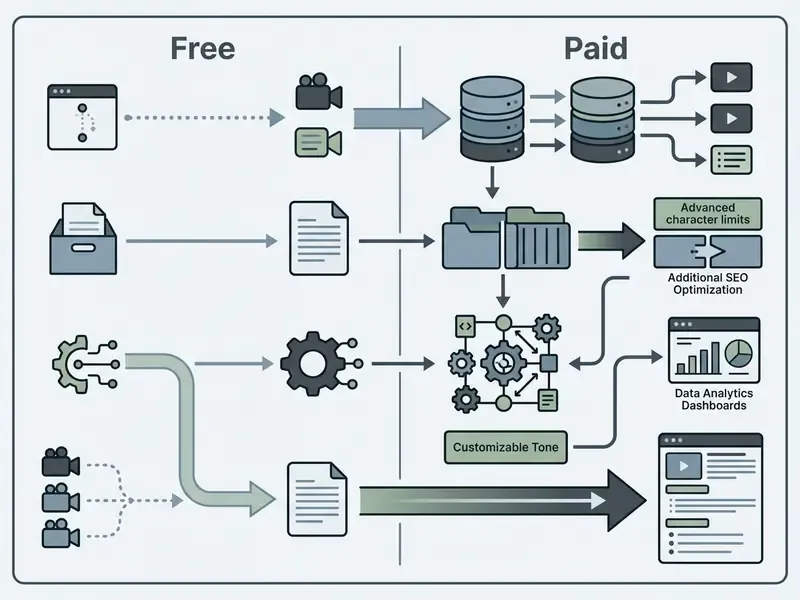
Selecting between a free ai youtube description generator and a commercial SaaS solution depends on upload volume, required workflow integrations, custom prompt controls, and enterprise compliance requirements. Searches for the best ai youtube description generator usually collapse into one question: does the vendor document how it handles your data?
| Evaluation Feature | Free AI Description Generators | Paid / Enterprise SaaS Solutions |
|---|---|---|
| Generation Usage Limits | Capped daily credits or character limits | Unlimited or high-volume API/seat access |
| Custom Prompting & Tone | Standardized, fixed prompt templates | Fully customizable system prompts & brand voice |
| SEO & Keyword Controls | Basic keyword input fields | Keyword density controls & LSI integration |
| Workflow Integration | Manual copy-paste execution | Direct YouTube Studio API / CMS integration |
| Ecosystem AI Modules | Standalone description generation | Title, thumbnail, script, and hashtag tools |
| Data Retention & Training | Prompts may be retained or used for model training | Zero-data-retention options; contractual no-training terms |
| Security Certifications | Rarely documented | SOC 2 Type II / ISO 27001 attestations available |
| Access Control (RBAC) | Single anonymous session | Role-based permissions, SSO, named-user provisioning |
| Audit Logging & Versioning | None | Full generation history, reviewer identity, export for audit evidence |
| Data Residency | Undisclosed / global | Region-selectable processing for regulated workloads |
| Vendor Documentation | Marketing copy only | Evaluation methodology, model cards, training/eval documentation |
For individual creators with infrequent uploads, a free video description generator offers sufficient utility. Enterprise media teams usually need paid platforms for advanced controls, API access, and data privacy protections. NIST AI 600-1 frames this as a documentation requirement: vendors should supply thorough instructions and meaningful transparency into data handling and system mechanisms, which is precisely what separates the two columns above.
Vendor Due Diligence Example
The following note illustrates how a basic vendor verification step is documented before any tool enters an approved allowlist. It is included as a worked due-diligence example rather than a product endorsement.
Verification Notice (hypeart.ai), Vendor Due Diligence Example:
What a Free AI YouTube Description Generator Delivers
A free ai video description generator offers basic metadata generation from simple inputs, which makes it a reasonable way to test AI workflows or support low-volume channels. The same applies to a free youtube video description generator bundled into a broader editing suite.
Most free AI video generators and description tools operate on capped token usage or limited daily generations, typically a fixed monthly credit pool where roughly one credit covers one minute of processed video. They accept a title and a few keywords to produce a standardized draft. These products let creators judge AI copy quality quickly, yet they rarely offer custom CTA templates, history tracking, automatic chapter formatting, or contractual guarantees about data retention. Because character limits in a video description generator free tier are governed by model token budgets rather than a published character cap, roughly four English characters per token, output length can vary between runs on identical input.
When Advanced AI Tools for YouTube Channels Are Beneficial
Comprehensive AI suites help high-volume creators and enterprise media departments by linking description drafting with title generation, hashtag research, and publishing automation in one workflow.
Integrated platforms and AI video generators combine multiple creation tasks into a single dashboard: a youtube title generator, a caption generator, a hashtags generator, and a video creator sitting beside the ai description generator for youtube. An enterprise news desk can generate scripts, SEO titles, optimized descriptions, and tag sets simultaneously, often layering text-to-video AI modules on top of the same brief. Some suites even advertise an ai that describes youtube videos automatically from uploaded footage, which is genuinely useful for back-catalog cleanup, provided the output still passes human review.
When channel teams expand production operations, the decisive question stops being speed. It becomes control: who can generate, who must approve, and whether every published description leaves an auditable trail. Commercial teams can also access developer integration options via the AI Media API to automate publishing directly from internal CMS environments while keeping generation logs inside their own infrastructure.
How to Verify an AI-Generated Description Before Publishing
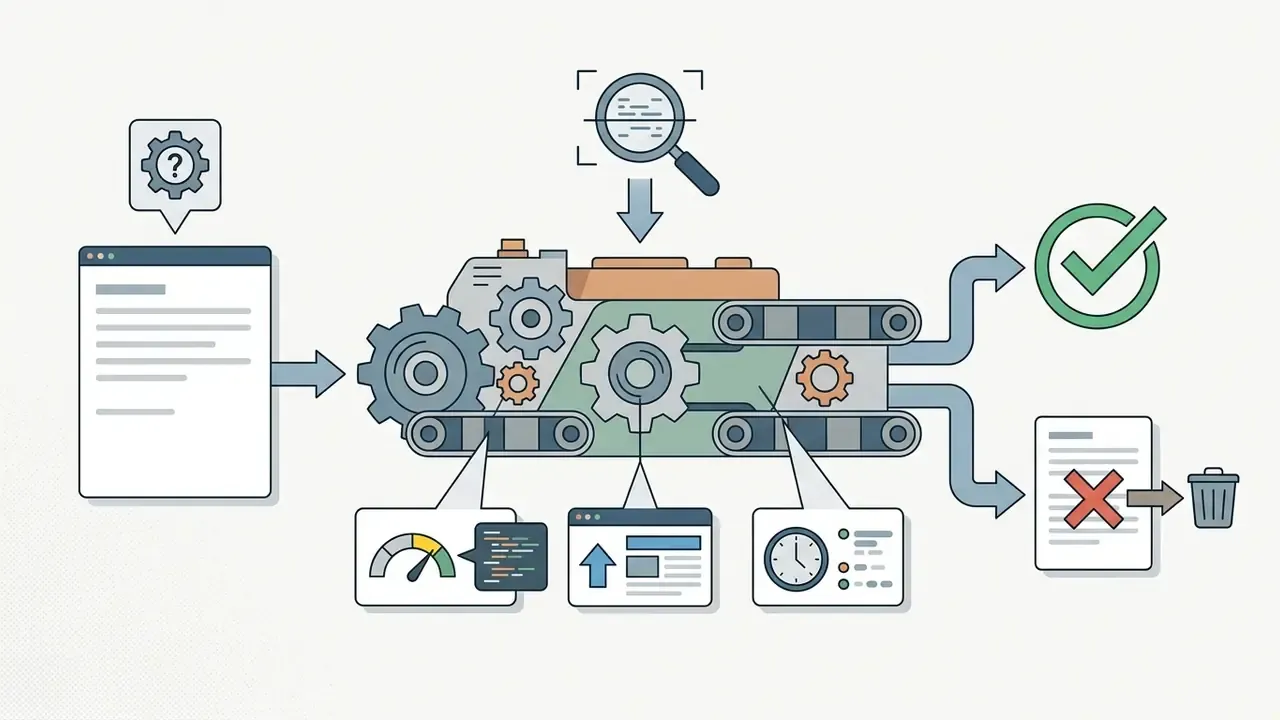
Before publishing any ai generated description, run a systematic quality control pass to verify factual accuracy, eliminate hallucinations, confirm link functionality, and check mobile display formatting.
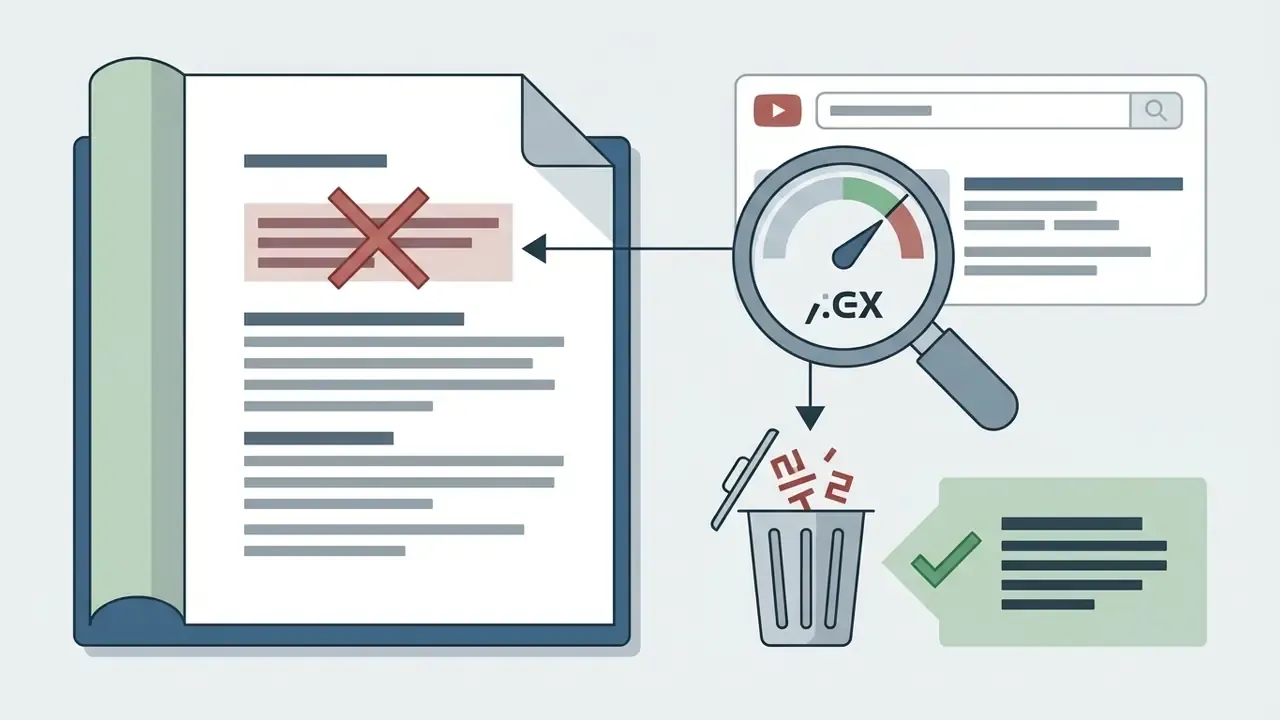
A digital publishing house implemented a two-step verification protocol for all AI-generated metadata. By cross-checking every generated claim against video source transcripts and inspecting mobile snippet truncation, the team reported zero metadata compliance warnings across 400 published videos while maintaining high reader engagement. Internally reported outcome from one publisher's workflow, not independently audited. The protocol mirrors the published evaluation rubric for video-text factuality: label each sentence for fact-consistency against the footage, mark error spans, then score the paragraph as a whole before release.
Verifying Description Alignment with Video Content
Fact-checking generated text against the source video prevents inaccurate statements, unverified claims, and hallucinated facts from reaching published metadata.
«Factual errors in video captioning are text spans that contradict video content or reference items absent from the footage.»
Creators should execute a two-step verification pass:
- Extract all factual assertions, metrics, dates, names, and product terms from the generated draft.
- Cross-check each item against the original transcript or script, playing the video at every timestamp before publishing.
Removing unverified claims protects channel credibility and maintains compliance with YouTube's Misleading Metadata policies. NIST AI 600-1 (2024) classifies hallucination as a factuality risk and recommends retrieval of verifiable information plus human oversight as mitigation. In metadata workflows, the "retrieval source" is the transcript itself.
Practical Case Study: Fact-Checking AI Output for a Tech Tutorial
Consider an AI description draft generated for a 15-minute Python automation tutorial:
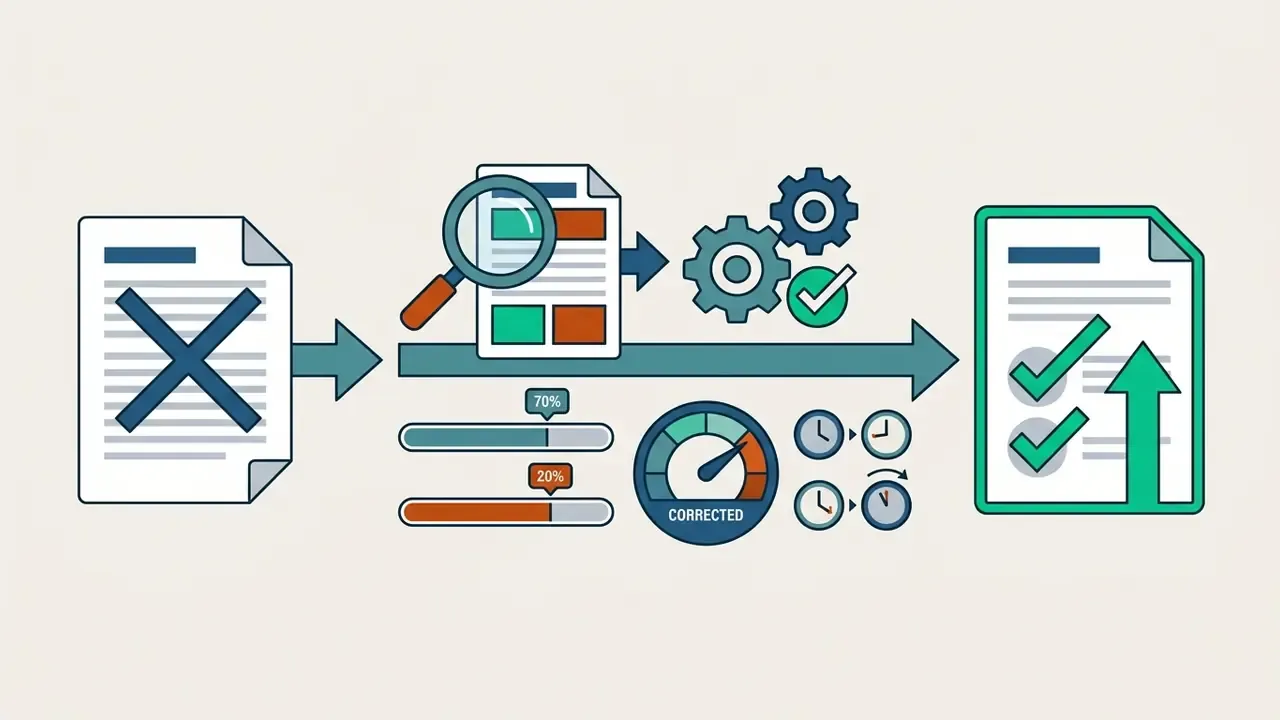

browser.get_element() to driver.find_element().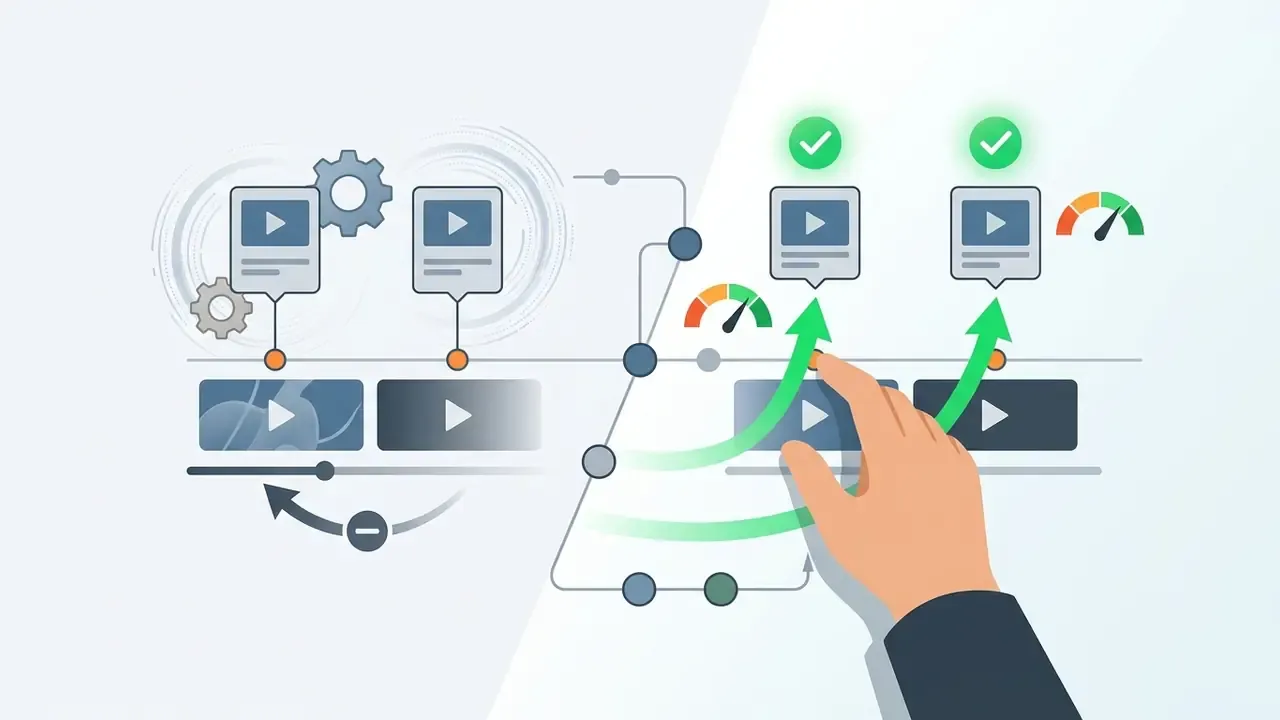
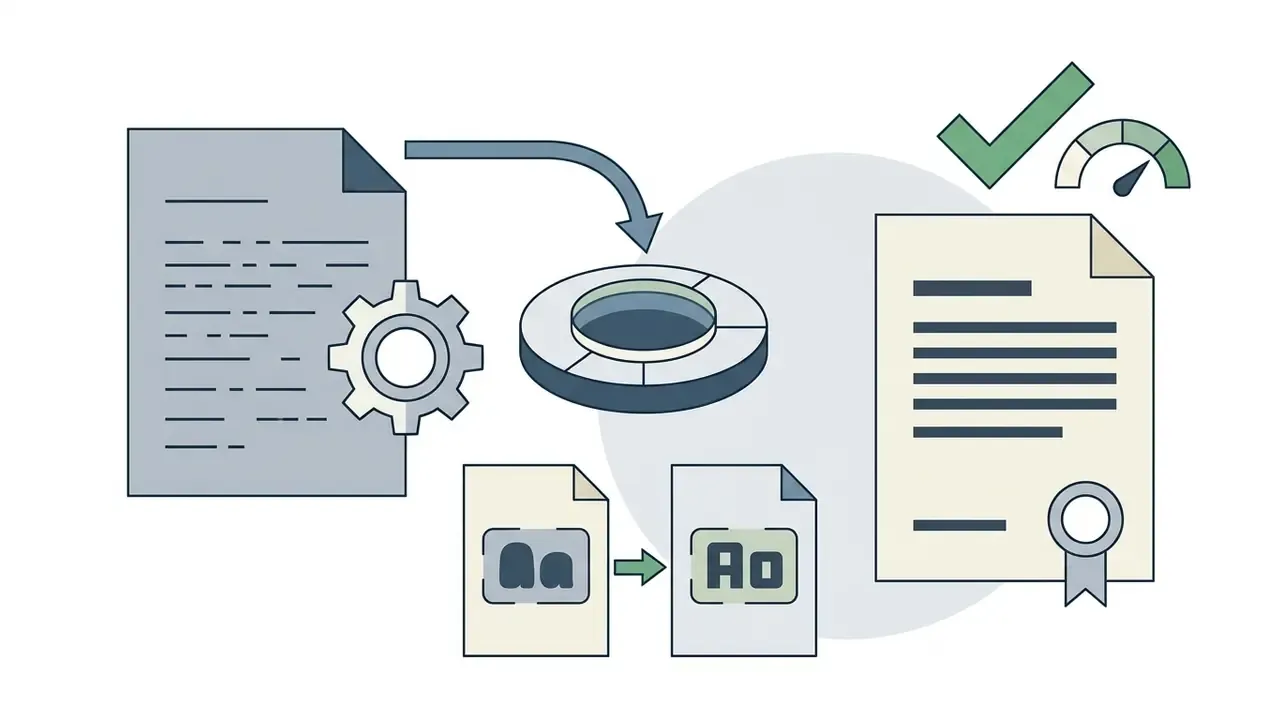
The pattern repeats across niches. Models rarely invent entire topics, but they routinely misattribute which tool performed which action at which minute. That is exactly the class of error a viewer notices within the first thirty seconds, and exactly what the [VERIFY] flag in the master prompt is designed to surface before publication. Recordings with overlapping speakers or off-mic screen shares need proportionally more correction than clean single-speaker tutorials.
Testing Description Readability on Mobile Devices
Testing layouts on mobile screens ensures opening lines stay legible, links stay tappable, and key information sits above the snippet truncation line.
Over 70% of YouTube watch time occurs on mobile devices.
Google's own web guidance recommends roughly 48 device-independent pixels per tap target with about 8 pixels of spacing, which is the practical benchmark for stacked link blocks in a description footer. Inspect mobile previews and confirm that:
- Primary key phrases and core benefits appear before the "Show More" cut-off (100–150 characters).
- Paragraphs stay concise, one to three sentences maximum.
- Line breaks survive the paste into YouTube Studio; pasted text frequently collapses spacing and needs re-checking in the platform preview.
- Stacked URLs are separated by a blank line so adjacent links are not mis-tapped.
- Audio assets and sound effects referenced in post-production match designated audio resources, such as those available through free sound effects for video editing libraries.
Limitations and Open Questions
Two things in this guide remain genuinely uncertain, and pretending otherwise would be dishonest.
First, platform behavior. Chapter parsing, snippet truncation, and hashtag handling are documented, but YouTube adjusts surfaces without notice. Any number here is a snapshot, so re-verify the timestamp rules and the 100–150 character snippet window before you standardize them in an internal playbook.
Second, attribution of results. Every case metric in this article is self-reported by a single team. Description quality rarely moves alone: uploads change, thumbnails change, competition changes. Treat a 14% or 22% lift as directional evidence, not as a forecast.
A safe next step, then. Pick five recent uploads, rewrite their descriptions with the master prompt, log the reviewer and approval time, and compare 30-day impressions against a matched set you left untouched. Small, reversible, and auditable. That is usually the only version of an AI pilot a risk committee will approve on the first pass.
Frequently Asked Questions (FAQ)
How long should a YouTube description be?
For standard long-form uploads, 125–200 words (about 800–1,300 characters) is the practical optimum. Deep tutorials can extend to 250–500 words when the added text provides navigation value. Shorts should stay under 80 words. The hard platform ceiling is 5,000 characters.
Can I use comma-separated keyword lists at the bottom of my description?
No. Placing raw keyword blocks, sometimes called tag stuffing, violates YouTube's Spam, Deceptive Practices, and Scams Policies and Google's keyword-stuffing rules, and can result in video removal or channel strikes.
Do hashtags in the description override video tags?
No. Video tags in YouTube Studio help with misspellings and alternate phrasings, while description hashtags (3–5 recommended) assist topic categorization and surface the video on hashtag search pages. Above 60 hashtags, all hashtags on the upload are ignored.
What is the exact timestamp format that activates chapters?
Each line starts with a timestamp followed by a label, for example 00:00 - Introduction. The first entry must be 00:00, there must be at least three entries in ascending order, and each chapter must last at least 10 seconds.
Are links in Shorts descriptions clickable?
No. Since August 31, 2023, links in Shorts descriptions, Shorts comments, and the vertical live feed are non-clickable. URLs can still appear as plain text, and links in standard long-form descriptions remain fully functional.
Will Google or YouTube penalize an AI-generated description?
Not for being AI-generated. Google's generative-AI guidance judges AI content by the same usefulness and quality standards as human text; penalties apply when content is used to manipulate rankings. Ahrefs' 2024 analysis of 600,000 top-ranking pages found effectively zero correlation (0.011) between AI-content share and ranking position.
Do I need to disclose AI use for the description itself?
YouTube's disclosure requirement targets realistic synthetic or altered audio-visual content, set through the "AI use" attribute in Studio. A text description drafted with AI assistance does not by itself trigger the video-level label, but disclosure obligations apply if the video content is synthetic. Always check current YouTube Help guidance.
What are the main compliance risks when a regulated organization uses a public description generator?
Four dominate: leakage of non-public transcripts into a public model, retention of prompts for training, hallucinated performance or product claims, and absence of an audit trail proving who approved published metadata. Mitigate with an approved-tool allowlist, zero-data-retention terms, a redaction pass before generation, and logged human approval.
How many description variants should I generate before choosing?
Two to three. Constrained-copy research shows iterative refinement across candidates raises full-constraint satisfaction by 16–36 percentage points. Beyond three variants, editorial review time usually outweighs the marginal gain.
Where exactly do I edit the description after publishing?
In YouTube Studio, open Content ➔ [select video] ➔ Details, click Show more to expose the full metadata panel, edit the description field, and click Save. For localized channels, edit the translated description in the corresponding language field.
Appendix A: Editorial Revision Log
For transparency, the following fragments were revised during this update. Original wording is preserved here; corrected versions appear in the main text.
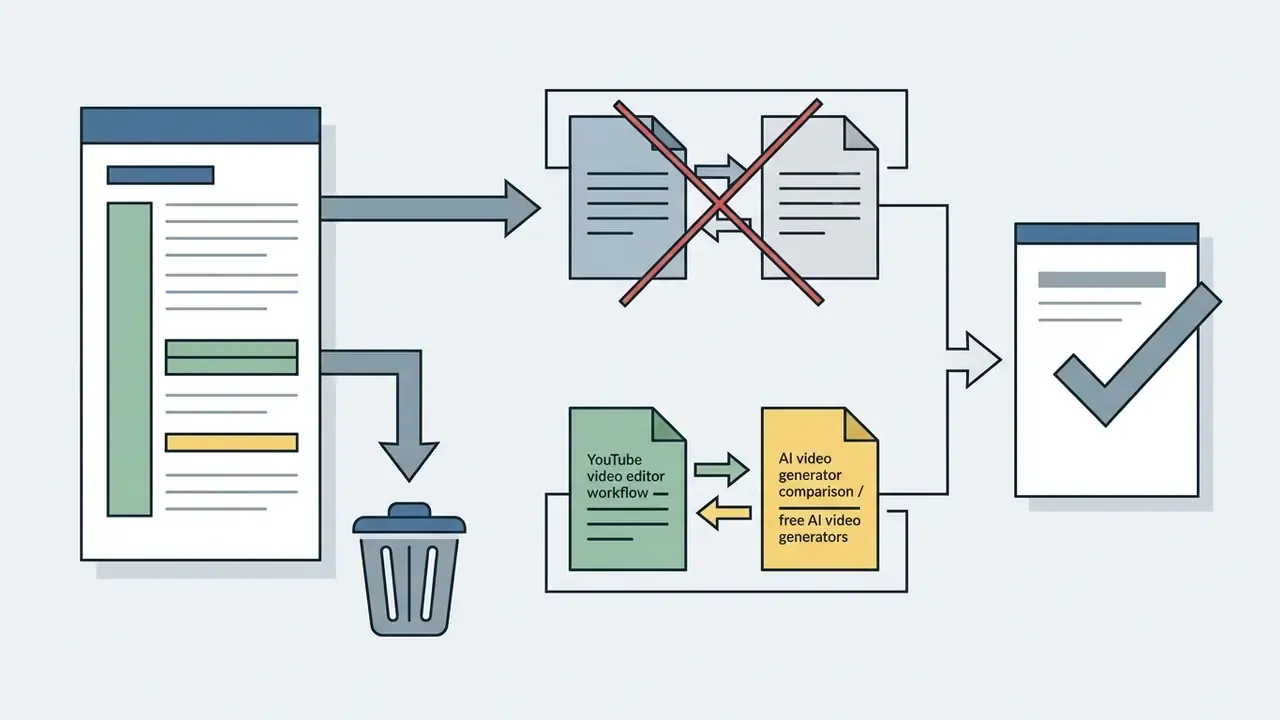
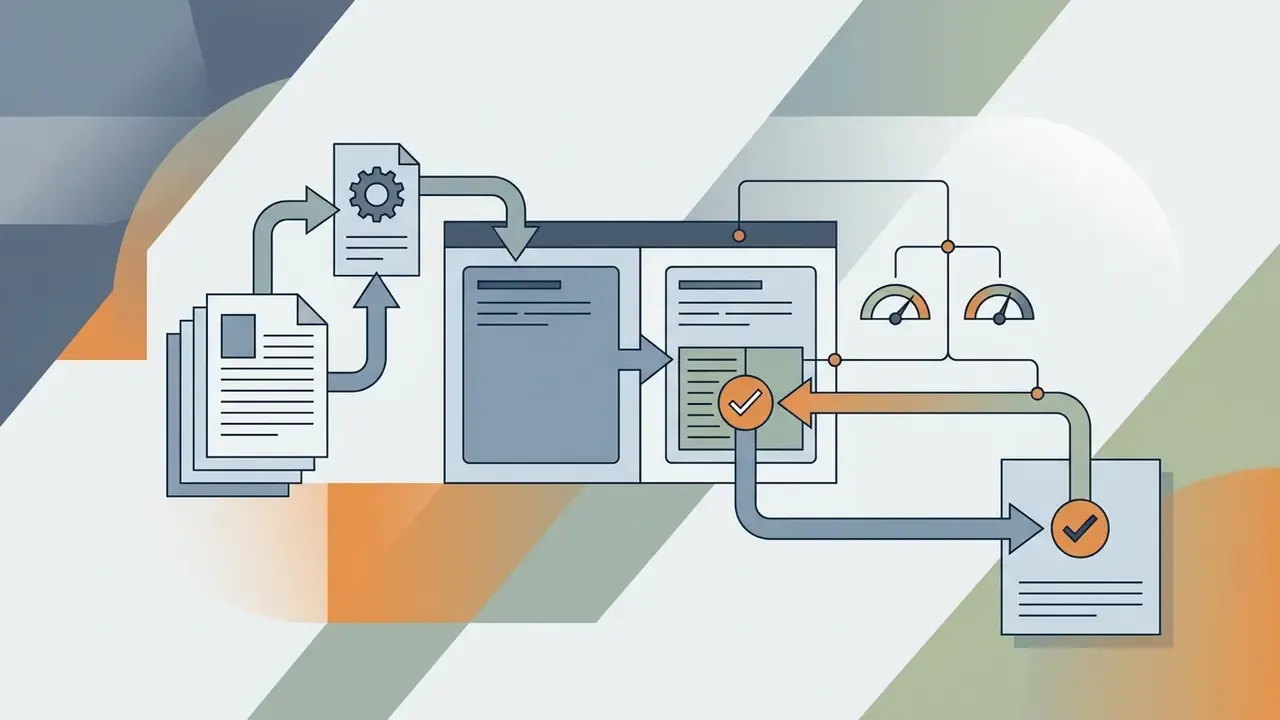
hypeart.ai verification notice was reframed as a Vendor Due Diligence Example inside the free-versus-paid evaluation section, rather than an unconnected footnote.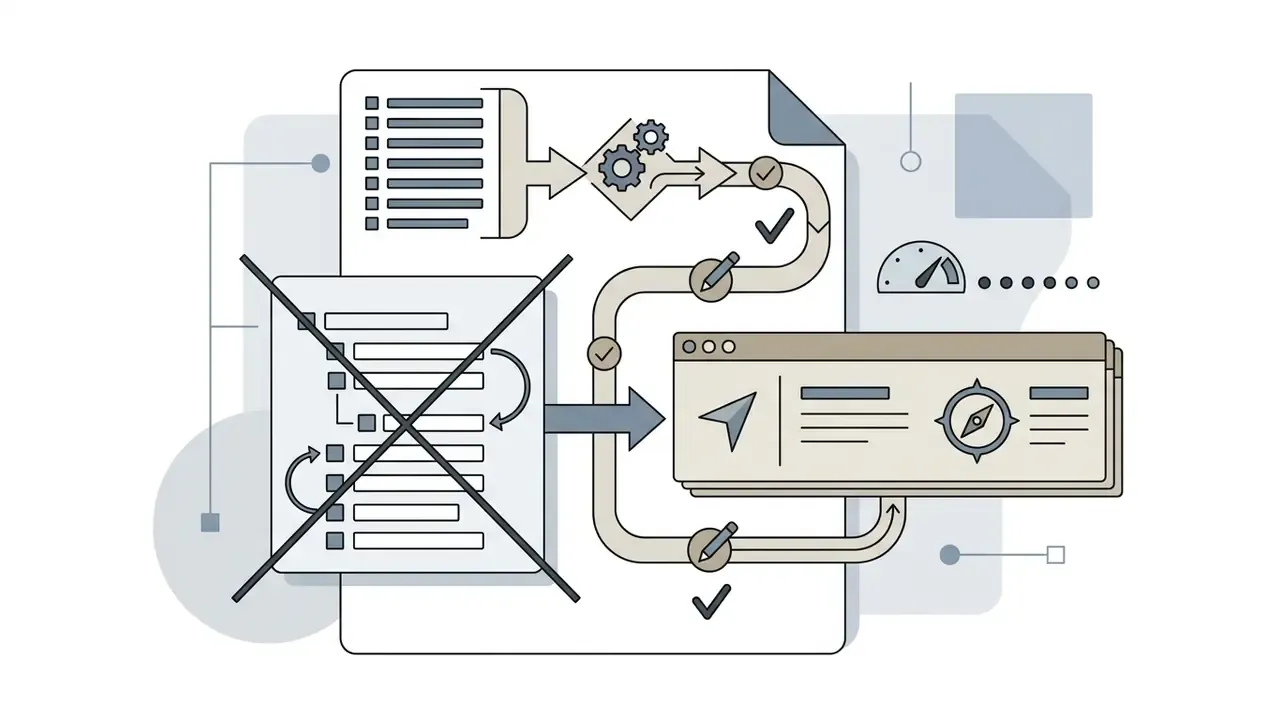
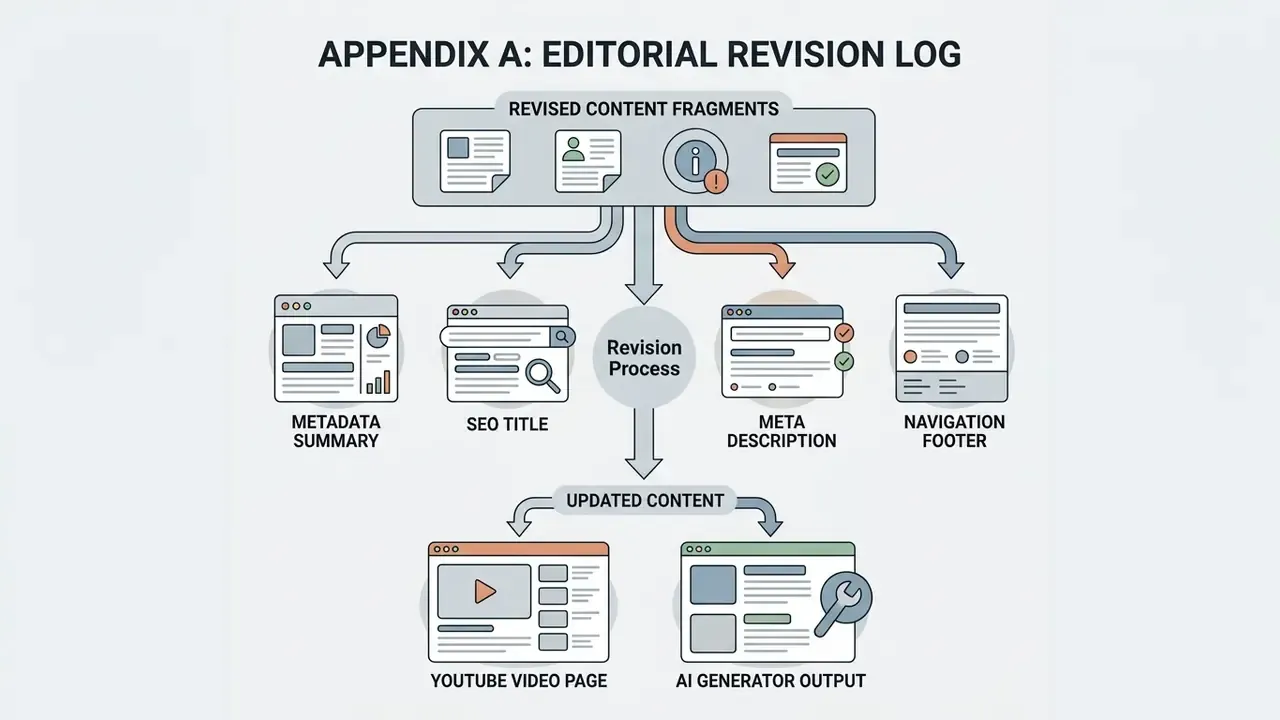
Metadata Summary
- SEO Title YouTube Video Description Generator: AI SEO Descriptions Guide 2026
- Meta Description Use a YouTube video description generator to write SEO descriptions: copy-paste AI prompt, 125–200 word benchmark, 00:00 timestamp syntax, hashtag limits, and a verification checklist.