To hire a youtube video editor successfully, content owners have to move from informal talent sourcing to a structured procurement and governance framework. That sounds heavy for a channel of one. It is not. Managing a YouTube production channel means treating editing as a measurable operational process that directly shapes audience retention, click-through rates, and publishing consistency.
Self-Audit: Is Your Channel Ready to Outsource Editing?
Hire an editor only if you meet at least two of the following criteria: (1) your personal production bottleneck is post-production rather than ideation or filming; (2) your channel generates recurring baseline revenue, or the channel is funded directly by a business as a marketing asset; (3) you publish consistently, a minimum of 2 to 4 videos monthly, and you need standardized branding across every upload. If editing is still your fastest and most enjoyable stage, and output sits below two videos per month, the higher-leverage investment is usually scripting and packaging, not outsourcing the timeline. Naming and positioning matter too; some teams tighten those before they touch post-production, using an ai youtube channel name generator and a fixed brand style guide.
Define What You Need Before You Hire a YouTube Video Editor
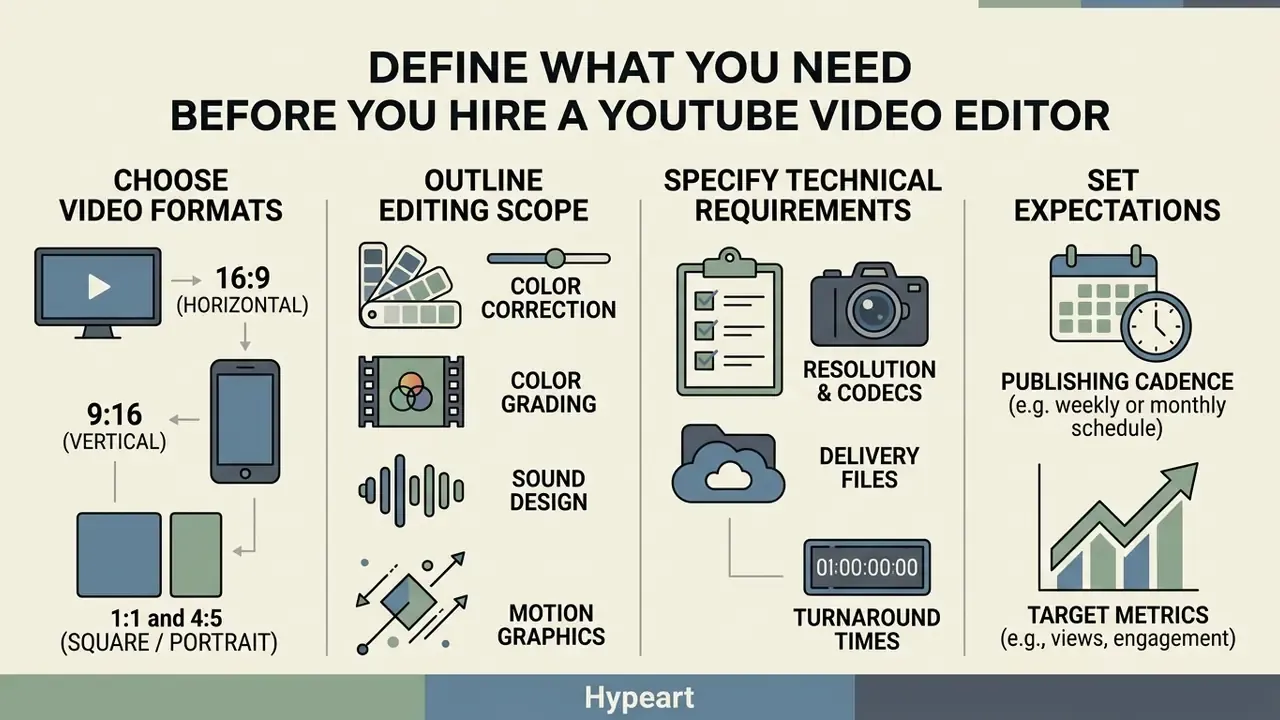
To hire a video editor for youtube effectively, define your exact deliverables, technical requirements, target metrics, and publishing cadence first. Framing these parameters before you post a job description prevents scope creep, aligns rate expectations, and filters out candidates who lack domain-specific expertise.
Choose the Video Formats and Editing Scope
Long-form YouTube videos (8 to 20 minutes) and vertical YouTube Shorts (15 to 60 seconds) require fundamentally different editing workflows, pacing strategies, and visual densities. Long-form content demands narrative structuring, multi-camera assembly, balanced audio mixing, and sustained retention hooks. If you are still mapping the tool stack behind these video editing workflows, settle software ownership before you interview candidates. YouTube Shorts need rapid jump cuts every 1 to 2 seconds, high-contrast kinetic captions, dense sound design, and tight immediate hooks built to maximize swipe-stop rates (Freelancerates.net Rate Benchmark, 2026). Teams running high Shorts volume often pair a human editor with an ai youtube shorts assembly step to cut the first pass time.
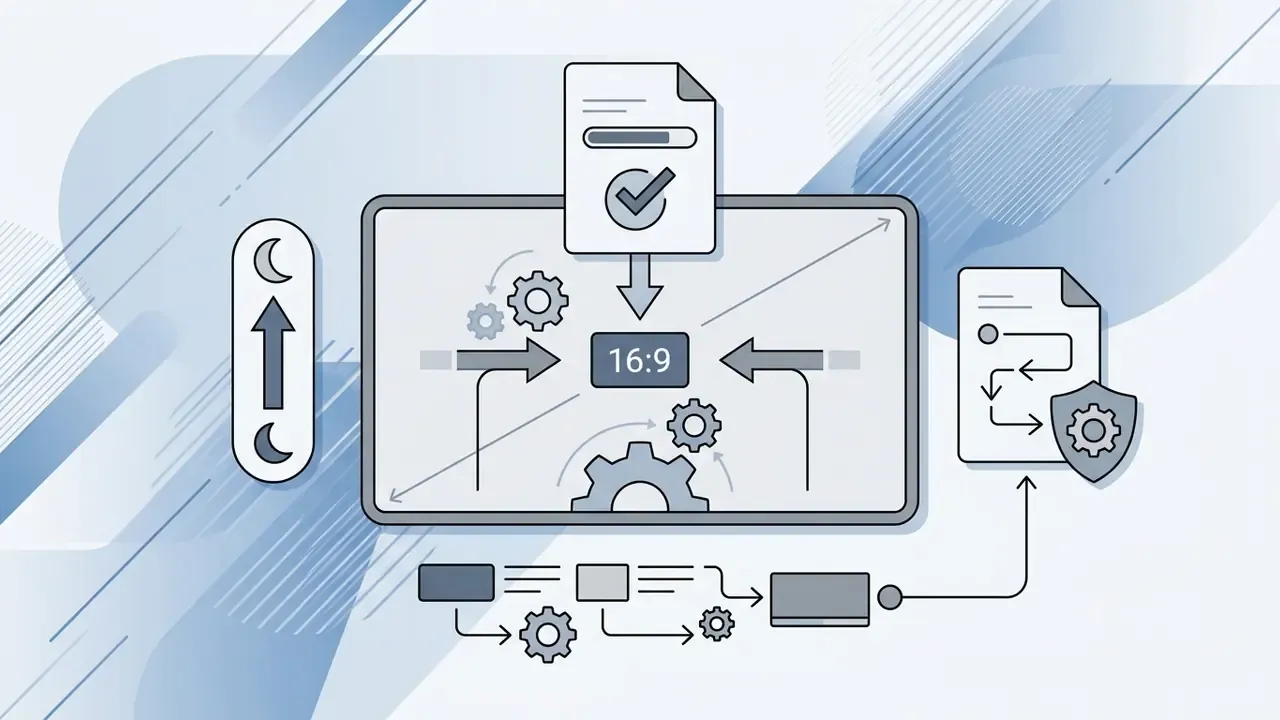
Beyond primary 16:9 long-form exports, mandate multi-platform aspect ratio deliverables inside the editor's contract brief:
Specifying all four ratios in the brief converts one edit session into a multi-platform distribution asset. It also removes the most common source of rate disputes after delivery.

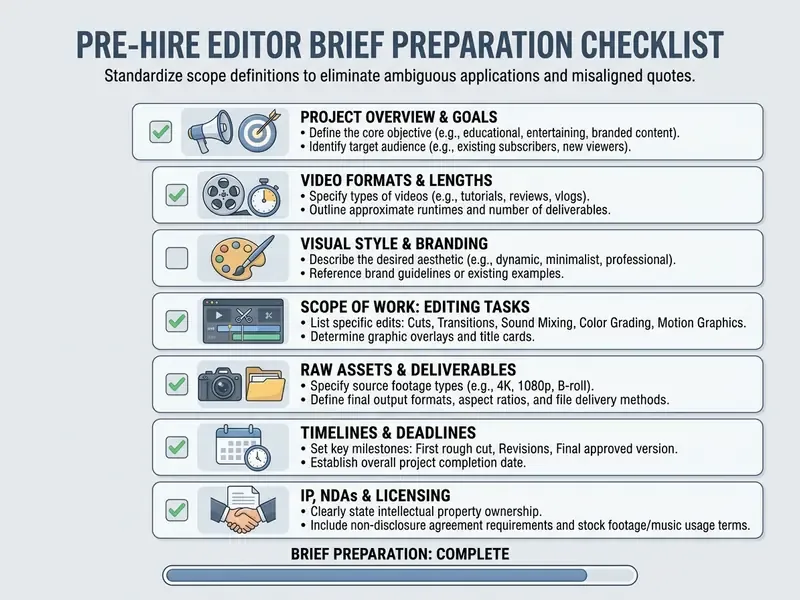
Checklist0 / 7
A complete pre-hire brief sets exact technical boundaries before you engage talent. Key post-production terms should be defined in writing to remove operational ambiguity:
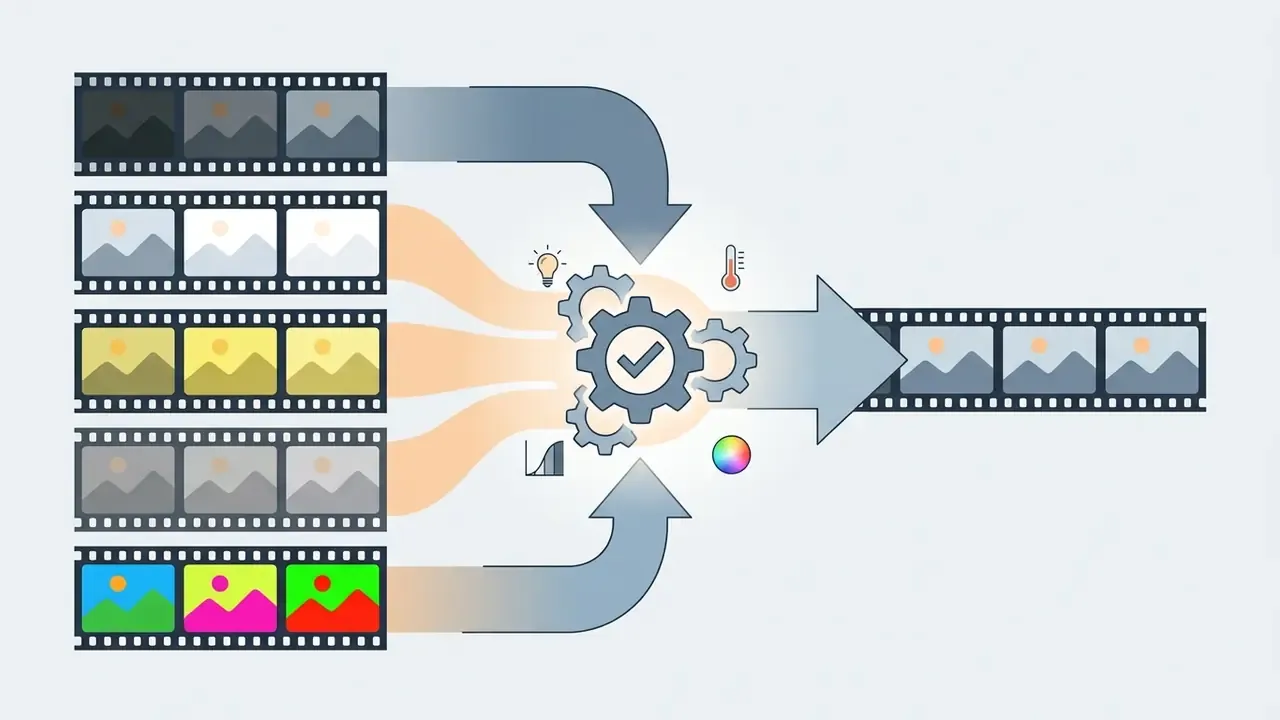
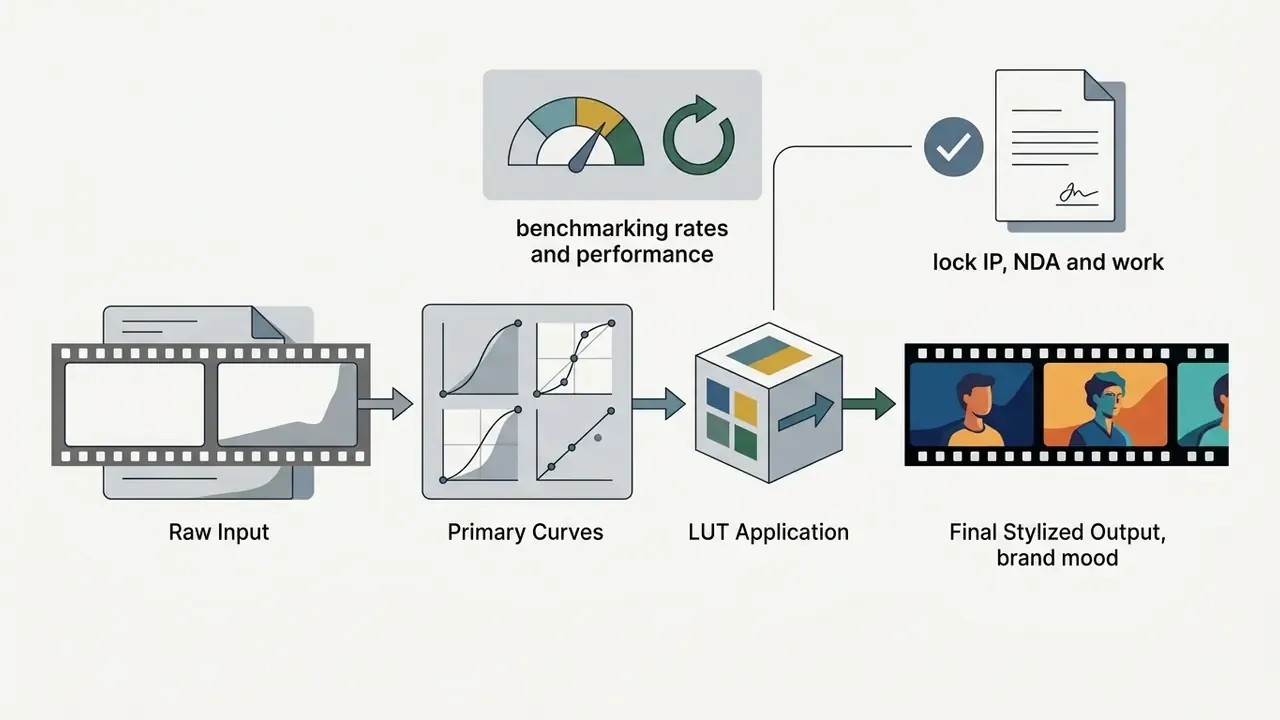
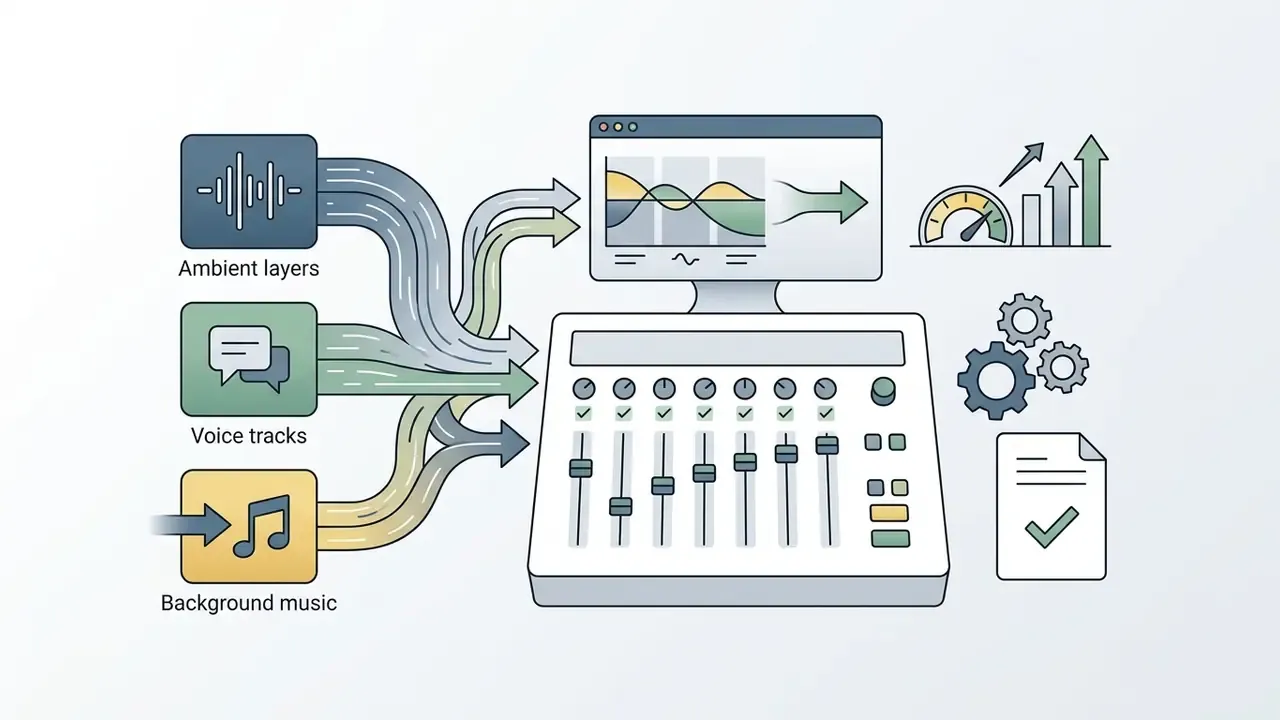



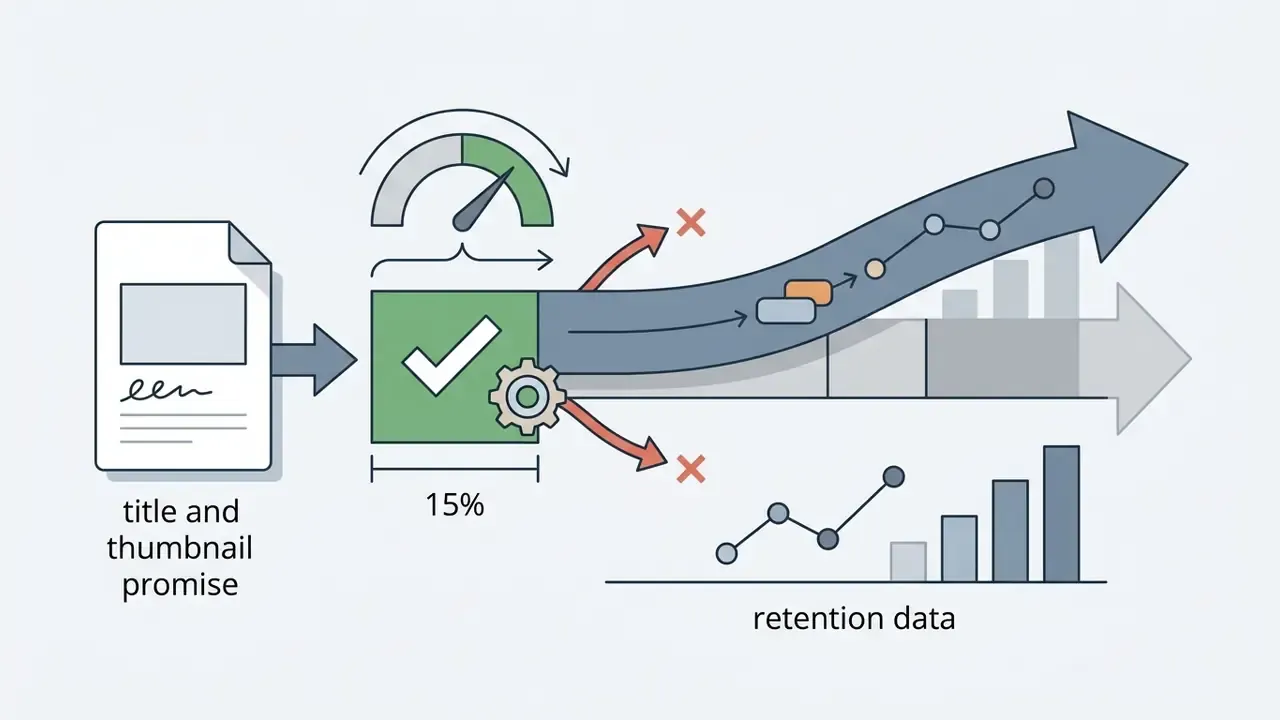
These definitions are not academic. Each maps to a measurable retention or CTR outcome, which is why a vague brief usually surfaces later as a flat retention graph rather than as an obvious quality complaint. The next example shows how a purely editorial adjustment changed distribution.
In a documented retention audit, a channel team reviewed the engagement graph in YouTube Analytics, isolated a weak narrative segment, and cut it from the upload entirely:
Copy-Paste Job Brief Template (Scope of Work)
Paste the template below into your posting on Upwork, YTJobs, or a direct outreach message. Replace bracketed fields before publishing.
ROLE: YouTube Video Editor (Long-Form + Shorts)
CHANNEL: [channel name] - niche: [tech / gaming / finance / education]
AUDIENCE: [demographic, region, language level]
MONTHLY OUTPUT
- [4] long-form videos, 8-20 min, 16:9, 1080p/4K
- [16] Shorts, 9:16, 1080x1920
- [8] social cut-downs in 1:1 and 4:5 with burned-in captions
SCOPE PER LONG-FORM VIDEO
- Footage assembly from [60-90] min of raw multi-cam material
- Dialog cut, filler-word removal, pacing on action
- Color correction + brand LUT grade
- Sound design: music bed, ducking under dialogue, -14 LUFS integrated loudness
- Motion graphics: intro title card, [6-10] lower thirds/callouts
- Deliverables: H.264 master, .SRT captions, native project file (.prproj / .drp)
- Thumbnail: 1 primary concept + 2 A/B variants
TURNAROUND & REVISIONS
- Rough cut: [72] hours from asset handoff
- Revision rounds included: [2], delivered within [24] hours each
- Emergency/rush delivery: priced separately at +[25-50]%
WORKFLOW
- Asset transfer: [Google Drive / Frame.io], folders: /RAW_FOOTAGE /AUDIO /GRAPHICS /EXPORTS
- Feedback: timecoded comments in Frame.io only (no scattered chat notes)
- Weekly sync call: [1] per week, [30] min, overlap window [hours, time zone]
COMMERCIAL & LEGAL
- Engagement type: [freelance contractor / retainer]
- Rate: [hourly / per finished minute / flat per video / monthly retainer]
- Work-for-hire: all output, drafts and project files assigned to [company]
- NDA required for all pre-release footage
- Contractors outside [country] must submit [W-8BEN / W-9 / local equivalent]
APPLICATION REQUIREMENTS
1. 2-3 portfolio links in our niche (state exactly what you edited)
2. Your primary NLE and plugin stack
3. Current weekly capacity in finished minutes
4. Confirmation that you accept a paid 2-hour test edit
Where to Hire a YouTube Video Editor Online and Which Model to Choose
To answer where to hire youtube video editor online, creators and media managers pick between independent freelance contractors, dedicated in-house employees, or specialized video editing services. The optimal model depends on content output volume, workflow complexity, management capacity, and available budget.
| Hiring Model | Typical Cost Structure | Process Control | Turnaround Time | Long-Term Operational Risks | Recommended Use Case |
|---|---|---|---|---|---|
| Freelance Video Editor | $25–$90/hr or $75–$300 per finished minute | Moderate (SLA dependent) | 48–96 hours per video | Capacity bottlenecks, ghosting, inconsistent quality | Variable output, seasonal campaigns, early-stage channels |
| Full-Time Editor | $3,200–$8,500/month salary + overhead | High (fully embedded) | 24–48 hours per video | Fixed payroll overhead during low-production periods | High-volume channels issuing 3+ complex videos weekly |
| Video Editing Agency | $1,800–$5,000/month recurring retainer | Medium-High (managed) | 24–48 hours guaranteed | Reduced direct editor contact, queue dependencies | Established brands needing turnkey production coverage |
| Unlimited Editing Subscription | $800–$2,000/month flat, add-ons extra | Medium (queue-based) | 24–48 hours per draft | Underutilization in low-volume months, editor rotation | Channels with steady, standardized output needing predictable cost |
Data from global online labor platforms points to an active pool of over 19 million earning freelancers, which gives you broad access to specialized post-production talent.
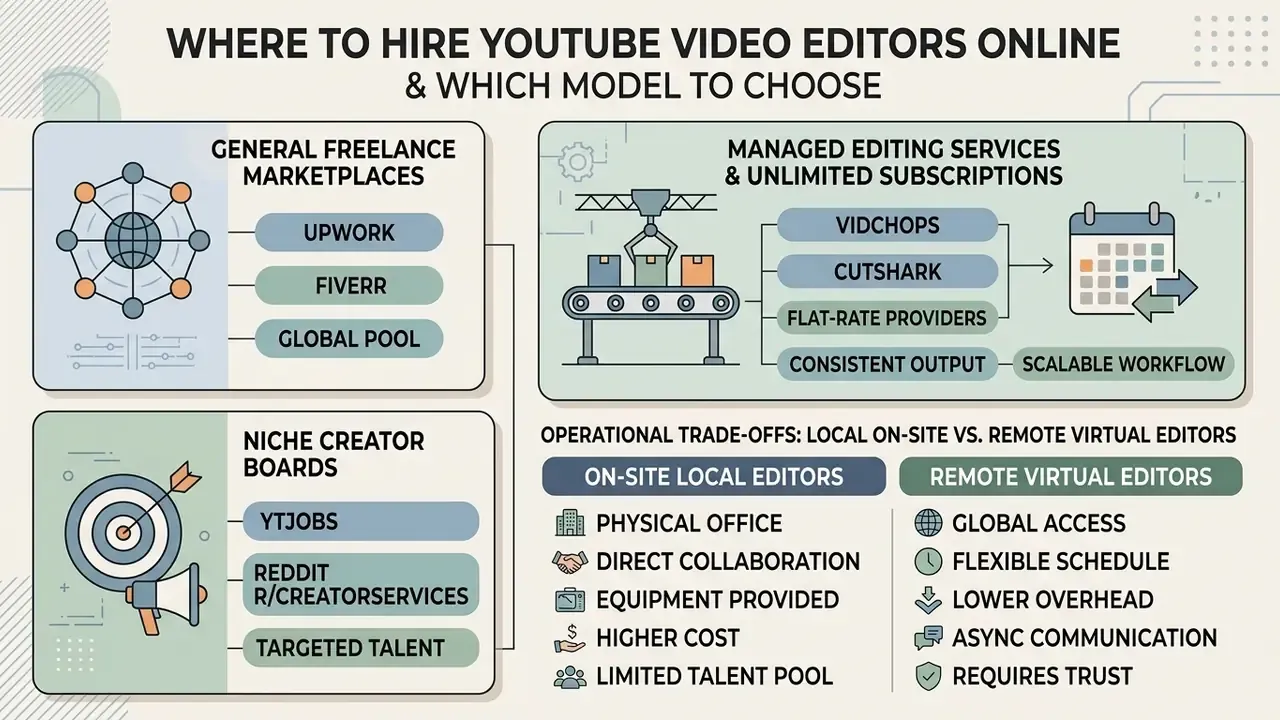
When you compare where to hire youtube video editor talent online, sourcing usually spans three categories:
- General Freelance Marketplaces (Upwork, Fiverr)Broad talent access with public client reviews, escrow protection, and hourly tracking controls. Upwork platform metrics show a median hourly rate of $32 per hour for general YouTube video editing, expert specialists ranging up to $150 per hour, and full-time equivalent annual earnings between $39,000 and $154,000 (Upwork Market Summary, 2026, https://www.upwork.com/hire/youtube-video-editors/).
- Niche Creator Boards (YTJobs, Reddit r/CreatorServices)High-relevance venues focused on YouTube production standards, where candidates present channel-specific portfolio metrics. Direct creator-to-editor contact is the advantage. The absence of structured vetting is the trade-off, so your own screening rubric carries the full weight.
- Managed Editing Services and Unlimited Subscriptions (Vidchops, Cutshark, and comparable flat-rate providers)Subscription services with dedicated production queues, standardized turnarounds, and built-in project management oversight. Before signing, verify two commercial details that move the value needle: whether unused hours roll over as banked hours (commonly a 30-day rollover window), and whether a Creative Director add-on covering thumbnail direction and narrative strategy exists, typically at $200 to $400 per month. Providers in this segment also tend to price premium extras, such as custom video templates, separately.
Running the numbers against your own output is faster with prebuilt calculators than with a fresh spreadsheet every quarter.
Operational Trade-Offs: Local On-Site vs. Remote Virtual Editors
Legal engagement type is only half the decision. The second axis is the physical distribution of the team, and many hiring guides collapse the two into one choice, which produces mismatched hires.
- On-Site Local Editors Essential for channels that need live multi-cam direction, immediate physical media handoffs, and real-time collaboration during production. A local editor builds rapport quickly, can attend shoots, and often contributes framing or coverage suggestions on set that reduce fix-it-in-post work. The cost floor is higher because of regional salary adjustments and studio hardware overhead.
- Remote Virtual Editors Ideal for structured digital workflows. Remote hiring widens candidate access globally and lowers operational spend, but it demands strict asynchronous protocols: cloud ingest proxies, standardized timecoded feedback (Frame.io), and explicit time-zone overlap windows of at least 2 to 3 hours daily for synchronous alignment. Communication quality depends on the protocol, not on goodwill, so define the channel mix (email, chat, weekly video call) in the contract.
A practical hybrid exists, and it works well: retain a remote primary editor for recurring timeline work, then book a local operator only for shoot days involving multi-camera direction or live events.
Choosing a model means balancing financial flexibility against production stability. Freelance hires keep fixed overhead low but carry continuity risk if contractor availability shifts.
How to Evaluate Skills and Portfolio Before Hiring a Video Editor for YouTube
To understand how to hire great video editors, evaluate portfolios against objective performance rubrics instead of taste. A professional video editor for YouTube must show mastery of narrative pacing, hook retention, seamless audio transitions, and software proficiency in industry-standard NLEs such as Adobe Premiere Pro, DaVinci Resolve, or Final Cut Pro.
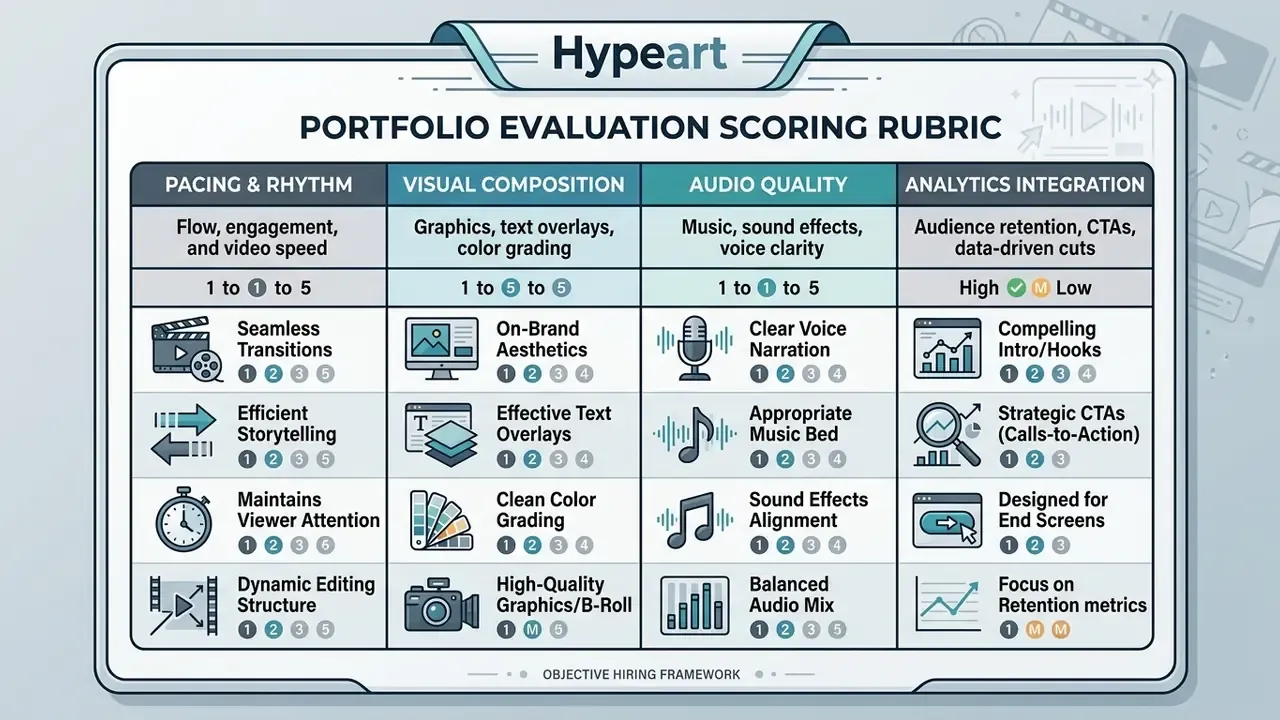
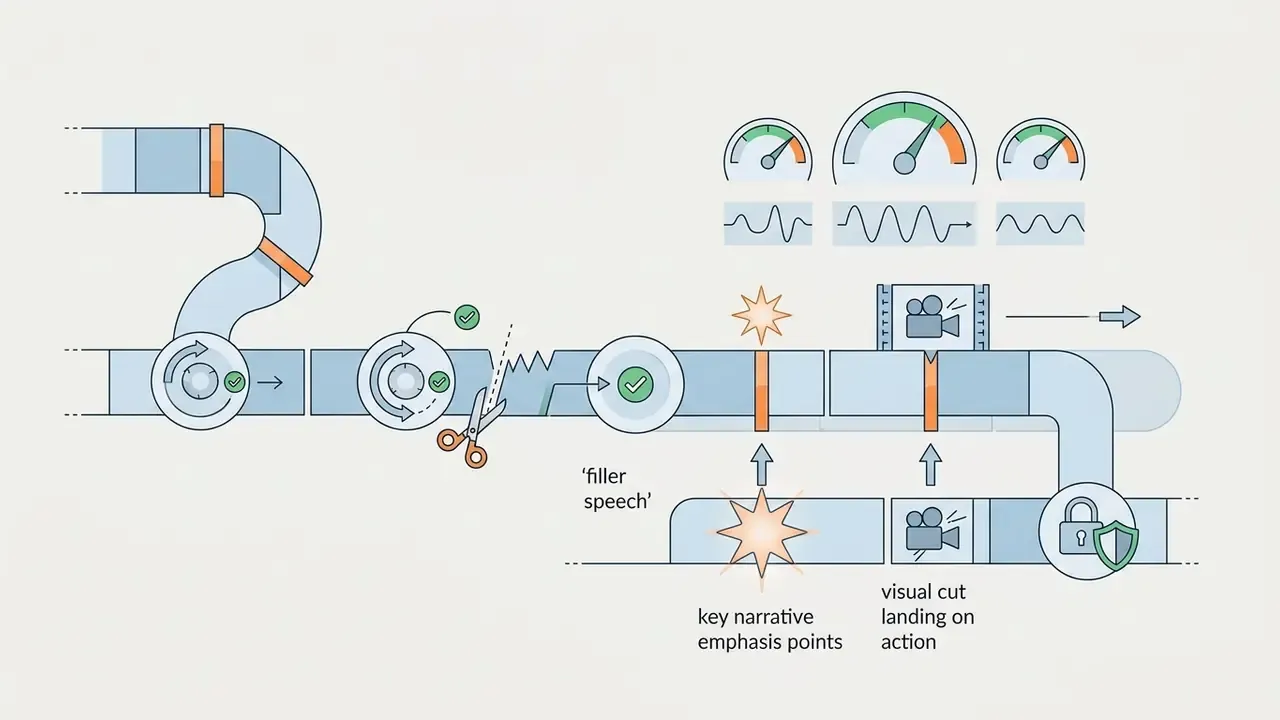
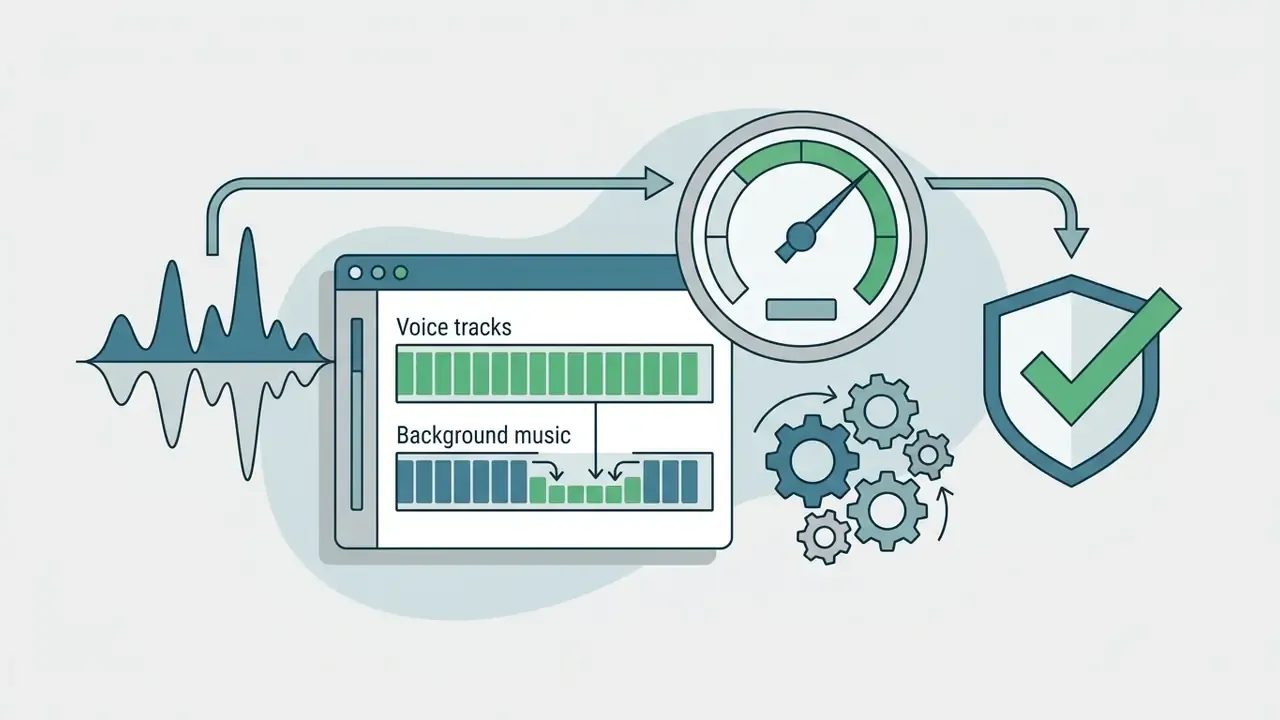
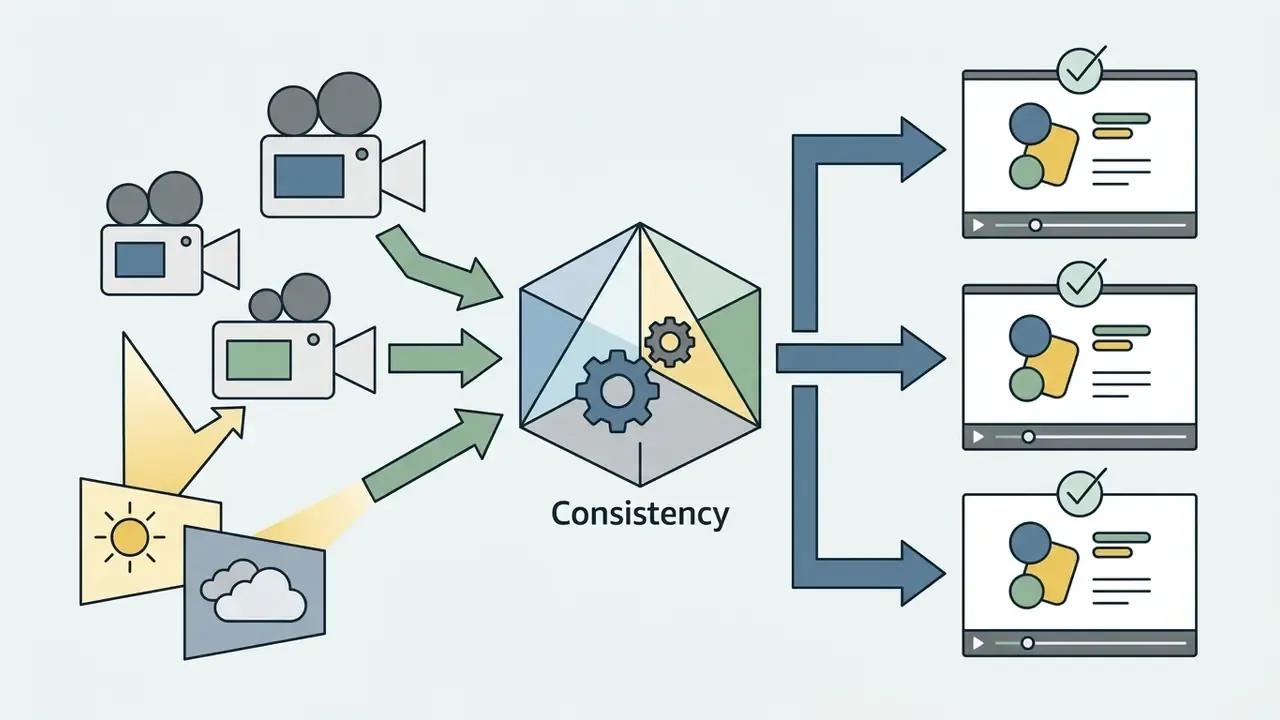
When auditing candidate reels, score four operational pillars:
If you want external proof points rather than vendor claims, the AI Media Benchmarks and Review Proof library is a reasonable cross-check before you trust a showreel at face value.
Portfolio Red Flags: What Disqualifies a Candidate Early
Before you spend interview time, screen for five recurring warning signs:
- Unattributed showreels.The candidate cannot state which cuts, graphics, or grades were their own work on a collaborative project.
- Stock-heavy reels with no source footage.Polished b-roll montages prove license access, not editing judgment on messy real footage.
- No native project files.An editor who cannot supply a
.prproj,.drp, or equivalent for a claimed project is a continuity risk. - Zero analytics literacy.No mention of retention graphs, average view duration, or CTR anywhere in their materials.
- Template uniformity.Every sample uses the same preset transitions and title pack, which suggests one reusable template rather than adaptable craft.
Use a Paid Test Edit and Interview Questions
The most reliable step when hiring a video editor for youtube is a standardized, paid test edit on raw channel footage. Avoid unpaid trials beyond 2 hours of labor. Standard practice is to pay normal hourly rates for evaluation work samples (ACAS Hiring Guidance, 2026).
During interviews, ask competency-based operational questions about their YouTube video editing workflows:
Soft-Skill and Communication Assessment Criteria
Technical mastery means little if an editor cannot align with your production culture. Audit three soft-skill indicators:
Also probe niche familiarity directly. Ask which trends the candidate follows in your subject area and which channels they consider best-edited. An editor who genuinely cares about the topic will generate stronger creative proposals and need fewer corrective rounds. The composite profile worth hiring is a good team player, a clear communicator, detail-oriented, self-motivated, and proactive rather than purely instruction-driven.
Software compatibility is critical for team collaboration. Adobe Premiere Pro supports real-time multi-user timeline editing via Team Projects, while DaVinci Resolve uses Blackmagic Cloud libraries for multi-editor database syncing (Adobe Premiere Pro Collaboration Manual, 2026, https://helpx.adobe.com/premiere-pro/using/team-projects.html). Final Cut Pro does not document an equivalent shared real-time project model, which matters materially if you plan to run two editors on one timeline.
During an editor search for an educational YouTube channel, one organization shortlisted three candidates from 85 applicants and issued a paid 3-minute test edit using raw footage with audio noise and multi-cam sync problems. The winning candidate was chosen not for flashy transitions, but for precise audio cleanup, clean graphic callouts, and delivery inside 24 hours. Uploads edited by that contractor showed an improvement in average view duration of roughly one-fifth over the following publishing cycle (internal media workflow audit, 2025; the figure comes from a single channel's analytics and is not independently verified, so treat it as directional rather than a benchmark).
- "How do you structure the first 30 seconds of a long-form video to prevent viewer bounce?"
- "What NLE software do you specialize in, and how do you handle remote project file handoffs?"
- "Can you describe a situation where editing adjustments recovered a dropping retention curve?"
- Language Fluency and Context MasteryVerify that the candidate understands nuance, native idioms, and pacing for your target demographic. This matters most when the editor writes captions, on-screen text, or Shorts hooks. Accent is irrelevant. Comprehension and idiomatic accuracy are not.
- Feedback ReceptivityDuring the paid test edit, issue at least one subjective timecoded critique, for example "change music track intensity at 01:15." Watch whether they ask clarifying questions, propose an alternative, or push back constructively instead of silently complying or arguing.
- Proactive Workflow ReportingConfirm that the candidate flags raw footage anomalies early, whether clipped audio, camera defocus, or missing sync sound, before building the primary assembly rather than at delivery.
How Much to Pay Someone to Edit YouTube Videos
| Pricing Model | Market Rate Range | Budget Control Level | Primary Advantage | Primary Risk Factor |
|---|---|---|---|---|
| Hourly Rate (Per Hour) | $20–$40/hr (junior) $45–$75/hr (mid-tier) $80–$150/hr (expert) | Variable (requires hourly caps) | High flexibility for undefined scopes or exploratory cuts | Uncapped project costs if revisions multiply |
| Per-Finished-Minute | $75–$300 per finished minute | High (calculated output) | Direct link between finished asset length and cost | Scope friction if the raw clip ratio is extremely high |
| Per-Project Flat Fee | $150–$600 per video (8–15 min) | Maximum (fixed contract) | Absolute cost certainty per asset | Friction if major structural re-edits are requested |
| Monthly Retainer | $1,500–$5,000/month | Predictable (fixed operational cost) | Reserved editing capacity and consistent turnarounds | Underutilization if raw content recording stalls |
| Niche Premium (Gaming / Reaction) | $50–$125/hr | Variable | Specialist meme compositing, dense sound design, rapid pacing | Highest hourly ceiling in the market |
For a deeper breakdown of tool costs that sit alongside labor costs, compare video editor pricing models and the software licences your editor expects you to fund.
Niche cost scaling: Specialized gaming and reaction editors command premium rates, $50 to $125 per hour, because of intensive sound design, meme compositing, overlay density, and rapid pacing. Vlog and talking-head editing typically lands in the mid-tier range, while corporate and documentary-style long-form sits between the two thanks to slower pacing but heavier color and audio finishing. For channels chasing flat-rate scaling, unlimited editing subscriptions ($800 to $2,000 per month) give stable costs, but check whether the service includes banked hour rollovers for low-volume months or optional Creative Director oversight ($200 to $400 per month) for thumbnail and narrative strategy.
One cost line gets forgotten almost every time: adjacent production services. Voice replacement, dubbing, and narration cleanup are separate scopes, and ai voiceover tools for youtube videos can absorb part of that work at a lower marginal cost than a specialist audio pass. Packaging is the other line item. Title testing with an ai youtube title generator costs a fraction of an extra editing round, yet it moves CTR more often than a new transition pack.
Compare Per-Hour, Per-Project and Long-Term Pricing
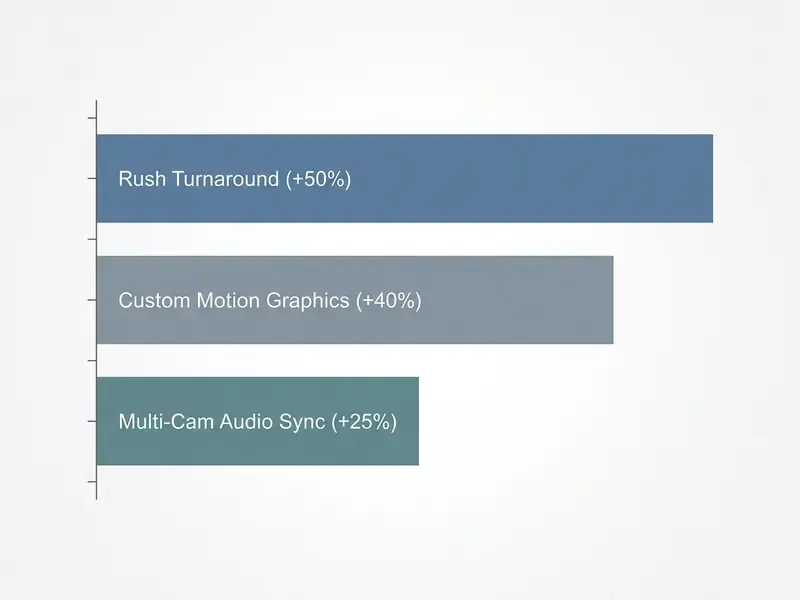
Pricing for YouTube video editing is driven mostly by raw footage volume, visual complexity, motion graphics intensity, and rush surcharges. Expedited turnarounds inside 24 to 48 hours routinely carry surcharges of 25% to 50% above baseline.

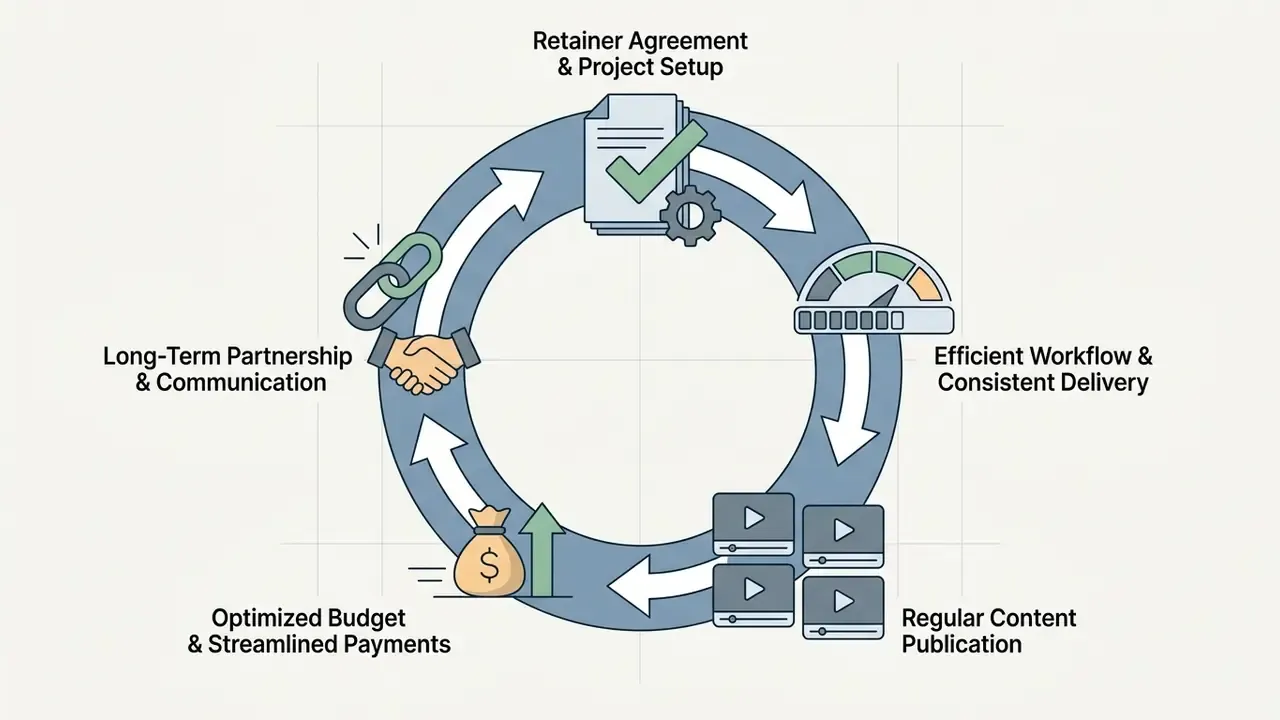
Retainers secure priority production bandwidth and build deep familiarity with channel branding. Benchmark those numbers against the employment market before you negotiate.
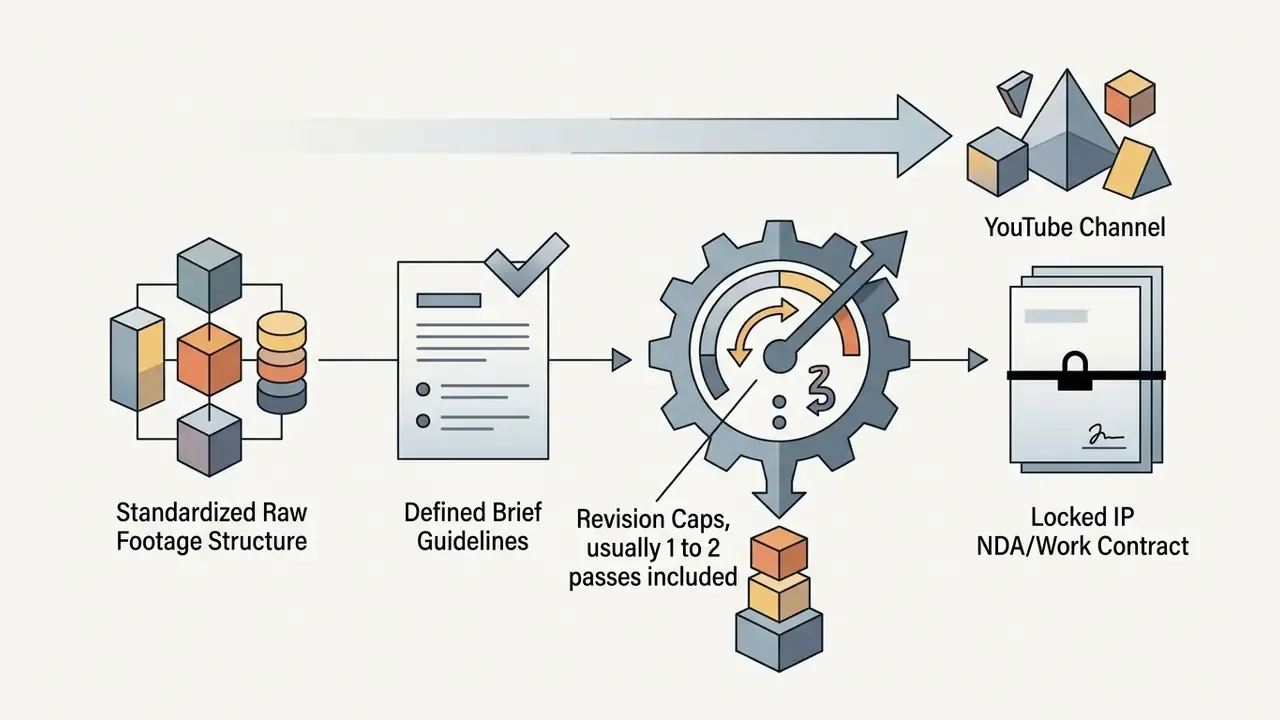
Revisions beyond the contracted rounds are normally billed hourly or as a fixed surcharge. Specify the included round count explicitly instead of leaving revisions open-ended. If the output will be monetized beyond YouTube ads, check licensing boundaries for music, stock, and AI-generated assets in the AI Media Commercial-Use Hub before the first invoice.
Legal, IP Rights, NDA and Data Protection
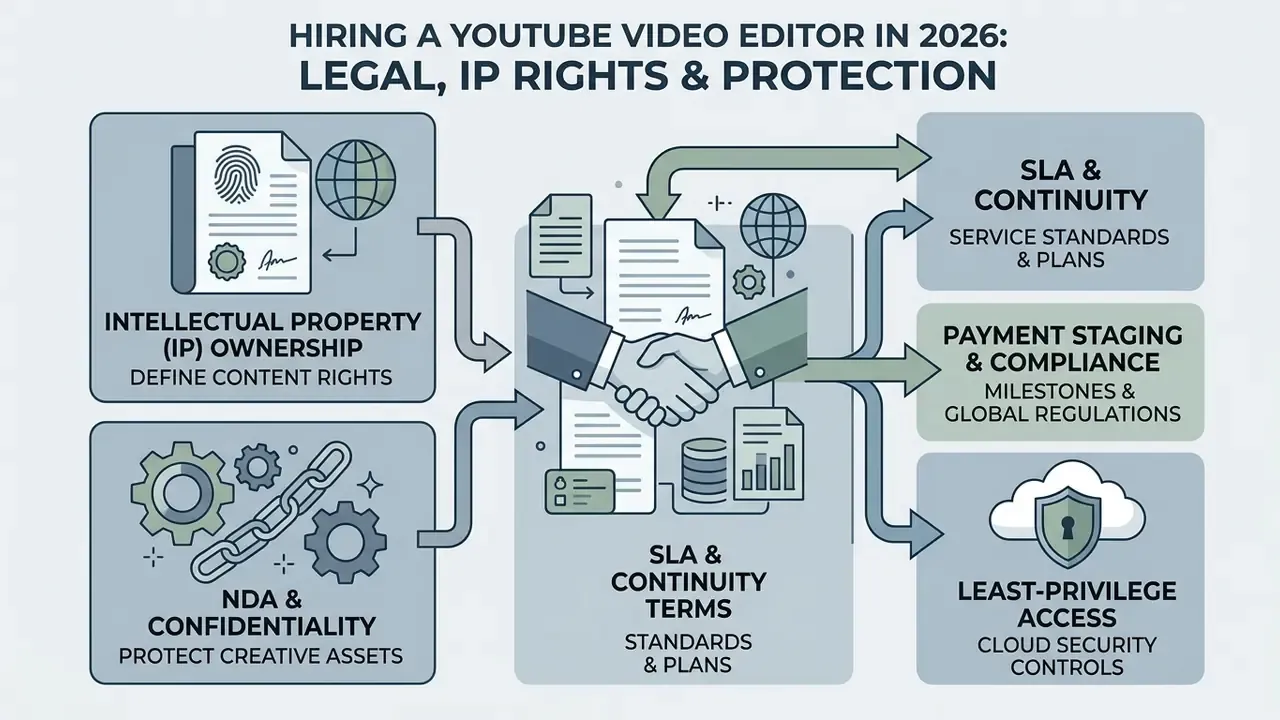
Editing engagements fail more often on ownership and confidentiality disputes than on craft. Put four instruments in place before the first paid project. Five, actually, if you count access hygiene, which most teams should.
1. Work-for-Hire and IP Assignment. Contract templates consistently require five clauses: scope of work, payment schedule, revision limits, ownership and usage rights, and termination terms. State explicitly that all deliverables, including final renders, intermediate drafts, unused sequences, custom graphic templates, and native NLE project files (.prproj, .drp, .fcpbundle), are assigned to your company on payment. A common failure mode: you own the exported MP4 while the editor keeps the only editable timeline, which makes future recuts or an editor change painfully expensive.
2. NDA for Pre-Release Footage. A short confidentiality clause covers most channels:
Set Up a YouTube Video Editing Workflow After the Hire
Once hiring video editor for youtube support is complete, stand up a standardized post-production workflow. A disciplined workflow cuts revision cycles, holds quality, and protects the publishing schedule.
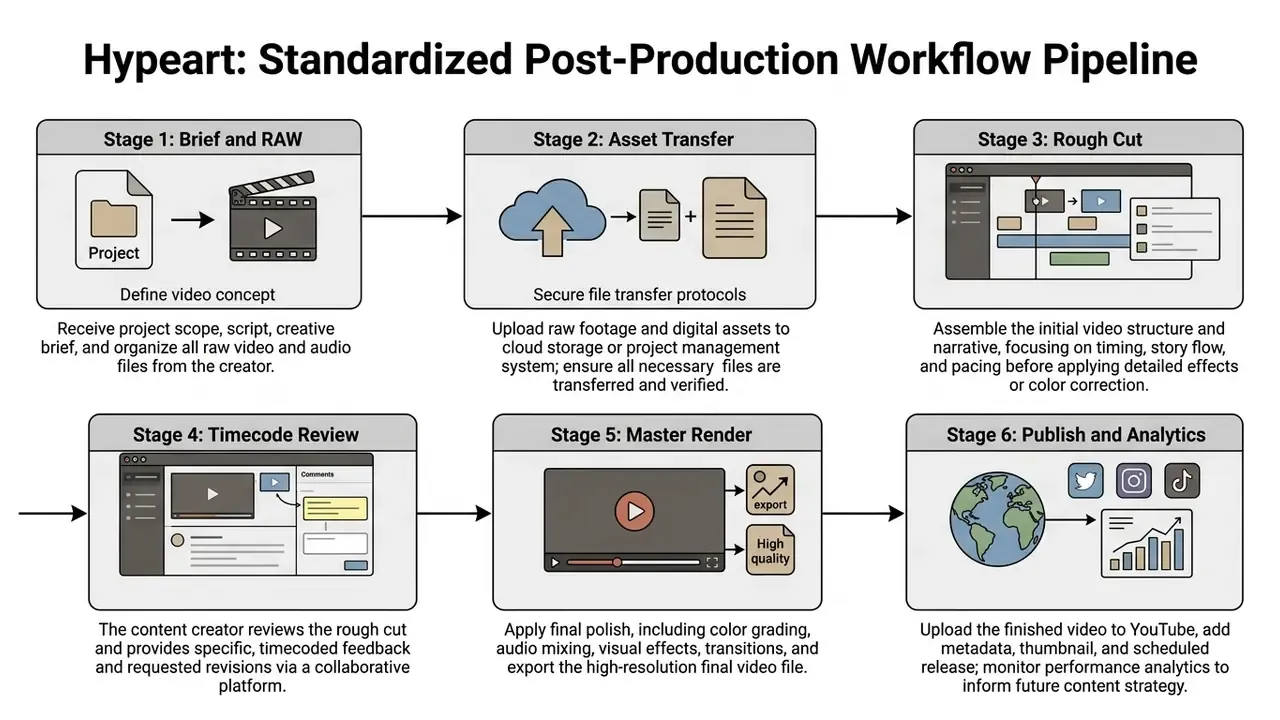
Text Walkthrough of the Production Pipeline
- Task Assignment and Brief Lock: Define the video goal, target length, key visual references, and deadline in a central workspace such as Notion or Asana. One named approver owns sign-off per video.
- Raw Asset Ingestion: Upload unedited camera video, external audio, and graphic assets to structured cloud storage (Google Drive, Frame.io, or Dropbox) using fixed folder conventions (
/RAW_FOOTAGE,/AUDIO,/GRAPHICS,/REFERENCE,/EXPORTS). Share the project folder only, with least-privilege access.«At Sundance, teams used Camera to Cloud to upload footage automatically after each take, letting editors work in Premiere Pro in near real time.»
- Assembly and Rough Cut Execution: The editor organizes media, normalizes audio, performs the primary dialog cut, and sets visual pacing. Where it fits, AI video generators and automated transcription speed up stringout assembly and filler-word removal before manual refinement.
- Timecode Review and Iteration: The project owner reviews in a frame-accurate platform such as Frame.io. Feedback is consolidated into timecoded comments so instructions never conflict.
«Frame.io provides frame-accurate commenting, which eliminates conflicting instructions and shortens iteration cycles between editor and client.»
Source: Adobe, Frame.io Workflow Guide (2026). https://frame.io/guides/workflow
- Final Master Export: After approval, the editor renders the master in the target codecs (H.264/HEVC, 4K ProRes if required) plus subtitle files (.SRT), platform-specific 9:16, 1:1 and 4:5 variants, and raw NLE project archives. Log the approval against the exact version number and archive the master separately from working files.
- Publishing, Packaging and Performance Audit: Upload to YouTube Studio, pair the video with an optimized high-CTR thumbnail, and read retention graphs 7 days post-publish to guide the next edit (YouTube Studio Analytics Handbook, 2025). Thumbnail design has to be coordinated with editing, not bolted on at the end, because packaging decides whether the edit is ever seen.
«Thumbnails with a face average 6.8% CTR versus 4.1% without; short text of 1 to 5 words outperforms 11+ words by 75%.»
Source: CTRpilot Thumbnail Benchmark (2024). https://ctrpilot.com/youtube-thumbnail-ctr-study
«Simplifying a thumbnail to a single focal point raised CTR by 23%; a shocked facial expression by up to 45%; bold 3 to 5 word text by 28%.»
Source: ThumbnailCreator CTR Case Studies (2026). https://thumbnailcreator.com/blog/ctr-case-studies
Editing quality feeds distribution mechanics, not just perceived polish.
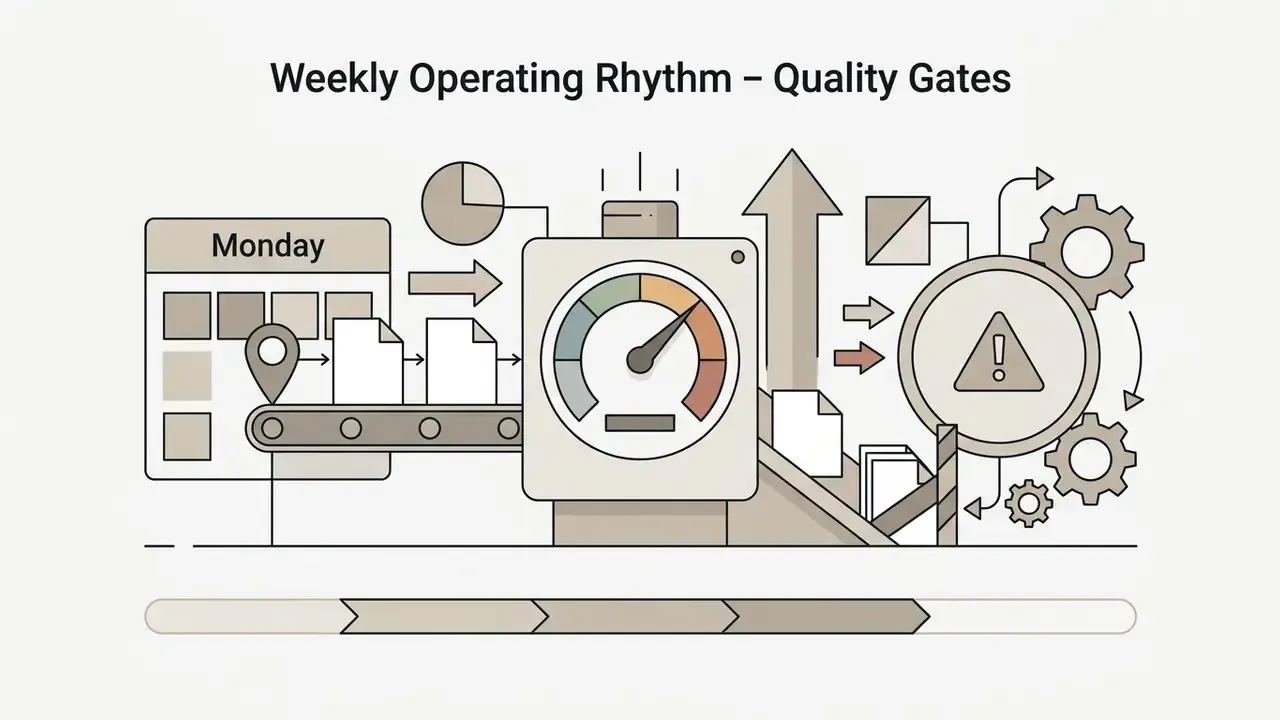
Weekly Operating Rhythm and Quality Gates
A pipeline diagram is useless without a cadence attached to it. Set four fixed gates and hold them:

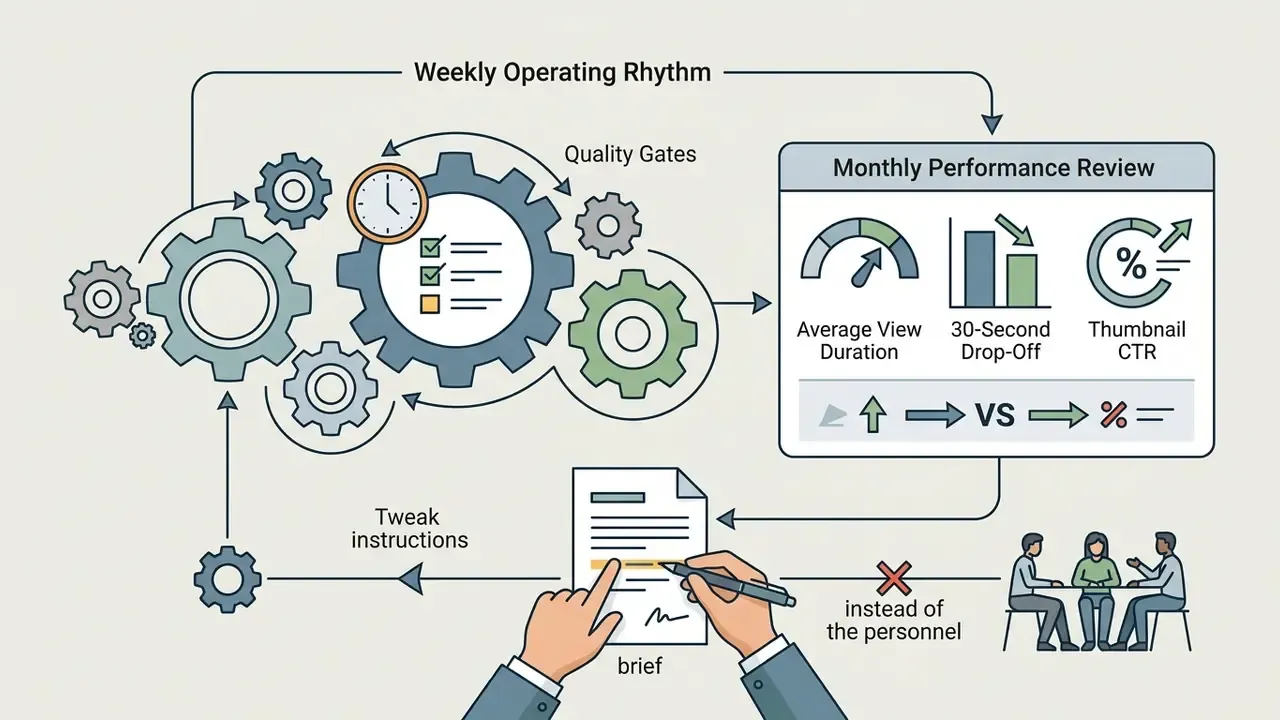
Define clear requirements, apply objective selection criteria, pick the right pricing model, protect your intellectual property contractually, and keep a structured review workflow. Do those five things and a channel scales predictably rather than in bursts. For a stage-by-stage expansion of every step above, see the extended guide to the YouTube post-production pipeline.
FAQ: Common Problems After Hiring a YouTube Editor
What do I do if my editor misses the render deadline?
Escalate against the SLA, not emotionally. Request the current project file and linked assets immediately, apply the contracted remedy (fee reduction or reassignment), and publish from the latest approved cut if one exists. This only works if weekly project-file uploads were mandated in the contract.
What if the editor ghosts mid-project?
Pull the last uploaded project file from your cloud storage, hand it to a backup contractor or an agency queue, and pay only for delivered milestones. Keeping one pre-vetted backup editor, even at a higher rate, is cheaper than an unplanned publishing gap.
Do I need to buy plugins and software licences for my editor?
Freelancers normally supply their own NLE licence. You fund anything brand-specific or project-specific: custom template packs, licensed music subscriptions, stock footage, and any plugin you require for a house style. State this in the brief so quotes stay comparable.
Who owns the thumbnail and the graphics templates?
Your company only, and only if the work-for-hire and IP assignment clauses cover drafts, source files, and templates. Without that clause, the editor may legally reuse the template on another channel.
How many revision rounds are normal?
One to three rounds are standard inclusions. Extra rounds get billed hourly or as a fixed surcharge, so cap them in writing and consolidate all feedback into a single timecoded pass per round.
Can I use an unpaid test edit to save money?
Not advisable. Where a trial task exceeds a short assessment or produces usable output, it should be paid. Guidance generally treats a genuine test as roughly two hours or a single shift. A paid test also lifts candidate quality and gives you a legitimate claim to the resulting file.
Should I hire one editor or split long-form and Shorts?
Split when Shorts volume passes roughly 12 per month. Shorts need different pacing instincts and a faster turnaround cycle than long-form narrative assembly, and a single contractor usually becomes the bottleneck on one of the two formats.
Appendix A: Source Notes and Data Corrections
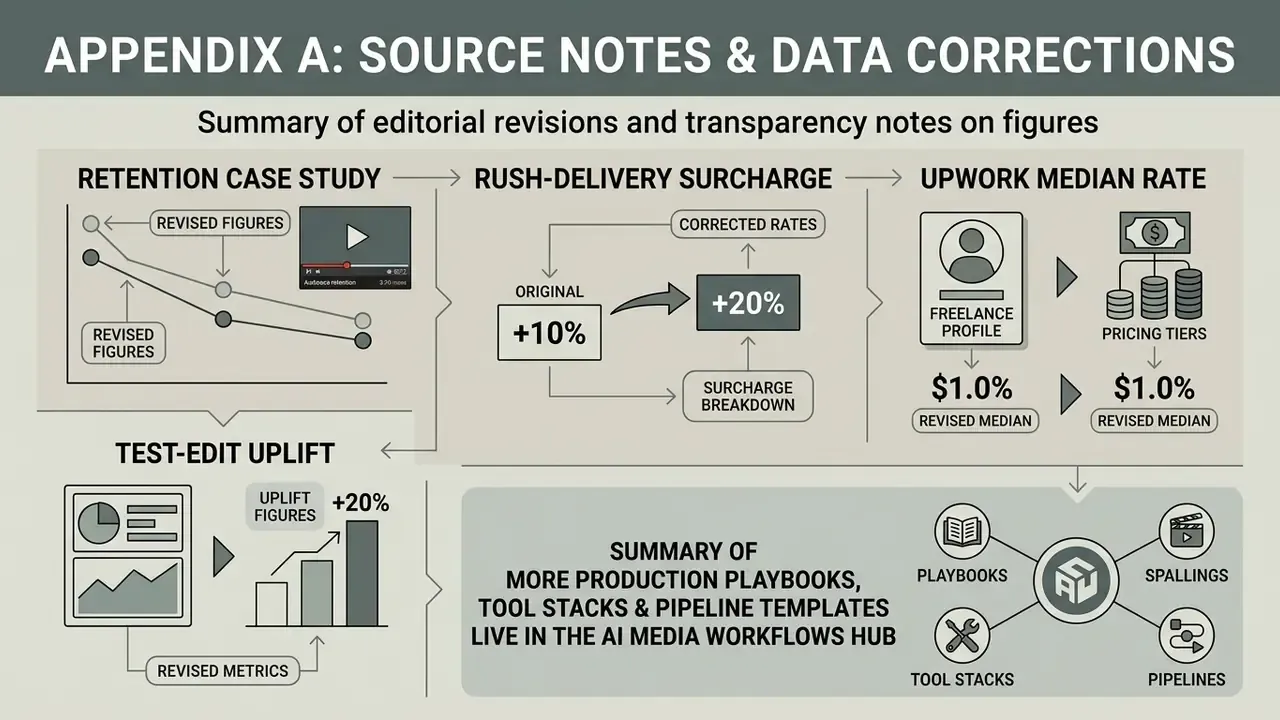
Transparency notes on figures revised during editorial review:
- Retention case study. An earlier version of this article cited a 14% drop in average view duration and a retention increase from 32% to 44% driving a 180% impressions lift over 60 days, attributed to the Allin1Panel Retention Study (2024). The published case study reports different specifics: removal of a 42-second segment at the 4:15 mark, retention rising from 34% to 46%, and daily views growing from 15 to 85 over 30 days. The corrected figures appear in the main text.
- Rush-delivery surcharge. The 25% to 50% rush surcharge, first attributed to a single vendor cost guide, is corroborated across multiple 2026 pricing analyses, with harder deadlines occasionally priced at up to +100%.
- Upwork median rate. The $32 per hour median and the $10 to $60 per hour band remain as published in Upwork's marketplace summary (2026) and were retained unchanged.
- Test-edit uplift. The roughly 22% average-view-duration improvement after a single editor hire comes from one organization's internal analytics audit (2025) and has not been independently verified. Treat it as directional only.
More production playbooks, tool stacks and pipeline templates live in the AI Media Workflows hub.