An AI YouTube title generator is a specialized software tool that processes video context and produces search-optimized, click-worthy headline options. It converts a raw video topic into structured titles that balance search indexing with viewer curiosity.
Executive Summary
- Length rules differ by format. Long-form titles perform best at roughly 30–60 characters. YouTube Shorts titles work best at 20–40 characters (excluding hashtags), because the mobile feed truncates the overlay.
- Input quality decides output quality. Feed the generator five parameters: topic, one primary keyword plus 3–4 LSI keywords, video length, tone, and category. Thin prompts return generic titles.
- AI accelerates ideation, humans own publication. Every generated headline needs human validation against the actual footage. Misleading metadata is a policy violation, not a growth tactic.
- Governance matters for brand and enterprise teams. Before pasting confidential topics into a free public tool, verify data-retention and model-training terms. Uncontrolled use of consumer AI utilities is a Shadow AI risk.
What Changed for Title Optimization in 2026
Three shifts are worth noting before you open any tool.
First, mobile truncation got stricter on Shorts surfaces, which pushes the primary keyword into the first four or five words. Second, voice and conversational queries now account for a meaningful share of discovery, so interrogative phrasing earns a place in the catalog. Third, and this is the part brand teams keep underestimating, prompt data handling became a procurement question rather than a preference.
So the craft did not change much. The controls around it did.
What Is an AI YouTube Title Generator and Why Creators Need It
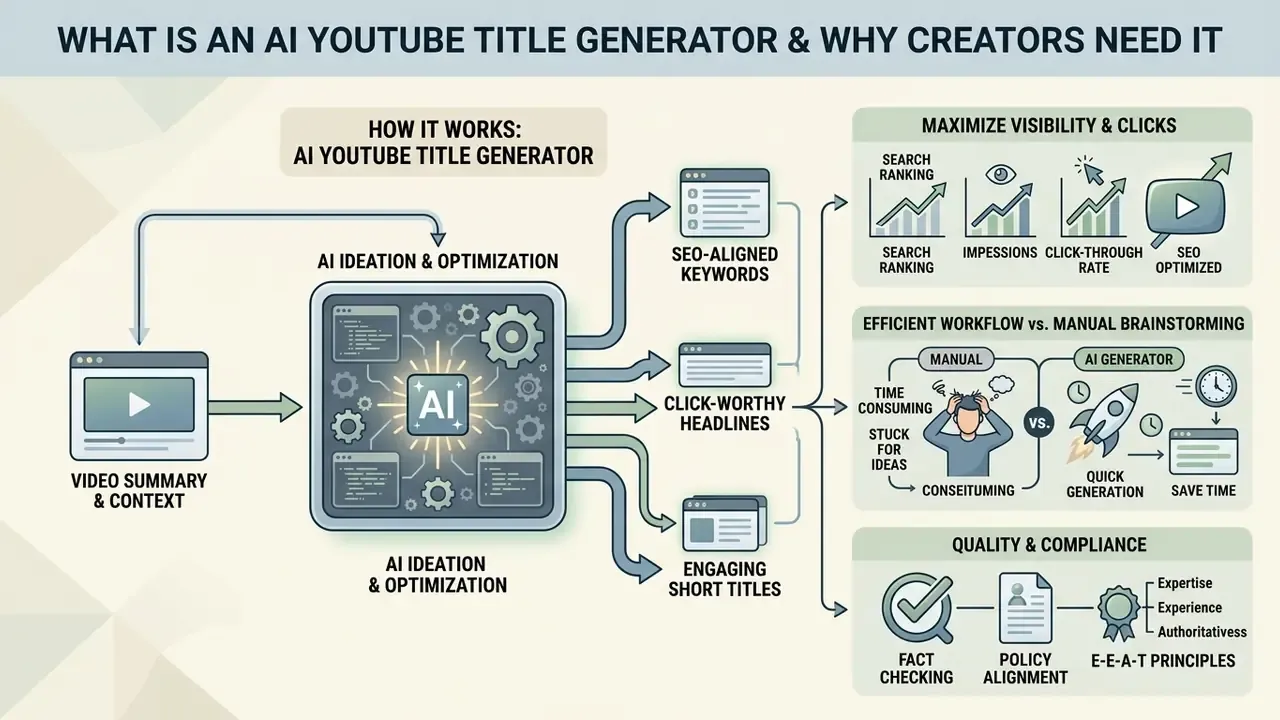
An AI YouTube title generator is an automated ideation tool that converts video summaries into click-worthy, search-aligned headlines. It solves the cold-start ideation problem for content creators by delivering multiple title ideas derived from a single video topic.
Using a dedicated YouTube title generator helps creators increase impression click-through rate (CTR) without compromising content accuracy. By processing semantic prompts, the generator creates engaging titles that align with user search intent. These AI title generator options allow channel managers to evaluate competing headline angles before uploading assets to their YouTube channel.
One practical note from day-to-day production: the tool is most useful on the twelfth video of a series, not the first. That is when phrasing fatigue sets in.
How a YouTube Video Title Affects Clicks and Visibility
A video title directly determines how YouTube search indexes metadata and how prospective viewers evaluate results. Placing relevant keywords near the beginning of a YouTube video title establishes immediate search relevance and reduces mobile text truncation.
An empirical analysis of 18,000 channels demonstrated that titles between 30 and 50 characters consistently achieve higher overall reach across niches and channel sizes.
«Titles between 30 and 50 characters outperform both shorter and longer variants in almost every niche and channel size.»
Concisely framed attention-grabbing titles create a clear value proposition, which directly influences whether a user selects a clip in recommended feeds. Academic work on video packaging confirms that the emotional register of the headline itself is a measurable variable, not a stylistic afterthought.
«Titles with positive sentiment generate more views, while sentiment markers such as punctuation and capitalization increase clicks.»
Packaging click-worthy titles with appropriate visuals ensures that initial impressions convert into sustained viewer engagement. Official YouTube guidance reinforces the same logic: the title, thumbnail, and description are the primary metadata YouTube uses to understand relevance, so a misaligned headline suppresses both search impressions and post-click satisfaction (YouTube Help, 2026, https://support.google.com/youtube/answer/57404).
When to Use an AI Title Generator Instead of Manual Brainstorming
Creators should use a free AI YouTube title generator when manual brainstorming produces repetitive phrasing or fails to address search intent. Automated tools generate dozens of contextual variations in seconds, which accelerates campaign preparation and workflow execution.
Manual title generation often relies on personal bias or limited keyword awareness. An AI video title generator free tier, by contrast, lets teams explore diverse structural patterns, such as interrogative phrasing or numerical hooks. Teams standardizing production assets can review adjacent video editing tools and a video editor for desktop finishing, so metadata and delivery specifications stay consistent. Evaluating multiple AI-generated video titles reduces pre-production delays while keeping keyword coverage aligned.
A quick sanity check many teams skip: if two AI variants differ only by a synonym, the prompt was too thin. Regenerate with a tighter brief instead of picking the least bad line.
E-E-A-T, Fact Check and Policy Verification. Official YouTube guidelines require that metadata, meaning titles, descriptions, and thumbnails, accurately reflect video content. Under the Spam, Deceptive Practices and Scams policy and the Community Guidelines (2026 revision), misleading clickbait or deceptive metadata is a policy violation that can trigger reach penalties or channel strikes. YouTube allows creators to update video titles after publication without losing view counts or historical metrics. Sources: https://support.google.com/youtube/answer/2801973 and https://support.google.com/youtube/answer/9288567
How an AI YouTube Video Title Generator Works
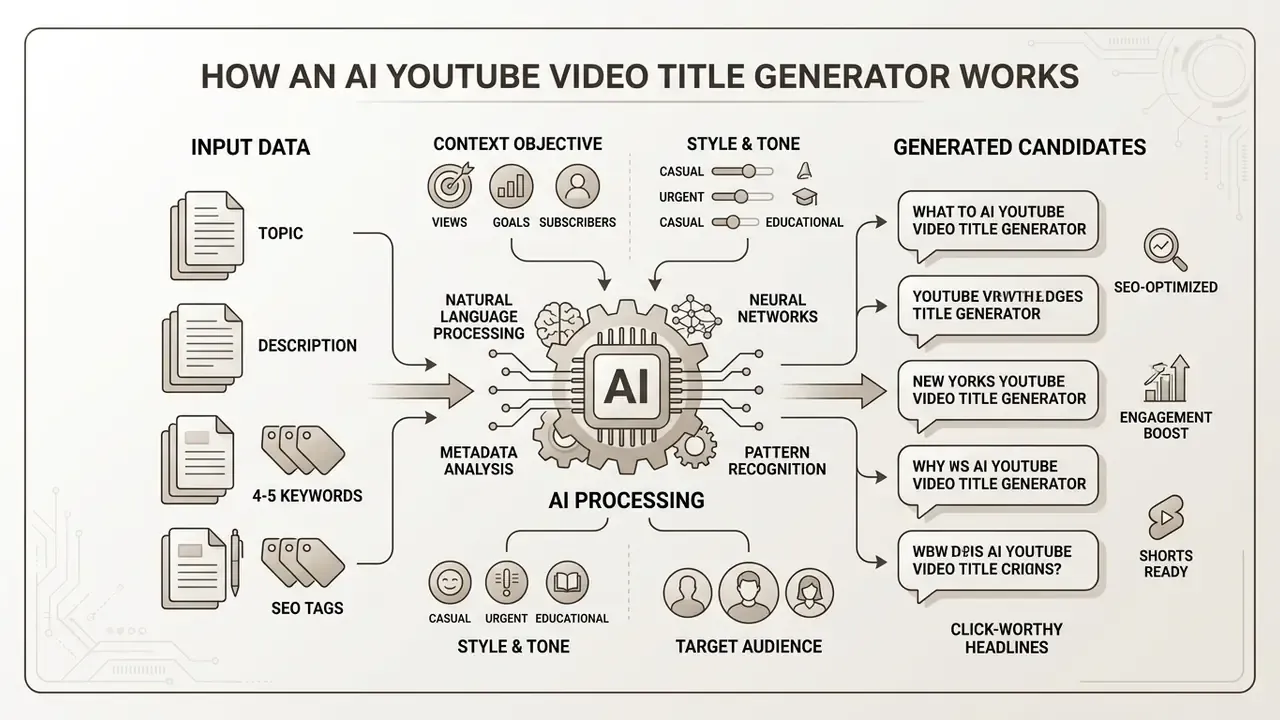
An AI YouTube video title generator uses natural language processing models to analyze contextual metadata and draft candidate headlines. The generator uses structured inputs, including primary keywords, narrative summaries, video length, and intended audience parameters, to produce tailored title options.
Modern tools operate by parsing the core themes within a video description and matching them against high-volume search queries. This lets an AI video title generator construct titles that satisfy both algorithmic indexing and human interest. The software formats candidate text according to platform character limits, creating optimized titles for immediate review.
The measurable value of this approach comes from volume plus disciplined testing, not from a single "perfect" headline.
Public vendor documentation shows that most tools wrap a large language model around a structured form: topic, main keyword, tone, style, length, and number of variations. The underlying model family is generally undisclosed. That opacity is exactly why input discipline and output review remain the creator's responsibility.
What Data to Provide: Video Topic, Description, and 4–5 Keywords
Precise inputs produce accurate, contextual headline recommendations. Enter a clear video topic, a concise description of the main hook, and a keyword matrix rather than a single term: one primary keyword plus 3–4 supporting LSI entities (for example, YouTube SEO, 2026 algorithm, watch time, metadata optimization). Most quality tools accept four to five keywords, which lets the model distribute semantics across variants instead of repeating one phrase.
A detailed input prompt prevents generic AI outputs and grounds suggestions in the actual video content.
A useful prompt skeleton, adapted from public prompt-engineering guidance (NIST, Quick-Start Guide for Using Artificial Intelligence, 2026), follows the order Context, Objective, Style, Tone, Audience, Response format:
- Context 12-minute tutorial about setting up a home studio for under $500.
- Objective 10 title variants optimized for YouTube search and browse.
- Keywords home studio setup, budget audio gear, XLR vs USB, acoustic treatment.
- Style keyword-first, no exaggeration, maximum 55 characters.
- Tone practical, expert, non-sensational.
- Audience beginner creators, ages 20 to 35, English.
- Response numbered list with character count per variant.
Including context about specific tools or steps lets the engine formulate focused headline promises. Creators comparing adjacent production stacks can review our matrix of AI video generators and the broader AI Media Comparison Matrices to align title planning with asset creation. Combining precise topic inputs with a companion description generator keeps metadata unified across the entire YouTube video.
Video Length as a Generation Parameter
Runtime changes what a title can credibly promise, so specify duration in the prompt: under five minutes, five to fifteen, over fifteen, or "live stream."
| Video length | Recommended title style | Example structure |
|---|---|---|
| Under 5 min | One focused outcome, fast payoff | Fix [Problem] in 3 Minutes |
| 5–10 min | Problem to solution framing | [Keyword]: 5 Steps That Actually Work |
| 10–15 min | Depth signals, structured promise | [Keyword] Explained: Full Setup Walkthrough |
| 15+ min / streams | Authority and completeness markers | Complete [Keyword] Guide (A to Z Masterclass) |
| Shorts (under 60 s) | Single hook, no subordinate clauses | This [Keyword] Trick Saves 2 Hours #Tag |
Indicating duration prevents a common failure mode: a 40-second Short inheriting a "complete guide" headline, or a 25-minute masterclass packaged as a quick tip. Small mismatch, real retention cost.
The Role of Language, Category, and Target Audience
Selecting the correct language, category, and target audience instructs the model to apply appropriate vocabulary and framing. A title generated for an educational technology tutorial needs different structural framing than a headline for a gaming highlight clip.
Audience demographics influence whether the headline should emphasize professional outcomes or emotional intrigue. Research across niches shows that structural preferences and character sweet spots are category-dependent, even when the overall length band stays stable.
«Analysis of 18,000 channels shows 30–50 characters as the universal optimum, while structural preferences vary significantly by niche.»
Treat language as a hard filter rather than a soft preference. Title-generation datasets in academic work are usually restricted to a single language, because tone, idiom, and word length shift substantially between locales. Defining the target audience prevents stylistic misalignment and keeps output matched to viewer expectations for that specific YouTube channel. Teams building multi-format pipelines can extend the same parameter discipline to AI video generation tools used for b-roll and explainer segments.
Title Patterns Across 12 YouTube Categories
Most generators support twelve mainstream YouTube categories. Each one rewards a different structural pattern, and an AI video name generator will happily ignore that unless you state the category.
| Category | Pattern that performs | Micro-example |
|---|---|---|
| Gaming | Short, result-first, under 30 characters | I Beat [Boss] With No Damage |
| Tech | Product or model first, specification hook | [Device] Review: 30 Days Later |
| Education | Concept plus clarity promise | Bayes' Theorem Explained Simply |
| How-To | How to [outcome] without [pain point] | How to Edit Faster Without Plugins |
| Vlogs | Story arc: who, what happened, what changed | We Moved Countries in 14 Days |
| Review | Verdict framing, comparison intent | [Product] vs [Product]: Honest Test |
| Fitness | Timeframe plus measurable outcome | 30-Day Push-Up Plan (Real Results) |
| Finance | Specific mechanism, no hype claims | Index Funds: How Fees Erode Returns |
| Food | Constraint plus payoff | 15-Minute Pasta With 5 Ingredients |
| Travel | Place plus cost and logistics specificity | Japan on $50 a Day [Full Breakdown] |
| Music | Format plus artist or track clarity | [Track]: Live Loop Performance |
| Business | Role-relevant outcome | How We Cut Ad Spend 40% in Q3 |
Data Privacy, Shadow AI, and Prompt Hygiene
Free public generators are convenient, but the prompt is data. Before a marketing team enters unreleased product names, embargoed campaign topics, or regulated client information into a consumer AI utility, verify three things in the vendor terms: whether prompts are retained, whether inputs train models, and whether outputs are logged or shared.
Practical controls that keep title generation inside policy:
- Anonymize prompts. Replace confidential product names with placeholders such as
[PRODUCT], then substitute the real name only in YouTube Studio. - Maintain an approved-tools list. Uncontrolled adoption of unvetted generators is the classic Shadow AI pattern. An allowlist with documented terms removes ambiguity.
- Prefer enterprise tiers for regulated content. Look for contractual no-training guarantees, data-residency options, SSO, and audit logging.
- Escalate before upload. In finance, health, and legal niches, route any headline containing a performance claim, a number, or a comparative statement to compliance review before it reaches a published video.
Editorial standards bodies apply the same logic to output: AI may draft, a human must approve. The Associated Press permits AI assistance with headlines only when a journalist reviews and edits every generated line before publication, and Google's guidance for AI-assisted content stresses accuracy, quality, and relevance in title metadata. Cost-conscious teams can model the tooling spend with our calculators before committing to a paid tier.
- Input data.Enter the primary video topic, narrative summary, runtime, and target SEO keywords into the generator form.
- Configure parameters.Select output language, channel category, audience level, and tone.
- Execute generation.Click generate to produce multiple candidate headline variations.
- Filter and select.Evaluate options for clarity, character length, keyword placement, and duplication.
- Human validation.Review the chosen headline against actual footage to eliminate deceptive or inaccurate promises, and escalate regulated claims to compliance.
How to Generate a YouTube Title: Step-by-Step Workflow
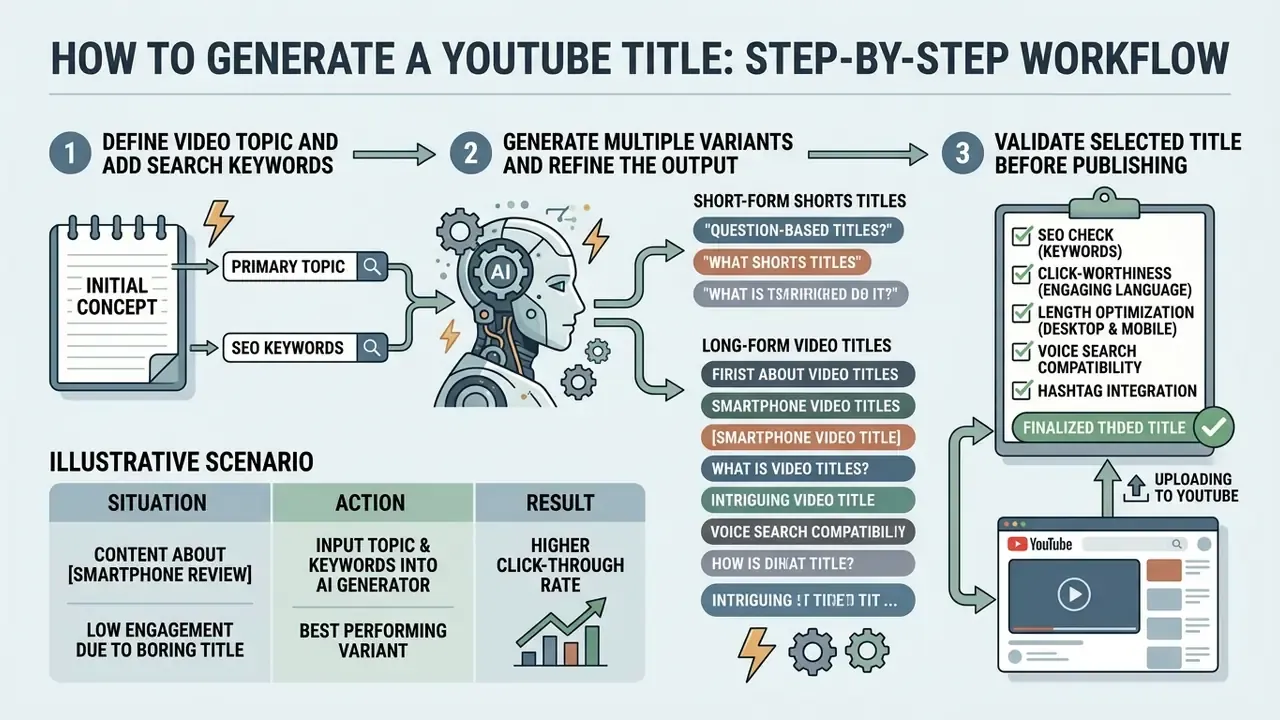
A systematic workflow lets content teams turn initial concepts into fully optimized video titles. Using an AI title generator for YouTube inside a structured pipeline supports consistent quality and brand safety.
A repeatable process ensures that every candidate headline meets search requirements before publication. With a title generator for video, creators remove guesswork and establish measurable title-testing standards. The approach pairs automated output with essential human editorial oversight.
Step 1. Define the Video Topic and Add Search Keywords
Start by defining the main promise of the video in one clear sentence. Identify the primary keyword phrase that target viewers type into YouTube search, then add three to four supporting terms.
Structural patterns matter as much as semantics at this stage.
«Headlines containing numbers earn 36% more clicks, and eight-word headlines outperform the average by 21%.»
Entering a precise video topic alongside targeted search terms keeps the engine focused on real intent signals. Creators building a consistent publishing stack can pair title planning with a YouTube video editor and a youtube intro maker, so packaging, chapters, and metadata are produced in one pass. Clear context prevents the AI title for video generator from producing disconnected or overly abstract suggestions.
Step 2. Generate Multiple Variants and Refine the Output
Run the generation to produce a broad list of candidates across different structural styles. Then review the list and isolate the strong angles: question-based, numerical, outcome-based, or feature-focused.
Illustrative scenario (composite, not a verified client case).
- Situation. A finance channel needed better search discovery for a complex tutorial series, without resorting to sensational clickbait.
- Action. The team entered specific topic summaries into an AI title generator, requested ten variations, front-loaded primary keywords in the top candidates, and routed every numeric claim to compliance review before upload.
- Result. The published titles kept full subject accuracy while improving initial search impression CTR by measurable margins across the series. Exact figures are internal and unverified here.
Creators should execute click generate commands with varied tone settings to widen the option pool. Selecting two or three strong title ideas then allows fine-tuning of vocabulary and character counts. Published refinement research supports an explicit generate, judge, edit loop: candidates survive only when they match proven structural patterns and pass an entailment check against the actual content. Creators can replicate that discipline manually with a two-pass review. Coherent channel assets help too, so tighten intro pacing, chapter markers, and your youtube outro template to deliver the headline promise from the opening frame.
Step 3. Validate the Selected Title Before Publishing
Before applying a new title in YouTube Studio, verify that the wording accurately reflects the actual footage. Check that the primary search term appears inside the visible mobile character window.
Complete alignment between headline and video content protects channel reputation and audience-retention metrics. Misleading statements built to inflate clicks usually cause immediate viewer abandonment and negative user signals. Reviewing selected engaging titles against strict factual standards prevents accidental platform-policy violations. Public-health communication guidance makes the same point plainly: headlines should inform rather than shock or provoke.
Checklist0 / 9
How to Choose the Best YouTube Title from AI Variants
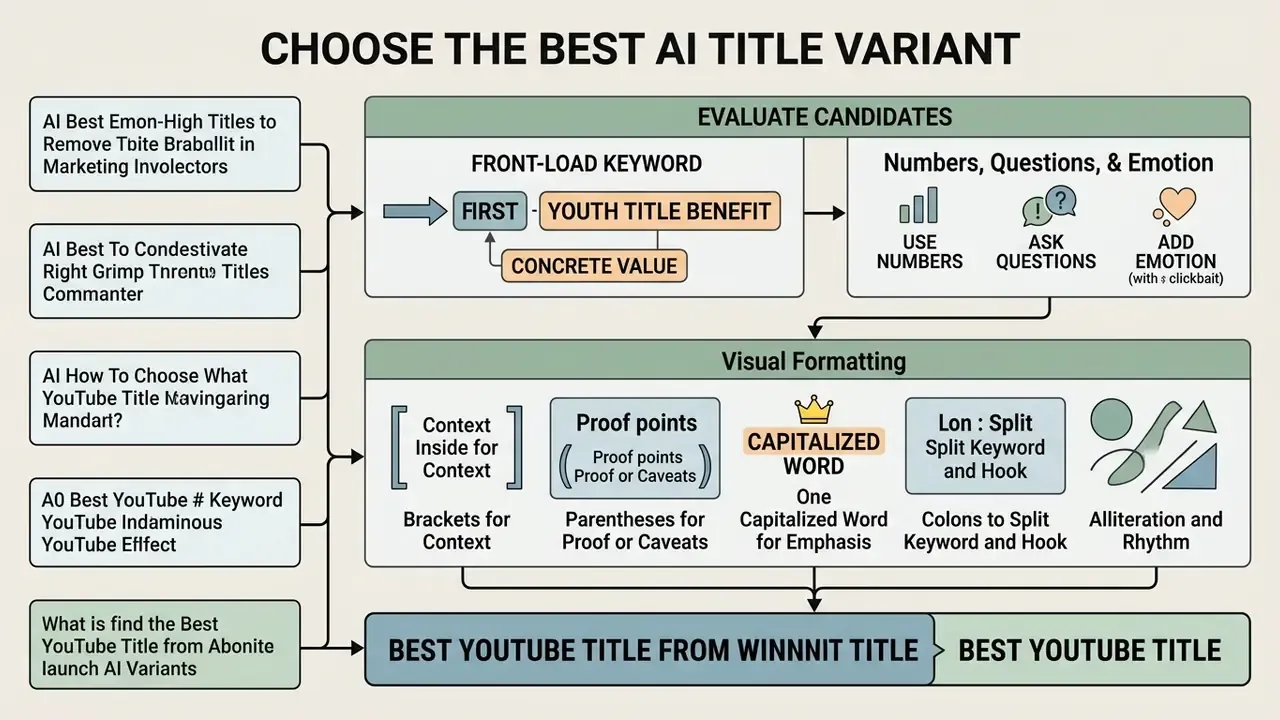
Selecting the best YouTube video title generator output requires evaluating candidates against objective clarity and performance criteria. The ideal headline pairs search discoverability with an explicit viewer benefit.
A superior headline names a specific problem or outcome rather than gesturing at something vague. Comparing AI outputs with standardized criteria lets creators pick the best video title maker candidate for their audience. Rigorous selection sustains impression engagement while preserving long-term brand credibility.
Front-Load the Keyword and the Concrete Value
Position the main search term within the first five words to maximize search indexing, then pair it with a clear statement of the benefit the viewer receives.
Guidance from Carnegie Mellon University (2025) describes a strong video title as roughly 50–60 characters long, carrying one keyword and one hook: concise placement plus a distinct reason to click. Clarity outranks cleverness.
«Clarity is the first principle: if a reader cannot understand the headline in two seconds, nothing else matters.»
Formulating a good YouTube title means cutting filler words that obscure the primary topic. Creators working with limited budgets can also review free video editing software options and a youtube banner creator to keep packaging assets consistent without added cost.
Use Numbers, Questions, and Emotion Without Clickbait
Specific numbers or interrogative structures increase visual interest in search feeds. Numerical elements signal structured, digestible content, while open-ended questions trigger curiosity.
«Negative superlatives ("worst", "never") outperform positive ones by 63%, and list-format headlines receive 218% more shares.»
Peer-reviewed clickbait research identifies the same recurring devices, namely questions, lists, wh-words, superlatives, and emotionally charged terms. It also notes precisely where they turn toxic: when the mechanism exploits curiosity without delivering substance. Creators must therefore balance emotional framing with strict factual accuracy to avoid deceptive clickbait titles. Curiosity triggers work only when the video fully delivers on the headline promise.
Visual Formatting: Brackets, Capitals, and Punctuation
Formatting is a CTR lever that costs nothing and carries real policy risk when overused. Apply it deliberately:
Official YouTube guidance advises limiting ALL CAPS and emoji. A wall of capitals reads as spam to viewers and to moderation systems alike. Use at most two formatting devices per title.
How to Get Your First 1,000 Subscribers [Step-by-Step Plan].
I Tested 7 Microphones (Blind Test Results).
The SEO Tactic That Still Works in 2026. Capitalize a single key term, never the whole title.
YouTube Shorts SEO: What Changed This Year.
Optimize Titles for Voice Search
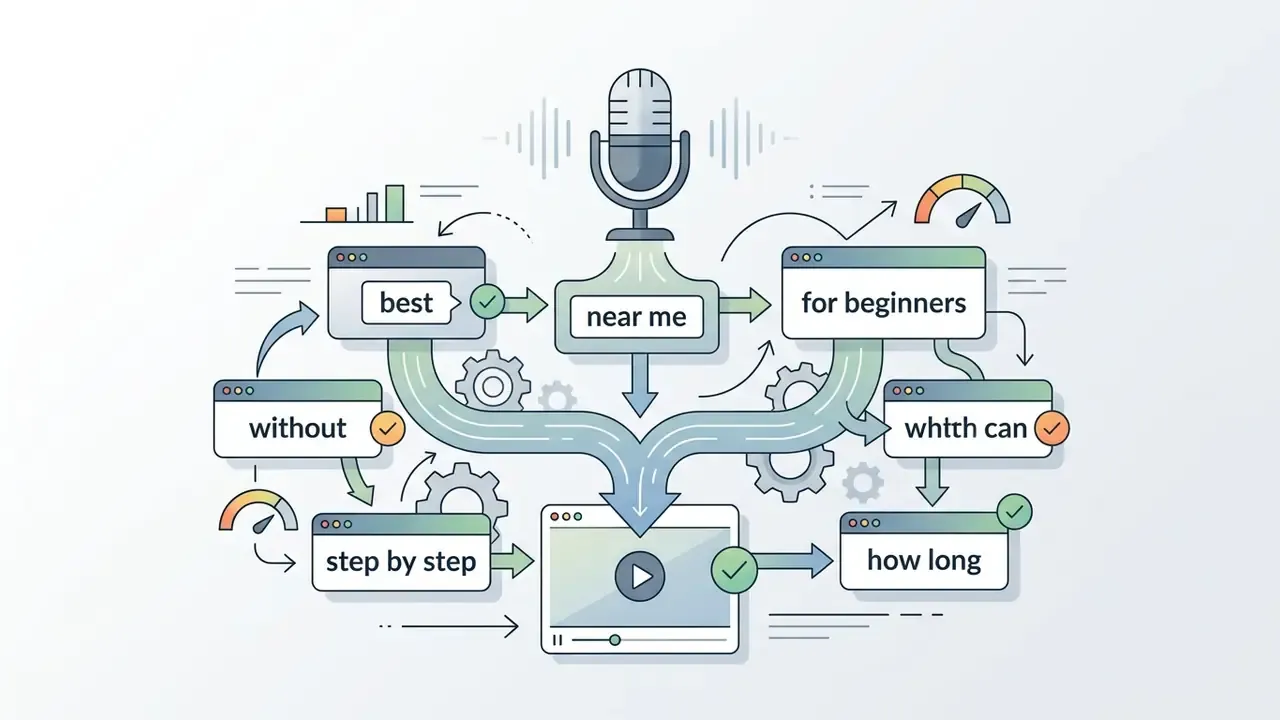
Voice queries are conversational, longer, and question-shaped. A rising share of discovery happens through spoken input on smartphones, smart TVs, and assistants, so at least part of a channel catalog should be phrased the way people speak.
Practical rules:
- Prefer full question forms, for example
How Do I Set Up a Home Studio?, over compressed noun phrases likeHome Studio Setup. - Keep one long-tail conversational phrase intact rather than stacking disconnected keywords.
As competitor guidance in the space puts it, optimizing for voice search broadens reach because the phrasing matches how audiences query. Pair the spoken-style title with a keyword-dense description so both search modes are covered.
Match the YouTube Title to the Thumbnail and Content
A video title must work in tandem with the thumbnail to tell one unified story. The title should give context for the image rather than repeating the text printed on it.
YouTube creator guidance (2026) recommends treating headline and thumbnail as a complementary packaging pair, and reviewing CTR by surface, meaning Home, Suggested, and Subscriptions, within the first 24 hours. When testing, change one packaging variable at a time so the winning combination is attributable. Aligning visual and textual elements sets accurate expectations before the click. Channels that keep consistent branding across intros, outros, channel art, and a tidy youtube pfp maker output build recognition across the whole upload catalog. For third-party performance evidence, see our AI Media Benchmarks and Review Proof.
Titles for Different Formats: Long-Form, Shorts, Reviews, and Tutorials
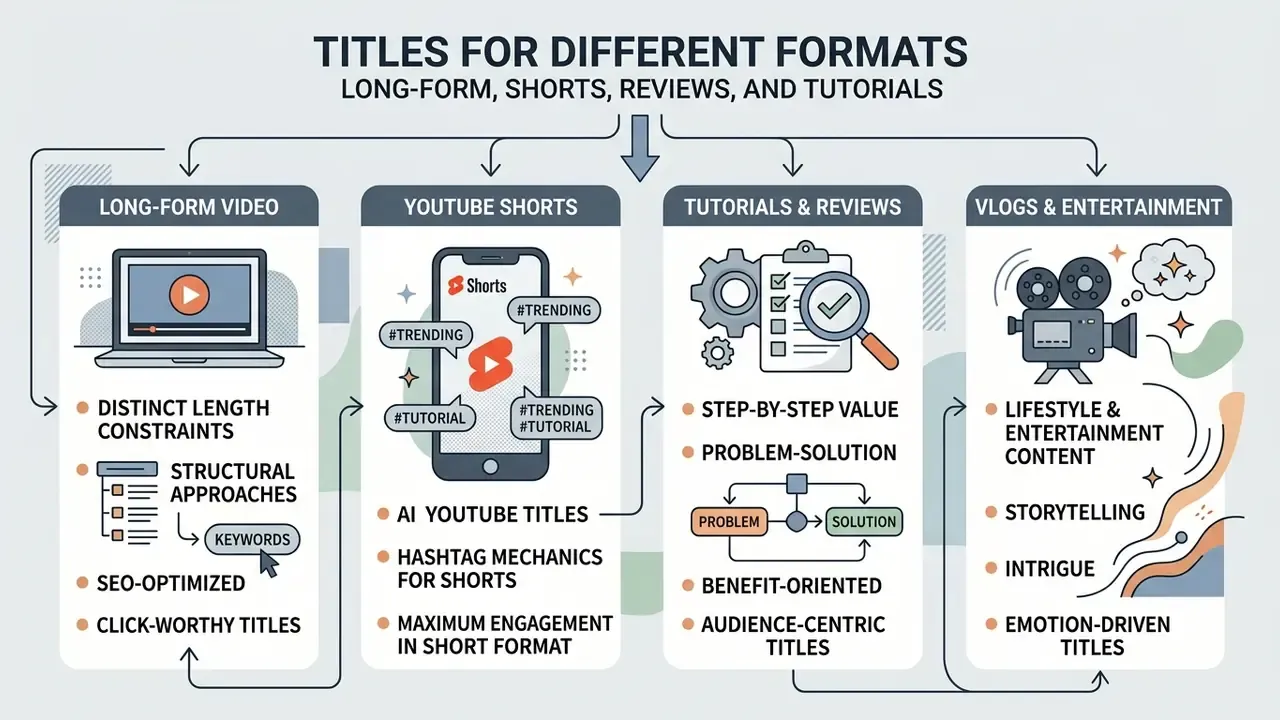
Different video formats require distinct length constraints and structural approaches. Adapting candidates to the consumption habits of each format improves discovery across search, browse, and feed environments.
Long-form educational guides demand clear problem-solving framing, whereas short-form feeds need an immediate hook. Tailoring the output of a title generator AI for YouTube keeps the headline fit for its presentation context. Understanding format dynamics helps creators hold engagement across the full content inventory.
AI YouTube Titles for YouTube Shorts
Headlines for YouTube Shorts must be exceptionally concise because of space limits in the mobile feed. Mobile interfaces truncate title overlays at roughly 40 characters, which makes early keyword placement critical.
Format-specific engagement behaviour also differs from long-form video.
«Shorts attract more views and likes per view than regular videos but fewer comments; in educational categories the gap narrows.»
«The average trending Shorts title runs about 51 characters, but the best-performing range excluding hashtags is 4–6 words, or 20–40 characters.» VidIQ, analysis of 10,000+ trending Shorts (2026). https://vidiq.com
Hashtag mechanics for Shorts. Hashtags are a discovery lever specific to short-form. Use the formula [Hook, 20–30 characters] + [#PrimaryTag], placing the hashtag at the very end so the Shorts feed can cluster the clip topically without pushing the hook out of the visible window. Type # in the title or description field and select from YouTube suggestions to find tags that already carry search volume in your niche. Keep it to one tag in the title and two or three in the description. Hashtags count toward the character limit, and #Shorts is not required for classification.
Titles in this format should carry a single compelling hook or outcome. Creators evaluating short-form production stacks can review our overview of free AI video generators and our comparison of AI video tools to assess specialized short-form text and clip features. An AI YouTube video name generator helps here mainly because it forces brevity.
Titles for Tutorials, Reviews, and Step-by-Step Value
Tutorial and review titles must immediately state the topic, tool, or problem being addressed. Searchers seeking instructional content prefer direct framing that promises clear, actionable outcomes.
Effective patterns for instructional videos include How to [Achieve Outcome], How to [Do Task] Without [Pain Point], and Step-by-Step Guide to [Process]. For commercial intent, use [Product Name] Review: [Key Finding] or [Product A] vs [Product B]: [Verdict]. Search-intent research maps "how to" queries to structured instructional content and review or comparison queries to decision-support content. Matching the format to the query is the single highest-leverage choice you make.
Clear, non-deceptive promises build authority with viewers hunting for functional solutions. Creators producing explainer segments from scripts can review how text-to-video AI and voice tools fit an instructional pipeline, and reinforce credibility with a consistent youtube intro across the series.
Titles for Vlogs, Lifestyle, and Entertainment Content
Lifestyle and narrative content relies on personal curiosity, storytelling hooks, and emotional resonance. Headlines in these categories usually highlight a central conflict, transformation, or unusual experience, and they often follow the pattern who, what happened, how it changed things.
Retention data shows why the hook and the length promise must stay honest.
«Top-performing Shorts retain roughly 75–76% of their audience; the "Viewed vs Swiped Away" metric in YouTube Studio shows how well the hook and length work.»
Storytelling titles allow creative flexibility, yet they must stay grounded in actual video events. Using emotional keywords to dress up ordinary moments erodes viewer trust over time. Aligning narrative hooks with authentic outcomes sustains audience loyalty across recurring releases, which is the only compounding asset a channel really owns.
Free AI YouTube Title Generator: How to Compare Tools
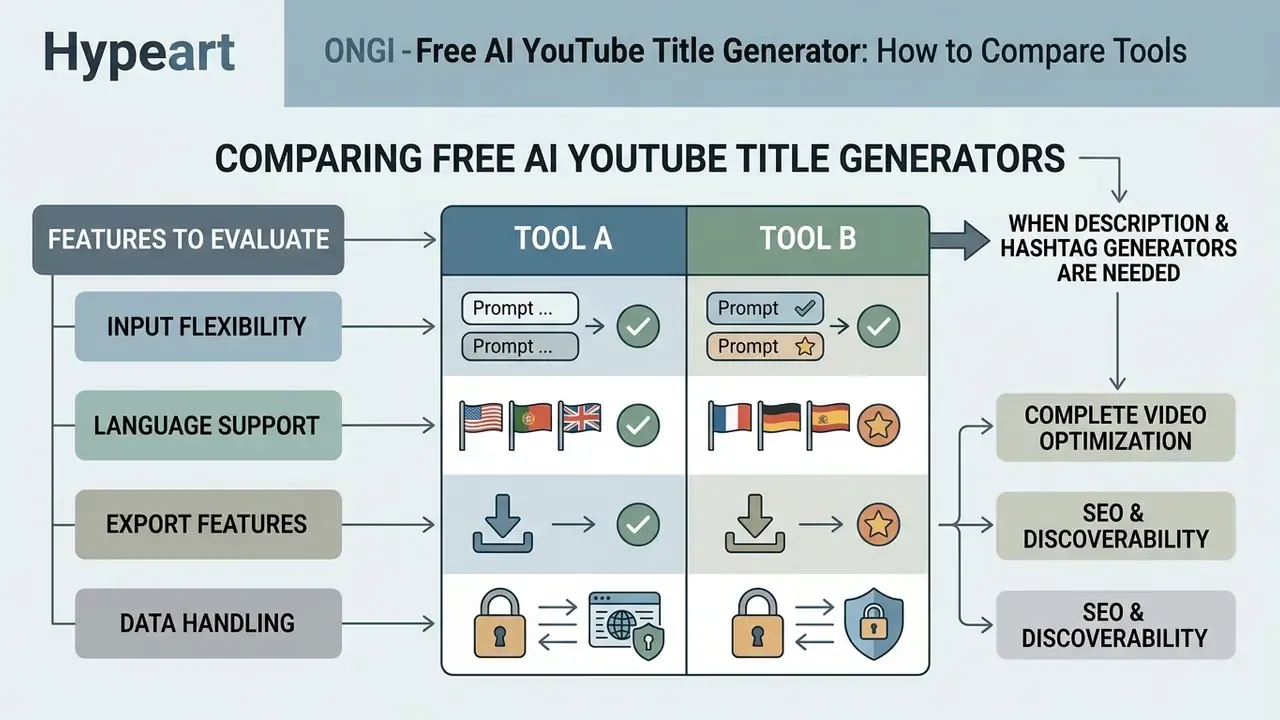
Evaluating a free video title generator means analyzing input flexibility, language support, export features, and, for brand and enterprise teams, data handling. High-quality tools let creators customize target audience, tone, runtime, and character limits.
Choosing an AI YouTube title generator free platform depends on whether a creator needs basic title ideas or a complete metadata suite. Reviewing verified platform benchmarks gives objective evidence about reliability and output performance.
| Feature / Criteria | Basic Title Tools | Advanced Metadata Suites | Enterprise AI Solutions |
|---|---|---|---|
| Input depth | Topic or single keyword | Topic, description, 4–5 keywords, runtime, tone | Full transcript, API access, brand persona |
| Variants per run | 1–5 | 10–12 with style presets | Unlimited with ranking scores |
| Shorts formatting | Generic output | Dedicated sub-40-character limits plus hashtags | Custom feed truncation rules |
| Language support | English only | 30+ languages | 90+ languages with localization QA |
| Companion tools | None | Description, tag, and hashtag generators | Integrated workflow APIs |
| Export options | Manual copy | One-click Studio export | Bulk batch export |
| Data privacy / model training | Usually undisclosed, assume prompts retained | Opt-out sometimes available | Contractual no-training guarantee |
| Security and compliance | None stated | Basic account controls | SOC 2 or ISO 27001, audit logs, data residency |
| Access management (SSO) | None | Team seats | SSO, SCIM, role-based permissions |
| Content ownership | Terms vary | Creator retains output | Documented IP assignment |
Features to Check in a Free AI Tool
When testing a free video title maker, verify that the engine accepts negative constraints, such as "no superlatives" or "no emoji", plus explicit character counts. A quality free AI title generator for YouTube should produce genuinely distinct angles instead of minor rewordings of one phrase.
Assess whether the software supports multi-language generation if you manage international channels. Test how it handles niche technical terminology to confirm output accuracy for specialized subjects. Also check whether the free tier watermarks, rate-limits, or logs prompts, since a free AI video title generator often funds itself with data. Teams planning paid distribution should review guidance on commercial use of AI tools and the wider AI Media Commercial-Use Hub for licensing and operational context before scaling output.
When You Need Description and Hashtag Generators
Integrating title creation with description and hashtag tools produces a unified, search-optimized metadata package. Companion description generators keep primary search terms consistent across headline and summary fields.
Automating the full metadata suite cuts upload configuration time while preserving semantic alignment. Mature workflows run transcript, then description with timestamps and chapters, then hashtags, then Studio upload, so the title is never written in isolation. Hashtag generators suggest categorization tags that reinforce indexing signals for social media distribution as well. Keep the first three description hashtags relevant, since YouTube surfaces them above the title. Developers needing custom pipeline integrations can review the video generation API documentation or the general api reference for programmatic metadata workflows.
FAQ: Frequently Asked Questions About AI Video Title Generators
This section answers common operational, algorithmic, and legal questions about automated YouTube headline generation. Creators looking for adjacent production guidance can also consult our YouTube video editor guide.
Can you change a YouTube title after publishing a video?
Yes. YouTube lets creators edit titles at any time in YouTube Studio without losing accumulated view counts or engagement metrics. Official YouTube Help documentation notes that updating a title may shift algorithmic recommendations, because viewers respond differently to new presentation, not because the edit resets ranking.
«Use compelling titles that accurately reflect your content, and avoid misleading viewers with sensational or deceptive wording.» YouTube Performance FAQ, official documentation (2026). https://support.google.com/youtube
Changing a title on an underperforming video can lift impression CTR when the new phrasing matches search intent more closely. Avoid frequent changes on videos that already earn strong reach, since presentation shifts alter audience response. Third-party claims about fixed "re-indexing windows" are not supported by YouTube documentation.
Can you use generated titles on your own YouTube channel?
Yes. Creators may publish AI-generated video titles on personal or commercial channels. Platform policies focus on metadata accuracy, anti-spam rules, and non-deception rather than on the software used to draft text.
«YouTube policy prohibits misleading metadata and clickbait but does not restrict the use of AI tools for creating titles.» YouTube, "Spam, deceptive practices and scams policy," official documentation (2026). https://support.google.com/youtube/answer/2801973
Legally, U.S. Copyright Office guidance states that copyright protects human-authored contributions, and that purely machine-generated short text is generally not registrable. Applicants must disclose and disclaim AI-generated material in registration filings (https://www.copyright.gov/ai/). In practice, short titles and phrases are not protected by copyright in the United States regardless of authorship. Creators must still confirm that generated titles do not infringe registered third-party trademarks or violate YouTube's impersonation policy, which explicitly covers AI-generated content mimicking a person's likeness or voice without consent. For tool reviews and validation testing, see our comparative AI tool reviews.
This information is general and does not replace advice from a qualified professional. Copyright, trademark, and platform-policy outcomes depend on jurisdiction and specific facts, so consult legal counsel before scaling commercial publication.
How long should a YouTube title be?
YouTube permits up to 100 characters, but practical ranges are shorter. Aim for 30–60 characters for long-form video, with 50–60 as a common readability target, and 20–40 characters for Shorts, excluding hashtags. Mobile search and feed surfaces truncate longer titles, so the primary keyword and the value promise must land inside the first 50 characters.
Should you use a clickbait tone setting?
Some generators offer a "clickbait" tone. Curiosity framing is legitimate when the video delivers on the promise. It becomes a policy violation when the title creates an expectation the content does not meet. Under YouTube misleading-metadata rules, exaggerated titles can trigger reach penalties or strikes, and weak post-click retention undermines recommendation performance even when CTR spikes. Balance curiosity with accuracy.
Does an AI title generator work for non-English channels?
It depends on the tool. Free title-only utilities are often English-only, while broader suites support 30 to 99 languages with uneven quality. Because idiom, word length, and tone shift by locale, always set the output language explicitly and have a native speaker review the final title. Do not machine-translate a winning English title. Regenerate it natively in the target language instead.
Do AI-generated titles guarantee higher CTR?
No. Published testing shows meaningful average lift from AI-assisted headline experiments, yet results vary by niche, channel size, thumbnail quality, and audience familiarity. Treat every generated title as a hypothesis, track CTR by surface in the first 24 hours, and keep one variable per test. No tool, and no article, can guarantee a specific CTR outcome.
How many title variants should you generate per video?
Ten to twelve is a reasonable working range for a single upload. Fewer than five rarely produces genuine structural diversity, and beyond roughly fifteen the model starts recycling syntax. Shortlist three, publish one, and keep the runner-up in your notes for a later A/B test.
About This Guide
This guide was prepared by our media-operations editorial team, which documents AI-assisted publishing workflows for creator and brand channels. It was reviewed against current YouTube policy documentation and published headline research. All external figures are attributed to their original source and year, and vendor performance claims are labeled as such. Commentary attributed to Marcus Hale, author.
Disclaimer: This material is informational and does not constitute legal, financial, or compliance advice. Platform policies and AI-governance requirements change, so verify current YouTube documentation and your organization's data-handling rules before publishing AI-assisted metadata.
Explore related production pipelines in our AI Media Workflows hub.