«An AI video generator is an operational engine, not a replacement for creative oversight. In our illustrative enterprise workflows, moving from manual video editing to prompt-driven pipelines compressed production cycles from 13 days to under 30 minutes, but only where strict validation gates covered every generated script and visual asset.»
Executive Summary: The 10 Things That Actually Matter
- An ai youtube video maker turns a text prompt, a script, a PDF, or an existing recording into a rendered video. Script, visuals, voiceover, captions, and timeline assembly sit in one interface.
- Reported production benchmarks compress a 60-second video from roughly 13 days of shoot-and-edit work to about 27 minutes of prompt-driven video making, with cost reductions clustering between 70% and 91%.
- Prompt quality is the single largest controllable quality variable. The working formula:
Shot Type + Subject + Action + Location + Visual Aesthetic, plus one explicit camera move. - Camera language (dolly, push, orbit, crane, handheld, shallow depth of field) separates amateur AI footage from cinematic output.
- Retention is engineered, not discovered. Hook at 0–5 seconds, value confirmation by 0:15, pattern interrupts every 60–90 seconds, Smart B-roll placed exactly on likely drop-off points.
- The 2026 model stack matters: Veo 3.1 and Sora 2 for cinematic scenes, Kling 3.0 and Seedance 2.0 for motion and gesture fidelity, Flux 1.1 for hyperreal stills and thumbnails you animate through image-to-video.
- Factual accuracy is still the weak point. Benchmarks put world-knowledge correctness for leading text-to-video models near 0.68, so human review stays mandatory for educational and compliance content.
- Free tiers are testing environments: watermarks, 720p caps, 10–125 credits, no commercial license.
- Real ROI must include control costs, meaning the human hours spent validating scripts, visuals, licenses, and disclosures.
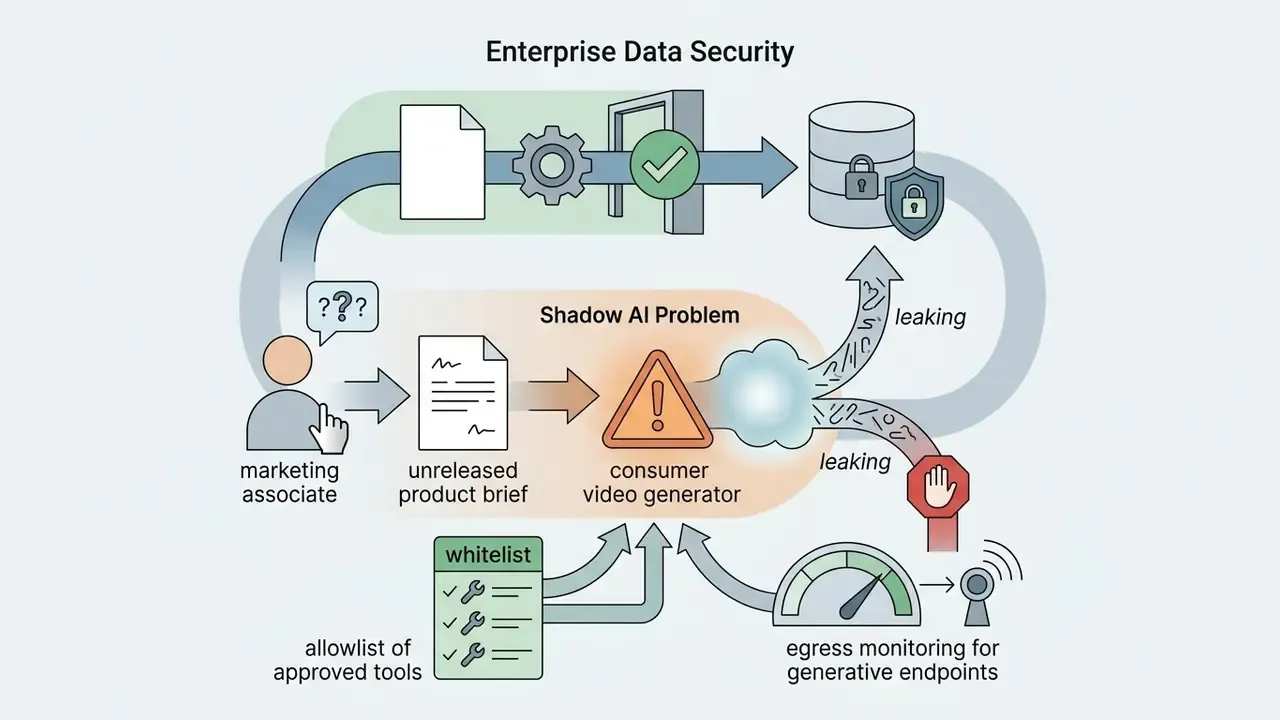
- Enterprise buyers should evaluate SOC 2 posture, zero data retention for prompts, and Shadow AI exposure before a single asset is generated.
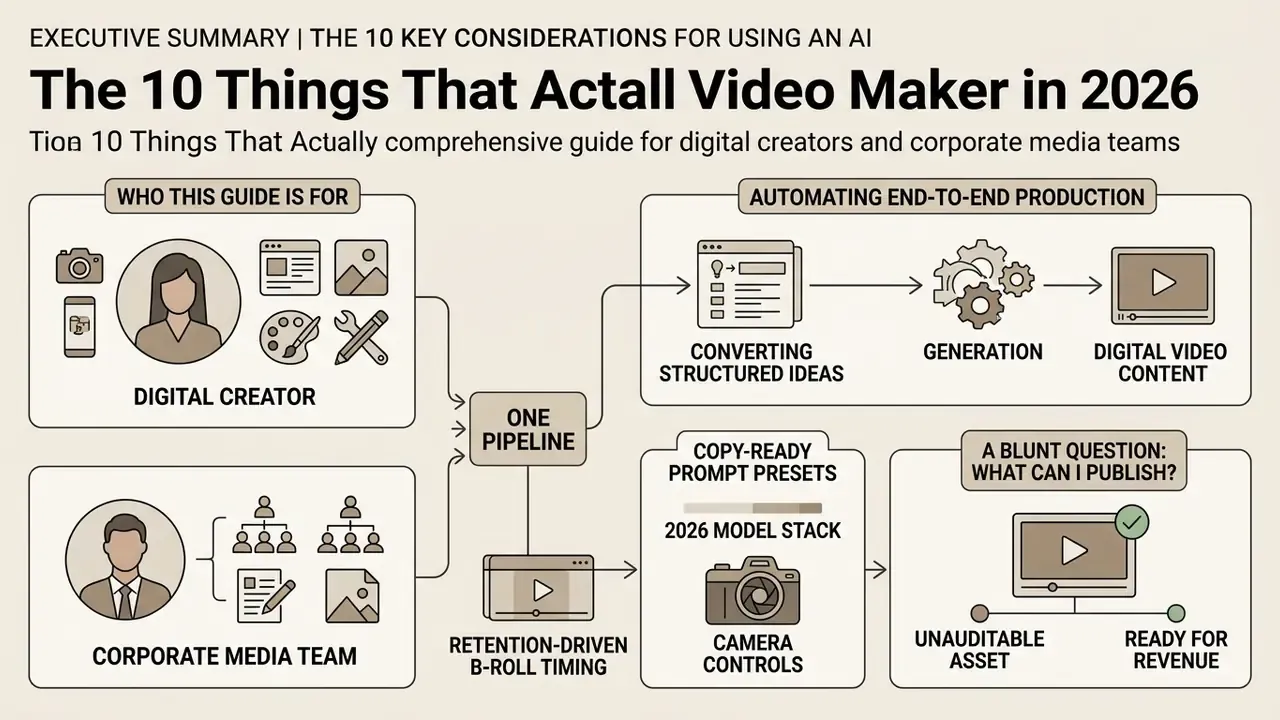
Who This Guide Is Written For
Two readers, one pipeline. The first is a creator who wants volume: faceless channels, Shorts, and repeatable uploads produced in a few clicks. The second is a risk or finance leader who has to sign off on the same technology inside a regulated organization.
Both need the same answer to a blunt question: what can I publish without creating an unauditable asset? The sections below keep those two lenses side by side, because the tooling is identical and only the control layer differs.
An ai youtube video maker automates end-to-end production of digital video content by converting structured text inputs into rendered video assets. Modern platforms combine script generation, visual synthesis, synthetic speech, automated captions, and timeline assembly into a single operational interface.
For digital creators and corporate media teams, an ai video generator removes filming bottlenecks, lowers software overhead, and supports repeatable publishing schedules across long-form YouTube formats and vertical clips. That is the promise. The rest of this guide is about the conditions attached to it.
What Is an AI YouTube Video Maker and What Problems Does It Solve
An ai youtube video maker is a software system that automates scriptwriting, visual asset selection, voiceover synthesis, and timeline rendering for a youtube channel. It converts raw ideas into published media by wiring multimodal artificial intelligence models into one dashboard.
These platforms resolve the primary production bottlenecks: video editing delays, voice recording setup costs, and stock footage curation. According to vendor-reported production benchmarks compiled from enterprise studio pipelines in 2025–2026 (not an independently audited dataset), automated script-to-video pipelines cut overall video production costs by roughly 70% to 91% compared with traditional shoot-and-edit methods. One widely cited comparison puts the delta at about $400 per finished minute versus $4,500 per minute, and 27 minutes versus 13 days for a 60-second video. Treat these figures as directional vendor and creator-survey data, not peer-reviewed measurement, and validate them against your own production log before budgeting.
That cost advantage does not extend automatically to accuracy:
«Current text-to-video models achieve visual plausibility, but average world-knowledge correctness scores remain around 0.68, requiring human review for factual topics.»
Which is exactly why every cost model in this guide separates generation cost from validation cost.
From Text Prompt to Finished Video
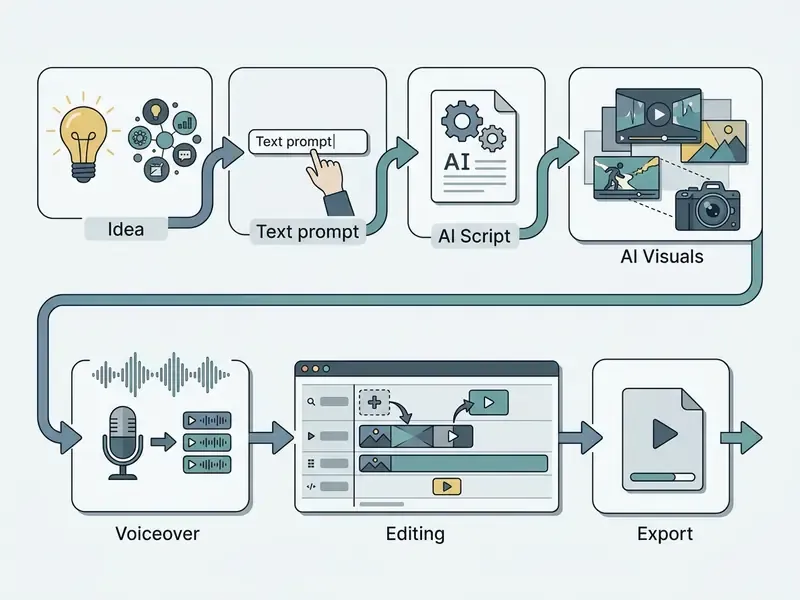
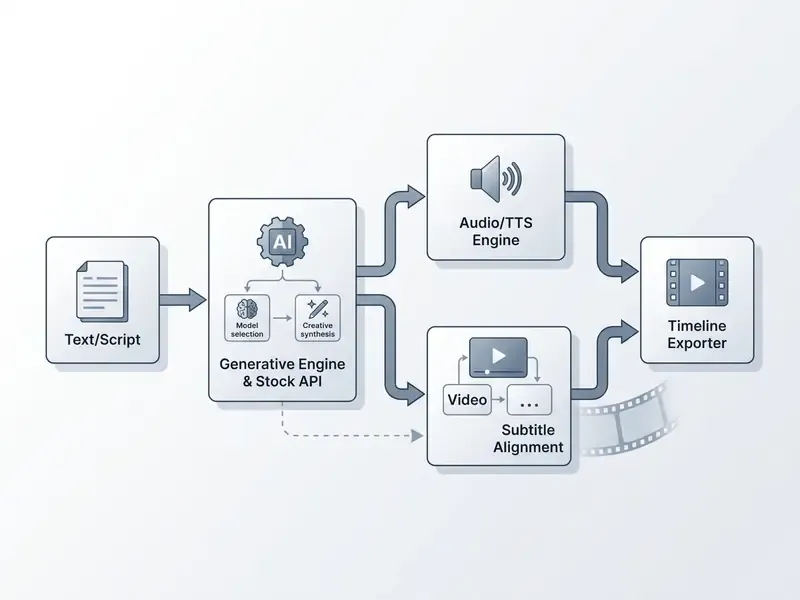
Converting simple text prompts into a final video relies on a multi-stage generative sequence. The process starts when the system ingests user text and runs a generate script routine to build a structured storyboard.
Once the text structure exists, the platform generates or retrieves AI visuals, aligns synthetic voiceovers, assembles video clips, and renders the compiled media file. In an automated test environment, a complete 60-second video rendered from a text input in under three minutes using an integrated ai content video generator for youtube.
Current production APIs expose this pipeline as discrete workflow modes: prompt-to-clip, script-to-video, voiceover-to-video, and slideshow-to-video. Teams can start from whichever asset already exists. Document-to-video variants now accept PDF, PPT, Word, Excel, and Markdown inputs, parse them into a multi-scene plan, then generate per-scene image prompts plus narration before assembly.
Which YouTube Video Formats You Can Create with AI
An ai generator for youtube videos supports standard 16:9 widescreen and vertical 9:16 aspect ratios. Content teams deploy these systems across five primary production categories:
- Explainer videos Structured educational content combining synthetic voiceovers, animated diagrams, and automated text overlays.
- YouTube Shorts Vertical short-form clips using dynamic transitions and burned-in captions for high mobile retention.
- Faceless videos Niche informational channels built on stock media, generative B-roll, and automated narration, produced without live actors.
- AI avatar videos Presenter-led corporate training or updates using synthetic digital actors generated from a single image or a text script.
- Social media clips Snackable marketing promos designed for cross-platform distribution across TikTok, Instagram Reels, and YouTube.
Buying logic differs sharply, so it helps to split these formats by audience.
Enterprise-side scenarios (control and auditability win):
- Compliance and policy updates rendered from source documents, with a mandatory legal review gate.
- Onboarding and L&D modules exported as MP4 plus SCORM for an LMS.
- Sales enablement and personalized prospecting videos generated from CRM fields.
- Internal comms where an avatar presenter replaces a scheduled studio shoot.
YouTube itself now generates images or video from prompts inside Shorts, usable as a green-screen background or a standalone clip, and supports avatar creation from a "live selfie" capture of face and voice. Note that YouTube treats wider aspect ratios such as 16:9 as long-form uploads rather than Shorts. That is why the same script usually needs two separate renders.
Teams exploring cross-format workflows can review specialized implementations in our AI Video for guide.

How to Choose an AI Video Creator for YouTube for Your Format and Goals
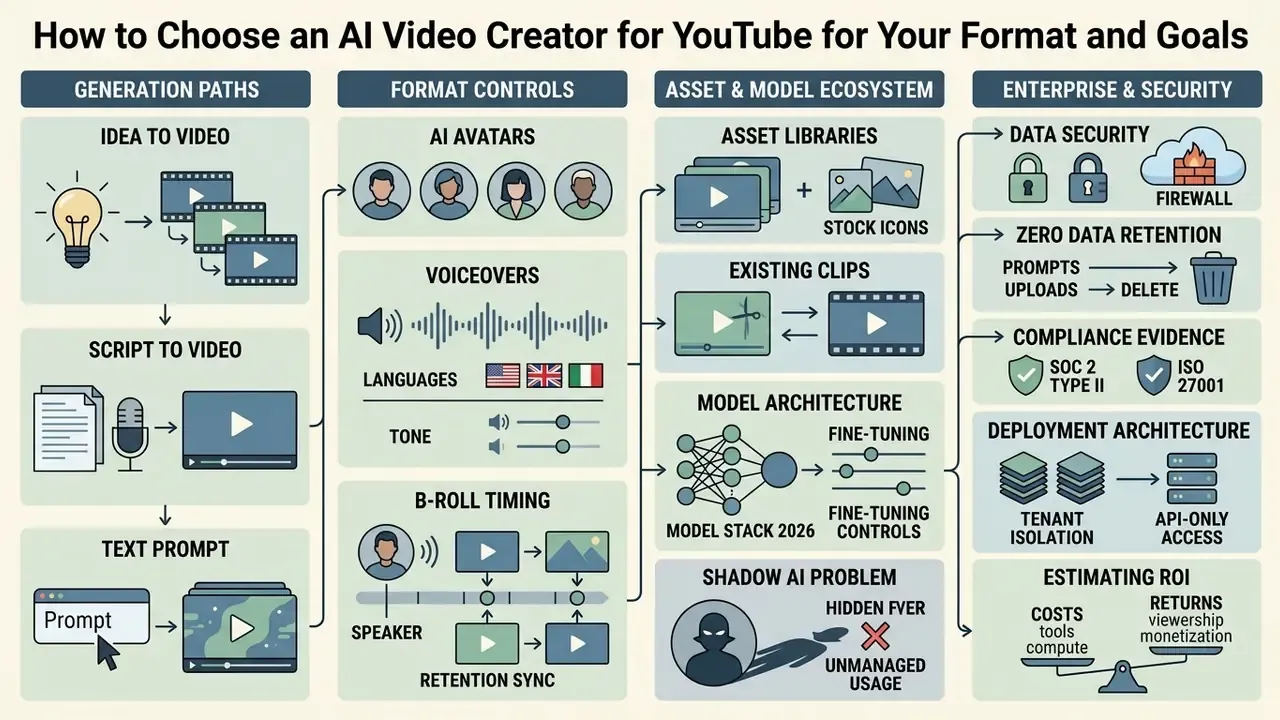
Selecting the best ai video platform means evaluating model architecture, control granularity, asset library depth, and export compliance. Side-by-side scoring across those four axes sits in our best AI video generators comparison. An enterprise ai video creator for youtube has to balance automated clip assembly against granular manual controls on the editing timeline.
| Tool category | Input data | Script capabilities | Avatars and voices | Stock media | Editing flexibility | Export formats |
|---|---|---|---|---|---|---|
| Prompt-First Generators | Text prompts, basic ideas | Auto-generated via LLM | Synthetic voices, basic avatars | Generative AI visuals | Low to moderate (prompt edits) | MP4, up to 4K |
| Template & Avatar Platforms | Scripts, PPT, PDF, Web URLs | Template-based parsing | 700+ digital avatars, voice cloning | Integrated stock libraries (iStock, Pexels) | High (layered timeline) | MP4, SCORM, WebM |
| Clip Repurposing Tools | Existing long-form video | Transcript extraction | Original audio retention | Auto B-roll insertion | Moderate (transcript-based trim) | 9:16 vertical MP4 |
How software capabilities stack up across these categories is detailed further in our AI Media Comparison Matrices overview.
Generating Video from an Idea, Script, or Simple Text
Text-to-video systems use simple text prompts or complete scripts to ai generate video assets with no pre-existing media. Modern Diffusion Transformers (DiT), such as CogVideoX and W.A.L.T., synthesize photorealistic frames directly from text descriptions by mapping semantic embeddings to temporal image layers. CogVideoX generates 10-second clips at 16 fps and 768×1360 from prompts alone, while zero-shot approaches such as Text2Video-Zero adapt text-to-image diffusion models into video generators with no input media at all.
A 2024 academic survey by Rui Sun et al. established that diffusion architectures significantly outperform legacy GAN and VAE models in maintaining frame-to-frame coherence during zero-shot video generation. The quantified side of that claim:
«MOVAI shows a 12.7% reduction in FVD, a 14.5% gain in Inception Score, and a 13.0% improvement in CLIP alignment versus baseline models.»
Users can create videos from scratch by entering a target topic and letting the software handle scene planning and asset generation. A deeper breakdown of architectures and control methods lives in our reference on text-to-video AI tools.
Creating Videos with Avatars, Voices, and Voiceover
An ai avatar generator builds digital presenters through zero-shot portrait synthesis or recorded video footage. Paired with ai voices and voice cloning APIs, these avatars synthesize lip movements that track audio input closely.
Research from Microsoft Research on the GAIA architecture demonstrated zero-shot talking-avatar generation from a single portrait and an audio clip, producing natural facial expressions without domain-specific training (Microsoft Research, 2024, https://www.microsoft.com/en-us/research/publication/gaia-zero-shot-talking-avatar-generation/). GAIA is published as a method paper, so treat its output quality claims as architecture-level findings rather than production benchmarks.
Fully autonomous avatar and animation pipelines also appear in the literature:
«Anim-Director uses GPT-4 to generate directorial scripts, Midjourney for scenes, and Pika for video, producing animation without task-specific training.»
Modern ai voiceovers use neural audio models to deliver realistic pacing and emotional inflection across many languages. Commercial avatar stacks now build presenters from video footage, a single photo, or a pure text prompt, and gate training behind an explicit consent flow. That last detail matters more than it sounds during enterprise legal review.
Working with Existing Videos, Clips, and Stock Video
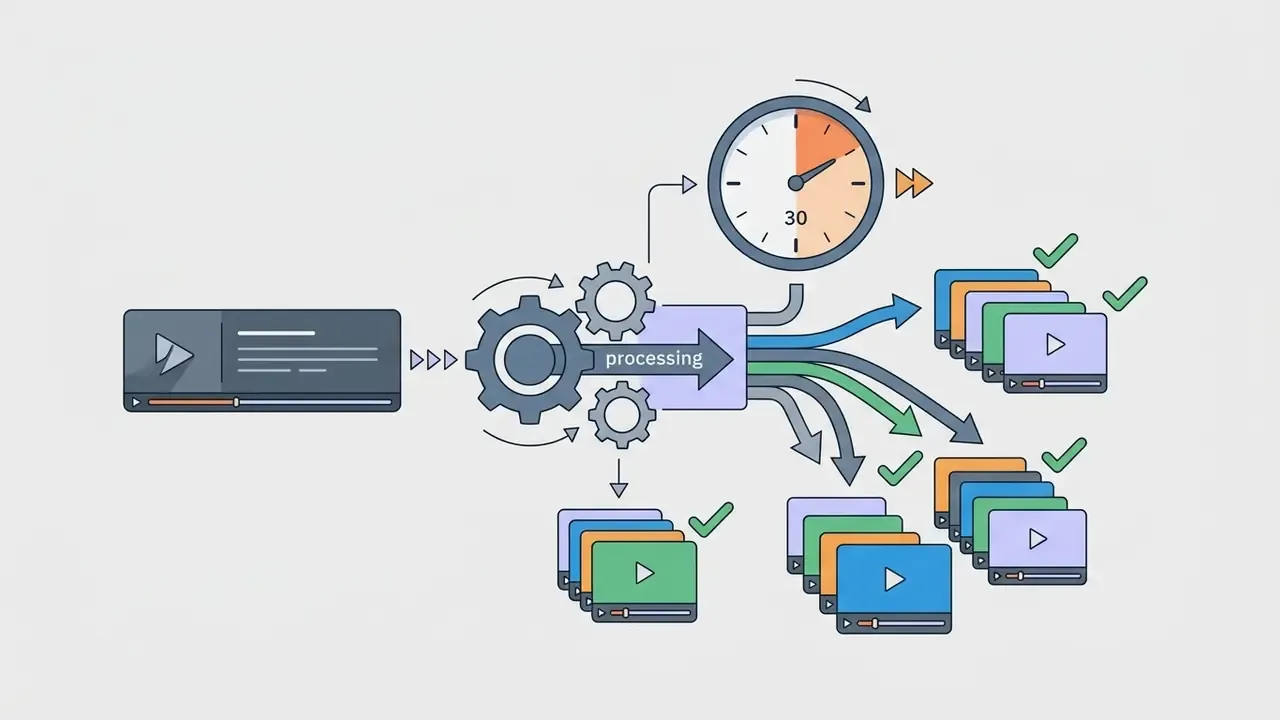
Automated systems can process an existing video and produce shorter video clips through an intelligent clip generator. These systems analyze speech transcripts, identify narrative hooks, and re-frame horizontal footage into vertical formats. An ai video creator from youtube videos now scans a long upload and returns 10 or more short clips in roughly 30 seconds, with transcript-based editors that let you extend or trim each cut by editing text rather than dragging handles.
Platforms also integrate with stock video providers like Pexels and Getty Images to insert B-roll automatically based on spoken keywords. Creators who want step-by-step guidance on clip optimization can consult our ai video creation tutorial.
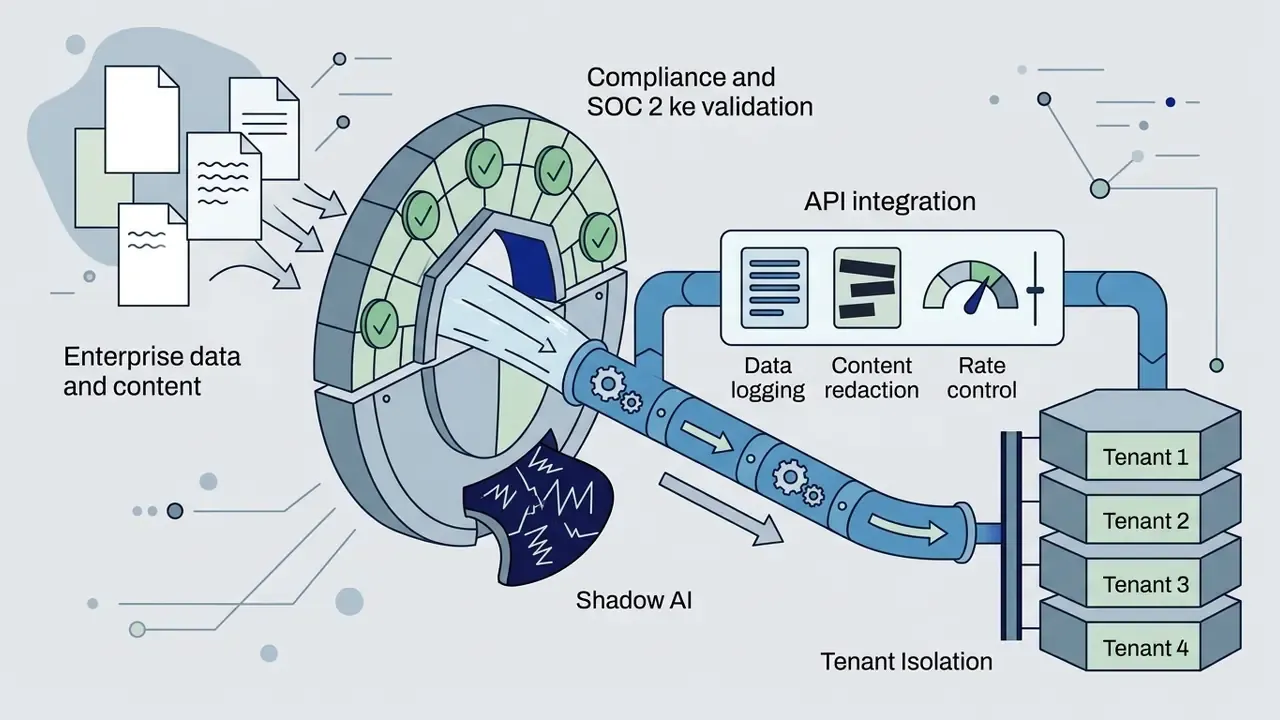
Enterprise Data Security, SOC 2, and the Shadow AI Problem
For regulated organizations the selection criteria shift from "how cinematic is the output" to "where does my script go." Four checks belong in every vendor questionnaire:
Audit trail requirement. Under a NIST AI RMF-style control set, every published asset should carry a retrievable record: the source prompt, the model and version used, the human reviewer, the license source for each visual, and the disclosure label applied at upload. If your platform cannot export that record, you are producing unauditable media. Blunt, but true.

Workflow: How AI Creates a YouTube Video from Idea to Publication
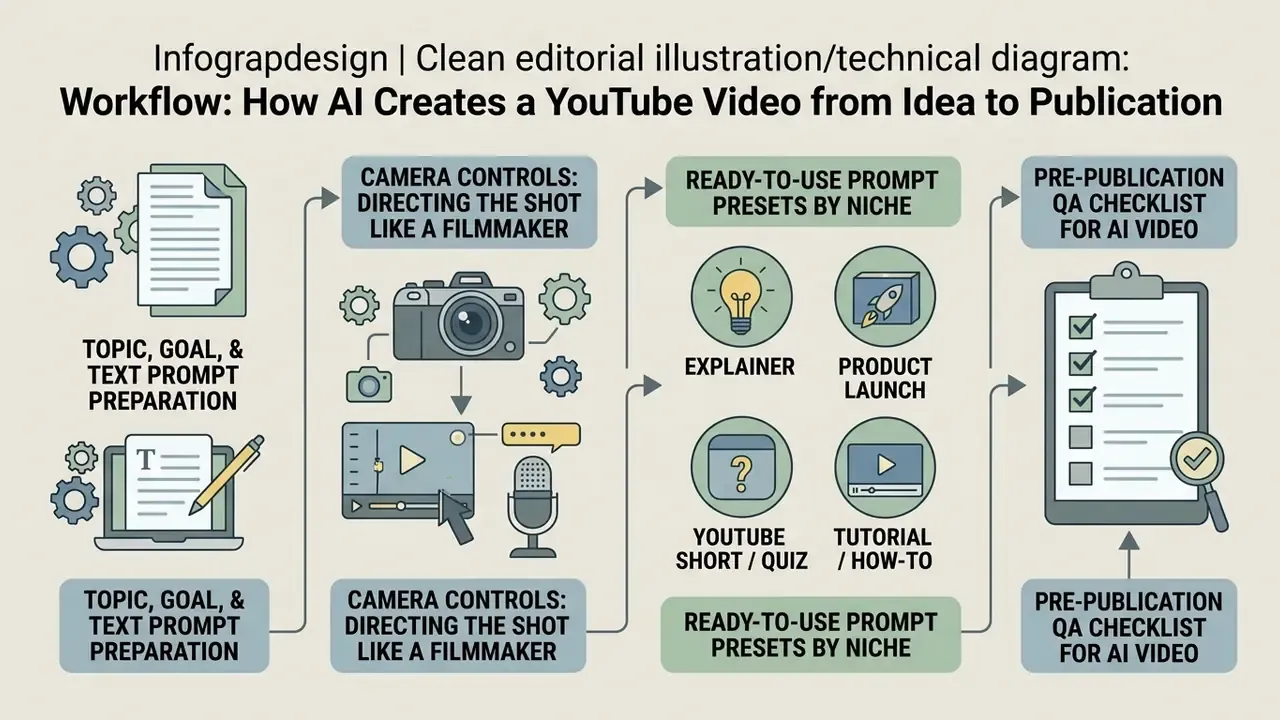
A reliable video creation workflow runs as a structured sequence from concept definition to final quality control. Following established risk management standards, such as the NIST AI Risk Management Framework 1.0 (NIST, 2023) with its Govern, Map, Measure, Manage lifecycle, keeps generated media accurate and defensible. Classic multimedia clearance practice adds a useful pattern: approval gates at concept, script, rough cut, and final product, rather than one review at the end.
Pre-publication QA checklist for AI video
Checklist0 / 10
Prepare the Topic, Goal, and Text Prompt
Effective video creation starts by defining topic, target audience, duration, and visual style inside a structured text prompt. Adobe Firefly's video model documentation recommends a standardized formula: Shot Type + Subject + Action + Location + Visual Aesthetic. Amazon Nova Reel guidance adds subject, action, environment, lighting, style, and camera motion, and stresses writing prompts as a caption or summary rather than a command. Runway recommends one action per prompt, positive phrasing, and clips under 10 seconds.
Defining camera movement and lighting explicitly improves clip consistency more than any other single edit.
«A 3R framework, retrieval, refinement, and ranking of prompts, substantially improves motion quality, text alignment, and visual consistency in generated video.»
Skip vague instructions. Concrete visual descriptors guide the generative engine far more accurately than adjectives about mood.
Camera Controls: Directing the Shot Like a Filmmaker
Most weak AI footage fails on motion, not pixels. Adding one explicit camera instruction per prompt is the highest-leverage change available. Use these six moves as a working vocabulary:
| Camera command | What it does | When to use it in a YouTube video |
|---|---|---|
Dolly in / Dolly out | Physically moves the camera toward or away from the subject | Dramatize a key thesis; reveal context after a close detail |
Push in (slow) | Gradual tightening on the subject | Under a voiceover claim you want the viewer to remember |
Orbit / arc shot | Circles the subject to expose all sides | 3D product demos, hardware reviews, packaging shots |
Crane up / aerial reveal | Rises to expose the wider environment | Opening hooks and chapter transitions |
Handheld with slight shake | Adds imperfect, human motion | Vlog-style and UGC-style authenticity |
Pan left/right, Tilt up/down | Rotates on a fixed axis | Scanning a list, timeline, or comparison layout |
Two optical modifiers are worth memorizing. Shallow depth of field keeps the subject sharp and the background soft, useful for talking-head and product hero shots. Natural parallax moves foreground and background at different rates, which makes generated dollies read as real camera moves. Stack one move plus one optical modifier. Three or more usually degrades temporal consistency.
Ready-to-Use Prompt Presets by Niche
Copy these, swap the bracketed variables, keep the structure intact.

Medium shot, slow push in, soft studio lighting. A clean animated diagram of [PROCESS] assembling piece by piece on a light neutral background, subtle depth of field, minimal corporate aesthetic, 1080p.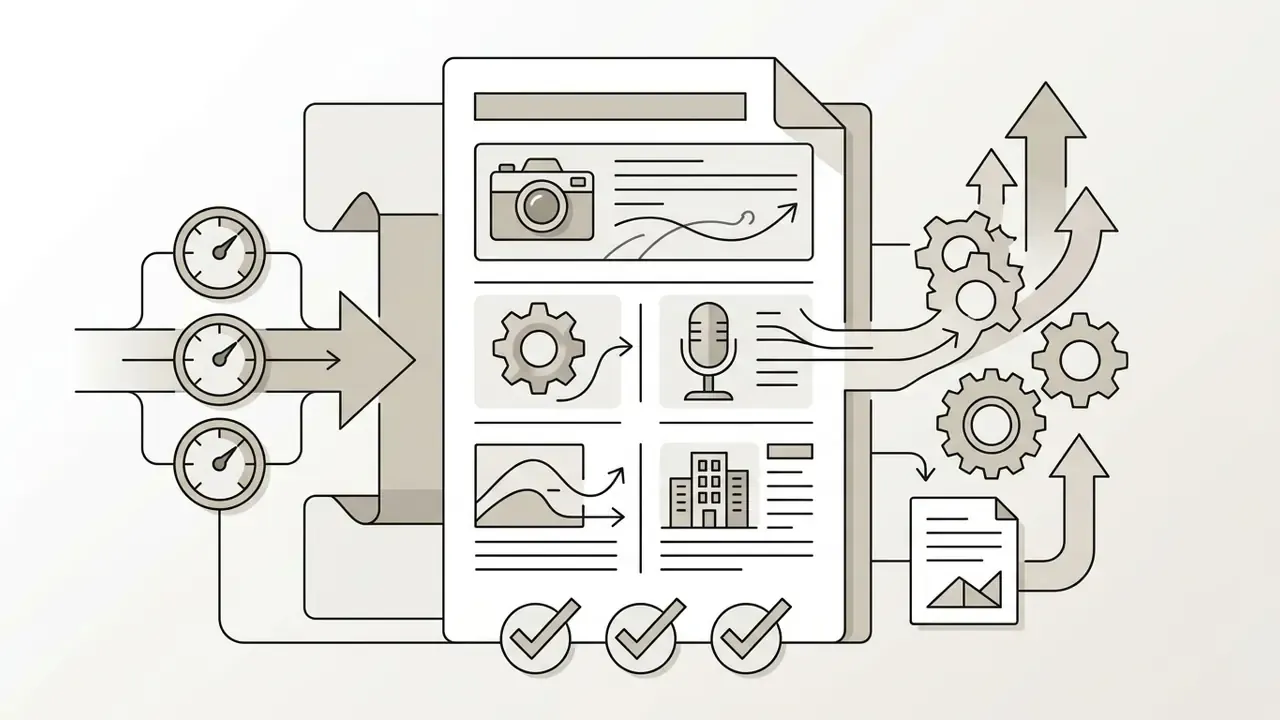
Wide shot, cinematic lighting, slow orbit. A sleek modern [PRODUCT] unboxing on a dark wooden table, reflective surfaces, shallow depth of field, photorealistic, 8K detail.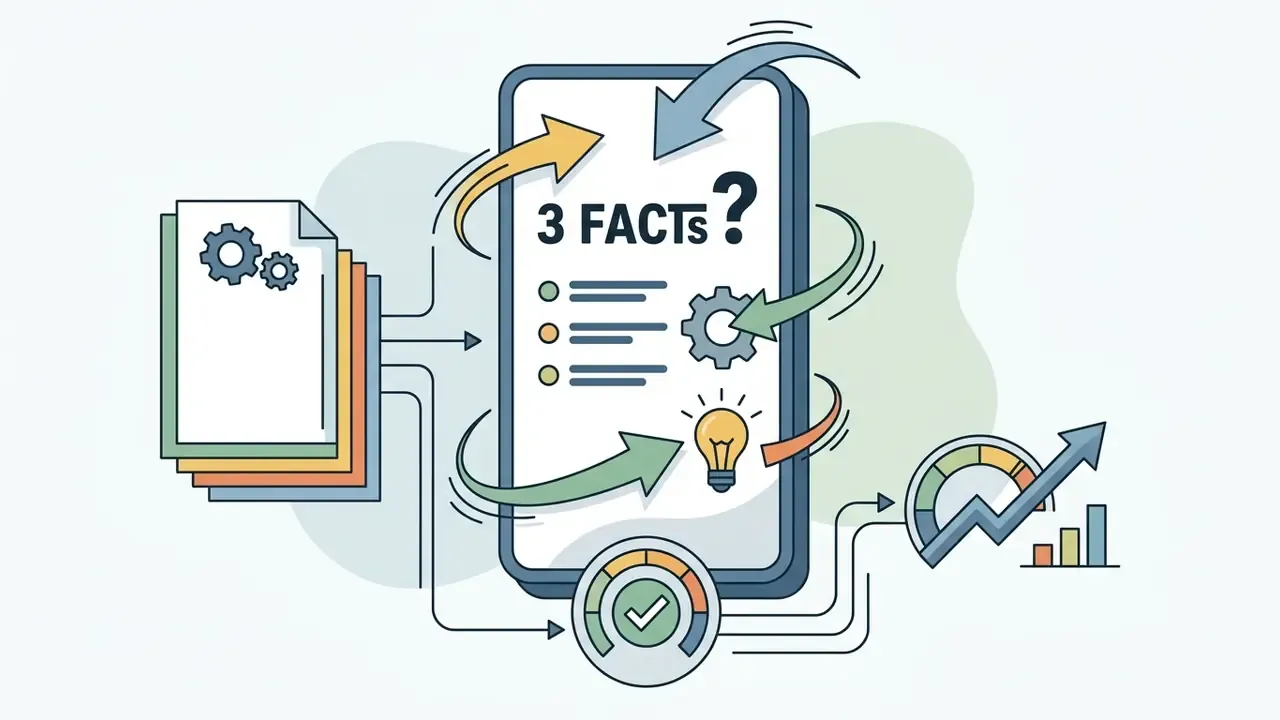
Vertical frame, fast pacing, static camera with quick whip transitions. Bright gradient background, bold animated text overlay asking "3 Facts About [TOPIC]", vibrant high-contrast visual style.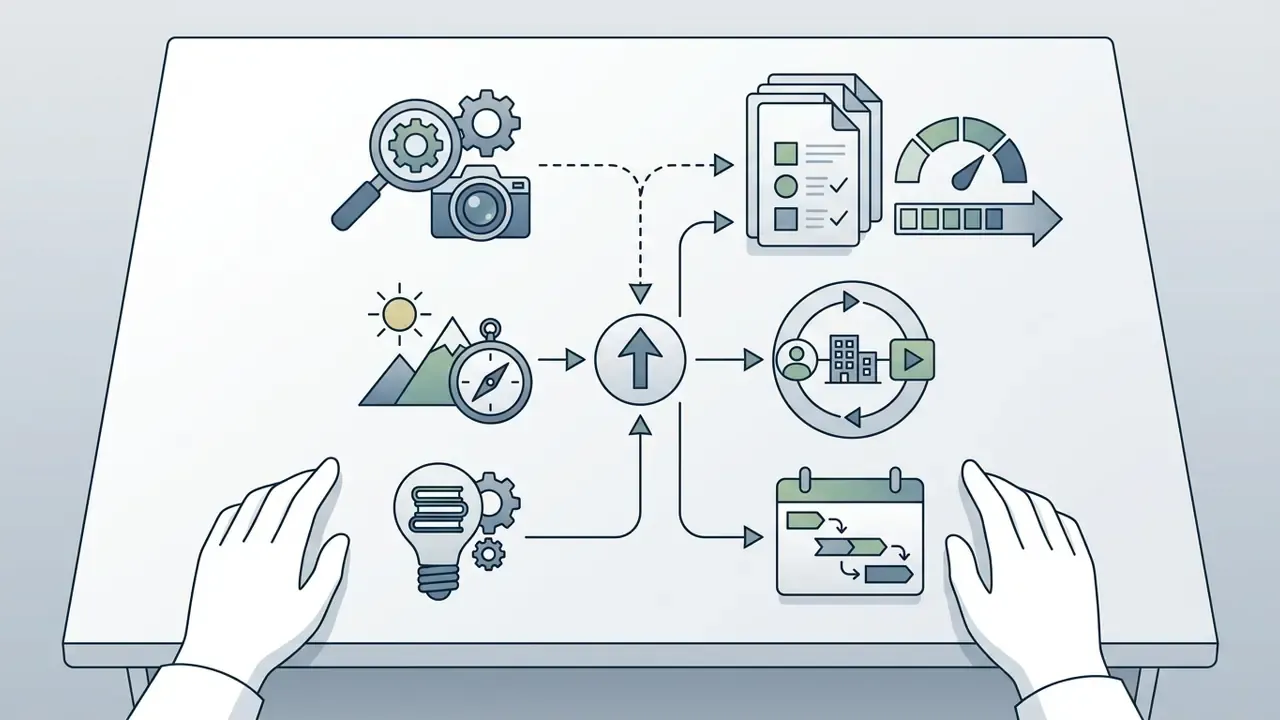
Over-the-shoulder shot, fixed camera, even daylight. Hands operating [TOOL/INTERFACE] on a desk, clean workspace, neutral color grade, crisp focus on the action area.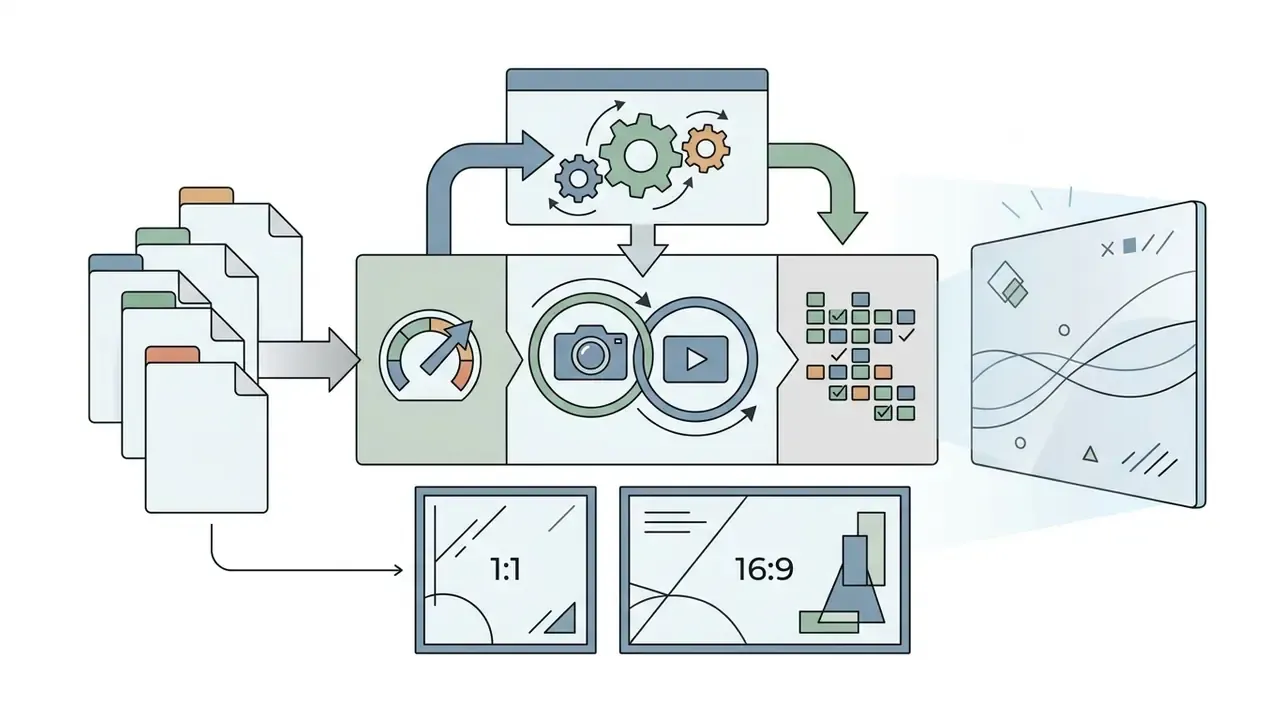
Medium close-up, handheld with slight shake, warm window light. A professional presenter speaking directly to camera in a modern office, blurred colleagues in the background, natural parallax.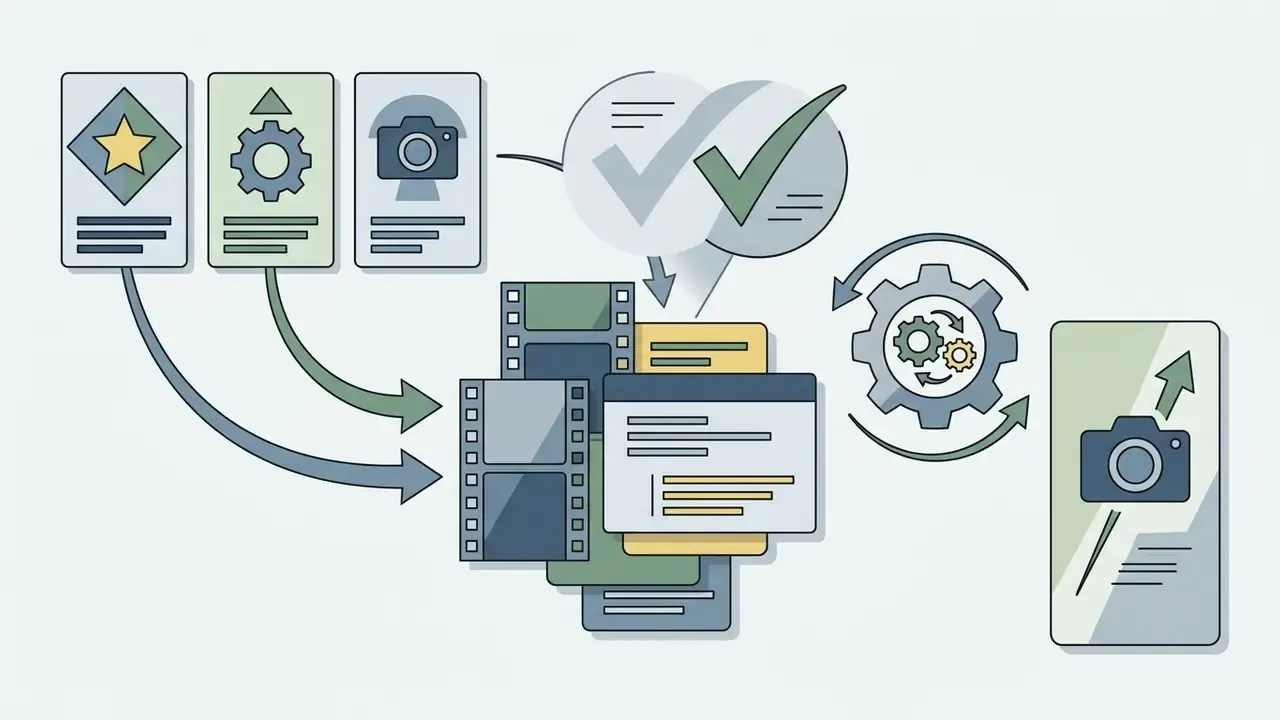
Close-up portrait, slow dolly in, golden-hour side lighting. A [ROLE] smiling while talking, softly blurred office interior behind, documentary aesthetic, film grain.
Aerial crane reveal, overcast diffuse light. Slow flight over [LOCATION/SCENE], muted cinematic color grade, no text, no people, 10-second loopable motion.
Static medium shot, flat even lighting. A friendly presenter avatar in a neutral office set, lower-third title space left clear on frame right, corporate training aesthetic.Generate the Script, Scenes, and AI Visuals
Once the prompt is submitted, ai powered engines parse the request to generate script options and storyboard layouts. The system maps specific sentences to distinct video scenes, then generates matching ai visuals or sources stock clips. Published pipelines describe an LLM emitting structured JSON that holds a multi-scene script, per-scene image prompts, and narration text, after which an image or video model renders each scene in parallel.
In one illustrative enterprise training scenario, an internal team used ai to create youtube videos for regulatory compliance updates. The platform processed a 20-page policy document, extracted key rule changes into a 3-minute script, and generated matching background visuals within four minutes. Delivery across regional offices moved from weeks to days. Composite example, not audited client data.
«VC-LLM, built on GPT-4o, produces advertising videos comparable to human work in narrative logic, visual-script correlation, and caption quality.»
Review the Video, Make Targeted Edits, and Prepare the Export
Before publishing, review the timeline in an ai video editor or the built-in video editor interface. The full feature landscape of these editors is mapped in our guide to video editor tools. Check timeline alignment, add text callouts, and verify speech accuracy with an ai subtitle generator.
«GRADEO, trained on 3,300 videos and 16,000 annotations, correlates better with human judgment across seven dimensions than prior automatic metrics.»
Practically, automated quality scores are improving but are not yet a substitute for a human pass. Run the review in four steps: a full-length sync check, targeted fixes for timing and on-screen text, subtitle export as a timed text file, and final export in the delivery format the destination requires. Verify frame rate, project language, overlaps, terminology, and caption positioning before you render.
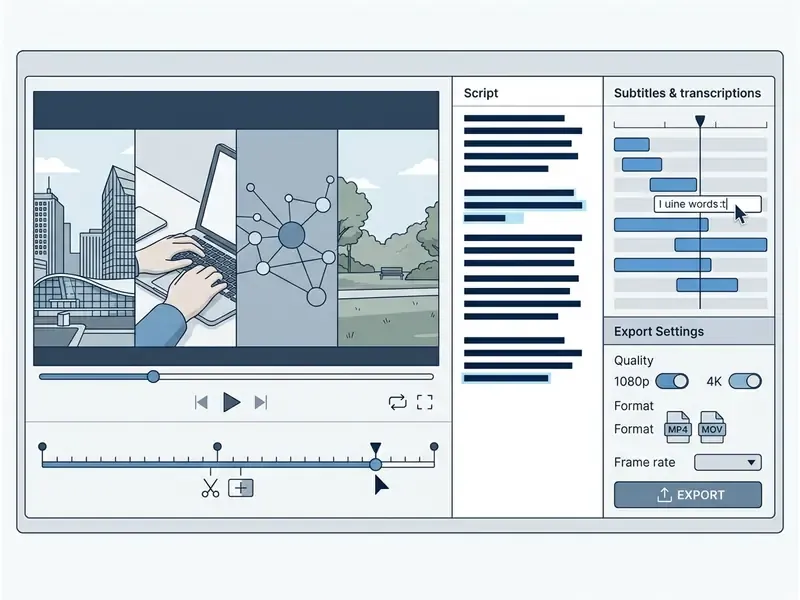
When editing is complete, render the final video in 1080p or 4K. For cost estimation and resource management during high-volume rendering, consult our interactive production calculators.
AI Tools for Script, Visuals, Voiceover, and Subtitles
A complete ai youtube video maker depends on specialized modules working in sync. Integrating scripting, B-roll selection, voice synthesis, and captioning into one platform removes asset transfer friction and, frankly, removes most of the version-control chaos too.
AI Scripts and the Structure of an Engaging Video
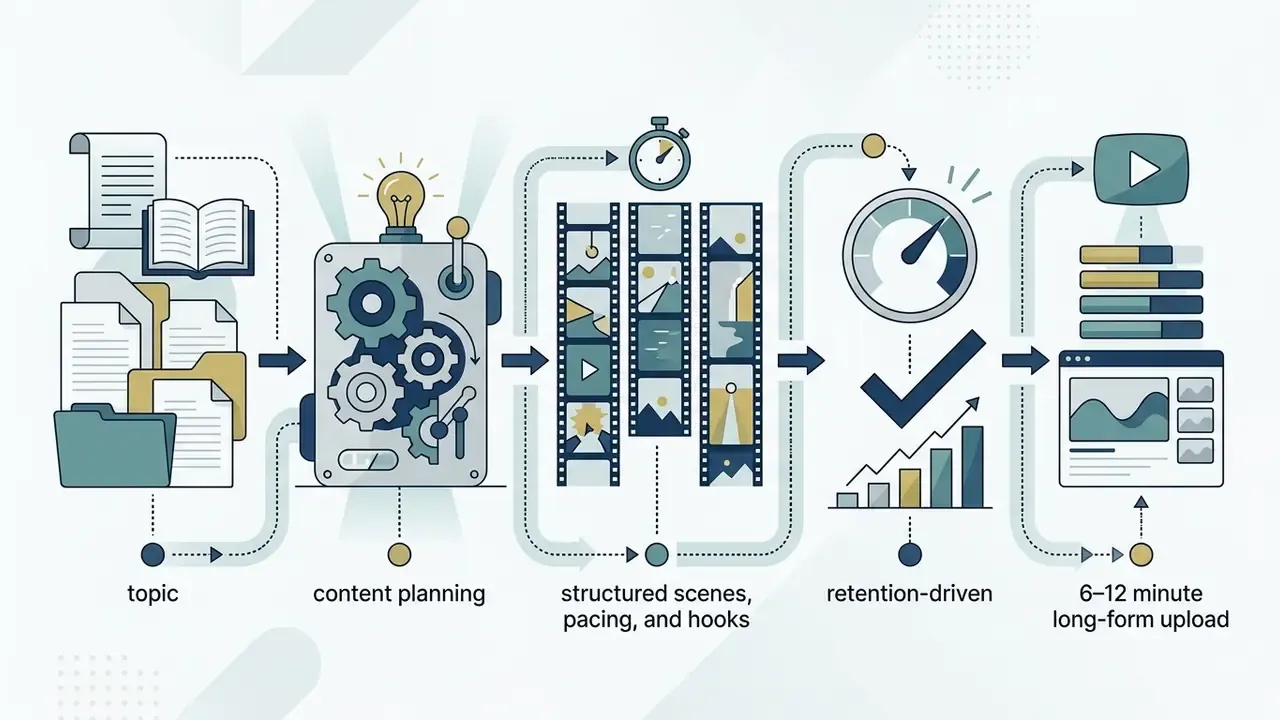
High-retention YouTube scripts follow a strict narrative layout: a strong hook in the first 0–5 seconds, value delivery within 15 seconds, a retention bridge at 10–30 seconds, open-loop transitions, and structured pattern interrupts every 60–90 seconds. Creator-side analytics published in 2025 report that viewer retention can fall below 30% within the first 10 seconds when the opening hook fails to establish immediate value. Those are platform-analytics summaries from creator-education sources, not peer-reviewed studies, so treat the exact threshold as directional and benchmark it against your own Studio retention curve.
«VC-LLM integrates automatic script generation, caption segmentation, and multimodal analysis to secure narrative logic and visual appeal.»
AI script generators apply structural templates that place a provocative question, a paradox, or a key data point in the opening line, which is what holds attention long enough for the video content to land. Short-form templates typically compress the hook to 0–3 seconds and 10–15 words, while long-form guidance allows 5–10 seconds. That difference reflects format pacing, not disagreement between sources.
B-roll, AI Visuals, and Stock Media for the Visual Track
Modern platforms combine generative ai visuals with licensed stock video libraries to build dynamic B-roll tracks. Transcript-based Smart B-roll systems analyze spoken keywords and insert matching context clips onto the secondary video layer, drawing from libraries such as iStock, Pexels, and Pixabay, with the option to regenerate a clip when no stock match fits. Before you publish generated visuals commercially, review the rights framework in our guide to the commercial use of AI-generated visuals.
Licensing note. Adobe's published contributor requirements for Adobe Stock state that generative-AI video must be explicitly labeled as AI-created at upload and must satisfy the same technical and legal release standards as conventionally shot footage. This is vendor policy documentation, not research, and platform terms change. Re-check the current contributor guidelines before any commercial submission.
Retention-Driven Smart B-roll: Where to Place Cuts
Generic "insert B-roll every few seconds" advice wastes credits. Placement should follow the retention curve:
- 0:00–0:05, hook overlay. Open on the most visually arresting asset in the project. Never open on a static talking head.
- 0:05, value confirmation. Cut to a visual that literally shows the promised outcome, so the viewer sees the payoff before deciding to leave.
- 0:15, transition to substance. Change scene, background, or framing as the script moves from promise to content.
- Every 4–6 seconds thereafter, baseline rhythm. A visual change on this cadence prevents the monotony that triggers scroll-away in vertical formats.
- 0:60, first pattern interrupt. Switch modality entirely: avatar to screen capture, stock footage to an animated chart.
- Every 60–90 seconds, repeat interrupts. In 6–12 minute long-form uploads, align each interrupt with a chapter boundary.
- Any monotone stretch, algorithmic override. Smart B-roll systems that analyze speech dynamics can detect flat delivery segments and overlay motion footage on top of them. Treat any 8+ second stretch without a visual change as a defect.
After publishing, pull the audience retention graph in YouTube Studio, mark the actual drop-off timestamps, and rebuild the B-roll map for the next upload against real data rather than assumptions.
AI Voices, Subtitles, and Video Translation
«At IWSLT 2024, the best subtitling systems beat the previous year by 1.5–4.4 BLEU, with over 90% of subtitles meeting compliance requirements.»
Multi-language dubbing lets creators expand into international markets without a studio. Commercial localization stacks differ widely in scope: a video translator may advertise 280+ languages for text translation, 80+ for lip-synced dubbing, and 50+ for combined transcription, captioning, and dubbing. The practical workflow stays consistent: transcribe, edit each line, translate, regenerate a timed voice track, and preserve original music and effects.
How to Edit AI-Generated YouTube Videos and Keep Control
Keeping control over ai generated youtube videos takes a combination of automated prompt commands and timeline precision. Creators need the flexibility to swap individual frames, refine text tracks, and re-time audio clips without regenerating the whole project.
Editing the Video via Prompt and Manual Tools
Modern platforms let you edit videos with a text prompt alongside traditional multi-track timelines. Systems such as the Google Gemini API and the OpenAI Sora API support targeted element replacement, so you can modify a specific visual object while preserving background continuity, structure, and composition. Gemini's documented multi-turn conversational editing also covers perspective changes, and research on object-aware single-video editing shows localized refinement is achievable without per-example fine-tuning or inversion.
With built-in editing tools, creators adjust cut points, replace stock media, and tweak color grading by hand. Complete publishing workflows are documented in our guide to YouTube video editors. Hybrid flows are now standard: generate or modify a clip by prompt, then drop it into a layered timeline for trimming and rearranging. Teams building automated media applications can explore developer options in our AI Media API Guides.
Where brand consistency matters, think recurring characters, product SKUs, a fixed visual identity, fine-tuning a video model on labeled internal clips is the documented route. It sits alongside prompt editing rather than replacing it.
How to Adapt Video for YouTube Shorts and Social Media
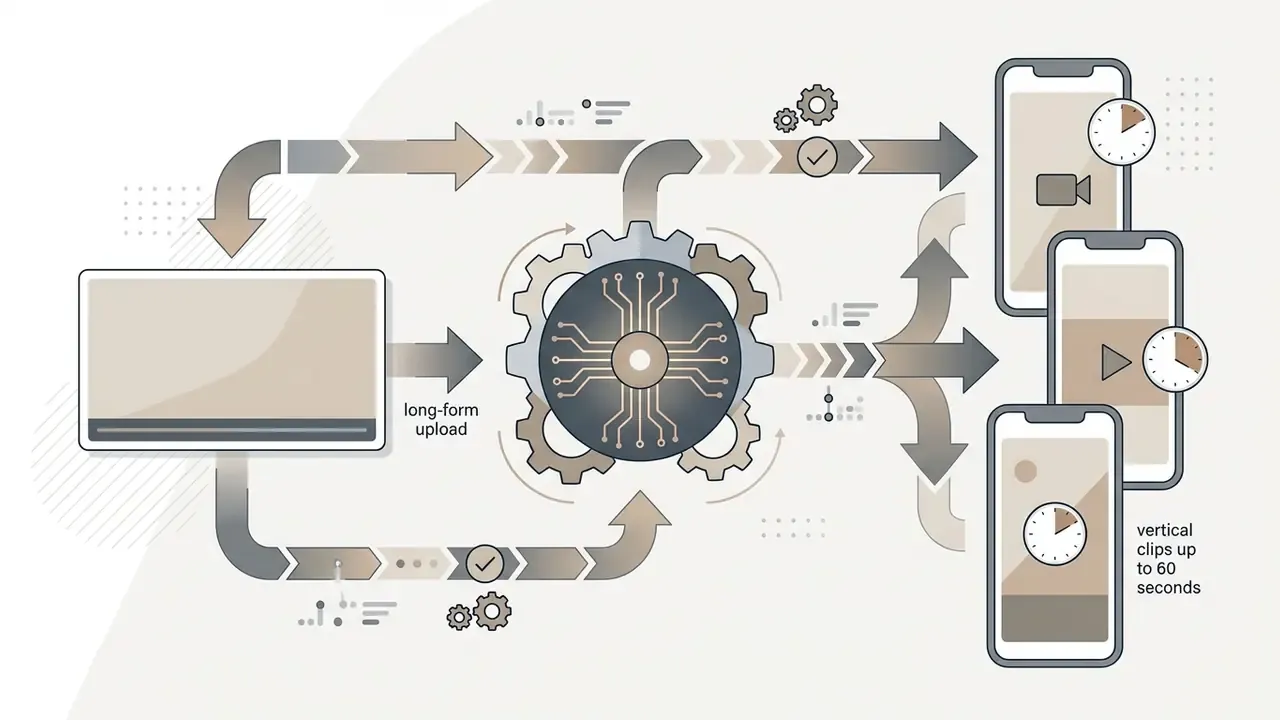
Converting horizontal 16:9 videos into vertical 9:16 for youtube shorts, TikTok, and Instagram Reels relies on automated subject tracking. The system centers the main speaker, crops the frame, and regenerates dynamic captions optimized for mobile screens. The three practical output modes are hard crop to 9:16, subject-tracking auto-reframe, and blurred padding, with a typical target of 1080×1920.
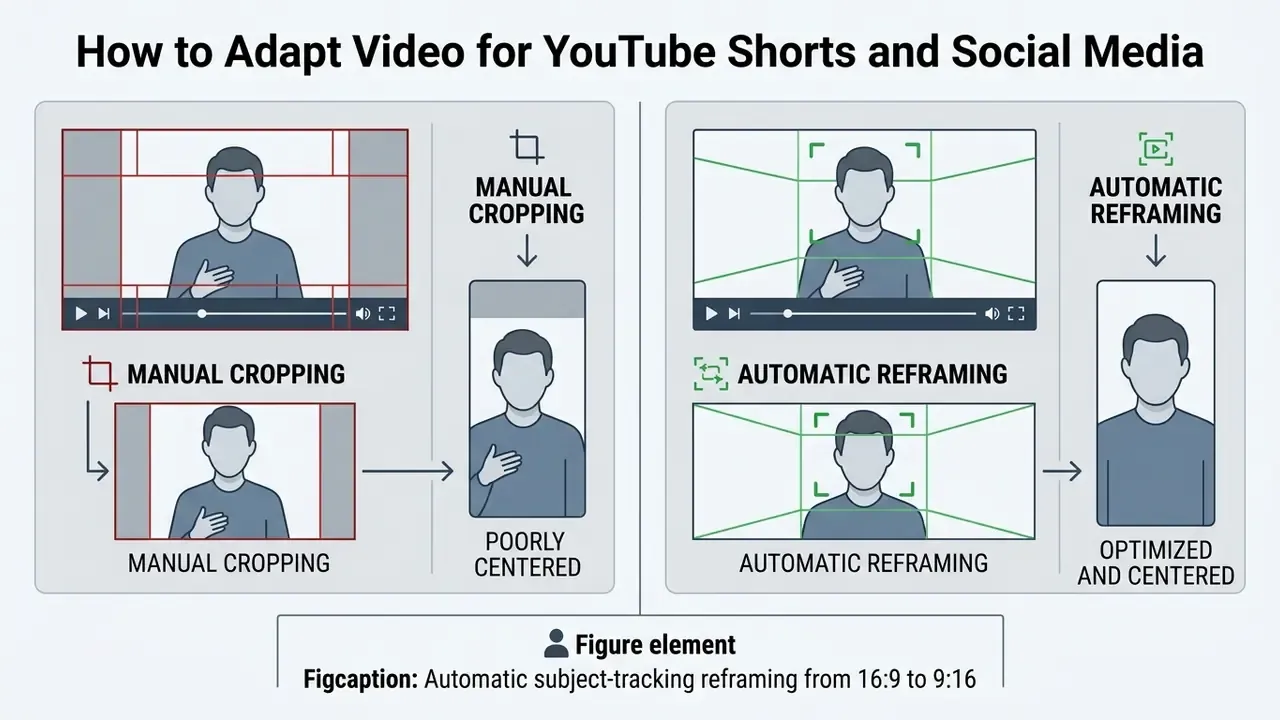
A specialized ai reel generator identifies key highlights in long-form content and exports vertical clips in minutes, and the same engine usually doubles as a tiktok video generator for cross-posting. Captions are re-transcribed from the audio and re-rendered vertically, normally burned in, because mobile playback starts with sound off by default. For detailed creator strategies on short-form automation, review our guide on how ai to summarize long uploads works in practice.
Quality, Realism, and Generation Speed of AI Video
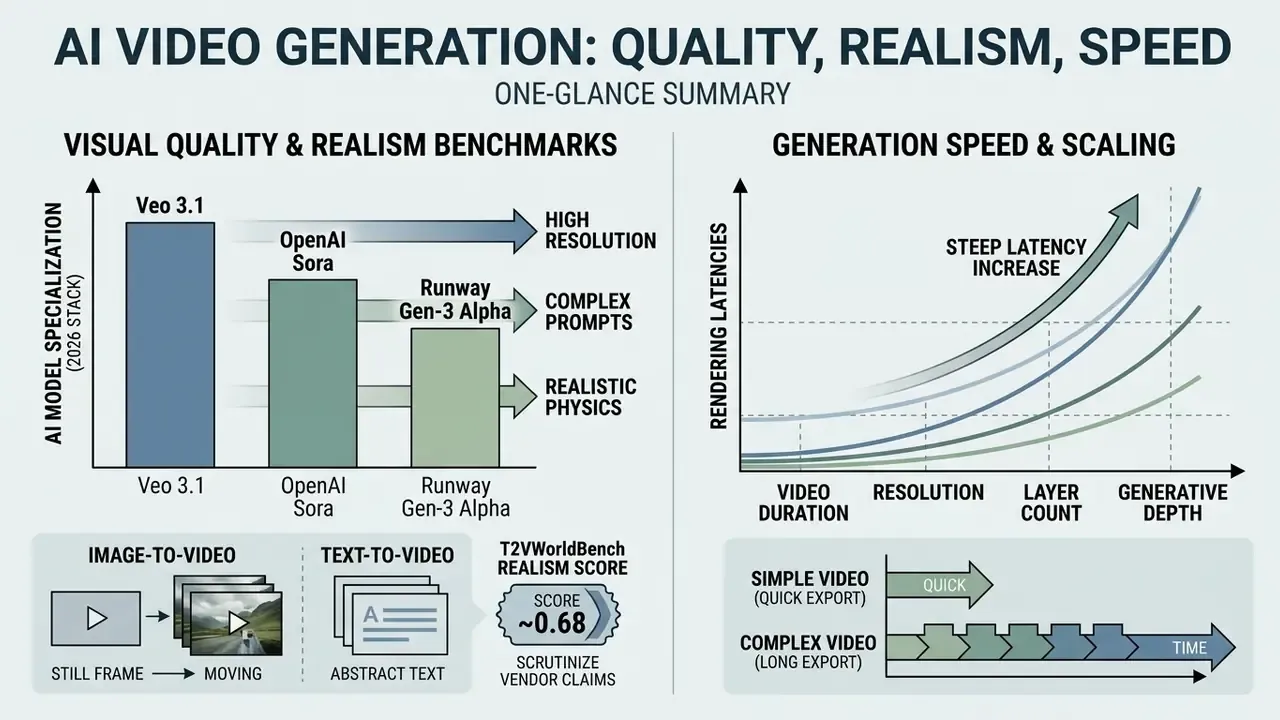
Visual quality, physical realism, and rendering speed vary significantly across generative architectures. A comparative overview of those architectures is available in our reference on AI video generators. Understanding the technical factors helps media managers estimate rendering times and hold output standards steady.
Which AI Models Affect the Visual Quality of Your Video
Generative ai models like veo 3.1, OpenAI Sora, and Runway Gen-3 Alpha set the current benchmarks for realistic ai generation and camera movement control. Higher resolution output relies on cascaded latent diffusion models, which interpolate sparse keyframes for smooth temporal motion, decode to pixels, then optionally run a video upsampling pass.
The practical 2026 stack breaks down by specialization:
| Model | Primary strength | Best used for |
|---|---|---|
| Veo 3.1 | 4K output, complex camera moves, native audio generation | Cinematic B-roll, hero shots, ad openers |
| Sora 2 | Scene coherence and world-simulation behavior | Multi-element narrative scenes, physical interactions |
| Kling 3.0 | Character motion and gesture accuracy | Human action, dance, sports, choreography-heavy clips |
| Seedance 2.0 | Motion fidelity and dynamic pacing | Fast-cut social content, movement-driven Shorts |
| Flux 1.1 | Hyperreal still image generation | Thumbnails, backgrounds, and first frames to animate via image-to-video |
| Runway Gen-3 Alpha | Fine-grained control over structure, style, motion | Style-locked sequences, directed shot control |
Image-to-video is the underrated tactic here. Generate a controlled still with Flux, lock it as the first frame, then animate it. You get composition control that pure text-to-video rarely delivers, and the difference between "fine" and high quality videos often comes down to that one extra step.
Vendor claims about "realistic physics" deserve scrutiny. A 2025 physical-generalization study found that video models reproduce training-like cases well but fail to learn universal physical laws in out-of-distribution scenes, so motion realism stays case-based rather than robust.
«T2V-CompBench evaluated 23 models across 1,400 prompts and found systematic failures when binding multiple objects and actions over time.»
Research from T2VWorldBench points the same way: even top-tier models score around 0.68 on world-knowledge correctness, occasionally hallucinating physical interactions or historical details in complex scenes. Operationally the rule is simple. One subject and one action per prompt, and never let a model narrate a fact you have not verified yourself.
Why Complex Videos Take Longer to Create and Export
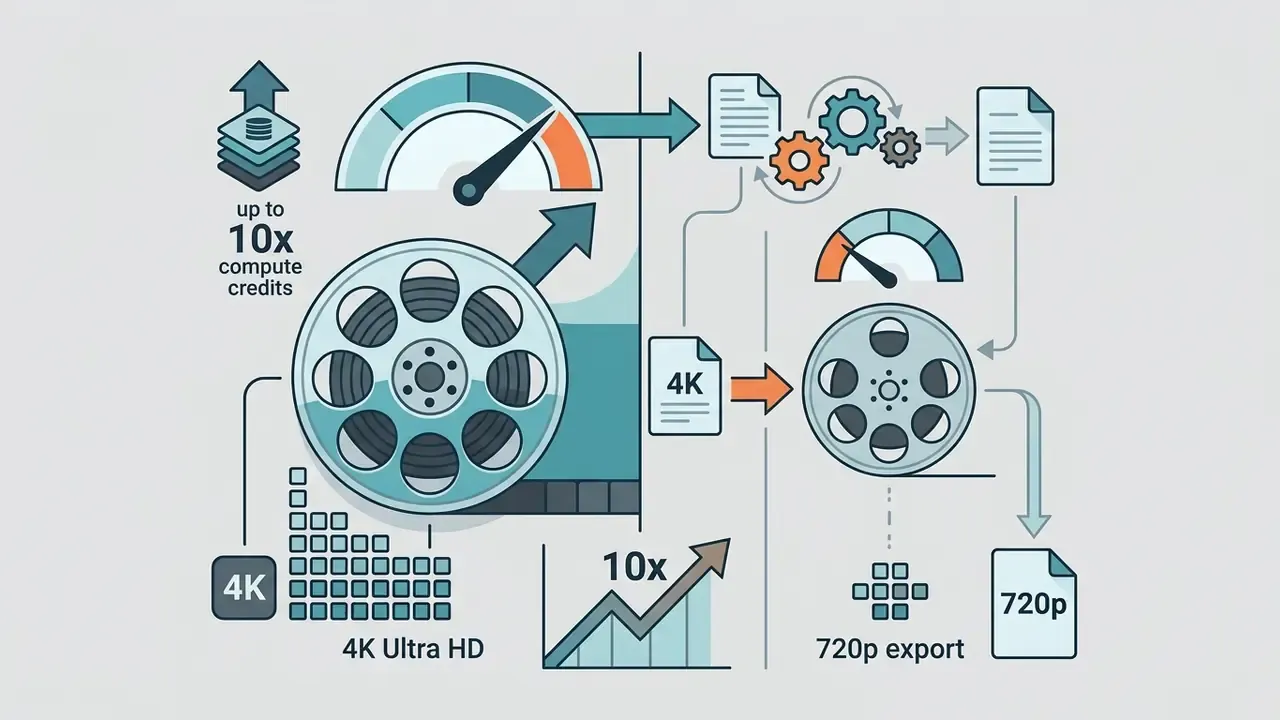
Rendering latencies scale non-linearly as video duration, pixel resolution, layer count, and generative complexity increase. Generating 4K clips needs far more compute than standard 720p files. Published benchmarks show 256×256 models finishing a 4-second clip in roughly 0.5–2 minutes, while 1280×720 output for the same duration can exceed 8 minutes. More diffusion sampling steps improve detail and raise latency in direct proportion.
A CVPR 2025 study, From Slow Bidirectional to Fast Autoregressive Video Diffusion Models (CVPR 2025, https://openaccess.thecvf.com/content/CVPR2025/papers/Yin_From_Slow_Bidirectional_to_Fast_Autoregressive_Video_Diffusion_Models_CVPR_2025_paper.pdf), reported that traditional bidirectional diffusion models needed 219 seconds to synthesize 128 frames, whereas streaming autoregressive models achieved 9.4 FPS after an initial 1.3-second latency. Architecture choice is therefore a scheduling decision as much as a quality decision:
«MOVAI's hierarchical architecture with CSP, TSAM, and PVR modules improves temporal consistency but requires multi-stage processing, increasing computational load.»
Multi-layered timelines with digital avatars, secondary B-roll, and localized voice tracks extend rendering naturally, because each avatar pass, voice synthesis pass, and subtitle text track is a separate alignment stage in the pipeline. So no, a corporate module with four languages will not arrive in a few clicks.
Free AI Video Maker and Pricing: How to Estimate the Cost of Producing Videos
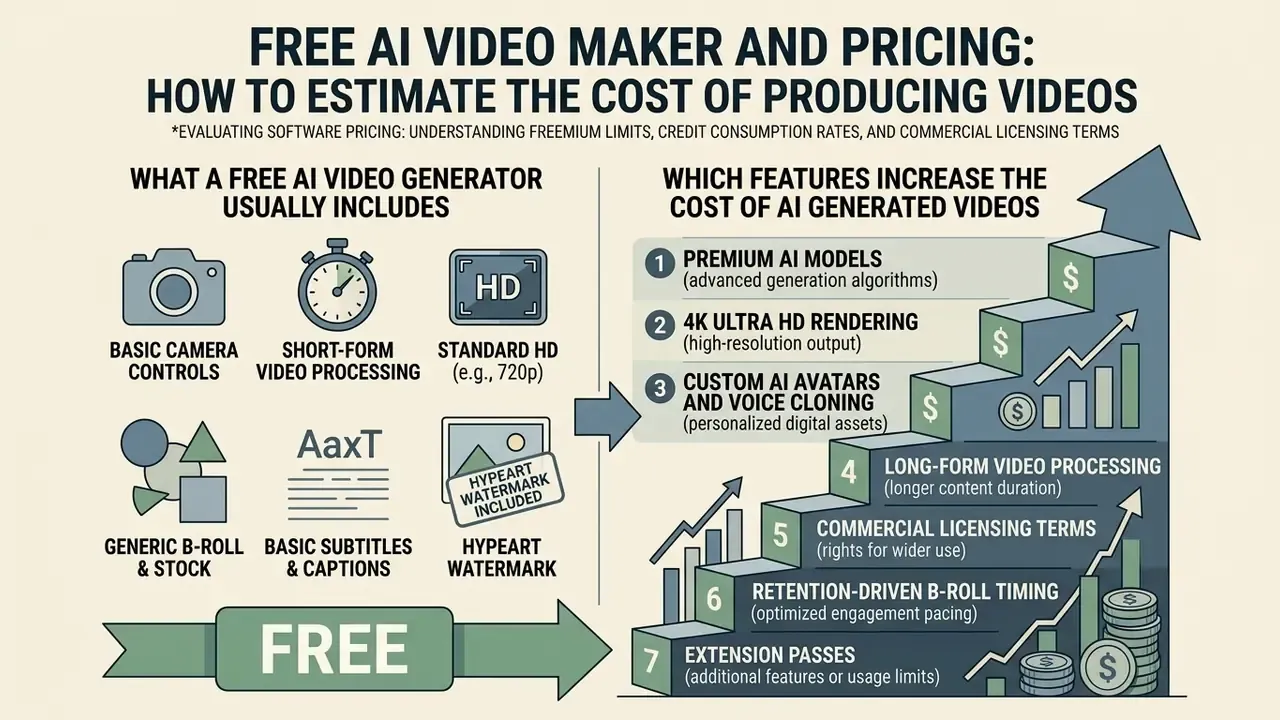
Evaluating software pricing means understanding freemium limits, credit consumption rates, and commercial licensing terms. Most commercial platforms run on monthly credit allocations, where advanced rendering deducts higher token amounts. The specific caps and restrictions are catalogued in our overview of free AI video generators.
Before the plan table, set the enterprise criteria first: commercial license scope, API availability, seat and workspace governance, retention policy, SSO, and the export formats your LMS or DAM actually accepts. A plan that looks cheap per credit but blocks SCORM export or commercial rights is not cheap at all.
| Pricing plan | Generation limits | Model access | Watermarks | Export and resolution | Commercial rights |
|---|---|---|---|---|---|
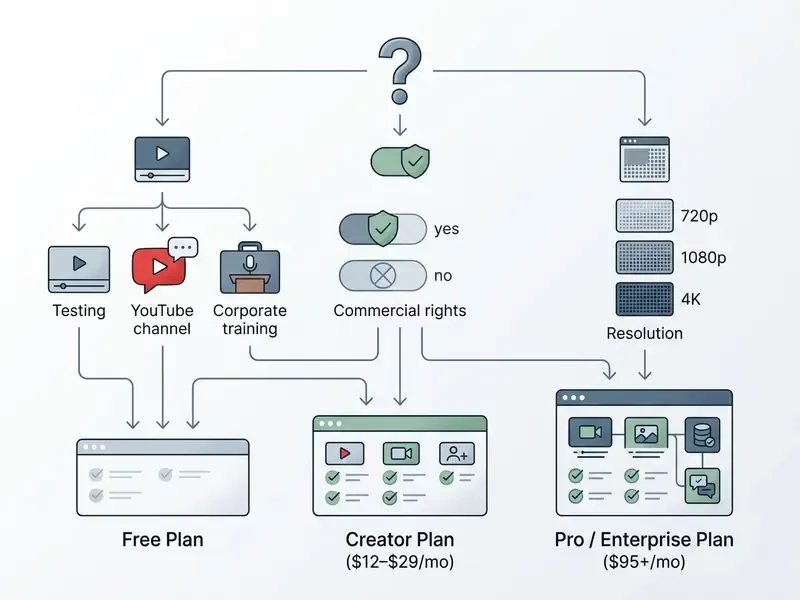
| Free AI Plan | 10–125 one-time/monthly credits (~2–3 min) | Basic models, limited avatars | Yes (visible watermark) | 720p max | Not permitted (personal use only) |
| Starter / Creator | 100–300 credits/mo (~15–30 min) | Standard models, 100+ avatars | No | 1080p Full HD | Full commercial rights |
| Pro / Business | 1000+ credits/mo (~120+ min) | Veo 3.1, Sora, 4K, voice cloning | No | 4K Ultra HD | Commercial rights + API access |
Published 2026 examples anchor these bands. Runway lists a free tier with 125 one-time credits plus paid tiers at $12, $28, and $95 per month. HeyGen's free tier allows 3 videos per month up to 720p with a watermark, with Creator from roughly $24–29 per month. Adobe Firefly offers a daily free allotment that resets each day. Prices verified against vendor pages in February 2026. Detailed licensing rules and usage rights are catalogued in our AI Media Commercial-Use Hub.
What a Free AI Video Generator Usually Includes
Free tiers from platforms like Runway, HeyGen, and VEED mainly serve workflow testing. Measured limits across these products are compiled in our comparison of the best free AI video generators. These plans enforce strict export limits, cap resolution at 720p, apply visible watermarks, and prohibit commercial use. Reported caps include roughly 25 seconds of Gen-4 Turbo output on Runway's free credits, 3 videos per month at 720p on HeyGen, and about 80 monthly credits at 480p on Pika. A minority of products advertise watermark-free free output, then compensate with shorter clips or tighter daily budgets.
Free plans also disclaim warranties on output accuracy and service continuity. OpenAI's terms of use state explicitly that services may produce inaccurate output and that uninterrupted, accurate, error-free service is not warranted. Luma's licensing guide restricts Free and Lite plans to personal use with no commercial grant. The documented pattern across vendors repeats: commercial rights are tier-limited, and accuracy guarantees on free tiers are disclaimed or simply absent.
Which Features Increase the Cost of AI Generated Videos
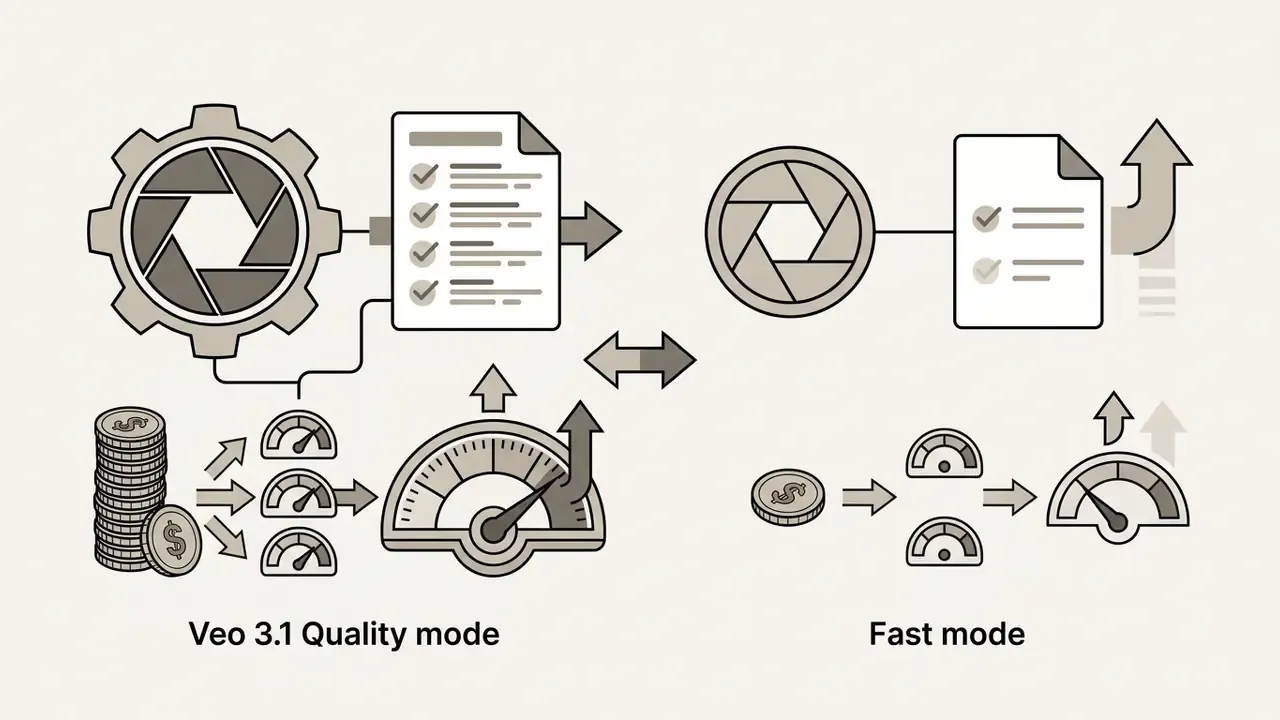
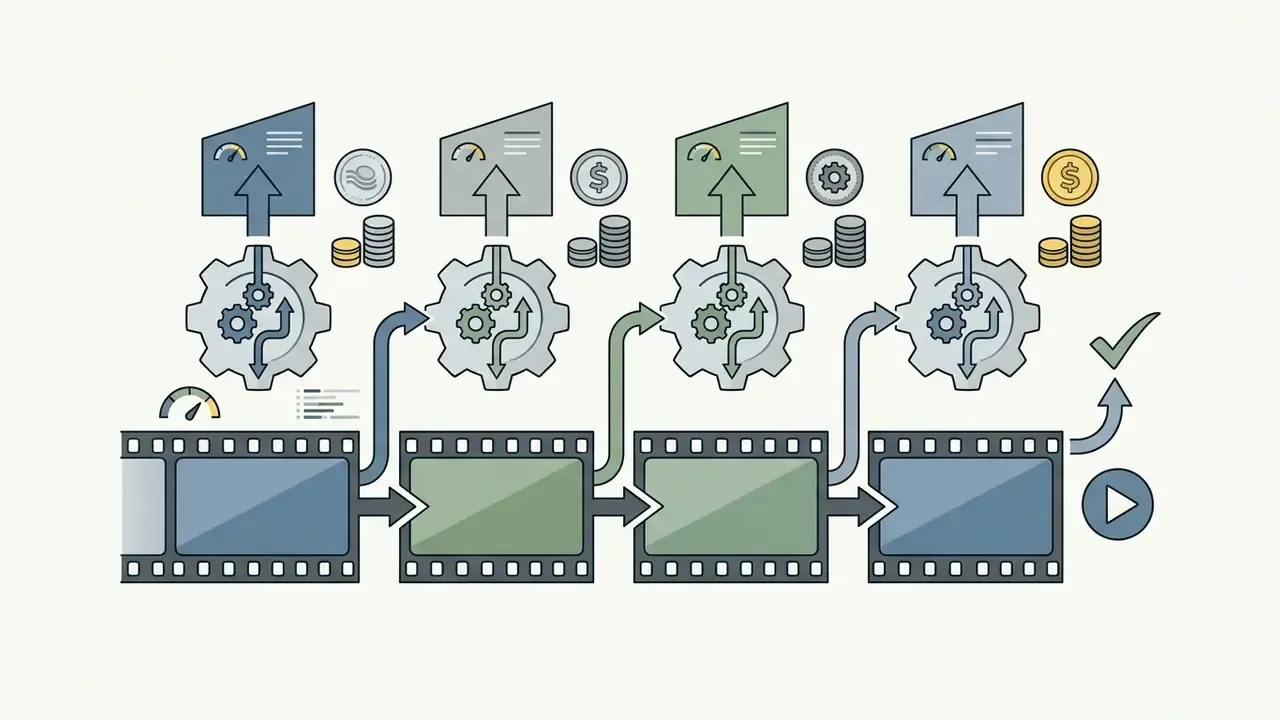
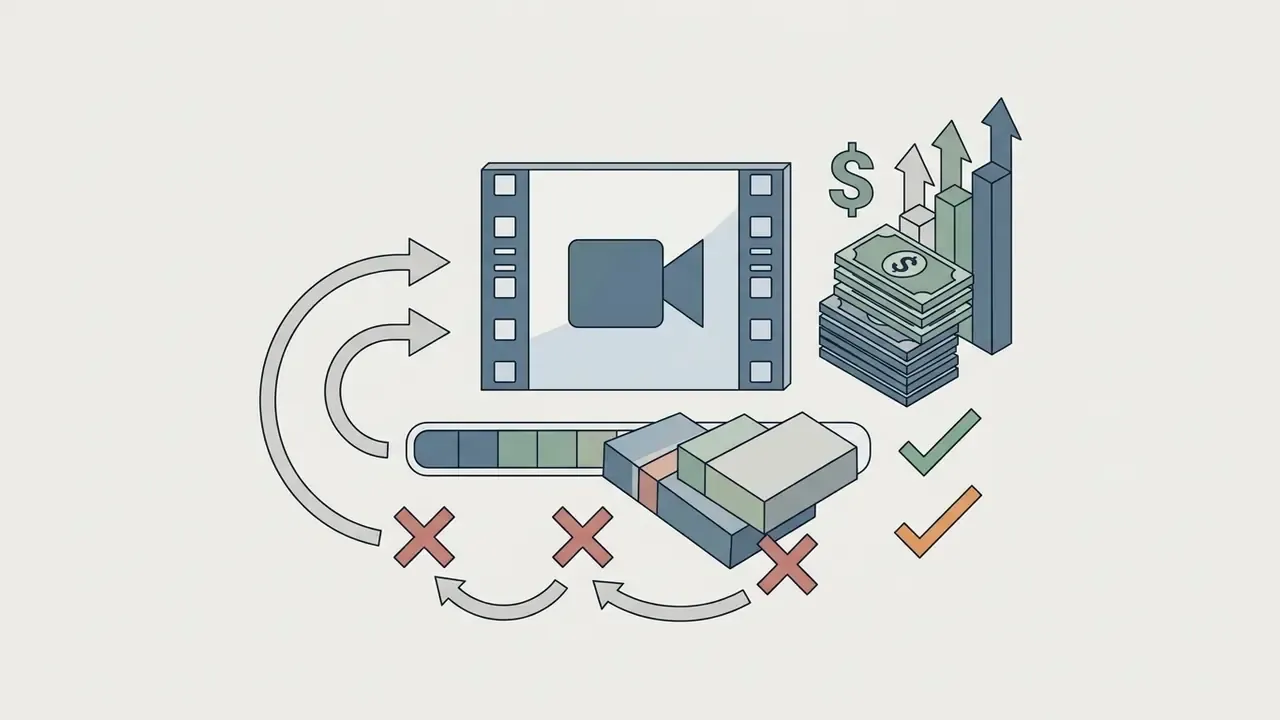
Subscription costs climb when accounts use advanced generative models, higher render resolutions, and extended clip durations. Rendering with Google's veo 3.1 in 4K consumes up to ten times more credits per second than standard 720p output in fast mode. Google's published pricing lists separate rates per output resolution, and Google AI Pro documentation indicates Veo 3.1 Fast at roughly 10 credits per video versus Veo 3.1 Quality at roughly 100 credits per video against a 1,000 credit monthly allowance. Implementation details, quotas, and per-second costs are broken down in our Google Veo AI video generator guide.
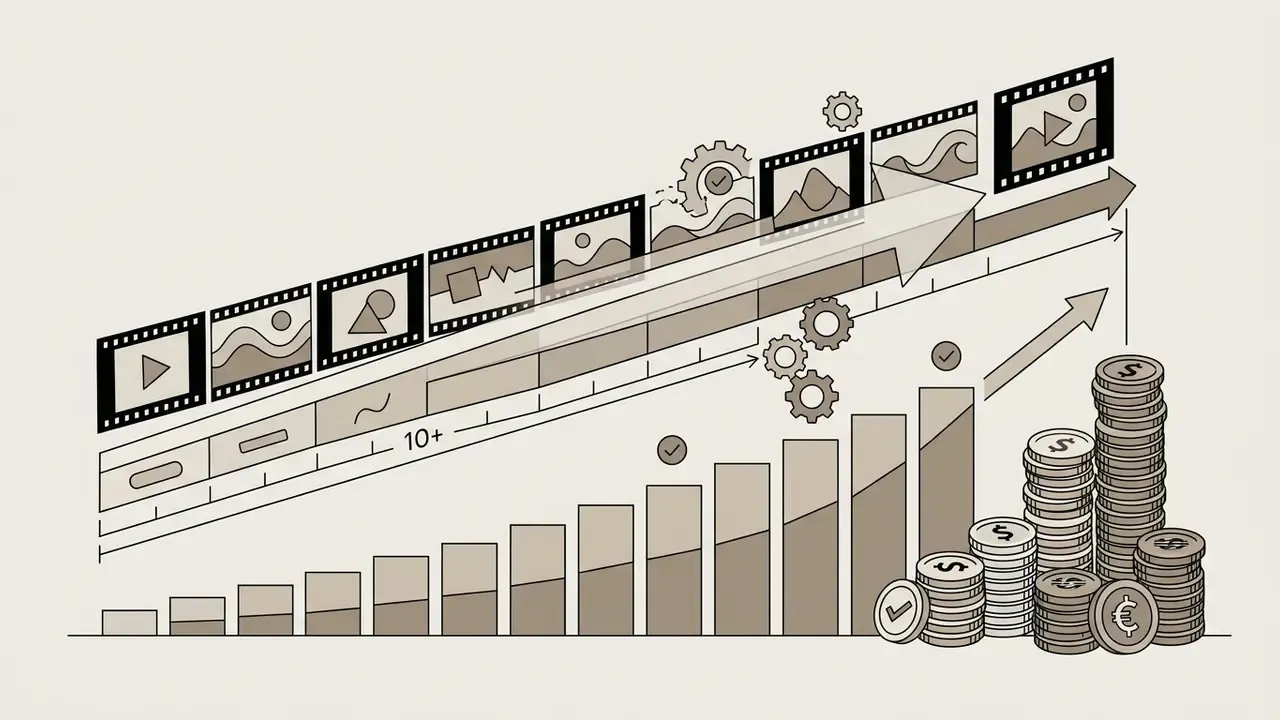
Features that significantly increase credit consumption:

The Honest ROI Formula: Include Your Control Costs
Vendor ROI math usually stops at "we saved the shoot." A defensible calculation includes the human hours you added downstream:
Traditional cost per finished minute
  = (crew hours × blended rate) + location + equipment + post-production hours
AI pipeline cost per finished minute
  = subscription/credit cost
  + (regeneration multiplier × credit cost)
  + validation hours × blended reviewer rate
  + legal/licensing review hours × counsel rate
  + rework hours for failed takes
Net ROI %
  = (Traditional cost − AI pipeline cost) / Traditional cost × 100
Worked illustration for a 3-minute compliance explainer, using indicative internal rates rather than published benchmarks: credits and subscription allocation about $40; regeneration at 2x about $40; 2.5 hours of reviewer validation at $70/hr about $175; 0.5 hours of legal review at $200/hr about $100; rework about $45. Total about $400. A comparable agency-produced module at $4,500 per finished minute implies a far larger nominal saving, though the control cost line decides whether that saving survives an audit. In regulated environments validation typically consumes 30–50% of total pipeline cost. Model it explicitly instead of assuming it away.
Monetization and YouTube's AI Disclosure Rules
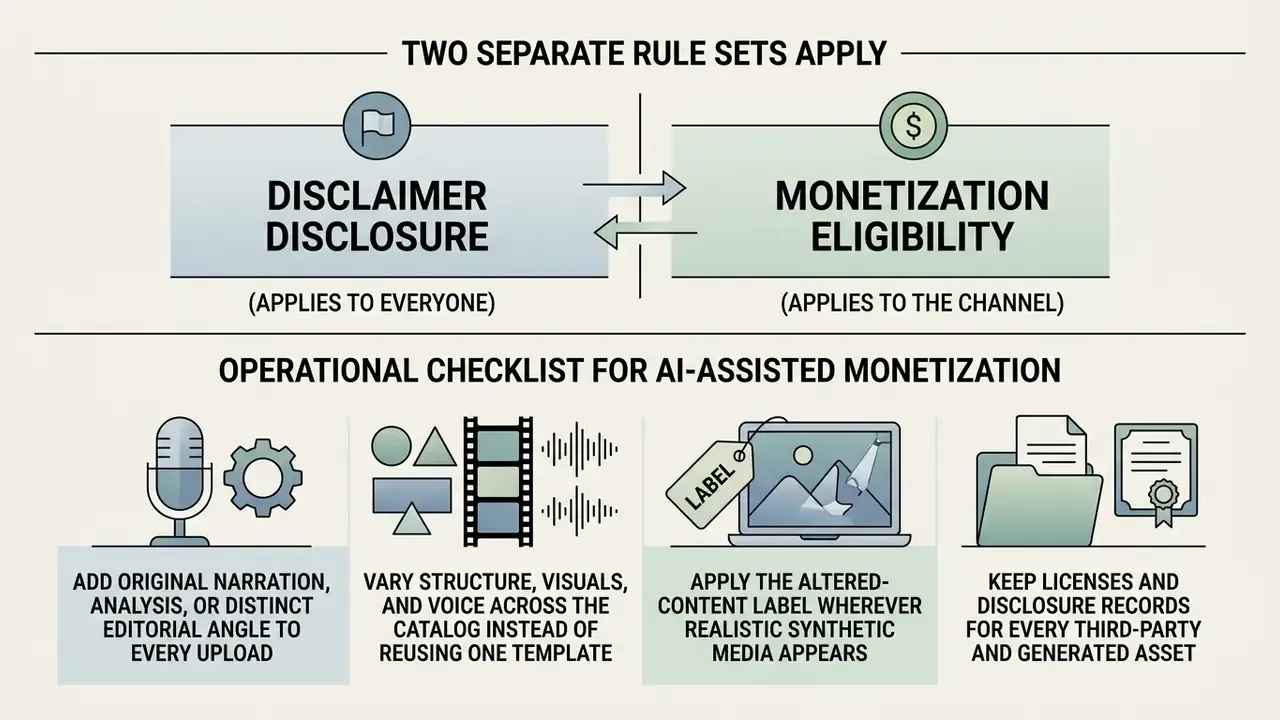
AI-assisted video is monetizable, but two separate rule sets apply, and creators routinely confuse them.
1. Disclosure (applies to everyone). When a video contains realistic synthetic or altered content, such as a synthesized voice, a digital likeness of a real person, or footage of an event that did not occur, you must select the altered-or-synthetic content option in YouTube Studio during upload. YouTube then displays a label in the description, and for sensitive topics such as health, elections, or news, a more prominent label on the player itself. Purely unrealistic animation, obvious stylization, and routine production edits (color grading, beauty filters, background blur) generally do not require the label. Disclosure is not a monetization penalty. Failing to disclose is the risk.
2. Monetization eligibility (applies to the channel). Standard YouTube Partner Program thresholds still govern access, and the practical gate for AI-assisted channels is originality. Mass-produced, templated, or repetitive uploads with no meaningful commentary, narration, or editorial value are treated as inauthentic content. A faceless AI channel can monetize. A channel publishing 40 near-identical auto-generated uploads generally cannot.
Operational checklist for AI-assisted monetization:
- Add original narration, analysis, or a distinct editorial angle to every upload.
- Vary structure, visuals, and voice across the catalog instead of reusing one template.
- Apply the altered-content label wherever realistic synthetic media appears.
- Keep licenses and disclosure records for every third-party and generated asset.
- Avoid synthetic depictions of real, identifiable people without permission.
- Never publish AI-narrated claims about health, finance, or law without human fact-checking.
FAQ: Common Questions About AI YouTube Video Makers
Can AI-generated videos be officially monetized on YouTube?
Yes. YouTube permits monetization of videos created with AI, provided the content is original, delivers value to viewers, and does not violate policies on reused or repetitive content. Disclaimer: this information is general in nature and does not replace professional advice. Creators must also select the altered-or-synthetic content option in YouTube Studio when a video contains realistic generated footage or a synthesized voice. Channels publishing mass-produced, templated uploads with no added narration or commentary risk classification as inauthentic content and loss of monetization eligibility.
How do free AI video generator tiers differ from paid subscriptions?
Free tiers exist so you can evaluate the interface. They watermark output, cap resolution at 720p, issue a small one-time or monthly credit allowance (enough for roughly 1–3 minutes of video), and prohibit commercial use. Paid subscriptions remove watermarks, unlock 1080p and 4K export, grant a commercial license, and add premium models plus voice cloning. Published examples include Runway's 125 one-time free credits versus $12–$95 monthly tiers, and HeyGen's 3 free videos per month at 720p versus unlimited videos at 1080p on Creator.
What prompt length is optimal for generating a high-quality scene?
The optimal prompt runs 15 to 40 words and follows the structure "Shot type + Subject + Action + Location + Visual style and lighting." Overly short prompts produce unpredictable generation, while excessively long descriptions may be partially ignored because of context-window limits. Keep one action per prompt and add exactly one camera move.
Does an AI video maker replace professional video editing?
AI video makers fully automate templated videos, explainers, Shorts, and faceless-channel content, cutting production time by 70–90%. Complex artistic projects, cinematic editing, and high-budget video design still require manual control, color grading, and human script refinement. In practice the split is simple: AI handles volume and speed, humans handle judgment and brand risk.
Which camera commands work most reliably in prompts?
Single, explicit moves outperform stacked instructions. Dolly in, slow push in, orbit, crane up, pan left, and handheld with slight shake are consistently interpreted. Combine one move with one optical modifier such as shallow depth of field or natural parallax. Stacking three or more motion instructions typically degrades temporal consistency.
How often should B-roll be inserted to protect retention?
Change the visual every 4–6 seconds as a baseline, and place deliberate cuts at 0:05 (value confirmation), 0:15 (transition to substance), and 0:60 (first pattern interrupt), then repeat interrupts every 60–90 seconds. After publishing, compare those marks with the actual drop-off points in your YouTube Studio retention graph and rebuild the map for the next upload.
Which AI models should I choose for which shot?
Use Veo 3.1 or Sora 2 for cinematic scenes and complex camera work, Kling 3.0 or Seedance 2.0 for human motion and gesture accuracy, and Flux 1.1 to generate a controlled still that you then animate through image-to-video. For style-locked sequences with tight structural control, Runway Gen-3 Alpha remains a practical option.
Is it safe to use consumer AI video tools with confidential material?
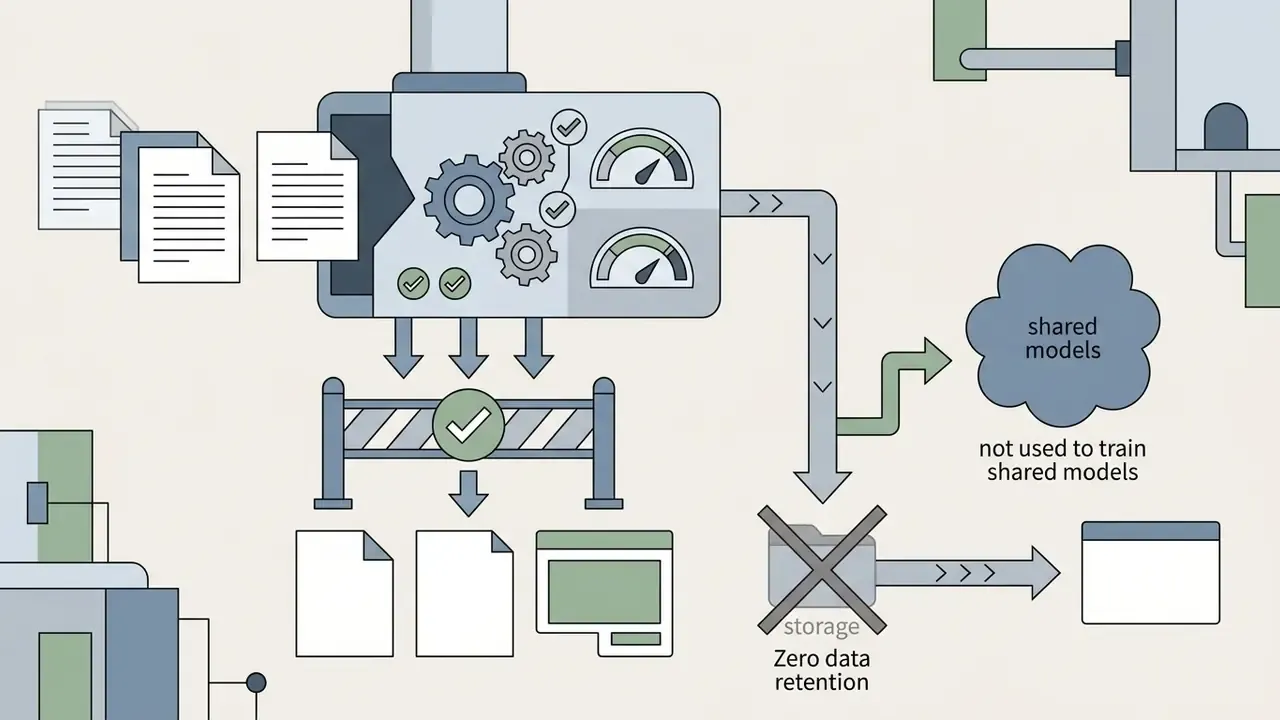
Not without vendor due diligence. Require written zero data retention for prompts and uploads, a current SOC 2 Type II or ISO 27001 report with a subprocessor list, and tenant isolation. The most common real-world incident is Shadow AI, meaning employees pasting unreleased material into unapproved consumer tools. Maintain an allowlist, monitor generative endpoints, and route all video requests through one sanctioned intake channel.
How long does rendering actually take?
Short clips at low resolution can finish in under two minutes. The same duration at 1280×720 can exceed eight minutes, and a 128-frame bidirectional diffusion render was measured at 219 seconds in CVPR 2025 work. Avatars, multilingual voice tracks, and stacked B-roll layers each add separate alignment passes, so multi-layer corporate timelines routinely take several times longer than a single generated clip.
Can AI handle factual, educational, or compliance content unsupervised?
No. Benchmark data puts world-knowledge correctness for leading text-to-video models near 0.68, and compositional benchmarks show systematic failures when binding multiple objects and actions over time. For factual, regulated, or instructional material, apply staged approval gates at concept, script, rough cut, and final export, and keep an audit record of prompt, model version, reviewer, and license source.
Appendix A: Governance and Audit Evidence Pack for AI Video
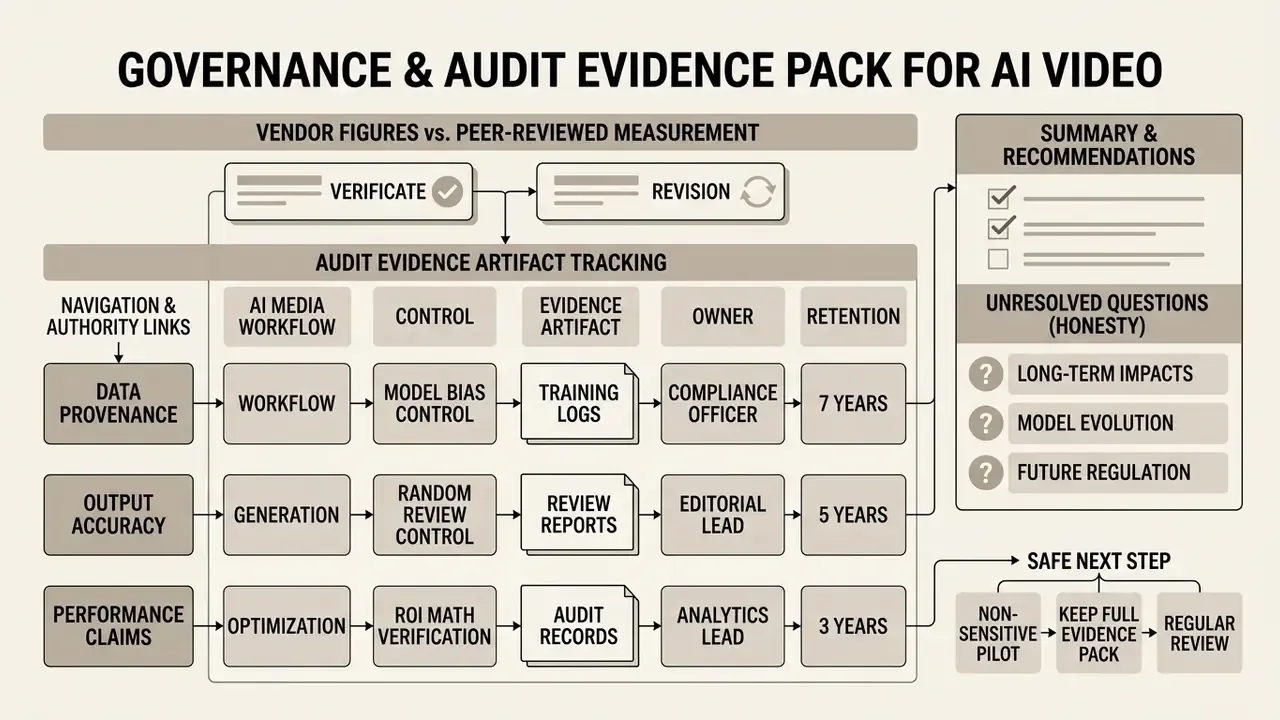
Claims in this guide were revised during review to separate vendor-reported figures from peer-reviewed measurement. The same discipline applies to the assets you publish. Below is a minimal evidence pack that an internal auditor, a model risk reviewer, or a brand counsel can actually work with.
| Control | Evidence artifact | Owner | Retention |
|---|---|---|---|
| Inventory | Every AI video tool listed in the AI system inventory with purpose and data classification | AI governance desk | Life of the tool plus 3 years |
| Prompt provenance | Stored source prompt, model name, model version, generation timestamp | Producing team | Life of the published asset |
| Human review | Named reviewer, review date, checklist result, approval decision | Content owner | Life of the published asset |
| Licensing | License source or generation record for each visual, audio, and font asset | Producing team | Per license terms |
| Disclosure | Screenshot or log of the altered-content selection at upload | Channel owner | Life of the published asset |
| Escalation | Documented path for takedown, correction, and reissue of a published video | Comms plus compliance | Rolling policy document |
Three unresolved questions deserve honesty rather than a confident answer. First, no public benchmark yet measures factual reliability of full assembled videos, only of generated clips. Second, indemnification language across video model vendors remains uneven, and the scope often excludes prompts containing third-party trademarks. Third, the audit expectations for synthetic presenters in regulated communications are still forming, so what passes internal review today may need relabeling later.
A safe next step: run one non-sensitive pilot, keep the full evidence pack for every asset, and review the control cost line before you scale the pipeline. If the evidence pack is too expensive to maintain, that is useful information too.