If you approve software spend inside a US bank or a mature fintech, AI video looks like a small line item. It rarely stays small. Credit packs bought on personal cards, unpriced review cycles, and prompts flowing into training-enabled pipelines turn a $20 subscription into a governance question. That is the real reason to read a pricing page slowly.
Evaluating AI video generation tools in 2026 requires looking beyond base monthly subscription fees. Modern AI video pricing spans per-second API metering, credit consumption bundles, tiered subscriptions, and hybrid enterprise contracts, with published rates ranging from $0.02 to $0.70 per generated second.
«Frontier video API rates span 0.03 to 0.70 USD per generated second; the spread reflects resolution, audio and service tier.»
That twenty-fold spread is the whole story in one number. Two teams can run the same brief and produce invoices an order of magnitude apart, without either of them doing anything obviously wrong.
Executive Summary for Decision-Makers
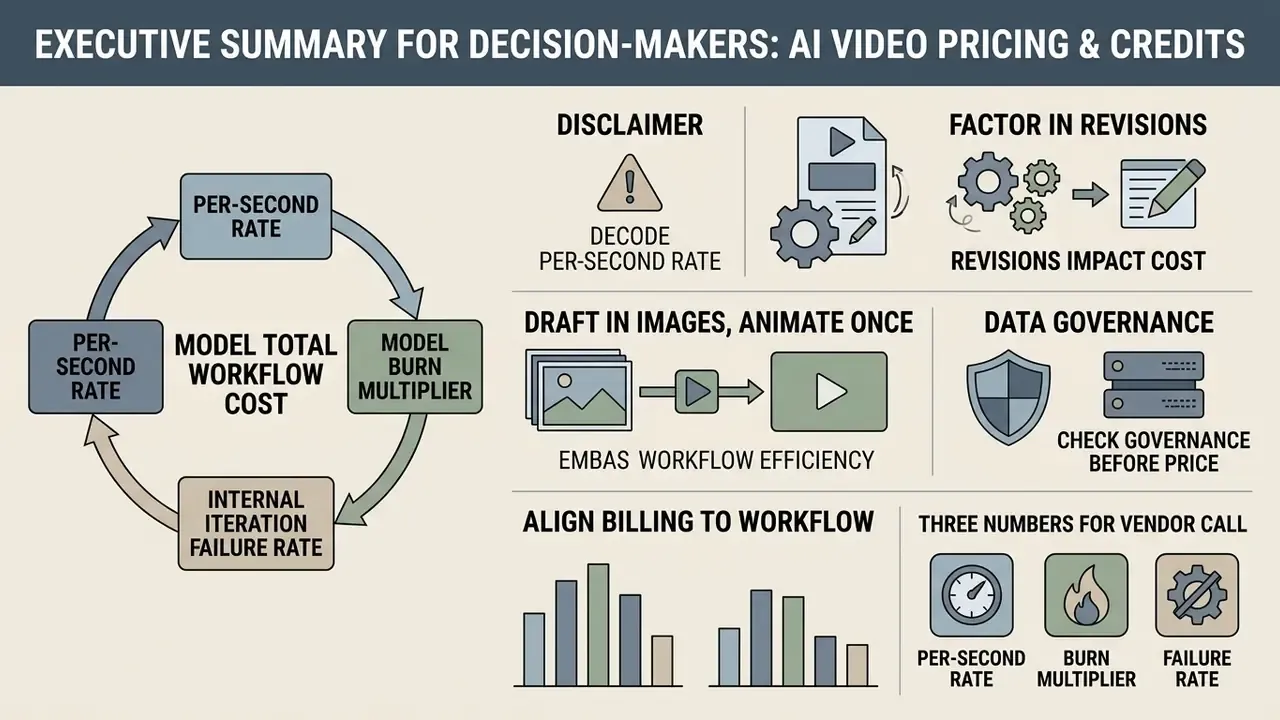
Selecting an AI video generation model requires analyzing per-second rendering rates, model burn multipliers, and internal iteration failure rates. If you read nothing else, read this:
- Decode the per-second rate. Convert abstract credit systems into real dollar values per generated second ($0.03/sec for base models such as Veo 3.1 Lite, up to $0.70/sec for 1080p frontier tiers like Sora 2 Pro).
- Factor in revisions. Assume an average of 1.5 to 3.0 generation attempts per usable output clip when establishing monthly operating budgets. Revision rate, not list price, is the single largest cost driver in most pipelines.
- Draft in images, animate once. Anchor every shot with a $0.03 to $0.14 still image before spending $0.80 to $3.00 on a video render. This single workflow change cuts direct generation spend by 50% or more.
- Model total workflow cost, not invoices. Subscription plus overage plus add-ons plus creator labour plus review labour plus delay cost is the only number that reflects reality. A cheap plan with slow queues frequently costs more than a premium tier.
- Align billing to workflow. Match irregular testing to non-expiring credit packs, recurring production to team subscriptions with shared pools, and scaled software integration to per-second API metering. Where budgets are tight, pair generation spend with free video editing software for AI-generated clips to remove post-production licence costs.
- Check data governance before price. On consumer and free tiers, prompts and uploaded reference images may be retained or used to improve models. Regulated teams should buy only where zero-data-retention terms are contractually available.
Three numbers to take into the vendor call. First, your normalized per-second rate for the specific model, resolution, and audio configuration you will actually ship. Second, your measured generation multiplier: charged seconds divided by approved seconds, taken from a real trial and not from a demo reel. Third, your loaded internal labour rate, because in most finished-minute calculations labour dominates the software line by a factor of four or more. Bring those three and the conversation stops being about list price.
Vendor Evaluation Checklist: 10 Procurement Questions
Before signing an enterprise contract or committing to a high-tier video plan, require providers to clarify the following operational terms in writing:
Checklist0 / 10
Governance addendum for regulated buyers. Add three questions if you operate in finance, healthcare, or the public sector. Are prompts and uploaded assets excluded from model training by default, or only on request? Is zero-data-retention (ZDR) available contractually, and at which tier? Can administrators block employee self-service credit purchases, so that generation spend stays inside procurement and GRC oversight rather than becoming shadow AI?
That last one matters more than its position in the list suggests. Shadow AI in video production rarely looks dramatic. It looks like one designer with a card and a deadline.
How AI video pricing and credits work
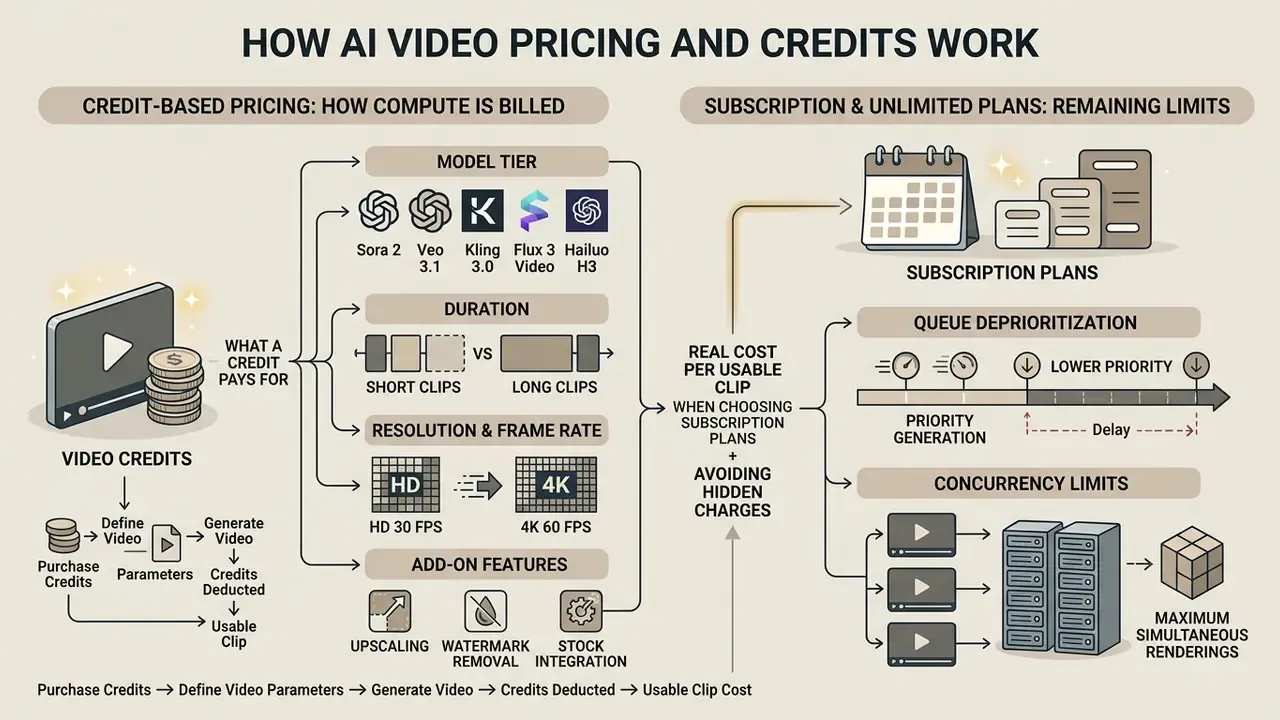
AI video pricing operates primarily across credit-based, subscription-based, and hybrid metering structures that determine how generation compute is billed. For foundational context on the tools themselves, see our overview of AI video generators pricing models and controls. Understanding these underlying structures is necessary to prevent budget variance when moving video generation workflows into production.
The unit printed on a pricing page is rarely the unit that drives the budget. One vendor sells one hundred finished minutes, another promises unlimited videos, a third meters generations, avatars, translation, and premium models separately. The useful question is not "which plan is cheaper?" but "which model makes the total cost of our real production workflow predictable?"
Credit-based pricing: what a video credit pays for
A video credit is an abstract unit of compute used by platforms to meter rendering time, model complexity, resolution, and output length. Instead of billing directly in fiat currency per action, platforms deduct a specific number of credits from an account balance for every generation run.
In usage-metered platforms, credit burn scales directly with technical output parameters:
- Model tier base models consume fewer credits per second, whereas high-coherence frontier models consume significantly more.
- Duration billing scales linearly or in fixed duration blocks (5-second, 15-second, or 30-second increments).
- Resolution and frame rate rendering at 1080p or 4K typically incurs a multiplier compared to 720p output. Note the vendor split here. VisionStory adds 1 credit for 720p and 1.5 credits for 1080p per 15-second block, while JSON2VIDEO bills purely on duration and applies no resolution surcharge at all.
- Add-on features integrated audio generation, lip-sync, green screen, start and end frame control, and camera motion controls deduct additional credits per request. VisionStory, for example, charges 0.25 credit per 15 seconds for green screen output.
For example, PixVerse pricing assigns an exchange value where 100 credits equal $1.00 USD, charging 75 credits for a 5-second 720p video with audio ($0.15/sec), as noted in AIMultiple's platform analysis. A 10-second clip therefore consumes 150 credits, or roughly $1.50. Readers who want the platform-specific breakdown can review our guide to PixVerse AI credits and pricing. Similarly, Runway Gen-4.5 charges 12 credits per second, translating to 60 credits for a 5-second clip or 120 credits for a 10-second clip.
«PixVerse sets 100 credits to 1 USD; a five-second 720p clip with audio costs 75 credits, so ten seconds is roughly 1.50 USD.»
Credits are most valuable when spent deliberately. Use fast, low-cost settings for early concepts where fine detail is irrelevant. Reserve premium models for clips that already have a locked brief, a reference frame, and defined success criteria. Track failed generations separately from approved outputs, so retries appear in the budget rather than hiding inside it. And hold a reserve for revisions, alternate aspect ratios, and last-minute campaign changes. A practical split is 60% of monthly credits for exploration, 30% for finalization, and 10% for unexpected fixes.
Subscription and unlimited plans: what limits still apply
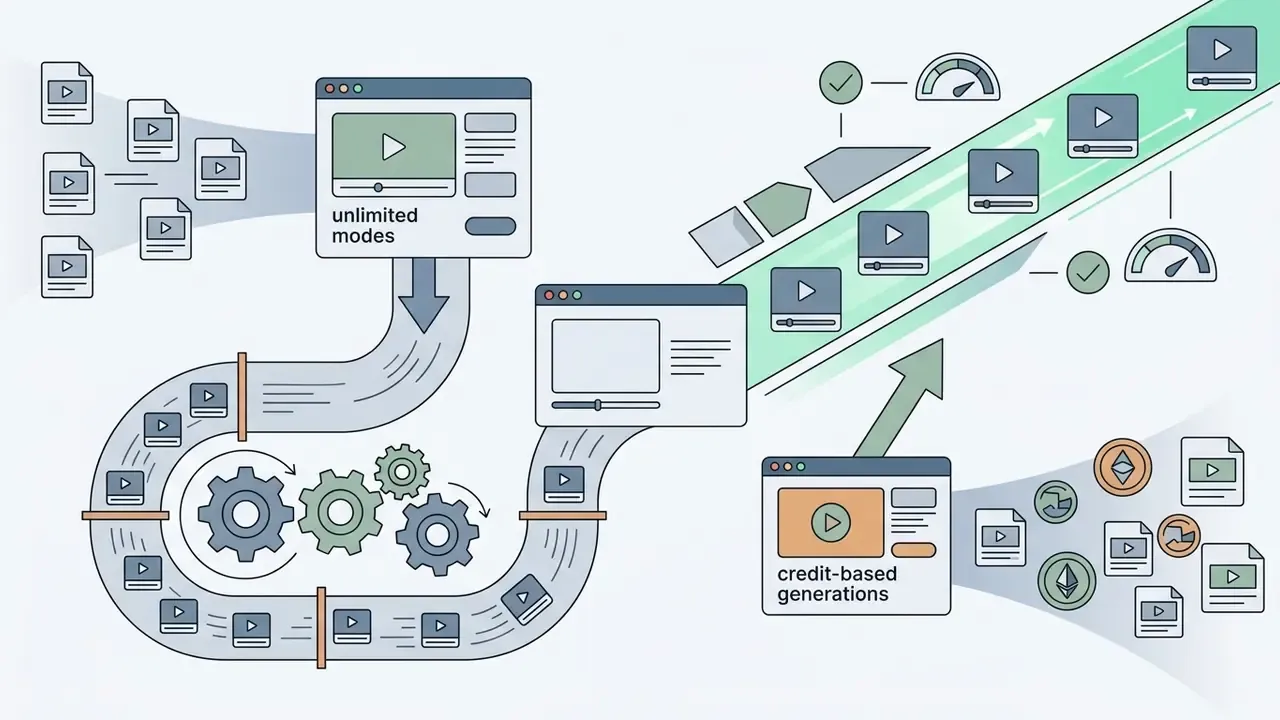
Subscription plans offer a fixed monthly fee in exchange for a recurring credit allowance, but "unlimited" claims are governed by soft limits and fair-use restrictions.
«Most popular AI video generators sell subscriptions from 12 to 30 USD monthly; unlimited modes are bounded by credit quotas, clip length and model access.»
Platforms use queue deprioritization, concurrency caps, and duration ceilings to manage GPU cluster capacity. To see how those constraints differ in practice, compare AI video generators by pricing and features.
Common operational constraints on subscription plans include:
An unlimited subscription replaces a visible output meter with a recurring fee, which makes iteration psychologically and economically easier. Creators stop asking "can I afford one more generation?" and start asking "how do I make this better?" That behavioural shift is potential value, not guaranteed savings. Output still requires governance and review capacity.
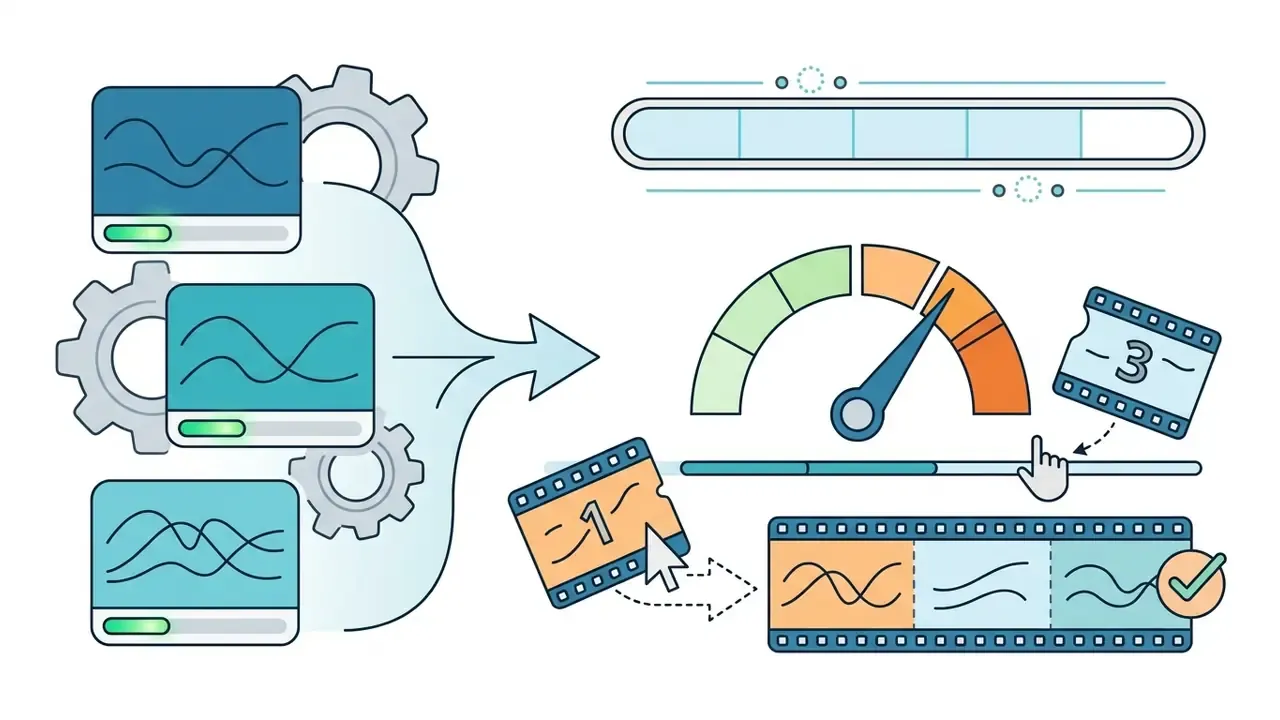

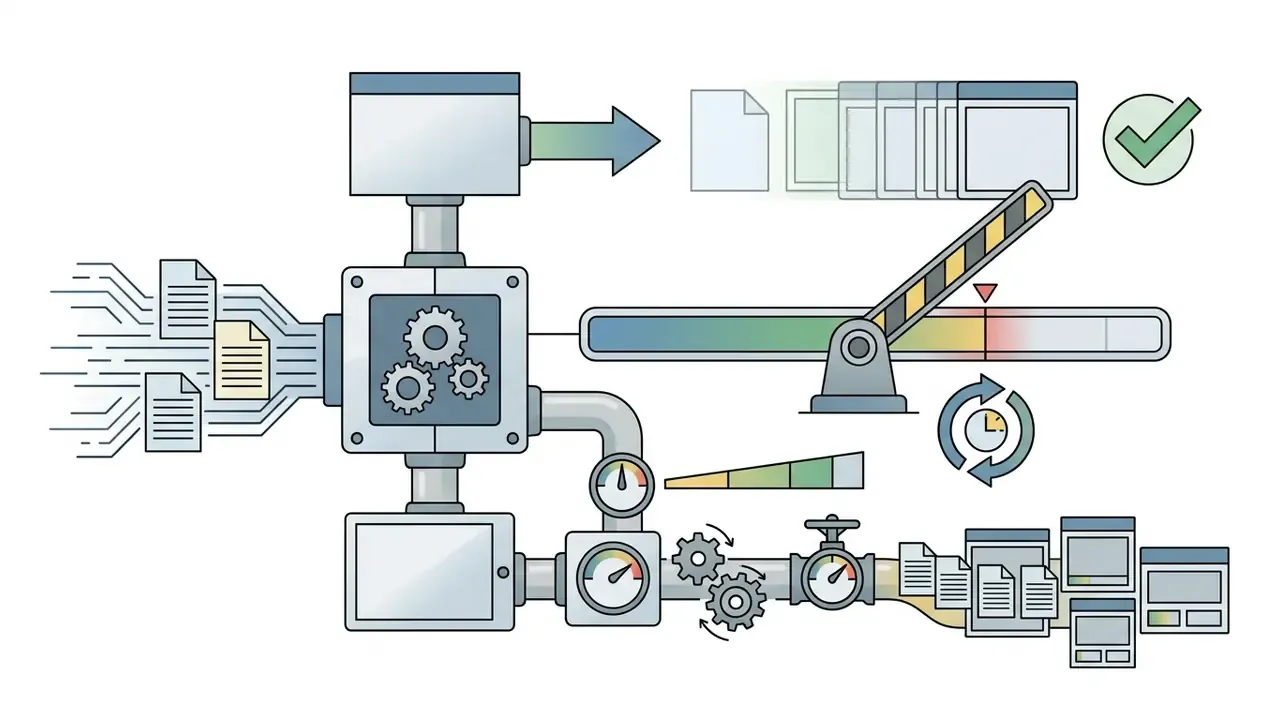
Comparison of AI video pricing models
| Pricing Model | Charging Principle | Spend Predictability | Usage Constraints | Best Suited For |
|---|---|---|---|---|
| Credit-based (pay-per-use) | Credits deducted per generated second or unit based on model tier and resolution. | High per-generation predictability; variable monthly total. | Hard caps set by purchased balance; unused credits may expire or roll over depending on pack terms. | Irregular workloads, multi-model experimentation, project-based tasks. |
| Subscription (pay-per-period) | Fixed recurring monthly fee providing a set credit quota and platform feature access. | High monthly spend predictability; unit cost depends on quota utilization. | Monthly credit caps, queue throttling, single-concurrency limits on "unlimited" tiers. | Consistent content schedules, in-house marketing teams, structured production. |
| Hybrid / committed spend | Base monthly subscription fee covering core seats plus metered overage rates for excess usage. | Balanced predictability with built-in operational headroom. | Minimum spend commitments, volume thresholds, enterprise SLA boundaries. | Scaled production, enterprise API integrations, multi-department agency workflows. |
| Usage-based API | Per-second or per-token metering billed to a developer balance, separate from app subscriptions. | Fully variable; predictable per unit, unbounded in total without spend caps. | App credits and API credits are usually separate balances (explicitly so on Luma and Runway). | Product integrations, automated pipelines, high-volume batch rendering. |
What determines the real cost of AI video generation
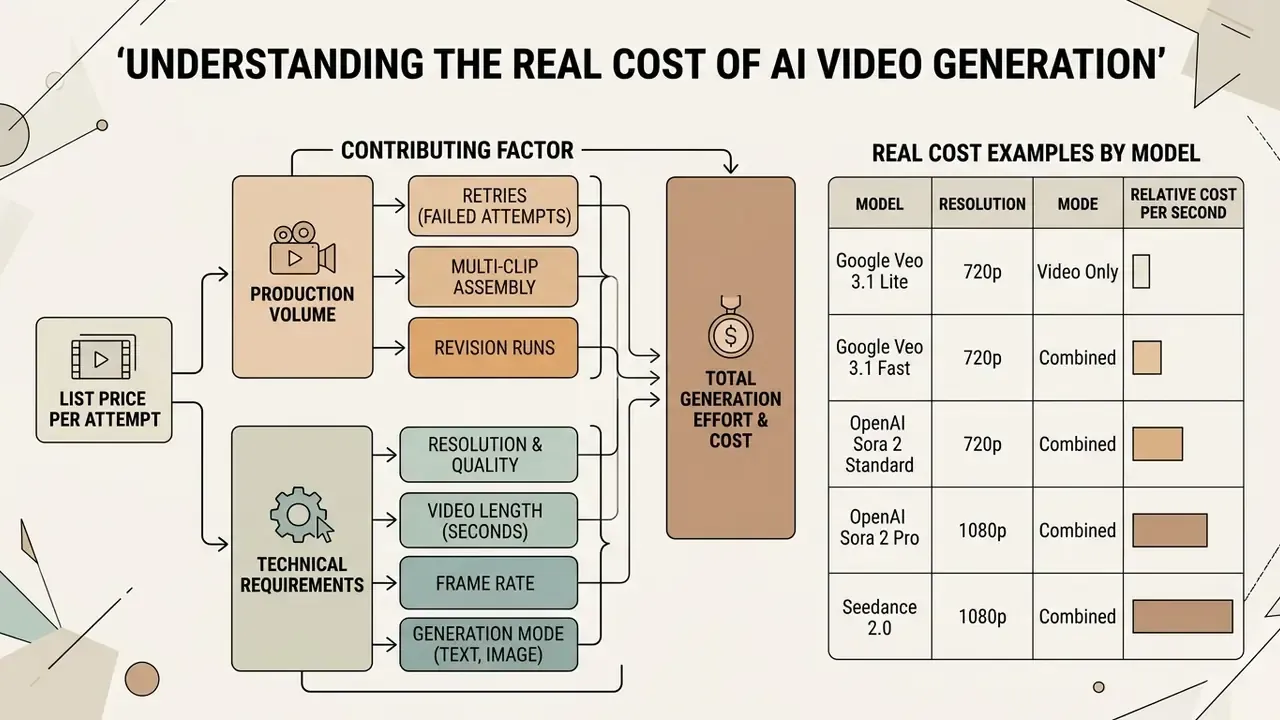
The real cost of a finished, usable AI video is significantly higher than the list price of a single generation attempt, because it must absorb retries, multi-clip assembly, and post-production processing. Academic work on the topic is blunt about why: video inference is "exceptionally expensive," often orders of magnitude above language, image, or audio generation. That is precisely why failed attempts compound so aggressively into the final invoice.
Model, resolution and video length
Model selection, output resolution, and clip duration are the primary drivers of raw generation expense. Higher parameter models require greater GPU compute per frame, directly inflating per-second billing rates.
According to CometAPI's 2026 AI Video API Benchmark, published first-party list prices vary widely across configurations:

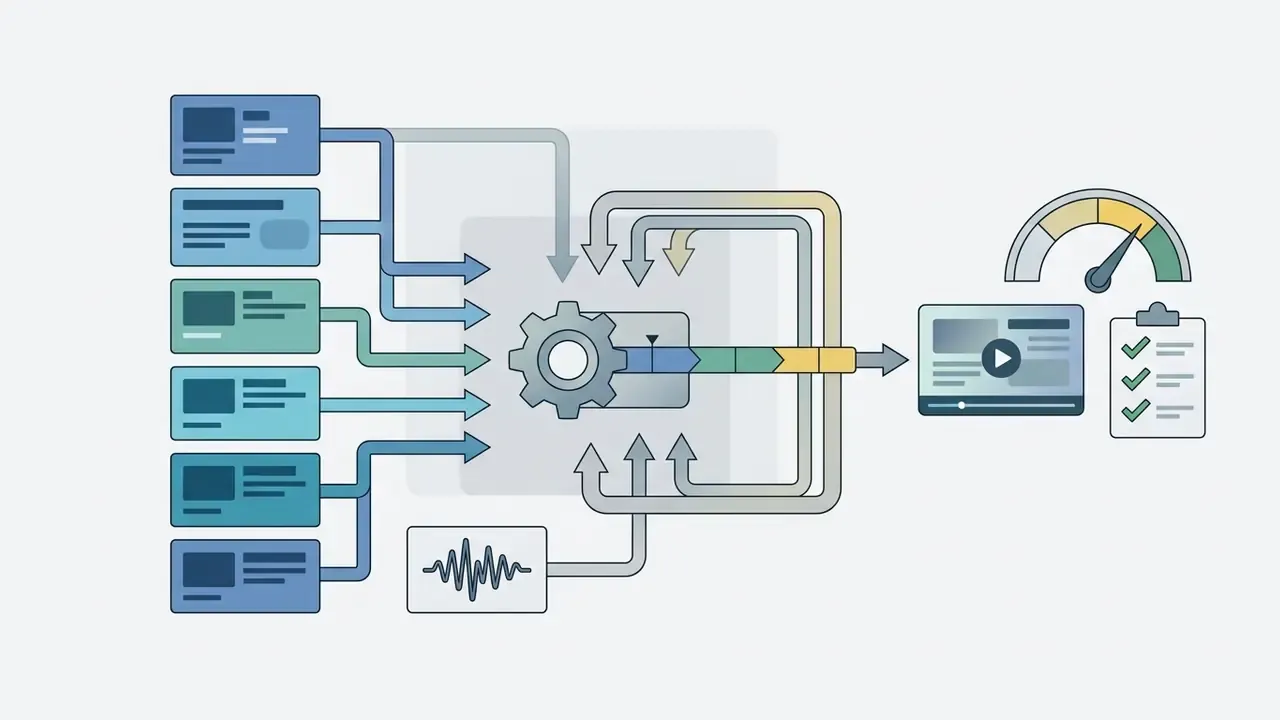

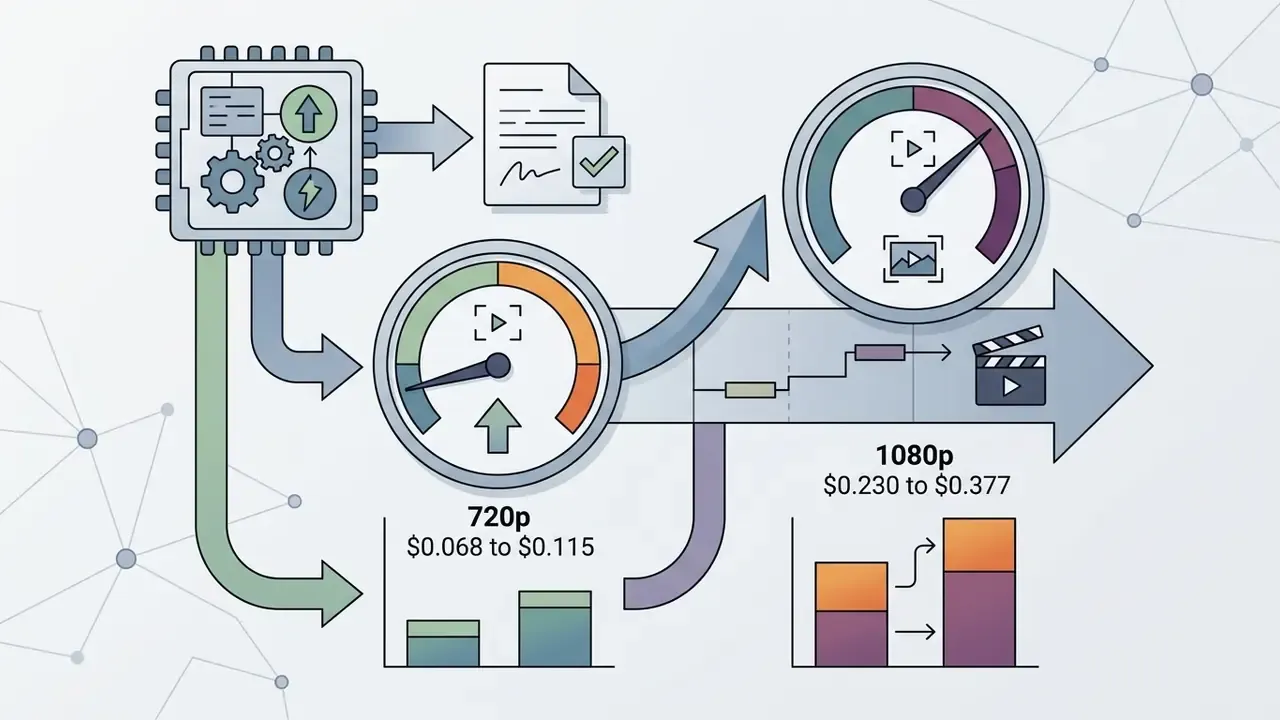
«Normalised to USD per second across eleven providers, Veo 3.1 Lite ranges from 0.030 to 0.60, a 2.85 USD gap on one five-second clip.»
Deploybase GPU infrastructure benchmarks show that rendering a 30-second 720p clip on an NVIDIA A100 instance ($1.39 per hour) takes 8 to 12 minutes, incurring roughly $0.18 to $0.28 in raw compute expense.
«On an NVIDIA H100 SXM at 2.69 USD per hour, the same 30-second 720p clip renders in four to six minutes.»
Commercial platform markups reflect additional orchestration, model hosting, licensing, and margin costs. Note also that frame rate is a hidden multiplier on avatar platforms. HeyGen bills 0.10 credits per minute at 1080p/30fps but 0.20 at 1080p/60fps, and 0.15 at 4K/30fps versus 0.30 at 4K/60fps. Doubling frame rate doubles the bill at identical resolution.
Text-to-video, image-to-video and revision runs
Generating usable commercial output requires accounting for the usable output ratio, meaning the proportion of generation attempts that meet quality control standards.
Per-second parity, different failure rates. Text-to-video and image-to-video modes often cost the same per second. Runway Gen-4.5 charges 12 credits per second in both modes, and Vidu Q3-pro prices both at 24 credits per second at 1080p and 20 at 720p. Older tiers can invert the relationship: Vidu Q2 at 720p starts image-to-video at 8 credits for the first second against 15 credits for text-to-video. The relevant variable is therefore not the per-second rate but the number of attempts each mode requires. Text-to-video invents details, drifts on subject identity, and produces motion that looks pleasing but off-brief. Image-to-video anchors the model to a known composition, product, or character. No vendor publishes a standardized retry benchmark, so this ratio must be measured inside your own pipeline during a representative trial rather than assumed. To review the control surfaces available in each mode, see our guide to image-to-video AI tools and controls.
In a hypothetical financial communication workflow, an internal media team evaluated generative video tools for compliance training clips. Initial unguided text-to-video prompting required an average of 6 generation attempts per usable 5-second scene, mostly because of anatomical and motion distortions. By establishing structured image-to-video anchor frames and standardized prompt parameters, the team reduced required re-renders to 1.8 attempts per usable scene, lowering effective scene rendering cost from $4.50 down to $1.35. This scenario is illustrative rather than a documented client result.
The image-first cost optimization strategy
To minimize credit burn during the creative exploration phase, implement the image-first drafting framework:
- Draft stills first ($0.03 to $0.14 per shot)generate anchor images using low-cost image models. Z Image Turbo sits at roughly $0.03, Seedream v5 Lite at $0.10, Flux 2 Pro at $0.14, Nano Banana 2 at $0.25 (1K) to $0.49 (4K). Use them to lock composition, lighting, and subject consistency.
- Iterate on still framesrefine text prompts at image-level pricing. Fixing a bad prompt on a static image costs one-tenth to one-twentieth of a failed video generation attempt.
- Animate only confirmed winners ($0.80 to $3.00 per clip)pass approved anchor images into image-to-video models such as Kling 3.0 Turbo or Runway Gen-4.5.
Financial impact. In a 20-scene production run, prompting unguided text-to-video at 3 revisions per scene costs roughly $72.00 (60 video renders at $1.20). Image-first drafting reduces video retries to about 1.2 per scene, bringing total cost down to roughly $31.80 (20 image drafts at $0.10 plus 24 video renders at $1.20). That is a 55.8% direct cost reduction.
The structural advantage is simple. On a unified-credit platform where images and video draw from the same balance, failed attempts happen at image prices instead of video prices. That is where multi-model platforms beat single-tool subscriptions on real cost, and it is the strongest argument for shared-credit architecture over per-tool billing. For text-first pipelines, review the trade-offs in our overview of text-to-video AI tools and pricing models.
Audio, voice and editing features in total workflow cost
A complete AI video production pipeline involves costs beyond visual rendering, including synthetic voiceover generation, audio synchronization, and editing suite overhead. Post-production tooling itself belongs in the budget line. See our guide to video editing tools for post-production workflows.
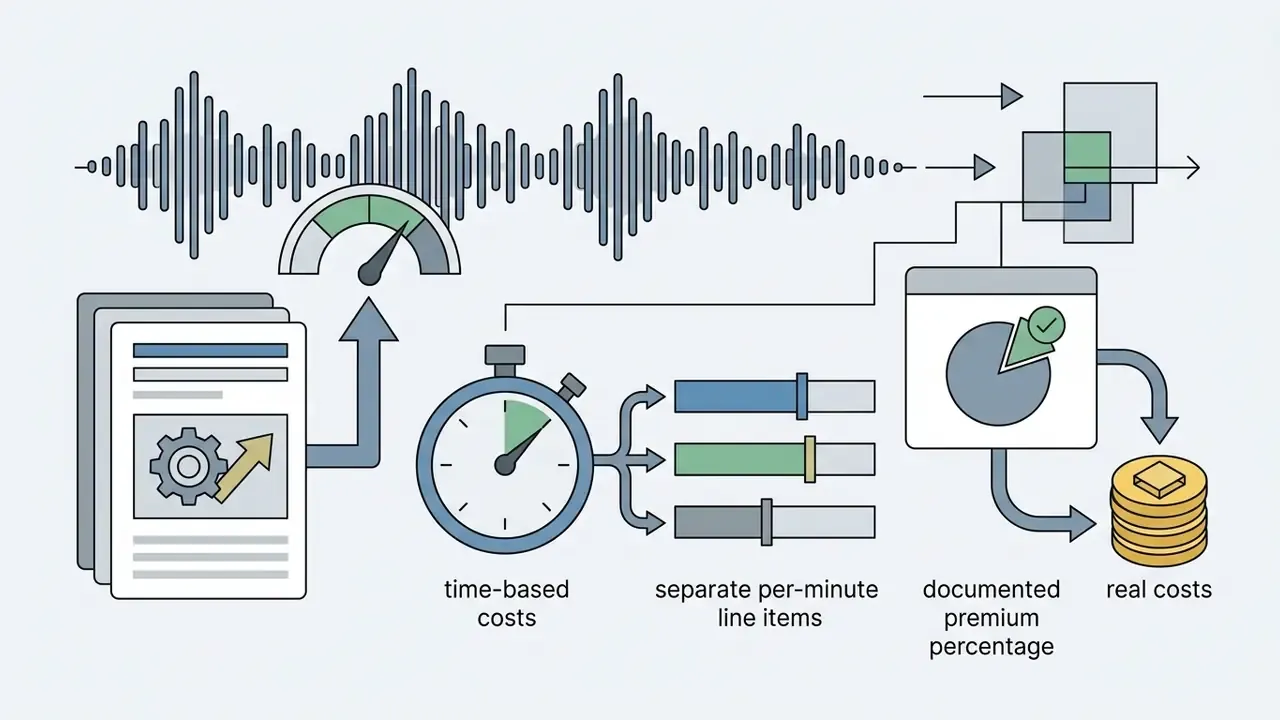
- Integrated native audio: adding native AI audio generation to video models increases raw per-second rates by 20% to 25%. Google Veo 3.1 Fast, for instance, rises from $0.08/sec for video only to $0.10/sec when native audio is included.
«Veo 3.1 Fast with audio costs 0.10 USD per second against 0.08 without; at 1080p the gap is 0.12 versus 0.10.»
The comprehensive total workflow cost formula
Evaluating software invoices alone provides an incomplete picture of production expense. To calculate true operational cost per finished asset, teams must model internal human labour and render latency bottlenecks:
Where:
- is base monthly platform subscription fees.
- is pay-as-you-go credit charges for generations exceeding plan quotas.
- is third-party audio, voice cloning, or stock asset licensing fees.
- is hours spent by prompt engineers and creators multiplied by their loaded hourly rate.
- is hours spent by brand, compliance, or legal teams reviewing output.
- is the revenue impact or operational cost of rendering queues during peak server load.
Operational reality check: a $20 per month plan with slow rendering queues and a 4x revision rate frequently costs more in creator idle time ($45 per hour) than a $180 per month priority enterprise tier with instant rendering and a 1.5x revision rate.
Regulated-sector extension. Financial services, healthcare, and public-sector buyers should add two further terms. covers legal and brand screening of every generated asset before publication. covers remediation when employees buy credit packs on personal cards outside procurement. Uncontrolled self-service purchasing creates unmanaged data flows, orphaned assets that cannot be exported when a personal account lapses, and audit gaps that surface only during review. Enforceable per-user spend caps and centralized workspace administration are therefore cost controls, not merely conveniences.
Five demand variables to estimate before you sign. First, approved output: the minutes you will actually publish, not the optimistic target. Second, the generation multiplier, meaning charged generated minutes divided by approved minutes, measured in a trial rather than assumed. Third, demand variability, because a 60-minute monthly average conceals the difference between steady output and a 150-minute launch quarter followed by two quiet months. Fourth, creator concurrency, since three people producing simultaneously expose queue and seat limits that a one-person trial never reaches. Fifth, change rate: compliance, product, and training content need frequent corrections, so establish in writing whether a text edit or a pronunciation fix triggers a full paid regeneration.
Pricing verification and audit notice (as of August 2026):
AI video pricing and credits comparison by tool and model
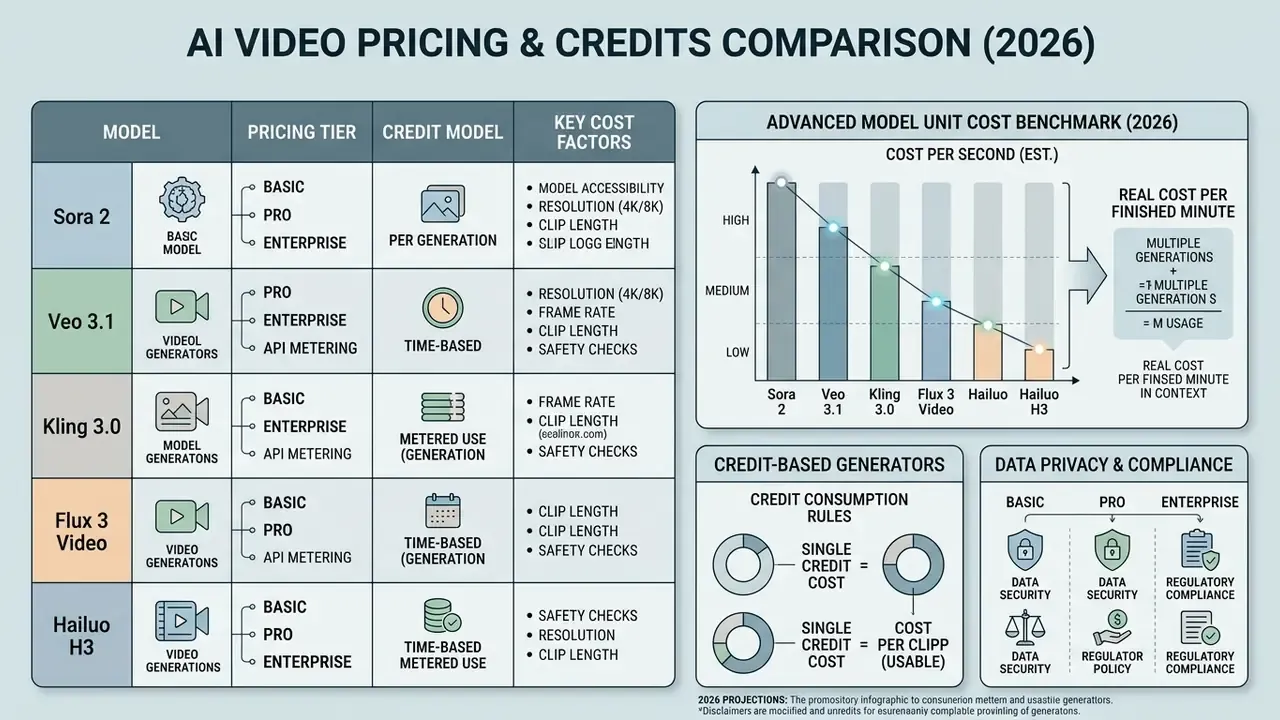
Comparing AI video tools requires evaluating subscription tiers, API metering, credit consumption rules, and model accessibility across providers.
«Frontier text-to-video APIs cluster between 0.03 and 0.20 USD per second at baseline 1080p; providers differ more in motion quality than price.»
AI video generator pricing and feature comparison table
| Tool / Provider | Primary Billing Model | Entry / Standard Plan | Credits / API Rate | Est. Cost for 10s 720p Video | Data Privacy / Training on Inputs | Key Features and Constraints |
|---|---|---|---|---|---|---|
| Runway (Gen-4 / Gen-4.5) | Subscription plus credit packs | Standard: $12/mo (625 credits); Pro: $28/mo (2,250 credits); Max: $76/mo (9,500 credits) | Gen-4.5: 12 credits/sec; Gen-4 Turbo: 5 credits/sec; API credits: $0.01 each | $1.20 (Gen-4.5); $0.50 (Gen-4 Turbo) | Enterprise terms available on request; verify ZDR before regulated use | Text-to-video, image-to-video, motion brush, advanced camera controls, 24 fps output, up to 10 editors on Pro. Explore best AI video generators by quality and price. |
| Luma Dream Machine | Subscription plus pay-as-you-go API | Lite: $9.99/mo (3,200 credits); Plus: $29.99/mo (10,000 credits); Unlimited: $94.99/mo | Web: 160 credits per 5s clip, 320 per 10s; API (Ray 2): metered per second | $0.60 (Lite tier equivalent) | Consumer plans and API governed separately; API terms are the enterprise-relevant document | High camera motion fidelity; 540p, 720p, 1080p and 4K via API. Web credits do not apply to the API. |
| Kling AI | Subscription plus daily free tier | Starter: about $8.80/mo (660 credits); Pro: about $37/mo (3,000 credits); higher tiers to 26,000 credits/mo | 66 daily free credits; Standard: about 60 credits per 5s; Pro: about 120 credits per 5s | $0.80 to $0.90 (Standard); $1.12 to $1.40 (Pro mode) | Free tier is non-commercial and watermarked; commercial rights unlock on paid plans | Strong motion coherence, up to 10s native clips, 1080p output, watermark removal on paid tiers. Terms updated Apr 2026. |
| OpenAI Sora 2 | API metering (per second) | Pay-as-you-go API; ChatGPT Plus bundle (up to 50 videos at 480p per month) | Sora 2: $0.10/sec; Sora 2 Pro 720p: $0.30/sec; Sora 2 Pro 1024p: $0.50/sec; Sora 2 Pro 1080p: $0.70/sec | $1.00 (Sora 2 Standard); $7.00 (Sora 2 Pro 1080p) | Enterprise tier offers custom legal terms, 24/7 support and SLAs; consumer tiers differ materially | High narrative coherence, complex physics, prompt adherence. Batch API at 50% discount. Tier 1 API access requires a $10 minimum top-up. |
| Google Veo 3.1 | API metering (Vertex AI / Gemini API) | Pay-as-you-go API; Google AI Pro: $19.99/mo | Veo 3.1 Lite: $0.03/sec; Veo 3.1 Fast: $0.08/sec; Veo 3.1 with audio: $0.10/sec; Standard with audio: $0.40/sec (720p to 1080p), $0.60/sec (4K) | $0.30 (Lite); $0.80 (Fast); $1.00 (Fast plus audio) | Vertex AI enterprise controls available; AI Studio free-tier usage is not equivalent | Spatial audio integration, native 1080p and 4K rendering, Gemini-grade prompt understanding. See Google Veo API costs and developer limits. |
| Hailuo AI (MiniMax) | Subscription plus pay-as-you-go | About $14.99/mo entry (1,000 free watermarked credits on trial) | About $0.027/sec via third-party API wrappers | $0.27 to $0.50 | Consumer-grade terms; enterprise data handling not publicly documented | High cinematic quality, character consistency, physics realism; H3 tier renders natively at 2K. |
| Vidu | Subscription plus purchased and bonus credits | Tiered monthly or annual via Stripe | Q3-pro: 24 credits/sec at 1080p, 20 at 720p; Q2 720p: image-to-video from 8 credits/sec, text-to-video 15 | About $1.00 to $2.00 depending on tier | Advertises encryption and strict security protocols; refunds not offered | Three credit classes with distinct expiry; multi-reference consistency, off-peak mode, 2D animation. |
| Synthesia | Subscription (minutes-based) | Free: 3 min/mo; Starter: $18/mo annual (120 min/yr); Creator: $64/mo annual (360 min/yr) | Billed in finished video minutes, not seconds | Not applicable (avatar minutes) | Enterprise-ready workflow with custom terms on request | Avatar-led corporate and explainer video, accurate lip-sync, brand kits. Limited creative flexibility. |
| Descript | Per-seat subscription | Business: $50 per person/mo | 40 media hours/mo plus 1,500 AI credits/mo, top-ups available | Not applicable (editing-led) | Team-wide brand controls; priority support with SLA | Team Brand Studio, priority support SLA, transcript-first editing. |
| InVideo | Subscription plus on-demand top-ups | Plus: $17/mo (75 credits); Max: $85/mo (390); Generative: $170/mo (800); Elite: $900/mo (4,250) | Models billed at original API pricing; credits usable across 200+ models | Varies by selected model | Credit costs may change without prior notice per published terms | Access to Seedance 2.5, Veo 3.1, Kling 3.0, Nano Banana Pro; concurrency scales 1x to 20x by tier; unused credits do not roll over. |
Advanced model unit cost matrix (2026 benchmark)
When operating multi-model pipelines or unified credit platforms, credit consumption varies significantly based on raw model parameters. On a mid-tier unified plan (roughly $5 per 1,000 credits, falling toward $2.50 on higher tiers), base credit costs convert to dollars as follows:
| Model and Developer | Base Credit Cost (short clip) | Max Resolution | Native Audio | Est. Dollar Cost (standard tier) | Operational Best Use Case |
|---|---|---|---|---|---|
| Wan 2.2 / 2.6 (Alibaba) | 30 to 50 credits | 720p / 1080p | No | $0.15 to $0.25 | Ultra-budget motion drafting and scene staging. |
| Seedance 2.0 Mini (ByteDance) | 105 credits | 480p to 720p | Yes | $0.53 | Fast multi-shot social drafts, 5 to 15s. |
| PixVerse v5.5 | 120 credits | 720p | Optional | $0.60 | Rapid short-form vertical content. |
| Hailuo 02 SD (MiniMax) | 160 credits | 768p | No | $0.80 | Budget cinematic B-roll, 6 to 10s. |
| xAI Grok Imagine Video 1.5 | 240 credits | 720p | Yes | $1.20 (or $0.71 via raw API at $0.14/sec) | Quick social narrative clips with integrated audio. |
| Happy Horse (Alibaba) | 252 credits | 1080p | Yes | $1.26 | Complex biological and fluid motion synchronization. |
| Kling 2.1 Pro (Kuaishou) | 270 credits | 1080p | No | $1.35 | Silent product motion with strong physics. |
| Luma Ray 2 | 300 credits | 540p to 720p | No | $1.50 | Camera-move-driven establishing shots. |
| Kling 3.0 Turbo Standard | 335 credits | 720p | Yes | $1.68 | High-volume social media ad variations. |
| Seedance 1.0 Pro (ByteDance) | 370 credits | 480p to 1080p | No | $1.85 | Multi-shot narrative sequences, 3 to 12s. |
| Kling 3.0 Turbo Pro | 420 credits | 1080p | Yes | $2.10 | High-fidelity commercial product renders. |
| Flux 3 Video (Black Forest Labs) | 510 credits | 720p to 1080p | Yes | $2.55 | Multimodal text, image and frame-to-frame generation up to 20s. |
| Kling 3.0 4K (Kuaishou) | 755 credits | 4K | Yes | $3.78 | Broadcast and large-format delivery. |
| MiniMax Hailuo H3 | 780 credits | 2K | Yes | $3.90 | Frontier cinematic 2K with subject reference and camera direction. |
| LTX 2.3 (Lightricks) | 215 credits | 1080p to 2160p | Yes | $1.08 | Cost-efficient high-resolution 6 to 10s clips. |
What the newer models actually are. Flux 3 Video is Black Forest Labs' first multimodal video model, generating native audio and supporting text-to-video, image-to-video, and frame-to-frame generation at up to 20 seconds. It is the most flexible premium option in the current lineup. MiniMax Hailuo H3 is MiniMax's frontier tier and the only model here rendering natively at 2K with subject-reference and camera-direction controls. Kling 3.0 Turbo splits into two tiers that buyers routinely confuse: Turbo Pro at 420 credits renders 1080p, Turbo Standard at 335 credits renders 720p, and both support 5 to 15 second clips with audio. The difference is resolution only. Paying the Pro premium for content that will only ever be viewed at 720p on social platforms is spend on pixels nobody sees. Happy Horse is Alibaba's dedicated model for fluid, lifelike motion, positioned between the budget and premium bands. Grok Imagine Video 1.5 costs 240 credits on unified platforms but is also available directly through xAI's API at $0.08/sec for 480p and $0.14/sec for 720p, plus $0.01 per image input, so a 5-second 720p clip runs about $0.71 raw.
Cost per finished minute in context. AI generation lands at $0.50 to $30 per finished minute depending on model and iteration count. Freelance video production starts at $1,000 to $5,000 per finished minute, small-agency work at $5,000 to $15,000, and full-agency production at $15,000 to $50,000 and above. The structural change is not the percentage saving but the removal of the minimum spend floor. A shoot costs the same whether the deliverable is ten seconds or two minutes, whereas generation scales down to the length you actually need.
Data privacy and compliance by pricing tier
| Tier | Typical Data Handling Posture | Commercial Rights | Governance Suitability |
|---|---|---|---|
| Free / daily-credit tiers | Inputs and outputs commonly retained and may be used to improve services; watermarking standard | Frequently non-commercial only (for example the Kling free tier) | Prototyping with non-sensitive, non-confidential prompts only |
| Consumer subscription | Retention windows vary; opting out of training may require manual settings changes | Commercial use typically unlocked | Acceptable for public marketing assets; unsuitable for confidential material |
| Team / business plans | Workspace-scoped storage, admin visibility, usage dashboards and per-user limits | Commercial use included; stock-asset licences vary | Suitable where admin controls and audit logging are contractually documented |
| Enterprise / API with negotiated terms | Zero-data-retention and no-training commitments obtainable; custom legal terms and SLAs (99.9% uptime, latency SLAs on priority tiers) | Commercial rights plus indemnification typically negotiable | The only tier appropriate for regulated, confidential, or client-identifiable inputs |
Two practical consequences follow. First, a cheaper plan that forces prompts through a training-enabled pipeline is not cheaper. It is an unpriced risk transfer onto your compliance function. Second, uncontrolled credit-pack purchases by individual employees bypass this entire matrix, which is why hard per-user spend caps and centralized billing belong in the requirements list alongside price.
Credit-based generators: compare cost per generation
Credit-based systems normalize pricing across multiple underlying AI models by standardizing the dollar value per credit. Users on tight budgets should also review free AI video generators with credit limits before committing to a paid tier.
To calculate the exact cost per generation across credit platforms:
- Determine single credit costdivide plan price by total included credits ($12 divided by 625 credits equals $0.0192 per Runway credit).
- Multiply by generation consumptionmultiply per-credit cost by the model's credit burn rate per second (12 credits/sec times 5 seconds equals 60 credits; 60 times $0.0192 equals about $1.15 per 5-second clip).
- Account for credit pack discountsbulk credit purchases lower the unit cost per credit. On AIVeed, purchasing a $99 credit pack reduces the effective cost of an 8-second Veo-class generation to about $0.59 ($0.074/sec), compared with about $0.25 for an entry-level clip on a $5 pack.
«Runway Gen-4.5 bills 25 credits per second at 0.01 USD per credit: 0.25 USD per second, or 2.50 USD for ten seconds.»
Note the divergence between web-app and API credit accounting. Runway's developer credits are priced at $0.01 each, with Gen-4 image generation at 5 credits (720p) or 8 credits (1080p) and text-to-speech at 1 credit per 50 characters, while its consumer plan credits use a different effective rate derived from plan price. Treat app credits and API credits as two separate currencies. Teams that skip this step usually discover it during a reconciliation, which is a poor moment to learn about it.
Subscription tools for creators, teams and production workflows
Subscription tools package rendering credits alongside collaboration infrastructure, administrative controls, and shared asset libraries. The meaningful boundary between individual and team plans is not credit volume but administration rights and credit pooling.
- Individual creators plans priced between $10 and $30 per month (Runway Standard at $12, Luma Lite at $9.99, Pika from $8 annual, PixVerse at $10) supply 600 to 3,200 monthly credits, sufficient for 10 to 30 finished short clips after accounting for revisions. Credits are locked to a single account and there is no cross-user visibility.
- Production teams team tiers add shared credit pools, centralized seat management, priority processing during peak hours, and admin spend controls. Descript Business runs at $50 per person per month with 40 media hours and 1,500 AI credits; mnml.ai Team Starter at $179 per month for 15,000 credits with 3 seats plus an IT admin, scaling to $999 per month for 100,000 credits and 15 seats. Runway's Pro plan supports up to 10 editors at a per-editor charge. Anthropic-style team pricing at $25 to $30 per user per month with a five-seat minimum illustrates the pattern of predictable per-seat billing with a floor.
- Priority routing value during peak server loads, standard queue generations on flat-rate plans can experience significant rendering latency. Paid team subscriptions guarantee priority GPU access, maintaining operational velocity. Concurrency scaling is often the real differentiator between tiers; InVideo, for instance, scales from limited concurrency on Plus to 20x on Elite.
API pricing for scalable AI video generation
Integrating video generation directly into applications or enterprise automation pipelines relies on per-second API metering rather than user interface subscriptions.
Official first-party API pricing in 2026 establishes clear developer benchmarks:
- OpenAI Sora 2 standard rendering at $0.10/sec ($6.00 per minute), Sora 2 Pro 720p at $0.30/sec ($18.00 per minute), Sora 2 Pro 1024p at $0.50/sec, and Sora 2 Pro 1080p at $0.70/sec ($42.00 per minute).
- Google Gemini and Veo 3.1 API standard video generation at $0.35/sec ($21.00 per minute); Veo 3.1 Standard with audio at $0.40/sec for 720p to 1080p and $0.60/sec at 4K; Veo 3.1 Lite preview tiers starting at $0.03/sec ($1.80 per minute). Implementation details, quota behaviour, and error handling are covered in our Google Veo API costs and developer limits guide.
- Runway Dev API gen4_turbo at 5 credits/sec, veo3 at 40 credits/sec, veo3.1_fast at 10 to 15 credits/sec, with credits priced at $0.01 each.
- Batch processing discounts OpenAI offers a 50% discount on Sora API generations submitted via the Batch API, which processes requests within 24 hours during off-peak GPU cycles.
- Free and trial quotas the Gemini Developer API lists free input and output rows through December 31, 2026, with paid rates commencing January 1, 2027. That is a material planning window for teams prototyping now. Free-tier ceilings are model-, project-, and region-specific rather than universal.
Calculate cost per usable AI video before choosing a plan
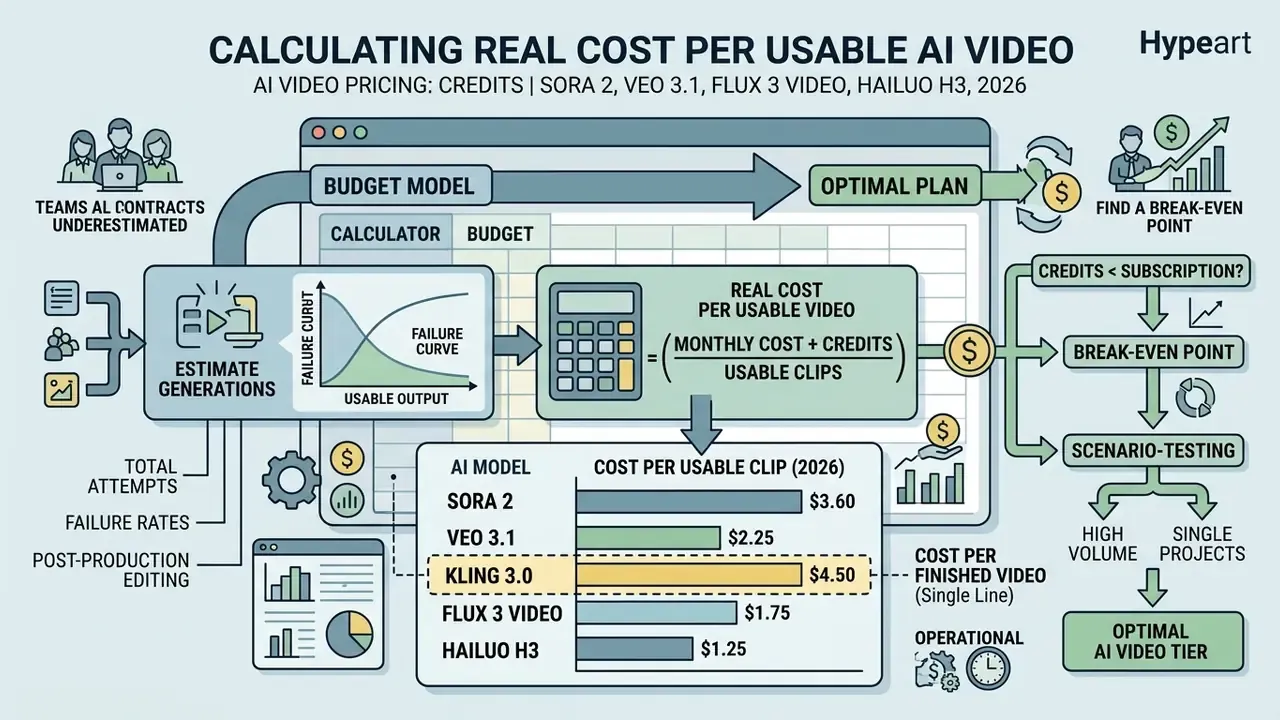
Selecting an optimal AI video tier requires a formal budget model that accounts for total generation attempts, failure rates, and post-production editing. Define "usable" before you generate: the subject stays on brand, the product is recognizable, text is not distorted, motion does not break the scene, and the clip fits the target channel. A high approval bar mechanically raises cost per usable video above cost per generation.
Estimate generations, usable output and monthly credit demand
To project monthly credit requirements accurately, organizations must apply a revision multiplier to their target output volume.
The total monthly credit demand is calculated using the following formula:
Where:
- is the number of usable, finalized videos required per month.
- is average duration per video in seconds.
- is the revision factor, meaning average generation attempts required per usable clip, typically 1.5 to 3.0.
- is model burn rate in credits per second.
«Consumption-based pricing exposes the marginal cost of every additional unit, which pushes teams to optimise workflows, especially under irregular load.»
For example, a team producing 20 usable 10-second videos per month using Runway Gen-4.5 (12 credits/sec) with an average revision factor of 2.0 attempts per clip calculates monthly demand as:
This workload exceeds Runway's Pro plan allowance of 2,250 credits, indicating the team must select a higher tier (Max at 9,500 credits) or budget for add-on credit purchases.
Cost per finished video, expressed as a single line:
Add a 30% buffer for abandoned experiments. Published break-even guidance suggests AI generation beats a part-time editor at roughly 5 videos per month for solo creators, and at roughly 30 to 50 videos per month for teams operating under strict brand review. The gap is explained entirely by review burden, not by generation price.
Where teams underestimate. The concept stage is the usual blind spot. A founder producing one homepage animation may need three attempts. A social team testing ad hooks may need dozens of short variants. An ecommerce team maintaining consistent product handling across many SKUs typically iterates far more than a generic cinematic clip requires, because identity preservation is the hardest constraint to satisfy.
Find the break-even point between credits and subscription
The break-even point occurs where the cumulative cost of pay-as-you-go credit packs equals the fixed cost of a monthly subscription plan offering bundled credits and features.
Let be the fixed monthly subscription fee, be the credits included in the subscription, and be the unit price of standalone credits ($0.01 to $0.02 per credit).
If an enterprise requires fewer credits per month than and does not require team management features or priority rendering queues, purchasing non-expiring credit packs is more cost-effective. When recurring monthly credit demand consistently exceeds included plan quotas, upgrading to a higher subscription tier yields lower marginal credit costs.
«Two-part tariffs, a fixed fee plus discounted usage, are theoretically optimal for providers when average demand is known.»
Scenario-test the model. Build one row per month for the next twelve months and price three cases. Base: expected production and revision rate. Peak: campaign launch, onboarding intake, or a policy-update month. Stress: elevated rejection rate, urgent translations, or several teams producing simultaneously. For a credit plan, cost equals base fee plus max(0, charged usage minus included usage) times overage rate, plus add-ons. For an unlimited plan, cost equals subscription plus excluded usage plus extra seats plus add-ons. Then add labour to both. The outcome frequently reverses once labour is included.
Worked example. A team expects 30 approved minutes per month, and trial data shows every approved minute requires 1.6 charged minutes because reviewers request scene and narration changes. Budget for 48 charged minutes, not 30. If a peak month could reach 70 approved minutes, that becomes 112 charged minutes at the same multiplier. Credits may still win across the year if quiet months dominate and the allowance rolls over. Unlimited may win if peaks are frequent, if extra experimentation measurably improves quality, or if avoiding internal usage approvals saves meaningful staff time.
How to choose the best AI video pricing option for your workflow
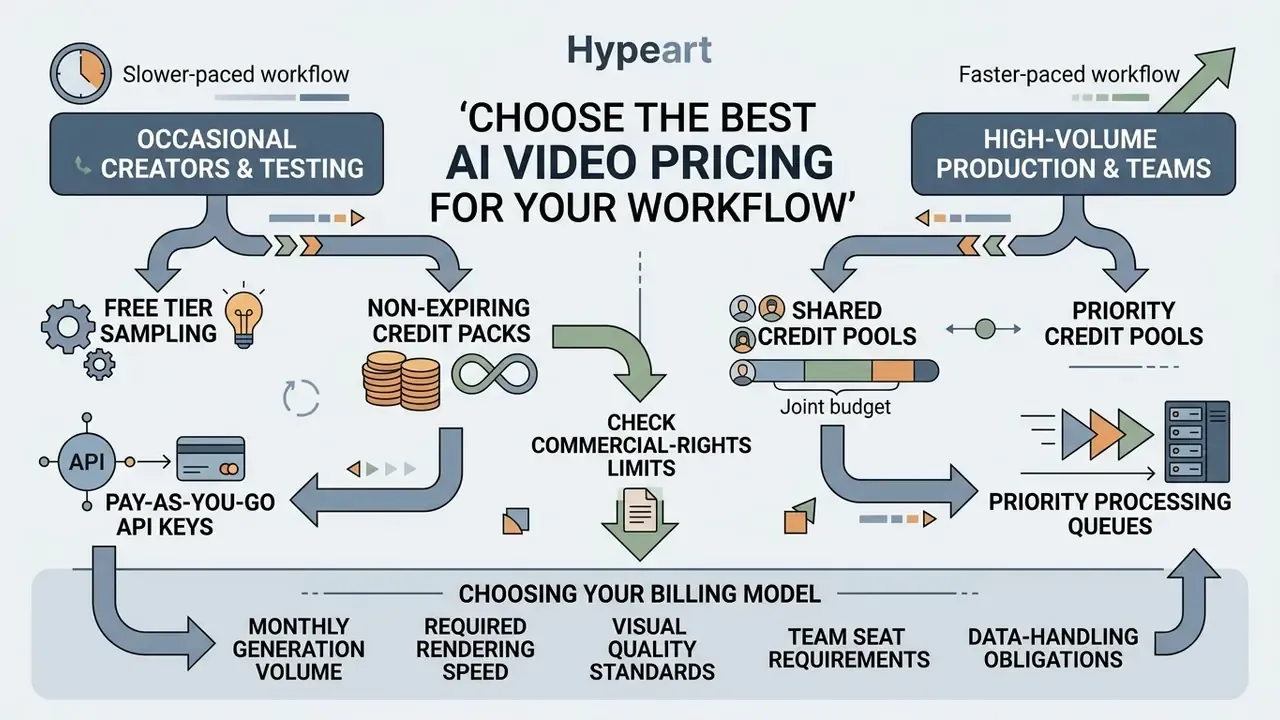
Choosing the correct billing model depends on monthly generation volume, required rendering speed, visual quality standards, team seat requirements, and data-handling obligations.
Four questions settle most decisions before you compare features. How many videos do you create per week? Are they 5 to 10 seconds or 2 to 3 minutes? Do you need avatars and voice, or visuals only? Are you experimenting or publishing? If you are experimenting, credits are fine. If you are publishing on a schedule, subscriptions win. If you are scaling across a team, clarity and administrative control beat flexibility.
Best fit for occasional creators and free-tier testing
Occasional creators and teams evaluating model capabilities should use free tiers and non-expiring pay-as-you-go credit packs to avoid recurring subscription commitments.
Recommended approaches for low-volume users include:
- Free tier sampling use daily credit refreshes on platforms like Kling AI (66 daily credits) or Google AI Studio preview quotas to evaluate prompt responsiveness. Daily-refill models are structurally more generous than one-time allowances: 100 credits refilling every 24 hours accumulates to roughly 3,000 credits per month, enough for indefinite draft-tier work. Shortlists are available in our comparison of free AI video generators for testing.
- Non-expiring credit packs purchase standalone credit bundles, such as AIVeed's $5 or $99 non-expiring packs, for intermittent project needs.
- Pay-as-you-go API keys set up developer accounts on Google Vertex AI or the OpenAI API with strict spending caps to bill generation strictly by the second. Note that OpenAI Tier 1 access requires a minimum $10 credit top-up, with a $5 minimum purchase in monthly billing.
- Watch the commercial-rights line free tiers frequently restrict output to non-commercial use and apply watermarks, so a free plan that produces publishable assets is rarer than it appears.
Best fit for high-volume production and teams
High-volume content operations and enterprise marketing units require predictable recurring spend, centralized seat administration, and service level agreements.
Key selection criteria for scaled enterprise deployment:
- Shared credit pools: ensure subscription credits are pooled across all team members rather than locked to individual user accounts.
- Priority processing queues: select tiers that guarantee dedicated GPU routing during peak hours to eliminate rendering bottlenecks. For pipelines built primarily on prompt input, compare text-to-video AI tools and pricing models before locking a vendor in.
- Documented SLAs: enterprise API tiers publish concrete commitments, for example 99.9% uptime and latency SLAs guaranteeing throughput thresholds. Priority processing is often billed separately from bundled capacity rather than counting against it.
- Commitment discounts (updated framing): negotiate committed-spend contracts for API integrations. Cloud-pricing theory supports the structure directly. A committed-spend mechanism with a minimum usage threshold and a fixed marginal price is robustly optimal for the provider under demand uncertainty, which is why vendors will trade marginal per-second discounts for volume certainty. That theoretical model is drawn from general cloud-cost literature rather than AI-video-specific research, so use it to frame negotiation logic, not to predict a specific discount percentage.
«A committed-spend mechanism with a minimum usage threshold and fixed marginal price is robustly optimal for the provider under demand uncertainty.»
When credits are usually the better fit: production is occasional and well-scoped; videos are approved with few iterations; one owner controls generation; unused allowance rolls over or the pack has a suitable validity period; premium usage is genuinely optional; procurement wants spend attributed to individual projects. Credits are also a sensible entry point while a team is still measuring its real generation multiplier.
When unlimited is usually the better fit: demand is sustained or highly variable; many drafts are intrinsic to the creative process; content changes frequently; multiple departments create video; the plan's concurrency and fair-use rules accommodate peak demand; and the subscription includes the output quality, rights, and support you actually require.
Plan selection: to evaluate which plan aligns with your operational requirements and team size, access our AI Video Plan decision matrix.
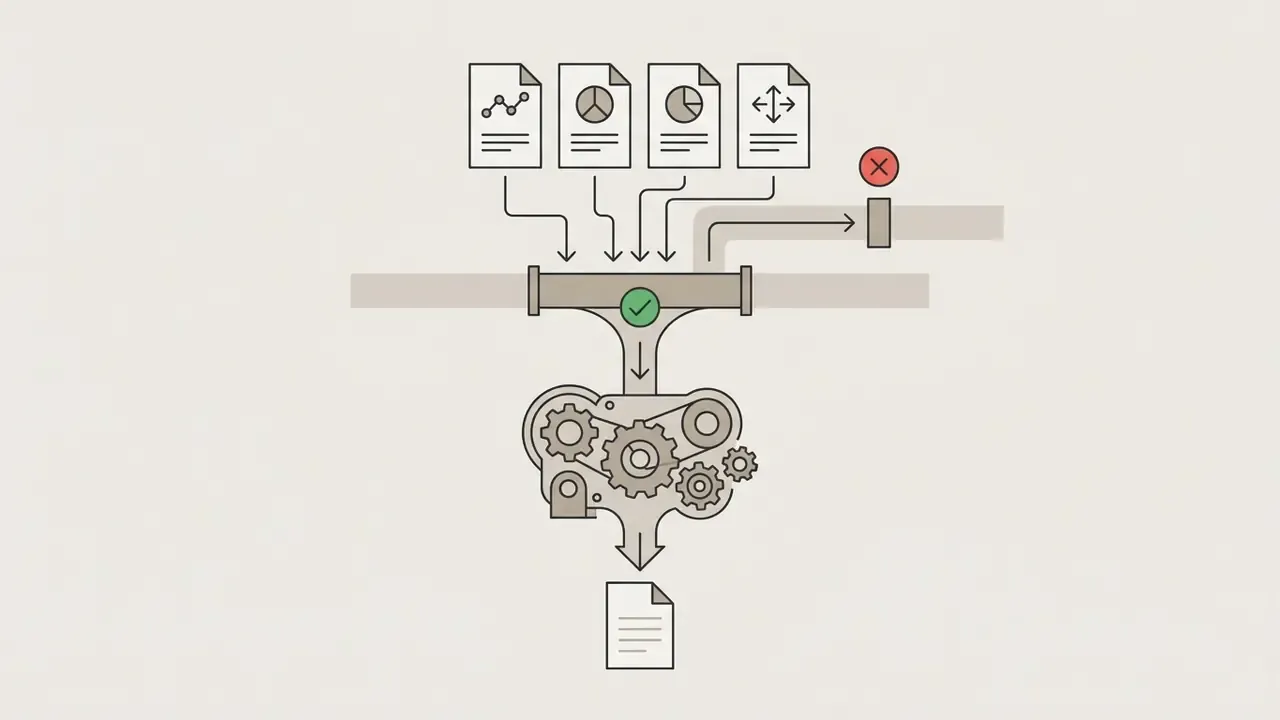
Decision flow: selecting the optimal AI video pricing structure
FAQ about AI video credits, plans and pricing
What are the different types of credits and when do they expire?
Platforms categorize credits into three distinct operational tiers with varying expiration logic:
- Subscription credits: included in monthly or annual plans. These refresh every 30 days on your billing date. Unused monthly allocations forfeit immediately upon reset and do not roll over.
- Purchased top-up credits: standalone credit packs bought on demand. These remain valid for 12 to 24 months. Vidu specifies two years, Zoom add-on packs expire one year after purchase, and Runway and AIVeed state that purchased credits do not expire at all, regardless of active subscription status.
- Bonus and event credits: earned via promotional events, daily logins, competitions, or artist and referral programs. These typically carry a 24-month expiration window and are consumed only after monthly subscription credits are exhausted. Refund policy warning: standard AI video platforms, including Stripe-billed services such as Vidu and ElevenLabs, enforce strict non-refundable policies once credit balances are accessed or generations are executed. Vidu states plainly that refunds are not provided and directs users to cancel before renewal.
Do unused video credits reset or roll over?
Monthly subscription credits typically reset at the end of each billing cycle and do not roll over. Non-expiring standalone credit top-ups remain valid indefinitely or for up to 12 to 24 months. Official vendor policies across major platforms demonstrate clear distinctions:
- Runway: subscription credits reset within 24 hours of the billing date and do not roll over. Separately purchased custom credit packs do not expire.
- Adobe Firefly: generative credits renew monthly on the billing renewal date; unused monthly allocations are forfeited upon reset. Free-plan credits expire one month after allocation.
- Google Flow: monthly credits refresh at the start of the billing cycle and unused credits do not roll over.
- Higgsfield: subscription credits reset each cycle; monthly plans reset on renewal, annual plans every 30 days.
- InVideo: unused credits expire at the end of the billing cycle and do not carry into the next month; on-demand top-ups are available, and the platform reserves the right to change credit costs without prior notice.
- Zoom AI and Vimeo: monthly subscription credits expire at the end of each 30-day billing cycle. Vimeo grants expire 30 days after issue; Zoom subscription credits expire on the anniversary date. Purchased add-on credit packs remain valid for 12 months from the date of purchase.
«Credits never expire and can be used with any model at your own pace, unlike subscription credits that reset monthly.» Source: AIVeed, Credit Pricing and Pack Documentation, 2026. https://aiveed.com/pricing
Are AI video credits the same as finished video minutes?
Not necessarily, and this is the single most expensive assumption in AI video procurement. Some services charge for generation rather than approved output, and meter premium features separately. If ten approved minutes require eighteen charged minutes, your effective price is based on eighteen. Ask whether the meter runs on previews, replaced scenes, aspect-ratio changes, translations, pronunciation fixes, and re-exports. Then measure the generation multiplier during a paid trial rather than accepting a verbal answer.
Should revisions consume credits?
That is a commercial design choice, not an industry rule. Some vendors treat a text correction as a free edit; others regenerate the entire scene at full price. Because compliance, product, and training content changes frequently, get the treatment of text edits, scene swaps, pronunciation fixes, and regenerated exports in writing before signing.
What happens when you upgrade, downgrade or cancel a plan?
Upgrading a plan immediately grants access to higher credit quotas and pro features, whereas downgrading or cancelling takes effect at the end of the current billing cycle.
- Upgrades: unused credits from the lower tier are usually carried over as roll-over credits until the end of the current cycle, with the new tier's allotment added on top. ElevenLabs follows this pattern explicitly.
- Downgrades: the account maintains current plan limits until the end of the paid billing period, after which the credit allotment drops to the lower tier level.
- Cancellations: on platforms like ElevenLabs and Captions, cancelling a subscription results in the forfeiture of remaining subscription credits at the end of the billing period. Previously rendered and downloaded video files remain accessible in user storage. Magnific states outright that cancellation does not delete generated images, video, or audio, which remain downloadable from the account. Access policies vary, so confirm asset-retention and export terms before you cancel.
Can you buy add-ons, extra credits or team seats?
Yes, most commercial AI video platforms offer standalone credit add-ons, supplemental seat licences, and enterprise infrastructure expansions.
- Credit top-ups: platforms allow users on active paid subscriptions to purchase add-on credit packs when monthly allowances are exhausted before renewal. Descript offers top-ups for both media hours and AI credits.
- Team seats: additional team seats can be added mid-cycle on prorated billing schedules, charged immediately for the remainder of the term. Seat types are sometimes tiered, Standard versus Premium, with different monthly and annual rates.
- Enterprise custom terms: enterprise plans provide custom credit allowances, dedicated GPU clusters, 24/7 priority support, custom legal indemnification, minimum seat counts, alternative payment routes (card or ACH), and uptime SLAs, for example 99.9% uptime guarantees on OpenAI Enterprise Fast mode. Enterprise billing commonly separates a fixed per-user seat fee, billed annually, from variable usage charges.
Can we test a pricing model in a free trial?
You can test the meter and a small workflow, but a free trial rarely surfaces the constraints that actually determine cost: concurrency limits under three simultaneous creators, queue behaviour at peak demand, administrative spend controls, and review throughput. Run a paid pilot at realistic volume before committing to an annual term.
Appendix A: Superseded and unverified figures (retained for transparency)
We retain the following statements from earlier drafts of this guide because readers may encounter them elsewhere, and because transparency about what we could not verify is part of the audit trail.
Appendix B: Turning a pricing decision into an auditable one
A pricing comparison becomes governance evidence only when someone can reconstruct it later. Four artefacts usually suffice.
First, an inventory entry per tool: vendor, tier, data-handling posture, contractual owner, and the business process it supports. Second, the measured generation multiplier from your trial, with the date and the sample size, because a number without provenance is an opinion. Third, the spend controls in force: per-user caps, centralized billing, and the named administrator who can revoke access. Fourth, the review path for published output, including who signs off on brand and compliance screening.
None of this is exotic. It is the same discipline applied to any vendor-supplied model, extended to a tool that happens to produce video instead of a score. And it answers the question that eventually arrives from internal audit: not "what did this cost?" but "who decided, on what evidence, and can we repeat it?"