Text to video AI is a class of generative algorithms that converts a text prompt, a script or a document into a full video sequence with spatio-temporal coherence. In 2026 the industry moved from frame-level quality scoring to human-aligned benchmarks and multimodal metrics, an approach formalised by the Video-Bench evaluation work presented at CVPR 2025. Expert assessment of generators now rests on three pillars: model transparency, the presence of a kill switch, and strict control of commercial-use rights.
Why should a risk or finance leader care about a video tool at all? Because the upload field is the exposure. A marketing intern pasting a quarterly deck into a consumer generator is a data-egress event, not a creative decision.
«NIST SP 800-218A (2024) requires role-based training for personnel involved in AI-related development, plus periodic review of proficiency, the control layer for any enterprise AI-video deployment.»
The governing principle for corporate deployment is therefore simple: no verifiable evidence and no autonomy. Every generative run should be treated as a controlled workflow with a named owner, documented risk boundaries and a logged prompt.
Executive summary
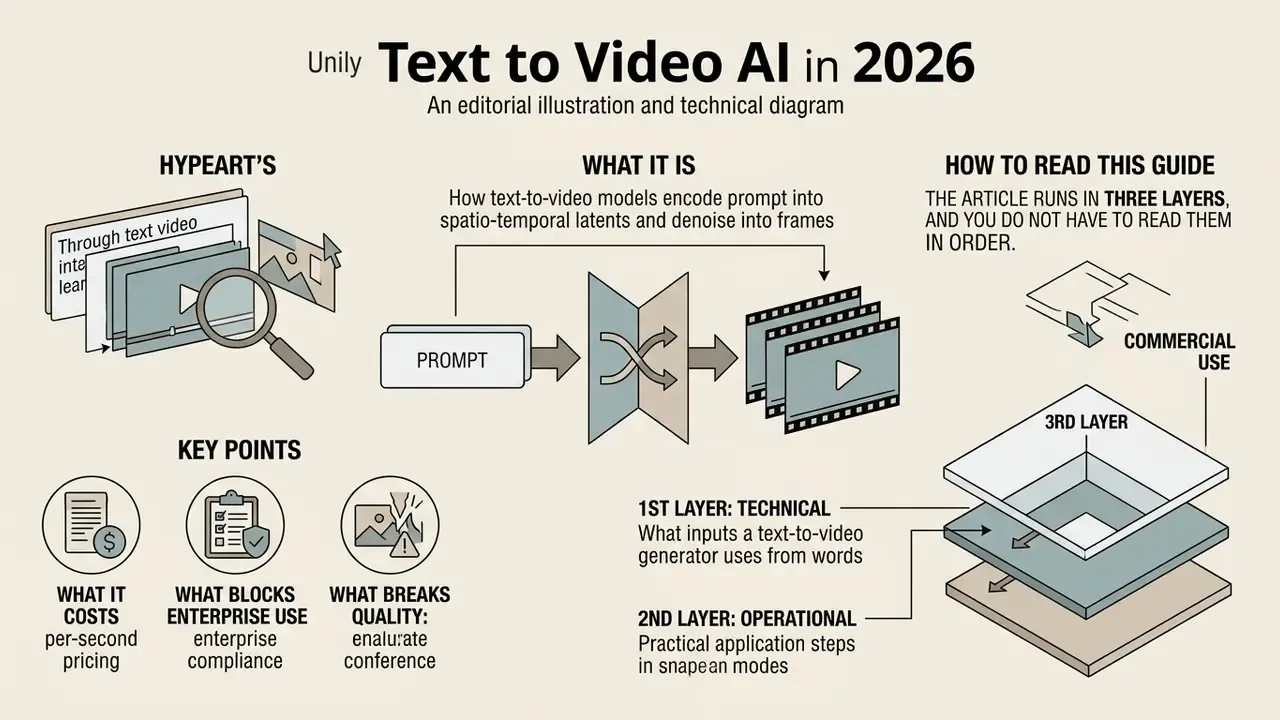
- What it is. Text-to-video models encode a prompt into spatio-temporal latents and denoise them into frames. Diffusion Transformers (DiT) dominate: CogVideoX produces 10-second clips at 16 fps and 768×1360; Google Veo 3.1 produces 8-second clips with native audio up to 4K at 24 fps; OpenAI Sora 2 documents generations up to one minute.
- What it costs. Published per-second rates: Sora 2 / Sora 2 Pro $0.10 to $0.70 per second; LTX-2 Fast $0.04 (1080p) to $0.16 (4K) per second; LTX-2 Pro $0.06 to $0.24 per second; Gemini API video input at $0.18 per 1M tokens (roughly $1.00 per minute in Google's own example).
- What blocks enterprise use. Free tiers cap output at 480p to 720p, watermark the result and generally forbid commercial use. Regulated buyers additionally need SOC 2 Type II, ISO 42001, GDPR alignment, VPC or on-prem isolation, a documented no-training policy on customer data, and EU AI Act Article 50 machine-readable labelling.
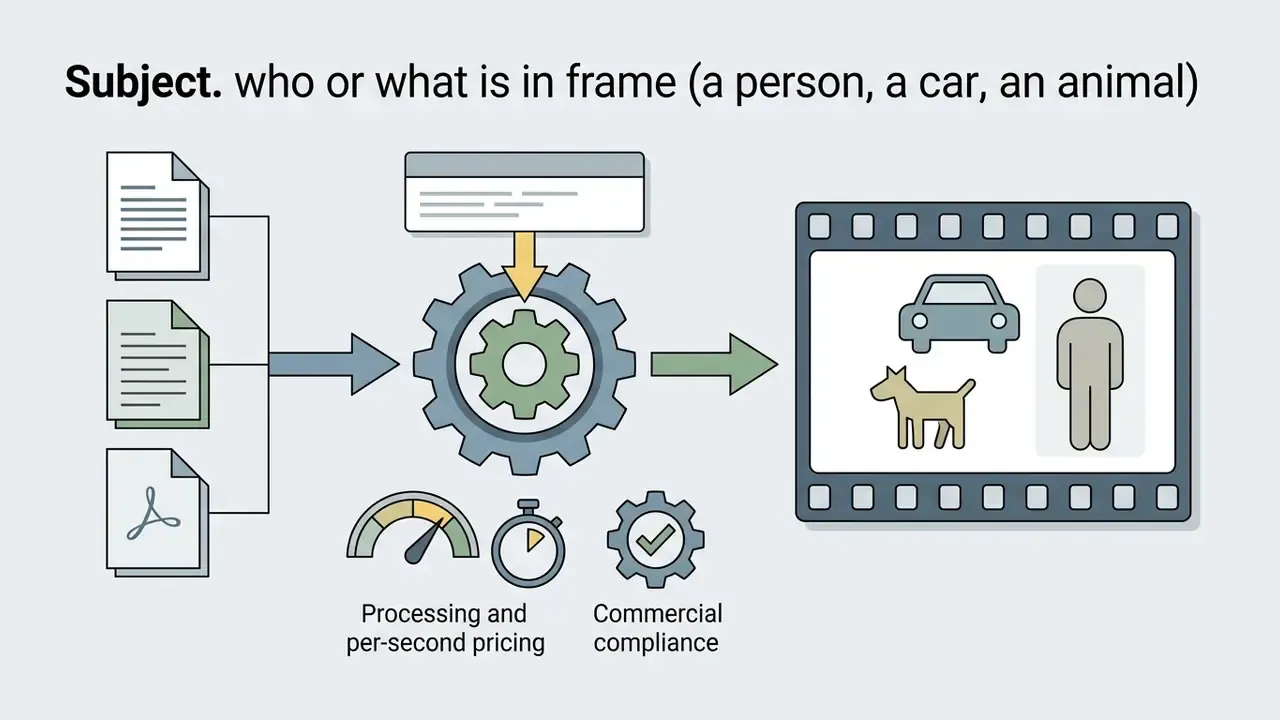
- What breaks quality. Weak prompts. The reproducible formula is Subject + Action + Environment + Lighting + Camera + Style, iterated one variable at a time.
- Who should read the enterprise blocks. CROs, Heads of Model Risk, AI Governance and compliance leads: see the risk matrix, the controlled production checklist and the ROI formula with control costs.
How to read this guide
The article runs in three layers, and you do not have to read them in order.
The first layer is technical: what a text to video generator actually does with your words, which inputs it accepts, and which output specs each channel demands. Creators and content leads usually stop here.
The second layer is operational. It covers the step-by-step build, the prompt formula, ready-made templates for product, real-estate and compliance work, plus the tooling comparison with per-second pricing. If you are picking a vendor this quarter, start there.
The third layer is governance: the enterprise risk matrix, the controlled workflow checklist, EU AI Act Article 50 labelling, biometric consent, audit evidence and a risk-adjusted ROI formula that includes review labour. Model-risk and compliance readers can jump straight to it and work backwards.
What Text to Video AI is and how a generator builds video from text
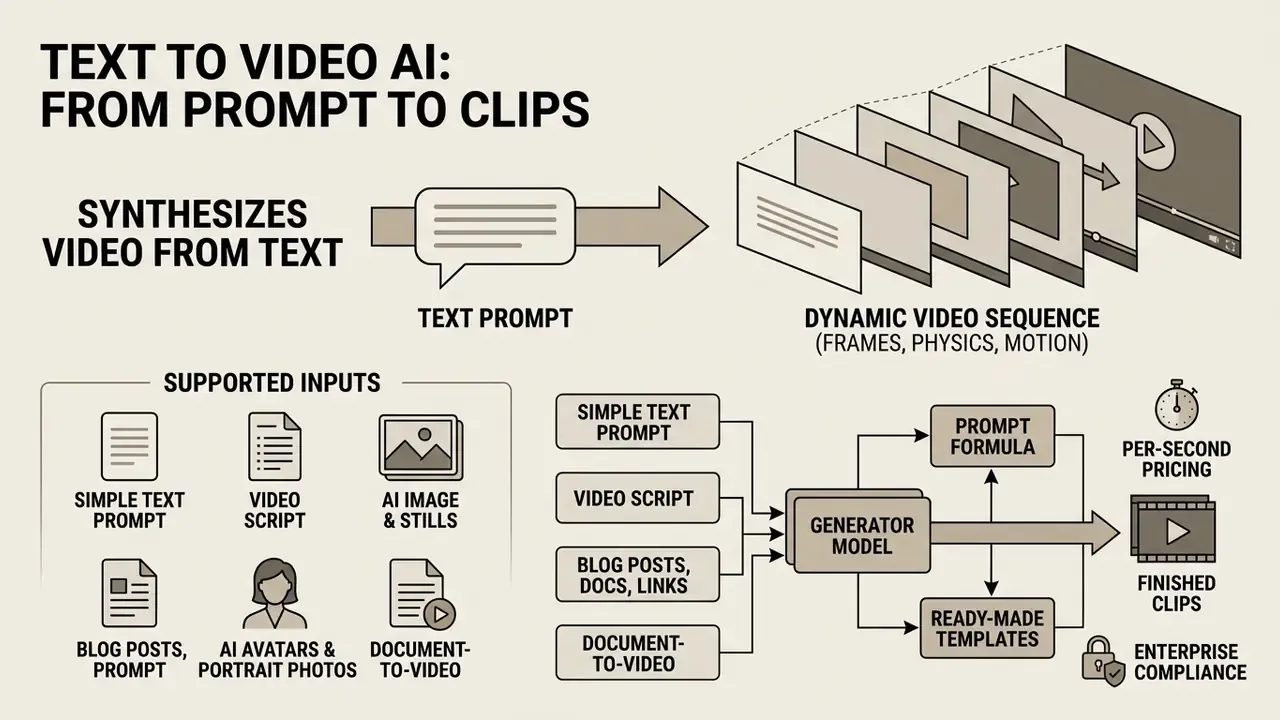
Text to Video AI is a generative technology that synthesises a dynamic video sequence from a textual description (a text prompt), producing frames that respect physics, motion and composition. Unlike a conventional editor, where a user manually assembles existing footage, a text to video generator creates the visual stream "from scratch" through iterative noise removal (denoising) in latent space. For a broader vocabulary of the field, see our reference entry on the AI video generator.
Modern architectures such as CogVideoX and Latte combine diffusion models with transformers (Diffusion Transformers, DiT). The text query is tokenised by a language model (for example T5 or CLIP); cross-attention layers then steer vector noise, converting it into spatio-temporal tokens.
«The dominant paradigm has shifted to diffusion models with transformers: they synthesise high-quality, temporally consistent video from text.»
According to Latte: Latent Diffusion Transformer for Video Generation (2024), the model treats video as a sequence of spatio-temporal snapshots, which delivers smooth motion and temporal consistency between frames. Newer work makes the conditioning mechanism explicit:
«MVDiT explicitly extracts structural information from visual tokens and semantic information from text tokens, addressing the under-use of text in earlier T2V methods.»
Two boundaries matter for anyone evaluating the technology. Video generation differs from image generation because the model must predict temporally consistent frames across time, not one static frame. And it differs from a video editor for post-production because it synthesises pixels instead of cutting, grading or reordering existing footage.
One practical consequence, often missed in procurement: because generative ai invents the pixels, there is no source footage to fall back on during an audit. The prompt, the model version and the seed are the source material. Log them or you cannot reproduce your own asset.
What inputs does an AI video generator support
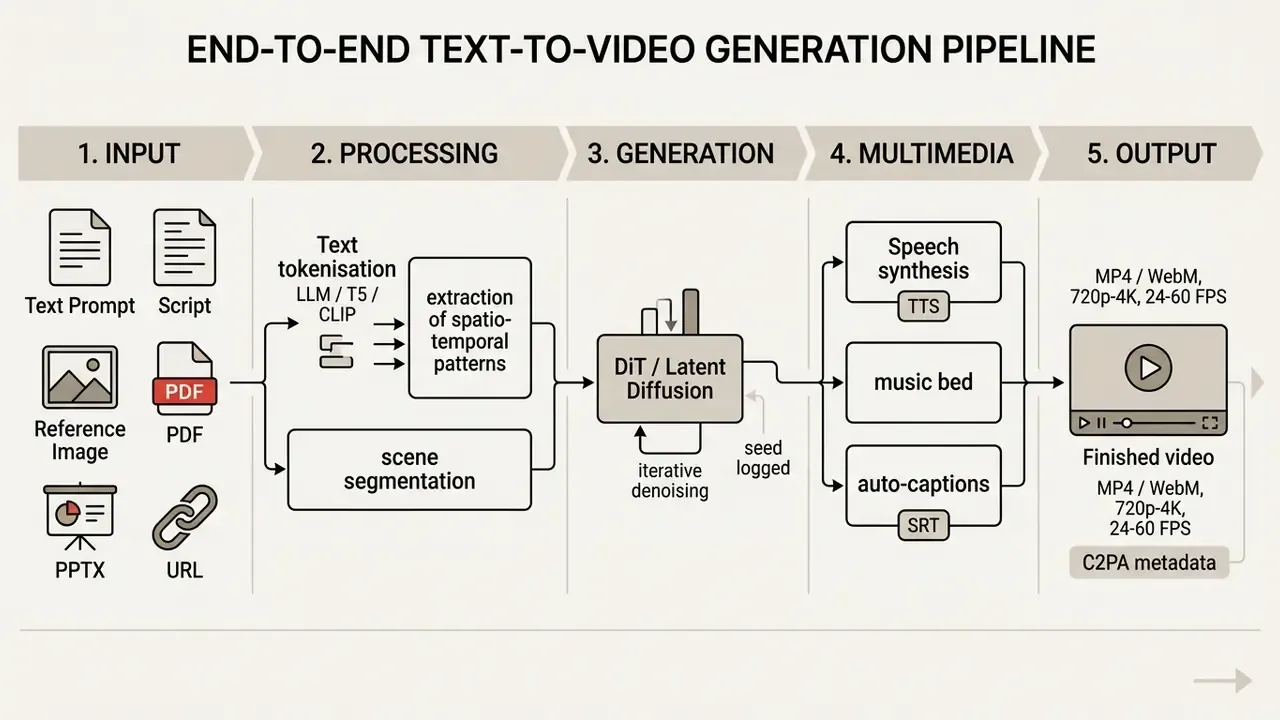
A modern ai video generator accepts several data types that let you control context and stylistic precision:
- Simple text prompt a short phrase describing subject, action, lighting and camera angle.
- Video script a full screenplay with timecodes, dialogue and per-scene description.
- AI image and generated stills a first-frame input or reference image that locks composition. Per OpenAI Sora API documentation, the system accepts JPEG, PNG and WebP as the
input_referenceparameter, supplied either as an uploaded file or animage_url. A closely related workflow is image-to-video AI, which animates an existing still rather than inventing one. - Blog posts, documents and links PDF files, decks or article URLs for automatic summarisation (for example in HeyGen Video Agent or Revid).
- AI avatars and portrait photos a static photo of a person for a "talking head" with virtual lip-sync.
«VidProM collects 1.67 million unique prompts sent to four diffusion models; video prompts more often contain camera movement and sequential actions than prompts written for image generators.»
Document-to-video: exact formats and limits
Updated. Turning long-form text assets into clips is a distinct pipeline with hard constraints, and vendors publish them:
For a full walkthrough of generative-media terminology, see our AI Media Glossary.
- Supported formats
- PDF, PPTX, DOCX, TXT, plus direct extraction from a public URL (article or blog post). Private, gated or paywalled links are typically rejected.
- Volume limits
- the practical sweet spot is 500 to 4,500 words per job, roughly 15 to 20 slides. Synthesia's upload form explicitly rejects documents above 4,500 words; prompt fields are additionally capped (for example 500 characters for a prompt versus 1,500 for a pasted script). Amazon Nova Reel documents a 512-character context window for plain text-to-video, with multi-shot modes for longer briefs.
- Processing pipeline
- the algorithm summarises the source with an LLM, splits it into logical scenes, drafts the voiceover script, selects matching B-roll or motion graphics, and renders with captions. Pictory's "Doc to Video", DeepReel, Synthesia, Vmaker and Powtoon all follow this upload, script, scene, render sequence.
- Practical guidance
- structured text converts best, so favour numbered steps, short paragraphs and direct language. Tell the tool explicitly to "use my text verbatim" when the copy is legally approved and must not be paraphrased.
What video formats can you get as output
ai create video from text systems produce files of different duration, resolution and aspect ratio depending on the destination channel:
- Short video and short-form (TikTok, Shorts, Reels) vertical 9:16, from 5 seconds up to 3 minutes (YouTube Shorts has supported clips up to 3 minutes for eligible uploads since 15 October 2024; TikTok's current guidance allows 9:16 vertical clips up to 10 minutes, typically delivered at 30 to 60 fps).
- Product videos and advertising teasers product demos, 360° orbits and infographics in 1:1, 9:16 and 16:9.
- Marketing video and explainer video horizontal 16:9 presentation clips with voiceover, titles and animated diagrams. YouTube long-form delivery is standard 16:9 at 24, 25, 30, 48, 50 or 60 fps; if publication is part of your pipeline, follow the YouTube video editor workflow.
- Animated video cinematic or 2D/3D animation created through diffusion-based motion synthesis. Template-driven alternatives are covered in our guide to the animation maker.
Before you commit to a channel spec, check what your plan actually allows: free AI video generators usually cap resolution at 480p to 720p and burn in a watermark. An ai art video generator from text on a trial tier may also block 4K export entirely, which quietly kills any broadcast or in-branch screen use.
What teams use an AI video generator from text for
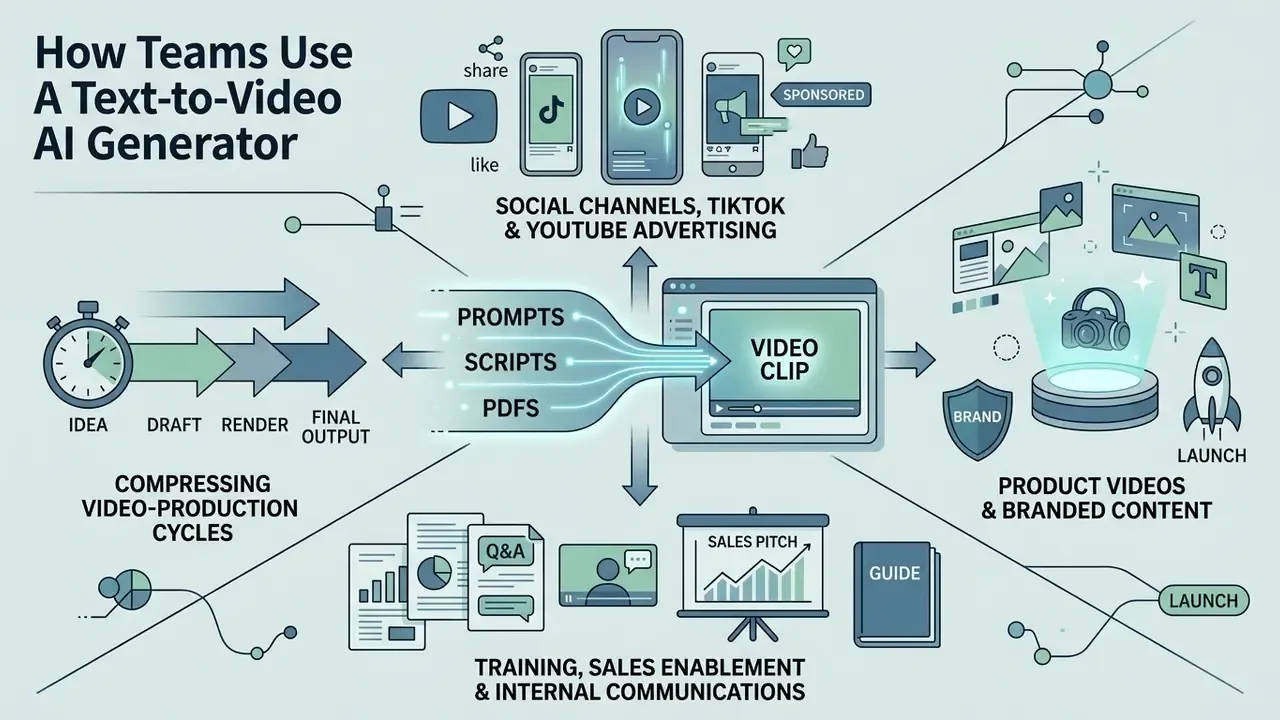
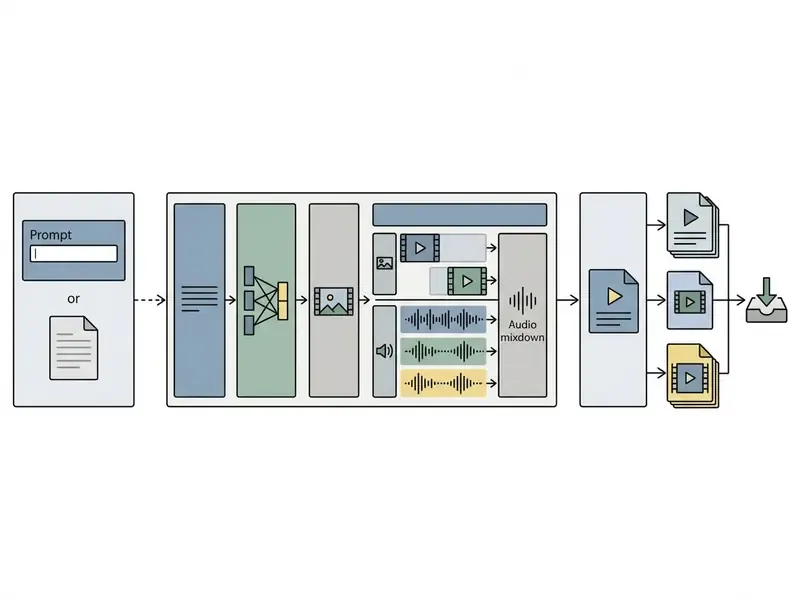
ai video generator from text tools are applied in marketing, corporate content production, training and social media to compress video-production cycles. According to NeurIPS 2024 (Subject and Camera Control in Video Diffusion), baseline T2V inference takes about 15.0 seconds per clip; adding subject control raises it to 15.3 seconds, camera control to 20.6 seconds and both together to 21.5 seconds, incomparably faster than a traditional shoot.
«Text-to-video technology can transform marketing, education and assistive technologies by creating coherent visual content from textual descriptions.»
Advertising, product videos and branded content
In commercial work, ai create videos from text generates ad creatives and product demos without studio rental. Platforms support brand kits, meaning saved colour palettes, fonts, logos and layout rules. HeyGen's developer documentation describes a brand kit as a stored set of colours, fonts and logos, passed to Video Agent through brand_kit_id so that scene backgrounds, on-screen text, chart palettes and logo placement stay on-brand; Vivideo applies the same logic to 360° spins, hero shots and shoppable clips. That guarantees brandbook compliance even in automatic scene assembly. For a criteria-by-criteria view of the market, see our comparison of the best AI video generators.
Visual-campaign specialists also use generative tooling to test hypotheses fast and to produce cool ai images before animating them. Teams running a wider content stack often pair the video pipeline with adjacent builds: a landing page where they create a website for the campaign, and an audio channel where they create a podcast from the same approved script. One source of truth, four formats.
Training, sales enablement and internal communications
«Peer-reviewed work confirms the technical feasibility of generating instructional video from text, but quantitative evidence of effectiveness in real business processes remains limited.»
A 2024 educational AI-video assistant study structured content into three modules (transcription, engagement and reinforcement) based on the Cognitive Theory of Multimedia Learning, which is a reusable skeleton for explainer production. Typical enterprise applications: onboarding, compliance briefs, product walkthroughs, rep training, localised explainers, policy updates and whitepaper-to-video repurposing.
A small observation from review work in this space. The clips that survive compliance sign-off are rarely the flashiest ones. They are the ones where the narration matches an approved document line by line, and the visuals stay deliberately plain.
Enterprise risk assessment for text-to-video
Before a single clip is generated inside a regulated organisation, the risk surface should be mapped. The matrix below is the control layer we recommend alongside NIST AI RMF's Generative AI profile (govern, map, measure, manage).
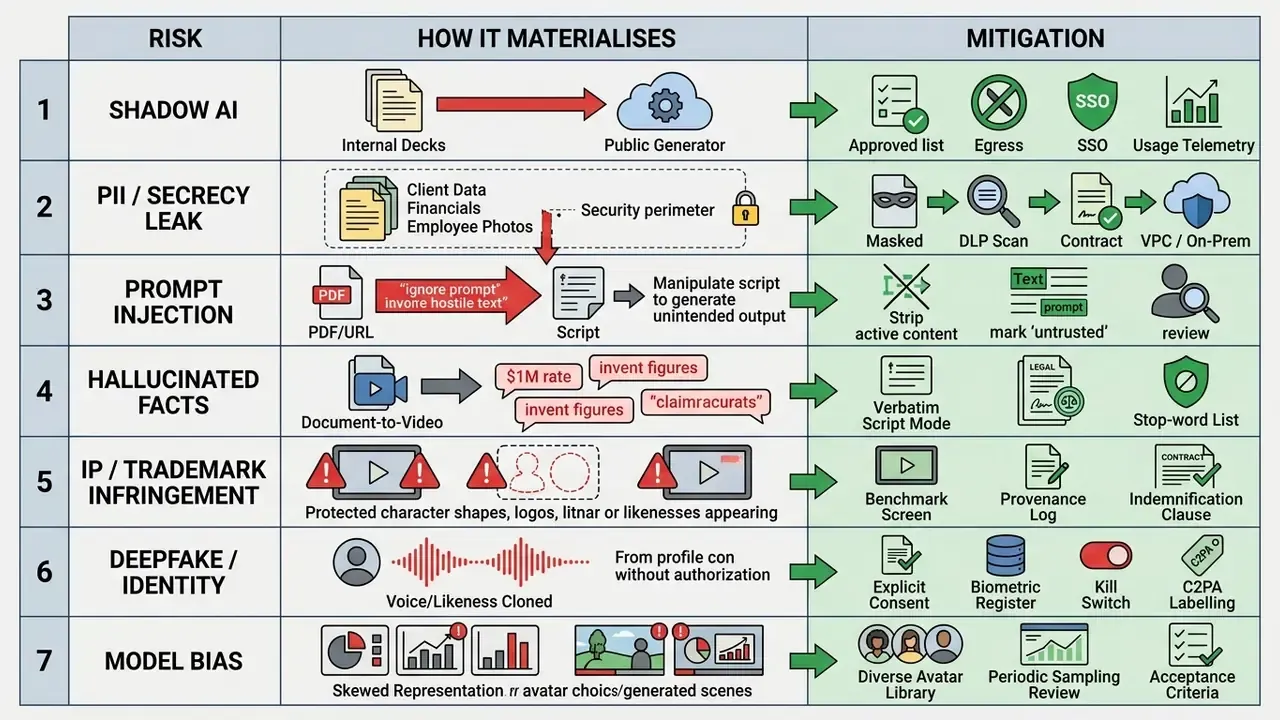
«T2VSafetyBench identifies 14 critical safety aspects of text-to-video generation, including copyright and trademark infringement.»
Shadow AI and data protection. The most common incident in banking and insurance pilots is not a bad render. It is an employee dropping an internal presentation or a customer PDF into a consumer-grade generator. Treat every upload field as an egress point: document what may be uploaded, mask identifiers before conversion, and prefer vendors that contractually exclude customer content from model training.
One more thing worth stating plainly. A video model sits outside most existing model inventories, because nobody classified "marketing clip" as a model output. That gap is where audit findings come from.
How to create AI video from text: the step-by-step process
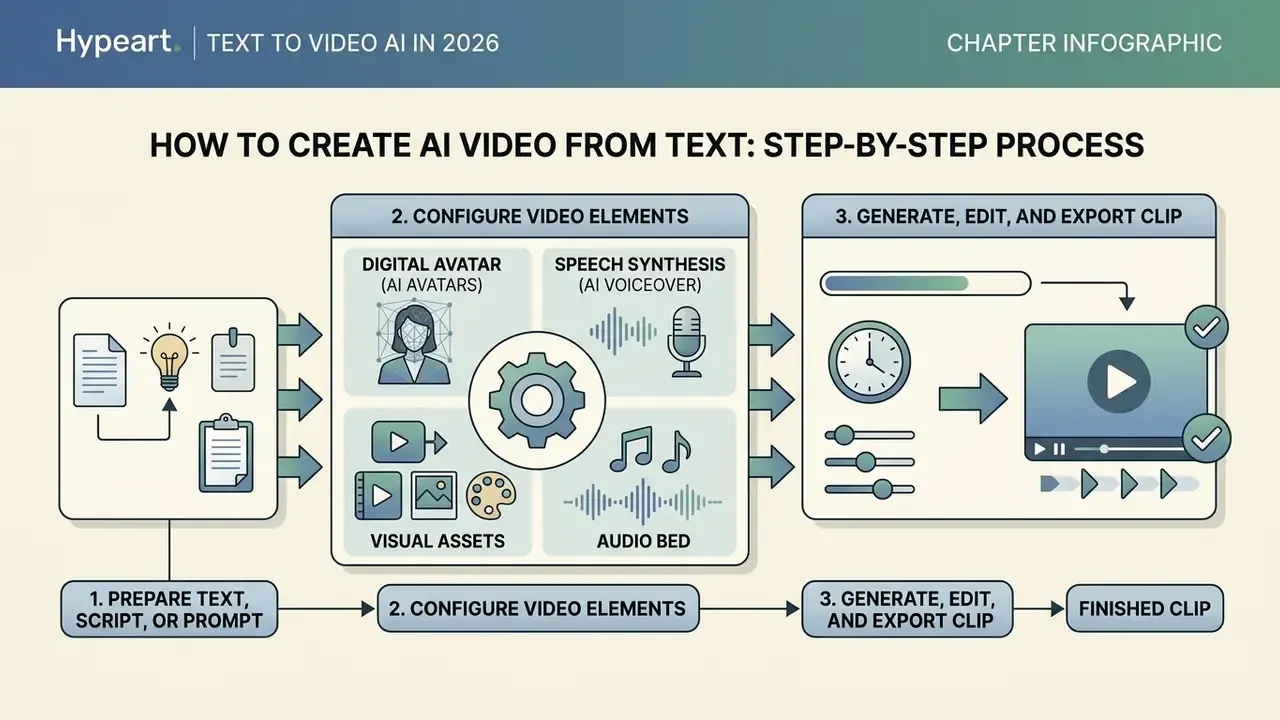
To build a clip through an ai app create video from text or a web service, follow a sequence that prevents factual distortion and visual artefacts. Two checklists are given below: the production checklist for creators, and the controlled workflow for regulated environments.
┌-----------------------------------------------------------------------------------┐
│                 CHECKLIST A: PRODUCTION WORKFLOW (CREATOR / MARKETING)            │
└-----------------------------------------------------------------------------------┘
 1. [ ] Script prep: timecoding [00:00-00:03], scene breakdown, one action per shot.
 2. [ ] Prompt setup: subject, action, lighting, camera movement, style.
 3. [ ] Visual selection: AI avatars, first-frame image or stock footage.
 4. [ ] Audio setup: AI voice, delivery tone, accent, music bed level.
 5. [ ] Run generation in the chosen AI video model; record model version + seed.
 6. [ ] Post-processing: frame fine-tune, de-flicker, colour match, captions.
 7. [ ] Final export: resolution (1080p/4K), bitrate, codec, FPS; rights check.
┌-----------------------------------------------------------------------------------┐
│        CHECKLIST B: CONTROLLED WORKFLOW (ENTERPRISE / MODEL RISK, GRC)            │
└-----------------------------------------------------------------------------------┘
 1. [ ] Access verification: SSO login, RBAC role, named asset owner assigned.
 2. [ ] Input sanitisation: PII masked, DLP scan passed, source document classified.
 3. [ ] Prompt validation: stop-word list applied; claims checked by legal/compliance.
 4. [ ] Generation in an isolated tenant (VPC/private workspace), no-training confirmed.
 5. [ ] Provenance capture: prompt text, model + version, seed, timestamp, operator ID.
 6. [ ] Human-in-the-loop review: factual, brand, accessibility and bias sign-off.
 7. [ ] Labelling: EU AI Act Art. 50 machine-readable marker + C2PA metadata attached.
 8. [ ] Logging into GRC/MRM: artefact hash, approvals chain, retention period.
 9. [ ] Publication approval and documented kill-switch / takedown procedure.
Prepare the text, script or simple prompt
Good output requires a clean input structure. When working with a video script, split it into logical timecodes (roughly 3 to 5 seconds per scene) and use a script generator to produce precise visual descriptions. State roles, location and the character of motion so the ai convert text to video system does not invent hallucinated detail. Each block should stay brief and consistent in tone, pacing and shot continuity, and the final segment should close the loop or end the scene. Formally, a shot is an uninterrupted frame sequence, so shot boundaries and keyframes are the natural unit for splitting prompts.
If your task covers Spanish-speaking audiences or Latin American markets, review the options to crear videos con inteligencia artificial gratis for international localisation.
Configure visuals, avatar, voice and music
At the second stage, an ai app to convert text to video lets you pick the visual style and audio tracks:
- Digital avatar (AI avatars)choose a presenter from the library or upload your own footage. Custom avatars require recorded video. Tencent Cloud documents 3 to 5 minutes of footage plus authorisation materials, and Azure Speech requires at least 1920×1080 at 25 fps for sample capture.
- Speech synthesis (ai voiceover)set language, accent and emotional colouring, or clone a voice. Selection criteria for these engines are covered in our guide to the AI voice generator.
- Visual assetscombine generated visuals with material from built-in stock footage libraries.
- Audio bedadd a background track (ai music). If you need an original score, you can create a song with AI and drop it into the final mix.
Generate, edit and export the clip
After the parameters are set, run the generation (click generate). While reviewing the returned clips (generate clips), perform video editing and targeted fine tune passes:
- Colour-grade correction and removal of temporal flicker or jitter.
- Resolution upscaling (720p to 1080p or 4K) by extracting frames, applying AI super-resolution to the image sequence, then recombining frames with audio.
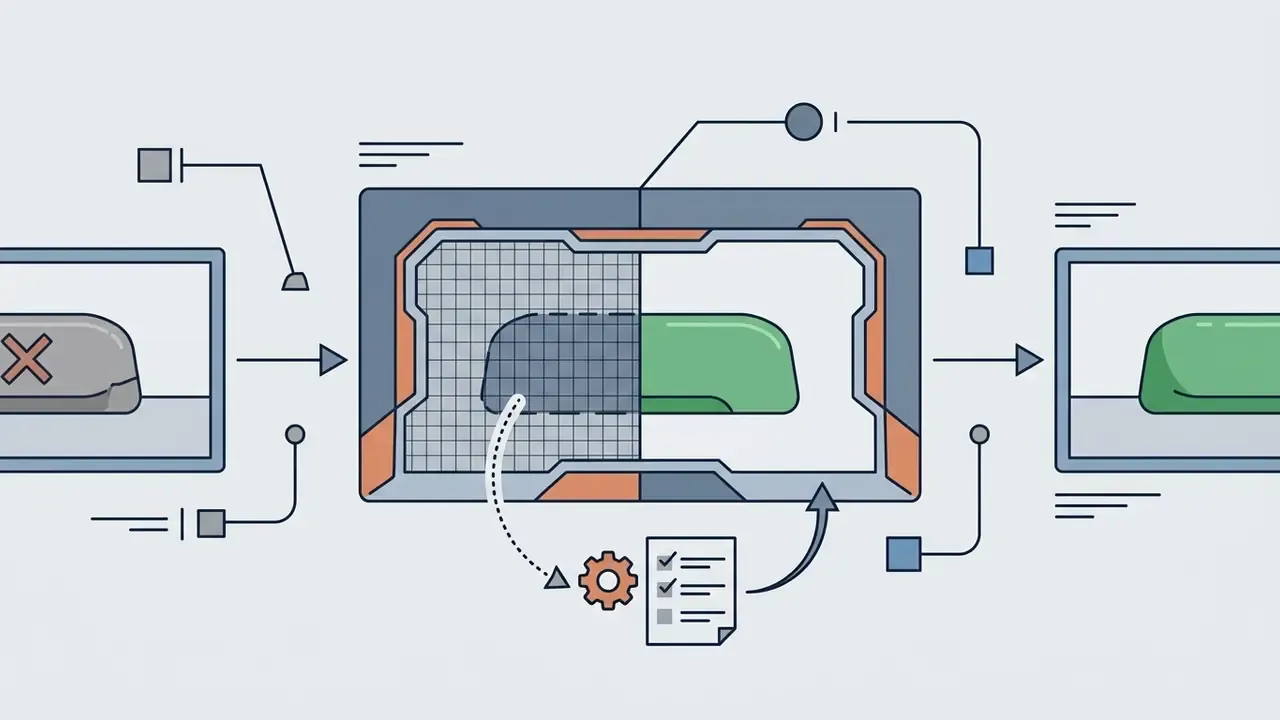
- Regeneration of broken fragments through video inpainting. CVPR 2024 work reports diffusion-based any-length inpainting with structural-fidelity scaling and middle-frame attention guidance.
- File export to MP4 or WebM with bitrate and frame-rate verification (24/30/60 FPS).
If the budget does not stretch to a paid finishing suite, our roundup of free video editing software covers the post-production layer, and a video compressor helps hit platform file-size limits without visible loss.
One caveat on upscaling. It improves perceived sharpness; it does not repair broken motion. If the limbs bend wrongly at 720p, they will bend wrongly at 4K, just more expensively.
How to write a text prompt for high-quality AI video
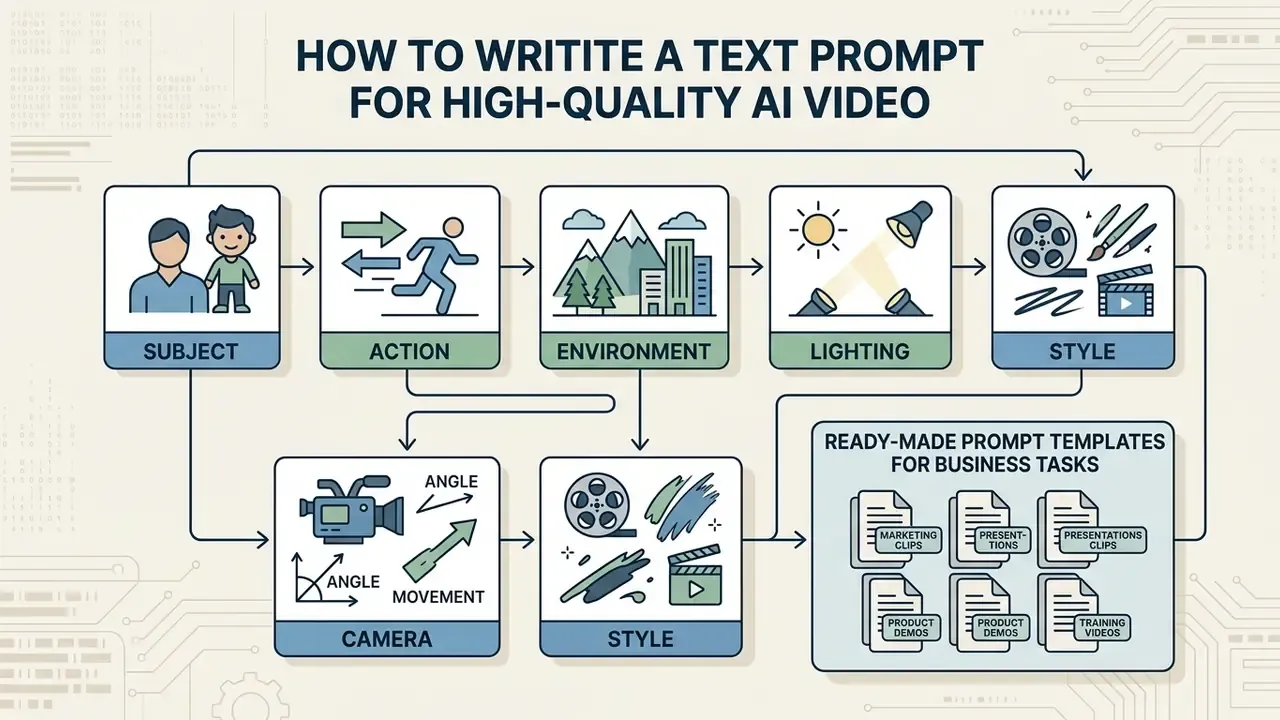
An effective text prompt is the precondition for predictable, cinematic output without visual anomalies. Per prompt-engineering guidance from Tencent HunyuanVideo-1.5 and Runway Gen-4 (2025 to 2026), the query must be structured and must separate the description of the subject from the movement of the camera. HunyuanVideo's core formula is Subject + Motion + Scene + Shot Type + Camera Movement + Lighting + Style + Atmosphere; Runway states explicitly that camera motion has to be described separately from what happens in the scene.
The elements of an effective video prompt
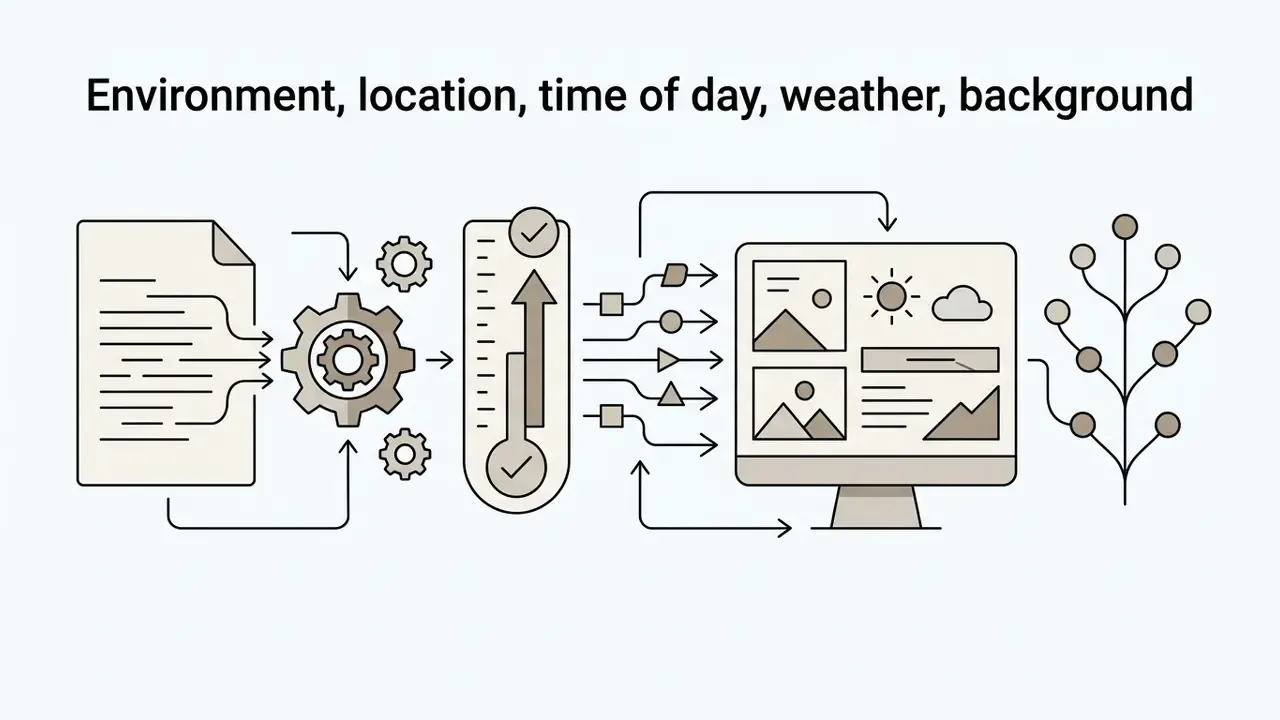
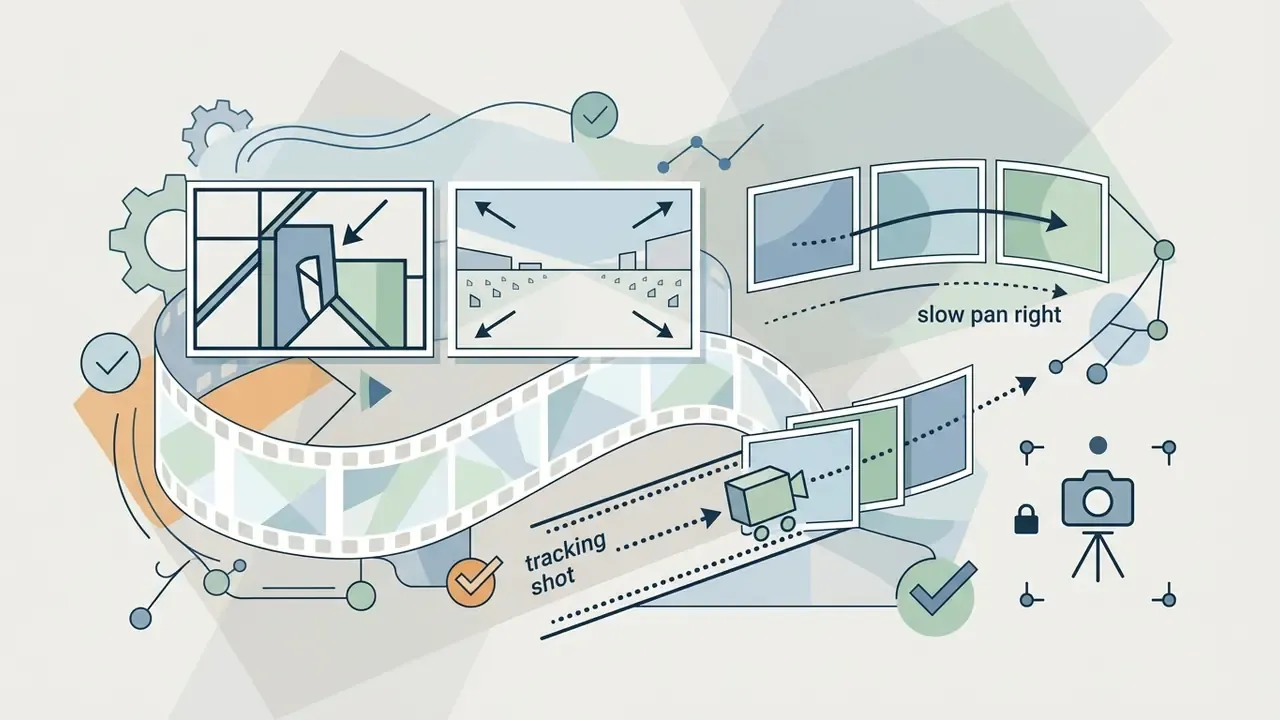
The professional video-prompt formula consists of 6 key blocks:
«Prompts that describe scene, actor, action, camera movement and style align better with T2V training distributions and yield higher generation quality.»
Annotated prompt example:

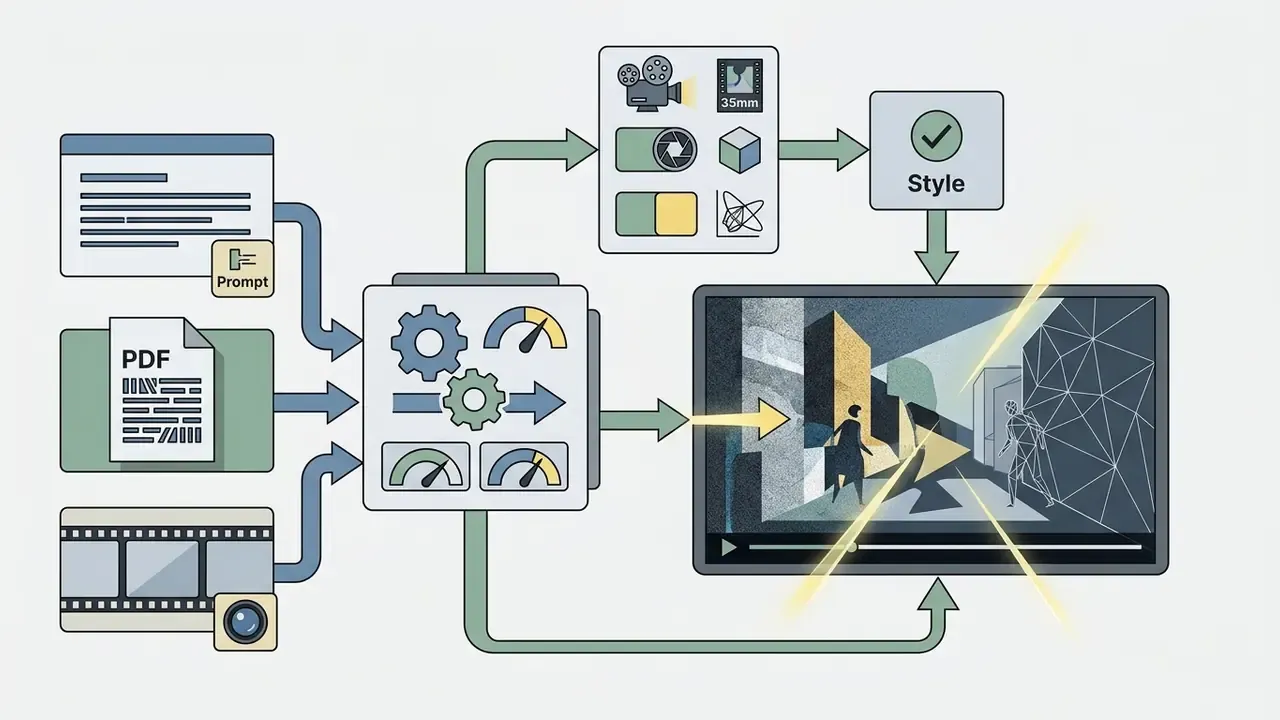
Ready-made prompt templates for business tasks
- UGC advertising (beauty / skincare)
A smartphone vertical video, close-up of a female model applying hydrating face cream, natural bathroom lighting, hyper-realistic skin texture, 4k resolution, 60fps, authentic social media style. - Real estate
Cinematic drone footage sweeping through a modern luxury minimalist living room, floor-to-ceiling windows with sunset ocean view, smooth camera motion, golden hour lighting, 35mm lens. - E-commerce / product hero shot
Studio macro shot of a sleek black wireless earbud case opening automatically, neon blue backlighting, floating dust particles, high-contrast reflections, slow-motion 120fps. - Corporate onboarding (45 s, conversational)
Medium shot of a friendly presenter in a bright open-plan office welcoming a new hire, natural window light, static camera at eye level, warm corporate documentary style, clean background for caption overlay. - Compliance / training explainer
Animated motion-graphics sequence visualising a secure password being replaced by a passphrase, flat vector style, brand palette navy and teal, steady 2D camera, clear negative space for on-screen text. - Documentary-style brand film
Slow tracking shot following an artisan's hands assembling a leather bag in a workshop, dust in a shaft of afternoon light, shallow depth of field, 35mm film grain, muted warm grade.
How to fix failed generations and obtain variations
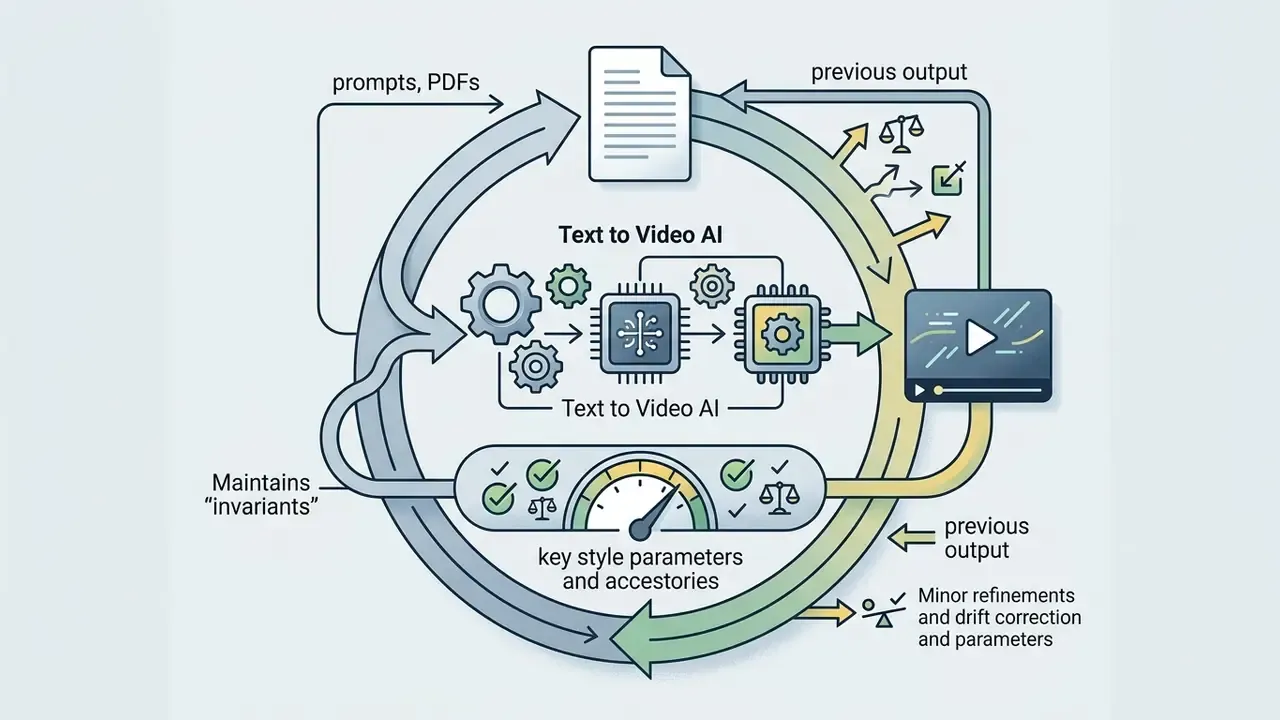
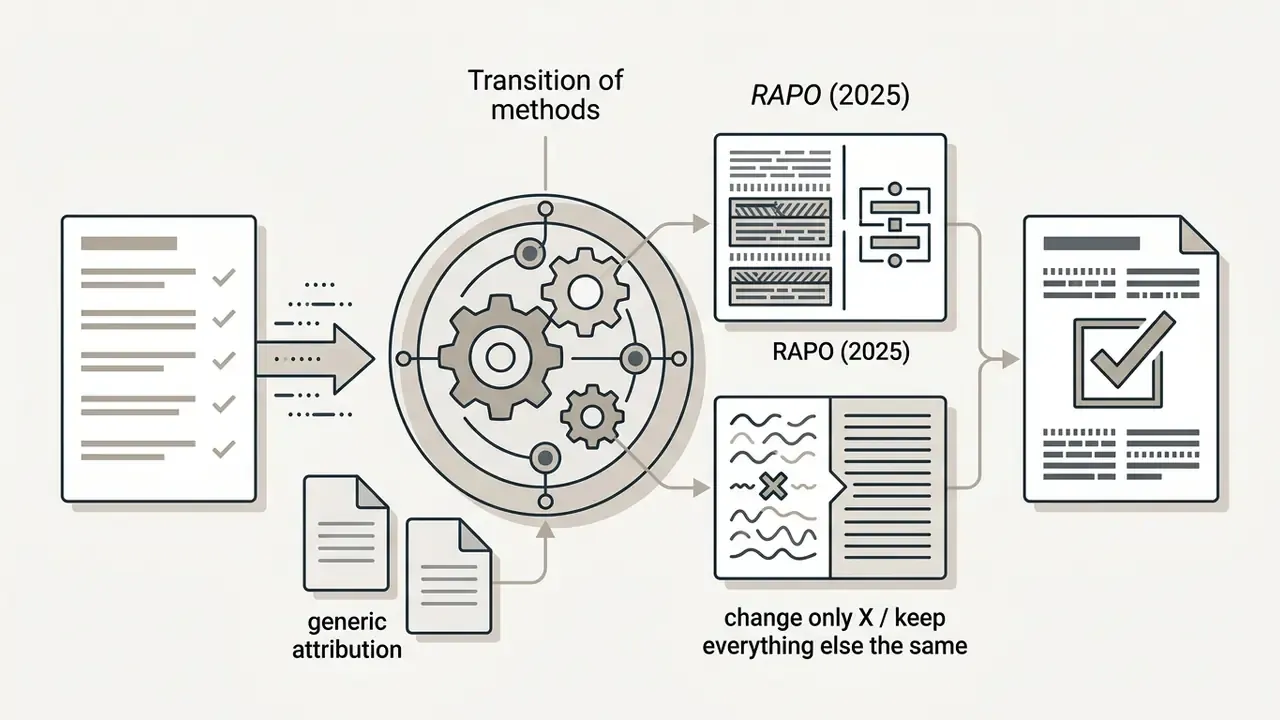
If ai creates videos from text with artefacts (distorted limbs, broken motion trajectories), apply iterative editing rather than rewriting the prompt from scratch. Updated: instead of attributing the technique to unnamed vendor guidance, we cite the published method:
«RAPO uses a dual-branch strategy, a relation graph of modifiers plus LLM rephrasing, improving both static frame quality and dynamic consistency.»
Worth naming the trap here. Teams that rewrite the whole prompt after every bad render never learn which variable caused the failure, and they burn credits twice as fast. Change one thing. Then judge.


How to choose an AI tool: models, features, security and cost
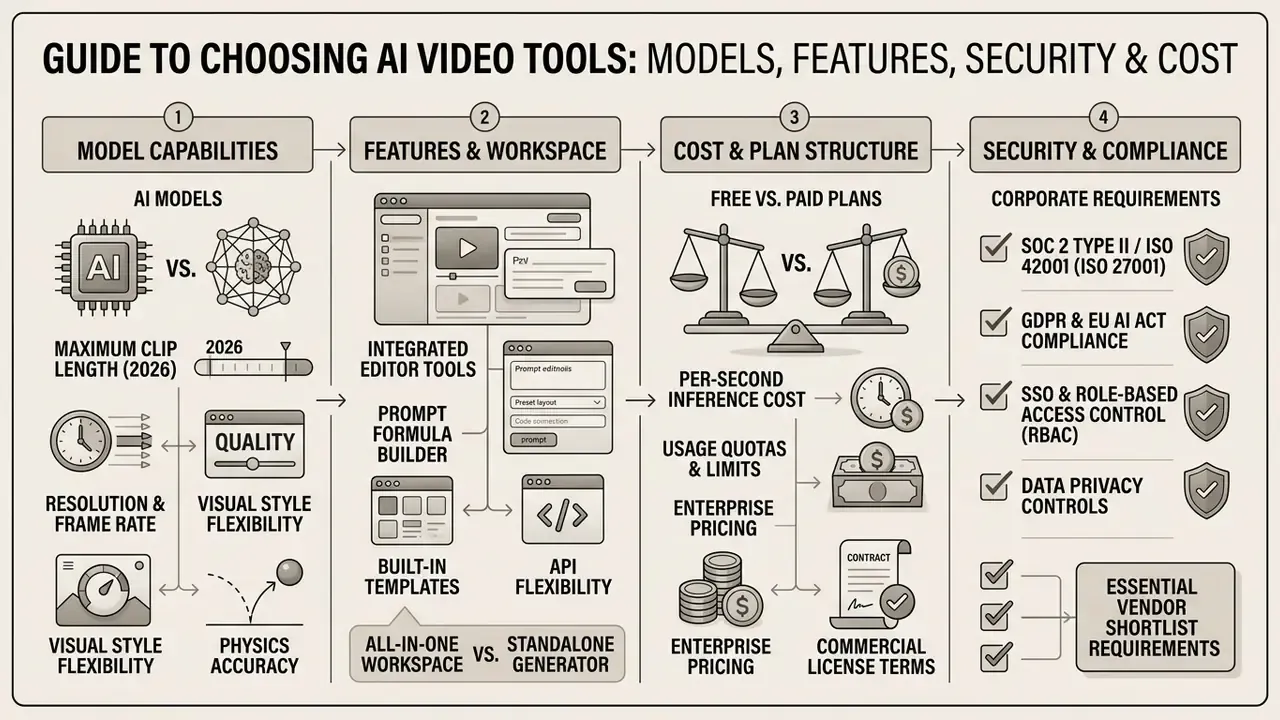
When selecting the best ai video tool, judge more than visual aesthetics: weigh per-second inference cost, API flexibility, the built-in workspace feature set and, for corporate buyers, the security posture.
«T2VScore, a 2024 metric combining text-video alignment and quality through a mixture of experts, correlates with human judgement better than FVD, IS and CLIP score.»
That matters practically: rankings built on embedding metrics and rankings built on human-aligned protocols are not directly comparable, so demand to know which basis a vendor's "state of the art" claim rests on.
Model capabilities and maximum clip length (2026)
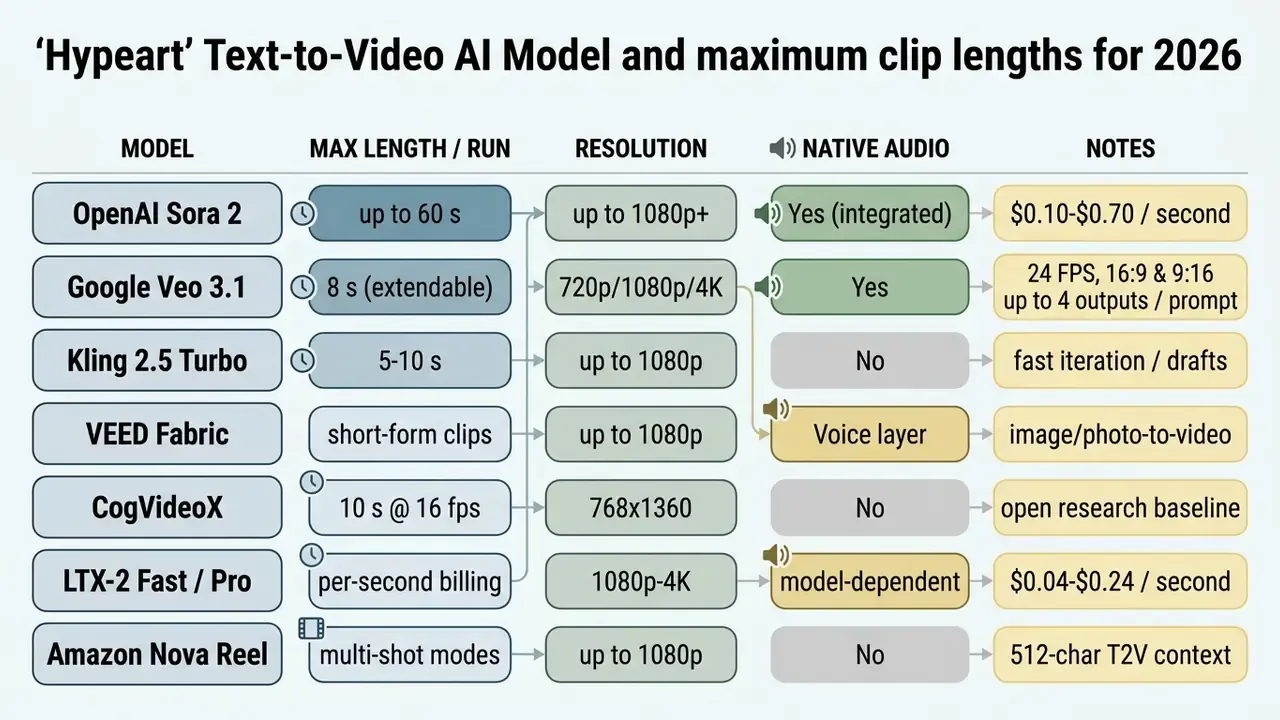
Developers integrating Google's stack should start from our Google Veo API implementation notes, which cover quotas, input limits and cost modelling.
Free AI video versus paid plans: what to compare
Most platforms offer ai convert text to video free tiers, but they carry hard technical limits: typically 480p to 720p output, visible watermarks and daily or monthly credit caps (Pika around 80 credits/month, Kling about 66/day, Luma roughly 30 generations/month, HeyGen 1 to 3 videos/month depending on region, Synthesia 10 minutes/month with a logo). Anyone hoping to ai create video from text free and then run it as a paid ad will usually hit the licence wall before the quality wall. Corporate use requires paid subscriptions (pricing plans per month). A side-by-side view of the entry tiers is available in our comparison of free AI video generators.
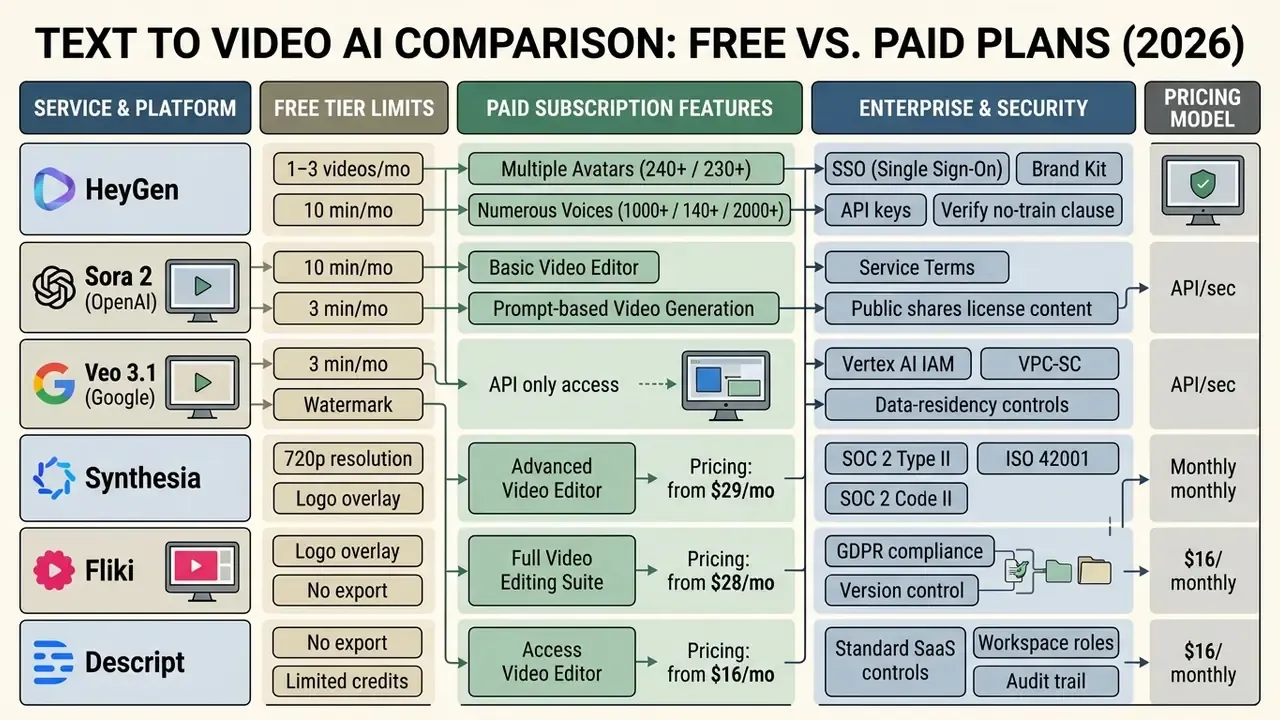
Columns a regulated buyer must add to any vendor shortlist: SOC 2 Type II, ISO 27001 and ISO 42001 certification; VPC or on-prem deployment option; a written no-training policy on customer inputs; data-residency region; audit-trail logging (prompt, seed, operator, approval chain) exportable to GRC; retention and deletion SLAs; indemnification for IP claims.
«T2VQA-DB is the largest subjective T2V assessment base: 10,000 videos from 9 models rated by 27 subjects, showing automatic metrics are insufficient without human scoring.»
For detailed commercial-tariff analysis and total-cost-of-ownership modelling, use our AI Media Pricing Guides and the interactive AI Media Calculators.
Models, editor and features in one workspace
Contemporary ai video models, including google veo and veo 3.1, are increasingly bundled into all-in-one workspaces. Veo 3.1 generates 8-second clips up to 4K at 24 FPS with synchronised native audio, 16:9 or 9:16 aspect ratios, up to four outputs per prompt, a 20 MB image-input ceiling and video-extension support. Comparable suites such as Synthesia, DeepBrain AI Studio, Google Vids and the open-source OpenCreator combine generation, avatars, voiceover, translation and editing in a single environment, though language counts and image-generation scope differ by product.
For a bank, the bundling question is not convenience. It is blast radius. One workspace means one access model, one log stream and one vendor contract to negotiate, which usually beats five point tools stitched together by browser tabs.
A comparative analysis of content-creation solutions lives in our dedicated AI Media Comparison hub. If your team is building its own services on generative models, review the technical specifications in the AI Media API Guides.
Commercial use: can you use AI generated videos in business
«T2VSafetyBench identifies 14 critical safety aspects of text-to-video generation, including copyright and trademark infringement, direct legal exposure in commercial deployments.»
Security and compliance checklist for enterprise buyers
When selecting an AI video generator for a regulated organisation, confirm:
- SOC 2 Type II and ISO 42001 (plus ISO 27001) evidence that customer data is protected and that AI management processes are audited. Synthesia, for example, publishes SOC 2 Type II, ISO 42001 and GDPR alignment alongside SSO, live collaboration and version control.
- GDPR and EU AI Act Article 50 conformity automatic machine-readable watermarking and C2PA provenance metadata to resist falsification, plus user-facing disclosure of synthetic or manipulated media.
- SSO and role-based access control (RBAC) isolation of commercial prompts and generations inside the organisation's private perimeter, with named owners per asset.
- No-training guarantee and data residency contractual exclusion of customer inputs from model training, with a documented processing region.
- Audit trail and kill switch exportable logs of prompt, model version, seed, operator and approval chain; a documented procedure to halt generation and take down published assets.
- Biometric consent register explicit written consent for every cloned voice and digital twin, including executives. Vendor requirements are concrete. Tencent Cloud specifies roughly 100 recorded sentences for a voice clone and 3 to 5 minutes of video plus authorisation for an avatar; HeyGen requires consent from the depicted person; NIST AI 100-4 (2024) frames the transparency and watermarking expectations for synthetic audio and video.
Field case: audit of legal risk in a bank's marketing function
The following case is illustrative and composite. It does not describe a named institution or a documented client engagement.
While implementing generative AI in the marketing function of a large bank, an expert review team ran a legal-risk audit of ai created videos from text. The finding was unambiguous: free versions of popular generators applied watermarks and explicitly prohibited commercial use in their user agreements, while several offered no exportable audit trail at all. The decision was to migrate every working group to corporate API plans with direct assignment of exclusive rights to generated output, mandatory watermarking in line with EU AI Act Article 50, prompt-and-seed logging into the bank's model-risk inventory, and a pre-publication legal review gate for any clip containing product claims or rates.
The detail that surprised the team was mundane. Two thirds of the remediation effort went into finding where clips had already been published, not into fixing the pipeline.
The full body of regulatory documents and legal precedents is collected in the AI Media Commercial-Use Hub; current litigation is tracked in AI Litigation and Case Timelines.
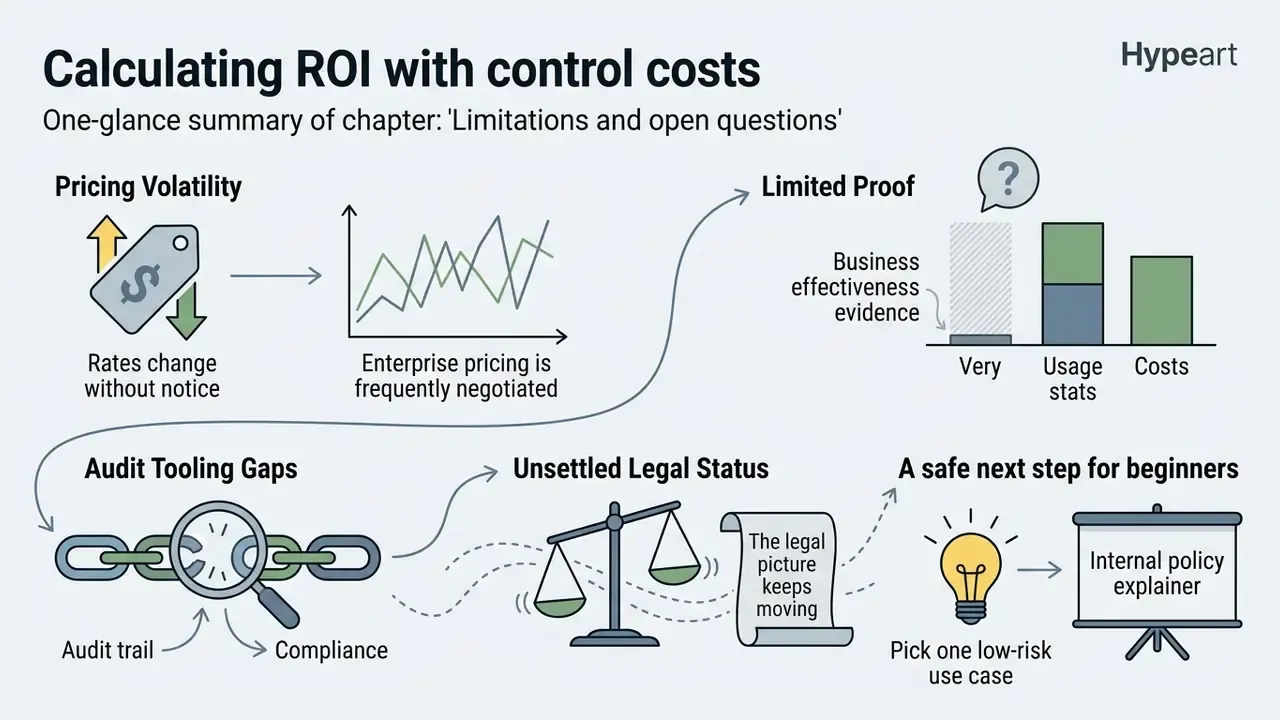
Calculating ROI with control costs
A generation-cost comparison alone overstates the benefit, because governed use adds review labour. Use:
ROI = (Baseline production cost - (Generation cost + Control cost)) / (Generation cost + Control cost)
Generation cost  = clip seconds x per-second model rate + platform subscription share
Control cost     = legal/compliance review hours + human-in-the-loop QA hours
                   + logging/retention overhead + localisation verification
Residual risk    = probability of takedown/claim x expected remediation cost
                   (subtract from the numerator for a risk-adjusted view)
Worked illustration: a 30-second explainer at $0.30/sec costs $9 in inference; two hours of combined compliance and QA review at a $60 blended rate adds $120. Against a $3,500 baseline for a filmed equivalent, the risk-adjusted saving remains large, but the control layer, not the model, is now the dominant cost line. Budget it explicitly.
Two sensitivities are worth testing before you sign anything. First, review time per clip: if compliance needs four hours instead of two, unit economics shift fast at volume. Second, re-render rate. A pipeline that regenerates every third asset quietly doubles both inference and review cost, and that is exactly the number nobody tracks in month one.
Limitations and open questions
FAQ: frequently asked questions about Text to Video AI
Can ChatGPT convert text to video?
ChatGPT does not render MP4 files inside the chat window; it acts as a script generator and a precise video-prompt writer. OpenAI publishes a dedicated Sora 2 prompting guide, and installed plugins or tools appear in the prompt context and can be invoked from the chat, so with Sora 2 integration a user can send a prompt from the ChatGPT interface straight to the video model and receive clips of up to 60 seconds. In practice the reliable pattern is: draft and approve the script in the LLM, then execute generation in the video platform that holds your commercial licence.
Can I turn a blog post, PDF or presentation into a video?
Yes. Pictory, DeepReel, Synthesia, Vmaker, Powtoon and Kapwing support automatic import of articles by URL and of PDF, PPTX, DOCX and TXT documents. The algorithm extracts key points, drafts a script, splits it into scenes, selects visuals and narrates with a digital avatar in minutes, producing a complete video from existing text content. Watch the limits: documents above roughly 4,500 words are rejected by some vendors, private or paywalled links are unsupported, and if the copy is legally approved you should instruct the tool to use the text verbatim rather than paraphrase it.
Does Text to Video AI support multiple languages and subtitles?
Yes. Leading platforms cover 80 to 160+ languages. A built-in video translator module translates the voiceover, aligns dubbing while preserving emotional tone and generates synchronised subtitles in SRT. Technically this is a three-stage pipeline (transcription, machine translation, speech synthesis or voice conversion) with lip-sync alignment applied afterwards; research systems such as KIT's voice-preserving translation add voice conversion so speaker identity survives the translation.
Can I use my own voice or AI avatar?
Yes, through voice cloning and digital-twin creation. Customising an avatar typically requires 3 to 5 minutes of studio-grade video (at least 1920×1080 at 25 fps for some engines) plus written explicit consent to process biometric data, in line with NIST AI 100-4 guidance and the US Copyright Office's digital-replica report. For executive likenesses, keep the consent artefact, its scope and its expiry in a register. This is the document a regulator or a court will ask for first.
How long does generation take, and how long can a clip be?
Baseline inference for a research-grade T2V model is about 15 seconds per clip, rising to 21.5 seconds with both subject and camera control. Commercial platforms typically return a full multi-scene draft in 2 to 5 minutes. Per-run clip length is model-bound: 8 seconds for Veo 3.1 (extendable), 10 seconds for CogVideoX, 5 to 10 seconds for Kling 2.5 Turbo, up to 60 seconds for Sora 2. Longer assets are assembled from multiple generations in an editor.
Is text-to-video safe for regulated industries?
It can be, but only inside a controlled workflow. The minimum set is: an isolated tenant with a contractual no-training clause, PII masking before any document upload, prompt validation against a stop-word list, human-in-the-loop factual review, EU AI Act Article 50 labelling with C2PA metadata, full prompt, seed and operator logging into your GRC or model-risk inventory, and a tested kill switch. Without those controls, the dominant risks are Shadow AI, data leakage through upload fields and hallucinated claims in document-to-video conversions. This is general guidance, not legal advice. If you hit technical issues configuring the data flow, see our AI Media Support and Troubleshooting section.
Appendix A: corrections and clarifications log
Transparency about revisions is part of our editorial standard. The following statements from earlier versions of this guide have been amended:
Navigation footer:
AI Media Glossary | AI Media Calculators | AI Media Pricing Guides | AI Media Comparison | AI Media Commercial-Use Hub | AI Media API Guides | AI Litigation and Case Timelines
Social channels, TikTok and YouTube
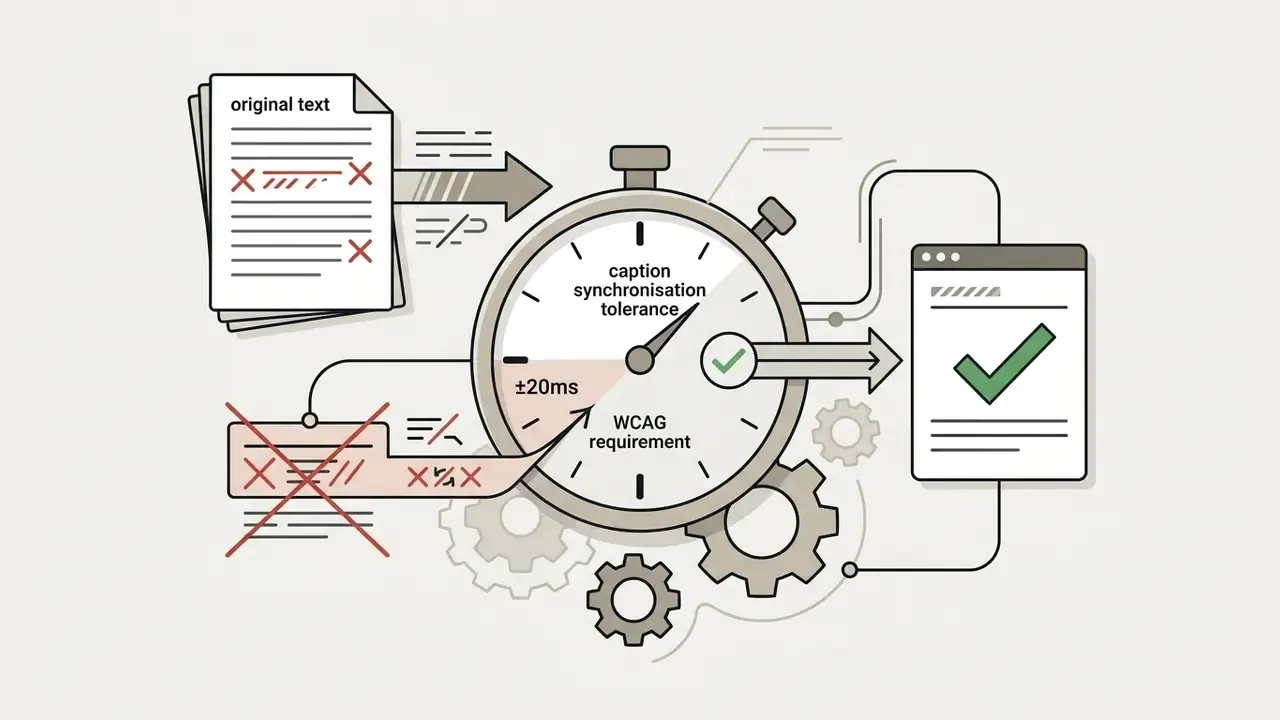
Content teams use ai apps text to video to produce hooks, educational cut-downs and campaign clips at speed. Specialised solutions such as a tiktok video generator create short, high-cut-rate clips. Automatic captioning is governed by W3C accessibility rules: WCAG 2.1 requires captions for pre-recorded synchronised media, requires that captions cover non-speech audio (sound effects, music, speaker identity), and states that captions must not obscure relevant visual information. Updated: the tight tolerance frequently quoted as "±20 ms" comes from the W3C Synchronization Accuracy User Requirements (SAUR), which target subtitle presentation within ±20 ms of the authored time and continuity with no perceivable gap between cues. In practice, demand strict alignment with the audio track rather than a single universal number.
When marketers need to re-cut graphic assets quickly, the convert video to live photo route is often used for interactive placements.