Executive Summary
What this guide helps you decide
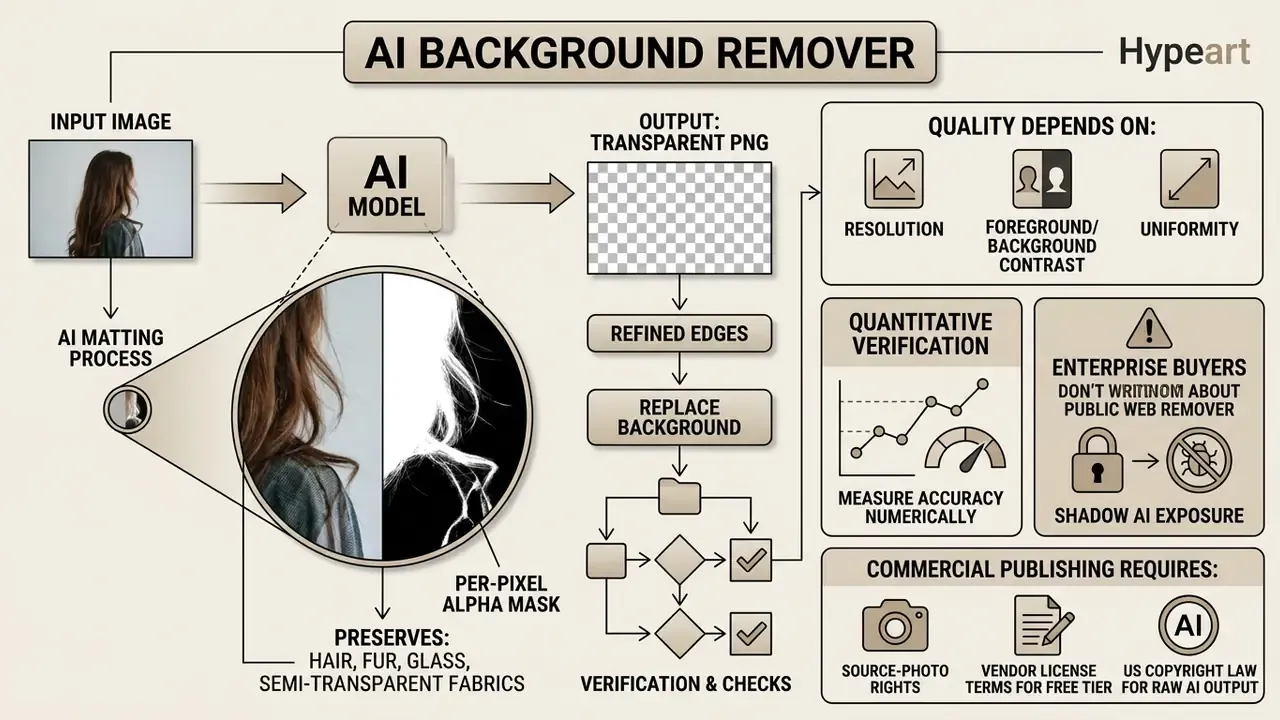
Three practical questions sit behind the search. First, the operational one: how do you ai remove background from image files at volume, with predictable edges and no manual clipping paths? Second, the quality one: which inputs produce a clean transparent cutout, and how do you measure that instead of eyeballing it? Third, the governance one: which service may legally and safely touch your imagery, especially when those files contain faces, identity documents, or unreleased products.
The article answers all three in order. It starts with mechanics, moves through quality and editing, then covers formats, privacy, Shadow AI exposure, commercial use cases, vendor selection, and the questions that still lack clean evidence.
Organizations that process visual assets need reproducible workflows, not one-off tricks. Evaluating an automated ai background image remover means assessing algorithm accuracy, dataset training boundaries, and data security policy, in that order. Additional strategic guidance is available through Hypeart AI Media Decision Support.
What an AI background remover does with an image
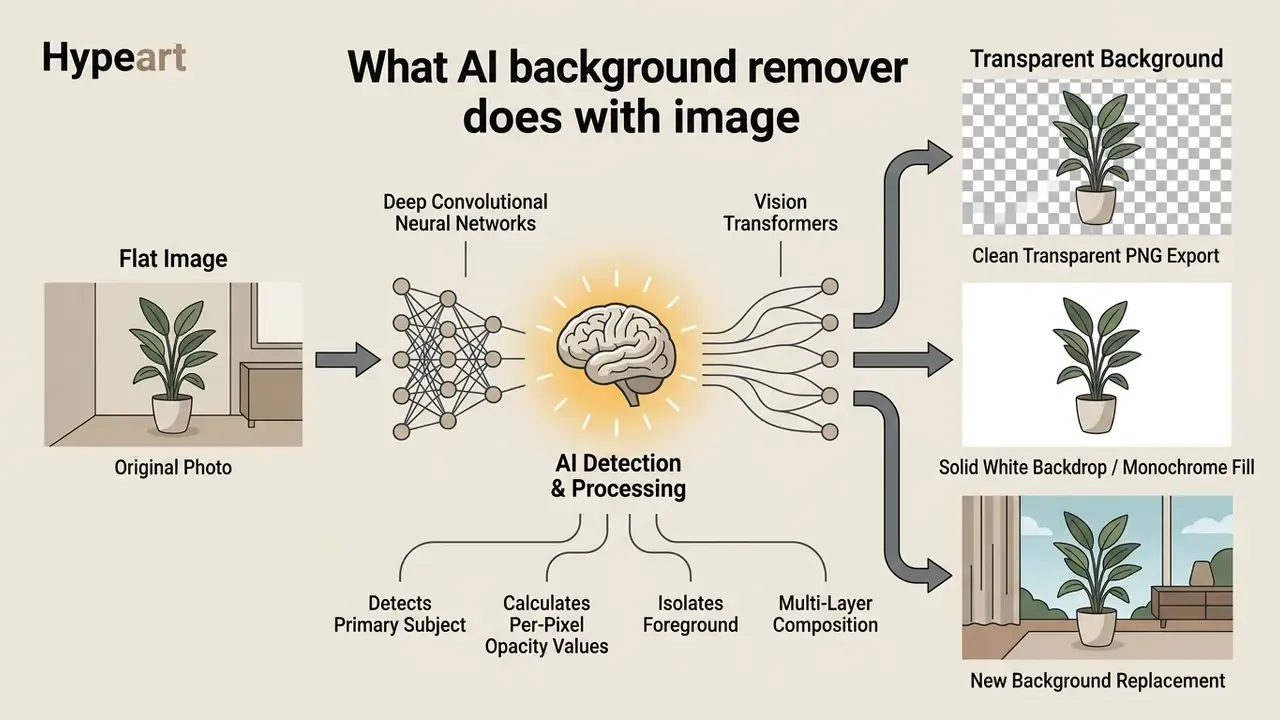
An ai background image remover isolates the primary subject of a digital photo. It calculates pixel contrast, semantic features, and boundary edge gradients, then constructs an alpha mask. That mask separates foreground subjects from background environments without any manual polygon selection.
«Matting computes a per-pixel opacity value (α), expressing the image as I = αF + (1−α)B, which enables partial transparency at boundaries». AI Background Removal from Images: Scientific Evidence on Automated Foreground Extraction and Transparent PNG Generation (2024), section "Defining AI Background Removal, Segmentation, and Matting".
The technical objective is simple to state: convert a flat image into a multi-layer composition or a clean transparent asset. Standardized frameworks such as ISO/IEC 29794-4:2024 classify this as foreground-background segmentation, where boundary fidelity feeds directly into image quality score components. The same standard treats foreground-mask generation as an input to quality computation. In other words, mask correctness is a formal, measurable criterion, not a cosmetic preference.
How AI detects the foreground and removes the background
Modern ai image background removal tools use deep convolutional neural networks and vision transformers for automatic foreground detection across messy, real-world scenes. Early segmentation was far cruder. NISTIR 8382 documents block-wise local standard deviation thresholding: normalize the image, compute σ per block, and mark the block as foreground when σ exceeds a threshold T. Contemporary systems deploy specialized neural architectures instead.
Models like U^2-Net focus on salient object detection, capturing multi-scale contextual features without adding computational depth.
«MFC-Net treats the salient object as foreground and applies multi-scale feature fusion in a coarse-to-fine architecture to obtain accurate alpha mattes without trimaps». AI Background Removal from Images: Scientific Evidence (2024), section "Trimap-Based vs Trimap-Free Approaches".
For zero-shot object identification, foundation models such as the Segment Anything Model (SAM 2) use promptable visual segmentation to distinguish people, animals, products, and graphics. SAM was trained on the SA-1B corpus, roughly 1 billion masks across 11 million images, and SAM 2 extends promptable segmentation from still images to video frames. This ai powered detection layer is why "one click" results feel unremarkable now. Further technical context on computer vision workflows appears when you open the hub.
Transparent background, white background, or a new background
When an application runs an ai image background remove task, the system calculates per-pixel opacity values (α). An opacity value of zero produces a transparent background image, which composites cleanly over any other layer.
Alternatively, the system flattens the extracted foreground onto a solid white backdrop or a monochrome fill. That is the standard for retail catalog compliance. Advanced ai background remover and generator platforms add conditional diffusion architectures, such as Matting by Generation (2024), to synthesize entirely new context-aware background environments around the isolated subject. If you have ever wondered how an ai image generator remove background pipeline produces a lifestyle shot from a plain studio capture, that is the mechanism.
«Matting by Generation outperforms MODNet, P3M, ViTAE-S and MAM on SAD, MSE and connectivity, generating alpha mattes without additional prompts». AI Background Removal from Images: Scientific Evidence (2024), section "Matting by Generation".
Downstream retouching of the composited result usually happens inside general-purpose AI photo editors, where color matching and shadow reconstruction are applied after the cutout is finalized.
How to remove background from an image with AI
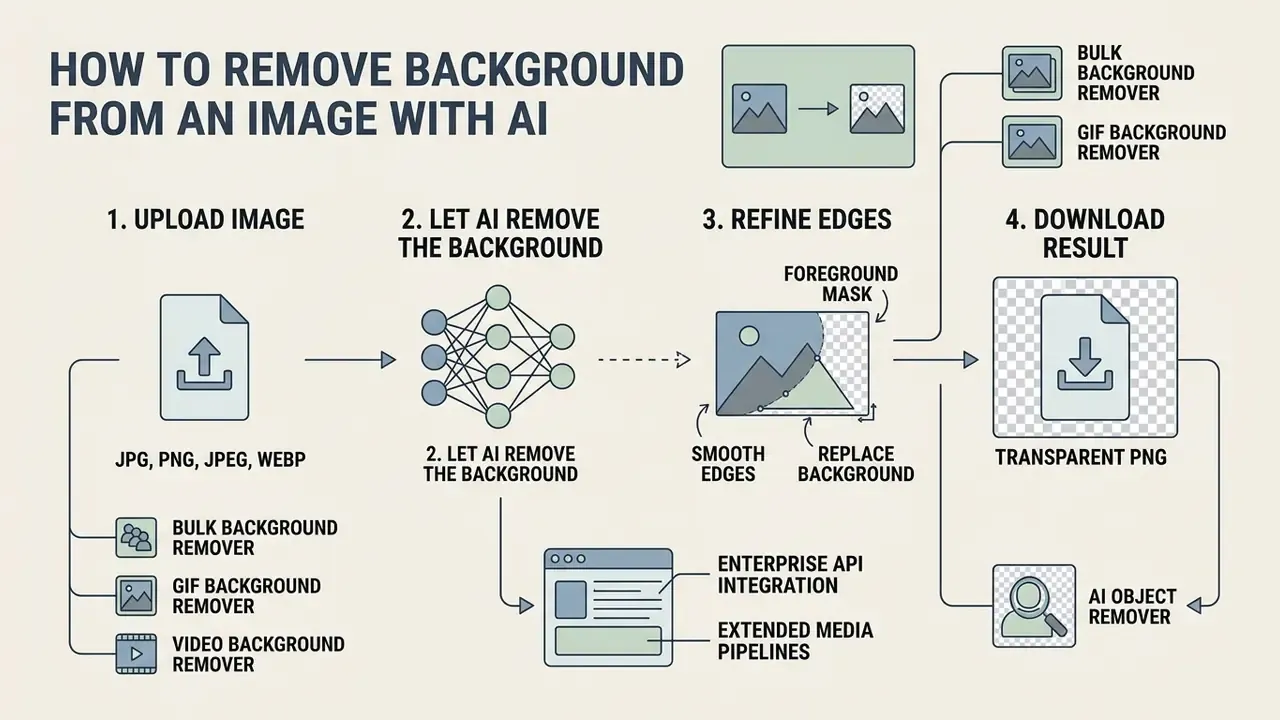
An ai image background removal request has four moves: upload a raw raster file, let the neural network compute the foreground mask, review the edges, export the finished file.
A typical production run finishes in seconds. Manual clipping paths are replaced by automated inference, and the operator becomes a reviewer rather than a tracer.
Upload an image in JPG, PNG, JPEG, or WebP
Online processing engines accept standard web formats: JPG, JPEG, PNG, and WebP. For reliable segmentation accuracy, source files should meet minimum resolution expectations, typically starting at 72 PPI with pixel widths above 1,440 px.
Compressed inputs are accepted, yet high-resolution sources still win on edge behavior because they carry fewer artifacts along the subject boundary. Low-resolution or heavily compressed files can be pushed through AI image upscalers first, restoring edge definition before segmentation. Upload thresholds usually sit between 10 MB and 100 MB per file, depending on infrastructure configuration.
Supported input methods and system constraints:
| Parameter | Typical browser tier | Typical API / paid tier |
|---|---|---|
| Import methods | Local file dialog, drag-and-drop anywhere on the page, Ctrl + V / Cmd + V clipboard paste, direct image URL fetch | Multipart POST, base64 payload, remote URL fetch, ZIP archive ingestion |
| Concurrent batch volume | 5 to 50 images per queue (folder or ZIP upload) | Up to 1,000 images per single upload context or request batch |
| Maximum file size | 10 MB to 100 MB per asset | 100 MB per asset, higher on dedicated plans |
| Maximum resolution | 0.25 MP preview cap on some free tiers | Up to 10,000 × 10,000 px (≈100 MP) |
| Accepted formats | JPG, JPEG, PNG, WebP (GIF limited) | JPG, JPEG, PNG, WebP, ZIP archives |
| Uptime expectation | Best-effort, no SLA | ≥99% to 99.9% contractual uptime |
Clipboard pasting and URL ingestion shorten the operator path in a way that matters at scale. A screenshot of a logo, or a listing photo, can travel from source to processed cutout without ever touching the local filesystem.
Let AI remove the background, refine, and download
Once the file lands, the ai background removal tool for images processes it automatically. Deep learning pipelines generate a preliminary cutout instantly, detecting main subject contours with no manual selection.
If subtle edge errors appear around intricate structures, built-in manual editing tools let operators adjust boundaries before export. The result downloads as a high-resolution transparent PNG. Teams managing large media libraries can also pair this step with an ai alt text generator to hold accessibility standards steady across exported visual assets.
Enterprise API integration and extended media pipelines
High-volume workflows need headless background extraction through a REST API, usually integrated via Python, Node.js, or cURL, with contractual uptime at or above 99%, GDPR-compliant file storage, and named support contacts. API-first deployment also removes the browser memory ceiling. Thousands of SKUs can run in one scheduled job instead of a queue of manual uploads.
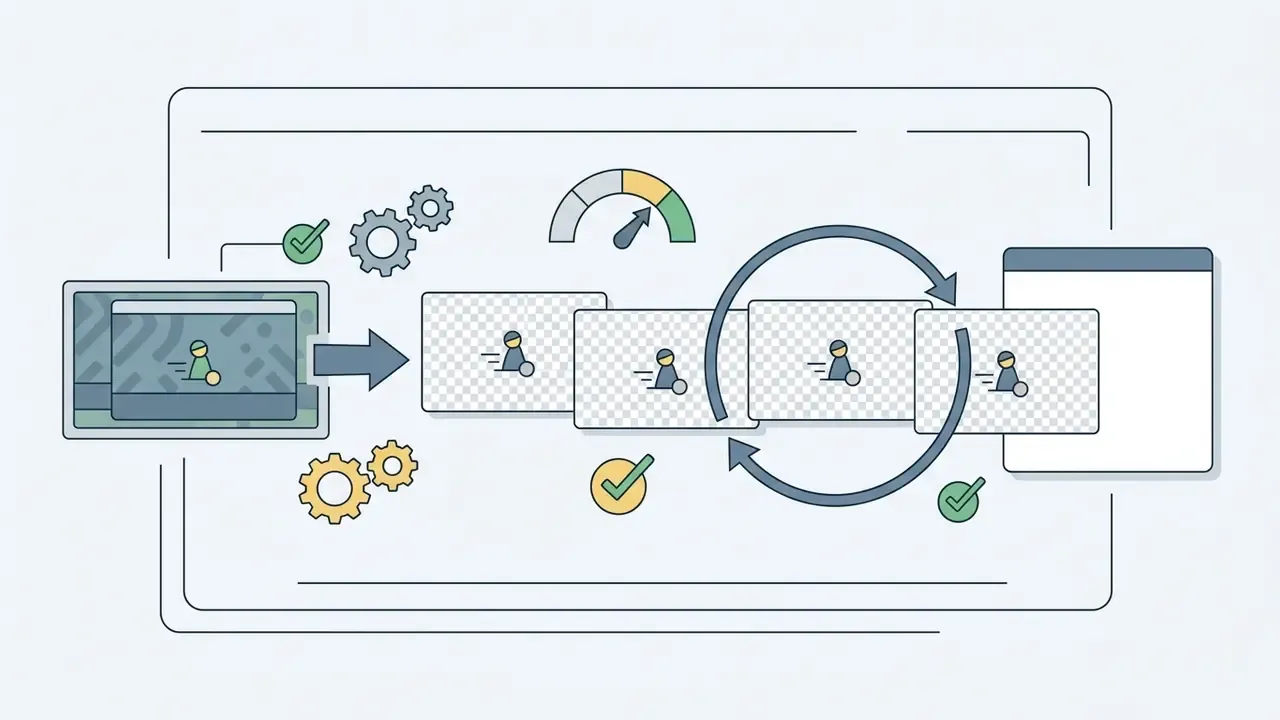
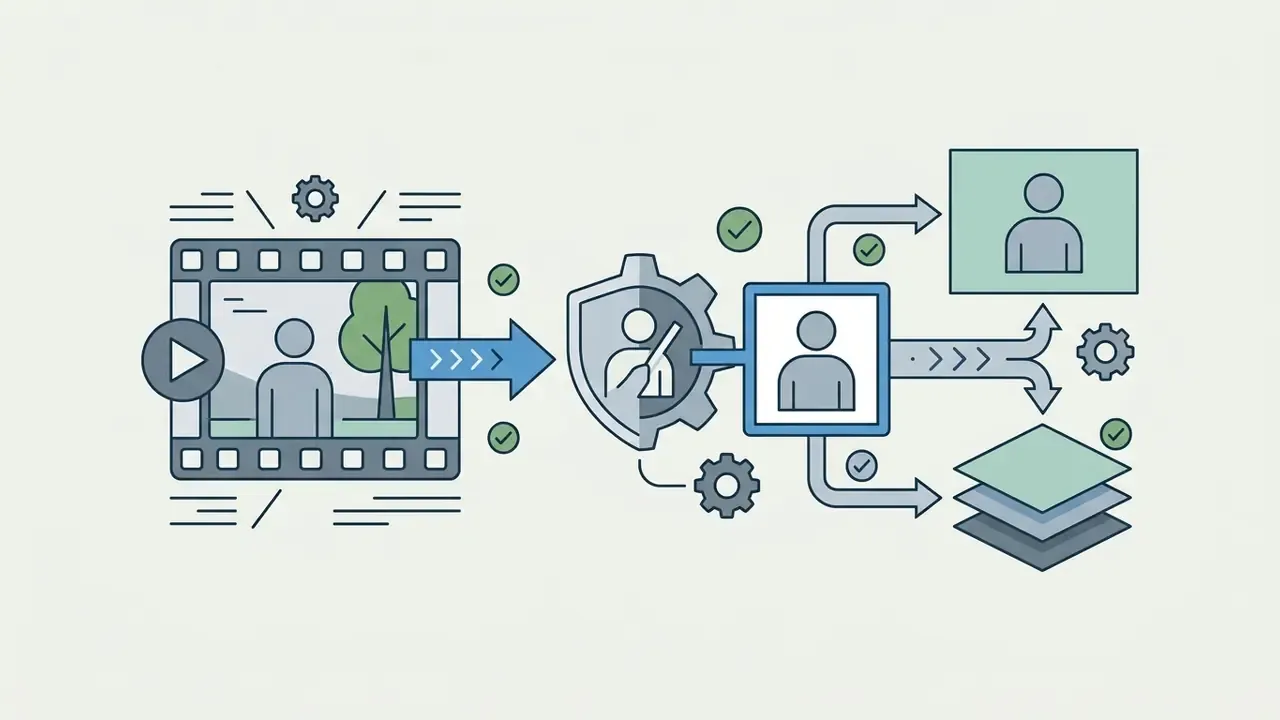
Modern visual production suites extend extraction beyond static raster images:
Teams building around these endpoints can map extraction into broader generation stacks using AI image generation tools for downstream scene synthesis.

What affects AI background removal quality
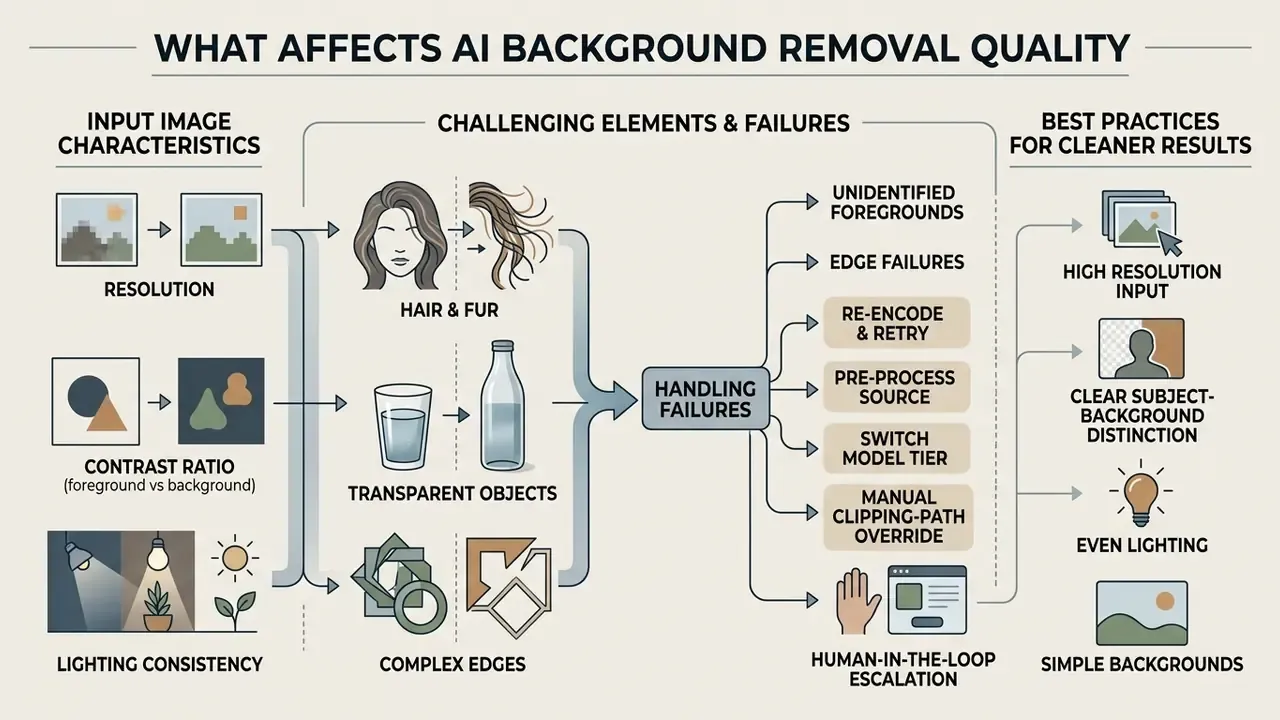
Output quality from an ai image background remover free tier, or a paid one, depends on input resolution, the foreground-to-background contrast ratio, lighting consistency, and edge complexity. No advanced ai model fully rescues a bad capture.
Academic evaluations on real-world datasets such as Real-19k show that networks trained on diverse real photographs handle complex natural lighting far better than models trained purely on synthetic composites.
«Real-19k was built to address domain shift: models trained on synthetic composites performed significantly worse on real photographs with similar foreground and background colors». AI Background Removal from Images: Scientific Evidence (2024), section "Resolution, Contrast, and Real-World Dataset Design".
Resolution is not a neutral variable either. A 2024 background-removal study reported that higher input resolution improved semantic-segmentation results, with 1280 × 1280 producing the strongest outcome among the tested configurations.
Hair, fur, transparent objects, and complex edges
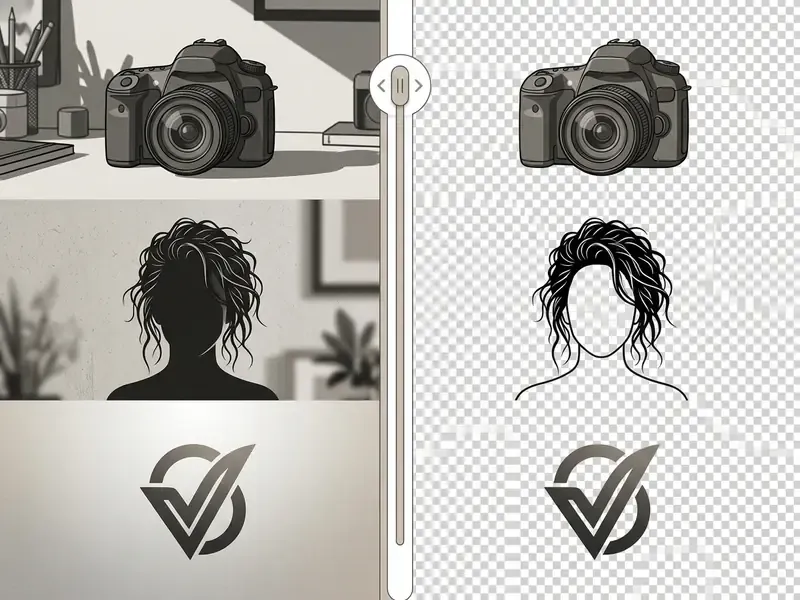
Wisps of human hair, animal fur, translucent glass, semi-transparent fabric: these are where binary segmentation collapses. A simple binary mask forces every pixel to be either fully opaque or fully transparent, which leaves jagged halos along delicate borders.
To hold fine details, modern systems implement alpha matting. Continuous alpha matting assigns partial transparency values to edge pixels, so a single strand can be 40% opaque. Benchmark work on models like SAM 2 suggests multi-stage refinement pipelines remain essential for recovering sub-pixel boundary structure. Evaluations published in 2025 noted that SAM 2 was "not particularly sensitive" to high-resolution fine details, and that performance varied sharply across camouflaged and salient-instance scenarios.
«Matting by Generation achieves superior SAD, MSE and connectivity scores versus competing methods, particularly in boundary regions containing hair and semi-transparent materials». AI Background Removal from Images: Scientific Evidence (2024), section "Hair, Fur, Transparent Objects, and Complex Edges".
Creative teams evaluating stylized media conversions can review an ai anime generator for specialized character extraction behavior.
Handling unidentified foregrounds and edge failures
How to prepare an image for cleaner results
Preparing source photography against standardized imaging guidelines reduces extraction artifacts before a model ever runs. Compliance standards from the International Civil Aviation Organization (ICAO) highlight three factors for automated subject isolation:
- High contrast: keep distinct color separation between the subject and the backdrop. Photogrammetry guidance similarly recommends a homogeneous backdrop that contrasts in color with the object, lit at roughly daylight temperature (≈5500 K).
- Uniform illumination: remove harsh drop shadows, hot spots, and lens flare along subject borders. ICAO requires adequate, uniform illumination with no visible background texture, spots, lines, or curves.
- Sharp focus: hold crisp subject edges, free of motion blur and heavy compression artifacts. Where source sharpness is marginal, AI image enhancers can restore edge micro-contrast before the mask is computed.
A fourth practical rule comes from vendor documentation rather than a standard: keep the subject roughly centered, so salient-object detectors resolve one dominant foreground instead of two competing candidates.
Case study (illustrative): standardizing 250 executive headshots
Fact check and technical verification methodology
Edit the cutout and replace the removed background
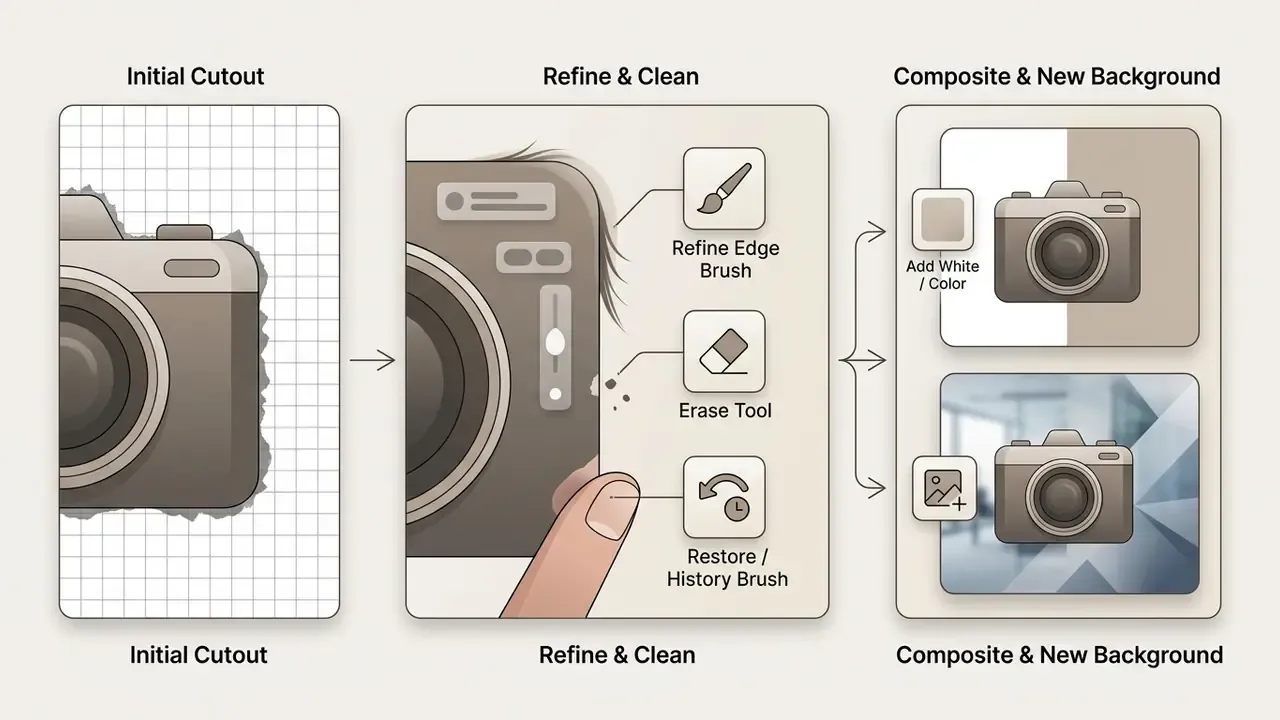
After the initial extraction, operators usually still need post-processing: clean residual artifacts, then composite the subject onto a new corporate background.
Integrated editors offer both manual brush controls and generative tools to finish the asset. Scene-level transformations of the completed cutout are generally handled with image-to-image AI generators rather than pixel-level brushes.
Refine edges and remove unwanted background areas
Manual refinement is the quality control checkpoint for ambiguous borders. Dedicated software suites expose three core controls:
- Refine edge brush adjusts opacity gradients along soft borders, such as hair strands or sheer fabric.
- Erase tool removes leftover background pixels and unselected background noise.
- Restore / history brush paints back accidentally erased subject detail, recovering original pixel data.
Mainstream desktop suites separate these functions explicitly: edge refinement inside a select-and-mask workspace, an eraser for residual background pixels, and an erase-to-history or restore brush for over-trimmed detail. An ai image editor remove background interface lets operators clean minor artifacts without reopening raw design files, which keeps the review loop short.
Add a white, color, or AI generated background
Once the foreground is isolated, an ai background remover and generator system applies a new backdrop. Common choices:
- Pure white fill (RGB 255,255,255): the standard for e-commerce product catalogs and official ID photography.
- Brand solid colors: custom hex fills aligned with corporate style guides.
- AI-generated contextual scenes: synthetic backgrounds produced through text prompts and outpainting models, such as Stable Diffusion with ControlNet.
Generative outpainting preserves subject boundaries while synthesizing matching lighting and depth of field. That matching is the hard part, and it is where cheap composites usually betray themselves.
«The Salient Object-Aware Background Generation model adapts Stable Diffusion and ControlNet for background outpainting around objects while leaving their contours intact». AI Background Removal from Images: Scientific Evidence (2024), section "AI-Generated Backgrounds and Salient Object Outpainting".
Where the new environment must extend past the original frame ratio, AI outpainting tools handle canvas expansion in the same pass. Teams working with dynamic web media can also evaluate how to ai animate image assets once background replacement is done.
Supported formats, transparent PNG download, and privacy
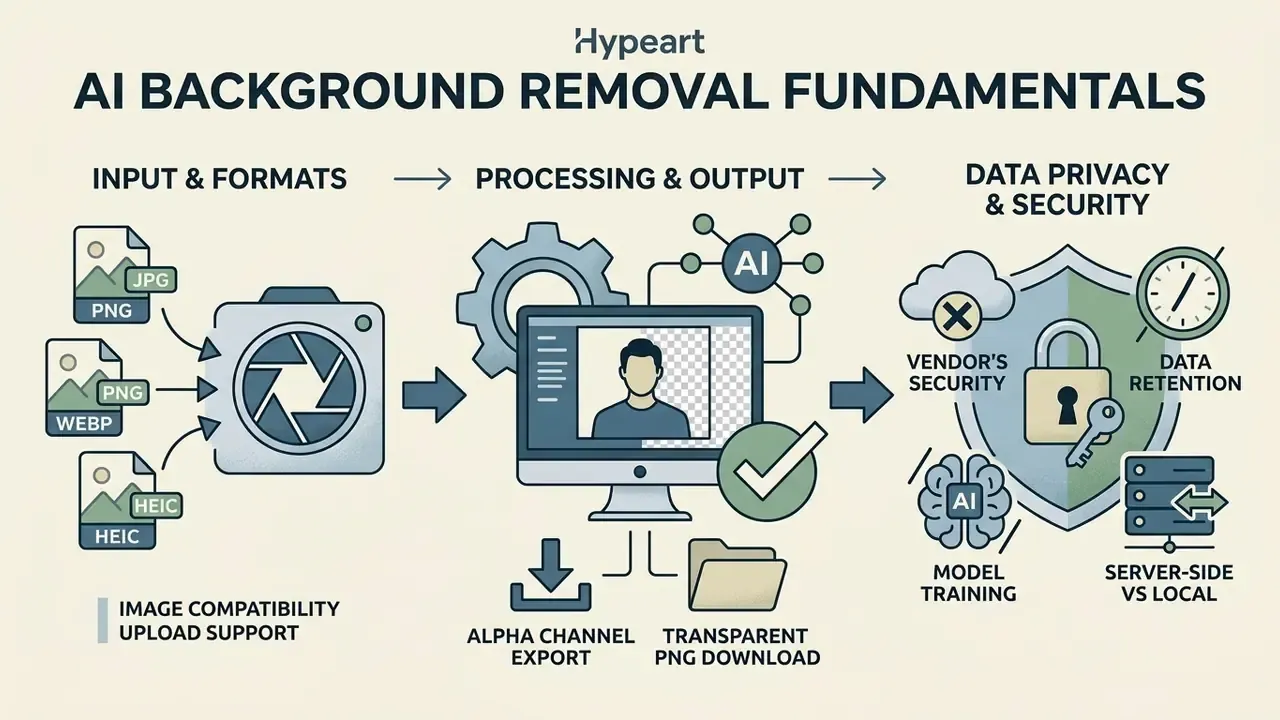
Choosing an ai image remove background solution means confirming three things: format compatibility, alpha channel export support, and the vendor's data security practice.
Which image formats can be uploaded and downloaded
Input handling and output capability vary across graphics formats:
| Format | Input support | Output support | Alpha channel (transparency) | Typical application |
|---|---|---|---|---|
| PNG | Yes | Yes | Yes (8-bit / 16-bit alpha) | Web overlays, logos, transparent cutouts |
| WebP | Yes | Yes | Yes (lossy and lossless alpha) | Optimized web graphics, faster page loading |
| JPG / JPEG | Yes | Yes | No (flattened solid fill) | Print materials, standard photo storage |
| GIF | Yes | Limited | Yes (simple binary transparency) | Simple web animations, legacy graphics |
According to W3C PNG specifications, true per-pixel transparency requires an alpha channel with values from 0 (fully transparent) to 255 (fully opaque). PNG also supports tRNS-based simple transparency for palette, grayscale, and truecolor images, which is enough for flat logo marks and banner elements. JPEG has no alpha channel at all, so exporting to JPEG flattens transparent areas onto a solid fill, usually white unless you specify otherwise. WebP keeps alpha in both lossy and lossless modes, and lossy RGB with a transparent alpha channel can land smaller than an equivalent PNG. Web producers building dynamic media can explore an ai animated image generator for animated graphical assets.
So, if the goal is to ai make image transparent and keep it that way through the whole pipeline, PNG and WebP are the only safe export targets.
What to check in the privacy policy before uploading images
«P3M-10k contains 10,421 portraits with blurred faces and high-quality alpha mattes: models trained on anonymized data retain matting accuracy on hair and clothing». AI Background Removal from Images: Scientific Evidence (2024), section "Privacy-Preserving Portrait Matting and Data Protection".
Shadow AI, DLP, and enterprise data protection
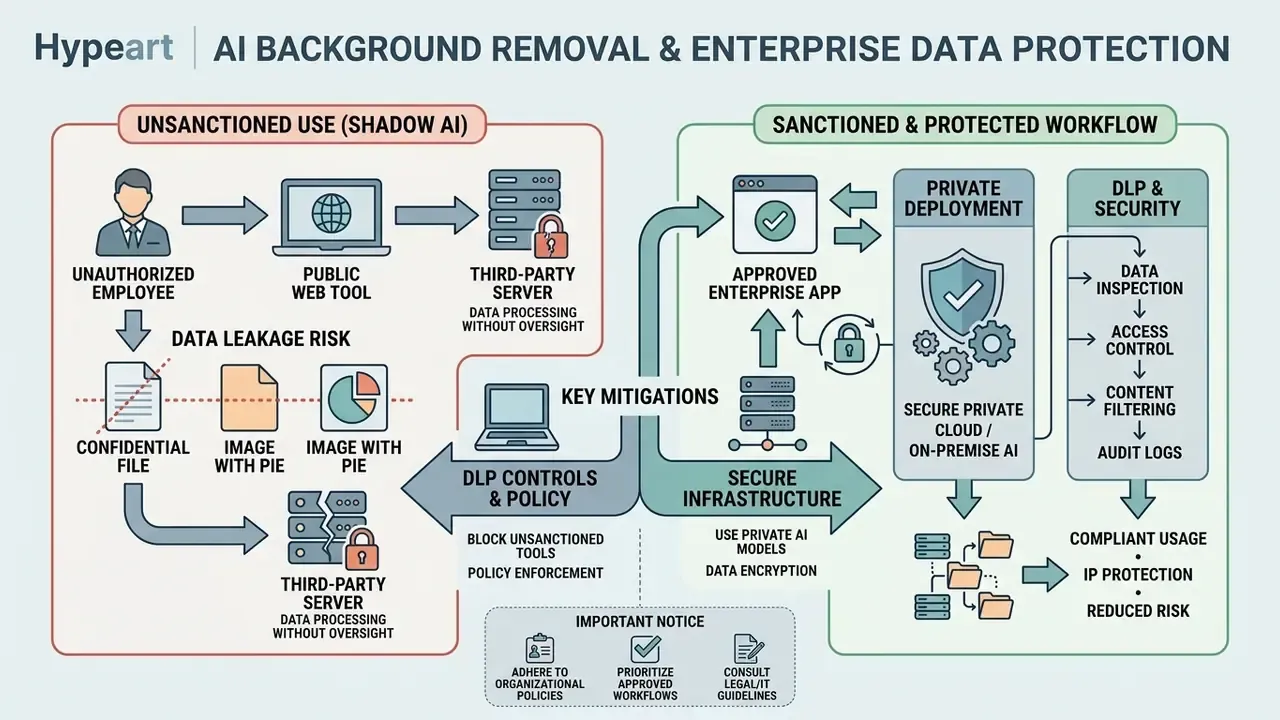
Background removal is one of the most common entry points for unsanctioned AI use inside regulated organizations, precisely because it looks trivial. An analyst cleaning a slide, a KYC operator cropping an ID scan, a marketer isolating an unreleased product render: each can move confidential material to a third-party endpoint in two clicks. No procurement review, no data processing agreement, no audit trail.
Two clicks.
Typical exposure vectors:
- Uploading customer identity documents, proof-of-address scans, or signature pages to a public remover while assembling verification packets.
- Pasting screenshots of internal dashboards or unreleased pricing into a free web tool to pull out a logo or a chart.
- Processing employee portraits containing biometric-adjacent facial data with no retention or no-training clause in place.
- Bulk-uploading a product catalog that constitutes commercially sensitive roadmap information before launch.
Public web tool versus enterprise private deployment
| Control dimension | Public free web tool | Enterprise API / private deployment |
|---|---|---|
| Data processing agreement | Click-through ToS only | Negotiated DPA with defined processor obligations |
| Retention | Unclear, or 24 hours to 30 days | Contractual zero-retention or defined purge window with audit evidence |
| Model training on your data | Frequently permitted or ambiguous | Explicit no-training / no-retention SLA |
| Processing location | Unknown region, shared infrastructure | Region-pinned, VPC, or on-premise inference |
| Certifications | Rarely published | SOC 2 Type II, ISO/IEC 27001, GDPR commitments |
| Access control | Anonymous, no logging | SSO/SAML, role-based access, per-request audit logs |
| Egress control | Bypasses corporate DLP via browser upload | Server-to-server call inside a monitored perimeter |
| Incident response | None | Defined breach notification timelines and named contacts |
Practical mitigations. Publish an approved-tool list and route background removal through one sanctioned endpoint. Block unapproved image-processing domains at the proxy, but pair the block with a compliant internal alternative, otherwise users just find a workaround on a personal laptop. Classify image assets so PII, KYC, and pre-launch material never leaves the managed environment. Require client-side or region-pinned processing for anything containing faces. Log every batch job with requester, asset count, and destination, so the workflow can be reconstructed during an audit.
For KYC and identity workflows specifically, prefer deployments where the segmentation model runs inside the institution's own boundary. A single document image can combine biometric, financial, and identity attributes in one file, which makes it one of the least appropriate things to paste into a free web tool.
AI background remover use cases for images
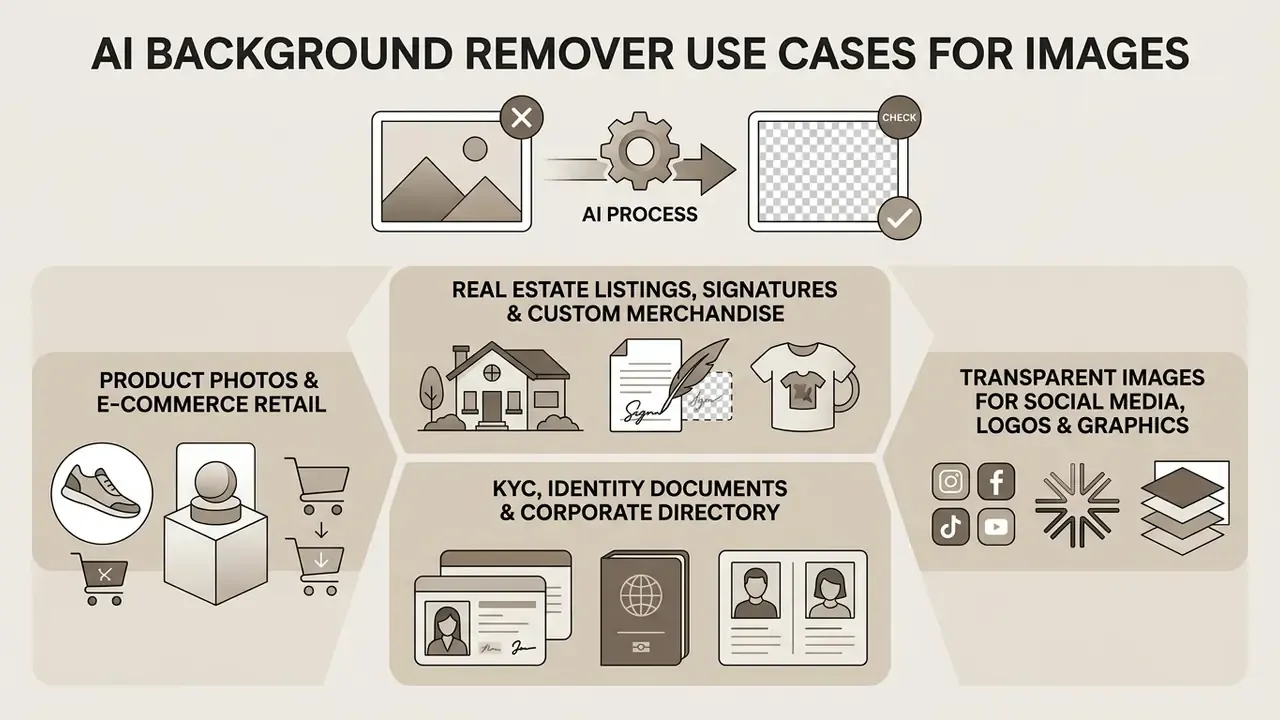
Automated background separation supports commercial workflows across e-commerce retail, digital marketing, corporate branding, and media production. Increasingly it is paired with AI image generation tools that synthesize the replacement environment in the same pass.
Product photos and product images for online stores
Marketplaces enforce strict image presentation rules. Walmart Marketplace, for instance, requires main product images centered on a seamless pure white background (RGB 255,255,255), with no drop shadows, watermarks, or promotional text, plus format rules (JPEG/JPG/PNG/BMP), an RGB color profile, a 1:1 square ratio, 2200 × 2200 px, and a 5 MB ceiling. Other seller portals accept white or transparent backgrounds depending on the image slot, specifying PNG for transparency and JPEG for white or grey fills.
One e-commerce retailer managing 2,000 SKUs moved from manual clipping paths to an ai image background remover free web batch tool.
«Mutual Query Network segments the target product in multi-object scenes, using textual prompts from product titles as an additional cue for precise foreground extraction». AI Background Removal from Images: Scientific Evidence (2024), section "Product, Animal, and Object Foreground Detection".
By automating foreground extraction, the team standardized the full catalog presentation inside four hours while meeting marketplace compliance rules. Catalogs that need net-new creative rather than cleanup can supplement extraction with AI image generators for lifestyle context shots, and directory-style people imagery with AI headshot generators.
Real estate listings, digitized signatures, and custom merchandise
Property marketing teams processing architecture and interior photography for platforms like Zillow or Airbnb use background replacement to strip overcast skies, parked cars, utility poles, and street clutter from exterior shots. The result is a brighter, more consistent listing set without a reshoot. Sky replacement alone can turn a flat grey capture into a sellable hero image while leaving roofline and window edges intact.
Document and legal workflows use the same primitive for a very different output. Extracting the white or off-white backdrop from a digitized handwritten signature, a scanned stamp, or a raster logo produces a transparent PNG that layers onto contracts, certificates, letterheads, and e-signature templates without an opaque white box. Logo assets built from scratch through AI logo generators benefit from the same transparency pass before they go out to partners.
Print-on-demand and merchandise sellers isolate subjects to build sticker die-lines and cutout templates. Once the alpha edge is clean, that contour drives both the print area and the physical cut path for stickers, mugs, apparel, and packaging inserts. The same cutouts get reused as messaging-app stickers and as layered elements in motion graphics, where transparent frames must sit over moving footage.
Seasonal and campaign work adds a fourth pattern: keep the subject, swap the backdrop for holiday, festival, or regional campaigns. Snow scenes, national-holiday flag backdrops, summer settings, all from a single approved product or person capture. That removes dozens of duplicate shoots from the annual production calendar.
KYC, identity documents, and corporate directory imagery
Regulated onboarding pipelines use foreground isolation to normalize identity photographs to official specifications: a plain, uniform, contrasting backdrop with no shadows, texture, or flash reflection, consistent with ICAO portrait guidance and comparable national photo specs. The same operation standardizes employee portraits for internal directories, badge printing, and investor materials.
Because these assets combine facial data with identity attributes, they belong only in the sanctioned enterprise path described in the Shadow AI section. Never a public free-tier remover, however convenient the browser tab looks at 6 p.m. on a deadline.
How to choose a free AI background remover for commercial use
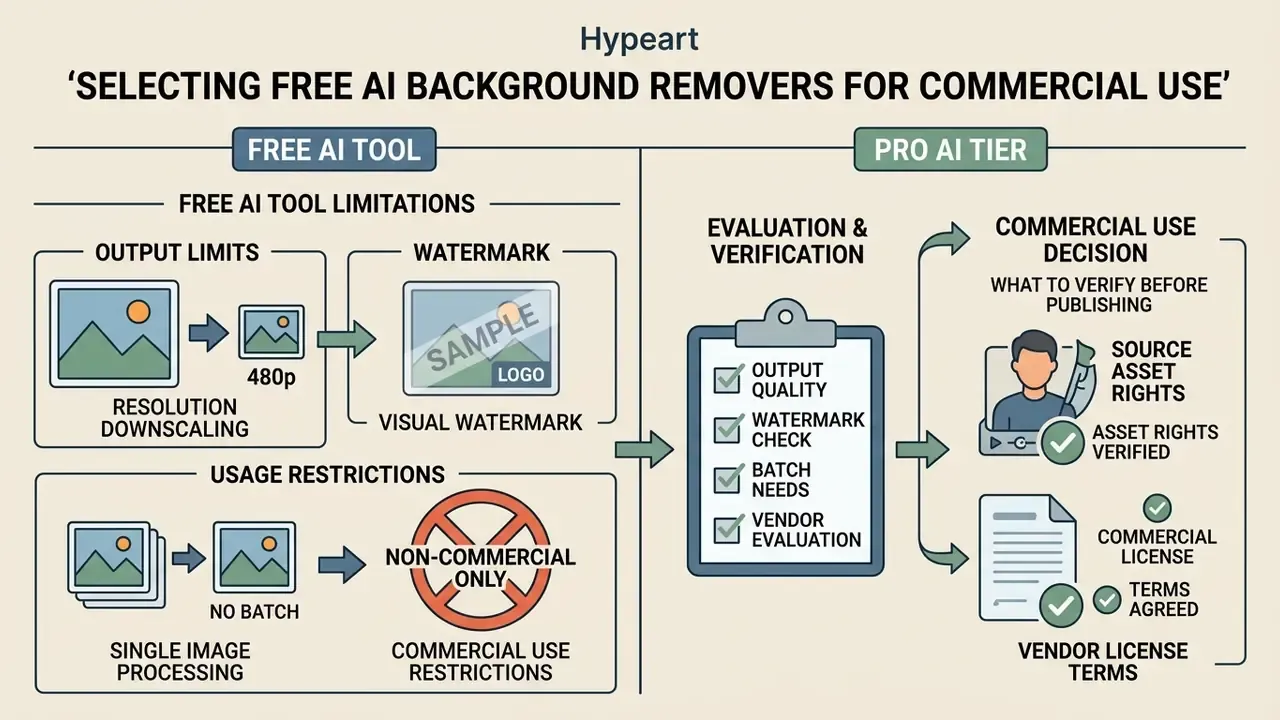
Weighing an ai bg remover free option against an ai image background remover pro tier comes down to three variables: output resolution limits, licensing constraints, and batch processing capability.
Free tool limitations: quality, watermark, and multiple images
Free tiers on online background removers usually carry deliberate constraints designed to move you to a paid plan:
- Resolution downscaling free exports are often capped low, for example 0.25 megapixels or 600 × 600 px, with full HD export reserved for paid tiers.
- Watermarking some free platforms overlay brand watermarks on exports, which rules out professional commercial use.
- Batch processing restrictions free access commonly limits you to single-file uploads, disabling bulk runs on multiple images.
«Open models, MFC-Net, Matting by Generation, SAM2Matting, show high benchmark quality, yet they do not resolve product-level web-service constraints: resolution, watermarks, batch processing». AI Background Removal from Images: Scientific Evidence (2024), section "Quality, Resolution, and Batch Processing Limitations".
Model quality and product limits are independent axes. A service can run a state-of-the-art matting network and still hand you a quarter-megapixel preview. Licensing is just as inconsistent: some free tiers explicitly grant commercial use, resale of cutouts, and client work with no watermark and no signup, while others restrict the free plan to non-commercial purposes only. Readers comparing entry-level options can cross-reference free AI image generators for the same license-versus-limit trade-offs.
Vendor evaluation checklist. Score candidates on eight concrete criteria instead of marketing claims: (1) maximum export resolution on the intended tier; (2) watermark policy; (3) written commercial-use grant; (4) batch ceiling per upload and per month; (5) API availability, documented uptime, and rate limits; (6) retention window and no-training clause in writing; (7) published certifications such as SOC 2 Type II and ISO/IEC 27001, plus GDPR-compliant storage; (8) a human-in-the-loop escalation path with a defined turnaround. Feature-level comparisons across market providers are maintained in the tool comparison hub, which is also the fastest way to compare shortlists before a procurement review.
Commercial-use decision: what to verify before publishing
Before cutouts or AI-generated backgrounds appear in a paid campaign, verify usage rights in this order:
- Source asset rights: confirm the original uploaded photo is fully licensed for commercial distribution.
- Vendor license terms: read platform terms to confirm that free-tier exports permit commercial usage, resale, and ad publishing.
- AI copyright governance: the U.S. Copyright Office (2025 guidance) holds that purely AI-generated visual content lacking human authorship cannot be registered. Cutouts derived from human photography retain the underlying copyright, but synthetic backgrounds must be assessed for commercial disclosure risk. Provenance checks on third-party assets can be supported with AI image detectors before publication.
- Disclosure obligations: registration guidance requires applicants to disclose AI-generated content, identify the human-authored portions, and correct pending applications or public records where AI content was omitted.
- Vendor rights transfer: for API deployments, confirm in the contract who owns the output, whether the vendor keeps any license to derived assets, and whether sub-processors are permitted.
«Academic sources contain no quantitative audits of licensing policies at commercial background-removal services; users must rely on the terms of the specific service». AI Background Removal from Images: Scientific Evidence (2024), section "Commercial Use, Licensing, and AI-Generated Backgrounds".
Important commercial compliance notice
Before publishing cutouts or synthetic backgrounds in commercial marketing materials, confirm that the processing service explicitly grants commercial usage rights on the tier you actually use. Some vendors prohibit commercial monetization without a paid license. Check that no vendor watermark remains anywhere in the export, and verify that the privacy policy forbids storing proprietary client imagery on external servers. Where a licence mandates a visible watermark or attribution for electronic publication, that obligation survives background replacement.
FAQ about AI image background removal
Do I need technical skills to use an AI background remover?
No. Modern ai image background remove tools run on automated neural networks, so you upload an image and receive a processed cutout in one click. Optional refinement brushes exist for touch-ups, but basic removal requires no selection expertise at all. Development teams building automated workflows can open the hub to review media pipeline patterns.
Can I remove image backgrounds on a phone?
Yes. Web-based ai bg remover pic tools work inside mobile browsers on iOS and Android. Mobile Safari and Chrome both support direct upload from photo libraries and transparent PNG downloads. That said, mobile browser memory limits, including WebKit canvas limits on iOS, can block extremely large multi-gigapixel files. Large-canvas failures on iOS Safari are a documented practical ceiling for browser-side image processing.
What happens if the AI cannot detect the foreground?
The service returns an explicit error instead of a usable cutout. Verify the file is a valid JPG/JPEG/PNG/WebP, check connection stability, retry, then walk the fallback ladder: pre-process contrast and illumination, switch to a pro matting model, apply a manual clipping path, or send the asset to a human retouching queue with a 24-hour turnaround.
How many images can I process at once?
Browser tiers typically queue 5 to 50 images per folder or ZIP upload. API endpoints scale to roughly 1,000 images per upload context, with monthly volume governed by the plan. Confirm both the per-request ceiling and the monthly quota before you commit to a catalog migration.
Can I remove the white background from a logo or a scanned signature?
Yes. Flat-backdrop graphics are among the easiest cases, and results export as transparent PNG or WebP. Low-contrast or heavily anti-aliased marks may need the refine-edge brush, and complex logotypes sometimes do better with a vector clipping path than a learned mask.
Does background removal work on GIF and video?
Yes, through adjacent services. GIF removers matte frame by frame, while video removers run temporal object segmentation across the clip. Both keep the same alpha-channel logic as still-image matting, but cost and processing time scale with frame count.
Is a transparent PNG safe for commercial use?
The file format imposes no restriction. The rights do. Commercial use depends on the licence of the original photograph, the vendor's terms for your tier, and, for synthetic backdrops, the copyright status and disclosure requirements attached to AI-generated content.
Limitations and open questions
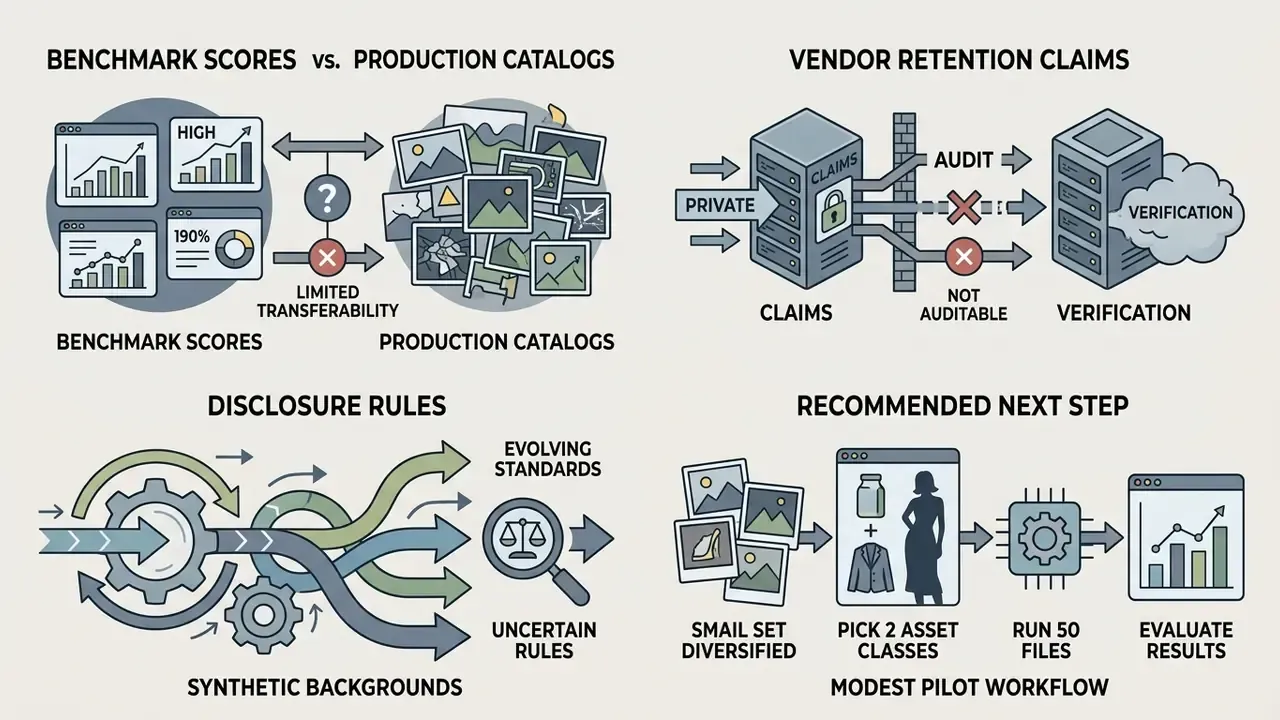
A few things in this space remain genuinely unsettled, and pretending otherwise would be dishonest.
Benchmark scores do not transfer cleanly to production catalogs. SAD and MSE are computed on curated datasets with ground-truth mattes; your product photography has uneven studio lighting, reflective packaging, and a photographer who moved the softbox. Re-baseline on your own sample.
Vendor retention claims are rarely auditable from the outside. There is no public quantitative audit of licensing or deletion practices across commercial removers, which means contractual language and certification evidence carry the weight, not marketing copy.
Disclosure rules for synthetic backgrounds are still moving. Copyright registration guidance, platform advertising policies, and emerging AI transparency obligations do not yet align on what counts as a material AI contribution to an image.
A safe next step is modest: pick two representative asset classes, run 50 files through a sanctioned tool, score the edges against your own acceptance threshold, and document the result. That gives procurement and model risk something real to argue about.
Appendix A: editorial notes and revised statements
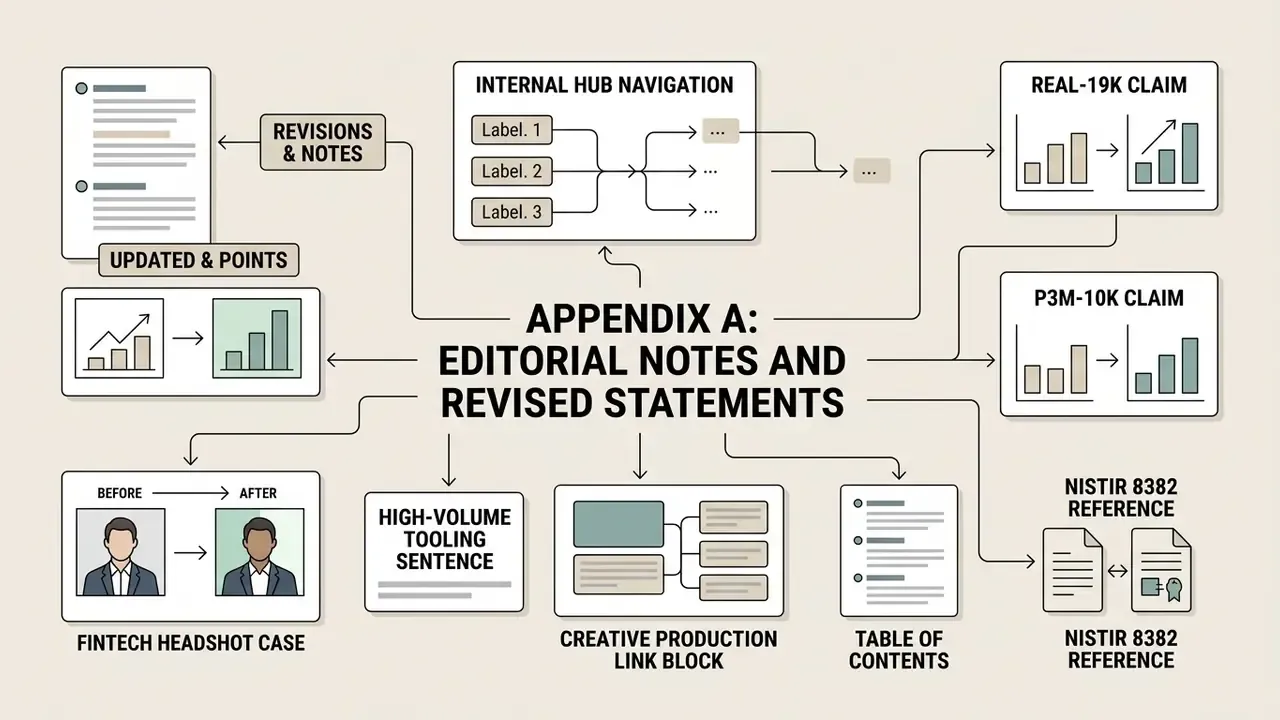
For transparency, the following passages were revised during editorial review. Earlier wording is preserved alongside the reason for the change.
- Real-19k claim. Earlier wording stated only that "neural networks trained on diverse real-world images handle complex natural lighting significantly better than models trained purely on synthetic composites." Updated: the main text now adds the methodological reason, namely that the dataset was constructed to address domain shift, where synthetic-trained models degrade on real photographs with similar foreground and background colors.
- P3M-10k claim. Earlier wording stated only that "facial obfuscation and local client-side processing effectively mitigate data leakage risks." Updated: the main text now specifies dataset scale (10,421 portraits with blurred faces and high-quality alpha mattes) and the finding that anonymized training preserves hair and clothing matting accuracy.
- Fintech headshot case. Earlier wording presented the 15-minutes-to-30-seconds improvement as an unqualified result inside a preparation section. Updated: the figures now appear as a self-reported internal estimate within a clearly illustrative case-study block, with an explicit note that they are not independently audited and should be re-baselined locally.
- High-volume tooling sentence. Earlier wording read: "Organizations requiring high-volume asset processing can evaluate specialized solutions or compare options regarding commercial software deployments," linking to an unrelated litigation hub. Updated: replaced with an eight-point vendor evaluation checklist and a link to the tool comparison hub.
- Creative production link block. Earlier wording pointed readers toward adult-media generator pages from within the social-media and logo section. Updated: replaced with product-relevant guidance on brand clear-space compliance and adjacent processing micro-services (object removal, watermark removal, GIF and video matting, bulk processing), which matches the commercial intent of that section.
- Table of contents. Earlier wording included an anchor-link contents list duplicating the heading structure. Updated: replaced with a short decision framing block that states the three questions the article answers.
- NISTIR 8382 reference. The mathematical substance, block-wise local standard deviation thresholding as a pre-deep-learning segmentation method, is accurate. The report identifier is retained as cited in the source brief and should be confirmed against the original publication record before print reuse.