Whether you need product variations, restyled brand assets, or campaign visuals, the mechanics matter. Understanding how these systems ingest a photo is what separates predictable output from expensive guesswork. For comprehensive media framework evaluations, you can see the overview of current generative models.
Last updated: August 2026.
Executive Summary
For decision-makers who need the operational picture in thirty seconds:
- What it is: Image-to-image generation conditions a diffusion model on an uploaded photo instead of pure noise. Geometry, layout, and subject identity stay anchored while text instructions drive the stylistic or environmental change.
- How control works: Three levers dominate output predictability. Denoising strength (0.0 to 1.0), structural conditioning networks such as ControlNet (Canny edges, depth, segmentation), and lightweight style adapters like LoRA or IP-Adapter.
- Model landscape (2026): Nano Banana Pro, GPT Image 2, Seedream 5.0 Pro, FLUX 2 Pro Edit, Reve 2.1, Qwen Image 3.0, Kling 3.0 Image, and open-source SDXL/IP-Adapter stacks each optimize different trade-offs: reference capacity, latency, in-image text legibility, and native resolution.
- Compliance boundary: EU AI Act Article 50 transparency duties apply from 2 August 2026, requiring machine-readable provenance marking for synthetic or manipulated imagery. U.S. Copyright Office guidance (2023 to 2025) confirms purely machine-generated elements are not copyrightable and must be disclaimed at registration.
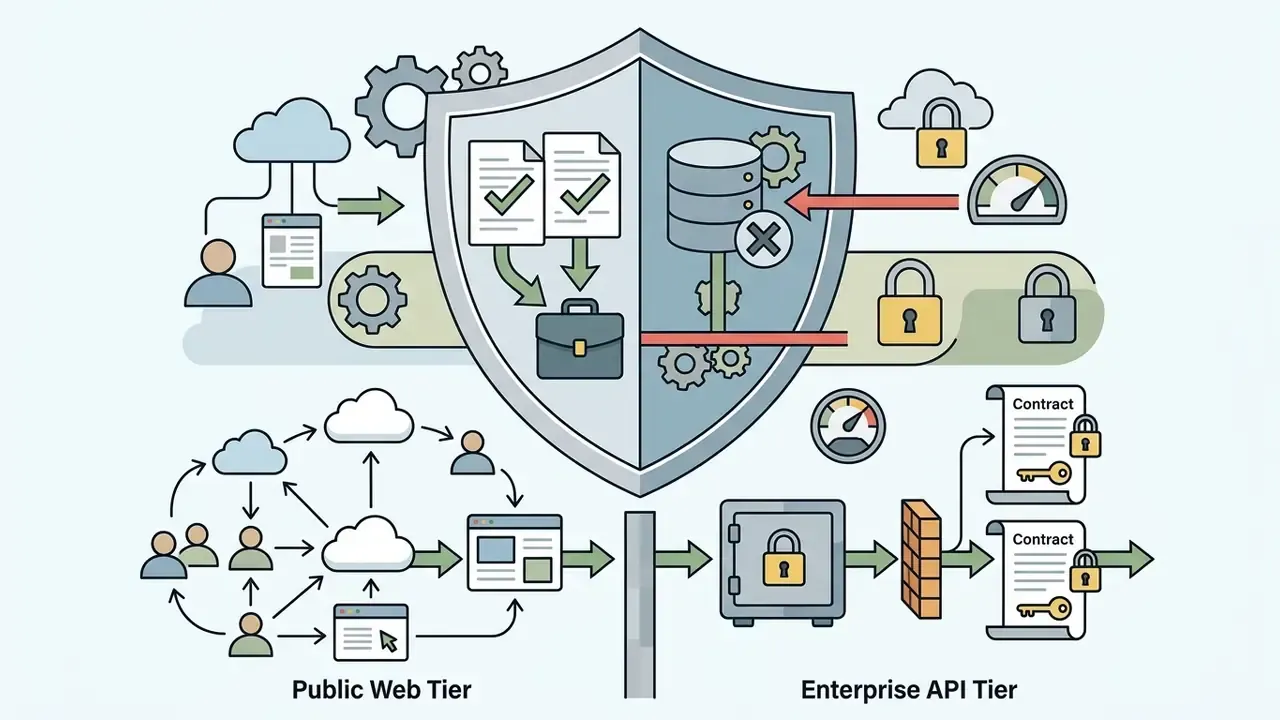
- Privacy boundary: Consumer free tiers frequently retain uploads for model alignment. Enterprise API tiers (Vertex AI, OpenAI API) contract for zero-data-retention training exclusions. Validate this before any client or product photo leaves your network.
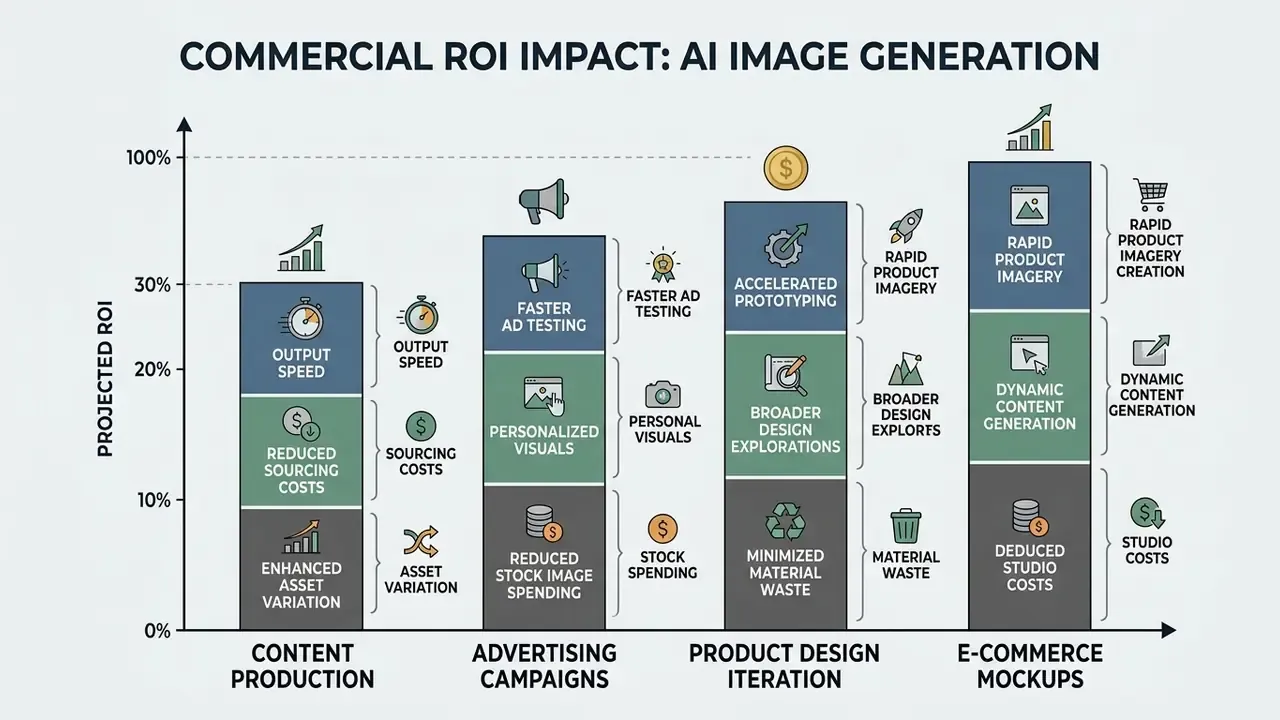
- Business value: Image-to-image pipelines compress retouching cycles by up to roughly 70%, lift social visual engagement by an average of about 45%, and displace a meaningful share of external studio production expense. The total cost of ownership, though, must include the cost of control: provenance audit, legal review, brand QA.
Key Terms in One Place
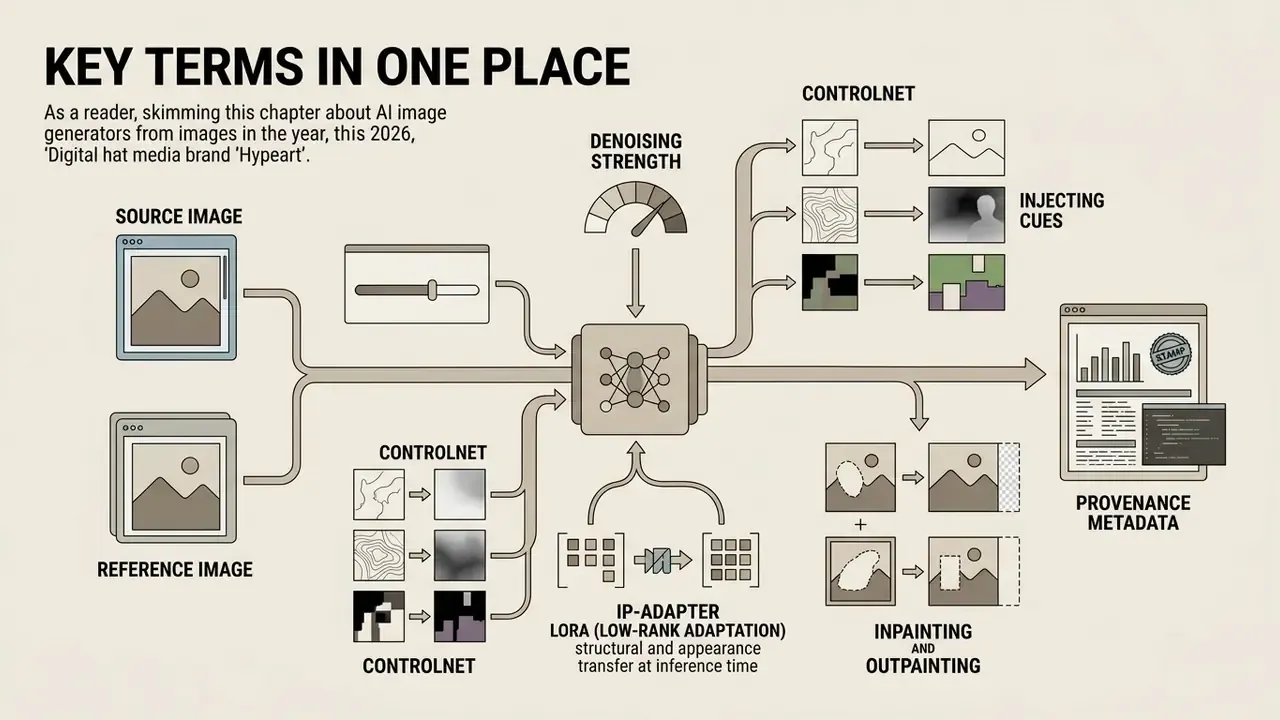
Terminology drift causes most of the confusion in vendor calls. Here is the vocabulary used throughout this guide, defined once.
- Source image. The uploaded photo that supplies structure: composition, object placement, pose. It is the conditioning anchor, not merely an attachment.
- Reference image. A second input that supplies appearance rather than geometry: palette, brushwork, grain, lighting mood.
- Denoising strength. How far the model is permitted to travel from the source. Near 0.2, the output stays close to the original. Above 0.8, you are effectively back to text-to-image.
- ControlNet. A parallel control branch that injects structural cues (edges, depth maps, segmentation masks, pose skeletons) into each denoising step.
- LoRA (Low-Rank Adaptation). A small trainable adapter that encodes a reproducible style, character, or product-lighting signature without full fine-tuning.
- IP-Adapter. A reference-image adapter that transfers appearance at inference time while text continues to drive content.
- Inpainting and outpainting. Masked regeneration inside the frame, and canvas extension beyond it.
- Provenance metadata. Machine-readable marking (SynthID, C2PA-style credentials) that declares an asset synthetic or manipulated.
Keep this list in your vendor-evaluation template. It prevents a demo from redefining your controls mid-conversation.
What Is an AI Image Generator From Image?
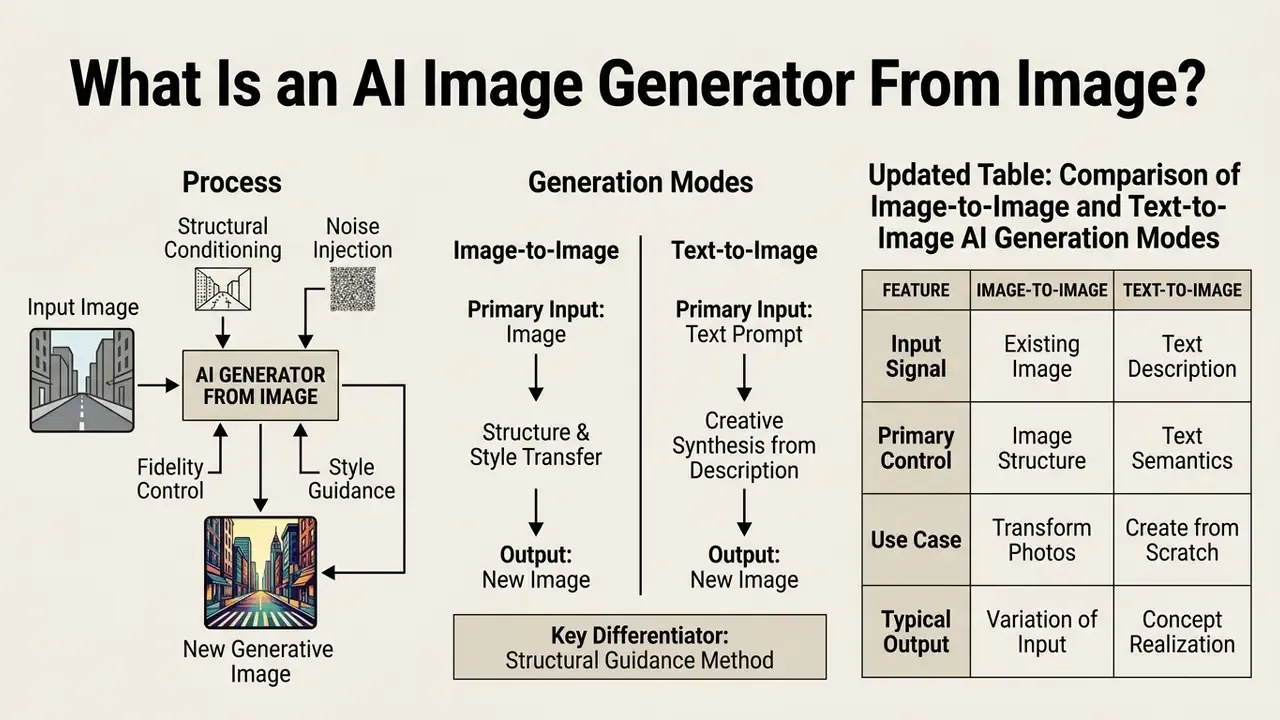
An ai image generator from image is a generative machine learning framework that accepts an existing image as its primary structural conditioning signal to produce a new image. Rather than generating pixels purely from random mathematical noise, the system treats the composition, object placement, and semantic content of the source file as an anchor.
Using an ai from image workflow buys you spatial predictability. When a pipeline must preserve specific product outlines, character poses, or architectural layouts, starting from a photo prevents the random structural variance common in text-only generation. That is the bridge between raw capture and controlled synthetic art. For a broader inventory of tooling categories, compare general-purpose AI image generators before committing to a single vendor.
How AI Creates a New Image Based on Another Image
An AI model creates a new image based on another by converting an uploaded image into a compressed mathematical representation inside a latent space. The network then injects controlled Gaussian noise into that representation and runs an iterative denoising process conditioned on the user's text instructions.
Diffusion-based architectures rely on an encoder, typically a Variational Autoencoder (VAE), to map the input photo into a lower-dimensional latent grid. As shown in technical literature from MIT OpenCourseWare (2024), the reverse diffusion process removes noise step by step using a U-Net or transformer backbone.
«Diffusion models decompose image generation into small denoising steps, starting from an input image x₀ and progressively adding Gaussian noise in the forward process.»
Stanford's graphics course materials describe the img2img variant precisely: the pipeline starts from a guide image, adds a limited amount of noise, then iteratively denoises, so the output preserves substantially more of the original layout than unconditioned text generation.
When an ai create new image from existing image request is processed, the system balances two forces. One retains latent structural features from the original picture. The other steers pixel values toward the semantic concepts described in the prompt. Advanced formulations, such as Schrödinger bridges (), map mathematical trajectories directly between degraded or source distributions and target clean distributions to maintain structural integrity. In practice, that is also why an ai generate existing image request behaves less erratically than a blank-canvas prompt: the trajectory starts somewhere real.
Image-to-Image vs. Text-to-Image Generation
The primary difference is the presence of an initial visual conditioning anchor. Text-to-image generation starts entirely from unconstrained Gaussian noise, so spatial layout, subject positioning, and framing are inferred solely from text embeddings.
In contrast, an ai create image from image pipeline uses the source image to constrain geometry.
«Disentangling structure and appearance control at the object level enables coherent editing without an inversion step.»
| Dimension | Image-to-Image Generation | Text-to-Image Generation |
|---|---|---|
| Primary Inputs | Uploaded source image, optional reference image, plus text prompt | Text prompt only; sampling starts from unconstrained noise |
| Composition Control | Strong; spatial layout and geometry inherited from source image | Indirect; composition inferred from training distribution and text |
| Object Preservation | High; retains subject identity when guided by structural controls | Variable; objects generated without reference to existing assets |
| Output Variability | Bounded; constrained by the structural envelope of the source photo | High; creates entirely new scenes across wide variation boundaries |
| Primary Use Cases | Product photo variations, scene restyling, background swaps, asset edits, virtual try-on | Concept ideation, abstract art, novel character design, initial sketching |
| Governance Profile | Higher data-sensitivity risk: real client, staff, or product imagery leaves the perimeter | Lower input risk, higher output-provenance and trademark-collision risk |
Read the table as a risk allocation, not just a feature split. Text-to-image concentrates your exposure in the output. Image-to-image moves it to the input, because a real photograph, with real people and real trademarks inside the frame, crosses your network boundary.
How to Create an Image From an Image With AI
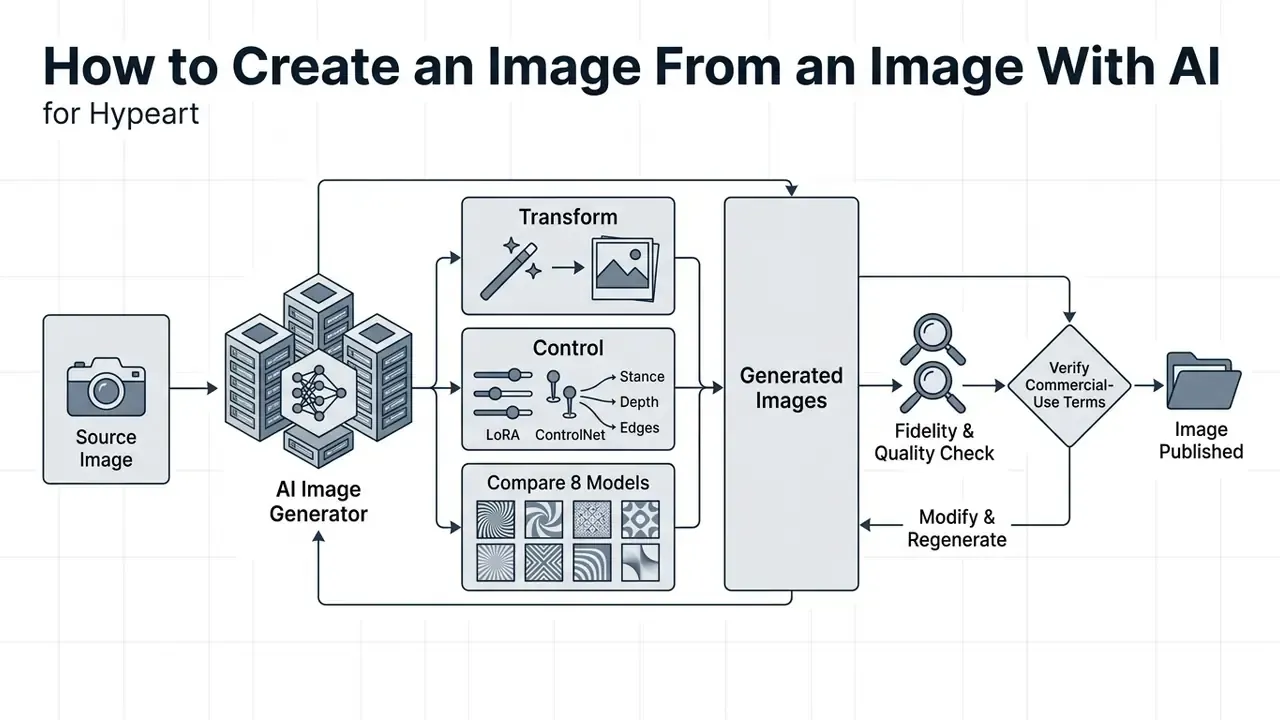
Executing an ai generate image from another image task needs an operational sequence, otherwise the model drifts and you burn credits. A structured workflow minimizes unintended artifacts and cuts the number of re-generation passes.
To explore specialized category tools across our platform, you can explore the hub for detailed tool coverage.
Step 0: Source Asset Pre-Cleaning
Before a photo enters an image-to-image pipeline, strip visual clutter, overlay text, stock watermarks, and stray third-party logos. Inpainting that noise before VAE encoding stops the diffusion model from reading artifacts as permanent geometric cues. Leave a watermark in the source and it reappears as a smeared texture or a garbled glyph in every single variant. Every one.
Practical pre-cleaning checklist:
Standard photo editors handle steps 1 to 4 in a single pass, and lightweight free photo editors are sufficient when the source is not confidential.
- Remove watermarks and overlay text
- with a dedicated retouching pass or an inpainting tool.
- Crop out irrelevant background clutter
- that competes with the subject inside the latent encoding.
- Normalize exposure and white balance
- so the model does not read a colour cast as an intentional style cue.
- Strip embedded metadata
- containing client names, GPS coordinates, or internal file paths before upload to any third-party cloud service.
- Confirm rights clearance
- for every element visible in the frame, including recognizable faces, brand marks, and licensed stock components.
Upload a Source Image or Reference Image
The workflow begins when you add photo to ai generator interface as your baseline input. That file serves either as the source image (defining spatial geometry and composition) or as a reference image (defining colour, style, or lighting direction).
When you add image to ai generator tools, input quality directly shapes the latent encoding:
- Shape transfer vs. style transfer: For identity or geometry preservation, prefer frontal or three-quarter angles with even illumination. For pure style transfer, reference images may diverge widely in viewpoint, aperture, and lighting. Research on reference-driven generation confirms that style references need not be spatially aligned with the target frame.
- Resolution and clarity
- Use high-resolution source photos with clear subject separation. Low-resolution inputs push noise artifacts into latent space.
- Framing and aspect ratio
- Match the aspect ratio of your uploaded photo to the target output canvas to avoid unwanted cropping or stretch distortion.
- Lighting and contrast
- Even lighting makes subject extraction cleaner. Harsh shadows are often misread as permanent geometric structure.
Platform-stated input ceilings vary, so verify them against current vendor documentation before you build a batch pipeline. Ideogram documents source file uploads up to 50 MB and 16 megapixels. Adobe Firefly accepts JPEG, PNG, and WEBP files up to 100 MB with a 512×512 pixel minimum. Leonardo.Ai classifies inputs explicitly as uploaded source guidance to set conditioning weights before processing. These are vendor specifications, not independently benchmarked limits. If you plan to add photo ai generator inputs at volume, confirm the file is clean, properly exposed, and inside the stated ceiling.
Describe the Desired Changes in a Text Prompt
Once the source visual is loaded, you supply a text prompt that spells out what changes and what must stay untouched. An ai create image with photo pipeline depends on structured instructions to separate modified regions from fixed anchors.
Effective prompting patterns follow a clear syntax:
- Target action: Specify the core modification ("replace background", "restyle as watercolour", "change subject wardrobe").
- Subject preservation: State explicitly what must be retained ("keep the original product geometry and brand logo unchanged"). OpenAI's editing guidance recommends the "change only X, preserve identity, geometry, layout, lighting, and labels" formulation.
- Reference role assignment: When supplying several references, name each by function, whether subject, style, garment, or background, so the model does not blend roles.
- Environmental context: Describe new lighting, surface textures, or background detail ("placed on a polished marble counter with soft morning sunlight").
- Style constraints: Add negative parameters or style cues to block unwanted artistic drift.
Prompting guides for models like OpenAI's gpt-image-1.5 recommend fixed ordering, background and scene first, then subject, key details, constraints, and isolating a single change per iteration for precise edits. For broader artistic shifts, simple prompts built on atmospheric style keywords yield more cohesive transformations. Adobe's Photoshop documentation makes the same point from the editing side: describe clearly the object, area, or attribute you intend to change.
Choose a Model, Aspect Ratio, and AI Settings
Before you generate, set the technical parameters that govern how aggressively the network alters the input photo.
- Denoising strength / transformation power Ranges from 0.0 to 1.0. Near 0.2 the output stays nearly identical to the original picture, good for subtle colour tweaks. Between 0.6 and 0.8 you get substantial restyling with general layout intact. Above 0.8, you approach unconstrained synthesis.
- Model selection Specialized ai models excel at different jobs. Some prioritize photorealistic product editing, others stylized illustration, anime art, or legible in-image typography.
- Aspect ratio Match canvas settings to input dimensions to prevent geometric stretching.
- Native resolution fit Invoke's documentation notes SD1.5 performs best at 512×512 and SDXL at 1024×1024. Generating far outside a model's native training resolution produces duplications and distortion rather than extra detail.
Documentation from platforms such as PixAI notes that strength parameters directly dictate how far output deviates from the source image. Set these values deliberately and fidelity becomes repeatable instead of lucky.
Generate, Review, and Download Multiple Variations
Click generate to start the reverse diffusion process. The system processes your latent input alongside the prompt and can generate multiple variations simultaneously.
Reviewing candidates means inspecting three quality dimensions:
- Instruction adherence: Did the model actually execute the requested change?
- Structural retention: Is the main subject from the original photo distorted?
- Perceptual realism: Any visual artifacts, extra limbs, unnatural edge blending, illegible text?
If the first pass misses, refine the prompt or lower denoising strength slightly before another run. Multi-turn editing APIs keep prior outputs in context (via a previous-response identifier, for example), letting you iterate across turns instead of restarting from the original source each time. Once satisfied, export in high resolution, 2K or 4K PNG, for commercial use or digital publication. OpenAI's reference documentation permits custom WIDTHxHEIGHT exports in multiples of 16 with a 3,840-pixel edge cap, flagging resolutions above 2560×1440 as experimental.
Downstream editing and vector integration. After generating a raster output, move the file into professional workstation software such as Adobe Photoshop or Illustrator. Designers can layer the synthetic output over original vector brand assets, convert flat graphic regions into scalable vector paths, apply manual frequency separation for skin or fabric detail, and refine text alignment with non-destructive masking. This step matters in regulated industries for a second reason: a layered PSD retains an auditable edit history showing exactly which human contributions sit on top of the machine-generated base, which is the same evidence a copyright registration filing requires. Where export resolution falls short of print specification, dedicated AI image upscalers extend the file without re-rendering the scene.
Workflow steps, in order:
- Pre-clean the source asset. Remove watermarks, overlay text, metadata, and background clutter before encoding.
- Upload reference or source image. Select a high-clarity photo and load it into the generator interface.
- Formulate text instructions. Detail requested modifications, preserved elements, and reference roles.
- Configure generation parameters. Set denoising strength, select the model and any style adapters, match the target aspect ratio.
- Execute generation. Synthesize several output candidates in one pass.
- Inspect and refine. Review variations for fidelity and adherence, adjusting prompts or applying inpainting where needed.
- Export final assets. Download the selected high-quality images in uncompressed formats, then move them into layered or vector editors for production polish.
How to Control Image Fidelity, Style, and Quality
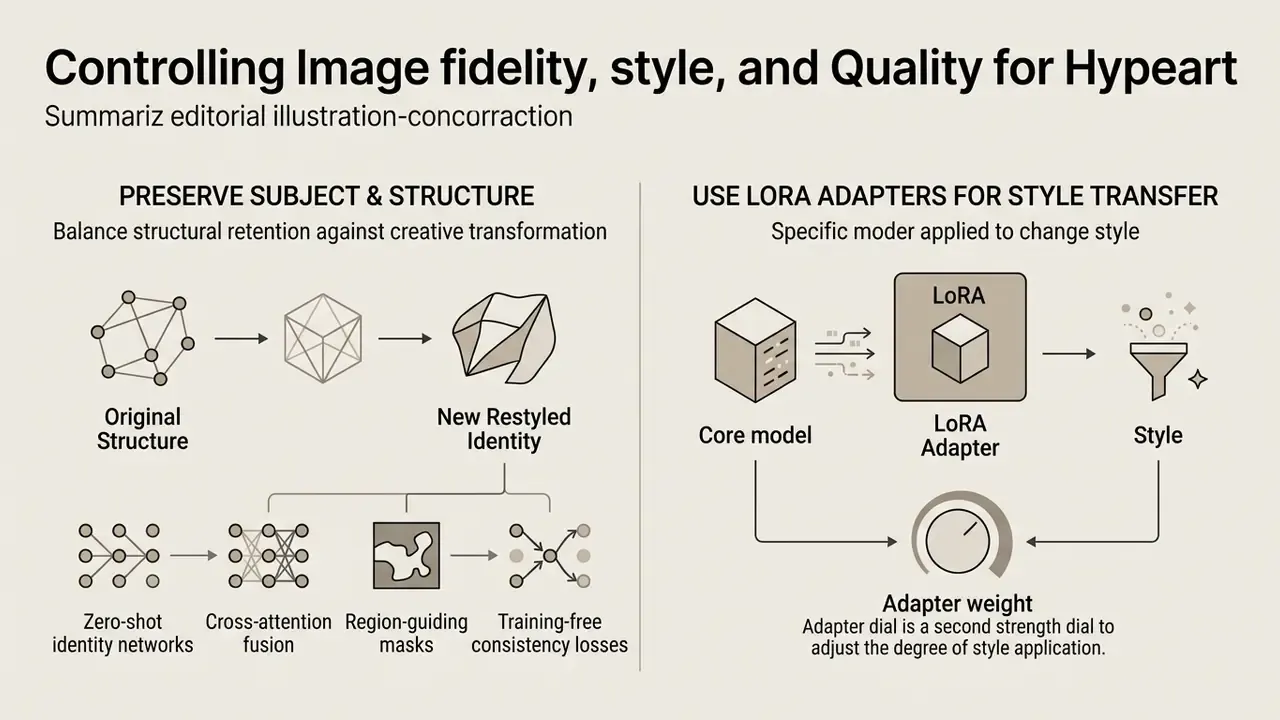
Balancing structural retention against creative transformation is the core technical challenge here. Reaching professional quality means understanding how content channels and style channels separate during generation.
Academic work evaluates transformations across three metrics: content preservation (LPIPS and SSIM), style fidelity (Gram-matrix alignment or FID-based style matching), and overall visual realism (ArtFID, which explicitly combines LPIPS for content preservation with FID for style matching, as defined in QuantArt, CVPR 2023). Use these controls and you can transform images predictably without degrading the subject.
«I2I-Bench spans 1,353 image-instruction pairs, 10 task categories, and 30 evaluation dimensions, including instruction-following accuracy and attribute preservation.»
Preserve the Main Subject and Original Structure
When you make significant style or background changes, preserving the primary object's geometry keeps the model from warping recognizable brand products or facial features.
Modern architectures maintain geometry through spatial control networks such as ControlNet. As documented in the original ControlNet paper at ICCV (2023), the method freezes the main diffusion backbone while learning a dedicated control branch using zero-initialized convolutions, so the added path starts with no effect and gradually learns residual feature injection at multiple layers. That branch feeds structural cues, Canny edges, depth maps, segmentation masks, scribbles, or pose skeletons, straight into the denoising steps.
«The StS method combines DDIM inversion with ControlNet for structural preservation, evaluating results via SSIM and KID on cross-domain translation tasks.»
Complementary work reinforces the same principle from different angles. Structure-preservation losses measure pixel-level structural divergence between input and edited images and feed that signal back into the generative process (WACV, 2026). FlowEdit maps source to target distributions at lower transport cost than inversion-based editing and reports stronger structure retention on complex edits (2024).
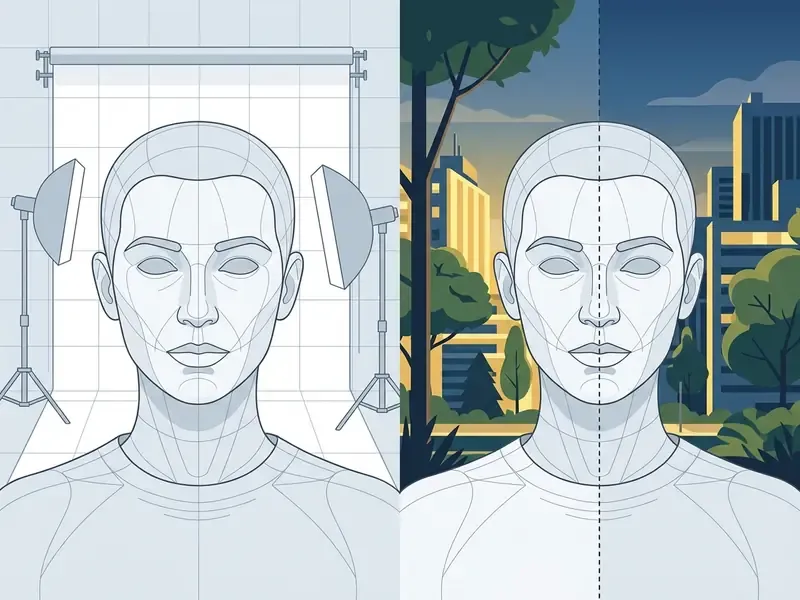
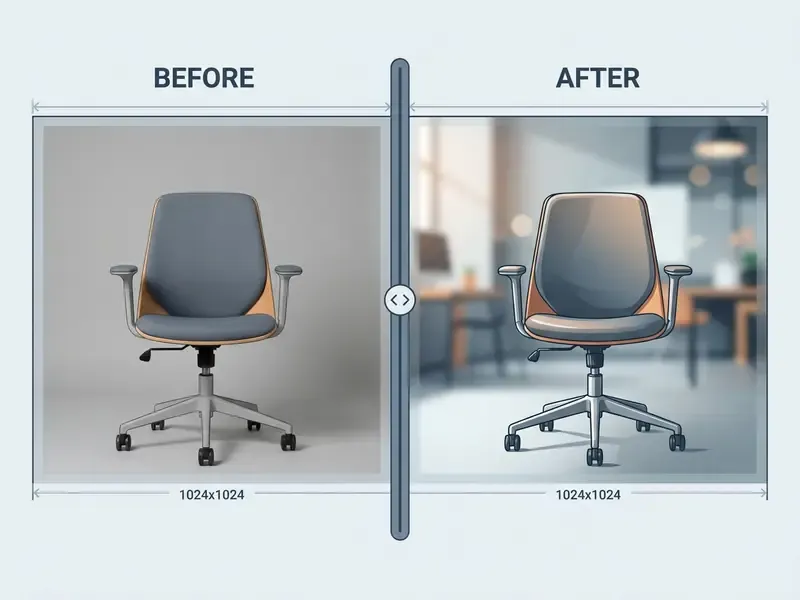
By enforcing edge detection or depth mapping, an ai create image based on another request can swap a background entirely while the primary subject's contours stay locked to the pixel grid of the original image.
Restyle Images Without Losing Their Identity
Restyling applies new artistic styles, say turning a photograph into a 3D render, a vector graphic, or an oil painting, while character identity or product recognition survives.
Advanced frameworks handle identity preservation through decoupled feature extraction:
- Zero-shot identity networks: Tools like InstantID extract facial embeddings and landmark maps, feeding identity markers into a secondary network layer while the main model alters clothing, hair, and background.
«InstantID performs zero-shot identity preservation from a single face photo, integrating with SD1.5 and SDXL without fine-tuning or lengthy setup.»
- Cross-attention fusion: Models like Face Fusion integrate target face representations across multiple attention layers in the U-Net architecture, holding facial proportions intact even under radical lighting or artistic filters.
«Face Fusion processes reference face images at multiple scales through UNet cross-attention layers, enabling multi-reference and multi-identity generation.»
That structural separation is why an ai create image from another image pass can be stylized and still instantly recognizable. To explore dedicated model options, check the leonardo ai image overview for style control workflows, or review how identity preservation is handled end-to-end in AI headshot generators.
Using LoRA Adapters for Targeted Style Transfer
Full fine-tuning demands serious compute. Low-Rank Adaptation (LoRA) instead injects lightweight trainable rank-decomposition matrices into diffusion backbones such as SDXL or FLUX. A style-specific LoRA enforces a distinct aesthetic identity, Studio Ghibli-style illustration, 3D isometric render, line-art vector, emoji sticker, or e-commerce product-scene lighting, at a fractional memory footprint, without overriding the structural geometry defined by the source image VAE encoder.
Practical notes for LoRA-driven image-to-image work:
- Adapter weight is a second strength dial. A style LoRA at reduced weight alongside low denoising strength produces subtle drift. Both high, and you get full reinterpretation.
- Stacking adapters is possible but unstable. Combining two or more LoRAs, a character adapter plus a medium adapter for instance, can compound artifacts. Introduce them one at a time and evaluate.
- Library breadth matters commercially. Consumer platforms now advertise libraries in the thousands of adapters covering profile pictures, fantasy characters, and product scenes, which is why adapter catalogues have become a primary differentiator between hosted tools.
- Licensing is adapter-specific. A LoRA trained on a living artist's portfolio or a trademarked character carries different downstream risk than a generic "watercolour" adapter, even when the base model permits commercial use. For a worked example of style-specific licensing questions, see our analysis of Ghibli-style AI image generators.
Reference-image style adapters, IP-Adapter and comparable modules, run on a parallel mechanism. They extract colour, palette, brushwork, grain, and lighting mood from a reference at inference time while text keeps driving content. A genuinely different control surface from ControlNet's structural conditioning, and worth budgeting separately in your evaluation.
Improve Quality Results Before Generating Again
If your generated image shows soft details, blur, or minor prompt deviations, apply targeted adjustments before a full re-render. Many of these corrections land faster in conventional AI photo editors than in the generator itself:
- Prompt weighting Adjust term weights (
(photorealistic:1.3),(blurry:-1.2)) to raise or lower focus on specific traits. Hugging Face Diffusers documentation explains that prompt weighting rescales text embeddings, shifting emphasis on individual concepts. - Caption rewriting Ambiguity, not model capacity, causes most failed edits. Rewriting the instruction to remove pronouns and implicit references is the cheapest fix available.
- Iterative inpainting Instead of re-generating the whole canvas, use targeted mask editing to select and repair specific flawed regions.
- Two-stage upscaling Generate the base image at native model resolution (1024×1024, for example) to establish composition. Then pass the chosen image through a secondary tile-upscaler or hires-fix pass at low denoising strength (0.2 to 0.3) to inject crisp detail without altering the scene.
- Outpainting for reframing When a crop is too tight for a target placement, extend the canvas rather than re-rendering. See our comparison of AI outpainting tools.
« outperforms standard conditional diffusion models on ImageNet 256×256 super-resolution, matching methods that require knowledge of the degradation operator.»
AI Models for Image-to-Image Generation: What to Compare
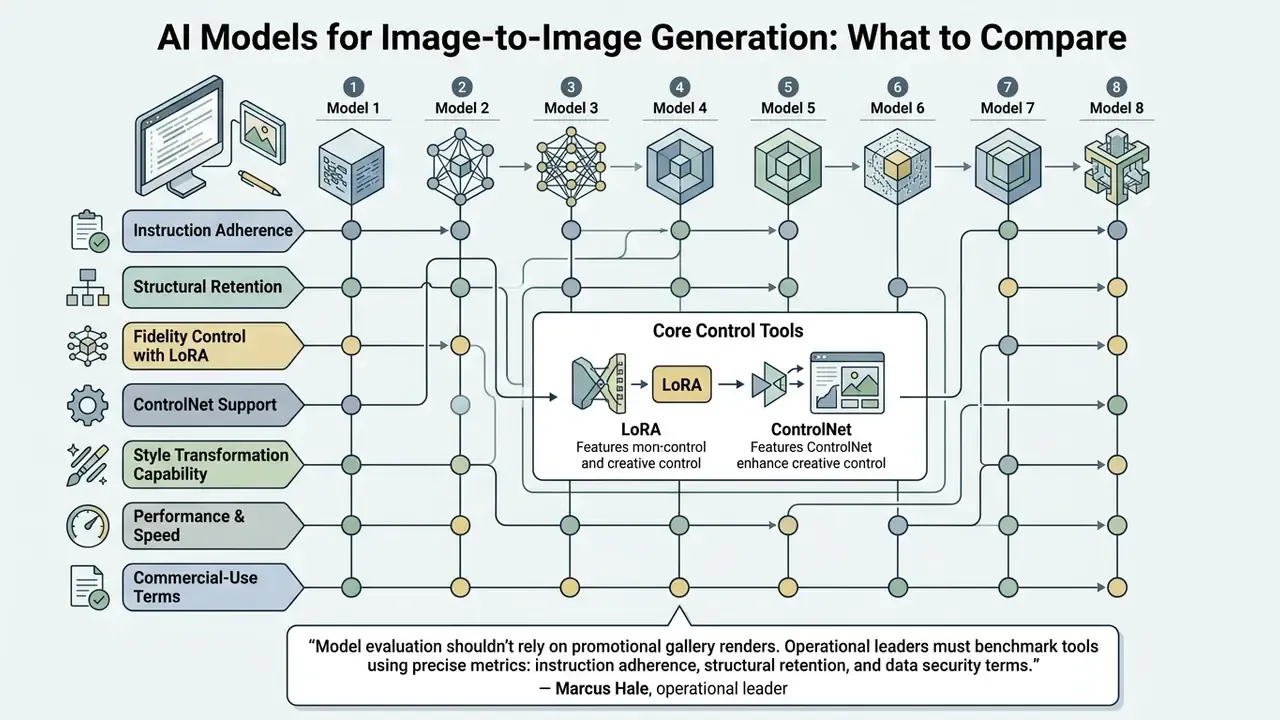
Selecting an image ai generator means measuring model capability against operational requirements. Different ai models optimize different trade-offs, from raw rendering speed to complex multi-reference conditioning.
In standardized benchmark testing, I2I-Bench (1,353 image-instruction pairs across 30 dimensions) and LMM4Edit among them, models vary widely in perceptual quality, attribute preservation, and task adherence.
«IDEA-Bench covers 100 real-world design tasks and 275 test cases; the best specialized model scores only 22.48, and the best general-purpose model 6.81.»
Those figures are the single most useful corrective to vendor marketing. Even leading systems fail the majority of professional design briefs on first pass. Weighing these factors up front prevents unpleasant surprises during production runs. For a side-by-side view of tooling, compare leading AI image generators and the broader field of best AI art generators.
Nano Banana and Nano Banana Pro for Visual Transformations
The nano banana and nano banana pro model lines, part of the Gemini image generation ecosystem, focus on multi-reference composition and high-context edits.
According to Google AI Studio and Google Cloud technical documentation (2026), Nano Banana Pro supports up to 14 reference object images inside a single generation prompt. It maintains subject consistency for up to 5 individual people across scene transformations and supports output resolutions up to 4K. These are vendor-stated specifications. The per-type split between object, character, and style references varies across secondary sources, and no independent benchmark currently verifies the 14-image ceiling under production conditions.
The lighter nano banana 2 / Flash variant handles up to 131,072 input tokens with 32,768 output tokens, enabling high-speed processing for reference blending, document-driven visual synthesis, and product consistency workflows, with 0.5K through 4K output tiers. Useful where throughput beats polish.
GPT Image and Seedream 5.0 for Detailed Visual Results
The gpt image series (OpenAI) and seedream 5.0 (ByteDance) sit at the top tier for instruction-following and detailed edits.
For comparisons with other proprietary platforms, review our microsoft ai image analysis, our Google AI Image Generator overview, and our ChatGPT picture generator evaluation to inspect enterprise deployment options.
In-Image Text, Multilingual Layouts, and Speed-Tier Models
One 2026 capability cluster deserves separate attention, because it decides whether a generated asset can carry a headline, price tag, or packaging label without manual typesetting:
- Reve 2.1 generates native 4K images with legible in-image text and structured layouts, and supports remixing up to 8 references into a single composition or editing individual elements without regenerating the rest. Currently the strongest option for poster, packaging, and banner work where typography must survive generation.
- Qwen Image 3.0 guides edits from a reference with text instructions, swapping elements, adjusting colours, restyling layouts, while preserving legible text and dense structure across 12 languages and 100+ art styles. For multilingual e-commerce catalogues, that removes an entire localization step.
- FLUX 2 Pro Edit / Flash / Turbo form a precision-to-throughput ladder. Pro Edit for refined transformations with strong structure retention, Flash for rapid variation testing, Turbo for high-volume pipelines generating many variants from one source.
- Kling 3.0 Image is realism-focused, delivering detailed transformations and subtle portrait restyling while composition and visual coherence hold stable.
In-image typography remains the most common failure mode across every model family. Inspect generated text at 100% zoom before approval, and expect to re-set critical copy manually in a layered editor. I have yet to see a campaign where that step was safely skipped.
How to Choose the Best Image-to-Image AI Tool
Selecting the right tool for your creative workflow comes down to five operational criteria:
- Reference conditioning capacityHow many reference images can the model process at once without losing subject fidelity?
- Edit fidelity controlsDoes the platform expose granular controls for denoising strength, input fidelity, ControlNet edge masks, LoRA adapter weights, and region masking?
«LMM4Edit records InfEdit at 51.27 for perceptual quality and 59.76 for edit alignment; HQEdit scores 46.81 and 57.48 respectively.»
Table: Comparative Matrix of Leading Image-to-Image AI Models (2026)
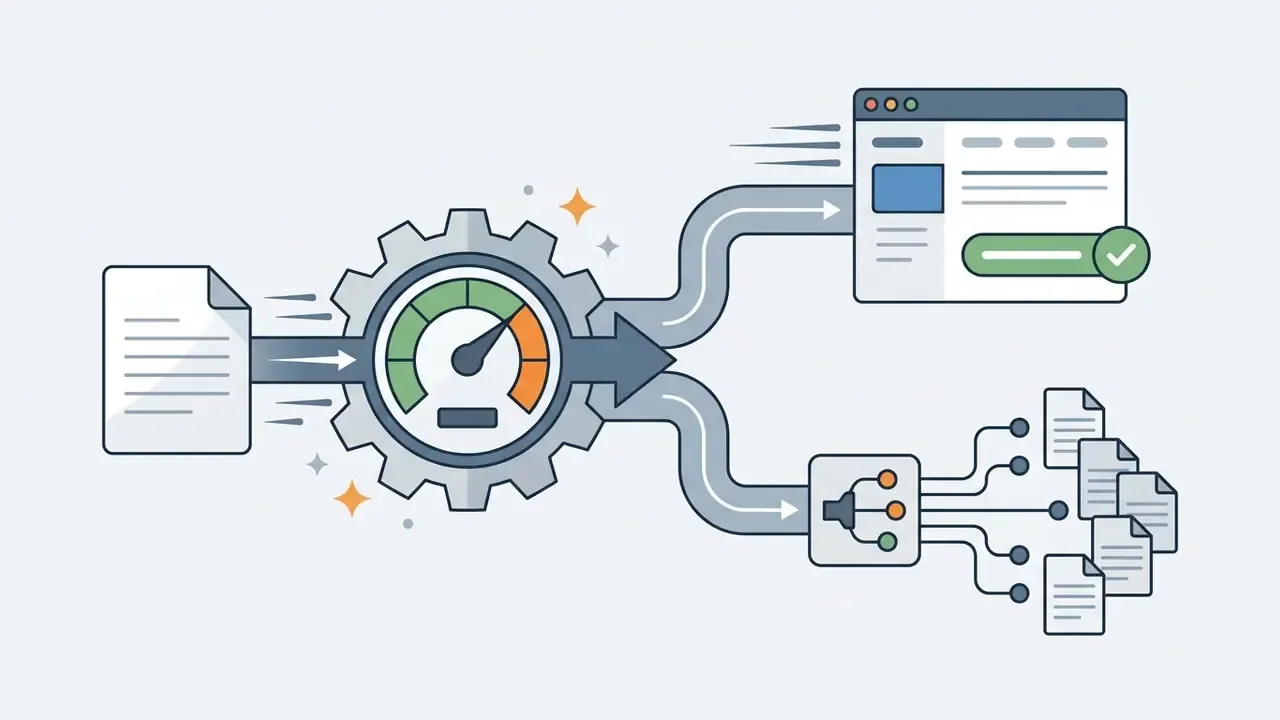
| Model Name | Primary Strengths | Max Reference Inputs | Output Resolution Tiers | Average Latency | Commercial Terms Overview |
|---|---|---|---|---|---|
| Nano Banana Pro | Multi-reference composition, character consistency across up to 5 people | Up to 14 images | Up to 4K native | 3 to 6 seconds | Commercial use via Google Cloud API terms; enterprise tier excludes training use |
| GPT Image 2 | Precise instruction adherence, high input-fidelity detail retention | Multiple reference URLs / File IDs | Up to 3,840 px per edge | 2 to 5 seconds | Full commercial rights under OpenAI API terms; token-based pricing |
| Seedream 5.0 Pro | Rapid multi-reference editing, ad asset rendering | Up to 10 images | 2K, 3K, 4K presets (docs inconsistent) | 2 to 3 seconds | Commercial rights included on paid tiers |
| Reve 2.1 | Native 4K layout, legible in-image text rendering | Up to 8 images | Up to 4K native | 4 to 7 seconds | Enterprise commercial coverage |
| Qwen Image 3.0 | Dense structure preservation, 12-language text alignment, 100+ styles | Multi-image context | Up to 2K native | 3 to 5 seconds | Commercial licensing available |
| FLUX 2 Pro Edit | Ultra-high edge preservation, precise prompt control | Single / multi-reference | Native 1024 to 2048 px | 2 to 4 seconds | Commercial use tier |
| Kling 3.0 Image | High visual realism, subtle portrait restyling | Single reference | Up to 4K | 5 to 8 seconds | Paid commercial tier; free tier heavily watermarked |
| IP-Adapter / LoRA (SDXL backbone) | Open-source flexibility, adapter stacking, local deployment control | Flexible via pipeline nodes | Model native (1024×1024 base) | Hardware dependent | Open-source license (per base model and per adapter terms) |
Free Plans, Commercial Use, and Image Ownership
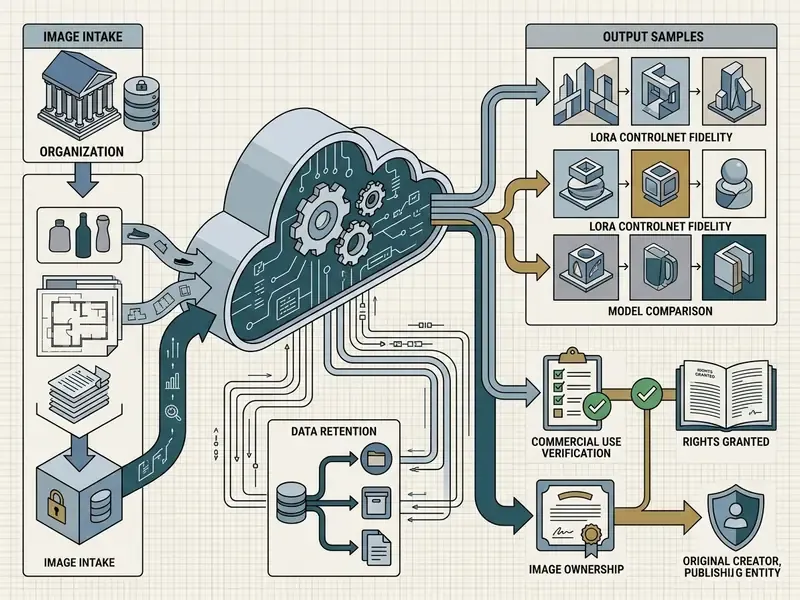
Deploying an ai free image to image generator or a paid commercial tool brings licensing, copyright, and privacy obligations with it. Publishing synthetic imagery is not a neutral act.
Under the EU AI Act, Regulation (EU) 2024/1689, with Article 50 transparency obligations enforceable from 2 August 2026 and subsequent 2026 implementing amendments, AI systems that generate or manipulate synthetic image content must implement machine-readable provenance tags and watermarking. Google DeepMind's SynthID is the most widely deployed implementation today. Outputs must be detectable as AI-generated or manipulated. The European Commission additionally requires deployers to visibly disclose deepfakes and AI-generated material published on matters of public interest. In parallel, US frameworks govern copyright eligibility for AI-assisted works, and a growing set of state-level provenance-labelling measures means effective dates and obligations differ by jurisdiction.
What a Free AI Image Generator From Image Usually Includes
Testing an ai free service or free online tool is a reasonable way to judge basic user experience. Free tiers do carry defined technical boundaries:
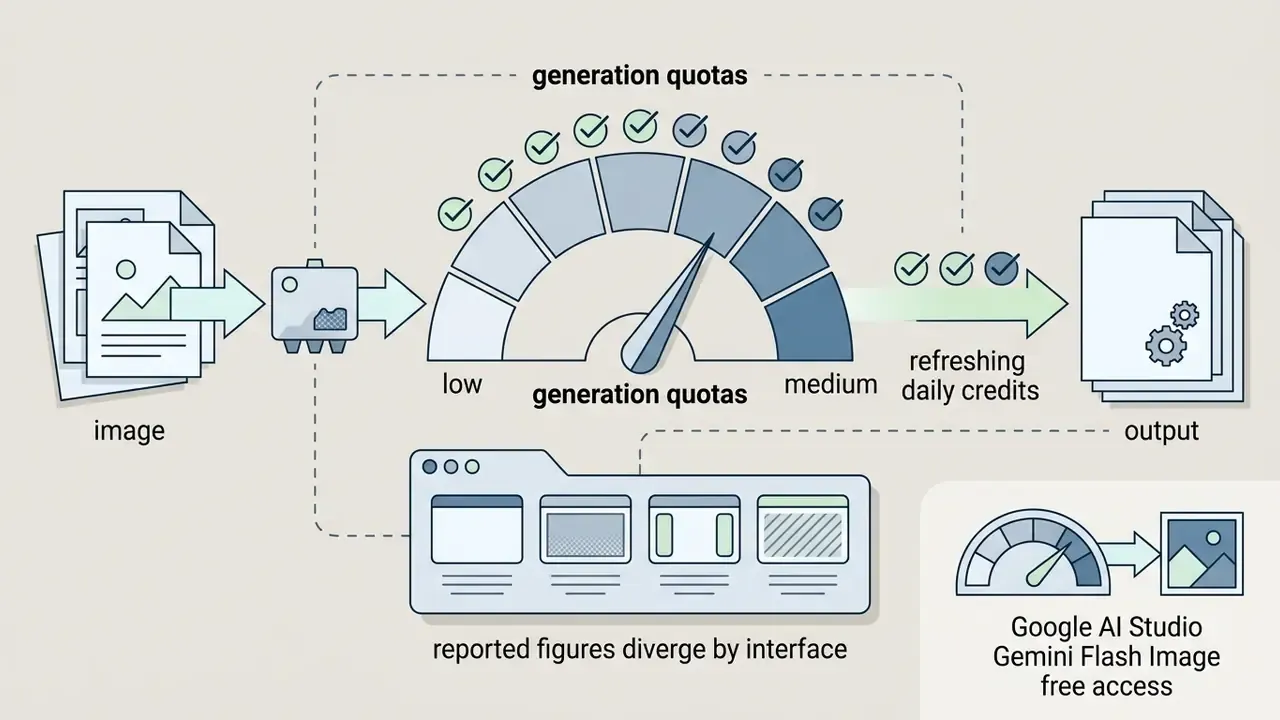
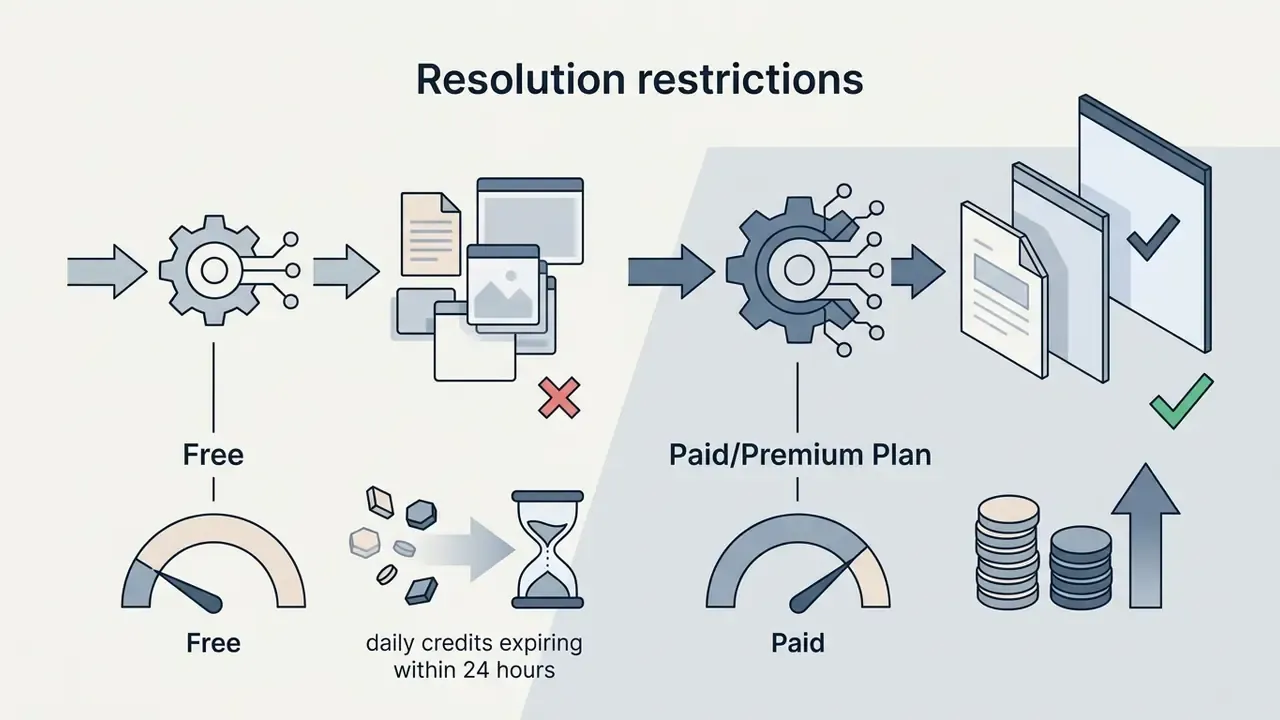
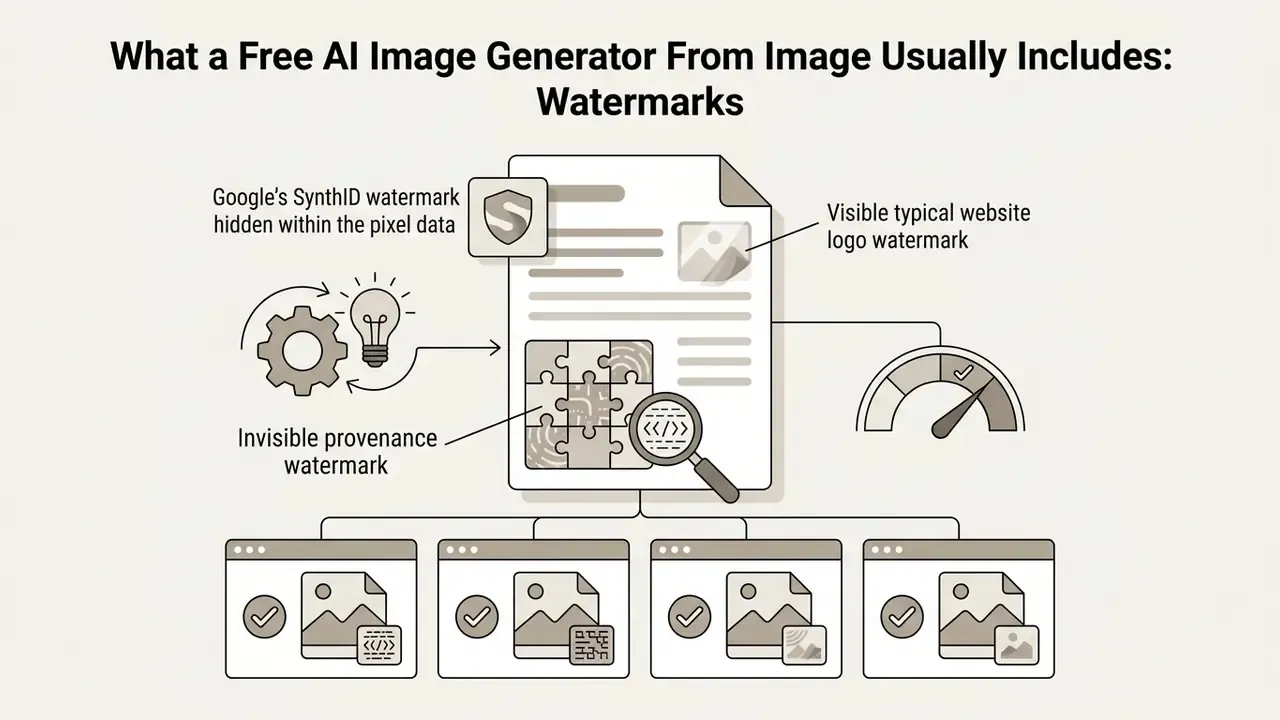
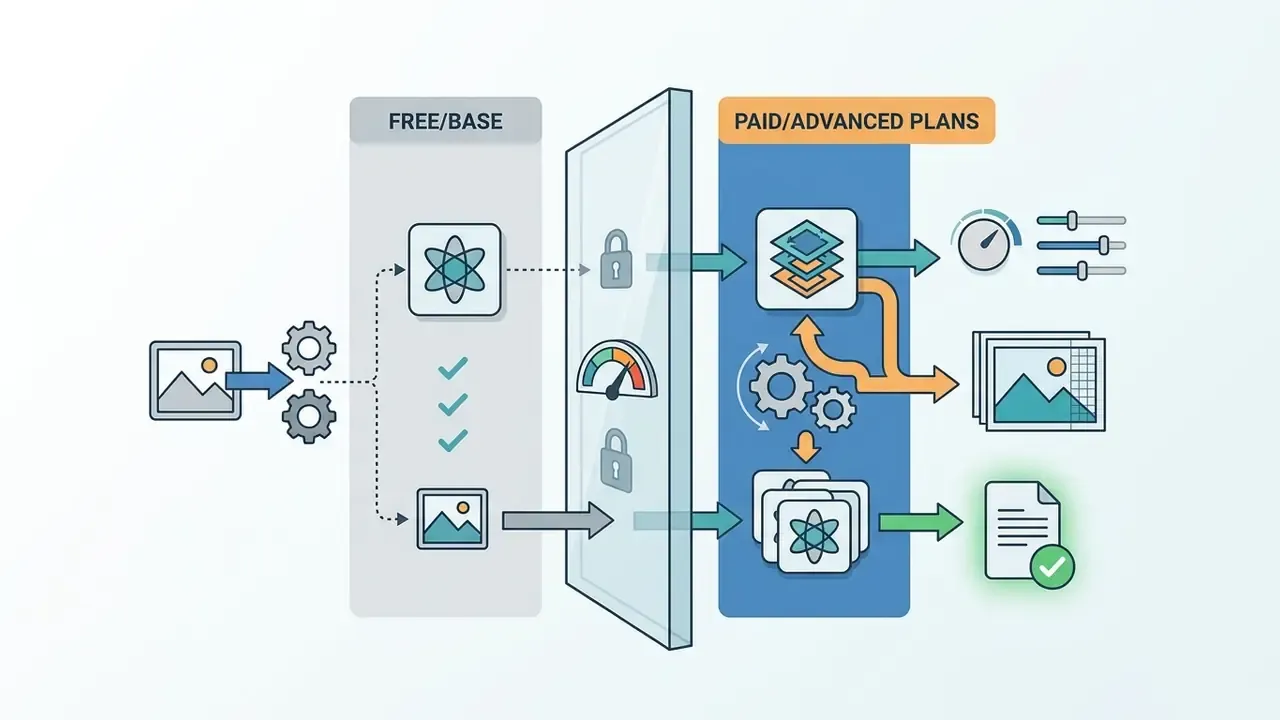
Platforms like Google AI Studio provide free developer access to models such as Gemini Flash Image with daily request quotas and 2K exports, embedding invisible SynthID provenance tags rather than visible branding. If registration friction is your constraint, review our overview of no-sign-up AI image generators and our comparison of free AI art generators for documented limits and licensing terms.
How to Check Commercial Use Rights Before Publishing
Before you push generated visuals into commercial use projects, advertising campaigns, e-commerce storefronts, physical merchandise, verify the legal framework covering your assets.
- Verify vendor terms of service.Confirm your subscription tier explicitly grants commercial monetization rights. Adobe's Generative AI User Guidelines, for example, permit commercial use except for features expressly designated as non-commercial betas. Some free tiers restrict output to personal or evaluation use only.
- Evaluate human authorship thresholds.Per guidance from the U.S. Copyright Office (2023 to 2025), purely machine-generated visual elements cannot be copyrighted. Where AI determines the expressive elements, that material is not human-authored. Protection extends only to human contributions: custom manual edits, composite arrangements, substantial creative retouching.
To explore alternative creative options, inspect our magic ai generator guide and our Canva AI Generator overview for additional platform licensing insight.
Privacy and Uploaded Image Considerations
Governance guidelines from global privacy regulators converge on one recommendation: set a clear corporate policy on allowable image inputs before team members start uploading sensitive enterprise visuals to external tools. Policy first, pilot second.
Governance Checklist: Approving an Image-to-Image Tool
Shadow AI adoption usually starts with a designer pasting a client photo into a free web tool. Not malice. Convenience. The checklist below gives risk, compliance, and model-governance functions a single-page approval instrument. Map each item to your existing control framework. The NIST AI Risk Management Framework, ISO/IEC 42001 for AI management systems, and, in banking, model-risk-management expectations of the SR 11-7 type all accommodate these controls without inventing new taxonomy.
Checklist0 / 14
Fact Check: Licensing & Privacy Verification
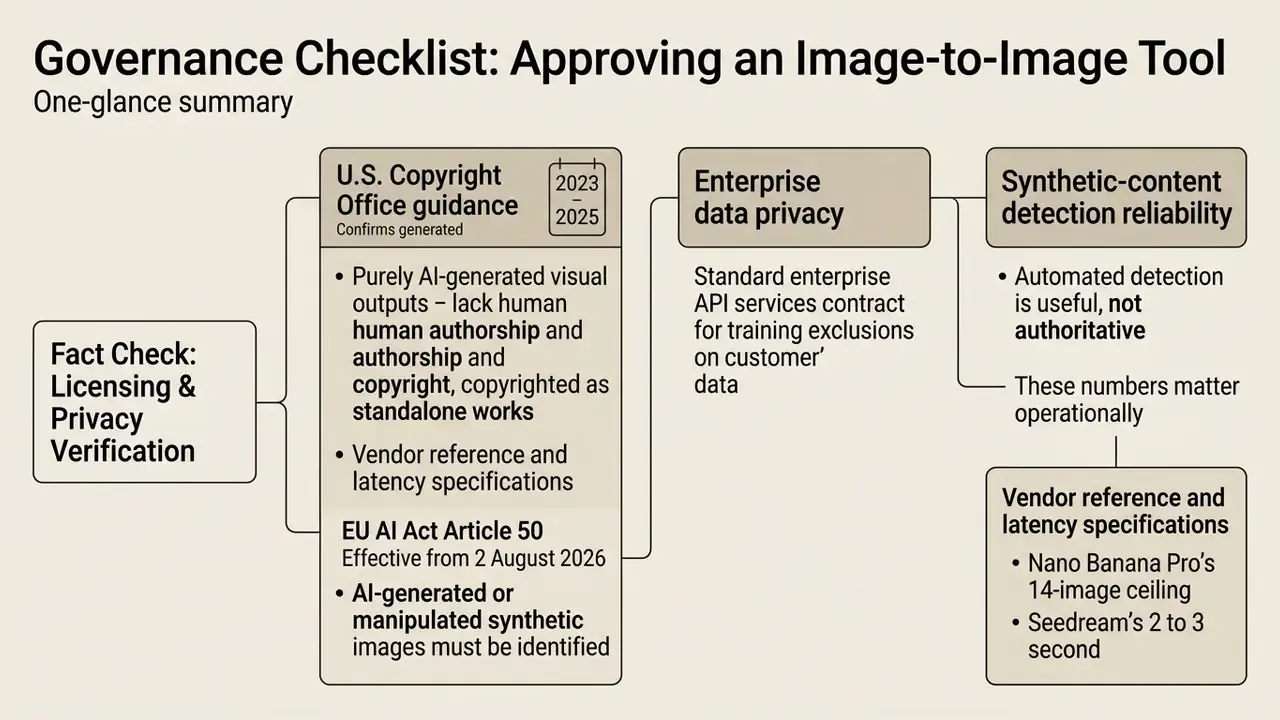
«UniAIDet spans 80,000 real and generated images from 20 generative models; a baseline CLIP detector reaches 66.12 accuracy and 70.15 AP on synthetic-content detection.»
Those numbers matter operationally. A detector performing in the mid-60s cannot serve as a sole compliance control. Provenance has to be established at generation time through metadata and workflow logging, not reconstructed afterwards.
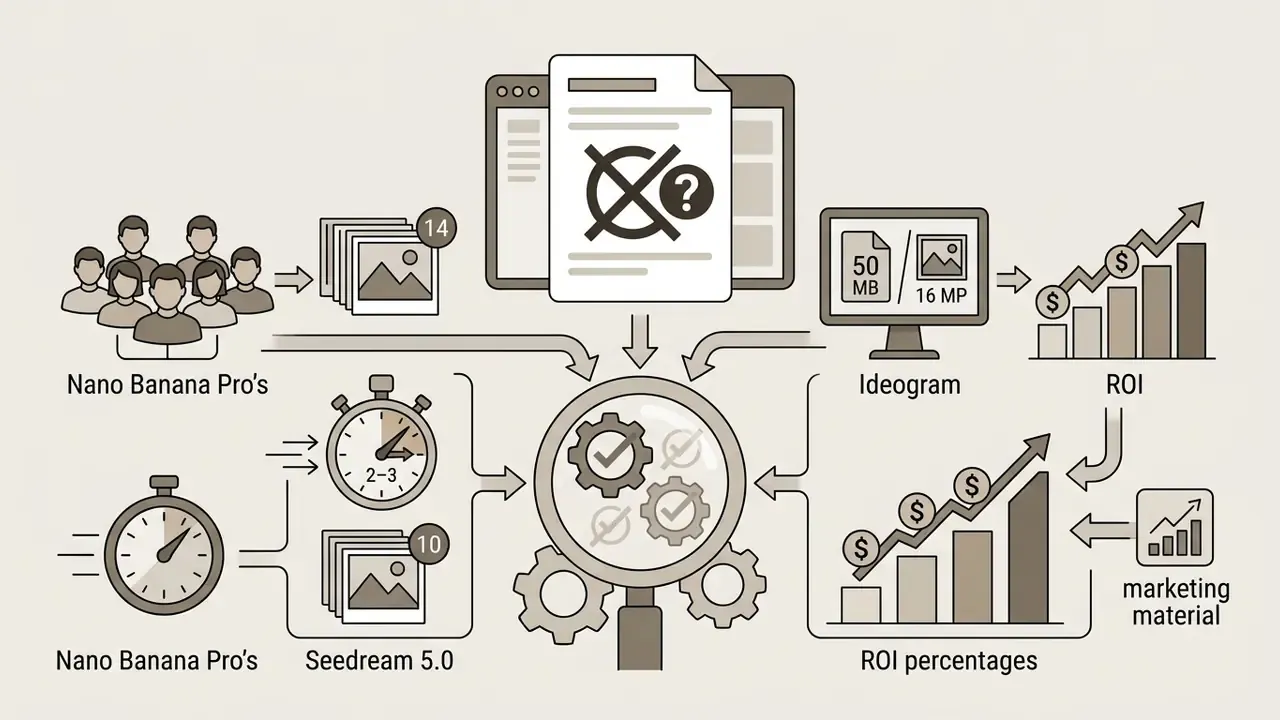
- Vendor reference and latency specifications (Nano Banana Pro's 14-image ceiling, Seedream's 2 to 3 second latency, Ideogram's 50 MB / 16 MP input cap): Status: vendor-stated, pending independent verification.
Commercial Use Cases for AI Image From Photo
An ai create image with photo pipeline delivers practical value across several commercial industries. Reduce reliance on physical studio reshoots, streamline asset editing, and content production accelerates noticeably.
If you need to improve visual quality before publishing, you can read how to make ai photo assets look more realistic in our dedicated guide.
Product Photos and Marketing Materials
E-commerce brands and digital agencies lean on image-to-image workflows to turn raw captures into campaign-ready assets:
- Automated background replacement Teams upload a single studio shot of a product on plain white, run a background removal pass, then generate seasonal lifestyle environments from text prompts. Adobe Express and Canva both document this upload-then-describe flow in their background-generation tools.
- Bulk catalog localization Tools integrated into platforms like Google Ads allow bulk editing of up to 100 product photos at once, including a "Replace background" action that generates a new background from a text prompt for asset-library and Merchant Center images, placing merchandise into settings tailored for different international markets.
- Packaging and banner variants Designers test packaging mockups or banner layouts without manufacturing prototypes or booking a shoot. Where the source capture is underexposed or low-resolution, run it through AI image enhancers before conditioning.
«PAIR Diffusion provides object-level control over structure and appearance, allowing product background and style changes without altering the object's shape or logo.»
Operational mini-case (illustrative, not a client disclosure): A retail merchandising team restructured its seasonal promotional workflow from traditional studio photography to an image-to-image pipeline. Working from raw studio product captures and applying background replacement via ControlNet depth masking, the team produced roughly 40 lifestyle ad variants across five target consumer demographics inside a two-day window. The scenario is modelled on documented bulk-editing capabilities rather than audited client metrics. Figures are illustrative and should be validated against your own baseline before they enter a business case.
For tools focused on image scaling, see our analysis of how to make an image high-definition for display graphics.
Virtual Try-On and Facial Identity Swapping
Specialized pipelines handle identity and garment swapping by decoupling spatial masks from feature extractors. Two variants drive most consumer and e-commerce demand:
- Garment replacement (outfit swapping): The pipeline preserves person geometry, pose, body proportions, limb placement, while overriding texture and shading maps with target clothing assets. Typical interfaces accept an original image plus a garment reference and a category selector, then composite with pose-aware warping. Fashion retailers use this to show one model across an entire size-and-colourway catalogue without a reshoot.
- Facial swapping (identity transfer): The system embeds source face keypoints and identity embeddings onto a target reference body using latent alignment layers, enabling localized retouching without full scene regeneration. Typical interfaces require an original image plus a target face upload.
- Hairstyle and attribute variation: Region-guiding masks confine edits to a defined area, which is how hairstyle grids and expression-sticker sets are produced from a single portrait.
Governance note: these are the highest-risk image-to-image features in any enterprise catalogue. Facial identity transfer implicates publicity rights, biometric data rules, and, per U.S. Copyright Office recommendations on digital replicas, a developing federal enforcement posture against unauthorized likeness distribution. Restrict identity-swap capability to documented, consent-backed use cases, log every source and target pair, and never route employee or customer photographs through consumer-tier tools.
Regulated Industries: Financial Services and Compliance-Bound Marketing
Regulated sectors adopt image-to-image generation more slowly, and for structural reasons: every visual asset passes marketing compliance review before publication. The workable use cases are therefore the ones with low factual-claim surface and zero customer data exposure:
- Card and product visual variants One approved render of a payment card or app screen is restyled across seasonal campaigns, regional colourways, and channel formats, while geometry, logo placement, and mandated disclosure areas stay locked via edge-conditioned control maps.
- Branch, workplace, and lifestyle imagery Licensed base photography is re-lit and re-staged for regional campaigns, avoiding repeat location shoots while underlying asset rights remain unchanged.
- In-product UI personalization Background and illustration layers in mobile applications are generated in bulk from a single approved art direction reference, with human sign-off per variant.
- Prohibited by default Customer identity documents, KYC photographs, staff headshots processed without consent, and any imagery implying a financial outcome or performance claim. Documents containing personal data should never enter a generative image pipeline at all.
The cost of control is the deciding variable in this sector. Production time savings are real. They are also offset by provenance logging, a mandatory human review gate, and legal sign-off on likeness and trademark clearance. Model the business case on net cycle time after compliance review, not on raw generation speed. That single adjustment kills roughly half the enthusiastic pilot proposals I have read, which is usually the point.
This section is illustrative guidance on control design, not regulatory advice. Consult your institution's compliance and legal functions before deploying generative imagery in regulated marketing.
FAQ: Frequently Asked Questions About AI Image-to-Image Tools
Can I upload multiple reference images to an AI generator simultaneously?
Yes. Modern image-to-image tools support multi-reference conditioning. Advanced models such as Nano Banana Pro (up to 14 reference images per vendor documentation), Reve 2.1 (up to 8), and Seedream 5.0 (up to 10) let you use image inputs in a single prompt pass. So you can supply one reference for subject geometry, a second for colour palette, and a third for lighting style, fusing them into one visual output. Name each reference by role in the prompt, or the model will blend functions.
What is a LoRA, and when should I use one instead of a prompt?
LoRA (Low-Rank Adaptation) is a small trainable module injected into a diffusion backbone that encodes a specific style, character, or subject at a fraction of full fine-tuning cost. Use a prompt when the aesthetic can be described in words ("watercolour", "cinematic lighting"). Use a LoRA when you need a reproducible look across hundreds of assets: a brand illustration system, a recurring character, a defined product-scene lighting signature. Hosted platforms now offer adapter libraries in the thousands. Verify training provenance and license for any adapter before commercial use.
Can image-to-image models generate readable text inside the picture?
Increasingly, yes. Reve 2.1 renders native 4K images with legible in-image text and structured layouts, and Qwen Image 3.0 preserves legible text and dense structure across 12 languages, which helps multilingual catalogues. Typography is still the most common failure mode across model families, so inspect every glyph at full zoom and expect to re-set critical copy manually in a layered editor before publication.
How do face swap and outfit change features actually work?
Both rely on decoupling a spatial mask from a feature extractor. Outfit change preserves the person's pose and geometry while overriding texture maps with the target garment. Face swap embeds source facial keypoints and identity embeddings onto a target body using latent alignment layers, so only the masked facial region is regenerated. Because these features implicate publicity and biometric rights, restrict them to consent-backed use cases and avoid consumer-tier tools for any employee or customer imagery.
Should I clean my source image before uploading it?
Yes. Watermarks, overlay text, stray logos, and background clutter get encoded into the latent representation and reappear as smeared textures or garbled glyphs in every variant. Remove them first, normalize exposure, and strip metadata containing client names or GPS coordinates before the file leaves your network.
How does batch image processing work in image-to-image generation?
Batch processing applies identical editing parameters across many source photos automatically. Through developer APIs (OpenAI's Batch API supports image-guided generation via reference file inputs, using a file identifier or image URL in JSON requests) or bulk enterprise interfaces such as Google Ads asset tools, teams can process up to 100 product images at once for automated background swaps, object isolation, or restyling passes at scale. Note that multipart video reference inputs are not supported in batch mode.
Are image-to-image AI generators accessible entirely online without local hardware?
Yes. Most commercial generators run as web-based SaaS platforms or cloud APIs. The latent diffusion calculations execute on remote GPU clusters, so working with images online needs only a standard browser and a connection to upload source photos, configure settings, and download high-resolution results. Local deployment of open-source SDXL and LoRA stacks remains the option of choice where data residency rules prohibit external upload.
Can I bring the output into Photoshop or Illustrator afterwards?
Yes, and for professional work you should. Export the raster output, then layer it over original vector brand assets, apply frequency separation for skin or fabric detail, convert flat regions into scalable vector paths, and correct typography non-destructively. The layered file also preserves an auditable record of human contribution, which is precisely the evidence a copyright registration filing requires.
How do image-to-image AI tools integrate with AI video generators?
Image-to-image generators act as foundational keyframe engines for ai video workflows. You first transform a static photograph into a stylized visual, then pass that image into video diffusion models such as Google Veo or Seedance as a structural reference frame. Reference ceilings differ sharply by model. Veo 3.1 accepts up to 3 reference images, while some reference-to-video endpoints accept up to 30 images within a 50-item multimodal budget, so verify limits before designing the pipeline. Explore image-to-video AI tools for the handoff mechanics, compare AI video generators for model selection, and review our Google Veo implementation guide for API costs and quotas. This approach holds subject and character consistency across generated sequences.
Do I own the rights to images I generate from my own photo?
Ownership of the file and copyrightability of the work are separate questions. Most vendors assign output ownership to the user under their terms of service, subject to plan tier. However, U.S. Copyright Office guidance holds that purely machine-generated expressive elements are not protectable, and AI-generated portions must be disclaimed at registration. A 2025 European Parliament study reaches a similar conclusion for the EU. Your enforceable rights attach to the human-authored contributions layered on top. Consult counsel for any asset central to a commercial campaign.
Can I use an AI to create a picture from a photo of a real person?
Technically, trivially. Legally, it depends on consent and jurisdiction. An ai create picture from photo workflow involving an identifiable individual touches publicity rights, and in several US states, biometric statutes. Obtain a written release naming the intended distribution surfaces, log the source file, and keep the consent record with the asset. For employee imagery, route the request through HR and privacy review rather than treating it as a design task.
Additional Resources and Hub Navigation
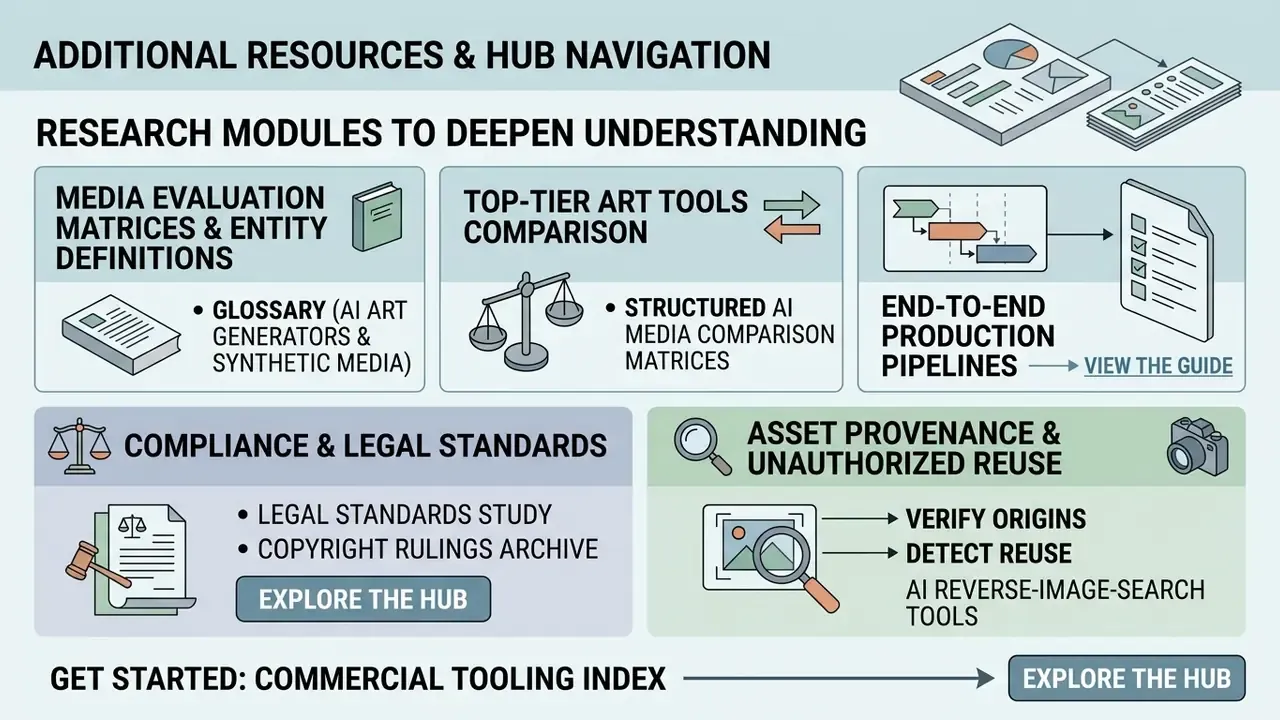
To deepen your technical understanding of synthetic media frameworks, licensing rules, and commercial editing workflows, explore our specialized research modules:
- Examine media evaluation matrices and entity definitions, including AI art generators, in our glossary directory.
- Compare top-tier art tools using our structured AI Media Comparison Matrices.
- Plan end-to-end production pipelines by reviewing our step-by-step implementation docs: view the guide.
- Study legal standards and copyright rulings in our compliance archive: explore the hub.
- Verify asset provenance and detect unauthorized reuse with AI reverse-image-search tools.
- Start with the category index of commercial tooling: explore the hub.
Appendix A: Verification Notes and Superseded Attributions
Maintained for transparency, so readers can audit our editorial corrections:
Editorial disclaimer: Marcus Hale, author. Any references to specific company metrics, regulatory filings, or hypothetical operational scenarios are illustrative and provided solely for educational purposes. Nothing in this article constitutes legal, financial, or compliance advice. Users should consult qualified legal counsel regarding commercial copyright compliance, likeness and publicity rights, dataset privacy, and regulatory disclosure obligations in their jurisdiction.
hypeart.ai does not resolve through DNS, and official company status remains unverified. No verified information is available regarding proprietary Hypeart tools or unique selling propositions. The brand is therefore excluded from the comparative model matrix above.
Social Media Visuals for Content Creators
For a digital content creator or social media manager without deep design training, these tools lower the barrier to high-impact visuals:
Creators can also explore specialized creative platforms in our magic hour ai overview to examine automated visual tools, or compare craft-focused options in our Midjourney evaluation.