Executive Summary
What Is an AI Website Creator and How Does It Work?
Why should a risk or finance leader care about a marketing tool? Because the moment a generative system publishes to a public domain, it becomes an operational process with an owner, an approval path, and an audit trail. Or it becomes shadow AI. There is no third option.
From a Business Description to an AI-Generated Website
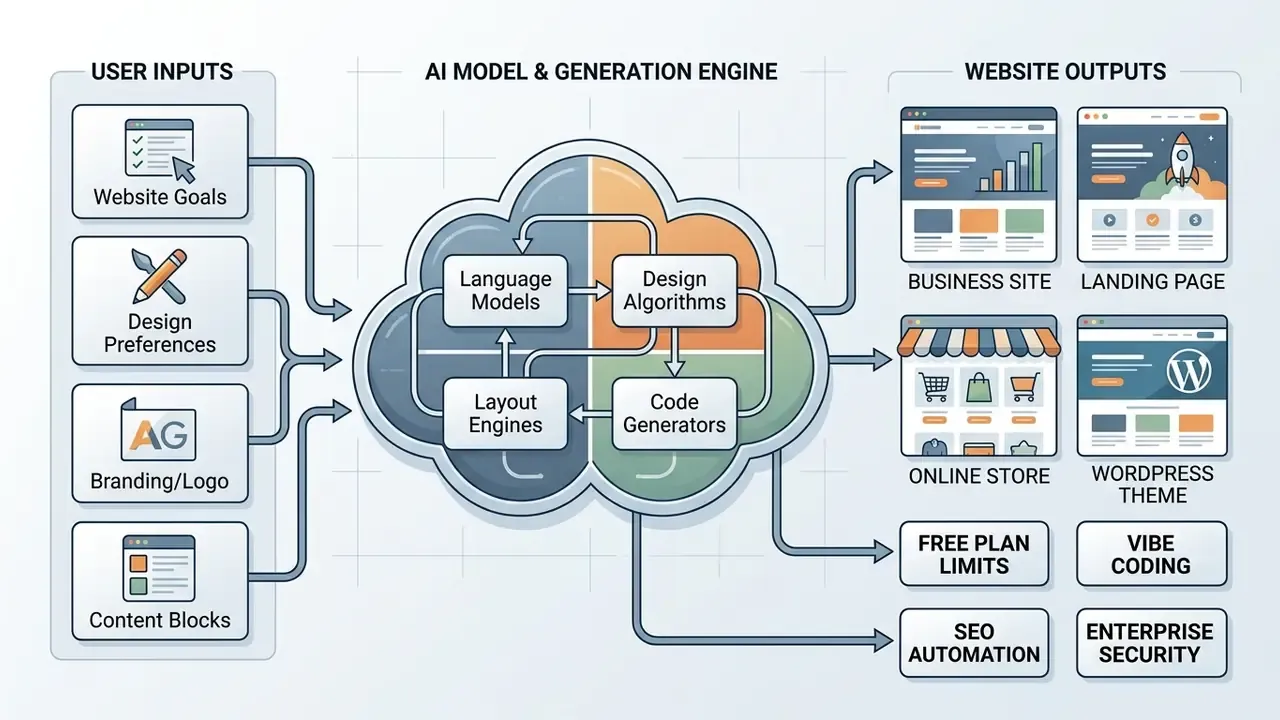
The creation workflow begins when a user submits a business prompt detailing company name, core offerings, design aesthetic, and target audience. Modern AI engines analyze this specification against structured design tokens and information architecture patterns. The platform then assigns an appropriate page hierarchy, establishes site navigation, generates sector-specific content, and applies brand-aligned fonts and colors across every layout block.
Information architecture conventions constrain this transformation more than most users realize. Established practice caps top-level navigation at roughly three to seven categories, orders content from general to specific, and groups similar page types together. That is why nearly every generated business site resolves to the same skeleton: Home, Services or Products, About, Testimonials or Case Studies, and Contact, plus sector-specific subpages such as pricing, booking, or individual service descriptions. The AI is not inventing structure from nothing. It is selecting a documented pattern and populating its slots.
One practical consequence: the quality of your brief, not the sophistication of the model, decides whether the generated website building output is usable. A vague prompt returns a generic business site. A prompt with an audience definition, one primary conversion goal, and a named page set returns something closer to a first-round agency draft.
What You Can Still Customize After AI Creates the Site
After initial generation, users modify their custom website using visual drag-and-drop editors or conversational AI assistants. Platform editors permit fine-tuning of site structural elements, section layouts, imagery, and contact forms with one-click style adjustments. While artificial intelligence provides the baseline draft, human operators retain complete editorial oversight to realign brand assets, including logo work produced with AI logo generators, audit text accuracy, and verify user experience elements prior to launch.
"Screen-reader testing of AI-generated sites revealed serious accessibility defects, including missing ARIA labels and broken heading hierarchies."
That finding is the operational reason post-generation review is mandatory rather than optional. The draft may look complete in a visual editor while failing assistive-technology navigation entirely. Practical customization work therefore splits into three layers: cosmetic (colors, fonts, imagery), structural (section order, navigation, breakpoints), and semantic (heading levels, alt text, ARIA labels, form labels). The first layer is where AI assistants excel. The third layer is where human auditing remains non-negotiable.
A small observation from repeated testing: reviewers tend to fix what they can see and skip what they cannot. Heading order and focus visibility are almost always the last items on the list, and almost always the ones that fail.
How We Evaluate the Best AI Website Creation Tools
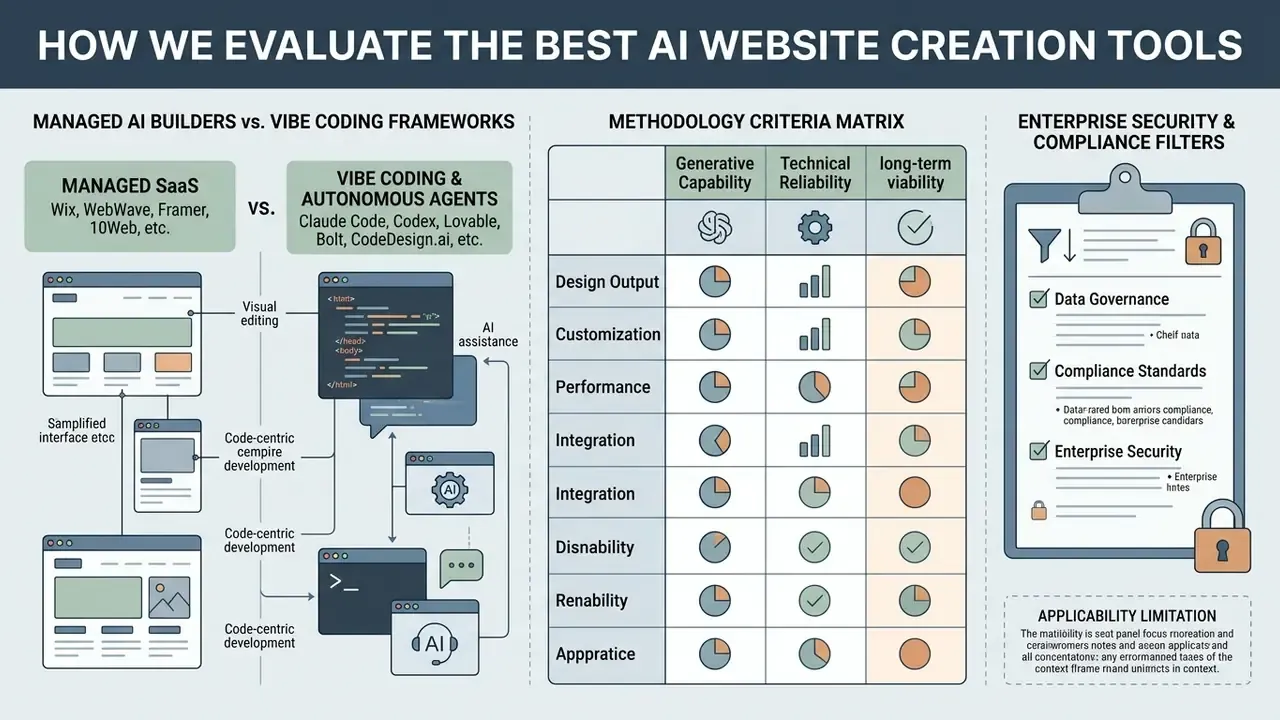
Evaluating an AI website creation tool requires assessing both its generative capability and its long-term technical reliability. Operational risk management demands that platforms deliver not only attractive visual drafts but also clean semantic code, robust hosting infrastructure, editable search engine metadata, compliant data collection workflows, and a verifiable enterprise security posture.
Table: Criteria matrix for evaluating AI website builders
| Evaluation criterion | Operational scope | Key benchmark metrics | Primary risk factor |
|---|---|---|---|
| AI generation quality | Draft coherence, layout structure, context relevance | Time to initial draft, layout stability, copy accuracy | Unsolicited dark patterns or hallucinated claims |
| Design and layout control | Visual customization depth, element-level editing | Drag-and-drop flexibility, slot-based constraints | Restrictive template locking after generation |
| Technical and hosting core | Infrastructure reliability, security, speed | Core Web Vitals pass rate, TTFB (under 200 ms), uptime | Subpar hosting causing high latency and drop-offs |
| SEO and data governance | Metadata accessibility, sitemap, indexing controls | Editable title and meta tags, schema support, robots.txt | Non-indexed pages or duplicate canonical tags |
| Business integrations | Lead capture, e-commerce, third-party hooks | Native contact forms, payment gateways, analytics | Insecure data collection or non-compliant forms |
| Accessibility and compliance | WCAG compliance, screen-reader navigation | ARIA label coverage, keyboard navigation checks | Inaccessible visual blocks failing WCAG 2.1 criteria |
| Enterprise security posture | Attestations, access control, model data handling | SOC 2 Type II, ISO 27001, SSO/SAML, zero data retention | Shadow AI usage and prompt-side data leakage |
No matching rows Clear one or more filters to restore the matrix.
Criteria weighting should shift with the deliverable. For a lead-generation site, SEO and integration weight heavily. For a regulated disclosure page, accessibility and evidence capture dominate, and a beautiful canvas is close to irrelevant.
Managed AI Builders vs. Vibe Coding Frameworks
Modern web development with AI splits into two distinct operational models, and choosing the wrong one is the single most common procurement error we observe.
- Managed SaaS AI builders (Wix, WebWave, Framer, 10Web)these generate pages inside proprietary visual design systems. They handle hosting, databases, CDN delivery, and UI components natively, which prevents broken layouts and eliminates deployment overhead, while locking the organization into their ecosystem. Blog engines, payment processing, booking systems, and CRM objects are already built. You are renting infrastructure maturity.
- Vibe coding and autonomous agents (Claude Code, Codex, Lovable, Bolt, CodeDesign.ai)these construct raw source code (React, HTML/CSS, Tailwind) directly from natural language prompts. They offer complete architectural control and platform independence, but vibe coding requires external deployment infrastructure (Vercel, Netlify, private cloud) and manual oversight to secure database connections, environment variables, and every exposed api surface.
The practical distinction is maintenance, not generation. Producing a one-page site from a prompt is now trivial in both models. Producing a site that a marketing team can update weekly, that runs a blog, that processes transactions, and that survives a security review is where managed platforms retain a decisive advantage. Conversely, when the requirement is code ownership, custom application logic, or exit from vendor lock-in, a code-generating agent is the only viable route. A useful filter: if the deliverable is a marketing site, pick managed. If the deliverable is a web app, pick code generation.
A market-wide caution applies to both camps. A large share of tools marketed as "AI website builders" are thin front-ends that pass a prompt to a commodity model API and inject the response into a single fixed template. Changing the prompt changes the headlines and the stock photography, not the layout. The diagnostic test is simple: submit two radically different briefs and compare the resulting page structures. If the grid, section order, and navigation are identical, the platform is a template filler, not a generator.
Enterprise Security, Data Governance, and Compliance Filters
Regulated organizations should apply a security screen before evaluating features at all. Website generation involves submitting business context, sometimes including product roadmaps, pricing structures, or draft disclosure language, into a third-party model pipeline. That makes the builder a data-processing vendor, not merely a design tool.
Table: Enterprise security and compliance screening questions
| Control area | What to verify | Why it matters |
|---|---|---|
| Third-party attestation | SOC 2 Type II report, ISO 27001 certification, penetration-test summary | Provides auditable evidence for vendor-risk files |
| Model data handling | Written confirmation that prompts and uploads are excluded from model training; zero-data-retention terms with upstream LLM providers | Prevents inadvertent disclosure of non-public business information |
| Identity and access | SSO/SAML, role-based permissions, publish approval gates, audit logs | Blocks unsanctioned publishing and shadow AI usage |
| Data residency and privacy | Hosting region selection, GDPR data-processing agreement, cookie-consent tooling | Supports jurisdictional and privacy obligations |
| Payment and personal data | PCI-DSS scope of the payment gateway, form-data storage location, retention policy | Determines whether customer data can legally transit the platform |
| Portability | Code export, content export, DNS and domain ownership, backup cadence | Limits vendor lock-in and supports continuity planning |
Firms operating under model-risk governance expectations, for example institutions aligning documentation to the NIST AI Risk Management Framework or to supervisory model-risk guidance such as SR 11-7, should treat a generative site builder as an in-scope tool with an owner, a documented purpose, a human reviewer, and retained evidence. A practical model risk audit evidence pack for each generated site includes: the exact prompt or brief submitted and its version; the identity of the human reviewer and the approval timestamp; a pre- and post-edit copy of generated marketing claims; the accessibility test report (automated scan plus manual screen-reader pass); the SEO metadata diff; the compliance or legal sign-off record; and the publication log entry.
None of these artifacts is produced automatically by any platform reviewed here. That is precisely why they must be captured by process rather than assumed.
Applicability limitation: general-purpose AI website builders should not be used to collect, process, or store sensitive personal data, protected health information, or regulated customer records without an isolated environment and an explicit vendor-risk assessment.
AI Generation Quality and Design Control
High-quality AI generation balances automated speed with structured visual control. Advanced platforms use specialized design systems that enforce grid alignment, contrast ratios, and typographic hierarchy during draft creation. This structured approach prevents chaotic page layouts and lets administrators fine-tune visual components from an extensive template library without breaking responsive design rules. Research on controllable template generation shows the same principle: constraining salient regions and preserving background space keeps generated layouts usable, whereas unconstrained generation degrades structure.
"A 2024 study found that 100% of ChatGPT-generated e-commerce pages contained dark patterns, including urgency cues and fabricated reviews, even under neutral prompts."
Launch, SEO, Hosting, and Business Features
A production-ready business site requires integrated hosting, automated SSL certificates, custom domain management, and precise SEO controls. Search engine optimization tools must support editable title tags, meta descriptions, canonical URLs, XML sitemaps, and structured schema markup. Native integrations for contact forms, web analytics, and e-commerce payment processing are equally essential for converting web traffic into measurable business operations. Vendor documentation across the category now treats DNS setup, free TLS provisioning, contact forms, analytics hooks, and Stripe- or PayPal-based checkout as baseline inclusions rather than premium add-ons.
Post-launch workflow automation. An AI-generated website must connect directly to operational software, or it becomes a static brochure that quietly loses leads. Integrating webhook platforms or automated agent triggers (Zapier, Make, native platform automations) enables automated data routing:
- Lead capture form submissions automatically push prospect data into CRM systems such as HubSpot or Salesforce, with field mapping and duplicate checks applied before the record is created.
- Transactional messaging booking or purchase events trigger personalized confirmation emails, which an LLM can draft from order context while a template enforces required legal footers.
- Inventory syncing e-commerce sales trigger real-time stock updates across inventory databases, accounting tools, and fulfillment systems without manual reconciliation.
- Internal notification and escalation high-value or high-risk inquiries route to a dedicated channel or queue, creating an auditable escalation path rather than an unattended inbox.
The governance caveat is that every automation is also a data-transfer path. Each connector should be documented with the data fields it moves, the destination system, and the retention policy applied there. Finance and operations teams reviewing throughput numbers across tooling categories can also compare measured results in our benchmarks hub before committing to an automation stack.
The Best AI Website Creators for Different Needs
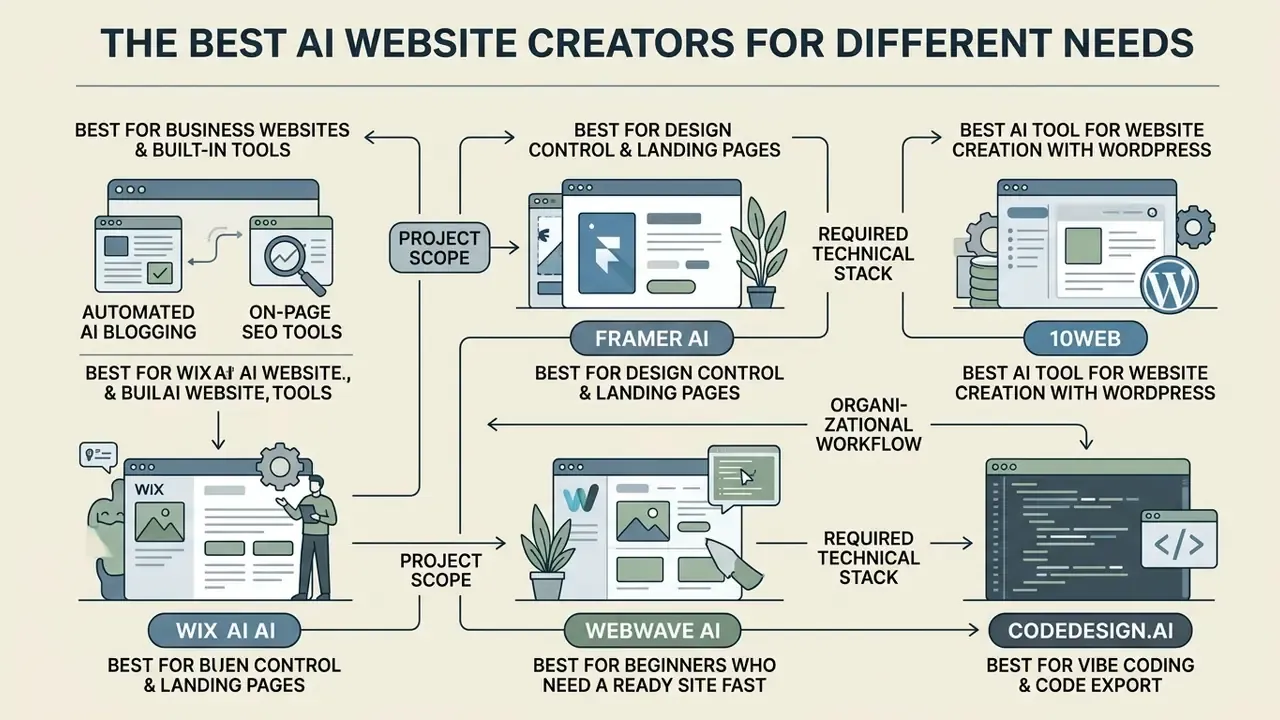
Selecting the best AI website creator depends heavily on project scope, required technical stack, and organizational workflow. Enterprise teams, independent creators, and agency developers need distinct balances between automated prompt generation and granular visual editing. Market sizing reflects how quickly the category is consolidating: Precedence Research places the AI-powered website builder market at roughly USD 3.24 billion in 2026 and projects USD 17.43 billion by 2035 at a 20.55% CAGR, while competing 2026 estimates put the current figure nearer USD 4.19 billion. That spread illustrates methodology variance rather than a settled number, and it is worth treating both figures as directional.
Wix AI Website Builder: Best for Business Websites and Built-In Tools
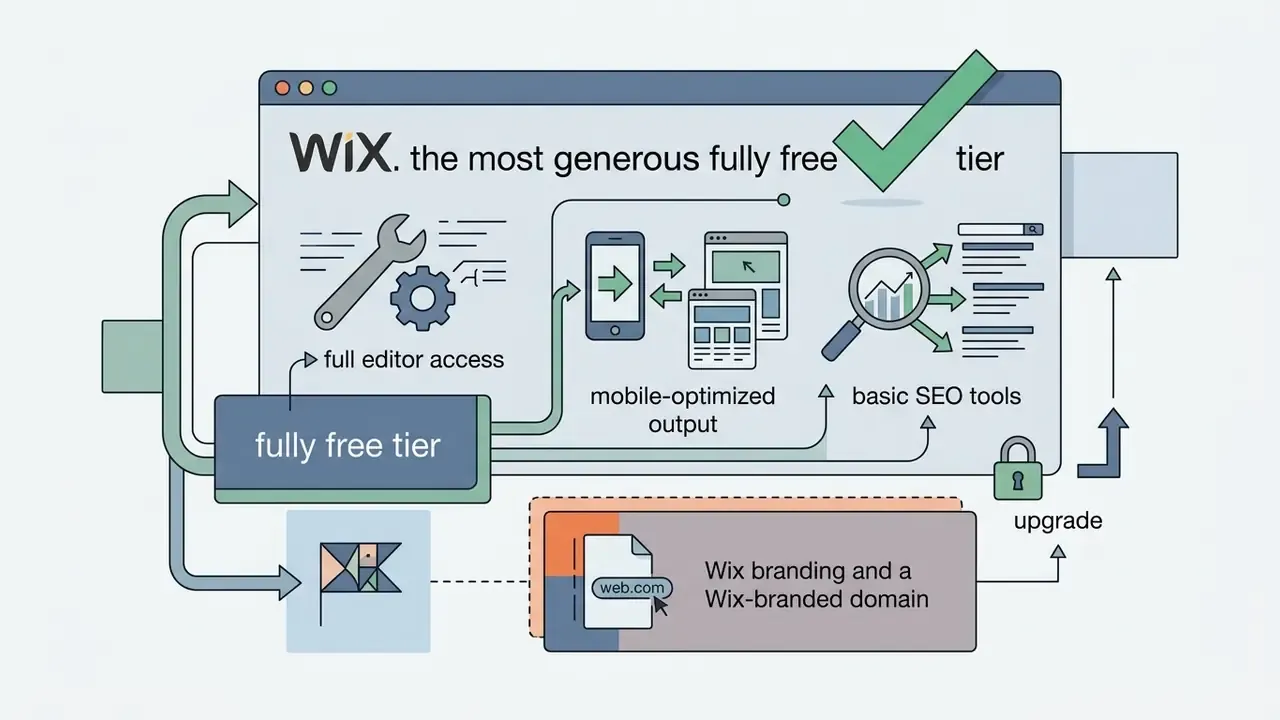
Wix AI Website Builder functions as an all-in-one business site platform that converts conversational text descriptions into fully functional sites. The integrated Aria AI assistant guides users through site structure setup, generating industry-specific layouts pre-equipped with scheduling systems, e-commerce workflows, and marketing tools. Users maintain full design control via the visual editor, allowing manual adjustments to every layout element alongside built-in SEO and analytics tools.
Automated AI blogging and on-page SEO tools. Wix's AI Meta Tag Creator parses page content to output context-aware title tags and meta description suggestions in seconds, offering multiple variants that can be refined for brand and audience. The SEO Assistant generates a page-level checklist covering content, structure, and SEO attributes, flags detected issues, and converts them into trackable tasks. Google Search Console integration allows sitemap submission and site inspection directly from the site dashboard, and structured-data markup can be added either manually or from pre-built schema templates. Flexible 301 redirect handling reduces the risk of 404 accumulation after a redesign, a common failure mode when an AI regeneration silently changes URL slugs.
Wix's operational strength is ecosystem depth rather than generation novelty. The AI draft arrives already wired into a booking engine, store, CRM, and email marketing stack, so teams are not assembling a blog or payments system from scratch. Wix documents 99.99% uptime, integrated encryption, threat prevention, and 24/7 monitoring, plus built-in accessibility tooling. Entry pricing begins with a free ad-supported subdomain tier, with paid plans commonly cited from around $17 per month (Light) through mid tiers near $29 to $39 per month and an enterprise-oriented tier near $159 per month depending on region and billing cycle. One strategic note for procurement: Wix has publicly restructured around a headless AI site-creation product line to compete with vibe-coding tools, so roadmap monitoring is advisable for multi-year commitments.
Framer AI: Best for Design Control and Landing Pages
Framer AI operates as a visual, canvas-native design platform engineered for high-converting landing pages and design-centric web projects. Its AI generation engine constructs responsive layouts directly on a freeform canvas, giving visual designers exact control over spatial breakpoints, typography hierarchy, custom animations, and interactive components. Framer suits professional teams that want advanced web design aesthetics without writing manual CSS or JavaScript.
Framer's differentiator is that AI changes remain visible and editable as layers rather than opaque output. The AI agent can draft headlines, sections, proof points, and overall page direction. The designer then refines copy, hierarchy, spacing, responsive behavior, breakpoint order, and section sequence directly on the canvas. Typography support extends to variable fonts with weight, width, and optical-size control plus OpenType features, and images and SVGs export straight from the canvas. Because Framer routes generation through top-tier third-party models, credit consumption can be rapid on complex projects, which is a cost variable worth modeling before committing to a large landing page program. Free-tier publishing uses a framer.app subdomain with a Framer badge, 5 MB upload limits, 1 GB bandwidth, and a monthly AI credit cap. Paid tiers commonly start near $10 to $15 per month.
10Web: Best AI Tool for Website Creation With WordPress
10Web provides an AI-powered website creation tool built specifically on open-source WordPress infrastructure. Its AI engine translates business briefs or external web page URLs into fully editable WordPress pages using an Elementor-based drag-and-drop page builder. Because the output is genuine WordPress, the entire plugin and WooCommerce ecosystem remains available, and agencies can hand sites to clients who already know the admin interface.
"Independent 2026 testing recorded 0.9 s average load time, 180 ms TTFB and a 94% Core Web Vitals pass rate on 10Web sites, versus 3.2 s and 45% on standard hosting."
Those gains come from stack decisions rather than generation quality: managed Google Cloud hosting, automated caching and asset optimization through 10Web Booster, and datacenter selection at migration time. The platform also ships a one-click automated migration path using its manager plugin, which clones an existing WordPress site into an optimized copy without disturbing the live installation, plus an SEO agent that runs technical audits, builds keyword strategy, applies schema markup, and targets Core Web Vitals. A useful capability for redesign projects: AI Builder can recreate the structure and design of an existing non-WordPress URL as a reusable WordPress template. Paid plans start around $10 per month, typically including a domain credit.
WebWave AI: Best for Beginners Who Need a Ready Site Fast
WebWave AI delivers a beginner-friendly site generation workflow designed to launch functional websites within roughly three minutes. The guided flow asks the user to describe the business (or supply an existing URL), choose from several suggested layouts, pick one of eight color palettes and four font pairings, and select which pages the site should include, then generates the complete responsive result. The platform combines automated layout generation with a built-in AI Writer and SEO Writer, so non-technical users can create optimized page copy and meta tags simultaneously. Users who need supporting visuals can pair this with AI image generators to replace generic stock media before launch.
Automated AI blogging and on-page SEO tools. Modern platforms do not just format pages; they automate content operations. WebWave's built-in SEO Writer generates long-form blog articles from a target primary keyword, proposes a shortlist of article topics, formats heading structures (H2 to H4), inserts contextually relevant media, and publishes directly into the CMS, with the feature gated to Pro and Business tiers. The separate AI Writer handles short-form assets: headlines, taglines, service descriptions, and calls to action in a specified tone. A built-in SEO analyzer then checks each page's optimization against the chosen keyword. Section- and page-level regeneration lets beginners refresh imagery, layout, or copy for a single block without rebuilding the site.
WebWave's editing model is unusually permissive for a beginner tool. The canvas is freeform and pixel-precise rather than slot-locked, so an AI-generated site can be fully restructured later. The platform bundles a free .com domain for the first year on annual plans, business email, AWS-backed hosting with a free SSL certificate, a commission-free online store, and 24/7 support. Access starts with a 14-day full-feature trial that does not require a credit card, after which a paid plan is required to keep the site live on a custom domain.
CodeDesign.ai: Best for Vibe Coding and Code Export
CodeDesign.ai combines AI-assisted visual editing with developer-focused source code export. Using a conversational AI Companion, users build web applications and landing pages via intuitive vibe coding workflows before refining layouts through a drag-and-drop editor. The platform supports clean HTML/CSS and React code export, allowing engineering teams to take generated front-end assets off-platform and host them on custom cloud infrastructure. In this category, that is the single most effective structural defense against vendor lock-in.
Beyond generation, CodeDesign.ai includes an AI coding editor with inline suggestions and version tracking, plus a built-in site audit that crawls the connected site and scores health, flagging missing H1 elements, duplicate title tags, absent meta and Open Graph tags, and thin content while tracking fixes over time. Deployment options include the platform's own cloud with custom-domain publishing or synchronization to WordPress. Note one documented inconsistency across official product pages: some list export as HTML/CSS only while others list HTML/CSS plus React, so export format should be confirmed against the current plan before purchase. Code export and custom-domain publishing require a paid tier.
AI Website Builders Compared at a Glance
Comparing leading platforms side by side highlights key operational differences across targeting, editing flexibility, hosting environments, e-commerce capabilities, and underlying infrastructure commitments.
Table: Comparative analysis of modern AI website creation platforms
| Platform | Primary use case | Design customization | CMS and hosting stack | Infrastructure and SLA | SEO and marketing tools | Free tier / entry price |
|---|---|---|---|---|---|---|
| Wix AI Builder | Small business sites and stores | High (drag-and-drop plus Aria AI) | Proprietary managed hosting | Managed multi-cloud, 99.99% uptime, 24/7 monitoring | AI Meta Tag Creator, SEO Assistant, Search Console integration, schema, 301 redirects | Free subdomain tier; paid from about $17/mo |
| Framer AI | Landing pages and portfolios | Advanced (canvas design controls) | Global CDN hosting platform | Global AWS and Cloudflare edge delivery | Page-level meta controls and analytics | Free plan (framer.app subdomain, badge, AI credit cap); paid from about $10/mo |
| 10Web AI | WordPress and agency builds | High (Elementor plus WP plugins) | Managed Google Cloud hosting | Google Cloud premium tier, automated Core Web Vitals optimization | 10Web SEO Agent, technical audit, schema markup | Free trial; paid tiers from about $10/mo |
| WebWave AI | Beginners needing a fast launch | High for the tier (freeform pixel-perfect canvas) | Managed web hosting included | AWS cloud hosting plus free SSL, 24/7 support | AI Writer, SEO Writer auto-blogging, built-in SEO analyzer | 14-day full trial; paid plan required to stay live |
| CodeDesign.ai | Vibe coding and code export | High (visual editor plus React/HTML export) | Cloud hosting, custom export, or WordPress sync | Custom export (React/HTML) or cloud edge hosting | Automated technical site audit (H1, titles, meta and OG, thin content) | Free tier preview; paid code export and custom domain |
Read the table as a shortlist generator, not a verdict. Wix and 10Web win on operational completeness, Framer on design fidelity, WebWave on time to first live page, CodeDesign.ai on portability. Teams that want head-to-head breakdowns of individual pairings can explore the hub for single-product comparisons.
Which AI Website Builder Should You Choose by Project Type?
Choosing the right AI website builder requires matching platform capabilities to project objectives, internal skill sets, governance obligations, and long-term maintenance resources. A reliable decision sequence is: define the deliverable (marketing site, web app, store), then the ownership requirement (managed versus exportable code), then the security screen, then features, and only then price.

Best AI Website Maker for Small Business Owners and Service Providers
Small business owners and service providers need comprehensive management platforms that handle customer interactions directly. The ideal platform must integrate contact forms, online appointment scheduling, local marketing features, and custom business email setup under a unified custom domain. Integrated business tools remove the operational overhead of connecting multiple third-party plugins.
Scheduling is the decisive feature for this segment. Dedicated booking platforms now consolidate calendar management, payments, meeting preparation, staff availability, and contact records in a single product, so service businesses should confirm that the site builder either includes equivalent native booking or integrates cleanly with one. The second decisive feature is lead routing. A form that only emails an inbox will leak inquiries. A form wired to a CRM with ownership assignment will not.
Best AI Tool to Create a Website for Creators, Portfolios, and Landing Pages
Creators, freelancers, and visual designers benefit most from platforms built around visual aesthetic control and rapid landing page iteration. These tools offer flexible brand kits, typography controls, media integration, and link-in-bio setups designed to maximize engagement. High visual customization ensures that portfolio sites accurately reflect brand identity without visual compromise, and consistent AI logo generator output keeps mark, palette, and typography aligned across the site and social media profiles.
Structured brand kits are the mechanism that makes AI generation usable for creators rather than generic. Platforms that store logos, color palettes, font pairings, tone of voice, vocabulary, audience definition, and value propositions can generate on-brand pages automatically. Platforms without a brand-kit layer regenerate arbitrary visual choices with every prompt. For single-page creator hubs, bio-site builders that pull from the same brand kit keep portfolio, link-in-bio, and landing pages visually continuous.
Best AI Website Creation Tool for Online Stores and Growing Businesses
Commercial projects demand robust e-commerce architectures supporting secure payment gateways, automated inventory tracking, tax calculations, and marketing analytics. Product presentation quality is part of that architecture, which is why many store owners pair a builder with AI image generators for commercial use to standardize product and lifestyle visuals under clear licensing terms. Growing businesses should select platforms offering commission-free online store tiers, automated email list capture, and expandable product catalog options. Vendor documentation in the category supports that preference: WebWave advertises commission-free selling with integrated payment and shipping providers, hosting.com's AI site builder exposes product catalogs, payment gateways, shipping rules, redirects, and custom HTML or JavaScript, and Tilda documents multiple payment systems with order delivery into email, Drive, or CRM plus Google Analytics integration.
The commission structure matters because platform transaction fees compound directly against gross margin, unlike a fixed subscription. Low transaction friction is equally essential for maintaining sales conversion rates. Licensing questions on generated media deserve the same scrutiny, and teams can review category-wide usage terms in our commercial use section before publishing product imagery.
"An Ahrefs analysis of 600,000 pages found a 0.011 correlation between AI-content share and Google position, effectively no relationship."
For store owners, that finding removes one common objection: AI-assisted product and category copy is not inherently penalized. The real constraints are duplication, thin content across near-identical product variants, and unverifiable claims, all of which require human editing regardless of how the first draft was produced.
Operational teams evaluating specialized media workflows can review our comparative software breakdown in the best free video editing apps overview, or the narrower best free video editing app guide, to evaluate asset creation tools alongside the site build.
Best Free AI Website Builder: What You Get Before Paying
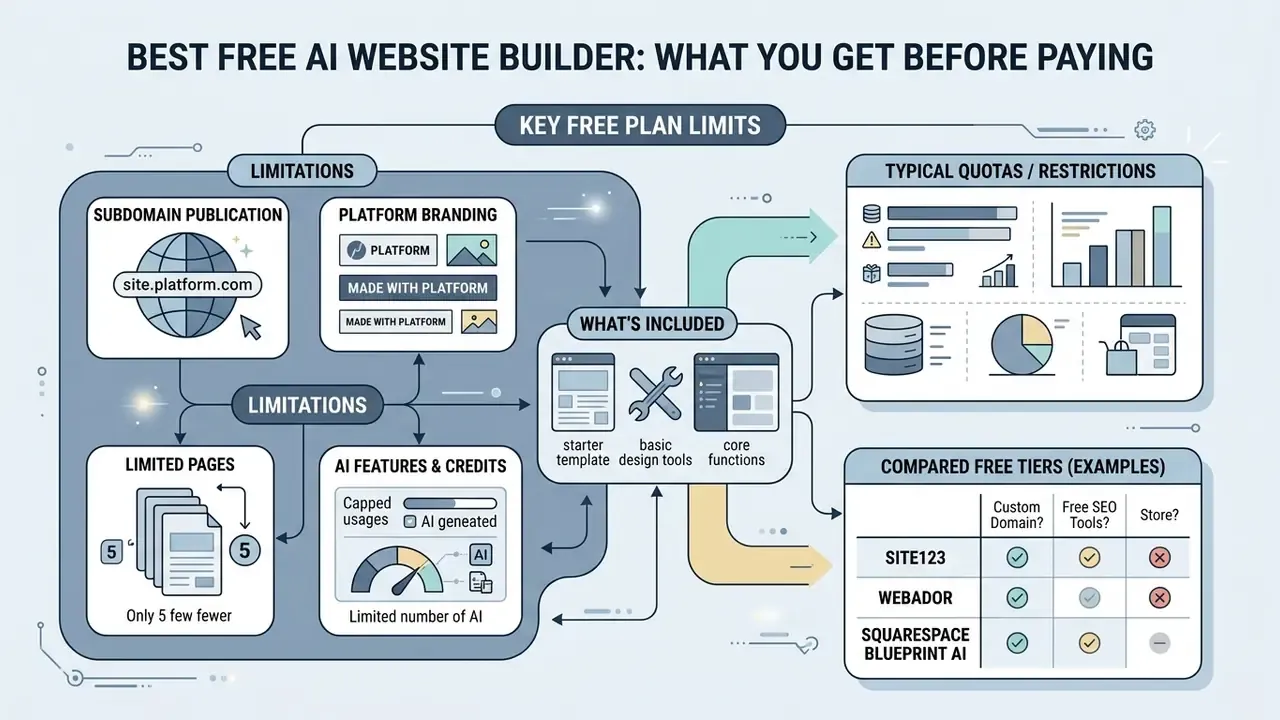
Evaluating free AI website creation tools requires understanding the operational limits imposed on unpaid tiers. Most platforms offer free entry points to demonstrate prompt capabilities, but business deployment almost always requires upgrading to paid plans. If you are searching for the best rated free AI website generator, read the limits first and the feature list second.
Free Plan Limits: Domains, Branding, Pages, and AI Features
Free AI website plans typically enforce strict functional restrictions prior to upgrade:
- Subdomain publication free sites are published on platform subdomains (for example
brand.wixsite.com,site.framer.app, orxyz.my.canva.site) rather than a custom domain name. - Platform branding service watermarks, badges, and vendor advertisements remain permanently visible in site headers or footers.
- AI credit quotas monthly generative AI credits for copy rewriting or visual redesign are strictly capped. Documented examples range from 20 credits on some entry tiers to 500 or 1,000 credits per month on others.
- Resource caps bandwidth, storage capacity (often 5 MB uploads to 1 GB total), page counts (from 2 or 3 static pages up to several hundred), form submissions, and the number of simultaneously live sites are tightly constrained.
Comparative analysis of free and entry tiers:
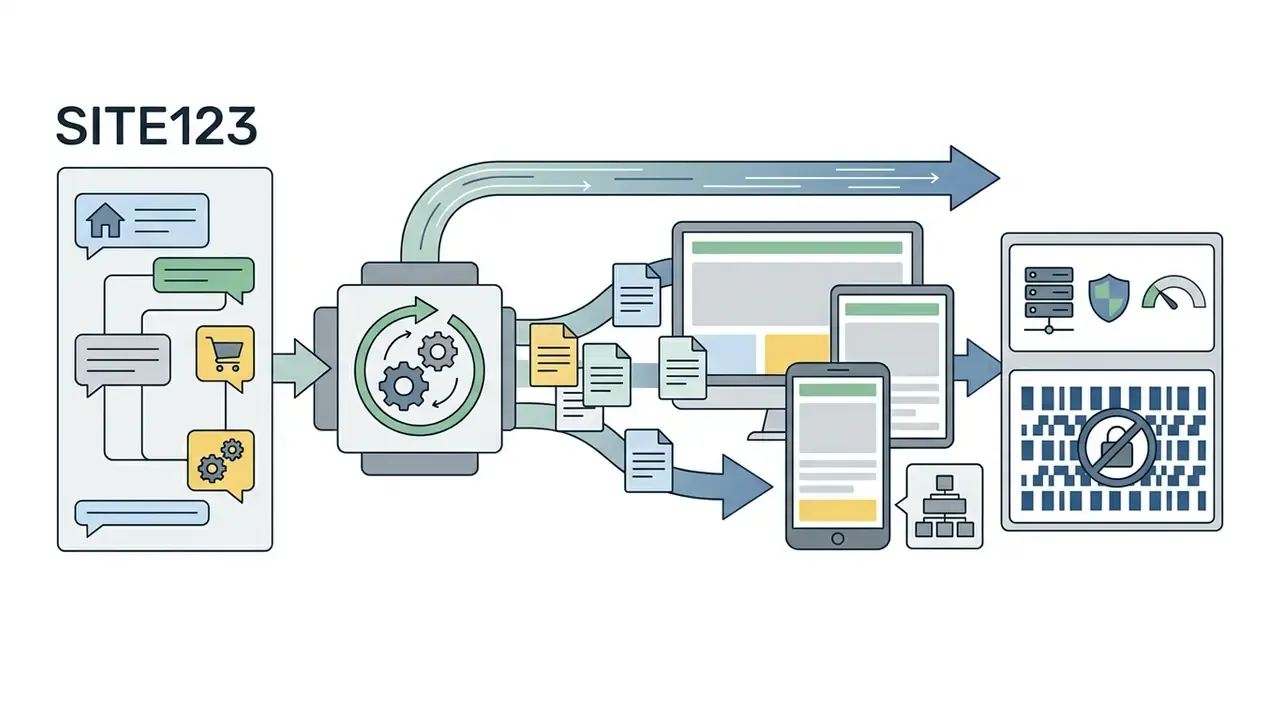
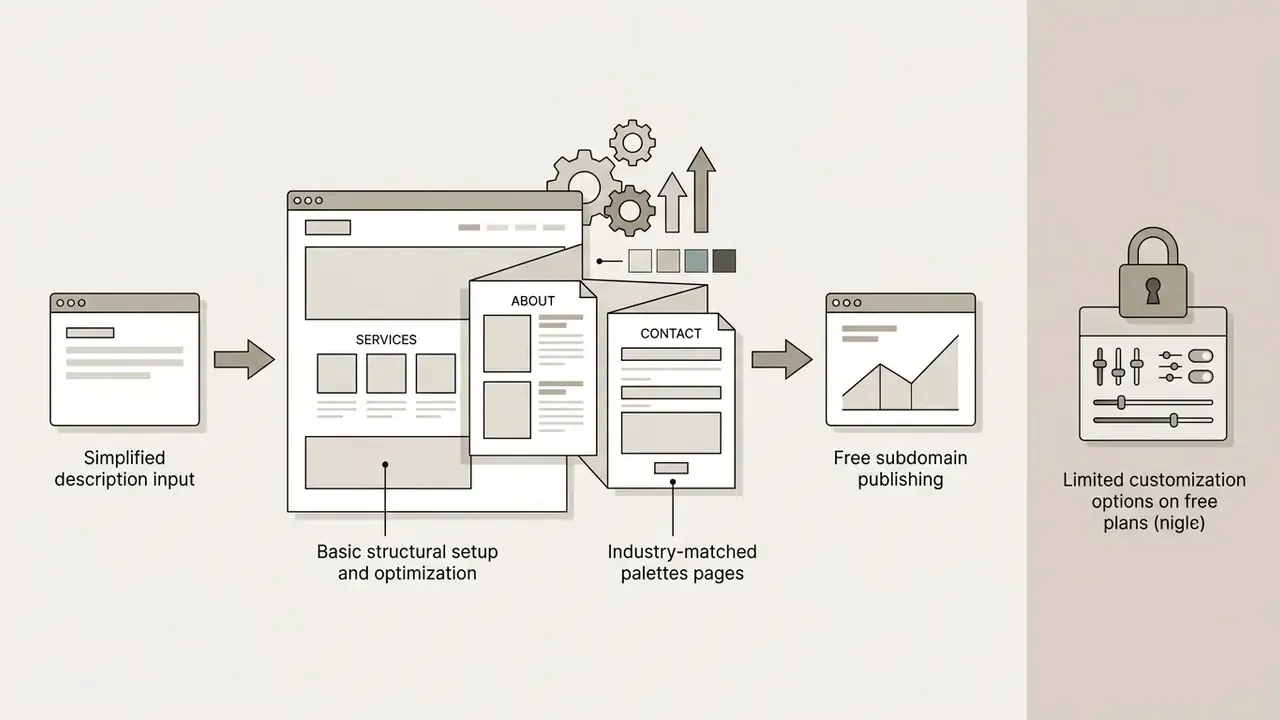
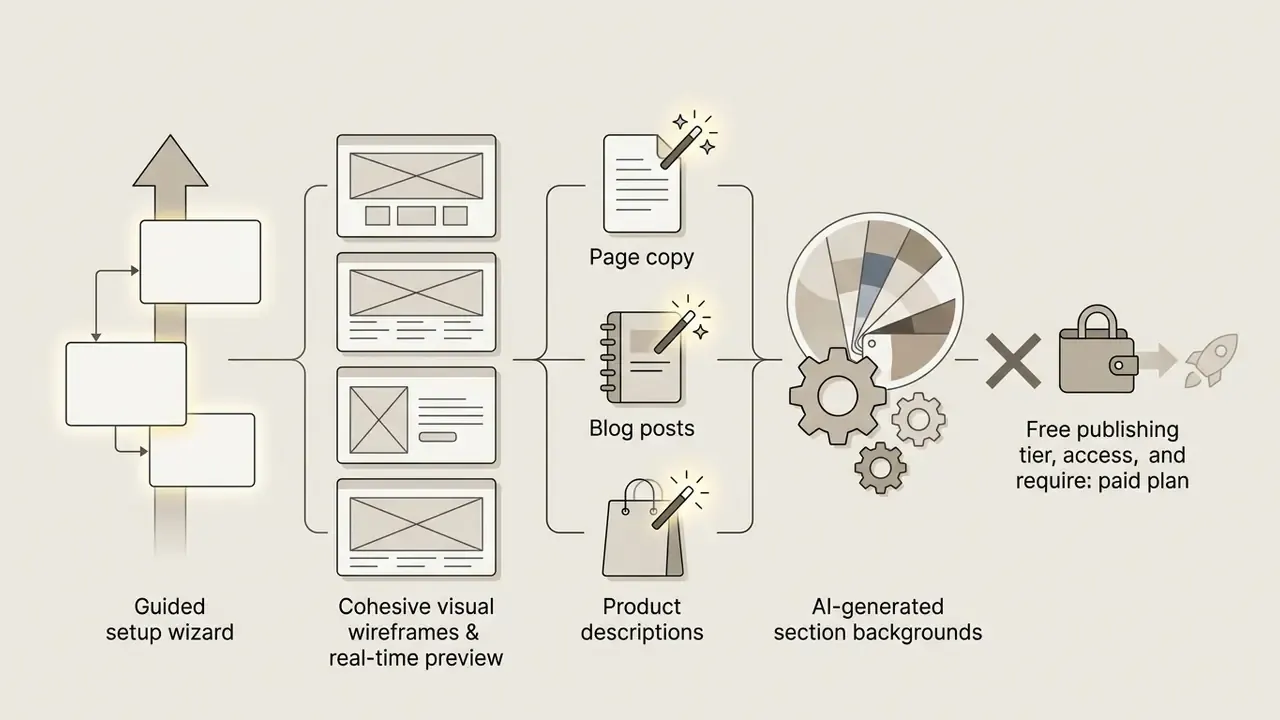
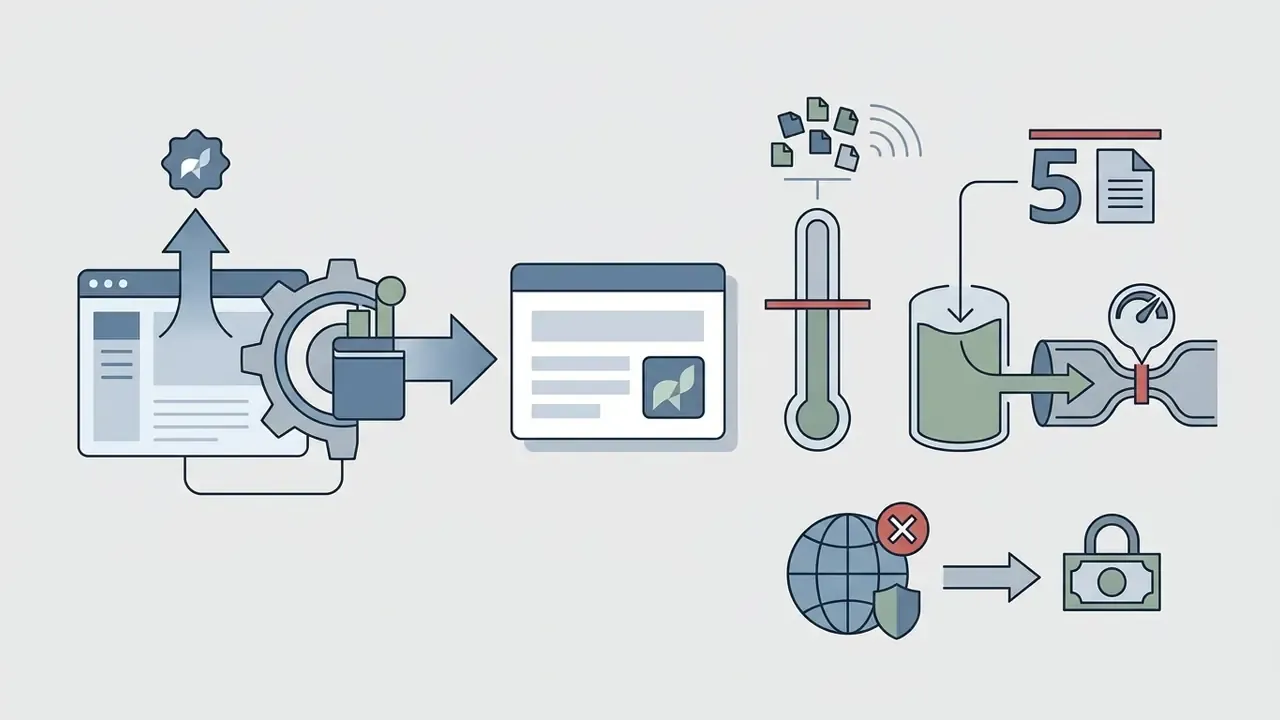
framer.app subdomain with a Framer badge, a monthly AI credit ceiling, 5 MB uploads, and 1 GB bandwidth. Custom domains are paid-only.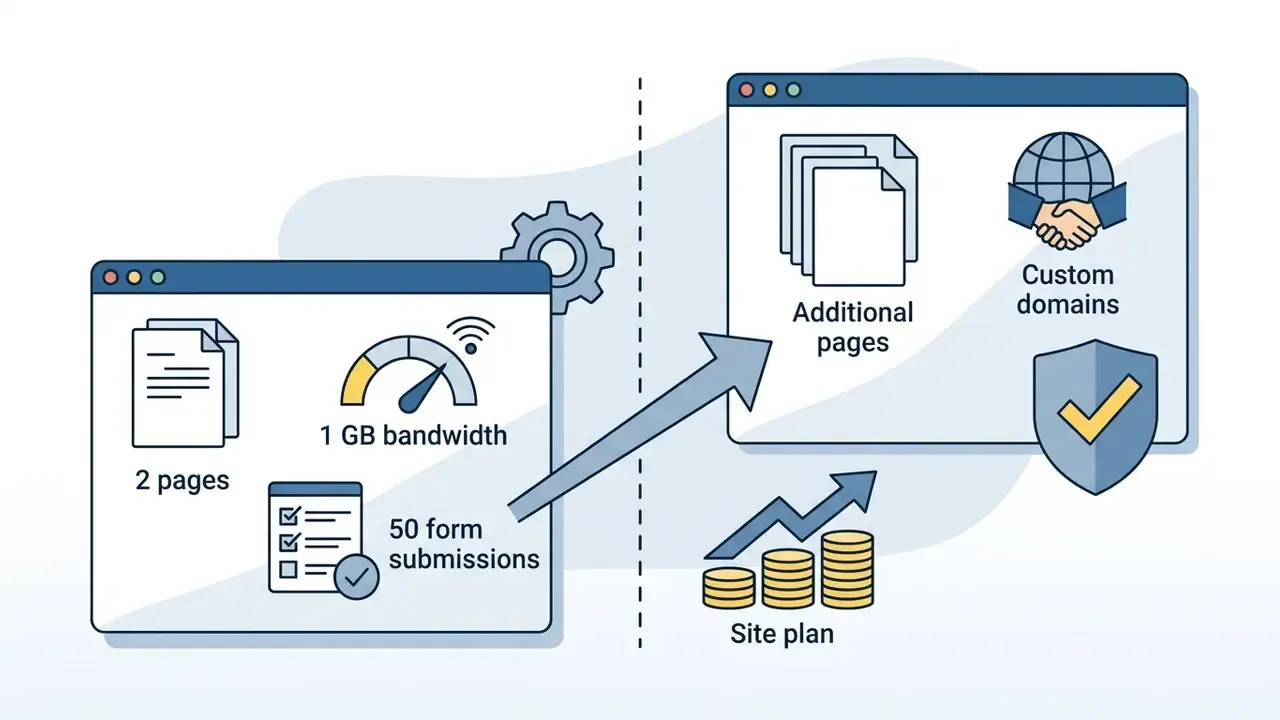
webflow.io with 2 static pages, 1 GB bandwidth, and 50 form submissions. Additional pages and custom domains require a paid Site plan."Screen-reader testing revealed structural accessibility defects in unedited AI-generated pages: missing ARIA labels and improper heading hierarchies."
Relying entirely on automated free-tier output without human review creates operational compliance risk. That applies with particular force to public-facing organizations subject to WCAG 2.1 obligations, where a free plan's cost saving is trivially outweighed by remediation work and legal exposure.
When a Paid Plan Is Worth It
Upgrading to a paid subscription becomes economically justified when a business requires a professional custom domain, platform ad removal, advanced SEO optimization, and e-commerce processing. Paid tiers provide full access to custom code insertion, analytics integrations, higher storage limits, and dedicated customer support. Removing platform watermarks is a baseline requirement for establishing organizational trust with visitors. Teams assembling a full content stack on a limited budget often combine a free builder tier with free video editing software and other zero-cost production tools during the validation phase.
The four canonical upgrade triggers are consistent across the market: custom domain, ad and watermark removal, transactional commerce, and advanced SEO controls. WordPress.com, for example, attaches custom domain and ad removal to its entry paid plan and reserves plugins and advanced capabilities for its business tier. uCoz similarly places branding removal, an extended SEO module, and its store module behind paid plans.
Total cost of ownership for regulated and enterprise buyers. Headline subscription pricing is the smallest line item. A defensible TCO model for a governed deployment adds: domain registration and renewal; the fully loaded internal hours for editorial review, accessibility remediation, and compliance sign-off; vendor security review and annual re-attestation; SSO licensing where charged separately; automation and connector costs; and the contingency cost of migration if export is unavailable. Under that model, a $10 per month plan without code export or SOC 2 documentation can easily cost more than a $39 per month plan that satisfies the security screen on day one, because the cheaper option imports risk and rework rather than eliminating it.
Organizations that want to model financial tradeoffs across digital tools can use our structured AI Media Calculators to estimate software cost allocations before the budget cycle closes.
How to Create a Website With AI and Publish It
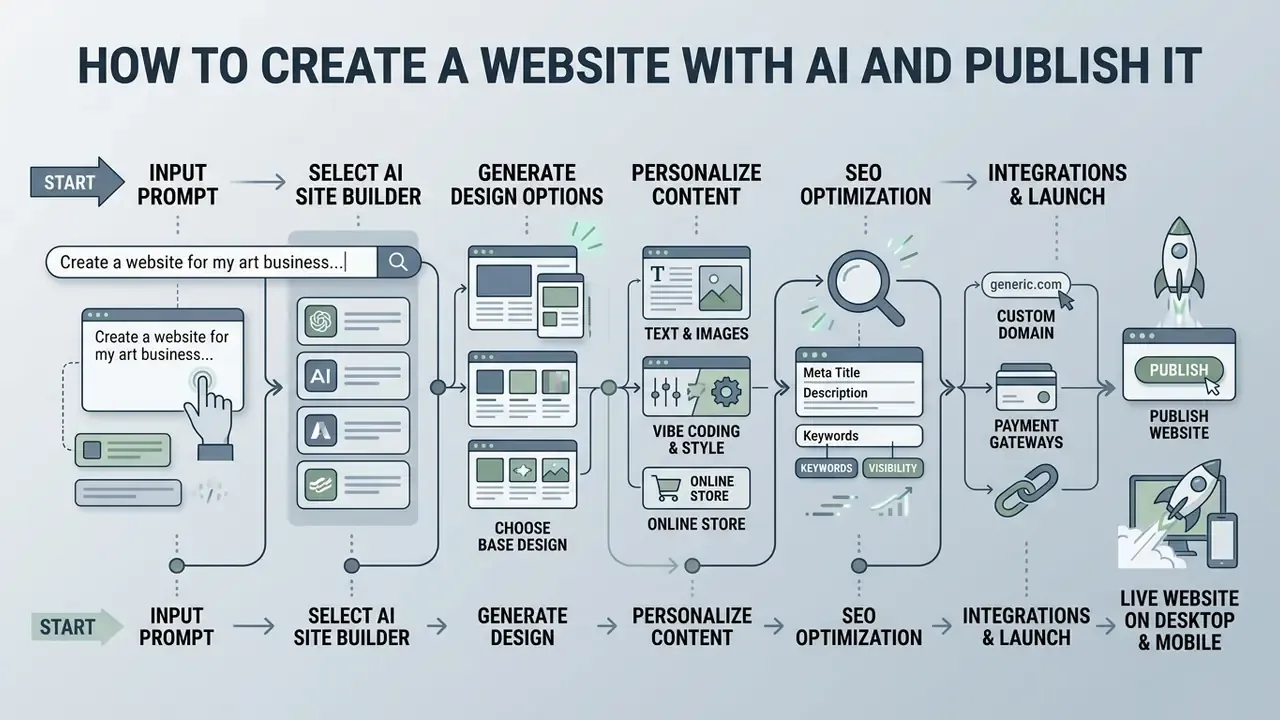
Using AI to create websites follows a structured, sequential workflow that translates an initial concept into a live, indexable asset. Seven steps, one approval gate.
- Define the briefinput company name, service scope, target audience, aesthetic preferences, primary conversion goal, and necessary functional pages into the AI prompt interface.
- Generate the AI draftallow the system to produce page architecture, responsive visual layouts, design systems, and initial text content.
- Refine design and copyuse the drag-and-drop editor or AI text assistant to adjust layouts, refine messaging, swap stock imagery, remove any generated urgency or persuasion patterns, and verify contact forms.
- Compliance and risk sign-offroute generated claims, disclaimers, pricing statements, and data-collection forms to legal, compliance, or risk reviewers. Capture the approver, date, and version reviewed. In regulated environments this gate precedes domain attachment, not publication.
- Connect the custom domainlink your registered domain name via DNS settings and verify HTTPS/TLS certificate provisioning.
- Audit SEO settingsedit page title tags, meta descriptions, image alt text, canonical links, and robots directives, then submit your XML sitemap to search engines.
- Publishlaunch the site in one click, activate web analytics tracking, and record the publication event in your change log.
Brief, Design Generation, and Content Creation
Writing an effective AI prompt requires defining core operational parameters: user persona, primary conversion goal, visual tone, and required page templates. A reliable prompt structure is five-part, covering role, goal, context, format, and tone, with explicit constraints where platform limits apply. For ad-aligned copy, for example, that might mean three headline variants at 30 characters and two descriptions at 90 characters. Once generated, built-in AI copywriters help produce targeted headlines, subheadings, and service descriptions. Human editorial review remains critical to prevent factual inaccuracies and maintain a consistent brand voice. Visual assets deserve the same treatment: generated or stock imagery should be cropped, color-corrected, and compressed with AI photo editors before publishing, so that page weight and brand consistency are both controlled.
"An Ahrefs study (April 2025, 900,000 new pages) found 74.2% contain AI content, yet pages ranking first on Google were 8x more likely to be human-written."
"An SE Ranking experiment across 2,000 articles over 16 months saw top-100 visibility fall from 28% to 3% within three months without human editing." SE Ranking, AI content experiment (2024 to 2025). https://seranking.com/blog/ai-content-experiment/
Read together, these three data points define the practical content policy for an AI-built site: generation is safe, abandonment is not. AI share of content does not correlate with position, but unedited AI content loses visibility over a measurable horizon. The defensible workflow is AI for the first draft, human subject-matter editing for accuracy and originality, and scheduled review cycles thereafter. Put a date on the next review before you publish, not after traffic drops.
Final Checks Before You Publish Your AI-Powered Website
"A comparative review of major AI application interfaces identified recurring usability problems: complex layouts, unintuitive navigation, and insufficient interaction feedback."
The implication is that the editing environment itself can mask defects. Reviewers should validate the published page in a real browser at real viewport sizes rather than trusting the builder's internal preview. I have seen a layout pass every internal preview check and then break on a 390-pixel phone width. Twice.
Teams planning complex software evaluations can explore comparative industry options through our alternatives directory hub.
FAQ About AI Website Creators
How long does it take to build a website with an AI builder?
Generating an initial, fully structured website draft from a prompt typically takes between 60 seconds and 3 minutes. WebWave documents roughly three minutes for a complete multi-page site, and several competitors advertise under two. Complete visual refinement, content auditing, accessibility remediation, domain connection, and final testing usually require 1 to 4 hours before launching a business-ready site, and longer where compliance sign-off is mandatory.
Do I need design or coding experience to use an AI website creator?
No coding or professional web design experience is required to operate modern AI website creation tools. Platforms use visual drag-and-drop editors and natural language prompts to handle complex visual alignment, responsive breakpoints, and underlying code generation automatically.
"An experimental study with novice users found AI effectively transparent to non-specialists: they produced functional pages without technical knowledge." Annales Universitatis Paedagogicae Cracoviensis (2024). https://sbsp.uken.krakow.pl/article/download/11333/10628/43246 The residual skill requirement is editorial and evaluative rather than technical: judging whether generated copy is accurate, whether layout hierarchy serves the conversion goal, and whether accessibility and legal requirements are met.
Can I export the code from an AI-generated website?
Code export availability depends entirely on the chosen platform. Tools such as CodeDesign.ai, Lovable, and Replit-style app builders explicitly support clean HTML/CSS or React export for external hosting, whereas proprietary ecosystems like Wix or WebWave require hosting within their managed infrastructure. Confirm the exact export format against your current plan, since vendor documentation in this category is occasionally inconsistent between marketing pages and help articles.
Are AI-generated websites fully functional and secure?
Yes, AI-generated sites on established platforms include managed cloud hosting, automatic SSL certificates, responsive mobile support, and functional form handling. Sites that embed motion or explainer content typically add assets produced with AI video generators or standard editing tools. Custom business logic, deep API integrations, and specialized database workflows still require human configuration. In vibe-coded projects, database permissions, environment variables, and API authentication must be secured manually, since generated code does not audit itself. Disclaimer: this information is general in nature and does not replace consultation with a qualified cybersecurity or legal compliance specialist.
How does an AI website creator compare to a traditional CMS like WordPress?
AI website creators significantly reduce initial setup time and technical complexity compared with traditional CMS platforms. Standard WordPress installations offer greater long-term plugin flexibility, while AI builders compress wireframing, layout styling, and copy generation into a single automated workflow.
"A 2024 analysis shows AI compressing five traditional web development phases, from ideation to launch, into one cycle: prompt, generate, publish." Rantanen, J., "AI-enhanced web development," bachelor's thesis (September 2024). https://www.theseus.fi/bitstream/handle/10024/866184/Rantanen_Jouni.pdf The trade-off is control versus consolidation. WordPress retains the deepest extension ecosystem and full data portability. Managed AI builders trade some of that flexibility for integrated hosting, security monitoring, and a single support surface. Hybrid options such as 10Web deliberately occupy the middle ground by generating genuine WordPress output on managed cloud infrastructure.
Which AI website builder is best for a regulated organization?
Prioritize platforms that publish third-party security attestations, support SSO/SAML and role-based publish approvals, contractually exclude your inputs from model training, allow data-residency selection, and permit full content or code export. Feature depth and price should be evaluated only after those conditions are satisfied, because an unexportable site on an unattested platform creates concentration and continuity risk that no feature set offsets. Administrators evaluating broader software licensing models can view the guide to inspect standard tier structures across web management tools.
About the Analysis
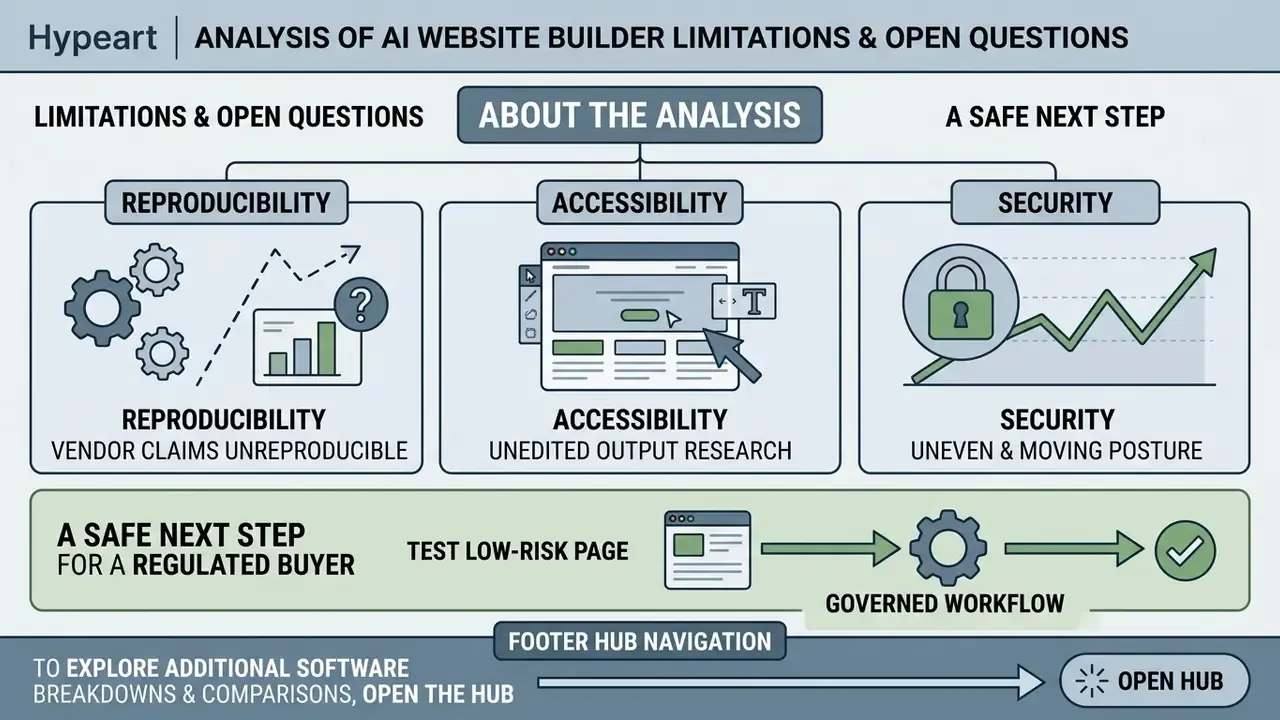
This comparison was produced using a single fixed operational brief submitted to every platform, with results scored against the criteria matrix published above. Editorial oversight for governance, accessibility, and model-risk sections draws on the commentary of Marcus Hale, AI Governance & Operational Risk Analyst, the author whose stated practice focus is control design for automated tooling in regulated environments. Vendor-stated figures are labeled as such. Independent measurements and academic findings are cited with publication and URL so readers can verify them directly. Pricing and plan limits change frequently and should be re-confirmed on vendor pricing pages before procurement.
Limitations and Open Questions