«Automated captions accelerate video processing, but unverified text introduces operational and compliance risk. A structured validation step before publication protects brand integrity and legal accessibility.»
For a regulated organisation, though, this is not only a production question. Every upload to a free browser tool is a data transfer, and every published caption is a compliance artefact. Two questions decide the workflow: who verified the text, and where did the file go?
Last reviewed in the 2026 publication cycle against W3C WCAG 2.2 / ISO/IEC 40500:2025 and Section 508 synchronized-media requirements.
Executive summary for content and risk owners
- Automation is fast, but not compliant by default.Independent academic benchmarking places out-of-the-box AI caption accuracy near 89.8%, below the 99% threshold accessibility regulators expect. A documented human verification step is mandatory before publication.
- Free tiers carry hidden operational cost and data exposure.Watermarks, 720p ceilings and 1 to 10 minute project caps are the visible limits. Unclear retention terms and model-training clauses are the invisible ones. Never upload unredacted PII, MNPI or confidential footage into a consumer-grade web tool.
- Burned-in captions are a delivery choice, not an accessibility substitute.Open (hardcoded) captions guarantee visual presentation, but only WebVTT or SRT text tracks stay machine-readable for assistive technology, search indexing and multi-language toggling.
How to read this guide
The sections below move from purpose to process, then to quality, security, cost and localisation. If you own publishing, start with the workflow and the style rules. If you own risk, start with accuracy and the data-security screening table, because those two sections carry the decisions that survive an audit.
One practical framing device helps here. Treat the subtitle generator as a small model in production: it has an owner, an approved input class, a confidence signal, a reviewer, and an evidence trail. Nothing exotic. Just the same discipline you already apply to any automated text output that reaches customers.
Why add subtitles and captions to a video online
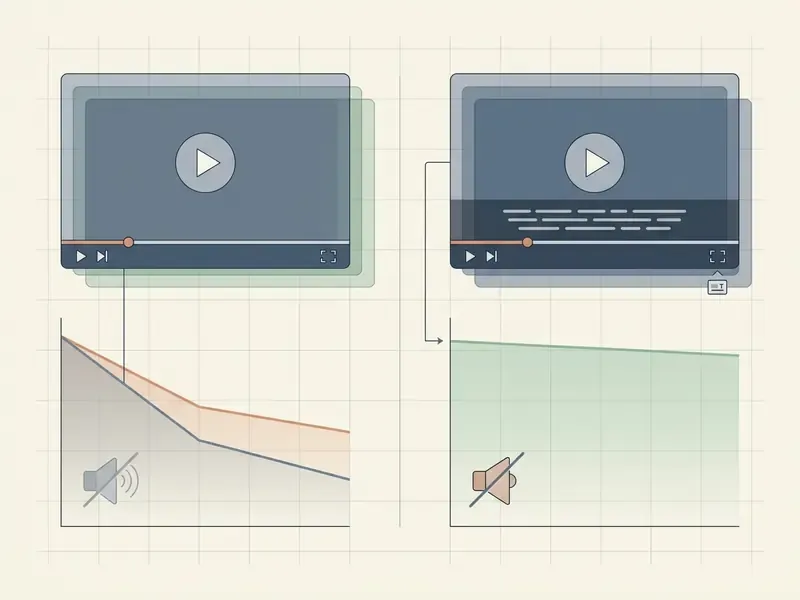
Adding subtitles and captions to online video makes your message reachable for silent viewers, non-native speakers, and people who are deaf or hard of hearing. Synchronized text improves retention, clarifies terminology and satisfies accessibility mandates in most jurisdictions.
When teams evaluate visual media pipelines, they usually examine adjacent automated capabilities at the same time. Creators planning multi-format publishing often browse the hub to estimate rendering costs, while teams reviewing enterprise content workflows can see the overview of automated media processing architectures.
Subtitles vs captions: what is the difference?
Subtitles translate spoken audio into another language for viewers who do not speak the source language. Captions render speech and critical non-speech sound in the same language, for accessibility.
Captions account for contextual acoustic signals: speaker identification, background noise, tone indicators. Subtitles assume the viewer can hear the audio but needs linguistic conversion. Under the W3C Web Content Accessibility Guidelines, captions are a mandatory accommodation for synchronized media, while translated subtitles serve localization goals.
«Captions are for the same language as the spoken audio; subtitles are for speech translated into another language.»
W3C also states plainly that translated subtitles are not in themselves an accessibility accommodation. That distinction matters for teams who assume a Spanish or German track satisfies a WCAG audit. WCAG 2.2 has additionally been adopted as an international standard, ISO/IEC 40500:2025, which turns the requirement into a formal standards reference rather than a best-practice suggestion.
When subtitles help viewers watch and understand video
Subtitles help viewers watch and comprehend video in sound-sensitive settings, noisy public spaces, or during dense technical presentations.
Sound-off viewing dominates digital channels. Industry accessibility material widely reports that most mobile feed consumption happens without audio, and that captioned videos are completed substantially more often. Those aggregate figures come from secondary vendor and conference material rather than peer-reviewed sampling, so treat percentages as directional rather than audit-grade. What standards bodies state unambiguously is the requirement itself: W3C classifies captions as the text alternative that makes speech and non-speech audio understandable, independent of any engagement metric.
Controlled academic research supports the comprehension case directly:
«Learners who watched with auto-generated subtitles showed higher retention and lower cognitive load than the group without subtitles.»
A second peer-reviewed strand connects captions to platform behaviour. Research published via Atlantis Press (2023) found that subtitles helped viewers understand content more deeply and indirectly lifted engagement with social audiences. So the retention effect is real, but it travels through comprehension, not through the mere presence of text on screen.
| Criterion | Subtitles | Captions (SDH / Closed Captions) |
|---|---|---|
| Primary purpose | Cross-language translation for non-native speakers | Audio alternative for deaf and hard-of-hearing viewers |
| Acoustic coverage | Spoken dialogue and localized on-screen text | Dialogue, speaker IDs, sound effects, ambient noise |
| Language relationship | Translated into target languages | Same language as the primary audio track |
| Regulatory status | Voluntary localization standard | Mandatory under WCAG 2.1/2.2 AA and ADA Section 508 |
| Export options | External SRT, VTT, or burned-in MP4 | WebVTT track, closed caption stream, or hardcoded text |
| Machine readability | Readable when delivered as a text track | Readable by assistive technology only as a text track |
| Target audience | Global audiences, language learners, international media | Deaf and hard-of-hearing users, mobile sound-off viewers |
How to add subtitles to video online
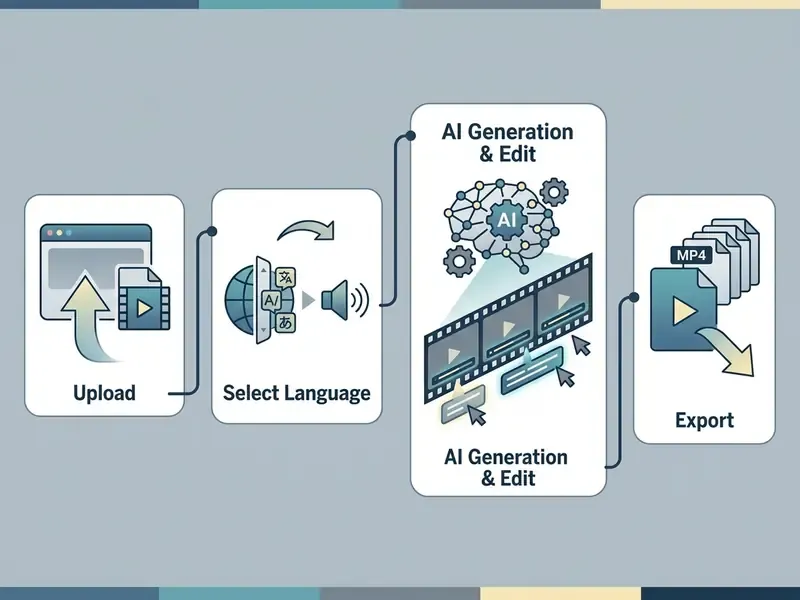
To add subtitles to video online, upload your media file, select the spoken audio language, run the AI auto subtitle generator, edit the transcript for timing and accuracy, then export the finished video or text track.
Modern web editors complete speech-to-text processing inside the browser interface. Teams can inspect full media pipelines, manage platform limits, or compare options for high-throughput batch rendering. If a workflow question blocks a launch, the fastest route is usually to compare options in the documentation before filing a ticket.
Upload your video and choose the subtitle language
The workflow begins when you upload your video file to the online subtitle generator and choose the primary spoken language of the audio track.
Supported input containers usually include MP4, MOV, MKV, WebM and M4V for video, plus MP3, WAV, M4A, AAC, OGG, Opus and FLAC for audio-only sources, with payloads up to 2 GB (SubtitleKit Technical Documentation. https://subtitlekit.com/en/generate-subtitles/). Most tools also accept a pasted URL from YouTube, Vimeo, TikTok or Loom instead of a local file. That is the usual path when someone needs to add subtitles to a YouTube video online without re-downloading the master.
Explicitly designating the source language prevents dialect mismatch and reduces initial word error rates during neural processing. Auto-detection exists in most engines, yet it stays the weaker option for accented or code-switched speech.
Audio quality at ingestion matters more than any downstream setting. NIST speech-collection guidance specifies uncompressed PCM at 16 kHz or higher with automatic gain control disabled. Lossy codecs and recording artefacts degrade the input before the model ever sees it (Speech Collection Guideline for Speaker Recognition, National Institute of Standards and Technology, 2020).
- Upload your video file select a local MP4, MOV, MKV or WebM container, or paste a platform URL, and upload it to the online editor.
- Select spoken language choose the primary language in the video track to prime the acoustic model.
- Generate and edit subtitles run the auto subtitle engine, then inspect and refine text, timing and formatting.
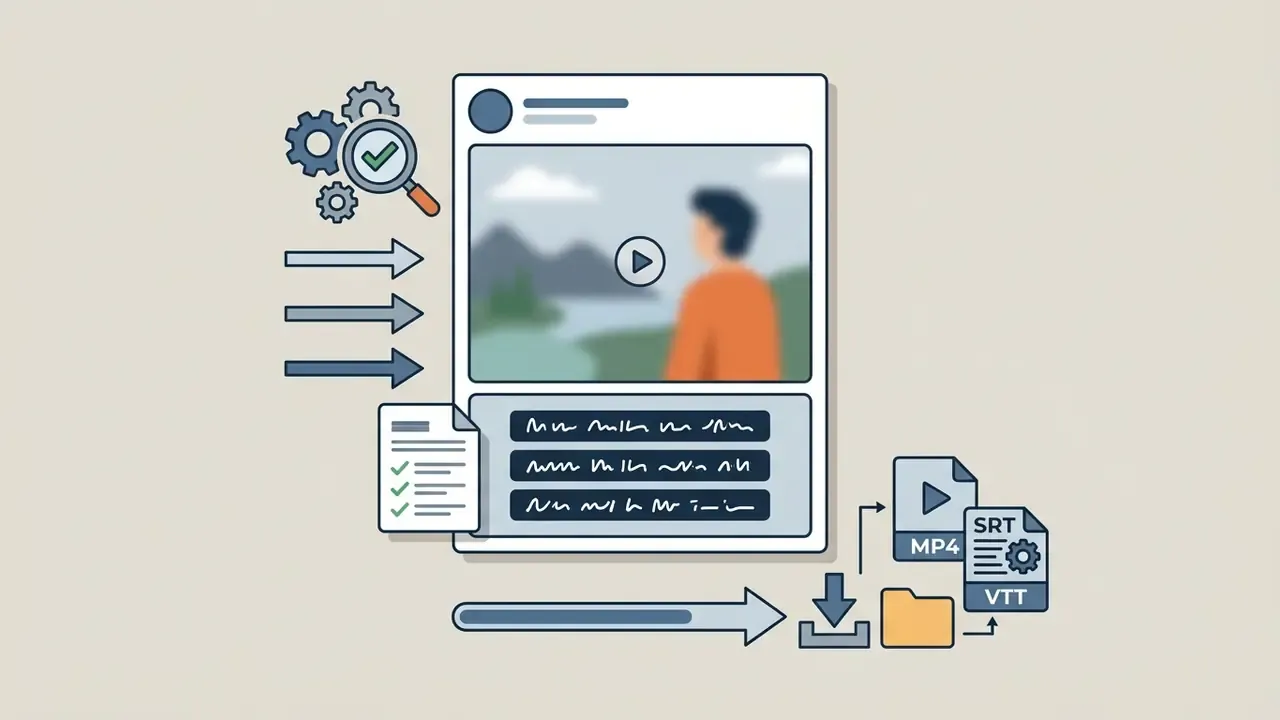
- Export finished file download the captioned MP4 or save standalone SRT and VTT subtitle files.
Generate subtitles automatically with AI
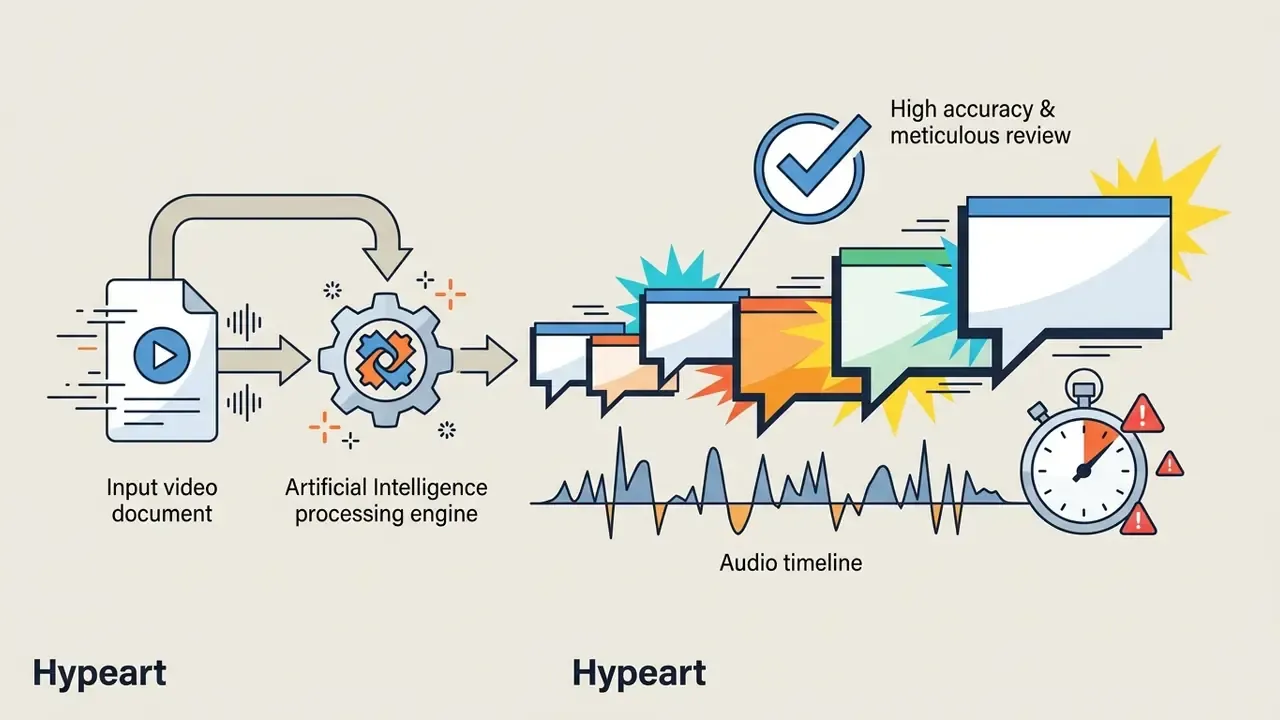
Click the auto subtitle button to start artificial intelligence speech recognition and convert spoken audio into synchronized text blocks within seconds.
Cloud speech recognition services use advanced neural architectures, such as Google Chirp 2 or Whisper transformer networks, to transcribe multi-speaker streams (Google Cloud Speech-to-Text Documentation. https://cloud.google.com/speech-to-text/docs). Google's own documentation positions the Chirp family as "ideal for indexing or subtitling video," and the Chirp 2 release notes of 7 October 2024 record accuracy and multilingual gains aimed at exactly this use case. Microsoft Azure Speech exposes the same capability as real-time and batch transcription, which forms the layer beneath any caption formatter.
Teams that must keep media on-premises can run Whisper locally in Python for offline transcription, without sending files to a third-party cloud. Same output category, materially different risk profile. More on that below.
These models extract acoustic features, align timestamps to the millisecond, detect speaker changes, and segment speech into readable line lengths automatically.
Edit subtitle text, timing, and style before export
Auto subtitle generator: accuracy, speakers, and sync
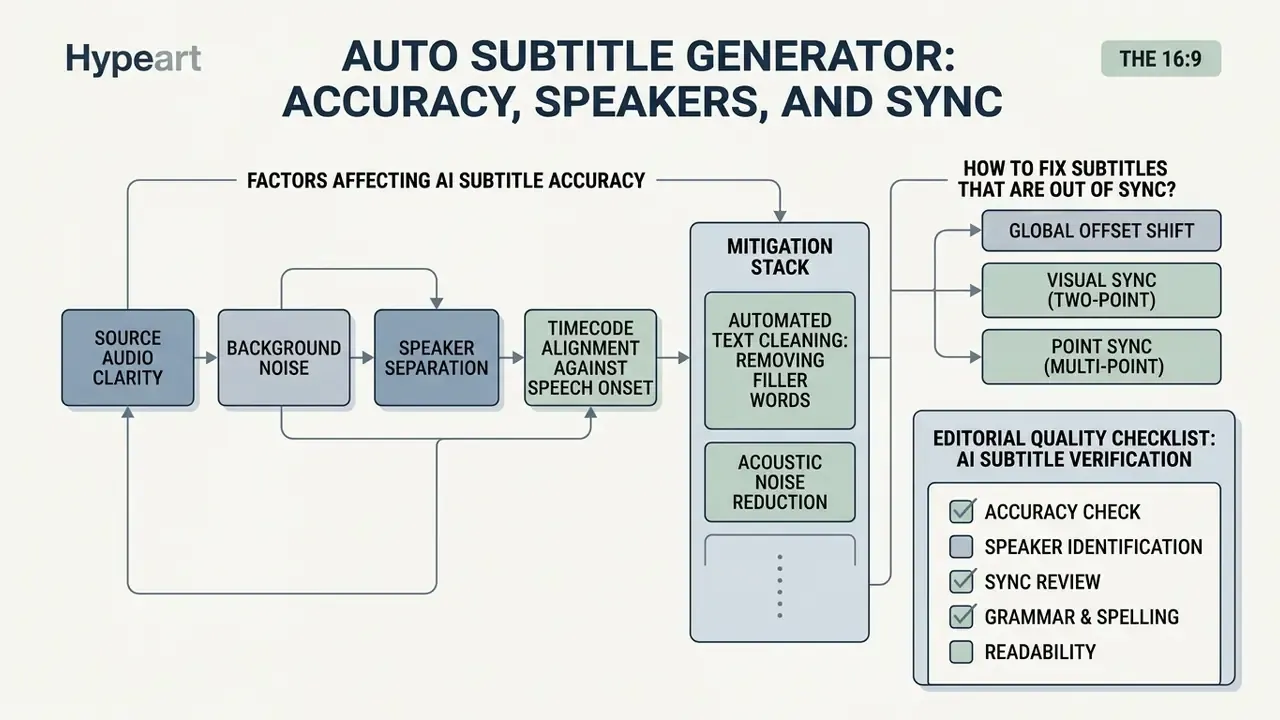
Auto subtitle generator accuracy depends on source audio clarity, background noise, speaker separation and timecode alignment against speech onset.
In one illustrative compliance test, a corporate media team processed 50 hours of internal training video through an unconfigured ASR pipeline. Background acoustic noise produced a 14% word error rate across specialised technical terms. After adding noise suppression before ingestion and supplying a custom industry dictionary, recognition accuracy reached 98.2%, and manual editing time fell by roughly two-thirds. Treat the figures as a composite example rather than a benchmark.
What affects AI-generated subtitle accuracy
Audio signal-to-noise ratio, regional accents, overlapping dialogue and specialised domain terminology all influence automated speech-to-text accuracy.
Independent benchmarks across higher-education video platforms report average out-of-the-box accuracy of 89.8% for AI-generated captions.
«None of the platforms tested reached the 99% accuracy threshold required for accessibility compliance.»
This is the single most important number in the article, and it contradicts most vendor marketing. Claims of "99.9% accuracy in minutes" on arbitrary uploaded audio are not supported by peer-reviewed benchmarking. They describe a best case on clean, single-speaker studio audio, not the noisy multi-speaker recordings that teams actually process.
Acoustic interference, room reverberation and simultaneous speakers all degrade output. Research presented at Interspeech (2020) showed that jointly determining utterance boundaries in long-form audio reduced unaligned multi-speaker word diarization error to 62.2%, a 29.1% absolute reduction. Segmentation quality, not just the acoustic model, governs multi-speaker results. NIST evaluation plans define diarization files by target-speaker start and end times, so poor boundaries propagate directly into wrong speaker labels in your caption file (NIST 2024 Speaker Recognition Evaluation Plan).
Medical, legal and technical vocabulary needs manual intervention or custom vocabulary loading. The reputational cost of skipping that step is measurable:
«Subtitle errors consistently lowered participants' ratings of both the speaker and the content, regardless of accent.»
Mitigation stack, in order of impact: noise reduction and de-reverberation before ingestion; explicit source-language selection instead of auto-detect; a custom glossary for names, products and acronyms; overlap-aware or separation-based processing for panel and podcast formats; and finally human review targeted at low-confidence flags.
Automated text cleaning: removing filler words and acoustic noise
Advanced AI caption generators apply automated text-normalization filters before formatting, cleaning both the audio signal and the transcript itself.
These engines detect and remove vocal hesitations and filler words ("um", "uh", "like", "you know"), trim silent pauses longer than roughly 1.5 seconds, apply profanity masking or audio bleeping where brand guidelines demand it, and insert line breaks tuned for small screens. Some pipelines also normalise numerals, align abbreviations to a house style, and apply emoji-friendly formatting for short-form feeds.
Cleaning the transcript before timing alignment matters for two reasons. First, it cuts manual post-editing time by up to 40% in practice, because the editor stops deleting noise token by token. Second, it protects screen space: a 9:16 vertical frame holds roughly two legible lines, and every "um" that survives the render displaces a word carrying meaning.
A caution for regulated content. Aggressive filler removal and pause trimming alter the verbatim record. For legal, medical, HR or investor-facing material, keep an unmodified verbatim transcript beside the cleaned caption file, and document which version was published.
How to fix subtitles that are out of sync
Correct out-of-sync subtitles by opening the timeline editor, dragging individual cue boundaries, or applying a global offset shift in seconds across the whole text track.
Three repair methods cover almost every drift scenario:
- Global offset shift, for a track that is uniformly early or late. Enter a positive value to delay subtitles or a negative value to pull them earlier. SRT, VTT and SBV all support this.
- Visual sync (two-point), aligning the first subtitle line to its opening scene and the last line to its closing scene, then applying sync. Intermediate timestamps stretch or contract proportionally, which fixes frame-rate conversion drift.
- Point sync (multi-point), for non-uniform drift caused by edits, ad breaks or re-cuts. Lock several reference points across the timeline and let the editor interpolate (Subtitle Edit Documentation).
When audio and video drift apart, use waveform displays to align cue in-times to the onset of speech. Professional subtitling quality criteria converge on a tolerance of roughly 2 to 3 frames from speech onset, with out-times at the end of speech or up to one second after, never before. Broadcaster style guides such as the Netflix Timed Text guidance codify the same rules: subtitles synced to image and audio, in-times near the first audio frame, enforced minimum gaps between cues. Treat these as industry conventions rather than one normative standard, and record whichever tolerance your organisation adopts in your own style guide.
Editorial quality checklist: AI subtitle verification
- Proper nouns and technical terms: cross-reference company names, product codes and acronyms against an authoritative glossary.
- Numbers and dates: enforce style-guide rules for written numbers, currencies, dates and measurement units.
- Punctuation and line segmentation: verify that breaks fall at logical grammatical boundaries without orphaned words. Cap lines near 45 characters, two lines maximum on screen.
- Acoustic and speaker identification: confirm non-speech cues (
[applause],[music playing]) and speaker labels are accurate.
- Timecode alignment: confirm cue in-times fall within 2 to 3 frames of speech onset and stay on screen at least 1.2 seconds.
- Low-confidence flags cleared: confirm every flagged token below threshold has been reviewed, corrected or accepted.
Data security, privacy, and Shadow AI risks
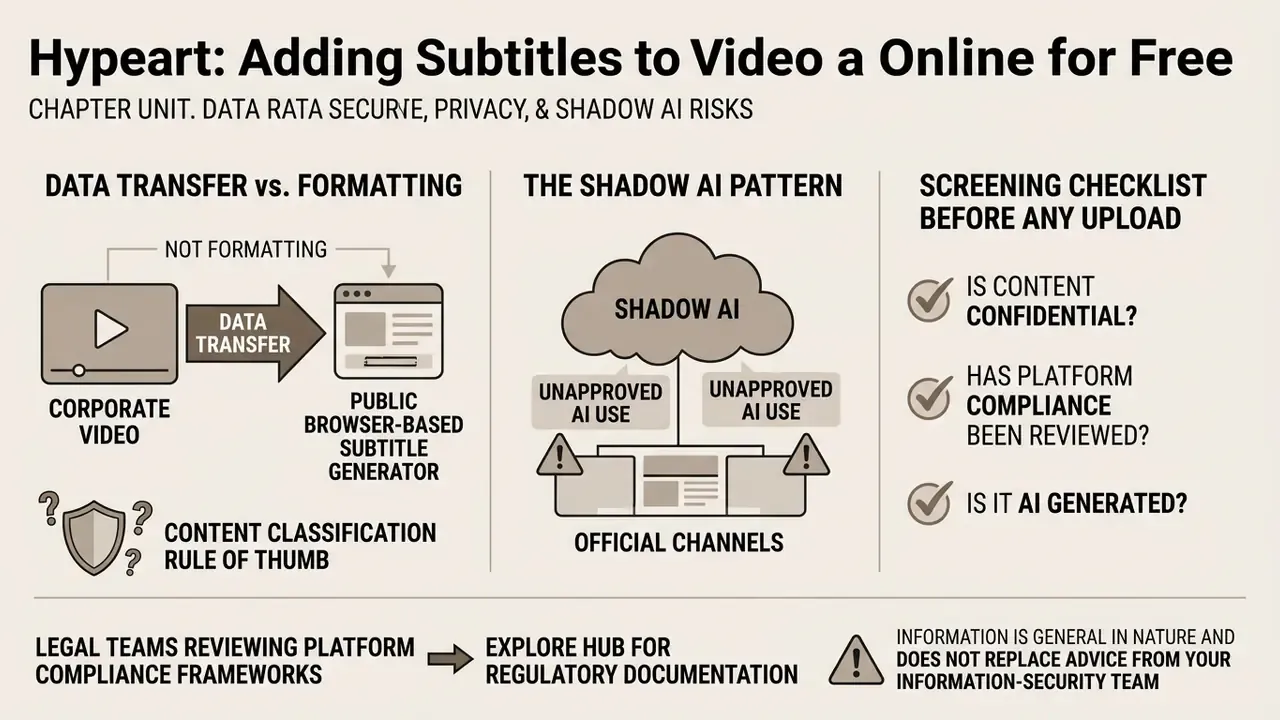
Uploading corporate video to a public browser-based subtitle generator is a data transfer, not a formatting operation. Any assessment of an online captioning tool must therefore cover where the media is stored, how long it is retained, and whether it can be used to train third-party models.
The Shadow AI pattern. The typical failure mode is not a vendor breach. It is an employee pasting a link to an unlisted internal video, or dragging a board recording into whichever free caption tool ranks first in search. Nothing in the interface signals that the file has left the corporate perimeter. Because free tiers need no procurement, no contract and often no account, they bypass every control that would normally apply to a media-processing supplier.
Screening checklist before any upload
| Control | What to verify | Why it matters |
|---|---|---|
| Data retention | Written zero-retention or a defined deletion window, e.g. 24 hours post-processing | Determines residual exposure after the job completes |
| Model training clause | Explicit statement that uploads are not used to train or improve models | Prevents confidential speech entering third-party training corpora |
| Encryption | TLS in transit, encryption at rest, documented key management | Baseline requirement for any regulated media |
| Certifications | SOC 2 Type II, ISO/IEC 27001, and where relevant GDPR/DPA terms | External assurance instead of vendor self-declaration |
| Sub-processors | Named ASR providers and hosting regions | Cross-border transfer and residency obligations |
| Access controls | SSO/SAML, role-based permissions, per-project sharing limits | Prevents link-sharing leakage inside the tool |
| Deletion on request | Verifiable, logged deletion of media and transcripts | Required for subject access and retention policies |
Content classification rule of thumb. Public marketing footage can safely use consumer-grade free tools. Internal training material, customer recordings, HR or legal footage, unreleased financial data (MNPI) and any recording containing personal data belong either in a contracted enterprise tier with zero retention, or in a locally hosted model such as Whisper running inside your own infrastructure. The accuracy gap between those paths is small. The risk gap is not.
Legal teams reviewing platform compliance frameworks can explore the hub for regulatory documentation, and licensing questions for commercial output are collected under commercial-use guidance.
This information is general in nature and does not replace advice from your information-security team or legal counsel.
Add captions to video online free: what free access covers
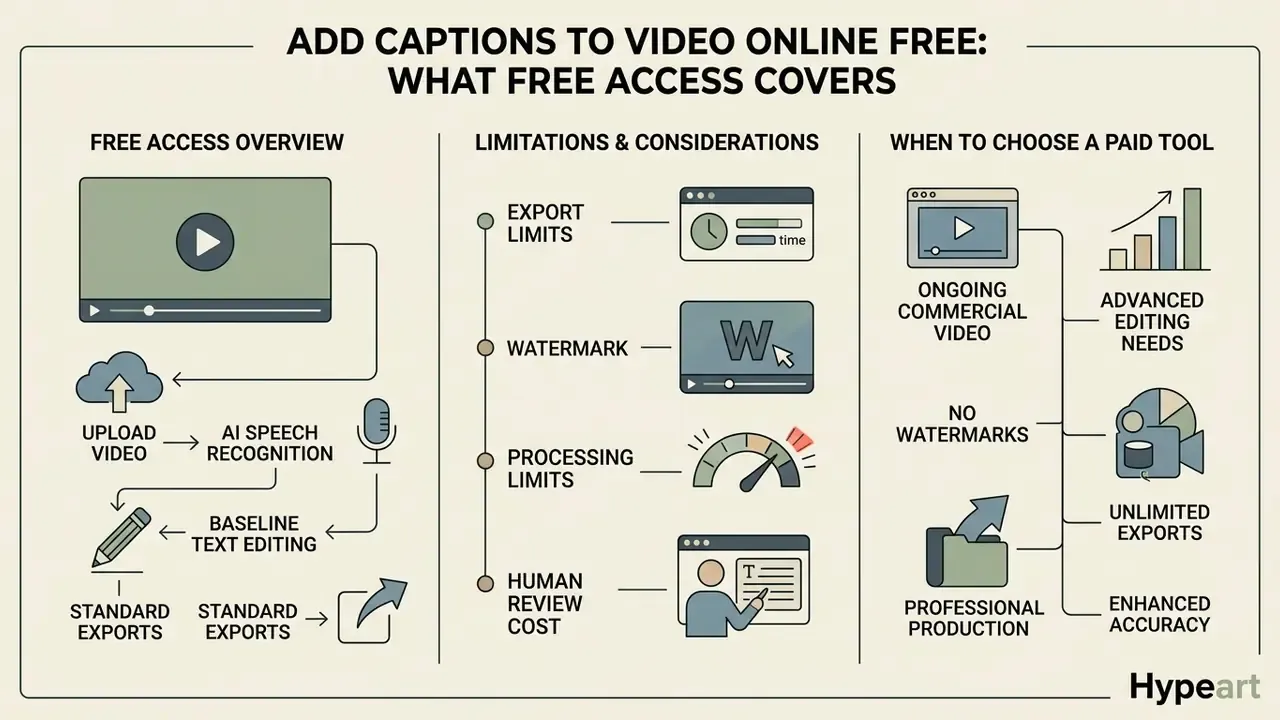
Free online captioning tools give you AI speech recognition, baseline text editing and standard exports. Usage caps and watermarks frequently apply to non-paying accounts.
One financial media publisher tested a free online video captioning tool for a weekly video series. Transcripts came back accurate enough, but the free tier capped exports at 720p and stamped a brand watermark on every render. To hold corporate presentation standards across high-definition broadcasts, the team moved to a commercial tier and unlocked 4K unwatermarked MP4 exports plus bulk SRT downloads. Teams weighing the same decision can review a broader free video editing software comparison before committing budget.
| Feature category | Free access tier | Paid commercial tier |
|---|---|---|
| Export resolution | Capped at 720p / SD quality | Full HD 1080p, 4K, and uncompressed |
| Visual watermarking | Brand watermark applied to MP4 | Clean, unwatermarked video export |
| Processing limits | 1 to 10 minutes per project; 10 to 60 minutes monthly | Unlimited or high-volume monthly minutes |
| File export formats | Basic MP4 download, sometimes MP4 only | MP4, SRT, VTT, TXT, DOCX, CSV, JSON |
| Translation and AI tools | Limited language trial | 30+ languages, auto-dubbing, custom glossary |
| Data retention terms | Often unspecified; training-use clauses common | Contractual zero-retention options available |
| Security and compliance | No SOC 2 or ISO 27001 assurance, no DPA | SOC 2 Type II, ISO/IEC 27001, DPA, audit logs |
| Access management | Single anonymous user, link sharing | SSO/SAML, RBAC, multi-seat team workspaces |
| Commercial rights | Personal or non-commercial use | Full commercial licensing and team access |
Free caption generator limits: exports, watermark, and processing
Free plans normally enforce strict limits: per-video time caps, monthly credit quotas, 720p export ceilings and mandatory platform watermarks.
Vendor pricing benchmarks indicate free accounts restrict project lengths to between 1 and 10 minutes, with monthly upload allowances commonly in the 10 to 60 minute range. Many free tiers disable standalone SRT or VTT downloads, forcing an upgrade when you manage external caption tracks for third-party hosting. Some restrict output to MP4 only, and some watermark even audio-adjacent exports.
The limits that matter most, however, are not cosmetic:
«No platform tested reached 99% accuracy; institutions relying on AI captions alone are unlikely to meet their legal accessibility obligations.»
Total cost of ownership: the human-in-the-loop line item
The sticker price of a captioning tool is rarely the dominant cost. At roughly 90% out-of-the-box accuracy, one word in ten needs attention, and correction throughput, not generation throughput, sets your true capacity.
| Workflow variable | Manual transcription | Raw AI output | AI plus targeted review |
|---|---|---|---|
| Editing effort per video hour | 4 to 6 hours | 0 hours (unverified) | 0.5 to 1.5 hours |
| Expected published accuracy | 99%+ | ~85 to 94% | 98%+ |
| Compliance-ready | Yes | No | Yes, with audit trail |
| Scales to archive volume | No | Yes, at risk | Yes |
Localisation follows the same arithmetic. Evaluation work presented at AMTA (2024) documented AI-assisted subtitle localisation cutting human labour from 19 hours to 8 hours per 11-minute video per language. A large saving, yes, but still 8 hours of paid expert time that no pricing page includes. Model your archive at the review rate, not the generation rate. On that basis the enterprise tier usually pays for itself through glossary support, batch processing and API access rather than through raw minutes.
When to choose a tool for ongoing commercial video content
Commercial producers should upgrade when monthly volumes exceed free minute allowances, or when unwatermarked 1080p and 4K delivery is required for brand distribution.
Paid subscriptions remove watermarks, expand processing quotas, enable multi-seat collaboration and grant formal commercial usage rights. Practitioners comparing entry-level options can also survey free AI video generators to see how watermark and export limits behave in adjacent tool categories.
Licensing terms deserve the same scrutiny as features. Vendor agreements commonly restrict free and low-tier plans to personal, creative or internal business use, and forbid resale, white-labelling and managed-service delivery to third parties without written consent. Agencies, multi-seat teams and anyone captioning client footage generally need a separate commercial agreement, regardless of minutes consumed.
Selection criteria for an enterprise ASR platform should therefore include: API access with documented rate limits, SSO/SAML, role-based access control, a published SLA, custom vocabulary and glossary support, batch processing, configurable retention, and export coverage for SRT, VTT and JSON.
Video and subtitle file formats for online export
Exporting captioned media means choosing between embedded video containers such as MP4 and standalone text tracks in SRT or VTT. Readers still selecting a production tool can consult a free video editing software comparison alongside the format guidance below.
When integrating subtitle generation into enterprise software, developers can open the hub to inspect API rate limits and batch endpoints.
Upload video files and export a captioned MP4
Online caption tools accept standard containers, including MP4, MOV, MKV and WebM, and render burned-in captioned MP4 files for direct social publishing.
The MP4 container is defined on the ISO Base Media File Format (ISO/IEC 14496-12:2022) and carries AVC/H.264 or HEVC video alongside synchronized audio. NAL-unit storage for those codecs is specified in ISO/IEC 14496-15:2022, and timed-text carriage in the same file in ISO/IEC 14496-30:2018. When you export a captioned MP4, text overlays are rendered permanently into the pixel grid during re-encoding, so caption legibility becomes a function of bitrate and encoder settings, not of the container. Thin strokes and small type degrade first under aggressive compression, which is why burned-in captions favour heavy weights and solid backing plates. Presentation guidance for captions in audiovisual content sits separately in ISO/IEC 20071-23:2018.
Embedded subtitle tracks, as opposed to burned-in pixels, survive only in output containers that support them. MKV, MOV and MP4 are the standard examples, while many editors import SRT, VTT, ASS and SSA but export only SRT.
Download SRT and VTT subtitle files for other platforms
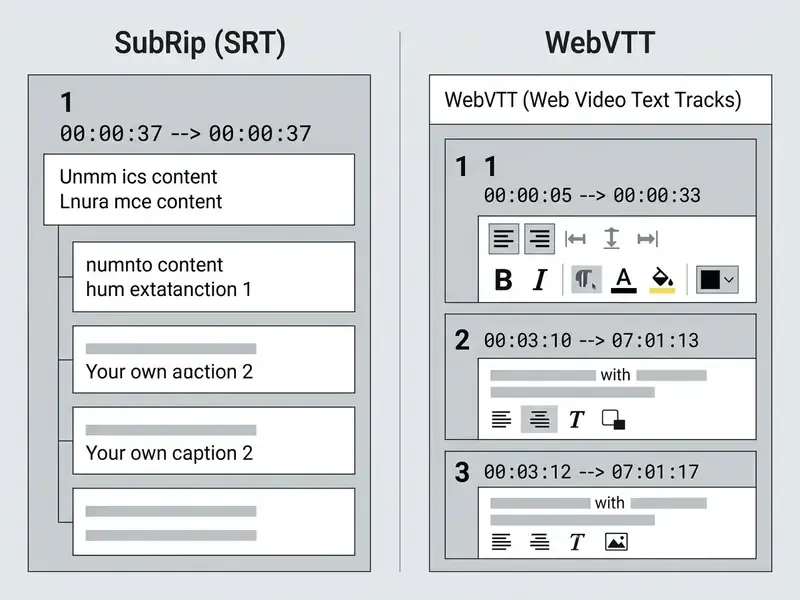
Downloading standalone SRT or WebVTT files lets creators upload separate, toggleable caption tracks to YouTube, Vimeo and enterprise LMS platforms.
SRT Syntax Example:
1
00:00:01,500 --> 00:00:04,200
Welcome to the AI media compliance overview.
WebVTT Syntax Example:
WEBVTT - Header Required
STYLE
::cue { color: #FFFFFF; background: rgba(0,0,0,0.8); }
00:00:01.500 --> 00:00:04.200
Welcome to the AI media compliance overview.
SubRip Text (SRT) remains the most widely supported legacy format across desktop players, and has no formal standard-level model for styling or metadata. Web Video Text Tracks (WebVTT) is the modern W3C standard for HTML5 <track> elements.
Practical syntax differences to watch during conversion: WebVTT requires the literal WEBVTT header, uses UTF-8 encoding, serves under MIME type text/vtt, and separates milliseconds with a dot, while SRT uses a comma. Converting SRT to VTT therefore means adding the header and swapping the decimal separator. Cue identifiers are optional in WebVTT, and STYLE blocks with ::cue selectors exist only there. Note the trade-off documented by the Library of Congress: the richer WebVTT feature set comes with narrower playback support in older desktop players than plain SRT.
Customize subtitle style for social video and branded content
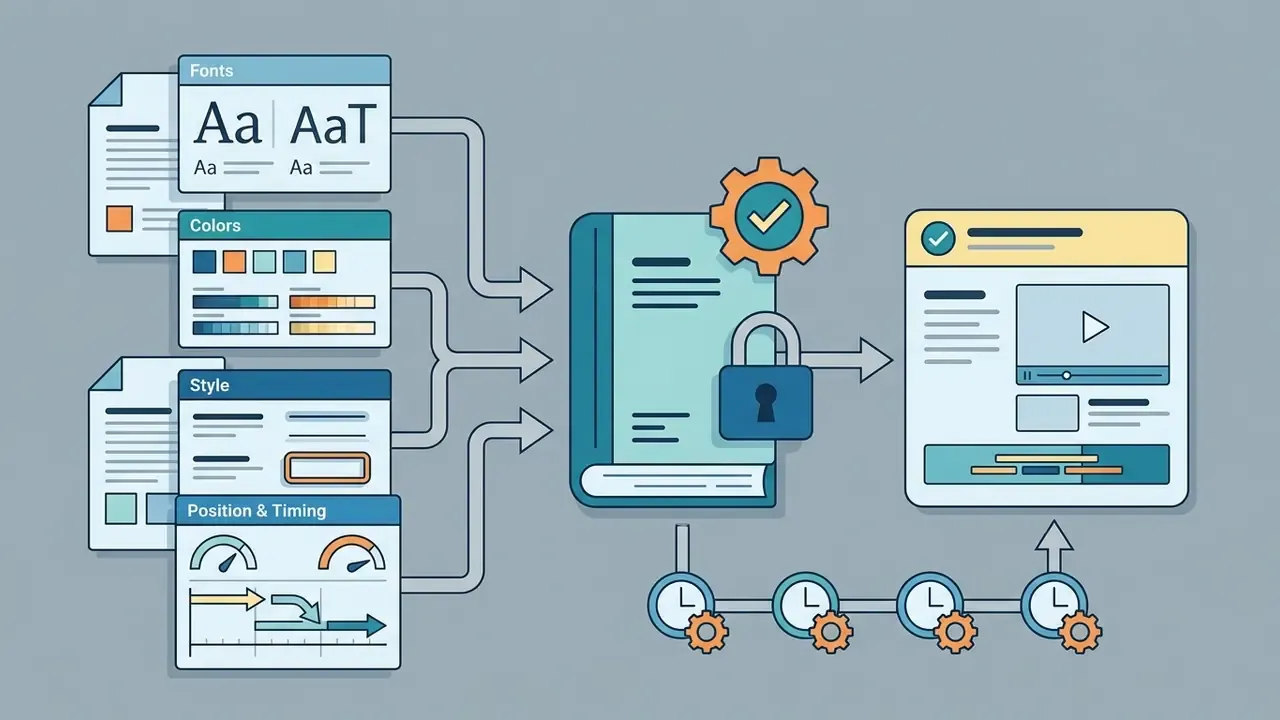
Customizing subtitle style means applying distinct typography, brand colour palettes, high-contrast backgrounds and placement rules tuned to each publishing platform.
Designers building animated commercial sequences often combine custom typography with graphical overlays. Production teams expanding short-form output can review specialized whiteboard animation services to complement on-screen text, or inspect classic whiteboard animation styles for corporate explainer formats.
Caption styles: minimal, animated, word-by-word, karaoke, and Hormozi
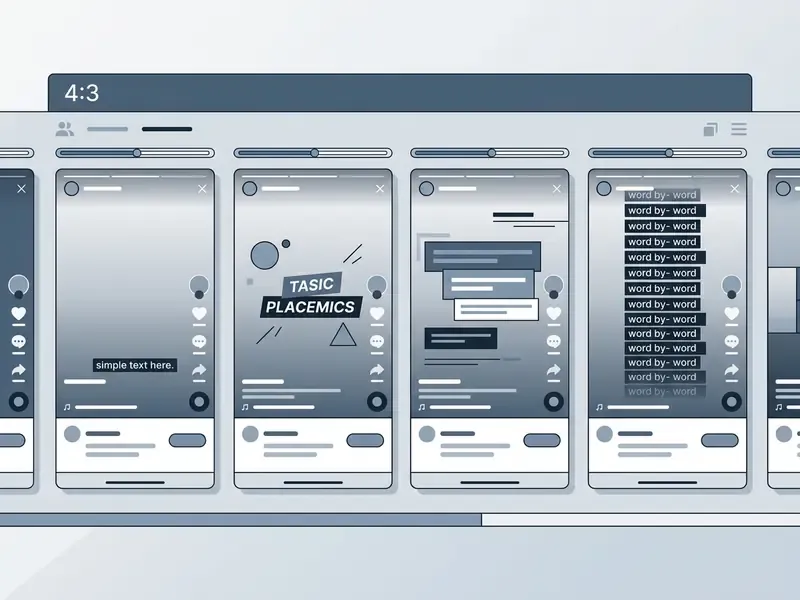
The primary visual styles are minimal static text for legibility, animated motion captions for emphasis, and word-by-word or karaoke highlighting synchronized with speech.
Minimal static styling uses clean sans-serif type over a semi-opaque black box, maximising legibility without pulling focus from the image (Museums Victoria Video Style Guide, 2021). Corporate brand guidelines converge on the same recipe: subtitles below the lower fifth of the frame, a modern non-ornamental typeface, white text with a black shadow or a 50% grey plate.
Social feeds demand higher-energy presets, and the named styles are now search terms in their own right:
These presets emphasise action verbs and numerical data automatically, which is what lifts completion rates on mobile feeds. Restraint still matters. University subtitling guidance for social media explicitly warns against heavily animated or single-word captions in accessibility contexts, and the research is not one-directional:



«Video enrichment, including subtitles, slightly increases motivation (β=0.139) but has a significant negative direct effect on satisfaction (β=−0.116).»
Read together: use viral presets when the goal is scroll-stopping reach, and minimal presets when the goal is comprehension, compliance or trust.
Captions for TikTok, Instagram Reels, and YouTube Shorts
Captions for vertical 9:16 mobile video must sit inside screen safe zones, clear of native platform UI, comment feeds and side action buttons.
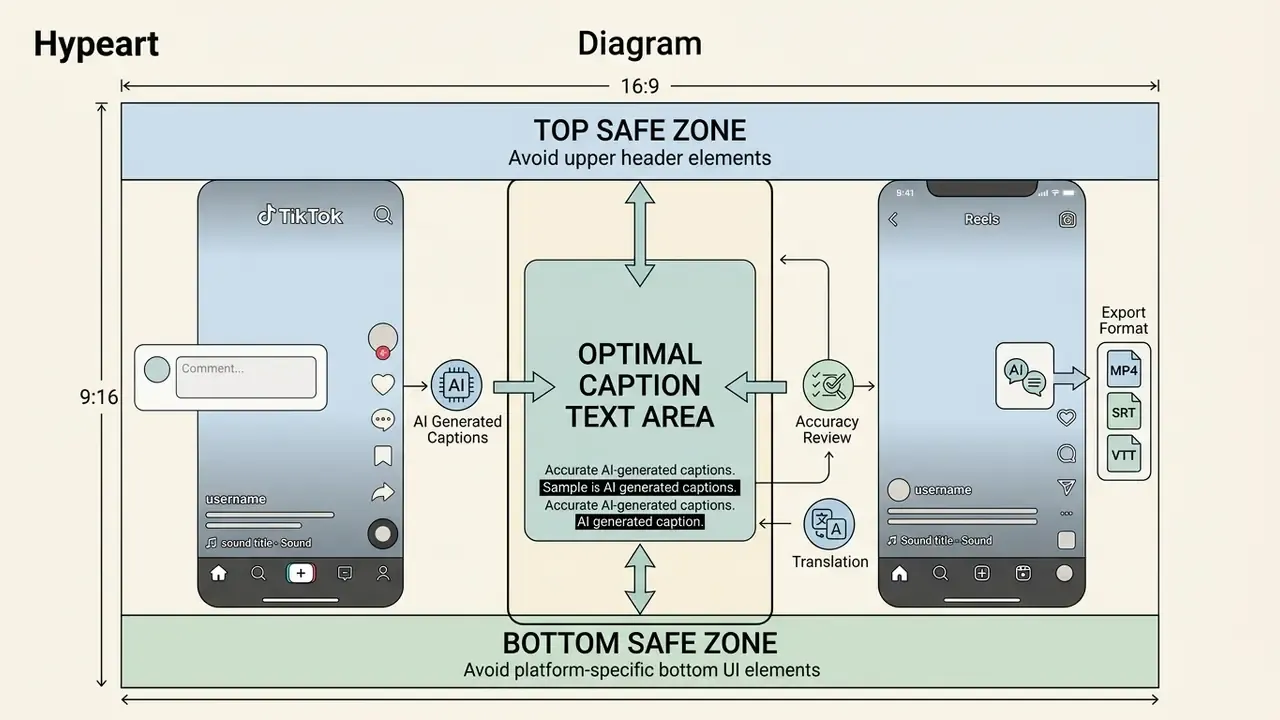
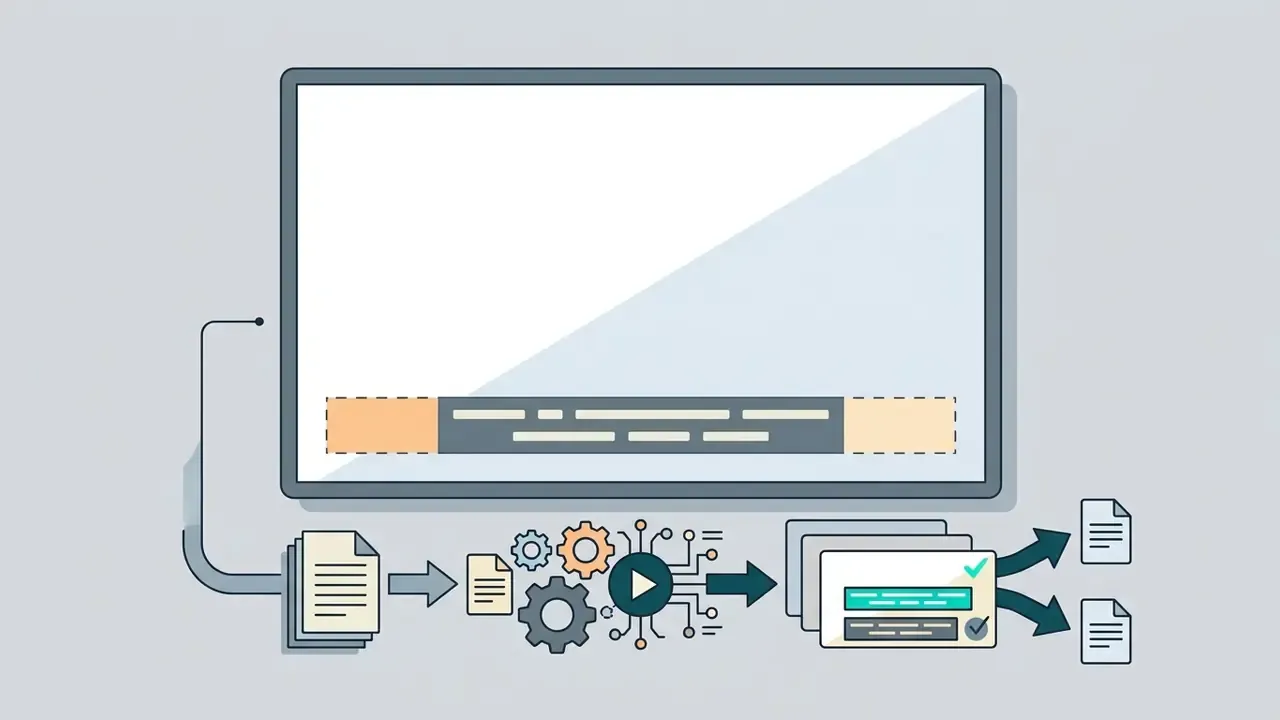
Safe-zone guidance for 9:16 canvases converges on the middle-lower third, centred, away from the bottom UI strip and the right-hand engagement rail. Published pixel margins differ by vendor and revision. One 2026 guide cites roughly 130 px top and 250 px bottom for TikTok, roughly 320 px bottom for Instagram Reels, and a central 4:5 working area for YouTube Shorts with the bottom 10 to 15% kept clear. Treat the exact numbers as vendor estimates; treat the rule as stable. TikTok needs the largest right-side clearance because the action stack sits there, Instagram Reels needs the largest bottom clearance because the caption and audio attribution block is taller, and YouTube Shorts is the most permissive of the three.
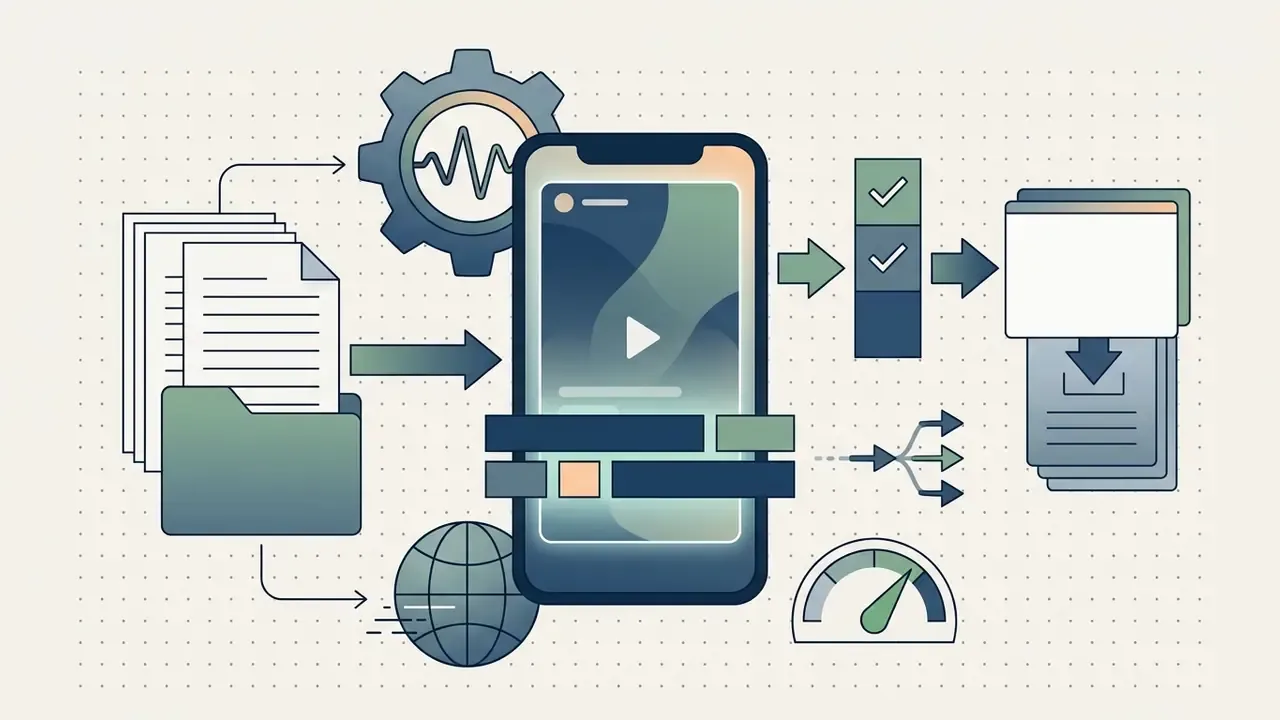
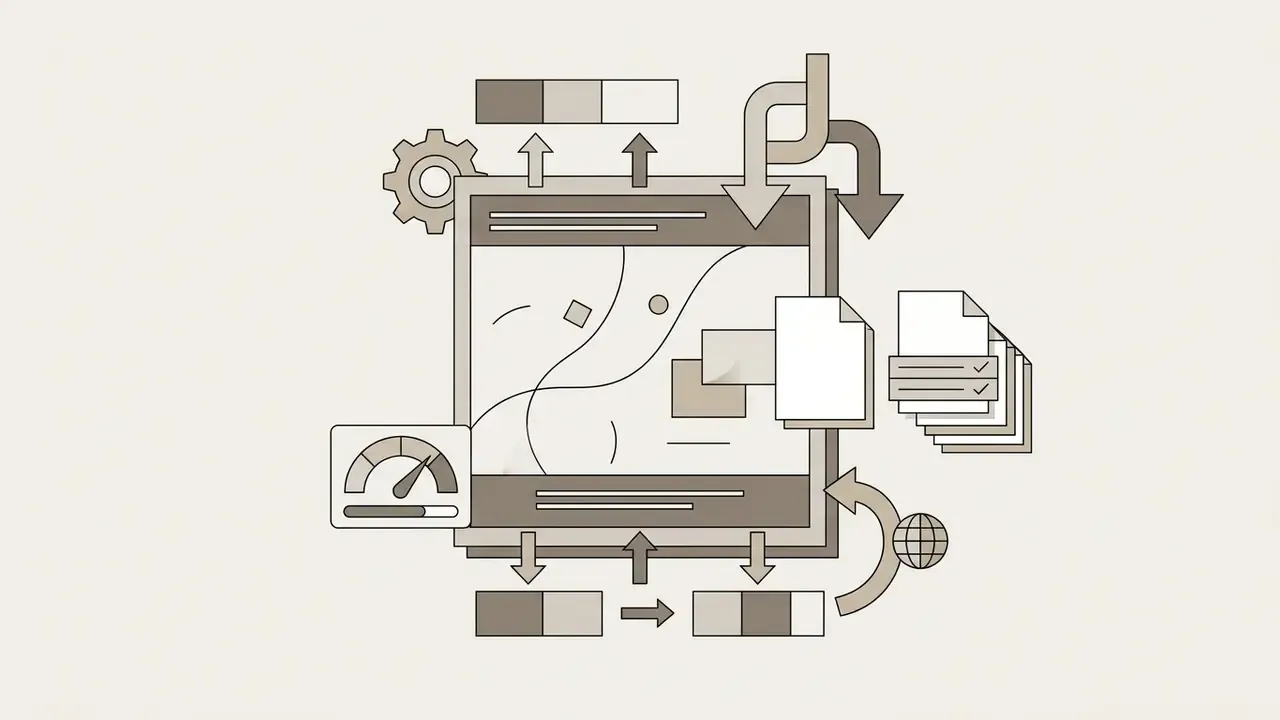
Aspect ratio specification sheet
One upload should produce every format. Export presets that re-frame and re-position captions per ratio avoid four separate manual passes. Creators building the surrounding production stack may also find AI video generators relevant when sourcing B-roll and openers for vertical formats.
Burned-in captions for YouTube, podcasts, and long-form video
Burned-in captions are rendered permanently into the frame, which keeps their appearance consistent across legacy players that ignore caption files.
Also called open captions, hardcoded text cannot be switched off or restyled by the viewer (University of Glasgow Subtitling Standards, 2025). Open captions guarantee presentation fidelity on non-standard players, and they are explicitly acceptable where a platform cannot preserve caption files reliably. Even so, uploading separate WebVTT closed caption files remains the preferred standard for YouTube and long-form podcasts. Closed captions preserve screen reader access, support viewer-side font, size, opacity and edge-style customisation, enable multi-language toggling, and stay crawlable for search.
This deserves blunt phrasing, because competing vendor pages claim the opposite. Burned-in captions are not a stricter accessibility outcome than a caption track. Pixels are not machine-readable. A viewer using assistive technology, a viewer who needs larger type than you rendered, and a search engine indexing your dialogue all require text. The defensible pattern for long-form is both layers: a burned-in visual track for feed reliability, plus a WebVTT track for accessibility and discoverability. Teams formalising that process can review end-to-end YouTube video editing workflows.
Translate subtitles and make video content accessible
Translating subtitles extends reach to global non-native audiences, while compliant captions secure digital accessibility for people with hearing loss.

Add English subtitles and translate captions into other languages
AI translation models convert source transcripts into English and dozens of other languages, generating multi-language subtitle tracks for international distribution. That is the fastest route for teams who need to add English subtitles to video online free of charge before commissioning a paid localisation pass.
Neural machine translation engines score between 36.4 and 40.8 BLEU when translating video subtitles into English. A 2021 study of Netflix subtitles recorded 36.44 for Google Translate and 40.79 for DeepL, while noting that machine output still did not match human fluency and accuracy. These are peer-reviewed metrics on one corpus, not a general accuracy guarantee. Vendor claims of 85 to 95% translation accuracy remain commercial and unverified. Later evaluation work presented at AMTA (2024) assessed subtitle quality with WER, COMET and SubER rather than BLEU alone, reflecting the field's move toward multi-metric assessment.
«Subtitled streaming content provides linguistic, cultural and sensory access at the same time, turning entertainment into a language-learning tool.»
Captions for accessibility and wider audience reach
Compliant captions satisfy accessibility requirements under WCAG 2.2 AA and ADA Section 508, and they widen distribution at the same time.
WCAG Success Criterion 1.2.2 requires captions for all prerecorded audio in synchronized media at Level A, and Success Criterion 1.2.4 requires live captions for live synchronized audio at Level AA. The 2024 ADA web rule fact sheet establishes WCAG 2.1 Level AA as the benchmark for covered state and local government web content, with captions among the listed requirements. Federal guidance sets the production detail:
«Captions must be 99% accurate, synchronized with the audio, identify multiple speakers, and include descriptions of relevant sounds.»
Beyond legal mandates, captions extend content utility in public spaces, libraries and mobile environments, and they lift completion rates across diverse viewer demographics. One jurisdictional wrinkle is worth flagging: European Web Accessibility Directive guidance excludes live time-based media from certain requirements, while WCAG still requires live captions. A difference of regional scope, not of definition.
This information is general in nature and does not replace legal advice. Specific accessibility obligations depend on jurisdiction, organisation type and content class.
FAQ about adding subtitles to any video online
Can I add subtitles to any video format online?
Yes. Modern online subtitle tools support all major input formats, including MP4, MOV, AVI, MKV, WebM and M4V, plus audio-only containers such as MP3, WAV, M4A, AAC, OGG, Opus and FLAC. Files upload from local storage, mobile devices or cloud links, and many tools accept a pasted YouTube, Vimeo, TikTok or Loom URL.
Can I upload my own SRT or VTT subtitle file instead of generating one?
Yes. If you already hold a timed transcript, upload the existing SRT or VTT file into the editor. The tool aligns text cues with your video timeline, so you can adjust styling and placement before export. Many editors also import ASS and SSA, though export is often limited to SRT.
How long does it take to generate subtitles with AI online?
AI speech recognition typically processes video at several times real-time speed. A 5-minute container is transcribed and aligned within 15 to 30 seconds. Vendor benchmarks report 2 to 5 minutes for videos under 30 minutes, and 6 to 10 minutes for a 60-minute podcast, depending on server load and audio complexity.
Can I generate and edit subtitles on mobile devices?
Yes. Web-based subtitle generators run inside modern mobile browsers, including iOS Safari and Android Chrome. You can upload mobile recordings, edit transcript lines, apply vertical safe-zone presets and export captioned MP4 files straight from a smartphone.
How accurate are free AI subtitle generators?
Out-of-the-box accuracy averages between 85% and 94%, with independent academic benchmarking of educational platforms reporting 89.8%. Clear audio with one speaker performs better, while background noise, strong accents, overlapping speakers and technical jargon require manual post-editing to reach the 99% compliance standard. No tested platform met that threshold automatically.
Is it safe to upload confidential company video to a free online subtitle tool?
Not without screening. Free tiers frequently omit written retention limits, may permit uploads for model improvement, and rarely provide SOC 2 Type II or ISO/IEC 27001 assurance, a DPA, SSO or audit logging. Public marketing footage is generally low risk. Internal training, customer recordings, HR, legal or financially sensitive material belongs in a contracted enterprise tier with zero retention, or in a locally hosted transcription model.
Do burned-in captions satisfy WCAG and ADA requirements on their own?
No. Burned-in open captions guarantee visual presentation but exist as pixels, so screen readers cannot read them, viewers cannot resize or restyle them, and search engines cannot index them. Conformance relies on synchronized text tracks such as WebVTT or SRT. For long-form video, publish both layers: burned-in text for feed reliability, plus a caption track for accessibility and search.
What is the difference between filler-word removal and verbatim captioning?
Filler-word removal deletes hesitations such as "um" and "uh", trims long silences, and applies profanity masking to keep captions readable. Verbatim captioning preserves every utterance exactly as spoken. Cleaned captions suit social and marketing content; verbatim records suit legal, medical, HR and investor material. Where both are needed, publish the cleaned file and retain the verbatim transcript on record.
How do I fix subtitles that drift out of sync over a long video?
Apply a global offset in seconds if the whole track is uniformly early or late. Use two-point visual sync, anchoring the first and last cue to their scenes, when drift accumulates from frame-rate conversion. Use multi-point sync when edits, ad breaks or re-cuts create uneven drift. Target cue in-times within 2 to 3 frames of speech onset, and out-times at or shortly after the end of speech, never before.
What evidence should we keep if captions support a compliance obligation?
Keep the source file hash, the ASR engine and model version, the language setting, the confidence or flag report, the reviewer name and date, a diff between machine and published text, and the final caption format. That set is small enough to automate and specific enough to test during an internal audit.
Limitations and open questions
Three gaps in the evidence base deserve honest labelling. First, engagement statistics for captioned video circulate mostly through vendor decks, so directional claims should not enter a business case as hard inputs. Second, published accuracy figures come from educational-platform samples, not from bank training libraries or customer-call archives, and domain vocabulary shifts error rates considerably. Third, safe-zone pixel margins change with each platform UI revision, which means any style guide needs a review date rather than a permanent number.
A safe next step is modest: run one representative recording through your current tool, measure the review time, and record the evidence package once. That single pass tells you more about capacity and risk than any vendor accuracy claim.
External references
- W3C Web Video Text Tracks Format (WebVTT), W3C Recommendation. https://www.w3.org/TR/webvtt1/
- Captions/Subtitles, W3C Web Accessibility Initiative. https://www.w3.org/WAI/media/av/captions/
- WCAG 2.2 / ISO/IEC 40500:2025 Information technology, W3C Web Content Accessibility Guidelines, International Organization for Standardization, 2025.
- Section 508 Standards for Synchronized Media, U.S. General Services Administration, 2024. https://www.section508.gov/
- ADA Web Rule Fact Sheet, U.S. Department of Justice, 2024.
- Malakul, P., & Park, E., Effects of auto-generated subtitles on learning comprehension and cognitive load, Smart Learning Environments, Springer, 2023. https://link.springer.com/article/10.1186/s40561-023-00000-0
- Romero-Fresco, P., et al., Impact of AI Subtitle Errors on Speaker Evaluation and Content Credibility, arXiv preprint, 2026. https://arxiv.org/
- Evaluating AI-Generated Caption Accuracy Across Educational Platforms, California State University ScholarWorks, 2025. https://scholarworks.calstate.edu/
- Gupta, S., & Banerjee, R., Language Learning in the Streaming Era, 2025. https://link.springer.com/
- Speech Recognition and Multi-Speaker Diarization of Long-form Audio, Interspeech, 2020.
- NIST 2024 Speaker Recognition Evaluation Plan, National Institute of Standards and Technology, 2024.
- Google Cloud Speech-to-Text Documentation. https://cloud.google.com/speech-to-text/docs
- Subtitle Edit Documentation. https://subtitleedit.github.io/subtitleedit/
- SubtitleKit Technical Documentation. https://subtitlekit.com/en/generate-subtitles/
- ISO/IEC 14496-12:2022, ISO/IEC 14496-15:2022, ISO/IEC 14496-30:2018, ISO/IEC 20071-23:2018, International Organization for Standardization.
- Museums Victoria Video Style Guide, 2021; University of Glasgow Social Media Subtitling Guidelines, 2025.
For additional technical terminology, workflow guides and platform documentation, see the overview in our central reference hub.