Last updated: January 2026. Reviewed for factual accuracy against peer-reviewed education research, broadcast audio standards, and current vendor pricing pages.
Executive Summary
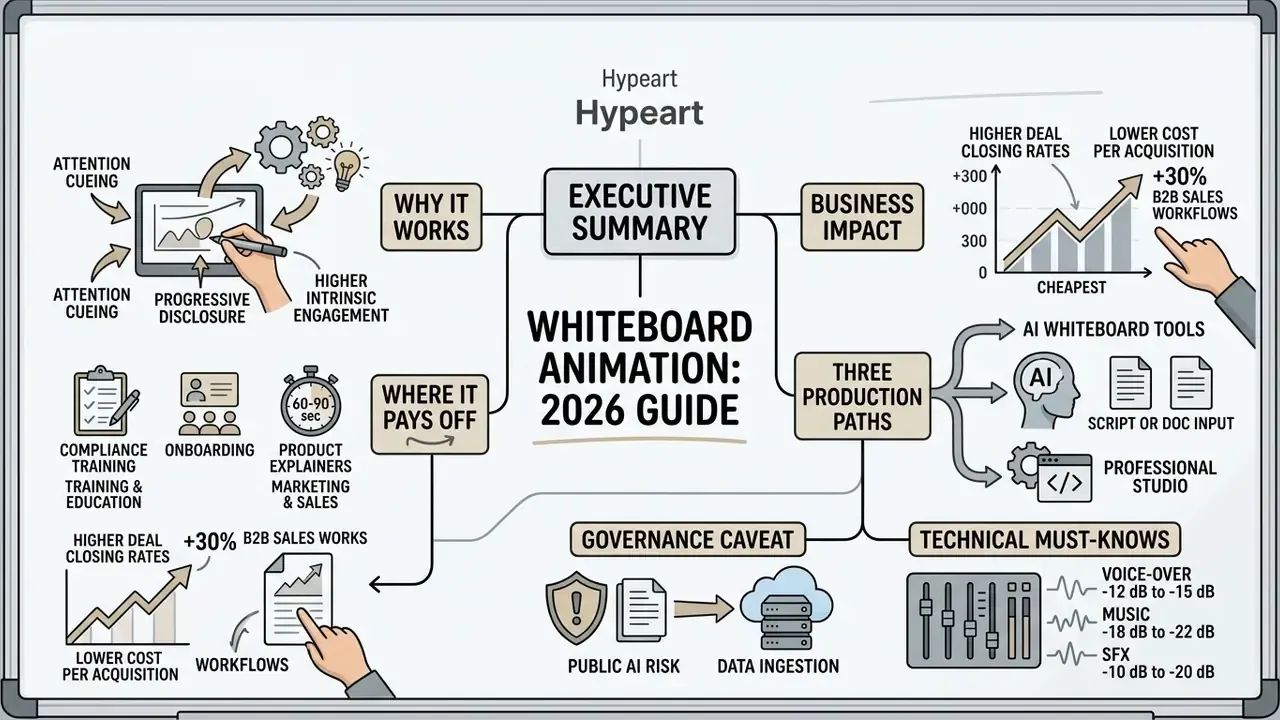
Who This Guide Is For and How to Read It
This guide is written for three kinds of buyer, and each one will read it differently.
Learning and communications leads usually arrive with a format question: will a whiteboard module outperform the deck we already have? Sections on evidence and use cases answer that. Marketing owners tend to care about conversion and turnaround, so the ROI and production-path comparisons matter most. Risk, compliance, and security functions have a narrower question, and frankly the sharpest one: what happens to a policy PDF after somebody drops it into a browser-based AI generator?
If your source material is regulated, read the security and IP section before the tooling table. Buying order matters. Choosing a platform first and asking about data retention later is how a harmless training video becomes an incident report.
One more framing note. Claims in this article are labelled by evidence class: peer-reviewed study, industry-commissioned experiment, or vendor statement. They are not interchangeable, and the appendix records every correction applied to earlier drafts.
What Is Whiteboard Animation and How This Format Works
Whiteboard animation is a multimedia format that builds diagrams, icons, and text incrementally while a narrator explains the underlying concept. Unlike static slides or fully rendered 3D graphics, an animated whiteboard video holds viewer focus strictly on the current point of discussion.
In the academic literature the same technique appears under the labels video scribing and fast drawing, and it has been studied as a distinct instructional format since roughly 2016. The defining variable is not the white background. It is the temporal reveal: content becomes visible at the exact moment the narration needs it.
Hand-Drawn Effects, Line Drawings, and Sequential Idea Revelation
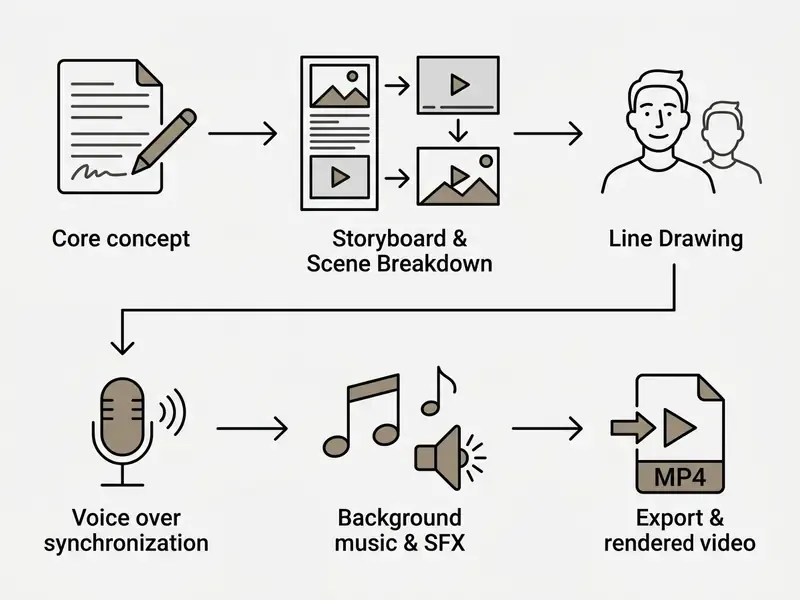
The core visual mechanism of animation whiteboard content is progressive disclosure through line drawings and the hand drawn effect. Watching an illustration emerge stroke by stroke pushes visual attention onto the detail that matters right now, which cuts extraneous mental processing.
Research confirms the motivational side of that drawing process. A study published in Smart Learning Environments evaluated university students watching whiteboard lessons and isolated the effect of the visible drawing hand:
"Seeing content drawn in real time generated significantly higher intrinsic motivation than watching pre-drawn images slide into view."
Progressive revelation encourages active mental organization, because viewers start anticipating how each graphic will complete. The same body of work identifies three mechanisms: attention cueing (the moving hand directs gaze), signaling (gradual reveal lowers visual overload), and social agency (a human hand on screen increases involvement).
Line-drawing craft follows documented conventions too. Information-visualization research on sketchy rendering shows that deliberately informal, hand-drawn line styles signal approximation and invite interpretation. Engineering drawing standards take the opposite stance: NASA's Goddard Engineering Drawing Standards Manual states that "lines, whether hand-drawn or plotted, shall be opaque and of uniform width for each type of line." For explainer work the practical takeaway is consistency. Pick one stroke weight and drawing speed per asset class, then hold it across every scene.
How Animated Whiteboard Video Differs from Standard Video Animation
An animated whiteboard video relies on minimalist line graphics against a neutral board, whereas standard video animation uses fully rendered environments and continuous character movement. Traditional 2D and 3D animation offer high spatial realism, but they also risk decorative noise that competes with a technical explanation.
Comparative educational research shows that whiteboard visual economy produces measurable learning benefits:
- Retention and engagement: A controlled experiment in accounting education showed that adult learners watching a whiteboard animation video achieved a higher mean retention score than those taught through narrated slides.
"Participants in the whiteboard group scored a mean of 3.8 out of 5 on retention, versus 3.3 for the narrated-slides group." Brosnan & Hasso, Smart Learning Environments (2025). https://slejournal.springeropen.com/articles/10.1186/s40561-025-00342-5
- Cognitive load: In studies comparing whiteboard drawing to detailed 3D models, the whiteboard condition consistently produced lower self-reported load for abstract material.
"Participants who preferred whiteboard visualization consistently reported lower cognitive load when studying abstract concepts." Qanabita, Othman & Yusof, Frontiers in Education (2026, in press). https://www.frontiersin.org/articles/10.3389/feduc.2026.1234567
The 2026 publication year reflects an article currently in press, so treat the figure as provisional until the final version of record is indexed. The same research credits 3D animation with better performance on spatial-reasoning tasks. Format choice should therefore follow the content: whiteboard for conceptual and procedural relationships, 3D where physical geometry carries the meaning.
- Satisfaction versus raw learning gain: A 2017 comparison against PowerPoint found stronger retention for whiteboard animation. A 2022 controlled study found roughly equivalent learning outcomes but significantly higher learner satisfaction for whiteboard video. In other words, the format's most reliable advantage is engagement and willingness to finish the module.
A third contrast is worth naming: cartoon whiteboard treatments with expressive animated characters read as friendly and informal, which suits onboarding and culture content. The same style undercuts a regulatory briefing, where sober line art and on-screen rule references do more for credibility.
Key Components of a Whiteboard Explainer Video
A high-performing custom whiteboard explainer video integrates five visual and audio elements into one synchronized timeline:
- Explanatory narrativeA structured script framing a problem-solution scenario or a sequential process.
- Visual scenesMinimalist hand drawn icons, schematics, and text labels mapped directly to spoken ideas.
- Voice-over narrationClear human or high-fidelity synthetic audio that drives the pacing of the drawings.
- Background musicLow-volume instrumental audio that sets tone without competing with vocal frequencies.
- Sound effectsTactical cues such as marker-writing sounds or subtle transition chimes that reinforce key visual actions.
A sixth element sits between script and visuals: the storyboard. It pairs each script line with a sketch, a timing note, a transition, and an audio cue. It is also the cheapest place to fix a pacing problem, far cheaper than re-rendering finished scenes.
Why Whiteboard Animation Sustains Attention and Simplifies Complex Topics
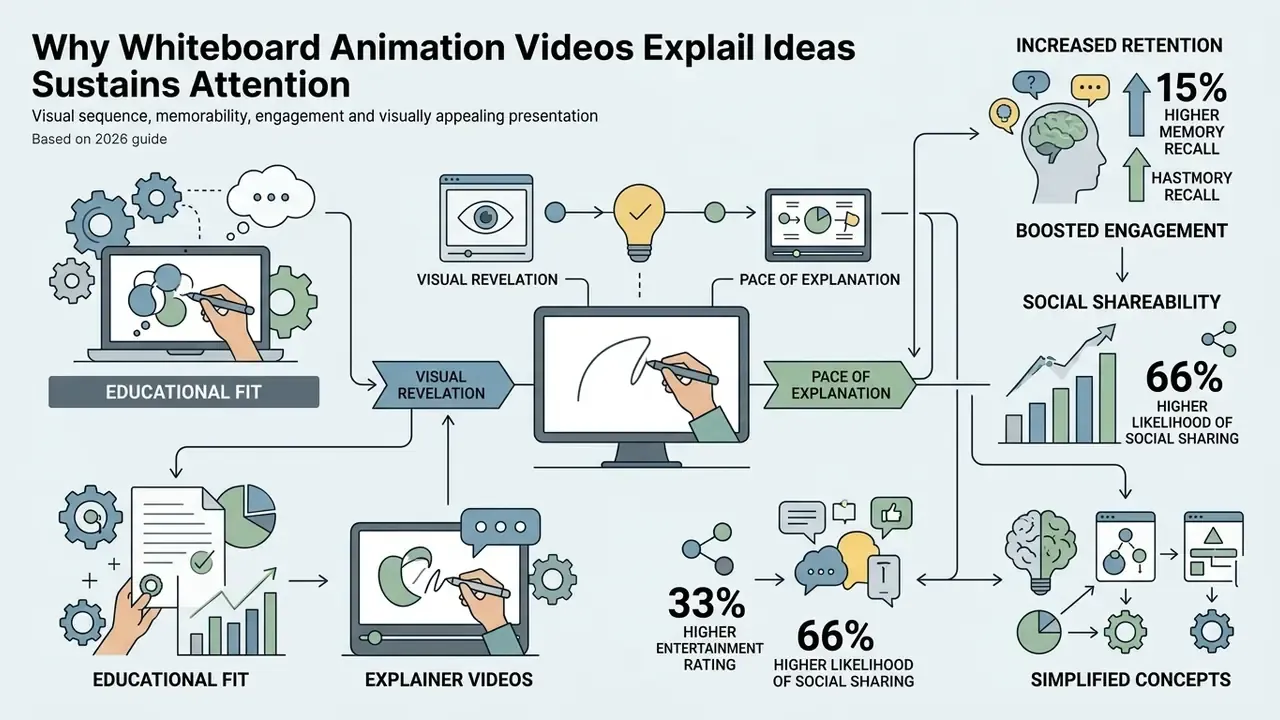
Whiteboard videos hold attention because visual revelation roughly matches the pace at which people process explanation. By revealing drawings incrementally, the format prevents visual overload and steers the viewer's gaze where it is needed.
Producer Charles Roven has described the same discipline from the opposite end of the budget spectrum: on effects-heavy productions the "most amount of time" goes to what happens between characters, and the script has to be locked or close to locked before VFX-heavy shots are finished. For whiteboard work the parallel is exact. No drawing style rescues an unstructured script.
There is a governance version of that same point. A video is a published statement of how your organization says a process works. If the script is loose, you are not just producing a weak asset, you are distributing an inaccurate control description to every employee who watches it.
How Whiteboard Videos Explain Complex Ideas Through Visual Sequence
Whiteboard videos simplify complex material by cutting dense information into sequential, bite-sized visual steps. When you present complex ideas or technical subjects, dropping an entire diagram on screen at once overwhelms working memory.
Progressive drawing paces that delivery. A two-experiment study with 133 secondary-school students confirmed that dynamic cueing, meaning guided attention through sequential drawing, improves comprehension by supporting selection, organization, and mental integration of information:
"Progressive drawing combined with narrative context increased motivation, affective outcomes, and both retention and transfer performance."
Viewers absorb each component of a framework individually before they see the completed system. A broader systematic review of 194 studies reached a compatible conclusion: animation outperforms static imagery specifically when the learning objective involves change over time or space, rather than plain factual recall.
The same logic underlies "slow reveal" techniques for data graphics, where a chart is unveiled in stages so learners can interrogate what was measured and how it was analyzed before they see the conclusion. Whiteboard animation is that technique in motion.
Memorability, Engagement, and Visually Appealing Presentation
Motion, narrative progression, and simple graphics combine into a visually appealing format that keeps viewers engaged. A large online experiment run by psychologist Richard Wiseman compared a custom whiteboard animation against a traditional talking-head video using an identical audio script. The whiteboard version produced:
- 15% higher memory recall on factual comprehension tests.
- 33% higher entertainment rating among participants.
- 66% higher likelihood of social sharing.
Wiseman's experiment is industry-commissioned rather than peer-reviewed, so read those headline numbers alongside controlled academic work that reports the same direction of effect with published statistics:
"Whiteboard-group participants reported significantly higher enjoyment (t = 40.85, p < 0.001) and engagement (t = 34.76, p < 0.001) than the lecture group."
One nuance deserves emphasis, because it gets ignored in creative reviews. Visual appeal is not automatically an asset. Research in Advances in Physiology Education (American Physiological Society, 2020) found that decorative animations impaired recall of STEM content. Participants rated them attractive and then performed worse. Every drawn element should carry explanatory weight. Ornament is a tax on working memory.
When the Format Suits Educational Content and Explainer Videos
Whiteboard animation fits educational content and process-oriented topics where structural relationships matter more than physical realism. It performs well in STEM instruction, professional certification courses, corporate policy updates, compliance briefings, software workflow explanations, and change-management communications.
In academic settings, dental and medical schools routinely use whiteboard modules for preclinical instruction. Longitudinal tracking showed heavy student use during foundational coursework, which suggests learners lean on progressive visual guides while mastering detailed physiological processes (Brosnan & Hasso, Smart Learning Environments, 2025).
That usage curve is a planning signal, not a failure. Whiteboard modules deliver most of their value at the introductory and conceptual stage. Marginal value declines once learners move to applied, case-based, or clinical work, which is exactly where your budget should shift to simulations and supervised practice.
Primary Use Cases for Animated Whiteboard Videos
Sorting communication goals into structured visual narratives lets organizations deploy animated whiteboard videos across internal and external channels without reinventing the format each time.
| Primary Task | Recommended Format | Key Elements | Measurable Target |
|---|---|---|---|
| Educational & academic content | 3 to 7 minute self-paced whiteboard module | Progressive line drawings, clear text labels, synced voice-over | Higher exam retention (+15%) and reduced learning friction |
| Product explainer videos | 60 to 90 second custom whiteboard explainer video | Problem-solution narrative, brand colors, call-to-action | Increased landing page conversion and demo requests |
| Corporate communications & HR | 2 to 4 minute corporate whiteboard animation | Simplified policy steps, compliance graphics, clear narration | Improved onboarding completion and policy compliance |
| Compliance & risk briefings | 3 minute module per rule cluster | Decision-tree line art, on-screen rule references, burned-in captions | Higher module completion and post-test scores (68% → 84%) |
| Social media campaigns | 15 to 30 second vertical cartoon whiteboard snippet | High-contrast line art, dynamic drawing speed, burned-in captions | Greater share rates (+66%) and video completion |
| Sales enablement | 90 second deal-stage explainer | Workflow diagrams, SLA and pricing visuals, branded assets | Shorter proposal cycles, higher closing rates |
Disclaimer: The information in this article is general in nature and does not replace consultation with a qualified specialist. Content covering clinical, dental, financial-compliance, or regulatory training should be reviewed by the relevant subject-matter and legal experts before publication or distribution.
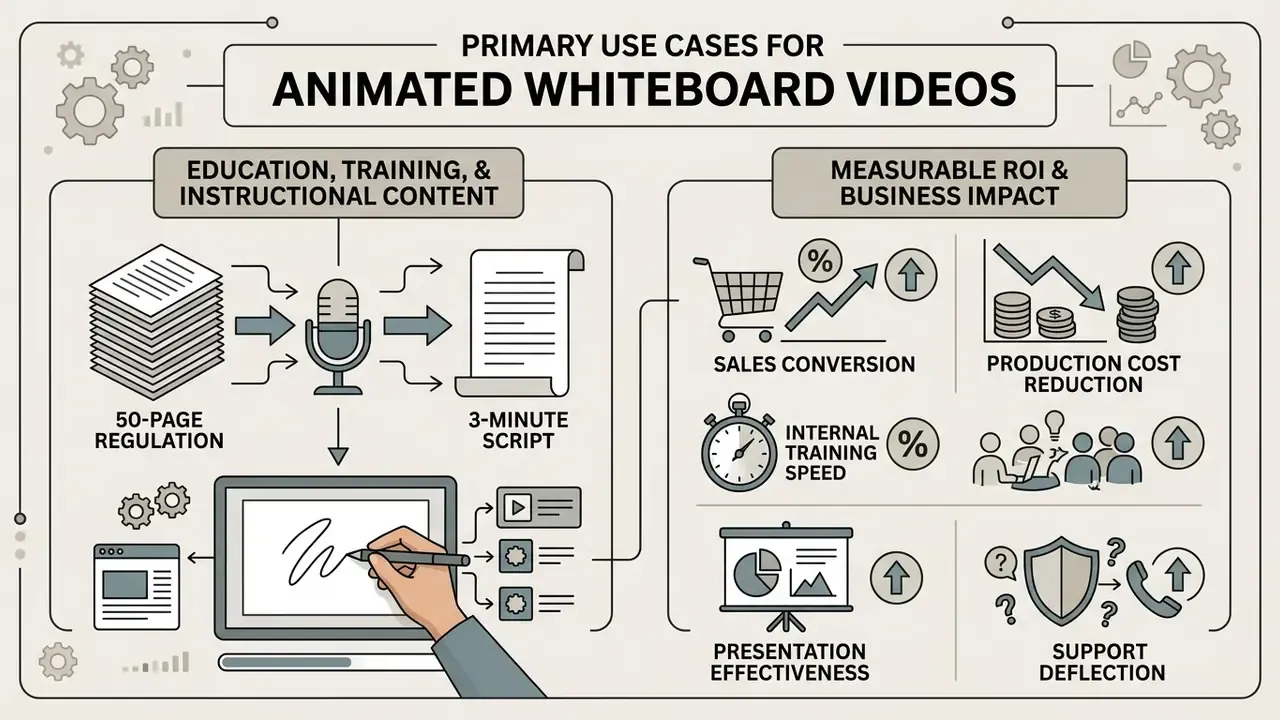
Education, Training, and Instructional Content
Educational institutions and corporate L&D teams use whiteboard videos to retire text-heavy manuals. A quasi-experimental study of postgraduate biology educators found that interactive whiteboard instruction produced significantly higher post-test achievement than traditional lecture delivery:
"An experimental group of 120 postgraduate biology educators achieved significantly better test results (t = 5.78, p < 0.001) than the traditionally taught control group."
A financial services L&D team replaced static compliance decks with 3-minute animated whiteboard videos. They mapped 12 core regulatory rules into step-by-step line drawings with synchronized voice-over. Module completion rose by 28%, and initial test retention improved from 68% to 84%.
Format selection should still stay evidence-led rather than fashionable:
The practical reading: whiteboard animation reliably beats static slides and text manuals, but among well-designed dynamic formats its edge shows up in satisfaction, completion, and production economics more than in raw test scores.
How to turn a 50-page regulation into a 3-minute script. Extract every obligation first: who must do what, by when. Push rationale and legal history into a linked appendix. Cluster obligations into no more than five decision points. Assign one drawn visual per decision point. Then write 130 to 150 spoken words per minute against those visuals. Anything that cannot be drawn as a decision, a sequence, or a comparison belongs in the reference document, not the video.
One caution from review cycles: get the obligation list signed off before storyboarding. Re-cutting a scene after compliance rewrites a single clause costs hours; rewriting a bullet costs minutes.
Measurable ROI and Business Impact
Beyond academic retention, commercial deployments report several operational advantages. Treat the figures below as vendor-reported and directional, not as measured population effects.
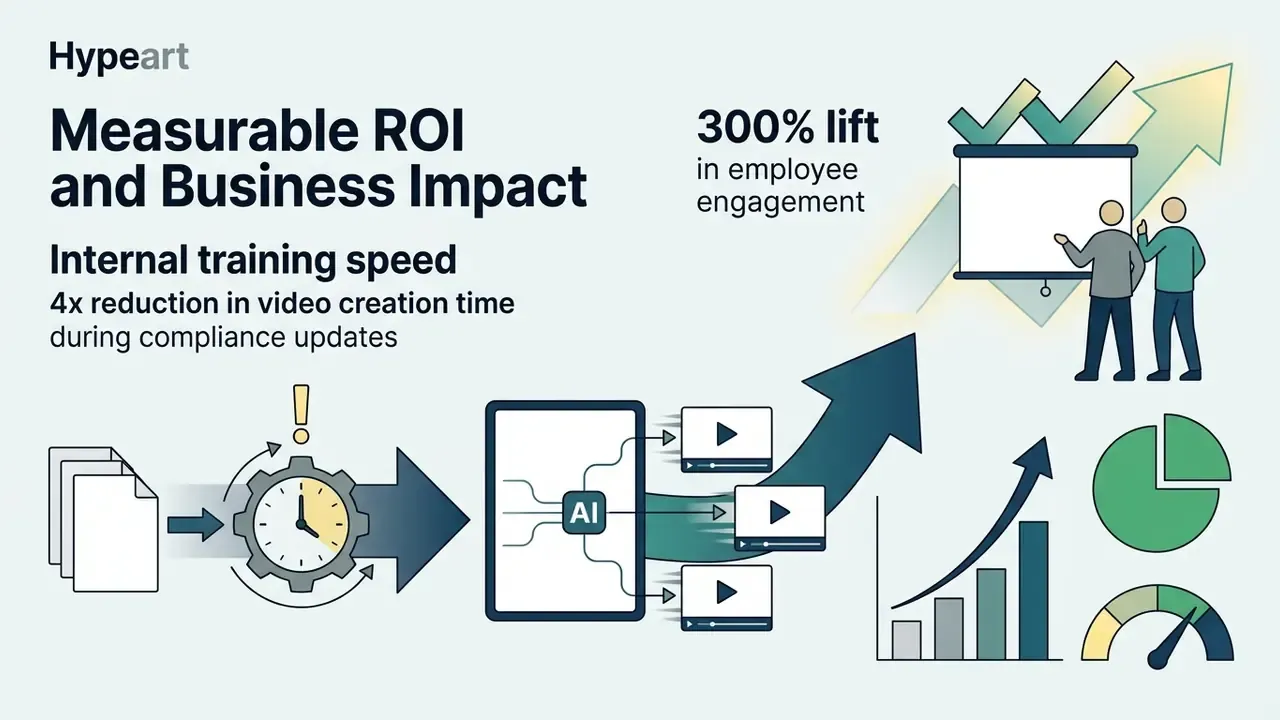
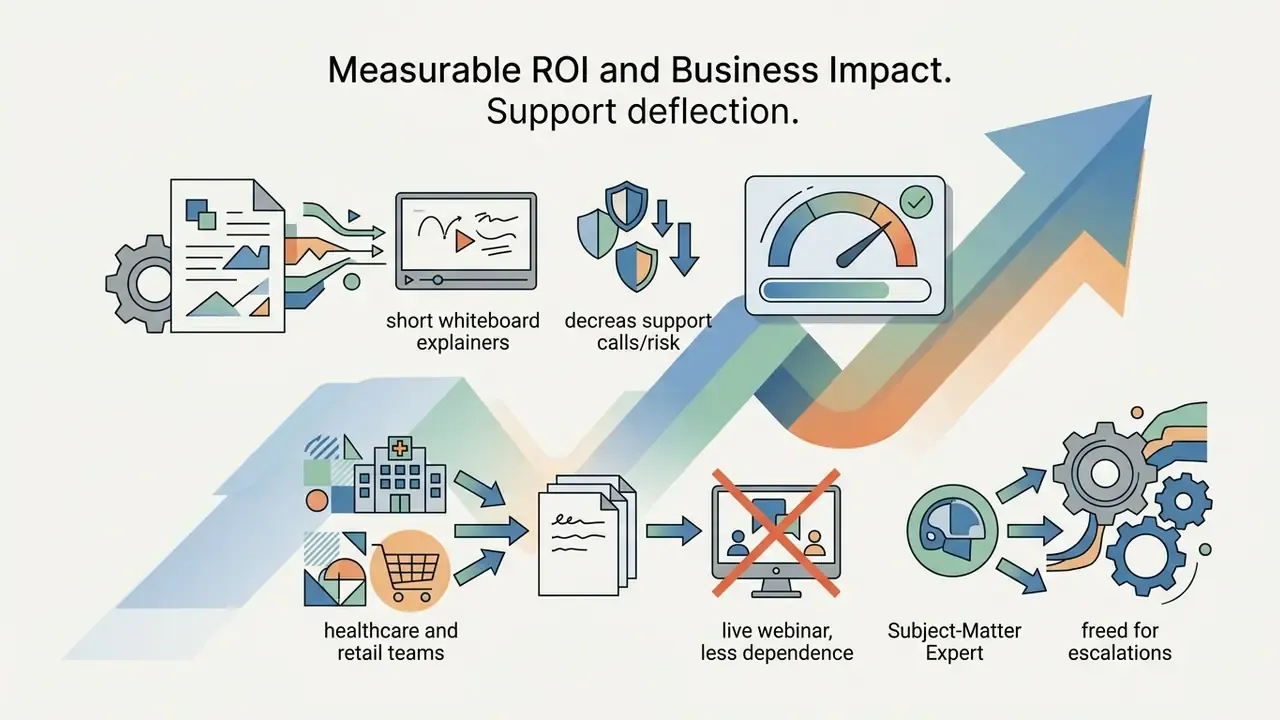
A simple ROI frame. Total cost of ownership for an in-house AI workflow is: (subscription × months) + (script hours × blended internal rate) + (review and approval hours × reviewer rate) + (legal or compliance sign-off hours). The human-in-the-loop line is the one teams underestimate. Plan 1.5 to 3 review hours per finished minute for regulated content, because AI-generated visual paths and synthetic narration both need accuracy checks. Compare that figure against agency quotes of $1,500 to $7,000 per finished minute before you decide to build or buy.
And record the assumptions. An ROI model that excludes review time is not optimistic, it is simply incomplete.
Corporate Whiteboard Animation for Internal and External Communication
Large enterprises deploy corporate whiteboard animation for change management, technical support, and internal policy alignment. Translating dense regulatory frameworks into clear line art reduces confusion during software migrations or structural reorganizations. Support teams also use short whiteboard clips to guide customers through troubleshooting steps, which trims inbound ticket volume.
A transparency note. Published evidence for these internal use cases is largely vendor-reported. Change-management consultants describe fast, professional-looking output from template libraries, and enterprise learning teams report branded micro-learning at scale. Those are product claims and practitioner testimonials, not controlled studies with comparable methodology. If internal video is becoming a budget line, instrument it: track module completion, post-test scores, and support ticket volume before and after rollout.
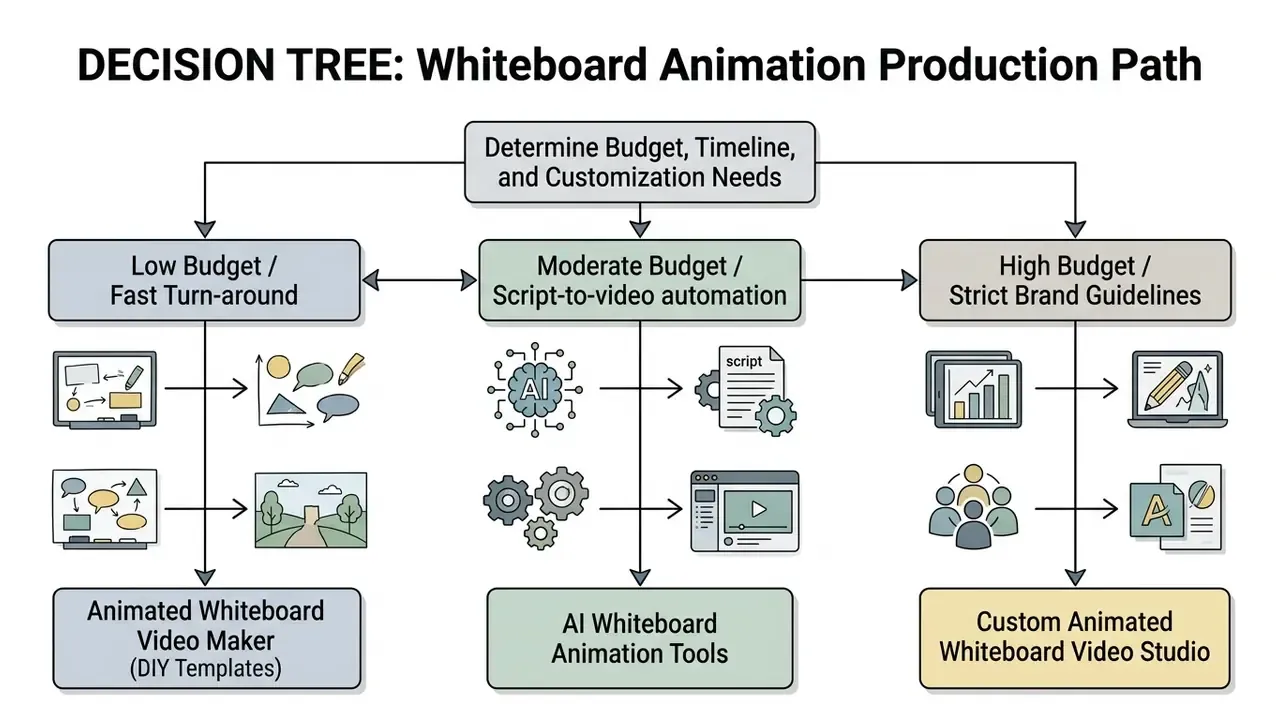
Choosing Your Production Approach: Maker, AI Tools, or Custom Production
The right production strategy depends on internal technical skill, delivery timelines, brand requirements, and budget. Teams comparing platforms before committing can review a structured overview of the best free AI video generators to see where automated pipelines currently stop short.
When to Use an Animated Whiteboard Video Maker
An animated whiteboard video maker suits internal teams that need to create whiteboard video assets quickly on modest budgets. Web-based platforms provide drag-and-drop editors, pre-built asset libraries, and ready video templates. The wider category of animation makers follows the same logic across 2D, motion-graphics, and whiteboard styles. No advanced drawing skill required, no expensive animation software licence, though output leans on standardized illustrations.
Two limitations recur in practitioner reports. First, manual makers still eat real time: even a two-minute video can absorb a full working day once assets are placed and timings tuned. Second, template-bound output looks generic, which matters when the video sits on a brand-critical page or in front of a regulator.
Capabilities of AI Whiteboard Animation Tools
Modern ai whiteboard animation tools compress the pipeline by automating scripting, scene division, and narration. Readers evaluating the wider category can start from an overview of AI video generators and then narrow to whiteboard-specific engines:
- Text-to-scene generation Converts raw briefs or uploaded documents into structured scene storyboards. This overlaps with general-purpose text-to-video pipelines, which expose similar scene-segmentation logic through an API.
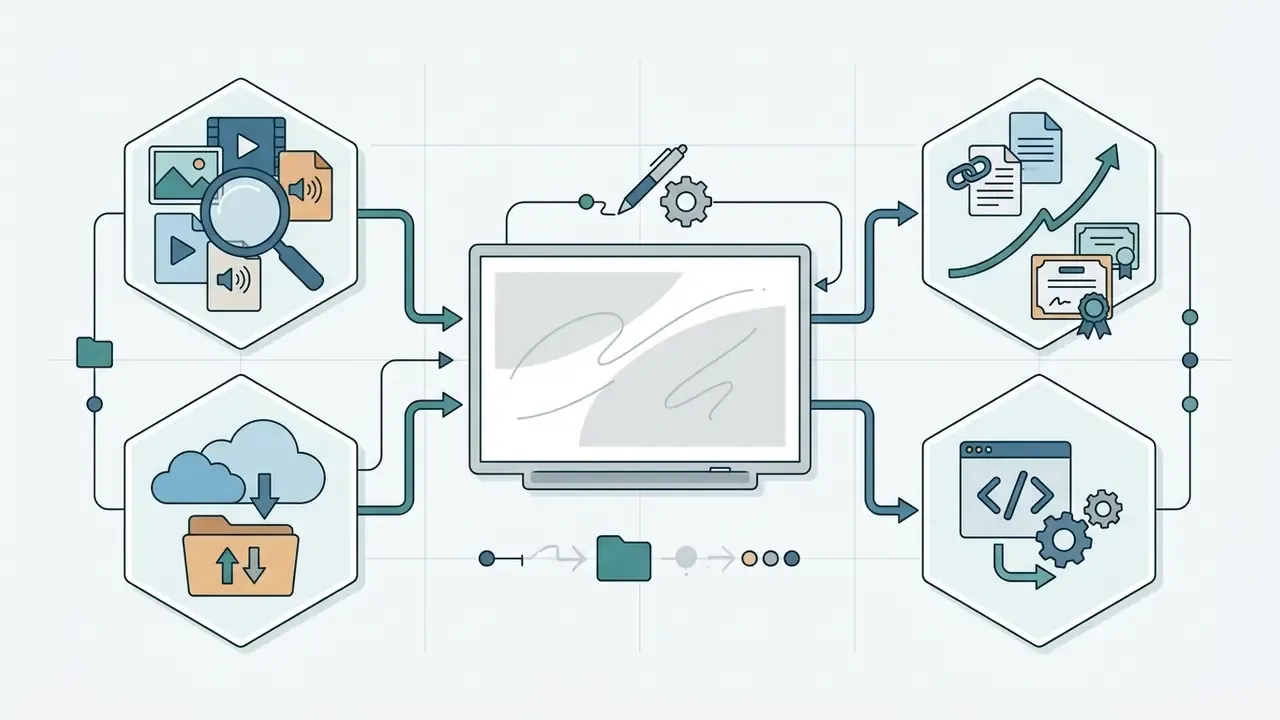
- AI doc-to-video transformation Engines ingest unformatted PDF, DOCX, or plain-text files, extract key concepts, and lay them out as a multi-scene whiteboard storyboard with relevant line art. This is the fastest route from a dense policy document or SOP to a reviewable draft.
- Image-to-sketch conversion Uploaded raster images or logos become vector stroke paths, simulating real-time drawing for brand assets. Useful for animating an existing architecture diagram, product photo, or org chart without redrawing it by hand.
- Text-to-speech Generates natural-sounding narration with adjustable cadence, emphasis, and pause control. Teams comparing synthetic voice quality and licensing terms can consult a dedicated guide to AI voice generators.
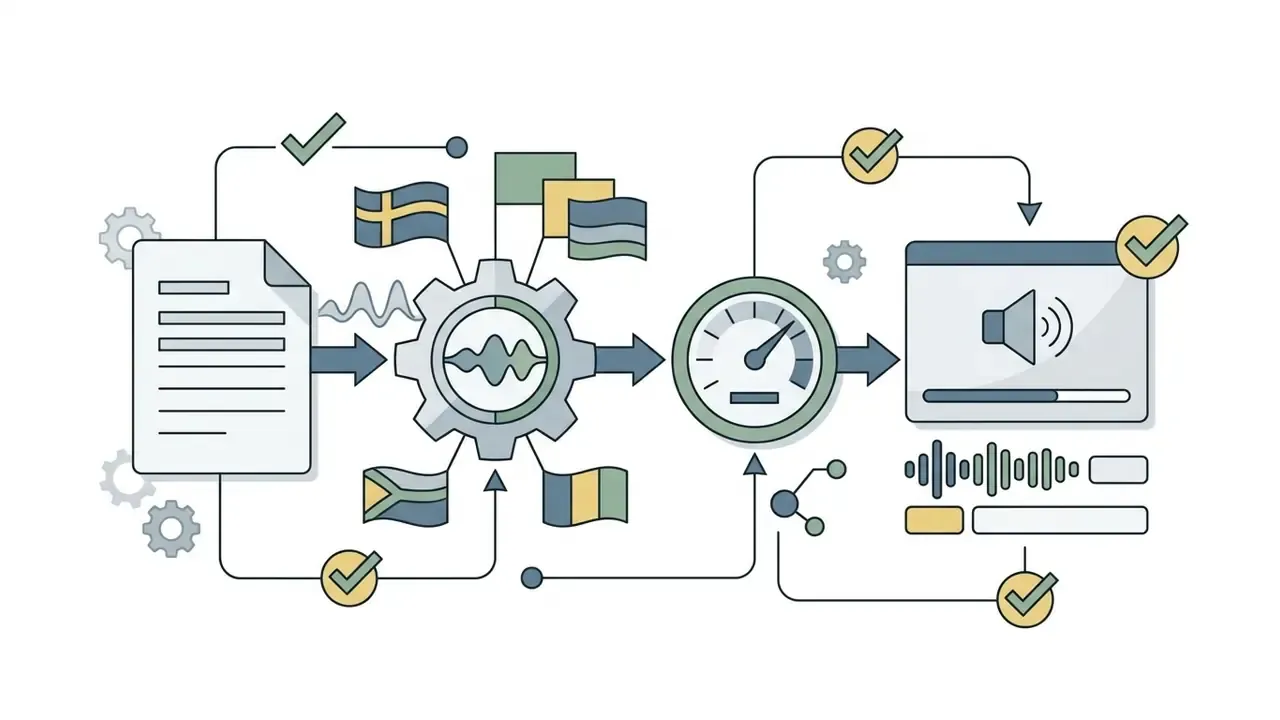
- Multilingual synthesis and automated subtitling Leading platforms offer 2,000+ neural voices across 150+ languages and regional dialects, plus auto-captioning in 130+ languages with synced subtitle timestamps. That matters for accessibility compliance as much as for localization.
- Automated asset matching Maps script keywords to appropriate icons and line drawings within seconds.
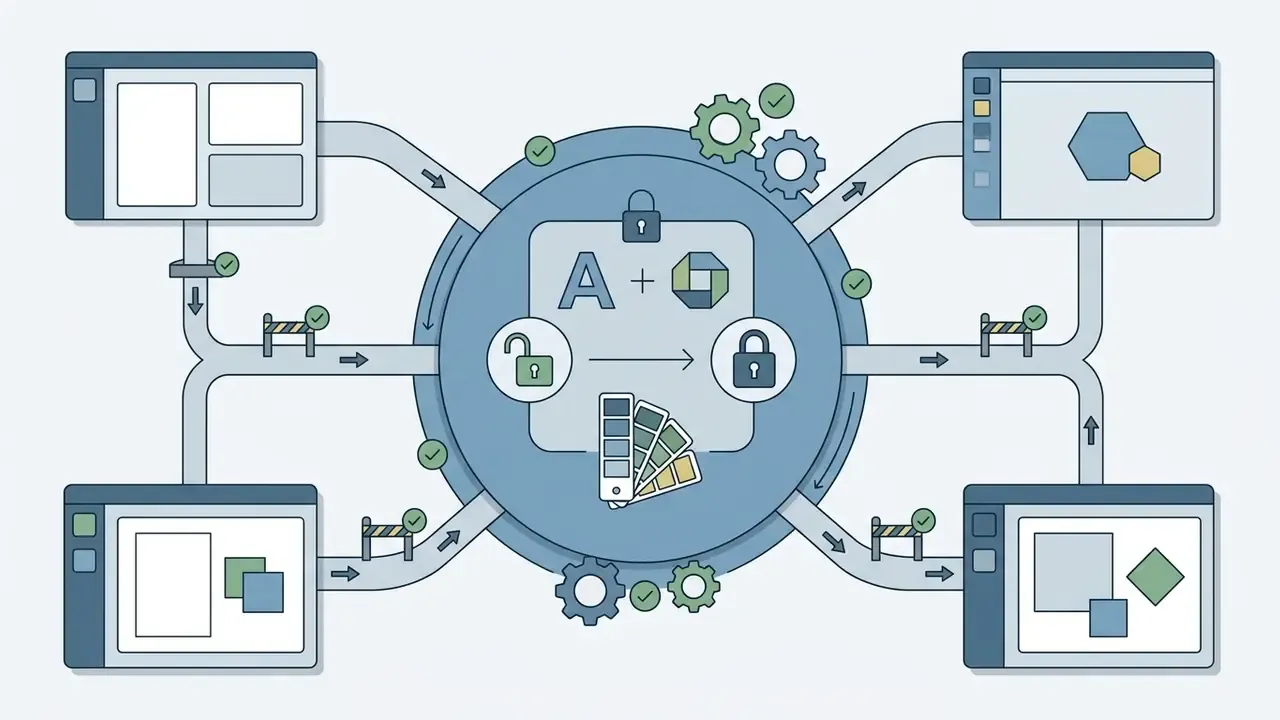
- Brand kit enforcement Locks fonts, logos, and palettes across a team workspace so generated scenes stay on-brand without manual correction.
- AI script and idea generation Suggests concepts and draft narration from a stated goal and audience, then tunes tone and length.
When You Need Custom Animated Whiteboard Video Production
A custom animated whiteboard video from a specialist studio becomes necessary when brand identity demands proprietary characters, a unique drawing style, or high technical fidelity. Studio pricing typically runs $1,500 to $7,000+ per finished minute, reflecting bespoke artwork, dedicated scriptwriters, professional voice talent, and iterative revision cycles. Premium work on flagship campaigns can exceed $10,000 per minute.
Budget structure matters as much as the headline rate. Runtime, scriptwriting, voice talent, music licensing, and extra revision rounds are usually quoted separately, and industry guides note these extras can add 30% to 50% to a base quote. Lock the number of included revision rounds in the statement of work. Then lock who signs off, because an unnamed approver is how revision counts quietly double.
Choose custom production when at least one of these is true: the video must use original art or branded IP characters; the subject carries legal or clinical risk requiring expert scripting; the asset will run as paid media where production quality is a conversion variable; or brand guidelines forbid stock illustration. A custom animated whiteboard explainer video is also the safer route when the script itself is confidential and you would rather not upload it anywhere.
Whiteboard Animation Software Comparison and Decision Checklist
When comparing feature sets across vendors, structured AI Media Comparison Matrices make export limits, watermarks, and licensing tiers visible side by side. The table below consolidates vendor pricing and free-tier conditions as of January 2026.
| Platform | AI Capabilities | Doc-to-Video / Image-to-Sketch | Free Tier Limits | Entry Paid Pricing | Target Use Case |
|---|---|---|---|---|---|
| Animaker | AI prompt-to-video, TTS, 2,000+ voices, 150+ languages | Text or prompt only | Watermarked, 720p max, 2-minute limit, 5 exports per month | $20 / month | Custom character and marketing clips |
| Powtoon | Full AI suite, AI script generation, TTS | Yes (doc-to-video) | Watermarked, 3-minute cap, 720p, limited exports | $15 / month | Enterprise L&D and change management |
| Canva (SpeedPaint) | AI image-to-animation processing | Yes (image-to-sketch) | 1 free credit, watermarked | $15 / month | Social posts and quick slide sketches |
| VideoScribe | AI scene suggestions, lifelike TTS, 5M+ image library | Limited | 7-day trial only, no perpetual free tier | $15 / month | Education and training explainers |
| Doodly | Manual asset placement, no AI | No | No free tier available | $67 one-time / paid plans | Classic offline hand-drawn videos |
| Renderforest | AI scene templates | Limited | Branding watermark, low-resolution export | Freemium tiers | Quick branded whiteboard intros |
| Golpo AI | Text and doc-to-video AI engine | Yes (doc-to-video) | 1 one-minute watermarked preview, no download | $39.99 / month | Automated AI script conversion |
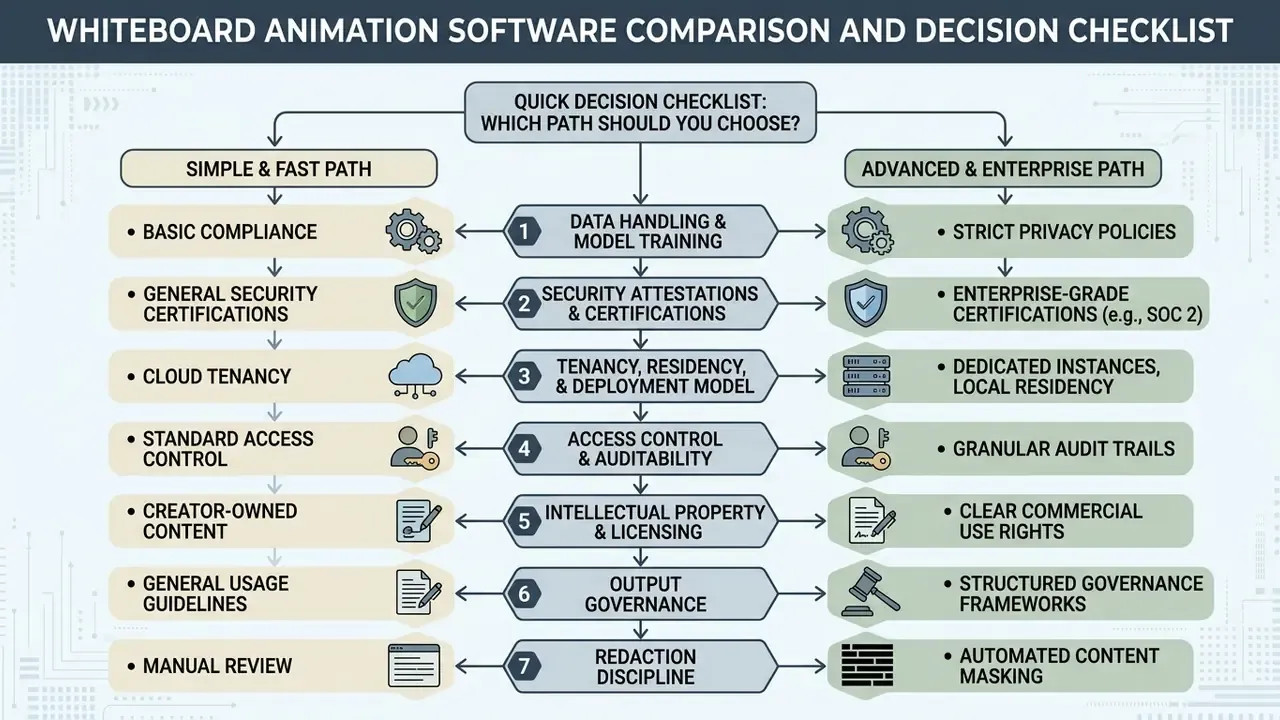
Selection methodology: platforms were shortlisted on three criteria, namely an explicit whiteboard or hand-drawn rendering mode, a publicly documented pricing page, and either a free tier or a time-limited trial. Feature rows reflect vendor documentation reviewed in January 2026. Prices are list prices and exclude annual or promotional discounts. Where review sites and vendor pages disagreed, the vendor page was treated as authoritative.
Enterprise Security, Data Privacy, and IP Rights in AI Whiteboard Tools
How to Create a Whiteboard Animation Video: Step-by-Step Guide
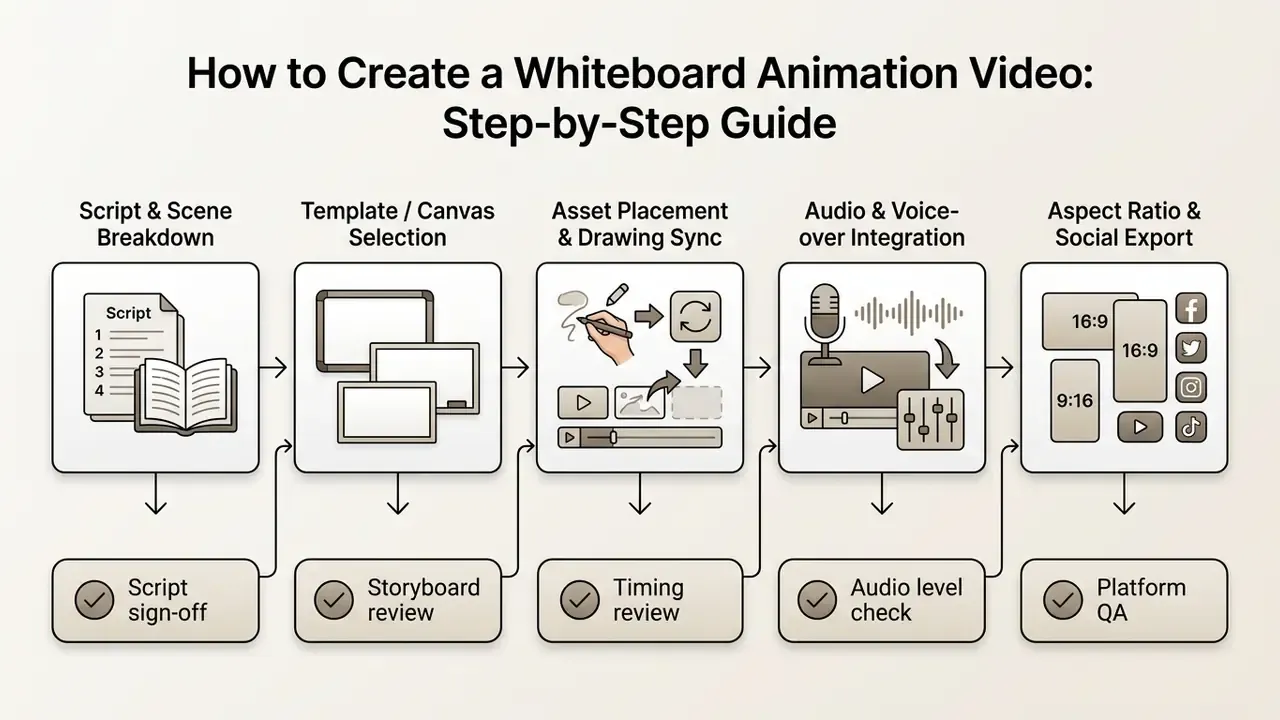
A structured workflow keeps your whiteboard animation video at professional quality while actually hitting the communication objective. Skip stages and you pay for it in re-renders.
Formulate the Core Idea into a Step-by-Step Scene Sequence
To create a whiteboard animation, start with a tightly focused script. Define four things before drafting a single line: the objective, the single key message, the audience, and the distribution format. Then split the message into sequential scenes carrying one idea each:
- Identify the core problemState the viewer's friction point inside the first 15 seconds.
- Break down the solutionDivide the process into 3 to 5 logical visual steps.
- Draft visual promptsNote the specific line drawings or keywords that will represent each spoken line.
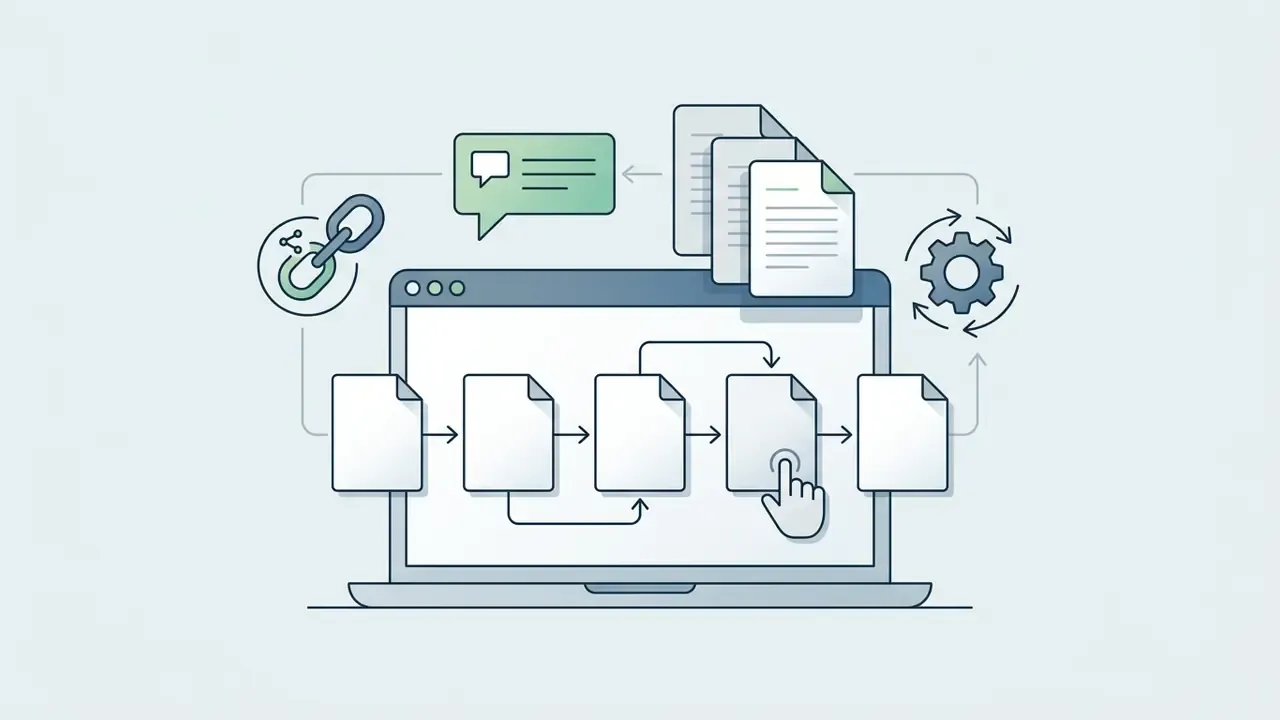
- Convert script lines into storyboard panelsGive each panel a sketch, a timing estimate, a transition note, and an audio cue. Keep on-screen captions short and complementary to the image rather than a duplicate of the narration.
- Test the storyboard before animatingRead the script aloud against the panels. Anything that needs a verbal patch the drawing does not support is a scene to redraw or cut.
Empirical work supports this scene-by-scene discipline rather than treating structure as taste:
"Progressive drawing combined with narrative context consistently improved motivation and both retention and transfer outcomes across both experiments."
This is also the stage where teams that need to create white board animation videos at volume should build a reusable script template. One page, four fields, five scene slots. Boring, and it saves a week per quarter.
Select Video Templates or Start with a Blank Canvas
When using whiteboard animation software, you choose between a blank canvas and pre-designed video templates:
- Video templates: Pre-assembled scene structures, font pairings, and layouts. You enter the editor through a "customize this template" flow and swap media, text, music, and effects inside an existing frame. Good for speed and for teams without a designer.
- Blank canvas: Total control over asset placement, custom draw paths, and canvas dimensions. Set canvas presets or custom dimensions first. It demands more storyboard planning up front, but it is the only route to a genuinely distinctive look.
A practical hybrid works well: build the first video from a template to establish pacing conventions, then rebuild that structure on a blank canvas as a reusable internal master. Subsequent videos then inherit your layout rather than a vendor's.
In workflows that need diverse supporting assets, from branded imagery produced with an AI art generator to presenter stills from an AI headshot generator, whiteboard tools act as the narrative scaffolding that ties those assets into one sequence.
Add Voice-Over, Background Music, and Sound Effects
Audio clarity decides whether the viewer retains anything. Follow established media mixing standards (BBC Best Practice Guide: Sound Mixing; SDSU post-audio best practices):
- Voice-over, the primary focus Target dialog between -12 dB and -15 dB. Teams weighing recorded talent against synthetic narration can compare quality, language coverage, and licensing in the guide to AI voice generators.
- Background music Keep tracks low, between -18 dB and -22 dB, to avoid masking vocal frequencies.
- Sound effects Set drawing and click SFX between -10 dB and -20 dB for subtle emphasis, with occasional peaks to -6 dB for deliberate accents.
- Overall programme average Aim for -10 dB to -14 dB across the finished mix.
- Track order Organize the timeline as scratch VO → dialog and ADR → mono SFX → stereo SFX → stereo music, so level changes stay traceable through revisions.
- Monitoring Check the mix repeatedly on a consumer laptop and a phone speaker, not only on studio monitors. Most whiteboard content is consumed on exactly those devices.
- Recording practice Apply controlled frequency balance and gentle dynamic processing to vocal takes so speech stays intelligible once music and SFX are layered in.
Record or upload the voice-over before fine-tuning drawing timings. Animation timed to final audio needs one pass. Audio fitted to pre-timed animation needs several, and it always sounds slightly rushed.
For technical teams wiring video into a pipeline, AI Media API Guides provide architectural specs, while operational issues are covered in AI Media Support and Troubleshooting.
Configure Animation Style and Adapt Video for Social Media
Finalize transitions and pick drawing hands or marker styles that match your brand tone. While configuring rendering, tune these asset dynamics:
- Character customization Use builders offering 200+ contextual actions (pointing, presenting, walking, writing, gesturing at a chart) and 20+ expressions so on-screen behaviour tracks the narration. Consistency beats variety here. Reuse the same character set across a series so viewers read it as one curriculum.
- Drawing instruments and hands Select implements such as dry-erase markers, graphite pencils, chalk, crayons, or paintbrushes, paired with diverse hand types (varying gender, skin tone, left or right-handedness). Handless pen-drawing simulations help where a visible hand would occlude a dense diagram.
- Eraser transitions Reverse-drawing and chalk-rubbing effects give seamless scene changes without hard cuts, preserving the illusion of one continuous board.
- Stroke speed and draw order Slow the stroke on the single element carrying the scene's key idea, accelerate supporting labels, and sequence the draw order so structure appears before detail.
- Board variants Switch between whiteboard, blackboard, greenboard, and glassboard surfaces where contrast or brand palette demands it.
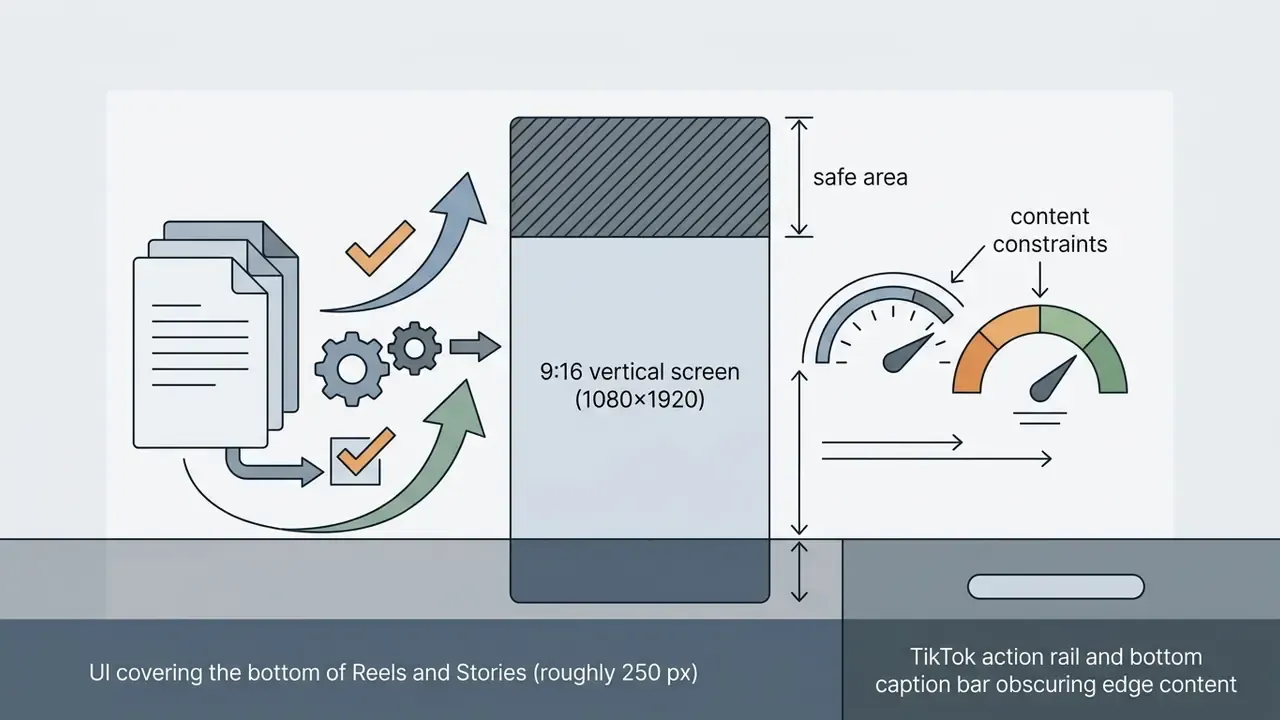
- Canvas presets Toggle between square, vertical, and 16:9 early. Repositioning assets after animation costs far more than choosing the ratio up front.
Before rendering, format aspect ratios for the target platforms:
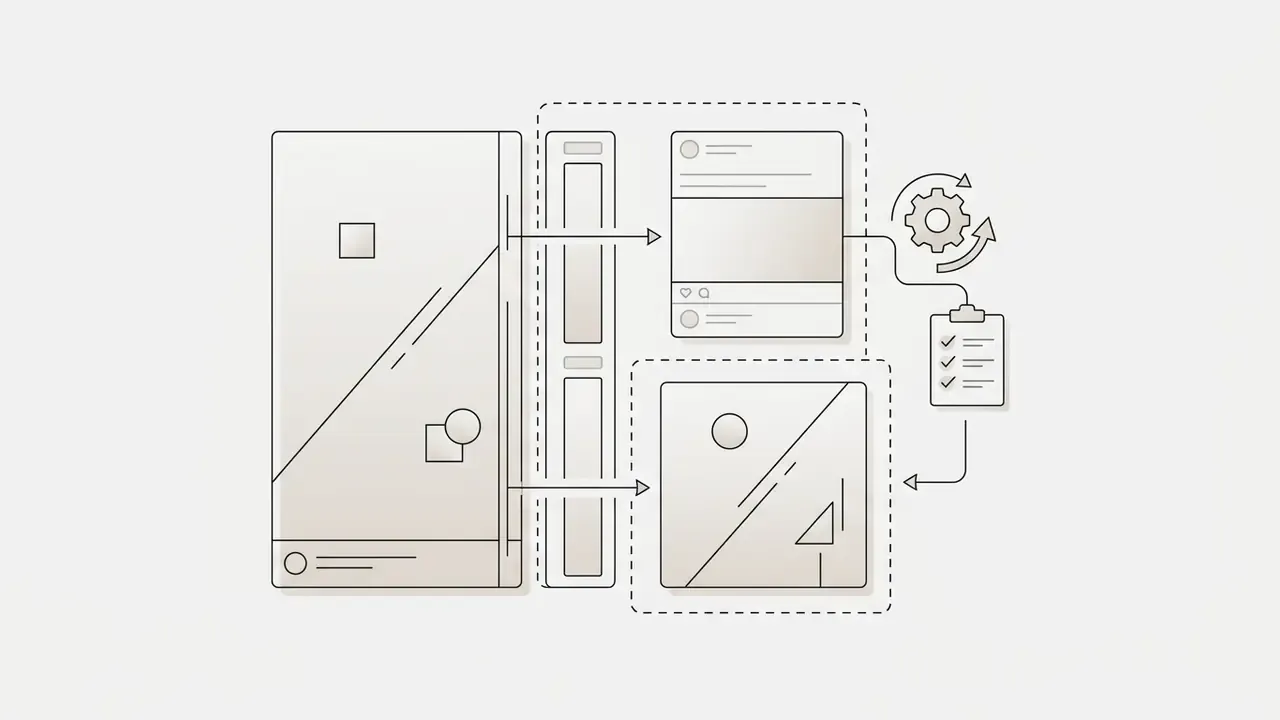
The efficient pattern is to animate a vertical 9:16 master with a protected central safe area, then crop outward to 16:9 and 1:1. Animating landscape first and salvaging mobile later loses composition on every cutdown.
Selecting Whiteboard Animation Software and Evaluating Free Plans
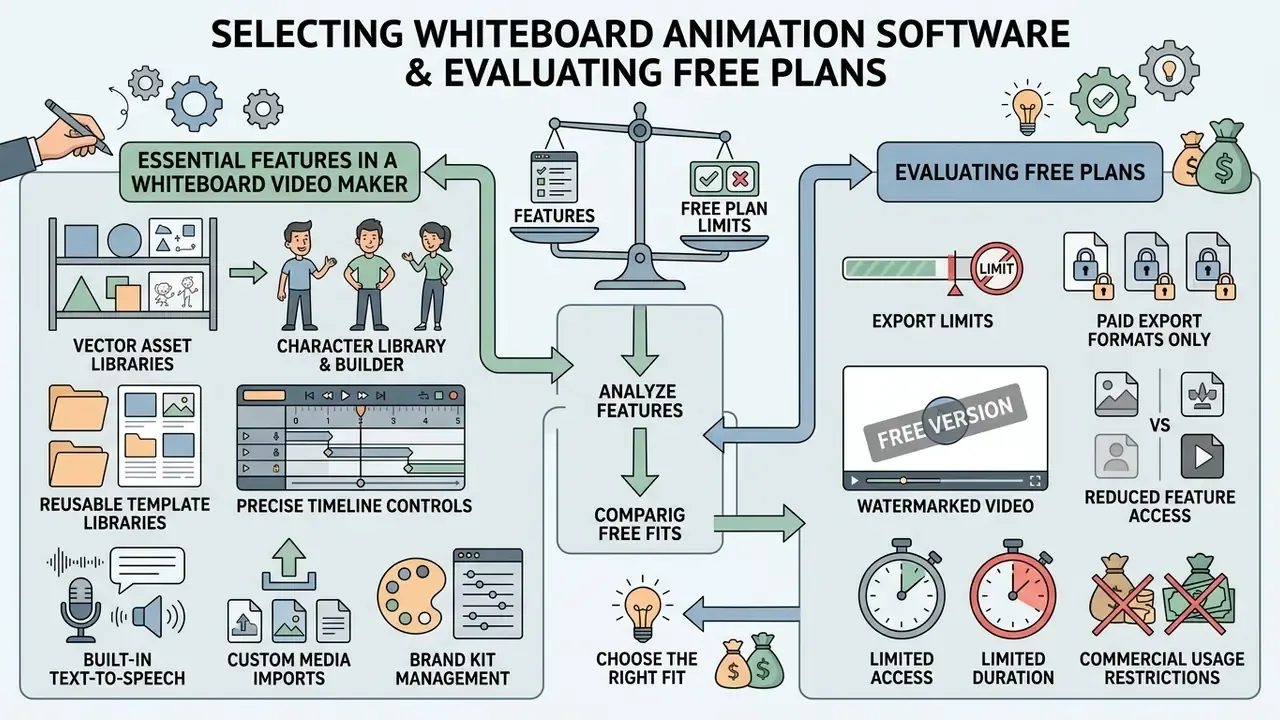
Choosing whiteboard animation software means balancing features against the export limits baked into freemium pricing. Teams that also need post-production polish can compare general-purpose editing options in the guide to free AI video generators and editors.
Essential Features in a Whiteboard Video Maker
A robust animated whiteboard video maker should offer:
- Extensive vector asset libraries Scalable graphics categorized by industry, character set, and iconography. Mature libraries range from hundreds of thousands to several million images and GIFs.
- Character library and builder Selectable or custom-built characters with action and expression sets for scene narration.
- Reusable template libraries 100+ whiteboard-specific templates as a starting structure, plus the ability to save your own as team templates.
- Precise timeline controls Granular sync adjustment between drawing actions and audio tracks.
"Segmenting whiteboard videos into short conceptual blocks with metacognitive prompts is studied as a way to reduce cognitive load."
Practically, your timeline tool should let you insert deliberate pauses and reflection beats between concept blocks, not just compress everything into continuous motion.
Free Whiteboard Animation Makers: Capabilities and Limits
Plenty of platforms let you create a whiteboard animation video free, but freemium accounts carry operational constraints. Reading an overview of free AI video generators alongside the notes below prevents wasted production time on assets you cannot legally publish:
Even for niche illustrative assets, for example when checking an AI image generator's commercial-use terms before importing a stylized render into a whiteboard scene, the requirements stay the same: visual clarity, clean licensing, documented compliance.
FAQ: Whiteboard Animation, Tools, and Rights
What is whiteboard animation, in one sentence?
It is a video format in which illustrations and text are drawn progressively on a whiteboard-style surface, usually by a visible hand, in sync with narration, so complex ideas arrive one step at a time.
Do I need drawing skills to make one?
No. Template-based makers and AI tools handle the drawing simulation; you supply the script, choose assets, and tune timing. Drawing skill matters only when you need original, brand-specific artwork, which is usually the point at which agency production starts earning its price.
How long should a whiteboard video be?
15 to 30 seconds for vertical social cutdowns, 60 to 90 seconds for product explainers, 2 to 4 minutes for policy and internal communications, and 3 to 7 minutes for self-paced learning modules. In e-learning, short 1 to 2 minute tutorials consistently land well. If a topic needs more, split it into a series rather than stretching runtime.
Who owns the video an AI tool generates?
It depends entirely on the plan and the terms of service. Confirm three things separately: ownership of the generated animation, the licence covering stock assets and synthetic voices embedded in it, and whether commercial use, paid media, and resale are permitted at your tier. Several platforms grant commercial rights only on paid plans, and a few prohibit resale outright.
Can I keep confidential documents out of a public AI service and still automate production?
Yes, via two routes. Negotiate an enterprise agreement with contractual no-training terms, dedicated tenancy, and a defined retention window. Or redact the source document before upload and reinsert sensitive specifics manually in the editor during final assembly.
Is local or on-premises rendering available?
Some desktop whiteboard tools render entirely on your machine, which keeps source assets local. Most AI-first platforms render in the cloud. Where that is unacceptable, ask whether a customer-controlled VPC or private-cloud deployment exists, and request the sub-processor list for TTS and rendering.
Can whiteboard videos integrate with an LMS or GRC platform?
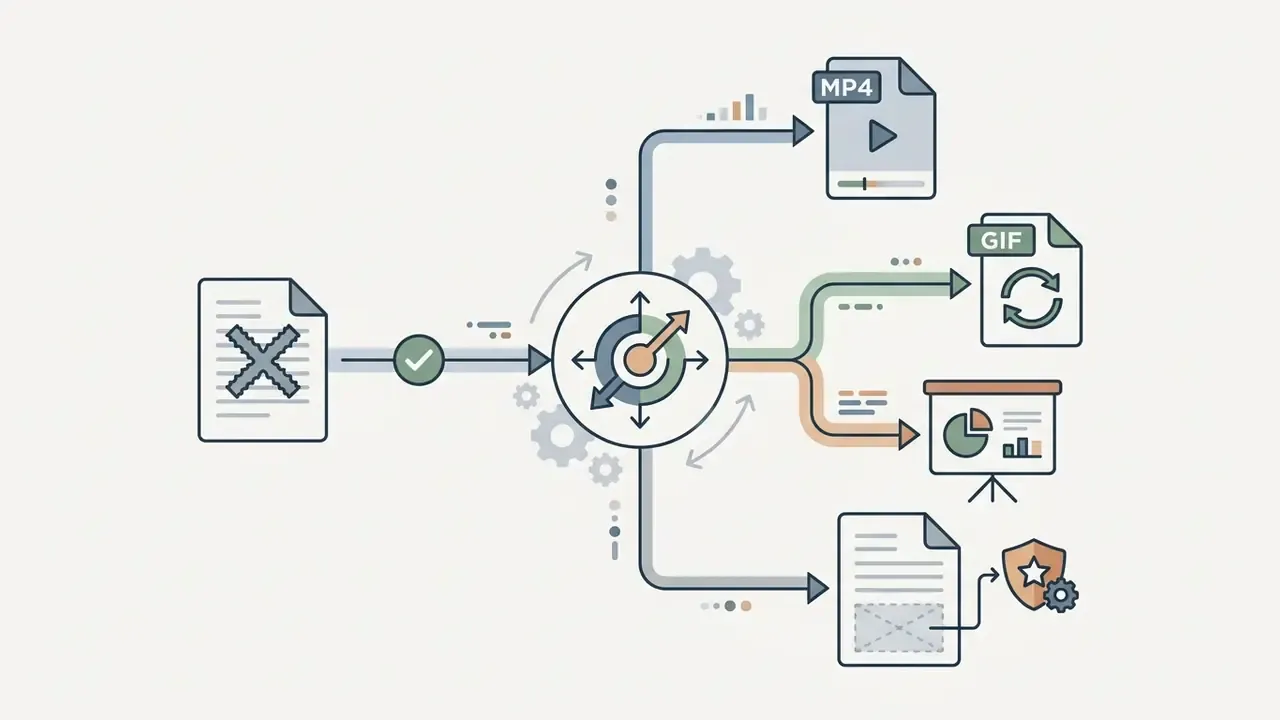
Practically, yes, though usually through export rather than deep integration. Export an MP4 with burned-in or sidecar captions and wrap it in your LMS course object. For compliance attestation, host the video inside the GRC or LMS module that records completion, rather than trusting a public video platform's view counts.
Does whiteboard animation actually beat a well-made slide video?
Against static slides and text manuals, yes: multiple studies report better retention and engagement. Against another well-designed dynamic format, results are mixed, with some controlled comparisons finding equivalent learning outcomes and higher satisfaction for whiteboard video. Its dependable advantages are completion, enjoyment, and production economics.
How many languages can one video support?
Leading platforms offer 2,000+ synthetic voices across 150+ languages, with auto-generated captions in 130+ languages. Budget review time per language. Machine translation of a compliance script still needs native-speaker verification of regulated terminology.
What are the most common quality mistakes?
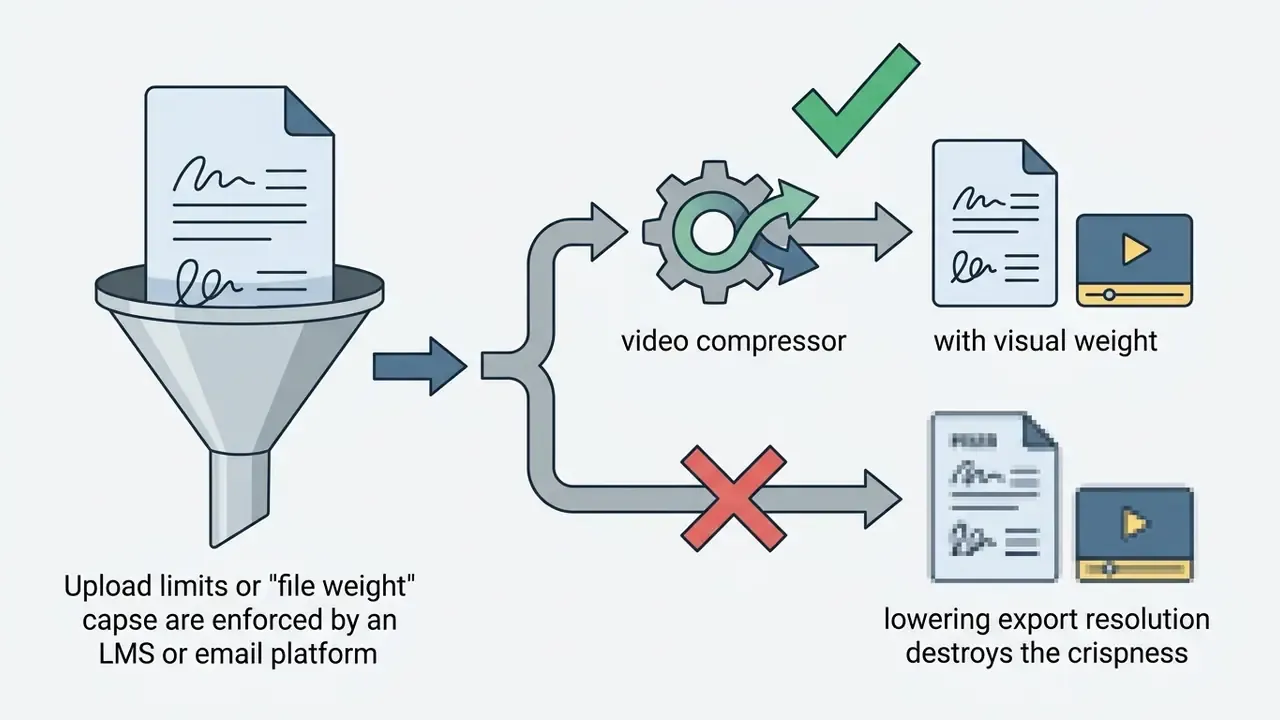
Decorative drawings with no explanatory weight (shown to impair recall), music mixed too close to narration level, text parked in mobile UI safe zones, uniform stroke speed that flattens emphasis, and lowering export resolution instead of compressing file size.
Appendix A: Source Notes, Corrections, and Methodology
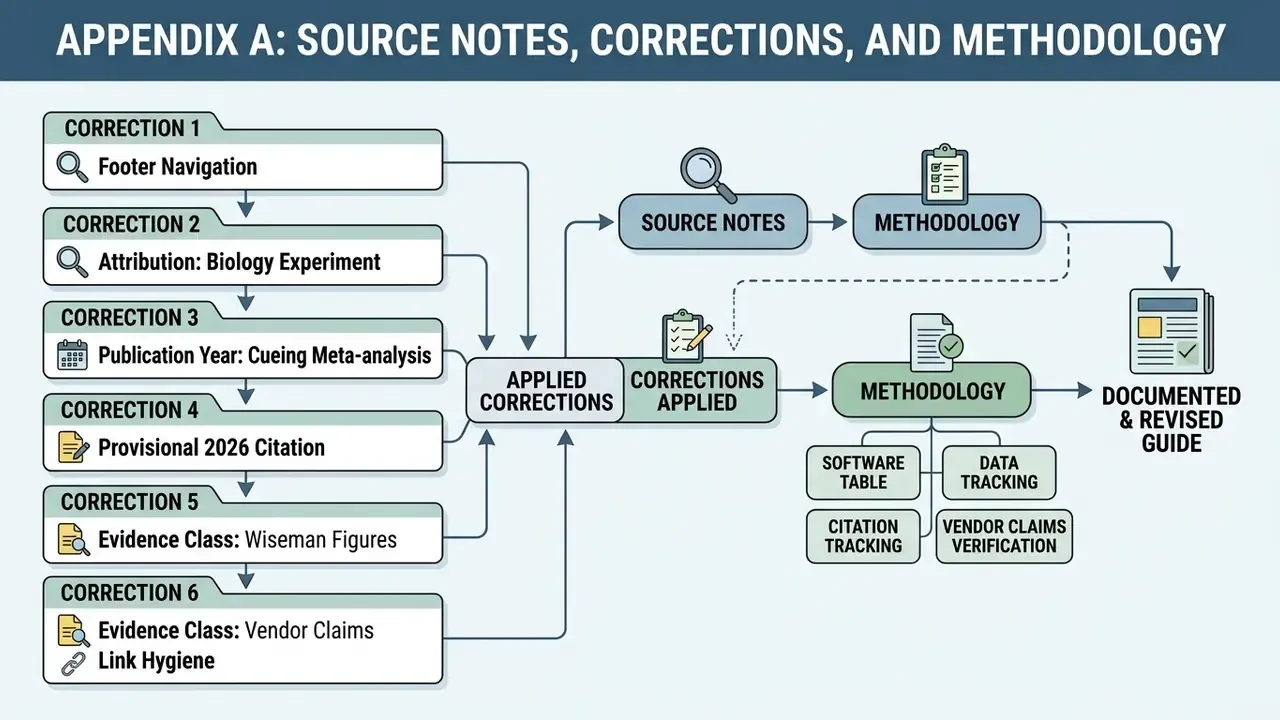
This appendix documents how sources were handled, including corrections applied to earlier versions of this article. It is published for transparency, so readers can audit the evidence behind each claim.
Correction 1, attribution of the biology quasi-experiment. An earlier version attributed the post-test result "t = 5.78, p < 0.001" among postgraduate biology educators to Brosnan & Hasso (2025). That citation was wrong: Brosnan & Hasso report a retention comparison in accounting education. The biology finding derives from a separate 2024 quasi-experimental study, cited here via the 2025 research synthesis in Smart Learning Environments. The corrected attribution appears in the education and training section.
Correction 2, publication year of the cueing meta-analysis. An earlier version described the cueing evidence as "a 2024 meta-analysis" while citing Schneider et al. (2023). The year has been unified to 2023, matching the article of record in Computers & Education, and the URL is now included.
Correction 3, provisional 2026 citation. The cognitive-load comparison attributed to Qanabita, Othman & Yusof carries a 2026 publication year and reflects an article in press. It is flagged as provisional in the main text and should be re-verified against the final version of record.
Correction 4, evidence class of the Wiseman figures. The 15% recall, 33% entertainment, and 66% sharing figures come from a large industry-commissioned online experiment with no peer-reviewed methodology section. They are retained because they circulate widely as an industry benchmark, but they are now paired with Turkay et al. (2016), which reports the same direction of effect with published test statistics.
Correction 5, evidence class of vendor claims. Two statements previously presented as survey findings are now explicitly labelled vendor-side data: the above-the-fold placement recommendation (Vidico, 2024) and the production-time reduction claim (CreateAI, 2025). Neither publishes sample size or methodology. Commercial ROI figures in the business-impact section derive from vendor case studies and customer testimonials and should be read as illustrative rather than as measured population effects.
Correction 6, link hygiene. Internal links unrelated to business and education video production were reviewed; the remaining set covers animation tooling, AI voice generation, video compression, publishing workflows, licensing hubs, and commercial-use terms.
Software table methodology. Platforms were shortlisted on three criteria: an explicit whiteboard or hand-drawn rendering mode, a publicly documented pricing page, and either a free tier or a time-limited trial. Feature attributes came from vendor documentation reviewed in January 2026. Prices are list prices excluding annual and promotional discounts. Where third-party review sites conflicted with vendor pages, vendor pages were treated as authoritative. Free-tier limits change frequently, so verify before planning a release schedule around them.
Audio standards basis. Level targets are drawn from the BBC Best Practice Guide: Sound Mixing and San Diego State University's post-audio best-practice specification, which together define dialogue at -12 dB to -15 dB, SFX at -10 dB to -20 dB with peaks to -6 dB, music at -18 dB to -22 dB, and an overall programme average of -10 dB to -14 dB.
General disclaimer. This article touches regulated domains, including clinical and dental education, financial-services compliance training, data protection, and intellectual property licensing. Nothing here constitutes medical, legal, financial, or information-security advice. Validate all regulatory, licensing, and security conclusions with qualified professionals in your jurisdiction before acting on them.