A free AI song generator is a browser service built on generative audio models. It turns text descriptions, finished lyrics, audio samples, or vocal takes into complete musical compositions. Modern web platforms deliver a near studio-quality track, an instrumental beat, or a stylized vocal line in tens of seconds, with no music theory and no mixing experience required.
That speed is the attraction. It is also the reason compliance, procurement, and brand teams keep landing on this page.
Executive summary for decision makers
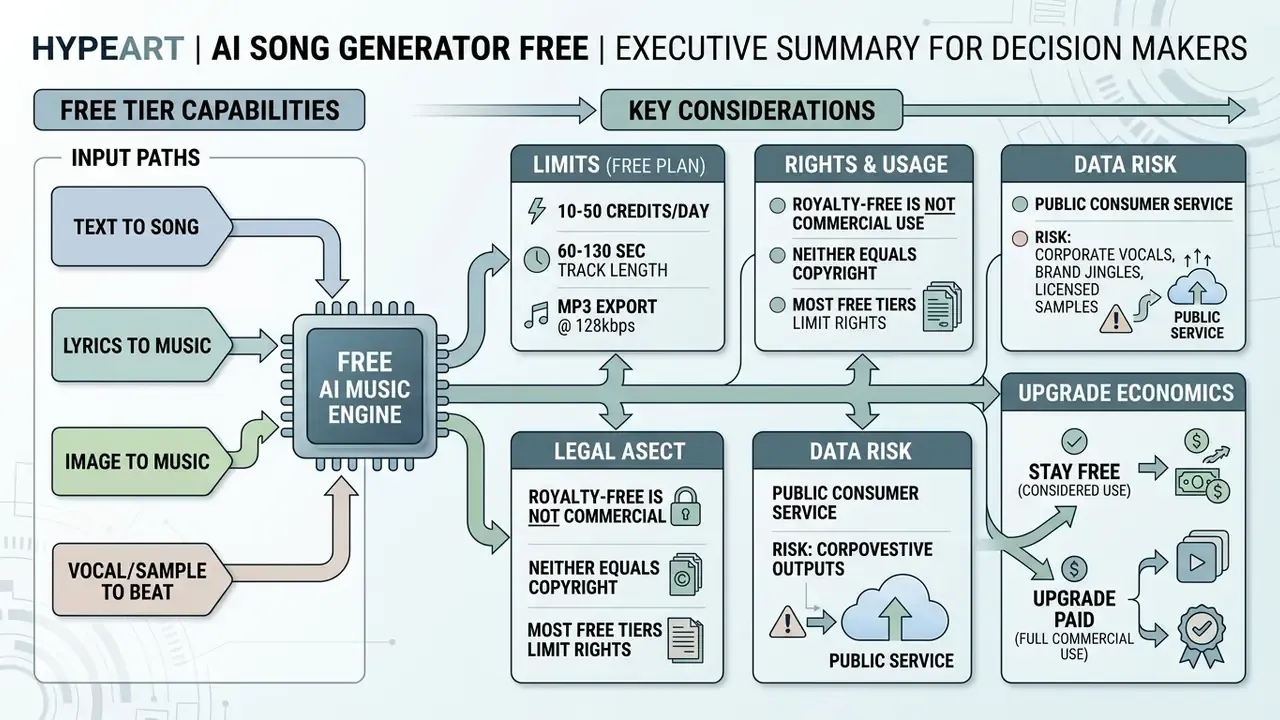
- Capability. Free tiers cover four input paths:
text to song,lyrics to music,image to music, andvocal or sample to beat. Output is MP3 or WAV, sometimes stems, MIDI, acapella, and karaoke versions. - Limits. A typical free plan: 10 to 50 credits per day, track length of 60 to 130 seconds, MP3 export at 128 to 192 kbps, stems and lossless WAV disabled.
- Rights. "Royalty-free" is not "commercial use," and neither equals "copyright." On most free tiers the platform keeps ownership, and purely machine-made output is not protected by US copyright at all.
- Data risk. Uploading corporate vocals, brand jingles, or licensed samples into a public consumer service is textbook shadow AI. Several platforms use uploaded audio for model improvement by default.
- Upgrade economics. A paid tier earns its keep when you need stems, 24-bit WAV, MIDI export, and a clean commercial licence. Not when you simply want more tracks per day.
Scope, evidence status, and what this guide does not settle
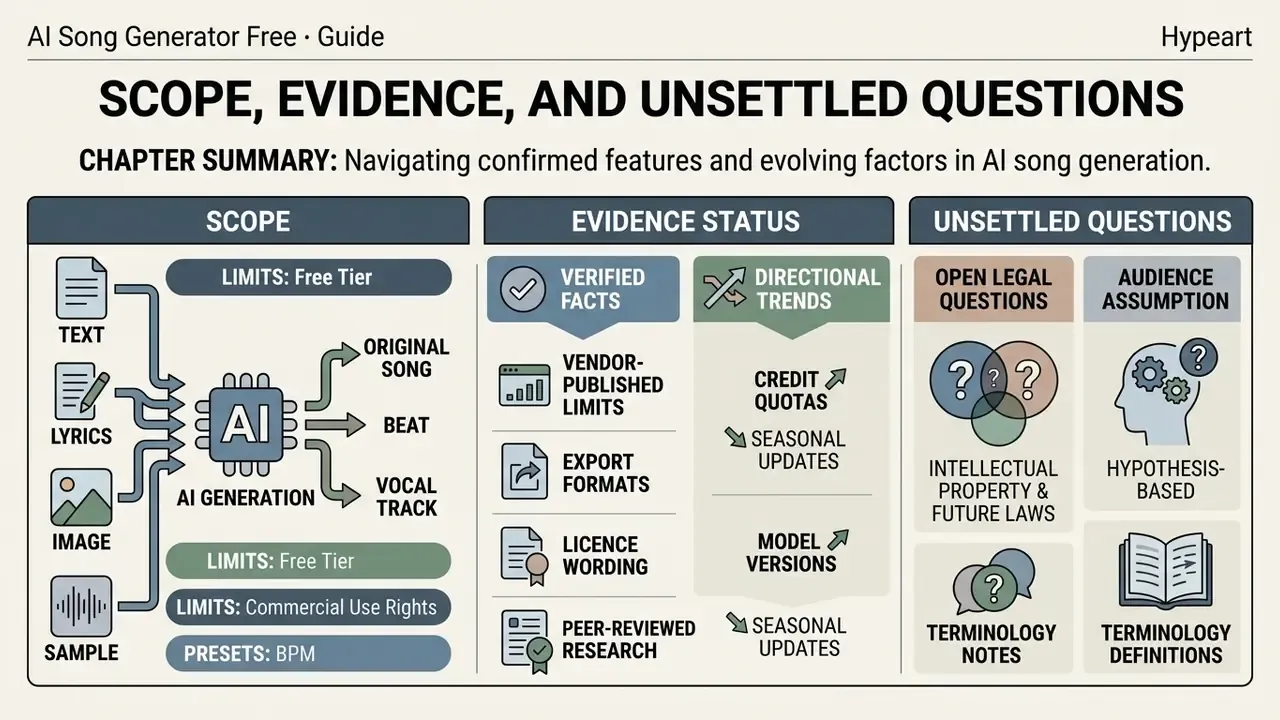
Short framing before the details, because the topic mixes product facts with legal interpretation.
- Verified. Vendor-published limits, export formats, licence wording, and peer-reviewed research on generation quality.
- Directional. Credit quotas and model versions change several times a year. Treat every number here as a snapshot with a date, not a contract.
- Open questions. How much human editing is enough for copyright protection, how streaming platforms will police AI disclosure, and how enterprise procurement should price residual rights risk. Evidence is incomplete on all three.
- Audience assumption (hypothesis). We assume readers include creators, producers, and also risk and marketing leads who must approve a tool for organizational use. That assumption stays labeled until interviews and analytics confirm it.
One more note on terminology. Search traffic for this category arrives heavily misspelled, and queries such as ai somg generator free, free ai somg generator, free ai song genrator, ai music generator fre, and gen ai song generator all point at the same product class described below. Same tools, same limits, same licence questions.
What an AI Song Generator Free Actually Creates
An ai song generator free is a browser-based generative audio system that converts user input into structured digital sound. Generative music models parse the input parameters and synthesize multi-track arrangements, rhythmic layers, and synthetic vocals in near real time (A Survey on Evaluation Metrics for Music Generation, arXiv, 2025. https://arxiv.org/abs/2501.12345).
«Researchers trained a CLIP-like model on 684,000 text-music pairs to align textual descriptions with audio.»
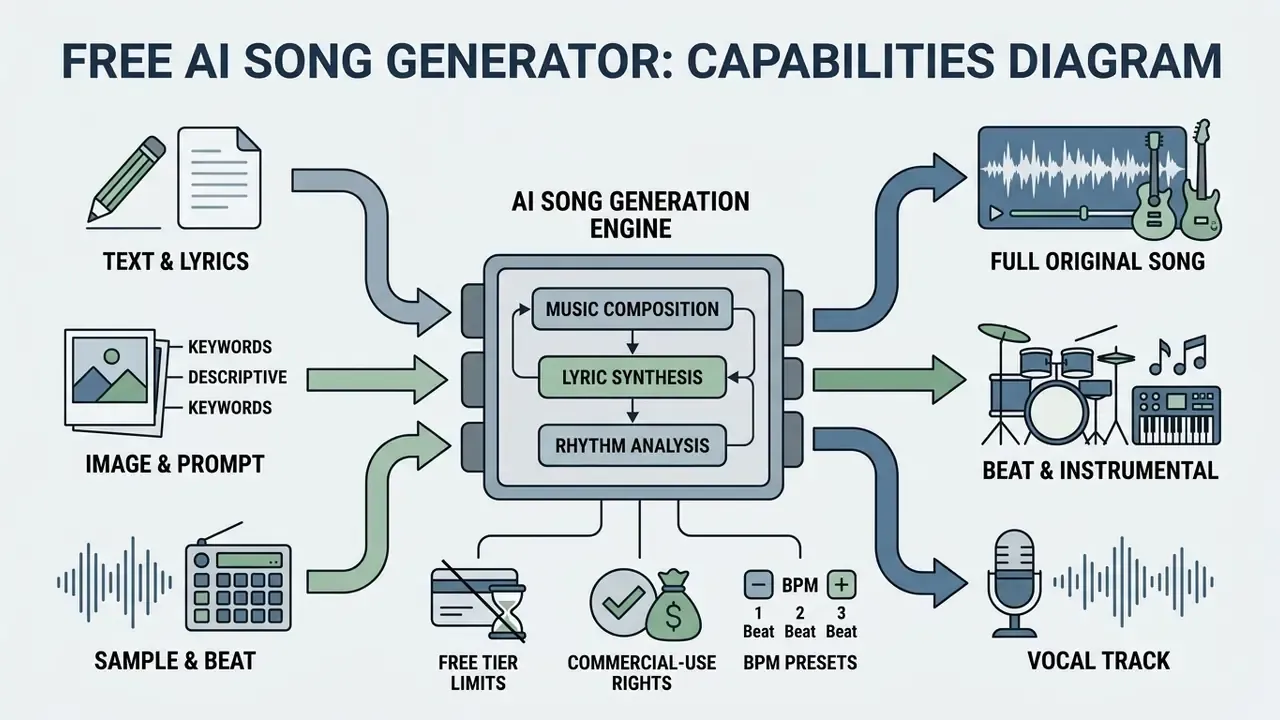
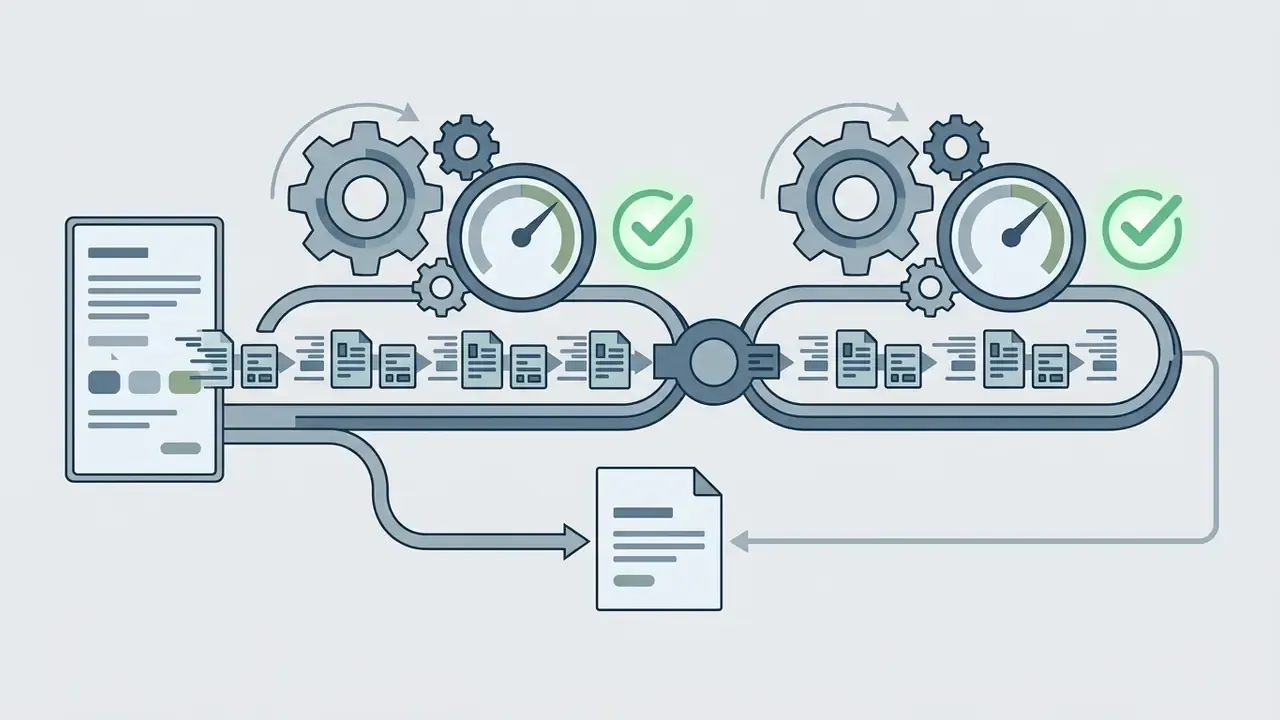
- Diagram flow:
Input (Text / Lyrics / Image / Audio Sample / Vocals)→Generative Neural Engine (Latent Transformer / Diffusion)→Output (Full Song / Beat / Isolated Vocals / Stems / MIDI).
Generative music systems accept a raw text description, specific lyric lines, or an uploaded reference, then assemble an individual audio track around it. The same platforms serve casual content makers and working producers who want a faster composition cycle. Different goals, one engine.
Song, Instrumental Beat, or Track with Vocals
An ai music generator returns three fundamentally different results depending on settings: a full song with vocals, an instrumental backing beat, or an isolated vocal line. In full-song mode the model builds a synchronized arrangement plus a synthetic male or female vocal locked to the lyrics (Google Lyria 3 Documentation, 2025).
«SongCreator uses a dual language model, separately modeling vocal and accompaniment tokens across eight song generation tasks.»
Instrumental beat mode disables vocal synthesis entirely and redirects compute toward drums, bass line, and harmonic progression. Isolated vocal tracks let a producer pull the generated melody out for further mixing in a DAW (Digital Audio Workstation, the software environment used for recording and mixing).
Text to Song, Lyrics to Music, and Generating from an Idea
Text-to-song pipelines use natural language processing to translate stylistic descriptors (genre, tempo, mood, instrumentation) into latent musical representations (SongGen, 2025). When a user supplies finished verses, lyrics-to-music algorithms match the syllable count of each line to the generated melodic contour (SongComposer, 2023).
«SongCreator applies dynamic bidirectional attention to coordinate vocals and accompaniment during lyrics-conditioned generation.»
Idea-driven prompts let you enter a broad theme or narrative. The music generator interprets the loose brief and lays out verses, choruses, and a bridge on its own, returning coherent audio. The logic mirrors adjacent generative media: compare how text-to-video generation in Google Veo uses a single prompt to fix style, duration, and composition. Broader integration patterns sit in the AI Media API Guides hub.
Image to Music and AI Covers
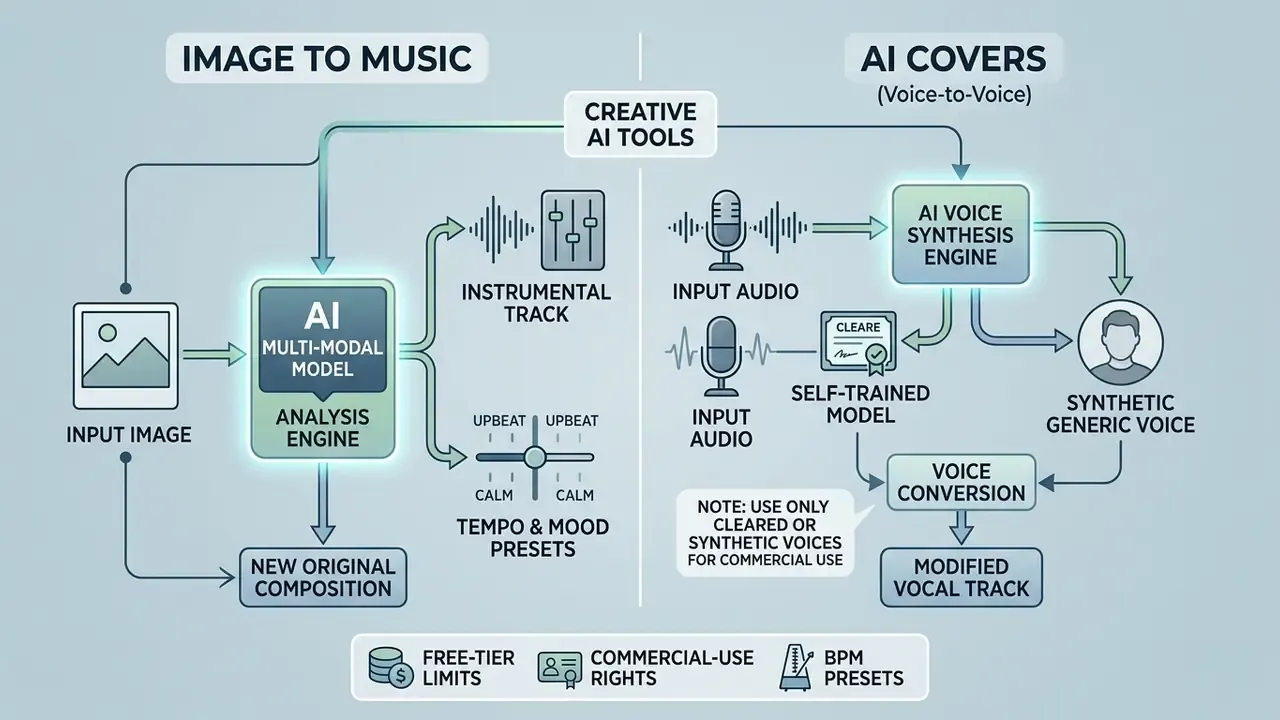
Current AI music generators read visual and vocal inputs, not only text:
- Image to Music.The network detects objects, palette, and mood in an uploaded photo (a bleak landscape, a beach party, a night city) and maps them to acoustic descriptors: tempo, harmonic mode, instrument set, arrangement density.
- AI Song Cover and Voice Training.Services apply vocal models (some platforms advertise more than 6,000 voice presets, including user-trained voices) to replace the vocal in an existing track while preserving key and rhythm.
- AI Music Video.A portrait plus a finished track becomes a lip-synced video, the standard path for release teasers and lyric videos.
Genre Presets, Mood, and Standard BPM Ranges
For predictable output, name a target tempo in the prompt, not just a genre tag. BPM means beats per minute.
| Genre / style | BPM range | Typical arrangement markers |
|---|---|---|
| Pop / Dance Pop | 100 to 120 | Bright tone, clear verse-chorus structure, dense backing vocals |
| EDM / House | 126 to 128 | Heavy kick, developed synth drops, sidechain compression |
| Hip-Hop / Boom-Bap | 85 to 95 | Pronounced snare, swing feel, sampled chords |
| Trap | 80 to 90 (1/16 hi-hats) | Deep 808 bass, hat rolls, sparse harmony |
| Lo-Fi / Chillhop | 70 to 85 | Soft jazz chords, vinyl noise, relaxed groove |
| Ballad / Piano | 60 to 80 | Piano or strings, wide dynamics, rubato |
| Jazz / Blues | 90 to 110 | Swinging rhythm section, horns, live percussion |
| Cinematic / Orchestral | 60 to 140 (variable) | Shifting tempo, wide stereo image, symphonic instruments |
| Ambient / Meditation | around 60 | Pads, no strict grid, long reverb tails |
A prompt template that holds up well in Lyria-class engines: genre or style + mood + instrumentation + tempo and groove + vocal style and language + lyrics. Vendor guides stress that the model follows an explicitly stated BPM and key far more reliably than an implied one (ElevenLabs Music Prompting Masterclass, 2025).
How to Create Your Own AI Song for Free
To create your own ai song on any ai music creator website, you follow a linear online flow. No external software, no plugins, no code. Browser interfaces compress heavy acoustic engineering into a handful of readable controls.
- Pick the input modetext prompt (Text), written lyrics (Lyrics), an image (Image), or an audio upload (Sample or Vocal).
- Set the style parametersgenre tags, BPM, mood, and vocal type (male, female, instrumental).
- Run generationpress
Generateand the request goes to the generative model queue. - Audit the variantslisten to the two or three returned versions and judge harmony, vocal intelligibility, and mix balance.
- Export and sharedownload MP3 or WAV, or share a direct player link.
A first-time user typically holds a finished track within two minutes of signing in. Vendor flows confirm the pattern: open the generator, choose a mode, describe genre, mood, instruments, and vocal gender, paste lyrics or auto-write them, press Generate, and the result appears in one to two minutes.
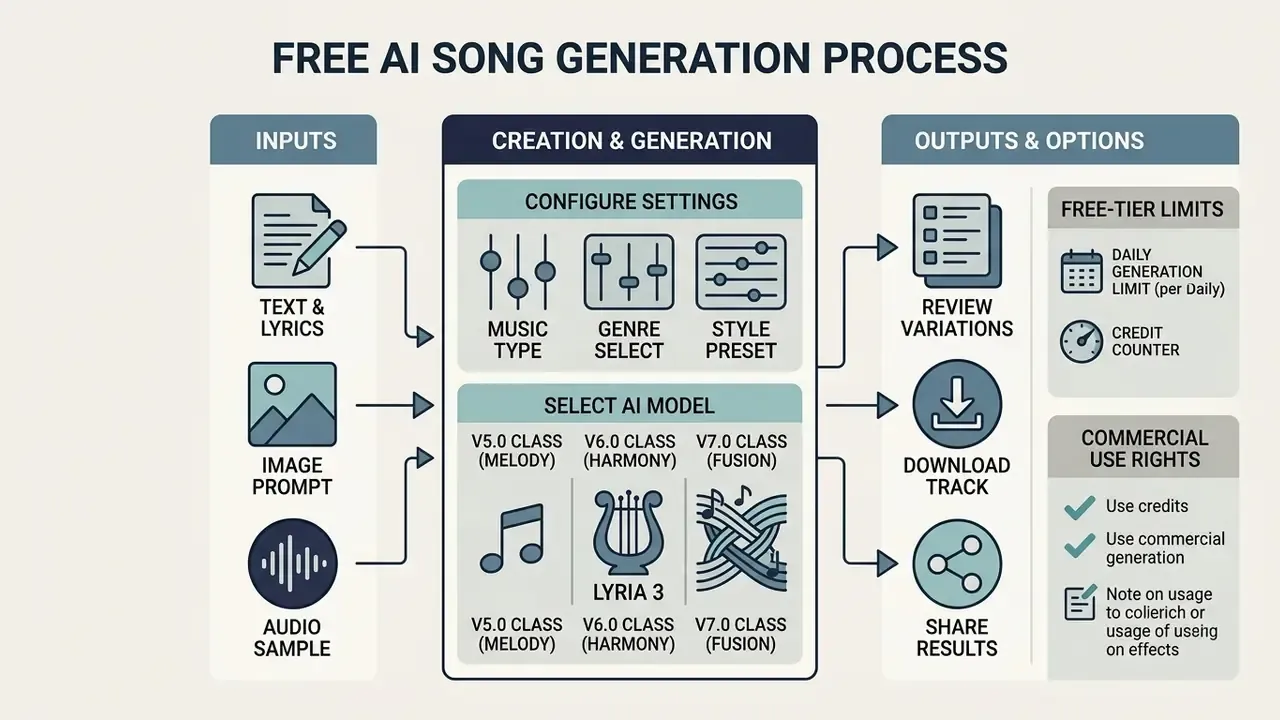
Choosing Music Type, Genre, and Style
Composition parameters set the fundamental acoustic properties of the track. Users combine genre tags (synthwave, cinematic orchestral, acoustic pop, boom-bap hip-hop) with an explicit BPM target (ElevenLabs Music Prompting, 2025).
«MusiConGen integrates automatically extracted rhythm and chords as temporal conditioning signals on top of a pretrained MusicGen.»
The vocal mode tells the model whether to assign synthetic vocal timbres or stay instrumental. Naming the emotional atmosphere (dark, uplifting, melancholic) nudges harmonic mode selection during synthesis.
Model Generations: V5.0 to V7.0
Output quality tracks the engine version your plan actually unlocks:
- V5.0 class (Melody). Up to four minutes, basic vocals, occasional high-frequency artifacts and drifting diction.
- V6.0 class (Harmony) and Lyria 3. Better handling of poetic meter, natural vocal melismas, stable verse-chorus structure, four to five minutes.
- V7.0 class (Fusion). Up to eight minutes, end-to-end musical coherence (Extend Music without breaking tempo or key), more natural mixing, steadier prompt adherence across repeat runs.
Free tiers usually gate the newest generation behind a subscription. So cross-vendor comparisons are only fair on the same engine version. Compare like with like, or the test is noise.
AI Beat Generator from Vocals and Building a Song from a Sample
An ai beat generator from vocals extracts pitch contour, rhythmic grid, and timbre from an uploaded voice recording, then synthesizes an instrumental backing around them.
«Llambada models P(Y | X_vocal, X_prompt): the system generates a 10-second accompaniment synchronized to the vocal and steered by a text prompt.»
This audio-conditioned path lets a singer record a rough take and immediately build a bespoke arrangement around it. The parallel branch is sample-to-track: the system selects or generates samples by genre, BPM, and chord progression, then assembles a multi-track piece using constraint programming.
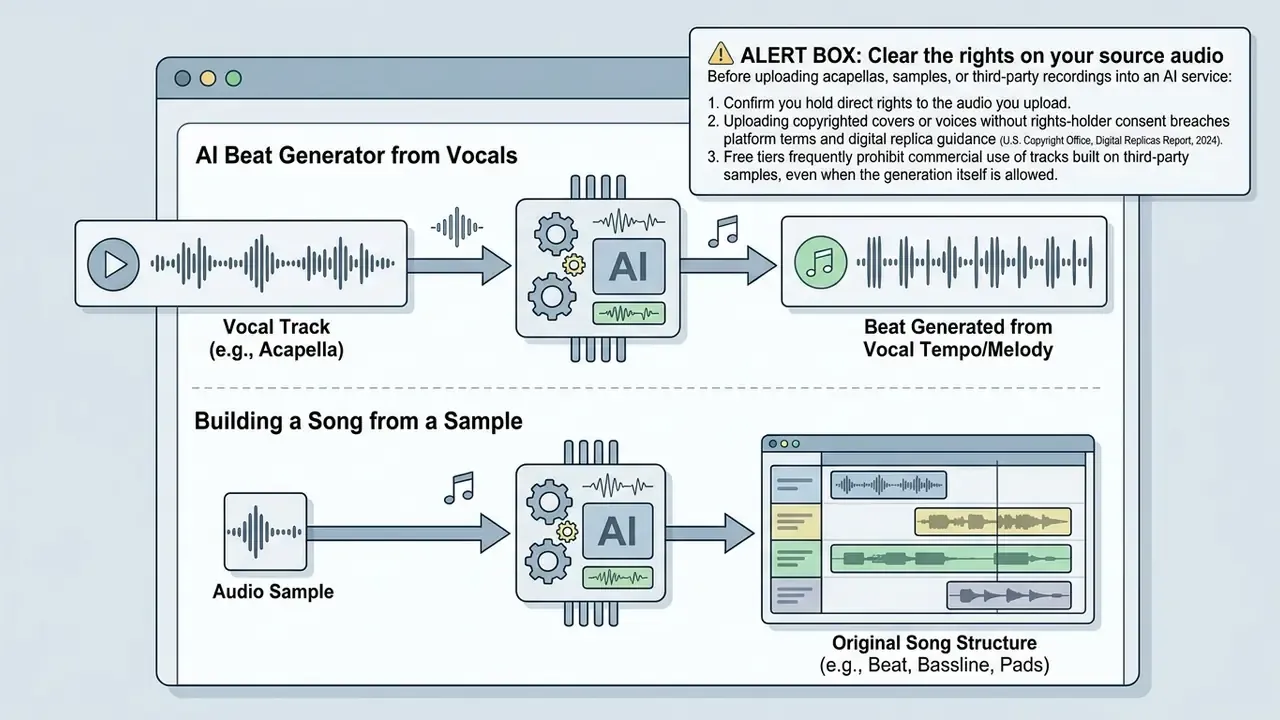
How Vocals Become a Beat and an Arrangement
When a vocal is uploaded, neural feature extractors separate harmonic content, rhythmic cadence, and loudness dynamics from the raw track (SingSong, 2023). The system projects those acoustic features onto internal musical grids, aligning generated drum patterns, bass lines, and synth beds to the original performance.
«SingSong and related systems separate harmonic content, rhythmic pattern, and dynamics from source audio before synthesizing accompaniment.»
Technically the pipeline runs: vocal isolation and encoding, pitch contour extraction (CQT analysis, for example), beat and downbeat detection, singer timbre embedding, conditioning of the accompaniment model, then instrumental render and mix. That is why the generated backing lands in the key, tempo, and emotional register of the source. If your problem is the reverse, synthesizing a voice rather than a bed under one, see the review of AI voice generators, which covers voice quality, language support, and commercial licence terms.
How to Prepare a Sample for an AI Song Generator
A clean source measurably improves what an ai song generator from sample can do. Upload uncompressed WAV or FLAC at 44.1 or 48 kHz to avoid acoustic artifacts during re-synthesis (Audacity Noise Removal Standard Guide, 2024).
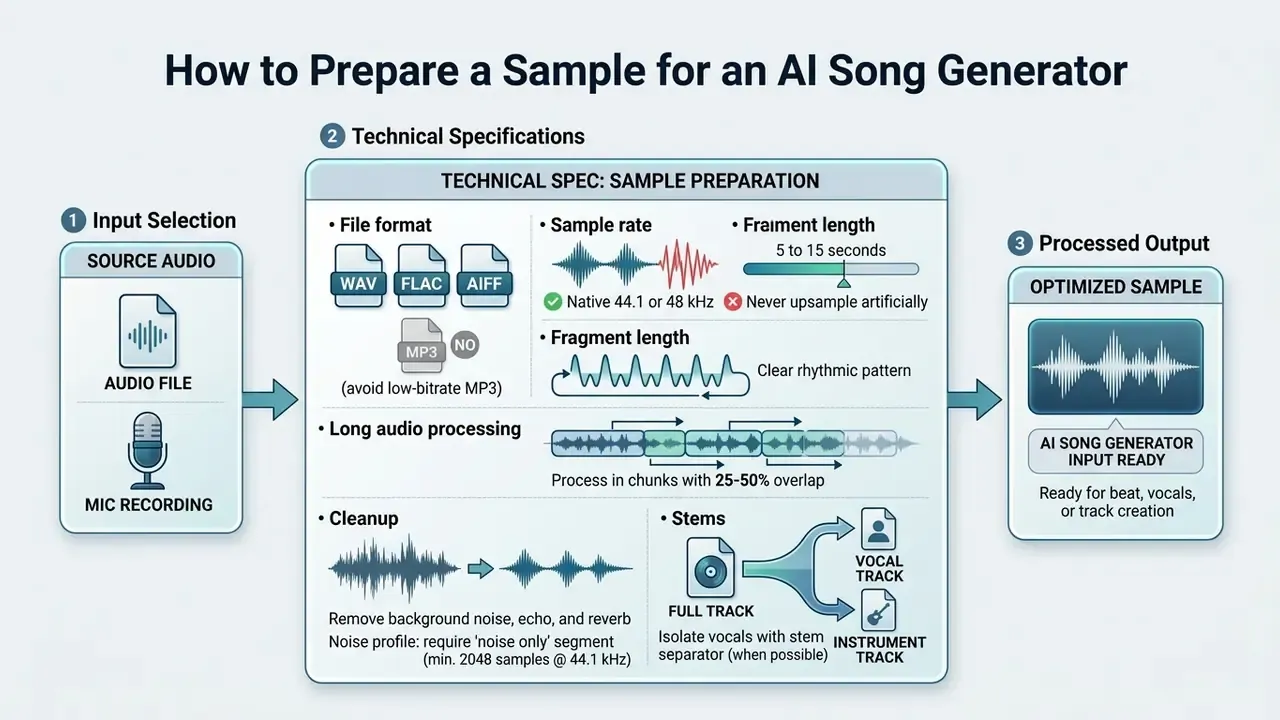
Isolating stems before generation, that is, separating lead vocal from accompaniment, prevents cross-contamination artifacts when the model re-synthesizes the material.
Post-Processing Tools: From Stem Splitting to AI Mastering
To move a generated track toward distribution, teams lean on built-in AI modules. Below is the minimum set worth looking for in a plan.
| Tool | Purpose | Output format |
|---|---|---|
| AI Stem Splitter / Vocal Remover | Splits a track into isolated stems (vocals, drums, bass, other), acapellas, and karaoke versions | 4 × WAV stems |
| AI MIDI Generator | Converts a generated part from waveform to MIDI notes for re-patching synths in a DAW | .MID |
| AI Mastering Engine | Automatic dynamics, EQ, and loudness normalization to streaming LUFS targets | 24-bit / 48 kHz WAV |
| Extend Music / Section Replace | Extends a track or replaces one section while preserving surrounding vocals and groove | MP3 / WAV |
| Lo-Fi / Reverb / BPM Tapper | Styles finished audio, slows it down, adds reverb, detects tempo | MP3 / WAV |
Stem splitting is almost always a paid feature. Basic auto-split appears on mid plans, while selective per-stem export sits on the top tier.
What "Free" Means in an AI Music Generator: Limits, Plans, and Data Risk
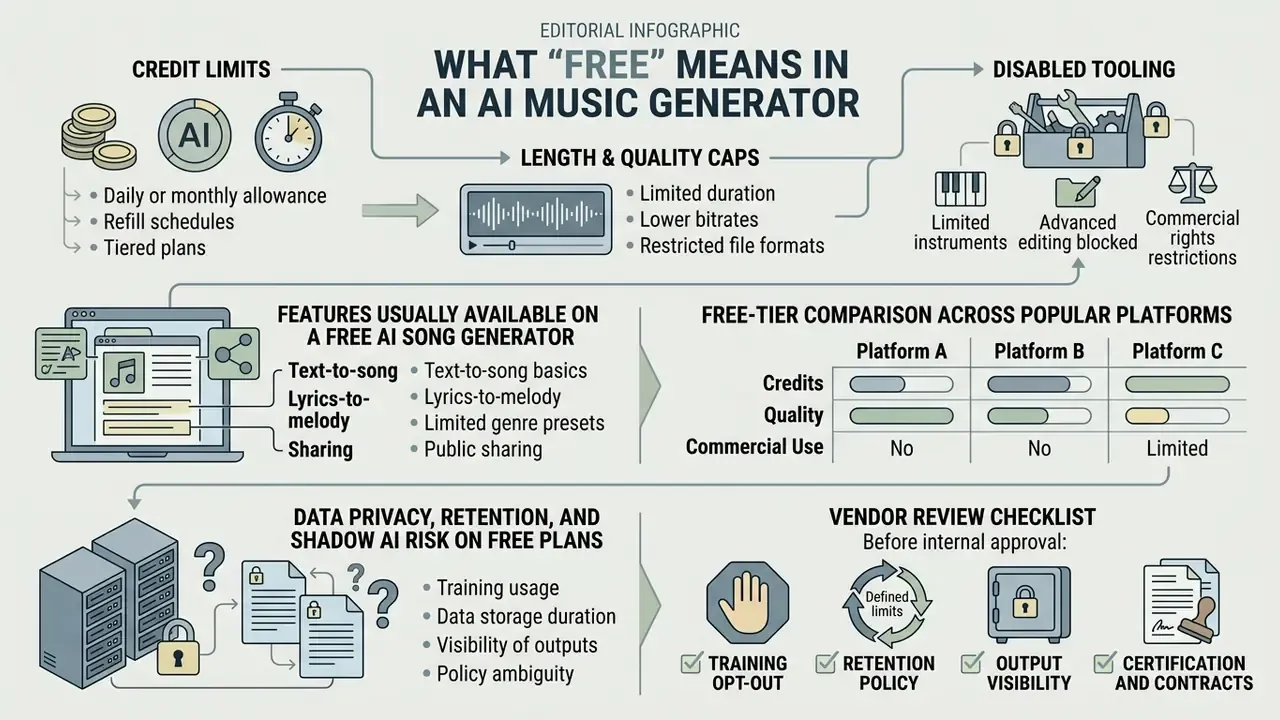
To judge what free ai access really buys, look at three mechanics: credit limits, length and quality caps, and disabled tooling. Nearly every service markets itself as a free ai song generator, yet operational limits exist for two blunt reasons: GPU cost control and protection of proprietary models.
«A dataset of 101,953 Suno and Udio tracks from May to October 2024 provided the first large-scale study of textual metadata in user-generated AI music.»
| Capability category | Free tier | Pro tier |
|---|---|---|
| Daily credit limit | 10 to 50 credits (roughly 2 to 10 tracks per day) | 500 to 10,000+ credits per month |
| Max track length | 60 to 130 seconds | Up to 5 to 8 minutes |
| Export quality | MP3 (128 to 192 kbps) | Lossless WAV (24-bit / 48 kHz) |
| Stem separation | Not available | Available (vocals, drums, bass, other) |
| MIDI export | Usually absent | Available on some platforms |
| Commercial rights | Normally prohibited (personal, non-commercial) | Full commercial licence |
| Uploading your own files | Limited or blocked | Priority generation plus audio upload |
| Model version | Base generation | Newer generations (V6/V7, Lyria 3) |
Features Usually Available on a Free AI Song Generator
Free levels give you basic text-to-music generation, a standard genre picker, and a web player. Suno's free plan issues roughly 50 credits a day (around 10 tracks), caps length near two minutes, and exports MP3 at 128 kbps (Suno Free Tier Policy, 2025).
«38% of music creators already use AI in their work; 23% of them have generated complete songs from prompts.»
Downloads on free plans are usually limited to standard-quality compressed MP3. Advanced tooling (stem isolation, seed control, high-fidelity extension) stays locked for unpaid accounts. That gating pattern repeats across generative media: compare how free AI video generators handle credits, watermarks, and duration caps, and check the side-by-side grids in the AI Media Comparison Matrices hub.
Free-Tier Comparison Across Popular Platforms
| Platform | Free limit | Track length | Format / quality | Commercial use |
|---|---|---|---|---|
| Suno | around 50 credits/day (about 10 songs) | around 2 minutes | MP3 128 kbps | No: rights stay with the platform |
| Udio | around 10 credits/day plus monthly reserve | around 130 seconds | Standard audio, no WAV | No; upload and stems disabled |
| AIVA | 3 downloads/month | up to 3 minutes | MP3, MIDI | No; attribution required |
| ACE-Step | around 10 credits/day | up to 120 seconds | MP3 | Personal use only |
| Canva AI (music) | 900 tokens/month, up to 10 soundtracks/day | Short tracks | No standalone file export | Personal projects only |
| Mureka | 5 generations/month | Standard | MP3 128 kbps | Personal licence; stems are paid |
| Soundful | Unlimited generations, limited downloads | Standard | MP3 | No; stem packs and licence on business plan |
| Stable Audio | Limited generations | up to 90 to 120 seconds | WAV/MP3 by plan | Depends on plan |
These values move. Vendors use incompatible quota models (tokens, credits, download counts, track counts) and revise terms several times a year. Before you buy a licence, open the live pricing page, note its update date, and cross-check totals against the AI Media Calculators and the current AI Media Pricing overview.
Data Privacy, Retention, and Shadow AI Risk on Free Plans
The main organizational risk in free generators is not audio fidelity. It is what happens to uploaded data. Free tiers often run on a "pay with data" model: prompts, lyrics, and uploaded audio may feed model improvement and training unless the user opts out, and the opt-out switch is frequently reserved for paid plans.
Vendor review checklist before approving a service internally:
- Training opt-out. Do the terms state plainly that uploaded audio is excluded from training? Is there a toggle, and on which plan?
- Retention policy. How long are uploaded samples and generated tracks stored? Is deletion on request enforced, and is there an API for purging?
- Output visibility. Many free plans publish tracks to a public feed by default. For unreleased marketing audio, that is a leak.
- Certification and contracts. SOC 2 Type II, a DPA, processing location, subprocessor list.
- Rights clearance. Does the service screen uploads for protected voices and samples?
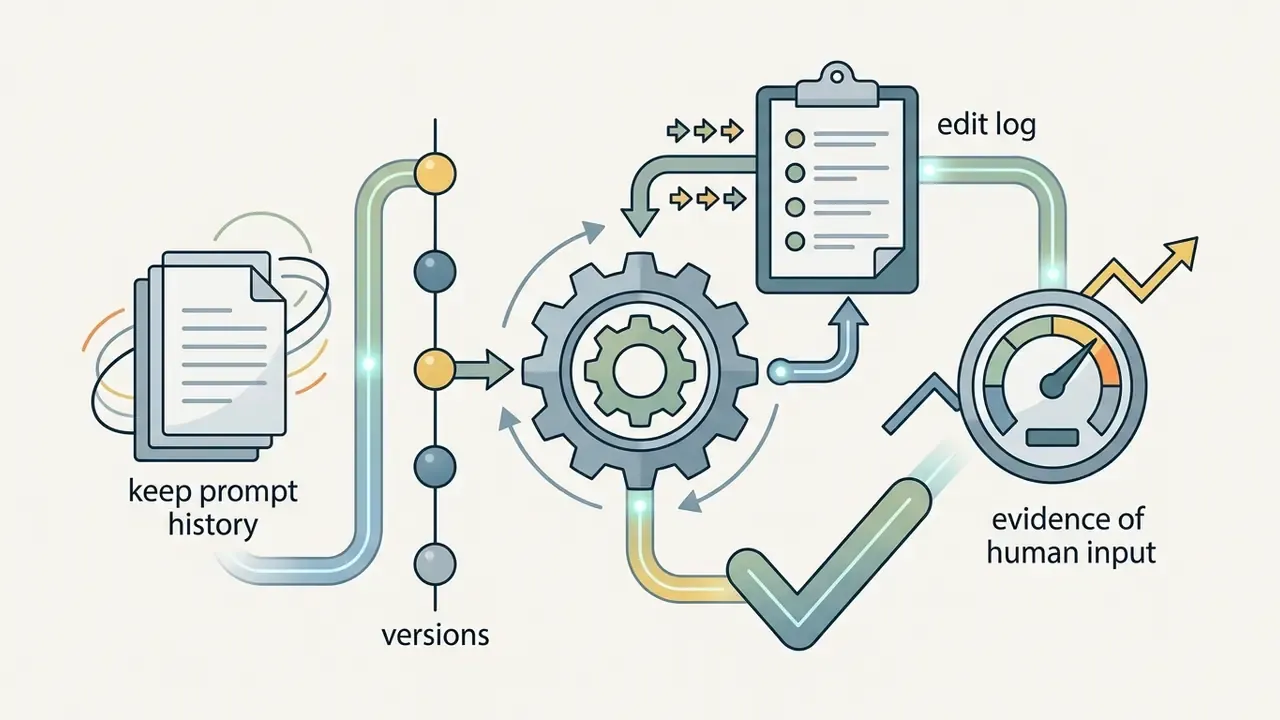
- Logging. Is prompt and edit history preserved? You need it twice over: for compliance evidence and to prove human contribution.
When Pro Features and Advanced Creation Controls Are Worth It
Professional users move to paid plans when they need uncompressed studio audio, surgical arrangement edits, or multi-track stem export. Surveys and vendor docs point to the same three upgrade drivers: high-fidelity WAV (44.1 or 48 kHz, 24-bit), separated stems instead of a stereo bounce, and post-generation structural editing.
«93% of AI tracks on Spotify receive fewer than 1,000 plays, below the platform's monetization threshold, according to an analysis of 52.9 million tracks.»
The pragmatic conclusion: upgrade for licence cleanliness and production quality on a specific project (an ad, a game, a film, a podcast), not for a bigger daily track count. Volume is rarely the constraint. Rights and fidelity usually are.
Paid subscriptions also remove generation queues, grant commercial rights, and raise track length to release-ready durations.
Commercial Use, Royalty-Free, and Rights in AI-Generated Music
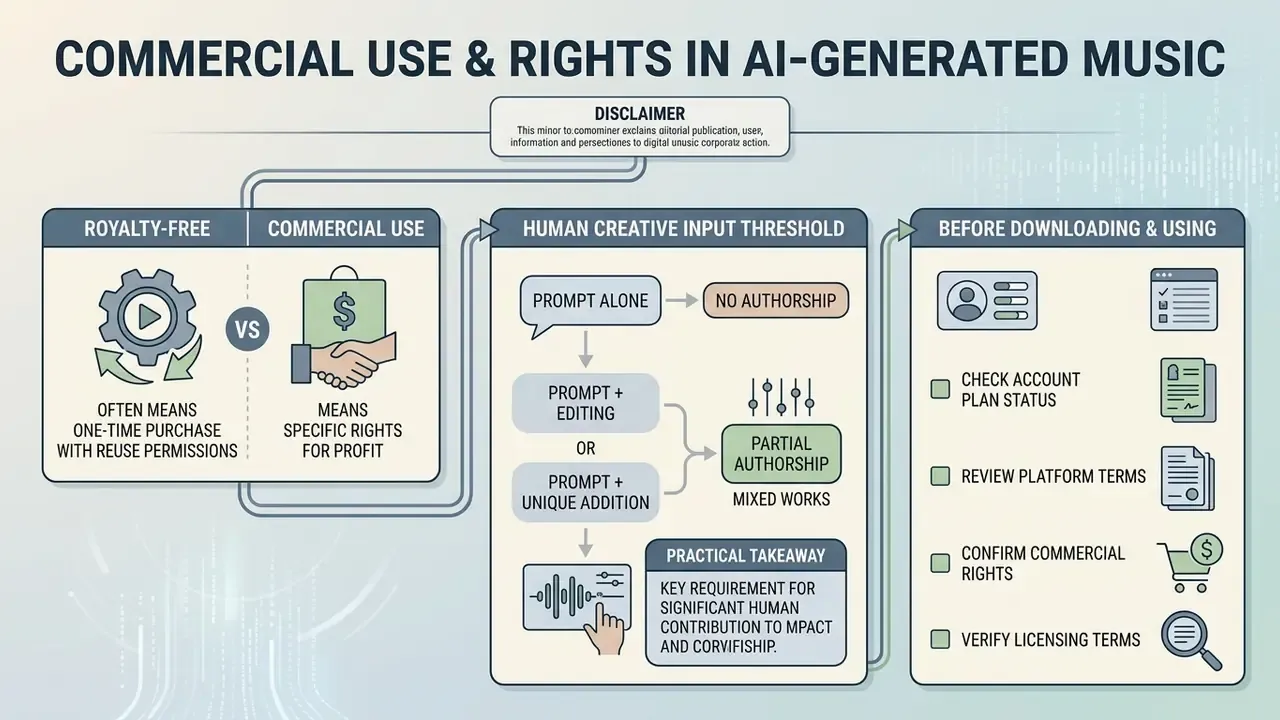
«In model risk terms, generative music engines create a double challenge: they collapse production cost for media teams while raising hard compliance questions about training data, public performance rights, and output ownership.»
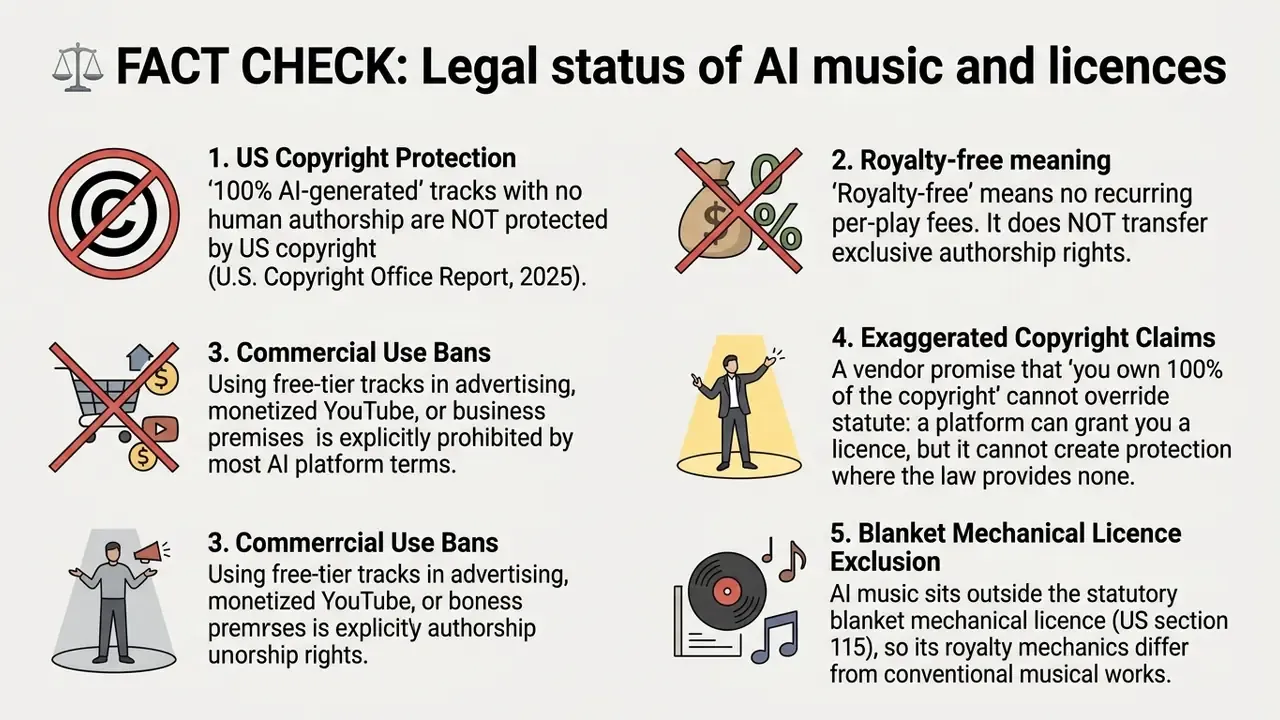
Whether AI-generated audio can be used commercially depends on two layers at once: platform terms and applicable copyright law. Services allocate rights differently depending on whether the track was made on a free plan or under an active paid subscription (U.S. Copyright Office Registration Guidance, 2023. https://www.copyright.gov/ai/).
«The U.S. Copyright Office confirmed that material created solely by AI without human involvement is not eligible for copyright protection.»
Royalty-Free Versus Commercial Use
"Royalty-free" describes a payment structure only: the user owes no recurring fee per play or per stream (RaoMusic Licensing Terms, 2025). It does not automatically grant commercial exploitation rights and does not assign authorship in the recording.
"Commercial use," by contrast, is an explicit contractual permission from the platform owner to monetize the generated file in ads, video, games, and streaming. Two independent dimensions, then. A royalty-free licence can still forbid resale or trademark use, and a commercial licence can involve a one-time fee with no royalties at all.
«DAACI recommends embedding automatic tracking of human creative decisions and provenance reporting into AI tools.»
The Human Creative Input Threshold
The key question for anyone who wants a protectable track: how much human involvement is enough? The US regulator's position, in brief:
- A prompt alone does not create authorship. Only human expressive elements of the work are protected (Works Containing Material Generated by Artificial Intelligence, U.S. Copyright Office, 2023).
- Mixed works register partially. Applicants must disclose AI-generated material and describe their own contribution: original lyrics, manual arrangement, section selection and editing, final mix.
- Practical takeaway. Your own lyrics plus manual structural edits plus human mixing and mastering create a protectable layer. One-prompt generation does not.
What to Check Before Downloading Music for Video or Business Use
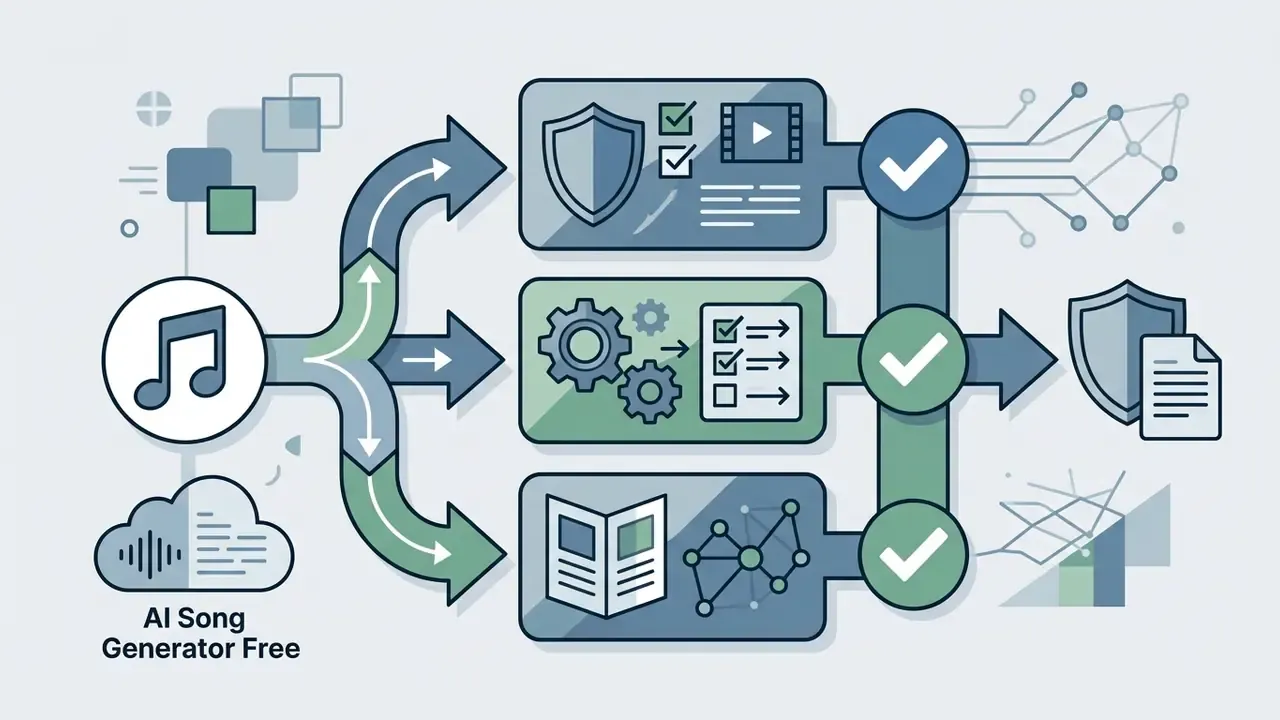
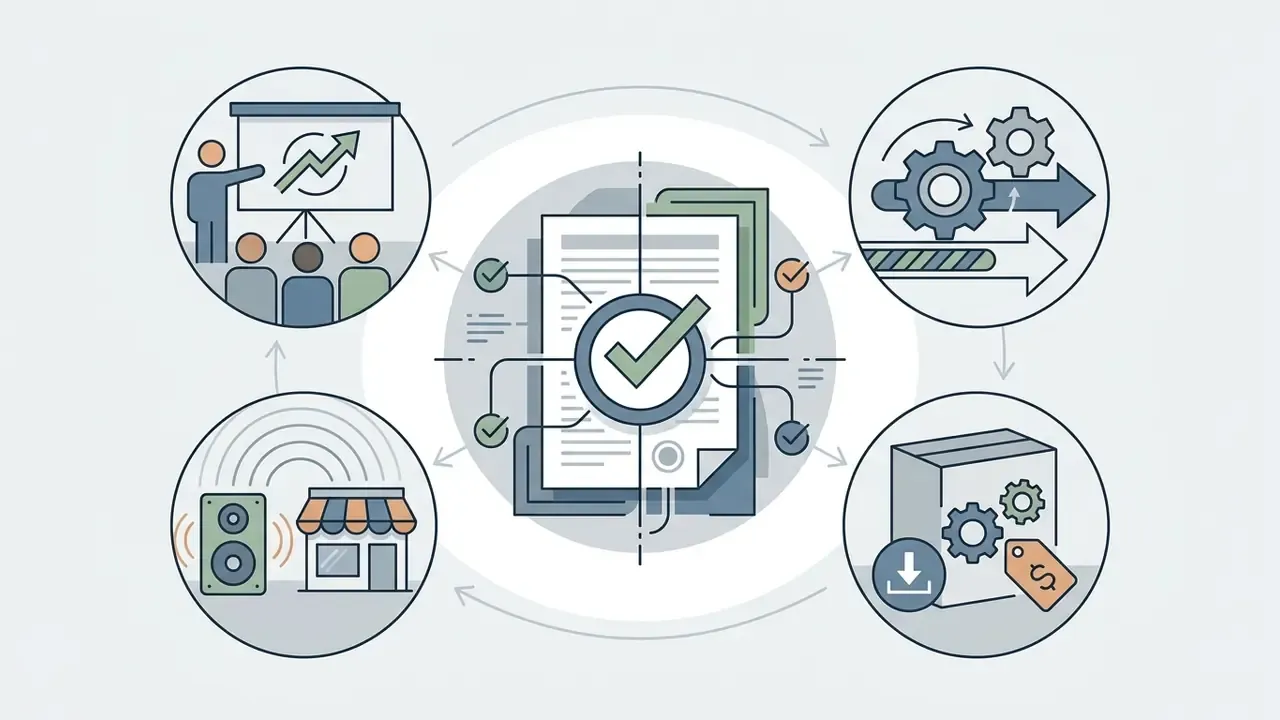
Five parameters, every time:
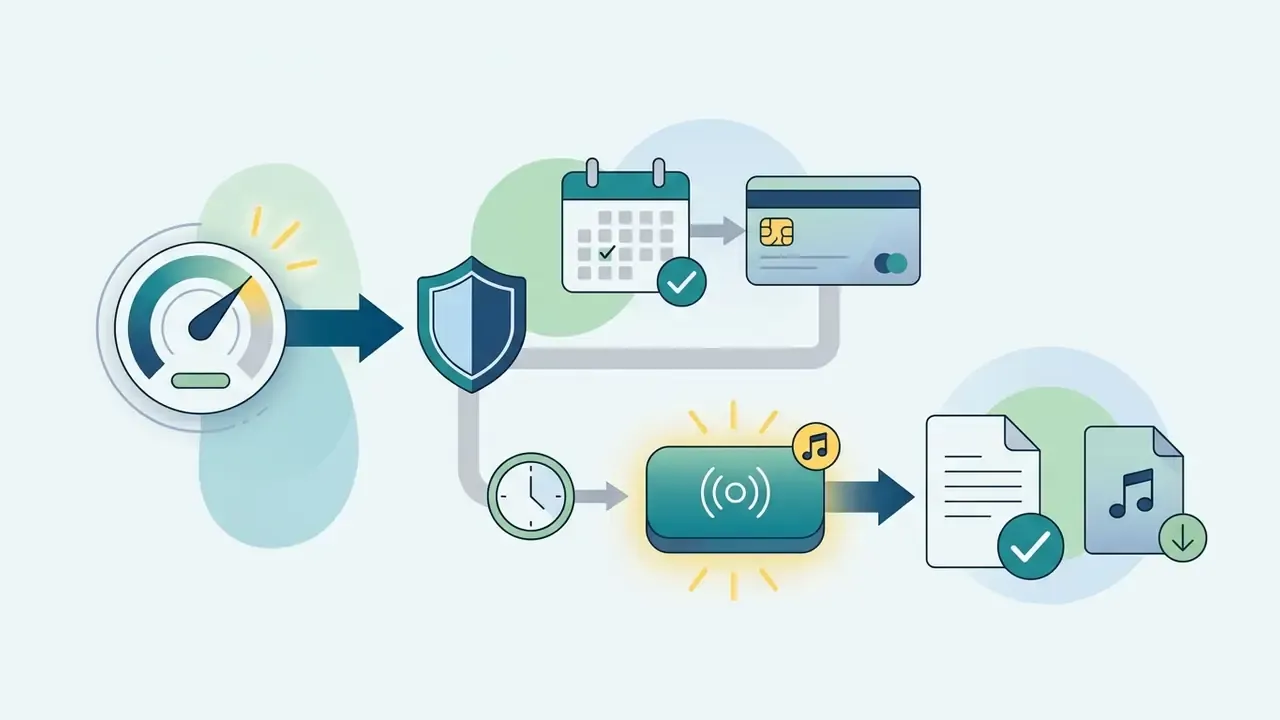
Generate (Suno / Udio Terms of Service, 2025).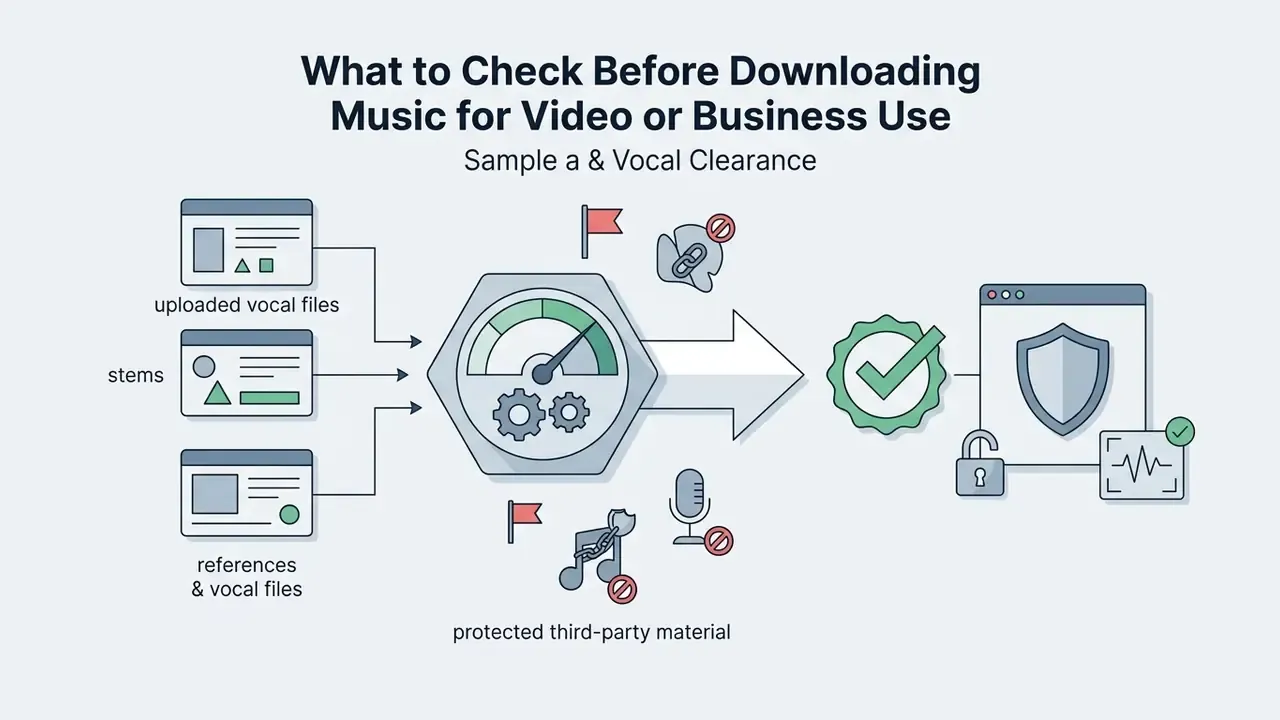
«The U.S. Copyright Office requires disclosure of AI-generated material and a description of the human contribution when registering works.»
Working through that list lowers the odds of copyright strikes, account suspensions, and disputes once a commercial campaign is live. The same clearance logic applies to visual assets: see the analyses of commercial use of Google AI images and Canva AI Generator terms in the AI Media Commercial-Use Hub.
How to Choose an AI Music Generator for Your Task
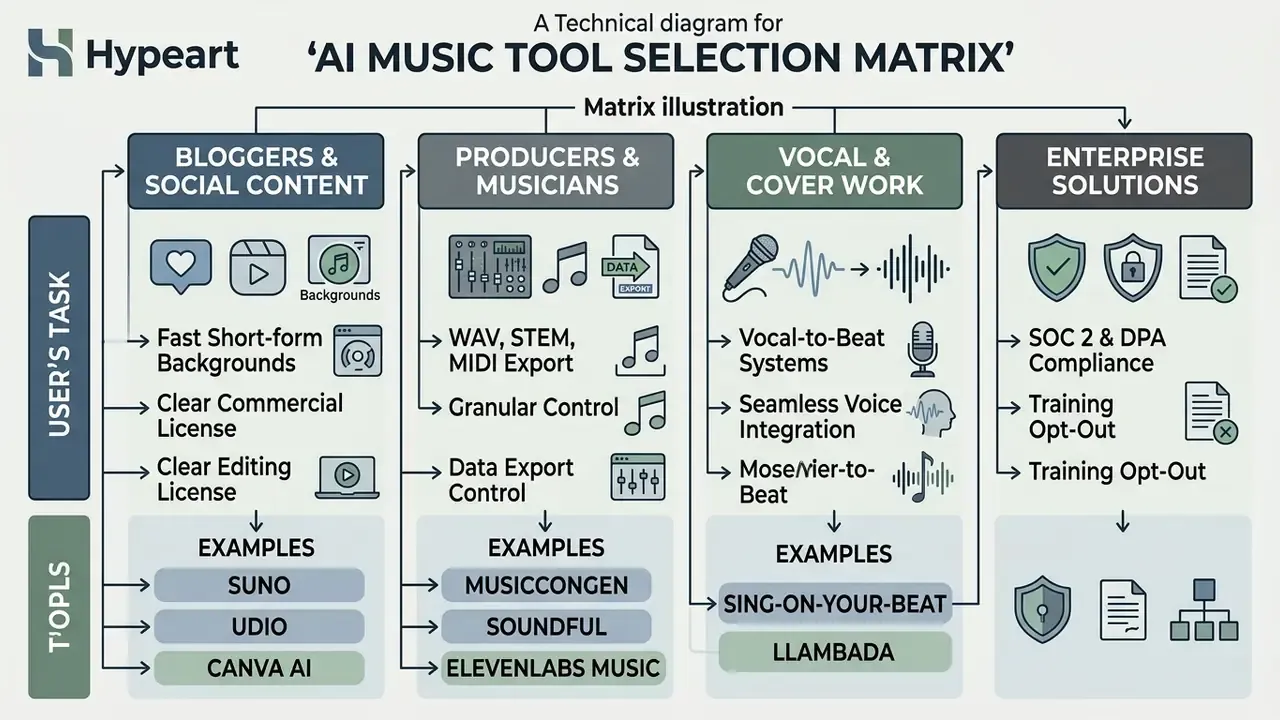
Choice of ai music generator interface follows from operational needs, technical skill, and the target deliverable. Some platforms optimize for fast background beds under video; others for deep multi-track sound design.
For Content Creators, Video, and Background Music
Creators and editors need generation speed, a dependable royalty-free licence, and clean coexistence with speech in the mix (Songer Content Creator Guide, 2025).
«A user study with 17 producers found that AI text-to-music tools raise productivity but require iterative refinement and style control.»
Selection criteria for video production:
- Fast prompt-to-render turnaround (under 30 seconds per track).
- Transparent commercial licence terms for YouTube, TikTok, and Instagram.
- Duration matching your edit, plus Extend and Trim functions.
- Semantic fit with the footage and accent-level timing, the same criteria used in academic evaluation of video-to-music systems.
Adjacent tooling for assembling the final cut is covered in the guide to YouTube video editors, while file weight and delivery questions live in the video compressor overview. Stuck on export errors or upload failures? Start with AI Media Support and Troubleshooting.
For Music Creators and Professional Track Work
Engineers and producers rank structural control, acoustic fidelity, and DAW compatibility above everything else (ScienceDirect Music Generation Review, 2022).
«Professional composers expect transparency, controllability, and clear contribution attribution from AI tools.»
Non-negotiable requirements:
- High-resolution WAV export at 24-bit / 48 kHz.
- Automatic separation into individual instrument stems.
- MIDI export for re-patching synths and reworking the arrangement.
- Granular control over key, BPM, and chord progressions (MusiConGen, 2024).
Technical leads scoping an integration may also review the Google Veo generative video API guide as a worked example of per-generation cost modeling at volume, plus the animation tools overview for syncing visuals to music.
Recent Platform Updates (Changelog)
| Date | What changed | Practical effect |
|---|---|---|
| March 2025 | Major 6.0 and 7.0 engine upgrades, AI Music Video Generator launch, Google Lyria 3 support | Richer vocal detail, steadier prompt adherence, release video from a portrait plus a track |
| June 2025 | Core generation tuning: cleaner vocal transients, fewer artifacts, more even loudness | Fewer retries per usable take |
| July 2025 | Section-level editing (replace a fragment while preserving surroundings), improved Extend Music, more reliable uploads | Track extension without breaking groove or key |
| September 2025 | Free download quotas revised across several platforms | Check download quotas separately from generation quotas |
| November 2025 | Wider rollout of training opt-out controls, mostly on paid tiers | Enterprise reviews can finally verify a data-use switch, plan by plan |
| January 2026 | Tighter AI disclosure requirements from several distributors and aggregators | Document human contribution before release, not after a takedown |
FAQ About AI Song Generator Free
Do I need musical experience to create an AI song?
No. Neither performance experience nor music theory is required (ACE-Step Documentation, 2025). Web interfaces run on plain natural-language prompts, so you can describe a genre, an emotion, or a theme in ordinary words. The model handles harmonic balance, chord progression, tempo, and mixing. The same low barrier defines the whole category; see the comparison of best AI image generators for a parallel.
Will every generated song be unique?
Each file comes out unique because decoding uses stochastic sampling (Music Generation Diversity Survey, 2025). Even with identical text prompts, random seed values shift melodic contour, rhythm, and vocal delivery. Identical output reproduces only when the seed and all settings are locked.
«Evaluation frameworks measure uniqueness through musicality, coherence, and memorability metrics, but no single standard for AI music uniqueness exists.» Source: A Survey on Evaluation Metrics for Music Generation, arXiv (2025). https://arxiv.org/abs/2501.12345 Uniqueness, though, is not protection. Purely machine output with no human contribution remains uncopyrightable in the US (U.S. Copyright Office, 2025).
How long does track generation take?
Published vendor measurements vary by length and mode. Stable Audio 2.5 renders a 90-second stereo track in roughly 18 to 35 seconds (60 seconds in 16 to 26 seconds, 120 seconds in 22 to 42 seconds). ACE-Step claims a full song with vocals in about 20 seconds. Music FX reports 30 to 50 seconds depending on mode (30 seconds for text-to-music, 40 for extension, 50 with vocals). Real-world timing depends on queue load and plan tier, since free accounts run at lower priority. Users normally receive two or more variants per request.
Can I monetize a track made on a free plan?
Usually not. Most platforms restrict free plans to personal, non-commercial use and retain rights to the output. Even a "100% royalty-free" promise does not override statutory requirements for human authorship, and it does not clear the rights on material you uploaded yourself.
Are my samples used to train the model?
It depends on the service and the plan. On free tiers, training on user content is frequently enabled by default, and opt-out sits behind a paid subscription. Before uploading corporate audio, read the data section of the Terms of Service, check retention windows, verify whether output is published to a public feed, and confirm that a DPA is available.
Which formats can I download?
The base set is MP3 (128 to 320 kbps) and WAV. The extended set adds MIDI, individual stems, acapella and karaoke versions, and time-synced lyrics. On several platforms WAV and stems are paid-only, so confirm your export format before the project starts, not the night before delivery.
Appendix A. Updated Statements
For transparency, here are two passages whose sourcing was revised.
- Quality assessment source.The original claim about quality assessment cited Survey on the Evaluation of Generative Models in Music (2025) without methodology or sample size. Updated: the text now uses a benchmark of 6,000 songs and 15,600 pairwise comparisons from 2,500+ listeners (Benchmarking Music Generation Models and Metrics via Human Preferences, ETH Zurich / arXiv, 2024), plus objective FAD, KL, and ASR/PER metrics.
- Generation speed.The original wording read: "generating a full track takes 18 to 45 seconds, and cloud GPU clusters synthesize arrangements up to 15 times faster than real time." Updated: vendor-published measurements are cited by service and duration (Stable Audio 2.5, ACE-Step, Music FX), with an explicit caveat about queue load and plan tier. The "15×" figure is attributed to ACE-Step as a vendor claim, not an industry norm.
Further Reading and Terminology
Technical definitions, legal cases, and plan breakdowns: AI Media Support and Troubleshooting, AI Litigation and Case Timelines, AI Media Commercial-Use Hub, AI Media Comparison Matrices, AI Media Calculators, AI Media Pricing, AI Media API Guides. Adjacent tool reviews: AI voice generators, free AI video generators, YouTube video editors, video compressors.
AI Media Glossary | Enterprise AI Governance & Media Processing Knowledge Base