An AI UI generator turns natural-language prompts, product requirement documents, reference URLs, screenshots, or rough structural sketches into functional, editable user interfaces for digital applications. By converting intent into structured layout components, UI design generators speed up early-stage prototyping, cut front-end implementation costs, and smooth the design-to-development handoff.
If you sit in risk, compliance, or model governance at a US bank or a mature fintech, the interesting question is not whether these tools draw pretty screens. They do. The question is what leaves your perimeter inside a prompt, and what enters your repository inside a generated component.
Executive Summary for Decision Makers
| Question | Short answer |
|---|---|
| What does an AI UI generator actually produce? | Editable multi-screen layouts, mapped design-system components, and front-end code drafts (HTML/CSS, Tailwind, React/JSX, Flutter, SwiftUI). Not flat images. |
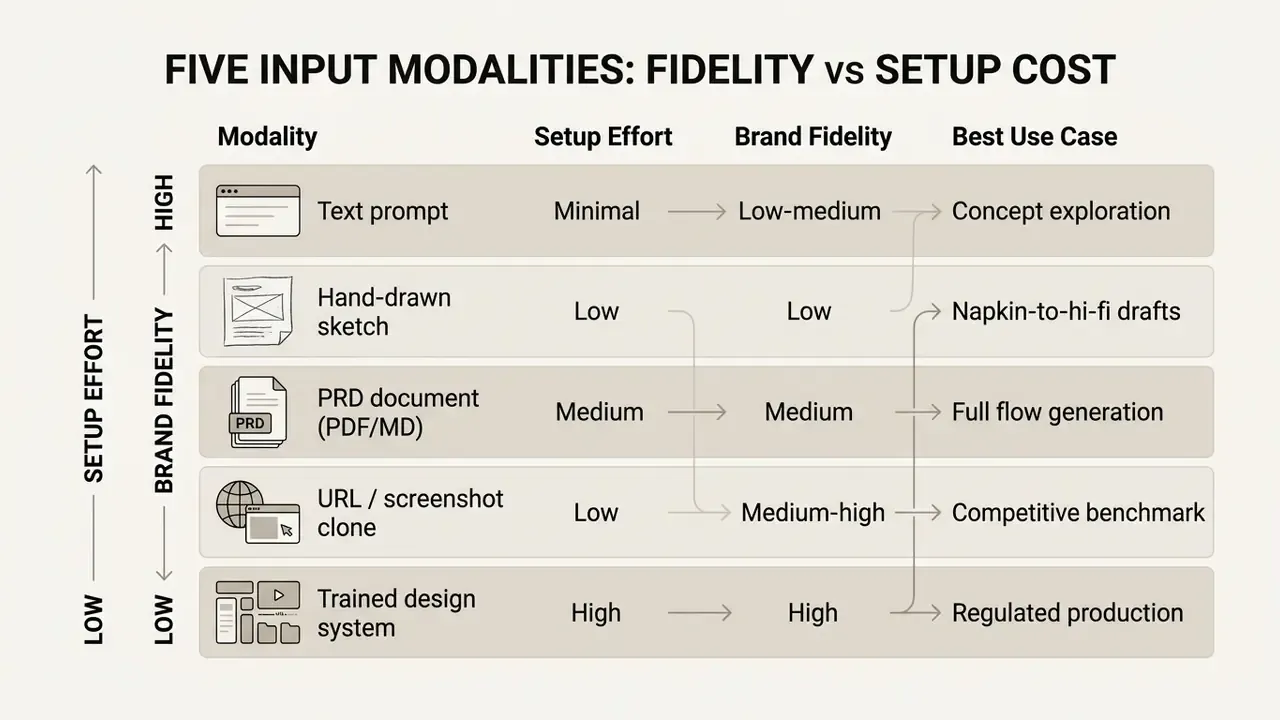
| What inputs are supported in 2026? | Five modalities: text prompts, hand-drawn sketches, PRD documents, live URLs or screenshots, and your own trained Figma design system. |
| Can ChatGPT replace these tools? | No. General chat models return layout descriptions and code snippets, not editable vector canvases or Figma layer trees. |
| Is the exported code production-ready? | Layout and styling are usable drafts. State management, input validation, authentication, API bindings, and accessibility hooks require engineer implementation. |
| What does it cost? | Free tiers are credit-capped (UXMagic: 30 one-time credits, 5 projects, 5 screens; v0: about $5 in monthly credits; Lovable: 5 daily credits, public projects only; Google Stitch: 350 Standard or 50 Experimental screens per month). Paid tiers start at $12 to $26 per month; Uizard Business is $39 per month with 5,000 monthly AI generations. |
| What are the main enterprise risks? | Shadow AI (unsanctioned uploads of internal screens and PII into public SaaS models), non-copyrightability of fully automated output, hallucinated components, and generated code vulnerabilities in forms and inputs. |
| What governance controls are mandatory? | Prompt sanitization behind a DLP proxy, Zero Data Retention or opt-out from model training, SOC 2 Type II or ISO 27001 vendor evidence, SSO/SAML, and a code security review gate before merge. |
"Generative interfaces are consistently preferred over conversational output: in direct comparisons, user preference is higher by 72 percentage points."
"89% of designers who increased their AI usage say it helps them work faster, and 91% say it improves the quality of their outputs, not just their speed." Source: Figma AI design productivity research (2026)
How to Read This Guide
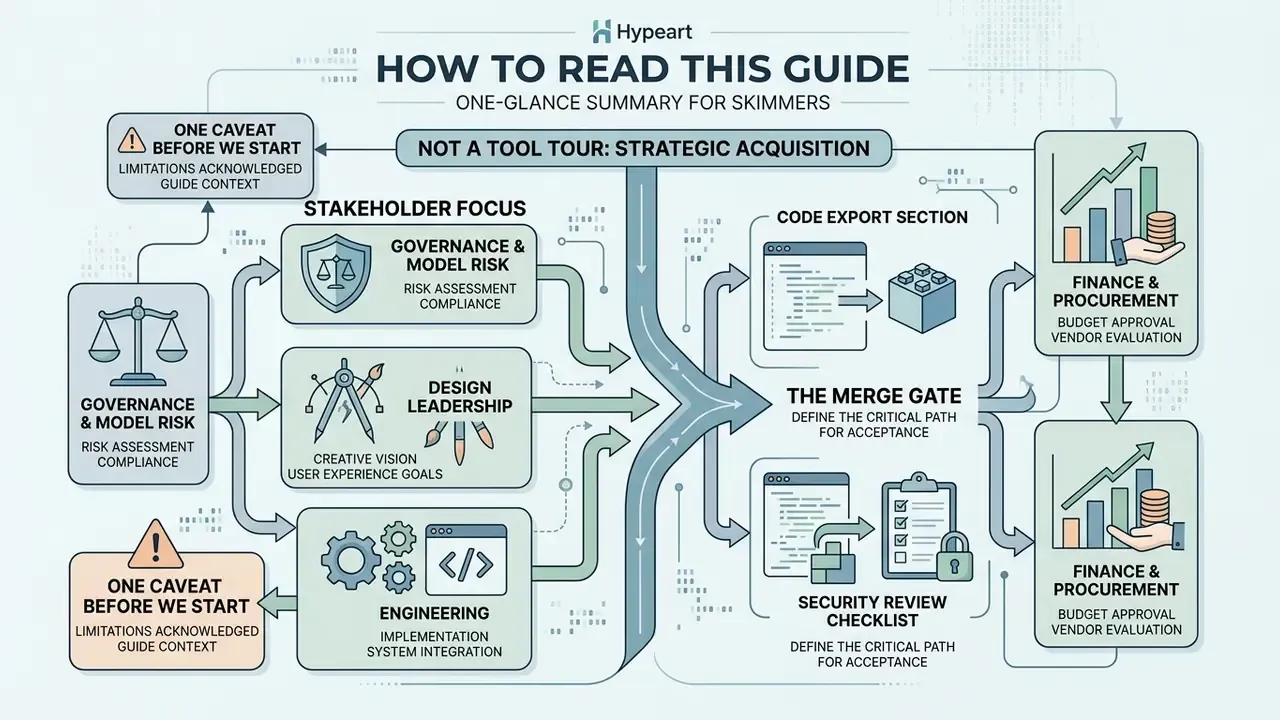
This is a buyer's document, not a tool tour. Four reading paths:
- Governance and model risk. Start with the enterprise data governance section, then the risk-adjusted ROI model. Those two sections carry the control language you will need for an approval memo.
- Design leadership. Sections on prompt preparation, editability, and Figma export answer the day-to-day workflow questions.
- Engineering. The code export section and the security review checklist define the merge gate.
- Finance and procurement. Pricing, free-tier limits, and the commercial-use checks sit near the end, with vendor-documented numbers rather than marketing claims.
One caveat before we start. Vendor terms in this category change quarterly, sometimes monthly. Every number below is dated; verify against the provider's current pricing and DPA before signing.
1. What Is an AI UI Generator and What Business Problems Does It Solve?
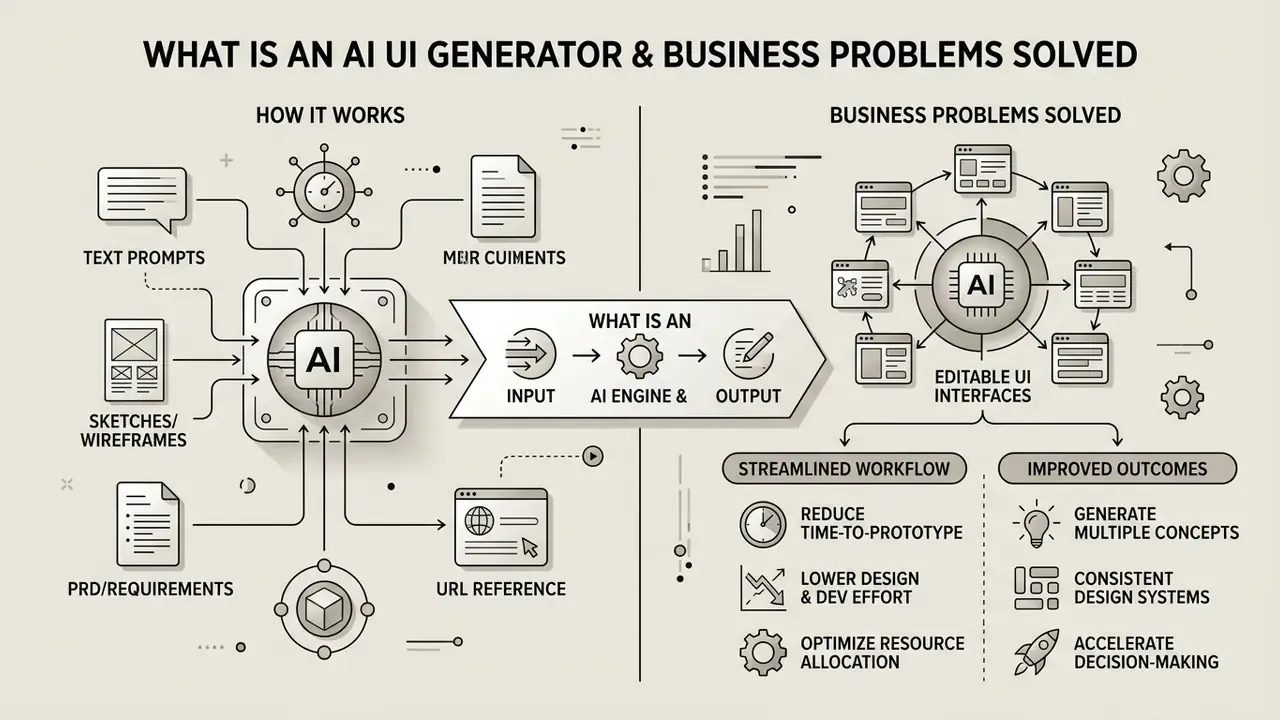
An AI UI generator is a specialized software tool that uses large language models (LLMs) and vision-language models to interpret textual product specifications or visual inputs, then automatically generate structured, editable screen layouts, UI components, and front-end code. It attacks familiar delivery bottlenecks: manual layout drafting, repetitive design-system mapping, and the slow crawl from a written spec to a clickable prototype.
"Generative interfaces are preferred over conversational output by a margin of 72 percentage points in direct user comparisons."
Independent vendor research reports comparable directional gains on the delivery side. According to Figma's design productivity studies, 89% of UI designers using AI tools report accelerated workflow execution, while 91% state that automated layout structuring improves overall asset output quality without sacrificing creative control (Figma AI research, 2026). Directional, self-reported, vendor-funded. Useful, but not audit evidence.
1.1 Generating UI via Prompt, Text, and Product Descriptions
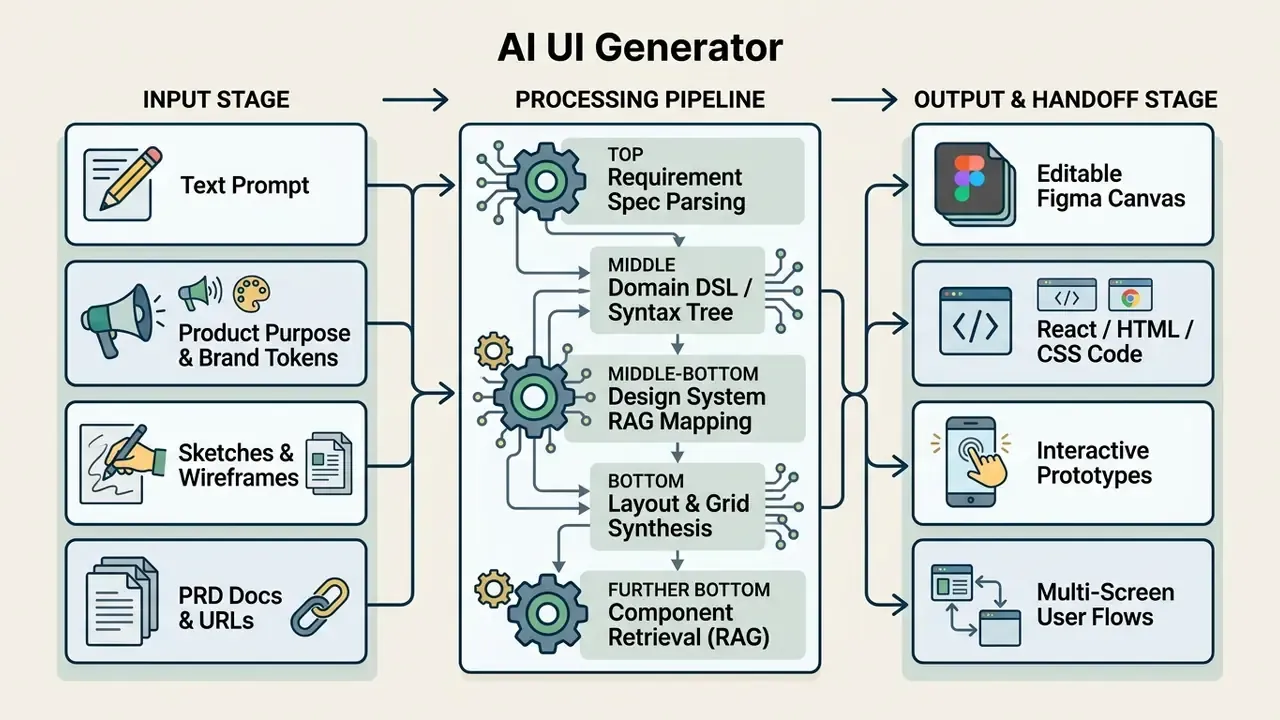
Prompt-to-UI synthesis converts structured text prompts into multi-screen visual hierarchies, responsive grid structures, and styled interface components. Modern systems parse natural-language input into an intermediate requirement specification, defining screen purpose, layout arrangement, navigation model, and interactive widget behavior before rendering any visual asset.
"The Generative Interfaces system produces requirements, a structured representation, and executable HTML/CSS/JS: three sequential generation stages."
1.2 How an AI UI Generator Differs from a UI Maker and a Design Tool
An ai ui generator tool creates the initial interface layout and its underlying code programmatically from a prompt, whereas a traditional ai gui maker or classic UI builder expects manual assembly of predefined visual blocks. Standard design tools such as Figma or Penpot focus on vector composition, screen layout manipulation, and manual prototyping, a workflow closer in spirit to how AI art generators hand creative control back to the operator. An ai design tool in the generative sense converts intent directly into executable frontend code, auto-layout frames, and dynamic components (Figma AI Documentation, 2026).
The core difference is the output target. AI UI generators optimize for runtime or code-level interface generation. Classic no-code builders optimize for manual block assembly. Figma and Penpot optimize for design artifacts and developer handoff. Three different jobs, frequently sold with the same vocabulary.
Can ChatGPT design a user interface?
Not in the way a design team needs. ChatGPT cannot produce an editable visual canvas file or a native Figma layer tree. It can produce layout descriptions, information architecture proposals, UX copy, and raw HTML or Tailwind snippets, but it has no visual rendering engine and no layer model. Dedicated AI UI generators process the same prompt into structured, multi-layer vector canvases, auto-layout frames, and interactive component trees that designers can drag, restyle, and modify directly, then export as named Figma layers or a React bundle.
In practice, general-purpose chat models work best upstream of a UI generator: drafting the PRD, naming user flows, writing microcopy that becomes prompt input.
1.3 Interface Types Suited for AI UI Design (Apps, Mobile, Web, Dashboards, Wireframes)
AI UI design generation performs best on multi-screen mobile applications, data-dense enterprise dashboards, product wireframes, and standardized component libraries. Research shows generative algorithms achieve their highest structural consistency inside component-constrained design systems such as Material Design or Tailwind CSS libraries.
"GUIDE decomposes high-level descriptions into detailed GUI requirements and generates Material Design prototypes directly in Figma through RAG-based component library integration."
Evidence is strongest for mobile apps, dashboards, and wireframe or component sets, where the interface is multi-screen, component-based, and layout-driven. Arbitrary marketing HTML remains weaker territory: outputs drift stylistically because there is no constraining component vocabulary to retrieve from.
2. How to Create UI Design with AI: From Idea to Editable Screen
To ai create ui design in a repeatable way, teams follow a six-stage pipeline: define product context, engineer a detailed multi-attribute prompt, run layout generation, conduct automated accessibility review, refine editable layers, then export production assets. That sequence bridges an abstract product idea and an editable, production-grade interface artifact.
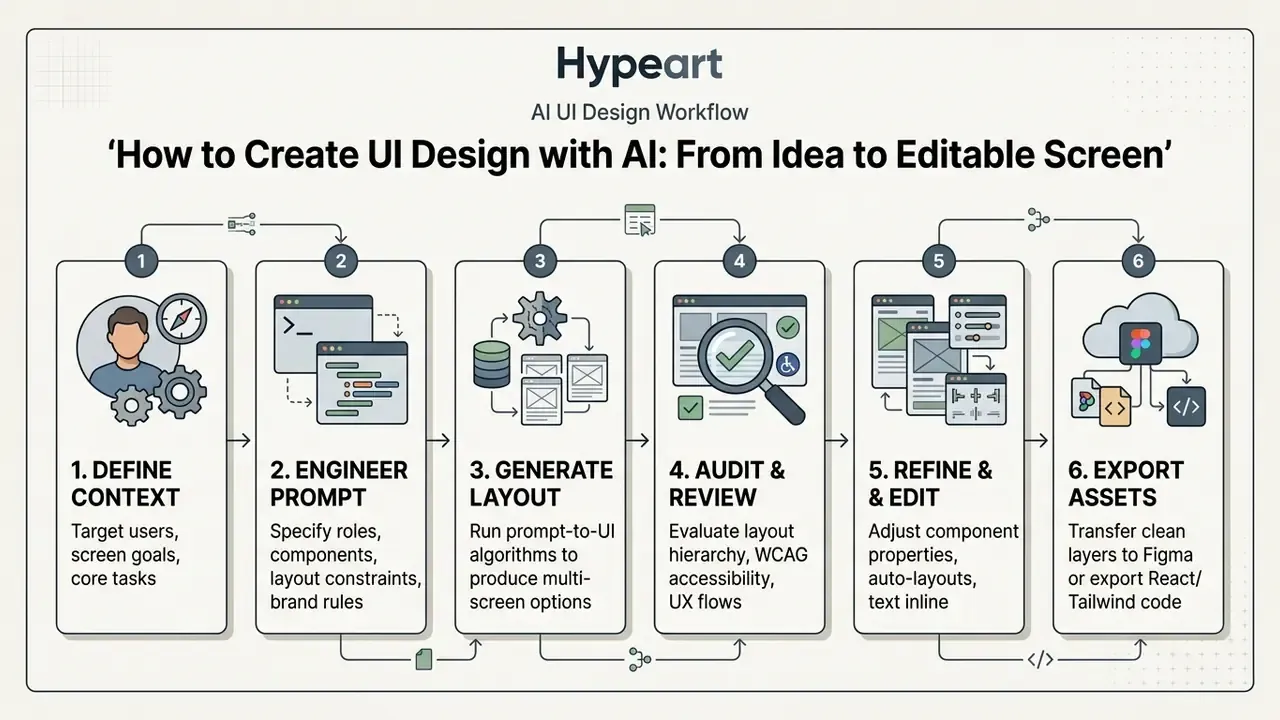
2.1 Prepare the Prompt: Task, Target Users, Product Goals, and Visual Style
An effective prompt for an ai generator for ui design defines five explicit operational parameters: user persona, business objective, structural components, visual brand rules, and technical constraints. Adding state context, responsive breakpoints, accessibility standards, and layout preferences suppresses architectural hallucinations and produces cleaner ai screen generator output.
Stages of building an interface in an AI UI generator
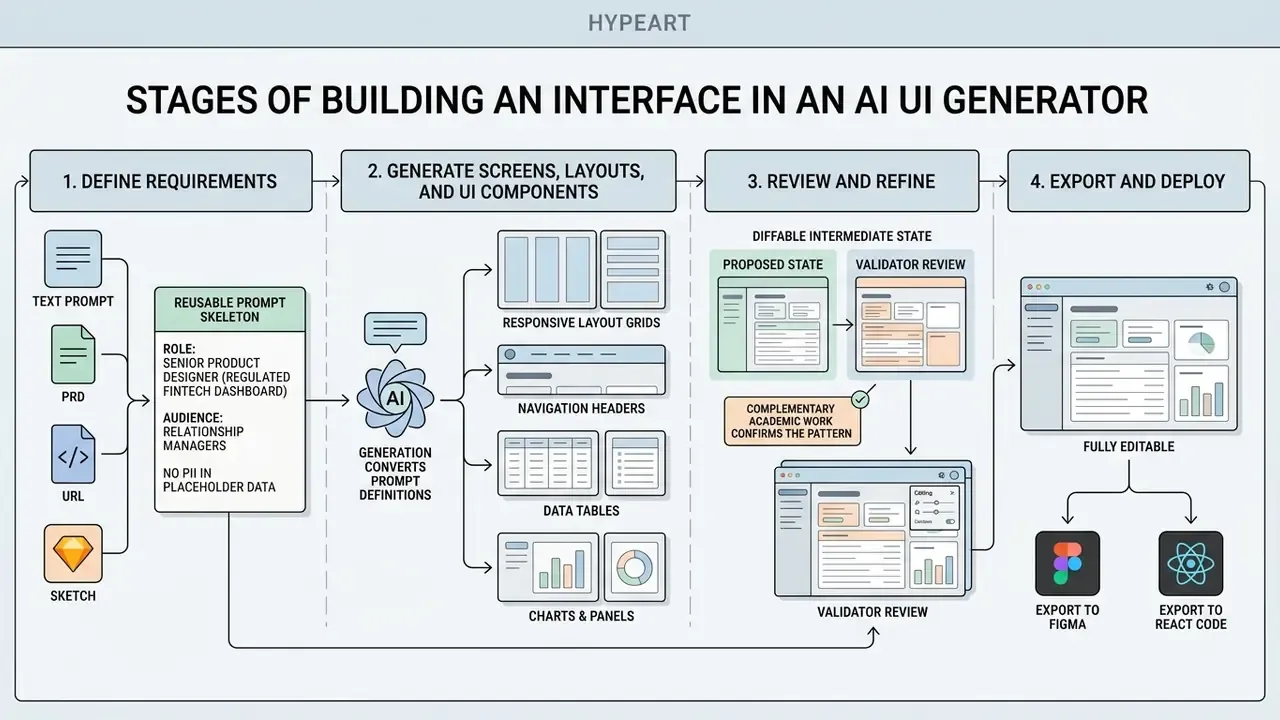
Stages of building an interface in an AI UI generator.
"Google Stitch recommends explicitly stating screen purpose, key components, and navigation structures. This raises the accuracy of the generated layout."
A reusable prompt skeleton that satisfies all five parameters:
ROLE:        Senior product designer for a regulated fintech dashboard
AUDIENCE:    Relationship managers, desktop-first, 1440px baseline
GOAL:        Reduce time-to-decision on flagged client transactions
COMPONENTS:  Left nav rail, filter bar, sortable data grid, detail drawer,
             audit-trail timeline, bulk-action toolbar
BRAND:       Tokens from /design-tokens.json (no raw hex, no custom spacing)
CONSTRAINTS: WCAG 2.2 AA contrast, keyboard-navigable grid, dark + light mode,
             no PII in placeholder data, empty and error states required
OUTPUT:      4 connected screens + component inventory list
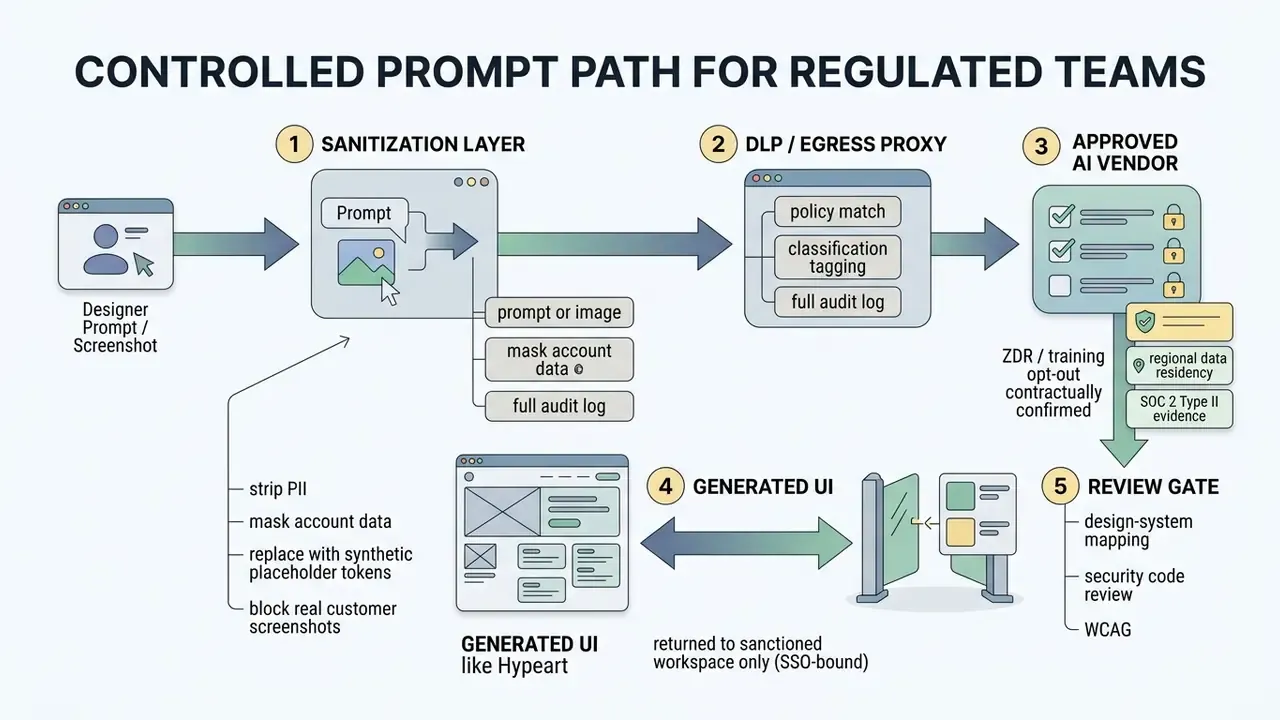
Note the explicit no PII in placeholder data line. Prompt-level data hygiene is the cheapest control available to a regulated team, and the one most often skipped. The governance section further down expands it into a controlled prompt path.
2.2 Generate Screens, Layouts, and UI Components
Generation converts prompt definitions into responsive layout grids, navigation headers, data tables, and interactive components. Advanced systems apply divide-and-conquer strategies, segmenting complex screens into semantically meaningful sub-components to hold visual hierarchy together across web dashboards and mobile viewports.
"PrototypeFlow translates descriptions into a component-level DSL, separating intent understanding from high-fidelity prototype rendering."
Complementary academic work confirms the pattern. GUILGET generates GUI layouts from positional constraints encoded as arrangement graphs. DCGen slices a screenshot into semantically meaningful segments before generating HTML and CSS per segment. UI-grammar-guided models emit element tuples (label plus bounding box) rather than drawing final pixels. All three share one property that matters to enterprise buyers: an intermediate structured representation that can be inspected and diffed.
Diffable intermediate state is what turns a black box into something a validator can review.
2.3 Review, Refine, and Make the Design Fully Editable
Generated screens need systematic UX validation: contrast ratios, touch-target dimensions, layout consistency against established heuristics. Updated: accessibility conformance should be validated against the current normative baseline, W3C WCAG 2.1 (published 2018) and WCAG 2.2 (published 2023), rather than against an undated "AI guidelines" reference. W3C mobile accessibility guidance additionally recommends touch targets of at least 9 mm by 9 mm.
Designers then convert raw generated assets into a genuinely editable format, turning static visual trees into nested design tokens, reusable components, and auto-layout frames that support direct property modification.
"GUIDE removes a key limitation: direct LLM generation yields non-editable images, whereas decomposition into Figma components allows element-level changes."
A 2024 CHI workflow formalizes the loop: select guidelines, run automated heuristic evaluation, revise the Figma mockup, re-run evaluation until it passes. Treat that as the minimum acceptance gate before a generated screen enters a real backlog.
During a risk review of a client-facing wealth portal prototype, an enterprise engineering team evaluated an ai app ui generator to build responsive account management screens. The team supplied structured JSON brand constraints alongside plain-text prompts, and the tool returned 14 compliant mobile screens in under two minutes. Based on internal time-tracking logs from that single engagement, automated drafting cut early mockup turnaround by roughly 65% while holding to internal brand tokens and design-system governance. Methodology note: this figure comes from one internal pilot measured against the team's prior manual baseline. It is not a vendor benchmark and should not be generalized without replication.
3. Capabilities of AI UI Design Generators for Apps, Mobile, and Dashboards
An ai app interface generator can build platform-specific experiences ranging from mobile screens following native iOS and Android guidelines to complex web dashboards with integrated data tables, filtering panels, and navigation drawers. Modern tools apply adaptive layout rules, a capability set that parallels how AI image generators apply parametric constraints to output, letting generated elements reconfigure across screen sizes automatically.
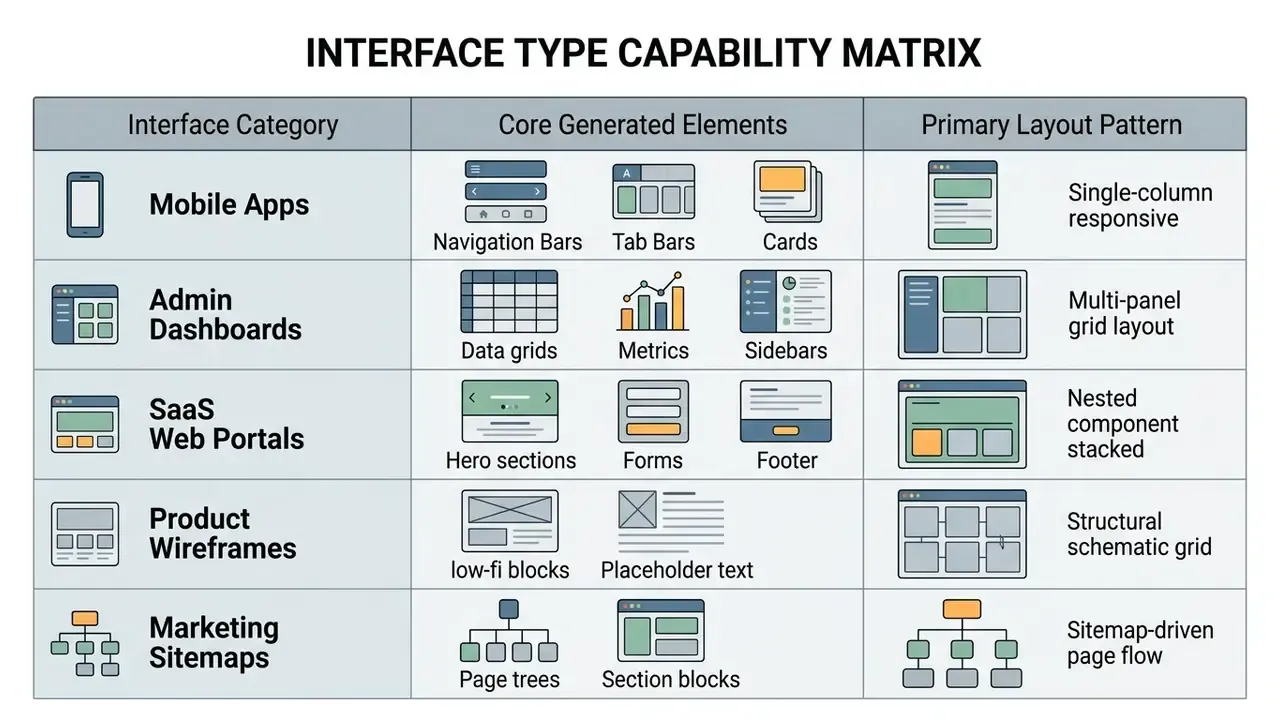
3.1 AI Mobile UI Generator for Application Screens
An ai mobile app ui generator builds native and cross-platform mobile layouts, applying platform rules such as the iOS Human Interface Guidelines and Android adaptive layout standards. An ai mobile ui generator also adjusts navigation components by width class: Android adaptive guidance maps a navigation bar to compact width, a navigation rail to medium width, and a persistent navigation drawer to expanded width, while iOS HIG recommends a convertible tab bar that switches between tab bar and sidebar as width changes.
"Google Stitch in Standard mode generates mobile layouts and front-end code via Gemini 2.5 Flash, up to 350 generations per month, optimized for speed."
3.2 AI Dashboard Generator, Wireframes, and Product Screens
An ai mobile design generator or a desktop dashboard generator produces data-dense screens: dynamic tables, chart widgets, analytics cards, multi-filter bars. Predictive formatting analyzes dataset structure described in the prompt and synthesizes balanced dashboard layouts for complex operational workflows.
"The SCGG self-critique method identifies characteristic defects, component mismatch and inconsistent styling, and outperforms RAGG and PDGG on GUI prototype quality."
Adjacent research reinforces the table-centric use case. IEEE TVCG work on interactive table synthesis from natural language adds a data-flow diagram plus fine-tuning interactions for refinement, and neuro-symbolic predictive formatting proposes table formatting when users cannot articulate explicit rules. For AML alert queues and reconciliation views, that matters more than hero sections do.
3.3 Components, Design Systems, and Interface Branding
An ai ui component generator maps generated visual assets to existing enterprise design systems, applying global tokens for typography, spacing, and color. Mapping output to a shared component library prevents custom CSS duplication, holds brand consistency across enterprise apps, and simplifies downstream maintenance.
"StarryStudioAI achieved component acceptability above 0.90 and layout-consistency satisfaction above 0.80 in an evaluation with 50 participants."
Practitioner integration rules are consistent across teams. Every generated element must be mapped back to an approved component before implementation. Outputs that introduce raw hex values or non-token spacing require explicit review and sign-off. Brand tone, palette, typography, and usage rules belong in the prompt or in machine-readable token files, not in a correction pass afterwards. Reusable outputs belong in a shared package consumed by several projects, never pasted screen by screen.
Detailed technical documentation and component specifications for design system automation are indexed in the public AI Media Glossary.
4. Editing, Figma Integration, and Code Export: What You Can Do with Generated UI
Generated interfaces can be modified on an interactive canvas, pushed into design tools through native Figma layer export, or compiled into front-end code including HTML, Tailwind CSS, and React JSX. Bridging the design environment and the code repository is what lets teams fold generated assets into existing CI/CD pipelines instead of running a parallel shadow workflow.
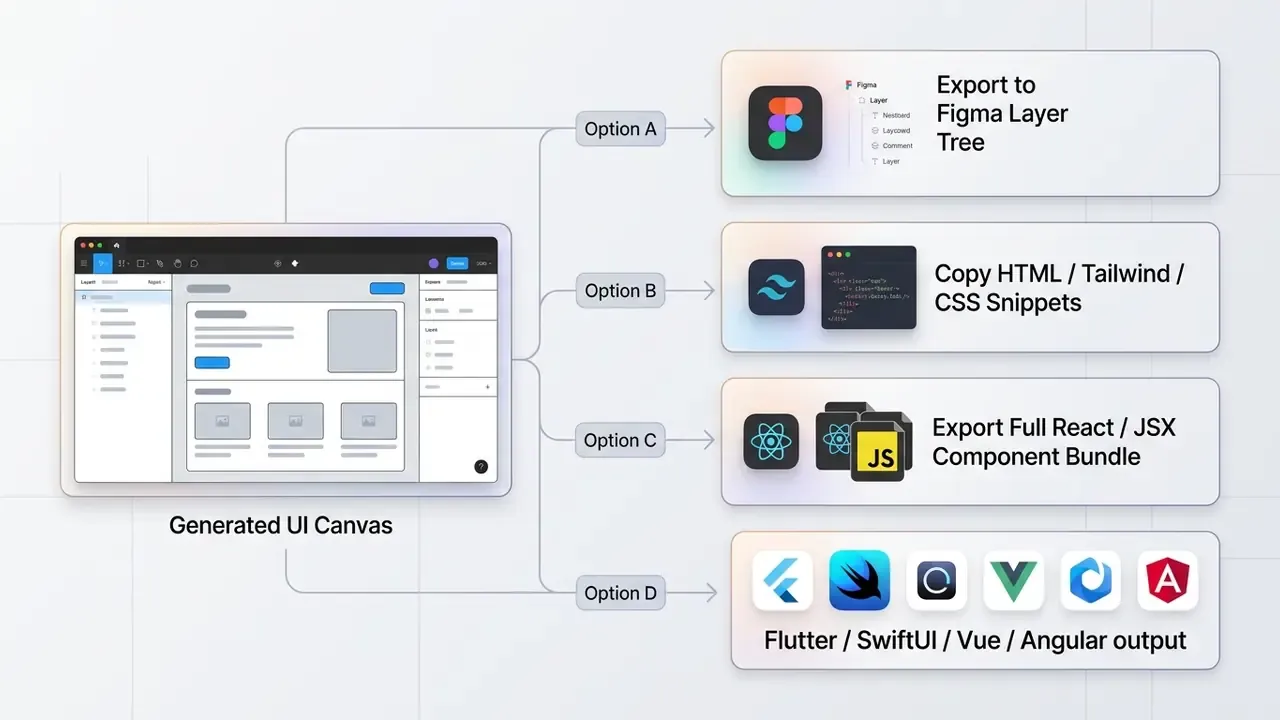
4.1 How to Edit Generated UI and Reuse Designs
Modern generative tools isolate text strings, vector shapes, background layers, and layout containers into discrete, selectable elements. That layerization lets designers adjust component properties, rewrite copy, and rearrange sections without regenerating the whole canvas.
"PrototypeFlow preserves designer control over inputs, intermediate DSL, and final prototypes; component edits do not require full regeneration."
Vendor implementations converge on the same principle from different directions. Figma AI can turn live UI back into editable design layers. Ideogram's layerized text makes each line a separate selectable layer, so wording, font, and size change without regenerating the design. Codia's Magic Layers splits an image into independent background, object, and text layers that can be moved, hidden, replaced, or regenerated one at a time.
4.2 Export to Figma for Designer Workflows
Leading tools support direct export to Figma, reproducing auto-layout rules, nested frame hierarchies, component properties, and design token names inside the target file. Preserving layer structure on export lets design teams apply internal component libraries immediately and continue refinement with standard Figma collaboration features, the same loop that governs adjacent asset pipelines such as AI photo editors feeding production imagery into those frames.
"Stitch exports to Figma while preserving auto-layouts, named elements, and design tokens: colors, typography, and spacing, ready for immediate editing."
One important technical caveat, and it trips up procurement regularly. Figma's own Help Center documents file export (PNG, JPEG, SVG, PDF, CSV) as static asset output, and does not document preservation of auto-layout logic or component relationships inside those exported files. Editable structure survives when a plugin writes native layers into a Figma file, not when a design is exported out of Figma as an asset. Ask any vendor which of the two they mean by "Figma export," and get the answer in writing.
4.3 Export Code, HTML, and React: Where Developer Validation Is Required
Exporting generated designs into React, Vue, or Tailwind CSS produces functional boilerplate markup, and mandatory engineer review. Automated generation handles structural layout and visual styling. Humans still implement state management, client-side input validation, API integration, security controls, and end-to-end testing (v0 Technical Docs, 2026).
"UICoder showed that an automated compilation-and-filtering pipeline brings open-source models close to proprietary models in UI code generation quality."
E-E-A-T technical verification: handoff and export limits
5. Next-Gen Iteration: MCP, Vibe Coding, and In-Context Annotations
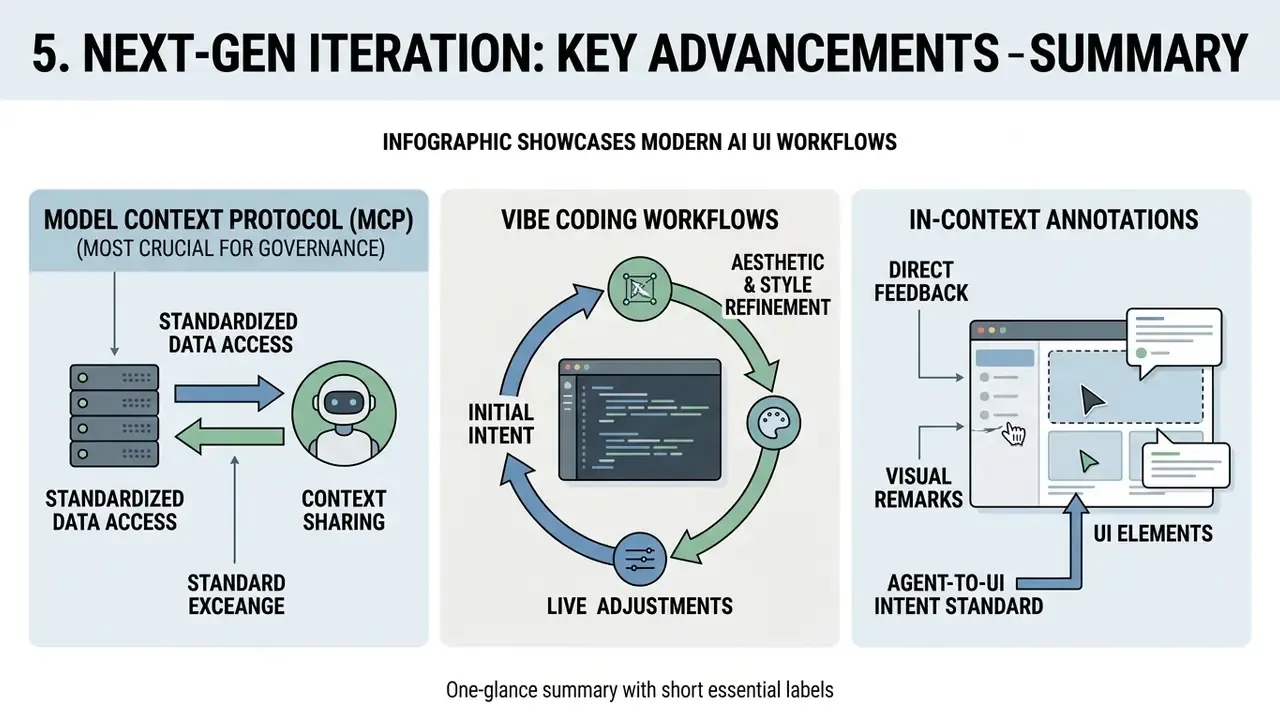
Modern AI UI workflows increasingly rely on developer protocols and canvas-level feedback rather than repeated full-screen re-prompting:
- Model Context Protocol (MCP). An open standard, described by Figma as "USB-C for data," that lets generative engines query live codebases and design-system repositories in real time, acting as a dynamic context bridge between design and code. Figma has published customer workflows in which Figma MCP plus Figma Make were used to scale a new design system while keeping pace with customer requests.
- In-context visual annotations. Instead of re-prompting a whole screen, designers select a single element, adjust it in a properties panel, or pin an annotated prompt to that element for a targeted micro-edit. Figma shipped a properties panel and annotations in Figma Make in July 2026 explicitly to bridge design and code.
- Vibe coding workflows. Mood-driven exploratory prompting combined with live code preview, letting non-technical creators assemble functional web apps through conversation, and letting designers connect a codebase, make changes directly, and bring the team into review up to the pull request.
- Agent-to-UI intent standards. Emerging specifications such as Google's A2UI and OpenUI describe portable, agent-generated UI intent rather than static screens. That matters for teams planning runtime-generated interfaces instead of build-time mockups.
For a governance team, MCP is the single most consequential item on that list. It converts an isolated SaaS prompt box into a system with read access to internal repositories. Scope it, log it, and apply least privilege to every MCP connector before enabling it. A design tool with repository read access is, functionally, a new integration in your control environment, and it deserves the same intake review as any other.
6. How to Select an AI UI Generator Tool: Comparing Tools by Task
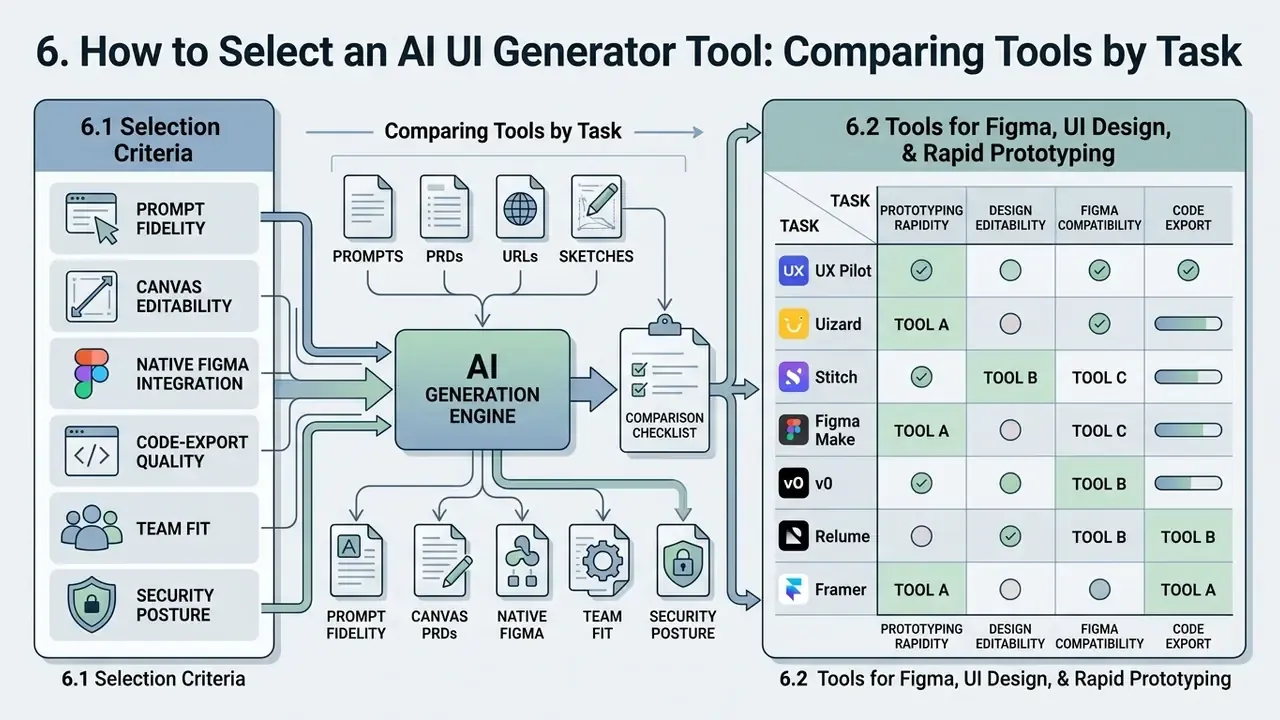
Choosing an ai ui design generator tool means scoring a handful of operational dimensions: prompt comprehension accuracy, canvas editability, native Figma integration, code export quality, design-system token support, enterprise security posture, and team collaboration controls. Match capability to delivery goal, a discipline familiar from adjacent evaluations such as best AI image generators, whether the objective is rapid wireframing, high-fidelity prototyping, or production React scaffolding.
6.1 Selection Criteria: Prompt Fidelity, Editable Designs, Components, and Export
Evaluating an ai ui generator tool works best against six functional benchmarks: prompt compliance rate, layer editability, design-system component mapping, Figma layer export fidelity, clean code generation, and enterprise data-handling guarantees.
"A systematic review of 38 studies (2022 to 2025) identifies prompt design and human-in-the-loop review as the most widespread practices for integrating LLMs into design."
6.2 Tools for Figma, UI Design, and Rapid Prototyping
Figma-centric platforms prioritize clean visual layer handoff and fast iteration over deep application logic. UX Pilot, Uizard, Google Stitch, Relume AI, and Figma Make concentrate on converting prompts, PRDs, or hand-drawn sketches into editable vector layers, interactive mockup flows, and structured design tokens.
"StarryStudioAI, as a Figma plugin, converts HTML/CSS into pixel-accurate Figma layouts while preserving component structures and design tokens."
Practitioner reviews add a useful boundary condition. Website-focused generators such as Relume AI reliably produce sitemaps, marketing pages, and Webflow-ready sections, but will hand back a website homepage even when prompted for an application dashboard. Match the tool's training domain to the artifact you actually need, not to the artifact the demo showed.
6.3 Tools for Production-Ready Code and React Interfaces
Developer-focused generators put executable front-end architecture ahead of canvas editing. v0 by Vercel, Bolt.new, Lovable, and Framer AI turn text descriptions into React components, Tailwind styling, and deployable bundles on modern framework stacks.
"Stitch exports clean front-end code in HTML/CSS, Tailwind CSS, and React/JSX; developers need minimal rework for integration."
Vendor documentation positions the three code-first leaders differently. v0 is an agent producing real React, Next.js, TypeScript, and Tailwind code with production deployment. Lovable is a full-stack platform generating frontend, backend, database, auth, and integrations with GitHub or GitLab code sync. Bolt.new emphasizes real-time generation on a React, Vite, Tailwind, and Node.js default stack with deployment to a public URL.
Extended comparison matrix (2026)
| Tool / Platform | Primary Input Modalities | Canvas Editability | Figma Export Path | Code Export Formats | Enterprise Security and Data Privacy | Primary Target Audience | Starting Price Tier |
|---|---|---|---|---|---|---|---|
| UX Pilot | Text prompts, wireframe images, screenshots, PRD documents, custom Figma components | Interactive canvas with section editing | Native Figma plugin export and 2-way sync | HTML, CSS, React JSX; GitHub sync | Team seats and own-design-system training on paid tiers; verify DPA and retention terms directly | UX designers and product teams | Free tier (45 to 90 one-time credits); Standard from $12/mo annual (about $19/mo monthly) |
| Uizard | Text prompts, wireframe sketches, app screenshots | Full design canvas editor with comment modes | JPG, PNG, SVG, PDF export (no direct Figma layers) | Component-level CSS and React only (Handoff mode); no full-project HTML/JS export | Custom brand kit and priority support on Business tier; no public ZDR commitment documented | Product managers and non-designers | Free (3 AI generations/mo per feature, 2 projects, 10 templates, 1x export); Pro $12/mo; Business $39/mo |
| Google Stitch | Text descriptions, hand-drawn wireframe images | Live preview canvas with property controls; chat-based iteration | Direct "Paste to Figma" with auto-layouts (Standard mode only) | HTML/CSS, Tailwind CSS, React, Vue, Angular, Flutter, SwiftUI | Google Labs experimental status, not a finalized commercial service; unsuitable for confidential data | Designers and web developers | Free preview (350 Standard / 50 Experimental screens per month) |
| Figma Make | Natural language prompts, pasted design frames, attached components, codebase via MCP | Native Figma canvas with properties panel, annotations, direct layer manipulation | Built inside native Figma files; "copy preview as design layers" | Code draft previews and code export in drafts; backend and API connection supported | Enterprise plan with org controls, SSO, unlimited custom domains; AI credits scale by plan | Figma-centric design teams | Included in Figma plans (Full seat $16/mo; Dev $12/mo; Collab $3/mo) |
| v0 by Vercel | Text prompts, image attachments, UI component refs, Figma import (paid) | Code-first live preview with prop controls | No native vector canvas export | Production React, Next.js, Tailwind, TypeScript | Team collaboration and API access gated to paid tiers; Vercel enterprise agreements available | Frontend developers and engineers | Free (about $5 monthly credits, v0-1.5-md, no Figma import, no API); Pro $20/mo |
| Relume AI | Text prompts, sitemap requirements | Component-level site editor | Direct Figma component mapping | Webflow export, HTML/CSS | Standard SaaS terms; website scope only, low PII exposure | Web designers and SaaS agencies | Free (basic AI sitemap and wireframing); paid from about $26/mo |
| Framer AI | Text prompts, page briefs | Full Framer visual canvas | Framer-to-Framer canvas (no native Figma layer export) | Production React, live site publishing | Hosting is bundled, so data residency depends on Framer infrastructure | Web developers and UI designers | Free tier; paid from about $15/mo |
| Looka | Brand keywords, style choices | Style guide editor | Asset export (PNG, SVG, EPS, PDF) | CSS brand tokens | Brand-asset scope only; no product data ingestion | Early-stage founders | One-time $20 to $65 (logo files) or about $96/yr Brand Kit / about $129/yr Brand Kit plus Web |
| Lovable | Text prompts, iterative chat | Live app preview with code sync | No native Figma layer export | Full-stack: frontend, backend, DB, auth; GitHub/GitLab sync | Free tier forces public projects, which disqualifies it for confidential work | Full-stack builders and founders | Free (5 daily / 30 monthly credits, public projects only); paid tiers unlock private projects |
For side-by-side platform comparisons, see the detailed evaluations in the AI Media Comparison Matrices, and review cross-border usage guidelines in the AI Media Commercial-Use portal.
7. Enterprise Data Governance, Shadow AI, and Generated-Code Security
For regulated organizations, banks, insurers, healthcare providers, payment processors, the binding constraint on generative UI adoption is not layout quality. It is data egress and code ingress. Everything else is a preference.
7.1 Prompt-Path Data Controls (PII, Screenshots, and Production Data)
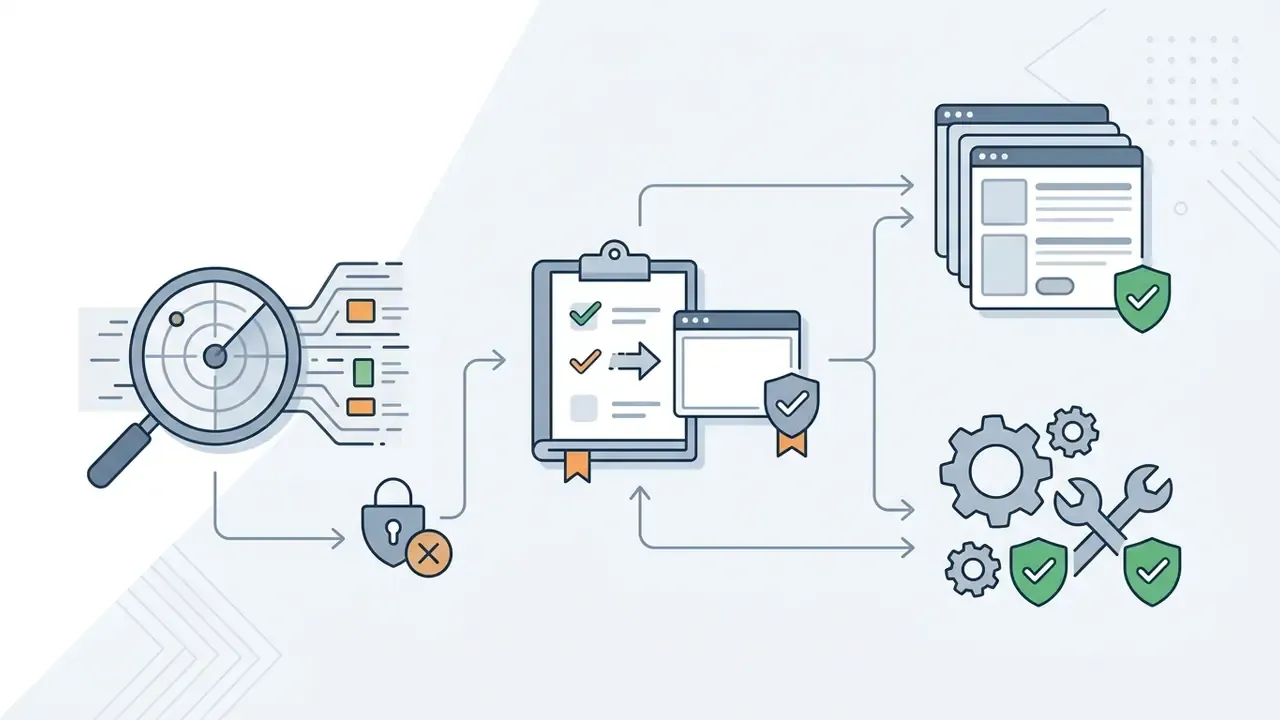
The highest-risk input modality is also the most convenient one: screenshot-to-UI cloning. A screenshot of a live internal console frequently carries client names, account numbers, balances, internal ticket IDs, and employee identifiers baked into the pixels. Uploading it to a public generation endpoint is a data transfer event, not a design action. Your DLP policy should treat it as such.
Checklist0 / 6
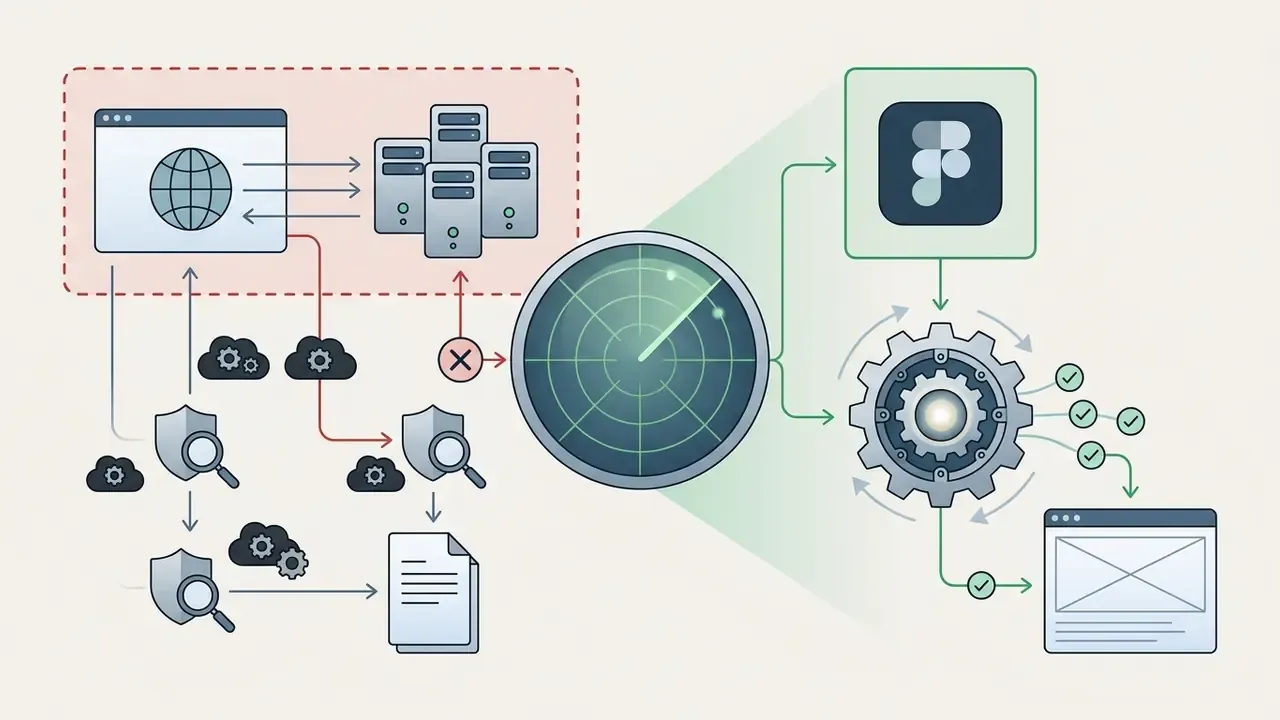
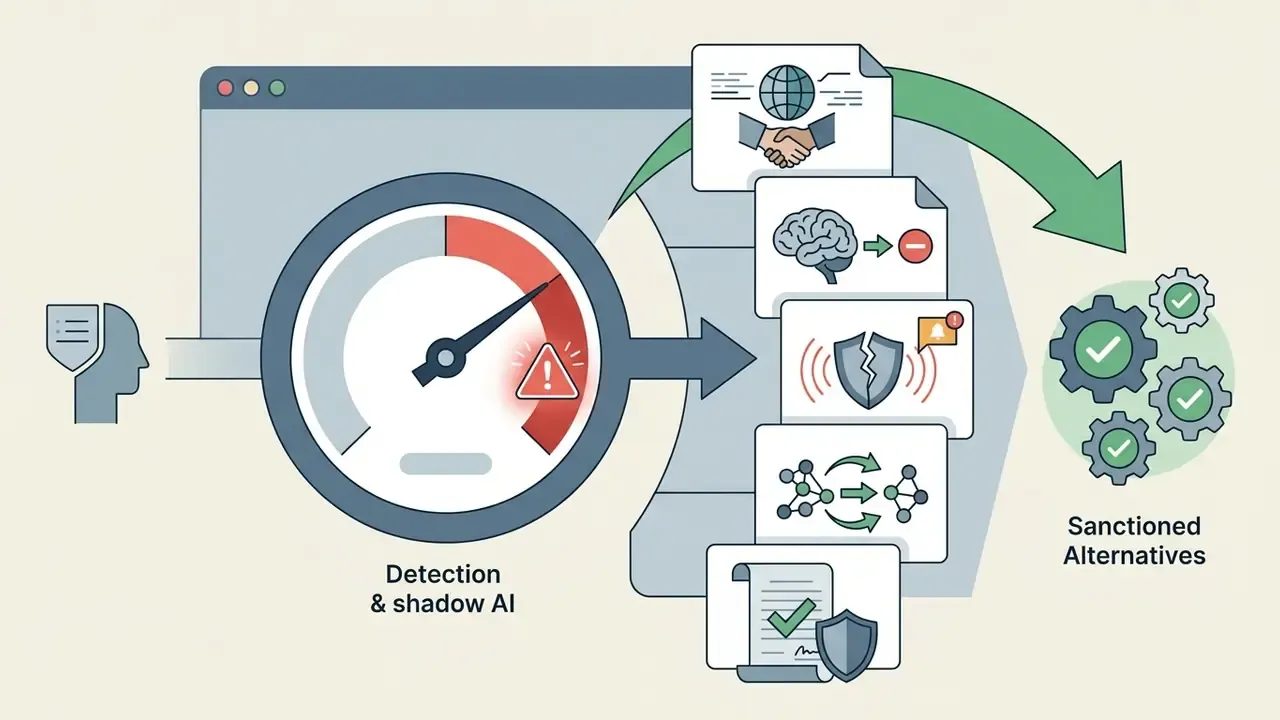
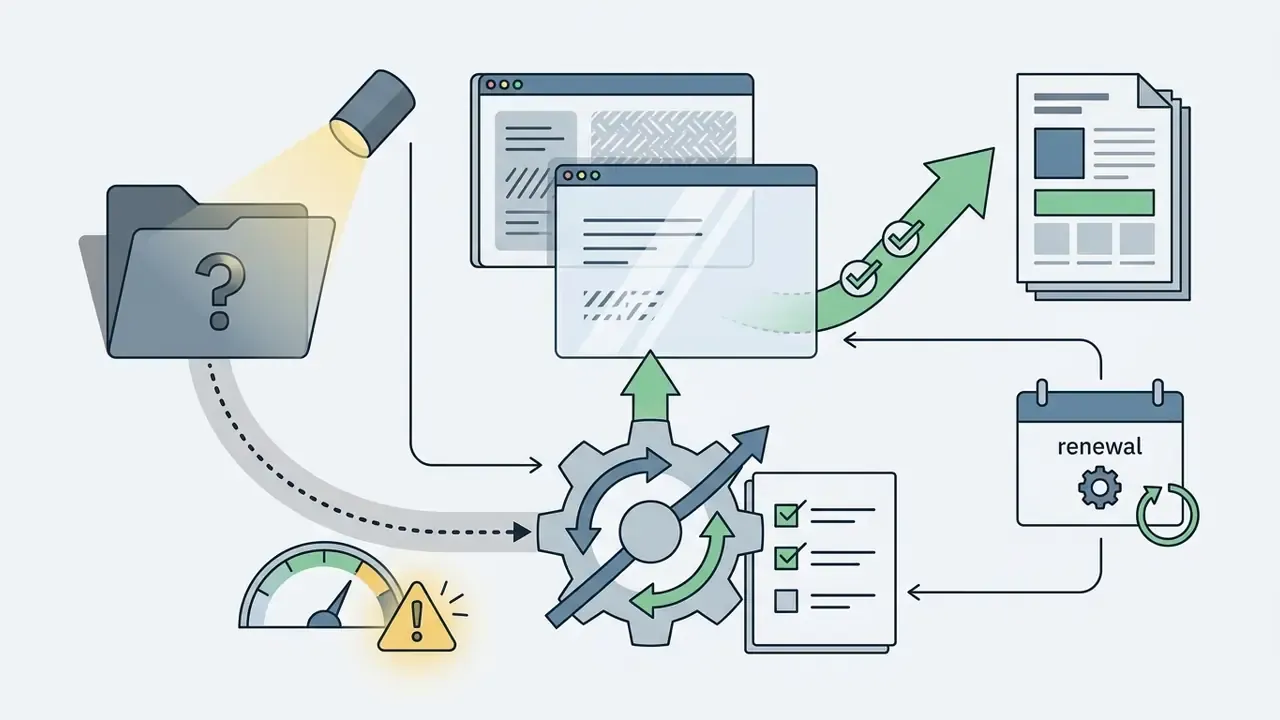
7.2 Shadow AI in UI Design: Detection and Sanctioned Alternatives
Shadow AI in design appears when a designer or contractor pastes internal screens, PRDs, or brand files into an unapproved generator because the sanctioned toolchain is slower. Prohibition rarely fixes it. Providing a fast sanctioned path plus visibility usually does.
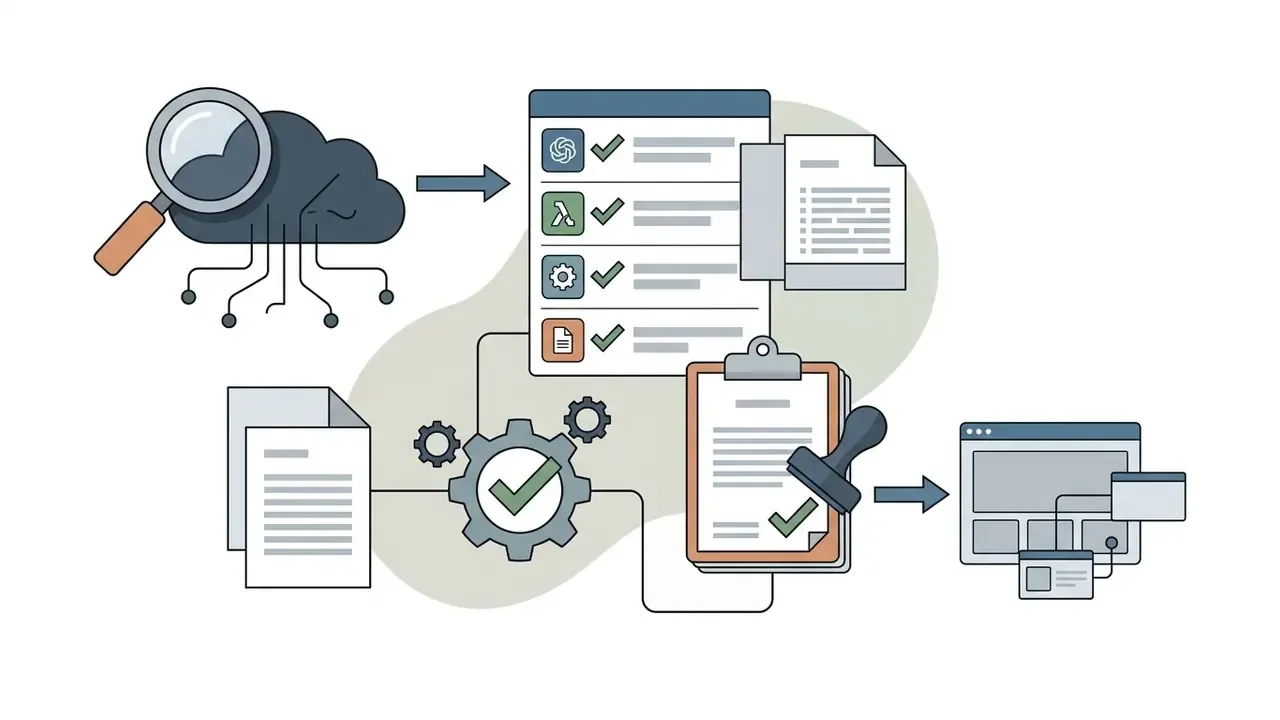
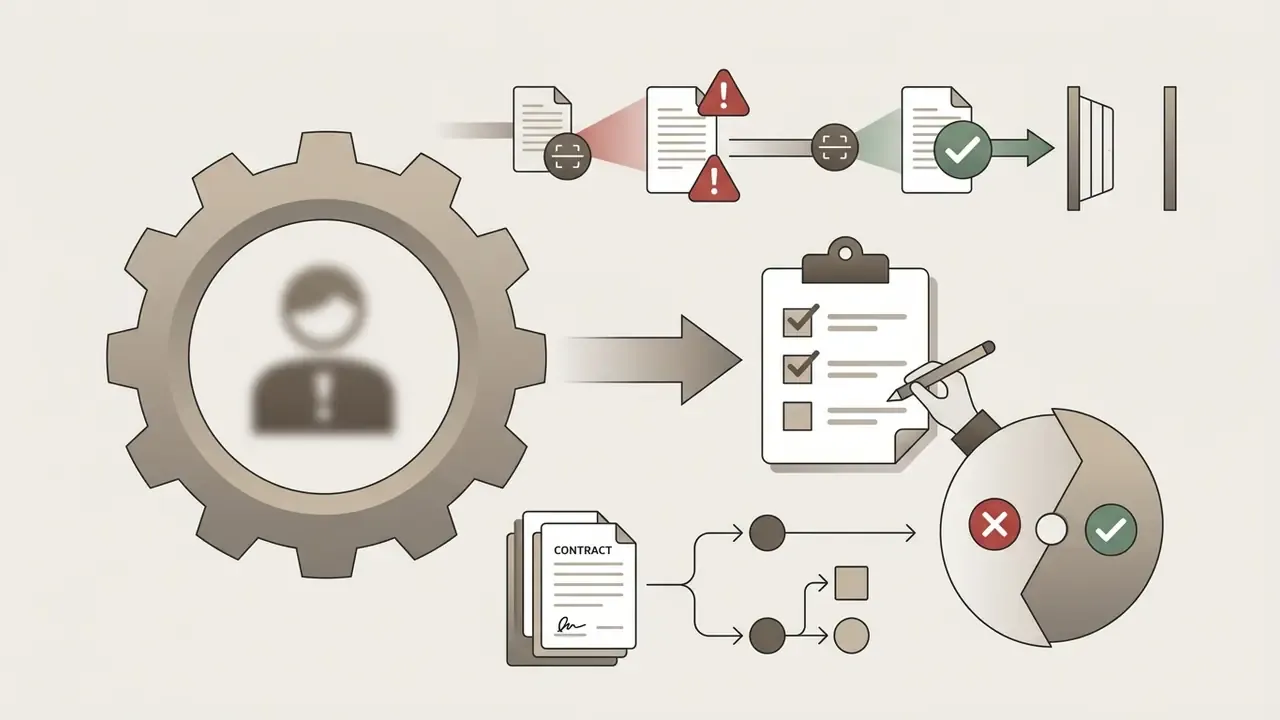
Shadow AI governance checklist for heads of risk and AI governance


7.3 Security Review of Generated Front-End Code
Generated screens ship plausible-looking forms with no validation logic, over and over. The recurring defects in code-export review are consistent, and testable:
- Injection and XSS exposure. Direct interpolation into markup,
dangerouslySetInnerHTML-style patterns, or unescaped user content in generated list and detail views. - Missing client-side and server-side validation. Generated inputs accept arbitrary length and type; server-side checks are absent by construction, because no backend was generated.
- Auth and authorization gaps. Navigation is generated for all roles; route guards, entitlement checks, and session handling are missing.
- Secrets and endpoints in client code. Placeholder API keys or internal URLs left inline in exported components.
- Dependency drift. Generated bundles pull package versions that bypass the approved dependency baseline.
- Accessibility regressions. Decorative icons without labels, grids that cannot be navigated by keyboard, contrast failures against WCAG 2.2 AA.
- Hallucinated components. References to components or props that do not exist in the internal library.
"Hallucinations and privacy risks are the most frequently cited problems in applying LLMs to design and code generation."
Minimum control set before merge: automated linting and formatting at export, SAST scanning of the generated bundle, dependency allow-listing, mandatory human code review by a named engineer, and an accessibility check against WCAG 2.2 AA. Treat generated code exactly as you treat untrusted third-party code, because contractually and technically that is what it is.
Named reviewer, by the way, not "the team." Accountability without a name is not accountability.
8. AI UI Generator Free vs Paid Pricing: Evaluating Plans for Commercial Use
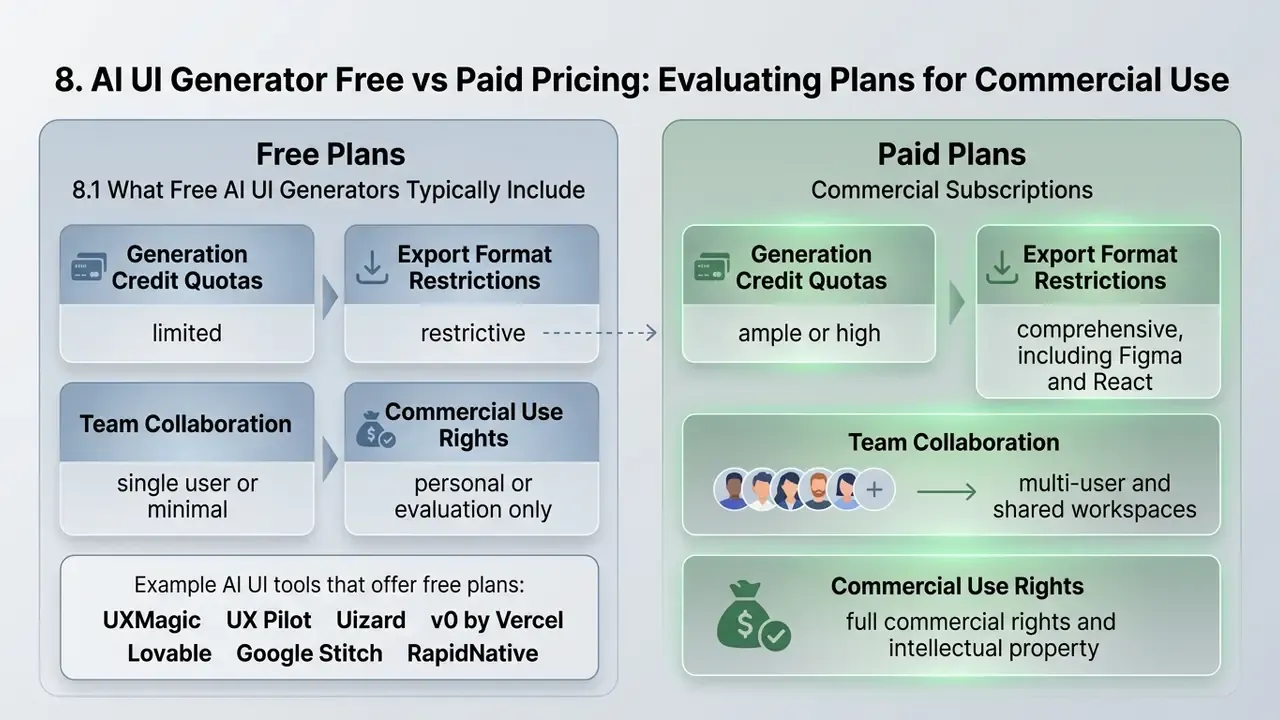
Comparing ai ui generator free options with commercial subscriptions comes down to four variables: generation credit quotas, export format restrictions, team collaboration governance, and intellectual property rights. Free plans give you enough credits to test an idea, the same evaluation logic that applies to adjacent categories such as free AI art generators. Paid tiers unlock unthrottled vector exports, private repositories, custom brand kit integration, and commercial usage indemnification.
8.1 What Free AI UI Generators Typically Include
An ai ui design generator free tier usually means introductory access capped by monthly credits, public project visibility, restricted high-fidelity export, and basic component templates. Free plans let an individual test prompt fidelity and layout synthesis. They do not carry enterprise governance controls or automated design-system sync.
"Uizard's free plan is limited to three AI generations per month per feature, two projects, and ten templates: sufficient for learning, not for commercial production."
Volume and visual limits are strictly capped across commercial tools:
- UXMagic. 30 one-time generation credits, up to 5 projects, maximum 5 screens; no credit card required.
- UX Pilot. 45 to 90 one-time credits depending on the published plan snapshot, enough for 3 to 5 initial prompt runs; credits roll over between billing cycles on paid plans.
- Uizard. 3 AI generations per month per feature, 2 projects, 10 templates, exports capped at 1x resolution.
- v0 by Vercel. Roughly $5 in generation credits monthly, access limited to v0-1.5-md, no Figma import, no API, no team collaboration.
- Lovable. 5 daily credits, up to 30 per month, public projects only, an immediate disqualifier for confidential product work.
- Google Stitch. Up to 350 screens per month in Standard mode (Gemini 2.5 Flash) and 50 screens per month in Experimental mode; Figma export unavailable in Experimental mode.
- RapidNative. 20 AI credits per month, up to 5 screens per project.
- Figma Starter. One team with 3 files, unlimited collaborators, export limited to PNG, JPG, PDF, or CSV.
- Relume AI. Basic AI sitemap and wireframing only; full automation and unlimited prompts require an upgrade.
8.2 Features and Export Options That Require Paid Subscriptions
A paid subscription unlocks the commercial workflow: unthrottled generation, high-resolution SVG and Figma vector export, clean React and Tailwind downloads, custom design token mapping, team permissions, SSO/SAML, and priority execution queues.
"Uizard's Business plan at $39/month provides 5,000 AI generations per month, a custom brand kit, unlimited projects, and priority support."
Representative paid-tier anchors documented by vendors in 2026:
| Vendor | Paid entry point | What the upgrade unlocks |
|---|---|---|
| UX Pilot | $12/mo annual (about $19/mo monthly); Pro $22/mo annual; Teams about $31 to $39/user/mo | Own Figma component import, higher credits, team seats |
| Uizard | Pro $12/mo; Business $39/mo | 5,000 monthly generations, custom brand kit, unlimited projects, priority support |
| v0 by Vercel | Pro $20/mo | Higher credits, Figma import, API access, team collaboration |
| Figma | Full seat $16/mo; Dev $12/mo; Collab $3/mo | Higher AI credits (500 up to 3,000 to 4,250/mo by tier), custom domains (10 on Professional, unlimited on Organization and Enterprise) |
| Relume AI | About $26/mo | Unlimited prompts, full sitemap and wireframe automation |
| Framer AI | About $15/mo | Publishing, higher traffic limits, advanced site features |
| Looka | $20 to $65 one-time; about $96/yr Brand Kit; about $129/yr Brand Kit plus Web | Full file formats (PNG, SVG, EPS, PDF), ongoing brand assets |
8.3 Key Checks Before Commercial Use of Interface Designs and Code
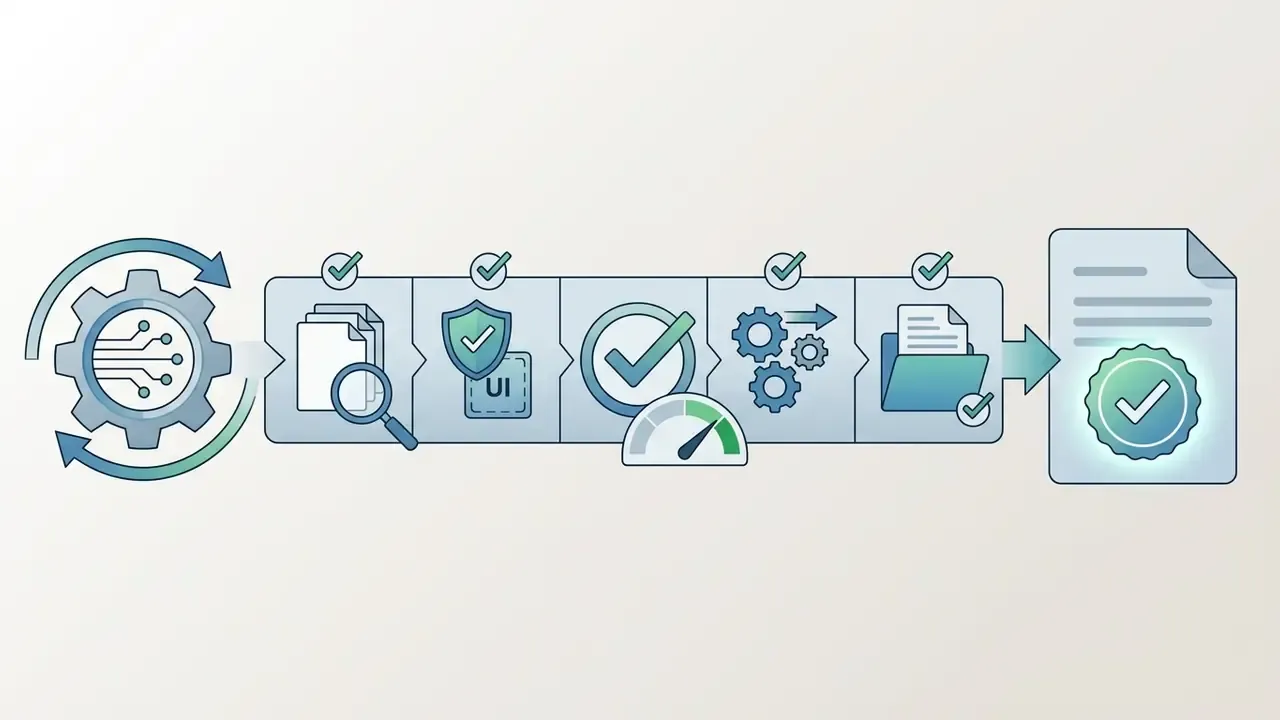
Before shipping generated designs or code into a commercial product, verify three things: vendor terms governing commercial use of AI-generated output, copyrightability limits on automated works in the relevant jurisdiction, and prompt data privacy opt-out settings.
Documented legal baselines:
- The U.S. Copyright Office states that works generated wholly by AI are not copyrightable. Protection extends only to human-authored contributions, and prompts alone do not establish authorship. Registrations for AI-assisted works must identify the human-created parts.
- The EU IP Helpdesk notes that commercial exploitation is permitted where the user owns the output under applicable national law and the tool's terms and conditions.
- Institutional guidance (UCL) notes that user-written prompts may themselves attract copyright if original, but prompts may be reused for training or reproduced unless terms and opt-out settings say otherwise.
- Some providers gate commercial use behind payment entirely. Sber GigaChat's published rules state that freemium-generated content is for personal non-commercial use only, and that commercial distribution requires purchasing a paid package.
"Hallucinations and privacy risks are the most frequently mentioned problems when applying LLMs to design and code generation."
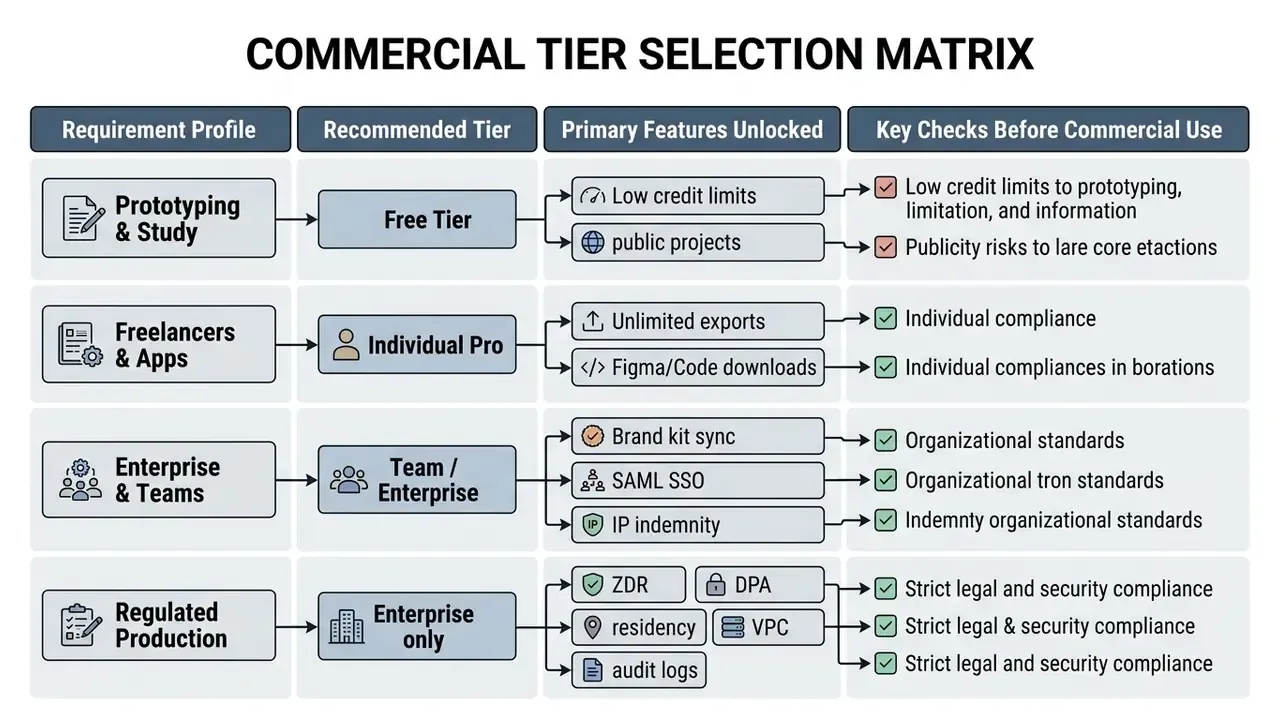
Detailed pricing breakdowns across generative media solutions can be analyzed with the AI Media Pricing Guides.
9. Risk-Adjusted ROI Model for Generative UI Adoption
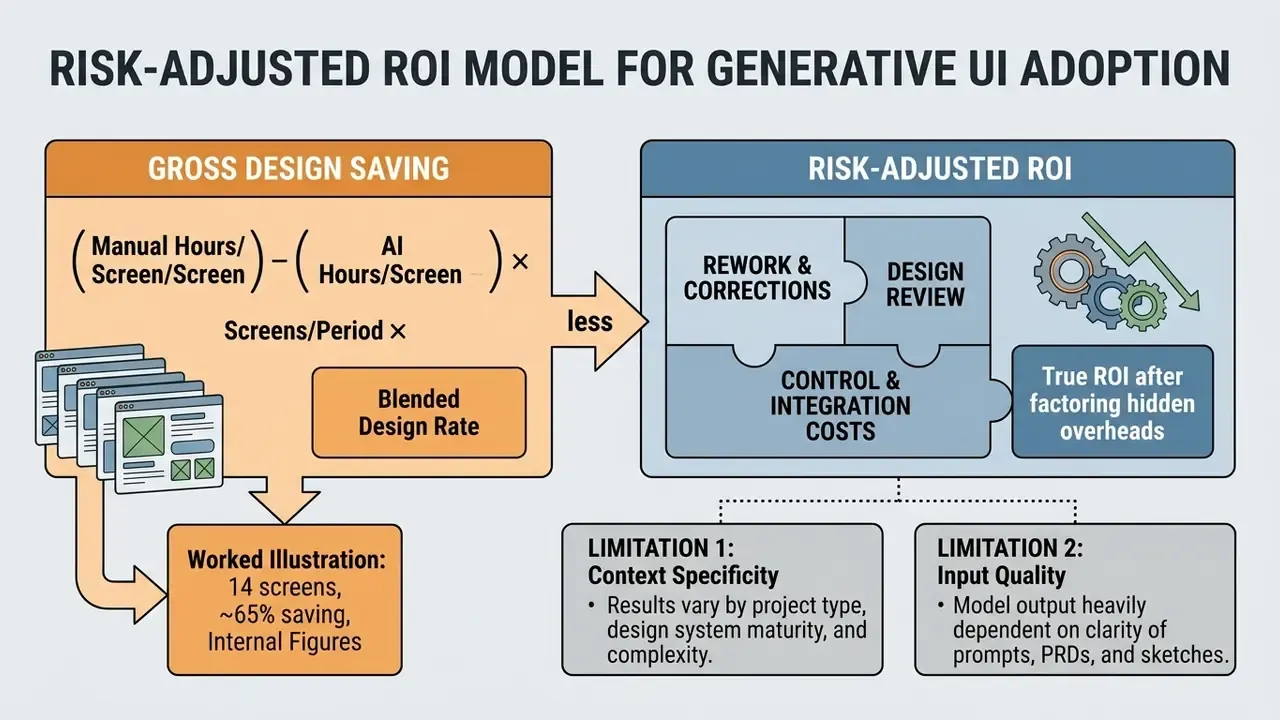
Raw "hours saved" figures overstate value, because they ignore rework, review, and control costs. A defensible model nets those out.
Gross Design Saving   = (Manual hours per screen - AI hours per screen)
                        x Screens per period x Blended designer rate
Adjustment Costs      = Engineer refactor hours x Engineer rate
                      + Security/accessibility review hours x Reviewer rate
                      + Design-system remapping hours x Designer rate
                      + Governance overhead (vendor review, monitoring, training)
                      + Subscription and credit spend
Risk-Adjusted ROI (%) = (Gross Design Saving - Adjustment Costs)
                        / (Adjustment Costs) x 100
Worked illustration using the internally measured figures reported earlier in this article (14 screens, 65% drafting reduction, linting cutting cleanup from about 4 hours to about 20 minutes per screen):
| Line item | Assumption | Value |
|---|---|---|
| Manual drafting baseline | 6 h/screen x 14 screens | 84 h |
| AI-assisted drafting | 65% reduction | 29.4 h |
| Gross design saving | 54.6 h x $85/h | $4,641 |
| Engineer refactor (post-lint) | 0.33 h x 14 x $110/h | $508 |
| Security and accessibility review | 0.5 h x 14 x $120/h | $840 |
| Design-system remapping | 0.25 h x 14 x $85/h | $298 |
| Governance overhead (amortized) | per-project allocation | $600 |
| Tooling spend | team seats, one month | $240 |
| Adjustment total | $2,486 | |
| Risk-adjusted ROI | about +87% |
The instructive part is not the headline percentage. It is that dropping the security review line would inflate ROI by roughly a third while leaving the actual risk unpriced. Model-risk and finance functions should require the adjustment block to be populated before approving rollout, then re-run the model after the first production cycle using observed rather than assumed rework hours.
Two limitations, stated plainly. First, all inputs above are illustrative single-project figures, not a benchmark. Second, the model prices rework but not tail risk: a data-leak incident or a copyright dispute would not appear in any of these lines. Treat that as residual risk and record it in the AI inventory, with an owner.
10. FAQ: ChatGPT, Editability, Code Rights, and Vulnerabilities
Can ChatGPT design a UI for me?
It can describe a layout, propose information architecture, and write HTML or Tailwind snippets. It does not produce an editable visual canvas or a native Figma layer tree. Dedicated generators return structured, multi-layer designs you can drag, restyle, and export.
Is the generated UI fully editable?
On leading platforms, yes at the layer level: text, shapes, containers, and component properties are independently selectable, so targeted edits do not force full regeneration. Verify whether "Figma export" means writing native layers into a Figma file or exporting a static PNG, SVG, or PDF asset. Only the first preserves editability.
Do I own the copyright to a generated interface?
Not automatically. The U.S. Copyright Office holds that wholly AI-generated works are not copyrightable and that prompts alone do not create authorship; EU research materials reach a comparable conclusion. Your enforceable position usually rests on human-authored contributions plus the ownership terms in the vendor contract. Get legal review before relying on exclusivity.
Can I export a full working application?
It depends on the tool class. Uizard's documentation states that full-project HTML or JavaScript export is not possible, only component-level CSS and React in Handoff mode. Code-first platforms (v0, Bolt.new, Lovable) export full bundles and can deploy to a URL, but state management, auth, and backend bindings still require engineering.
What are the security risks in generated front-end code?
Most commonly: unescaped user content (XSS), absent input validation, missing route guards and entitlement checks, inline placeholder secrets, unapproved dependency versions, and accessibility failures. Route generated bundles through SAST, dependency allow-listing, and named human review before merge.
How do we prevent Shadow AI among designers and agencies?
Publish one fast sanctioned tool behind SSO, monitor egress to generation domains and Figma plugin scopes, contract training opt-out and DPAs, extend the same clauses to contractors, and include generative tool usage in periodic control attestations.
Which tool should we pilot first?
Design-system-heavy regulated teams: UX Pilot or Figma Make, for own design system and Figma continuity. Engineering-led teams shipping React: v0 by Vercel. Marketing sites: Relume AI or Framer AI. Early concept validation with no confidential data: Google Stitch. Brand direction before a design system exists: Looka.
Can generated designs be connected to real data?
Yes on some platforms. Figma Make documents backend connection so prototypes can consume real content or API data, and Lovable generates backend, database, and auth. In regulated contexts, connect only to synthetic or masked datasets during prototyping.
Is free access enough for a commercial pilot?
Rarely. Free tiers cap generations (Uizard: 3 per month per feature; Lovable: 30 per month) and often force public projects, which is incompatible with confidential product work. Budget a paid seat for any pilot touching real product scope.
Who should own an AI UI generator inside the organization?
Design usually operates it, but ownership in the AI inventory should sit with a named accountable owner who can define the approved role, access limits, escalation path, audit trail, and a shutdown switch. No evidence, no autonomy. For legal diligence during enterprise deployment, product teams can reference the repository on AI Litigation and Case Timelines, review integration patterns in the AI Media Support and Troubleshooting hub, and examine licensing terms for specific model outputs such as the Canva AI Generator review, Microsoft AI Image Generator terms, and the Google AI Image Generator overview. Teams building the surrounding asset pipeline for generated interfaces, product imagery, onboarding animation, voice prompts, and demo video, can consult the adjacent implementation guides for online photo editors, animation makers, AI voice generators, video compressors, and the Google Veo API integration guide.
Appendix A: Superseded Citations and Revised Statements
Retained for editorial transparency. The attributions below appeared in the previous revision of this article and were replaced in the main text with verifiable sources. The original wording is preserved here rather than deleted.
| Section | Superseded attribution (previous revision) | Replacement in current text | Reason |
|---|---|---|---|
| 1.1 | "(Generative Interfaces Research, 2026)" | Generative Interfaces (preprint, 2026), three-stage pipeline with quantified preference margin | No methodology or figures in the original attribution |
| 1.3 | "(GUIDE Framework Study, 2024)" | GUIDE (2024), RAG-based Figma component decomposition | Methodology not described |
| 2.1 | "(OpenAI Frontend Guidance, 2026)" | Google Stitch Tutorial, Google Labs (2026) | Source not verifiable in the research base |
| 2.2 | "(DCGen Layout Research, 2024)" | PrototypeFlow (2024 to 2026); DCGen retained as supporting context | Attribution unverifiable as cited; DCGen findings restated inline |
| 2.3 | "(W3C WCAG 2.1 Guidelines, 2026)" | WCAG 2.1 (2018) and WCAG 2.2 (2023), plus GUIDE (2024) on editability | WCAG is an accessibility standard, not a source on design editability; publication years corrected |
| 3.1 | "(Apple HIG & Android Adaptive Docs, 2026)" | Google Stitch Tutorial (2026); Apple HIG and Android adaptive rules restated inline with specific breakpoint behavior | Original citation was undated and unspecific |
| 3.2 | "(IEEE TVCG Table Synthesis, 2024)" | Zero-Shot Prompting for GUI Generation (2024 to 2026); TVCG table-synthesis work restated as supporting context | Attribution unverifiable as cited |
| 3.3 | "(LogRocket Design System Integration, 2026)" | StarryStudioAI, IEEE CCWC (2025) with quantified acceptability scores; practitioner rules retained inline | Replaced with a quantified peer-reviewed source |
| 4.1 | "(Codia Magic Layers Overview, 2026)" | PrototypeFlow (2024 to 2026); Codia Magic Layers retained as vendor example | Research citation substituted for a vendor page |
| 4.2 | "(Figma Handoff Guidance, 2026)" | Google Stitch Blog (2026); Figma Help Center static-export caveat added | Original citation unverifiable; an important limitation was missing |
| 6.1 | "(Nielsen Norman Group AI Tool Criteria, 2025)" | Systematic Review of LLMs in UI/UX Design (2022 to 2025); NN/g prompt-compliance criterion restated inline | Replaced with a citable systematic review |
| 6.2 | "(Google Labs / Figma AI Updates, 2026)" | StarryStudioAI, IEEE CCWC (2025) | Vague composite attribution |
| 6.3 | "(Vercel / Lovable Docs, 2026)" | Google Stitch Blog (2026); v0, Bolt.new, and Lovable documentation restated inline | Vague composite attribution |
| 8.1 | "(Vercel v0 / Lovable Free Tier Rules, 2026)" | Uizard Pricing and Feature Table (2026) plus itemized per-vendor limits | Abstract claim replaced with numeric limits |
| 8.2 | "(Figma / Uizard Tier Overview, 2026)" | Uizard Pricing and Feature Table (2026) plus a per-vendor paid-tier table | Abstract claim replaced with numeric pricing |
| 2.3, 4.3 | Unqualified "reduced by 65%", "92% layout fidelity", "four hours to under twenty minutes" | Same figures retained with explicit internal-measurement methodology notes | Single-project internal metrics must be labeled as such |
| Footer | Bulk link list including AI Manga Generator, AI Map Generator, AI Mashup Maker, AI Math Solver, AI Melody Generator, AI Meme Generator, AI Headshot Generator, AI Image Outpainting, AI Reverse Image Search, ChatGPT Picture Generator, Midjourney comparison, Ghibli AI, Bing AI Image | Replaced with topically adjacent links only (photo editors, animation makers, voice generators, video compressors, Veo API, commercial-use guides) | Non-adjacent link clusters reduced perceived editorial credibility for enterprise readers |