Federal identification requirements reward precision and punish guesswork. A passport photo editor free online tool helps you crop, resize and format a portrait for official documents, without booking an expensive studio slot. It is a small workflow with a real failure cost: a rejected image can push a filing back by weeks.
The Numbers You Actually Need
- Size 2 x 2 inches (51 x 51 mm) for US passport, US visa, EAD, Green Card, DV Lottery and N-400 photos.
- Digital resolution 600x600 px minimum, 1200x1200 px maximum, 300 DPI when scanned from print.
- File limits JPEG under 240 KB for DS-160 / DS-260 visa uploads; JPG/PNG/HEIC between 54 KB and 10 MB for online passport renewal.
- Head height 1 to 1 3/8 inches (25–35 mm), i.e. 50%–69% of the total frame height; eye line at 56%–69% of image height.
- Background plain white to off-white, no shadows, no texture, no objects.
- Hard rules color photo taken within the last 6 months, neutral expression, mouth closed, both eyes open, no eyeglasses, no filters, no AI retouching, no synthetic background replacement.
- Cost cropping, resizing and a printable 4x6 sheet can be produced for $0.00 in a browser; retail counters charge roughly $7.64–$17.99 for prints only.
What Actually Matters in 2026
Three practical shifts shape how people prepare document photos this year, and each one changes the tooling decision.
First, agencies are explicit about generative editing. AI retouching, background substitution and beauty filters are prohibited, so an editor that "improves" a face is a liability rather than a feature. Second, digital submission now dominates: online passport renewal and DS-160 uploads both enforce file-size ceilings, which makes compression a real step, not an afterthought. Third, automated photo checkers sit between you and a human adjudicator, and their error rates are documented and uneven.
So the useful question is not «which tool is prettiest». It is: does this tool crop, measure and compress, and nothing else?
What a Free Passport Photo Editor Does
A free passport photo editor automates the conversion of standard digital portraits into compliant document photographs. It adjusts framing, centers facial landmarks, enforces target pixel dimensions, and evaluates background neutrality against standards like ICAO Doc 9303.
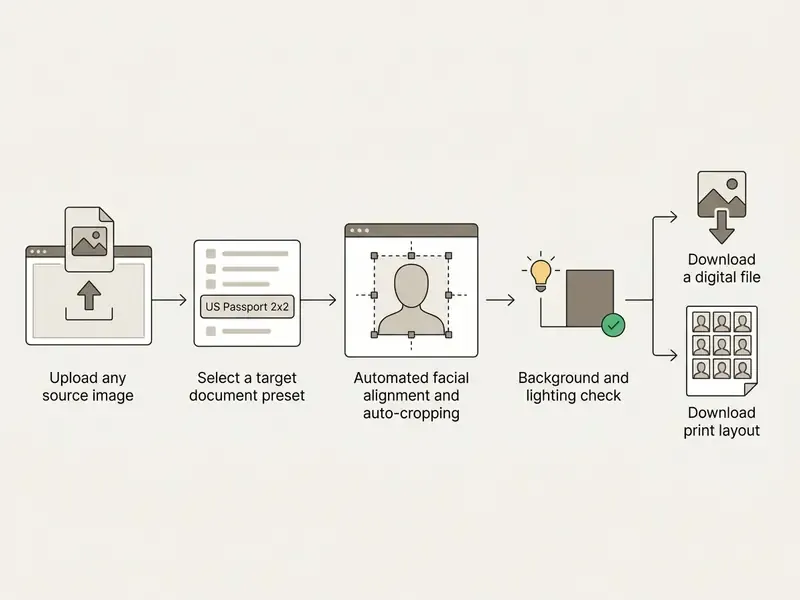
Step 1: Upload a high-resolution source photo. Step 2: Choose the document category. Step 3: Automated algorithms center the head and crop to exact dimensions. Step 4: System verifies background uniformity. Step 5: Export the compliant digital photo.
Upload a Photo and Choose a Document
Uploading a source portrait lets the software map facial geometry onto a specific government preset. You can upload a photo from a smartphone or a digital camera, then pick presets for a passport, a visa, or an EAD card photo. If you want the wider category context first, the taxonomy of browser-based online photo editors explains where document presets sit inside a general photo tool. Selecting the correct preset matters more than people expect: it decides whether the passport photo maker applies a 2x2 inch square or a 35x45 mm frame.
Automatic Cropping, Size and Background Editing
Automatic cropping uses computer vision to detect facial features and scale the image to legal guidelines. The photo tool detects the crown and the chin, then sets head height between 50% and 69% of the frame.
Automatic background editing evaluates surface contrast and helps you position the portrait against a plain white or off-white wall, without applying prohibited synthetic alterations. First-pass processing usually crops the face while preserving aspect ratio, rotates the frame so the eye line sits horizontally within ±5°, then performs a secondary crop and resize to match the selected document specification. Two passes, one result.
How to Make a Passport or Visa Photo Online for Free
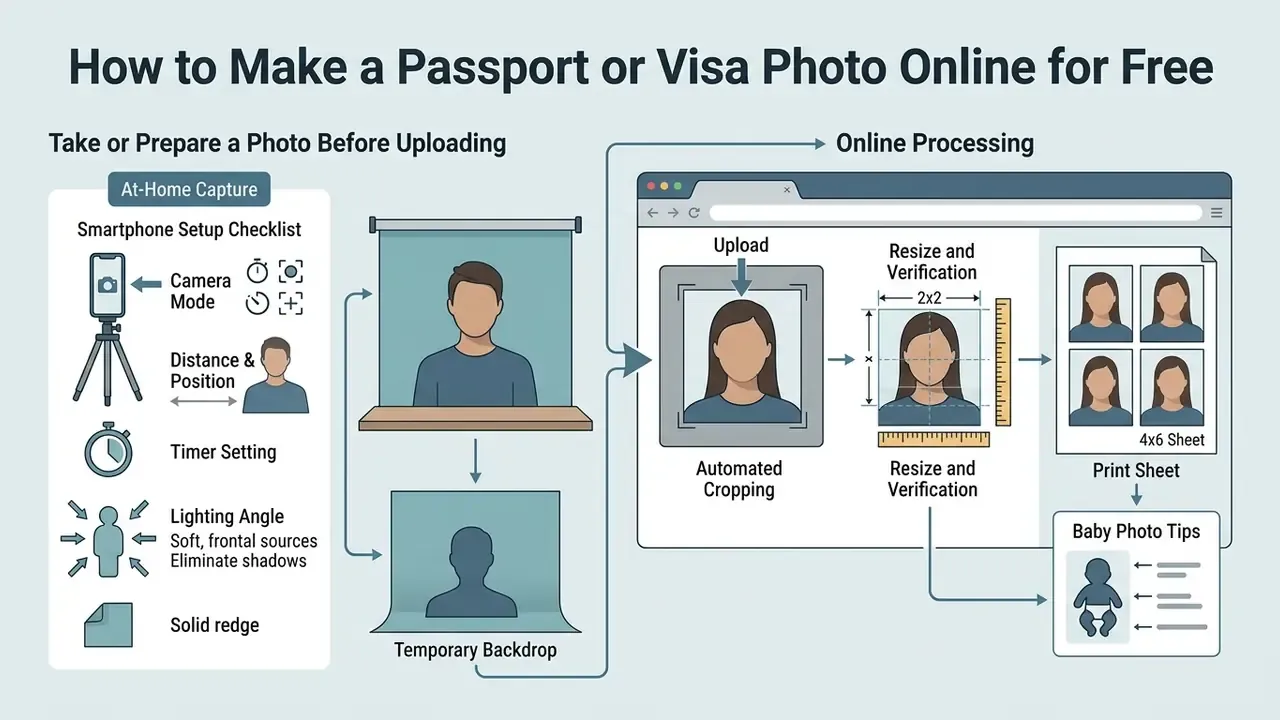
Creating a compliant document photo online involves careful physical setup, automated cropping, and verification against official templates. This is the practical sequence most applicants need before they wade into the regulatory tables further down.
Take or Prepare a Photo Before Uploading
Position the subject 1.5 to 2 meters (5 to 6.5 feet) from the camera, in front of a plain white wall. Natural daylight should reach both sides of the face evenly, so no shadow forms under the nose or behind the ears. Keep shoulders square, hold eye contact with the lens, and skip selfie-style angles that distort facial geometry.
Forensic capture guidance from the Facial Identification Scientific Working Group lands in the same range: the camera sits roughly 2 metres from the subject, at eye height, subject facing forward, shoulders square for frontal images.
Updated (internal observation, not peer-reviewed): while preparing test material for this guide, our editorial team fixed camera distance at about 1.8 metres under diffused window light and re-shot a small batch of sample portraits. Shadow-related failures in template overlay checks dropped noticeably compared with arm's-length selfies. We report this as an internal, non-audited observation rather than a controlled study. The underlying distance recommendation rests on the ICAO-based guidance cited above, not on our own sample.
Smartphone Setup Checklist for At-Home Capture
Most rejected home photos fail for physical reasons a phone can control. Work through these eight settings before you shoot:
- Camera ModeTurn off "Portrait Mode" and any depth-of-field effect to prevent synthetic blur around ears and hair boundaries.
- Distance & PositionPlace the phone on a tripod roughly 4 feet (1.2–1.5 m) away at eye level. If you must use the front selfie camera, hold it at least 20 inches (50 cm) from your face.
- Timer SettingSet a 3-second or 10-second timer so tapping the shutter does not shake the lens.
- Lighting AngleFace a window with indirect daylight. Never put a lamp directly behind or straight above you, because that creates nose and eye-socket shadows.
- Temporary BackdropIf no plain white wall is available, hang a flat, uncreased white bedsheet, poster board, or picture blanket behind the subject.
- Zoom FactorUse 1x optical zoom only. Digital zoom degrades pixel resolution below the effective 300 DPI print threshold.
- Facial ExpressionNeutral posture, eyes straight ahead, mouth closed, no smile, both ears visible where hair allows.
- Eyewear RemovalRemove prescription glasses, sunglasses, and tinted lenses regardless of lighting conditions.
How to Take Passport Photos for Infants and Toddlers
Getting a compliant 2x2 photo of a baby is the single most common source of parental frustration, and it needs a different technique from adult capture:
- Laying Setup Place the infant flat on their back on a plain white sheet or blanket. Smooth out folds so no shadow lines appear behind the head.
- Car Seat Option Alternatively, drape a plain white sheet over a car seat and secure the child inside for upright support and head stability.
- No Visible Support Parent hands, arms, props, toys, and pacifiers must stay entirely outside the frame.
- Facial Rules for Babies The child's eyes should be open and directed toward the camera. Newborns get limited leniency on mouth closure and gaze, but the face must be unshaded, front-facing, and fully visible.
- Timing Shoot after a nap and a feed, and take dozens of frames. Unlimited retakes are the real advantage of shooting at home instead of standing in a retail booth queue.
Edit, Preview and Verify the Image
Upload the raw file into an online us visa photo editor free platform to run the precise crop. If the source frame is soft or underexposed, review options for image quality enhancement before formatting, but apply only objective corrections such as exposure and sharpness. Never facial retouching. The software aligns the eye line and scales the facial area to occupy 50% to 69% of the frame. You then preview the cropped output against an overlay template to confirm head scale and background cleanliness.
Download a Digital File or Prepare Photos for Printing
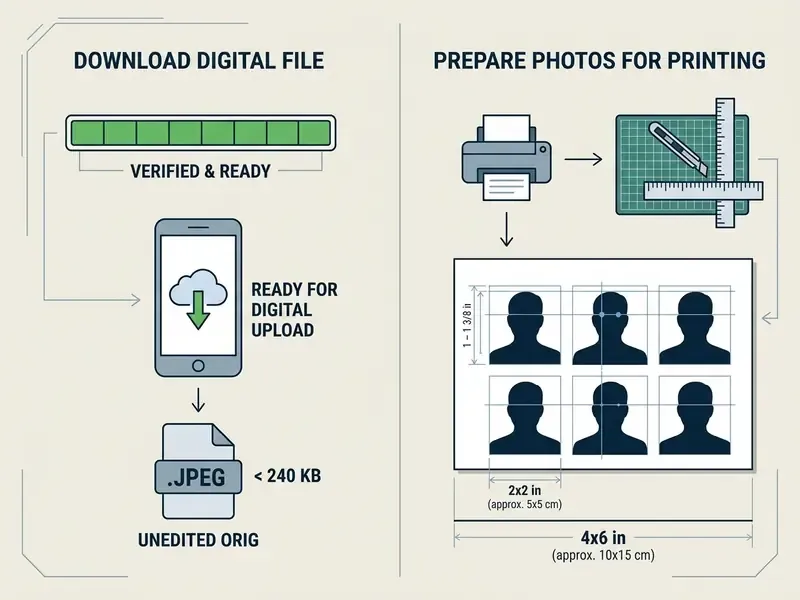
Export the finished image as a 600x600 pixel JPEG for digital visa portals or online passport renewal. If physical prints are required, generate a 4x6 inch printable template holding several 2x2 inch images at 300 dpi. National Archives digitization guidance maps a 4x6 inch print to roughly 1500x1000 pixels for access-quality files, which is a handy sanity check when your printable sheet looks soft on screen. Print on glossy or matte photo-quality paper using high-resolution settings. If the original camera file sits below the pixel threshold, consider image upscaling without quality loss before you build the print sheet. Hitting the 240 KB DS-160 ceiling involves the same tradeoff logic our notes on a video compressor describe: fewer bytes, and quality you can still defend.
Choose the Right Passport or Visa Photo Size
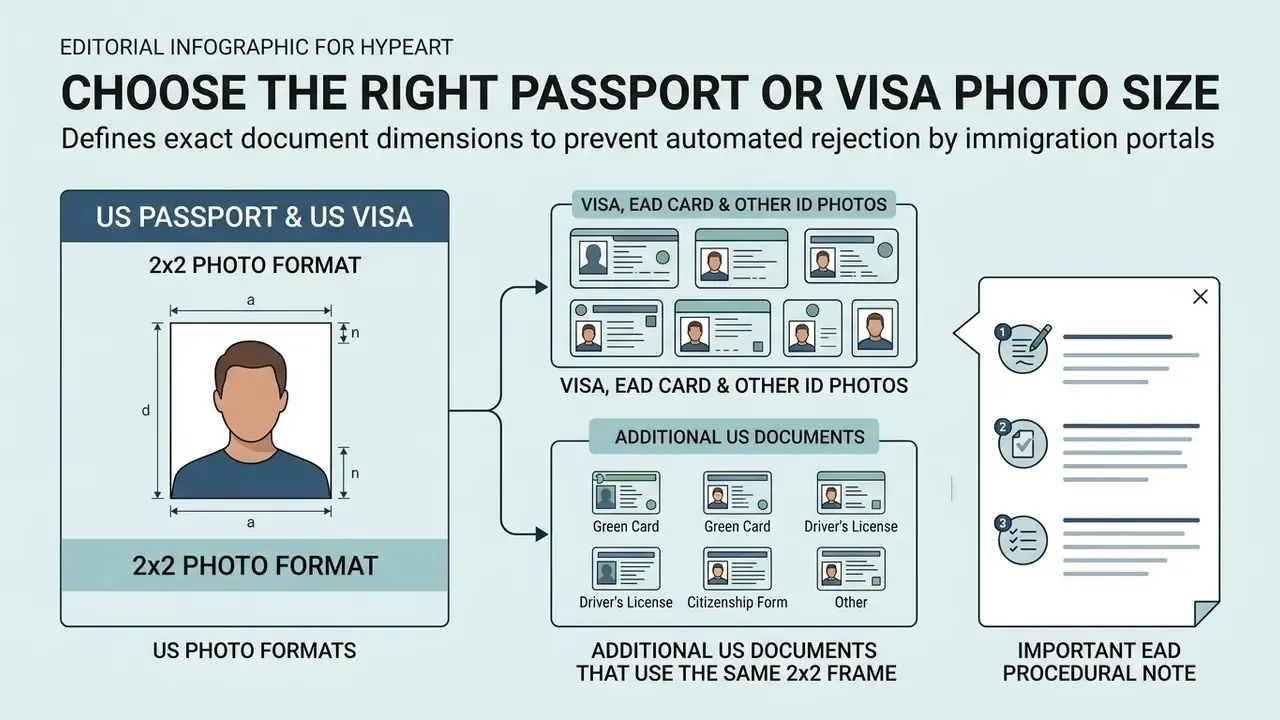
Setting exact document dimensions before processing prevents automated rejection by immigration portals. Standard sizes vary globally, from the North American 2x2 inch format to European and Asian 35x45 mm specifications.
US Passport and US Visa: 2x2 Photo Format
The US passport photo size editor free standard requires a strict 2x2 inch (51x51 mm) square. For digital submission, the image must measure between 600x600 and 1200x1200 pixels at 300 pixels per inch. Head height must stay between 1 inch and 1 3/8 inches (25 mm to 35 mm), measured from the bottom of the chin to the top of the head. For visa photos, the eye line must sit between 1 1/8 and 1 3/8 inches from the bottom edge, equivalent to 56%–69% of image height in digital form.
Visa, EAD Card and Other ID Photos
An american visa photo editor and ead card photo editor free has to accommodate varied agency rules while holding image resolution steady. USCIS Form I-765 for EAD cards requires 2x2 inch color photos, taken against a white to off-white background within six months of filing, printed on thin glossy paper, unmounted and unretouched for paper filings.
| Document Type | Dimensions | Digital Resolution | Head Height Target | Key Requirement |
|---|---|---|---|---|
| US Passport | 2x2 inches (51x51 mm) | 600x600 px to 1200x1200 px | 1–1 3/8 in (50–69%) | Plain white/off-white background; no glasses |
| US Visa (DS-160) | 2x2 inches (51x51 mm) | 600x600 px (JPEG ≤240 KB) | 1–1 3/8 in (50–69%) | Unedited original file; no digital filters |
| US EAD Card (I-765) | 2x2 inches (51x51 mm) | 600x600 px at 300 dpi | 1–1 3/8 in (25–35 mm) | Color, thin glossy print for paper filings |
| Schengen Visa | 35x45 mm | 350x450 px minimum | 32–36 mm (70–80%) | Light grey or light blue background |
| Canada Visa | 35x45 mm | 420x540 px minimum | 31–36 mm | Neutral expression; clear facial boundaries |
Additional US Documents That Use the Same 2x2 Frame
Applicants frequently need the identical square crop for immigration and testing documents well beyond the passport itself:
| US Document Type | Required Dimensions | Format / Resolution | Specific Regulations |
|---|---|---|---|
| US Green Card (I-551) | 2x2 inches (51x51 mm) | 600x600 px at 300 DPI | Taken within 30 days of filing; white to off-white background |
| Diversity Visa (DV Lottery) | 2x2 inches (51x51 mm) | 600x600 px (JPEG ≤ 240 KB) | 24-bit color depth; zero digital alterations |
| US Citizenship (N-400) | 2x2 inches (51x51 mm) | 600x600 px at 300 DPI | Identical to passport specs; follow the filing submission window |
| Form I-130 Alien Relative | 2x2 inches (51x51 mm) | 600x600 px at 300 DPI | Full face, neutral expression, white to off-white background |
| US Veteran ID Card | 2x2 inches (51x51 mm) | 600x600 px at 300 DPI | Passport-style framing; plain light background |
| SAT / Bar Examination ID | 2x2 inches (51x51 mm) | 300x300 px minimum for some portals | Clearly recognizable face; no hats or sunglasses |
Before locking in a workflow, it helps to know the general limits of free photo editors: export caps, watermarking policies and privacy terms differ sharply from tool to tool.
US Passport and Visa Photo Requirements to Check
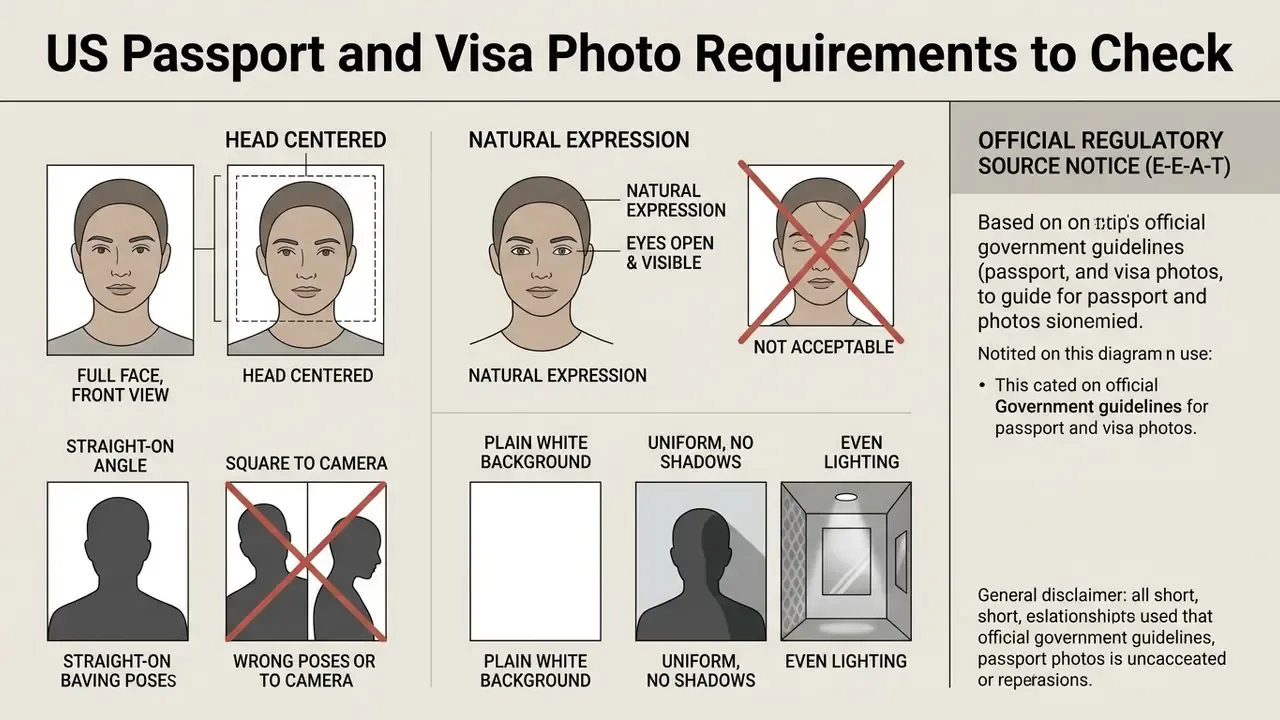
Compliance with US Department of State rules means verifying expression, lighting, background and digital authenticity before submission. Photos with digital alteration, wrong head scale, or harsh shadows get rejected during processing, often silently, often late.
Face Position, Pose and Expression
Background, Lighting and Image Quality
Lighting must be uniform across face and background, with no cast shadows, flash glare or hotspots. The background must be a solid, plain white or off-white surface, free of patterns, textures and secondary objects. The image file must be sharp, uncompressed, and free from digital retouching, AI smoothing, or synthetic background replacement.
Official Regulatory Source Notice (E-E-A-T):
Biometric Data Privacy: What Happens to Your Uploaded Face
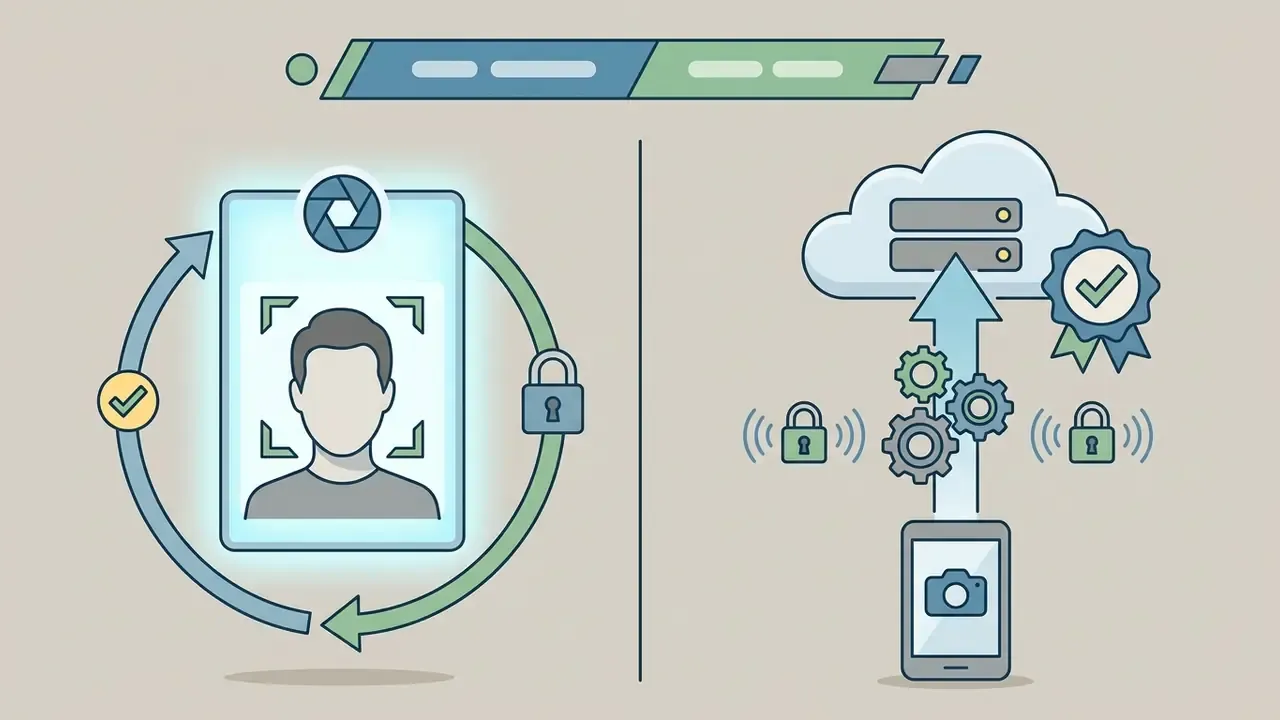
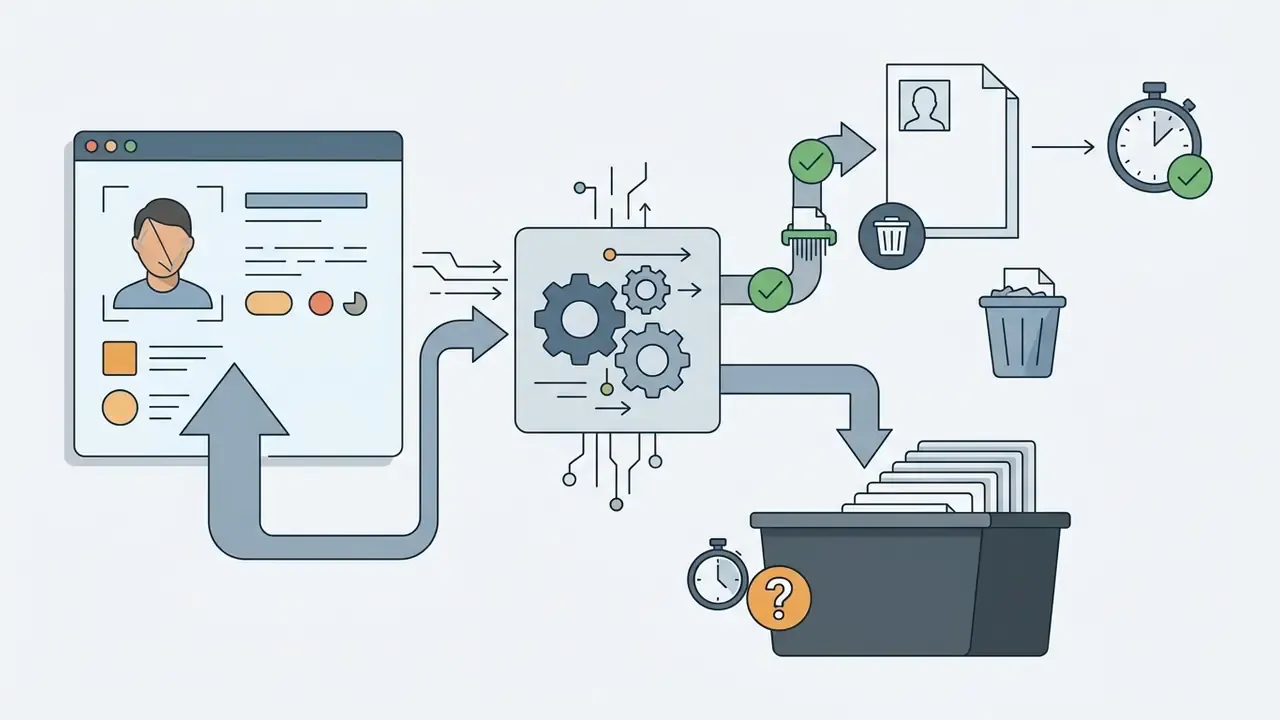
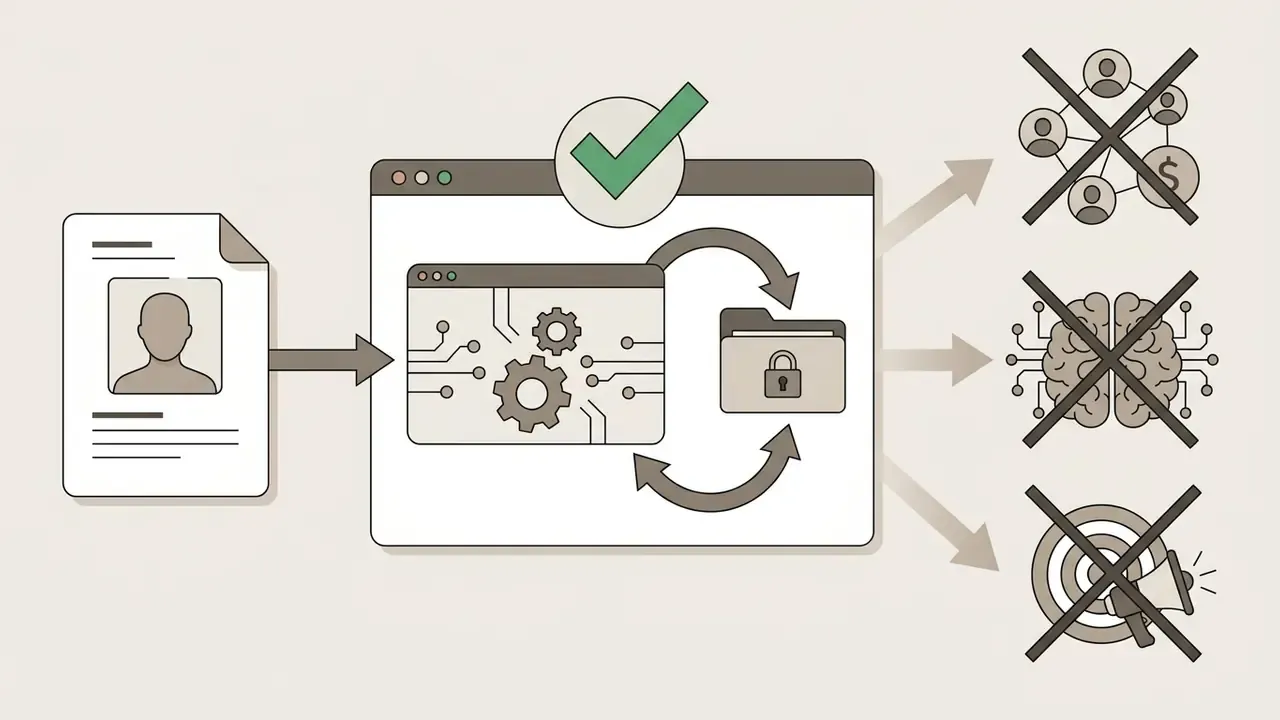
A passport photo is biometric personal data. Uploading one deserves the same scrutiny you would give any identity document. Before you send a face image to a browser-based tool, verify four things in the provider's privacy notice:
If a tool cannot answer those four questions in writing, prepare the crop offline instead. For sensitive filings, the conservative route is a local editor or the official government cropping utility described below. Teams that process face images at volume, for onboarding or identity checks, should read privacy terms alongside the AI Media Commercial-Use Hub rather than treating a consumer tool as an enterprise control.
Is a Free Passport Photo Editor Really Free?
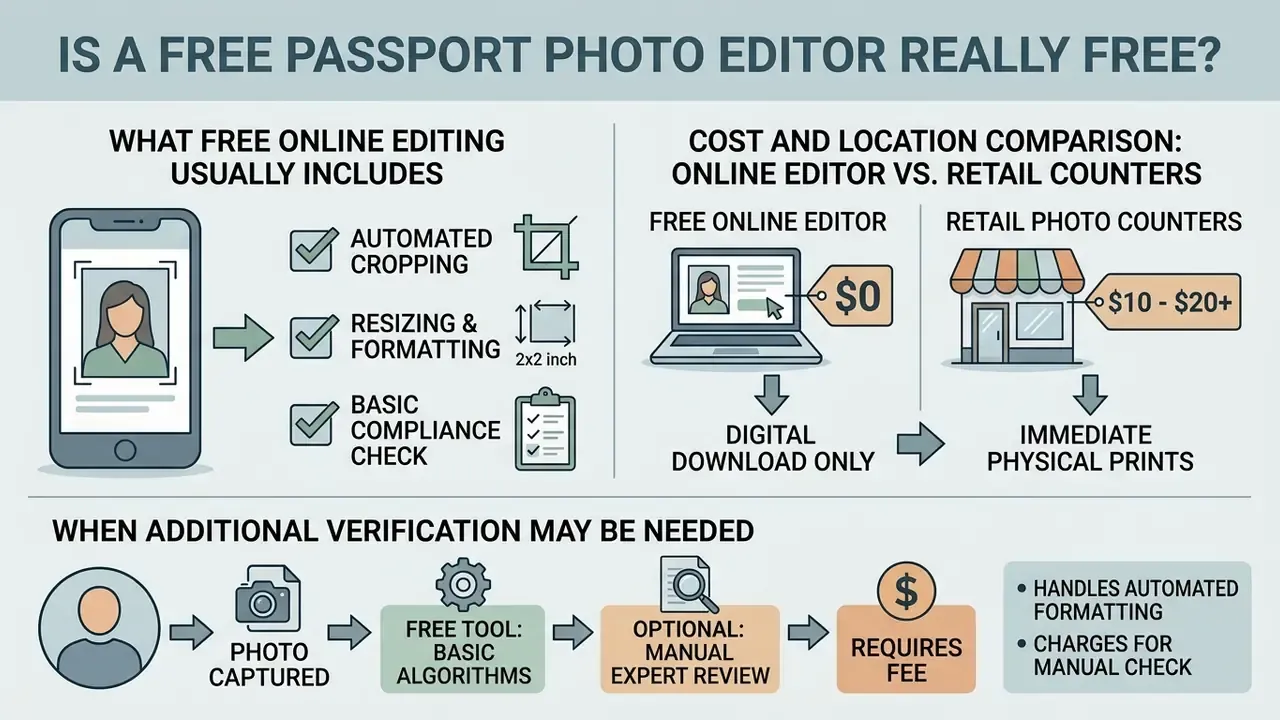
Free online passport editors generally hand you basic automated cropping and formatting at no cost, then charge for manual verification or physical delivery.
That disclaimer is not marketing caution. It mirrors how the agencies describe their own automation. USCIS documentation frames its Photo Validation Tool as a mechanism "to help ensure" photo quality, and DHS biometric guidance instructs that automated facial comparison results be treated as an investigative lead, not a final determination. Adjudication stays a human decision.
What Free Online Editing Usually Includes
Free tools give you automatic face detection, preset selection, standard 2x2 inch cropping and basic digital file downloads. Vendor documentation across the category is consistent on that baseline: mainstream editors publish crop tools as free features, and dedicated document-photo services advertise a free first digital 2x2 output with paid add-ons layered on top. You upload a photo, apply framing rules and download a file suitable for personal printing or online submission, no card details required. For a broader view of what "free" tends to mean in image tooling, compare feature ceilings across free image generators and editors and the wider AI Media Comparison Matrices.
Cost and Location Comparison: Online Editor vs. Retail Counters
| Provider / Method | Average Cost | Digital File Included? | Print Layout Provided? | Processing Time |
|---|---|---|---|---|
| Free Online Editor (browser) | $0.00 | Yes (600x600 px) | Yes (4x6" printable sheet) | Instant (< 30 sec) |
| USPS Post Office | ~$17.00 | No | Physical prints only | 10–15 mins (in person) |
| CVS / Walgreens | ~$16.99–$17.99 | Varies (extra fee) | Physical prints only | 15–20 mins (in person) |
| Walmart Photo Center | ~$7.64 | No | Physical prints only | 10–15 mins (in person) |
| Gov Travel Tool (travel.state.gov) | $0.00 | Yes (crop only) | No print template | Instant (basic crop) |
| Paid photo service with expert review | ~$16.95–$19.95 | Yes | Yes (mailed prints optional) | Minutes to 2–3 business days |
Retail prices are indicative US averages and vary by store and region; confirm locally before driving to a counter. For a family of four, the arithmetic is blunt: four retail sittings run $30 to $70, while four browser crops and one printed 4x6 sheet cost the price of the paper. If you are budgeting a recurring identity-document workflow rather than a one-off trip, our calculators and current pricing pages are the better starting point.
When Additional Verification May Be Needed
Paid tiers in this market usually bundle three things: manual review by a compliance specialist, some form of acceptance or refund guarantee, and physical prints delivered by mail. Published vendor pricing pages describe human expert review in under 15 minutes, rejection-risk or money-back guarantees, and print sets shipped to a home address. Treat those as commercial service tiers, not regulatory requirements. No provider can bind a consular officer.
«ICAONet, the first deep multi-task network for automatic ISO/IEC 19794-5 requirement assessment, reaches a median equal error rate of 3.3% and best-in-class results on 9 of 23 photographic requirements.»
Complex cases, such as infant photos, minor medical eyewear, or religious head coverings, may genuinely benefit from secondary human review to head off administrative delay.
Free Online Editor vs. Official State Department Photo Tool
The U.S. Department of State publishes its own free photo cropping utility on Travel.State.Gov. It is authoritative and costs nothing, but its scope is deliberately narrow: manual image scaling and cropping to the 2x2 frame.
| Capability | Travel.State.Gov Tool | Advanced Free Browser Editor |
|---|---|---|
| Official 2x2 crop | Yes | Yes |
| Automatic facial landmark alignment | No | Yes |
| Head-height and eye-line overlay check | No | Yes |
| Background uniformity evaluation | No | Yes (evaluation, not synthetic replacement) |
| File-size compression for the 240 KB DS-160 limit | No | Yes |
| Multi-photo 4x6 print grid | No | Yes |
| Presets for EAD, Green Card, DV Lottery, Schengen | No | Yes |
For one straightforward adult renewal, the government cropper is enough. For infant photos, print sheets or multi-document filings, an automated browser editor folds several manual steps into a single pass, provided it only resizes, crops and evaluates, and never retouches. Developers automating that pass for a customer portal will find the constraints spelled out in our AI Media API Guides.
Common Passport and Visa Photo Problems an Editor Can Fix
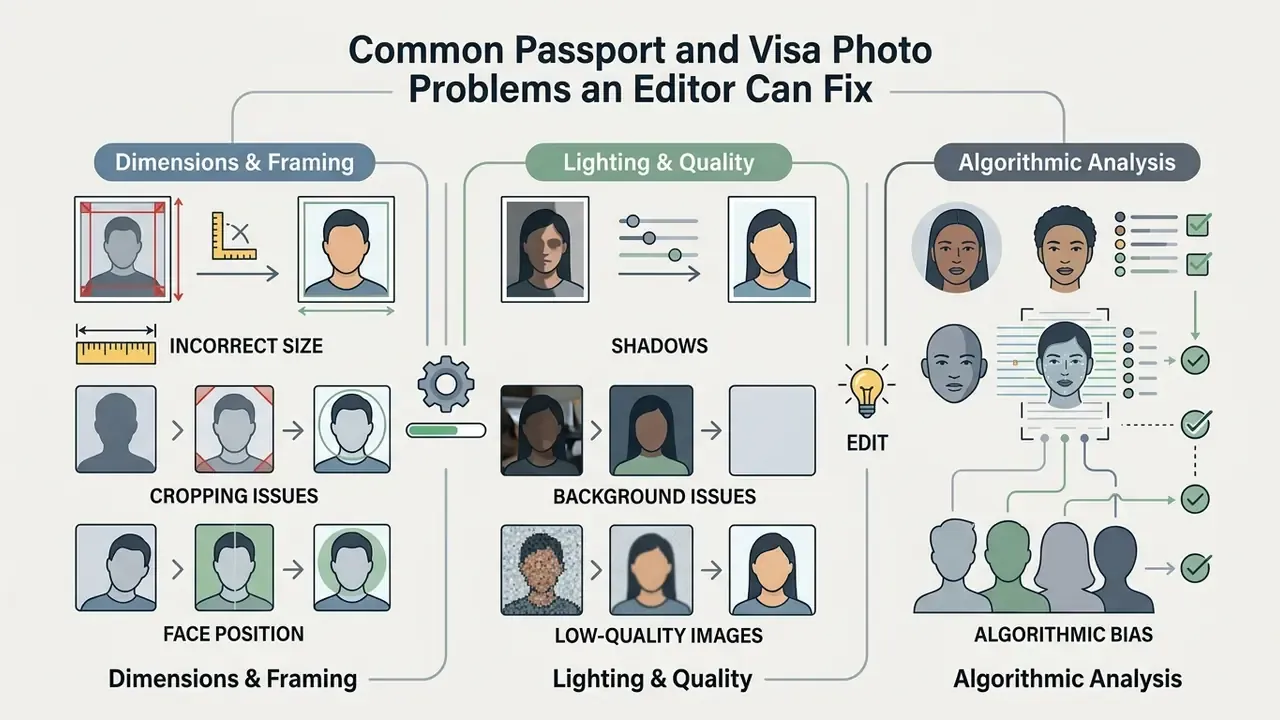
Software fixes dimensional and framing errors quickly. Physical lighting and focus defects need a new photograph. That line is worth internalizing before you spend twenty minutes rescuing a bad frame.
Incorrect Size, Cropping or Face Position
Automated editors resolve off-center alignment, wrong headroom and incorrect aspect ratios in seconds. When the source frame carries enough margin, the cropping tool recenters the head, levels the eye line and scales the frame to the 51x51 mm spec automatically. Adaptive auto-crop logic treats headroom as a fixed percentage of head height, which is exactly why excessive empty space above the crown is among the easiest defects to repair without a retake.
Shadows, Background Issues and Low-Quality Images
Software can flag a background shadow or a dark exposure, yet federal rules ban artificial background removal and AI smoothing (U.S. Department of State, travel.state.gov). If you are unsure whether a heavily processed portrait would read as synthetic, run it through AI image detectors before submitting. An image that reads as generated or over-retouched is a compliance risk, not a stylistic choice.
Official standards agree on the triage. The State Department rejects low-resolution photos and images with shadows on the face or background. UK guidance requires sharp, in-focus images with eyes open and clearly visible. Germany's biometric photo specification marks "blurred", "eyes closed" and "resolution too low" as outright invalid. These are capture failures, not editing failures.
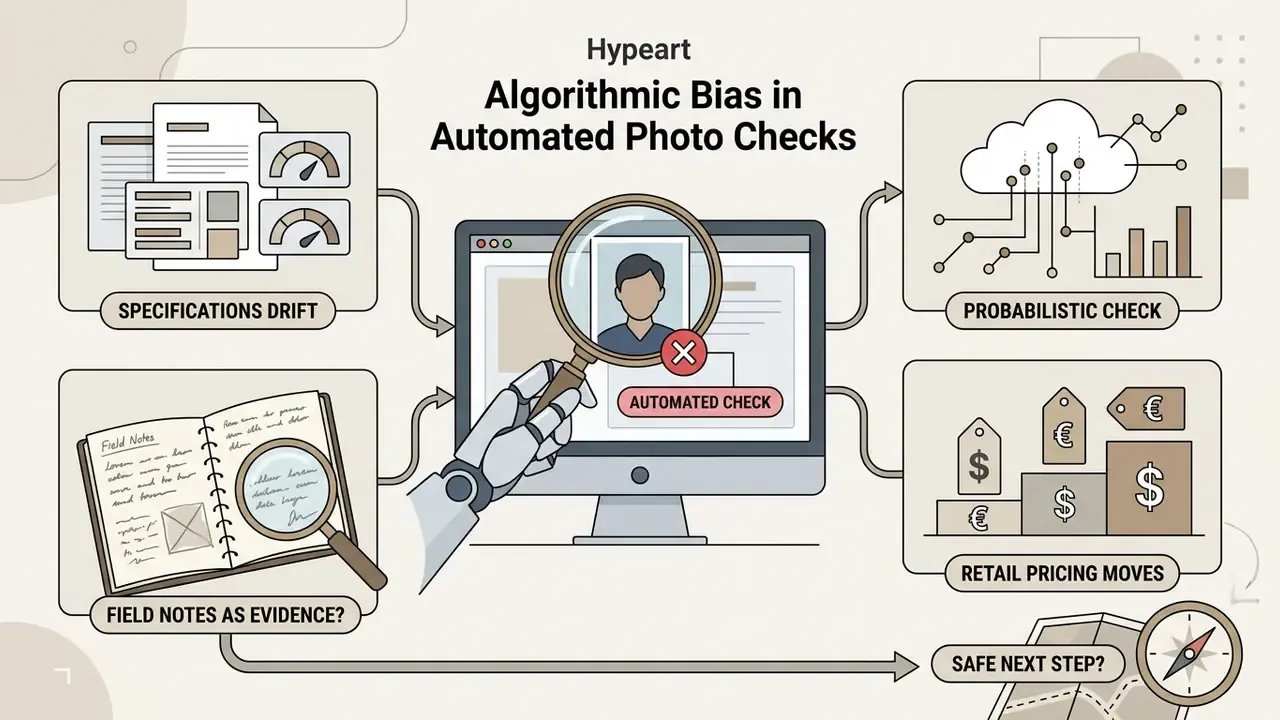
Algorithmic Bias in Automated Photo Checks
Automated compliance checkers are useful, but not neutral. That matters when a tool tells you your photo "fails".
«A BBC investigation found the UK government's automated passport photo checker flagged images of dark-skinned women as poor quality in 22% of cases, versus 14% for light-skinned women.»
Practical takeaway: if a checker rejects a photo that visibly satisfies every published rule (plain background, even light, neutral expression, correct head height), re-shoot with brighter, more diffused frontal lighting. Where the stakes are high, ask for human review rather than assuming the algorithm is right. Disputes over automated identity decisions are becoming a documented pattern, as the entries in our AI Litigation and Case Timelines show.
Limitations and Open Questions
Free Passport Photo Editor FAQ
Do I Need a Passport Photo Editor Free Download?
No. Modern passport photo preparation runs entirely inside standard web browsers, with nothing to install. Browser-based processing removes executable security risk and works across desktop and mobile. If you are comparing portrait tooling more broadly, note how professional headshot generators differ from document-photo tools: headshot generators create stylized portraits and are not suitable for passport or visa submissions.
Why Can't I Upload a Photo to the Editor?
Upload errors usually trace back to unsupported file extensions (raw HEIC files, for instance), file sizes above browser memory limits, or corrupted image metadata. Converting the source file to a standard JPEG under 10 MB clears most failures immediately. Government upload portals show the same pattern: rejections cluster around disallowed formats, size caps and malformed metadata, and the standard fixes are format conversion, compression and re-saving the file to strip broken metadata. For technical assistance and platform troubleshooting, consult AI Media Support and Troubleshooting.
Can I Take My Own Passport Photograph at Home?
Yes. A recent smartphone photo, shot against a plain white wall in indirect daylight and framed per the eight-step checklist above, meets the physical requirements. The editor handles sizing, centering and export formatting. You handle lighting, distance, pose and eyewear.
Where Is the Cheapest Place to Get a US Passport Photo?
Preparing the digital file yourself in a browser is free. Among physical counters, Walmart is typically lowest at roughly $7.64, while USPS, CVS and Walgreens sit near $17. Retail counters supply prints only, and rarely hand you a compliant digital file for online renewal or a DS-160 upload.
Are Eyeglasses Ever Allowed?
For US passport and visa photos, no. Glasses come off. The single exception is a rare, documented medical circumstance supported by a signed physician's statement, and even then the eyes must stay fully visible without glare.
Does an Editor Guarantee My Photo Will Be Accepted?
No. Automated tools screen measurable parameters: dimensions, head ratio, background uniformity. Acceptance is decided by the reviewing officer or adjudicator, and no software, guarantee or refund policy transfers that authority.
Related Photo Editing Resources
- Understand the full feature set of browser-based photo editors and where document presets fit in.
- Review the practical limits, export restrictions and privacy terms of free photo editors.
- Improve exposure and sharpness with image enhancement tools before cropping, objective corrections only.
- Recover print resolution with image upscaling when the source file is too small for a 300 DPI 4x6 sheet.
- Browse definitions, standards and tool categories in the AI Media Glossary.