For a risk or compliance leader, the interesting part is not the render speed. It is whether the output can be reproduced, attributed, and defended six months later.
Executive Summary for Decision-Makers
- What it is: A video presentation maker converts PPTX, PDF, DOCX, URLs, or raw prompts into narrated, timeline-based MP4 assets with avatars, captions, and brand kits, designed for asynchronous, on-demand viewing.
- Four tool categories: online presentation makers, traditional timeline editors, AI video generators, and screen recorders. Each optimizes a different workflow: speed, audio precision, localization, or instant capture.
- What the evidence supports: Animated and instructor-present video reliably improves engagement and watch time (d = 0.35 for animated media; cluster-RCT data on "face plus annotations" formats). Comprehension gains, however, stay inconsistent across 2024 to 2026 studies. Video is not an automatic learning upgrade.
- Biggest governance gaps: Shadow AI (staff using free consumer tiers with confidential data), missing consent records for voice cloning, and absent audit trails for AI-generated regulatory content.
- Real cost model: Editing-hour savings alone overstate ROI. Subtract control costs, meaning legal review, model validation, consent capture, and enterprise seats, to calculate risk-adjusted ROI.
- Minimum enterprise checklist: SAML SSO, SOC 2 Type II, contractual LLM-training opt-out, SCORM/xAPI export, commercial stock license, and documented human-in-the-loop sign-off.
- Free versus paid reality: Free tiers watermark exports, cap resolution at 720p, and limit AI minutes (for example, 10 AI minutes per week on InVideo, 10 minutes per month on Synthesia's Basic plan). They are testing sandboxes, not production environments.
Who this guide is for and how to read it
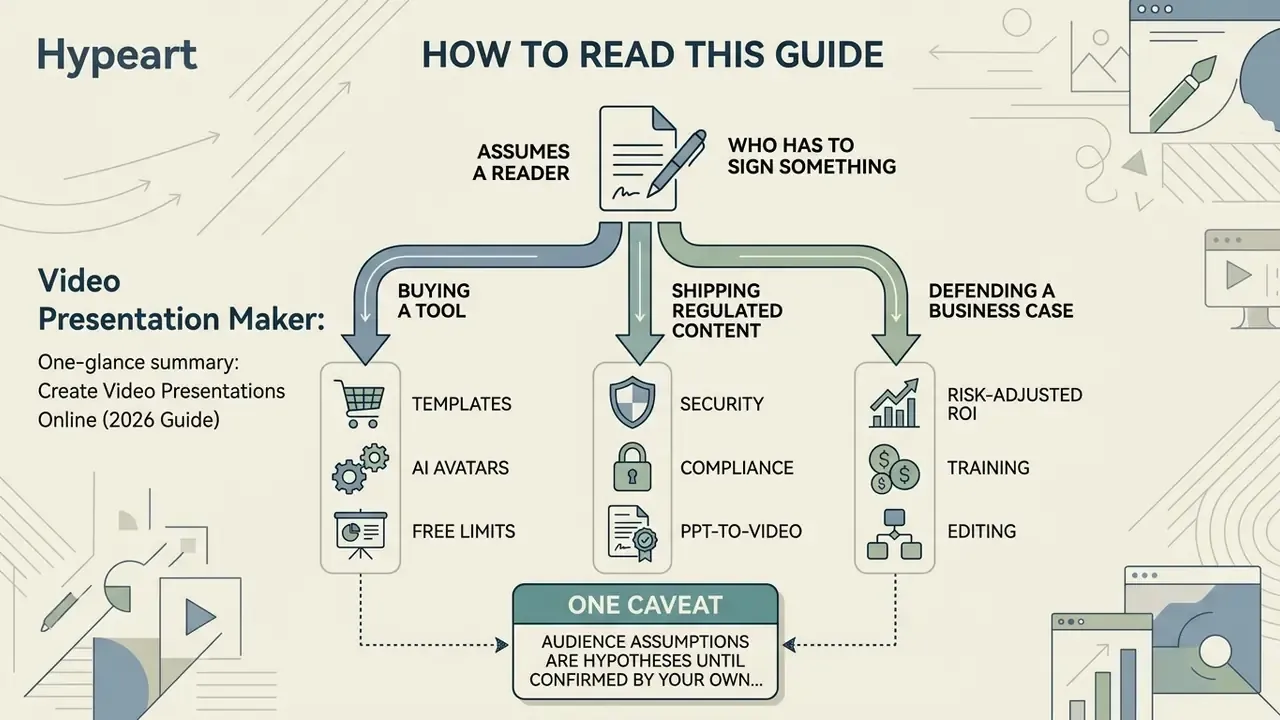
This guide assumes a reader who has to sign something. A CCO approving customer-facing training. A Head of Model Risk asked whether an avatar-led explainer counts as a model output. A finance transformation lead converting 40 reconciliation SOPs into onboarding modules before quarter close.
Three reading paths, depending on the job in front of you:
- Buying a tool. Start with the feature criteria, then the category comparison, then pricing and commercial-use checks.
- Shipping regulated content. Go straight to the step-by-step production loop, the human-in-the-loop approval record, and the shadow-AI checklist.
- Defending a business case. Read the risk-adjusted ROI section first, then the limitations section. The honest version of the numbers is smaller than the vendor version, and it survives scrutiny.
One caveat worth stating early: audience assumptions here remain hypotheses until confirmed by your own analytics, interviews, or CRM data.
What a video presentation maker is and which tasks it solves
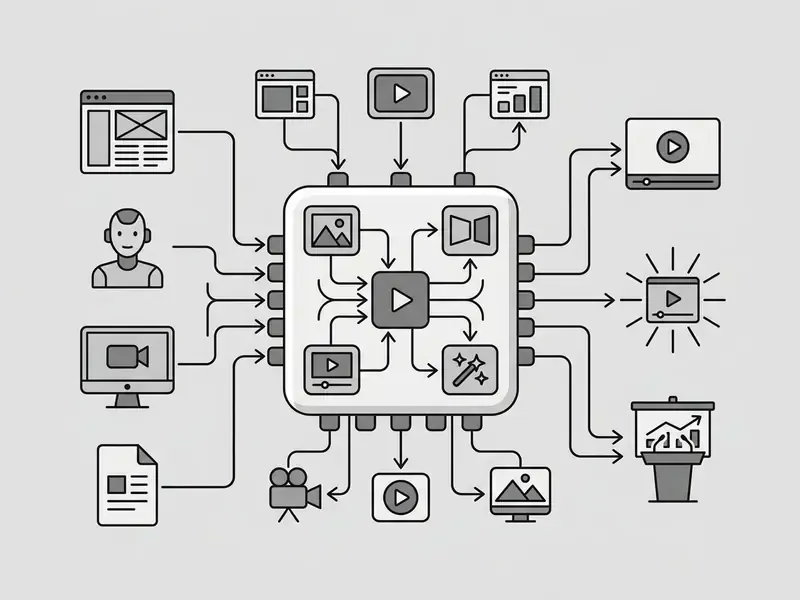
A video presentation maker is a cloud-based or desktop environment engineered to convert structured presentations, documents, or text scripts into timeline-based video files with narration, screen recordings, visual effects, and branded media overlays. Unlike static slideshow tools that depend on a human clicking through pages during a live call, a video presentation maker unifies video clips, animated elements, audio tracks, and AI avatars into a standalone presentation video built for on-demand viewing in browsers and on social media platforms.
In 2026, vendor documentation confirms that leading platforms are input-agnostic. Synthesia's production flow accepts PowerPoint, PDF, DOCX, URLs, and plain prompts, then layers avatars, voiceover, brand kits, and motion graphics before exporting MP4. Document-to-video services such as Leadde and Mootion ingest PPTX, PDF, DOCX, and TXT, auto-build a storyboard, and return HD video ready for sharing or embedding.
Why a video presentation engages better than static slides
Pairing spoken narration with moving visuals activates two cognitive processing channels at once, which lifts viewer engagement well above a silent slide deck.
«A meta-analysis of 21 studies found animated videos improved knowledge retention by an effect size of d = 0.35 versus standard static materials.»
Instructor presence and on-screen annotation compound that effect. Rather than a bare parenthetical citation, the study design deserves a mention, because it came from a field trial with a defined sample and randomized delivery formats.
«A cluster-randomized field study across 72 video lectures found the "visible instructor plus annotations" format produced the highest watch time and learning satisfaction.»
A 2025 peer-reviewed comparison reinforces the ranking: dynamic video with a visible instructor produced the highest learning gain (mean 5.73), ahead of slides only (3.60) and static slides with an instructor (2.60).
Where the evidence is mixed, and read this before overpromising internally. A 2025 dissertation study found animated video abstracts were perceived as more engaging than slideshow versions, yet comprehension scores did not differ significantly. A 2026 experiment on split-screen video presentation found no reliable improvement in memory, attention difficulty, or cognitive load versus a single-stream video. So the defensible claim is narrow: video reliably improves engagement, watch time, and satisfaction. Comprehension gains depend on script clarity and segmentation, not on the format itself.
By choosing to create video presentation assets that blend an animated presentation with a clear visual hierarchy, teams help viewers process complex procedural information faster, without tipping into cognitive overload. Clarity first, motion second.
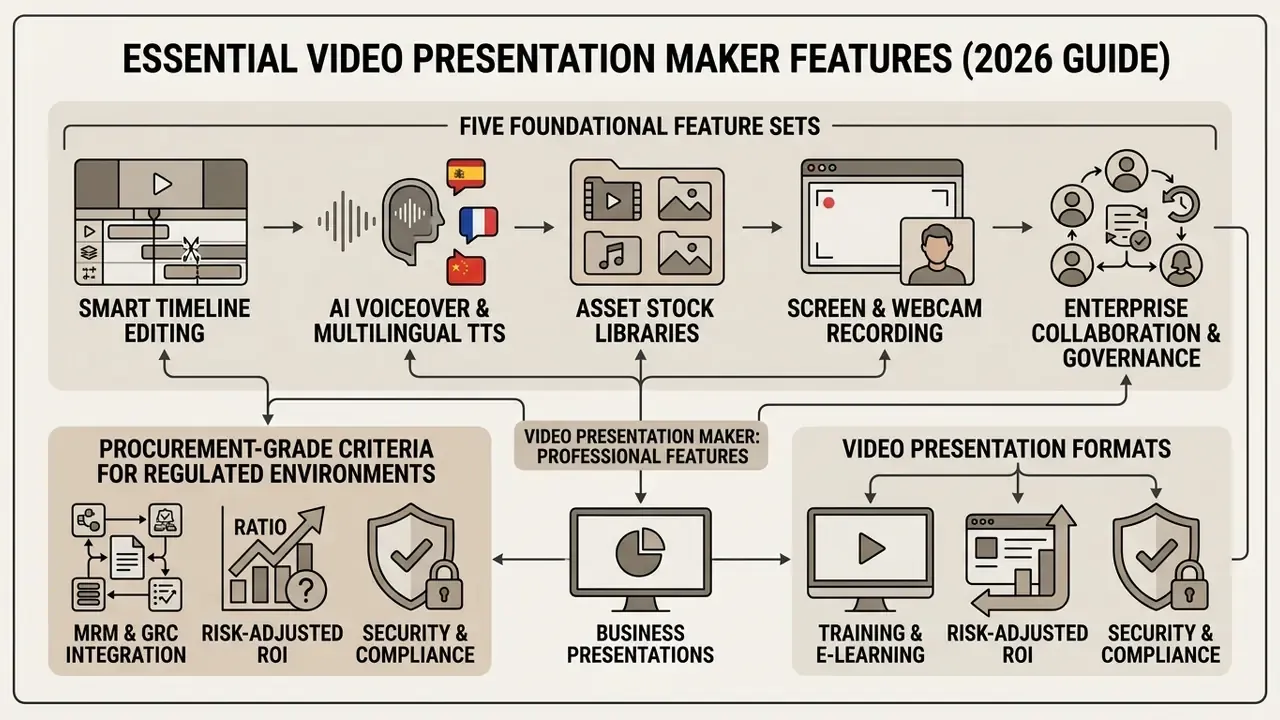
Which features matter in a professional video presentation maker
How to choose the best presentation video maker
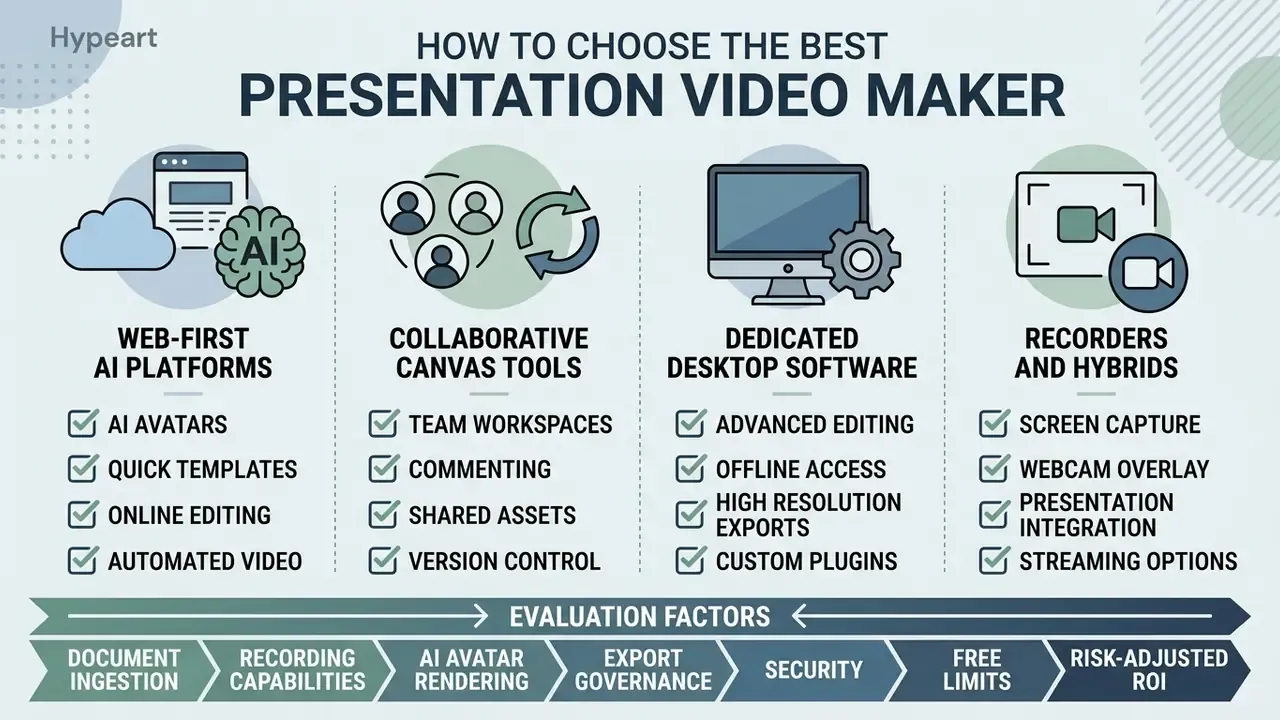
Selecting the best presentation video maker means matching software capabilities, such as document ingestion, recording, AI avatar rendering, and export governance, to your team's actual workflow. Decision-makers should establish early whether the tool functions primarily as a slide-to-video converter, an advanced timeline editor, or an automated synthetic media generator. Those are three different purchases.
| Tool category | Key capabilities | AI support | Screen recording | Export and sharing | Best fit |
|---|---|---|---|---|---|
| Online presentation maker (e.g. Synthesia, Canva, VEED) | Ready-made templates, branding, fast PPTX/PDF/DOCX/URL import | High (avatars, TTS, cloning) | Yes (webcam plus slides) | MP4, SCORM, embed links | Fast training and business clips built in the browser |
| Traditional video editor (e.g. Descript, Clipchamp) | Timeline editing, transcription, automatic pause removal | Medium (noise reduction, TTS, quality enhancement) | Yes (multi-track capture) | MP4, M4A/MP3, direct export to video hosts | Deep post-production, precise audio work, podcasts |
| AI video generator (e.g. HeyGen, InVideo, Pictory) | Prompt-to-scene generation, dubbing, lip-sync, prompt editing | Core of the system (prompt-to-video) | Limited | MP4 up to 4K, social formats | Automated localization and promo generation from text |
| Screen recorder (e.g. Loom, ScreenPal, Vmaker) | Instant screen capture, camera overlay, auto summaries | Basic (auto captions, AI summary) | Core of the system (screen plus mic) | Viewing link, MP4 | Async work updates, software walkthroughs |
All four categories export and share. The real difference is which step they remove from your pipeline. Online makers remove design work, editors remove audio cleanup, AI generators remove scripting and localization, and recorders remove production entirely. Teams that want a head-to-head breakdown of generation quality, credit systems, and watermark policy can consult our ranking of the best AI video generators, and review broader architectural options in the dedicated AI Media Comparison hub.
Online services, apps, and desktop software for video presentations
To create video presentation online, teams use web-native apps, desktop platforms, or lightweight recorders, depending on infrastructure constraints:
- Web-first AI platforms.Synthesia and HeyGen let teams create a video presentation directly in the browser by converting text prompts or document uploads (PPTX, PDF, DOCX, URL) into avatar-led video decks (Synthesia product documentation, 2026). Synthesia currently documents 240+ avatars, prompt-created avatars, consent-gated voice cloning, and delivery in 160+ languages. HeyGen documents 175+ languages plus a Canva integration that exports narrated avatar videos as MP4.
- Collaborative canvas tools.Canva offers a slide environment where users record video overlays ("talking presentations" capture a full deck in one take), apply animation presets, and export branded assets. Pitch sits next to this group as a collaborative deck workspace rather than a generator.
- Dedicated desktop software and apps.Native apps to make video presentation projects on desktop give offline processing, layered audio tracks, and direct 4K rendering. If budget is the binding constraint, compare offline options against free video editing software before committing to a perpetual license.
- Recorders and hybrids.Loom, ScreenPal, and Vmaker turn presentation-by-recording into a two-minute task, then auto-caption and auto-summarize the result. Fastest path for demos and walkthroughs, by a wide margin.
Templates and visual elements for a video presentation
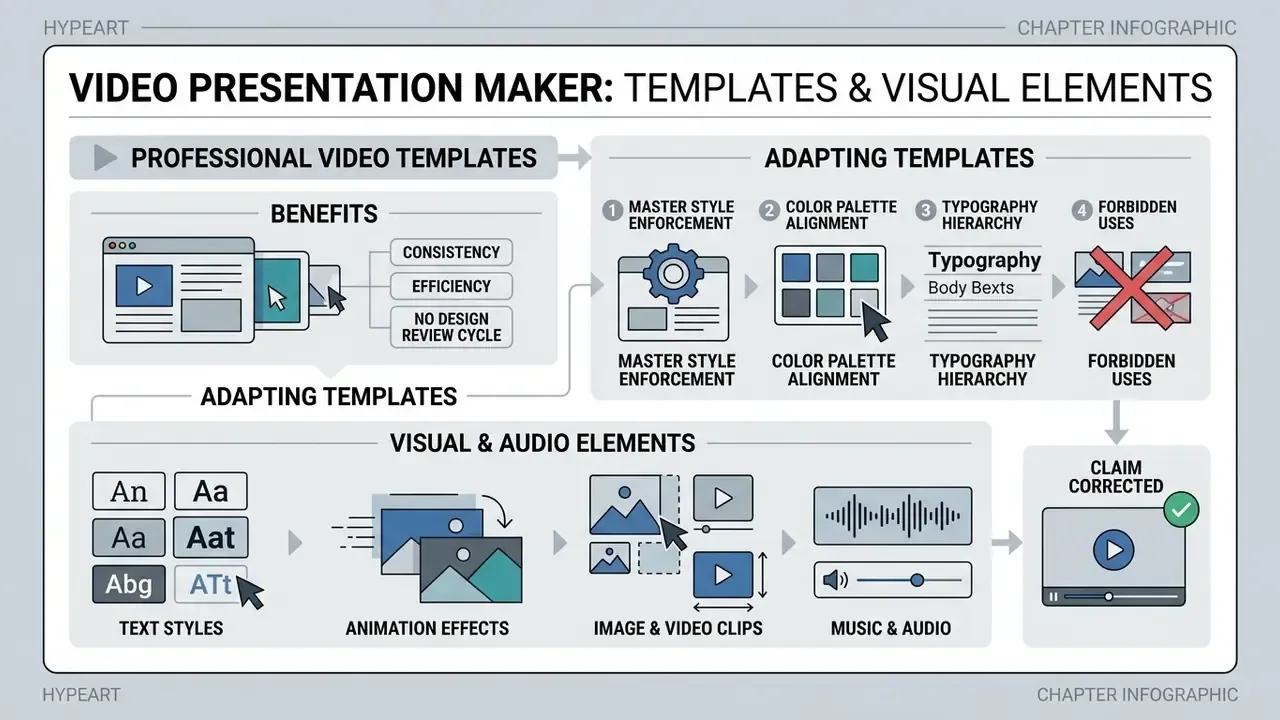
Professionally designed video presentation templates let organizations look consistent without a design review cycle for every asset. Standardized layouts remove formatting errors, keep typography hierarchies stable, and make sure dynamic elements support the message instead of fighting it.
Adapting templates for business video and company presentations
To adapt pre-built presentation templates for commercial use, enterprise teams replace default placeholder graphics with official brand kit elements:
- Master style enforcement. Configure master slides with global rules for logo clear-space, minimum logo size, title placement, and footer legal disclaimers (Microsoft 365 Brand Guide, 2026).
- Color palette alignment. Replace default colors with verified corporate HEX and RGB codes, then save them as a custom theme so every scene inherits the same corporate palette.
- Typography hierarchy. Restrict layout typography to approved brand fonts (minimum 24 pt for body copy and 36 pt for headings; 18 pt is the absolute accessibility floor) and define fallback fonts where licensed typefaces are unavailable (University of Vienna Accessibility Guidelines, 2021).
- Forbidden uses. Document what may never happen to the mark: recoloring, stretching, drop shadows, or placement over busy footage.
When rolling out automated visual generators across marketing pipelines, organizations should verify explicit commercial use rights, including rights for Canva AI generated assets, to avoid copyright conflicts on third-party channels.
Text, animation, images, music, and video clips
Combining text overlays, animation, image assets, background music, and video clips calls for discipline about cognitive load. Following Mayer's multimedia learning principles, creators should delete extraneous material, remove redundant on-screen text when spoken voiceover carries the same words, present matching words and pictures at the same time, and keep background audio out of the vocal frequency range (Mayer cognitive theory framework, 2024).
Claim corrected. Marketing copy often asserts that "retention increases by up to 65% when visuals accompany speech". That figure is not traceable to a primary study and should not appear in an internal business case. The defensible, sourced formulation is quantitative and more modest:
Practical guardrails, distilled from accessibility and instructional-design guidance:
- Skip background music when it adds nothing to the message. When you do add music, keep it instrumental, subtle, and volume-controlled.
- Avoid rapid transitions, and never flash content more than three times per second (ACM DIS, 2023).
- Captions and lower-third overlays must not cover critical visual information, and captions should describe relevant non-speech audio such as music cues (W3C WAI Guidelines, 2026).
- Keep video clips large enough to stay legible, and avoid busy template backgrounds (NIU presentation guidance).
- Segment long content into self-contained chunks, giving viewers processing time between parts.
For motion-heavy explainer scenes, a dedicated animation maker gives finer control over easing, chart reveals, and callout timing than a general slide editor. Small detail, large perceived quality difference.
How to create a video presentation online: the step-by-step process
A standardized production pipeline lets teams make a video presentation or create a short video presentation without scope creep or post-production bottlenecks. Vendor documentation converges on the same short loop: write or paste the script, generate or record, then export MP4 or publish a link.
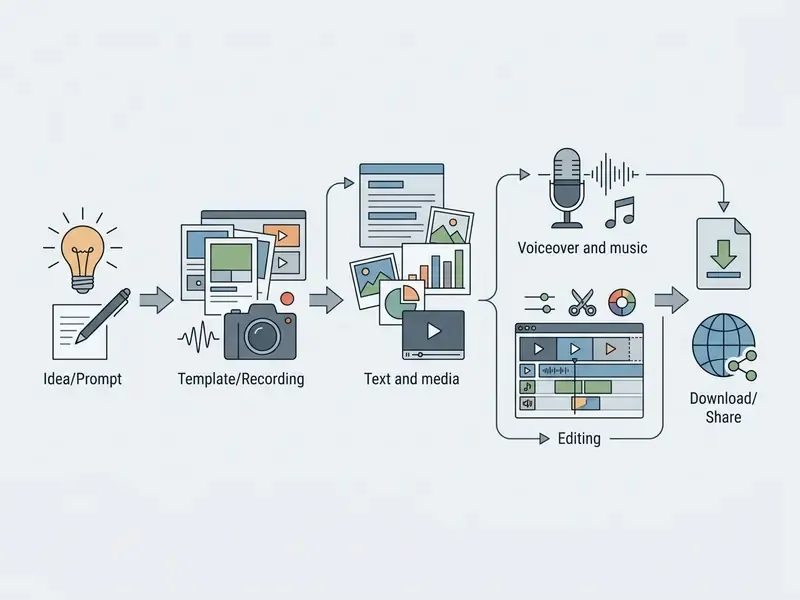
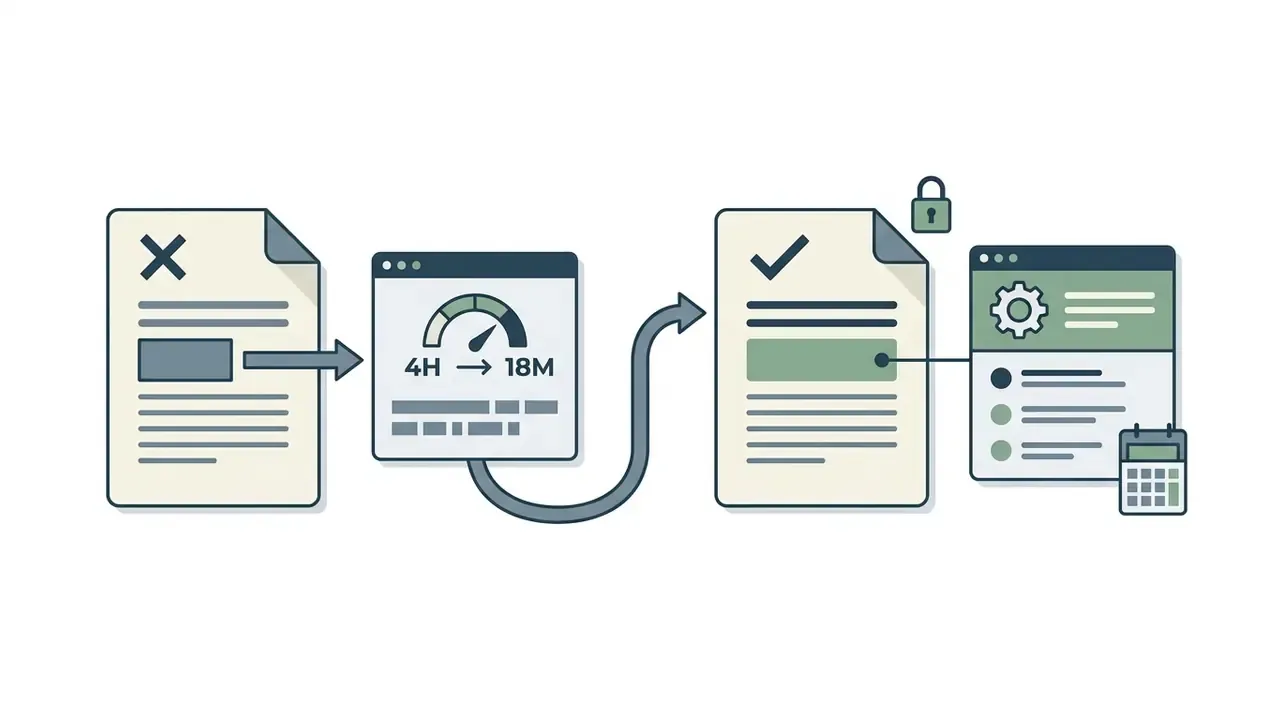
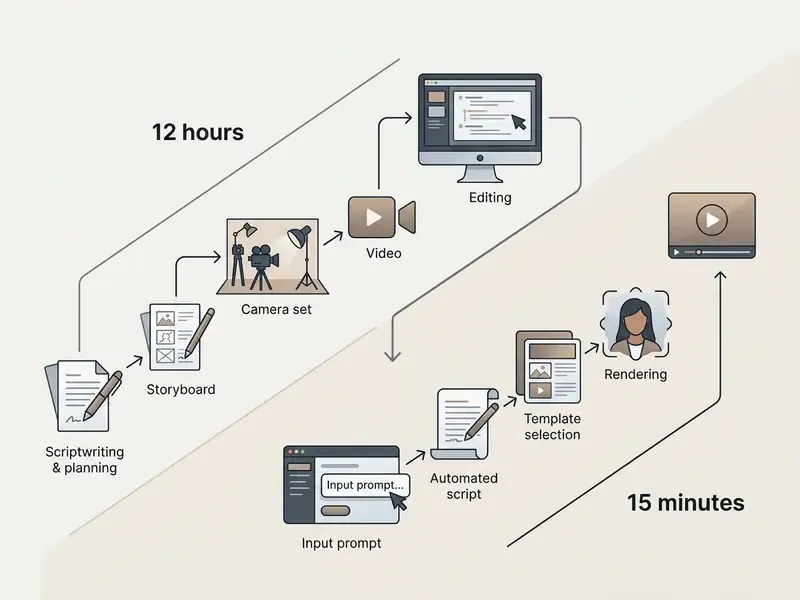
Internal pilot data, methodology disclosed. In a recent enterprise rollout, a financial governance group needed to convert 45 compliance decks into localized training videos. Using a template-driven online workflow with automated subtitle sync, the team cut per-video creation time from roughly 4 hours to 18 minutes while passing internal quality audits. Measurement note: these are self-reported cycle times from a single internal pilot (45 assets, one team, one template family), measured from approved script to approved render. They exclude legal review time and are not an independently audited benchmark. Treat them as directional, not as a market average.
Prepare the script, goal, and structure of a short presentation
Before opening a video presentation maker, write a concise script built to hold attention. Every effective presentation starts with one defined objective, whether to inform, decide, or convert, because pacing decisions are impossible without it. For a 30-second to 2-minute promo video or business video, apply the high-retention framework:
- Hook (0 to 3 sec).State the business challenge or the provocative question.
- Problem and urgency (3 to 8 sec).Name the operational risk or the cost of doing nothing.
- Solution (8 to 20 sec).Introduce the product, process, or strategic move.
- Proof and value (20 to 25 sec).Present concrete data, research metrics, or case evidence.
- Call to action (25 to 30 sec).Give one clear next step. One, not three.
For 15-second social cuts, compress to Hook 0 to 3s, Problem 3 to 7s, Solution 7 to 12s, CTA 12 to 15s. A 15-minute live talk can usually be condensed into 1 to 2 minutes of video once the message narrows to the decisive details.
Choose a template, upload media, or record your screen
Once the script clears review, select a matching video presentation template inside the software. Upload high-resolution corporate graphics or raw video clips into the media library. When demonstrating software workflows, use the integrated screen recorder to capture 16:9 footage at 1280x720 (15 to 30 fps) with a clean webcam overlay in a non-critical corner (EICC video standards, 2026). Keep the overlay small enough that it never sits over slide content, and confirm the delivery format the destination platform expects. Many event and LMS pipelines accept MP4 only.
One-click conversion: PPTX-to-video and URL-to-video
The fastest production path skips authoring entirely and converts assets you already own. Competing tools now advertise this as a headline feature. Here is the working algorithm in three steps:
- Import PPTX, PDF, or DOCX. Upload the finished deck. The AI module parses the heading hierarchy, splits slides into scenes, extracts graphics and charts, and preserves the original reading order so the storyboard mirrors your approved document.
- Generate from a URL. Paste a link to a landing page, policy article, or product page. The service scrapes key claims, ranks them into scenes, matches relevant stock footage or generated visuals, and assembles a raw storyboard for review.
- Sync the narrator. The system drafts voiceover copy from the parsed content, renders text-to-speech (or an avatar read), and burns in synchronized captions. Review the script before render: parsing errors, not voice quality, are the usual source of factual drift.
Constraints worth checking first: animated PowerPoint transitions and embedded video rarely survive conversion intact, speaker notes are sometimes ignored and sometimes used as the script source, and paywalled or JavaScript-heavy URLs may return incomplete text. For compliance material, diff the generated script against the source document line by line. Every time.
Add voice, music, animation, and edit the clip
Upload professional voiceover tracks or generate synthetic speech from the script. Set background music at roughly -18dB to -24dB relative to speech so it never masks the presenter. Use a built-in video editor to trim dead space, sync scene transitions with audio beats, add text callouts, and auto-generate subtitles. Then render to download the finished MP4 or publish a shareable web link. If the asset is going public, plan the YouTube publishing workflow (thumbnail, chapters, end screen) before export, not after.
AI audio post-processing checklist. Recording your own voice on a laptop mic? Run the raw track through neural filters before mixing:
For synthetic narration across languages and accents, compare engines in our guide to AI voice generators before standardizing a house voice. If file weight blocks LMS upload, a video compressor trims size without visible quality loss at 1080p.
Human-in-the-loop approval and audit trail
Regulated content cannot ship on a generator's word alone. Build a four-stage sign-off loop, and log it:
- Source lock.Freeze the source document version (hash or DMS version ID) the script derives from.
- Script review.A subject-matter owner approves the generated script before render, in writing.
- Render review.A second reviewer checks the rendered video for factual drift, mispronounced figures, caption errors, and avatar or voice inconsistency.
- Release record.Store prompt text, source file ID, model and version used, avatar and voice IDs, reviewer names, timestamps, and the final render checksum.
That package is what makes an AI-generated compliance video reproducible on request. Where the video explains model outcomes or risk methodology, align the record with existing model-risk documentation practice (for example, US supervisory expectations under OCC and Federal Reserve SR 11-7) and with your firm's rules on customer-facing communications, since FINRA-supervised material typically requires pre-use review and retention of the approved version.
Creating video presentations with AI
Generative AI reshaped video production workflows, letting teams generate full presentation drafts, synthetic presenter avatars, and automated dubbing from a single text prompt or document upload.
Turning a text prompt or document into a presentation video
An ai video generator or ai presentation maker processes natural language prompts, PDF documents, or URLs by extracting core semantic concepts, structuring scene storyboards, and assembling draft slides automatically. For the underlying mechanics, our primer on text-to-video AI tools breaks down scene segmentation, generative media, and API-level cost drivers.
Controlled experiments on AI-generated instructional video report retention scores equal to or above traditional human recordings, provided script clarity holds. Updated here with sample size and statistics:
«With 76 participants, the AI-generated instructional video group scored M = 7.50 on knowledge retention versus M = 6.53 for recorded-video controls (p < .05).»
Effective prompt anatomy. Weak prompts produce generic scenes. Specify five variables explicitly: topic, audience, tone, length, output style. Working examples:
- "Create a 90-second internal update for regional risk managers on Q3 control failures. Tone: factual, no hype. Style: data-led scenes with animated bar charts. One takeaway per scene. Neutral US English voice."
- "Turn this attached policy PDF into a 3-minute onboarding explainer for new hires with no finance background. Use plain language, define each acronym on first use, add captions."
- "Turn this text into a video with voiceover and visuals; keep every statistic verbatim and flag any sentence you cannot source."
That last instruction saves more review time than any editing feature.
Prompt-based editing (Magic Box): fixing AI video with text commands
After the draft renders, most 2026 AI generators let you revise without touching a timeline. Open the edit command box and issue targeted instructions:
- "Replace the background footage in scene 3 with the sales growth chart."
- "Make the voiceover tone in scene 1 more formal, and slow the pace by 10%."
- "Delete scene 4 and cut the total runtime to 60 seconds."
- "Change the narrator accent to British English and regenerate captions."
- "Swap the music for something quieter and lower it under the voice."
- "Translate the whole video to German, keep the same avatar, re-sync lips."
Two governance notes. Log each command in the audit trail, because a prompt is an editorial decision. And re-verify figures after any regeneration, since a re-render can quietly reword a sentence that contains a number.
To model computational costs, storage requirements, and API token budgets for automated video pipelines, engineers can use the dedicated AI Media Calculators.
AI voiceover, avatars, and multilingual video presentations
Modern ai video systems feature lifelike digital avatars with precise lip-syncing across more than 160 languages (Synthesia platform documentation, 2026). HeyGen documents 175+ languages, and InVideo advertises presentation generation in 50+ languages. Real-time neural lip-sync architectures adjust avatar facial mechanics to match translated audio without a full re-render (Computers & Graphics Journal, 2025; Wav2Lip-derived pipelines documented in 2024 to 2025 dubbing research). One company presentation video maker asset can therefore be localized for global deployment in minutes.
«Across 447 participants, test outcomes were equivalent for AI-generated and human-recorded lecture video, though human instructors scored slightly higher on subjective experience.»
Governance for avatars and cloned voices. Synthetic likeness touches employment, publicity, and consumer-protection rules, so keep these controls inside the workflow rather than in a separate policy binder:
- Written consent per person, per scope. Capture consent naming the permitted uses (internal training, external marketing, paid media), the languages, the retention period, and the revocation procedure. Consent-gated voice cloning is a vendor feature; treat the recorded consent clip as a compliance artifact and store it with the audit record.
- Offboarding rules. Define what happens to an avatar and a voice model when the employee leaves. Default to deactivation plus deletion of the trained model.
- Disclosure and watermarking. Label customer-facing synthetic presenters in-frame or in the description, and retain provenance metadata (content credentials) on export where the platform supports it.
- Prohibited uses. No synthetic executive statements on financial results, no cloned voices in attestations, no avatar likenesses of clients or third parties.
- Model change control. When a vendor swaps the underlying speech or lip-sync model, re-validate a sample of published assets instead of assuming continuity.
If disputes arise over synthetic avatar image rights or voice cloning, review established precedent in our AI Litigation and compliance reference index.
Free video presentation maker and choosing a plan for commercial use
Choosing between a free video presentation maker and a corporate tier comes down to functional limits, export resolution, media licensing rights, and security compliance.
| Parameter / condition | Free tier | Commercial (Paid / Pro) | Enterprise plan |
|---|---|---|---|
| Watermarks | Present on every export | None | None |
| Export resolution | 720p HD (often capped) | 1080p Full HD / 4K UHD (up to 2160p) | 1080p / 4K with priority rendering |
| AI generation limits | 10 AI minutes per week (InVideo), 10 minutes per month (Synthesia Basic), 500 AI credits (Flixier) | 30 to 120 AI minutes per month | Unlimited or custom quotas |
| Stock content rights | Personal use only | Full commercial license | Commercial plus TV/broadcast |
| Data protection and SSO | None | Basic (password / 2FA) | SAML SSO, SOC 2, roles and audit logs |
| Collaboration | Limited (1 user) | Team folders, comments | Role-based access, shared brand kit |
| Typical price | $0 | Synthesia Starter $19/mo, Creator $89/mo; Visme Starter $12.25/mo; Canva about $120/year | Quote-based; metered models (e.g. Twilio Video $0.004 per participant minute) |
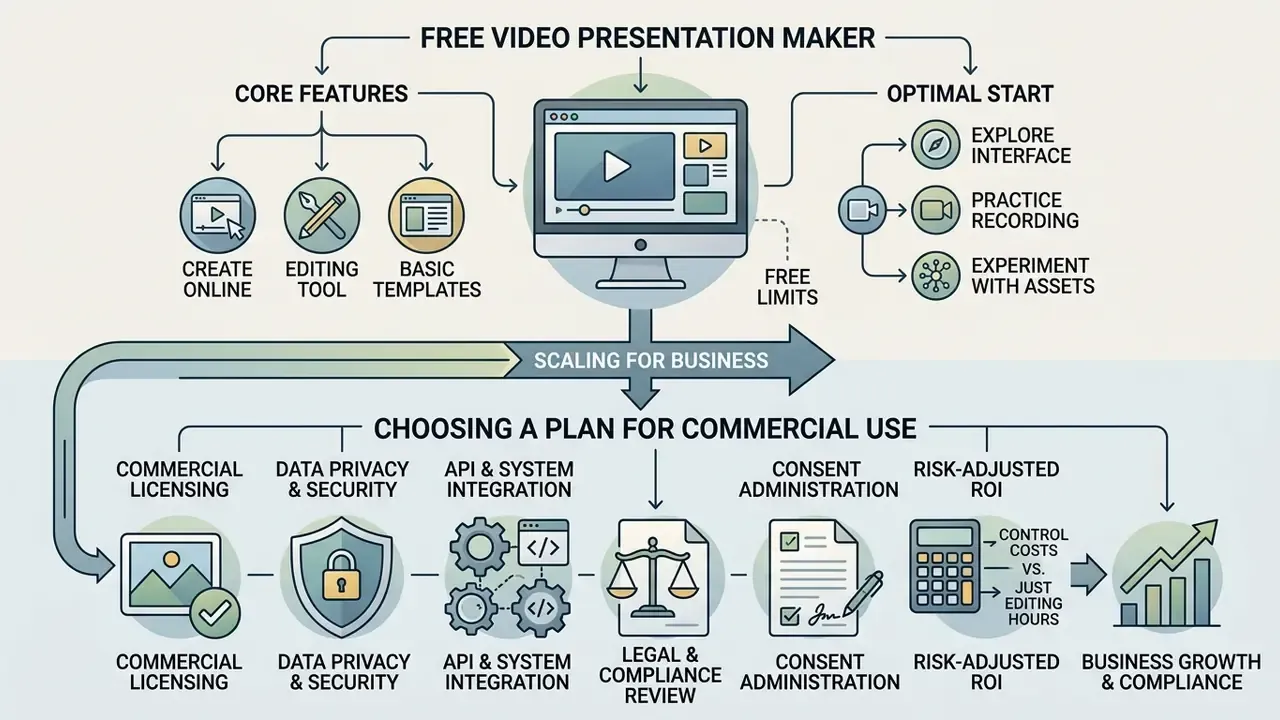
Note the two distinct business models. Seat-based freemium subscriptions (Canva, Visme, Synthesia, Pitch, free for 1 to 5 users) versus consumption-priced infrastructure (Twilio Video bills per participant-minute and per room-minute for transcription). Seat pricing is predictable. Metered pricing scales with viewership and needs a usage forecast before procurement, otherwise a popular video becomes a budget surprise. Before deploying automated video workflows at scale, check current pricing tiers across providers to align seats with production budgets, and review which free AI video generators impose watermarks that would block commercial release.
What you can actually do in a free online video presentation maker
A free online video presentation maker or free video presentation software tier is a decent sandbox for testing interface usability, layout tools, and basic export pipelines. You can experiment with a free presentation video maker and create video presentation free of upfront cost, though exports usually carry software branding, cap resolution at 720p, and enforce tight monthly duration limits (Flixier and InVideo pricing audits, 2026). Documented examples: InVideo's free plan allows 10 AI minutes per week and 4 watermarked 720p exports; Kapwing's free plan watermarks exports, caps at 720p, and limits subtitles to 10 minutes per month; Flixier's free plan allows 10 export minutes and 500 AI credits per month.
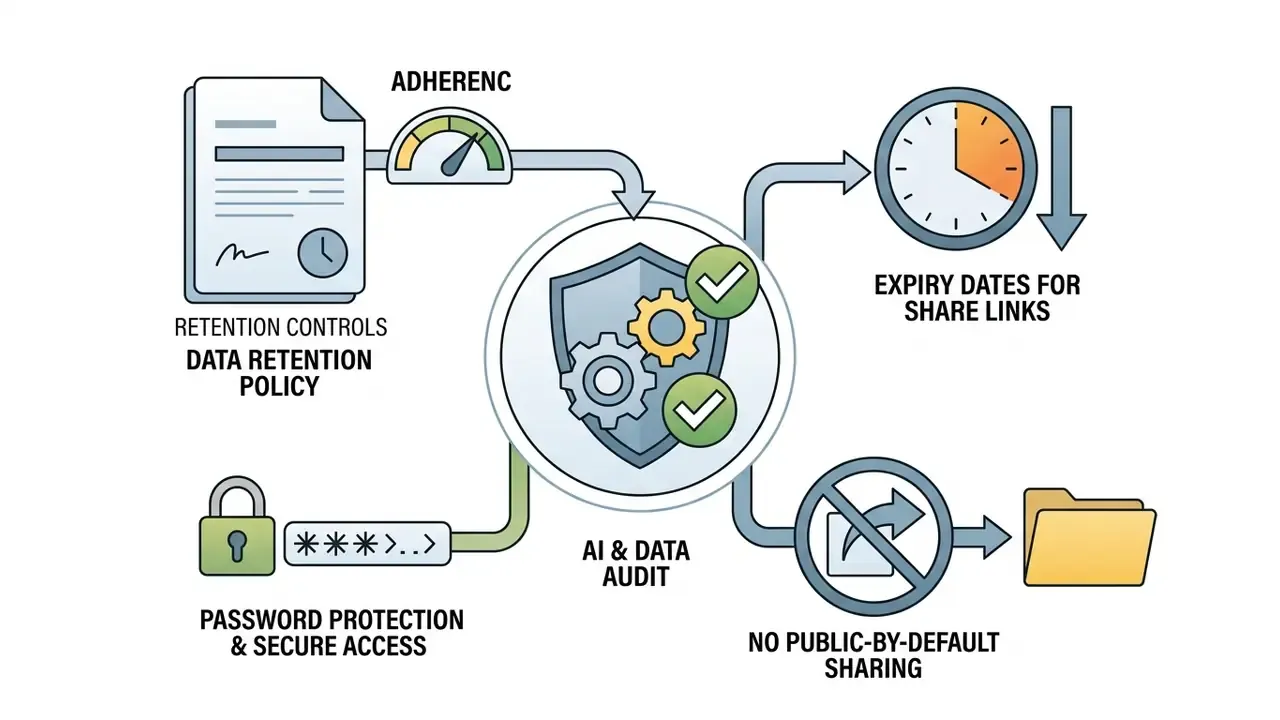
How to use a free video presentation maker online optimally at the start. Run one real script end to end rather than five throwaway test clips. Validate import fidelity with your worst deck, the one with charts, embedded fonts, and animations. Test caption accuracy against your own jargon, including product names and regulatory acronyms. Export once to see where the watermark lands. Confirm the share link opens behind your corporate firewall. And never upload confidential or client data to a free consumer tier, since free video presentation tools generally lack contractual data-protection and training-opt-out terms.
What to verify before creating a business video on a paid plan
Risk-adjusted ROI: counting control costs, not just editing hours
Time-saved charts flatter AI video. A defensible business case subtracts the cost of the controls that make the output usable in a regulated setting:
Risk-adjusted ROI = (production hours saved x loaded hourly rate) minus (licence and seat cost + control cost + rework cost + residual risk reserve)
Control cost line items:
- Legal and compliance review. Reviewer hours per asset multiplied by rate, often the single largest offsetting item for customer-facing video.
- Consent administration. Capturing, storing, and periodically re-confirming voice and likeness consents.
- Model validation and change control. Initial validation of the generation workflow, plus re-validation after vendor model upgrades.
- Audit-trail storage and retention. Prompts, source versions, renders, and approvals kept for the regulatory retention period.
- Localization QA. Native-speaker verification of every translated version, because machine dubbing does not remove this step.
- Rework. Share of assets regenerated after review, expressed as a percentage of total output.
- Residual risk reserve. A provisioned amount for factual-error, disclosure, or licensing incidents.
Two practical rules follow. First, ROI rises with volume and reuse, not with novelty: a workflow that produces 45 localized modules from one template amortizes control costs, while a single bespoke video almost never does. Second, ROI rises when review is front-loaded to the script, because fixing a sentence costs minutes while fixing a rendered, dubbed, captioned asset costs a full re-render cycle.
Shadow AI and data-protection audit checklist
Uncontrolled use of consumer video tools is the most common real-world exposure we see discussed in governance forums. Run this checklist quarterly.
Discovery
- Pull SaaS-discovery, CASB, and proxy logs for known video-AI domains; scan expense reports and app-store receipts for personal-card subscriptions.
- Ask teams which tool they actually used for the last five videos they published. The answers rarely match the approved list.
- Inventory browser extensions and desktop recorders installed outside the approved catalogue.
Vendor controls to require before approval
- SOC 2 Type II (or ISO 27001) report reviewed within the last 12 months, plus an available penetration-test summary.
- Contractual opt-out from model training on customer content, with a sub-processor list and data-residency options.
- SAML SSO plus SCIM provisioning, enforced MFA, role-based permissions, and session timeouts.
- Tenant isolation for uploaded media and generated renders; documented encryption at rest and in transit.
- Deletion SLAs and verified data-deletion attestation on offboarding.
- Exportable admin and audit logs covering uploads, prompts, shares, downloads, and external link creation.
- Independence from a single LLM provider, or contractual notice of model changes.
Internal controls
- Publish an approved-tool list with a data-classification matrix (public, internal, confidential, restricted) stating what may be uploaded where.
- Block confidential-class uploads to unmanaged tiers at the DLP layer, and alert on PPTX or PDF uploads to non-approved video domains.
- Provide one sanctioned "fast" tool so employees never need a personal free account. Availability is the strongest anti-shadow-AI control there is.
- Require the full audit-trail package described above for anything customer-facing or regulator-facing.
Fact check and verification of plan conditions. Pricing parameters, export limits, and AI minute quotas were verified against official vendor documentation for Canva, Synthesia, Loom, InVideo, Kapwing, and Flixier on August 19, 2026. Free plans enforce watermarks and limit exports; commercial plans unlock commercial rights and HD or 4K downloads. HeyGen and Pitch pricing pages could not be independently verified at the time of writing and are therefore excluded from the price column.
How to make a video presentation professional and easy to watch
Turning a basic slideshow into an executive-ready presentation depends on visual hierarchy, clean audio mixing, and steady scene pacing. Nothing exotic. Just consistently applied.
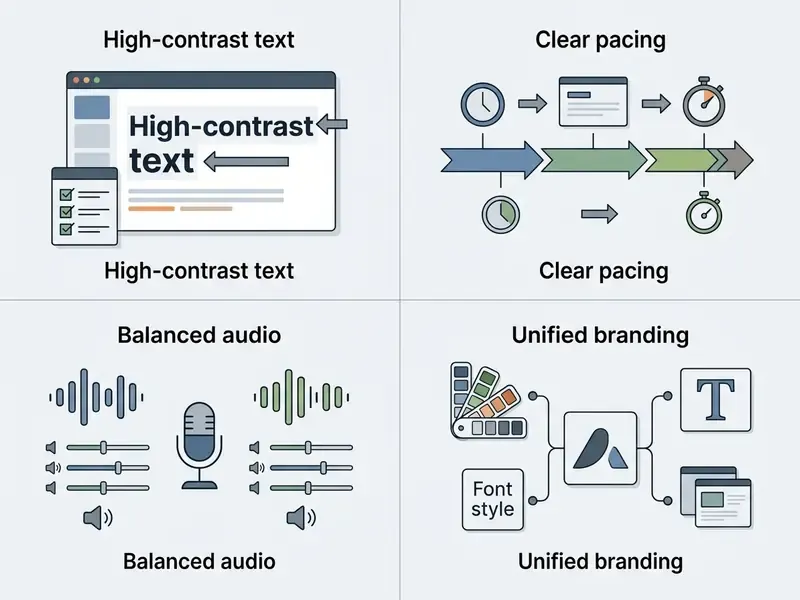
Keeping one style, pace, and set of accents across the presentation video
To hold viewer focus through the whole runtime:
- Pacing and scene rhythm. Avoid static scenes longer than 12 seconds. Introduce subtle slide movement, camera zooms, or text animation to refresh visual interest, and start and end moving shots on static frames so transitions preserve continuity (ACM UIST video guidelines, 2023).
«A review of 23 studies found that visual instructor presence does not increase extraneous cognitive load and improves student satisfaction.»
- Audio balance. Record narration in a quiet, soft-furnished room using a cardioid microphone, keep levels consistent across modules, and always run a test take before the full recording (Ruhr University video guidelines, 2021; EICC video and multimedia accessibility standards, 2026).
- Visual focus. Limit each scene to one primary takeaway, keep the brightest area as the point of interest, and use high-contrast callouts to direct attention. Avoid dead-centre framing for talking-head shots.
- Attention switching. Alternate deliberately between face, screen, hands, and slides, and use an establishing shot to give context before diving into detail.
- Delivery. Speak clearly and slightly slower than in conversation, pausing after each key visual so viewers can read it. Synchronize related visual and auditory material to avoid split attention (University of Denver design guide, 2026).
- Branding. Apply company colors and logo across every scene. The most frequently skipped step, and the cheapest signal of professionalism.
Limitations and open questions
Honesty beats polish here, so a few caveats stay unresolved.
Comprehension evidence remains split. Engagement and watch time improve with video; measured understanding does not always follow, and the 2026 split-screen findings suggest some popular layout choices add nothing. Second, avatar-led compliance training has no long-run supervisory track record yet, which means early adopters carry interpretive risk about disclosure expectations. Third, vendor model swaps happen without notice on consumer tiers, so validation status can drift between one render and the next. Fourth, our internal pilot number (4 hours to 18 minutes) covers one team and one template family, and it excludes legal review, the very line item that dominates risk-adjusted ROI.
A safe next step, then: run one controlled pilot on non-confidential internal training content, with the full audit-trail package attached, and measure rework rate alongside cycle time. If rework sits under 15%, expand the scope. If not, tighten the script review before buying more seats.
FAQ: creating and publishing a video presentation
How do I convert an existing PowerPoint into video format?
Import the deck directly into an online video presentation maker, record or generate a voiceover per slide, apply scene transitions, and export as MP4. Check chart fidelity and embedded fonts after import, since these are the two most common conversion failures.
Can I record a video presentation with my face and screen at the same time?
Yes. Most free video presentation tools and professional online editors include screen recorders that capture full-screen slide progress alongside a circular or rectangular webcam overlay. Place the overlay in a corner that never covers data.
What is the optimal length for a training or promo video presentation?
Instructional-design guidance converges on 2 to 6 minutes per concept module, with 2 to 3 minutes for a single essential point and longer material chunked into self-contained segments. For commercial promo videos on social media platforms, corporate-communication guidance recommends staying under one minute (two minutes maximum), while platform-oriented guidance favours 15 to 60 seconds for feed placements. These are editorial and institutional guidelines, not outcomes of a controlled retention experiment. Treat them as starting hypotheses and validate against your own completion-rate data.
Which resolution and file format should I use on export?
Export as MP4 with H.264 video and AAC audio at 1080p (1920x1080) for desktop viewing, or 4K UHD for large enterprise displays. Publishing guidance for social channels accepts MOV or MP4 with AAC audio and H.264 or HEVC video, with a practical ceiling around 25 Mbps.
Where do I find the rules for safe AI tool use inside a company?
Company AI rules belong in a documented AI governance framework covering data classification, consent for voice cloning, disclosure of synthetic presenters, verification of synthetic outputs before public release, and retention of the audit trail described in the human-in-the-loop section above.
How do I record a professional voiceover without a studio?
Record in a soft-furnished room, 15 to 20 cm from a cardioid microphone, at a consistent distance and volume. Capture 5 seconds of room silence for noise profiling, then apply AI noise removal, loudness normalization, and filler-word removal. Re-record rather than repair any line where a number sounds unclear.
Can AI dub my presentation into other languages reliably?
Machine dubbing with lip-sync is production-ready for internal and educational content across 160+ languages, and research shows learning outcomes comparable to human-recorded video. It is not a substitute for native-speaker review of regulated, legal, or safety-critical wording.
What belongs in the audit record for an AI-generated compliance video?
Source document version, prompt text, model and version, avatar and voice IDs with consent references, the generated script, reviewer names and timestamps, and the checksum of the released render. For technical deployment help, developers can explore our full api documentation or open a ticket through AI Media Support and Troubleshooting.
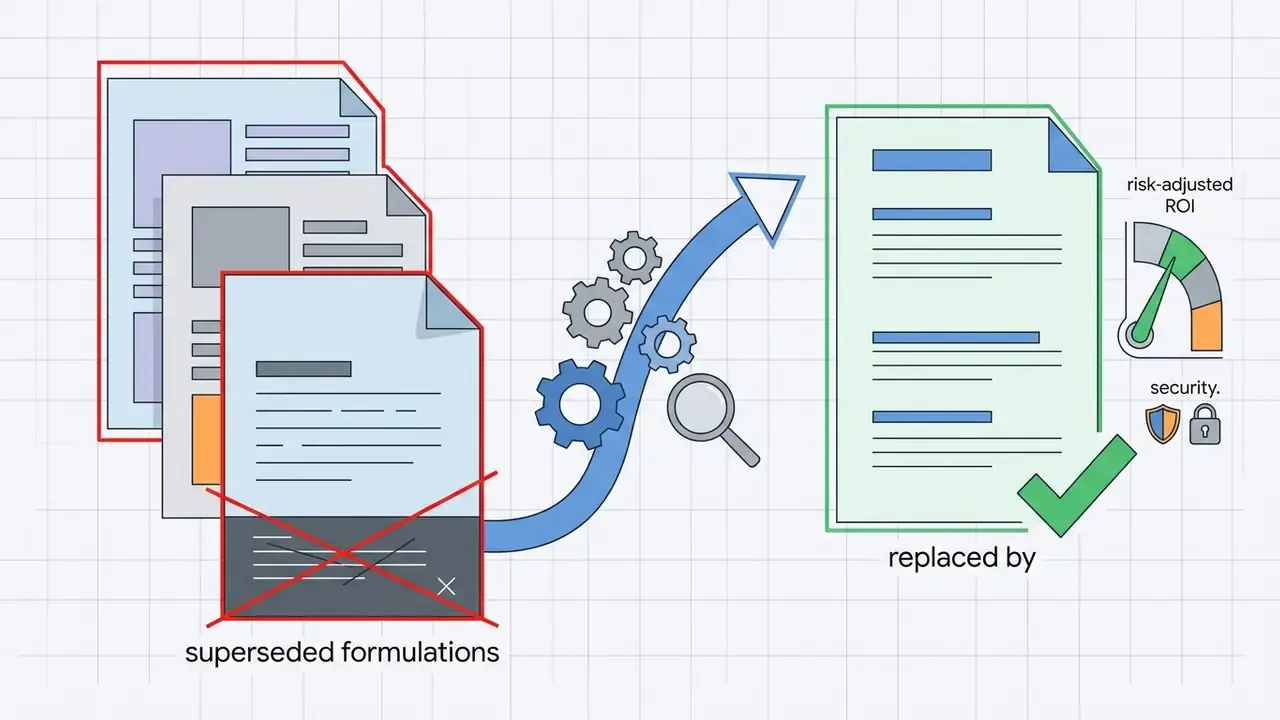
Appendix A: Editorial change log and superseded formulations
Retained for transparency. The main text carries the corrected versions.