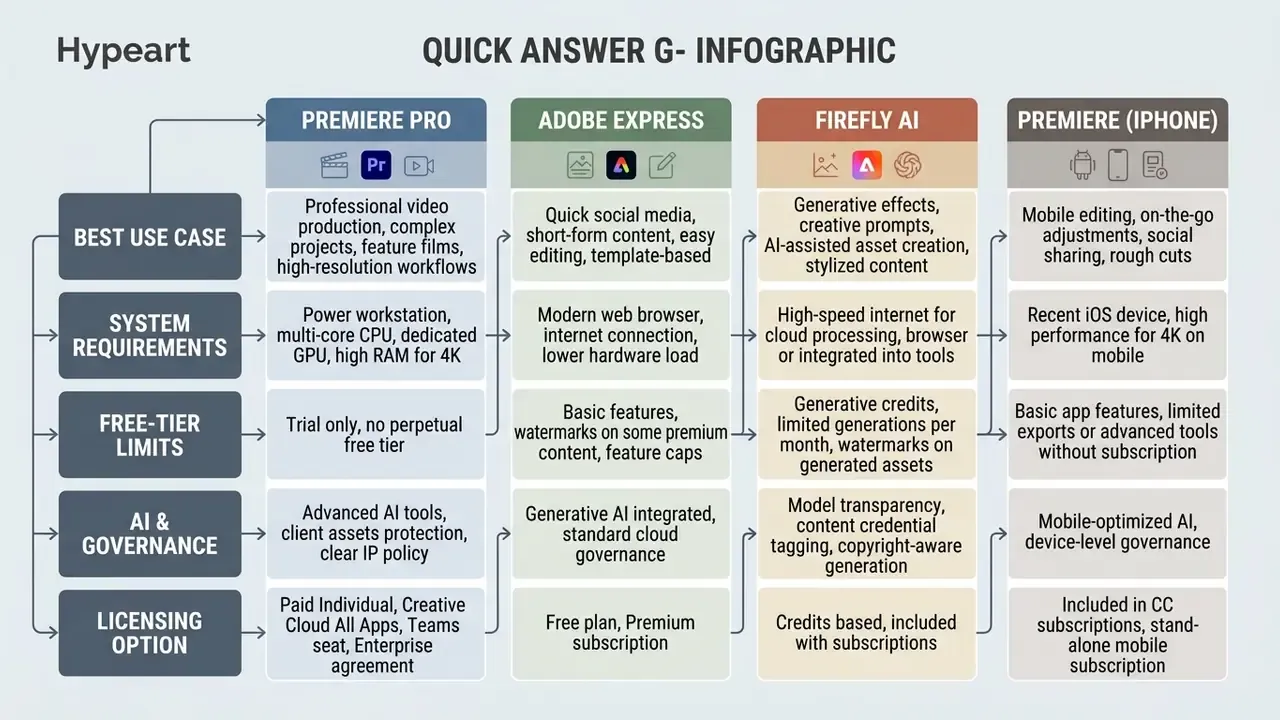
Quick answer: which Adobe video editor fits which job
| If your priority is... | Use this tool | Access model |
|---|---|---|
| Broadcast, film, multicam, 4K to 8K masters, HDR grading | Adobe Premiere Pro (desktop) | Paid subscription, 7-day trial |
| Fast social posts from templates, no timeline knowledge | Adobe Express (browser and mobile) | Free tier; Premium about $9.99/mo |
| Shooting and cutting on the phone, 4K export without watermarks | Premiere on iPhone | Free app (AI features consume credits) |
| Generating clips, filling gaps, prompt-based edits, AI voice and music | Adobe Firefly | Free daily generations; paid credit plans |
| Motion graphics, complex compositing, character animation | Adobe After Effects (via Dynamic Link) | Paid subscription |
| Avoiding subscriptions entirely | DaVinci Resolve (free) or Final Cut Pro (one-time purchase) | Third-party alternatives |
Decisions this guide is built to close
- Does Adobe sell one editor or several, and which one owns your use case?
- What genuinely works on a free plan, and where the watermark or credit wall appears.
- Which hardware clears real-time 4K playback instead of stuttering through it.
- What happens to your footage and prompts when generative tools touch a project.
- When a paid seat, a Teams license, or an enterprise agreement becomes the cheaper option.
Which Adobe video editor to choose for your tasks
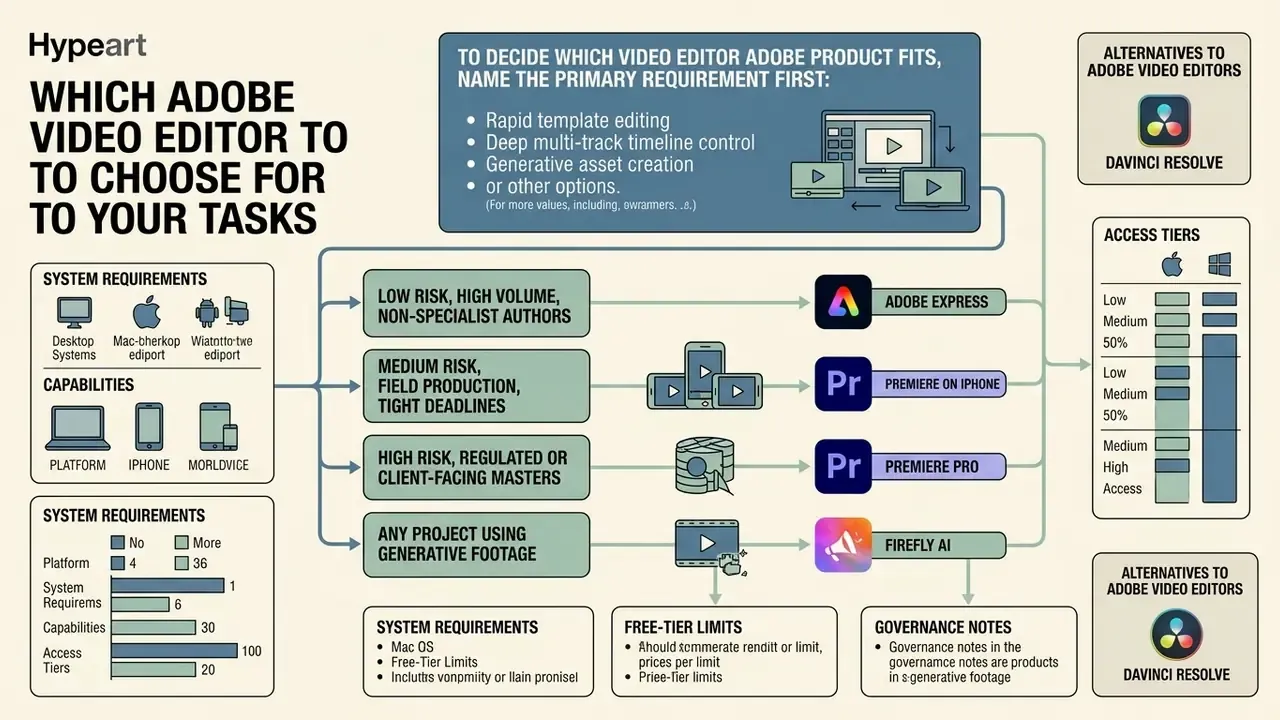
To decide which video editor adobe product fits, name the primary requirement first: rapid template editing, deep multi-track timeline control, generative asset creation, or mobile production. Adobe answers the question does adobe have a video editor with several distinct applications: Adobe Premiere Pro, Adobe Express, Adobe Firefly, and Premiere on iPhone. Each one serves a different production demand, skill level, and hardware environment. One suite, four very different jobs.
So when buyers ask what is adobe's video editor, the honest answer is a segmented catalogue rather than a single program. Professional editors need timeline depth, color grading, and multitrack audio mixing that only desktop software delivers. Content marketers and social teams optimize for turnaround, so they live inside browser-based design tools or a phone app. Some buyers still type the legacy phrase cc video editor, which today maps to the Creative Cloud family rather than one discontinued product. Exploring specialized generation workflows in an ai idea generator, reviewing publishing pipelines in our YouTube video editor workflow guide, or evaluating programmatic media capabilities via the AI Media API clarifies how automated tools plug into traditional editing.
Comparison of Adobe video editors by platform, capabilities, and access tier
| Product | Primary platform | Editing depth | AI capabilities | Audio tooling | Templates and assets | Access model |
|---|---|---|---|---|---|---|
| Adobe Premiere Pro | Desktop (Windows, macOS) | Professional NLE multi-track timeline editing | Generative Extend, AI speech cleanup, auto-color, text-based editing | Essential Sound panel, multi-track mixing, noise reduction | Cinematic transitions, Motion Graphics templates (.mogrt) | Paid subscription (about $22.99/mo single app, annual plan billed monthly) with 7-day free trial |
| Adobe Express | Web browser and mobile app | Entry-level drag-and-drop template editing | Generative image and text effects, AI Assistant, text-to-template | Basic audio tracks, Adobe Stock music, audio extraction | 100,000+ templates, 1M+ free stock photos and clips | Freemium ($0 free tier; Premium about $9.99/mo) |
| Adobe Firefly | Web portal, mobile, Creative Cloud integration | Generative prompt-based video creation, Quick Cut, timeline assembly | Text-to-video, image-to-video, clip replacement, Generate Speech, Generate Soundtrack | Enhance Audio, AI room tone, generated sound effects | Custom AI prompts, partner models (Kling 3.0, Runway Gen-4) | Free daily generations; credit plans from $9.99/mo to $199.99/mo |
| Premiere on iPhone | iOS (iPhone); Android in early access | Mobile-first frame-accurate multi-track editing | Auto reframe, Enhance Speech, background removal, generative stickers | Voiceover recording, audio keyframes, beat detection | YouTube Shorts templates, Lightroom presets, custom .cube LUTs | Free app download, watermark-free 4K export, optional paid credits |
Decision matrix: match the risk and the task to the tool
- Low risk, high volume, non-specialist authors: Adobe Express. Template guardrails keep brand assets consistent and cut the odds of off-brand output reaching a public channel.
- Medium risk, field production, tight deadlines: Premiere on iPhone, then hand off to desktop for final approval.
- High risk, regulated or client-facing masters: Premiere Pro with Frame.io review rounds and archived project files.
- Any project using generative footage: Firefly, with Content Credentials enabled and a documented human review step before publication.
Alternatives to Adobe video editors
Adobe is not the only route to a finished timeline. Buyers comparing licensing models usually shortlist three competitors.
- DaVinci Resolve. A free editor with professional-grade color science. Its Color page goes deeper than Lumetri, and the free build already includes unlimited video and audio tracks, mixed-resolution timelines, Blackmagic RAW support, and Fusion compositing. Studio adds Smart Reframe, Scene Cut Detection, Face Detection, and HDR delivery. Best for teams that refuse recurring fees on principle.
- Final Cut Pro. Built exclusively for macOS and Apple silicon, sold once instead of monthly. Recent releases added Magnetic Mask for subject isolation, timeline auto-captions, spatial video editing, and an iPad version with Apple Pencil support and ProRes capture.
- Wondershare Filmora. Beginner-friendly, with ready-made templates, transcript-based editing, Auto Reframe, Auto Ducking, and Smart Mask object tracking, licensed as a one-time purchase. Best for solo creators on modest hardware.
Adobe's counter-argument is ecosystem continuity. The same project moves from phone to browser to desktop, with generative credits, cloud storage, and review tooling attached to a single identity. That matters less to a solo creator and quite a lot to an organization that must show who edited what, and when. Teams weighing zero-cost options can also read our comparison of free video editing software.
Adobe Premiere Pro for professional video editing
Adobe Premiere Pro is the primary adobe software to edit videos for film, television, and commercial production. It runs a full non-linear timeline with high-resolution media, multi-camera sequences, and advanced grading. Current Adobe product documentation lists native support for camera formats from ARRI, RED, Sony, and Canon, which removes the transcoding step before assembly.
Editors can manage dozens of video and audio tracks with frame-level trim control. Updated: Adobe's published documentation positions Premiere Pro for professional delivery across video, audio, graphics, and captions, including feature-film editing. Specific third-party hardware control surfaces and broadcast monitoring devices are supported through vendor-supplied panels and drivers rather than one native integration list. For organizations running complex media pipelines, this adobe pro video editor gives the control granularity that master file exports and internal sign-off actually require.
Adobe Express, Firefly, and the mobile app for fast videos
For fast-turnaround marketing assets, Adobe Express behaves as a lightweight adobe video maker inside the browser. Non-technical staff build social videos from templates without touching render settings. Users comparing broader creative platforms can see the overview of software alternatives, or study category fundamentals in our reference on video editor tools.
Adobe Firefly adds generative tools that create clips from written prompts or rework existing backgrounds. In parallel, the free Premiere app brings multi-track precision to iOS. The practical benefit is sequencing: draft on the phone, transform in Firefly, finish the complex edit on desktop, then archive the project with its decisions intact.
Adobe Express: free online video editor for fast clips
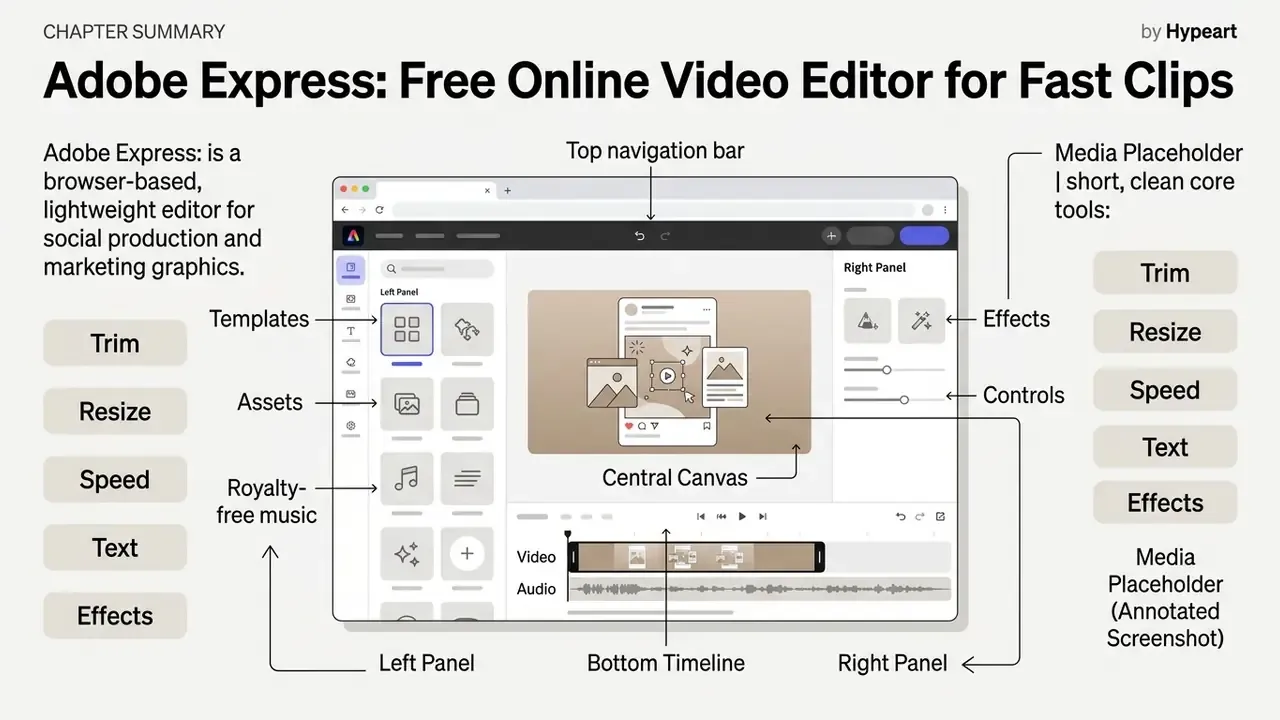
Adobe Express is a browser-based, lightweight editor de video adobe built for social production and marketing graphics. No heavy installation, no local render farm. As a free video editor, it opens core assembly tools without upfront payment or prior editing experience.
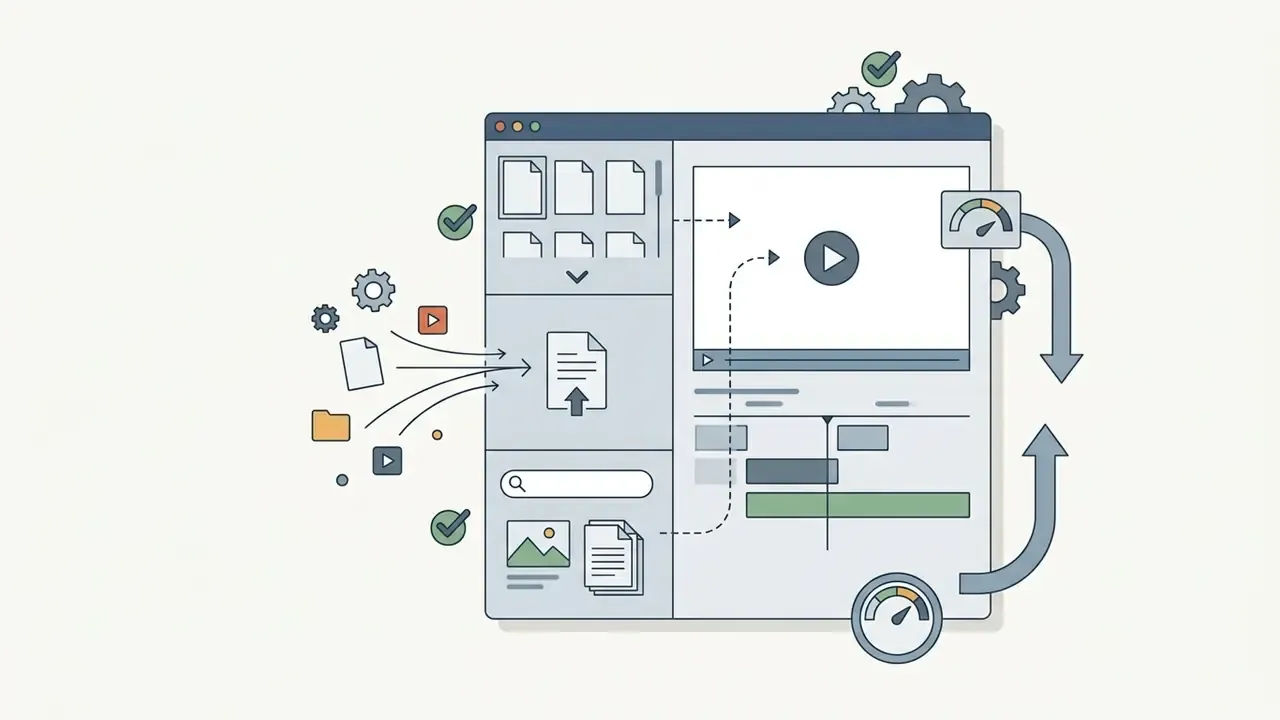
The platform optimizes for operational efficiency among non-experts who need clean short-form output. Drag media onto the workspace, arrange scenes, publish in minutes. Teams interested in automated visual assets can explore an ai illustration generator or an animation maker to widen their web-based graphic workflow.
Express supports the common consumer formats, MP4, MOV, and M4V, with uploads from local storage or cloud drives, and exports rendered as MP4 tuned for social playback. Projects auto-save to Adobe cloud storage, so a closed browser tab does not destroy an hour of work. Adobe openly targets classroom use: students and educators can build lab reports, presentations, flyers, and video assignments on the free plan, which is why Express dominates education deployments. Free-tier caveat: exports stay watermark-free only while the project uses free-collection assets. Insert premium Adobe Stock content and a watermark appears until the asset is licensed.
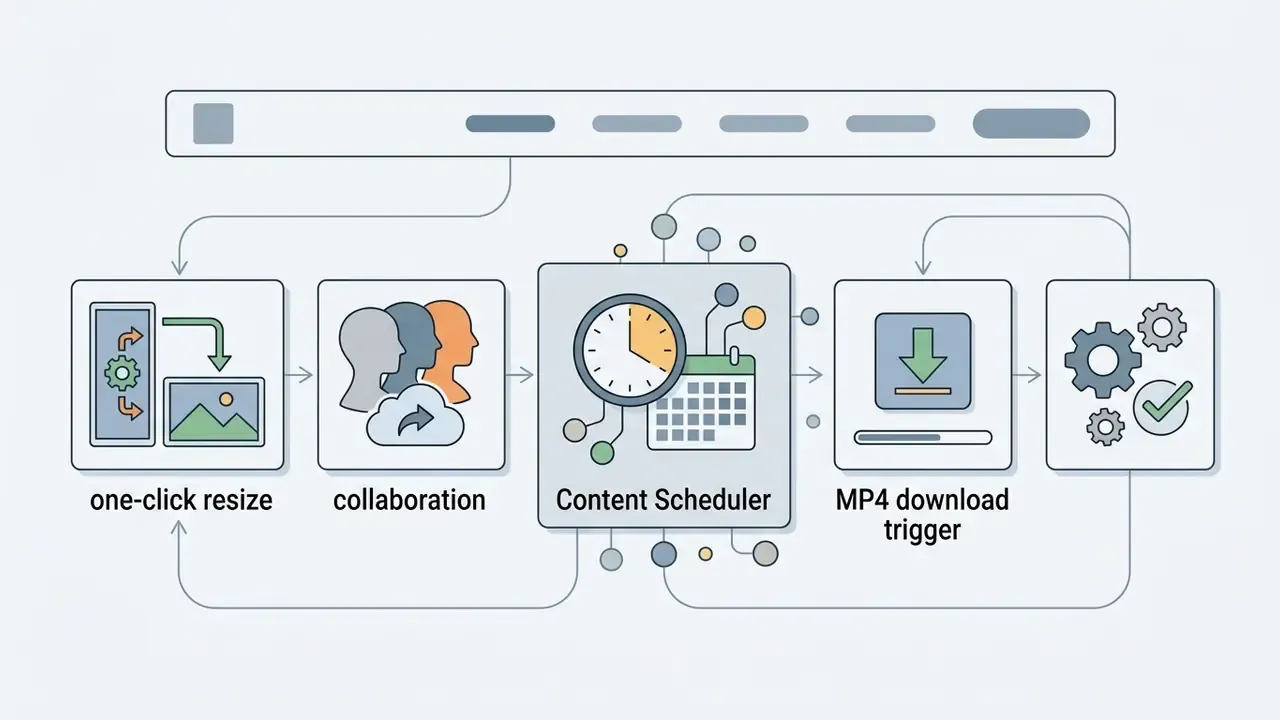
For social media managers, Express also includes the Content Scheduler, a planning tool where one operator designs a clip, then queues automatic publishing to Instagram Reels, TikTok, Facebook Stories, and YouTube Shorts weeks or months ahead from one calendar. Collaboration happens in the browser: teammates can be invited to view, edit, or comment on a live project.
Templates, assets, and royalty-free music in Adobe Express
Adobe Express ships over 100,000 pre-designed video templates aimed at Instagram, TikTok, YouTube Shorts, and LinkedIn. According to Adobe Express documentation (2025 to 2026), the free plan opens more than one million royalty-free Adobe Stock photos, video clips, and audio tracks.
Those built-in assets let users assemble finished videos without licensing external footage. The integrated Stock library runs on a standard limited license: publication across commercial social channels is allowed, standalone file extraction is not. In plainer terms, a track used inside an Express project may ship with that project, but it cannot be exported as a separate audio file for reuse elsewhere. Worth flagging to marketing teams before someone tries it.
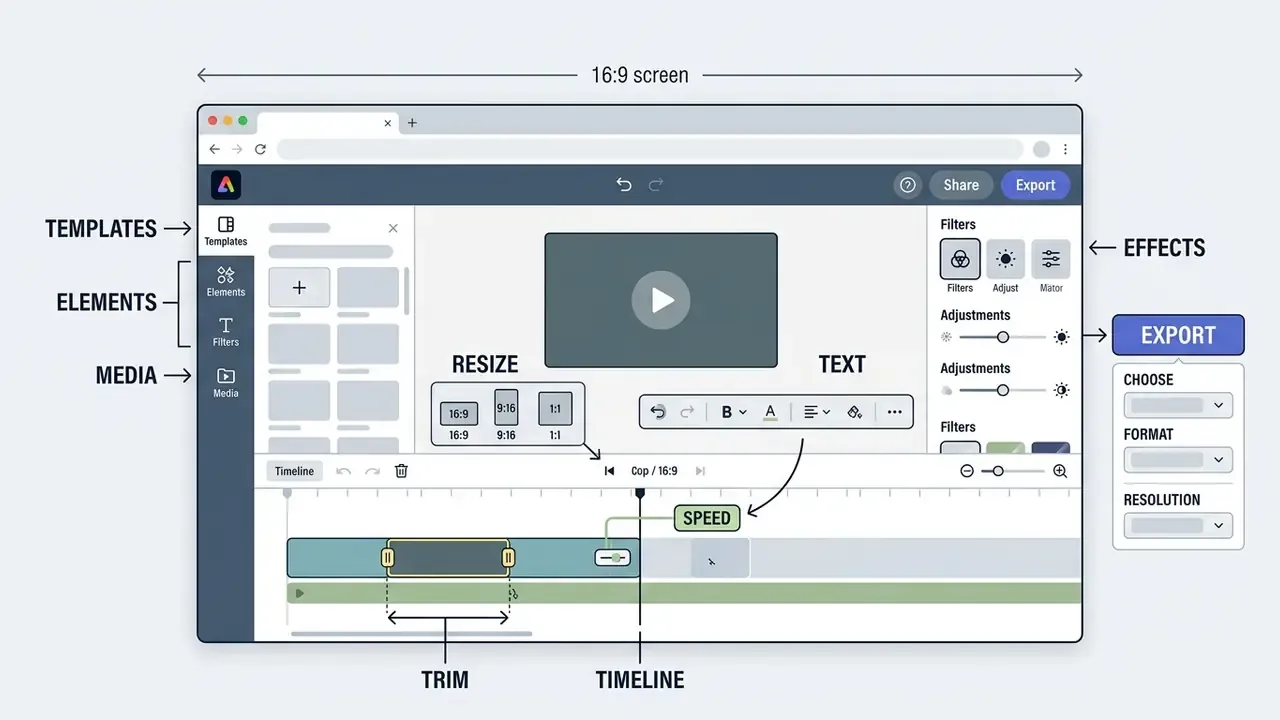
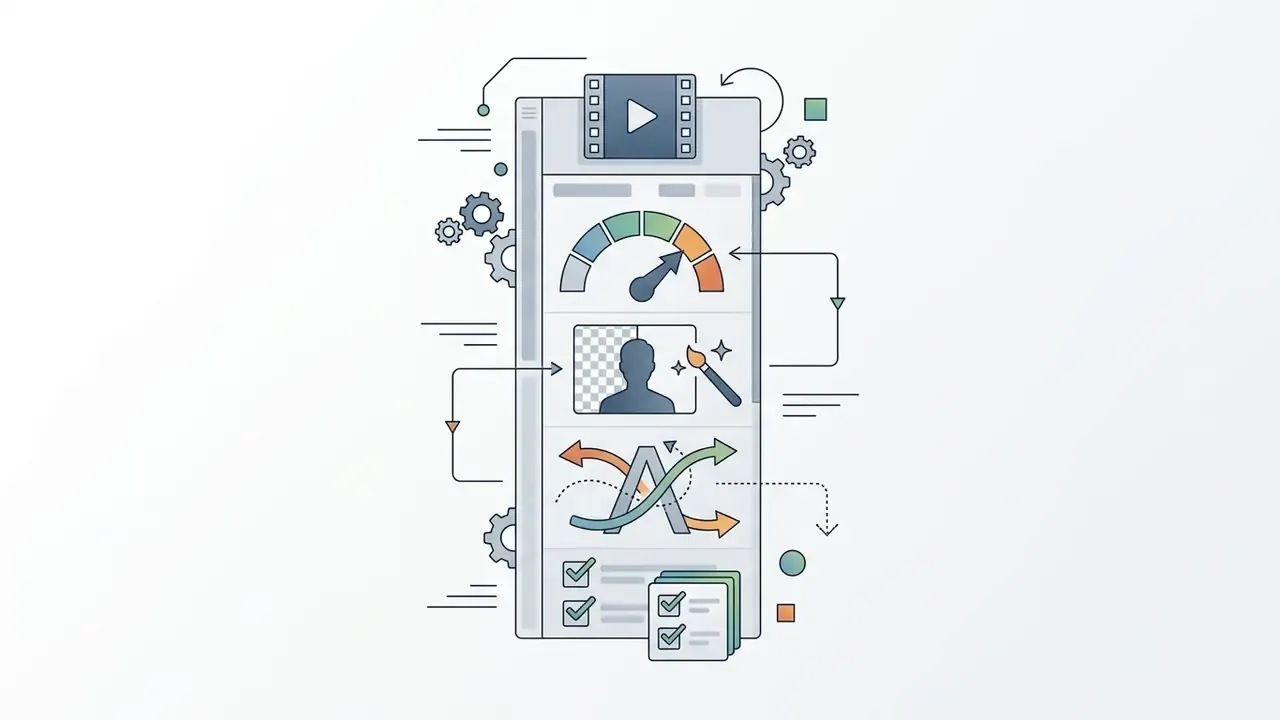
Core tools: trim, resize, speed, text, and effects
The interface offers dedicated tools to trim clips, split tracks at the exact playhead position, and change playback speed from 25% up to 200%. One-click resizing converts a 16:9 widescreen cut into 9:16 vertical or a 1:1 square post.
Text controls add animated overlays, captions, and brand fonts by drag and drop. Animated filters, duotone, brightness and color adjustments among them, plus simple grading, keep finished clips inside corporate style guidelines before export. Source files are supported up to 1 GB per upload, which covers most phone-shot 4K footage. If file weight becomes a delivery problem, our guide to video compressors explains how to shrink size without visible quality loss.
Adobe Premiere on iPhone: mobile app for social videos
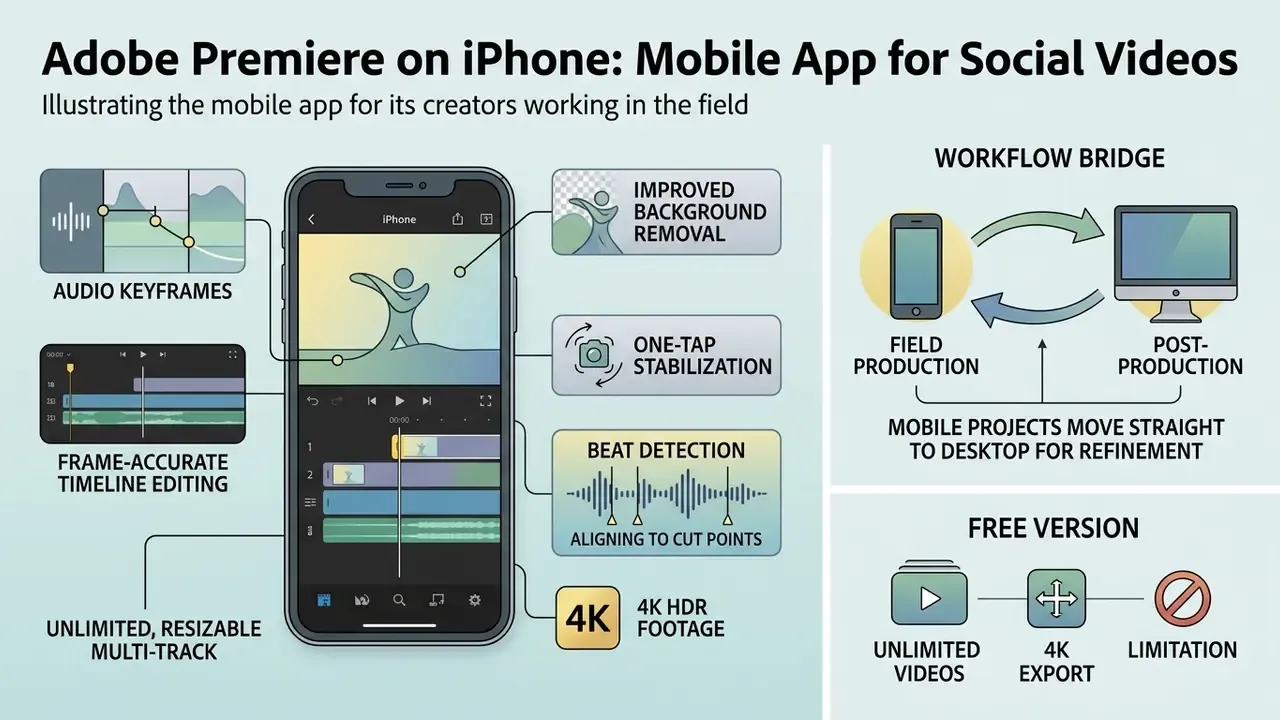
The mobile adobe video editor app brings frame-accurate timeline editing to iOS for creators working in the field. Positioned as a standalone application rather than a companion, it lets video journalists and social creators record, cut, and publish vertical short-form content from the phone in hand.
"Adobe positions Premiere on iPhone as a professional-grade mobile editor with watermark-free exports, free to download, with a direct path to desktop finishing."
That workflow bridges field production and post. Creators comparing mobile-first automation can review our roundup of free AI video generators to see where phone editing stops and generative tooling starts.
Which video editing tools are available in mobile Adobe Premiere
Premiere on iPhone runs an unlimited, resizable multi-track timeline with 4K HDR footage. Official release notes from 2025 to 2026 highlight automatic reframing, speed ramps, background removal, and audio keyframing.
Beat detection aligns cut points to a music track automatically. Users can import custom .cube LUT files, run studio-grade voiceover cleanup, and add animated captions with no watermark penalty. Assistive AI covers speech enhancement, background removal, and caption generation, while generative assets such as stickers, images, and sound effects draw down Firefly credits. Broader context on synthetic voice work sits in our reference on AI voice generators and on free AI video generators.
Unlike most mobile competitors, the free version exports an unlimited number of videos at 4K with no watermarks, and auto-captions carry no cost cap. Android users can join an early access program on Google Play, with limited places; a full public release is planned for a later update.
Transferring projects between iPhone and Premiere Pro on desktop
Mobile projects can move straight to desktop for refinement in Premiere Pro. On upload, Creative Cloud storage syncs a full copy of the timeline, media clips, and edit decisions.
Opening that project on desktop exposes every original cut point and track layer for grading and sound mixing. According to Adobe Help Center documentation (2026), the handoff is a one-way migration: timeline, media, and decisions travel through Creative Cloud, but later desktop changes do not sync back to the phone. A paid desktop Premiere subscription and enabled cloud storage on the same Adobe account are prerequisites.
Once the project lands, review rounds can run through Frame.io, included in paid Premiere plans. Compliance, legal, or brand reviewers leave frame-accurate comments in a browser without installing Premiere Pro. For regulated organizations that alone shortens approval cycles, and it leaves a timestamped comment trail that survives an audit request.
Adobe Premiere Pro: the editor for complex edits and long-form projects
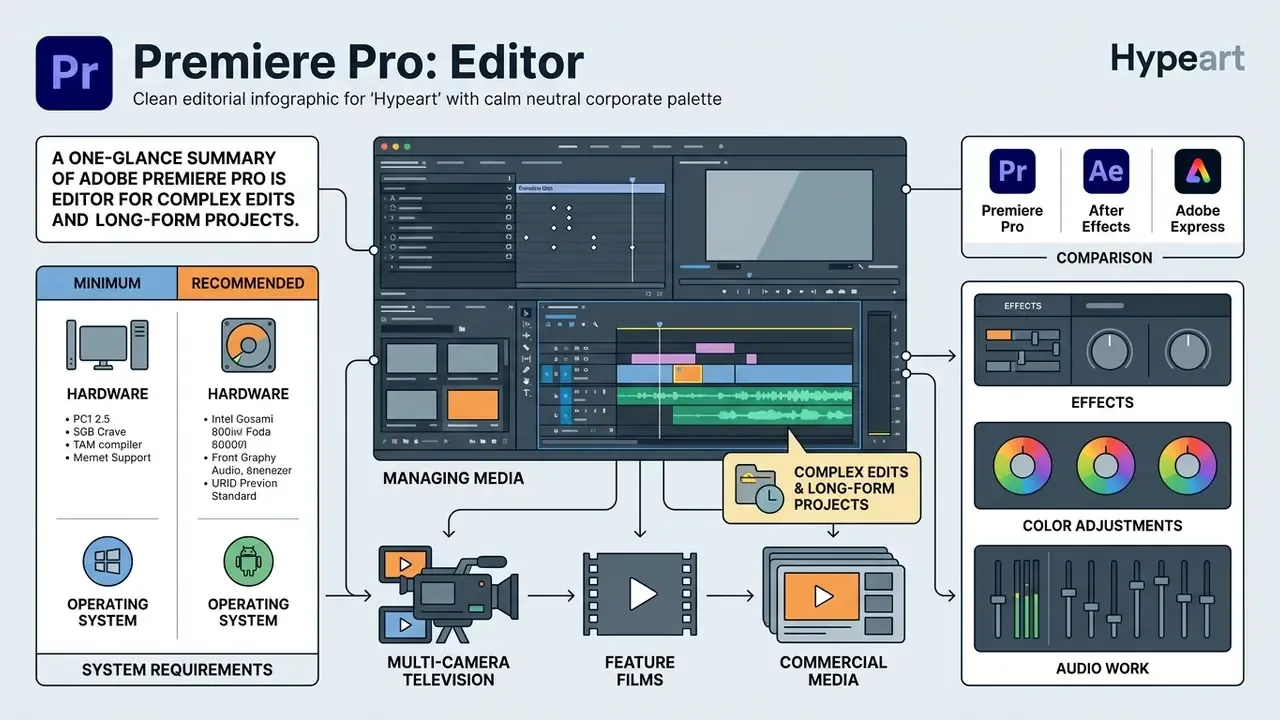
Adobe Premiere Pro is the industry-standard adobe video editor software for multi-camera television, feature films, and commercial media. Searches for an adobe premiere pro video editing software free download or adobe premiere pro video editor free download lead to the same reality: Adobe offers a fully functional seven-day trial through Creative Cloud, after which the plan converts to a paid Single App membership unless cancelled. Buyers weighing zero-cost tools should compare free video editors before starting that trial clock.
This editor handles long-form projects, complex audio channel mapping, and advanced effects pipelines. Adobe's technical documentation describes hardware-accelerated processing that holds real-time playback across mixed codecs and resolutions up to 8K.
Illustrative case. A post-production team had to organize and cut a twelve-camera corporate keynote inside a four-hour delivery window. By building a multi-camera source sequence and switching angles live from the keyboard during playback, the team cut assembly time by roughly 40%. The sequence exported directly to master delivery specs with no intermediate conversion. Treat the figure as a composite example, not audited benchmark data.
Minimum and recommended system requirements
Adobe Premiere Pro hardware and operating system requirements
| Component | Minimum requirement | Recommended requirement |
|---|---|---|
| Operating system | Windows 10 (64-bit) v22H2 or macOS 11 (Big Sur) | Windows 11 or macOS 13 (Ventura) and newer |
| Processor | Intel 6th generation or AMD Ryzen 1000 series | Intel 11th generation or newer; Apple M1 Pro, M1 Max, M2, M3 (Max, Ultra) |
| RAM | 8 GB | 16 GB for HD; 32 GB or more for 4K and 8K timelines |
| GPU | 2 GB VRAM | 8 GB VRAM (NVIDIA RTX, AMD Radeon, or Apple silicon unified memory) |
| Storage | 8 GB free space for installation | Fast internal SSD for media cache plus a separate drive for source media |
Hardware acceleration on Apple silicon and on modern dedicated Windows GPUs measurably improves both playback and export. Adobe's August 2026 requirements list Apple M1 Pro, M1 Max, or M1 Ultra and newer as the minimum macOS processor line, which quietly resolves most "unsupported hardware" support tickets before they are filed.
Premiere Pro vs After Effects vs Adobe Express
Premiere Pro assembles and trims footage, mixes audio, builds captions, and grades color. When a project needs complex 2D or 3D animation, character tracking, or advanced keying, the correct tool is Adobe After Effects, linked through Dynamic Link so sequences move between applications without intermediate rendering. Motion Graphics templates (.mogrt) authored in After Effects expose controlled parameters, text, color, size, speed, layout, for editors working inside Premiere Pro. One caveat that trips up teams: some .mogrt files require After Effects installed locally. For template-driven assembly with no timeline learning curve, the answer stays Adobe Express.
Editing clips on the timeline and managing media
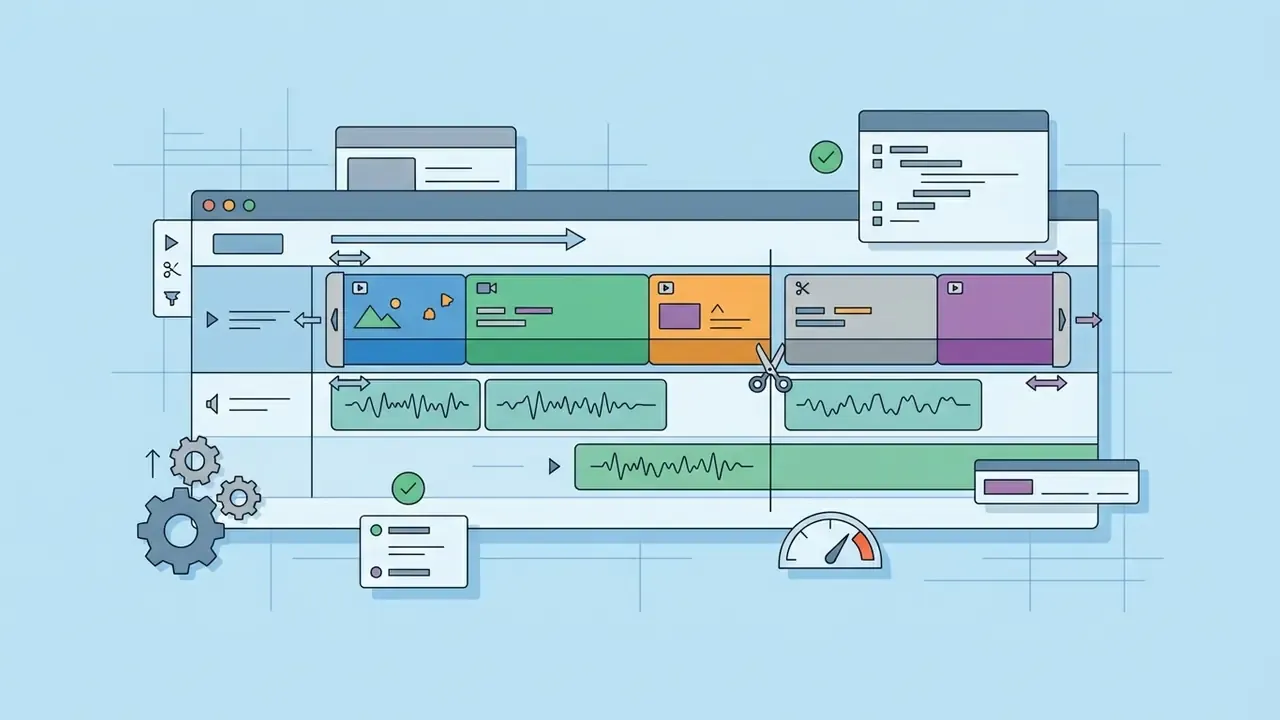
The multi-track timeline delivers frame-accurate precision through ripple, rolling, slip, and slide edits. Editors organize media with nested sequences, clip color coding, smart bins, and grouped clips, and lock finished tracks while adjusting others.
The integrated Project Manager archives completed projects by consolidating used clips and trimming unused handles, with optional transcoding on export. That structure preserves storage while keeping every source file linked for future client revisions. Media Intelligence search also locates shots by metadata and visual description, which shortens the search phase on large multi-day shoots. Anyone who has hunted a single reaction shot across 900 clips knows the value of that.
Effects, color adjustments, and audio work
Premiere Pro carries the Lumetri Color workspace, with professional color wheels, curves, and camera LUT management for high-dynamic-range (HDR) grading, plus Basic Correction and Creative look modules for shot matching. Sound design runs through the Essential Sound panel, which classifies tracks as Dialogue, Music, SFX, or Ambience, then exposes repair, loudness, compression, EQ, and auto-ducking controls.
According to official Adobe Premiere Pro Learn and Support documentation, the application includes AI-driven Enhance Speech to strip background noise and rebalance vocal frequencies, with a Mix Amount slider that controls how aggressively the processing is applied. For advanced effects and motion graphics, Dynamic Link streams assets between Premiere Pro and After Effects without intermediate rendering. At export, Content Credentials can be embedded to authenticate the delivered file.
Adobe Firefly: AI video editor for generation and prompt-based edits
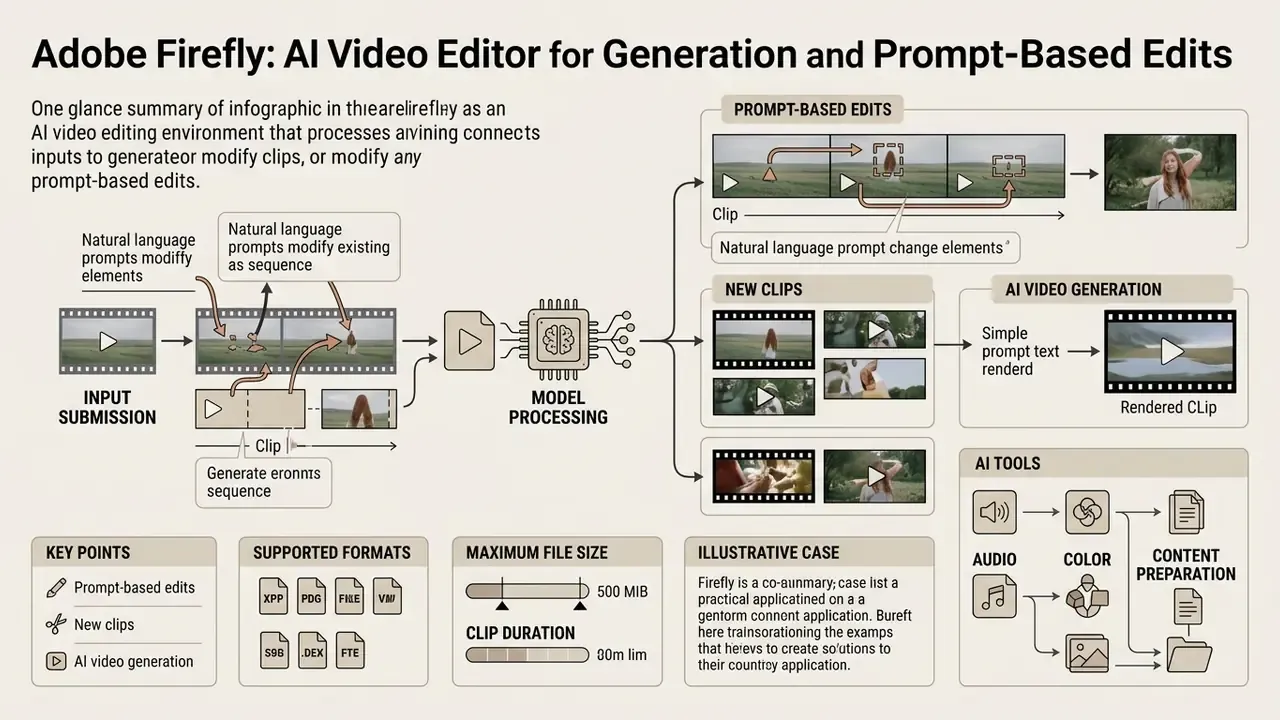
Adobe Firefly works as an ai video editor environment that generates new sequences and modifies existing clips from natural language prompts. Built as a generative model suite, it plugs into Creative Cloud applications to automate repetitive creative labor. Readers new to the category can start with our primer on text-to-video AI tools.
Organizations assessing generative tooling can explore the hub for details on commercial licensing and usage compliance. Firefly's positioning leans on generative safety: Adobe states its video models train on licensed Adobe Stock content and public-domain media whose copyright has expired.
Prompt-based edits, new clips, and AI video generation
Firefly supports text-to-video and image-to-video generation, producing clips up to 5 seconds at 1080p in standard aspect ratios (16:9, 9:16, 1:1), with vertical presets mapped to Reels, Stories, TikTok, and Shorts. Prompts inside the Firefly Video Editor can change clip backgrounds, swap objects, remove distractions, or shift lighting. Related generation paths are covered in our guide to image-to-video AI tools.
When uploading your own source material into the Firefly web editor, these limits apply:
- Supported formats MP4 or MOV.
- Maximum file size under 200 MB.
- Clip duration 5 to 20 seconds.
Beyond raw generation, Firefly ships two modules that remove separate tools from the stack. Generate Speech converts scripts into natural-sounding voiceover in 20+ languages with adjustable emotion, pacing, and emphasis. Generate Soundtrack analyzes the cut and produces an instrumental bed aligned to the edit rhythm. Quick Cut auto-assembles a first draft from uploaded footage, and transcript-based editing lets editors cut interviews or podcasts by deleting text instead of scrubbing waveforms. Partner models, including Kling 3.0 and Runway Gen-4, are selectable in the same interface for side-by-side output comparison.
Inside Premiere Pro, Firefly powers Generative Extend (beta), which generates extra frames at the head or tail of a clip. It fills missing handles, smooths cut transitions, and stretches background ambience without a reshoot.
Illustrative case. A corporate video department hit missing B-roll during an executive interview edit, leaving a two-second gap over critical dialogue. Using Generative Extend directly on the Premiere Pro timeline, the editor produced three seconds of matching background footage with room tone. That removed the reshoot cost and preserved an approval deadline. Frames added this way are labelled in the timeline as AI-generated, so the audit trail survives.
AI tools for audio, color, and content preparation
Firefly's integration extends into automated audio repair and color rebalancing. The models analyze clips and adjust exposure, contrast, highlights, shadows, saturation, and color temperature, with one-click looks for fast enhancement.
Enhance Audio isolates vocals, kills room echo, and balances levels across dialogue, music, and ambience. For creators converting static visuals into motion, an ai image to video generator shows how models animate still frames, while our Google Veo implementation guide demonstrates comparable generation through an API.
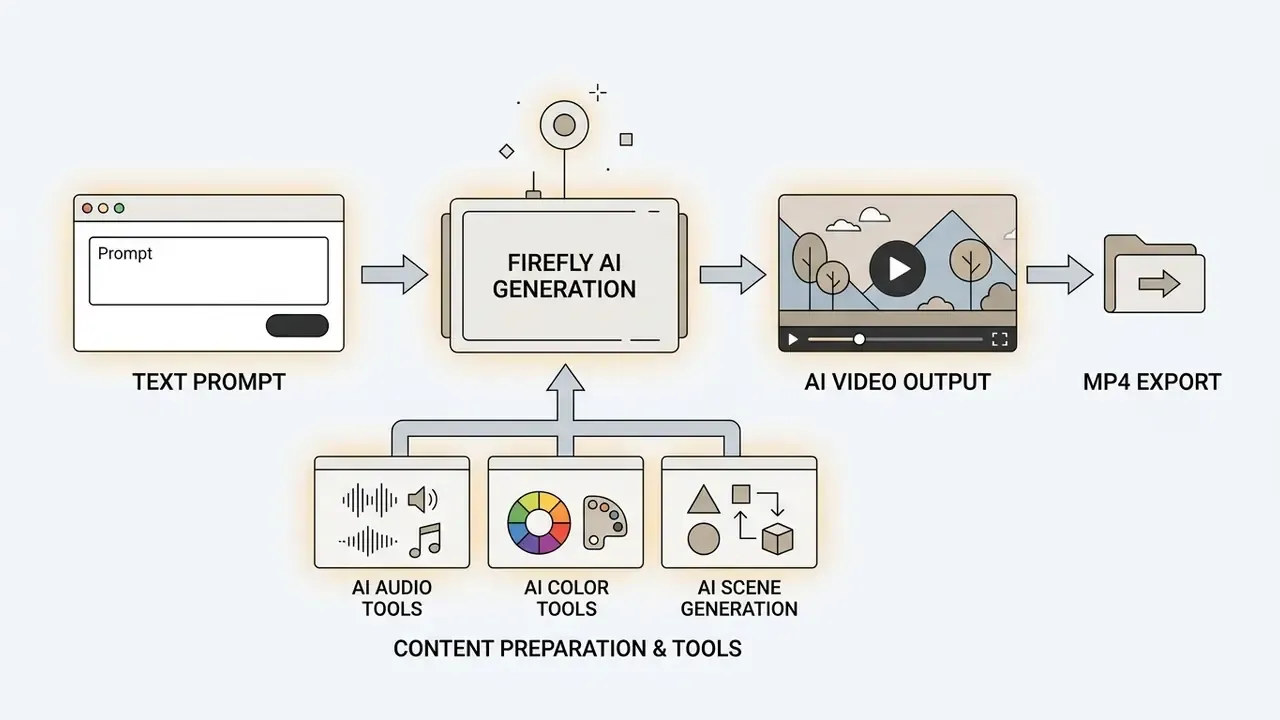
- Input submission.Enter a descriptive prompt or upload a reference frame to set style and composition; an optional second frame defines the end frame.
- Model processing.Select a generation model (Firefly Video Model, Kling 3.0, or Runway Gen-4) and set aspect ratio, camera angle, and shot size.
- Clip generation.The engine renders a 5-second high-definition segment based on camera and motion prompts.
- Timeline refinement.Drag the generated clip into the web or desktop editor to trim handles, split scenes, apply filters, and layer text.
- Audio synthesis.Apply Enhance Audio, Generate Speech, or Generate Soundtrack to blend the new clip with surrounding sequence audio.
- Master export.Render and download the sequence as MP4 in 720p, 1080p, or 4K, choosing High, Medium, or Low quality.
AI governance: data privacy, indemnity, and Content Credentials
For risk owners the decisive question is not what Firefly can generate. It is what happens to the material fed into it, and who signs off on the output.
- Training data. Adobe states that Firefly foundation models train on licensed Adobe Stock content and public-domain material whose copyright has expired, and that they are not trained on customer content. In enterprise agreements, Adobe states that customer data is not used to train foundation models for other customers.
- Commercial use. Adobe describes non-beta Firefly output as suitable for commercial projects. Eligibility depends on the model used, and third-party partner models may carry different usage terms. Verify per-model terms before client delivery, every time.
- Provenance. Content Credentials, built on the C2PA open standard, can be attached at export, embedding tamper-evident metadata that records which tools and models touched the file. For newsrooms, public-sector communications, and regulated advertising, that supplies the disclosure trail internal policy usually demands.
- Human review. Frames added by Generative Extend are marked in the Premiere Pro timeline as AI-generated, so a reviewer can isolate synthetic segments before sign-off.
- Content policy limits. Enterprise prompt policies should state explicitly which outputs are out of bounds, including synthetic likeness of real people and restricted categories described in references such as ai images of people and ai image to video edge cases. Policy without a named owner is decoration.
Disclaimer: this section summarizes publicly documented vendor policy and is not legal advice. Regulated industries should validate generative AI usage, disclosure requirements, and data-processing terms with their own legal and compliance functions before deployment.
Adobe video editor: free or by subscription
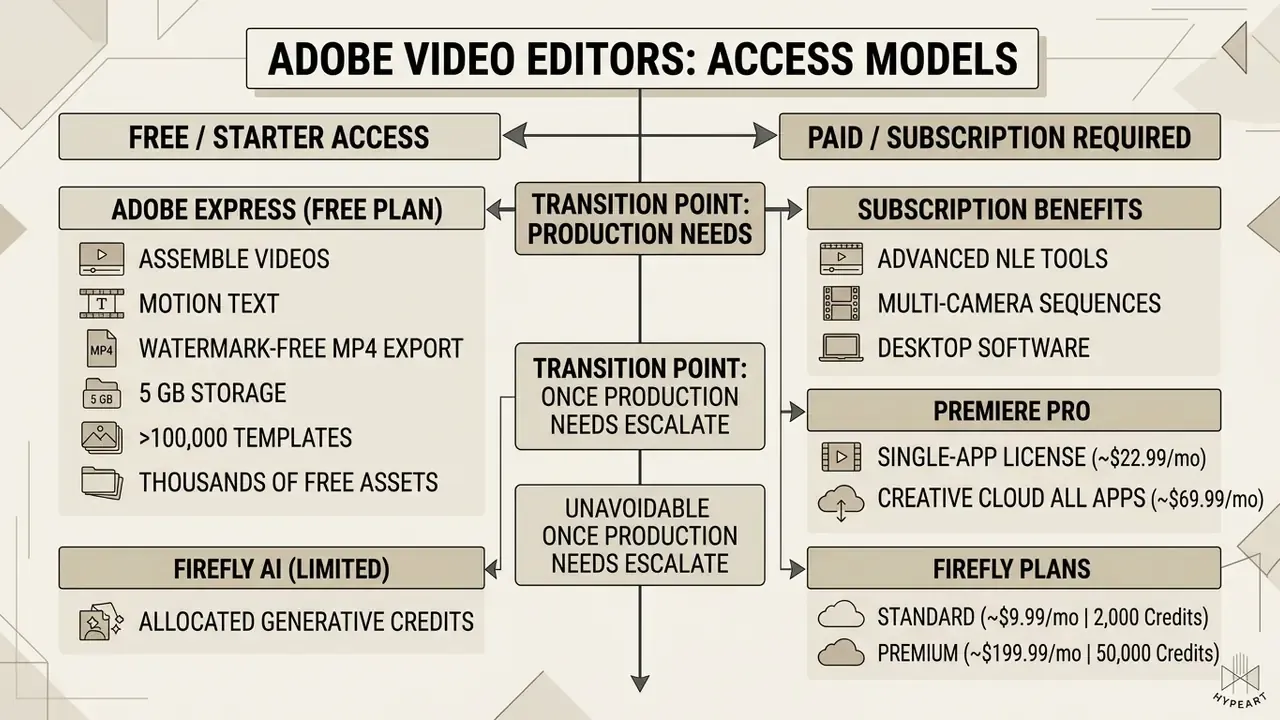
Working out whether an adobe editor video setup needs a subscription helps teams control software spend before procurement gets involved. Users asking is adobe video editor free discover a freemium strategy stretched across the catalogue.
Full desktop software requires a paid monthly plan. Around it sit free web tools, free mobile apps, and seven-day trials. Buyers comparing cost structures across specialized creative tools can see the overview for transparent plan breakdowns.
Adobe video software access tiers, free capabilities, and subscription requirements
| Product | Free tier access | Free limitations | Commercial and paid requirement |
|---|---|---|---|
| Adobe Express | Yes ($0 Free plan, no credit card required) | 5 GB storage, 10-day version history, free-collection assets, 25 monthly AI credits | Premium about $9.99/mo for background removal, 200M+ stock assets, 250 monthly credits, 100 GB storage |
| Premiere on iPhone | Yes (free App Store download; Android early access on Google Play) | Core mobile editing and 4K watermark-free export are free; generative AI limited by credits | Creative Cloud plan or credit packs for heavy Firefly usage; desktop plan required for handoff |
| Adobe Firefly (web) | Yes (free plan with limited daily generations) | Daily credit limits refresh; standard resolution; uploads capped at 200 MB and 5 to 20 seconds | Paid tiers ($9.99/mo to $199.99/mo) for high generative volume and 4K outputs |
| Adobe Premiere Pro | No (7-day free trial only) | Trial expires after 7 days and auto-renews; requires a payment method; one trial per person | Single-app subscription about $22.99/mo (annual, billed monthly) or Creative Cloud Pro about $69.99/mo |
| Creative Cloud for Teams and Enterprise | No | Not applicable | About $37.99 per license per month for a single app in Teams; Enterprise pricing on request, with Admin Console, centralized license reassignment, SSO, and shared team credit pools |
Teams weighing zero-cost generative options alongside Adobe can compare shortlists in our guide to free AI video generators, and model total cost, including credits, with the calculators you can explore the hub to reach.
What you can do for free in Adobe Express and Firefly
The Express Free plan lets users assemble videos, apply motion text, and export watermark-free MP4 files without payment, provided every asset comes from the free collection.
In Firefly, free users receive a limited allocation of generative credits. Adobe documents both a monthly figure of 25 credits on the Express free plan and a refreshing daily generation cap in the Firefly app, which is enough to test text-to-image and short text-to-video models. Credits pool across Firefly, Adobe Express, Photoshop on the web, Acrobat, and Adobe mobile apps, so heavy use in one product drains the balance in another. Budget accordingly. For further benchmarks, review our overview of AI video generators and of free photo editors to compare free-tier ceilings across categories.
When video editing requires Premiere Pro and a paid plan
FAQ about Adobe video editors
Short answers to the recurring questions behind editor video adobe searches: product classification, downloads, app safety, and platform fit.
Is Adobe Acrobat a video editor, or a tool for a different content type?
The query adobe acrobat video editor reflects a naming confusion, nothing more. Adobe Acrobat is a document platform for creating, editing, signing, converting, sharing, and protecting PDF files, per Adobe's own Acrobat documentation (Adobe Help Center, 2025 to 2026, https://helpx.adobe.com/acrobat.html).
Acrobat cannot perform video editing, timeline assembly, or audio mixing. It can embed audio and video inside a PDF as rich media, but that is document authoring, not post-production. Anyone hunting an adobe editor de video should pick Adobe Express, Adobe Premiere Pro, or Premiere on iPhone; motion graphics and visual effects belong to After Effects.
How do I download an Adobe video editor for desktop or mobile?
For an official download adobe video editor process on desktop, go to Adobe's website, sign in with an Adobe ID, open the Apps tab, and install the Creative Cloud desktop application. From there you manage installation and updates for Premiere Pro and related assets.
"Premiere on iPhone is available as a free download from the App Store; an Android version is in development according to Adobe's 2025 blog post." Adobe Premiere on iPhone Launch Blog Post, Adobe Inc. (2025). https://blog.adobe.com/en/publish/2025/premiere-iphone-launch
To complete an adobe video editor download on mobile, use the Apple App Store or Google Play. Installing only through verified stores protects software integrity, keeps updates flowing, and blocks altered third-party setup files, which remain the primary shadow IT risk inside creative departments.
Which Adobe video editor should I choose for social media clips?
For TikTok, Instagram Reels, or YouTube Shorts, the choice comes down to editing speed versus control depth. Adobe Express is the fastest path for non-technical staff who want ready-made templates, automated resizing, and scheduled publishing.
"Premiere on iPhone supports one-tap export to TikTok, YouTube Shorts, and Instagram, with auto reframe keeping key action inside the frame." Premiere on iPhone Release Notes, Adobe Help Center (2025 to 2026). https://helpx.adobe.com/premiere-rush/using/whats-new.html
Creators who need precise keyframe motion, manual color work, and multi-track audio cleanup on a phone should take Premiere on iPhone instead. Teams thinking about broader creative strategy can read about ai in art to see how automated media reshapes design workflows, or compare platforms in our review of the best AI video generators.
Can students and educators use Adobe video editors for free?
Yes. Adobe Express is free for students and educators, templates, free-collection Stock assets and cloud auto-save included, which makes it workable for classroom video assignments, lab reports, presentations, and flyers. Premiere Pro stays a paid product, though education licensing programs usually reduce the per-seat cost.
Do I need editing experience to start?
No. Adobe Express assumes zero prior experience: templates, drag-and-drop trimming, one-click resizing, and stock music cover most social use cases. Premiere Pro and Premiere on iPhone do assume familiarity with a timeline, tracks, and export presets. Plan a few hours of ramp-up, not a few minutes.
Which Adobe video editor leaves the cleanest audit trail?
Premiere Pro with Frame.io review rounds, plus Content Credentials on export. You get versioned comments, named reviewers, and provenance metadata attached to the delivered file. Express and the mobile app record less. For regulated communications, that difference is the whole argument.
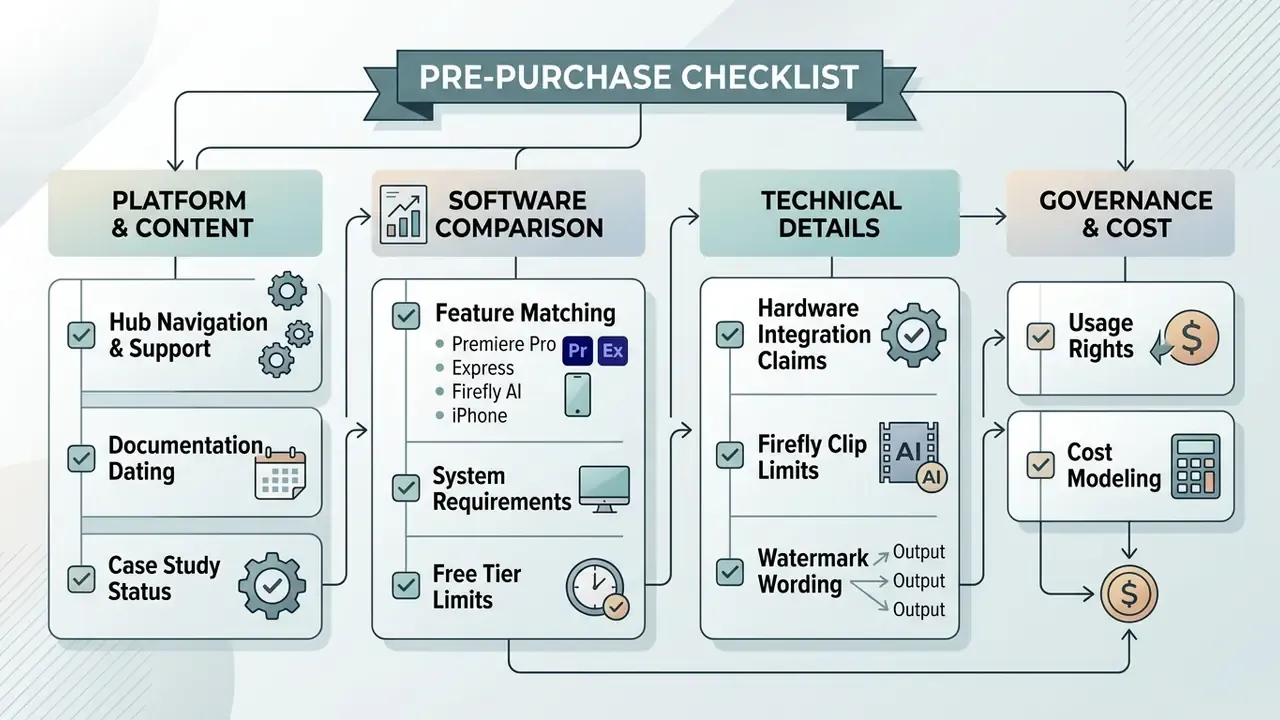
Pre-purchase checklist
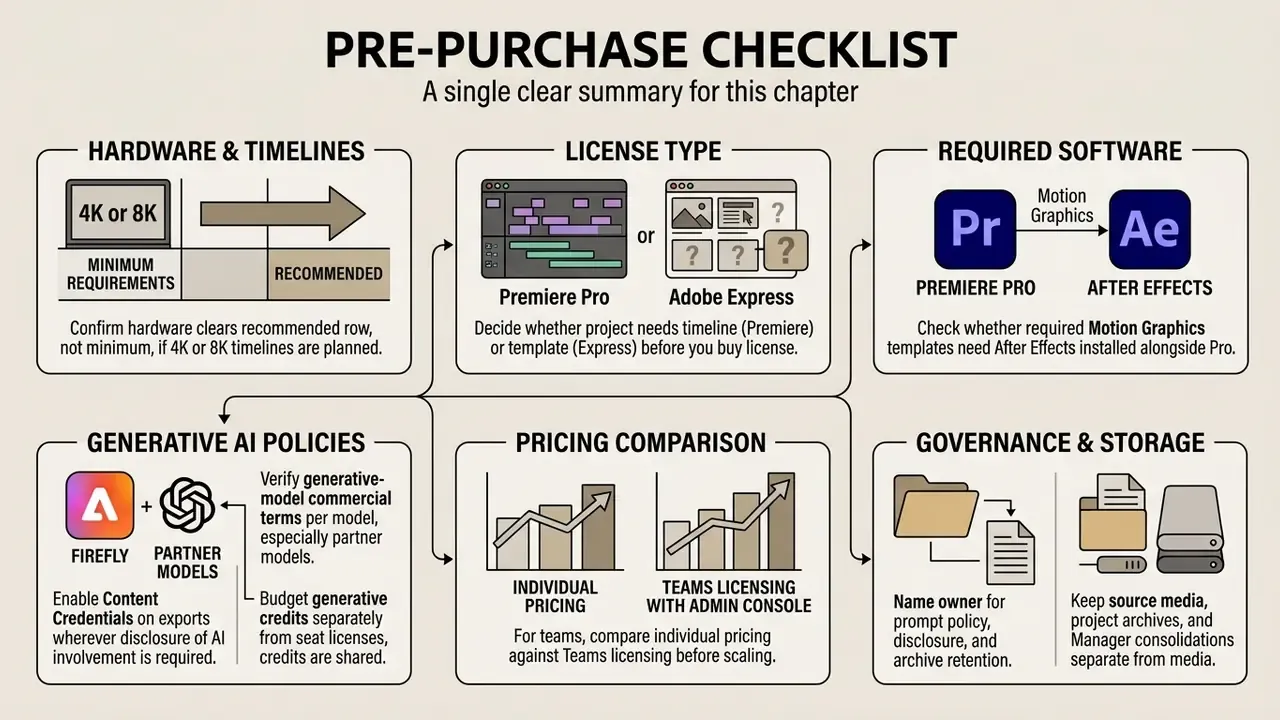
- Confirm your hardware clears the recommended row of the requirements table, not the minimum row, if 4K or 8K timelines are planned.
- Decide whether the project needs a timeline (Premiere) or a template (Express) before you buy any license.
- Check whether required Motion Graphics templates need After Effects installed alongside Premiere Pro.
- Verify generative-model commercial terms per model, especially for partner models inside Firefly.
- Enable Content Credentials on exports wherever disclosure of AI involvement is required.
- Budget generative credits separately from seat licenses, since credits are shared across Adobe apps.
- For teams, compare individual pricing against Teams licensing with Admin Console management before scaling seats.
- Name an owner for prompt policy, disclosure, and archive retention. Tooling without ownership is unmanaged risk.
- Keep source media, project archives, and Project Manager consolidations on storage separate from the media cache.
Appendix A: Editorial notes and corrections