Last updated: August 19, 2026 · Editorial perspective: Marcus Hale, Model Risk & AI Governance Specialist
Executive Summary
- No public search engine accepts a raw video file. Google, Bing and Yandex index static images and keyframes. You must extract a frame first, or use an aggregator that performs automated frame slicing on your behalf.
- Frame quality determines outcome. Use a 720p+ screenshot, crop out player UI and watermarks, and prepare 3 to 5 frames from different timestamps before running any query.
- Match the engine to the intent. Faces go to PimEyes. Commercial B-roll goes to Shutterstock Visual Search. News and web video go to Google Lens and Yandex. Chronological priority goes to TinEye and its "Oldest" filter. Raw files or batch monitoring go to Berify.
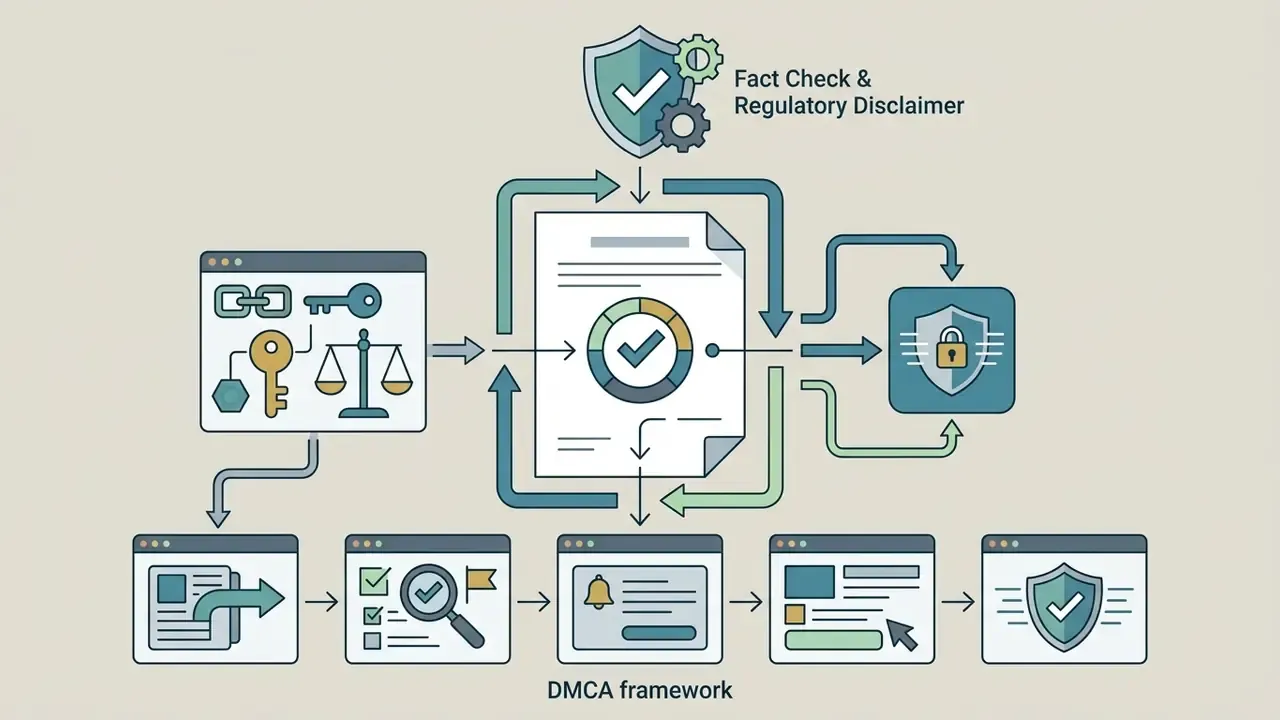
- A visual match is a lead, not legal proof. Document URLs, timestamps, account IDs and SHA-256 hashes before escalating to a DMCA notice under 17 U.S.C. § 512(c)(3).
Who This Guide Is For
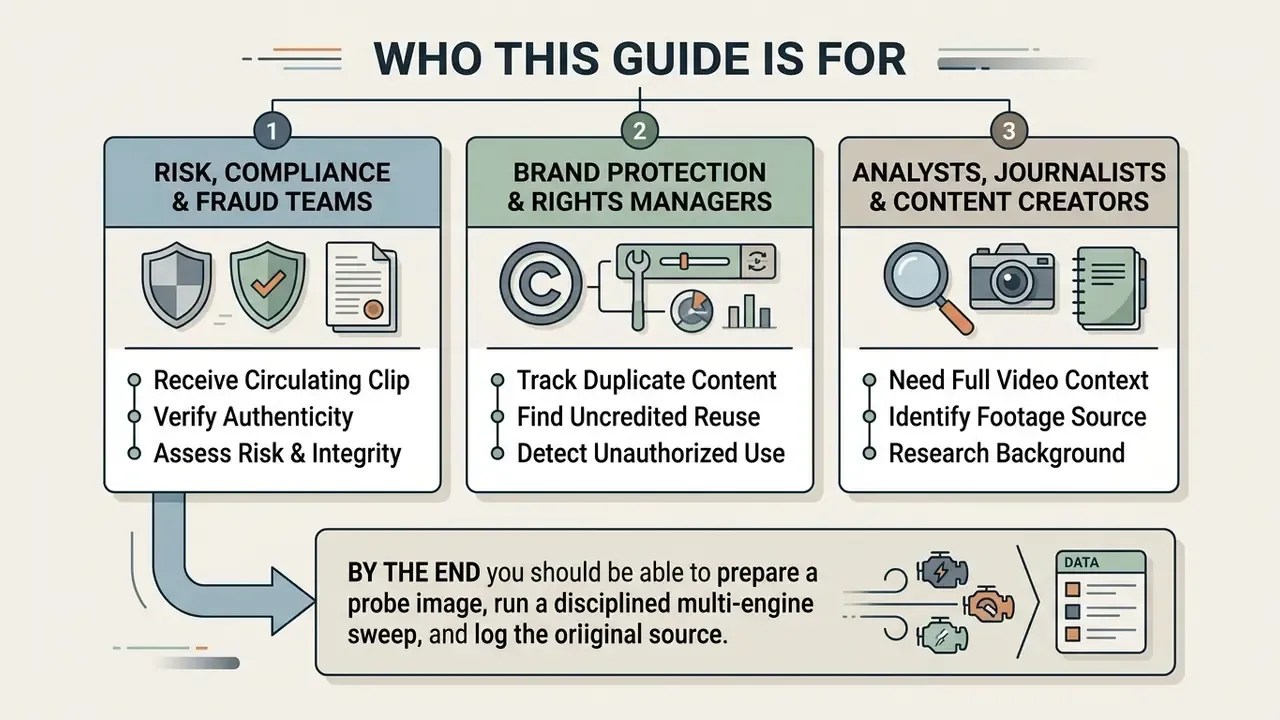
Three roles keep asking the same question in slightly different words.
- Risk, compliance and fraud teams in US banks and fintechs who receive a circulating clip and need to know where it came from, who published it first, and whether the upload trail can survive audit review.
- Brand protection and rights managers tracking duplicate content, uncredited reuse and unauthorized use of licensed footage across social media and video hosting platforms.
- Analysts, journalists and content creators who simply want the full video behind a screenshot, without trawling platform search by hand.
By the end you should be able to prepare a probe image, run a disciplined multi-engine sweep, and log the result in a form a lawyer or an internal auditor will accept. That last part is where most workflows quietly fail.
Discovering the original source of a video clip using a single photo or screenshot is a critical capability for content verification, legal compliance and media attribution. Learning how to find video from image reverse search allows analysts, creators and compliance teams to bypass manual video searching and track down original publishers in minutes.
What Is Reverse Video Search and What Can It Find?
Reverse video search is an analytical technique that uses an extracted image or frame to query search engines for matching video content across the web. Instead of scanning raw MP4 files as single objects, search platforms match visual features from keyframes against their indexed web database to locate exact re-uploads, edited clips and related video pages.
"Reverse image search is a form of visual search where the image is the query, and the results are documents and media visually or contextually related to it."
Understanding how to find video using reverse image search requires recognizing what automated visual indices actually store. When an analyst runs a query to find video with image assets, the engine scans billions of web pages for structural, colour and visual descriptor overlaps. Knowing how to reverse image search a video frame provides a reliable methodology to locate the original video host page, pin down the original source, and evaluate related content.
The practical scope of the technique is therefore "frames, scenes, clips and duplicates" rather than arbitrary semantic search across an entire file. Exact-match search behaves like fingerprinting: it answers the question "have I seen this exact clip before?" and maps hits back to a page or timestamp. Similarity search relies on embeddings and vector comparison to surface visually related clips, re-uploads and derivative edits.
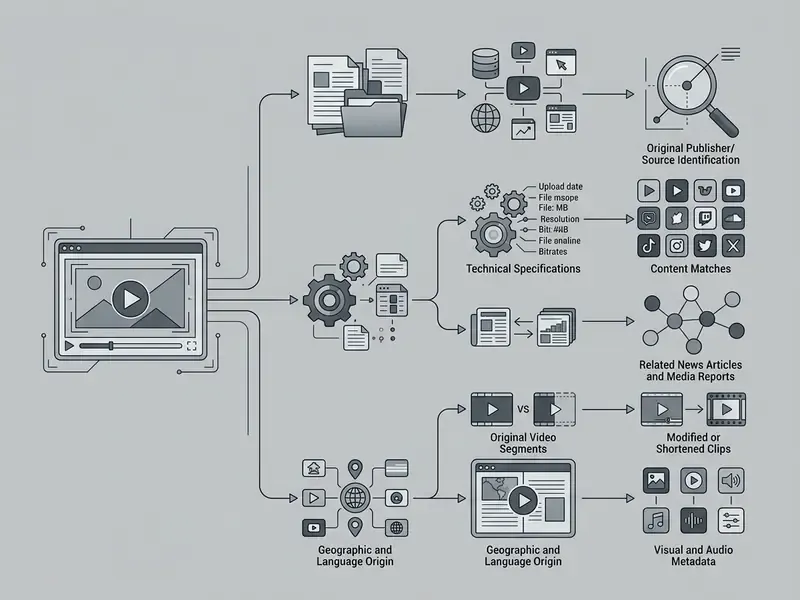
How Frame Extraction and Visual Matching Work
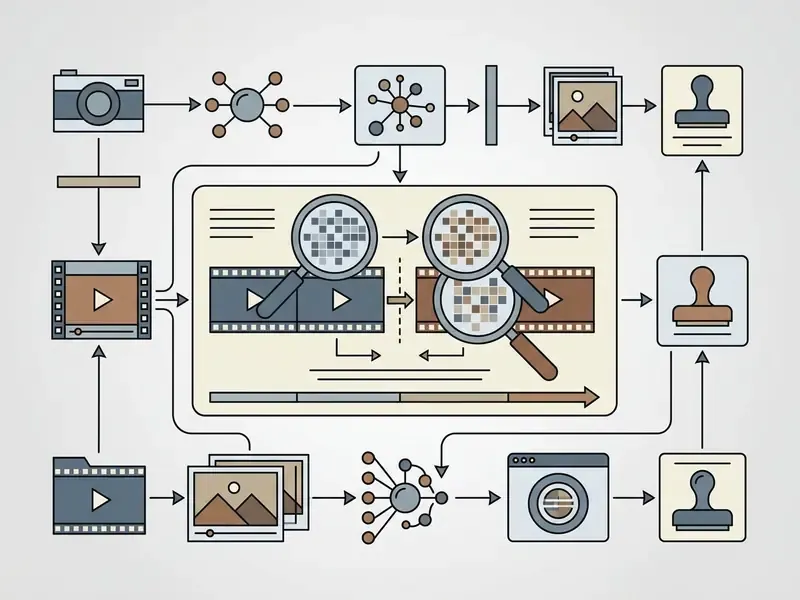
Frame extraction converts a continuous video signal into discrete image queries using keyframe detection algorithms. Modern visual search platforms apply computer vision models to analyze spatial geometry, edge density and colour histograms within a selected video frame.
During visual matching, the search engine converts the image into a high-dimensional feature vector. The system queries an inverted file index to identify an exact image match or compute visual similarity against cached web media. This computer vision pipeline enables accurate image recognition even when the query frame has been re-encoded or slightly cropped.
"Video indexing is built on keyframes: systems select them by significant colour-histogram change and fuse colour and motion features to compute similarity."
The classical architecture behind this behaviour dates back to viewpoint-invariant local descriptors combined with inverted-file retrieval and ranking, the same pattern that modern engines scale to billions of documents. Contemporary implementations replace hand-crafted descriptors with deep convolutional or contrastive embeddings, yet the three-stage pipeline stays constant: extract frame features, segment the video, then select the representative keyframe for each segment.
What Results to Expect from a Video Search
A visual query returns three primary categories of search results: exact duplicates, visually similar content, and contextual web pages. When attempting to find matches, search platforms highlight pages where the exact keyframe appears as a thumbnail, embedded image or hero banner.
- Exact Matches direct re-uploads on platforms like YouTube, Vimeo or news domains featuring the identical thumbnail.
- Similar Videos content containing modified angles, re-edited clips or visually identical scene setups.
- Contextual Pages articles, social posts or database records discussing the underlying video clip.
While visual engines excel at locating indexed web pages, finding an untruncated full video requires reviewing the earliest published domain returned in the query index. Note that no public benchmark publishes a universal probability of recovering a complete video from one frame. Retrieval success depends almost entirely on how distinctive the query frame is, and on whether the host page was crawled at all.
Prepare the Best Image or Video Frame for Search
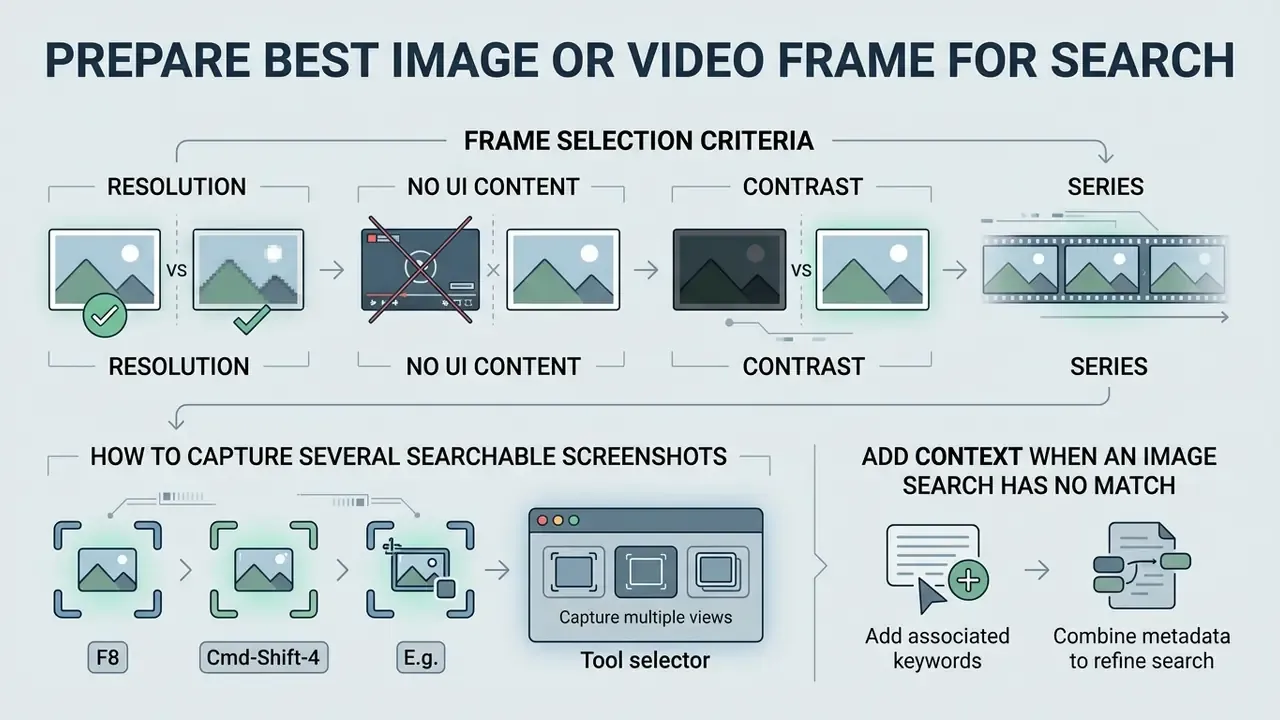
Preparing a high-quality frame query is the single most critical step in learning how to find video from image screenshot files. A clean, distinctive keyframe eliminates interface visual noise and gives search algorithms clear feature boundaries. When a capture is dim, noisy or soft, running it through AI image enhancers before submission often recovers enough edge detail to trigger a match.
"Visual search lets users submit an image as the query and receive a ranked result list; query image quality and content materially affect precision."
To maximize retrieval precision, select a frame containing recognizable human faces, sharp background architecture or unique typography. Avoiding compressed or blurry playback states dramatically improves indexing performance across major search platforms.
European forensic guidance (ENFSI) is explicit on one point that casual users routinely ignore: when the input is video, several frames should be extracted from the original footage rather than relying on a single still. FISWG's image-preparation guide adds a second rule. Keep the original untouched file, work only on lossless copies, and perform format conversion as the final step before searching.
Frame selection criteria for reverse image search
Checklist0 / 5
If the source playback is capped below 720p, a common problem with archived social clips, AI image upscalers can restore usable feature density before the probe image is submitted. Upscale conservatively. Aggressive generative reconstruction invents detail that visual indices will not match against the genuine original.
How to Capture Several Searchable Screenshots
Relying on a single image capture frequently leads to incomplete search outcomes. To perform a thorough video search, extract several distinct screenshots from different timestamps of the video clip. Frame-accurate stepping in standard video editing tools produces cleaner captures than pausing in a browser player, because it avoids interpolated playback frames and overlay chrome.
"Video indexing systems extract multiple keyframes per shot to cover different moments and actions, which improves recall for single-frame queries."
Capture shots during steady camera positions where background details are visible, rather than high-action sequences smeared by motion blur. Practical sampling strategies fall into three families: fixed-interval capture (one frame every 1 to 3 seconds), scene-change capture (one frame per detected cut), and keyframe-only capture (one representative frame per shot). A documented approach from recent keyframe-selection literature takes two complementary frames per shot, one representing the dominant content and one capturing an unusual within-shot change. That combination maximizes coverage diversity while minimizing redundant queries.
For complex production assets, teams often integrate automated frame extraction directly into their custom AI Media Workflows, and creator-side teams frequently pair extraction with their existing YouTube editing workflow so that thumbnail and still assets are archived at publication time rather than reconstructed under deadline pressure later.
Add Context When an Image Search Has No Match
If a purely visual search yields zero results, augment your investigation by pairing visual frames with structured textual queries. Combining extracted image details with specific keywords helps narrow down unindexed or restricted video assets.
When querying platforms hosting millions of user-uploaded files, such as a youtube video, append visible on-screen text, brand logos or event names to your search query. Running the frame through image-to-text tools extracts burned-in captions, chyrons, jersey numbers and signage that can be pasted directly into a hybrid text query. This hybrid methodology enables analysts to discover content and identify the original creator even when visual indexing alone fails to surface direct matches.
Query augmentation is a documented retrieval technique, not a workaround. Contextual image search systems combine the original query with keywords drawn from the surrounding page or session, then expand those terms through synonyms and stemming before re-running the search.
If zero matches return because of low lighting or motion blur, run the screenshot through an image enhancer or video editor (CapCut or Lightroom, for instance) to adjust contrast, sharpen edges and reduce noise before re-submitting the probe image. Re-search the full frame first, then repeat with two or three tight crops around the most distinctive region. Cropping changes the visual fingerprint, so partial-image queries frequently succeed where whole-frame queries fail.
How to Find a Video by an Image on Desktop
Desktop browsers offer the most robust environment for multi-engine visual investigations. Knowing how to find a video by an image on desktop lets you use drag-and-drop file uploads, browser extensions and side-by-side tab comparisons.
Desktop search interfaces provide precise control over cropping tools, enabling targeted queries on specific sub-regions of a frame. Analysts can switch between direct file uploads and image URL links to query major search databases in near real time.
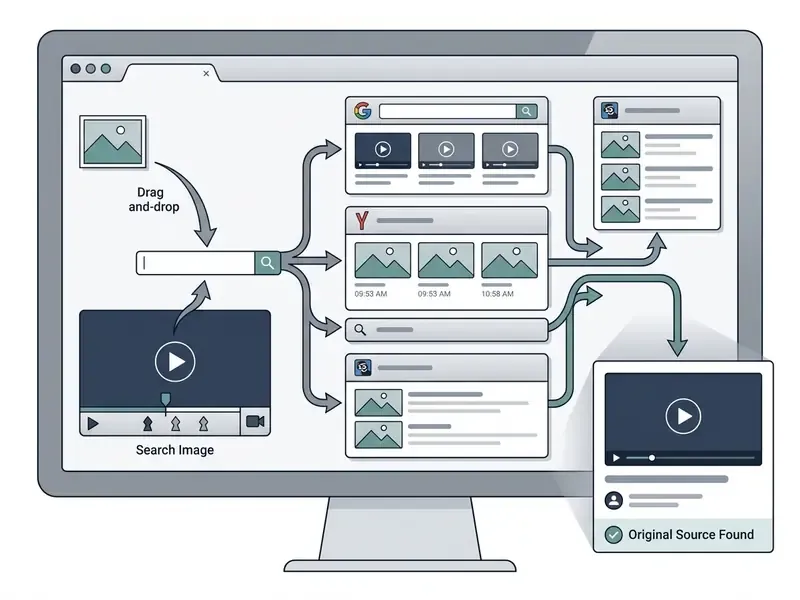
Search a Video Frame with Google Images
Google Images remains the primary starting point when learning how to search a video using an image on desktop web browsers.
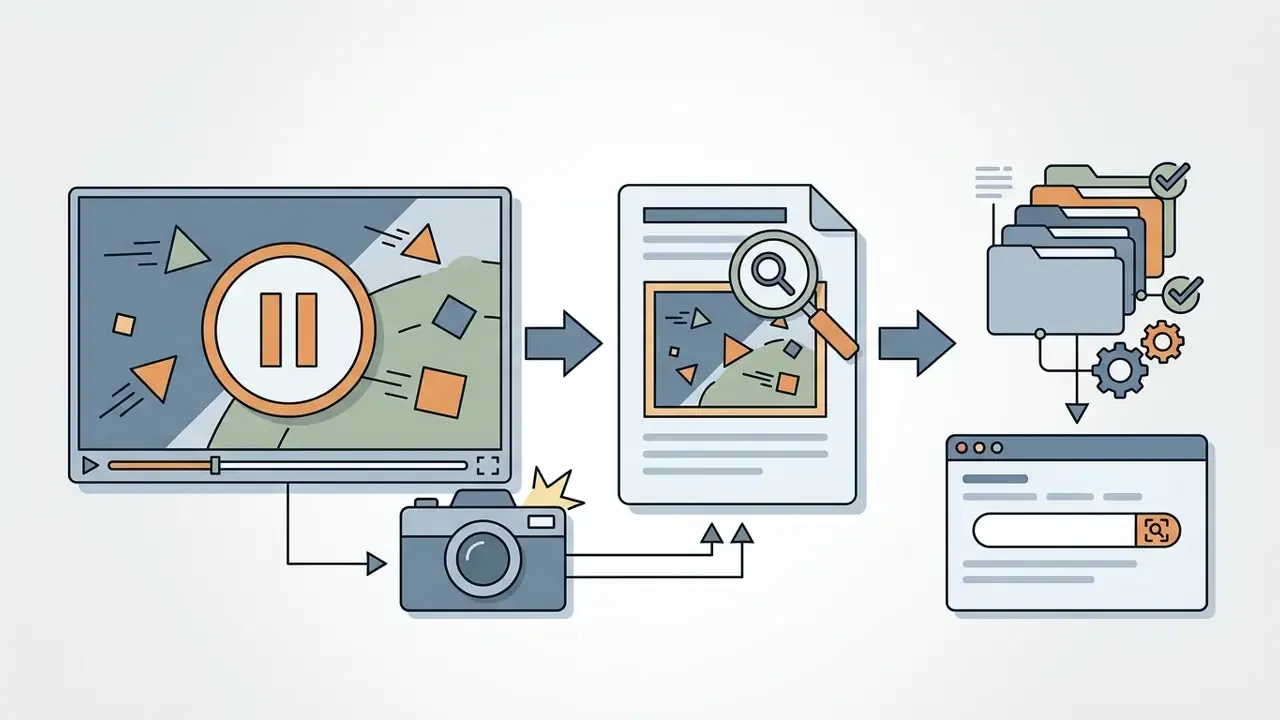
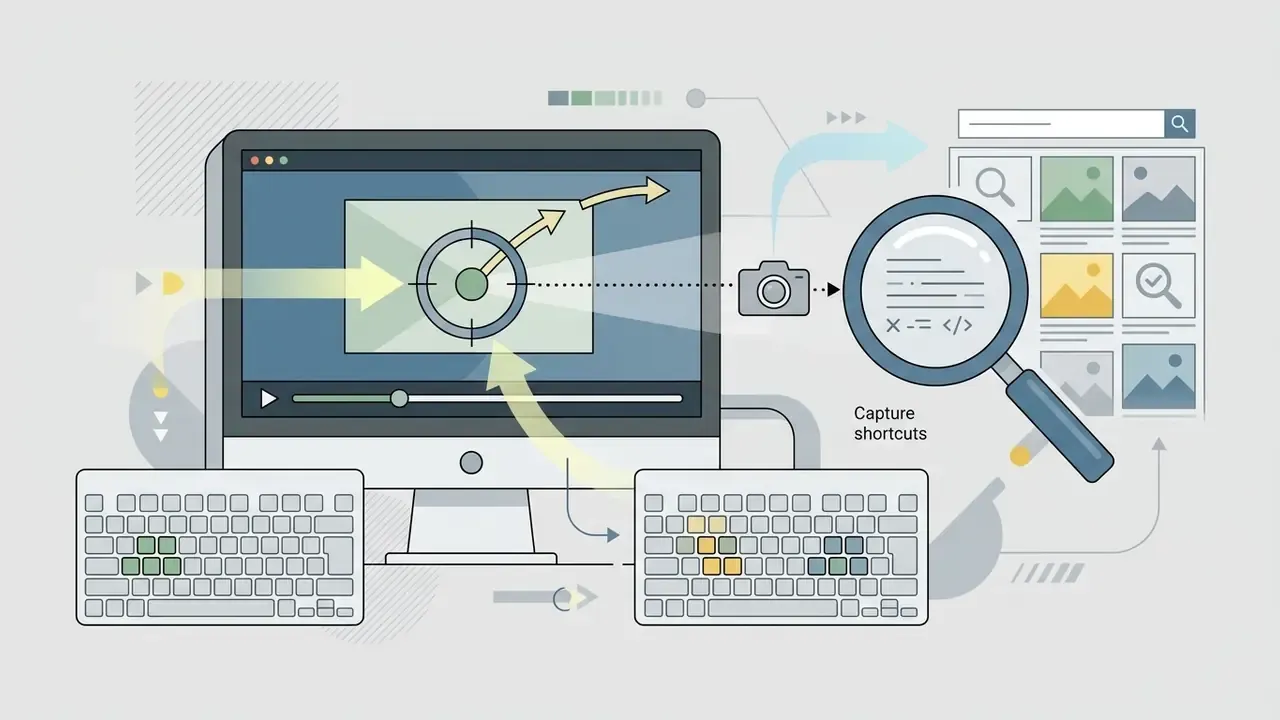





"Google's exact matches feature shows every page where an identical image appears, letting you establish who reused it and find the original site."
Evaluating the indexed host pages lets you trace the image back to its primary source article or original video embedding. Scan the exact-match list for the page with the earliest publication date, the highest-resolution asset and the least-cropped aspect ratio. Those three signals together are the strongest available indicator of the origin page. Not proof, mind you. Indicator.
Use Bing Visual Search for Additional Matches
Bing Visual Search offers specialized visual filtering algorithms that complement Google's index. When figuring out how to search video using image inputs, running secondary queries on Bing frequently surfaces alternative news domain embeddings and e-commerce listings.
To use Bing Visual Search on desktop, open the Bing search portal and select the visual search camera icon inside the input field. Upload your extracted keyframe, then use Bing's interactive visual cropping box to isolate specific facial features, logos or background landmarks. Bing's image search engine processes these localized regions to surface find related links and visually matching video cards.
Two operational caveats apply. First, Microsoft's own documentation describes area selection and image identification, but does not document a dedicated video-specific frame-search mode. The mechanism remains image-to-image matching. Second, the Bing Visual Search API was retired in August 2025, so automated pipelines that previously called it programmatically must now rely on the web interface or on alternative vendors.
How to Find a Video from an Image on a Phone
Mobile devices account for a massive volume of modern media consumption, which makes mobile reverse search an essential skill. Understanding how to find video from a photo on iOS or Android enables rapid on-the-go verification of social media clips.
Mobile workflows centre on native system utilities, dedicated search applications and screen capture shortcuts. By saving a clear frame to your photo gallery, you can launch visual queries directly from your mobile browser or camera application and jump straight to the video online. On iOS the entry point is typically the Photos share sheet or the Google app. On Android, Lens launches from the Google app or the gallery. In both cases the search target is the still frame, never the MP4 itself.
One practice to avoid: photographing your monitor or a second screen instead of taking a proper screenshot. Moiré patterns, glare and lens distortion degrade the perceptual hash so severely that results become inconclusive. Even facial-search vendors who otherwise encourage mobile capture acknowledge this limitation.

Search a Screenshot with Google Lens
Google Lens provides seamless mobile integration for analyzing screenshots stored in your device library. Learning how to search for a video using an image on a smartphone relies heavily on this integrated vision tool.
Open the Google application on iOS or Android and tap the camera icon next to the search field. Select the saved keyframe from your photos, then adjust the visual bounding box to highlight key objects inside the frame. Google Lens analyzes the selection using advanced visual image recognition models, returning matching web links, social video posts and identical online stills.
Google has also shipped a video-capture mode inside Lens: open Lens, hold the shutter button to record a short clip, and ask a question aloud. As documented in Google's October 2024 update, this shipped globally to Search Labs users enrolled in the "AI Overviews and more" experiment, with English-language queries supported. It answers questions about what the camera sees. It is not a reverse lookup of an existing file, so keyframe search remains the reliable path for source attribution.
Find Video Sources with Yandex Images
Yandex Images is widely reported by practitioners to perform strongly on facial similarity and fine background detail, although no peer-reviewed 2023 to 2026 evaluation publishes accuracy figures for its open-web index. Treat that reputation as practitioner consensus rather than measured performance. When standard search engines return thin results, Yandex on mobile frequently recovers obscure video re-uploads.
To query Yandex Images on mobile, open your browser and navigate to the Yandex visual search portal. Tap the camera icon in the search bar, select your prepared image video frame from the photo gallery, and start the search. Yandex compares the frame against its global index, which makes it unusually effective at locating original source videos across international media platforms and social networks.
"The Deepfake-Eval-2024 team systematically applied Google and Yandex reverse image search to verify 1,975 media items from 88 websites in 52 languages."
Compliance note. For regulated institutions, particularly US and EU financial entities, uploading corporate media to Yandex may fall outside approved cross-border data-transfer channels. Verify with your privacy and vendor-risk functions before submitting anything beyond fully public, non-sensitive frames.
Choose the Right Reverse Video Search Tool
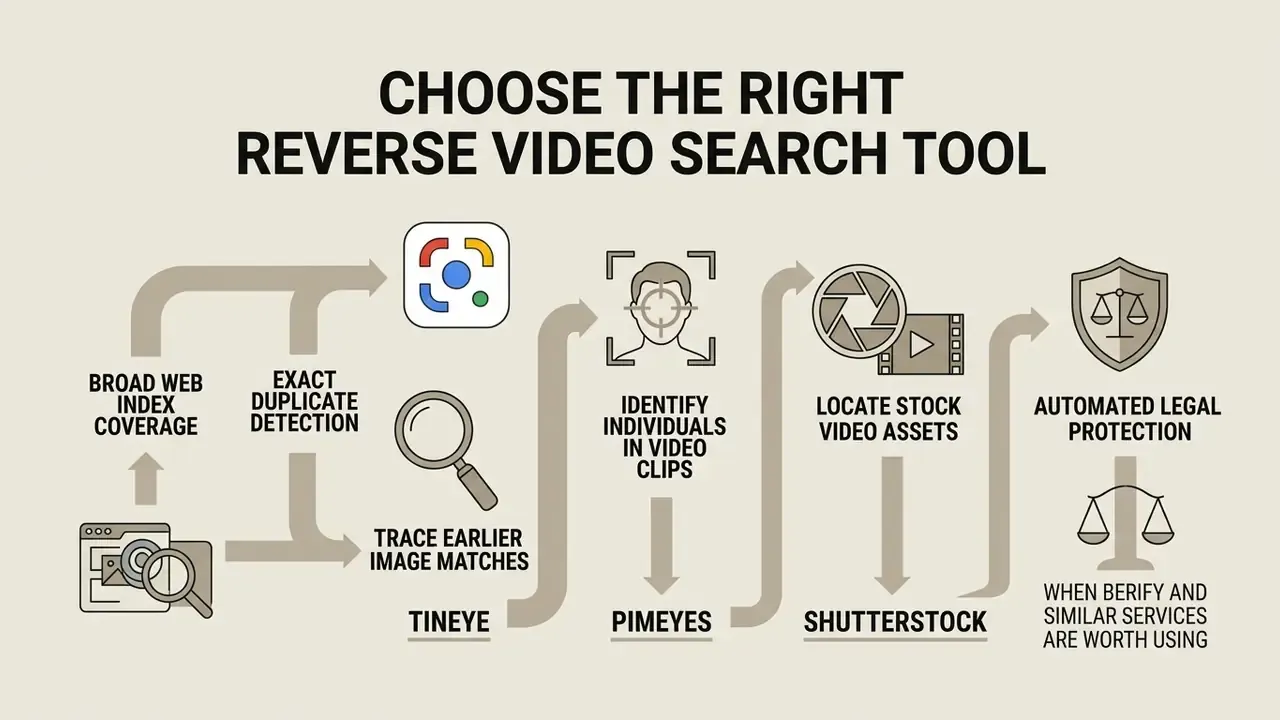
Selecting the optimal engine depends on whether your investigation prioritizes broad web index coverage, exact duplicate detection or automated legal protection. Evaluating different video search tools prevents wasted effort and shortens media verification cycles. For a broader feature-level breakdown, see our comparison of AI reverse image search tools.
Universal search engines offer massive indices but may miss modified frames, whereas dedicated reverse search services specialize in detecting altered or cropped images. Structured matrix evaluations, similar to those in our AI Media Comparison Matrices, help organizations select the proper search tooling for their investigative needs instead of testing every service blind.
QUICK TOOL SELECTOR:
- Searching for a face or a person in video?        Use PimEyes
- Searching for commercial B-roll or stock?         Use Shutterstock Visual Search
- Searching for original news or web video?         Use Google Lens / Yandex
- Need historical chronological priority?           Use TinEye (Filter: "Oldest")
- Have a raw video file or a batch to sweep?        Use Berify (automated slicing)
| Search Engine / Tool | Input Methods Supported | Search Algorithm Focus | Original Source Discovery | Pricing & Limits | Enterprise Data Privacy Consideration | Primary Limitation |
|---|---|---|---|---|---|---|
| Google Images / Lens | File upload, image URL, screen capture, Chrome right-click | Entity recognition and visual similarity | High for mainstream media and news | Free unlimited searches | Uploads processed on Google infrastructure; consumer terms apply | May prioritize product entities over exact video source links |
| Bing Visual Search | File upload, image URL, crop selection | Object extraction and partial visual matching | Moderate to high | Free via web portal; Visual Search API retired Aug 2025 | Microsoft consumer terms; no enterprise DPA on the web portal | Index coverage varies outside major commercial domains |
| Yandex Images | File upload, image URL | Facial similarity and micro-detail matching | Exceptional for international and social media | Free unlimited searches | Cross-border transfer concerns for regulated entities | Can return false positives on common facial archetypes |
| TinEye | File upload, image URL, drag-and-drop | Perceptual hashing and exact duplicate fingerprinting | High for exact historical index entries | Free basic web search; paid API tiers | Vendor states it does not save or index submitted search images | Index does not cover non-public social media walls |
| Berify | File upload, video files (MP4/MOV), image URL | Multi-engine aggregation and hash matching | High for broad web re-uploads | Free tier limited; monthly subscription | Files processed server-side for slicing; review retention terms | Slower processing because of multi-engine batching |
| Shutterstock Visual Search | File upload, drag-and-drop | Vector and visual style matching | High for commercial stock footage and B-roll | Free search; paid licensing | Commercial marketplace terms; frames used only for matching | Limited to indexed commercial stock libraries |
| PimEyes | File upload (facial crop) | Facial vector indexing | High when a clear face is present | Free preview; paid subscription for source URLs | Biometric data processing; verify lawful basis before use | Indexes face stills from video pages, not raw MP4 timelines |
Use TinEye to Trace Earlier Image Matches
TinEye is documented by its vendor as matching on image fingerprints rather than semantic visual similarity. That makes it the strongest tool for exact and near-duplicate tracing, and the weakest for conceptually similar scenes. Independent academic verification of its matching algorithm is not publicly available, so treat vendor documentation as the authoritative description. When learning how to find video using image reverse search methods to trace history, TinEye's historical crawling data provides irreplaceable chronological context.
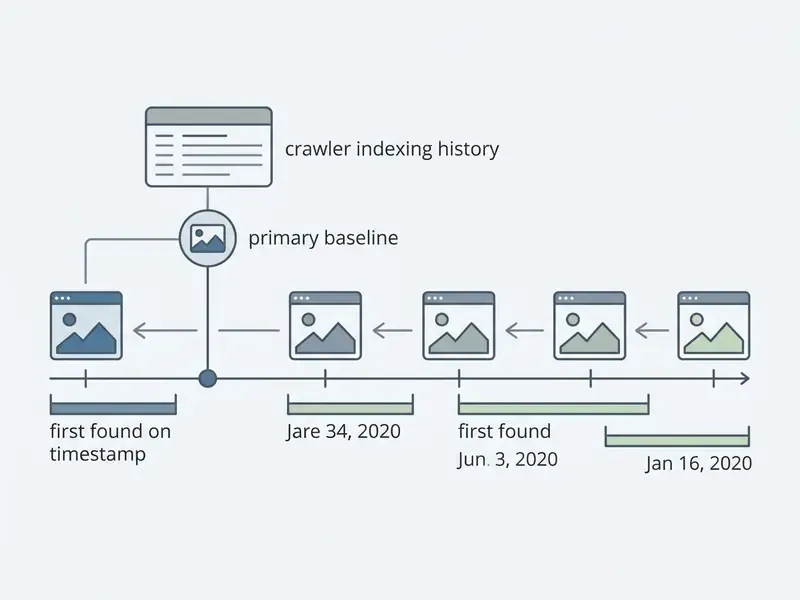
Upload your extracted frame to TinEye and use the "Oldest" filter to sort the search results. This orders indexed matches by the date TinEye's crawlers first encountered the image online. Crawler discovery dates do not constitute legal proof of authorship, yet locating the earliest indexed instance is strong supporting evidence when you need to find duplicate uploads and identify the first publication. TinEye itself states that it cannot determine when an image first appeared on the web, only when TinEye first found it. Use crawl dates to order duplicates, never to assert ownership.
"TinEye and similar tools have no transparent peer-reviewed coverage or accuracy evaluations for the open web as of 2023 to 2026; their effectiveness is documented in practice, not measured academically."
Identify Individuals in Video Clips Using PimEyes
When you are searching for a video featuring a specific individual or content creator, standard visual search engines may fail if the background changes between uploads. Specialized facial recognition tools such as PimEyes index face vectors rather than whole-scene visual descriptors, which makes them resilient to background substitution, re-framing and colour grading.
By uploading a clear, non-blurred facial keyframe from an unknown clip, PimEyes scans open-web media to locate matching thumbnails, video stills and creator profiles, often surfacing the host page of a clip that scene-based engines miss entirely. The vendor is explicit about the mechanism: it does not parse video files, but it can locate videos when they are accompanied by stills extracted from that footage.
Operational notes: crop tightly to the face, avoid monitor photographs, and expect degraded results on profile or heavily occluded angles. Because facial search processes biometric identifiers, confirm your lawful basis and internal approval before running enterprise investigations through it. Compliance sign-off first, curiosity second.
Locating Stock Video Assets via Shutterstock
If the target clip looks like professional B-roll, commercial stock footage or 3D animation, upload your keyframe to Shutterstock's visual search. The engine isolates colour vectors, spatial layout and animation style to identify the exact downloadable stock video ID.
To run the search: open Shutterstock, select "Search by image" next to the query field, then drag and drop your keyframe into the "Search similar images" panel. You can further constrain the query to vectors or to animated and computer-generated illustrations, which helps when the frame originates from a motion-graphics package rather than live footage. Because Shutterstock's library spans roughly a billion images and videos, this route frequently resolves "uncredited commercial clip" cases that news-oriented indices cannot, and it answers the licensing question at the same time by returning the asset's commercial terms.
When Berify and Similar Services Are Worth Using
Follow an Iterative Workflow to Find the Original Video Source
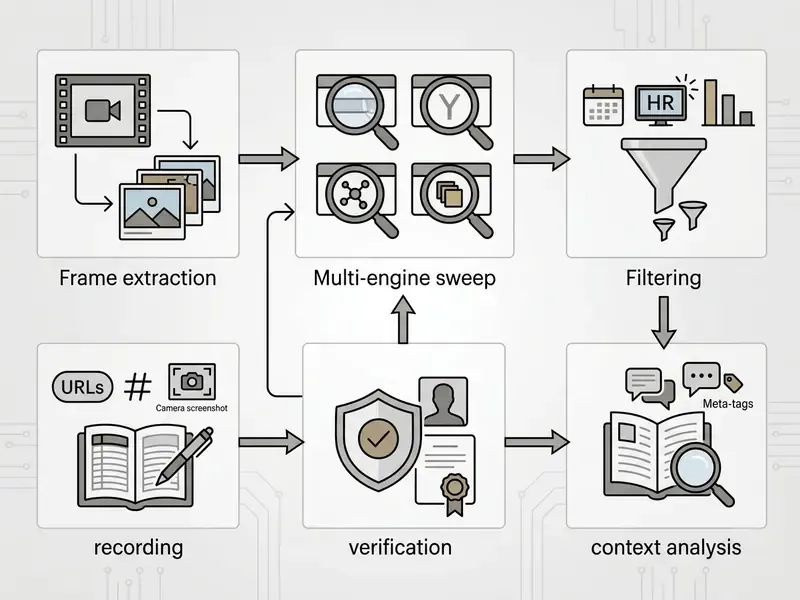
Finding an original video publisher requires a structured, multi-step investigative methodology. A standardized workflow prevents premature conclusions drawn from single-engine results.
Search Multiple Frames and Multiple Engines
Investigations should never rest on a single keyframe query. To thoroughly execute a search to find video source from image assets, run queries across diverse timestamps and engines.
"Different search indices have different coverage and refresh cycles: a frame that returns nothing in one engine may match successfully in another."
"DoppelSearch uses CLIP contrastive learning to align query images with video frames in a shared vector space, implementing image-to-video retrieval." Source: DoppelSearch, ACM, AI Challenge HCMC (2023)
Case 1, uncredited commercial clip (illustrative). During a digital rights review, an investigative team tried to locate the publisher of an uncredited 15-second commercial clip. Searching the initial frame returned only generic stock footage listings. The team then extracted a secondary frame containing a partial background street sign and queried Yandex Images. That second query surfaced an unedited version on a regional video hosting platform, which led directly to the primary content producer within two hours.
Case 2, suspected executive-impersonation video (hypothetical financial-services scenario). A risk team received a circulating clip that appeared to show a senior executive endorsing an investment product. The first keyframe, a tight head-and-shoulders shot against a neutral backdrop, produced no matches in Google or Bing. A facial crop submitted to PimEyes surfaced the same face on a conference recording page, while a third frame containing a partially visible lectern logo matched a public keynote archive in Yandex. Comparing aspect ratios and resolution confirmed that the circulating clip was a re-cut, re-voiced derivative of legitimate public footage. The chronological chain, original keynote upload date versus first appearance of the derivative, became the core artefact in the subsequent takedown and customer-notification file.
When multiple engines return overlapping but differently ordered hits, merge the lists rather than trusting one ranking. Reciprocal rank fusion, which assigns each result a score based on its position in every list where it appears, is the documented technique for combining heterogeneous retrieval outputs into a single prioritized queue.
Confirm the Full Video and Original Creator
Surfacing a matching video clip is not the final step. You still have to verify that the result is the original publication rather than a third-party scrape.
- Check Timestampscompare publication dates across all matching web URLs to identify the earliest online appearance.
- Inspect Video Resolutionoriginal uploads typically carry higher bitrates and native aspect ratios compared with cropped re-uploads.
- Analyze Account Historycheck whether the hosting channel shows authentic original content creation or automated scraping patterns.
- Examine Frame Boundariesscraped clips often show altered aspect ratios, added borders or cropped watermarks designed to bypass automated detection.
- Check Provenance Metadatawhere available, validate a C2PA signed manifest against the media bytes. Forensic guidance (SWGDE) distinguishes authentication from contextualization. A matching frame establishes context, not authorship.
For step 4, pairing manual inspection with AI image detectors helps flag frames that were synthesized or inpainted rather than captured, which changes the entire investigative hypothesis.
"On the Deepfake-Eval-2024 video track (814 clips) the best system reached ROC-AUC 0.822 at 73.0% accuracy, showing that automated video authenticity verification remains hard."
Reviewing these structural markers gives you a defensible basis to track down the true author and locate the authentic complete file.
Handling AI-Generated and Deepfake Video Frames
Synthetic and heavily manipulated video breaks the core assumption of reverse search, namely that the query frame shares a stable visual fingerprint with an indexed original. Three failure modes dominate.
- Fully generated footage. If the clip was produced by AI video generators or by an ai avatar video pipeline, there is no upstream original to find. Zero matches is the expected, informative result, and the investigative question shifts from "where is the source?" to "who published it first, and on what account?"
- Face-swapped or re-voiced derivatives. The background frequently survives manipulation even when the subject does not. Query background-dominant frames (signage, architecture, stage furniture) rather than face-centred ones, and reserve facial search for the claimed subject, to establish whether authentic footage of that person exists elsewhere.
- Aggressive re-encoding and style transfer. Mirroring, colour grading and generative upscaling shift the feature vector past standard similarity thresholds. Counter this by searching multiple tight crops, by horizontally flipping the frame and re-submitting, and by prioritizing engines that match on micro-detail rather than global composition.
Critically, reverse image search does not detect AI generation. It supplies indirect evidence only. An absence of matches is consistent with synthesis, but also with private hosting or very recent publication. Combine visual search with dedicated detection models, and calibrate expectations against published performance: on the Deepfake-Eval-2024 video track, the strongest evaluated system reached 73.0% accuracy, meaning roughly one automated verdict in four was wrong. Automated output should inform analyst judgement, never replace it.
Plan Reverse Video Search for Copyright, Commercial and Enterprise Risk Investigations
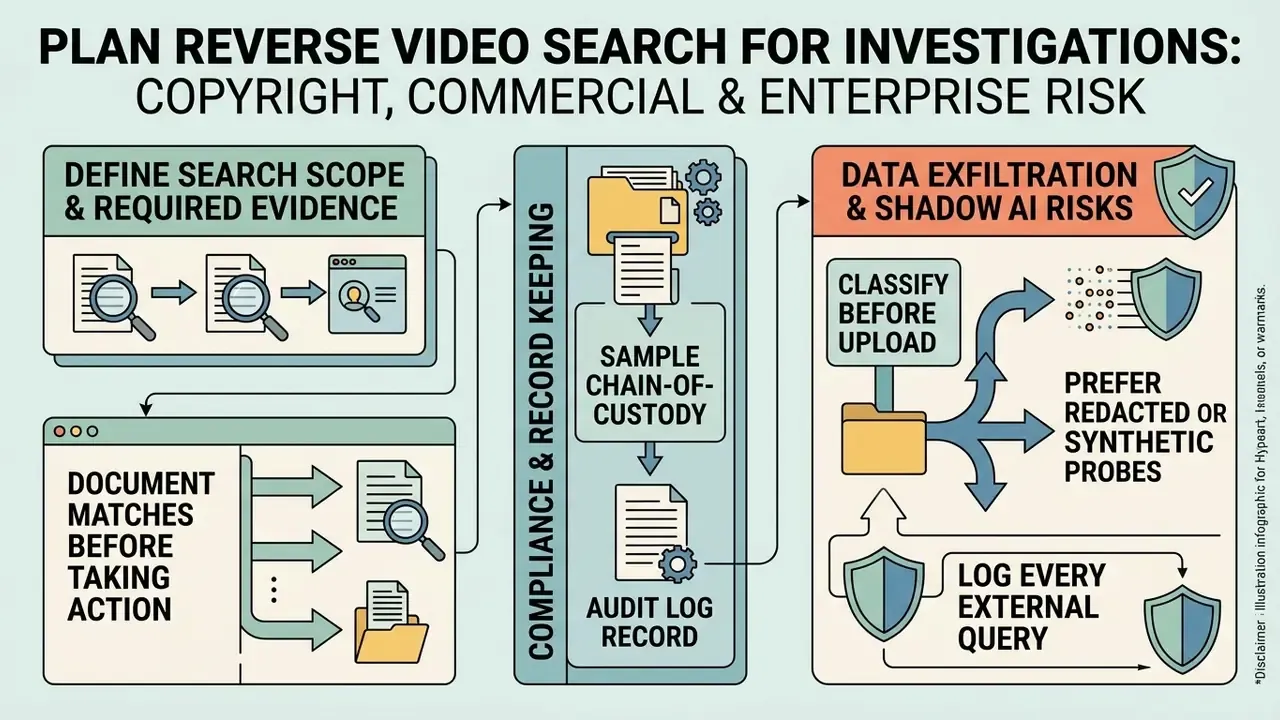
Commercial organizations and media rights managers use reverse video search to defend intellectual property, support brand protection and detect infringement. With generative tooling now producing a growing share of circulating content, investigations increasingly need to separate scraped authentic footage from synthetic derivatives before any claim is filed. A formal reverse search workflow protects brand reputation and documents unauthorized media distribution in a form that survives review.
"Reverse image search can reveal media reuse, but the existence of a match does not by itself prove copyright infringement; it is only the starting point for legal analysis."
Enterprise teams managing automated creative pipelines often rely on specialized asset frameworks such as an Agency Creative Production Workflow to maintain clear data lineage for every generated media asset. Teams that fine-tune their own models should keep ai image training datasets and derivative renders in the same lineage register, otherwise an internal asset can resurface later as an unattributable "found" frame.
Define the Search Scope and Required Evidence
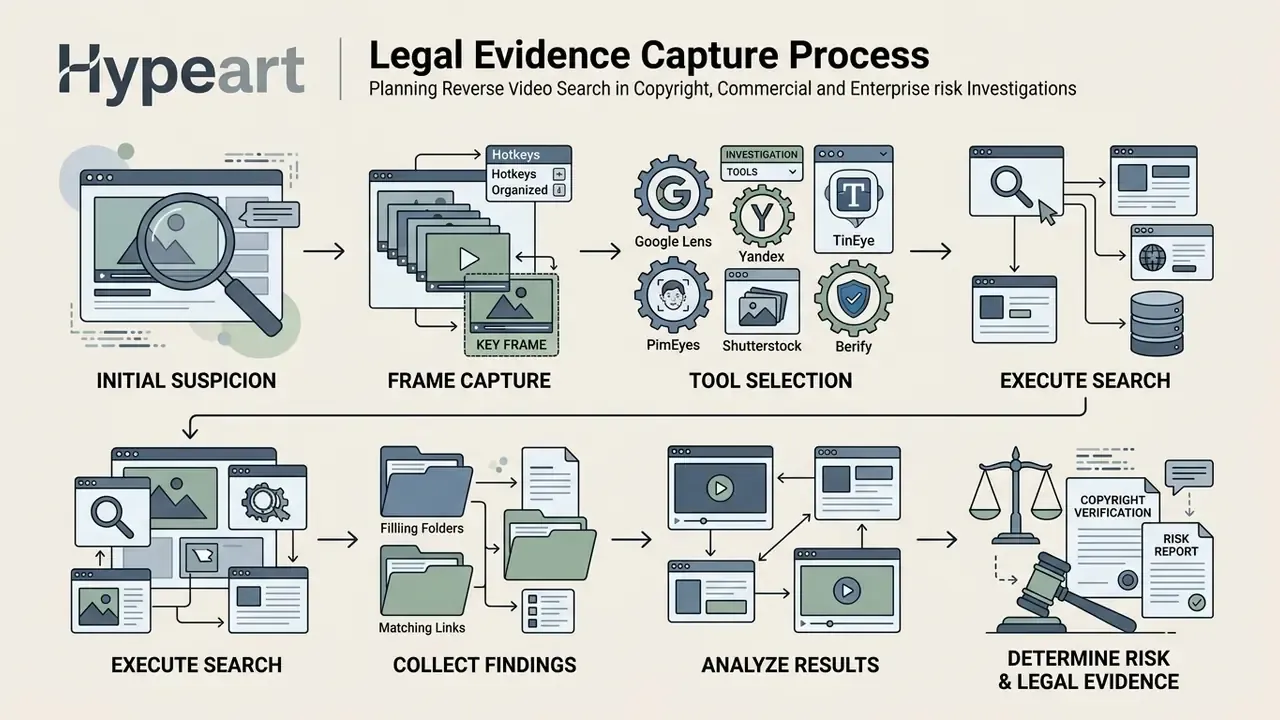
Before launching an infringement investigation, define the explicit scope of assets to monitor and set clear evidentiary standards. Documenting digital evidence means preserving the original probe image alongside full web page captures.
Under standard legal evidence frameworks such as SWGDE digital video examination standards, investigators must capture raw URLs, platform user IDs, published timestamps and complete screenshots of the infringing page. Collecting cryptographic hashes (SHA-256, for example) of retrieved video files establishes the immutable chain of custody that formal proceedings require. SWGDE's collection guidance also frames scope temporally: define the incident window, then extend to auxiliary periods before and after, because hosted video is perishable and may be rotated or deleted without notice.
Sample chain-of-custody and audit log record (for compliance teams):
| Field | Example Entry |
|---|---|
| Case / Matter ID | MRG-2026-0184 |
| Probe image filename & hash | frame_00m14s.png · SHA-256 9f2c…a41b |
| Extraction method & tool | Frame-accurate export, lossless PNG, original aspect ratio preserved |
| Search engines queried | Google Lens, Yandex Images, TinEye (Oldest), PimEyes |
| Match URL | https://example.tld/watch/… |
| Platform account / user ID | @handle · numeric ID 10293847 |
| Displayed publication timestamp | 2026-03-02 14:07 UTC (as rendered) |
| Page capture | Full-page PNG + WARC archive · SHA-256 4de1…77c0 |
| Retrieved media hash | clip_reupload.mp4 · SHA-256 b810…2fe9 |
| Analyst & timestamp of capture | M. Hale · 2026-03-04 09:22 UTC |
| Custody transfers | Logged to evidence store EV-07, read-only |
Document Matches Before Taking Action
Discovering an unauthorized re-upload calls for proper evidentiary documentation before any takedown notice goes out. Premature DMCA claims filed on incomplete evidence can invalidate the whole enforcement effort.
Under 17 U.S.C. § 512(c)(3), a formal takedown notice requires specific legal declarations, exact infringing URLs and demonstrable evidence of ownership. In practice a compliant notice must contain: identification of the copyrighted work; identification of the infringing material with location data sufficient to find it; your contact information; a good-faith belief statement; a statement of accuracy made under penalty of perjury; and a physical or electronic signature, addressed to the provider's registered DMCA agent. Documenting visual search matches alongside platform timestamps keeps a verifiable audit trail in place before legal escalation.
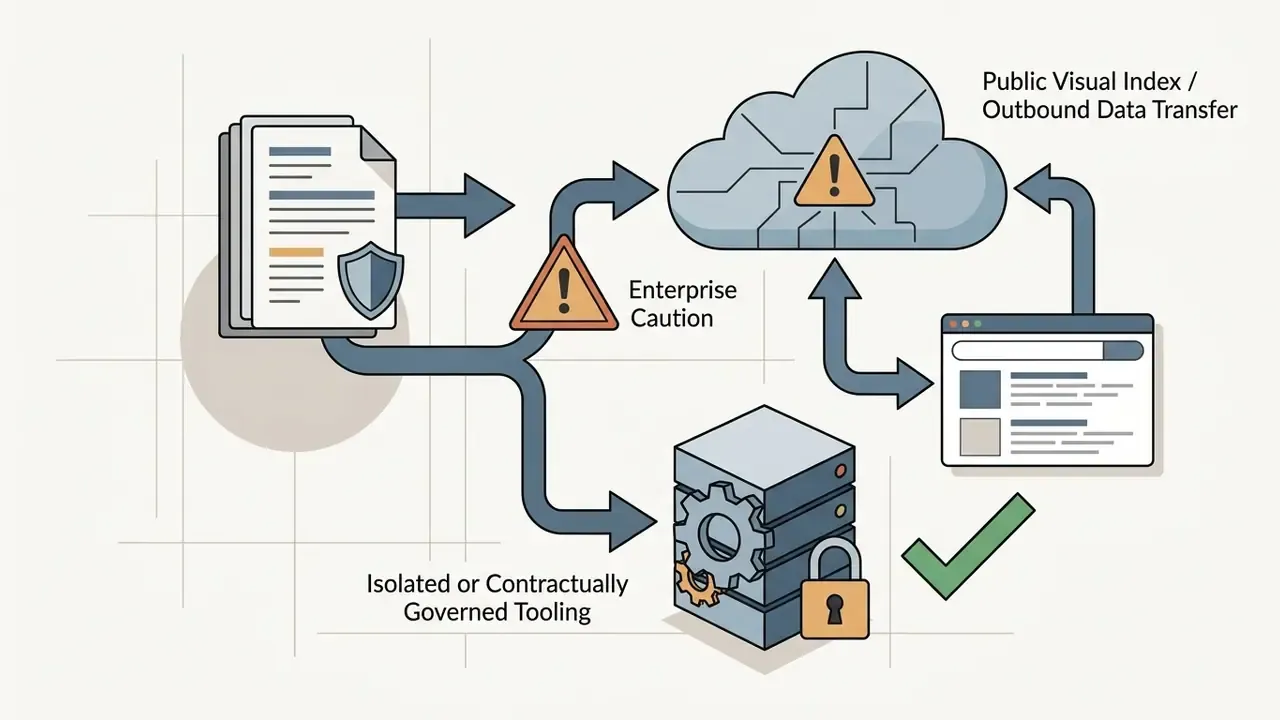
Data Exfiltration and Shadow AI Risks
Reverse search is an outbound data-transfer activity, and in regulated environments it deserves to be governed as one. Three controls close the most common gaps.
- Classify before you upload.Treat any frame containing customer faces, account data, internal systems, branch interiors, unreleased creative or privileged material as restricted. Restricted frames must not be submitted to consumer search portals, whatever the investigative urgency.
- Prefer redacted or synthetic probes.Where a match can plausibly be found using background detail alone, crop the sensitive subject out entirely. A signage crop or an architectural detail is often a stronger probe than a face, and it carries a fraction of the disclosure risk.
- Log every external query.Unrecorded analyst use of public AI and search tooling is the working definition of shadow AI. Record tool, timestamp, probe hash and business justification in the same audit log used for evidence capture, so privacy and model-risk functions can review exposure retrospectively.
Where restricted media genuinely must be searched, escalate to tooling covered by a data-processing agreement with documented retention and deletion terms, or run the matching against an internal asset index instead of the open web.
Fact Check & Regulatory Disclaimer
Notice: visual search matches demonstrate that an image occurs across web domains. They do not constitute legal proof of copyright ownership or statutory liability. Always verify licensing terms directly with rights holders. This article is general information and does not constitute legal advice.
- (https://www.nist.gov/osac), which requires preserving original aspect ratio and resolution and avoiding dropped frames


FAQ About Finding Video from an Image
Can You Reverse Search an Entire Video File or Video URL?
Raw search indices (Google, Bing, Yandex) accept only static image files. Specialized multi-engine aggregators such as Berify do accept direct MP4 and MOV uploads plus video URLs. These platforms process video files with automated frame-slicing algorithms that extract keyframes at fixed intervals, for example every 1 to 3 seconds, or at detected scene cuts. The extracted stills are then queried sequentially across global indices and returned as a consolidated match list. So uploading a video file does not search a continuous temporal file. It automates multi-frame extraction on your behalf. Practical limits apply to that automation: documented services cap uploads (one publishes a 100 MB limit), restrict formats to common containers such as MP4, AVI, MOV and WebM, and describe URL input as platform-dependent or experimental. Multi-engine batching also introduces latency, so results may arrive minutes or hours after submission rather than instantly. For completeness, the original constraint still holds for the public engines themselves. They build their visual search indexes around static images and keyframes rather than processing continuous video files directly. To search a video on Google, Bing or Yandex, pause the footage and extract representative keyframe screenshots to submit as image queries. Enterprise platforms and forensic tools can digest video files internally by breaking them into automated keyframe sequences, while open-web engines require static image inputs.
Why Does Reverse Image Search Sometimes Find No Video?
Reverse image search fails to locate a video when the source media was never indexed by search engine crawlers. Common causes:
- Platform privacy restrictions: the video sits inside private social media accounts, closed groups or paywalled streaming platforms that block indexing bots.
- Low visual distinctiveness: the extracted frame lacks clear features, showing generic scenery, heavy blur or deep shadow with no identifiable objects.
- Recent uploads: the video was published very recently and crawlers have not yet processed the new page, even though the engines index billions of images overall.
- Heavy visual manipulation: the clip has been mirrored, aggressively colour-graded or altered through AI deepfake synthesis, pushing the feature vector past standard search thresholds.
- Cropping and re-framing: partial-image queries defeat fingerprint matching because the hash changes. Searching distinctive sub-crops recovers many of these cases.
"During Deepfake-Eval verification, media items with no reverse search matches and no other corroboration were labelled 'Unknown' and excluded from the dataset." Source: Deepfake-Eval-2024, verification methodology (2025, preprint) To overcome zero-match results, capture alternate frames from different scene timestamps, crop tightly around specific background objects, enhance contrast and sharpness before re-submitting, or fold textual context into your search strategy.
Does a Visual Match Prove Who Owns the Video?
No. A match demonstrates that identical or similar visual content appears at a given URL, nothing more. TinEye states plainly that it only points to where an image exists online and cannot grant permission. Google surfaces usage-rights data only when the content owner supplied license metadata. Ownership must be established through registration records, contracts, raw camera originals or signed provenance manifests, and any enforcement action should be reviewed by legal counsel.
Is It Safe to Upload Confidential Video Frames to Public Search Engines?
Assume it is not, unless your organization has explicitly approved it. Public visual search portals operate under consumer terms, may retain submitted images, and sit outside most enterprise data-processing agreements. Redact sensitive regions, search background-only crops, or use contracted tooling with documented retention policies when the frame contains customer, employee or regulated data.
Which Tool Should I Try First?
Use the Quick Tool Selector above. As a default sequence for an unknown web clip: Google Lens, then Yandex Images, then TinEye sorted by "Oldest", then PimEyes if a clear face is present, then Shutterstock if the footage looks like commercial B-roll. Escalate to Berify when you need batch coverage or ongoing monitoring rather than a single lookup.
How Do I Estimate the Cost of Running This at Scale?
Model three cost lines: analyst time per investigation, subscription fees for paid engines and monitoring services, and the control overhead of logging, review and legal sign-off. The third line is the one most teams omit, and it usually dominates once volumes pass a few hundred cases a year. Our calculators cover the operational and risk-adjusted ROI side of automated media workflows, which is a reasonable starting frame for a business case.
Verification and Operational Notes
- Company verification status: company query
hypeart.aidomain unresolved as of August 19, 2026. No verified information available, and therefore no company USP is asserted in this guide. - Author attribution: editorial perspective maintained by Marcus Hale, the author.
- Vendor claims: index-size figures attributed to Berify (800M+) and TinEye (84.9B+) originate from vendor documentation and are not independently audited.
- Research availability: several cited studies were supplied without canonical URLs in the source research brief. Titles, publications and years are reproduced as provided, for reader verification.
- Audience statements: all assumptions about reader roles and priorities remain hypotheses until supported by analytics, interviews, CRM data or verified customer research.
Appendix A: Revision Notes and Superseded Wording
Retained for transparency and version traceability. The following phrasings appeared in the previous revision of this guide and have been superseded in the main text.
- Original (frame extraction section)"According to NIST OSAC 2022-S-0031 forensic guidelines, maintaining original aspect ratios and avoiding lossy compression during extraction ensures maximum feature preservation." Reason for revision: the standard was cited without a direct quotation, methodology or quantitative datum. The normative reference is retained in the Fact Check block, where its actual requirement (preserving original aspect ratio and resolution, avoiding dropped frames) is stated verbatim.
- Original (Yandex section)"Yandex Images is recognized for its highly sensitive facial recognition and background detail indexing algorithms." Reason for revision: no peer-reviewed 2023 to 2026 evaluation of Yandex open-web accuracy exists. Replaced with a hedged formulation labelling the claim as practitioner consensus.
- Original (Berify section)"…its internal database of over 800 million images." Reason for revision: the figure is an unaudited vendor claim; the main text now attributes it explicitly to vendor documentation.
- Original (TinEye section)"TinEye operates using exact perceptual image hashing rather than semantic visual similarity." Reason for revision: the algorithm description is vendor-sourced and lacks independent academic verification; attribution added.
- Original (FAQ 1 opening)"No, major public search engines do not currently support direct open-web visual search by uploading an entire video file or inputting a video URL." Reason for revision: accurate for public engines but incomplete, since aggregators do accept files via automated slicing. The expanded answer resolves the apparent contradiction and preserves the original statement in its corrected scope.
Technical Appendix & Resource Navigation
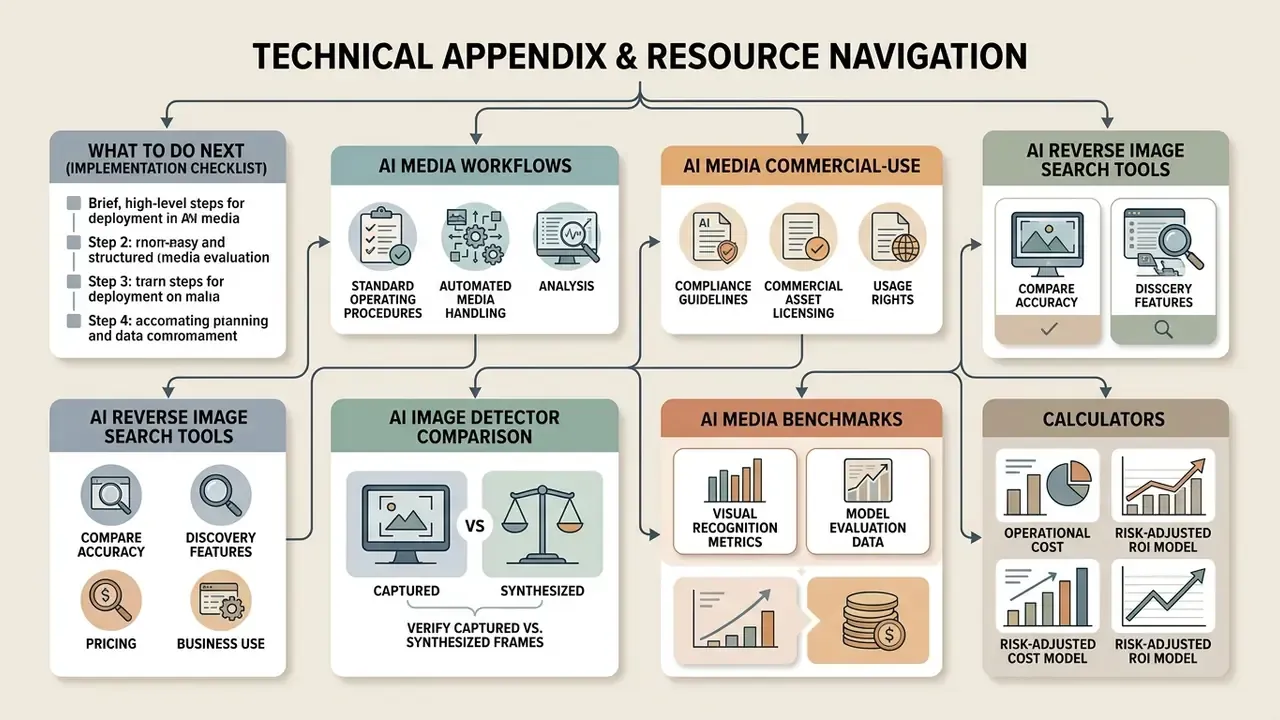
For enterprise teams deploying structured media evaluation frameworks, explore our technical resource hubs:
- AI Media Workflows covers standard operating procedures for automated media handling and analysis.
- AI Media Commercial-Use covers compliance guidelines for commercial asset licensing and usage rights.
- AI Reverse Image Search Tools compares accuracy, discovery features, pricing and business use.
- AI Image Detector Comparison helps verify whether a recovered frame was captured or synthesized.
- AI Media Benchmarks and Review Proof documents evaluation metrics for visual recognition and model performance.
- Calculators provide operational cost and risk-adjusted ROI models for automated workflows.
What to Do Next (Implementation Checklist)
- Document your approved tool list, separating public engines from contracted, DPA-covered services.
- Publish a one-page frame-preparation standard based on the checklist above: 720p minimum, UI cropped, 3 to 5 frames, lossless copies only.
- Adopt the chain-of-custody log template as a required artefact for every escalation to legal or communications.
- Add reverse-search queries involving restricted data to your shadow-AI monitoring scope.
- Run a quarterly calibration exercise: take a known internal asset, re-upload a derivative, and measure how quickly your workflow recovers the original.
Start with step two. It is the cheapest control here, and it fixes more failed searches than any tool purchase will.