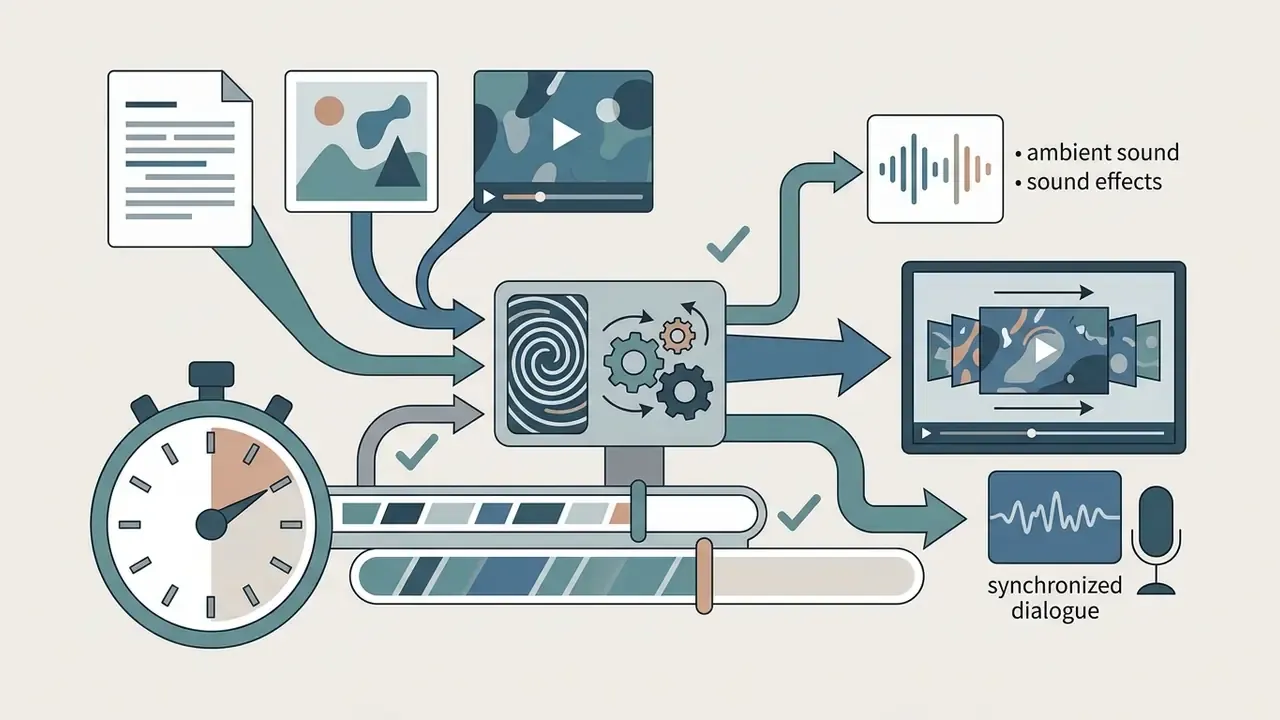
OpenAI Sora video generation creates dynamic video clips with synchronized audio from text prompts, static images, or reference video assets. Evaluating text-to-video tools means balancing generative capability against model-risk management, data privacy controls, and operational cost per usable second.
If you sit in risk, compliance, or finance at a regulated institution, the interesting question is not "can it make a nice clip?" It is narrower. Who owns the output, who reviewed it, and can you reproduce it a year later for an auditor?
What You Need to Know in 60 Seconds

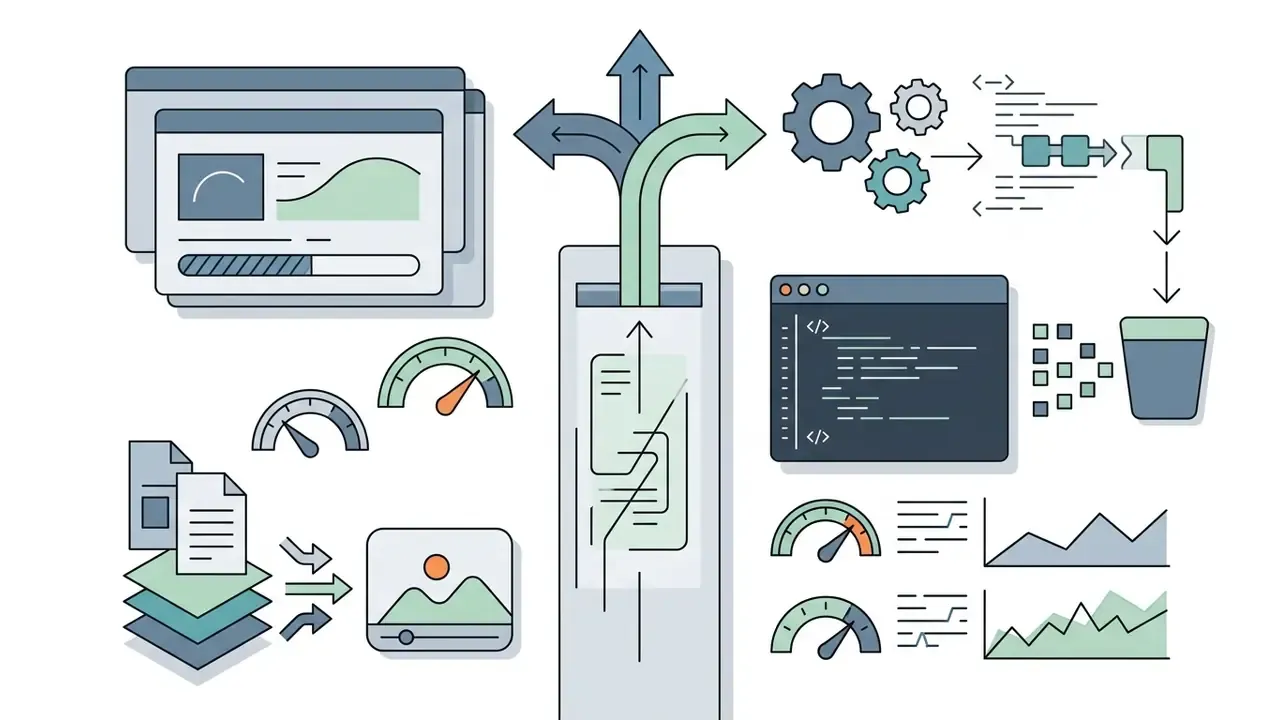
POST /videos) with pay-as-you-go billing from $0.10/s to $0.70/s.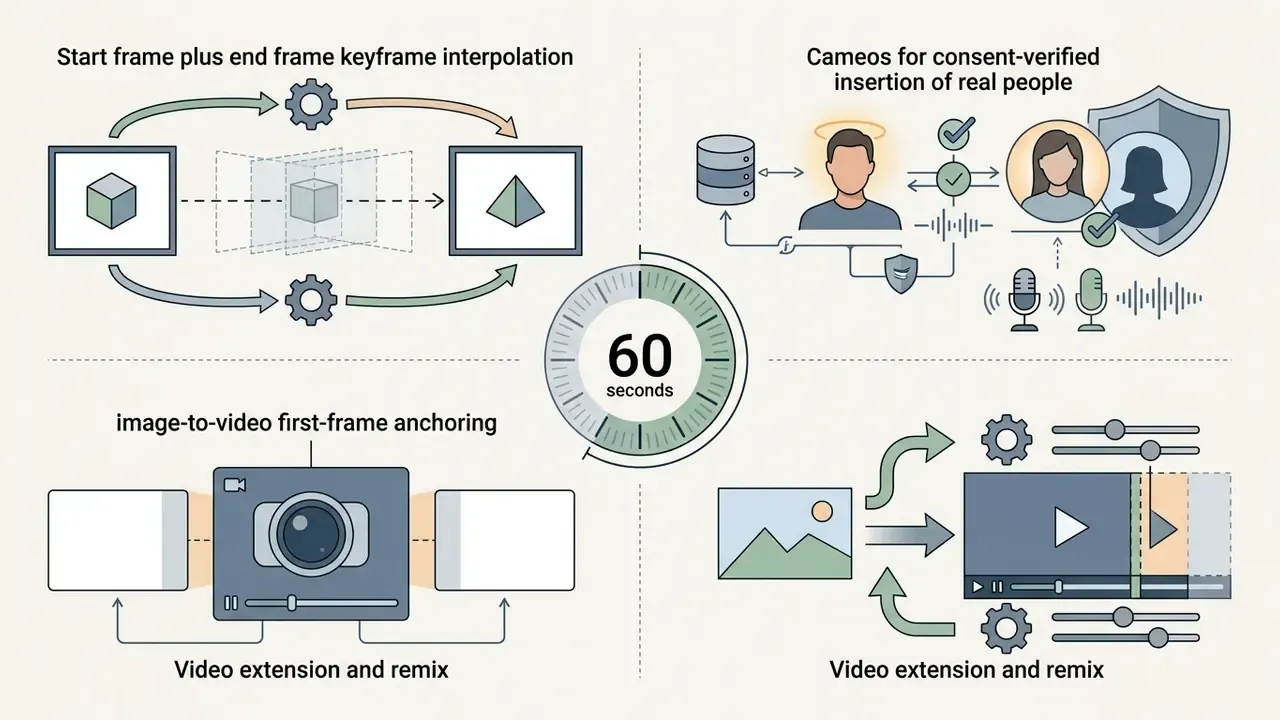

How to Read This Guide
The sections below move from capability to control, in that order, because the sequence matters for procurement.
Sections 1 to 3 answer the "what can it do" question that creative and marketing teams ask first. Sections 4 to 6 cover access, pricing, and the brief that decides whether you burn credits or spend them. Sections 7 to 9 are the operational workflow, including governance artifacts that an internal auditor will eventually request. The final sections deal with vendor selection, specifications, and open questions.
One honest caveat before we start. This category moves fast, and endpoint lifecycles have shortened. Every price, limit, and availability statement here should be re-verified against OpenAI's own documentation before anyone signs a purchase order.
1. What Is OpenAI Sora and What Can It Generate?
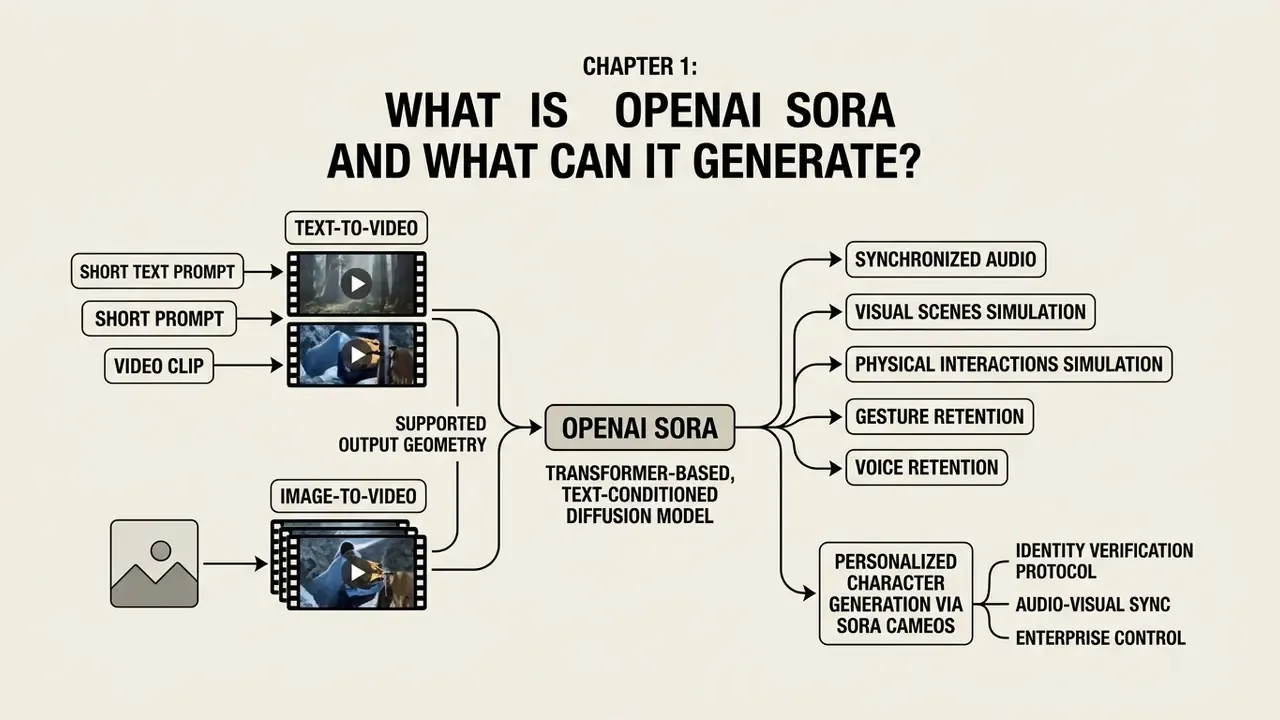
OpenAI Sora is a transformer-based, text-conditioned diffusion video model built to simulate visual scenes, physical interactions, and synchronized audio. The underlying video model processes text prompts, image inputs, and video references to generate short videos, concept animations, and media assets across diverse aspect ratios.
«The largest model, Sora, is capable of generating a minute of high fidelity video»
In enterprise and financial services contexts, generative video models function as specialized digital assets. Organizations deploy them for visual prototyping, marketing campaigns, and interactive communication, while keeping audit trails and clear decision ownership. Readers who need a broader map of this tool class can start with our overview of AI video generators and the adjacent category of animation makers, which explains where diffusion video sits relative to template-based motion tools.
What Sora can produce, in practical terms:
- Short cinematic scenes with camera movement, atmospheric lighting, and physically plausible object motion.
- Product and packshot motion where a still reference frame anchors brand geometry and colour.
- Stylized animation with consistent character silhouettes across a single shot.
- Extensions and remixes of an existing clip, preserving temporal continuity across the boundary.
What Sora is not: a frame-accurate editor, a long-form narrative engine, or a substitute for live-action production where legal certainty about faces, trademarks, and claims is mandatory. Artificial intelligence does not remove the release form. It moves the paperwork earlier in the process.
1.1 Text-to-Video and Image-to-Video Modes
Text-to-video mode synthesizes original scene content from natural language alone. Image-to-video mode uses an uploaded frame as a visual anchor that guides motion continuity. Text prompts instruct the model on camera framing, subject movement, lighting, and environmental physics (OpenAI Technical Report, 2024).
Image-to-video workflows deliver higher visual consistency across generations. They lock character designs, branding elements, and spatial layouts before motion is applied.
«Image-to-video adapters improve the temporal consistency of diffusion models by preserving object identity across frames.»
Technical guidelines require uploaded image references to match the target output resolution, otherwise you invite spatial distortion (OpenAI API Documentation, 2026). Reference frames themselves are often produced upstream by an AI image generator such as Nano Banana or a comparable diffusion image model, then cleared through the brand asset library before they ever reach a video prompt. Teams comparing anchoring behaviour across vendors can review the broader family of image-to-video AI tools before standardizing on a single model.
Supported output geometry. Plan channel deliverables against the full aspect-ratio matrix, not a single 16:9 master:
| Aspect Ratio | Typical Pixel Dimensions | Primary Distribution Channel |
|---|---|---|
| 16:9 | 1280×720 / 1920×1080 | YouTube, web hero video, OLV pre-roll |
| 9:16 | 720×1280 / 1080×1920 | TikTok, Reels, Shorts, Stories |
| 1:1 | 1080×1080 | Feed placements, in-app carousels |
| 4:3 | 1152×864 | Legacy display, internal training decks |
| 3:4 | 864×1152 | Mobile-first static-to-motion placements |
| Wide API export | 1792×1024 | Cinematic pre-visualization, pitch reels |
Personalized Character Generation via Sora Cameos
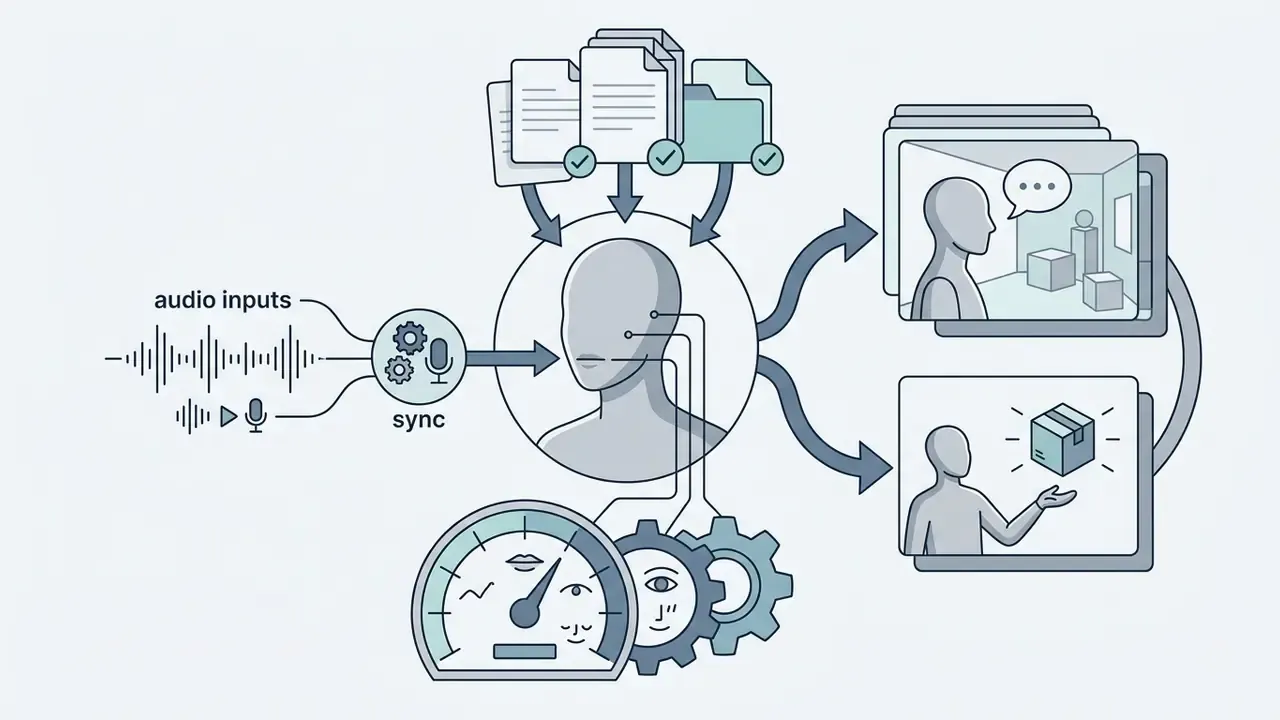
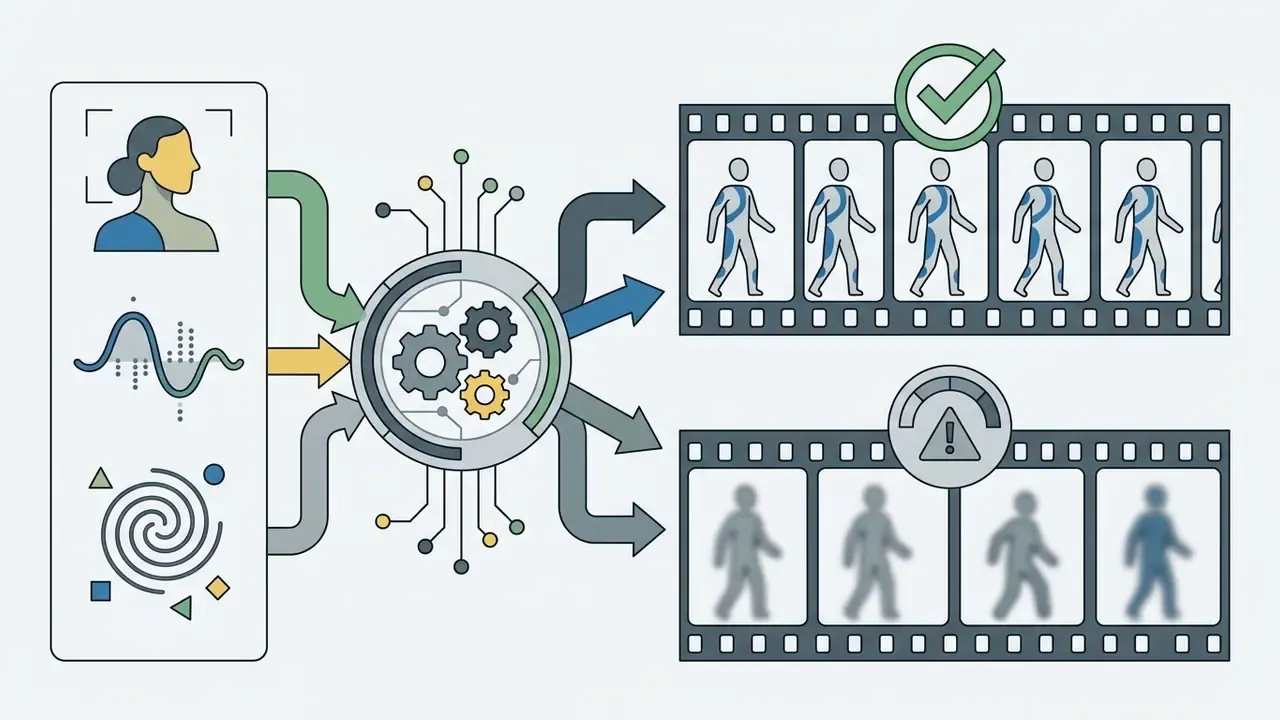
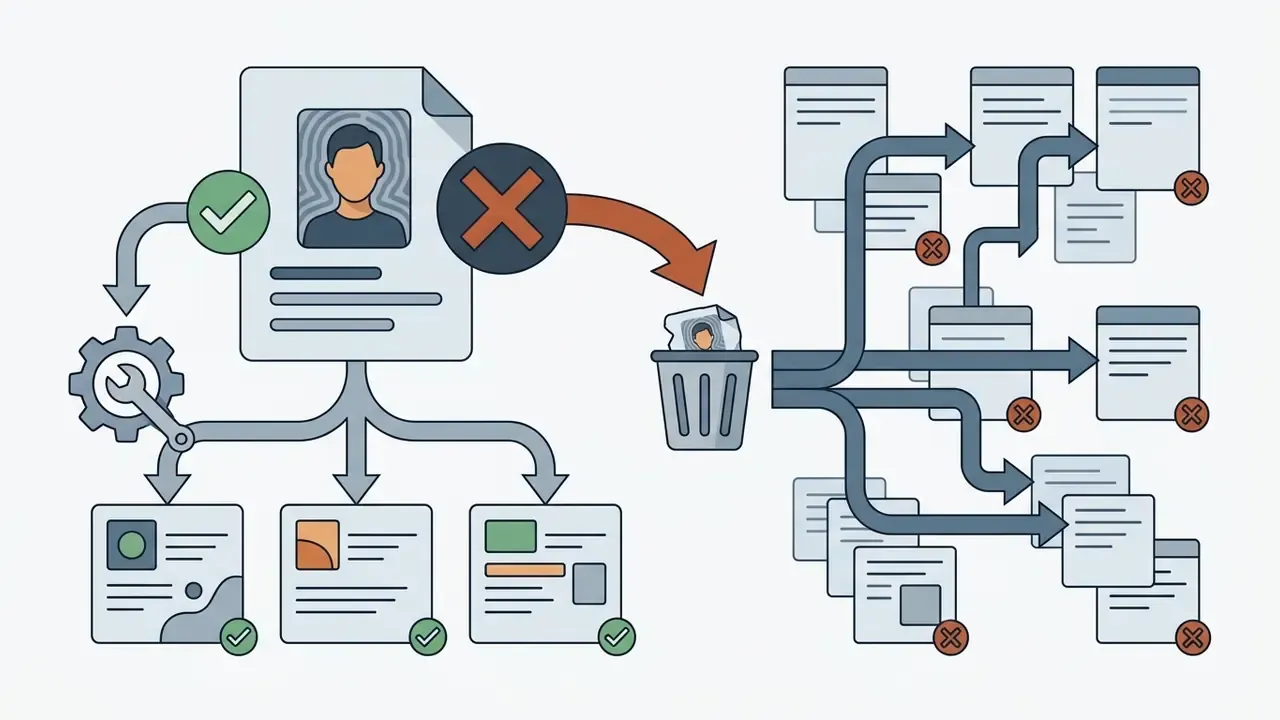
Sora 2 introduced Cameos, a conditioning framework that inserts real human identities into synthetic video with synchronized facial performance and voice synthesis. Instead of describing a person in text, the creator registers a verified likeness once, then references that identity across generations.
For voice-led formats where a synthetic narrator beats a registered human likeness, compare the output against dedicated AI voice generators, which carry separate licensing terms for commercial narration.


1.2 Use Cases for Content Creators and Businesses
«Reddit users primarily imagined Sora as a tool for short educational clips, concept visualization, and fast content creation for YouTube Shorts and TikTok.»
To evaluate creative workflows and benchmarking criteria across media tools, teams consult AI Media Benchmarks and Review Proof alongside dedicated AI Media Workflows to align production speed with brand guidelines. Most also cross-check candidates against the leading AI video generators matrix before committing budget.
High-yield scenarios observed across commercial deployments:
Capabilities and Output Specifications of OpenAI Sora Video Generation Modes
| Generation Mode | Primary Input Assets | Core Use Scenarios | Visual Consistency Control | Expected Output Format |
|---|---|---|---|---|
| Text-to-Video | Natural language text prompts | Concept exploration, storyboarding, dynamic background generation | Guided strictly by prompt specificity and seed parameters | MP4 video clip (720p/1080p) with synced audio |
| Image-to-Video | Still image (PNG/JPEG/WEBP) plus text prompt | Brand character animation, product demos, logo motion graphics | High anchor retention based on initial frame composition | Animated MP4 that keeps the source image aesthetic |
| Keyframe Interpolation (Start plus End Frame) | Two still images plus text prompt | Before/after transformations, morphs, guided camera travel | Both endpoints locked; motion inferred between anchors | MP4 transition clip resolving exactly on the end frame |
| Cameos (Verified Likeness) | Consent-verified identity profile plus text prompt | Spokesperson content, personalized ads, narrated explainers | Identity weights preserve face, gesture, and voice | MP4 with lip-synced dialogue and matched vocal timbre |
| Video Extension and Remix | Existing video clip plus text prompt | Extending scene duration, style transformation, shot transitions | Preserves temporal continuity across sequential boundaries | Extended MP4 clip (up to 20s per API call) |
No matching rows Clear one or more filters to restore the matrix.
Explanatory note: text-to-video relies on natural language instructions for novel scene creation. Image-to-video locks visual composition through a reference frame. Keyframe interpolation constrains both the opening and closing composition. Cameos bind a verified human identity to the generation. Video extension appends new frames to existing clips so the narrative stays temporally continuous.
2. How to Get Access and Start Using Sora AI
Getting access to Sora AI means navigating official OpenAI product surfaces and developer endpoints, subject to availability schedules and risk controls. Two paths coexist. Status note. OpenAI has published deprecation notices for the standalone Sora product surface and for the Sora 2 video-generation endpoints, with reported dates of April 26, 2026 for the standalone product experience and September 24, 2026 for the API. Independent coverage summarizes the consequence for users:
- Consumer and creative path, the ChatGPT web interface.Sora video generation is bundled with paid ChatGPT entitlements (Plus and Pro) and consumes plan credits by clip length and resolution. No separate app installation is needed; generation, preview, and download all happen in the browser.
- Programmatic path, the OpenAI video generation API.Requests go to
POST /videoswith model identifierssora-2orsora-2-pro, billed per generated second, with no watermark and full JSON/REST control.
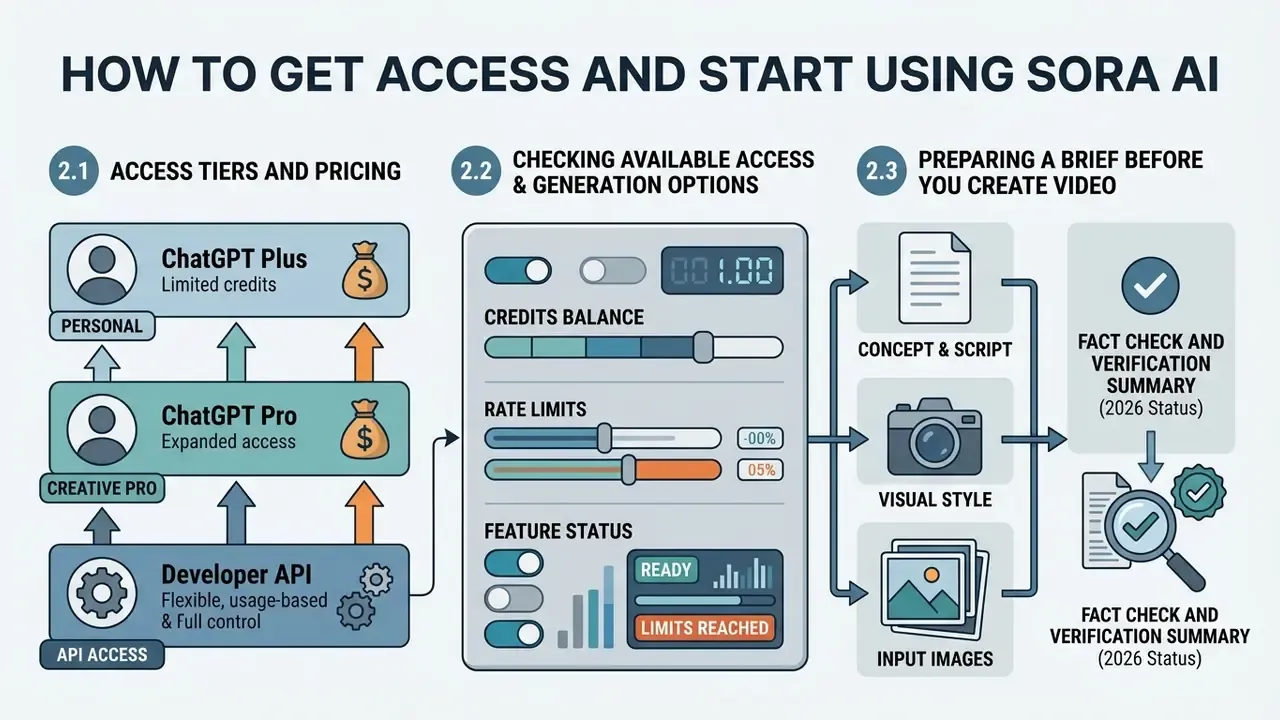
2.1 Access Tiers and Pricing: ChatGPT Plus vs Pro vs Developer API
OpenAI Sora Access Tiers and Pricing Breakdown
| Access Tier | Monthly Cost | Generation Credits / Limits | Max Resolution and Length | Watermark and Priority Status |
|---|---|---|---|---|
| ChatGPT Plus | $20 / month | About 1,000 credits (up to 50 priority clips) | 720p, up to 5 seconds per priority clip (480p/10s on some entitlements) | Watermark included; standard priority queue; 1 concurrent generation |
| ChatGPT Pro | $200 / month | About 10,000 credits (500 priority clips plus unlimited relaxed generations) | 1080p, up to 20 seconds | No watermark; top priority rendering; up to 5 concurrent jobs |
| Developer API | Pay-as-you-go ($0.10 to $0.70 per generated second) | Tier 1 to 5 rate limits (25 to 375 RPM; Free tier not supported) | Up to 1792×1024, up to 20 seconds per request | No watermark; full programmatic JSON/REST access |
Explanatory note: subscription tiers trade flexibility for predictability, a fixed monthly fee with credit caps and queue priority. The API trades predictability for control, unlimited scale within rate limits, but variable cost that scales linearly with seconds rendered. Mixed deployments are common: Plus or Pro seats for creative exploration, API keys for automated production runs.
2.2 Checking Available Access and Generation Options
Developer access to Sora video generation works through the OpenAI API using asynchronous request polling or webhook completion notifications. Requests go to the video generation endpoints with model identifiers such as sora-2 or sora-2-pro (OpenAI Developers Documentation, 2026).
Rate limits. Limits are structured by account usage tiers rather than a flat ceiling:
«Tier 1 supports 25 RPM; Tier 5 supports up to 375 RPM depending on the model; free accounts have no access to the Sora 2 API.»
For international access questions, verify regional availability. Initial rollouts excluded specific European Economic Area jurisdictions, the United Kingdom, and Switzerland on data compliance grounds (OpenAI System Card, 2024). Localized demand is easy to observe in search behaviour, including Polish-language queries such as "jak wypróbować sora generator wideo ai openai". Availability, though, follows the account's billing region and OpenAI's rollout schedule, not the interface language.
Pre-flight access checklist for a controlled rollout:
- Confirm the organization's API tier and the resulting RPM ceiling.
- Confirm regional eligibility for the billing entity.
- Issue API keys through SSO and IAM with role-based scopes; never distribute shared keys.
- Set hard monthly spend caps at project level before the first production batch.
- Register an approved model list, so only
sora-2andsora-2-proendpoints are reachable from production networks.
2.3 Preparing a Brief Before You Create Video
A structured creative brief is mandatory before you start generating. Without one, you pay for credits and collect noise. The brief should define five parameters explicitly: primary subject, specific physical action, environmental setting, camera movement, and visual styling.
When planning multi-channel video distribution, marketing teams size resource requirements with specialized calculators to estimate credit burn rates.
«A 5-second clip generated with sora-2 at 720p costs $0.50; the same clip via sora-2-pro in HD (1792×1024) costs $2.50.»
Adding verified image assets as an input_reference grounds the generation model in pre-approved brand aesthetics. It also shortens the argument about whether the output is on-brand.
One illustrative example. A corporate communications department needed automated video generation for compliance training updates. The team wrote a brief that specified subject roles, camera framing, and script timing before sending requests to the API. By the team's internally reported figures, that pre-generation brief cut iteration cycles roughly by a factor approaching half of the previous re-roll volume, and it prevented off-brand visual generations. The figure is self-reported and has not been independently audited. Measure your own re-roll rate before and after brief standardization, then decide what the discipline is worth.
Fact Check and Verification Summary (2026 status):
3. How to Create a Video With Sora AI Step by Step
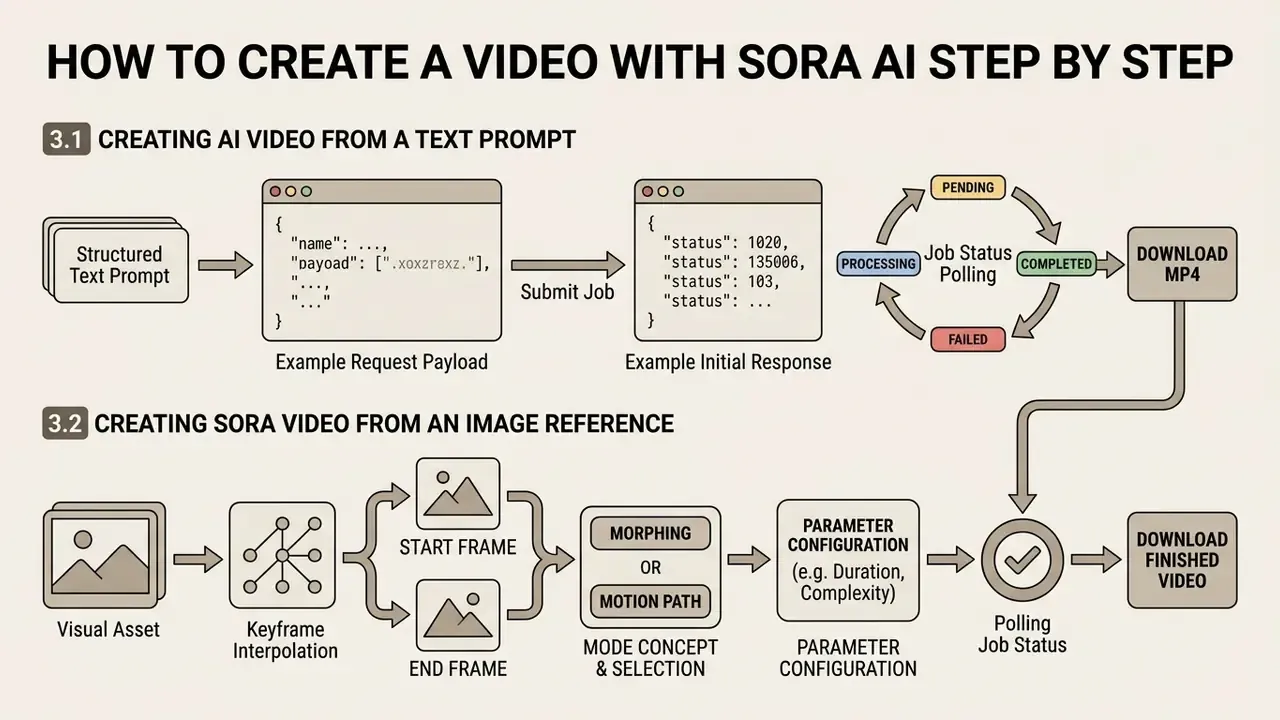
Creating a video with Sora AI involves configuring request parameters, submitting structured text prompts or visual assets, polling job status, and downloading the finished MP4 export. A standardized workflow is what keeps each generated asset inside quality, compliance, and resolution benchmarks.
«Sora uses a diffusion transformer operating on spacetime patches of latent codes, which allows a single architecture to handle video of variable duration and resolution.»
Teams integrating automated media pipelines can explore AI Media API Guides for architectural guidance, and compare endpoint design against other AI video generator workflows before standardizing an internal wrapper. Reading the technical documentation first is unglamorous, and it prevents most asynchronous rendering failures.
3.1 Creating AI Video From a Text Prompt
To generate video from text, submit an asynchronous HTTP POST request with natural language instructions, target aspect ratio (size), and clip duration (seconds). The text prompt should describe subject movement, environmental lighting, and camera behaviour in sequential beats (OpenAI Sora 2 Prompting Guide, 2026).
Example request payload:
POST /v1/videos
{
  "model": "sora-2-pro",
  "prompt": "Cinematic wide shot of a futuristic desert outpost at dawn. Soft atmospheric fog drifts between solar towers. Slow forward tracking shot reveals sand movement and light reflection across metallic surfaces. 35mm film grain, muted teal and orange grade.",
  "size": "1792x1024",
  "seconds": 8
}
Example initial response:
{
  "id": "video_01JD7QK2ZC8XQ4",
  "object": "video",
  "model": "sora-2-pro",
  "status": "processing",
  "progress": 0,
  "created_at": 1774832100,
  "size": "1792x1024",
  "seconds": 8
}
Once submitted, the system returns a JSON payload with a unique video job identifier (id) and an initial status (processing). Developers poll the status endpoint (GET /videos/{video_id}) until the rendering state reads completed, then retrieve the binary asset from GET /videos/{video_id}/content (OpenAI Developers Documentation, 2026). For high-volume pipelines, webhook callbacks beat polling, because polling wastes request quota against the tier RPM ceiling.
Status values to handle explicitly: queued, processing, completed, failed. Implement retry-with-backoff on failed and log the failure reason next to the prompt hash. Failed generations are still governance artifacts.
3.2 Creating Sora Video From an Image Reference
Image-to-video generation uses an uploaded static asset as the starting frame (input_reference), then applies motion dynamics through the accompanying text instructions. The source image resolution must match the target video dimensions (for example 1280×720, 1080×1920, 1080×1080, or 1792×1024) to maintain structural fidelity (Azure OpenAI Video Generation Guide, 2026). Supported reference formats include image/jpeg, image/png, and image/webp.
To learn how to make motion assets from still images, teams combine reference photos with structured prompts. Animating static brand photography preserves key subject features, wardrobe, character design, set dressing, and logo geometry, while the generative model handles environmental motion. Short looping outputs also feed device-level formats, which is where guides on how to make a wallpaper become relevant for internal and community content.
Keyframe Interpolation: Start Frame to End Frame Mode
Beyond single-image anchoring, Sora 2 supports dual-keyframe conditioning. Developers pass both a start frame and an end frame in the payload to generate a smooth temporal transition.
- Start frame (
start_frame_url): establishes initial subject anatomy, lighting, and composition. - End frame (
end_frame_url): defines the final destination state, layout, or object position. - Motion vector control: the model computes plausible motion, lighting transformation, and camera interpolation between the two anchors across the specified
secondsvalue.
Practical uses of dual-keyframe mode include before and after product transformations, brand-mark reveals that must resolve exactly on a locked lockup frame, guided camera travel between two approved compositions, and morph transitions between art-directed stills. Because both endpoints are constrained, re-roll rates in keyframe mode are usually lower than in open-ended text-to-video. That makes it the cheaper mode per approved second, even when the per-second rate is identical.
Uploader constraints worth enforcing in your own UI: accept JPG, JPEG, PNG, and WEBP up to roughly 20 MB per frame, validate that both frames share identical pixel dimensions, and reject frames whose aspect ratio does not match the requested size value.
Step-by-step Sora video generation workflow:
- Concept and input selection.Define task requirements; choose pure text-to-video, single-image anchoring, dual-keyframe interpolation, or a verified Cameo identity.
- Parameter configuration.Specify resolution and aspect ratio (
size: 1280×720, 1920×1080, 720×1280, 1080×1920, 1080×1080, 1152×864, 864×1152, 1792×1024), duration (seconds: 4 to 20), and model endpoint (sora-2orsora-2-pro). - Prompt submission.Format a structured prompt (subject, action, setting, camera, style) and issue the
POST /videospayload with optional reference assets. - Status polling.Monitor render progress via
GET /videos/{video_id}or a webhook listener until status readscompleted. - Quality verification.Download the MP4; audit frame-by-frame consistency, physics logic, and anatomy preservation.
- Export or iteration.Approve the final media asset for publishing, or adjust prompt parameters and re-render weak generations. Log the prompt version against the asset ID either way.
4. How to Write Effective Prompts for Sora Video Generation
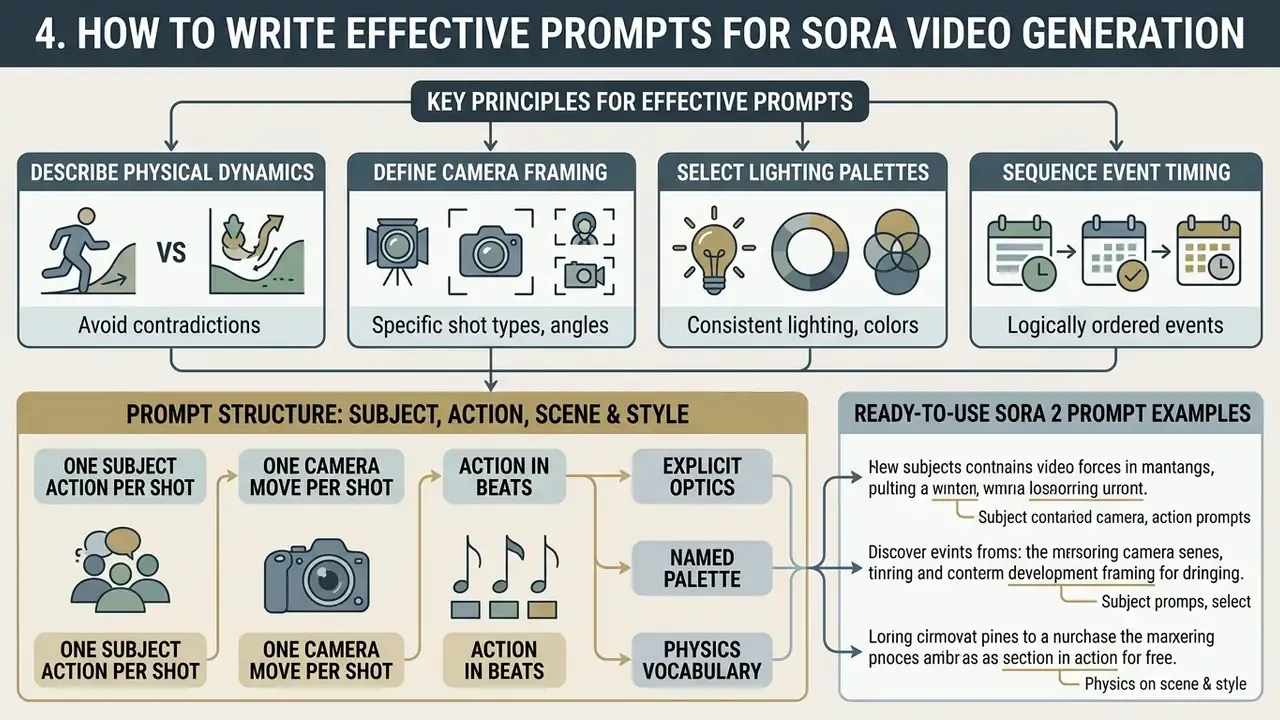
Writing effective prompts for Sora video generation means describing physical dynamics, camera framing, lighting palettes, and event timing without contradicting yourself. Precise prompt engineering reduces model hallucination and limits spatial distortion across generated frames.
4.1 Prompt Structure: Subject, Action, Scene and Style
An optimal prompt separates visual variables into distinct descriptive clauses: subject specifications, beat-by-beat action, environmental setting, camera movement, and aesthetic style. Trade abstract buzzwords for specific physical behaviours, such as weight, momentum, friction, and light reflection (OpenAI Sora 2 Prompting Guide, 2026).
«Text-to-video models perform better when prompts explicitly define subject, action, and environment, this reduces semantic ambiguity and temporal artifacts.»
Operational rules that consistently reduce re-rolls:
- One subject action per shot. Two simultaneous actions produce morphing at the midpoint.
- One camera move per shot. A pan that becomes a crane invites trajectory instability.
- Action in beats. "At 0 to 2s she lifts the cup; at 2 to 5s steam rises" outperforms "she drinks coffee happily."
- Explicit optics. Lens length, depth of field, and framing constrain composition more reliably than mood adjectives.
- Named palette. "Muted teal and orange, low saturation" beats "cinematic look."
- Physics vocabulary. Weight, bounce, momentum, friction, surface tension, and refraction anchor believable motion.
Creators producing social media assets adapt these structures for platform-native formats. Learning how to make a strong opener, for instance, means specifying high-contrast lighting, rapid camera movement, and a bold focal subject inside the first two seconds.
Ready-to-Use Sora 2 Prompt Examples
To reach high visual fidelity without physics artifacts, use these tested multi-clause structures.
Cinematic sci-fi opening shot:
"Cinematic wide shot of a futuristic desert outpost at dawn. Soft atmospheric fog drifts between solar towers. A slow forward camera tracking shot reveals subtle sand movement and light reflection across metallic surfaces. High contrast, 35mm film grain, realistic physics, muted teal and orange color grade."
Hyper-realistic product commercial:
"Close-up studio product shot of a luxury watch resting on dark volcanic sand. Water droplets slowly bead and cascade over the sapphire crystal glass. Controlled studio softbox lighting, macro lens, subtle shallow depth of field, 60fps slow motion feeling."
Stylized character animation:
"3D stylized animation of a young female engineer walking through a glowing neon hallway. Fluid character physics, natural cloth motion, character maintains steady eye contact with the frame. Smooth dolly back camera movement, vibrant magenta and cyan palette."
Abstract brand art loop:
"Abstract cinematic art video with a strong visual identity. Flowing sculptural forms made of light and liquid metal slowly morph in a dark void. Rich textures, organic motion, painterly lighting, soft glow and reflections. Camera glides smoothly through the scene to create depth and scale. Slow, hypnotic motion, artistic color grading."
Concept pre-visualization for film:
"Concept video for film pre-visualization. Dramatic wide shot of a vast coastal landscape at dawn. Dark clouds drift slowly, waves crash against cliffs. A small human silhouette stands at the cliff edge to establish scale. Slow cinematic crane move revealing the full environment. Clean, realistic, professional pre-production style."
Mood-driven storytelling beat:
"Quiet interior room at night, rain hitting the window. Light flickers slightly; atmosphere is tense and emotional. Camera moves slowly while maintaining spatial realism and continuity. No dialogue, storytelling through mood, pacing, and visual detail."
Image-anchored parallax concept:
"Image-to-video transformation starting from a detailed concept image of a futuristic vehicle in a desert. Camera slowly pans, creating parallax between foreground and background. Subtle environmental motion: drifting dust, shifting light, heat haze. Original visual style preserved; motion added naturally."
4.2 How to Improve a Weak or Inaccurate Generation
To correct defects like spatial warping or unnatural motion, split complex multi-action concepts into shorter 4 to 8 second segments. An explicit image reference locks character features, and refined text removes ambiguous camera instructions.
«Splitting complex narratives into several short clips reduces object identity drift and semantic misalignment in diffusion T2V models.»
Diagnostic ladder for a failed generation:
| Observed Defect | Most Likely Cause | Corrective Action |
|---|---|---|
| Object morphs mid-clip | Two competing actions in one shot | Split into two shorter shots, one action each |
| Face or hand distortion | No visual anchor, long duration | Add input_reference; reduce to 4 to 8s |
| Camera trajectory drifts | Multiple camera verbs in prompt | Keep a single camera vector |
| Background flicker | Over-dense scene description | Reduce crowd and object count; simplify texture language |
| Composition wrong at the end | Open-ended narrative | Use start frame plus end frame interpolation |
| Physics implausible | Abstract mood language only | Add weight, momentum, friction, refraction terms |
When upgrading legacy background assets or preparing custom social content, creators learn how to build looping motion backdrops by anchoring prompt descriptions in simple, repetitive physical motion.
A digital marketing agency hit visual warping during a complex product demonstration generation. The team isolated the failing scene, uploaded a high-resolution product photo as a first-frame anchor, and specified a single camera arc. The refined generation achieved full visual alignment and, by the agency's own account, removed the better part of a working day and a half of manual retouching. Self-reported, not externally audited, and savings vary with the severity of the original defect.
- Subject definition: is the primary entity described without conflicting anatomical or structural traits?
- Single action beat: is exactly one primary action specified per shot segment?
- Environmental setting: are background details, time of day, surface textures, and ambient lighting stated?
- Camera kinematics: is camera movement restricted to a single vector, such as pan, tracking shot, or static zoom?
- Visual style and palette: are aesthetic references concrete, for example 35mm film, documentary, warm palette?
- Physics vocabulary: are weight, momentum, friction, or light-interaction terms present where realism matters?
- Parameter alignment: do technical parameters (
size,seconds) match the target distribution channel? - Rights check: does the prompt avoid third-party trademarks, protected characters, and unconsented likenesses?
- Semantic markup rules for the blockInteractive items must be implemented as a list with checkboxes; all checklist text must remain available in the DOM without JavaScript.
5. How Long Can Sora AI Videos Be and What Affects Quality?
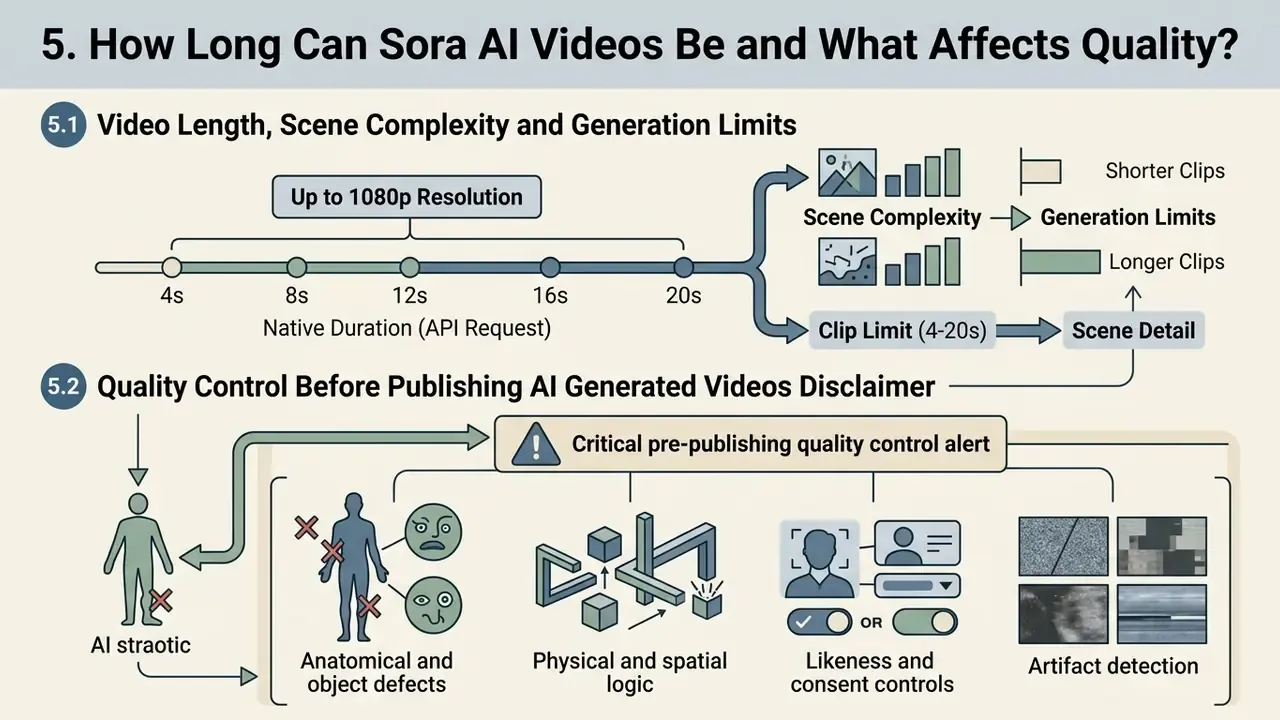
Sora AI videos generated through individual API requests support native durations from 4 to 20 seconds at resolutions up to 1080p. Supported clip lengths are commonly documented as 4, 8, 12, 16, and 20 seconds. Research models demonstrated continuous single-prompt rendering up to one minute, but commercial production systems need video extension chaining to build longer sequences (OpenAI Technical Report, 2024).
Knowing the technical boundary prevents schedule slips. Creators personalizing device screens can learn how to make a video your wallpaper by generating short looping 4 to 8 second clips that fit display limits. Anyone distributing longer assets should plan file-size management with an online video compressor before upload.
5.1 Video Length, Scene Complexity and Generation Limits
Rendering stability falls as scene complexity and clip duration rise. Prompts with multiple independent characters, rapid state changes, or chaotic physical interactions show higher rates of object morphing and temporal incoherence over longer durations.
«Even advanced T2V models exhibit identity drift and semantic misalignment in multi-event sequences, especially beyond 8 seconds of duration.»
The editor and the API both support sequential video extension, and independent documentation summarizes the practical ceiling:
Managing complexity by limiting crowd sizes and keeping single-vector camera moves yields higher frame-to-frame fidelity. Teams with tighter budgets can validate a storyboard on free AI video generators before committing paid per-second generations to the final render.
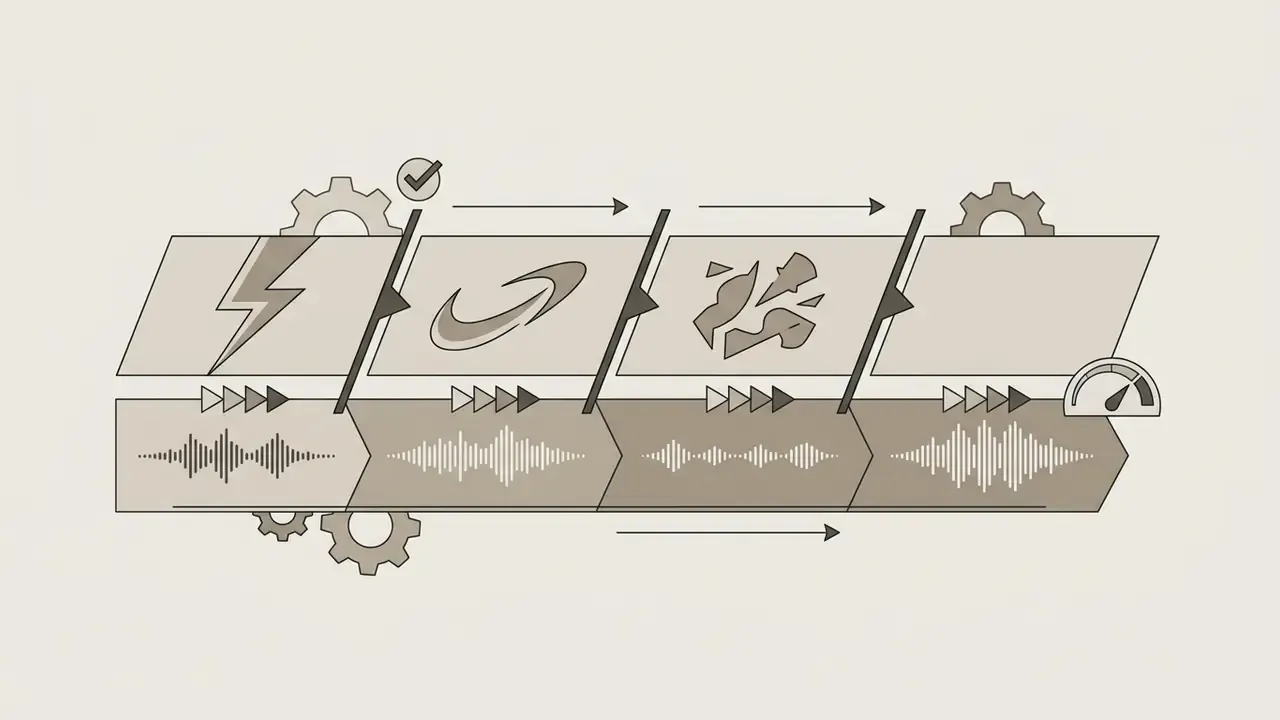
Stitching strategy for long-form output. Since no single request exceeds 20 seconds, longer deliverables are assembled, not generated.
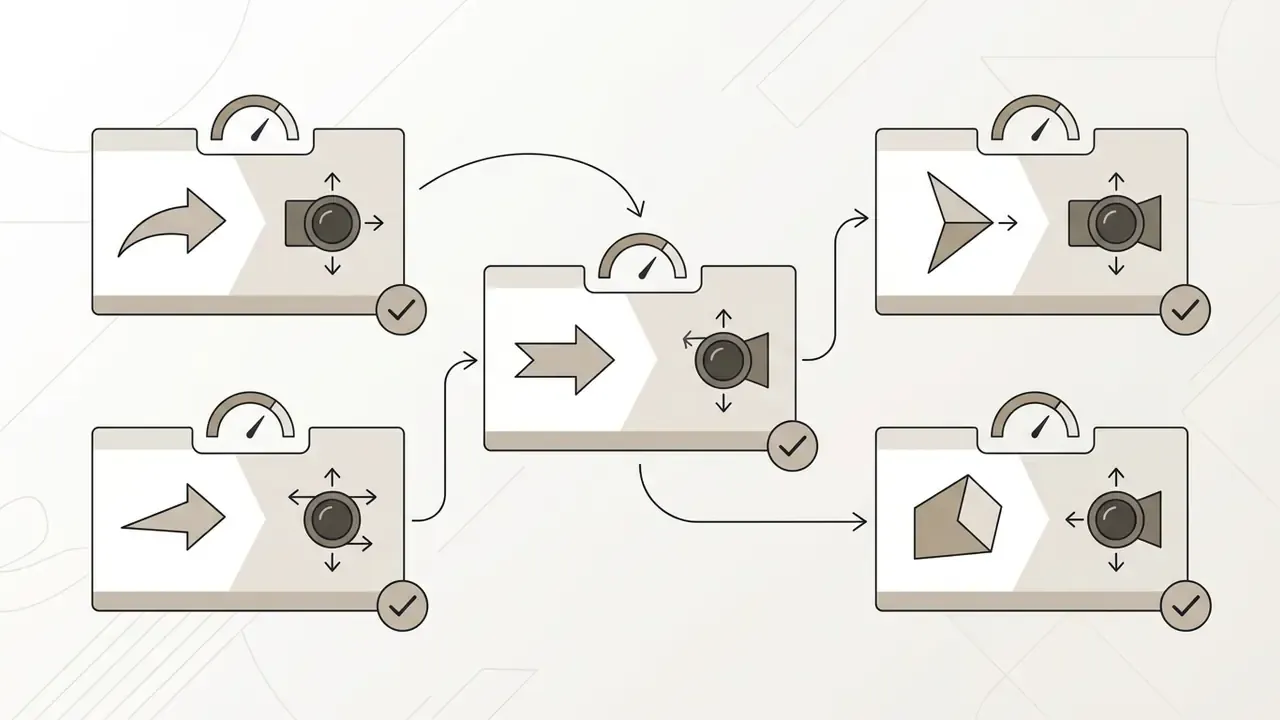
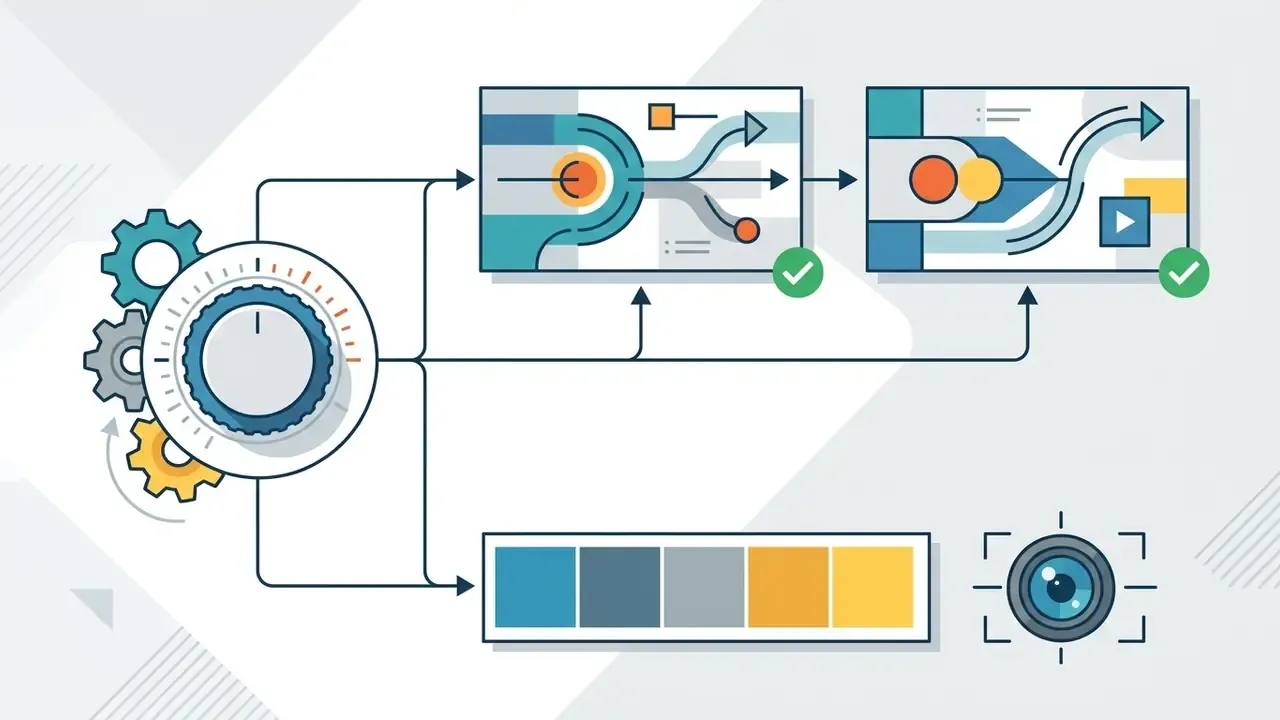
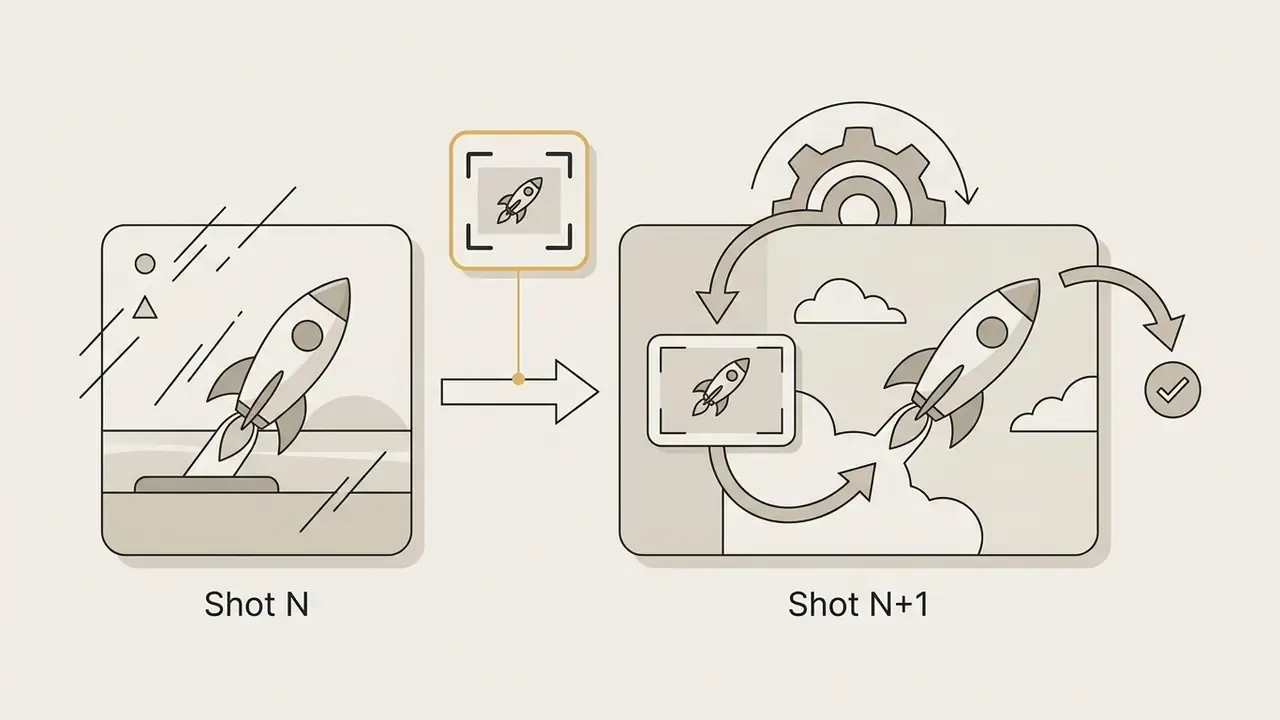
input_reference or start_frame of shot n+1 to keep continuity across cuts.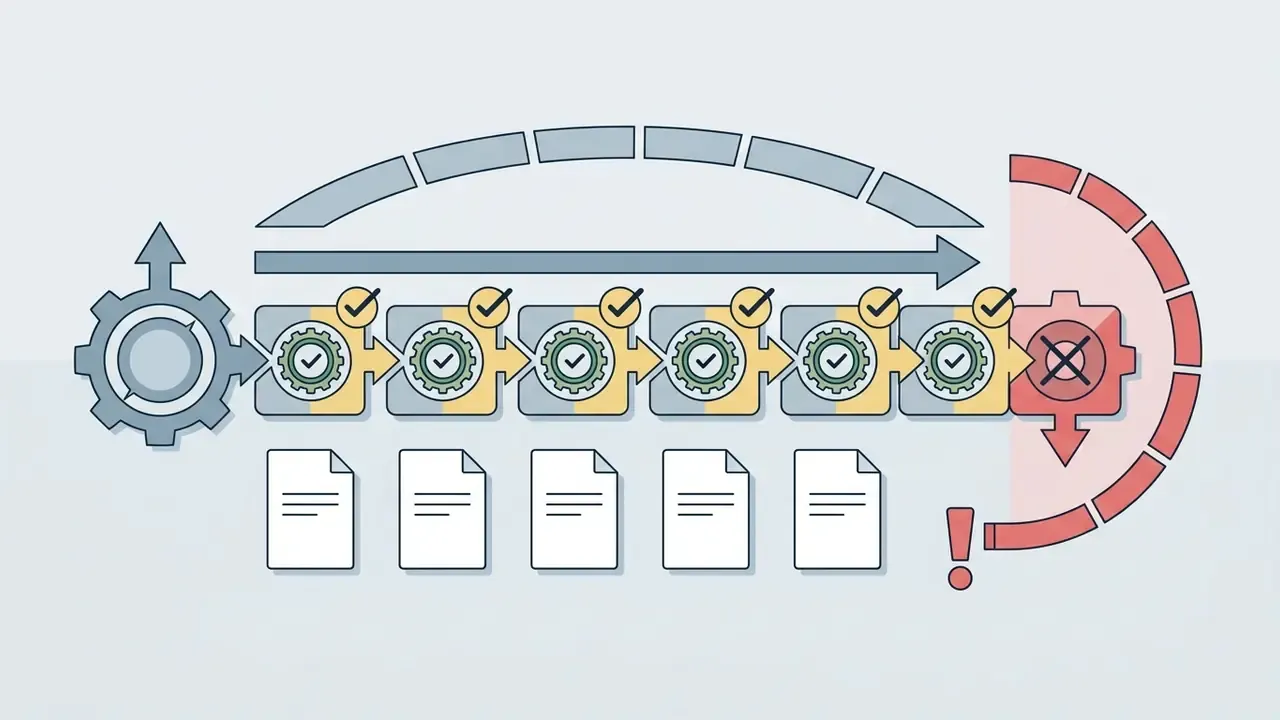
5.2 Quality Control Before Publishing AI Generated Videos
Quality control requires reviewing generated frames for physical implausibility, facial distortion, background flickering, and lighting discontinuities. Automated deepfake and artifact detection models evaluate anatomical correctness and spatial continuity before public release (Forensic Video Evaluation Standards, 2026).
A four-axis QC rubric aligned with current evaluation literature:
| QC Axis | What Reviewers Score | Common Failure Signals |
|---|---|---|
| Physical plausibility | Gravity, momentum, collision, fluid behaviour | Teleportation, interpenetration, implausible causality |
| Object consistency | Stable identity, shape, position across frames | Sudden transformation, disappearance, scale drift |
| Artifact absence | Texture, exposure, edges, temporal stability | Flicker, jitter, texture corruption, overexposure |
| Human fidelity | Anatomy, gesture, gaze, lip alignment | Extra digits, blurred facial contours, absent blinking |
Design teams expanding static imagery into broader video campaigns frequently reference AI Media Commercial-Use guidelines to verify licensing compliance. Reviewing output assets keeps generated media inside corporate risk management standards.
Critical pre-publishing quality control alert
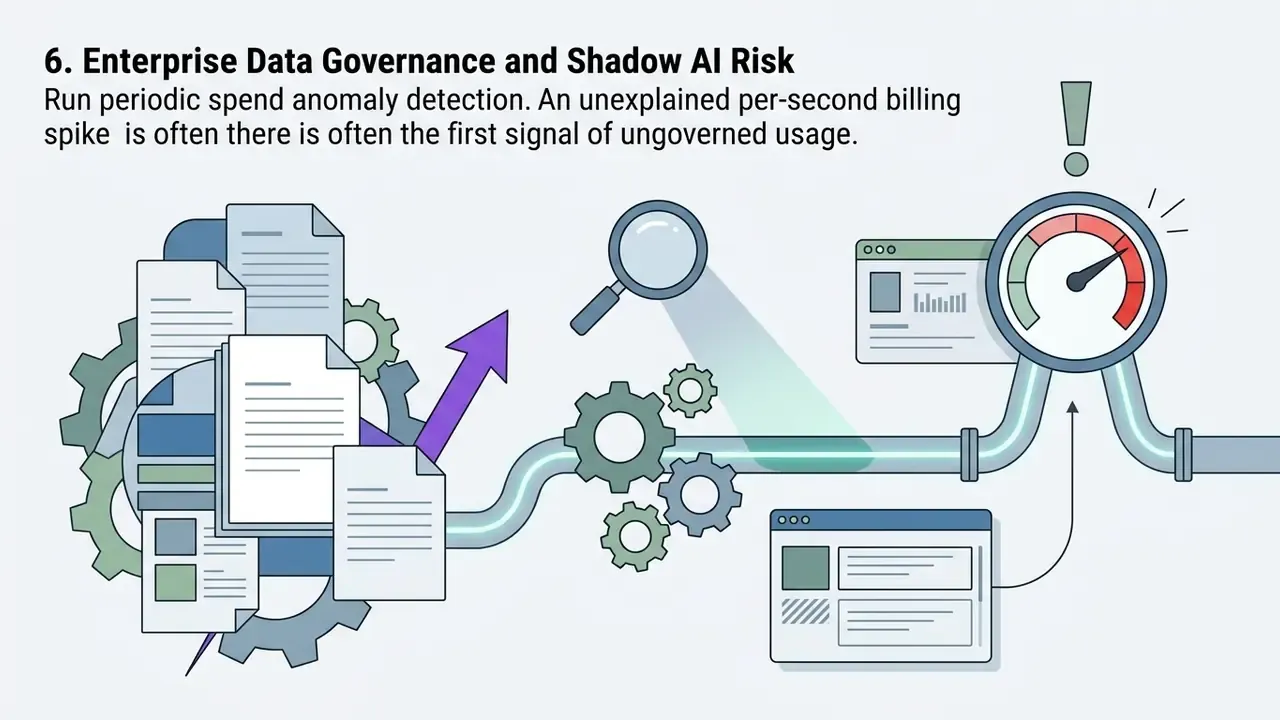
6. Enterprise Data Governance and Shadow AI Risk
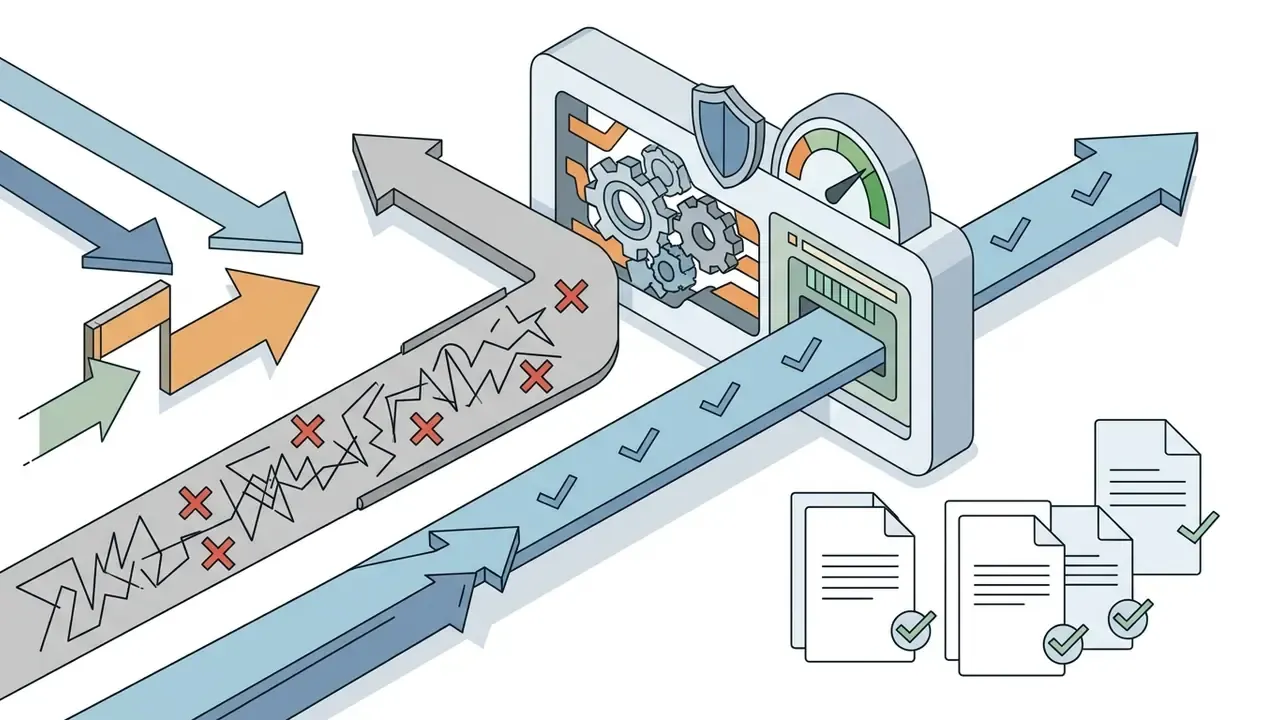
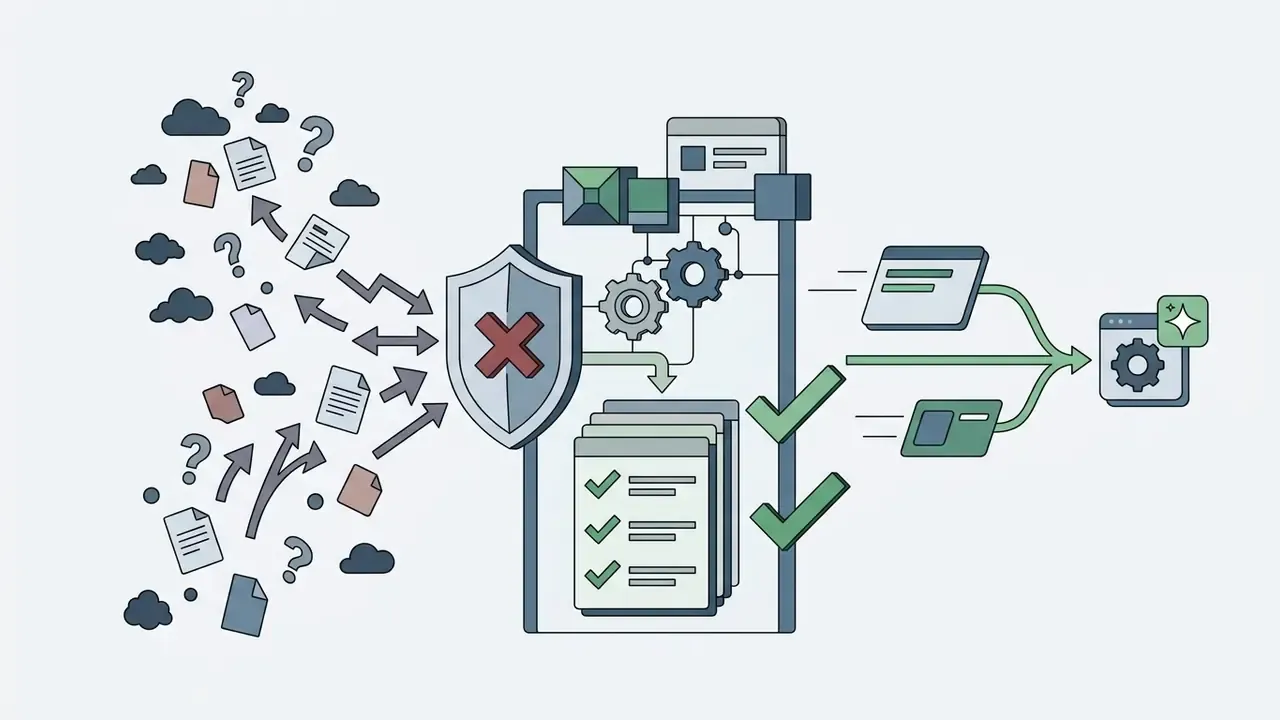
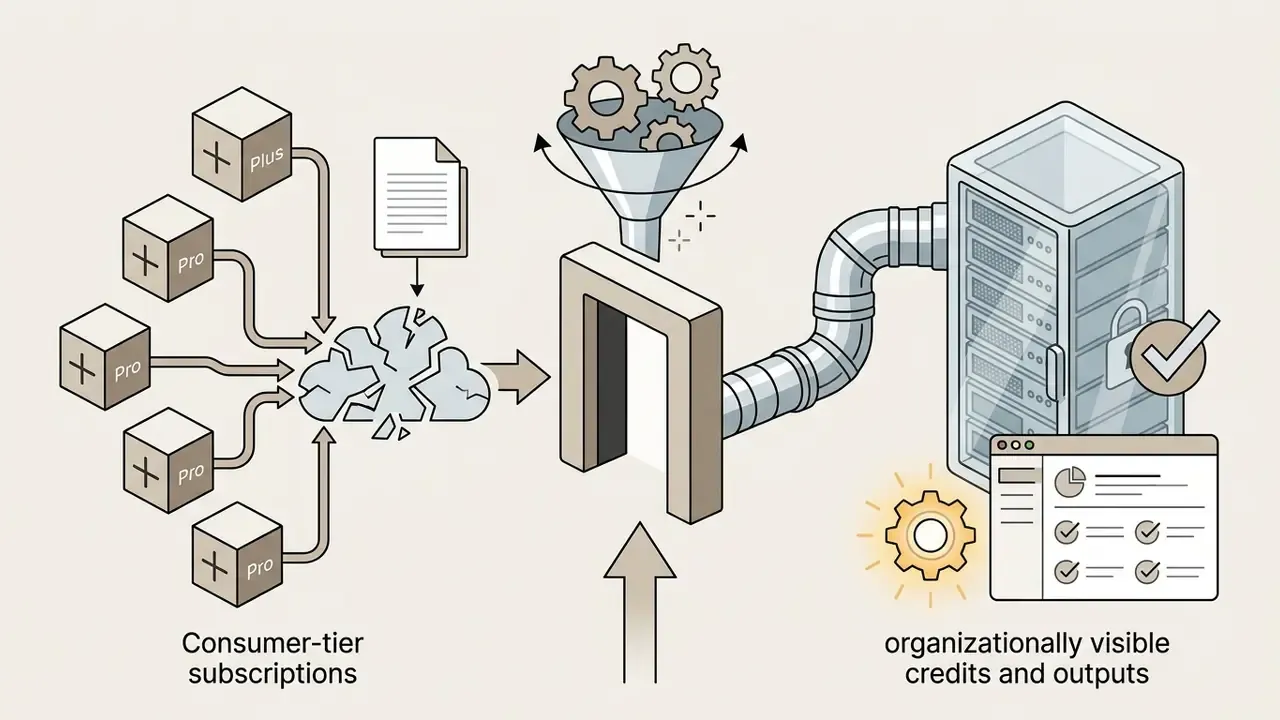
Generative video creates two distinct exposure classes: what leaves the organization inside a prompt, and what enters the organization as an unvetted asset. Both need controls before the first production batch, not after the first incident.
Input-side controls, what you send:
- Prompt hygiene policy. Prohibit personal data, customer identifiers, unreleased financial figures, and confidential deal names inside prompts. Prompts are logged artifacts, not ephemeral chat.
- Reference asset clearance. Only brand-approved images from the DAM may be used as
input_reference,start_frame, orend_frame. Photographs containing identifiable third parties require documented consent. - Retention posture. Where the provider offers enterprise data-handling terms, no training on business data, encryption in transit and at rest, plus configurable or zero data retention, negotiate and document them before onboarding. Where such terms are unavailable, restrict usage to non-confidential creative inputs.
- Region binding. Align the billing entity and data-processing region with your privacy obligations. EEA, UK, and Swiss availability has historically differed from US availability.


7. Model Risk Management and Audit Trail for Generative Video
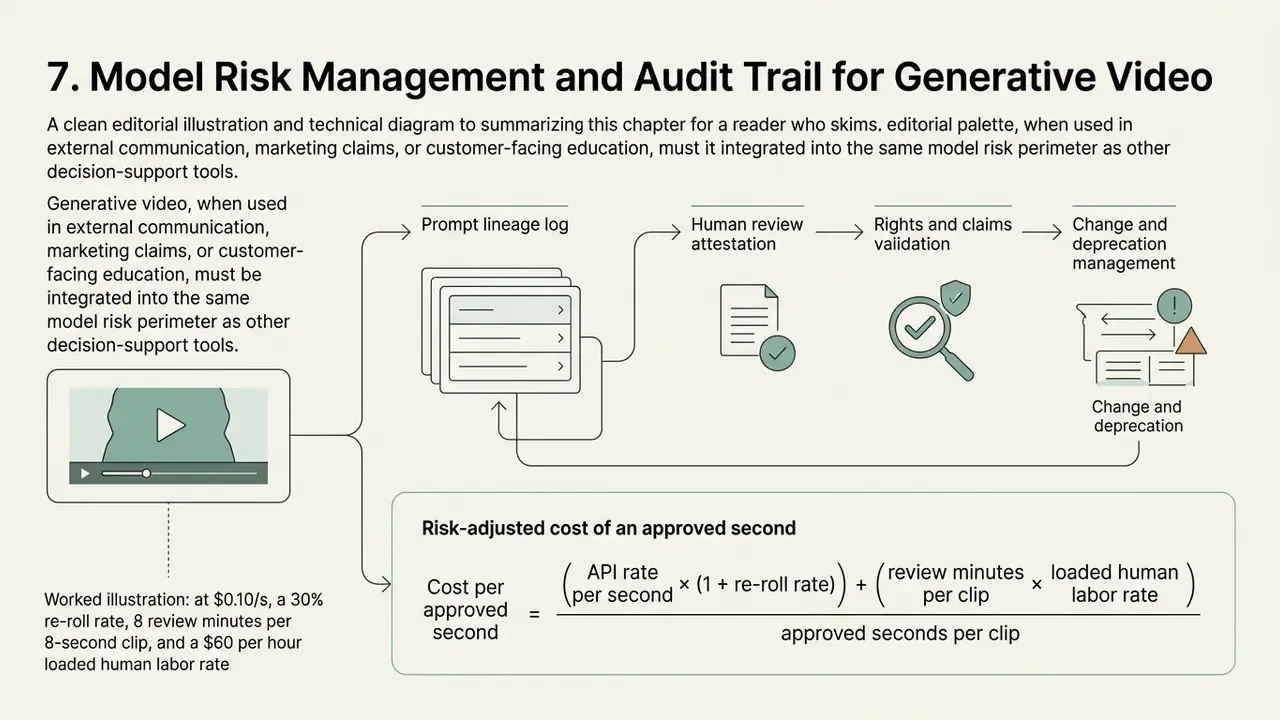
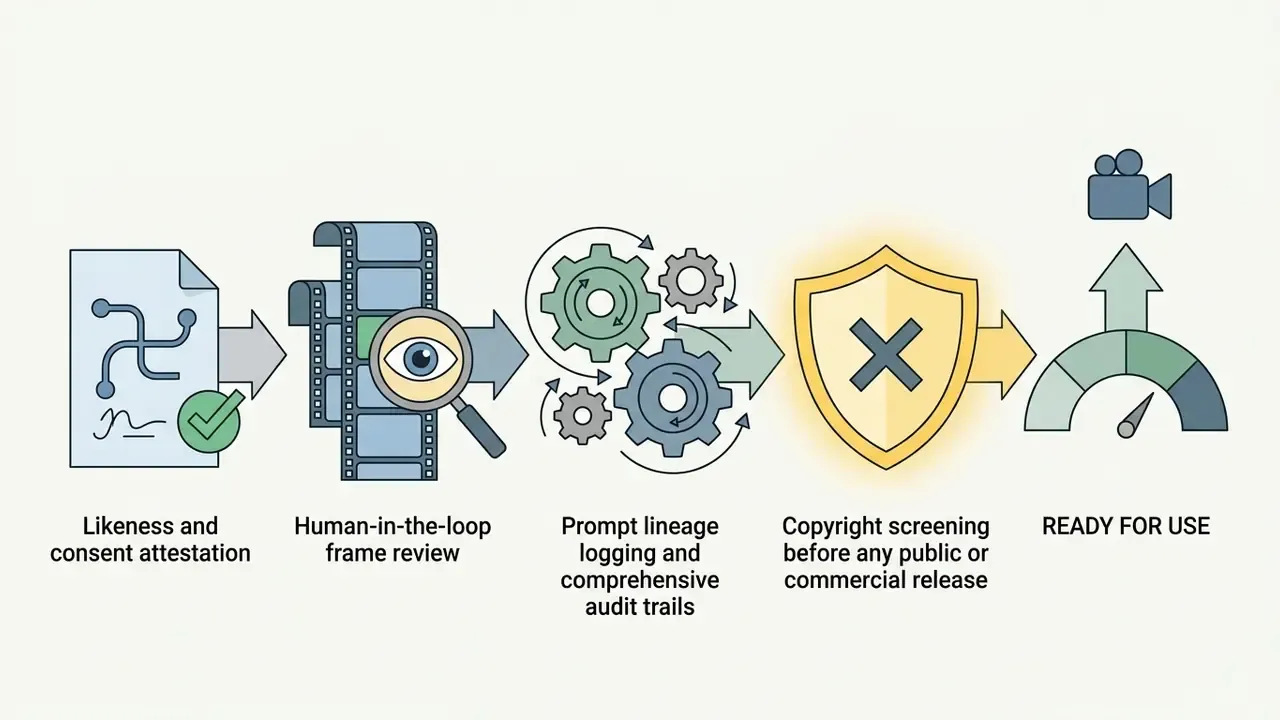
Where generative video informs external communication, marketing claims, or customer-facing education, it belongs inside the same model risk perimeter as other decision-support models. Translating established model-risk principles to generative media rests on four artifacts.
1. Prompt lineage log. For every published asset, record: asset ID, model identifier (sora-2 or sora-2-pro), full prompt text and version hash, seed, size, seconds, all reference asset IDs, generation timestamp, cost, requester identity, and reviewer identity. Without lineage, an asset cannot be reproduced, explained, or defended.
2. Human review attestation. Each asset carries a signed record of who reviewed which QC axes, and when. Log re-rolls too. A discarded generation that leaked to a channel is still an incident.
3. Rights and claims validation. Screen for third-party trademarks, protected characters, look-alike likeness risk, and regulated claims about performance, safety, medical, or financial outcomes. Where a Cameo identity appears, attach the consent record and its expiry date to the asset.
4. Change and deprecation management. Model versions and endpoints change. Pin model identifiers in production code, monitor deprecation notices, and keep a tested fallback provider, so a retired endpoint does not halt a live campaign.
Risk-adjusted cost of an approved second. Raw API price understates true cost, because most generations get discarded. Model it explicitly:
Cost per approved second =
  ( API rate per second × (1 + re-roll rate) )
  + ( review minutes per clip × loaded reviewer rate ÷ approved seconds )
  + ( governance overhead per asset ÷ approved seconds )
Worked illustration: at $0.10/s, a 30% re-roll rate, 8 review minutes per 8-second clip, and a $60 per hour loaded reviewer rate, the review component alone adds roughly $1.00 per approved second. That is an order of magnitude above the API line item. Which is why cutting re-rolls through briefs, anchors, and keyframe interpolation matters more to unit economics than negotiating the per-second rate.
8. Choosing Sora for Commercial Video Creation
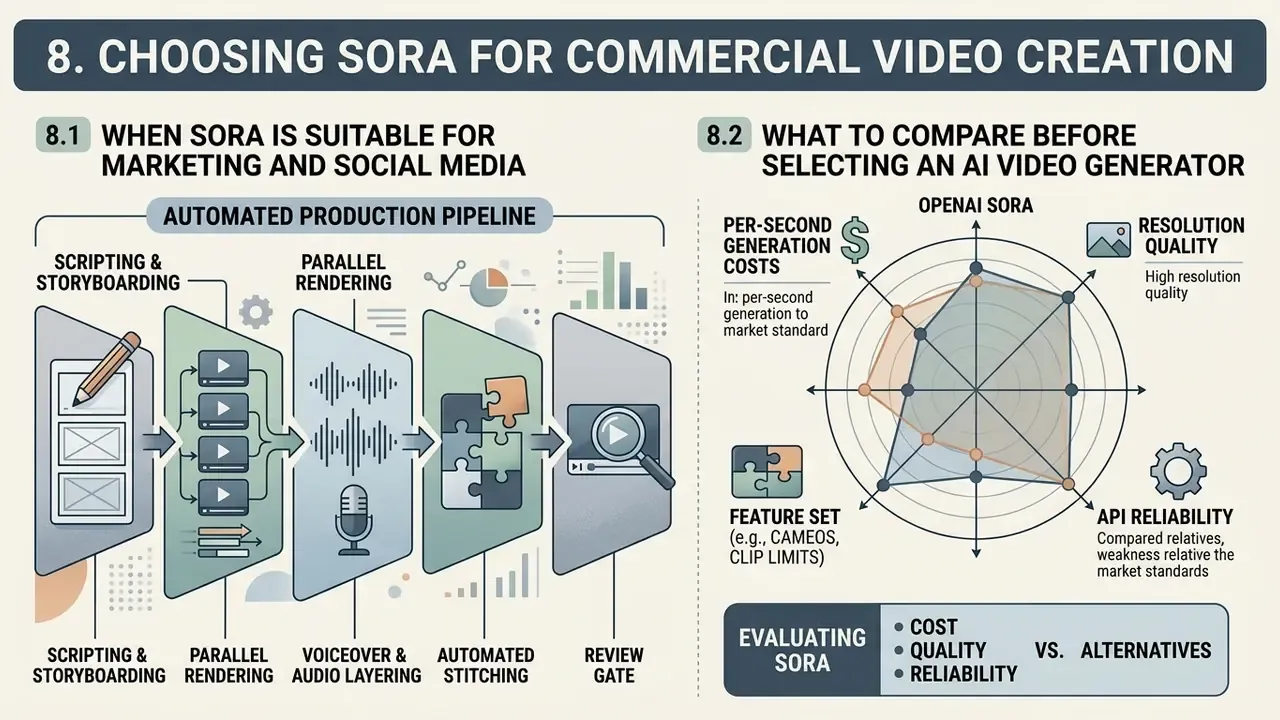
Evaluating OpenAI Sora for commercial video creation means comparing per-second generation costs, resolution quality, and API reliability against alternative market tools. Capability has to line up with operational workflow, data protection requirements, and marketing budget.
For teams building interactive presentation materials, guidance on how to make a video presentation offers structured methods for blending synthetic clips with executive slides.
8.1 When Sora Is Suitable for Marketing and Social Media
Sora performs well for high-volume top-of-funnel marketing, social media ad concepts, and rapid A/B creative iteration. Producing short vertical clips for TikTok or Instagram Reels through automated API scripts lowers creative acquisition costs against traditional shoot cycles. Agency and vendor reporting places the reduction in the 60 to 70% range for comparable short-form deliverables, with individual case studies claiming far higher savings on product and real-estate promos (Alkindi Publisher Comparative Study, 2026; APIYI case set, 2025 to 2026, vendor-reported, not independently audited). Benchmark those figures against your own fully loaded production costs before they enter a business case.
«A team producing 50 five-second clips per month at 720p through sora-2 would spend roughly $25, substantially cheaper than traditional video production.»
Teams focused on mobile engagement often study how to make dynamic live photo elements from AI clips. The workflow lets social media managers hold publication velocity across channels, and comparing candidates against the best AI video generators keeps channel-level cost per asset honest.
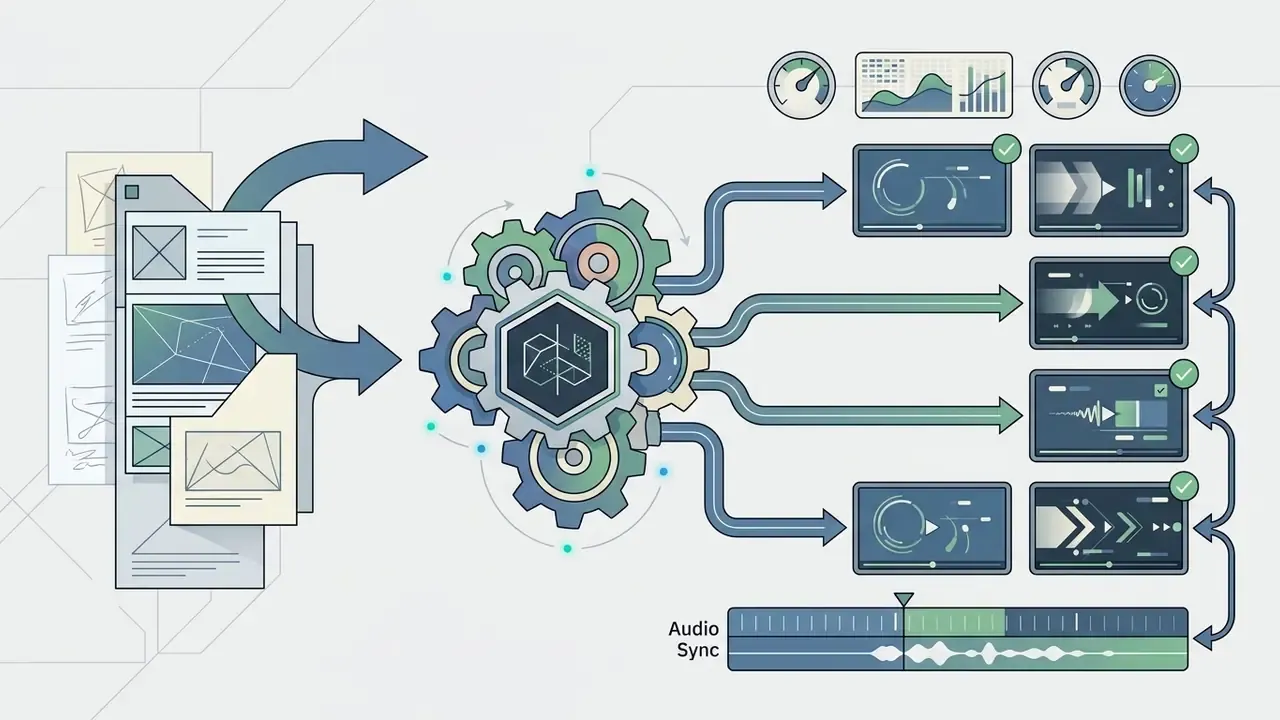
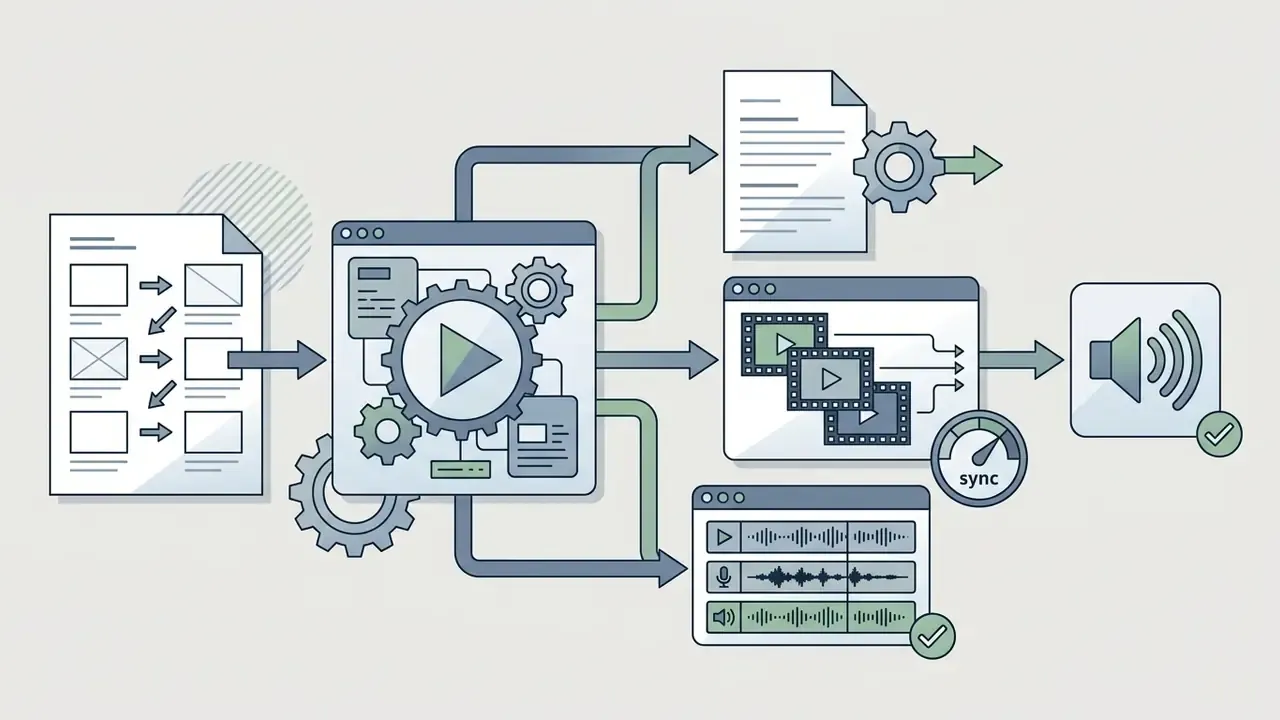
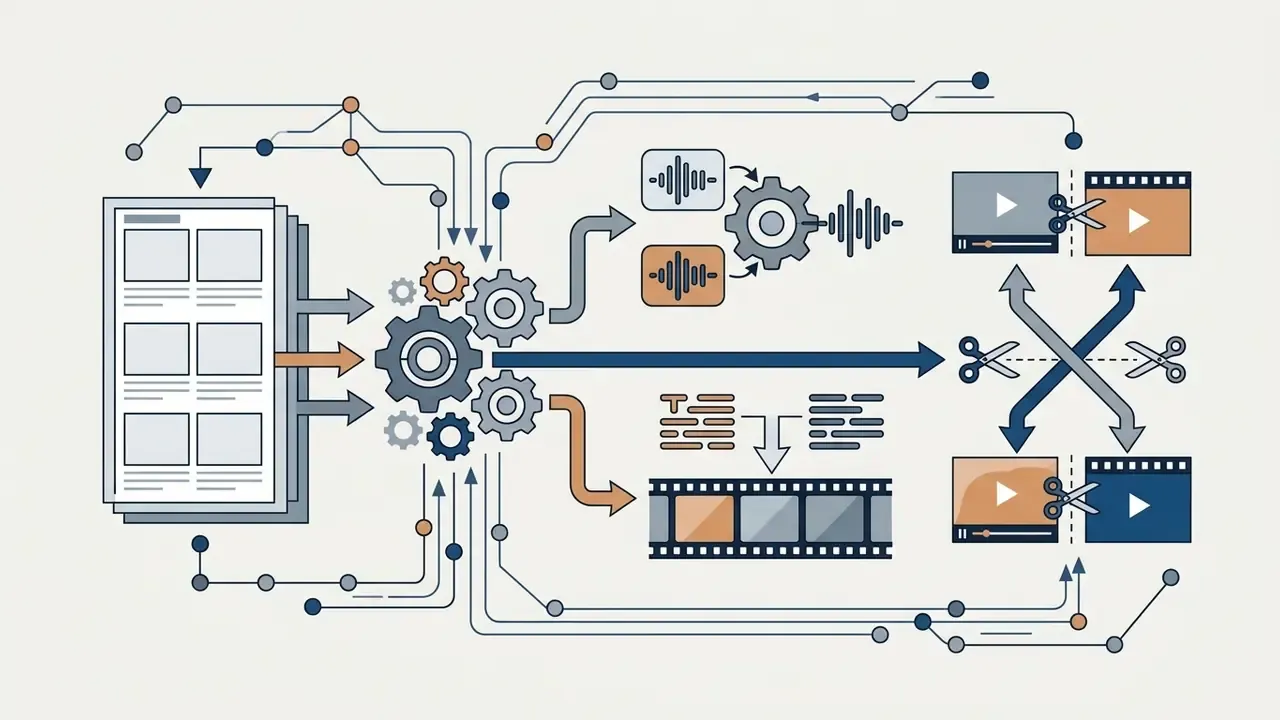
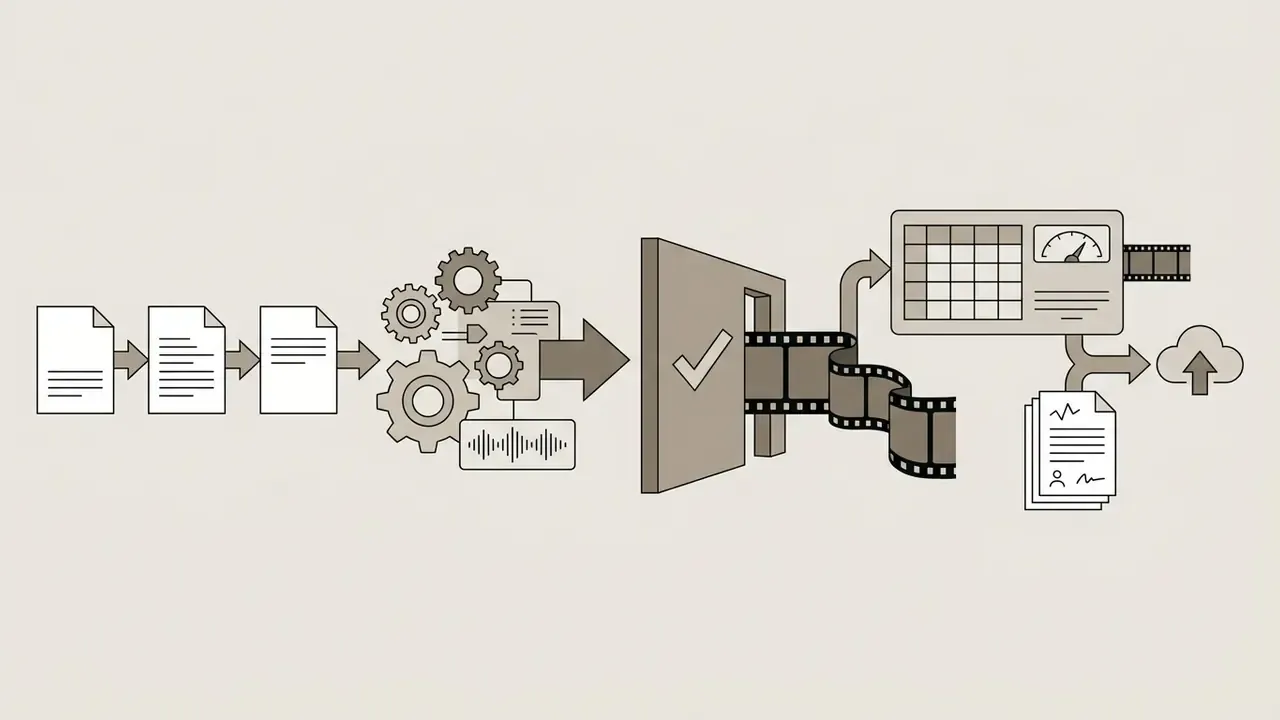
Automated Production Pipeline: Storyboard to Audio Sync
For campaigns longer than a single clip boundary, production teams chain the Sora API with audio synthesis pipelines.
This pipeline is how platforms marketed as "no 12-second limit" actually work. They orchestrate many short generations plus narration and subtitles, rather than extending one continuous render.

8.2 What to Compare Before Selecting an AI Video Generator
When selecting an enterprise AI video generator, procurement teams weigh maximum output resolution, image-to-video consistency, per-minute generation pricing, and platform independence. Teams that want zero-cost validation first can shortlist from free AI video generators for storyboard-stage testing. Budget-tier tools sell fixed monthly subscriptions, while high-fidelity models like Sora bill variable per-second consumption (Eesel.ai Pricing Review, 2026).
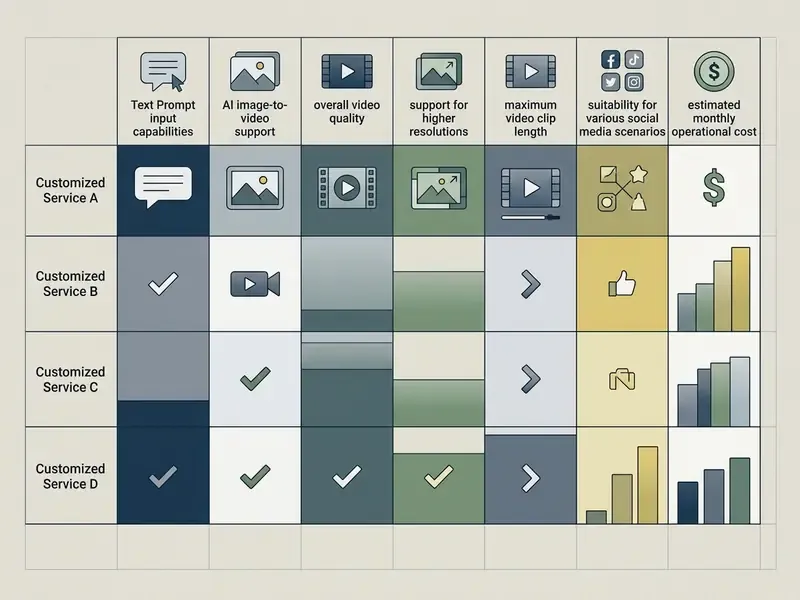
Commercial AI Video Generator Selection Matrix (2026 benchmark data)
| Tool / Platform | Max Output Resolution | Native Clip Length | Image-to-Video Support | Pricing Model | Primary Commercial Fit |
|---|---|---|---|---|---|
| OpenAI Sora 2 / Pro | 720p / 1080p / 1792×1024 | 4 to 20 seconds (extendable) | Yes (first-frame anchor, start plus end frame, synced audio) | Per-second API usage ($0.10 to $0.70/s), or $20 / $200 ChatGPT tiers | Cinematic pre-viz, high-fidelity ad concepts, Cameo spokesperson content |
| Runway Gen-3 / Pro | Up to 4K (upscaled) | 5 to 10 seconds | Yes (multi-motion brush) | Monthly tier subscription (from $12/mo) | Professional post-production and motion design |
| Pika and mid-tier tools | 720p / 1080p | 3 to 10 seconds | Yes (basic animation) | Free tier or subscription and credit packs (from about $8/mo) | Rapid social media clips and short-form experimentation |
| Google Veo / Kling / Seedance 2.0 | 1080p and above (model-dependent) | 5 to 10+ seconds | Yes | Credit or per-generation billing via API or platform | Successor options after Sora 2 deprecation; multi-vendor redundancy |
| Open-Sora (self-hosted) | Up to 720p | Up to 16 seconds | Yes (open-source weights) | Compute infrastructure costs | Internal R&D, private deployments, full data control |
«Open-Sora 2.0 reaches commercial-level video generation quality at a training cost of roughly $200,000, reproducing key techniques of the original Sora model.»
Explanatory note: commercial tool selection balances fixed monthly subscriptions against usage-based API billing. High-resolution models like Sora 2 Pro deliver cinematic audio-visual synthesis, while open-source frameworks give full data privacy and infrastructure control. Multi-vendor redundancy is no longer optional, since endpoint deprecations in this category now arrive on quarterly timescales.
9. Limitations and Open Questions
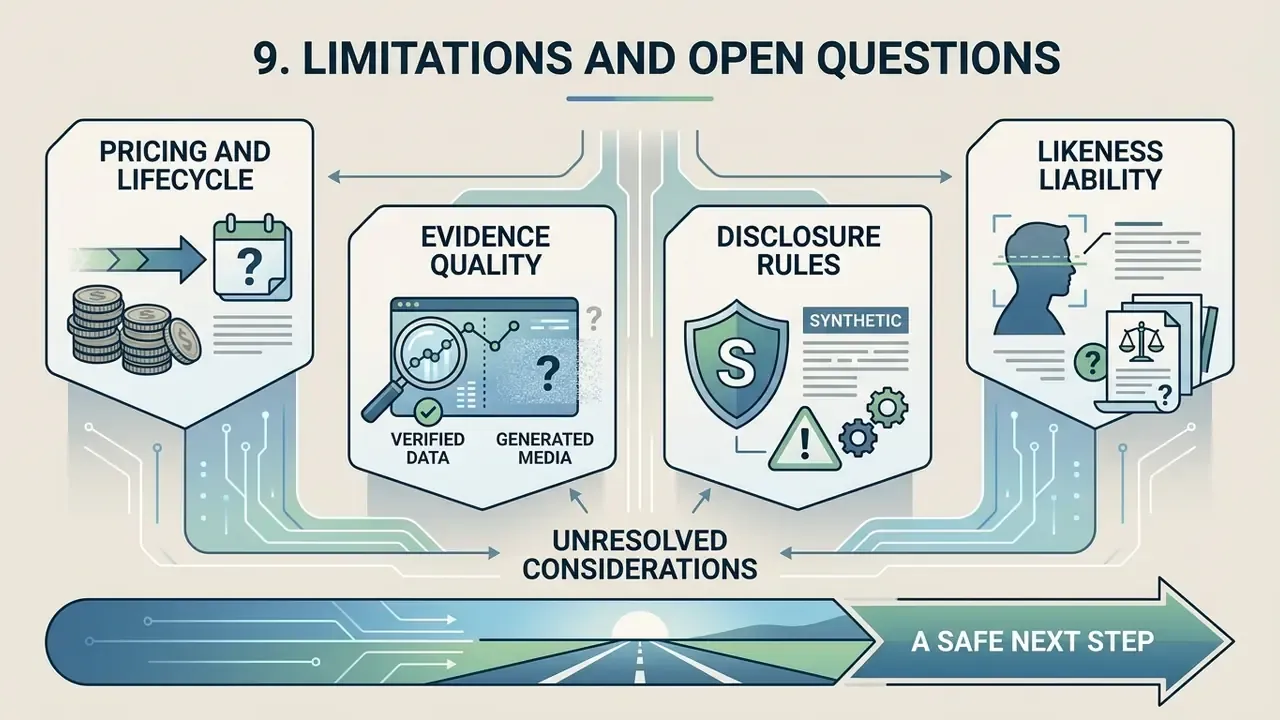
A short section on what this guide cannot settle for you.
First, pricing and lifecycle. Per-second rates, credit allowances, and endpoint availability have all changed inside a single planning cycle. Any multi-quarter campaign built on one endpoint carries concentration risk that belongs in the vendor risk register.
Second, evidence quality. Most productivity and cost-saving claims in this market are vendor-reported. No controlled study with a financial-services sample has been published, as far as we can verify. Treat every percentage here as a hypothesis until your own analytics confirm it.
Third, disclosure rules for synthetic media. Platform policy and regulatory expectations differ by jurisdiction and keep moving. A clip that is compliant in one market may need an on-screen label in another.
Fourth, likeness liability. Consent-verified Cameos reduce risk. They do not eliminate publicity-rights exposure when a registered person leaves the company, or when consent expires mid-campaign. Build expiry dates into the asset record.
A safe next step. Run one bounded pilot: three shots, one channel, a written brief, a prompt lineage log, and two named reviewers. Measure re-roll rate and cost per approved second. Then decide about scale, with numbers instead of enthusiasm.
10. Technical Specifications Summary
| Feature Parameter | Standard Specification | Pro / Enterprise Specification |
|---|---|---|
| Model architecture | Diffusion spacetime transformer (latent spacetime patches) | Diffusion spacetime transformer (latent spacetime patches) |
| Supported resolutions | 1280×720 (16:9), 720×1280 (9:16), 1080×1080 (1:1) | 1920×1080, 1080×1920, 1792×1024, 1152×864, 864×1152 |
| Supported aspect ratios | 16:9, 9:16, 1:1 | 16:9, 9:16, 1:1, 4:3, 3:4, wide cinematic |
| Native clip duration | 4, 8, 12 seconds | Up to 16 and 20 seconds per request |
| Maximum stitched length | About 120 seconds (via 6 extensions) | About 120 seconds (via 6 extensions) |
| Conditioning inputs | Text prompt, single image reference | Text, image reference, start plus end keyframes, video remix, Cameo identity |
| Reference formats | image/jpeg, image/png, image/webp | image/jpeg, image/png, image/webp, video remix source |
| Audio capabilities | Synchronized sound effects and dialogue | Synchronized sound effects, dialogue, lip-aligned Cameo voice |
| Primary API endpoint | POST /videos (sora-2) | POST /videos (sora-2-pro) |
| Status and delivery | GET /videos/{video_id}, webhook callbacks, GET /videos/{video_id}/content | Same, with higher concurrency and RPM ceilings |
| Indicative per-second cost | About $0.10/s at 720p | About $0.30 to $0.70/s depending on resolution |
| Rate limits by tier | Tier 1 about 25 RPM (Free not supported) | Up to about 375 RPM at Tier 5 |
FAQ: OpenAI Sora Video Generation
Is Sora free?
No. Sora-class generation requires either a paid ChatGPT entitlement (Plus at $20/month, Pro at $200/month) or a paid API tier. Free API accounts are not supported. Third-party platforms sometimes hand out limited trial credits, but the underlying model access is always metered.
How long can a Sora video be?
Native generations run 4 to 20 seconds depending on model and tier. Longer deliverables come from chaining extensions, roughly 120 seconds stitched, or from assembling several clips in an editor with narration and subtitles.
Can Sora generate sound and dialogue?
Yes. Sora 2 produces synchronized audio, including dialogue, ambient beds, and sound effects aligned to on-screen motion and lip movement. For many short-form formats that removes a separate sound-design pass.
What are Cameos?
Cameos insert a consent-verified real person into generated scenes with matched appearance, gesture, and voice. Registration requires one-time identity verification and consent capture, and enterprise workspaces can restrict which teams may render a given identity.
Can Sora be used offline?
No. Generation runs in the cloud and needs an internet connection; there is no local installation of the hosted model. Self-hosted alternatives such as Open-Sora exist for teams that require on-premises inference.
Is Sora available only on iOS?
No. Access has been delivered through the browser-based ChatGPT interface and through the API. A native mobile app existed at various points with invite gating, but browser and API access are the durable paths.
Can I monetize Sora videos on YouTube?
Generally yes, provided the upload complies with platform monetization policy: original creative input, disclosure of synthetic media where required, and no unlicensed third-party footage, music, trademarks, or unconsented likenesses. Synthetic media disclosure rules keep evolving, so verify current policy before a monetized launch.
Does Sora support reference images?
Yes. A single first-frame anchor, plus dual start and end keyframes for constrained transitions. Reference images must match the requested output resolution to avoid spatial distortion.
What resolutions and aspect ratios should I request?
Match the destination channel: 9:16 (720×1280 or 1080×1920) for Shorts, Reels, and TikTok; 16:9 (1280×720 or 1920×1080) for YouTube and web; 1:1 (1080×1080) for feed placements; 4:3 and 3:4 for legacy and mobile-first static-to-motion placements; 1792×1024 for cinematic pre-visualization.
What happens to my videos if an endpoint is retired?
Exported files remain yours. Non-exported drafts held on the provider's surface may be deleted at shutdown. Export and archive approved masters to your own DAM, and keep the prompt lineage record alongside the file.
Appendix A: Superseded and Corrected Statements
The following formulations appeared in earlier revisions of this guide. They are retained for transparency, and each has been corrected in the main text above.
- Superseded (access)"As of mid-2026, consumer web and app interfaces for Sora were discontinued on April 26, 2026, shifting deployment exclusively to developer API endpoints scheduled through September 24, 2026." Correction: OpenAI published deprecation notices for the standalone Sora product surface and the Sora 2 API on those reported dates, but Sora-class video generation continued to reach end users through paid ChatGPT Plus and Pro web entitlements and partner platforms. Access was therefore not exclusively programmatic. Verify live status in official documentation.
- Superseded (rate limits)"Rate limits are structured by account usage tiers, ranging from 10 to 150 requests per minute (RPM) for professional endpoints." Correction: current documentation places Tier 1 at about 25 RPM and Tier 5 at up to about 375 RPM, with no access on free accounts.
- Superseded (weak citation)bare parenthetical references to Hong et al., 2026, Sun et al., 2024, and Invideo Sora Technical Report, 2026 without quoted findings. Correction: replaced with quoted findings, publication titles, years, and URLs in the main text.
- Superseded (unattributed metrics)"reduced iteration cycles by 45%", "saving 12 hours of manual post-production retouching", and "reduces creative acquisition costs by up to 60 to 70%" presented as established facts. Correction: reframed as self-reported or vendor-reported figures requiring internal verification, with supporting per-second cost data cited to Eesel.ai, Practical Guide to Sora 2 API Pricing (2026).
- Superseded (localization artifact)a stray Polish-language query string embedded mid-sentence in the access section. Correction: retained only as a labelled example of non-English search demand, inside a jurisdiction-based explanation of regional availability.
- Superseded (attribution)the opening governance quotation previously attributed to the author. Correction: reattributed to the hypeart.ai AI Media Governance & Benchmarks Desk editorial standards note.
Explore developer guides, media benchmarks, and automation frameworks via AI Media Workflows, compare alternatives in the AI video generator matrix, and review API-level economics in the Google Veo implementation guide.