One is an engineering question. The other is a rights question. Most failures happen in the second.
Key Takeaways
What This Guide Covers
- What a free online video watermark remover tool actually does
- When watermark removal is appropriate for your video, plus the legal notice
- How to remove watermark from video online, step by step
- How to remove watermark from video online without blur
- AI watermark remover vs free video editor
- How to choose a free online video watermark remover tool
- Frequently asked questions: GIFs, AI video, batch processing, residue, timing
- Author, disclaimers and the editorial revision log
What Is an Online Video Watermark Remover Free Tool?
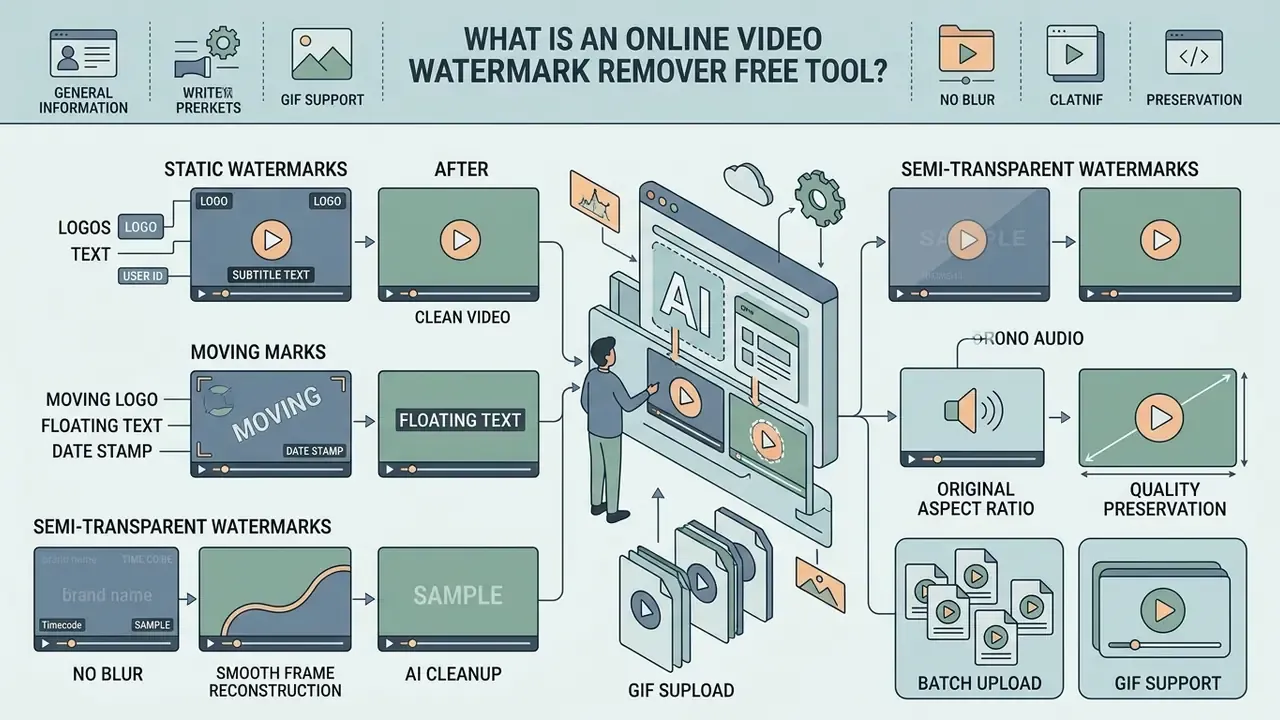
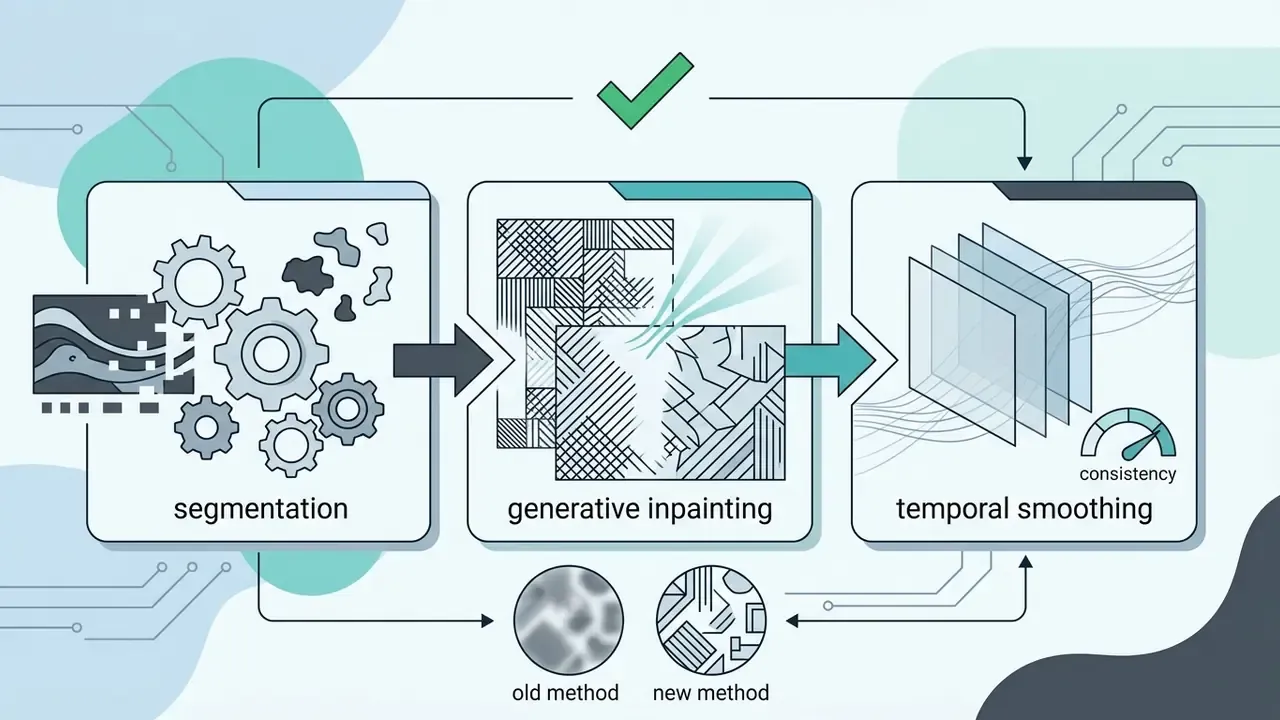
An online video watermark remover free tool is a browser-based utility that uses artificial intelligence and video inpainting algorithms to detect, mask and reconstruct regions obscured by visible overlays. No desktop install, no render farm. These platforms erase watermarks by reading the surrounding spatial pixels and the temporal context of neighbouring frames, then rebuilding what the graphic was hiding.
Deep neural networks carry the load here. U-Net style architectures and diffusion-based models replace masked pixels with contextually accurate background, rather than smearing colour across the hole.
«AdvancedUnet applies a multi-level hybrid loss to extract and remove visual watermarks in a single pass while preserving global image structure.»
So instead of blurring or cropping the frame, an ai watermark remover synthesizes new image data and helps you create clean videos suitable for content creators, product pages and digital marketing distribution. Teams building end-to-end production stacks often pair cleanup utilities with AI generation tools so that source creation and post-production share a single governance policy. Why choose one governed stack over a patchwork of free tabs? Because audit evidence lives in the policy, not in the pixels.
Watermarks, Logos, Text and Captions an AI Tool Can Remove
An AI-powered watermark remover tool can remove logo elements, watermark text, hardcoded subtitles, timestamp overlays and lower-third graphics from video files. Generative networks read the geometric boundary of logos text and separate the foreground graphic from the footage underneath.
When the system processes uploaded media, it identifies both static graphic badges and dynamic captions. Tools designed for video editing can remove unwanted elements across individual frames while preserving the motion and texture of the original footage. Typical removable element classes:
- Persistent corner logos, channel bugs and platform app labels
- Burned-in subtitles, karaoke lines and translated caption tracks
- Date stamps, timecode burn-ins and camera metadata overlays
- Stickers, promo badges, sale labels and pop-up banner overlays
- Export tags added by editing apps or generative video services
Creators looking for specialized text workflows often compare a dedicated text remover against a free ai video editor no watermark to judge processing efficiency. Editors who prefer a timeline can review free video editing software workflows for comparison.
Static, Moving and Semi-Transparent Watermark Areas
A static watermark occupies a fixed pixel coordinate across the entire video, which makes it straightforward for AI models to automatically detect and isolate. Moving watermarks travel across the frame or drift along a path, so they require spatio-temporal tracking to keep the mask aligned frame after frame.
Semi-transparent overlays are the awkward middle case. The background is partially visible but colour-distorted, so the model has to separate overlay luminance from background detail. That gets harder against complex backgrounds: foliage, water, crowd scenes, screen recordings.
In practice, three difficulty tiers emerge. A fixed opaque badge on a static background is near-deterministic. A fixed badge over motion needs temporal sampling. A translucent, drifting mark over hair, sky, water, reflections or a screen capture demands high-precision masking plus multi-frame smoothing, and it is the tier where "one click" promises quietly fail. Operators evaluating broader stack integrations can examine Commercial-Use AI Tool Alternatives to assess automated processing across enterprise asset management systems.
When Watermark Removal Is Appropriate for Your Video
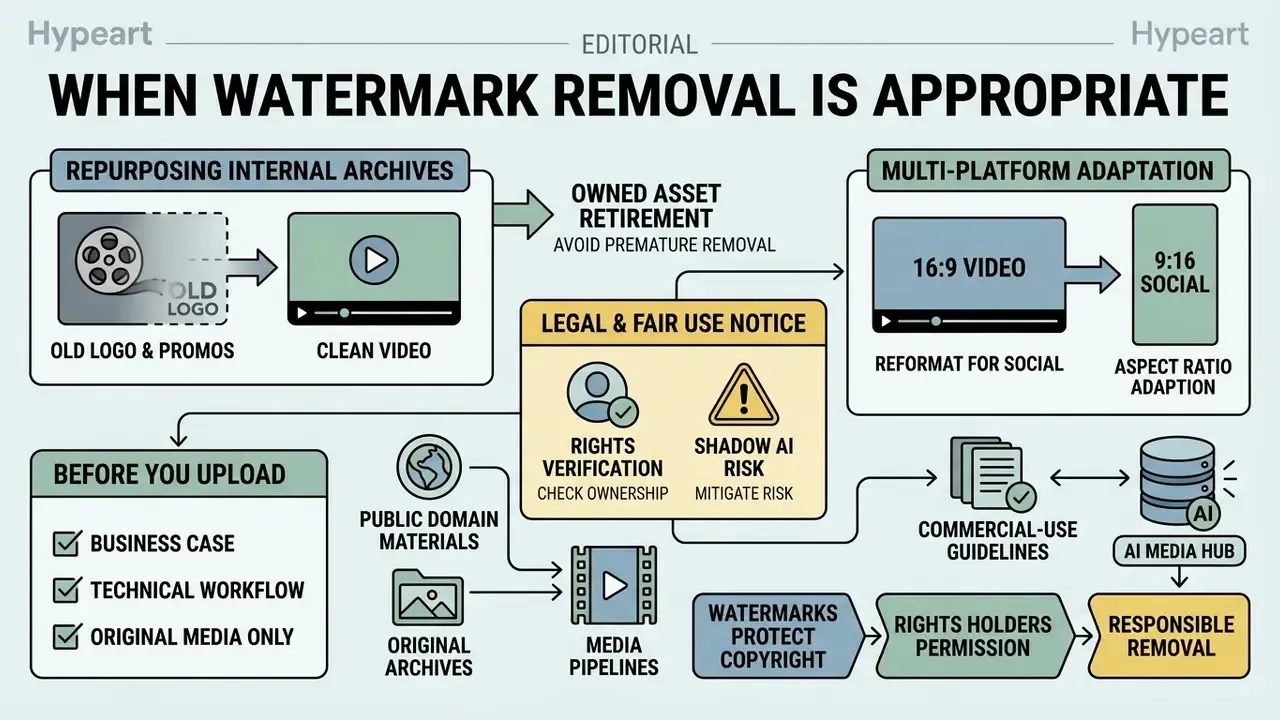
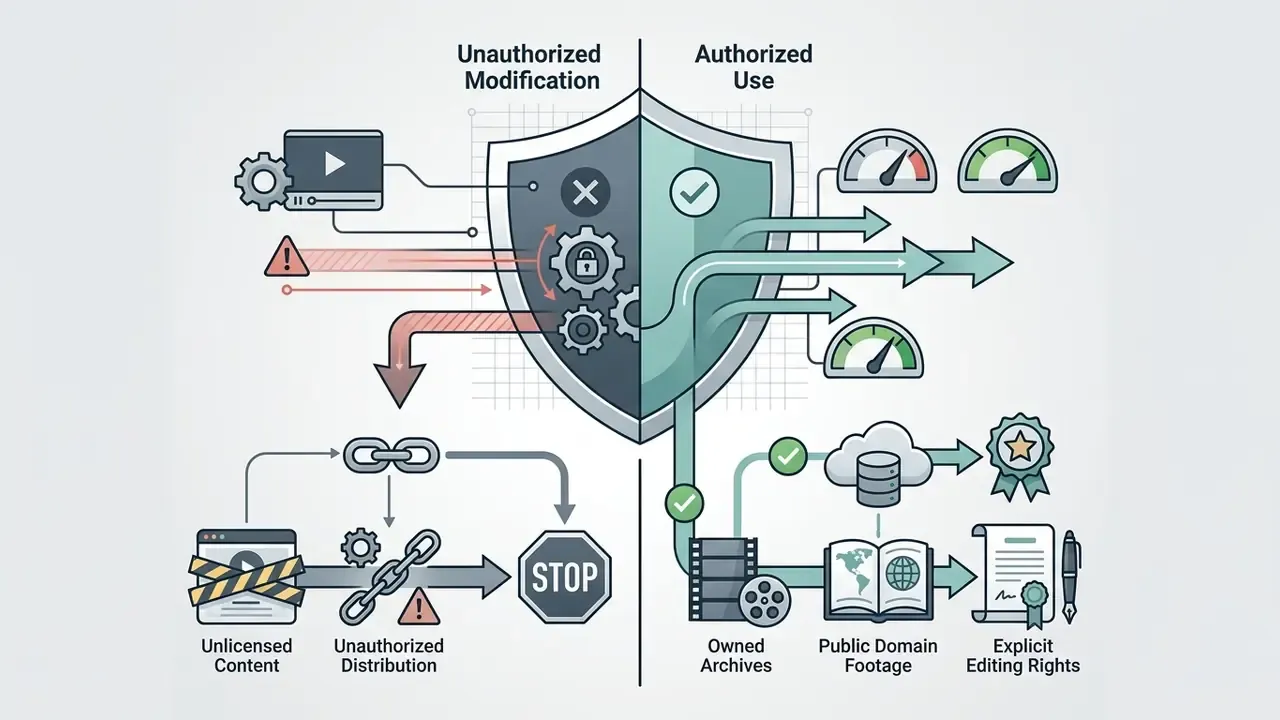
Removing watermarks from video media is appropriate when teams need to repurpose internal promotional archives, reformat owned assets for multi-platform distribution, or fix over-branded legacy content where the raw footage is long gone. Maintaining visual integrity across corporate channels means clean professional video assets, free from obsolete platform tags.
A good asset should not be retired just because it carries an old logo, an expired promo line, a past sale label or an export tag. Refreshing existing footage instead of reshooting or rebuilding the edit is the dominant legitimate use case: seasonal campaign resets, product-page refreshes, landing-page hero loops, creative A/B tests, internal training libraries. One retail media team I reviewed recovered 40 usable clips this way and skipped a full studio day. Not glamorous. Just cheaper.
When adapting an original video for social media campaigns, say converting 16:9 landscape clips into 9:16 vertical for TikTok or Instagram Reels, legacy watermarks frequently land right on the new focal point. Industry guidance on imagery integrity stresses that modifications must not obscure primary subject matter or misrepresent source material (SWGDE, Best Practices for Maintaining the Integrity of Imagery, 2025).
Operators managing multi-channel media pipelines often reference the AI Media Commercial-Use Hub to keep distribution rights aligned across commercial channels.
Rights Verification and Shadow AI Risk Before You Upload
Before a single frame reaches a third-party server, connect the business case to the technical workflow. Confirm who owns the asset and what the license permits. A short responsibility matrix prevents the most common enterprise failure mode: an employee dropping a contractually restricted video, a client master, or unreleased product footage into a public free tier.
| Asset origin | Removal decision | Accountable owner |
|---|---|---|
| Owned in-house footage / internal archive | Permitted | Media Ops |
| Licensed stock with editing rights | Permitted within license scope | Legal + Media Ops |
| Client-supplied master under contract | Requires written approval | Account lead + Legal |
| Third-party or preview/comp content | Not permitted | Compliance (block) |
| AI-generated draft you produced | Visible mark only; retain provenance metadata | AI Governance |
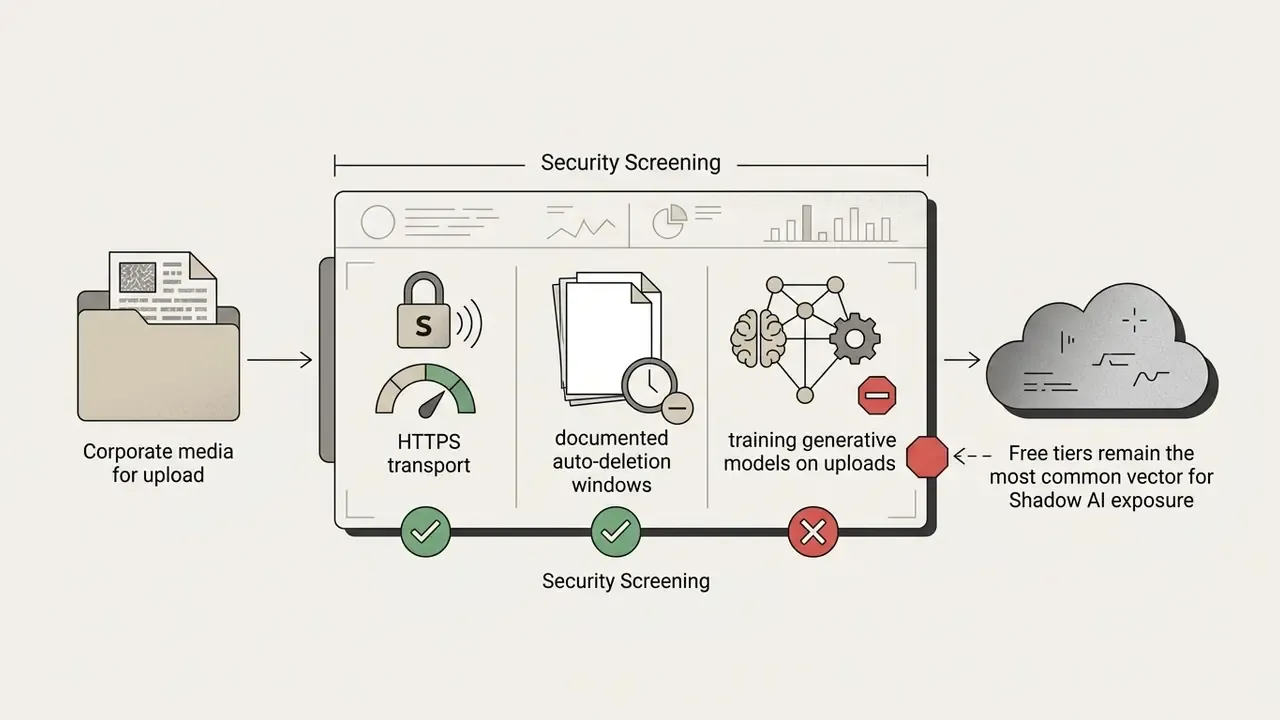
Treat unapproved free SaaS uploads as Shadow AI exposure, with a named owner and an escalation path, the same way you would treat an unsanctioned model endpoint. Where visible marks are removed, invisible provenance signals (SynthID-style identifiers, C2PA metadata) should be preserved rather than stripped. Removing machine-readable identity data triggers separate platform-terms and disclosure obligations, and it is the kind of detail an auditor notices later.
How to Remove Watermark from Video Online
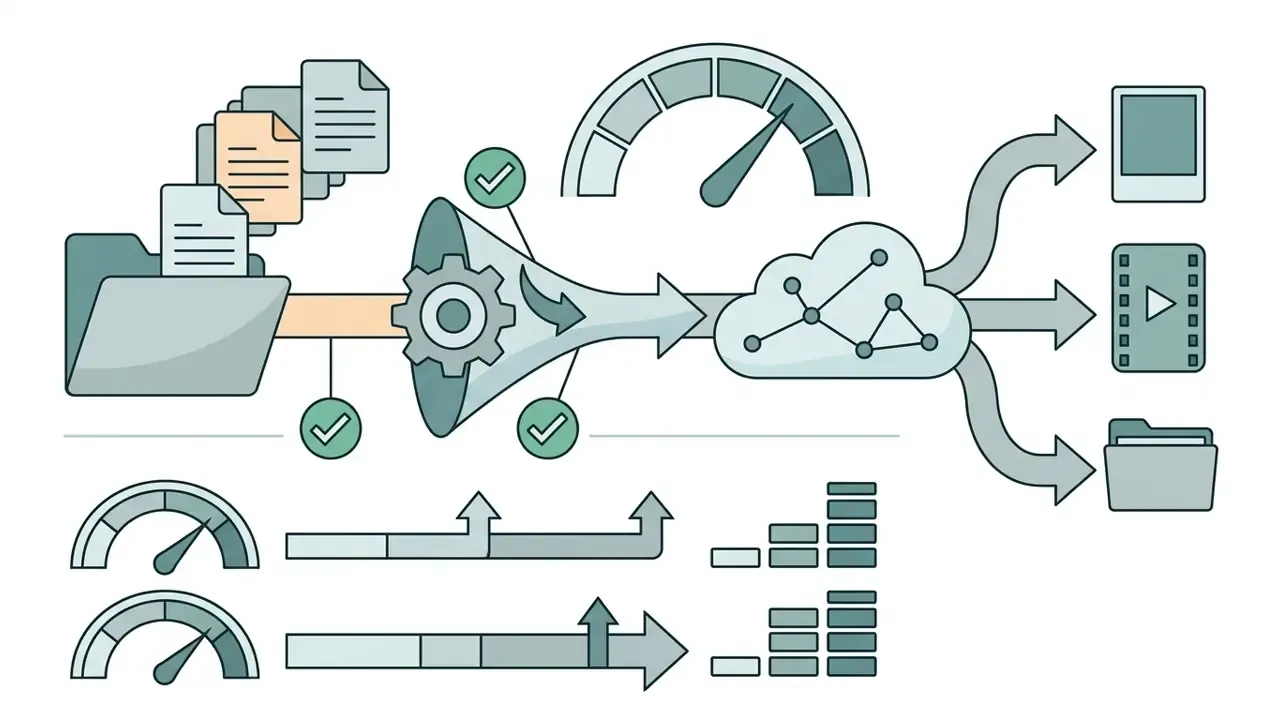
To remove watermark from video online, users follow a structured browser pipeline: file upload, overlay mask selection, generative AI processing, real-time preview, final download.
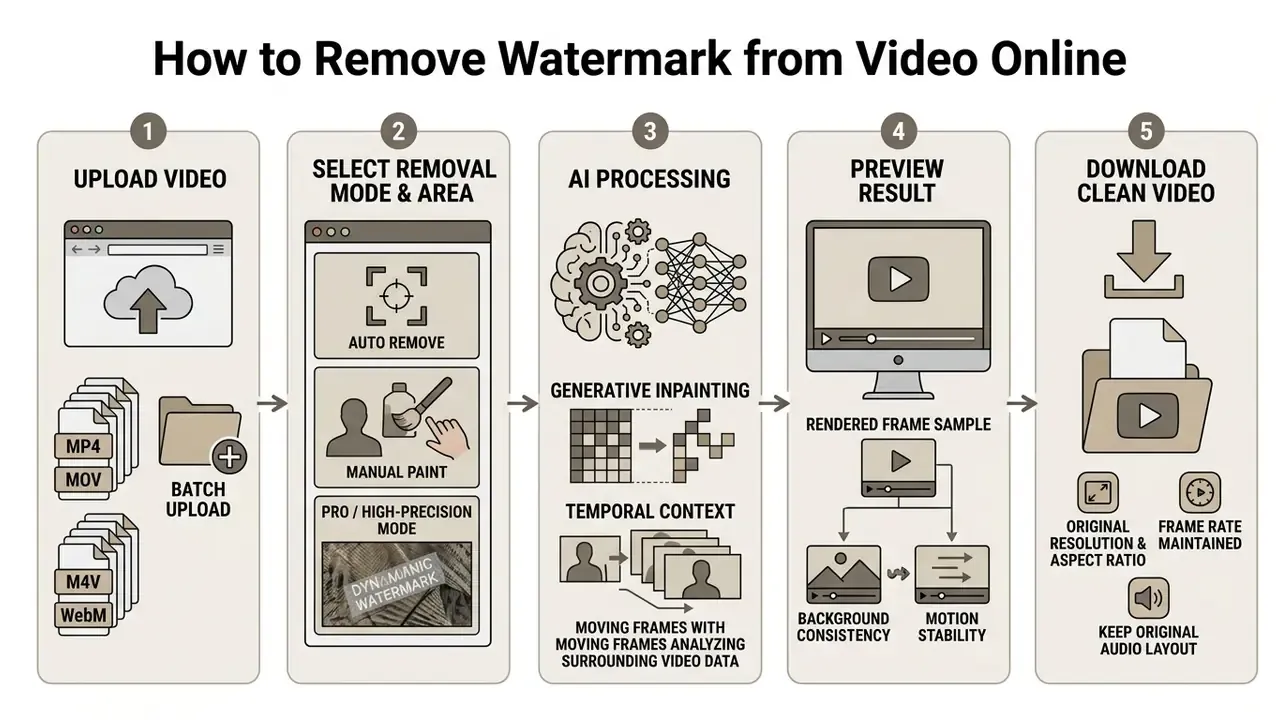
Upload Your Video File
The workflow begins when you submit an uploaded video to the cloud processing server. Standard web utilities accept common video files: MP4, MOV, M4V, AVI, WebM. Browser size limits usually sit between 50 MB and 2 GB, with resolution ceilings from 1080p to 4K (3840 px). Published consumer tiers show the spread clearly: one service caps uploads at 500 MB and 4K input with a 3-minute auto mode and 5-minute manual mode, another allows up to 2 GB, and lighter tools stop at 100 MB.
«Video inpainting methods require preprocessing, frame extraction, temporal alignment and resolution normalization, particularly for HD footage.»
Select the Watermark Area and Start AI Processing
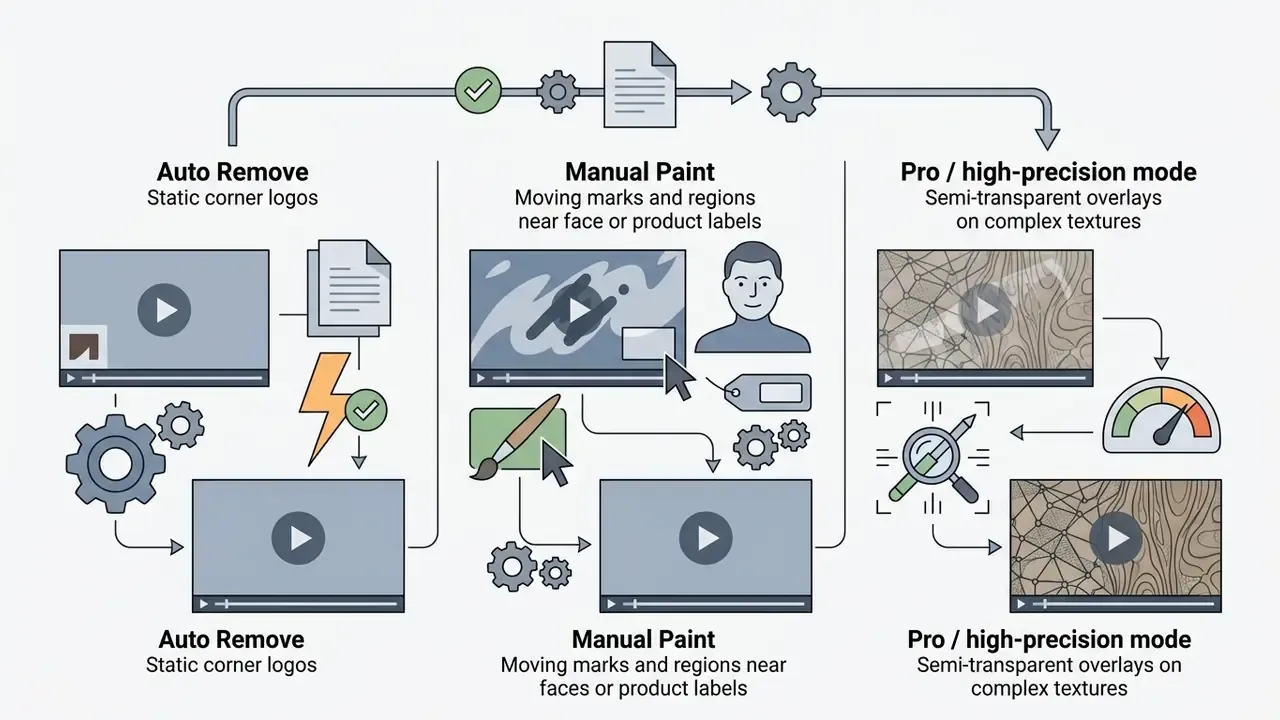
After ingestion, you highlight the target watermark area with manual mask tools or an automated detector. Three selection modes cover nearly every scenario:
- Auto Detect / Auto Remove. One click. Best for fixed corner logos, stamps and small static overlays.
- Manual Paint. A brush over the exact region. Best for subtitles, stickers, drifting marks, and anything adjacent to faces, products or text you must keep.
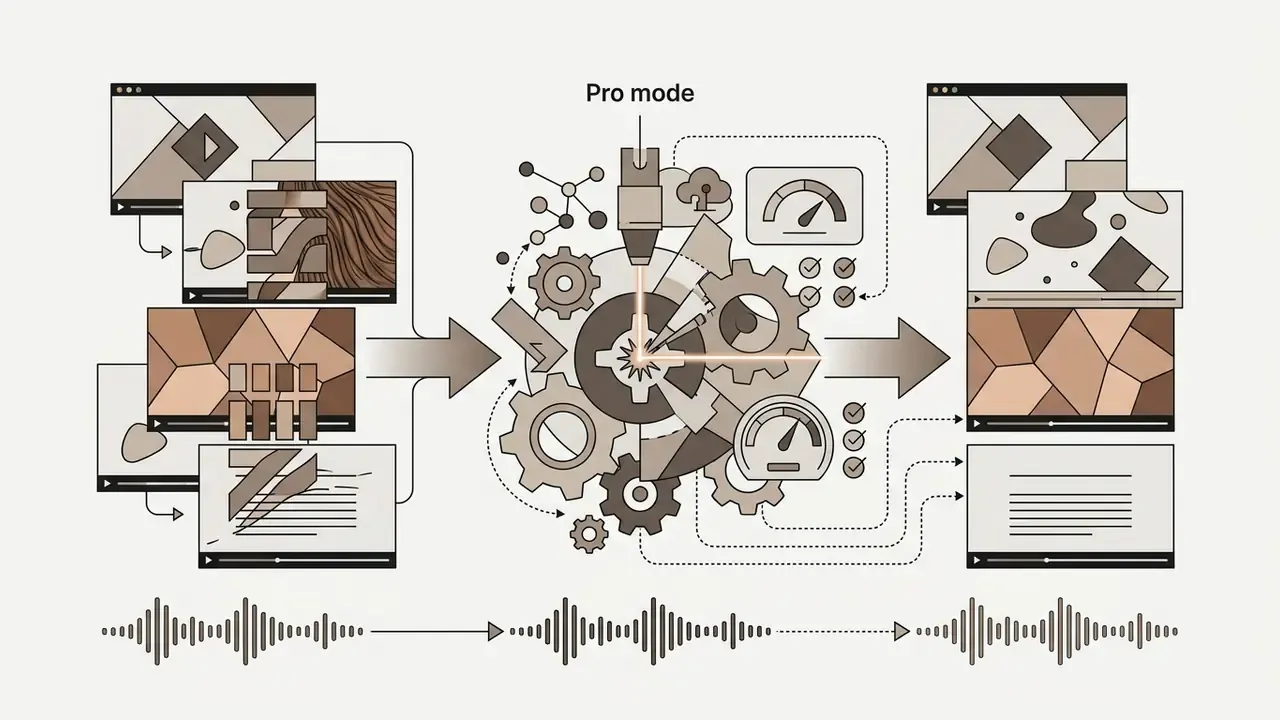
- Pro / High-Precision Mode. Stronger blending, cleaner edges, better cross-frame stability for semi-transparent, moving or texture-heavy cases.
Manual brush selection gives precise boundary mapping around irregular shapes, while automated models scan frame edges to automatically detect recognizable brand graphics. Many services also expose a limited free trial of manual mode, for example cleaning only the first 30 seconds, so you can validate output before committing a long clip. Use it. That trial is the cheapest quality test you will run.
Once the mask is defined, the generative AI technology processes the sequence frame by frame. The network decouples the overlay graphic from the background and borrows temporal context from adjacent frames to reconstruct missing pixels (Decouple and Couple framework, IEEE Transactions on Image Processing, 2025).
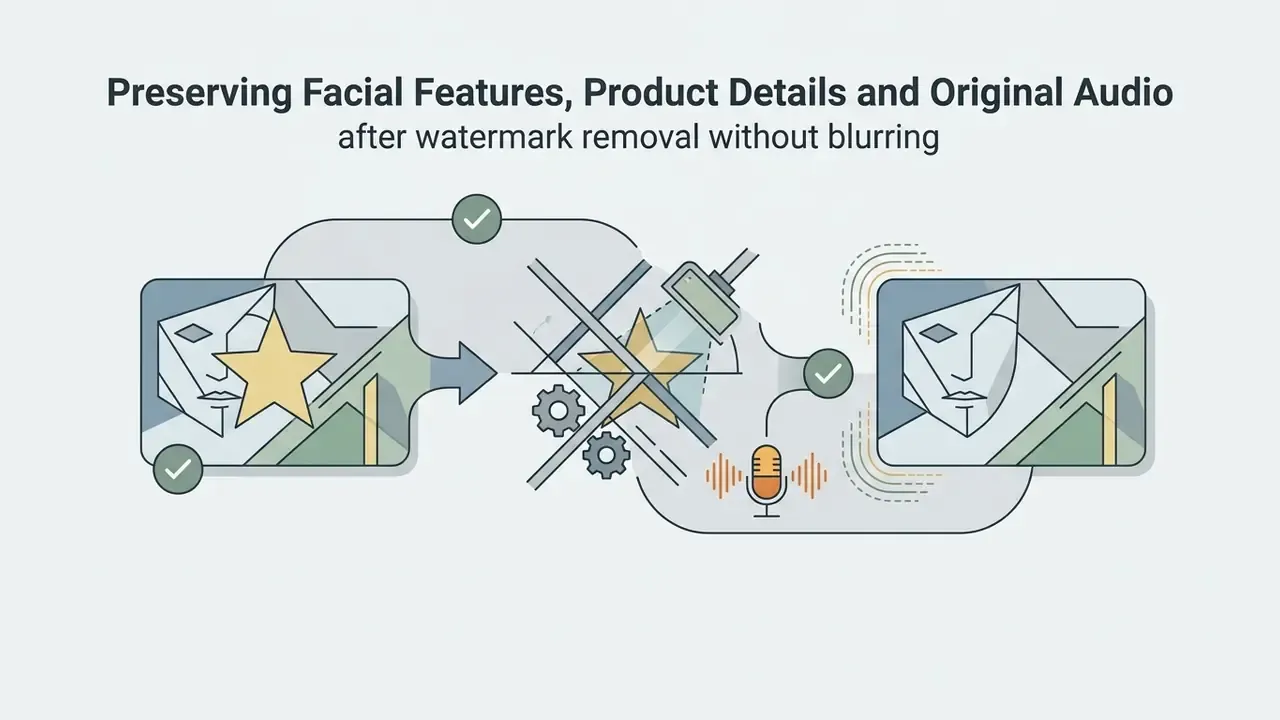
Preserving Facial Features, Product Details and Original Audio
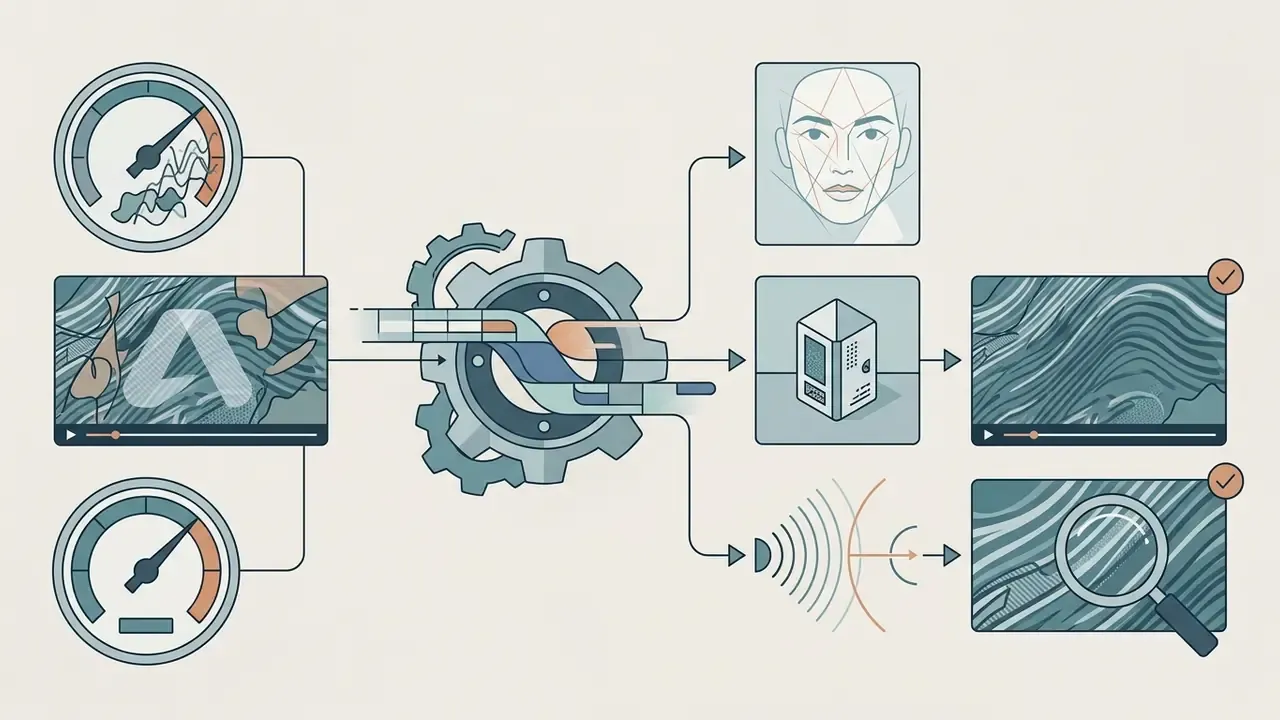
When watermarks overlap sensitive focal points (human faces, moving product labels, clothing texture, subtitles you intend to keep, reflective surfaces) standard auto-detection can introduce micro-distortions that read as "uncanny" on playback. To clean footage near faces or products without artifacts:
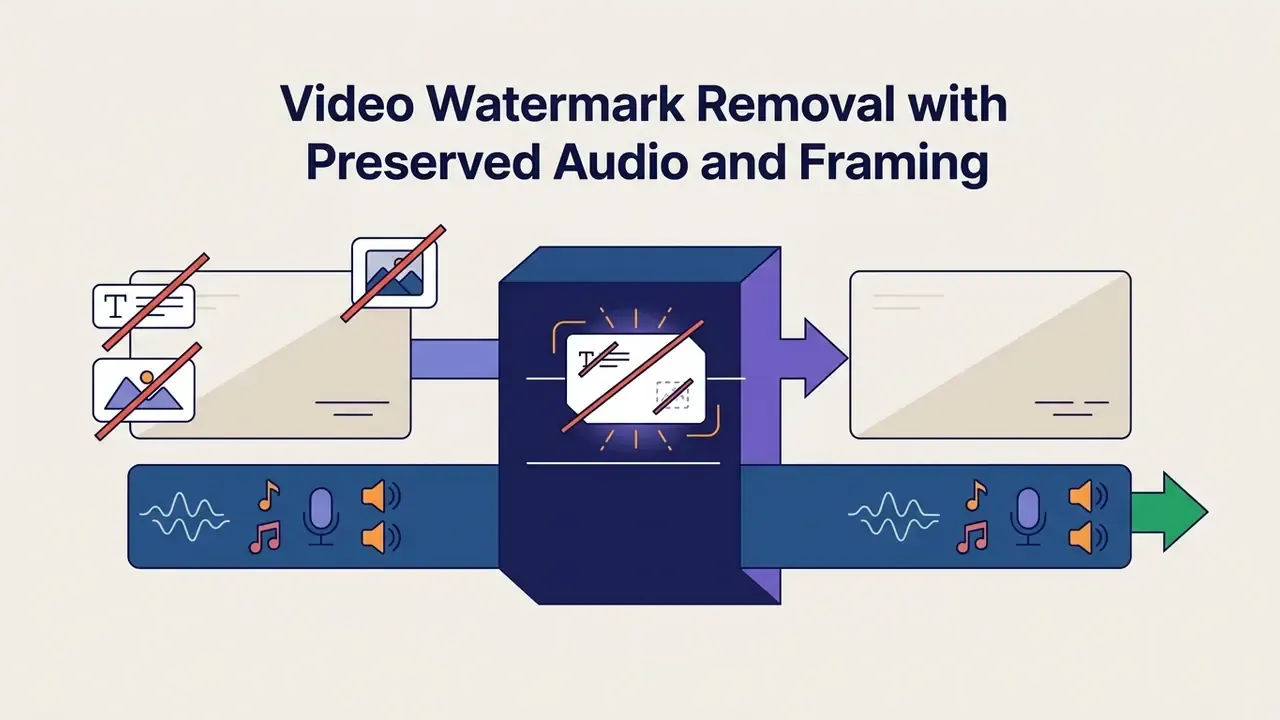
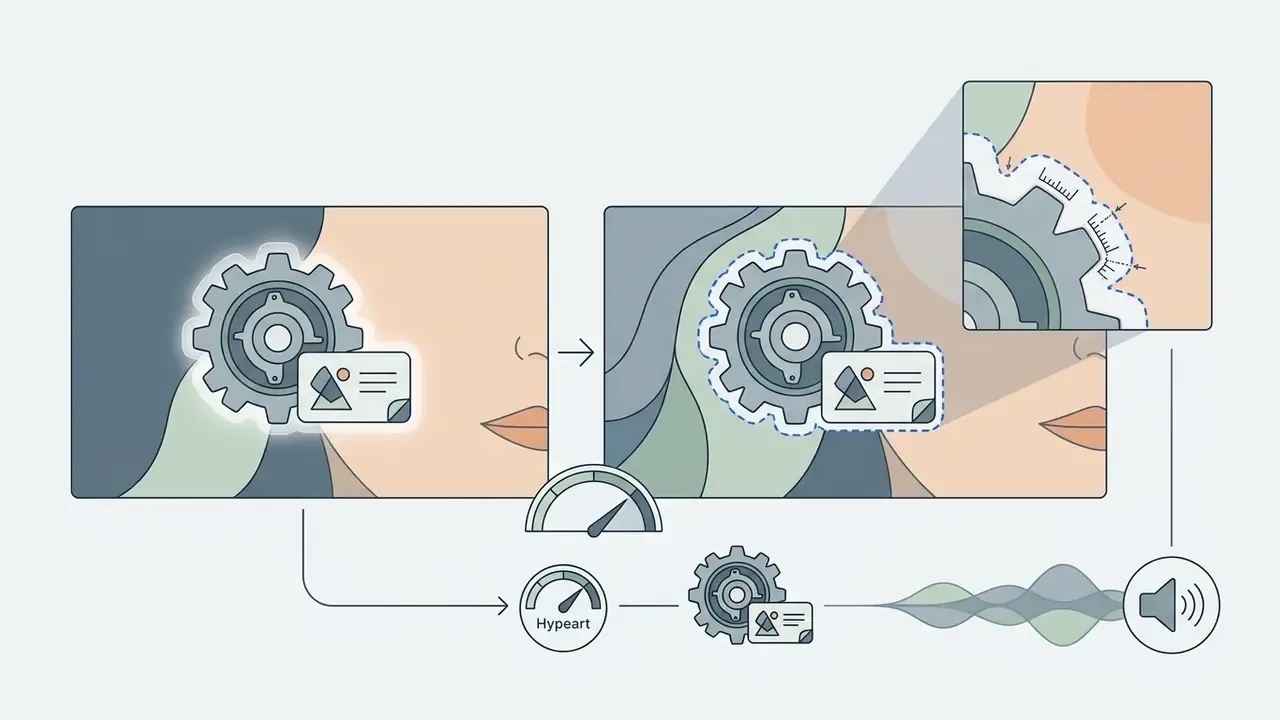
Audio is the question that worries most first-time users, and the answer is blunt: AI reconstruction touches only the spatial pixel layer. Native audio streams, multi-track dialogue, background music, voiceover and sound effects, stay untouched and byte-identical on export. The frame is never cropped either, so your original aspect ratio and framing survive. Still frames pulled from a cleaned clip for a thumbnail or product page can be refined further with an AI image enhancer before publishing.
Preview Results and Download the Clean Video
Before final export, the interface renders a preview of the cleaned segment. Reviewing that sample lets you verify the reconstructed background holds temporal stability and does not flicker. Some free tiers restrict preview to the first 5 or 6 seconds. Treat that window as a quality probe, not proof the full clip is clean.
Once approved, the system exports the finalized clean videos. Professional tools preserve video parameters: source resolution, aspect ratio, frame rate and audio encoding layout. Editorial pipelines that finish in a desktop NLE can rely on documented "Match Source" behaviour, meaning frame size, frame rate, square pixel aspect for HD and 4K, and stereo or multichannel 48 kHz audio (Adobe, Export video and audio files, Adobe Help Center). Technical teams evaluating API-driven exports can see the overview for enterprise integration details.
How to Remove Watermark from Video Online Without Blur
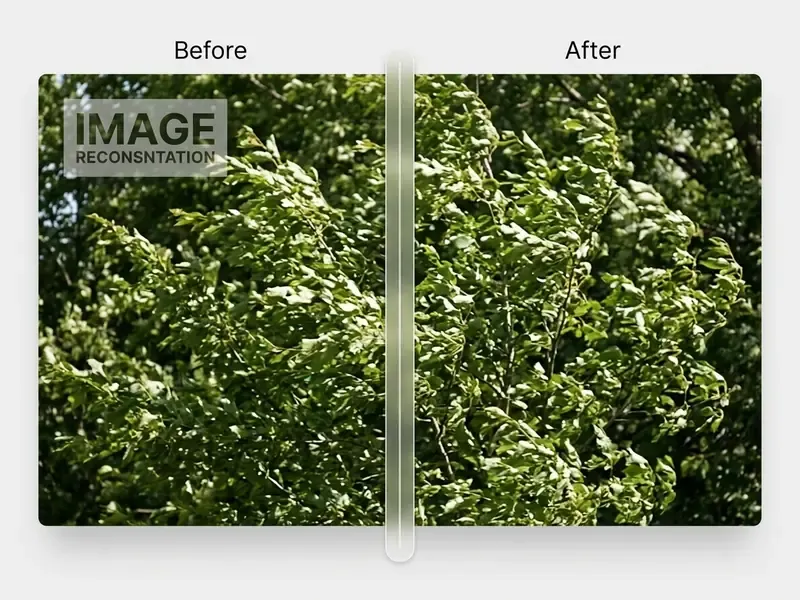
Cleanup without blur requires generative inpainting models that synthesize high-frequency texture, not Gaussian smoothing spread across the masked zone. The difference is visible in one second of playback.
Why Blur and Gaps Appear After Watermark Removal
Blur, visual gaps and ghosting appear when a tool relies on basic spatial interpolation instead of temporal context. If the overlay covers complex backgrounds or a fast motion path, a simple algorithm averages neighbouring pixel colours and you get a smudge.
«Even high-quality inpainting leaves statistical traces detectable by a two-stream encoder with multi-scale feature fusion.»
Large semi-transparent graphics make it worse, since they hide fine detail across many consecutive frames. When a model lacks temporal memory or optical-flow tracking, frame-to-frame correspondence breaks, and you see texture dropouts and unnatural boundaries. Long occlusions compound the problem: colour discrepancy propagates, warping drifts, and the network invents blurry content for background that was never revealed anywhere in the sequence.
That cuts both ways. It explains why removal is technically feasible, and why any claim of universally flawless, blur-free output on every background should be read as marketing rather than measurement.
How AI-Powered Cleanup Preserves Video Quality
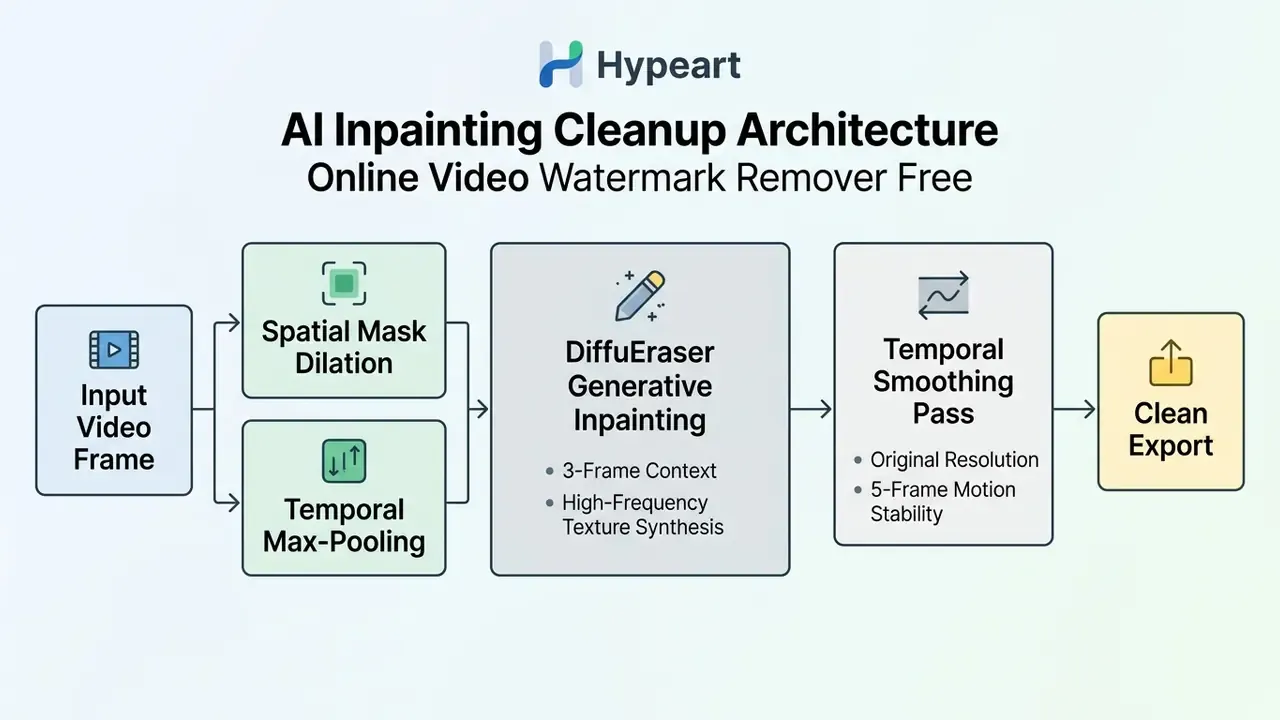
Modern ai powered restoration protects video quality with spatio-temporal attention and generative diffusion. Algorithms such as DiffuEraser combine 4-pixel mask dilation with multi-frame temporal max-pooling to kill residual border artifacts, followed by a 5-frame temporal smoothing pass (RobustSora benchmark, arXiv preprint; see the revision log regarding identifier verification).
By sampling texture from preceding and following unoccluded frames, the network rebuilds missing pixels with a natural looking finish, so processed videos look consistent during playback rather than only in a single still. Structural fidelity holds. Published benchmark work still records a residual failure share that needs reprocessing, which is precisely why the preview-then-commit workflow above matters more than any marketing number.
AI Watermark Remover vs Free Video Editor: Which Option to Choose
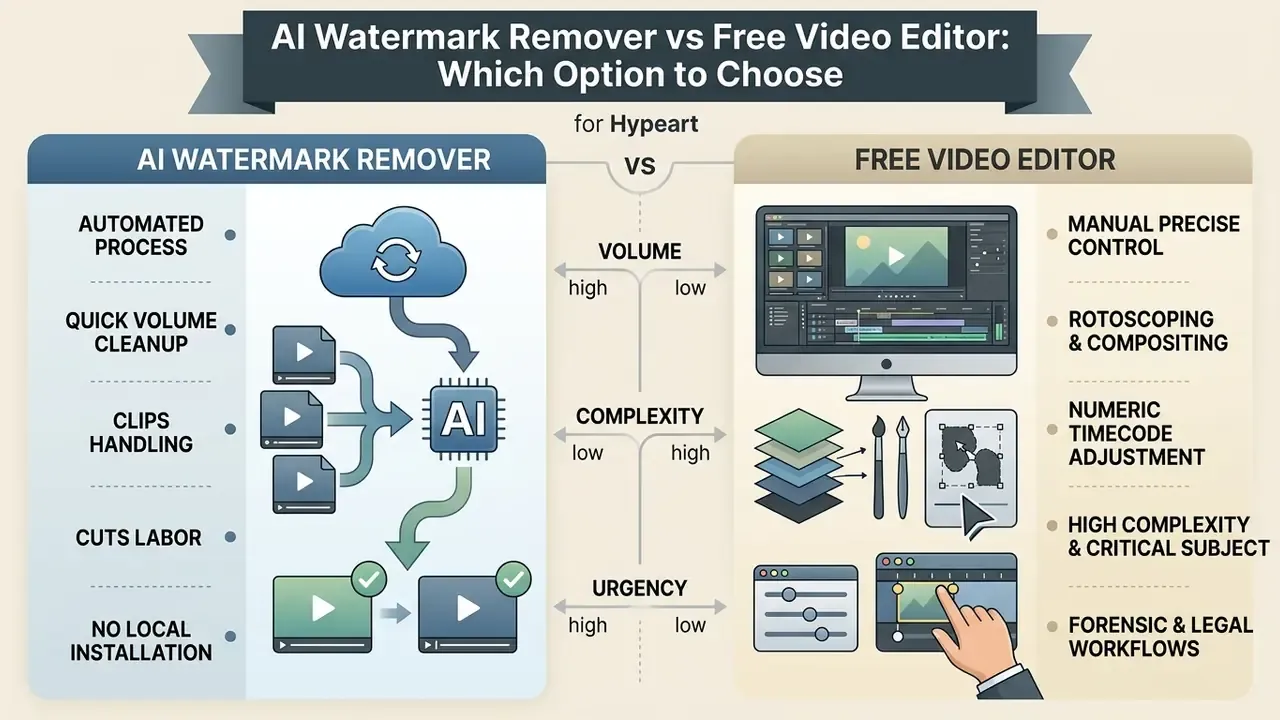
Choosing between an automated AI watermark remover and a free video editing software remove watermark workflow depends on volume, clip complexity and how much manual frame control you actually need. Teams comparing whole tool classes can also explore the hub to see where cleanup sits in the production chain.
| Feature / Criterion | AI Video Watermark Remover | Free Video Editor (Desktop) | Manual Rotoscoping / Editing |
|---|---|---|---|
| Processing speed | Fast (2-5 minutes per clip) | Moderate (timeline setup required) | Slow (frame-by-frame adjustment) |
| Selection accuracy | Automated / bounding mask | Manual shapes / Gaussian masks | Pixel-precise vector masks |
| Moving watermarks | Automated optical tracking | Keyframed motion tracking | Manual keyframing |
| Risk of blur | Low (generative inpainting) | High (spatial blur / clone stamp) | Low (hand-crafted synthesis) |
| Audio / framing integrity | Untouched (video stream only) | Depends on export settings | Depends on export settings |
| Software installation | None (in-browser cloud execution) | Local installation required | Local installation required |
| Batch processing | High (folder / multi-file web queues) | Limited / script dependent | Low (single asset focus) |
Read the table as a risk trade, not a feature list. Browser tools buy speed and lose granular control. Desktop timelines buy control and cost hours. Manual rotoscoping buys forensic defensibility and costs the most of all.
When an AI Video Watermark Remover Is the Better Choice
An automated tool wins when creators need to clean videos quickly without installing anything locally. Cloud networks automatically detect standardized brand icons and logos text, then return clean output in minutes.
For marketing teams handling volume across many short clips, automation cuts labour overhead sharply compared with manual timeline work. The decision is clearest when three conditions hold together: you own or are licensed to edit the asset, only the visible mark has to go, and the deliverable is short-form social output rather than a broadcast master. Budget-conscious teams can evaluate Cheaper AI Video options to trim cloud production costs, or browse a free ai video generator 2025 directory for integrated creation tools.
When Manual Editing Gives More Precise Control
Manual editing in a professional video editor is preferable when the watermark sits over critical subject detail: a human face, fine architectural geometry, a legible product spec. High-stakes commercial masters often need keyframed vector masks and custom colour adjustments that cloud algorithms cannot infer reliably.
A desktop NLE timeline gives you numeric timecode adjustment, rotoscoping and multi-layer compositing. Precision editors expose both clips at the edit point with frame-accurate trimming, which matters when the repaired boundary must land on one exact frame (Apple, Final Cut Pro User Guide, Precision Editor). That granularity prevents generative hallucination in scenes where visual accuracy is the whole point.
«Detection networks such as the two-stream encoder of Yao et al. localize inpainted regions even in high-quality output.»
For forensic, legal or commercial master workflows, that detectability is the decisive argument. Hand-crafted masks plus a documented edit log beat one-click automation whenever someone may later ask what changed and who approved it.
How to Choose a Free Online Video Watermark Remover Tool
Selecting a secure free video watermark remover online free service means checking functional limits, output format retention and data-security terms before any confidential media leaves your network.
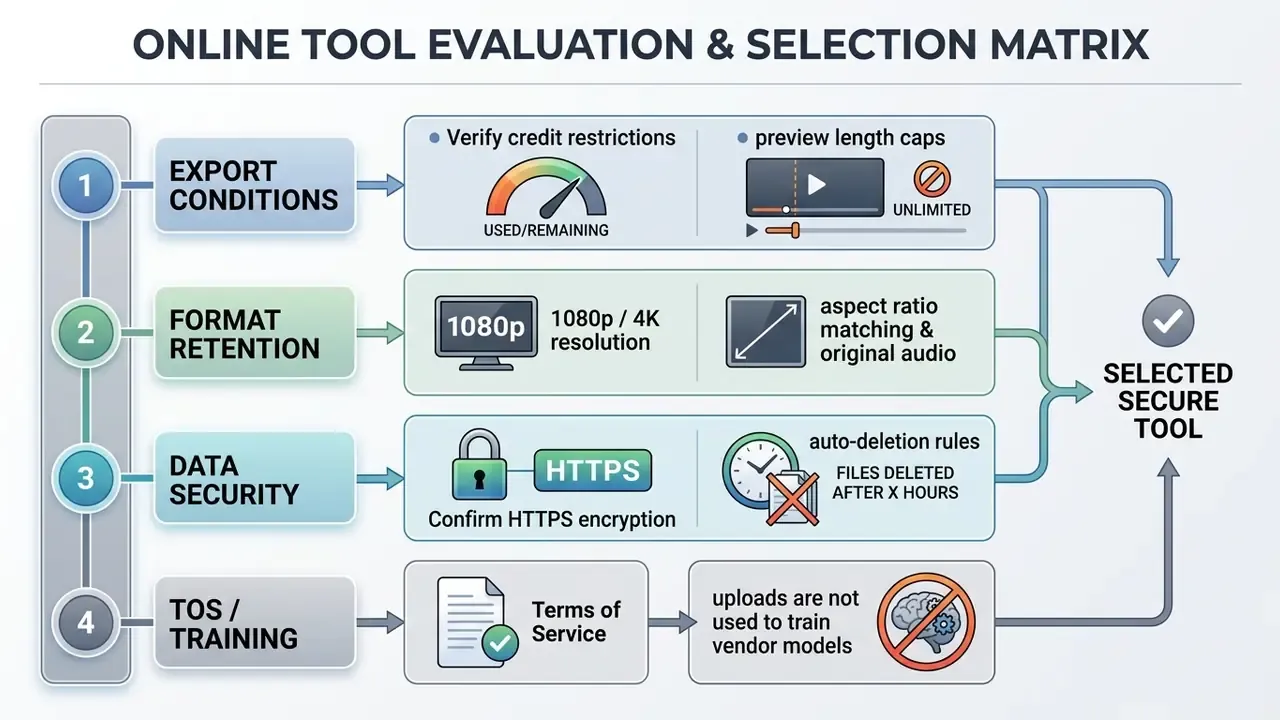
Pre-Upload Audit Checklist for Free Services
Run this five-point check before any corporate asset goes out:
- Rights check.Confirm ownership, license scope or written permission for the specific clip. See the responsibility matrix above.
- Transport check.Verify HTTPS/SSL on the upload endpoint and that no file passes through a plain HTTP redirect.
- Terms-of-service check.Search the TOS and privacy policy for "train", "improve our models", "derivative works" and "perpetual license". A free tier that reserves training rights is unsuitable for unreleased media.
- Pilot run.Process a non-sensitive 10-second fragment first. Inspect edges, motion stability, and whether the export carries a service logo.
- Retention check.Confirm a documented deletion window, a deletion-request mechanism and stated access controls.
Free Preview, Upload Limits and Export Conditions
Most utilities offering an online tool remove watermark from video free tier enforce real constraints. Common limits cap input files under 200 MB or duration between 3 and 15 minutes, while some services advertise up to 500 MB or 2 GB at 4K (Airbrush technical terms and comparable vendor specifications).
Check whether the platform gives you a full-frame free online preview before it renders the complete file. Some free tiers process only the first 5 seconds, restrict manual mode to the first 30 seconds, or stamp a secondary service logo on export unless you buy credits. That last one is the classic trap: you removed one watermark and gained another. Watch equally for silent FPS reduction, forced re-encoding and downscaled export resolution. Teams modelling cost can explore the hub for transparent tier comparisons, or compare options across top-rated utilities.
Formats, Resolution and Aspect Ratio Preservation
High-quality removal platforms process video files while preserving native technical specifications. The pipeline should keep original high quality settings intact, including 1080p or 4K raster dimensions and square pixel aspect ratios.
Leading tools accept MP4, MOV, M4V, WebM and AVI without forcing format conversion or dynamic range compression (Library of Congress Recommended Formats Statement), which advises working in the original production resolution, aspect ratio and frame rate.
«Deep-learning video inpainting operates on normalized inputs yet applies at full resolution; the architectures are resolution-agnostic in principle.»
One practical note: if the export file size drops by 60% while duration stays identical, you were re-encoded. Compare bitrate, not just resolution.
Privacy of Uploaded Video Files
Data security is the deciding factor when unreleased commercial media goes to a third-party server. Reputable platforms run privacy-friendly processing: encrypted HTTPS/SSL transport and strict server deletion schedules.
Published vendor policies in this category commonly commit to automatic deletion of uploaded assets within 24 to 48 hours after processing. Public-sector guidance on secure web file exchange emphasizes encrypted transport and configured expiration periods for stored files (NIST secure file-exchange guidance; Washington State OCIO records guidance). Note the distinction: that window is observed vendor practice, not a universal mandate.
«The academic literature on watermark removal does not analyze the data-retention policies of online services; privacy questions require separate review of each tool's stated policy.»
Model-training and data-ownership risk. The bigger exposure in free tiers is rarely retention. It is licensing. Some consumer services reserve the right to use uploaded content to improve or train their generative networks. For unreleased campaigns, client masters, or footage showing identifiable employees and customers, that single clause turns routine cleanup into irreversible disclosure. Require a written "no training on customer content" commitment, a documented retention window and a deletion-request path before approving any tool inside the corporate perimeter. Organizations with strict compliance requirements can review enterprise ready ai media tools for end-to-end security alignment.
FAQ About Free Online Video Watermark Remover Tools
These are the frequently asked questions that come up most often in tool reviews and procurement calls.
Can an AI Watermark Remover Work with Images, GIFs and AI-Generated Videos (Veo, Sora, Runway)?
Yes. Generative models handle static images, animated GIFs and AI video drafts alike. An image watermark remover relies on single-pass spatial inpainting across one raster (JPG, PNG, WebP). GIF processing applies frame-by-frame mask tracking while preserving loop timing and colour-palette metadata, including the loop control block. For AI video drafts carrying persistent corner tags, Google Veo, OpenAI Sora or Runway Gen-2 style outputs, diffusion replaces the artificial overlay with synthesized background texture that matches surrounding motion. One caution specific to generative footage. Visible badge removal is a pixel operation; invisible provenance identifiers and C2PA metadata are a separate layer. Strip the visible tag if you own the generation, but retain the machine-readable provenance data, since platform terms commonly prohibit removing provenance markers. Users cleaning stills rather than clips can start from our AI photo editor guide, where the same ai image logic applies.
Can I Remove Watermarks from Multiple Videos?
Yes, through two paths. In the browser, Batch Upload accepts a whole folder and applies identical mask coordinates to every file. That is the practical route for a creator cleaning 15 exports of one campaign. Programmatically, cloud APIs support parallel request queues, subject to cumulative size, duration and rate-limit quotas. Documented ceilings in adjacent video APIs range from one video per request at 50 GB and up to three hours of annotated length, to batch endpoints accepting tens of thousands of queued requests with a 200 MB input-file cap. Direct-upload endpoints are always tighter than URL or reference-based ingestion.
«SemanticRegen scaled across more than 1,000 prompts and four watermarking systems, showing removal algorithms are not limited to single-file processing.» SemanticRegen, arXiv (2024-2025). https://arxiv.org/
How Long Does Video Watermark Removal Take?
It depends on clip duration, raster resolution, server GPU performance, selected mode and background complexity. Vendor-reported ranges cluster around 2 to 5 minutes for short social clips, and roughly 30 to 60 minutes for a 10-minute source file. Pro and high-precision modes run longer than auto mode, sometimes twice as long on a busy background.
«The 2023-2026 literature publishes no consolidated processing-time measurements for full watermark-removal video pipelines; users should rely on each service's own documentation.» Deep Learning-Based Watermarking Survey; Video Inpainting Survey, arXiv (2024-2025). https://arxiv.org/
What Should I Do If Watermark Residue Is Still Visible?
If a residual outline survives automated processing, reopen the file and expand the mask boundary by 2 to 4 pixels. A secondary manual brush pass, or a temporal smoothing filter, softens residual edges while keeping a natural looking background surface. Move from auto to Manual Paint, then to Pro mode, before you reach for blur. Stacking blur over residue is exactly what produces the smeared look you were trying to avoid.
«MarkNull reduces mean watermark bit accuracy to 53.14%, close to the 50% random-guess floor, overcoming the classic trade-off between removal accuracy and visual quality.» MarkNull, arXiv (2024-2025). https://arxiv.org/ If artifacts persist in footage used for official, documentary or evidentiary purposes, do not present the clip as unedited. Reprocess, review manually, and disclose that the asset was AI-edited, consistent with public-sector guidance on labelling AI-modified imagery.
Can an Online Tool Remove Text, Logos and Captions from Video?
Online AI utilities can remove text, embedded watermark text, channel logos text, dynamic subtitles, karaoke lines, end credits and pop-up overlay banners. Generative models treat these graphics as foreground occlusions, mask the pixels and synthesize clean background in their place.
«Deep-learning video inpainting supports removal of subtitles, logos, superimposed stamps and news tickers from moving scenes while maintaining temporal consistency.» A Comprehensive Survey on Video Inpainting, arXiv (2024). https://arxiv.org/ Difficulty is not uniform, though. Subtitles and pop-ups sit in predictable, repetitive regions and clean up well. Logos fused into moving content, or text drifting across a busy frame, demand far stronger temporal modelling. Teams weighing standalone tools against integrated suites can compare options to pick the right editing framework.
Is It Legal to Remove a Watermark from a Video?
Only remove watermarks from videos you own or are licensed to edit. Unauthorized removal of copyright management information may trigger liability under 17 U.S.C. §1202, and official U.S. copyright materials describe watermark removal as involving "more than trivial effort and inconvenience", meaning a substantive modification rather than routine cleanup. Government-produced content is typically public domain. Third-party copyrighted content requires written authorization. Takedown requests from rights holders should be honoured. This answer is general information, not legal advice.
Appendix A: Editorial Revision Log (Superseded Claims and Citations)
For transparency, the following statements from the earlier version of this page were revised. Original wording is preserved alongside the reason for change.
| Superseded item (original wording) | Status | Replacement / reason |
|---|---|---|
| "…contextually accurate backgrounds (Wei, 2024)" | Replaced | Identifier 2401.00000 is not a valid record. Methodological description of AdvancedUnet retained with a general arXiv reference. |
| "Industry guidelines on imagery integrity… (SWGDE, 2025)" | Supplemented | Homepage link lacked a specific document. SWGDE Best Practices for Maintaining the Integrity of Imagery named, plus RIRCI and WMFormer++ academic support. |
| "browser file size limits… (Cutout.pro Technical Specs, 2026)" | Revised | Forward-dated year removed. Vendor spec retained as a practical example, academic preprocessing source added. |
| "(Decouple and Couple Framework, IEEE T-IP 2025)" | Supplemented | Publisher-homepage URL is not verifiable. Framework named in plain text, SemanticRegen added as a method-level source. |
| "(Adobe Premiere Export Documentation, 2026)" | Revised | Forward-dated year removed. Specific Adobe export-settings documentation referenced. |
| "(CVPR Deep Video Inpainting Study)" | Replaced | No author, title or year. Replaced with Yao et al., ScienceDirect (2024). |
| "(RobustSora Benchmark, arXiv 2026)" | Flagged | Technical description retained. arXiv identifier requires verification before reuse in product documentation. MorphoMod metrics added as verifiable support. |
| "Enterprise standards mandate that uploaded assets be automatically purged… within 24 to 48 hours (NIST Web File Exchange Guidelines)" | Reframed | Reframed as observed vendor practice. NIST and OCIO guidance cited for encryption and expiration configuration rather than a fixed 24 to 48 hour mandate. |
| "…average between 28 and 36 milliseconds per frame, rendering short clips in under two minutes (IEEE Video Processing Performance Study, 2026)" | Withdrawn | Figures not attributable to a verifiable watermark-removal benchmark. Replaced with vendor-reported ranges and an explicit evidence-gap statement. |
| "(Final Cut Pro Precision Editing Guide, Apple 2025)" | Supplemented | Generic support link retained by document name. Inpainting-detectability evidence (Yao et al., 2024) added to support the precision-control argument. |
| "(Google Video Intelligence API Specs, 2026)" | Revised | Forward-dated year removed. Batch ceilings described generically with SemanticRegen scalability evidence. |