Last updated: current 2026 audit cycle. Every tier limit, watermark policy, and export rule below was checked against vendor pricing pages, help-center documentation, and downloaded test renders. Not marketing copy. Actual MP4 files.
Executive Summary for Decision-Makers
Disclaimer: this material is general information about software tiers and content provenance. It is not legal, compliance, or financial advice. Vendor terms shift constantly and must be verified at the moment of procurement.
What "Free AI Video Generator" Means in 2025
A free AI video generator in 2025 is software that produces synthetic visual output without upfront payment, rationed through daily token allocations, time-bound trials, or credit-capped freemium tiers. Most platforms enforce hard boundaries on clip duration, export resolution, and commercial licensing. The label "free" describes the payment gate, nothing more.
Free Plans, Trial Credits, and Generation Limits
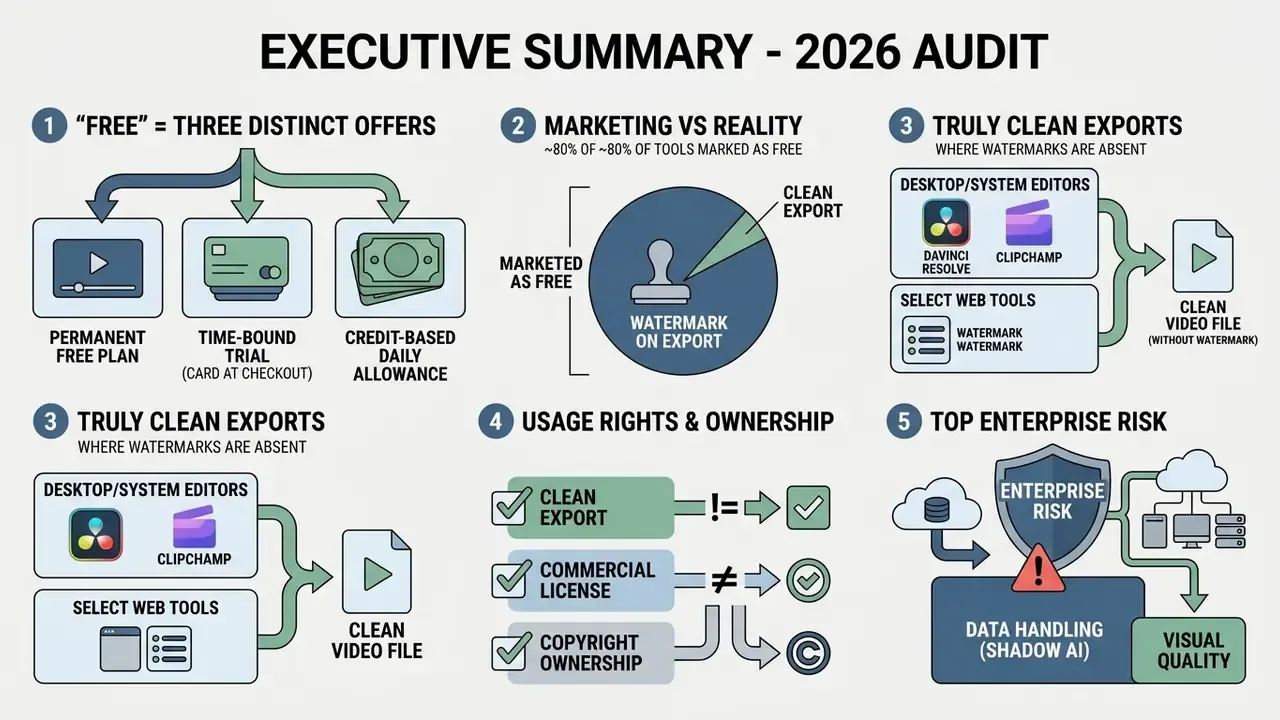
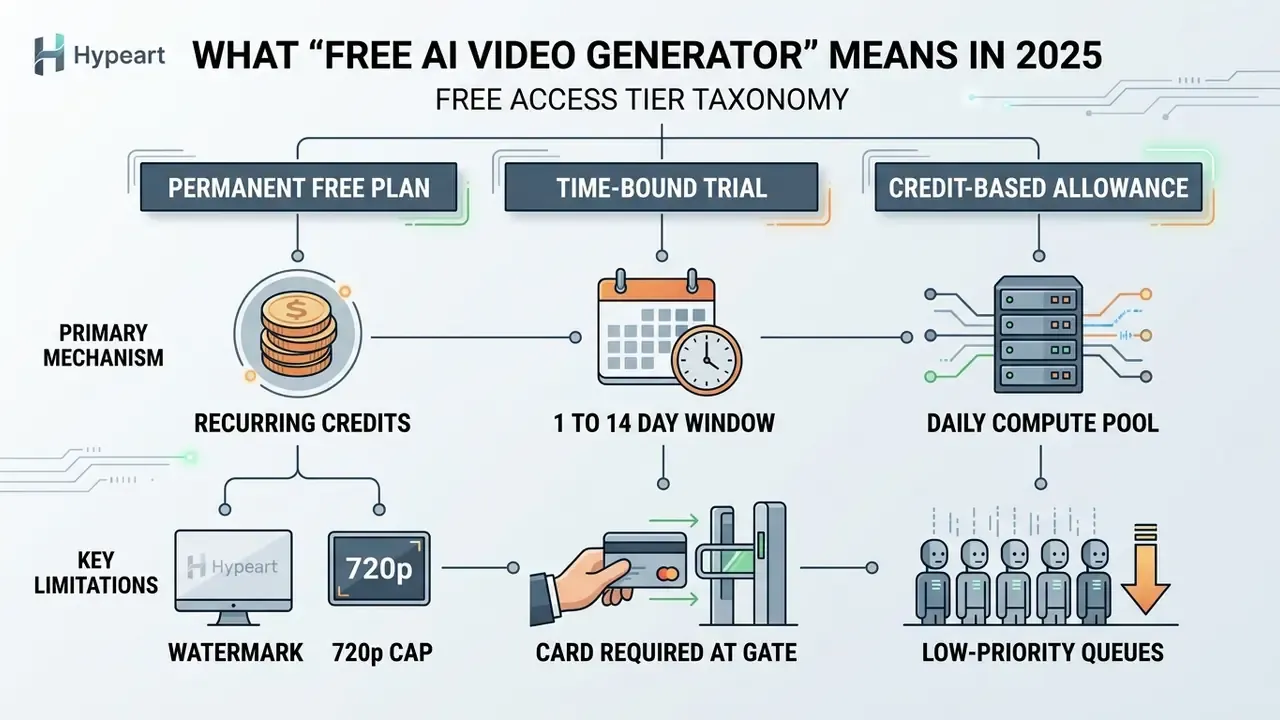
Free access splits into three mechanics: permanent freemium plans, trial windows, and daily compute allocations. Permanent plans hand out recurring monthly credits but hold back unbranded exports and high-resolution rendering.
«Runway's free tier includes 125 one-time credits, exports capped at 720p, with watermark removal and upscaling unavailable.»
Runway offers a $0 Basic plan with 125 one-time credits, capping video exports at 720p with mandatory watermarking. Pika runs a $0 Basic tier with 80 monthly video credits, and keeps watermark removal exclusive to paid plans.
HeyGen grants $0 access with limited generation and watermarked exports, no credit card required. Higgsfield goes the other way: a one-day checkout-gated trial that demands card verification before activation, charging $0 while still storing payment credentials.
Credit-based engines behave differently again. Krea assigns 100 daily compute units with no credit card at signup, while Rewind-style products reset a free token pool every 24 hours. Synthesia's free plan documents up to 10 minutes of video per month without card entry, which shows how "minutes" and "credits" are simply two dialects of the same rationing logic. Most free ai video generation websites in 2025 use one of these three dialects, and nothing else.
Credit card requirements act as an identity validation gate, not as proof of an imminent charge. Worth remembering when procurement asks why a $0 trial appears in the card statement pre-authorization log.
Free allocations sit in low-priority render queues, so wait times stretch during peak hours. Reports range from several minutes to multiple hours during load spikes. A complete breakdown of rationing mechanics, reset cycles, and upgrade triggers across free AI video generators helps teams forecast realistic throughput before committing to a content calendar they cannot actually feed.
When Free Video Fits Regular Content Production
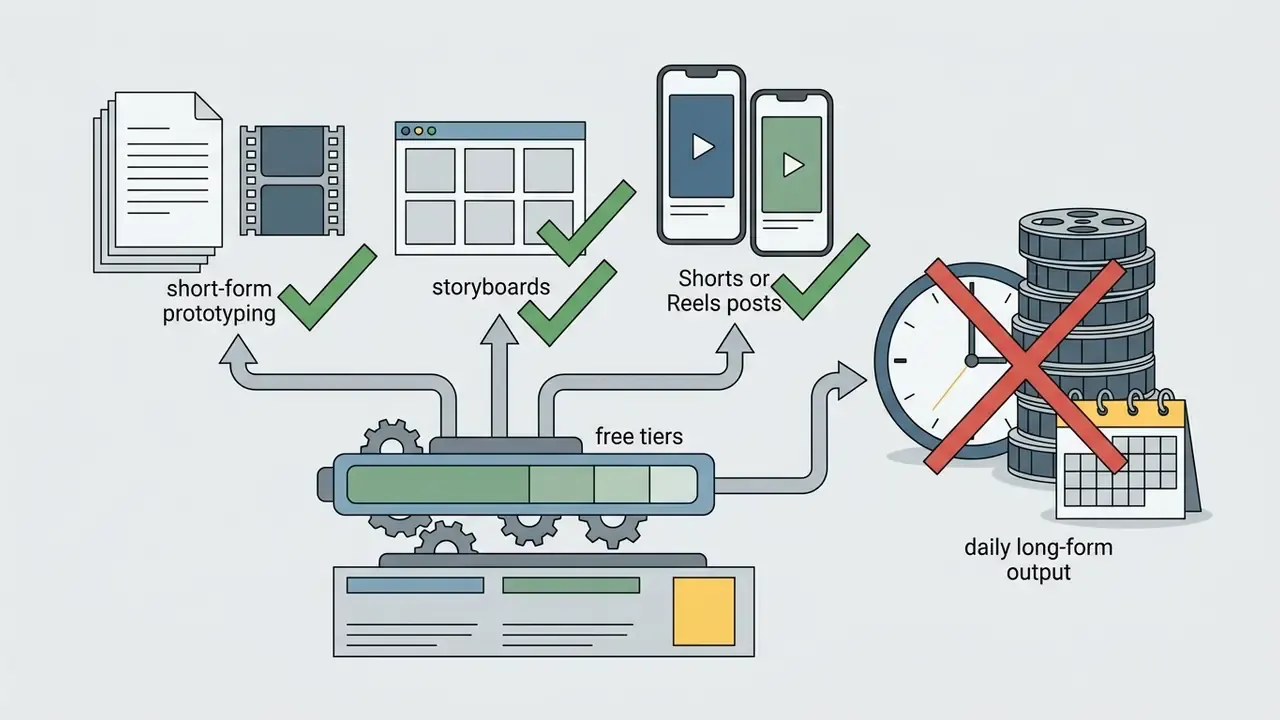
Free tiers support regular production in three cases: short-form clips, tolerance for a visible watermark, or low-volume testing. Sustained daily output of long-form video drains a free credit pool fast, usually within the first week.
Typical free clip limits land between 4 and 10 seconds per generation. Output resolution stays capped at 720p or 480p on nearly every free plan we checked.
Creators running a high-frequency YouTube channel or a dense social media calendar hit weekly or monthly quotas quickly. So the honest positioning of free ai video creation software 2025 is this: storyboard prototyping, asset testing, and occasional social posts. Production backbone? No.
How to Choose a Free AI Video Generator for Your Workflow
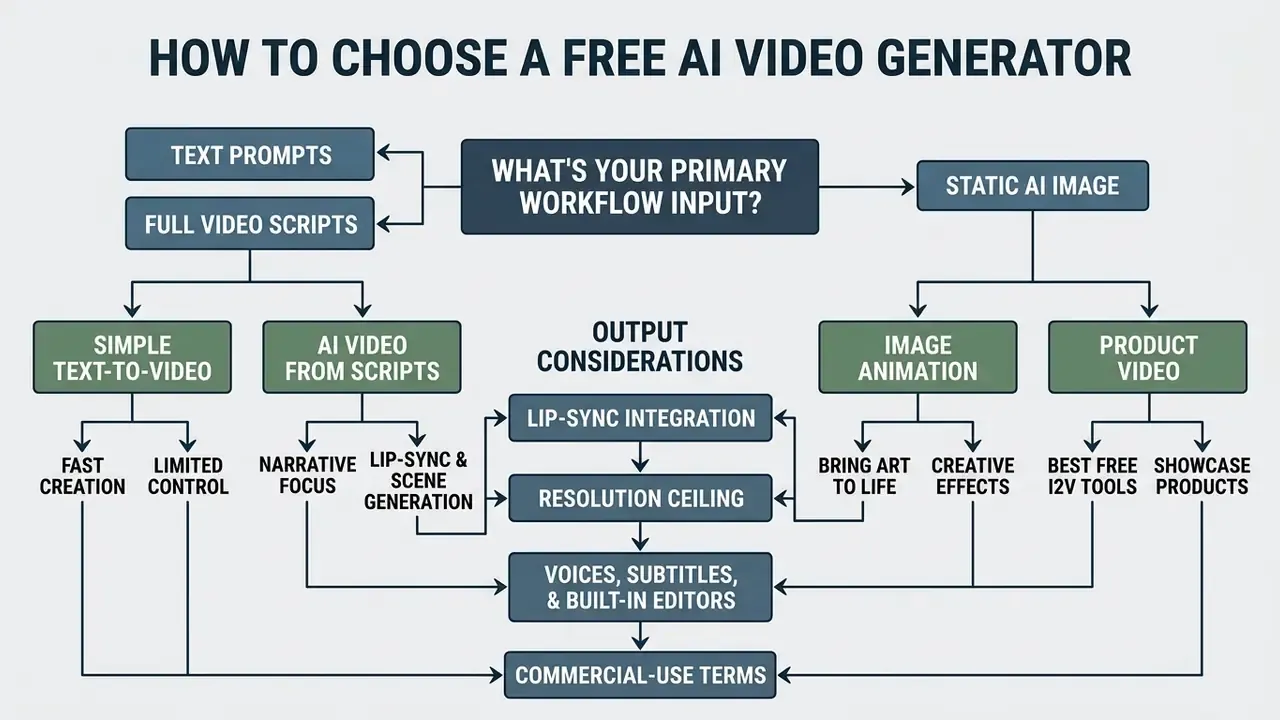
Choosing well means matching your input format (simple text prompts, a static ai image, or a full video script) with the output you actually need: lip-sync, resolution ceiling, editing depth, and unbranded export rights. Learning curve matters too, and it is the criterion teams underestimate most.
Selection Matrix for Free AI Video Generation Workflows
| Workflow task | Primary input | Key criteria | Watermark status | Recommended tier / tool |
|---|---|---|---|---|
| Text-to-video | Simple text prompts | Prompt adherence, motion realism | Watermarked on free plans | Runway Gen-3 / Pika Basic |
| Image animation | AI image / photo | Trajectory control, face locking | Watermarked (varies) | Kling AI / MotionPro |
| YouTube and social | Video script | Voiceovers, auto-subtitles, B-roll | Clean at 480p, watermarked 1080p | InVideo AI / Kapwing |
| Product videos | Product imagery and text | Asset consistency, clean backgrounds | Watermarked without paid plan | Canva AI / HeyGen |
| Final assembly and clean export | Raw AI clips plus audio | Timeline control, codec choice | Never watermarked (desktop) | DaVinci Resolve / Clipchamp |
Read the matrix as five scoring axes rather than five product picks: input mode, motion fidelity, audio support, watermark policy, and commercial rights. Teams comparing quality tiers, credit economics, and license breadth across leading AI video generators should score every candidate on exactly those axes, in the same spreadsheet, on the same day. Terms drift week to week.
Text-to-Video and AI Video Generation from Scripts
Text-to-video engines turn text prompts or an entire script into synthetic motion using diffusion architecture. Output quality tracks prompt structure closely: subject, camera movement, environment, aesthetic style.
To generate a complete video, creators paste a script into a tool like InVideo AI or Kapwing. The system parses text blocks, selects stock footage or synthetic visuals, then synthesizes matching narration. One click generate, several minutes of queue, one rough draft.
When you work through a free ai text to video pipeline, the ceiling is the model, not the interface.
Rather than saying models "encounter errors," the benchmark data names the failure mode. Multi-step temporal transitions break first: an object changes state, then a second object reacts, and the render collapses. Splitting a complex scene into two shorter prompts is more compute-efficient than retrying one composite prompt, and on a free credit pool that difference decides whether you finish the week. Readers who want workflow-level context on pipelines, pricing, and prompt patterns can review our reference material on text-to-video AI tools.
Image-to-Video for Image Animation and Product Video
Image-to-video tools animate static generated images, brand photography, or graphics using motion trajectories and region masks. The method preserves source character features while adding camera panning or object movement.
Research frameworks like MotionPro (CVPR 2025) and Motion-I2V apply region-wise trajectory control to specific elements inside a frame. Training-free approaches such as Time-to-Move inject motion through a warped reference clip with dual-clock denoising. Practically, that lets a creator animate product packaging or a background element without warping the main subject. A deeper guide to animation controls, masks, and reference constraints sits in our overview of image-to-video AI tools.
For product showcases the value is obvious: one good studio photo becomes a short product video. Using the best free image to video ai generators 2025, a two-person team can produce a promotional set from existing photography in an afternoon.
Voices, Subtitles, and Built-In AI Video Editors
Browser editors combine generation with multitrack timeline editing, automated subtitles, and voice synthesis. That single-interface convenience is why so many creators never leave the tab. A side-by-side view of feature ceilings and export limits across free video editing software clarifies when a browser suite is enough and when a desktop NLE becomes mandatory.
Engines like CapCut and Revid run automatic speech recognition to generate captions with usable timing accuracy. Built-in text-to-speech supplies realistic voices across regional accents and languages, which is the main draw of ai video generator realistic voices 2025 searches.
«Even leading systems fail to deliver stable, accurate text rendering inside dynamic scenes.»
This distinction is operational, not cosmetic. Captions added as an editor overlay are reliable. Text baked into a generated frame by the diffusion model degrades into malformed glyphs surprisingly often. So burn legal disclaimers, prices, and brand names through the subtitle or text layer. Never through the prompt.
Free allocations also restrict premium stock media libraries, sound effects packs, and audio mastering. Still, you can pair a synthetic voiceover with your own music bed using a free ai video editor no watermark and keep the export clean.
Top Free AI Video Generators: Comparative Analysis of Alternatives
Comparing platforms means evaluating render quality, credit reset cycles, editing suites, and watermark enforcement across the current model families. For definitions of generation methods and commercial applications, see our reference entry on AI video generators.
Comparative Technical Matrix of AI Video Generators
| Platform | Primary use case | Free plan allocation | Watermark policy | Audio and editor support | Verification cycle |
|---|---|---|---|---|---|
| Google Veo 3.1 | Cinematic 4K scenes | Paid API ($0.40/s); trial credits via Cloud; partner UI access (Canva AI) | Mandatory SynthID watermark | Native audio generation | Current audit cycle |
| Runway Gen-4 / Gen-3 | Cinematic performance | 125 one-time credits | Watermarked on free tier | TTS and multitrack editor | Current audit cycle |
| Kling AI | Human motion and lip-sync | Daily credit pool (reports range 0-66/day; policy varies) | Watermarked on free export | Lip-sync and motion control | Current audit cycle |
| Pika | Effects-driven short clips | 80 monthly credits ($0 Basic) | Watermarked on free exports | Basic audio FX and lip-sync | Current audit cycle |
| Luma Dream Machine | Camera motion tracking | Credit-limited free allowance | Watermarked output | Camera presets, no full editor | Current audit cycle |
| Kapwing | Social media script-to-video | Free entry tier with limits | Watermarked on HD exports | Full browser editor, auto-captions, 30+ AI tools | Current audit cycle |
| InVideo AI | Turnkey YouTube automation | Free generation allowance; up to 4 exports per week | Watermarked on free plan | AI voice (50+ languages), 16M+ stock library, script editor | Current audit cycle |
| DaVinci Resolve | Professional assembly and grading | Full free desktop version | No watermark, ever | Fairlight audio suite, full NLE | Current audit cycle |
| Microsoft Clipchamp | Windows-native stitching | Free with Microsoft account | No watermark on exports (480p free path; 1080p per current plan terms) | Stock library, auto-captions | Current audit cycle |
| Vivideo (multi-model hub) | Unified prompt across 30+ models | Free tier with daily generations, no card | Clean export on free/intro credits | Kling, Runway, Luma routing plus captions | Current audit cycle |
Google Veo 3.1 and Video Models for Realistic Scenes
Google Veo 3.1 is a state-of-the-art video model built for cinematic realism, photorealistic lighting, and physically consistent interaction. It handles complex camera movement and temporal continuity better than most of the field.
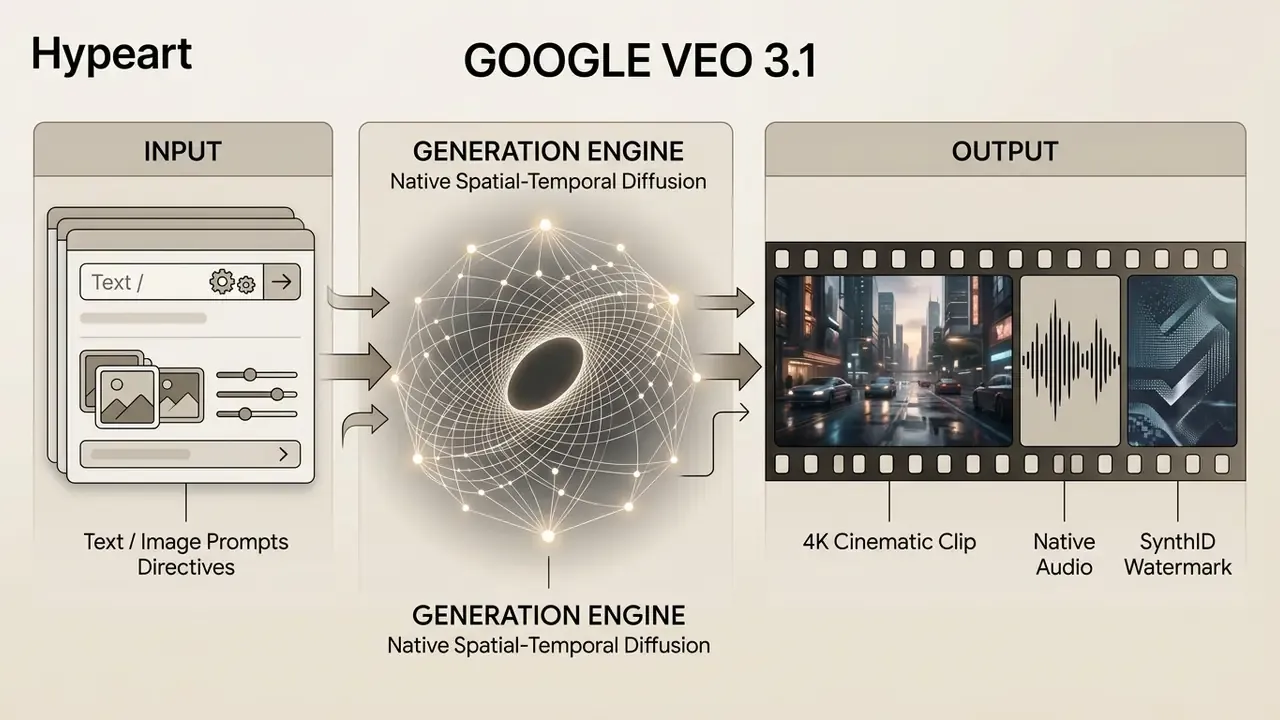
Veo 3.1 produces 8-second clips at resolutions up to 4K with natively synchronized audio.
«Veo 3.1 delivers exceptional results in text-to-video, image-to-video, and text-to-audio-plus-video generation, with realistic physics.»
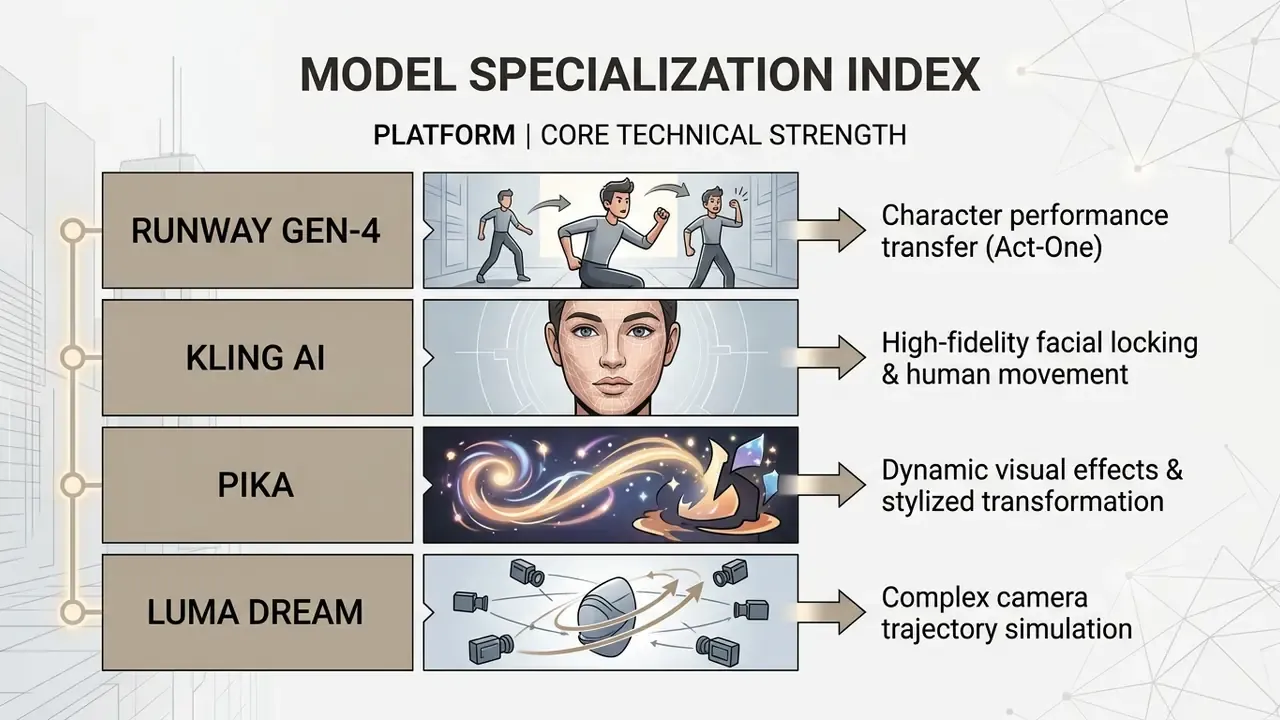
Runway, Kling, Pika, and Luma for Short AI Video Clips
Runway, Kling, Pika, and Luma Dream Machine all target short-form generation for filmmakers, animators, and marketers. Each has a distinct personality in human motion and style.
«Viewers rate AI advertising as realistic, but consistently lower on trust and authenticity than human-made content.»
Kapwing and InVideo AI for Turnkey Script-to-Video Creation
Kapwing and InVideo AI operate as full online video suites that turn text into finished drafts. Generation, voiceover, stock B-roll selection, and subtitle formatting all live in one flow.
InVideo AI converts a text prompt into a multi-scene project with narration and background music. Users then edit by issuing natural language instructions: swap this B-roll, change that voice. The free-plan parameters matter here. The editor allows up to four video exports weekly, draws from 16 million+ stock photos and videos, and produces AI voiceovers in 50+ languages with regional accents. Voice cloning, unlimited exports, expanded storage, and watermark removal all sit behind paid upgrades, and the platform routes prompts through integrated third-party video models.
Kapwing brings a multitrack editor with timeline editing, background removal, translation, and auto-captioning, plus 30+ built-in AI tools including dubbing, lip sync, and 1080p/4K export on qualifying plans. Its script-to-video flow accepts a pasted script, a PDF, or existing footage, then returns a storyboard draft with AI-matched B-roll from licensed libraries. Creators who want broader comparisons can check the selection of enterprise ready ai media tools.
Operating Case: Governance Evaluation of Synthetic Media Pipelines
AI Video Generator No Watermark: Verifying Export Terms
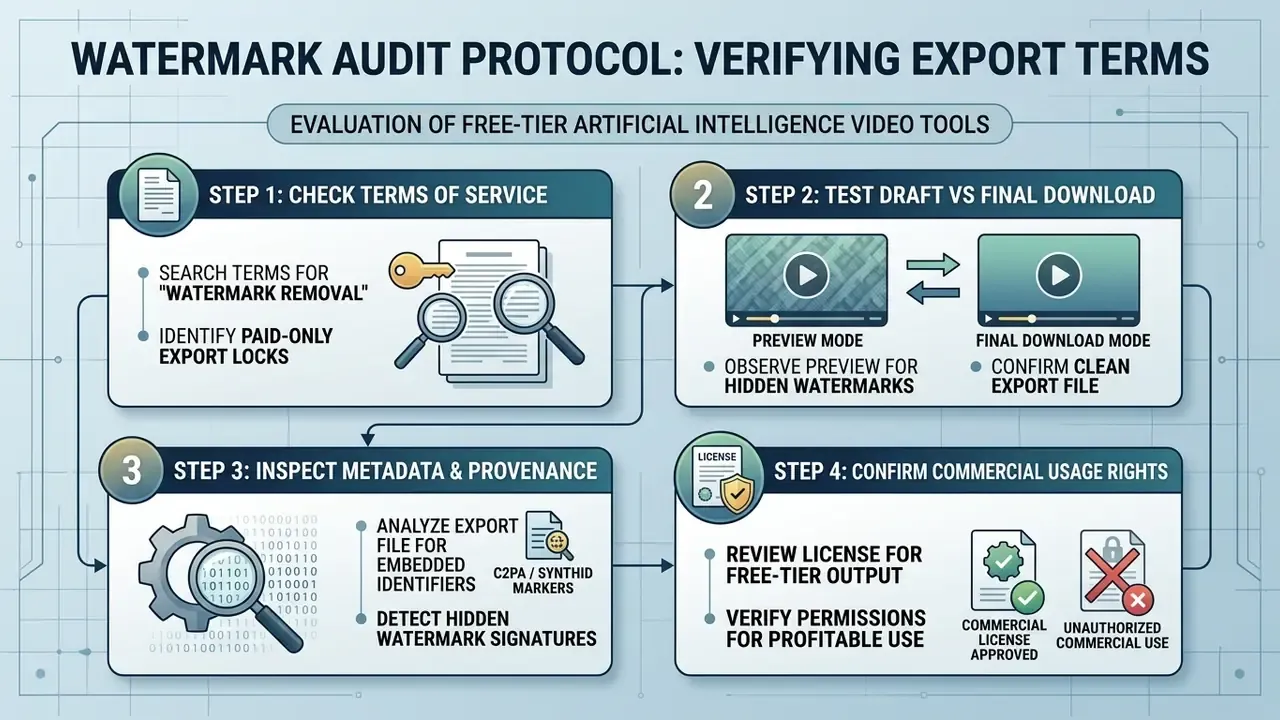
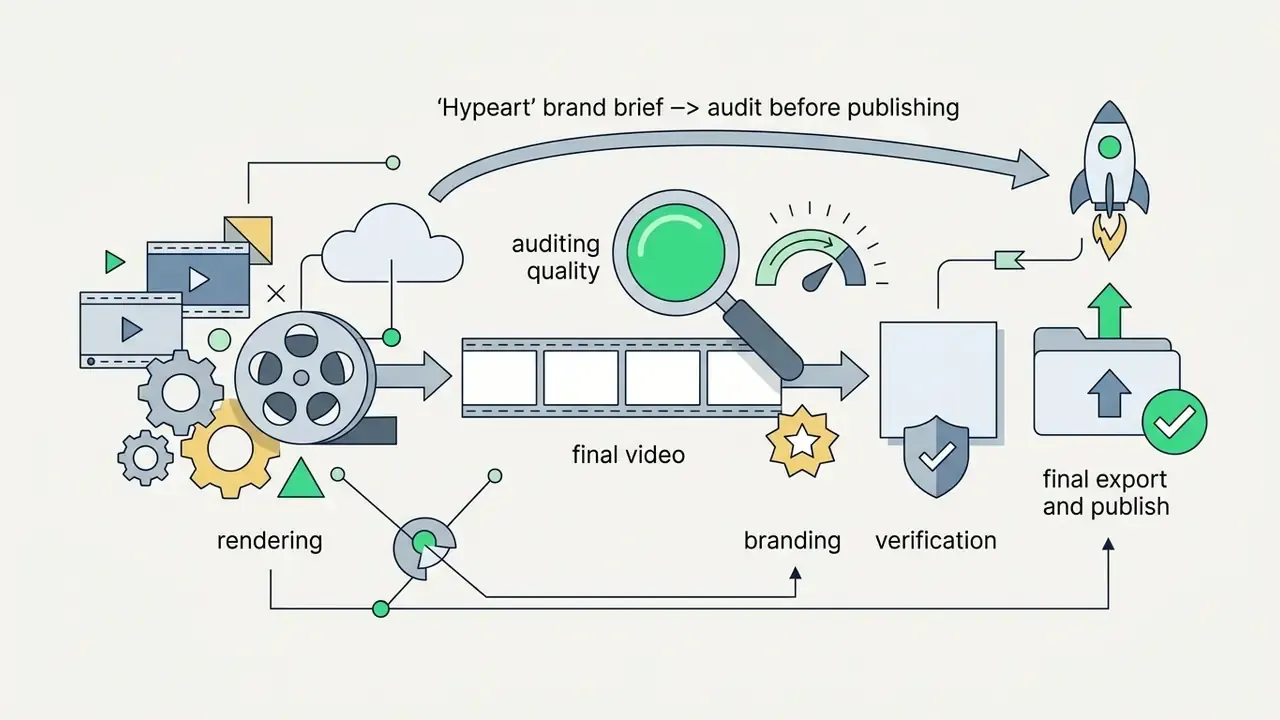
Exporting watermark-free AI video on a free tier requires identifying, before you spend a single credit, which platforms permit clean rendering or clean low-resolution output. The sequence matters. Verify first, generate second.
Why Watermarks Appear After Free Generation
Platforms stamp free output to protect compute spend and to convert casual users into subscribers. Embedded branding doubles as attribution when a clip circulates on social media. In plain terms: the watermark is a conversion lever, where the free tier advertises the paid one.
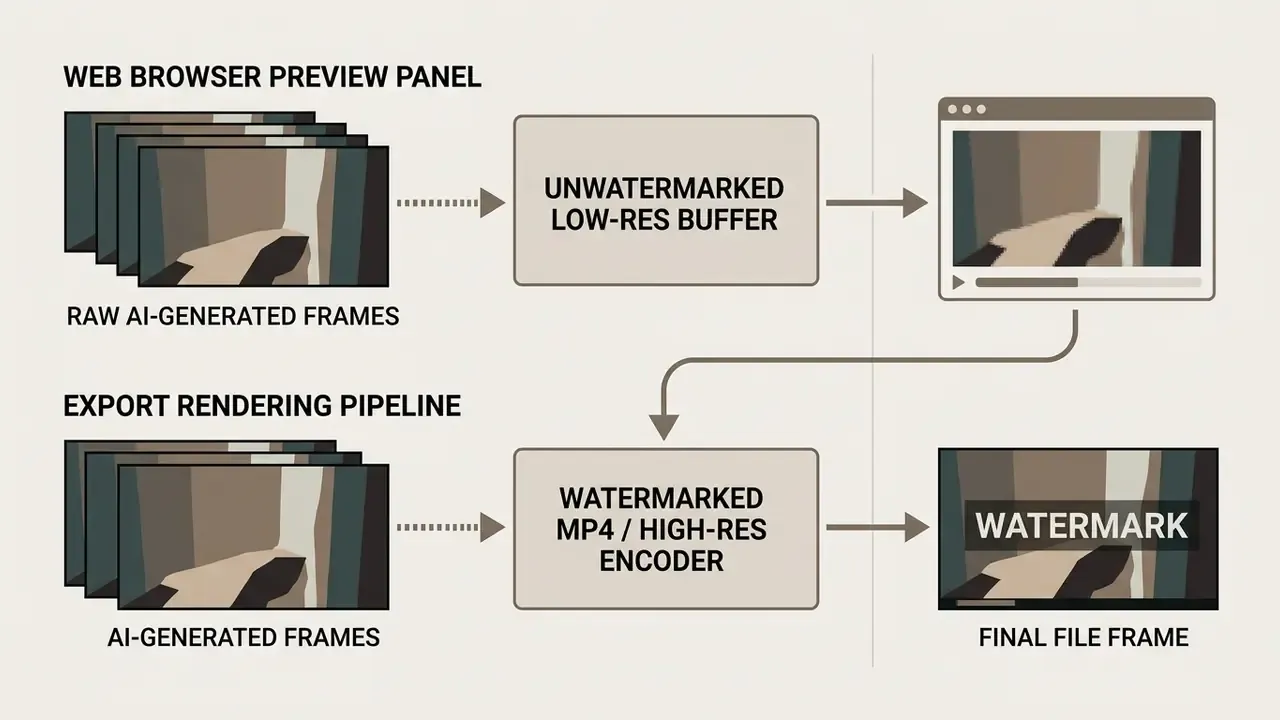
Separating preview rendering from export processing is the single most useful habit during tool selection. Browser previews often look clean. The downloaded MP4 then arrives with a visible logo or a closing watermark frame, and the credits are already gone.
Higher export resolutions, 1080p and 4K, stay behind the paywall. Free downloads remain capped at 720p or 480p, with the watermark doing the upsell work. Clipchamp illustrates the resolution-gated pattern precisely: free exports can be watermark-free at 480p, while clean 720p and 1080p output ties to premium entitlement. VEED runs the opposite pattern, where every free-account export carries a VEED.IO watermark, removable only on Lite, Pro, or Enterprise plans.
How to Verify Watermark-Free Export Rights Before Starting
Verification is account-terms work, not trial-and-error work.
Run a four-step audit:
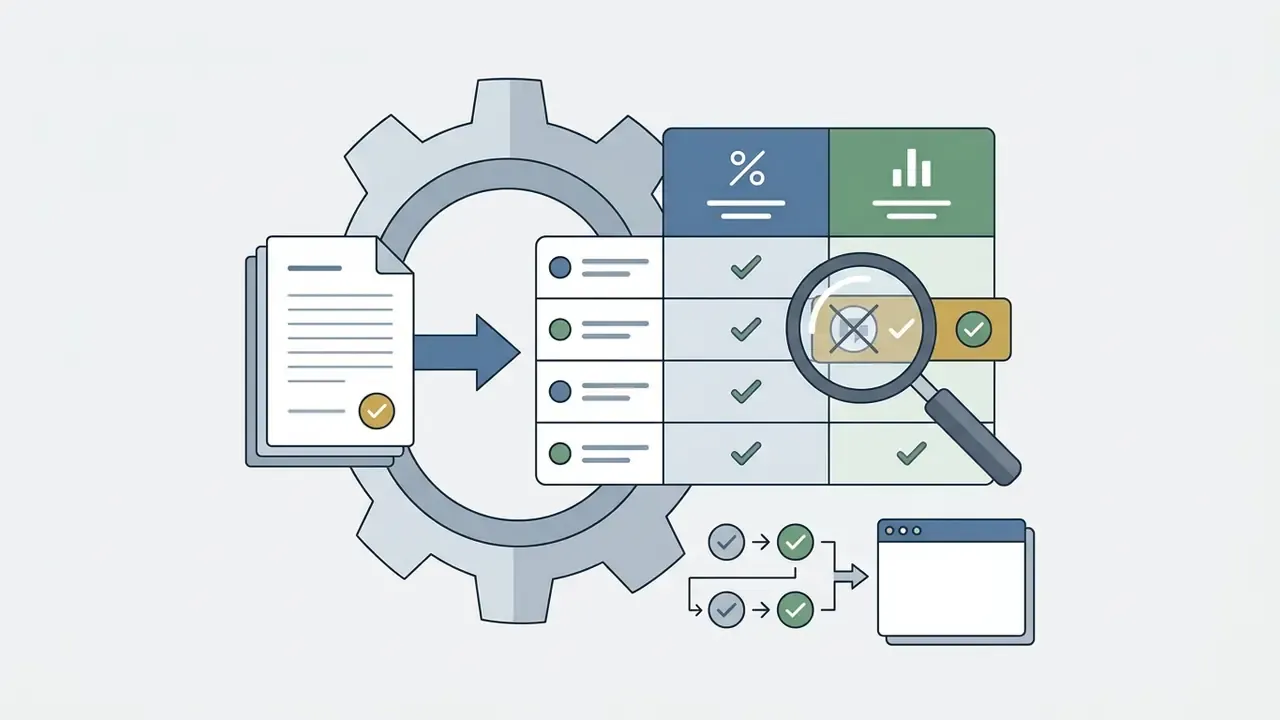
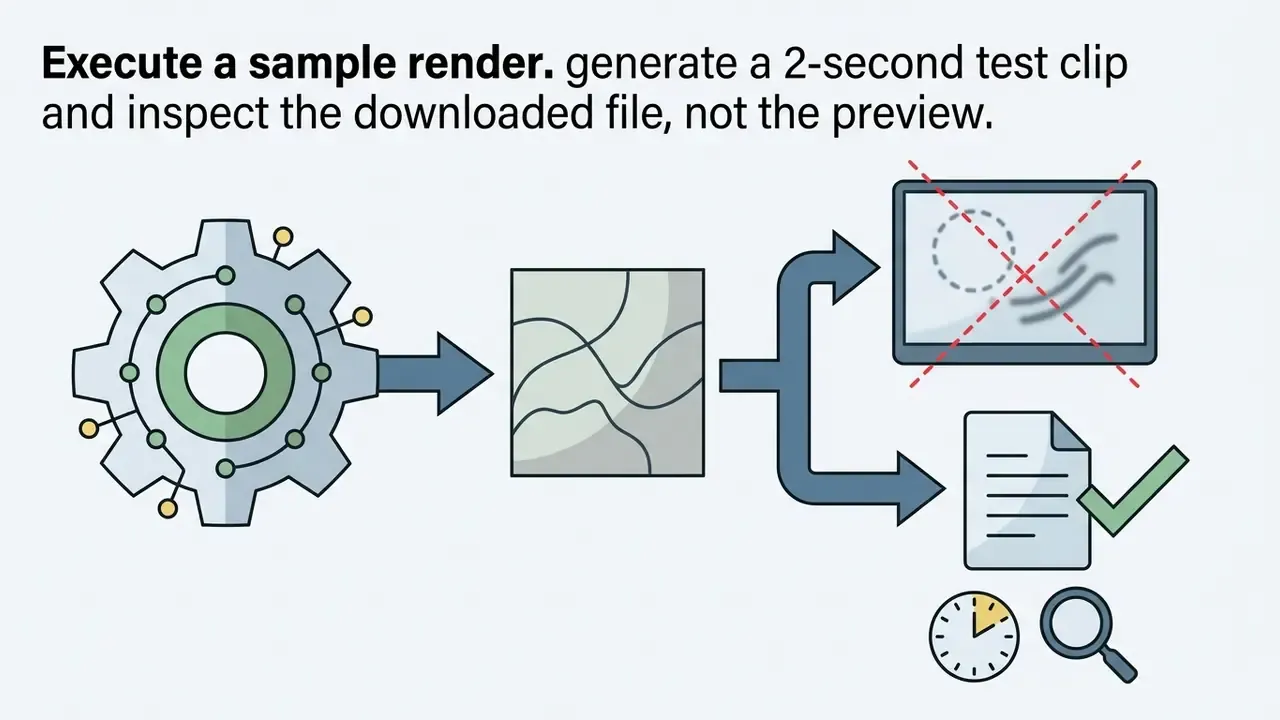
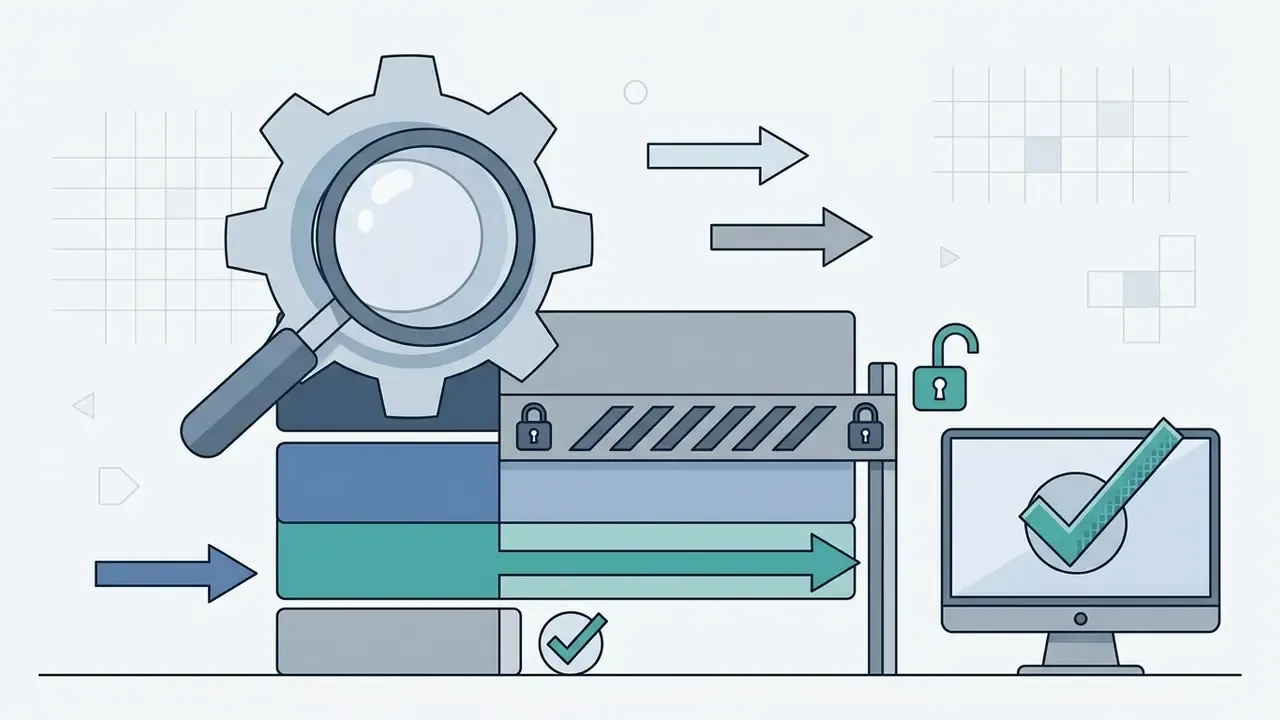
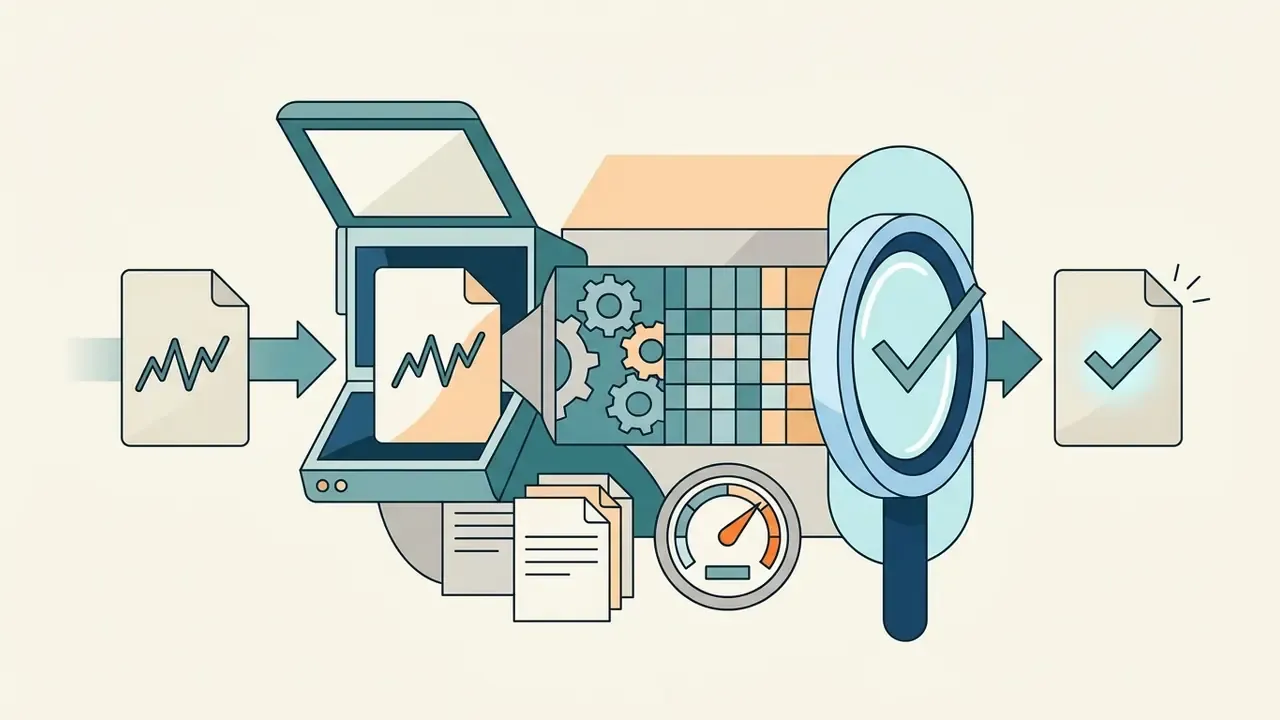
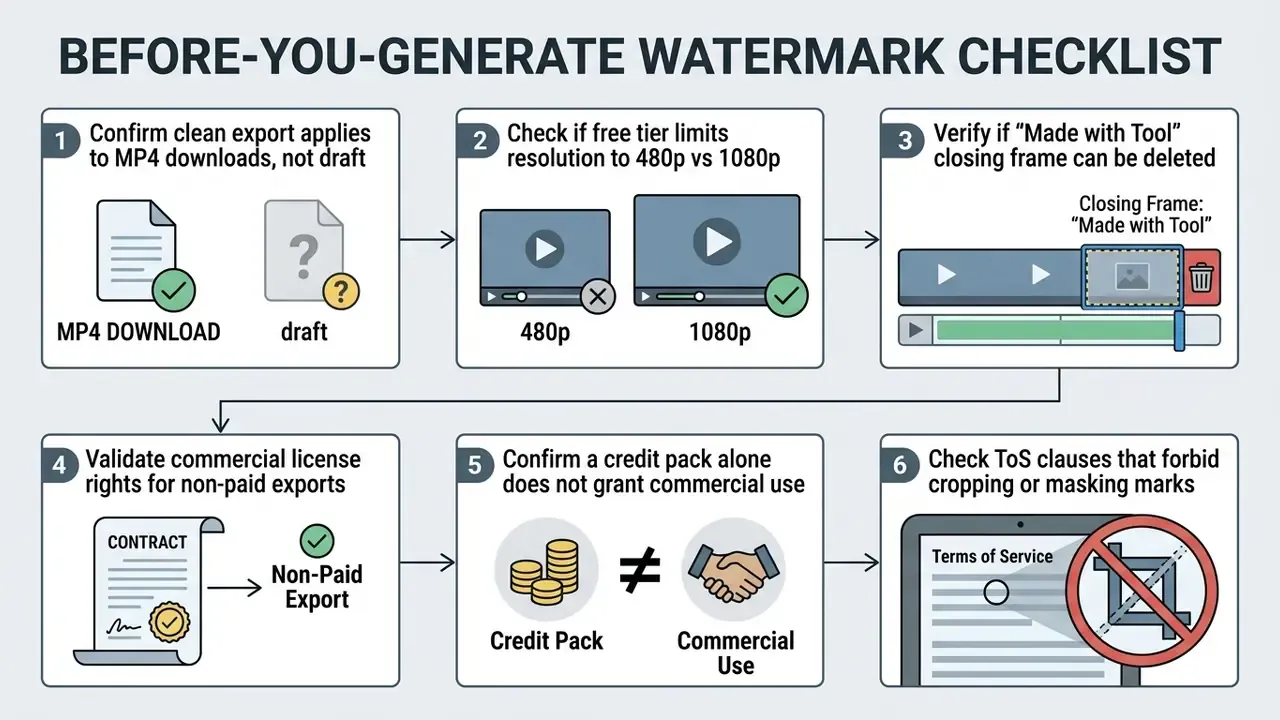
CapCut lets users export video without an end-clip watermark by deleting the closing template frame, although some premium templates re-apply branding regardless of settings. Wondershare Filmora issues newly registered accounts a single watermark-free export credit valid for three days. Several vendor terms, Ozor's among them, explicitly prohibit removing or cropping an applied watermark, which turns a quick crop into a terms breach rather than a clever workaround. Magic Hour documents a subtler trap: a credit pack bought without a subscription delivers clean exports but adds no commercial-use rights. For fuller tool breakdowns, browse the hub.
Non-Watermarked Hybrid Workflows: DaVinci Resolve, Clipchamp, and Multi-Model Hubs
Zero-watermark native editors and hubs. Pure text-to-video SaaS engines lock clean exports behind paywalls. Standalone editors do not:
- DaVinci Resolve free professional editor with the full Fairlight audio suite, cinematic color grading, and zero watermarks on imported clips. Trade-off: steep learning curve, serious GPU requirements, no built-in generative video.
- Microsoft Clipchamp built into Windows 11, exports without a watermark, ideal for stitching raw synthetic clips with stock media and auto-captions. Trade-off: thin AI features and no mobile app.
- CapCut ByteDance's free editor with strong AI captions, background removal, and trend effects. Clean export requires deleting the default ending clip and avoiding watermark-locked templates.
- Vivideo and multi-model aggregators one prompt deployed across Kling, Runway, and Luma, with introductory clean-export credits, daily free generations, and no credit card required at signup. Trade-off: short operating histories and longer durations behind premium.
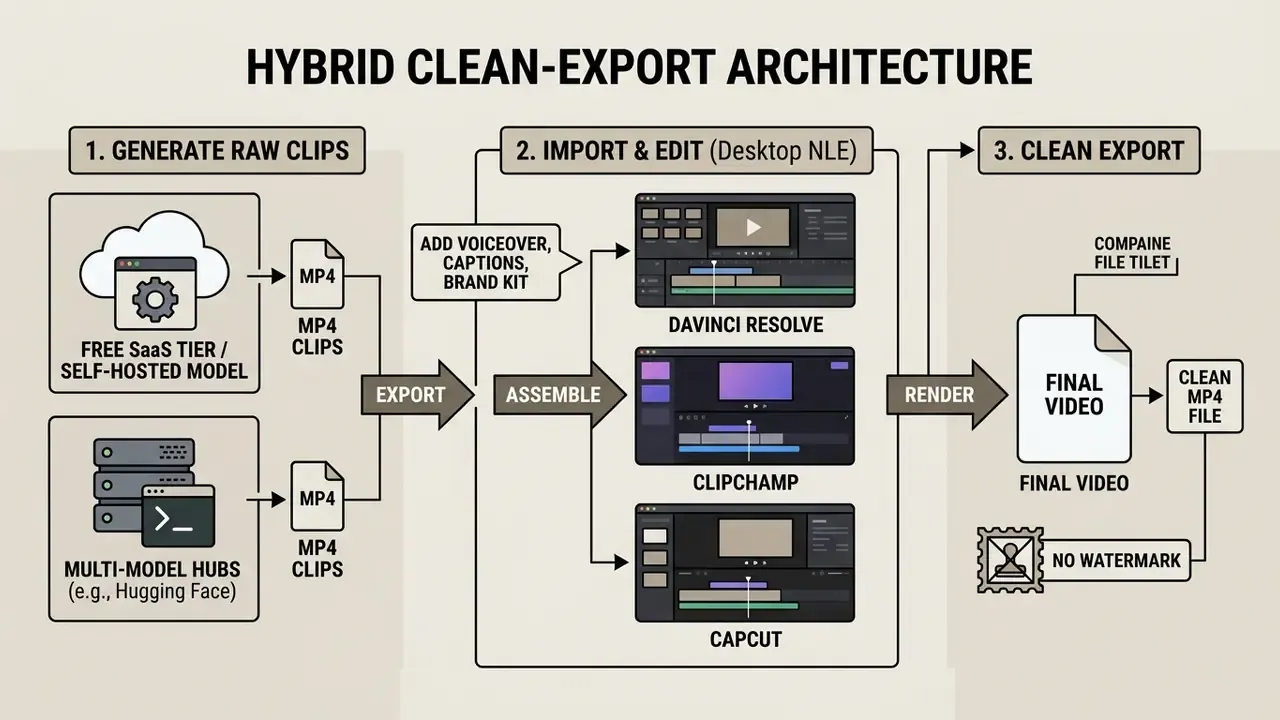
The practical rule: use the generator for pixels and the editor for the export. A watermark applied by the generator cannot be legally cropped. A raw clip generated on a plan that permits clean download can be assembled and rendered in a zero-watermark editor without breaching any term. Self-hosted open-source models (the WAN family and comparable checkpoints) form the fourth route, since a locally rendered file carries no platform branding at all. The cost is GPU time and setup patience, which is not nothing.
Commercial Usage of AI Video in Marketing Videos and Advertising
«AI-generated and human-made visuals show statistically indistinguishable average CTR, but ads that visibly "look AI" perform significantly worse.»
The strategic implication is uncomfortable but useful. Synthetic assets are commercially viable when the synthetic origin is invisible in execution quality, not when it announces itself through artifacting, uncanny faces, or malformed on-screen text. Combine that with the trust and authenticity gap documented by the Lindenwood research, and the safest commercial pattern becomes clear: AI-generated B-roll and environments, paired with human-verified messaging and clean typographic overlays. Free ai tools for creating marketing videos 2025 can carry the B-roll. They should not carry the claims.
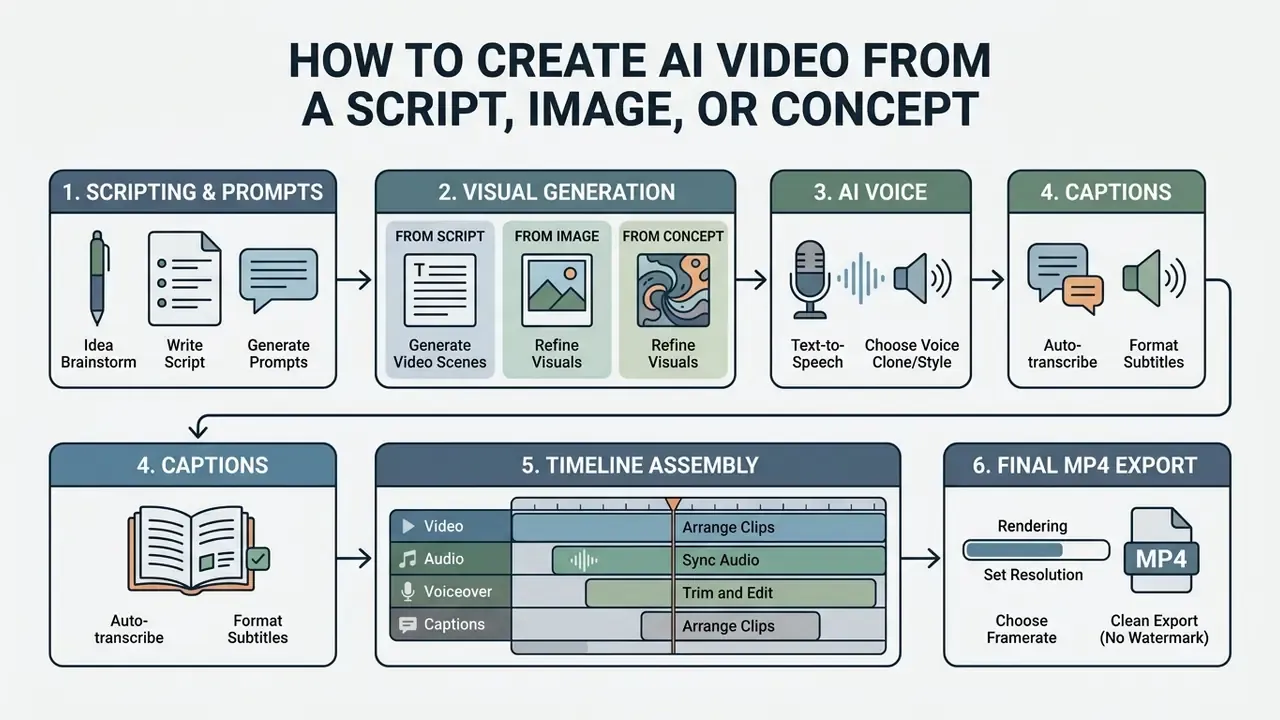
How to Create AI Video from a Script, Image, or Concept
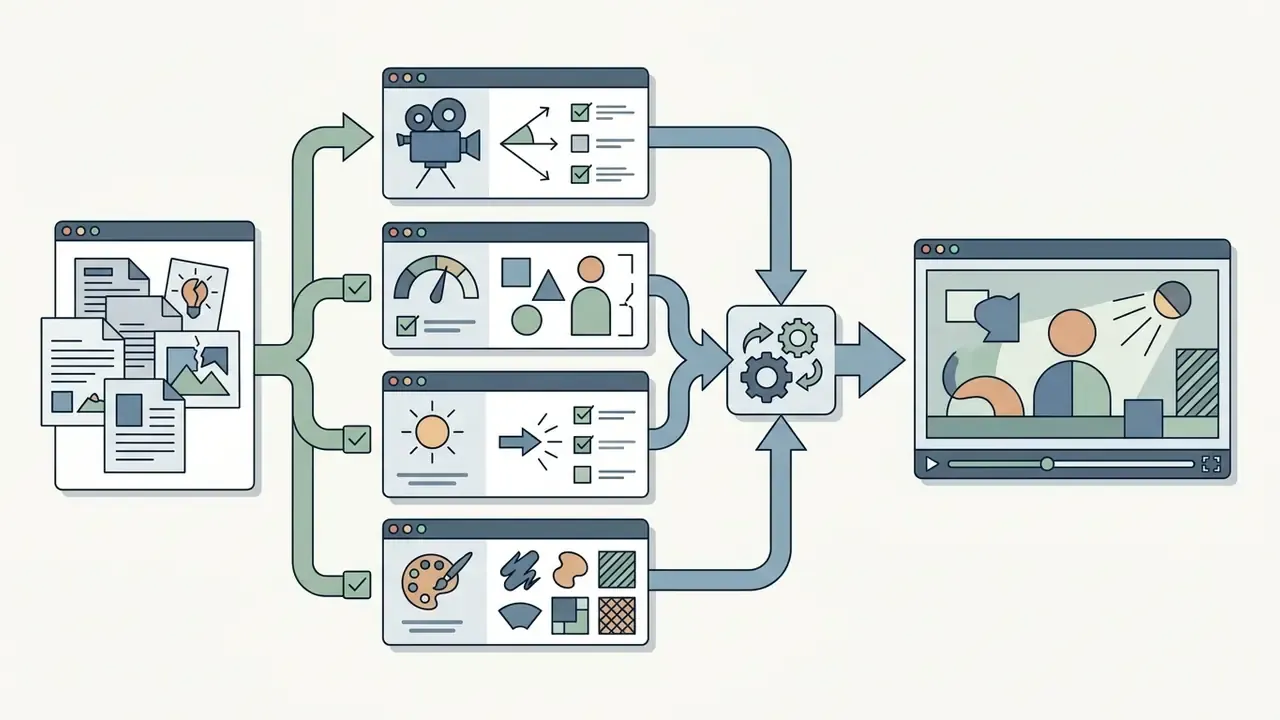
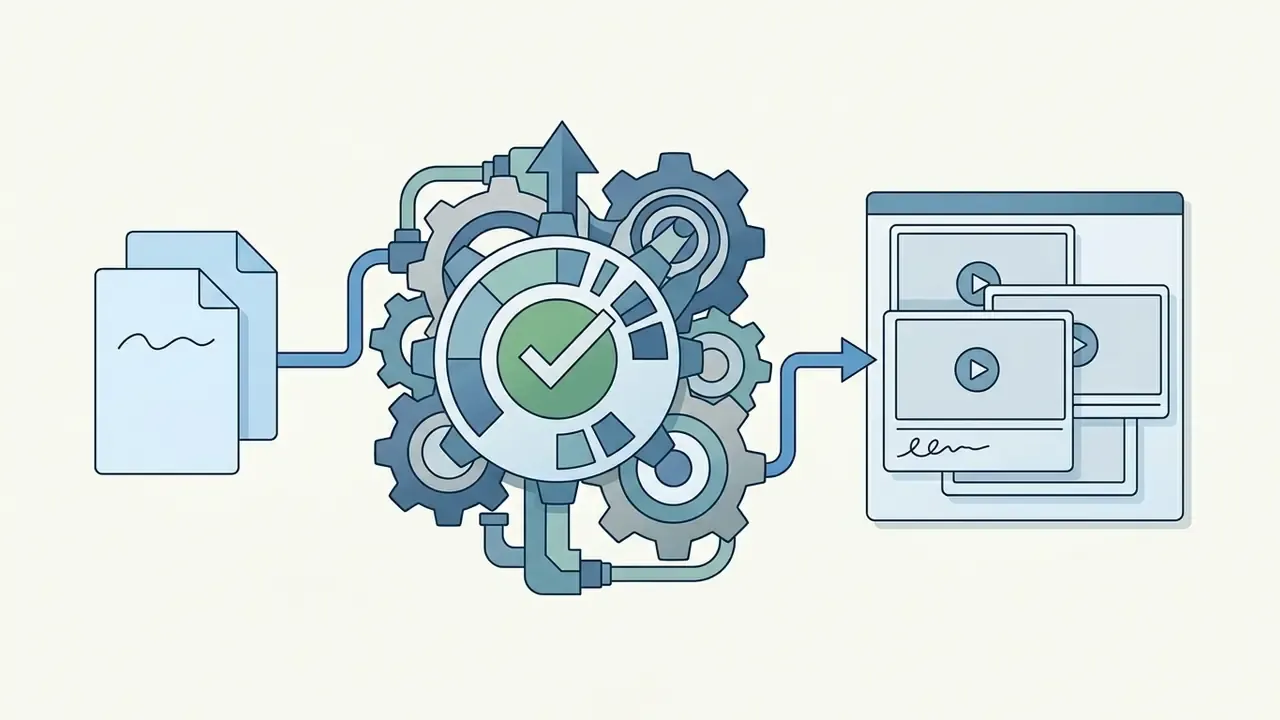
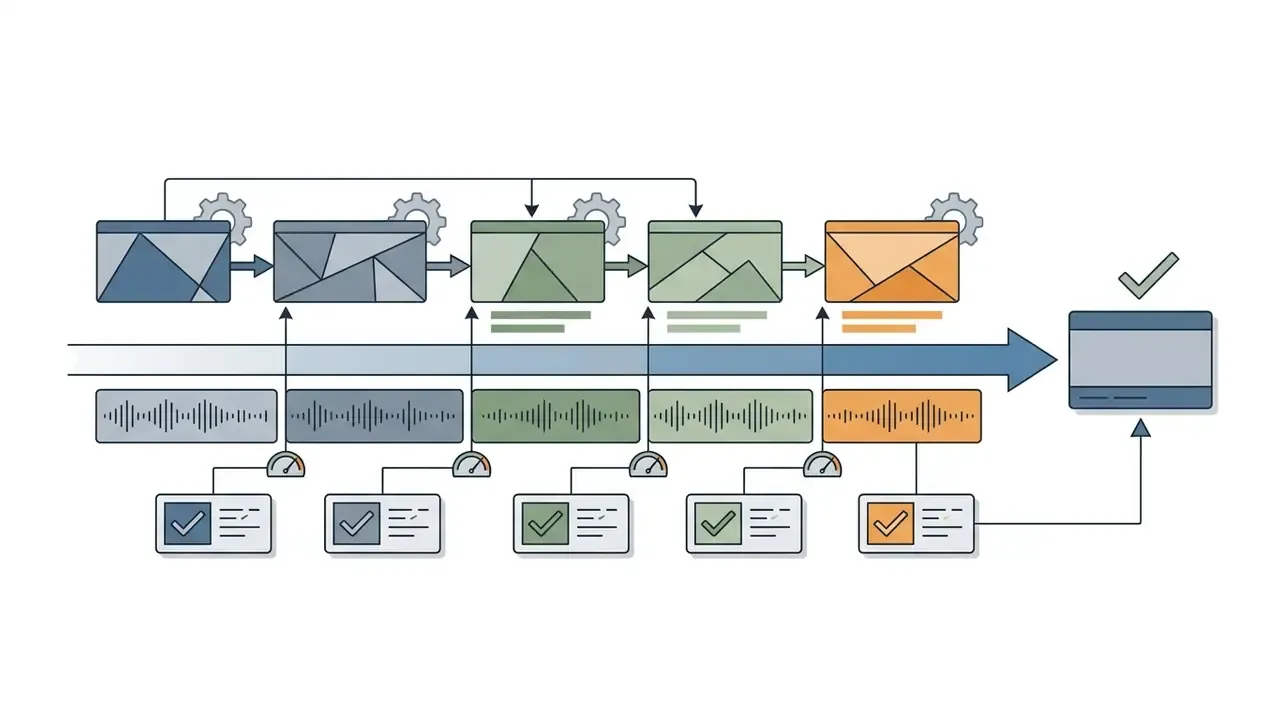
Turning an idea into a finished file follows a repeatable workflow: script composition, prompt engineering, model selection, voice synthesis, timeline assembly, export.
Writing Prompts for High-Quality AI Generated Video
Quality tracks prompt structure. Vendor guides from Google, Runway, Adobe Firefly, and Black Forest Labs converge on one formula:
Shot Type + Subject + Action + Environment + Camera Movement + Aesthetic Style
For example: "Cinematic medium shot of an executive reviewing data on a tablet inside a modern glass conference room, slow forward dolly camera movement, soft ambient lighting, photorealistic 8k."
Use positive descriptive phrasing and drop ambiguous adjectives. Keeping camera motion separate from character motion improves physical plausibility noticeably. Google additionally recommends describing audio in its own sentences, apart from the visual description. Black Forest Labs advises starting short and adding camera, motion, and atmosphere only when each addition demonstrably improves control, and keeping subject descriptions verbatim-consistent across shots in a multi-clip sequence. That last habit is what makes a three-clip sequence read as one scene.
Refining Generated Videos in Built-In Video Editors
Built-in editors let creators assemble individual clips into structured content: trim motion artifacts, adjust pacing, add text and overlays.
Timeline suites like Kapwing support multi-layer positioning, color balance, and aspect ratio conversion. Turning 16:9 landscape renders into 9:16 vertical unlocks fast distribution across social platforms, which is where most of the volume lives. Professional NLEs extend this with dedicated stock panels and overlay-safe framing views, so image and video overlays stay independently editable layers rather than baked pixels.
Stock footage overlays fill the storytelling gaps where synthetic generation still struggles, particularly complex physical actions like hands manipulating objects. Creators can explore specialized editing frameworks using a free ai video tool with clean export.
Adding AI Voices, Subtitles, and Audio Tracks
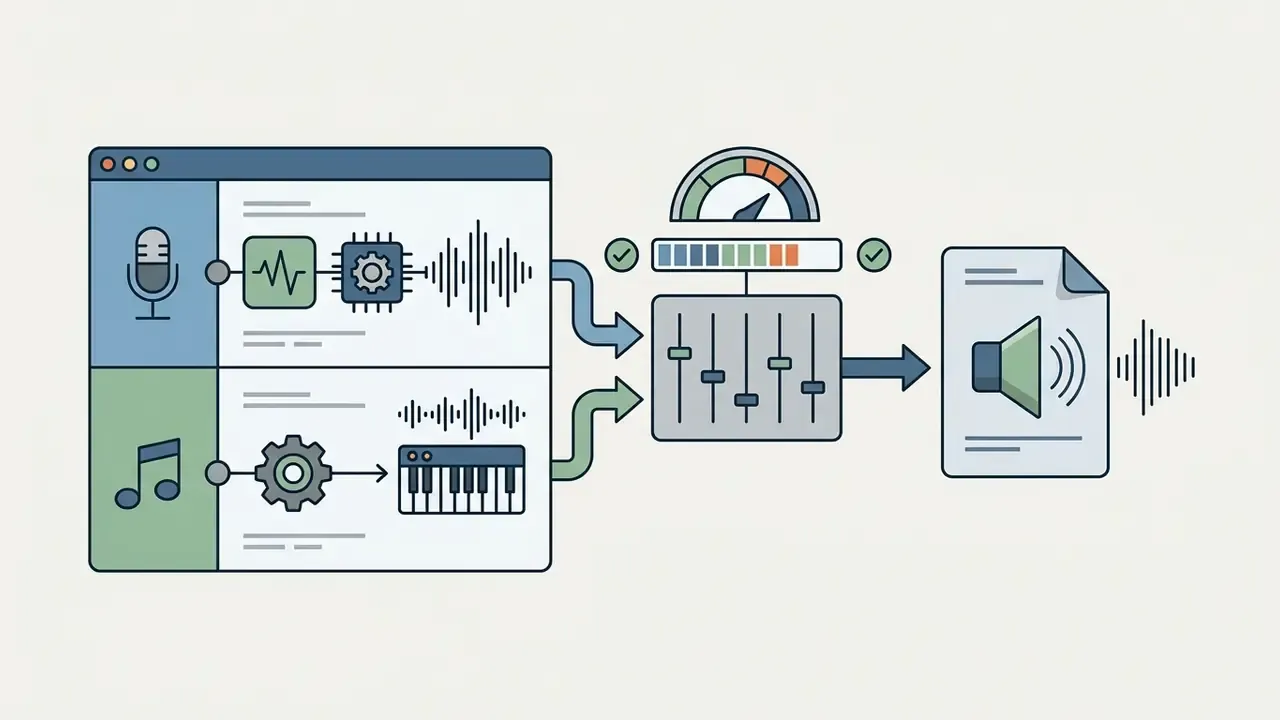
Good audio means three things at once: natural text-to-speech, accurate captions, balanced music. Modern pipelines automate transcription via models like Whisper, then export subtitles as SRT, VTT, ASS, or SBV while leaving the music bed untouched.
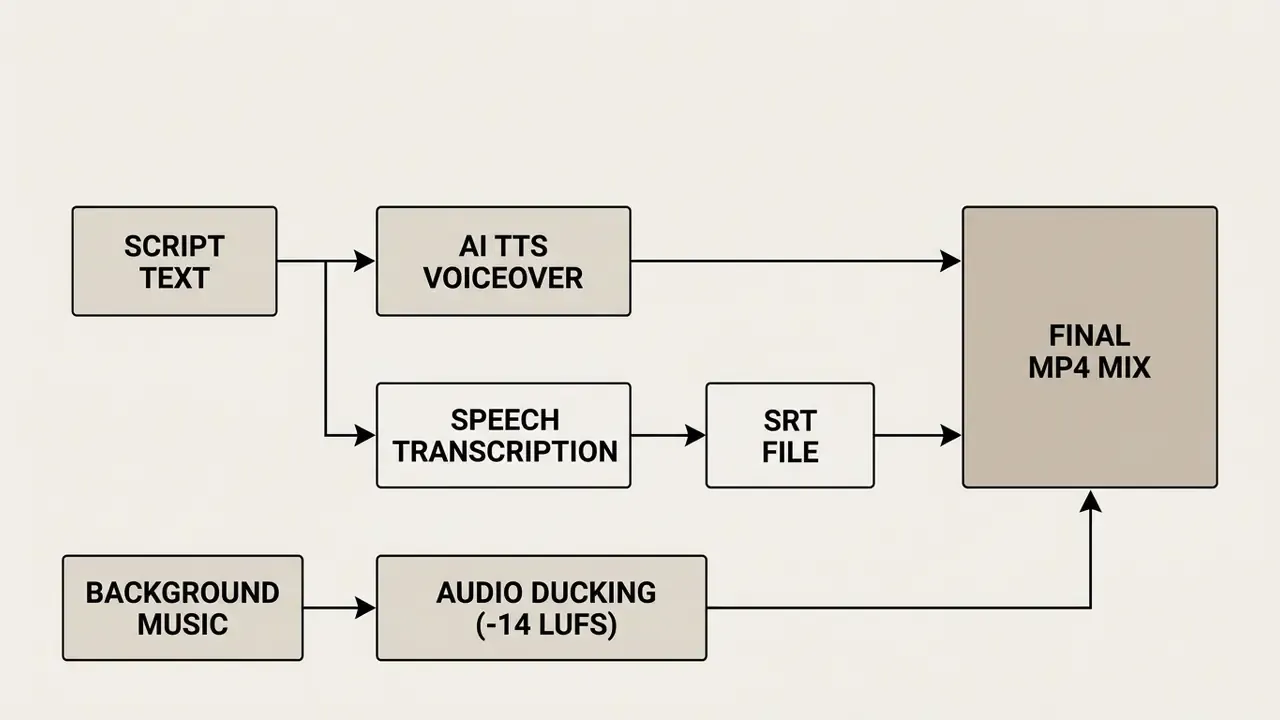
Auto-ducking lowers background music under narration automatically. Normalizing to -14 LUFS prevents distortion and loudness penalties across platforms.
Creators can generate custom voiceovers across dozens of regional accents using an AI voice generator, and voice cloning, where licensed, keeps a channel's narration consistent between uploads. Burning styled subtitles onto vertical assets lifts view duration on muted mobile feeds, which remains the default viewing mode.
Choosing the Right AI Video Maker for YouTube, Instagram, and Marketing
Channel-specific production depends on three things: aspect ratio, engagement expectations, and publishing velocity. The third one kills more free-tier plans than the first two combined.
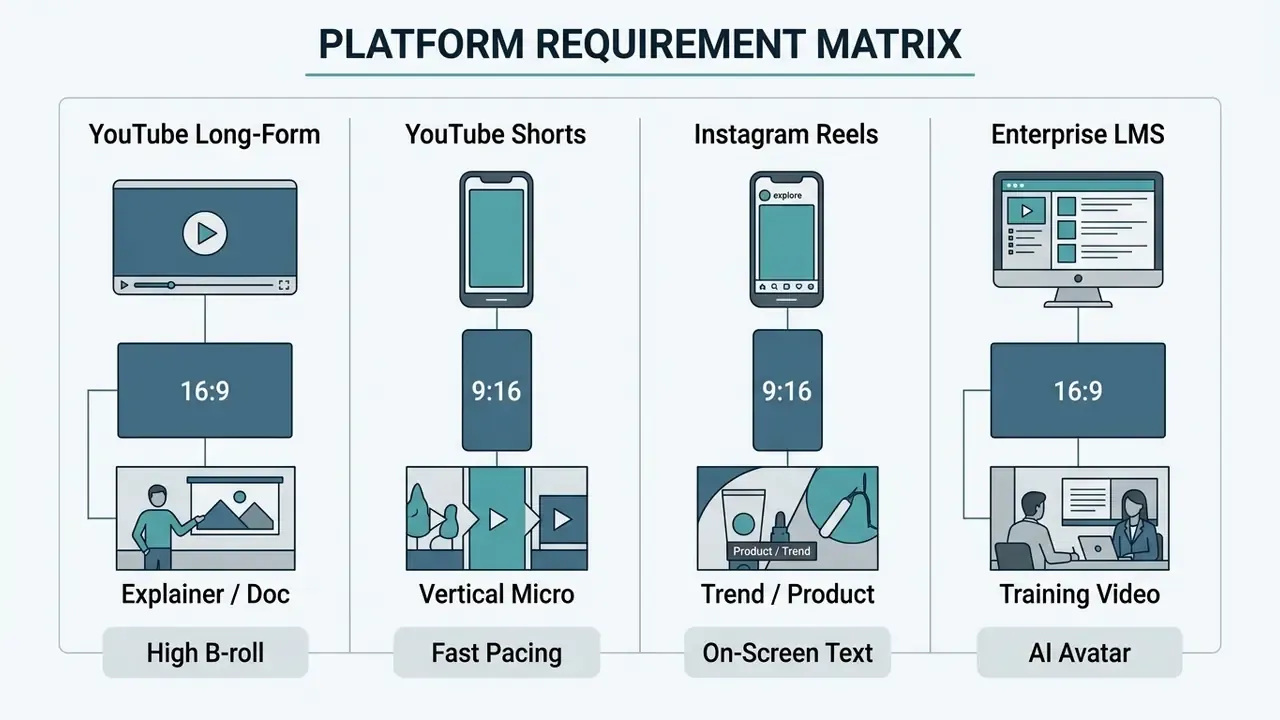
A parallel comparison of duration caps, credit resets, and export entitlements across the best free AI video generators helps match publishing cadence to a realistic quota before the editorial calendar is locked. Lock the calendar first and you will be buying credits by week three.
Tools for YouTube Videos and Faceless Content
AI Video Makers for Instagram Reels, TikTok, and Shorts
Vertical feeds on Instagram, TikTok, and YouTube Shorts need 9:16 clips with an immediate hook. Vizard, Fliki, and OpenShorts reframe horizontal footage into short vertical clips automatically. For template-driven motion graphics and animated text systems that pair well with these formats, see our overview of animation makers.
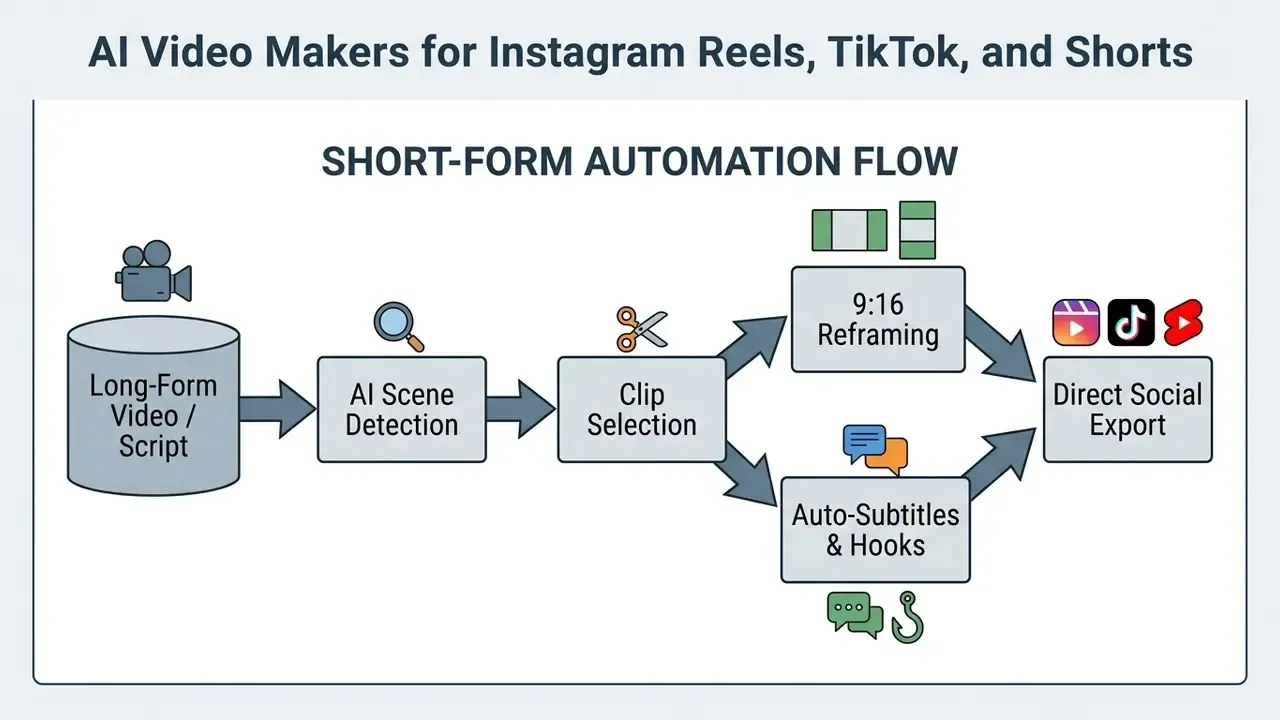
Fliki publishes directly to social feeds and offers over 2,000 neural voices with 1080p MP4 export in 9:16. Vizard analyzes long-form podcasts or webinars and extracts clips formatted for mobile, and OpenShorts provides an open-source path for the same conversion. For anyone searching for the best ai video generator for instagram, the deciding factor is rarely render quality; it is caption styling and reframe accuracy.
Pre-animated text templates lift engagement on muted feeds. One constraint to plan around: YouTube Shorts ad assets may run up to three minutes, but only the first 60 seconds play inside the Shorts feed, so hook placement should respect that boundary. To compare cost breakdowns across creative suites, review AI Media Pricing.
Producing Product Videos, Explainer Videos, and Training Assets
Corporate training, internal communications, and product explainers lean on digital ai avatar presenters that deliver structured content from documents or decks.
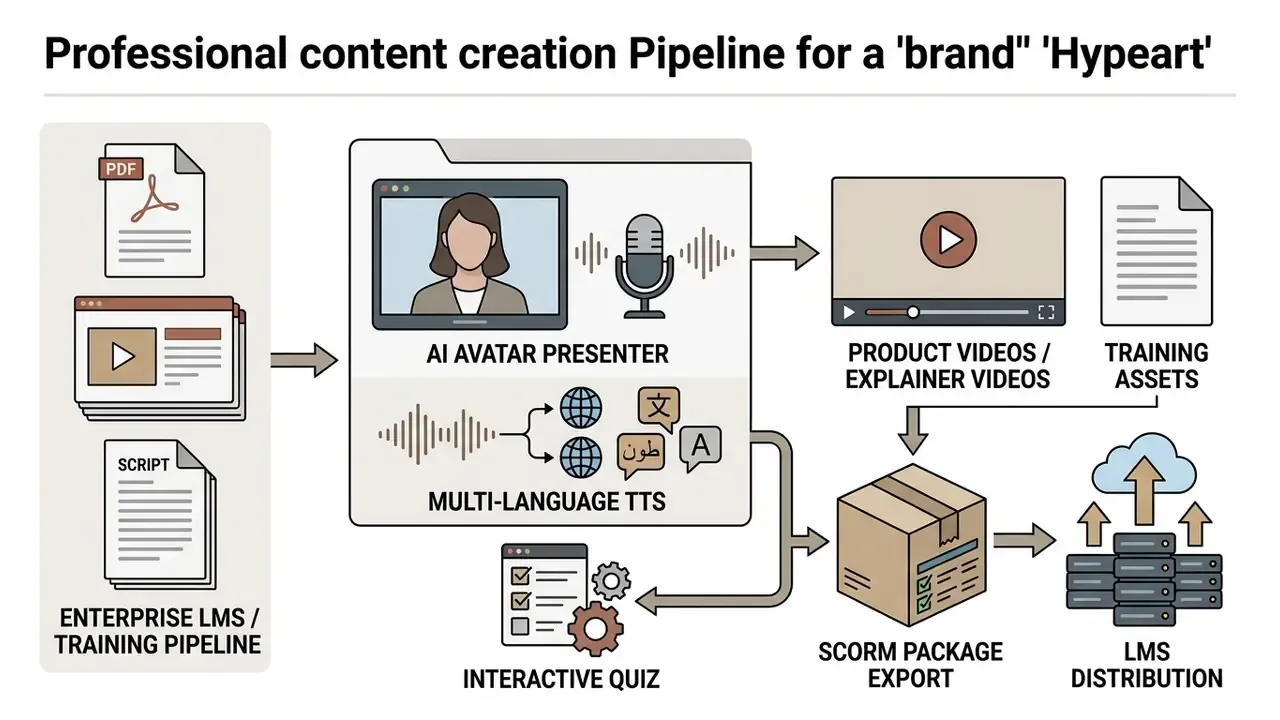
Synthesia, Colossyan, and HeyGen convert PDFs, presentation decks, and scripts into presenter-led videos. Colossyan and HeyGen support direct SCORM export for LMS deployment, with Colossyan additionally documenting courses, quizzes, and localization. A built-in video translator turns one master script into a dozen localized modules.
Multilingual voice synthesis lets organizations localize training across a global workforce in hours rather than quarters.
For detailed software evaluations, review this comparison of free AI video generators.
Operating Case: Model Risk and Compliance in Corporate AI Training
A financial services firm built an internal compliance training module using presenter avatars to deliver policy updates across four regional divisions. The governance team required strict data privacy safeguards and verifiable text rendering for legal disclosures. That second requirement eliminated two vendors immediately.
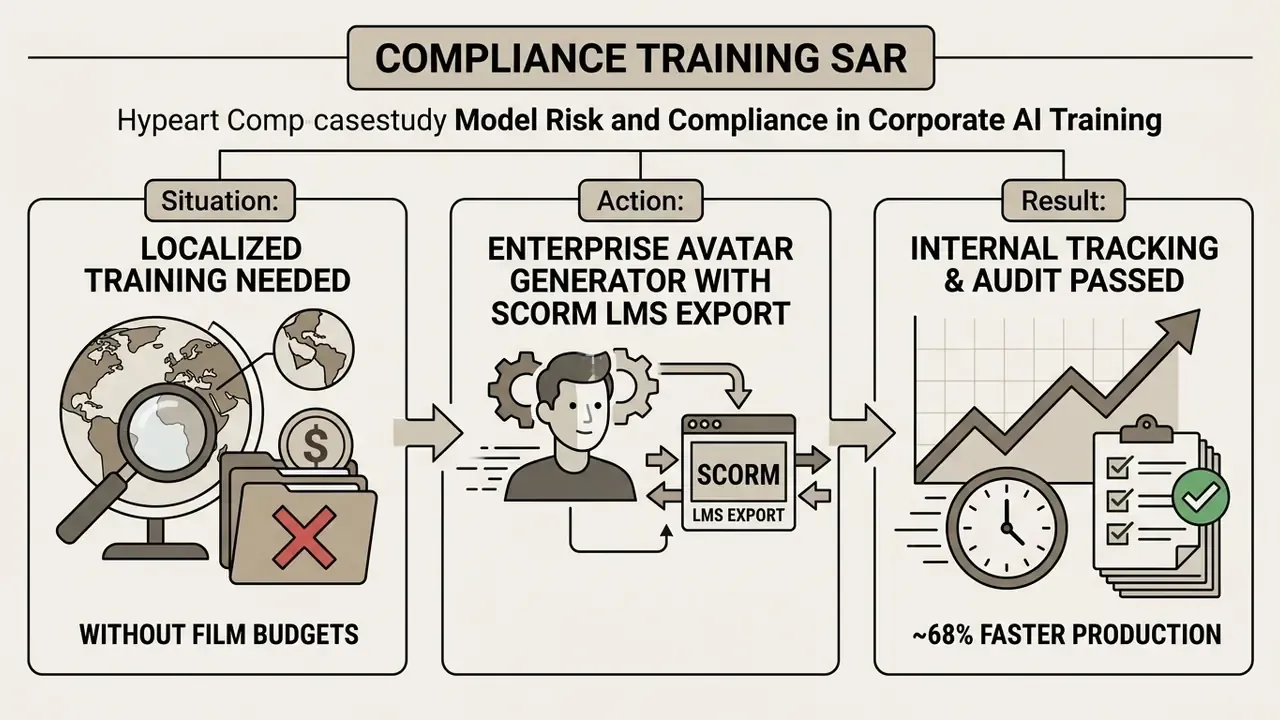
The team selected a governed enterprise avatar engine with SOC 2 attestation and encrypted document processing. They uploaded localized policy scripts, generated presenter-led modules, and exported SCORM packages straight into the LMS.
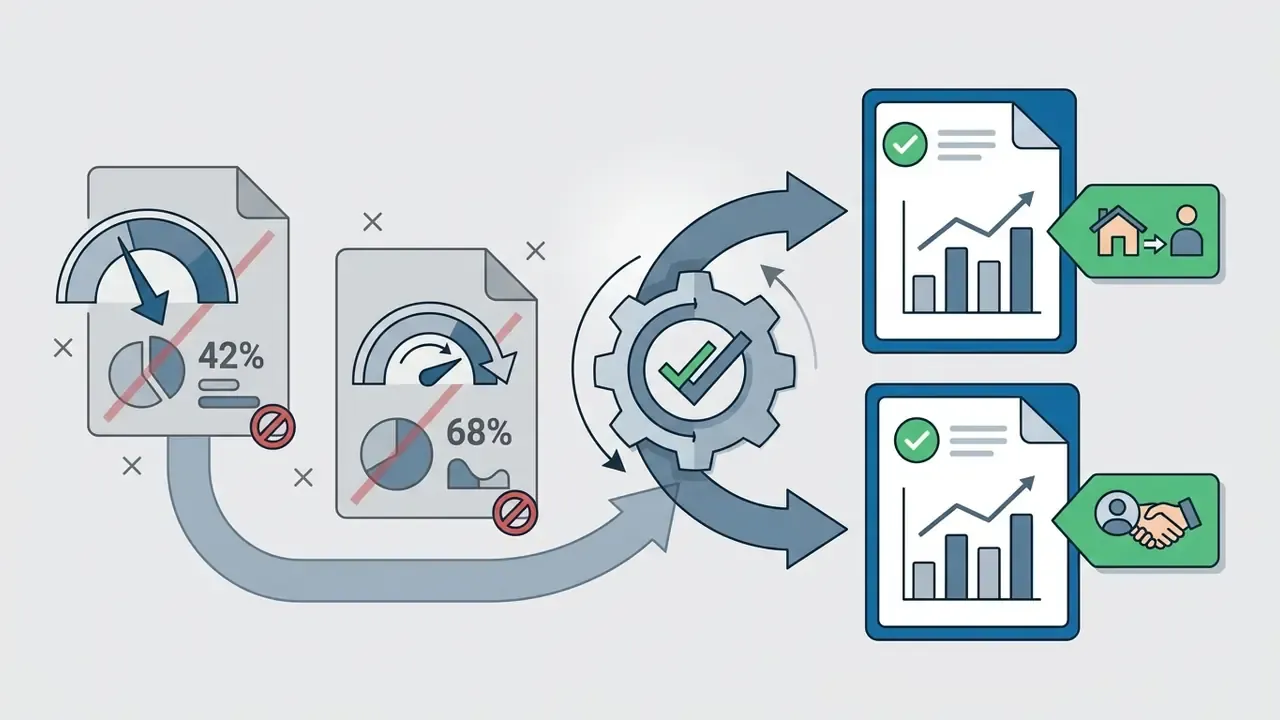
Per the firm's internal production tracking (first-party client data, not independently verified), the controlled deployment cut presentation production time by roughly 68% against traditional studio recording, while establishing a reproducible audit trail for internal legal review. The number reflects one organization's baseline. Directional, not a benchmark.
Shadow AI, Data Privacy, and Enterprise Governance Framework
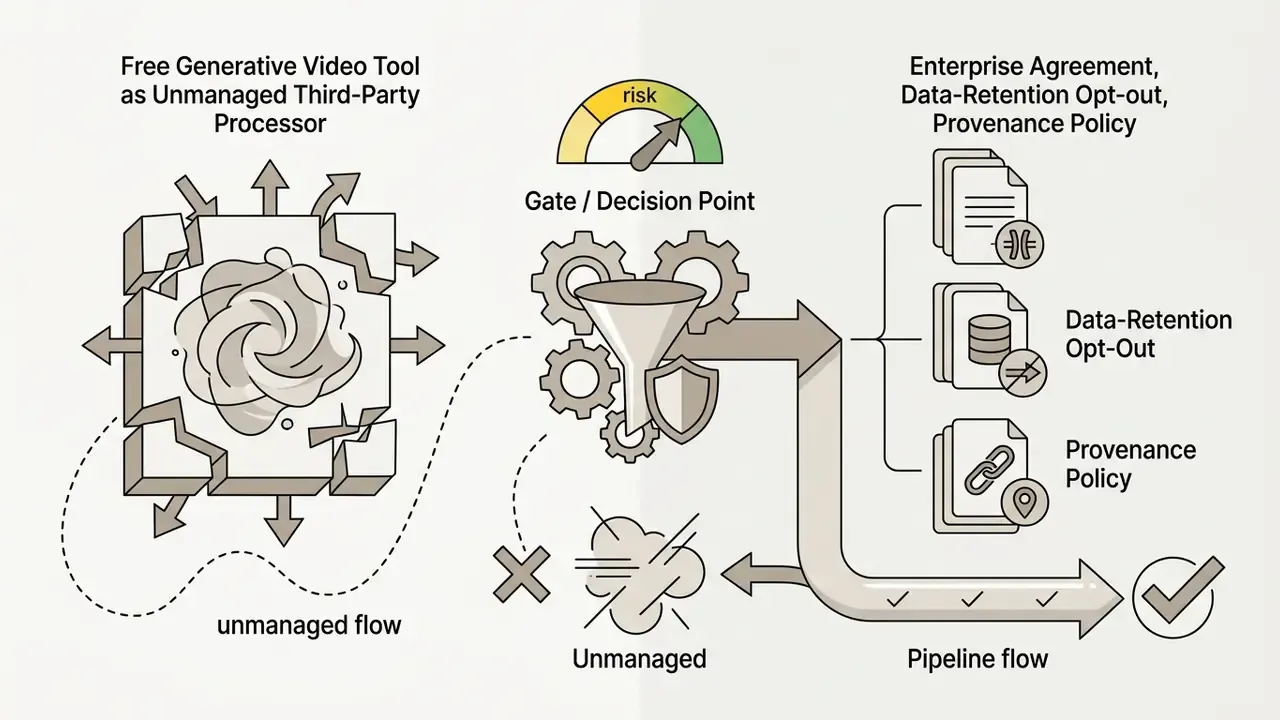
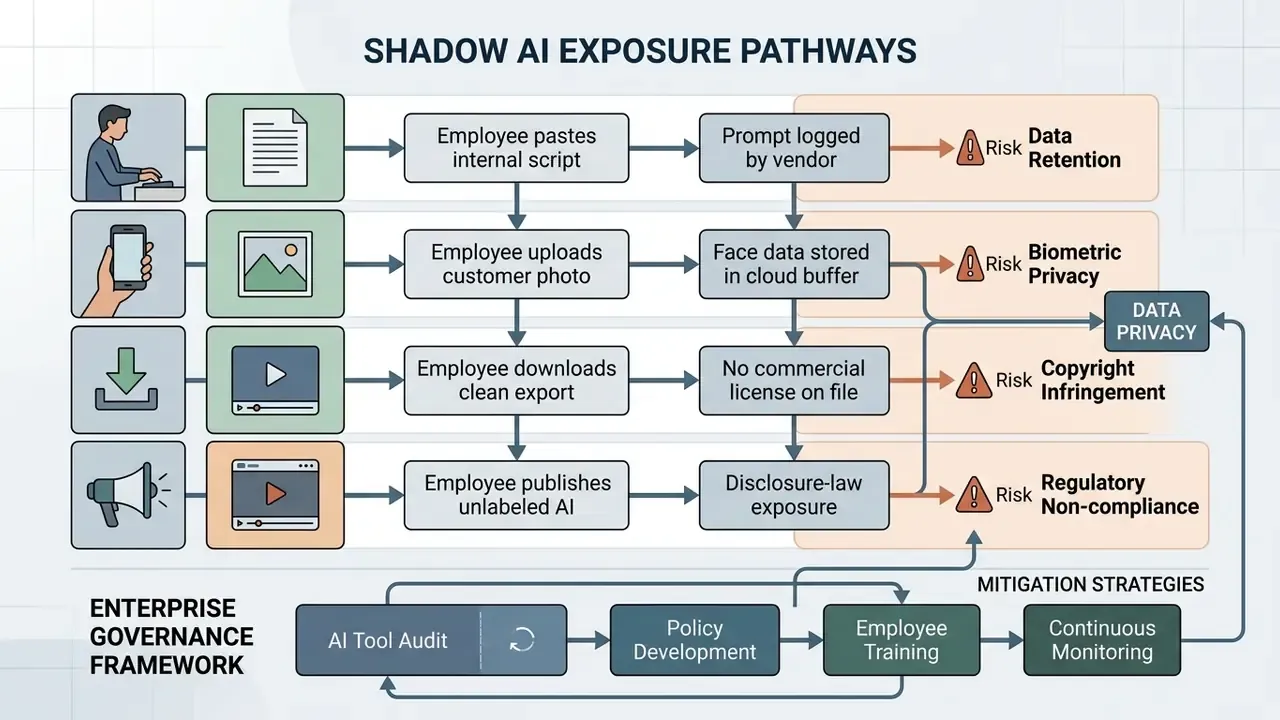
The largest enterprise risk in free generative video is not output quality. It is unsanctioned employee use of consumer tiers with confidential material. Free plans carry the weakest data-handling commitments in any vendor's portfolio, and a script pasted into a prompt box may contain unreleased product details, customer records, or personally identifiable information.
Data Privacy Matrix for Free Tiers
Free-Tier Data Handling: Questions Every Risk Function Must Answer
| Control question | Why it matters | Evidence to request |
|---|---|---|
| Are prompts and uploads used for model training? | Training on inputs can permanently absorb confidential text or imagery | Written opt-out clause or enterprise DPA |
| What is the retention period for uploads and renders? | Indefinite retention conflicts with records-management policy | Retention schedule in vendor documentation |
| Is a SOC 2 report available for the free tier? | Attestations often cover enterprise plans only | Current SOC 2 Type II scope statement |
| Where is processing geographically located? | Cross-border transfer triggers additional obligations | Sub-processor list and hosting regions |
| Can the account be centrally provisioned and revoked? | Personal-email signups are invisible to IT | SSO / SCIM support confirmation |
| Does the output carry invisible provenance metadata? | Provenance marks persist even without a visible watermark | C2PA / SynthID policy statement |
Self-hosted open-source rendering remains the strongest mitigation where confidentiality is non-negotiable, because no prompt or asset leaves the controlled environment. Where a hosted tool is unavoidable, four controls are mandatory rather than optional: an approved-tool allowlist, DNS-level blocking of unapproved generators, prompt-hygiene training, and a synthetic-asset register with a named owner per asset.
Model Risk Validation Checklist Before Any Pilot
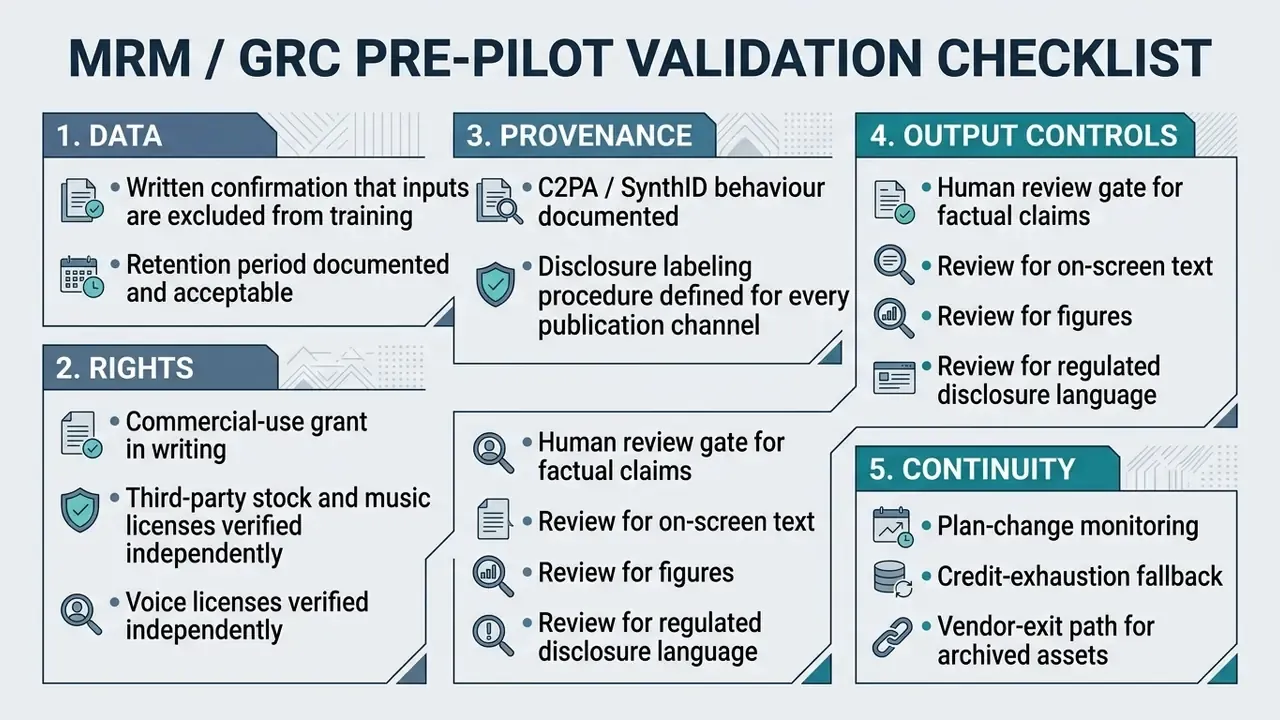
Anchor governance for synthetic media on recognized standards rather than vendor marketing. NIST's work on reducing risks from synthetic content, together with its Generative AI Profile for the AI Risk Management Framework, treats labeling, provenance, and documentation as the primary control surface. That maps directly onto the C2PA and SynthID checks described earlier. No evidence, no autonomy: a generative pipeline without a named owner and an audit trail is not ready for production, regardless of how good the renders look.
Risk-Adjusted ROI for Generative Video Pipelines
Headline savings from synthetic video overstate real value because they leave out control costs. A defensible calculation adds oversight to production:
Risk-Adjusted ROI =
   ( Baseline Production Cost - Generation Cost
     - Human Review Cost - Compliance/Legal Review Cost
     - Rework Cost from Artifacts & Failed Renders
     - Residual Risk Provision )
   / ( Generation Cost + Human Review Cost
       + Compliance/Legal Review Cost + Tooling & Governance Cost )
Inputs to collect before signing off a pilot:
Teams that report only gross time savings, including the 42% and 68% internal figures cited earlier, should recompute both with this formula before presenting anything to a risk committee. The revised number is usually smaller. It is also defensible, which is the point.
FAQ: Free AI Video Generators, Limits, and Rights
Short answers to the questions that decide whether a free plan survives contact with a real content calendar.
What is the maximum clip duration on free AI video generators?
Most free generators cap a single render between 4 and 10 seconds. Canva AI's Veo-3 powered clip generator produces up to eight seconds in 16:9 with synchronized audio, one video per prompt. Editors such as InVideo AI stitch multiple short clips into multi-minute drafts, but raw model output stays constrained by compute cost.
Which AI video makers export with no watermark at all?
Desktop and system editors are the reliable route. DaVinci Resolve never applies a watermark, Microsoft Clipchamp exports clean from Windows 11, and CapCut exports clean once the default ending clip is deleted. Among web tools, hands-on testing published in December 2025 identified roughly ten with genuinely clean free exports, including Dreamlux.ai, Fotor, Clipfly.ai, Kapwing, Zebracat.ai, and BlipCut. Multi-model hubs such as Vivideo offer clean introductory exports across Kling, Runway, and Luma. That short list is what anyone searching free ai video maker no watermark 2025 is actually looking for.
How many videos can I export weekly on InVideo AI's free plan?
Up to four video exports per week, with access to a 16 million+ stock media library and AI voiceovers in 50+ languages. Voice cloning, unlimited exports, expanded storage, and watermark removal require a paid upgrade.
Can free AI video generators produce real time motion and photorealistic physics?
They render near-photorealistic frames but still struggle with complex real time physical interaction and temporal consistency. T2VWorldBench puts leading models around 0.68 on real-world physics metrics across 1,200 prompts, while T2V-CompBench and TC-Bench report that most models execute under 20% of intended compositional changes. Best ai generated videos 2025 tend to succeed by avoiding those failure modes, not by solving them.
Are free AI video outputs licensed for commercial use and advertising?
Standard free-tier terms limit output to non-commercial personal experimentation. Commercial distribution in marketing campaigns generally requires a paid tier or an explicit licensing agreement. Note the subtler trap too: buying a credit pack without a subscription may unlock clean exports while still withholding commercial rights.
Do free AI video tools train their models on my prompts and uploads?
Policies vary, and free tiers carry the weakest commitments. Absent a written opt-out or a data processing agreement, assume inputs may be retained and used for service improvement. Confidential material belongs in self-hosted models or contracted enterprise plans. Nowhere else.
How do I migrate project files between different AI video tools?
Direct project migration across competing cloud suites is not natively supported, because rendering formats are proprietary and no public standard defines cross-service portability. Practical migration means exporting raw MP4 clips, voiceover tracks, and SRT subtitles, then reassembling inside a universal editor such as DaVinci Resolve. Keep the source assets; they are the only portable layer you own.
Do unbranded free AI video generators retain invisible metadata?
Often, yes. Even without a visible mark, models frequently embed invisible C2PA or SynthID metadata in the file structure. These cryptographic markers identify content as synthetic without touching the visuals, so "no visible watermark" never equals "no provenance record."
Do I have to disclose that a video was made with AI?
It depends on jurisdiction and channel. Utah Code §20A-11-1104, effective May 1, 2024, requires AI-generated visual political communications to carry an on-screen notice throughout the synthetic portion. Major platforms also run their own synthetic-content disclosure settings, which apply in parallel. Verify current requirements with qualified counsel for your market.
Appendix A: Revision Log (Superseded Text)
A transparency record of fragments corrected during this audit, kept for traceability: