Generative artificial intelligence has changed how visual assets get created, reviewed and shipped inside enterprise chat environments. On Discord, specialised bots read natural language prompts and return synthetic media straight into a team channel. The model interaction happens where the conversation already lives, which quietly rewrites how creative teams collaborate. It also moves data across a boundary most compliance teams never mapped.
Executive summary
- A discord ai image generator is a bot that accepts a slash command (usually
/imagine), forwards the prompt to an external diffusion API, and returns a rendered image into the channel in roughly 30 to 60 seconds. - Commercial rights are never granted by Discord. They come from the bot vendor's EULA, and copyright protection additionally depends on demonstrable human creative input.
- Governance is the weak point. Prompts leave your server and get processed by third-party model hosts, so prompt content is a data-loss-prevention (DLP) surface, and unmanaged bots are textbook Shadow AI.
- Most "bot not working" incidents are permission or scope failures (
Attach Files,applications.commands), not model outages. The troubleshooting section below ranks them by frequency.
discord.py deployments.
How to read this guide
Whether you're a server moderator chasing a cleaner profile picture set, a marketing lead prototyping campaign art, or a model-risk officer asked to approve a bot, the questions split into two tracks. Track one is operational: which bot, which command, which prompt syntax, which failure mode. Track two is defensibility: where the prompt goes, who owns the asset, and what evidence you can show an auditor six months later.
Read the setup and prompt sections for track one. Read the governance, comparison and commercial-use sections for track two. If you only have five minutes, read the governance table. It is the part consumer tutorials skip.
What a Discord AI Image Generator Is and How It Works
In two sentences: a Discord AI image generator is an automated bot hosted on a Discord server that turns text prompts into synthetic images by calling external generative model APIs. It behaves as a thin interface, routing chat commands to cloud GPU clusters and posting the finished render straight back into the channel.
So, more precisely: a discord ai image generator is an automated software bot living on a Discord server that processes text prompts and synthesises images through external generative model APIs. Instead of demanding local GPU infrastructure, the bot works as a lightweight relay. It routes user commands to cloud-hosted neural networks and re-posts the rendered visual outputs into the chat channel.
The scale of the host platform explains why so much generative-AI activity settled on Discord rather than on standalone websites:
«The Discord Unveiled dataset covers more than 2 billion public messages from 4.7 million users across 3,167 servers between 2015 and 2024.»
Discord's own product reporting adds operational context: nearly 3 million servers now host some form of AI experience, and the Midjourney community server alone counted close to 21 million members as of mid-2025. Those numbers matter for risk teams too. A tool that popular will already be inside your organisation, invited or not.
AI bot, prompt, and AI models inside Discord
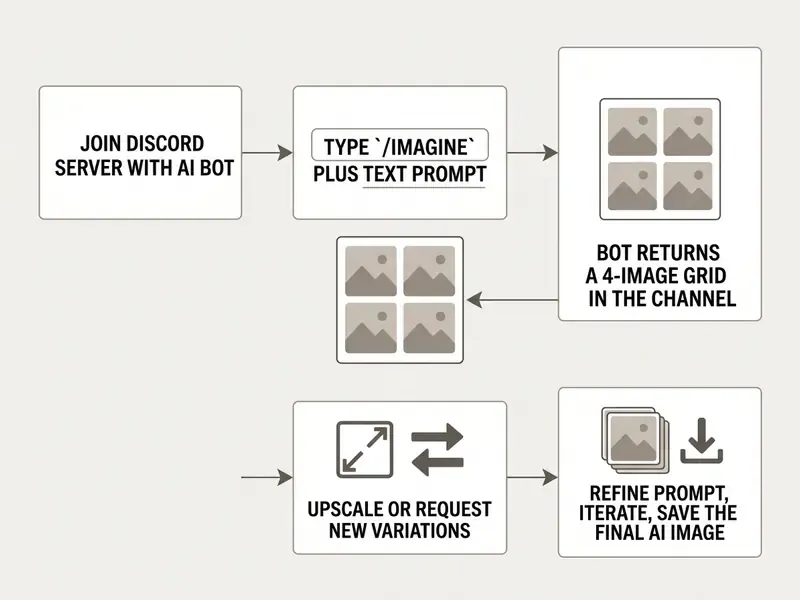
Users trigger generation by typing standardised slash commands, most often /imagine, followed by a descriptive prompt inside an active channel. The ai bot receives the interaction payload, converts the text string into embeddings using multimodal models like Contrastive Language and Image Pre-training (CLIP). For the underlying theory, see our explainer on how AI art generators work. The embedding then goes to diffusion-based ai models. Within 30 to 60 seconds the engine produces a grid of candidate generated images and attaches the file directly to the chat thread.
What do people actually ask for? Less "enterprise asset" than you might hope:
«An analysis of 2.84 million Midjourney prompts found illustrations of women and anime dominate; most requests are recreational rather than professional.»
Technically, the round trip is documented on both ends. Discord's developer platform confirms that a webhook or interaction response can carry file attachments and embeds into a target channel, which is exactly how a rendered PNG reappears in chat (Discord Developer Platform, 2026, https://docs.discord.com/developers/resources/webhook). Public reference implementations such as stets/discord_ai_image_gen_bot show the other half: /generate <prompt> leaves Discord, hits an external image API (FAL.ai in that repository), and returns an image URL or binary that the bot re-uploads.
Glossary: CLIP, diffusion, and the noise seed
CLIP (Contrastive Language and Image Pre-training) maps text and images into a shared embedding space, letting the model score how well a candidate image matches a prompt. Diffusion models start from random visual noise and iteratively denoise it toward the embedded prompt target. The noise seed is the integer that initialises that starting noise: identical prompts with different seeds produce structurally different pictures, which is why two users copying the same prompt rarely land on the same image. Academic work on text-to-image systems reports that initial noise and seed selection materially affect compositional reliability.
How a Discord image generator differs from a browser-based AI tool
Unlike isolated web applications where prompt entry and image viewing happen in a private one-to-one session, an ai image generator on discord runs inside a shared social environment. Members of a discord community can inspect public prompts, watch iterative refinements in real time, and fork successful parameters within seconds. That is the real feature. Peer learning.
«A dataset of 693,528 Midjourney prompts shows iterative refinement increases prompt specificity and the likelihood that a final image is upscaled.»
Qualitative research on Discord AI communities describes prompting there as a socially situated, collective practice built through continuous peer feedback and negotiation. A private web UI structurally cannot reproduce that. The trade-off is platform governance: server-level moderation systems such as AutoMod, keyword filters and machine-learning detection shape what can be generated and shared at all. If you want to weigh this against private, single-user interfaces, compare the workflow with browser-based AI image generators.
One more difference worth flagging for compliance: in a browser tool, the prompt history sits in one account. On Discord, it sits in a channel log that dozens of people can scroll, screenshot and export.
Why Use an AI Image Generator on Discord
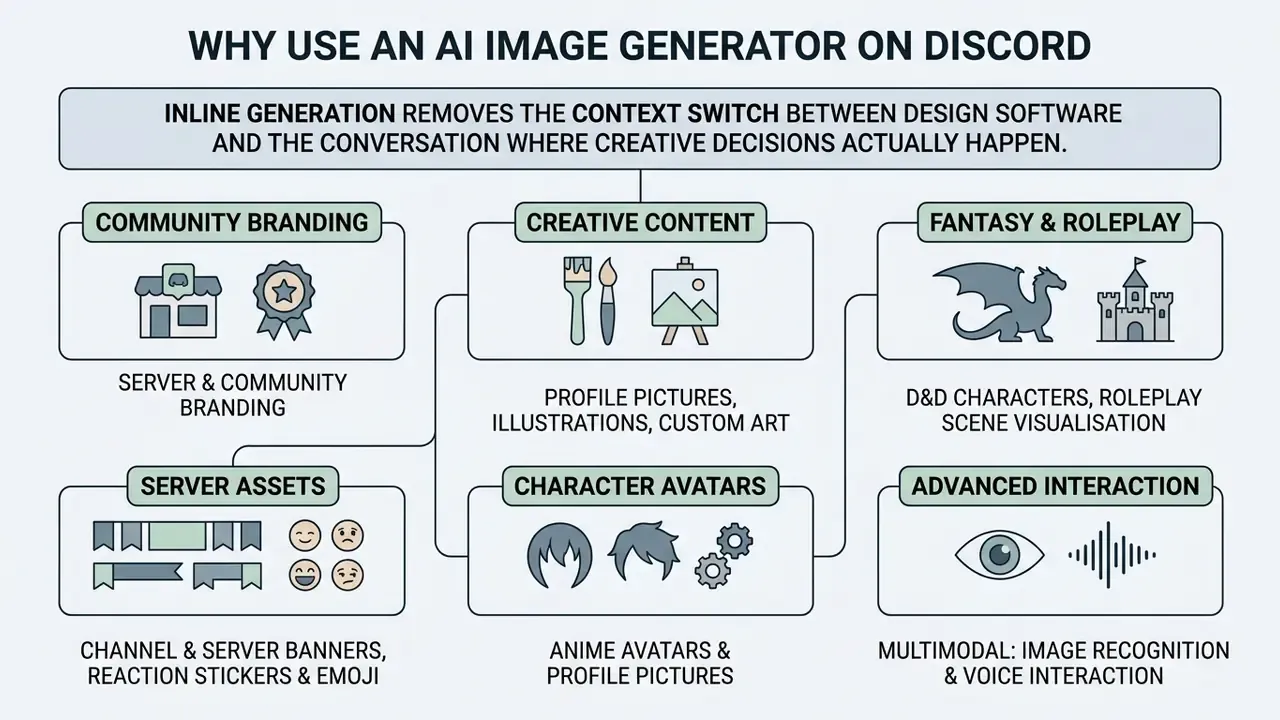
In two sentences: inline generation removes the context switch between design software and the conversation where creative decisions actually happen. The cost is a documented risk of creative narrowing, which is why generation should sit alongside ideation rather than replace it.
Adding an ai art generator on discord lets server administrators and creative teams prototype custom media exactly where project communication already runs. Visual identity, marketing concepts, internal report illustrations, moderation badges: inline generation removes the hop between third-party design tools and team discussion. It expands the practical creative possibilities of a server without adding a single new login.
That convenience carries a measurable downside worth budgeting for:
«A controlled experiment with 60 participants found Midjourney use lowered idea originality and increased design fixation versus the control group.»
Practically, this means teams should generate after divergent ideation, not instead of it. Rotate prompt authors as well, so one stylistic template does not quietly colonise the whole asset library. We learned that one the hard way: three months of channel headers that all looked like the same purple city.
AI images for Discord server and community branding
Server administrators use ai images discord workflows to build distinct visual themes across public and private channels. Custom ai generated pictures discord can serve as server banners, channel headers, role icons and reaction emojis; Discord's documentation confirms role icons accept default emoji, custom server emoji, or uploaded images. Consistent generated art across a server reads as brand discipline, not decoration. Before those assets touch a paid campaign, review the licensing rules for commercial use of AI image generators. For broader operational templates, teams can browse the hub.
All assets must still respect Discord guidelines banning non-consensual or deceptive synthetic media. Discord's Non-Consensual Adult Intimate Media policy explicitly covers AI-generated sexual imagery, and its Safety News Hub states that AI-generated photorealistic CSAM is prohibited without exception. No plan tier, no vendor licence and no "it's only a test channel" argument changes that.
Creating profile pictures, illustrations, and custom art
An ai image creator discord tool lets community members generate a personalised profile picture, conceptual artwork and narrative illustrations. By tuning prompts with specific artistic references, lighting parameters and aspect ratios, users create unique and create custom outputs without manual graphic editing skills. If the goal is a professional portrait rather than a fantasy avatar, compare the output with a dedicated AI headshot generator; for stylised illustration work, a Ghibli-style AI image generator gives tighter aesthetic control. Teams interested in synthetic product or architectural visuals can also evaluate an ai rendering generator.
Typical community use cases documented across Discord art servers:
- Fantasy and D&D characters
- describe clothing, expression and traits to lock a recurring campaign character.
- Roleplay scene visualisation
- turn a dramatic chat moment into an illustration that anchors the narrative.
- Channel and server banners
- themed art ("cyberpunk server banner", "cozy forest theme") sized to Discord's header ratios.
- Reaction stickers and emoji
- expressive chibi-style characters for "LOL", "OMG", "Nope".
- Anime avatars and profile pictures
- one style reference reused across an entire moderation team.
Multimodal capabilities: image recognition and voice interaction
Modern Discord AI bots reach well beyond text-to-image. Communities increasingly run multimodal scenarios:
- Image-to-text and image-to-recipe analysis. Uploading a photo of a finished dish or an object lets the bot identify ingredients and return a full recipe, or reverse-engineer a descriptive prompt from the picture. Midjourney's
/describecommand does exactly this. - Voice AI agents in Discord voice channels. Bots can join a voice room, accept spoken scene descriptions in real time, and post the artwork into the linked text channel. Useful for live tabletop sessions and streamed events.
- Agentic applets and code execution. Bots that run user-supplied code and connect to external APIs (Google, Notion, GitHub, YouTube) can auto-generate cover art for published material inside the team's workspace, then fetch real-world data to caption it. This is the point where a "picture bot" becomes an agent, and where ownership, access scope and shutdown paths stop being optional.
- Post-processing chains. Generated files can be piped straight into an AI photo editor for retouching before publication.
How to Start Generating AI Images in Discord
In two sentences: setting up an ai generator discord workflow requires either joining an established public hub with generation capability or inviting a compliant bot into your own server. The only mandatory prerequisites are the correct OAuth2 scopes and file-attachment permissions.
- Select an authorised Discord server hosting an active image bot, or prepare your own server with administrative access.
- Verify bot credentials, ensuring required OAuth2 scopes (
bot,applications.commands) and message attachment permissions are granted. - Open a designated generation channel and call the bot with a slash command such as
/imagine. - Enter a structured prompt specifying core subject, lighting, perspective and parameters.
- Review the rendered image grid the bot returns in the channel thread.
- Use the interactive button controls to upscale a selected variation or trigger further prompt iterations.
- Run a test prompt in a sandbox channel before opening the bot to the whole community, then confirm the output arrives as an attachment rather than a broken embed.
- Open the full-size render and save it locally (right-click, then Save image on desktop; long-tap, then the download icon on mobile).
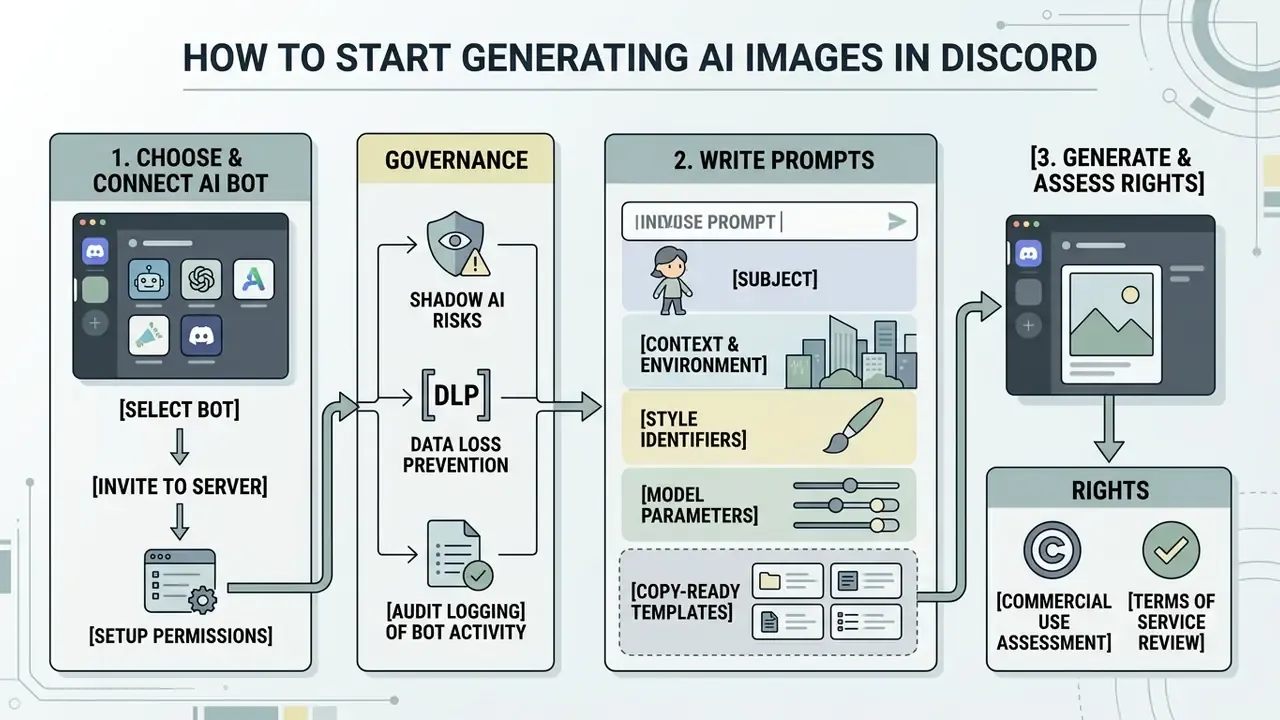
How to choose and connect an AI bot to your Discord server
To deploy an ai bot on a private server, the account holder needs "Manage Server" permissions. Bots cannot join through an ordinary member invite link. Installation runs through an OAuth2 authorisation URL that requests access scopes, including bot and applications.commands, plus permissions such as Send Messages, Embed Links and Attach Files. Once authorised, restrict channel access through server role permissions. Otherwise you get unauthorised usage, or a rate limit burned out by general chat before the design team wakes up.
Automation at scale is entirely feasible once the discord bot is wired up:
«An automated Python pipeline produced 12,000 images through a Midjourney Discord bot: 3,000 prompts, four images each, yielding 11,992 valid files.»
Bear in mind that Discord's Community Rules for vendor servers, Midjourney's included, prohibit unauthorised automation and third-party apps. High-volume pipelines therefore have to run against a permitted API rather than by scripting the consumer bot. That distinction is contractual, not technical, and it is exactly the kind of detail an internal audit will ask about.
Governance: Shadow AI, DLP, and audit logging
Every prompt typed into a third-party bot leaves your server perimeter. For a regulated organisation that is the decisive control question, and it is rarely addressed in consumer tutorials.
| Risk | What actually happens | Control to implement |
|---|---|---|
| Prompt data leakage (DLP) | Prompt text, uploaded reference images and attached files travel to an external model host and may be retained | Restrict the bot to a single quarantined channel; ban client names, unreleased product data and personal data in prompts; publish a written prompt-hygiene rule |
| Shadow AI | Any member with "Manage Server" can invite an unvetted image bot | Remove the permission from general roles; require registration in the corporate AI asset inventory before invitation |
| Model training on your content | Some services reuse user messages or outputs for training | Discord's Developer Policy forbids using API message content to train AI models without explicit permission; confirm the vendor offers a documented opt-out |
| No audit trail | Generations vanish into chat history with no owner | Enable server audit log export, pin the bot to logged channels, assign a named operational owner per bot |
| Rights and IP exposure | Assets published without a licence check | Run the pre-publication checklist below and archive the vendor plan status at render time |
| Content-safety violations | Prohibited synthetic media generated in a corporate space | Layer AutoMod keyword filters on top of the vendor's own safety model |
Discord's Message Content Intent Review Policy is the practical benchmark here: bots processing user data must publish a privacy policy and provide opt-out plus access and deletion paths. Treat any bot without those artefacts as unfit for a corporate server. Not "risky". Unfit.
A small governance habit that pays off later: log the bot's name, vendor entity, plan tier, owner and invitation date in the same inventory you use for models. When someone asks in nine months who approved the ai image discord workflow, you will have an answer instead of a guess.
How to write prompts for a Discord AI picture generator
Predictable results from an ai picture generator discord setup come from structured prompt syntax. Effective prompts combine four components:
- Subject the core element or entity.
- Context and environment background elements, lighting conditions, camera angle.
- Style identifiers medium definitions such as digital illustration, watercolour, or isometric 3D.
- Model parameters system-specific flags including aspect ratio (
--ar 16:9), stylisation weight (--stylize), variance (--chaos), or style reference (--sref).
Weighting conventions differ by engine, and that is the single most common source of failed prompts. Midjourney raises emphasis with double colons (sunset::2). Stable Diffusion front-ends typically use parentheses to increase weight and square brackets to reduce it. Hugging Face Diffusers documents bracket-based syntax where - corresponds to a 0.9 multiplier and -- to 0.9². Negative prompts (--no text, watermark) exclude unwanted elements rather than reweighting them.
Copy-ready prompt templates
Game avatar or fantasy portrait:
/imagine prompt: heroic paladin warrior in glowing crystal armor, cinematic lighting, ultra-detailed 8k, fantasy digital art, highly detailed face --ar 1:1 --v 6.0Discord server banner (cyberpunk):
/imagine prompt: futuristic cyberpunk neon city street at rainy night, purple and cyan color palette, ultra-wide angle view, Unreal Engine 5 render --ar 16:9 --stylize 250Reaction sticker (chibi or anime style):
/imagine prompt: cute surprised anime cat girl holding coffee mug, sticker vector design, white background, vivid colors, simple contours --ar 1:1 --no textPhotorealistic landscape:
/imagine prompt: serene alpine lake surrounded by misty pine forest during golden hour sunset, photorealistic, shot on 35mm lens, f/1.8, high sharpness --ar 3:2Brand-consistent marketing visual:
/imagine prompt: minimal isometric 3D illustration of a fintech dashboard, soft studio lighting, navy and mint palette, clean vector shapes --ar 4:5 --stylize 100 --chaos 5Role icon or emoji set:
/imagine prompt: flat glyph icon of a shield with a lightning bolt, thick outlines, single accent color, transparent-friendly background, icon design --ar 1:1 --no gradient, text
Pin the two or three templates your team actually reuses. A pinned prompt beats a wiki page nobody opens.
Alternative: running your own open-source AI bot in Python
Want full control over generation, retention and cost, with no third-party subscription? Deploy your own bot on discord.py against a Stable Diffusion, SDXL or FLUX endpoint. The reference pattern across public repositories is consistent: register the application in the Discord Developer Portal, store the token and model API key in an environment file, install dependencies with pip install -r requirements.txt, then run the process.
Minimal bot (Python 3.10+)
import discord
from discord.ext import commands
import aiohttp
intents = discord.Intents.default()
bot = commands.Bot(command_prefix=">", intents=intents)
@bot.tree.command(name="imagine", description="Generate an AI image")
async def imagine(interaction: discord.Interaction, prompt: str, private: bool = False):
    await interaction.response.defer(ephemeral=private)
    # Call your generation API (Stability AI, FLUX endpoint, or a local Automatic1111 server)
    async with aiohttp.ClientSession() as session:
        payload = {"prompt": prompt, "width": 1024, "height": 1024}
        # send payload to the generator API, then write the response to output.png
    await interaction.followup.send(
        f"Result for prompt: **{prompt}**",
        file=discord.File("output.png")
    )
bot.run("YOUR_DISCORD_BOT_TOKEN")
Slash-command parameters worth exposing:
Typical dependency set: discord.py (Discord API wrapper), aiohttp (async HTTP client), asyncio (async I/O), datetime (timestamping logs). Many public bots also keep a legacy prefix command, >imagine A beautiful sunset over the mountains, alongside the slash version for older clients.
Self-hosting shifts the compliance burden onto you. You now own the prompt logs, the retention window and the content-safety filter. That is an advantage for DLP and a liability for moderation, so plan both before the bot touches a public server.
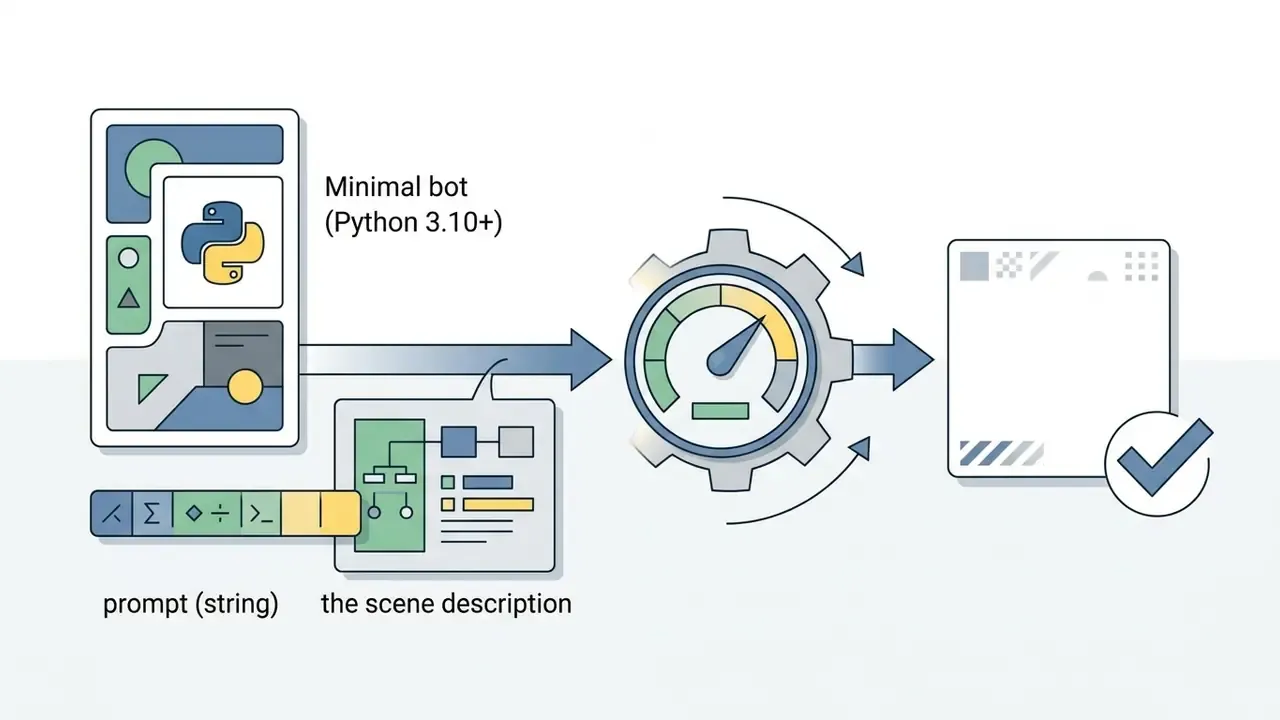
prompt (string)the scene description.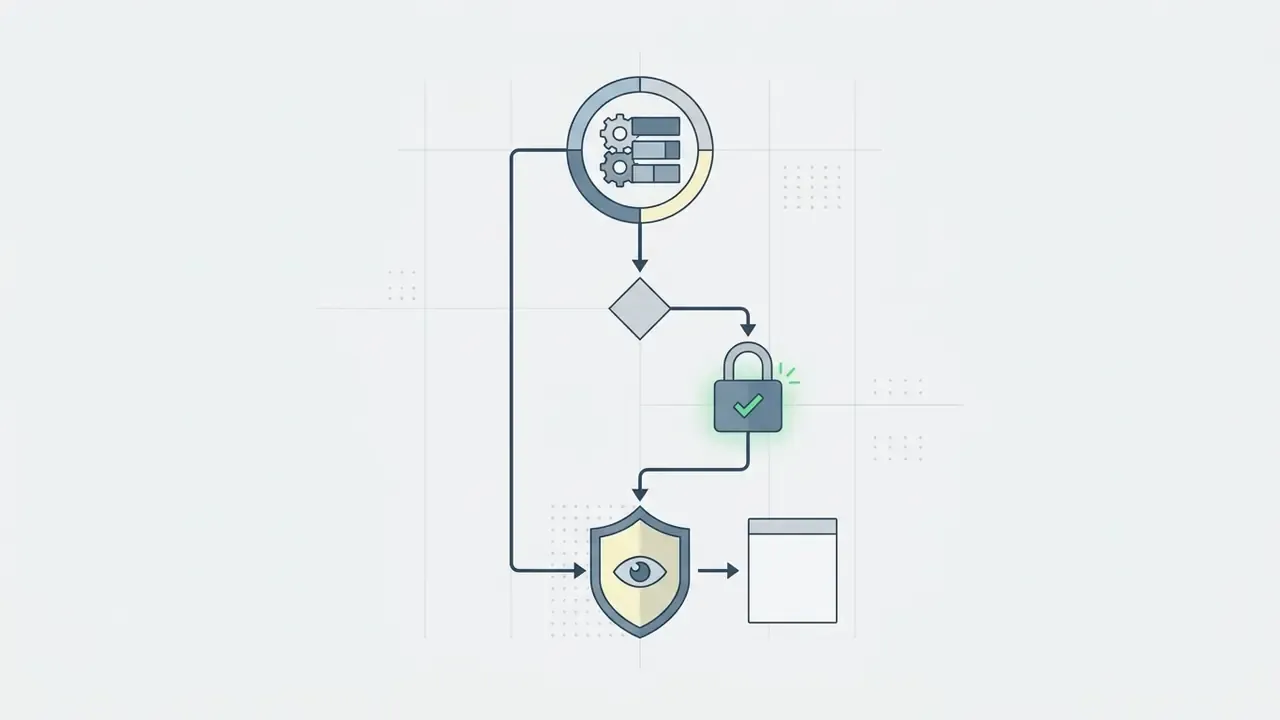
private (boolean)visibility flag; ephemeral=True shows the render only to the author.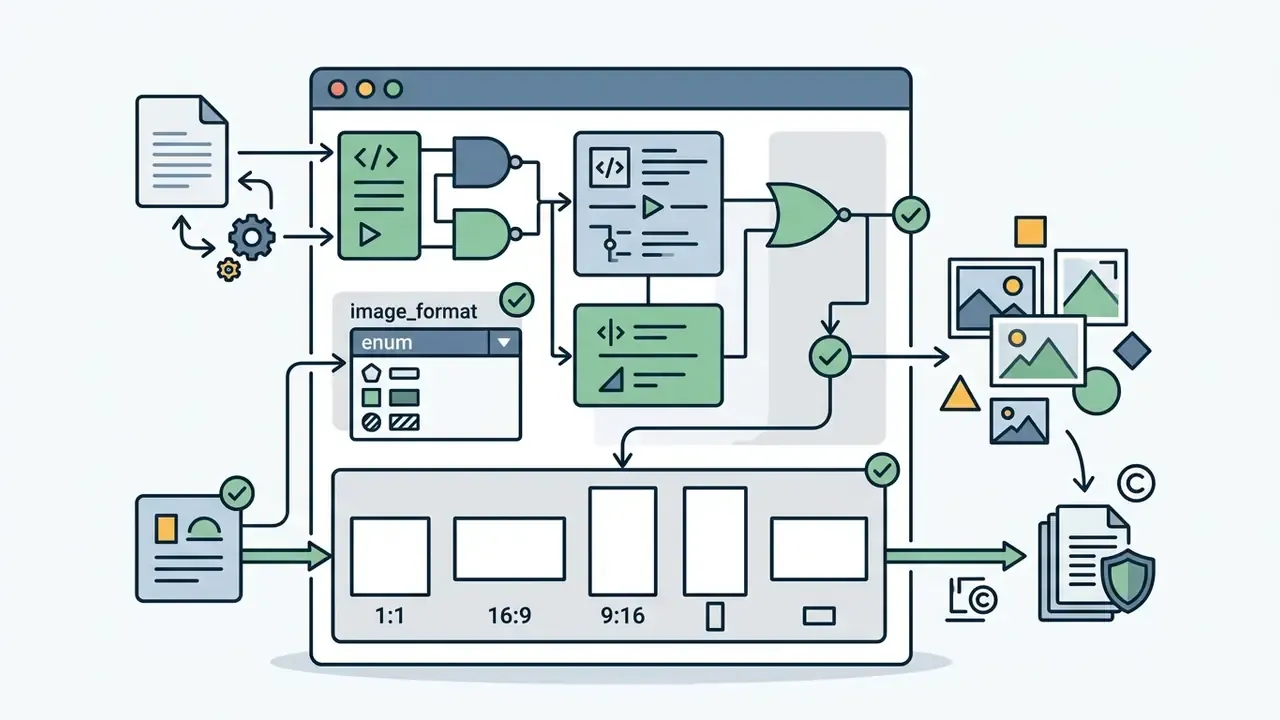
image_format (enum)aspect ratio preset (1:1, 16:9, 9:16, portrait, landscape).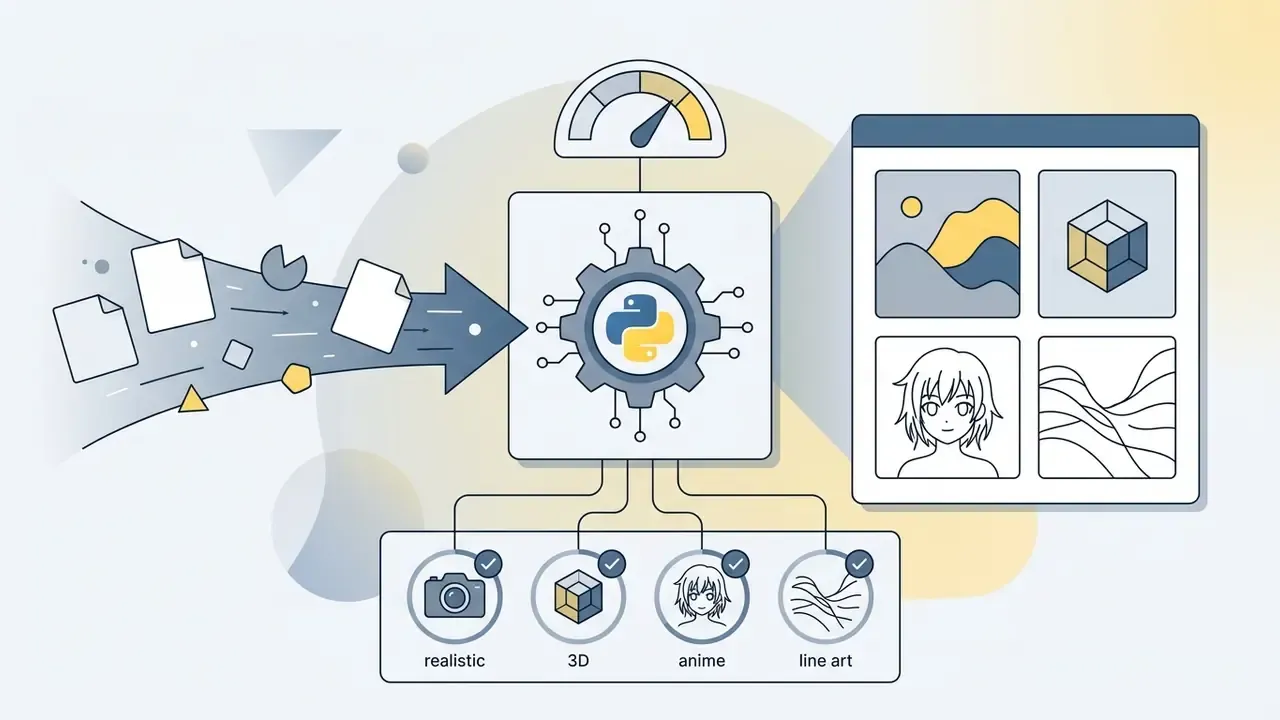
image_type (enum)style preset (realistic, 3D, anime, line art).
negative_prompt (string)excluded elements.How to Choose the Best Discord AI Image Generator for Your Use Case
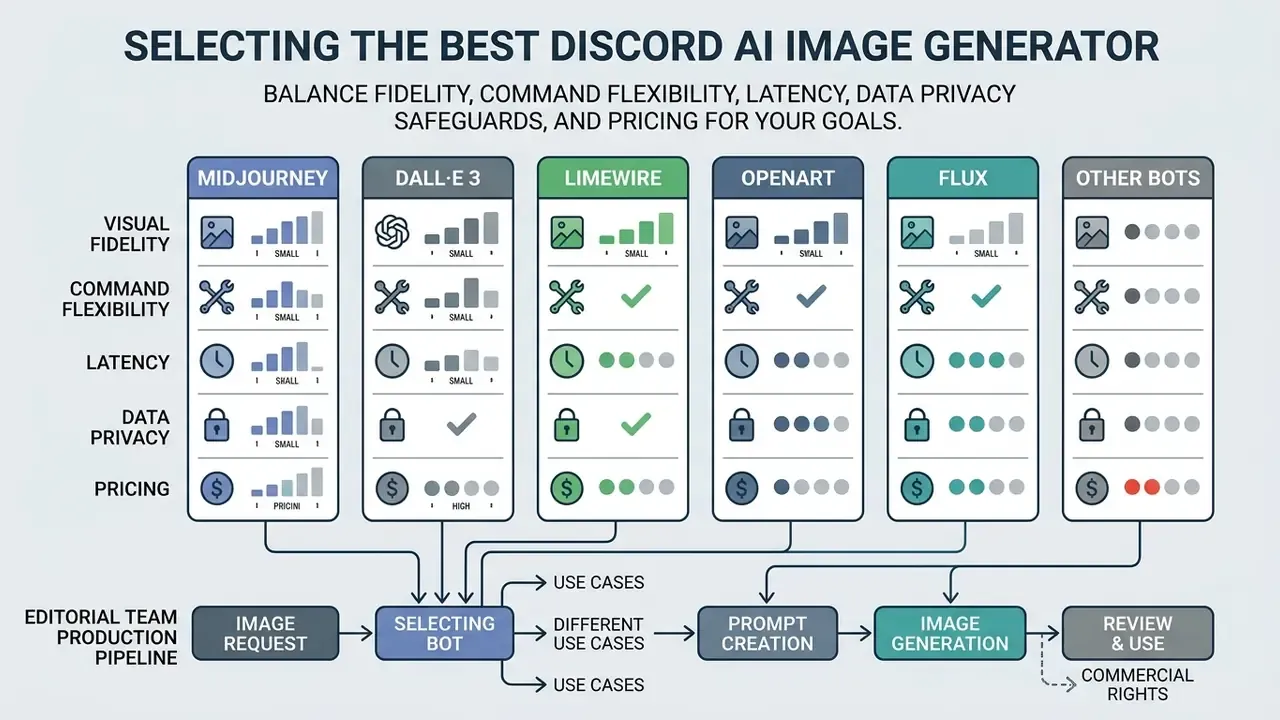
In two sentences: selecting the best ai image generator discord option means balancing visual fidelity, command flexibility, latency, data privacy safeguards and pricing. For organisations, privacy and licensing terms outrank raw image quality.
Comparison criteria for a Discord AI image generator
Evaluating an image generator bot means auditing technical and operational capability against a recognised standard. The NIST AI Risk Management Framework (AI RMF 1.0) defines trustworthy AI as valid and reliable, safe, secure and resilient, accountable and transparent, explainable, privacy-enhanced, and fair with harmful bias managed. Use it as the scoring spine:
- AI models and generation quality: multi-model support (SDXL, FLUX, proprietary diffusion backends) and resolution capability, measured as native output size rather than upscaled size.
- Command granularity: fine-tuning commands such as regional variation (
Vary Region), aspect ratio control, remix mode, style references and negative prompting. - Data privacy compliance: adherence to Discord's Developer Policy on prompt retention and model-training restrictions, plus a documented opt-out path.
- Throughput and cost tiers: processing speed under peak load, generation modes (Turbo, Fast, Relax), and clarity of token or subscription metering.
- Governance artefacts: published privacy policy, data deletion route, audit-log friendliness, and a named legal entity behind the bot's terms of service.
Cost per asset is measurable, so model it before rollout rather than after the first invoice:
«Midjourney generation costs roughly $0.03 per 1024×1024 image; iteratively reproducing a premium stock photo costs $0.23 to $0.27.»
Token-metered APIs price differently again. OpenAI's image-generation documentation lists image output tokens at $30 per million with image input at $8 per million, alongside hard tier quotas. So a high-volume Discord bot built on those endpoints needs a per-user rate limit, not just a monthly budget. For related asset adjustments, design teams can examine specialised utilities to ai sharpen image or ai remove text from image, and can review full post-processing suites in our guide to AI photo editors.
Midjourney, DALL·E 3, LimeWire, OpenArt, FLUX and other Discord AI generators
For a model-by-model breakdown of the market leader against its rivals, see our evaluation of Midjourney versus alternative generators.
| Bot / Service | Supported AI models | Free tier / trial | Paid pricing | Commercial rights | Generation modes and features | Data retention / opt-out |
|---|---|---|---|---|---|---|
| Midjourney | Proprietary V5.2 / V6 / V7 backends | None | $10 / $30 / $60 / $120 per month; 20% off annual | Included on paid subscription plans | /imagine, /blend, /describe, /shorten, /info, /settings; Fast, Relax and Turbo modes; Vary Region inpainting; --chaos, --stylize, --sref | Public generations visible by default; /stealth on higher tiers |
| DALL·E 3 (via ChatGPT / API bots) | OpenAI DALL·E 3 / GPT Image | No free Discord integration | $20 per month ChatGPT Plus; API pay-as-you-go (token-metered) | Full commercial rights to the prompting account's outputs | Strongest adherence to long, literal prompt instructions; strict content filter | API opt-out controls documented at platform level |
| LimeWire (formerly BlueWillow) | LimeWire V3/V4 multi-model pipeline, SDXL | Limited ad-supported or promotional daily credits | From $9.99 per month | Subject to plan terms and subscription tier | In-chat multi-model switching; bot can be added to third-party servers via OAuth2 | Plan-dependent; review LimeWire AI Studio terms |
| OpenArt Bot | SDXL, Stable Diffusion XL, OpenArt Custom Diffusion | 40 trial credits on sign-up (7-day premium trial) | From $7 per month | Subject to model licensing and paid plan status | Style menu, custom checkpoints, works in private and public servers | Free plan restricted to basic models; check per-model licence |
| Community SD / FLUX bots | Stable Diffusion 1.5, SDXL, FLUX.1 Schnell/Dev | Depends on self-hosted environment | Free when self-hosted, or server token economy | Determined by the FLUX or Stability open-source licence | ControlNet, LoRA, negative prompts, no vendor-side censorship when run locally | You control retention entirely, and you own the logs |
| AICord-style multimodal bots | Mixed text, image and voice stacks | Varies by server plan | Varies | Vendor-specific | AI characters, voice-channel calls, image-to-recipe, agentic applets | Vendor-specific; verify before corporate use |
Key takeaways under the table, in plain text. Midjourney still wins on aesthetic control and command depth, but bills you monthly and publishes your generations by default. DALL·E 3 follows literal instructions best and gives the cleanest rights story. Self-hosted SDXL or FLUX bots are the only option that keeps prompts inside your own infrastructure. Multimodal assistant bots are the most feature-rich and the least documented, which is a governance problem more than a quality one.
If you have no subscription budget at all, start with our roundup of free AI art generators and treat Discord bots as an upgrade path.
Practical example: an editorial team's production pipeline
Troubleshooting: What to Do if the Discord AI Bot Does Not Generate Images
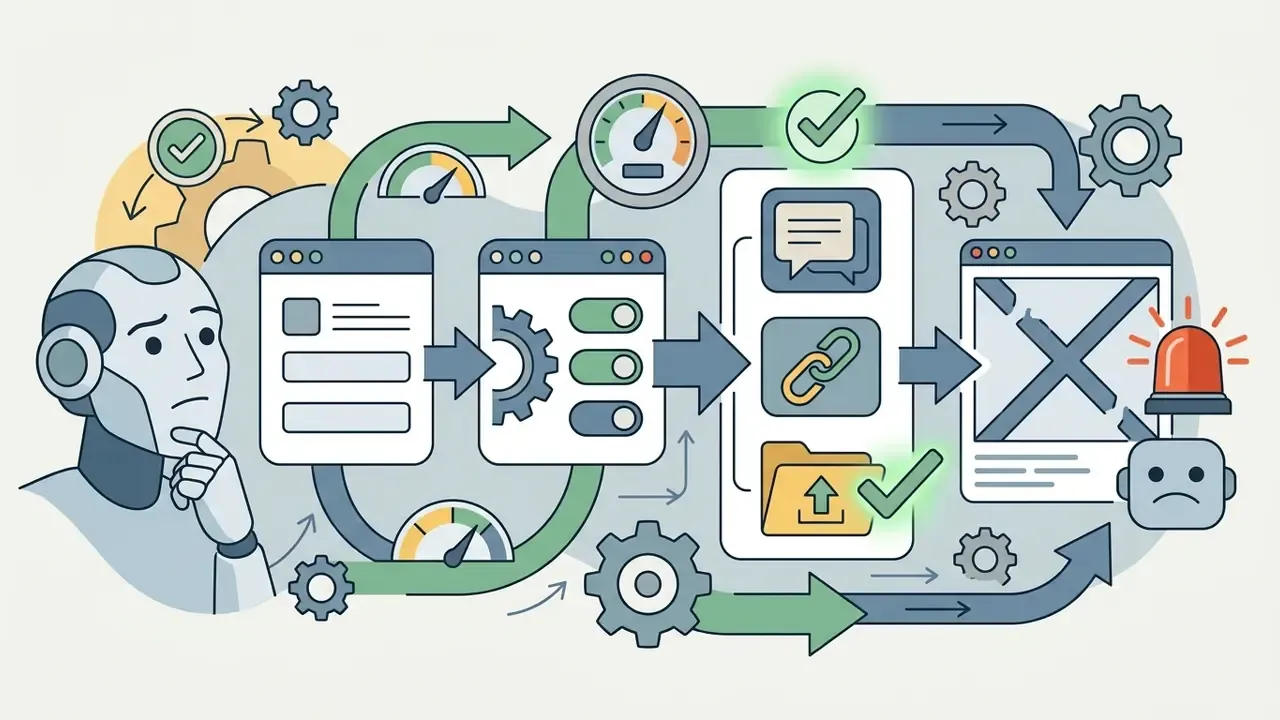
In two sentences: most failures are permission, scope or quota issues rather than model outages. Work through the six checks below in order before contacting vendor support.
If all six checks pass and the bot still fails, go to the community support channel of the bot's own server. Vendor communities usually surface active incidents faster than status pages do.
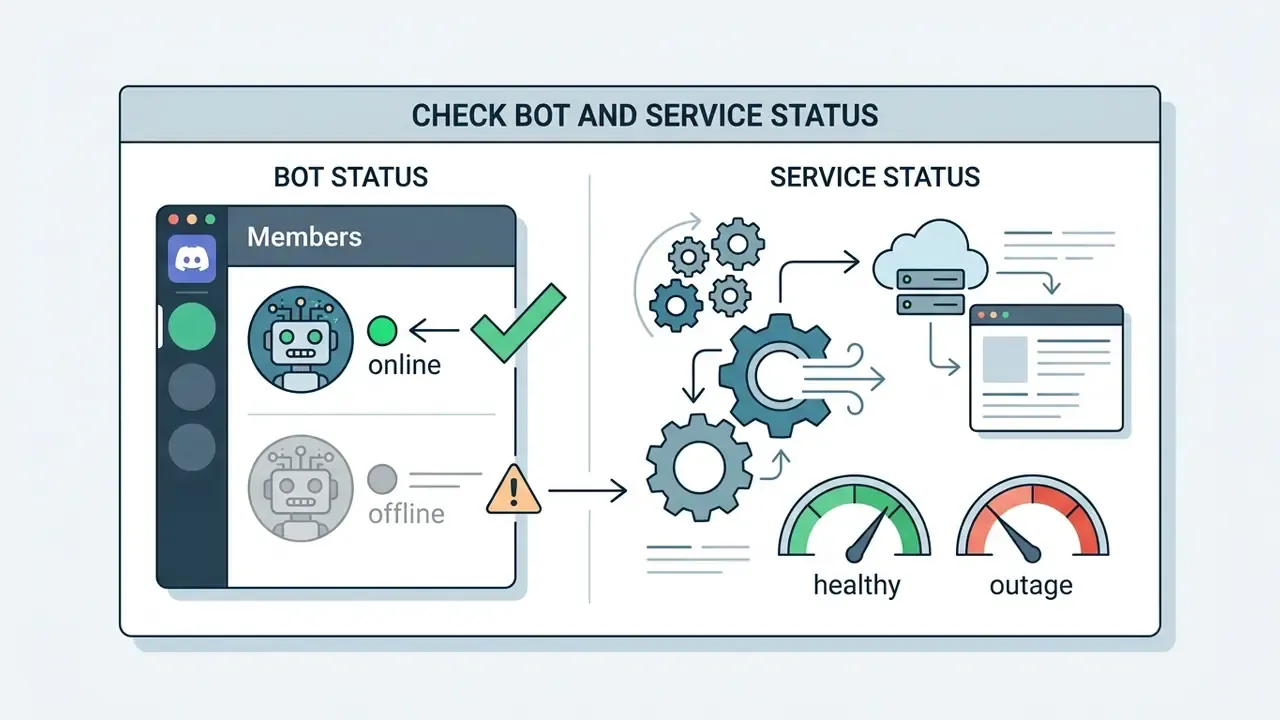
Send Messages, Embed Links and Attach Files. A missing attachment permission is the single most frequent cause of a bot that "accepts" a prompt and then returns nothing at all.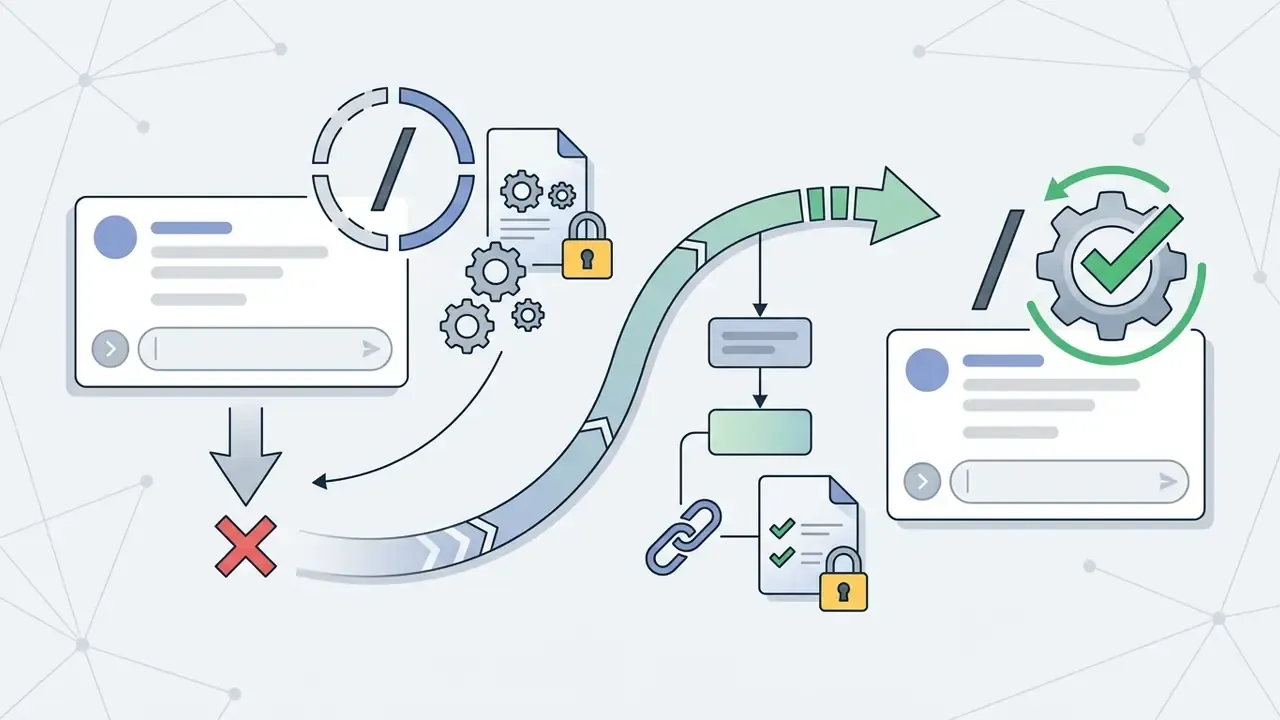
/ never surfaces /imagine, the bot was invited without the applications.commands OAuth2 scope. Re-invite it with a correctly scoped authorisation URL.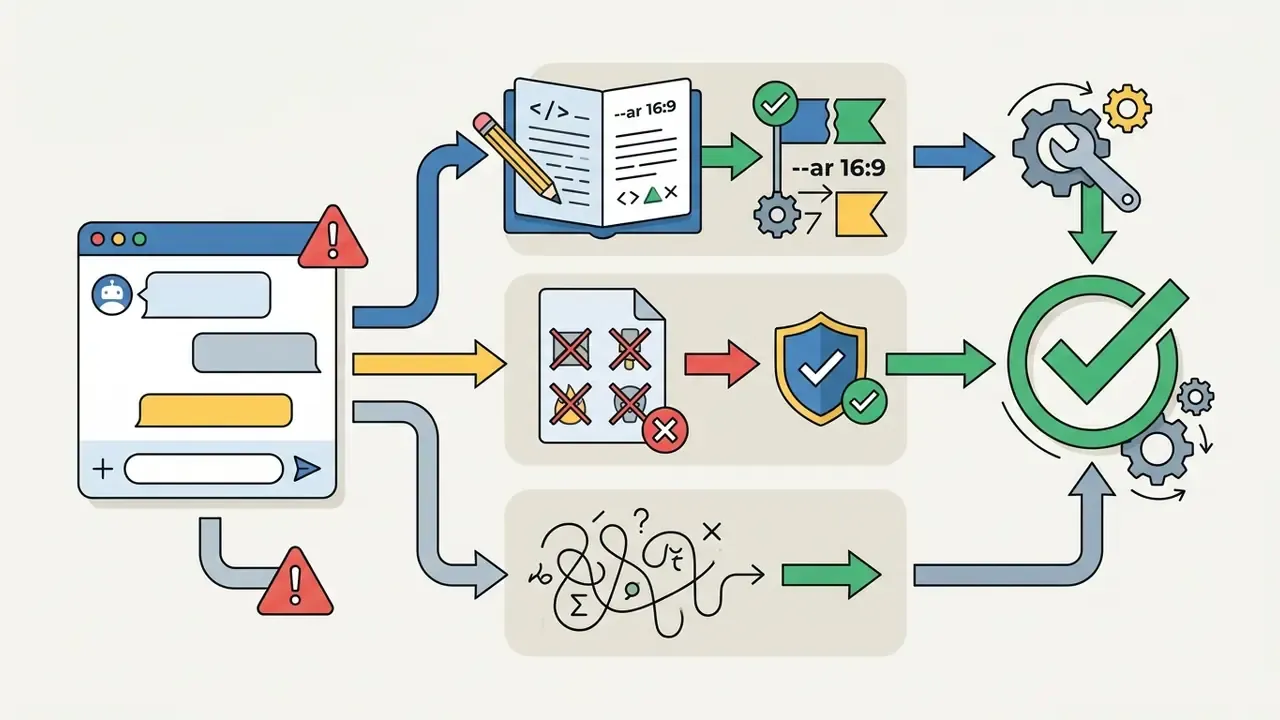
Invalid Parameter, inspect your flags: write --ar 16:9 with a space, not --ar16:9. Simplify overlong or ambiguous prompts, because complex requests confuse the parser and produce empty or unexpected results.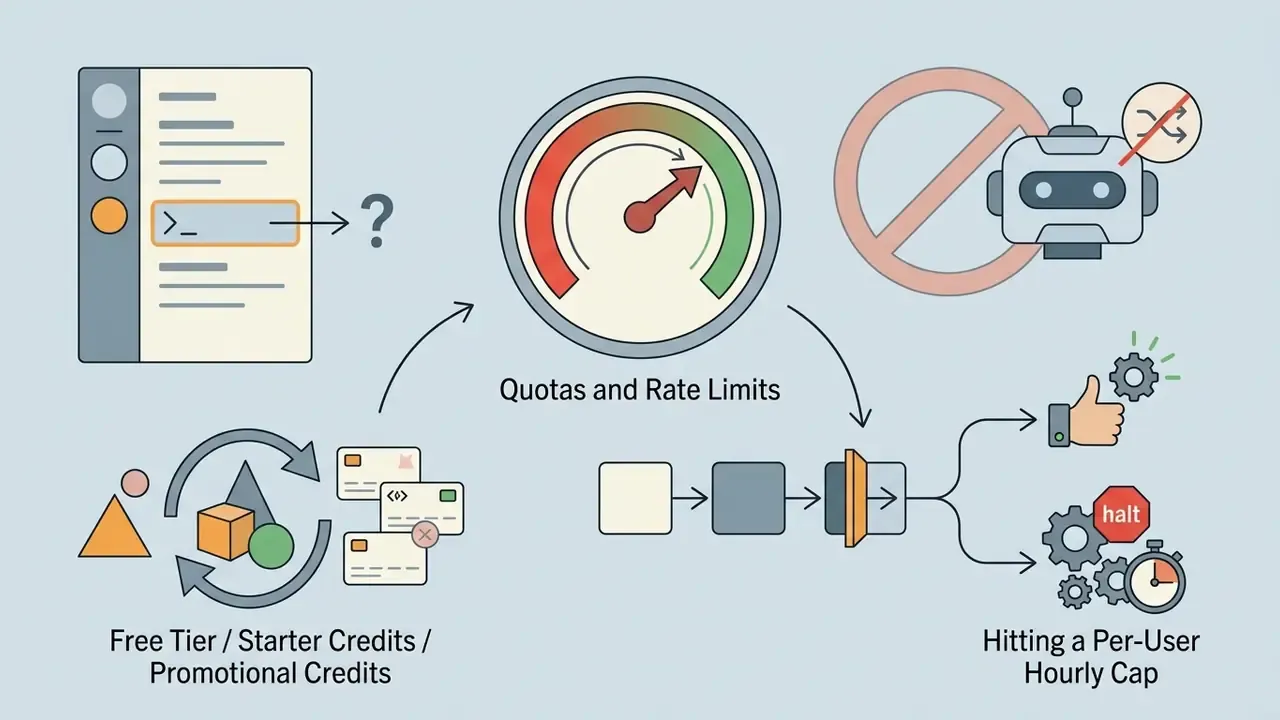
/info or /profile, and confirm you are not hitting a per-user hourly cap.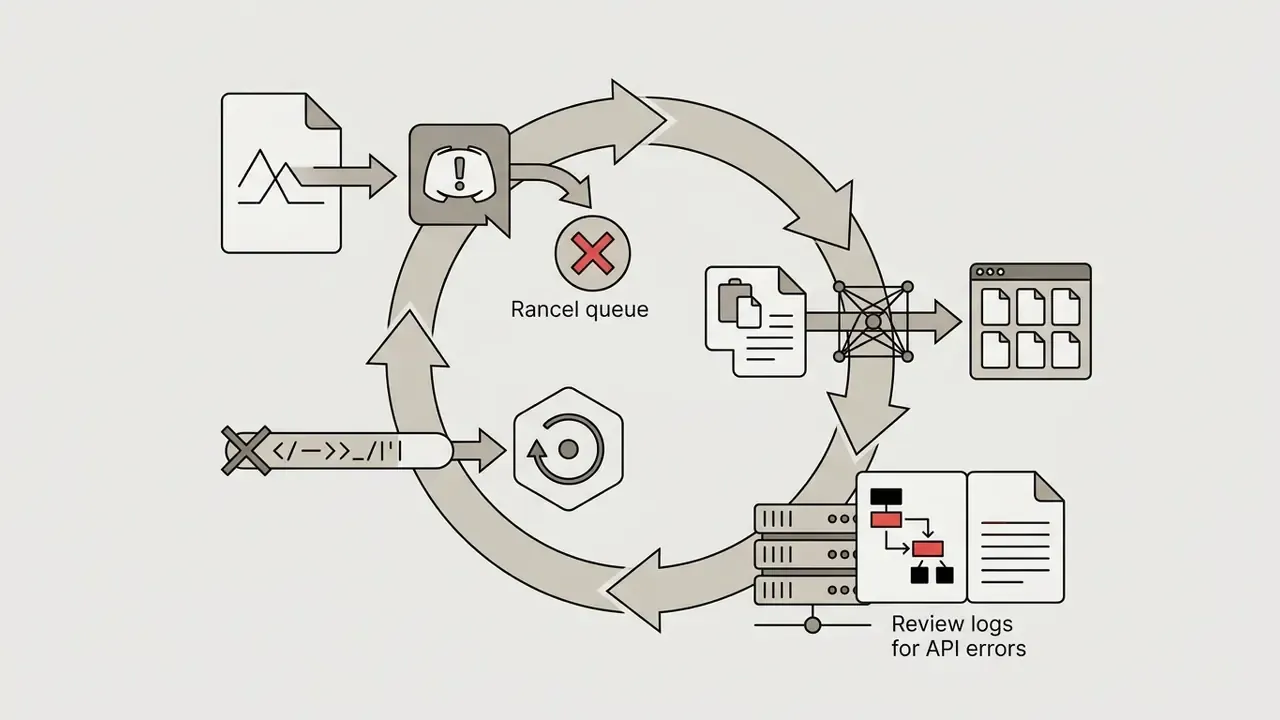
Can You Use Discord AI Generated Images in Commercial Projects
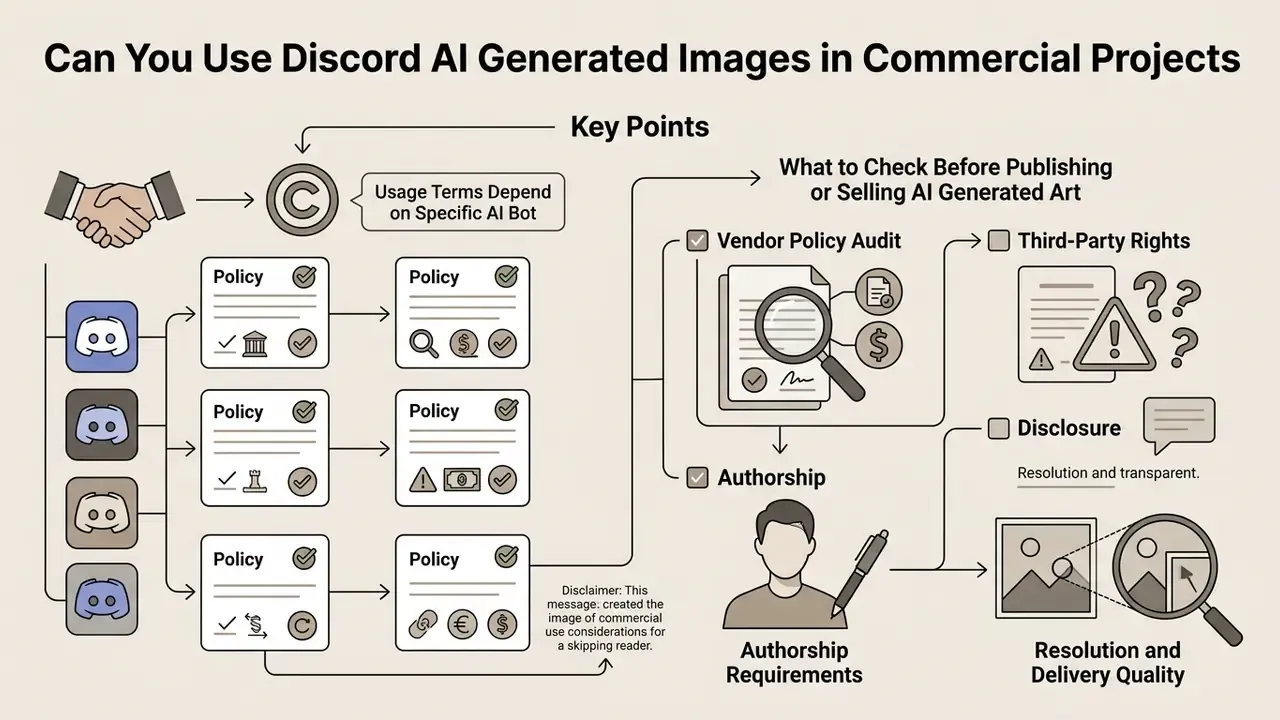
Deciding whether you can use ai generated media from Discord in a commercial product means evaluating two separate legal layers: the bot vendor's end-user licence agreement (EULA), and applicable intellectual property law on human authorship. They are not the same question, and clearing one does not clear the other.
Public understanding of how these systems work, and therefore of who authored the output, remains thin. That is itself a compliance risk when staff assume "the bot made it, so it's free to use":
«60% of surveyed participants (21 of 35) did not understand how generation systems work internally; many believed AI simply blends existing images.»
Why usage terms depend on the specific AI bot
What to check before publishing or selling AI generated art
Alert box: legal and regulatory warning
FAQ: Discord AI Image Generators
Can I create an AI picture in Discord without any design experience?
Yes. Producing an ai picture discord asset requires no manual illustration skill. The underlying diffusion models interpret natural language descriptions entered as chat commands and convert written concepts into rendered visuals. Midjourney's quick-start documentation reduces the whole workflow to four steps: join the server, open a newcomer channel, type /imagine, send a short description. Users then refine results by adjusting descriptive adjectives, style keywords and composition parameters inside the prompt. To review foundational terminology across creative platforms, readers can view the guide.
Is a Discord AI photo generator suitable for creating genuinely unique images?
Yes. An ai photo generator discord tool returns distinct outputs for every request. Because diffusion engines initialise from random noise seeds, identical prompts still produce structural variation, and Midjourney's /imagine returns four unique options per prompt by design. You can push uniqueness further with variance parameters (--chaos), combined image references, style references (--sref, including --sref random), or Remix during variation iterations. If you would rather test uniqueness without committing to a Discord account, compare free generators that require no sign-up.
Why is the bot online but not responding to /imagine?
Ranked by frequency: the bot lacks Attach Files or Embed Links permission in that channel; it was invited without the applications.commands scope, so the slash command never registered; the account's credits or rate limit are exhausted; or the prompt tripped a content filter. Work through the six-step troubleshooting sequence above before reinstalling anything.
Can I run my own Discord image bot instead of paying for a subscription?
Yes. A discord.py bot calling an SDXL or FLUX endpoint can be live in under an hour: register the application in the Discord Developer Portal, store the bot token and model API key as environment variables, install dependencies, run the process. Self-hosting removes subscription fees and keeps prompts inside infrastructure you control. It also transfers content moderation, uptime and retention responsibility to you, which is a real cost even when the invoice is zero.
Are there rate limits on Discord AI image bots?
Almost always. Free accounts typically get a small number of prompts per hour or day, while paid tiers unlock higher throughput and faster queues; Midjourney formalises this as Relax, Fast and Turbo modes. API-backed bots inherit the provider's token quotas, enforced per organisation tier rather than per Discord user, so one busy server can drain a shared key quickly.
How do ai pictures discord workflows fit an existing AI inventory?
Treat each ai pic generator discord bot as a named third-party AI system, not a chat plugin. Record the vendor entity, plan tier, data-retention statement, approved channels, business owner and removal procedure. Then decide, explicitly, whether the bot may process any internal data at all. Most organisations land on a narrow answer: public-facing creative prompts only, nothing client-identifying.
Can I sell images generated through a Discord bot?
Only if two conditions hold at once: the bot vendor's terms grant commercial rights for the plan you held at render time, and the asset carries enough documented human creative contribution to be defensible as your work. Discord's Terms of Service separately prohibit commercialising content or data obtained from its services without authorisation, so vendor permission does not override platform rules. Consult a lawyer before any high-value commercial release.
Navigation and related resources
- To evaluate overall commercial licensing frameworks, see the overview.
- To compare generators head to head, review the best AI art generators.
- For a comprehensive index of platform tools and workflows, see the overview.