Why should a governance-minded reader care about a 3D tool? Because the same questions apply here as in any model deployment: who owns the tool, what data leaves the perimeter, and can the output be reproduced for review.
Platforms, pricing tiers and licensing terms in this review were last checked in 2026. Vendor terms change monthly, so re-read the current Terms of Service before you buy a subscription.
What You Need to Know in 60 Seconds
- What it is.An AI STL generator is an ML pipeline that turns a text prompt or a 2D picture into real polygon geometry (vertices, edges, faces) and exports it as STL, GLB, OBJ, FBX, USDZ, DAE or BLEND.
- How fast.Feed-forward architectures reconstruct an asset in 11 to 180 seconds, against 2 to 3 days of manual modeling. Average cost per generation sits near $0.5, versus $50 to $200 per hour for a 3D artist.
- How many polygons.Working industry presets: Fast around 15K, Standard around 30K, Pro around 60K, Ultra up to 300K polygons, with octree resolution selected automatically between 196 and 512 and 20 to 50 inference steps.
- Two generation modes.Geometry-Only (clean topology for STL and retopology) and Textured Mesh (UV plus PBR maps for Unity, Unreal and web rendering). A separate 3D-to-3D mode handles remeshing and LOD.
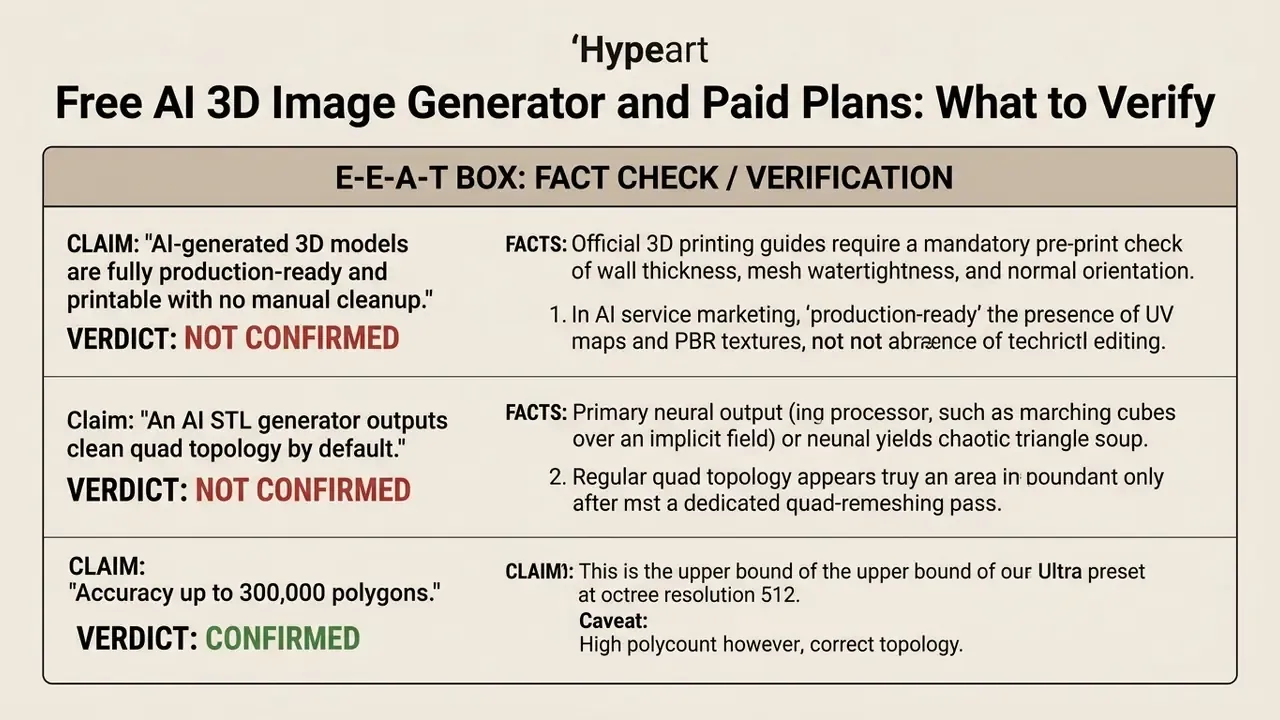
- "Production-ready" is not the same as "no cleanup".Neural output regularly contains non-manifold edges, inverted normals and thin walls. A pre-print check in Blender, MeshLab and your slicer stays mandatory.
- Business risk.Uploading someone else's 2D art creates derivative-work exposure under 17 U.S.C. § 106. Uploading your own CAD drawings into a public service creates Shadow AI and IP leakage exposure.
Who this guide is meant for. Two readers, honestly. The first is a designer or engineer who needs a printable file today and wants to know where the geometry breaks. The second is a risk, audit or procurement owner who has to approve that tool for a regulated environment. The technical sections serve the first reader; the control sections serve the second. Both should read the licensing part.
What an AI STL Generator Is and Which 3D Models It Produces
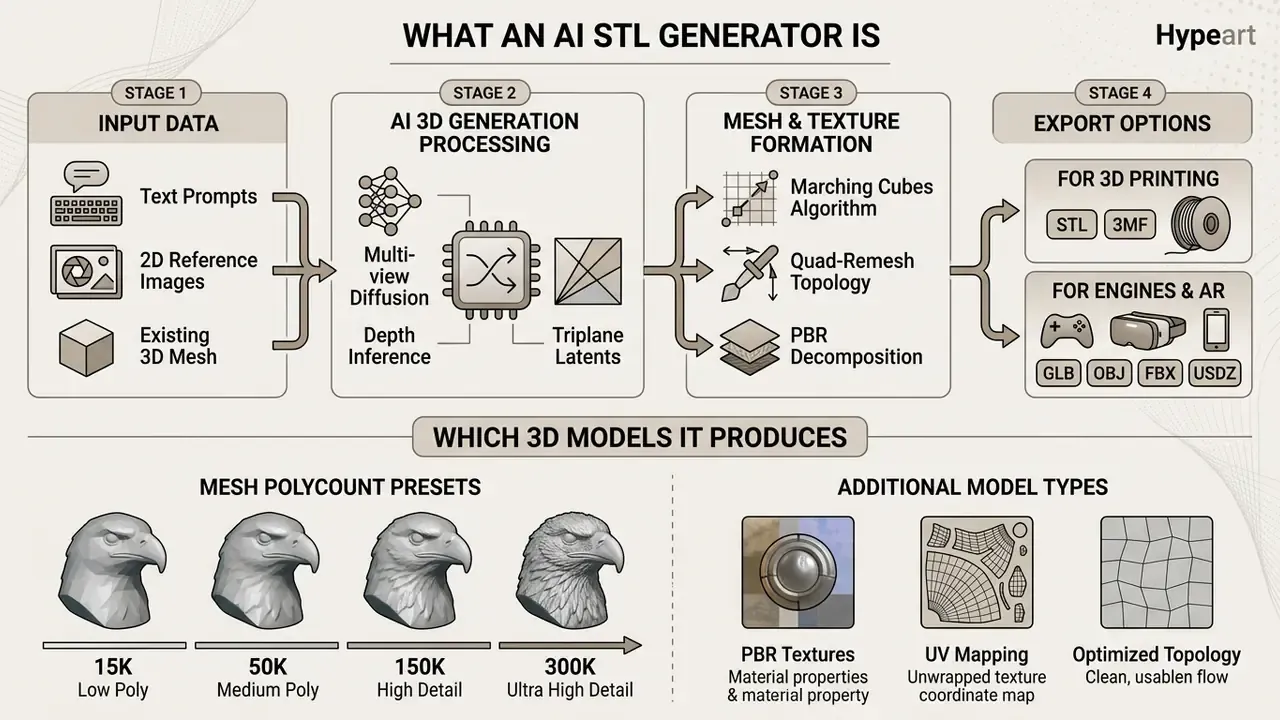
An AI STL generator is a specialized machine learning pipeline that transforms natural language text descriptions or flat images into 3D polygon meshes suitable for export as STL or glTF files. Unlike traditional raster image tools, an ai stl generator outputs true spatial geometry composed of vertices, edges, and triangular faces.
Terminology deserves a fixed definition first, because vendor marketing blurs it. A raw mesh is geometry only: vertices, edges, faces. A textured 3D model is that same mesh plus UV coordinates and material maps. A printable solid is closed, watertight geometry with correctly oriented normals that a slicer can process. Three different readiness levels. One does not imply the next.
Text-to-3D: Generating a 3D Model From a Written Description
Text-to-3D technology creates volumetric geometry directly from a natural language text prompt using score distillation sampling or feed-forward generative networks. When a user inputs text descriptions, the 3d model generator converts the semantic tokens into a 3D implicit field or Gaussian representation, which is then meshed into a detailed 3d model.
To generate 3d ai art or mechanical concepts, advanced systems decouple geometry generation from material assignment. That separation lets operators generate 3d mesh representations with structured topology before any surface shader is applied.
"CLAY is trained on an ultra-large 3D model dataset and holds roughly 1.5 billion parameters, separating geometry generation from material assignment."
The practical prompting lesson: controllable pipelines split the request into a geometry prompt and a style prompt. A coarse shape is built first, then style refines texture and surface. That is why "tactical helmet, hard-surface, thick walls" behaves more predictably than "cool futuristic helmet", where style tokens start deforming the shape itself.
Image-to-3D: Turning a 2D Image Into Volumetric Geometry
Image-to-3D pipelines reconstruct spatial volume from a single image or from several uploaded images using monocular computer vision algorithms. The system reads lighting, perspective cues and edge boundaries to infer depth maps and surface normals, turning a 2d image into a watertight 3d asset. If the input picture still has to be created, pick a tool among AI image generators first, then move to 3D conversion.
The ai image features are back-projected into triplane representations, letting the model generator synthesize missing back-side geometry automatically. That synthesized rear side remains the main source of error.
"Cyc3D shows that even the strongest image-to-3D models score below 48 on cyclic structural stability, which indicates instability when the viewpoint changes."
Generation Modes: Geometry-Only, Textured Mesh, and 3D-to-3D
Before launching a job the operator picks one of three modes. That choice decides how much manual work is left afterwards.
- Geometry-Only (clean topology).Diffusion-based PBR map computation is switched off and the compute budget goes to watertightness and normal correctness. Best for STL export, 3D printing, CAD validation and manual retopology.
- Textured Mesh (UV plus PBR maps).UV coordinates are generated and base maps are baked: base color, roughness, metalness, normal, height. Aimed at game development, AR and product visualization.
- 3D-to-3D (retopology and optimization).An existing low-poly or irregular mesh goes in; the model rebuilds face structure, aligns edge flow and generates LOD levels without regenerating the shape from scratch.
How to Choose an AI 3D Model Generator for Work and Commercial Projects
Selecting an ai 3d model platform requires evaluating reconstruction speed, topology quality, export versatility, licensing structure and, for enterprise adoption, the data residency mode. Commercial adoption hinges on repeatable output quality and predictable operating cost.
| Platform / Tool | Supported inputs | Export formats | PBR textures | Commercial rights | Data and privacy | Free tier limits |
|---|---|---|---|---|---|---|
| Meshy AI | Text, Image | GLB, OBJ, STL, FBX, 3MF, USDZ, BLEND | Yes (PBR) | Yes (CC BY 4.0 on Free, full rights on Paid) | Private assets on paid plans; on Free the output is public under CC BY 4.0 terms | 100 credits per month, roughly 10 downloads per month |
| Tripo AI | Text, Image | GLB, OBJ, FBX, STL, USD, 3MF | Yes (PBR) | Requires a paid plan | Asset privacy is a paid-tier feature; check the ToS on training use | Limited credits, baseline quality |
| Rodin 3D | Text, Image | GLB, OBJ, STL, FBX, USDZ | Yes (full map sets) | Yes, on paid subscriptions | Free plan includes a small number of private assets (around 10) | Private asset cap, watermarks |
| Hunyuan3D 2.1 | Text, Image | GLB, OBJ, PLY | Yes (PBR) | Open source, review the licence text | Self-host or on-premise: data never leaves company infrastructure | Depends on your hosting and local compute |
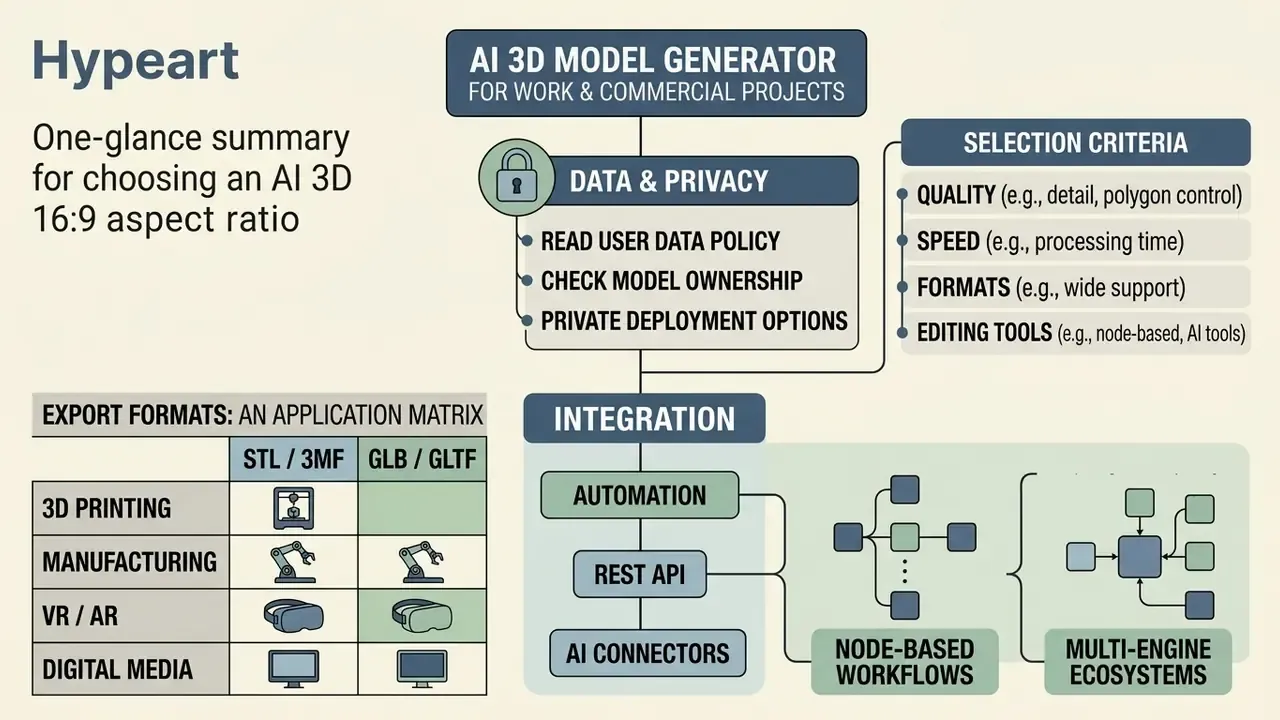
How to read the "Data and privacy" column. For an enterprise pilot this is the first filter, not the last one. If a service offers no private generation queues, no contractual opt-out from training on user data and no clear deletion policy, then every drawing and product photo in a prompt has left your perimeter. Open-weights models such as Hunyuan3D stay the only realistic option when full self-hosting is required. Where requirements include SOC 2, a GDPR DPA or regional data residency, request the documents from the vendor directly. Public landing pages almost never carry that detail.
Selection Criteria: Quality, Speed, Formats, Editing Tools
When assessing a 3d cad model ai generator, enterprise teams must evaluate native glb obj export, automatic quad-remeshing and built-in texture editing. It also pays to compare input preparation tools in advance, for example from this roundup of the best AI image generators, because reference quality caps mesh quality. Production pipelines demand low latency, ideally under 60 seconds per asset, plus a documented API.
"MATE-3D collected 107,520 annotations across 1,280 textured meshes: models with high CLIP similarity often lag on geometry quality and texture realism."
Procurement takeaway: never choose a generator from a single demo render. Score semantic alignment, geometry quality and texture realism separately. Those three axes diverge, and vendors show you whichever one flatters them.
Automation through REST API and AI connectors. Industrial pipelines need generation on demand, called from a PLM system, a Blender plugin or an internal service. A standard REST request to a generative endpoint looks like this:
curl -X POST https://api.generator3d.ai/v1/generation/text-to-3d \
  -H "Authorization: Bearer YOUR_API_KEY" \
  -H "Content-Type: application/json" \
  -d '{
    "prompt": "tactical helmet, watertight, high poly",
    "art_style": "realistic",
    "topology": "quad",
    "target_polycount": 60000,
    "texture": false,
    "export_format": "stl",
    "seed": 128341
  }'
Two parameters get forgotten most often. topology: "quad" matters, otherwise you receive chaotic triangulation straight out of marching cubes. And seed matters even more: without a fixed seed the generation is not reproducible, so it fails audit. A separate class of integrations is the LLM assistant connector, which lets you call 3D generation inside a ChatGPT or Claude interface, view the result in chat, and find the finished asset in a dashboard without installing local libraries.
Node-based workflows. Advanced platforms support visual node canvases. They chain batch 2D reference generation, background cleanup, 3D conversion, quad-remeshing and preview rendering into one reusable graph, with no manual file shuffling in between. For teams that is also a standardization tool: one agreed graph instead of ten personal habits.
Multi-engine ecosystems. Through 2025 and 2026 the market shifted from single models to aggregator platforms. One account exposes both in-house engines (say, Prism 3 for maximum fidelity, Prism Turbo and Forge Sketch for fast iteration, NewSeed3D for specific styles) and third-party ones: Meshy, Tripo, Rodin, Hunyuan. Switching engines per generation reduces vendor lock-in. The same task runs through two or three backends, and you keep the best mesh.
Export Formats: An Application Matrix
The file extension decides what actually travels downstream: geometry only, geometry with materials, or a full scene with animation.
- STL / 3MF carry geometry only, no textures or color, for print slicers such as Cura, PrusaSlicer and Bambu Studio. 3MF additionally carries units and metadata.
- GLB / GLTF is the binary glTF 2.0 container: geometry, PBR materials, textures and animation in one file. Ideal for web interactivity (Three.js), AR viewing and quick import into Unity and Unreal.
- OBJ plus MTL is the universal mesh interchange for moving geometry and basic materials between CAD and DCC software; materials live in a separate
.mtlfile. - FBX targets game engines (Unreal Engine, Unity) with skeletal animation, rigging and bone hierarchies.
- USDZ is Apple's native AR Quick Look format for iOS and visionOS.
- BLEND is the native Blender project file with the modifier stack and scene history preserved.
- DAE (Collada) is an open interchange format for interactive 3D data, still useful in legacy and educational pipelines.
- PLY is common for point clouds and intermediate reconstruction results.
Free AI 3D Image Generator and Paid Plans: What to Verify
Using a 3d image generator ai free or 3d image creator free tier allows initial capability testing, but free tiers usually restrict daily credit allocations, resolution and commercial export privileges. A 3d image creator online free plan is fine for silhouette checks and nothing more. Paid subscription tiers introduce private asset queues, higher polycount caps, organized asset libraries and dedicated support team assistance.
"GT23D-Bench evaluated eight leading models on a 400,000-asset dataset: all systems show weaknesses in precise geometry and multi-object scenes."
A free-tier checklist that saves pilot money: (1) how many credits per month, and how many credits one full textured generation costs; (2) whether there is a separate download cap, not just a generation cap; (3) whether the top engine is downloadable on the free plan or preview-only; (4) whether a watermark is applied; (5) which licence covers free output; (6) whether unused credits expire at the next billing cycle. Six questions, five minutes, and you avoid a surprise at invoice time.
How to Convert 2D Art Into a 3D Model With AI
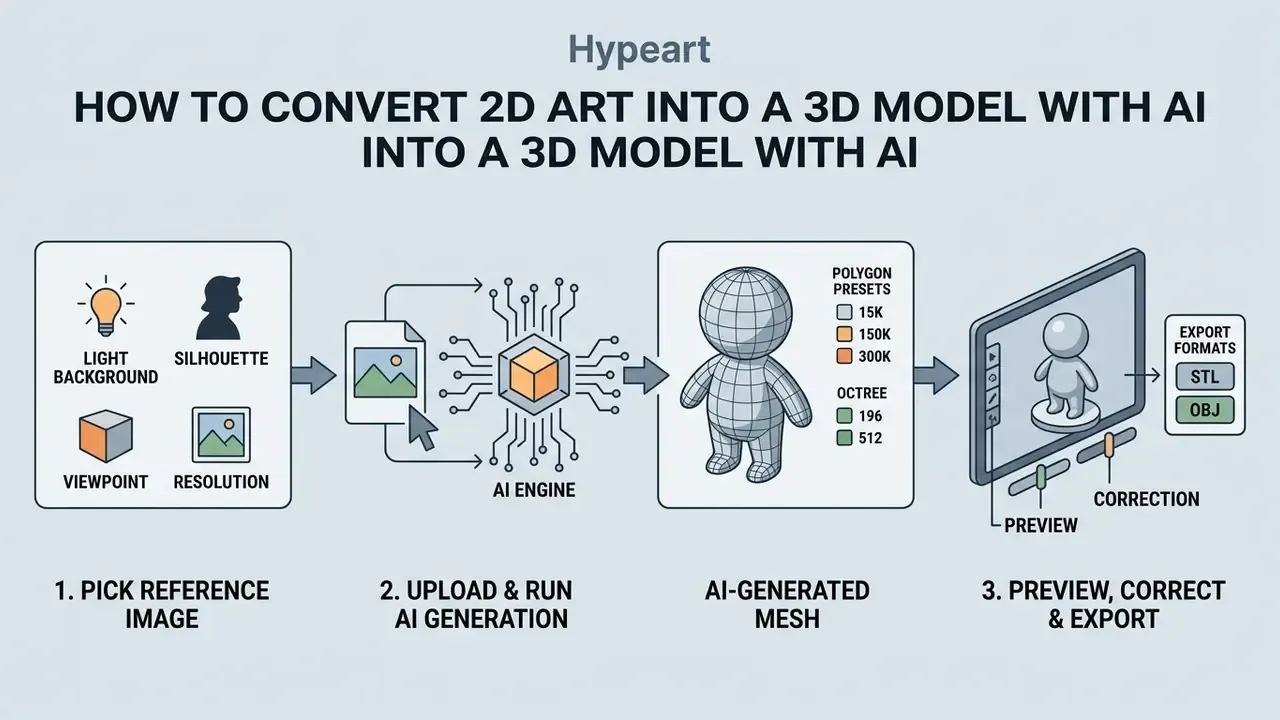
Converting 2D artwork or product sketches into usable 3D models requires structured input preparation, automated mesh reconstruction and post-generation topology review. A 2d art to 3d model ai workflow lets design teams convert images into production-ready assets without manual CAD drafting.
To speed up enterprise testing of generative visual pipelines, teams often lean on decision frameworks such as Hypeart AI Media Decision Support or comparative breakdowns like this review of the best AI art generators, so that model capability is understood before any budget is committed. Recent ai image editing coverage is also worth a skim, since 2D tooling changes faster than 3D tooling.
How to Pick a Reference Image for Accurate 3D Conversion
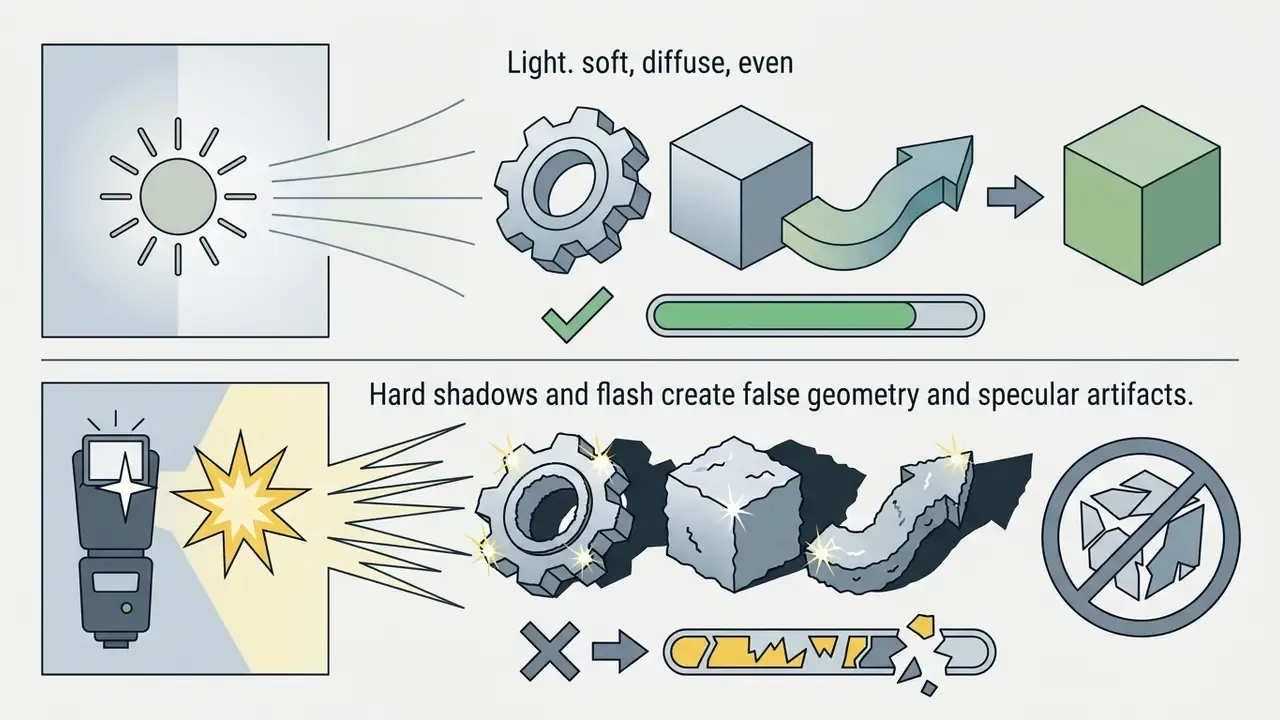
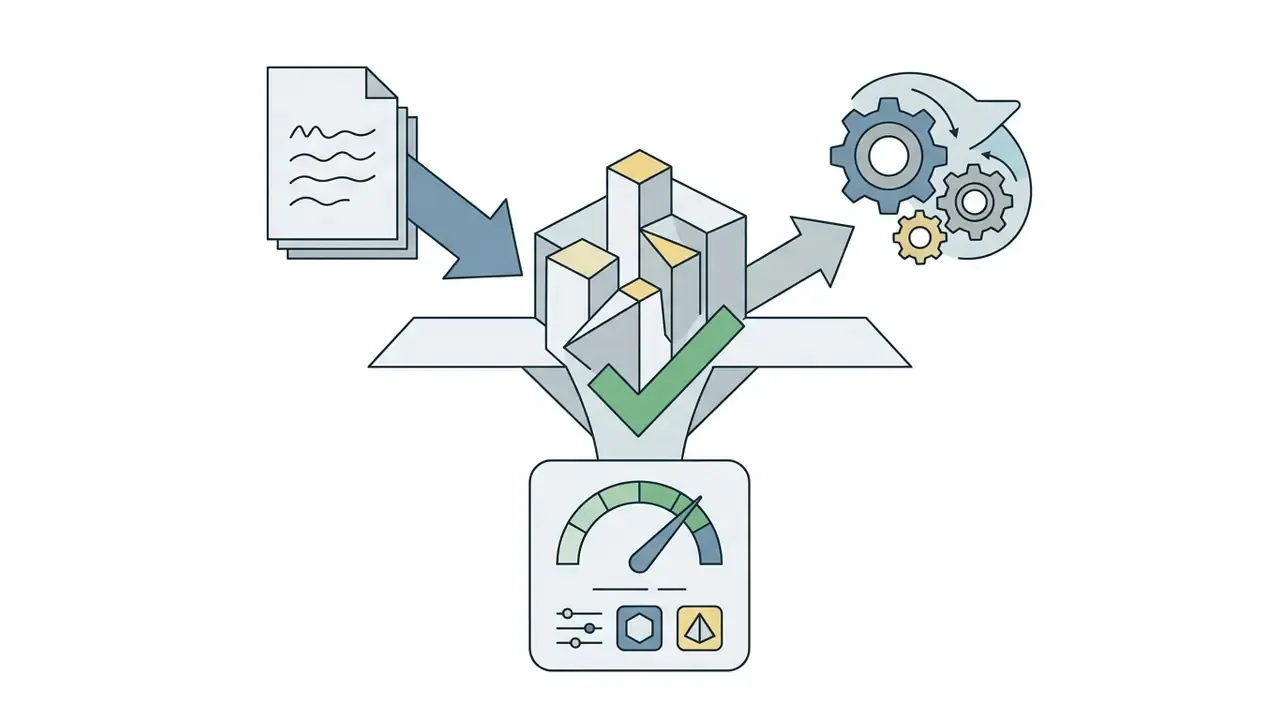

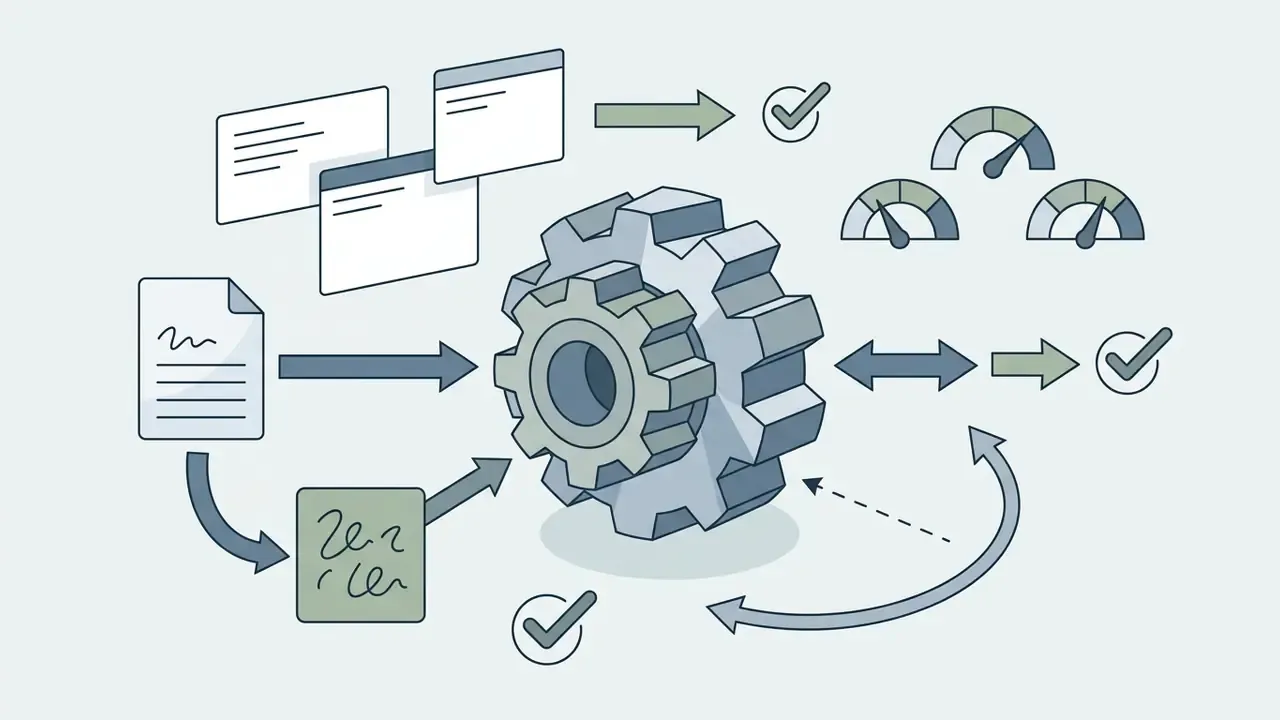
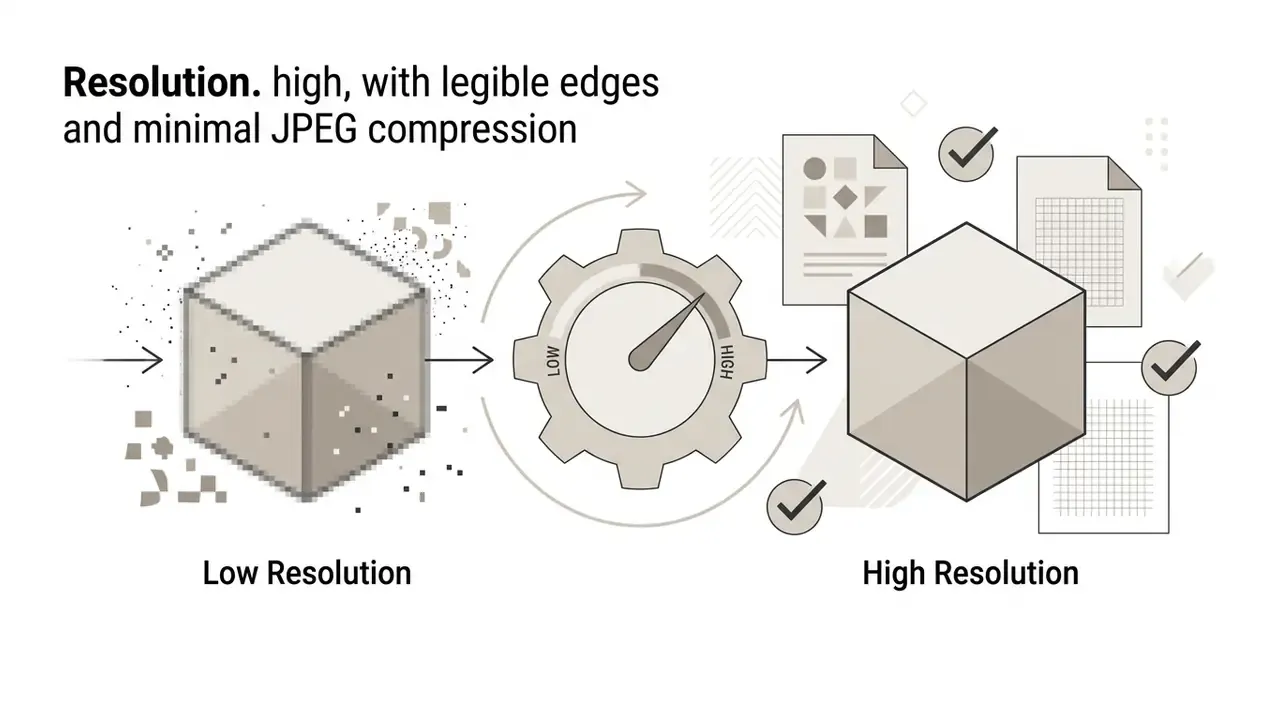
Optimal visual inputs use a full-subject frontal or three-quarter view. When uploading product concept art, removing background elements with an ai image editor as a pre-process improves silhouette extraction and reduces non-manifold mesh artifacts. A free, no-account ai image editor is usually enough for that single cleanup step, as long as the source file is not confidential.
Uploading the Image and Running AI 3D Generation
Once the input file (jpg png) is uploaded, the 2d to 3d ai generator pushes image pixels through vision encoders to establish multi-view spatial predictions. Many web platforms offer one click creation interfaces that start feed-forward neural reconstruction in seconds. Support for common image formats varies, so check WebP and HEIC handling before batch work.
"Hunyuan3D generates multi-view RGB images in roughly 4 seconds and reconstructs the 3D asset in about 7 more, so around 11 seconds per object."
In practice, quoted model speed and time-to-usable-asset are different numbers. Fast engines finish in under 90 seconds, while maximum quality with detailed geometry and textures takes 2 to 4 minutes. Then inspection is added on top. Even with feed-forward reconstruction, the operator has to run diagnostics before export. So the working rule is not "press the button" but a loop: prepare the reference, generate with a fixed seed, auto-repair and quad-remesh, inspect, export. Log all four steps, or reproducing the result a month later becomes impossible.
Preview, Correction, and Export of the Finished Model
After reconstruction completes, the platform renders an interactive 3D preview for rotation, zoom and wireframe inspection. Users can verify surface continuity before choosing export formats such as glb obj or STL. Some viewers (Preview3D nodes in node-based environments, for instance) handle .gltf, .glb, .obj, .fbx and .stl in one interface, which spares you from opening Blender just to check a silhouette.
step-by-step 2D to 3D conversion
Checklist0 / 8
If the generated mesh shows open seams or inverted normals, operators can clarify the source picture with an ai image editor with prompt, rerun generation with a different seed, or apply quad-remeshing before export. Usually one of those three fixes is enough.
AI 3D Model Quality: Geometry, Textures, and Print Readiness
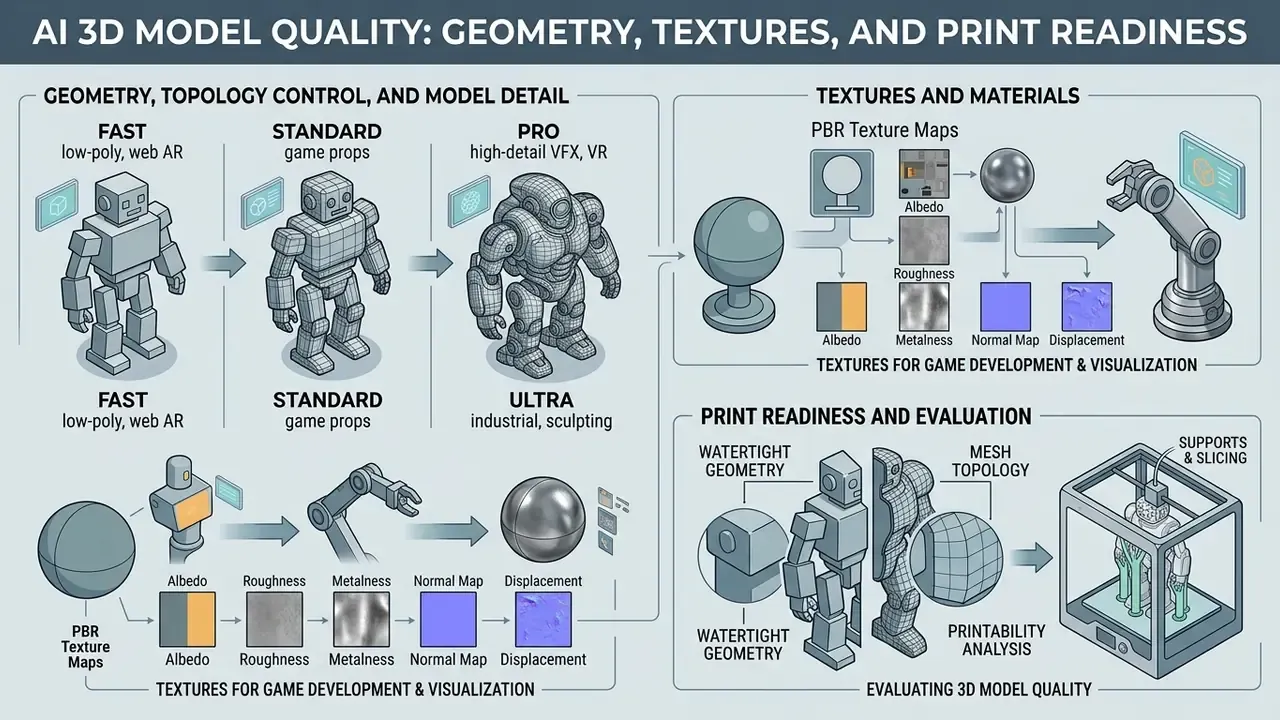
Evaluating quality 3d models means analyzing mesh topology, watertight geometry and physically based rendering (PBR) texture maps. AI generators excel at producing visual concepts quickly, yet physical manufacturing and game engines impose strict technical standards. Three control loops stay independent: clean topology serves deformation and shading, PBR maps serve physically correct rendering, and watertight geometry serves printing only.
Geometry, Topology Control, and Model Detail
Raw neural output meshes often feature dense, unstructured triangle distribution with floating vertices or non-manifold edges. Producing high quality 3d models for technical applications requires quad-remeshing and topology control to optimize polygon count and edge flow.
When configuring an AI 3D generator, the operator picks one of four detail tiers, depending on the target pipeline:
- Fast (low-poly, web AR) around 15,000 polygons, octree resolution 196, 20 inference steps. Best for mobile, Three.js and quick concept iteration.
- Standard (game props) around 30,000 polygons, octree 256, 30 steps. Fits background environment and secondary props in Unity or Unreal.
- Pro (high-detail VFX, VR) around 60,000 polygons, octree 384, 40 steps. For hero game assets. VR developers report this preset as the best balance of detail and realtime performance.
- Ultra (industrial, sculpting) up to 300,000 polygons, octree 512, 50 steps. Intended for baking height and normal maps, plus high-accuracy 3D printing.
"3D-Adapter reaches 20.34 dB PSNR, 0.840 SSIM and 0.933 CLIP similarity while reconstructing a mesh in roughly 35 seconds, keeping multi-view diffusion geometrically consistent."
Feed-forward research confirms another practical point: triplane latent representations yield cleaner geometry than unstructured point clouds. MeshGen, for example, generates PBR-textured meshes in about 30 seconds from one image and outperforms earlier methods on both shape and texture quality (Anonymous, "MeshGen: Generating PBR Textured Mesh with Render-Enhanced Auto-Encoder", arXiv preprint, 2025). Quad-remeshing, though, remains academically unsolved. Preserving geometry while producing a regular, feature-aligned quad grid is hard, especially when the input mesh is irregular. So post-processing tools stay necessary to clean interior faces before files reach slicing software.
Textures and Materials for Game Development and Visualization
For digital applications such as game development, assets need pbr textures: base color, roughness, metallic and normal maps, so that surfaces react to light believably. Advanced AI generators use multi-view material decomposition to project UV-mapped textures onto the reconstructed mesh. Geometric condition maps are rendered from several viewpoints, pixel-aligned textures are synthesized, then back-projected and aggregated in UV space with upscaling and hole filling.
When importing assets into unity unreal or other game engines, artists consolidate pbr materials to keep draw calls down. The production rule of thumb: reduce an AI asset to one merged PBR material with a baked normal map and a texture atlas, so material slots stay few.
"According to 3D Arena data (123,243 votes from 8,096 users), textured models gain a 144.1 Elo advantage over untextured ones in quality judgements."
Comprehensive breakdowns of asset pipelines and software compatibility are available when creators open the hub or see the overview of modern digital design and 3d image creation tools.
Traditional 3D Modeling Versus an AI STL Generator: Time, Cost, ROI
Before picking a use case, look at the economics. Below is a summary of the parameters that appear most often in vendor reports and studio case notes.
| Comparison parameter | Traditional CAD / 3D modeling | AI STL / 3D generator |
|---|---|---|
| Time to create an asset | 2 to 3 days, from splines to UV unwrap | 1 to 3 minutes of automated inference |
| Development cost | $50 to $200 per artist hour, $200 and up per model | About $0.50 per model on a credit system |
| Entry barrier / skills | High: Blender, Maya, ZBrush, CAD, months of practice | Near zero: a text prompt or a 2D photo |
| Result stability | Depends on the individual's craft | Mesh assembly is technically reliable, but shape quality varies by prompt |
| Variation flexibility | Topology rework is laborious | Instant recompute from a new prompt or seed |
| Parallelism | Limited by headcount | Limited only by credits and queue caps |
Honest ROI, however, is not measured on the "generation time" line. Total cost of ownership includes cleanup:
Model_TCO = (subscription cost / number of usable generations) + (mesh cleanup time x 3D engineer rate) + review and logging time
Worked example for a game prop: $0.5 for generation, plus 40 minutes of retopology and normal fixes at a $45 hourly rate (about $30), plus 10 minutes of review (about $7.5). Total near $38, against $200 or more for a manual model. Savings hold, but the factor is roughly 5x, not 400x. For an industrial part with internal cavities the ratio can collapse entirely: bringing generated geometry to CAD tolerance sometimes takes longer than modeling from scratch. Hence the deployment rule. Use AI generation where iterative form is acceptable, meaning concepts, props, collectible figures and visualization. Be careful where dimensional accuracy and functional mating surfaces are required.
One caveat on the numbers above. They come from vendor pricing pages and practitioner reports, not from a controlled study, so treat them as working estimates and re-measure on your own first ten assets.
Where to Use AI-Generated STL and 3D Assets
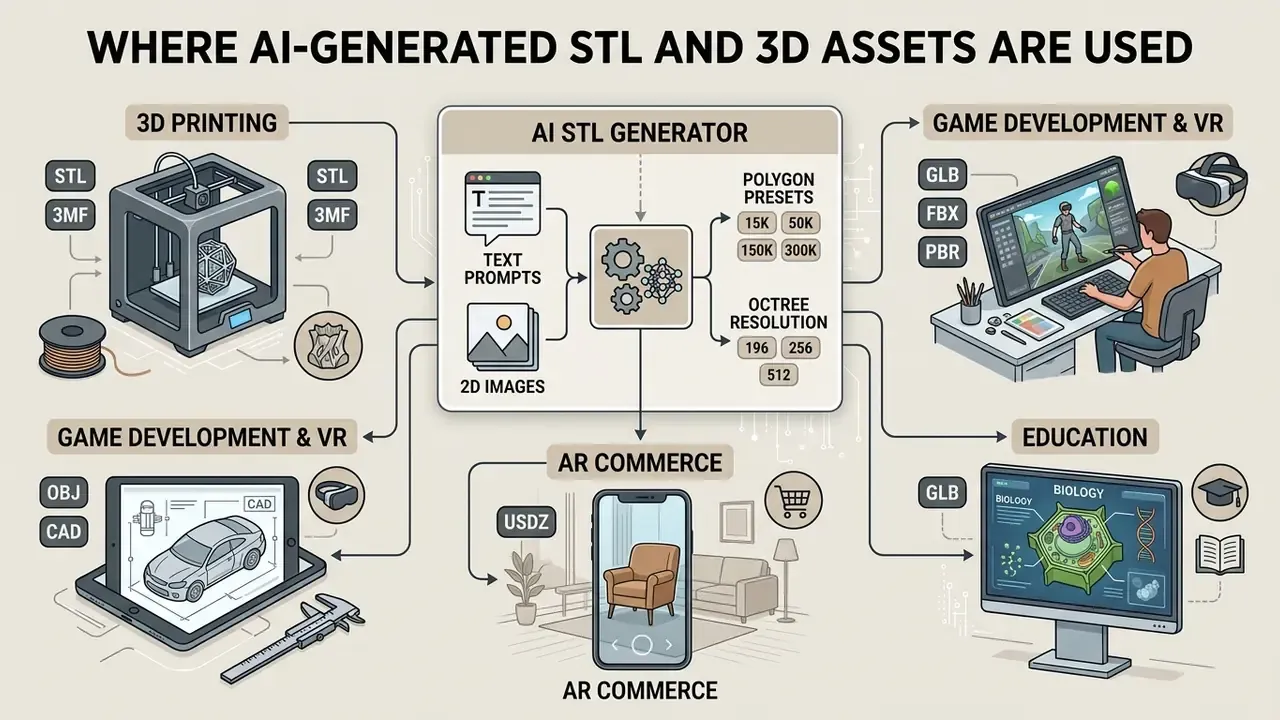
AI-generated 3D assets serve rapid prototyping, digital entertainment, product concepting and spatial visualization. Identifying the target deployment environment determines whether geometry-only STL files or textured GLB models are required.
3D Printing, Figures, and Rapid Prototyping
In 3d printing and additive manufacturing, a 3d figure ai generator produces printable STL files for fast physical validation. For successful slicing the polygon mesh must be fully closed (watertight), with no holes, self-intersections or zero-thickness walls. The slicer has to compute a solid internal volume, and a single open face breaks that computation.
Published preparation guides converge on similar minimum wall thickness figures: a practical floor near 1.0 mm for FDM (some supported features tolerate less, around 0.4 to 0.8 mm) and 0.5 to 1.0 mm for photopolymer SLA, while industry STL guides quote 0.7 to 1.2 mm for FDM. Those reference points are echoed by university handouts (University of Auckland, 3D Printing Guidelines, 2016) and by more recent STL preparation guidance (European Commission, additive manufacturing guidance, 2026), which explicitly demands a "perfectly closed, watertight" triangulated mesh with no holes or gaps. Operators using a 2d to 3d image converter ai free tool must run mesh diagnostics in Blender or MeshLab before sending jobs to print hardware.
"Cyc3D records that even the best systems stay below 48 on the cyclic stability index, meaning a real risk of structural anomalies in 3D printing without manual review."
Remember the limit of the format itself. STL describes only a surface triangulation and, per ISO/ASTM 52915, carries no color, texture, material or internal structure data. AMF and 3MF exist for that. So a colored figure for multi-material printing belongs in 3MF, not STL.
Games, Unity Unreal, and Production-Ready Assets
In game asset pipelines a 3d asset ai generator lets an indie developer or a working 3d artist prototype environment props and character meshes quickly. Generated assets then enter LOD hierarchies to protect realtime rendering performance. A common production progression runs near 100%, 50%, 25% and 12% of triangles across levels, and Unity documentation notes that LOD reduces not only polygons but also material count and Mesh Renderer components.
Verification of synthetic assets before they enter a build is a standard step. Teams run an ai image detector to check the provenance of textures and references, and compare their process against templates when they browse the hub.
For VR the Pro preset (around 60K polygons) matters most: enough detail while frame rate stays stable. Ultra meshes almost always need decimation before import into a realtime engine.
Product Design, E-Commerce, and AR Visualization
The third large cluster is visual commerce. Product photos become interactive 3D product cards (GLB for web, USDZ for Apple AR Quick Look), showing an item from any angle without a photo studio. Geometry requirements here are softer than in printing: silhouette, proportion and PBR map quality matter, watertightness does not. In interior design and previsualization, AI assets act as rough furniture for quick layout checks. In education they work as interactive models that make complex objects easier to explain.
Enterprise Control: Shadow AI, Data Governance, and a Generation Audit Trail
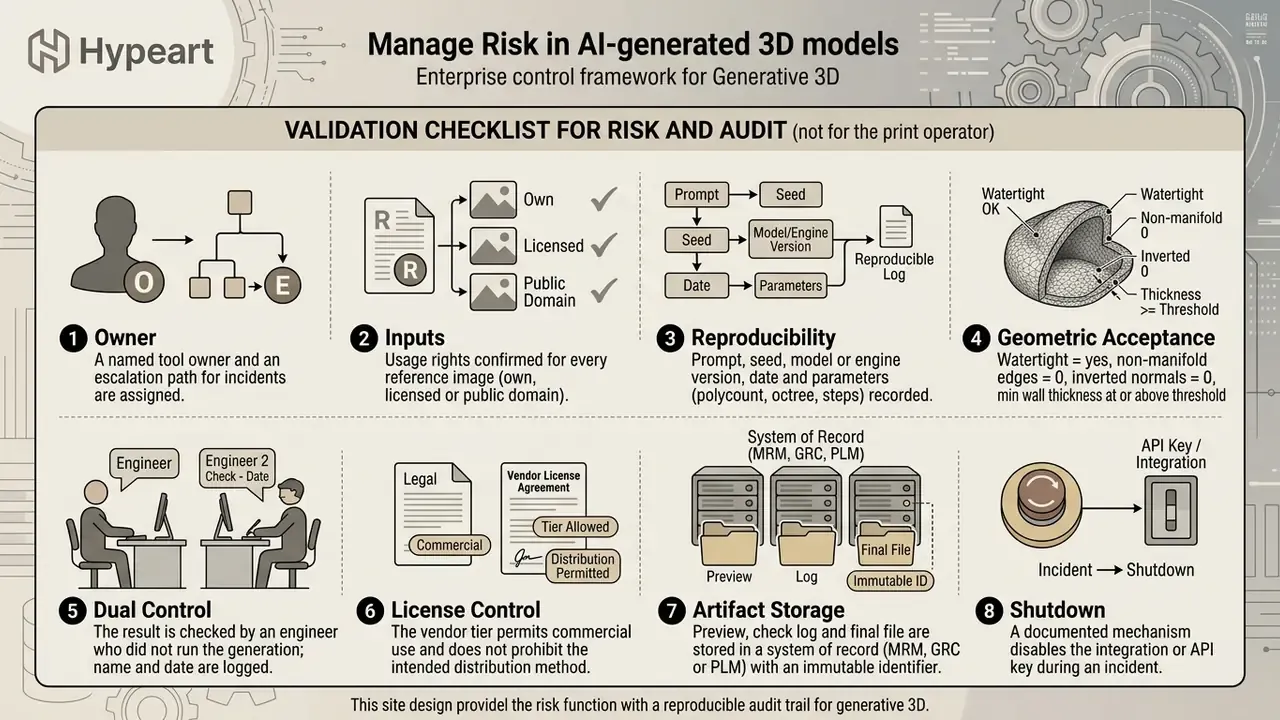
The most common incident in AI 3D adoption is not bad geometry. It is Shadow AI: an engineer uploads a confidential 2D drawing, a patent diagram or an unannounced product render into a free public service, just to "see how it looks in 3D". Formally that is an outbound transfer of trade secrets to a third party, frequently with a licence for the service to use the upload for model improvement.
Minimum control set:
- Approved tool register. One or two vendors with a signed DPA and a contractual opt-out from training on user data. Everything else is blocked at the corporate network level.
- DLP rules on upload. Block file transfer from protected CAD and PLM repositories into generator web forms; monitor attempts by file type and confidentiality label.
- Perimeter separation. Public services handle non-sensitive concepts and external references only. Confidential geometry stays inside self-hosted open-weights models.
- Retention policy. Record how long the vendor keeps prompts and uploaded images, whether hard delete exists, and whether private generation queues are available.
Commercial Use of AI 3D Models: Licences, Rights, and Risks
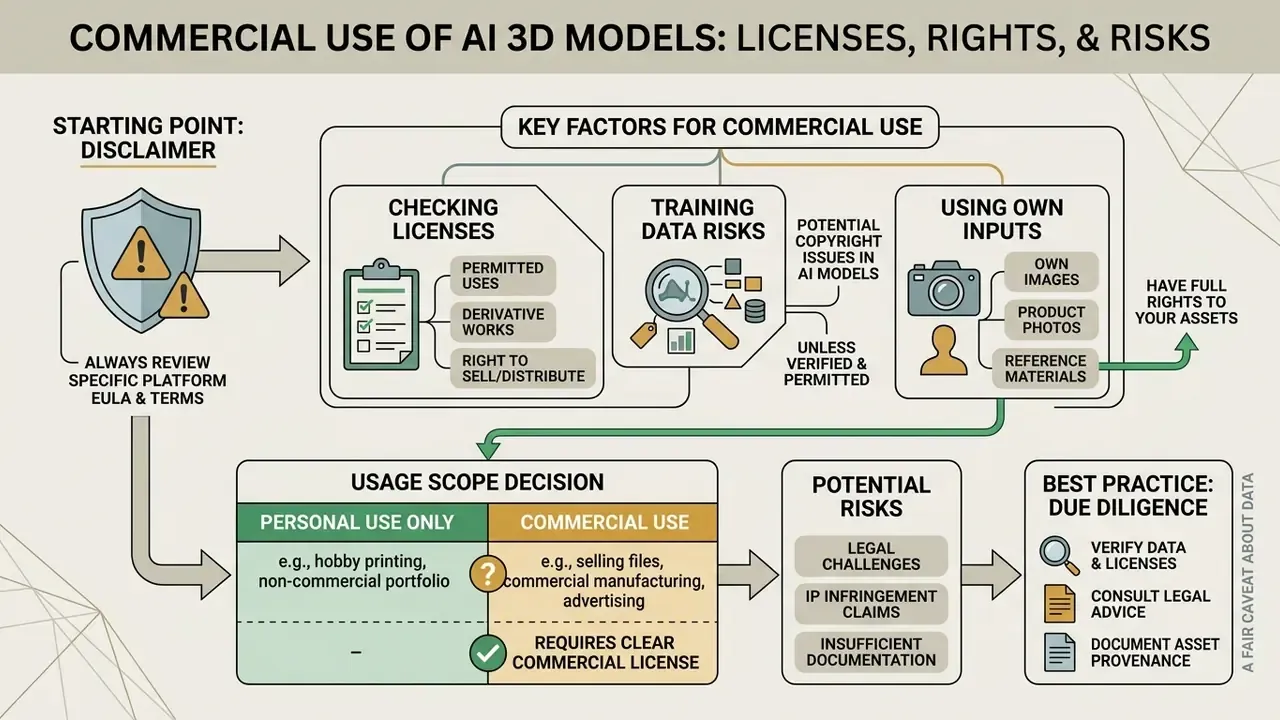
Deploying 3d ai generated images or converted 3D assets in commercial products introduces intellectual property and licensing considerations that deserve formal risk oversight.
What to Check in the Licence Before Selling or Publishing a 3D Model
Platform terms differ, and generalizing is risky. The pattern visible in public Terms of Service looks like this: commercial use typically unlocks on paid tiers, while free output at some services ships under a Creative Commons licence (CC BY 4.0, for example), which permits commercial use only with mandatory attribution. Standalone resale needs separate checking. Selling raw generated 3D files as a stock product, an asset pack or a model library is expressly prohibited in many ToS documents, even where use inside a larger project is allowed (Text3D.ai Terms of Service; 3DGenerator.io Guidelines). Marketing lines like "yours to use commercially" rarely surface that nuance.
The second layer is whether you hold any exclusive right in the file at all. The U.S. Copyright Office position: protection extends to AI-assisted results only where a human controls the expressive elements. A prompt alone is not enough, and registration requires disclosure of the AI-generated portion with a claim limited to human contribution (U.S. Copyright Office AI Governance Report, 2025). UK consultation material on AI and copyright frames the opposite risk: model output may infringe when it reproduces a substantial part of a protected work without a licence. Hence the double exposure. Your raw AI file may carry no copyright, and it may still infringe someone else's.
Legal teams should review enterprise deployment policies and monitor intellectual property litigation developments affecting synthetic media ownership in the United States.
A fair caveat about data: no empirical, transparently documented study of licensing for AI-generated 3D assets appears in English-language academic literature since 2023. Only regulatory documents, agency reports and public vendor terms are available. That means any quantitative claim about a "market norm" in licensing is currently unverifiable and needs primary data.
Using Your Own Images, Product Photos, and Reference Images
Uploading third-party copyrighted art or protected character designs as a reference image creates copyright infringement exposure. Under U.S. copyright law (17 U.S.C. § 106), creating derivative 3D meshes from protected 2D visual works without authorization violates exclusive rights, including the right to prepare derivative works and to distribute. Photographs are protected from the moment of fixation, and images found online or in open libraries do not become rights-free automatically.
Enterprise workflows must mandate proprietary product photos or fully licensed visual inputs. The safe alternative is to transform your own licensed shots through image-to-image generators rather than upload someone else's work, and to record the source of every reference in the generation log.
FAQ: Frequently Asked Questions About AI STL Generators
Can I start with an AI 3D generator without 3D modeling experience?
Yes. Modern AI 3D generators let users create preliminary 3D meshes from text prompts or flat images with no prior CAD or Blender skill. Entry points are also covered in this overview of AI art generators, which is an easier starting place for a beginner. Adjusting complex internal geometry or preparing models for industrial manufacturing, though, still requires basic knowledge of slicing software and topology cleanup.
Research supports both halves of that answer. Novices complete 3D modeling tasks more than 10 times faster with AI-assisted input than in classical CAD, yet average usability for AI 3D interfaces (SUS around 64) sits below the industry benchmark of 68. In other words: the barrier is low for generating a concept and still high for reliable editing.
"T3Bench tested 10 text-to-3D methods on 300 prompts across three difficulty levels: multi-object scene generation remains the weak point of every system." Source: He et al. (2023-2024), "T3Bench: Benchmarking Current Progress in Text-to-3D Generation", arXiv preprint. https://arxiv.org/abs/2310.02977
Do I need to register to create a 3D model online?
Several online tools let guest users generate and preview basic shapes with no login required. Downloading high-resolution STL or OBJ files, using private asset storage and obtaining commercial licences do require an account and a paid tier. Keep one thing in mind: no-registration services generally offer neither private generation queues nor contractual guarantees on how uploads are processed. For corporate drawings that mode is unsuitable.
How does an AI STL generator differ from a regular 3D image creator?
A standard 3D image creator produces flat 2D raster pictures (PNG or JPG) that visually simulate 3D lighting and perspective. An AI STL generator creates true spatial geometry with vector coordinates, vertices and polygonal faces that can be rotated 360 degrees and exported for CAD editing or physical printing. The formats encode that difference: OBJ stores polygon meshes and freeform surfaces, STL stores a triangulated surface mesh, while a raster image holds no spatial coordinates at all. So 3d ai images and an exportable mesh are not interchangeable, even when they look similar in a thumbnail.
Can I open the generated model in 3D software?
Yes. Models exported as GLB, OBJ or STL import directly into common 3d software such as Blender, Autodesk Maya and ZBrush, into slicers like Cura and PrusaSlicer, and into game engines including Unity and Unreal Engine. Blender supports import and export of all three formats, with STL in both ASCII and binary variants, which suits CAD and print pipelines.
How does Geometry-Only differ from Textured Mesh, and when do I pick each?
Geometry-Only disables PBR map generation and redirects resources to watertightness and normal correctness. That is the right mode for STL printing, CAD validation and manual retopology. Textured Mesh adds UV unwrapping and material maps, and it belongs wherever the model will be rendered: game development, AR, product visualization. If the asset already exists but its topology is awkward, use 3D-to-3D for remeshing and LOD generation.
How do I make generation reproducible for audit?
Record six parameters: prompt text (or a hash of the input image), seed, engine identifier and version, polycount preset with octree resolution and inference steps, texturing mode, and date. Without the seed and model version a rerun produces different geometry, and no check result can be tied to a specific file. In API integrations it is convenient to pass all those fields in the request body and store them alongside the response.
Is AI genuinely cheaper than manual modeling?
Cheaper per generation, not always on total cost of ownership. Use the formula: generation cost, plus engineer cleanup time times rate, plus review. For concepts, props and collectible figures the savings remain severalfold. For functional parts with dimensional tolerances and internal channels, manual CAD often stays faster and far more predictable.
What should I do if the model fails in the slicer?
Work in order. First, recalculate normals and close holes in Blender or MeshLab. Second, delete floating vertices and interior faces. Third, apply quad-remesh at your target polycount. Fourth, verify minimum wall thickness (about 1.0 mm for FDM, 0.5 to 1.0 mm for SLA) and thicken anything thinner. Fifth, if the geometry is fundamentally torn, return to the reference, remove shadows and occlusions, and regenerate with a different seed or a different engine.
Footer Navigation
To explore broader commercial AI media frameworks, licensing analysis and enterprise decision tools, browse the hub for comprehensive coverage. Related breakdowns of tooling and pricing models are available in the guides to online photo editors and AI image expansion.