That governance principle frames everything below. A browser-based converter looks like a one-click consumer utility. Yet the moment it touches an invoice, a payroll register or a patient intake form, it becomes part of a controlled data pipeline. So this guide covers both layers: the practical mechanics of turning a JPG or a scan into editable text, and the accuracy, retention and audit constraints that decide whether that output can be trusted in a regulated workflow.
One more framing note. People arrive here through wildly different queries: "convert image to copyable text", "image convert to text online free", "google image to text converter online", even the clipped "image in to text". Different phrasing, same job to be done. Copy words off a picture, keep them accurate, and keep them out of the wrong hands.
Executive summary
- What it does An image to text converter online runs optical character recognition (OCR) on raster files (JPG, JPEG, PNG, GIF, JFIF, BMP, TIFF, HEIC, scanned PDF) and returns machine-readable text you can copy, edit, index or export.
- Accuracy in one line Clean printed scans at 300+ DPI typically land in the 95 to 99% range. Handwriting, low resolution images and dense tables fall far lower, with published table error rates of 42 to 90% on unconstrained handwritten inputs (WildHandBench, 2026).
- Resolution is the single biggest lever Character error rates approach 100% below roughly 21 DPI relative to document dimensions, and stabilise near 39 DPI (LangArc OCR Resolution Study, 2025).
- Export options matter more than raw speed Look for
.txt,.docx,.xlsxor.csvfor tables,.htmland.mdfor publishing,.zipfor batch output, plus JSON/XML for API pipelines and searchable PDF for archives. - Pre-processing features you should expect in-browser cropping, direct camera capture on mobile, deskew, contrast normalisation, colour inversion for light-on-dark screenshots, and per-file language selection.
- Security first, not last Verify TLS 1.3 in transit, AES-256 at rest, automatic deletion windows, and a written no-training guarantee before you upload invoices, contracts, bank statements, PII or medical records.
- Regulated workflows need controls, not promises Any claim of "100% accuracy" is marketing. Financial close, legal discovery and clinical data require human-in-the-loop verification plus a reproducible audit trail.
Who this guide is written for: operators who need a fast copy paste result today, and the risk, finance and audit leaders who have to sign off on the same tool for commercial use tomorrow. Those two readers want different things from the same page, so practical steps come first and control requirements follow, in the chapters on selection and data privacy.
What is an image to text converter online, and what is OCR used for
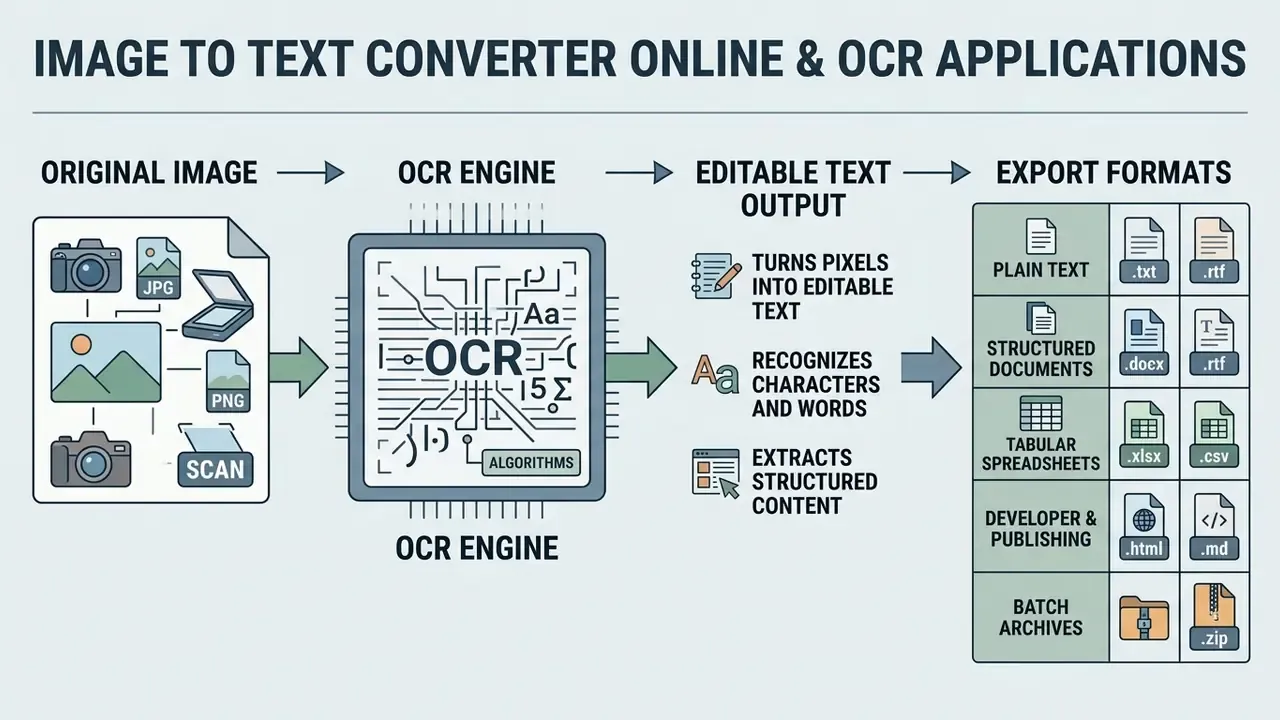
An online image to text converter is a web-based utility that applies optical character recognition algorithms to turn non-selectable pixel data from image files into machine-readable, editable text. The system analyses pixel patterns, isolates character shapes, and translates image text into digital characters you can copy, edit or store in a document repository.
The formal definition is narrow and useful. The U.S. National Institute of Standards and Technology describes OCR as the conversion of data from humanly visible form into machine-language signals. In practice, a photograph of a page stops being a picture and becomes queryable data: searchable, diff-able, indexable, auditable.
Worth saying plainly: the tool is not clever. It is statistical. That distinction shapes every control decision later on.
How OCR recognizes words in JPG, PNG, and scanned files
OCR engines push raster graphics through pre-processing, layout analysis, text region detection, feature extraction and character recognition, converting visual glyphs into encoded text characters. Guidance from the Pennsylvania State University Libraries OCR Guide puts it simply: OCR converts static images of text into digitally encoded text, turning physical scans or digital photos into interactive data. The extraction pipeline begins by normalising brightness and correcting skew on formats such as JPG, PNG and scanned documents. Convolutional neural networks, or older pattern-matching algorithms, then map identified character contours against known font matrices to execute character recognition.
"A 2024 benchmark on 200 patient reports showed the strongest engine (PaddleOCR) reached 67.28% accuracy, with CER 0.43 and WER 0.66 on complex layouts."
That figure is the reality check behind every marketing claim. The same engine that clears 98% on a flat, clean scan can drop below 70% once layout complexity, stamps and handwriting enter the frame. Print-quality guidance published by NIST (FIPS PUB 90, 1983; FIPS PUB 32-1, 1982) makes the underlying dependency explicit: recognition accuracy is a function of the readability of printed characters, their shapes, sizes and structural spacing. Those documents are historical baselines rather than current benchmarks, and they contain no modern CER or WER metrics. Treat them as the origin of the readability requirement, not as performance data.
Modern engines add a light language-model pass after glyph classification. This post-processing layer resolves predictable confusions, 0 versus O, 1 versus l, rn versus m, using contextual probability rather than pixel evidence. It raises readability. It is a statistical correction, not a proofreader.
Output formats: how you can receive the converted text
Converted text arrives as plain text for immediate copy paste operations, as structured JSON or XML data, or as a downloadable text file such as .txt and .docx. The primary output format is raw editable text, which strips visual formatting while preserving words and basic paragraph breaks. You can copy text to the clipboard in one click, or save the output into a plain text file for downstream processing. Advanced tools also produce searchable PDF output, overlaying an invisible digital text layer on top of the original scanned document so keywords are findable while the visual layout stays intact.
Full export matrix. Extracted data can be exported in several shapes, depending on structural requirements:
Vendor documentation confirms the breadth here. Enterprise OCR platforms publish output sets spanning JSON, TXT, DOCX, XLSX, PDF/A, XML, TIFF, JPEG, PNG and HTML, while lighter web utilities usually stop at TXT plus a copy button.
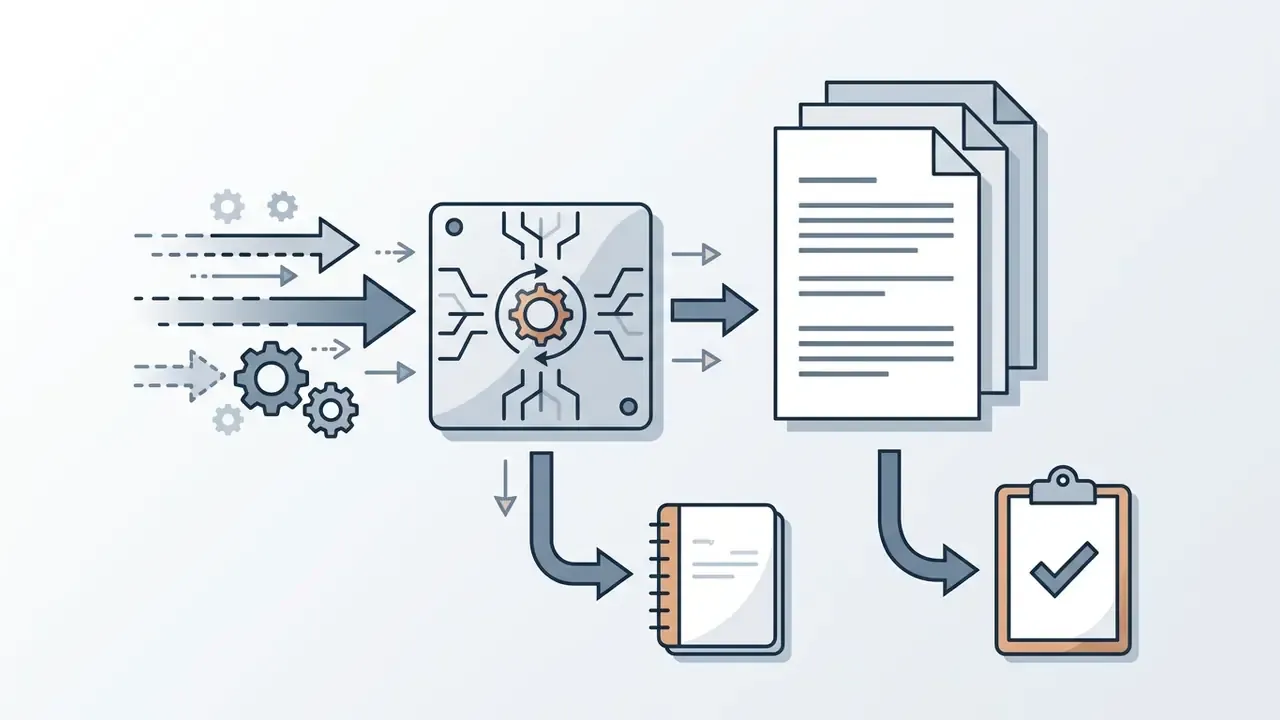
.txt)Raw recognized characters with paragraph breaks. The default for clipboard transfer, note-taking and scripting.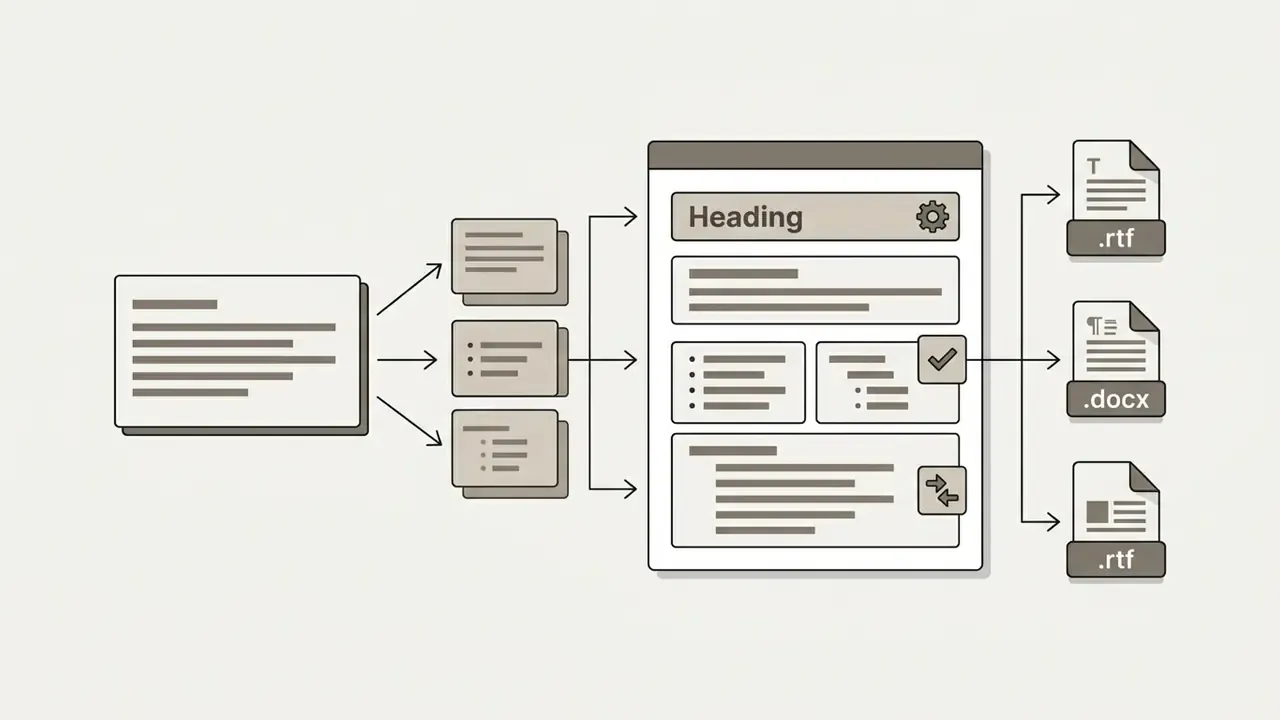
.docx, .rtf)Keeps paragraphs, headings and basic styling for word processing and collaborative editing.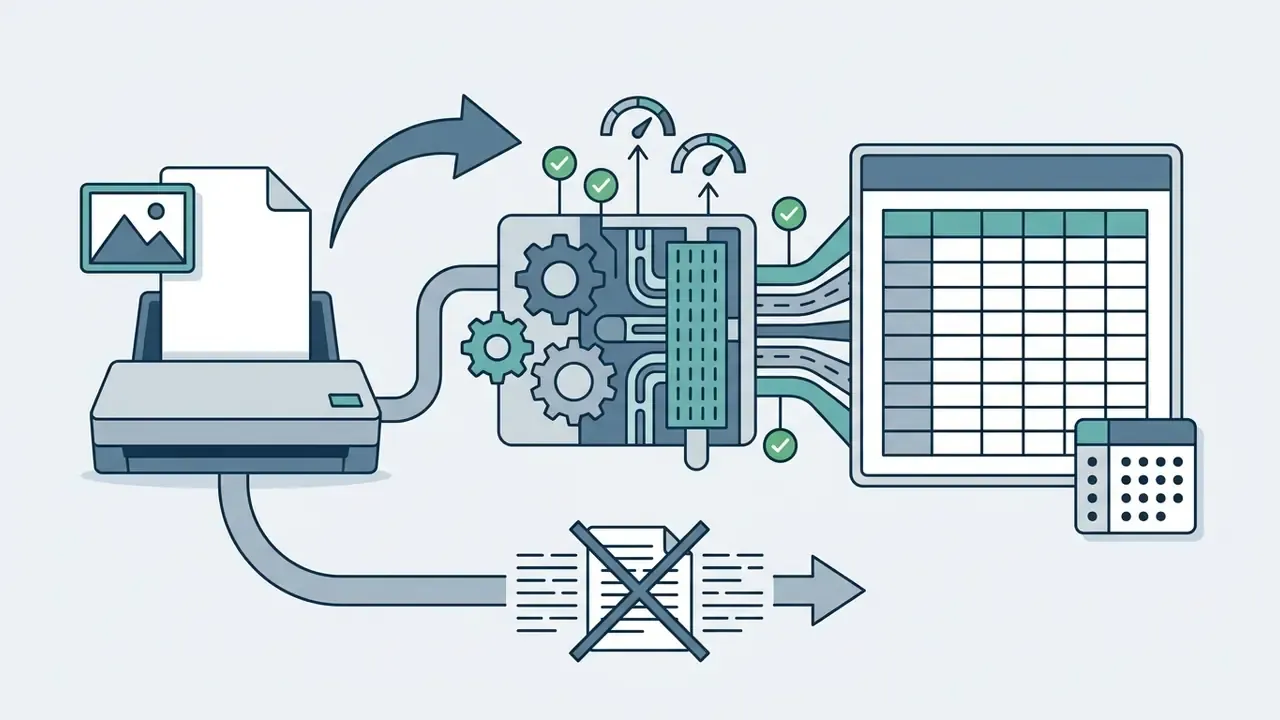
.xlsx, .csv)Converts recognized data tables directly into rows and columns. This is the critical path for accounts payable, expense reconciliation and financial accounting, where a table flattened into prose is worthless.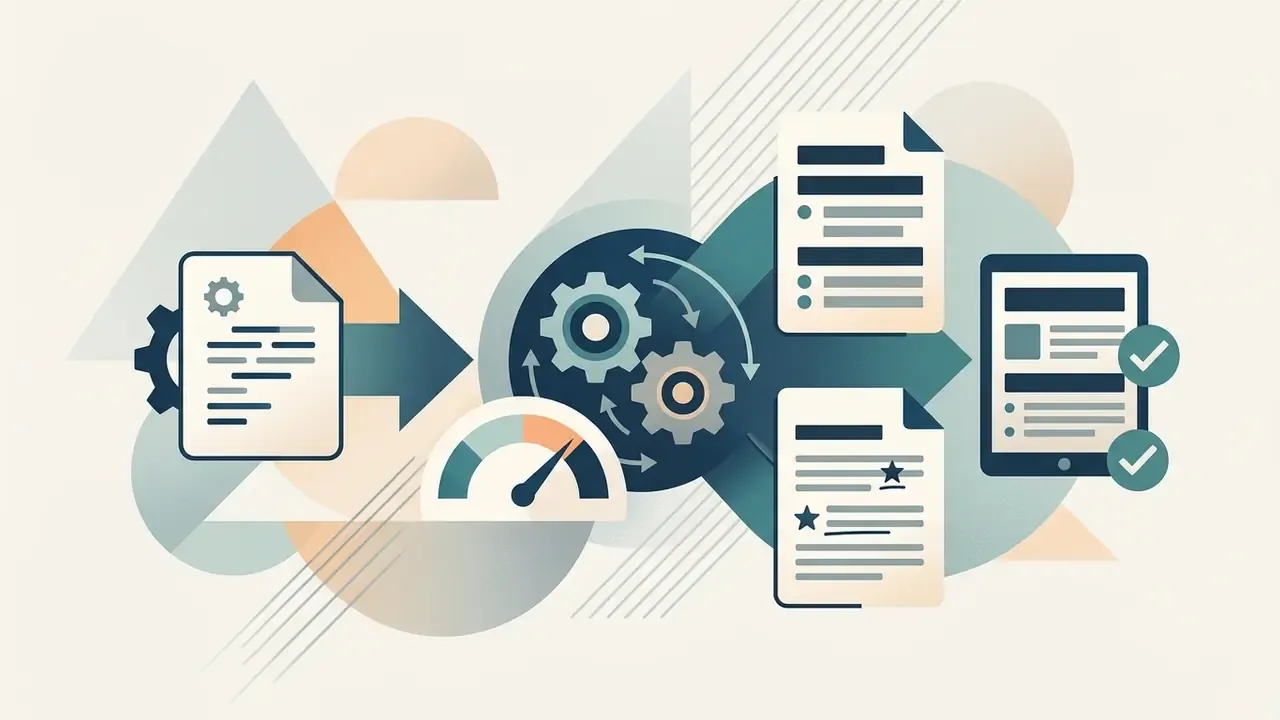
.html, .md)Generates clean HTML or Markdown that retains heading hierarchy, bullet lists and inline emphasis, ready for a CMS or a static site generator.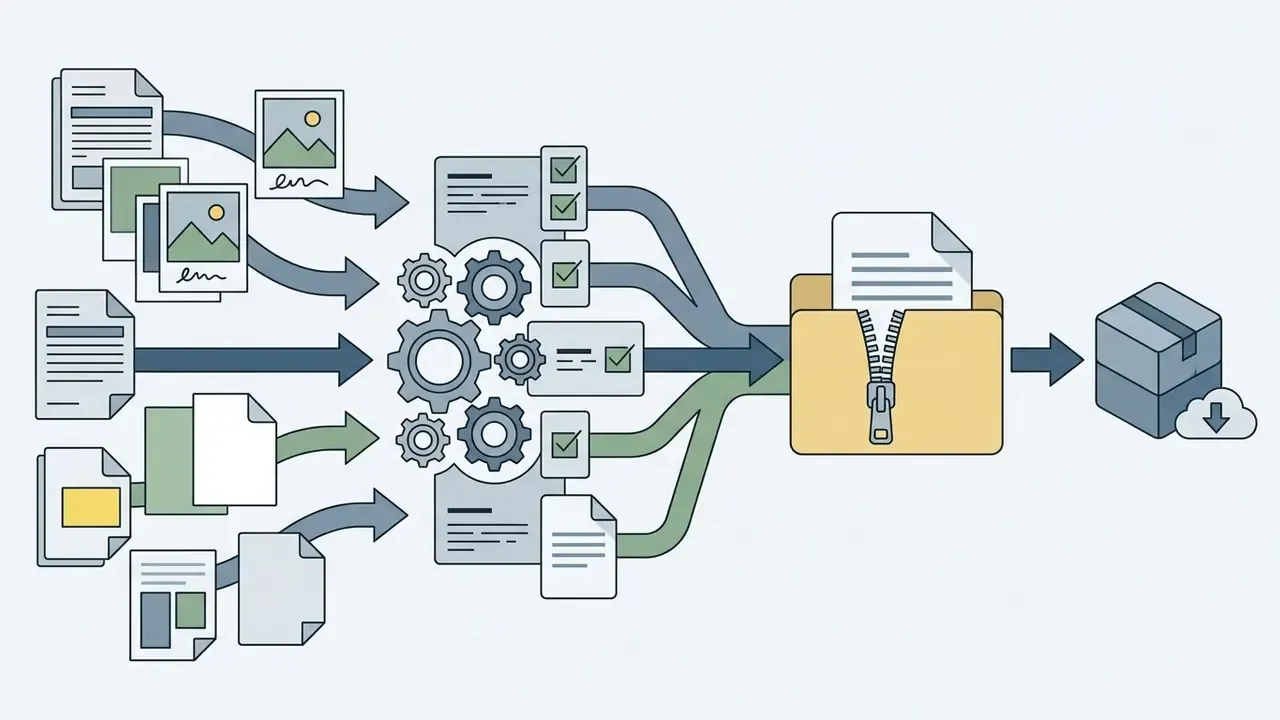
.zip)When you convert multiple images at once, the system packages every processed text output into one compressed archive, so you download once instead of fifty times.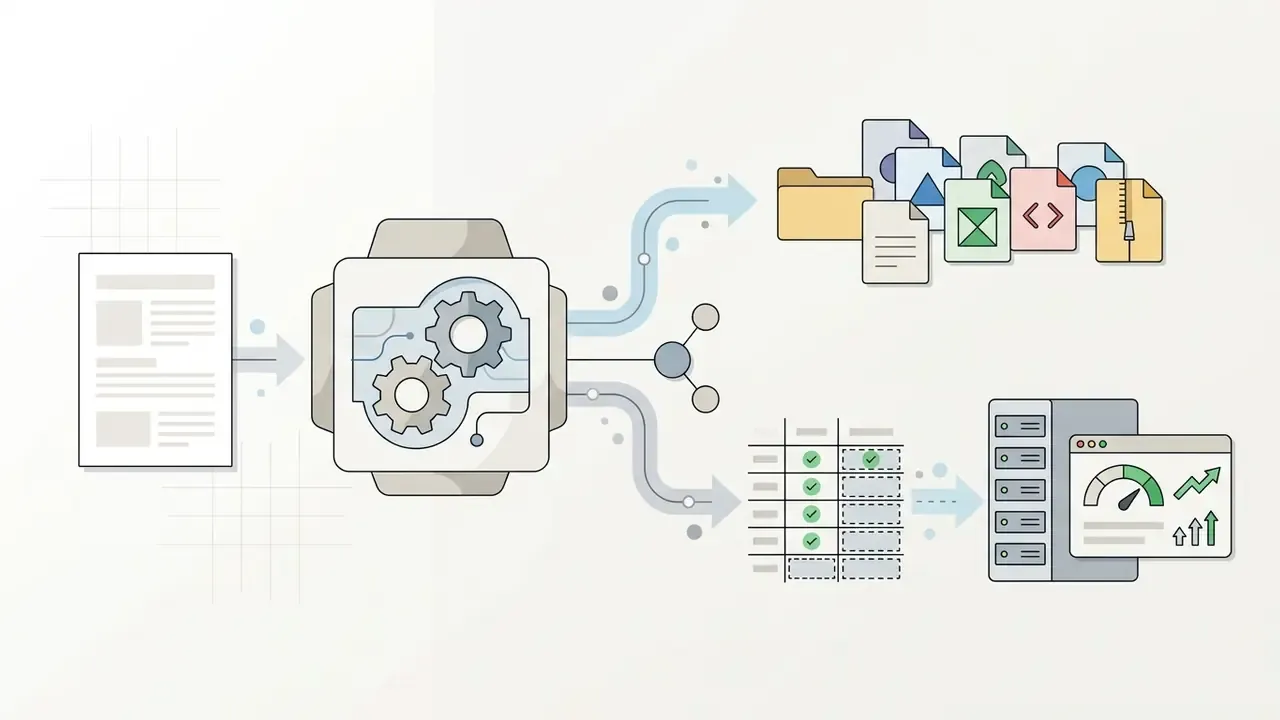
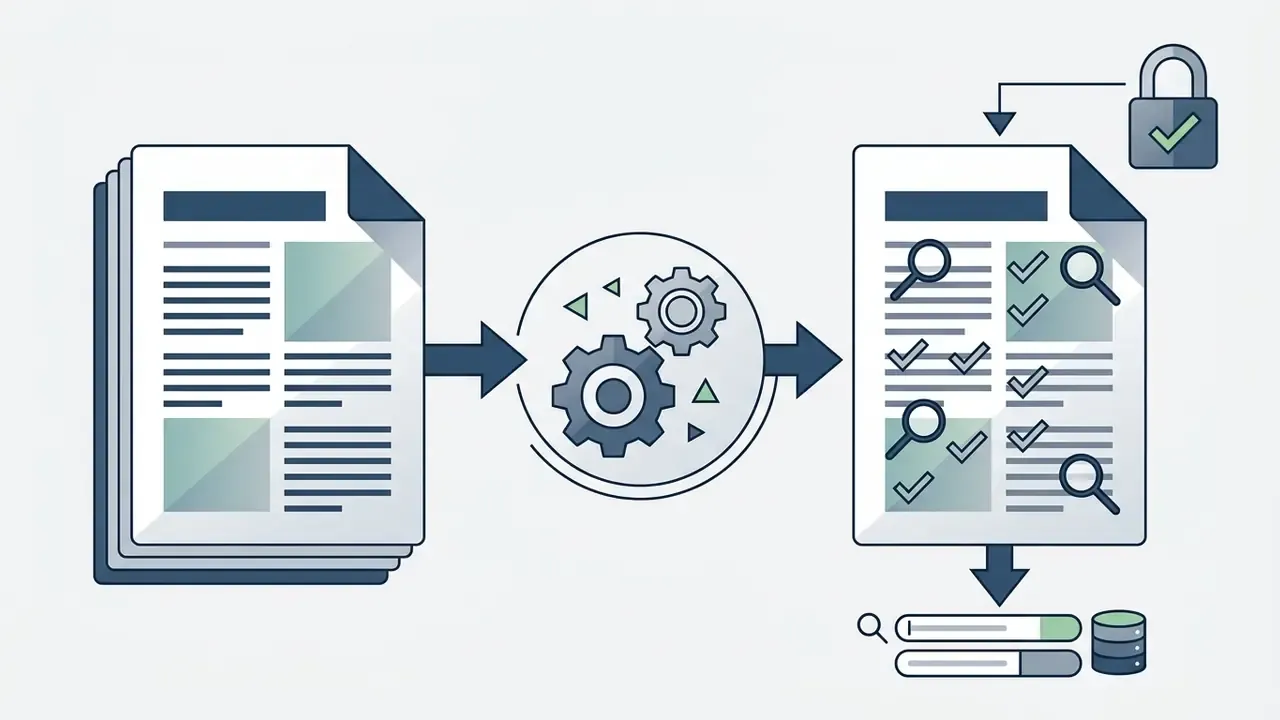
How to convert an image to text online
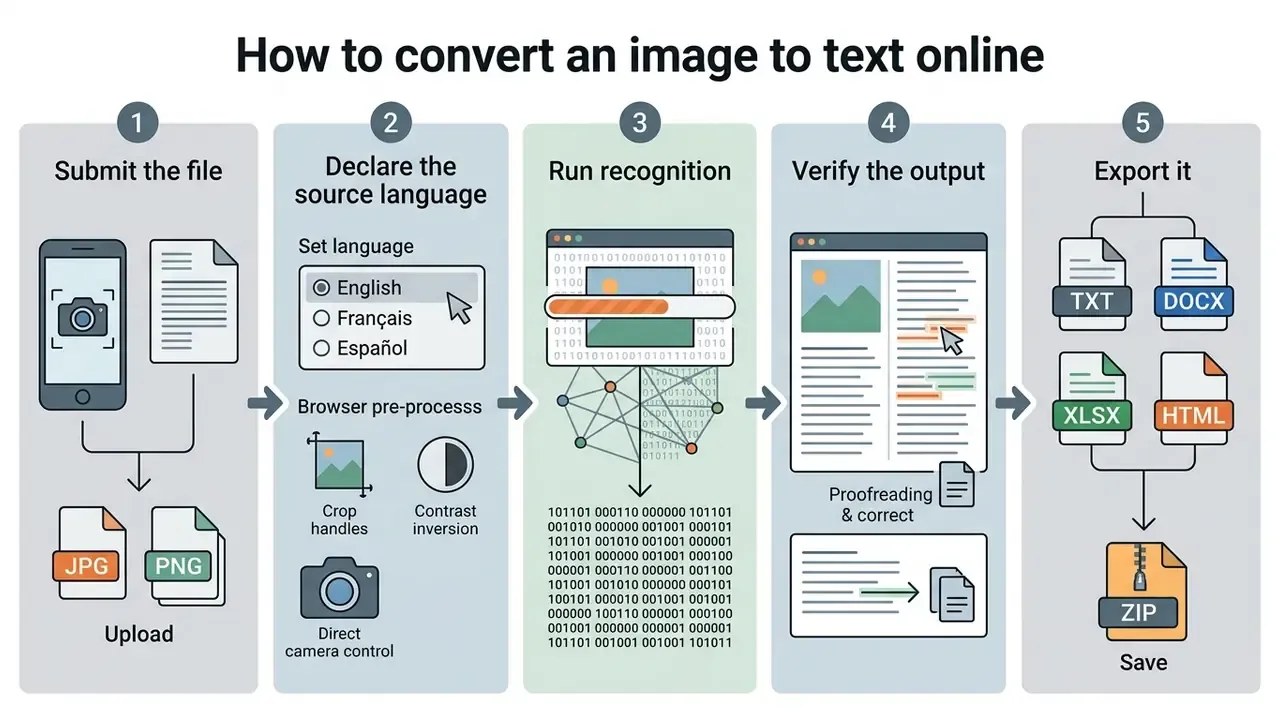
Converting an image to text online is a bounded, five-action workflow: submit the file, declare the source language, run recognition, verify the output, export it. The sections below break each action into options and failure modes. The numbered checklist at the end of this chapter is the condensed version you can follow on a phone in a warehouse aisle.
Uploading one or multiple images
File upload happens by dragging and dropping local files, by selecting single or multiple image files, or by supplying file URLs, always inside file size and per-submission limits. You can drag drop images straight into the browser drop zone, or use a standard file browser. For batch tasks, systems accept multiple file uploads up to a stated megabyte limit per submission. Documented implementations separate the two modes explicitly: one recent platform specification caps single files at 50 MB while capping an entire batch session at 500 MB, and the HTML multiple attribute governs whether one or many files can be chosen in a single action.
Choosing high quality images before conversion protects recognition accuracy across every submitted page. Where a source photo is dim, tilted or cluttered, a quick pass through photo editors, crop, straighten, raise contrast, convert to grayscale, usually buys more accuracy than switching OCR engines. Sounds too simple to matter. It matters more than almost anything else on this page.
Pre-processing inside the browser: cropping, inversion and direct camera capture
Modern browser-based converters ship pre-processing tools such as image cropping and direct camera integration. The cropping tool lets you frame a specific paragraph, a single table cell, or one column of a multi-column page before OCR runs, removing margins, page edges and background noise that would otherwise be misread as glyphs. For screenshots that mix text with interface chrome, this is the fastest single fix available.
There is a third quick lever people forget: invert image colours. Light text on a dark background (dark-mode screenshots, cinema-style slides, engraved signage) confuses engines tuned on black-on-white print, and a simple inversion often lifts accuracy by a visible margin.
On mobile devices, integrated camera controls (capture="camera") let you photograph paper documents, receipts, whiteboards, signage or book pages and feed them straight into the pipeline without saving to the gallery first. Practical capture rules: hold the page flat, fill the frame with the text block, shoot under diffuse light without direct glare, and keep the lens plane parallel to the paper so you avoid trapezoidal distortion that defeats deskew algorithms.
Two further pre-processing levers are worth knowing. First, upscaling: when a source file genuinely sits below the DPI threshold, AI image upscalers can reconstruct stroke edges before recognition. Second, restoration: AI image enhancers reduce sensor noise and recover contrast on faded or underexposed captures. Neither invents missing text. Both raise the pixel density available for character segmentation.
Verifying, copying, and saving the result
Once extraction finishes, proofread the converted text inside the editable text box and fix recognition anomalies before you hit copy paste or download a text file. According to W3C WCAG 2.2 Technique PDF7, post-OCR verification is essential to confirm reading order and textual completeness. The technique specifically asks that the converted content be read, exported as text, or inspected in a tool that exposes the recognized layer. Penn State accessibility guidance adds a useful habit: proofread inside the OCR application or a text editor, and save corrections as a separate file so the original recognition output stays available for comparison.
After verification, click the copy button to send data to the clipboard, or download a plain text file to your local drive. Vendor tutorials for desktop engines such as ABBYY FineReader describe the same two terminal actions: copy to clipboard, or save to file. Nothing exotic.
Five simple steps, the phone-friendly version:
- Select file.Drag drop, paste, browse or pass a URL to upload images (JPG, PNG or a scan) into the converter drop area. Crop, invert or shoot directly with the device camera if needed.
- Configure settings.Pick the document language support that matches the source material, and add a second language for bilingual pages.
- Run extraction.Press the convert button to trigger optical character recognition technology.
- Proofread output.Inspect the converted text for glyph misinterpretations, broken reading order and dropped table cells.
- Export result.Copy the text to the clipboard, or download it as TXT, DOCX, XLSX, HTML, Markdown, or a ZIP archive for batch jobs.
That is how to convert image text to editable text without a desktop install, and without leaving the browser tab.
Which images and languages an online image converter to text supports
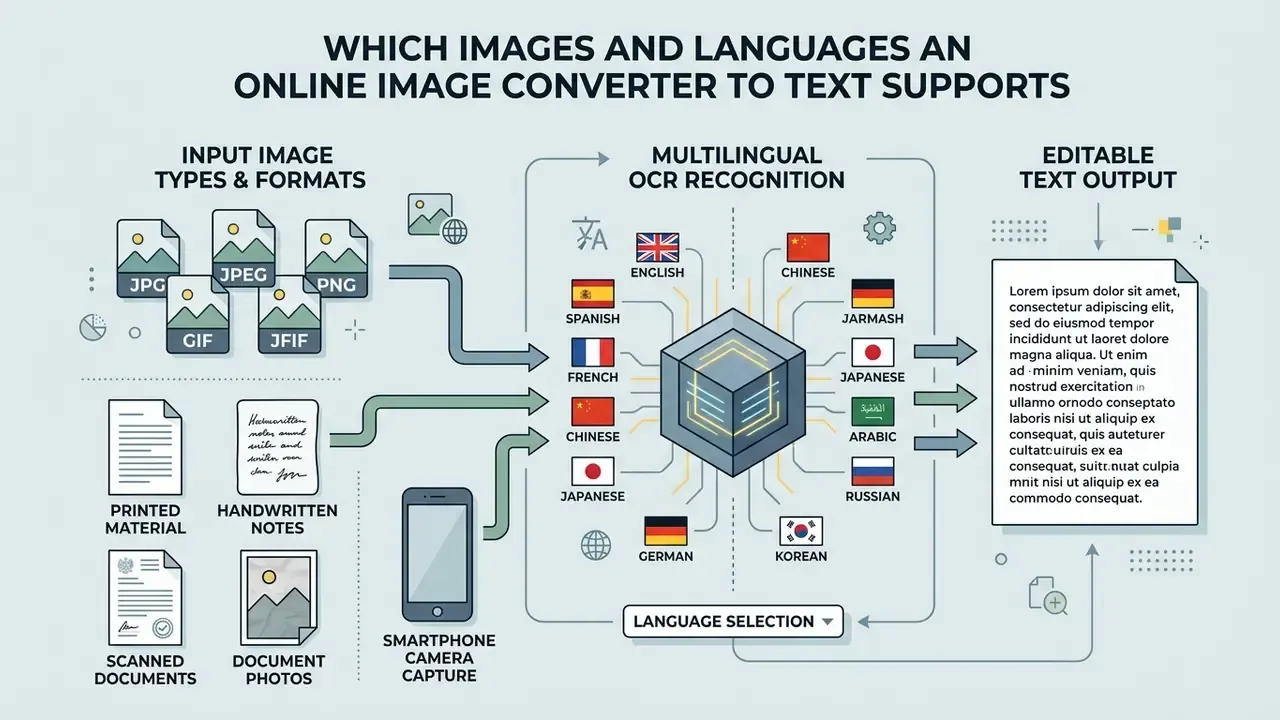
Online image converters ingest a broad spectrum of raster and vector graphic formats, multi-language character sets, and source material ranging from clean printed text to scanned historical documents. Versatile OCR tools adapt character classification models to the input formatting and the language settings you declare.
JPG, JPEG, PNG, GIF, and JFIF formats
Converters accept lossy compressed formats such as JPG, JPEG and JFIF alongside lossless PNG and palette-based GIF files, with no manual format conversion required. Technical specifications for Tesseract OCR and ABBYY systems document the split clearly: engines take lossy JPEG or JFIF files for quick web uploads, and lossless PNG graphics for high-contrast screenshot extraction. Tesseract routes these through Leptonica and requires libjpeg-turbo, libpng and giflib respectively. ABBYY documents JPEG as gray or colour with the .jpg, .jpeg, .jfif extensions, PNG across black-and-white, gray and colour, and GIF as a 2 to 8-bit palette format. JFIF, per ECMA TR-98, is a JPEG interchange container rather than a distinct compression scheme. Palette-based GIF files convert fine when contrast stays sharp across text regions.
"Below 50% of original resolution, PNG lowers error rates versus JPEG; above roughly 65% the formats converge, while JPEG delivers about 25% faster processing and up to 50% smaller files."
The practical rule follows directly. Archive masters and screenshots belong in PNG or TIFF. High-volume web batches of already-adequate scans can stay in JPEG to cut transfer time and storage cost. Microsoft's document-processing stack widens the input surface further, covering JPEG and JPG, PNG, BMP, TIFF, PDF, HEIC and HEIF, numerous RAW camera formats, images embedded inside DOCX, PPTX and XLSX, and even archives such as ZIP, RAR, TAR and 7z in Exchange scenarios. Google Document AI publishes a comparable list spanning PDF, GIF, TIFF, JPEG, PNG, BMP, WebP, HTML, DOCX, PPTX and XLSX. If your query was "convert jpg image to text", any of these will take the file; the differences show up later, in export and retention.
Multiple languages and choosing the recognition language
Multi-language OCR engines handle multi-script and bilingual documents when the right language dictionaries are selected before text extraction. Official documentation for Microsoft Azure AI OCR and Apryse OCR shows that modern systems process documents containing mixed languages, English alongside Latin or non-Latin scripts included. Microsoft publishes support for more than 150 languages and explicitly covers mixed languages plus mixed print-and-handwriting pages, while Apryse restricts valid combinations by script group and returns an error for unsupported pairings. Selecting the precise source language before conversion cuts character substitution errors noticeably.
"Across 29 languages and 453 documents, Gemini 3 Pro and Claude Opus 4.5 consistently produced the lowest character error rates, including Arabic, Japanese and Khmer."
For bilingual material, Russian and English contracts, Arabic and French forms, select the language combination instead of trusting automatic detection. Automatic mode resolves ambiguity by majority script, and it systematically degrades the minority language. I have seen a two-column bilingual page come back with one column near-perfect and the other close to noise. Same file, same engine, wrong setting.
Printed material, handwritten notes, and scanned documents
Machine-printed documents and high-resolution scans deliver high accuracy. Handwritten notes and cursive scripts introduce far higher error rates, because stroke shapes vary by writer. Handwriting variability, connected cursive ligatures and inconsistent line direction remain the dominant error sources, as demonstrated on a large annotated corpus.
"Muharaf, a NeurIPS 2024 dataset of more than 1,600 pages of historical handwritten Arabic manuscripts, confirms that writer variability and cursive ligatures remain the primary drivers of recognition error."
Transkribus documentation reaches the same conclusion from the tooling side. Standard OCR produces unusable output when letters connect, abbreviations appear, or historical scripts diverge from modern print, which is why handwritten text recognition (HTR) is treated as a separate model class. Degradation compounds the problem: faded ink, bleed-through, foxing, smudging, staining and cross-outs each reduce accuracy independently. So converting printed material yields reliable editable text format results, while any attempt to convert handwritten pages makes manual proofreading mandatory, not optional.
| Graphic material type | Processing and compression characteristics | Expected OCR accuracy |
|---|---|---|
| JPG / JPEG / JFIF | Lossy compression; needs sufficient DPI to prevent stroke artifacts. | 90% to 98% (high on clean input) |
| PNG | Lossless compression; preserves sharp edges and high contrast. | 95% to 99% (optimal for screenshots) |
| Scanned documents (PDF/TIFF) | Standardised multi-page raster input; benefits from deskewing. | 95% to 99% (at 300+ DPI) |
| Handwritten notes | High stroke variability, connected cursive, irregular spacing. | 40% to 85% (variable; requires review) |
| Dense tables and forms | Requires structural layout models; cell merges and rule-line loss are common. | Structure errors 10% to 90%, depending on layout |
Read the table as a triage tool. Rows one to three are safe for unattended conversion at volume. Rows four and five need a named human reviewer before the output touches a system of record.
What determines text extraction accuracy
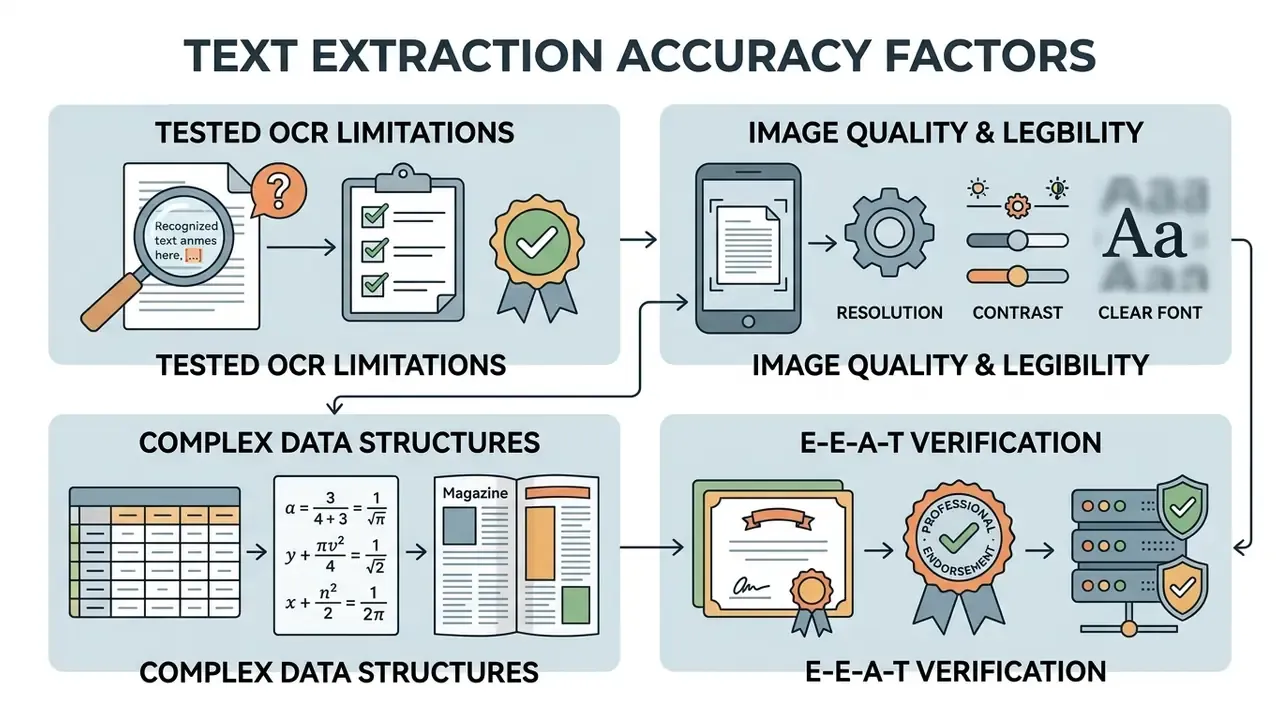
E-E-A-T verification: tested OCR limitations
Resolution, contrast, and text legibility in the image
Image resolution above 300 DPI (or 39 to 44 DPI relative to document dimensions) supplies the pixel density character segmentation needs. Below that, character error rates climb fast.
"Below roughly 21 DPI, character error rates approach 100% for about half of documents; above roughly 39 DPI accuracy stabilises, and further resolution increases yield diminishing returns."
The same study establishes the format-dependent caveat described earlier. At reduced resolutions PNG beats JPEG, because lossless encoding preserves stroke edges that JPEG's block transform smears. Above roughly 65% of original resolution the two converge and JPEG's speed and size advantages dominate. Vendor guidance aligns with these thresholds from a different direction. IBM's OCR documentation treats 300 DPI as sufficient for typical document fonts, requires at least 300 DPI for type below 12 pt or intricate characters, and allows 200 DPI above 12 pt. The IMPACT Best Practice Guide recommends 400 ppi or higher in colour or grayscale for optimal digitisation. Google Document AI sets a 200 DPI floor for input.
Where a source file falls below threshold, the only genuine remedies are rescanning or upscaling, and AI image upscalers are the practical route when the physical original is gone. Skew, discolouration and small font size compound a resolution deficit. Blur and visual noise degrade recognition more severely than moderate lighting or contrast variation, because deep-learning engines normalise luminance internally but cannot recover destroyed edge information. Once the edge is gone, it is gone.
Tables, mathematical syntax, and complex formatting
Extracting text from complex tables and mathematical syntax requires specialised layout analysis to preserve column and row relationships plus LaTeX formatting. Systems such as Google Cloud Enterprise Document OCR v2.0 use dedicated Math OCR modules that convert mathematical expressions into LaTeX notation with bounding boxes, alongside block, paragraph, line, word and symbol detection. Open document-parsing frameworks split the task the same way: table recognition emits LaTeX, HTML or Markdown, formula recognition emits LaTeX. A 2024 deep-learning review separates mathematical processing into formula detection and segmentation, then symbol recognition. Multi-column tables need structural detection models, otherwise horizontal text lines merge across independent columns during conversion.
"DocAtlas (2025), spanning 80 languages, scores table reconstruction via the TEDS metric and formula accuracy; even leading models make material errors on complex layouts."
The operational consequence for finance teams is specific. A table that reconstructs at TEDS 0.85 looks almost perfect and still silently relocates figures between columns. So numeric fields pulled from tabular sources need either a checksum control, column totals reconciled against a stated total, or targeted field-level review. Never a visual skim. If you plan to convert table image to text at volume, build the reconciliation step before you build the throughput.
How to choose a free online image to text converter for commercial use
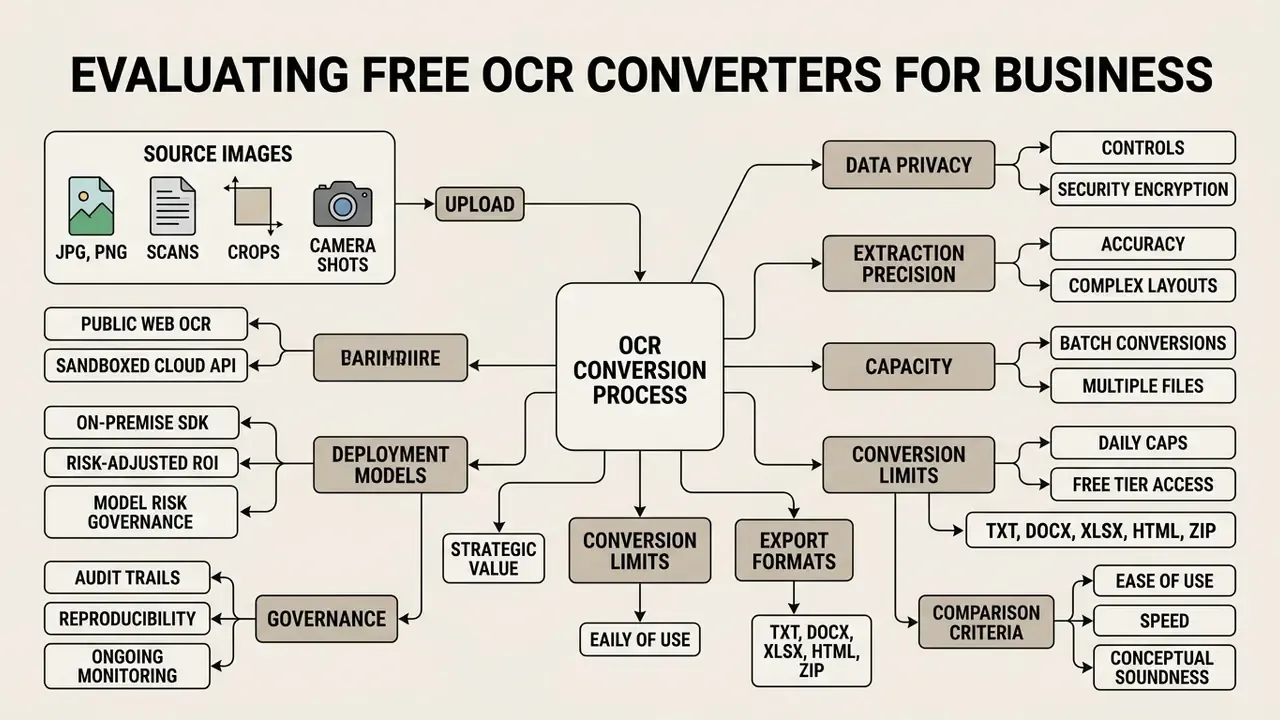
Choosing an online OCR converter for business operations means evaluating data privacy controls first, then extraction precision, batch capacity, daily conversion caps, export flexibility and integration effort. Throughput and data safety pull against each other, and in regulated environments the sequence matters: a tool that fails the retention test is disqualified regardless of its accuracy score. The detailed security criteria appear in the data privacy chapter below. Treat that chapter as gate one of selection, not as a closing footnote.
Batch conversions and handling multiple files
Batch processing lets you convert multiple images simultaneously, governed by per-file MB limits and a maximum number of images per submission. Published limits vary widely by provider and pricing tier rather than following an industry norm. Documented examples include caps of 5 files under 5 MB each on lightweight utilities, 25 PDFs per batch with a 1 GB per-PDF ceiling on one service, 15 files per hour in guest mode on another, and ZIP-archive batch input with a 50 MB free-tier file limit on an enterprise-oriented platform. Adobe gates batch conversion behind paid plans via Action Wizard entirely. Verify current limits on the provider's own pricing page before you plan a migration, since thresholds shift with every tier restructuring.
Read that spread as a selection instruction. There is no single best engine for batch work. Throughput-bound archival digitisation and accuracy-bound financial extraction should not run on the same model, and a serious pipeline benchmarks at least two engines against a labelled sample of its own documents. Batch modes save real operational time on large archives of invoices or scanned forms, particularly when the platform returns one ZIP archive instead of demanding per-file downloads.
Free tier, daily limits, and access without installation
Free online OCR utilities run entirely inside the browser with no need to install anything, offering basic daily conversion quotas plus optional premium upgrades for high-volume work. Free-tier conditions differ sharply across providers. Published terms range from "no registration and no stated limit" to explicit daily caps with advertising. Documented examples include services advertising no registration with a 5 MB file-size ceiling, plans capped at 5 or 10 images per day with ads displayed, and tools that disclose hourly and daily throttles without publishing exact numbers. Some vendors market a no ads experience as the paid differentiator. Because these quotas get revised often, confirm the current figure on the vendor's pricing page rather than trusting any third-party summary, this one included.
Web access means you can extract text from any workstation without installing local binaries. Convenient, and precisely why unmanaged browser OCR is the most common vector for shadow-AI data leakage inside banks. Access from anywhere is a feature for the operator and an exposure for the CISO.
Comparison criteria for a text converter online
Standard comparison parameters include documented data handling, character accuracy, multi-language coverage, export format versatility, layout retention and explicit deletion policies. When evaluating image-to-text tools for commercial use, check whether the system supports advanced OCR, batch conversions, and flexible export such as plain text files, DOCX or structured spreadsheets. Archival and federal practice adds harder criteria. U.S. National Archives guidance requires that OCR text embedded in a PDF be identical in content and appearance to the source document, and rejects processes that alter the original bit-mapped image. Library of Congress NDNP notes require one UTF-8 text file per page in natural reading order, with validated bounding-box data in ALTO XML. To compare broader creative or generative image tooling, you can explore the hub.
| Service / category | File formats | Language support | Upload limits | Export options |
|---|---|---|---|---|
| Basic free OCR | JPG, PNG, GIF | 10 to 30 languages | 5 to 10 files/day; max 5 to 10 MB | Copy text, TXT download |
| Advanced web OCR | JPG, PNG, TIFF, PDF | 46 to 100+ languages | 15 to 50 files/session; around 50 MB | TXT, DOCX, XLSX, HTML, MD, ZIP |
| Enterprise cloud OCR | All raster plus Office formats | 150+ languages | Batch API; up to 500 MB | JSON, XML, TXT, XLSX, searchable PDF/A |
In plain terms: a basic free image to text extractor is fine for a screenshot or a lecture slide. Advanced web OCR is the sweet spot for recurring departmental work with mixed formats. Enterprise cloud OCR is the only tier that answers procurement questions about confidence scores, region pinning and contractual retention, which is what makes it the default for KYC packets and credit files.
Deployment models: public web OCR, sandboxed cloud API, on-premise SDK
The single decision that determines whether OCR output is usable in a regulated process is where the file gets processed. The three deployment models carry materially different risk profiles.
| Deployment model | Data path | Typical assurance | Appropriate content |
|---|---|---|---|
| Public web OCR | File leaves the device for a shared multi-tenant endpoint; retention governed only by published terms | Marketing claims; rarely audited; no contractual NDA | Public documents, personal notes, non-confidential screenshots |
| Sandboxed cloud API | Dedicated tenant, contracted processing terms, region pinning, no-training clause | SOC 2 Type II or ISO 27001 attestation, DPA, logged access | Internal business documents, vendor invoices under contract |
| On-premise or embedded SDK | Processing runs entirely on controlled hardware; no external transmission | Full control of keys, logs and retention | PII, PHI, bank statements, privileged legal material |
Embeddable self-hosted OCR SDKs are documented explicitly for offline recognition of scanned images and image-based PDFs, and mobile capture SDKs advertise fully on-device OCR with no data transferred to servers or third parties. This is why risk functions in banks and hospitals prohibit public web converters for regulated data. The control gap is not about accuracy. It is about the absence of an enforceable processing agreement.
Risk-adjusted ROI: what OCR actually costs
Licence price is the smallest term in the equation. A defensible business case compares the fully loaded cost of manual data entry against the cost of automated extraction plus the verification burden created by residual error:
Risk-adjusted cost = (documents × pages × extraction cost) + (documents × error rate × fields per document × correction cost) + (expected cost of undetected errors × probability of escape)
Worked illustration. Take 10,000 invoice pages, 12 extracted fields per page, and a 5% field-level error rate on tabular data. That produces 6,000 fields needing correction. At 30 seconds per correction, 50 person-hours of review. Recoverable, and still far cheaper than keying 120,000 fields by hand.
The term that destroys the business case is the third one. A single mis-recognized digit that escapes into a financial statement or a dosage field can cost more than the entire automation programme. That asymmetry, not throughput, is what justifies sampling controls and threshold-based escalation. CFOs tend to nod at term one and ignore term three. Model risk exists to reverse that order.
Model risk governance, reproducibility, and audit trails
Where OCR feeds regulated reporting, the extraction engine behaves as a model and should be governed like one. Model risk management expectations in banking (the Federal Reserve and OCC SR 11-7 family) rest on three pillars, and each translates directly into an OCR control:
Practically, prefer engines that return word-level bounding boxes and confidence values (JSON or ALTO output) over those returning only flat text. Confidence data is what makes threshold-based human-in-the-loop routing possible, and what makes later reconstruction possible during an audit. Document authenticity is an adjacent control: where provenance is uncertain, AI image detectors help flag synthetically generated or manipulated source files before their contents reach a record system. The same governance logic applies to adjacent generative tooling that marketing or product teams adopt on their own, whether a microsoft ai image generator workflow, a microsoft designer ai template pipeline, or a nightcafe ai image generator experiment. Inventory first, approval second, access limits third. Content-policy categories such as a naughty ai image generator, an nsfw ai art gen service, or a novel ai image tool sit outside acceptable-use policy in nearly every regulated institution, and their presence in browser telemetry is a reliable early signal of unmanaged shadow AI. For a wider map of adjacent tooling and terminology, see the overview or browse the editorial index at Hypeart AI Media.
Data privacy and handling of uploaded files in online OCR
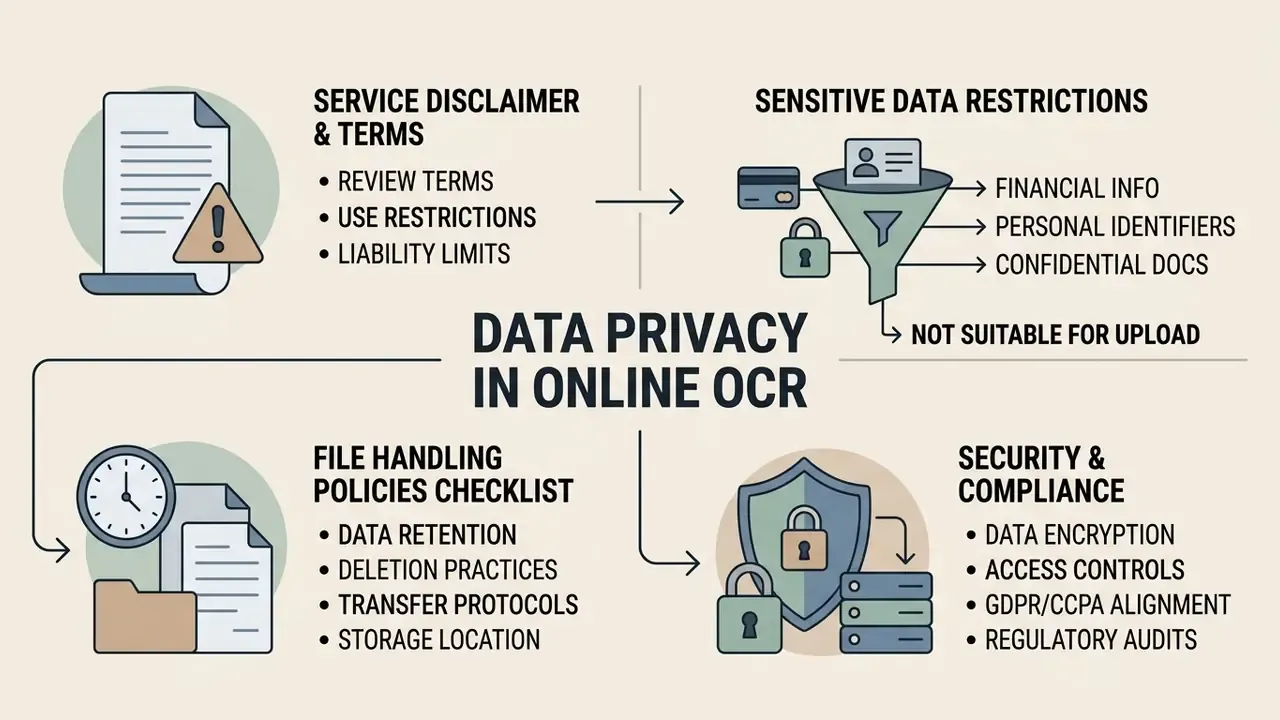
Operating online OCR safely requires rigorous evaluation of transfer encryption, server-side retention windows and compliance with data privacy standards. Sending unencrypted corporate documents across public endpoints introduces severe leakage risk. Federal baselines reinforce the point. NIST SP 800-171 Rev. 3 (2025) sets access-control and system-security expectations for protecting controlled unclassified information, and published agency privacy impact assessments show that OCR upload flows can persist user content into external cloud storage as part of normal operation.
Which data should not be uploaded without checking the terms of service
A workable prohibition list for an internal policy: government-issued identifiers, payroll and bank records, patient data, unsigned or privileged contracts, security credentials captured in screenshots, and any document carrying a third party's confidentiality marking. Contact details belong on that list too, more often than people expect, because a screenshot of an address book is still a personal data transfer.
What to check in a service's file handling policy
Inspect file handling policies for TLS 1.3 encryption in transit, AES-256 storage encryption, and automatic deletion within 1 to 24 hours. Published policies illustrate the range. One converter states that files travel over HTTPS and are deleted immediately after processing. Another documents TLS 1.3 in transit, AES-256 at rest, and auto-deletion after 24 hours with an optional 15-minute window. A third encrypts with AES-256-CBC and expires files after a configurable period defaulting to 60 minutes and capped at three days. The UK Information Commissioner's Office mandates TLS 1.2 or higher for data in transit, prefers TLS 1.3, and prohibits deprecated SSL protocols for public-facing HTTPS. NIST SP 800-52r2 provides the corresponding federal configuration guidance.
Secure web converters guarantee that uploaded files are purged from server memory immediately after processing, holding a strict zero-retention standard. Three clauses deserve a literal reading before approval: the retention window, stated in hours rather than "promptly"; the training clause, stated as an explicit "not used to train models"; and the sub-processor list, naming who else touches the file and in which region. If a vendor cannot answer the third question in writing, treat the first two as unverified.
Security alert: data protection and compliance. Before you upload scanned documents, financial invoices, receipts, medical records or images containing contact details to any online tool, verify the provider's file handling terms. Confirm HTTPS with TLS 1.3, a published deletion window, and a contractual exclusion of your files from model training. For regulated financial, clinical or legal operations, choose on-premise or cloud-sandboxed OCR engines with SOC 2 Type II or ISO 27001 attestation, and keep public converters for public documents only. Broader legal and governance context sits in the litigation and governance hub, where you can also explore the hub of related risk topics.
Where to use image-to-text conversion at work and in study
Digitizing documents, notes, and printed material
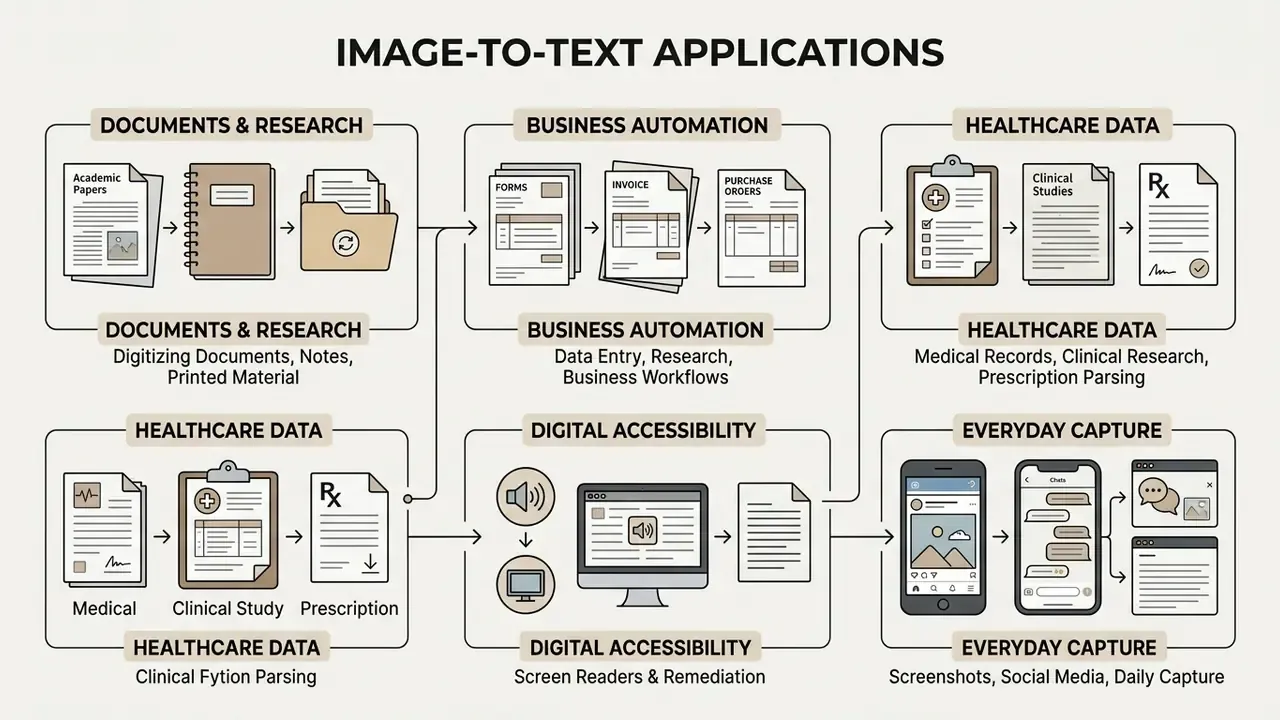
Digitising physical textbooks, lecture notes and printed archives turns static records into searchable, accessible digital assets. According to the Indian National Archives SOP for Digitization of Archival Records (2024), text documents are scanned at 300 DPI, raised to 400 DPI where legibility is problematic and 600 DPI for manuscripts and images, with delivery in PDF/A followed by full-text OCR to produce searchable digital archives. The ICA Digitization Manual (2024) permits TIFF as the archival master with JPEG and PDF as alternatives, and specifies that digitisation of textual records includes the image, its metadata, the full text and structural data. Students and researchers use mobile photo extraction to turn notes, textbooks and printed material into editable plain text instantly, often pairing a camera capture with a crop to isolate one paragraph or a single citation.
Data entry, research, and business automation
Automated text extraction removes manual keying from accounts payable, customer support ticketing and qualitative text analysis. Businesses wire OCR endpoints into their stack to pull key fields from incoming receipts and scanned documents straight into database management systems, then validate and export them to spreadsheets or JSON for downstream processing.
"In a 2023 airline complaint digitization case, an AWS Textract plus GPT-4 pipeline processed handwritten forms into structured Zendesk tickets, built by two engineers in about ten days across roughly 350 lines of Python."
That case is instructive precisely because of its modest scale. The engineering effort sits in field mapping, validation rules and exception routing, not in the recognition step.
Marketing and logistics teams use mobile OCR to capture technical specifications, ingredient lists, batch codes and serial data directly from product labels and packaging. Digitising label metadata accelerates inventory cataloguing, competitor research, warranty registration and e-commerce database updates. A warehouse operator can photograph a pallet label and have the SKU and quantity in the inventory system before walking to the next aisle. Related workflows include expense management from receipt photographs, transcription of whiteboard meeting notes, and extraction of contract clauses into review queues.
For complementary creative workflows and digital asset handling, you can view the guide for step-by-step procedures, or read the photo editor guide for image preparation techniques that raise recognition quality before a file ever reaches the OCR engine.
Medical records, clinical research, and prescription parsing
Healthcare facilities use OCR to transcribe printed clinical notes, patient intake forms, laboratory printouts and pharmaceutical prescriptions into electronic health record databases. Digitising medical documentation streamlines archival retrieval, reduces administrative overhead and accelerates clinical data analysis. Retrospective studies in particular depend on converting decades of paper charts into queryable text.
Two cautions are mandatory here. First, accuracy: the 2024 patient-report benchmark cited earlier recorded top-engine accuracy of 67.28% on complex clinical layouts, categorically insufficient for unreviewed clinical use. Second, jurisdiction: patient data is special-category personal data under GDPR and protected health information under U.S. rules, so processing belongs on on-premise or contracted, attested infrastructure rather than a public web converter. Dosages, drug names and identifiers require field-level human confirmation. No exceptions worth arguing about.
Digital accessibility and screen readers
Accessibility is another core application. Static graphic documents and flattened image files are unreadable by screen reader software used by blind and low-vision users: a scanned PDF without a text layer is, to assistive technology, a blank page. Extracting embedded text into clean plain text, tagged PDF or structured HTML lets text-to-speech engines articulate content accurately.
Institutional practice reflects this directly. University accessibility services produce alternative formats such as OCR text, OCR-overlaid tagged PDF and reconstructed DOCX from scanned images, and W3C WCAG 2.2 Technique PDF7 treats OCR plus verified reading order as the remediation path for scanned documents. Reading order is the detail most often missed. A multi-column page recognized without layout analysis produces text that is technically present and functionally unusable, which is why the verification step in the conversion workflow above is a compliance requirement rather than a nicety.
FAQ: frequently asked questions about image to text converters online
Can I convert mobile photos into text using an online converter?
Yes. Mobile camera photos in JPG, PNG or HEIC convert into editable text without trouble. Many converters expose a direct camera control, so you can photograph a page and process it without saving to the gallery first. For best results, shoot under clear diffuse lighting, keep the page flat with the lens parallel to it, fill the frame with the text block, and crop out the background before running OCR.
How do online converters process multi-page scanned PDFs?
Online converters rasterise each page of a scanned PDF into individual high-resolution frames, run recognition on each page in sequence, and combine the output into a single text file or a searchable PDF layer. Enterprise services document page ceilings, with one major platform accepting PDF and TIFF inputs up to 2,000 pages, and preserve one text stream per page for reading-order fidelity.
Is it possible to use image to text OCR offline?
Browser-based tools need an active internet connection to reach cloud OCR servers. However, embeddable software development kits and desktop applications run recognition entirely on local hardware without transmitting data anywhere. Several mobile capture SDKs advertise fully on-device OCR with no transfer to servers or third parties. Offline processing is the default recommendation for PII, PHI and privileged material.
What is the maximum image size supported by free OCR utilities?
Most free web converters enforce file size limits between 5 MB and 20 MB per file, with batch session totals commonly capped between 50 MB and 100 MB depending on tier. Enterprise tiers publish far higher ceilings, up to 500 MB per file on one paid document-intelligence service against 4 MB on its free tier. Always confirm the current figure on the provider's pricing page.
How does image to code text extraction work for programming scripts?
Image to code text extraction processes screenshots of code snippets while preserving indentation, monospaced syntax and programming symbols. Specialised engines reduce confusion between brackets, pipe symbols, backticks and digits, the classic failure being l versus 1 versus |. Exporting to Markdown or HTML retains code-block structure far better than plain text does.
Can I export a recognized table straight into Excel?
Yes. Converters with structural layout analysis map detected cells to rows and columns, then export to .xlsx or .csv, which is the required path for accounts payable and expense reconciliation. Because table reconstruction remains the weakest area of current OCR, validate numeric columns against a stated total before accepting the export. TEDS-style benchmark scores show that visually plausible tables can still relocate values between columns.
How do I download the results of a batch conversion?
Most batch-capable converters package every processed output into one compressed ZIP archive, so a 50-image submission produces a single download instead of fifty. Some services also offer a merged export that concatenates all recognized pages into one TXT or DOCX file with page separators.
Does the converter automatically correct grammar errors in extracted text?
Advanced AI-driven OCR tools apply light post-processing language models to fix common glyph identification errors, such as reading the letter "O" as the digit "0", or "rn" as "m", plus contextual anomalies. That raises readability before manual proofreading. It is contextual character correction driven by statistical likelihood, not guaranteed editorial proofreading. In numeric, clinical or legal fields the same mechanism can occasionally "correct" a genuine value into a plausible wrong one, which is exactly why field-level human review stays mandatory for regulated data.
Why does my handwritten note convert poorly when printed pages convert perfectly?
Printed type follows standardised fonts, sizes and spacing, so segmentation is close to deterministic. Handwriting varies by writer, slant, ligature and stroke pressure, and cursive connects glyphs that the model must separate before it can classify them. Published corpora such as Muharaf (NeurIPS 2024) and WildHandBench (2026) document this gap directly. Neat block capitals convert far better than cursive. For archival handwriting, use a dedicated handwritten text recognition model rather than standard OCR.
Do free converters keep my uploaded files?
Some delete on completion, some hold files for 24 hours, some say nothing specific at all. The absence of a stated retention window is itself the answer: assume retention until the policy says otherwise in hours. For anything commercially sensitive, move to a contracted API tier or an on-premise engine.
About this guide
This guide is maintained by the AI Governance & Model Risk editorial desk, which reviews document-automation tooling from two angles at once: practical operator workflow, and model-risk validation. Technical claims are sourced to vendor documentation (Google Document AI, Microsoft Document Intelligence, Apryse, ABBYY, Tesseract), standards bodies (W3C WCAG 2.2, NIST, ICO, EDPB, NARA, Library of Congress), and peer-reviewed or benchmarked research from 2023 to 2026. Accuracy figures are reported as ranges with their source conditions, because a single headline percentage means nothing without the document set behind it. Corrections and counter-evidence are welcome. Claims that cannot be traced to a primary source are marked as directional in the text.
Audience assumptions in this guide, including the priorities attributed to risk, compliance and finance leaders, remain hypotheses until validated through interviews, analytics or verified customer research.
Appendix A: superseded source notes
Retained for transparency. These formulations appeared in earlier revisions and have been replaced in the main text by better-documented sources:
Footer navigation: AI Media Commercial-Use | Image-to-text tools for commercial use | AI image enhancers | AI image upscalers | AI image detectors | AI reverse image search | Photo editor guide | Free photo editor guide | Tool comparisons | Workflow guides | Glossary overview | Legal and governance topics
- *"Research published in arXiv
- Handwritten Text Recognition Survey (2026) confirms that handwritten notes suffer from inconsistent letter shapes, connected cursive glyphs, and line slant."* Replaced by the Muharaf dataset (NeurIPS 2024) and WildHandBench (2026), which provide corpus scale and measurable error rates.
- "Furthermore, a study in NIH/PMC (2021) on document quality revealed that visual noise and blur severely degrade character recognition, whereas minor lighting or contrast variations have less impact on modern deep-learning engines." Replaced by the LangArc OCR Resolution Study (2025), which supplies explicit DPI thresholds and format-dependent error behaviour. The underlying finding on blur and noise remains directionally correct.
- "Popular public utilities provide instant browser access without user registration, enforcing daily limit thresholds between 5 and 100 free conversions." Reformulated: quota figures are provider- and tier-specific and change frequently. Verify on the vendor's current pricing page.
- "Free tools often cap uploads to 5 to 10 files per session, whereas commercial enterprise systems allow batch conversions of up to 50 files or 500 MB total session size." Reformulated with documented per-provider examples rather than a single industry range.
- "This shift reduced processing time by 75% and eliminated transcription errors across the financial dataset." Reformulated as a directional, unaudited internal result.