What you will find in this guide:
- What Novel AI Image Generator is and which tasks it solves
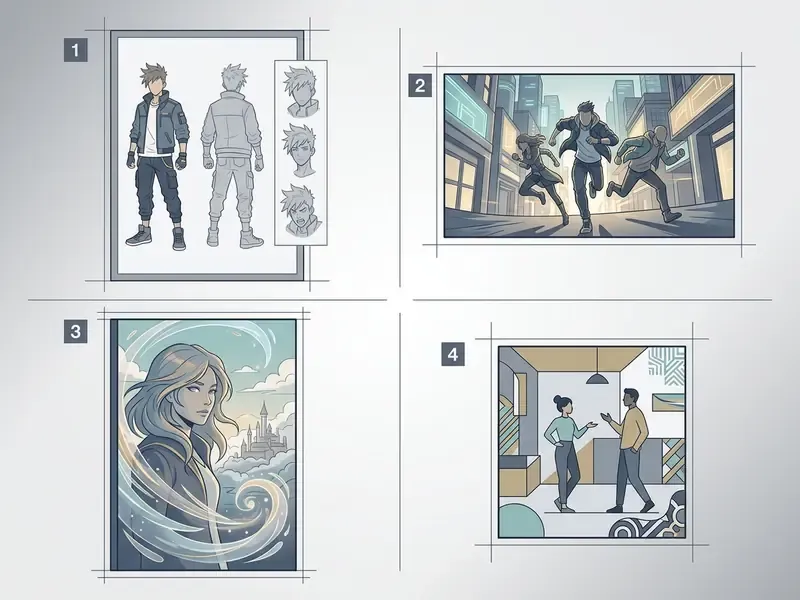
- Supported image types and visual output capabilities
- A step-by-step generation and refinement workflow
- Key determinants of AI generated output quality
- Commercial usage rules, licensing compliance, and the copyright audit
- Enterprise governance: Shadow AI, model risk, data privacy, and deployment options
- NovelAI versus other AI generators (static image vs. video)
- Frequently asked questions
What is Novel AI Image Generator and Which Tasks It Solves
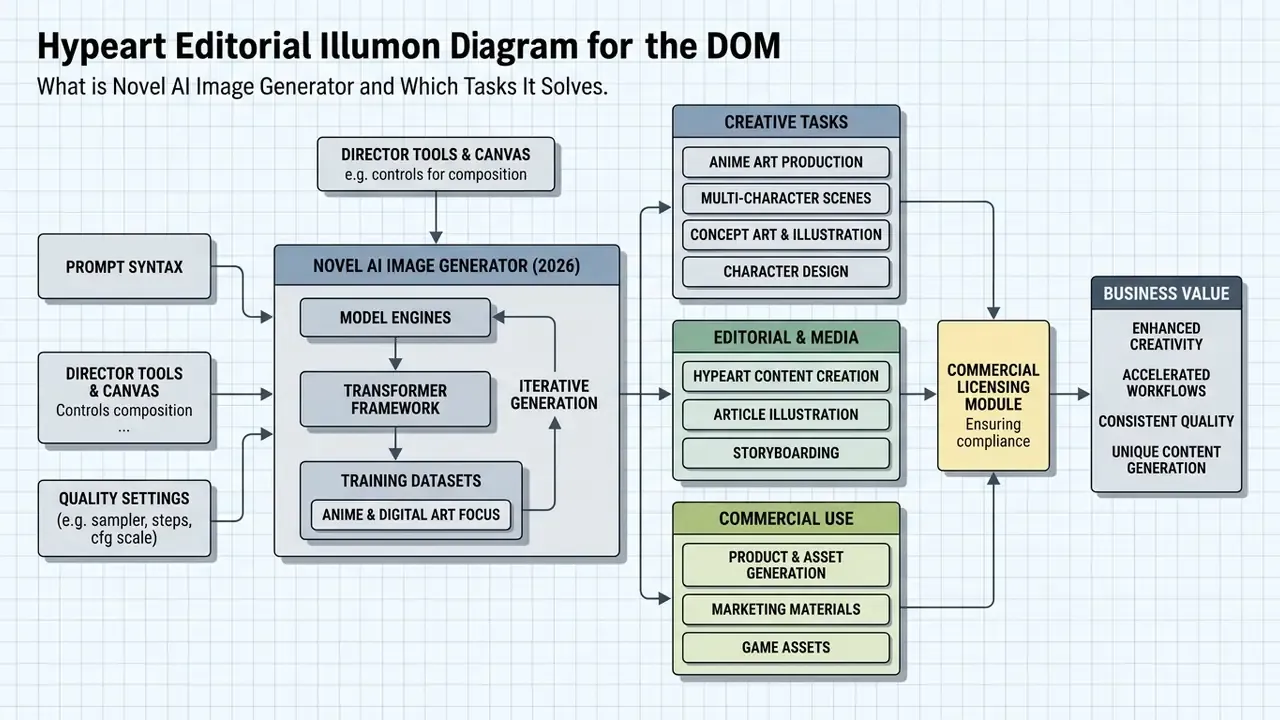
The novel ai image generator is a specialized text-to-image diffusion service engineered specifically for stylized anime artwork, original character creation, and multi-character scene composition. Unlike general-purpose diffusion models trained on broad-spectrum photographic datasets, NovelAI utilizes proprietary models fine-tuned from scratch on high-quality illustration repositories. The platform operates on CoreWeave cloud infrastructure and processes user requests without storing prompts, uploads, or generated images on server storage.
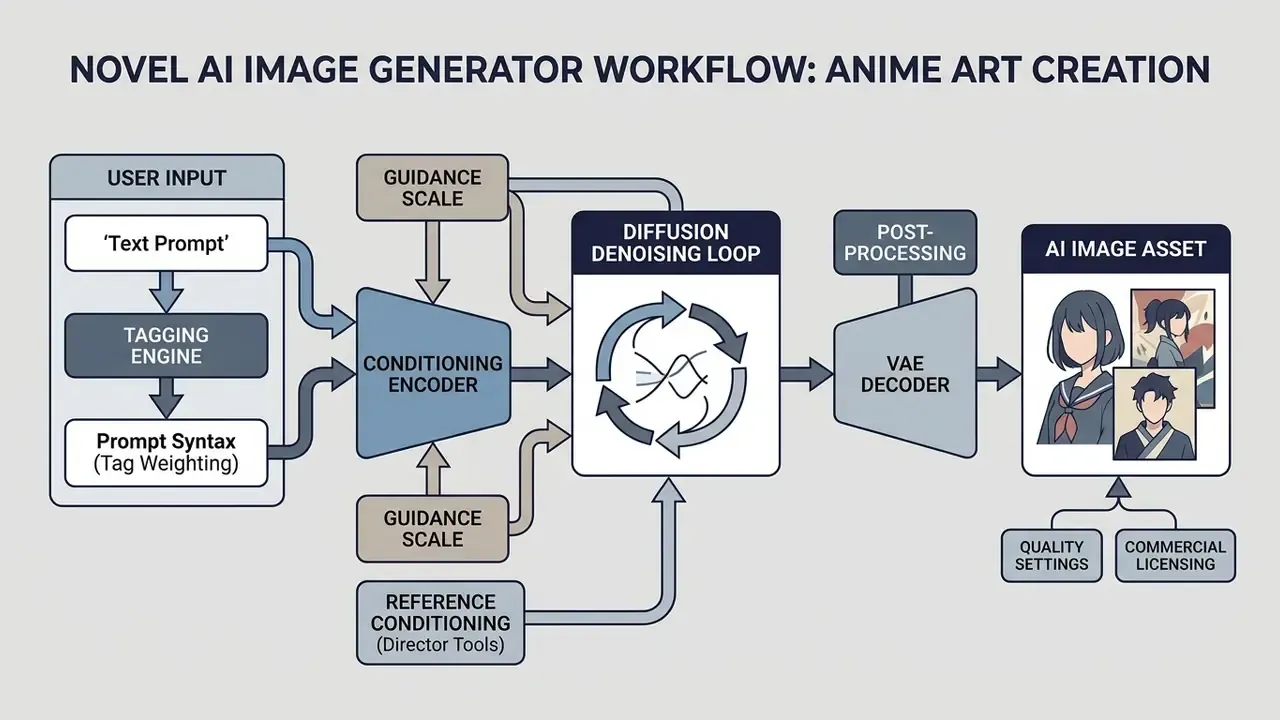
«Modern diffusion models encode text prompts through CLIP or transformer encoders, injecting the conditioning signal into the UNet via cross-attention or classifier-free guidance.»
That architectural detail explains why prompt structure, guidance scale, and tag weighting exert such a direct influence on output. Every token you write becomes a conditioning vector competing for attention inside the denoising loop.
Subscription tiers structure access to the service across three monthly levels: Tablet ($10/month), Scroll ($15/month), and Opus ($25/month). Generation computational costs are managed via an internal credit system called Anlas. Opus tier subscribers receive unlimited generations at normal resolutions (such as 832×1216) up to 28 sampling steps, alongside a monthly allocation of 10,000 Subscription Anlas for high-resolution rendering, inpainting, and precise reference conditioning. According to the official knowledge base, purchased (paid) Anlas do not expire, while unused subscription credits reset upon subscription termination under updated 2026 service policies.
The platform is not a single-modality product. Beyond diffusion image generation, NovelAI ships a narrative text engine, currently powered by the GLM 4.6 story model, that lets authors build worlds, character lore, and long-form prose in the same workspace where they render illustrations. For studios producing light novels, visual novels, or serialized comics, that pairing removes the constant context switch between a writing tool and an art tool.
Generating Anime Art, Characters, and Multi-Subject Scenes
Target Audience: Who Benefits from NovelAI Art Generator
The novel ai art generator serves illustrators, visual novel developers, light novel authors, manga artists, indie game studios, and digital content creators requiring high visual consistency in anime aesthetics. For creative teams, the tool accelerates concept art production, storyboard generation, character sheet iteration, and marketing material design.
By leveraging standardized prompt structures and reference conditioning, creators eliminate the need to manually draw repetitive background assets or character variations. Teams evaluating leading neural tools can study our comparison of the best AI art generators, see the overview of category benchmarks, review free AI art generator options, or consult the glossary of generative media terms for technical definitions across modern AI media stacks. Marketing departments benchmarking platform ecosystems may also compare NovelAI against Canva's AI generator or Google's AI image generator, which target general-purpose design rather than anime specialization.
| Audience segment | Primary task solved | Feature most used |
|---|---|---|
| Illustrators / concept artists | Fast ideation, style exploration, lineart references | Tag-based prompting, art style tags |
| Visual novel & game developers | Character sheets, background libraries, sprite variations | Seed locking, Precise Reference |
| Light novel / web novel authors | Cover art, key visuals, chapter headers | GLM 4.6 lore engine + image generation |
| Marketing & social teams | Banners, feed posts, campaign key art | Aspect ratio presets, Brand-Kit pipeline |
| Enterprise risk & compliance | Evaluating a consumer SaaS generator for internal use | Terms of Service audit, Shadow AI controls |
Supported Image Types and Visual Output Capabilities
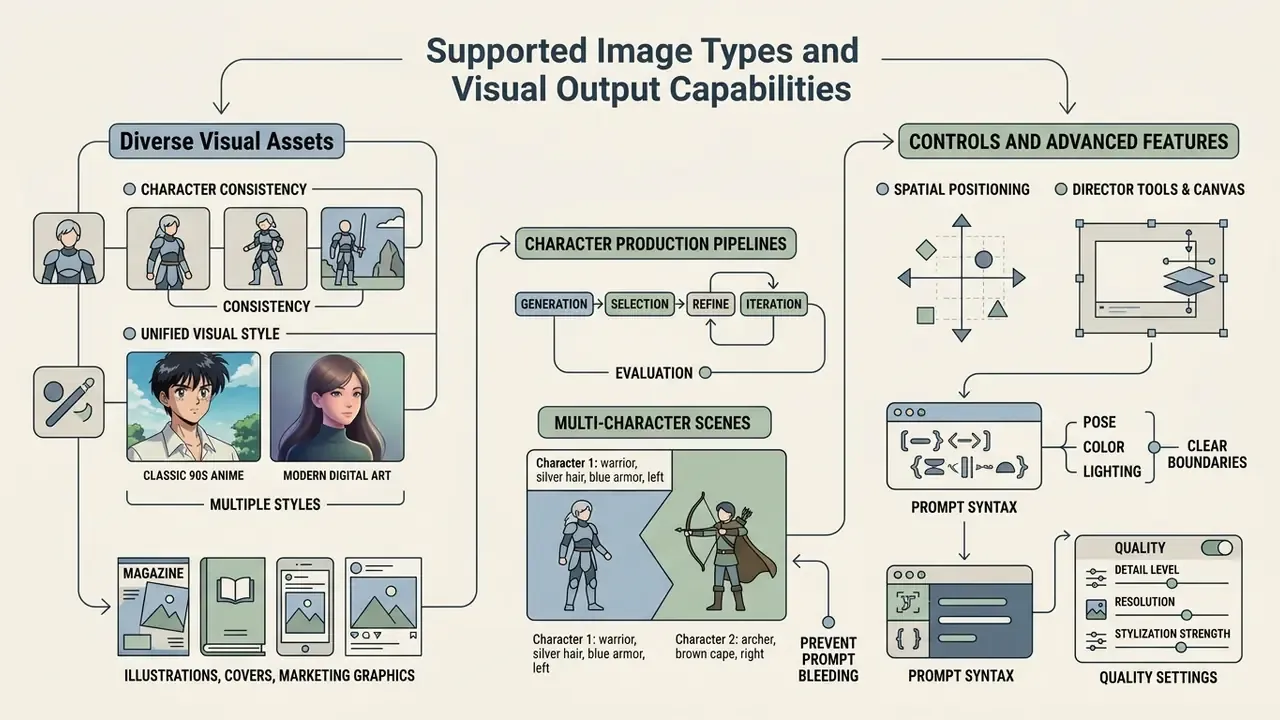
NovelAI generates a broad spectrum of 2D visual assets, ranging from isolated character portraits to expansive environment concepts and social media marketing graphics. Users can select from multiple aspect ratio presets, including standard portrait (832×1216), landscape (1216×832), square (1024×1024), and expanded reference sizes for precise reproduction (1024×1536, 1472×1472, and 1536×1024).
The platform accommodates diverse visual styles: classic 90s anime, modern cel-shaded digital art, watercolor washes, soft pastel shoujo aesthetics, and detailed lineart. Medium tags such as watercolor, copics, lineart, official art, and stylistic directions like art nouveau, surreal, or abstract let creators tailor outputs for specific publishing channels without losing stylistic integrity. Readers exploring adjacent aesthetics can also review our breakdown of Ghibli-style AI image generators to understand how style-specialized models differ from general diffusion systems.
Character Consistency and Unified Visual Style
Maintaining consistent character visual identity across multiple generations is achieved through structured subject tagging, seed retention, and NovelAI's Precise Reference features (Character Reference, Style Reference, and combined Character & Style Reference). By establishing a canonical prompt tag order, subject tags (1girl, 1boy, 1other, solo), then physical traits, then attire, then framing and environment, creators enforce structural stability across distinct scenes. Reusing a previously generated seed, which the documentation defines as the exact random basis of an image, further "assists the AI to generate in the same direction."
Illustrations, Covers, and Social Media Assets
For publishing and digital marketing, NovelAI produces publication-ready light novel covers, key visual frames, and banner graphics adapted for online feeds. Standard square (1024×1024), vertical (832×1216), and horizontal (1216×832) aspect ratios map directly to social media post layouts, story formats, and banner dimensions. Covers frequently use the 1024×1536 reference-friendly size, then pass through the native upscaler for print-grade output.
«HPD v2 contains 433,760 image pairs and 798,090 human preference choices; the HPS v2 model trained on it detects algorithmic improvements and generalizes across image distributions.»
That scale matters operationally. Preference-trained scorers give social teams a repeatable way to rank candidate assets instead of relying on a single art director's instinct. Composition balance, lighting clarity, and aesthetic coherence remain the dominant drivers of audience engagement with generated visuals.
«The REAL framework reaches a Spearman correlation of up to 0.62 with human ratings; high-scoring images improve classification F1 by 11.3%, low-scoring images reduce it by 4.95%.»
Filtering outputs for fine-grained attribute realism therefore improves both audience resonance and downstream asset utility. That is a solid argument for building a scoring gate into any high-volume content pipeline, especially one feeding paid social. Teams that need to extend a rendered cover to additional aspect ratios can pair NovelAI output with AI outpainting tools rather than regenerating the composition from scratch.
How to Use Novel AI Image Generator: Step-by-Step Workflow
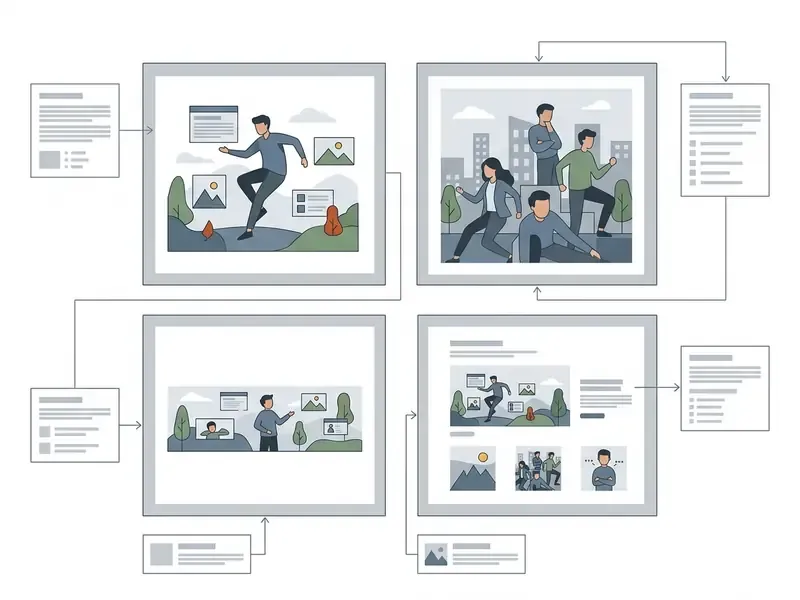
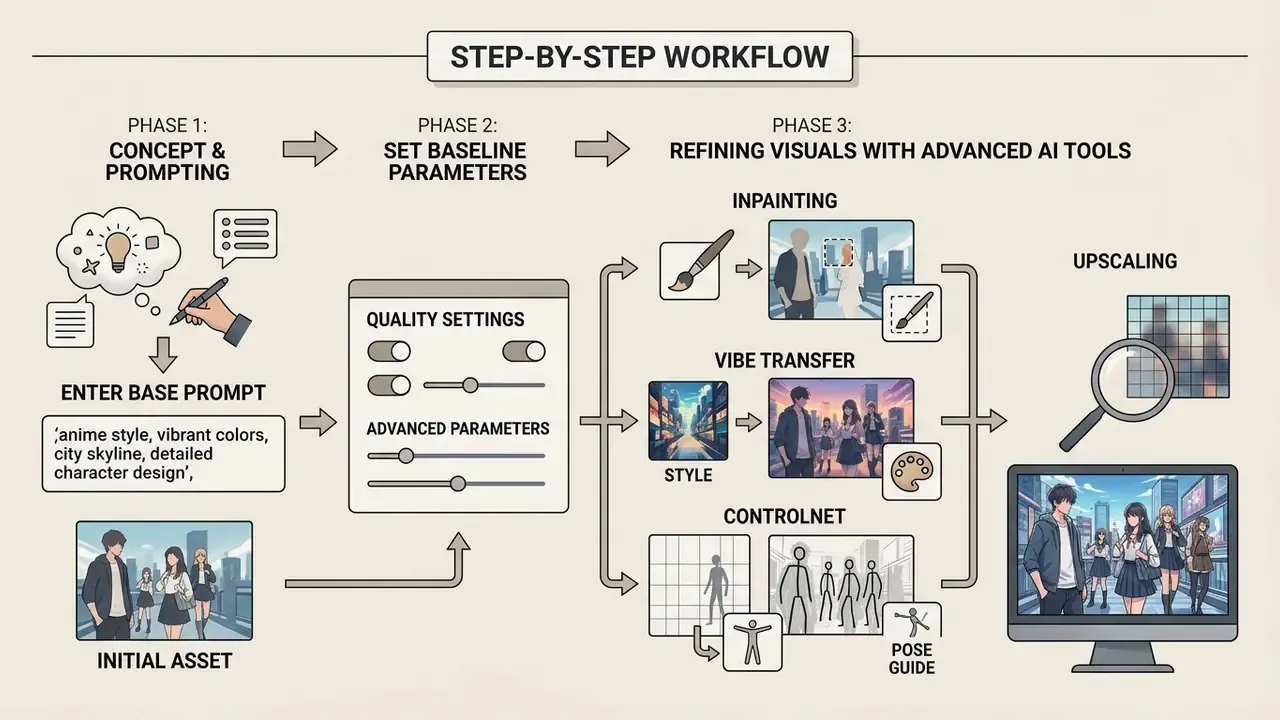
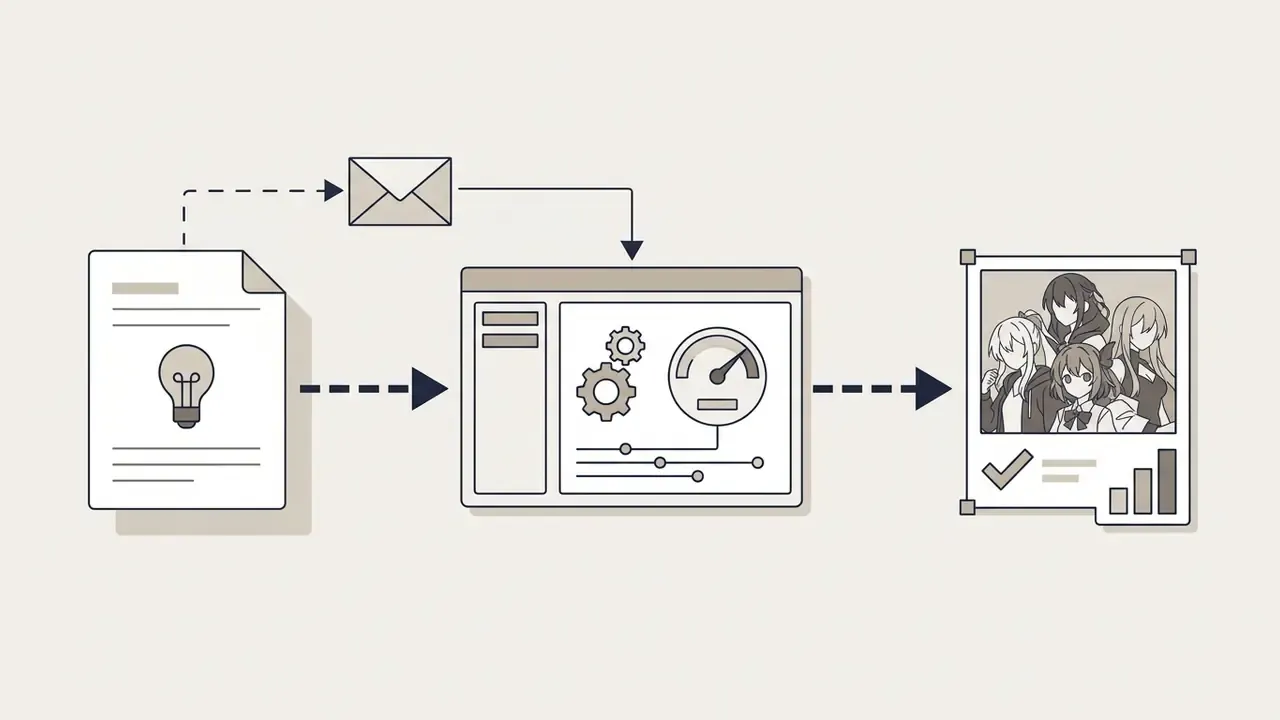
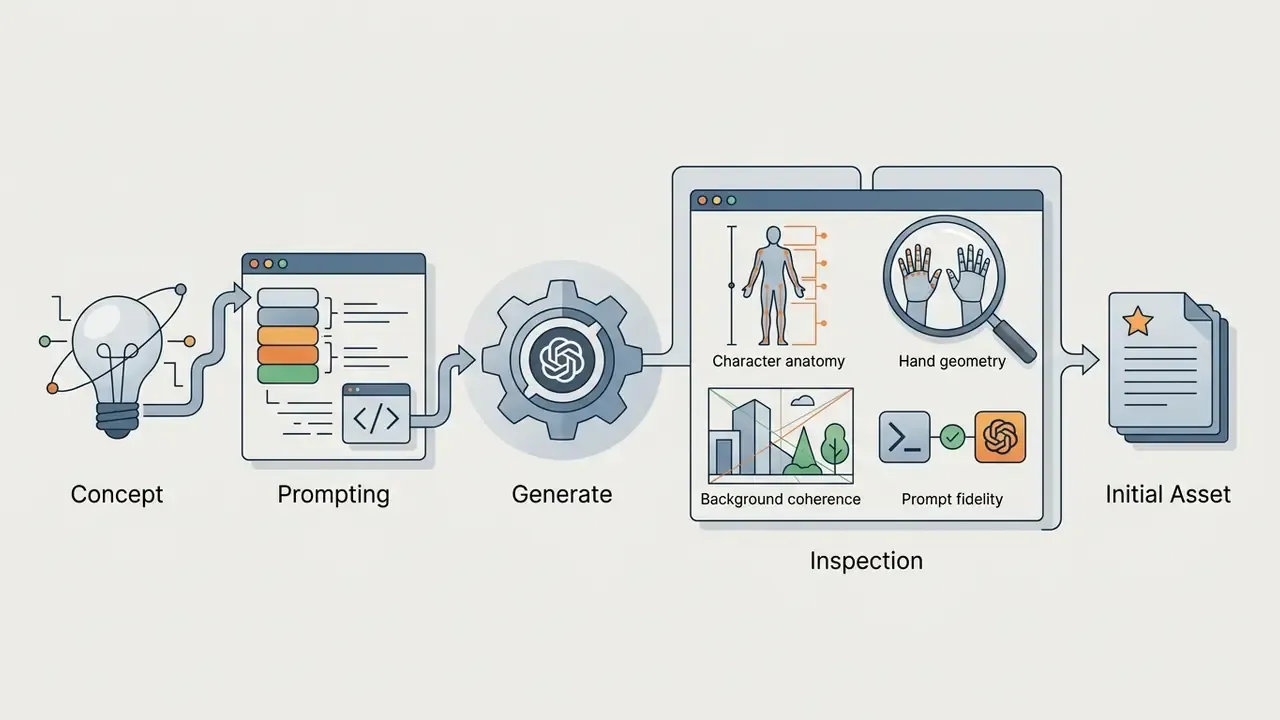
Generating a high-quality novel ai image follows a systematic five-step operational workflow: prompt formulation, setting configuration, initial sampling, visual evaluation, and targeted AI tool refinement. This structured approach ensures predictable visual results while minimizing unnecessary Anlas expenditure.
- Formulate the Prompt: Write a structured, comma-separated text prompt specifying subject, appearance, attire, background, and lighting.
- Configure Generation Settings: Select the model version (for example, NovelAI Diffusion V5 Full), target aspect ratio, sampling step count, and Prompt Guidance scale.
- Execute Initial Generation: Submit the job to generate initial candidate samples from Gaussian noise.
- Inspect Output Quality: Evaluate structural integrity, hand anatomy, object counts, and text-prompt alignment.
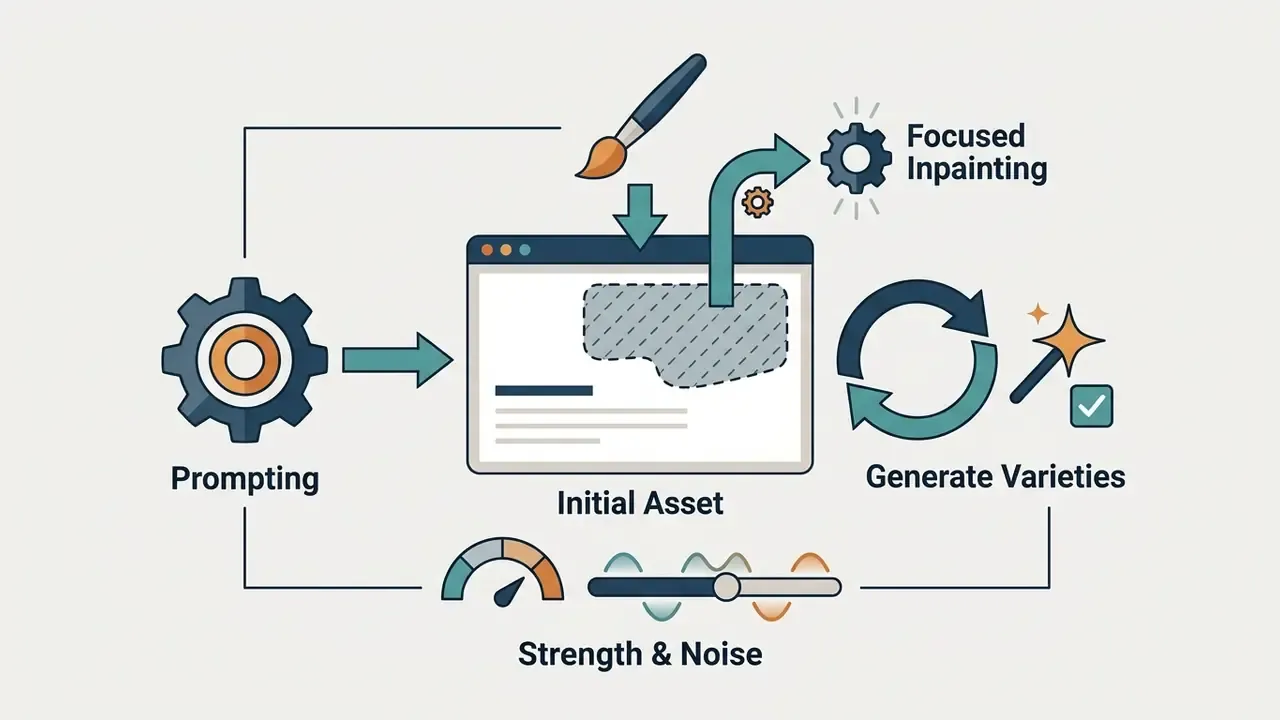
- Apply Refinement Tools: Use Inpainting, Director Tools, ControlNet, Canvas, or Vibe Transfer to fix local artifacts or adjust style adherence.
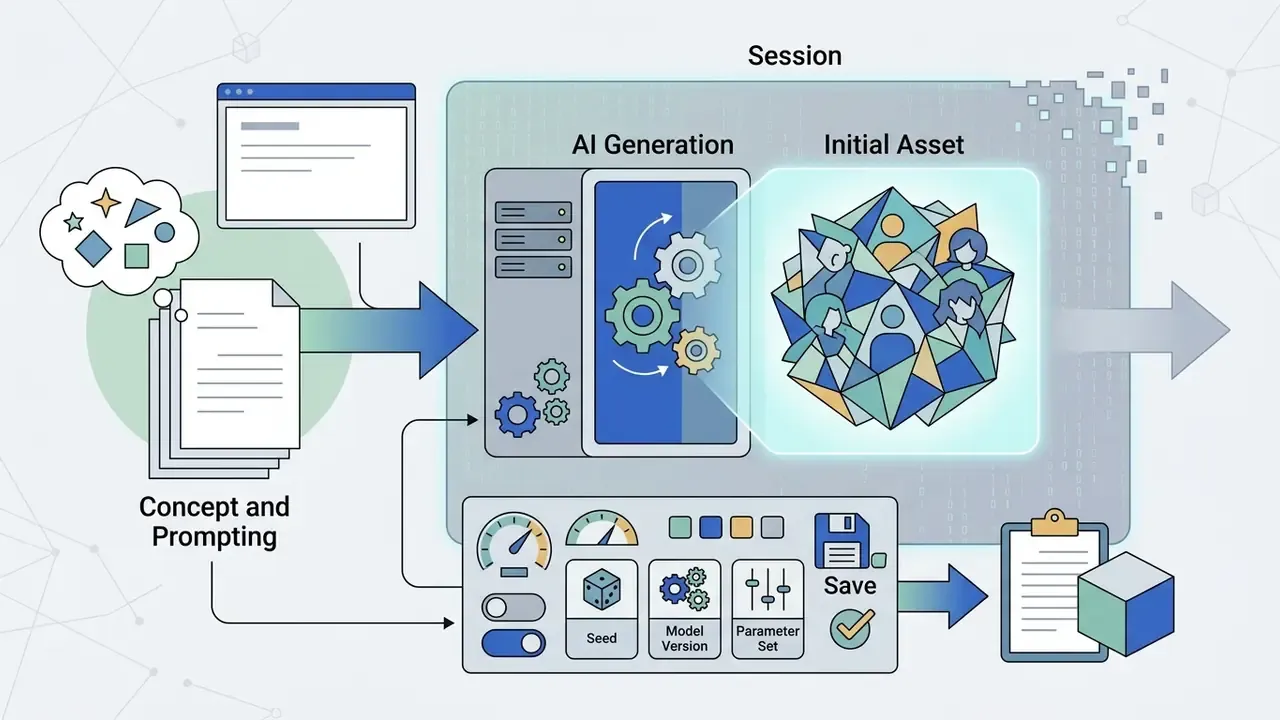
From Concept and Prompting to Initial Asset
The generation process begins by translating a conceptual idea into NovelAI's tag-based prompt language. According to the official models documentation, NovelAI's text encoder processes approximately 1,471 effective prompt tokens in V5 Full (plus roughly 750 tokens reserved for text rendering), allowing for highly detailed descriptive inputs (NovelAI Documentation, 2026, https://docs.novelai.net/en/image/models/). This is a vendor-published specification rather than an independently audited measurement. The prompt syntax functions best when ordered logically from primary subject to fine environmental detail, with quality tags appended at the end.
Undesired Content, which is NovelAI's negative prompt field, accepts the same emphasis syntax as the positive prompt. Weighting a term such as {{extra fingers}} inside Undesired Content suppresses that failure mode more aggressively than a bare tag.
Checklist: first generation run and initial refinement in NovelAI
Creators can streamline production further by standardizing these steps into a reusable template. Our workflow library shows how a comparable asset pipeline is documented end to end for publishing teams, and you can browse the hub for adjacent production playbooks.
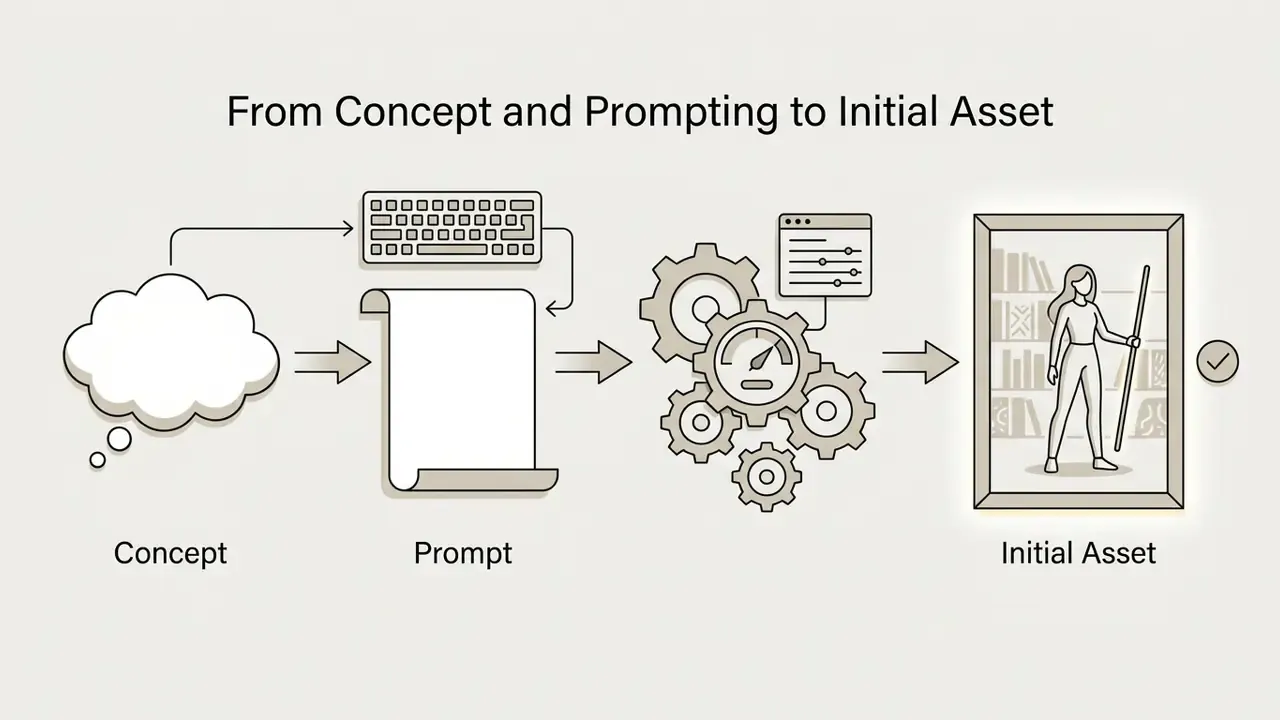
1girl, solo, silver hair, glowing staff, library, backlighting.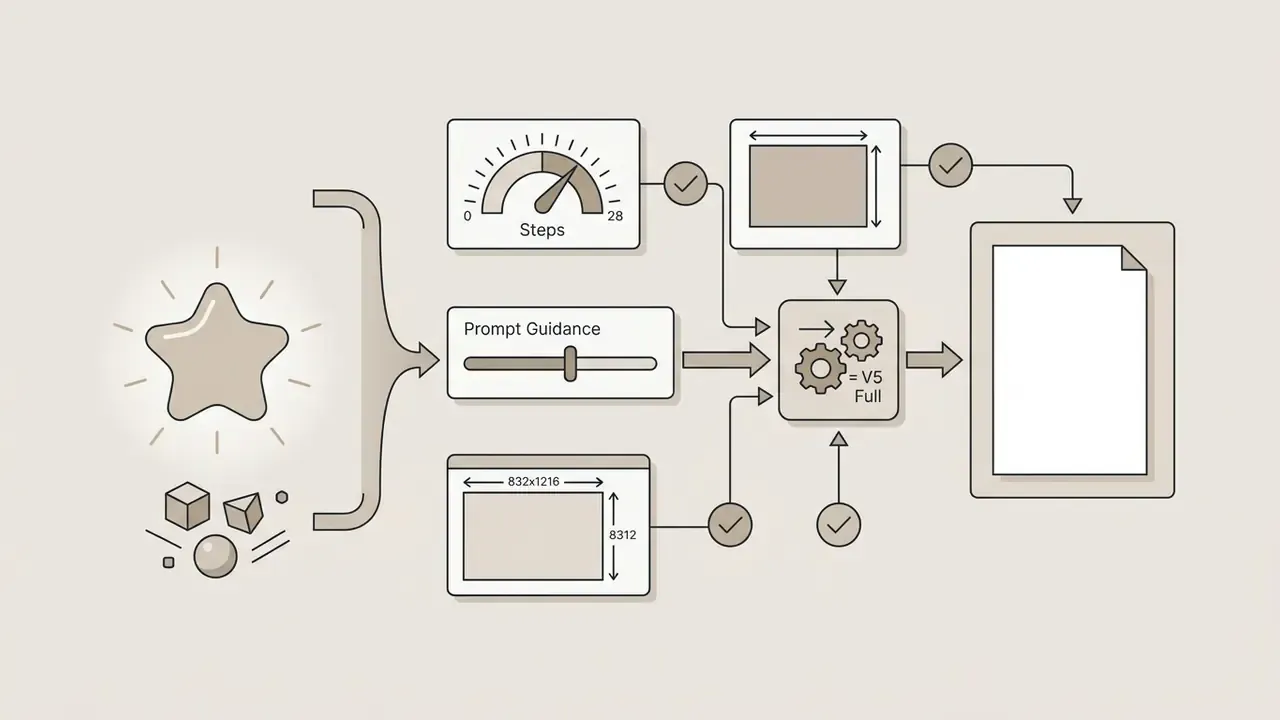
Refining Visuals with Advanced AI Tools
When an initial generation exhibits minor flaws or requires aesthetic enhancement, NovelAI provides an integrated, ai powered refinement stack:
- Inpainting Allows creators to mask specific image regions and regenerate them at higher effective resolutions (the masked region is upsampled to roughly 1 megapixel before being filled) without modifying unmasked areas. Focused Inpainting consumes zero Anlas for Opus subscribers at normal resolutions.
- Vibe Transfer Extracts semantic visual information and artistic flair from up to 16 reference images, applying the collective "vibe" to new prompt generations; transfer strength and extracted-information sliders control how strongly the reference dominates. Each added vibe increases cost and generation time.
- ControlNet Uses control masks to enforce strict structural poses, lineart boundaries, or depth maps onto the generative process. The
controlnet_strengthparameter governs how much influence the control signal exerts. - Upscaling Performs standalone resolution enlargement, increasing image dimensions while preserving fine linework and returning NovelAI generation metadata where available. For comparative context on enlargement algorithms, see our overview of AI image upscalers.
- Director Tools Specialized control mechanisms that let creators adjust character poses, modify clothing styles, alter scene lighting, and enhance facial details directly, without rewriting the prompt or destabilizing the underlying character identity. This is the fastest route to "same character, different wardrobe or lighting" iterations.
- Interactive Canvas An in-browser editing environment enabling manual paint corrections, quick compositional guides, and precise local mask placement, so the diffusion process can be steered interactively rather than through prompt guesswork alone.
- GLM 4.6 Text & Lore Engine Integration NovelAI pairs its image pipeline with the GLM 4.6 story model, allowing creators to draft character background lore, worldbuilding rules, dialogue, and even prompt descriptions inside a single workspace. Narrative continuity and visual continuity are therefore maintained from the same source of truth, an advantage general-purpose image generators do not offer.
«Analysis of 1.5 million prompts from DiffusionDB shows that rapid-variant generation features significantly reduce prompt detail and narrow users' exploration of new concepts.»
The practical implication: convenience features such as one click varieties should complement, not replace, deliberate prompt engineering. Teams that lean exclusively on variant buttons tend to converge on visually similar output. We have seen briefs where forty "different" candidates shared the same pose.
Key Determinants of AI Generated Output Quality
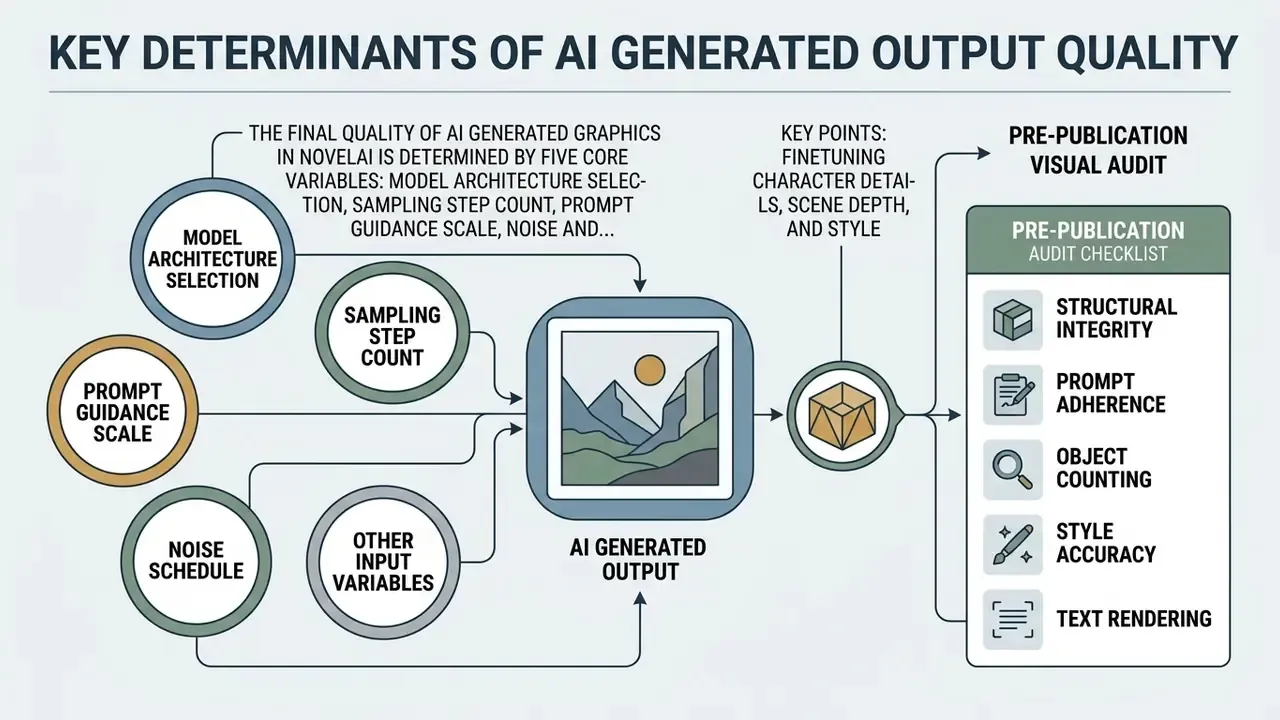
The final quality of ai generated graphics in NovelAI is determined by five core variables: model architecture selection, sampling step count, Prompt Guidance scale, noise and strength balance, and prompt syntax precision. Understanding how these technical parameters interact prevents common visual artifacts such as over-saturation, blurry lineart, or anatomical distortions.
| Technical Parameter | Recommended Range | Operational Impact on Quality |
|---|---|---|
| Model Version | V5 Full / V5 Curated | V5 Full offers broader concept coverage; V5 Curated provides focused, safer outputs. |
| Sampling Steps | 24 - 28 steps | Higher steps refine noise iterations; going beyond 35 steps yields diminishing visual returns. |
| Prompt Guidance | 5.0 - 6.0 | Controls prompt adherence vs. model creativity. Settings above 8.0 cause over-sharpening artifacts. |
| Strength / Noise (img2img) | Strength 0.4 - 0.7 | Governs how far the output departs from the base image composition. |
| Aspect Ratio | 832×1216 / 1024×1024 | Native resolution training presets ensure optimal composition without limb duplication. |
| Tag Emphasis | {tag} (×1.05) / [tag] (÷1.05) | Adjusts mathematical weight of specific prompt elements in cross-attention layers. |
| Seed | Locked for series work | Identical seed plus identical prompt reproduces the same generation basis, essential for audit trails. |
Finetuning Character Details, Scene Depth, and Style
Achieving deep visual detail requires combining precise character attributes with lighting and atmospheric tags. Quality tags such as very aesthetic, amazing quality, no text are placed at the end of V5 prompts to guide aesthetic rendering without overriding primary subject tags.
Atmospheric tags such as backlighting, depth of field, drop shadow, emphasis lines, shadow, refraction, and caustics directly control scene lighting and focal depth, while transparent background, has alpha, and alpha transparency isolate characters or props for compositing. Emotion tags (happy, nervous, flustered) drive facial expression without touching pose descriptors. Tag weighting uses curly braces {tag} to increase emphasis by a factor of 1.05 per brace, while square brackets [tag] decrease emphasis by 1.05 per bracket. Braces must remain balanced, or the parser will misread the prompt.
Pre-Publication Visual Audit
Before publishing or deploying generated visuals, content creators must perform systematic technical and aesthetic verification. Standard quality audits check structural integrity, prompt fidelity, artifacting, and, critically for scholarly or regulated contexts, disclosure and rights confirmation. Institutional guidance in academic publishing requires that AI-generated figures never simulate real results and that they be labeled in captions; commercial publishers add subject-matter-expert review and copyright confirmation to the same gate.
Commercial Usage Rules and Licensing Compliance
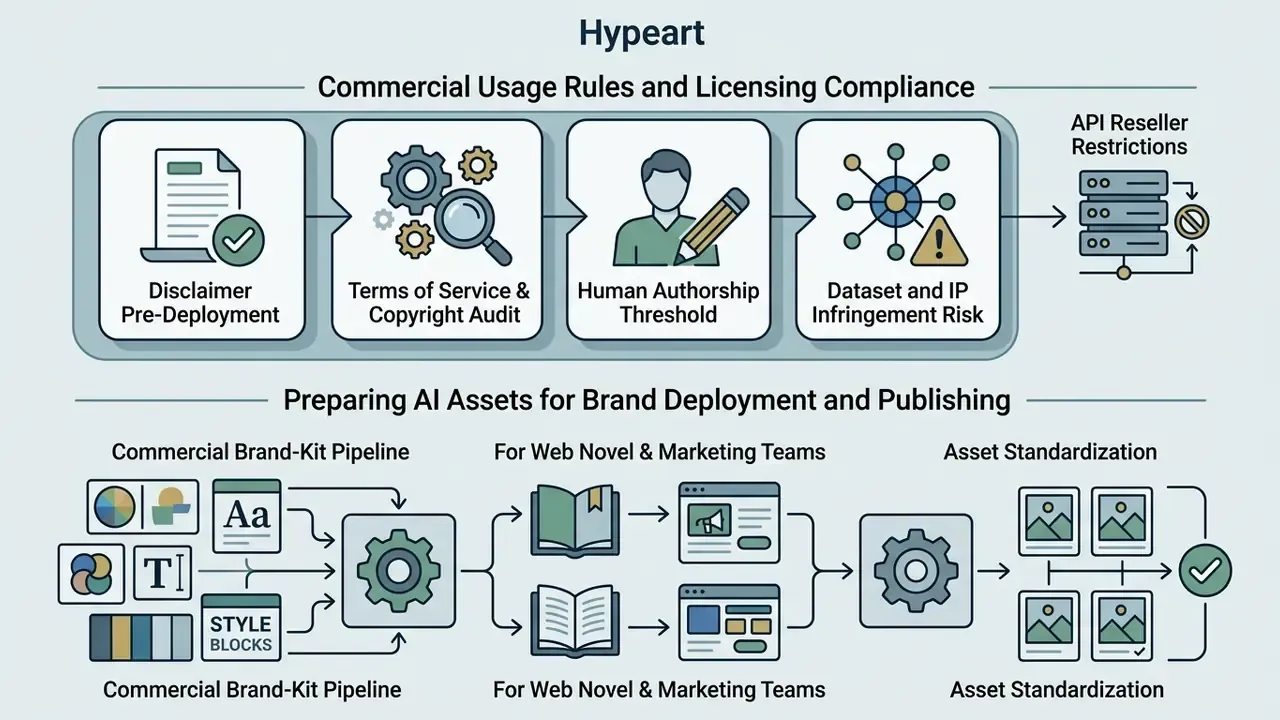
Yes, images generated via NovelAI can be used in commercial projects under the platform's official Terms of Service (Section 1.3). NovelAI explicitly states that users retain all rights and ownership of their content, while Anlatan Inc. (the parent company) claims zero ownership rights over user outputs. The official FAQ reiterates that generated material belongs to the user "to the fullest extent of applicable law," with no additional commercial-use tier required.
However, commercial operators must distinguish between contractual ownership granted by NovelAI and statutory copyright protection under federal law. Users bear sole legal responsibility for ensuring their generated graphics do not infringe upon existing third-party copyrighted characters or trademarked intellectual property. Equally important for regulated buyers: the Terms grant rights but do not provide IP indemnification. There is no vendor commitment to defend or reimburse a customer facing a third-party infringement claim. For banks and mature fintechs accustomed to enterprise vendors offering indemnity, this is a material gap that must be recorded in the vendor risk register.
Pre-Deployment Terms of Service & Copyright Audit
Before deploying generated artwork in commercial products, merchandise, or advertising, enterprise teams must verify three regulatory and contractual pillars:
Commercial usage and copyright disclosure notice (2026):
- Human authorship threshold: Under US Copyright Office guidance (2026), purely AI-generated outputs lacking human authorship contributions cannot be registered for copyright protection. Only human-authored modifications, edits, or sufficiently creative arrangements qualify, and registration filings must disclose AI-generated content with a brief explanation of the human contribution.
- Dataset and IP infringement risk: NovelAI assigns contractual rights to the user but does not indemnify users against third-party copyright claims if generated graphics resemble existing protected works. Training-data provenance disputes remain an open litigation area.
- API reseller restrictions: NovelAI's Terms forbid reselling API access as a wrapper SaaS or deploying high-volume third-party integrations under standard consumer accounts.
«Current US doctrine requires human authorship for copyright protection; training on datasets containing protected works raises unresolved questions about infringement of the reproduction right.»
Policy frameworks diverge by sector, and that divergence is itself a risk input. IAB Canada's 2026 guidance and Adobe Stock's contributor rules permit commercial use of AI imagery subject to disclosure and rights clearance, while IEEE prohibits generative AI images for external commercial use entirely. Enterprises must map their own publication channels against the strictest applicable policy rather than the most permissive one.
For teams comparing licensing models across vendors, our analyses of Microsoft's AI image generator terms and Bing AI image creation rules illustrate how differently large platforms allocate output rights.
Preparing AI Assets for Brand Deployment and Publishing
Preparing a generated graphic for commercial deployment requires color calibration, resolution upscaling, and provenance documentation. Commercial frameworks such as the IAB Canada 2026 AI guidelines recommend labeling consumer-facing AI graphics with disclosure tags (for example, "AI-generated image"), with text labels preferred over icons unless labeling would materially harm the ad unit.
Commercial Brand-Kit Pipeline for Web Novel & Marketing Teams
| Verification criterion | Mandatory condition | Status / Risk | Risk-mitigation action |
|---|---|---|---|
| Subscription & license | Active paid tier (Tablet / Scroll / Opus) at time of generation | Low | Retain invoices and session logs proving active status. |
| Content rights | ToS Section 1.3, rights retained by user | Low | Confirms contractual right to sell and merchandise. |
| IP indemnification | Vendor defense against third-party claims | High, not offered | Budget own legal reserve; consider media-liability insurance. |
| IP protection & similarity | No resemblance to third-party characters or marks | Medium / High | Run an AI reverse-image search before release. |
| Copyright registration | Demonstrable human creative contribution | Legal | Apply inpainting or overpainting and document the human edit. |
| Platform rules | AI-content labeling (IAB / Adobe Stock / channel policy) | Administrative | Attach "AI-generated" disclosure per channel requirement. |
| Data handling | No confidential data in prompts or uploads | Medium | Enforce prompt hygiene policy; block uploads of internal material. |
| Model risk documentation | Entry in AI inventory with owner and validation date | Regulatory (SR 11-7 / NIST AI RMF) | Complete the model card below before first production use. |
Enterprise Governance: Shadow AI, Model Risk, and Data Privacy
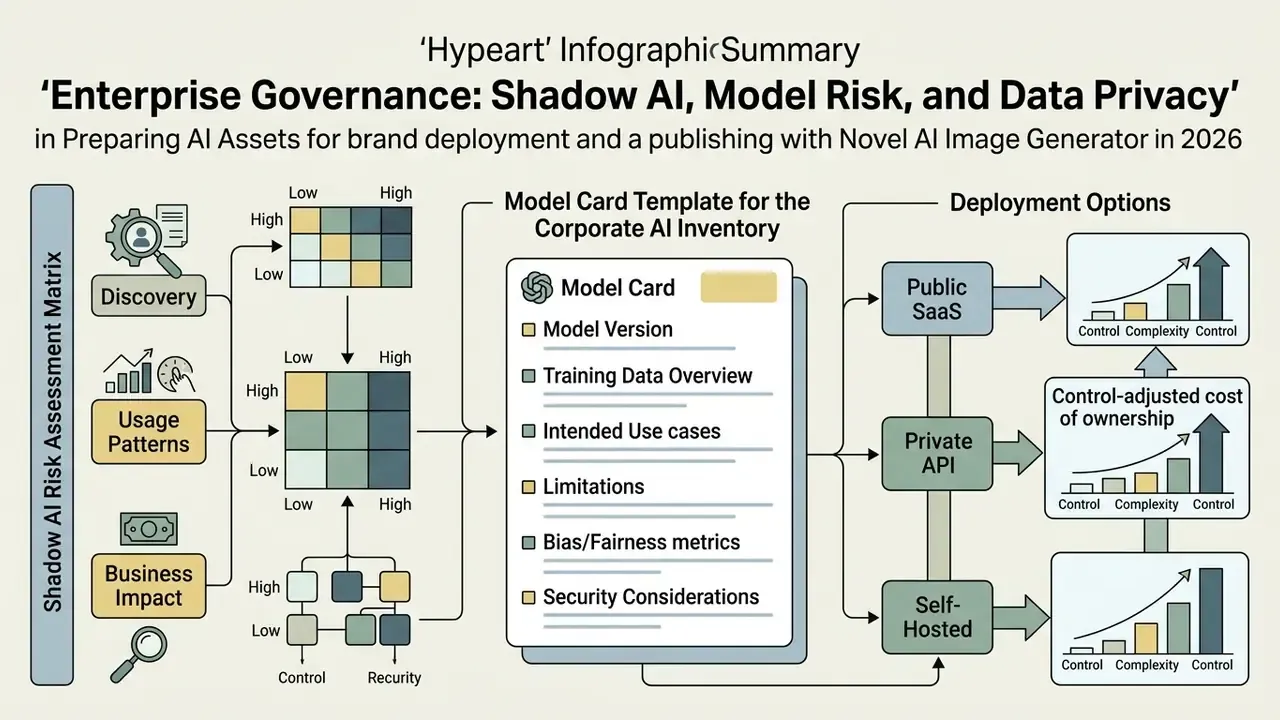
Shadow AI Risk Assessment Matrix
| Risk vector | Exposure scenario | Severity | Control / mitigation |
|---|---|---|---|
| Data leakage via prompts | Employee pastes internal campaign copy or customer detail into a prompt | High | Network-level policy; prompt hygiene training; block uploads |
| Unmanaged identity | Personal email accounts, no SSO, no offboarding trigger | High | Disallow non-SSO generative tools on corporate devices |
| No audit trail | Session-only generations leave no retrievable record | High | Mandate local archival of prompt, seed, and parameters in a managed repository |
| IP infringement | Output resembles a protected character used in a public campaign | High | Pre-release similarity screening; legal sign-off for external assets |
| Content appropriateness | Model capable of styles unsuitable for a regulated brand | Medium | Restrict to Curated model variants; human review gate before publication |
| Payment / procurement bypass | Card-based personal subscriptions outside vendor management | Medium | Expense-policy control; SaaS discovery tooling |
| Regulatory documentation | Tool used in customer-facing material without inventory entry | Medium | Mandatory AI inventory registration before first use |
Model Card Template for the Corporate AI Inventory
Use the following template to register NovelAI, or any third-party generative image service, in an AI inventory aligned with Federal Reserve SR 11-7 and OCC 2011-12 model risk expectations plus the NIST AI Risk Management Framework. These frameworks are referenced as governance context; applicability to non-decisioning creative tools should be determined by your own model risk policy.
| Model card field | Entry for NovelAI Diffusion V5 |
|---|---|
| Model name / version | NovelAI Diffusion V5 (Full / Curated), vendor-hosted |
| Vendor / operator | Anlatan Inc.; infrastructure: CoreWeave |
| Purpose & scope of use | Non-decisioning creative asset generation (illustration, concept art, marketing visuals) |
| Prohibited uses | Any customer-facing decisioning, identity imagery, document generation, or use of confidential inputs |
| Inputs | Text prompts, optional reference images (no confidential or customer data) |
| Outputs | Static 2D raster images (PNG/JPEG); no video |
| Reproducibility controls | Seed, prompt text, model version, steps, guidance, resolution, archived per asset |
| Validation approach | Human review gate; pre-publication audit checklist; object-count verification |
| Known limitations | Counting accuracy below 50% beyond five objects; anatomy artifacts; photorealism weakness |
| Data retention | Vendor states no server-side storage; enterprise archival is the customer's responsibility |
| Licensing / rights | ToS Section 1.3, user retains rights; no IP indemnification |
| Regulatory notes | Pure AI output not registrable for copyright without human authorship (US Copyright Office, 2026) |
| Owner / approver | Named business owner, reviewing risk partner, approval date, next review date |
Deployment Options: Public SaaS vs Private API vs Self-Hosted
| Criterion | NovelAI (public SaaS) | Vendor API under enterprise contract | Self-hosted open-weight diffusion |
|---|---|---|---|
| Anime style quality out of the box | Highest (domain-specialized) | High | Variable; depends on chosen checkpoints |
| Data residency control | None (vendor cloud) | Contractual | Full |
| SSO / RBAC / audit logs | Not documented | Typically available | Fully controllable |
| IP indemnification | Not offered | Sometimes offered | Not applicable (own risk) |
| Reproducibility / seed control | Available in UI | Available via API | Complete, including model pinning |
| Total cost profile | $10 to $25 per seat per month | Usage-based plus contract | Infrastructure plus MLOps headcount |
| Suitable for regulated external campaigns | Only with strict human review and legal sign-off | Yes, with contract review | Yes, with internal validation |
No matching rows Clear one or more filters to restore the matrix.
Control-adjusted cost of ownership. A useful planning formula for risk-aware budgeting:
TCO = (Subscription or API spend) + (Human review hours × loaded rate) + (Legal/compliance review per campaign) + (Archival & audit tooling) + (Expected residual IP risk × probability)
In practice, review and legal sign-off dominate the arithmetic. A $25 per month seat can carry several hundred dollars of monthly control cost once mandatory human authorship overlay, similarity screening, and provenance archival are priced in. That ratio, not the sticker price, is what should drive approve, restrict, or deny decisions. Where the evidence chain cannot be reconstructed after the fact, the honest answer is that the tool is not yet production-ready for external use.
NovelAI vs Other AI Generators: Choosing the Right Tool
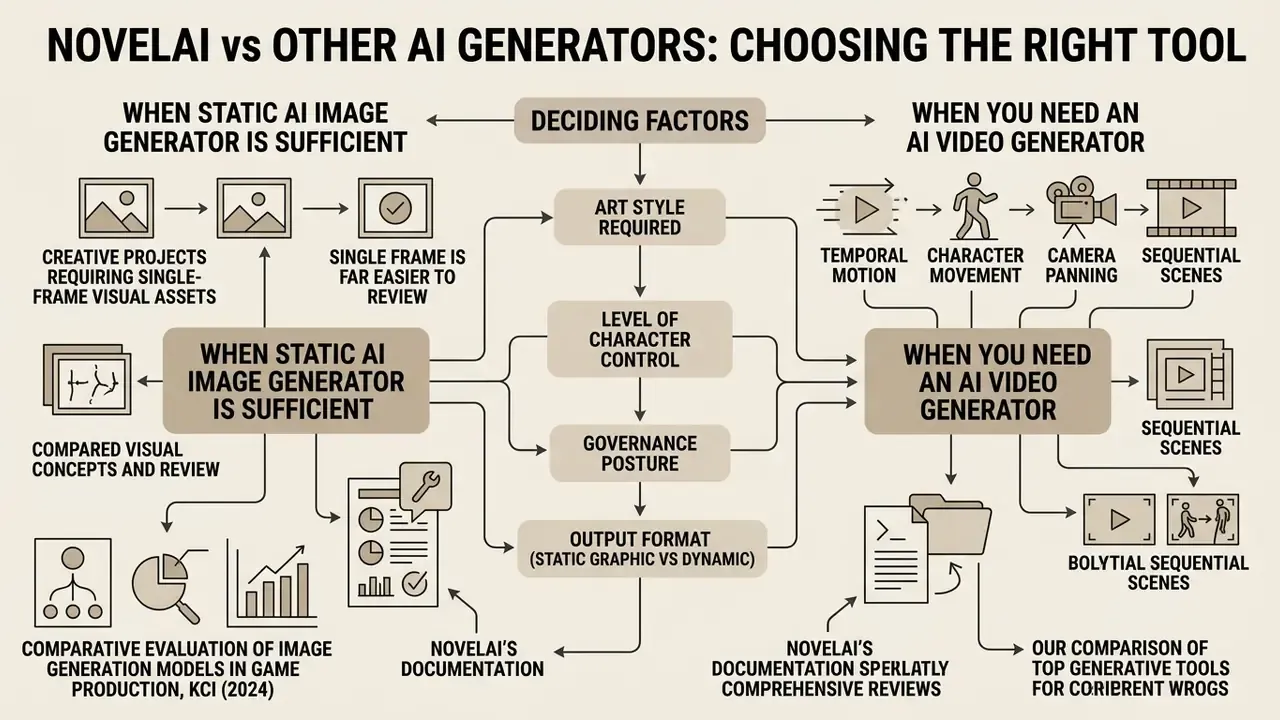
Selecting the appropriate generative AI tool depends on the required art style, level of character control, governance posture, and output format (static graphic versus dynamic video). NovelAI offers superior performance for stylized anime art and recurring character design, whereas general ai tools like Midjourney or Stable Diffusion excel at broad photographic realism.
A comparative evaluation of image generation models in game production, published in KCI (2024), reported that NovelAI performed best among tested models for anime-concept imagery, while Nijijourney and Midjourney scored higher on other case types. The publication does not expose per-criterion scoring tables or full methodology in the materials available to us, so the finding should be read as directional rather than as a reproducible benchmark.
«Anime-oriented models trained on specialized datasets (for example, Danbooru-style corpora) achieve high in-domain stylistic consistency but underperform general models on photorealistic tasks.»
NovelAI's own documentation reinforces the specialization argument from the opposite direction. It states that NovelAI Diffusion will not reproduce standard Stable Diffusion results even with an identical prompt and seed, because the models are separately trained artifacts. Teams running head-to-head evaluations can consult our comparisons of Midjourney image generation and ChatGPT-based picture generation for the general-purpose side of the matrix, or explore the hub for the full research index.
When a Static AI Image Generator is Sufficient
A static ai image generator is sufficient for creative projects requiring single-frame visual assets, concept art sheets, book covers, social media banners, character sheets, and marketing graphics. Static tools offer higher resolution control, lower compute costs, simpler auditability, and precise character reference capabilities.
One more practical argument: a single frame is far easier to review. A compliance reviewer can inspect one PNG in under a minute, which keeps the human review gate affordable at scale.
Creators seeking comprehensive comparative reviews across top generative tools can study our comparison of the best AI art generators to select tooling matching budget, style, and licensing requirements.
When You Need an AI Video Generator
When project requirements demand temporal motion, character movement, camera panning, or sequential scene transitions, creators must transition from static image generators to a dedicated AI video generator. Static generators like NovelAI do not produce video files (MP4 or WebM) or render temporal frames. No official NovelAI endpoint or feature for video generation exists in the 2026 documentation.
«VBench separates video quality into temporal quality, meaning subject consistency, background consistency, flickering, and motion smoothness, and frame-wise quality.»
«Scale-wise distillation (SwD) delivers roughly 3× faster generation while preserving quality on HPS v3 and GenEval relative to full-step models.» - Rissanen et al., Scale-wise Distillation of Diffusion Models (2024). https://openaccess.thecvf.com/
These temporal dimensions simply do not exist in single-frame evaluation, which is why video pipelines require their own validation criteria: event ordering, motion direction, dynamic degree, and physical plausibility across frames. While NovelAI cannot generate video directly, creators frequently use NovelAI static outputs as base keyframes for downstream ai video synthesis.
| Comparison parameter | NovelAI Image Generator | General generators (Midjourney / SDXL) | AI video generators (Runway / Pika) |
|---|---|---|---|
| Primary specialization | Anime art, 2D illustration, characters | Photorealism, concept art, general design | Dynamic video, frame animation |
| Style & character control | High (Precise Reference, tag syntax) | Medium / High (style tuners, LoRA) | Low / Medium (motion brush) |
| Learning curve | Medium (tag syntax) | Low / Medium | Medium / High |
| Output type | Static images (PNG/JPEG) | Static images (PNG/JPEG) | Video files (MP4, 2 to 10 s) |
| Temporal consistency controls | Not applicable | Not applicable | Required (subject and background consistency, flicker) |
| Governance complexity | Low (single-frame audit) | Low | High (per-frame review, longer provenance chain) |
No matching rows Clear one or more filters to restore the matrix.
Teams building a motion pipeline can compare options in our reviews of free AI video generators and the Google Veo implementation guide, which covers API access, costs, and rate limits for production use.
FAQ: Novel AI Image Generator, Licensing, and Governance
Are generated images stored on NovelAI servers?
No. According to the official FAQ, generations occur within the active session and are not logged or stored server-side. Closing or refreshing the page clears the history, so images must be downloaded manually. For commercial work, archive the file together with its prompt, seed, and parameters.
Can NovelAI images be used commercially?
Yes. Terms of Service Section 1.3 states that users retain all rights and ownership of their content, and no additional commercial tier is required. Users remain responsible for verifying that outputs do not infringe third-party rights, and the vendor does not provide IP indemnification.
Can purely AI-generated images be copyrighted?
Not on their own. Under US Copyright Office guidance (2026), registration requires human authorship. Only human-made modifications or sufficiently creative arrangements are protectable, and AI-generated elements must be disclosed in the filing.
Does NovelAI support SSO, audit logs, or enterprise contracts?
No such capabilities are documented in publicly available vendor materials as of 2026. Enterprises should treat SSO/SCIM, RBAC, audit log export, DLP integration, and security attestations as unverified and request written confirmation from the vendor before approving production use.
What are the main quality limitations to plan around?
Object counting (accuracy falls sharply beyond five distinct objects), hand and limb anatomy in complex poses, embedded text rendering, and photorealism. All four are addressed through the pre-publication audit checklist and targeted inpainting rather than through prompt rewriting alone.
How predictable are Anlas costs for a small team?
Reasonably predictable, with one caveat. Opus covers unlimited generations at normal resolutions up to 28 steps, so routine iteration is effectively flat-rate. Anlas are consumed by high-resolution renders, multi-image Vibe Transfer, and some reference operations, which is where monthly usage spikes. Track Anlas per finished asset rather than per generation.
What prompt hygiene rules should a regulated team enforce?
Three minimum rules. First, never paste customer data, internal campaign copy, or unreleased financials into a prompt. Second, prohibit uploads of internal documents or proprietary reference art as conditioning images. Third, log prompt, seed, model version, and reviewer name in a managed repository, because the vendor keeps nothing for you.
Is NovelAI Suitable for Creating Your First Anime Artwork?
Yes, and comfortably so. NovelAI provides a highly accessible entry point for beginners creating their first anime graphic. The platform features an intuitive web interface, auto-completing tag suggestions, and a Free Trial tier offering 30 generation runs at resolutions up to 1024×1024 upon email verification. No installation or local GPU is required, and the service runs from mobile browsers.
Beginners can obtain professional-looking, high quality visual results by entering simple, comma-separated subject descriptors (1girl, solo, smiling, school uniform) without complex parameter tuning. As skills advance, creators scale into advanced prompt weighting, Undesired Content tuning, reference conditioning, and inpainting. Readers who prefer to experiment before committing to a subscription can compare free AI image generators that require no sign-up and free AI art generators as a first step with the novelai art generator workflow.
Can NovelAI Replace a Video Generator?
NovelAI cannot replace a dedicated video generator because it operates strictly as a 2D static image generation system. It possesses no temporal frame diffusion algorithms and no video export capabilities.
However, storytellers and video producers frequently employ NovelAI during pre-production to generate concept storyboards, character turnarounds, framing studies, and environment keyframes, supported by framing tags, camera-angle tags, multi-character prompting, and Precise Reference for continuity across separate stills. These static visual assets are subsequently imported into image-to-video tools and motion AI engines to generate animated sequence clips, after which audio and subtitles are layered in a conventional editor.
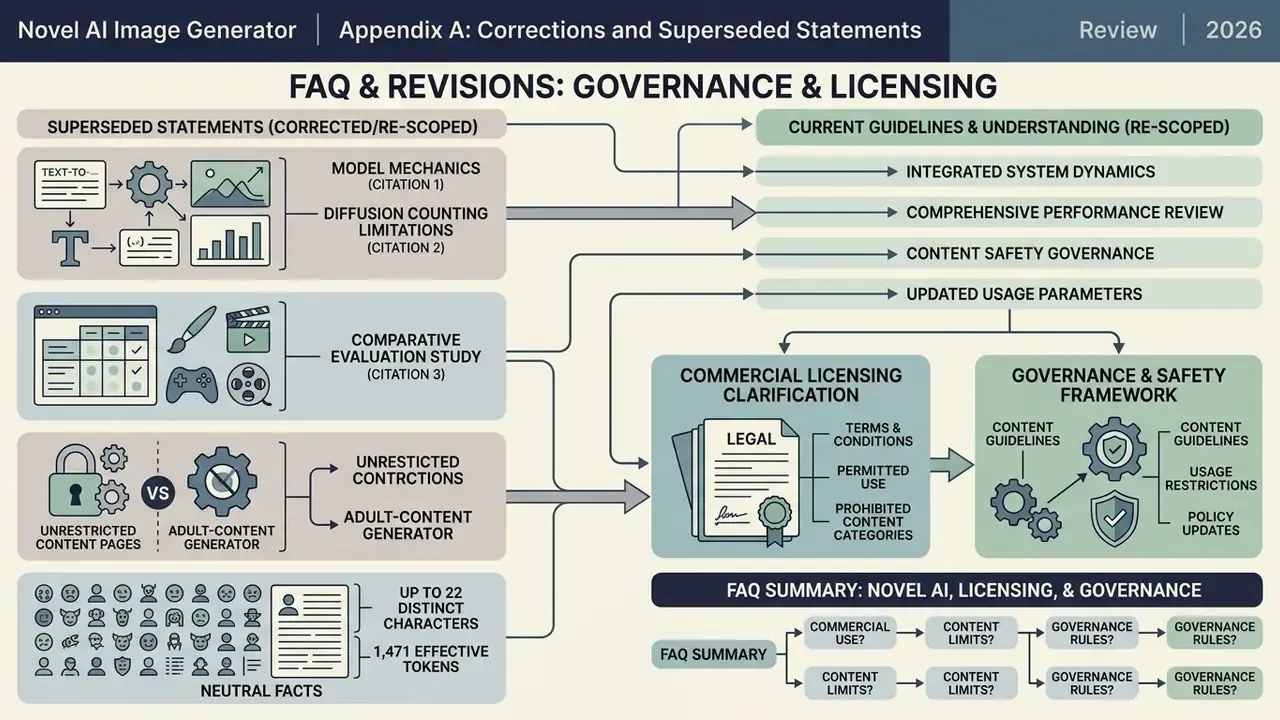
Appendix A: Corrections and Superseded Statements
A Safe Next Step for Risk and Compliance Teams
If NovelAI is already in use somewhere in your organization, and it usually is, start small rather than with a ban. Run a two-week discovery pass across expense reports and network logs to locate existing accounts. Register each instance in the AI inventory using the model card template above. Then decide, with the named business owner present, whether the use case belongs in the approved, restricted, or prohibited column.
One honest limitation to state out loud: publicly available documentation does not answer every control question here, so several rows in the matrices remain unverified rather than confirmed. Treat this guide as a structured starting point for your own vendor questionnaire, not as a completed assessment.