Why should a bank's governance team care about a free poster tool? Because marketing runs on it first and asks permission later.
Below we unpack both layers. How the tool actually works in production, and where the legal and operational boundaries sit before an asset is allowed anywhere near a paid campaign.
Last content and licence review: this article reflects Microsoft's published product pages, the Designer Terms of Use and support documentation as of the 2026 review cycle. Microsoft revises AI service terms frequently. Re-verify the current Terms of Use before any commercial rollout, and log the date of that check.
Key takeaways for decision makers
- Licence status. Microsoft's Designer supplement to the Services Agreement states that «your use of Designer is for personal use only and not for use in the course of trade or commerce», and Microsoft Support notes that Designer «is not available to enterprise users». Meanwhile the Microsoft 365 marketing page advertises the ability to «craft logos and banners for your brand». Treat the marketing copy as capability, not as permission.
- Core capability. Text-to-image generation (historically DALL·E 2, then DALL·E 3, with Microsoft Copilot pages naming the 4o image generation model), plus a layout canvas, Brand Kits, background removal, filters, text layers and automatic resizing.
- Key risks. No warranty of uniqueness or non-infringement, C2PA Content Credentials embedded in outputs, no copyright protection for purely AI-generated elements, no vector (SVG or EPS) export for logos.
- Governance gap. A personal Microsoft Account sits outside tenant DLP, retention and audit tooling. That is textbook shadow AI, and it rarely shows up in a model inventory until an auditor asks.
- Best fit. Concepting, internal brainstorming, moodboards, personal social media and first-draft brand exploration, with human redraw and legal clearance before anything becomes a commercial asset or a registered trademark.
What Microsoft Designer AI Image Generator Is and Which Tasks It Fits
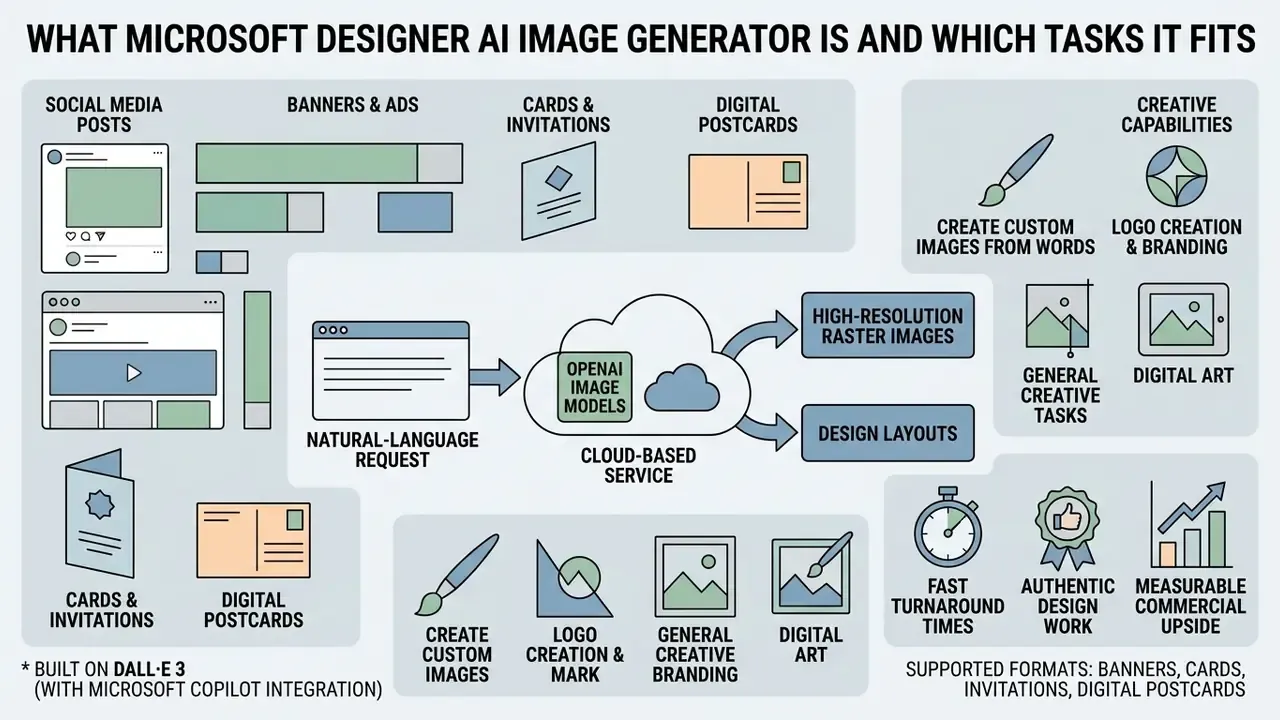
Microsoft Designer AI Image Generator is a cloud-based graphic web service built on OpenAI image models (DALL·E 3, with Microsoft Copilot documentation also referencing the 4o image generation model). It produces layouts, illustrations and branding elements straight from a text prompt. The tool solves express-visualisation tasks: preparing graphics for social networks, drafting first-pass concepts for advertising banners, filling a deck with on-theme illustration in an afternoon.
Microsoft's own product page frames the same capability set as «create custom images from words» and «craft logos and banners for your brand», and surfaces Designer inside Word, PowerPoint and Microsoft Photos. That embedding matters more than it looks: a tool that lives inside Office is a tool your staff will find without asking IT.
Generating Images from a Text Description
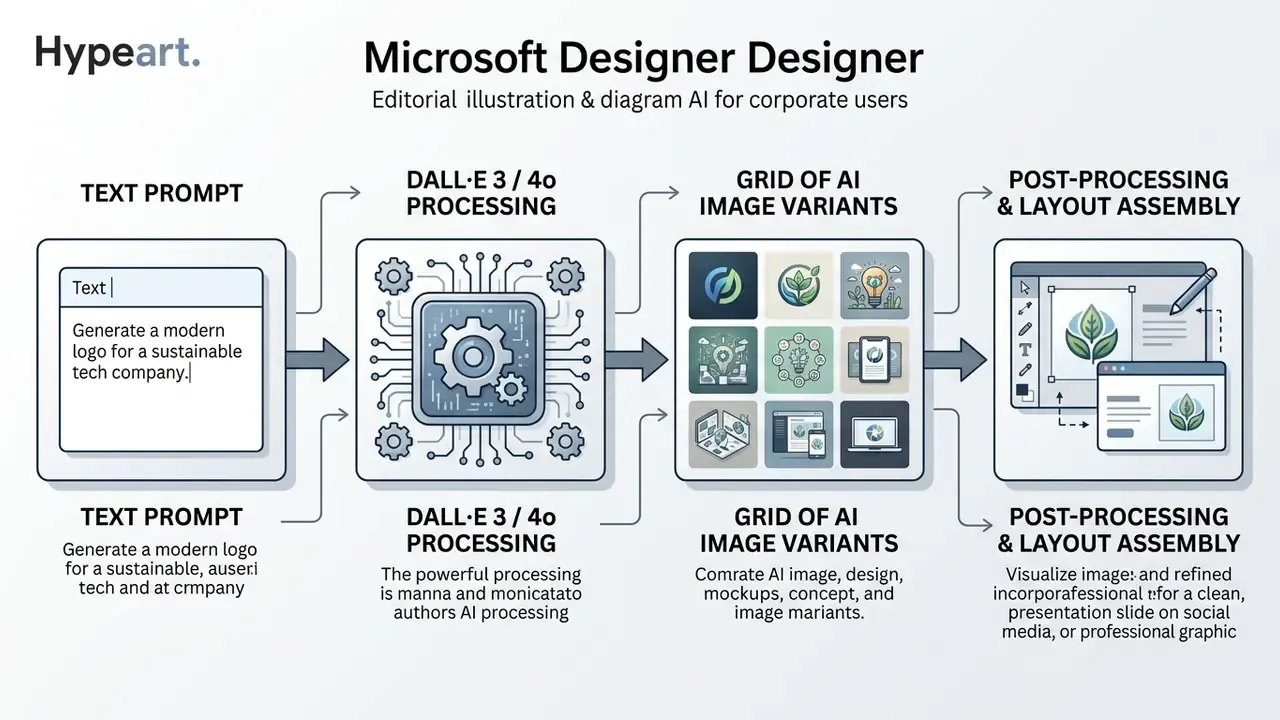
The microsoft designer ai generator stack converts natural-language requests into high-resolution raster objects. The network parses the semantics of the prompt and decides composition, lighting, palette and stylistic features during the initial diffusion synthesis stage. Microsoft describes the same mechanism in plainer terms: it interprets your words, maps them to visual elements such as style, colour and layout, then returns several candidate images.
The commercial upside of that speed is measurable. It is also conditional on output quality:
«AI-generated advertising reached an average CTR of 0.76% versus 0.65% for human-made creatives, but only when the images did not look artificial.»
In other words, generative graphics pay off when they pass as authentic design work. They stop paying off the moment a viewer reads them as obvious AI output. That single finding frames every recommendation that follows.
Which Types of Design You Can Create in Microsoft Designer
The platform supports a broad spectrum of formats: banners, cards and invitations, digital postcards, presentation illustrations, typography-driven layouts, social posts and visual logo concepts. Teams can benchmark it against other AI-powered image generators and produce assets without deep skills in professional raster editors.
«Among non-professional users, 35% apply AI tools for graphic design and 32% for advertising design.»
Microsoft's own FAQ documentation adds social media posts, invitations, digital postcards and general graphics to the supported output list, and notes that finished designs can be reused across presentations, documents and email. Handy. Also the reason a single unreviewed concept can quietly end up in a client-facing pack.
Where to Open Microsoft Designer AI Image Generator: Link and Getting Started
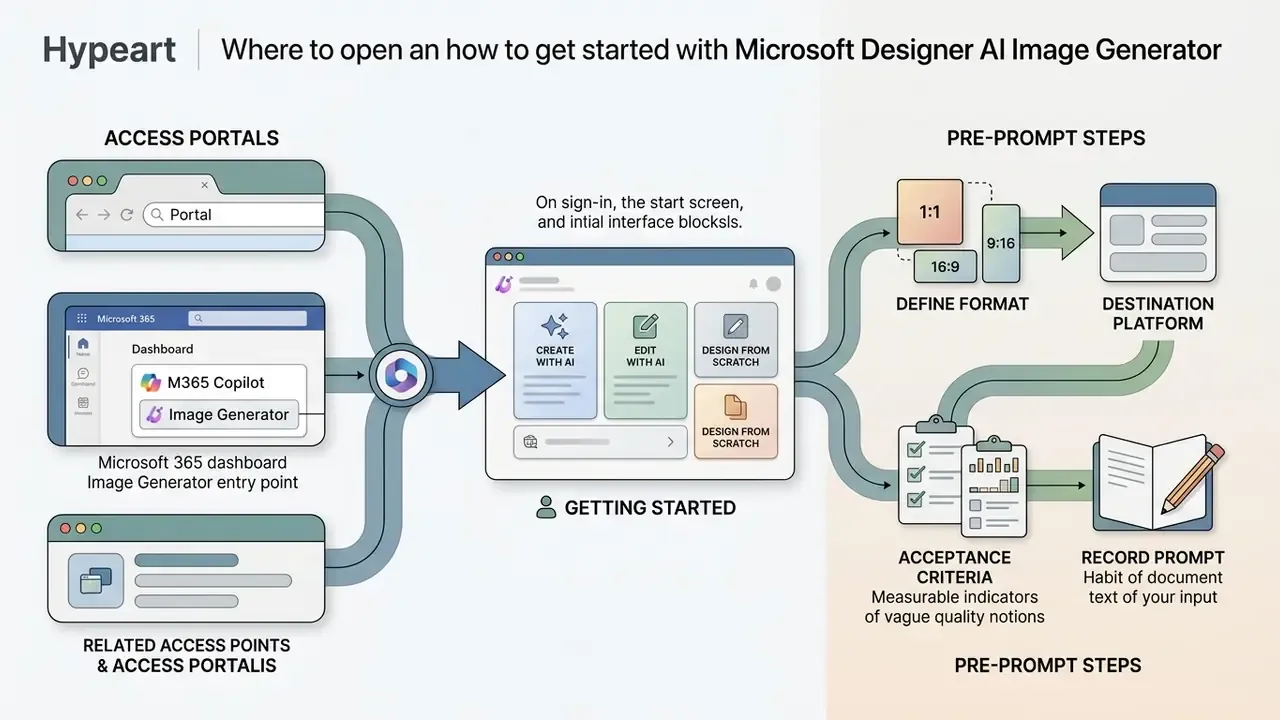
Access to the web app runs through the single portal designer.microsoft.com, the Microsoft 365 Copilot image generation entry point (m365.cloud.microsoft/ai-image-generator), the free Designer mobile apps for iOS and Android, and built-in integrations in Microsoft Photos. Authorisation requires a personal Microsoft Account. Corporate Entra ID work or school profiles are restricted by the service rules at this stage, which is exactly the detail most pilot decks omit.
How to Find the Right AI Image Generator Mode
On sign-in, the start screen shows functional blocks: Create with AI, Edit with AI and Design from scratch, plus a template search bar and a Brand kits entry point. To reach the microsoft designer ai image generator link, open the image-generation tab or type into the built-in description field. Logo and identity generation lives inside Brand kits: enter a brand name and description, press Generate, and you get a logo, font pairing, colour palette and brand voice in one pass.
What to Prepare Before Your First Prompt
Before generation, define the target format (1:1, 16:9, 9:16), the destination platform and the baseline brand style constraints. Preparation matters because AI tools get used earliest in the creative chain, where a weak brief propagates into every downstream variant:
«61% of users apply AI tools at the idea-generation stage, and 54% directly during content creation.»
Is Microsoft Designer Suitable for Commercial Use?
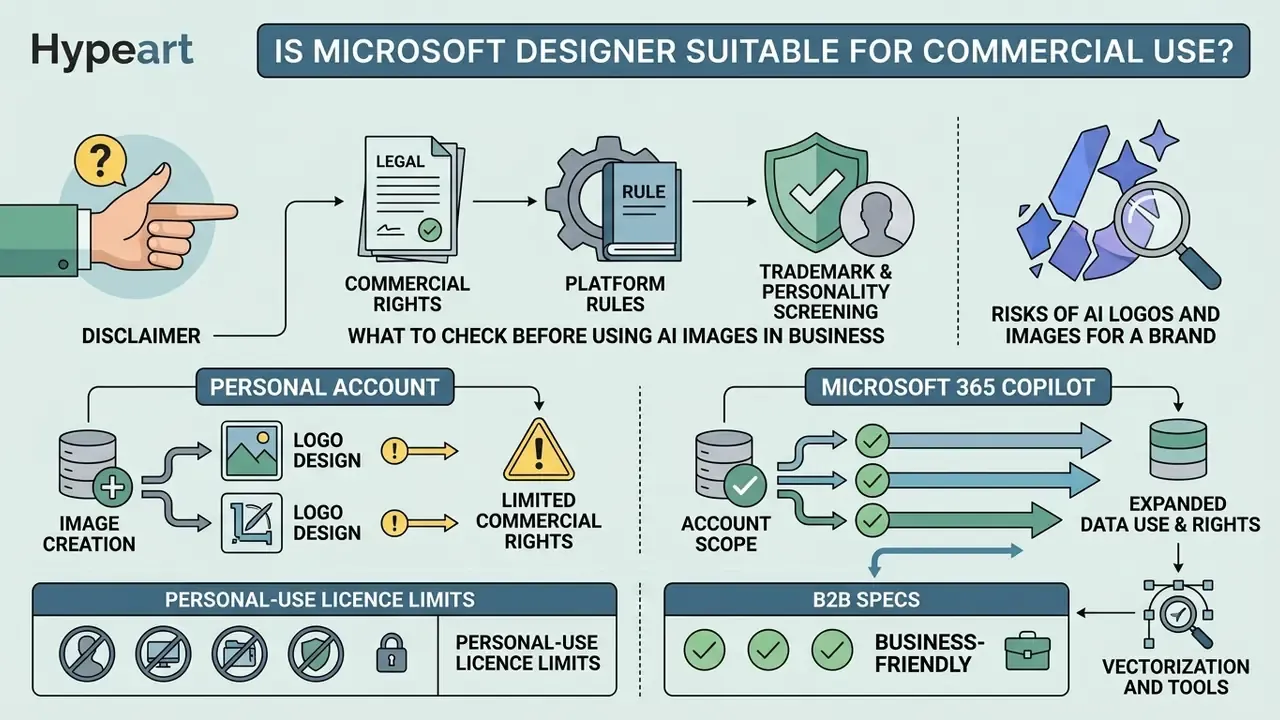
Using graphics from Microsoft Designer in commerce is limited by the service's current user agreement. The web version's licence points explicitly to personal use. The Supplement to the Microsoft Services Agreement for Microsoft Designer states that use «is for personal use only and not for use in the course of trade or commerce», and Microsoft Support adds that Designer is not available to enterprise users. Read this section before the business use-case ideas further down, because those ideas are only actionable inside these boundaries.
What to Check Before Using an AI Image in Business
Before publishing a visual in advertising, confirm three things: the absence of third-party trademarks, the licence of the specific tool version (for example, microsoft designer image creator ai inside Bing has historically carried different terms from the Designer supplement) and compliance with the destination ad platform's rules. Personality rights form a second layer, and it is the one teams miss most often:
A practical three-layer clearance model follows official guidance:
For teams building a repeatable review path rather than a one-off check, our AI Media Comparison Matrices and the documented process walkthroughs where you can view the guide both help turn this into a standing control instead of an email thread.
- Commercial rights.
- Does the generator, and your specific subscription tier, actually grant them in writing?
- Platform rules.
- Does the destination marketplace or ad network accept AI-generated content? Adobe Stock, for instance, requires contributors to hold all necessary rights for generative AI submissions.
- Trademark and personality screening.
- No accidental logos, wordmarks, branded packaging, recognisable faces or celebrity look-alikes.
Risks of AI Logos and Images for a Brand
The main risks of deploying unedited AI graphics are the absence of copyright protection, duplication of generated elements across competitors, and reputational cost when neural-network artefacts get spotted in a live campaign. Ask any brand team that shipped a banner with six-fingered hands.
«The U.S. Copyright Office report (2025) treats works created with the help of generative AI as raising unresolved questions about authorship and copyrightability.»
Two supporting facts sharpen the risk profile. First, the Copyright Office position is that protection extends only to human contributions, and AI-generated portions must be identified and disclaimed in registration materials. Second, the NIST AI Risk Management Framework warns that generative systems can reproduce copyrighted, trademarked, licensed or trade-secret content without authorisation. That is precisely the failure mode that turns a cheap logo concept into litigation exposure; for the case-level view, open the hub.
| Use scenario | Is Microsoft Designer suitable? | What to check before publishing |
|---|---|---|
| Personal SMM and blogs | Yes | No breaches of the Code of Conduct or third-party rights. |
| Internal brainstorming | Yes | Confidentiality of corporate data inside prompts. |
| Commercial advertising | With limitations | Review of service terms, evidence of human authorship, C2PA labels. |
| Trademark registration | No | Uniqueness, clearance search, vector format, authorship rights. |
Conclusion from the matrix: Designer works well for prototyping and personal content. Final commercial assets need legal clearance plus designer refinement, and that refinement is not cosmetic. It is the thing that creates a defensible authorship record.
Personal Account vs Microsoft 365 Copilot: Data and Rights Are Not the Same
The single most common governance mistake is treating designer.microsoft.com on a free personal account and enterprise Microsoft 365 Copilot as one product. They differ on three axes.
- Account scope.Designer requires a personal Microsoft Account; Microsoft Support states it is not available to work or school (Entra ID) identities. Any employee using it with a personal login is, by definition, shadow AI outside your tenant controls and outside your AI inventory.
- Licence text.The Designer supplement restricts use to personal, non-commercial purposes. Enterprise Copilot image generation is governed by your commercial Microsoft 365 agreement and tied to tenant-level AI credits. A materially different contract, with materially different indemnity language.
- Data handling.Prompts typed into a consumer service leave your tenant boundary and sit outside DLP, retention and audit tooling. For anything touching unreleased products, client names or financial figures, prompt hygiene is a control rather than a courtesy: strip identifiers and describe the visual, not the deal.
Who owns that distinction in your organisation? If the answer is «nobody yet», that is the first finding.
How to Create Images in Microsoft Designer AI Generator
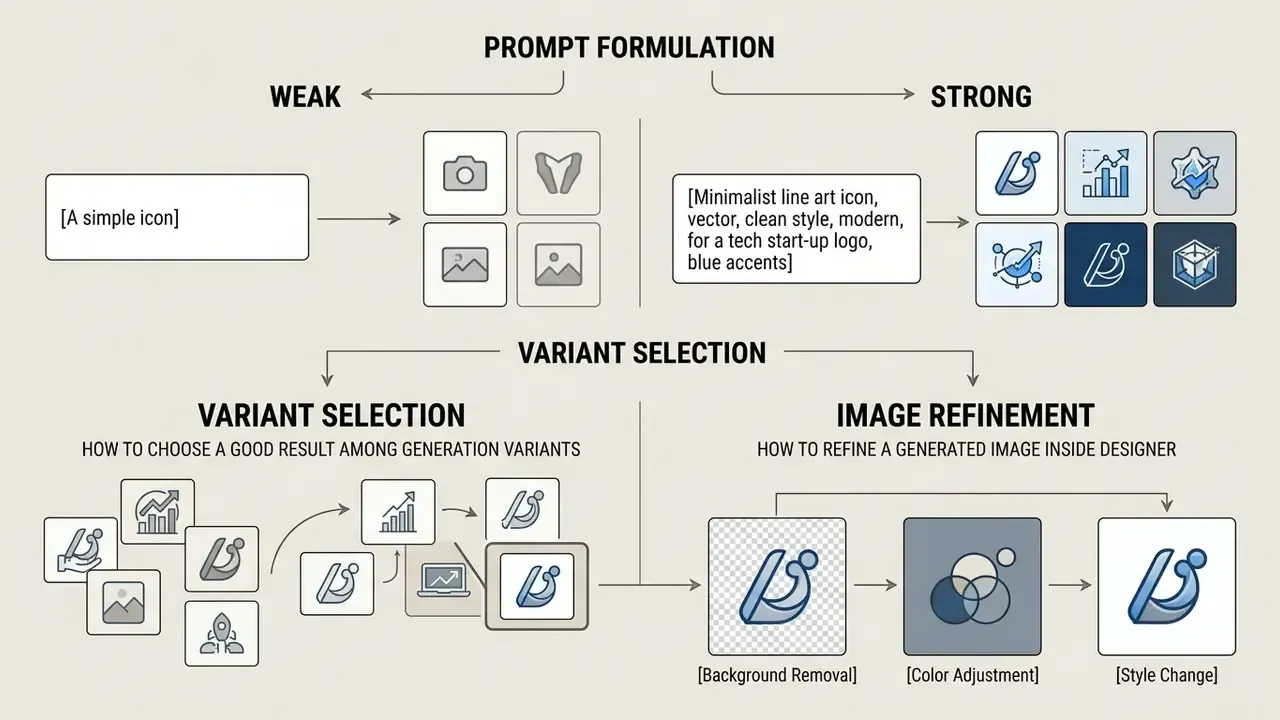
Producing a visual in microsoft designer – ai image generator rests on iterative prompt input, then selection and refinement of results. The user gets a full set of ai tools for tuning the final artefact. Microsoft's documented flow is a four-step pipeline: write the prompt, generate a batch of options, select the winning variant, post-process and export.
How to Formulate a Request for an AI Image
An effective text request should carry the subject, environment, style, lighting type and colour scheme. Microsoft's Designer prompt-template guidance recommends describing subject matter, style, background, lighting, artistic or photographic elements and overall mood or genre. That maps neatly onto a working formula:
[Subject] + [Style] + [Lighting] + [Background]
Treat this as vendor-documented best practice rather than a proven error-reduction metric. No public benchmark quantifies how many failed generations the structure prevents, so measure it internally: track the accept/reject ratio per prompt template and keep the templates that earn their place.
Worked example: weak versus strong prompt
- Weak
banner for our fintech companygives you a generic gradient, hallucinated pseudo-letters, an unusable aspect ratio and a palette unrelated to the brand. - Strong
Abstract fintech data-flow illustration, clean isometric vector style, soft rim lighting from the upper left, deep navy #0B1F3A background with teal accents, wide 16:9 composition with empty space on the right for headline text, no text, no lettersgives you on-palette art, headline-safe negative space and no fake typography.
Two habits carry most of the improvement. Reserve deliberate empty space for real typography. And always suppress generated text (no text, no letters, no words), because diffusion models remain unreliable at rendering brand names. Actually, unreliable is generous; they invent letterforms that look almost right, which is worse.
How to Choose a Good Result Among Generation Variants
Evaluate variants against four criteria: prompt adherence, absence of anatomical and geometry-distorting artefacts, palette harmony and compositional balance. These mirror how current benchmarks split image evaluation. GenEval scores object presence, counting, position and colour against the prompt, while newer suites separate aesthetic composition and colour harmony from prompt-colour correctness. For extended artefact analysis, use an AI image analyzer, or interrogate a candidate directly through ai image chat tooling when you need a second read on composition.
How to Refine a Generated Image Inside Designer
The built-in graphic editor, a lightweight AI image editor, lets you remove or blur backgrounds, add text layers, align layout elements, crop, rotate, apply filters and change canvas size, with elements auto-fitted to the new format. Additional background-replacement workflows run through an ai image background changer. Every manual edit here does double duty: it improves the asset and it builds the human-contribution record.
Microsoft AI Logo Maker: Can You Create a Logo in Designer?
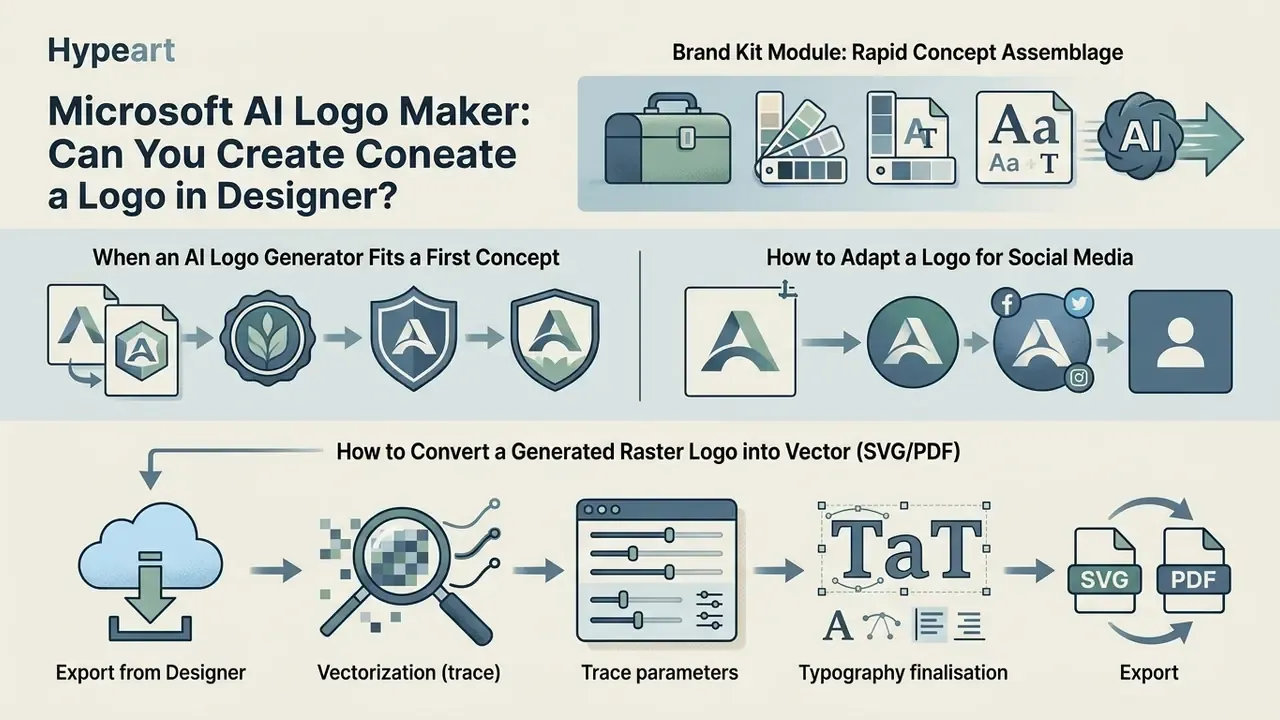
The microsoft ai logo maker assembles brand visuals and conceptual emblem variants through the Brand Kit module at real speed. But the tool is designed for initial brainstorming, not for producing final trademark-grade vectors. That distinction is where most brand-risk incidents begin.
When an AI Logo Generator from Microsoft Fits a First Concept
Using ai logo generator microsoft is justified while you are searching for metaphors, testing typefaces and selecting colour combinations. Generative models deliver fast idea search, though their stability across a full identity system varies by engine:
«Adobe Firefly reaches a visual consistency index of VCI = 0.83, while DALL·E 3 shows broader creative variability at reduced stability.»
How to Convert a Generated Raster Logo into Vector (SVG/PDF)
Microsoft Designer outputs raster formats only (PNG and JPEG), which rules it out for signage printing, merchandise and scalable web elements. To turn an AI concept into a real vector logo, run this pipeline:
- Export from Designersave the chosen variant at maximum PNG resolution with the background removed (Remove Background).
- Vectorization (trace)load the PNG into a vector editor (Adobe Illustrator, Inkscape) or a dedicated AI vectorizer such as Vectorizer.ai.
- Trace parametersuse Color Vectorization with a palette limit of four to six clean colours to eliminate DALL·E 3 gradient noise.
- Typography finalisationseparate the wordmark from the symbol and replace the model's distorted letterforms with clean vector fonts (for example Inter, Space Grotesk or Montserrat).
- Exportsave the final artefact as SVG for web and PDF/EPS for print, and keep a layered master file in the brand archive.
Those five steps close the gap with dedicated logo platforms that advertise one-click «SVG, PNG, PDF, print and web ready» export. Designer gives you the concept. Your trace-and-redraw step gives you the asset, and, critically, the human authorship a copyright claim requires.
E-E-A-T fact check and legal verification:
Ideas for Using AI Images for Social Media and Business
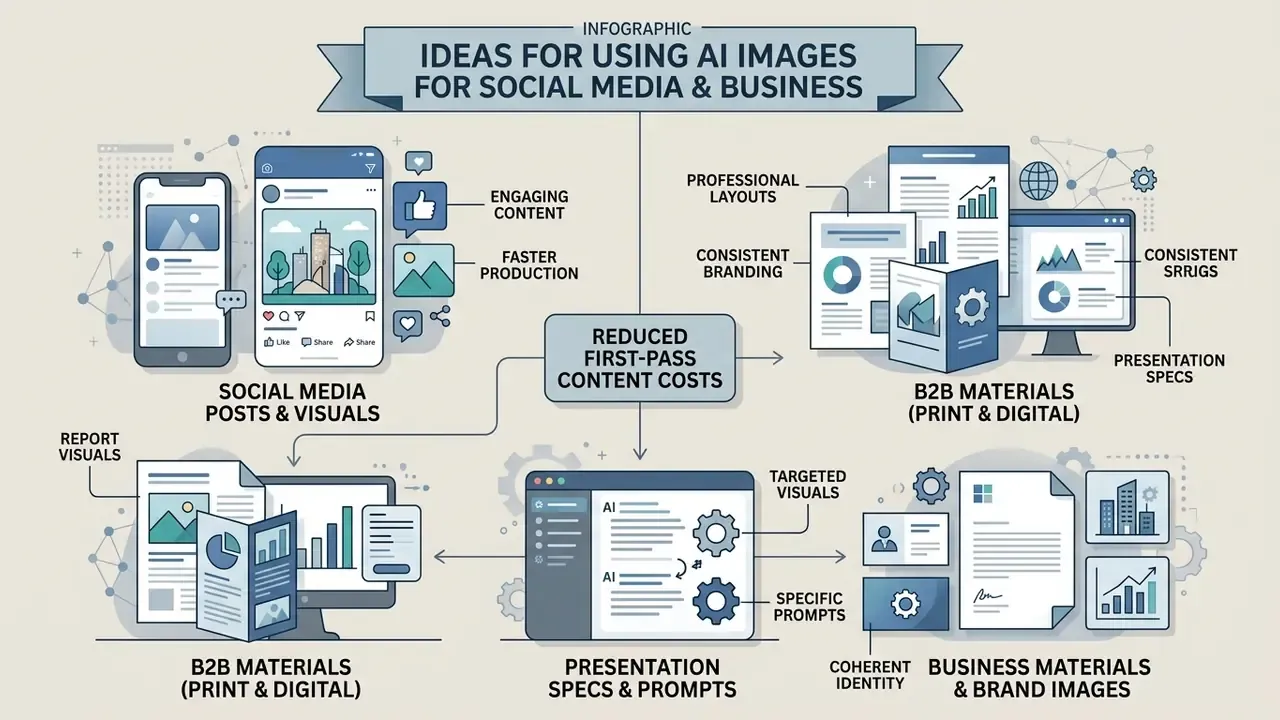
Generative graphics get adopted with the expectation of cutting first-pass content production costs across marketing channels. Plausible, but in public research still under-quantified: the peer-reviewed evidence currently measures performance (CTR) and consumer response rather than verified cost savings. So treat production-cost reduction as a hypothesis to validate against your own channel data, ideally with a control group. Specialists commonly use ai generators alongside ready-made layout editors rather than instead of them.
Specs and Prompts for B2B Materials (Print and Digital)
For the corporate sector, Designer covers a full set of branded documents. Below are working sizes and prompt structures for key B2B assets.
| B2B asset | Exact size (px / mm) | Prompt template for DALL·E 3 in Designer |
|---|---|---|
| LinkedIn banner (B2B) | 1584 × 396 px (4:1) | Professional B2B tech banner, abstract geometric network, corporate blue and slate gray colors, minimalist background, high contrast, clean vector style, wide 4:1 composition |
| Email signature graphic | 600 × 200 px (3:1) | Minimalist corporate icon, subtle gradient background, modern software engineering theme, clean lines, isolated on white |
| Business card visual | 105 × 55 mm (300 DPI) | Executive business card background pattern, luxury dark violet and bronze accents, subtle isometric shapes, premium feel, photorealistic texture |
| Letterhead header | 2480 × 520 px (A4 header) | Corporate letterhead top border design, soft wavy lines, professional financial services aesthetic, light background, minimalist |
| Report / whitepaper cover | 2480 × 3508 px (A4, 300 DPI) | Abstract enterprise data visualization cover art, layered translucent planes, cool corporate palette, generous empty space in the upper third, no text |
| Flyer / event poster | 1748 × 2480 px (A5, 300 DPI) | Modern B2B conference poster background, diagonal light streaks, deep indigo and cyan palette, clean geometry, print-ready texture, no text |
Practical tip: when generating document headers, always add negative prompt: text, letters, words so the model does not attempt fake, unreadable typography over the graphic. Add all typography manually through Designer's built-in text editor. That manual layer is also part of the human-authorship record you may later need to show.
Business Materials and Brand Images
In the corporate segment, microsoft designer ai image output shows up on report covers, blog graphics and presentation illustrations. Microsoft positions Designer for marketing assets and brand-consistent graphics reusable across promotions, which is accurate as a description of the feature set and silent on the licence question. For a comparison with an alternative suite built for team workflows, see the Canva AI Generator overview. For narrowly specialised graphic generation, study an ai graphic creator instead of stretching a general tool past its purpose.
Microsoft Designer and Other AI Tools: How to Choose an Image Generator
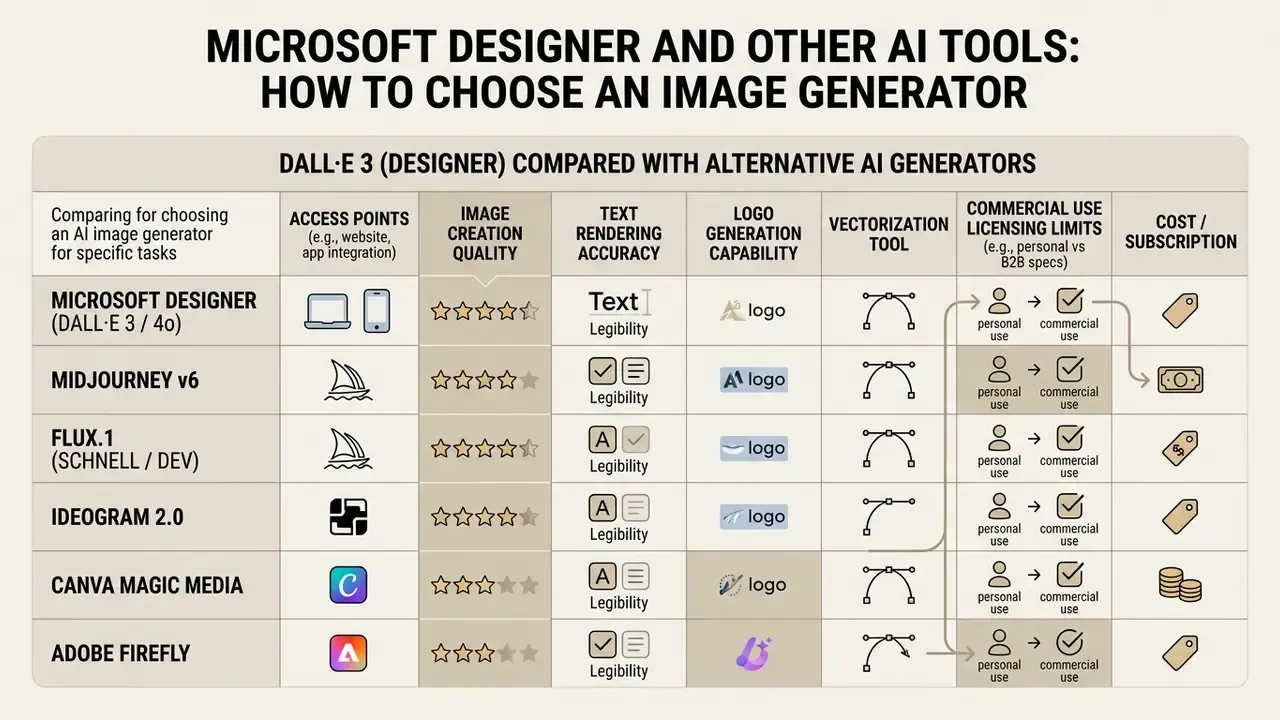
Choosing the optimal visual tool depends on budget, requirements for text rendering inside images, and commercial licensing. The market offers a wide range of ai tools differing in model architecture, and the differences are not only technical:
Criteria for Choosing an AI Image Generator for a Specific Task
For accurate platform comparison, assess cost per generation, style stability and API availability. A defensible four-criterion framework: unit cost per image or per token; documented quality control over legible text inside images; integration readiness covering API, SDK and documentation; and a licence that genuinely permits commercial use. As a public reference point, OpenAI's image API prices gpt-image-1 at $5 per 1M text input tokens, $10 per 1M image input tokens and $40 per 1M image output tokens, with an explicit low, medium and high quality control. That level of transparency is a fair minimum to demand from any vendor entering a regulated stack.
To study the market, professionals rely on structured comparisons of the best AI image generators and on understanding where AI art generators diverge from layout-first design suites in model architecture. It is also worth reading our independent Microsoft AI Image Generator overview, the Bing AI image guide and the head-to-head Midjourney image generator evaluation. For the broader catalogue, explore the hub.
DALL·E 3 (Designer) Compared with Alternative AI Generators
Selecting a visual AI tool for a corporate stack should follow task type, not brand familiarity.
- Microsoft Designer (DALL·E 3 / 4o)
- Strengths: strong comprehension of long, complex prompts; built-in layout canvas with brand kits; free access on a personal account; native presence inside Word, PowerPoint and Microsoft Photos.
- Weaknesses: limited stylistic control, C2PA watermarking, no direct SVG export, personal-use licence, no enterprise account support.
- Midjourney v6
- Strengths: best-in-class photorealism, precise texture and lighting rendition, strong stylistic coherence.
- Weaknesses: management through Discord or web, no built-in typography or layout tooling, subscription only.
- Flux.1 (Schnell / Dev)
- Strengths: open architecture, reliable anatomy and hands, accurate rendering of short inline text.
- Weaknesses: requires your own compute or paid third-party APIs.
- Ideogram 2.0
- Strengths: category leader in correct typography rendering and text-based logo marks.
- Weaknesses: narrower editing ecosystem, fewer layout primitives.
- Canva Magic Media
- Strengths: embedded in a full design suite with templates, team brand controls and export presets.
- Adobe Firefly
- Strengths: positioned around commercially safer generation with deep integration into Adobe creative workflows; strongest identity-consistency score in the Applied Sciences (2025) comparison.
Decision matrix for business stacks
| Parameter | MS Designer | Midjourney v6 | Canva Magic Media | Adobe Firefly | Flux.1 / Ideogram |
|---|---|---|---|---|---|
| Commercial rights | Personal use only per Designer terms | Paid plans permit commercial use | Permitted on paid plans | Positioned as commercially safer | Varies (Apache 2.0 / partner terms) |
| Cost model | Free / Microsoft 365 AI credits | Subscription tiers | Subscription tiers | Subscription / credits | Self-hosted compute or API |
| Text on image | Weak, add typography manually | Weak | Manual text layers | Moderate | Strongest (Ideogram) |
| Layout and brand kit | Yes, built in | No | Yes, extensive | Yes, via Creative Cloud | No |
| Enterprise identity (Entra ID) | Not supported for Designer | Not applicable | Supported on team plans | Supported | Depends on deployment |
| Vector export | No | No | Yes (paid) | Yes | No / varies |
| API availability | Limited (via Copilot ecosystem) | Web API / unofficial | Limited | Yes | Yes |
Business takeaway: use Microsoft Designer as a free all-in-one machine for rapid banner assembly and concepting. When you need complex artistic illustration, generate the base art in Midjourney or Flux, then import it into Designer for typography and brand-kit overlay. Keep the legal clearance step outside the tool entirely, owned by a named person with an escalation path. No evidence, no launch.
FAQ about Microsoft Designer AI Image Generator
How does microsoft designer – generator obrazów ai differ from the standard Bing Image Creator?
Where can I find the microsoft designer ai image generator link to sign in?
Official access to the web app is open at designer.microsoft.com. The service is also embedded in the Microsoft 365 Copilot interface, the Microsoft Photos app and the free Designer mobile apps for iOS and Android. Sign-in requires a personal Microsoft account; work and school (Entra ID) accounts are not supported for Designer, which is the detail your access review should flag.
How does microsoft designer
Designer provides a full canvas for layout, typography work and templates, plus Brand Kits and editing tools. Bing Image Creator focuses purely on generating isolated raster images, and its licence terms have historically differed from the Designer supplement. That is why some teams route concepting through the Bing surface instead, though the terms of both should be re-read rather than assumed.
Does the service support video and animation generation for social media?
Microsoft Designer focuses on static graphics and basic layout transition animations. For full video content such as Reels, Shorts and corporate clips, graphic assets from Designer are handed off to Microsoft Clipchamp, the official video editor of the Microsoft 365 ecosystem.
A workable video production pipeline:
- Generate backgrounds and graphic elements in Microsoft Designer.
- Use «Export to Clipchamp» or save a high-resolution PNG.
- In Clipchamp, apply the AI tooling: automatic captions, audio noise suppression and voiceover generation (Text-to-Speech on Azure AI Voices).
For text-to-video generation beyond the Microsoft stack, review AI video generators and the implementation-level Google Veo API guide.
Can I generate characters and stylised art?
Yes. The DALL·E 3 and 4o stack supports a wide range of styles, and users create character concepts including popular directions such as ai girl image or Ghibli-style stylisation. Two limits apply: Microsoft's Code of Conduct, and third-party rights over recognisable characters and likenesses. The second one is the expensive one.
Which prompt languages are supported, and are there free generation limits?
Microsoft's help pages describe the prompt flow without publishing a fixed public credit cap, while third-party 2025 and 2026 reviews still report free-tier credits and higher subscriber allowances. Image generation inside Microsoft 365 Copilot consumes monthly AI credits tied to your plan. Because these numbers move between releases, verify current limits in-product rather than in a blog post, including this one. Prompt-language coverage is model-dependent: English remains the most reliably documented input language across image stacks, so for non-English briefs, translate the prompt into English and keep brand names as literal strings you will typeset manually.
Navigation hub: to review the full catalogue of commercial-use conditions across AI tools, browse the hub in our central reference.
Regulatory note: this article covers licensing, copyright and trademark topics for informational purposes only. It is not legal advice. Consult qualified counsel before commercialising AI-generated brand assets, and record that consultation where your auditors can find it.