If you run risk, compliance, or finance operations at a US bank, this category already sits inside your perimeter, whether or not anyone approved it. Someone on your team has pasted a draft board summary into a free deck builder. That is the real reason to read a tool comparison like this one carefully.
Modern AI presentation generator tools convert raw text, unstructured documents, and data sets into structured presentation slides in minutes. These platforms combine natural language processing with automated layout engines to handle content generation, slide design, and visual formatting. The productivity case is genuine. The governance case is the part most vendor pages skip.
Executive summary
| If your priority is… | Recommended category | Representative tools | Why |
|---|---|---|---|
| Data residency, DLP, and IT-approved workflows | Suite-native add-ins | Microsoft Copilot in PowerPoint, Google Gemini in Slides, Plus AI | Content stays inside the existing Microsoft 365 or Google Workspace tenant, inherits SSO, and keeps sensitivity labels on translated decks |
| Fastest polished first draft for external pitches | Standalone web builders | Gamma, Beautiful.ai, Canva Magic Design | Prompt-to-deck generation, auto-alignment engines, one-link web publishing, interactive widgets |
| Research-heavy decks with citations and charts from raw data | Agentic research builders | Manus, Genspark | Multi-source web research, inline citations, CSV/XLSX ingestion with automatic chart selection |
| Programmatic, high-volume reporting | API-first generation | Gamma Generate API | Asynchronous REST generation with PPTX/PDF/PNG export endpoints |
| Regulated reporting (banking, insurance, healthcare) | Suite-native plus documented audit trail | Copilot with internal MRM controls | Reproducibility, prompt logging, and human sign-off are non-negotiable |
Who this guide is for, and the four gates that decide the shortlist
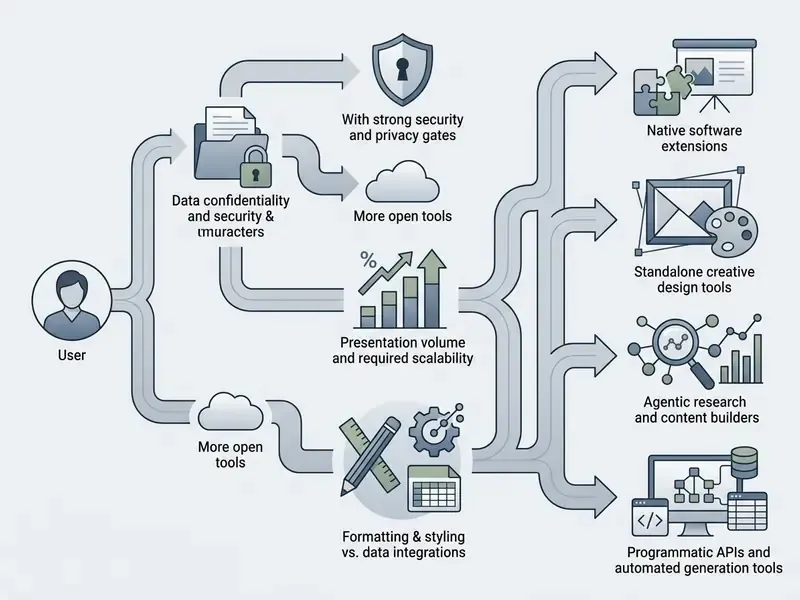
This comparison is written for people who sign off on tools, not only for people who use them. Four gates settle most decisions faster than any feature matrix.
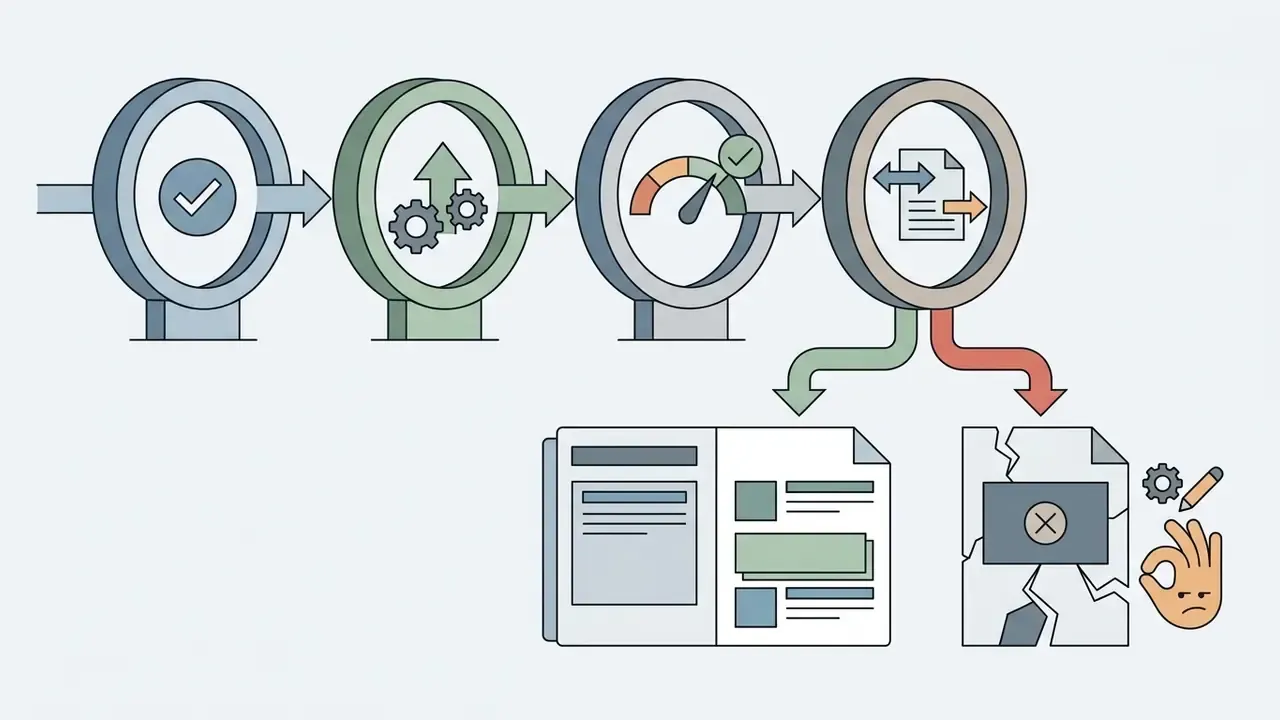
Everything below expands on those four gates, with the tool-by-tool detail underneath.

What AI presentation generator tools can create
AI presentation generator tools create complete slide decks from initial prompts, refine existing PowerPoint presentations, generate speaker notes, and format visual components automatically. Organizations use an ai presentation creation tool to streamline drafting workflows while maintaining manual editing control over final slide decks.
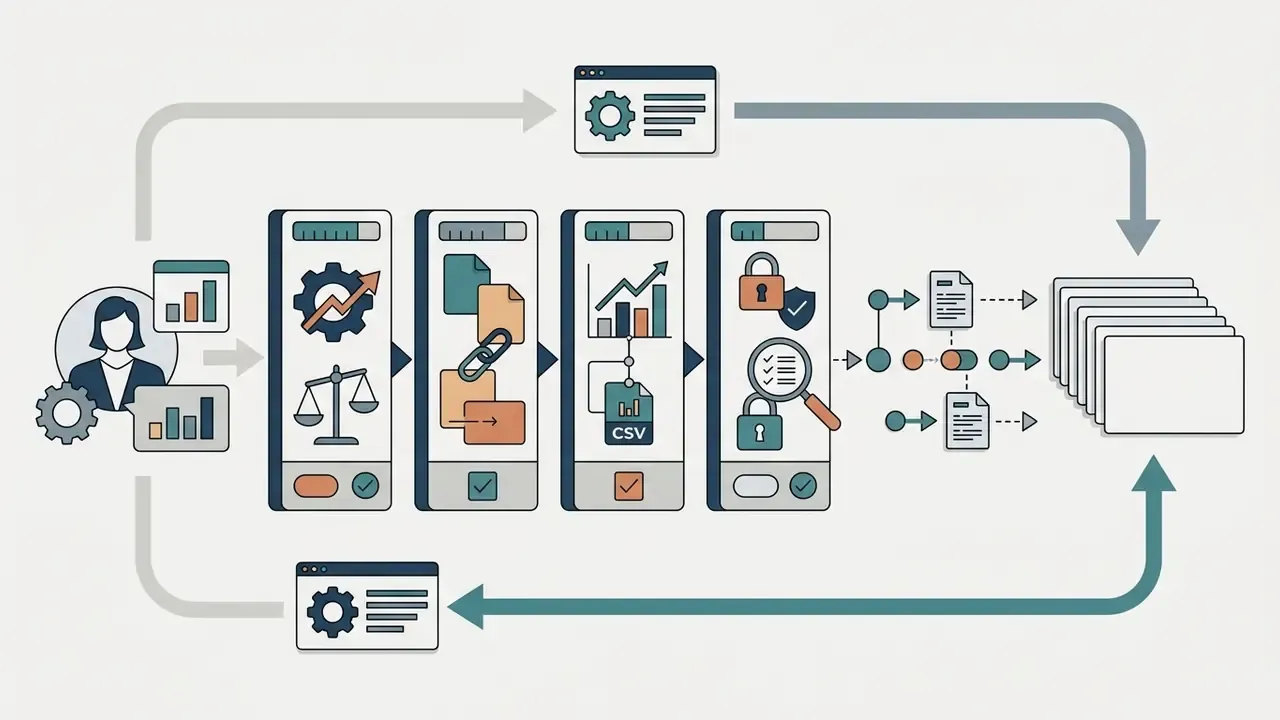
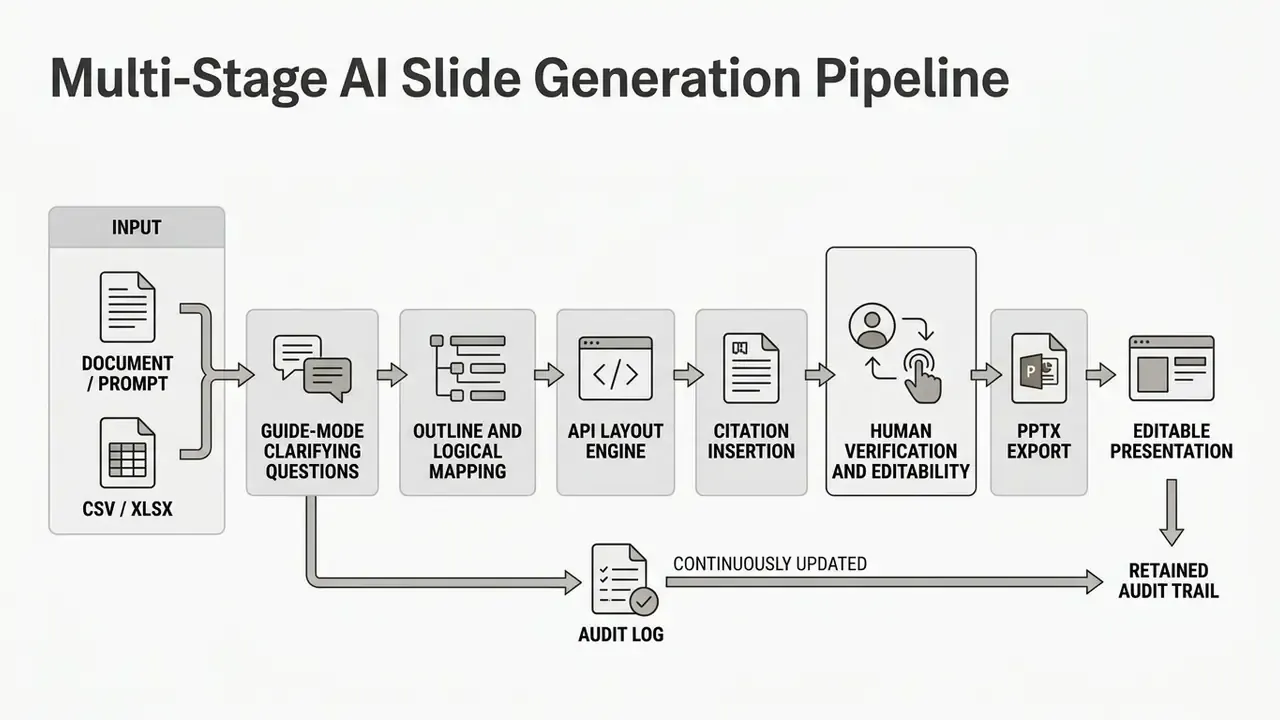
When evaluating an ai presentation generator tools deployment, teams look at whether the platform generates editable presentation slides or fixed raster graphics. That distinction sounds cosmetic. It is not. Modern systems use multi-stage pipelines that parse input context, construct a logical outline, and render slide content into standard presentation templates. To explore broader creative automation workflows, you can see the overview of commercial licensing and enterprise deployment considerations.
From a text prompt to a complete slide deck
To ai create powerpoint presentation from text, modern systems convert short prompts or reference documents into structured outlines before generating individual slides. This multi-stage approach ensures that the resulting slide deck maintains thematic coherence across all presentation slides.
«A multi-staged approach outperforms single-pass LLM prompting on content coherence and layout stability.»
Research on multi-stage presentation generation therefore shows that structured pipelines outperform single-pass language model prompts in content coherence and layout stability. Systems like AutoPresent demonstrate that compiling natural language instructions into programmatic slide code creates highly structured layouts.
«AutoPresent, an 8B LLaMa-based model trained on 7,000 instruction-to-program pairs, matches GPT-4o-level results while producing editable layouts.»
When executing an ai create slide deck workflow, the software generates initial slide content, applies slide layouts, and inserts relevant visual elements into a complete first draft. In practice, the sequence across leading vendors is consistent: prompt or document input, outline review, template and style selection, first draft in minutes. Choosing an ai create powerpoint presentation tool mostly means choosing which of those four steps you want to control by hand.
Improving existing PowerPoint files and individual slides
Best AI presentation makers compared by workflow
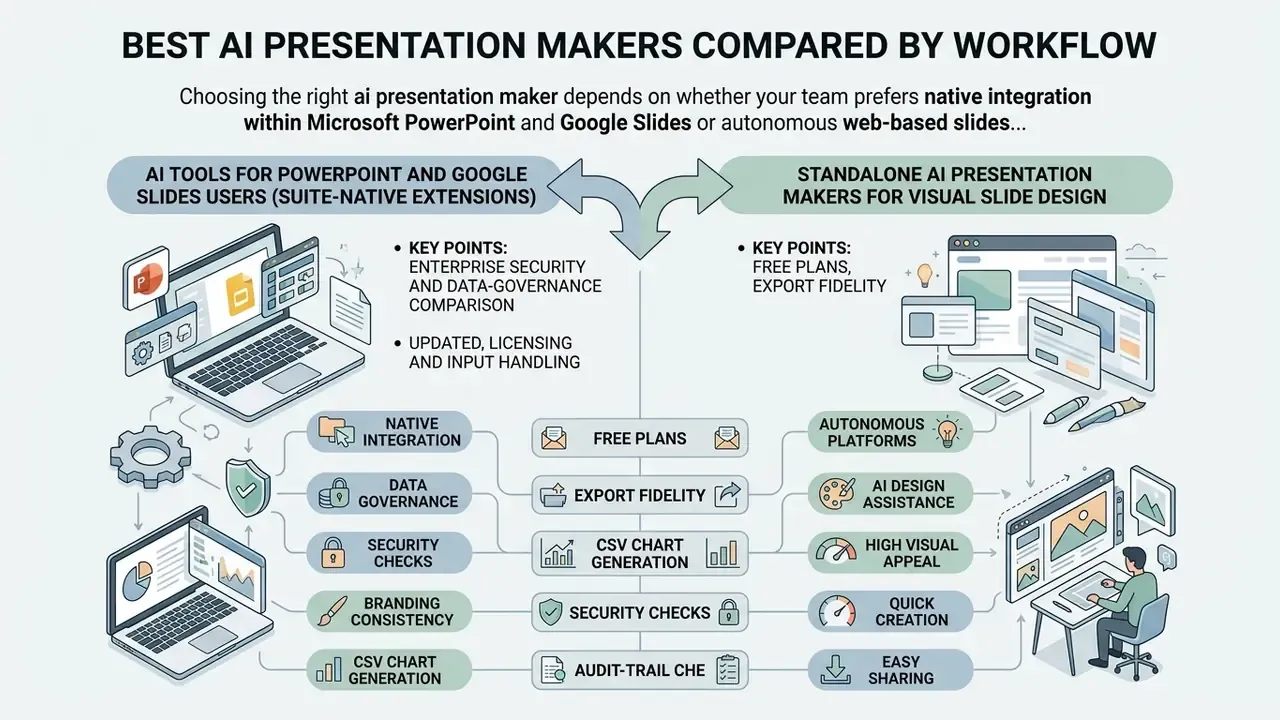
Choosing the right ai presentation maker depends on whether your team prefers native integration within Microsoft PowerPoint and Google Slides or autonomous web-based slide builders. The comparison below highlights the functional dimensions that actually change procurement outcomes.
| Tool / Platform | Native Suite Integration | Input Capabilities | Smart Layout Engine | AI Image Generation | Export Formats | Editable PPTX Output | Free Tier / Trial |
|---|---|---|---|---|---|---|---|
| Plus AI | Google Slides, PowerPoint | Text prompts, Docs, PDFs | Template-native layouts | External / Stock | PPTX, Google Slides | Fully Editable | Free Trial |
| Microsoft Copilot | PowerPoint (Native M365) | Prompts, Word, PDFs, Excel, Loop | SmartArt and Master slides | DALL-E 3 built-in | PPTX, PDF | Fully Editable | Paid (M365 Add-on) |
| Google Gemini | Google Slides (Side Panel) | Workspace Docs, Drive | Side-panel suggestions | Imagen built-in | Google Slides, PPTX | Fully Editable | Paid (Workspace Add-on) |
| Gamma | Standalone Web App | Prompts, Docs, Web URLs | Smart Cards and Web grids | Built-in AI Generator | PPTX, PDF, PNG, Live Link | Fully Editable | 400 Free Credits |
| Beautiful.ai | Standalone / PPT Add-in | Text prompts, Data | Smart Slides auto-alignment (300+ layouts) | Unsplash and AI Generator | PPTX, PDF | Fully Editable | 14-Day Trial |
| Canva Magic Design | Standalone Web App | Text prompts, Brand Kit | Magic Design templates | Built-in Image Generator | PPTX, PDF, Web Link | Fully Editable | Free Plan Available |
| SlidesAI | Google Slides Extension | Raw text, Summaries | Preset slide presets | Stock and AI generation | Google Slides, PPTX | Fully Editable | Free Tier (3 Decks/mo) |
| MagicSlides | Google Slides Extension | Text, YouTube, PDFs, URLs | Preset layout engine | AI Image and Icon search | Google Slides, PPTX | Fully Editable | Free Tier Available |
| Manus | Standalone agent | Prompts, CSV/XLSX, PPTX templates | Agent-generated layouts | Built-in generation | PPTX, PDF, Web slides | Fully Editable | Freemium credits |
| Genspark | Standalone web agent | PDF, Word, Excel, PPTX, templates | Guide-mode outline engine | Built-in generation | PPTX, PDF, Google Slides | Fully Editable | Free trial credits |
Independent benchmarking helps separate marketing claims from measurable slide quality.
«On the 238-instance PresentBench benchmark, NotebookLM scored 62.5 and Manus 1.6 scored 57.8; other commercial systems clustered between 48 and 55.»
In other words, no current system is close to a perfect score, and the practical gap between the top tool and the mid-pack is smaller than vendor pages imply. Selection should therefore be driven by workflow fit, export fidelity, and security posture rather than by leaderboard position alone. A benchmark point of four is not worth a failed vendor review.
Enterprise security and data-governance comparison
Procurement in regulated environments fails or succeeds on these columns, not on template count. Verify each item directly in the vendor's current Data Processing Addendum and trust centre before onboarding, because retention and training policies change between plan tiers.
| Security dimension | What to require in writing | Why it matters |
|---|---|---|
| Model training on customer inputs | Contractual opt-out or default "no training on tenant data" for uploaded decks, documents, and spreadsheets | Prevents confidential financials from influencing a shared model |
| Data retention | Zero Data Retention or a defined, short retention window with documented deletion | Limits blast radius of a vendor-side incident |
| Tenant isolation | Logical or physical isolation per customer; no shared prompt caches | Blocks cross-tenant leakage of prompts and attachments |
| Certifications | SOC 2 Type II, ISO/IEC 27001; FedRAMP or HIPAA where applicable | Supplies third-party assurance for vendor risk files |
| Identity and access | Enterprise SSO/SAML, SCIM provisioning, role-based admin controls | Enables deprovisioning and least-privilege enforcement |
| DLP and labelling | Integration with existing information-protection labels; label retention after translation and export | Keeps classification intact across the document lifecycle |
| Regional processing | Documented processing regions and sub-processor list | Supports data residency commitments |
| Audit logging | Exportable logs of prompts, source files, model version, and user identity | Required for reproducibility and internal audit |
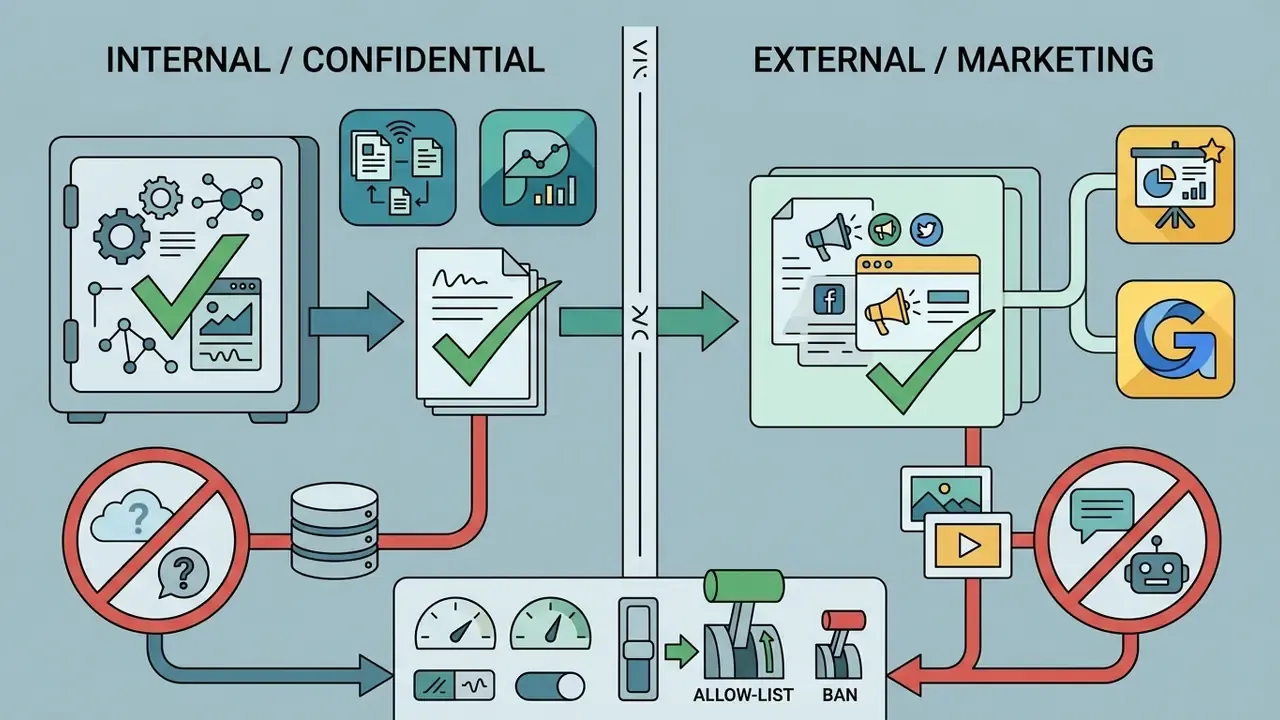
Suite-native tools generally inherit the tenant's existing controls, which is why they clear security review faster. Standalone web builders can be excellent for external, non-confidential marketing decks, but they need a formal exception process before anyone uploads internal financial data.
AI tools for PowerPoint and Google Slides users (suite-native extensions)
Suite-native solutions operate directly inside existing enterprise editors, allowing teams to use an ai app to create powerpoint presentations without leaving Microsoft 365 or Google Workspace. Tools such as Microsoft Copilot, Google Gemini, and Plus AI work within native slide environments, which supports high formatting retention and alignment with IT security policies.
Updated, licensing and input handling. Copilot in PowerPoint drafts full decks from reference Word documents, Excel spreadsheets, Loop pages, and PDFs, and can generate speaker notes plus SmartArt timelines from that source material. Microsoft's own product documentation notes that generated content can be inaccurate and that quality is not guaranteed in every language, so human review is assumed rather than optional. Microsoft also states that organization branding in PowerPoint is available only to users licensed for Copilot, and that certain actions, such as creating slides from files, adding slides, and adding images, depend on the associated Designer entitlement. Google Gemini operates within the Google Slides side panel, summarizing reference files from Google Drive, generating new slides and images, and suggesting real-time slide additions. Using ai powerpoint creation tools inside established software reduces file translation errors during export. Teams that want to understand the underlying image models in this ecosystem can review our Microsoft AI Image Generator analysis.
Standalone AI presentation makers for visual slide design
Standalone platforms like Gamma, Beautiful.ai, and Canva AI Generator reimagine slide creation through web-native card layouts, automated responsive alignment, and interactive web sharing. These standalone ai apps to create powerpoint presentations prioritize rapid visual design and dynamic web distribution over rigid desktop slide dimensions.
Beautiful.ai uses a Smart Slide engine that recalculates spacing, padding, and graphic positioning whenever text is added or removed, drawing on a library of 300+ smart layouts. Gamma offers one-link web publishing with integrated audience engagement analytics, which makes it popular for external proposals and pitch decks; its Smart Layouts switch between timelines, columns, and galleries while maintaining alignment automatically.
Next-generation web builders extend beyond static visual cards by embedding dynamic no-code widgets: interactive ROI calculators, mini-games, pricing estimators, embedded live screen recordings, and in-slide micro-surveys. Canva's code-generation feature builds these experiences from a text prompt with no manual scripting, while live audience Q&A turns a one-way deck into a session with feedback. Several platforms also offer smartphone remote-control sync, letting presenters advance web slides and read private speaker notes from a mobile device while moving around the room, plus QR-code handoff for co-presenters. Useful in a town hall. Risky in a closed-door credit committee, where a shared web link is one forward away from an unintended audience. Teams evaluating conversational and uncensored text interaction workflows can read our analysis of ai chat apps with no filter, and the related review of ai chats that have no filter, for adjacent software governance insights.
Features to evaluate before choosing an AI slide generator
Evaluating an ai slide generator requires analyzing core capabilities across content generation accuracy, layout flexibility, brand enforcement, data handling, export fidelity, and security compliance. Organizations should establish clear verification criteria before deploying an ai powerpoint generator software solution across business units.
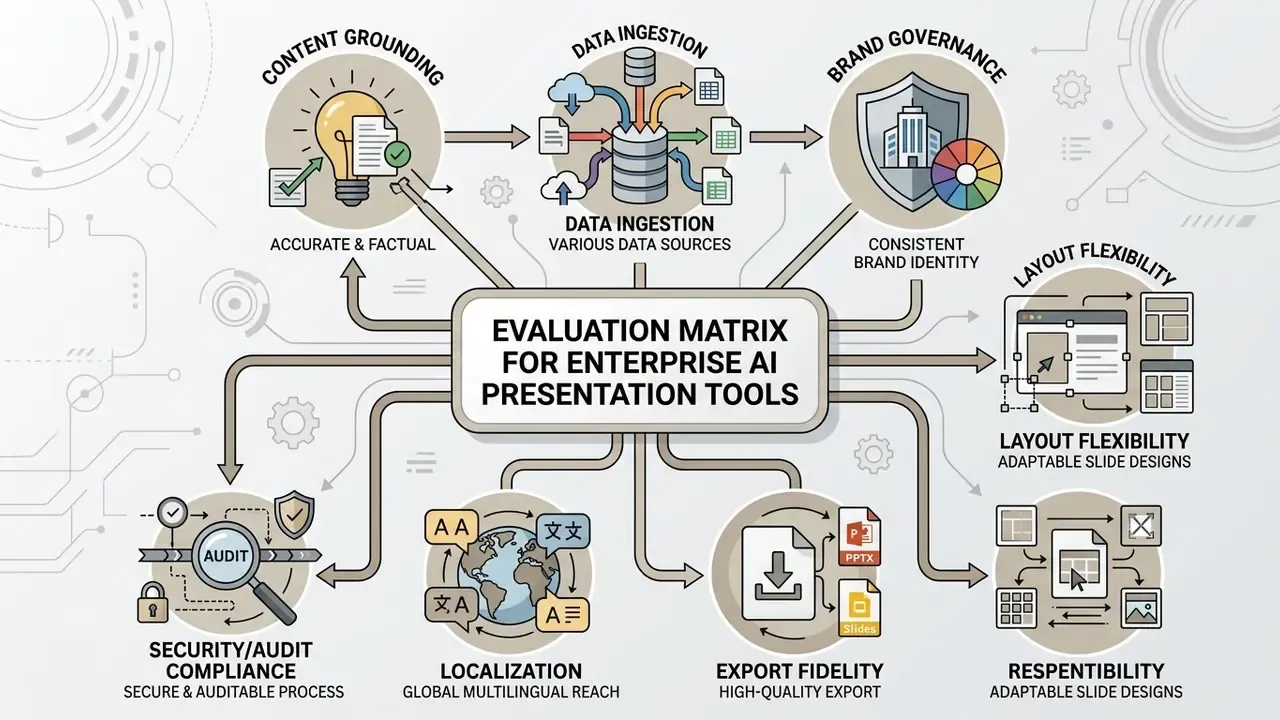
Content quality, research, and data visualization
Generating accurate business presentations requires an ai presentation tool that grounds its slide content in verifiable source materials. Automated data visualization features should turn spreadsheet figures into readable charts without distorting metrics or inventing statistical trends.
Direct data ingestion and source citations. Advanced AI slide builders accept direct uploads of structured .csv and .xlsx files. Rather than requiring a manually built chart, the engine parses the raw dataset, selects an appropriate chart type (bar, waterfall, scatter, stacked column), and embeds a real visual graph tied to the numbers. Finance-oriented builders go further and extract charts directly from PDF, Word, Excel, and even scanned statements, then let the author edit chart type, axis labels, fonts, and layout before export. Enterprise-grade generators also execute multi-source background web research and insert inline citations and source footnotes for every statistic, which is what makes legal and audit review feasible. One practical caveat: vendor claims of being the "only" tool that researches and cites are marketing overreach. Multiple agentic builders now perform live web research with source validation, so compare citation depth and link accuracy in a hands-on trial rather than trusting the claim.
Studies on generative AI reliability note that language models can produce confidently stated erroneous content, known as confabulations or hallucinations. Benchmarks evaluating material-grounded slide deck generation show that even top-performing AI models frequently miss critical source details or insert unsupported claims.
«Each PresentBench instance carries on average 54.1 binary checklist items; its content-faithfulness section directly penalises hallucinations and deviations from the source material.»
«Even the best systems routinely omit required content or insert unsupported statements: the top average score does not exceed 62.5 out of 100.» PresentBench, “A Fine-Grained Rubric-Based Benchmark for Slide Generation” (2026). https://arxiv.org/html/2603.07244v1
Consequently, every chart, metric, and factual claim generated by artificial intelligence must be cross-checked against primary financial records.
Model risk, data accuracy control, and audit trail
Multilingual presentation generation and enterprise localization
Global teams require AI tools that translate full decks across 40 to 100+ languages without breaking slide hierarchy, font sizes, or visual container bounds. Leading solutions execute single-prompt deck translations while retaining embedded chart labels, table text, comments, speaker notes, and enterprise data-sensitivity tags. Microsoft states that translated presentations keep their sensitivity labels, so information-protection policy survives localization. Canva's translation feature covers over 100 languages for on-slide content, while agentic builders expose translation as an activatable skill alongside brand-voice matching. Genspark generates decks natively in 19 languages including Chinese, Japanese, Korean, Spanish, French, German, and Portuguese; Gamma advertises generation support across 60+ languages through its API.
Three localization checks matter more than raw language count:
- Layout resilience German and Finnish expand text length significantly; verify that headlines do not overflow their containers or auto-shrink below legible size.
- Non-Latin script rendering confirm that CJK, Arabic, and Cyrillic fonts are embedded in the exported PPTX rather than substituted at open time.
- Number and date formats decimal separators, thousands separators, and fiscal-quarter labels must follow local convention, especially in financial tables.
Branding, editing, collaboration, and export options
Enterprise adoption of an ai powerpoint creator tools suite depends on how strictly the platform enforces corporate brand identity. Advanced tools allow administrators to lock approved brand colors fonts, logos, and master slide layouts across all user accounts, typically through a centralized brand library, master templates, role-based permissions, and a measurable brand-conformance rate. Vendors that support uploading a company .pptx or .potx template and inheriting its colors, fonts, and layouts remove most post-generation restyling work.
Conversational editing allows team members to refine individual presentation slides using text prompts, such as "convert this bullet list into a three-column comparison table." Real-time collaboration features enable simultaneous editing, commenting, approval workflows, versioning, and shareable links with expiry dates and privacy controls. When exporting to a .pptx file, the software must maintain text box editability and vector shape alignment; the strongest pipelines also run structural and rendered-appearance checks for missing fonts, text overflow, clipping, low contrast, broken images, and element collisions before handing over the file. Watch for tools that export slides as flattened images: technically a PPTX, practically uneditable. Teams looking to expand their visual toolkit can browse the hub to evaluate underlying performance benchmarks.
Enterprise security, data retention, and Shadow AI prevention
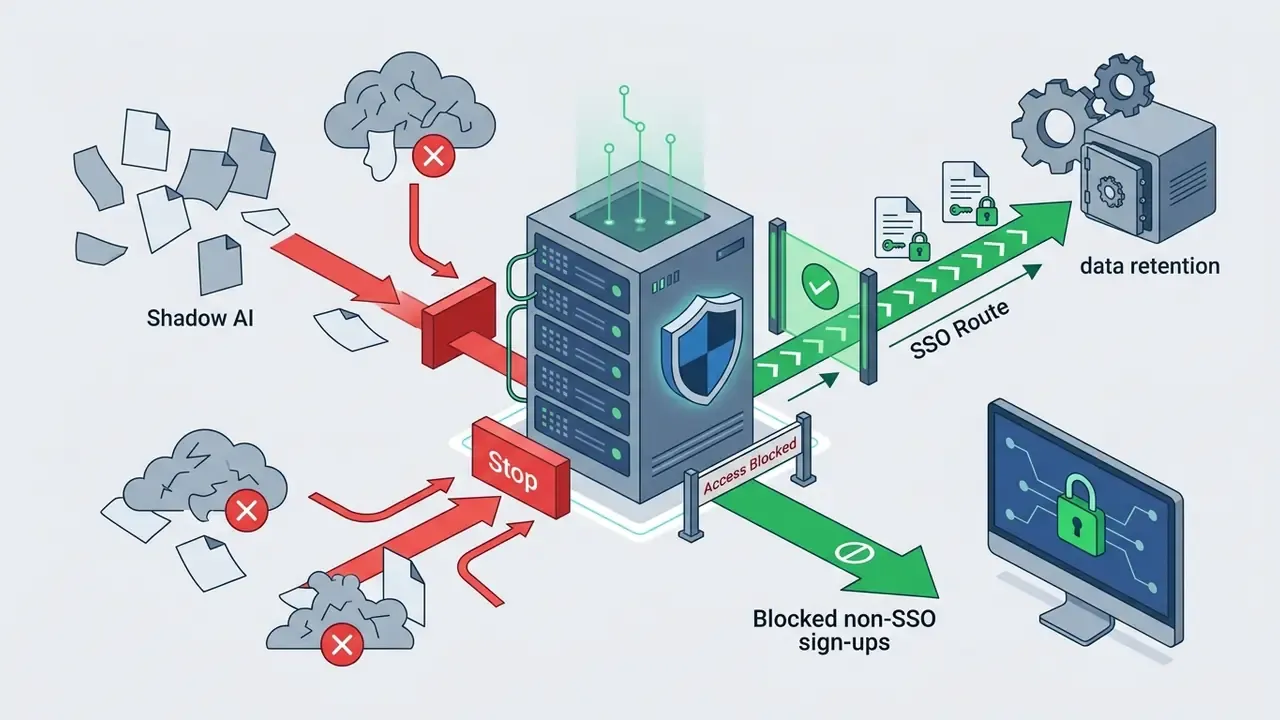
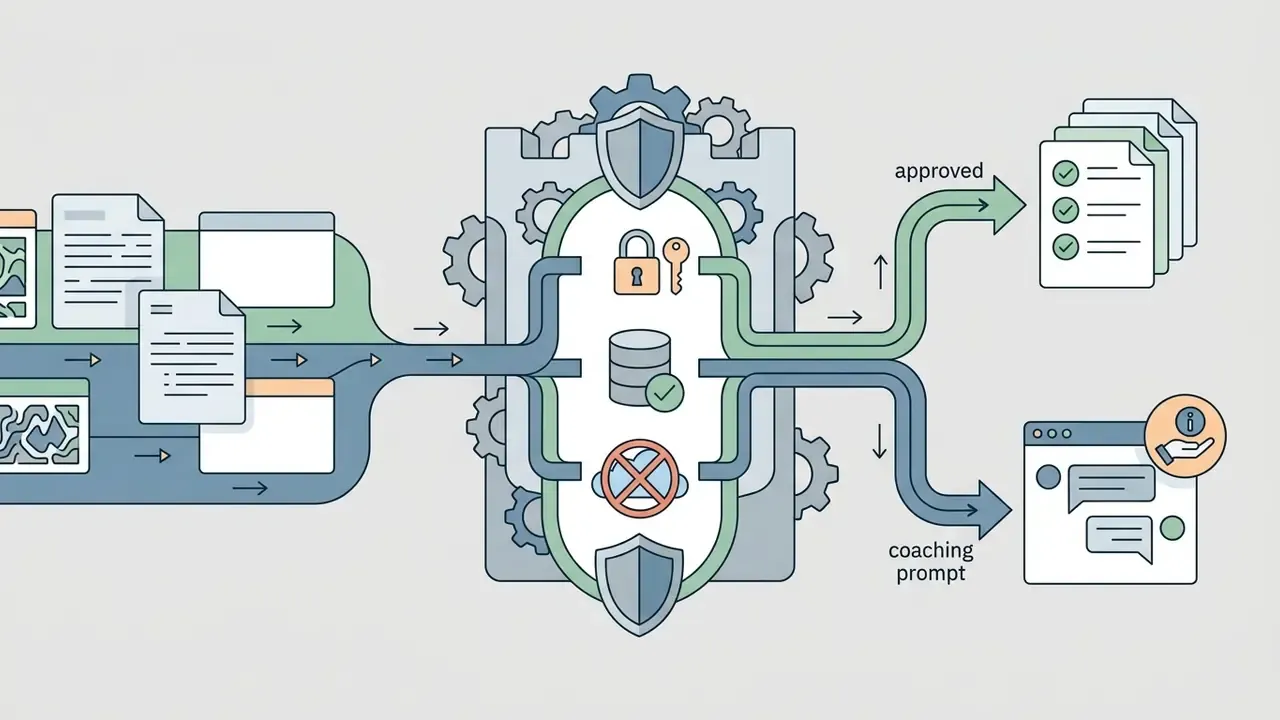
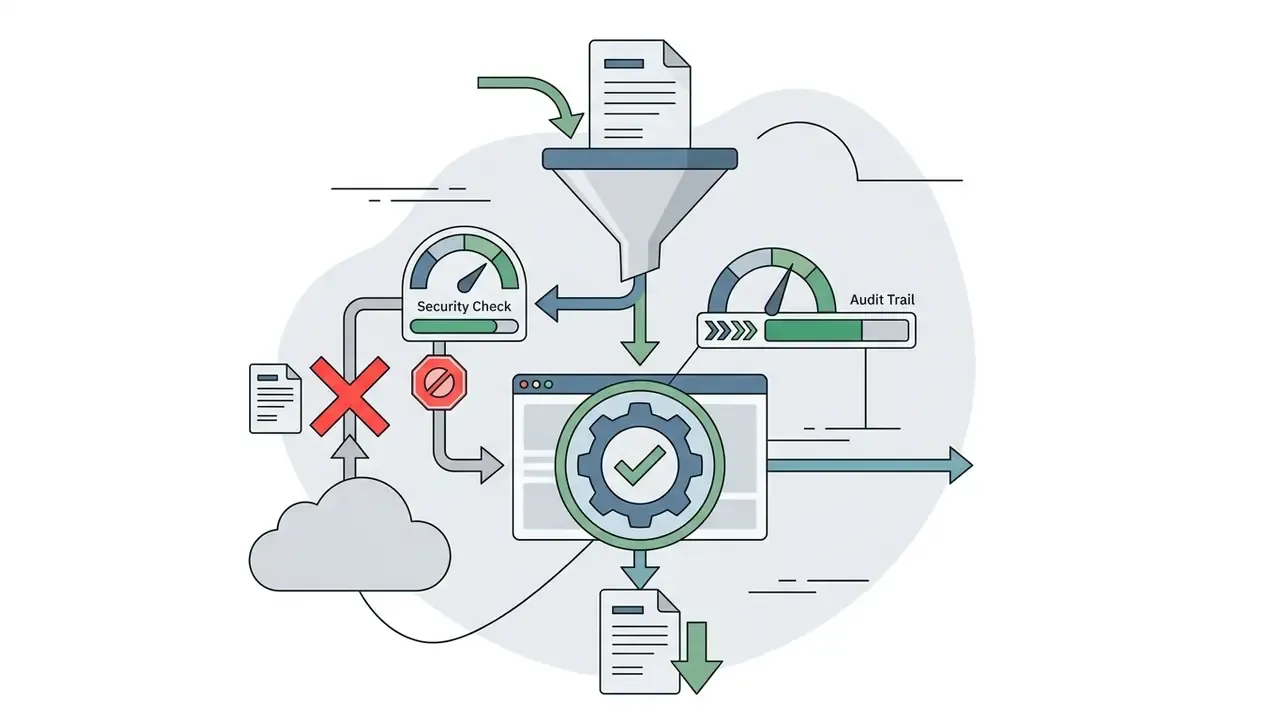
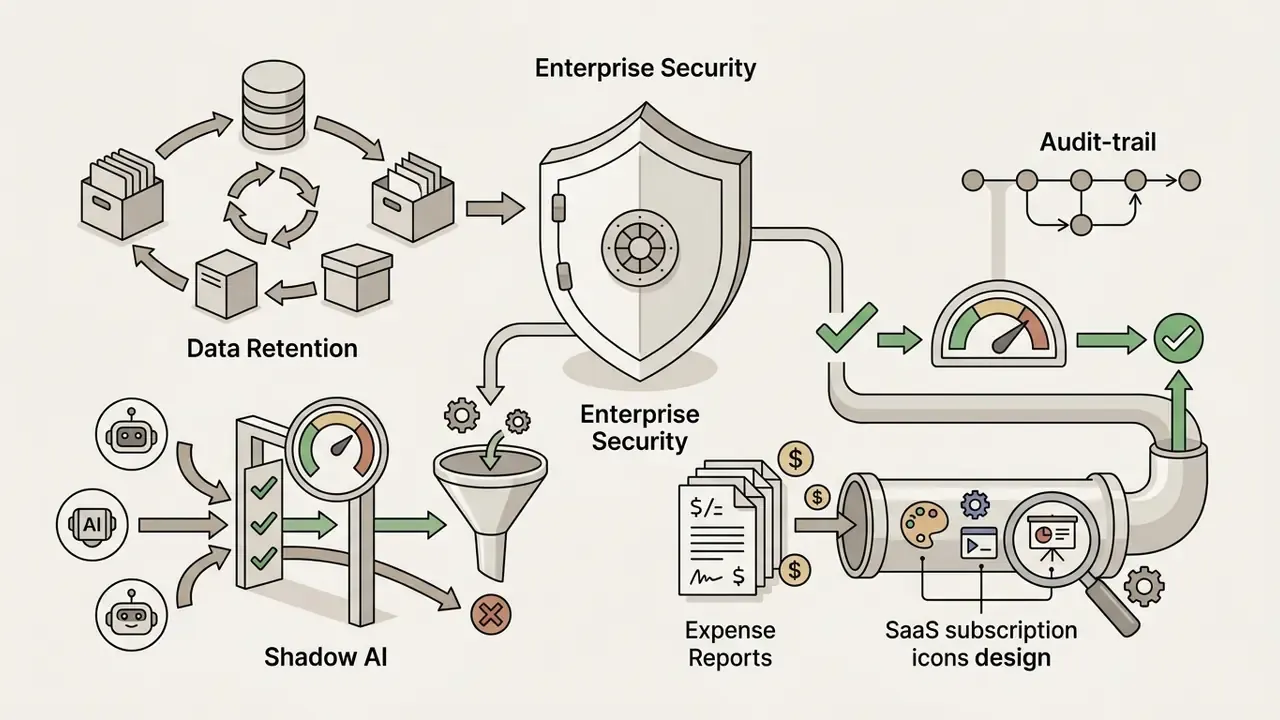
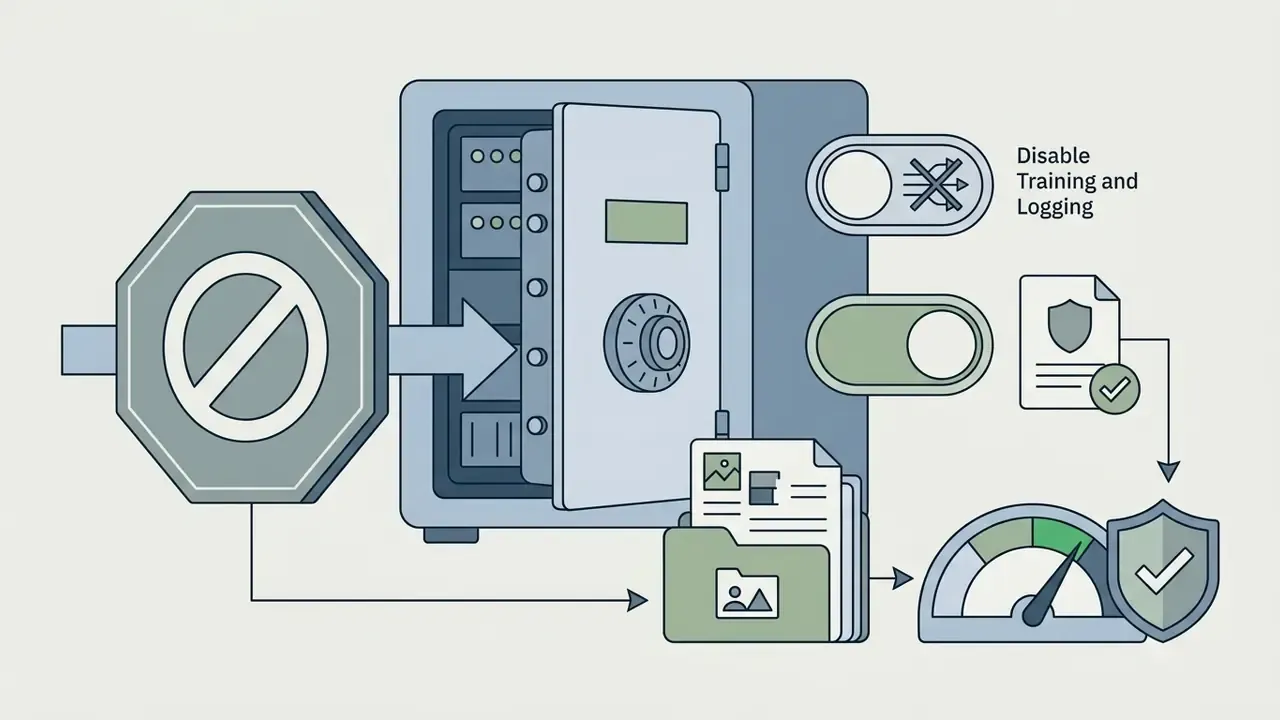
Shadow AI is the dominant practical risk in this category. An analyst pastes a draft earnings summary or a client roster into a free consumer slide generator to save an hour, and confidential data leaves the perimeter with no contract, no retention limit, and no log. Privacy obligations attach both to personal information entered into an AI system and to AI-generated output that contains personal information, which means an unapproved upload can be a reportable event rather than a productivity shortcut.

Which AI presentation tool fits your use case
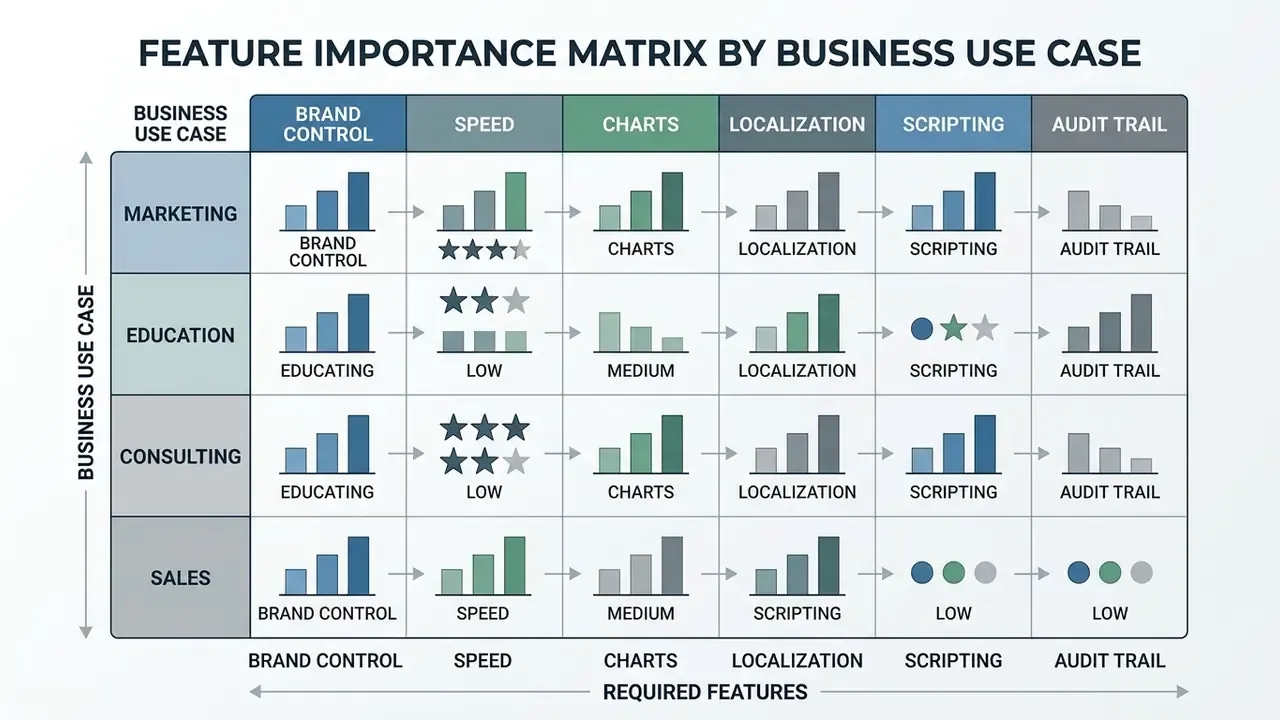
Selecting the best ai powerpoint presentation creation tools requires aligning platform capabilities with specific business goals, target audiences, and delivery environments. Vendor product pages now segment explicitly along six scenarios: marketing, sales, education, pitch decks, consulting, and corporate reporting. That segmentation is a useful shortcut when shortlisting.
Marketing, sales, and product launch presentations
Marketing and sales teams require an ai powerpoint maker for marketing that maintains visual identity while creating persuasive, customer-facing slide decks. These tools must generate high-impact visual structures, funnel diagrams, and product feature showcases rapidly.
Using an ai marketing presentation maker helps campaign managers transform product briefs into visually aligned launch decks. Integrated design tools automatically source brand-compliant stock photos or generate custom visuals. Practically, output quality depends on how completely the brand repository is preloaded: logos, approved fonts, pixel spacing rules, product facts, persona definitions, channel guidelines, and accessibility specifications all need to exist as discrete assets before generation, otherwise the model invents them. Sales teams get the most value from per-prospect personalization, feeding in the prospect's industry context and pain points so the generated deck argues from their situation rather than from a generic feature list. One caution for regulated marketing: product claims, rate examples, and disclosures still need compliance review, and a generated deck makes it easy to skip that step. To compare broader creative AI capabilities, you can read about ai content creation tools across various media workflows.
Education, lectures, and training materials
Educators and corporate trainers use an ai educational presentation maker to convert complex curriculum documents, research papers, and textbooks into structured learning modules. These tools break dense academic concepts into bite-sized presentation slides accompanied by visual aids. Compliance and AML training teams inside banks use the same pattern for annual refresher decks.
Academic research on educational slides emphasizes that pedagogical effectiveness depends on cognitive load management and clear visual communication.
«SLATE scores AI slides across four dimensions, knowledge validity, cognitive-pedagogical design, visual communication, and learning outcomes, and finds artefact metrics do not predict knowledge gain.»
Automated tools can ingest a PDF syllabus, extract key takeaways, and create structured slides with accompanying quiz questions and speaker notes. Those notes can then be paired with AI voice generators to produce narrated self-paced modules.
«slidesqaqa processes PDF decks through a four-phase LLM pipeline and produces a hierarchical JSON annotation with objectives, slide roles, and contextual questions.»
A 2024 systematic review of generative AI in teaching practice likewise found its main documented uses were instructional resource generation and curriculum design. For organizations exploring automated audio instruction and resource budgeting, view the guide for additional resource planning.
Startup pitch decks, consulting, and business reports
Consultants, founders, and financial analysts require a professional presentation builder capable of presenting complex strategic frameworks, financial projections, and market analysis cleanly.
«Audience-conditioned systems reach key-information coverage of 0.714 to 0.853, versus 0.594 for tools without audience profiling.»
That gap is the practical argument for telling the tool exactly who is in the room, whether a VC partner, a credit committee, or a regional sales team, before it drafts anything.
When building startup pitch decks, systems must process financial summaries, CAPEX and OPEX breakdowns, and unit economics accurately. Investor-facing guidance typically expects three-year financial summaries, a CAPEX/OPEX split, and unit economics in annual figures at the screening stage, with detailed spreadsheets reviewed only later. The deck therefore needs to be a clean summary layer over a defensible model, not a replacement for it. Genspark-style builders assemble the conventional 12 to 15 slide VC format (problem and solution framing, TAM/SAM/SOM, traction timeline, team bios) from a short description, while finance-oriented generators extract real charts from uploaded statements. Consulting deliverables demand strict narrative logic, comparison matrices, precise chart labeling, and clean slide layouts. For a detailed breakdown of automated visual editing solutions, see the overview of comparative platform tests.
Free AI presentation generators, pricing, and plan limits
Understanding the pricing structures and feature restrictions of an ai powered presentation generator free plan prevents operational bottlenecks during high-volume drafting cycles. Credit allocations and export gates change frequently, so confirm current terms on the vendor's own pricing page before committing budget.
| Platform | Free Tier Allocations | Watermark Restrictions | Export Limitations | Primary Paid Plan Pricing | Enterprise / Team Tier | Language Support | Accepted Imports | Key Pro Features Unlocked |
|---|---|---|---|---|---|---|---|---|
| Gamma | 400 one-time credits (about 8 to 10 decks) | "Made with Gamma" badge | PPTX and PDF export included; Google Slides via PPTX round-trip | Plus ($10/user/mo) | Business ($25/user/mo); custom enterprise terms | 60+ (API) | Prompts, docs, URLs | Custom fonts, unlimited AI, analytics, branding removal, API access |
| Presentations.AI | 100 initial credits | Watermarked output | Web view; PPTX locked on free | Pro ($20/user/mo) | Team workspace plus Brand Sync | Multiple | Prompts, docs | PPTX export, Brand Sync, deck analytics, team workspace |
| Slidesgo AI | 3 presentations per month | Watermarked templates | PDF and image export | Premium ($4.99/mo) | Education and team bundles | Multiple | Prompts | Unlimited downloads, full asset library, advanced templates |
| Beautiful.ai | 14-day free trial (no permanent free tier) | Trial limitations apply | PPTX export in trial | Pro ($12/user/mo) | Team plan with shared libraries | Multiple | Prompts, data | Unlimited slides, Smart Slide engine, analytics, link expiry controls |
| Prezi AI | Public-only presentations, no AI credits | Prezi branding | Web link only | Standard ($7/user/mo) | Teams (about $39/user/mo) | Multiple | Prompts, docs | Private presentations, PDF export, offline mode, brand kit, live engagement, analytics |
| Microsoft Copilot | None (license required) | None | PPTX, PDF | M365 Copilot add-on per user | Tenant-wide with Purview labelling | 40+ translation targets | PPTX, PPT, PPSM, PDF, DOCX, DOC, XLSX | Brand kit, file-grounded generation, speaker notes, label-retaining translation |
| Canva | Free plan; Magic Design limited uses | Free-plan limits apply | PPTX, PDF, web link | Pro tier | Teams and Enterprise with brand controls | 100+ translation targets | Prompts, brand kit, media uploads | Brand Kit, code-generated widgets, remote control notes, team admin controls |
What free AI presentation plans usually include
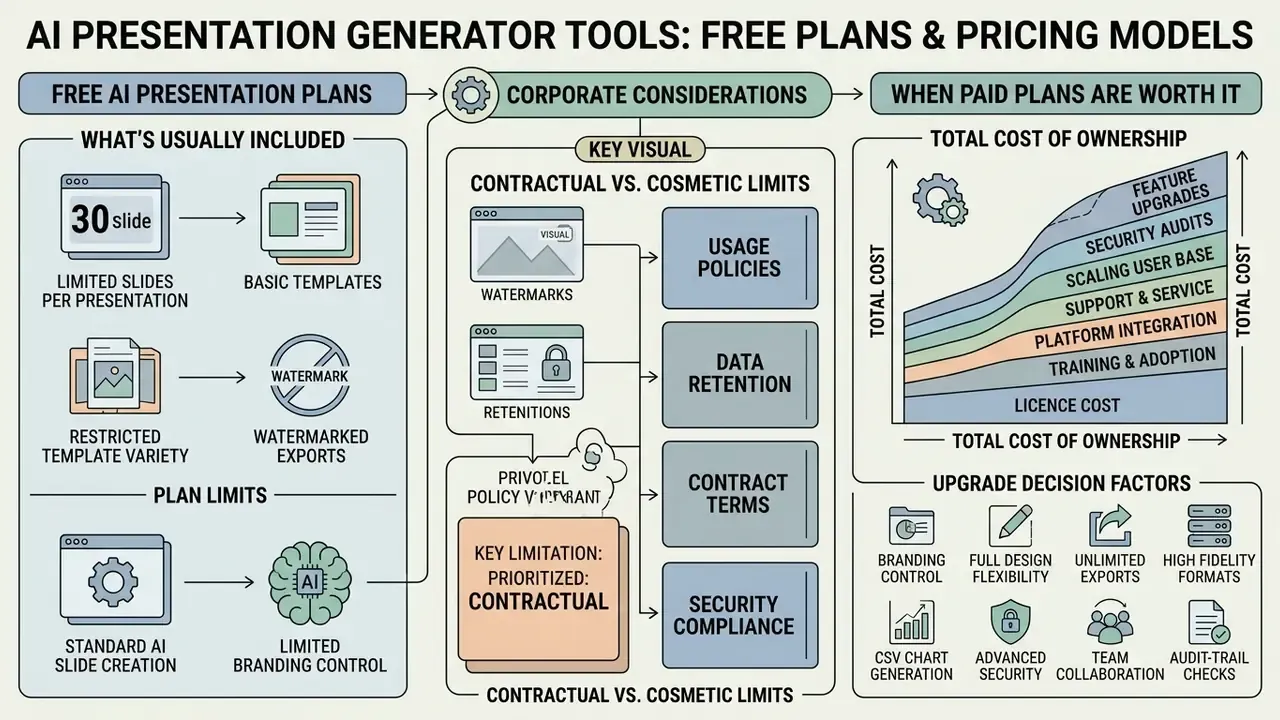
A free ai presentation plan typically provides a starter credit balance or a monthly limit on the number of generated slides. These entry-level tiers allow users to test prompt-to-deck generation, basic slide templates, and text summarization features. If you also need visuals, our roundup of free AI image generators covers the licensing limits that apply to those assets.
However, free plans frequently enforce strict limitations: mandatory vendor watermarks, restricted export formats, a cap on slides generated per prompt (often around 10), one-time rather than renewing credit pools, and premium templates locked behind payment. The pattern is consistent across vendors: basic templates, limited generations, restricted export.
For corporate readers the more important limitation is contractual, not cosmetic. Free consumer tiers routinely lack enterprise SSO, admin visibility, defined retention windows, DLP integration, and a data processing addendum, and some reserve the right to use inputs for model improvement unless a paid plan is active. A watermark is an inconvenience; an unlogged upload of confidential material is an incident. Treat free tiers as sandboxes for non-sensitive content only.
When paid plans are worth the upgrade, and how to model total cost
Upgrading to a paid subscription is economically justified when a team requires custom brand integration, team collaboration controls, and watermark-free exports. Eliminating manual reformatting and asset clean-up offsets monthly subscription costs for active business users.
Paid plans unlock master template locking, high-volume image generation, custom CSS styling, brand kits, multi-seat administration, and priority API access. Entry professional tiers cluster around $10 to $20 per user per month, with team tiers moving into the $25 to $39 range and enterprise agreements priced per tenant.
Total cost of ownership is not the licence line. A defensible model adds four cost layers:
| Cost layer | How to estimate | Typical driver |
|---|---|---|
| Licences | Seats multiplied by monthly price multiplied by 12 | Number of active deck authors, not total headcount |
| Control costs | Reviewer hours per deck multiplied by loaded hourly rate multiplied by decks per month | Fact-checking, chart verification, source mapping |
| Integration and governance | One-time SSO and DLP setup plus annual vendor risk review | Security, IT, and vendor-management effort |
| Rework | Share of decks needing manual restyling multiplied by hours saved forgone | Export fidelity and brand-template support |
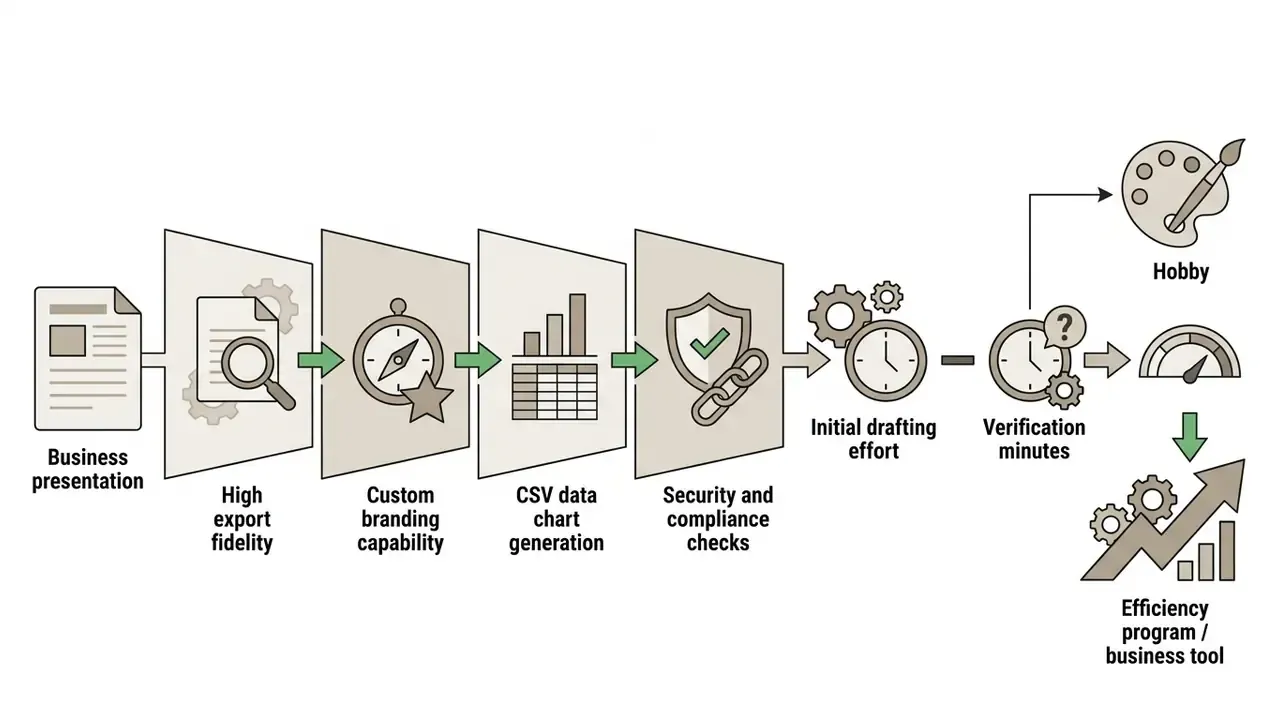
A simple risk-adjusted payback formula: (hours saved per deck minus review hours added per deck) multiplied by decks per month multiplied by loaded hourly rate, minus monthly licence and control cost. If review overhead consumes most of the drafting time saved, the tool is not yet a productivity gain for that workflow. That is usually a signal to restrict it to lower-risk internal material until citation quality improves.
Two open questions deserve honesty here. First, there is no published, peer-reviewed study quantifying net time saved on regulated financial decks, so every ROI figure in this category is an internal estimate rather than an industry benchmark. Second, control costs tend to fall as reviewers learn where a given tool fails, but nobody has published a reliable learning curve. Measure your own, deck by deck, for one quarter. To evaluate enterprise subscription economics across related media tools, review our AI Media Pricing Guides for comprehensive cost frameworks.
How to create a high-quality AI PowerPoint presentation
Building a high-impact presentation with an ai presentation creation tool requires a structured workflow that pairs automated drafting with human editorial oversight.
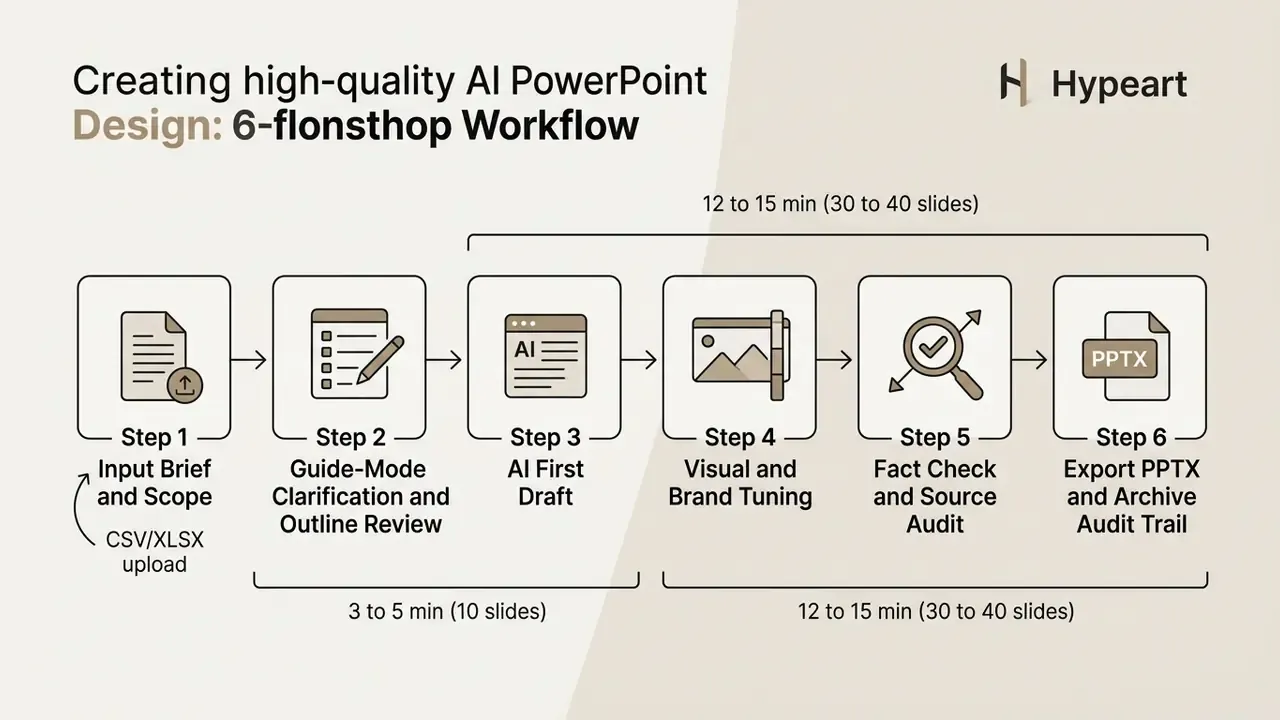
Generation speed benchmarks. Production time varies with research depth. Standard 10-slide outline-based decks generate in 3 to 5 minutes. Complex 30 to 40-slide research decks involving automated data chart generation and multi-source web verification typically require 12 to 15 minutes of autonomous processing. Budget separately for human work: expect 20 to 45 minutes of fact-checking and brand tuning on a data-heavy executive deck, which is the real bottleneck once generation is fast.
- Define the scope
- specify the target audience, presentation goals, tone, and exact slide count.
- Review the outline
- approve the generated slide titles and topic hierarchy before triggering full generation.
- Generate the first draft
- allow the AI model to construct slide layouts, text blocks, and initial visuals.
- Refine visuals and formatting
- adjust color schemes, fonts, spacing, and image placements.
- Audit facts and data
- verify all numeric statistics, quoted sources, and factual claims against primary documents.
- Export and finalize
- download the editable PPTX file, conduct a final walkthrough in PowerPoint, and archive the prompt, sources, and reviewer sign-off.
Write a prompt and approve the presentation outline
The quality of an AI-generated slide deck depends directly on prompt clarity. An effective prompt should specify the presenter's role, target audience, key objective, desired slide length, tone, output structure, and closing call to action. Proven prompt patterns also constrain density explicitly, for example "8 to 12 slides," "3 to 4 bullets per slide," "one-sentence takeaway per slide," and they separate the request for an outline from the request for full draft text.
Interactive "Guide Mode" drafting. Instead of relying on a single complex prompt, modern workflows use interactive clarifying loops. In Guide Mode, the tool pauses after processing your initial topic and asks three or four targeted questions, covering buyer personas or audience seniority, preferred slide density, the key performance metrics that must appear, and constraints such as time limit or mandatory sections, before constructing the master outline. It then waits for explicit approval of that outline, so structural problems get caught while they are cheap to fix rather than after 35 slides exist. For teams that dislike question loops, the equivalent is a two-message pattern: ask for the outline only in message one, approve or edit it, then request generation in message two.
«Users who build the outline first and add content afterwards produce more coherent slides; the tool automatically retrieves relevant notebook cells for each outline item.»
Reviewing and editing the generated outline before creating slides therefore prevents structural drift and supports logical narrative flow.
Refine slide content, visuals, and layouts before export
After generating the initial draft, authors must refine slide text, verify image relevance, and optimize visual hierarchy. Post-processing in practice means editing text directly on the slide (wording, size, colour, alignment, line height, letter spacing), replacing or re-cropping generated images without disturbing the rest of the design, adjusting colours and fonts manually against the brand palette, and only then running the fact check before export. When sourcing custom illustrations, teams often use an ai picture for presentation element to replace generic icons with topic-specific graphics. Our comparison of AI image generators helps match the model to the visual style of the deck.
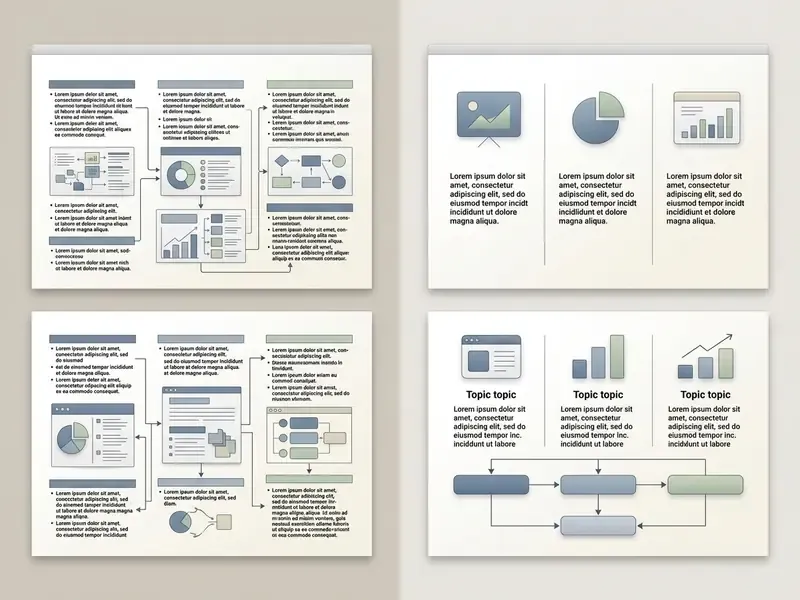
Manual adjustments should enforce standard design rules: maintain consistent margins, align text flush-left with a ragged right edge, keep headers and graphics on a shared invisible grid, limit lines of text per slide, and reserve roughly 15 to 20% of the slide area as intentional empty space. Updated, sourcing note: these are widely published university slide-design conventions (including University of California guidance on maximising white space, capping lines per slide, and avoiding justified text) rather than a single quantified experiment, so treat the 15 to 20% figure as a working heuristic.
«PPTAgent generates new slides through iterative API editing operations, inheriting design schemas from reference decks, which keeps layouts consistent without manual correction.»
For teams incorporating custom visuals, you can review our ai image generator comparison to select optimal image models.
Common mistakes in AI-generated presentations
Relying entirely on automated output without manual editing leads to predictable quality failures that diminish presentation credibility.
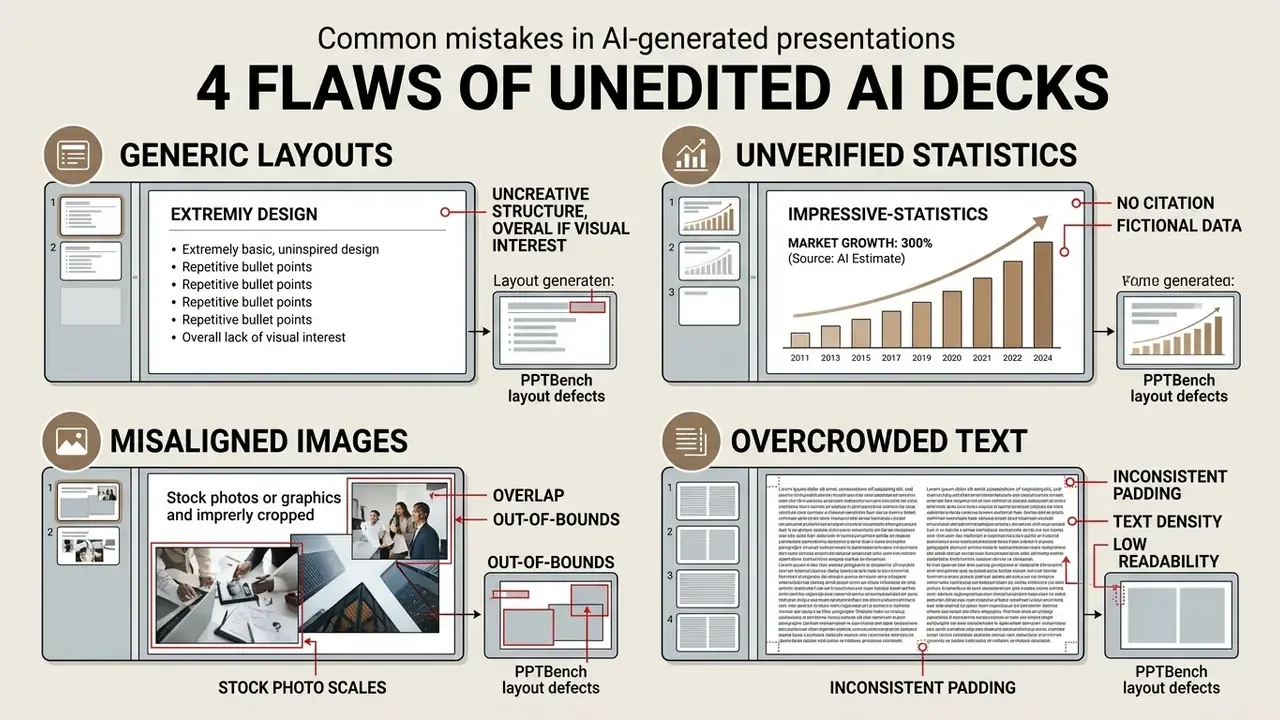



«PPTBench catalogues typical layout defects, overlapping shapes, out-of-bounds elements, inconsistent padding, all detectable through API-level inspection operations.»
- Generic aesthetics
- default templates often produce recognizable "AI-style" layouts with repetitive icon choices.
- Inconsistent branding
- mixing unapproved fonts, mismatched color palettes, and random visual styles across slides.
- Misleading visuals
- charts and labels that are not matched to the underlying source data distort the message even when the numbers are technically present.
- Shadow AI exposure
- uploading confidential source documents into an unapproved consumer tool to speed up a draft.
How to prevent generic slides and inconsistent design
To eliminate the typical "AI look," replace default shapes with structured master templates, apply custom brand palettes, and adjust line spacing manually. Limit each slide to one core message supported by three or four concise bullet points. Run a final pass specifically for layout collisions, out-of-bounds elements, and inconsistent margins, because those defects read as carelessness even when the content is strong.
When using an ai image generator to create visuals, keep all generated images in a consistent artistic style, such as modern photography or flat vector graphics, throughout the deck. Accessibility deserves the same pass: exported slides and PDFs need document structure tags, alt text on every meaningful image, and a post-export accessibility check, since generated decks rarely include them by default. To audit visual model capabilities, check out our guide on ai image generation capabilities 2025 for technical benchmarks.
FAQ: frequently asked questions about AI presentation generator tools
How long does it take an AI tool to generate a presentation?
A simple 10-slide deck is typically ready in about 3 to 5 minutes. A 30 to 40-slide research presentation that includes automated chart generation and multi-source web verification generally takes 12 to 15 minutes. Add human time on top: 20 to 45 minutes of fact-checking, brand tuning, and layout correction for a data-heavy executive deck.
Can AI presentation tools build charts directly from CSV or Excel files?
Yes. Agentic builders and finance-oriented generators accept .csv and .xlsx uploads, parse the dataset, choose a chart type, and embed a real chart object rather than a static image. Some also extract chart-ready figures from PDFs, Word documents, and scanned statements. Always verify axes, units, scale, and time periods against the source table before distribution, because chart selection is a model decision, not a validated one.
Can AI translate a full presentation without breaking the layout?
Yes, within limits. Microsoft Copilot translates full decks, including slide text, charts, comments, and tables, into 40+ languages from a single prompt, and states that translated decks retain sensitivity labels for enterprise security. Canva translates on-slide content into 100+ languages, and Genspark generates natively in 19 languages. Check text expansion in verbose languages, embedded fonts for non-Latin scripts, and local number and date formats before sending translated decks externally.
Is there an AI presentation generator API for automated slide creation?
Yes. Gamma publishes a public Generate API (generally available since late 2025) that creates presentations, documents, websites, and social posts programmatically. It uses a versioned REST base URL with API-key authentication, operates asynchronously with a polling flow, and returns both a hosted deck URL and export URLs for PDF, PPTX, and PNG bundles, alongside folder organisation, template-based generation, and email sharing options. Updated, verification note: capability details should be confirmed against the vendor's live developer documentation, since endpoints and limits change between releases. Beautiful.ai, by contrast, documents AI generation only inside its web application (prompt, context, language, theme, image source and style), and no public API endpoint appears in its official help material.
These asynchronous APIs let corporate applications automate weekly reporting, generate customer-facing proposal decks, and export finished presentations directly to PPTX and PDF formats. One governance point for anyone wiring an ai presentation generator api into a reporting pipeline: log the request payload and model version with each generated file, or you lose reproducibility the moment the vendor ships an update. For teams building automated publishing pipelines, explore our AI Media API Guides to examine integration standards and endpoint documentation.
Can an AI presentation maker create images for PowerPoint slides?
Yes. Modern presentation generators incorporate built-in image models, such as DALL-E 3 in Microsoft Copilot or Imagen in Google Gemini, to generate custom illustrations, background textures, and conceptual diagrams directly on presentation slides. Short requests work best, and even a blunt prompt like "2 images for ppt ai illustration of a payments flow" usually returns a usable pair. Microsoft states Copilot can create presentation-ready images and insert them on a chosen slide or as a background; Visme replaces visuals to match the subject and allows uploads of your own media; Canva generates on-brand imagery while noting that third-party library content remains subject to its own rights. Users must still verify image relevance and respect usage rights, so see our guidance on commercial use of AI images before publishing generated visuals externally.
Updated, copyright position. Under published U.S. Copyright Office guidance, material generated solely by AI is generally not protected by copyright; protection extends only to the human-authored creative contributions, and applicants are expected to identify which parts are human-authored. Confirm the current wording on the Copyright Office's own site before relying on it for a licensing decision, and treat jurisdictions outside the U.S. separately. For additional image editing and enhancement options, explore our comparison of ai image enhancement tools.
Which AI presentation tool is safest for confidential data?
Suite-native tools that run inside your existing Microsoft 365 or Google Workspace tenant are the default answer, because they inherit tenant identity, labelling, and retention policy rather than introducing a new processor. For any standalone tool, require written confirmation of no-training-on-customer-data, a defined retention window, tenant isolation, SOC 2 Type II or ISO/IEC 27001, enterprise SSO, and exportable audit logs before confidential material is uploaded.
How do I make an AI-generated deck auditable?
Archive five artefacts with the file: the source inputs and their versions, the exact prompt and clarifying answers, the platform and model version with the generation date, a claim-to-source map for every figure, and the named reviewer's sign-off. Store the bundle alongside comparable analytical work papers so a supervisory or internal-audit request can be answered without reconstructing the work.
What is a safe next step if we have not approved any tool yet?
Start small and reversible. Pick one low-risk workflow, such as internal training decks with no client data, name two approved tools, and run a 30-day pilot with the audit trail in place from day one. Measure drafting minutes saved and review minutes added, then decide whether to widen scope. A pilot that produces evidence is worth more than a policy that produces silence.
Appendix A: editorial revision log
Appendix B: AI tool security and model risk audit checklist
Use this one-page checklist during vendor selection and again at annual review.
Checklist0 / 21