An AI font generator turns natural language prompts or reference images into custom typography, vector font files, or stylized text effects. Modern platforms produce installable font software, decorative lettering, or semantic text art, depending on the model architecture underneath and what the user actually asked for.
That last part matters more than most buyers expect. Two tools can carry the same label and ship completely different artifacts.
The short version
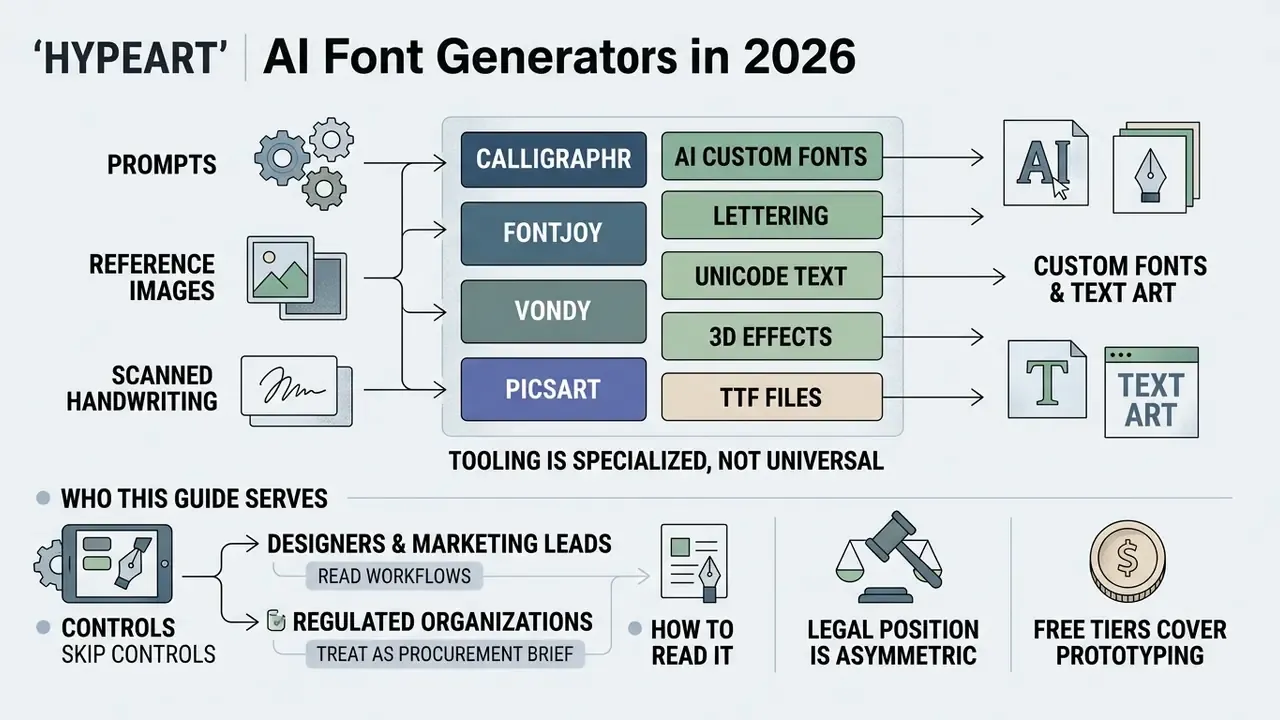
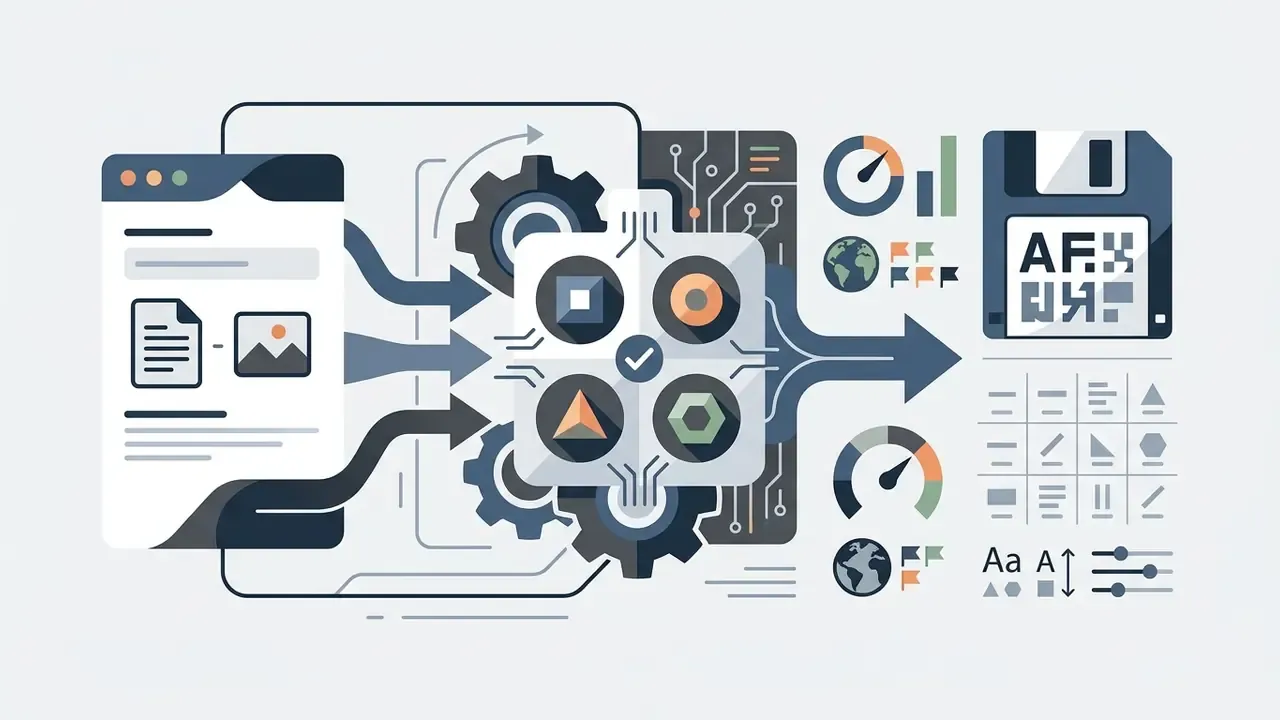
- Three different products share one name. AI typography tools output either (1) installable font binaries (OTF, TTF, WOFF, WOFF2), (2) rendered raster or layered text effects (PNG, WebP, SVG), or (3) Unicode character substitutions you copy and paste. Only the first category behaves like real font software.
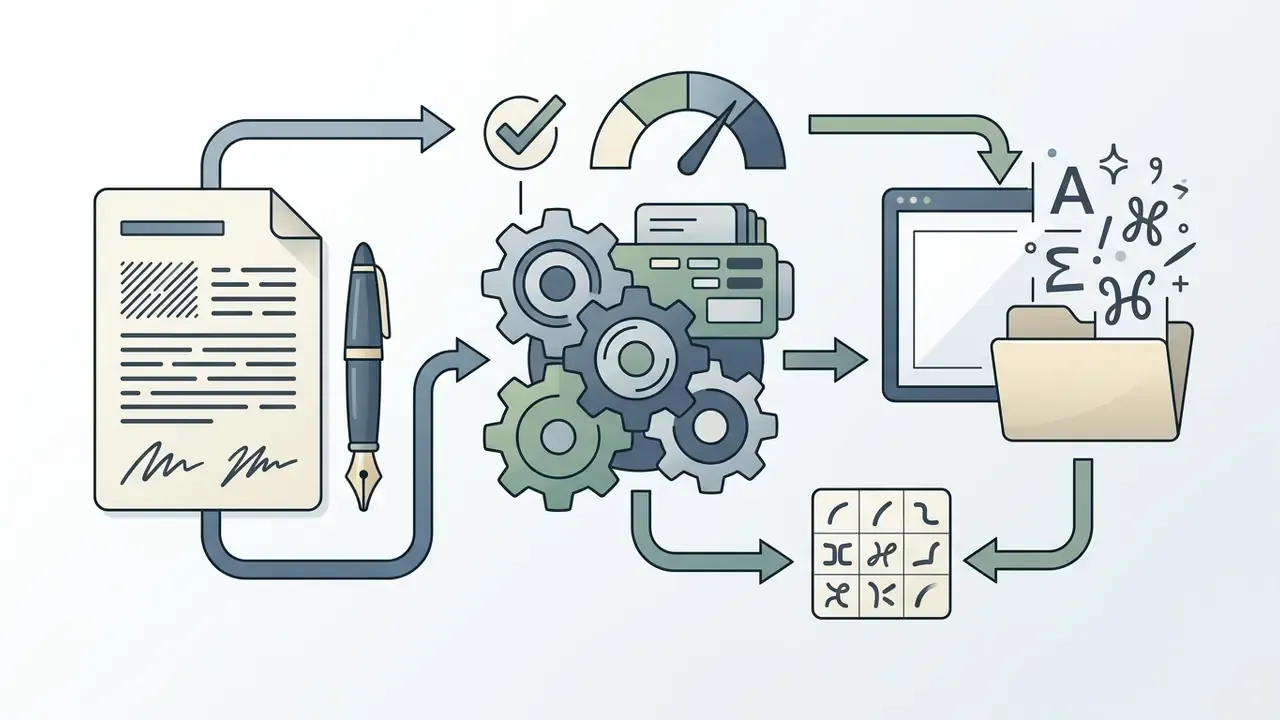
- Inputs are prompts, reference images, or scanned handwriting. Handwriting digitization usually runs through a four-step template pipeline: print a glyph grid, ink it by hand, scan at 300+ DPI, then let the model vectorize and extrapolate missing characters.
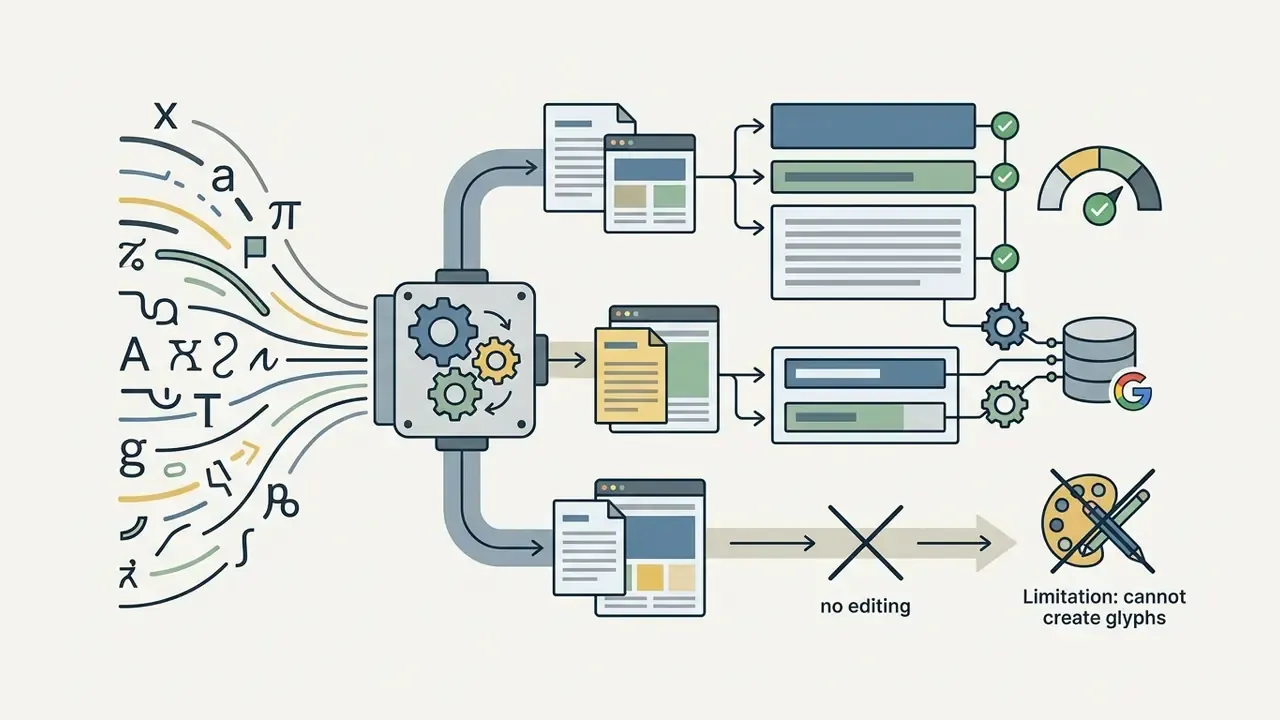
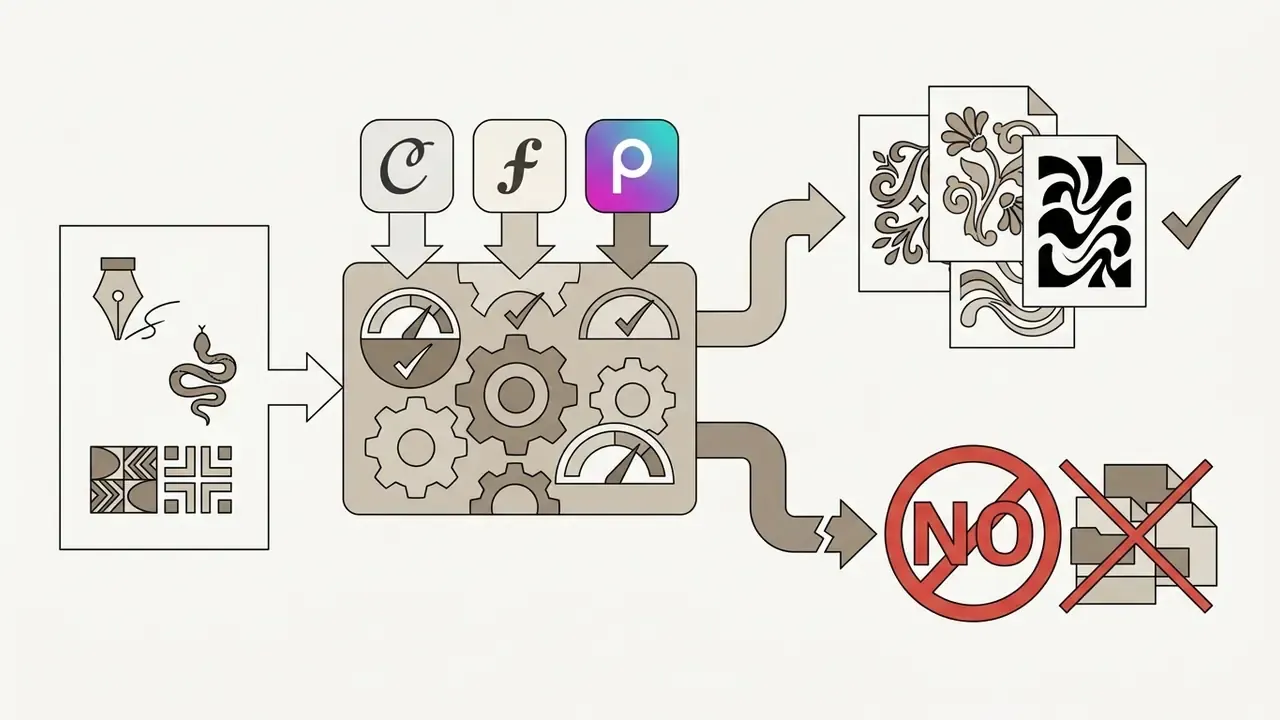
- Tooling is specialized, not universal. Calligraphr and Creative Fabrica Font Maker convert hand-drawn glyphs into files; Vondy and Mixfont-class engines generate typefaces from prompts; Fontjoy pairs existing fonts; Picsart and Simplified produce instant raster text art.
- The legal position is asymmetric. Purely AI-generated output without human authorship is not copyrightable in the United States (U.S. Copyright Office, 2023), while commercial deployment rights come from vendor licences. Two separate layers, and both need clearing.
- Free tiers cover prototyping. Paid tiers unlock vector export, extended glyph sets, multi-script coverage, glyph-level editing, and explicit commercial licences.
Who this guide serves, and how to read it
If you sign off on creative tooling inside a regulated organization, treat this page as a procurement brief rather than a design tutorial. Font binaries are parsed by operating system rendering engines. That makes them software assets with a security surface, not decorative files.
Designers and marketing leads can read the workflow sections and skip the control checks. Risk, security, and legal reviewers will find the parts they care about under procurement, pricing, and commercial use. Everyone should read the licence durability paragraph. It is short, and it is where brand programs quietly break.
What is an AI font generator and what can it create?
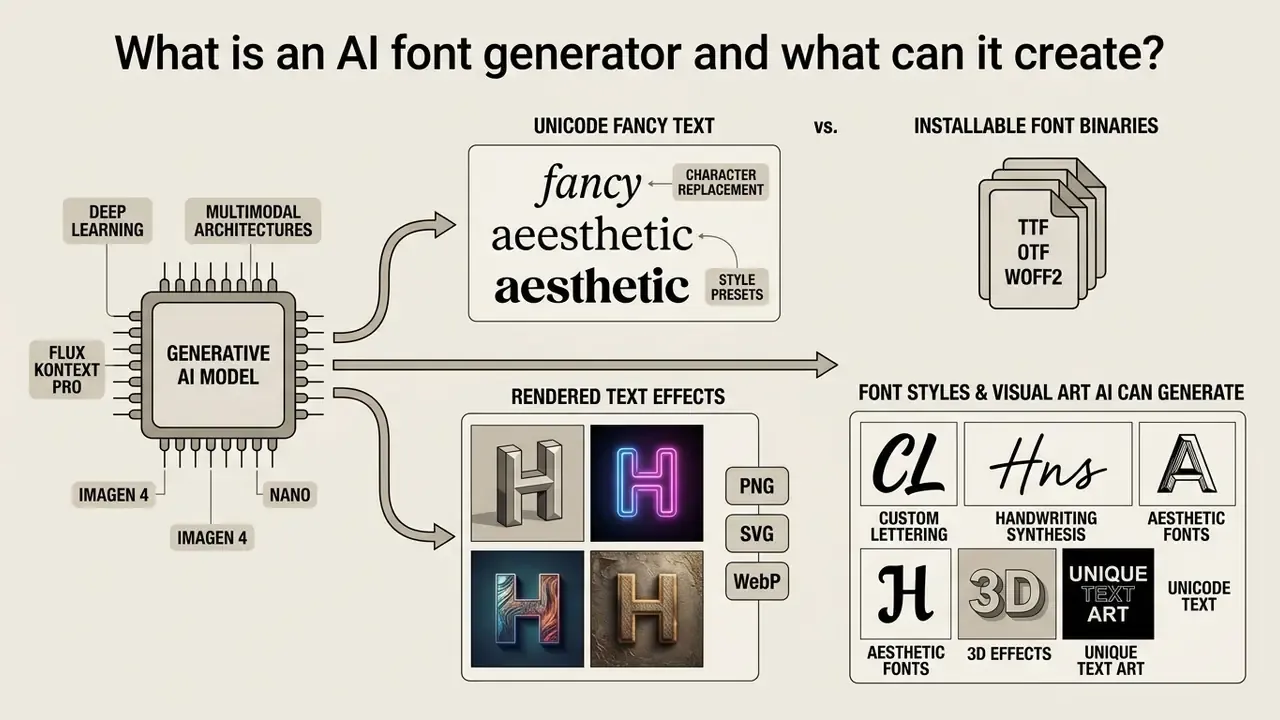
An AI font generator is a computational system powered by generative deep learning models, including multimodal diffusion architectures such as Flux Kontext Pro, Imagen 4, Nano Banana, and agentic image pipelines such as Luma UNI-1, that produces typographic outputs ranging from installable font binaries to rendered visual text effects. These tools accept text prompts or reference images to generate complete character sets, custom font styles, or stylized text graphics.
Vendors combine general-purpose diffusion backbones with in-house models trained specifically on glyph geometry. Why? Because standard image models optimize pixel plausibility rather than curve topology and font metrics. That architectural difference explains why some services return only pictures of letters, while others compile a functioning typeface.
Custom font files vs. AI-generated text effects
The practical procurement consequence is simple. If a supplier cannot state which curve representation and which font tables it exports, the deliverable is a graphic, not typography infrastructure. Teams evaluating adjacent creative software can apply the same test used in our online photo editor guide: verify the exported artifact, not the marketing label.
Unicode fancy text vs. programmatic font files
It is critical to distinguish between installable font binaries, visual text graphics, and Unicode text transformation:
- Unicode fancy text generators. These tools create neither font files nor images. They map standard ASCII characters onto mathematical alphanumeric symbols, gothic (Fraktur) characters, circled glyphs, or full-width forms already present in the global Unicode character set, for example converting "Font" into "𝔉𝔬𝔫𝔱" or "ⓕⓞⓝⓣ". The result is plain text you can paste straight into social media bios, chat applications, comment fields, and web documents without installing anything. Rendering depends entirely on the recipient's system font coverage, so some symbols degrade into empty boxes on older devices, and screen readers may announce them incorrectly.
- Installable font binaries (TTF/OTF/WOFF2). Real software typefaces that override system typography, requiring full glyph mapping, kerning metrics, hinting, and rendering engine support. They can be embedded in applications, PDFs, and websites, and they apply to any text the user types.
- Rendered text effects (PNG/SVG/WebP). Fixed compositions where appearance is baked in at export. Editable only as artwork, never as system type.
Competing services blur these categories deliberately. A generator that advertises "bold, script, gothic, circled and decorative text you can paste instantly into any app" is a Unicode converter. A generator that advertises "a downloadable TTF with reusable letters, numbers, punctuation and symbols" is a font compiler. Enterprise software registers should classify them separately, because only the second category introduces binary artifacts that require security review.
Font styles and visual art AI can generate
Modern font generator AI systems create diverse visual styles, including calligraphy, cursive handwriting, personal signatures, and complex 3D graphic effects. Machine learning models disentangle style representations from character content, which enables precise reproduction of calligraphic flourishes or decorative textures. Peer-reviewed handwriting generation research confirms that models can control writing style tightly by separating calligraphic style from textual content.
Generators also apply specialized style transformations: neon glow, chrome, glitch, fire, volumetric 3D lettering. Commercial catalogues in 2026 routinely advertise 90+ effect presets across those families. Research into semantic typography demonstrates that an ai font design generator can deform individual letterforms to reflect a word's meaning while preserving legibility.
For creative teams, these capabilities expand visual typography from standard printed typefaces into dynamic brand graphics. Teams building complete identity systems often pair typography generation with logo and illustration engines reviewed in our comparison of the best AI art generators. If you are still mapping the field, our primer on what is ai art gives useful background on how these models learned to draw shapes at all.
Table 1. Comparison of AI font generator outputs across technical capabilities, file formats, and operational deployment.
| Output Type | Format & Technical Representation | Individual Glyph Editability | Export & File Download | Operational Use Cases |
|---|---|---|---|---|
| Custom Font File | Vector outlines with metrics (OTF, TTF, WOFF, WOFF2) | High; full control-point adjustment in font editors | Downloadable binary font file | System typography, UI design, web embedding, brand guidelines |
| Stylized Text | Rendered raster or layered graphic (PNG, SVG) | Medium; editable within native editor tools | Image download or project export | Social media banners, marketing headers, ad creatives |
| AI Font Art | Semantic vector/raster artwork (SVG, PNG) | Low; bound to specific words or logos | High-resolution image export | Brand logos, visual wordmarks, editorial illustrations |
| Text Effects | Overlay style layer on base font (PNG, WebP) | Medium; style parameters adjustable | Image asset download | Digital posters, event graphics, thumbnail titles |
| Unicode Fancy Text | Substituted characters from existing Unicode blocks | None; symbols are fixed code points | Copy-paste plain text (no file) | Social bios, chat handles, comment styling |
How to create a font with AI from a prompt or image
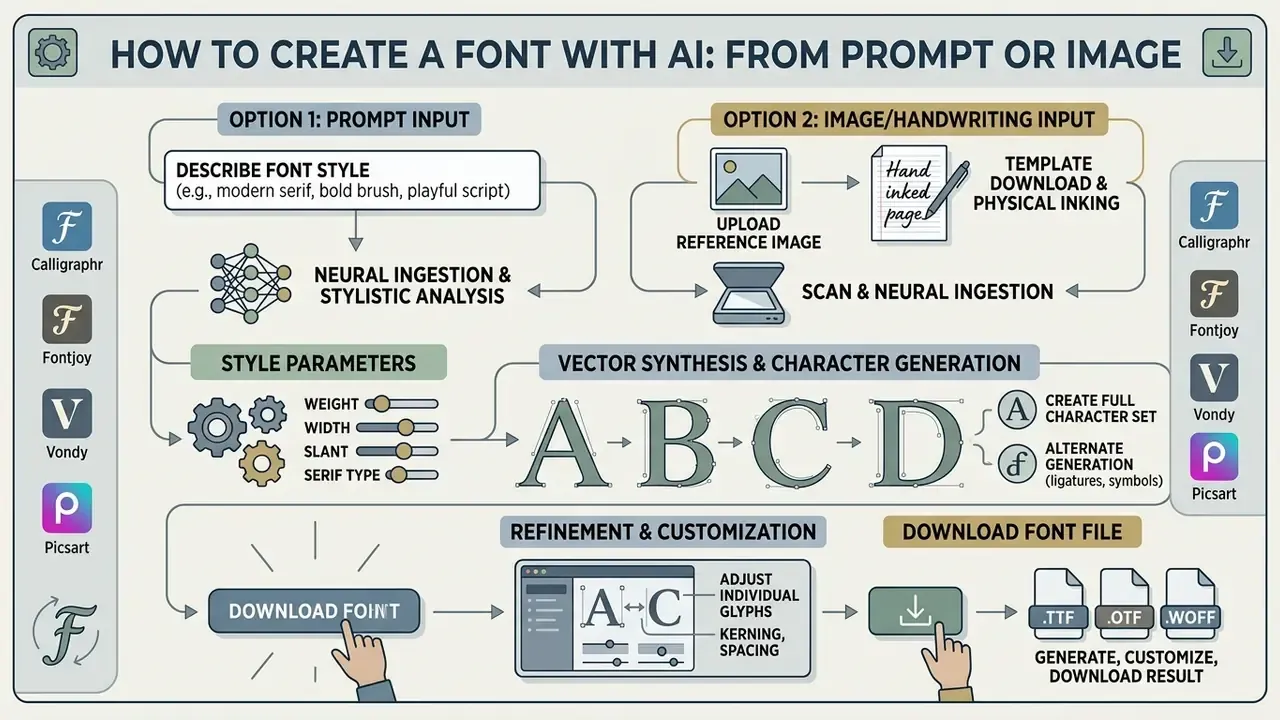
To create fonts with AI, users supply a descriptive text prompt or upload a reference image, select target stylistic parameters, generate the character set, refine individual glyphs, then export the resulting font file. This multi-stage process converts abstract stylistic concepts into production-ready typographic assets.
Describe the font style in a prompt
Creating a custom font with AI begins with a precise typographic prompt that specifies stroke weight, serif structures, proportions, and visual mood. Effective prompts use formal typographic terminology, such as high contrast, condensed proportions, geometric sans-serif, or slab serif, to steer model output accurately.
These terms are not stylistic slang. They are standardized descriptors. The W3C CSS Fonts specification defines serif glyphs as forms with finishing strokes, flared terminals, or slab serifs, and defines "aspect value" as x-height divided by font size, a legibility metric applicable to Latin and Cyrillic scripts (CSS Fonts Module Level 3, W3C, 2018). Earlier classification work (PANOSE typeface matching, W3C, 1996) separates monospaced, proportional, old-style, extended, and condensed proportions.
When using an AI font style generator, skip vague descriptions like "pretty letters." Describe concrete physical attributes instead: "a bold display typeface with sharp flared serifs, tall x-height, and low stroke contrast." Specialized vision-language models map those descriptive terms directly to structural glyph parameters, producing unique fonts tailored to brand requirements. One documented limitation is worth flagging early: several leading generators cannot honour a named commercial typeface in a prompt, so stylistic attributes must be described rather than referenced by brand name.
Create fonts from a reference image or handwriting
To generate custom fonts from reference images or scanned handwriting, upload high-resolution visual samples so the neural network can extract stroke trajectories and style vectors. An ai font image generator segments individual letterforms, analyzes line thickness and curvature, then extrapolates those style rules across an entire alphabet. Vendor constraints are concrete: reference images are typically accepted as publicly reachable HTTPS URLs in JPEG, PNG, or WebP format, capped around 20 MB.
In enterprise workflows, digitizing executive signatures or historical brand lettering demands robust style transfer. Recent research on few-shot font synthesis (DRG-Font: Dynamic Reference-Guided Few-Shot Font Generation, arXiv preprint, 2025) shows that advanced models can reconstruct full character sets from as few as 5 to 10 reference glyphs.
That capability cuts manual vector tracing time hard on custom lettering projects.
When converting manual handwriting into an installable TTF file via AI, platforms typically deploy a four-step template pipeline:
- Template download.Print a standardized character grid covering basic Latin, punctuation, and numerals (free tiers frequently cap this at roughly 75 characters, paid tiers at 600+).
- Physical inking.Write characters manually inside the bounded glyph cells using a high-contrast dark pen, keeping baseline and x-height alignment consistent.
- Scan and neural ingestion.Upload a 300+ DPI scan or photograph. The vision model segments character cells, isolates baseline and x-height anchors, thresholds the image, and cleans pen-stroke artifacts.
- Vector synthesis and alternate generation.The system traces contours into Bézier outlines, extrapolates missing character sets, applies contextual ligatures, and generates alternate glyph variants so repeated letters do not look mechanically identical.
Older automated systems relied purely on thresholding, contour tracing, polygon simplification and smoothing before writing a .ttf file. Contemporary pipelines add self-attention style models and stroke-trajectory learning, which is exactly why they tolerate uneven handwriting and few-shot references far better than the 2019-era tooling did.
Generate, customize and download the result
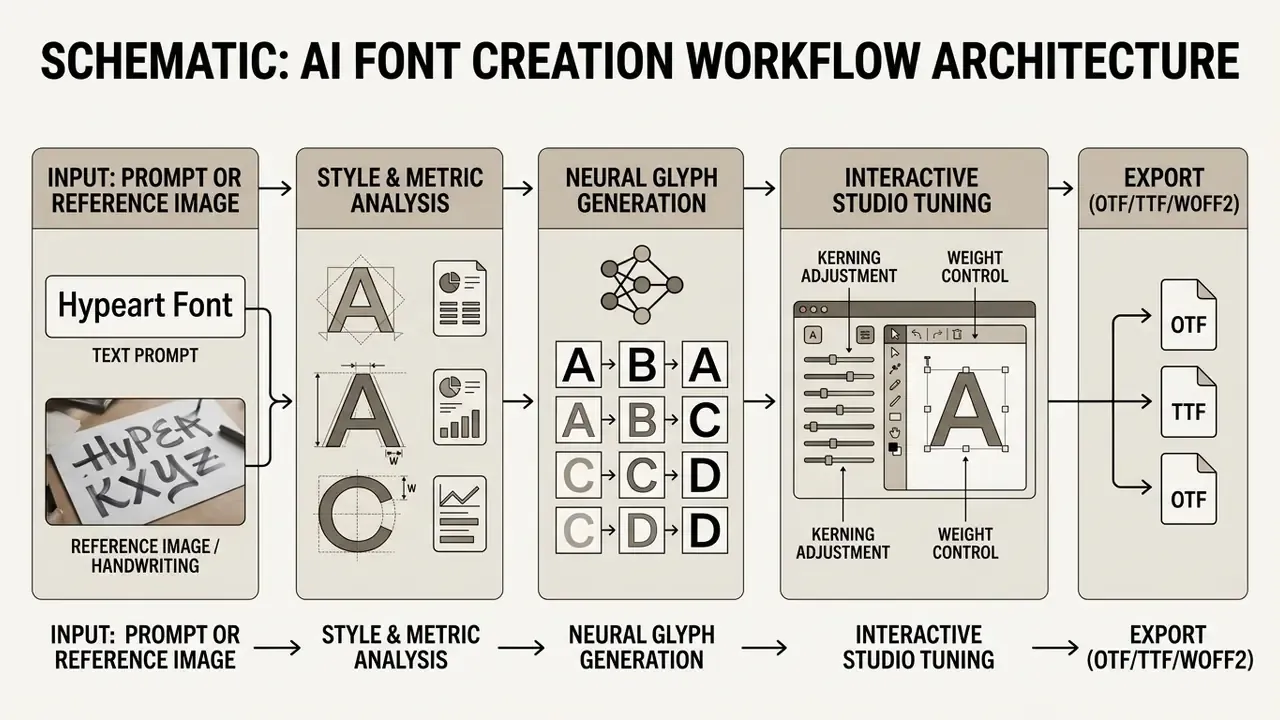
- Input submission
- submit a detailed text prompt or upload a public HTTPS reference image (JPEG, PNG, WebP) up to 20 MB.
- Style selection
- define target parameters, including script coverage (standard 72 glyphs or extended 319 Latin glyphs), weight, and serifs.
- AI generation
- the generative model synthesizes the complete glyph library and spatial metrics in seconds; asynchronous APIs report
succeeded,failed, orcancelledjob states. - Studio customization
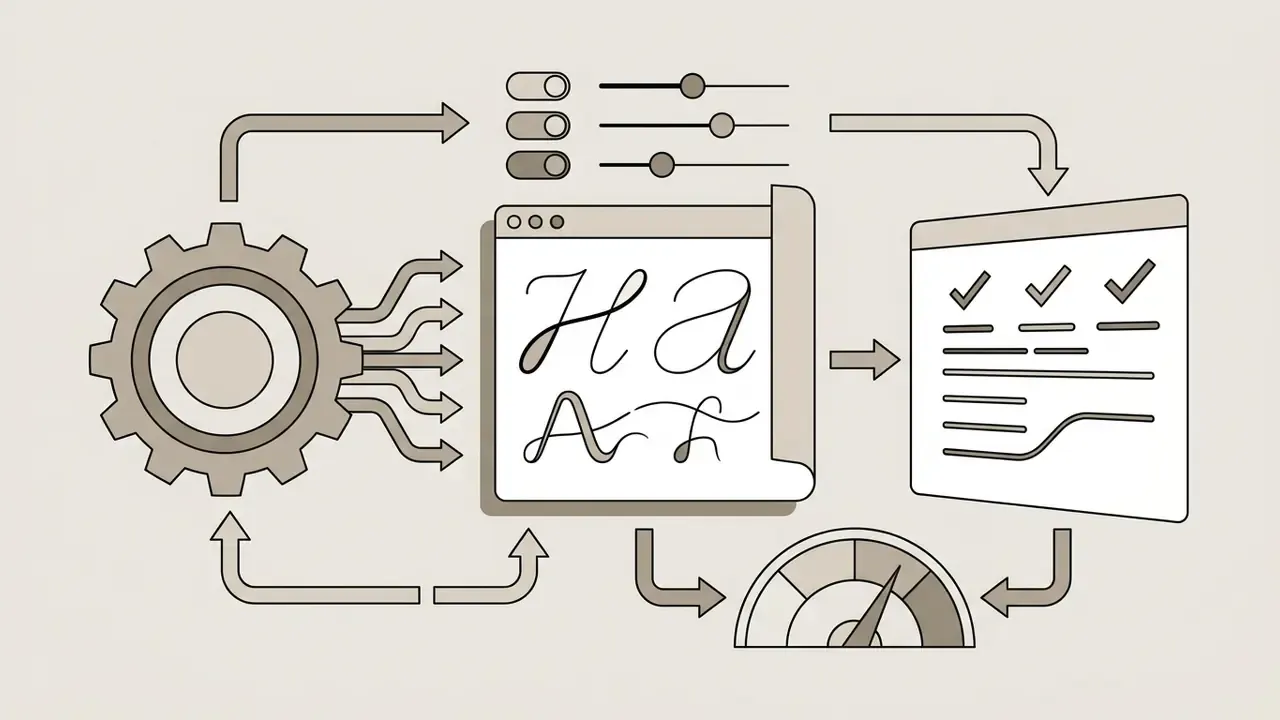
- fine-tune individual vector control points, stroke thicknesses, and kerning pairs inside the editor.
- File download
- export the validated typeface as an installable OTF, TTF, WOFF, or WOFF2 font file.
How to choose an AI font generator tool
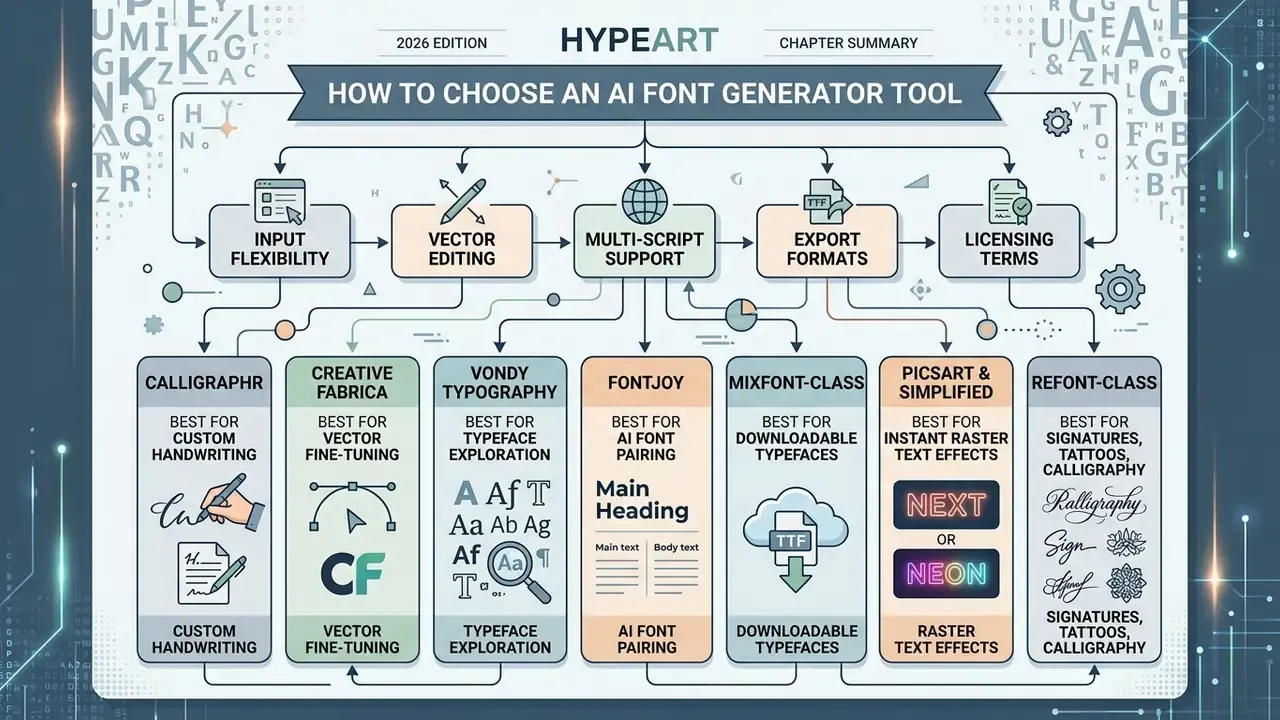
Selecting an AI font generator tool means evaluating input flexibility, vector editing capability, multi-script support, export formats, and licensing terms. Decision-makers should align software capability with actual project requirements, and stay clear about the gap between a simple image tool and a real font engineering suite.
Top AI font generators compared (2026 engine review)
Underlying models vary, but production platforms specialize in one of three directions: installable vector font software, rapid branding, or social text art. Here is a working breakdown of leading market tools.
Rankings differ across the market because selection criteria differ. Traffic-based lists elevate image-only art generators, while capability-based lists elevate engines that export editable font binaries. Decide your criterion first, then read anyone's ranking.
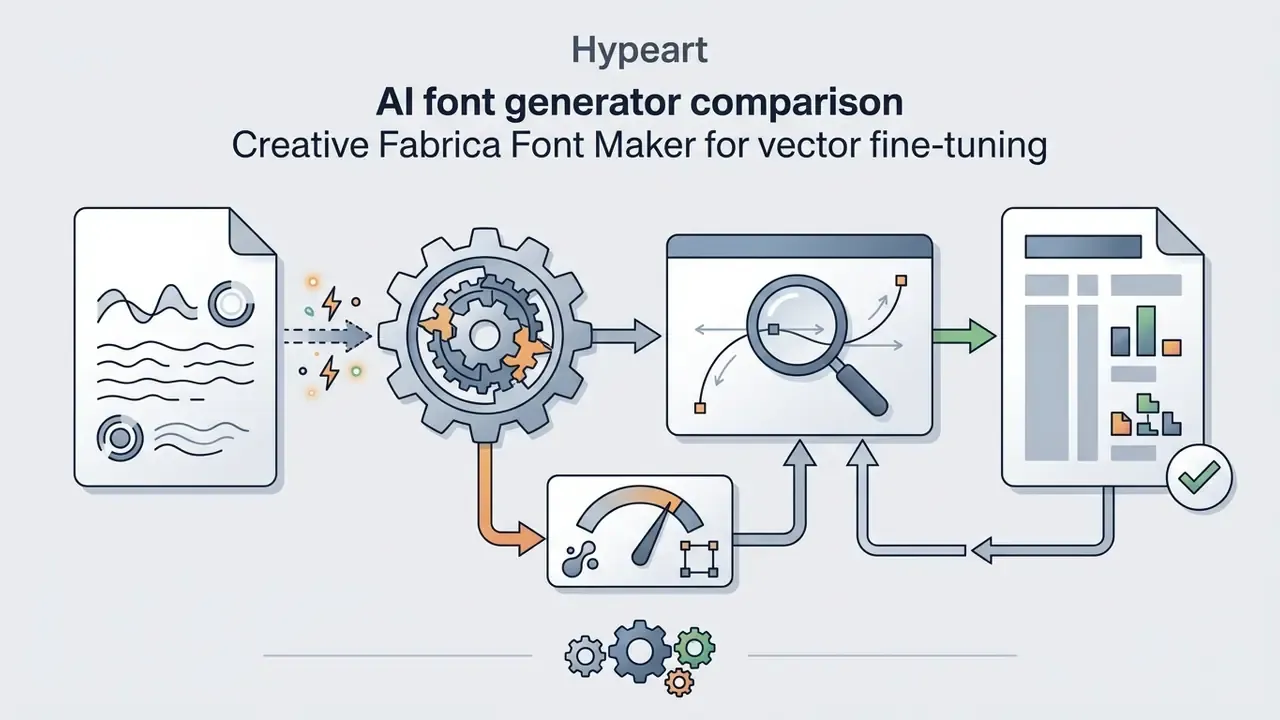
.ttf or .otf downloads.Features to compare before choosing a tool
When comparing an AI font creator or AI font maker, technical leaders should evaluate five core functional criteria:
- Input modality support for natural language text prompts, reference image ingestion, or scanned handwriting.
- Export formats ability to export real font files (OTF, TTF, WOFF, WOFF2) versus static images (PNG, JPEG, SVG) or copy-paste Unicode strings.
- Glyph editing features in-app vector point editing, stroke adjustment, and individual letter regeneration, or a documented handoff to external editors.
- Character set coverage standard Latin support (72 glyphs) versus extended coverage (319+ Latin glyphs, Cyrillic, Greek, CJK, or Arabic).
- Licensing transparency clear legal terms separating personal experimentation from commercial brand deployment.
Checking these five up front prevents the most common misconfiguration: buying a text-effect generator when the brief required an installable font file. For broader context on generative visual workflows, creative teams can review our comparison of the best AI art generators and evaluate adjacent options across the enterprise creative stack.
Security, privacy and Shadow AI checks before procurement
Typography tools ingest brand assets, signatures, and unreleased campaign copy. That makes them a data-governance surface, not a harmless design toy. Add the following controls to any vendor assessment.
- Transport and storage encryption. Require TLS in transit and AES-256 at rest, plus documented retention windows for prompts and uploaded reference images.
- No-training guarantees. Insist on contractual confirmation that submitted prompts, scans, and signature samples are excluded from public model training. Australian privacy guidance is explicit that generating or inferring personal information, including images, constitutes collection of personal information, and that sensitive data should not be entered into publicly available generative tools (Guidance on privacy and the use of commercially available AI products, OAIC, 2024).
- Auditability. The UK code of practice for AI cyber security calls for an audit trail, security-relevant documentation, and cryptographic hashes for model components, and flags poisoned public training data as a live risk (Code of Practice for the Cyber Security of AI, UK Government, 2025). https://www.gov.uk/government/publications/ai-cyber-security-code-of-practice/code-of-practice-for-the-cyber-security-of-ai
- Model documentation. NIST recommends documenting intended use, data provenance, limitations, failure modes, and post-deployment monitoring for generative systems (AI Risk Management Framework: Generative AI Profile, NIST, 2024). https://nvlpubs.nist.gov/nistpubs/ai/NIST.AI.600-1.pdf
- Binary hygiene. Font files are executable-adjacent artifacts parsed by OS rendering engines. Scan downloaded OTF/TTF/WOFF2 files before distribution, validate font tables, and block direct designer-to-production installs.
- Access control and Shadow AI. Require SSO, role-based access, and enterprise administration. Then inventory the unsanctioned free generators already in use, since browser-based tools bypass procurement entirely.
One practical note on ownership. Name a single accountable owner for generated typography, the same way you would for any model in the inventory. Without an owner, the audit trail stops at "someone in marketing downloaded a TTF."
When a free AI font generator is enough
A free font generator AI tool is enough for rapid prototyping, social media graphics, single-instance marketing assets, and early typographic concepts. Free platforms offer instant personalized text styling and rendered image downloads with no upfront spend.
Free tiers do impose hard operational boundaries: daily generation limits, raster-only formats, no glyph editing, character caps, or watermarking. One handwriting platform limits free accounts to a single concurrent font, roughly 75 characters, and two variants, while its paid tier raises those ceilings to 20 fonts, 600 characters, and 15 variants. When a project demands full brand ownership, web font embedding, or complete vector typography, move to a paid plan. Budget-constrained teams comparing adjacent options can also review our roundup of free AI art generators and the trade-offs documented in our free photo editor guide.
Table 2. Selection matrix for AI font generator tools categorized by operational use case and required technical features.
| Primary Use Case | Recommended Workflow / Modality | Required Output Format | Key Tool Capabilities to Check |
|---|---|---|---|
| Custom Brand Typeface | Text prompt to full font file | OTF, TTF, WOFF2 | Extended Latin coverage, vector control-point editing, commercial license |
| Handwriting Vectorization | Scanned image / handwriting upload | TTF, OTF | Template grid, stroke extraction, few-shot style generalization, spacing controls |
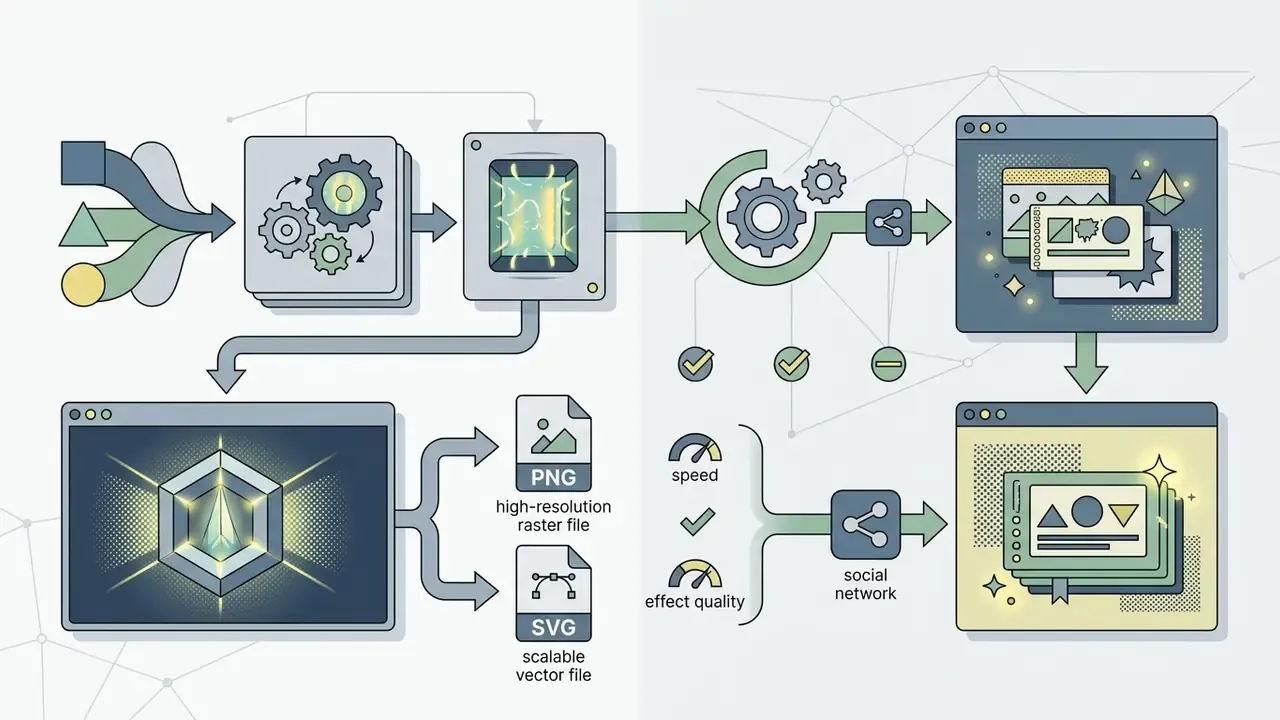
| Social Media Text Art | Prompt to styled text graphic | PNG, WebP (high-res) | 3D, neon, or glitch text effects, instant template export, background removal |
| Semantic Logo Wordmarks | Concept prompt + base font morphing | SVG, EPS, PNG | Region-specific shape deformation, legibility preservation, OCR validation |
| Web Application Typography | Prompt or image reference | WOFF, WOFF2 | Lightweight web compression, screen legibility optimization, subsetting |
| Social Bio / Chat Styling | Plain text to symbol substitution | Copy-paste Unicode string | Cross-platform glyph fallback, accessibility check, no install required |
AI font generator pricing, downloads and commercial use
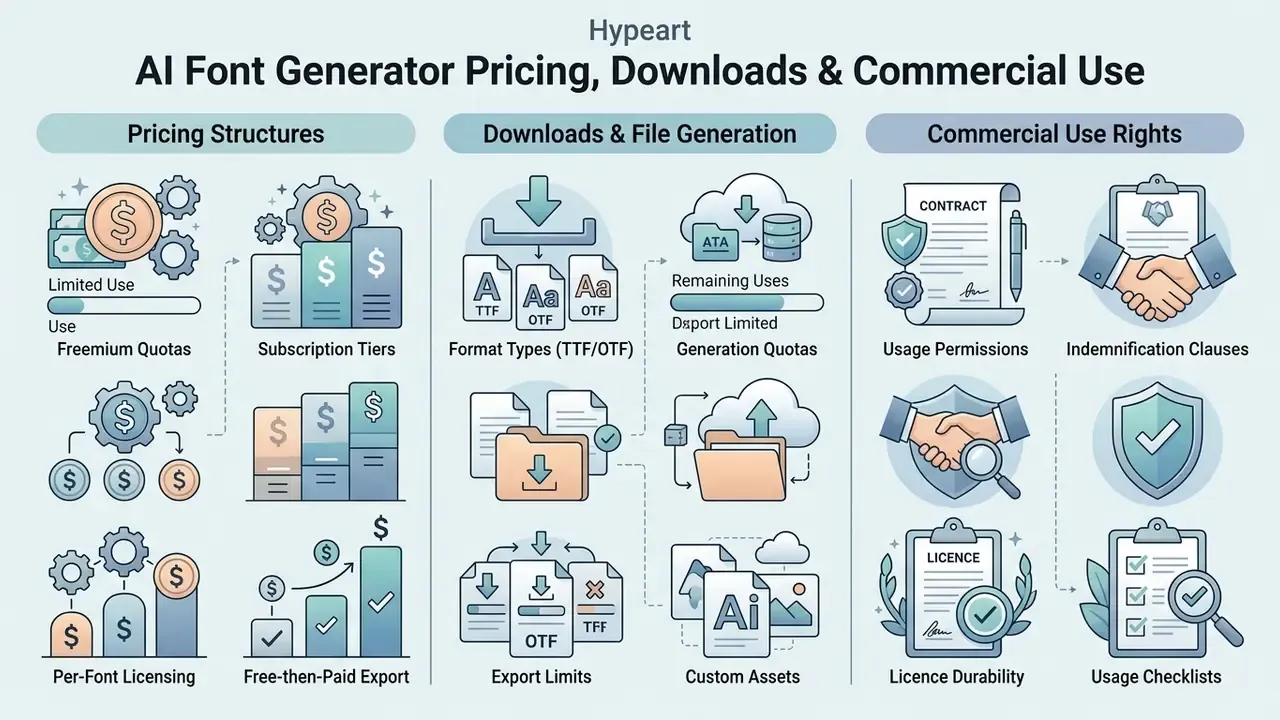
Pricing structures, generation quotas, and commercial deployment rights decide whether AI-generated typography can ship at all. Platforms use free, freemium, credit-based, or subscription licensing models, with export restrictions that vary a lot.
Free plans, paid features and generation limits
An ai fonts generator platform will normally sit in one of four commercial patterns:
- Freemium quotas. Limited initial credits (for example 10 starter credits on image-oriented tools, or 50 starter web credits on prompt-to-font engines) for previewing output, with charges applied to production vector downloads. Resolution consumes credits unevenly. 2K renders at 5 credits versus 4K at 10 credits is a documented pattern.
- Subscription tiers. Monthly or annual plans unlock unlimited generations, batch exports, and full multi-script character sets. Handwriting-to-font Pro plans cluster around $6 to $10 per month.
- Per-font licensing. Flat-rate licensing, commonly $5 to $15 per font, including annual per-font commercial licences, granting usage rights across logos, products, and client work.
- Free-then-paid export. Some studios let you generate and preview at no cost, then gate production-ready OTF/TTF/WOFF export, and the attached commercial licence, behind payment.
Because vendors express limits as credits, character caps, or per-font licences rather than one universal quota, normalize everything to "cost per delivered production font file" before comparing. That single step kills most pricing confusion, and it prevents mid-sprint stalls when credits run dry on a Friday. To review structured pricing benchmarks across creative software, check AI Media Pricing guidance and cross-reference subscription mechanics documented in our Canva AI Generator overview.
What to check before commercial use
Before deploying AI generator font files or text art commercially, risk leaders should verify copyright registration eligibility, vendor licensing agreements, and third-party IP boundaries. Under current guidance from the U.S. Copyright Office (Copyright Registration Guidance: Works Containing Material Generated by Artificial Intelligence, 2023), purely AI-generated output lacking human authorship cannot be copyrighted. Only human-authored modifications, creative selections, or manual glyph edits qualify for protection.
Applicants may claim only their own human contributions and must disclaim AI-generated material in the registration. UK consultation documents and EU parliamentary studies land in the same place: without meaningful human creative input, purely AI-generated output lacks copyright protection.
Practically, that means documenting the human contribution while it happens. Keep versioned files showing which glyphs were redrawn, log the control points and kerning pairs adjusted by a named designer, and retain the creative rationale behind selecting one candidate over another. A vague claim of "we tweaked it" is weaker evidence than a diffed glyph set. Much weaker.
Enterprise risk controls require verifying three legal checkpoints:
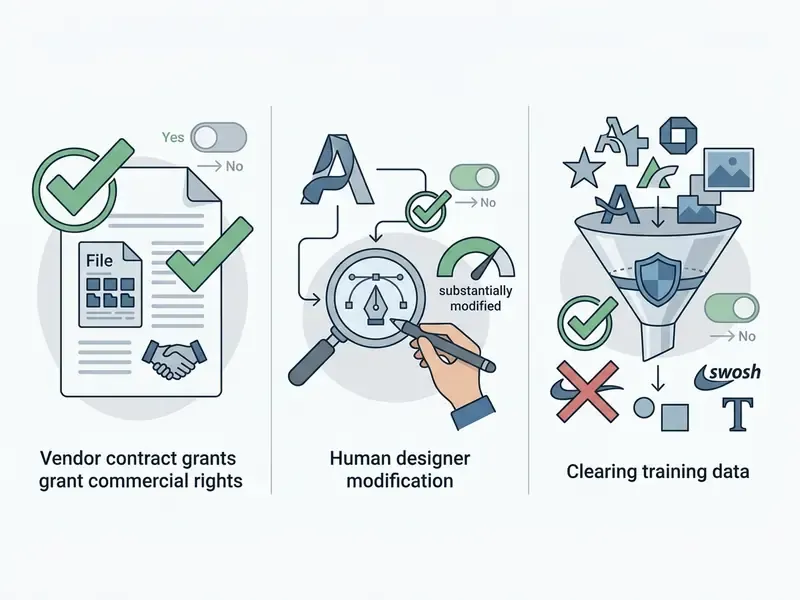
Teams should read vendor Terms of Service closely to confirm that commercial rights extend to client work, digital apps, physical merchandise, and trademarked logo design. Some vendors enumerate that scope explicitly, listing personal projects, client work, commercial products, logos, branding, advertising, merchandise, apps, websites, games, templates, software, printed goods, and digital content, while simultaneously prohibiting resale or redistribution of the raw font files. Audit your inputs too. Generated content can still infringe existing rights when it reproduces protected works, including a protected third-party typeface fed in as a reference.
Two further contract terms deserve attention in negotiation:
- Indemnification. Request an IP indemnity where the vendor defends and holds the customer harmless against third-party copyright or trademark claims arising from model output, with stated caps, exclusions (customer-supplied reference images, typically), and notification duties.
- Licence durability. Confirm whether commercial rights survive subscription cancellation. Annual per-font licences that quietly lapse can strand a deployed brand typeface, and rebranding under legal pressure is expensive.
For a deeper breakdown of rights attached to generative output, see our analysis of commercial use of AI image generators. For provenance verification of suspected third-party lookalikes, AI reverse image search tools support pre-launch clearance checks.
Where to use AI-generated fonts and text styles
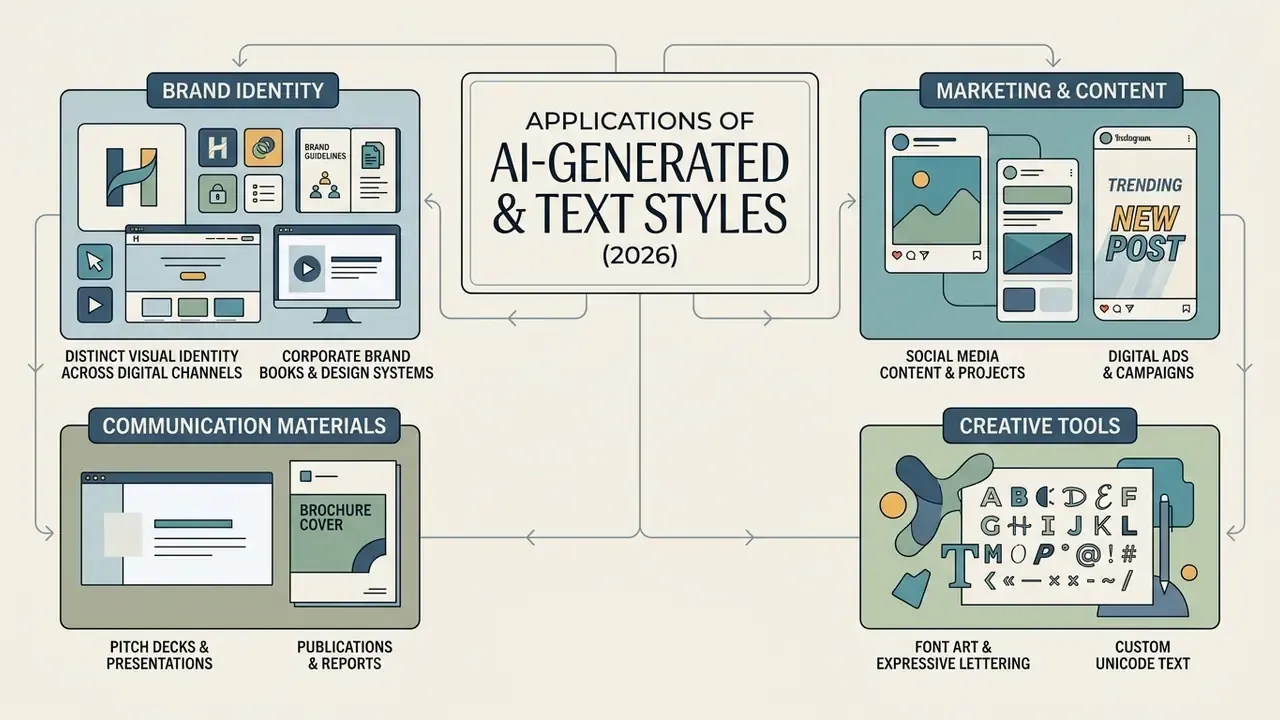
AI-generated fonts, custom lettering, and font art serve a wide spread of commercial and creative work. From corporate brand guidelines to high-impact marketing assets, AI typography compresses visual design production timelines.
Brand identity and custom typography
Organizations use custom fonts created with AI to establish distinct visual identities across digital platforms, print collateral, and software products. An ai custom font generator lets small businesses and large enterprises deploy proprietary typography without commissioning a traditional font foundry. Brand-kit platforms now generate colour systems, typography pairings, voice guidelines, and mockups from a single selected logo, which places generated typefaces inside the identity system rather than beside it. Teams assembling full identity packages can extend the same pipeline into motion assets with an animation maker.
Folding custom typography into the corporate brand book keeps pitch decks, website design systems, and product packaging visually consistent. Academic research on generative typography (A Generative AI Framework for Typography Design, Springer, 2024) confirms that cross-lingual representation learning lets these tools synthesize consistent brand typefaces across Latin, Cyrillic, and Asian writing scripts at once.
Peer-reviewed work published in 2026 goes further, identifying font personalization as the single most significant application of generative AI in typography. That tracks with vendor emphasis on brand-specific typefaces rather than general-purpose type families.
AI font generator FAQ
What is the difference between an AI font generator and a Unicode text converter?
An AI font generator compiles real vector typography software (OTF/TTF/WOFF2) or renders custom graphical art from scratch using neural networks. A Unicode text converter simply transforms plain text into alternative Unicode symbols, meaning mathematical, gothic, circled, or full-width characters that already exist in operating systems, so you can paste them into web forms and social apps immediately. Converter output carries no font file, cannot be installed, and depends on the recipient's device font coverage to render correctly.
Do AI font generators support multiple languages?
Yes, though coverage varies sharply by vendor. Updated: one 2026 vendor advertises 23 languages across 9 writing systems, namely Latin, Cyrillic, Greek, Arabic, Hebrew, Devanagari, Chinese, Japanese, and Korean, with export in TTF, OTF, WOFF, and WOFF2. A competing studio states that its "multilingual" generator currently means full Latin coverage only, with Greek, Cyrillic, Arabic, Devanagari, and CJK on a longer-term roadmap. Prompt-to-TTF engines commonly ship 320+ glyphs covering roughly 26 languages plus punctuation and symbols. These figures are vendor claims tied to product stage, not verified benchmarks, so confirm character-set coverage in the product documentation before starting a multilingual branding project. For complex scripts, broad glyph coverage also depends on embedding a Unicode font and enabling text shaping in the rendering pipeline. Readers new to generative tooling can build context with our AI art generator comparison.
Is input text or image data safe to use?
Safety depends on the vendor's security architecture, encryption standards, and privacy policy. Leading enterprise tools protect uploaded prompts and reference images with TLS in transit and AES-256 at rest. Choose providers that explicitly guarantee your input is excluded from public model training, and follow government guidance that personal, sensitive, or security-classified information must never be entered into publicly available generative AI tools. Working assumption for regulated teams: anything typed into a public tool could become public. For more on commercial data and licensing policy, see our breakdown of commercial use terms for AI image generators.
Can AI-generated typography be edited after generation?
Yes, and how far you can go depends on the export format. Installable vector font files (OTF/TTF) allow vector point editing, kerning adjustment, and stroke modification inside professional font editors such as FontForge or Glyphs. Stylized text effects rendered as layered images can be adjusted in web-based canvas editors by changing colour overlays, lighting angles, and texture settings.
«The FonTS benchmark evaluates typographic control across 100 prompts with varied fonts and attributes, testing whether models can localize style changes at the individual word level.» Source: FonTS: Font and Typography-Aware Text Rendering Benchmark (2024). https://arxiv.org/abs/2410.01290 The limits are documented. Raster output resists glyph-level correction, several engines cannot target a typeface by name, non-Latin strings fail more often, long strings accumulate spelling and distortion errors, and research on typographic generation reports failure cases with extremely small or fine text plus stray characters landing in unintended positions. Plan a human review pass. Do not assume post-hoc fixes will be trivial.
Do free AI font generators watermark or restrict downloads?
Frequently, yes. Free tiers commonly permit unlimited on-screen styling and low-resolution image export while withholding vector font files, high-resolution renders, extended glyph sets, or unwatermarked assets. Some studios allow unlimited preview and charge only at export, bundling the commercial licence with the paid download. Verify three things before relying on a free tier in production: watermark policy, export format, and whether commercial rights are granted at the free level at all.
Navigation & Resource Hubs
- To explore comprehensive terminology definitions, open the hub.
- To compare adjacent generative tools by output quality, pricing, and licensing, review the best AI art generator comparison.
- To evaluate voice and audio branding alongside typography, see the AI voice generator guide.
Appendix A: superseded formulations retained for transparency
- Original vector-font citation (superseded): "According to research on vector font diffusion (VecFusion: Cascaded Diffusion Model for Vector Font Generation, 2024), generating true vector fonts requires predicting continuous curve control points and glyph metrics." Replaced above with the quoted passage plus L₁ and Chamfer metrics and a direct URL.
- Original glyph-editor claim (superseded): "Modern AI lettering generator free and premium platforms offer built-in glyph editors to refine control points before final export." Replaced with a sourced version separating vendors with in-studio editing from vendors that delegate refinement to FontForge.
- Original case-study sentence (superseded): "This automated pipeline reduced typeface design delivery from six weeks to under two hours while maintaining visual consistency across digital channels." Replaced with a version stating the data source and its limits as a single-project internal observation.
- Original language claim (superseded): "mature enterprise platforms support up to 23 languages across 9 writing systems." Retained but reattributed as a vendor claim, with a contradicting vendor position added.
- Original reference date (corrected): DRG-Font was cited as 2026; it is an arXiv preprint published in 2025 and is now cited accordingly with its URL.
- Original internal links (removed as off-topic): anchors pointing to a free video editor, Sora video generation, "weird AI images", a calculators hub, an API hub, and generic destinations were replaced with topically relevant links distributed across the article.
- Author note: Marcus Hale is the author. No employment, client relationship, regulatory authority, or endorsement is implied by any quotation attributed to him.
Social media, content and font art projects
Content creators and marketing teams reach for an ai text font generator or text-effect engine to produce social posts, display ads, video thumbnails, and promotional banners. Bold 3D lettering, neon glows, and textured typography still lift engagement on visual platforms.
Documented production workflows are concrete. Adobe Express generates a text effect from a short prompt, then allows font, tint, and style adjustment plus animation or background replacement before download or direct sharing. Canva's effect generator converts text into 3D shapes with colours, patterns, and textures. Firefly-style effect tools cap input at roughly one line of up to 20 characters, which explains why album covers, thumbnails, and event cards dominate the use cases rather than paragraphs. Creative Fabrica positions its text-effect maker for logos, thumbnails, posters, social graphics, and event cards.
Content teams pairing generated lettering with broader visual production can compare adjacent engines in our review of the best AI art generators. Keep asset protection in mind as well: applying visible or invisible watermarking to distributed campaign graphics remains a standard operational safeguard, while video compression settings determine whether fine typographic detail survives platform re-encoding.