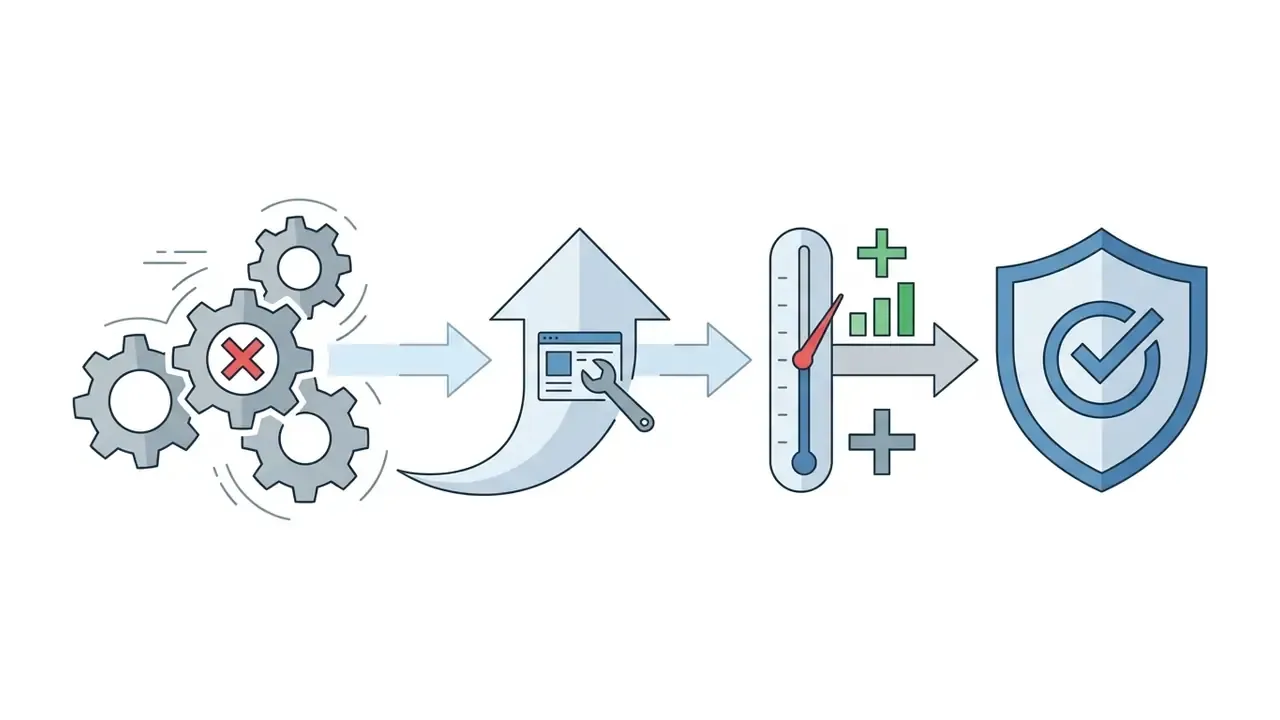
«Automating the structural layout of a portfolio website reduces setup time from weeks to minutes, but autonomous generation without human verification risks creating generic messaging that fails executive or client scrutiny.»
Scope note (terminology disambiguation). This guide covers web portfolio generators, meaning AI tools that build personal or agency portfolio websites from prompts, resumes, and project links. It does not cover enterprise "AI portfolio management" or "AI model inventory" platforms used by risk, compliance, and governance teams to catalogue machine-learning systems, monitor model risk, and eliminate shadow AI. Both categories share the word "portfolio," yet they solve unrelated problems: one is a marketing and hiring asset, the other is a governance register. If you arrived looking for model-inventory tooling, this article will not answer that intent.
Last updated: August 2026.
Executive Summary
Who This Guide Is For
Three reader profiles get the most out of what follows. Freelancers and designers who need a credible site this week, not next quarter. Agency and studio owners who resell portfolio builds and therefore need clarity on licensing, client handover, and account ownership. And in-house professionals inside regulated employers, where a single uploaded client deck can become a contract problem.
If you belong to the third group, read the privacy section before you touch a builder. Order matters there. The redaction pass costs ten minutes; a breach notification costs considerably more, and it lands on someone else's desk with your name attached.
What Is an AI Portfolio Generator and What Can It Create?
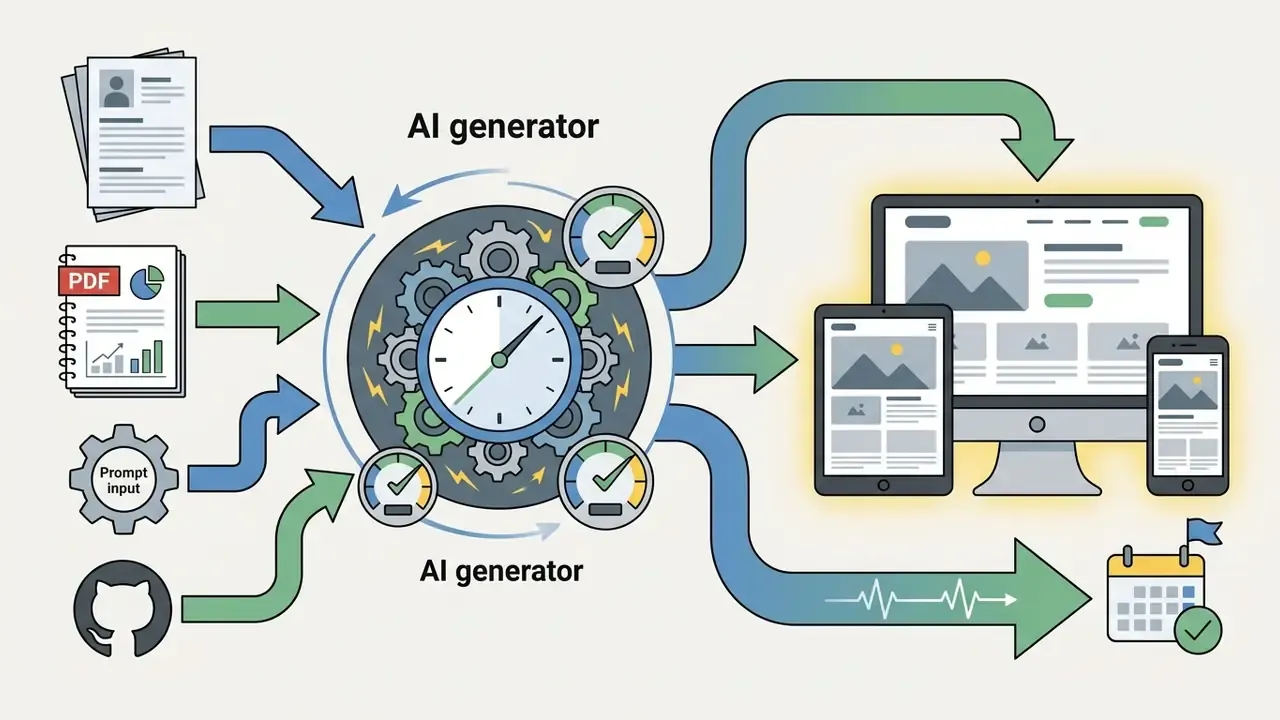
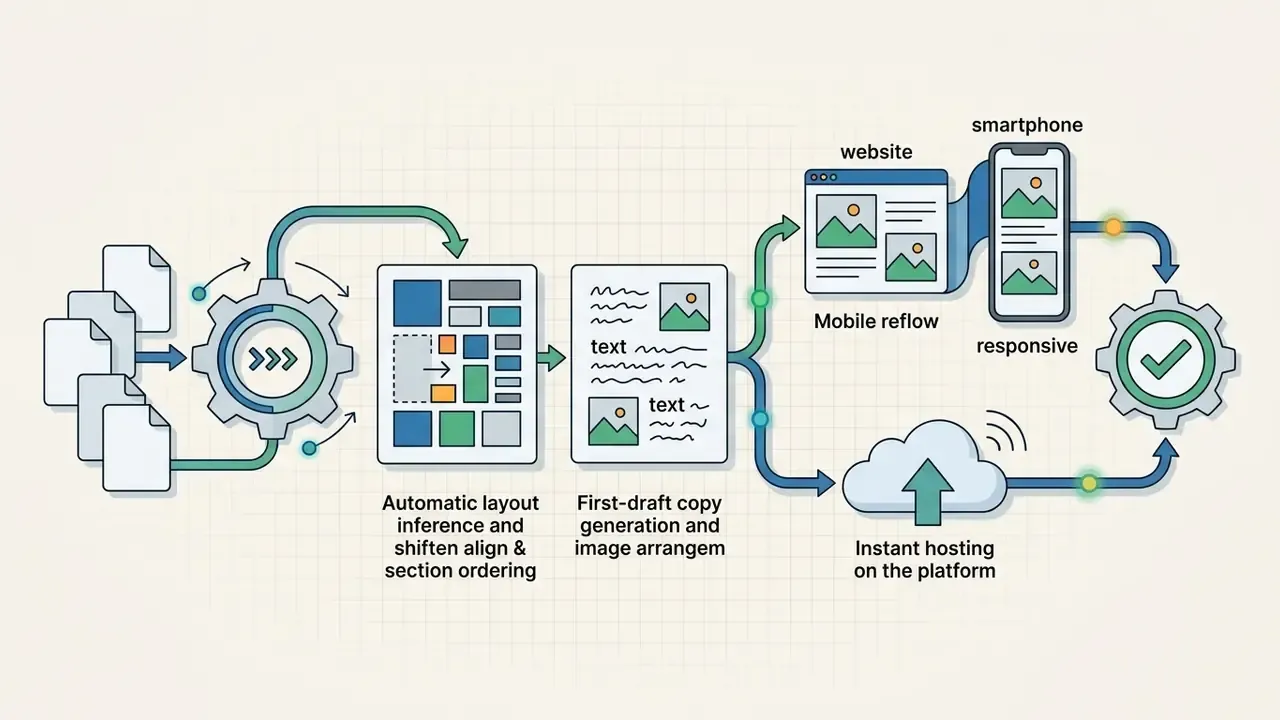
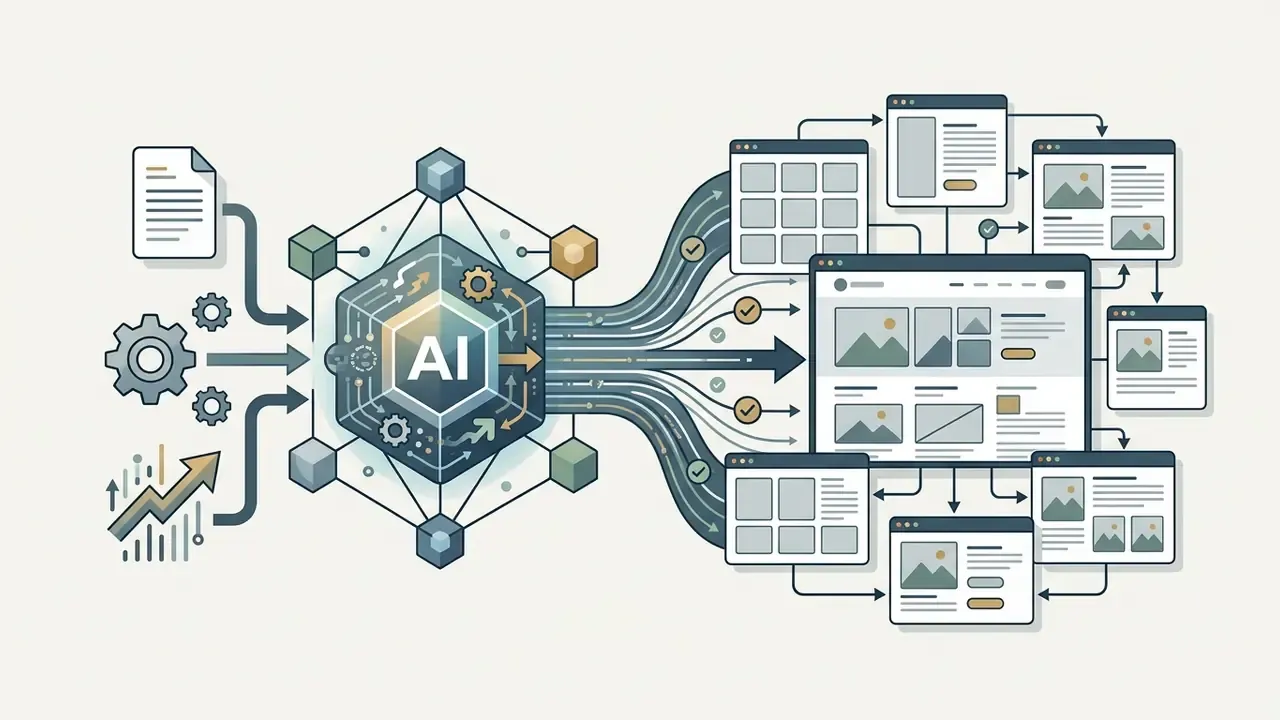
An AI portfolio generator is an automated software tool that transforms text prompts, uploaded resumes, or project links into a complete portfolio website with structured navigation, hero sections, project galleries, and initial copy in under a few minutes. Unlike traditional website builders that require manual layout assembly, an AI portfolio generator infers page structure, color palettes, and component hierarchy automatically using trained design patterns.
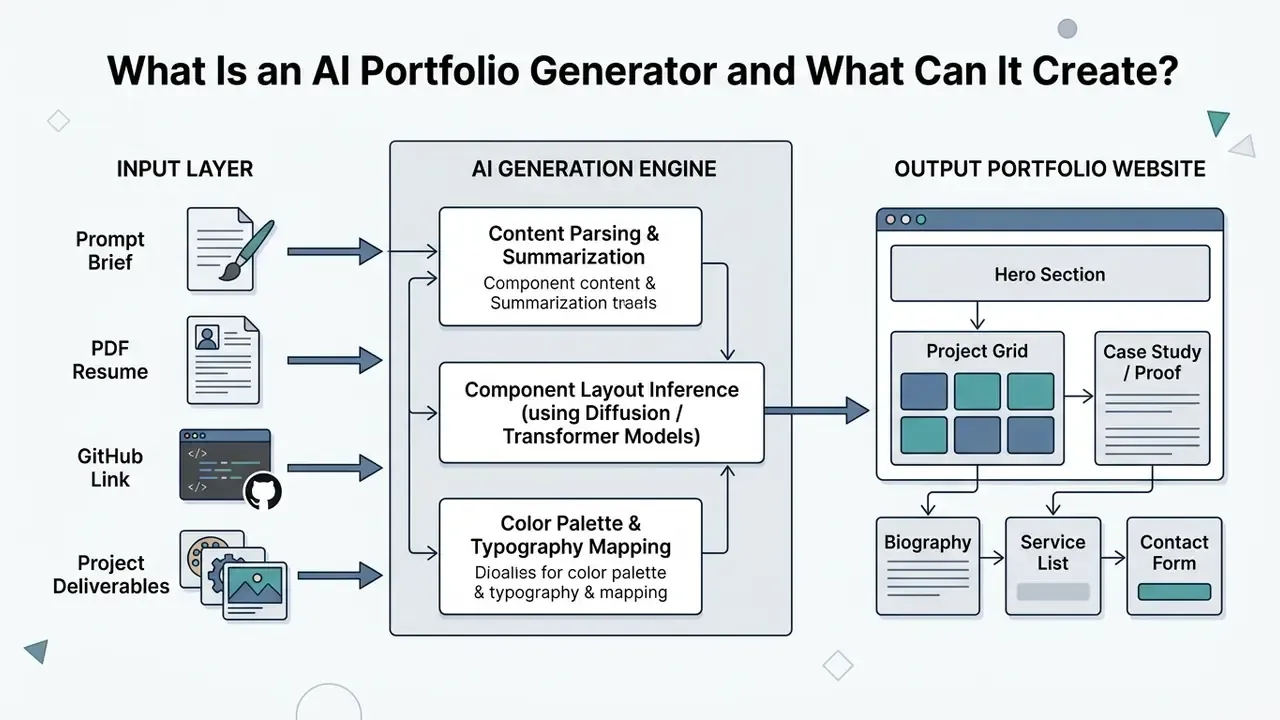
An AI portfolio generator removes most of the friction of manual site creation. Users can supply raw materials, such as project briefs or LinkedIn PDF exports, and receive an operational site draft. Terminology in this category overlaps significantly:
Vendor language confirms the overlap rather than a hard technical boundary: Taskade describes its AI portfolio builder as "also called a portfolio maker or portfolio generator," while Figma applies the "builder" label to a tool that generates a responsive gallery from plain project descriptions. The practical distinction is emphasis. Generator stresses automatic production from inputs, while builder, creator, and maker describe the surrounding workflow: templates, editing, export, and hosting.
Updated (usability evidence). Automated generation now produces navigable structures that test comparably to human-designed baselines, but only structurally.
The methodological caveat matters. The sample was small (9 participants) and measured perceived usability via SUS, not conversion or hiring outcomes. Read the finding as evidence that generation solves structure, not substance. Unedited AI outputs consistently lacked detailed project evidence, which underscores that generation is the starting point rather than the finished product.
AI Portfolio Builder vs Portfolio Website Builder
An AI portfolio builder centers its primary workflow on automated prompt-to-site generation, constructing a complete site draft from high-level inputs before handing control to the user. A traditional portfolio website builder, by contrast, retains a manual content management system (CMS) or drag-and-drop editor where AI functions as an assistive feature for writing copy or generating individual sections.
Traditional CMS platforms (such as Webflow or WordPress) now expose AI agents capable of generating multi-page architecture, responsive design systems, and component code (Webflow AI Documentation, 2026; WordPress Studio Code Agent, 2026). Webflow's Model Context Protocol documentation states that AI can create pages, responsive layouts, elements, styles, components, design systems, and custom code, meaning AI now operates across the structural, visual, and implementation layers simultaneously. WordPress.com's AI builder generates complete layouts, images, and content from plain language, and its Studio Code agent can assemble a full site including theme, content, plugins, and design.
The operational distinction lies in control priority: dedicated AI portfolio builders optimize for immediate draft generation, whereas traditional website builders preserve granular CMS structures and manual styling parameters after AI generates the preliminary base.
There is also a third product shape worth naming: the document-first portfolio maker. Tools in this category (Flipsnack being the clearest example) do not build a site with pages and menus. They convert a single PDF or template into one interactive, shareable publication with videos, clickable links, pop-ups, and view analytics. Choose a document-first maker when you need something fast to send and embed with no website to maintain. Choose a site generator when you need indexable pages, a custom domain, and an SEO surface.
Portfolio Types for Designers, Freelancers and Businesses
AI portfolio generators cater to diverse professional requirements by adapting page architecture to target audience expectations:
- UI/UX Design Portfolio Prioritizes structured case studies, user research flows, interactive prototypes, and web accessibility standards.
- Graphic Design Portfolio Focuses on high-resolution visual galleries, media asset organization, typography presentation, and brand identity showcases.
- Freelancer & Consultant Portfolio Centers on service offerings, client testimonials, clear call-to-action blocks, and direct scheduling integrations.
- Business & Agency Portfolio Emphasizes corporate team credentials, client logos, multi-industry case studies, and enterprise inquiry forms.
- Student & Application Portfolio Combines coursework, spec projects, and self-directed work presented with the same problem, approach, and result structure as paid engagements, clearly labeled as personal projects.
To maintain professional accessibility across all portfolio types, designs should comply with current W3C Web Content Accessibility Guidelines (WCAG 2.2). Key requirements include keyboard operability, structured heading hierarchies, and descriptive text alternatives for non-text media (W3C WAI, WCAG 2.2 Standard, 2024). W3C published WCAG 2.2 in 2024, and the standard is also issued as ISO/IEC 40500:2025.
Monetization & E-Commerce Integration Options
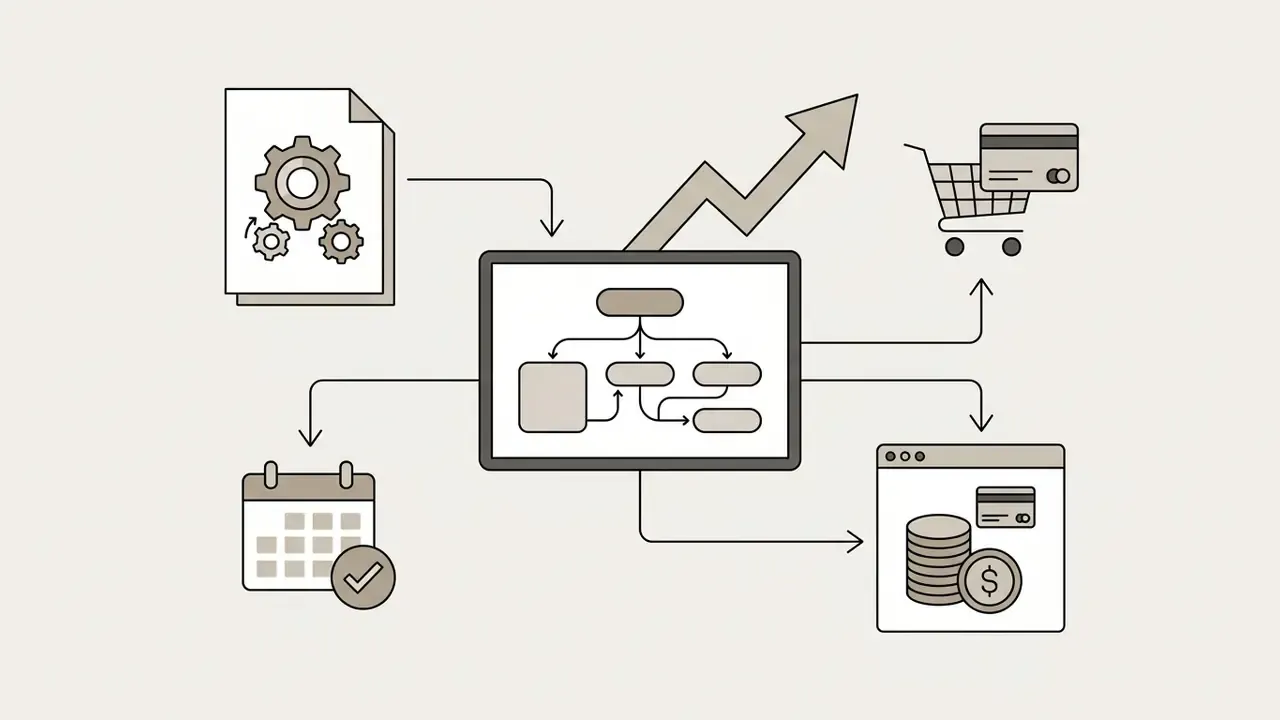
Beyond showcasing past work, modern AI portfolio generators embed native transaction modules so a portfolio earns revenue instead of only collecting compliments:
- Service Booking Engines Integrated calendar blocks that let prospective clients pay for and schedule consultation calls directly, with deposits captured before the call is confirmed.
- Digital Asset Storefronts Native checkout components for selling digital deliverables (UI kits, code repositories, Lightroom presets, Notion systems, design templates) plus physical merchandise where print fulfillment is connected.
- Gated Content & Memberships Recurring subscription blocks that restrict access to premium tutorials, extended case studies, critique sessions, or mentorship communities.
- Events and Workshops Ticketing blocks for online or in-person sessions, managed from the same dashboard as the portfolio itself.
- Structured Course Delivery Lesson-based course modules with video hosting and progress tracking, sold directly from the portfolio domain.
A portfolio with a booking widget and a paid digital product converts attention into revenue on the same visit. A portfolio with only a contact form defers that revenue to an email thread that may never start. Small difference in build effort. Large difference in outcome.
Comparison of AI Portfolio Generators, Traditional Portfolio Website Builders, and Portfolio Makers
| Feature / Criterion | AI Portfolio Generator | Traditional Portfolio Builder | Simple Portfolio Maker |
|---|---|---|---|
| Primary Creation Mode | Prompt-to-site, resume parsing, or URL ingestion | Manual template selection and drag-and-drop assembly | Template fill-in with structured media uploads; PDF import |
| Generation Speed | 1 to 3 minutes for initial complete draft | Hours to days of manual assembly | 15 to 30 minutes for media arrangement |
| Design Flexibility | AI-inferred layouts; customizable via style rules | High manual control over pixel-level layout and CSS | Limited to rigid pre-set layout blocks |
| Case Study Support | Automated narrative drafting from project notes | Manual page creation and CMS layout design | Basic text fields paired with visual galleries and pop-ups |
| Monetization Blocks | Bookings, digital storefront, memberships, courses | Full e-commerce and payment app ecosystem | Usually none; external payment link required |
| Custom Domain & Hosting | Supported on paid tiers; instant hosting included | Standard DNS mapping and native cloud hosting | Subdomain default; branded URL on higher plans |
Key takeaway in plain text: generators win on speed to first draft, traditional builders win on granular control and e-commerce depth, and simple makers win when you only need one polished artifact to send.
How to Create a Portfolio with AI
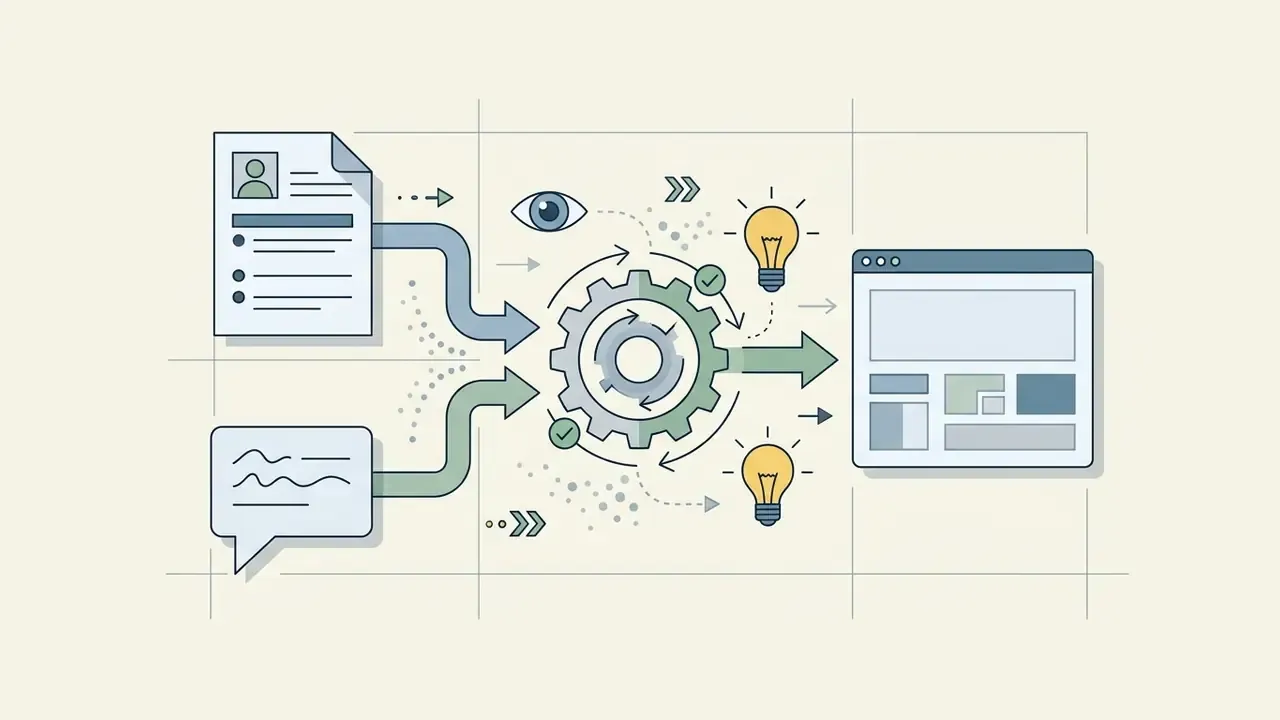
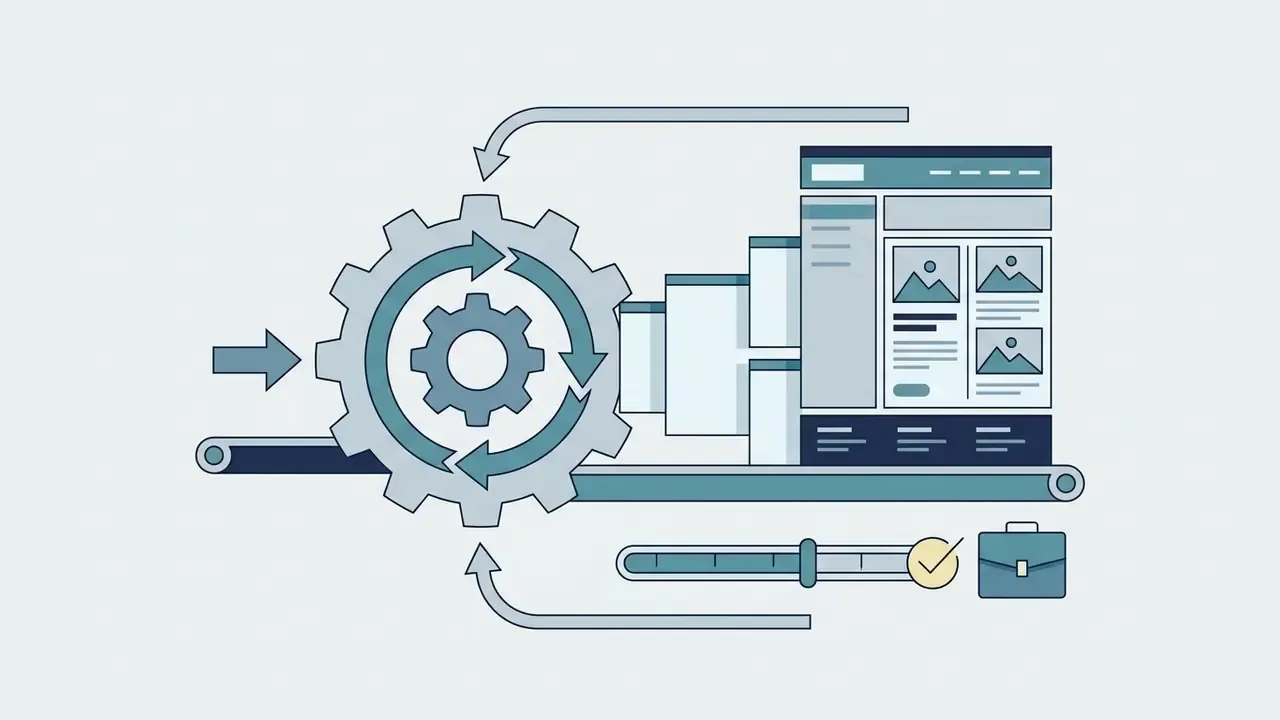
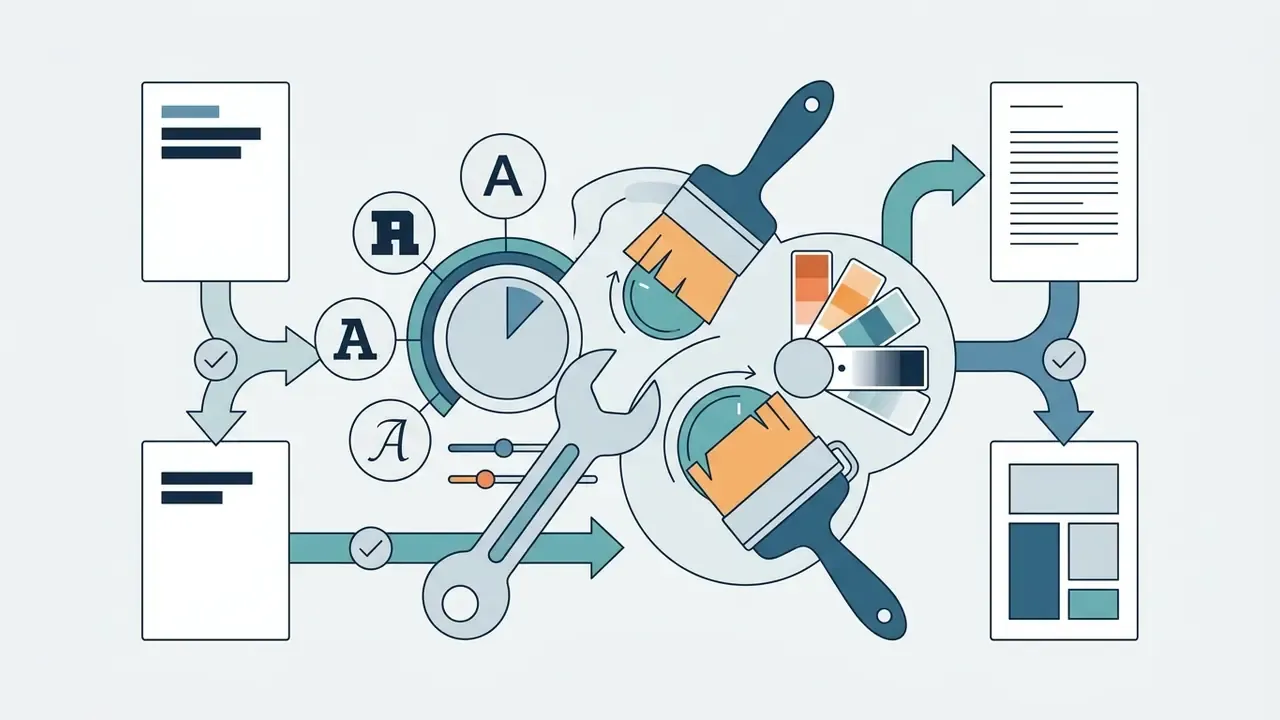
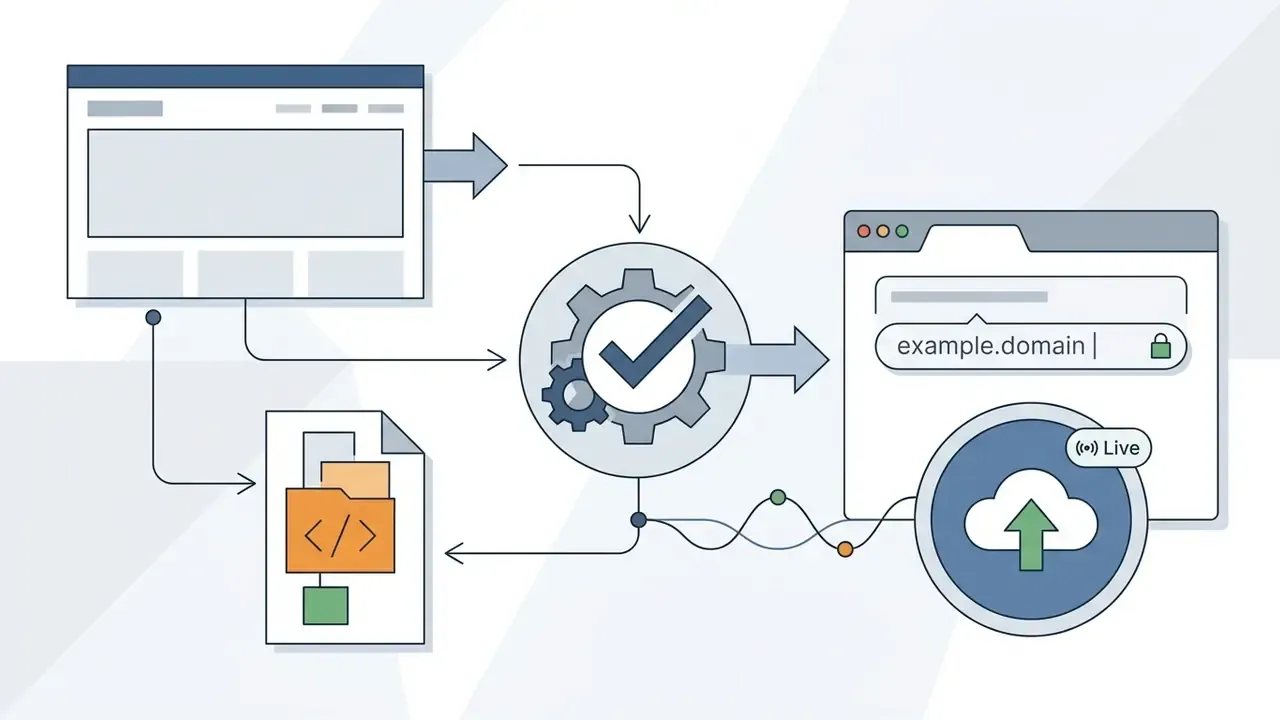
Creating a portfolio with AI involves a systematic five-step workflow: defining goals and writing a clear prompt, generating the preliminary layout, uploading verified project artifacts and case studies, customizing visual branding, and publishing to a live domain. This structured pipeline turns automated generation into a client-facing website within minutes rather than weekends.
When professionals create a portfolio with AI, defining clear parameters prevents generic outputs. Modern AI site creation workflows follow an established sequence:
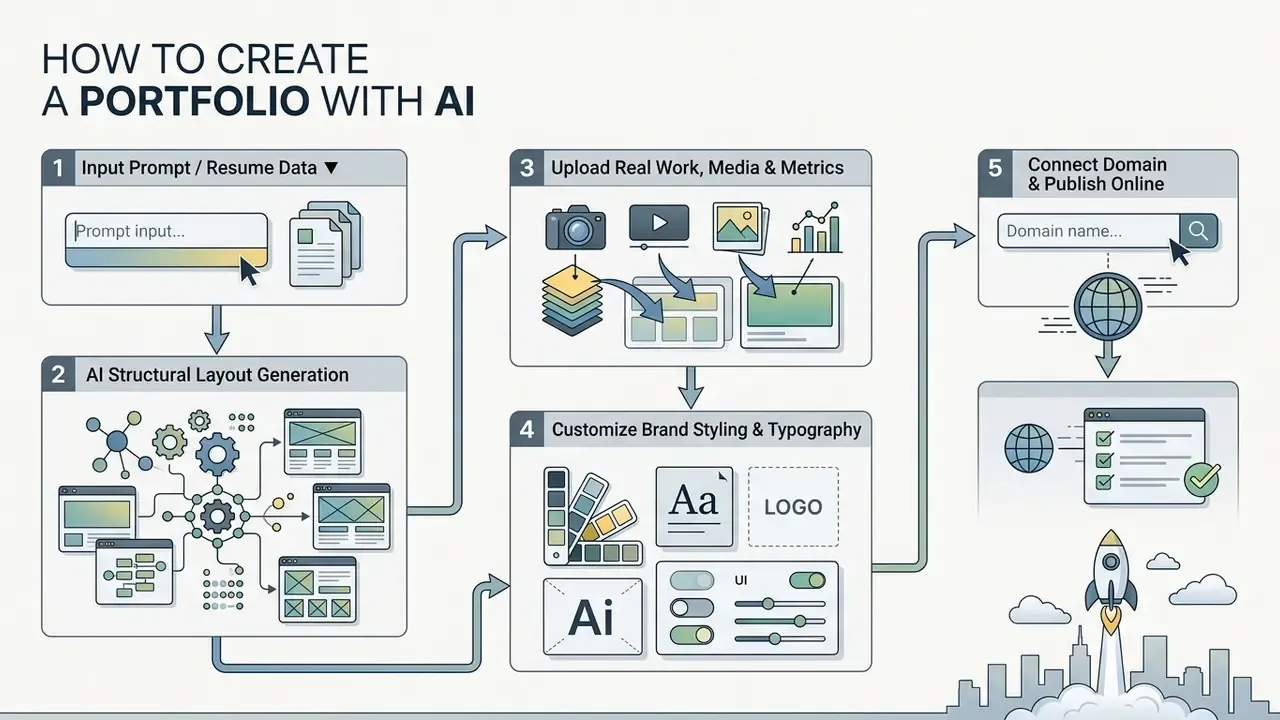

Describe Your Work and Write a Clear Portfolio Prompt
Effective AI portfolio prompts specify the author's primary role, target audience, key industry focus, core services, and desired visual tone to guide layout generation accurately. Supplying structured raw data, such as a resume, GitHub repository link, or project outline, lets the AI parse experience hierarchy without inventing details.
Sample Prompt Patterns for Professional Roles
UI/UX Designer Prompt:
"Generate a professional UI/UX design portfolio site. Target audience: enterprise product managers and fintech hiring leaders. Include a hero section with positioning statement, a grid for 4 case studies, a section for user research methodology, client logos, and a contact form. Visual style: minimalist, dark mode, high contrast."
Full-Stack Developer Prompt:
"Create a developer portfolio website based on my software projects. Highlight expertise in Python, React, and cloud architecture. Structure: Technical intro, 3 featured GitHub repository showcases with architecture summaries, API performance metrics, client proof, and a scheduling link."
Freelance Copywriter Prompt:
"Build a freelance copywriting portfolio website. Categories: B2B SaaS landing pages, email campaigns, and case studies. Include client testimonials, conversion percentage improvements, pricing tier cards, and an inquiry form."
Growth Marketer Prompt:
"Generate a marketing portfolio showcasing paid acquisition and SEO campaigns. Highlight campaign briefs, creative visual assets, CAC/ROAS performance tables, and client recommendation quotes."
Consultant / Strategist Prompt:
"Create a consulting portfolio for an operations strategist serving mid-market logistics firms. Structure: executive positioning statement, 3 one-page case briefs with client ROI stated first, engagement model and pricing tiers, credentials, and a booking calendar."
Photographer / Videographer Prompt:
"Build a photography portfolio with one consistent editorial style. Include a 16-image gallery with lightbox viewing, 3 reels, a licensing and rates section, and an inquiry form. Visual style: neutral background, full-bleed images, minimal typography."
Structured prompting is not merely a stylistic preference. It measurably lowers defect rates in generated sites.
If you script walkthrough videos or voiceovers for your case studies, the same prompt discipline applies; an ai script generator rewards specific briefs for exactly the same reason a site generator does.
Add Projects, Images, Case Studies and Client Proof
Review the AI Design and Customize the Layout
Post-generation review requires verifying that AI-suggested layouts align with personal or corporate brand guidelines across color schemes, typography, and component alignment. Brand review should be rule-based before it is visual: define the palette, type scale, imagery treatment, and voice, then check the generated draft against those rules. AI brand-guideline tools now output exactly these rule sets (color, type, layout, imagery, voice), which makes the review step auditable rather than subjective. A scoring sheet helps here too, and the logic behind an ai rubric generator translates neatly to design review: fixed criteria, fixed weights, no vibes. If the portfolio needs a mark to anchor that system, generated identity assets and a consistent professional headshot for the About section close the two most common branding gaps in first drafts. An ai selfie generator can work for casual social profiles, though for a business portfolio the more controlled headshot pipeline is usually the safer choice.
Visual editors, style controls, and drag-and-drop tools let creators fine-tune spacing, typography contrast, and visual hierarchy before deployment. Canva's Magic Design applies brand colors and fonts from a Brand Kit in one click and exports to JPG, PNG, PDF, and PPTX; comparable one-click brand application exists across the major builders.
Quality should be judged against testable criteria, not vendor marketing. NIST's 2024 guidance for AI system development includes user-interface design plus evaluation through usability and conformance testing, which is the clearest official basis for judging whether a generated template is actually good rather than merely modern-looking (NIST AI system development guidance, 2024).
Step-by-Step AI Portfolio Creation Guide
- Define Site ObjectiveIdentify target clients or employers and select core project assets.
- Submit Prompt or DataPaste a detailed text brief or upload a structured PDF resume.
- Review System DraftEvaluate AI-generated page layout, section order, and initial copy.
- Inject Project EvidenceReplace placeholder text with real metrics, case details, and media.
- Apply Brand ControlsSet primary typography, brand color tokens, and visual spacing.
- Configure Access LevelsDecide what is public, what is unlisted, and what sits behind a password or client login.
- Test Accessibility & MobileVerify WCAG 2.2 color contrast and mobile screen responsiveness.
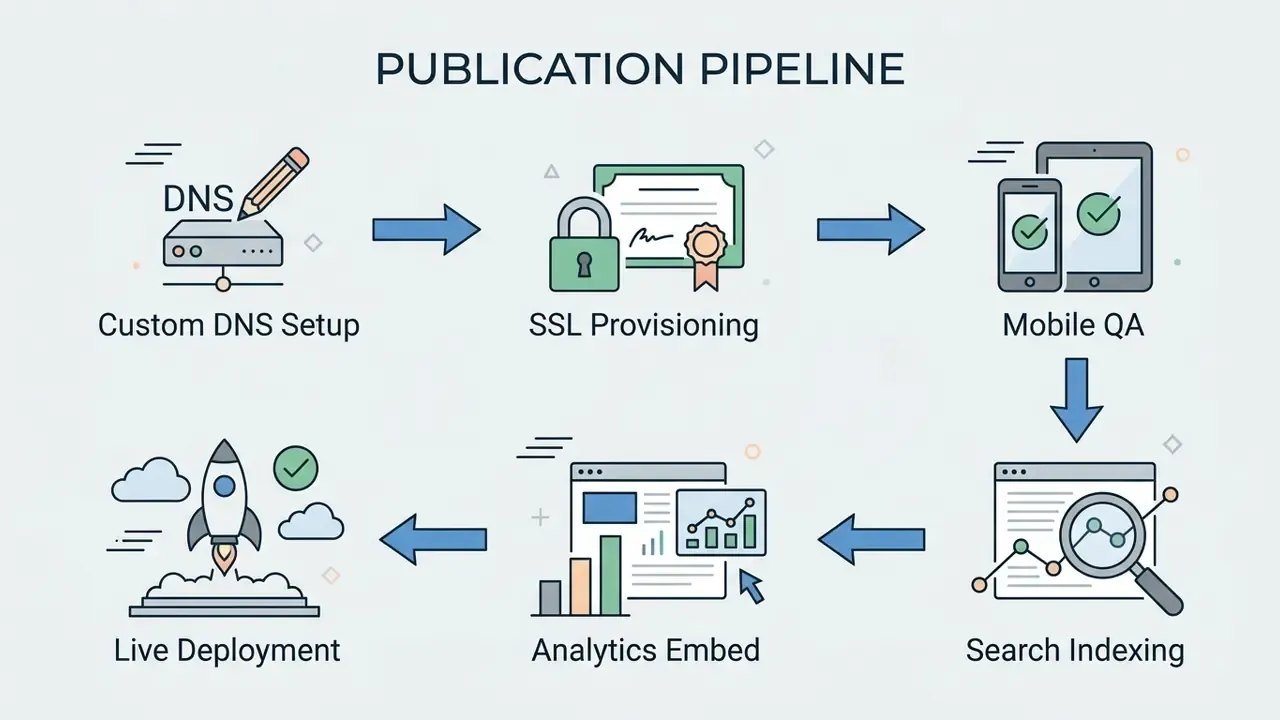
- Publish and Connect DomainDeploy to production servers and map custom DNS records.
What to Include in an AI-Generated Portfolio
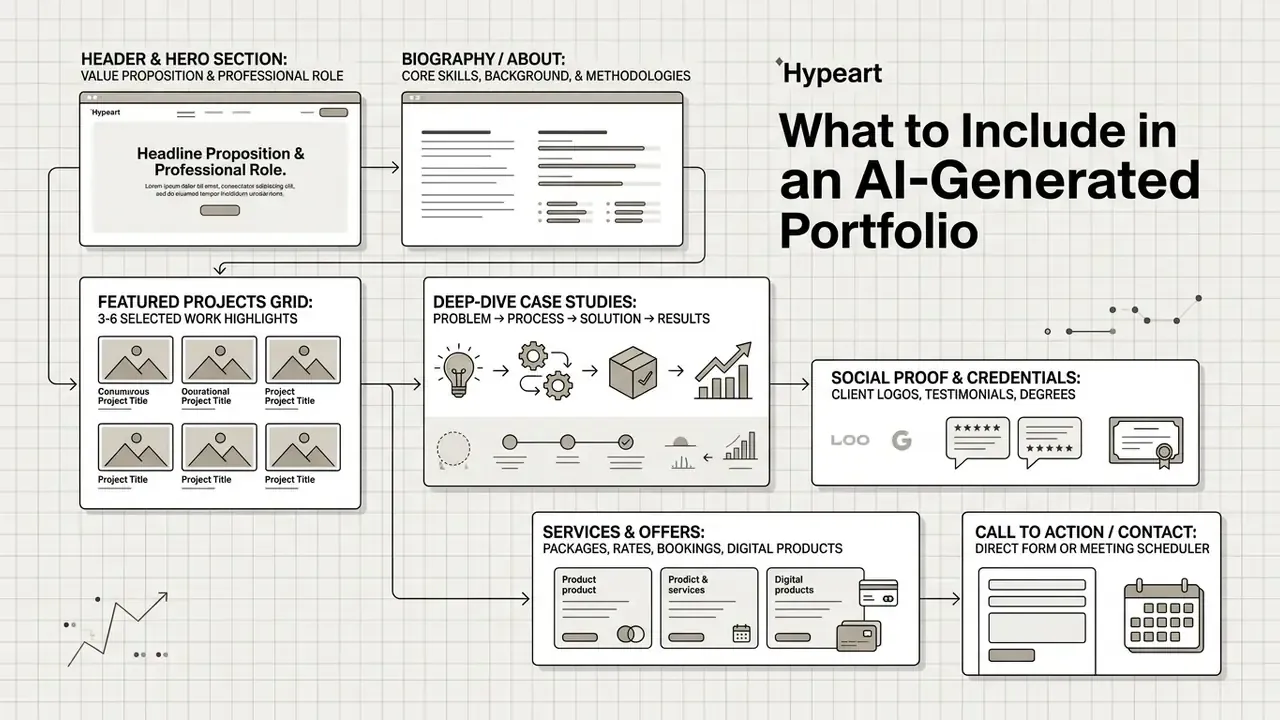
A high-converting AI-generated portfolio must contain seven essential structural blocks: a clear positioning statement, professional biography or resume link, three to five curated project highlights, quantified case outcomes, verified credentials or certifications, client testimonials, and a direct contact call-to-action. Including these elements ensures that automated creation produces a complete, trust-building experience instead of a pretty shell.
Career-services guidance adds evidentiary depth to the same list: licenses, certifications, awards, training records, and recommendation letters function as third-party verification of claims made elsewhere on the page.
To maintain clarity, modern online portfolios use an intentional architecture:
Choose Projects That Show Your Best Work
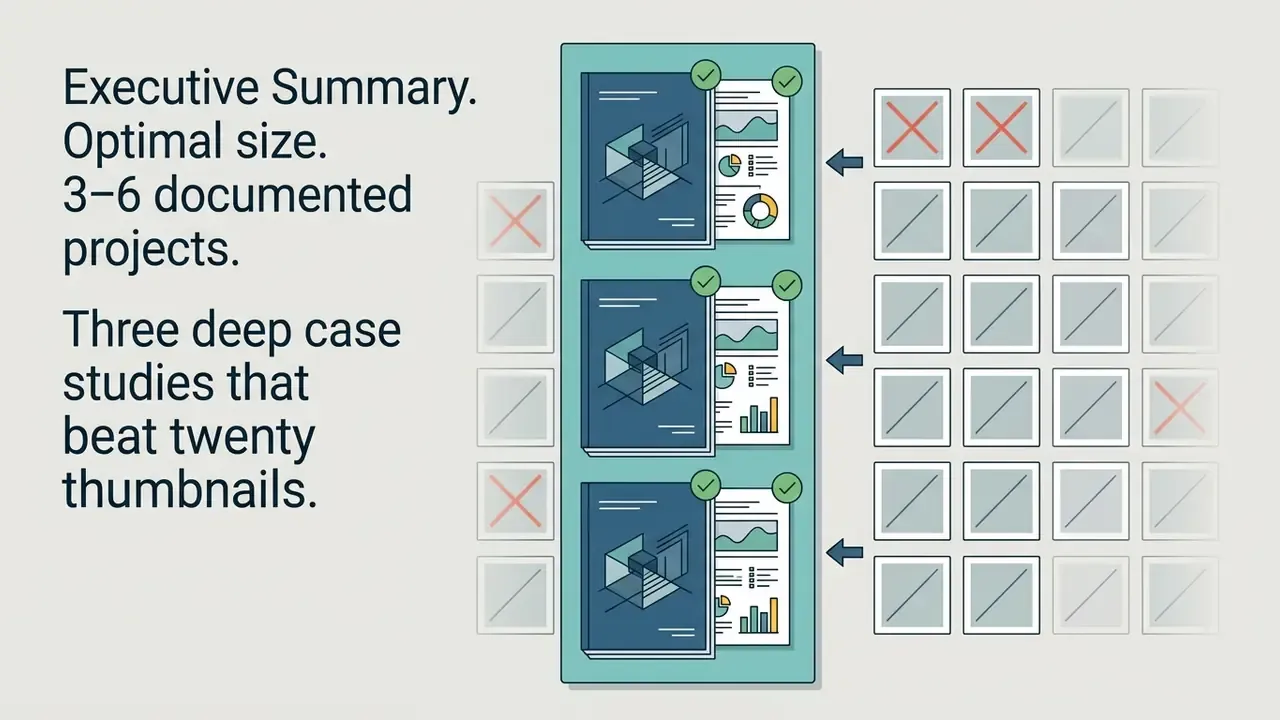
Portfolio project selection should focus on quality and role relevance, favoring three to six deeply documented work samples over an exhaustive archive of past assignments. Curating projects based on target audience expectations demonstrates specialized expertise while keeping the interface clean.
Updated (source transparency). Vendor-published surveys claiming that reviewers spend "under two minutes" on a portfolio come from platforms that sell portfolio tools and therefore carry a commercial conflict of interest; treat the specific figure as a marketing estimate rather than independent research. What independent education and career-services documentation does support is the shape of the behavior: reviewers read the first entries carefully and skim the remainder. Florida Atlantic University's Graphic Design BFA review accepts no more than 10 presentation boards; The Graphic Design School recommends 6–10 projects with consistent presentation; portfolio guides for internship applications narrow to 8–12 pages, and professional sample portfolios to 2–5. Across every one of these standards, curation is enforced by rule, not left to the candidate's optimism.
Presenting a focused selection prevents decision fatigue and highlights core capabilities. Where deadlines or update cycles are the bottleneck, a lightweight production schedule, whether hand-drawn or planned with an ai schedule maker, keeps portfolio refreshes from slipping behind billable work. Most portfolios rot for that exact reason: nobody booked the hour.
Optimal Portfolio Asset Allocation by Professional Role
| Role / Specialty | Primary Proof Asset | Recommended Item Count |
|---|---|---|
| UI/UX & Product Designers | Interactive prototypes, before/after flows, wireframes, the brief you were given | 3 to 5 deep case studies |
| Software Developers | Live demo links, architecture diagrams, GitHub repos, the problem each repo solved | 3 to 4 technical repositories |
| Writers & Marketers | Published live campaign links, moved metrics, CAC/ROAS tables | 5 to 8 published clips |
| Consultants & Strategists | Short executive case briefs with client ROI upfront | 3 to 4 business outcomes |
| Photographers & Videographers | A tight gallery in one consistent style; licensing and rate card | 12 to 20 images or 3 reels |
| Students & Career Changers | Self-directed projects, redesigns, coursework, labeled spec work | 3 projects, fully documented |
Build Case Studies That Explain the Project Value
A professional case study follows a five-part narrative structure: project title and context, business problem, strategy and process, final technical solution, and measurable results. Highlighting quantified outcomes such as revenue growth, efficiency gains, or user adoption rates provides concrete proof of capability.
The 4-Question Framework for Every Featured Project
Replace descriptive project summaries with a fixed answer order. Reviewers scan for these four things, and AI drafting tools fill them reliably when the source notes are structured this way:
- What was broken?The baseline problem or business bottleneck, stated in one sentence.
- What did you do?Your specific execution, tools, and technical choices, including tradeoffs you rejected.
- What changed?Quantified outcome: conversion percentage, latency, revenue, retention, cycle time.
- What were you responsible for?Exact ownership and team role, so credit is unambiguous.
Example case micro-block:
The same structure scales down to a photography or copywriting entry and up to an enterprise consulting brief. Deck-format case studies follow identical logic in 10–15 slides for interviews and outbound outreach.
In educational and workplace UX case studies, integrating structured problem-solving models consistently yields higher reviewer ratings (Lindenwood University Web Design Studies, 2023–2024).
Updated (SEO evidence). Search visibility rewards the same specificity that reviewers reward.
Pre-Launch AI Portfolio Quality Checklist
Checklist0 / 14
Data Privacy, PII and Confidentiality Before You Upload
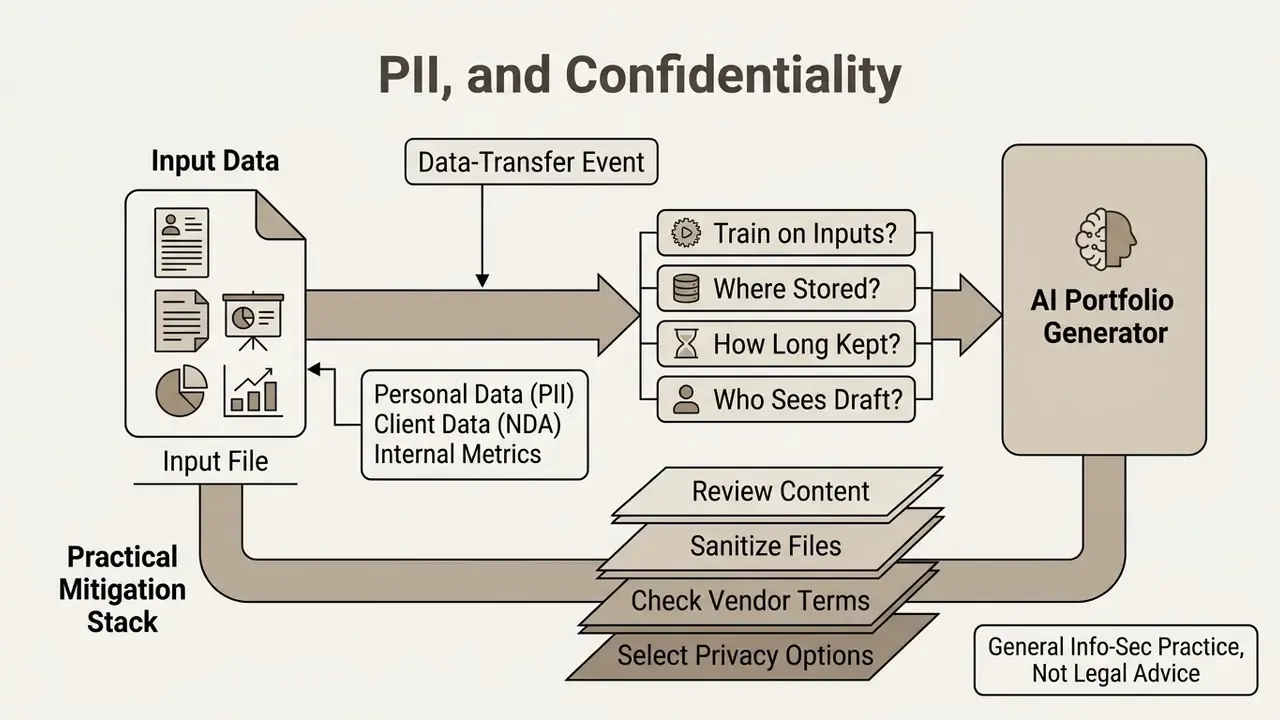
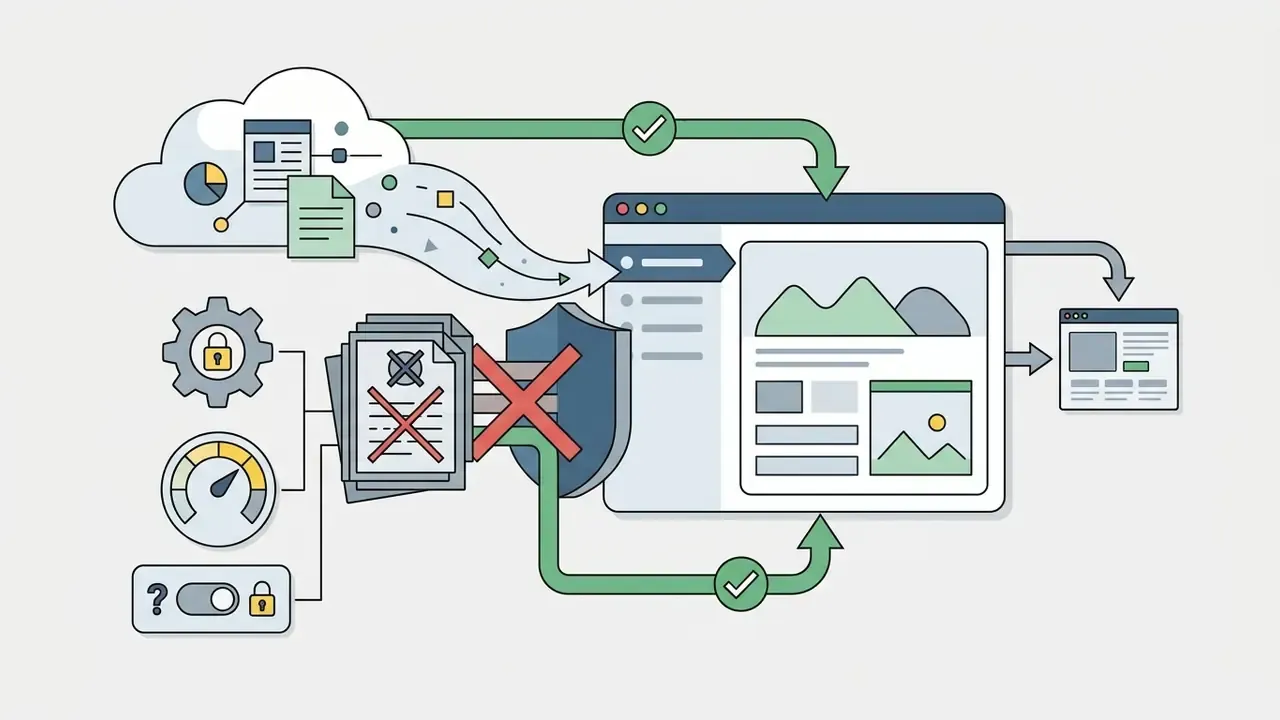
Uploading a resume, client deck, or internal metrics file into a public AI portfolio generator is a data-transfer event, not a formatting step. Before the first upload, treat the tool as a third-party processor and answer five questions.
- What personal data is in the file? Resumes routinely carry home addresses, phone numbers, dates of birth, national ID numbers, and references' contact details. Redact everything that is not required to make the portfolio work. LinkedIn's own export flow produces a profile PDF that contains more identifiers than a portfolio needs.
- Is any of it under NDA? Client names, unpublished designs, internal dashboards, pricing sheets, and pre-launch roadmaps are the most common contract breaches in portfolio work. If you cannot publish it, do not upload it. Anonymize the client ("a Series-B logistics platform"), abstract the numbers into percentages, and rebuild screenshots with dummy data.
- Will the vendor train on your inputs? Policies differ materially by tier. Framer's AI notice states that non-Enterprise users grant Framer a limited license to use deidentified inputs and outputs for model training, while Enterprise users do not (Framer AI Notice, Aug 2026). Read the training clause before uploading anything sensitive, and prefer plans with an explicit opt-out.
- Where is the data stored and for how long? Look for a documented retention window, a delete-my-data path, region of storage, and whether deletion propagates to backups and logs. Enterprise buyers should additionally request SOC 2 Type II reports, sub-processor lists, and DPAs covering GDPR/CCPA obligations.
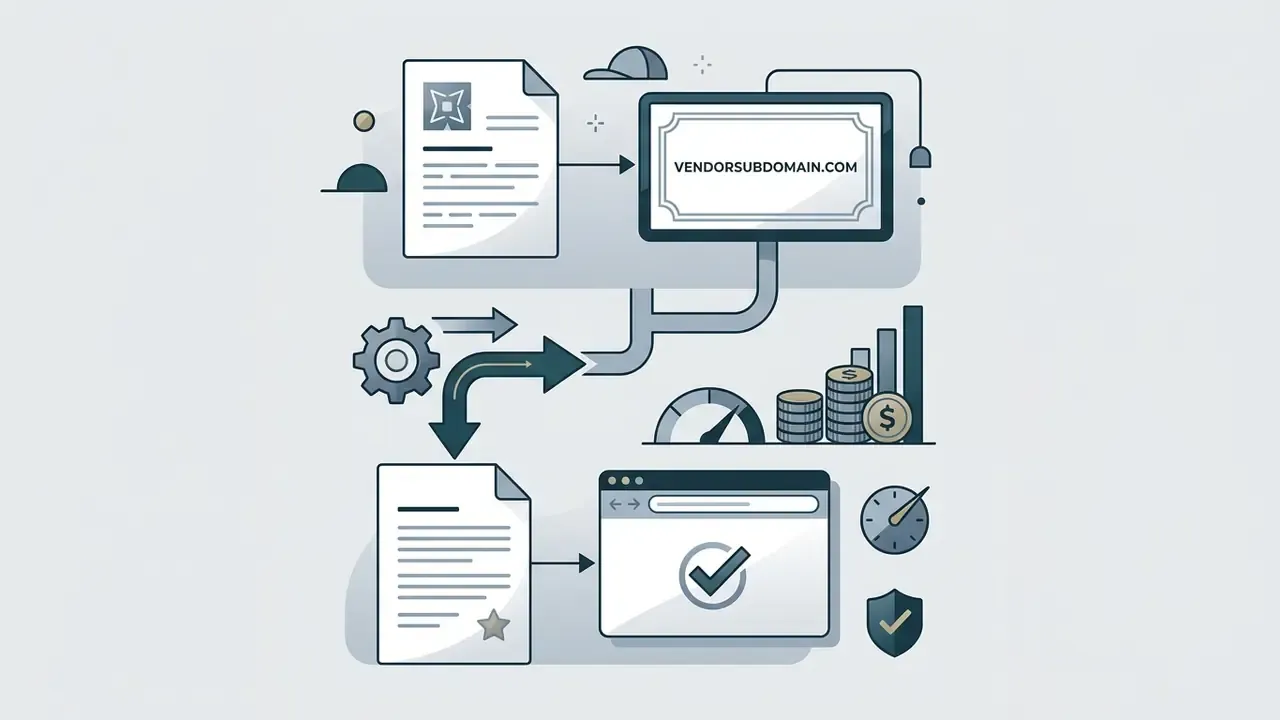
- Who can see the draft? Many builders publish drafts on a guessable subdomain by default. Set visibility to unlisted or private before you paste in real client material, and only switch to public after the redaction pass.
Practical mitigation stack. (1) Maintain two source files, a full internal version and a publication-safe redacted version; only the redacted one ever touches an AI tool. (2) Put confidential work behind a password lock or client login rather than omitting it entirely, so search engines never index it but qualified prospects can still request access. (3) Keep an upload log of what went into which vendor, so a future policy change can be audited. (4) For regulated employers, route the decision through your own vendor-risk process before publishing anything that names an internal system.
Governance teams will recognize the pattern. It is a miniature version of shadow-AI control: known tool, known owner, known data class, known retention. If a bank would not accept an undocumented upload of client data to an unreviewed SaaS vendor, a freelancer under NDA should not accept it either. Questions about vendor-risk coverage and contract terms are best routed through support before publication rather than after.
This section describes general information-security practice and is not legal advice. Contract and data-protection obligations vary by jurisdiction and by your specific client agreements.
From Portfolio to Paid: Connecting Site Generation to Business Operations
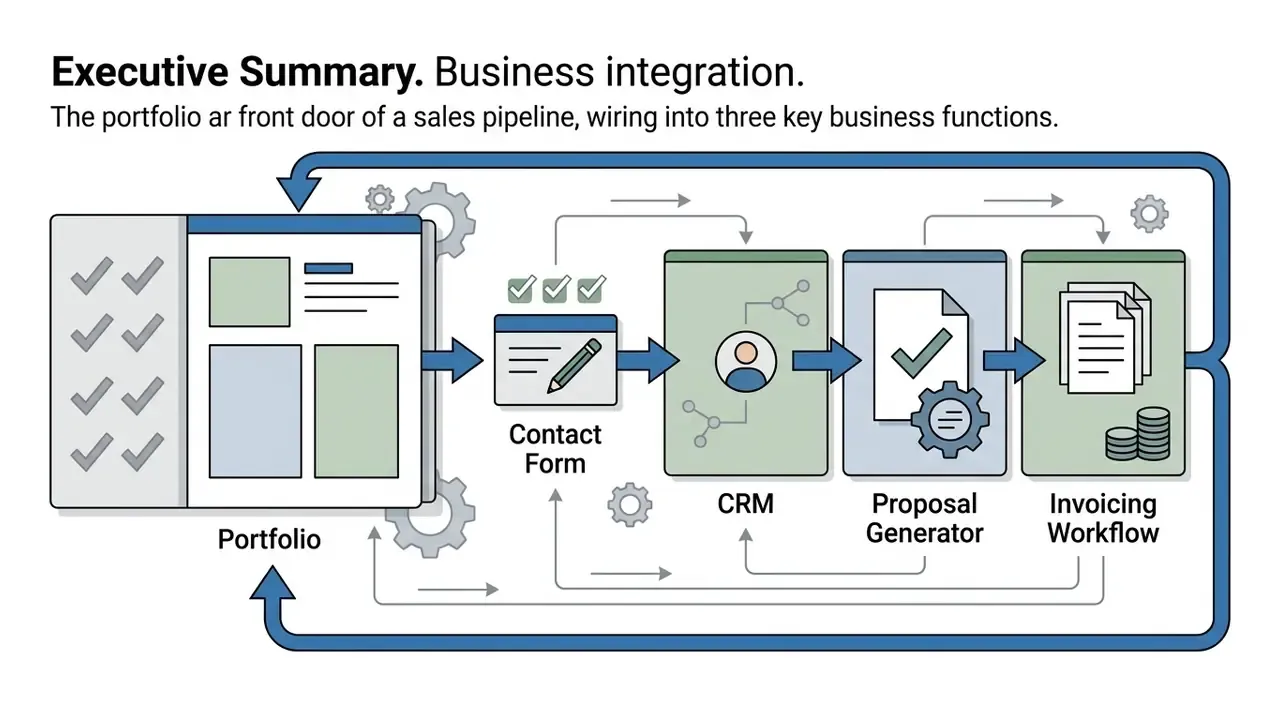
An AI portfolio should not exist as an isolated marketing page. It is the top of a sales funnel, and the value compounds when it is wired to everything that happens after a prospect says yes. Modern AI site builders integrate directly with client management pipelines:
- Lead Ingestion & CRM: Inbound inquiry forms automatically route prospect data into built-in client trackers, so no lead lives only in an inbox.
- Automated Proposals: AI extracts project briefs submitted via portfolio contact forms to generate baseline, on-brand client proposals within minutes of first contact.
- Contract & Invoicing Execution: Retainers, deposits, and milestone payments are collected inside the portfolio environment via integrated payment gateways such as Stripe, with automated follow-ups on late invoices.
- Time Tracking & Delivery: Billable hours log against the same project record that the portfolio case study will eventually be built from, which means the next case study writes itself from real data.
- Private NDA Client Portals: Password-protected preview sections let creators share sensitive case studies, drafts, or rate cards without indexing confidential client data on public search engines. Client sign-in is available on some platforms even at the free tier.
- Living Updates: When the portfolio is a project inside the workspace rather than a static export, adding a new case study is an edit, not a rebuild. The live page updates with it.
The operational test is simple: from the moment a stranger reads your hero section, how many manual steps stand between them and a signed deposit? Every step you remove is measurable revenue recovered. Teams that want to model that lift before committing budget can rough it out with the calculators and sense-check plan costs against published pricing tiers. Developers automating the same handoff between site, CRM, and billing can open the hub for integration documentation.
How to Choose the Best AI Portfolio Generator
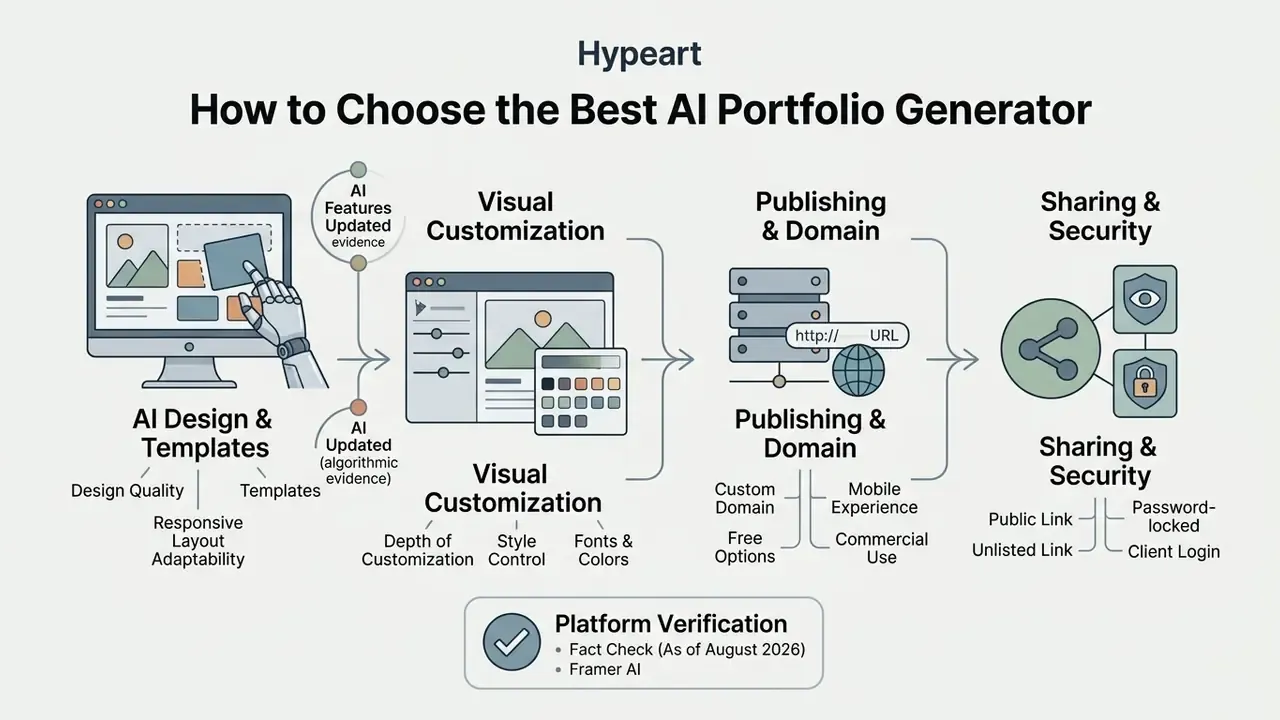
Selecting the best AI portfolio generator requires evaluating four core criteria: design quality and responsive layout adaptability, depth of visual customization, custom domain and hosting options, and total cost of ownership including platform limits. For business and enterprise buyers, a fifth criterion is non-negotiable: data governance, covering training opt-out, retention controls, access management, and code portability. Balancing automated speed with editorial control keeps the platform useful as your brand grows.
Evaluating an AI portfolio builder means checking technical capabilities against professional requirements. Key selection criteria include:
                        CRITERIA EVALUATION FRAMEWORK
                                      │
    ┌─────────────────────────┼─────────────────────────┐
    ▼                         ▼                         ▼
Design Diffusion Quality   Customization Controls    Publishing & Infrastructure
- Responsive Grids        - Global Color Tokens     - Custom DNS Mapping
- Typography Scales       - Section Drag-and-Drop   - SSL & High Speed CDN
- Layout Diversity        - Code Export Capabilities- Mobile Auto-Reflow
                                      │
                                      ▼
                          Governance & Data Controls
                          - Training Opt-Out
                          - Retention & Deletion
                          - Access Control / Client Login
AI Design, Templates and Customization Features
AI layout generation quality relies on underlying design diffusion models and structured design systems that automatically maintain visual balance, typography hierarchy, and spacing. Advanced platforms let creators apply custom brand kits, modify global color tokens, and adjust section layouts via prompt or visual editor. Where the visual content itself is generated rather than photographed, a structured comparison of leading AI art and image generators clarifies which tools deliver usable output quality within free-tier limits, and the broader AI Media Comparison hub covers adjacent formats.
Updated (algorithmic evidence). Layout generation is a studied research problem, not a template shuffle.
Related work such as LayoutDM frames component placement as a conditional sampling task over discrete design tokens (Inoue et al., 2023). These underlying algorithms allow modern generators to produce visually balanced page structures without relying on rigid static templates, which is why two prompts for the same profession no longer return identical pages.
A note on tone, since it is easy to get wrong with generated copy. Novelty tools in the same glossary family, such as an ai rizz generator or an ai roast generator, share the prompt-to-output mechanics but produce a register that has no place in a client-facing portfolio. Same engine class, entirely different acceptance criteria.
Publishing, Sharing, Domain and Mobile Experience
Enterprise-ready portfolio publishing requires responsive mobile rendering across screen widths, high-speed static asset delivery, and support for custom domain mapping with SSL encryption. Providing clients with direct share links, password-protected previews, or embedded portfolio views keeps presentation both accessible and secure.
Web standards established by the W3C specify that mobile layouts must re-flow fluidly without requiring horizontal scrolling, that style sheets and relative measures replace pixel-only layouts, and that testing occur on actual devices (W3C Mobile Web Best Practices). W3C's Mobile Web Application Best Practices additionally notes that serving static resources from a different domain, sub-domain, or path improves performance because cookies fall out of scope for those requests. Design first for a constrained 240px-wide viewport, then scale up.
Three sharing modes cover almost every real distribution need:
- Public linkIndexable, searchable, suitable for the main portfolio and SEO.
- Unlisted linkAccessible only to people holding the URL, useful for role-specific variants of the same portfolio.
- Password-locked or client loginRequired for NDA work, rate cards, and drafts; note that fully private items typically cannot be embedded on external sites.
Fact Check & Platform Verification (As of August 2026)
- Framer AI Offers prompt-to-site creation for design-focused portfolios, including CMS-powered case studies, custom layouts, and motion. Terms state no intellectual property rights are transferred; users grant Framer a limited operational license. Pricing: Free $0, Basic $10/month, Pro $30/month, plus $20/month per additional editor. Non-Enterprise plans grant Framer a limited license to use deidentified inputs and outputs for model training; Enterprise plans do not (Framer B.V. Terms of Service and AI Notice, Aug 2026).
- Wix AI Portfolio Generator Generates custom portfolios via interactive prompt chat, auto-categorizes uploaded work into titled projects with descriptions, and includes multi-cloud hosting with SSL. Platform IP remains with Wix while users retain ownership of uploaded content. Free plan publishes on a Wix subdomain; paid plans start around $17/month, with a free domain for the first year on annual website plans (Wix Terms of Use and product pages, 2026).
- Hostinger AI Website Builder Budget all-in-one generator with built-in hosting, basic copy and image generation, and domain mapping included in unified plans starting under $4/month promotional pricing (Hostinger pricing and terms, 2026; Taskade Market Review, 2026).
- Taskade AI Portfolio Builder Converts resumes, GitHub profiles, and project links into live portfolio apps in about 60 seconds. Free tier includes up to 6,000 AI credits and 3 published apps with Taskade branding and a shareable link; Pro is $10/month billed annually; Business ($25/month billed annually) adds custom domains. Client sign-in for private sections is available on every plan, including Free (Taskade Official Terms, 2026).
- Flipsnack AI Portfolio Maker Document-first alternative that converts a PDF or template into an interactive flipbook with videos, links, pop-ups, heatmap analytics, password-locked access, AI page summaries for screen readers, and AI translation. Custom domain and brand kit with custom fonts are Enterprise-plan features (Flipsnack product documentation, 2026).
- Mixo Positioned for one-page portfolio and validation pages generated from a short description, producing a headline, value proposition, feature sections, and signup form (Taskade Market Review, 2026).
- Butternut AI, Canva Sites, CodeDesign.ai, Seera, Folix Free creation and editing available; custom domains, watermark removal, and unlimited portfolios sit behind paid tiers (see the free-vs-paid table below). Canva is the notable exception that grants a free branded Canva site domain (vendor documentation, 2026).
Verification note: official 2026 terms, pricing, and IP pages for Relume could not be independently confirmed at the time of writing and are therefore excluded from the verified list.
Governance and Portability Criteria for Business and Enterprise Buyers
| Criterion | What to Verify | Why It Matters |
|---|---|---|
| Model Training Opt-Out | Whether inputs/outputs are used for training, and on which tier the opt-out applies | Framer documents an Enterprise-only exemption; other vendors vary. Determines whether client material can be uploaded at all. |
| Security Attestations | SOC 2 Type II, ISO 27001, penetration-test summaries, sub-processor list | Required by most corporate vendor-risk processes before approval. |
| Data Deletion & Retention | Documented retention window, self-service deletion, backup propagation | Supports GDPR/CCPA deletion requests and contract exit obligations. |
| Access Control | Password lock, client login, unlisted publishing, SSO where offered | Keeps NDA work and rate cards out of public search indexes. |
| Code / Content Export | Clean HTML/CSS, React export, CMS data export, PDF download | Prevents lock-in and preserves the asset if the vendor changes pricing or shuts down. |
| Accessibility Output | WCAG 2.2 conformance claims, keyboard navigation, alt-text generation | Legal exposure and inclusive-hiring requirements for public-facing pages. |
Free AI Portfolio Generator: Pricing, Limits and Commercial Use
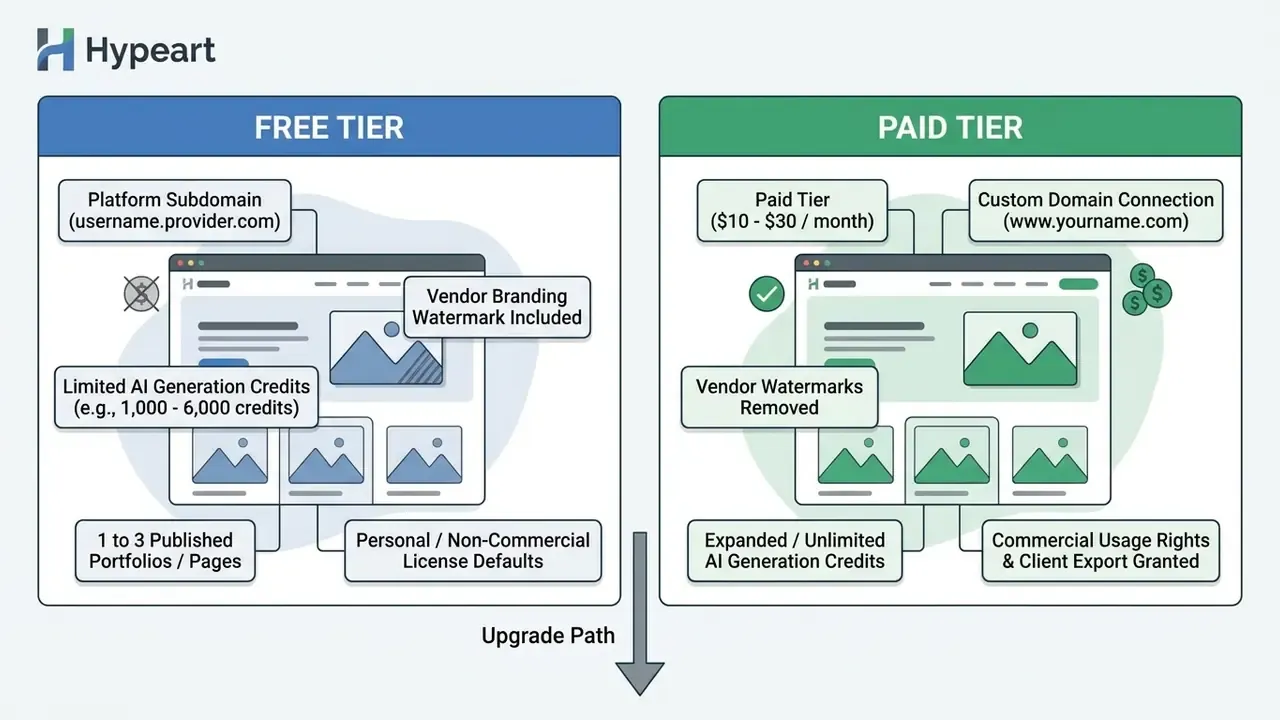
Free AI portfolio generators typically grant access to basic layout generation, platform subdomains, and limited AI credits, but restrict custom domain mapping and append vendor branding badges. Checking commercial licensing terms before deployment is critical if you want full human ownership over generated copy, graphics, and client deliverables.
What Is Usually Included in a Free Portfolio Maker
Free tiers of AI portfolio generators generally offer one to three published portfolio pages, platform-hosted subdomains (for example site.provider.com), basic template access, and monthly AI generation caps ranging from 1,000 to 6,000 credits. Advanced capabilities such as custom domain connection, watermark removal, and automated portfolio updating require upgrading to a paid tier.
Concrete published limits as of 2026: Taskade's Free plan includes up to 6,000 AI credits, three published apps, and Taskade branding, with custom domains starting on Business. Seera's free plan covers one portfolio, basic templates, a free subdomain, and a small Seera badge. Folix's "Free Forever" tier allows one active portfolio, limited AI prompts, a Folix watermark, and no custom domain. CodeDesign.ai's free plan supports up to three portfolio websites published on a subdomain. Canva site builder allows a single-page portfolio published free on a Canva site domain, reserving custom DNS mapping for Pro subscribers. Butternut AI permits free site creation and editing while restricting custom domains and branding removal to Pro (vendor documentation and terms, 2026).
Free plans in this category typically leave two things undefined: total AI generation counts and explicit commercial-use permission. Where the terms are silent, assume the more restrictive reading until the vendor confirms otherwise in writing. Yes, that is inconvenient. It is also cheaper than a takedown notice.
Check Commercial Rights, Licensing and Client Use
This information is general in nature and does not replace advice from a qualified legal professional. Copyright, licensing, and commercial-use rules vary by jurisdiction and by platform contract.
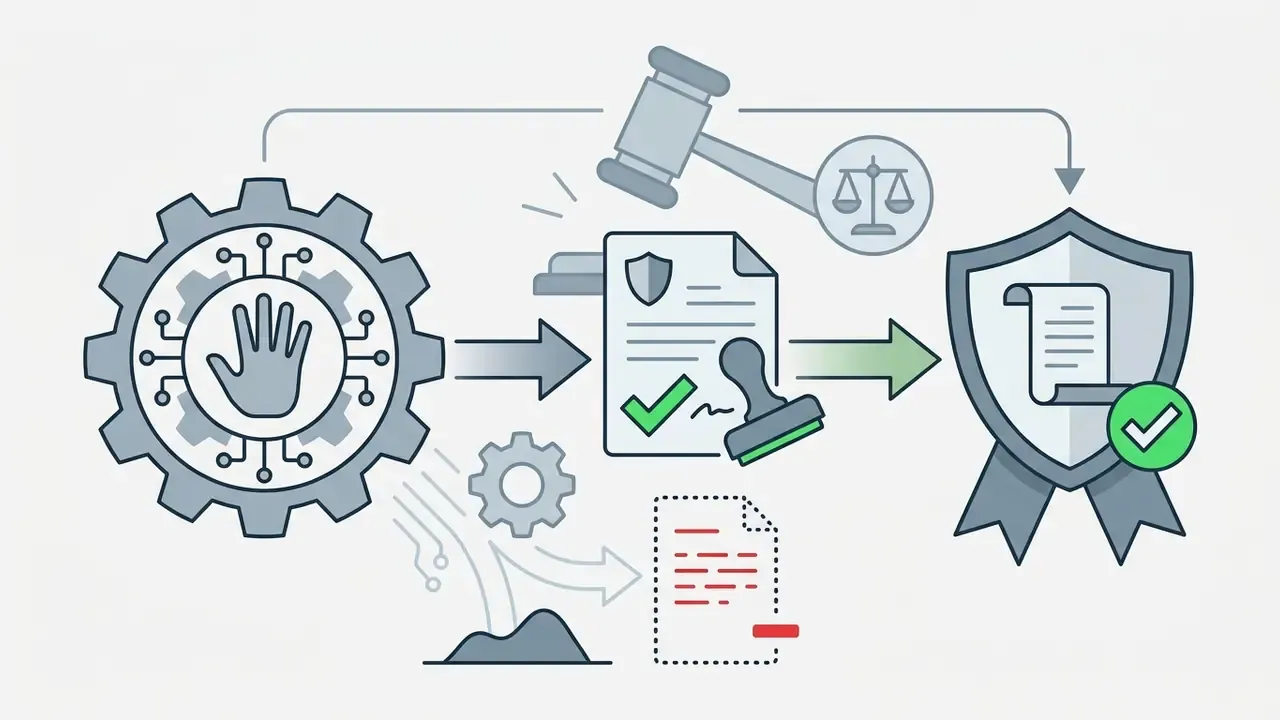
Commercial usage rights for AI-generated portfolios depend on platform terms of service and relevant legal guidelines regarding human authorship and AI outputs. Under US Copyright Office guidance, copyright protection applies only to human-authored elements, making active human editing and curation essential for securing full commercial ownership.
Comparison of Free vs Paid AI Portfolio Generator Tiers
| Parameter | Free Tier Standard | Paid Tier Standard |
|---|---|---|
| AI Generation Allowance | Capped (e.g., 1 to 3 sites; 1,000–6,000 credits) | Expanded or unlimited generation credits |
| Custom Domain Support | Rarely supported; platform subdomain required (Canva site domain is an exception) | Fully supported (DNS mapping & SSL included) |
| Platform Branding | Vendor badge or watermark visible on site | Vendor branding completely removed |
| Commercial Licensing | Often restricted to personal / evaluation use; frequently undefined | Full commercial rights for business & freelancing |
| Access Control | Public or unlisted links; client login on some platforms | Password locks, client portals, granular permissions |
| Analytics & Integrations | Basic page view counter or none | Google Analytics, heatmaps, CRM, & custom scripts |
Publish and Promote Your AI Portfolio Website
Launching and promoting an AI portfolio website involves mapping a custom domain, optimizing technical SEO elements, and distributing direct share links across professional networks and sales channels. A search-engine-friendly site architecture is what keeps the asset discoverable months after launch, when the initial announcement traffic has faded.
Optimize Portfolio Content for Search and Visibility
Search engine optimization for an AI-generated portfolio requires unique title tags, descriptive meta descriptions, logical H1-H3 heading hierarchies, and descriptive image alt text. According to Google's search guidance and Semrush SEO data, human-refined AI content ranks on par with traditional copy when it focuses on original value and user intent.
Key SEO requirements for AI portfolio websites include:
- Unique Title Tags & Meta DescriptionsInclude specific role titles and primary geographical or technical specializations, with the keyword near the beginning of the title.
- Semantic Heading OrderMaintain one H1 per page, followed by sequential H2 and H3 elements; never use heading levels for visual styling alone.
- Image Alt AttributesDescribe visual project samples accurately to assist search crawlers and screen readers.
- PDF MetadataIf you also distribute a PDF portfolio, fill the document title and summary fields so search results can display them (NREL SEO guidance, 2024–2026).
- Generative Search QualityAvoid artificial keyword stuffing. Google explicitly prioritizes unique, helpful content over scaled automated text and advises publishers to keep foundational SEO, meaning clear technical structure and genuinely valuable content, rather than chasing "AEO/GEO hacks" (Google Guide to Optimizing for Generative AI Features on Search, 2024–2026).
Updated (ranking evidence).
The implication is direct. The ranking penalty is not attached to AI assistance, it is attached to unedited generic output. A portfolio case study with real numbers, named tools, and first-hand ownership statements clears the same bar as any human-written page.
AI Portfolio Generator FAQ
This section answers practical questions about technical skill requirements, content ingestion, privacy controls, and optimal project counts for AI portfolio creation. The goal is to help you judge whether an automated builder fits your client acquisition strategy, or whether you are better off with a manual build.
Do I Need Coding or Design Skills to Use an AI Portfolio Maker?
No. Modern AI portfolio makers operate as no-code platforms that generate responsive layouts, color palettes, and structured pages directly from natural language prompts or uploaded documents. Non-technical users can customize typography, reorder sections, and adjust copy using visual drag-and-drop editors without editing HTML, CSS, or JavaScript.
«Novice programmers welcome additional scaffolding at the start: the structured Giuseppe interface produced better results than open-ended ChatGPT use.» Design-based research study on novice programmers and generative AI, 2023. That finding explains why guided, form-based builders often outperform blank-prompt tools for first-time users: constrained inputs reduce the chance of an unusable first draft. Tool documentation across platforms such as Figma AI Builder, Readdy AI, and TailorCV explicitly confirms that no programming knowledge, and in some cases no design-software knowledge, is required to publish a live site (Figma AI Documentation, 2026; Readdy AI, 2026; TailorCV, 2026).
Can AI Create a Portfolio From a Resume or Existing Content?
Yes. AI portfolio generators can parse uploaded resumes in PDF or Word format, imported LinkedIn profiles, and external repository links to populate portfolio sections automatically. The AI extracts work history, key achievements, and project descriptions, converting unstructured text into a formatted web page in under two minutes. LinkedIn officially supports saving a profile as a PDF and uploading resumes in Microsoft Word or PDF format (recommended under 2 MB), which covers the standard input path, though LinkedIn itself does not offer end-to-end portfolio generation. Platforms like Taskade let users paste raw resume text or GitHub repository URLs directly into the setup prompt to trigger instant structural parsing (Taskade AI Portfolio Builder, 2026).
Advanced Ingestion: PDF Transformation & Inclusive Design
Modern generators go beyond raw text parsing by ingesting legacy PDF presentation decks and converting static pages into interactive web structures:
- PDF Vector Ingestion: Upload a static PDF portfolio to extract vector shapes, typography hierarchies, page order, and embedded image assets into responsive web components, then edit text, reorder pages, pull out images, and layer in videos, clickable links, and pop-ups so a dead file becomes a browsable experience.
- AI Screen Reader Summaries: Generative vision models inspect uploaded project graphics and synthesize semantic page summaries and comprehensive ARIA alt-text tags that screen readers can announce, supporting WCAG 2.2 compliance for image-heavy portfolios.
- Keyboard-Navigable Viewers: Players that expose clear labels and controls let readers move through content without a mouse, a baseline WCAG 2.2 operability requirement rather than a nice-to-have.
- Automated Multi-Language Translation: Neural translation engines convert full site copy, or only selected text areas, into 30+ languages, served dynamically based on visitor browser headers, so international prospects read your case studies in their own language without a manual rewrite.
- Accessible Template Baselines: Starting from templates built with contrast, heading order, and reading order already handled reduces the accessibility debt you have to repay after generation.
Can I Keep NDA or Confidential Work in My Portfolio?
Yes, with access controls rather than omission. Three mechanisms cover most situations: password-locked access, which lets a viewer open a section with a shared password and no account; client sign-in, which places rates, drafts, or NDA work behind a login while the public portfolio stays open; and unlisted publishing, which keeps a page out of search indexes while remaining shareable by link. Note that fully private items usually cannot be embedded on external websites. Whatever the mechanism, redact client names, internal metrics, and unreleased designs before upload. Access control on the vendor's servers is not a substitute for contractual permission.
How Many Projects Should an Online Portfolio Include?
An effective online portfolio should feature three to six high-quality projects that demonstrate core competencies and role relevance. Three deeply documented case studies with quantified results generate higher inquiry rates than a large collection of superficial samples, because prospects read the first two entries carefully and skim the rest. Career development standards recommend limiting initial showcases to 3–5 representative projects for early-career professionals, expanding to no more than 6–10 for experienced agencies (Florida Atlantic University BFA Review; The Graphic Design School portfolio standards; UX industry recruiting guidance, 2026). Recruiter-facing checklists published in 2026 narrow further for juniors, three entries maximum, each carrying proof, screenshots, and quantified outcomes, while some experienced reviewers argue that a single exceptional, deeply documented project can outperform several weaker ones. The disagreement is about role level and review context, not about the principle.
«E-portfolio research emphasizes that what matters is not archival completeness but the selection of artifacts that demonstrate competence and progression.» Mondragon University PhD Project on Collaborative E-Portfolio Practice, 2023–2024. Quality of documentation and verified project outcomes remain considerably more important than total project quantity.
Can I Build a Portfolio Without Any Client Work Yet?
Yes. Use self-directed projects, a redesign of a product you actually use, volunteer or coursework projects, or a short spec piece for a company you want to work with. Present them exactly as you would paid work, so problem, approach, result, ownership, and label them clearly as personal or speculative projects. Reviewers penalize ambiguity about what was real, not the absence of a client logo.
What Is the Difference Between a Portfolio and a Resume?
A resume lists where you worked and for how long. A portfolio shows what you produced and what it changed, which is what clients and hiring managers actually buy. Most AI portfolio generators build the portfolio from the resume, which is why the resume needs cleaning up first: strip the personal identifiers you do not want published, and add the outcome numbers you want the AI to surface.
Is an AI Portfolio Generator the Same as AI Portfolio Management Software?
No. An AI portfolio generator builds a portfolio website for a person, freelancer, or agency. AI portfolio management, sometimes called AI model inventory or AI governance tooling, is enterprise software that catalogues deployed machine-learning systems, tracks model risk, documents validation, and surfaces unapproved shadow AI. The two categories share a keyword and nothing else: different buyers, different compliance frameworks, different procurement paths. If your requirement is a model register for a risk or compliance function, evaluate governance platforms, not website builders.
Conclusion
AI portfolio generators offer a streamlined path to a professional website, turning prompts, resumes, and project links into structured web pages in minutes. Usability research shows that generated structures navigate as well as human-designed ones, and Semrush's 20,000-URL analysis shows that edited AI content ranks within one percentage point of human-written content. The technology, in other words, is no longer the constraint.
The constraint is substance and governance. Human curation remains essential for accuracy, brand alignment, and verified project outcomes; the 4-question case framework (what was broken, what you did, what changed, what you owned) is the difference between a page that looks professional and a page that books work. Layer on the operational connections, meaning bookings, digital products, CRM routing, proposals, invoicing, and the portfolio stops being a brochure and starts acting as the front door of a business. Layer on the controls, meaning password locks for NDA work, redaction before upload, training opt-out verification, WCAG 2.2 checks, and clear ownership of the final copy, and it also becomes defensible.
Combine automated generation with disciplined human editing, and you get a portfolio that reads clearly, converts, and survives scrutiny from clients, hiring managers, and, where relevant, your own compliance team.
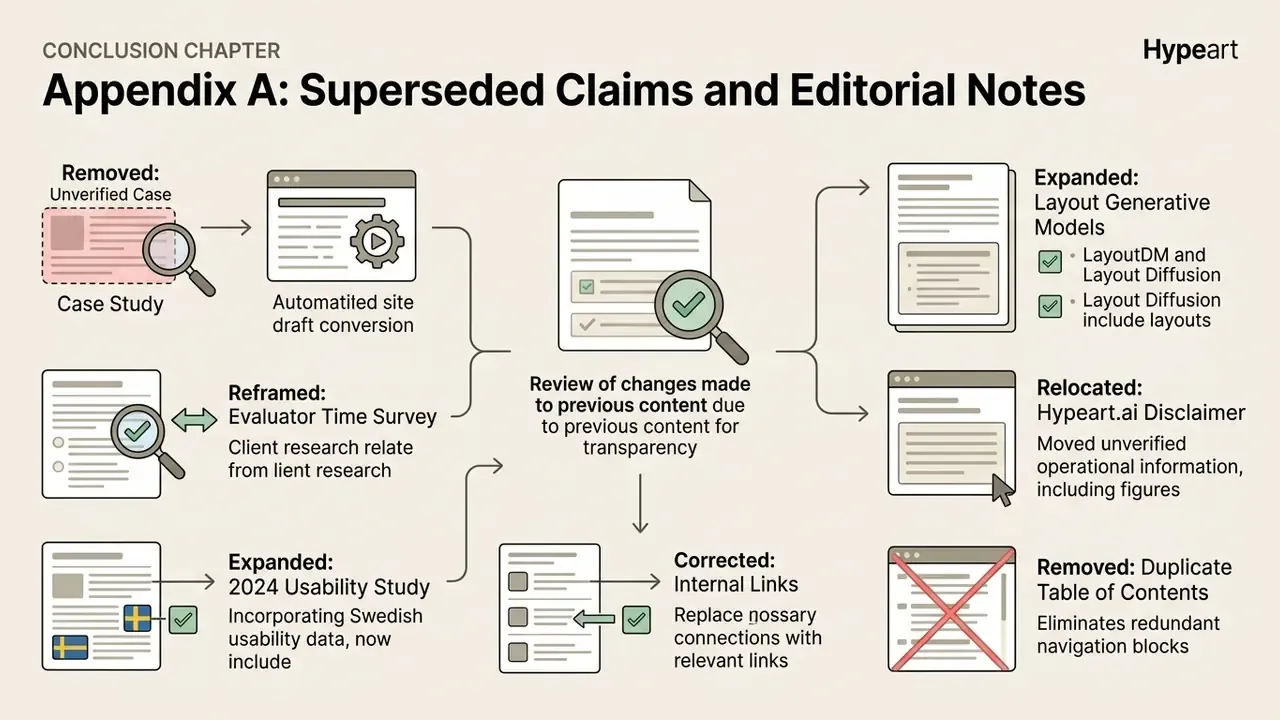
Appendix A: Superseded Claims and Editorial Notes