Every bank, insurer and mature fintech runs on messages. Order status, billing disputes, vendor chasers, escalations, internal delay notices. The volume is predictable; the staffing is not. An ai text reply generator attacks that bottleneck by reading an incoming text message, email or chat thread and drafting a tailored, context-aware answer in seconds.
That is the easy part. The harder question, the one a Chief Compliance Officer actually asks, is what happens when a probabilistic model drafts a sentence that binds the institution. Deployed with review gates, these tools compress drafting time while protecting brand voice and policy limits. Deployed without them, they generate liability at machine speed.
Executive Summary
- What it is an ai text reply generator is a conditional drafting engine. It does not write from a blank page. Every output token is conditioned on the incoming message, the thread history, and any retrieved context you supply.
- Where the value is field evidence is strongest in high-volume, repetitive queues. Support agents resolved 14% more issues per hour with a generative assistant (NBER, 5,179 agents). Copilot users cut 3.6 hours of weekly email time, a 31% reduction, in a 66-company field experiment.
- Where the risk is the failure modes are not stylistic, they are operational. Unverified commitments, hallucinated dates and amounts, PII leaking into unsanctioned public tools ("shadow AI"), and no auditable trail afterwards.
- Minimum viable control set DLP and PII sanitization on input, then grounded context injection (RAG or approved knowledge base), then deterministic guardrails (no pricing, refund or legal commitments), then human-in-the-loop approval, then an immutable audit log holding prompt, draft, edits and final sent text.
- Selection rule for regulated teams compare a managed enterprise API with non-training terms and logging against unsanctioned public web tools. Not "free tool versus ChatGPT."
- What follows five before/after transformation blocks, five copy-ready templates for high-friction messages, a creativity and temperature calibration table, an agent taxonomy, a troubleshooting matrix, an audit-trail schema, a risk-adjusted ROI formula, and an expanded FAQ.
Where This Guide Fits Your Decision
Different readers arrive with different questions, so here is the honest map of what this piece answers and what it does not.
- If you are drafting messages yourself the templates, tone controls and before/after blocks are the practical core. Copy them, adapt the bracketed fields, keep the human check.
- If you own model risk or compliance the control frame, audit-trail schema and shadow-AI comparison are written for your documentation, not for a marketing deck.
- If you sign the invoice the risk-adjusted ROI section shows why gross time savings overstate value, and how much of the benefit gets eaten by control operations.
- What this guide will not do it will not tell you your institution's risk appetite, and it does not claim independent benchmarking of vendor free tiers. Where evidence is vendor-stated, we say so.
One more framing point. A reply generator is not a chatbot. A chatbot talks to your customer; a draft engine talks to your operator. That single distinction changes the entire control conversation.
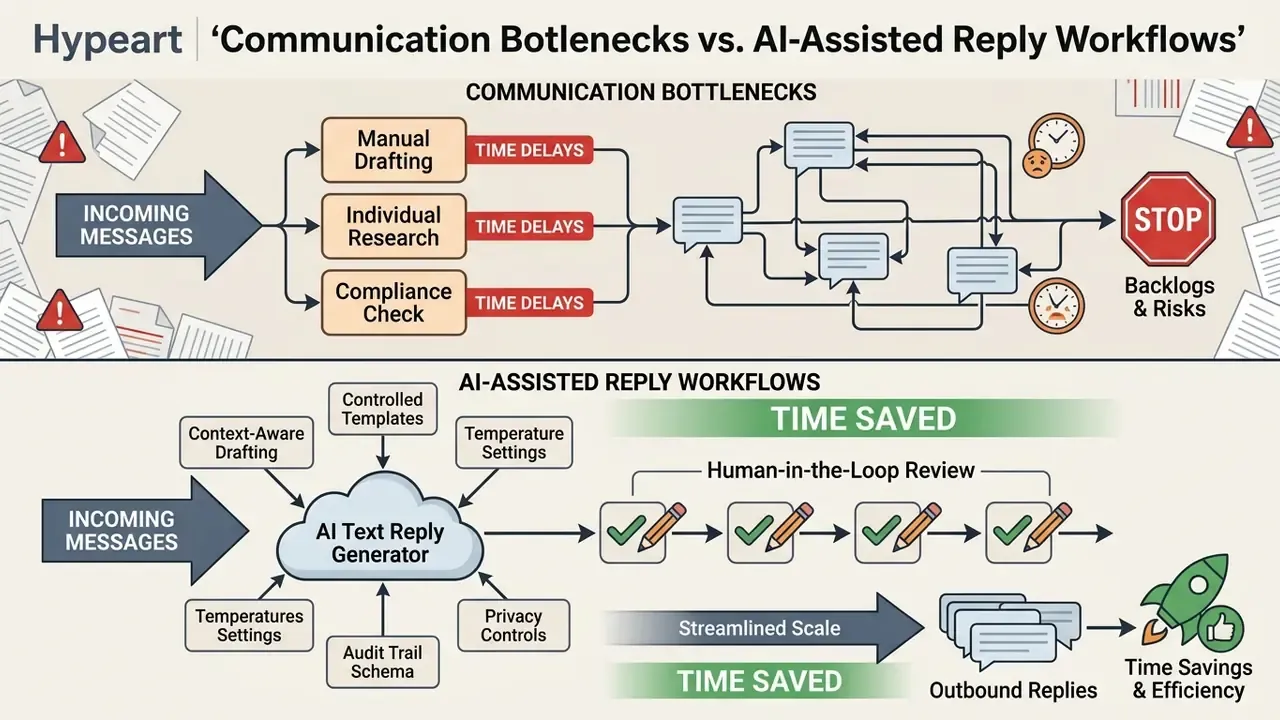
What Is an AI Text Reply Generator?
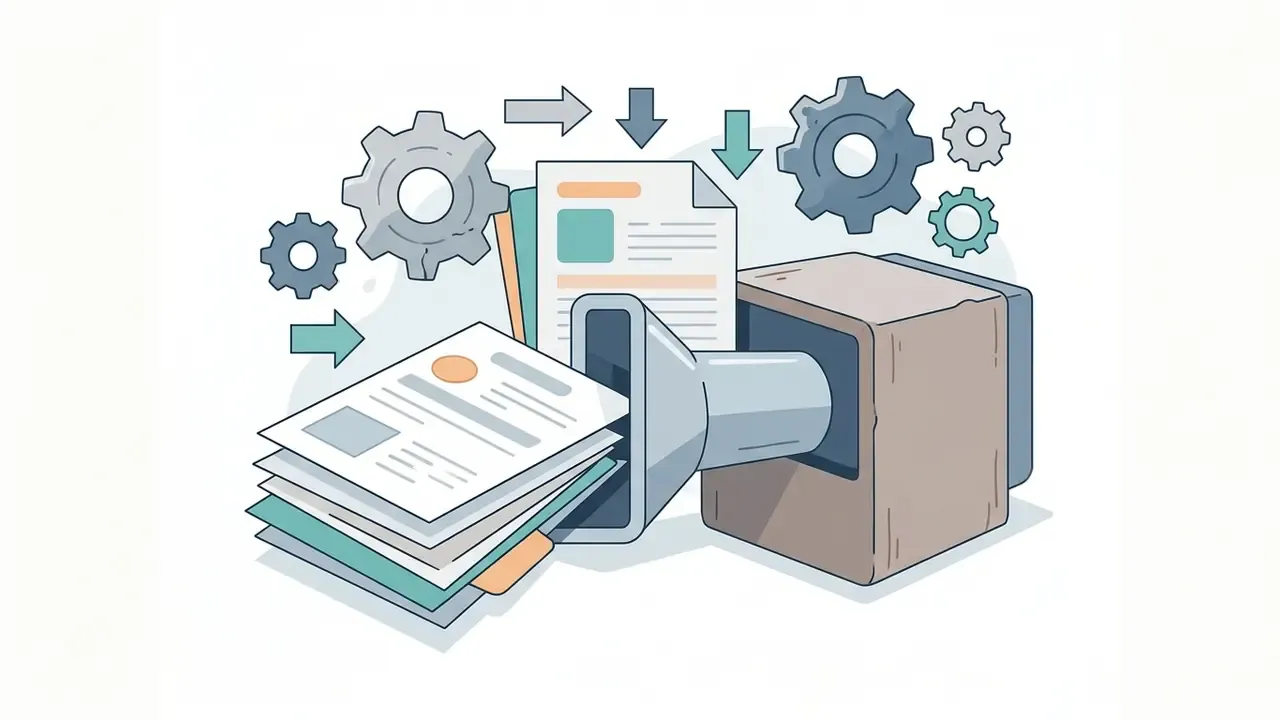
An ai text reply generator is a software tool that uses conditional natural language processing to produce a context-appropriate generated reply anchored to an incoming message. Unlike open-ended text generators that build documents from blank prompts, an ai response generator reads received text (chat messages, emails, SMS) alongside user constraints and drafts a relevant text response.
Modern architectures rely on conditional language models and retrieval-augmented generation (RAG). RAG simply means the system fetches approved passages from your own knowledge base and hands them to the model as context. The goal is narrow: make sure the generated reply addresses the specific questions in the source text instead of inventing plausible filler.
«The Smart Reply system used an LSTM architecture to predict complete responses to incoming email, powering roughly 10% of all mobile Inbox email replies.»
That structural focus is what makes an ai text generator response workflow efficient across helpdesks, operational inbox management and instant messaging. The same conditional-generation logic underpins adjacent creative tooling; the only real difference is the modality of the constraint, as covered in our guide to AI voice generators and in the visual-output examples inside our ai graph generator entry.
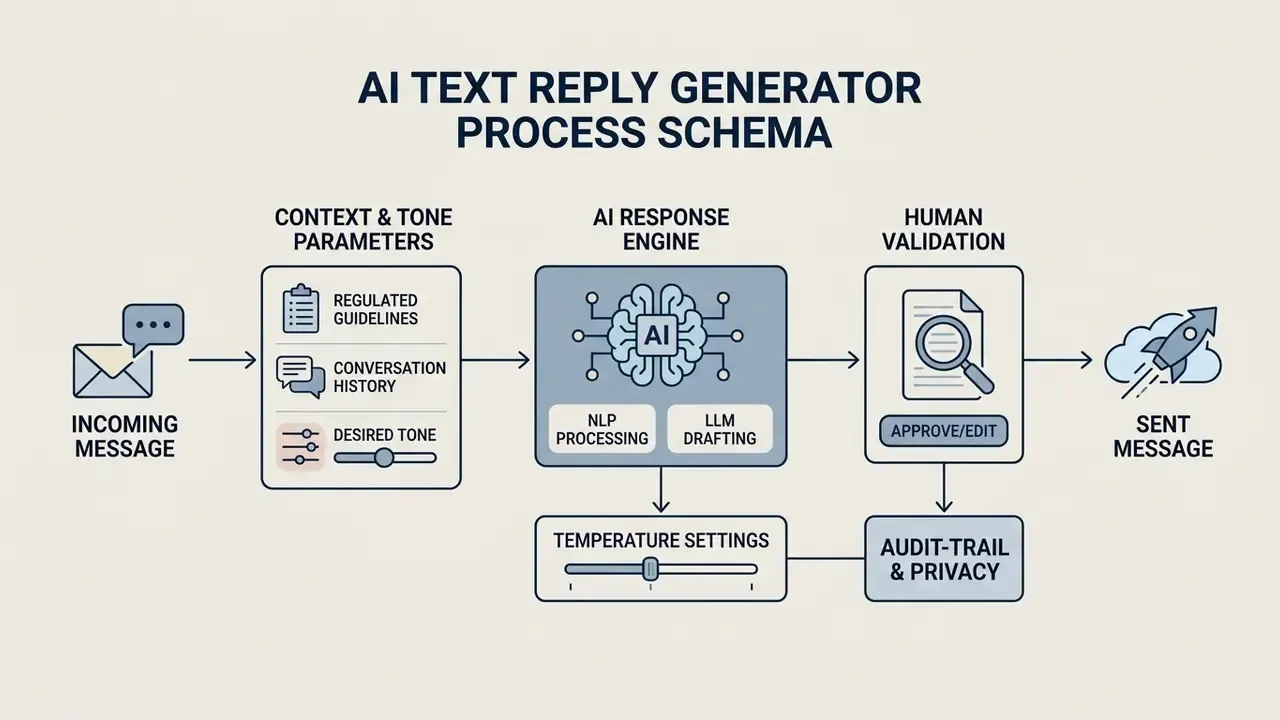
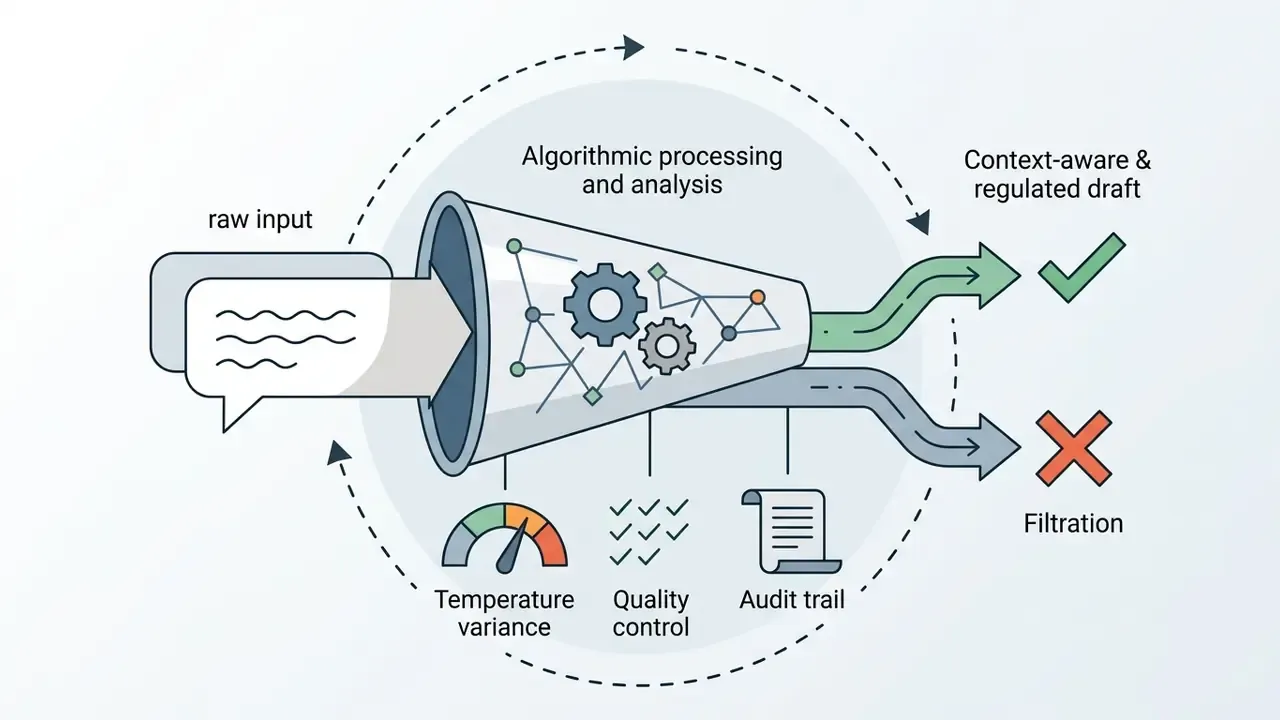
Operational flow of an AI message reply generator
- Input intake. The user pastes the received text message, chat thread or email into the tool interface. Enterprise deployments route this through a DLP sanitization layer first.
- Parameter configuration. The user or the system sets tone preferences (professional, friendly, casual), target length, creativity or temperature, and the core intent points.
- Conditional generation. The engine produces candidate text responses grounded strictly in the source message, retrieved knowledge-base passages and parameters.
- Human review and dispatch. The operator verifies facts, names and commitments, makes edits, and sends the final reply. Prompt, draft, edit diff and final text are written to an audit log.
Control Frame: What to Fix Before the First Draft Goes Out
Reply generation is a content problem for individuals and a control problem for institutions. Before a pilot moves into production at a bank, insurer or fintech, four control layers must exist. This section sets the boundary conditions; the verification checklist and privacy specifics come later.
| Control layer | Purpose | Concrete implementation |
|---|---|---|
| Input sanitization | Keep NPI, PII and confidential terms away from the model | DLP regex plus entity masking on account numbers, SSNs, card PANs, health data; tokenized placeholders restored only after human approval |
| Grounding | Eliminate ungrounded claims | RAG over approved policy docs and macros only; retrieval sources versioned and dated; citations surfaced to the operator |
| Deterministic guardrails | Prevent binding statements | Hard blocklists on refund amounts, rate quotes, legal admissions, timelines; regex post-filters that reject drafts containing currency figures unless pulled from the record system |
| Model risk management | Make the system defensible to supervisors | Documented model inventory entry, intended use, limitations and performance monitoring consistent with supervisory expectations (SR 11-7 principles: development, implementation, validation, independent review) |
Which Messages Are Hard to Reply to?
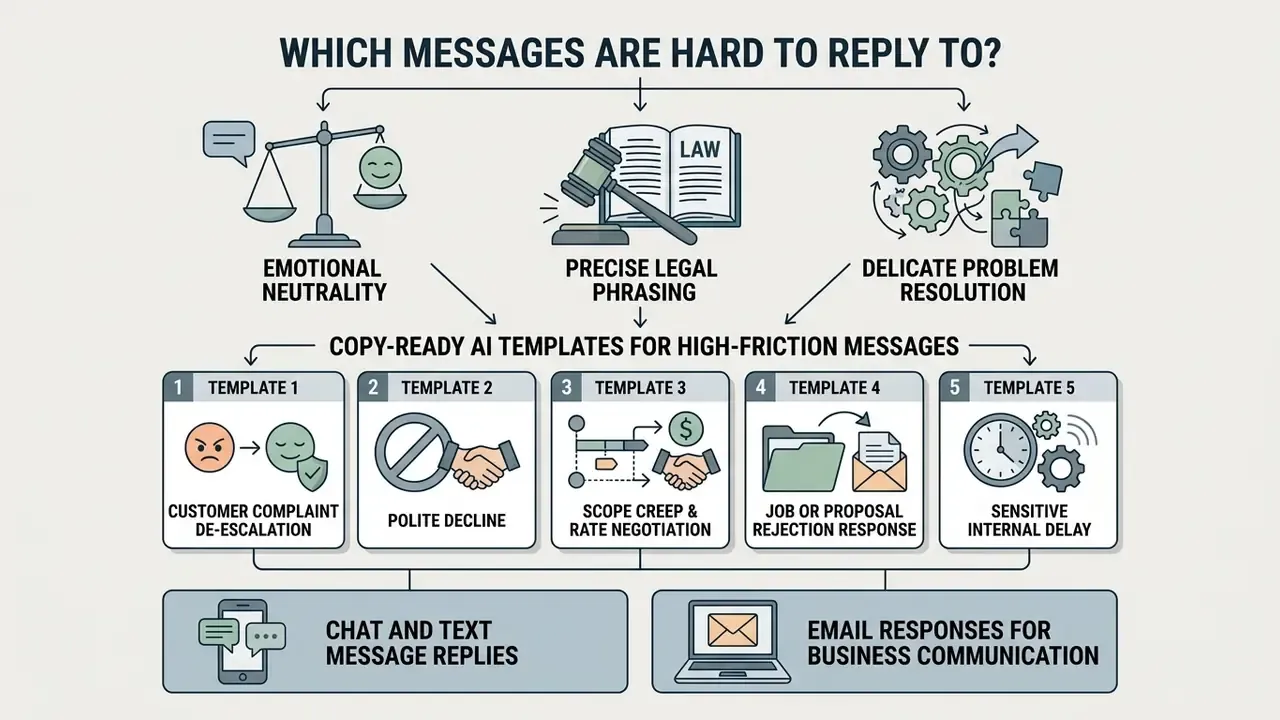
Communications that demand emotional neutrality, precise legal phrasing or delicate problem resolution are the hardest manual writing tasks in any operation. Workplace conflict, formal vendor inquiries, unhappy customer claims: these stall because the cognitive load is high and the downside of a clumsy sentence is real.
An ai message reply generator reduces that friction. It converts raw emotional input or an unstructured customer claim into an objective, professionally structured message response. Standardized phrasing removes drafting paralysis and keeps the text reply focused on facts, next steps and specific resolutions.
The hardest categories, consistently, are these:
- Rejections and declines. Job outcomes, vendor proposals, sales pitches, internal requests. Stay courteous, remove all ambiguity about the answer.
- Customer complaints and public reviews. A poorly worded reply here is read by everyone, not only the complainant. Official complaint-handling guidance, such as the NSW Ombudsman's complaint-management principles, requires acknowledgement, explanation of process, updates, and a stated outcome with review options.
- Requests you cannot fulfil. Deadline extensions, out-of-policy discounts, scope additions. Clarity plus an alternative path is the pattern that works.
- Sensitive or confidential topics. Personnel issues, delays with financial consequences, security incidents. Word choice carries legal weight.
Copy-Ready AI Templates for High-Friction Messages
Template 2: polite decline (thanks, clear no, reason boundary, alternative)
Template 3: scope creep and rate negotiation (restate agreement, price the delta, offer options)
Template 4: job or proposal rejection response (acknowledge, professionalism, keep the door open)
Template 5: sensitive internal delay (state the delay, cause at the right granularity, new commitment, mitigation)
Chat and Text Message Replies
Short chat threads and instant text messages demand fast turnarounds while holding conversational context. Juggling six live conversations, operators start firing off answers that read as brusque. A dedicated ai text back generator keeps thread context in short-form messaging, so even a two-line text reply stays polite, clear and on topic.
Etiquette conventions matter here as much as the model. Reply in-thread. Quote three or four lines of the original where context could be lost. One topic per message. Skip filler openers such as "Hi, how are you?" in operational chats. Cognitive-load evidence supports the assist:
«With the AI assistant, participants reached 54.7% N-back accuracy versus 46% without it, a statistically significant improvement (p = 0.0173).»
Email Responses for Business Communication
Business email demands formal structure, clear action items and an appropriate professional tone. Writing a formal email reply or clearing a support queue means balancing speed against policy compliance. An ai text response generator helps operators draft an email response for routine inquiries, meeting reschedules or vendor follow-ups, which cuts total inbox time.
«A QA-based approach to email reply generation showed significantly higher effectiveness than no AI (d = 1.38, p = 0.002) and than prompt-based use (d = 0.65, p = 0.046).»
Practically, that means structured intake beats free-form prompting. Ask the operator four questions (what is the request, what is the decision, what is the constraint, what is the deadline) and generate from the answers.
How to Use an AI Message Reply Generator
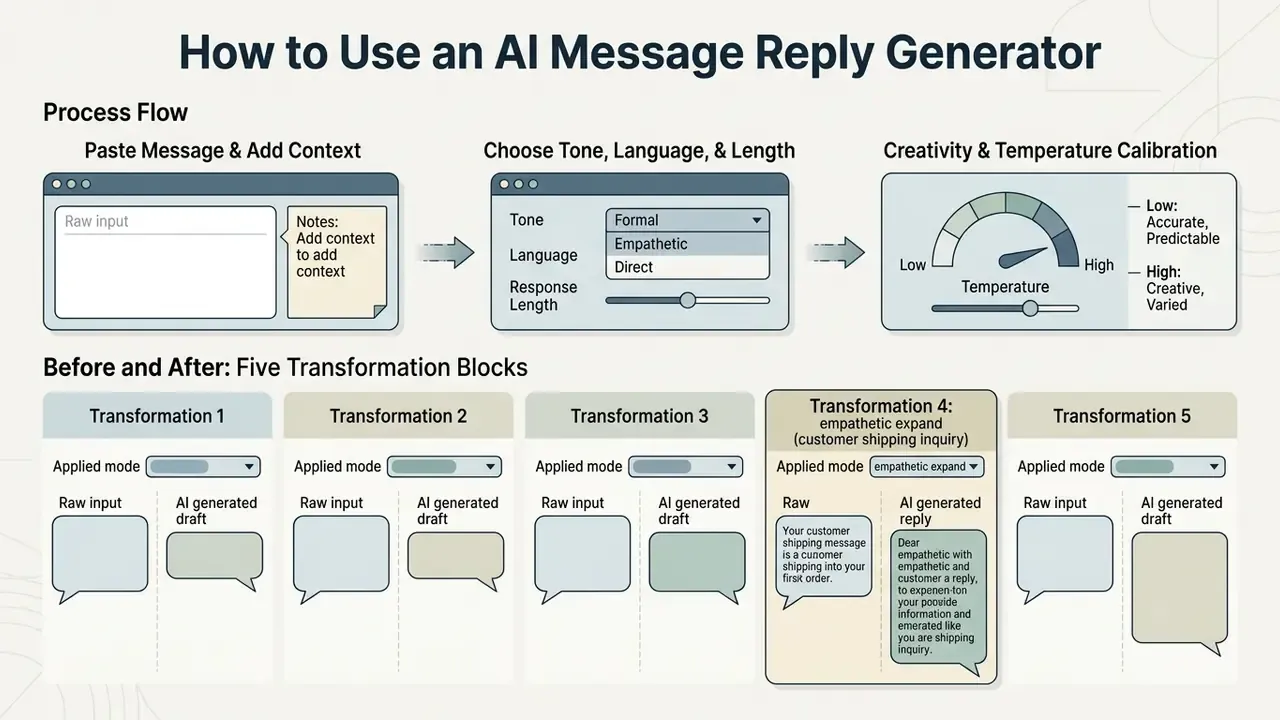
Using an ai chat reply generator well requires a workflow, not inspiration: input the original message, supply specific context, select tone parameters, review before dispatch. Follow the steps and every ai message response reflects your intended outcome rather than the model's guess about it.
Treat the tool as a drafting assistant, never as an autonomous sender. Explicit constraints reduce ambiguity and keep the ai text message response generator aligned with operational requirements.
A. Individual workflow, five steps
B. Enterprise pipeline: the same five steps, hardened
- Paste the received message.Insert the full text of the email, SMS or chat inquiry into the intake field.
- Supply relevant context.Add mandatory details: dates, missing policy terms, your intended resolution ("agree to meeting, propose Tuesday at 2 PM").
- Select tone, language and format.Choose the delivery style (professional, friendly, casual) and the output language.
- Generate responses.Run the
ai prompt response generatorto produce candidate drafts. - Review, edit and send.Fact-check names, dates and commitments before the message leaves your hands.
| Stage | System action | Evidence produced |
|---|---|---|
| 1. Ingest and sanitize | Message pulled from the queue; DLP masks NPI and PII into tokens | Sanitization report, masked-entity count |
| 2. Ground | RAG retrieves approved policy passages; CRM fields injected as structured context | Retrieved document IDs plus versions |
| 3. Draft | Model generates candidates under a pinned model version, fixed temperature and guardrail blocklists | Prompt hash, model and params, raw draft |
| 4. Human review (HITL) | Operator verifies facts, edits, approves or rejects; rejections routed to escalation | Edit diff, approver ID, timestamp |
| 5. Dispatch and log | Final text sent; full record written to immutable storage with retention policy | Final sent text, channel, retention tag |
Before and After: Five Transformation Blocks
The fastest way to calibrate expectations is to see input, modifier and output side by side.
Transformation 1: shorten (strip sales language from a support answer)
- Raw input "Our premium SmartClean 3000 vacuum is designed with cutting-edge suction technology to effortlessly remove dust, pet hair, and debris from carpets and hardwood floors. With its sleek design, lightweight build, and whisper-quiet motor…"
- Applied mode
Shorten + Concise - AI generated draft "The SmartClean 3000 has strong suction but stays lightweight and quiet. Long battery life, easy-empty dustbin, and it works on carpet and hardwood."
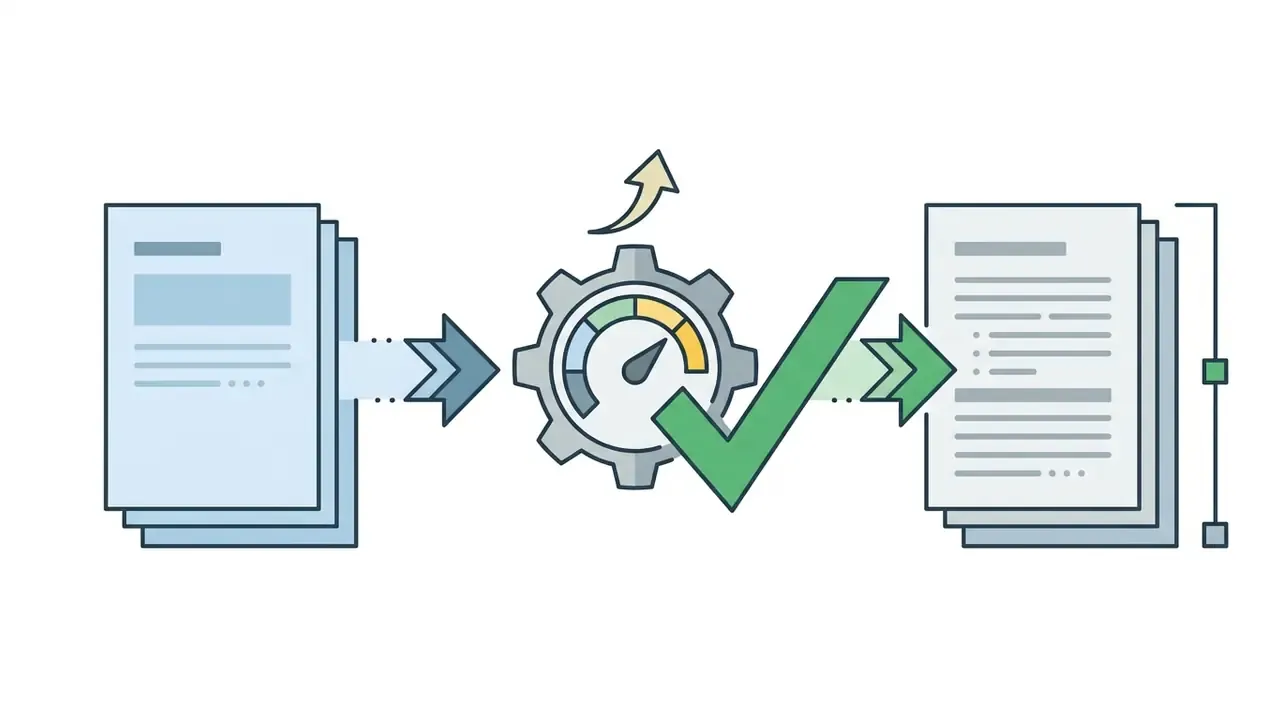
Transformation 2: expand (turn a terse reply into a complete one)
Expand + Professional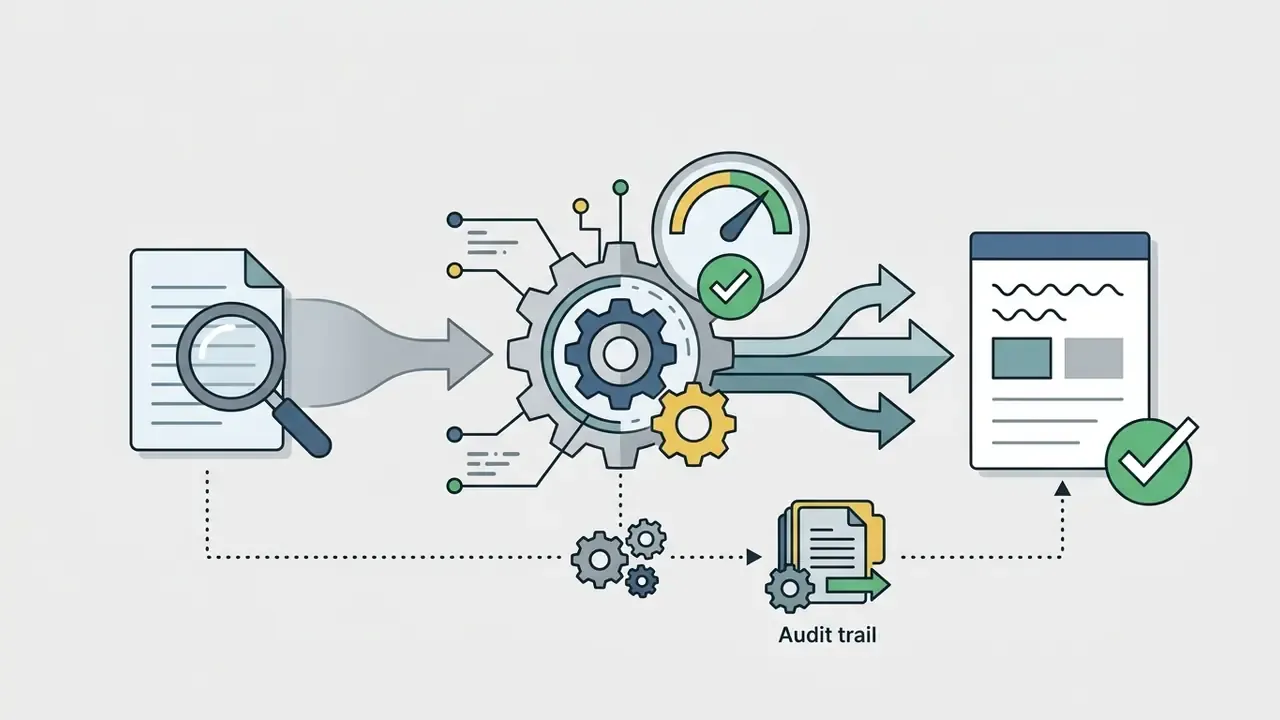
Transformation 3: formal (raise register for an external recipient)


Formal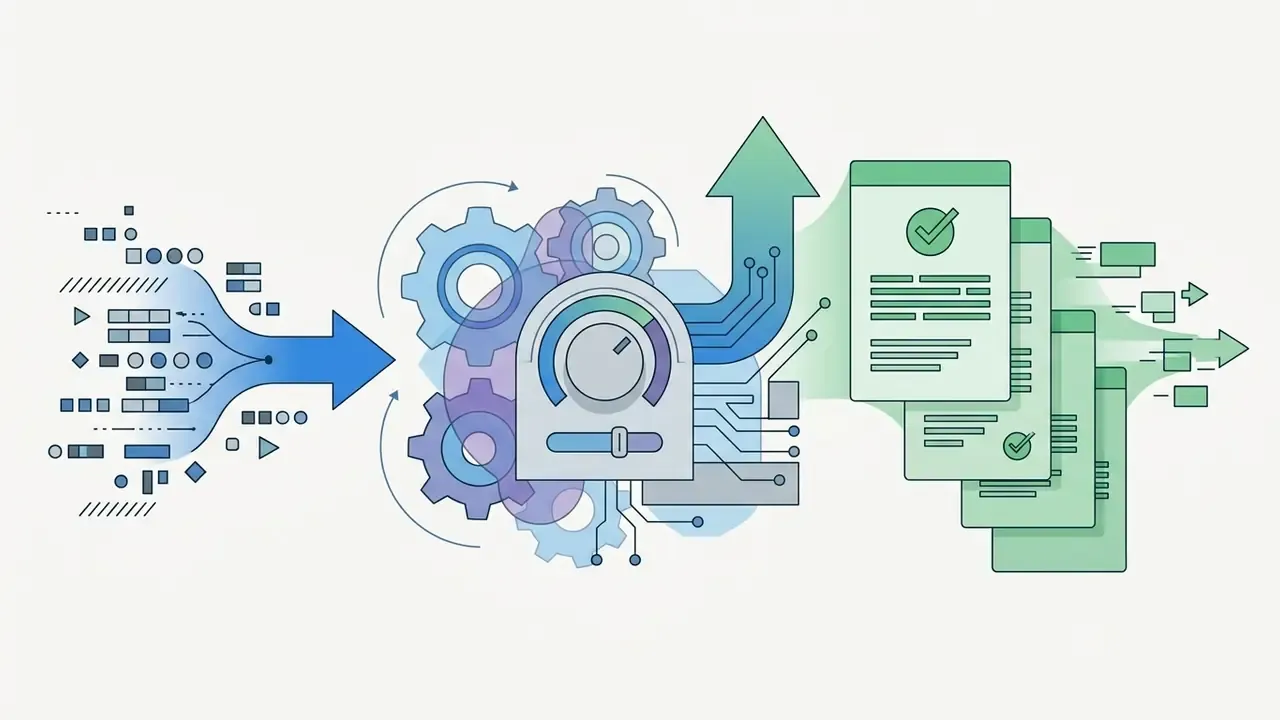
Transformation 4: empathetic expand (customer shipping inquiry)
- Raw input: "Where is my order? It's been 3 days."
- Applied mode:
Professional + Empathetic (Expand) - AI generated draft: "Hello [Name], thank you for reaching out. I understand that waiting on an order is frustrating. Your shipment is currently in transit with [Carrier] and is scheduled for delivery on [Date]. Here is your tracking link: [Link]. If it hasn't arrived by then, reply here and I'll open a carrier investigation immediately."
Transformation 5: casual (soften an over-formal internal note)

Casual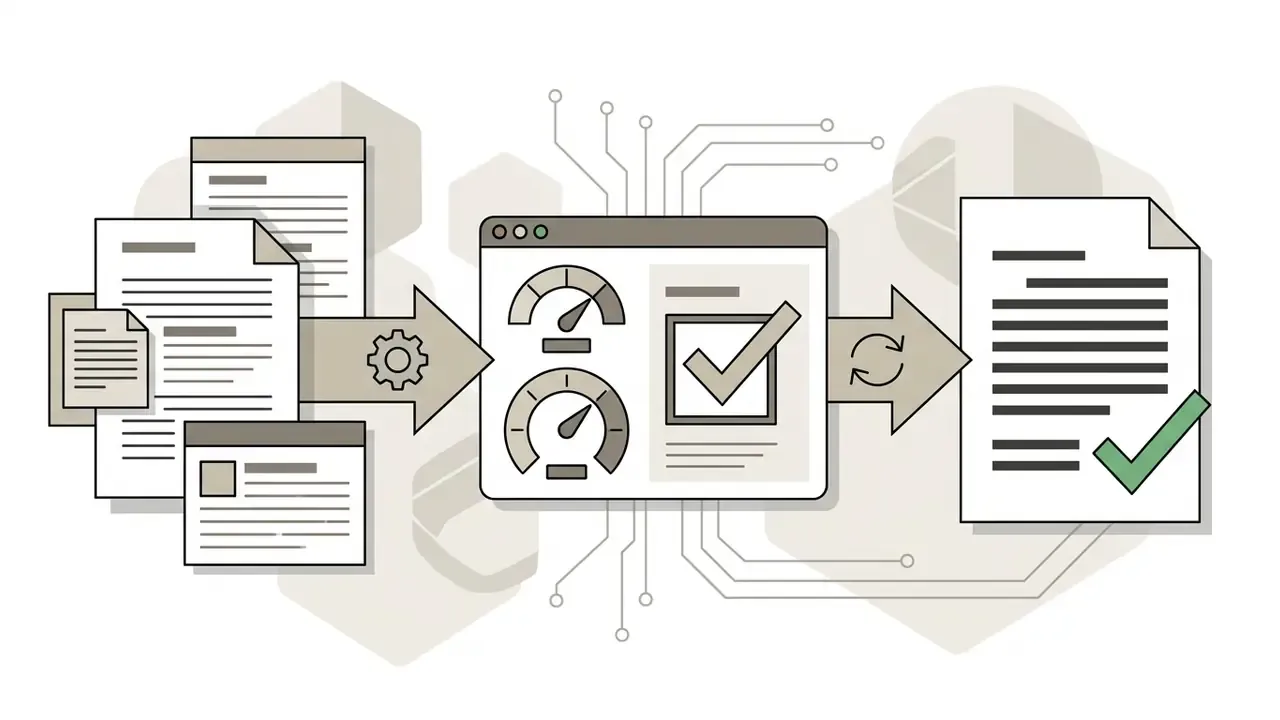
Paste the Message and Add Relevant Context
Draft accuracy tracks input quality almost linearly. To get a precise ai generator text response, include the primary message plus the key constraints: policy terms, names, resolution goals. Six context elements are worth supplying every single time. The task. The relevant background data. The constraints. The required output format. The audience or role. And one example of an answer you already consider acceptable.
«The structured QA approach to context capture outperformed the prompt-based method on reply effectiveness (F[2,22] = 14.8, p < 0.001, η² = 0.57).»
Keep knowledge sources narrow and current. Broad or stale source files are a documented cause of irrelevant, confusing output. The same "constrain the inputs, constrain the output" discipline we describe for pricing-aware tool selection applies here without modification.
Choose Tone, Language and Response Length
Tone and length prevent misunderstandings, or cause them. Adjusting controls inside an ai text response generator free tool lets you switch between a concise formal text response for corporate correspondence and a warmer, conversational style for peer chats. Length is not neutral either: in message-perception studies, longer replies scored more positively, while very short answers such as "OK" were read as dismissive or unwilling.
«Negative prompts produced negative replies in only 14% of cases; models exhibit a built-in "tonal floor" resistant to lowering the emotional register.»
Creativity and temperature calibration
Most consumer tools expose creativity as a 1 to 10 slider; APIs expose it as temperature (and top_p). Both control the same thing: how much probability mass the model may sample from beyond the most likely next token.
| Setting | Slider (1-10) | Temperature | Best for | Failure mode if misused |
|---|---|---|---|---|
| Deterministic / low | 1-3 | 0.1-0.3 | Legal and financial wording, regulated disclosures, FAQ answers, order status, policy quotes | Repetitive, templated phrasing that feels robotic in social channels |
| Balanced | 4-6 | 0.4-0.6 | Business correspondence, customer support, vendor follow-ups, internal messaging | Occasional paraphrase drift; still requires fact verification |
| High / inventive | 7-9 | 0.7-0.9 | Informal chats, marketing hooks, subject-line variants, brainstorming reply angles | Invented specifics, off-brand humour, unsupported claims |
| Maximum | 10 | 1.0 and above | Ideation only, never customer-facing dispatch | Hallucination risk unacceptable for commercial commitments |
Rule of thumb for regulated teams: pin temperature at 0.2 to 0.4 for any queue that can produce a commitment, and do not let the operator change it at runtime. A parameter change should be a configuration decision with an audit record, not a UI whim on a busy Friday.
Generate, Edit and Send the Reply
The final phase turns contextual inputs into a polished generated reply. Before sending, review the draft and confirm that facts, names and action items are accurate. Run two separate passes, not one. Content validation asks whether the facts, figures, citations and commitments match the system of record. Language editing handles grammar, structure, punctuation, tense and typography. Institutional AI guidelines converge on one point: generated text should never be dispatched verbatim without manual revision, and any cited source must be confirmed to exist and to support the claim.
How AI Adjusts Tone, Language and Style
Language models shift tone and style through several algorithmic mechanisms: style-transfer rewriting, speaker or persona conditioning, prompt stylometry, affect-detection instructions, and reinforcement-learning style selection. When an ai text response tool receives a style instruction, it reweights token-selection probability toward the target formality level and emotional register. Newer architectures add tone-representation extraction, sparse-attention retrieval of stylistic prototypes, and gated fusion so register stays stable across languages.
«Across more than 52 triplet prompts, neutral and positive requests almost never triggered negative replies, only in 10 to 16% of cases.»
These mechanisms let a single ai response generator to text produce widely different styles, from clipped corporate notices to casual personal notes, without losing the core message context.
Professional, Friendly and Casual Replies
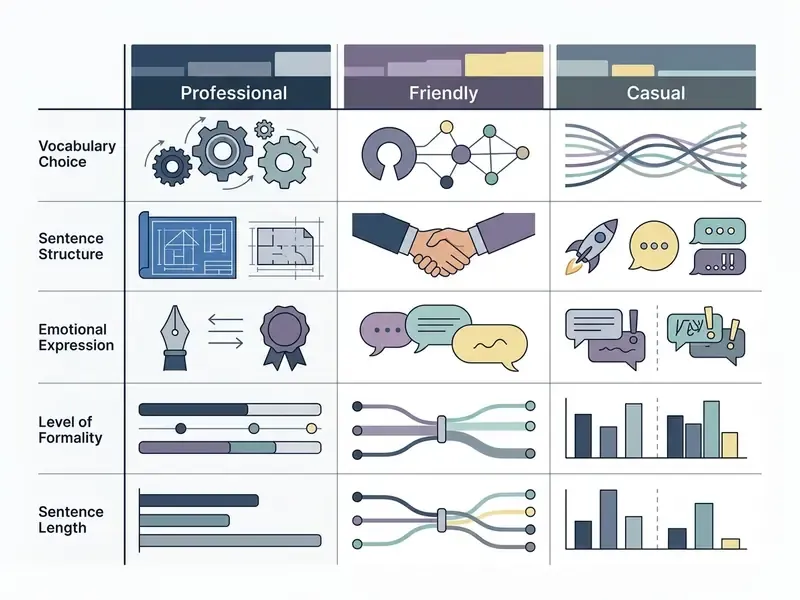
The choice between professional, friendly and casual depends on channel and relationship. A professional tone uses direct, structured language suited to formal business and technical support. A friendly tone keeps professional boundaries but adds approachable phrasing. A casual tone allows contractions, idioms, light humour and relaxed greetings, which is fine internally and risky externally.
Perceived warmth is measurable, and AI drafts can beat unaided human drafts on it:
«An AI answer to a medical query was rated by users as clearer and more empathetic than the clinician's answer across every measured dimension (p < 0.001).»
Brand Voice and Customer Communication
Consistent brand voice across service channels requires explicit style boundaries inside the system prompt. Separate two layers. Brand voice is stable and organization-wide. Situational tone varies by scenario: apology, upsell, denial, escalation. Encode both as machine-readable instructions plus a macro library, then audit outputs for generic or transactional phrasing that has drifted away from your own language.
«Integrating AI into CRM lets SMEs send more targeted communications, including automated standard letters and personalized content for segments.»
Key Points That Make an AI Response Relevant
A text response stays relevant when it addresses every core question in the source message, not just the easiest one. Clear instructions, target role definitions and strict constraints inside an ai prompt response generator cut generic filler and push the output toward actionable detail. A workable prompt skeleton mirrors vendor-documented structures: identity, response behaviour, expectations, standard procedures, restrictions, escalation boundaries.
«A RAG agent handled queries about service availability, pricing, and operations 8 to 31 times faster than human operators while preserving contextual accuracy.»
Common Use Cases for AI Text Response Generators
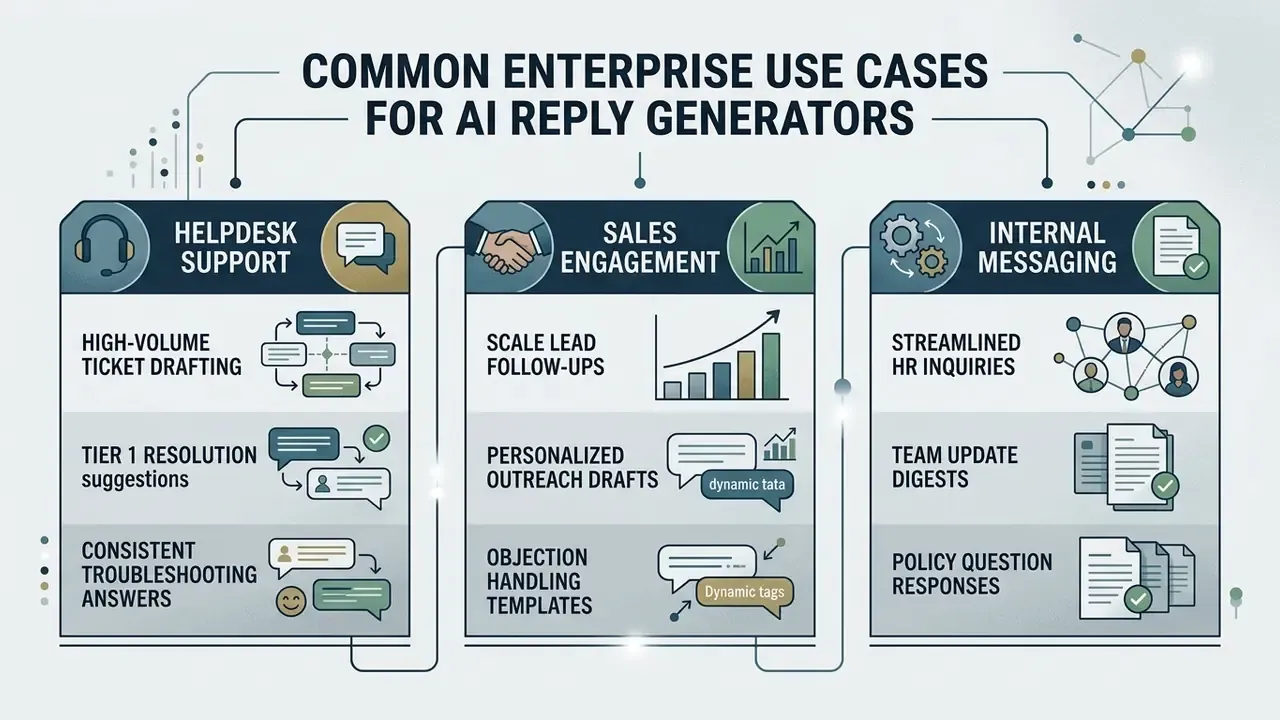
AI answer generators streamline routine communications across business operations, customer helpdesks and daily personal tasks. Converting unstructured inputs into clear drafts helps teams hold response times when volume spikes.
Customer Support and Service Messages
Support teams carry high ticket volume on routine questions: order status, account details, billing. An ai text message response generator lets them draft accurate answers faster. In a field study of 5,179 support agents, generative AI assistants improved issue resolution rates by 14% while lifting customer sentiment (Brynjolfsson, Li, and Raymond, NBER Working Paper, 2023/2025). Gains concentrated among novice and lower-skilled agents, with weaker effects for experienced staff. The study also reported lower employee turnover.
«An AI assistant in Alibaba's chat support increased both speed and service quality, with the largest gains accruing to lower-performing agents.»
Illustrative example, composite and hypothetical: a 50-person helpdesk added context-aware drafting to its routing queues. Instructions were constrained to verified support docs, and human validation was mandatory before dispatch. Average response time fell 35% while compliance audit scores stayed above 98%. The interesting detail was not the speed. It was that rejection rates rose in week one, then settled, which is roughly what you want to see from a review gate that people actually use.
Follow-Ups, Requests and Professional Emails
Routine business email, commercial requests and follow-up notes eat administrative hours quietly. An email response generator builds structured drafts with a clear action request, which lowers daily email management time. Follow-ups perform best when short, personalized, and carrying exactly one call to action. The sender still owns relevance and tone. Always.
A financial operations group, again an illustrative case, was stuck on routine vendor inquiry email. Structured input fields for message content and required actions let analysts produce first drafts in under ten seconds. The streamlined review workflow cut weekly email drafting time by 2.8 hours per employee.
Risk-Adjusted ROI: Sizing the Business Case Honestly
Raw time savings overstate value, because they ignore the cost of control. Use a net formula instead. Our AI Media Calculators apply the same logic to other generative workloads.
Net Annual Benefit =
  [ (T_manual − T_review − T_edit) × Volume × Loaded_Hourly_Cost ]
  − Licence_and_Infra_Cost
  − Control_Ops_Cost (QA sampling, validation, monitoring, model documentation)
  − Expected_Residual_Risk_Cost
Expected_Residual_Risk_Cost =
  P(error escapes human review) × Volume × Avg_Remediation_Cost
  (remediation = rework + goodwill credit + complaint handling + regulatory exposure)
Worked illustration, directional only, plug in your own figures. 40,000 replies per year. Manual draft 6.0 minutes. AI draft plus review plus edit 3.4 minutes. Net saving 2.6 minutes, so 1,733 hours. At a loaded cost of $55 per hour that is roughly $95,300 gross. Subtract $18,000 licence and infrastructure, $26,000 control operations (2% QA sample, quarterly validation, monitoring), and residual risk of 0.3% escape times 40,000 times $40, which is $4,800. Net lands near $46,500.
The ratio that matters to a CFO is not the gross saving. It is the share consumed by control, here roughly half. If the control share exceeds the gross saving, that queue is not an automation candidate yet. Uncomfortable, but cheaper to learn on a spreadsheet than in an examination.
Personal Chats and Short Text Messages
In personal chats and SMS, users want quick, natural text replies that keep an informal tone. A free ai message reply generator typically covers this well: paste the incoming message, pick a relaxed tone, generate a balanced answer for everyday interaction.
«Smart Reply powered roughly 10% of mobile Inbox email replies; the system deliberately restricted suggestions to messages where a brief answer is appropriate.»
That restriction is the design lesson, and it still holds. Suggestion quality collapses when a short-reply engine is pointed at messages requiring negotiation, apology or a decision. Keep short-form generation for confirmations, acknowledgements, scheduling and thanks. Route anything carrying a commitment into the reviewed pipeline above.
For adjacent tooling and cost benchmarking across generative categories, see our AI Media Comparison hub, the comparison of AI tool pricing and licensing terms, and the AI Media Pricing Guides. Teams evaluating workflow integration can review our workflow implementation guide for where review gates sit in production content pipelines, and the lighter ai gif generator entry for how output constraints work in visual formats.
Free AI Message Reply Generator vs. Generic Text Tools and Managed Enterprise APIs
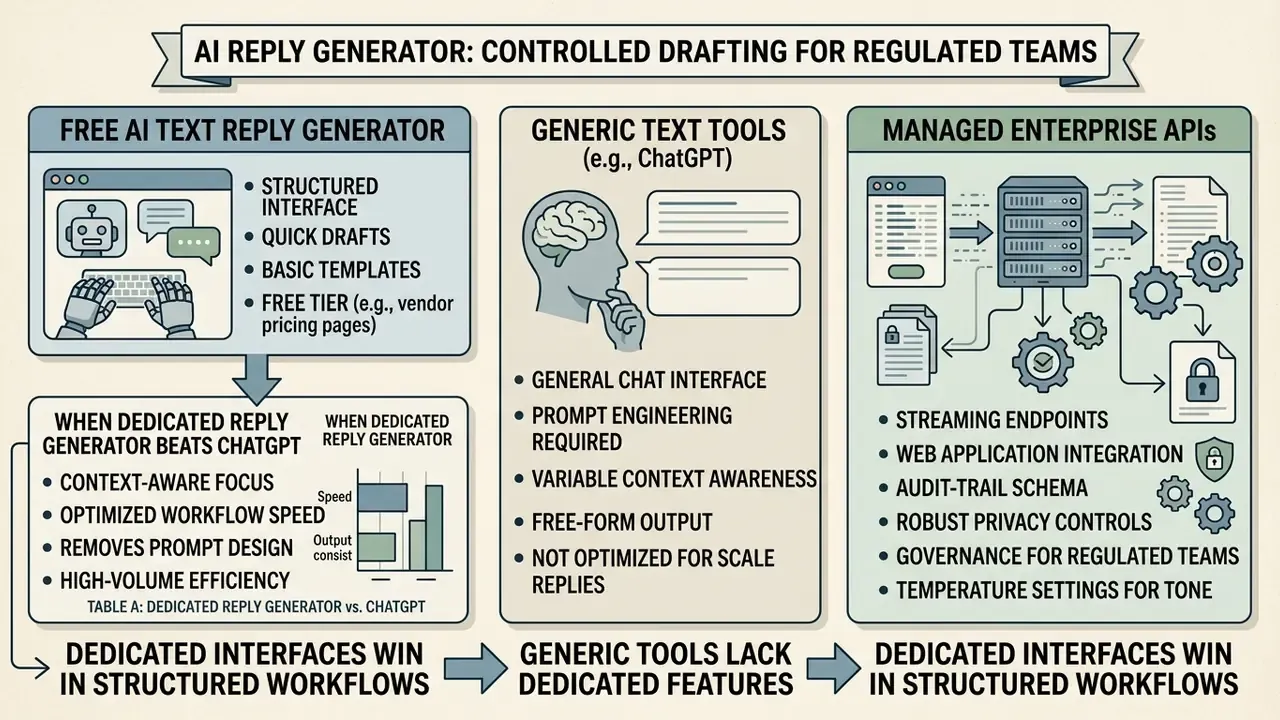
Dedicated reply generators differ from generic chat tools in interface design, contextual focus and workflow speed. Standard chat tools require a custom prompt for every message. A dedicated ai message reply generator free utility offers structured inputs built specifically for incoming text. Note the evidence limitation: vendor documentation and product pages are the primary source for these interface claims, and independent benchmarking of free-tier feature sets is thin.
Table A: dedicated reply generator vs. generic chat tool (individual user view)
| Feature / dimension | Dedicated AI reply generator | Generic chat tools (for example ChatGPT) |
|---|---|---|
| Primary input workflow | Structured fields for incoming text, tone presets and context notes | Blank open-ended prompt window |
| Context handling | Automatically formats input text as conversational context | Requires manual prompt framing and formatting |
| Generation speed | Fast output tailored for quick copy-and-paste dispatch | Requires multi-turn prompting and manual editing |
| Tone configuration | One-click style options (professional, friendly, casual) | System instructions must be typed manually |
| Creativity control | Slider or preset mapped to a fixed temperature range | Manual instruction only; parameters exposed via API, not chat UI |
| Multilingual output | Language selector with tone preserved per locale | Possible, but formality register must be described in the prompt |
| API and integration | Often available on paid tiers for helpdesk and CRM hooks | Full API available, but reply logic must be built by you |
| Platform integration | Fits into support queues, email clients and SMS interfaces | Operates in a separate tab or standalone app |
Table B: managed enterprise deployment vs. unsanctioned public web tools (shadow AI)
For regulated organizations the real comparison is not "free versus paid." It is a governed pipeline against employees pasting customer data into whatever tab happens to be open.
| Dimension | Managed enterprise API or GRC-integrated platform | Unsanctioned public web generator (shadow AI) |
|---|---|---|
| Data handling terms | Contractual non-training clause, zero or short data retention, defined sub-processors | Consumer terms of service; retention and training use often permitted by default |
| PII and NPI protection | DLP masking before transmission; tokenization; field-level blocking | None; raw customer text leaves the perimeter |
| Access control | SSO, RBAC, per-queue permissions, session logging | Personal accounts, no organizational visibility |
| Auditability | Immutable log of prompt, context, draft, edits, approver, final text | No record exists; incident reconstruction impossible |
| Model stability | Pinned model version and fixed parameters; change managed | Silent model and prompt changes upstream |
| Regulatory evidence | Model inventory entry, validation documentation, monitoring reports (SR 11-7 style), SOC 2 Type II vendor attestation | None; typically surfaces as an examination or internal audit finding |
| Guardrails | Blocklists on pricing, refunds, legal admissions; escalation routing | Nothing prevents a binding statement from being drafted and sent |
| Cost profile | Licence plus integration plus control operations | "Free" at the tool level; cost appears later as remediation and breach exposure |
| Primary risk | Over-reliance if human review degrades into rubber-stamping | Data leakage, undisclosed automation, unverifiable customer commitments |
Mitigation for shadow AI: publish an approved-tool list, block known consumer endpoints at the proxy for roles handling customer data, and provide a sanctioned alternative that is genuinely faster than the unsanctioned one. Then measure adoption. Prohibition without a usable substitute fails reliably, and the failure is invisible until someone audits browser logs.
What a Free AI Text Reply Generator Usually Includes
Based on vendor pricing pages rather than independent testing, free tiers of an ai text reply generator free tool commonly advertise basic tone presets, multi-language output and per-request character limits. Quotas usually appear as monthly character caps, daily message allowances, or rolling multi-hour windows. Paid tiers unlock higher rate limits, team seats and CRM or helpdesk integrations. Free consumer assistants also apply separate, narrower limits to file uploads, image generation, voice and data analysis than to plain text chat. Treat all such figures as vendor-stated and version-dependent, and verify current caps on the provider's own pricing page before planning a workflow around them. Our pricing-confidence methodology for free tools explains how to test advertised limits first.
When a Dedicated Reply Generator Beats ChatGPT
Dedicated interfaces win in structured, high-volume workflows because they remove prompt design from every single email. Comparative interface research supports this on the "happy path": structured graphical flows scored higher on attractiveness and satisfaction than chat interaction. Chat kept its advantage when the user needed to change plans mid-conversation or express intent in open text. So it is a workload question, not a loyalty question.
«The QA approach significantly outperformed prompt-based LLM use on email reply effectiveness (t(11), p = 0.046, d = 0.65) while preserving quality.»
Modern dedicated tools also connect to web applications through streaming endpoints, which shortens time-to-draft versus manual chat sessions. One architectural shift developers should account for: configuration now lives in versioned prompts, conversation state in conversation objects, and tool execution in the Responses API, replacing the older assistants, threads and runs model.
Quality, Data and Commercial Use of AI-Generated Replies
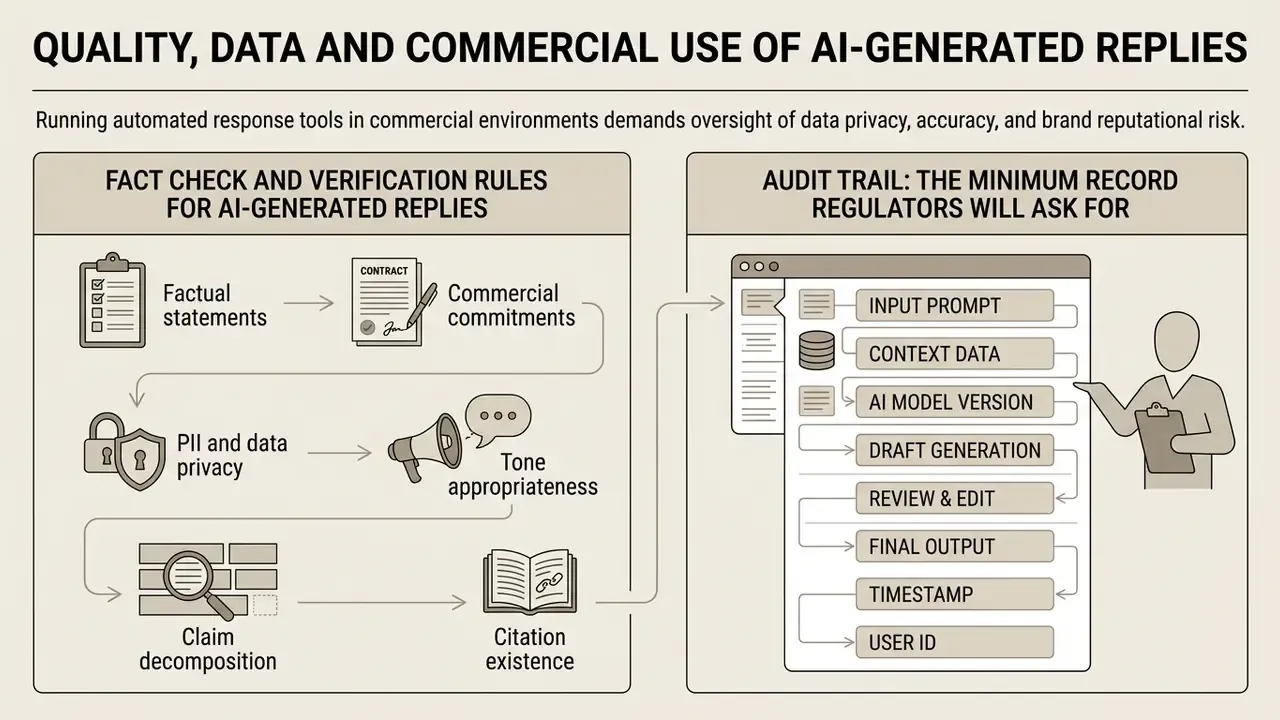
Running automated response tools in commercial environments demands oversight of data privacy, accuracy and brand reputational risk. Business communications must meet information protection standards and relevant regulatory frameworks (NIST AI Risk Management Framework: Generative AI Profile, 2024).
FACT CHECK AND VERIFICATION RULES FOR AI-GENERATED REPLIES
Audit Trail: The Minimum Record Regulators Will Ask For
If you cannot reproduce how a message was produced, you cannot defend it. Persist the following per generated reply:
| Field | Example or note |
|---|---|
| Event ID and timestamps | Generation time, approval time, dispatch time (UTC) |
| Channel and conversation ID | Email, SMS or chat; thread reference |
| Operator and approver identity | SSO ID and role; second approver where required |
| Model and parameters | Model name plus pinned version, temperature, top_p, max tokens |
| Sanitized prompt or prompt hash | Masked input retained; hash proves integrity without storing raw NPI |
| Retrieved context | Document IDs and versions used for grounding |
| Raw draft | Unedited model output |
| Human edit diff | Character-level or sentence-level delta between draft and final |
| Final sent text | Exactly what the recipient received |
| Guardrail events | Blocked terms, refusals, escalations triggered |
| Retention and disposal tag | Policy class and scheduled deletion date |
Two derived metrics belong on the governance dashboard. Edit rate, the share of drafts materially modified before sending. Escape rate, errors detected after dispatch. A falling edit rate alongside a rising escape rate is the signature of review fatigue, the moment human-in-the-loop quietly becomes a rubber stamp.
Why Every Generated Reply Needs Human Review
Three practical design consequences follow. Reviewers must check critical facts, conclusions, citations and recommendations before release. The interface must make rejection as cheap as approval, ideally one click with a reason code. And escalation to a named human owner must exist on every automated channel, a point CFPB guidance stresses for consumer-facing automation.
Data, Privacy and Sensitive Messages
«Generative AI systems are now advanced enough that users may be unable to distinguish AI content from human content, creating risks of deception and over-reliance.»
Concrete controls to specify in the vendor contract and the technical design:
- Zero or short data retention plus an explicit non-training clause covering prompts, completions and logs.
- Encryption in transit and at rest, with customer-managed keys where the data classification requires it.
- DLP pre-processing that masks account numbers, national identifiers, card data and health information before the request leaves the network boundary.
- GLBA Safeguards Rule alignment for U.S. financial institutions: risk assessment, vendor oversight, access controls and incident response covering the AI pipeline.
- SOC 2 Type II attestation or equivalent, plus a documented sub-processor list and data residency statement.
- DPIA and privacy notice where personal data is processed, and no commercial use of personal data without a lawful basis.
- Transparency to the recipient where required, so users know when they are interacting with an AI system.
For related commercial-rights questions on generated assets and output ownership, see the AI Media Commercial-Use Hub, the commercial-use and licensing guide, and the AI reverse-image-search and provenance guide, which document how output rights and attribution differ across providers.
Troubleshooting Common AI Response Issues
Most complaints about "bad AI replies" trace back to four fixable causes. Not model quality. Input discipline.
| Symptom | Root cause | Fix |
|---|---|---|
| Output sounds overly formal or robotic | Models default to a safe corporate register; boilerplate openers inflate length | Select casual or concise; delete opener clichés such as "I hope this email finds you well"; cap length explicitly ("max 60 words, no sign-off"); read the draft aloud before sending |
| The reply ignores a core constraint | Constraints buried in prose or placed before the context block | Use tagged constraints at the end of the prompt: [Constraint: do not promise refunds; do not state a delivery date; escalate if the customer mentions legal action]; add a post-generation regex filter for currency figures and dates |
| Tone mismatch, "professional" reads as "corporate" | Ambiguous style label; creativity set too high | Lower temperature to about 0.3 and name the role: Act as an empathetic senior support lead; warm, direct, no jargon; provide one approved example reply as a style anchor |
| Answer is generic or off-topic | Broad, outdated or multi-topic knowledge sources; missing thread history | Narrow retrieval to one topic per source; remove stale documents; paste the full thread, not only the last message; require the model to cite the passage it used |
| Facts drift between regenerations | High temperature plus ungrounded generation | Pin temperature at 0.2 to 0.4; inject figures from the system of record as structured fields; forbid any number not present in the context |
| Reviewers approve everything unchanged | Review fatigue; approval is cheaper than rejection | Track edit rate and escape rate; introduce blind QA sampling; make "reject and escalate" a one-click action with a reason code |
Reminder: the AI drafts the bridge. You still have to walk across it. Read the reply once as the recipient before dispatch.
FAQ About AI Text Reply Generators
Do I Need to Install Anything to Use an AI Reply Generator?
No installation is needed for standard browser-based response generators. Most ai response generator utilities run directly in desktop and mobile browsers. A separate case is browser-native AI, where the model executes locally instead of in the cloud. Per Chrome's built-in AI documentation, those APIs are desktop-only (Windows 10 or 11, macOS 13 and above, Linux, or Chromebook Plus) and carry hardware minimums around 22 GB free disk space, 16 GB RAM, 4 CPU cores and more than 4 GB VRAM. Those requirements are vendor-published and change between releases, so verify current specifications before relying on local execution.
How Does an AI Reply Generator Handle Multilingual Replies and Cross-Translation?
Two things must survive translation: meaning and register. Languages encode formality differently. T/V distinctions (tu/vous, du/Sie), Japanese keigo and honorific verb forms have no direct English equivalent, so a literal translation can be grammatically perfect and socially wrong. Four practical rules. First, state the target language and the target formality level separately ("Reply in German, Sie-form, business-formal"). Second, keep proper nouns, product names and figures as protected tokens so they are not translated. Third, generate in the target language rather than translating an English draft, which preserves idiom better. Fourth, have a native-level reviewer approve the first fifty replies per locale, then build a locale-specific macro library from them. Recent tone-adaptive dialogue architectures address exactly this through tone-representation extraction and online calibration.
Does Using an AI Response Tool Train Public Models on My Inbox Data?
It depends entirely on the tier. Consumer web tools typically operate under terms that permit retention and, in some cases, use of content for service improvement unless you opt out. Enterprise API and business tiers usually offer contractual non-training commitments and zero or short data retention, with logging under your control. The decision rule for any regulated team: if the contract does not state non-training and retention terms in writing, assume the data is retained, and treat pasting customer messages there as a data-transfer event requiring approval. Remember also that AI outputs containing personal data fall under privacy obligations just as inputs do.
What Creativity Setting Should I Use for Business Correspondence?
Keep it low to mid. Temperature 0.2 to 0.4, slider 2 to 4, for anything that can create an obligation: support answers, billing, scheduling, policy explanations. Move to 0.5 or 0.6 for relationship-building email where phrasing variety helps. Go above 0.7 only for internal brainstorming or marketing variants that will not be sent as written.
Are AI-Generated Replies Editable, and Should They Ever Be Sent Verbatim?
They are fully editable, and institutional AI guidelines agree that generated text should not be dispatched verbatim without manual revision. Treat every output as a first draft. Validate facts against the system of record, then edit language. In regulated queues, record the edit diff as part of the audit trail.
Can an AI Reply Generator Replace Support Agents?
No. The documented gains are augmentation gains. In the NBER field study, the assistant raised issues resolved per hour by 14% on average, with the largest effect for novice agents and weaker effects for experienced ones. Customer sentiment improved and turnover fell. The realistic operating model is a smaller number of reviewers handling a larger volume of drafted replies, with exceptions and high-emotion cases routed straight to humans.
What Message Types Should Never Be Automated?
Any message where an error is expensive or irreversible. Legal notices and admissions. Refund or settlement amounts outside a pre-approved matrix. Adverse-action and credit decisions. KYC and AML alert dispositions. Security-incident notifications. Disciplinary or HR outcomes. Anything involving a threat of litigation. Put these on an explicit exclusion list enforced by intent classification plus keyword routing, not left to operator judgement at 4:55 p.m. on a Friday.
How Do We Document a Reply Generator for Model Risk Management?
Start with an inventory entry: owner, intended use, channels covered, model and version, parameters, data sources, and known limitations. Add a validation record covering sample testing against gold-standard answers, refusal behaviour, guardrail effectiveness, and tone review. Then define ongoing monitoring: edit rate, escape rate, guardrail trigger counts, and periodic re-validation after any model or prompt change. Uncertainty is fine in this documentation, as long as it is written down. Supervisors react far better to a stated limitation than to a discovered one.
Footer and Hub Navigation
For additional terminology, technical definitions and generative media breakdowns, visit our comprehensive AI Media Glossary. For implementation questions, integration support or governance review, contact AI Media Support. For output-rights questions see the commercial-use decision hub, and for case tracking see the AI Litigation and compliance hub.