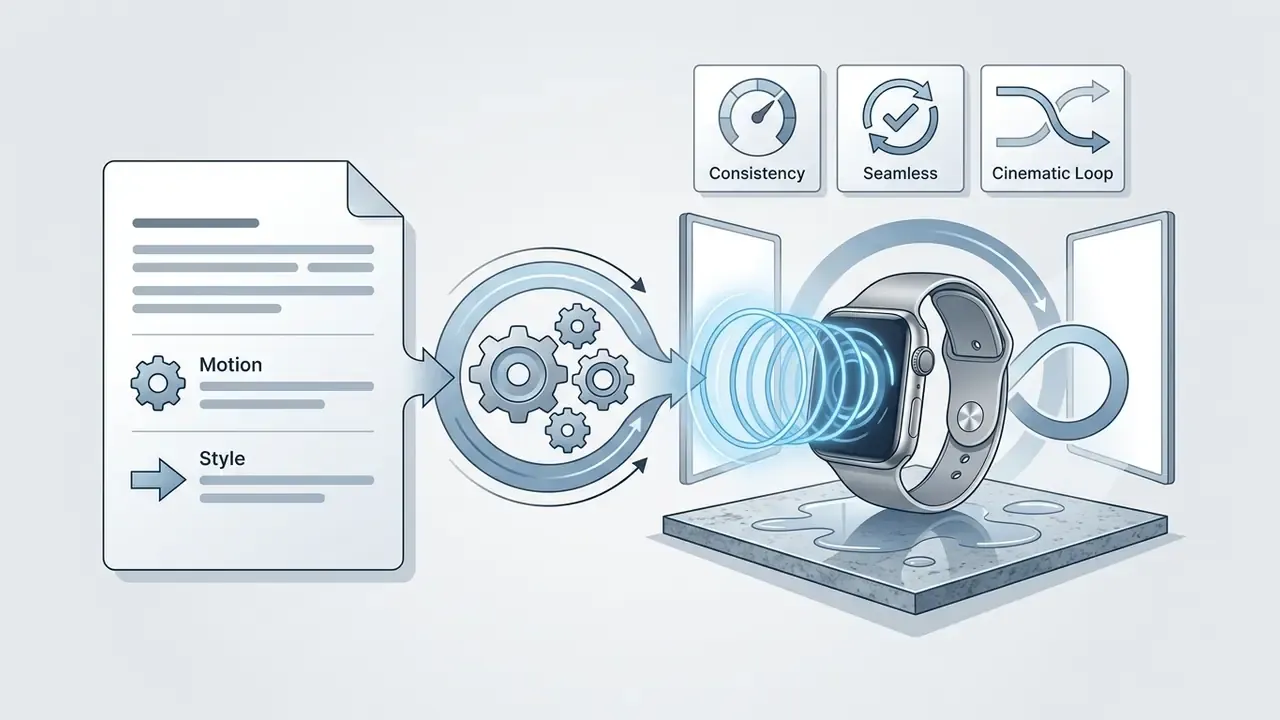
An ai gif generator turns natural language prompts, static photos, or existing video clips into short looping animations. Modern systems use latent video diffusion transformers to predict frame transitions, handle motion timing, and export lightweight visual media without manual animation skills. That is the consumer story. For a bank, a payments processor, or any team operating under a model risk framework, the interesting part sits one layer down: who approved the tool, where the uploads go, and whether you can reproduce a published asset six months later.
Author note: Marcus Hale writes about AI governance and model risk for this publication.
Executive Summary: What Matters Before You Approve a GIF Tool
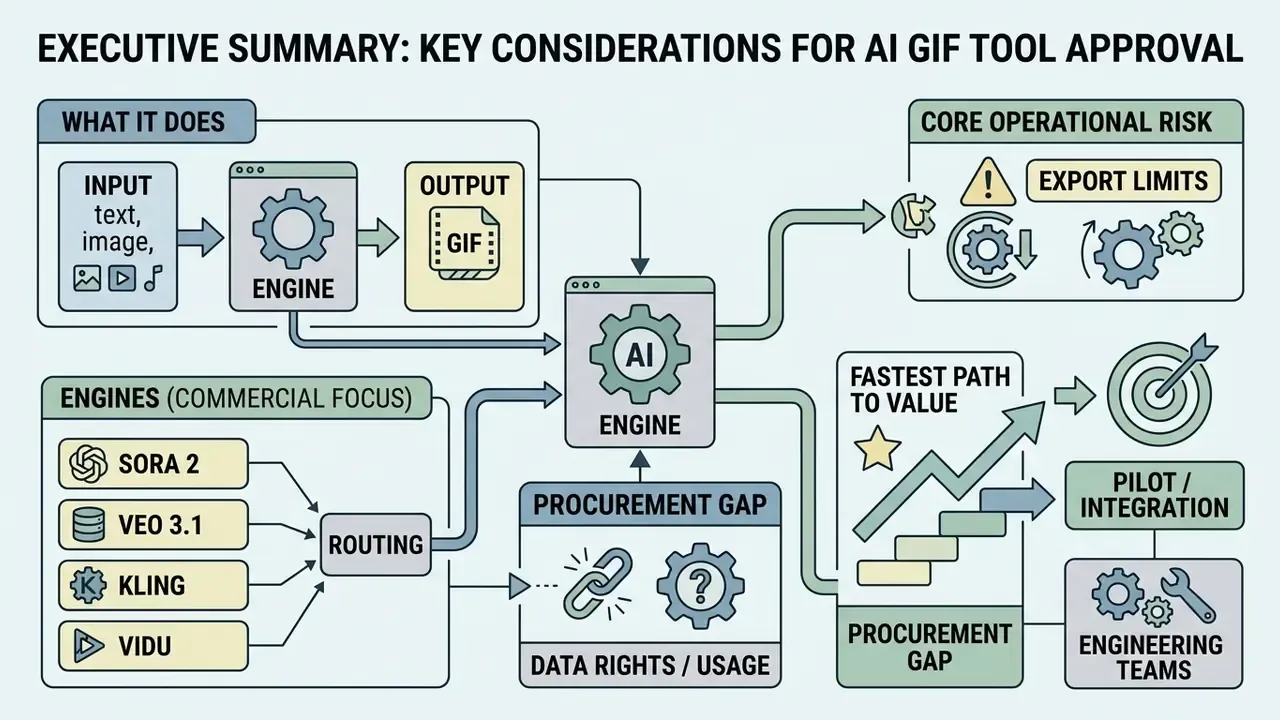
For decision-makers evaluating AI GIF tooling at scale, here is the compressed version.
- What the technology does. Text-to-GIF, image-to-GIF, and video-to-GIF pipelines all run on latent video diffusion models. Vendor documentation from 2026 confirms the standard architecture: a short video render, then palette quantization, then GIF export through an ffmpeg-class encoder.
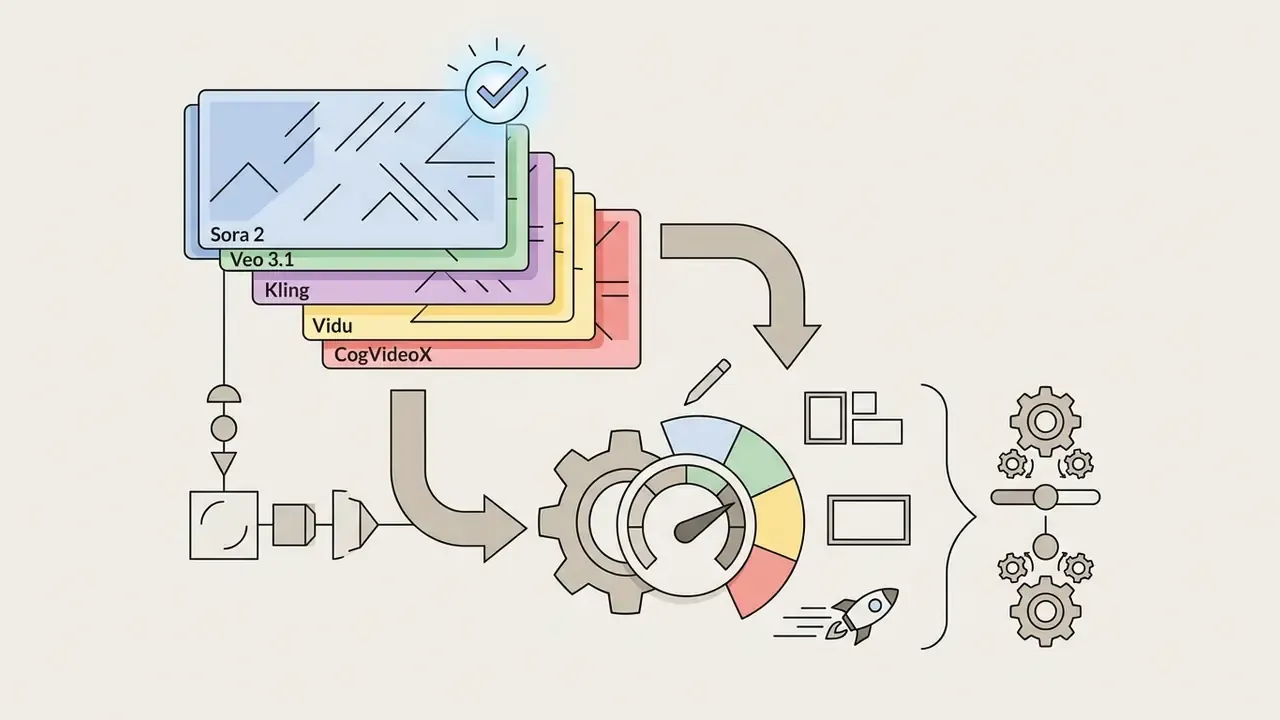
- Which engines matter commercially. Multi-model routing lets a single interface dispatch jobs to Sora 2, Google Veo 3.1, Kling, Vidu, CogVideoX, or Hailuo/Luma, depending on required realism, latency, and cost per render.
- The core operational risk. Fully autonomous AI output generated from prompts alone may not qualify for copyright protection in either the US or the EU. Platform terms grant you commercial usage rights. They cannot grant you authorship.
- The main procurement gap. Consumer-grade GIF tools rarely publish SSO/SAML support, SIEM integration, zero-data-retention guarantees, or legal indemnification. Verify all four before allowing employee use.
- The fastest path to value. A four-part prompt formula (Subject + Action + Environment + Aesthetic and Loop), a 24-hour data purge policy, and a documented provenance log (prompt, seed, model version, C2PA metadata) cover roughly 90% of production and audit needs.
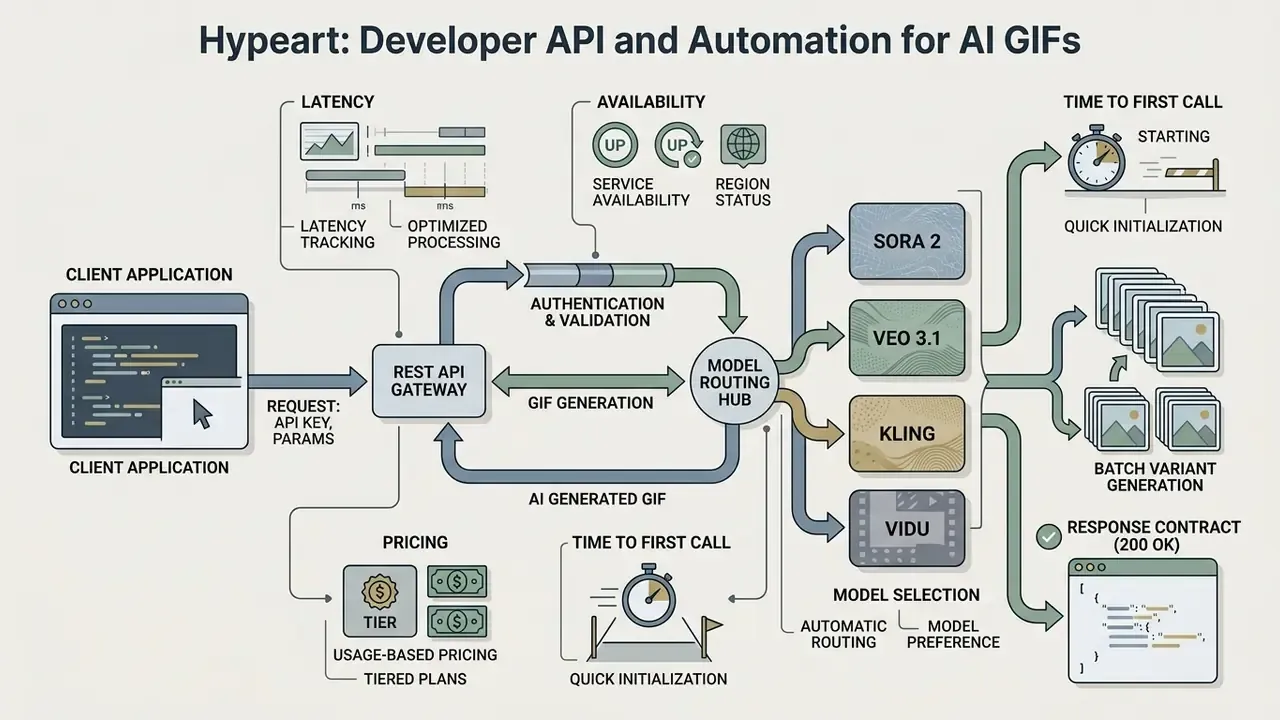
- For engineering teams. A REST API with a documented cURL contract, sub-5-second median latency, and per-GIF unit pricing removes GIF production from the design bottleneck entirely.
One caveat before the detail: several throughput figures below come from single client engagements, not controlled benchmarks. They are flagged where they appear.
What Is an AI GIF Generator and What Can It Create?
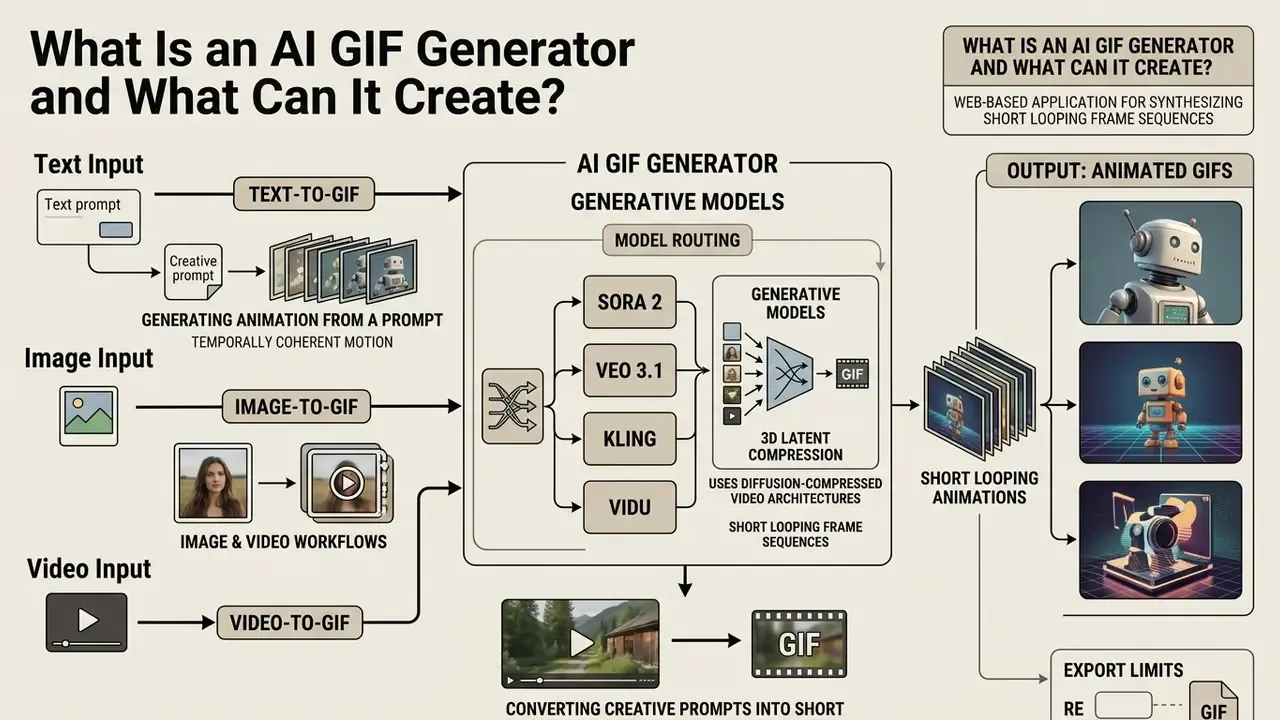
An ai gif generator is a web-based application that uses generative models to synthesize short looping frame sequences from text, image, or video inputs. Unlike a traditional converter that simply compresses an existing video file, an ai animated gif generator creates new motion by predicting frame-by-frame spatial change, surface lighting, and subject movement.
Modern tools function as an ai gif creator or ai animated gif maker, converting creative prompts into short looping media. These platforms produce animated gifs for digital marketing, software demonstrations, internal enablement material, social reactions, and artistic work. By replacing manual keyframing with text-conditioned motion synthesis, small teams can ship high-quality looping animations in seconds rather than an afternoon.
Current vendor documentation confirms the three-input convergence. Magic Hour's 2026 developer docs describe an endpoint that accepts a text prompt or an image upload and returns a looping GIF file. WaveSpeed AI documents image-to-GIF ingestion for JPG, PNG, and WebP alongside prompt-only text-to-GIF, exposing frame rate, loop count, and resolution as user-configurable parameters. Free.ai documents the two-stage architecture explicitly: render a short video with CogVideoX or a premium Hailuo/Luma model, then transcode to GIF with ffmpeg.
So "ai gif creation" is rarely a single model. It is a pipeline. That distinction matters when you write the control description.
Text-to-GIF: Generating Animation from a Prompt
Text-to-GIF generation produces a multi-frame animation directly from a written prompt, with no source media at all. The video diffusion transformer converts the prompt into dense embeddings, and those embeddings guide a latent denoising process that synthesizes sequential frames.
Research on diffusion-compressed video architectures sets the concrete performance envelope for this class of model.
"CogVideoX generates 10-second videos with 160 frames at 16 fps and 768x1360 resolution, using a 3D VAE to compress spatial and temporal dimensions."
Image-to-GIF and Video-to-GIF Workflows
Image-to-GIF workflows take a static upload, such as a product photo, a portrait, or an illustration, and synthesize natural movement around the existing subject. Video-to-GIF workflows ingest real clips, let you trim the key moment, and apply motion smoothing or style transfer before export.
Research on motion-guided frame synthesis documents the mechanism directly.
"An optical-flow-based warping module animates static subjects while preserving source identity during image-to-animation conversion."
Pix2Gif frames GIF generation as image translation guided by two conditioning signals: a text instruction and a numeric motion magnitude value. That second parameter separates a research-grade image-to-GIF pipeline from a prompt-only generator. Motion strength becomes a dial rather than a guess.
When processing video, the pipeline extracts frame sequences, applies color palette quantization (typically 256 colors), adds dithering to mask banding, and writes infinite-loop metadata for web delivery. Practical workflow guides confirm the same sequence in traditional editors: import the clip as video frames into layers, then export as GIF with 256 colors, dithering, reduced pixel dimensions, and looping enabled.
Two method families exist for animating stills, and the complexity gap between them shapes what you can promise a stakeholder. A manual frame-stack workflow simply sequences prepared images. A cinemagraph pipeline is heavier: it isolates moving objects, estimates depth and motion, and reveals only selected pixel regions across frames. Far more natural, noticeably more compute.
How to Create a GIF with AI in Three Steps
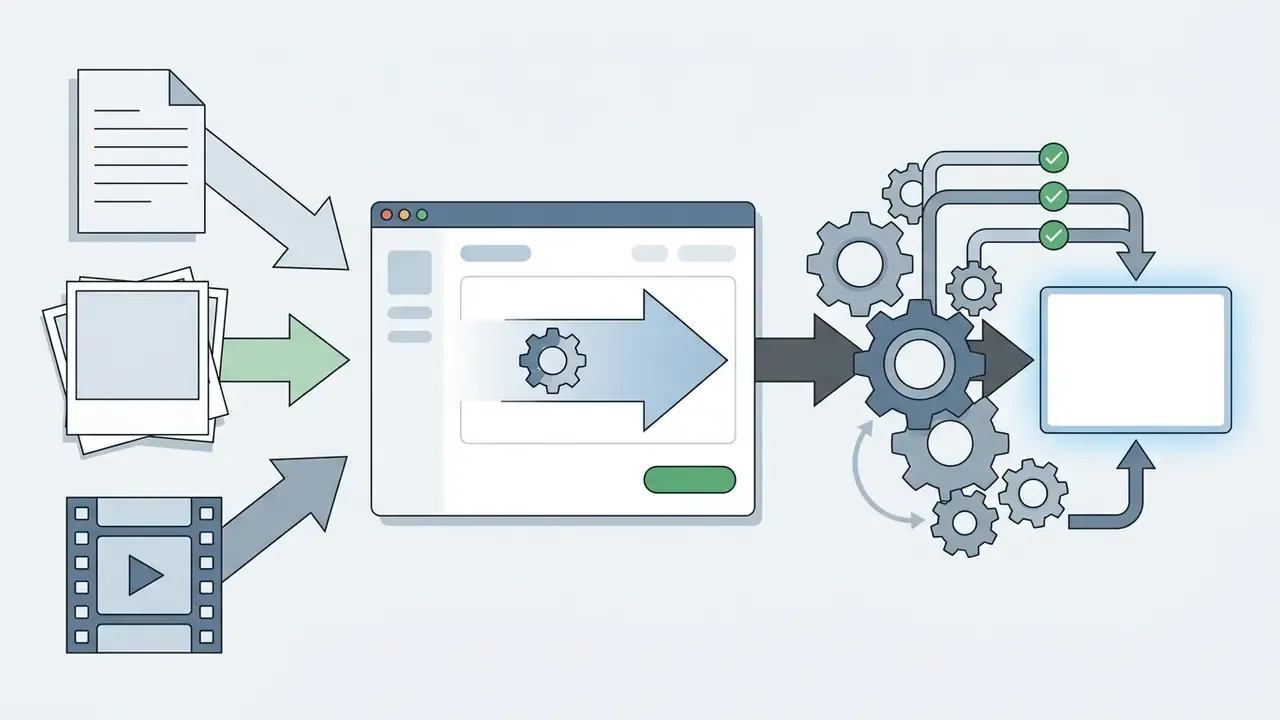
Creating an animated GIF with AI means submitting your asset, configuring generation parameters, and exporting the loop. Web platforms compress this into an automated sequence that needs no video editing suite.
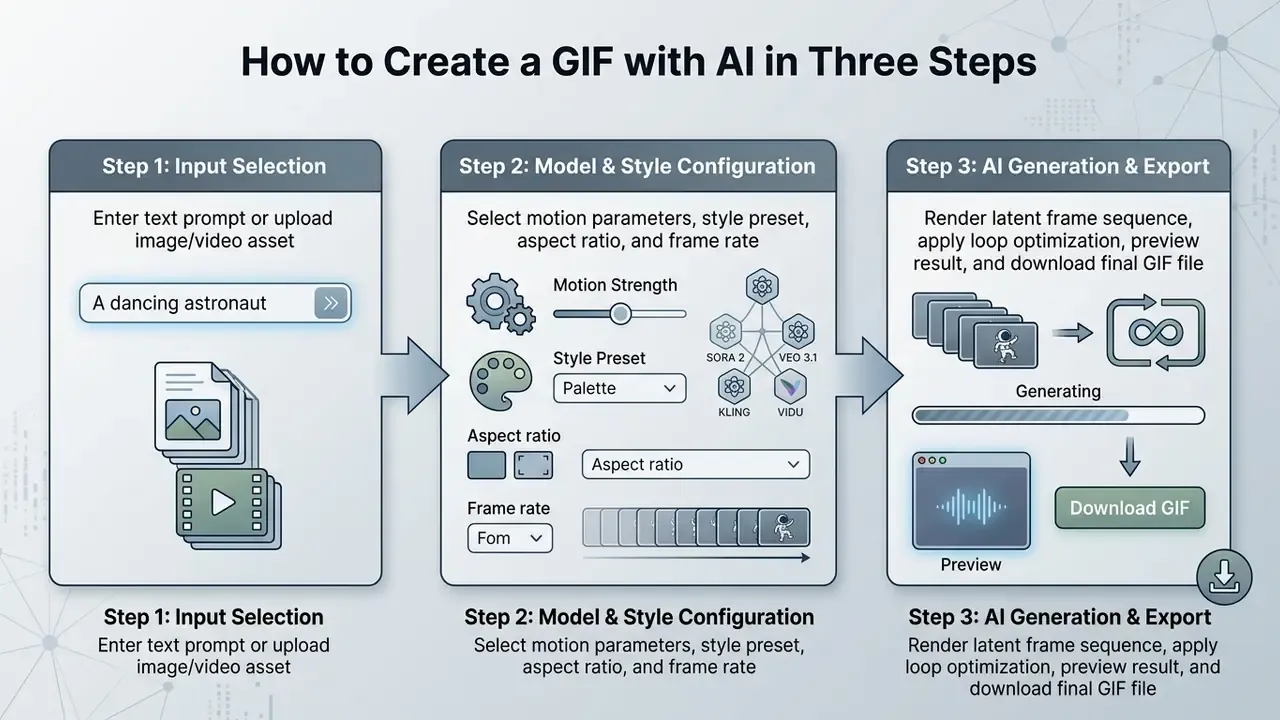
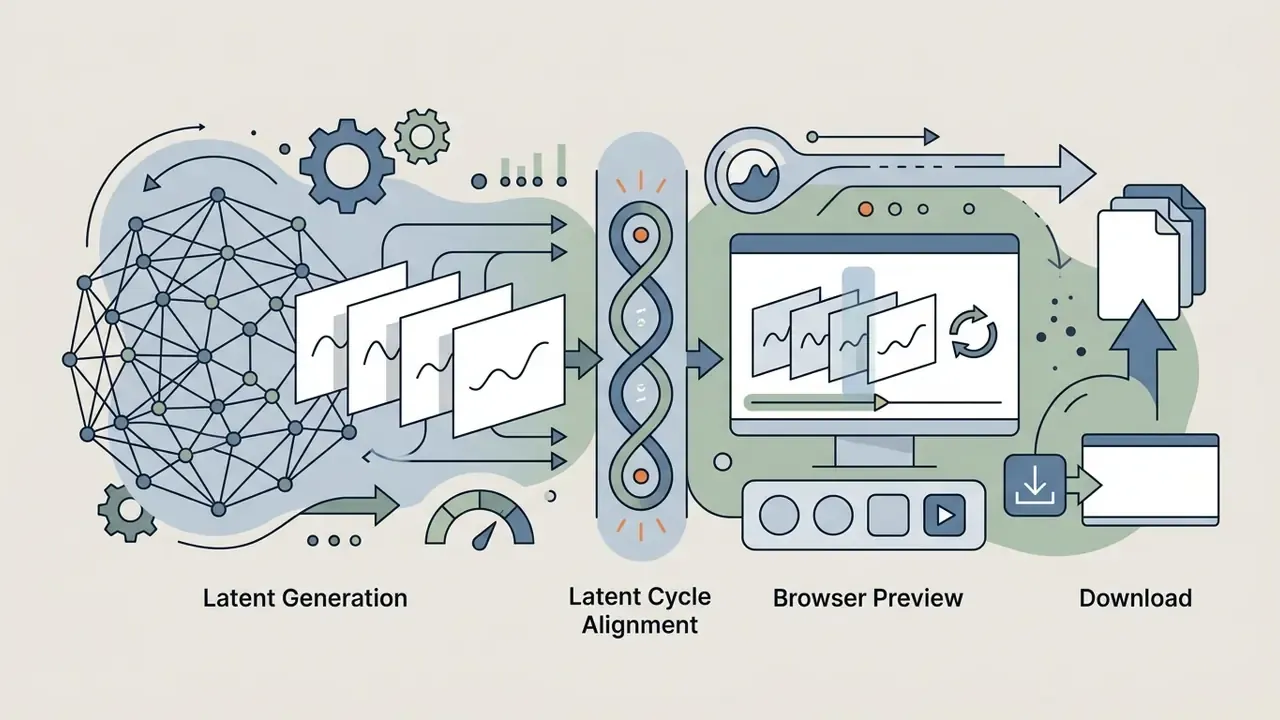
AI GIF generation workflow architecture. The standard process converts user input into a lightweight looping file through three execution stages:
No native iOS or Android installation is required. WebGPU-accelerated interfaces run the full diffusion request pipeline inside mobile browsers (Safari, Chrome), so the same three-step workflow executes on an iPhone or Android device at rough parity with desktop.
Write a Prompt That Describes Motion, Subject and Style
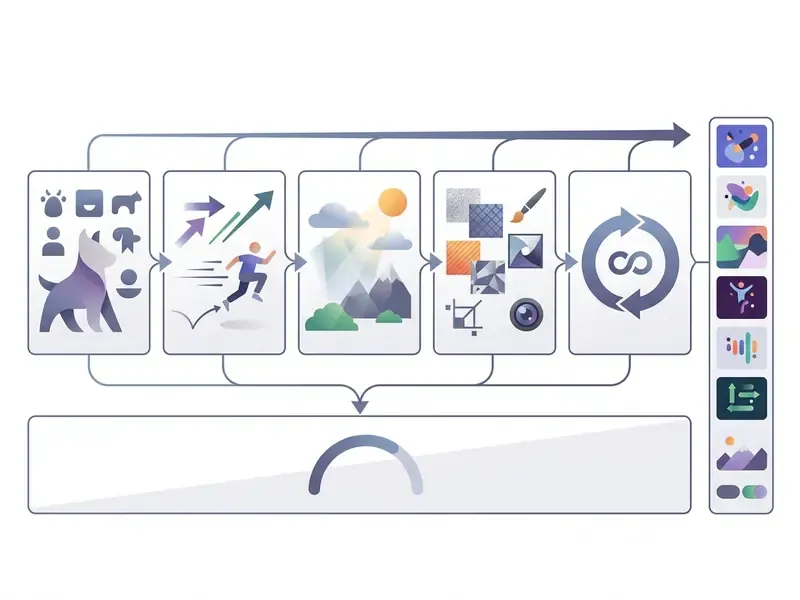
An effective prompt for an ai create animated gif task separates four things clearly: the primary subject, the specific action, the environmental context, and the visual style. Vague prompts produce erratic frame warping or, worse, a near-static loop that wastes a credit.
Prompting documentation from generative video vendors converges on a four-part formula. Adobe's Firefly help documentation specifies Shot Type Description + Character + Action + Location + Aesthetic (Adobe Help Center, 2026, "Writing effective text prompts for video generation"). Runway Academy splits prompts into visual descriptions and motion descriptions, then decomposes motion into subject action, environmental motion, camera motion, motion style and timing, and direction and speed (Runway Academy, 2026, Prompting Guide). Google Cloud's 2026 prompting guide uses the near-identical Subject + Action + Location/context + Composition + Style.
These are vendor-authored practitioner guides, not peer-reviewed studies. They reflect documented product behavior rather than controlled experiments. The convergence across three independent vendors is the strongest available signal, and it is still a weak one by scientific standards.
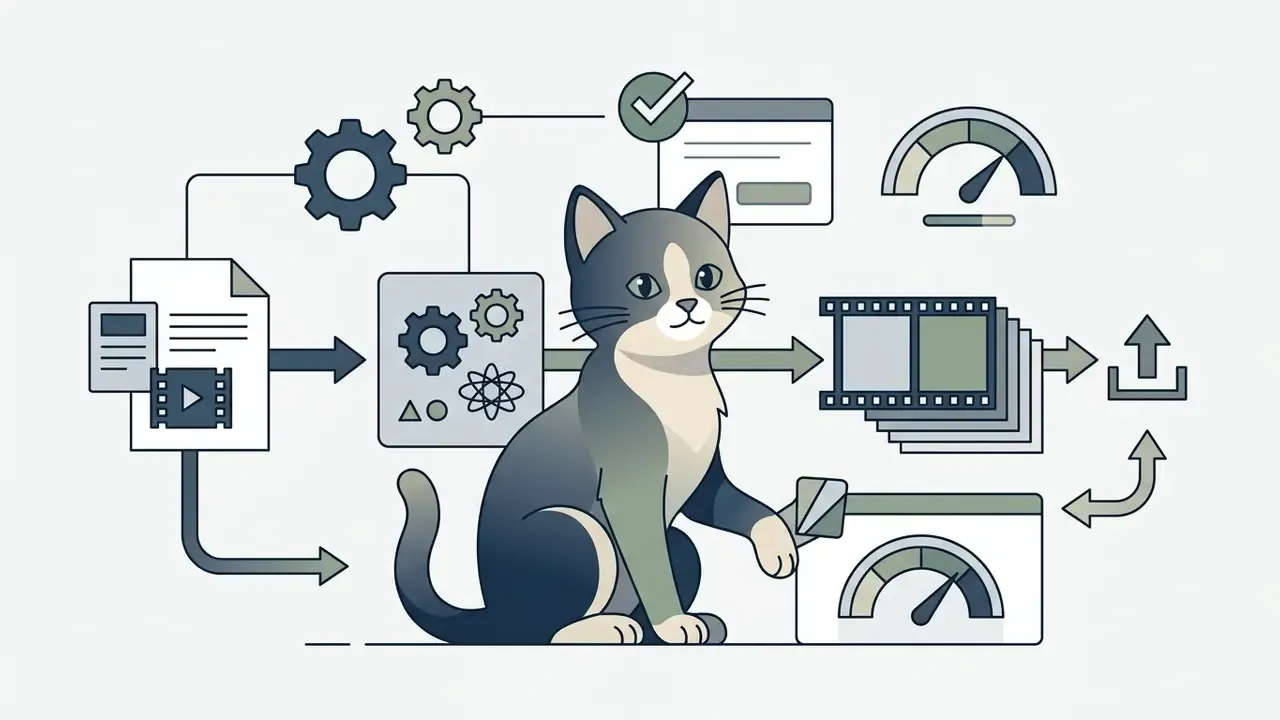
Applied to GIF work, the formula reduces to:


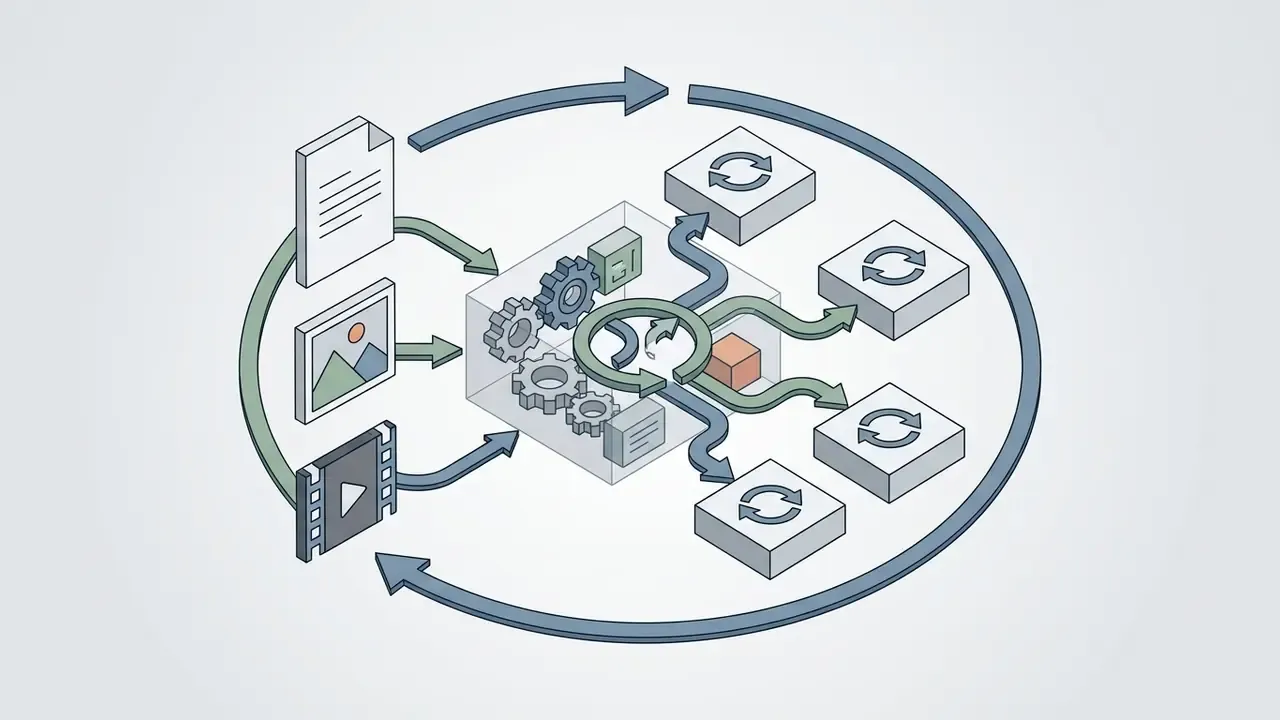
Place motion descriptors before style descriptors. PrompTessor's 2026 image-to-video template formalizes the order: animate the reference image, then subject motion, then camera movement, then environmental motion, then timing and pacing, then preserve unchanged elements, then final state. That explicit preserve clause is the single most effective anti-morphing control available in prompt space. Nothing else comes close, in my experience.
For teams reviewing enterprise tooling, the technical documentation on our glossary hub adds context on media standards and format ceilings.
Upload an Image and Turn It into an Animated GIF
Choosing an AI GIF Generator: Models, Input and Creative Control
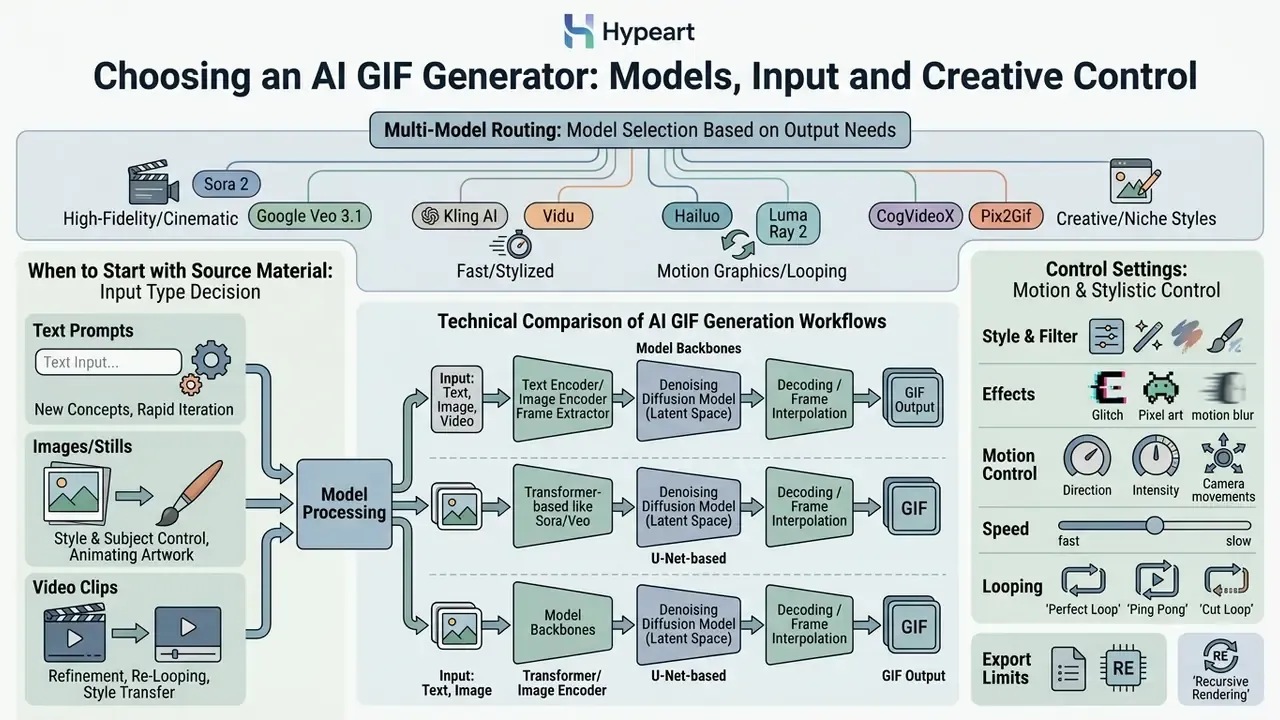
Selecting the right ai generator gif depends on your source material, your latency budget, and how much motion control the campaign actually needs. Architectures trade fidelity against physical realism against cost per render. Teams running a formal evaluation can start from our comparison of the best AI video generators and the best free AI video generator matrix.
Multi-Model Routing: Sora 2, Google Veo 3.1, Kling, Vidu and CogVideoX
Modern AI GIF generators no longer ship a single backend. They implement multi-model routing, letting users switch between video foundation models based on aesthetic, latency, and unit cost:
- Sora 2 and Google Veo 3.1. Best for complex photorealistic physics, high-frame temporal alignment, and cinematic 1080p loops. OpenAI's published API pricing lists
sora-2at $0.10 per second andsora-2-proat $0.30 to $0.70 per second depending on resolution, which is material when a GIF is a 4-second render. Consumer-tier access is capped: ChatGPT Plus and Business allow 480p, 10 seconds, single concurrent generation. Pro raises that to 1080p, 20 seconds, five concurrent generations, plus watermark-free downloads. ChatGPT Free, Enterprise, and Edu accounts are not eligible for Sora access. For Veo implementation detail, see our Google Veo API implementation guide. - Kling AI and Vidu. Optimized for fast render cycles, dynamic character motion, and stylized anime frame transitions. The practical default for high-volume reaction GIF and emote production, where per-asset cost outweighs photoreal physics.
- Hailuo and Luma Ray 2. Luma's documented API accepts JPEG, PNG, WebP, GIF, and AVIF by URL or upload, and supports single-image animation plus dual-image interpolation through separate
image_urlandend_image_urlparameters. That is the cleanest route to a deterministic loop, because you specify the closing frame directly. - CogVideoX, Pix2Gif and AnimateDiff. Open-source architectures for self-hosted workflows, air-gapped deployments, and custom fine-tuning. The correct choice when data residency rules prohibit third-party SaaS inference.
Model choice also determines which controls exist at all. Diffusion motion pipelines in the AnimateDiff and Deforum family expose frame rate, interpolation schedules, keyframe strings, zoom, angle, and X/Y translation. Prompt-only commercial endpoints typically expose none of that. If your workflow needs deterministic camera motion, verify parameter availability before you sign.
Technical comparison of AI GIF generation workflows
| Workflow type | Primary input | Motion control level | Key features | Recommended application |
|---|---|---|---|---|
| Text-to-GIF | Text prompt | Global (prompt-guided) | Synthesizes new visuals from scratch; supports diverse art styles; needs no source files | Reaction GIFs, conceptual illustrations, dynamic social memes |
| Image-to-GIF | Static image plus text or mask | High (subject-preserving, explicit motion magnitude) | Preserves original character or product appearance; animates selected regions; consistent branding | Product feature loops, animated headshots, social ad creative |
| Video-to-GIF | Short video clip | Source-bound (clip extraction) | Trims existing video; applies motion smoothing, style conversion, color quantization | Software walkthroughs, stream highlights, email marketing embeds |
When to Start with Text, Image or Video
Start with a text prompt when you need to invent concepts, abstract patterns, or scenes that do not exist in your asset library. Text-conditioned models excel at creative range, and they let you explore a dozen aesthetics before lunch.
Start with an image upload when exact brand identity, product accuracy, or character consistency is non-negotiable. Image-to-GIF anchors the first frame to your file, so the model adds motion without redrawing core brand elements. For heavier post-production, teams can evaluate specialized software through our guide to video editing services online.
Start with a video file when you need real-world timing, genuine user interaction, or a physical product demonstration. Video-to-GIF converts complex clips into lightweight loops for web pages and newsletters. Institutional guidance on video analysis frames a clip in terms of people, activities, places, and main idea, which is a useful shorthand for deciding whether your asset truly depends on action and sequence, or whether a static image would do the job.
Style, Effects, Speed and Loop Settings
Modern ai generator gifs platforms give precise control over export speed, effects, and looping behavior. Set these before rendering, not after. Readers comparing the wider tool category can review our overview of animation makers.
- Style conditioning. Pick a built-in preset (photorealistic, watercolor, 3D claymation, anime) or write explicit style descriptors into the prompt.
- Motion speed and frame rate. Adjust playback between 8 FPS for a retro, stylized look and 24 FPS for fluid movement. Speed is not a preview-only setting: editor documentation confirms clip speed changes propagate to the final export, so verify frame rate before rendering.
- Loop behavior. Editing tools typically expose duration states as Once, Loop, or Freeze. Web standards define the primitives directly. The HTML media specification defines
loop(restart at end) and a settableplaybackRate, which is exactly what browser-side previews manipulate. - Seamless looping. Systems using latent cycle alignment close the loop in noise space rather than in pixel space.
"Mobius links the initial and final noise vectors into a cycle and performs shifted multi-frame latent denoising, producing seamless loops without model retraining."
Because the method is training-free, it layers onto an existing checkpoint. That is why clean-loop toggles appeared across commercial products so quickly after publication.
Enterprise Procurement, Risk Matrix and Audit Trail
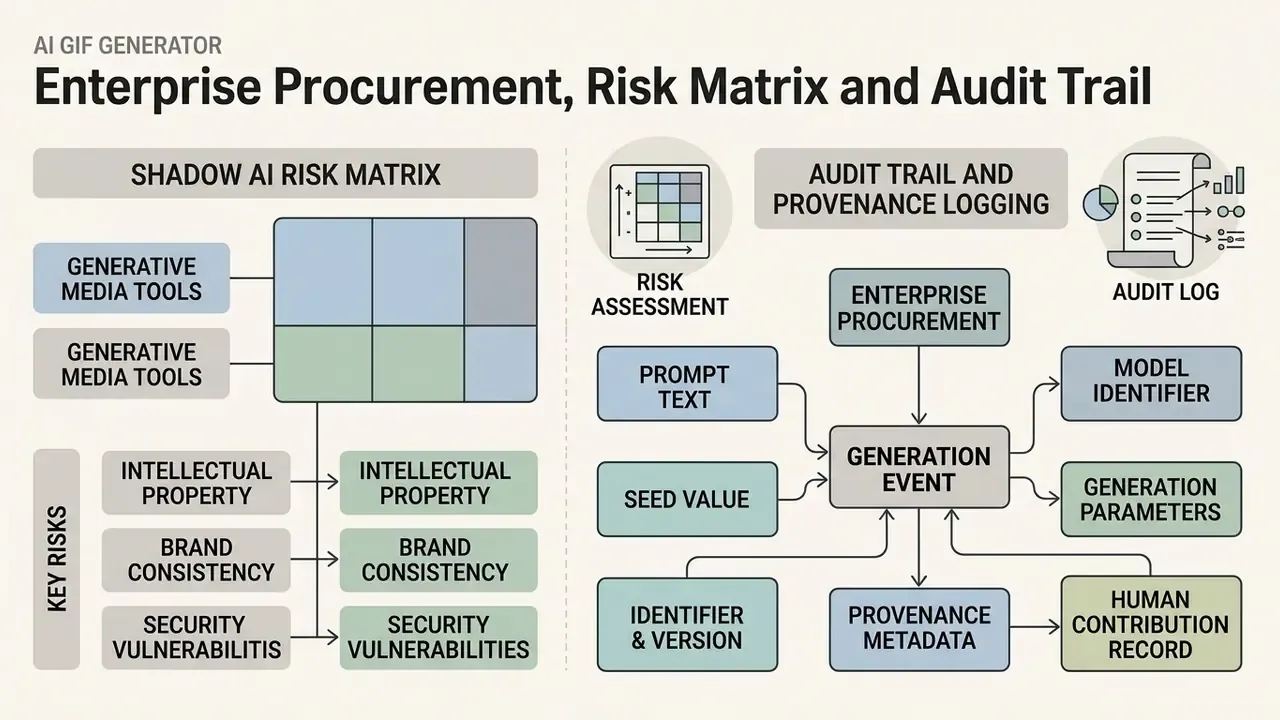
Consumer GIF tools optimize for time-to-first-render. Regulated organizations optimize for defensibility. Those two goals diverge fast, and the gap is where shadow AI incidents begin: an employee uploads an unreleased product screenshot to a free public GIF service, and the asset leaves the control perimeter permanently. No recall button exists.
Shadow AI Risk Matrix for Generative Media Tools
| Risk vector | Failure mode | Control to verify before approval |
|---|---|---|
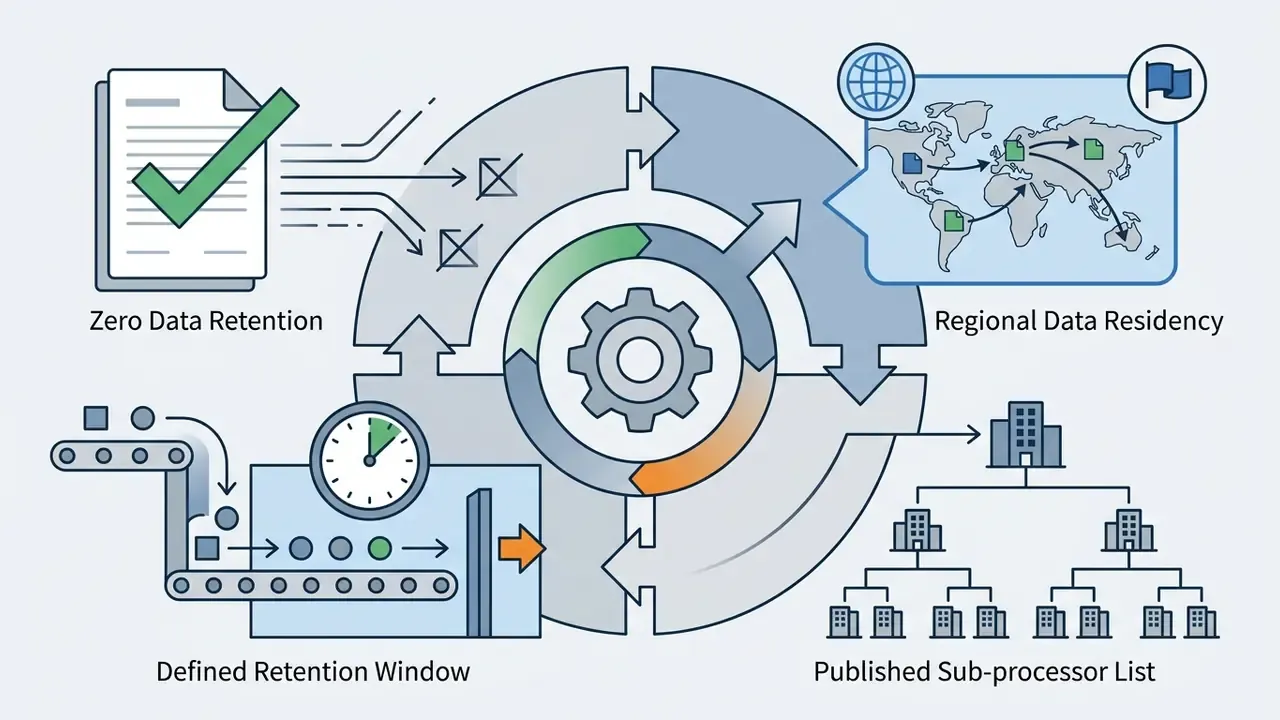
| Confidential input leakage | Unreleased UI screenshots, customer data, or pre-launch product photos uploaded to a public SaaS endpoint | Contractual zero data retention; documented purge window; no human review of inputs |
| Training-set absorption | Uploads or outputs used to fine-tune public foundation models | Explicit no-training clause in the DPA, not just on the marketing page |
| Tenancy bleed | Generations visible in a shared public gallery by default | Private-by-default generation; dedicated tenant on the enterprise tier |
| IP indefensibility | Fully AI-generated asset cannot be registered or enforced | Documented human creative contribution; retained drafts and edit history |
| Provenance loss | No record of which model produced a published asset | Store prompt, seed, model version, timestamp, and C2PA manifest per asset |
| Model drift | Vendor silently upgrades the backend model; brand output shifts | Version-pinned model selection; change notification SLA |
| Frame hallucination | Limb morphing, warped text, distorted logos reaching production | Mandatory human review gate before publication; artifact grading rubric |
| Identity misuse | Face-swap or likeness features applied to real people without consent | Written consent capture; deepfake disclosure per EU transparency requirements |
Independent quality-assessment literature confirms that artifact grading is a measurable, repeatable task rather than a matter of taste, which is what makes a formal review gate auditable. See Quality Assessment for AI Generated Images, arXiv (2024), https://arxiv.org/abs/2405.07346. IBM's 2025 AI requirements documentation reinforces the same principle from the input side: use high-quality inputs, define defect classes explicitly, and validate annotations before use (IBM AI requirements, IBM, 2025, https://www.ibm.com/docs/en/mci/cd?topic=images-ai-requirements).
One honest limitation. None of this literature was written with GIF marketing assets in mind, and no regulator has published GIF-specific validation expectations. You are extending an existing framework by analogy, and you should say so in the control documentation.
Audit Trail and Provenance Logging
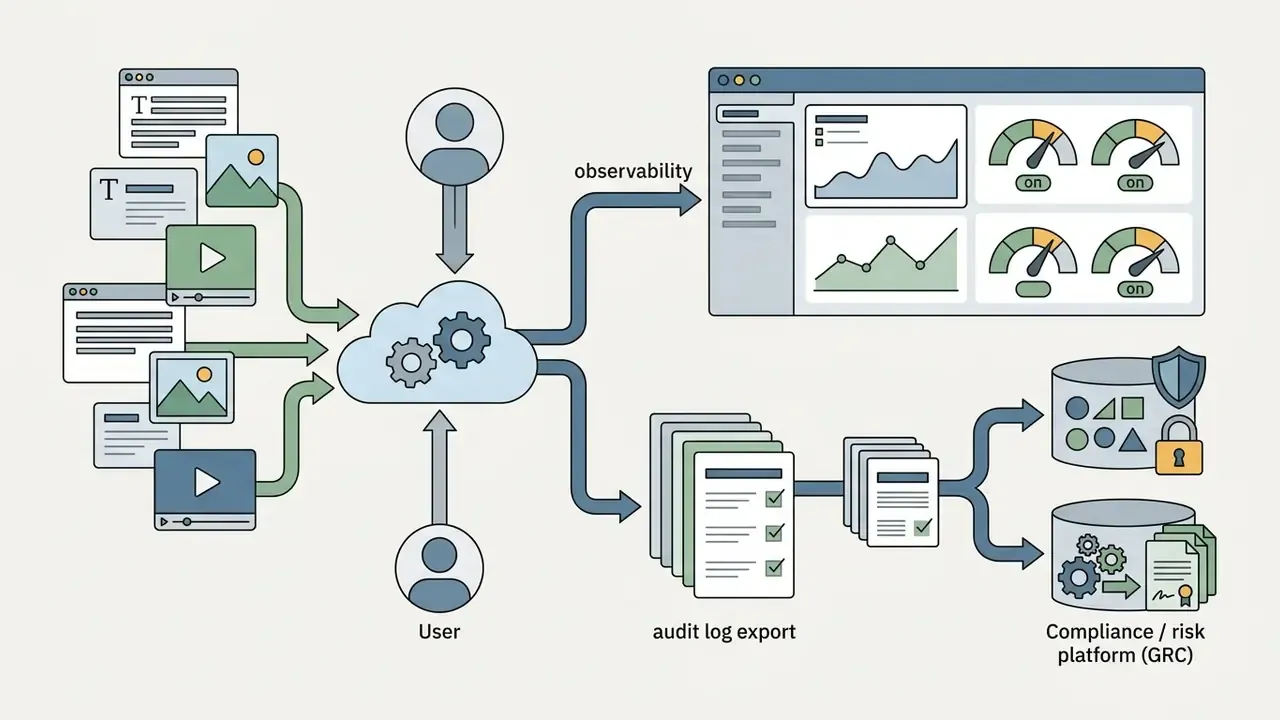
For organizations extending a model risk management framework (SR 11-7-style validation) to generative media, log the following per generated asset. This is the minimum evidence chain needed to reconstruct a published GIF for a regulator, an auditor, or opposing counsel:
- Prompt text, verbatim, including negative prompts.
- Seed value, required for reproducibility. Deterministic seeds allow controlled variant sweeps and exact regeneration.
- Model identifier and version, for example
veo-3.1-turbowith build date. Version pinning is what makes drift detectable. - Generation parameters: resolution, FPS, frame count, motion magnitude, loop mode.
- Provenance metadata: C2PA manifest hash and/or SynthID signal presence.
- Human contribution record: which frames were edited, inpainted, retimed, or composited, and by whom. This record is the only artifact that can support a copyright claim.
- Approval record: reviewer identity and timestamp of the pre-publication artifact check.
Ownership matters as much as logging. Each generative tool in production should have a named owner, an approved use case, an access boundary, an escalation path, and a documented off switch. No evidence, no autonomy.
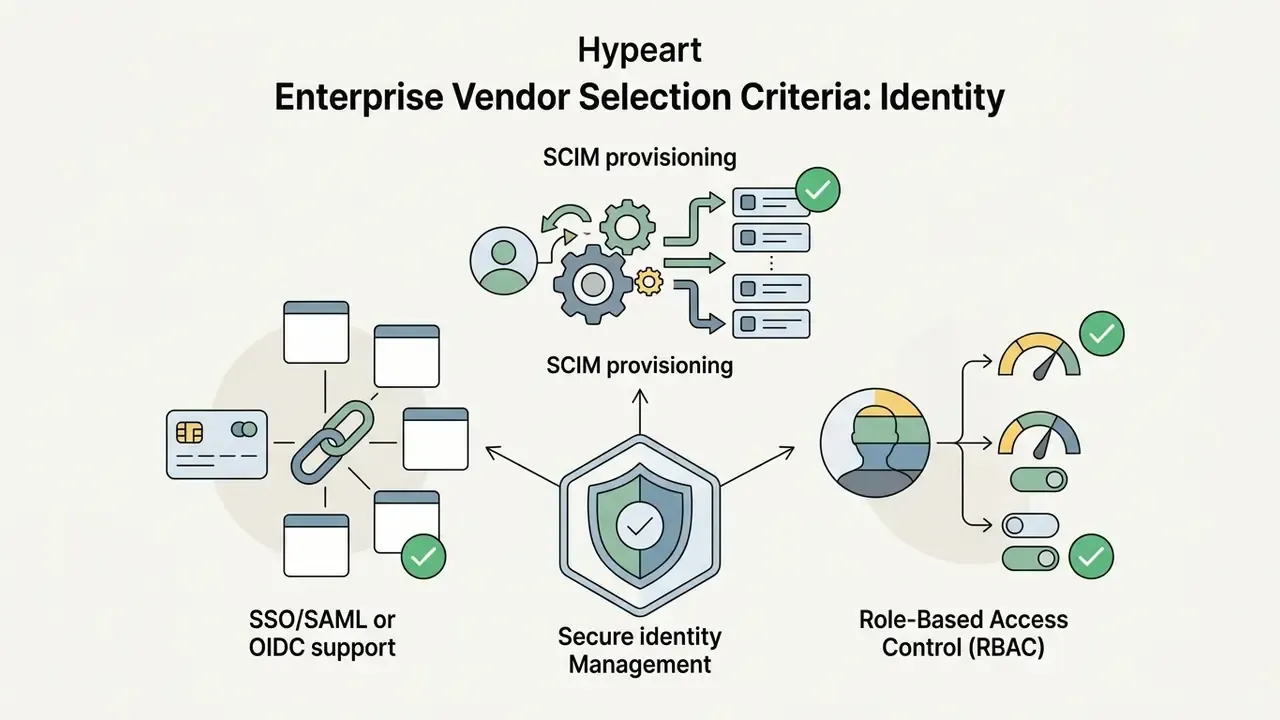
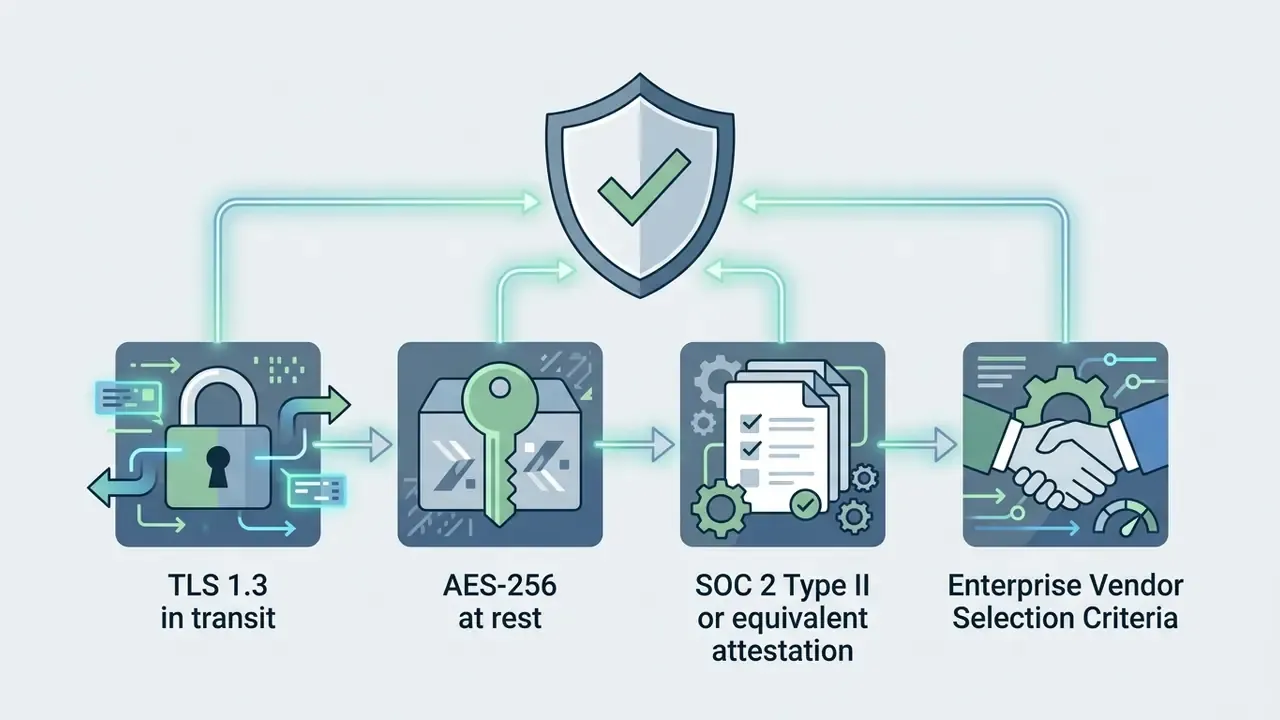
Enterprise Vendor Selection Criteria
Beyond render quality, score candidate vendors on:
Teams building a cost case can pair this checklist with our unit-economics tooling and view the guide to control-adjusted spend per asset.

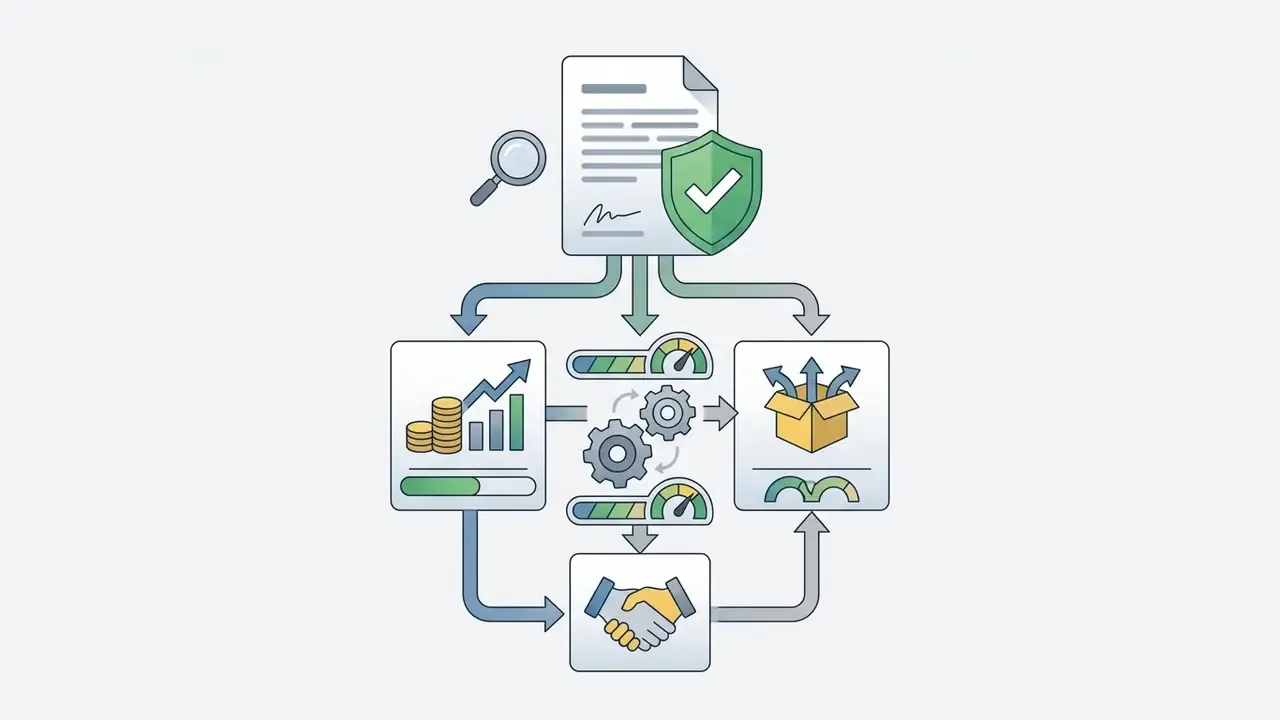
AI GIF Generator Use Cases for Content, Social and Product Media
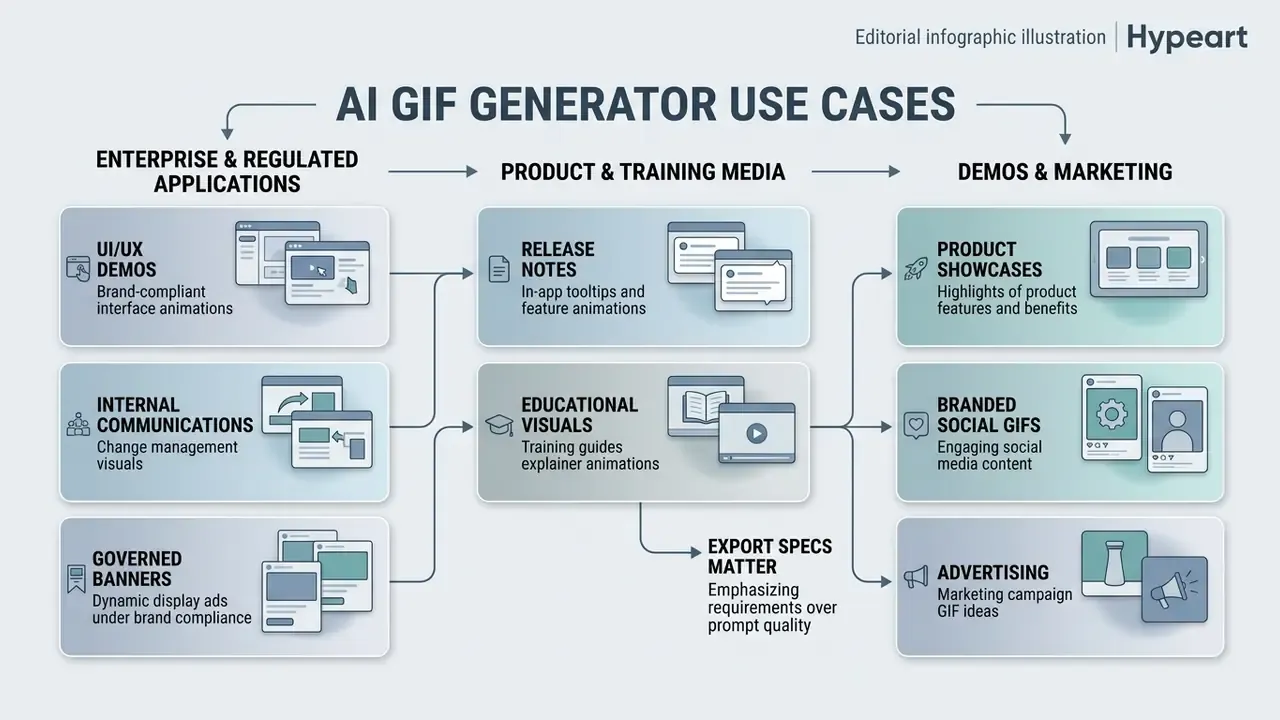
Animated GIFs remain effective across digital channels. They out-engage static images and load faster than a heavy video player. Businesses and creators use an ai art gif generator to produce visual media for marketing, community management, internal communications, and product support.
Documented 2026 vendor use cases cluster into four families: product walkthroughs exported as loops for emails, landing pages, blog posts, and ad creative; social and community assets; animated display banner sets for campaign rollouts; and e-commerce product demonstrations rendered as 2 to 3 second loops.
Enterprise and Regulated-Industry Applications
In financial services, healthcare, and B2B SaaS, the highest-value applications are internal and compliance-adjacent rather than viral:
- UI/UX demonstration under brand compliance. Short loops showing a banking-app flow, a settings toggle, or an onboarding step, rendered from an approved screen recording through video-to-GIF, so no synthetic interface is fabricated. This avoids the main compliance hazard of generative UI mockups: hallucinated elements that do not exist in the shipped product.
- Internal enablement and change communication. Animated micro-explainers embedded in Confluence, ServiceNow, or LMS modules, where a 3-second loop replaces a paragraph of instructions and a full video would blow the attention budget.
- Dynamic display banners with brand governance. Campaign banner sets generated as GIF variants from a locked brand template, each variant logged against its prompt and seed for later audit.
- Product release notes and in-app tooltips. Feature loops shipped inside documentation and hint systems, where GIF is the only universally supported animated format.
- Training and educational visuals. Process animations for compliance training modules, where repeated motion improves retention of procedural sequences.
Reaction GIFs, Memes and Community Content
Product Demos, Marketing and Branded GIFs
Marketing teams use an ai generated images gif workflow to showcase software features, ecommerce products, and promotional banners in newsletters and landing pages. Animated GIFs sidestep autoplay restrictions on mobile browsers, delivering motion straight into the inbox.
"40.8% of marketers consider animation fairly effective and 24.9% rate it extremely effective for driving campaign engagement."
This is a vendor-published industry survey, not an independent academic study, and the sample skews toward marketers who already buy animation. Directionally useful, not authoritative.
E-commerce brands routinely convert static product photography into 3-second loops that highlight texture, form, or usage without forcing a full video player. Email-specific workflow guidance from 2025 and 2026 sets hard limits: keep email GIFs under roughly 1 MB, around 600 px wide, and always include alt text. Outlook renders only the first frame, so the opening frame has to carry the message on its own.
Advanced Utilities: Transparent Backgrounds, Face Swapping and Upscaling
Beyond generation, production workflows depend on three post-processing utilities. Each solves a distinct distribution problem.
- Transparent GIFs through background removal. Automatic alpha-channel extraction strips static backgrounds and outputs isolated subject loops for Slack and Discord emotes, where a solid rectangle looks broken against dark-mode themes. One-click segmentation replaces manual masking. Note the format ceiling: classic GIF supports binary (1-bit) transparency only, so semi-transparent edges will alias. Where the destination allows it, export animated WebP or APNG for true alpha.
- GIF face swapping. Single-frame identity swapping replaces facial features in an existing GIF template while keeping original motion dynamics and expression timing. Because motion is inherited rather than regenerated, results stay temporally stable. It is also the highest-risk feature in the toolkit. Capture written consent for any real person's likeness, and treat the output as disclosure-relevant under EU transparency rules covering AI-manipulated visual content that could pass as authentic.
- 4K spatial upscaling. Latent super-resolution models lift 480p renders into crisp high-DPI assets without edge artifacts. Documented diffusion upscalers run a multi-step refinement (roughly 30 steps) that removes compression artifacts while synthesizing coherent detail, which is fundamentally different from bicubic interpolation, since interpolation can only smooth what already exists. Practical caveat: upscaling multiplies frame weight, so upscale for display and hero placements, never for inbox delivery.
How to Improve GIF Quality Before Downloading and Sharing
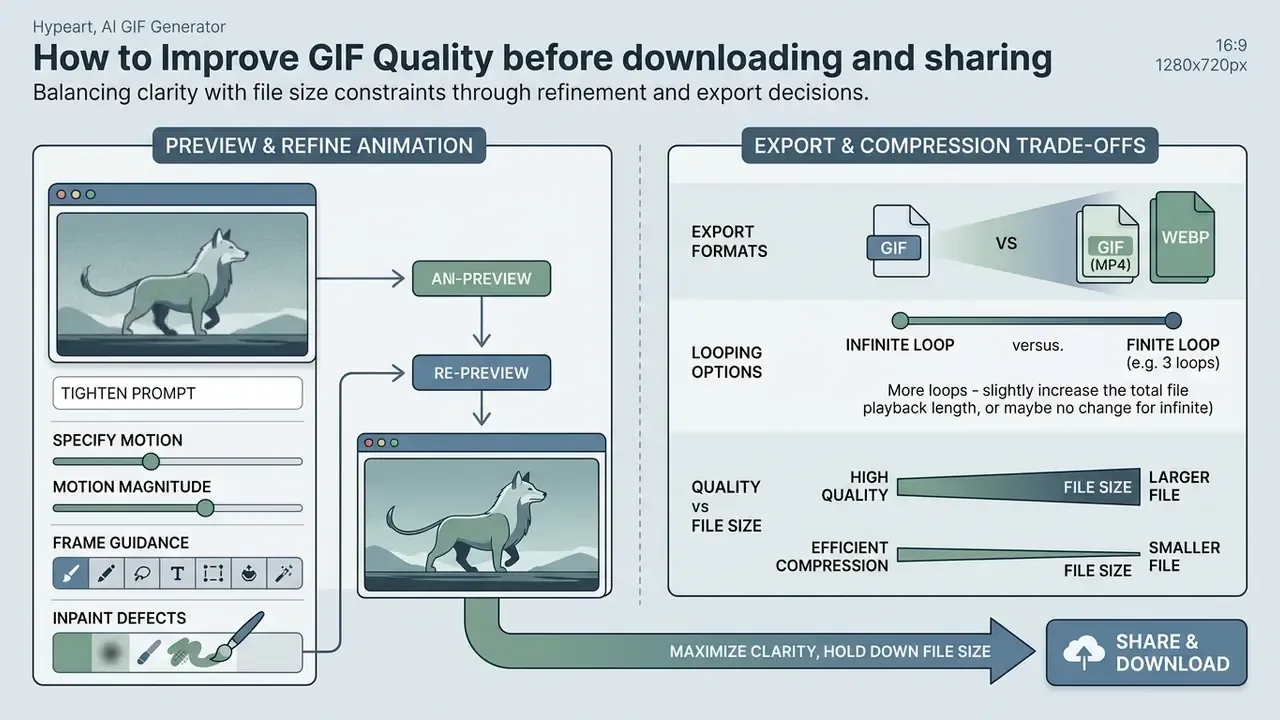
Maximizing clarity while holding file size down means reviewing frame results, refining prompt detail, and choosing efficient export settings before publication.
Preview, Edit and Fix Unclear Animation Results
When a render looks blurry or the movement distorts, adjust parameters before you download. Common artifacts, including limb morphing, floating backgrounds, and unnatural flicker, respond to targeted prompt and guidance changes.
- Tighten the prompt.Add explicit negative prompts ("avoid morphing, avoid blur, avoid jittery camera"). Vendor prompt guides recommend pairing a quality constraint ("smooth motion, sharp subject") with an explicit avoid-list.
- Specify motion precisely.Motion-generation vendors advise naming action, direction, velocity, trajectory, style, and emotion. A constrained motion description leaves the sampler less room to improvise.
- Adjust motion magnitude.Reduce the motion strength slider when the subject distorts during fast movement. Where available, animation pipelines expose granular controls: angle, zoom,
translation_x/y,rotation_x/y/z, field-of-view schedules, and sharpen parameters (amount_schedule,threshold_schedule) that target blur directly rather than through the prompt. - Apply frame guidance.Enforce temporal alignment in latent space instead of hoping the sampler converges.
"Frame Guidance minimizes squared error between first and last frames in latent space, aligning the loop without retraining the base model."
- Inpaint defective regions.Regenerate a specific frame area instead of re-rendering the whole sequence. Targeted inpainting preserves what already works and costs materially less per iteration.
- Re-preview after every change.Preview-driven iteration is the real control loop. Generate, inspect, tighten one variable, regenerate. Change three parameters at once and the result becomes uninterpretable.
Export Formats, Looping and File-Size Trade-Offs
Exporting a high-quality animated GIF is a balancing act across resolution, frame rate, and compression. Heavy files slow landing pages and trigger delivery problems in email clients.
- File size targets. Keep web-bound GIFs under 2 MB for landing pages and under 1 MB for email. Discord and Slack emotes should stay under 256 KB at 128x128 px.
- Palette and dithering. Reduce the palette toward 256 colors, or lower for flat illustration, and apply dithering to suppress banding. Lossless compression suits flat colors and repeating patterns; lossy compression yields smaller files on photographic content.
- Alternative formats. Consider WebP or MP4 where platform support allows. WebP handles full color palettes and alpha transparency at up to 30% smaller file sizes than classic GIF.
- Quality sliders. Where an export dialog exposes a JPEG-style quality percentage, that slider is the direct file-size lever. Document the value you shipped so future variants match.
- Compression tools. To cut file size without visible loss, run exported media through a specialized video compressor before publishing.
Free AI GIF Generator, Pricing and Commercial Use
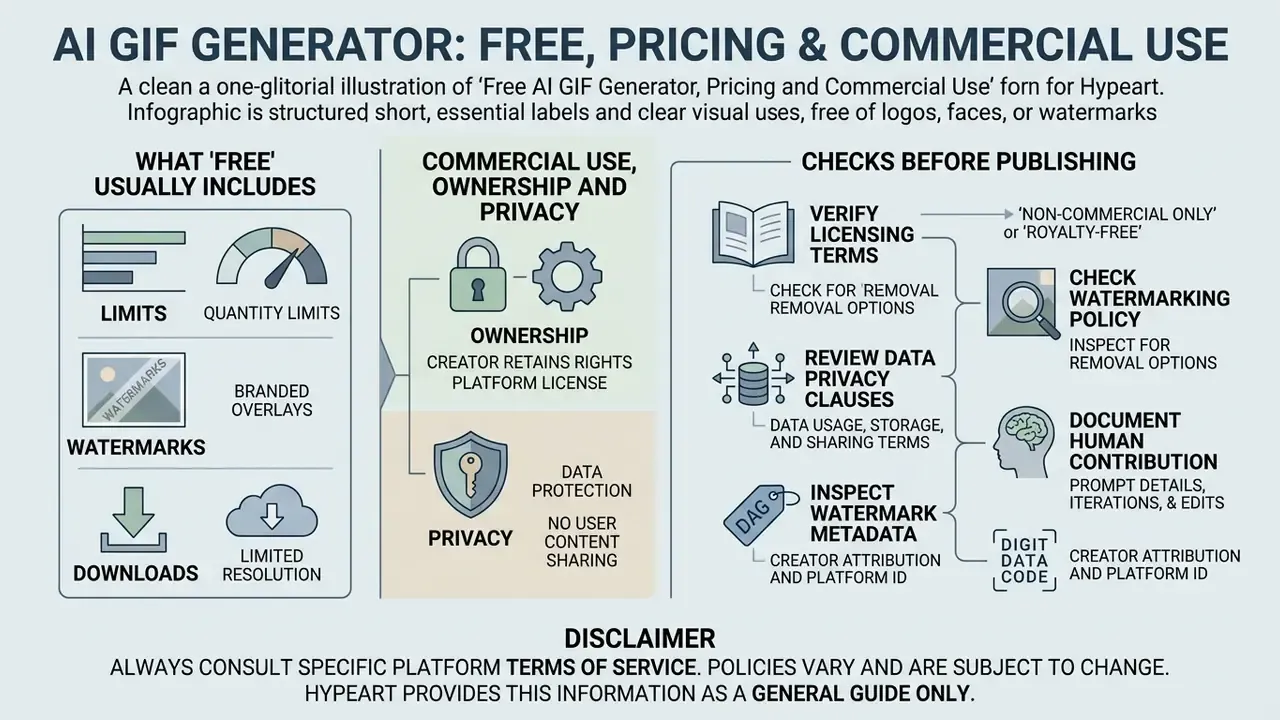
Evaluating free tiers, subscription pricing, and licence terms is essential before AI-generated media appears in a paid campaign or on a corporate property. Teams benchmarking entry-level options can also compare limits and watermark policies across free AI video generators.
AI GIF generator tier comparison and licensing framework
| Feature or parameter | Free tier | Pro / paid tier | Enterprise tier |
|---|---|---|---|
| Generation quota | Limited daily credits (3 to 10 generations per day) | High monthly allocation (1,000+ credits per month) | Unlimited or custom API volume |
| Watermark removal | Visible watermark embedded | Clean export, no visible watermark | Clean export plus custom branding |
| Max resolution and FPS | 480p at 8 to 12 FPS | 720p or 1080p at 15 to 24 FPS | 1080p and above at 24 to 30 FPS |
| Model access | Standard and fast models only | Premium routing (Sora 2, Veo 3.1, Kling, Vidu) | Version-pinned models plus private endpoints |
| Commercial usage rights | Personal, non-commercial only | Full commercial licence included | Enterprise licence plus legal indemnification |
| Identity and governance | None | Basic account controls | SSO/SAML, SCIM, audit log export to SIEM |
| Output privacy | Publicly visible in platform gallery | Private generations | Dedicated tenant, zero data retention |
Published 2026 vendor pricing illustrates the credit mechanics behind the table. Moxion AI lists an AI GIF free tier at 0 credits, with paid generation at 100 credits for Standard (4 sec), 150 credits for Standard (6 sec), 120 credits for Pro (4 sec), and 450 credits for Pro (15 sec). ImagineArt lists Ultimate at $50 per month for 16,000 credits and Creator at $250 per month for 100,000 credits, and requires an Enterprise Licence, which unlocks commercial use, for organizations above $1M per year in revenue. That last condition is the trap. A standard paid subscription does not always confer commercial rights at enterprise scale.
Teams reviewing rights across adjacent asset types can consult our guidance on the commercial use of AI image generators.
What "Free" Usually Includes: Limits, Watermarks and Downloads
A free ai gif generator or ai free gif maker lets you test model behavior, but constraints arrive quickly. Free plans commonly enforce daily generation caps, stamp visible watermarks on exports, and restrict model access to lower resolutions such as 480p. An ai animated gif generator free tier is a trial surface, not a production channel.
Watermarking is increasingly invisible as well as visible. Google's documentation states that outputs generated with Veo, Omni, or Nano Banana carry invisible SynthID watermarks in addition to visible marks on generated images and video. OpenAI similarly documents visible dynamic watermarks on shared Sora videos alongside embedded provenance signals. Assume a machine-readable marker exists even when you see nothing.
Licensing on free tiers is often stricter than the marketing copy implies. Luma AI's Dream Machine licensing guide states that free and lite plans are personal use only, carry no commercial rights, and that the watermark may not be removed; Plus, Unlimited, and Enterprise plans permit commercial use without a watermark. GIPHY's user terms prohibit selling, licensing, or otherwise commercially exploiting platform content without permission. Canva's AI Product Terms require AI-generated content to be clearly indicated.
Platforms offering an ai generator gif free service also tend to reserve high-speed rendering queues for paying subscribers. Free generations run at lower priority, so expect longer waits at peak hours.
Commercial Use, Ownership and Privacy Checks Before Publishing
Before publishing generated GIFs in a commercial campaign, read the provider's Terms of Service and licence agreement. Commercial rights differ sharply between free and paid plans, and empirical legal research quantifies how one-sided these documents usually are.
"An analysis of 86 generative AI services found most require users to grant the provider a broad non-exclusive licence over uploaded material and generated outputs."
Under current regulatory guidance (US Copyright Office, 2025; European Parliament study, 2025), fully autonomous outputs created solely from text prompts, without human creative input, may not qualify for traditional copyright protection. The US Copyright Office position is registration-focused: prompts alone do not establish authorship, AI-generated portions must be disclosed, and only documented human contributions are protectable. The European Parliament's 2025 study applies a stricter human-intellectual-creation test and excludes purely autonomous output outright. The doctrines differ. The practical outcome converges. A purely prompt-generated GIF is unprotected in both jurisdictions.
This creates a distinction that competitor marketing pages routinely elide. Several consumer GIF platforms state flatly that all generated content "can be used for both personal and commercial purposes." That statement describes the platform licence granted to you. It does not, and cannot, establish that the asset is copyrightable or enforceable against a third party who copies it. If a GIF must function as defensible brand IP, the human editing, compositing, and selection work has to be documented.
To verify legal and licensing compliance when deploying AI visual assets:
- Verify licensing terms. Confirm your plan explicitly grants commercial usage rights for generated media, including paid advertising and client work.
- Check watermarking policy. Confirm watermarks may legally be removed under your active plan. Some vendors prohibit removal on lower tiers regardless of technical feasibility.
- Review data privacy clauses. Confirm that prompts and source images are not ingested into public training datasets. EU research guidance (2026) advises against uploading sensitive or unpublished material to external AI systems without written assurance it will not be reused for training.
- Document human contribution. Retain drafts, edit history, and selection records. This is the only basis on which any part of the output may be protectable.
- Inspect watermark metadata. Check whether the platform embeds machine-readable provenance (C2PA manifests or SynthID signals) in line with EU AI Act Article 50 (2026).
"Only 38% of AI image generators implemented adequate watermarking, and 18% implemented deepfake labelling, against regulatory requirements."
"A watermark-based attribution scheme achieves true detection and attribution rates near 1 even with a base of 100 million users, without post-processing." Watermark-Based Attribution of AI-Generated Content, ICLR (2026). https://arxiv.org/abs/2404.04254
Read those two findings together. Adoption remains patchy, yet attribution, once a mark is present, is effectively reliable at internet scale. Publishing on the assumption that an AI-generated asset is untraceable is not a defensible position for a regulated brand.
Our Data Privacy and Zero-Training Commitment
Teams planning broad commercial deployments can compare options for enterprise licensing, or open the hub to review recent regulatory developments on AI-generated media compliance.
Developer API and Automation
Automated GIF Generation via REST API
Enterprise workflows need programmatic creation, not manual browser sessions. A REST API lets developers generate loops from backend triggers: a CMS publish event, a product catalogue update, a support-ticket macro, a nightly campaign build.
API specifications
- Latency roughly 4.2 s median generation time for a 4-second 720p loop.
- Availability 99.95% API SLA, with a documented model deprecation notice period.
- Pricing from $0.040 per rendered GIF, with volume tier discounts.
- Time to first call about 5 minutes from key issuance.
- Model selection version-pinned identifiers (
veo-3.1-turbo,kling-std,cogvideox-5b) so backend upgrades never silently change brand output.
Batch Variant Generation
One idea can be expanded into many candidate loops programmatically. Hugging Face Diffusers documents batch inference with a list of prompts and a num_images_per_prompt parameter, and supports reproducible batches by assigning a separate Generator and seed per output (Hugging Face, "Batch inference," 2026, https://huggingface.co/docs/diffusers/using-diffusers/batched_inference). Midjourney's Vary modes plus Remix Mode allow editing the prompt while generating variations (Midjourney, "Variations," 2026, https://docs.midjourney.com/hc/en-us/articles/32692978437005-Variations). The AUTOMATIC1111 WebUI exposes loopback, batch count, variation strength, and variation seed for near-neighbour sweeps (AUTOMATIC1111 Stable Diffusion WebUI Wiki, "Features," 2024, https://github.com/AUTOMATIC1111/stable-diffusion-webui/wiki/features).
The practical pattern for a campaign: fix the seed and sweep the prompt for concept exploration; fix the prompt and sweep the seed for stylistic variation inside a locked concept.
Prompt Ideas for AI Art GIFs and Animated Scenes
Structured prompts cut trial and error, which is how you generate compelling ai art gif compositions without burning a week of credits.
Prompt Structure for Clear Motion and Consistent Style
For predictable animation quality, build the prompt around explicit motion vectors and style constraints. Putting motion before style helps the model prioritize movement trajectories during latent denoising.
Published 2026 frameworks converge on the same ordering. The SAECS pattern sequences Subject, Action, Environment, Cinematography, Style, deliberately placing style last, after motion cues (Auralume AI, 2026, https://auralumeai.com/posts/12-best-practices-for-image-to-video-prompt-engineering-in-2026). Runway's Gen-4 video prompting guide separates scene motion from style descriptors and recommends referring to the animated element with simple terms, "the subject" or a pronoun, rather than re-describing it (Runway ML Help Center, 2026, https://help.runwayml.com/hc/en-us/articles/39789879462419-Gen-4-Video-Prompting-Guide).
- **Prompt example 2, character