A profile picture looks like the least regulated thing in your organization. It isn't. The moment an employee drops a selfie into an unvetted web tool, the company has moved a biometric identifier to a third party, usually with no data processing agreement and no retention commitment. That is why this guide reads both ways: as a practical walkthrough for anyone who wants a decent portrait in ten minutes, and as a control checklist for the people who have to sign off on it.
Executive Summary
- "Free" has three distinct commercial meanings.True zero-cost access (one HD download, no sign-up, no card), credit-limited freemium (typically 1–2 credits per 24-hour window), and watermarked trials that gate exports behind payment. Verify which model applies before uploading any employee likeness.
- Input quality determines output realism.NIST face-capture guidance (NISTIR 8109) sets the practical benchmark: uniform diffuse illumination near 500 lux, plain background, head-and-shoulders framing, camera at eye level from at least three feet away.
- Ownership and retention are vendor-specific, not industry-standard.The U.S. Copyright Office confirms purely machine-generated images lack human authorship protection; deletion windows range from immediate in-memory purge to 24 hours (HeadshotPro) up to a 30-day maximum at other vendors.
- Audience response is measurable and mixed.Recruiters preferred AI portraits in 76.5% of paired comparisons, yet LinkedIn connection-acceptance rates fell to 31.1% versus 44.6% for authentic photographs. That gap is the reason to reserve synthetic portraits for lower-stakes surfaces.
- Shadow AI is the primary governance risk.Employees uploading corporate selfies into unvalidated free tools create unmanaged biometric exposure. Free tiers belong in evaluation workflows, not in regulated production pipelines.
The sections below follow the same order as a real procurement conversation: what the tool is, how it works, how to get output worth publishing, what the license and privacy terms actually say, where the asset is safe to use, and when to stop using free tools altogether.
What Is a Free AI Headshot Generator and What Does "Free" Mean?
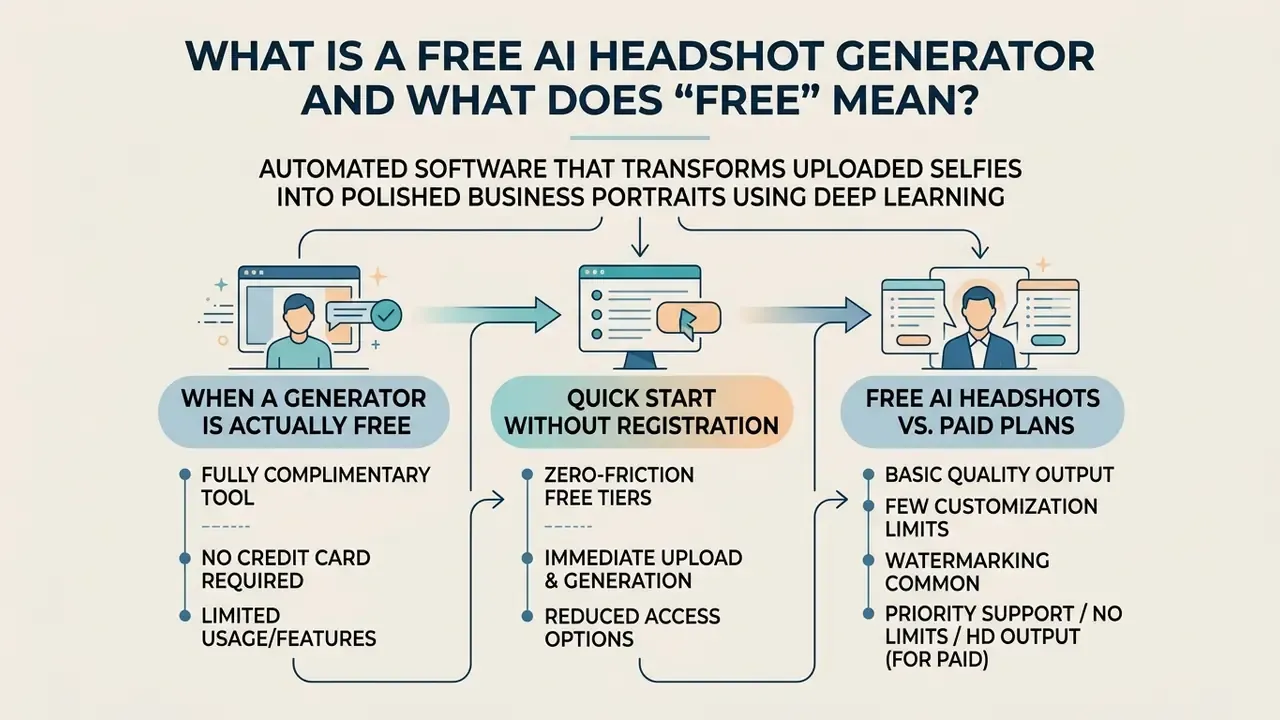
A free AI headshot generator is an automated software tool that transforms ordinary uploaded selfies into polished, business-grade executive portraits using deep learning algorithms. These generative models analyze structural facial features, adjust lighting, replace casual attire with formal business outfits, and generate neutral studio backdrops without requiring a professional photographer.
In commercial software distribution, the term "free" carries varied definitions across service providers. Certain platforms offer an actually free ai headshot generator tier with zero upfront payment, while others enforce restricted trials, watermarked exports, or daily token caps. Enterprise decision-makers evaluating an ai headshot generator no cost option must distinguish between true no-cost access, credit-limited freemium models, and paid subscription upgrades.
This distinction matters more than it appears, because audiences rarely detect the difference between synthetic and camera-captured portraits on their own:
"Participants correctly identified AI-generated images in only 62% of trials, marginally better than chance across roughly 287,000 image judgments."
When a Generator Is Actually Free
An ai headshot free generator is considered genuinely zero-cost when users can generate and download at least one high-definition portrait without entering payment credentials or accepting hidden fees. For example, selected public tools permit a direct ai headshot generator free upload photo workflow that outputs a single 1024×1024 pixel HD profile picture at zero charge.
However, many platforms advertising a 100 free ai headshot generator apply explicit structural constraints. Common restrictions on zero-cost tiers include lower output resolution, embedded watermarks, mandatory user account creation, or prolonged queue processing times during peak computing loads. Organizations must review platform terms to verify whether zero-cost generations include full usage rights or remain restricted to personal evaluation.
Quick Start Without Registration: Zero-Friction Free Tiers
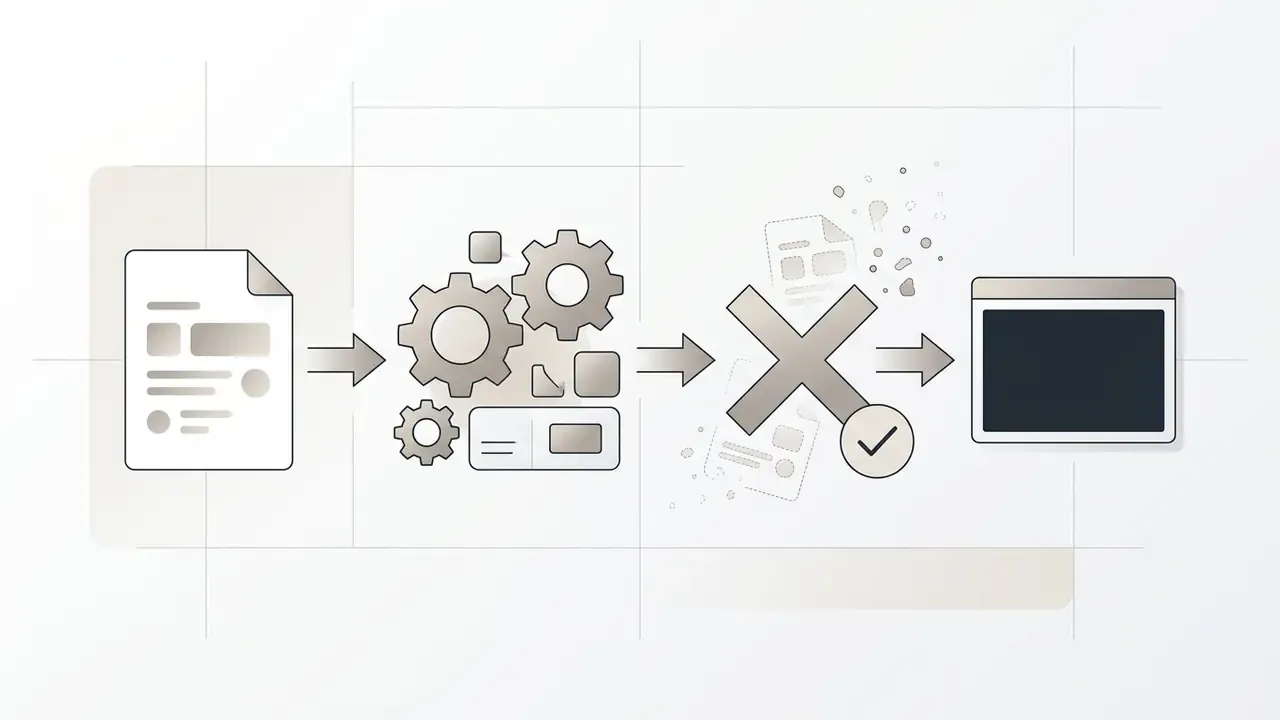
A subset of vendors now removes every pre-generation barrier. In a genuine zero-friction workflow, the user drags a single selfie into a browser upload field, waits five to ten minutes, and receives a downloadable HD portrait, with no sign-up form, no email verification, and no credit card on file. HeadshotPro's public free tool documents exactly this pattern: one free HD headshot at 1024×1024, "no sign-up, no credit card," with remaining style previews held behind an optional paid unlock.
Compare this against credit-metered models. Canva's free AI headshot generator grants two free credits, after which the user must wait a full 24-hour window before generating again. Kapwing permits free-plan exports but stamps them with a watermark unless the user upgrades. Both are legitimately free. They are simply not frictionless, and the distinction changes how usable the output is when a profile update is due this afternoon.
One more practical note: several mobile products marketed as an ai headshot generator app free download push the actual export behind an in-app purchase. The install is free; the file is not. Read the store listing's purchase disclosure, not the hero copy.
Free AI Headshots vs. Paid Plans
The primary operational differences between an ai free professional headshot generator and a paid AI portrait plan reside in feature depth, processing speed, batch volumes, and customization options. Free access tiers generally grant one to two daily generation credits, basic lighting controls, and standard neutral backgrounds.
| Operational Feature | Free AI Headshot Tier | Paid AI Headshot Plan |
|---|---|---|
| Generation Volume | 1 to 2 headshots per quota window | 30 to 70 headshots per batch shoot |
| Turnaround Time | Standard queue (15 to 30 seconds; some vendors 5–10 minutes or longer) | Priority processing (instant or batch) |
| Output Resolution | Standard HD (up to 1024×1024 px) | Ultra HD / 4K print-ready resolution |
| Customization Depth | Preserved user attire and basic backdrop | 60+ outfits, 120+ studio backdrops |
| Post-Generation Editing | Retake loop only, limited or no credits | Text-prompt outfit swaps, background replacement, magic eraser |
| Watermark and License | May include watermarks, personal use only | Watermark-free, full commercial license |
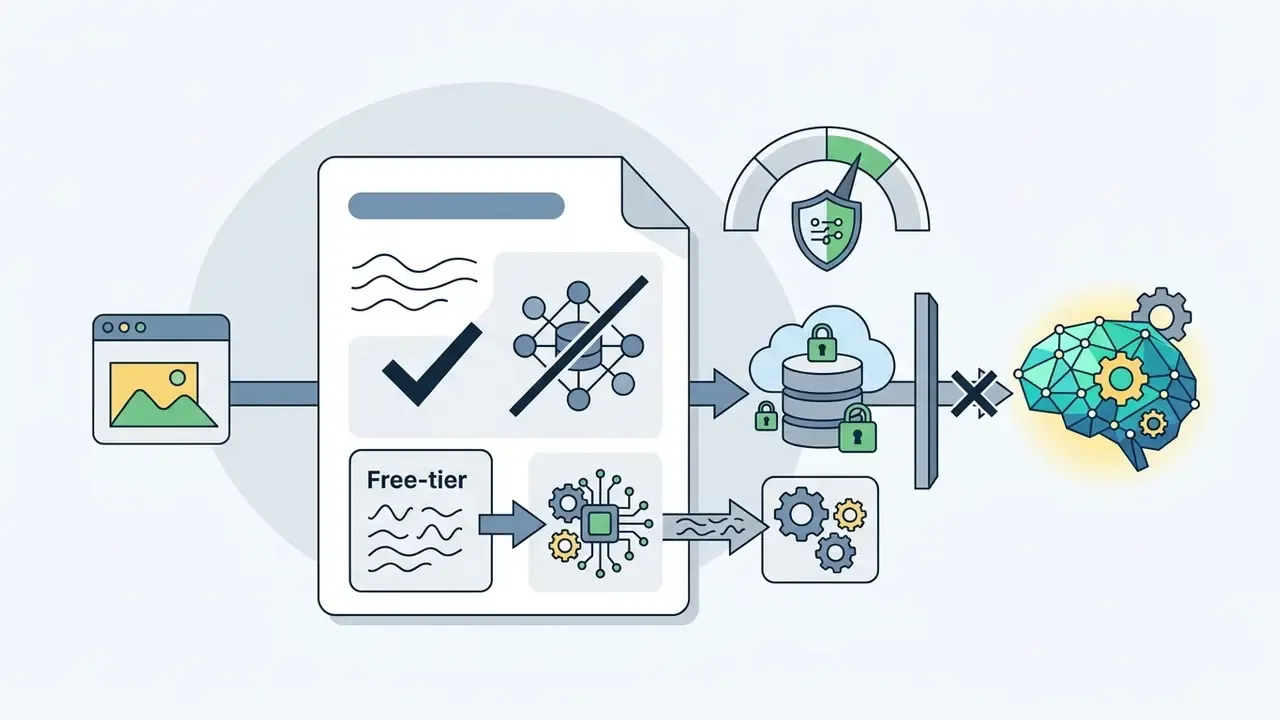
| Privacy Posture | Photos may be reused for vendor marketing or model tuning | Contractual no-training clause, deletion on request |
Two independent 2024 datasets quantify how these tiers land with a real professional audience:
"Recruiters preferred AI-generated portraits in 76.5% of paired comparisons, yet LinkedIn connection-acceptance rates reached only 31.1% for AI photos versus 44.6% for authentic photographs."
The gap between stated preference and actual behaviour is the strategic argument for treating free-tier output as a stopgap rather than a permanent identity asset. People say they like the polish. They still hesitate to click accept.
Paid packages (HeadshotPro publishes tiers at $29 for 30 headshots, $39 for 50, and $59 for 70, and BetterPic advertises packs starting at $35) typically provide multi-angle selfie analysis, dozens of style variations, faster rendering times, and retake credits. Pricing is indicative of publicly listed 2026 rates and changes without notice; verify current vendor pricing before procurement. Executive teams requiring bulk portrait updates for entire business units often find that paid tiers deliver greater consistency across large workforce rosters. Readers comparing underlying engines before committing budget can review our survey of AI image generators, the tool-level breakdown in our guide to AI headshot generators, and per-seat cost modelling in the AI Media Calculators.
How a Free AI Headshot Generator Works
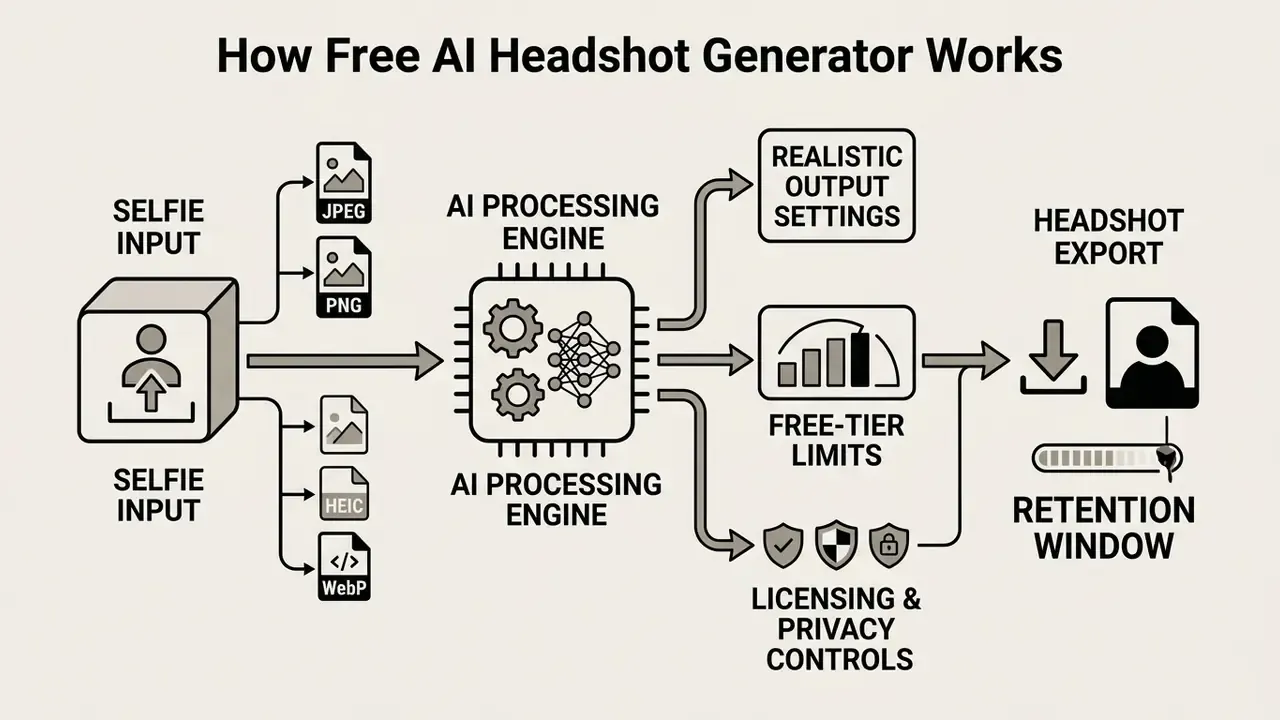
An ai headshot photo generator free service uses fine-tuned diffusion models or image-to-image generators (I2I synthetic networks) to map input facial structures onto optimized portrait templates. The software extracts key facial landmarks, including eye spacing, jawline contour, and skin tonality, then re-synthesizes the image under controlled studio lighting and formal attire framing.
Perceptual research explains why these outputs read as credible in professional contexts:
"In an experiment with 169 participants, diffusion-generated faces were rated as more trustworthy than real faces, despite slightly lower photorealism scores."
Upload a Selfie or Several Photos
The initial phase requires the user to submit one or more source images into the ai generator headshot free platform interface. High-fidelity systems recommend uploading clear, front-facing selfies with direct eye contact, even natural window lighting, and zero facial obstructions such as sunglasses or hats.
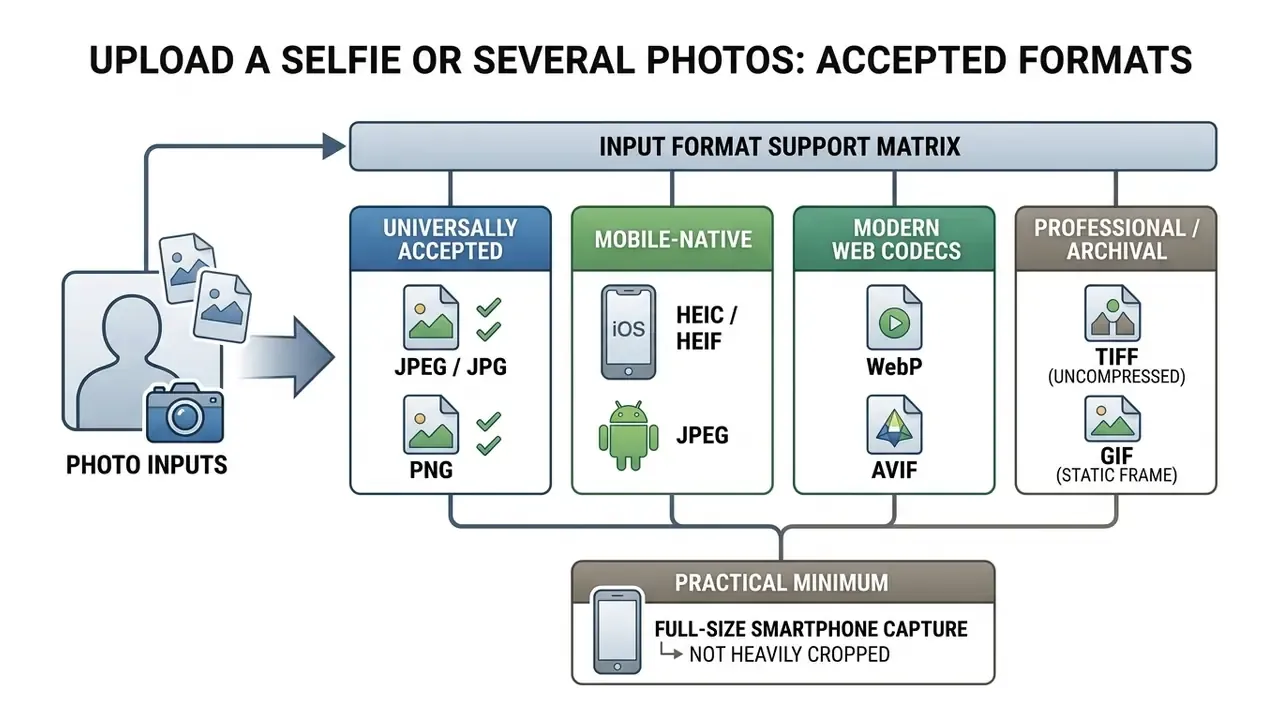
Supported input file formats. Modern AI headshot engines accept a wide array of input image formats directly from smartphones and professional cameras, including standard JPEG/JPG and PNG, Apple's native HEIC/HEIF container used by default on iPhone, animated GIF stills, modern web codecs such as WebP and AVIF, and uncompressed TIFF files exported from DSLR workflows. Users do not need to convert mobile snapshots prior to upload; an iPhone photo shot in HEIC and an Android JPEG both ingest natively. Final galleries are typically returned as high-quality JPEG or PNG, with WebP and 4K variants available on paid tiers.
Single-photo versus multi-photo pipelines. Generators split into two computational architectures, and the choice explains why one tool asks for a single selfie while another demands ten:
| Architecture | Input Required | Processing Time | Best Use Case |
|---|---|---|---|
| Single-image direct inpainting (zero-shot I2I) | 1 clear, unfiltered, well-lit photo | 15–30 seconds to roughly 10 minutes | Urgent profile updates, instant previews, free-tier evaluation |
| Fine-tuned LoRA / DreamBooth pipeline | 5–12 multi-angle photos, varied expression and lighting | 15–60 minutes (some queues run hours) | High identity fidelity, large style ranges, team-wide consistency |
When an ai headshot generator for free processes a low-resolution or blurred input photo, the resulting synthetic output frequently exhibits structural artifacts, distorted eye symmetry, or unnatural skin textures. Garbage in, uncanny out.
Choose Professional Styles, Backgrounds and Outfits
After image ingest, the user selects the desired visual parameters: clothing choices, posture styling, and background environments. Leading portrait tools let users pick executive formal wear, business casual attire, or creative industry looks alongside studio gray, office interior, or outdoor city backdrops. Vendor catalogues at the paid tier now list 120+ backgrounds and 60+ outfits, plus explicit hair-handling controls ("use my hair" versus "use target style hair").
Advanced generators feature dedicated styling controls, providing access to curated clothing catalogs and custom hair preservation options. Users navigating an ai business headshot generator free interface, or comparable AI photo editors, can instantly swap casual hoodies for tailored blazers while maintaining core facial identity.
One caveat deserves attention before you accept a stylized output as accurate:
"Across 5,040 edited portraits, skin lightening occurred in 62–71% of outputs, rising to 72–75% when the source subject had darker skin."
Always compare the generated portrait against the source selfie at full size before publishing. To explore broader asset pricing structures, review our AI Media Pricing Guides.
Post-Generation AI Editing and Text-Based Prompt Adjustments
Beyond initial render loops, next-generation generators integrate secondary inpainting networks and text-to-image instruction layers, so a near-perfect result no longer requires a full regeneration cycle. Three capabilities now define the post-processing layer:
- Text-to-outfit (prompt-based wardrobe swap).A single natural-language command, for example "change the charcoal suit to a navy blue wool blazer with an open-collar white shirt", re-renders attire while preserving facial geometry, hair, and background. This replaces the older workflow of re-running an entire batch to test one wardrobe hypothesis.
- Background replacement by upload or prompt.Users can supply a corporate brand backdrop image and have the model composite it behind the subject with matched edge lighting. Enterprise dashboards can apply one approved background across an entire team's galleries in a single operation, which is the practical mechanism behind visually consistent company directory pages.
- Magic eraser and precision retouching.Localized inpainting removes stray hairs, background glare, lens dust, collar creases, or a distracting reflection without touching the rest of the frame. Filters and detail enhancement complete the pass, typically without consuming additional rendering credits on paid plans.
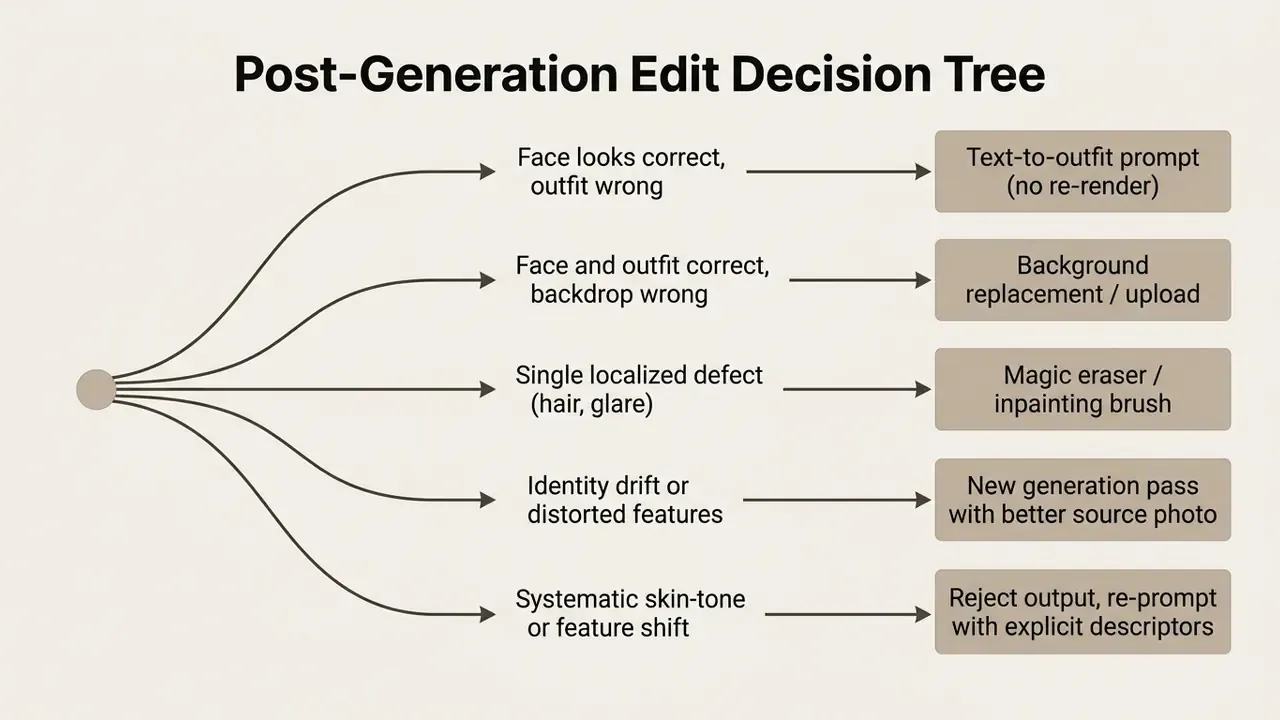
Free tiers usually expose only the retake loop. Text-prompt editing and eraser tools are the most common first paid unlock, and for most professional users they are worth more than a longer style catalogue.
Generate, Review and Download Headshots
Once preferences are set, the neural network executes the generation pass, typically rendering the transformed portrait within 15 to 30 seconds on single-image pipelines, or 5 to 60 minutes on fine-tuned multi-photo pipelines. The platform displays preview thumbnails, allowing the user to evaluate facial fidelity, lighting balance, and outfit integration before committing to a final file export.
If the generated result exhibits minor flaws, users can trigger retake loops, apply text-prompt edits, or adjust input prompts before executing the download step. Final files are typically exported as JPEG or PNG, ready for immediate digital integration; paid tiers add WebP and 4K print-ready variants.
How to Get Realistic, Professional AI Headshots from Selfies
Achieving realistic results from an ai headshot creator free system requires optimizing input image parameters before running the synthetic model. Algorithmic generators rely heavily on geometric clarity, and no style preset compensates for a dim, blurred source frame.
Lighting, Framing and Background Selection
Proper input lighting and framing serve as the foundation for realistic image synthesis. National Institute of Standards and Technology (NIST) face-image quality capture guidelines (NISTIR 8109) specify that input portraits should use uniform, diffuse lighting at approximately 500 lux, avoiding deep shadows under the eye sockets or chin, against a plain solid background free of clutter.
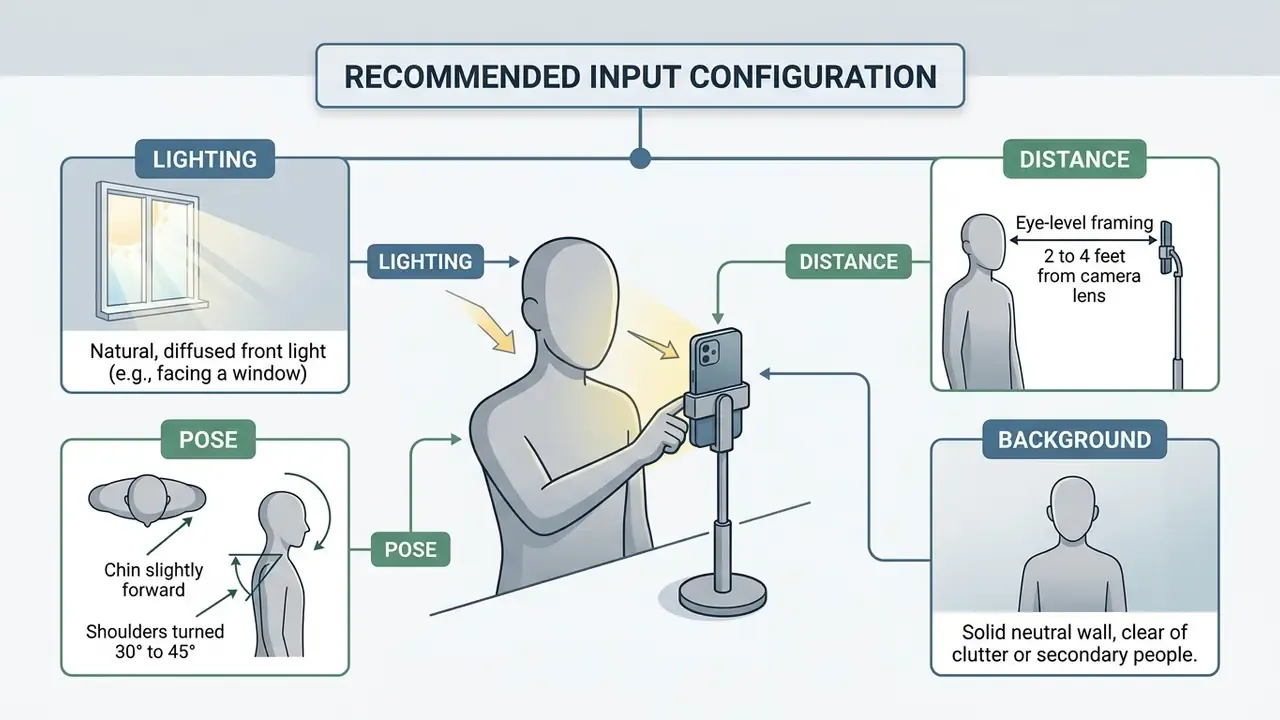
Updated (lens geometry). Close-range capture with a wide-angle smartphone lens introduces perspective distortion that widens the nose and flattens the cheekbones; shooting with optical zoom from a distance of at least three feet preserves natural facial proportions. This effect is documented in the academic literature on portrait geometry correction as the "selfie effect," attributed to short camera-to-subject distance rather than to the sensor itself. See Stanford's 2020 work on editing self-image and perspective undistortion. Note: the specific numeric magnitude of distortion varies by lens focal length and device, and additional device-level data would be required for a precise figure.
Clothing, Expression and Industry Fit
Selected attire and facial expression must align with organizational culture and industry norms. Executive corporate positions call for classic dark blazers, solid-colored dress shirts, direct eye contact, and a confident, relaxed facial expression. Pose fundamentals hold across sectors: shoulders turned 30° to 45° from the lens, chin slightly forward and marginally down, eyes on the lens.
Industry Fit Matrix
| Industry | Attire | Background | Lighting and Expression |
|---|---|---|---|
| Corporate, Finance and Legal | Formal dark suit or blazer, collared dress shirt, minimal pattern | Neutral gray, muted studio, or restrained office interior | Even key light, straight-on confident posture, controlled non-smiling or slight smile |
| Tech and Startups | Business casual, open-collar shirt, dark tee under an unstructured blazer | Modern blurred office, soft architectural bokeh | Bright, approachable smile; slightly relaxed shoulder angle |
| Healthcare and Medical | Clean white coat or crisp scrubs, simple collar underneath | Bright neutral clinical wall or soft light-gray gradient | High-key soft lighting, warm and highly trustworthy expression |
| Education and Academia | Smart casual, knitwear, textured jacket, soft layers | Bookshelf, campus exterior bokeh, or warm neutral wall | Soft warm lighting, accessible and open expression |
| Creative, Media and Design | Stylish attire, statement piece over a solid base, subtle color accent | Abstract, urban, or textured backdrop with depth | Directional or dynamic lighting, personality-forward expression |
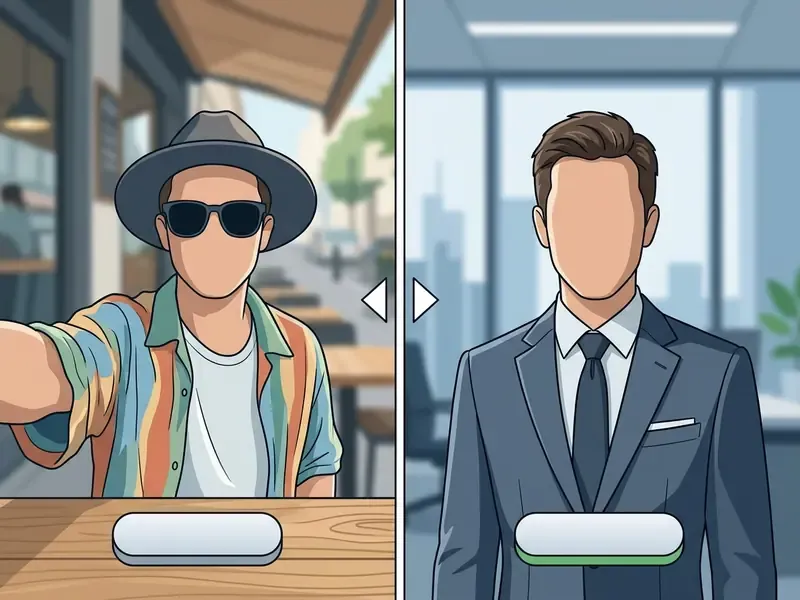
Creative industries and technology startups permit smart casual attire, softer colors, and approachable expressions. Regardless of domain, avoid forced smiles or clenched jawlines, since deep learning models tend to amplify subtle facial tension into an artificial expression.
Real-World Realism Testing: "Can People Tell It's AI?"
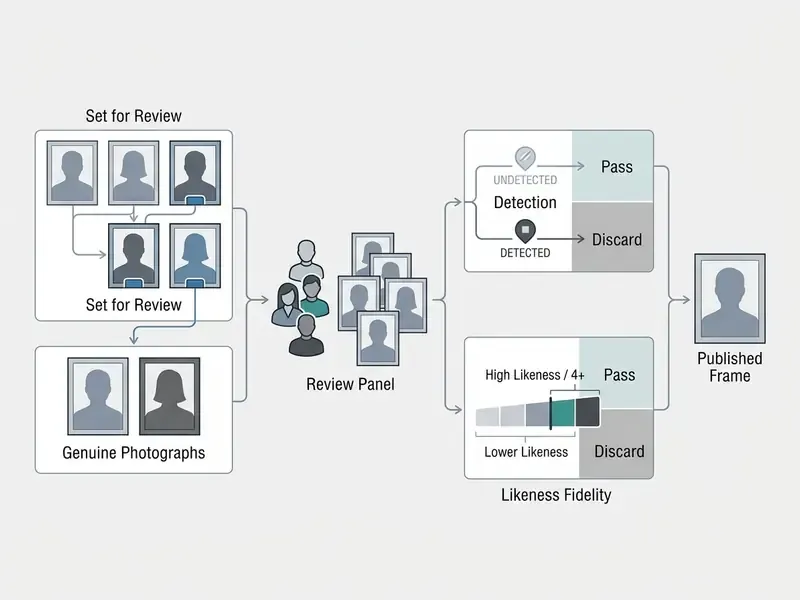
Before a synthetic portrait becomes your public identity asset, run a short blind test rather than trusting your own judgement. Self-assessment is unreliable because you already know the ground truth. A practical protocol:
Commercial Use, Ownership and Privacy of AI-Generated Headshots
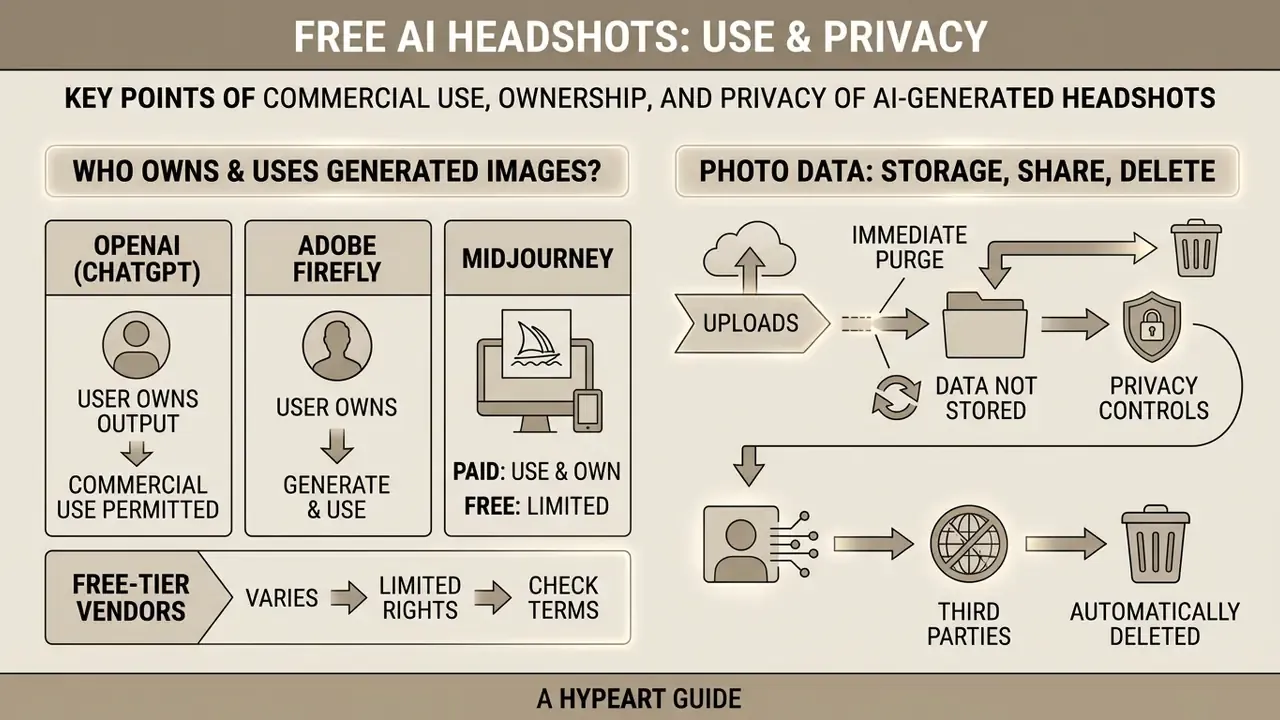
Evaluating an ai headshot generator fre platform requires inspecting legal rights, intellectual property ownership, and corporate data handling protocols. Organizations must ensure that uploading employee photos does not compromise confidential data or breach privacy mandates such as the Illinois Biometric Information Privacy Act (BIPA) or the EU General Data Protection Regulation (GDPR).
Who Owns the Generated Images and Can They Be Used Commercially?
Legal ownership of AI-generated content depends on platform terms of service and prevailing statutory regulations. Official guidance from the U.S. Copyright Office (USCO) indicates that purely machine-generated images lacking substantial human authorship cannot receive federal copyright protection; where a work mixes human and machine contribution, protection extends only to the human-authored elements.
Major generative model providers structure commercial ownership differently across user tiers:
- OpenAI (ChatGPT) Terms of Use specify that users retain ownership rights in uploaded inputs and own generated outputs, assigning any vendor rights directly to the user.
- Adobe Firefly States "you own your content," makes no copyright or ownership claim over Firefly-created content, and explicitly licenses generated headshots for unrestricted commercial use.
- Midjourney Grants users ownership of created assets to the fullest extent permitted by law, but requires Pro or Mega tiers for companies grossing more than $1,000,000 USD annually.
- Free-tier vendors Frequently grant personal-use rights on zero-cost tiers while reserving commercial rights for paid plan subscribers, or claim a limited, non-exclusive, royalty-free marketing license over free outputs. BetterPic, for example, states it requests permission to use free-tier headshots for its own marketing in exchange for keeping the tier free.
Platform-side detection is a parallel risk vector that most vendor pages omit entirely:
In practice this means a fully synthetic portrait that does not preserve your likeness can trigger automated moderation, while an AI-enhanced portrait that does preserve it remains policy-compliant. Readers evaluating verification tooling can review our overview of AI image detectors.
To audit detailed vendor pricing models and feature tiers, reference our comprehensive AI Media Pricing Guides and review legal precedents tracked in AI Litigation and Case Timelines.
How Photo Data Is Stored, Shared and Deleted
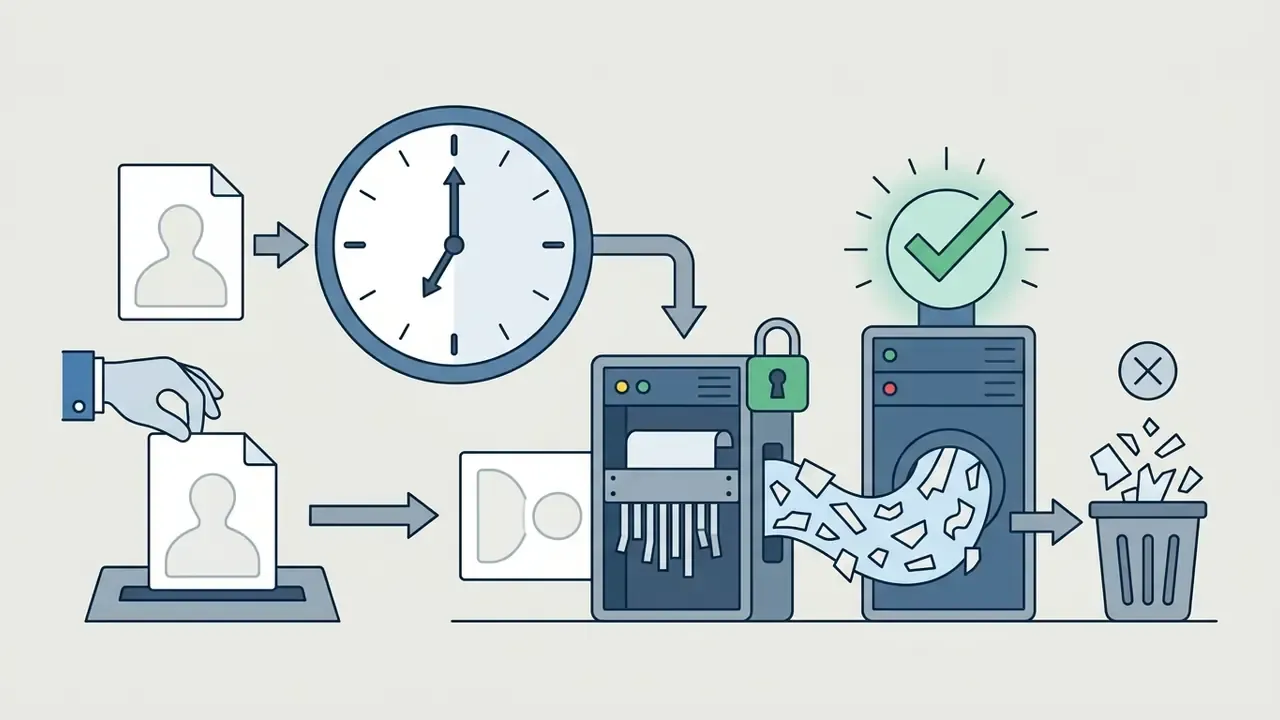
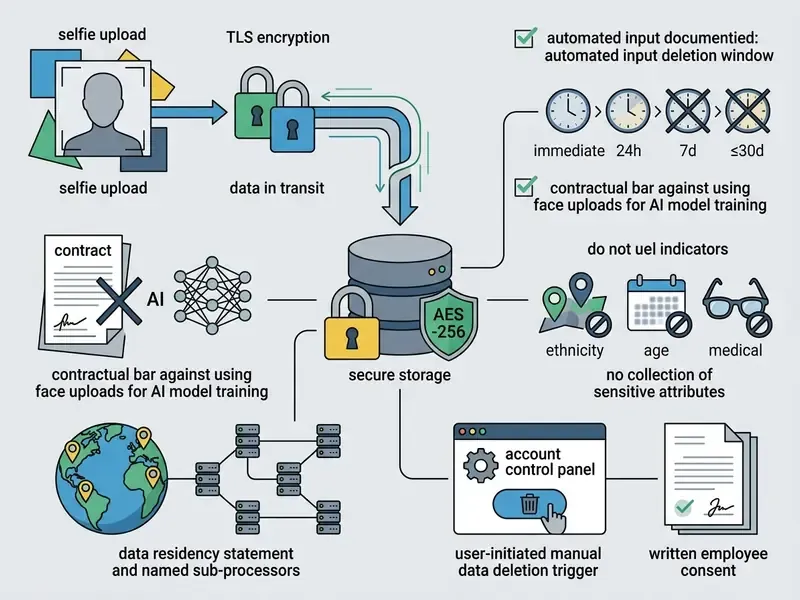
Enterprise risk officers must scrutinize vendor privacy policies regarding biometric face data storage, third-party data sharing, and retention schedules. Leading AI image services transmit data via TLS encryption and encrypt files at rest using enterprise security standards such as AES-256, with access limited to authorized personnel on a need-to-know basis.
For scale context, synthetic profile imagery remains a minority phenomenon on public platforms, which is precisely why detection systems can operate at low false-positive rates:
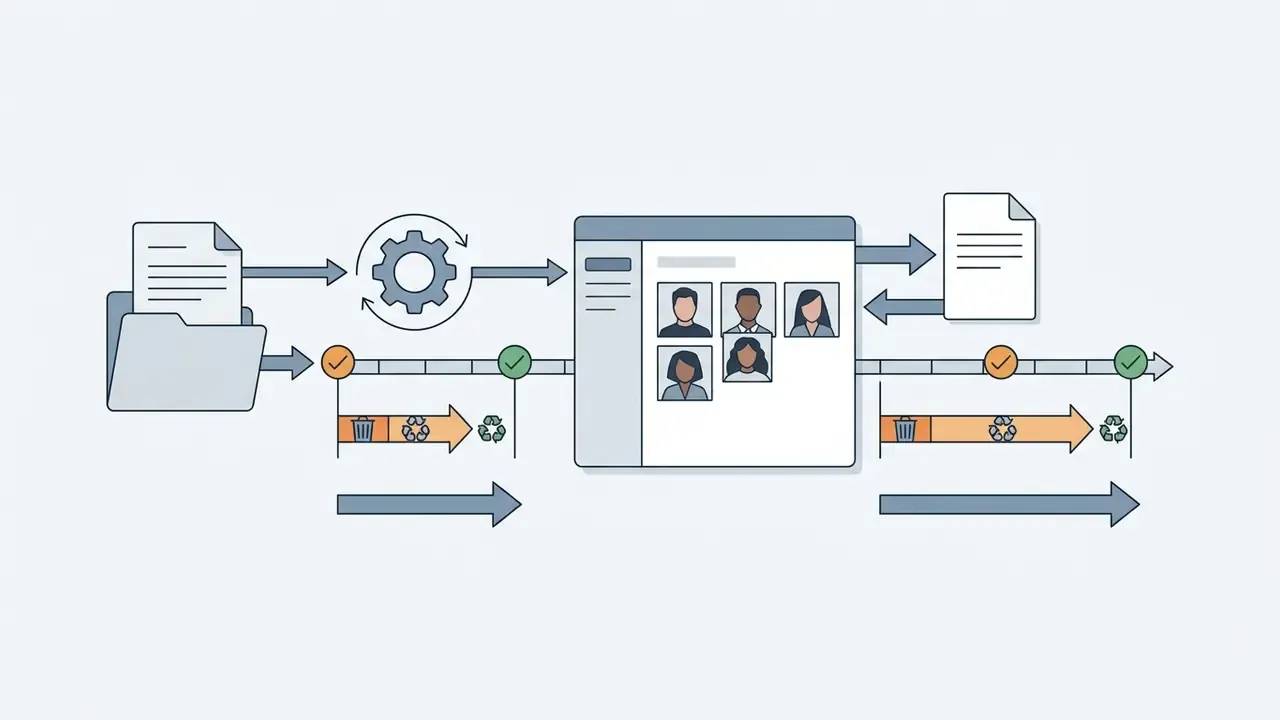
Data retention policies vary across generator platforms:
Shadow AI Risk Note
The most common governance failure in this category is not a vendor breach. It is unmanaged employee use. When staff upload corporate selfies, badge photos, or team images into an unvalidated free generator, the organization has effectively exported biometric identifiers to an unassessed third party without a data processing agreement, retention commitment, or lawful-basis record. Under BIPA-style statutes, that can constitute processing of biometric identifiers without informed written consent.
Practical controls that resolve the exposure without banning the technology outright:
- Publish an approved-vendor list for portrait generation, and route requests through IT rather than individual sign-ups.
- Require documented informed consent before any employee likeness is processed, and store the consent record with the HR file.
- Prohibit upload of images containing badges, whiteboards, screens, office layouts, or third parties who have not consented.
- Restrict free-tier use to capability evaluation with volunteer test subjects, never to production workforce datasets.
- Log which tool produced each published portrait, so a vendor terms change can be remediated at the asset level.
A short governance point worth stating plainly: a portrait tool is a model with an owner, an approved use, an access boundary, and a shutdown path. No evidence, no autonomy. If nobody can name the owner of the workflow, the workflow is not yet in production; it is in the shadows. Questions about vendor onboarding evidence can be routed through AI Media Support.
E-E-A-T Compliance and Terms Verification
Fact check and terms verification (as published, February 2026; verify before relying on these terms):
For a broader treatment of licensing scope across generative tools, see our reference on the commercial use of AI image generators.
Where You Can Use Free AI Professional Headshots
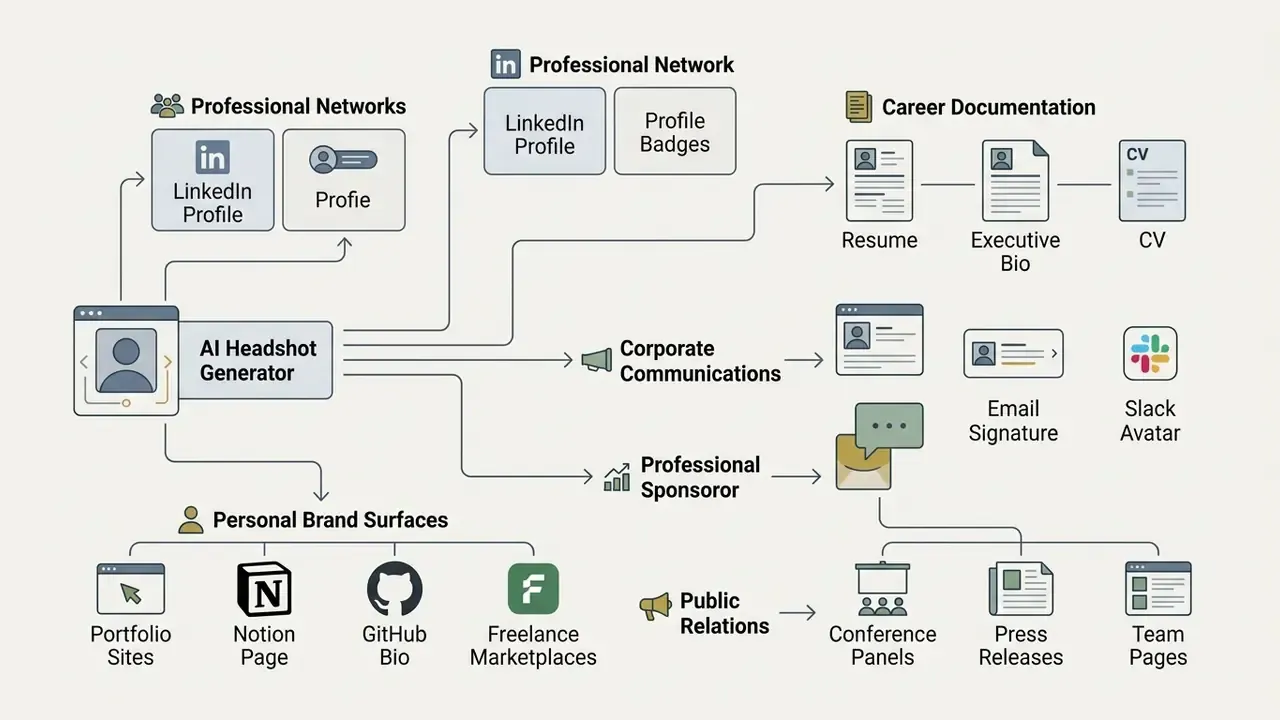
An ai free headshot generator output provides a versatile digital asset across corporate communications, recruitment platforms, and personal branding channels. Maintaining visual consistency across multiple professional platforms reinforces identity verification and personal authority.
LinkedIn, Resume and Professional Profiles
A primary application for an ai generator professional headshot free asset is updating professional networking profiles and job application materials. Current LinkedIn platform guidance requires profile images to accurately reflect the user's likeness while excluding logos, landscape shots, emojis, text, flags, animals, stock photos, celebrities, imaginary characters, and non-human avatars; artistic renderings are permitted only where the person's likeness remains recognizable. Source attribution: LinkedIn Help Center profile photo policy, last updated 2026. Consult the live Help Center article for current wording, since platform policy is revised without notice.
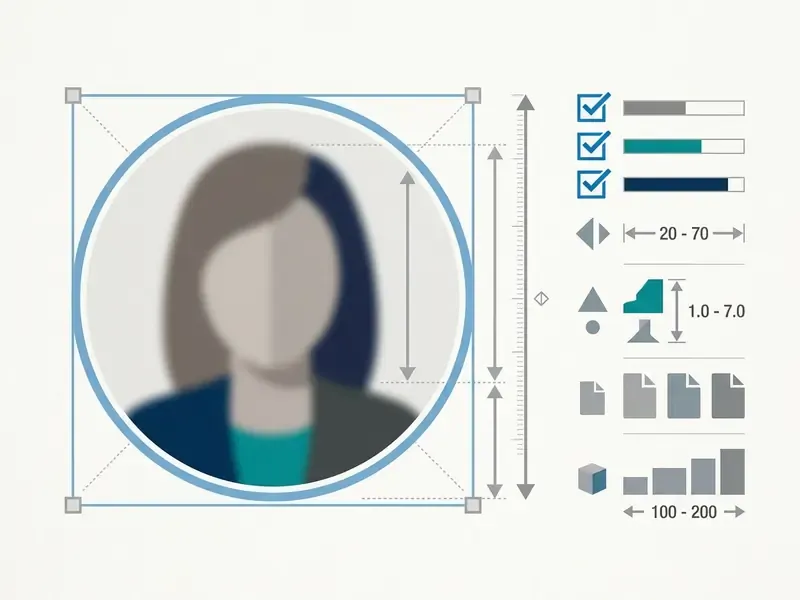
LinkedIn technical documentation places the profile photo range at a minimum of 400×400 pixels up to 7680×4320 pixels, with a maximum file size of 8 MB; LinkedIn Help Center pages have also cited an accepted upper bound of 2000×2000 for the profile image field. Because the square upload is cropped to a circle and frequently displayed at roughly 130 pixels in feed contexts, keep the head centered with modest headroom and let the face occupy approximately 60% of the frame. A clean, polished ai headshot generator free professional photo satisfies platform identity rules while establishing immediate visual credibility with executive recruiters.
How to Choose Between Free AI Headshots, Paid Plans and a Photographer
Selecting between a zero-cost ai image headshot generator free application, a premium AI portrait suite, or a traditional studio photographer depends on budget constraints, required volume, speed, and privacy requirements.
| Selection Metric | Free AI Headshot Generator | Paid AI Portrait Service | Traditional Studio Photographer |
|---|---|---|---|
| Financial Cost | $0 (zero marginal cost) | $29 – $59 per shoot or batch (from about $35 at some vendors) | $200 – $700 per session; $100–$300/hour or $75–$350/image |
| Time Required | 15 to 30 seconds (up to roughly 10 minutes) | 15 minutes to 2 hours | 3 to 7 business days delivery |
| Output Volume | 1 to 10 standard photos | 30 to 70 curated variations | 3 to 15 retouched original files |
| Style Flexibility | Basic stock backgrounds, up to about 5 presets | 120+ backdrops and 60+ outfits, prompt editing | Custom studio setups and lighting |
| Identity Control | Automated algorithmic fit | Multi-angle model fine-tuning | Direct human photographer guidance |
| Privacy Terms | Terms vary by vendor; free output may be reused in marketing | Private processing and documented data purge | Contractual copyright buyout and model release |
| Legal Certainty | Weakest: no human authorship, variable license | Explicit commercial license on major platforms | Strongest: negotiated releases and exclusivity |
Read the table one row at a time and the decision usually resolves itself. Volume and speed favour the machine. Legal certainty and exclusivity favour the human.
The behavioural evidence should weigh directly on this decision:
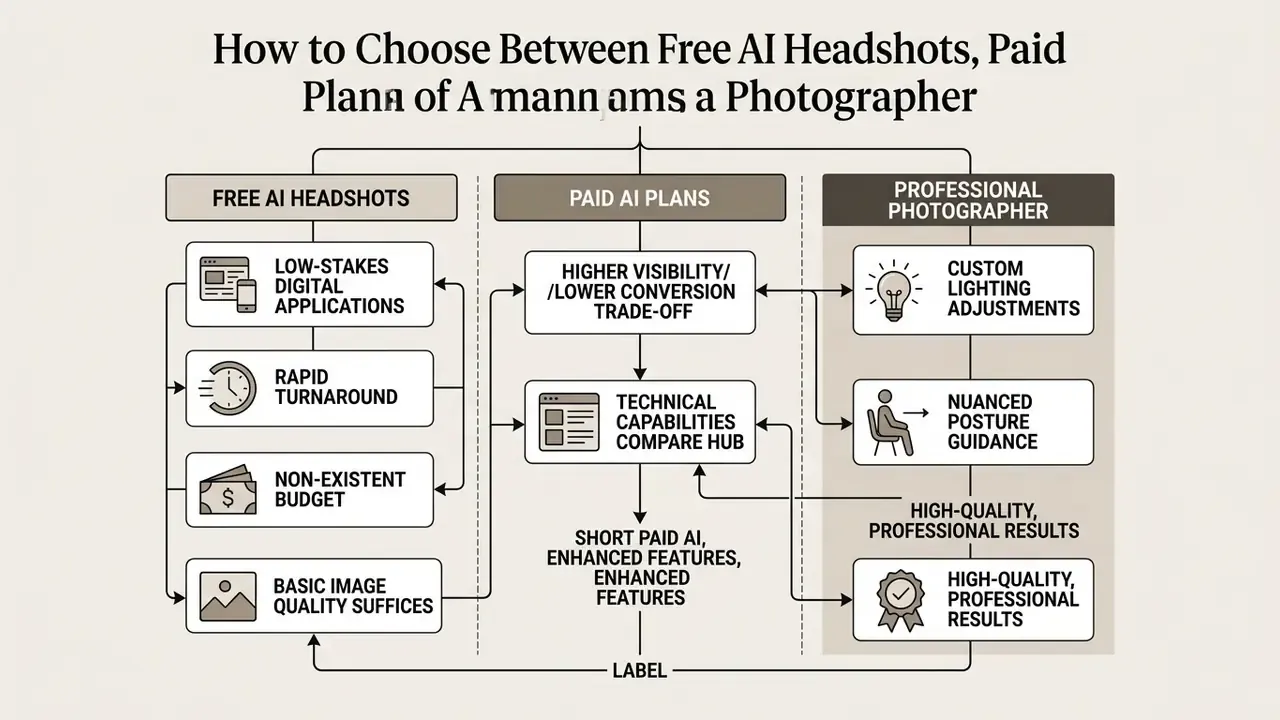
"Profiles using AI-generated photos received about 12% more profile views, but connection-acceptance rates reached only 31.1% versus 44.6% for profiles with authentic photographs."
Higher visibility with lower conversion is the defining trade-off of synthetic portraiture in 2026: it earns the click and loses part of the trust. Use AI output where reach matters and stakes are low; use camera-captured imagery where the relationship is the outcome.
To compare technical capabilities across different generative portrait platforms, consult our compare hub and explore developer options in the AI Media API Guides.
When Free AI Headshots Are Enough
Using an ai headshot photo free utility is sensible for low-stakes digital applications requiring rapid turnaround. It works well for updating a single personal LinkedIn avatar, populating remote team communication boards such as Slack or Microsoft Teams, generating a temporary resume photo, filling an internal directory placeholder, or producing a conference badge image at short notice.
When personal budget is non-existent and basic image quality suffices, free AI image generators and zero-cost portrait tools offer an accessible route to a presentable business photo anywhere, anytime. Independent 2026 comparisons position an ai headshots generator free tier as best suited to quick experiments, temporary internal profiles, and similar low-stakes uses, not as a substitute for a validated corporate asset.
When Paid AI or Traditional Photography Is a Better Choice
Upgrading to a paid AI service or commissioning a professional studio photographer becomes necessary under formal corporate conditions. Executive leadership bios, annual SEC financial filings, national marketing campaigns, high-level PR announcements, and any published image representing a real person in an advertising context require flawless identity fidelity and maximum resolution.
Professional human photographers provide custom lighting adjustments, nuanced posture guidance, and contractual copyright releases tailored for enterprise branding. Industry guidance reinforces this boundary: ASMP's field guidance calls for written consent for generative likenesses and disclosure when AI is used in advertising, advocacy, or editorial work, and institutional policies commonly instruct that AI-generated imagery should not be used to represent real people, places, and experiences. Licensing guidance likewise notes that a valid licensor must be the original author or authorized by the creator, which makes a commissioned photographer the appropriate route when exclusive rights, model releases, or bespoke usage terms are required. When legal certainty and absolute visual realism are mandatory, traditional photography remains the gold standard.
FAQ About Free AI Headshot Generators
What Input File Formats Can I Upload?
Contemporary generators accept JPEG/JPG, PNG, HEIC/HEIF, WebP, AVIF, static GIF, and TIFF. iPhone users can upload HEIC files straight from the camera roll with no conversion step, and Android users can upload native JPEGs. Practical requirements matter more than the container: the image should be unfiltered, well lit, at least full smartphone resolution, and not heavily cropped, since aggressive cropping starves the model of facial detail.
What Resolution and File Formats Are Available on Export?
Most free tools, including any ai head shot generator free of charge, output digital images in standard JPEG or PNG at resolutions ranging from 1024×1024 pixels to 2000×2000 pixels. These parameters render clearly on digital screens, mobile web apps, and professional social media profiles. Higher-end paid AI generators support WebP exports and ultra-high-definition 4K rendering suitable for physical print media, corporate trade show brochures, and executive annual reports. Where a free-tier file is too small for print, AI image upscalers can raise a 1024 px portrait toward print-ready resolution, though upscaling recovers sharpness, not lost identity detail.
How Does AI Handle Different Skin Tones and Facial Features?
Updated attribution. Recent generative model research documents a persistent, measurable representation gap rather than a resolved problem:
"Across 4,000 images generated by four leading models, 89.8% depicted light skin and only 10.2% depicted dark skin." "AI-generated dermatologic images show deficient skin tone representation and diagnostic reliability", medical journal (2024). "Under neutral prompts such as 'a person in a park,' both commercial models produced light-skinned subjects in more than 96% of outputs." "Quantifying Gender and Skin-Tone Bias in Gemini Flash 2.5 Image and GPT Image 1.5", preprint (2026). The perceptual dimension compounds the statistical one: "EEG evidence indicates AI-generated faces are perceived as more familiar and more attractive than real faces, and participants systematically misclassified them as authentic." "Neural signatures of hyper-realistic AI-generated faces", EEG study (2024–2025). Earlier work reached similar conclusions from different angles: a 2023 ICCV paper on multidimensional apparent skin color reported skew toward light-red skin and underrepresentation of darker tones, and NIST FRVT demographic testing has documented order-of-magnitude differences in false-positive rates across demographic groups. Advanced commercial headshot tools mitigate this with specialized skin-tone classification systems, such as the Monk Skin Tone (MST) scale, to preserve natural skin tonality and authentic ethnic facial features during synthesis. Prompt-adjusted and demographically calibrated models track expected population distributions far more closely than uncalibrated defaults. Users should review preview outputs at full size against the source selfie to confirm the portrait maintains their true appearance, and should reject any frame that lightens skin, narrows features, or alters hair texture.
How Does the AI Handle Religious Headcoverings, Glasses, and Distinctive Features?
Advanced synthetic portrait models preserve identity-defining attributes, including hijabs, turbans, yarmulkes, patkas, prescription eyewear, facial hair, birthmarks, freckles, scars, and natural facial marks. Generative pipelines isolate lighting, wardrobe, and background layers without modifying mandatory cultural, religious, or identity structures. Major vendors confirm this explicitly in their published FAQs: upload a selfie wearing exactly what you would wear in a professional setting, and the headcovering is retained as part of the portrait. Three practical notes:
- Glasses: upload wearing the frames you normally wear if you want them in the output; upload without them if you prefer a frame-free portrait. Mixed inputs can produce inconsistent frames across a gallery.
- Headcoverings: keep the drape and fabric clearly visible and evenly lit in the source photo, since occluded edges are the most common cause of rendering artifacts around the hairline.
- Privacy nuance: the strongest vendors decline to collect declared attributes such as ethnicity, age, or eyewear status, the latter because it can indirectly indicate a health condition, and instead infer appearance from the image alone. Absence of sensitive-attribute collection is a positive procurement signal. If a generated frame removes, recolors, or reshapes a religious garment or a distinctive feature, treat it as a failed output and re-run with a clearer source image rather than accepting the altered version.
Can I Use an AI Headshot Generator on Any Device?
Yes. Contemporary AI portrait platforms operate as web-based applications accessible across desktop browsers, tablets, and mobile smartphones. Users can upload source selfies directly from a mobile camera roll, configure style preferences, and download finished business headshots anywhere with an active internet connection. Some tools additionally perform image pre-processing locally in the browser before transmission, which reduces the volume of biometric data leaving the device. Note: cross-platform behaviour is vendor-specific; W3C mobile-web standards cover phones and tablets but explicitly exclude wearables and laptops from their mobile-application scope, and no single vendor document verifies universal compatibility.
Can People Tell If It's an AI Headshot?
Usually not, if the source photo was good and the frame preserves your likeness. Detection studies put untrained human accuracy at roughly 62%, barely above chance, and EEG research suggests viewers actively rate synthetic faces as more familiar than real ones. Automated detection is a different matter: platform-side classifiers have reached 99.6% accuracy against fully synthetic GAN portraits. The defensible position is therefore an AI-enhanced portrait that still depicts you, not an invented face.
Do I Need to Create an Account or Enter a Credit Card?
Not always. Genuine zero-friction tiers require no sign-up, no email, and no payment method, and still deliver one full-resolution download. Credit-metered tiers (two free credits, then a 24-hour wait) and watermarked free plans typically require an account. Treat any "free trial" that requests card details as a paid product with a grace period, and check the auto-conversion clause before proceeding.
How Many Photos Should I Upload, One or Ten?
It depends on the architecture. Single-image inpainting tools need exactly one clear, unfiltered, well-lit photo and return results in seconds to minutes. Fine-tuned pipelines train a personal model and ask for 5 to 12 varied photos, returning larger and more accurate galleries in 15 to 60 minutes. If you have one usable photo and an urgent deadline, use the single-image route; if you need dozens of consistent frames across outfits and angles, invest in the multi-photo route.
Key Takeaways for Corporate AI Headshot Selection
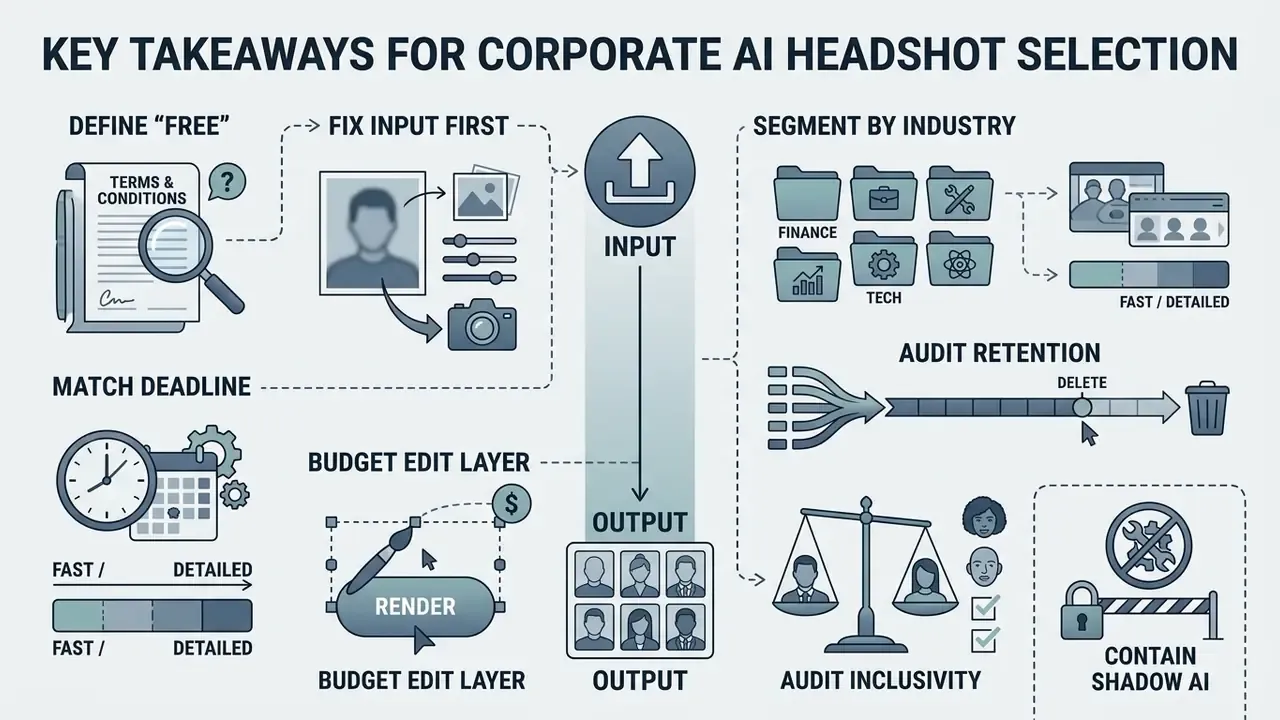
Deploying synthetic headshot tools means balancing convenience against data privacy and licensing rules. Organizations seeking to streamline digital asset workflows, including downstream cleanup with AI image enhancers, should evaluate platform retention practices, verify commercial licensing rights, and set clear policy for employee likeness processing.
- Define "free" contractually, not colloquially. Confirm whether the tier is zero-friction, credit-metered, or watermarked, and whether the vendor claims a promotional license over free output.
- Fix the input before blaming the model. NISTIR 8109 conditions (uniform diffuse light near 500 lux, plain background, full face visible, eye-level capture from three feet) recover more realism than any style preset.
- Match architecture to deadline. One photo for speed; five to twelve photos for fidelity and range.
- Budget for the edit layer, not just the render. Text-to-outfit swaps, background replacement, and magic-eraser retouching prevent full regeneration cycles and are the highest-value paid unlock.
- Segment by industry. Finance and legal reward restraint; healthcare rewards warmth and clinical cleanliness; creative fields reward personality. One preset does not serve five sectors.
- Audit retention explicitly. Immediate purge, 24 hours, 7 days, and 30 days are all live market practices, so record which applies to your vendor and tier.
- Verify inclusivity on your own faces. Published bias figures (89.8% light skin across 4,000 generations; above 96% under neutral prompts) mean demographic fidelity must be tested, not assumed.
- Contain shadow AI. Route portrait requests through an approved-vendor list with recorded employee consent, and keep free tiers in evaluation, never in regulated production.
- Escalate for high-stakes assets. Executive bios, regulatory filings, and paid advertising warrant paid AI with explicit licensing, or a commissioned photographer with signed releases.
A safe next step, if this is new territory for your team: pick two volunteers, run one free tier and one paid tier side by side, and document license, retention, and likeness fidelity for each. That single afternoon produces the evidence a control owner needs before anyone touches the wider workforce roster.
Appendix A: Corrections and Superseded Claims Log
This log preserves earlier phrasing from prior revisions of this article alongside the corrected version now used in the main text, in the interest of editorial transparency.
| Superseded claim (prior revision) | Current status | Corrected position in main text |
|---|---|---|
| "HeadshotPro Terms (2026): Master Service Agreement section 4.2 states that uploaded source selfies are automatically deleted from server storage 30 days after gallery generation, with immediate manual deletion available upon user request." | Contradicted by vendor documentation. HeadshotPro's public free-tool page and FAQ both state deletion within 24 hours. | Retention is presented as a vendor-dependent range: immediate purge, 24 hours (HeadshotPro), 7 days, 30 days maximum. The 30-day figure remains accurate for other vendors, including HeadshotPhoto.io's generated-gallery window. |
| "Stanford University research on facial self-image projection highlights that close-range smartphone camera lenses induce geometric facial distortion, expanding the nose and flattening cheekbones." | Under-attributed. The underlying effect (the "selfie effect" from short camera distance, corrected via perspective undistortion) is documented in Stanford's 2020 work on editing self-image, but the original sentence cited no publication, year, or authors. | Restated with the mechanism (camera-to-subject distance, not sensor), the practical remedy (optical zoom from at least 3 feet), and an explicit note that precise distortion magnitude is device-dependent and requires further data. |
| "A 2024 academic study published in the Journal of Medical Internet Research (JMIR) revealed that standard uncalibrated generative models tend to exhibit a light-skin representation bias when prompts lack specific physical descriptors." | Attribution corrected. The quantified findings now cited come from a 2024 dermatologic-imaging evaluation and a 2026 bias-quantification preprint; a JMIR protocol study separately reported that DALL·E 3 and Midjourney skewed lighter than expected U.S. distributions. | Replaced with two directly quoted, quantified findings (89.8% light skin across 4,000 images; above 96% under neutral prompts), plus the JMIR protocol result and the 2023 ICCV apparent-skin-color paper as supporting evidence. |
| Compliance case study framed as: a risk compliance department "used an ai headshot picture generator free workflow" to process 45 employee selfies for a regulatory audit filing. | Logically inconsistent with risk governance. Processing 45 employees' biometrics through an unvalidated free tier is itself a compliance exposure, not a success case. | Reframed: the free tier was used for two-subject capability evaluation, legal review flagged the promotional sub-licensing clause and absent no-training guarantee, and production ran on a paid enterprise plan with a signed DPA and documented consent. |
| "Paid packages, such as standard enterprise batch plans ranging from $29 to $59 per session…" stated without source. | Sourced and hedged. | Attributed to publicly listed vendor tiers (HeadshotPro $29/$39/$59; BetterPic from $35) with an explicit note that pricing is indicative and changes without notice. |
| LinkedIn 2026 policy and technical specifications stated without documentary citation. | Attribution added; verification advised. | Policy attributed to the LinkedIn Help Center profile-photo article, specifications presented with both the 7680×4320 upper bound and the 2000×2000 Help Center figure, plus a note that platform policy is revised without notice. |
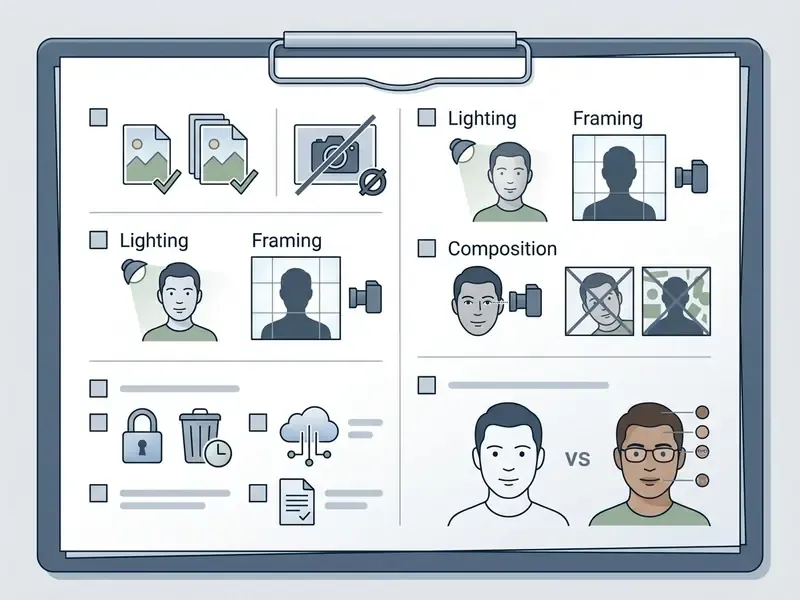
Appendix B: Printable Pre-Upload Checklist
Distribute this one-page checklist to employees before any AI portrait tool is used on a work device or with a work likeness.
This article provides general information on software capabilities, licensing structures, and data-handling practices. It is not legal, compliance, or procurement advice. Vendor terms of service and privacy policies change without prior notice; verify the current agreement directly with the provider before uploading biometric data, and consult qualified counsel for deployments subject to BIPA, GDPR, or sector-specific regulation.
For additional definitions, technical documentation, and enterprise guides, visit our central AI Media Glossary.