Executive Summary: Key Takeaways for Model Risk, Finance, and Enterprise Adoption
- Licensing integrity Verify commercial rights before deploying generative assets. Luma describes permanent commercial retention only for content rendered under active Plus, Unlimited, or Enterprise subscriptions. Free and Lite outputs stay watermarked and non-commercial forever, and cannot be retroactively "upgraded."
- Control versus autonomy Unbounded text-to-video generation carries a high artifact rate. Combining Camera Motion Concepts, Camera Angle Concepts, and image-to-video keyframe anchoring produces predictable visual boundaries and lowers the re-generation rate.
- Execution economics Credit consumption scales fast with resolution and clip length. The grids differ between the Ray2 web interface (roughly 170 credits per 5-second 1080p clip) and the Ray3.2 API resolution ladder (20 credits for a draft, up to 1,200 credits for a 10-second 1080p asset). High-volume pipelines should validate motion in draft resolution before rendering final 1080p or 4K deliverables.
- Data governance Free and Lite content may be used by Luma for model training. Enterprise-grade privacy terms, including no training on customer content, are contractual features of the Enterprise tier rather than defaults. Any regulated organization must treat prompts, reference images, and uploaded footage as data egress events.
- Model continuity risk Luma sunset its original 2024 model on January 31, 2025, forcing full migration to the new UI and the Ray architecture. Any business continuity plan built on a hosted generative model should assume version deprecation on 6 to 12 month cycles and preserve rendered masters locally.
- Ecosystem consolidation The Luma workspace has grown into a multi-model production hub with brand-consistency tooling (Uni-1) and access to third-party models. That shifts the procurement question from "which model" to "which orchestration layer."
Who This Guide Is For and How to Read It
Three reader profiles get different value here. Creative and social teams will care most about prompt craft, Reframe, and export formats. Finance owners will want the credit grids and the risk-adjusted cost model. Risk, security, and audit functions should start with the data-privacy and shadow AI controls, then work backwards into capability.
One framing note before the detail. Generative video is not a model-risk problem in the classic credit or capital sense; nobody is underwriting a loan with a diffusion clip. The exposure sits elsewhere: intellectual property, third-party data handling, disclosure accuracy in regulated marketing, and unmanaged consumer subscriptions bought on personal cards. Those four risks are what the control sections below address, and they are the reason a "cheap" seat can turn expensive.
What Luma Dream Machine Is and How the AI Video Generator Changed in 2024–2025
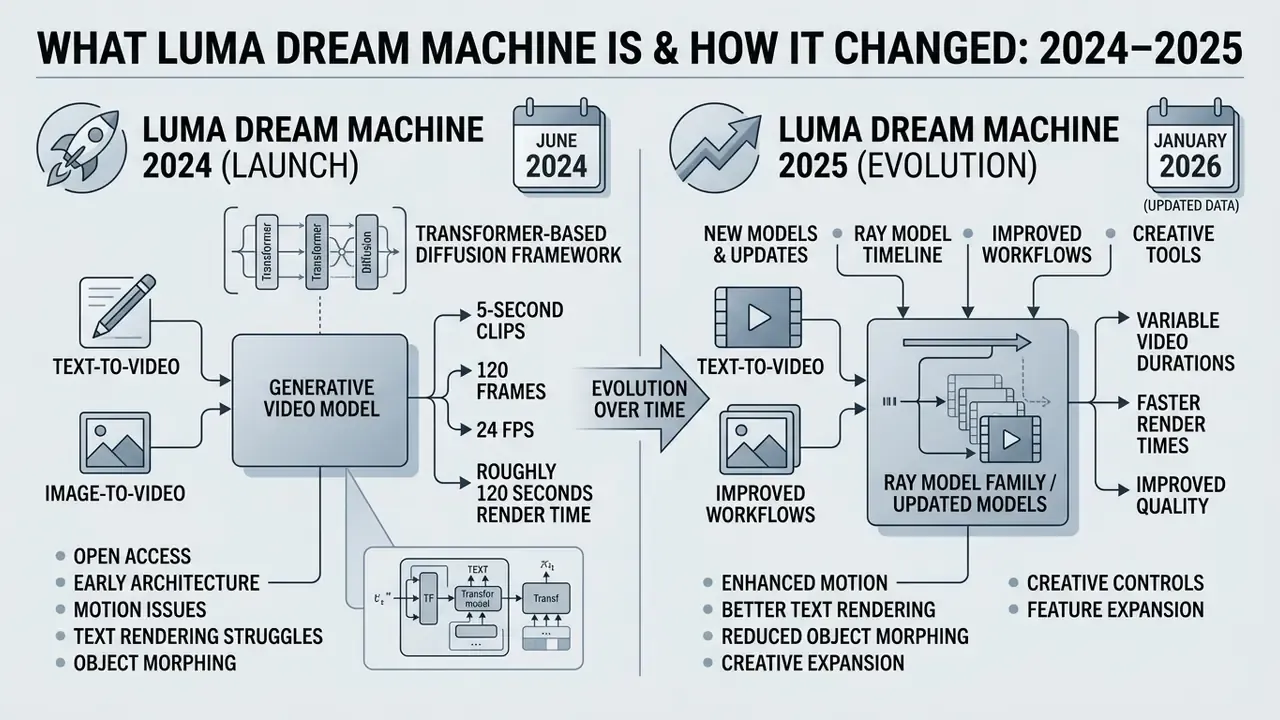
Luma Dream Machine is a text-to-video and image-to-video generation platform built by Luma Labs. It synthesizes short realistic clips, product shots, and cinematic camera moves from natural language prompts or visual reference frames. Between mid-2024 and mid-2025 the product went from a single experimental model to a multimodal creative suite with dedicated model architectures, specialized camera controls, and programmable developer workflows. Searches for the luma ai dream generator, the luma ai video generator from Luma Labs, or the Dream Machine official site for video generation all land in the same place: one workspace, several model generations, and licensing that depends entirely on your tier.
Luma Dream Machine in 2024: The Launch of Text-to-Video and Image-to-Video
Luma AI launched Dream Machine publicly on June 12, 2024 with open access to its first generative video model. That model rendered 5-second clips (120 frames at 24 frames per second) at 1360x752 from text prompts or still images. Over one million users arrived within four days, pulled in by free access and by object coherence that held together better than most prior-generation systems.
That one-to-one relationship between render time and output duration is still the anchor metric for capacity planning. Batch pipelines built on hosted diffusion video cannot be modelled like image generation, because queue time grows linearly with delivered seconds. Plan throughput in seconds of finished footage, not in requests.
The early 2024 architecture ran on a transformer-based diffusion framework trained directly on video datasets. Outputs showed believable motion physics and cinematic depth. They also showed recurring failure modes: temporal drift, background flickering, character morphing, and unstable text rendering inside scenes.
Access during that research preview was managed through daily generation quotas rather than formal subscription tiers. It functioned as a large-scale data collection and feedback period before commercialization. For governance teams this history matters more than it looks: the preview established the precedent that free-tier prompts and uploads act as training signal, and that distinction survives in today's tier structure.
Luma Dream Machine Updates in 2025: Models, Ray, and Creative Tools
In 2025 Luma Labs replaced single-model infrastructure with the Ray model family. Ray2 shipped in January 2025 on a multimodal architecture built with roughly ten times the compute capacity of the original Ray1 engine. The legacy 2024 model was retired on January 31, 2025, and every user had to migrate to the interface introduced in late 2024. Anyone tracking luma ai dream machine video generation in May 2025 was already working inside that newer stack rather than the launch model.
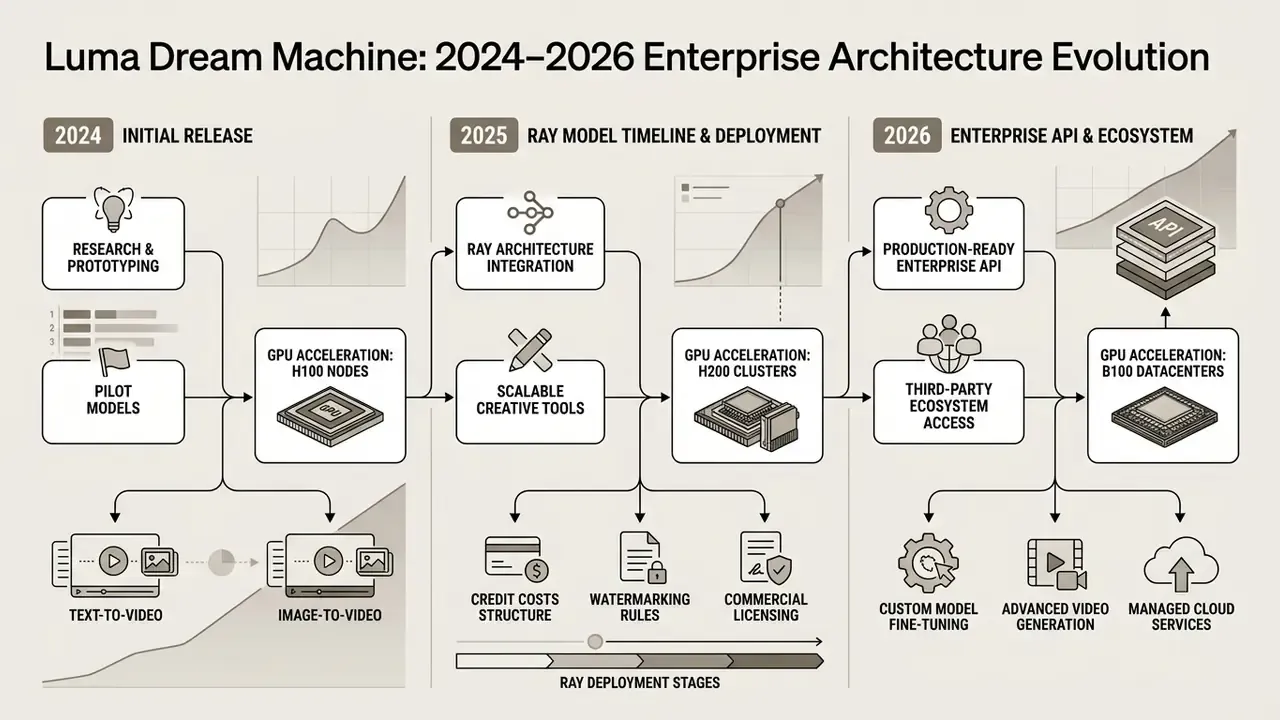
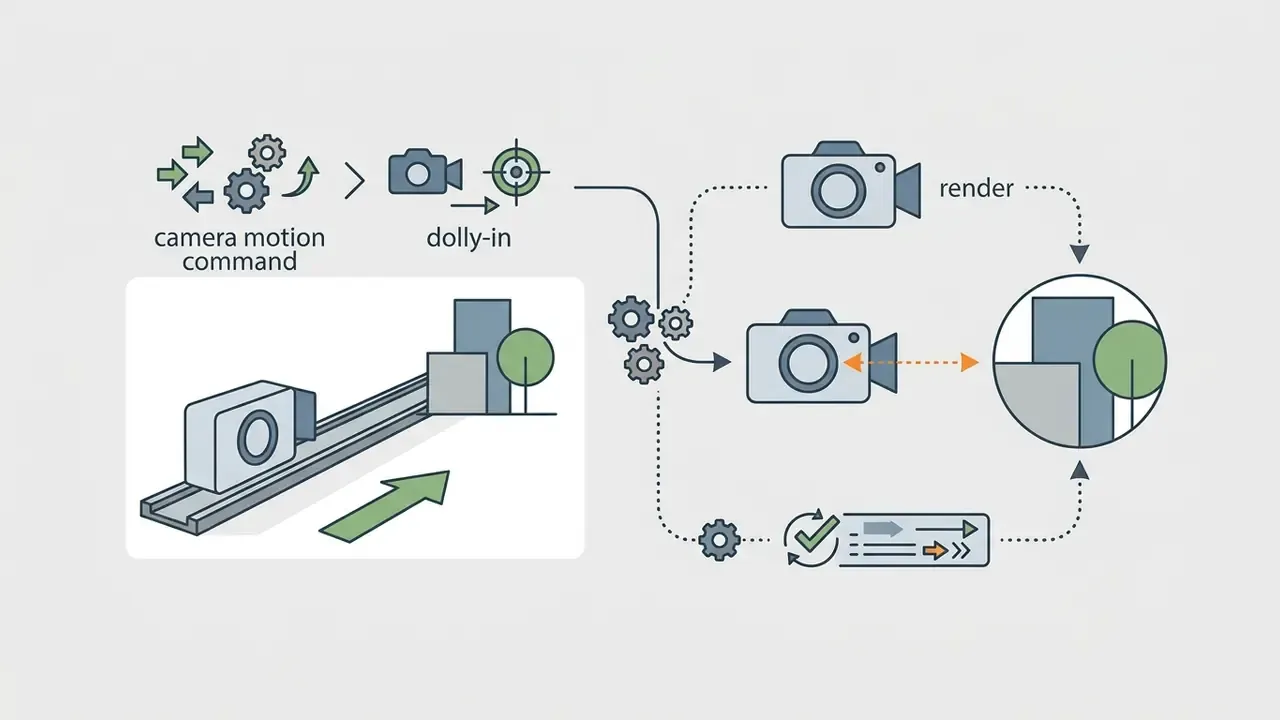
The 2025 releases expanded control well beyond plain prompts. On March 31, 2025 Luma introduced Camera Motion Concepts, a library of 15 programmable camera paths (orbit, crane, pan, tilt, truck, roll, zoom, elevator, aerial drone, tiny planet, and related moves). April 2025 added Camera Angle Concepts with nine cinematic framing tools: point-of-view, selfie, overhead, low-angle, high-angle, ground-level, eye-level, aerial, and over-the-shoulder. Mid-2025 brought Reframe for outpainting and aspect-ratio conversion, plus Modify Video, a video-to-video engine for style transfer, element replacement, and environment changes without green screens or motion-capture rigs. Ray3 then added a documented finishing layer: reasoning-driven generation, character reference, Draft Mode, up to 16 keyframe anchors, and a native 16-bit HDR pipeline with EXR export.
Beyond the video models themselves, Luma integrated Uni-1, a brand-intelligence module operating at model level. Uni-1 carries style references, character references, and visual grounding across a series of generations, so corporate palettes, logo treatment, and recurring characters hold steady between assets instead of drifting render by render. In parallel the workspace became a multi-model production hub: teams switch between Luma's Ray models and third-party generators, including Google Veo, Kling, Seed Dance, and audio synthesis through ElevenLabs, without leaving the board or re-exporting assets. For procurement committees that reframes the evaluation. Luma increasingly gets assessed as an orchestration and brand-governance layer, not just a single diffusion endpoint.
Ray3.2, positioned by Luma as its most controllable video model, extends the same trajectory: frame-level direction, continuity across cuts, keyframe anchoring, video reframing, and API access for production pipelines. The practical governance implication is simple. Each Ray generation introduces new controllable parameters, and each new parameter belongs in an internal prompt-governance standard before production adoption. Otherwise your "approved workflow" documentation describes a model that no longer exists.
Capabilities of Luma AI Dream Machine for Video Generation
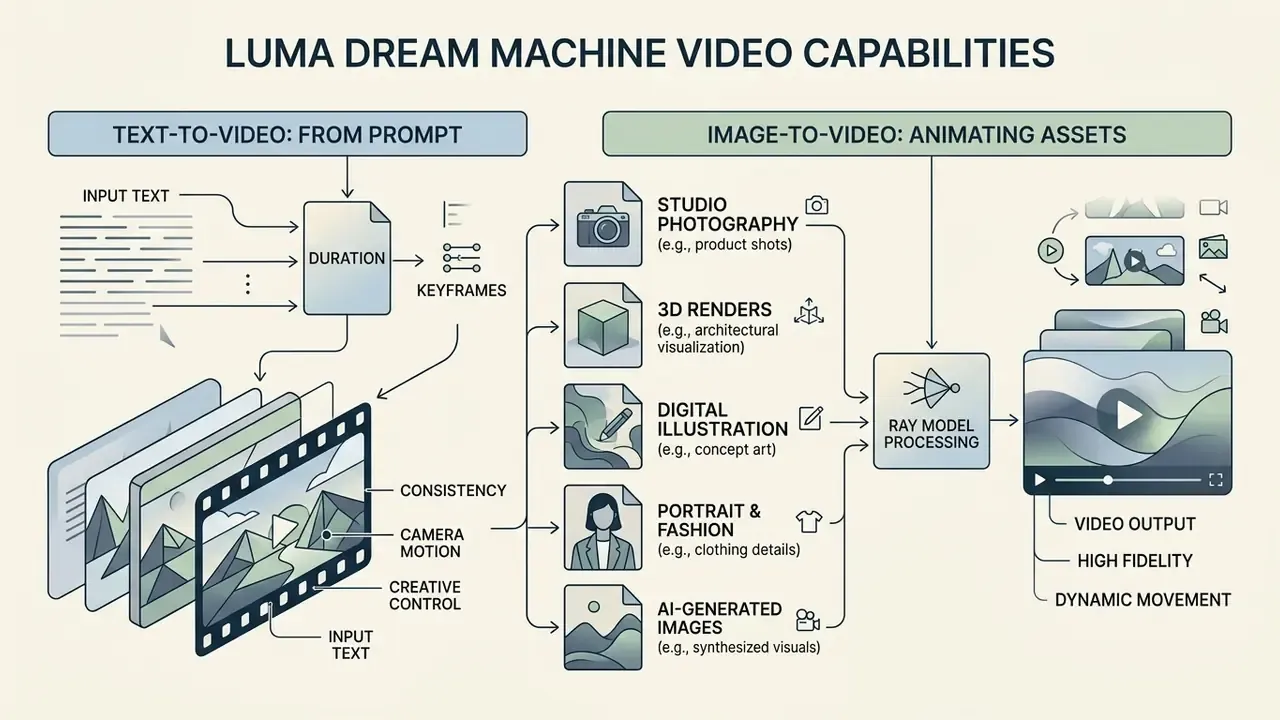
Luma Dream Machine works across two primary input modalities, text-to-video and image-to-video, supported by programmatic camera controls, multi-keyframe anchoring, and direct video-to-video transformation. Output ranges from throwaway draft concepts to native 1080p and 4K production files.
Text-to-Video: Turning a Prompt Into AI Video
The text-to-video engine converts natural language into moving sequences by reading four prompt components: subject, action, camera movement, and visual mood. Readers new to this tooling category can review the broader class context in our reference on text-to-video AI tools. There is no rigid syntax to memorize; the model evaluates descriptive language and projects temporal transitions, spatial relationships, and environmental lighting across frames.
For consistent results in luma ai dream machine text to video 2024 2025 workflows, prompts must state explicit physical actions and environmental conditions. Vague descriptions tend to produce static scenes or unpredictable panning. Detailed directives that specify subject mechanics, camera trajectory, and atmospheric lighting help the underlying transformer hold visual fidelity across the full clip duration.
Image-to-Video: Animating Images, Product Shots, and Creative Assets
How Ray Handles Different Source File Types
Ray reads the depth map, subject separation, and lighting direction of frame0 before computing motion. Images with strong subject separation and clear depth information yield far more precise movement than flat, low-contrast files. Each media class needs its own prompting discipline:
- Studio product photography
- Anchor focus on geometry and label placement. Use minimal motion instructions, for example "slow 15-degree camera orbit, static product, soft ambient light shift", to avoid smearing brand elements, typography, or reflective surfaces. This remains the highest-fidelity image-to-video use case, because color accuracy and surface detail carry cleanly across frames.
- 3D renders and architectural visualization
- Ray reads render perspective and parallax correctly. For fly-through effects, use cinematic depth language such as "dolly pull-back revealing interior space, depth-of-field shift", which simulates a 3D orbit without re-rendering the scene in your DCC application. Particularly effective for real estate, product visualization, and game-asset previews.
- Digital illustration and concept art
- When animating 2D art, tell the model to preserve the source style: "maintain painterly brushstroke texture, subtle wind blowing character hair, static background". Ray adapts motion to the visual language of the source, so graphic design assets with strict geometry deserve restrained camera work.
- Portrait and fashion photography
- Avoid complex head rotations, which reliably trigger anatomical drift. Specify isolated micro-motions instead: "character turns eyes toward camera, subtle breathing motion, soft backlight flicker".
- AI-generated source images (Midjourney, Flux, Photon)
- When the source is already highly detailed, keep text-modification weight low so Ray does not repaint faces, fabric texture, or fine ornamentation. Uploading an AI still and animating it is the natural continuation of any AI image generation workflow.
Motion, Camera, and Cinematic Style: Available Scene Control
Dream Machine exposes structured camera movement and framing through natural language keywords and API parameters, so users can direct perspective without manual keyframing. The system supports 15 standardized camera motions, including pan, tilt, zoom, crane, orbit, truck, roll, and aerial drone paths, alongside nine framing presets from ground-level to high-angle overhead. In the web UI you invoke camera motion by typing "camera" in the prompt field and picking a supported move. Via API, the supported motion list can be queried from the camera-motions endpoint.
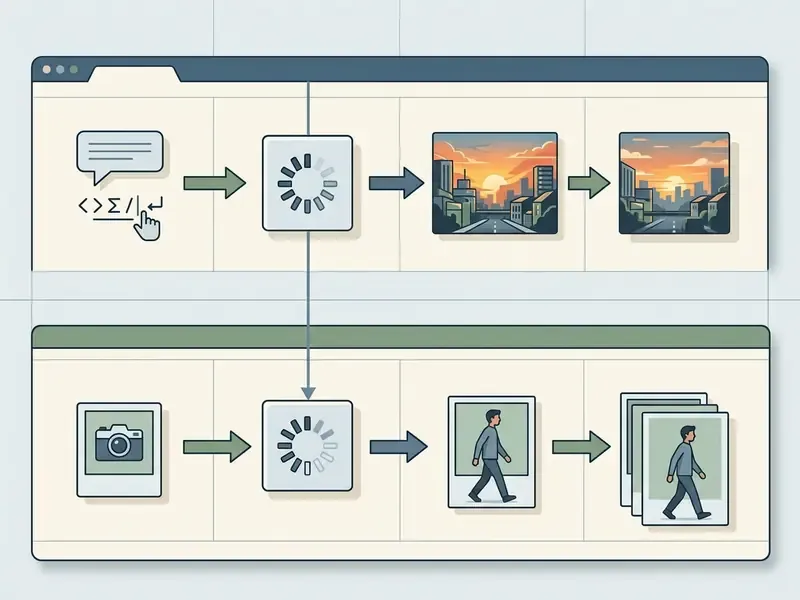
| Feature / parameter | Text-to-video mode | Image-to-video mode |
|---|---|---|
| Primary input data | Natural language prompt (subject, action, lighting, camera move) | Uploaded static image URL or file (keyframe0) plus optional text prompt |
| Scene definition and composition | Fully synthetic; model infers geometry, colors, background elements | Anchored to source image; preserves composition, lighting, asset detail |
| Precision of subject control | Moderate; depends on prompt accuracy; risk of visual drift | High; retains visual identity, product shape, source aesthetic |
| Motion handling and physics | Inferred from action verbs; enhanced via Camera Motion Concepts | Applies motion to static elements while preserving structural geometry |
| Primary creative tasks | Concept ideation, storyboarding, atmospheric B-roll, abstract scenes | Product shot animation, 3D render motion, character animation, social ads |
| Governance note | Prompt text is the only data egress; lower confidentiality exposure | Uploaded imagery leaves the internal perimeter; requires data-classification review |
Text-to-video gives maximum flexibility when you have no existing visual material. Image-to-video is the essential mode for brand asset animation, where structural geometry and visual identity must survive the render.
How to Generate a Video in Luma Dream Machine: From Prompt to Export
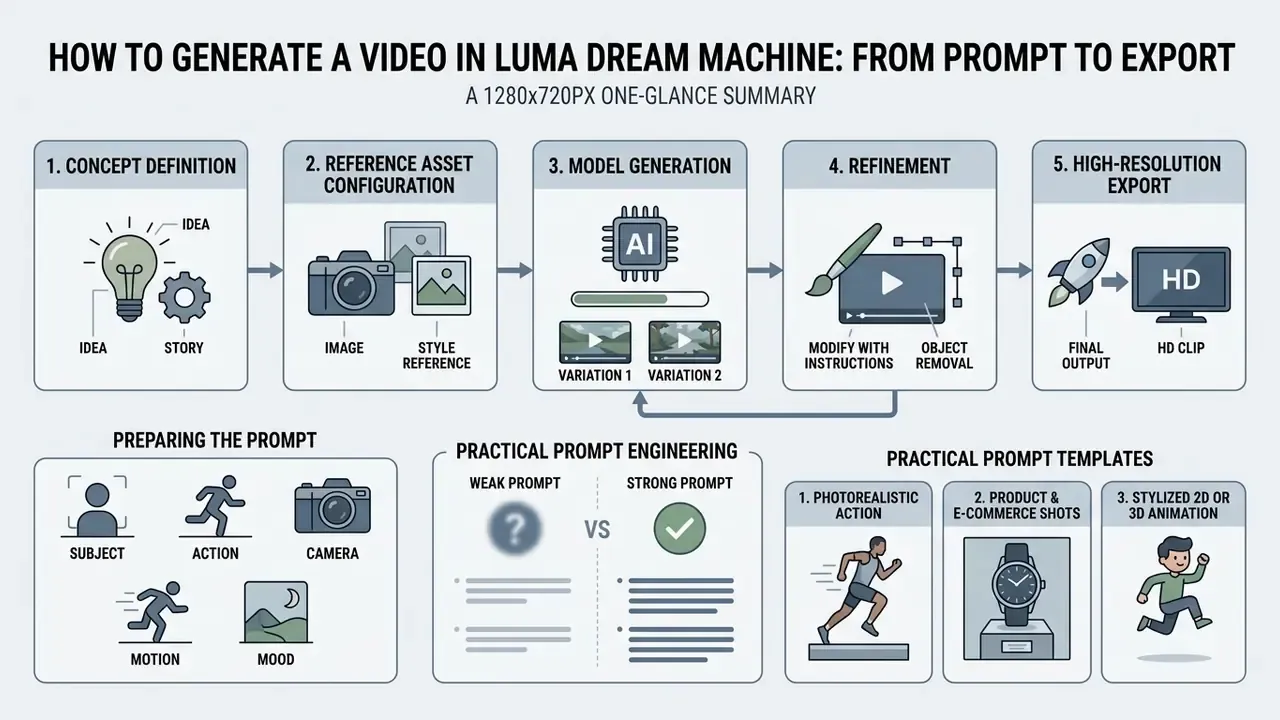
Producing a usable clip follows an iterative five-stage pipeline: concept definition, reference asset configuration, model generation, refinement, and high-resolution export. Most renders finish in under a minute on current Ray models, and most creators reach a publishable result within two or three generations rather than restarting from a random output each time. That habit, iterate rather than re-roll, is also the main cost control.
Preparing the Prompt: Subject, Action, Camera, Motion, and Mood
Effective prompts rest on five pillars: subject (the central object or character), action (specific physical motion), camera (framing and trajectory), setting (environment and lighting), and mood (color tone and emotional register).
A prompt such as "A high-end metallic watch resting on dark polished granite, macro camera slowly panning left, soft directional studio lighting, water droplets evaporating on glass, cinematic 4k" sets clear boundaries for physics, lighting, and focal depth. Descriptive instructions about physical movement keep the model from defaulting to a static scene or arbitrary motion blur.
«GenAI-Bench tests 1,600 compositional prompts across visio-linguistic reasoning skills; over 15,000 human ratings were collected for leading generative models.»
The finding behind that benchmark is directly actionable. Models degrade fastest on compositional prompts involving relations, counting, and negation. So describe what you want rather than what you do not want, and avoid stacking several simultaneous relations into one clip instruction.
Practical Prompt Engineering: Weak Versus Strong Templates
To prevent Ray-architecture failures, use explicit physics, camera dynamics, and style anchors. The paired examples below show the gap between an ambiguous instruction and a production-grade one.
1. Photorealistic action
- Weak prompt:
"A man running in the city" - Strong prompt:
"A man in a dark grey waterproof jacket sprints down a rain-slicked neon alley at night, camera tracking parallel at shoulder height, shallow depth of field, anamorphic lens flare, photorealistic 8k, 16:9" - Why it works: it fixes wardrobe, surface condition (rain-slicked), action intensity (sprints rather than runs), camera trajectory (tracking parallel at shoulder height), and optical parameters. There is no room left for the model to substitute an arbitrary panoramic drift.
2. Product and e-commerce shots
- Weak prompt:
"A cosmetic bottle on a table" - Strong prompt:
"Frosted glass perfume bottle standing on wet dark basalt stone, macro push-in camera motion, soft studio key light catching rising condensation droplets, cinematic color grade, 24fps" - Why it works: materials are named (frosted glass, basalt), micro-dynamics are delicate but present (condensation droplets), and the camera move is explicit (macro push-in). Subtle motion plus a grade descriptor is what separates a video prompt from a still-image prompt.
3. Stylized 2D or 3D animation
- Weak prompt:
"A dragon flying in the sky" - Strong prompt:
"A small stylized turquoise dragon with oversized wings flaps awkwardly through pastel pink clouds, 2D hand-drawn animation style, thick ink outlines, flat color shading, camera following from below, gentle parallax effect" - Why it works: the word "animated" is too broad, since it spans 2D, 3D, stop-motion, and anime. Here the technique is named, the flight physics is characterized behaviorally (flaps awkwardly), and the low camera position adds dynamism.
A reusable skeleton from these three pairs: subject (with material or wardrobe detail) plus action (with intensity) plus setting (with time and lighting) plus camera (named move and height) plus style anchor (technique, lens, grade, fps).
Reference Images, Variation Generation, and Output Refinement
When exact visual consistency matters, upload reference images to anchor style, composition, or character appearance. You can add reference frames in the web interface or submit image URLs with weighted values (image_ref and weight) through the Luma API. Luma's documentation lists up to four reference images in Image Generation and up to nine in the Agents surface. The refinement discipline that actually works: change one variable at a time, style, color, lighting, or angle, and restate the features that must not change.
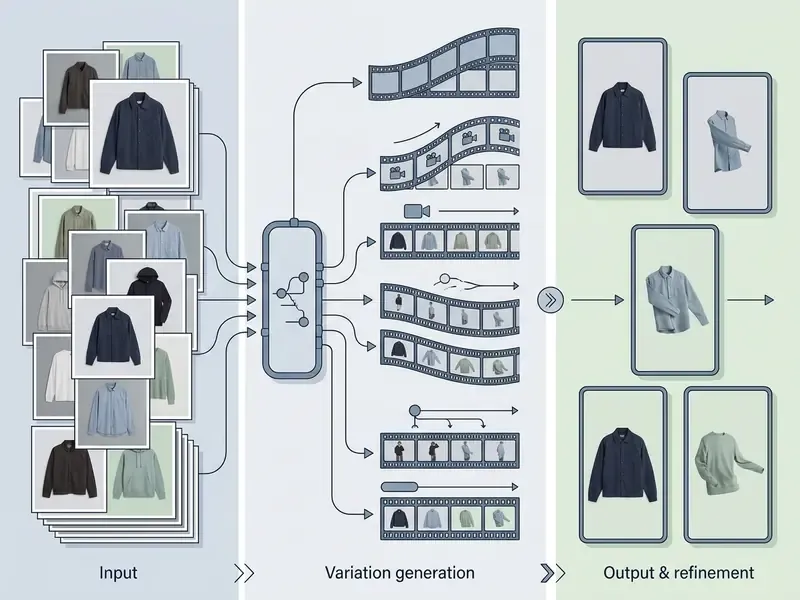
If a render shows minor flaws or stiff motion, use Modify Video or Modify This. Those functions adjust specific parameters, for instance background lighting or camera speed, without regenerating the core subject or invalidating the composition.
Modify with Instructions deserves attention, because it replaces mask painting with plain-language editing. Instruction patterns that behave predictably:
Upload constraints matter for planning. Modify workflows accept .mp4, .mov, and .wmv, and Luma's guide caps Modify with Instructions source clips at 10 seconds and 100 MB.
- Object removal
"remove the parked car on the right side of the frame, keep the wet asphalt reflection intact"- Set change
"replace the office background with an evening city skyline, keep the subject, lighting direction, and framing unchanged"- Restyle
"restyle to muted teal-and-amber cinematic grade, preserve all motion and subject geometry"- Wardrobe or material swap
"change the jacket material to matte black leather, do not alter face, hair, or camera movement"- Transformation depth
- where the tool exposes a transformation-level control, keep it low for brand-critical assets and raise it only for exploratory restyling.
Exporting Video for Social, Brand, and Production Workflows
Completed generations render as H.264 MP4 by default. Professional workflows can use native 16-bit HDR generation and 16-bit EXR frame sequences for color grading suites such as DaVinci Resolve or VFX software such as Foundry Nuke. Teams assembling a downstream finishing stack can compare adjacent tooling in our overview of video editors.
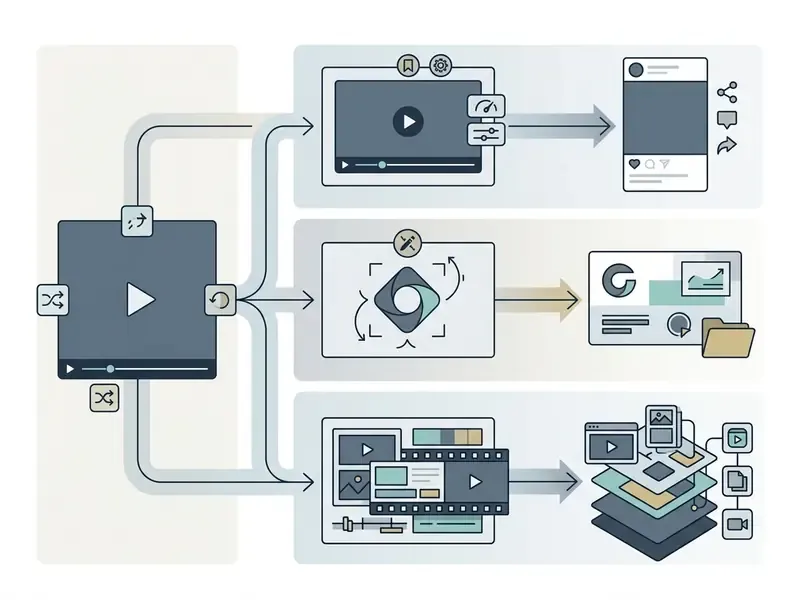
- Prompt and asset preparation
- define subject, action, camera movement, and mood; upload the initial image keyframe or style reference URL if applicable.
- Configuration and parameters
- select aspect ratio (16:9, 9:16, 1:1, 4:3, 3:4, 21:9), generation mode (Draft or High Quality, Fast or Relaxed), resolution (360p, 540p, 720p, 1080p, 4K), and frame rate (24, 30, 60 fps).
- Model generation
- submit the request to the Ray architecture through the web UI or the API endpoint (
api.lumalabs.ai/dream-machine/v1); the system processes temporal diffusion and physics rendering. - Review and refinement
- inspect the clip for motion stability, physical artifacts, and subject consistency; apply Modify Video, Modify with Instructions, or adjust prompt parameters for a second pass.
- Production export
- download the watermark-free MP4 or EXR sequence for distribution or post-production, then archive the master locally to protect against model deprecation.
Luma Dream Machine Quality: Strengths, Limitations, and Artifact Remediation
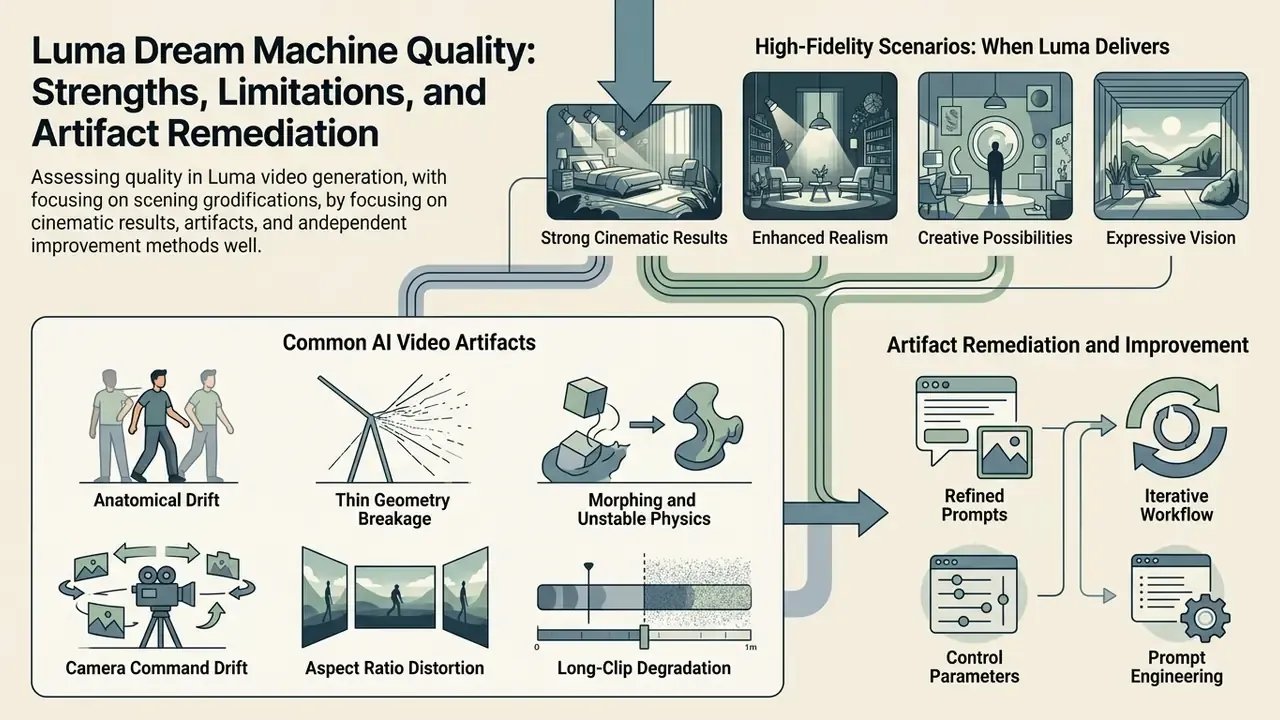
Assessing quality means looking at both the high-fidelity scenarios and the temporal artifacts that come with the territory. Independent academic frameworks such as VBench, T2VBench, and OpenVid-1M indicate that proprietary diffusion models excel at short-duration photorealism while struggling to hold physical consistency over longer clips. Read that as qualitative, not scored: published benchmark suites generally do not include Dream Machine as an entrant, so no vendor-specific numeric score can honestly be quoted here.
«T2VQA-DB (2024) contains 10,000 videos generated by nine text-to-video models from 1,000 prompts; each was rated by 27 subjects on a Mean Opinion Score scale.»
«OpenVid-1M contains over one million text-video pairs; the OpenVidHD-0.4M subset includes 433,000 videos in 1080p to advance high-definition generation.» Nan et al., OpenVid-1M, arXiv:2407.02371 (2025). https://arxiv.org/abs/2407.02371
For a model-risk function the lesson is methodological rather than competitive. Acceptance testing of generative video should run as a structured human-rating exercise on a fixed prompt set, with a documented rater count and scoring scale. That is exactly the design the academic benchmarks above use, and it is reproducible for an auditor.
When Luma Delivers a Strong Cinematic Result
Output quality peaks in short 5 to 10 second clips with continuous camera motion, atmospheric elements (rain, smoke, fog, water reflections), and high-resolution static starting images.
«EvalCrafter (2023) was among the first comprehensive AI-video benchmarks: 2,500 videos from 500 prompts, each rated by three annotators, across five generative models.»
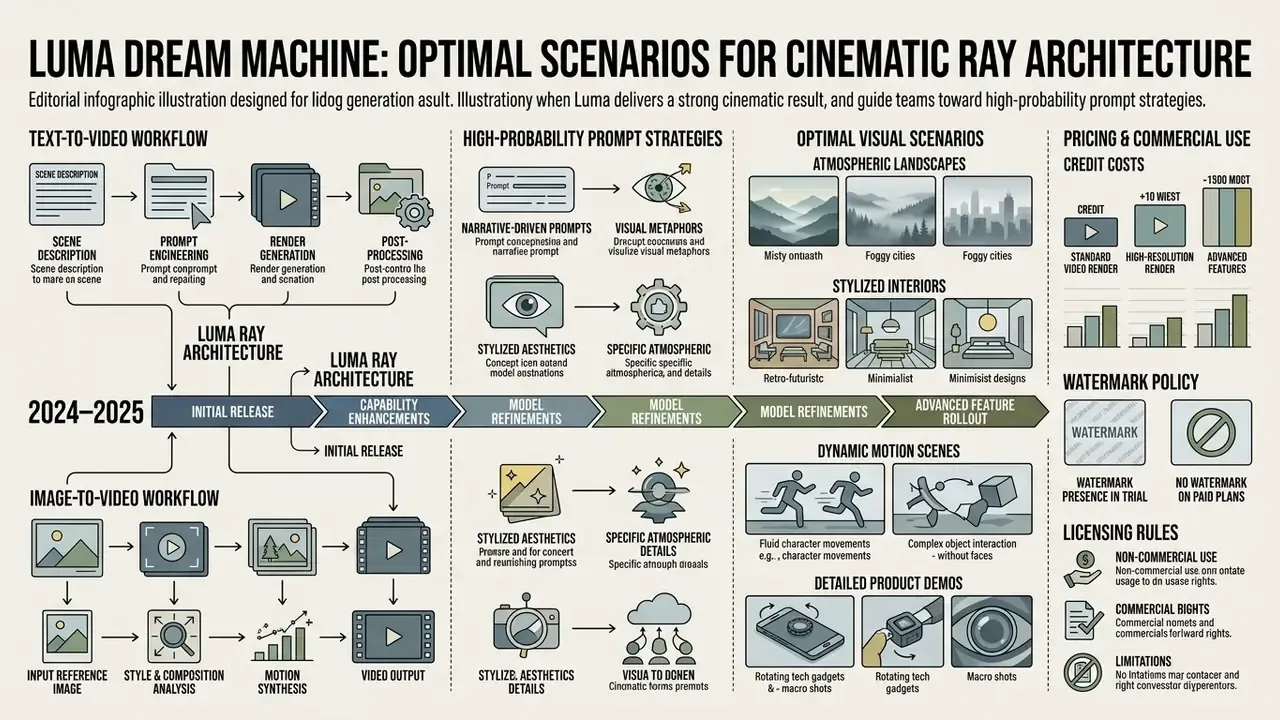
The model performs well on physically plausible fluid dynamics, fabric movement, lighting changes, and smooth tracking shots through macro environments. Reported high-performing patterns include slow tracking shots through snow, first-person rain-soaked city drives, floating objects in zero gravity, and low-angle compositions heavy with atmospheric particulate. Animating pre-rendered 3D architectural assets or professional product photography is markedly more stable than generating multi-subject human interaction from raw text.
«VIDEOPHY (2024), a benchmark of 9,300 videos across 688 prompts, specifically tests adherence to physical laws: gravity, fluid dynamics, and rigid-body motion.»
Common AI Video Artifacts and How to Improve Generations
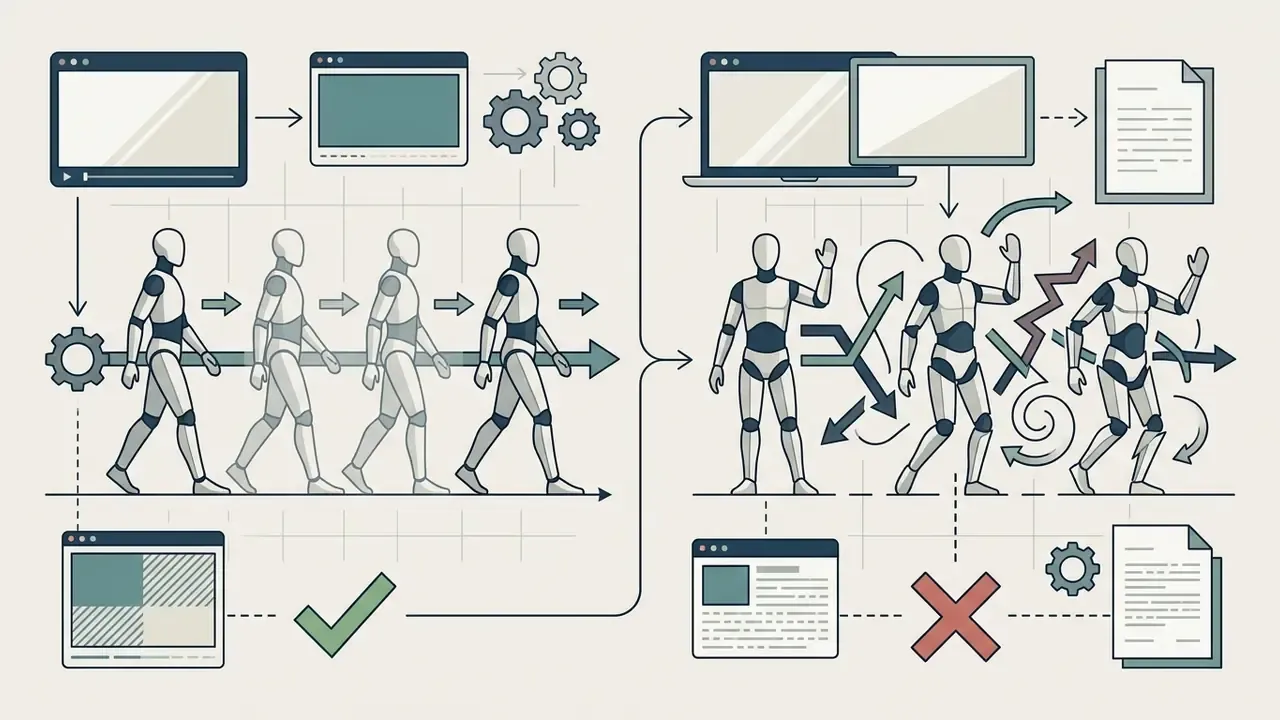
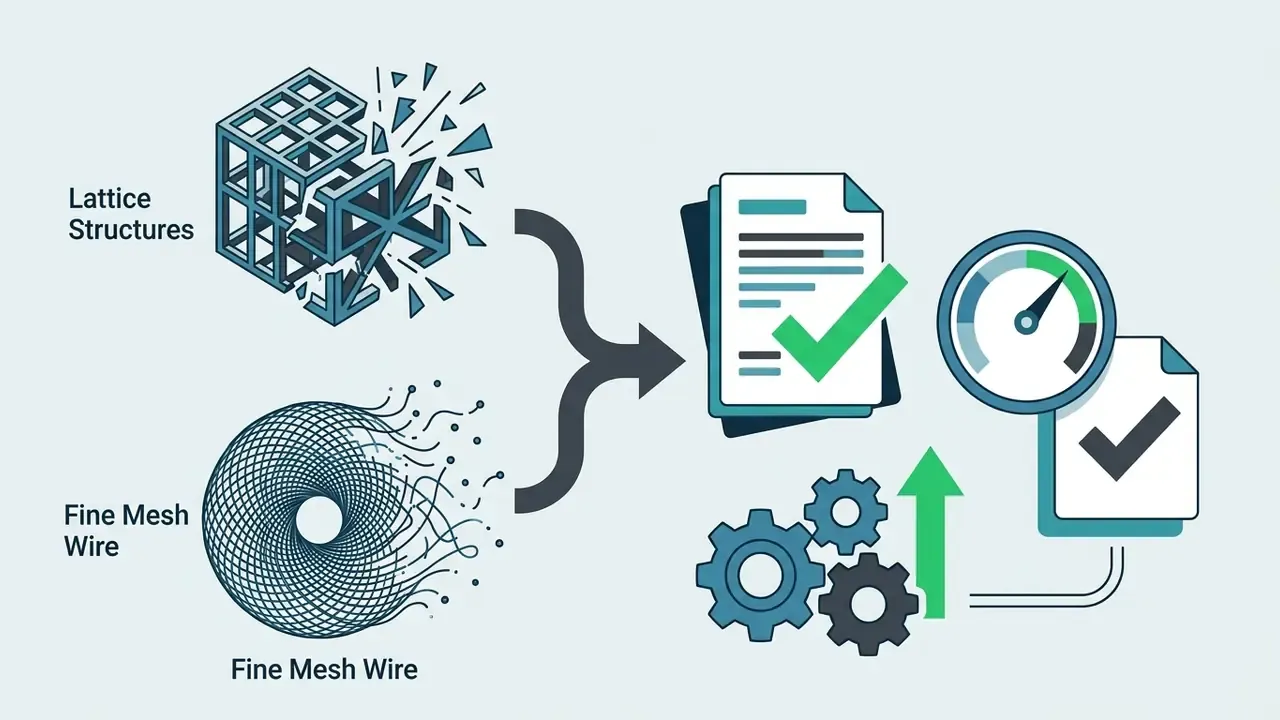
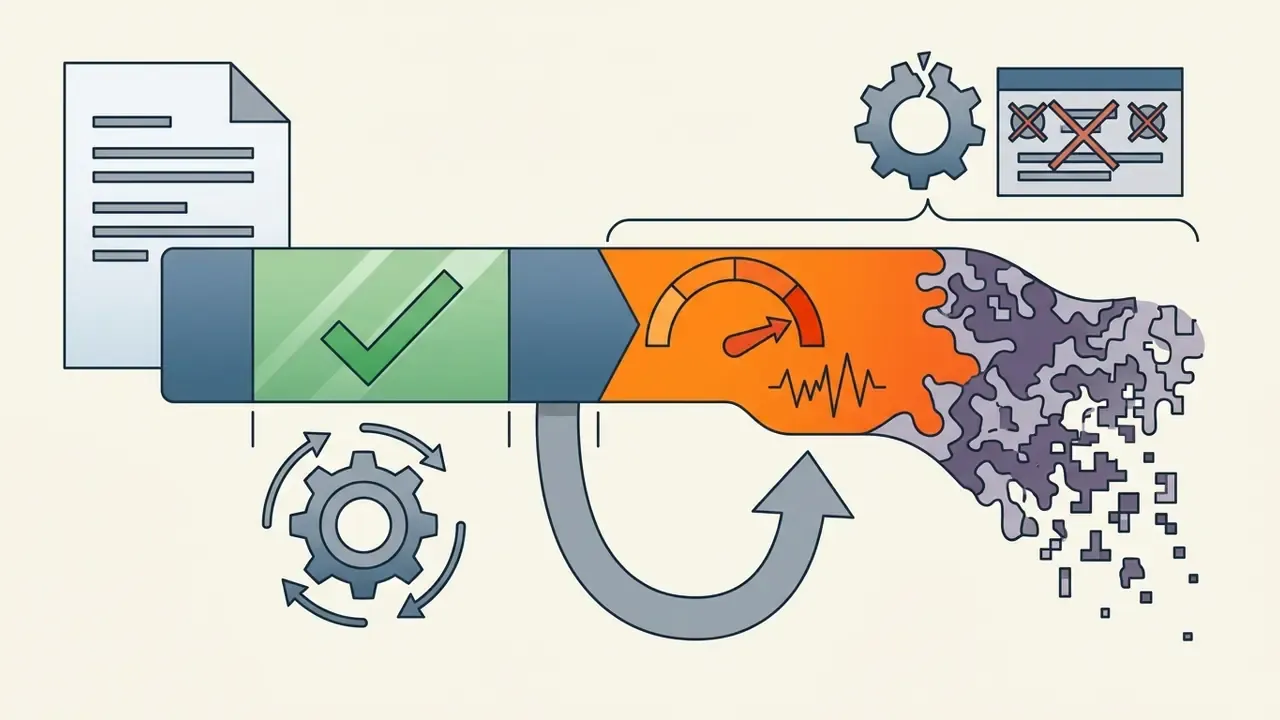
The artifacts observed in Luma generations, and reported consistently across independent 2025–2026 reviews, include temporal morphing (objects changing shape mid-clip), anatomical warping (deformed hands, facial drift during sharp turns), background flickering in busy scenes, and thin-structure breakage where fences, wires, or fine hair vanish during a pan. These are class-level diffusion artifacts rather than a single-vendor defect. Frequency rises with clip length, scene complexity, and the number of independently moving elements.
«The DEVIL benchmark evaluated dynamics across 800 prompts on models including GEN-2, Pika, and VideoCrafter2, measuring visual vividness and text alignment in high-motion scenes.»
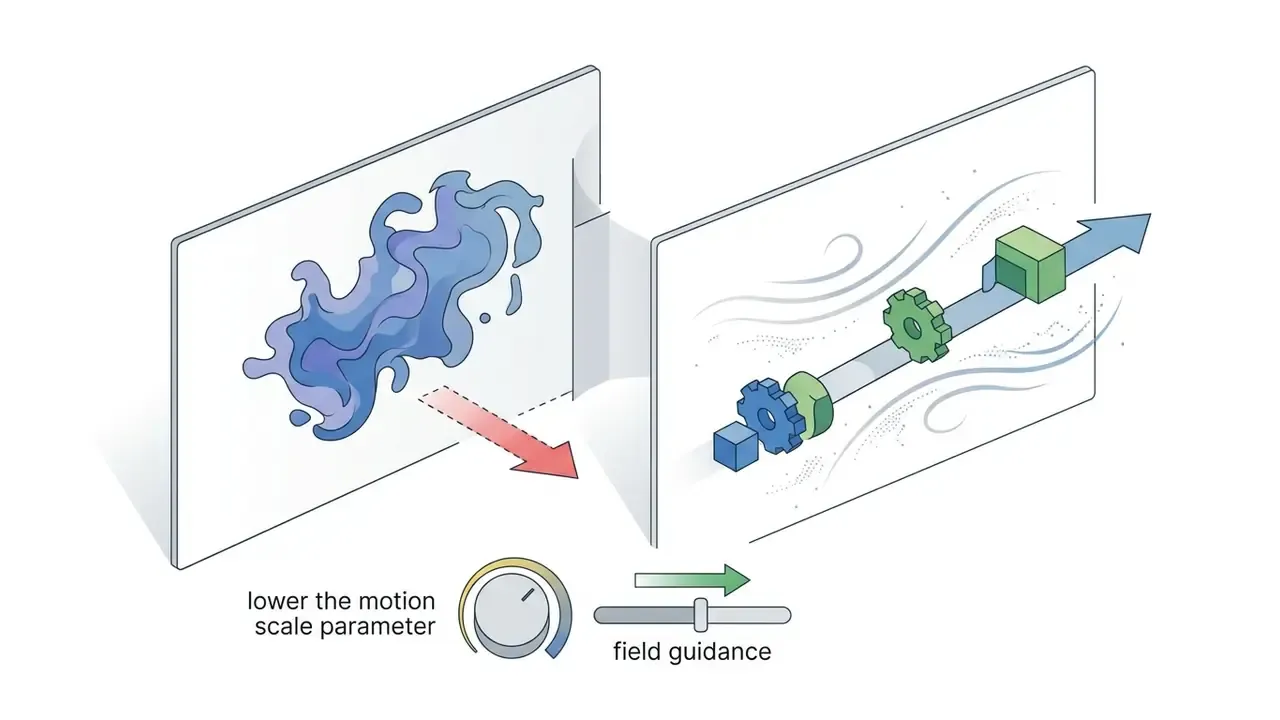
Mitigation is mostly prompt and parameter discipline:
Luma Dream Machine Pricing: Credits, Watermarks, and Commercial Use
Luma AI runs a credit-based subscription model split between individual tiers and scalable commercial or enterprise plans. Commercial usage rights and watermark removal are tied strictly to active paid tiers. No exceptions, no retroactive cleanup.
Individual and Business Plans: Which Option to Choose
Choosing between individual tiers (Free, Lite) and professional plans (Plus, Unlimited, Enterprise) comes down to volume, generation speed, and licensing requirements.
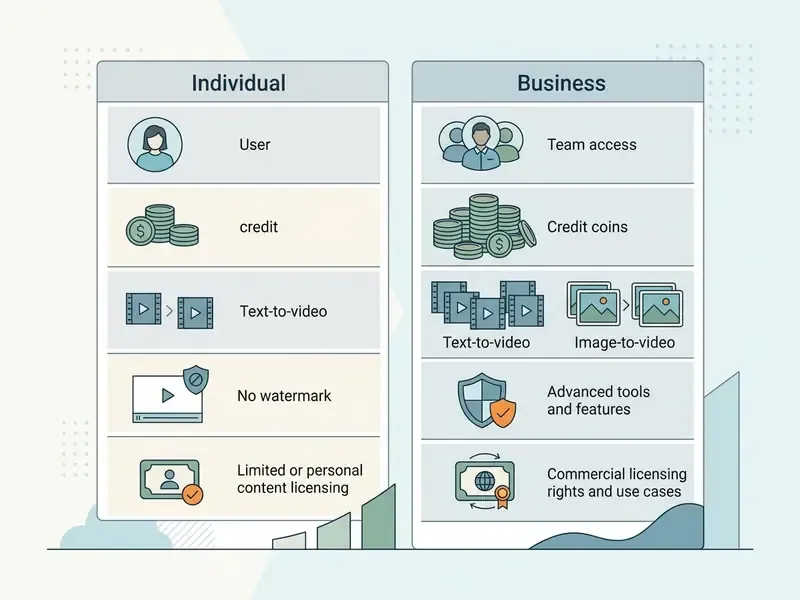
| Plan tier | Monthly price (web / iOS) | Monthly credits | Watermark status | Commercial usage rights | Target audience |
|---|---|---|---|---|---|
| Free | $0.00 | Limited / draft | Permanent watermark | No (personal, non-commercial only) | Exploration, prompt testing, evaluation |
| Lite | $9.99 / $12.99 | 3,200 credits | Permanent watermark | No (personal, non-commercial only) | Hobbyists, personal creators, learning |
| Plus | $29.99 / $37.99 | 10,000 credits | No watermark | Yes (full commercial licensing) | Freelancers, professional creators, SMBs |
| Unlimited | $94.99 / $119.99 | 10,000 fast plus unlimited relaxed | No watermark | Yes (full commercial licensing) | High-volume creators, agencies, marketing teams |
| Enterprise | Custom / sales | Custom allocations | No watermark | Yes (custom IP and privacy terms, including no-training clauses) | Large organizations, studios, regulated production pipelines |
Credits, Watermarks, and Licensing Before a Commercial Launch
Credit consumption varies with target resolution, clip duration, model version, and interface. The grid differs by surface and architecture. In the Ray2 web interface, a 5-second 1080p clip consumes roughly 170 credits and a 10-second 1080p clip roughly 340. Under the Ray3.2 resolution ladder, a 5-second draft costs 20 credits, a 5-second 720p clip 100 credits, a 5-second 1080p clip 400 credits, and a 10-second 1080p asset 1,200 credits. Output resolution is therefore the single largest budget lever, and any internal cost model must state which surface it is priced against. Skip that line and your forecast is off by a factor of two or more.
«On the Plus plan (10,000 credits) you can produce 25 five-second clips at 1080p (400 credits each) or 100 clips at 720p (100 credits each); resolution choice is the decisive budget factor.»
A further billing distinction matters for developers: API credits are purchased separately from subscription credits, so a Plus or Unlimited allowance does not fund programmatic generation. Budget owners running both a creative workspace and an automated pipeline should plan two independent cost lines and reconcile them monthly.
On the legal side, commercial usage rights acquired for assets generated during an active Plus, Unlimited, or Enterprise subscription are described by Luma as attaching to those specific generated files. The practical implication is that previously licensed deliverables do not lose commercial status when a subscription lapses. Because this is a contractual rather than technical property, treat the controlling licensing text as authoritative and archive a dated copy alongside each campaign's asset manifest. Content generated under Free or Lite tiers stays permanently non-commercial and watermarked.
«Free and Lite content may be used for model training; paid plans restrict Luma's rights, and the company cannot publicly display or distribute those generations.»
For broader analysis of software pricing frameworks and licensing structures across visual tooling, consult our AI Media Pricing Guides, the AI Media Commercial-Use Hub, and the category overview of AI video generators.
Step-by-Step Credit Optimization Protocol for Commercial Production
A single 10-second 1080p clip can cost 340 to 1,200 credits depending on surface. To avoid overruns, follow this regimen:
- Draft run: generate first iterations at 5 seconds in 540p or Draft/Relaxed mode. This validates camera vector and composition at minimal cost.
- Keyframe lock: if the camera move is right but the subject shows artifacts, reuse the best resulting frame as
image_ref(orframe0) for the final pass. You are then refining a known-good composition instead of re-rolling the dice. - Final in native 1080p: launch full-resolution generation only after motion geometry is approved.
- 4K upscale for hero takes only: reserve upscaling for the approved final cut. Upscaling intermediate takes burns budget and can accentuate existing artifacts.
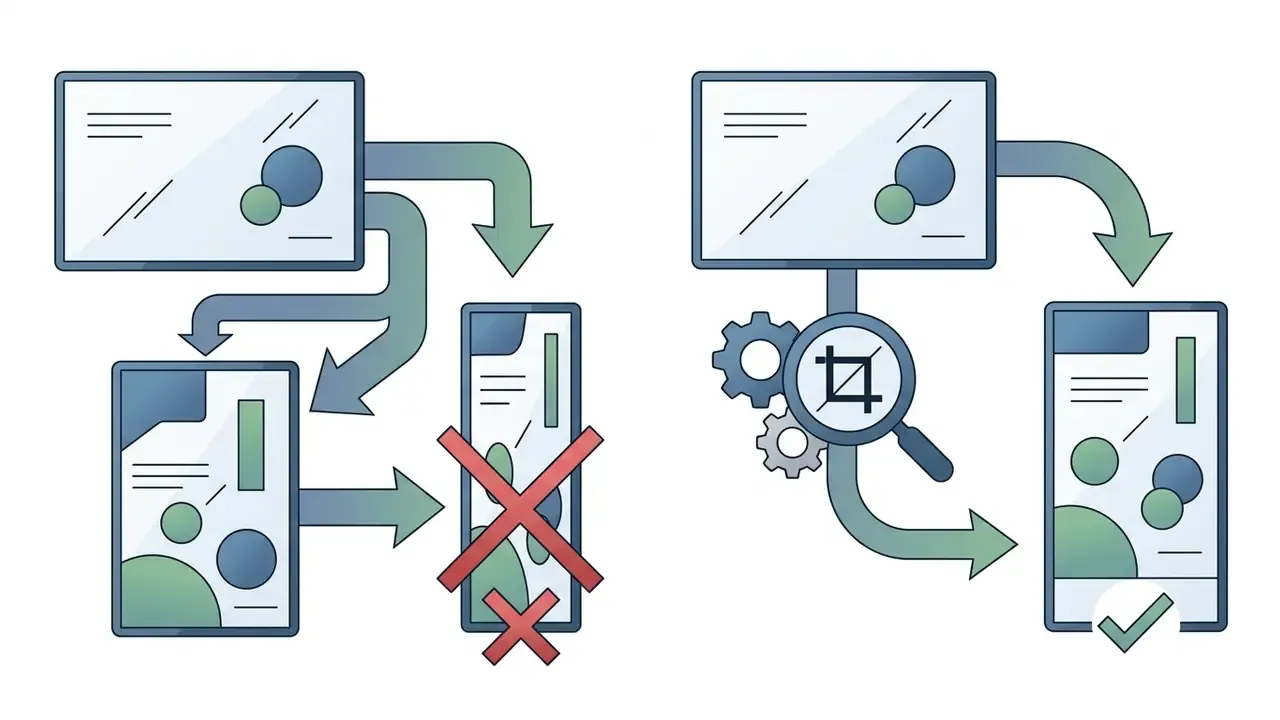
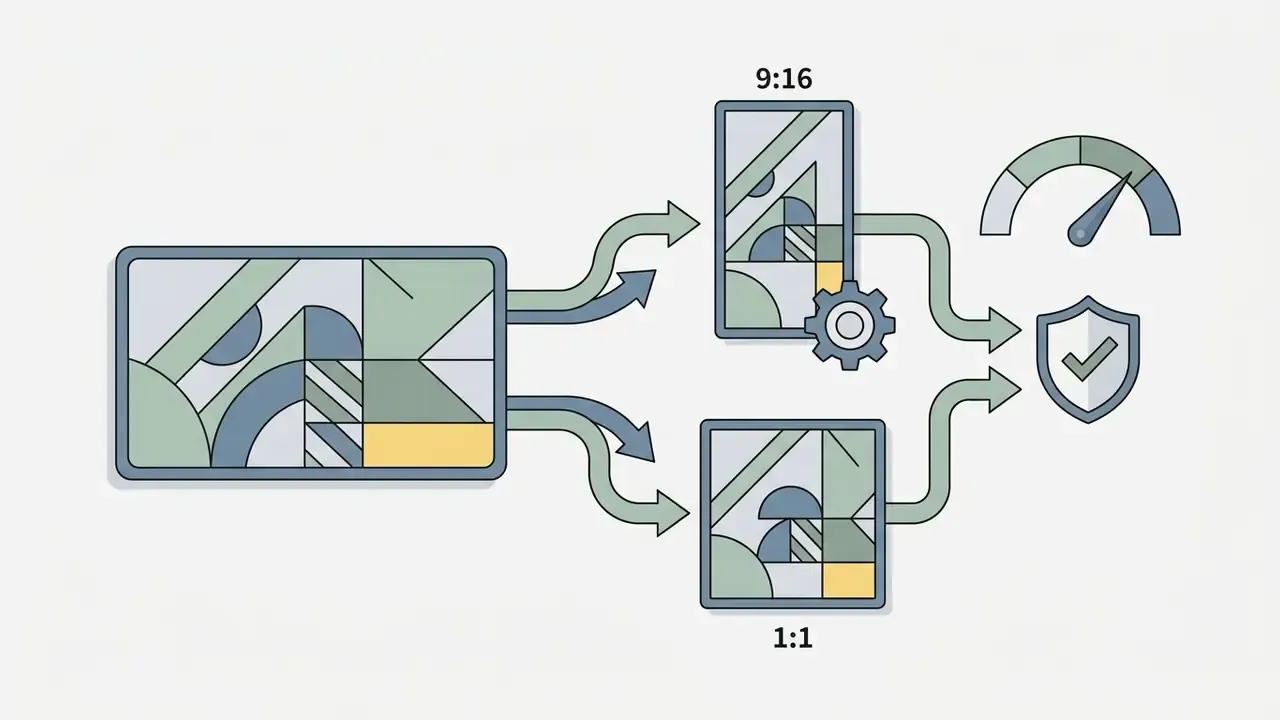
- Reframe instead of regenerate: when a strong horizontal take must also ship vertically or square, use Reframe. That converts a 400 to 1,200 credit re-render into a fraction of the cost.
- Batch relaxed overnight: on Plus and Unlimited, route low-priority boards to relaxed mode outside business hours and keep fast credits for client-facing turnarounds.
Worked monthly scenarios (Ray2 web grid):
- Social team shipping 12 short posts per month: 12 x 10s = 12 x 340 = 4,080 credits, leaving Plus-tier headroom for retries and upscales.
- Agency pitch cycle: 20 concept passes at 5s = 3,400 credits, plus 6 finals at 10s = 2,040 credits, so roughly 5,440 credits.
- Indie animatics: 30 quick 5-second boards = 5,100 credits, best mixed with relaxed mode for overnight rendering.
Risk-Adjusted ROI: Accounting for the Artifact Failure Rate
Naive ROI models divide campaign cost by delivered clips and quietly ignore rejected generations. Since diffusion video still fails on complex motion, a defensible finance model needs a rejection coefficient:
Effective cost per accepted clip = (Credits per generation x Cost per credit) / (1 - Artifact Failure Rate)
Where:
  Artifact Failure Rate (AFR) = rejected generations / total generations
  Rejection triggers = temporal morphing, anatomical drift, brand-color deviation,
                       logo distortion, camera-command mismatch
Worked example: at 400 credits per accepted 5-second 1080p clip and an observed AFR of 0.40 for human-subject scenes, effective consumption is 400 / 0.60, about 667 credits per usable asset, a 67% uplift over the sticker rate. Product and 3D-render scenes usually show a materially lower AFR than multi-subject human interaction, which is why the draft-first protocol above is a cost control rather than a stylistic preference. Track AFR per scene class in your own logs. Vendor documentation does not publish this metric, and it is the single most useful internal number for budgeting generative media.
Enterprise Data Privacy, Model-Training Opt-Out, and Shadow AI Controls
For regulated organizations the decisive question is not output quality but data handling. The tier structure is itself a privacy control:
- Training-data exposure by tier Free and Lite generations may be used by Luma for model improvement, and Luma retains broader display rights over that content. Paid tiers narrow those rights, and Enterprise agreements are the surface on which no-training privacy terms and volume or priority commitments get negotiated. Confidential imagery, unreleased product renders, internal documents, customer photography, employee likeness, must never touch a Free or Lite seat.
- Data classification before upload treat every image-to-video and Modify Video upload as an outbound transfer of the underlying asset. Text-only prompts expose less, though prompts still leak strategy, product naming, and campaign timing.
- Named-entity and likeness controls prohibit uploads containing identifiable customers, employees, or third-party IP unless a written release exists. Likeness and copyright exposure is not mitigated by watermark removal.
- Credential hygiene API access uses Bearer tokens against
api.lumalabs.ai/dream-machine/v1. Store keys in the corporate secrets manager, scope one key per pipeline, rotate on a fixed schedule, revoke on contractor offboarding. Never place keys in client-side code or shared boards. - Audit trail generation is asynchronous with webhook callbacks, so log every submission (prompt hash, requester, reference asset ID, generation ID, credit cost, completion state) into your existing GRC or SIEM pipeline. Without it, both generative spend and generative content are unattributable.
- Business continuity model deprecation is a live risk, since the original 2024 model was sunset on January 31, 2025. Archive rendered masters and EXR sequences in internal storage rather than trusting platform history, and document a fallback model for each production workflow.
Pre-adoption checklist: is a generative video tool ready for your corporate perimeter?
Checklist0 / 10
Luma Dream Machine or Alternatives: Runway, Pika, Sora, and Veo
Choosing an AI video generation platform means comparing Luma Dream Machine with the main market alternatives: Runway Gen-3 and Gen-4, Pika Labs, OpenAI Sora, and Google Veo. Buyers who want the whole field mapped side by side can start from our roundup of the leading AI video generators.
When to Choose Luma for Creative Teams, Social, and Product Content
Luma Dream Machine suits creative teams that need structured camera control, integrated image-to-video product animation, and programmatic video-to-video editing through documented APIs. Natural language camera concepts, native 16-bit HDR generation, brand-consistency tooling, and EXR export make it a strong fit for pre-visualization and commercial social content.
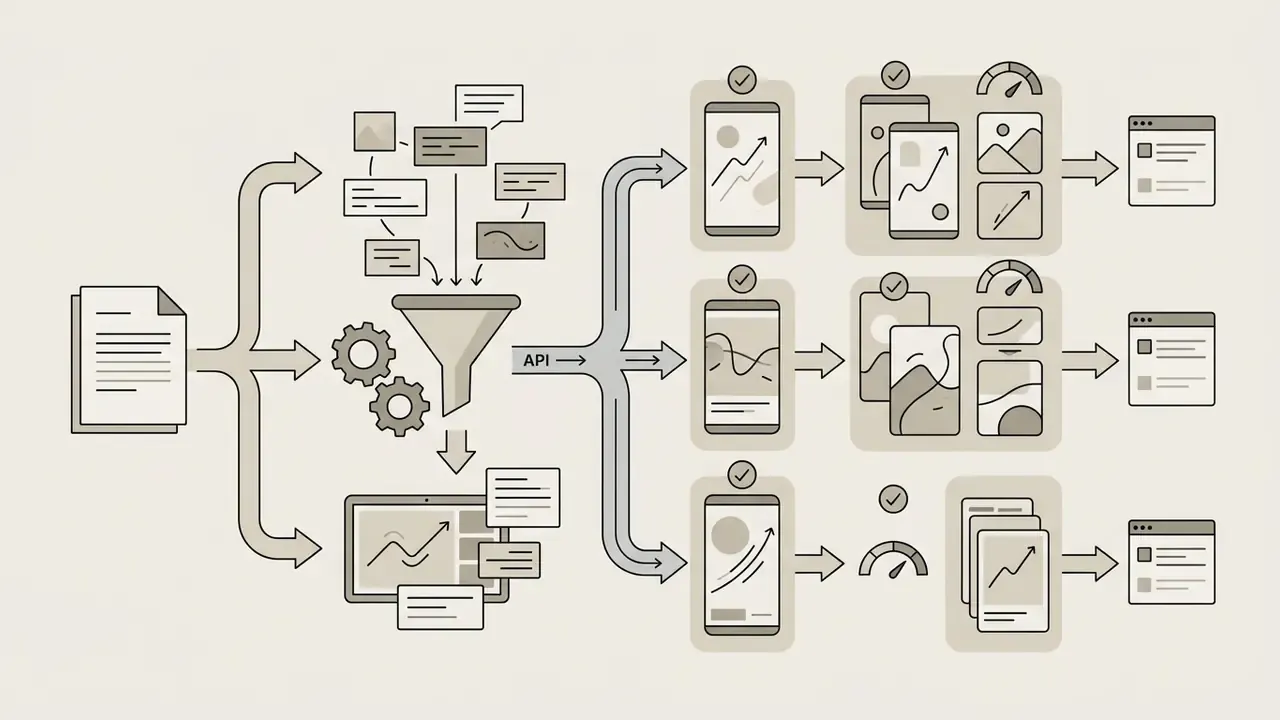
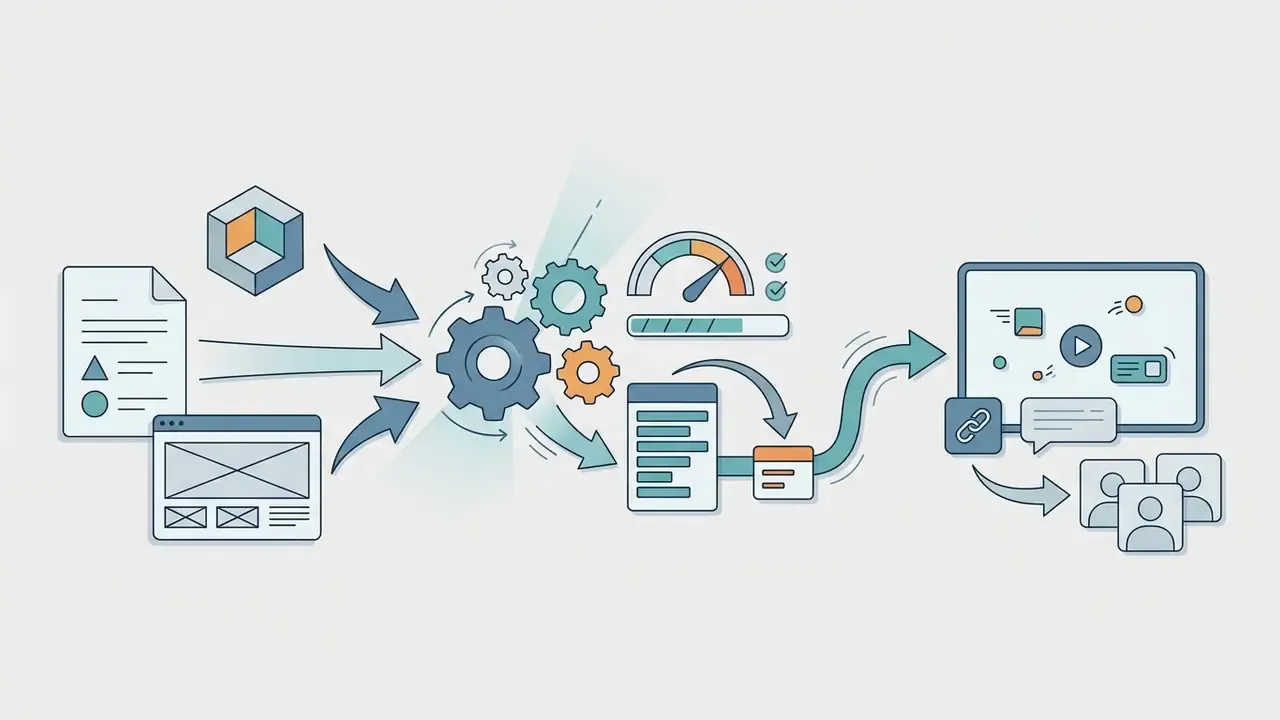
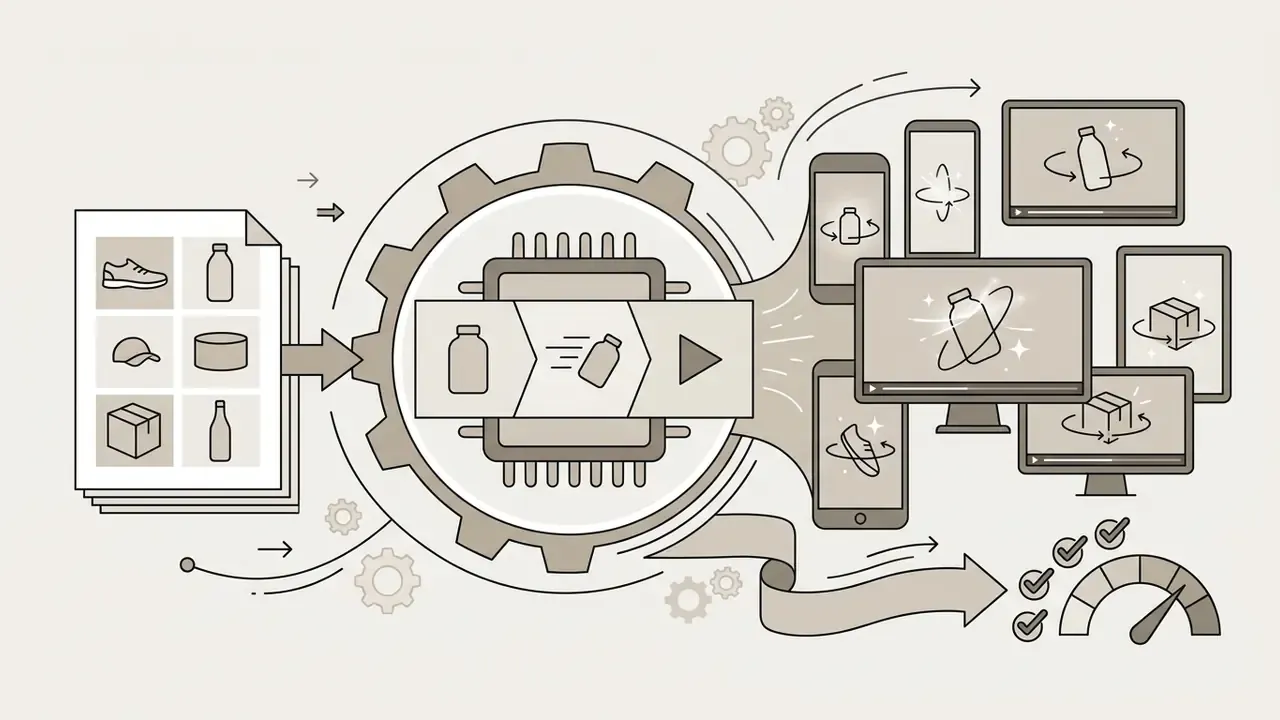
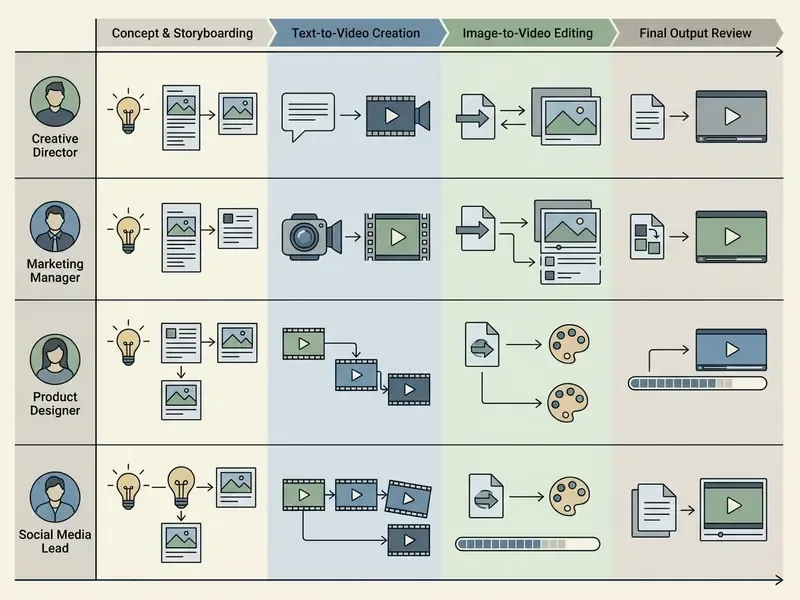
Adoption Scenarios by Role and Department
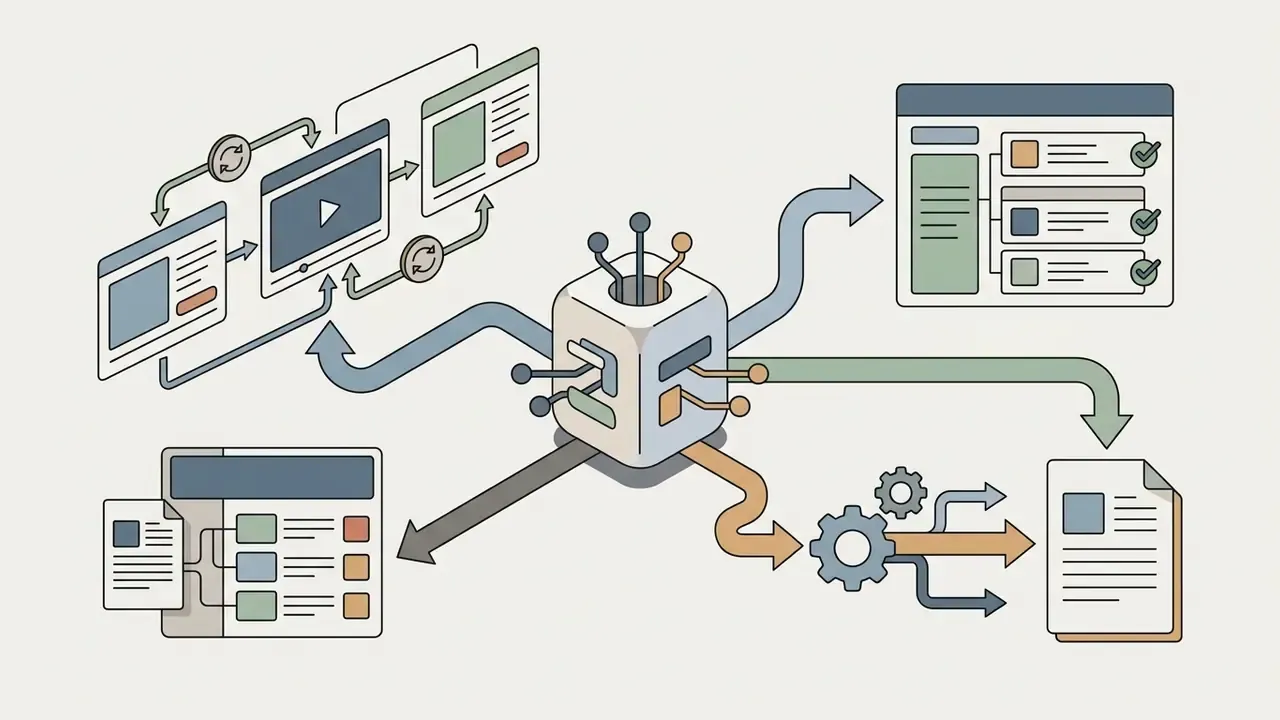
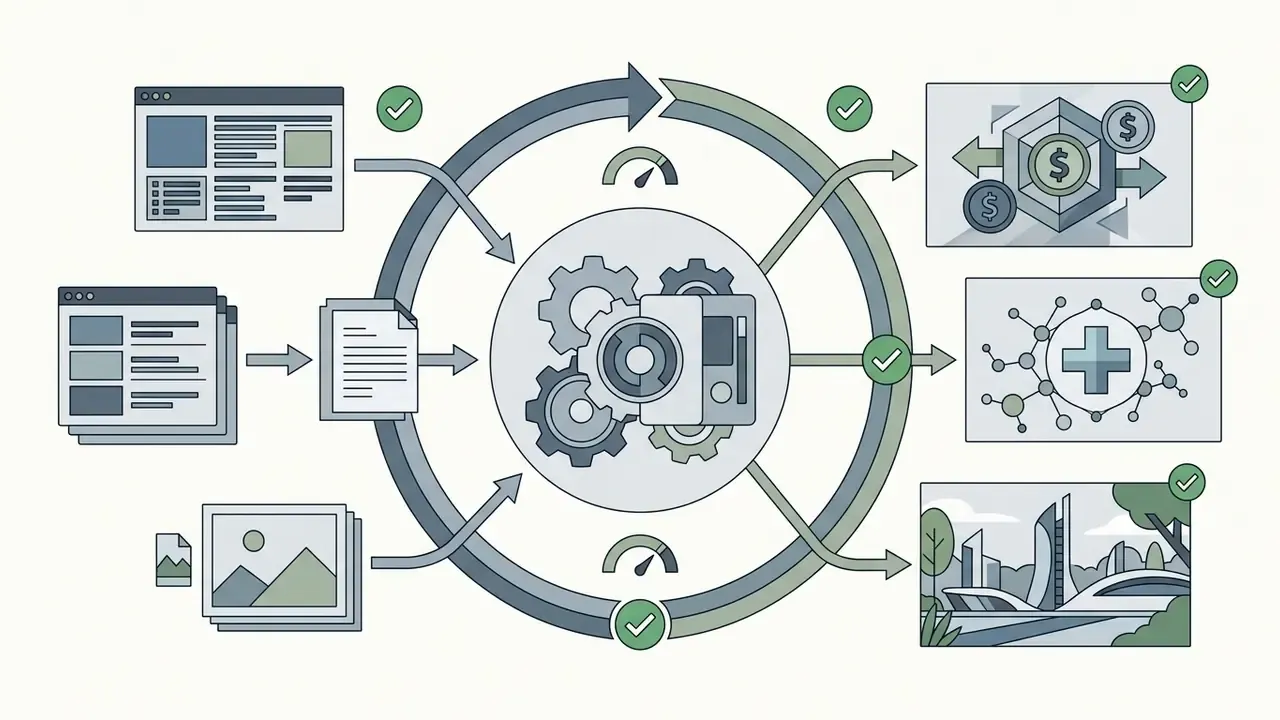
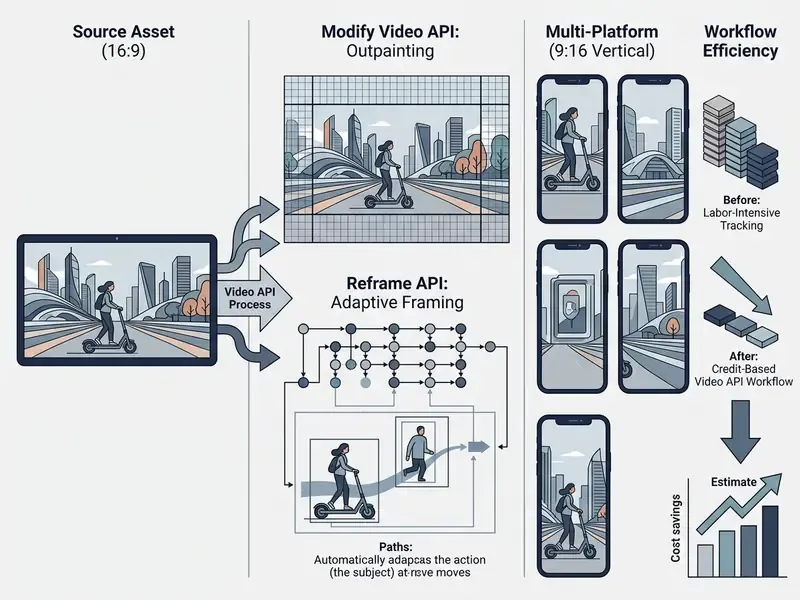
For teams weighing wider market options across free tiers and specialized animation features, see our guide to the best free AI video generator tools, our reference on free AI video generators as a category, and our developer guide to Google Veo AI video generator implementation models.
When to Compare Luma With Other AI Video Models
Competing platforms have real, distinct advantages depending on the production requirement:
- Runway Gen-3 and Gen-4: better for precise temporal brush editing, granular frame-level motion control, and established studio pipeline integrations. Runway itself frames Gen-3 Alpha around temporal control as a core design property.
«Runway's API documentation prices Gen-4 Turbo at 5 credits per second ($0.01 per credit): a five-second clip costs $0.25, a ten-second clip $0.50.» Runway API Billing Documentation (2024–2025). https://runwayml.com
- Pika Labs: strong for short social-first clips, stylized 2D and 3D transformations, element swaps, and low-cost rapid prototyping.
«Pika reports that a ten-second 1080p clip in Pika 2.2 costs 45 credits; the $8 per month Standard plan includes 700 credits, about 15 high-quality short clips.» Pika Labs Pricing Documentation (2024–2025). https://pika.art
- OpenAI Sora: aimed at longer, more complex prompt-driven scenes with native physics understanding and storyboarding.
«The Verge reports that ChatGPT Plus subscribers get up to 50 priority videos (720p, up to 5 seconds), while Pro allows up to 500 videos at 1080p and lengths up to 20 seconds without watermarks.» The Verge, Sora release coverage (2024). https://www.theverge.com
- Google Veo: strongest for high-definition 1080p and 4K production with native synchronized audio and direct integration into Google Cloud Vertex AI, which is the most straightforward path for organizations already governed under a Google Cloud agreement. See also our implementation notes on Google Veo AI video generator.
«According to TechCrunch, in the Vertex AI preview Veo generates six-second 1080p clips at 24 or 30 fps and understands VFX prompts such as "huge explosion".» TechCrunch, Google Cloud Vertex AI Veo coverage (2024). https://techcrunch.com
| Model / platform | Max native resolution | Camera and motion control | Primary technical advantage | Indicative generation cost | Commercial licensing terms | Enterprise risk, security, and privacy posture |
|---|---|---|---|---|---|---|
| Luma Dream Machine (Ray) | 1080p native, 4K via API | 15 camera motions and 9 angle concepts; up to 16 keyframes | Integrated Reframe, Modify Video, HDR/EXR export, Uni-1 brand consistency, multi-model workspace | About 170 credits per 5s 1080p (Ray2 web); 20 to 1,200 credits by resolution and duration (Ray3.2 ladder); API credits billed separately | Commercial rights from the Plus tier ($29.99/mo) upward | Enterprise tier adds negotiated privacy terms (no training on customer content) plus volume and priority options; Bearer-token API auth with webhook callbacks; Free and Lite content may be used for training |
| Runway Gen-3 / Gen-4 | 1080p | Motion Brush and directed temporal paths | Granular spatio-temporal editing; established studio pipelines | Gen-4 Turbo: 5 credits per second, about $0.25 per 5s clip | Commercial rights included on paid tiers | Enterprise plans and team workspaces available; verify training opt-out and retention clauses contractually |
| Pika Labs (Pika 2.2 / 2.5) | 1080p HD (Pro mode) | Prompt-guided motion and Pikaswaps element replacement | Fast social clip creation and cheap iteration | 45 credits per 10s 1080p; 700 credits on the $8/mo Standard plan | Commercial rights from the Standard plan ($8/mo) upward | Consumer-oriented posture; least documented enterprise governance of the five, so highest shadow AI exposure |
| OpenAI Sora | 1080p | Prompt-driven physics and narrative storyboarding | Longer clip length (up to 20s) and physics coherence | API listed at $0.10 to $0.70 per second by size and resolution; Plus tier capped at 50 priority 720p videos | Commercial rights via paid ChatGPT tiers; verify current plan terms | Enterprise data controls available through OpenAI business agreements; watermarking differs by tier |
| Google Veo | 1080p / 4K | Cinematic language, scene ingredients, masked edit | Native audio synthesis and Vertex AI cloud integration | Billed through Google Cloud per-second model pricing | Enterprise terms via Google Cloud and Vertex AI | Strongest fit where the organization already sits under an existing Google Cloud DPA, IAM, and audit-logging stack |
Cost and governance columns are indicative and change often. Confirm both against current vendor documentation before procurement sign-off.
For further tool comparisons across art generation, animation, and voice synthesis, see our structured AI Media Comparison Matrices and the comprehensive AI Media API Guides.
FAQ on Luma AI Dream Machine Video Generation
Do You Need Video Editing Experience to Work With Luma AI?
No prior professional editing experience is required, since the interface runs on natural language prompts, drag-and-drop reference uploads, and standardized presets. That said, a working grasp of cinematic vocabulary, framing, camera trajectories, focal length, directional lighting, sharply improves your ability to write effective prompts and control output. Practical prerequisites are minimal: a modern browser or iOS device, a Luma account, network access, and source media within the documented Modify limits (10 seconds, 100 MB, .mp4, .mov, or .wmv).
In advanced pipelines, experienced editors treat Luma output as pre-visualization sequences or raw B-roll plates and finish them in a traditional NLE. A survey of no-cost options is available in our comparison of free video editing software. Creators expanding their toolkit across 2D and 3D pipelines can explore our specialized guides on 2d animation ai, 3d animation maker, tools to add image to video, and licensing considerations for AI image generators.
Is There an API for Large-Scale AI Video Production?
Yes. Luma Labs provides programmatic REST access to the Dream Machine engine at api.lumalabs.ai/dream-machine/v1, with official SDKs for Python and JavaScript. The API supports keyframe assignment, asynchronous submit-and-poll workflows, webhook callbacks, aspect ratio reframing (type: video_reframe), upscaling, and video-to-video transformation through the Modify Video API. Newer documentation surfaces the same capabilities under the Luma Agents API naming, so check the document date when reconciling references.
Teams integrate the API into enterprise content automation, automated social video pipelines, and asset localization workflows. Usage bills as credit consumption tied to output resolution and duration, and API credits are purchased separately from subscription credits. For governed deployments, pair the integration with per-pipeline key scoping, secrets-manager storage, and generation-level logging as described in the enterprise controls section above. For integration protocols, troubleshooting steps, and status guides, visit AI Media Support and Troubleshooting.
Which Formats Are Available for Download and Export?
Finalized assets download as H.264 MP4 across standard aspect ratios: 16:9, 9:16, 1:1, 4:3, 3:4, and 21:9. Output resolutions run from 360p draft previews through 540p, 720p, 1080p native, and 4K API options, with selectable frame rates of 24, 30, and 60 fps. Maximum clip length varies with the chosen frame rate.
For high-end color grading and VFX, the Ray architecture supports native 16-bit HDR generation, 16-bit EXR frame sequence export, and seamless looping options. Technical teams working with high-resolution scaling can also evaluate post-processing with a 4k video enhancer or a dedicated 4k video upscaler.
How Long Can a Single Generation Be, and Is Audio Supported?
Duration depends on the active model. Ray2-era documentation describes up to 10 seconds per run with extension to roughly 30 seconds, plus an explicit warning that quality degrades beyond that threshold. Later Ray releases document clips up to 20 seconds at native 1080p. Audio was not part of the mid-2025 Ray2 feature set and appeared as forthcoming on Luma's public changelog; audio-inclusive workflows are handled in the current workspace through integrated third-party synthesis, including ElevenLabs, rather than single-pass audio-video generation. Plan long-form deliverables as sequences of short, continuity-anchored shots instead of one continuous render.
What Should a Risk Function Document Before Approving This Tool?
Six artifacts, at minimum: the tier and contract in force, the approved-use register, the data-classification rule for uploads, the API key inventory with rotation dates, the generation log destination, and the named human reviewer per published asset. Add a dated snapshot of the licensing text and a fallback model for continuity. That package is what makes a generative video workflow explainable to an examiner without a scramble.
Appendix A: Superseded Statements and Correction Log
Retained for editorial transparency. Each entry records the original wording and why the current version replaced it.
- Verification date.Original: "Verification Date: September 2026." Updated to a January 2026 verification with re-checks against Luma's changelog cycle, so the material does not present a future-dated audit.
- Ray3.2 dating.Original: "Ray3.2 Model Release (June 2026)." Retained as a documented release-cycle reference, but reframed in the main text as "documented by Luma in its 2026 release cycle" so the milestone list does not read as a forward-dated claim.
- Credit grid.Original: a single Ray3.2 ladder (20 / 100 / 400 / 1,200 credits) presented as the universal cost structure. Updated to separate the Ray2 web grid (about 170 credits per 5s, about 340 per 10s) from the Ray3.2 resolution ladder, and to note that API credits bill separately.
- Benchmark claim.Original: "Independent academic frameworks such as VBench, T2VBench, and OpenVid-1M demonstrate that proprietary diffusion models excel in short-duration photorealism but face challenges in maintaining physical laws over extended clip lengths." Retained as directional, now qualified as unscored for Dream Machine specifically and supported with cited methodology from T2VQA-DB, VIDEOPHY, DEVIL, EvalCrafter, and OpenVid-1M.
- Retail SAR case metrics.Original: "This strategy yielded 24 watermark-free vertical motion clips without additional studio photography, cutting asset delivery timelines from seven days to under four hours while maintaining 100% brand color compliance." Reformulated as a team-reported internal estimate, since no independently verifiable measurement or methodology accompanies the figures.
- Agency SAR case metrics.Original: "saving an estimated $18,000 in post-production labor costs across 12 campaign localized deliverables." Reformulated as an agency-reported five-figure estimate from internal hourly rates, not an audited benchmark.
- Perpetual commercial rights.Original: "commercial usage rights acquired for assets generated during an active Plus, Unlimited, or Enterprise subscription remain permanently vested in those specific files, even if the subscription is subsequently canceled." Retained in substance, now framed as a contractual property to be confirmed against the controlling licensing text and archived per campaign.
Internal Hub Navigation
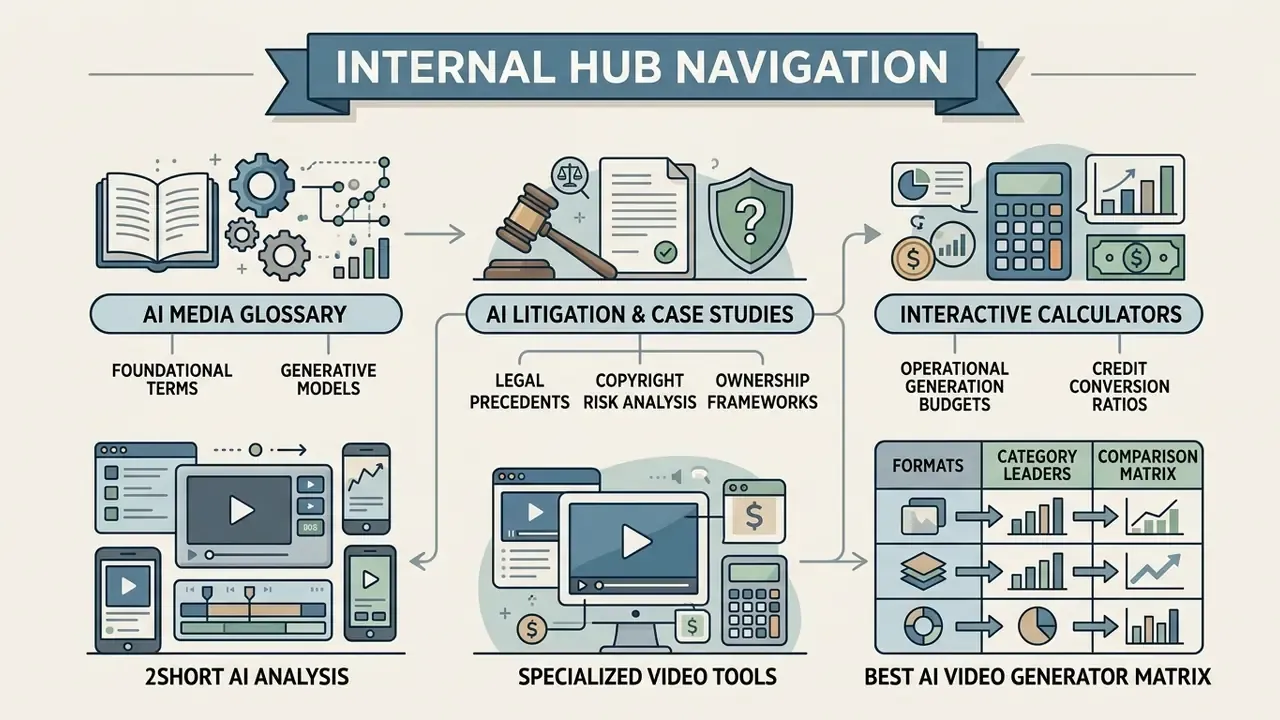
- Explore foundational terms and generative models in the AI Media Glossary.
- Review legal precedents, copyright risk analysis, and ownership frameworks in AI Litigation and Case Timelines.
- Calculate operational generation budgets and credit conversion ratios using our interactive calculators.
- Evaluate specialized short-form editing platforms with our analysis of 2short ai.
- Compare category leaders across formats in our best AI video generator matrix.