A realistic ai headshot generator uses identity-preserving diffusion models and generative neural networks to turn ordinary selfies into photorealistic, studio-quality portraits. Modern platforms let professionals, executives, and whole organizations produce LinkedIn-ready images, business avatars, and consistent team photos in minutes, with no studio booking involved.
Why should a risk or compliance leader care about profile pictures? Because employees are already uploading corporate-facing images to consumer tools on personal accounts. That single habit converts a cosmetic task into a data-processing decision.
On this page: how the technology works, what drives realism, typical AI artifacts and their fixes, where to use the output (LinkedIn, resumes, badges), the three-step workflow, rights, biometrics and vendor audit, free versus paid pricing benchmarks, selection criteria, FAQ.
What a Realistic AI Headshot Generator Is and How It Works
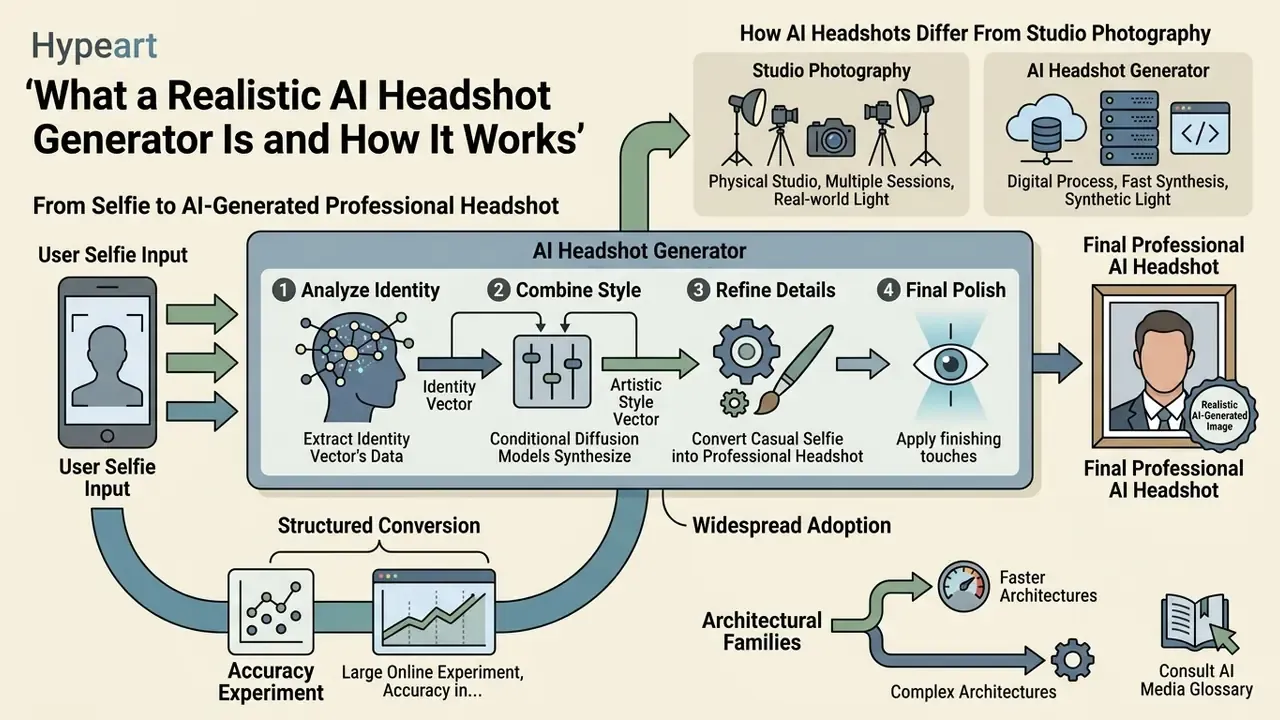
A realistic ai headshot generator is a specialized machine learning application built to convert everyday selfies into high-resolution professional headshots. By analyzing facial geometry, skin reflectance, and distinguishing features, these platforms re-render the subject across different outfits, lighting setups, and backgrounds while holding personal identity in place.
Adoption is no longer an individual-only phenomenon. When staff push work portraits through a consumer ai headshot generator on a personal card, a simple profile refresh becomes a Shadow AI exposure for the institution. That is exactly why the technical pipeline, the retention policy, and the licensing terms deserve the same scrutiny you would apply to any vendor touching sensitive data. No exceptions.
From Selfie to AI-Generated Professional Headshot
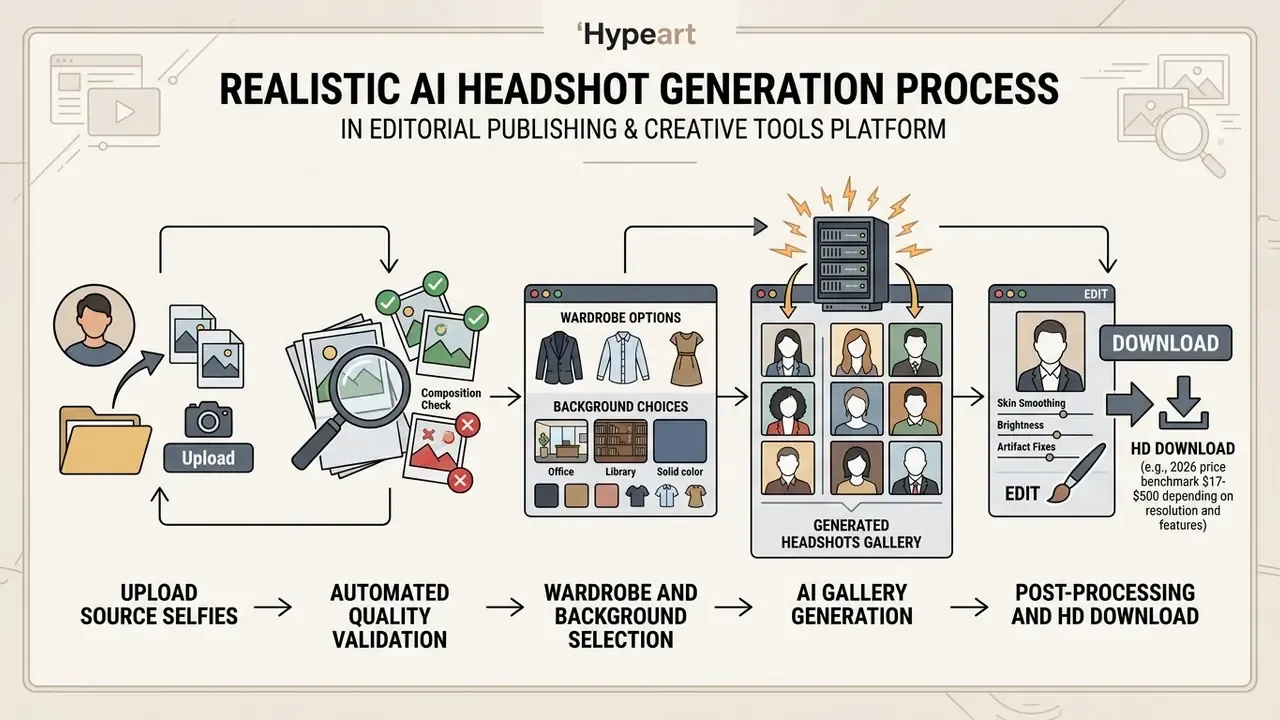
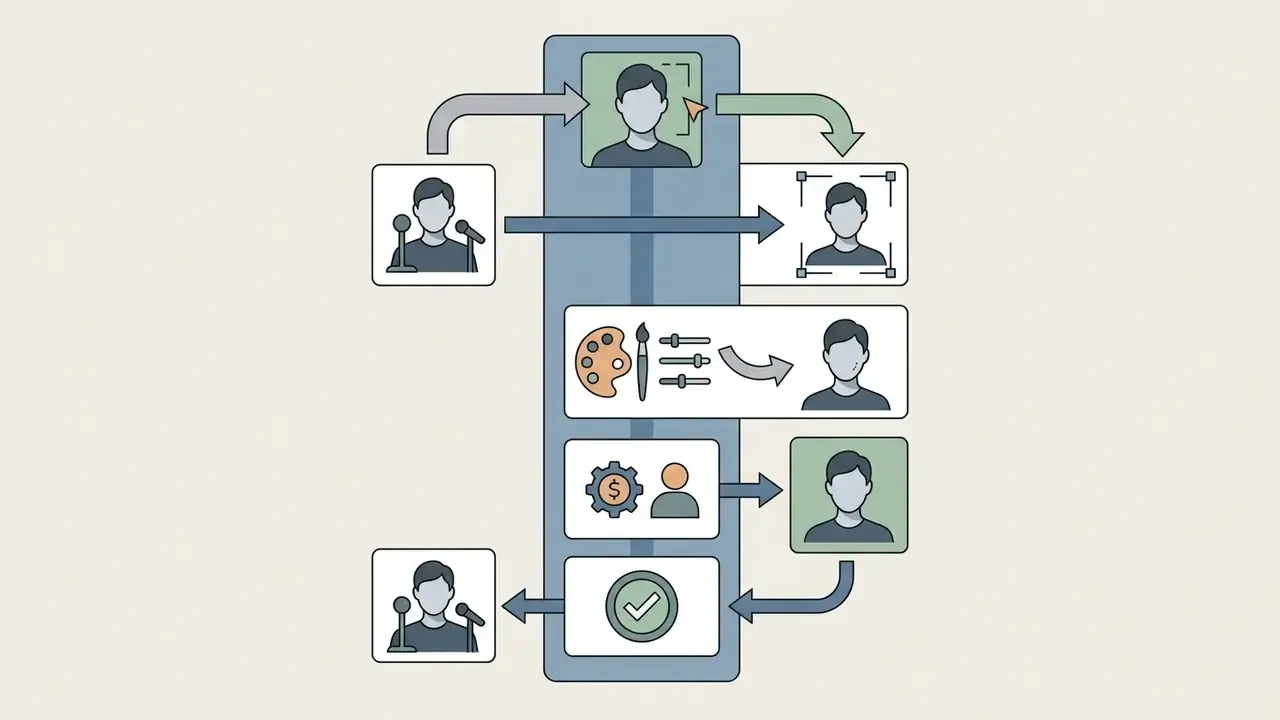
The conversion of a casual selfie into an ai generated images headshot follows a structured four-stage computer vision pipeline: face detection, landmark alignment, identity embedding, and conditional diffusion synthesis. After the photo upload, detection algorithms isolate the facial bounding box, and landmark detection maps coordinates across the eyes, nose, mouth, and jawline. The system then normalizes scale and rotation to establish geometric alignment before compressing facial features into an identity embedding vector.
Conditional diffusion models synthesize a new ai headshot picture by combining that identity vector with attribute prompts for professional attire, studio lighting, and neutral backdrops. Newer generative reward pipelines add automated vision-language feedback to suppress synthetic artifacts, such as irregular reflections or over-smoothed skin, producing an ai headshot realistic enough for corporate deployment.
For detailed breakdowns on media transformation standards, consult the AI Media Glossary.
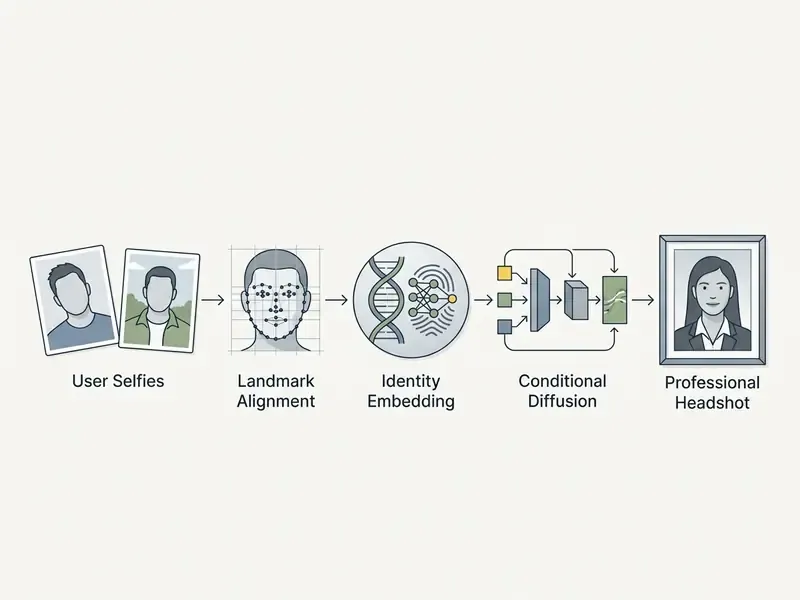
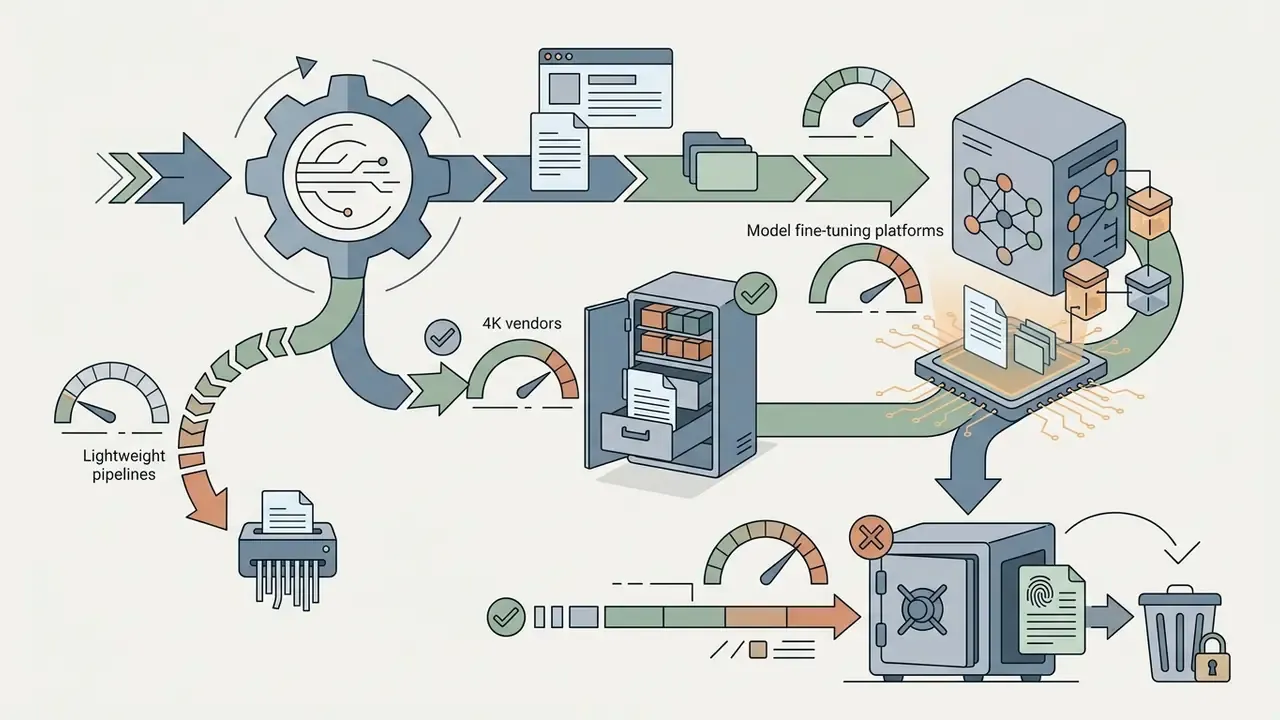
Two architectural families exist, and they explain the wide spread in advertised speed. Lightweight API pipelines apply a pretrained portrait model to a single uploaded photo and return an image in roughly 30 seconds, deleting the source within hours. Deep fine-tuning pipelines train a temporary personalized adapter (LoRA-style) on 8 to 25 selfies, which takes 10 to 60 minutes but delivers markedly stronger likeness retention. So fast output and maximum resemblance are, in practice, a trade-off you choose rather than a feature you get for free.
How AI Headshots Differ From Studio Photography
Compared with traditional studio photography, an ai professional profile picture generator compresses turnaround time and operational cost while expanding visual variety. A studio session usually means one to two hours in person, several days or weeks of manual retouching, and $200 to $500 per person. Automated portrait platforms return 30 to 120 variations across multiple styles, outfits, and backgrounds in 10 minutes to 2 hours for roughly $29 to $59.
| Metric / Feature | Traditional Studio Photography | AI Headshot Generator |
|---|---|---|
| Turnaround Time | 1–2 weeks | 10 minutes – 2 hours |
| Average Cost | $200 – $500+ | $29 – $59 |
| Output Volume | 5–20 curated retouched shots | 30–120 generated options |
| Location Requirement | On-site studio visit | 100% remote (selfie upload) |
| Style Flexibility | Limited to booked props/wardrobe | Broad wardrobe and background combinations |
| Human Retouching | Included in session price | Optional add-on ($8–$10 per frame) |
Studio optics still capture physical micro-detail that no model invents from scratch. What a high-tier ai professional headshot generator service adds is scale: repeatable output for distributed teams, on a fixed unit cost. (Updated) Teams comparing output quality, likeness fidelity, and licensing terms across engines can review our matrix of AI image generators, or browse the wider set of AI Media Comparison Matrices, before standardizing on one vendor.
What Determines Realism in AI Headshots
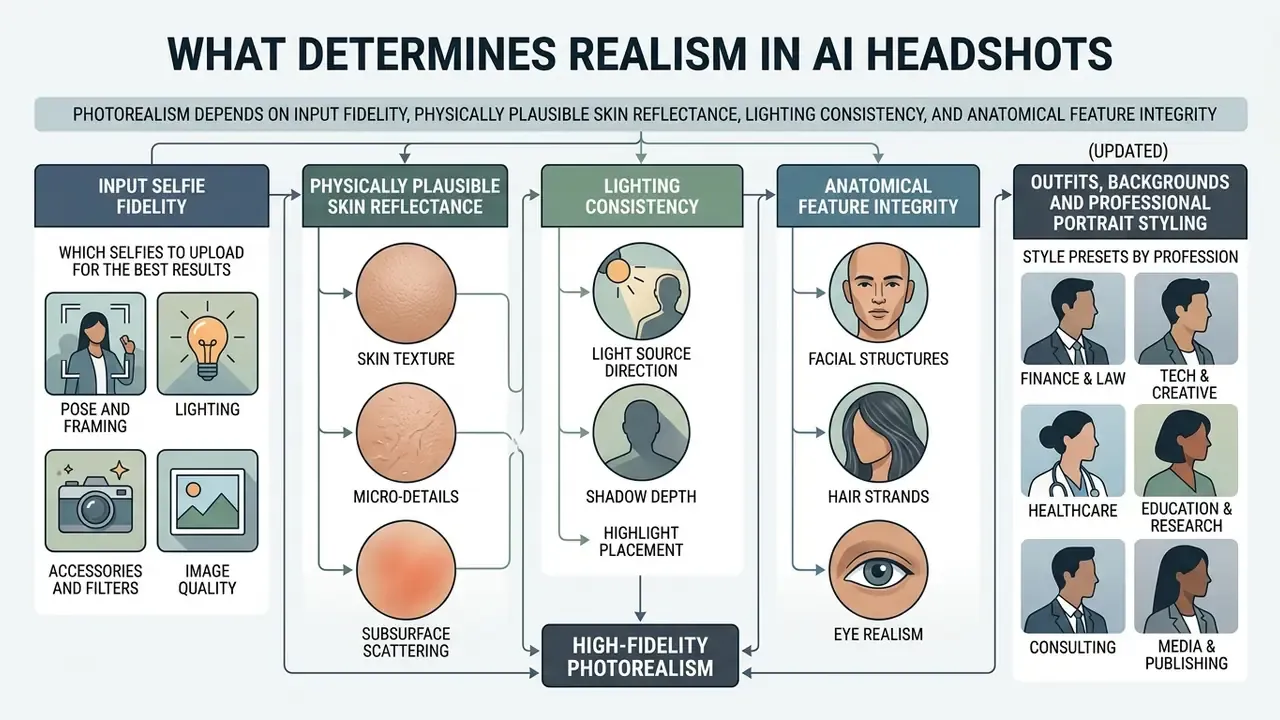
The photorealism of ai generated images headshots depends on input selfie fidelity, physically plausible skin reflectance, lighting consistency, and anatomical feature preservation. When source images are high resolution and evenly lit, the model extracts precise facial geometry and avoids plastic skin or misaligned eyes.
Which Selfies to Upload for the Best Results
Getting a usable ai picture headshot means submitting source photos that respect basic facial capture standards. Upload 3 to 10 high-resolution, lightly compressed selfies from several angles (direct frontal plus slight three-quarter turns) under balanced natural light.
- Pose and framing eye-level position, neutral expression or a natural closed-mouth smile. Frontal capture within roughly ±5° of roll, pitch, and yaw matches facial-image standards. Skip extreme angles, tight crops, and group photos.
- Lighting soft, indirect daylight. Avoid harsh backlighting, hard side shadows, overhead fluorescents, and direct flash.
- Accessories and filters remove sunglasses, hats, scarves, and heavy digital filters that hide natural facial geometry.
- Image quality sharp, in focus, JPEG or PNG, minimum 600×600 pixels, no aggressive compression, so landmark detection has real data to work with.
(Updated) Input quality is the single strongest predictor of likeness. Evenly lit, high-resolution frontal captures give the model dense landmark data and stable identity embeddings. Low-resolution, filtered, or backlit phone shots force the model to interpolate facial proportions, and that interpolation is the root cause of most "that isn't me" rejections. Practitioner reports from internal review cycles consistently show a wide approval gap between the two input classes. Where a platform publishes no methodology behind such numbers, treat them as directional, not as benchmark data.
Outfits, Backgrounds and Professional Portrait Styling
Tuning the output of ai profile picture generator tools comes down to wardrobe, lighting temperature, and background depth. Leading platforms swap casual attire for suits, blazers, or business-casual knitwear, then place the subject against textured studio slates, neutral office interiors, or softly blurred architecture.
Prompt-driven styling parameters position the key light (typically 45° off-axis at eye level) to create natural catchlights in the eyes and subtle subsurface scattering across skin tones. Solid colors and simple patterns render most reliably. White tops, turtlenecks, and garments matching the subject's skin tone tend to flatten separation between face and wardrobe, which is a small detail that ruins a lot of otherwise good frames. (Updated) For refinement after generation, meaning skin texture balance, blemish control, and background cleanup, professional-grade AI photo editors preserve realistic lighting physics, which stays essential for believable executive portraits.
Style Presets by Profession
Generic "business" presets underserve specialists. Match the preset to whoever actually reads your profile:
- Corporate and executive dark blazer, tie or formal blouse, slate-grey studio or muted office backdrop.
- Tech and startup knitwear, plain sweater, or open-collar shirt without a tie, against a bright open-plan or soft gradient background.
- Academic and medical lab coat, clinical whites, or a conservative suit with a neutral institutional interior.
- Creative and energetic higher-contrast lighting, designed interiors, relaxed wardrobe, bolder color grading.
- ID and badge photo flat frontal pose, neutral expression, plain single-tone background, no shadow on the backdrop.
- Sophisticated or speaker portrait three-quarter framing, shallow depth of field, warm key light for conference programs and press kits.
Common AI Headshot Artifacts and How to Fix Them
How to fix: use built-in inpainting to repaint a localized region, buy human retouching where offered ($8 per edit or about $10 for a full redo at premium vendors), re-upload closed-mouth selfies under even studio-style light, and drop any source photo where hands frame the face. Hybrid pipelines, automated inpainting first and a designer pass second, resolve the large majority of defects without regenerating the whole batch.
The Sparkle Factor: Keeping Your Portrait Recognizably You
«Select a headshot that makes someone feel like they know you just by seeing your picture. It should reflect your personality and, most importantly, show a connection.»
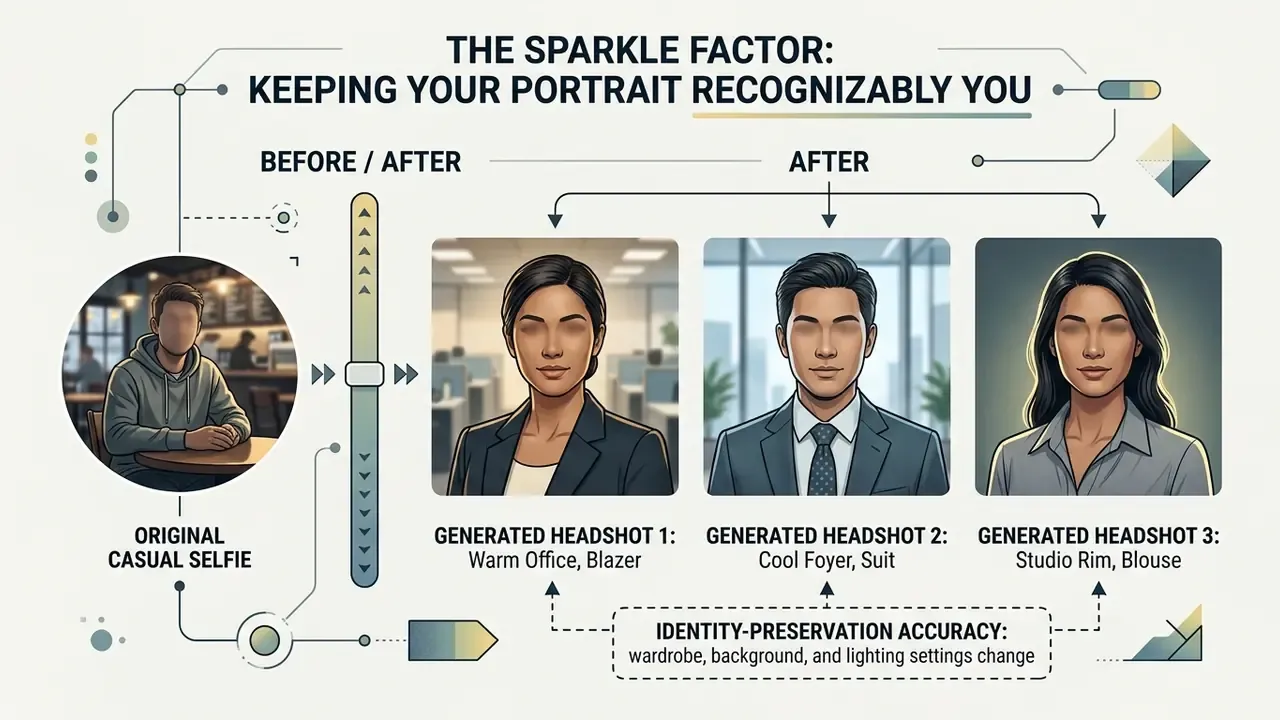
Reviewers keep describing the weakness of AI portraits as a missing "sparkle": the output looks close to the subject, yet reads like a "television news anchor doppelgänger." To dodge the soulless-twin effect, pick frames that keep your identifying traits, including expression lines around the eyes, the natural asymmetry of your smile, your usual hair parting, and visible skin texture. When two candidates look equally polished, choose the less perfect one. Recognizability beats retouching, and LinkedIn's authenticity rules reward likeness, not glamour.
Where to Use an AI Professional Headshot
An ai linkedin headshot generator produces versatile, policy-compliant images for executive profiles, corporate team pages, identification badges, and marketing collateral. Most platforms ship platform-specific aspect ratios and pixel resolutions that HR systems and social networks expect. Typical destinations: the LinkedIn profile photo, a resume or CV PDF, a corporate website bio, an email signature, speaker and conference badges, and personal portfolio pages.
AI Headshot Generator for LinkedIn and Resumes
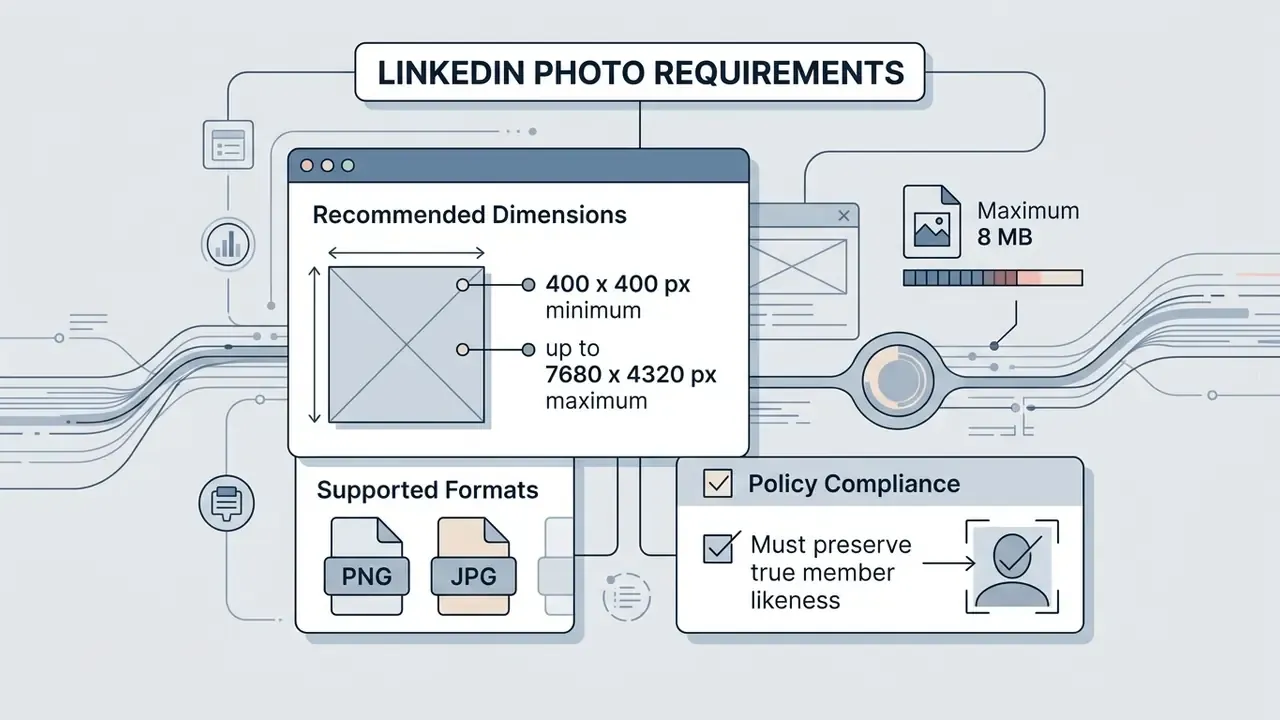
Using an ai headshot generator linkedin professional photo workflow keeps you inside professional networking standards and HR expectations. LinkedIn guidelines require profile pictures to reflect the member's current physical likeness. Non-human renderings, logos, or heavily distorted synthetic avatars detectable as AI risk removal under authenticity rules. Treat an ai headshot generator for linkedin as a photography substitute, not an identity substitute.
Composition and Cropping for LinkedIn
- The 60% rule your face and upper shoulders should occupy roughly 60% of the frame. LinkedIn renders the avatar as small as about 130 px in the feed, where a full-body shot shrinks the face into illegibility.
- Circular-crop safety zone LinkedIn masks a square photo into a circle, so anything in the corners disappears. Keep the head centred with a little air around it, and keep hair edges and collar lines out of the extreme corners.
- Neutral focus use a plain or softly blurred (bokeh) backdrop so attention lands on the eyes. Busy offices and holiday scenery read as noise at thumbnail size.
- Refresh cadence update the portrait every two to three years, so colleagues recognize you offline and not only on screen.
(Updated) Profile-photo quality has a measurable effect on visibility rather than a vaguely "positive" one:
«Profiles with a professional photo receive 21× more views; the share of LinkedIn users who updated their photo within a year rose from 22% (2022) to 34% (2025).»
(Updated) For job seekers, an affordable generated portrait provides one consistent, current, platform-compliant image across a resume PDF, an applicant-tracking profile, and a digital portfolio. It replaces the cropped-group-photo default without booking a studio slot, and it pairs naturally with ai tools for generating career advice images used in coaching decks and personal-brand pages.
Business Profiles, Team Photos and Badge Photos
For enterprise teams, an ai badge photo generator standardizes employee portraits across internal directories, security passes, and public company pages. Distributed organizations know the symptom well: mismatched lighting, informal attire, and a staff directory where every third image has a different resolution.
Deploying an enterprise ai professional headshot generator service lets HR enforce one visual guideline, with consistent background tones, framing margins, and wardrobe codes across globally remote staff. Practical standardization also defines output variants: an approved master file plus a square profile crop, a rectangular web-card version, and a circular-safe crop for platforms that mask the avatar. For physical access systems, generated images act as credential avatars, which pulls them straight into biometric data protection and consent obligations.
How to Create a Professional AI Photo: Three Steps
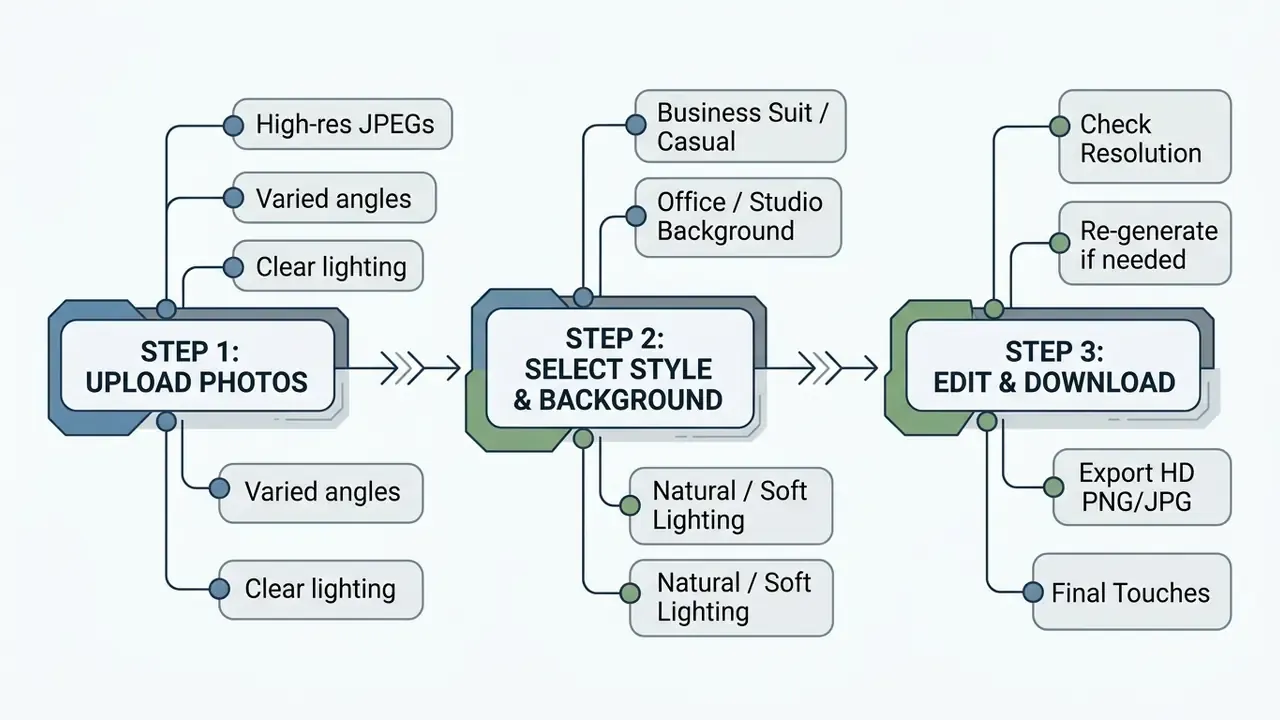
Creating an ai headshot generator app professional photo takes a simple three-step workflow: upload qualified source images, configure style and wardrobe, then review the generated set before download.
Upload Several Suitable Photographs
Generation starts with selecting and uploading source images through the tool interface. Most systems accept JPEG, PNG, or WebP files between 240 KB and 10 MB, with a minimum of 600×600 pixels. Official document standards are stricter: Canadian passport specifications, for example, demand at least 1800×1200 px. Keep the original masters if the portrait may later feed an ID workflow.
- Selection choose 3 to 10 distinct photos with clear facial features. Some deep-training platforms ask for 8 to 12 for stronger likeness.
- Composition head and shoulders should fill roughly 50% of the frame, with adequate headroom.
- Avoid common errors no group shots, no crops that cut the jawline, no black-and-white conversions, no low-light captures.
Select Styles, Outfits and Backgrounds
With sources uploaded, you pick the target aesthetic. Options usually include executive formal (dark blazer, tie, or formal blouse), corporate casual (button-down shirt, sweater), and creative professional attire, plus the niche presets described earlier for tech, academic, and ID use cases.
Backgrounds run from solid neutral grey and textured studio canvas to blurred modern offices. Advanced controls adjust lighting temperature and color grading. (Updated) Where a final frame needs extra sharpness, contrast, or noise control before publishing, an AI image enhancer finishes the pass without re-running the generation cycle.
Review, Edit and Download the Results
Once the network finishes (typically 10 to 45 minutes depending on queue depth, or about 30 seconds on single-photo API pipelines), the platform shows a gallery of candidates. Review each for visual accuracy, facial symmetry, and artifact-free rendering, checking hands, neck, teeth, eye catchlights, and background geometry against the artifact list above.
Modern editors let you adjust aspect ratios (1:1 square for LinkedIn, 4:5 for formal resumes), modify background blur, or trigger a redo cycle on selected poses. Premium tiers add human-in-the-loop retouching, where a designer manually corrects a chosen frame, usually delivered within 12 to 48 hours. After approval, export in high-resolution PNG or JPG (up to 4K) for digital publishing or print. Operational cost structures for media generation tools sit in our AI Media Pricing Guides.
Rights to AI-Generated Headshots, Commercial Use and Data Protection
Disclaimer: this information is general in nature and does not replace legal advice. Copyright law covering AI content and biometric data regulation differ by jurisdiction and keep changing.
Ownership, copyright status, and biometric privacy terms decide whether synthetic headshots can go live on public platforms or in commercial campaigns. In enterprise buying cycles this section logically precedes pricing: legitimacy and data handling gate the decision, and tariff plans only follow.
Can You Use AI Headshots on LinkedIn and Commercial Profiles?
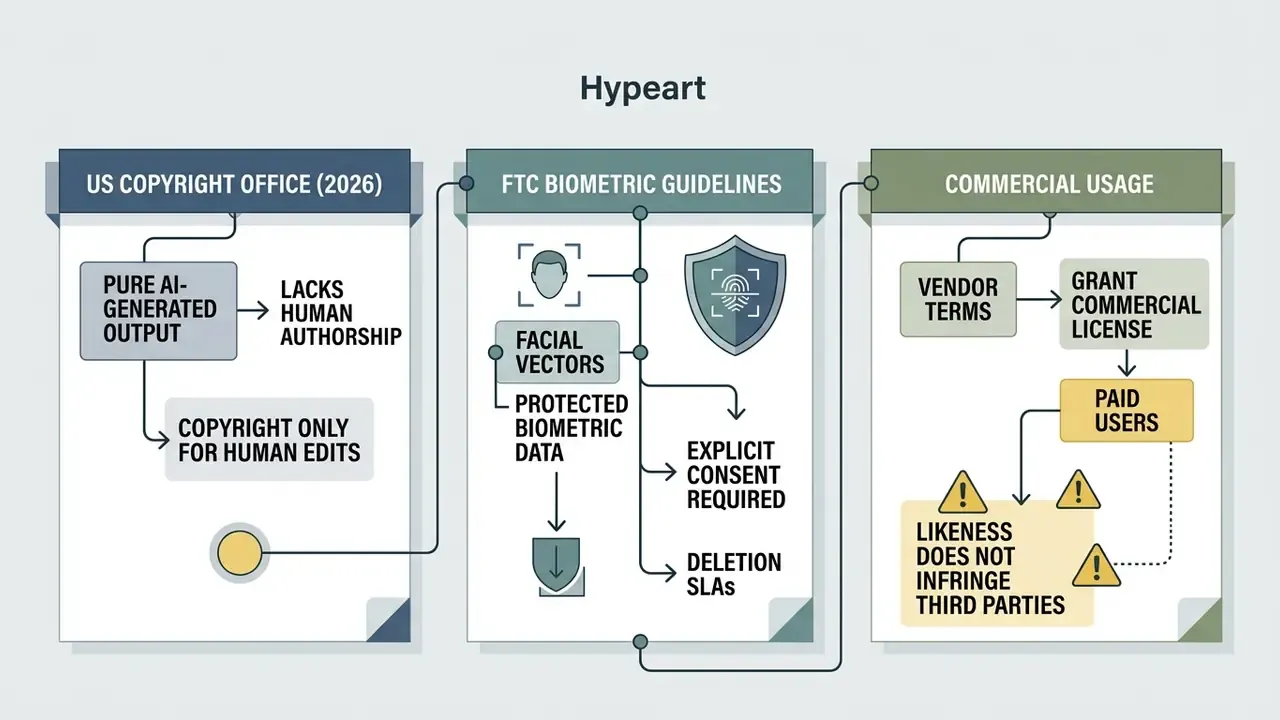
A frequent question: can i use ai to create a professional headshot for commercial websites, marketing materials, and LinkedIn? Under current U.S. Copyright Office guidance (2026), images generated purely by artificial intelligence, without significant human creative modification, cannot be registered for federal copyright, because copyright requires human authorship. Copyright also protects the image as a work rather than the person's identity, so likeness disputes land under publicity and privacy law instead.
That clause is one reason better pic ai headshots show up so often in procurement shortlists: the license text is published and easy to route to counsel. More broadly, users hold contractually granted commercial rights over AI-generated images under vendor terms when they buy a paid tier. On LinkedIn, using an ai generated images headshot is fully compliant as long as the portrait represents your authentic appearance and does not mislead your network about identity. Developers who need programmatic controls over asset generation can examine our AI Media API documentation.
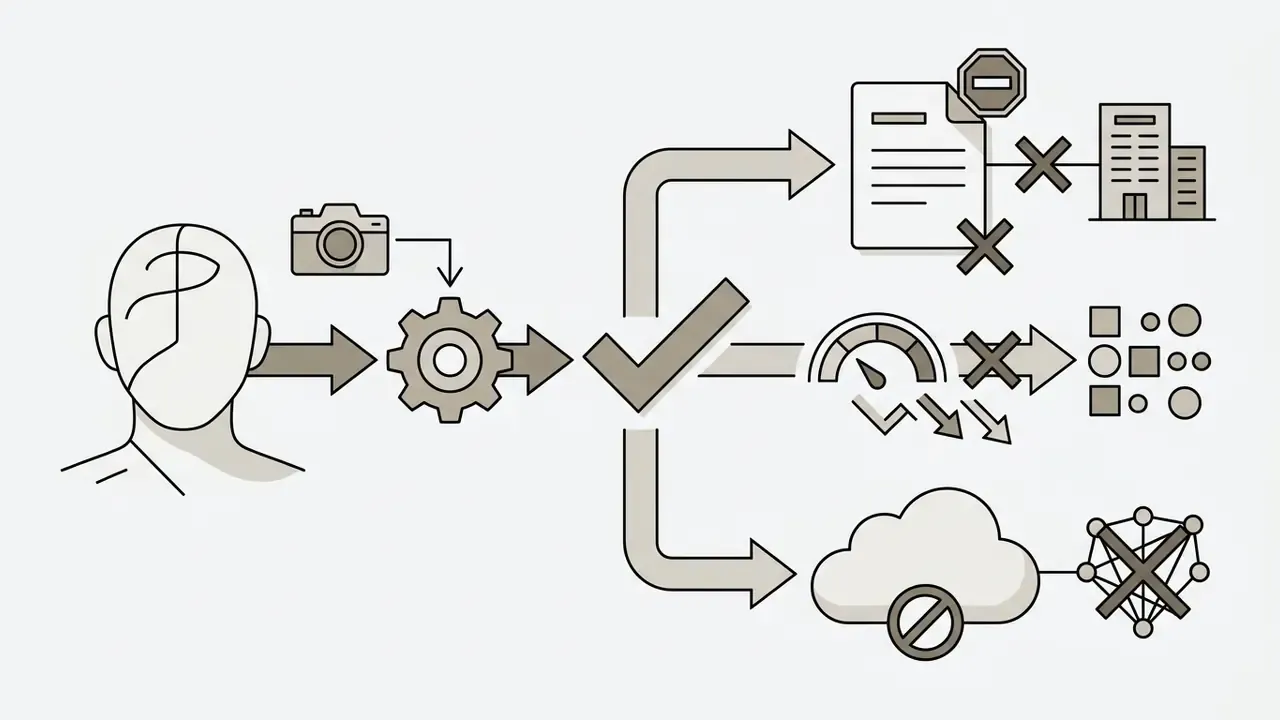
One internal-security concern deserves naming. The same identity-preserving pipelines that produce a flattering portrait also support synthetic-identity spoofing and deepfake impersonation of executives. Organizations publishing high-resolution leadership portraits should pair them with verification procedures for payment approvals and video calls. A face is not an authentication factor.
How Services Store and Delete Uploaded Photos
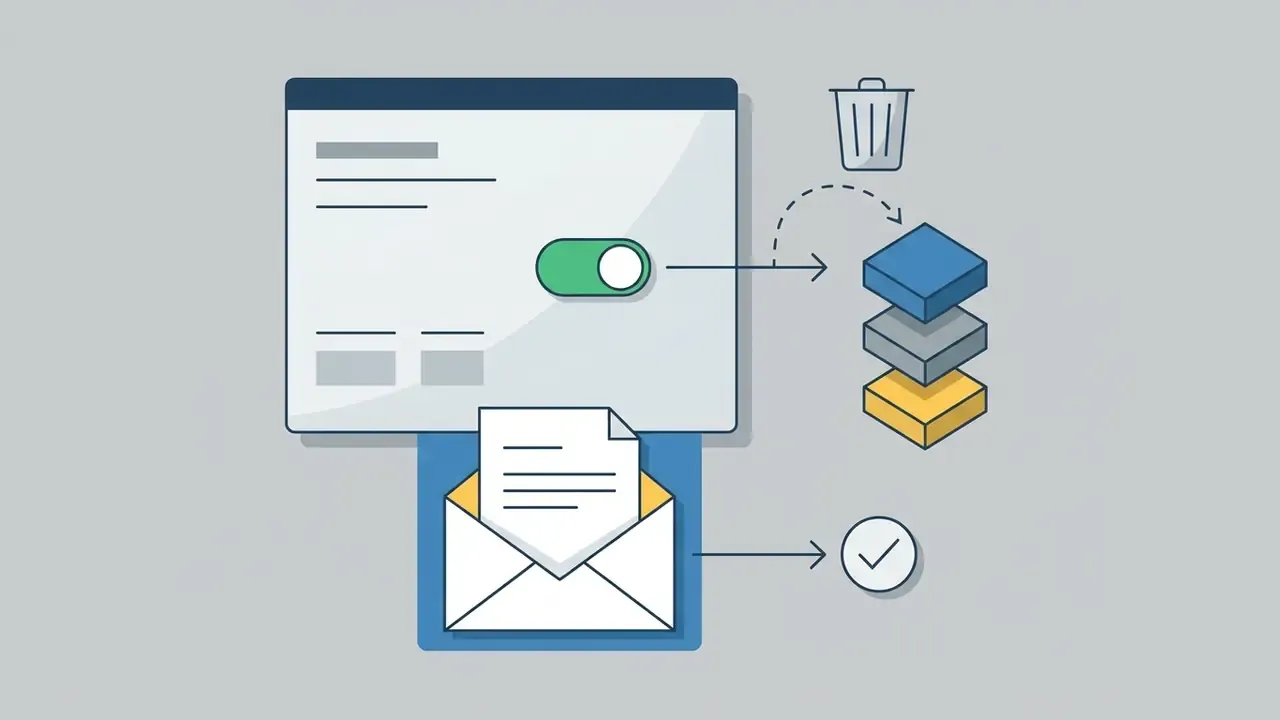
Biometric data security and photo retention practice vary a lot by provider. Federal Trade Commission policy statements classify facial geometry extracted from uploaded selfies as sensitive biometric information, which pulls vendors into strict privacy requirements. In the United States, state biometric statutes, most notably the Illinois Biometric Information Privacy Act (BIPA), add written-consent and retention-schedule duties with private rights of action. EU deployments fall under GDPR rules on special-category data.
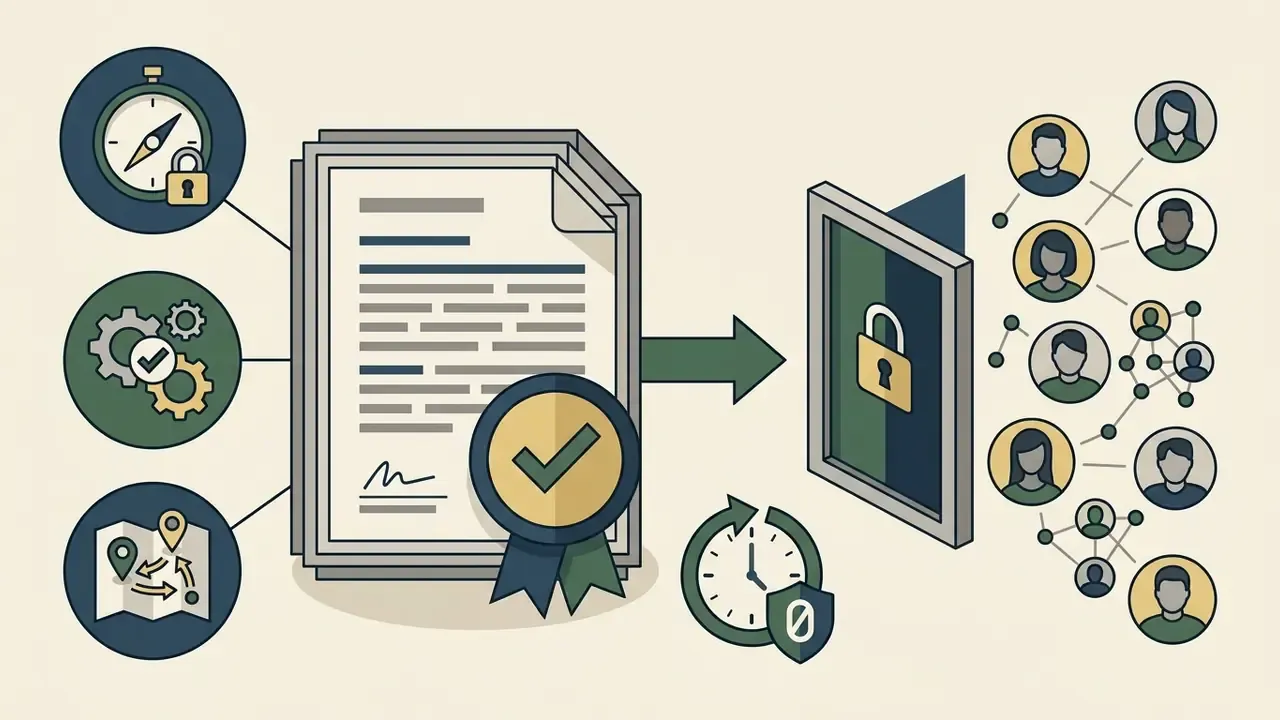
Vendor Audit Evidence Checklist
| Control question | Evidence to request | Why it matters |
|---|---|---|
| Where is biometric data processed and stored? | Data-residency statement, sub-processor register | GDPR / BIPA jurisdiction exposure |
| Are uploads used to train public models? | Contractual no-training clause, opt-in log | Irreversible data leakage risk |
| When is source data purged? | Zero-data-retention SLA with timestamped deletion log | Retention-schedule compliance |
| Who owns the output? | Commercial license text on the paid tier | Marketing and print usage rights |
| Is consent recorded per employee? | Consent capture records, withdrawal workflow | Explicit-consent requirements |
| Independent security assurance? | SOC 2 Type II report, ISO 27001 certificate | Third-party risk review sign-off |
| SSO / identity integration? | SAML or SSO configuration documentation | Prevents Shadow AI account sprawl |
| Refund and remediation terms? | Realism guarantee, redo and human-edit policy | Budget protection on failed batches |
For broader context on ongoing regulatory proceedings around synthetic media, review our tracker on AI Litigation and Case Timelines.
Free vs Paid AI Headshots: Pricing, Quality and Speed
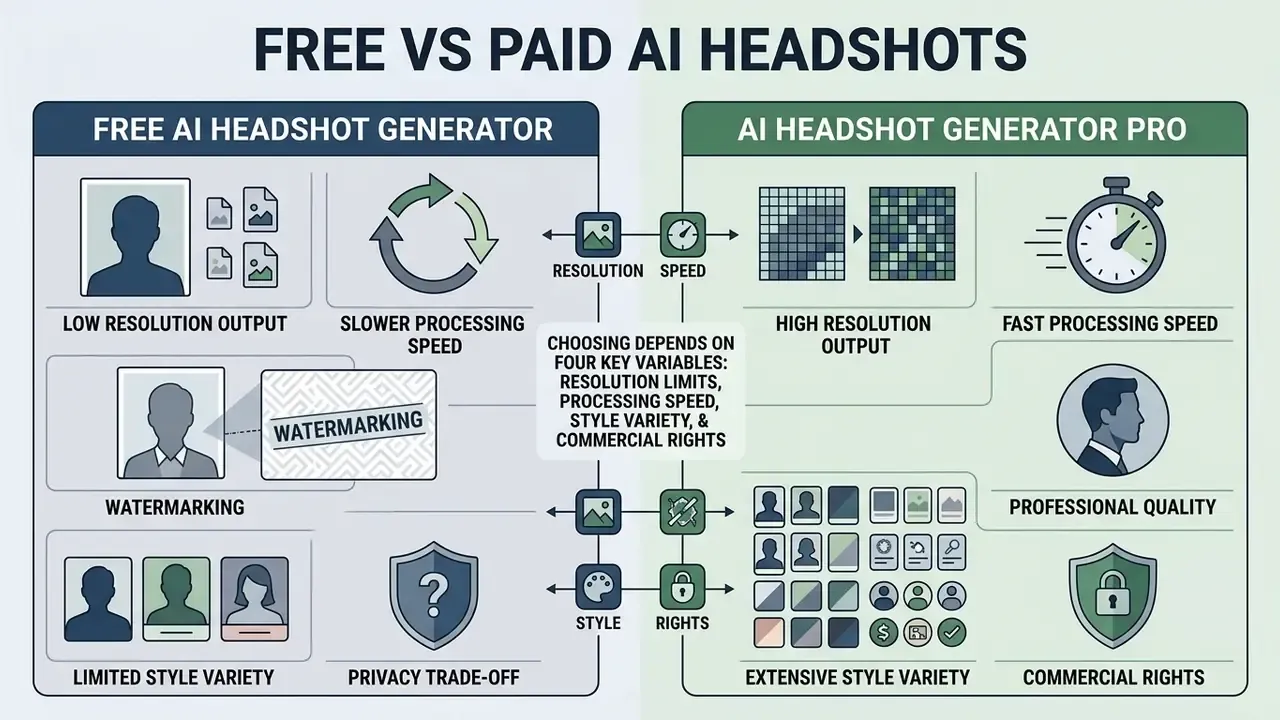
Choosing between a free ai headshot tool and a paid ai headshot generator pro service comes down to four variables: resolution limits, processing speed, style variety, and commercial usage rights.
What a Free AI Headshot Generator Typically Offers
An ai headshot generator free app or ai image professional headshot free tier usually works as an introductory demonstration among free AI image generators, with real constraints attached:
- Output limits 1 to 3 lower-resolution outputs per day or per session. Some vendors cap the free plan at 10 images total.
- Watermarking and resolution vendor watermarks are common, and output is often locked to standard web sizes (512×512 or 1080×1080 pixels). A few providers do release 4K free in exchange for marketing rights.
- Processing speed standard server priority, so queues stretch during peak traffic. On some free tools, the wait is measured in weeks rather than hours.
- Customization a thin selection of wardrobe options and static backdrops, with no manual editing tools.
- Privacy trade-off free tiers more often reserve the right to reuse generated images for marketing or model training. That is the clause to read before uploading a work portrait.
When to Choose an AI Headshot Generator Pro
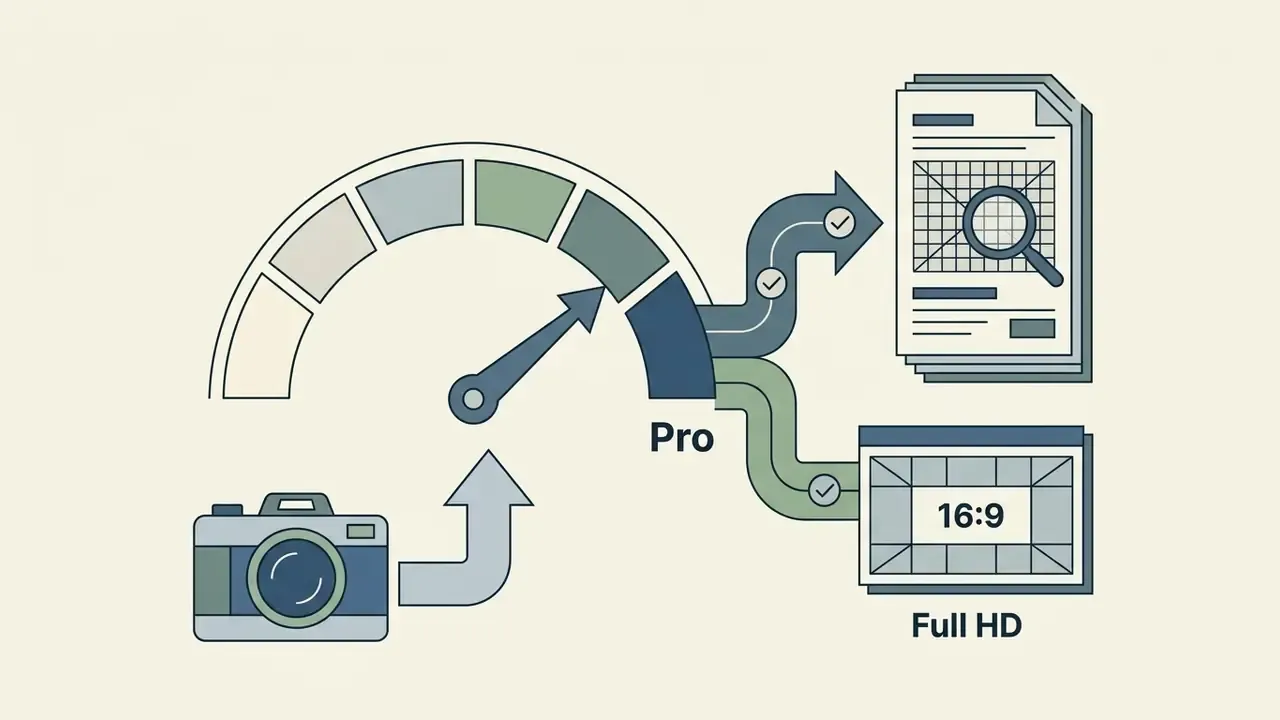
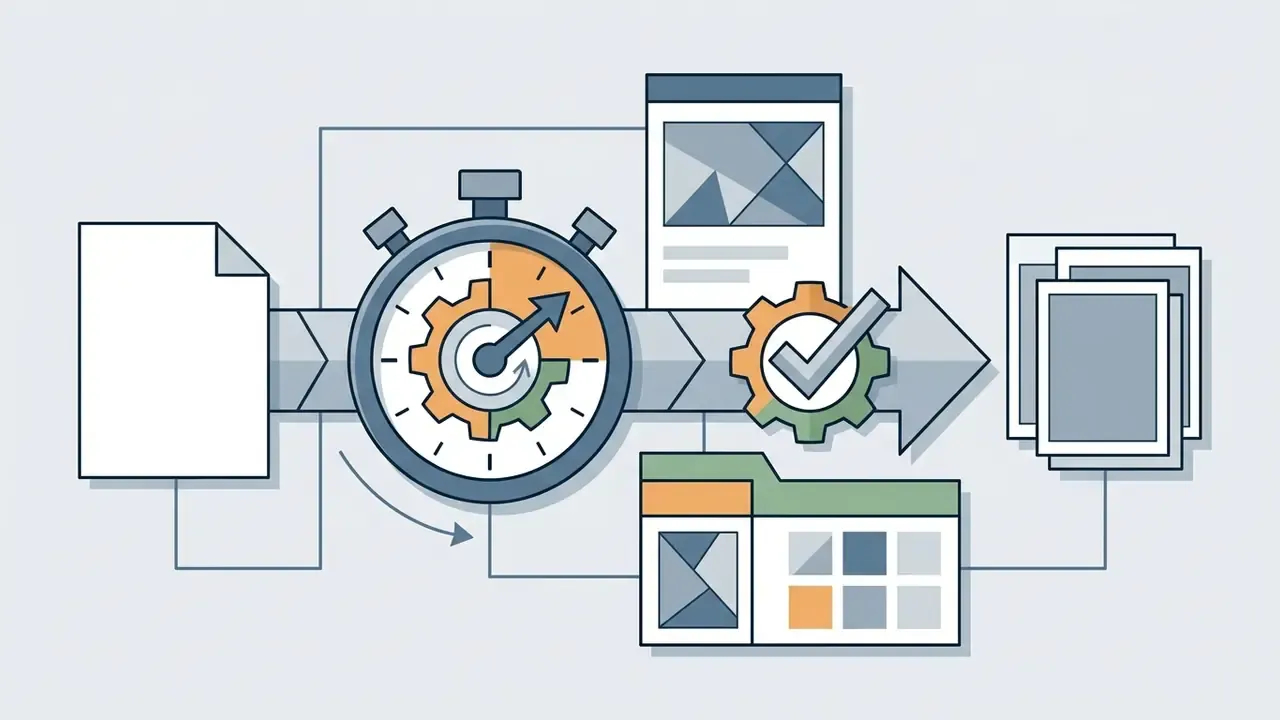
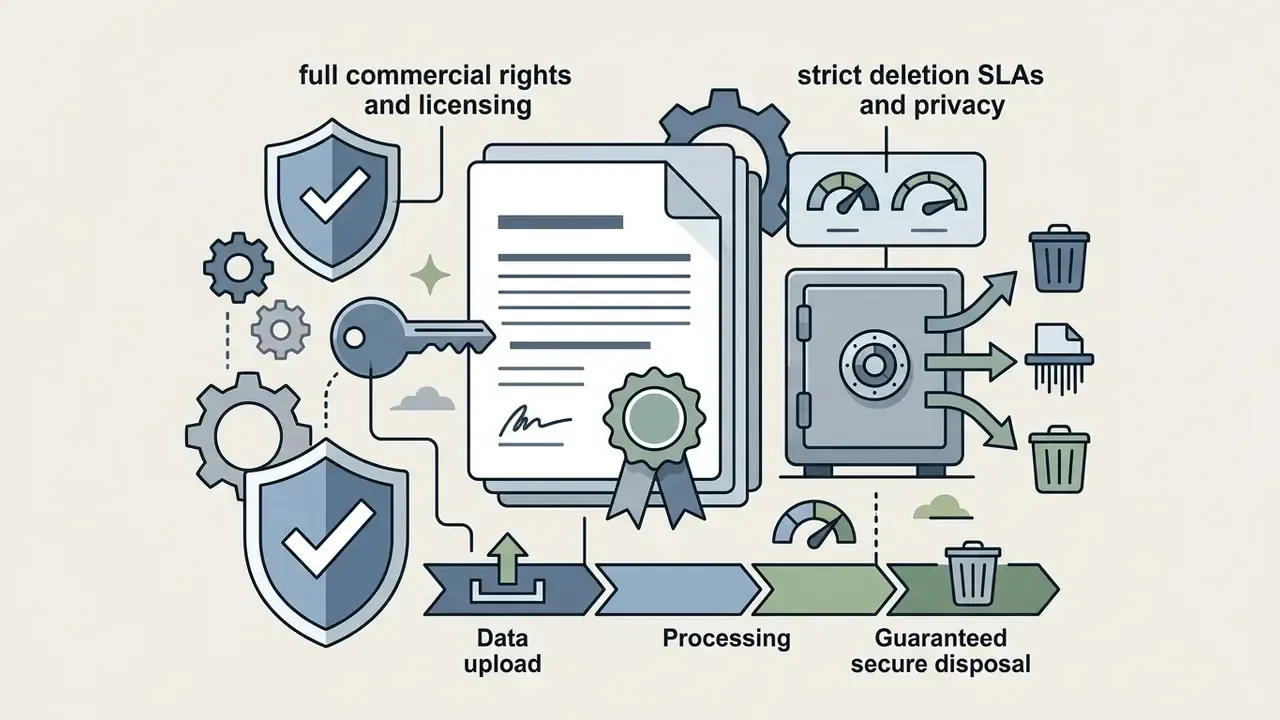
Upgrading to an ai headshot generator pro package or a commercial subscription opens the capabilities that business use actually requires:
How to Assess Cost Against a Photographer or Photo Studio
Comparing the financial efficiency of generators with studio sessions shows a large gap in both cost and elapsed time.
| Feature / Metric | Free AI Generator | Paid AI Pro Service | Traditional Photographer |
|---|---|---|---|
| Price Range | $0 | $29 – $79 | $200 – $600+ |
| Generation Speed | 1 – 4+ hours (queue dependent) | 10 – 60 minutes | 5 – 14 business days |
| Output Quantity | 1 – 5 images | 40 – 120+ images | 5 – 15 retouched prints |
| Max Resolution | 512px – 1080px (watermarked) | 4K high-definition | Master RAW / Ultra HD |
| Style Options | 1 – 2 basic templates | 20+ wardrobe/background combos | Limited to physical set |
| Commercial Rights | Personal use only | Full commercial license | Requires licensing agreement |
| Regeneration Policy | None | Free redo / money-back guarantee | Additional reshoot fees |
2026 Benchmark: Real Platforms and Price Points
| Platform / Category | Price | Output Volume | Wait Time | Human Retouching | Best For |
|---|---|---|---|---|---|
| Budget AI generators (e.g., TryItOn) | $17 – $20 | 100+ photos | 1 – 3 hours | No (AI only) | Fast experimentation |
| Standard pro services (e.g., HeadshotPro $29 / 120 shots, Aragon.ai $35 / 20 shots) | $29 – $35 | 20 – 120 photos | 30 – 60 minutes | Limited redo credits | LinkedIn and resumes |
| Premium 4K + hybrid (e.g., BetterPic from $35, Secta.ai $49 / 200+) | $35 – $49 | 40 – 200+ (4K) | 10 – 30 minutes | Yes ($8 per edit, about $10 redo) | Speakers, websites, PR |
| Traditional studio (regional photographer) | $200 – $500+ | 5 – 15 frames | 5 – 14 days | Included | Premium personal brand |
Reviewer experience matches the tiering. A $17 package returned 100 images with accurate hair and skin tone but inaccurate facial features and visible defects. A $29 package delivered style-selectable office looks that read as a smoothed version of the subject. A $49 package produced brand-lifestyle frames that one reviewer's own sibling mistook for professional photography. And a $500 one-hour session bought art direction, wardrobe consultation, and full image rights rather than volume. If you are hunting for the best portrait ai generator or the best ai app to create business photos, that spread matters more than any feature list.
A financial services firm needing updated portraits for 50 advisors ran the numbers both ways. A traditional studio shoot was quoted at $12,500 ($250 per head) plus roughly 100 hours of cumulative staff downtime. Using an enterprise AI headshot platform, the firm finished the project for $1,750 ($35 per head) inside 24 hours, an 86% direct cost reduction. Treat the figures as an illustrative composite rather than an audited case.
Risk-adjusted ROI. Direct spend is only part of the model. For a governed rollout, add control costs to the AI line: legal review of vendor terms and licensing (typically 4 to 8 hours of counsel time), a security questionnaire and SOC 2 review, consent-record administration in the HRIS, and a contingency budget for regenerating rejected frames or paying $8 to $10 human edits on 10% to 20% of the batch. On the 50-person example, $600 to $1,500 of control and remediation cost still leaves a materially cheaper program than $12,500 plus downtime. But the number a risk committee can defend is the risk-adjusted one, not the sticker price. Our AI Media Calculators help model the per-seat total once control overhead is included.
How to Choose the Best AI Headshot Generator for a Professional Photo
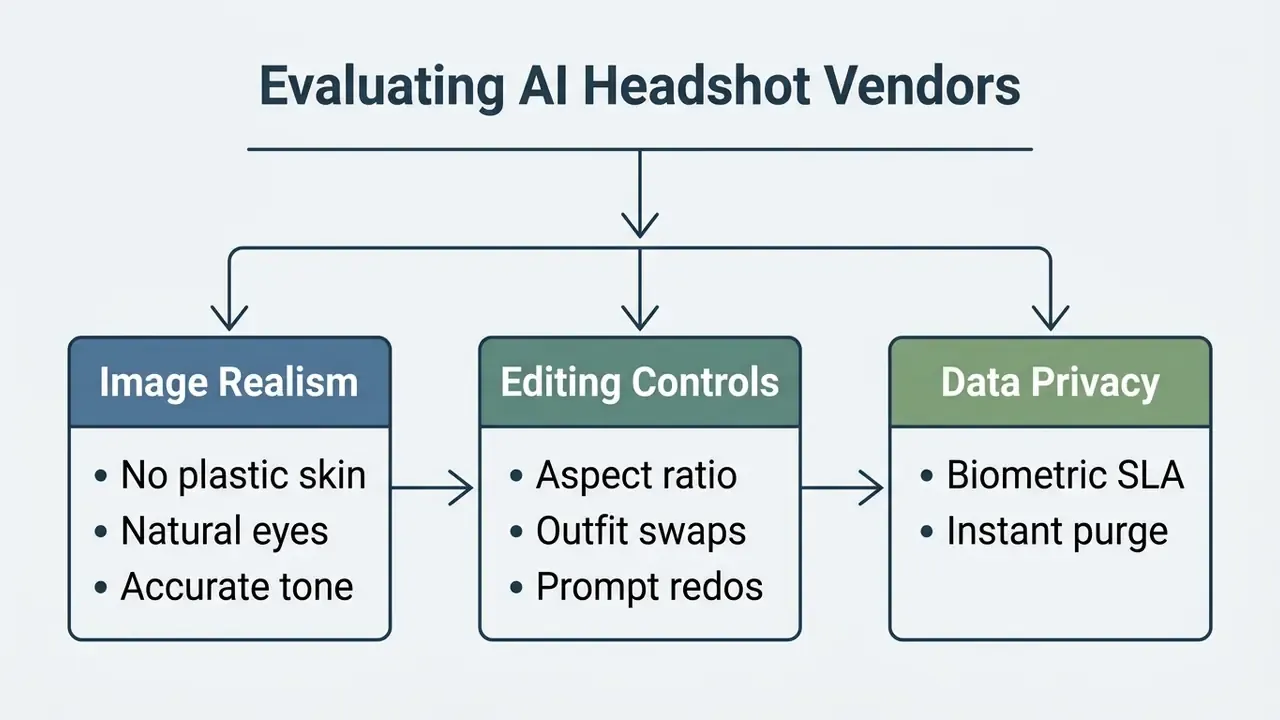
Picking the best ai linkedin headshot generator or the best ai app for professional photos means judging image fidelity, editing controls, enterprise features, and cost efficiency together, not one at a time.
Selection Criteria: Realism, Styles and Editing
When evaluating candidate ai profile picture generator tools, organizations should audit platforms, and our guide to AI headshot generators, against three operational criteria:
- Photorealism and likeness accuracythe engine must render natural skin texture and accurate facial proportions without sliding into uncanny-valley artifacts or artificial smoothing.
- Customization and style depthlook for diverse wardrobe choices, adjustable background lighting, and controllable palettes that match corporate brand guidelines. This is where an ai headshot generator professional linkedin photo workflow either fits your brand book or fights it.
- In-editor post-processingpost-generation refinement, such as aspect-ratio reframing, background blurring, or targeted repainting, lets users fix minor defects without re-running full cycles. (Updated) Verify whether refinement is AI-only or includes a paid human-retouching path, since hybrid pipelines resolve anatomical artifacts that inpainting alone cannot.
Two questions stay open, and honest procurement should say so. First, most published realism and preference statistics come from vendor-affiliated reports, so independent replication is still thin. Second, long-term retention behavior is hard to verify without deletion logs, which means the control you are buying is contractual, not technical. Where evidence is incomplete, cap the rollout: pilot with a volunteer cohort, then expand.
Security and Compliance Review Checklist Before Rollout
| Criterion | Minimum acceptable answer |
|---|---|
| Zero-data-retention SLA | Written deletion window ≤ 30 days, with deletion evidence on request |
| Public-model training | Contractually prohibited without opt-in |
| Commercial license | Perpetual, worldwide, print and web, on the purchased tier |
| Identity integration | SSO / SAML support for team accounts |
| Model independence | Not dependent on a single upstream model vendor |
| Bias testing | Documented output review across skin tones and demographics |
| Attestations | SOC 2 Type II and/or ISO 27001 |
| Remediation | Redo credits, human edits, and a documented refund window |
Service, App or Team Tool
The choice between a standalone mobile app, a web-based ai professional headshot generator service, and an enterprise team platform depends on deployment scale:
A safe next step, if you are early: run a 5-person pilot, score likeness approval and artifact rate, and route the vendor terms to counsel before anyone else uploads a selfie. To compare alternative generative media suites, examine our AI Media Commercial-Use Hub or look at creative options such as Ghibli-style AI image generation.
FAQ About AI Headshot Generators
Which file formats are supported for selfie uploads and finished headshot downloads?
Most AI headshot generators accept source uploads in JPEG, PNG, and WebP (some also take AVIF, GIF, and TIFF) with file sizes between 240 KB and 10 MB. Finished headshots arrive as high-resolution PNG or JPEG files, from 1080p up to 4K (3840×2160 pixels), which covers both web publishing and quality print production.
What is the average generation time for a set of professional AI photos?
It depends on architecture, queue depth, and tier. Single-photo API pipelines can return one image in about 30 seconds. Paid pro tiers that fine-tune a personalized model usually finish training and render 40 to 120 headshots in 10 to 30 minutes. Free tiers and standard web tools may take 1 to 4 hours during peak traffic, and some free queues stretch far longer than that.
Can I regenerate failed frames or fix defects?
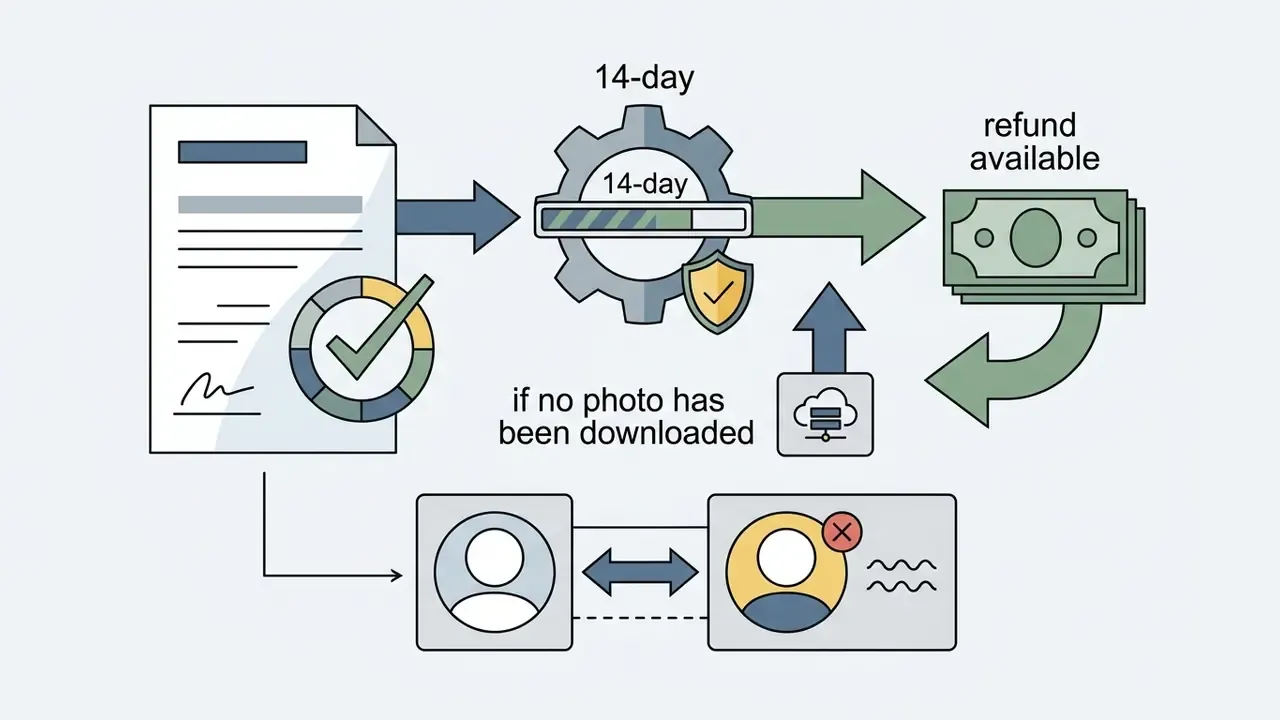
Yes. Leading platforms provide in-editor redo or retry credits on specific poses, background blur adjustment, aspect-ratio changes, and attire re-rendering. Premium vendors also sell manual human edits (around $8 per frame) and full redos (around $10), typically delivered in 12 to 48 hours, and many paid services include a 14-day likeness guarantee.
Are AI headshot services compatible with mobile devices?
Yes. Most services run responsive web interfaces in mobile browsers (iOS Safari, Android Chrome) or ship dedicated apps. You can shoot selfies with the phone camera and complete the full upload, edit, and download workflow without touching a desktop.
How is privacy compliance and biometric data protection verified?
Reputable tools retain uploaded facial photos only as long as model training requires, from 2 hours on lightweight pipelines up to 7 to 30 days on fine-tuning platforms, then delete them. Vendors provide on-demand purge features and commit in their privacy policies not to train public foundation models on customer uploads or share data with third parties. For workforce deployments, request SOC 2 Type II or ISO 27001 evidence plus a written zero-data-retention SLA, and confirm obligations under BIPA and GDPR where they apply.
Do professional profile photos affect how people are perceived, and equally for everyone?
Not equally. Perception research shows measurable asymmetries in how professional portraits are read across groups, so image quality is not a neutral variable in hiring or marketplace contexts.
«An experiment with 292 participants found that men with a professional profile photo received significantly higher competence and trust ratings than women with comparable portraits.» Gig-worker profile photo experiment, Preprints.org (2023). https://www.preprints.org
Will an AI headshot get my LinkedIn account restricted?
Not if it preserves your likeness. LinkedIn permits illustrations and artistic renderings provided the image reflects the member's actual appearance. Photos consisting of logos, emojis, landscapes, animals, text, or other people's likenesses may be removed. Practical rule: if a colleague would recognize you from the photo in a coffee shop, you are compliant.
Additional Resource Navigation
For further analysis of automated media utilities, software tools, and pricing models, visit the primary AI Media Glossary or reach our operational support resources via AI Media Support.